#packaging
1 messages · Page 31 of 1
 swift badge
swift badge
swift badge
Okay Bon appetite! 😉
swift badge
a lot better as myself 😄
 potent linden
any idea if there's a common reason why my game runs at ~60fps on build mode, but runs incredibly poorly on a standalone packaged file?
 olive kindle
have you checked the logs?
swift badge
AutomationTool exiting with ExitCode=1 (Error_Unknown) by Launch
AutomationTool exiting with ExitCode=5 (Error_Unknown) by Packaging 😦
but Cooking Files Still Work
swift badge
@mellow bane okay 😉
 cerulean shell
Is there a way of packaging project in VS Code instead of VS community?
 grave hinge
i never actually used vscode. but there are build tools you must install in order to compile code. vscode is but a text editor i suppose, so you must follow the guidelines to set it up properly. please correct me if i'm wrong but i think vscode is a lite version of vs ide. even then, vs ide won't compile you anything, the builder tool does
 distant drum
vs code wont compile, its basically a prettier Notepad
cerulean shell
ah cool. I'll install the full version then. I installed VS code because of size it takes up it takes on the hard drive.
 tight siren
when i package my game in shipping mode, defaultengine.ini isn't copied into the game
is there a reason why, how can i fix this please? it contains all the config for onlinesubsystem, so without it...
tight siren
hrm
it seems this is either a steam bug, or a ue4 bug, thats existed since 4.10. unless i launch my packaged game through the steam client, the overlay doesnt work, i was taking this to mean that steam wasnt initialised at all in absence of any logs in my shipping build.
 open rapids
Any idea how long a 3 GB game take to cook
tight siren
how long is a piece of string?
my game is 1gb and takes 10 mins
i could say that perhaps your game may take 30 mins, perhaps it wont, because you dont have my pc, perhaps your pc is faster or slower than mine? perhaps your game contains more complex assets or mine does.
time it a few times with a wallclock and see?
open rapids
You mean copy paste? Sorry can only screenshot internet on phone only
tight siren
yes
 tight siren
no
you said you have no internet on that machine?
its trying to report usage data to epic, it seems, you should turn that off in project settings/editor settings
it wont be able to, if you have no internet there
open rapids
Okay you know where in project settings?
 jaunty ravine

 timber cosmos
please help when i try to start the game i just exported it gives me an error that states "fatal error"
then i get a black screen
grave hinge
xKingdom, you can take a look at the saved folder to see for some logs showing up with the error, that is - along with the stack trace - can be indication of the nature of the error, as well as the logged entries before the crash.
grave hinge
I remember being new to unreal and it's composition. It took me a while as well to figure it out, all without help and the useful informations on answerhub, forums etc. It is confusing indeed, and intimidating.
I cannot give you a better outline of the steps i usually take to trace errors.
timber cosmos
can you friend me and i can screen share and show you the error
grave hinge
I know already what is happening, you get a fatal error and a blank screen. The error is in the logs, and you must find it, read it, you can copy some entries here or share the entire log with us, and maybe somebody have ideas where to look. Sharing your screen and seeing the same thing won't do any help to move forward actually.
Besides, what will happen the next time you run into error? Keep bothering people on the internet? :) You should learn these steps on your own, for the better.
 thorny ember
Gonna ask here just in case. Packaging the game links all of my game modules into a single exe file, is there a way to omit specific modules from this?
I would like some game modules to stay as their own DLL's due to linking issues
 meager cape
hey guys
does anybody here had problem with data tables not loading exclusively on package?
I already added the path of this data table to "Additional asset directories to cook" but nothing changed. Also tryed full rebuild flag
meager cape
'-'
 proven moon
UATHelper: Packaging (Windows (64-bit)): LogInit: Display: CookResults: Error: Error loading C:/Users/kowma/Documents/GitHub/buraki/Content/postac.uasset!
UATHelper: Packaging (Windows (64-bit)): LogInit: Display: LogCook: Error: Error loading C:/Users/kowma/Documents/GitHub/buraki/Content/postac.uasset!
is there a way to fix this error?
Here's the log:
?
okay so I deleted the actor and then remade it in another actor. lets hope this works!
GUYS I FIXED IT
turns out i had an "deleted actor" in the files taht i pressed deleto on but it turns out that ue4 didnt delete it fully
i just went into project files and deleted him manually
and now it works!
 versed elbow
Is there a way to get cooked builds to auto include some binary data files in your content folder?
 glossy haven
@versed elbow
versed elbow
It's not cooked content that I'm trying to include
glossy haven
under project - packaging
glossy haven
np
 kind ingot
Additional non asset directories to copy not working on Android. Is there any solution?
 dawn kiln
PackagingResults: Error: Cook failed.
PackagingResults: Error: Unknown Cook Failure
build error
deleted saved and intermated files
 mellow bane
Put the full log on a paste service and link it here.
 plain lodge
I have a houdini warning: refering to a certain file which is nowhere to be found. The file doesn't exist, yet Unreal complains about it:

high res
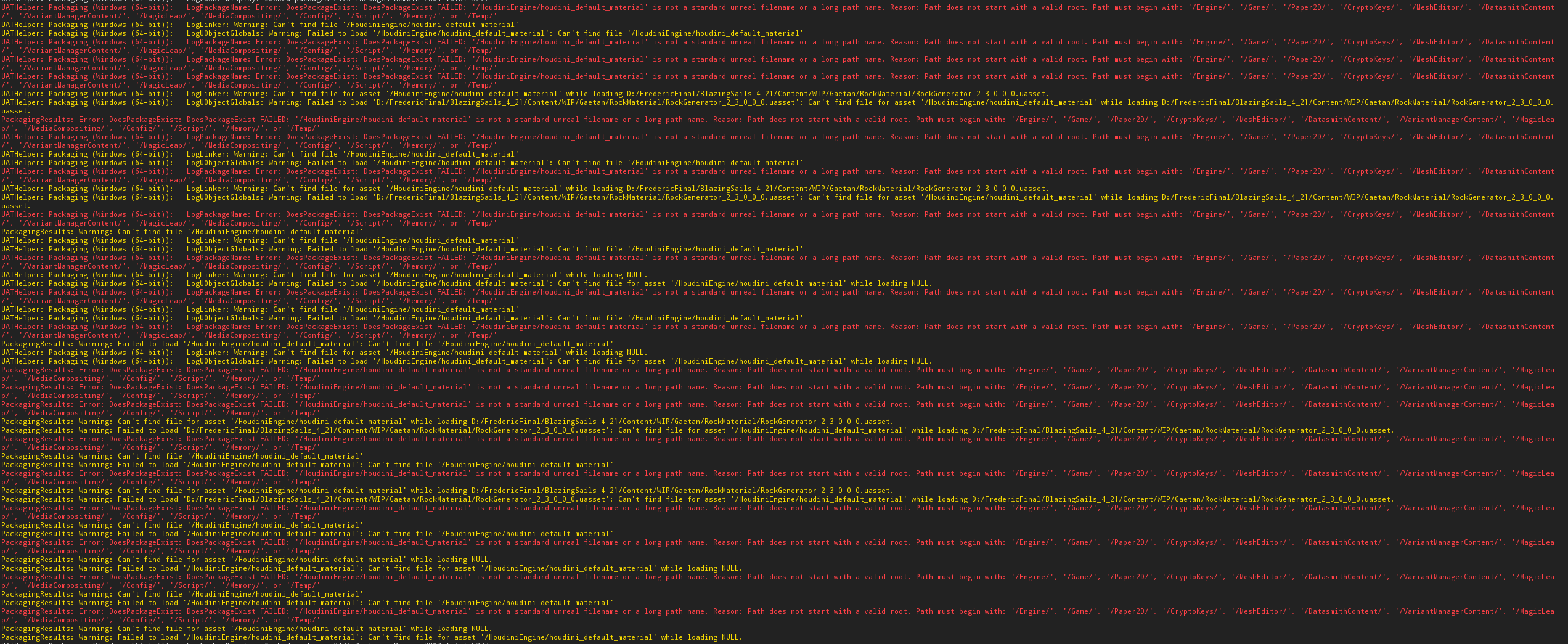
more info
 deep mantle
Anyone have trouble with the player spawning as a specator only in packaged build? Works fine in PIE and Standalone and worked fine package in 4.20 but this is a new thing happening in 4.22
 light junco
How does one enable logs in shipping builds again?
bUseLoggingInShipping = true; in the Target.cs causes it to not compile anymore with:
UnrealBuildTool.Main: ERROR: Hoverloop modifies the value of bUseLoggingInShipping. This is not allowed, as Hoverloop has build products in common with UE4Game.
UnrealBuildTool.Main:        Remove the modified setting or change Hoverloop to use a unique build environment by setting 'BuildEnvironment = TargetBuildEnvironment.Unique;' in the HoverloopTarget constructor.
Adding the BuildEnvironment = TargetBuildEnvironment.Unique; as stated in the error creates new errors about Launch.Target.cs missing or so
light junco
Hm, seems to actually package fine on my end. Client will have to try it agian then I guess
.>
light junco
Client keeps getting this error when packaging for shipping with the above code added to the target.cs
UnrealBuildTool.Main: ERROR: Missing precompiled manifest for 'Launch'. This module was most likely not flagged for being included in a precompiled build - set 'PrecompileForTargets = PrecompileTargetsType.Any;' in Launch.build.cs to override.
UnrealBuildTool.Main: BuildException: Missing precompiled manifest for 'Launch'. This module was most likely not flagged for being included in a precompiled build - set 'PrecompileForTargets = PrecompileTargetsType.Any;' in Launch.build.cs to override.```No idea what Launch.build.cs this is talking about
olive kindle
is there a way to automatically deploy on other LAN computers?
I see this in the docs, but "currently not supported" ....
Unreal Remote Agent (URA) is a standalone program that runs in the system tray of remote PCs (and eventually Macs) to make those PCs and console devices connected to them available over the network. URA, previously required to deploy and launch games, is currently not supported and in the process of being upgraded.
grave hinge
How about you set the packer to store files on a network drive and share this folder with everyone else? Not sure if this is enough / what you're looking for but maybe helps.
olive kindle
yeah, that's what I've been doing
I was thinking maybe an automatic deploy/launch thing would also collect logs on the main machine and save me some steps there too
thorny ember
Okay, I've got a slightly bizzare packaging question
Why does cooking change case of my component names?
"V1" becomes "v1" and "V2" becomes "v2"
 green arch
Hello everyone. I am trying to add steam achievements to my game. when I test it from inside the engine (run stand alone) it works fine. but after packaging the game it doesn't work. also when it is uploaded to steam, it doesn't work 😦 any help or tip is appreciated
 raven flare
Hi people! this time am here to ask for support. Im trying to package for Android since last 4 days without success
aidl.exe stops working in the middle of the packaging
guess it's something Gradle related
sad point is that i:
- totally reinstalled ue4
- wiped and cleaned android studio
- wiped and cleaned codeworks
- wiped and cleaned any related environment variable and registry record
in any order and combilnation of them
any guess?
i really dunno where to smash my head anymore
(please tag me)
open rapids
Hi getting package error 2338 exit code 5 failed to find binaries during package
open rapids
Im packaging my game and it uses advanced sessions plugin so i can run steam servers is this normal to say this in the logs of packaging

 dawn kiln
PackagingResults: Error: Cook failed.
PackagingResults: Error: Unknown Cook Failure
i deleted saved and intermediate folder
mellow bane
@dawn kiln Need the full output log
On something like pastebin or similar paste service
open rapids
@lyric orchid says ran out of memory
mellow bane
It's also not the actual error
Unless he's got assets larger than 1GB alone
And only a few GBs of memory
 pallid sinew
Hi,
Has anyone experienced issues with the MeshBuilder module while packaging?
 rancid mountain
@vernal oxide try android-ndk-r12b
SDK API Level latest
NDK API Level android-24
In Platforms-Android , just for kicks, try Min SDK Version 9, Target 9
Not sure what platform you're working on exactly, but this worked for me for Go/Quest
Might be a bit old now though, probably should update.
Regardless, unless NDK is newer in newest UE4 release
Just use whatever they have
I would follow these guides though:
https://docs.unrealengine.com/en-US/Platforms/Mobile/Android/GettingStarted/index.html
https://docs.unrealengine.com/en-US/Platforms/Mobile/Android/InstallingAndroidCodeWorksAndroid/index.html
Which already has 14 as min/target 😉
Setting up for development for the Android platform.
Installing Android Code Works for Android 1R6u1
Try not to install newest versions of things randomly. Get the base line working
 vernal oxide
Yeah bro but I have tried download the 1R6 but need the visual basic 2015 but in the page where I can download block the download @rancid mountain
rancid mountain
Well brah, it tells you where
1. To install CodeWorks for Android 1R6u1, navigate to the Engine > Extras > Android folder.
I suppose they could be a little more specific, but they mean the release version of the engine
If you have other versions of the Android SDK installed (or, older versions of CodeWorks for Android), we recommend that you uninstall them and install CodeWorks for Android, using the CodeWorks for Android installer that's being distributed with UE4.
I guess they do
vernal oxide
Yes but some libraries needs VB2015
rancid mountain
So install Visual Studio?
vernal oxide
I have the 2017
rancid mountain
I suppose I always have it installed, so I never had any issues.
Nice and slowly, reread those links.
I didn't have any issues with the setup process while going over it when I first did it.
 dark path
Question: I want to deploy an the ue4 App of the FaceARSample Kiteboy. I used the apple identifier. And it used to work 2 month ago. But now i want to do the same thing again on another IphoneX. And Valid is not turning Green (in mobile Provison Settings). I am thinking maybe you can use AppleIdentifier only one time ? Does anyone know sth about this
 ebon cradle
Hey im trying to cook out my project, but everytime it gets to "shader map compiling" for a specific material my entire computer locks up completely
I'm on an entirely fresh Windows 10 install - I imagine there's something wrong with my CPU but I'm not sure how to go about debugging this.
 mellow bane
Put the full log on a paste and link it here
open rapids
@mellow bane https://pastebin.com/p1m15qwz
 mellow bane
How much memory does your computer have ?
 mellow bane
Looks like UE ran out of memory packaging your game, which is weird for 32GB
mellow bane
How large is your game's content folder ?
The packaging has went to 18GB memory before crashing
 mellow bane
Well, how big is your largest asset
open rapids
its my main level
mellow bane
That makes a lot of sense - how big is it ?
mellow bane
That's okay
open rapids
im deleting files i dont need that are big
is that what i should be doing?
Dont worry about that project can u help me with this tho i have 1 error on this project and hnot sure hat it is
mellow bane
I mean, you don't need to delete, but maybe optimize
Like if you're doing crazy stuff like uncompressed lightmaps
Or if you have distance fields but don't use them
 frosty plover
also if you're referencing a ton of assets in levels you might want to replace them with soft references or such
so it defers loading them until they're actually needed
olive kindle
do you have Cook Only Maps enabled? it'll only package referenced assets
 earnest plank
Hey folks, I've been trying to get chunking to work in a packaged build, but only 1 chunk is ever generated even if the audit says there should be 12 chunks. Has anyone had this problem?
I had posted in AnswerHub ~5 days ago, I have more details there: https://answers.unrealengine.com/questions/905269/view.html
 digital geyser
UATHelper: Packaging (Windows (64-bit)): C:/Program Files/Epic Games/UE_4.22/Engine/Plugins/Marketplace/PathFollow/Source/PathFollow/Classes/PFSpeedCurve.h(63) : LogCompile: Error: An explicit Category specifier is required for any property exposed to the editor or Blueprints in an Engine module.
PackagingResults: Error: An explicit Category specifier is required for any property exposed to the editor or Blueprints in an Engine module.
anyone know how i can fix this
using the plugin from path follow
light junco
Does anyone know how to utilize the Project Launcher to build/cook and automatically move the build to another PC that has no UE4 installed?
 frank garnet
I dont think you would be able to without some form of inbetween like a CI solution.
Push an Archive to Source Control? Have the other machine pull?
light junco
I want to automate it
frank garnet
Build Server?
light junco
I can already grab the packaged folders on the linux PC, but I have better things to do than always switch between both PCs
Never set that up, also not sure what resources (especially €) it takes for that
frank garnet
Is this for Personal use?
light junco
It's a clients project that we have a Windows and an XBox client for and a Linux Dedi Server
And I'm getting annoyed by all the different things you have to do to test things.
I want to press "Build" and x time later want the thing on my linux pc
If possible without a custom crafted solution with scripts on my end.
frank garnet
Ive spent the last week or so setting up a automated build process for a Client using Jenkins.
They have their own machine as a build server though.
light junco
Yeah i heard that word couple of times
frank garnet
P4 on an EC2 instance.
Jenkins works well, its just batch files at the end of the day.
Which meshes well with UAT, UBT etc etc
light junco
I mean, I'm fine with building on my PC here
Cause they won't test Linux
Neither will they test the Xbox build atm
Or at least not in a matter that it needs a build server on their end
I would be happy to have my PC deploy to the Linux Laptop already
But there is like 0 documentation on the Project Launcher in that matter
frank garnet
Ive not used the Session Frontend for any of my building, like ever. Ive always defaulted to writing batch scripts.
I find the Session Frontend more confusing haha
light junco
Right, I could write my own Application that executes the batch files and then sends files to a networked pc
But I could also just not
.>
 modest imp
@light junco off the top of my mind, I guess you could make a script locally that monitors (or compares at run time) for changes of files in a folder and copy those to your mapped network location.
Oh, you already considered that 😄
light junco
THAT is basically just a Dropbox or GoogleDrive
And I really don't need something online
Cause sending it via LAN is a lot faster than uploading it to an internet drive first
modest imp
Well, no, I ass-u-med that everything is locally and you don't want stuff going out.
frank garnet
Our CI solution polls P4 for any changes, if it detects some, it automatically runs a compile of binaries (to update and push to Artists) then runs a full build of the Project across whatever platforms are required and then archives the results (it also pushes a dedi server to GameLift but thats here nor there).
light junco
I mean that was internet too but well
frank garnet
Devs just grab the latest build from Steam automatically in the Dev branch.
If they need to test.
By the time they get it, the GameLift server will be active
light junco
Yeah I have some own ideas for an automated System
frank garnet
And they can join instantly.
light junco
Right now I would really just be happy to press build and work on something else until the laptop has the build
You can deploy to Phones and Consoles
Just weird that I can't do that to a linux pc
frank garnet
So they are local networked devices?
light junco
At least IOS pops up, with me having not a single IOS device
Yeah they are both in the same network
frank garnet
Maybe Linux isnt supported as a device to deploy to?
light junco
I can even see Céleste's PC in that list
But she also has WIndows with UE4 on it
so hm
Maybe or you need UE4 on it
frank garnet
I wouldnt be surprised if you need UE4 to get it to be discovered.
I dont think it would be allowed to just accept a random connection, even if local.
light junco
Just listing network PCs and their public drives wouldn't hurt anyone
Anyway, thanks for the input. I'll see what I can do.
open rapids
Hey,
does anyone have any tips to find DoesPackageExist issues when Packaging the Project for Dedicated Server from source?
Or tips how to find assets that aren't visibly referenced by anything?
"PackagingResults: Error: DoesPackageExist: DoesPackageExist FAILED: '/Project/Effects/Particles/Materials/M_MyMaterial' is not a standard unreal filename or a long path name. Reason: Path does not start with a valid root. Path must begin with: '/Engine/', '/Game/', '/Paper2D/', '/AnimationSharing/', '/CryptoKeys/', '/DatasmithContent/', '/MagicLeap/',
'/MediaCompositing/', '/OculusVR/', '/SteamVR/', '/BFServerMonitor/', '/Crush/', '/WGBaseVehicle/', '/Wwise/', '/Config/', '/Script/', '/Memory/', or '/Temp/'"
For the warnings it says it cant find the file to load it, but it shouldn't even load it anyway.
The Material should even exist anymore and can't find any references to it at all. I've deleted all the build/cache folders, and I'm running out of ideas 😮
Maybe some references still exist, which aren't used anymore, but ue4 doesn't detect them when seraching through the project
open rapids
Update:
After hardcore searching through every BP asset, i found that something wasn't set properly, and therefore it took an incorrect file path or old file path. I but idk why this so hard to find, or can'T be found through searching, the egine didnt show any error, or additional ouput for who is trying to load this asset 😦
 primal kettle
hay all, can anyone here help me out with steampipe? I'm trying to upload my game build to steam
primal kettle
its on the steamworks page, under general settings
open rapids
I'm still struggling with Packaging for some of my Widgets
"UATHelper: Packaging (Windows (64-bit)): LogUMG: Error: PreSave: Null Widget Tree - MyWidget_C /Game/Blueprints/Gameplay/Sector/Captureable.Captureable_C:RenderUMGToTexture_GEN_VARIABLE.MyWidget_C_0
PackagingResults: Error: PreSave: Null Widget Tree - MyWidget_C /Game/Blueprints/Gameplay/Sector/Captureable.Captureable_C:RenderUMGToTexture_GEN_VARIABLE.MyWidget_C_0"
Has anyone ever encountered this? "PreSave: Null Widget Tree "
There are only 1-2 Posts on the forum/answerhub where the solution seems to be to recreated the widget, but it doesn't work for me ._.
Let me know if anyone has any idea
Or if anyone can help me to be able to debug the Packaging process, currently i'm unable to debug it, also not 100% sure in which process the whole packaging happens. ( seems like its not the default ue4editor process, but mby i'm wrong)
Thanks 😃
 sour tiger
I just tried to package for linux but it only loads the documentation homepage in the browser. Anyone know why it doesn't start packaging?
open rapids
Hello I have an aes encryption key from unreal engine version 4.16 from a encryption ini Y298QJSB115NQQ3AGAD30DWN2QYRTI8CT6AP05L2PBV9QE92S94PDOVCCY06A38L
I can't use it to build paks anyone any idea what to do?
 jaunty dawn
Hi,
Is it possible to have a package built in a project running in a different project? I might need to have some people with one project to create paks of art but it'll patch a different project with the actual game. Is this doable or they have some "per project" key or something?
 jovial kite
Hi is it possible to have more than one ToolChain installed like i have v12_clang-6.0.1-centos7 installed but if i install v13_clang-7.0.1-centos7 it replaces it in the environment variables
 grizzled shoal
hey guys I have this video playing on my game https://gyazo.com/6508eb55c3a9a9bf75edf791b435847c
but when I package is a blank for everyone except me and I'm guessing it has to do with me having it
how can I package the movie along with the project?

 primal thorn
hello, i'me having a packaging issue: ElevatorButton /Game/Elevator/Elevator_BP.Default__Elevator_BP_C:Down Button.Down Button_ElevatorButton_CAT was found in memory and is an export but does not have all load flags.
it runs fine on PIE
primal thorn
another problem that i have is that the levels used by my persistent map take 350 secs to load on the distribution shipping build
jaunty dawn
Q: if I package my game without pak (with content folder as uassets), can I just add uassets later and they will be detected by the AssetRegistry?
primal thorn
@mellow bane what is faster, no pak or compressed pak?
mellow bane
Fastest is probably uncompressed pak
primal thorn
that makes sense, i was asking about the 2nd and 3rd place
mellow bane
Dunno really we were on uncompressed pak here
primal thorn
does the compressing nullifies the extra file calls needed when you dont have pak?
i've been spending all day trying all sorts of configurations to find a way to have my levels load fast
in 4.20 all i needed to do was set initially loaded on the level, package it and i was off to the races with good load speeds
in 4.22 just a single level takes 30 secs to load
jaunty dawn
but is it easier?
the reason we want to use the upaked uassets is to allow a cms online tool hwere a team can upload uassets
and the game will just patch them
with a patcher
mellow bane
No, that can't work
You need to cook the assets
The packaging process in UE4 cooks assets, and optionally packs them
Saved .uasset files on your disk can't be distributed to users
jaunty dawn
yes, I mean that
one team has an UE4 project, that cooks the assets
then upload them
with a tool
and another team does the game, which loads the uassets from a server
at least I prototyped it and it worked
but not sure how hard would be to do that with paks
mellow bane
It's much simpler to simply all work together on the project, and for every update, cook the game and package it
jaunty dawn
I understand that simplicity, but this project doesn't allow that 😃
we have to split that, and create uploadable assets
if this or load the actual fbx andtextures
in runtime
which I think is worse
mellow bane
It's not possible to have your users load "FBX or textures" directly
They can only load cooked assets
jaunty dawn
it's possible, I was making tests, but it's more tricky
mellow bane
It's not
mellow bane
Make sure the FBX license allows it without $$$$
jaunty dawn
our client has all that $$, we don't tho, and we are learning Unreal
but still
why to do it that way
if we can load uassets
mellow bane
The normal, safe and most efficient way of working is to give all teams access to the UE4 project repo
Then for distribution to players, cook and package
Now if you want your content team to produce assets without access to the game, just ask for uncooked assets
Like the UE4 marketplace does
And then cook & package for players
jaunty dawn
they have to send the final assets that will be put in the game
without an intermediate cooking
well, they can cook
but it'll not go to the game project
we have it running
they have one project, they cook
they upload them
we load them in the actual game
but we were investigating if it's not hard to do something like that with paks
and if it's also possible
like having a pak generated in another project
etc
mellow bane
The way to do this with paks would be with mods
But it's extremely impractical
Even more than the nonsensical workflow you have
tight siren
hi, i cant package my project and i'm not sure why. i had a graphics driver crash that killed the editor, i restarted the pc and reloaded the editor, but packaging stops at cooking one particular asset
the asset hasn't actually changed, i can compare it to the same asset in my backup from a week ago
is there some sort of cooking cache i can clear to kick it back into shape again?
when i say it stops, ue4editor-cmd climbs slowly to 4.5gb of ram, and pegs at 17% cpu, then sits there for hours
im currently trying a package/cook with 'full rebuild' enabled
...no luck.
deleteing intermediate hasnt helped either
im now trying reimporting all assets related to that static mesh and saving them again, textures, materials, and trying again...
mellow bane
So, "full rebuild" is for C++
What is the error in the log output ?
What is the asset ?
tight siren
there isnt an error
its a static mesh from an ammo pack from the ue4 store
UATHelper: Packaging (Windows (64-bit)): UE4Editor-Cmd: [2019.07.04-13.35.53:096][  0]LogSavePackage:Display: Finished SavePackage C:/Users/brain/fwf/Saved/Cooked/WindowsNoEditor/fwf/Content/Materials/Ammo_Pack_Huge_mat.uasset
UATHelper: Packaging (Windows (64-bit)): UE4Editor-Cmd: [2019.07.04-13.35.53:117][ 0]LogCook:Display: Cooking /Game/Props/Rocket_Deployed -> C:/Users/brain/fwf/Saved/Cooked/WindowsNoEditor/fwf/Content/Props/Rocket_Deployed.uasset```thats as far as it gets
mellow bane
Okay, can you open it in editor ? Can you save it ?
mellow bane
Weird
tight siren
it just hangs there for upwards of hours
when i try and package, and it looks from task manager like its doing /something/
and although its taking like 4.5 gigs, thats near nothing compared to the 16 i have, and the 8 thats free
mellow bane
Anything particular about that mesh ? Tri count ?
tight siren
nope
2000 tris
it was all building fine until earlier when ue4 crashed
but, ive compared it to the copy of that same asset in my version control with a binary diff, its not corrupted
mellow bane
What was it doing when it crashed ?
tight siren
idling?
i went away to do something else, came back and the amd graphics driver had crashed, ue4 lost its d3d context and went with it
mellow bane
That's pretty weird
tight siren
yeah
mellow bane
Let's wipe the DDC
tight siren
wheres that?
tight siren
ok, lets try this
 upper hemlock
What does error 570 mean? The were no errors during packaging (Win-64 shipping)
mellow bane
@upper hemlock Need more detail. Is that on your machine ?
tight siren
delete the entire folder, or just the contents of the folder?
upper hemlock
I tried to launch that build on the other machine and get the same error
mellow bane
So is it on the build machine, or on another machine ?
tight siren
hmm, theres cache in there going back to 2015, ue4 sure likes to keep stuff around doesnt it
upper hemlock
I get this error on build machine and on other machines as well
mellow bane
Okay - On other machines, you will need to install the VC redist, and the UE4 redistributables
On the build machine it's not normal to have this issue
upper hemlock
can it be related to the free space on build machine?
tight siren
looks like its rebuilding shaders before it boots now... i'll give it some time
tight siren
im waiting on 94% of startup splash screen.... i guess this could take a while.
upper hemlock
previous builds were launching fine and I didn't add any major changes apart from menu interface and minor blueprint fixes when I started to get this error
I just have no clue
tight siren
@upper hemlock https://forums.unrealengine.com/development-discussion/blueprint-visual-scripting/1555169-packaged-build-runs-correctly-on-my-machine-but-not-when-i-try-it-on-other-pcs does this help?
Unreal Engine Forums
What the title says. When I run it on other PCs it fails to open and I get an error message that says: Couldn't Start, (a link to the executable on the local
mellow bane
No, it doesn't run on his
tight siren
hmmm.
now loading the editor is doing what cook did
its hung and pegged at 17% cpu
i'll just keep waiting
impatience could cause more issues :/
tight siren
i think its done with that, shadercompileworkers have all exited, its on something else internal to the editor exe now
the developer in me gets annoyed at long delays and wants to watch a verbose log, lol
 lapis coral
I though shader building was at 45% loading 😛
upper hemlock
I think of deleting all previous build data and package everything from scratch but it will take hours and doesn't guarantee that I don't get that error again
tight siren
@lapis coral initialisation of any C++ base classes seems to be at 45%
i know this because once i had a broken gameinstance class and it would cause the editor to bomb out with a crash at 45%
its moved on to 95% @mellow bane
this is excruciating 😛
oooh, editor is up and building mesh distance fields. once this is done and its settled, i'll try the package project again and we'll see what happens
hmmm
clicked play in editor, wondering what would happen... thats exhibiting the same behaviour and has been hung for >5 minutes at 17% cpu
wish i knew what it was actually doing...
ffs
if a computer program could receive physical voilence, now would be the time.
@mellow bane full cook running now after clearing DDC
mellow bane
Cool
tight siren
it appears hung but im going to leave it be and drive home
i'll check back on it in 1.5 hours after my commute and see if its progressed
thanks for the help so far stranger
tight siren
hi @mellow bane the build completed
im going to do some further investigation, but its safe to say thats along the right lines, thanks for the advice and help 😃
mellow bane
np
primal thorn
@mellow bane do you have any idea what could cause cpu going to 90% 30 seconds when you launch a packaged version? i just have a simple level with a default GameMode (so no custom logic) and no bps, just static mesh actors
i just have a rather simple sub-level with a few static mesh actors
the level loads
and it continues with cpu at 90% for quite a bit more time
that seems to be what is killing my performance
once the cpu stabilizes it's all good
in terms of performance
but he seems to be buffering or processing something
mellow bane
Profile it, I guess
primal thorn
ah ok i'll make a development build then
primal thorn
"Event Name","Inc Time (MS)","Inc Time (%)","Exc Time (MS)","Exc Time (%)","Calls","None",
"CPU Stall - Wait For Event","26.681 ms","100.0 %","0.000 ms","0.0 %","0.0",
"TaskGraphThreadBP 6 [0x4314]","26.682 ms","145.0 %","0.000 ms","0.0 %","0.0",
"Other TaskGraph Stalls","26.681 ms","100.0 %","0.001 ms","0.0 %","0.0",
mellow bane
Looks like a lot of BP
 flint tree
Hey guys I got this problem: PackagingResults: Error: Couldn't save package, filename is too long
Does it mean I have to rename them and make the name shorter or is there some other possibility to fix this issue?
 proven wing
@flint tree rename file? Might help
flint tree
Uff okay, thought there is maybe another way to pass this issue.. but yes I will try ^^ it'll take a while
proven wing
@flint tree yup I'm not looking forward to package my game too simply because how long it takes
flint tree
But thats the only way my friends can play test it right?
flint tree
Another real quick question when I start my project in "New Editor Window " everything works fine but when I start my Packaged project my start screen is another widget in another level.. What am I doing wrong?
 random apex
Heey, I got some issues today. Everytime if I start packaging my game this error come up ERROR: Missing precompiled manifest for 'EditorWidgets'. This module was most likely not flagged for being included in a precompiled build - set 'PrecompileForTargets = PrecompileTargetsType.Any;' in EditorWidgets.build.cs to override. I'm not sure where it cames from, I packaged my game yesterday without any issues. The only thing I did was changing some code in VS and only on some structures/datatabels.
Some peoples told me to edit the ".uproject" and remove "UMG" in "AdditionalDependencies" but it doesn't fix the ERROR at all and I'm not even sure if I'm allowed to edit the ".uproject"
 jagged warren
I would see this type of error trying to build Test configuration from commandline with an installed engine version, I learned later installed engine versions don't include Test config
proven wing
hey guys ive exhuasted every option to optimize my game on my android device but i still get 12FPS, anyone know how i can improve this?
jaunty dawn
Hey guys,
Is it possible to run some custom code just before the game packages? I want to run some file creation, etc as a hook each time the project is cooked
 woeful cypress
Hi, i am trying to package a blank BP project on mac, the target is IOS
i got this error
i have mojave , xcode 10 and UE 4.22.3
anything obvious that i would be missing, as it is the first time i try to build on Mac...
open rapids
Does anyone know how to export ue4 textures to unity?
mellow bane
Use your source texture before import
Or right-click your asset and hit export - won't work with marketplace content obviously
open rapids
Hey,
Does anyone know how i can add non uasset files like *.png to the pak files?
Currently I have a png file in my Map folder, and since i can only specify folders for non uassets I've simply added the whole maps folder to "Additional Non-Asset Directories To Copy"
 dusk briar
anyone know why a hard referenced anim blueprint would not show up in the cooking list? the asset is null in builds
open rapids
guys, do texture uassets, wich are created from a png still require the png?
currently i'm having the issue that packaging gets rid of my png's
mellow bane
You don't need the source file, just the cooked uasset
It contains a copy of the image in a format that UE4 can use
open rapids
ah ok, seems like someone created some strange custom solution for my project ._.
i already thought this can'T be normal
Update:
So my team needed the real png for the server and it seemslike uasset textures generated from png(or any image format) doesn't have any information on servers. therefore the solution was to have the non uasset png which gets read directly by the server. Inorder to get non uassets working with packaged files, the png needs to be moved in to a seperate folder which doesn't include any other uassets, because otherwise adding the folder to the packaging configuration (copy non uassets to pak) won't work. I've check this by simply extracting the *.pak
(shipped with engine) UnrealPack.exe <PakFileToExtract> -extract <TargetFolderWhereToExtract>
important, don't use absolute paths, always use relatives paths so ue4 can use it's virtual filesytem for packaged files.
vernal oxide
hi everyone, any ide of , why if i put to package a project android to apk give a error and when i deploy the game on my phone by usb it doesnt give error ?
@woeful cypress dude that error says an object referenced isnt setted
woeful cypress
@vernal oxide thanks...apparently it is related to autosigning option
as for your issue, i think the packaging and deploy on device are not exactly the same process internally...
 vast veldt
Im having trouble with an animation blueprint not being packed, the files around it in that same folder are packed no problem but this Animation BP that uses a custom AnimInstance i wrote is consistently not included in my package causing a crash at boot when it tries to access it through a map of default objects we use to have some easy quick and early references to certain important/overal used objects
i have added the folder to the folders to include, its all just a regular uasset
but for some reason it always gets skipped (its also referenced in several of my maps, so it does seem unlikely that its that)
vast veldt
ok, so after some forcing its included in the package now but my DataAsset that is literally just a TMap<FString, UObject*> wrapper still has the reference to it nulled for some reason
vast veldt
ok so i figured it out... referencing an Animation Blueprint through a UObject* is nulled, Refencing it through a UAnimBlueprint* is also nulled but referencing it as a UAnimBlueprintGeneratedClass* is not nulled... does anyone have ANY links to any documentation regarding this absolute confusing clustertruck?
 late pilot
Is there a way, prior to packaging, to run a script etc which removes any unused assets (meshes, BPs, textures) etc? Or is it a manual deletion type of task?
mellow bane
@late pilot Simply fill the list of maps you use in project settings
That will automatically remove all unused content from packaging
late pilot
Awesome! Thanks @mellow bane
tight siren
is there any advantage to getting unrealpak to use more than one cpu, and if so, is it possible?
it seems to spend a lot of time spinning its heels at 17% cpu, which for me is one whole core
mellow bane
@tight siren Is it the packing process specifically ? That one is usually extremely fast, like 10s for me max
tight siren
@mellow bane its the speed of unrealpak since i turned on compression, it takes about 5-10 mins to compress 2.7gb on an SSD
looking at it in task manager etc, its not i/o bound, but churning cpu while doing the compression
its not so slow if you use uncompressed paks, but then you have a 2.7gb game redist, instead of a 1.2gb
mellow bane
Yeah, looks like it's single threaded
tight siren
also it seems that it only uses gzip, when there are much better alterantives out there. i looked at some paid ones like the one thats part of RAD game tools, but theyre outside of my budget
mellow bane
The quality of compression is pretty much pointless tbh
Speed of decompression might be the most important parameter
tight siren
not at all, where do you live if you dont mind me asking @mellow bane ? where i live in the uk, for home broadband it's not metered but mobile is, per gigabyte. in a lot of countries that arent the US or UK, they meter internet per gigabyte on fixed connections. those places will soon get bent out of shape if you dont compress things as far as possible
tight siren
i agree speed of decompression is important too
yes, but not just steam, im also on some more primitive platforms like gamejolt
mellow bane
Okay, because Steam etc definitely compress your downloads - more efficiently so than UE4 does, actually
tight siren
basically, can't rely on the platform to always do compression and good binary diffing, or even have a client
most users of itch don't use the client (because its pants tbh) so whenever someone downloads the game thats a 1.2gb downloaded zip
i do wish all these others could be better, and as good at some thing as steam
mellow bane
We use 4GB uncompressed paks over here and I've yet to see players complain tbh
Though yeah, we only ship on Steam, GOG and Itch, all of which offer great compression out of the box
tight siren
i have a feeling thats going to change here in the next few years near future... just a thought re 5G internet
mellow bane
Itch sales so little it doesn't really matter anyway
tight siren
i spoke to some telecoms guys who said 5G is basically the future of all internet, that it'll do away with fixed wired connections... but the mobile companies still want to meter it per gigabyte, so thats going to change the landscape if they're correct
mellow bane
I expect gamejolt has similarly pointless sales number
tight siren
however, i cant be sure if they were just over-excited about new and shiney
and yeah the stores that matter which arent steam, resell steam keys
apart from discord
tight siren
im on one that might matter, as theyre going to market for me too 😉
only a little, but it helps
mellow bane
We found that Itch was cool while in development as a free game deployment infrastructure, that you can keep later on if you care but doesn't sell ; Steam & GOG have been very good
I'd try getting the EGS too now ; that covers all of the market
tight siren
i havent gotten anywhere with them yet
just a generic "thanks, we're overloaded with submissions, havent rejected you but havent taken it further either" email
mellow bane
Same for us.
tight siren
i think its basically as good as rejection atm
because they have no time to read several hundred thousand applications
it took them months just to send out that message
personally, i'd like to get onto consoles. i'm going to push for that once the game's been out a couple of weeks, once i can gauge if its liked
i started down the route of PS4, but didnt have the time to properly do all the paperwork, then the cert process, etc
i also started with id@xbox, but was told the game was too niche and therefore too much of a risk for them
may be able to go back to them on that, if steam's figures can prove its not a risk 😛
vernal oxide
my cellphone works with astc
 scarlet schooner
Hi guys 😃
I wonder if some of you know something about this..
Let's say I have multiple paks so each pak contains unique data.
Can paks be renamed when built or they have to be chunk0, 1.. etc?
Can one pak have assets that reference to assets in another pak?
Also, is there any good tutorial or anything that shows how to assign specific assets to a new pak?
I hope you can bring some light to me, more I google, more confused I am 😛
proven wing
Packaging error args. Ant
proven wing
Ant.bat
vernal oxide
guys any idea how to create a mobileprovision for ios to a vrgame
 sonic minnow
More of a steam question but
When packaging and uploading to steam, is there a way to only update the changed/new/deleted files instead of uploading the full package again.
and the same for creating a steam update, Is there a way that the user can download only the changed files instead of the full package
mellow bane
@sonic minnow Steam dies exactly that for you
You build with a full archive, but it will generate a small update
sonic minnow
the update i did sent the full download again
mellow bane
Did you use something like encryption ?
Out of the box, Steam will always generate very small updates - if it doesn't, it either means you really changed all of the content (lighting rebuilds do that), or you used something that breaks the updating system like encryption
sonic minnow
No, i packaged the game uploaded to steam, updated the game, packaged again, sent to steam.. then the update was the full size
mellow bane
What did you change in your update ?
Steam always does binary patching, it's incredibly efficient at it - any issue you have is with the packaging, so it's what you need to investigate
sonic minnow
added some sound, removed a few things, added a couple of decals
i thought of something, i didnt package to the steamworks SDK content folder, I actually packaged then copied it to the steamworks content folder overwriting the previous versious,,,, would that be the problem?
mellow bane
No
You just tell Steam where the new content is
As long as your new content isn't completely different, Steam will always generate very small updates
sonic minnow
Yeah, I dont know why it does a full download
mellow bane
Three obvious things to check : lighting rebuild with static Lighting ; encryption ; enabling or disabling compression for your pak file
Compare the size of the two versions of your game - if you really haven't changed much, the difference should be small
sonic minnow
yeah, it was literally 3 sounds a decal and some colour changes to material instances
I will see what happens next time
i guess this is why it scans the folder, to detect the changes before it uploads?
mellow bane
It looks at every file, and then compares with the version currently on Steam
Then it computes the difference and stores that
It doesn't need the two versions locally to look for differences
open rapids
hey,
does anyone know if its possible to disable incredibuild/xge for packaging?
open rapids
Hi can any help with uploading to steam, no idea what I am doing, I have it in zip form
I looked at the steamworks sdk GUI, says it wants the file path for the content builder but when I search for it it's not there, if I enter it manually it says wrong path
mellow bane
Take it slow and read the steam tutorial
It's quite detailed
You'll need a few days to get it up and running, don't rush, write some scripts to do the work for you
open rapids
I'm following the youtube tutorial on their site. It won't let me save the build and depot .txt files in the way the guy in the video does.
mellow bane
This https://partner.steamgames.com/doc/sdk/uploading should be quite good
open rapids
I am getting this
Before I moved my depot and app .vdf files into my desktop so I could rename them but it was kind of awkward to change all the file paths inside the vdfs so I moved them back to where they were.... however when they were in my desktop I just got the error of wrong pathing, now it's saying the files do not exist
open rapids
I think it's something to do with OneDrive causing an issue where I can't save or locate files sometimes
open rapids
so I got my game on steam but now I want to update, it is telling me failed to initialise depot ID
 rare sun
Dies anybody know how to create a build with profile guided optimization? The 4.22 release notes are talking about a gauntlet sample but I cannot find anything
 cedar meteor
Can i setup custom texture pool size for game? not in editor?
 dapper cloud
could anybody help, unreal is not cooking properly for me. my project has this pathing "Content\Character\chrDD1E" But when its cooked this is the pathing in the cooked folder "Content\Paks\nameoffile-WindowsNoEditor.pak"
what happened to the pathing?
shouldn't it be the same? And then all the assets should be under chrDD1E but instead it became .pak file
any help?
 surreal latch
OMW... guys this is my first project I'm trying to package and it is driving me INSANE...
Not sure what is wrong, getting "CallStack" errors... anyone know what's up or where I can find step by step help when packaging?
mellow bane
Put the packaging log on a paste somewhere and linl it here
surreal latch
Thanks Kind @mellow bane
just says this...
PackagingResults: Error: Unknown Error
going to repackage now and get back to you 😃
mellow bane
Need the full log
surreal latch
@mellow bane here it is - https://drive.google.com/file/d/15qVV1lPGjKgqtEX_S8EpEmmHVBoWJIZm/view?usp=sharing

Google Docs
There's probably a lot of warnings cuz I'm learning - thanks for your offer of help 😃
open rapids
Hey,
For client/server packaging via commandline i somehow get a WindowsServer package and a WindowsNoEditor package for client
shouldn't the client be a WindowsClient with ProjectNameClient.exe ?
Also in the tutorials it always says build ProjectEditor for client from source etc.
Is there any difference between those Editor, Client and WindowsNoEditor, WindowsEditor packages?
mellow bane
@surreal latch "Visual Studio 2017 must be installed in order to build this target."
"Visual Studio 2017 is installed, but is missing the C++ toolchain. Please verify that the "VC++ 2017 toolset" component is selected in the Visual Studio 2017 installation options."
surreal latch
@mellow bane thanks dude Ill get that done and try again
surreal latch
@mellow bane - just wanted to say thank you so much, it packaged. I am getting low level fatal error now when I try launch it so I will do some research surrounding that.
Thanks again man, really really appreciate it!
mellow bane
Cool !
surreal latch
Hi Again guys - so thank to stranger's help I've managed to package the game, but after launching, whenever I try to host the game (which saves settings and does a server level load) I get a "lowlevelfatal exception"
Can someone help me sort out the crash dump to figure out what's going on please? I would really appreciate it
This is the crash dump (I think)
And this is what I get when it crashes...
LoginId:4ca6d46747dd6d10e8f591942becd657
EpicAccountId:358be692bbb74365b23ba36774b8fefd
Assertion failed: [File:Unknown] [Line: 1427] Async loading event graph contained a cycle, see above.
ZShot_Win64_Shipping!FOutputDevice::LogfImpl()
ZShot_Win64_Shipping!FDebug::AssertFailed()
ZShot_Win64_Shipping!FEventLoadGraph::CheckForCycles()
ZShot_Win64_Shipping!FAsyncLoadingThread::TickAsyncLoading()
ZShot_Win64_Shipping!FlushAsyncLoading()
ZShot_Win64_Shipping!LoadPackageInternal()
ZShot_Win64_Shipping!LoadPackage()
ZShot_Win64_Shipping!UEngine::LoadMap()
ZShot_Win64_Shipping!UEngine::Browse()
ZShot_Win64_Shipping!UEngine::TickWorldTravel()
ZShot_Win64_Shipping!UGameEngine::Tick()
ZShot_Win64_Shipping!FEngineLoop::Tick()
ZShot_Win64_Shipping!GuardedMain()
ZShot_Win64_Shipping!GuardedMainWrapper()
ZShot_Win64_Shipping!WinMain()
ZShot_Win64_Shipping!__scrt_common_main_seh() [d:\agent_work\2\s\src\vctools\crt\vcstartup\src\startup\exe_common.inl:288]
kernel32
ntdll
mellow bane
You should try this with a development build, and check the output log.
surreal latch
Alright I'm going to do that now - will report back on it. Thanks. Will that output log be the same output log during the packaging (the text that says 'show output log')?
surreal latch
ok on it
 low elk
Hello, I want to make mods for my game.
Let's say I package a DLC into a .pak file
Put that pak into the /Paks folder of my main game, how do I retrieve the blueprints, game assets etc from that pak?
mellow bane
Asset registry
 jaunty jay
has anyone gotten ue4 to use a custom .pak format
mellow bane
I'm not sure why anyone would have tried
surreal latch
Ok I've tried a lot of different packaging settings and none seem to work. It seems to keep going back to "Error Cycle Node". Anyone have a clue on that?
Does this have something to do with blueprint nativisation?
low elk
I'm lost here.. I'm trying to let users be able to import .pak file into a game, but the only tutorials for modding are from 2012 and half finished
How do I go about making a mod kit?
mellow bane
@low elk So if you want modding, steer free from UE4
It's possible, but extremely constraining
Some constraints include :
- you can't release your mod kit anywhere but the Epic Games Store
- you'll have to release a large part of your game content with it so that people can actually work with it
- can't release marketplace assets (unless you know how to make them read only)
- your modkit needs updating with every single game content update
- people can only add new content, not remove or modify
Overall it simply sucks, completely, we made it for Helium Rain and I never want to do it ever again
Also UE4 doesn't support Steamworks, at all, and you really can't have Steamworks with paks in a clean way
So if you want modding with UE4, fine, but don't use paks, ever. Use your own file formats, don't allow mesh imports, etc
low elk
Thanks for the heads up. Would a mod kit be abosultely necessary to mod the game?
Let's say I just want to have users be able to create a new gun, can't they just import the base class of a gun or whatever, create a blueprint as a child class, export that blueprint into a .pak file and put it into the Paks folder of the game?
mellow bane
That's literally the only way UE4 allows modding, so yeah
Except pak file for mods are terribly bad as a concept
But let's go back a bit : how do people do a Blueprint gun based on your game ? They'll need the base class
So you need to provide your game project stripped from content you don't want people to see / aren't allowed to ship
But then if you have C++, or a C++ plugin, people now need to build it
So you're going to say - I'll release the prebuilt binaries too
Which then forces you legally to go through EGS.
Now pak files - you can't load them dynamically, you can't load them from outside the game folder, and you can't have Steam install them in the game folder.
Basically UE4 modding support is actually UE4 DLC support - it's meant for adding new optional content to your game. It only does that, and it does nothing actually related to mods, like adding them while the game runs, etc
low elk
Okay I see, well thank you for informing me on this
mellow bane
You're welcome
Now you still can have modding through gameplay
Like Super Mario Maker does, I mean
 brisk scroll
Anyone here have voxelplugin?
 copper verge
How to patch on android platform?
Does it support patching on Android? Or can only reinstall the new apk?
 frigid hazel
hey guys, i am making patches to my game, it's currently generating WindowsClient_0_P.pak.
is there a way to make this incremental to generate WindowsServer_1_P.pak, WindowsServer_2_P.pak, etc... based on the previous patch? rather than always overriding the old patch
 haughty loom
Hello everyone.. I am having reflection issues after packaging.
Video that shows the problem: https://youtu.be/3eUyRB5YKDY

Reflections in mirror are broken after Packaging
and here is my project file for download: http://www.mediafire.com/file/ce70uqlvvixb29a/Reflection_Test.zip/file

MediaFire
Any thoughts on this? What am I doing wrong?
 carmine rover
ERROR: Missing precompiled manifest for 'EditorWidgets'. This module was most likely not flagged for being included in a precompiled build - set 'PrecompileForTargets = PrecompileTargetsType.Any;' in EditorWidgets.build.cs to override. I'm getting this when packaging but I'm not sure what's causing it, I had a plugin that works in editor just fine but fails to package when I go to do that manually I suspect that could be causing something like this? Though I'm not sure why the plugin seems to work just fine in the editor if there was something inherently wrong with it
most of what's out there on it suggests removing a line from the uproject file but mine doesn't have that line
 serene sand
Hi, I'm in big trouble right now :/ I am struggling with a complex issue about OpenCV and Android. I really need help as it is an urgent work matter... It's happening here, I still have no answer. https://answers.unrealengine.com/questions/909290/view.html
Thank you anyone who would help me, and sorry for the interruption !
 austere jay
Has anyone figured out how to create a bundle of both arm7 and arm64 (android) apks from ue4? Any help would be appreciated! I was able to click around aimlessly in android studio and I got a bundle made by importing the gradle file that gets created after packaging in ue4, but it only included the arm64. Just having trouble with it including both apks in the bundle.
 eternal torrent
Is there any command that can be run to fix thousands of linker / file not found warnings when packaging? None of the assets warned about exist. The game packages and runs fine for both client/server, so this is just an annoyance at this point. I tried fixing up redirectors in the editor but that hasn’t solved it
 inner island
I just want to run a simple test on an android, I see that packaging in EXTC1 seems to work on most; but I don't see which SDK source to get? (and I see a think about code works?) what is the quickest way to get a test build packaged for android?
vernal oxide
hi guys
any one know why if i debug my project to my device it works but when i open the apk at the final it cant be installed
i need to public this apk and at the ue4 editor says all is ok
BUILD SUCCESSFUL
UATHelper: Packaging (Android (ASTC)): Total time: 3 minutes 15 seconds
UATHelper: Packaging (Android (ASTC)): Using this aapt: C:/NVPACK/android-sdk-windows\build-tools\29.0.1\aapt.exe
UATHelper: Packaging (Android (ASTC)): Writing bat for install with data in APK
UATHelper: Packaging (Android (ASTC)): Writing bat for uninstall with data in APK
UATHelper: Packaging (Android (ASTC)): ** PACKAGE COMMAND COMPLETED **
UATHelper: Packaging (Android (ASTC)): ** ARCHIVE COMMAND STARTED **
UATHelper: Packaging (Android (ASTC)): Archiving to C:/Users/Larva/Desktop
UATHelper: Packaging (Android (ASTC)): ** ARCHIVE COMMAND COMPLETED **
UATHelper: Packaging (Android (ASTC)): BUILD SUCCESSFUL
UATHelper: Packaging (Android (ASTC)): AutomationTool exiting with ExitCode=0 (Success)
but when i deploy directly to devices it works
my problem i need a apk to my boss
 winter tree
Anyone have an idea whats causing these warnings?
 real wasp
Hey 😃
any ideas on how to fix
ERROR: Missing precompiled manifest for 'MyPluginCore'. This module was most likely not flagged for being included in a precompiled build - set 'PrecompileForTargets = PrecompileTargetsType.Any;' in MyPluginCore.build.cs to override.
I've already added the line suggested by the error message
vernal oxide
you can see the doc of the plugin it can be a line of code @real wasp
real wasp
what do you mean?
 real wasp
sorry I currently have to fix my own error
vernal oxide
i dont say it, i mean your error can be you are missing a line like that line of code .
that line is for other plug in i dont say fix my error @real wasp
real wasp
sorry I dont get what you're trying to tell me
vernal oxide
you can check your doc of that plugin are using and then set up for android
remember the plugins works fine on pc but some times in mobiles need extra settings 😃
@real wasp
vernal oxide
so you need to make a library for mobiles :d
you need to put the line in manfest to that plug in
primal thorn
hello, i tried packaging my game and i got an error on an actor that has a child actor component: ElevatorButton /Game/Elevator/Elevator_BP.Default__Elevator_BP_C:Down Button.Down Button_ElevatorButton_CAT was found in memory and is an export but does not have all load flags.
how do i fix this?
winter tree
Does everything (or most things) in Saved/Staged Builds get rebuilt every package?
my whole project gets uploaded to my Google Drive and Backup and Sync does something to this folder/files that locks them and I get failed builds unless I delete that folder
I tried turning off read only on the whole folder, copying everything to another location
but the only thing that works is deleting that Folder
winter tree
my 2.5GB project builds in 3 minutes so I guess it's all good
inner island
just want to run a simple test on an android, I see that packaging in EXTC1 seems to work on most; but I don't see which SDK source to get? (and I see a think about code works?) what is the quickest way to get a test build packaged for android?
 dim zenith
Hello. I'm trying to package my game for the first time and I'm receiving and error:
WARNING: Exception while generating include data for UE4Editor: Could not find definition for module 'DerivedDataCache' (referenced via Target -> Launch.Build.cs -> SessionServices.Build.cs -> Core.Build.cs)
Any advice?
inner island
@dim zenith Google that error, I think you might need to delete the temp/intermediate folders in your project, but doublecheck
dim zenith
Hi, thanks for your reply. I've tried deleting the Intermediate folder, but to no avail.
I restored /DerivedDataCache but now I'm back to the original error I was wrestling with which is this "Can't find file" error that points to a nonexistent file.
 left violet
I built my game on mobile,so how do I now obtain an apj file for it?
left violet
thank you fam
i lub u
 frank river
Hello
I have some difficul to find an answer to my solution on the net
Do you know how to package a game with like one application to lunch ?
When I open my packaged folder, there are many folders and many possible application to lunch
 peak citrus
Guys
Help
I made a game for Android and I successfully packaged ...but when I open the game in my phone it's shows black screen
Should I copy the obb file somewhere or what? ..
winter tree
What might cause the requirement for DirectX End-User Runtimes to be installed to run a Development build of a VR project?
is there a way I can avoid a client having to download and install that
Windows-64 build
hmm... is runtimes required for any Unreal build
winter tree
is this just Audio stuff? If I completely use FMOD or WWise does it require Runtimes then
 ashen pewter
has anyone ever put together a docker container that builds UE4?
 rugged ether
@ashen pewter https://unrealcontainers.com

Welcome to the central hub for developers running the Unreal Engine inside Docker containers.
ashen pewter
yep, I have found that
I'm trying to get that set up with java and the jenkins remote agent
rugged ether
Are you using Jenkins to build the UE4 container images or just using Jenkins to package a project inside a pre-built container image?
ashen pewter
I'm trying to set up a container image that jenkins can tell to pull down an unreal project from source control, build it, and then submit the bins back
I'm basing it off of your prereqs image
I'm making progress now since I asked (I was getting stuck but I fixed it)
i'm a total docker newbie, basically all I've been doing is reading samples and copy+pasting code around to try to get things working haha
rugged ether
Hahaha, I can understand why you've run into issues then. Writing Dockerfiles for UE4 is a pain even when you've got previous experience with Docker.
ashen pewter
yeah
right now I've got java downloaded and installed, I'm just working on getting the agent downloaded and running
rugged ether
So you're planning on running the Jenkins agent inside a container then?
ashen pewter
yeah
I've got the master working
which is just easy
run the docker image
then I need a build agent that can pull down my project and build it
I think after I'm done with this and get it working, I kinda want to put UE into a container to run a DDC build
so I can fill out a DDC server
rugged ether
I've not had any experience running the Jenkins agent inside a container myself, so I can't offer any advice there unfortunately. I typically just run the Jenkins agent on the host and have it spawn UE4 containers to run build jobs by specifying the container image in a pipeline definition.
That being said, you could always just run the Jenkins agent inside a separate container that bind-mounts the Docker socket from the host system so it can run other containers as needed.
ashen pewter
i think that is what I'm doing
er
well
I have the plugin that lets jenkins launch docker containers on some docker host
which I have configured
and I tested that
with a simple jenkins agent
(i just did a simple hello world)
rugged ether
Cool, sounds like you've got a good starting point then. The most important thing is just to make sure that your Jenkins container image is separate from the UE4 image, since UE4 is massive and takes ages to build so you don't want to have to rebuild its image in order to update the version of the Jenkins agent.
 fair night
Hi! Anyone here using 4.22.3 and tried packaging with Steam Audio?
 upbeat cargo
can you provide more information? what have you tried? what exactly does "not running" mean in your case?
 fossil dust
Do unused assets take up space in a packaged game? I have a ton of asset packs added to my project and I only use a few assets from each. Project folder is over 40 GB lol
winter tree
put them in a folder and exclude the folder
Project Settings -> Packaging -> Directories to never cook
 versed musk
i hope im in the right place... so my problem is, i built unreal engine from source but its 100GB and i only need the essential files to copy, not everything(no pdbs etc) any batch tools are available that only copy the needed things for the editor to run to a dir?
inner island
is there to way to package the obb file INTO the apk file? otherwise wouldn't I have to have user copy obb to correct folder?
 kind talon
Is this the right channel to ask about Localization?
 sleek wasp
@inner island usually if you provide a installation .bat it will install the .apk and then the .obb
if you upload to google play for example it will install automatically
but in the android settings in project settings there is a checkbox
inner island
@sleek wasp Awesome, thanks man!
 spice prairie
noob here, i'm trying to package a project that uses a couple of plugins installed from the launcher
but the packaged game does not include my plugins... don't know what to do
spice prairie
Found a workaround
- Convert the blueprint project to a code project
- Copy plugins from ENGINE/Plugins/Marketplace to PROJECT/Plugins/Runtime
- Edit .uprojects from plugin to add "Installed": true and "Type": "Runtime"
- Uninstall plugins using the launcher so the only copy will be in the project plugins
- Compile
 vivid tulip
ok so i have a seemingly unsolvable issue. im trynna make a game (obviously) and when i play the game in the engine editor it works. if i play the game after packaging it or by clicking the full game launcher in the editor, the textures on the player and the stairs are not appearing
they get replaced with the default checkerboard pattern
ive been trying to solve this for over 10 hours with no avail
also, the textures that are not showing up also dont get packaged with the packager or launcher. says something about "missing shader cache stuff" or whatever so idk why that is since it runs fine in editor mode
mellow bane
@vivid tulip Put the packaging log on pastebin or analog service and link it here
Chances are, you'll have "materila couldn't be compiled" type errors
 dapper ember
Hey guys, I'm trying to export a simple game in HTML, it works fine when I use Launch on device (HTML) but after I package and run it I get this exception on Launching Engine... step exception thrown: abort(31). Build with -s ASSERTIONS=1 for more info
dapper ember
nvm, i think it was because i excluded editor when cooking and i was using arrow component somewhere
 fluid temple
I need to get to grips with cooking to builds as mine are generally huge for simple prototype like games.
Noobtastic.
 somber flower
Does anyone know why my my saved NPCs character sheets saved like this disappear when the project is packaged ?
: /
somber flower
please @ me if you know why that's happening
 warm quiver
Is there still a way to open a .upk file?
 meager rover
with UDK? probably. it's been years since i last used it.
warm quiver
yeah, I have tried it and it looks like I can import it, but it crashes all the time
It is a map file of game, maybe it is too big?
update: I can now import one of the files, but it is an empty scene with a blue grid and a black sky box
that doesnt seem to be right 🤔
 oak jacinth
Hello everyone - I've got a bit of an urgent issue. Just starting today whenever I package my game I get the following error:
Program.Main: ERROR: AutomationTool terminated with exception: AutomationTool.AutomationException: Staging manifest already contains E:\<ProjectName>\Saved\Temp\Win64\DefaultEngine.ini (or a file that differs in case only)
I have deleted the saved and intermediate folders in an attempt to make it work, but it produced the same error
I'm locked to version 4.15, btw
 hearty valve
hello guys
try to packaging my project but got this error
LogSlate: FSceneViewport::OnFocusLost() reason 2
UATHelper: Packaging (Windows (64-bit)): WARNING: Skip copying file C:\Program Files\Epic Games\UE_4.22\Engine\Binaries\ThirdParty\libsndfile\Win64\libsndfile-1.dll because it doesn't exist.
UATHelper: Packaging (Windows (64-bit)): WARNING: Failed to copy C:\Program Files\Epic Games\UE_4.22\Engine\Binaries\ThirdParty\libsndfile\Win64\libsndfile-1.dll to C:\Users\Carnotic-1\Desktop\main_project\MyProject5 4.22\MyProject5 4.22\Saved\StagedBuilds\WindowsNoEditor\Engine\Binaries\ThirdParty\libsndfile\Win64\libsndfile-1.dll
UATHelper: Packaging (Windows (64-bit)): ERROR: Failed to copy C:\Program Files\Epic Games\UE_4.22\Engine\Binaries\ThirdParty\libsndfile\Win64\libsndfile-1.dll to C:\Users\Carnotic-1\Desktop\main_project\MyProject5 4.22\MyProject5 4.22\Saved\StagedBuilds\WindowsNoEditor\Engine\Binaries\ThirdParty\libsndfile\Win64\libsndfile-1.dll
UATHelper: Packaging (Windows (64-bit)): (see C:\Users\Carnotic-1\AppData\Roaming\Unreal Engine\AutomationTool\Logs\C+Program+Files+Epic+Games+UE_4.22\Log.txt for full exception trace)
UATHelper: Packaging (Windows (64-bit)): AutomationTool exiting with ExitCode=1 (Error_Unknown)
UATHelper: Packaging (Windows (64-bit)): BUILD FAILED
PackagingResults: Error: Unknown Error
LogSlate: FSceneViewport::OnFocusLost() reason 0
this is screenshot of my output log
light junco
Any straight forward solution to have UE4 include .ttf files into the build?
We currently have to manually place the files into the packaged build.
It's font files, in case someone wonders.
mellow bane
No idea what these are, but yes
light junco
It's just the base font files you'd download if you wish to install a new font
For whatever reason, UE4 wants me to add the original raw files into the folder where the uasset files are
Otherwise it cries in the logs
mellow bane
RuntimeDependencies.Add(Path.Combine(FontPath , "font.fft"));```In your build.cs file
light junco
Coolio, thanks!
mellow bane
(For /Fonts/ in the root project folder)
light junco
@mellow bane I assume this mirrors the path into the packaged folder in the end or? So if the game wants the files to be in some other folder, I have to adjust that, it won't magically move them where it wants them or?
mellow bane
Uh, IIRC it just copies the file to the same place
light junco
        // Copy fonts over to packaged build
        string FontPath = Path.Combine(Directory.GetParent(ModuleDirectory).ToString(), "Content/Fonts/Rajdhani/");
        RuntimeDependencies.Add(Path.Combine(FontPath, "Font_Rajdhani_Bold.ttf"));
        RuntimeDependencies.Add(Path.Combine(FontPath, "Font_Rajdhani_Light.ttf"));
        RuntimeDependencies.Add(Path.Combine(FontPath, "Font_Rajdhani_Medium.ttf"));
        RuntimeDependencies.Add(Path.Combine(FontPath, "Font_Rajdhani_Regular.ttf"));
        RuntimeDependencies.Add(Path.Combine(FontPath, "Font_Rajdhani_SemiBold.ttf"));
Still confused as to why UE4 needs these after I already imported them
mellow bane
Well, it doesn't really
I'm not sure what you're doing
If you need the TTFs to render text in your game then something is wrong
Or you're on like 4.1
light junco
We imported the font and that's basically it
And well set up the assets for it
The font works
mellow bane
Is it a static font, runtime font ?
light junco
but the log is spammed
I can check in a minute, booting up the project atm
[2019.08.06-08.50.33:568][  0]LogSlate: Warning: GetFontFace failed to load or process '../../../Hoverloop/Content/Fonts/Rajdhani/Font_Rajdhani_Medium.ttf' with face index 0
[2019.08.06-08.50.33:568][  0]LogStreaming: Warning: Failed to read file '../../../Hoverloop/Content/Fonts/Rajdhani/Font_Rajdhani_Medium.ttf' error.
This is what we get in the logs if I don't move the ttf files into the packaged folder
It's set to Runtime
With Offline being another option
And these being the font face settings
I'm by far not an expert in what I have to select here
Maybe Inline fixes it
That will embed the font data into the face
mellow bane
Which UE version is it ? This stuff changed with 4.15
And how exactly do you reference the font ?
I mean, early on you would refer to TTF files directly in code but that's not a thing anymore
light junco
Which UE version is it ?
4.22
And how exactly do you reference the font ?
Just in UMG on the TextBlocks
mellow bane
Okay. So you shouldn't need the TTF ever, in your game content or anywhere else
light junco
Right, but not sure what of all of this is wrong then
mellow bane
And you should have two font assets - one that is a representation of the TTF, and one that is what you refer to
IIRC
light junco
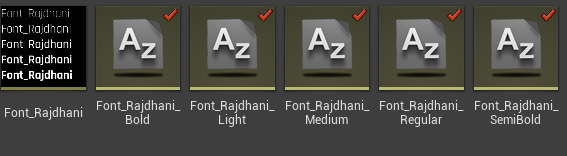
Left is "Font", the 5 on the right are "Font Face"s

That's inside the Font asset
mellow bane
This is weird
Taking a look here though I don't have much of a font setup
Makes little sense here
light junco
Hm, kinda is the same issue though or?
mellow bane
Yeah, but makes no sense in this context.
How do you set the text on the widget ?
Is it dynamic, etc ?
light junco
The font, by hand
The text depends on the widget
Some are dynamic some are static
mellow bane
Well I don't get it.
My gut feeling is that the TTF might be used during development, though even that is fucking weird
But it shouldn't be required during gameplay
light junco
Right, I will check if the inline setting does something
mellow bane
https://docs.unrealengine.com/en-US/Engine/UMG/UserGuide/Fonts/HowTo/ImportingFonts/index.html makes it clear that the TTF isn't even in the content folder
This how-to will guide you through importing your Font assets for use in Unreal Engine 4.
IMHO it really just should have a copy of the TTF
Maybe make sure you don't have the TTF anywhere in content even in editor ?
light junco
I do have it in there, but I'm 90% sure we put it there cause of this spam in the first place
But i removed them again now
 vital dune
When I package my game, I can't find the DefaultGameUserSettings.ini, no Save folder either. What am I doing wrong?
mellow bane
DefaultGameUserSettings.ini is inside the pak file after packaging
Save folder in shipping is in appdata
vital dune
Oh, thank you! But then how can I configure the DefaultGameUserSettings to start the packaged game in fullscreen at the desktop resolution? I have this right now:
DefaultGameUserSettings.ini:
[/Script/Engine.GameUserSettings]
bUseDynamicResolution=False
bUseVSync=True
WindowPosX=-1
WindowPosY=-1
bUseDesktopResolution=True
FullscreenMode=0
LastConfirmedFullscreenMode=0
PreferredFullscreenMode=0
Version=5
But the packaged game is starting in windowed mode 1280x720.. I have a desktop resolution of 1920x1080.
Have I to load the UserSettings when my game loads (ie GameInstance::Init )?
mellow bane
First, make sure you remove existing save data in appdata for your game
You might have launched it once before with different defaults
vital dune
Argghh @mellow bane thank you.. I thought that the Saved folder was created where the executable is... thanks
 past lintel
Hello my fella Unrealers. I am looking for someone who would take my project and create an iOS application from it. (I am windows based). It's a payed quick job. If interested, PM me please.
 wraith vortex
@past lintel https://www.macincloud.com/ might be cheaper 😃
MacinCloud is a Mac cloud platform that provides on-demand Mac cloud servers, flexible dev workload infrastructure and comprehensive Mac in the Cloud solutions
 short radish
Hoping someone from epic staff might see this - i just updated 4.23 to preview 5 and the iOS binaries have disappeared from the installer completely and the editor won't even try building for iOS now. I tried verifying the engine content, no luck, and when i tried to reinstall its no longer even available (iOS is not listed under options at all). No mention of this in the forum thread about the updates for 4.23 preview. Was iOS completely disabled for this version? Is there anyway to workaround?
kind ingot
Android app bundle packaging help. Can't update or publish apps from now on playstore
 hoary oak
Hey, I'm trying to package a ue4 plugin on windows, but I keep getting the following error: "ERROR: Remote compiling requires a server name. Use the editor (Project Settings > IOS) to set up your remote compilation settings."
I tried whitelisting / blacklisting in the .uproject file but that doesn't seem to work (also restarted the engine, regenerated files inbetween)
also tried to set up both the whitelist platform and target
I can also see this in the logs: : Building plugin for target platforms: IOS, HTML5, Win64, Win32. How can I disable IOS?
Nevermind, just realized I spent the last half hour editing the project's .uproject instead of the plugin's one 🤦
 thin karma
how do i package my project to xbox one cant find any answer or tutorial
mellow bane
@thin karma That's not public information
You need a special UE4 version from Microsoft
And a devkit rented by them
thin karma
ok
meager rover
also check the console forums
although i think the docs are pretty clear... 😛
if you are reg. dev that is
 bright kite
does anyone know how to fix this?
 fiery nexus
is it possible to package my game on linux for windows?
i have mingw installed on my system
 pseudo garden
Hey all! While attempting to package a project with the Advance Steam Sessions plugin installed I ran into an issue. After some searching I found out that I need to convert my blueprint project into a c++ project by adding a c++ class/file. As a result of this my project no longer opens in editor and when I attempt to generate source files from the .uproject i get the following error: https://pastebin.com/t3Zy2wa6
pseudo garden
Changing the names of the source files generated allowed me to generate project files and successfully build within VS2019. However, I'm still unable to open the project with the actual editor as it states I'm missing a module of the project name.
 wispy olive
When I package for windows, why does it package it under [game name]/WindowsNoEditor/content
 distant summit
I have a blueprint project going on... I'm not using any advanced session plugins or anything. I was able to get Steam to recognize my game as "SpaceWars" with the proxyID and all the jazz but after packaging the game and trying to play (while Steam on) it doesn't recognize it anymore. Is there something small I'm missing here? Like ticking some box in the project settings? Or do I need to copy/paste some of those steam dll-files from binaries folder to the packaged project folder to make it work? Tried long and hard to search for an answer. There were some topics with the same issue I had but no answers... so now I'm here asking for help. Any ideas?
mellow bane
Is your game started from Steam ?
This is required for Shipping builds
(That, or creating a steam_appid.txt file)
distant summit
Oh ok! Thanks for these. I'll look into it.
I think I saw something about the steam_appid.txt file somewhere.
But no, I've just clicked the exe-file when running the packaged game (Shipping-Mode has been on).
mellow bane
Should not have Steam support in that case.
distant summit
Oh ok.. So is there a way my game testers can test these steam proxy achievements (etc) out without me buying an official appID and publishing a demo first? I mean.. doesn't the "development" option have all the files unpacked which kinda feels unsafe for sharing purposes?
Oh... There are some new ones. "Development Client". Maybe this is what I'm looking for for now?
mellow bane
@distant summit You would probably like the "Test" compilation mode
Works like Shipping except console, logs, and probably non-Steam support
Only trouble is, you need to build the engine from source for that.
Development doesn't have unpacked or uncooked assets, either. What it does have is a lot more tooling, and it saves data in the binary folder, so it's not suitable for release
distant summit
Oh thanks you so much for all your information.
And with the steam_appid.txt file I was able to get "SpaceWars" going with the Shipped build as well.. I just needed to place it in the [mygame]/Binaries/Win64 instead of just the root I think...
When the txt-file was in the root it did nothing. Copy/pasted the txt file to the Binaries/Win64 and tried to launch the 64 bit shipping exe-file in that folder and it worked. Then went back and now it works from the exe in the root as well.
 finite spear
Hi everyone, I've got some code that dynamically loads a wav file from a TTS api and it all works fine in the PIE mode, but when I package my game, Unreal gets real mad and spits out: [2019.08.12-17.51.15:047][174]LogAudio: Error: Attempt to access the DDC when there is none available on sound 'SoundWave /Script/Engine.SoundWave:SoundWave_0', format = OGG. Should have been cooked.
[2019.08.12-17.51.15:047][174]LogAudio: Error: FVorbisAudioInfo::ReadCompressedInfo, ov_open_callbacks error code: -132
[2019.08.12-17.51.15:047][174]LogAudio: Error: Failed to parse header for compressed vorbis file.
[2019.08.12-17.51.15:047][174]LogXAudio2: Warning: Failed to create audio buffer for 'SoundWave /Script/Engine.SoundWave:SoundWave_0'
[2019.08.12-17.51.15:047][174]LogXAudio2: Warning: Failed to init sound source for wave instance 'SoundWave_0' due to invalid buffer or error in compression.
which is odd cause its not an ogg file nor is it loaded as an ogg file
it seems to still properly load the file as i do detect the sample rate, duration, etc correctly even in the packaged game
 vivid oxide
Anyone got any ideas for this?
Trying to cook a package we got from source control.. I'm thinking maybe the perms are weird and have something to do it with it
The plugins are in place under Engine/Plugins/Runtime, but there is no source code for it to build.
The engine itself is running fine, I just can't seem to get it to build. If it's not this plugin (by disabling it), it's another.
We have UE4 built from Source.
4.20.3
 icy forum
Do I need to have a Mac in order to package for IOS mobile game?
austere jay
anybody ever get this message after running of a packaged dedicated server build? Source build (v4.22.3). As you can see, the files are in there and the warning states that the file exists, its size and that it's able to read the module.
@icy forum - I think only if you are running C++ in your project. If it's blueprint-only, I can't remember what the latest is, but I don't think you need a Mac if it's a BP-only project. However, even if you are running a mixed C++/BP or C++ project, you still don't need a Mac per-say. You can run a virtual of macOS (Mojave if current) on your Windows PC, install Xcode within the virtual macOS and setup a remote build to it. It'll essentially act like your own Mac that's on your home network.
icy forum
mine is a blueprint only project, I guess I am good
 paper cipher
whats the command to put in the config files to disable auto exposure?
 undone sleet
How can I reduce the packag size



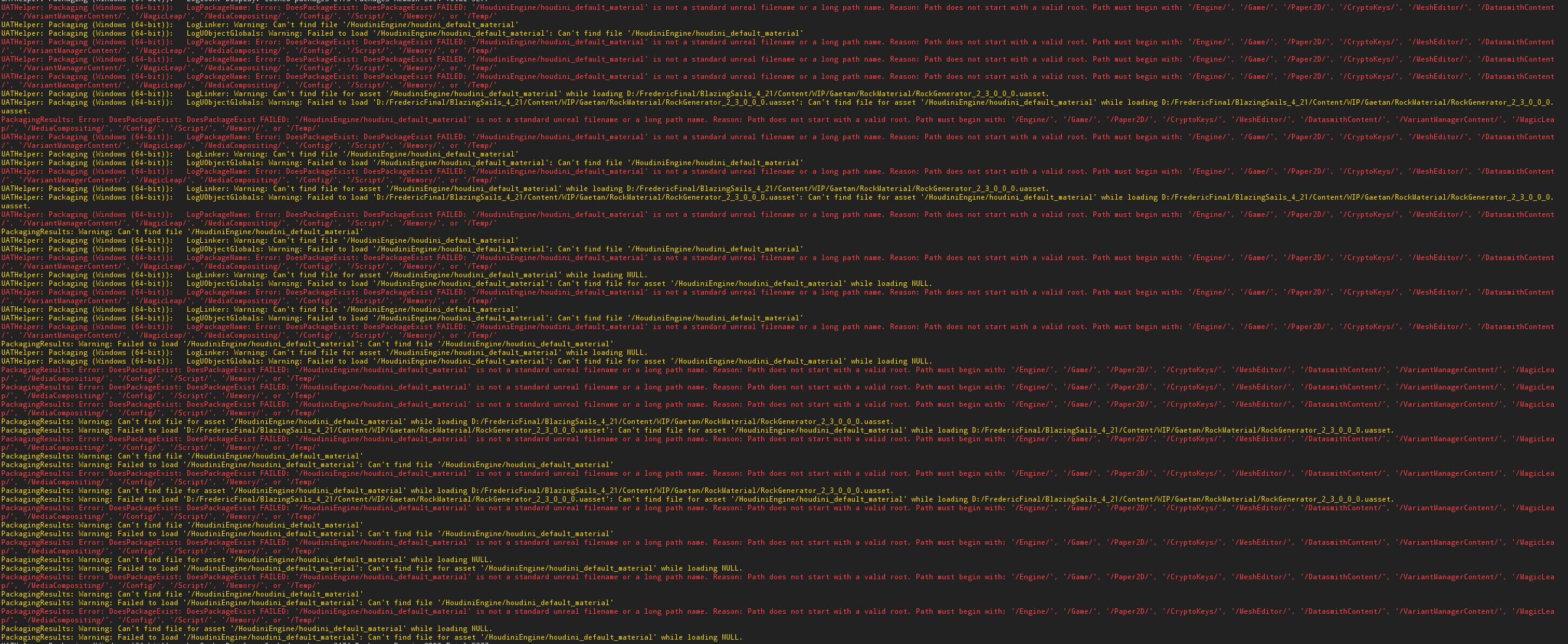


 fierce pebble
can you post the entire build log
fierce pebble
just a minute.
 lyric orchid
okay
lyric orchid
?
fierce pebble
Failure - 45 error(s), 7442 warning(s)
you actually have 45 errors
and these 7400 warnings are also not ok
lyric orchid
yes but red one stack error is doing to failure another one its yellow
lyric orchid
yes have any solution or road ?
lyric orchid
okay
fierce pebble
this sounds interesting:
LogBlueprint: Error: [Compiler BP_OpenDoorExample] In use pin Pawn no longer exists on node Interact_1 . Please refresh node or break links to remove pin. from Source: /Game/InteractionWidgets/Blueprints/Examples/BP_OpenDoorExample.BP_OpenDoorExample
[2019.08.17-07.19.19:117][775]UATHelper: Packaging (Windows (64-bit)): LogInit: Display: LogBlueprint: Error: [Compiler BP_SearchChestExample] In use pin Key no longer exists on node Interact_1 . Please refresh node or break links to remove pin. from Source: /Game/InteractionWidgets/Blueprints/Examples/BP_SearchChestExample.BP_SearchChestExample
it directly points at 2 unclean bps
and it says refresh pins
sounds like an easy fix
lyric orchid
okay thanks
fierce pebble
another clue was found
i advise you to grab your entire project folder
and put it inside a folder directly under a harddrive letter
like
D/ue4projects/myproject
bc you file path
is exceeding long...
Warning: [Compiler BP_BaseCharacter] InputAction Event references unknown Action 'Jump' for InputAction Jump
[2019.08.17-07.10.49:103][338]LogBlueprint: Warning: [Compiler BP_BaseCharacter] Input Axis Event references unknown Axis 'LookUp' for InputAxis LookUp
[2019.08.17-07.10.49:103][338]LogBlueprint: Warning: [Compiler BP_BaseCharacter] Input Axis Event references unknown Axis 'Turn' for InputAxis Turn
[2019.08.17-07.10.49:104][338]LogBlueprint: Warning: [Compiler BP_BaseCharacter] Input Axis Event references unknown Axis 'MoveForward' for InputAxis MoveForward
[2019.08.17-07.10.49:104][338]LogBlueprint: Warning: [Compiler BP_BaseCharacter] Input Axis Event references unknown Axis 'MoveRight' for InputAxis MoveRight
[2019.08.17-07.10.49:104][338]LogBlueprint: Warning: [Compiler BP_BaseCharacter] Input Axis Event references unknown Axis 'TurnRate' for InputAxis TurnRate
[2019.08.17-07.10.49:104][338]LogBlueprint: Warning: [Compiler BP_BaseCharacter] Input Axis Event references unknown Axis 'LookUpRate' for InputAxis LookUpRate
[2019.08.17-07.10.49:415][338]LogBlueprint: Warning: [Compiler BP_DetailsWidget] The Brush is a Read Only property and can not be modified directly.
[2019.08.17-07.10.49:869][338]LogBlueprint: Warning: [Compiler FirstPersonCharacter] Input Axis Event references unknown Axis 'MoveRight' for InputAxis MoveRight
[2019.08.17-07.10.49:869][338]LogBlueprint: Warning: [Compiler FirstPersonCharacter] Input Axis Event references unknown Axis 'MoveForward' for InputAxis MoveForward
[2019.08.17-07.10.49:869][338]LogBlueprint: Warning: [Compiler FirstPersonCharacter] Input Axis Event references unknown Axis 'LookUp' for InputAxis LookUp
[2019.08.17-07.10.49:869][338]LogBlueprint: Warning: [Compiler FirstPersonCharacter] Input Axis Event references unknown Axis 'Turn' for InputAxis Turn
these are just input warnings
you can either remove the nodes
or make the inputs
i love this log
it has errors basicly every 5 lines
this project is so broken, it doesnt even know anymore
its missing NULL
by the sounds and file structures it looks like you imported a few MP assets
at least 3 player based onces
trees women
and guns/animations for guns
but you didnt take the time to sort it and integrate it
and somehow the references broke, which could mean that you have raw files inside content folder
or you moved files manually without fixing the refs afterwards
which is one right click and one click on the folder
fix references
 woeful orchid
So, I'm using an Unreal Engine version built from source for a blueprint-only project. For some reason this causes Unreal to recompile everything on packaging instead of just cooking, etc. Which means my plugins fail to rebuild since it seems like your can't rebuild plugins in a blueprint-only project. Any ideas how I could fix this?
fierce pebble
you can
you can generate a project file of your uproject
that will then generate an sln file
you open with vs
and compile the entire thing there by hand
then you go into ue4 and directly package
this should crete source files and binaries
then ue4 will read those
if they can actually compile.
 dense harness
Hey all! I‘m working on a project for pc+tablets. What’s the best setup for this? When creating a new project in unreal I have to choose between desktop/mobile. What does this actually change?
 proven glade
Why do all my water materials get really dark in packaged games?
they all do it, is it some project setting/console setting?
 half marsh
Hmm, not sure but did you add all required directories for packaging?
 hot iron
I'm trying to packge my project from the Command Line on Linux, but no matter what I do, it tries to do a Development build instead of a Shipping build.
Packaging settings in DefaultGame.ini set to Shipping - check
RunUAT.sh called with -clientconfig=Shipping and -serverconfig=Shipping - check
 solar plaza
hey when i try to package my game it gives a error after 5 seconds
fierce pebble
show logs
solar plaza
but why it keeps saying stuff about build tools even though i have it
fierce pebble
where did you get the project from