#packaging
1 messages · Page 29 of 1
 solemn trellis
Okay so I've gone through the project launcher, made a custom profile and launched it
Its made an empty 'WindowsNoEditor' folder
I've tried the default one and I get this log..
 mellow bane
Yeah, I don't see what's going wrong here. Maybe "verify" the engine from the launcher options
solemn trellis
Verify is greyed out 🤔
Okay I tried another project launcher build, changed some settings that I had wrong - got this error.
 open rapids
when i try to package my project in the new ue4 version 2.21 this error shows up in the log
PackagingResults: Error: The NDK API requested 'a' not installed in C:/NVPACK/android-ndk-r14b/platforms
help please
 primal kettle
@limpid socket what vr plugins?
 limpid socket
@primal kettle There are a number of VR/MR plugins included with Unreal. Go to Edit>Plugins to check what you have installed and active in your project
primal kettle
I only have 2 plugins
none of which reference vr
which ones need to be installed?
limpid socket
What platform are you working on?
limpid socket
What hardware are you developing for
limpid socket
Edit> Plugins> (Left Side) Virtual Reality> SteamVR
Make sure that plugin is enabled.
primal kettle
it is
the problem I'm having is that the hmd doesnt show anything when the game starts
its like its not enabling the hmd at all
limpid socket
Check the following: 1) that both your staions and HMD are plugged in and receiving power (obviously), 2) that the channels are set on each of the light stations, 3) Your HDMI for the HMD is connected and the HMD light comes on, 4) ensure SteamVR has been setup and is running.
There is some setting from within unreal to automatically launch SteamVR. I think it comes with the plugin, but not sure.
primal kettle
ok i understand now
its an editor bug
play as standalone
doesnt work for vr
but the packaged build works
thats very annoying
 timid yew
Trying to package for android, getting this error. How do I fix?
UATHelper: Packaging (Android (Multi:ASTC,PVRTC,DXT,ATC,ETC2,ETC1)): Failed to build OBB: G:\p\ARPG_Demo\Saved\StagedBuilds\Android_Multi.obb
UATHelper: Packaging (Android (Multi:ASTC,PVRTC,DXT,ATC,ETC2,ETC1)): ERROR: Stage Failed. Could not build OBB G:\p\ARPG_Demo\Saved\StagedBuilds\Android_Multi.obb. The file may be too big to fit in an OBB (2 GiB limit)
UATHelper: Packaging (Android (Multi:ASTC,PVRTC,DXT,ATC,ETC2,ETC1)):        (see C:\Users\Gabe\AppData\Roaming\Unreal Engine\AutomationTool\Logs\G+Games+UE_4.20\Log.txt for full exception trace)
UATHelper: Packaging (Android (Multi:ASTC,PVRTC,DXT,ATC,ETC2,ETC1)): AutomationTool exiting with ExitCode=155 (Error_AndroidOBBError)
UATHelper: Packaging (Android (Multi:ASTC,PVRTC,DXT,ATC,ETC2,ETC1)): BUILD FAILED
PackagingResults: Error: Failed to create valid OBB. OBB may have exceeded 2 GiB limit; check log for details.```It says the OBB file it too large, but I don't have the game data inside .apk enabled
 meager lion
I have a bit of research but most of what i find is for multiplayer games that need online communication. My game is a Single Player game with no need for online interaction. All we are really looking for is license key control using steam. Does anyone know of any articles or what i need to do to have our game upload to steam and use it for license key verification
 still quiver
Randomly my folders I've set to never package and always package are not working at all, anyone know why?
still quiver
Still a bit stuck on this.. I'm getting 1600+ warnings of "XXX, but it was never saved as an export". Even though I set that folder as "Additional Asset Directories To Cook"
still quiver
And weirdly if I just leave the include/exclude directories all blank, the files are not being packaged at all
 outer cliff
Hey anyone has deployed to Google Play recently? I keep getting Disable "Debug Mode" for APK error even though I've built it in shipping mode.
 smoky cipher
ok im trying to package my game
and its been stuck on compiling shaders for like
30 minutes
staying on 1,666
is it actually doing something rn?
smoky cipher
keeps crashing when trying to package
 fleet ridge
we have som issues with 4.21. Just like 4.19, we build using the unreal buildtool from commandline on our buildserver. But it constantly fails with "failed to delete AutomationUtils.Automation.dll in 10 attempts"
 hardy hawk
is there anything I should keep in mind when packaging for linux
my game doesnt seem to run on linux
 mellow bane
@hardy hawk Your problem comes from the Victory plugin, which I guess is not compiled for Linux
hardy hawk
Didn't think of that thank you guys
 slim pebble
Why cannot I package my project? Error says taht it cennot find "...\Intermediate\Build\Win64\UnrealPack\Development\Metadata.dat"
Indeed, UnrealPack folder is not there, but how to generrate it?
mellow bane
Put the full log on pastebin
hardy hawk
Would I have to compile my plugins for linux? or hope someone has already?
mellow bane
Depends on the plugin, I guess
hardy hawk
Can I target Linux in VS?
all my plugins that I use are in my project folder
so is there a way I recompile all of them for linux
mellow bane
Yeah, you can.
Look at the Linux doc - you need a toolchain, a Linux package in the launcher settings
hardy hawk
Thats already done
I've packaged for linux
but theres plugins I'm using that have linux disabed/not on their whitelists
or is it as simple as adding linux to their whitelist
mellow bane
Ah, right. Well, you can probably try that
 toxic sparrow
Hey everyone!
Is it possible to disable unused plugins from the packaging?
Specifically, I have some errors from the Lumin plugin (MagicLeap), which is not used in the project and disabled in the project settings.
Why it's even doing anything with the plugin when it's not enabled...
4.21.2 source build, trying to package for iOS (on macos)
open rapids
so testing my free look in a packaged state, it doesnt work for packaged test. But in the editor it works. Why does it work in the editor but not packaged? Also everything else works but my free look. When i press alt, it shows mouse on my second monitor when i try to move the mouse
open rapids
Recording of the issue

i also have event tick connected to set input mode game only, i tried begin player and nothing seems to fix it. It is also in my player class
 stray sandal
anyone ever have their game run great in editor but terribly upon building even when the device profile is set to be optimized?
I feel like a crazy person here
toxic sparrow
@stray sandal is it on the same device? if so, it's super weird
stray sandal
@toxic sparrow Its on the same computer and on a slightly less robust testing computer. Both run the in editor version just fine. The built version is terrible even with all the bells and whistle's turned off. I've run into a wall.
hardy hawk
how would users with german keyboards access the console?
if they don't have a tilde key
also UE games don't respect default monitor settings in linux. Always starts up on left monitor. When window get's moved to the right monitor then, mouse input gets wonky.
slim pebble
Can someone help me with packaging? I have my engine 4.22 built from source and it all works well, but I can get my project to package it. Here's the log: https://pastebin.com/wZcv6Dzi
it says it cant find UnrealPak folder, and it indeed is not there, but how to generate it?
mellow bane
Have you built UnrealPak ?
mellow bane
Same way you built the rest of the engine yeah
slim pebble
Doing it now
Done
The same error
It is looking for this folder in project/Intermediate/Build/Win64/UnrealPak
Its not ther
there
slim pebble
I never checked that actually
But is this folder generated somehow automatically? and when?
mellow bane
No idea.
slim pebble
I copied this folder from engine now, see what happens
slim pebble
It worked!
so if anyone experiences this issue, it's enough to copy UnrealPak folder over from engine and paste it into your project, wherever it is looking for it 😉
stray sandal
I'm at my wits end. Our game looks/plays fine in editor but performs terribly once packaged. Even when the profile settings are on the lowest possible settings. The profiler in a standalone game keeps showing HZB taking up a ton of our resources. Searching for UE4 HZB doesn't yield very promising results. Looking for some help here.
stray sandal
I'm getting 90 FPS in editor and sub 30 in a packaged game.
 vague hare
stray sandal
vague hare
stray sandal
i set it disabled in the profile
 vernal elm
hey
LogScriptCore: Error: Script Msg: No world was found for object (None.Default__NestBase) passed in to UEngine::GetWorldFromContextObject()
 heady kettle
Hey guys. I'm working on a mobile game. And I'm trying to reduce the package size. I've read the documentation but even with that i saw no noticable difference in package size once installed. I'm sitting at 200mb for a pretty simple game right now
 nova vessel
what is it (build)
 austere kernel
check the output log
 whole void
I have an entirely blueprint project
and it is telling me to install visual studio 2017
(I have visual studio installed)
I can't package my project]
I had this issue a while ago and spent 2 months fixing it
I can't even remember how I fixed it
error (left) along with proof that I have VS17 (right)
I am using the "Online Subsystem Steam" plugin which might require VS but it still doesn't make sense because I have VS installed
whole void
<solved>
 steep finch
Hello guys! Maybe some can help me, I have a problem with android packaging, trying to solve it over a.. 5 hours I think with tons of google. All I've got at the end of packaging is an error "cmd.exe failed with args /c "M:/CodeWorksforAndroid/apache-ant-1.8.2/bin/ant.bat" release -Djava.source=1.7 -Djava.target=1.7". I have all tools for android installed, SDK for every version of android, and all extras, I've tried using Gradle instead of ant but still cannot solve this issue. I just don't know what else could be the problem
oh yes UE4 version is 4.20.3 btw
steep finch
Would be great if I you will remember 😃 This thing is killing me...
okay I don't know what kind of magic is it but changing building configuration to shipping and ticking out checkbox "for distribution" finally let me finish packaging
nova vessel
what am i doing wrong?
austere kernel
I don't think it likes the special characters in that directory
 pale hound
Hey, does anyone know how I would go about making a mod editor such as those available for Unreal Tournament and ARK via the launcher?
a cut down version of the editor without source code and features such as packaging the game
https://wiki.unrealengine.com/Modding:_Adding_mod-support_to_your_Unreal_Engine_4_project just covers creation of a mod itself but assumes you have full project access
outer cliff
Any one know about how to solve Disable "Debug Mode" for APK error when uploading to Google Play? I keep getting it even though I've built in shipping mode.
outer cliff
no one?
 lusty cobalt
anyone here having issues packaging ue4 projects with houdini engine?
I get a similiar error to this after like 1-2s: https://answers.unrealengine.com/questions/842915/packaging-error-object-reference-not-set-to-an-ins.html?sort=oldest
After disabling houdini engine - it just works
 hallow field
Can I use a PakBlacklist file to exclude content from a Windows game or is that feature only for iOS and Android?
 worldly mural
Hello all, running into this issue, i've went through a few different tutorials, just to make sure i was doing everything correctly but still coming up with this error, anyone have any ideas as what is stopping the server from initializing steam?
sorry if this is the wrong channel, closest thing i could see other than multiplayer 😃
worldly mural
no i cant see the server
open rapids
Quick question, If I’ve package my game to a exe file, Can I update the game with new feature and guns example like Unity, Or not?
 pearl berry
if anyone ever met with huge morph target delta error, I'd appreciate your input https://answers.unrealengine.com/questions/876636/packaged-app-crashing-due-to-huge-morphtarget-delt.html
 sweet elk
Is there a flag or definition we can use to determine if a build is also cooking? There is some logic I would like to be performed only during a cook
accessible from c++ if possible of course
 vestal lintel
Don't know if this is the right place to post this, but have anyone encountered this before ? 😅
https://i.gyazo.com/d1112452976803e60e2d39211912c5f8.png

 alpine spoke
Hey guys! Building a project builder for Unreal. Would love your inputs.
Unreal Engine Forums
Hey everyone!
I am creating an app that is able to build and package projects easily.
I'm looking at community engagement here to make sure it is a wholesome app
 tawdry oar
Hey, Getting these errors when packaging even though I'm using First Person template. Any ideas how these can be resolved?
UATHelper: Packaging (Windows (64-bit)):   LogLinker: Warning: Can't find file '/Game/TopDownBP/TopDownOverview'
UATHelper: Packaging (Windows (64-bit)):   LogUObjectGlobals: Warning: Failed to load '/Game/TopDownBP/TopDownOverview': Can't find file '/Game/TopDownBP/TopDownOverview'
UATHelper: Packaging (Windows (64-bit)):   LogLinker: Warning: Can't find file '/Game/TopDownBP/TopDownOverview'
UATHelper: Packaging (Windows (64-bit)):   LogUObjectGlobals: Warning: Failed to load '/Game/TopDownBP/TopDownOverview': Can't find file '/Game/TopDownBP/TopDownOverview'
UATHelper: Packaging (Windows (64-bit)):   LogUObjectGlobals: Warning: Failed to find object 'Class /Game/TopDownBP/TopDownOverview.TopDownOverview_C'
PackagingResults: Warning: Can't find file '/Game/TopDownBP/TopDownOverview'
PackagingResults: Warning: Failed to load '/Game/TopDownBP/TopDownOverview': Can't find file '/Game/TopDownBP/TopDownOverview'
PackagingResults: Warning: Can't find file '/Game/TopDownBP/TopDownOverview'
PackagingResults: Warning: Failed to load '/Game/TopDownBP/TopDownOverview': Can't find file '/Game/TopDownBP/TopDownOverview'
PackagingResults: Warning: Failed to find object 'Class /Game/TopDownBP/TopDownOverview.TopDownOverview_C'
I suspect this has to do with DerivedDataCaches. Does anyone know how to get a fresh DDC?
tawdry oar
Hmm, so clearing DDC didn't help with this problem.
tawdry oar
Anyone?
 sour aspen
@alpine spoke The project still sounds a bit vague. From what I understand, you want to create a command line tool with some sort of wizard that would allow to execute various common functions when packaging ?
alpine spoke
Yeah exactly.
@sour aspen
Bascially, i've been using batch files till now to do all this. So i figured i should just make my life easier. Then i figured why not make everyone's lives easier 😂
sour aspen
ok, yea that would be very helpful for gamejams, if we could save packaging presets for example and say "use the tiny package preset" and that would set all the proper project settings and create the zip file
I haven't seen the github page yet, I don't think the link is pointing to the right place, but if people would see the batch files it would be easier to understand what is left to do
 inner totem
please can someone help me, i have been trying to package the ARCore example app for android
and i get this error ERROR: cmd.exe failed with args /c "...\gradle\rungradle.bat" :app:assembleDebug
i tried all the fixes on the forum, i tried both 1r6u1 and 1r7u1 but both gives the error
and my app won't start on my mobile when i package with ant, and it said online that ARCore won't work when packaged with ant
alpine spoke
@sour aspen The link points to a Trello page that has the roadmap for the tool. Would be nice to get your inputs there.
 nova grotto
Is it possible to do a shipping package with low light quality?
 rugged ether
@alpine spoke this tool sounds quite similar to the ue4 package command provided by ue4cli: https://adamrehn.com/docs/ue4cli/descriptor-commands/package
alpine spoke
@rugged ether Yup. This will be what it uses. Building an interface over it so to speak and adding a few more functions
@nova grotto Not that i know of. You could though make a BP that sets it up automatically.
@inner totem Check JDK version.
 winged laurel
Is it normal for you to consume 100% of the cpu at the time of packaging?
 soft mist
UATHelper: Packaging (Windows (64-bit)): Module.Engine.gen.33_of_58.cpp (1:24.85 at +7:34:45)
UATHelper: Packaging (Windows (64-bit)): Module.Engine.gen.56_of_58.cpp (1:53.70 at +7:36:10)
fml.
@winged laurel yes
winged laurel
How to fix LogWindows: Error: begin: stack for UAT?
soft mist
am i doing something wrong?! never have i ever had a package build for windows take this long from a source build
this is insanity
open rapids
@soft mist what's the average of your drives r/w? How big is the package?
soft mist
idk what was wrong with it, i cancelled and re-ran it today and its fine. only took 2 hours to package this time
Would be nice if they had some kind of output log reader or handled it before the function to output log, but it would be nice to see something like "this took X% longer than most with your CPU" so you can see shit like this. idk what went wrong but off to the next thing
 hybrid wind
Hi guys! I've done an architectural interactive project with Unreal and I have to deliver it to an American customer. The windows packaging works perfectly, but the american costumer has an iMac. So, I have seen that to make the packaging for ios I have to pay an annual developers account of 100 euros, so I was wondering if it is very difficult to make a packaging for iOS or if it is easy as windows packaging, in the sense I don't know if I have to change things in my project or go very good as it is
(I saw a youtube tutorial on the steps to make the packaging iOS, I noticed that there are many certificates to be obtained but it does not seem very complicated, what worries me is that my project can not be saved with an iOS packging)
 dusky rivet
Excuse me, can anyone explain to me how do I setup and use chunking for assets? I have been looking for information about it and can't find anything, and the documentation certainly doesn't help in any way. Chunking is way too confusing to me, I really need an in-depth tutorial regarding it, since I need to use chunking in order to elaborate separate pak files.
mellow bane
Ask questions, don't ask for experts
open rapids
need help for use admob in unreal project, obviously i have tried akll tutorial existent on internet
mellow bane
What's your packaging problem with admob ?
mellow bane
What ? I don't understand your question. This is the channel for packaging issues - when your features work in editor, but you're trying to release your game
open rapids
but admob cant work in editor...
im searching only the magic setting that need to write for make admob available
mellow bane
Does the documentation for admob not tells you that ?
mellow bane
How does it "not work" ?
open rapids
yeah..
 potent linden
idk if this is the right channel sorry
i assume that my packaged game probably isn't supposed to be taking up 25-30% of my CPU, right?
 glossy parrot
hello
I really need help with my project
Im trying to deploy to iOS with ARKit and 4.21 UE compiled from source from latest rep on Github

Im stuck here
my bigger question is that if someone ever successfully deployed with ARKit at all?
If so can u help me package my project?
Im even willing to pay for it
that desperate
XD
 serene sand
Hi guys, I've got a huge problem here :/
I absolutely need to be able to package android project with AR support in the next days, but the package fails when it comes to downloading gradle (callstack to follow).
Context:
- I built UE4 from source with Google-ARCore repository
- I am currently in China, either using a VPN or not - same outcome.
- I had a lot of trouble getting CodeWorks to download every package, I had to download them myself because the install app wasn't working with the VPN I guess.
- Now, everything is fine, except for that gradle thing at the very end of the package process.
UATHelper: Packaging (Android (ASTC)): Downloading https://services.gradle.org/distributions/gradle-4.1-all.zip
UATHelper: Packaging (Android (ASTC)): Exception in thread "main" java.net.ConnectException: Connection refused: connect
UATHelper: Packaging (Android (ASTC)):     at java.net.DualStackPlainSocketImpl.connect0(Native Method)
UATHelper: Packaging (Android (ASTC)):     at java.net.DualStackPlainSocketImpl.socketConnect(DualStackPlainSocketImpl.java:79)
UATHelper: Packaging (Android (ASTC)):     at java.net.AbstractPlainSocketImpl.doConnect(AbstractPlainSocketImpl.java:350)
UATHelper: Packaging (Android (ASTC)):     at java.net.AbstractPlainSocketImpl.connectToAddress(AbstractPlainSocketImpl.java:206)
UATHelper: Packaging (Android (ASTC)):     at java.net.AbstractPlainSocketImpl.connect(AbstractPlainSocketImpl.java:188)
UATHelper: Packaging (Android (ASTC)):     at java.net.PlainSocketImpl.connect(PlainSocketImpl.java:172)
UATHelper: Packaging (Android (ASTC)):     at java.net.SocksSocketImpl.connect(SocksSocketImpl.java:392)
UATHelper: Packaging (Android (ASTC)):     at java.net.Socket.connect(Socket.java:589)
UATHelper: Packaging (Android (ASTC)):     at sun.security.ssl.SSLSocketImpl.connect(SSLSocketImpl.java:668)
UATHelper: Packaging (Android (ASTC)):     at sun.security.ssl.BaseSSLSocketImpl.connect(BaseSSLSocketImpl.java:173)
UATHelper: Packaging (Android (ASTC)):     at sun.net.NetworkClient.doConnect(NetworkClient.java:180)
UATHelper: Packaging (Android (ASTC)):     at sun.net.www.http.HttpClient.openServer(HttpClient.java:432)
UATHelper: Packaging (Android (ASTC)):     at sun.net.www.http.HttpClient.openServer(HttpClient.java:527)
UATHelper: Packaging (Android (ASTC)): at sun.net.www.protocol.https.HttpsClient.<init>(HttpsClient.java:264)```UATHelper: Packaging (Android (ASTC)): at sun.net.www.protocol.https.AbstractDelegateHttpsURLConnection.getNewHttpClient(AbstractDelegateHttpsURLConnection.java:191)
UATHelper: Packaging (Android (ASTC)): at sun.net.www.protocol.http.HttpURLConnection.plainConnect0(HttpURLConnection.java:1105)
UATHelper: Packaging (Android (ASTC)): at sun.net.www.protocol.http.HttpURLConnection.plainConnect(HttpURLConnection.java:999)
UATHelper: Packaging (Android (ASTC)): at sun.net.www.protocol.https.AbstractDelegateHttpsURLConnection.connect(AbstractDelegateHttpsURLConnection.java:177)
UATHelper: Packaging (Android (ASTC)): at sun.net.www.protocol.http.HttpURLConnection.getInputStream0(HttpURLConnection.java:1513)
UATHelper: Packaging (Android (ASTC)): at sun.net.www.protocol.http.HttpURLConnection.getInputStream(HttpURLConnection.java:1441)
UATHelper: Packaging (Android (ASTC)): at sun.net.www.protocol.https.HttpsURLConnectionImpl.getInputStream(HttpsURLConnectionImpl.java:254)
UATHelper: Packaging (Android (ASTC)): at org.gradle.wrapper.Download.downloadInternal(Download.java:58)
UATHelper: Packaging (Android (ASTC)): at org.gradle.wrapper.Download.download(Download.java:44)
UATHelper: Packaging (Android (ASTC)): at org.gradle.wrapper.Install$1.call(Install.java:61)
UATHelper: Packaging (Android (ASTC)): at org.gradle.wrapper.Install$1.call(Install.java:48)
UATHelper: Packaging (Android (ASTC)): at org.gradle.wrapper.ExclusiveFileAccessManager.access(ExclusiveFileAccessManager.java:65)
UATHelper: Packaging (Android (ASTC)): at org.gradle.wrapper.Install.createDist(Install.java:48)```UATHelper: Packaging (Android (ASTC)): at org.gradle.wrapper.Install.createDist(Install.java:48)
UATHelper: Packaging (Android (ASTC)): at org.gradle.wrapper.WrapperExecutor.execute(WrapperExecutor.java:128)
UATHelper: Packaging (Android (ASTC)): at org.gradle.wrapper.GradleWrapperMain.main(GradleWrapperMain.java:61)
UATHelper: Packaging (Android (ASTC)): ERROR: cmd.exe failed with args /c "D:\Thomas\Documents\Unreal Projects\RocketAR\Intermediate/Android/APK\gradle\rungradle.bat" :app:assembleDebug```I someone could help me, it would be a savior!
- i downloaded manually the zip file at the given url in the first line of the log : services.gradle.org/[...], but I don't know where to put it to cut down the download process
@glossy parrot I had quite the same problem before with ARCore, maybe you would try to relaunch setup.bat in unreal engines root folder.
It should download a lot of things if you've installed apple/android stuff right.
glossy parrot
Well we did get the latest version of ue4 from github and then compiled it ourselves
I can try that
serene sand
More precisely, if you see "Excluding Mac..." kind of stuff in the first line of setup.bat command, that's wrong
It shouldn't be excluded
glossy parrot
OK Ill try now thanks for reaching out
serene sand
the compilation does all the UE4 side, but the setup.bat downloads dependencies, like apple/android stuff
np
glossy parrot
this error that I posted was from my friend
on my side the problem is the compilation just hangs for eternity
serene sand
k
glossy parrot
I left it over night and the session eventually jsut timed out
serene sand
I feel like recent updates about ARCore and ARKit are messing around a lot :/
I have business to do and I can't, now...
glossy parrot
yeah exactly
same situation
I need to give client confidence that we can do it
but I cannot do that because unreal engine just doesnt wanna package the project
this is all so new
glossy parrot
with ARKit?
glossy parrot
Yeah this thing drains time like crazy
so far weve had a lot of success with ARCore
but our project requires both iOS and Android
serene sand
With the ue4 compilation from souce ?
glossy parrot
yeah
serene sand
I'm not that lucky :/
glossy parrot
we got the latest ue4.21 and latest ARCore
serene sand
yeah, same here, but it's not working
glossy parrot
I can probably just give u the modified engien
serene sand
maybe I'll try another sample project, just to check
glossy parrot
I got the engine compiled
serene sand
Oh, don't bother, that would be very heavy, it would be too much to DL for me in China
But that's nice of you
glossy parrot
I dont mind helping out
if my version works why dont u just use it
25gb download
serene sand
Actually, just let me test another sample project, and if it doesn't work I will be desperate enough ^^
glossy parrot
its weights a ton
but its worth sharing
I can start uploading
but my speed sucks it will probably only be tomorrow
Ill have the link
serene sand
I only need 10 minutes to test, I will tell you if uploading is necessary
glossy parrot
sure!
serene sand
That's really kind of you 😃
glossy parrot
no problem
if u are using ARCore 1.6 its broken with 4.21. It doesnt work I tried it with sample projects. THe only that worked was a 4.20 version with arcore 1.4
glossy parrot
see my friend did all this technical nonsense for me
but for our demo I was able to do it with older versions
 brave merlin
Hey guys, quick question. I've made some different apps thats based on the same core. The way I change which app is build is by using different datatables thats a variable inside a blueprint.
Now I'm looking into batch building these apps each time I change my core. Can I somehow change the blueprints variable from outside of the engine?
I'm thinking about writing an external tool that edits my DefaultEngine.ini and replacing my apps splashscreens. However I cannot edit my blueprints uasset since its binary.
 silver kraken
"WindowsNoEditor" I want to change this name (OCD i know....) But i'm not finding much on web-related searches on directly HOW to do this? Is there a method? I dont see it in package settings....
 plush vector
Can someone help me to solve this warning?
PackagingResults: Warning: Ambiguous search, could be Package /Game/Maps/MainMenuScene_BuiltData or Package /Game/Maps/MainMenuScene./Game/Maps/MainMenuScene_BuiltData
Thats all I have here
 dusky fossil
I'm trying to build for Windows, but I'm getting an error saying that Android\UE4Editor.modules was in manifest but not produced. How can I fix this?
 fringe barn
because of some reason, I use FString to load audio in game like below.
it works well in unreal editor. but after build, asset is not found in build.
I think asset not included in build. Is there any method to force include asset?
Oh i find it! have a nice day guys!
open rapids
Hey guys
when i package my project
v sync enables
so i only get maximum of 60 fps
any ideas?
 plush flax
@open rapids isn't that a good thing?
I have success packaging my project, but no matter what I've done the .exe instantly crashes with the following error:
LogWindows: Failed to load 'aqProf.dll' (GetLastError=126)
LogWindows: File 'aqProf.dll' does not exist
LogWindows: Failed to load 'VtuneApi.dll' (GetLastError=126)
LogWindows: File 'VtuneApi.dll' does not exist
LogWindows: Failed to load 'VtuneApi32e.dll' (GetLastError=126)
LogWindows: File 'VtuneApi32e.dll' does not exist
It works in editor, even when testing as standalone game. The game builds fine too.
Makes no sense to me. This is source-built unreal with the varest plugin.
I've recloned and rebuilt unreal entirely from scratch, and have tried packaging with or without pak file, 32 or 64 bit
Packages and runs fine when I run 4.21 pre-built unreal, but not source-built. Pre-built packaging Linux and HTML5 fails, so I need to use source-built
 crisp dome
Is there something I can do to reduce packaging times for when I re-package it in the future?
Or does it take forever every time?
mellow bane
It's slightly faster the next times
 main marsh
Hi! is there any quick settings for packaging a game where it just works :p?
I'm having problems with a packaged build of my game because it works different than in the PIE session
I just want it to quickly package so I can pass the exe file
mellow bane
No there isn't any quick thing where it'll work the same
Try standalone first - right click the uproject, launch
that should mostly work the same as packaged
So you'll be able to debug
crisp dome
I'm trying to build a linux server client at the moment. I am looking across 3 different guides. Anyone know of one complete guide?
plush flax
For anyone who somehow has sees this and has the same errors I mention in my message a few messages back, they were red herrings. The real problem was that the plugin necessary to get the game to work worked fine in editor, but wasn't built-into the project. I had to take the source for the plugin and build it using Unreal's build tool RunUAT.bat. Alternatively, I could take the plugin from the engine plugins directory and modify the project's config files to include the plugin (in DefaultEngine.ini) and add to project dependencies (in projectName.Build.cs)
 bleak trout
Could someone help me with this?
I did rename the uproject file but I've changed it back.
Still no dice.
 opal cedar
Hey guys, someone knows if content in .obb is considered as chunk0?
OT: Looking at posts from above, the packaging process is a big mystery and even we have some documentation, it's many time different in our projects. It will be SO helpful if someone from Epic opens this thread and answers some questions. It's nice we can make a game in Unreal, but it's pity we can't export it correctly 😦
 rocky surge
Alright folks so I tried to get custom scripts working for the vanilla game however Steam has locked the exe and effectively made it mod-unfriendly.
I tried to workaround it using the UDK trick that was used for modding Renegade X and i think Rook's Keep (and was planned for Army Men III), only to be faced with yet another dead-end; I need the steamworks code to enable Steam lobbys and compile the code properly. http://www.mediafire.com/file/yam8q1gmydjiii1/The_Haunted_Mod_Attempt.zip

MediaFire
open rapids
idek how to package.
do i /need/ to make a splash screen or can i just set it up as is.
when u press play ur possessing a BP.
 sonic zealot
we where trying to push our demo to steam and got this reply in revision:
The app also crashes when manually launched by clicking the executable file. After launching the app, the process crashes and unreal creates a crash log.
The file [project_name].log shows several .dll files failed to load, it also shows that openvr _api.dll was not installed with the build.
"LogWindows: Failed to load 'aqProf.dll' (GetLastError=126) LogWindows: File 'aqProf.dll' does not exist LogWindows: Failed to load 'VSPerf140.dll' (GetLastError=126) LogWindows: File 'VSPerf140.dll' does not exist LogWindows: Failed to load 'VtuneApi.dll' (GetLastError=126) LogWindows: File 'VtuneApi.dll' does not exist LogWindows: Failed to load 'VtuneApi32e.dll' (GetLastError=126) LogWindows: File 'VtuneApi32e.dll' does not exist"```to my understanding, 3rd party libraries are not automatically pushed into distribution. How this can be solved?
 viscid girder
I am trying to understand why packing takes so long. 48 hours later and I am still compiling shaders for
viscid girder
lots of issues with platform GLSL_150_ES31
LogShaderCompilers: Warning: Failed to compile Material /Game/ProceduralNtr_vol2/pnp_v2_assets/Materials/landscape_seasonal_master.landscape_seasonal_master (MI:LandscapeMaterialInstanceConstant_14) for platform GLSL_150_ES31, Default Material will be used in game.
LogShaderCompilers: Display: (): shader uses 17 samplers exceeding the limit of 16
viscid girder
hmm even after turning off dx10/opengl support for windows it is still taking forever
 idle granite
is there any regular tutorial how to use unreal build tool for dedicated server
and is it possible to build dedicated server with source code without affecting .uproject settings
and switching to source engine
 amber galleon
i have a weird issue: running my game from the editor works perfectly fine but after packaging it (according to the log output) loads up, even starts the level and everything but never actually shows a window.
not sure if that helps, but that's the Saved/Logs/ logfile created by the packaged game
viscid girder
how can i profile what packaging is doing? i thought i wasn't cooking my assets, but its been nearly 12 hours since i started packing
viscid girder
@idle granite the best place to learn for me about creating a dedicated server was the shooter demo
idle granite
@viscid girder yes, but im also interested in building dedicated server with some unreal tools, UAT or UBT..
viscid girder
I think you want https://wiki.unrealengine.com/How_to_package_your_game_with_commands @idle granite
idle granite
Yes
Thnx
Is it necessary to use runUAT.bat from source (github version) or i can package dedicated server with regular engine version (binary)
@viscid girder
viscid girder
i've been compiling from source for too many years now, but i don't think you can build a dedicated server without source, there are plenty of tutorials on this
wish i could figure out why it is taking days to package my assets, 48 hours and i stopped the process,
 timber wedge
Hey everyone, can someone help me... I'm trying out ArCore using Unreal Engine 4. The AR Template works just fine on my device but when I make a new project and try to package that new project, I get the following error. Can someone please help me.
You may have to build the UE4 project with your IDE. Alternatively, build using UnrealBuildTool with the commandline:
UE4Game <Platform> <Configuration>``` quasi sierra
does somebody know whats going on here?
and does this happen to you too? here is the packaged game https://drive.google.com/open?id=123jZ2gDbEnV8vCiTxc5Uo69j7sXEhcis
quasi sierra
nvm fixed it
timber wedge
@quasi sierra how ?
open rapids
hey can anyone help me with ios dev ?
i have the key and provision and stuf bud it says identifier not matched
quasi sierra
@timber wedge disable event driven leader in the project settings
 haughty turtle
Okay
So i keep getting this
PackagingResults: Error: Visual Studio 2015 requires the Universal CRT to be installed.
But i installed on the VS 2015 that ue4 linked me to, and installed all of it
And its still saying this
Idk how to deal with this?
amber galleon
by installing whatever that "universal crt" is VS needs, i'd guess.
 chilly nest
Hi everyone! I want to make a DLC system where I can download assets (textures, animations, preferably complete premade blueprints) and then mount them in my game at runtime. I've used patching before, but this particular use-case required implementation of a DLC. Is this possible? If so how?
 valid sun
@haughty turtle If you installed the Visual Studio in another disk (And not the main where windows is) Unreal will give you this error, at least i solved installing the VS2017 inside the C Disk
 obtuse basalt
Apologies if this is the wrong section. Has anyone experimented with Jenkins and spot instances for building the game? Windows servers cost a buttload to host so my idea was to host a small Linux server running Jenkins, but spin up windows slaves to build the game. That way I’m only paying for build time. Has anyone done this?
Also open to alternatives. Basically trying to avoid hosting a 16gb windows server 24/7
 oak tiger
Hello, all. I have some functionality that works only in when running PiE, but not in a cooked build, and I don't understand why. What is the best way to track down why something only works for a PiE instance and not for cooked?
To be more specific, when a player's collision sphere overlaps with actors, a radar indicator is added to the viewport. This works great in PiE. But in a cooked build, it doesn't work at all for certain Actors, but for other Actors it works just fine
oak tiger
I don’t think so, but thanks for the sanity check
 jovial kestrel
Hey guys, need help with packaging and optimizing a game for the web
 sour tiger
Anyone with Icon experience?
I defined a windows icon. The exe file shows the icon, but when I run it, the running program shows the Unreal engine icon.
 covert gorge
Hello All, I'm having an issue where my packaged game crashes to desktop when loading a specific map. I've created this forum post that has all the details:
https://forums.unrealengine.com/development-discussion/blueprint-visual-scripting/1594538-packaged-game-crashes-to-desktop-when-loading-specific-map-urgent
I would be very grateful if someone is able to assist me.
Unreal Engine Forums
Hello,
Firstly sorry for the [urgent] tag - I'm just trying to deploy an update for my game and running across an issue.
I've packaged my game and the default
idle granite
- can i open my project with source code version of engine (switch engine version to source version) and build dedicated server from project launcher - Custom Launch Profile
- what is difference between building dedicated server from Visual Studio and custom launch profile if project is launched with source code version
 novel gale
@idle granite not sure if you can use Custom Launch Profile (haven't tried that yet) but to answer your second question building from VS will only compile the binaries, if you want to cook content and package you need to use a Custom Launch Profile, or RunUAT.bat This is the script I use to build a dedicated servers for windows and linux (must follow cross compile linux wiki first)
https://github.com/UnrealPhx/STGContainer/blob/master/Scripts/BuildDedicatedServer.ps1

GitHub
UE4: To The Cloud - STG shooting game in a docker container chatting with the web - UnrealPhx/STGContainer
idle granite
thnx
novel gale
It is at least an example of what you need to run on the command line to package it all up. That is from our talk on building a server and putting it in a docker container. Hope it helps.
 grave hinge
Isnt Target/Build.cs scripts are supposed to run every single time i compile the code in VS / pack the game?
novel gale
They get packaged into an assembly and cached, i'm not sure what the trigger is that rebuilds those scripts, but I imagine if you are doing an incremental build it is possible that certain build scripts do not need to run because they are not dirty and could be using the cached assembly to run against.
grave hinge
Yes it is apparently working that way, i can trigger a script run by modifying the cs file. But i'd like a certain set of commands to run every time i compile/cook. Any ideas how should i go about this?
novel gale
I put some customization in the main game modules target.cs file but now that I think about it I only care that it runs when doing a clean build on a build machine and since we pristine the environment before each build, it simply works for us. So probably not running on every build, and not sure how you would ensure that it does...
grave hinge
I'm using my extension to modify a .h file and up a int counter in a definition. https://unrealxeditor.wordpress.com/2015/07/31/tip-generating-build-numbers-for-your-game/ went with this example tho i code it much simpler. While the author states it will run every time he is compiling the code, it just doesnt work that way for me. Probably because i use the explicitorshared PCH mode.
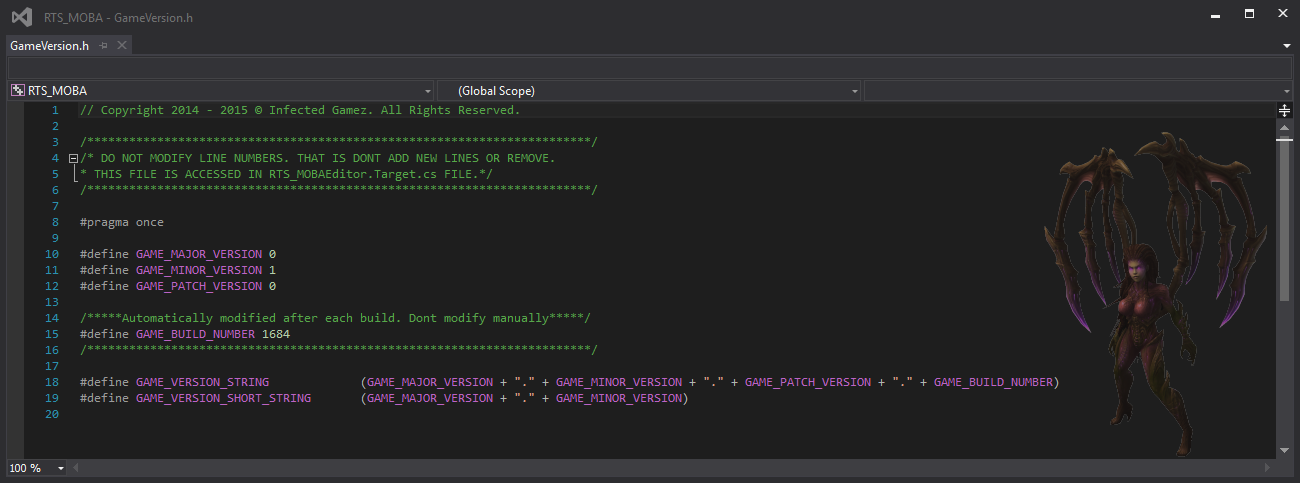
When i am compiling my projects i would like to know how many times i compiled my project. So i made that kind of functionality for one of our project and thought i’ll share it with you guys.…
novel gale
Something else to look into is that when you are packaging you can pass in something like -clientcmdline="-buildidoverride=123456", so you might simply be able to just pass in -buildidoverride through VS project settings and it takes care of it for you? We use the build id override on our development packages we use for iteration.
grave hinge
Nice idea. But it only works when you compile from VS, and not when packing the game i suppose?
novel gale
When packaging the game you just put it in the additional command line params in the launch profile (it wraps it in -clientcmdline for you) or if using RunUAT.bat you add the -clientcmdline part yourself.
Not sure about running from VS haven't actually tried that use case yet, since I only care about packaged builds.
grave hinge
:) I just want this to be a counter that runs automatically, without manually typing in command lines everytime. That's the purpose of it after all.
Maybe i'll learn to put a newline in the build script, that should trigger the counter rising.
novel gale
I hear you! I just use bamboo / jenkins / teamcity and let them do the versioning for me and then use the environment variable to set the buildidoverride param. CI for the win!
grave hinge
Yeah right. Later on i will have to setup some environments to do it properly.
 novel lintel
question from a noob: When i started up my project, i played around with some heavy stuff in my scene (kite demo) and now i want to compile my scene and it stops when 300 shaders left. i want to delete some of the kite demo, from my content. but UE crashes on me when i try to delete certain unused directories. is it possible to exclude those files without deleting them? or maybe deleting them in another way?
open rapids
Anyone have a problem with setting your own Game Icon? When I compile the game, I have a proper Icon in the folder but now on the game window or task manager. (Everything besides the game exe icon is set to Unreal Default Icon)
oak tiger
Hello all, my packaged project opens 2 app windows on Windows. One of these is the game itself, the other is a black screen. Any idea what's going on?
novel gale
Are you launching the app with -log but its a shipping build and there is nothing to log? Otherwise... nope!
oak tiger
No
novel gale
Yeah, no idea.
novel lintel
i compiled packaged my project, but when i run it its the template project instead of the one i'm working on. why?
chilly nest
@novel lintel Are you sure you selected your own map as the default startup map in project settings -> Maps and Modes
novel lintel
@chilly nest thanks! 😛
 signal marten
anyone seen an issue where compiling shaders takes an incredibly long time to complete while output is spamming "unable to connect"?

or just me?
 subtle rover
Hello, I have a problem with my packaged builds, they are making random freeze. I say random because it can happen at anytime for no logic reasons (while playing of while doing nothing in the menu). I suspected the garbage collector but I can't reproduce the issue by forcing it to execute. I never have this issue when I run the game from the editor or a debug standalone version.
Did you experience this king of issues ? Any tips ?
 fleet comet
hey all , im having a small issue with packaging a project for mobile, in development mode its 81mb , when i export it in shipping mode becomes 247mb, any clue what might be causing this ?
 dusky trail
Oh well, deadline is tomorrow, UE4 decides to blow up.
"FMemoryWriter does not support data larger than 2GB. Archive name: None."
silver kraken
anyone here using Jenkins CI for automation of builds? Got a question about network storage if anyone has experience. TYIA
dusky fossil
I'm having problems because my build script is not re-cooking new data. Can anyone tell me how to force a re-cook of all data from the command line?
 gusty panther
got my binaries for server and client for gamelift thanks to TOMMY
and LEGITXGREAT
dusky fossil
Does anyone have some example bat scripts they've been using for building their game? I'm having a lot of trouble getting anything working reliably
grave hinge
ben, i'm (and many others) use the project launcher to package the project and it is working reliably to me
dusky fossil
@grave hinge By the project launcher, do you mean through the GUI? I'm trying to set up an automated build so I need command-line access
rugged ether
@dusky fossil RunUAT is your friend: https://wiki.unrealengine.com/How_to_package_your_game_with_commands
dusky fossil
@rugged ether I'm trying to use RunUAT but I'm getting errors like missing UE4Editor-Cmd.exe and Win64/Android/UE4Editor.modules was in manifest but not produced when building for win64
rugged ether
What arguments are you passing to RunUAT?
(For reference, these are the arguments I usually use: https://adamrehn.com/docs/ue4cli/descriptor-commands/package, the code block after "The default arguments for packaging projects are:")
dusky fossil
RunUAT.bat BuildCookRun -project=MyProj.uproject -noP4 -platform=Win64 -clientconfig=Development -cook -build -stage -archive -archivedirectory="E:\\Temp"
Produced the error Win64/Android/UE4Editor.modules was in manifest but not produced.
ohmygosh you made a python interface for building, i was just thinking about moving from .bat to python today
rugged ether
Hmmm, the only thing you're missing that I have is -serverconfig=Development, maybe see if that makes any difference?
dusky fossil
I just re-ran with that added, same error
rugged ether
I'm assuming you're using a build of the Engine downloaded through the Epic Games Launcher? Did you include Android support when you installed it?
dusky fossil
Yeah vanilla 4.20 through the launcher, I made to install all modules through the Options thing
rugged ether
If you're only building for Win64 at the moment, perhaps try removing the Android component through the launcher and see if that makes any difference?
dusky fossil
When you make a build do you have to do some steps before RunUAT.bat?
rugged ether
Not usually, it works with freshly-created projects.
I do know that Android development typically involves a step inside the Editor to get things working though. (Accepting the Android SDK EULA or something like that, for memory.)
dusky fossil
What's driving me nuts is I'm not even trying to do any Android stuff
Thanks for your help anyhow, @rugged ether 😃
grave hinge
There are a couple of android related plugins enabled for all projects by default. You could try disabling them one by one and see if that helps to ignore. Not sure tho where this originates from.
fleet comet
the shipping build im exporting is much larger then the development one , thats because the shipping build is packaging a file called 'libUE4.so' with it. any idea how i can export without it ?
 timber laurel
This might be the best place to ask but could anyone englighten me on the mechanics of the 2gig limit on project packages?
rocky surge
help ! why i can not compiling ? weird part about this is i own the game and it says i dont ?
 weak fjord
first time packaging a game up for a friend to help me test. Should I be packaging as "development" until I'm ready to actually distribute the game to many people?
weak fjord
Thanks, @mellow bane.
 eager moon
@weak fjord you will have to do a series of steps in order to cook a game for your friend to test, otherwise it will come with so many bugs your fingers cant count
First of all, do your friend have Unreal Engine stalled?
If he has it, then you can just package project through the editor menu:
Choose your platform, and send to him
If your platform is Windows, and your friend don't have ue4, then you will need to do others things
Just let me know, man
eager moon
Just don't trust unreal documentation, at least in the packagin section I can tell they're being cynical, you will be selling useless 64bits (with no chance to DLC) copyes to your customers, and they will differ from machine from machine so it's a jackpot.
You have to hit the forums and google if you want to trully package the game
weak fjord
thanks guys, that insight is really valuable. The docs make it sound like "just click package and boom $$$$ profit"
It was hard to know the difference between distributing for test and distributing for real
I'm trying to figure out a good "workflow" for building. I come from a development background where we use vsts and visual studio but unsure what folks use in the gamedev industry. I'll keep scrolling around, there's plenty of content in this discord.
 grave echo
Hi Guys! I´m having some trouble with packaging, maybe it´s something simple I´m a noob, when I deploy my game, the screen looks like this please help me 😦
in the editor everything is working
grave echo
well I solved, turns out I had an extra player in the level
now I´m trying to deploy to android, I packaged it and then sideloaded it to the oculus go, but when I run it, it doesn´t start, just leaves me with a black screen, what can I be doing wrong?
silver kraken
hey all - i have a Blueprint Config variable that i've set up and it works fine in editor.... i can manipulate the DefaultGame.ini and it will pick up great from client to client....
I went to package my game - found that the Game.ini file in the AppData\Local\GameName.. path is blank.... there is no config variable setting here. I have yet to try to manually edit this file and put in the variable::Value...... but i was half expecting to see it in its default state here in this file - which is completely blank (other files are NOT blank in this same directory).....
TYIA
 steady niche
Hello! Do you guys know a way to include movie/media files in a DLC?
I have a .mp4 movie which is referenced by a file source and mediatex and etc... that is supposed to come with a DLC map.
I already successfully generated the DLC, i can download it and enter on the map normally.
The problem is: the video gets packed in the main .APK, which gives it a large size which is not good. i would like to put it on the DLC .PAK
I need help 😰
steady niche
And btw, its android
 knotty dawn
Hello! Does anyone here use any asset management software outside of the UE4 editor to organize/search/view all of their assets (like original meshes, textures, uassets, etc.)? It seems like Autodesk has some software called “Shotgun” that does asset organization, but I’m not yet sure how flexible it is.
 wicked void
While packaging my game, i get this error: Cannot open include file: 'CriticalSection.h': No such file or directory any idea what to do?
 stoic mist
Hello
mellow bane
Ask your questions
stoic mist
Im trying to package my game to windows and it freezes at 73 compling textures
stoic mist
Hold on im re opening unreal engine
mellow bane
First packaging job will take an hour
stoic mist
It freezes were my mouse will only move and thats about it
mellow bane
How long ?
stoic mist
About longer then 1 hour i left it on all night and still was frozen
mellow bane
What's your hardware like ? And do provide the output log
stoic mist
mellow bane
Put that file on pastebin and put the link here
stoic mist
My game file
mellow bane
The output log
stoic mist
Why do i have to put it on pastebin
mellow bane
For us to read it and tell you what's wrong
 frank garnet
@stoic mist If someone is trying to help you and they ask for you to provide information about your Editor in order to help you, please provide that information, dont continue to ask why constantly. It makes helping you extremely difficult.
The Output Log will contain any packaging errors that may have occurred, he is asking you for it so that he can read it over and help you find the problem.
mellow bane
Also I'm gone in 5 minutes so 🤷
stoic mist
Igot it to dump but now when i click it just brings up steam vr not ready
 light junco
As they mentioned, you gotta post the packaging log for us.
Otherwise we can't help you.
mellow bane
🤷
 tight siren
i always get this warning when i package my project:
UATHelper: Packaging (Windows (64-bit)): UE4Editor-Cmd: [2019.04.03-07.33.25:047][ 0]LogLinker:Warning: Can't find file '/Game/FlyingBP/FlyingOverview'
problem is, my project isn't based on flying template
that entire path doesnt exist, and never did exist.
not even on the filesystem itself... so i cant find the reference to squash the warning
can someone please advise?
stoic mist
Hello
open rapids
@tight siren If you create a "dummy" of 'Game/FlyingBP/FlyingOverview' and compile it then include it in your package it might null the error?
tight siren
hmm, worth a try, it cant make the problem worse, can it 😛
open rapids
LOL, hope not 😄
tight siren
isnt "overview" one of the tutorial hints?
open rapids
i think a UE4 Template includes BP dependig on the type of Template choson when creating the Project... it can easily be forgotten
i always start with "Blank"
you can mege projects and levels i believe, so no need to use a Template with anything but Starter Content, IMHO
merge*
@silver kraken have you tried the Project's Unreal Engine 4/ProjectName/ folders to see if the Game.ini is located there?
@steady niche if you have a media file, i would recommend getting "RAD Game Tools" and converting to Bink Video's .bnk file format and including itin a sub-directory located in the Root Folder with its own folder name called "Video"
.bik&*
.bik*
@wicked void I would search your system for that file 'CriticalSection.h' and see if it exists anywhere in the system, if not, possibly create a "dumm" placeholder and see if it nulls the error... if you know that the file's contents are (ie. what it is and its intended function) then i would recreate the file and include it in the proper director
directory*
wicked void
@open rapids it seems to be `HAL/CriticalSection.h', but thanks
 quaint parrot
Hi, i got my game works fine in editor and then make it a shiped package but then afterbooting it up the inputs dont work
mellow bane
Try with a development package first, so you can put logs
 whole pagoda
I'm getting these two errors when trying to package but no additional information on where these errors are coming from.
    Module.ff2.cpp.obj : error LNK2001: unresolved external symbol "struct FLogCategoryLogDataTable LogDataTable" (?LogDataTable@@3UFLogCategoryLogDataTable@@A)
    Module.ff2.cpp.obj : error LNK2001: unresolved external symbol "struct FLogCategoryLogBehaviorTree LogBehaviorTree" (?LogBehaviorTree@@3UFLogCategoryLogBehaviorTree@@A)
@whole pagoda These are linker errors, so they can't be pinpointed to a specific line
However, it looks like your program uses the log categories implemented by the datatable & behaviourtree modules
Does "ff2" ring a bell to you ?
Any UE_LOG line in your code that uses anything else but your own log category ?
whole pagoda
I narrowed down the LogDataTable to stuff like FDataTableRowHandle::GetRow
ff2 is the main game module
whole pagoda
nope, that would probably help lol
mellow bane
Yes it would !
whole pagoda
@mellow bane any idea what the name of the module is because apparently it's not "DataTable"
mellow bane
Look where logdatatable is implemented
Should be a build.cs file nearby zith the module name
 vital oak
Packaging keeps failing pls help
vital oak
?
mellow bane
Put the output log on pastebin and link it here
vital oak
How?
vital oak
how do i do it
mellow bane
google pastebin
vital oak
cant find
mellow bane
Click the first link
Put your log there
Hit Create new paste, put the link there after that
mellow bane
Put all of it, not just 10 lines
vital oak
?
mellow bane
Put ALL of your log output from the packaging process
Not just 10 lines
The error message that tells you whats wrong is still not there
It's 100% impossible to help you without the full log
CTRL A CTRL C, pastebin.com, CTRL V enter, put the link here
vital oak
mellow bane
So put only the end of it, but more than 10 lines
vital oak
mellow bane
Now we're talking
Your game is missing a lot of files that you deleted carelessly, so you need to look at every line marked "warning" to fix it
Error appears to be : "Error: [/Script/Engine.RecastNavMesh] found in the DefaultEngine.ini file. This class has been moved. Please rename that section to [/Script/NavigationSystem.RecastNavMesh]"
Read that error, and fix it like it says
vital oak
I did not delete anything
mellow bane
Don't tell it to me, tell it to your project files that reference files that don't exist !
Spend some time reading the log of the packaging process
Every line that says warning or error is a problem you need to fix
vital oak
how do i get the lost files?
mellow bane
You don't, just fix the other files that still point to them
Like I said, read the log - most of that stuff is pretty clear
"Failed to load 'C:/Users/User/Documents/Unreal Projects/VR_GAME/Content/VRGunToolkit/Blueprints/BP_Panel_Gun.uasset': Can't find file for asset '/Game/VRGunToolkit/Blueprints/Panel' "
BP_Panel_Gun references "Panel" which does not exist
So fix BP_Panel_Gun
I have to go for today, so read the log, fix the errors, keep retrying until you have 0 warning 😃
Good luck
novel gale
0 warnings!!! Buhahahahahaha
I think we are about to about 20k warnings these days. The Art team cares not for your cook warnings!
vital oak
@mellow bane i think i fixed it i changed my version from 4.20 to 4.22
 royal field
Hello. What does this error mean?error: Entitlements file "ProjectName.entitlements" was modified during the build, which is not supported. You can disable this error by setting 'CODE_SIGN_ALLOW_ENTITLEMENTS_MODIFICATION' to 'YES', however this may cause the built product's code signature or provisioning profile to contain incorrect entitlements.
It is ios packaging from windows.
royal field
Engine version is 4.20
 shadow mirage
I moved a couple of folders around my project, later down the road I did a second re-organization of folder structure, and sometime later i upgraded to the latest version.
Now when I try to package it's missing a lot of files, trying to look for them at locations after my first restructure. I used fix up redirectors all the time... what gives?
 upbeat pulsar
if i open visual studio it tells me to buy it
mellow bane
Are you a company ?
upbeat pulsar
no
mellow bane
Then you don't need to buy it, make sure you have Visual Studio Community 2017
Install anything else and get that
upbeat pulsar
thank you
shadow mirage
PackagingResults: Warning: Can't find file for asset '...' while loading NULL.
i'm left with a ton of warnings after deleting some unused assets from the project
mellow bane
Sure there were unused ? 😬
mellow bane
What's the log like ?
shadow mirage
everything else is normal, build is ok
plays fine
i'm using a couple of materials from a big pack, which i moved out from the original imported location
deleted the whole folder with the rest
usually i migrate assets to a project
 obtuse furnace
mellow bane
obtuse furnace
mellow bane
It's the packaging channel, so ask packaging questions I guess 😃
 topaz flame
So I've been trying to package one thing for the past weekend with no luck and decided to ask here for input
I keep getting the following (i've cleared all other errors):
UATHelper: Packaging (Windows (64-bit)):   ---------------------- Done ----------------------
UATHelper: Packaging (Windows (64-bit)):
UATHelper: Packaging (Windows (64-bit)):       Rebuild All: 0 succeeded, 1 failed, 0 skipped
UATHelper: Packaging (Windows (64-bit)):
UATHelper: Packaging (Windows (64-bit)):   1 build system warning(s):
UATHelper: Packaging (Windows (64-bit)):      - License is invalid
UATHelper: Packaging (Windows (64-bit)):
UATHelper: Packaging (Windows (64-bit)): Took 0.9608359s to run xgConsole.exe, ExitCode=1
UATHelper: Packaging (Windows (64-bit)): ERROR: Command failed (Result:1): C:\Program Files (x86)\IncrediBuild\xgConsole.exe "C:\Users\MAD\AppData\Roaming\Unreal Engine\AutomationTool\Logs\C+Program+Files+Epic+Games+UE_4.21\UAT_XGE.xml" /Rebuild /NoLogo /ShowAgent /ShowTime /no_watchdog_thread. See logfile for details: 'xgConsole-2019.04.05-17.23.48.txt'
UATHelper: Packaging (Windows (64-bit)):        (see C:\Users\MAD\AppData\Roaming\Unreal Engine\AutomationTool\Logs\C+Program+Files+Epic+Games+UE_4.21\Log.txt for full exception trace)
PackagingResults: Error: Command failed (Result:1): C:\Program Files (x86)\IncrediBuild\xgConsole.exe "C:\Users\MAD\AppData\Roaming\Unreal Engine\AutomationTool\Logs\C+Program+Files+Epic+Games+UE_4.21\UAT_XGE.xml" /Rebuild /NoLogo /ShowAgent /ShowTime /no_watchdog_thread. See logfile for details: 'xgConsole-2019.04.05-17.23.48.txt'
UATHelper: Packaging (Windows (64-bit)): AutomationTool exiting with ExitCode=1 (Error_Unknown)
UATHelper: Packaging (Windows (64-bit)): BUILD FAILED
PackagingResults: Error: Unknown Error ```I did uninstall Incredibuild and reinstall
I also uninstalled Visual Studio and reinstalled (both 2015 and 2017)
I'm doing this in UE 4.21
It all points to Incredibuild but I have zero luck every time
mellow bane
@topaz flame Put the full log on pastebin and link it here
mellow bane
Also C:\Users\MAD\AppData\Roaming\Unreal Engine\AutomationTool\Logs\C+Program+Files+Epic+Games+UE_4.21\Log.txt
Full log is there
topaz flame
Here is created from output: https://pastebin.com/0if3RCnF
but let me copy the log
though I think it's the same looking at it
mellow bane
Actual error is here : C:\Users\MAD\Desktop\UE Projects\NCH_NET_UVRF_v122U\Intermediate\Source\NCH_NET_UVRF_v116U.cpp(4): error C2374: 'GInternalProjectName': redefinition; multiple initialization
Does NCH_NET_UVRF_v116U ring a bell ?
It looks like it gets build twice or something weird
topaz flame
yeah it's an older copy of the project
I did remove the .target files though
unless I have an oversight on another part
mellow bane
I don't know what's happening here but every .cpp in a module get built generally, so copypasting a file will break the build
topaz flame
should I delete those .cpps?
mellow bane
I'm not sure what to tell you here. Does your project compile in Visual Studio ?
After generating the VS solution ?
topaz flame
It does not compilein VS
mellow bane
Makes sense
If you have older versions of files in the source dir, yeah you need to remove them so that it compiles
Use source control for that
topaz flame
ok I think I may have missed that one when I was clearing ht e.target files
yeah, I am doing this at my job and the are behind the ball in terms of using source control
(zero budget, small team)
mellow bane
TBH I'd fire developers who work without source control 😃
topaz flame
yeah, this is a design company and their interaction + 3D department is pretty new still (me + 2 others)
they arent use to using source
mellow bane
Anyway, clean up the irrelevant .cpp files and check in VS that it builds, then restart packaging
<@&213101288538374145> Could we get a pin, or comment in channel outline, to suggest putting the full log packaging output on pastebin when posting issues ? 3/4 of questions here get "give the full log" as a first answer
topaz flame
How should I check if it rebuilds?
I deleted the file and set to package and still same error
light junco
Hm, not sure that helps. Pinned messages are rarely looked into so you would have to tell them "Check Pinned Messages" which doesn't really remove the need to of telling people.
mellow bane
@topaz flame Did you generate VS solution and build in VS ?
light junco
It should be generally known that you need to provide information about your problem to actually get help.
mellow bane
I thought putting a short bite about it in the channel outline could help
topaz flame
nvm, i saw how, jut right clickthe project
mellow bane
NP
topaz flame
i do get a warning though for Steam API disabled
I do use it for networking
it = Steam
from the looks of it I'll run tests before determining if Steam is legitimately disabled
mellow bane
Normal message.
The log is about steam being disabled when your game is run in editor mode for packaging
Unrelated to gameplay
light junco
I think they actually "fixed" that message popping up in 4.22 or?
Or at least when packaging or so
topaz flame
I was packaging in 4.21 so it still shows
I did just jump to 4.22 o it would be neat to see if it is still there
 atomic jetty
Hey quick question, whenever I package the project no matter what it always says "Packaging failed" with an unknown error as the final error code, any ideas?
mellow bane
Put the log here and we'll know @atomic jetty
atomic jetty
https://pastebin.com/raw/mjDrVRc5 @mellow bane
mellow bane
error C2248: 'APawn::PlayerState': cannot access private member declared in class 'APawn
Look for "error" in your log
 rancid tartan
Hello everyone.
In UE4.20, we are trying to package the game, and the following error happens:
`[  ERROR  ] === Critical error: ===`
`[  ERROR  ]`
`[  ERROR  ] Fatal error: [File:E:\farmagent07a\game\Engine\Source\Runtime\CoreUObject\Private\UObject\SavePackage.cpp] [Line: 4985]`
`[  ERROR  ] ArrowComponent /Game/Gameplay/GP_LookAt/GP_LookAtMarkerActor.Default__GP_LookAtMarkerActor_C:ArrowComponent was an archetype of ArrowComponent /Game/Maps/Gyms/LookAt_Data/LookAtActor.Default__LookAtActor_C:ArrowComponent but returned a null index mapping the object.`
And everything I can find online just has someone posting a question and answering right after saying "I Deleted the component and it works" but I don't want to delete the component :3
Any suggestions please? Thank you
Noted: it was working fine in 4.18
mellow bane
What's that component like in editor ? Does it work ?
rancid tartan
I'm looking at it right now, give me a sec
The actor is fine, the component inside the actor is fine
I can see it in the editor Viewport
It shows in the component list
mellow bane
Can you edit its properties too ?
rancid tartan
Not by clicking on the component no
It's C++ inherited though, I don't know if it changes anything
mellow bane
So empty panel when you click it ?
rancid tartan
Yeah
mellow bane
The component is indeed corrupted then - you do need to delete it
rancid tartan
I mean
only in the archetype
In my map, I have those actors instanced
And I can see the details panel for the ArrowCOmponent
It's just grayed out because it's inherited from C++
mellow bane
Is it grayed out, or an empty panel ?
rancid tartan
gray
First view is details panel in my map
second view is the archetype of the actor
mellow bane
Right, so it is an empty panel in the Blueprint
rancid tartan
Yes, as mentioned previously
mellow bane
Your Blueprint has been corrupted, and you need to delete the component. I've seen this happen when you use hot reload and do changes to the Blueprint interface (anything UPROPERTY), then save the Blueprint. You should never do that - don't touch UPROPERTY when hot reloading
mellow bane
I've only seen that happen with HR, but okay, it's a bug after all.
Check if you can save the BP in the level as new actors
rancid tartan
And this seemed to have happened inside an automated Save Package job
on our farm
So I add a new actor into my scene and try to save it?
Or did I missunderstand something
mellow bane
Let me check a sec
You said you have valid instances of that actor in the level, right ?
rancid tartan
It's a Developper's map, but yes, it seems it's working fine
mellow bane
Nevermind I thought of a workaround but there isn't such a feature
rancid tartan
#if WITH_EDITORONLY_DATA
if (!IsRunningCommandlet())
{
    DebugCompRoot = ObjectInitializer.CreateDefaultSubobject<USceneComponent>(this, TEXT("DebugRoot"));

    if (DebugCompRoot)
    {
        DebugCompRoot->SetupAttachment(LookAtMarkerComponent);
        DebugCompRoot->SetRelativeLocation(FVector::ZeroVector);
        DebugCompRoot->SetRelativeRotation(FRotator::ZeroRotator);
    }

    ArrowComponent = ObjectInitializer.CreateDefaultSubobject<UArrowComponent>(this, TEXT("ArrowComponent"));

    if (ArrowComponent)
    {
        ArrowComponent->ArrowColor = FColor(150, 200, 255);
        ArrowComponent->SetupAttachment(DebugCompRoot);
        ArrowComponent->SetRelativeLocation(FVector(0.0f));
        ArrowComponent->SetRelativeRotation(FRotator(0.0f));
        ArrowComponent->ArrowSize = 1.0f;
        ArrowComponent->bTreatAsASprite = true;
        ArrowComponent->bIsScreenSizeScaled = true;
    }
}
#endif
That's how it's created in the ctor
rancid tartan
Ok
mellow bane
Basically the last time I had that, I had to remove and recreate it
Try duplicating the BP first to see what happens ?
mellow bane
Try creating a new BP from this C++ class too
mellow bane
To confirm the panel comes back
rancid tartan
Works
Wait
I mean I can create them fine
but the panel is empty
Although to be fair, I have the bug on ArrowComponent but every single panel is empty
mellow bane
For duplication, or a new actor ?
rancid tartan
Both
I can create them (or duplicate) fine. Save fine. But every single Inherited Component shows an empty panel
rancid tartan
Yeah, I just figured that out
Sorry for not thinking about it before
I was blindly following your directions, my bad, could've been more accurate on my problem description
mellow bane
UArrowComponent is an engine comp right ?
rancid tartan
Yeah
Vanilla, I don't think we modified it
Yeah it's vanilla
It works fine in other actors
This isn't the only actor that has an ArrowComponent
rancid tartan
Sadly, no. Or I could but it'd take me a while, this was just shared to me via Slack but I didn't have the full log
I'll look for it
mellow bane
Okay, but do look if these other actors do package well
That's what I wanted to check
That other people with this issue on the net have it with UArrowComponent can't be a coincidence
mellow bane
Another fun thing is, i'm pretty sure UPROPERTY doesn't support ifdefs - WITH_EDITORONLY_DATA or not
rancid tartan
Yeah they do
mellow bane
So I guess you have the prop defined to matter what
mellow bane
Ah, I guess that one is special
rancid tartan
And you gotta make sure of course all of the code in the cpp is also under the same guard
but that's just plain obvious
And since our farm compiles for almost every possible build
Package and editor
We know when we fuck up
mellow bane
AniMInstance.h does it too, like you outlined, so it should be fine I guess
Well at this stage I have no other solution to offer but to try replacing the BP by a new one you made from the C++ class, package, and at least check whether it solves the issue.
Wish I was more helpful :/
rancid tartan
Do you think I should just comment out the ArrowComp in the C++, resave my actors and re add them?
mellow bane
That might also do the trick.
rancid tartan
Ok, I'll try those options
I'll let you know
thank you for your time!
and your help
 split lion
I was wondering how to handle patching because im using jenkins that sends the packaged game to a launcher but everytime the user has to redownload every update
mellow bane
Either use a platform like Steam GOG itch, or look at the patching page on the UE doc for shitty launchers
Uncompressed package + binary diffs on the distribution platform is what you want
split lion
Okay thanks will look into it
 bronze geode
Hey guys!
We're having an issue when building the appx for our UWP game.
The output log shows the following:
https://cdn.discordapp.com/attachments/535890990532395045/565588956058746910/unknown.png

And opening the build tool log shows the following:
`
XML schema failed to compile; validation of the final AppxManifest.xml will be skipped.
If your AppxManifest.xml is valid then this is harmless, but if it contains invalid content you may encounter packaging or deployment errors.
`
and
Appx manifest not found or is invalid. Please ensure well-formed manifest file is present. Or specify an index name with /in switch.
Any ideas?
light junco
Why do you need to extract your pak files?
 abstract escarp
Has anyone got an issue with packaging regarding an "OceanActor BP"? I can't seem to find it referenced anywhere in my project - I think it was an old plugin that never got removed but it is giving me errors with compilation:
Windows (64-bit)): LogUObjectGlobals: Warning: Failed to load '/Ocean/Blueprints/STC_OceanActor_BP': Can't find file '/Ocean/Blueprints/STC_OceanActor_BP'
I am using 4.22 btw and I don't use any plugin related to water shaders anymore
mellow bane
Put the full log
 balmy ember
Does anyone have advice for reducing .ipa file size? My game packages to a 80MB APK for Android, but the same game packages for a 450MB .ipa for iOS. I modified the Android settings quite a bit to reduce the size, but I cant figure out why the .ipa is so giant. I went through just about every plugin and every setting I could think of and reduced the size by about 40MB. Are there any additional things that can be done?
 primal canyon
hey guys, how do i debug something that works in the editor but not when it's packaged
abstract escarp
@primal canyon Open visual studio and switch your development environment from "Development Editor" to "DebugGame." That will allow you to simulate a cooked build, or packaged build.
balmy ember
@primal canyon Make sure you have your Maps and Modes setup in the project settings.
mellow bane
@abstract escarp Look on your filesystem if you have an Ocean folder in Content somewhere
primal canyon
@balmy ember and @abstract escarp , that's my fault for being very vague: I have an unreal blueprint project, everything works great in the editor, when I package the game and run it everything works EXCEPT these drop down options which are supposed to move these 3 objects in my scene. it's like the event isn't triggering. the blueprint script that moves the objects is written in the level blueprint and i'm wondering if that has anything to do with it
I just tested using a keyboard event to fire the same action and it worked, so I think it's a problem with the widget event message not getting sent to the level blueprint
 lusty pendant
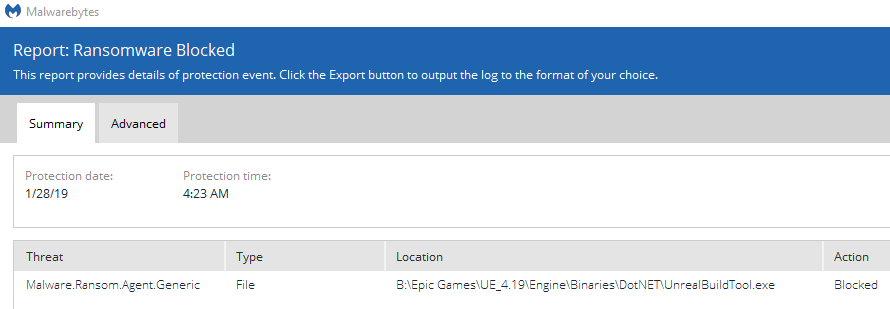

 mellow bane
@lusty pendant Put the full build log on pastebin and link it here
open rapids
Hey, can anyone help me with packaging?
mellow bane
Sure, ask your question
open rapids
@mellow bane
No matter what I do, the packaging program always fails, unknown error.
What should I do? Thanks.
mellow bane
Put the full build log on pastebin and link it here
open rapids
I'm currently not on my pc, I'll send you it later, thank you
Do you know if Multi-player can be tested without packaging?
I know I can just go over the file inside the folder, right click and press Launch game.
If I want to test connection between two PCs that runs my game, will it work?
mellow bane
MP can be tested in editor by setting the player count to 2
Or you can right click the uproject file and hit launch, twice
For multiple PCs yeah packaging is best
open rapids
Oh that's great, thank you.
I'm pretty new into network stuff, I want to see if I can connect to another PC as a mulitplayer game.
mellow bane
Here's the error : UATHelper: Packaging (Windows (64-bit)): ERROR: System.ArgumentException: Staged filesystem references cannot end with path separators (MultiplayerTest2/Content/).
 proper nexus
How do I know which objects cause errors ?
I think it show me as a symbol like "0x00007ffcc58f5fe9". But I do not know its meaning.
open rapids
@mellow bane what can I do about it?
mellow bane
Try another build folder ? But it's a weird error
open rapids
I searched that on the web, trying their's solution
it doesn't fail so quickly, at least
Yes! I got it, thank you so much Stranger.
I copied your message of the failure message, searched that on the web and find a solution
proper nexus
I enabled Engine debug symbol.
This is its error.
Are these error relate to Engine source code?
mellow bane
@proper nexus Yep, does look like an engine crash.
proper nexus
I can only wait until version 4.22.2 release or debug at engine source code by myself ?
mellow bane
Probably just wait. If you're using Niagara, maybe try removing the assets one by one to see if one causes the crahs since it loks niagara related
proper nexus
😰 Niagara is relate to my game play.
https://www.youtube.com/watch?v=to3KENWUjWM
I made enemy bullets with Niagara.

Sound are loaded partially in a first minute of game. All sound burst at 02:03 Bullets from green jellyfishes are not spawned. But when I play in editor pie,...
open rapids
LogWindows: Error: Trailing magic number (0d) in 'C:\Build\Content\Paks\WindowsClient.pak' is different than the expected one. Verify your installation.
anyone know how to fix this?
 turbid kestrel
heya. re setting keys. i have a widget that saves users key preferences to the project input binds. users can set their keys, however every time they restart the game their settings are lost (reset to the binds that were set at the project when packaged). Seems to happen whether its a shipping or development build. is this common, or easily fixed?
 lavish coral
So something strange happened... I built a first version of my tiny game and it built fine. I added a start menu and an in-game menu. Very basic UI Widgets. And now building is failing every time. I can't figure out why. Getting "AutomationTool exiting with ExitCode = 5"
Anyone offer advice on stuff to check?
The game will play in Editor. But if I Launch in editor, it fails the same way
Well... I don't know what was up but thank goodness for source control. I rolled back one commit and it's working again.
proper nexus
I have a doubt Niagara cause error when I pack my test project.
I created a new project. Make a niagara system and add to a map.
It pack success.
mellow bane
@proper nexus You need to delete random Niagara content in your project until it packs, to poinpoint which one causes the issue
proper nexus
😰
mellow bane
Or wait until a new version fixes the crash, after you've reported the bug with a copy of your project
proper nexus
Submitted.
Wait for update.
proper nexus
I found one asset cause the same error symbol when I try to delete it in editor.
I deleted that asset. And pack again. The long red text in output log did not appeared.
But there are more broken assets.
path: /Engine/Transient.NiagaraScriptSource_60:NiagaraGraph_0.NiagaraNodeAssignment_0.SetVariables_663BA4A94B4F354821B4D4B0B1BB7692.NiagaraScriptSource_1.NiagaraGraph_0.NiagaraNod
eParameterMapGet_0
How do I find this path ?
proper nexus
I fixed it eventually !!! 😀
 lyric orchid
when standalone play steam works but
when the package

this steam api disabled anyone have error like this how to fix
mellow bane
This is perfectly normal @lyric orchid
4.22 supposedly removes the warning since half the questions here are about it
lyric orchid
my version 4.21
also when Export finnish
And play Steam overlay not come but at Engine standalone overlay come
@mellow bane
mellow bane
@lyric orchid Okay, did you start your packaged game from Steam ? Is it a shipping build ?
lyric orchid
Yes shipping
mellow bane
Shipping = overlay only works when launched from Steam
lyric orchid
i Export via shipping and when export double click my exe overlay not come
mellow bane
Yes that is perfectly normal since you are not launching it from Steam
mellow bane
Really
lyric orchid
ı must upload ha ?
 wheat junco
Could someone take a look at this : https://forums.unrealengine.com/development-discussion/c-gameplay-programming/1605474-crash-on-launching-packaged-build-after-upgrading-to-4-22
Unreal Engine Forums
CommandUtils.Run: Running: E:\PROJECTS\UE\WebTest22\Saved\StagedBuilds\WindowsNoEditor\WebTest22\Binaries\Win64\WebTest22.exe ../../../WebTest22/WebTest22.uproj
mellow bane
Like I said, the overlay only works when you launch from Steam 🤷
lyric orchid
okay thanks
mellow bane
@wheat junco Put the full log file on pastebin and link it here
wheat junco
@mellow bane you want more than what I have put in the forum post ?
mellow bane
Yes, the full log file like I said
wheat junco
ok
 zenith imp
When I package my game (for testing purposes, a single level) does Everything in my Content folder get packaged or only what's needed to run the game?
mellow bane
Depends on your settings. If you cook "all maps", then all the content is included ; if you specify a list of levels manually, only that should package
zenith imp
Thanks, now I won't package a bloated game✌
wheat junco
@mellow bane https://pastebin.com/FvwRTKq5

Pastebin
Do you want the automation log as well?
It's too large for pastebin though, dont have pro account
mellow bane
C:\Users\Admin\AppData\Roaming\Unreal Engine\AutomationTool\Logs\F+SoftwareInstalls+UE_4.22\Log.tx
Can you get me that file ?
mellow bane
I did, but your doc isn't accessible
wheat junco
uhh, one min
mellow bane
Also I usually don't do DM, pastebin is 5000 times simpler and it does allow a single log file
It should fit there
wheat junco
it didnt allow me dude
says you have to be pro member
try the link again please, i changed the permissions
pastebin doesnt accept >512kb long files without a pro account and the log is 1+ MB
mellow bane
"dude"
wheat junco
forgive me
mellow bane
Looks like it packaged OL but failed to run
Can you check in the output folder if the build looks okay ?
My understanding here is that packaging went fine, running the game did not
mellow bane
What happens if you run it ?
wheat junco
nothing, the worst part is that it wont even generate a log
even for debug / dev build
it does not launch at all
mellow bane
Logs for shipping are not in the same folder, you're aware of that I guess, they go in local app data / game name
Uh nevermind
wheat junco
yes am aware
mellow bane
Shipping never has logs 😛
mellow bane
Are you running this on your dev machine ? On a non-dev machine you might be missing the redistributables
wheat junco
yes on a dev machine
wheat junco
yes
mellow bane
Does it launch if you right click your .uproject file and hit "launch" ?
In your project dir
wheat junco
am making a packaged build right now, will try it out and let you know
wheat junco
yes that worked, but why
using the launch button from the editor doesnt work, neither does a packaged build but right clicking the uproject and Launch worked
mellow bane
First two package the game, third one doesn't
wheat junco
so some dependency is not getting loaded correctly
mellow bane
I would suggest building in Visual Studio as Development Game (not editor) and launch from there , you're bound to learn much more. But I don't know if you're already familiar with that
This doesn't look like an error on your side
wheat junco
was thinking of that only, will try it out
mellow bane
You'll need the engine debug symbols in the launcher options
wheat junco
i think i found the issue
wheat junco
the actual error was thrown from here
i moved up the call stack to see what called it in the 1st image
mellow bane
The actual error should be higher still, that's the error handler
wheat junco
ok, i havent got the engine debug symbols for 4.22 will download that and see where it goes
mellow bane
The stack might be more accurate
Though I'm not sure it's required since you have symbol already
wheat junco
i guess the module doesn't get loaded in time so moving it to the call site rather than a static variable made it work
thanks @mellow bane
open rapids
Getting error with packaging, will be great if anybody will help
https://pastebin.com/JUAa5R0h
mellow bane
Do you have Visual Studio 2017 installed ?
mellow bane
Do you also have the Windows 10 SDK ?
And the C++ env for VS 2017 ?
The pack process failed during an error, ironically
But the environment appears to lack some stuff
open rapids
may I know where do I check that?
mellow bane
Not at all
open rapids
should I uncheck it?
mellow bane
Doesn't matter really
open rapids
alright, downloading
mellow bane
The important part is C++ toolchain, Win SDK
open rapids
umm
its says VS 17 failed (maybe because I already got that)
but its download VS 19
mellow bane
You don't want 2019.
Since you have 2017 installed already you have had a "modify" option for that
mellow bane
Was anything missing in the VS 2017 components ?
mellow bane
👍
 oak pebble
Hey, would anyone be able to point me in the right direction for this BS?
UATHelper: Packaging (Android (Multi:ASTC,PVRTC,DXT,ATC,ETC2,ETC1)): > You have not accepted the license agreements of the following SDK components: [Android SDK Build-Tools 26.0.2].
I got UE4.20 and SDK tools 25.2.3
I clicked the "Accept SDK Agreement" in the project settings
 plush glacier
Guys I can't find clear information about licensing. Do I have to pay something to be able to release small archviz projects?
In a company
mellow bane
@plush glacier Depends on what you release and how much money you're making through that product
plush glacier
Imagine I make 1000$ in the project
plush glacier
What do you mean?
mellow bane
Anything below 3000 USD per quarter is not subject to royalties
mellow bane
Then you will owe 5% of 5000 - 3000
If you're not releasing playable products to the public, there's a royalty exemption too
But it's vaguely defined
oak pebble
Anything that concerns legal issues (like this) should go through official channels, you shouldn't take advice from strangers on the internet. Contact Epic directly and they'll let you know.
mellow bane
Reading the actual EULA is a good start
open rapids
Having problem with packaging, can anyone else?
https://pastebin.com/mrVnQgcj
mellow bane
ERROR: Windows SDK v8.1 must be installed in order to build this target.
From your log file.
open rapids
oh, but I'm using Win10 and packaging it to Win10?