#engine-source
1 messages · Page 29 of 1
 elder falcon
wtf
 swift ivy
Where are you seeing the heap syntax?
elder falcon
that's some 🚮 vector
wait there's multiple templates
template<class T, int d>
class TVector : public TArray<T>
template<>
class TVector<float, 3> : public FVector
didn't know you could change the parent in template specializations
inheriting from TArray is pretty  though why would they do that
swift ivy
Templates are just blueprints for classes, you can do all sorts of fun stuff like
template <typename... Ts>
class A : Ts... {};
 green idol
ya, i think @elder falcon was just specifically stating that he wasn't aware you could change the base parent class via template specialization.
 spiral mortar
So excepted for 2 and 3 TVector is allocated on the heap
elder falcon
and 4
spiral mortar
Ye
spiral mortar
Hehe doubt it
elder falcon
(in which case wtf is the point of this template existing)
spiral mortar
I bet it's just a template wrapper
Making generic operations not dependent on the size of the vector
elder falcon
and then they go implement them separately for each specific size used
spiral mortar
Nah
elder falcon
yah
 thick storm
Chaos looks like something they pulled directly from the work they done on Crackdown
so many std:: references
 royal glacier
crackdown before or after the downgrade @thick storm ? :p
royal glacier
saw a comparison video yesterday
thick storm
Cloudgine as a company specialized on doing physics
everybody they have ever hired had some physics background or HPC
royal glacier
its gonna be nice if Chaos is a solid destruction engine
thick storm
I guess that's the start
royal glacier
with all the overhauls coming up this year, Unreal is gonna be fully fitted for the "next gen"
thick storm
but long term it's going to replace Physx
they now have resources to remove more middleware from engine
royal glacier
yeah
in house is better too
you dont have to wait for SDK releases
since you make your own
need a feature ? dev it
thick storm
it's also going to be far easier to make UE4 really pro-level engine (simulation)
royal glacier
yeah indeed
thick storm
where really doubles are needed
now after you modify engine to run on doubles
you are still left with physx 😄
royal glacier
physx is using double precision now right ?
thick storm
no
royal glacier
really ?
royal glacier
hm
thick storm
that typedef is still here
royal glacier
their latest sdk looked really solid though
royal glacier
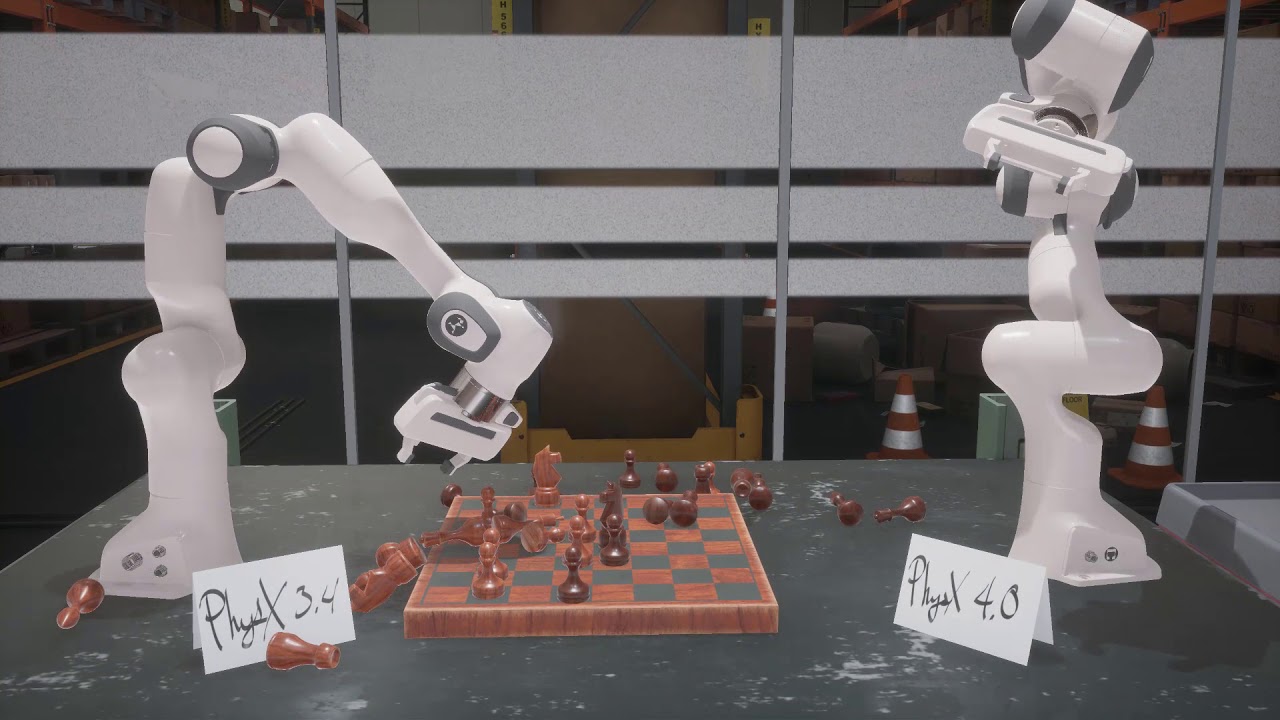
With the 4.0 release PhysX grows beyond its roots in gaming to support new applications in robotics and artificial intelligence. To meet the requirements of ...
royal glacier
I guess they are raching the limits of single precision then
thick storm
small scale simulation
thick storm
for something like military
or big scale engineering you need more precision than doubles
erm floats
Unigine sucks ballls
but it still good simulation engine
royal glacier
gotta go
thick storm
in any case about 3 weeks before they show chaos 😄
royal glacier
GDC is gonna be really good 😄
 astral sapphire
@thick storm so, chaos in current state doesn't work?
 stable hemlock
Is there any way of forcing the compilation of a single dll file instead of having to rebuild the whole engine?
astral sapphire
@thick storm yeah, i tried those, literally nothing to do -_-
 low dust
bullet physics engine does doubles with simple define
that will then skip all the SIMD optimizations
but if you need doubles for like space sim, it's not usually a case where you are dynamically simulating thousands of dynamic rigidbodies at once anyway
 brisk silo
@thick storm subclassing Tarray from std::array LOL
it was clearly built in isolation
they wrapped some of the unreal stuff but arent using it directly
elder falcon
maybe it wasn't built by epic at all
didn't they buy some company that did physics stuff
 hollow hawk
I’m wondering how exactly blendspaces are calculated? Is it just a weighted average of skeletal points between 2 or more static animations?
 still dawn
so i'm trying to add an oren nayar shading model from the one that's already in the engine,but i'm stuck at it not knowing which shaders shading model it should use
the sphere on the right is with the other shading model
it should be giving me a white brownish colour
but it's grayish blue
and the shader is coming out black
still dawn
figured it out
still dawn
forgot to add
#elif MATERIAL_SHADINGMODEL_ORENNAYAR
GBuffer.ShadingModelID = SHADINGMODELID_ORENNAYAR;
into ShadingModelsMaterial.ush
 cold wigeon
<@&213101288538374145> Can someone please inform epic staff to ask microsoft to remove their UE4 UWP github code? It doesn't work on xbox anymore, and hasn't in awhile. There are no working examples to be found.
I know im crying to the sea here, but I feel like I got tricked into thinking we actually had a chance
Now im basically being told to "apply @stable hemlock as a dev" like that will happen
btw, windows UWP works, but not when you put it on the xbox.
 small cobalt
Mate, your more than welcome to do that yourself. We arent your errand boys. Sorry. We Moderate the Discord, not UE4 development.
cold wigeon
You took it the wrong way
I'm just trying to shine light on this, and I don't know where to turn.
The github is basically ignored.
small cobalt
Email Epic, go to the Forums, post on the Answer Hub, make a PR...
@ ing us for trivial reasons is really annoying. Please dont do that again unless it has something specifically to do with this Discord Server.
cold wigeon
I tried to look for @glossy elkstaff but that doesn't exist.
small cobalt
There are official platforms for you to make this type of suggestion directly to Epic.
Which i listed above.
stable hemlock
Trying to use Bullet Physics Engine on UE source.
All has been going smoothly, until now that I get errors on two similar errors on distinct parts of UE source
As you can see on the second print, there's a mention to btVector3 from Bullet
And I assume that's the issue, it's somehow trying to use btVector3's somewhere related
Given that and that there's SIMD stuff on Bullet's source that uses __m128
The thing is that I have pretty much no code from Bullet's API on the UE4 source, only header files included.
Any idea on how to fix this?
 vast imp
Anyone have any idea how to fix this compile error where it says the configuration for X64 is invalid?
low dust
@stable hemlock are you trying to port Bullet into UE4 engine code?
I put Bullet in a project side plugin when I played with it on UE4
having it in UE4 internal is madness, you'd be stuck with UE4's horrible build times for every small change you want to make for the integration
no idea on your issue though, sorry
brisk silo
@low dust not if its private implementation only. If only cpp files change iteration is alright
when you touch a header tho
rip
low dust
@brisk silo I was talking about doing physics integration for UE4 in the engine code
it's all tied to engine internals
altho less on 4.21+ but it's still got some things on pretty low level
but if you move to another physics engine, you can't just use the existing api 1:1, you'd need to expose different settings, do tweaks here and there
 long wave
@low dust you managed to integrate bullet through a plugin?
I guess that might be easier now they have the FPhysicsInterface but I could have sworn the engine still has some hardcoded PhysX references
low dust
well, I only had the debug draws running and bullets world registered automatically through plugin, I didn't really do full integration
yeah, it should be easier now but I'd still make it through plugin unless you need a lot of skeletal meshes (as then you can benefit from UE4's built-in tooling
long wave
Yeah. I guess you might be able to make PHAT work with Bullet, but I've never looked at the underlying code there. I guess you'd need feature parity between PhysX and Bullet for that to be an option.
Bullet does seem to be crazy popular.
low dust
also downside on the debug draws is the bloody delay
that was using the bullets own debug draw class, I just wrapped ue4 draws for it
bullet is bit too popular IMO
many pick it because they saw some popular games use it
but those games picked it mainly because it's open source
 proper vine
That gif alone convinces me if I need physics I should implement bullet
proper vine
you ever try to do that in ue4
long wave
Yeah that's the problem I have with PhysX... you can have the source now, but it's a nightmare to navigate
proper vine
there is a 1% chance your box ends up on the moon
low dust
yeah, physx isn't really that nice to decipher
proper vine
there is in inherent roll of the dice with anything ue4 physics
they hardcoded: "Go to the moon?"
long wave
PhysX definitely has some inherent randomness
proper vine
The first time I saw an actor trigger an "out of the world so it was deleted" warning
(not the same as a kill z)
it was because an actor decided to have a velocity near the speed of light
long wave
Hahaha
low dust
you can fight a lot of physx oddities when you understand why it glitches in the first place
and it's usually issue on the setup itself
long wave
There is a 'Max Depenetration Velocity' project setting 😄
proper vine
it wasn't even a depenetration issue
long wave
PhysX and Kinematic Actors (like characters) is full time nightmare fuel
proper vine
a small impulse on this actor sent it
low dust
oh
long wave
haha
low dust
when UE4 got physx 3.4, it had some crazy glitches out of the blue
there was one project that gliched when different user upgraded same project to newer ue4
I checked the source codes, they were identical to mine and my upgraded version worked but the other persons version exploded randomly
there was no code difference and I verified it on my computer also (both versions)
I wouldn't really know if I could blame that one on physx tho
it felt like some corruption on ue4 project upgrade
that somehow... made physx go bonkers 😄
should be debugged that more probably but it was so random
and at that point I was so used to crap corrupting on ue4 that I didn't even think it was anything serious
anyway, main thing I like about bullet is that to get things work in double precision, you just put one define and it's done
long wave
See that I do like
low dust
of course it's still compilation time option so you can't have like both floating point precisions on same bullet build but still nice
long wave
No more not-even-that-large maps causing monumental glitches
low dust
that was main reason why I did the plugin for ue4 in the first place (but never quite finished it, would have been nice to make some wrappers for most basic things instead of coding things through bullets own api)
long wave
I've given up on physics engines as a whole when it comes to multiplayer. I've taken the kinematic approach
Almost definitely not as performant and handling collision is tedious work.. but the control is nice
 rose jungle
I download the engine from source and I compiled ok, but when I try to export my game (android with Google Play Service) fails trying to compile Google Play Subsystem because Intermediate files are missing... there some way to compile plugins before export the game?
The main error is the engine can´t find some includes files.
stable hemlock
@low dust Yeah, mainly because we have the whole game already running on blueprints, and to change all of that would take us a lot more time.
I am quite advanced on the implementation (at least it seems that way). The only thing holding me back is this weird error, which I can't understand why, since I never touched those lines, nor do I use that code anywhere.
Thank you for your reply though
low dust
@stable hemlock wait
since you get that error, the code itself probably gives that red line under it etc?
VS alone can probably fix it per case too
the issue is that it finds the same type in two places and doesn't know which one your bullet code refers to, so you just point it to right one some way (which is usually obvious when you use the actual IDE, I never remember these years later)
stable hemlock
@low dust Hmmm, if I check the files that appear in the error messages I get no red line
But why would it find a type used by Bullet on that specific code, if I don't use it ever...?
low dust
Pretty hard to tell whats going on without knowing your changes / seeing the sources
stable hemlock
Yeah I understand
But the only thing I did since my last commit, was just adding the declarations of the functions needed by the PhysicsInterface, and create the functions bodies on the respective cpp file, without any code inside
And since that it started with that error, that's why it's weird
low dust
could be some unity build thing
you add something, different things get included on your compilation units
in which case it would mean that there was a problem all along but you didn't have to deal with it as unity build didn't happen to include something in the same compilation unit
you can do non-unity builds with UE4 to make sure you catch all issues but it does take like WAY longer initially and will be pretty huge in size too
I think it took like 3-4x time to build on my computer and repo dir was 130gb after it was done
iterative builds are fast though
but the initial one is going to take forever
stable hemlock
Hmmmm, ok.
Maybe it could help if I sent you privately the way I am adding Bullet to the build, to see if I should be doing something differently
 bold hare
@rose jungle Did you include Android when you built from source?
Happend to me once, fixed by running Setup with --include Android
low dust
the thing with unity builds is that often the changes you make can be something totally irrelevant and it seems weird that such things happen
I had one case where I added just two debug log lines in engine code and got errors in totally different place after it
that was due to this same thing
stable hemlock
Yeah, tell me about it, I have twice got an unresolve external on OpenCV functions when the problem all along was some lines on the build file when adding Bullet
How I figured it out, still baffles me to this day...
low dust
for the repo, I don't really have time to debug this right now + you can't really share ue4 code privately with random people as the eula is pretty strict on how you can redist the code (basically you can make ue4 fork and share it but all ue4 forks are open for all ue4 licensees)
stable hemlock
I was only going to show the lines I added, not code that was already there. Thought that wouldn't be a problem...
low dust
ah
that's fine
you can share up to 30 lines of engine code at once for sake of discussing things anyway
all this being said, you plan to implement every basic physics feat of bullet in ue4?
I mean, I'd still advice against this if you don't need more than some basic things from bullet. Hooking things into engine side will make upgrading from engine version to another a real pain
stable hemlock
For the game I am working on I only need ways of triggering add forces on Bullet, and retrieve collision info
We went with Bullet because it's a multiplayer game
And we tried everything with PhysX, with no perfect results
low dust
bullet isn't fully deterministic either
stable hemlock
Once we tried the algorithm with Bullet, everything worked
low dust
really?
stable hemlock
Yeap
From what I read on the forums there was a random number for collision solving on PhysX
And probably some issue with being multithreaded...
I'd love not having to go through this, but we tested and the results we wanted only happened with Bullet
low dust
main issue with physx determinism on ue4 is that it's not fixed timestepped by default
but you've probably read my comments on the forums about it
stable hemlock
Yeap
We tried to follow a bit of what the guys from Rocket League talked about in their talk at GDC
low dust
and secondary issue is that you can't really rewind physx to exact same state as it were 😄
yeah, I figured
reason why rocket league devs picked bullet wasn't really because they though it would be more deterministic than physx but because it was open source back then 😃
and that they had used it before
stable hemlock
With PhysX, when we entered a state of rewind and replay, it would stay there because the error was always there.
With Bullet, using the exact same code, the error in distance would drop to almost 0, only starting to drift away a big while after
low dust
and you used fixed timesteps?
low dust
the error you get on physx when you reset the transforms isn't big, I'd really expect to notice that on some corner cases on collisions mainly
and there are ways to fight it too
stable hemlock
We tried different thresholds, none worked, because there would always be an error in the difference of distances.
As you increased the thresholds, so did the error...
low dust
like, I'd imagine resetting the same physics steps rigidbodies on all clients would help for them to make the same thing happens on all of them
but yeah, it gets hacky
anyway
if you don't need joints or ragdolls, running bullet from plugin is really trivial
just implement the collision shapes and rigidbody as component and slap those to your blueprints
add the forces to custom rigidbody component directly and route collision events to colliders
best part is, you get full control on everything without touching anything on source code
so, iteration times are rapid
 grim geyser
trying to build current 4.22 source for mac but it fails late in the process when not being able to copy things for FBX and embree. Anyone know of solutions?
( libembree.2.14.0.dylib, libfbxsdk.dylib
libtbb.dylib, libtbbmalloc.dylib
stable hemlock
@low dust Yeah, we thought of that
That's how we tried the algorithm
Without collisions though
Problem is, our current version of the game is all built in on blueprints
We rely on AddForce, AddImpulse and physical material
If we did as you said, it would force us to change the existing gameplay, which would be fine, disregarding the time it would take
My worry is that we would have to disconnect physX from the project as for perfomance it wouldn't make sense to have it running when we're using Bullet
And when doing that, that something that we rely on from the engine stopped working
P.S.: yes, we only need boxes and a few simple custom collision meshes
low dust
well, I don't really see how it would change the gameplay
you could already made your own wrappers for physics on BP for both physx and bullet
so you could swap between physx and bullet plugin quickly just by swapping some toggle
but yeah, if you only need barebones setup, I guess the engine integration part doesn't need to be complete either
it's just, physx is used a lot in the internals
stable hemlock
The gameplay wouldn't change no, it's just the burden of swapping every blueprint call to ue4 integrated physics to one made by us
Which in comparison with the time I'm losing with this error might be a suitable option
Yeah, we don't need full on physics engine integration, and this interface stuff actually simplified stuff, at least in understanding how everything is connected
 proud gate
on my project, I double clicked UE4Editor.Target.cs, I can see this message box
I reinstalled UE from E:\ to C:, so now UE is in C:\program files
so how can i change UE include path?
oh i solved it. delete solution, .vs, Itermediate, Saved, Binaries and regenerate visual studio solution
 granite dust
Classic
 fresh bolt
does anyone know if setting a mip level cutoff (i.e. never sample less than say mip level 5) is possible in unreal engine? I know that you can set the min lod in TextureLODGroups is that the same? it's just we have lots of textures using unwrapped uv's and mips below a certain level can cause unwanted color flashing.
I mean I know I can ddx ddy in the shader and clamp the value to limit the mips is that what people are doing?
fresh bolt
And I guess you have to write your own lod calculation if you wish to support gles2
clamp the result of "compute mip level" i guess.
 cloud tapir
Okay, I have add the Dependcy modules to my build.cs for the Navigation system (AI Module). I have the NavigationSystem.py in my root folder. (I don't know how to use this) I have Python downloaded. I had to restart my pc, now I can't get the project open, because of the compiler errors.
cloud tapir
Holy Voices, I finally found it. I had to Change This little piece 'UNavigationSystemV1' I didn't say V1 before. and bam now it compiles
 kind kayak
Is it normal to have VS get stuck at about 70% of compilation of the engine source I downloaded from GitHub, then ran build.bat and generateprojfiles.bat on?
It also uses 0% CPU.
kind kayak
Well, something strange happened when I figured out what things were doing and all: The compilation generated 60GB worth of files, then stopped because "the compiler ran out of heap space". 8GB RAM, 65GB free space on my SSD, i5 6600k
How much free space is required for the compilation to succeed? What else?
 vast skiff
Is there really any disadvantage at all to compiling UE4 from source as opposed to binaries? Other than just taking longer to set up initially.
kind kayak
@vast skiff According to this question, there are a few, but my (very limited) experience and the way I've read about things would probably say not really.
https://answers.unrealengine.com/questions/297672/advantages-of-building-from-source-over-binary-bui.html
Bear in mind that this is a 4 year old question.
 versed rapids
the only disadvantage is that you are "stuck" with the same compiler version unless you rebuild your engine each time the compiler is updated.
 timber remnant
Not sure where this question is most appropriate - seems like a fundamental architecture question so I'll try here!
PostProcessingInput0 doesn't include translucent objects, I understand this is an optimisation decision, however it creates some quirks when trying to blur parts of a scene
is there any work around to retrieving a buffer with the translucent pass?
 chrome mica
Hello guys,
does someone of you knows how to enable the Spectator Pawn ?
There is no way I can trigger BeginPlay(). I thought that I just needed to do UnPossess on DefaultPawn to get it
brisk silo
today, on "what the fuck vblanco", speeding up pubg by about 3 miliseconds (worst case) by writing a custom physics asset hitbox system for characters XD
and its not even that hard to do 🤔
you can very, VERY trivially access the physics asset of a mesh, and write the collision yourself
this way its not updating physics bodies twice per frame minimum
when you have physics asset with query or collision setting, the physics bodies will be updated (physx call) every single time there is any movement
so from every SetLocation call, and again from an animation update
brisk silo
collisions/raycasts/ragdolls
every time a character moves, it triggers 2 physx updates
one from the actual movement
and a second one from the animation
@elder falcon so, becouse pubg doesnt use any kind of physics on character meshes, we were brainstorming and decided to try that
i had a prototype "working" in shootergame in about a couple hours
elder falcon
how do you always make such complicated changes so crazy fast
elder falcon
🤔
brisk silo
this thing is literally just copying the physics asset data into an array
and then to trace, i do a for loop on this array of collision shapes
AddToCapsules(bodysetup.capsules)
AddToBoxes(bodysetup.boxes)

}```and later down the line
for(FCapsuleCollision capsule : Mesh->CollisionCapsules){

calculateIntersection(capsule, Mesh->GetBoneTransform(capsule.boneID), RayStart,RayEnd)

}````pretty much just that
i dont know wtf isnt this default when you set it as "query only"
the speedup is huge if you have tons of characters
elder falcon
how would you make the engine line traces use this?
brisk silo
i dont know
i just added a collision sphere as bounding sphere to the character
and if i hit that sphere with the weapon ray, then i run this specific code
elder falcon
ah
that's cool
the physics asset being query only is the default for characters right?
brisk silo
i think so
elder falcon
so this optimization could work for most games
brisk silo
btw, this also needs you to put the physics asset to "no collision"
or you will get 0 gain
IF you get a speedup by setting phyics to no-collision, AND you do not rely on any collision whatsoever with those hitboxes, then this thing might be useful
now that i was benchmarking
if this gets in, alongside the overlap stuff
i would have been responsible of removing 25% of Game Thread time
brisk silo
and if the transform crazyness also gets in (way too complex and volatile, but could), that would be another 1-2 miliseconds
elder falcon
I'm always assuming the game is supposed to run at 144 hz
elder falcon
it does when mostly nothing is happening 🤔
brisk silo
the unreal engine OOP overheads eat your ass HARD
we already have tons of optimizations, like only running characters on some frames if they are far from you. Or literally not updating them whatsoever if they are behind you
for what 100 players without crazy optimizations does.. look at pubg on release
and how horribly it ran
same thing on ARK by the way
and essentially every single "survival" game made in ue4
the ue4 game framework scales like absolute trash
and the main reason is just OOP overheads
elder falcon
is oop really the main issue though?
brisk silo
yes
elder falcon
what makes it so much slower by just using oop
brisk silo
allocations everywhere, virtual call overhead, removal of any possible multithreading
Tick itself is at least 3 virtual calls minimum, + trashing the instruction caches
one of the optimizations i was thinking of is literally just removing Tick
or creating a "sorted" tick
that has one array per actor type
and this way it Ticks all the Characters, then all the CharacterMovements, then all the Weapons... etc
elder falcon
unreal just calls tick on actors in random order?
elder falcon
brisk silo
its fine tho
they tell you "dont fucking use tick everywhere" for a reason
a "manager" actor that just holds an array of actors and calls a non-virtual Update function on them is allways faster than Tick
and it allows funny stuff. I do it with my projectiles in DWVR
the manager also acts as a pool. The first half of the pool is the "active" bullets, and the second half is the disabled ones
so when i tick
the manager starts ticking the projectiles until it gets to the first disabled one
and then it stops
elder falcon
hmm
brisk silo
that way my disabled projectiles essentially use 0 update time
elder falcon
feels like there could be an easy way to make such "managers" for each class that needs ticking
brisk silo
well, it is dangerous
you want some update order to happen per-character
like
first Character actor, then CharacterMovement, then AnimationInstance, then Weapon
if you do it per-class, you lose the ability of modifying this or setting it per character
wich is exactly why unreal doesnt use it
elder falcon
so if those 4 managers called tick on all in this order it would work fine
elder falcon
hm
brisk silo
the problem in pubg is that we have just way too fucking many things
and stuff communicates with stuff as usual
so you are updating the weapon actor, and it accesses a player, to then access the inventory, to then access the item, to then calculate some timer, to then shoot a bullet. The memory is bouncing everywhere
on a normal game its no issue
but when you have up to 300 weapons at a time
shit son
essentially the sheer overhead of jumping around triggering virtuals everywhere is significantly bigger than the actual real work
this is why unity comes with their 100 times faster ECS. That one doesnt jump memory everywhere, so its 99% pure real work done instead of overheads
elder falcon
and multi threading on top of that
brisk silo
easy multithreading
multithreading in an ECS is mostly just spamming parallel-for everywhere you can
and running unrelated systems in parallel if you know its safe
in a case like this
we could run the animation at the same time as player movement, at the same time as weapon logic, at the same time as vehicle movement
becouse they are all unrelated
elder falcon
doesn't player movement potentially move the weapon though, so it would affect it?
elder falcon
this sort of thing could be done without ecs too right, after replacing the virtual ticks with managers
brisk silo
would be egregiously unsafe to do unless you are careful
any call to blueprint would cause undefined stuff
elder falcon
oof
elder falcon
maybe unreal can catch up at some point
elder falcon
they are?
brisk silo
yup
and every "module" you make is basically a system
its code that runs once per every particle, reads the data of that particle, and does something
btw @elder falcon read this http://www.dataorienteddesign.com/dodbook/
Data-Oriented Design
im following its practises for my optimized stuff
its great to literally have the dumbest code be the absolute fastest
brisk silo
@elder falcon it talks about the dark arts of data-oriented design. Lots of trickery you can do by treating your data as a database and doing operations with that (array processing too)
long wave
Overwatch's engine is ECS
There's a few GDC talks on it
They went super-strict about it, allowed them to do some cool things.
 mystic cave
i wonder if im doing something fancy like that unintentionally :p
as my game runs lockstep-ish, i rewrited everything to be deterministic,
collision movement etc...
everything is inside arrays that i process on my gamestate, basically the whole game is inside the gamestate tick
that said i have 0 knowledge of DOD ECS etc
elder falcon
running bp from another thread actually seems to work just fine 
as long as the bp nodes aren't doing dangerous things
brisk silo
@long wave ECS, but not data-oriented
they dont have the "speed" stlye ECS. Their ECS engine is slow
but it doesnt matter that much for them. They did ECS for lockstep gameplay, networking, and architecture. Not for perf
also
minecraft C++ uses ECS
the same one i use for my tests, ( EnTT, open source )
elder falcon
I wonder what minecraft uses the ecs for
surely they don't have cubes as entities
or do they?
granite dust
Cubes in minecraft are stored in chunked linear arrays of size 16x16x256, I believe.
And physics probably queries that directly. So ECS would just be for entities
(probably)
spiral mortar
entt looks so cool
thick storm
lol I wonder if epic just straight up bought the guy behind EnTT
but moving unreal towards dod is monumental task
that in reality needs to start from base systems
like Physics -;;
elder falcon
what makes you think they did?
elder falcon
yeah but did they say anything about wanting to use entt?
elder falcon
ah
thick storm
either way integrating third party librabry to unreal is not the way to go
it may work for some isolated systems you do for yourself
as vblanco said unreal really falls short for simple things
like updated
updates*
moving objects
scene queries
lots of time is spend on moving objects simply because it can only happen in one thread
and it involvles shit load of missing caches and copying stuff around
other weak point is spend simply on updating physics scene because you need to marshall data from unreal to physx
IDK
but I think
Chaos is just laying ground work for eleminating those weak points
elder falcon
we'll just have to hope for an exciting future then
brisk silo
@thick storm i talk with the guy daily
and have helped him with the multithreading part and some of the techniques
can tell you epic has not even contacted him
and for minecraft, they use the ECS as a storage database
more than for fast-speed
so for stuff like each chunk
they probably have a Chunk Component, Chunk CollisionComponent, and MeshComponent
and 1 chunk = 1 entity
probably similar with the NPCs, 1 player/npc = 1 entity
so really not that many. Mostly on the hundreds at most
at that level, the perf of the ECS itself is fairly irrelevant
spiral mortar
I really need to try entt, it looks so well made
brisk silo
the developer is a template metagenious
and very perf minded
sadly the latest version of Entt is C++17
becouse bleeding edge template bullshit
and unreal engine cant handle it
spiral mortar
btw wasn't surprised to see you there: https://github.com/skypjack/entt/wiki/EnTT-in-Action
brisk silo
but even its "legacy" version (the C++14 version) is pretty good
it was the C++14 version what i used in my experimenting
the C++17 version just adds some more features and improves stuff
spiral mortar
Why doesn't the C++17 works with UE?
brisk silo
alembic library fails to compile
spiral mortar
rofl
brisk silo
at least when i tried to force C++17
i dont think you can run C++17 only on game module
spiral mortar
You could compile the engine with std 14
brisk silo
need to be on the entire thing
brisk silo
im not sure you can do that
spiral mortar

Stack Overflow
Suppose I have three compiled objects, all produced by the same compiler/version:
A was compiled with the C++11 standard
B was compiled with the C++14 standard
C was compiled with the C++17 standa...
In GCC it'll work 😄
MSVC I have some doubts lol
brisk silo
its becouse C++17 deprecates some stupid shit
like "register" keyword
or some "proto-lambdas"
and alembic uses both
the register keyword is easy
just remove it
spiral mortar
But if the ABI or whatever is compatible it should be fine 🤔
brisk silo
but the protolambdas... pretty hard to replace just like that
spiral mortar
Like it works with MSVC and clang
elder falcon
unreal 4.22 supports c++ 17 doesn't it
spiral mortar
Why not for MSVC 14 and MSVC 17
brisk silo
@elder falcon no
elder falcon
are you sure
I remember seeing a commit that did stuff with that
but I might be remembering it wrong
 tepid lion
So I've freshly installed VS2017 going off this doc, even went and reinstalled the launcher trough that setup but no matter what I try when I try to create a new source project (UE 4.21) it tells me that VS2015 wasnt found (Which I do not have ofc). No suggested solutions that I've found trough google have worked, anyone have an idea? https://docs.unrealengine.com/en-us/Programming/Development/VisualStudioSetup
 astral warren
Kinsi, create a regular bp project, go into editor settings / source code, set 2017 it should set it to be the default
tepid lion
I've tried that as well, despite doing that it still asks for 2015 when trying to create a new one
astral warren
Kinsi, check VCINSTALLDIR and VSINSTALLDIR environment settings in windows maybe it is missing
tepid lion
I'll check that out later, thank you
astral warren
VSINSTALLDIR points to this at me C:\Program Files (x86)\Microsoft Visual Studio\2017\Community\ the VC is Community\VC
they changed something in 2017 installer and it wont setup properly i had issues with that earlier cant remember what i did exactly
tepid lion
those indeed dont exist for me, I'll see if that would fix that in a bit
 neat ravine
 golden idol
Hi. Can someone please give me some advice? I'm trying to build dedicated server, I followed this guide https://wiki.unrealengine.com/Dedicated_Server_Guide_(Windows_%26_Linux)
On step 5, Development editor on game and whole solution build finished OK. Then I switched to Development server and received a lot of errors regarding some missing header files.
There is one thing I'm no so sure about. The guide tells me to create new Third Person game project which I didn't do and I'm not sure if I should, I have some previously created game project which I'm trying to make dedicated server for.
Any advice how to proceed?
Thanks in advance
 pliant pagoda
What engine version have you got ? And what errors show up ? I have a little bit of experience with dedicated servers in ue but I need this info
 idle violet
my project does not open it just closes when its at 96% any ideas how to fix this?
 zealous birch
when I'm deleting transition state from Anim BP >> then the Engine crashes and comes up with this message !! any help ?!
 strong root
my engine has completely crashed and i cant open any projects
cant seem to get it to work
anyone that can potentially help?
can post error log if needed
idle violet
@strong root try to verify the version in the launcher
strong root
@idle violet how do I do this? Just re-install it?
idle violet
go to library/engine versions/and in the little arrow under the version is not working click verify
strong root
Ah okay, it's grayed out :|
 last swallow
strange, i only caught some build problems when building from the command line
elder falcon
https://github.com/EpicGames/UnrealEngine/commit/1f4e387e364879f7f84167e246f948423164c6a5 commits that delete boost are always good ones
spiral mortar
Hehe
elder falcon
is there some way to filter out all the robomerge garbage when viewing commits on github
spiral mortar
Git command line + smart grep?
elder falcon
oh this is nice
smartgit lets me filter out everything that contains #ROBOMERGE-BOT when displaying the log
the ones from fortnite contain ROBOMERGE-SOURCE but no ROBOMERGE-BOT
 drowsy wharf
does anyone know why UWidgetInteractionComponent::PerformTrace() stops processing hits after the first hit ? Why make it a For loop if you are only going to view the first hit ?
or a LineTraceMultiByChannel if you only want the first
astral warren
If the first item (closest) in the hit result set is a widget comp, then it will check for visibility. If it's not visible then gets the second component which hopefully is another widget comp. If that is visible then the result will be fetched. However, if something is obstructing the way to the first (or second) component, something inbetween the cast source and target point, then it's interpreted as an invalid hit, so the logic will quit.
drowsy wharf
So why is it only widgets that it checks visibility on ?
Like this is confusing me as to why its working in this method instead of just looping through them all to find the first widget component
It seems like its ignoring the fact you can make blocking collisions
astral warren
Whinis just make your own (::Custom) trace set and let the evaluation run the rest, that way you can better tune this behavior towards your expectations
drowsy wharf
It doesn't explain this behavior though
 somber harness
Anyone ever seen this error on PIE?
Error: Ensure condition failed: !bEnsureIsGWorld || WorldList[i].World() == GWorld Crashes every time I start
astral warren
Is it with engine 4.22?
tepid lion
@astral warren thought I'd give you an update as I've finally gotten around to try your suggestion - setting VCINSTALLDIR / VSINSTALLDIR did not resolve my issue, UE still complains about 2015 not being installed when I try to create a new project
somber harness
no @astral warren its 4.20
 cosmic harness
Anyone know how to add a default command line argument via a config file ? Thanks.
tepid lion
Welp, turns out updating VS fixed my issue.
 opal prairie
hey, what happened to the dev-rendering branch of UE's github?
elder falcon
nothing?
opal prairie
Tried following a link, looked at their github, didnt see it. Mind linking me?
@elder falcon
 pastel bone
Any idea whom I can bug to review my PR? (I'm tired of using the name 2D::UnitVector where it isn't one) https://github.com/EpicGames/UnrealEngine/pull/5001
 slender tangle
having a bit of trouble starting a bat that i need to complete my source setup.. its not finding path to MSbuild.. any solution?
opal prairie
https://github.com/EpicGames/UnrealEngine/ also doesnt work
they only have 2 repos, none of them are dev rendering
 tough oyster
Works just fine here.
granite dust
That always happens if you're not signed into your GitHub account
It's only visible to invited accounts
opal prairie
doesn't happen when I'm signed in either. How do I get invited?
oh i see the instructions now
thank you
slender tangle
Fixed that issue with going back to VS 17
But again the old problem
Error: Could not find the MSBuild executable. Please make sure you have Microsoft Visual Studio or Microsoft Build Tools installed.
any one please any fix?
slender tangle
Solved
thick storm
for some reason you need to have VS2017 to compile UBT from cmd
it's probaba;y something in bat files inside Build folder
 ripe blaze
hey guys, I want to make log file on android in the production build.
I've added "bUseLoggingInShipping = true; in the constructor in Target.cs, also /** If not specified, disable logging in shipping */ #ifndef USE_LOGGING_IN_SHIPPING #define USE_LOGGING_IN_SHIPPING 1 #endif
But still can't see my log generated
Am I missing something?
opal prairie
is it still the case that I need to build the engine source to use RTX features?
small cobalt
Yes, RTX is a separate experimental branch at the moment as far as im aware.
spiral mortar
It's not in the 4.22 preview?
opal prairie
is the 4.22 preview available to all? how do i get "early access"?
spiral mortar
It's in the launcher
 amber kestrel
so release is 4.21.2 , promoted is 4.23 only way to get latest 4.22 is through preview builds?
the 4.22 branch is the same as preview 5? or are there changes and bugfixes later than preview 5?
elder falcon
the 4.22 branch is ahead of preview 5
to get preview 5 source, use the 4.22.0-preview-5 tag
amber kestrel
alright, thanks
opal prairie
"use the 4.22.0-preview-5 tag" how does one do this? sorry, noob
@elder falcon
is that a console command?
or something you do when you build the source
opal prairie
ah i thought i was going to be able to avoid that. i haven't managed to build it yet. i'm going to clone from github using command prompt i guess?
spiral mortar
git bash
or some other tool
But just use the launcher preview builds
Don't bother building from source yourself
opal prairie
"launcher preview builds" do i get these after i clone?
opal prairie
oh my god, thank you
spiral mortar
hehe
 vague scroll
trying to update my project to 4.21, which has dedicated servers. in the past i followed the instructions here: https://wiki.unrealengine.com/Dedicated_Server_Guide_(Windows_%26_Linux)#8._Issues
but my startup project now says "blankprogram" instead of UE4
so i cant actually run the debug, then create the new copy of my project with 4.21 source build
is there another way to export an old project to a new source build?

when i try to right clikc on the uproject to use with a different verison of the engine, it says its generating project files, progresses for about 5 seconds, then just closes with no errors or notification (or new project)
nevermind i just blew it away and im going to try a fresh build. ill yell if that doesnt help
decompressing the source makes me want a threadripper something fierce though 😦
stable hemlock
im trying to make a online fps. im using 4.18 and compiled from source. i made a dedicated server and it works fine, but when 2 people join, they spawn in the same map but we cant see each other
vague scroll
weird. same "blankprogram" problem from a fresh extraction/build
@stable hemlock does it work when you simulate dedicated in PIE with multiple clients?
stable hemlock
with dedicated server on in the editor, the server works but clients are black. Packages work fine. They connect to the server but i just dont see the characters in the map even though they are in the same map
vague scroll
with dedicated server on and two separate clients (in PIE), can the clients see each other?
 stoic crane
just right click the correct project in the solution explorer and click "set as startup project"
argh damn ambien, had to edit that like 7 times 🙄
 pale smelt
hi, i noticed an interesting 'feature' of ue4 yesterday.
spent ages tracking down the cause
basically this error comes up when you come to cook your project, if you have any component using AttachToComponent where the attachment rules aren't all "KeepRelative"
603]
LogOutputDevice:Error: AttachToComponent when called from a constructor is only setting up attachment and will always be treated as KeepRelative. Consider calling SetupAttachment directly instead.```this being the case, shouldnt it be a warning, it is worded like a suggestion and doesnt break anything
and if not, why do we have the option to set the attachment rules, if theyre going to be outright ignored and defaulted to EAttachmentRule::KeepRelative on all three?
should this be reported as a bug?
i think my main gripe is the use of the word "consider", it comes across as advice, rather than a failure to understand the engine on my part, hence why i didnt think it should be an error, at least with that wording.
vague scroll
@stoic crane thanks 😃 sorry i dont use visual studio much. did a c++ server side buff system with it for performance reasons but for some reason it still scares me
pale smelt
i have a question about modding, and the editor
if i want to allow people to mod my game e.g. by adding extra levels as blueprints, is there a way to do that without sharing the entire source code and all assets for the game?
i simply cannot do that, the terms and conditions of some of my assets prohibit it, and not only that, i wouldnt want them to have everything anyway.
currently levels in my game arent 'maps' like in an fps, each level is an actor, derived from a specific native C++ class, containing a known set of components to represent the level structure
it would be nice if there was a way they could load the standard editor, and only see a subset of 3d models and classes they need to see, to build levels
is this something im going to need to do myself by hacking it about a bit?
and if so how do i get around the need for them to have everything, to then cook their mod?
vague scroll
thats a good question. its somethign ive been thinking about due the limitations with assets from the asset store
brisk silo
ue4 adds ispc support to the engine
elder falcon
is that important
the page from intel makes it seem like this is burst but it's for c++ and also 10x harder to use correctly
 crimson mortar
is vs 2019 now supported or not?, i cant generateproject files with ue 4.22 preview 6 https://pastebin.com/5B4UnFtq
 brisk silo
@elder falcon its indeed basically Burst for C++
it also seems very easy to use
its just C with some extra stuff (foreach loop that forces vectorization)
the thing with ispc support in the engine, is that you can integrate it easily with game code
you just add a .ispc file into your game module, and UBT will build + link it into the normal module
elder falcon
will this be able to use types like FVector
brisk silo
yes
brisk silo
FVector is essentially a dumbass struct
elder falcon
it's not written like one though
like would the ispc compiler be able to parse A + B
brisk silo
if you want, you can just literally cast a TArray<FVector> into a float array
elder falcon
with vectors
brisk silo
well, i dont know yet
we will see when the code drops
@elder falcon remember that Chaos code drop where half of it was using std::vector typedefed as a TArray?
could be related
brisk silo
github is being a shit
elder falcon
or is this just future stuff
brisk silo
im going to sync my github version and check
elder falcon
I'm guessing it's hidden on something like dev-physics
elder falcon
there's a new texture compressing module written in ispc
brisk silo
ispc lets you write essentially CPU compute shaders
its like OpenCL but more integrated into normal C, and you dont need to launch kernel, just call the function (its a normal C function)
ive allways trashtalked VS quality to do vectorization, this seems exactly what ive needed for a whiel
elder falcon
their git commit uploader might also be again and categorizing the ispc files as stuff that should use the deps file because it doesn't recognize the extension
brisk silo
rip
ill check UBT to see the new stuff
they have done a ton of changes to UBT, and i think one of them was the ispc support
elder falcon
the ispc file that comes with this texture thing is just basic c code
I don't think we can use fancy types in it
brisk silo
@elder falcon it supports structs
and it supports C++ i think
so you can include fvector
elder falcon
https://ispc.github.io/ ispc is a compiler for a variant of the C programming language
brisk silo
vectorization
elder falcon
oh
so this can add 2x 4 vectors together in the same time it takes to add 2x 1 vector?
elder falcon
🤔 wait
couldn't you also just use one of these instructions for each vector
like do the 3 components of it at the same time instead of doing 1 component of different vectors at the same time
elder falcon
how come
brisk silo
if you want to git gud at vectorizaion, you need to do SoA and just do a for loop where you do 8 iterations at a time
@elder falcon scales like ass
and there are tons of operations you cant do
like a dot product
or matrix mult
elder falcon
you can do a dot product with this?
brisk silo
4 at a time
this thing can do 4 of anything at a time
thats its point
i think there is also a 8 wide version?
essentially all modern cpus supprt 8-wide vectors
some high end ones support 16 one
elder falcon
how would you use this to do a dot product with the same vector for all 4
do you need to duplicate the other one 4 times so it matches
brisk silo
you can do scalar * vector operation
and even like that, you can just turn the scalar vector into one 8 wide vector that is just X but repeated
for example, take you want to dot product against FVector{1,2,3}
you can just load 3 VectorRegisters, as X{1,1,1,1}, Y{2,2,2,2}, Z{3,3,3,3}
elder falcon
oh
brisk silo
(there is an instruction to load 1 value into a full-wide register)
elder falcon
does burst do this sort of wizardry when you make a component that contains a vector
brisk silo
yes
elder falcon
so it doesn't actually end up with an array of vectors
but modifies it somehow?
strange
brisk silo
@elder falcon the burst compiler can actually do SoA automatically
ispc can do it too
its ultimate HAX

 tepid lion
Is there anyone around who could possibly help me with a couple of questions trough DM? I'd appreciate it a lot!
spiral mortar
Why DM 
tepid lion
Because what I'm trying to do is kinda scuffed and I thought It'd be easier trough that than spamming here but here goes nothing. I've recently stumbled upon this thing https://www.reddit.com/r/RocketLeague/comments/7lqcqx/utility_rocket_league_replay_parser_v130_released/ and have been fascinated by it. Unfortunately RL is UE3 and so I've gone ahead and tried to build such a thing myself for UE4 games. After weeks of work I'm now far in and have pretty much reached the last "step", however since I have hardly any UE knowledge and only basic cpp knowledge this has proven to be pretty frustrating as so far my entire implementation is merely based on reading the source, not actually running it. I've been stuck for the past couple of days on this last step, hence I would've liked to call a couple of functions from UE to see how they function to compare them to my implementation so I can possibly find out what it is that I've implemented wrongly, that is however what I'd need help with due to the previously mentioned things (No UE knowledge, hardly any cpp)

reddit
746 votes and 88 comments so far on Reddit
 grand sand
guys I've got a situation, I've a project which doesn't have any c++ class and I want to open this project, its asking me to rebuild the project manually
how can i open the project ?
 warm nimbus
Is there any documentation/break-downs on the code-generation of UE4? More specifically the aspect of blueprints? From what I've gathered so far, the UHT and U_*()-macros are responsible for parsing and generating Run-Time-Type-Information (using AST), but I'm more specifically interested in what "compiling a blueprint" actually results in (JIT-compiled code? C++? Or even byte-code?) as it doesn't seem to generate other C++ files as a C++-compiler would have to rebuild the game code base like with C++-projects.
low dust
@brisk silo one huge advantage for ISPC over Burst right now is that it can apparently be built for different CPU extensions out of the box (I understood from the talk that it will pick then the right variant at runtime). Burst is currently hardcoded per platform, for example Windows builds use SSE4 so you only run floats 4-wide (AVX would let you do 8-wide, or doubles 4-wide)
SSE4 limitation also means anything compiled with Burst right now will not run on old pentiums and amd phenoms, athlons as they don't support SSE4
that's like 2% on steams hw survey but it's still a number
low dust
I know 😄
brisk silo
i think ispc can build for both sse and avx and select when needed
looking at it it seems very nice
low dust
but people still nag about every AAA title that does require SSE4
brisk silo
tho not as nice as burst that is integrated with mt job system
low dust
and they always do patch 😄
I mean, I could do special build for people who nag about it, without burst 😄
brisk silo
yeah but it costs you perf
low dust
that would teach them
yeah it does, but ultimately, the best choice would be to have prebuilt versions for all common extension types
everyone could get optimal results based on their own HW
brisk silo
people do complain with AVX tho
becouse some of the gen 1 intels didnt have it, but they are still half-decent cpus
low dust
Unity did mention some time ago something about AVX too, but I'm not sure if it was some laptop related comment, they said it didn't really pay off as well as it could as devices just heated more etc, something really weird
well, AVX is an issue
intel still ships celerons that don't support it
low dust
also need OS support (which isn't really that big of a deal today)
brisk silo
so if you have avx mixed with normla stuff, it might end up slower
low dust
oh?
well that's what they said about regular avx too
I mean the first gen thing
I'm mainly interested on it because of the double support
SSE4 can only do doubles 2-wide, it's hardly worth the effort
but knowing Unity, unless their Burst pipeline somehow automatically vectorizes doubles too, it'll not get any such treatment as it's not a priority to them
right now they support doubles on the math lib but will not promise it any Burst gains
if they did, it would be more feasible option on the new DOTS physics
brisk silo
i just want them to fucking add editor support for entities already
they still fucking dont
low dust
don't we all
brisk silo
and its still incredibly horrid hybrid mode
brisk silo
only unity Tiny has an actual ECS editor
oh, new roadmap slides?
link them again plz
i missed
low dust
they didn't mention anything about the full ecs editor
low dust
 brisk silo
if you would just be able to add components to a gameobject, it would already start to be interesting
low dust
https://cdn.discordapp.com/attachments/221796616653373441/559152305614618645/unknown.png
https://cdn.discordapp.com/attachments/221796616653373441/559160808488042527/unknown.png


 brisk silo
or just look at fukin entitas
low dust
they got DOTS only standalone player coming up
I told they could do this just few weeks ago
it could also mean they could open the source code for that part as it's mostly their own tech
if they do that, it would be awesome
brisk silo
DOTS only is when things start getting real interesting
open source engine code you could say
and everything of the highest perf
low dust
I really really hope they consider giving source access to the dots engine c++ side
but there are some showstoppers still there
mainly on the rendering side as they still probably rely on enlighten etc for HDRP, there's no pure ECS renderer right now
Unity also did a separate DOTS roadmap talk as one of their GDC sessions, too bad we don't have slides or video from that yet
they probably shared more in depth plan about where DOTS is going there
current conversion workflow is ok, you basically assemble everything in normal game object scene and either treat the whole scene as subscene (which automatically serializes ECS world from it as well) or you just put conversion script on the gameobject itself and it moves the objects with the script at game start into ecs side
it's kinda hacky
they did tell they are boosting DOTS development so they'll get it usable sooner
full editor would be dope
especially now that we got physics there too (which was biggest showstopper before)
they did new AI Planner in ECS too, they released package last week
what's kinda weird that they did new ML inference engine with jobs and burst but they didn't use ECS at all for it
brisk silo
becouse you dont need ECS for it
ECS is for integrating it with the game objects and components, but ML stuff is fully atomic
you just run it as you would run a normal function
low dust
yeah but they have this ideology that they want to build whole engine in the future using ECS, to prove it works for everything 😄
I bet that's why the AI Planner uses ECS under the hood too
it didn't originally when they presented it at Unite on 2017
brisk silo
ECS is a part of data oriented stack
think about it, would you literally have a MLExecutor component?
doesnt make that much sense
but you would have your own component that triggers the machine learning stuff in some ways when needed
at the end, machine learning is like a self-trained function call
so just call that functino when you need it
btw, looking at the visual editor
that "for each player that has a enemy" stuff
thats nifty
really good to make ECS for the noobs
low dust
heh, to me that node looked way too crowded
but then again, I'm not a fan of scratch style visual scripting
that node makes sense if people know how Unity's ECS ForEach works but I can imagine new non-programmers getting lost if they see that 😄
low dust
we'll see once it's done, it's still like one year away
but if you look at the node, they put quite many things into same node
do they really have to have conditions inside the foreach node?
shouldn't that be part of the next node in chain?
I mean, they do have to put entities/components it affects there and groups
brisk silo
makes sense to have all the filtering at the top and the rest is logic, i think
cant wait till that top node has 10 conditions
low dust
yeah but it's not very single purpose thing
it would be easier to read if the loop body was separate
of course you'll get used to either way, just thinking how new people would see it
brisk silo
noobs are going to add a ton of conditions on there
and then the basic behavior
kinda better than the current if-hell noobs create
low dust
😄
yeah don't get me started on that
had to review some first year CS students code once, there was few screens full of elseif's in one chain
all with identical things inside, just some different value to set 😄
brisk silo
the true :bigbrain: is knowing how to design your systems so you actually dont use many if branches
brisk silo
one of the best tricks is to have your stuff stored in different lists (when you have many of X)
lets say you have a hundred AIs
and they can be alert or sleep
have 1 array with pointers to the alert ones, and one array to the sleeping ones
when executing AI, you only execute the alert ones
and the sleep ones are there until some event (sound) happens, and then you only iterate the sleep ones to see if they get alerted
i wonder if noobs will learn to use the ECS for things like that\
AIEnemy + Alert/sleep component
or just will have a bool bIsAlerted....
low dust
I'm sure noobs will use premade system for that
did you see the whole keynote? man the things they do, copy/paste blocks for noob mobile developers
low dust
that's really crap IMO
brisk silo
that thing is ALLWAYS a fucking pain to setup
low dust
if you can't make basic systems, you are in trouble already
brisk silo
its like achievements, they are a fucking pain to setup. I would love if unreal engine online subsystem just did everything and i just do a UnlockAchievement call every once in a while
this stuff is tricky
low dust
people will be so lost when those things bug out 😄
well, I don't mind if they make better frameworks
I just don't like the copy/paste mindset
better abstracted systems is fine
as it lets the devs skip the individual API changes under the hood, treat each platform the same
like input's, different VR headsets etc (altho that doesn't quite happen fully today)
brisk silo
that entire part is a huge disaster in unity
low dust
you get basic VR stuff for all platforms the same way
brisk silo
if you want PSVR, you gotta use their API with their gotchas to get controller orientation and sync it
low dust
but the api is so lacking that people will install the platform specific SDKs regardless
brisk silo
@low dust not onpsvr, it literally doesnt work with the default stuff
becouse you need to "turn on" the controllers in specific way
low dust
ah, I don't know about console stuff
low dust
I have no trouble believing that 😄
VR has always been really funky there
it's nowhere as seamless thing as with UE4
thick storm
It's hard to learn to seprate logic by static or even dynamic array
for most people it is counterintuitive
that iterating over 1000 thousand items
is faster than branching
because people don't realize what happens when branch predictor fail
it's unrelated
but
Improbable is doing their own Online Services
like PlayFab or WOS
EOS*
but they are going full open source with it
you will be able to get sources, compile and deploy to any cloud
and extend it by adding more services
dman
they literraly took my idea 😄
elder falcon
finally a backend that isn't a ripoff?
crimson mortar
Can someone help me correctly building ue4?
everytime i build it and run it it stucks at 45% loading screen, waited once more than 4h
the prebuilt engine from the library works fine
crimson mortar
deleted ue cache folders from app data, removed everything and freshly cloned it, currently building lets see if it helps maybe some cache was corrupted
crimson mortar
worked!
brisk silo
@thick storm thats so interesting
 dull echo
hi, can anyone tell me where the code to import assets in UE editor ?
there has to be a c++ call to import the assets, right ?
dull echo
which factory exactly ? is it the vertex factory. just wanted to check the code for importing
 cosmic marsh
which engine forks or PRs are worth checking?
SMAA, Opaque Translucency, Reflection Capture IBL come into my mind.
spiral mortar
@dull echo UFactory
 paper silo
anyone have any idea why some widgets arent appearing in my source build? ListView for example
 north arch
Does anyone know where you get "EngineAssociation": "{1220C080-4DFC-1D94-07DD-7B9BC41D6E86}", which is defined in a uproject for a associated engine installed on the machine?
nvm.
I found it in the source just took me a moment
stable hemlock
years ago I read Tim Sweeney talking about dropping graphics drivers and programming gpus directly, with low level access. Is that feasible? skipping drivers? Because even with DX12 and Vulkan, ppl still have to change driver versions sometimes due to crashes, instability or bugs
 dusty crane
hey everyone, anyone mind looking at my crash log for 4.22 prev7? https://forums.unrealengine.com/unreal-engine/announcements-and-releases/1583659-unreal-engine-4-22-preview?p=1600551#post1600551
Unreal Engine Forums
PREVIEW!
Preview 1 of the upcoming 4.22 release is available now on the Launcher and GitHub. We are making this Preview available so that our developer community
long wave
Looks like a normal shutdown @dusty crane
[2019.03.29-11.58.25:676][201]Cmd: QUIT_EDITOR
dusty crane
@long wave this is the error I get, someone told me it was a general issue with nvidia and not the editor itself
https://media.discordapp.net/attachments/225448446956404738/561164510870765569/unknown.png?width=1193&height=822

 long wave
Oh yeah, looks like driver crashed. Not much UE can do about that reallly
dusty crane
do you know which driver version is recommended for 4.22?
long wave
unless of course it's just interacting with the API incorrectly
dusty crane
i updated to the latest drivers
long wave
Not sure, but all the RTX code is highly experimental so I wouldn't expect 100% stability atm
dusty crane
followed instructions from this vid with the launch flag -dx12 and all

As of Unreal Engine 4.22, Unreal’s renderer will support the new DXR API for real-time ray tracing. During this Unreal Engine Learning Theater session at GDC...
yeah
i might have to wait for the non preview release i guess
too bad really want to play around with this 😦
long wave
I guess you're using an RTX card btw?
dusty crane
but unplugged those because people on the forums reported some launch issues with multi gpu
hehe doing octane rendering 😃
screw bitcoin 😉
havent used ue4 in a while but raytracing got me really interested
well thanks for the help! i'll wait for official release then, nothing more I can do at this point I feel... have a nice day!
and a nice weekend i'll be hanging around here as soon as 4.22 launches and be tracing them rays
crimson mortar
how can i fix this issue?
Failed to find shader type FBuildRectLightMipTreeCS in Platform PCD3D_SM5
 lost glen
anyone trying to build ue4 from source and having an error on GenerateProjectFiles.bat/
I mean 4.22
elder falcon
what's the error
lost glen
I solved it, but there's a bug in the batch file. More info here https://github.com/EpicGames/UnrealEngine/commit/c73a4f3e702c3108071e91abb241b8b6ca1194e5
elder falcon
rip, wonder why that didn't go into 4.22 when it was done yesterday
lost glen
I wondered the same thing 😃
stable hemlock