#engine-source
1 messages · Page 23 of 1
 elder falcon
 spiral mortar
You already rebuilt the engine?
elder falcon
I mean that was one cpp file
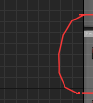 spiral mortar
...
elder falcon
tho they always seem to do that for curves like that even at normal zoom
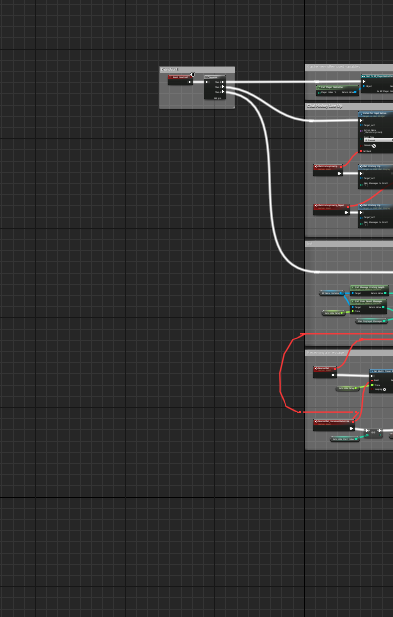 spiral mortar
Mmmh
elder falcon
https://i.imgur.com/GecrCgO.png quality software
 spiral mortar
Maybe there's an LOD setting for that too
elder falcon
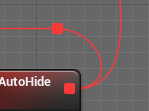
they're kinda always crappy https://i.imgur.com/iHilfDb.png
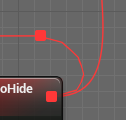
it probably has lod but computes the wrong lod level when it switches direction
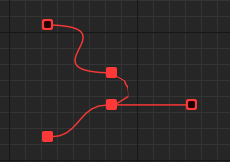 spiral mortar
Engine\Source\Runtime\SlateCore\Private\Rendering\ElementBatcher.cpp
elder falcon
but this is wrong on all lods
spiral mortar
Line 1225
float NumSteps = FMath::Clamp<float>(FMath::CeilToInt(FMath::Max(DirectLength,HandleLength)/15.0f), 1, 256); -> float NumSteps = 256;
elder falcon
yes it's a lot better now
spiral mortar
Really?
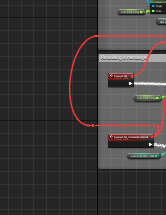 elder falcon
so it must be computing the wire length wrong I guess?
 elder falcon
with it set to 256 or default?
elder falcon
this is zoomed out all the way https://i.imgur.com/YE3flgz.png
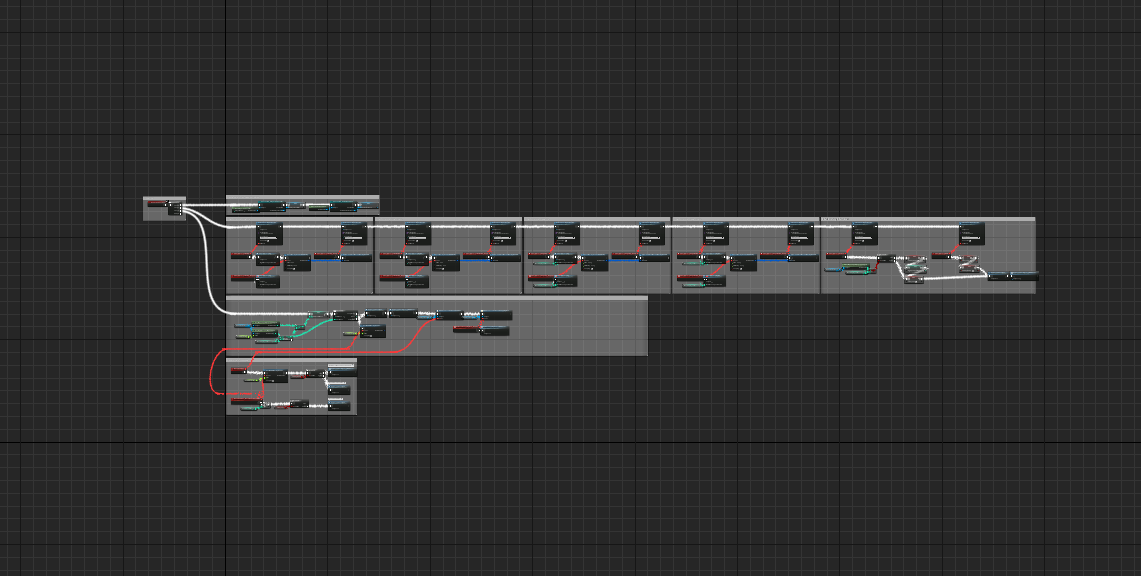 spiral mortar
It's so better
elder falcon
this is so it fits the window https://i.imgur.com/FrPoRqr.png
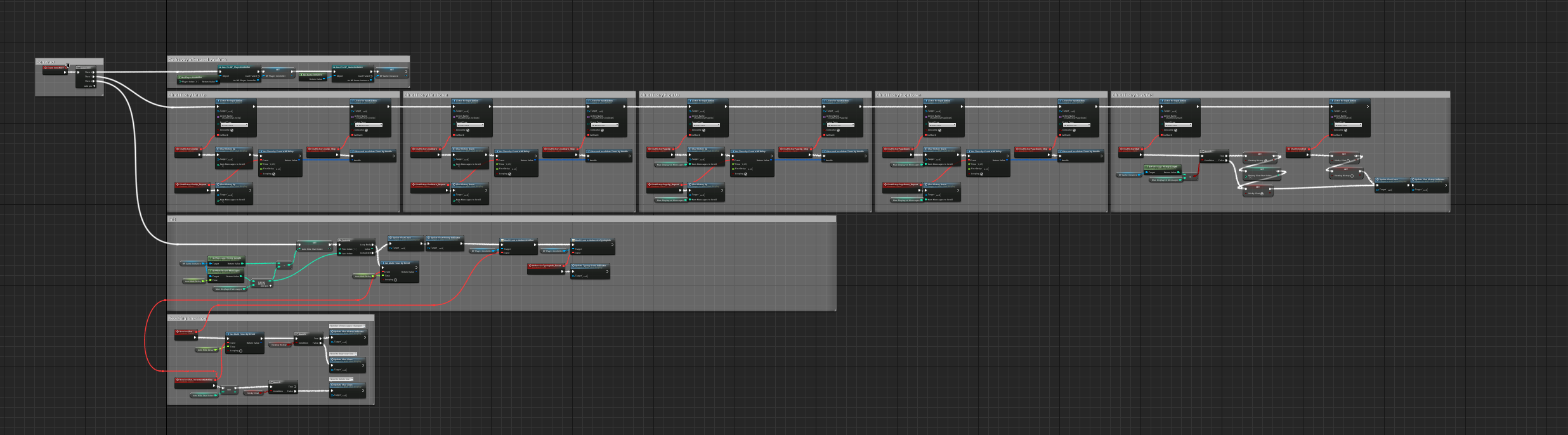
it's 100x better than the default drawing
spiral mortar
thinking of ways to put this in a plugin
elder falcon
so I'm thinking
//@todo SLATE: This should probably be done in window space so there are no scaling artifacts?
is not the problem
since it happens on 1:1 scale too
elder falcon
the problem is that one of https://i.imgur.com/cpr2Zau.png is bullshit when the wire changes direction
 elder falcon
tho I don't know enough about splines to fix the math
spiral mortar
I don't think it's possible to do so easily
spiral mortar
Yeah this is shit
elder falcon
google how to calculate length of spline segment
extremely complicated math shows up
spiral mortar
hehe
elder falcon
I just doubled the steps that default formula says it should have and now it looks fine
spiral mortar
Doesn't matter
elder falcon
this way it still reduces with zoom
spiral mortar
WE NEED THEM
elder falcon
ok let's triple it instead of double then
spiral mortar
ALL THE STEPS
elder falcon
can header files be removed
changing this cpp rebuilds super fast
so obviously removing all header files is the solution
spiral mortar
wtf
elder falcon
because they are slow
spiral mortar
😂
 elder falcon
I have never posted anything on reddit before lol
 elder falcon
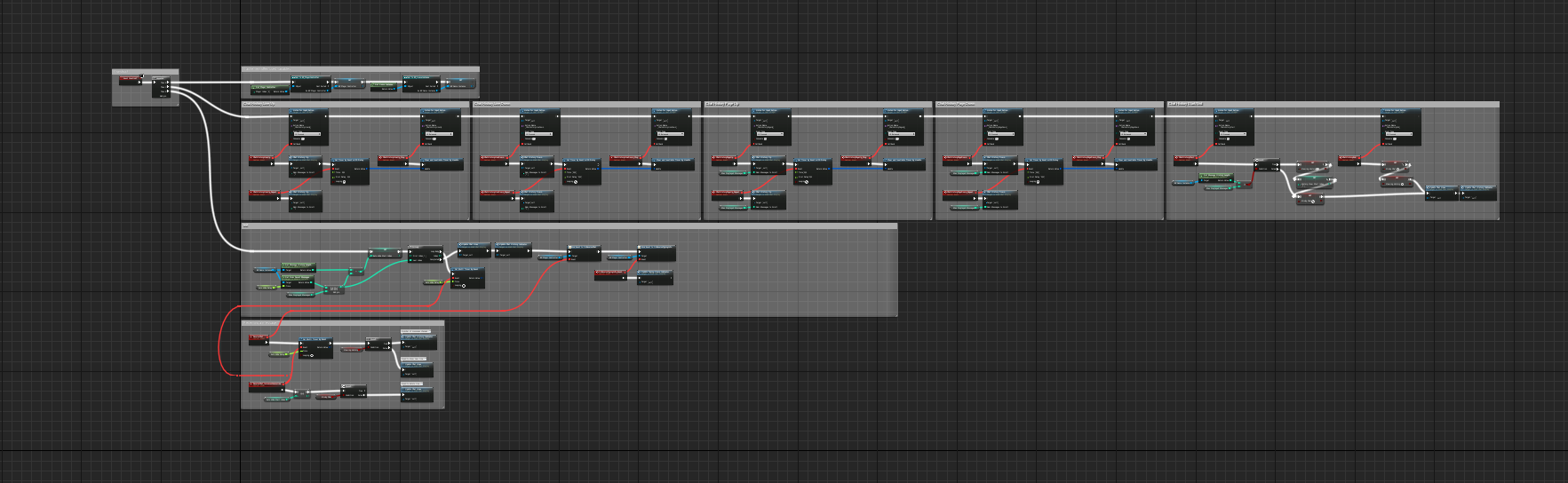
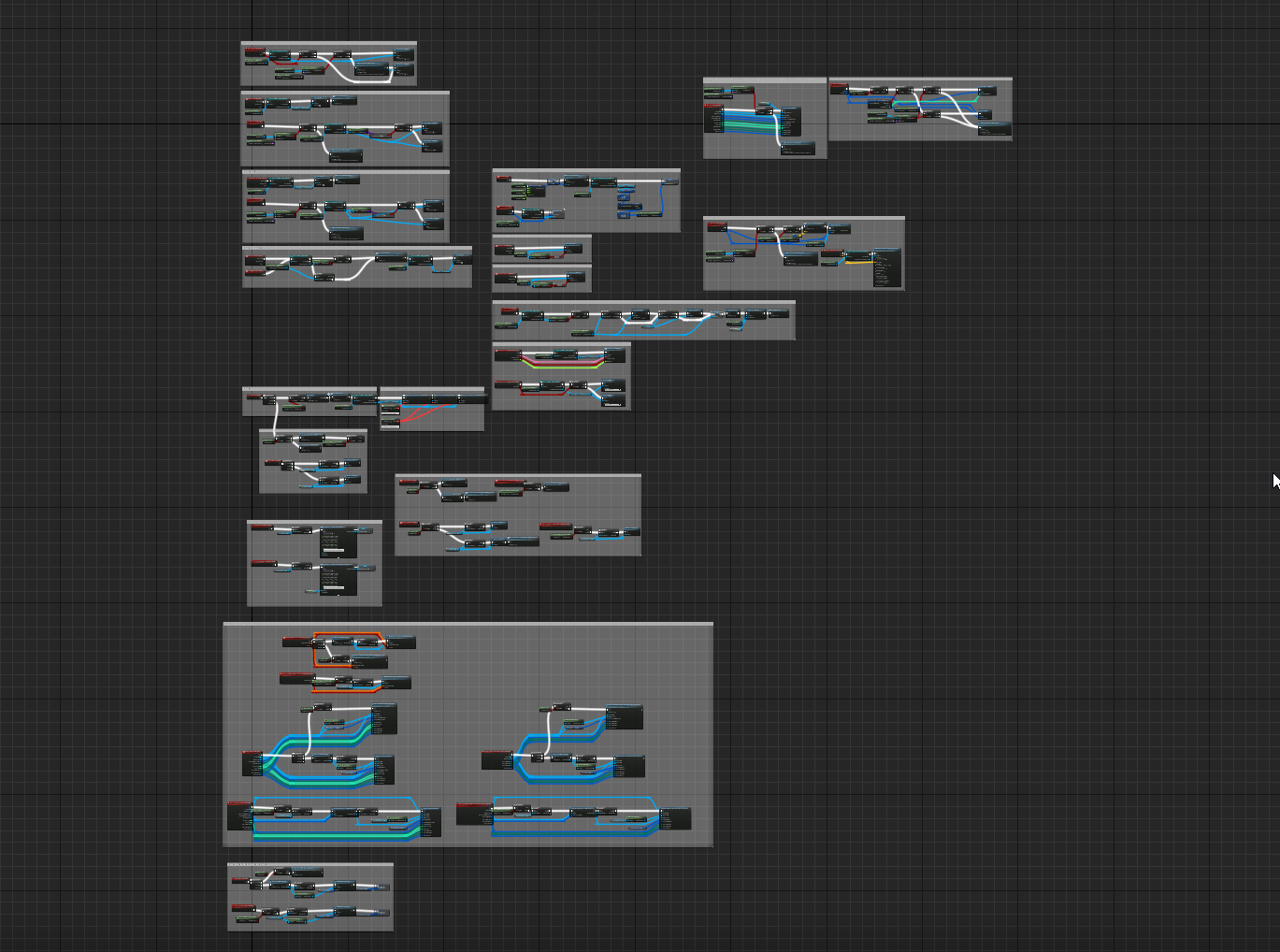
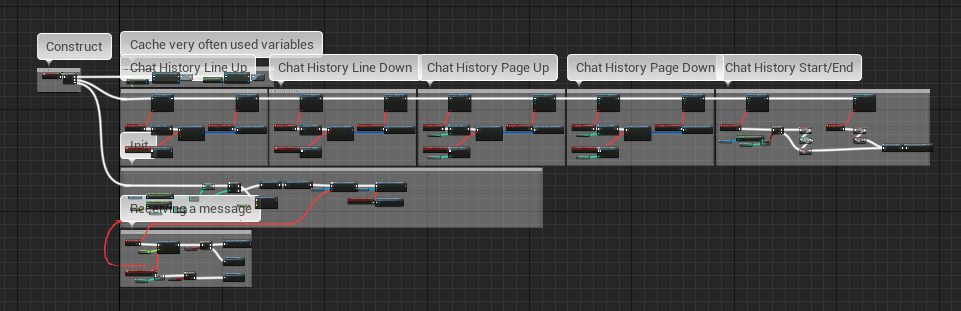
lol noone would pay for being able to screenshot a bp
elder falcon
it is
spiral mortar
Not so easy though 🤔
elder falcon
it can just be really slow right
move bp to top left
take screenshot
wait for next frame
take another
...
combine
spiral mortar
I mean without source modif
elder falcon
this wouldn't need that would it
surely getting the width of the graph is possible without?
spiral mortar
Yes
But how do you get the graph itself?
nvm
Iterating the graphs of a bp
Ok let's do this
elder falcon
there is just no difference between default detail and medium detail lol
 elder falcon
lol
elder falcon
ok the trick is to just disable LowestDetail
spiral mortar
lol

 spiral mortar
😃
 spiral mortar
lol
elder falcon
do you also know where these are drawn lol
spiral mortar
I can find
elder falcon
surely it is possible to move the drawing of tooltips to the end
hmm
how do I make it not double the wire segments for ones that don't change direction
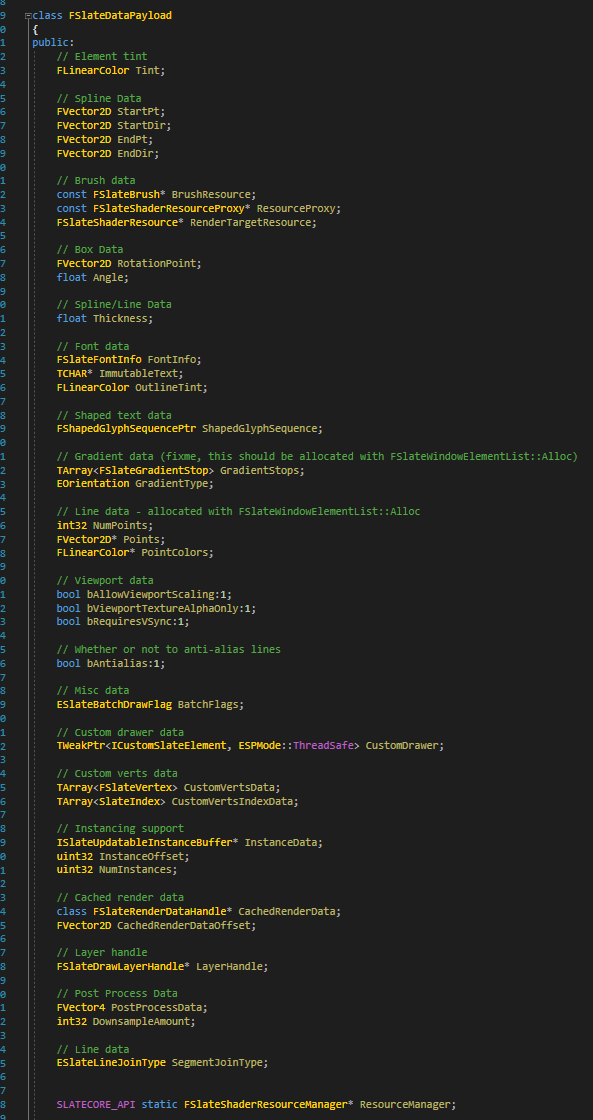
woa what the hell is this thing https://i.imgur.com/GS5lhxB.png
 elder falcon
well I'm leaving it like this now https://github.com/EpicGames/UnrealEngine/commit/6ff50189bf29e0ac7b0ec0c885c2023bea4b5a21
spiral mortar
Is that your fork?
elder falcon
yes
commits from all forks are visible in the main repo if you get the full hash right
elder falcon
nice
elder falcon
lmao
elder falcon
 elder falcon
rip
elder falcon
@spiral mortar btw how did you find those 2 places so fast yesterday?
elder falcon
pls
you probably used visual assist
but I never know what to search for when it involves slate
spiral mortar
Well idk how to explain it
elder falcon
aw
spiral mortar
trying to remember
For the zoom thing
Alt Shift S
Graph Zoom
Then I found that
For the splines
elder falcon
oh
spiral mortar
I knew it was done in the drawing policy of the graph
From there easy to find the call
So yeah
Skill
elder falcon
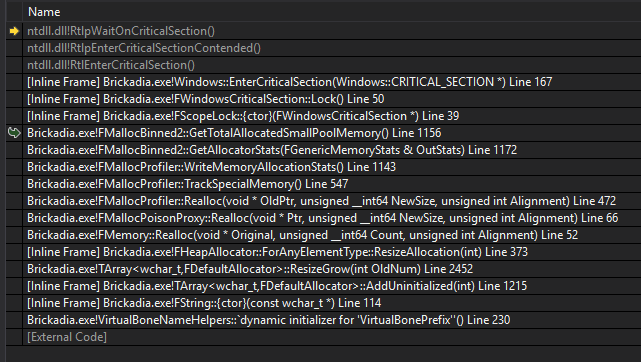
has anyone ever used the memory profiler before? if I try bUseMallocProfiler = true; in target.cs the program just immediately closes on start
elder falcon
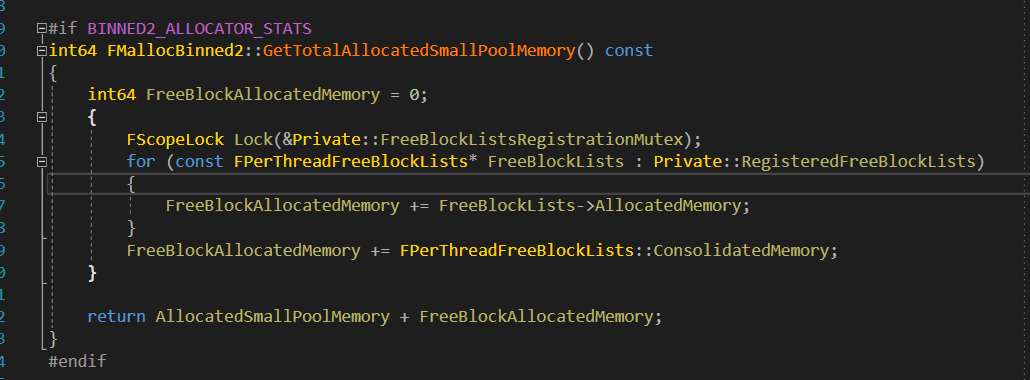
it looks like the memory profiler crashes itself here during static initialization of some string :( https://i.imgur.com/m3NJ67m.png https://i.imgur.com/xYfj11p.png
I've no idea how to even begin doing something about it
spiral mortar
🤔
 cold wigeon
Ctrl + mouse scroll also gets you +1 to +7. Zoom in BP graph
spiral mortar
Yep
elder falcon
aw making the comments draw above the nodes isn't easy
 proven grove
spiral mortar
proven grove
spiral mortar
@proven grove Valgrind is way too slow for UE right?
spiral mortar
I made that screenshot thing
But it only screenshots the wires 😢
btw @elder falcon
elder falcon
use it to make line art :D
 wicked whale
Nice line
elder falcon
sock curve
wicked whale
What is it even supposed to do 🤔
spiral mortar
Take a screenshot of a BP graph
wicked whale
How were you outputting the visual data?
beep boop
e.g. were you using render target(s)?
spiral mortar
were*?
wicked whale
where'd're
wicked whale
it's past 5:30 where I'm at, I've disabled the grammar module
You need to pass the FTextureRenderTargetResource you get from GameThread_GetRenderTargetResource into the Rendering thread, I think
although I'd kinda expect it to assert
wicked whale
documentation says expliclity do not dereference the game thread pointer
spiral mortar
Not even able to copy paste code
wicked whale
so I believe the right approach is wrapping the ReadPixels call into ENQUEUE_UNIQUE_RENDER_COMMAND
spiral mortar
Well no?
spiral mortar
It's not mine 😉
wicked whale
I literally just went through all of this today and I have yet to internalize it
yeah the readpixels function does the render command call for you
wicked whale
I can only guess why it doesn't render right
probably the rest of the visual state is cached
spiral mortar
🤔
wicked whale
since moving the graph around redraws nodes
wicked whale
that being said not certain how to express it to render target, if that even IS how it functions
spiral mortar
How do I solve that 🤔
wicked whale
there's some RHI commands to ask for a screenshot, those might be of use
it's a veeery long list of functions here, I was sure I saw something related to screenshotting but I don't see it now
wicked whale
beats me, I'm a digital dummy to the deep down of rendering
spiral mortar
I'm totally new to this
wicked whale
uhhhhhhhhhhhh
@spiral mortar I have absolutely no clue how this stuff works but you can use functions of RHICmdList inside Render Thread through ENQUEUE_UNIQUE_RENDER_COMMAND, there's a function called GetViewportBackBuffer that I suspect has the 'cached' stuff you need
spiral mortar
🤔
wicked whale
Look to the implementation of ReadPixels in RenderTarget, it will make more sense once you read a bit of it
Essentially you just need to run GetViewportBackBuffer and then run the TextureRHI that returns through the same function that ReadPixels uses, I believe it's ReadSurfaceFLoatData or somesuch
Which actually makes me curious, @spiral mortar how did you get a reference to the primary viewport render target in the first place, anyway?
Or if you didn't, were you making your own render target and reading the viewport data with it?
spiral mortar
I'm creating a new graph panel in the background from the BP graph
That's the rendered widget
wicked whale
Oh I see
if you can just pull the textureRHI of the viewport itself you could copy that to a separate texture, but I have no clue how that interaction works with Slate (I presume)
spiral mortar
🤔
 pearl fulcrum
So this doesn't move the canvas around and wait for the next frame? Cause one already was being worked on that did that method
spiral mortar
Nah that's not good
This will create a 10k virtual window
Open the graph in it
And save the render
elder falcon
what if my graph is wider than 10k pixels
 bronze crest
we need to remind Epic that Dev-Rendering is still the only major branch missing on Github: https://forums.unrealengine.com/unreal-engine/feedback-for-epic/1491051-dev-rendering-branch-still-missing-on-github-any-update-on-that-please
Unreal Engine Forums
1.5 months ago, you finally made it so that the individual branches are available on Github. What a great change, finally! It took a few days for most branches
elder falcon
there are a few more missing still
 hidden hedge
there are a few yeah, but some of them haven't had any activity for a while
 versed sky
Does anyone have experience with FPrimitiveSceneProxy? I have GetViewRelevance set bDrawRelevance to true if selected. But it seems to require that I also have the owning comp position in view. I'd like it to always render if selected.
versed sky
Seems like CalcBounds on the Component is close to what I'm looking for. But doesn't help for rendering in editor, only in game (it seems)
 gloomy hamlet
CalcBounds should be used in editor too.
@versed sky Putting this should disable bounds checking so you can see if that's the issue:
return FBoxSphereBounds(BoundingBox);```@gloomy hamlet Seems your extension is made for white theme 😉
spiral mortar
😉
btw what's the difference between the Classes and Public folders?
Actually I seem to be the only one using Classes 🤔
elder falcon
a long time ago uht only parsed headers in Classes folder, now that that limitation has been removed it's only legacy
elder falcon
yeah that's the new way
spiral mortar
Ok
gloomy hamlet
Yup. Some newer engine code added in 4.20 I've been checking out doesn't even seem to bother with a Private folder either.
I think it was purely convention anyway.
 lost linden
for most of the past month, I have been reading @gloomy hamlet 's solution to things. So thanks for the detail customization stuff. Way more helpful than the official docs 😉
gloomy hamlet
Glad it's useful. Hopefully not too outdated, that stuff was written a while back now.
lost linden
yeah it all worked. The official docs is still pre-dating the current system though. It was confusing at first
gloomy hamlet
Yeah, they were already outdated when I first wrote the article.
Seems that Epic have someone periodically go through docs updating the version stamp, without bothering to actually see if the content needs to be updated.
cold wigeon
UBlueprintFunctionLibrary gets actor from plugin, and called function on actor that returns "this"
(I know this is wrong)
I'd like to have something like this:
I don't see why I need to have indirection to make this work
spiral mortar
@cold wigeon ?
cold wigeon
yes?
spiral mortar
indirection = return this?
cold wigeon
Sorry I delete some info
I want to remove the blueprint library indirection
I would like to call the plugin directly
Also, I would like to not have to call a function in the actor to return itself as I already have it as a variable in the plugin
spiral mortar
I would like to call the plugin directly How?
cold wigeon
Okay, ignore the part about removing the blueprint library
From this:
return FTimePlugin::Get().TimeManagerActor->GetTimeManager();
to this:
return FTimePlugin::Get().TimeManagerActor;
spiral mortar
Well just do it
From what I can tell FTimePlugin::Get().TimeManagerActor->GetTimeManager(); == FTimePlugin::Get().TimeManagerActor;
cold wigeon
GetTimeManager is a function inside of the actor that just returns "this"
spiral mortar
Yes, I guess it wasn't designed like that initially
cold wigeon
Well. I'm dumbfounded again... its works just like you said
Okay, thats really great.
And I am assuming, there is no way to abuse IModuleInterface to get a blueprint global function without using a blueprint library right?

 ocean flax
How would I go about keeping Unreal from using my C: driver for anything? I have an SSD that is very short in memory, and as it is, I had to delete numerous Users/AppData/Local Unreal and Launcher folders. Especially, Common, which was pretty hefty in size. Any help is appreciated.
elder falcon
it will always put things in appdata
one way would be to move appdata somewhere else and create a symlink to it on your too small ssd
ocean flax
I did that with OneDrive, which I use religiously, and since doing so I have what appears to be phantom copies of items. I'd rather not mess with "system" folders if I can help it.
elder falcon
programs just really like dumping stuff in appdata
you can move the vault stuff from the launcher elsewhere
ocean flax
Here's what I mean. . .and making matters worse "they" are synced to the cloud 😲
When you say "move the vault stuff", what does that entail? Cutting the folder and placing it somewhere else? Anyway to configure the EpicGamesLauncher, which would benefit for a more fitting name, to access the content at a different location?
elder falcon
yeah you can move that stuff from the launcher
ocean flax
Thanks. I'll take a look at it later. Tying to build at the moment.
cold wigeon
The longer I stare at this, the more UE4 and their freaking commenting practices piss me off:
http://api.unrealengine.com/INT/API/Runtime/Engine/Engine/FWorldDelegates/index.html
World delegates
btw, there is such a thing as more than one UWorld
And for whatever reason UWorld post init gets called not only multiple times during editor startup, but everytime you open a blueprint.
Wow... and then I get a gift:
https://forums.unrealengine.com/development-discussion/c-gameplay-programming/15671-spawning-actors-during-level-load
Goodnight all
Unreal Engine Forums
For gameplay programmers writing C++ code.
gloomy hamlet
@cold wigeon In the editor heaps of worlds get created, mostly for previewing. So that's why it's triggered on opening a blueprint.
But yeah the world delegates are pretty confusing and badly done.
"Hey, a new world was created, but I'm not giving you a pointer to it or any context info. You have to guess."
"Thanks UE4."
cold wigeon
@gloomy hamlet thanks for the support xD. Yea even doing checks on the level would return null always. That's when I gave up an found that other post
elder falcon
wtf 4.20 no longer tells you how many actions it's going to compile
 grand sand
any possible solution for the error above ?
wicked whale
@grand sand You've made sure to run setup.bat right?
cold wigeon
@gloomy hamlet If I have a plugin IModuleInterface, and I just want to auto inject a single actor into every map, which delegate would work?
I basically have a for loop that looks for ATimeManager, and if found, sets the "global" reference, and exits the function preventing a second from being spawned. Else, it spawns one, and sets the "global" reference.
I have everything working, except that if I open a blueprint while the game is running, my for loop will spawn a new ATimeManager and set it as the global reference, and breaks my dependent plugins
There needs to be a ATimeManager in EVERY map, PIE, game, standalone ect.
This has "auto" default behavior so the user doesn't crash when using one of our sub-plugins that are dependent
gloomy hamlet
I have plugins do similar things, looks like I'm using OnPostWorldInitialization delegate.
Might fire a bit later, but it gives you a world pointer.
cold wigeon
That delegate is the one firing everytime I open a blueprint
fires twice during engine load, and a few times during map load (nearly empty map, thank god)
gloomy hamlet
Yep. Put in this check if(World->IsGameWorld()
That will limit to PIE and runtime worlds, but exclude static editor map and previews.
cold wigeon
Okay, just tested that. Now it only runs once. Nice.
Are you aware of any ifdef editor type delegate for the map load?
gloomy hamlet
No, but not sure what you mean.
cold wigeon
Usually there are delegates you can hook but are tied directly to the editor itself. aka, put the ifdef editor, or you will crash if you run this packaged
They give you more control, but they can only be used inside of the editor
FEditorDelegates Delegates used by the editor.
 river warren
Perhaps this is better asked here; does anyone understand what 'Time' is in FHitResult? is it the time it takes for a trace to finish? Seems odd
i cant find out where it is set/calculated either
its initialized to 1.0
and its supposed to be between 0.0 and 1.0
spiral mortar
@river warren I'd say it's the progress
Like 0 = start position
1 = end position
river warren
is that not what distance is?
river warren
waaaah
i thought the same thing, maybe its some kind of normalized distance but poorly named
river warren
okay, so theres a case of it being used im trying to understand in CharacterMovementComponent
in the PhysFalling function its doing:
float subTimeTickRemaining = timeTick * (1.f - Hit.Time);
so... i guess its tracing a certain distance. the distance of the trace is determine by how much time is in the tick and how fast its going perhaps?
and then its using Time to say, okay this is how much time we have left when the hit occurs?
I guess that would sorta make sense, but very confusing
gloomy hamlet
Yeah that's it. It will be tracing the movement, so the end point would be the position the thing would get to by the end of the frame, if it kept moving unobstructed.
river warren
@gloomy hamlet ah okay, thanks for confirming my thoughts 😃
it turned out the issue i was having was due to server spawned buildings not having rounded position/scale values... which caused client correction issues. Had absolutely nothing to do with my character movement or landing 😠
but i did get to learn something new so i guess its all good
grand sand
@wicked whale yeah . I re run it to make sure its working fine
I've run the setup command and the generate project files command
and now I'm building the source
Here is the output log
UBT not able to link rendercore.dll This error is coming. How to fix this ?
 tulip arch
hi I'm wondering if anyone can give me any info on FPlatformRect? http://api.unrealengine.com/INT/API/Runtime/ApplicationCore/GenericPlatform/FPlatformRect/index.html
just what the left, right, bottom and top are actually defining
this is within FMonitorInfo http://api.unrealengine.com/INT/API/Runtime/ApplicationCore/GenericPlatform/FMonitorInfo/index.html
Contains info on a physical monitor connected to the display device
which is in FDisplayMetrics, I'm trying to ascertain the order of monitors from left to right
unfortunately the MonitorInfo array in DisplayMetrics seems to be in order of monitor number, which isn't necessarily in order from lowest to highest horizontally
the order of monitors I'm testing on is 2, 1, 3
so yeah any info on if I'm looking in the right place in FPlatformRect would be appreciated, or if there's a better way to get the left to right order of monitors that would be great
grand sand
guys I'm not able to fix this issue
1>------ Build started: Project: ShaderCompileWorker, Configuration: Development_Program x64 ------ 1>Using 'git status' to determine working set for adaptive non-unity build. 1>Performing 1 actions (9 in parallel) 1>[1/1] Link ShaderCompileWorker-RenderCore.dll 1>LINK : fatal error LNK1104: cannot open file 'D:\GitHubRepos\UnrealEngine\Engine\Binaries\Win64\ShaderCompileWorker-RenderCore.dll' 1>UnrealBuildTool : error : UBT ERROR: Failed to produce item: D:\GitHubRepos\UnrealEngine\Engine\Binaries\Win64\ShaderCompileWorker-RenderCore.dll 1>Total build time: 0.95 seconds (Local executor: 0.00 seconds) 1>D:\MVS2017Community\Common7\IDE\VC\VCTargets\Microsoft.MakeFile.Targets(44,5): error MSB3075: The command "..\..\Build\BatchFiles\Build.bat ShaderCompileWorker Win64 Development -WaitMutex -FromMsBuild" exited with code 5. Please verify that you have sufficient rights to run this command. 1>Done building project "ShaderCompileWorker.vcxproj" -- FAILED. ========== Build: 0 succeeded, 1 failed, 2 up-to-date, 0 skipped ==========
If I restart my system and then run (ue4.sln) this , its working fine, once I run my project. I get this error. There is nothing which has opened UE4 files behind this. Yet this problem is coming
 limber jacinth
@grand sand maybe the shaderworker is running/stale/crashed? or your permissions to edit the file are messed up. but tbh i have seen that error myself, always cleared itself though
lost linden
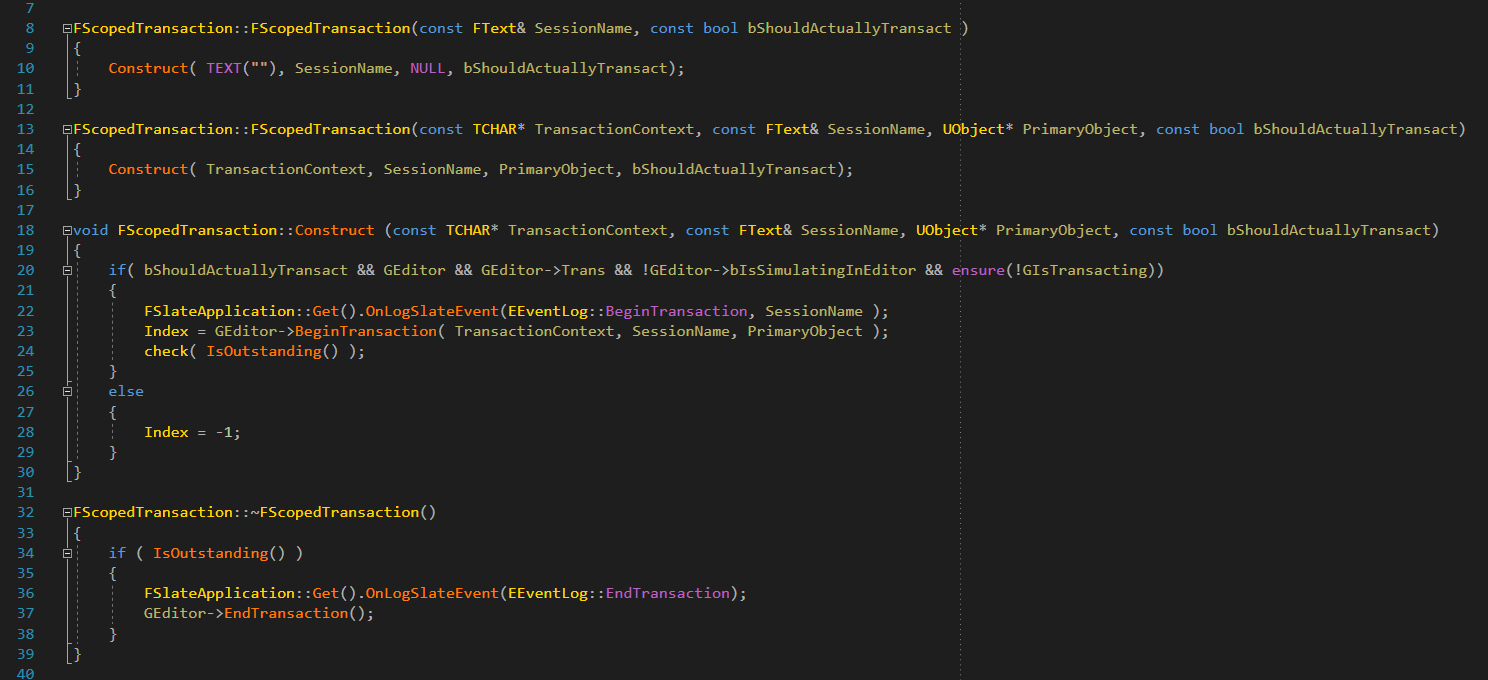
Hey. Im trying to find more information on FScopedTransaction . I was wondering, does this mean when you add a new transaction instance, is it only scoped into the current function? ie. once the function ends, its like calling a Transaction->End(); ?
 lost linden
cool. it just confused me a little based on the older system that explicitly defined the begin and end
elder falcon
it looks like it's just a simple wrapper for that
lost linden
hmm . I have a checkbox in the details panel which uses a delegate for when it changes. It seems a scoped transaction here doesn't undo the physical press, obviously because the transaction is scoped within the delegate function. How would a transaction work in this situation?
 shrewd thorn
Generally transactions only track changes to the actual data/model, not to the UI. Then the UI changes to reflect the model. If it's a UObject you just need to call Modify on it to register it with the transaction
If it's not a UObject you'd probably have to do something weird like register for a callback, I haven't done that in awhile
lost linden
yeah I was looking for a callback but I cant seem to find one, unless if(GUndo) { //does stuff } works
but then thats probably the wrong way to do it anyway
Its actually a Slate widget that im working with in the detail panel. It has no associated UPROPERTY that is transactional though, so I have to do it manually
maybe I can write a listener on the data for changes and refresh the detail panel manually
hmm something I just noticed. If you compile a blueprint, it causes the CustomizeDetails() function, in a detail customization, to be called twice.
gloomy hamlet
You'll probably find it's only called once per instance, but that for whatever reason the engine makes one instance, then immediately creates another and dumps the first.
That kind of stuff happens all over the engine. Property changes often result in 2 if not 3 construction script reruns for example.
lost linden
fair enough 😃
Ironically, when you do an Undo command, it doesn't necessarily refresh CustomizeDetails(). But sometimes it does. Its strange
I need to find a delegate for when Undo/Redo happens anyway
gloomy hamlet
I've found the undo/redo stuff in the editor so broken in general that I've never even attempted to implement it for my own stuff.
lost linden
thats a shame. I need to make sure data integrity is 100% and without it I will probably have to do some awful hack
 stable hemlock
do you have to put in the plugins you want to use before you compile the engine or does it not matter?
stable hemlock
@stable hemlock you can put in the plugins into the engine folder or the game folder, its recommended to put it into the game folder though because it's an extra step if you update engine source versions, like going from 4.19 to 4.20. to answer your specific question though, you can compile the engine first, and then gradually add plugins later after the fact if that's what you want to do. these are the folders paths for each: Engine -/[UE4 Root]/Engine/Plugins/[Plugin Name]/ and the game plugin path is Game - /[Project Root]/Plugins/[Plugin Name]/. if you add the plugin to the game folder, after you add in the plugins, you can generate a visual studio solution from the uproject file by right clicking it, and then building the game project in visual studio.
 edgy hedge
hey guys where is the documentation for UnrealBuildTool.exe and all the parameters/arguments u can pass to it?
i.e. I use something like this: UnrealBuildTool.exe KriegEditor Development Win64 -project="D:\Krieg 4.19\Krieg.uproject" -verbose but that's all I know and I'd like to see all the parameters I can pass
this is a wiki regarding RunUAT.exe
Also when you "rebuild" your game solution using Development Editor, what command is actually being run behind the scenes?
I'm thinking of automating a lot of these commands using some Continuous Integration tools

 edgy hedge
ty @spiral mortar
 opaque aspen
Question: in 4.19 was there a change in the execution order? In 4.18 the order for BeginPlay in my project in Play in New Editor Window was Controller -> GameState -> Level BP -> Actors preplaced in Level. After upgrading to 4.19 it became: Actors preplaced in Level -> Level BP -> GameState -> Controller.
edgy hedge
what command is run when you double click .uproject when you have no Intermediate folder or Binaries?
 still willow
Hello guys, a friend is writing his own engine and I want to help him write an Actor object which can have a tree of children. How would you go about that architecturally?
 regal yoke
I’m trying to find where a certain UI_COMMAND is run. I can find a bunch of code defining it but I seriously can’t find where the actual logic behind the command is. It’s the command that centers the pivot on the actor. It’s in the right click menu but I want to bind a keyboard shortcut to it.
Anyone know that or how to add custom keyboard shortcuts?
elder falcon
what's it called?
regal yoke
@elder falcon MovePivotToCenter
elder falcon
well the actual command is found pretty easily using VA find references, but I'm not sure if this will help you with assigning a shortcut to it
 regal yoke
@elder falcon yeah I already found that. I just don’t know how to set up a shortcut. I maybe could add it to the keybindings editor but I don’t know how to do that yet
 lapis wave
Does anyone know how's the progress on python editor scripting? I remember I saw it's going to be released with 4.20. But seems the preview releases don't have it. Thanks in advance!
stable hemlock
anyone know how disable pdb generation?
elder falcon
why would you want to? you need those to debug crashes, and use the debugger at all basically
stable hemlock
nope i dont need it
just tell me how disable this
<element minOccurs="0" maxOccurs="0" name="bUsePDBFiles" type="boolean" />
so i disabled this?
bronze crest
[2018.06.28-06.50.20:444][323]LogWmfMedia: Verbose: Session 000001F63BF2EF00: Created
[2018.06.28-06.50.20:444][323]LogWmfMedia: Verbose: Player 1f62fd0a020: Initializing file://../../../../../../../FULLPATH.mp4 (archive = no, precache = no)
[2018.06.28-06.50.20:444][323]LogWmfMedia: Verbose: Session 000001F63BF2EF00: Initializing media session (LowLatency: 0)
[2018.06.28-06.50.28:598][323]LogWmfMedia: Verbose: Session 000001F63BF2EF00: Setting rate to 1.000000
[2018.06.28-06.50.42:375][323]LogWmfMedia: Verbose: Session 000001F63BF2EF00: Presentation clock ready
[2018.06.28-06.50.54:372][323]LogWmfMedia: Verbose: Session 000001F63BF2EF00: Rate control ready
[2018.06.28-06.51.14:871][323]LogWmfMedia: Verbose: Session 000001F63BF2EF00: Rate support ready
[2018.06.28-06.52.35:250][323]LogWmfMedia: Verbose: Tracks: 000001F636A749D0: Shutting down (media source 0000000000000000)
[2018.06.28-06.52.35:250][323]LogWmfMedia: Verbose: Tracks: 000001F636A749D0: Initializing (media source 000001F64613AE00)
[2018.06.28-06.52.35:250][323]LogWmfMedia: Verbose: Tracks 000001F636A749D0: Found 1 streams
[2018.06.28-06.52.35:251][323]LogWmfMedia: Verbose: Tracks 000001F636A749D0: Major type of stream 0 is Video
[2018.06.28-06.52.35:251][323]LogWmfMedia: Verbose: Session 000001F63BF2EF00: The rate 1.000000 is not supported
@gray bay I get that when I try to start playing a video through the new media framework, manually, not using the UMediaPlayer etc stuff. why does it say The rate 1.000000 is not supported?
I did create my own class inheriting from IMediaOptions, created a FMediaPlayerFacade and called Open() on that with a URL and my custom options. Then I call AddVideoSampleSink() on the PlayerFacade and then SetRate(1.f) to start playing the video, which fails due to the problem above
this is my code:
the UMediaSource is only there since that was the easiest way for me to get the correct URL into there
spent the last 3.5 hours reading through the media framework code to try to understand how to use it like that, without dependency on UMediaPlayer and those other UObjects
is my code there correct?
I looked at why the rate 1.0 is not supported, and its because ThinnedRates and UnthinnedRates are both Empty in WmfMediaSession.cpp
so it thinks that it doesnt support any rates
but why?
just for testing, I added a call to UpdateCharacteristics() before it checks if the rates are supported, so the log output above includes the output of UpdateCharacteristics(). but that call didnt change anything
I've tried that since UpdateCharacteristics seems to be the only function where ThinnedRates and UnthinnedRates are filled, and the problem seems to be that they are not correctly filled
 open zodiac
building from engine source. Cloned from git, run setup.bat & generateprojectfiles.bat and getting build errors. Anything I am missing?
open zodiac
getting sharedpch.core.cpp - no such file or directoyr
spiral mortar
Why do you want to disable it @stable hemlock
spiral mortar
Ah
@stable hemlock
Comment that line:
Just comment it
And rebuild UBT (there's a csproj)
You don't even need source for that
elder falcon
why does 4.20 have 500000 more symbols in VA than 4.19?
elder falcon
that's the wrong way to disable it
that way ubt still expects it to make a pdb
you could try by setting the 2 public bool bCreateDebugInfo in LinkEnvironment.cs and CppCompileEnvironment.cs to false
 slow pendant
anyone has a possible fix for this? https://issues.unrealengine.com/issue/UE-48546
 sterile kite
The compile button does nothing. Unreal Engine 4.18.3 from Source. Any ideas on how to fix it?
limber jacinth
don't use the compile button in the editor?
hates hot-reloading (too many horrors) :D
 gray bay
@bronze crest sorry for my delayed response - I'm currently on a sabbatical
your code is almost correct
the problem is that opening a media source is an asynchronous operation that can take considerable time
by the time you call SetRate(), the opening is not yet complete
bronze crest
@gray bay ooh, you're still here 😄
gray bay
you have to hook into the event notification mechanism of the media player and call SetRate() only on OnMediaOpened
in the low-level API there's OnMediaEvent or something like that
bronze crest
@gray bay I did find that my problem was mostly caused by this missing:
MediaModule->GetClock().AddSink(PlayerFacade.ToSharedRef());
MediaModule->GetTicker().AddTickable(PlayerFacade.ToSharedRef());
and then doing SetRate delayed
so I ended up with this:
gray bay
yes, you also need to register player facade with the media clock, otherwise it won't get ticked
you can delay the call to SetRate, but it's better to make it event-driven
bronze crest
but I then ended up with a problem that made me think I can never get that to work nicely
gray bay
you also don't need CustomMediaOptions. you could simply have your CustomMediaPlayer implement that interface and pass in this
bronze crest
ah, right
but the problem that made me give up then was this, maybe you can tell me how to do that
25 times per second, I would try to get the current IMediaTextureSample from the SampleQueue
but the IMediaTextureSample only contains the raw buffer, and not a texture
gray bay
this is what you want to hook into for the event based API: https://github.com/EpicGames/UnrealEngine/blob/release/Engine/Source/Runtime/MediaUtils/Public/MediaPlayerFacade.h#L583
bronze crest
and the code for getting a texture out of the raw buffer seems to be very much built to only work with the UMedia stuff
gray bay
you are right about that
i didn't get to refactoring the texture sample conversion code out of the UMediaTexture/FMediaTextureResource and into a reusable lower-level class
bronze crest
and I can't really make any use out of the raw buffer, I need a FRHITexture
gray bay
i no longer work on the Engine, and i doubt that anyone else will make this change
the best you can do is to duplicate that code
the media texture samples are not just raw buffers. what they store is platform and player dependent
on Windows using WMF, they contain copies of the frame buffers in raw CPU memory
on other platforms they may contain pointers to textures on the GPU, or handles to hardware samplers
even when they store raw memory like in WMF, the format depends on the video you're playing
bronze crest
I found that the code I need is pretty much in FMediaTextureResource::Render
gray bay
correct
that function will determine what the texture sample actually consists of, and it will then perform the corresponding conversion operations
there's quite a bit of logic there to accommodate for the various platform and pixel format differences, but with some patience you should be able to figure it out. it' s not rocket science.
bronze crest
but it also has to run on the render thread, which means if the engine stalls for a few seconds, it wouldn't actually do the conversion to the texture any more, right?
bronze crest
if the game thread is doing something that takes 10 seconds (so it stalls) the render thread will also not really run since it only wants to be a few frames behind
gray bay
the render thread may be a frame behind the game thread, but it will still execute any enqueued commands
ah ok, yes, that is correct
bronze crest
you mean even if I do a Thread.Wait(10 seconds) in the GT, the RT will still convert my textures every tick just fine?
gray bay
it will do every tick, but that tick will take 10 seconds
bronze crest
well, yeah, so what I expected
the reason for doing this manually is that I hoped I could get a 100% smooth media playback while I'm loading a new level. the engine is doing slow stuff while it loads a level, and I'm also doing stuff like spawming 2000 actors in 1 frame to fill up my pools and similar stuff. I hoped going away from the UMedia stuff and using the underlying media framework directly would make it only depend on some media framework threads (and I can start it in the old level, and stop it in the new level without playback ever being affected)
so that I could nicely send a new texture to SteamVR 30 times a second, and due to the SteamVR compositor doing its own rendering it would look fully smooth
SteamVR just takes a native texture resource pointer and displays that texture
and you can update that texture as often as you want, it will just keep displaying that until you update it again
gray bay
we had plans to replace the legacy startup movie framework with media framework, which would have supported this use case
i'm not sure when that will happen now
in principle, what you're trying to do is possible, but it will take some work
since the game thread is busy, something else needs to tick the media framework
on the rendering side there shouldn't be any major problems, because that already works for loading screens and stuff like that
the legacy startup movie player spawns a separate thread that processes video frames, if i remember correctly
bronze crest
hm
you mean there shouldnt be any major problems with calling that code in Render() from a non-RT thread?
gray bay
take a look at the what the MoviePlayer implementation does
it's still rendering on the render thread, i think
bronze crest
I remember you mentioned the old startup movie framework would be replaced with the new media framework
I hoped the media framework would be setup for that already
do you think the new media framework will go into a "legacy code mode" now without you? so no new features etc, just getting maintained?
 quaint adder
anyone familiar with how to get dependencies (like libfbxsdk.dll) copied automatically to a staging build dir? \
elder falcon
I think there are some things you can set in the build.cs file to achieve that
check out how the engine does it for some of the dlls it copies by default
quaint adder
yeah, looks like Setup.bat does a dependency check , looking into installed builds, basically trying to avoid having artists having to compile all the time , but might be unavoidable :/
 wary drum
gray bay
wary drum
gray bay
@bronze crest no idea what the plans are, sorry
@quaint adder check the RuntimeDependencies property in Build.cs files
bronze crest
@gray bay ok, thanks very much for still answering my questions about it! I'll just keep using it same as before then, through the UMedia stuff
seems to make the most sense for now
quaint adder
OK ...
spiral mortar
lol
 timid otter
Probably find some paragon in there too
 pulsar urchin
guys I feel UE4 is compiling all modules (Core, CoreUObject, ..) for each shipping project separately is that true?
 brisk silo
1>Creating makefile for ShaderCompileWorker (no existing makefile)
1>EXEC : error : System.IO.FileNotFoundException: Could not find file 'K:\DWVR_Redux\ShaderCompileWorker.uproject'.
1>File name: 'K:\DWVR_Redux\ShaderCompileWorker.uproject'
1> at System.IO.__Error.WinIOError(Int32 errorCode, String maybeFullPath) ```what the fuck is this
fisrt time i see this kind of errors, when trying to compile engine
could it be visual studio 2017 shanenigans?
sterile kite
@bronze crest They modified some bits of the engine for Fortnite, probally Paragon too.
elder falcon
@pulsar urchin yes
brisk silo
ok this is really fucking weird
i get that same error on multiple different engine versions
but only if it compiles from my game
if it doesnt compile from my game it works fine
hidden hedge
@pulsar urchin longer answer is yes, it compiles them as static libraries and links them into a single executable file
pulsar urchin
@hidden hedge but I don't see any .lib file. It seems only .obj file is created and all of them make the final .exe
stable hemlock
how i upgrade my engine source code with not downloading the code in git hub every time its realise a new version
stable hemlock
@elder falcon thanks
 sick basin
not really a big issue but where is my editor hotkey config stored? so far I've tried
Engine/Saved/Config/Windows
Game/Saved/Config/Windows
Game/Config```
And none of these. I'm slowly going insane @sick basin AppData\Local\UnrealEngine\4.19\Saved\Config\Windows\EditorKeyBindings.ini
What would you do without me 🙃
 spiral mortar
hehe
sick basin

spiral mortar

sick basin
by the way wtf Epic is that necessary
stable hemlock
so i have a bug in one of my blueprints (creates some procedural meshes from bp) that make the editor crash if i drop them into the map (they get a tick due to "realtime" in editor) but now i also cant edit the bp because whenever i go into the blueprint inspector, they also get a tick from the realtime setting being default.
is there any way around this? make the bp inspector viewport not "realtime" on default somehow?
basically have this unchecked by default
gloomy hamlet
@stable hemlock I think it's saved in one of the ini files, but I couldn't tell you which.
stable hemlock
Seems like a really critical design flaw from ue side; makes any bp that crashes impossible to fix
gloomy hamlet
The approach they take is that it shouldn't be possible to cause a crash by doing something in a blueprint. If it does, it's because of a bug in the C++, either engine or you own.
So it's something that needs to be fixed on the C++ side, not within the BP itself.
stable hemlock
i access some array in blueprints and it throws a nullpointer
this happens on the constructor so it happens instantly i switch into the inspector
elder falcon
I tried, it does not work
program only works in engine/source/programs folder
I ended up not doing it
you could do it in the engine folder
it works fine there
🤔
well, only one person has to build your crash reporter right?
brisk silo
im going to try to implement a low overhead forward shading model
that skips all lighting and some extra stuff, but still keeps the lightmaps
something like the SimpleForward but as a shading model and a bit better
brisk silo
i tried SimpleForward, but it was too ugly
and it affected my guns
wich i dont want to get affected
in my game, the environment is 100% fully static, so i want to implement a shading model that just uses lightmap and absolutely nothing else
should save a good chunk of pixel perf
the absolute best case would be to use the mobile renderer in ps4
 royal glacier
you can ?
royal glacier
🤔
brisk silo
not without considerable engine editing
and the mobile shaders are completely untested on ps4
for the GLES render path
it would really be the best case scenario, but shit happens
if i could use the mobile renderer, i could lower gpu cost by half
minimum
allowing me to run at 120 fps in a ps4
like an absolute fucking madman
royal glacier
you doing 60 interp right now right ?
brisk silo
for base ps4
Pro is native 90
but the main bottleneck of ps4 base was CPU
my enemies were too costly
ive done an optimization pass and lowered their cost by 30%, wich is the CPU differential
so now i should be able to upgrade base to 90
royal glacier
60 interp looks odd, too much remanence
brisk silo
yes
as far as i know, DWVR is the only game in the whole PSVR lineup to have varying framerates depending on model
there is also another edit i want to try
straight up REMOVE the depth pass
on forward renderer
again, i do not use point lights at all. I just use directional + lightmaps
wich means the whole prepass + light compute shader.. is useless
royal glacier
thats too deep into UE's source code for me
but if you manage to make a bare bone version of UE4's fwd renderer, please do share :p
brisk silo
my idea is to literally comment out the "if(forward_render) depth_prepass"
and later, when its going to render the meshes, it uses Depth EQUALS as depth test
so have it be "normal"
of course, this will cause overdraw
no way around it
but maybe, with the simple lighting shader, i can improve things
it would 100% make the game so much more performant on pc
where im highly drawcall bound
for the lower cost shading model, i did that for my toon rendering stuff
this shader was like 1/3rd of the cost
but of course that was due to the extremelly simple light calculations, and the complete removal of a TON of stuff
looked pretty damn good on curved surfaces, but it needed some art direction i do not have, so that project got scrapped
now gonna go forward with it
first step of engine render hacking
actually build a test suite
so i can run the test suite and see what pixels changed
brisk silo
ok you cant have screenshot testing without source control
 gray glade
Without source control... or without writable files?
Wouldn't be surprised if it assumes you need source control if the files aren't writable.
 stable roost
i need help regarding ue4 source code workflow, someone plz?
stable roost
1st thanks for your interest! 😃
https://github.com/googlevr-unreal/UnrealEngine , i want to use this source version for compiling google vr plugin
elder falcon
well, clone it and follow the official instructions for how to build it?
stable roost
yes am aware of that. what i want to know is
how can i compile this plugin's version and use it on my project on launcher version
what i need to work in my project are only the binaries for win64/adnroid/ios?
am sleepless alsmost 2 days , please i need help
😃
elder falcon
that's not how it works, if you compile this engine then you need to use your source build to work on the project
can't just copy parts of it to a different version
stable roost
so there's no way to do this. so i need to use this version to open a copy of my project ?
its a bp, not c++
?
stable roost
Can Someone From EPIC respond?
 wispy shuttle
Not seeing 'generate project files' or any other UE-specific options on project > right click
elder falcon
run the UnrealVersionSelector thing somewhere in Binaries to register shortcuts
wispy shuttle
Ah gotcha, thank you
 hollow kernel
Is there anyone here that doesn't use Visual Assist?
Afaict, it's a must. I'm just curious if some people can navigate source more efficiently without it (using built in tools, like intellisense, alone).
wispy shuttle
Anyone know what these are for? They don't cause any real problems as far as I can tell so far, the project opens and everything works. This shows up when I try to gen project files
 oak linden
Hello fellow unreal slackers, anyone here has a terrible hard time with Intelisense errors with the source version of UE4?
bla.generated.h does not exists
GENERATED_BODY() allso give me an error in every headers
The game still build properly but if I open any cpp file, compiles fails
spiral mortar
@oak linden Works fine after one build, as the generated files are generated
GENERATED_BODY use the line number as id, so if it moves intellisense won't find it
@hollow kernel Hard to do
There's Ctrl T in VS to search symbol, but it's not as good as VAX
stable roost
there are no specific instruction ( i guess there should be) its just a copy paste from ue4 github
elder falcon
if you immediately got this when running setup.bat after clone then it may be that they have intentionally modified these and you should be pressing n
stable roost
yes that happend
It may take anywhere between 10 and 40 minutes to finish compiling, depending on your system specs OR MAYBE THEY MEAN 1,5 HOUR ???
elder falcon
if your pc is shit it can easily take multiple hours
for me it takes 15 minutes
more cores = better
stable roost
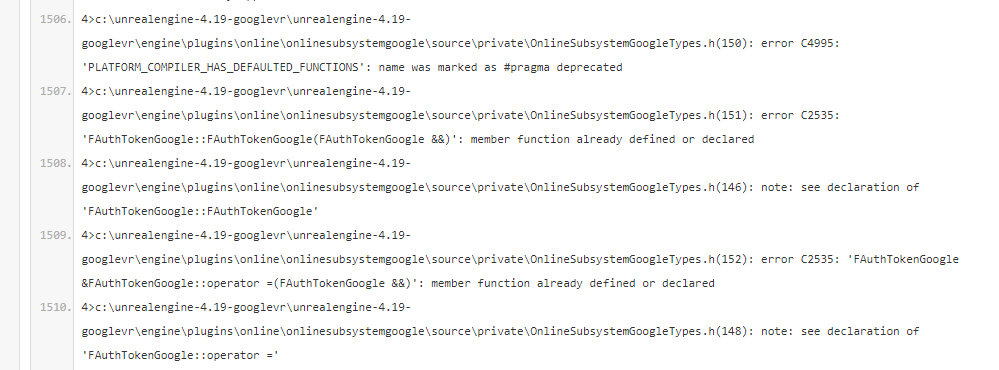
UnrealBuildTool : error : UBT ERROR: Failed to produce item: C:\UnrealEngine-4.19-googlevr\UnrealEngine-4.19-googlevr\Engine\Plugins\Online\OnlineSubsystemGoogle\Binaries\Win64\UE4Editor-OnlineSubsystemGoogle.dll
4>Total build time: 3393.42 seconds (Local executor: 0.00 seconds)
4>C:\Program Files (x86)\Microsoft Visual Studio\2017\Community\Common7\IDE\VC\VCTargets\Microsoft.MakeFile.Targets(44,5): error MSB3075: The command "....\Build\BatchFiles\Build.bat UE4Editor Win64 Development -WaitMutex -FromMsBuild" exited with code 5. Please verify that you have sufficient rights to run this command.
4>Done building project "UE4.vcxproj" -- FAILED.
========== Build: 3 succeeded, 1 failed, 0 up-to-date, 0 skipped ==========
are you aware of this FAIL?
stable roost

 stable roost
ok so subsystem is broken?
is there any chance i can use github 4.19 ,and copy the googleVR's plugin from this source build?
elder falcon
if it was that easy they would just be distributing a plugin instead of a custom engine version
there are likely major changes to the engine source
required to make the thing work
 stable mantle
hello, does anyone know about pictures, videos, tutorial, power-points, etc that explain the engine's architecture as a whole? I'm more of a visual thinker, so anything with diagrams, UML, would be very nice, please
someone just going through the source and explaining it would be brilliant too
spiral mortar
AKA Blaenk Denum
wispy shuttle
I'm trying to create a GameServer.Target.cs file but when I tried to duplicate an existing .cs file (to replace its contents), it wouldn't show up in VS.
Trying to create a new item doesn't let me create a .cs file either.
Anyone know why?
elder falcon
regenerated project files after this?
that's exactly how I originally created our Server.Target.cs and it worked just fine
I'm not sure if it already needs to have valid contents at the time you regenerate project files
wispy shuttle
@elder falcon I just duplicated the Editor.Target.cs file and changed the contents to the correct ones (from the Epic docs) and then generated project files
But,
I've been running into this when I try to generate project files ever since I moved my entire engine & project folder to my SSD
elder falcon
run the unrealversionselector thing in your engine/binaries folder
then on the uproject change engine version
and it should work again
?
wispy shuttle
one sec
hmm the registration of the directory was successful but,
those errors still appear
I tried deleting appdata folders, deleting saved/interm folders, re-building the engine and project files
no luck
doing a search for aqprof.dll in my original directory
elder falcon
those warnings are normal, it's just support for some optional profiling tools
they're unrelated
elder falcon
copy pasted the game one and added Server to the name
also make sure you rename the target in it
GameTarget -> GameServerTarget
wispy shuttle
elder falcon
what's all this stuff
wispy shuttle
I copied and pasted it from the Epic documentation for setting up dedicated servers
elder falcon
I just have
using UnrealBuildTool;
using System.Collections.Generic;

public class BrickadiaServerTarget : TargetRules
{
    public BrickadiaServerTarget(TargetInfo Target) : base(Target)
    {
        Type = TargetType.Server;
        ExtraModuleNames.Add("Brickadia");
        ExtraModuleNames.Add("BrickadiaOpenSSL");

        bUseChecksInShipping = true;
        bUseLoggingInShipping = true;

        if (Configuration == UnrealTargetConfiguration.Shipping)
        {
            bAllowLTCG = true;
        }
    }
}
you using gamelift by any chance?
elder falcon
nah
wispy shuttle
okay I'll use this code - do I need the OpenSLL module as well or is that specific to your set-up
elder falcon
that's just some project specific stuff
I had to use openssl lib for some crypto but it has overlapping names with some unreal stuff
so only option to use that is to make a new module that doesn't include any unreal stuff
wispy shuttle
still not seeing the server.cs file in VS. I recently re-installed VS, maybe I missed something related to the .cs files
I did modify it to add C#
elder falcon
you named it GameServer.Target.cs right
it should only show up after regenerating project files
wispy shuttle
yes, in that case this "failed to generate project files" error might actually be failing the entire process and not just anything related to the errors inside
I did a search for aqProf.dll in my original directory, there's no file like that in there
this is strange
wispy shuttle
I've never encountered this error before though, have u?
elder falcon
what's the full error?
wispy shuttle
wispy shuttle
was just looking at that, sec
it's a log
I don't have an 'engine' folder on my Desktop
so weird
wispy shuttle
No, here's the layout
It was like this with 4.19PC being the root in my D Drive
Moved that 4.19PC folder directly to desktop
That's it.
wispy shuttle
it's strange that it threw an error for not finding a dated .log file
elder falcon
I'm not seeing a .git folder there
wispy shuttle
wait a minute
This goes to look for an 'Engine' folder but look at the start of the path
it looks like maybe it's going back to desktop
then searching for it
it is that file mentioned at the end there
UnrealBuildTool wants it
tbh this is probably unrelated to the missing .dll files anyway
elder falcon
like I said the missing dll files are completely unrelated, that's a normal thing to happen
 daring bobcat
Hi everyone, there is anyone who worked on HDR for xbox one?
elder falcon
huh
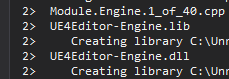
did ubt change in 4.20 to print the output after actually doing the action
it now spends a very long time on this

before quickly printing out these 3 https://i.imgur.com/LXOyGwk.png
 gray glade
I've always seen it do that.
It's how I've tracked down which file is causing an Internal Compiler Error before. Which has been more than once, surprisingly.
elder falcon
it looks like this is new in "ParallelExecutor" in 4.20, "LocalExecutor" prints the output immediately without waiting for the action to finish
gray glade
Oh, sorry. I misunderstood precisely what you were referring to.
Printing out after versus before, rather than after versus not at all.
wicked whale
If anyone happens to be familiar with low level interfacing UTextureRenderTargets, does setting the bGPUSharedMemory flag imply that you can only bind to the UAV of the FRenderTargetResource?
From what I know I can safely read back from the RT by binding the Texture slot to a shader with bGPUSharedMemory false, however now I want to write to the RT with a shader.
In retrospect I need to read and write to the RT in the same shader anyway so binding the UAV seems to be the straightforward solution... 🤔
Although I'm curious how writeback to the FTexture resource of the RT is managed normally
Looking into SceneCaptureComponent writing to the RT is handled within SceneCaptureRendering (specifically UpdateSceneCaptureContentDeferred_RenderThread) wherein the scene is written to a View of the SceneRenderer and then somehow that is duplicated over to the RT with CopyToResolveTarget, tbh I don't understand any of this
Interestingly neither SceneCaptureComponent nor SceneCaptureRendering reference the RT UAV so I'm guessing that's the wrong way to look at the problem
 solid token
Hello
I'm trying to integrate SDL2 on Windows as a different way to get controller input. Seeing how UE4 already uses SDL2 on Linux I figured I wouldn't need to do anything too fancy. So I've added SDL2 as a dependency in ApplicationCore.
        if ((Target.Platform == UnrealTargetPlatform.Win64) ||
            (Target.Platform == UnrealTargetPlatform.Win32))
        {
            AddEngineThirdPartyPrivateStaticDependencies(Target,
                "XInput", // TODO: Remove this when SDL takes over
                "SDL2" // We're using SDL2 for better controller support
                );
        }
After adding this and a few SDL calls to test in ApplicationCore/Private/Windows/WindowsPlatformApplicationMisc.cpp, the engine seems to compile just fine but when it hits SDL_Init(), I get a "Module not found" exception. From here I'm not sure where to go...
elder falcon
hm, maybe printing all output for each action at the end is actually a good thing? this ensures you always get the block of text for each action as a whole and not other output mixed in the middle
yeah especially if it's going to print a ton of errors from multiple files
 bright olive
for something implementing the sockets interface, do the names of the sockets and the socket transforms need to be knowable at CDO time?
I'm trying to add sockets to UMotionControllerComponent to support the standard steamvr offsets
like laser pointer, etc., but they aren't known until runtime and vary depending on which motion controller is being used
 granite jolt
anyone here working with UE4/Xbox One platform managed to fix the horrible mess about user/controller ID, pairing, etc., and cares to share his own solution?
elder falcon
what is Blah.suppressed.lib ?
 ebon ferry
Has anyone digged deeper into the Actor property replication mechanism?
Or network stack in general?
I've failed miserably trying to find documentation on the protocol / packet format
elder falcon
there is no documentation on the format, it just serializes bits in the order someone wrote in the code
ebon ferry
Theres gotta be a little more to it. Like .. information what actor and more specifically what actor property these bits belong to
elder falcon
which actor is defined by which UActorChannel the bunch is sent on
ebon ferry
But the package would have to include that information so the client receiving the replication knows the actor/property to apply these new bits on, right?
elder falcon
it writes the channel index somewhere in the packet
for which property, that's going to be actor specific
ebon ferry
Hm. All I found on the format of a single bunch is like
elder falcon
you could start reading an unholy amount of code at UNetDriver::ServerReplicateActors
ebon ferry
A single comment in the ActorChannel.h
elder falcon
if it's a comment it might even be outdated
ebon ferry
I've actually read through most of that code path already
So what I take from that is .. I'd actually have to examine the entire thing to figure out the format
pearl fulcrum
I would 0/10 trust a comment there
the more specific to the code, the more likely its outdated
ebon ferry
I see
ebon ferry
Im tryna teach it to my DPI engine
elder falcon
since they never intended this to be read by anything else, there won't be a clearly defined prototcol
it's gonna have a lot of things that are sent or not sent depending on previous flags
ebon ferry
Considering the fact that the entire engine is open source, protocol documentation whouldnt hurt anyone tho
elder falcon
it would take time to write while it's not necessary for the engine to handle its own packets
ebon ferry
I guess
Shouldnt be that much work actually
Anyway
I've pretty much read through all the code related to server side of replication. Do you happen to know where client/reaction code path kicks off?
elder falcon
UNetConnection::ReceivedRawPacket, called by UIpNetDriver::TickDispatch
ebon ferry
! The most unsettling thing I've found about the entire networking code in UE4 is how UNetDriver and UNetConnection both write to the socket with there own flavor of LowLevelSend
elder falcon
from there it will forward it to the correct channel which then does different things with it
the one in the netdriver only seems to be used for replying to connectionless packets, like the connect challenge before a UNetConnection is created
ebon ferry
Makes sense .. thats probably while it needs to get an addresse passed as argument
Well, thanks for elaborating. Gonna do some more digging
 austere bronze
At package a game using a custom engine build, someone knows why the engine recompiles every single plugin on marketplace plugins at package ?
every time I package, is there some way to fix this ?
spiral mortar
????
 idle creek
I upgraded 5 pet projects and no problem
spiral mortar
Same, should be fine
idle creek
4.18.3 - > 4.19.2
stable hemlock
i using the source code from github
idle creek
Can't see if there should there be any difference. Wait a little if somebody else had issue.
stable hemlock
ok
elder falcon
has anyone set up unreal with FASTBuild ?
stable hemlock
i don´t want download every time a new engine source code its release
how i configure my visual studio 2017 to do it
stable hemlock
the version 4.19.2 works with visual studio 2015
?????
my engine source code its genering to use visual studio 2015 and not 2017
 arctic kite
@stable hemlock There is a command-line switch to the generate batch. I think it's -2017 or -vs2017. It should be somewhere in the docs.
stable hemlock
but i can use the 2015 to this version of engine
arctic kite
yep
wicked whale
2>                           at UnrealBuildTool.UEBuildTarget.AddModulesToPrecompile() in C:\Users\Nicholas\Documents\UE4_Source_Master\UnrealEngine\Engine\Source\Programs\UnrealBuildTool\Configuration\UEBuildTarget.cs:line 3090
2>                           at UnrealBuildTool.UEBuildTarget.PreBuildSetup(UEToolChain TargetToolChain) in C:\Users\Nicholas\Documents\UE4_Source_Master\UnrealEngine\Engine\Source\Programs\UnrealBuildTool\Configuration\UEBuildTarget.cs:line 2663
2>                           at UnrealBuildTool.UEBuildTarget.Build(BuildConfiguration BuildConfiguration, CPPHeaders Headers, List`1 OutputItems, List`1 UObjectModules, ISourceFileWorkingSet WorkingSet, ActionGraph ActionGraph, EHotReload HotReload, Boolean bIsAssemblingBuild) in C:\Users\Nicholas\Documents\UE4_Source_Master\UnrealEngine\Engine\Source\Programs\UnrealBuildTool\Configuration\UEBuildTarget.cs:line 2021
2>                           at UnrealBuildTool.UnrealBuildTool.RunUBT(BuildConfiguration BuildConfiguration, String[] Arguments, FileReference ProjectFile, Boolean bCatchExceptions) in C:\Users\Nicholas\Documents\UE4_Source_Master\UnrealEngine\Engine\Source\Programs\UnrealBuildTool\UnrealBuildTool.cs:line 1480
2> (see ../Programs/UnrealBuildTool/Log.txt for full exception trace)```Never seen a UBT crash like this
err, UBT error, not a crash
Ah nevermind I had forgot to regenerate project files 🤦
spiral mortar
hehe
wicked whale
OK so GenerateProjectFiles.bat is failing out with the same error 🤔
            at UnrealBuildTool.UEBuildTarget.AddModulesToPrecompile() in C:\Users\Nicholas\Documents\UE4_Source_Master\UnrealEngine\Engine\Source\Programs\UnrealBuildTool\Configuration\UEBuildTarget.cs:line 3090
            at UnrealBuildTool.UEBuildTarget.PreBuildSetup(UEToolChain TargetToolChain) in C:\Users\Nicholas\Documents\UE4_Source_Master\UnrealEngine\Engine\Source\Programs\UnrealBuildTool\Configuration\UEBuildTarget.cs:line 2663
            at UnrealBuildTool.UEBuildTarget.Build(BuildConfiguration BuildConfiguration, CPPHeaders Headers, List`1 OutputItems, List`1 UObjectModules, ISourceFileWorkingSet WorkingSet, ActionGraph ActionGraph, EHotReload HotReload, Boolean bIsAssemblingBuild) in C:\Users\Nicholas\Documents\UE4_Source_Master\UnrealEngine\Engine\Source\Programs\UnrealBuildTool\Configuration\UEBuildTarget.cs:line 2021
            at UnrealBuildTool.UnrealBuildTool.RunUBT(BuildConfiguration BuildConfiguration, String[] Arguments, FileReference ProjectFile, Boolean bCatchExceptions) in C:\Users\Nicholas\Documents\UE4_Source_Master\UnrealEngine\Engine\Source\Programs\UnrealBuildTool\UnrealBuildTool.cs:line 1737
at UnrealBuildTool.ProjectFileGenerator.GenerateIntelliSenseData(String[] Arguments, List`1 Targets) in C:\Users\Nicholas\Documents\UE4_Source_Master\UnrealEngine\Engine\Source\Programs\UnrealBuildTool\ProjectFiles\ProjectFileGenerator.cs:line 1736```For reference
I should note I haven't had any issues compiling from source since a week ago, only now I'm getting up to date version of 4.20
wicked whale
Resolved the issue after looking at UBT log. The error says nothing about the issue which is a missing plugin. I had removed the plugin earlier due to a bug with a missing dependency for it, however since that was resolved that plugin was listed as a requirement for the build somewhere (not sure how that works.) Anyway restoring the plugin fixed it
spiral mortar
yay!
 novel mantle
Anyone know which Nvidia technology like waterworks, flex , etc, work with an AMD gpu in editor?
Okay so Flex is AMD ready, what about the other stuff?
Apparently everything except waterworks, works on AMD
novel mantle
damn ue4 is 41gb on disk when compiled from source? (using nvidia flex branch)
 long wave
Has anybody managed to make a working installed build of 4.20 yet?
Build Graph keeps failing for me because of missing Magic Leap / Lumin dependencies or something
Praying that setting HostPlatformOnly to true will make it work
elder falcon
does 4.20 use the exact same linux cross compile toolchain as 4.19?
long wave
Arghhhhhh now linux is giving me grief. What's Binaries/Linux/Dump_syms.exe supposed to be?
elder falcon
a thing for the new way to handle debug symbols on linux
long wave
ugh. It's causing my build to fail because it doesn't exist, even though I'm not building for Linux
elder falcon
🤔
long wave
I swear they don't test this system before they do a patch
So... the offending line is in InstalledEngineFilters.xml
If you're building for Win64, it'll try to drag in Linux dependencies
Which if you want to save space.. you won't download
ffs
elder falcon
I mean it makes some vague sense at least, that file is useful if you're building for linux with cross compiling
long wave
True, I just wish it would also check that you're actually remotely interested in doing anything with linux
hopefully this is the last piece of the puzzle...
Copying 96,515 files... this could be good
YEA BOI
 next mason
Has anyone got this error when trying to upgrade to 4.20?
cannot convert argument 1 from 'FUniqueNetIdRepl' to 'TSharedPtr<const FUniqueNetId,0>'
I am trying to call HostGameSession in LocalPlayer
(pSteamBeaconGameSession->HostGameSession(LocalPlayers[0]->GetPreferredUniqueNetId(), MapNameString, MaxPlayers))
elder falcon
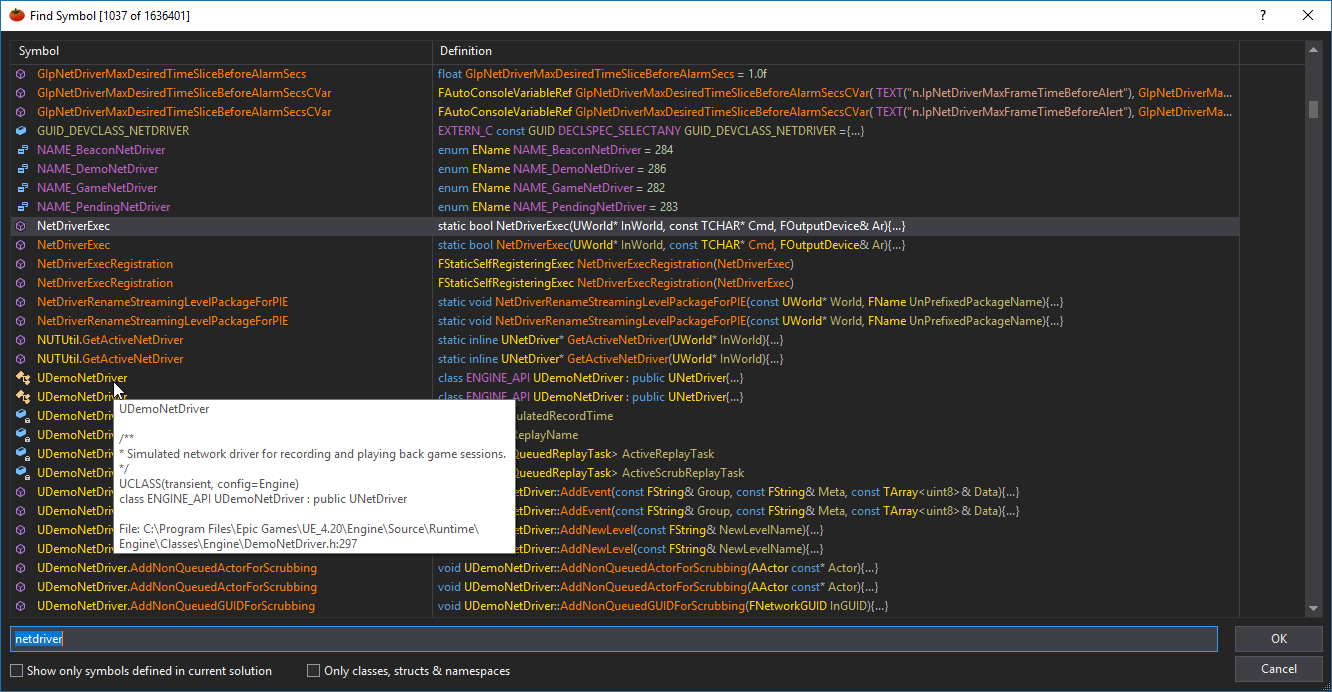
VA 2283 fails with 4.20, it's showing symbols from both my source build and a completely unrelated launcher build at the same time
spiral mortar
@elder falcon VA is caching symbols
Happens to me when I switch UE version on a project
elder falcon
any clue how to fix it?
spiral mortar
Well not really broken
Just cache
So you have to clear the cache
There might be a UI button
elder falcon
seeing symbols from a different solution in this one seems very broken to me
elder falcon
it's showing symbols from my source build and from a launcher build I installed earlier at the same time https://i.imgur.com/Qxomw9p.png


 elder falcon
no project, I just opened the UE4.sln to start messing with 4.20
spiral mortar
You deleted the cache?
elder falcon
yeah I found a option for it in the ui
spiral mortar
Cool
elder falcon
rebuild symbol databases & clear cache
spiral mortar
VA isn't perfect with that
elder falcon
now let's see if opening my project on 4.19 fucks it again
spiral mortar
Like the other day I had a 40GB cache
40GB cuz there wasn't any space left for more
btw how long is an engine parse for you?
spiral mortar
Ok
elder falcon
or 2 maybe
spiral mortar
😉