#visual-fx
1 messages · Page 36 of 1
 torn fjord
 shadow goblet
I built my lighting and some of my yellows became green and my pinks became purple. Any idea why?
I used the SkySphereBlueprint to make it daytime etc fwiw
huh reimporting the assets fixed it
 mental rivet
Wantet to create a portal using "scenecapturecube" but the "scale" of the cubemap is to big. (not the resolution) Is there a way to scale it?
 limpid lantern
Wantet to create a portal using "scenecapturecube" but the "scale" of the cubemap is to big. (not the resolution) Is there a way to scale it?
@mental rivet you can set desired resolution in render target texture
mental rivet
read my comment again
The red squares in the cubemap should have the same size as the squares under the character
limpid lantern
read my comment again
@mental rivet lol ) my bad ) Google for "localized cube maps". Im quite sure there was ready to use node based code for UE
 grave condor
So I'm doing a kind of perspective-based puzzle where you have to stand in the right location for a decal to form a certain shape. Example:
However I can't implement this with UE4 decals because they use a box instead of a frustum. I can do it with point lights + lighting functions as above but then I can only get "additive blend" type results
Ideally I want to procedurally generate these so I don't want to bake everything into the texture maps or lightmaps
Anyone know a nice solution so that I could make it behave more like a regular decal and look less like a gobo?
 analog onyx
@grave condor You can use decal material, used on frustum shaped mesh. Alternatively, you can still use decal actor, but modify UVs in material so that they will be based on frustum, parameters of which you pass through material parameters.
grave condor
You mean just make, e.g. a regular static mesh actor and apply a decal material to it and it will just work?
analog onyx
It will not just work, you will have to do the projection inside material and take care for the case, when camera is inside frustum.
grave condor
2nd approach with modifying UVs I think I understand, I can just make a huge decal box and hack the shader math to fake the frustum
First one I'm still missing a step, I guess I don't know how to make a material that behaves like a decal in that it projects onto whatever is behind it
analog onyx
It would be easier for you to just use decal actor.
 cyan valley
Don't know if this is where to ask about this, but has anyone tried and succeeded in creating a 1st person view with a non-human character? For example a first person view of a dog or bird
The main problem with this is the anatomy of other animals compared to humans and how that would effect the view, birds have a almost 360° (depending on the species) while dogs have a giant snout in the way
 clever pulsar
but thanks
🤦 Discord is not at all suitable for getting help on such topics...
There's been a misunderstanding. I thought you were replying to my last message, not waiting for a solution to a problem you posted a little higher up in the conversation.
 celest birch
How can I create cigarrette smoke, any tutorial or trick? I want to use Niagara
 magic lintel
@mental rivet oh du auch hier 😂
 shy sluice
Morning everyone.
I have a question about the particle system. I folowed some tutorials to create fog from particles, works perfect. But is there a way, to let the particles spawn in a custom model instead of a sphere/cylinder/etc? And is there a limit? I would like to generate a mesh in Houdini, based on my landscape and than use that mesh as my particle emitter. Second question: where can I change the view distance of the fog? Do I have to modify the particle radius? At the moment the fog disappears very quick when I move away. But I would like to have ground fog on my terrain and also have fog quite far away. Thank you 🙂
 upbeat gate
Yes you can emit from a custom mesh, I just learned this morning

A quick tutorial on how to emit particles from an imported skeletal mesh and how to use this to emit particles from your landscape.
@shy sluice
Simialr problem I'm having now though, I have made a skeletal mesh from this tree and have lots of bones in my tree... can I use the vertex weight map of the bone to determine which points will spawn particles? Currently it's just using the entire mesh
shy sluice
@upbeat gate Thx, gonna check that out and give feedback.
upbeat gate
looks like I can emit from a bone location which might do the trick
not exactly what I wanted but I love it
upbeat gate
Can anyone tell me how to make my particles not billboard, so they have 3d rotation
 opal osprey
I have a problem with my Tracer Particle. That is crossing the wall. I want when hitting the wall it will be destroyed. Anyone knows how can I fix this problem?
 warm scaffold
can u somehow use prebaked lighting textures for components?
 green isle
I have a piece of geometry that I want to behave like fire (move and flow), can anyone with experience guide me?
Essentially I would like for this geometry to move like fire
 lunar shore
@green isle I'm a noob, but...
As far as I know, you would have to rigg it and then animate the mesh or use materials to deform the mesh.
I think it's advanced stuff. I've only seen it in videos, never really tried it myself
green isle
I know how to do it in maya by adding a texture deformer and using an ocean texture
Was wondering how to achieve the same thing but in unreal only
 wild fog
OG need volume for to make galaxy any advise )
 lone heart
are you trying to spawn particles in the shape of those spiral arms or what?
 summer horizon
Creating rain is very difficult, I have managed to create something that look somewhat decent: https://youtu.be/cDGfREiwEW0
Are there any resources you can recommend for creating good looking rain?

This stylized rain particle effect has been created in Unreal Engine 4 using the Niagara Visual Effects System.
You can find more particle effects at: https://www.elias-wick.com/portfolio/particles/page-1
- Links -
Website: https://elias-wick.com
Patreon: https://www.patre...
analog onyx
Sébastien Lagarde- Water Drop @summer horizon
summer horizon
@analog onyx I'll check it out! Thank you! 🙂
wild fog
@lone heart been trying to fart out some nebula gas out of those spiral arms
i assume i can do some style with volumetric shapes but those arms are too big
some volumetric gas would be nice there
volume
tried to spawn
set volume material, but no uise
only visible inside mesh
 tranquil thorn
Hello, I'm developing a game using the forward renderer and I notice that in editor the engine is capable of creating an outline material with see-through properties.
I need this effect in game, does anyone know how to do this in forward rendering?
 clever plume
Does anyone know how to change the color of a GPU Sprite? I'm trying to change the color just like I do anything else but for some reason I can't change the color of the sprites: https://i.gyazo.com/e8279807acceb18c13161d5fe8fa0d31.gif

 indigo jolt
@clever plume check your material first
if your material doesn't have a particle color node, that'd be an issue
gpu particles do have some unique color behavior issues - but I don't think you've actually reached one of those. Alternatively, if you simply delete the GPU sprite module that would also show if material is at fault or GPU
clever plume
I'm not sure where to find the material. I thought if I tried to migrate the particle effect, it would show me which material is being used but nothing shows up. Just the particle effect. This is the default rocket launcher particle effect by the way from the shooter example project.
lunar shore
Hey, can someone help me on how to smoothly dissipate a VFX?
I have this Thruster VFX I'm working on and...I want it to smoothly fade in and out. I've set a variable for a Dissolve material attribute, but I'm struggling on making it on Blueprints.
Here is the Thruster VFX
celest birch
Hey!
upbeat gate
Hello, I am sure this is noob stuff but I am trying to animate my particles (cascade) over life but they are particles that live forever
how can I make them move for like 2 seconds and then stop moving for the rest of their lifetime?
I'm confused what the horizontal axis of the curves are... is it a percentage of lifetime? Is it time?
 hot plinth
hi guys how are you guys my particle all the time is crossing to the wall how can i do something to my particle is dont crossing to anything have collider
i am be grateful if any body can help me
 normal wolf
@clever plume u can find the material that the emitter is using by clicking on required node. From there just doubleclick and take a look in the material if there is particle color node or not
@hot plinth add a collision to the particle, deppending on type of particle u have, if u have a gpu or cpu. Dont forget to set up the maximum collision as well as the collide when visible thing
 signal hollow
@upbeat gate I just bought an excellent book from amazon: "Learning Unrel Engine Game Development" a step-by-step guide that paves the way for developing fantastic games with Unreal Engine 4. by Joanna Lee. The new editions were around $44.00, but I bought a used (Like New) copy for $8.00. It has an excellent section on particles.
upbeat gate
Thank you! I think I determined that 1 is a percentage of the lifetime so I didn’t find a solution but I set the lifetime to 20 minutes and the velocity over life to be a .005 time curve or something like that and it did what I was hoping.
signal hollow
🙂 yw
signal hollow
@upbeat gate You're ahead of me then. I read my book, but I'm only just starting to follow along, and haven't done the section on particles.
clever plume
@normal wolf Thank you so much. It worked perfect. Now I can change the colors. 🙂
normal wolf
@clever plume happy to help 🙂
 pseudo skiff
what's the best way to play sound on particle's collision? (bullet casings hitting ground)
I am using Cascade and spawning emitter in BP in a function
pseudo skiff
never mind, figured it out
 fervent merlin
what on earth am i doing wrong here? (posting screenshots) then describing problem:
in editor
playing in editor
dynamic material instance is working when looking at it in editor, soon as i simulate or play, boom, nada
normal wolf
@fervent merlin did you check the particle system itself? Check for lods, also this can happen when the shaders are still compiling, can take a while before it loads. Also the shader complexity view can give you a hint if the material isnt an overkill. Anyway on the editor picture it seems that u have issues with cuted out subuv texture of the fire. Thats why it looks so square like.
fervent merlin
in the editor, that was just a temporary texture, to limit the amount of variables that could be the problem
i never did "solve" it
but
i did duct tape "fix" it
basically copied everything over from the construction script to the event graph, set it to begin play
this reversed the issue, where as in editor it was tectureless and in play it had textures
so, copied it again and placed it in construction script, so it showed in editor and worked on begin play
@normal wolf
still don't understand completely why construction script didn't completely work, but meh, i'll fry that fish another day i suppose X_X
normal wolf
@fervent merlin sadly I am not well experienced in blueprints in general, so I cant help u on this one.
fervent merlin
all good, thank you though ^_^
 cold sorrel
There's a sorting hint on the system in the level. That can let you put one system in front of the other (otherwise it's purely transform based). Nothing inside the system will affect it.
Don't have unreal open, but probably
 still cipher
Hello, is there anything I can do abbout the jaggid lines on the right circle?
Texture resolution is 512x512
When it's zoomed out it looks fine and crispy
fervent merlin
@still cipher can you upload the texture?
fervent merlin
hmm, how is this texture being used?
 lucid solar
Would anyone be able to breakdown what effects are occuring during Sekiro's deflect?
(IE I don't even know if the sphere is a particle effect, or like a sphere with a translucent effect)
 cobalt quarry
Any idea how they did the boat wake here?
I know its a scrolling/panning texture.
But the mesh itself
its able to keep its previous position when the boat turns
if i just put a plane behind a boat, the plane will rotate with the boat, instead of the tail end of it, lagging behind.
Would I use a skeletal mesh or spline to do it?
 primal parrot
@drowsy lynx 😛
 drowsy lynx
To me it looks like they create a trail/ribbon in realtime.
cobalt quarry
I did this in 3ds Max, using path deform
So if Unreal has something equivalent, maybe I can generate a path behind the boat in real time
and use that to deform the mesh
cold sorrel
It's a ribbon.
cobalt quarry
How do you do ribbons in UE4?
Can I use that to deform a single mesh? Or is it meant mainly for multiple elements/particles?
 graceful fulcrum
hey guys i'm trying to fix rtx shadows on my dynamic trees,
i found out that you can solve it by 'evaluate world position offset' in the details panel, but couldn't find a solution if the trees are created with the foliage tool, any leads?
 scarlet plume
I'm getting a
Blueprint Runtime Error: "Accessed None trying to read property CallFunc_SpawnEmitterAtLocation_ReturnValue". Blueprint: FirstPersonCharacter Function: Execute Ubergraph First Person Character Graph: EventGraph Node: Set Beam Target Point
which is weird because it's successfully setting beam target and source despite this error
edit: apparently only happening on dedicated server
 plain owl
I was following this tutorial and I can't seem to get my fog to cast shadows. It's important to note that I'm using distance field for lighting. https://www.youtube.com/watch?v=McBiRCSWM9Q

NOTE UE4.24 seems to set all engine scalabilty settings to medium. To make the fog appear you have to at least set the shadows to high!NOTE END
Seems that not many people know that UE4 supports not only global but also local volumetric Fog.
So I am showing in this tu...
 cyan mirage
Does anybody know where I can find a (working) tutorial for setting up a heat haze particle effect (or find a working material asset example for 4.25)?
 ivory iris
How would I go about orbiting my mesh particles around an imaginary sphere? Current problem is they do go around a sphere but their alignment is on the Z. I need some way to align them to their trajectory. Is it possible? [Cascade btw]
@cyan mirage A sheet with material on it more likely, I don't see how a particle effect would return that effect properly. But the idea is simple, you need to use refraction. Here's how it works: https://www.youtube.com/watch?v=gdGJy1ynoPg

A little look at how refraction works in Unreal 4 and how we can create our own, slightly limited, distortion shader with the Scene Colour and Screen Position nodes.
If you have any questions about Game Art VFX or the Unreal Engine then email me: tharlevfx@gmail.com
Or yo...
 harsh hill
so I'm trying to distort this circle to make fire but it's curving off to the left for some reason, could someone tell me why and how to get it to distort straight up?
here's the graph
it like cuts off the texture at that arbitrary diagonal line
lone heart
@harsh hill the sampling offset is always positive because the bottom half of the graph is producing 0–1 values. subtract 0.5 from it before the last Add node (the one connected to the UVs input) and it should look more balanced.
harsh hill
anyone know why i'm getting this gross banding?
lone heart
looks maaaybe like compression artifacts from your distortion texture
might be worth trying different compression settings on that
 proud prairie
can somebody help
 sonic fog
@proud prairie you probably didn’t place the post process volume correctly
sonic fog
Just making sure, I did that in both unity and ue4 each time
proud prairie
my post process was set to low that's why it wasn't working
sonic fog
Oh I c
proud prairie
oh ic?
sonic fog
I feel like chromatic aberration is a good damage effect
proud prairie
Yeah im making a horror game and it looks pretty fucking good
sonic fog
Haha definitely in horror games 🔥🔥🔥
proud prairie
aphix is a good name
 silent wyvern
Anybody have suggestions on how to make an LED rope light emit dynamic lighting? Best thing I've come up with so far is just a bunch of tiny point or spot lights, but that has plenty of other issues
Also, it would have to work with the forward renderer 😦
celest birch
mine and your username is def relatable
@proud prairie
does that mean you're an @sonic fog twin ? ( ͡° ͜ʖ ͡°)
sonic fog
LOL
celest birch
do you guys know a way to locally override the volumetric lighting / fog resolution ?
like place a volume inside which vol resolution is higher
 drowsy tartan
hey guys, anyone having issues with decal fadeout in 4.25? was working in 4.22 and kinda stopped after migration, was there any change in between?
analog onyx
Nope, still works fine in 4.25
drowsy tartan
odd, odd indeed
 lucid cairn
hey this is probably really basic but I haven't been able to google an answer. I'm trying to mirror this vector3 on the x axis but I have no idea what node to use.
 dapper edge
multiply x by -1 maybe
hey this is probably really basic but I haven't been able to google an answer. I'm trying to mirror this vector3 on the x axis but I have no idea what node to use.
@lucid cairn i do mirroring by break vector>multiply by -1>make vector
lucid cairn
that would work on a direction vector but this is a material node so when multiplied by -1 it will return black
lucid cairn
I thought about that but that's the inverse of the vector
celest birch
i think your one minus should be in a different place at some point before your round node. can we see the whole graph @lucid cairn ?
lucid cairn
Yeah this is what I was looking for I'm trying to make a decal cone centered around the player that's even on both sides, the bottom half is just two radial gradients
in game
I really just assumed such a basic node in substance designer would be in the material editor
proud prairie
Lol I wish we were twins or like friends or somethin
 slow trellis
i made some ribon particles following a tutorial, they look great but the performance hit is horrible, does any one have any experience with how to optimize that?
 gritty turret
Hi! is it possible to add some watermark during HighResShot console command invisible to player? for instance I have a frame , which I want to have on all ingame made screenshots. but this is must be hidden from player
 proud prairie
bruh just use a photo editor
and put a watermark in
but i mean i understand
i don't know if its possible at all
im still a big noob
gritty turret
during runtime )
proud prairie
so i don't think you can unless you do something with the command code
which i believe is made in python
or c++\
 buoyant escarp
Is there a way to use a cubemap in Light Function Materials on a Point light?
I did see that a 2d Texture does work
I guess what I'm asking is: what's the easiest way to take the UV vector form a Point light and convert it to a Cube map?
Or am I missing a easier option? ^^*
limpid lantern
I guess what I'm asking is: what's the easiest way to take the UV vector form a Point light and convert it to a Cube map?
@buoyant escarp it doesn't make sense cause UV from pointlight are already did those spherical projection
Just use proper texture
 jovial belfry
Hi. How much should I care about Blender vs UE4's scale? i.e. If I'm making something in Blender (meters) does that really matter when I get into UE since I'll have to scale it all again ( i think )
limpid lantern
I guess what I'm asking is: what's the easiest way to take the UV vector form a Point light and convert it to a Cube map?
@buoyant escarp and yeah, alternatively you can use cubemap if you want. In this case just put vec3(0.0.1) into reflectionVector node and use it as UV input for cubemap
buoyant escarp
@limpid lantern Super tnx for the vec3 into reflectionVector!! Looks to be exactly what I was looking for ^^**
 solar reef
how would i make it so an object would look like its on fire?
 echo hound
Hello ! i'm trying to use a "dynamic" parameter on my Cascade vfx, but the name is greyed, and i cannot set it. could someone tell me why ?
ok, found it, i had to right clic on my node, and force refresh
 trim parcel
Hey guys, pretty new to Unreal here, I was trying to get a houdini sim into the engine using VATs, but when I place the mesh in the level, if I'm not looking at the location where the mesh is placed, the mesh seems to disappear, like GPU particles I guess. Is there a way to change that?
sonic fog
Does anyone know how Fortnite and valorant make those firing beam particle effects
Cuz it makes it look like the bullet is at the top of the beam emitter while the back end, near the muzzle is transparent?
celest birch
@trim parcel you need to edit your particle system's bounds and tell it to use fixed bounds
click the bounds button at the top of your cascade window, go set fixed bounds, should solve it. else you can punch them in manually
to do that, click in the background of cascade editor and your details window will have that setting
assuming you are using Cascade
trim parcel
@celest birch No, I'm just placing the static mesh in the level without a particle system. It's just a one-of effect that I need, so I figured I could get away with not using a particle system for it. I did find something called bounds extension in the static mesh settings, but it doesn't seem to do the trick.
 stone socket
could that be related to tell particles to use the system position as origin?
trim parcel
@celest birch Interestingly enough, 5000 in positive and -5000 in negative doesn't work, the mesh disappears entirely, but if I leave negative alone, and just put 5000 in positive, it does work. Weird, but I'll take it. Thanks for the help!
celest birch
ah I understand your issue haha
counter intuitive BUT
be aware that this is absolute values
by which I mean @trim parcel
if you add 5000 in minimum it will add -5000 in terms of world position (because it's the "negative bounds" field)
so if you have say 5000 max and -5000 min, you are actually just... moving it 5000 units away in space, not changing its size
some other things you should know about this :
- this is not how bounds overrides work anywhere else in the editor, in any other place your 5000 / -5000 would have worked
- if you reimport your mesh, this field gets reset and you have to enter it every time.
why ? because.
trim parcel
Aha, gotcha. Thanks for the tips! I should've checked what the mesh was doing by trying to focus on it, instead of just assuming it was disappearing. Doh.
 maiden meadow
Does anyone have any advice to get brutal doom blood particles in VR.
- Overdraw is killing me.
- Masked materials take a lot of tweaking for something that doesn't look delicious
- The option to make the quad fit the particle shape better doesn't really reduce overdraw that much
- I made a mesh animation system that draw sprites sheet frames that were converted to static meshes but it doesn't feel great
limpid lantern
Does anyone have any advice to get brutal doom blood particles in VR.
- Overdraw is killing me.
- Masked materials take a lot of tweaking for something that doesn't look delicious
- The option to make the quad fit the particle shape better doesn't really reduce overdraw that much
- I made a mesh animation system that draw sprites sheet frames that were converted to static meshes but it doesn't feel great
@maiden meadow why not use mesh flipbook, opaque material and forget about overdraw completely?
maiden meadow
there's a built in mesh flip book?? how have i never heard of this. looking into this!
sonic fog
Is there a way to manually set on certain post process materials at any given time?
I want to make a system where players can see teammates thru walls
maiden meadow
tom looman custom depth tutorials that would let you do this. https://www.tomlooman.com/the-many-uses-of-custom-depth-in-unreal-4/
There's a few marketplace packages that implement it for you too
@limpid lantern https://vimeo.com/201602552 wow wtf i've never seen this before

Now available on Gumroad! https://gum.co/UtbA Mesh Flipbook Maker for Unreal Engine 4 Particles Maya script UE4 Flip book Maya script and Unreal Engine 4 assets…
sonic fog
Oh thank you so much @maiden meadow !
maiden meadow
No worries Aphix, good luck
sonic fog
Ooh, anyone know how to do deadzone aim rotation in ue4?
maiden meadow
deadzone aiming?
maiden meadow
ahh
sonic fog
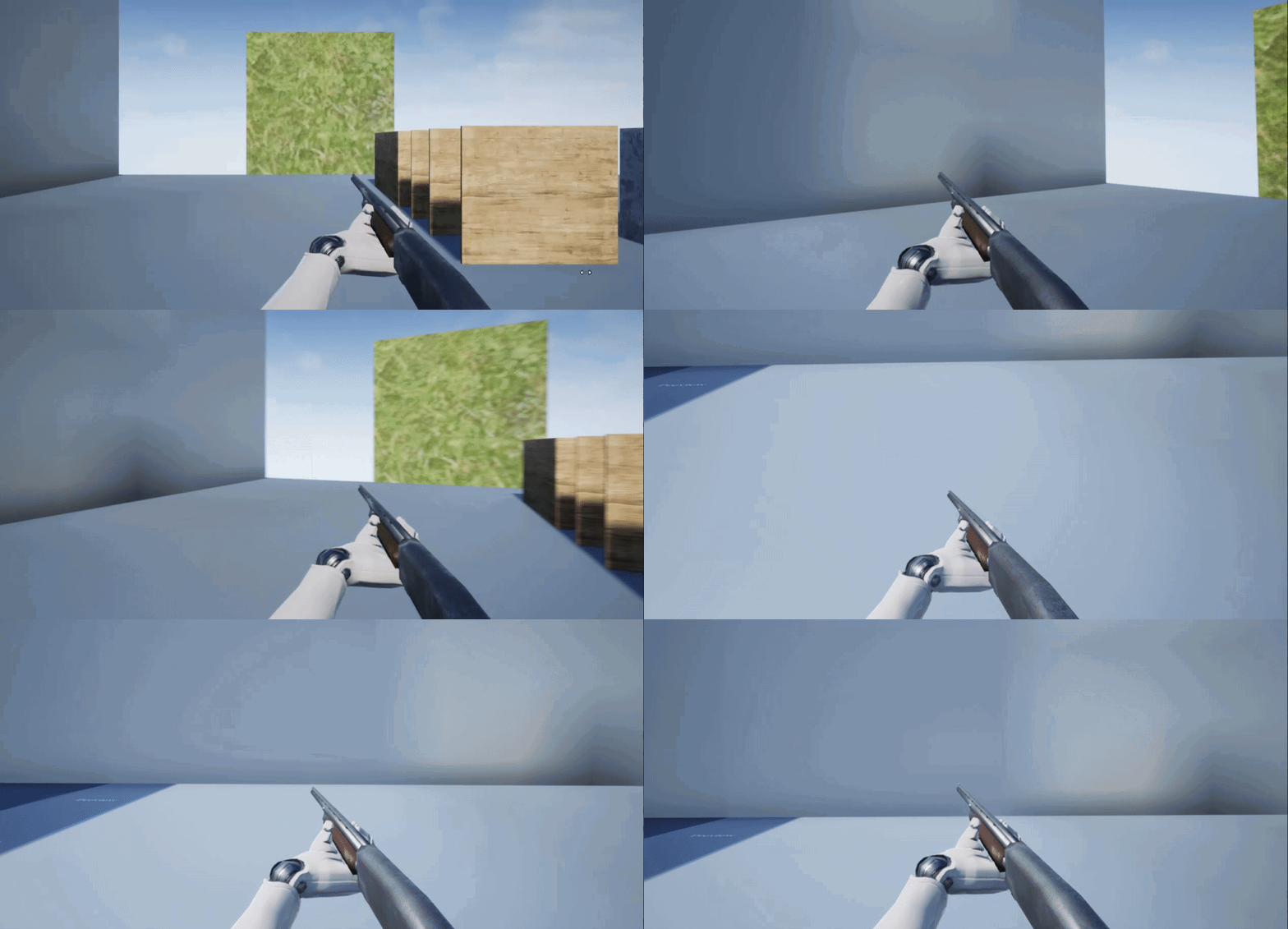
I just don't know how to calculate the maths
And I need a tip in the right direction
maiden meadow
the site that gif originates from has an implementation tutorial
although i wonder if you could use a physic spring. Robo recall used that to add some lag into the weapon movement.
Don't know off the top of my head though
sonic fog
Yeah, the blog site tho doesn't explain any of the math tho :((
Oh, actually he does a little later on, should've checked beforehand :/
maiden meadow
🙂
sonic fog
Anyway, thank you so much @maiden meadow ! It's hard to get help on this server sometimes
 night lion
Hey all! I am a noob and need help setting up a specific workflow for a project. Where is the best place to post a request for 30 mins of someones time for a few $? I feel bad spamming several questions lol
 agile crest
@night lion In the this discord, In the channel Looking for talent. 😉
Hello everyone, I attached a Mesh Particle emmiter (Cascade) on a projectile.
When the projectile spawns behind de player / camera. The emmiter doesnt work. Anyone have an idea why?
 brisk breach
How to create a Beam Particle using a mesh?
 torpid knot
I'm a newbie, but is that something like this @brisk breach?
Here's the tutorial: https://www.youtube.com/watch?v=1-eT_hnjdfg&list=PLZlv_N0_O1gYup-gvJtMsgJqnEB_dGiM4&index=15
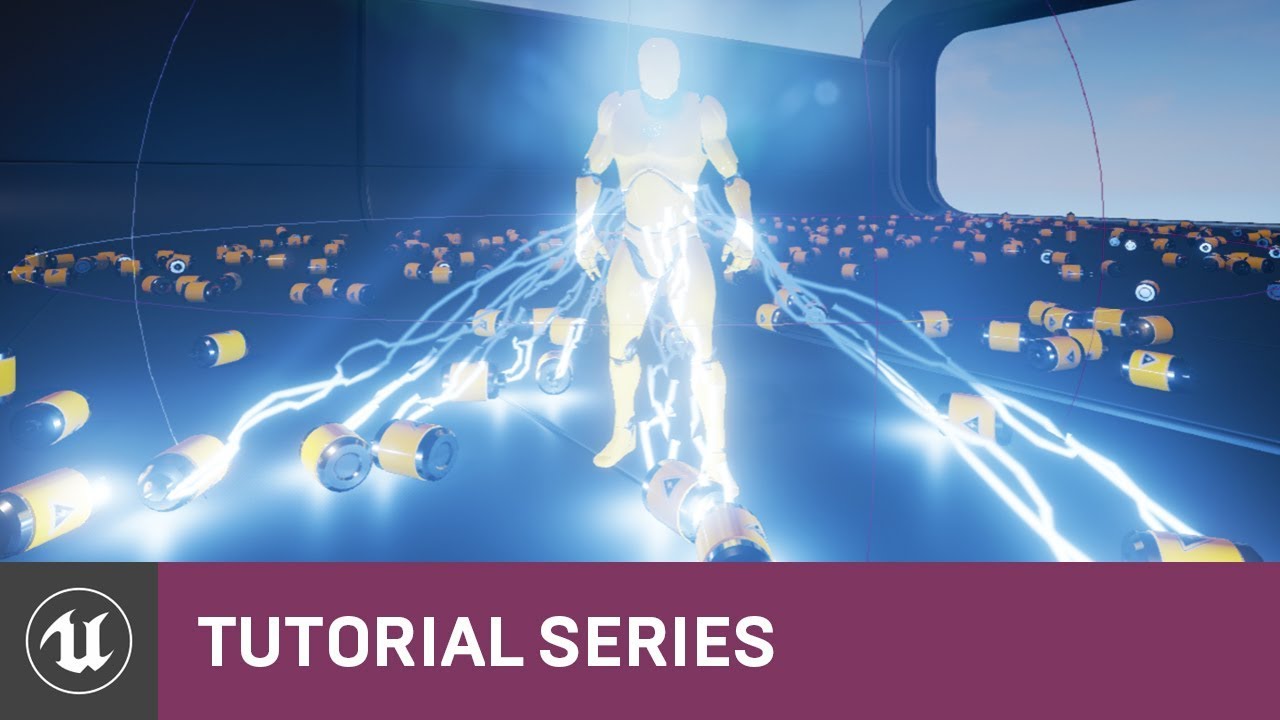
Use a Blueprint Native Event to spawn electricity particle effects when you collect batteries.
Check out the source here, with the project available for download: https://epicgames.box.com/BatteryCollectorSource
(00:05) - Recap & Intro
(00:55) - Blueprint Behavior Setup
(02:5...
Unrelated question. When I press alt+f2 while playing in the editor, it changes the processing to a way that looks really nice in my simple 2D game. How could I make it so that the actual game uses that processing? When googling it, all I see is "Nvdia Ansel", but when I search for Nvidia Ansel, all that comes up is about taking screenshots with Nvidia's overlay.
Actually, just found out that another hotkey for it, without being in playing mode, is alt+3 and it's unlit mode
Edit: Also managed to find default materials that do what I want :)
 compact raptor
Hi! I'm working on a smoke particle system that needs to receive lights from a point light, however after a certain distance it stops receiving light. How do you fix that?
compact raptor
also there seem to be some issues with foreground-background rendering of overlapping translucent particles
 obtuse path
is there some checkbox that needs to be set somewhere in cascade for "particle random" to work in a material? i don't remember this ever being an issue before, but it's always at 0 for some reason. i'm spawning a bunch of particles with a particle random node in the material, but it's always 0 😦 using 4.25
celest birch
i think if I remember correctly it only works with GPU particles or something like that
i avoid using it
obtuse path
i see. thanks 😄
 wind fable
Hello. can someone tell me. Can i achieve a "inner shadow" for mesh by material?
lone heart
@wind fable hard to say; do you have an example image of what you’re trying to do?
wind fable
@lone heart just a like inner glow in PS
i try different approaches, but all i can make is a variations of sphere mask 😦
 brittle remnant
@compact raptor Lit translucency only receives light from dynamic lights in the foreground. You will want to probably add a custom glow effect to the shader, using a parameterized world position, a sphere mask, and a depth mask to add the glow back in the distance.
 fringe flare
My landscape material doesn't show up in packaged build on Windows or Oculus quest
but in editor it looks great
wind fable
If it grey world material - maybe you miss checkbox in usage
 pure shadow
Hello, i'm having a little problem with particle s. and scene capture. It's like a flickering when i make a reset at the particle.
do you know what can be the prob or a workaround ?
pure shadow
The pb was the scene capture, firing too much
 sweet swan
does anyone know why a particle system (niagara to be specific) would show up in the PIE, but not in a packaged build? thanks
 dusky berry
I cant figure out why my particles arent fading in and out
I've set the material to translucent
video of the setup. Not sure what I'm missing here
wild fog
Rise Cyber Race, The Arc of Void summons you
any info on how to replicate similar effect?
 digital patrol
hey so im very new to HDA development, but i made one and i'm trying to bring it over to ue4 but its not loading properly. I dont really know the limitations on these but is it possible to bring in an HDA that has a pop network in it?
 indigo parrot
Is it possible to apply damage based off of particle collisions?
as in a particle applying damage to whatever it collides with?
cold sorrel
Technically possible, but should under no circumstances be done.
indigo parrot
I'm curious now. how come?
cold sorrel
They are not reliable. It's a visual effect. You can't count on them for anything gameplay wise.
They might slip through collision if the framerate dips, they get culled if you look away, they might not fire the events properly etc.
Since they are visual candy, they are the first to get dropped when performance starts going down.
Meaning, you could avoid taking damage by just running the game at the highest specs and rendering out a movie in the background.
indigo parrot
ahhh. okay. I've been trying to work on hazardous gas for my game and wanted it to move about through only open areas thus it could be confined to a room should it be physically blocked. so I thought i'd have the particle handle the damage
 grizzled holly
Testing a bit with the free Skull Cel Shading post processing thing. I'm relatively happy with it, but just wondering, if others know some more preferable ways to get a good stylized look like this. The documentation is pretty non-existent. I was hoping I could limit the palette (or the colors of each material) of the scene more with it.
 obsidian compass
Does anyone know if there is a way to manually add color grading compatibility to a custom tonemapper (replacement) post process material?
Alternatively, if there has ever been a working in engine solution to achieving stylized glowing color bloom (without turning white) without using a custom replacement tonemapper?
obsidian compass
Glow like the 1st rather than the washed out second. The first one is currently achieved with a custom tonemapper, but unfortunately, for example, it has no compatibility with 'scene color tint' on post-process volumes.
obsidian compass
With a custom tonemapper, I did find a way to recreate Scene Color Tint in a post process material. Which is good enough for my purposes. But I do wonder if Epic added a way to restore the old way glowing colors were handled before 4.15?
 fresh bronze
is there any way to make a flat plane with an enviorment on it and make it look like a globe from a distance (eg it would look like a horison and taller things would go over the horison after smaller things)
i mean a flat plane 3d model and it looks like a curved sphere from a distance
in short how to distort a plane into sphere
 timber sable
hey guys, I was lately testing Chaos for destruction work. Short question: Is there any way to export the simulated content as fbx etc. or whatever would be importable to other 3D applications?
timber sable
ah damn, thought you could maybe record the simulation and put it into an animation sequence
cold sorrel
I am just assuming. I haven't worked with Chaos. But if the rest of Unreal is anything to go by, nope.
timber sable
okay, thanks for the quick reply 🙂
@fresh bronze I am too unexperienced with Unreal to give you a definite answer. But my best guess would be to blend between 2 individual geometries by the distance of your actor/camera mb through blueprints
😅 🙂
 wintry vale
So a simple Niagara Steam Particle effect isn't working on Android, does Niagara not work for mobile yet? Followed this exactly https://docs.unrealengine.com/en-US/Engine/Niagara/HowTo/RecreateSteam/index.html
This how-to describes how to recreate the Starter Content's Cascade steam effect using Niagara.
wintry vale
Hmm Turns out to be depth fade issue on mobile
Is there any documentation as to why certain nodes don't work on certain mobile devices?
 silver pawn
so i made a character in fuse, and sent it to mixamo. then downloaded the fbx and imported it into ue4. the character is some what transparent and the face wont show up. fix?
graceful fulcrum
why is this happening ??? checked all possible console commands for fog and tweaked all possible settings from my directional light, nothing seems to work T_T
possibly something related to my project settings, since i migrated a level form a working project...
celest birch
to remake wobbling lava how would you guys approach this?
 simple silo
yellow water. add fire.
drowsy lynx
@celest birch i love the d2 vfx 🙂
celest birch
anybody know how to use cel shader and outline by Lunar Garde ?
 echo mist
This may be an obvious question but I'm new at all things Unreal Particles and its going to actually haunt my dreams: How do I scale particles without them entirely Shattering into pieces? I have been attempting to downscale the Basic Starter Content Fire and its been scaling the particles away and making them non-coherent
 zenith widget
Following this example on a teleport shader, it's not coming out quite right and I think the culprit is the node in the Z-Gradient block. In the example there is a TransformVector (World space to local space). Whereas in my 4.24 editor I cannot find this node, all I can find is TransformPosition(Local to World space). I'm unclear if there's a difference
Example : https://deepspacebanana.github.io/deepspacebanana.github.io/blog/shader/art/unreal engine/Teleportation-Shader
Mine:
scarlet plume
how do i make particles follow their emitter without trailing behind? "source movement" helped but didn't entirely eliminate the trailing. i'm trying to add electric sparks to something and they can't be drifting off of the object when it moves
actually the problem might be the emitter itself trailing behind what it's parented to
not sure
cold sorrel
The emitter needs to be local space
echo hound
Hello, i'm trying to drraw the path of my projectile (this kind, or even just a line). how could i draw it ? i already have an array of points, so the calculation is not the issue
 rose knoll
look at this @echo hound
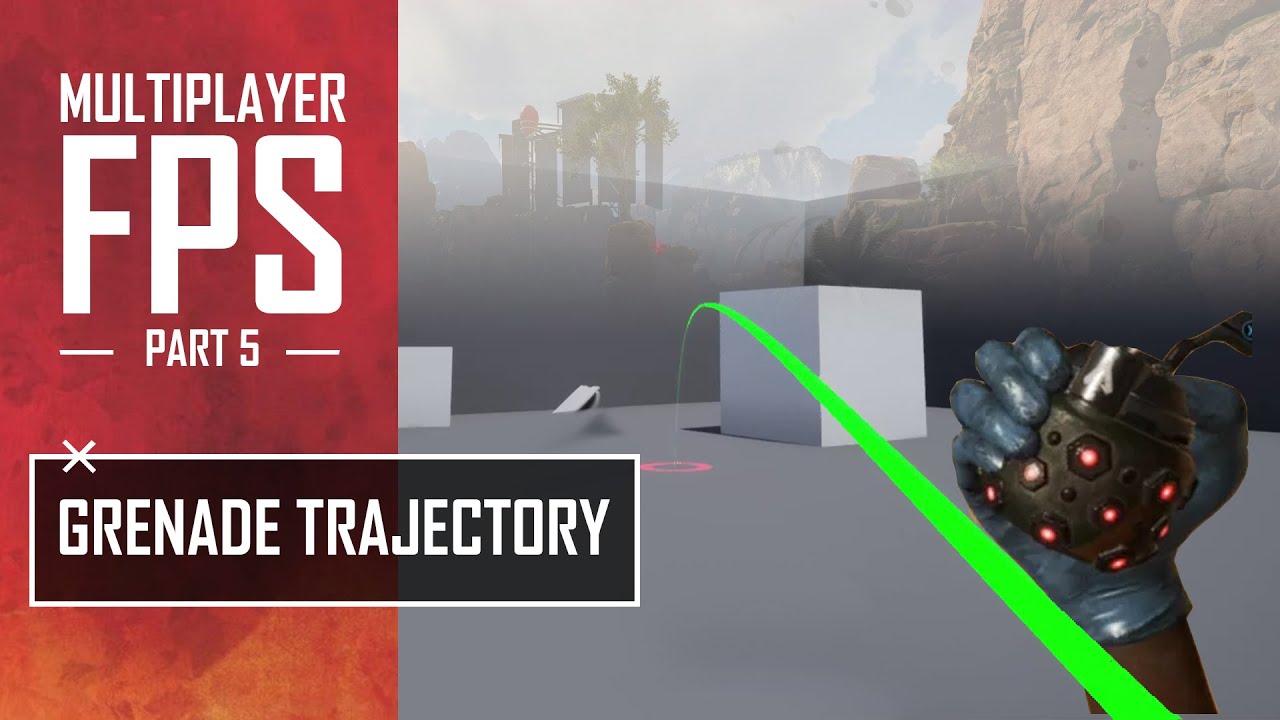
Project Files : https://www.patreon.com/posts/40674863
This is the 5th episode of unreal engine multiplayer first person shooter series. But the today's episode is independent from the previous episodes. Here I am going to make a trajectory to show the path of the grenade to a...
or this
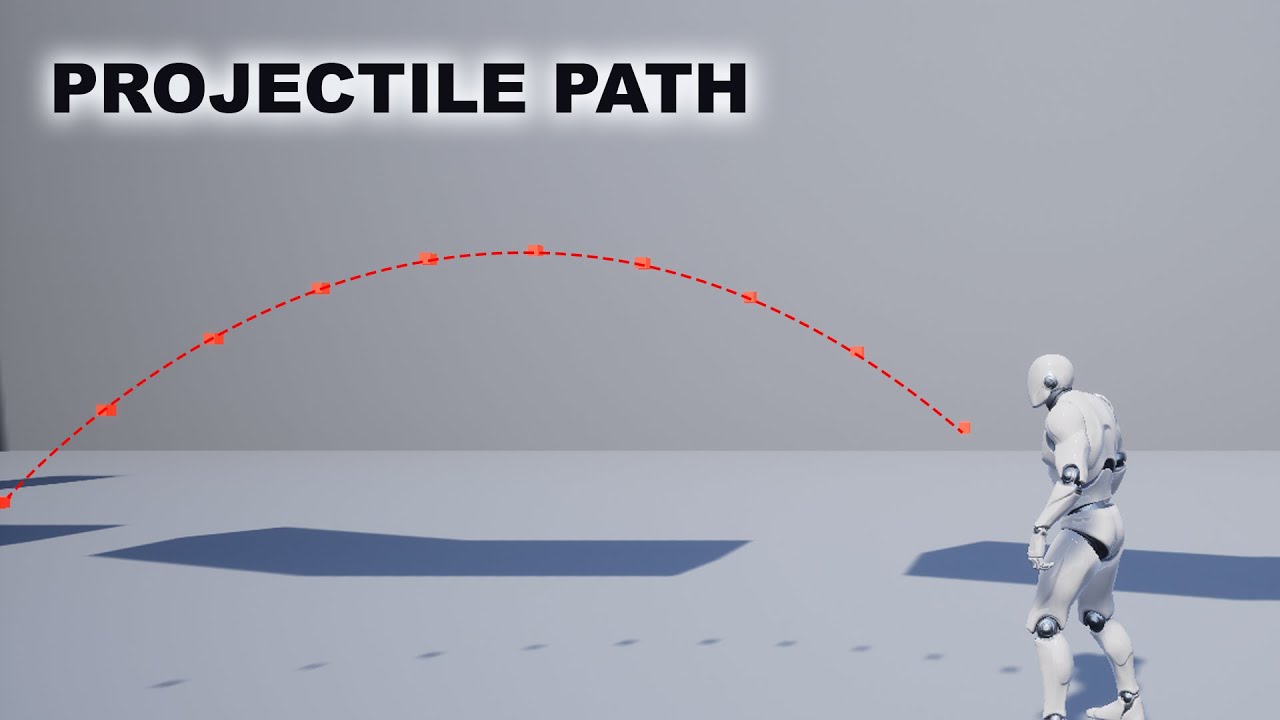
Here I am going to show you how to create a projectile path in unreal engine which predicts the path of some object like a rock the character can throw. I am going to implement this for a side scroller style game but the same method can be applied to any type of a game in 3D s...
rose knoll
Hey how do you play niagara effects on editor
without having to click force solo
over and over again
 buoyant swan
Hey guys , i want to create a screen effect that shows white diagonal lines whenever you're being pushed by like wind or a gust , can anyone please help me or tell me how i should go about it?
 drowsy stag
@rose knoll If your effects are set to an infinite life cycle, then they should play continuously in the editor without any issues. If they are set to play only ones (or multiple times) then its in the nature of this setup to only repeat the effects' life cylce as often as it is set up after its activation
 knotty shell
select your emitter in the editor
press /
or dont select your emitter
and press shift /
celest birch
i went through this tutorial provided in the official unreal site for applying texture to the imported xgen groom in unreal , but for some reason the script doesn't seem to work https://docs.unrealengine.com/en-US/Engine/HairRendering/XgenGuidelines/index.html , is there any alternate method to get your mesh texture working with the attached xgen groom in unreal ?
Describes guidelines for exporting grooms as Alembic files for use with Unreal Engine 4.
rose knoll
@drowsy stag thanks buddy 🙂
 coral ingot
Hello, all. I need some advice on how to create the effect I'm looking for. I have a static mesh for my ships, and parts and pieces for said ship, and I want to create an effect that has the ship fall apart and explode into these pieces, as well as having trailing fire effects that follow the pieces. I want to use a particle system to achieve this effect, but it looks like building emitters that follow other particles is pretty much impossible, even with Niagara. Is building a BP Actor really the only solution for this? I want to consider other options because building the BP Actor seems rather...cumbersome. Any advice on how I might achieve this effect? Thanks!
Here's an example of the effect I want (ignoring the white lines, of course)
primal parrot
what do you mean "follow other particles?" because you can emit a parent particle, and then a child particle in Niagara
cold sorrel
Just like in cascade
primal parrot
That old thing? 😛
cold sorrel
Just saying, this is quite basic 😄
primal parrot
😛
coral ingot
So what I'm getting here is "what you want is possible through child particle spawning." Great! Thanks! I'll read up more about child particles
cold sorrel
Read up on location events
Parent child is just the general name for the technique
But Unreal doesn't call it that
coral ingot
I've tried using the "Generate Location Event" and "Receive Location Event" update and handler modules, but it hasn't worked so far
I'm using 4.24, btw
and UE4 crashes whenever I delete an event handler module
Do I have to be on 4.25 for location events to work? Because rotational drag doesn't work either in 4.24...
Here are the two systems I'm trying to correlate. But the Generate Location Event and/or Receive Location Event pairing doesn't appear to work, no matter what I set for the parameters
Well, removing the "Sphere Location" Spawn Module had some effect, but boy is it BROKEN. It fires particles off in the direction of the first emitter's particle, but does so at the speed of light, so the 'fire' particles are just a big smear stretching into infinity
And....I want to spawn the "fire" particles in a sphere/circle around the origin of the static mesh particle. How can I do that if I have to remove the "Sphere Location" module?
Should I give up on this and use BP? I don't WANT to do that: Niagara should be able to do this; but I feel defeated without more direct help
 astral pumice
I noticed having two event handlers usually breaks an emitter in 4.24
it's a soft crash every time I do it
you probably wanna check your event send rate on you generate location event too
coral ingot
hmm, ok
astral pumice
and you wanna put the sphere location in the event handler section, not in spawn
primal parrot
heh yeah sorry Parent/Child emitters comes from film.... cool you got it "working"
astral pumice
You might wanna tweak that inherit velocity float in recieve location event.
And probably add an add velocity node for some random "noise".
Id recommend using the curl noise function, but that breaks builds on PS4 and ain't nobody got time for that.
It's getting there, your over the hump
 glass jay
is there a way to make a particle sprite not be affected by the exposure settings of the camera?
glass jay
found a solution: divide in the material by "eyeadaptation"
wild fog
Arc calls for aid! Who shall answer?
Roughness input in material, if 1-x used into specular, will it do the opposite?
analog onyx
dr shall shall answer. And the answer shall be no. @wild fog
analog onyx
arc is asking question in the wrong channel
wild fog
OG
I have many questions
how about edges
i need them sorted
looked into shaders.. more like a grunge, on corners of meshes, but not much info, to achieve that, post process material has to be set up?
@analog onyx any new resources on this issue
 dusty terrace
Getting a bug with decals in 4.25. Following this tutorial: https://youtu.be/2OiZjnhpU6w, works fine in 4.24, nothing ever shows up in 4.25

Project Files: https://www.patreon.com/posts/36591410
Free Texture: https://drive.google.com/file/d/1Hk7CYIt3MU8rbNzQK-bp90kXyz3COwB4/view?usp=sharing
In this video, I will show you how to make a ground aura effect.
So you can see a flaming circle on the ground and it will a...
coral ingot
Hello, all! For anyone interested in my struggles from this week: I have finally built a solution to have a trailing emitter that follows the particles of an anchor particle. The big insight was to disable "Write Payload to Particle Attribute" on the Receive Location module, then write the Local.ReceiveLocationEvent.EventPosition to Particles.Position in the event handler.
There are still some weaknesses here: the Generate Location Event module on the anchor particle sends an update every frame, so the Receive Location Event spawns 1 particle every frame minimum. I have tried to use the "Event Send Rate" parameter in the Generate Location Event module, but enabling that param, regardless of value, completely breaks the trail emitter, so it's unclear what to do there.
indigo jolt
@coral ingot I’d honestly steer away from niagara to solve every element and instead utilize a Projectile Blueprint with some trailing vfx inside (niagara or cascade). practically speaking there’s more physical interaction built in that way and it’s not only easier, but more powerful than a pure particle solution. As it is, you can’t grab data from collisions, apply damage, or easily get impact normals for clean decal applications.
you could jam in all sorts of particle systems in a projectile bp and test it live in game in any first person project. fast testing, accurate, game ready
coral ingot
@knotty shell Yeah sorry, I was trying to make an effect of my ships "exploding", having static mesh pieces fly off in different directions, and have trails of fire and smoke behind those broken pieces. Here is a crappy gif of the effect:
You can see the two static mesh pieces fly off in different directions, with "fire" trails behind them, and the trails eventually die out. I'm pretty happy with how this turned out, it was just a PAIN to get there
@indigo jolt I prototyped an Actor-based solution using ProjectileMovement as you suggested, but it never turned into something that felt usable. Here is my reasoning for using Niagara for these effects:
- The static mesh ship parts will not have collision requirements.
- There may be many pieces generated at any given time and those pieces need to be easily configurable: which static mesh to use, the color of the particles, how fast they move, etc.
- I want the static meshes to stick around and create debris fields. While this is possible with an Actor, Actors are inherently very performance heavy compared to particles, even Niagara particles, so using Niagara to create persistent wreckage seems like a better deal.
- There is no "drag" capability for ProjectileMovement as far as I have found, so I have to build a lot of custom functionality for this. Not a big deal, but Niagara provides that effect out-of-the-box.
- Similar to drag, if I want many of these pieces, I have to create some kind of manager Actor or similar that knows how to spawn these pieces and set up their data. To me, this sounds like the role of a particle system.
I'm still in the prototyping phase for these effects, so an Actor-based solution is still a possibility as long as I can understand the pipeline of each effect's creation and how to build them in a simple, understandable, UE4-supported way
So far, the Niagara prototype has shown that Niagara can do most of what I need, has built-in editor support, and has minor limitations and issues that I can live with for now
cold sorrel
Yeah, since this is just a visual effect, Niagara is the way to go. I think balls misunderstood
coral ingot
Ah, gotcha. It's a fair thing to point out, though. But I have tried the Actor approach and weighed the pros and cons
 zealous grotto
Hi everyone, can someone explain to me if it's possible to use a mask with 5 colors, like Red, Blue, Green, Purple and teal ? i can get Red, Blue & green working but not the other's. Any help would be appreciated
coral ingot
Like, in a material using a texture sample? I think Unreal only supports Red, Green, Blue, and Alpha channels in its textures
Maybe HSV sampling is possible? I don't know
zealous grotto
Wow bummer, But thanks, i just wanted to know if it was possible. Also i noticed a "Physical Material Mask" in the material in ue 4.25 has anyone got this working?
 trail gulch
Hi everyone , wonder if there is a way to Disable/Enable a Switch Parameter inside a Material when You switch to Mobile Preview, I need to automatize a parameter to make the material works in Mobile preview?
 opaque prawn
quality switch?
btw, is it possible to prevent a particle system from scaling emitters when the particle is scaled in the world
trail gulch
ooh Thanks @opaque prawn
zealous grotto
has anyone got "Physical Material Mask" in the material to work? Any help would be appreciated please!!!
 slate vessel
I just watched the "Creating Visual Effects With Unreal Engine" Webinar. So good.
As a huge bonus, Unreal released a sample project file with the transforming building effect using Pivot Painter Tool. Gotta love it.
Passing along the link for easy access:

Explore how the visual effects in the 'Unreal for All Creators' brand film were achieved. You’ll learn the secret behind many of the effects, including how to prepare and export meshes for rigid body animation and how to build a vertex shader using submesh pivots.
If you’d li...
Here's the link to the project file from Unreal: https://epicgames.ent.box.com/s/608qyzzk77oeygtyt0v2ncfbnrvp6vkg
 latent rune
@trail jackal If you click the 'bounds' button at the top you'll get a bigger area to view the particles. I know there IS a button that'll focus on the center space but can't recall
 trail jackal
@latent rune I found them by flying around 😄 But thanks
 livid swan
for the future: pressing f flies you back to the origin
digital patrol
does anyone know if its possible to use a procedurally generated mesh HDA and have those meshes copied to niagara particles?
 muted trail
Does anyone know why this mesh is doubling/ghosting in the level, but no where else?
 magic jacinth
can somone help me to get a ncient camera working. i have a 2d Scene component and want to alter the post effects. Creating a material from my RenderTarget. Somehow im not able to alter it to a black and white look through the camera2dcomponent settings
 late gate
Hey guys, I am currently working on a weather system and I am wondering what would be the best approach for having rain on a larger map. Should there be rain everywhere on the entire map or would you recommend to have like a rain bubble around the player only? Appreaciate all tips and best practices 🙂
trail jackal
What might be causing this blinking effect??
I am trying to create a particle effect but these stars are blinking for no reason :S
 hard yarrow
Can anyone here recommend me a good software for creating special effects aside from blender and houdini(so expensive)? I'm pretty new with visual-fx.
cold sorrel
What type of effects?
 proven crystal
houdini got a free version for learning and when you get more serious indie is only $270/year
 eternal steppe
 tepid zodiac
im creating a cloud effect in niagara, how can i fix this issue when the cloud overlaps with surface (floor)
tepid zodiac
never mind , it can be fixed using the material node DepthFade
cold sorrel
Slate is just a flipbook generator/modifier
indigo jolt
ya but it's luxurious af
you can work around it with photoshop. tbh just after effects and photoshop could be 100% of tools
or just houdini if you're really deadset on using the mosaic output
it's not bad
i used to remember job posts saying "maya fluids" skills. I've never known anyone that uses that or any company that utilizes that. I really really like 3DS max for crafting nice mesh particle shapes with convenient UV tools. Houdini can probably do all that just as well with the right skills
cold sorrel
I used to do my sims in Maya.
But not for the last 8 years or so
Unfortunately photoshop isn't enough if you are working in realistic settings.
cold sorrel
Nuke is overkill 😛
AE is enough
My suite of choice is Houdini, Embergen, Photoshop, After Effects, Notepad++ and Slate.
 cerulean sorrel
Hi guys, I made this in UE4 for a water shader and though id post a bit of a breakdown
https://twitter.com/Sam_Makes_Games/status/1309983076714385408?s=20


 frozen trail
is there a way for a particle system to spawn and lean toward an actor?
frozen trail
no matter what i try, i cant get the attractor to work
 cosmic kiln
Hey all, anybody familiar with User Interface shaders? I'm building a shaking text effect, and I've got it mostly working, the only problem is the effect is more intense depending on how small the text is, which I don't want, any ideas?
shader currently looks like this
Maybe if there was some way to get the y bounds of the text, I could multiply that by the sine animation
cosmic kiln
I'm having trouble finding good docs for the User Interface material domain
wild fog
Excuse me, please im so fangry.. can i or not record video with cine actor in sequencer OF audio visualized niagara particle AnD capture song as well or not?
 meager summit
Hi! I'm new to unreal and want to add blood to enemies. Is there any good tutorial that guides you through the entire process?
 spare hare
@cosmic kiln you can use the different UV Channels. They contain different information
cosmic kiln
Right, I've figured that out, but I can't figure out how I can use that information to solve my problem @spare hare
indigo jolt
@cosmic kiln try something other than Absolute World Position, like Local Position or Object or something in that vein
or you may have to add/subtract/multiply one of those things with world position. i'm not a math wizard but that's where i'd head with it
cosmic kiln
Good suggestion, but neither of those nodes work for the User Interface material domain @indigo jolt
I thought about doing something with World Position, but I can't really think of anything useful I can get out of that information
Since it's not like I can compare say, the absolute world positions of two opposite points on the text
indigo jolt
is there a screen position node that works with that?
like maybe World position subtract screen position or something
your other alternative, open up that function and have a look at the guts
it could be needing a re-working
any function is just some nodes
cosmic kiln
Hmm
indigo jolt
there's 1 known thing that i can see that could be affecting your wiggle based on zoom - and that's World Position. Inside that function we might have a Camera node or some other nastiness
that could be the other variable
if you're ever unsure about editing a function, just copy everything in it, and just paste it into your main material and tinker from there
cosmic kiln
There's no nodes inside there's I'm assuming it's just GLSL or whatever lang unreal uses inside
cosmic kiln
Nop
indigo jolt
dang
you know it's not a super complicated material effect, it's just pumping in some noise panning to the UV's probably
you could probably make a better version
it's probably got a Sine wave
cosmic kiln
Hmm? What do you mean? I know it's got a sine wave I built it
indigo jolt
well it either needs MORE camera-based math or LESS
hehe that's the jist of it
something about the distance from camera or the scale is goin funny, it's hard to know what
i'm leaning towards camera
cosmic kiln
But that's the exact problem, in the User Interface domain there doesn't appear to be a concept of a camera
indigo jolt
ya if it's not a camera thing then it must literally believe that zooming out is Scaling
if that's the case then you'll need to reduce intensity based on scale
cosmic kiln
What's happening is I'm moving the pixels a certain amount. The problem being that when I change the resolution the pixels that are moving become much smaller
indigo jolt
ah resolution
cosmic kiln
What I want to do is scale how much I'm moving the pixels based on how large the text is, exactly what you're describing. But I need some way to get the that
indigo jolt
well here's the idiot way to find out
step 1. toss in a Lerp
step 2, remove everything but lerp
step 3. plug lerp into something like color or emissive
step 4. start randomly plugging in things to the Alpha input of Lerp
and zoom in and out
until color changes
once you have used all the nodes that exist you should find answer
if zooming out goes from white to black, then win. if it goes from black to white, win. if it stays same = nope
you may want to put a clamp on before the alpha of the lerp
since some nodes will have values greater than 1 or less than 0 etc
cosmic kiln
wat
indigo jolt
i don't solve problems very gracefully
cosmic kiln
What am I plugging into this lerp? Just time? I don't see how this would address anything
indigo jolt
no no no, just have it 0 and 1 for A and B
that's black and white
then start plugging in any nodes you can try into the alpha input until one affects the color when zooming in/out
sometimes the things aren't labelled to do what we think they are
or there's just odd unused nodes no one knows the use of
that's my perspective though - you might know more than I do
cosmic kiln
Okay yeah I see where you're coming from
indigo jolt
this is just a method of tracking down path forward not the answer
cosmic kiln
Though instead of the lerp I just plug it directly into the base color
cosmic kiln
I mean that's fair, Lerp's a pretty cool guy
indigo jolt
exactly
they make me feel like i have a mechanized balancing scale
that i'm adjusting with magic spells
casted into alpha hole
cosmic kiln
So sure, I can get where a point is on the screen via something like ScreenPosition, but that doesn't tell me anything about where that pixel is relative to the other pixels in the font
indigo jolt
oooh that sounds right
 normal escarp
How would I add a simple ribbon trail for an actor going around?
Tutorials aren't helping me 😦
upbeat gate
If I wanted to have some objects that follow my mesh but have some dynamics on them so that they bounce around, would this be best done through joint physics or particles?
I've tried the Springy joint feature but rotation doesn't work on it which is annoying
 modern mason
@normal escarp My best guess would be to create a particle system, attach it to actor. In the particle system have a base particle system that generates location events, then a ribbon emitter that recieves them. Most likely a better way to do it, but that is the only way I would know
@upbeat gate I'm pretty sure physics is the correct answer, but you can do collision with niagara, but not sure about constraints though
upbeat gate
Thanks man... I think I'm in over my head a bit bc I've never even heard of a ribbon emitter, but I will investigate
modern mason
@upbeat gate The ribbon emitter was for @normal escarp , not for you.
 mild sparrow
Is it possible to have the direction of the bump offset face the different direction than straight forward? (I want it to be in the player camera's direction). Another way of framing the challenge is: Is it possible to have a billboard effect just for the bump offset and not for the plane?
AFAIK this is how bumpoffset works
This is what I am trying to achieve
 old yarrow
Hola! Would anyone here be able to explain the differences between photogrammetry and photographic scanning in terms of virtual set creation?
 civic galleon
Is there any way to get just get the color of a pixel rendered on screen for use in a post processing effect? I have an outline PP, but it's really harsh, so I want to blend it a little bit with the surrounding colors.
brittle remnant
@mild sparrow You should be able to dupe off the bumpoffset material function and rewire it to take a custom bump direction.
 stoic zenith
Any good courses that focus on lighting in UE4? I noticed this course on CGMA but really cannnot afford $1000 having been recenty laid off. https://www.cgmasteracademy.com/courses/50-the-art-of-lighting-for-games
Computer Graphics Master Academy is a leading provider of online digital art education.
indigo jolt
@stoic zenith i think you should look at Gamasutra.com more - search for articles about Lighting, and many will steer you towards the next steps for research and self improvement. Things like this: https://www.gamasutra.com/view/news/319584/Creating_a_sense_of_magical_realism_through_ingame_lighting.php

"You never want to just place a light somewhere [randomly]," says Lake Ridden art director Erik Nilsson. "You want to [say] 'What can we do to make this area interesting with this light?'"

While it sounds oversimplified, if you can get a strong base for that end result as much as possible, it goes a long way," Naughty Dog lighting artist Gabe Betancourt tells 80 Level. "Less is more."
i think because Lighting is so artistic-heavy, that's what most training will consist of - honing artistic eye, creating compositions etc, so finding the right reference and knowing where to look and what to look for is a lot of it
latent rune
@stoic zenith https://www.youtube.com/watch?v=kFaEf8V8XYY
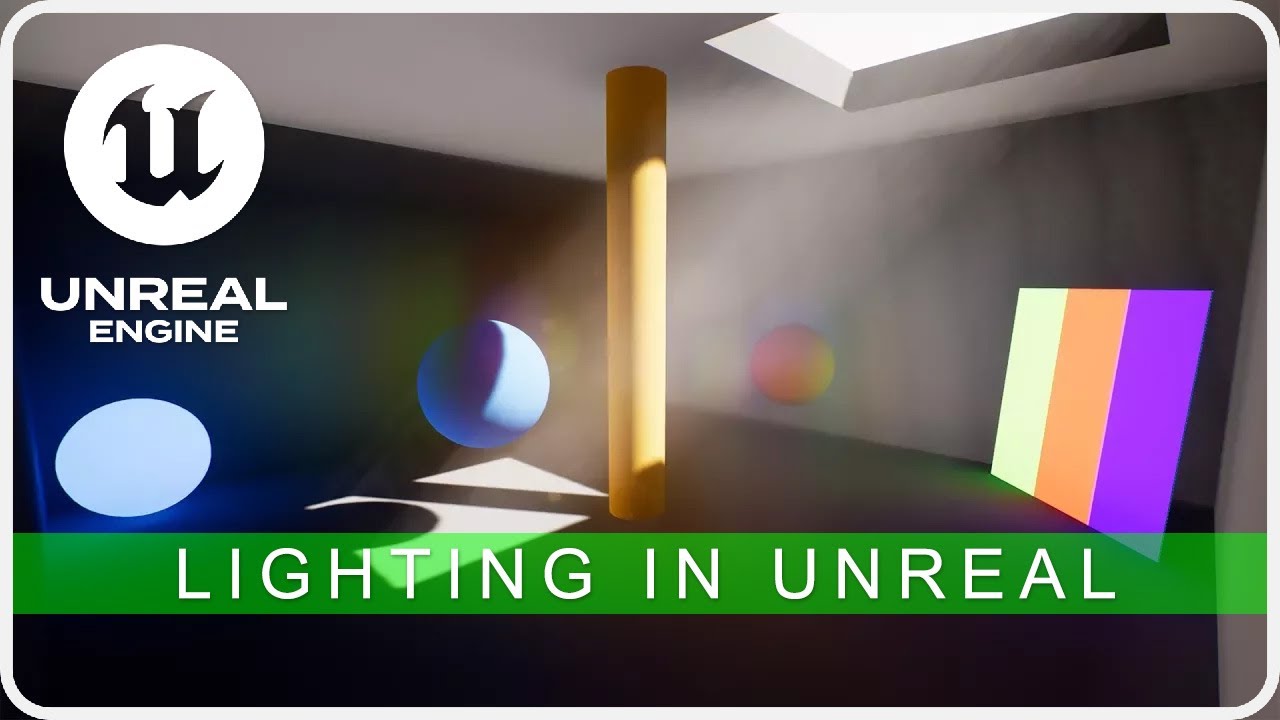
In this tutorial i will be giving an overview of every type of lighting actor as well as some more advanced lighting tools and techniques available within Unreal Engine 4.
My Unreal Engine Marketplace asset packs - https://www.unrealengine.com/marketplace/profile/C-Media
Ti...
 flint galleon
so im trying to figure out how to do a line of sight fog of war effect for a top down project of mine
i've looked at 2d solutions like this: https://www.youtube.com/watch?v=ovsSg20w6iI

Easy to implement Fog of War system for a Top Down game.
Buy now : https://www.unrealengine.com/marketplace/fog-of-war
Support thread : https://forums.unrealengine.com/showthread.php?99774-Fog-of-War-Support-Thread
but id like to create a 3d version that works with stairs, occludes objects, hides anything not in line of sight
i was thinking is it possible to have a dynamic volumetric fog volume and mask it?
just trying to work out a good approach for taking a 2d mask and creating 3d line of sight fog
primal parrot


tip of the day:
you can generate a simple pizza-mask using math and occlude your smoke effects with it, so that the smoke wouldn't penetrate walls
#gamedev #techart #vfx #realtimevfx #UE4 https://t.co/Hp2ouS982w
Retweets
233
Likes
1274
 Twitter
livid swan
Twitter
livid swan
@flint galleon i actually implemented that aswell using volumetric fog and raymarching. works pretty darn well
https://youtu.be/zmyLhhB9vVQ still working on the visualization side of it, but you can kinda see what you can do with it here
 flint galleon
@livid swan wow that looks awesome! exactly the style i had in my head
what approach did you take? if you dont mind me asking
livid swan
i just said it :P raymarching against the global distance field
gonna push that onto the marketplace, but thats gonna take a few weeks probably. i have to reconcile some stuff
otherwise you'd have to do the research yourself :D
flint galleon
yeah i dont think i have enough knowledge in shader magic for that yet haha, glad to hear youre making it a marketplace asset though, ill be sure to check it out
livid swan
https://www.youtube.com/watch?v=PGtv-dBi2wE here's an entry point

Twitter: @The_ArtOfCode
Facebook: https://www.facebook.com/groups/theartofcode/
Patreon: https://www.patreon.com/TheArtOfCode
PayPal Donation: https://paypal.me/theartofcode
Live version:
https://www.shadertoy.com/view/XlGBW3
Most 3d shaders you see out there make use of thi...
flint galleon
ohh i understand raymarching, its implementing that with a procedural fog volume that has me slightly confused
livid swan
you just use the raymarch result as extinction factor. its actually fairly straight forward
the only really complex part is the raymarching
flint galleon
ahh ok, i think i understand
livid swan
otherwise just wait a few weeks :P
flint galleon
im mainly a programmer, still learning the vfx side
livid swan
give in to the vfx side
flint galleon
xD
alright, going to try see if i can get this working, i didnt think of simply using the 2d mask as the extinction factor, thanks for that
livid swan
good luck!
wild fog
Masters, I am trying to see a Sun within the SkyBos that is a Nebula.. If there would be Sun, how would it look, Black Sky with dots or it would have gas around it? some pic you seen mb related.... sry
maiden meadow
@cold sorrel Is this pack still available on your Pateron? How does it perform in VR?
Still not happy with my blood vfx in VR
looks interesting
cold sorrel
Haven't tried it in VR. I'd wager it's a bit memory intense
Depending on how you use it, it's also quite highpoly
cold sorrel
Yeah, overdraw is nothing as it's opaque
maiden meadow
ok so there's a chance. I could bring in my own low poly meshes and see
I take it that it's still up, I don't see it in the list - just double checking 🙂
cold sorrel
It's up, but it's several versions old
maiden meadow
that's ok i can convert\study in older version. I'll check it out after work. thank you
cold sorrel
Have fun
 shut chasm

hewwo
im have a q
how uhh
how can i access 'scene depth' from a custom node?
for post processing
this doesnt work, it only returns 1;
int MaskIndex = 01;
return saturate(SceneTextureLookup(ViewportUVToSceneTextureUV(UV, MaskIndex), MaskIndex, false));
if i change the MaskIndex to 14, it correctly outputs PostProcessInput0, and ive managed to get 23 and 24 to work too, for AO and CustomDepth, but i cant get SceneDepth 😭
everything i know about this says it should work, and it just doesnt ;-;
shut chasm
i just want to make my directional blur effect work properly 😩

i need to sample SceneDepth from inside the custom node, if i try to feed a single sample through a SceneTexture node, it creates weird artefacts where the depth doesnt line up with the current blurred sample
 golden oriole

in this scene i have used media texture but when i render out from unreal .. the videos are playing faster
how to resolve this issue
stoic zenith
@indigo jolt @latent rune Thanks for the links!
 azure moat
I'm having some issues setting up chromatic aberration
I have the post process volume set to unbounded, and these settings for chromatic aberration
this is what it looks like in the viewport
the other settings are working fine as well
celest birch
Trying to work out the best way of going about something
basically, what I need is a dynamic way of simulating the air in a space being pulled through an opening in an explosive decompression
however, there isn't a fixed point at which this can happen
obviously actually simulating this is bordering upon full on fluid sim, and not really viable
can anyone think of a way of doing this?
not sure if it'd be possible or not, but I was thinking that I could perhaps map out pathways through all the corridors/rooms in the scene, and find some way of having particles travel down those pathways to the exit point, finding the shortest possible pathway?
Or would it make more sense to just have multiple sets of pathways for the particles to travel down, pertaining to each possible point at which the player can blow a hole in the hull?
celest birch
Anyone know if there is a way in a material to know when the flipbook function cycles through 1 time?
basically i have a flipbook material in UMG but its for a loading screen and was trying to get it to sync with when i actually load into the level
maybe i shouhldn't of used a flipbook material function and just turn on and off the sprites manually?
its only 9 sprites
event just sets the parameter for the time for a flipboook
i don't know how to get the time it takes to load the level to set this to the right value if you know a way let me know
i was thinking another solution would be to set it to 0 earlier but only problem is the time parameter is 0 its at the first uv of the flip book which is the first frame not the ending frame
if it was the ending frame would work
I think i found my own solution
indigo jolt
@celest birch think more realistic, how fast does the air move? how specific are the details on the debris visible? make a funnel cone or multiple funnel cone meshes. animate distortion, dust, and debris. don’t overcomplicate it. Make one size for each size opening and keep them round. Don’t go for irregular shapes, it would end up round anyway.
add additional velocity facing debris and dust particles that narrow as they go in
aim for the photo realistic screen accuracy, not the science project symbolically accurate stuff
it’s actually easier
pseudo skiff
has anyone tried making rain effect for VR (forward rendering, no transparency) that performs well and works for both outdoors and indoors (no rain inside obviously) ?
pseudo skiff
I was thinking maybe there is a way to have a texture mask (world aligned?) that dictates where particles emit from ?
 worthy pelican
Hi, does anyone have any recommendations for good beginner tutorials for people learning VFX? I want to train some students. Currently simpler tutorials like these seem effective, but am looking for more. Want to get them on Niagra as well. https://www.youtube.com/watch?v=McBiRCSWM9Q&ab_channel=MarvelMaster
NOTE UE4.24 seems to set all engine scalabilty settings to medium. To make the fog appear you have to at least set the shadows to high!NOTE END
Seems that not many people know that UE4 supports not only global but also local volumetric Fog.
So I am showing in this tu...
 cobalt patio
@worthy pelican Unreal has a series of videos that go over Cascade basics, including terminology and various particle types. Could be a good foundation for students.
https://www.youtube.com/watch?v=OXK2Xbd7D9w
From there, having a particular project in mind, and searching for resources that address that effect, is often a good way to learn how to apply tutorial and forum advice into their own end results. Another way is to tinker with the particle systems that are provided with scenes from Epic or free particle packs to see how others have accomplished those looks.
Searching for "intro to Niagara" on YouTube brings up a number of potentially good results, too, if students are interested in picking up that system instead/as well. I hope that helps!

For the full tutorial playlist:
https://www.youtube.com/playlist?list=PLZlv_N0_O1gYDLyB3LVfjYIcbBe8NqR8t
This video covers some key terms that you will need to know in order to comfortably use the particle effects systems in Unreal Engine 4.
(00:05) - Particle terminology
(0...
worthy pelican
Thank you @cobalt patio - so basically, rather than searching by a certain tutorial author, just search by the relevant topic and see what comes up, basically. Yeah, Niagra will be our focus since we'll probably be working with some existing Niagra effects as well, so will do.
cobalt patio
@worthy pelican Yep, that's my usual approach if I'm tackling something new. There might be some other folks in this channel that have specific author recommendations, though!
cold sorrel
Use Tharle and Fred Hoopers series about Niagara
azure moat
for some reason chromatic aberration is the only post processing setting I can't get to work
my volume is set to unbounded, and the rest of its settings are set to default
worthy pelican
@cold sorrel thanks, started watching their intro video, and is very clear and beginner friendly.
 tender onyx
Hey al you bro and broettes. Not sure if this question belongs in #paper-2d or not... but I am wondering in the material editor how do i get a sample of a flipbook. I know i can use a texture to make a flip book for animated materials, but what if i already have a flip book that i want to apply a material too, I plan to use masking so I assume i will need to get a sample of what ever the current frame of the flip book is.
stoic zenith
Hi guys. Newcomer to using Niagara in UE4. Should I fully master Niagara before trying to learn and use packages like FluidNinja? What does FluidNinja bring to the table that isn't possible nativbely in UE4?
cold sorrel
Fluidninja is a texture creation tool, similar to Embergen.
Niagara can read textures and use them for velocity etc, but that doesn't really have anything to do with Fluid ninja
At least not beyond the convenience of using his prebuilt examples.
stoic zenith
Got it . Thanks.
cold sorrel
That said, fluid ninja looks snazzy 🙂
But you could just as well use Houdini for the same thing.
Unless you are talking about Fluidninja live
But I don't know if that's released yet.
stoic zenith
Thanks. Definitely need to leverage Houdini knowledge! Have you by any chance played with the new Blueprint support in the latest Houdini Engine? Not sure how useful this is yet but I like where its heading.
cold sorrel
I haven't had time 😦
 subtle oracle
How can I make a flashlight in-your-face effect?
Notice the player on the right. He just sees a little dot from the emissive material. Doesn't look like a flashlight from his perspective at all
subtle oracle
I have lens flare enabled with an intensity of 1 in that image
Increasing the intensity effects the player on the left (light bouncing off of the blue character I guess) but it has no effect on the player on the right's screen
Maybe lens flare won't pick up a spot light mid air, but only the material that light lights up?
 proper pollen
You'd want a custom lens flare made, either as particles or some other way. Just something that looks like it's blowing out the visuals
Depending on what's driving it, I'd also consider a post process that kicks in when it's being looked down.
iirc you can have shaped post processes that blend in and out, so maybe like a capsule that's attached to it that's tuned well.
I cant remember the ins and outs but I think you make a blueprint where a post process is a child of a shape comp and it picks it up. something like that.
subtle oracle
That post process idea is interesting. That way I can customize it for this specific reason
I increased the intensity of the emissive material
Looks better, but still not quite correct
I've been trying to find reference images online for what I'm looking for, no luck yet :p
subtle oracle
I feel like it really lacks that "intimidation" that you get in real life. Can't put my finger on why
This is what I am going for:
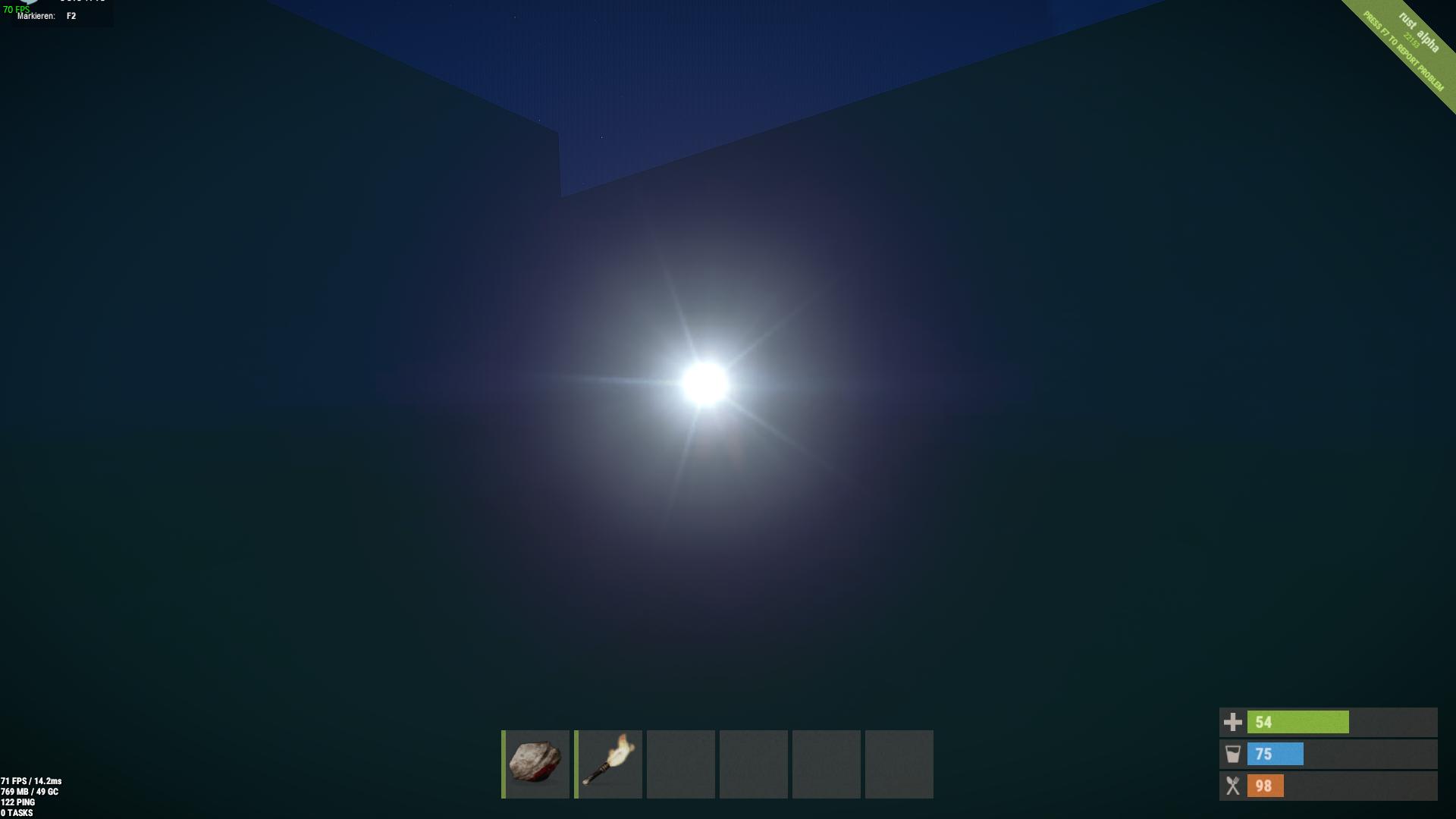
So, not really a lens flare
Not sure what that effect is
Ok, this is the closest I have gotten. No lens flare, just an emissive material set at 10,000 intensity. The above image from Rust looks much nicer. They have some lines coming from the center of the light source
Mine looks blurry
cold sorrel
The rust one uses a custom lensflare, not relying on a built in one.
Just add a sprite with a flare texture to begin with
Work from there
 woeful shell
is there a way i could reimplement this in the regular particle system ?
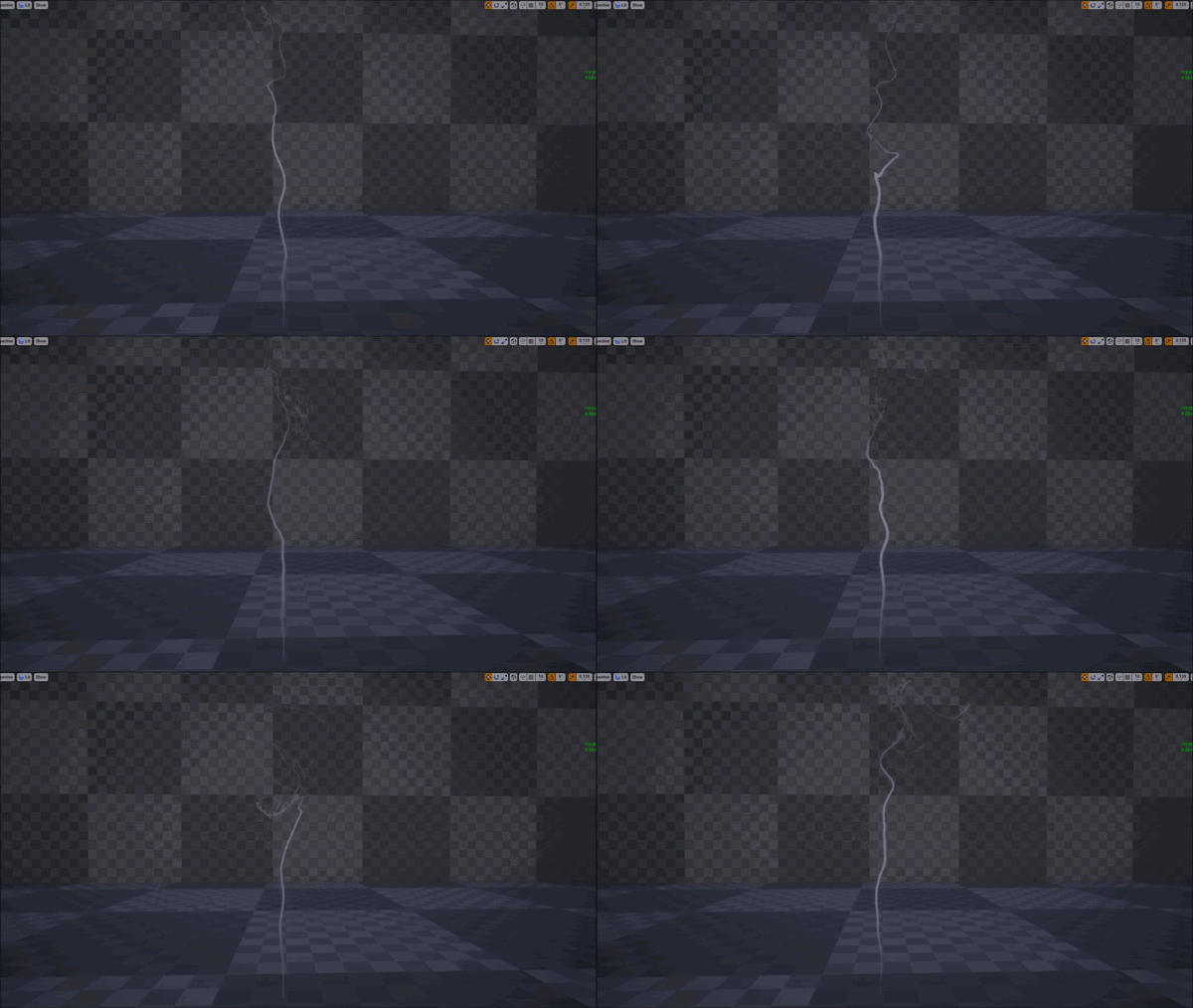
https://medium.com/@dev.blogger.gh/create-smoke-trails-in-ue4-material-niagara-5cdc1fbf0c1e
Medium
How to create smoke trails in Ue4 using Niagara
primal parrot
guys, i keep getting a tiny lil line in all my volumes (created in Houdini with tiling noise that is definitely tilable), as if the tiling is messed up or im doing something wrong (of course) in 4.25, do I need to worry about the latter part in Ryans post, Padding and SubUVs? or is this automated if you have no gaps in your volume atlas? I am not using Ryans material etc... is that still neccesary in 4.25? https://www.shaderbits.com/blog/tiling-within-subuv-or-volume-textures? Cheers!

 lethal chasm
I've been doing lots of video tutorials on Niagara and reading up on the documentation. Really enjoying it but I wanted to ask as a VFX artist is it paramount u learn how to use 3D Applications like Maya or Blender? I love programming the effects but building them in those applications is something I really really struggle with, can i specialise in programming them? or is it a must to learn a 3D Application?
cold sorrel
Yes, you need them.
If you need to make a curve mesh, how would you do it?
How would you make debris pieces?
analog onyx
@primal parrot There should not be issues, if you are using 3d textures. You sure it is tileable ?
cold sorrel
Not you
primal parrot
ah sorry 😄
cold sorrel
@lethal chasm
analog onyx
sorry for our interruption, good sir!
primal parrot
yes @analog onyx its tilable in Houdini...ill do my last 100th check to make sure
cold sorrel
Texture padded?
analog onyx
in Houdini, perhaps, but is the export tilleable ?
lethal chasm
@cold sorrel Yeah thats wat I was afraid of. I come from mainly a programming/game design background and have not touched those types of applications and u r not the first to have said this . I'll just have to suck it up and learn it. I will start with blender.
Also I've seen quite a few of your videos on Houdini! Really cool stuff! i'll stick to your previous advice and learn VFX in UE4 before making the transition. 👍
cold sorrel
I have never seen any company large enough that the vfx team can have such an extreme specialization that they can stay in the editor.
But then the largest VFX team I've been one was only 12 or so.
 knotty pecan
I can't find beam target actor/scenecomp in Niagara, are they not implemented yet or just obscure?
lethal chasm
Understood. Thanks for the info 👍 @Partikel
 spring spear
https://threeheadedblog.files.wordpress.com/2012/04/wind-waker-boat.jpg
Anybody got an idea how to create a trail like this on a water shader that uses vertex displacements? Is this done with decals?

 lone wing
@spring spear probably a ribbon
spring spear
but ribbons are not painted on other geometry/shaders, right?
so, would they react to changes in vertex displacement of the water?
lone wing
yeah if the water moves thats a problem
spring spear
The water has waves so the trail would need to react to it somehow
lone wing
applying the same displacement to the trail would work
spring spear
isn't that what decals do automatically?
I guess there's no option to tell ribbons to behave like decals in that regard out of the box, right?
cold sorrel
No and no
Decals project orthographically so it will stretch.
Ribbons don't have a built in decal function. You'd have to do that yourself.
 drifting star
does niagara have seed module like cascade?
spring spear
I think streching might be fine for this .. hmm
not sure how to tackle this effect @cold sorrel how would you approach it?
cold sorrel
The boat draws a mask into a rendertarget that then drives the wake.
 cloud depot
can somebody help me understanding how to recreate this Reactive Water Shader?
https://youtu.be/rPlj0d1dyys?t=498

!NOTE!: Version 3.0 is released check it out here:
https://www.youtube.com/watch?v=pX82z77TZc4
NOTE 13.11.2018:
++now 2 alternate rar files are provided for people that had problems unpacking++
- tiling working
- multiple water instances with multiple materials and settings...
analog onyx
Isn't there a download link? I mean, what could possibly be more helpful than downloading it and taking a look?
cloud depot
I am working on that atm, but i ran into some problems.
I guess ill try to look into it some more and ask more specific questions tomorrow
 torpid hazel
isn't 4.26 just going to give you water eventually? would it even make sense to recreate it?
 golden umbra
Related - what do you guys think the best way to create footprints in snow would be?
My game is top down so just a normal map / decal would be fine - no need to deform.
Spawn decals on foot placement in C++ or is there an easier way using Niagara?
 plucky spoke
Hi everyone, I am not sure if this is the correct channel to ask but I will ask. So i made this poof smoke effect in UE, in the viewport it works perfectly but once i put it on my scene it just spawns once and thats it when it the viewport the spawn works just fine
I am new to Niagara
and i made the smoke poof effect and it loops when compiling but in the viewport where the main scene is in UE it does not loop
it will be a great help, thanks! 🙂
plucky spoke
Thank you! 😄
stoic zenith
So going through lighting essentials course and I fully understand the difference between Static, Stationary and Movable lights. However, coming from Unity there is the idea of 'Realtime GI'. How is this achieved in Unreal? AFAIK in Unreal GI is synonymous only with Baked lighting.
 tired temple
hi does anyone know how to creat cloud wave like in the video ?

I re visited an idea I had about using Gerstner waves to simulate clouds. I tweaked some noise node settings and added some Depth fade to produce the softness around the edges. The material is applied to a landscape so you could still sculpt a little bit as well. I’ll be testi...
 daring geyser
Hello guys i want to ask something, how to create FX using https://unrealengine.com/marketplace/en-US/product/fluidninja-vfx-tools

Unreal Engine
Bake real-time fluid simulation to Flipbooks and Player Materials. Drive Niagara with fluid data. Create stylized and realistic fire, smoke and fluids. Make your own VFX assets, inside Unreal.
 quasi mulch
@daring geyser he has an entire tutorial series https://www.youtube.com/watch?v=xbDYsN9nJKs&list=PLVCUepYV6TvPnVELcyGoSDhpoLO7PyT6_&index=1

Bake real-time fluid simulation to flipbooks, flowmaps, materials and vector fields. Create presets. Generate fire, smoke, and fluids for character and environment effects. All inside Unreal Editor.
Ninja homepage: https://unrealengine.com/marketplace/fluidninja-vfx-tools
...
 random saddle
Nevermind I'm stupid
 untold bobcat
Got any Houdini users in here?
cold sorrel
Yep
 oblique thicket
Does anybody knows why Mixamo to Houdini anims return some crazy vertices jumps in UE4 VAT?
 reef summit
is there anyway i can make the black look deeper on the material that uses this texture?
wanted to use it on a vent on the front of character
untold bobcat
Does chaos replace houdini functionality in UE?
cold sorrel
Not even related.
untold bobcat
@cold sorrel the pre-fracturing in Houdini for destruction physics not replaced by chaos then?
cold sorrel
No
Chaos is the physics system that drives runtime physics. Houdini outputs baked simulations. It will still do the same.
They are for two different things.
untold bobcat
hmmm so only difference is realtime vs. offline render?
cold sorrel
Yeah
I guess you could technically bring in just the fracture and pipe that into an physx sim if you really wanted.
But realistically no they are not realated.
untold bobcat
dang, so can't do any realtime rendering with houdini assets?
cold sorrel
Sure you can
but they will be baked
Like a bone animation or alembic
Chaos does the simulation in runtime.
Houdini can't do that at all
untold bobcat
ok, so what I gather, houdini more performant than chaos then, but chaos is more dynamic because its at runtime.
cold sorrel
No
Houdini is an offline tool that you can bake things from. It has a lot more tools and functionality. It will never do anything in runtime. It will output FBX, or alembics which you can then import and play back.
Chaos is a physics engine that runs inside unreal.
untold bobcat
ok, thanks, I really appreciate it! Do you use Houdini in your pipeline?
cold sorrel
Everything I need. It's my only DCC atm (except Embergen for certain things)
I'm a VFX artist
untold bobcat
ahh nice
cold sorrel
So I use it for all my modelling, simulations, animations etc
cold sorrel
The parts I'm interested in, for sure
If I made characters and so on I'd look elsewhere still
untold bobcat
substance for texturing tho huh?
untold bobcat
ok so like sprite textures for particles?
cold sorrel
yep
untold bobcat
that is made inside of houdini as well and not some other Graphic tool?
cold sorrel
In Houdini or Embergen for me
untold bobcat
never heard of Embergen but from the term Ember being inside of it I can imagine its use case, lol.
@cold sorrel Do you have any explosion video sims I can check out?
celest birch
is Chaos really worth it? because i have access to using it for a game mod contest, but would it lag the map, like say, a hut in the tropics, would the partiles and pieces be realistic?
think, this exploding, the roof i mena:
and ofcourse the wooden pier and structure
cold sorrel
@untold bobcat What do you mean? Some in game examples?
untold bobcat
@cold sorrel just some houdini stuff if you have any cool explosions already rendered out. In-game is cool also.
cold sorrel
I only work with games so I don't do any impressive sims. I make things that work for the game. But if you want impressive effects check out the houdini reel.

This year's contributors:
Alt.VFX
Anima
Blue Sky Studios
Cantina Creative
DNEG
Electric Theatre Collective
Framestore
Goodbye Kansas
Hybride Technologies
JAMM
Main Road Post
The Mill
Mr X
Panoply
Pixomondo
Polygon Pictures
Shirogumi Inc.
Stormborn Studios
Toei Animation
UPP
...
untold bobcat
@cold sorrel oh I've seen these reels 😁
Its just nice to see stuff from real people
not to say that stuff is not real but its hyper polished and produced to unrealistic level in most cases, IMO.
cold sorrel
Nothing I've worked on since 2017 is public so it's all old.
untold bobcat
all good. Thanks for the help tho, I really appreciate it. CYA round
cold sorrel
Like I said, it's old now but there's a whole bunch of houdini stuff in this.

For every big project I work on I try to collect a few clips of effects I made. This is that collection for Battlefield 1. Breakdowns can be provided on request.…
untold bobcat
@cold sorrel wow.... impressed. 😁 This is really awesome stuff!
Definitely envy you for having opportunities like BF1.
stoic zenith
Reading the documentation on Lightmass (which is supposed to be fully GPU supported in 4.26??) and confused by the reference to UE 4.9?? https://docs.unrealengine.com/en-US/Engine/Rendering/LightingAndShadows/Lightmass/index.html What exactly is UE4.9?
A run down of all the features and settings of Lightmass.
analog onyx
It is the version, which comes before 4.10
stoic zenith
yes, I fgured that. But isn't the current version 4.25?
cold sorrel
Yes
stoic zenith
But why the link to 4.9? I thought the last release before 5 was the 4.26 preview.
cold sorrel
That's probably when it was introduced
And the last time the docs for it were updated
stoic zenith
👀
@cold sorrel Read about caustics support in an experimental Nvidia branch. 404 though when I try and grab it from github. Any chance this is something you have tried yet? https://news.developer.nvidia.com/caustics-available-this-week-on-experimental-nvidia-branch-of-unreal-engine-4/
cold sorrel
Don't have an RTX at home and I don't pick the version at work :*(
Looks so good though
stoic zenith
Coming from Unity I'm happy enough with automatic volumetric lighting but things should get very interesting with the 5.0 release.
@cold sorrel https://www.youtube.com/watch?v=ZefvmV1pdP8&t=6900s

DLSS is a new and improved deep learning neural network that boosts frame rates and generates beautiful, sharp images for your games. We're joined by Richard Cowgill from NVIDIA who will demonstrate how the technology can be used in Unreal. We'll also dive into RTXGI which pro...
untold bobcat
What was the first Big Game to use Houdini? I cannot find this info anywhere. I see Houdini indie came out in 2014, but I'm sure game studios were using Houdini before 2014 right?
celest birch
@untold bobcat Houdini v. 1 was released in 1996. Houdini Indie is just a much cheaper version of Houdini FX with only few limitations, suitable for indie/small studios, freelancers or hobbyists
 iron skiff
My caustics decal is only visible in Unlit mode
Once I go Lit it's invisible. Any ideas?
untold bobcat
@celest birch I'm gonna go with Killzone 2 because it started production in 2005 and I cannot find any other sources claiming previous games used houdini extensively in their pipeline before then. Thanks!
primal parrot
he wants to be a good citizen and wear a mask 😛
celest birch
bruh
primal parrot
whats a quick down dirty easy way to remove Volumetric Fog from an area? Thought making a volume material with 0 in extinction and albedo, on a simple box would do it but does not seem to work. cheers!
 finite frigate
What is the nigara component for velocity over life?
limpid lantern
he wants to be a good citizen and wear a mask 😛
@primal parrot did he also want to be a horse cause he wear a blinkers? 🤔 😄
dusky berry
I'm trying to add ambient dust particles to the world, so I've attached a dust spawner to the player. But the problem is that when the player moves around there are less particles, and when the player stops they all swarm the player. Does anyone know how to solve this issue? Like is there a way to despawn particles that are a certain distance from the player, and respawn to keep a consistent number of dust particles near the player at all times
You can see when the player stops the dust builds up, and when the player moves its really sparse
the dust spawner is pretty simple
primal parrot
Silly Question, but in the 4.25 BP_Volumetric_Cloud, where are the Cloud Detail 2 and Cloud Detail Amount 2 settings hooked up, as they do nothing when I play with them in Details Panel? Is this just a leftover where they were going to allow more layers? Or is this something I can tweak somewhere? In one single BP is it possible to have 2 or 3 layers of different noise? Cheers!
 wild slate
Guys,what the problem with particle ? Why it moving upper than pivot ? (This issue only exist in blueprints)
 trim elk
Hey all, I'm having some issues with my ribbon VFX detatching from it's origin when it's parent is moving at speed. Does anyone know how to fix this?
Here's an image (was hoping the video would create a preview)
primal parrot
hey masters, is it possible to pan, or animate a Param Texture Object?
@trim elk there was a discussion months (covid time cant rem exactly) here or on RealtimeVFX ... one thing that comes to mind is the gap if its an event, can use "-" to kinda push it forward
trim elk
@primal parrot I'm not sure what you mean bu "-" ? is this a documented topic i can look into?
primal parrot
a negative value 😉 if you spawn your ribbon using a Generate Location Event, there is Gap Correction... not sure but when I was playing with it, if you use negative, it will overshoot the velocity of its owner... also another thing mentioned I think in those discussions was using Spawn Per Unit... cant rem sorry, do a search here and in RealTimeVFX discord.
 twilit iron
I'm trying to add ambient dust particles to the world, so I've attached a dust spawner to the player. But the problem is that when the player moves around there are less particles, and when the player stops they all swarm the player. Does anyone know how to solve this issue? Like is there a way to despawn particles that are a certain distance from the player, and respawn to keep a consistent number of dust particles near the player at all times
@dusky berry Maybe you can try to attach the spawner in front of the player at certain distance. This way the particles will have time to generate himself.
dusky berry
@twilit iron Thats a good idea, I'll give that a go
 civic geode
@untold bobcat yeah we used Houdini on kz2 and I believe one of the other Sony studios did at the time, I thinking it was used by insomniac on resistance or by naughty dog on uncharted as well. ‘‘Twas a long time ago 🙂
untold bobcat
@civic geode You personally worked on Killzone 2?
civic geode
Yep
civic geode
Yep sounds right. I was hired in 2005
untold bobcat
Did you work on any other Guerilla Game titles?
civic geode
Nope. Just kz2
untold bobcat
You used Houdini for fracturing, cloth simulation and terrain generation on KZ2 correct?
Also, Naughty dog did use it but it was some time after
civic geode
Yeah pretty much, mostly for building fracturing in our department (Env art)
Crash simulations too on vehicle models
untold bobcat
How do you feel about the Chaos system vs. Houdini fracturing? Is it a replacement?
IK one is realtime and other is not, but do you think it replaces a role that Houdini held for so long?
civic geode
I’m not too sure, I think time will tell. It’s early days
untold bobcat
ok, so I'm making a video about Houdini and I discuss KillZone 2 as being the first major title to use Houdini as a large part of their asset pipeline.
Do you have any resources or insider info about the Houdini experience on KillZone 2? Thanks!
Or do you have any interviews quoted anywhere about your work? or early footage of renders and stuff?
@civic geode
 wicked shale
@dusky berry you can wrtie a module that kills particles that wander too far off
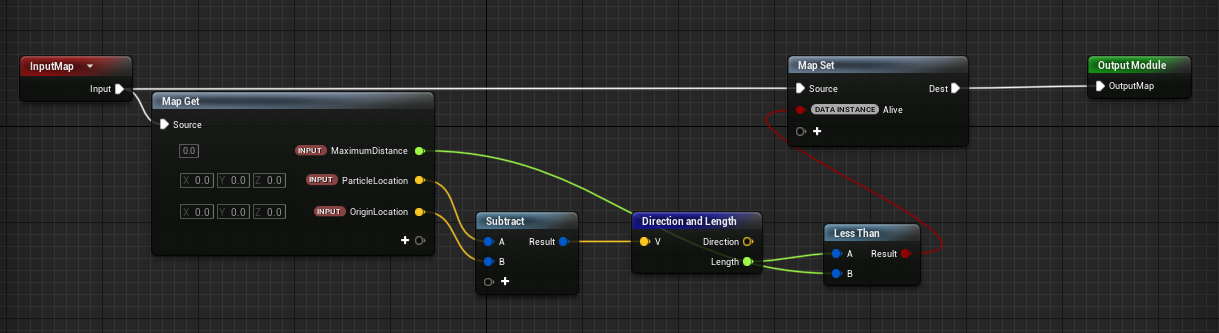
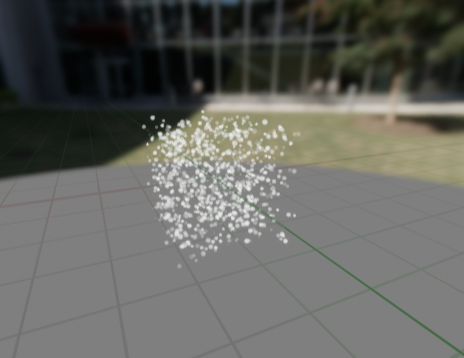
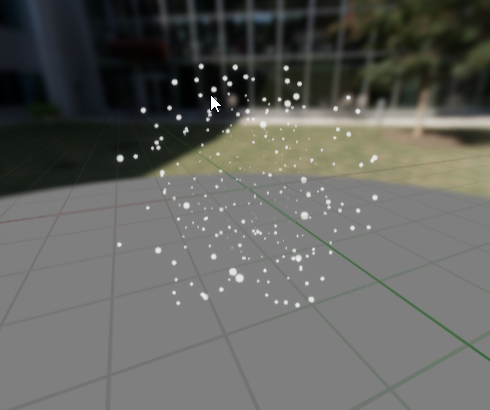
second one is just added velocity from point and removed the box spawner so you could get a better idea
dusky berry
@dusky berry you can wrtie a module that kills particles that wander too far off
@wicked shale Thank you, I'll give this a go. Do you know how to only spawn a particle if the number of particles is below a number. This is would perfect if I could keep the number constant.
wicked shale
No I don’t. Maybe there’s a way to use the death event that the module I showed you probably triggers? Honestly, I would just put it in and see if other people notice.
wicked shale
yeah you can just duplicate your emitter, use a death event (generate death event on your primary emitter, recieve on the duplicate)
everytime you kill a particle for being too far away it will generate a new one with the same properties
honestly though id try without it. it may be one of those things that you notice as the dev but players dont
 idle latch
is there an easy way to do gaussian blur in 4.25??
lone heart
are you trying to make an object blur stuff that’s behind it like frosted glass, or what?
subtle oracle
How do I reset a particle system component when it is set to loop once?
I can't believe figuring this out is so difficult :p
 eager mirage
Hello,
I have a question about the chaos fracturing patterns. I have been trying to get a wood splinter type look out of the voronoi fractures. Normally in a dcc app you could take say a plank of wood and scale it down on one axis prior to fracture, fracture it and then scale it back up post fracture and you have some nice cheap wood splinters. It seems regardless of how something is scaled the chaos fracture stays absolute regardless, the fracture points just scale up and down with the object. Is there a way to separate that out?
 raven sage
anyone messing with the new water system in 4.26 know if we can get rid of this white stuff when up close to the water?
 junior charm
hello guys i need some advice here any irection would be great at this point i have setup a weapons system and i have a muzzle fire particle system setup when i fire my weapons i can see muzzle flash and ai can see the hit decals when i hit walls or enemies it is all working as intended problem comes about whe i play in stand alone game i hear the sounds and all that but no muzzle flash no blood splatter from enemy no wall hit effect no water particles what am i doing wrong please i really am stumped
 normal trail
@raven sage
There should be a parameter in the material for the strength of the foam. I’m not sure if there is a function for the camera distance already in
upbeat gate
I know this is basic stuff but how can I make my particles (not niagra, not ready to learn that) emit in a local direction but then not follow the emitteR?
I have an emitter attached to a bone but right now they follow along with my player like a sword rather than trailing behind him as he runs
I figured this would be the default behaviour
 lusty saddle
That moment when your sky shader is a bit overengineered... 😐
(but at least it looks cool af)
 devout portal
Greetings. Afaik there was a way to make System sized UV for particles (i.e where all the particles using same UV of a whole system and not individually mapped)
Any hints on that?
@lusty saddle looks nice, can you make clouds blend with sun color when they in front of it?
found...
ParticleMacroUV
lusty saddle
@devout portal Thank you! Well, I could, but I wanted to make a sort of gradient to dark at the bottom to get this kind of 80s vibe
devout portal
@lusty saddle that effect probably will be logical if
lusty saddle
Hum you're right, I never saw it that way 🤔
devout portal
so the bottom is the reflection, and waves causing the stripes
lusty saddle
Well I can't get that effet with screen space reflection sadly 😕
devout portal
you can just drop a normal map on your water layer with sine waves (or more complex normals)

like you can see here
upbeat gate
Anyone? I know this is basic stuff but how can I make my particles (not niagra, not ready to learn that) emit in a local direction but then not follow the emitteR?
I have an emitter attached to a bone but right now they follow along with my player like a sword rather than trailing behind him as he runs. I figured this would be the default behaviour
trying to make a flamethrower
cold sorrel
Untick localspace
upbeat gate
I tried that but it is making them emit in a fixed direction in the world
cold sorrel
Then you haven't attached it correctly
Sounds like you only give it position, not the transform
upbeat gate
they're emitting FROM the right place but the direction is updating to point at a fixed world location
like as though I'm holding a rope tied to something
cold sorrel
That's what I said
The transform include the rotation.
If that's not it, you have built some kind of crazy emission since that's the default behaviour
upbeat gate
hmm
I mean I literally attached it to the component so I assume it's using all the transform
but thank you, I'll double check it all!
 kind halo
hey I have a particle system with a particle that has a refraction distortion material on it, is there a way i can set that so it doesnt affect the other particles in the particle system?
had to Enable Separate Translucency 🙂
 tiny crane
are there any good ways of sampling relative scene information in Niagara. I want to put a sphere around some static geo in my level and emit particles off them. thanks in advance.
 fallow basin
@tiny crane You can create a variable in Niagra and assign the static mesh to it in blueprints. Might want to ask in #niagara next time btw.
raven sage
@normal trail you sure that's meant to be a part of the foam? If i'm not mistaken the fancy foam in 4.26 preview 4 is currently disconnected?
tiny crane
@fallow basin thank and whoops my sidebar was one scroll away from showing me that channel.
 slender walrus
Does anyone have an idea what could cause that visible seam? Mesh parts use the same material:
raven sage
Hey all sorry bit of a broken record here but wondering for people messing w the new water system in 4.26 how to just get rid of this white animated texture on the water
brittle remnant
@slender walrus Probably different normals
primal parrot
@raven sage played with the material? https://youtu.be/XHugDXx6c5c?t=5095 foam injection? have not played with it but I am sure its in material somewhere
raven sage
@primal parrot i been digging and disconnecting things until i find it but no luck yet haha. disconnected a ton of foam stuff
primal parrot
is it foam? is it particles? gotta be something
raven sage
@primal parrot i think it's neither hehe. the foam is way fancier. This is just some texture that seems like a 2 frame flipbook on top of the water : P
anyone can see it with lake, river or ocean default water system bps
even in Ryan Bruck's demonstration live stream you can see it but everytime he gets close enough to see it he quickly tumbles back the camera haha
untold bobcat
Thank you @cold sorrel and @civic geode ! Your insights helped me with my Houdini video: https://youtu.be/ULk6pL4MRS0
 river lynx
I am working on a parcticle effect were the particle grows shrinks then grows even bigger than shrinks again. Howerer after the secound growth the particle mesh just deletes instead of shrinking. any idea of a fix. the size by life is (in val 0 out val .5) (in val .3 out val 3) (inval .5 out val 0) (in val 1.5 out val 6) (in val 2out val 0) with a life time of 2.0
 dusky dove

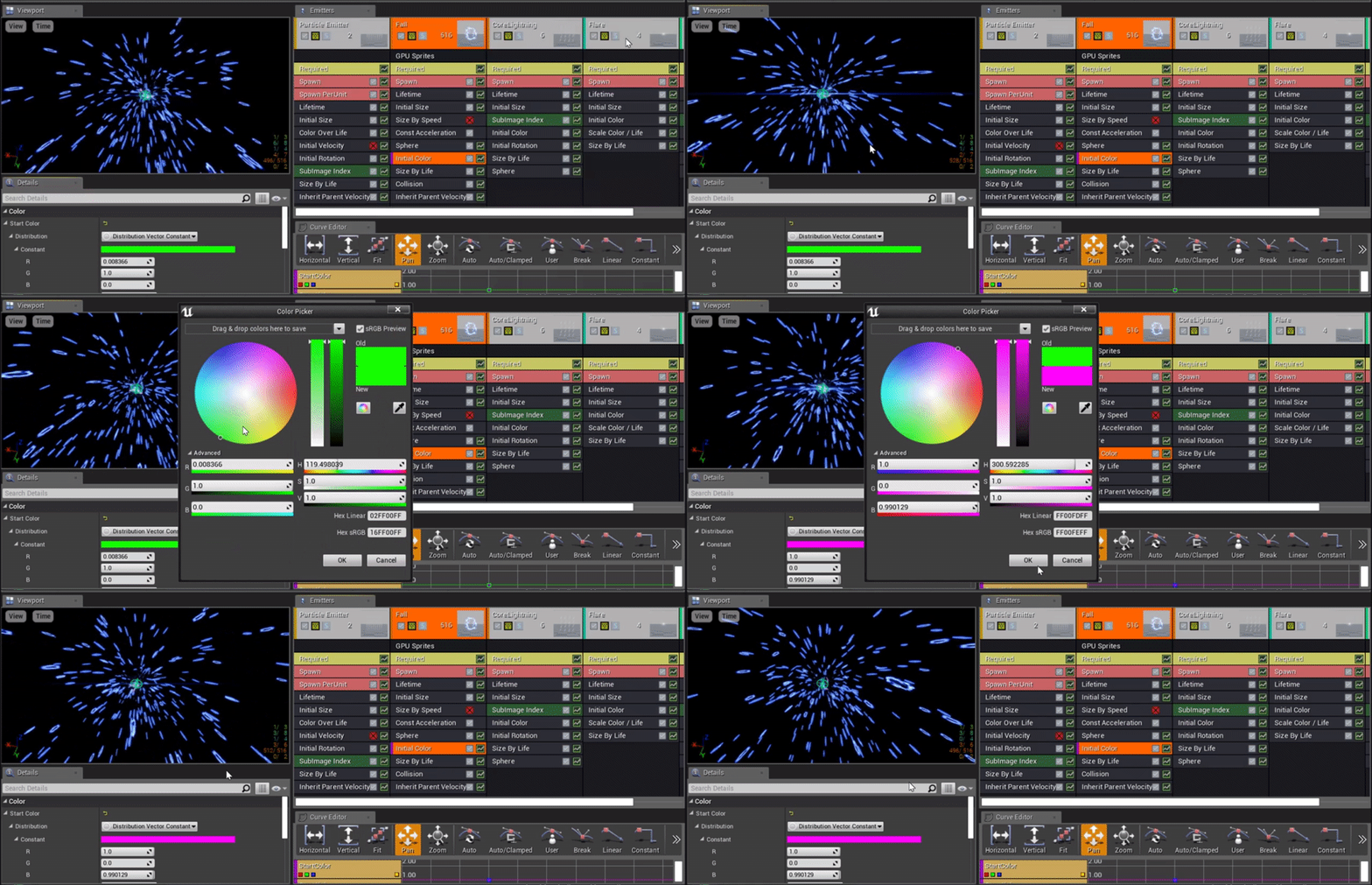


I would like to summon your wisdom!
I'm doing a simple lighting effect using Beams, Imagine something like palpatine lighting coming from the player hand. I'm trying to Bend the lighting using the tangent at the source, so the lighting do an arc. But, the issue I have, it seems that this tangent is in world position, so it brokes on some player angles. Any suggestion?
Currently using Cascade.
dusky dove
I am working on a parcticle effect were the particle grows shrinks then grows even bigger than shrinks again. Howerer after the secound growth the particle mesh just deletes instead of shrinking. any idea of a fix. the size by life is (in val 0 out val .5) (in val .3 out val 3) (inval .5 out val 0) (in val 1.5 out val 6) (in val 2out val 0) with a life time of 2.0
@river lynx I believe your values should be between 0 and 1, so 1 = 100% of the lifetime of the particle.
 verbal geyser
Hello everyone - I'm trying to achieve an effect similar to the work in Dear Angelica, the process is taking splines/curves from Quill, importing them to Houdini where thickness attributes are read, and then piping this back out to UE4 for rendering.
So far I've been trying out a method that uses Alembic Geo Caches but I'm finding the Geo Cache far too unstable to use for production - it crashes frequently when scrubbing the timeline in sequencer and instantly on a copy/past/duplicate in the sequencer.
Upon reading this piece about Dear Angelica on the Quill Blog > https://quill.fb.com/userstories/6-dear-angelica it mentions that they developed a shader that renders static Alembic Curves as polygons of varying thickness at runtime.
My Question to the wider community is, has anyone had luck developing a line shader that renders curves with variable thickness at runtime? Or is there someone who may know how to develop this? If so I'd love to chat to you!

Quill
The Emmy-nominated Dear Angelica tells the story of Angelica and her daughter, with the vocal talent of Geena Davis and Mae Whitman.
analog onyx
@verbal geyser What complications do you have? If you export a spline mesh of known thicnkess, and it is tangent space, you can collapse it to zero thickness and expand in any other direction with desired thickness using WPO.
 fierce arrow
Hello! Does someone know how to make trails for ships on the water surface?
verbal geyser
Hey @analog onyx thanks for replying - the issues I'm having are between some things working and others not.
If I use a spline thicken, i can only get this to work on geometry imported from Houdini that isn't actually a spline. If I use If I try and import an FBX or an Alembic as a curves only file, it fails to import as, from what I can tell, it believes there to be nothing in the file.
The only way I can get it to import curves is by using the groom plugin, which do keep the variable thickness from Quill (which shows as a thickness attribute in Houdini) but it then lacks the playback of animation like a Geo Cache Alembic and also limits to using hair materials which don't pick up vertex colors from what I've tried.
And then I have the issues of Alembic Geo Cache crashing constantly.
Reading the article I posted above, they only say 'Special shaders were written to implement curve to polygon conversion at render time for some extra performance.' at the end. I' not sure if this is in reference to one built with the Spline Thickness MF or something new altogether.
 rich aspen
Is it possible to use Translucency and Subsurface in UE4?
analog onyx
@verbal geyser You should be importing spline meshes, not splines.
 olive sail
Hey, I'm looking to start doing some bullet impact effects - any tips on where to get started? I'm guessing I should use emitters for those?
rich aspen
@olive sail a couple ways immediately come to mind :
- Static mesh spawned at impact point with a mask
- Deferred Decal
they both have their pro's and cons, if you don't want parallax, decal method works great as it bends round corners easily, whereas a mesh doesn't typically
or maybe you meant the sparks and things?
olive sail
@olive sail a couple ways immediately come to mind :
- Static mesh spawned at impact point with a mask
- Deferred Decal
they both have their pro's and cons, if you don't want parallax, decal method works great as it bends round corners easily, whereas a mesh doesn't typically
@rich aspen Thanks for the reply, I did mean sparks and dust, but adding hole effects is something I'll have to tackle too, so you're just giving future me some good advice!
 novel belfry
Does anyone know why fire doesn't blur?
brittle remnant
@novel belfry because you have separate translucency on that material probably
 quasi pewter
Does anyone know if it's possible for a non-postprocess material to read from customdepth? I'd like to mask an object's transparency by the customdepth, so the object is only revealed when an object rendering to customdepth passes over it.
 wild rock
Does anyone know how to set up coloured/textured shadows in latest Unreal? All the tutorials online mention v old versions of the engine
 untold gull
Can anyone help me out with setting up don mesh paint?
untold gull
Found a sample project. Thanks for everyone's overwhelming zero support
cold sorrel
You are welcome!
 severe basalt
Hi, maybe a simple question but bothers for a while, I know we can use blueprint to trigger fx in the scene, I also know if we click this Force Solo, the fx will be triggered as well, just curious if there a short-cut key for me to trigger all the fx in the scene? something like press the Force Solo for all the fx at once... Thank you 😄
 cloud nimbus
Hello Niagara Gurus, I am in need some some assistance. I am currently trying to get the position data of N particles in system A (Parent), and pass them into system B (child). I can sort of do this using vector write/read events, but only one position is being passed. Im relatively new to Unreal so there is likely a better way to handle this. Can anyone give me a hand? Here is a link to my files and a screenshot: https://1drv.ms/u/s!Am6Yrj6D5e3SslR0cNSjw5J4Uy58?e=Sf8TOe

Compressed (zipped) Folder
cold sorrel
Depending on what you are trying to do you could either us a location event or a neighborgrid + stages setup
Hmm, actually, if you don't care spatially abou which article you read from you could just loop through them all in a stage
cloud nimbus
I tried a location event, but it seems that I have to 'spawn' particles using events, which generates WAY more particles than I want.
The ultimate goal of what I am doing is spawning particles along a vector (done). The start of the vector is the simulation position, and the end of the vector is the positional information Im reading from the parent emitter particles.
 deft ivy
How can i create dust particles that spring from the back of my car tyre
 clear vessel
Guys I made a material that has 2 layers of masks. One is the grid and one is the skeleton
At the bottom part of the material you can see how I'm pixelating the skull texture
I want to align the skull's pixels to the grid
Can someone help me out with this please?
untold bobcat
Can Houdini assets be spawn into a level dynamically during runtime or do they have to be statically placed into the level before play?
cold sorrel
No runtime support