#visual-fx
1 messages · Page 32 of 1
 vestal vector
vestal vector
vestal vector
if the sword is literally an actor then it might work
 celest birch
questions about GPU particles and motion blur : TLDR I can't get it to look good, how to ?
- they blur when the camera moves but not with their own movement
- I get a super weird, stretched but fully sharp picture instead of a blurred rendering of my particle. Especially when using refraction in my shader. With some different settings it just appears double instead
- the blur fade node seems to do the opposite of what it says in the documentation ?
this is for rain fx btw
 deft fox
having a bit of issue, I have my particle affect to deflect on bounce and it working in the editor but when I hit play its not deflecting and seems to be going through the terrain what setting do I need to set to fix this?
celest birch
in your actor collision module try to set the max collision distance to a very high number. Alternatively try to uncheck "drop detail" @deft fox
deft fox
I tried putting in a standard particle from editor and gave it bounce also and it bouncing in the editor window but when I hit play that particle is just seeming to go through terrain instead of bouncing on it.l where is the drop detail setting?
celest birch
actor collision module
deft fox
no luck :9
also I found this which seems to be same issue I am having https://answers.unrealengine.com/questions/601697/view.html
 fossil swan
might be that its already hitting something on spawn as well
celest birch
yes try setting a delay just to see what happens
@fossil swan any experience solving issues with motion blur on GPU particles ?
deft fox
where should I set delay?
celest birch
same in the module
deft fox
am I supposed to be setting that in project settings collision settings or in particle collision setting?
celest birch
in the module. in your emitter
deft fox
ok
fossil swan
@celest birch I ignore its existence :p
celest birch
sad
deft fox
still not working 😦
 pure latch
anyone can help me how i can create a smoke plume like this ? https://www.youtube.com/watch?v=SFWa0-A43dk
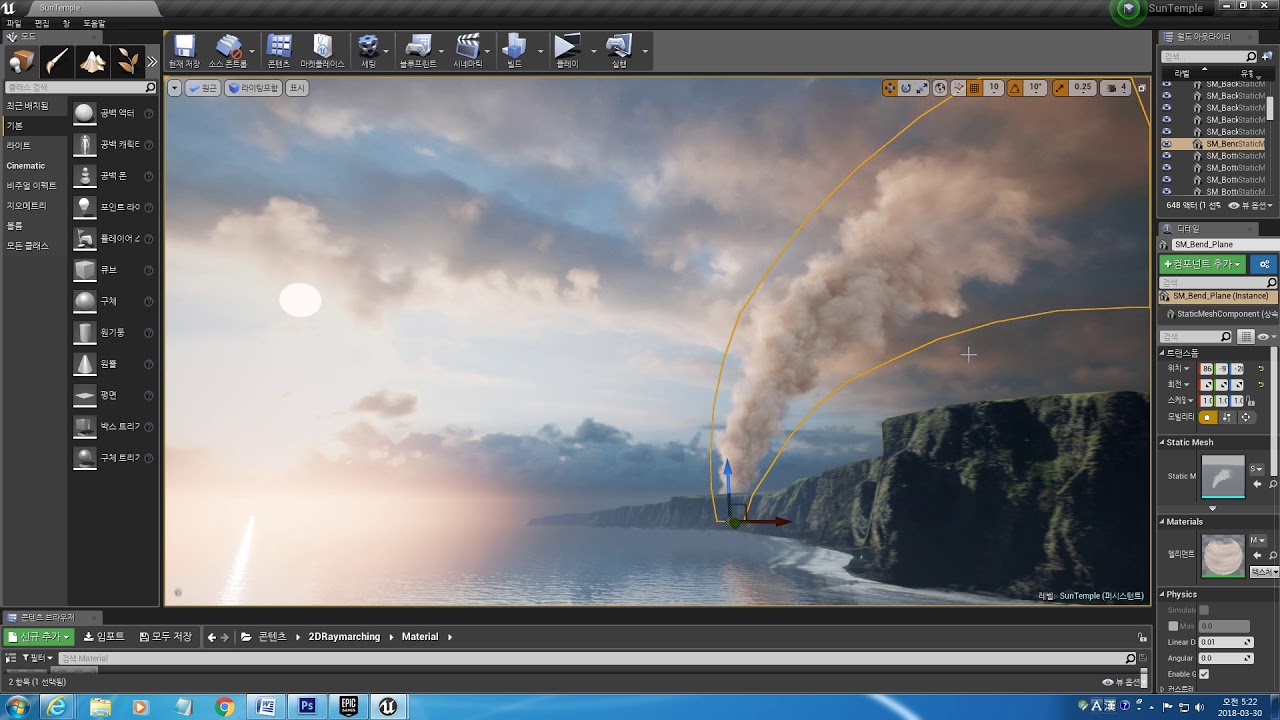
no subuv sequence texture one sigle mesh =)
 cold sorrel
That particular one is a raymarched animated sequence. If you are still in the tutorial phase of your development I'd try something simpler.
pure latch
i dont really need the complexity of this raymarched thing. This is plume is more in the background in my scene, so it can be very simple, but i dont know how
can i create a smoke plume animation in for example After effects and put the animation video with a transparency into my unreal scene ?^^
deft fox
found it
needed to set max collision distance
ok final issue
it now appears and is deflecting
but when it appears it like its already been deflecting for long time instead of starting from zero playing..
cold sorrel
Then buy a smokepillar stock footage, make it loop in After Effects and slap it on a quad. Done
The other option is to simulate the smoke in a dcc
 lone heart
there isn’t really one. if you have an existing force module in your system you could set the strength of that
 feral herald
@pure latch You can create your animation in any package, take 64 frames from that animation and create an 8x8 grid flip book animation texture in greyscale, then bring the texture into UE4, then create a material that uses the flip book texture, then create a particle system to spawn a particle that uses the material. Example on flip book animation here: https://jesshiderue4.wordpress.com/materials/flipbook-node-creating-an-animated-texture/
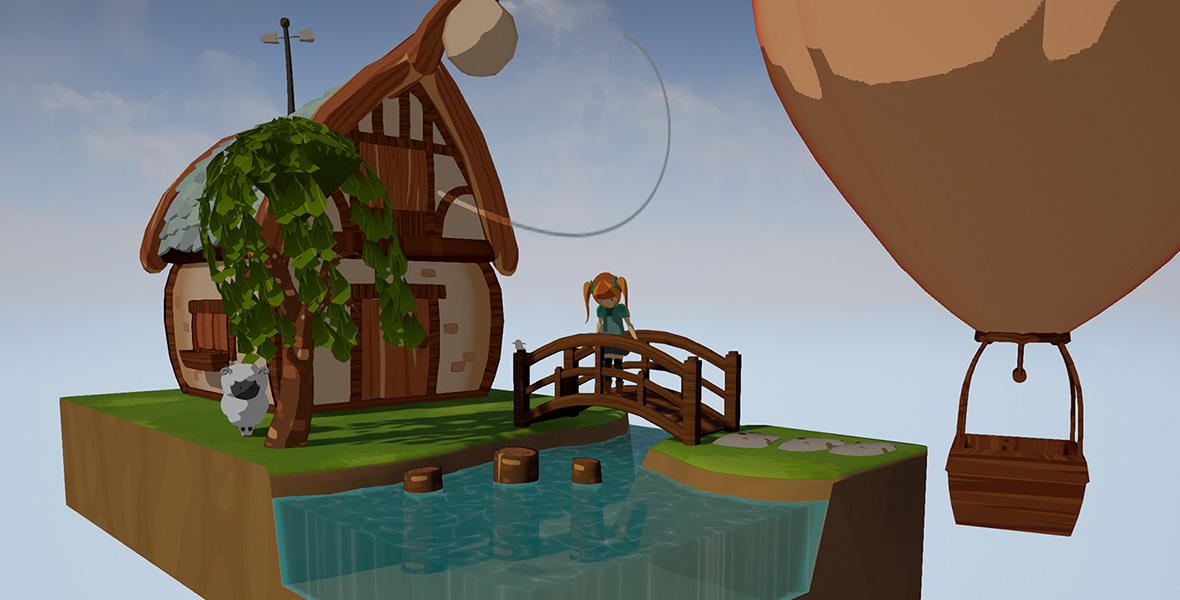
In this tutorial, I’ll explain how to create an animated texture first inside of Adobe After Effects CC, and then how to import and set-up the Material inside UE4 using the Flipbook node.
What @cold sorrel wrote basically.
cold sorrel
Don't waste particles on background smkepillars
pure latch
i tested something with this an Smoke video with a transparency for the Background
feral herald
Looking good
cold sorrel
That alpha needs some love
pure latch
yeah that alpha is very rough atm
 indigo jolt
Magic wand the black parts of alpha, invert selection, layer style > inner glow, 100% opacity, crank up width, change from soft to precise, done
celest birch
Good day need clouds like these for heaven map - https://www.youtube.com/watch?v=8M7yqJFW4yc. Any ideas how can I achieve this with good performance? Maybe with materials?

 limber pulsar
@feral herald That tutorial reminds me of Okami's wind https://twitter.com/JasperRLZ/status/1173397034088271873


Someone asked me about how Okami's wind spirals were done, so here's a mini-epsiode! It's just a carefully drawn texture scrolling through a curly mesh! Very clever and effective use of texture scrolls. Hats off to the artists at Clover Studio. https://t.co/rswHHeaUMR
Retweets
1039
Likes
3985
 Twitter
deft fox
Twitter
deft fox
How can I stop a particle from zooming and gaining speed each time it makes collision and instead continue at the same speed it was going?
fossil swan
reduce the bouncy rate thingy in the module
deft fox
dampening factor?
fossil swan
think that is the one (currently no ue4 open)
deft fox
I tried setting that but it still zooming off :/
fossil swan
snap, frame stutters, weird settings, the moon
 strong pelican
Hi guys, I created a particle that moves on a splie path, but along the way, I would like it to stand still for a while, then move on
can someone helpe me, please?
deft fox
I am trying to create a range indicator for when a unit is selected, the unit has a cone radius for its range in and firing angle. I am trying to figure out how to have the particle spawn at angle on Yellow move foward then curve for the front of the indicator and return on Red line..
deft fox
 rustic depot
@fossil swan hey we talked about multiple shell(mesh based) toon shader from some japenese cartoon, that used ue4 ^^. I tried to do that in Post Proccess only, via custom flowmaps made in SD, to simulate brush strokes, and i divided the background in 3 depths, forground, middle and background(only sky). And ye, u were right, it doesnt look that nice, but i alsy used cubes and ue4 standard character.
fossil swan
good that you tried it though
hope you gained new knowledge from it :)
and show the result anyway :)
rustic depot
yea sure ^^
i even could make outlining trough difference of original buffer and my new one, funny.
but still hate the idea of using fukin 10 layers of opacity(or was is hard masking) , either way.. peformance oof
 teal mesa
did anyone here tried to shatter mesh using material and world position offset?
the idea is to simulate something like destructible effect, but with material. I don't need it to be really complex, just shatter fragments around and then fade it with alpha for example.
Any low level ideas or tutorials?
rustic depot
oof, maybe bake vertex animation information into a texture, read that in position offset, but not so shure tbh. I would go with Alembic or some pre shattered stuff.
fossil swan
you'd prolly need pre-generated chunks


Thanks for all the love on this everyone! Here's a bonus older gif showing the mesh I used in more detail. https://t.co/bONt9rBDcM
Twitter
all that movement is shader-based, but it needs predetermined chunksies.
teal mesa
I see
My idea was to achive it with no precomputed stuff, so it could be applied to any mesh. maybe with a noise mask, and moving away chunks from given point in world space.
Let's say I have a mask with chunks with different colors (some chunks are red some are blue etc), then material would offset position of chunks away from the point in world space (center of "explosion") and every color would have some additional offset to achieve the ilusion of fracture
Is there any sense in my idea or am I just babling?
fossil swan
you'd need to generate something for all the holes you'd create. because it would not automatically create polgons, nor would it be possible to split a mesh up that easily since its very much polygon related.
teal mesa
right, didn't think about the holes. Thanks!
celest birch
is there a way in cascade / shaders to measure how much distance a particle has traveled in space since its creation ?
fossil swan
for testing you could use te debug scalar stuff in a material but it would not be super-accurate-ish.
else, iunno
lone heart
@celest birch none I know of in Cascade and definitely no way in materials, but it’d be pretty easy in Niagara
celest birch
could you give me some very quick pointers about how you would do it in Niagara ? i'm gonna give it a go tomorrow but am very beginner
dynamic input ?
lone heart
the approach I’d use would be to add two particle parameters, a float “distance traveled” and a vector “previous position”. in particle update, before the Solve Forces and Velocity module, set the previous position to the current position, then after the SFaV get the distance from the current position to the previous position and add it to the “distance traveled”
on second thought you don’t even need the “previous position” part, you can use the length of the particle’s velocity * the delta time after the SFaV
might interact weirdly with collisions though, I’m not sure how those work
celest birch
the movement is not linear, but it's always away from my emitter and I only want the distance traveled in one axis, so i think thankfully i dont even need to do this kind of precise movement tracking, instead i can probably just set a variable for the starting location in one module, then read it from an update module and do current pos - start pos and I have my distance traveled
lone heart
oh yeah that would totally work, I assumed the movement was more complicated
deft fox
How can I set a particle so it spawns at another xyz instead of zero positon? I am able to add more then one particle affect in the particle editor but can find out how to change its location.
fossil swan
@deft fox wut?
do you mean the initial location module?
deft fox
yes
indigo jolt
Albert, try orbit too
 grim mist
can anyone offer a reason as to why my textures are so dark here:
this is the original texture:
spec, metalic both at 0 , rough at 10
in game looks like this
 dull kite
Anyone good with cascade particle effects ?
fossil swan
nope :p
dull kite
😮 you again !
fossil swan
sup? (only have 5 minutes)
dull kite
snap
Trying to make a lightning effect. Got the material set-up and most of the particle system ( 1 particle spawning randomly etc)
fossil swan
youtube intro's cost 50.000 exposures
dull kite
however. I'd like to make it flash twice instead of once. any trick or tip you can give ?
fossil swan
spawn it twice
cold sorrel
Jaggies in the color over life
dull kite
jaggies ?
cold sorrel
uppie downie curves
fossil swan
and sparks
cold sorrel
Heathen
dull kite
I'll have a look into it thank you 🙂 will let you know how it went.
dull kite
It works ! great. thanks guys 😄 ! managed to fix it through color over life.
fossil swan
I still need my breakfast, so it can go on my croissant
rustic depot
@grim mist do u need lighting? else (it seems like light was drawn into texture already), go and use emessive.(i guess u lookin for unlit shader)
 magic jacinth
i have a spawn emitter and when i call pause the particles pause in my level. how can i stop spawning?
feral herald
Call the niagara SetActive node and set it to New Active Status = false (in the bp)
You should probably post in #niagara
If it's niagara related
magic jacinth
Yeah I should thank you :)
 polar flicker
Not sure if the right place to ask, but anyone have or know of HDR implementation documentations/guides beyond what is here? https://docs.unrealengine.com/en-US/Engine/Rendering/HDRDisplayOutput/index.html
Overview for HDR Display Output and available options.
My google fu is failing me
grim mist
@rustic depot Thanks. Well I used lighting to fix the dark textures, but a lot of it
use lighting to fix dark textures....whod have thought it 😄
rustic depot
thats works too ^^
fossil swan
by lowering the brightness
 acoustic tide
on the lava material?
fossil swan
yes. emissive value related.
fossil swan
you might want to play with the tiling, and details related to why there is lava in the first place.
acoustic tide
i'll put the lava in a lower place, and i want to add a rope and make a qte sequence
i'll finish building the scene, then if needed i'll ask for help
thank you anyway
fossil swan
take a look at the elemental demo on the learning tab, it has a lot of lava usage.
acoustic tide
i'll take a look
celest birch
Hey anyone who migth be here, I'm thinking of how to approach making a refraction that has depth, somewhat like the depth of volumetric fog, anyone that can give some insight? 🙂
lone heart
do you have an example of the look you’re going for?
celest birch
Hmm not really, I have it in my head, but let me see if I can find something online that looks what I'm going for
@lone heart I thikn the best way to describe it wuold be like a dragons breath look, but translucent and colorless, so only with the refraction and denseness of it but the colors of it
I want to map it to a mesh because I'm using a mesh as collision for a certain attack, and I want players to see the things distorted in when looking at teh volume, as an indicator that something happened if a player is far away form the attack
I thought of fading the opacity based on length from cneter to edge, that would work to make edges completely invisibel right?
I know I'm asking a lot but experimenting is hard as my computer only can do 8 shader opperations per second, so anything little thing I change adds minutes of me having to wait for all new operations
celest birch
!st one, something similar in the way it distorts atleast; I know I would maybe need a flowmap or field of sorts to grow it properly, but maybe there is a way to fake it growing like a stream
1st one*
the growing part of it is not really my focus now though, just want to get a depth of it right so the meshes edges cannot be seen, tehn after that work on teh distortion, trying to think of how I would go about fading the opacity
lone heart
interesting
 silent cargo
Do any of you know what type of vfx this is I was messing around in the Soul City free assets but I couldn
couldn't* figure it out
 rotund dome
@silent cargo if you're talking about the light coming from the window then I think it's called sun shafts
celest birch
seems to me like the lens flares from post process volumes
@celest birch - check that your texture is the right size for your shader setup and not being padded to power of 2 without the material knowing about it
- check that your VAT has no mip maps on
- else idk
 valid summit
I'm pretty new at the VFX stuff, trying to create a post-process effect where it blurs from afar
I wanna hide a background (or blur it) that's a while away.
fossil swan
depth of field
valid summit
Ah yeah, that thing.
So far, I've attempted to play with that using a post-processing volume but I'm approaching it like it's a plane and the 'camera' is looking through it - like a sheet of transparent glass, I guess.
Not sure if that's a good or bad way to do it.
lone heart
that’s not gonna work with a post-processing volume
PP volumes (of non-infinite extent, at least) only have an effect while the camera is inside them
you don’t see the post-processing when you look into the volume from the outside
if you don’t need the blur to vary smoothly with depth—i.e. you’re okay with a hard cut from not-blurred to blurred—then you could use a plane mesh with a translucent material that runs the SceneColor (IIRC) texture through a blur filter
otherwise yeah DOF is the way to go
 dapper smelt
I'm trying to get and set the loop parameter of my required modules so I can set a lopping emitter to play one last time and fade out on unit death.
Anyone knows how to get/set this? I can't find how to access it.
feral herald
@dapper smelt You could alternatively duplicate your "looping emitter". Then call a Location (or Death) Event from another emitter. Then in your duplicate emitter create a listen event. Configure it to listen for other emitters Location or Death event. Then use that event to spawn a particle that plays one time only and only when this Location or Death Event fires. The Content Examples has an example on location events and spawning particles with it.
feral herald
Sorry I was thinking of niagara and not cascade
celest birch
is it possible to let particles finish their lifetime after deactivation when they are attached with a timed particle fx notify ? they just disappear here
fossil swan
disable kill on deactivate should work
celest birch
its off already :/
fossil swan
O_o
celest birch
and destroy immediately is off in the notify
 thin rampart
can someone help with with why when I press play does my lighting fuck up
was working perfect then expanded the skybox and planet and its now missing the shadow effect
fossil swan
@celest birch works for me, just double checked
kill on deactivate/on complete are off.
thats the only thing influencing it
 celest birch
just to be super clear, kill on complete / deactivate inside the required module
fossil swan
disable those
fossil swan
if the animation repeats before they end, it might kill them in the preview?
not sure
celest birch
nah it's a once anim
and the emitter is short lived
compared to the timeline
damn
fossil swan
well you are/there is something killing em
celest birch
yeah weird
fossil swan
perhaps looped once and killed?
celest birch
emitter loops is 0
it's constant emit
also the notify lasts longer than my emitter time
so no
celest birch
thanks for trying anyway
acoustic tide
oh sorry
 trail pond
Is anyone having issues with alpha over life in 4.22?
I've looked through a few tutorials on it but it does not seem to change the opacity of the particles at all if anyone knows what might be causing this?
 past summit
is there any Houdini banter in this channel?
fossil swan
@trail pond if the alpha channel of particle color in material is not used, alpha over life will not work.
lone heart
@past summit could be—what do you want to know?
 spare hare
@trail pond first make sure you utilize Particle Color's Alpha in your Material and the In Value is relative to the Lifetime of the Particle, not absolute
 gentle flicker
Hey guys is there any documentation about optimising master materials?
fossil swan
tidbits of info here and there throughout the docs
https://www.youtube.com/playlist?list=PLuqNhfvpWXRizV3hQyMtiVy1az5AUJqx1 a few tricks here as well
 past summit
@Noah sorry for the late reply. I've been playing with it off and on(more off) the past few months since my roommate bought me a 2 year license for it.
Shits so in depth it's hard to find answers to questions. I've been working on making tools for UE4 gave up on a lot of em. Starting small now.
Can't seem to find good resources for explaining scripting methods or ways to designate or isolate an attribute or variable from one point(on a geo node or something) to another. Finally found a thorough source for "random" options wasn't in depth but it was insightful.
I have a programming background. So I get painfully frustrated when I can see that, for example, node A' under info tells me it has a total of 102 points,polys,norms etc, now since its data that exist there has to be a way to call or reference it.. but can't find a way outside of the node.
@Noah also realizing that my environment creation tool is a little demanding for my system.. granted my trees currently don't use cards which I assume will drop its process time by 2million polys a tree and variance scripting would drop a lot too.
But I can't find info on how to upgrade a work station to run high process simulation(vfx fluids) and high memory asset creation(a populated city model)
Should I use a duel processor mobo with ecc ram? Or just get a nice i9 16core and 128 high end ddr4?
 vernal salmon
Hey Guys, I'm currently trying to set up a Kuwahara effect in my unreal project and keep getting an error with virtual shader source path to where my usf files are located. I have the tutorial project that I based this on working with the same method of changing the path and had it working in my actual project at one point but then it all of a sudden stopped working. I tried setting it up again in a new project just to test again and getting the same error but the original tutorial project is still working just fine
deft fox
I am trying to locate if anyone has done a shader material that can be applied as a decal for impact that makes area of decal application under the material see through. for only area of covered by the decal
cold sorrel
That's not possible in a defered engine.
You can hack around it, but it won't be a decal
deft fox
what about have set area of material that intersect anything else be transparent?
 analog onyx
It is not impossible, but impractical to a point of being impossible.
Universal solution is a pretty costly approach with a decent load of graphics programming hours. Has to be justified.
celest birch
my mesh particles (cascade) arent casting shadows. same material on a static mesh casts shadows normally. any ideas ?
i found how to turn on the shadows if i drop the particle system in the world (details panel has a tickbox) but dont know how to set it when it's spawned in a notify
 pulsar goblet
I think particles by default don't cast shadows. I haven't seen any settings in cascade to make them do that, so I just made a blueprint and set them to cast shadows in the blueprint
 oblique tide
anyone know how to pause a cascade emitter or set its time or something? seems like it would be simple enough by I can't seem to get it
pausing the game won't work because I'd have to let it play for a half second before pausing to stop the emitter at the right spot, and it needs to be stopped in place on level load
I tried setting time dilation to zero as well, but then there's no way to set it's current time as far as I'm aware
fossil swan
you should be able to set the playrate to zero trough blueprint.
oblique tide
@fossil swan thanks, but I'm not seeing anything like that available for a particle system component, just animation and flipbooks
fossil swan
disable contex sensitive, drag from emitter (in blueprint) Set play rate.
dafuq, im sure there was one back in ye olde day
oblique tide
😂 thas what I'm sayin man!
Seems like it should be that easy
for now I set the time dilation super high and paused the game almost instantaneously but that will cause issues down the road
fossil swan
get/set custom time dilation
oblique tide
that doesn't work like I want though
fossil swan
understandable
oblique tide
if I set it to zero then it freezes, but from there I'd want to freeze at time X and dilation set to zero freezes it right at the start
 stuck hare
Any good guides to share bois?
cold sorrel
Sure!

Today I show you how to plant a tree. Planting a tree is incredibly easy to do - it only takes a couple minutes - and you only need a few basic items. Don't ...
fossil swan
ill allow it
stuck hare
@cold sorrel 2 minutes in and already received offers from ubisoft
cold sorrel
Sorry about that. I'll make sure that gets taken back
deft fox
I managed to work out a compromise, I attached a camera to my building actor that is located much farther down below building pointing downwards this then renders material and then I attach that material to the inside of the structure to make it look like its open to the sky below the floating island.
magic jacinth
is tehre a way to have gravity like in niagara?
celest birch
acceleration module
teal mesa
@deft fox nice workaround! just keep in mind putting several of those will affect framerate, but you can adjust the resolution and actors to render to keep it (kind of) light
 normal whale
Anyone been using DistanceCullFade? It seems to be borked in recent versions (specifically when used in vertex shader)
 tranquil galleon
@normal whale THE MAN, THE MYTH, THE LEGEND! Im taking your Udemy class, great stuff. Thank you
tranquil galleon
Sadly I don't have an answer for you.
analog onyx
@normal whale It always return 1 in vertex shader. Try using cpp PrimitiveFade. directly.
normal whale
Do you mean PerInstancePrimitiveFade?
cant find mat node directly named primitivefade in 4.23, and perinstance doesnt seem to work either (possible because its intended for instancedstaticmesheS)
I hope they fix it since it used to work just fine in vertex shader, heck even Fortnite used it in vertex shader
deft fox
there are only ever going to be about on or two altars in game the structure is constructed when players capture an enemy priest and most games only have 4 to 5 players
 bitter summit
Hey guys, this Skelt Vert/Surf Location option is hidding my particles... Do someone has a solution to this ? :( really important
Reproduce :
Open the UE4 Editor and create a Blank project
Right-Click on the Content Browser and create a Particle System
Open the Particle system and add a Skel Vert/Surf location node
Results: NO ASYNC TICK in appears viewport and the particles disappear
Expected: The Particles would still appear
cold sorrel
Did you actually link a skel mesh into the Skel vert module?
 muted vale
Bought the muzzle flashes from the marketplace. Where do i need to go in the particle to make the particle only spawn once? Its continuously spawning them. Tried destroying the emitter after a short delay and it didnt work. Thanks.
Im new to this. Im guessing it never "deactivates"?
muted vale
Think I fixed it. Its in "Required". Set Emitter Loops to 1
 coral fable
Hey guys! I was fiddling with Cascade GPU particles with aVolume shader in order to try and make some sort of localized/controlled fog/clouds, but I also have a custom Post Processing Shader in the scene to render objects outlines for a stylized look, and despite the particles occluding the other objects, the outlines shader still renders the occluded objects' outlines over the top of the particles, any suggestions on how to fix this?
coral fable
nvm problem solved! 😄
rustic depot
is there a way without pre baked/cached animation, to rotate every triangle of an object(detached, seperate faces) ?
fossil swan
https://twitter.com/klemen_lozar/status/1175968924623462400 look into this.
Thanks for all the love on this everyone! Here's a bonus older gif showing the mesh I used in more detail. https://t.co/bONt9rBDcM
Likes
101
Twitter
lone heart
@rustic depot rotate around what? the center of the triangle?
 lusty kraken
Anyone know where I could find free fx assets that won't melt graphics cards? Not looking for anything too specific, just to have some options to play with. I've been using the explosion particle system for literally everything in my project.
 novel current
is it possible to move particle effects systems using bp at runtime?
 true sandal
If the particle effect is an actor component than you can lerp + set actor location to move it
novel current
@true sandal ty 😉
true sandal
No problem, I am curious if anyone knows how to define a postprocesscomponent and limit it to a certain volume size
it functions properly with unbound but ideally I would like to constrain the area it operates under (and have it expand and contract) but I can't see the effect without it
true sandal
So the result to my question was that volume has to be arounnd the camera object, which is why it functioned properly for large radius'
 tranquil thorn
Hey guys
I can-t get my Post process material to work on top of translucent objects
 golden hamlet
why cant i import an alembic cache?
i get no errors just check output which i did
its an emitter from blender
 ancient stump
Anyone any idea why the Ribbon particle wants to have a rave like that. on its own? (The weird snapping)
it seems when I put the (already deactivated) regular "Spawn" module to 0, it already doesnt dance to the moon already, but they still seem to snap from source to source sometimes
 olive goblet
Does anyone know a material effect that is able to fade without a dither effect? But an effect that allows your character to go from opaque to invisible? But I don't want to make the material transparent because when that happens the materials naturally have a brightness/glow that they don't normally have when the materials are set to opaque.
 weary helm
Heyo, I created a fog with a post process material (following this tutorial: https://www.youtube.com/watch?v=y7Tq4LsJCsw&t=597s ), and I was wondering if / how I can make specific actors ignore this post process material ? I'm reading about some custom depth, but I struggle to implement it in my post process material
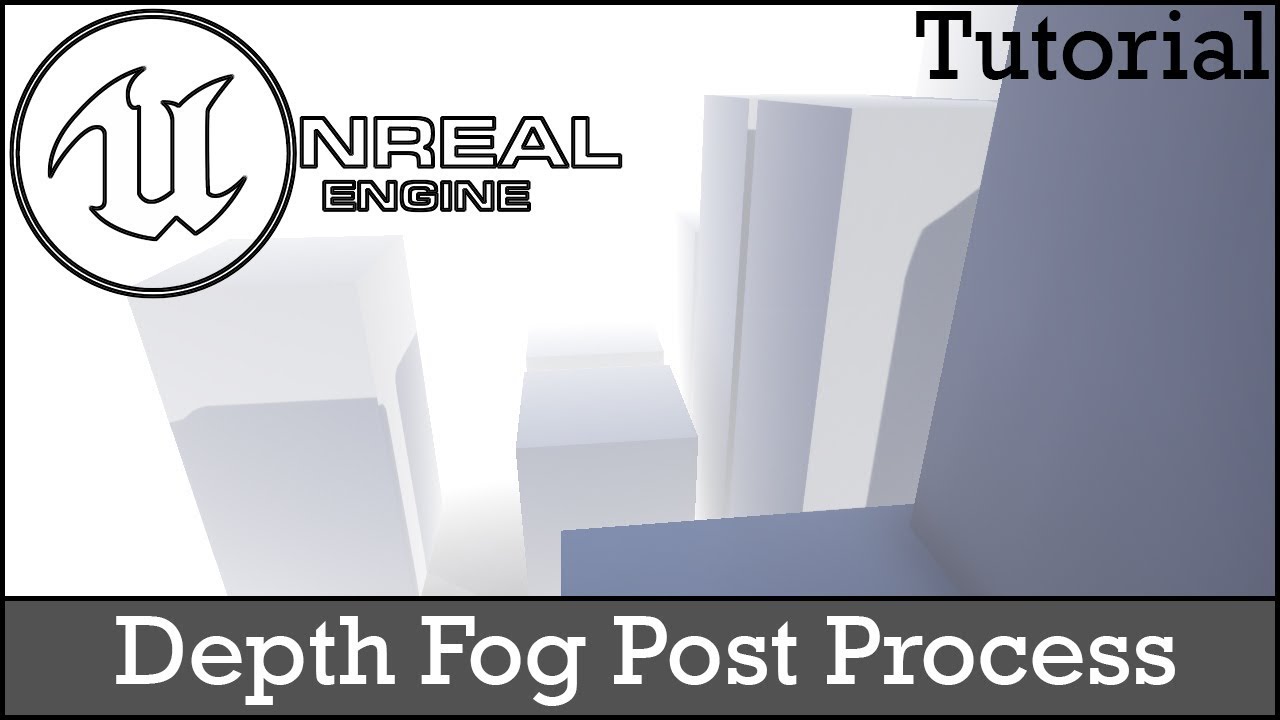
In this tutorial we will be creating a post process material that creates a fog effect the further away an object is to recreate something similar to Silent ...
teal mesa
@weary helm see Custom Depth and Custom Depth Stencil here, it helped me
https://docs.unrealengine.com/en-US/Engine/Rendering/PostProcessEffects/PostProcessMaterials/index.html
How to author and blend custom Post Process passes with the Material Editor.
and this tutorial :
https://www.youtube.com/watch?v=rL7VUeZzRyQ
It's long, but this guy explains everything, so you will understand (more or less) what are you doing, insteed of just copy-pasting solutions

► Outlines Tutorial: read here for the topics timings In this tutorial you'll learn how to create an outline post process in Unreal Engine 4 to show objects ...
true sandal
I' am looking to have localized, bounded, postprocessing done on the screen, and I've stumbled on this old post that touches on the subject.
However I require some assistance with setting up the material, I'm hoping someone could help me translate.
What is the value being divided here? "6e+04" I am not sure what that translates to.
Are the "0,0,0,1" and "1,1,1,1" vector parameters? I am currently getting "coercion failed ... float4 -> float"
Finally would this material be attached to a staticmesh component that is a sphere or a sphere collision with a postprocessing component?
I would appreciate the assistance!

reddit
Is it possible to create a post process volume that is localized within a sphere? To be more specific, can I have my player be outside of a post...
celest birch
How would you guys recommend recreating the "blue squiggly lines" effect as seen in A New Hope (Jawa vs R2D2), Empire Strikes Back (ATAT vs snowspeeder), or Return of the Jedi (Palpatine vs. Luke, RDR2's control panel hack)?
true sandal

Project Files: https://goo.gl/jD94ge ( Obviously, You only get the mannequin mesh and not the creatures!) Hello everyone in this Tutorial I will show you how...
@celest birch quick google search yielded a similar answer, from there you can add a bit of distortion however that would be extra
celest birch
Thanks!
lone heart
@true sandal “6e+04” is 6 * 10^4, i.e. 60000
6e-2 would be 0.06
etc.
the “x* 10^y” is scientific notation, I’m not sure what the one with the “e” is called
true sandal
@lone heart Thanks I am familiar with scientific location but not UE4's syntax of it
I also found a different implementation of what I am looking in terms of localized postprocessor, so i am hoping when I get a chance tonight to try it it'll work properly
https://oliverm-h.blogspot.com/2014/08/ue4-localized-post-process-effects.html

One of the new features of UE4 (in comparison to UE3) is that you can access the world position of a pixel via post processing. I just reali...
lone heart
oh that’s neat
for a more modern take on it you could use the SDF material nodes instead of doing all the plane/distance tests yourself
true sandal
SDF material nodes? I'll give them a look
My aim is to trigger a Post processor shader with a key press and then have an effect, say color grading tint, expand outward from the character until it envelops the screen
@lone heart does SDF stand for Signed Distance Field?
lone heart
yeah
are you looking to have the effect expand across the surfaces or in space?
in other words, if you’re looking through empty air around the character, should you see the effect in the “bubble” around them?
if so, the approach described there may not work—it won’t be visible around them unless they’re in front of a wall that’s within the bubble
true sandal
I'm looking for it to expand through the air
So half of the scene can be covered with a post processing shader and the other half be normal until its enveloped
https://i.gyazo.com/9da47f874cb16bf7e255d47aee287af3.png
Similar to this such that I want it to include part of the screen

Then I figured I could just expand and contract the radius at will
lone heart
ahh
should the sphere be visible “through” stuff or does it need to be occluded like is happening at the bottom of that image?
true sandal
It doesn't need to go through objects, this isn't ideally the effect I want would be a color tint
lone heart
that’s unfortunate, being visible through stuff is easier 😛
it sounds like you need something stencil-based
true sandal
It can go through objects
I am most looking for a camera filter that I can control the size and shape
 low lintel
Hey all, I'm trying to make a spike particle travel along the surface of the terrain floor, problem is if I'm uphill or downhill, the particle will not follow the terrain arrghhhh - very frustrating! Does anyone know if you can make a particle adhere to a terrain surface somehow?
I've attached the image of particle (picked this up from the marketplace <3)
 wet field
hi guys, my FX have strange stucks
it better to notice in playing
I'm tested all sort modes but it's not helping
ancient stump
Anyone experience with Ribbons? At the end of the lifetime of the ribbon particles, they spawn 1-3 extra ribbons at the source point of the particles system, this obviously creates ugly visual artifacts. Can't figure out how to get rid of it, seems nobody has figured out how. (forums)
fossil swan
not enough info
could be that their target died before they where disabled, could be you are emitting too many ribbons, could be the in-cascade only-but-not-during-gameplay bug, or the moon is at a wrong angle.
ancient stump
@fossil swan Well this is what it does in-game. Snaps back to the origin
fossil swan
i would not use ribbons for that anyways, but basically lifetime/disabling of ribbons need to be slightly before than whatever they are attached to its lifespan.
ancient stump
well if I put the ribbons lifetime to 0.6 and the particles lifetime to which it is attached to 1, it still happens.
fossil swan
then you are probably not using events to spawn one ribbon for each particle.
which btw is very expensive.
fossil swan
no, that just means it spawns additional pieces of trail per units traveled
ancient stump
AH
fossil swan
which is currently set up in such a way that you'll get errors on cooking :p
ancient stump
perfect >.<
fossil swan
ribbons are expensive, and spawning bleeploads of em at 1 unit.. ouch.
there is an event generator module.. which is hard to explain
Event modules allow you to generate events based on particles themselves or other actors in the level.
on spawn > emit ribbon attached to spawned emitter.
units can probably be 50-200 range.
ancient stump
Alright lemme check how that works then 😄
ancient stump
@rustic depot Thats not the final VFX, just deactivated some stuff and overkilled that single particle in spawning. Also needs to be more like a solid thing and ribbons are handy to stretch it out without having weird rotations of particles that are scaled to their velocity
fossil swan

Next breakdown will focus on this little scene I made. Almost has a simulated quality to it but you might be surprised to learn how simple it is. #UE4 #gamedev #indiedev https://t.co/yuwDDVIPgv
Retweets
269
Likes
1408
Twitter
ancient stump
Looks neat!
rustic depot
is a whole ring even needed?, cant u reuse uvs^^
fossil swan
nah, but the few additional polygons wont destroy your game generally.
golden hamlet
Is it possible to import an 300 000 sphere alembic cache to ue4? Im trying to animate an point cloud
 dull quartz
Is it possible to have two post process material instances of the same base material
as blendables in the same post process volume?
I have a post process volume with several blendables, they seem to work as long as they dont share the same base material. If i enable two instances of a base material only the first one in the blendables list seems to be applied
analog onyx
@dull quartz no
dull quartz
@analog onyx Interesting. So the workflow for creating a post process that for example effects a custom depth stencil based on a parameter is to duplicate the base texture and use an instance of the duplicate instead?
Even though they are identical save for different parameter values?
I guess one could use material functions/layers to minimize duplicating work/regression
 quasi wolf
hows the best way to make a pixelart game? whatever I do the sprites pixels distort, even though the sprites themselves are fine
the only way I can get them looking fine is if I view them right up close
its like a screen size thing
quasi wolf
...
indigo jolt
Turn off nip mapping
Mip
In your textures
Probably best to make sure they are really low res before doing that
Alternatively you could simply use flat colored material with vertex color driving color of actual cubes
That might be cheaper depending on visual complexity
 wild slate
Guys,what the problem with mesh particles ? sometimes it's disappearce
indigo jolt
Probably your bounding box setting
set bounding check box and values to min -30k and max 30k etc
Without video it’s hard to say though
 calm sphinx
is there a way to suppress warning notifications regarding the number of particles spawned in a frame, or trimming the number actually spawned? It's not a problem in this case, the lifespan is extremely low and it does not seem to be a source of any problem, but it's making the disc thrash to write the log files
 fallow basin
@calm sphinx You can turn off a log category, but it will turn off all the messages from that category rather than just that specific one
fossil swan
@fallow basin for a semi-2d game I was working on the skeletal mesh had additional planes coming from the arms, shoulders, head, which had a separate vert color so we could animate the "loose" bits, and apply material effects onto, like said fire.
You could perhaps do a slightly more 3d approach to that.
Then emit from sockets and/or specific vertices for additional effects, trails, sparks, and what not.
but doing some sort of human torch well.. I would probably be asking for help myself :p
fallow basin
lol if you're asking for help.. now I feel even more lost :p
(thanks for moving to this channel from btw)
fossil swan
not as much help perhaps as advice
i'd see if someone else has done it, and see if they can give pointers
fallow basin
ok cool, I'll try to follow your suggestion about the additional planes (in 3d though), see what I can come up with in the meantime. and thanks!
fossil swan
in my case it was for an ifreet/efreet/iftrete or however original people want to be with a fire-spirit name in a turn based rpg, so we had full control over what the character would do. so we could even pre-animate those planes.
fallow basin
yeah that definitely simplify things. Effects for skeletal mesh in 3d is complicating things :S The Ifrit character sounds cool though
calm sphinx
thanks
celest birch
i have a particle effect (cascade) that looks different in editor and in game / simulate. Brightness looks different, some mesh particles are at a different size, emitters that should be deactivated show up in game. any ideas ?
 pearl parcel
Hello unreal community.
I just tried to relocate a custom particle system in-game and only half of the particle effect was moved. One of the emitters seem to be stuck at the original position.
Does anyone know what could cause this? Thank you for looking into this:)
pearl parcel
You can see the tiny particles floating above have been successfully moved, but the ring is stuck
fossil swan
they are not set to local space probably
pearl parcel
that fixed it. Thank you so much^_^
fallow basin
@fossil swan ok so this is what I got so far: https://gfycat.com/wholedazzlingeasteuropeanshepherd
It's a simple flame effect using a skeletal mesh sampling, but still.

Also, I found this flame that I really like, but I have no idea how to make it: https://www.youtube.com/watch?v=_J_nzLbRgmk&feature=youtu.be&t=291
note I'm talking about the only fire in the video he doesn't even talk about lol

Hello, everyone! In this video, I will quickly explain 4 methods of adding detail to smoke simulations in Blender. Here, I will provide short descriptions of...
 daring geyser
Hello sir i wanna ask @bright panther , i already have janga fx license but i need to use to another computer, but i try activate the license its not working
fallow basin
Anyway, got any tips on how to either make the fire more like the video, or improve my effect overall?
daring geyser
How to fix this sir @bright panther thank you
 plain dock
@msh can you show the texture atlas your using for the flames?
Also, you need to add some drag to stop the particles flying off.
fallow basin
Yeah I was wondering if there's something I can do about it. Just tried to add drag btw, the particles won't fly but they also won't stick to the character anymore; it makes it look like a trail. Or am I using it wrong somehow?
Regarding the atlas for the flame, I'm using the one from the ue4 starter content, M_Fire_Sub_UV. This is what it looks like though:
@plain dock
I would love to use another atlas, I think it would make it look more like the flame I'm looking for (from the video above if you saw). But I'm not sure how to get/create such an atlas :S
 granite zealot
analog onyx
granite zealot
analog onyx
I don't know why Epic skipped on that initially. The code looks like being able to control opacities separately was intended from the very start.
plain dock
@fallow basin You're thinking about it wrong. Instead of thinking "the fire needs to stick to the character" you need to ask yourself "how does real fire work".
In this case, if you have something burning moving through the air, the fire slows down due to the air its moving through, sort of like a friction. in particle systems we think of this as drag. adding drag should solve most of your issues.
try passing your atlas through the blackbody material node and see if that helps with the look
An overview of the Effects Gallery example level.
fallow basin
Cool. I'm not sure what you mean by "pass through", but I used some arbitrary temperature value and multiplied by the color I had. I think it looks a bit better.
and I tried using the drag, it just doesn't look good. Let me post a video, hold on.

@plain dock
 frigid sparrow
add some inherit velocity?
or less drag ^
is there a way to filter out objects in a SceneCapture camera? I want to render ripple wave particles to a RenderTarget for interactive water ripples, but my RT keeps rendering everything in the scene
fallow basin
How much is "a touch" ? I tried to use values like 0.3, 1, 2, 5, 10.. I can't find a good balance.
Even at value of 2, it's not enough drag and it still "flies off", yet at the same time it's too much drag and it looks like the body is walking without a fire.
https://gfycat.com/decentneighboringballoonfish
That's a value of 2
 frigid sparrow
if you have inherit velocity turned on, try turning it off. it tends to produce jets of particle motion when the parent abruptly changes direction like in your video
fallow basin
I'm using Niagra actually so I don't even have that option there on the Drag
 quartz kindle
@fallow basin you’ve really gotta fix whatever is going on with that camera tbh
You won’t be able to tune it well like that
 sly wraith
Where would I start to make a PP effect that highlights splines?
fallow basin
@quartz kindle what do you mean what's going on with the camera? what's wrong with it? if you're talking about what looks a bit like shaking up and down in the video, it's just the video. I'm not really sure why it is like that, but it's not in the game
@plain dock but even at 0.2 the fire will fly off, even worse than what you see in the value. and the lower it is the worse it will be.
That is what the drag was suppose to fix no?
 unkempt fiber
Greetings fellow UE4 devs!
I am trying to play a sound at the location of each particle (Niagara System).
The only C++ function that I found is:
/** Debug accessors for getting positions in blueprints. */
UFUNCTION(BlueprintCallable, Category = Niagara, meta = (DisplayName = "Get Niagara Emitter Positions"))
TArray<FVector> GetNiagaraParticlePositions_DebugOnly(const FString& InEmitterName);
Since it is stated that this function is for Debeg Only, is there any other way to know this?
Thanks in advance,
fallow basin
it's probably not supported. why are you trying to play a sound at each particle though? it's more common to play a particle system together with a sound in a montage/animation
unkempt fiber
I know its not not supported out of the box. That is why I am doing it by hand.
The thing is, for that, I need to know the position of each particle at every frame
is this the best way to do so?
 plush crag
do you guys know to do stuff with houdini? like abstract renderings in unreal?
 graceful fulcrum
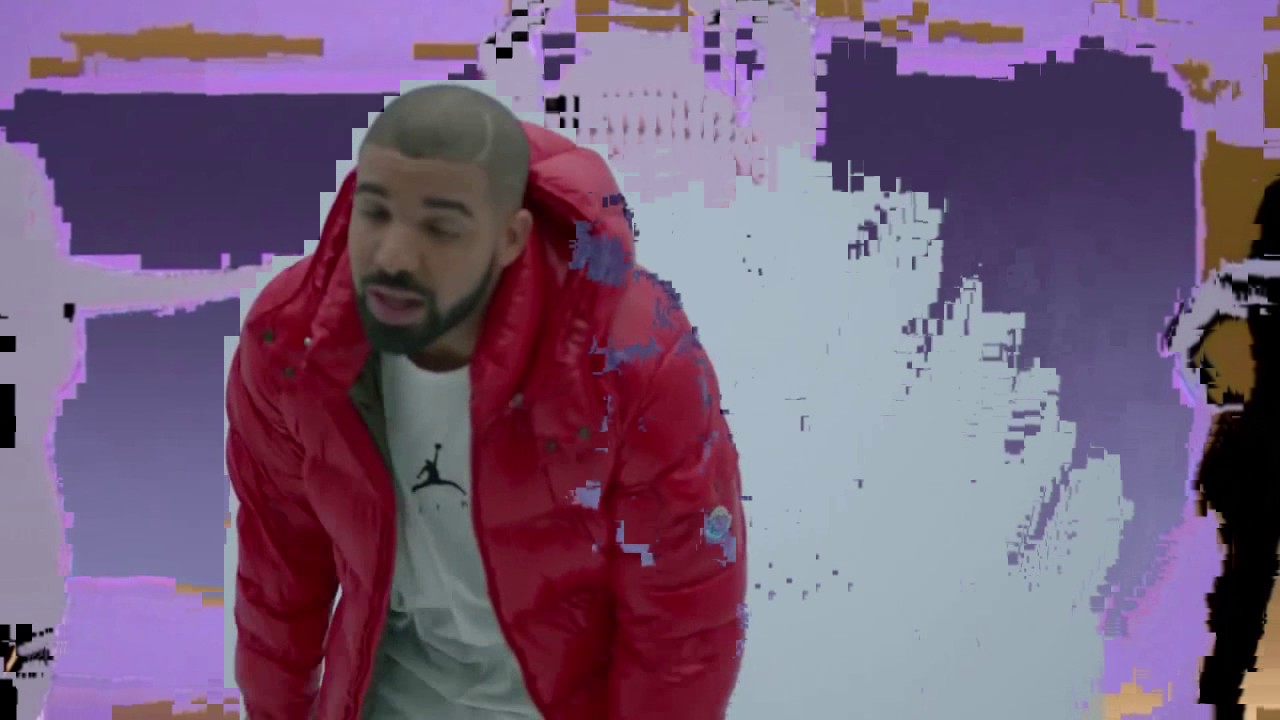
Anybody has a clue on how to create a data-moshing effect using a postprocess material ???
Kinda like this one
 barren vessel
Will "Movement Tolerance" for Spawn Per Unit ever be fixed?
https://issues.unrealengine.com/issue/UE-65556
Or is Cascade and the non-Niagara particle systems no longer receiving support?
fossil swan
cascade = the non-niagara
and unless something breaks, not a big chance they'll fix it
barren vessel
I always though Cascade is the name of the Particle System editor, not the system itself. Which is why you make a "Particle System" as opposed to a "Niagara System". But either way, it does seem like a long shot to get this fixed
fossil swan
sometimes if a coder can fix it they could do a pull-request
barren vessel
you mean a community coder doing a fix?
 bleak inlet
@fossil swan hey got a question, if you were making lets say some blood splatter effect
I imagine its a good idea to hand draw flipbook frame by frame ?
or is it waste of time and better set up some splash simulation or whatever
 mortal lily
i'm not Luos but..i'd say it depends on the style and your needs
bleak inlet
even realistic style
mortal lily
you can get decent results with just a texture and some material work
bleak inlet
ye me for example I am not too comfortable with houdini or sims
mortal lily
flipbook is obc even nicer hehe
bleak inlet
So I imagine hand drawn flipbook for shape might be a good idea
and then do complete textures/material in designer etc
and then material in ue4
ye I tried making some effects with just materials
but aye flipbook would propably give even smoother results 🙂
was just wondering that, messing with vfx sometimes lately and wasn't sure if hand drawn is waste of time
mortal lily
at least if you're not comfy with simulation stuff
bleak inlet
cause it's usually hard to set up some sim the right way
mortal lily
a mesh based particle might be even better for mem/perf. But again depends
pretty sure Luos or Glad can give more in-depth details tho hehe
mortal lily
splash as static mesh should be good enough
bleak inlet
and masking it in time aye ?
mortal lily
theo. you could use VAT but i think that might be not worth the mem budget
yeah. you can scale it etc over time
bleak inlet
tax ? 😄
mortal lily
hehe nah.. vertex animation texture
bleak inlet
ok cool
ye it might be a good idea to use static mesh and do some animated shader stuff
but then again flipbook could have some nice motion to it
it would just take a while to hand draw it
well I guess it's all about trying it
mortal lily
yep 😄
fossil swan
@bleak inlet Glad has a blood splat tutorial using houdini on his patreon, and JangaFX made this: https://realtimevfx.com/t/jangafx-blood-tutorial/6267
Real Time VFX
Sorry to be a bother again it seems to be all I do ask for help hahaha! i’ve been following the blood tutorial here https://www.youtube.com/watch?v=J3pVQrElBcE&t=1868s from JangaFX - but his blood in his material shows up white and mine black, this means when its plugged i...
fossil swan
yea, it depends a bit on what you'd like to make. there are a lot of approaches
bleak inlet
yep just have to try them all 🙂

 wise maple
Is there a quick way to check if a specific bit is set in a channel in a shader? Looks like there's no bitwise AND, so this is the best I've got right now, but it seems pretty wasteful:
Basically checking floor(R / 2^(bit_index)) % 2 == 1
analog onyx
You can use bitwise operators in custom material expression.
wise maple
This is a post process shader, if that makes a difference.
 dry rose
how would i create a small pop-up menu in the corner of the screen, similar to the phone in gta v?
 silent bay
Hi, I have a blueprint actor which is ignoring the post process volume in my level, I think theres something simple I'm missing
i can see the post process effect in editor but when I start the game it isn't working, looking through the camera in my blueprint actor
I set post processing blend weight to 0 in the actor amera
silent bay
ah, my post process volume was in another level
wise maple
Anyone know how I would sample the custom depth buffer for stencil bytes in a Custom/HLSL node?
 hot cosmos
Hei guys I'm new here.
I'm just learning about UE4 particle (using the standard particle system currently; cascade)
This is a very silly question, but I went from unity to UE4, just a slight problem. I can't make the particle transparent in the viewport/scene, while the material I did is already showing proper transparency (spritesheet texture). I use that material on the particle, but somehow the background is still opaque black. In unity I can use "additive" or something similar to make the background transparent.
I will upload the screenshot, but I need to rebuild it first since I lost the previous version.
cold sorrel
Same thing. You need to set the blend mode in the material.
@bleak inlet if you want realistic blood without simulating, your best bet is to use stock footage. Rebuild some normals on it, throw a glittering cube map in there and you are done.
hot cosmos
I did. That was the first thing I look for when opening the cascade.
The material preview shows the material correctly but not when the particle dropped into the scene.
It works however, when using transparent PNG (was using black background on the previous attempt)
cold sorrel
Blend modes aren't set in cascade. It's in the material
What you are describing sounds like it's set to translucent
Could you show your blend mode settings?
hot cosmos
Okay will take another look into the material
Thanks Glad
Hold on
this one right?
I've set it to addictive previously
the material preview was correct, but not the particle in the scene
cold sorrel
That's right.
hot cosmos
I need to play with it a bit more
I will take another look at the settings
I'll post here if I still got the problem
Thank you Glad
cold sorrel
Set that to additive, save the material, drag the material into the required node material slot in cascade. That's all that should be needed. If that doesn't work something weird is going on
hot cosmos
oh yeah if it's part of the problem, it was animated spritesheet (subUV) with black background
probably I miss a thing or two
Will take thorough look at my steps
cold sorrel
That should not affect it
bleak inlet
@cold sorrel ok so I actually tried flipbook out of some footage
and even with some additional shader/material stuff
4x4 flipbook is not smooth
8x8 would propably do, but thats lot of work 😄
without simulation
cold sorrel
O.o
How is that more work?
How are you doing it?
Please don't say you are rotoscoping it
bleak inlet
well not manually drawing
was just capturing frames
and I put it together into 1 sheet in substance designer
any cool way to get frames out of video footage ?
quickly
I mean the result with the final material was pretty nice, except 4x4 is not too smooth
cold sorrel
Just export them out as an image sequence from the video editing software.
bleak inlet
'video editing software' thats the key word
well gotta get one I guess, remember when I used after effects for video editing was a nightmare
perhaps premiere is a bit more friendly
since its for videos 😛
bleak inlet
also nice footage also costs a lot from what I see
cold sorrel
I mean, it sounds like hand drawing will be the way for you if you don't want to use any of the tools required to make effects.
No simlations.
No AE
No Stock
bleak inlet
aye, will just take a bit of practise
cold sorrel
You are shooting down all the tools that are sensible to use.
Handdrawing for realistic will not look good and it will take forever.
cold sorrel
It's a bit like asking how to make a realistic model with just notepad. It's absolutely doable but I wouldn't recommend anyone to do it.
😛
bleak inlet
or propably just best to use emitters with smart masking over time
simple way inside ue
with no flipbooks
but aye, I think houdini seems to be perfect for blood stuff
gonna stick to just material editor in the next attempt and see how far I can go with it
compared to the old ones
magic jacinth
i have to fix abroken UE4 project. Can Vector fields kill my fps?
i have a vector field on each tire
fallow basin
hi guys, I'm looking for a lightning aura effect, like in the flash show. I can only find electric beams though, which isn't close enough.
Anyone got any tutorial that's close? (Niagara tutorials are also good)
 polar loom
hey, I've been trying to learn rain effect, main source being Klemen's twitter thread (https://twitter.com/simonschreibt/status/968274145090899969), currently my rain drops looks like that https://gfycat.com/hospitabletalkativeesok

the issue is that while they appear fine (with delayed "entrances"), they fade out at the same time, I'm not sure how to change it
 zenith burrow
hey guys, I am trying to learn some HLSL atm - I am sorry if this is not the right channel, couldn't find a more appropiate :)
Is it possible to sample from a float4 or convert a float4 to a tex2d? ie I have a custom node which got a Tex2d as Input and float4 as output, now I would like to serve to the float4 to another custom node (blur from the ue4 docs) but that wants to sample using Texture2DSample as well and thats incompatible obviously
fallow basin
it sounds like materials not HLSL.
But you might need a texture object rather than a texture sample
 slender tapir
anyone taken cokeyli new tutorials
bleak inlet
some quick substance for blood vfx, will try to use nice masking and warping
 icy chasm
Hey guys I'm trying to learn some Niagara to deck out a game I'm working on, do you guys have any recommendations on good tutorial series for it?
 frail orbit
Hi guys , im new here
i've been using unity for a while , and now iam trying to figure out unreal particle system
in unity I can make emitter particle in the form of a quarter circle and determine specifically where the particle will appear, I am a little distressed when looking for the same facility in unreal. (see picture below)
thankyou in advance , anyhelp will be very apreciated
❤️
hot cosmos
@icy chasm ummm I would start looking on Unreal Engine channel on youtube. There're lots of good videos there for a start.
@cold sorrel I don't know how, I've resolved the transparency problem, probably viewport settings. I don't know
cold sorrel
@frail orbit In cascade you don't have access to arc, but you can limit it to quarters of a circle at best.
spare hare
your best bet would be using Niagara if you want to have complex shapes
polar loom
I'm looking for some simple tutorial how to create puddle/subtle wind waves normal maps for water, does anyone know such one/can recommend?
celest birch
How can I change my camera fov during gameplay which is triggered by triggerbox?
I tried making cameramodifier blueprint actor
and then what?
 warm needle
for some reason i get some kind of blue texture in the place of my rock texture why is this?
 neat bay
Make sure you clamp your noise texture between 0-1
Some times values go beyond that and it messes up with lerps
hot cosmos
I think I found what makes my sprite transparency displayed correctly in the material editor but not in the scene (shows black background)
and it is REALLY stupid : I didn't save the material LOL
In unity the material is updated instantly in the viewpoert when I tweak the settings, kinda like in 3DSMax
fossil swan
you can enable that option, but it tends to increase time for shader instruction compiling with every change you make
hot cosmos
Nah it's fine. I just need to get use to UE4
I prefer to work with default settings on most of my softwares so that way I can work anywhere easily
fossil swan
or.. you save your settings and take them with you on a usb drive so your workflow does not get compromised :p
fossil swan
https://www.youtube.com/watch?v=98ddzdHzD7w some sweet vfx

Spectral swords and high-flying action. Square Enix and Platinum Games unite to bring Babylon's Fall to PS4.
 livid canyon
Yeahh cool effects
dull kite
Is there any particulair reason why my material isn't showing up on my particle system ? In the particle menu it's telling me it's selected yet in the preview nor in the scene is it updated ...
As you can see on the screenshots it's still the default mesh material
- edit- I'm an idiot. figured it out after thinking it over for the 3rd time -_-
 warm condor
Right now I'm using the Emissive Color node to create a toon shading effect from an in-level light source, and while this successfully shades objects charactes, and even the environment, It appears that I can't cast shadows onto another object that has an emissive texture. Is there a way around this?
fossil swan
if its unlit, it wont cast shadows
neat bay
@warm condor
There used to be! By basically implementing a shadow-pass into your shader itself using this method - https://www.tomlooman.com/disneyfaciliershadow/

This weekend I stumbled upon a reddit post about Dr. Facilier’s interesting shadow in The Princess and the Frog and it inspired me to experiment with Forward shading in Unreal Engine 4 to re-create a similar effect in real-time shading. OP pointed out that The Shadow Man’...
However this method no longer works, at least when I tried it last. I think the access to that path has been removed, and even when it did work it was janky at best.
To properly get what you're looking for you're going to need a custom shading model I'm afraid, which means you need a source build of the engine, it's a real bummer and something I've been trying to find a solution to for a long time.
fossil swan
wouldnt just not using unlit work?
neat bay
Not viable when you're dealing with with Celshading I'm afraid.
fossil swan
emissive to 1 and its visually unlit
neat bay
True, however that also means that all other celshaded materials using the emissive method will also not receive shadows.
Been experimenting with this since 4.9 ^^' Eheheh
The other issue is also that most celshading methods require specific control over how shadows look, most methods using the shadow pass as a mask to set very specific colours etc etc.
Even if the standard shadows were able to be applied to the emissive material, it will in the vast majority of celshading cases not be the effect one is looking for.
fossil swan
Eris was working on a really good anime-ish cellshading for their project, but i bet they'll keep it a secret until they are finished hehe
 neat bay
Mhm! I've re-created the Guilty Gear shader myself and it works real well! However dynamic shadows is a no-go because of this very exact thing, the only current workarounds I know are to use specific celshading shader models which limit you to source builds.
fossil swan
the stylized demo epic made uses a material setup that takes the lighting angle from skylight, and applies strokes of shadow like the ink n paint material in max.
but not sure about its usagewhen casting shadows.
neat bay
The Stylized demo is simply a post-process I'm afraid, that's where I started my little journey! It's neat for different stylized post effects but for Celshading it's a no go.
fossil swan
not only that though, a client used the material for the light/shadow casting to get toony self shadows
no pp was used
neat bay
The cloud shader is the stylized demo is a great start though, it demonstrates many of the manual celshading techniques used by shaders and materials to get a proper effect, however it also has the same issue of no shadows being received.
They got access to some form of shadowpass via material? 😮
fossil swan
i think its faked trough the normals of map/verts
neat bay
Manually editing normals is an incredibly important step towards getting celshaders to look good, however that won't get you anywhere with dynamic stuff though.
I've seen some folks using animated texture maps to fake it though yeah.
That will only work for self-shading as you specified though, and the issue with projecting shadows to other objects remains.
One thing I experimented with to work around it was by using a rendertarget aligned with the closest lightsource to capture the player model and hook that texture onto a decal which projected into the world.
Works pretty well but it has certain expenses due to be a render target and should thus only really be used for important things.
fossil swan
you seen ryanbrucks fake shadow thingy?
neat bay
Don't think there is a single one of his things I've not seen at least five times but I don't know which specific one you're refering to! Hahaa

For some advanced materials, it can be useful to be able to render out custom per object shadows. For mobile projects, this can let you render out baked shadowmaps for foliage similar to the Epic "Zen Demo". Having the flexibility to do this inside of UE4 means that specific ...
This one?
Aaah yeah, scene capture component, he's doing pretty much exactly what I did here haha. minus the decal part
fossil swan
i want his knowledge :p
neat bay
I wonder if we consume his flesh, his insights can be gained?
neat bay
Regrettable :/
celest birch
hi, anyone notice in 4 22 that gpu particles in cascade have issues with z ordering (among other problems), instead of a constant flow i get pulsing behavior as it switches between new and old sprites
analog onyx
@neat bay Whole thing is just better done by implementing your own shading model.
neat bay
Yuhp, indeed! The only issue there is that you now have to deal with source builds, as custom shading models are not supported with the launcher versions of the engine.
Which for someone like me whom is not a coder in any way and like having my stuff in the launcher, it's just not viable.
analog onyx
Not necessary true.
You have good deal of stock shading models and perhaps, you might not need them all in a stylized setup. Can easily redo one of them to your needs without messing with source build.
neat bay
That's actually how the custom build versions implement them.
As far as I know from reading on the forums, you can't do that on non-built versions
analog onyx
Nope, the reads mislead you a bit. You can safely re purpose something like clear coat shading model into stylized cell-shaded and what not. Without source build.
neat bay
That so? Well fuck me, time to start trying to do that then.
analog onyx
That also includes being able to make the effect from Tom's tutorial, but on deferred path and modern engine versions.
neat bay
That makes me really curious as to why all the celshaders available on the forums require custom built versions.
analog onyx
¯_(ツ)_/¯
 analog onyx
nope, not at all
neat bay
You don't happen to have any resources on how one would approach this?
'cause even this tutorial claims a full rebuild is required.
Although that seems to only be in relation to adding new ones, not overriding
analog onyx
You would approach it exactly the way it is outlined, but instead of adding new shading model, you would change shader code of the existing one.
Only takes to be a bit familiar with UE4's shading. The list of things you can do is still limited, but you can make an efficient and good looking stylized shading system fully out of stock engine. True story.
neat bay
Ideally what I'd want to do is simply have a way of outputting shadow information and a way to set the banding on it, smooth/sharp right, then handle everything else in my material.
analog onyx
you certainly can do that
neat bay
Well actually I'd just do the banding the material too.
I jus' need me that shadowpass haha
analog onyx
Just decide on which material pin you are ready to sacrifice and ensure that it makes it into gbuffer untouched
neat bay
A'ight clearcoat, say your prayers.
fossil swan
F
fossil swan

Got the exact #shader code I made in #Blender to the #UE4!
Once I get the animations in you'll be able to see all new progress in my next #devlog on YouTube!
#indiegamedev #indiedev #gamedev #indiegame #bnpr #unrealengine #celshader #celshadedgame #anime #animecharacter
 Twitter
neat bay
Twitter
neat bay
Looks like a standard material-based celshader without self shading
That part I've got covered 😄
fossil swan
nm then :p
neat bay
But thanks for sharing ❤️ Anything celshading related does get my blood pumping.
Messy Zbrush topology + My celshader gets you some real Mike Mignola stuff
 ocean stone
hi guys! I’m doing a city location, and would like to add a void effect to the places where the level ends. Maybe some kind of fog effect that closes the streets that you can’t get through
maybe someone have good tutorial how to achieve this effect
fossil swan
hmm, unless I totes missed it at some point, not much you can do about it, besides trying to find a seed that comes close to what you want

 velvet bluff
Hey guys, i know it exists but i cant find it. im trying to get a way of translating projected textures on a character but converted to local space so the textures stay on the character and not "float" in world space. there was a unreal documentation page for it as far as i remember. i hope someone can help me 😄
limber pulsar
@neat bay There are a few setups about cellshading in this slideshare, hopefully you can grab a few things from there since it's in JP (slide 15 and the next ones) https://www.slideshare.net/EpicGamesJapan/ue4festeast2018-caligula

You probably already saw the gdc talk on Guilty gears effect so I didn't put it.
I could have sworn to have seen a jp slideshare about cellshading but I can't find it anymore... It was for DQ or something like this, can't remember
neat bay
Aaah yeah this is all good stuff! Thanks for sharing man. I've already got my shader set up and rolling, working like a charm but it's all material based at the moment meaning dynamic shadows are not possible.
For the game I'm working on right now that's actually perfectly fine but it's something I've been wanting to get working for a while just because.
 reef summit
is there anyway to turn the texture on the floor as the firstperson camera turns
neat bay
*triggered
Totally! to turn a texture you can use the customrotator node, and to get the camera use CamerapositionWS
You'll have to math about for a bit to get them to act nicely with one another but those are the essential nodes you'd need
reef summit
thanks man
 steel sentinel
on a more general level, has anyone found a good way to preserve 90-100% darkness while still allowing for shadow bands?
and that question could equally be asked for normal light bands vs. highlights
 short field
Having trouble finding this info online. Are movable point lights (without shadows) potentially better for performance, than a light emitter on a particle; attached to an actor? (I have player powerups/pickups floating around in a map I'd like them to have a soft light glow, looking to use the right lighting technique for them)
short field
found this in ParticleModuleLight.h /** Converts the particle lights into high quality lights as if they came from a PointLightComponent. High quality lights cost significantly more on both CPU and GPU. */ UPROPERTY(EditAnywhere, Category = Light) bool bHighQualityLights;
 near jacinth
I'm setting up a particle effect, and it has multiple emitters. One of them is a beam, now the problem is the beam is laying down flat, I want it going up and down. I've tried changing the "emitter rotation" but no matter what I change it to, to the emitter doesn't actually rotate in the preview
I can rotate the particle system later, but I'm putting multiple effects together, so I need to rotate it on the actual particle system
actually changing neither the origin nor rotation seems to have any effect on the actual emitter
 velvet osprey
is there any good tutorials on Volumetric clouds?
cold sorrel
Not really. As it's such an expensive effect it needs to be tailored for the situation. There's no generic solution
This would be the closest thing

The last few posts on this blog have been building up the pieces needed to create volumetric ray marching shaders. Lets briefly review those.
Generating Volume Textures: In this post we looked at a way to generate pseudo volume textures by storing texture slices stored as ...
Too expensive to use to any extent in production, but it fits your description
 thorny girder
Hello guys im referencing sparrow's arrow rain Effect:
so its works fine in without playing as you saw in editor.
But when game starts its doesnt work anymore. (i barely see some arrows work but doesnt work at all.)
what should i do? im using 4.20 really need any tip im really confused.
i dont know, thats so weird. also there no any collision to blocking. 
(also lods removed, its 0 lod in this video)
celest birch
i have a crash in cascade when emitting with SpawnPerUnit combined with EmitterInitLocation
the source is a mesh particle emitter, it emits smoke particles on its path
when i add the spawn per unit and trigger the fx it crashes 100%
fossil swan
@celest birch might wanna big-report it
celest birch
yeah i just did on UDN
thorny girder
oh well, another friend helps me. if i remove tick Actor collision > Performance > "Drop Detail". it works perfectly in game.
if someone stuck about that, try to remove tick on drop detail.
 upbeat gate
Is it possible to make particles less influenced by inherent velocity?
i.e. follow the source's rotation
plain dock
Can you give some more context, @upbeat gate?
upbeat gate
Particle emitter attached to character. If he turns very quickly you just get a ribbon of particles, but I want the stream of particles to follow his rotation more
I.e. feel like more of a solid object
hot cosmos
Use local space instead of world space? There's a switch for that in unity, but I'm new to unreal so there's probably a similar option somewhere
daring geyser
Hello guys, i want to ask how to create Sword Trail like this game?
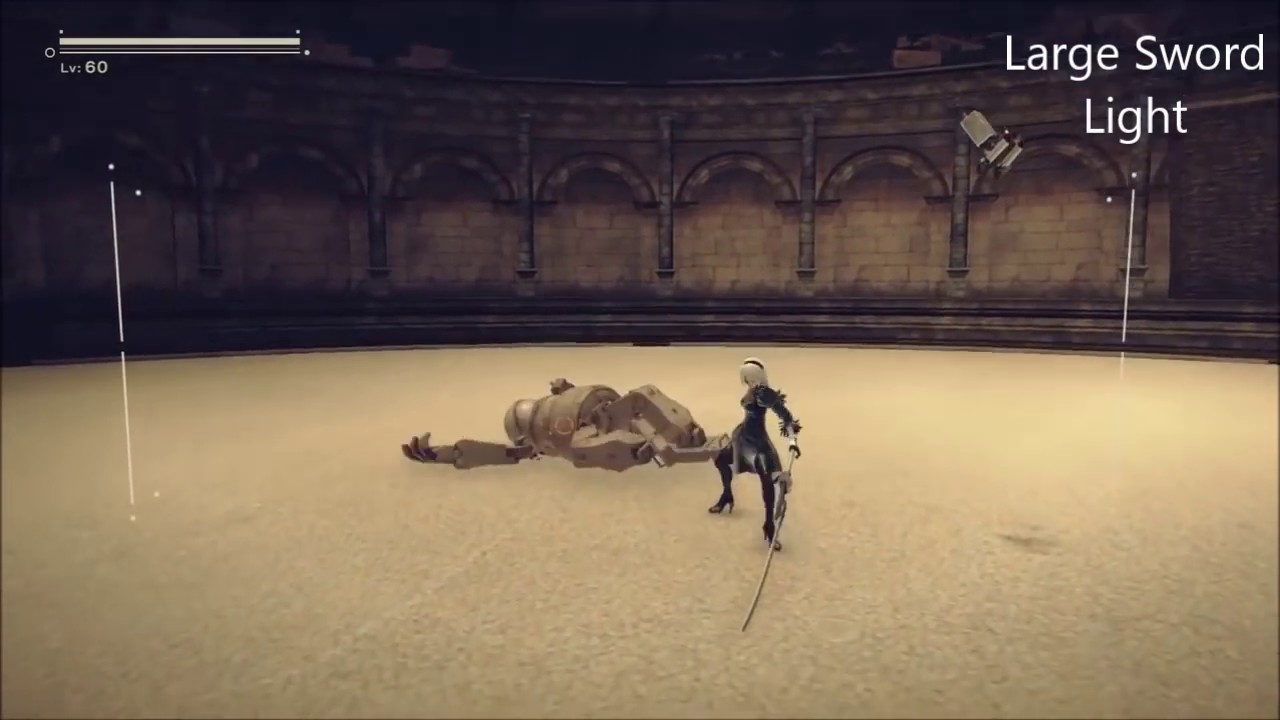
Weapon moveset for 2B in NieR: Automata
Weapon attacks depend on if they're set to be your light or heavy attack.
(0:00) Small Sword
(1:18) Large Sword
(2:48) Spear
(4:13) Combat Bracers
(6:00) Bare Fists
Music is: End of the Unknown.
Thank you
 arctic thunder
seems like meshes with scrolling textures
limber pulsar
@daring geyser Nadir is right, P* loves these, they use it quite a lot in Bayonetta and Astral Chain too. Same thing for smash bros.
Check this vid as a reference https://vimeo.com/223354261
 mortal sandal
Anyone know if it's impossible to use the same Material Function more than once on a single graph?
fossil swan
not impossible, but if they have variables inside em, they'll be shared
 brittle remnant
I generally like to have all my variables as inputs to the functions instead of burying them in the functions for this reason.
fossil swan
depends on the function, but I generally agree
 fathom frost
My particle system shows up in editor but not at runtime. It's being activated in BPs. Not sure what's going on. Am I missing something simple?
Effecting and repossessing (while playing) makes it show back up.
I'm just confused as to its not working as expected.
Never mind
It was a bounds issue
 digital hedge
Was it being culled because player was not nearby?
 clever flax
Hey I wanted to ask a question which is like weird to google because i dont know how to put it in short sentence for search.
So im learning the materials, how they react and behave and to have them previewed i put them on sphere in the level.
Now some of them are glossy or flashy and i made my lighting in my room from dark to bright so i can see them the way i want, but whenever i get close to a sphere it darkens my screen to total black.
So i understand that the gloss or light emitting obviously overrides the other ones but i cannot find option that lowers the radius of the light being emitted from sphere with the material on it or to override the enviroment lgiht dimming, is there a parameter like that or do i need to put something additional in material tab to change it?
clever flax
thanks a lot ❤️
 visual grove
Is there any tutorial on how to create a laser beam-ray from point a (i.e. barrel of a rifle) and point b (ray trace until it hits an object that blocks it)? It will basically be a variable length beam. The closest example I can bring is the Rail Gun from Quake or the Plasma Rifle primary fire from Unreal Tournament. Thanks!
clever flax
I think you can just do tutorial from Unreal official channel, its 5th or 4th episode on into to Cascade (the laser).
then just find another tutorial how to connect it to skeleton mesh and objects
valid summit
Any Houdini experts skulking about?
near jacinth
having issues with a muzzle flash. When it's spawning, or even being activated, it seems to be leaving a trail or something. But I dont' think it should be. Currently I've got it hooked up to my fire location on my weapon and when I fire a bullet I activate (telling it to reset) looks fine standing still or moving forward, but when strafing there seems to be a very noticeable ghost image to the left or right maybe left as a trail
 daring viper
I made this particle and i have a problem , the candle moves constantly , i want stand fixed how can i do that ?
cold sorrel
Hard to tell without seeing the setup
cold sorrel
Is it just one emitter?
arctic thunder
may be cuz of spawn rate, you're spawning 30 particles for one texture on plane, it's not good
daring viper
Yes one emitter
cold sorrel
So just the one we see?
Because that doesn't make sense.
There's no movement in there.
Does it move the same way if you use a different material?
daring viper
Yes its becuz of material , thanks it solved
 tough obsidian
Hey Guys, i recently started digging a bit deeper into particles and I have a problem with particles and distance. I have this emitter, which's particles trigger a collision event. Like this:
when I now move a bit further away from the particle emitter, the event does not trigger?!
I thought it was this setting in my emitter, but it is not?! Where can I configure the particle event distance? Or is this a limitiation with particles?!
weary helm
Heyoo, what's the easiest way to make particles move from the surface of a sphere towards the center ?
nvm found it, it's called "point attractor"
 lunar dew
trying to make the most basic anim trail, any help on why it's so huge?
I'm just using the anim trail defaults
indigo jolt
open the particle system change the size. could be a really small character 😛
that stuff is plenty adjustable and would never be the right size just by default anyway
cold sorrel
@tough obsidian It's the collision Max distance. Push that up and it'll work fine.
tough obsidian
@cold sorrel Where is the setting for it?
cold sorrel
On the collision module
tough obsidian
ohhhh... Can't believe I missed that! Thank you!
 ebon gate
just wondering how do you make a temporary clone vfx of the character with the same pose? I notice it happen in this game:
indigo jolt
simple trickery
give character one singular "death" or "get hit" animation
pick the keyframe from it you like
where the body "flies out"
then create a static mesh from that and spawn that in particle system
that's one way
it could be a few other things though. could just be a fancy shader that dissolves the existing character and has same skeleton and lives inside the original or something
hard to say without video
it could literally be using code to get XYZ rotation for all several existing bones and sending it to a more simplified skeleton that has ragdoll
at the very start
celest birch
Good time of day. I created particle system with snow. It's working fine , but when I am not looking on any mesh - the snow disappears, even if I in radius. Any advices how to fix this. Can give a link to tutorial by which I made it.
rustic depot
im not sure if u can get acces via blueprint to the animation keyframes that are running, but u could write something that spawns the animation, but frozen, and set to the last keyframe.
cold sorrel
Sounds like the bounds are bad
 brittle monolith
@neon cave you can spawn 2 "crossed" planes and assign a dissolving material to them
^ if it's a hit scan weapon
brittle monolith
yeah that also works and sounds like it would also work on projectiles
brittle monolith
@neon cave are you spawning particles?
 neon cave
yeah but i think its my particle
im getting NO ASYNC TICK
in cascade
thing is i want to use niagra, but struggling with that at the min
think its broken in later ue4 version
brittle monolith
it is? I thought it's being used in production on Fortnite
I made a tutorial for a one-shot dissolving particle that's similar to what you're trying to achieve a while ago, might help https://youtu.be/INzG5LrxGyo
 gentle flicker
guys is there a way to change the sorting order of the clear coat layer?
clear coat material on cars looks so cool but when i add the damage decals they look like they are under the clearcoat is there any solution for that?
Non-clear coat vs clear coat notice the decal on top of the car
indigo jolt
both screenshots look the same
the real solution is probably DBuffer Decals
whatever they're called
and then, only using the Normal types
so you can create dents and stuff
it sorta looks like you're using emissive decals currently
which is more geared towards stylized stuff that wouldn't have clearcoat to begin with
i'm sure if we sourced more opinions, some would volunteer that you actually want a more comprehensive damage system than decals - like multi-state damage on a panel-by-panel basis so things could stay roughly dynamic, but rely on model/texture swaps

@gentle flicker that should cover it
gentle flicker
naa dbuffer decals is already on on. problem is only with the clearcoat shading model. i don't have any issues with the default lit.
indigo jolt
right but there's several types of dbuffer decals
picking the right one is important
sec i'll try to get a demo going
i'm bored af
gentle flicker
focused where the problem is on the right side it is clear coat material. it adds a gloss layer on top of the decal while the decal on the left side have no gloss as intended.
indigo jolt
oh i see, that little bit of the reflection is showing through the decal
so you want your decals to behave more like opaque paint
rather than as dents/scratches
gentle flicker
yep i want them to look like primer
indigo jolt
ok just did some tests
bad news
clearcoat doesn't seem to work good that way
goodish news, you can use "Eye" shader mode
that works
it's sorta similar
 gentle flicker
kind of look that i'm going after i guess have to ditch the cc or mask it out or something
gentle flicker
let me check
indigo jolt
i'd give that a shot
it's really not bad
with clearcoat, the clearcoat adds the gloss back into the decal https://i.gyazo.com/b78033ca8161d1512fc2d29e1a9bbebe.png
which is what you don't want
gentle flicker
eye
default lid
it still behaves differently but i might make it work with the eye shader thanks for helping me man
i really appreciate it.
 wooden nexus
how can i make a radial gradient material for an object that isnt placed over the surface of the sphere, but is at the center of the sphere itself?
nvm i found it, sphere gradient
 neon vector
Anyone know if it's possible to get volumetric fog working with emitting materials?
 fringe roost
I'm trying to do a static comet but can't figure out the best way Lol
That's what I am trying to achieve ^
😦
that's what I made
fringe roost
I figured it out Lol, took time to mess around 😛
rustic depot
just use a single mask texture, or if it is a trail or ribbon, u can use the given uv information to make masks ^^(which are basicly gradients in texture layer).
 hollow ice
Which light is ideal for Medieval torch?
hollow ice
I guess point light.
 drowsy vale
can someone help me with https://discordapp.com/channels/187217643009212416/221799195806400512/662648376168546328
 bright panther

A better test and video showcasing my fire arrows that I'm working on. I used EmberGen to generate the fire textures. https://jangafx.com/software/embergen
drowsy vale
anyone has anyproblems assigning a simple material to a Mesh type particle system ? for whatever reason it has stopped working (starting from scratch doesn't work) it keeps showing the default editor material
tried restarting editor to no effect
nvmd i guess i need to set the material on the static mesh cuz the one in the Required module is being ignored
fossil swan
that one is only ignored if you did not enable override material in the mesh module
 ornate cairn
fallow basin
ornate cairn
fallow basin
@ornate cairn I'm afraid not. I found a plugin once on the marketplace, but it cost money. I use the properties + math to do it though (you can also see a static mesh dimensions in the static mesh editor)
 ashen leaf
is anyone here by chance good a materials.
im trying to get and effect but im not really having any luck.
i want to make my landscape in the first picture look a bit more like the ground meshes in the second picture.
is this possible or feasible.
celest birch
https://www.youtube.com/watch?v=ovNdg_RTjHA&t=532s Was using this tutorial till about the 6 minute mark, talks about volumetric fog instances creating local fog as a particle system, but my volumetric shader doesnt seem to display anything, i have the volumetric checked on Exponential Height Fog in my scene but still no effect and nothing showing up

How to create localized volumetric fog in Unreal Engine 4. Topics covered: Material graphs, material instancing, sphere mask, particle systems, volumetric fog, lighting, post processing.
LINKS:
Texture Pack - https://gumroad.com/l/cdba
Rainbow Map - https://i.imgur.com/rBX60...
celest birch
If anyone is familiar with the concept, feel Free to @me, any help is appreciated
 dire dock
anyone know if you can get back the old destructible mesh features on 4.23 not the new chaos system
hot cosmos
Quick question, does cascade emitter block order (the horizontal ones) affect the overall particle itself? If it so, how the hell do I change their order? I've read the manual but cascade's manual is very short and don't explain about this
So basically as far as I grasp, this cascade is like a whole group of particle system, acting as a root when you place them in the scene?
Thank you in advance
cold sorrel
@hot cosmos it affects the sorting. You change it by selecting an emitter and hitting left or right arrow on Your keyboard
hot cosmos
@cold sorrel oh thank you kind sir! 👍
"sorting" as in render sorting?
I'm sorry for the lame questions
I'm currently re-reviewing epic's official cascade VT from Youtube, I kinda underestimated cascade a bit
sorting like this guy's problem with his explosion?https://realtimevfx.com/t/ue4-particle-emitter-sorting-problem/3118
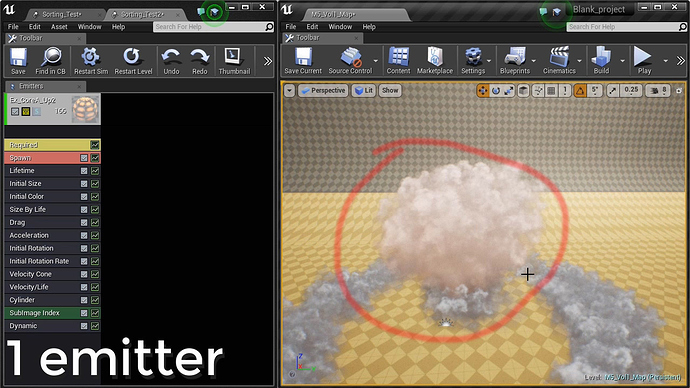
Real Time VFX
Hello~ How does the UE4 engine solve the sorting problem between particle emitters using translucent materials? I am looking for a way to avoid depth-sorting problems regardless of the emitter array order. I am using one emitter to create the desired shape to avoid this pr...
cold sorrel
Yeah, render sorting
hot cosmos
thanks I really appreciate it
dat shortcut though lol
instinctively we attempted to drag and drop the blocks to sort them lel
barren vessel
is it possible to get an updating list of all particle systems currently running in game? some type of debug overlay list?
frail orbit
hi guys , is there a way to prevent the particle from always facing the camera?
thankyou
 lunar scroll
Hey guys, what is the best way to try and replicate the volumetric atmosphere of a shot like this? Cloud cards and point lights? Emissive materials? Volumetric clouds?
cold sorrel
@frail orbit Lock Axis module
@lunar scroll if it's just in the background, yep you got it. If it's in they play area, it'll be harder.
lunar scroll
I'm thinking for distant vistas and epic sky effects. Nothing really ground level. I'm sure I could just use some volumetric low hanging fog for ground effects
Combined with some textured planes for variation
 vernal orchid
Hey guys, anyone got the new SunSky tool to work with hdri skyboxes yet? I'm struggling to make the sun visible through my hdri.
daring geyser
Hello guys i want to ask how to create this vfx https://www.youtube.com/watch?v=5OWGeBOeZ18 ?
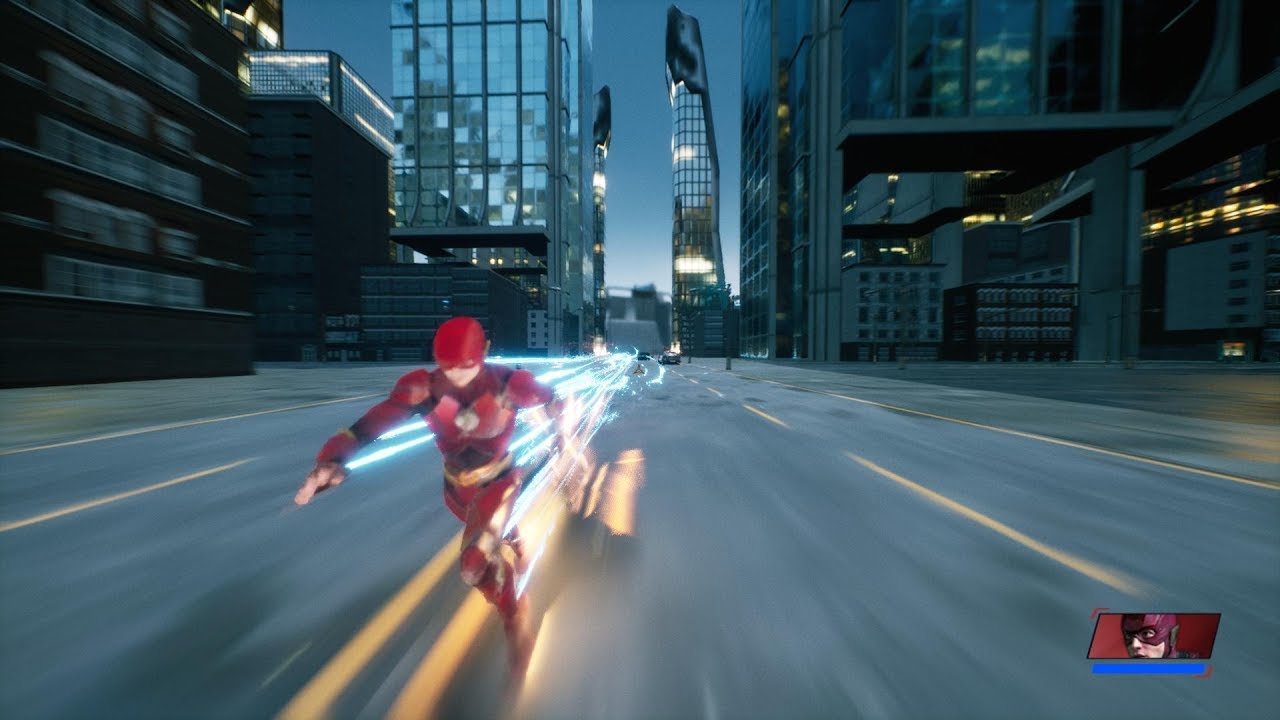
Half a year ago i started working on my own Flash game, inspired by the canceled Flash game and Spider-Man web of shadows and this is what came out of it.
If you have any some sort of idea for what should i include in this game feel free to tell me on the comment section!
...
Thank you
cold sorrel
How far did you get on your own? What part did you get stuck on?
fossil swan
the timestamp
daring geyser
The trail
cold sorrel
Yes, what part of it?
What does your look like now?
How well versed are you in FX in general?
pearl parcel
Hello Unreal. I have a small problem which actually can't be seen on the picture... But anyway, when I look over at the bridges it's all shaky around the edges of the blocks/bridges.
When I look at a blank wall everything is fine. It's like the lightning is somehow flickering on the bridges.
Any idea why this is happening?
[EDIT]: Turns out there was a problem with the PostProcessVolume. I was using a material to create a fog. But I decided to use Expotentiel Heigh Fog instead which works just fine. Thanks
 twin cave
been wondering, there are some trail packs on the MP. Not a VFX artist myself, but when trying to integrate them I noticed that they have a rather bad cut off due to the trail just finishing at some point, which makes an edge appear. If carefully timed with animations the edge can be hidden inside the mesh, but I wonder what some of the better ways to handle this are? Something like increasing transparency at the end of lifetime so it fades out more neatly?
arctic thunder
@twin cave If it's animtrail, try to curve the lifetime from what you have to 0 at the end
twin cave
@arctic thunder thanks. Is it possible to do this with absolute lifetime - set amount of time? For different animations I wouldn't like if the fade out duration is dependent on animation length. Rather, it should always take the last 0.25 seconds for example
arctic thunder
@twin cave I don't think that's possible, but mb someone knows the way to do it
 polar heron
Can I ask about general particle effects questions here? Not sure if I should use cascade or Niagara, just want someone to point me in the right direction
I'm wondering how I should do a punch particle effect that has like... a 3d trail of the fist behind it, in like a sphere
dull quartz
@polar heron Niagara is newer and more flexible (I believe Cascade is being deprecated soon)
otherwise you should be able to achieve the effect with combination of mesh/trail particles (using either system)
polar heron
Ah so if I'm learning particles I should learn Niagra anyway?
I'll just follow some basic tutorials on it then, and see if I can figure something out along the way
Thanks @dull quartz :)
dull quartz
And ya Niagara will remain relevant and continues to see development
fossil swan
^
dull quartz
Just like Matinee... 😋
hot cosmos
Imma give my 2 cents here, coming from conventional 3D packages (maya, max, softimage, etc). Also I've done FX projects with unity. Switching from shuriken (unity particles) to cascade is not exactly a breeze, but the concept is very similar. It's like switching from max to maya. I just need to adjust myself for stuffs like different naming, button locations, etc. Some parameters works differently, but they're not that far different.
So IMO switching from cascade to niagara should be similar to what I experience switching from unity to cascade
For now, cascade has definitely more tutorials out there than niagara; I really can't find any currently for niagara, at least ones that are as good as cascade
Niagara is VERY complex and as far as I perceive it's won't be just for particles. Particle is one of the element but definitely intended for something huge, much more complex than just stuffs like simple explosions.
So for a start cascade is the way, until you grasp how unreal works. You wont be doing stuff like this
https://www.youtube.com/watch?v=etSfYfIIoSE

Niagara is Unreal Engine’s powerful new VFX tool for authoring sophisticated real-time particle effects. In this Unreal Engine Learning Theater session by Epic’s Chris Murphy during GDC 2019, you will see how to use this new tool in a practical example that combines Niaga...
I can't even follow what he do there lol
Probably the best analogy is like switching from 3dsmax to Houdini
so don't worry you'll do just fine learning cascade
oh yeah unity also got this shadergraph alongside with shuriken. I haven't got a clue on how to work on shadergraph but I'm doing fine using shuriken only so far.
cold sorrel
I've made VFX in UE3, UDK, UE4, Euroland 2, Euroland 4, Unity, PopcornFX, Frostbite 2, Frostbite 3, Snowdrop, Ego, Ego 2 and Ogre. The concepts are the same. The tools vary. Cascade has a lot of learning materials so you can easily learn the concepts and it's more than production worthy. Niagara is nodebased so it'll require a mindset switch, but I think you'd hurt yourself right now if you tried to learn the fundamentals of VFX at the same time as you learned the beta version of a nodebased setup.
Learn vfx and watch the studiojobs open up for you 😄
There's nothing in your concept that you can't do with cascade @polar heron
hot cosmos
definitely agree with @cold sorrel
clever flax
sooo it might have been covered, but i wanted to ask since i can't find the answer in google. How to make those backgrounds for your VFX with infinite ground and little light fading fog? I tried manipulating the properties for standard new level and i can't help but frick something up and it doesn't look half as good. example https://www.artstation.com/artwork/3ozD4m

 snow ledge
How do i get a mesh data object to not have priority over the particles in the same system, in regards to depth from the camera?
fossil swan
depends on material, but you can move emitters, with left one having most priority (use arrow keys)
or use a camera offset module
snow ledge
right now the mesh data emitter is on the far right, so im guessing its a material issue then
fossil swan
translucency does not get sorted properly, if its opaque/masked it tends to be easier to not give it priority
snow ledge
It is an opaque surface material
fossil swan
show us the situation (vid/gif/whatever)
snow ledge
fossil swan
and the flames are set to?
(though this is kinda expected behavior)
you can try to have smaller flames with more opacity around the orb.
snow ledge
the flames are just using the starter content fire_sub_uv material
fossil swan
translucent? additive?
snow ledge
translucent
fossil swan
use more opacity around the center
could try to move it all the way to the left as well
snow ledge
Ok, layering it between flame emitters, with increased opacity is seemingly doing the trick
fossil swan
sweet
snow ledge
Appreciate it, was digging through your 8 elements and wanted to create a fireball but with a different style to it
fossil swan
i'd spend some time on the timing and how much rotation you are using, also play a little with size over time
snow ledge
Yeah for sure, i setup quick layers to figure out the mesh blending first though as ive given it a try before and that was a bit of a road block
Appreciate the help and feedback
fossil swan
np, and have fun creating :)
 covert veldt
heya guys, does anybody know how to achieve "fake light" with "mesh decal" material ?
That the decal will show material below it "lighted up" during the night...
(right now the ship turns dark and you can only see decal itself...)
covert veldt
well... figured it out... "Scene color" is the node to go for... (plugged in emissive obviously)
(material being translucent and surface type)
polar loom
what would you recommend to randomize value in 0-1 range? Context is being multiple old crt monitors that share material instance with blinking emissive. Currently all monitors blink in rhythm, I'd like to randomize it by adding a phase shift to sines I use in blinking material. Closest I thought was Speedtree color variation node. It uses Object's Position and Per Instance Random. I think the former would work for my case, but I'm not sure how to pull out 0-1 random value from that

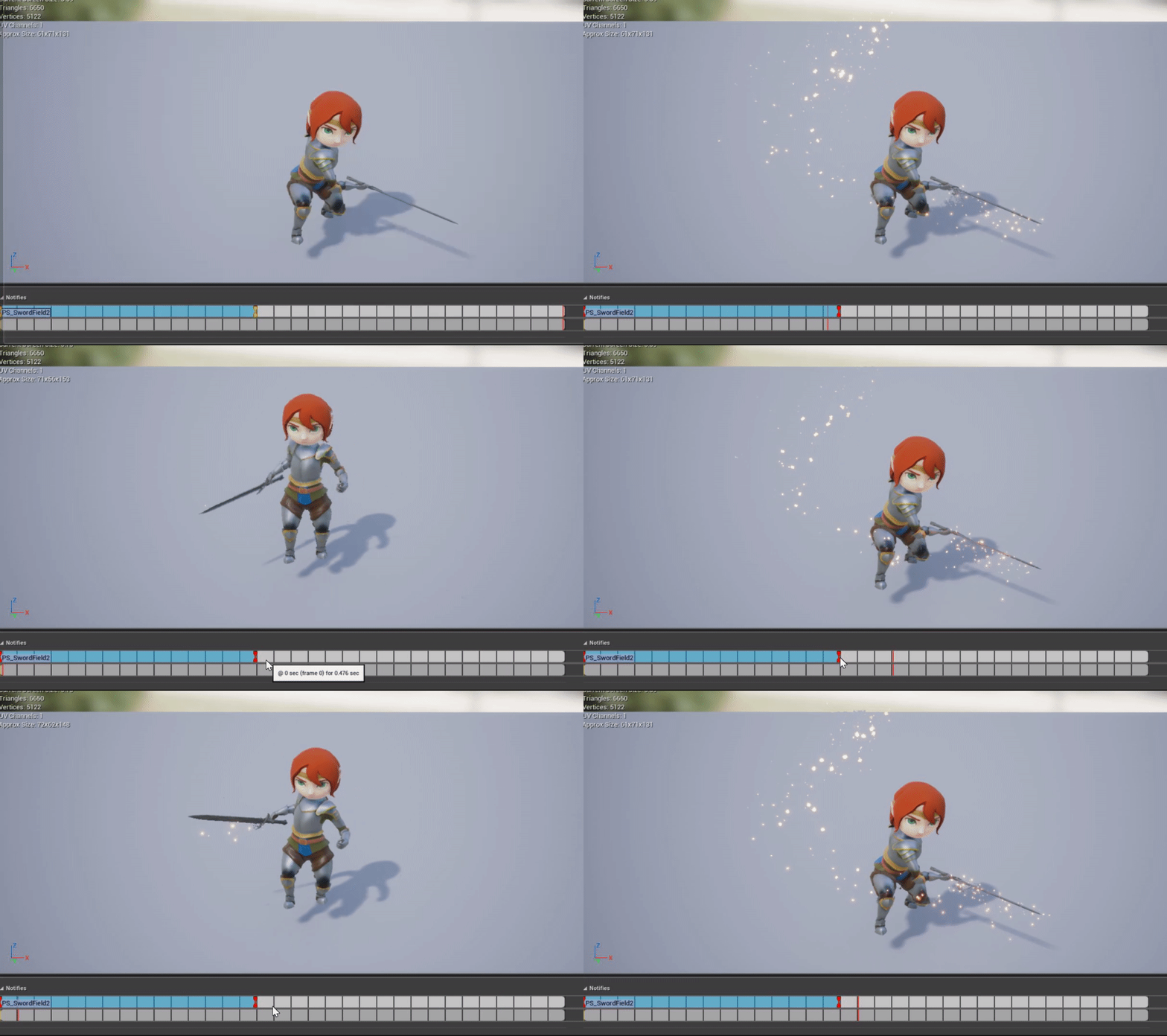


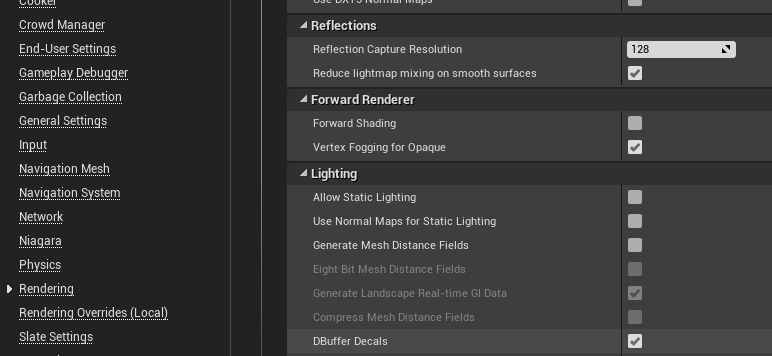
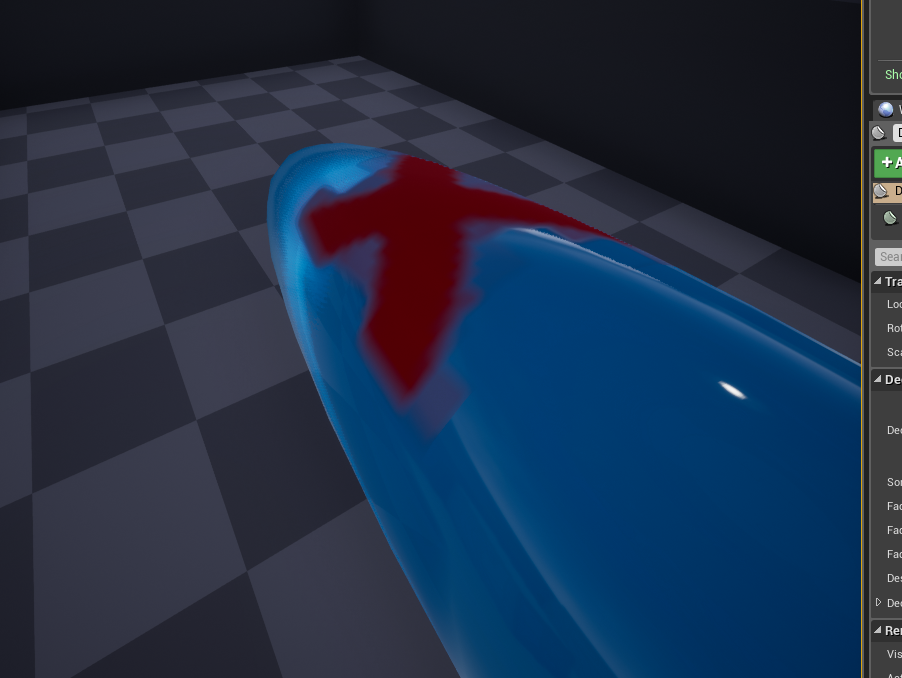
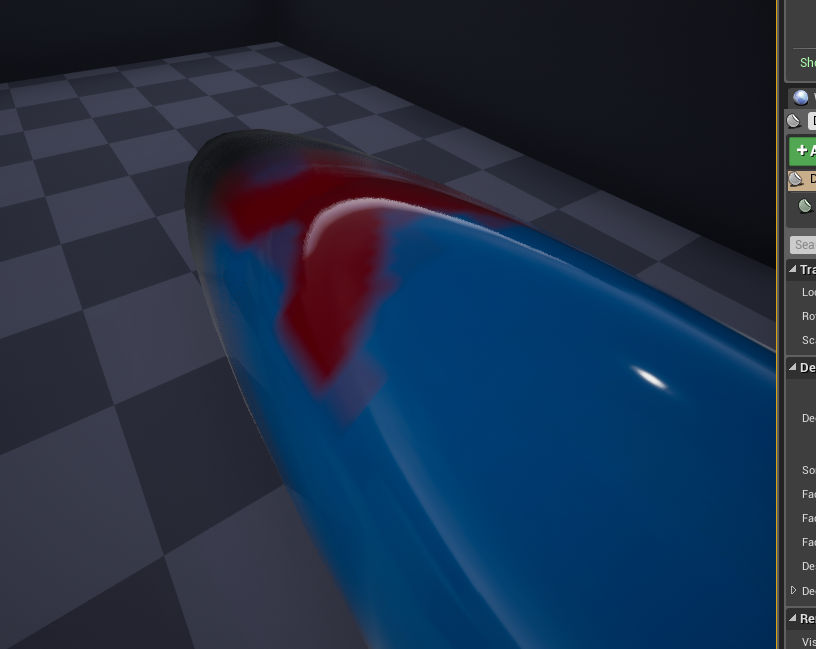 cold sorrel
I would give each screen a vertex color value that you then multiply with the time node that drives the blinking. I would also add it to the time node to offset it even further.
polar loom
that would require to paint vertex colors manually on each monitor?
cold sorrel
Yes
polar loom
bummer a bit then, imagine having dozens/hundreds of those monitors 😛 this clip is just a test scene, but idea is good to keep in mind, thanks