#visual-fx
1 messages · Page 31 of 1
 pseudo geyser
 analog onyx
Taper it in vertex shader
pseudo geyser
:(
analog onyx
y
pseudo geyser
it seemed too easy to be true, this taper setting...
I want to start the tapering only on the last say 90% of the beam
so most of it should not be tapered
but... when I set more than one segment on it, continuous beam expansion is gone
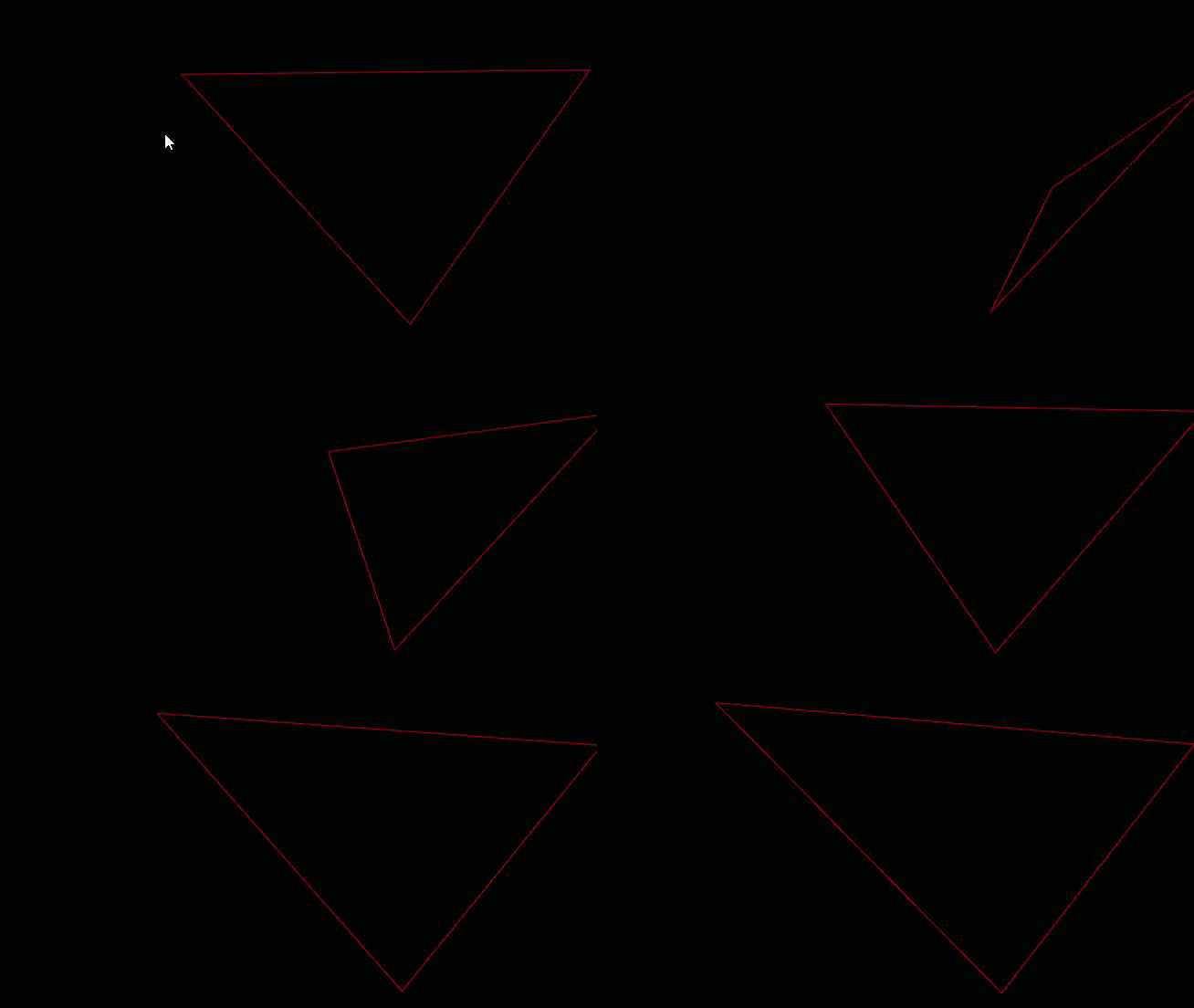
this is with one segment

and here's 20
they're not being scaled, they're just being added
and I have no clue how these map to UVs - is it 0..1 for the entire beam or 0..1 per segment?
tell you what
screw tapered beams, I'll just create a beam tip mesh and move it on tick
analog onyx
I disapprove.
pseudo geyser
how would you do it
ideally, it should only consist of 2 quads: one for the body of the beam (ca. 90% of it) and another for the tip (10%)
the body quad should get scaled while the tip must remain unchanged, just moved
 mild sentinel
Anyone know how to do a reptilian type shapshoft I know it's easy to program change between skeletal meshes but I need to add some kind of effect of morph between the meshes
 cold sorrel
Morphtargets
mild sentinel
Yea not enough need some kind of material fx but I think I found a tutorial on YouTube that can use to reference
 gusty cliff
Anyone know why some of my ribbon particle effects aren't attaching to a source, but are rather spawning way off and just becoming large spears essentially (as you can see there is one at the highest and lowest point of the photo.)
A better photo, some of the ribbons trail as they're supposed to, while others just create these sharp lines.
gusty cliff
Doh, fixed it... The Spawn Rate was at 20, I set the rate scale to 0, not the actual spawn rate to 0.
 carmine stone
Morning all 🙂 i'm having a play within Niagara but struggling with a small issue that's probably really simple... I just want my smoke to use a random frame from my flipbook (it a looping smoke) then play through it at a frame rate i choose... From cascade its really simple but i'm either really dense (very likely) or its handled very differently within Niagara? Any help would be appreciated ^^
oh wait just spotted there in another channel for Niagara
i'll move it over to them
 tight leaf
Hey everyone, is it posibble to edit or add a texture to the default skybox sphere?
or atleast place some spherical mesh behind the clouds like "adding" to the overall cloudy look?
cold sorrel
Use blendadd instead of pure additive.
cold sorrel
And make sure you have an alpha channel that contains anything you don't want faded out over bright surfaces
analog onyx
BlendAdd slows down value build up, but you still have to mind how the effect will look in various environments.
 silent bay
hello, could someone explain to me what nvidia HairWorks is? is it a complicated/experimental feature? not native to UE?
these nvidia features (hair works, flex) need a custom build of UE?
or is this some old thing, and now its integrated and called hair shader in UE?
silent bay
ah sorry, found relevant info! https://docs.nvidia.com/gameworks/content/artisttools/hairworks/HairWorks_tutorialUE4.html
https://answers.unrealengine.com/questions/578071/view.html
https://developer.nvidia.com/nvidia-gameworks-and-ue4
NVIDIA Developer
NVIDIA has made it easier than ever for game developers to add leading-edge technologies to their Unreal Engine 4 (UE4) games by providing custom UE4 branches for NVIDIA GameWorks technologies on GitHub. We created GameWorks to advance gaming at a rapid pace by extending the ...
too complicated
cold sorrel
What a journey 😄
 rustic depot
is there a screenspace uv node in the materiel editor?
 spare hare
ScreenPosition
 green raven
Anyone familiar with this bug?
https://issues.unrealengine.com/issue/UE-45631
 mellow shale
Hi guys, I'm trying to use a particle system (cascade) that spawn a Mesh but I have ,what I think, a lightning issue ... I can't fix it. Any idea ?
 lofty wren
just curious, but can you confine particle effects to a 2d plane?
 hoary forge
https://forums.unrealengine.com/development-discussion/rendering/1525287-dfao-artifacts-on-speedtree
Unreal Engine Forums
I’ve been having trouble getting DFAO to work with tree foliage ever since the feature was first introduced. The default DFAO is much too dark for my
Somebody find how fix this?
rustic depot
btw another issue i encountered, if i want to get the Z axis"gradient", im using the B channel of WorldPosition...
the moment i invert it, or do one minus, everything is white
but i just want to exact opposite values..
spare hare
world position is what it is
a value in world space
so everything beyond the coordinate (1,1,1) is basically white
 finite frigate
Trying to add a pivot offset to a mesh particle in cascade but it comes up with an red X background, is there something I'm missing? My mesh is rotating at the bottom center instead of the direct middle.
 lone heart
that might only work for sprites
can you add the offset to the mesh itself via the import settings?
 limber pulsar
Ok guys I need your help on that one. I made a "swoosh" effect using a curve mesh and a texture sliding on it. I play the particle effect in my montage viewport (I put a notify on the anim to spawn the emitter) and everything works fine
However when in game, the particle effect spawns on the right of my character initial position for some reason. And it always spawns there, even if I change the character rotation in game. I'm confused about it, did someone ever had a similar issue ?
Ok nvm, solved my issue using a custom anim notify state
 quasi wolf
hey I was wondering for reflection captures, would it be a good idea to try having just one in a room full of large lights, so all reflective surfaces reflect that? its just that glass in my levels isnt easy to see
quasi wolf
...
 wanton cairn
Hello all! Ive a bit of a question thats giving me a stump. Im driving particle (gpu) behaviors through an image/mask
Is there a way to remove black/transparent particles? Basically haev the system only spawn particles in the masked area?
@azure orchid Line trace, get the hit result and drive the change from that?
wanton cairn
@azure orchid Gotcha!
 vernal current
Hey guys! I wan't to make custom postprocess to simulate blur effect in dense fog areas. I don't even know how to attach it to the height fog effect. Any ideas?
analog onyx
@wanton cairn You can cull black/transparent particles instead. Regarding spawning/killing them by mask, Niagara already has this functionality. Cascade needs an extension for that.
rustic depot
for this to work, u need to stencil out the fog volume and im not sure if it works.
as far as i experiencd it, it seems like only solid surface, no opacity(except opacity mask,no transulsency just hard masking) works on stencil buffer. Once u do the volumetric fog(i guess its using opacity at this point to work), you can use the userpass1 or something like that, to get every material with opacity as a mask, the blur is something u can do with lerps and multiple offsets....
or is it possible with ue4 material editor to use refraction input to blur that? never tried it
 plush crag
how would you do a thermal post process shader with different gradients per mesh?
rustic depot
like heat vision?
if someone could explain how i could access these.. than it should be easy, doable with 2 shaders.
rustic depot
and surface shader which has a fresnel and gradient remap, with a multiplier
u could
plush crag
but how can you control the direction of the gradient ?
rustic depot
just try and post here if u got far.
plush crag
ok
rustic depot
direction?
rustic depot
fresnel, is already greyscale gradient.. u can use remap or lerp, to blend between 2 colors.
plush crag
ok
rustic depot
just copy past or drag n drop
plush crag
Thermal shader project - wip
rustic depot
ouh and what u can add too is, use your depthmap, to decrease the heat
rustic depot
i cant look into it sry ^^, psot screenshots
plush crag
ok
rustic depot
btw, if u can get this work, u can reuse this shader for a nightvision shader 😉
rustic depot
so, if u want some areas to be more hot than others, fresnel(cheap way) wont help u here
rustic depot
Juaxix, i cant help u by looking at your graphs, u know your stuff ^^.
What painting ^^
rustic depot
have to go now, but will look later on this again. Just tell us what u did exactly and what u are trying to achieve, instead of giving snippets.
plush crag
painting vertex colors
rustic depot
ok
A Question before i go, to the VFXler or TechArts arround, how can i make an impulse wave, only trough postproccess shader.
plush crag
this thing
rustic depot
i would use black for colder areas, white for hotter
than u can multiply that with fresnel if u want
plush crag
ok
rustic depot
but have to go ^^, try first
wanton cairn
@analog onyx well thats the thing, we're still using cascade. and Im assuming the first part of what you wrote is not applicable.
Hmm...can try giving Niagara a go, but thatll be learning a whole new system, where I just got use to the first ha!
 dapper dawn
How do I go about culling out particle effects from a certain distance? Inside the particle I can't find anything that allows this. I can however set the desired max draw distance in render settings where I use the particle system, but that doesn't seem to work. Although min draw distance works as expected. Is this a bug?
 violet night
it's in the LOD settings if you want to deactivate the whole particle system from a certain distance.
dapper dawn
Inside of the particle system? Or in render settings?
How does this sorcery work? :P
https://i.gyazo.com/d844f072409767c030a6750101be2a30.png

if i set 0 of lod distances to the max distance it will work?
Ok found a tutorial. For anyone wondering: https://www.youtube.com/watch?v=ZeGUfwAlL7U

This video covers the basics of setting up Particle System LODs, which allow you to simplify your particle effects as the player moves away from them. (00:04...
quasi wolf
hey I was wondering for reflection captures, would it be a good idea to try having just one in a room full of large lights, so all reflective surfaces reflect that? its just that glass in my levels isnt easy to see
lone heart
you could do that, or you could capture a cubemap and set your other reflection captures to use that
easiest way is to set up a cubemap render target and a scene capture cube, then open the render target and create a texture from it
 dense quest
Anybody got any good resources for slime/goo explosions and impacts?
dense quest
Awesome thanks 🙂
 cursive vector
Question A:
I have a dynamic lighting question... I want to make a light source move, but have an illuminated trail that fades away slowly, like the light moves through a 500 foot room at 5 miles per hour and right next to the light, it's a bright trail, but like the 80 foot mark it passed is barely illuminated. It's hard to describe, but I think it's possible.
Question B:
I want to have a surface, an in-game screen, play a live stream from twitch, and I'm not sure how to go about it.
lone heart
A: you could fake it reasonably well with a render target, if you only have flat-ish surfaces that need to show the illumination trail
if you want meshes or complex world geometry illuminated that way… nothing I can think of
that would effectively be a spline area light, which is hard as hell even in offline renderers
cursive vector
Okay, well, how about this:
The light source would be like a cell phone screen, and be the only source of illumination. The movement of this screen would leave a trail of screen color particles that slowly fade, like the effect of an ember burning out. I'm trying to figure this out.
lone heart
like just in the air, not actually illuminating anything? that’s easy enough: emit particles with a long lifetime that gradually fade out
 valid summit
 modern escarp
I got a question. Normally if U want subuv animation with blending and stuff U need a 2 atlas texture and sometimes blending between frames. If I use volume texture with 3 dimensions... mipmapping and blending should be taken care by sampler? On stats it look almost the same in cost of material . But I can disable all frames and just use a dynamic parameter or even particle life on material. Whats the catch for such usage of volume textures?
analog onyx
@modern escarp 3d texture is not really suitable here for your flipbook needs independent mip data.
modern escarp
why? where? I mean : volumes got mipmaps too it seems
analog onyx
mip of 3d texture contains averaged value of 8 samples from higher level. You are blending frames. You are not supposed to.
What you should be looking at is texture array, not 3d texture.
limber pulsar
I got a spawn emitter at location blueprint node in a damage event of my enemy blueprint that spawns a particle effect when it is hit
However when hitting two ennemies only one effect spawns, even though the rest of the logic runs fine
Any idea what could cause it ?
 calm sphinx
set your collisions to allow multiple actors
@limber pulsar
Whenever I try to set up and save a Media Player asset it seems to work, but as soon as I close the Editor, the selected file data is lost and the asset is broken. wtf?
limber pulsar
@calm sphinx That's the max collision parameter right ? Unfortunately it still doesn't work
calm sphinx
I was referring more to overlaps but I think I misunderstood your question and I'm not sure the solution, sorry
you can post a screenshot of the blueprint network and perhaps that will help
limber pulsar
Oh ok np !
Ok I'm going to do that
Ok never mind I solved my issue thanks to you, the problem didn't come from the spawn function but from its parameters, for some reason it was feeding the same spawning location to both actors... Thanks for the help !
calm sphinx
glad I could help you figure it out 🙂
 wanton shore
Can you get shadow on materials that are using an opacity channel?
Not opacity mask
I tried all options but it keeps not working
Also, I'm using a movable dir light for this
 restive birch
Got a weird issue where my particle effect is only showing one element, instead of the three that is made from
^ in game
Any idea what might cause this?
 rustic monolith
guys what is the elegant way to spawn a particle system disabled to set the properties and then activate it?
wanton cairn
@restive birchchexk the materials alow for translucency and double sided?
@rustic monolith through blueprints?
restive birch
Its strange though as the red and green squares both use the same material
and the red one still appears but not the other two elements
rustic monolith
@wanton cairn yes through blueprints
Basically I want to set parameters before spawn the particles system
wanton cairn
@rustic monolith you can do that. Just spawn the particle, make sure its not sett to auto activate, then activate when youve finished setting the parameters
rustic monolith
@wanton cairn I think there are no such option on the particle system to turn off the auto activate
 mighty forum
Not sure if I should post here or in animation, but just curious how I might simulate pages in a book in UE4. It would be nice to be able to throw them around and see some (not all for performance reasons) pages turn. Bonus points if you can pick the book up and read it by flipping a few select pages (I suppose this would be done by rigging said pages in Maya?)
What would you guys do?
wanton cairn
@rustic monolith not in the particle editor. Youd have to do it in the BP. If your particle is a component you can disable autoactivate. If you spawn it, you can simply deactivate it, do your changes, then activate it
mighty forum
Would AnimDynamics be overkill? Thinking it could just be a single bone, not a chain, for each page or clump of pages?
Just musing here, I have zero experience in this sort of thing
wanton cairn
@mighty forum your knowledge is better than mine, but i imagine youd probably have to do some rigging for that, and perhaps attach rag physics? Or
Why not treat it as a cloth simulation
 near jacinth
ah didn't notice this channel for particle effects. I've got an effect that works fine in the emitter setup, and in the blueprint preview where I have it as part of a blueprint, but then when its spawned in game it's missing the mesh it should spawn. It works fine if you drag it out into the world as well. Just not spawned.
Right hand one is one I dragged out, left is what it looks like spawned. The skull mesh is missing
I've also tried unpossessing and flying around it, it's not spawning at any other angle or anything.
ahha. Just noticed in my emitter that when this starts, it bursts once, but without the mesh, then every burst after that includes the skull mesh. Not exactly sure why that is. and no matter how I tweak it the skull won't spawn on the first blast. even with identical spawn settings to the other effects
 sullen python
Is there any way to rewrite a trail's history?
sullen python
@devout portal Yes, mesh emitter
 devout portal
@sullen python can you be more specific? i'm only aware about skel mesh location...
sullen python
That's it, yeah. Just make a skeletal mesh that's a cube
otherwise there's a plugin with

Code plugin which extends your particle effect toolbox with new possibilities.
The new modules allow for the following new effects:
spawn particles on static mesh surfaces, galaxy creation, particle swarm movement, and more!
silent bay
hi everyone, does anyone know if its possible to do a video feedback effect in unreal engine? On the forum someone said there is something called Aftereffect, but googling that only returned my forum post as the top result. I'm talking about an effect like this or simillar https://www.instagram.com/p/BpfVc_znNA3 (forum post here: https://forums.unrealengine.com/development-discussion/rendering/1662395-post-process-video-buffer-feedback-effect-smearing-updating-render-buffer-using-float-map )

Instagram
24 Likes, 2 Comments - Nick Nenov (@nnnenov) on Instagram: “#windows #mgcollective #vj”
Unreal Engine Forums
Hello, is it possible to do a video feedback effect in unreal engine? I couldn't find get any relevant search results, but maybe I'm using the wrong
 coral ingot
Hello, all. I have just upgraded to 4.23, but many of my fonts now show missing characters for simple things such as apostrophes ', commas , and so on
Does anyone know how to fix this?
I am using imported fonts that were working just fine in UE 4.21
 marble moon
Hey anyone here know how to make ribbons discontinue and continue correctly? Without attaching to the last trail point? I need something like Rocket League basically
lone heart
as far as I know you’d need a new emitter
don’t think there’s a way for the particles themselves to store “stop here” / “start here”
 pine crystal
Anyone know how to setup a two sided material that is a different color on each side it’s viewed from?
cold sorrel
Expressions where the values of the outputs generally do not change once set in the editor or when play begins.
search that page for TwoSidedSign
 celest birch
Good day. Need some help with snow blocking in building. I have the snow flow in BP and I need that snow will disappear in buildings. I tried it with niagara, but it too expensive.
lone heart
“snow flow”? can you elaborate? are you using a render target or what?
the way I’ve seen that kind of thing done for snow / rain is to use an orthographic camera above the scene to render out a depth map and use that to mask out building-y areas
gets more complicated if you have a lot of height variation in your ground level though
 formal lake
Hi Guys! I am new in fx but I want to create an effect of "air movement" (I don't know the name, please look at the screenshot). Do you know whats name it has? Do you have any materials/pages/videos how to do it?
cold sorrel
Those are godrays
mosty likely just a couple of crossplanes with a smokey texture on them
formal lake
Thank you 🙂
celest birch
totally confused.
i have a particle system on a vertical surface like a wall...
<----|| particles flow from the wall in the left direction
when i rotate the wall the particles flow left no matter what.
Ive tried using world position, and or local position to no avail. please help
 hexed linden
Hi guys one question when I increase de V (of HSV) in the color of a particle to make it glow it starts to flicker when I am far away from the particle
I am using it on some wisps
any ideas?
lone heart
bloom operates on a downscaled version of the image, so most likely the bright bits of your particles are landing on pixel boundaries of the downscaled image and not getting drawn
the Destiny folks solved some related issues by making their particles have an option for minimum/maximum size onscreen, but I don’t know of a similar property in UE
dense quest
Decals are NOT well documented it took me 2 days to get this working. https://imgur.com/gallery/2Q5Ri7e
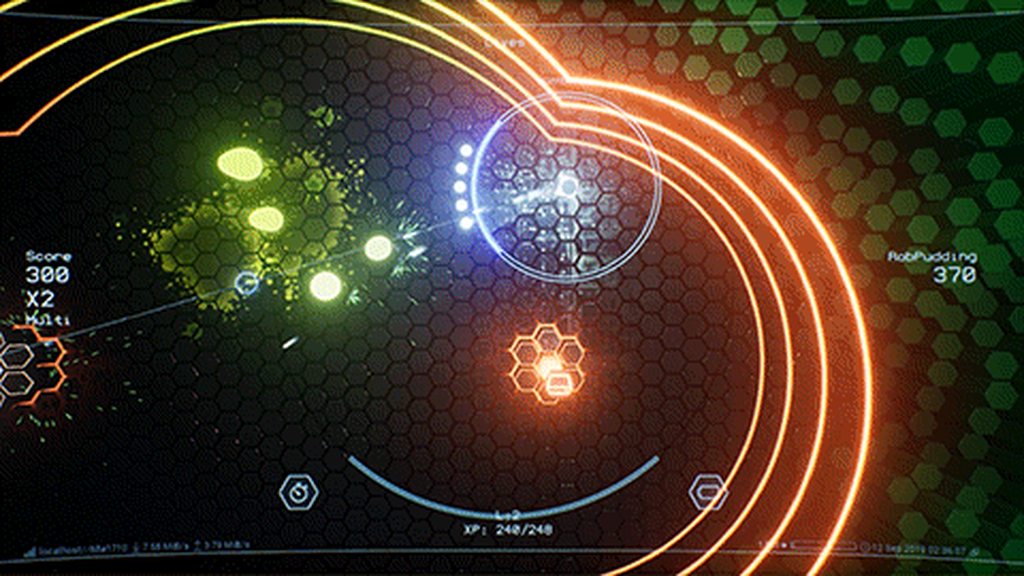
I feel like I could make a plug-in that automates assigning depth stencil values to actors when you attach a decal to them and includes the material function to make those work.
 noble steeple
can anyone guide me in the right direction to do some cel/toon shaded smoke effects ?
rustic depot
there are many ways, , there is smoke modells u could use(spheres, with displacement). Baked Textures of Smoke. Smoke with Normalmaps for light direction etc...
And a question from me, is there a way to stencil out fresnel only on every material, without creating second material?
celest birch
@lone heart Thank you for answer, will try.
celest birch
here is my portal effect
when i rotate it the smoke will not follow the relative direction of the rotation
 fossil swan
@celest birch cant say for sure, but it might be the point attractor, and/or the acceleration
celest birch
@fossil swan
Thanks I think I got it solved.
Point attractors won't move with the effect so I just increased the attraction factor and shortened the life. That way they don't trail as much.
Best I can think of.
fossil swan
if it works, it works
fossil swan
https://youtu.be/oSsk520P8SY by @tharlevfx#0396

Today we create a quick material that takes the player position and draws a black and white mask around the player location - super useful! If you have any q...
 quick silo
Does anyone know how you would go about "rotating" a static mesh through its material coordinates? Not sure if im saying this correctly. Im assuming its some amount of nodes that end up plugging in to World Position Offset, just dont know where to start with that. I tried just plugging in a rotator into WPO but it just rotates the Material on the static mesh, the mesh its self remains static in movement.
nvm think i found it
https://answers.unrealengine.com/storage/temp/284899-capture.png
 pine crystal
Has anyone ever been able to make a clipped object still render?
I have a widget in world space in front of my character and it clips through another object I’d like to keep it rendered and change the clipped area to a different shade or something
Without disabling depth checks or moving it to screenspace or a stereo layer that’s always rendered in front of my character
I want the widget to be off in the distance so it doesn’t come between my character and the objects they interact with
celest birch
@fossil swan
**update I had added acceleration to the particle emitter in the x direction 🤦
@fossil swan https://cdn.discordapp.com/attachments/572069047944871963/622068197499338789/2019.09.13-06.56.mp4
Much Better
 solid void
Is there a way to have niagara particles collide with meshes with friction
then find out how many particles are touching the mesh?
cold sorrel
Gotta say, it sounds like you are trying to use the particlesystem for something you shouldn't.
You can't query how many are touching the mesh, but you can send events on hit and then try to make some estimations.
This should in no way ever be used for gameplay purposes.
solid void
probably. I'm essentially trying to recreate a simple aerodynamics system
cold sorrel
Not in cascade and not using GPU particles.
Potentially using CPU and Niagara.
Extremely expensive though as each particle would need to radius check against all other particles in the area.
Then I'd consider doing it without particles at all. Blueprint it for more control
celest birch
Quick question how would I make the inside of my red laser more white?
Like this
celest birch
I have snow particle with material which has pixel depth in order to hide snow around the camera. I need to figure how to make system which help with hiding snow in buildings and when I will look through the window, outside and inside I will see or not see the snow ( weather effect) depends on side. Any ideas how can I make, but not by orthographic camera because I have heights.
 neat charm
Help me to find a VFX solution for particles being sucked. Can't even find a reference 😄 Sorry for amazing art skill.
 mortal lily
did you try attractors?
neat charm
hm never heard of it thanks!
celest birch
I tried yo adjust Super Genius Weather VFX by this video https://www.youtube.com/watch?v=DcesEW380lc&feature=youtu.be&t=6m55s 7:01. I made collision and it works fine. But snow still spawns behind the actor. When I'am looking on object which stops particles , it also works fine. Where Can be my problem. Also we can discuss by voice channel and I can show it through the viewport. Thank you for attention

In this video we explore the creation of GPU particle systems, setting up fixed bounds for them, and using Vector Fields to control particle behavior. (00:04...
analog onyx
@celest birch Wrong way to approach it.
google for Water drop 2a – Dynamic rain and its effects
celest birch
@analog onyx Thank you for answer. Will try
 patent karma
Hi All, Please help me. I am creating a game in mobile and what I want to achieve is to have my assets outline emission
is there any way to do this without post processing
I checked online , read many forums and tried all them but they are not working for mw
me*
As I am testing all this in GLES 2 without HDR
is it even possible to create outlines at runtime without using post processing
Thanks in advance
cold sorrel
Duplicate the mesh, scale it along the normal, reverse normals and give it a colored material
patent karma
I tried this. It seems to be working but my meshes getting overdraw as I also want to run this game in low end mobile devices.
I am reading a lot about world normal edge detection
This can also help me if I can detect the edges and then I make them emissive.
Please guide me how to get this look
cold sorrel
If that's too expensive, and post-processing is out of question, then no you can't.
patent karma
Ohh alright. Thanks for the answer.
I'll try to increase the quality bar for the project.
 ancient stump
What would be the best ways to get particles into UI, flipbooks? For instance for an XP-bar that is going from left to right, to add sparkles to it
Only way I found to do that +- is with materials inside UMG
Would be great if we could just use cascade/niagara for that though 😄
fossil swan
niagara will/does have UI support, but you'd have to ask for specifics in the niagara channel.
cascade not so much, so often material stuff is required.
ancient stump
Hmm alright. 1 problem there is that we cannot use Niagara for our Client builds. (makes some stuff crash in Shipping)
You don't have a pack laying around by accident that we can buy? 😉 @fossil swan
fossil swan
sadly no, dont have that much UI experience either, but I might know of a tweetpost that shows a material trick that could potentially make easy sparkles.
one sec


A lot of you have been asking so here's more info on impacts. Many ways of going about it but this is what I went with. I simplified this for clarity, I'm also distorting these textures to get a more natural result, nodes in the reply. #ue4 #screenshotsaturday #gamedev #in...
Likes
148
 Twitter
the second tweet shows rain-spatter thingies. I bet you can make them into sparkles instead
ancient stump
Thanks, will check it out!
fossil swan
good luck!
ancient stump
@fossil swan Didnt get the sparkles, but I suppose this is also cool 😂
fossil swan
hehe, trippy
rustic depot
 lethal crown
I was wondering, is there any way to get the information of how much certain parts of a model is lit in real time in a grayscale format inside of a shader?
And if not, is it something that could be done through a material function?
analog onyx
no.
lethal crown
:<
Back to square one then
Hmm
Can I render a frame multiple times?
Like uh
Render passes
fossil swan
yea, should be able to find some info about that with a decent google query
lethal crown
Hmm
 umbral zinc
Hi!
I have a problem with Spotlight in the Side-Scroller template. I've placed a light in the scene, but the cone of light won't stay still but instead it turns with the camera view. I tried to search internet, but i'm not finding any results.
umbral zinc
I'm thinking it could have something to do with the Camera being fixed?
 prime lion
in Niagara functions like Sine or Vector 2DFrom Float - where are these definitions stored? And if I am editing one, am I overriding global definition?
 steady relic
is there any performance difference between updating material parameters every frame vs occasionally?
prime lion
@steady relic if you have a lot of materials you might see a hit
steady relic
I suppose the question I'm asking is: are parameters copied to the GPU every frame regardless of change
looks like there's already an internal caching system in UMaterialInstance 👍 so sending the same value every frame won't hurt
prime lion
Is Particle.Initial.* automatically set by Niagara at spawn?
lone heart
yeah, if you have something setting the value in the spawn modules
think of Initial as a copy of the particle properties as they were when it finished spawning
 simple wasp
Hey! Been searching for "unreal engine 4 user interface VFX" tutorials for a few days now, but can't find anything more than transform and opacity keyframe controls.
Is it something that's highly difficult in UE4? Adding VFX to the HUD for example
 mellow tide
What kind of VFX would probably help that question out.
 mental falcon
Niagara Ribbon has particle facing problem?
rustic depot
is that a facing problem?
fossil swan
the planes are being aligned to camera, and when the angle is slightly tight the planes get overlapped
mental falcon
Guess there's no perfect solution right now?
spare hare
its a general problem regarding ribbons.
mental falcon
Ok ,thanks~~
simple wasp
@mellow tide The combo in the middle (X5 + there's a text for what moves you're doing) feeds into the heat bar on the left. I aim to have some particles flying from the middle to the heat bar, to show that that's what's "charging" it.
I have a solid skillset with After Effects and am thinking of maybe using my skills there and creating a flipbook?
But that's pretty much something i remember from some post on Reddit.
Don't actually know how to do it.
rustic depot
wait u dont know how to do a flipbook?
but u can use after effects? or do u mean how to implement the flipbook in ue4?
mellow tide
Unreal docs on that should be enough. @simple wasp
They teach flip book implementation.
https://docs.unrealengine.com/en-US/Engine/Paper2D/Flipbooks/index.html hopefully a good starting point.
Description of Paper 2D Flipbooks and how to create them.
simple wasp
@rustic depot To implement in UE4. As a UMG visual effect.
@mellow tide Thanks! I'll dive into it
I see, so a flip-book is basically a spritesheet.
mellow tide
If you wind up needing more I've got some side resources that cover it better
simple wasp
I'll probably use this then: https://aescripts.com/sheetah-spritesheet-tools/

Sheetah turns your After Effects composition into a single spritesheet file blazingly fast. It also features tools to generate custom animation sequences for your spritesheet.
I've been working so long in Niagara that what I can do in terms of VFX, in UMG, seems so primitive 😄
I'm hoping that I'm missing something more advanced that's available there.
mellow tide
For general working with Unreal there is a Ue4 shaders and Effects cookbook on Packtpub, pretty new book. Works through most of the tools.
I'm somewhat new to the field, and worse splitting myself into quite a few others , but finished that book and a set on cascade so I can at least roughly do what I want.
simple wasp
I'm okayish with Cascade and decent with Niagara. Sad I can't just make a Niagara effect and add it to the HUD.
UMG seems like a totally different beast.
At least the animation keyframes there are super-familiar from After Effects. I'm wondering if I can make a dynamic parameter for a material, use that material on one of my HUD elements and then keyframe that dynamic parameter (i.e. emissive power) based on a HUD event.
mellow tide
Yeah but it's a core of engine thing to my understanding. That said you can add image effects so maybe if you render it real time in a side scene and project it.
Render target texture...
I believe that plus and image might get you there, I'm kind of taking what I know and guessing the next level.
simple wasp
I'm afraid it's a bit heavy on performance, no? It's a 3v3 multiplayer-only game with a decent amount of server-side validation.
mellow tide
I would assume yeah, I was hoping in a menu you could like not be multiplayer lol.
If you check if they're in a match or something first and tone it down maybe...
Let you have the effects when performance isn't key, just kind of guessing around. Or maybe prerender it, then use it.
If the effects are always going to be the same it should be a pretty quick implementation
I think there's a record by frame on the render target texture trick.
simple wasp
I'm also thinking making the particles fly from one location to the other, in AE. And making that spritesheet. But then there's the issues of different screen ratios and stretching.
mellow tide
There is a bp thing I'd suggest looking at
W3 studios, he runs a menu setup, I believe it's multiplayer networked... Don't quote me on that.
I'll send you a link, his customer support is amazing, and I'd forgotten but that menu probably does everything you want.
simple wasp

News Caraousel, Dynamic Background, & Basic Game User Settings ready to go. Available on the UE4 Marketplace: https://launcher-website-prod07.ol.epicgames.co...
This?
simple wasp
Sweet, will watch now
mellow tide
Definitely, and he's amazing at vfx and very helpful (I'm not affiliated, just a fan)
 fading pike
hm does somebody know, why niagara particles with collision and local space.. collide mid-air?
i have the feeling i have to enable and disable particles indoor, but thats means if you look outside there are no particles
prime lion
is there a way to reference particles from a different emitter within the same system? I am trying to connect identical particle stream with slight offset between each other - with a beam.
prime lion
can parameters be accessed between emitters in the same system?
prime lion
is this done through events?
 cloud zenith
hi, i would like to start realtime vfx on unreal, but i don't know where i can start so if someone knows tutorial for begginig can you send it to me please
cold sorrel
cloud zenith
@cold sorrel thx
prime lion
I am trying to figure out a way to visually connect two emitters with identical number of particles. What would be an approach to do this? Essentially want to connect each pair of particles with cylinder mesh or something similar.
cold sorrel
Not possible with cascade. Check Niagara, they might have a solution
prime lion
@cold sorrel the screenshot is Niagara, thats what I am asking
prime lion
analog onyx
Question is... why do they have to be from different emitters ?
prime lion
@analog onyx they don't have to be, I'd just like to retain control of velocities and forces. Also I am not sure how to spawn particles in tandem like I currently have from same emitter.
It really is just a test case, I'd like to know how to do something basic which I would do in other software... and that is reference different particles and make new data based on their state
antoher example would be plexus effect, with distance based effects for connections
prime lion
So I am getting pretty close to solving this thing... but there is a problem. It looks like there is a mismatch of particle indexes between emitters.
Anyone know what to do here? Every frame rotation of connection emitter changes (I assume its because the location is not mapped to correct index).
prime lion
nevermind, orientation is calculated frame by frame, thats what causing the wild rotation to happen
is there a way to set mesh rotation to specific vector, without forces building up over time?
cold sorrel
Again, you are more likely to get good answers for that in the Niagara channel.
prime lion
gotcha
prime lion
where is a good place to find VFX atlases for things like smokes and explosions? Aside from UE4 Marketplace
 indigo jolt
google image search will usually yield a few freebies. if you want really good stuff then actionvfx video - and convert it to atlas on your own with after effects
then if you're god tier, you do it all in houdini
very few people actually distribute just texture atlases - since converting an atlas into a particle system is so easy compared to making the atlas, everyone just sells the finished product
prime lion
@indigo jolt thank you. I don't have houdini, you mean to get actual vfx source in houdini and render it yourself?
prime lion
Sounds like another learning arc to explore in the future, thank you.
devout portal

Tutorial: http://www.klemenlozar.com/frame-blending-with-motion-vectors/ This is my variation of the frame blending technique first developed by Guerrilla Ga...
prime lion
oh, that makes sense
devout portal
Lozar used fumefx, but with houdini it's simpler
prime lion
so this is done at render on the actual simulation not on the bitmaps?
devout portal
it is bitmaps, atlas
prime lion
ok
devout portal
but only using 64 tiles
prime lion
gotcha
devout portal
you coul try distance field method but thats voodoo
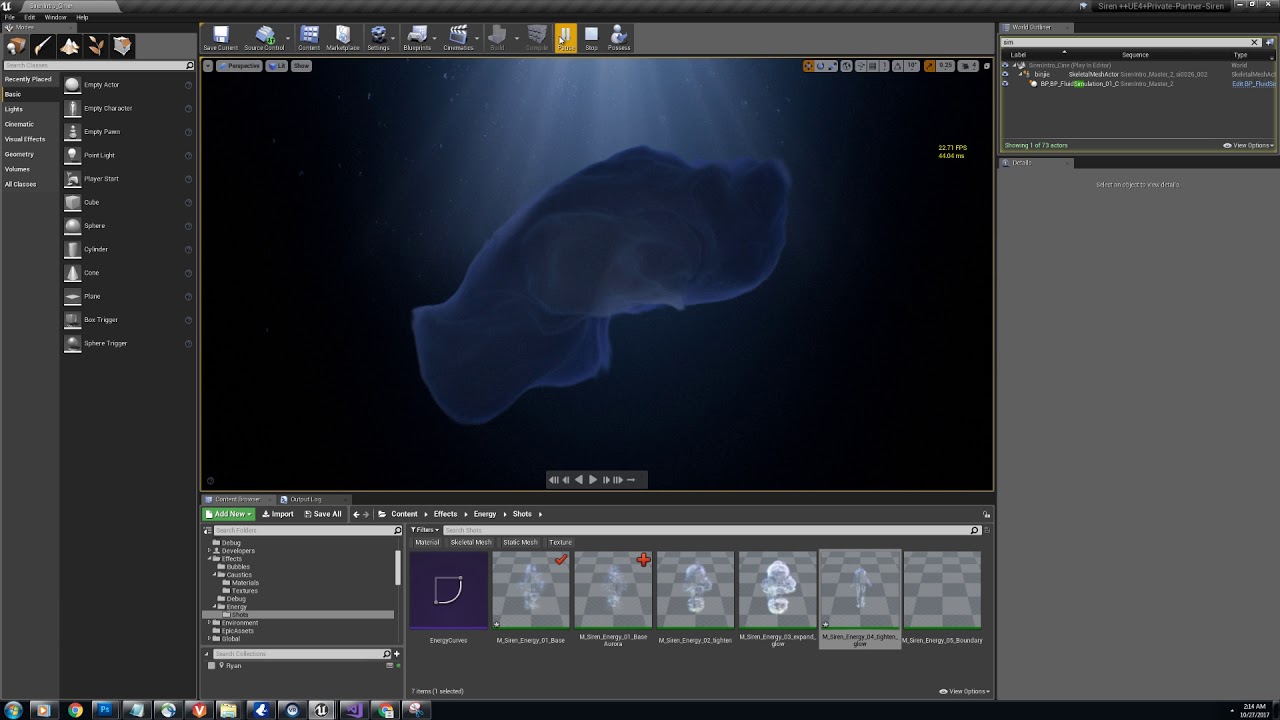
This was lookdev for the Siren cinematic seen here: https://www.youtube.com/watch?v=il36vEygXlU This showed the effects of using a massive emission source an...
cold sorrel
I vote against Motionvectors for 97% of usecases
Just getting atlases makes little sense since they are always made for a specific usage, so pretty much nobody distributes them.
In fact I know of none
cold sorrel
Yes, but if they are competently made, they require a certain material, certain way of particledistribution
and so on
So, releasing the atlas is just strange. It's not a usable product. It's not the source and it's not an endresult
But to answer the original question, I'd go for Stockfootage.
indigo jolt
make your own atlas = get paid. use everyone else's....nope, people wanna get paid.
i'd argue that for realtime games you could release an absolute buttload of atlases of explosions, fire, dust, steam, etc and make a lot of money. no one has 😛
lots of work to be done
analog onyx
I vote against Motionvectors for 97% of usecases Just because the cost/mem does not make up for it, supported by a fact, that not many effects linger that long to benefit or you have other considerations ? @cold sorrel
cold sorrel
Those and the limitations it puts on the texture as it needs steady, uniform movement to look good.
Any internal speed differences will kick you in the teeth.
analog onyx
cheers.
 oak sphinx
Hey all, anyone knows why i get this result from my post process on android devices? I have mobile hdr on, and the material blend location set to "after tonemapping". I've also tried before tonemap and before translucency but the post process is not displayed at all then. (PS i hope i'm in the right channel)
celest birch
so my mind is blown, I just discovered that the order of your emitters in Cascade is the order in which they are rendered / sorted
if anyone here didnt know, now you know
i was like "why does my shockwave render on top of my pyro flash"
Magnus just guessed out of the blue "try to move it to the left ?"
O_O
:head_explode:
 golden hamlet
Im trying to have one butterfly on vfx to lay on the ground, and when overlap with a box, change a dynamic material to start flapping and then add velocity, but as soon as i touch the lifetime and make it live forever, the dynamic stops working, im following this tutorial under, and im talking about the dynamics he adds on time 13:30, which stops working when touching the lifetime of the particle

In this tutorial you will learn how to create Butterfly Materials and Particle in unreal engine. you will learn every step for this effect texture, materials...
golden hamlet
Solved to use niagara instead for this, But inn the emitter of niagara, is there a way to add a 0-1 lerp in a float?
rustic depot
u could. instead of texture,. use vertex paint to move the wings, thats how i did it in a particlesystem in unity once ^^.
but in unity my biggest issue was, the animation was the same on every single butterfly 😭
idk how it is in ue4.
fossil swan
@golden hamlet because the lifetime is infinite, any timeline in cascade is also infinite, or in other words does not move.
hence changing values in modules might not work.
In some cases it helps just adding an insane high lifetime and tweak timeline accordingly.
I'd still add something that kills the emitter though.
also, no (positive) comment on cghow.
golden hamlet
@fossil swan so no posible way to add a lerp curve to an variable in niagara which follows the timeline?
 native acorn
is it possible to emitt particles on a spline?
 vapid scaffold
Is there ever a reason to update a beam target point via a ParticleSystemComp->SetVectorParameter(TargetName, Loc) instead of using ParticleSystemComp->SetBeamEndPoint(0, Loc)?
Just asking because ShooterGame does the former but the latter seems more simple / for that purpose
fossil swan
imma post this here because its cheap af
https://www.unrealengine.com/marketplace/en-US/slug/fluidninja-vfx-tools

Bake real-time fluid simulation to animated textures, flowmaps, materials and vector fields. Create presets. Generate fire, smoke, plasma and fluids for character and environment effects.
 rocky rain
saw it this morning. it was an instant buy :p
fossil swan
Learn real-time VFX for games & film from industry professionals. Create magic as you master the elements in the latest video game engine technology!
 shell bane
Hey guys, could anyone link me the docs for spawning cascade in c++? I can't seems to find it. D:
spare hare
your texture probably has no alpha channel
 torn oak
It worked when i first put it on but then it just stopped. Whats an alpha
 pseudo vortex
One of the 4 channels of an RGBA texture
Usually holding the data of what is opaque and what not
torn oak
Its been months since ive done materials so sorry for my rustyness
torn oak
Ok i got transparency to work. But the particle still only does the first out of 3
Could one of these be the issue?
spare hare
you need to use the SubImage Module to increase the subimage index
torn oak
Thanks for the help!
celest birch
i have an explosion Cascade fx with some mesh debris that have collision etc
when i solo them they behave normally
when they play with all the other things on there are almost none being emitted
wtf is up with that ?
fossil swan
the collision ones? they might hit eachother, or the surface/actor the are emitted on/near
there are some options to delay collision and such in the collision module
celest birch
Ah nice thx
torn oak
My mesh emitter is refusing to change colour
fossil swan
would need to see how the material is set up, how in cascade you set up your color module(s), and additionally to make sure you did not change the view mode in cascade to see only lighting
celest birch
I have a particle (lens flare) that only shows up if I solo and un-solo it in cascade. Then it will work once and then not until I toggle solo on and off again. It has max emitter loops set to 0 and the same emitter duration as every other emitter in this particle system. pls help
indigo jolt
emitter duration is 0, how about particle life? size by life? alpha by life in color?
celest birch
emitter duration is 3
particle life is correct and works when it does trigger
same for size and alpha
when it emits it's clearly visible
it just doesnt want to emit
and i went through everything i could think off that can affect that
it emits only after I solo and un-solo it
which makes is seem like a looping issue but it's not
burst is at t=0 and has 1 particle in it and loops set to 0
every emitter same duration
 ocean forge
Is there anyway to block light in the engine without a solid material? e.g. I want to setup a volume or maybe a plane with a material that is clear but blocks light.
oh I guess I can cast shadow, not visible. Not even dealing with materials
analog onyx
@cold sorrel Glad, do You mind if I approach You in DM regarding rather delicate personal matter which cannot be resolved otherwise ?
cold sorrel
Hit me
fossil swan
hitting glad is def a delicate matter better discussed in dm
sullen python
Anyone has an idea of why a particle ribbon may randomly disappear?
Bounds are set to fixed cube of 50k
 bright panther
The packing of each frame could be more optimized, but we don't have the tools to do that automatically yet. The great thing is that you can go from real-time fluid sim, to flipbook in just a few seconds! 😄 Our tool is getting closer to being done.
rocky rain
I can't wait
celest birch
hey guys, i seem to remember that for the auto particle cutout feature to work in cascade with flipbooks, you need your texture sample material node to be set up in a certain way. but there are several such flipbook related nodes (subUV, flipbook function, etc) and Im not sure either which one to use or how to use it. For example they all have a frame number input but what if I want to handle that in cascade ? or does it need to be picking frames inside the material in this case ?
fossil swan
cascade
generally
not have ue4 open, but in the required module you can set up some stuff related to flipbook stuff and using cutout
celest birch
really ? without special flipbook node ? because if i use it the normal way it doesnt work, takes the cutout texture as one single texture instead of its subUV
i know that you can use SubUVs with a normal texture sample using the cascade module
but specifically the flipbook cutout thing doesnt work off the bat with the normal texture sample afaik
(could be wrong i just remember hearing that and am having this issue now)
I think it was something @cold sorrel said ?
cold sorrel
Never used cutout
celest birch
damn.
i remember asking someone after seeing their video, why they used that setup
and they said a few things only work if you use it, including cutout
or at least in my memory
fossil swan
if you enable the flipbook stuff in the required node, and apply a texture there (same as flipbook) itll turn that into a flipbook for cutout per frame
celest birch
ok will try again
fossil swan
you might need to set it to look at alpha, or r/g/b depending on needs
cant remember if they fixed the 8 cutout, which caused quite some issues on mobile/switch about 7 versions ago
 molten lintel
Has anyone ever been able to get parameters from a particle system affect anything hooked up to the WPO node? I'm trying to drive simple vertex animations in a mesh particle emitter (adding a phase offset to birds flapping their wings) and I'm having no luck.
It looks like it returns 0 all the time.
fossil swan
works fine last time I used it
 eager fox
hey guys i have an issue with particle systems
the collision works in the viewport but if i simulate the game, it doesnt
cold sorrel
Collision max distance
bright panther

Here's a quick demonstration showing AAA quality flipbooks inside of Unreal Engine 4, which were produced with EmberGen. EmberGen lets you simulate and rende...
 polar loom
hey vfx folks, could you recommend me some free/cheap software for making smoke/fog/cloudy effects? It could be either static, or dynamic in form of, like, flipbooks, I'm looking to make textures for fake fog/cloud sheets for enviros. If you saw Rebirth from quixel, you can get the idea
cold sorrel
Nope
For Rebirth quality you need some proper simpackage or stock
Neither is free
Maybe Blender can get you some of the way?
polar loom
yeah, i dont strive for rebirth's quality, but wanted to do something simpler myself 🙂 Houdini guys did vfx textures for quixel
blender is good idea, will check it, thanks
somehow its difficult for me to find any decent fog/cloud textures to use in ue4, closest i found was cloud alpha pack on photobash.org
cold sorrel
The Rebirth breakdown was hilarious when they showed fogplanes like a new exciting technique xD
bright panther
Or when our tool comes out you could make that too :V
If only it was out 😭
Then again, not free
cold sorrel
Fog without Diffusion huh? 😉
bright panther
Looping texture?
cold sorrel
MAKE IT DIFFUSE
bright panther
We need moar feedback glad
cold sorrel
But yeah, Embergen would be the easiest way of doing it
If it looped, 6point lit and diffused.
😛
bright panther
It shall 😄
polar loom
is there a planned price? @bright panther ?
bright panther
@polar loom Depends on your revenue. Assuming you're asking for an individual/indie price. $239.99/yr and this annual license gives you a perpetual license to keep if you ever cancel.
analog onyx
Who needs diffusion when you can just remap density with a fancy curve on render time.
 whole flame
new around is there any 1 that can make me a partials system of fireworks that says "WavyWolfGang81" and "Chaos Wizard" super new to unreal but im trying to help my 12 year old son out he been learning alot and i want to make a EE for him in his map ! it would be super cool ! cant afford to pay anything thanks in advance feel free to direct message me
lone heart
@whole flame you may have better luck in #looking-for-talent
whole flame
ty
 tepid spruce
is it possible to get animated vector fields into unreal to drive particles ?
rocky rain
yes. just import your vector field (.fga) and plug them in the vector field module
so im spawning a particle system within an animation with a notify. problem is that the particle system has event generators and event receivers, which work when I play the FX just in the viewport, but don't work when used inside the animation. Any clue why this happens?
cold sorrel
Unreal doesn't support animated vector fields by default
rocky rain
oh I got that wrong lol
tepid spruce
thanks glad ...that's what I thought. I wonder how difficult this is to implement .
no worries seehr 🙂
analog onyx
Can do that with Niagara
fossil swan
unless you need something really specific, just adding some rotation is often enough
analog onyx
Hope it gets into stable category fast.
tepid spruce
yeah me too .... I need the gpu skeletal mesh doodads.
rotation wont cut it I am afraid ... I need some fancy particle advection . And thanks to Deathrey for Niagara hint.
 sage magnet
Can someone help point me in the right direction of how to create a fog of war effect? Major drawback is very little CPP skills, would prefer to stay in blueprints. I can't find any relevant tutorials besides a render target to use line trace to paint on a single plane. This worked great for a straight top down approach, but I'm looking for something more friendly to a dynamic camera. Either similar fashion to XCOM or even DOW2.
 livid meadow
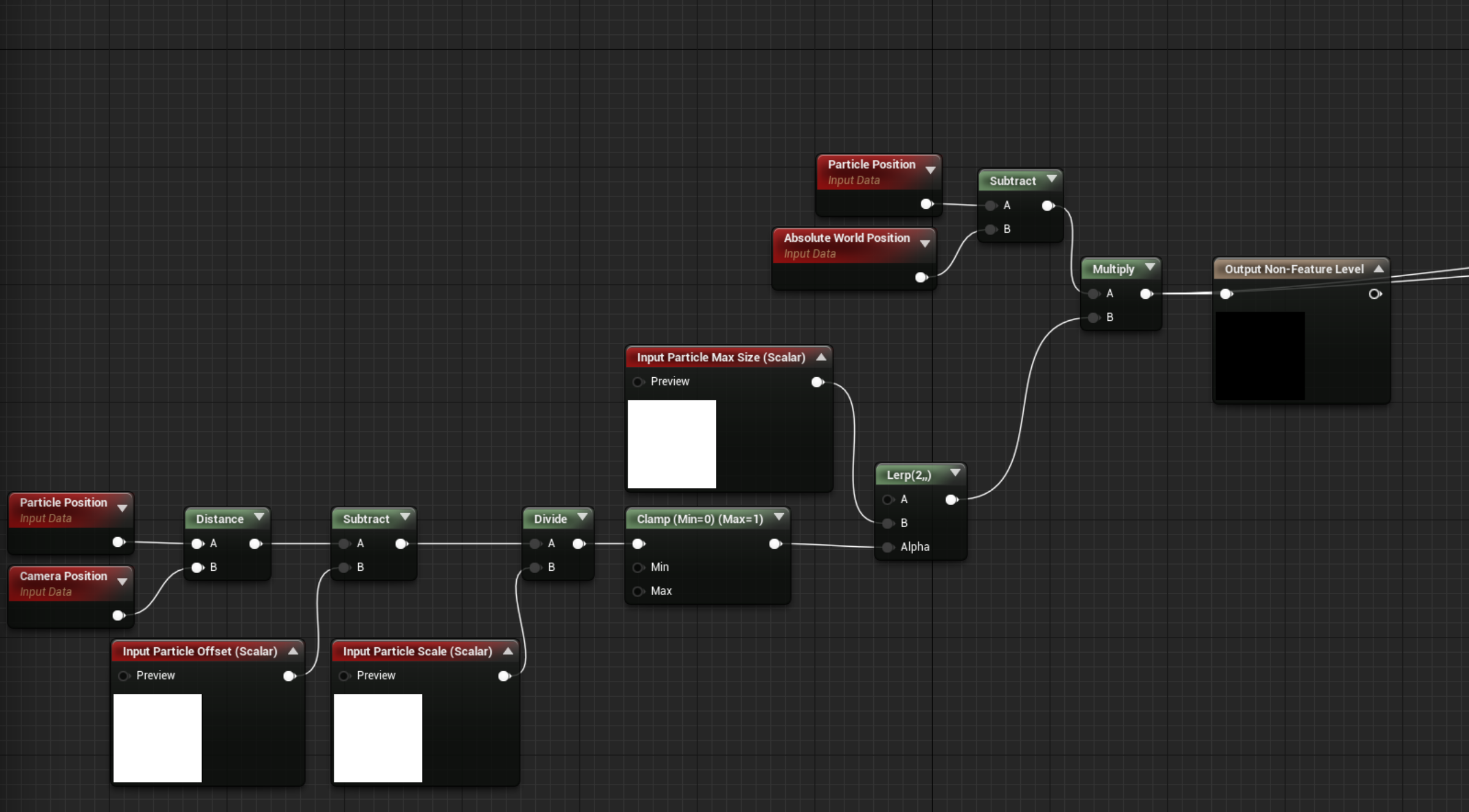
Is it possible to scale particle size based on distance to camera? I'm having issues with distant small particles not being rendered
fossil swan
@livid meadow besides increasing them trough lod distance, I use this setup
https://i.gyazo.com/61a9951ba62e4b58573700a8d00d2739.png (mat function)
 civic plover
@sage magnet You could take a literal approach and use actual volumetric fog I suppose. Maybe spawn volumetric fog particles in regions that are hidden. https://docs.unrealengine.com/en-US/Engine/Rendering/LightingAndShadows/VolumetricFog/index.html
sage magnet
@civic plover Thanks, I'll look into those.
livid meadow
@fossil swan Thank you, I appreciate it.
bright panther
@tepid spruce we'll have a plugin in a few months most likely for animated vector field format support


Closing the loop by implementing the animated vector fields in #UE4 Niagara ... Now it's validated on both major engines using the latest particles tech. #VFXFriday #gamedev #VFX #realtimevfx #unrealengine https://t.co/wjHRwRFf1r
Likes
104
Twitter
In the mean-time you can export singular frames of each vector field for the animation, and play them back through blueprints as global vector fields.
So every .2 seconds set the intensity of the next frame then delete the previous vector field
tepid spruce
@bright panther awesome stuff! Thanks for the info and look forward to the plugin!
celest birch
how do I make radial velocity work in cylinder emitters ? somehow can't get things to move constantly away from the center of my cyl emitter
I have "radial velocity" checked in my cylinder module
oh solved i had to check the "velocity" box
devout portal
Can anyone help me with settings for aligment of mesh particles in Cascade.
I want to make a spinning torus out of sphere meshes
Torus should spin "outwards" (along major radius). But i'm not sure if that's possible.
fossil swan
hmm, there is a pivot offset thingy module, perhaps it works over time? or inside the material make the vertices offset more over time?
devout portal
fossil swan
oh
devout portal
pivot offset made spheres to spin around it, so they wobble
fossil swan
i'd probably make that motion inside the material
devout portal
yeah, i can, but it's not perfect torus shape, i've used deformed balls
so it "wiggles"
also, the radius is animated
i hoped it's possible to make some kind of local rotation based on offset from 0.0.0
fossil swan
hmm
whats the result you have now? I might be able to give it a tiny shot after dinner
fossil swan
ah yea
back in the udk days I was suggested to do that kind of rotation in kismet (ouch)
devout portal
well, i can make it in niagara...but we have 0 of niagara effects now
so it's disabled in project
analog onyx
Use single torus tbh.
devout portal
i just afraid it will be pointy if i'll use WPO and make it not super dense
now it's "bulgy"
fossil swan
without having ue4 open, and me being hungry (low brain battery)
id try a local spaced particle position driving a local spaced rotateaboutaxis thingy in shader still.
 wicked shale
is it possible to build your own test stage instead of using the default epic building background?
itd be nice to have a small level that had some objects for scale instead of the flat grey floor and epic building skybox
 swift magnet
@wicked shale pretty sure that's just a normal level? Or if your on 4.23 the hdri backdrop actor.
wicked shale
I can’t find any way to change it, though I think you can change the backdrop
It’s ok. It just seems like a sort of feature they could have implemented.
celest birch
where do i change this texture?
fossil swan
required module > material. generally
celest birch
i am trying to make anim trails for a case where you have a bunch of different weapons and they all have their own rigs and trail materials. How would I go about reading the start and end sockets from inside the sword rig rather than from the character animation itself ? and replace the trails depending which sword it is ? I need to be able to place the sockets on each weapon how I like, and use the same anim notify inside the character anim with a different template per weapon. Has anyone here done this ?
fossil swan
i had a long talk with an epic dev about this, and currently there is no real way to do so (unless something changed and I have not heard about it)
so my client assigned one of his coders to alter cascade to make a socket variable for them.
sadly game got canceled before it was done.
celest birch
wtf, so there isnt a way to make trails depend on the weapon I add ? what's a viable workaround for this ?
fossil swan
get a coder :p
celest birch
idea :
I have a whole bunch of start and end sockets in my rig and i feed the anim notify a different set of sockets for each weapon
analog onyx
@celest birch Pre-bake data into textures and use one mesh for every trail. This is one alternative.
celest birch
then i copy the anim as many times as weapons i need...
I can't do a custom mesh and texture for each anim + weapon combination @analog onyx
analog onyx
No, but you can have 1 mesh and texture, that contains anim for every mesh-anim combo
fossil swan
i would not do the notifier one either
celest birch
so i make an anim of my trail for each character anim ? then might as well have anims on my swords themselves and attach them to character root instead ...
why not the notifier ? it's the only setup that allows me to just say "start here - end here - do a trail" and be done with it
if I have 200 animations and they all need to apply to an arbitrary number of weapons, there is no solution off the bat ?
fossil swan
no proper way to disable them all if I am correct
celest birch
I guess my idea is to make a copy of my character anim montage for each weapon
and place the sockets in that
fossil swan
quite bloaty prolly
celest birch
in terms of space ?
shit i really need a solution lol. maybe i do need code support on this one
fossil swan
depends on how many weapons are loaded
fossil swan
cheapest time-wise is probably to hire a coder to add a module that looks at a sword/weapon mesh its start/end socket
fossil swan
though, you'll need the anim notifiers to activate/deactivate it.
celest birch
hmm i mean if Im getting someone to make custom code, might as well try to modify how notifies work to look into my sword rig for start and end sockets
I wonder how other games do it
fossil swan
before the layoff we did have a variable for enable/disable thing in anim notifier, should be simple to set up
and the database held the colors for the trail
celest birch
ah so i make as many notifies as there are weapons then i turn them on/off ?
fossil swan
if all the animations are the same for the weapon, just use the regular animations.
no need to make a per weapon anim
celest birch
no i mean per wpn notify in the same anim
analog onyx
Could have fixed sockets for every case, but offset the stripmesh in bitangent direction to match the need.
celest birch
hmmmm interesting
but then that doesnt allow me to straight up change trails per wpn
fossil swan
we added sockets in the weapons, (can actually do that in max trough dummies or what not)
so start anim > anim notifies blueprint to start animtrail, (trough database knows colors) > finds start/end socket on weapon > starts animtrail > end animtrail.
hmm, now I want a fade in notifier, and fade out notifier :p
celest birch
sockets in the weapons i can do in engine as far as ive seen, since my weapons have bones
but the issue is if i attach weapon rig to character hand, the character anim doesnt see the sockets in the child -_-
it sounds to me like thats how it should work
fossil swan
hence it only activating a blueprint who does that part
celest birch
oh
fossil swan
not saying its the best solution, but the one we decided on
celest birch
im a bit confused here. you mean you have a blueprint class like "anim trail manager" that constantly looks at what anims are being played that need trails ?
fossil swan
im was not the coder (thank god)
all I know is, the animation notifier triggered something in a blueprint (derived from custom code or whatever) that started the trail, applied to the sockets on the mesh.
anything above that, no clue
 placid finch
hey guys, I've been working on adding a magic beam mesh particle for a spell but can't seem to get it to match the rotation of the socket rotation it's spawned to
any ideas?
indigo jolt
Make Location "local space" instead of world
placid finch
if you mean in the Required module then I've already got that set but it seems to go in the wrong directions
placid finch
I think I've got it had to mess around with some stuff, thanks
mortal lily
celest birch
thank you
im new to discord, i read the rules but there are many groups. im overwhelmed and some i don't have permission to message. still learning how to use it to be honest
thanks Yoeri
fossil swan
about the #looking-for-talent read the pinned message, itll explain how to use it. (didnt have my morning coffee)
celest birch
I have a particle (cascade) that doesnt render if I use a GPU emitter O_o
what am I doing wrong ?
fossil swan
bounds
celest birch
ahh
nope
i had already set fixed bounds on a much bigger emitter in same PS
it didnt change anything
fossil swan
ok, then please be more specific hehe
fossil swan
still not specific enough hehe.
show the cascade modules, and the material
celest birch
weird
i made a new material
copy pasted everything into it
set it up seemingly the same
it works
ಠ_ಠ
I'll take it
I really wish subUV worked with GPU
cant have SubUV and vector fields together -_- what is this, 1997 ?
fossil swan
either set it up in the material, or use subuvmovie
celest birch
subUVmovie doesnt show up when using GPU
tried this to pick random frame. no result
fossil swan
only random does not work
celest birch
sad time
fossil swan
there is a flipbook node in the mat editor for these reasons
and either use "particle random" node, which only works for gpu particles and outputs 32 values between 0-1
or other ways to get variables from 0-1
like particle color
celest birch
this is made in niagara , can i recreate it in basic emitter?
controlled by this function
is there anything similar to this ?
 marsh delta
Im making a torch flame with cascade, Im wondering how I can make the velocity of the flame always be going straight up, no matter how the emitter is turned. Right now when you slash the torch, the flame will look very off since its always pointing towards the z axis on the emitter
cold sorrel
Don't make it local space
celest birch
Glad, is it possible to have randomized results with vector field?
cold sorrel
Define random
If you rotate and scale a vectorfield in all axis, can you tell that it's not random?
celest birch
they seem to fly in same directions all the time
everytime i spawn it
same result everytime
celest birch
nvm found solution
silent bay
Hello, I was trying the cascade global vector fields example from content examples, it looks like if the field gets too far from the emitter position it stops affecting the particles, how can I change this behavior?
https://streamable.com/wkhxp

 feral herald
Hi all , I am making a magic arrow spell effect in #niagara with a static mesh sampler, and swirling particles around it as the arrow becomes visible using a Vortex Velocity Force along the axis the arrow is pointing (X-axis). I'm trying to make the swirling particles to also get sucked into the arrow with a Point Attraction Force and its working within the Niagara System preview window but not after dragging the Niagara System into the level. Any ideas why that might be happening please? Sounds like a bug to me. https://youtu.be/4SD_msQL_eY
Enjoy the videos and music you love, upload original content, and share it all with friends, family, and the world on YouTube.
feral herald
FIXED: I had to enable Local Space on the emitter in the Emitter Spawn section.
 clear pawn
hello, Im quite new to ue4, testing how it behaves in different lighting scenarios noticed SSR are getting much brighter from fog resulting in artifacts on border anyone has dealt with this before?
less fog behaves normally
as fog increases, difference of error increases too
used exponential height fog with volumetrics on
feral herald
Is the #niagara Light Renderer broken when using inverse squared fall off? I cant seem to get any light when ticking that Use Inverse Squared Falloff box. In the latest public build.
 pulsar haven
Hello! I tried to make wheel marks with deferred decals. I figured out almost everything except one. Is it possible to change the transparency of a single decal , something like a parameter per seed as in a particle system? so that I can set the intensity of the trace at a particular point.
 shell brook
hey guys i don't know much on particle but i made this cloud particle and for some reason it is very heavy load i don't know why is there some optimization i can do but not change how it looks but it looks good but i also want it to be smooth
cold sorrel
Oh dear god
shell brook
i optimized it never mind
pulsar haven
@shell brook because alpha blending task of a large number of translucent triangles
and when one triangle is behind the other, complexity grows many times
shell brook
so its going to be the material not the particle? because i was modifying the material it did get much better but if i scale it up then it goes back to the same
pulsar haven
yes. because of alpha blending task/ this happens even with a very simple shader using an alpha mask - here are my trees.
shell brook
so is it ok for small things to be on white? or should nothing be on white
pulsar haven
tree material
shell brook
the cloud only makes me lag if i go into it because its a 3d cloud
pulsar haven
it is desirable to use alpha blanding as little as possible, but often there is simply no alternative.
shell brook
alright man thanks so much for helping me i will try to modify a few things
by the way this is the material for the cloud
pulsar haven
👍
 marble idol
hey all, I got that spotlight coming from the sky
however there is no "source" to it
you know how helicopter searchlights are a pure white when you look them straight on
Is there some key concept I'm missing?
it looks pretty nice for what I wanted to achieve
but I'd like it to be bright at the source like real spotlights
 dense roost
You'd have to use an emiisive texture on an object or use volumetric lighting to see the source.
marble idol
ah, I'll look into those, thanks!
dense roost
BTW there is a way to make it super bright when looking directly at it using volumetrics but yeah.. do some research :-p
fossil swan
https://www.youtube.com/watch?v=dcALNEjs2KA
i dont play fortnite, but dang thats some vfxies
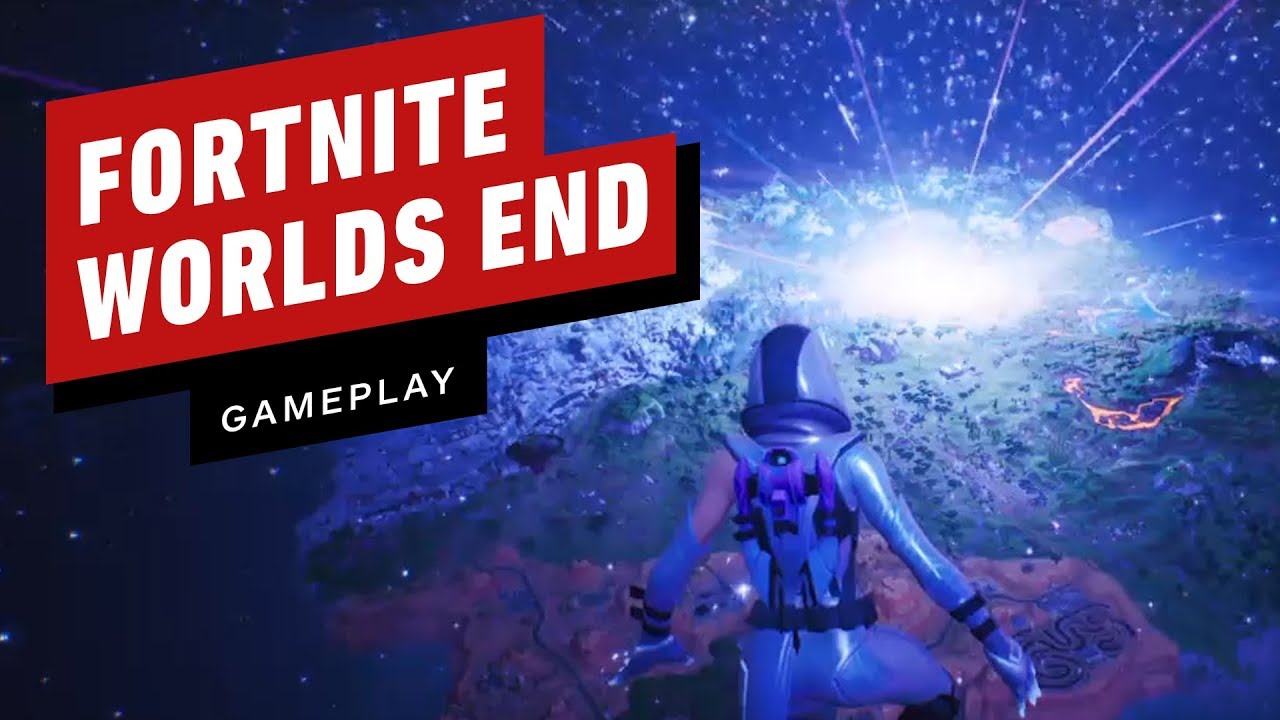
The end of the classic Fortnite map as we know it is here and it took place with a crazy event. Then a blackhole appeared. See both take place here! Thank yo...
spare hare
prolly some ryan brucks magic
fossil swan
currently watching Allars stream, and we are discussing the editor preview option "enable particle LOD's" and he wants to know why it is even an option.
think @ocean hedge might know?
fossil swan
its just a viewport in editor thing, and its disabled by default.
its used to change between emitter lod's just like you'd expect it to work.
just wondering why its there, why its disabled by default, (and why it more than often does not change back to higher LOD when you get up close again) :p
allar stream is chaos :p
 lethal spruce
Anyone here know how to apply a stereo panoramic image so it can be viewed in VR? I have created the image with left eye on top half of image and right eye on bottom. But I can't figure out how to build a material that will allow this halves to be viewed by the respective eyes.
I tried something like this but it's not actually splitting the image. I just see one image in both eyes. Looks like a normal panoramic image
fossil swan
@lethal spruce please read the rules. do not spam all channels with the same question. pick one and stick with it.
lethal spruce
Meh was worth it
Zero information on Panoramic tool - one video tutorial that is dated - they're using two single pano images vs the actal vertically stacked one
fossil swan
does not matter, rules be rules
lethal spruce
And the documentation is covers only how to make a stereo image not how to view it
 rose knoll
Hey people good morning
One question having a lot of small post process volumes hurts performance?
if I'm trying to make an outline effect and instead of having an infinite volume box that takes all the screen
can I improve performance if I put a PP Volume around the object I want to outline only?
analog onyx
Number of your post process volumes and their sizes has only slight overhead on CPU side. Rendering performance is constant.
lone heart
and if the camera is outside a non-infinite post-process volume then the volume will have no effect
the post-processing doesn’t get rendered “on” the volume, the volume just defines what the view should look like when the camera is inside it
 stone nymph
heya!
so i have an infinite CPU particle (cascade, burst 1, lifetime 0, etc), and its doing its little thing. However, i want it to scale from 0 size to 1 at the very start, but i cant do that since its life is always zero. Ive googled a little and it looks to me as if im going to have to create the effect in the material itself, and am looking for a few pointers on how. Or is there a better way to do it?
the particle in question with the other stuff that i have removed
 pure sedge
i wanna make local volumetric fog any ideas or do you guys already have a example material for me?
i was following this tutorial and even downloaded the demo project and the volumetricfog still doesnt show up (https://www.youtube.com/watch?v=nFi-edQxVBs) does anybody know?

In the third and final part of the UE4 Local Volumetric Fog tutorial i explain how to make the fog interact with the character. the whole tutorial is is just...
clear pawn
any ideas why are the shadows sharp even if I set up radius and soft radius to quite large value? its a movable light
spare hare
moveable lights cant have soft shadows
only when using Distance Fields, which arent supported by skeletal meshes
 ocean stone
Hi everybody! Could someone explain how can i create a particle system like you took a sand in your arm and throw it on the ground? I wan't some sort of burst with gravity and collision with ground
celest birch
mesh type data mesh cannot be changed at runtime?
 loud jasper
is it possible to create a material that doesn't cast shadows and also blocks shadows ?
 brittle remnant
@loud jasper No.
loud jasper
😦 thanks
brittle remnant
There might be a solution if you describe your use case. 🙂
loud jasper
Two room-like worlds on top of each other (the walls and roof are the skysphere) so the roof should not cast shadows (if it does the world is dark) but shouldn't let the shadows of the top world through
brittle remnant
I would need to understand more about the player experience to suggest a solution. However at a glance it would seem like what you want to do is put the two worlds in different locations and render the second world to a render target and combine the views in post. Will be costly but will resolve your shadowing issues.
tepid spruce
is there any reason why a beam particle doesn't get triggered in "selected viewport" play mode but works in standalone??Its basically a laser sight that gets triggered by aiming. Its pissing me off having to wait for standalone to load.
 main bay
hi, all emmiters that i spawn that use burst, all burst at the same time before deleating them self, so if the loop takes 2 seconds of the burst, all units that got shot will get the explotion effect at the same thime.. how do i solve this that it is per local emmittter timing
bright panther
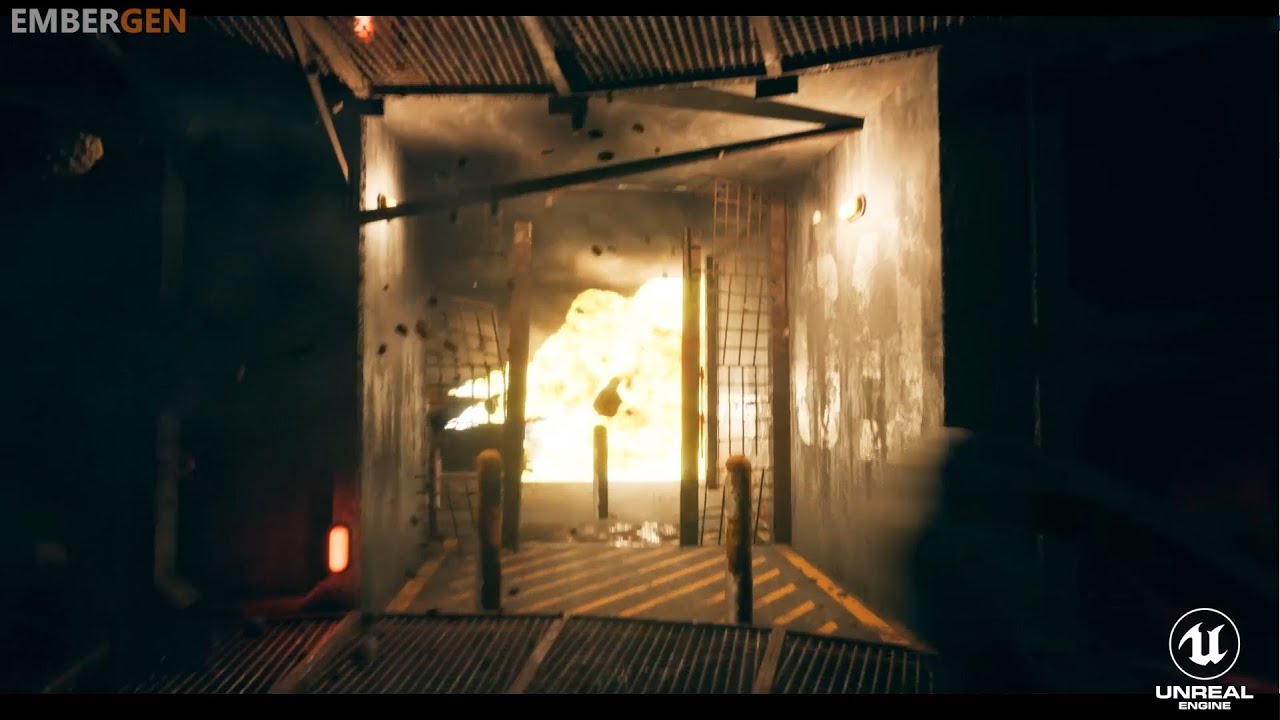
"There's a severe gas leak on floor 9 in sector 6 and an explosion is imminent." Sign up for an early access invitation at https://jangafx.com/
Took me a few days to make this 😄
 atomic palm
So I have blood decals added to my project but when walked on top of by a character they seem to be drawing their red onto the mesh of the character... is there a way to have it so the decal only shows overtop the ground texture but won't affect character meshes?
Ah nevermind it's the Receives Decals toggle under Rendering on the mesh
 glacial dagger
Sharing a lost soul VFX with a little & very easy breakdown in the commentaries


Lost souls #VFX for @thepumpkinjack 💀
Breakdown bellow! If you need more infos feel free to ask me 👏
#gamedev #indiedev #vfx #UE4 https://t.co/jKDVBVe3KF
Twitter
 timber whale
so is there a solution for using gpu particle collision with dynamic buildings?
by default if you aren't looking at a mesh particle collision will stop working
which can be fixed by using mesh distance fields
but those only work on stuff that was part of the level initially not stuff the player makes
 thick mauve
Best resource to learn particles? Sole dev here looking to enhance their game
fossil swan
anything not cghow (unless you dont give one bleep about performance and proper practices)
mellow tide
Immediately looks... sees a note from a Luos about performance optimization not being done right on Unreal VFX Tutorials XD.
fossil swan
¯_(ツ)_/¯
mellow tide
Just learning this kind of stuff myself, found I enjoyed a book I grabbed on shaders, so seemed like a natural jump over. Never mind more resources though.
 tawny tapir
Brutal! just been watching alot of cghow vids 😦
cold sorrel
Tip: if you are going to apply somewhere as a vfx artist, don't put any of his stuff in the reel.
tawny tapir
Ha! just not many niagara learning resources around right now. Was trying to get to grips with it but tbh i think i will leave it to mature for a while.
tepid spruce
his tutorials are everywhere .... pretty much spams realtimevfx too.
fossil swan
understatement
any vfx-ish post he replies with his url
ue4 fb groups, even archviz ones.
i want to ignore it, but as an admin on a lot of groups its getting rather like a grown in toenail
tepid spruce
I can imagine! It wouldn't be so bad if he was spreading good practices and what makes it worse is, its the first thing ue4 noobs see when trying to get help( myself included ).
fossil swan
imma keep it at that. else im wasting energy hehe
tepid spruce
🙂
 celest jasper
I think the biggest sin/disrespect is going to other individuals/youtube tutorials and doing his ads in the comment section 😐
fossil swan
just google "cghow vfx" and see how far he pushes it. he even has an android app so you can get updates on new posts he makes.
celest jasper
Well that's his thing, but do you see people promoting their bread in front of another bakery?
Can't be more disrespectful than that.
fossil swan
that was kinda my point, he's not only promoting it in front of another bakery, but even stores related to food.
tepid spruce
hes not only selling his bread infront of another bakery ...hes stealing from it aswell
fossil swan
"watch this archviz"
"check out my youtube channel!"
"Koolalala posting storm vfx"
"check out my youtube channel!"
to the point where a lot of his metadata/tags on youtube, his website, etc have tags involving realtimevfx and what not.
tepid spruce
soon we'll have cghow youtube ads instead of those annoying grammerly ones
fossil swan
s (just noticed)
 vivid nebula
Hey guys! Have a question: how to turn off cast shadow on mesh particles with masked material (cascade) ?
fossil swan
https://forums.unrealengine.com/development-discussion/rendering/21791-trying-to-get-particle-shadows-to-apply-to-other-particles last few posts, and https://docs.unrealengine.com/en-US/Resources/ContentExamples/EffectsGallery/1_H/index.html
Unreal Engine Forums
For discussions about Materials, Textures, Lighting, Particle Systems, and Post Process Effects.
An overview of the Effects Gallery example level.
vivid nebula
@fossil swan thanks its a bug of my custom engine trying to fix. Thanks
celest birch
I am trying to solve this issue using a raymarch cloud where i cannot have them overlapping without the cube it's stored in blocking the other one
Anyone got a hint on what I can do to prevent it?
lone heart
looks kinda like the cube is writing to the depth buffer and shouldn’t be
not sure how to turn that off
 pulsar goblet
curious if anyone knows, but i have a particle system thats using gpu particles that is also using the collision node. the collision seems to work, but the lifetime seems to be a bit different when it collides. Like it's on it way to dying, but the bounce brings it back. is there a setting im missing with this stuff?
 eager prawn
hello guys, is anyone here?
lone heart
@eager prawn sometimes. you’ll usually have better luck just asking your question outright than waiting for someone to be paying attention at the same time you’re here.
ancient stump
I have a translucent material on a particle effect (Default Lit), but for the life of me I cannot get it to be affected by lightsources... This normal behaviour? If I change the material from translucent to opaque, the particles do receive light.
fossil swan
need to change the lighting mode.
An overview of the Material Instances example level, example 1.2: ShadingModel
ancient stump
@fossil swan Doesnt seem to be doing anything :/
fossil swan
adding that texture sample might already push values over 1 in many cases. also, without a normal map it might not look as good.
ancient stump
Well, deleting the add and setting the color to 0.5 in the particle doesnt seem to be doing anything either
¯_(ツ)_/¯
ancient stump
also for smoke 😮 ? Just that it plays more with the light?
fossil swan
there is a "generate spherical normals" option in material, but not sure if it adjusts to flipbooks as i never use it
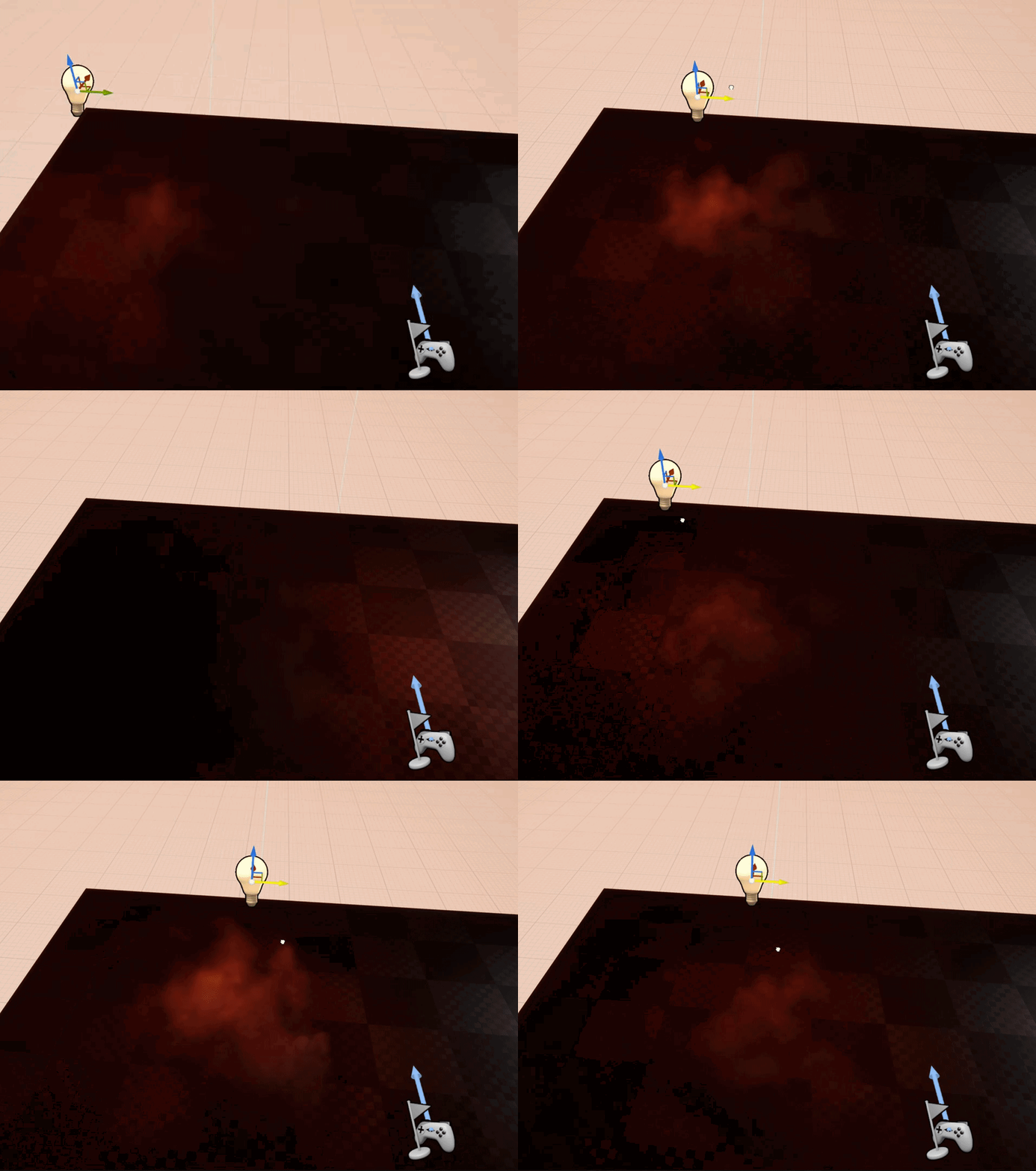
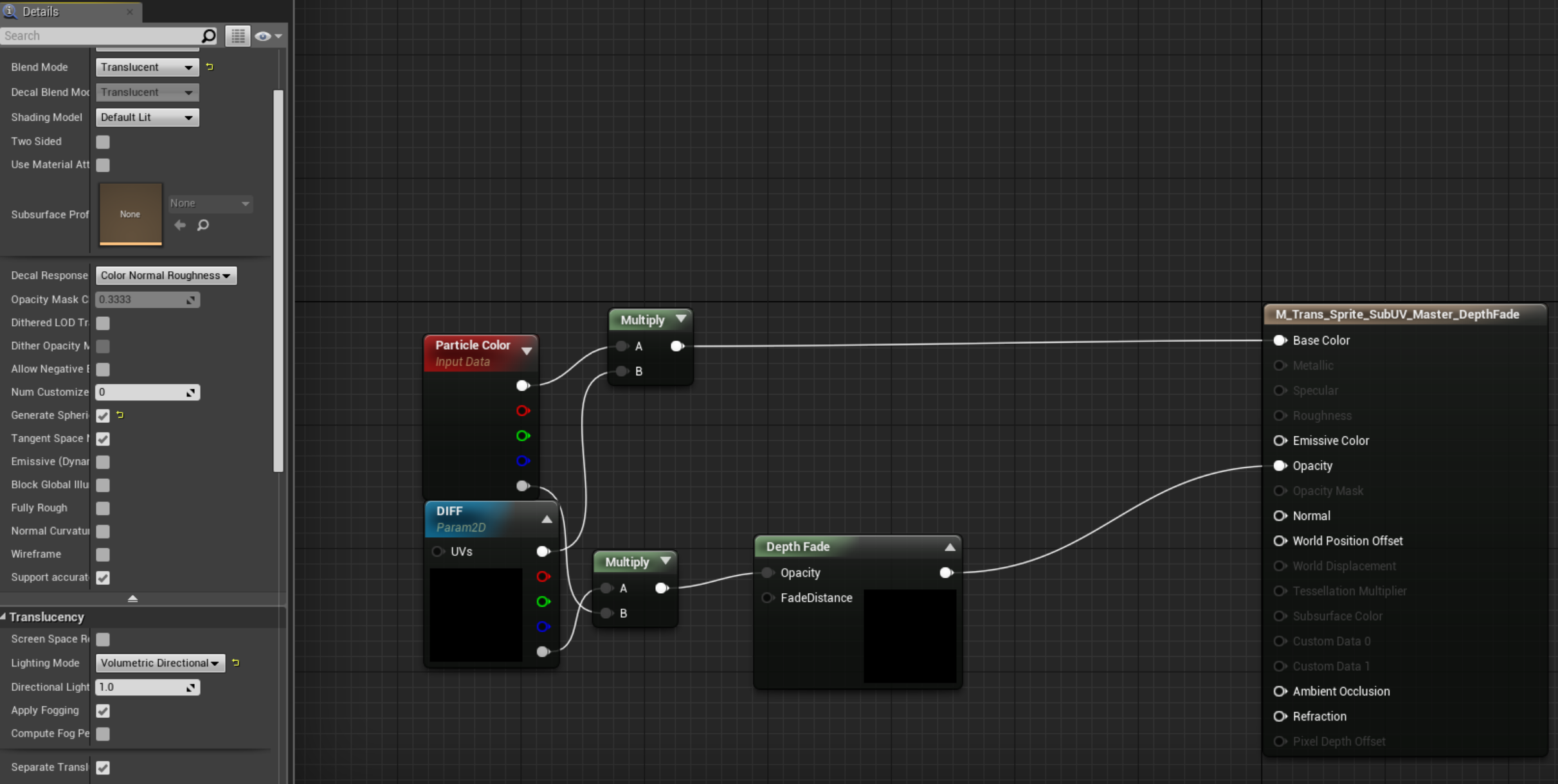
I forgot how heavy these lit volumetric directional particles where hehe
 ancient stump
Well maybe my scene is just broken 😄 The normal check is working, but still not receiving light
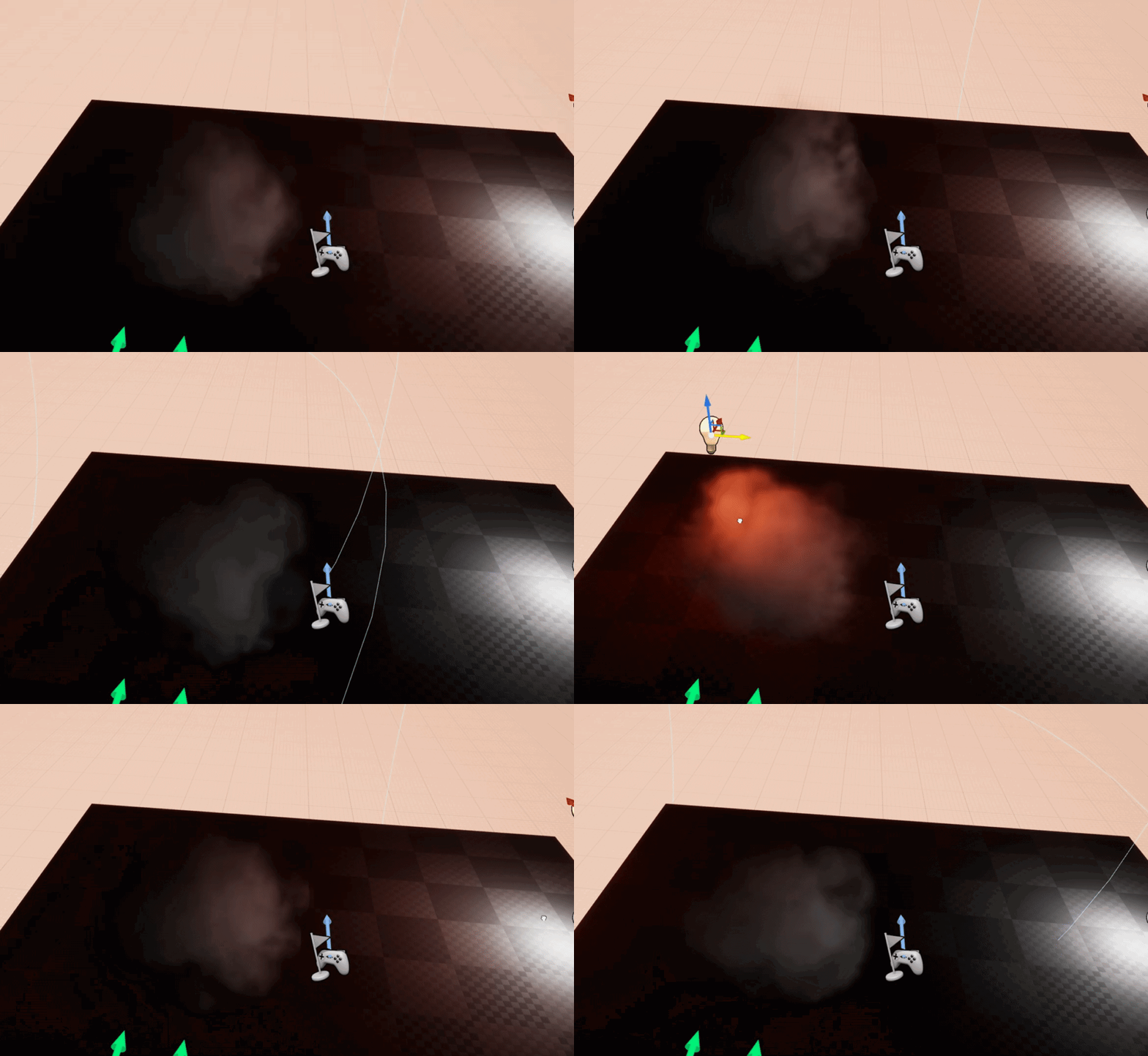 ancient stump
That'd be perfect 😛
fossil swan
dont know the cascade settings you are using.
but slight values above one (like adding that texture) and "volumetric pervertex directional" and "generate spherical" should work.
you could mltiply that texture by 0.5 (or subtract 0.5 > saturate > add
id double check cascade color values
tepid spruce
can anyone think of any reasons why beam particles randomly work if not standalone play mode? two sided on and gigantic bounds set
ancient stump
tepid spruce
yeah not a huge fan myself 😛 .... are there better methods for projectile paths and laser scoping ?
fossil swan
if its straight, mesh or sprite.
looks fine Philippe.
no need for dynamic module if you dont have a dynamic node in the material btw
ancient stump
Yeah deleted that already
tepid spruce
hmmm some are straight but I set the end points based on a trace .... i guess I could just normalize then scale a mesh
fossil swan
@ancient stump worst case send me the material/emitter and i can take a look.
because as Todd Howards tells us
it just works
ancient stump

export = literally export out of the engine (where you can also choose to migrate the asset)?
Unreal Text Object
fossil swan
yup hehe. just keep the same folder structure and put the right uobjects in, or migrate to custom folder.
can also be a new content folder on desktop
ue4 does the rest
fossil swan
verdict: no clue, works on my end.
tepid spruce
@fossil swan thanks for the mesh suggestion! much more stable than those annoying beams
 mellow tide
Heh, copyleft all wrongs reserved, nice touch.
rustic depot
GiF-gAnG
 quasi onyx
hi guys
is there anyone here familiar with 3ds max's slice modifier?
I'd like to know if something like that can be replicated in unreal engine
fossil swan
never done it, but
http://i.imgur.com/D6r3r3f.png

reddit
https://www.youtube.com/watch?v=cL-sjNZ7Bbw I want to recreate metal gear rising revengeance cut mechanics in unreal engine. Can any one please...
google is mah friend
celest birch
I am trying to make a beam that fades in / out at its start and end position, but with a constant fade distance in worldspace whatever the beam length is. How do ?
 odd crown
Hey guys, I dont know where to put this question... I using an outline postprocess material into a camera via blueprint (dynamic mat) and I want to see another outline with different color and settings aply to the same mesh (with custom depth enable). But the 1st outline is covered by the 2nd ... Any ideas? Using the blend value in the postprocess material settings on the camera only blend, dont add, I dont know how to do multiple outline post on one mesh :/
ancient stump
Is it possible to emit particles on a spline? As in individual particles that spawn on the spline, NOT the emitter that moves along the spline...
ancient stump
Found it already! Just take a random float in range of 0 and the length of the spline, and reposition your emitter along that each tick... Might not be perfect, but
¯_(ツ)_/¯
(and your emitter not using Local Space)
 dusky dove
Hello chat! Just wondering if is a good idea to use Niagara, as I see is still in Beta in 4.23
mortal lily
For a production? No. To tinker with it? Yes.
ancient stump
Another problemo that I cannot seem to find the solution for: If you use particle collision (CPU), it seems to always collide with the center of the particle sprite --> if you have large smoke that means it just clips through geometry halfway anyways. Any chance I can collide with the sides or other vertices of the sprite instead of only the center?
To demonstrate:
dusky dove
I want to do a Vfx where a lot of leaves on the floor, and characters walk over them and some "physics" iteration to push them away. I made a quick prototype with static meshes with some physics and using impulse to push them away. the behavior is what I want. but of course is extremely heavy. Any idea on how to achieve this, but optimized? Guessing I could try with particles (as they are instanced).
 kind pumice
You could use a similar world position offset setup ppl use to push grass away from characters. So the leaves are foliage and not particles. Down side is they would return to the same spot they started. Maybe a hybrid approach where as you walk through the leaf foliage, a particle system attached to your feet spawns a few leaves.
dusky dove
if those are baked only light, you could try using Volumetric lightmap. and setting your character to use indirect Lighting cache to ILCQ Point or Volume. I think this doesn't work with Unlit materials.
 acoustic tide
i've been messing with the lightning settings and still nothing
acoustic tide
when i set the skylight to static it works, but my level looks too dark
spare hare
you need to bake light
dusky dove
you can use a post process volume to adjust the darkness of your shadows @acoustic tide
 cosmic kiln
Anybody aware of a way to get this to work with a component rather than an actor?
spare hare
Does someone have a link to the Last of Us Skybox technical talk?
cold sorrel

In this 2014 GDC talk, Naughty Dog's Keith Guerrette walks through the artistic considerations of creating a compelling, dramatic sky to cast as a backdrop f...
spare hare
thank you!
fossil swan
@cosmic kiln only with the particle editor extention kit on mp, else nope.
vivid nebula
Hey guys!
Need to create a poison fog field.
Own idea (didnt work now) poison decal on floor + sphere with texture (clouds etc) + some spritesheets smoke.
Help me with some implementation ideas please.
celest birch
@vivid nebula I got u

--Links in Description-- In this tutorial, we go over how to create brute force volumetrics by layering meshes on top of one another. I'm sure this has been ...
vivid nebula
@celest birch Thanks you! forgot about this video
celest birch
guys I'm trying to get my GPU particles to randomly pick between several textures
so I made this setup
but it doesnt give me a random value at all
cold sorrel
That brute force setup :S
celest birch
i also tried using random value from particle color
cold sorrel
For when you really don't want FPS
vivid nebula
its really huge and will freeze your fps
mortal lily
Nick said its also for clouds etc
celest birch
ha
vivid nebula
@celest birch try to atlas texture with subuv for gpu
ofc inside mat its disabled in cascade for gpu
celest birch
but the texture being selected works in the material
it's just not getting a random value
idk why
celest birch
😮
ok lemme try
think my editor is in the middle of crashing
UGH STOP FREEZING
thanks for this setup !
vivid nebula
np
celest birch
it works and also mine started working after the 1 minute freeze that happened
idk why its like it wasnt compiling propoerly before
vivid nebula
hah
celest birch
UE4 being cheeky
theres that issue where particle random seems to change a little bit or have a precision issue
i saw you corrected for it in your setup
im doing the "multiply then round then divide" thing
it's not working though
some of my particles are having a hard time deciding between 2 of the textures
its maybe 1 out of 100 particles but it's not pretty when it happens
will see if initial color is more chill as a source of rand
that method seems to be straight up not working
cold sorrel
That method is great for clouds, if you are making a powerpoint presentation
Not for a game
 paper flax
@uncut kestrel Hey I saw your thruster material post on Twitter, it looks so cool! I'm having a hard time understanding it though. https://twitter.com/_TheJamsh/status/1107069743868059648?s=20


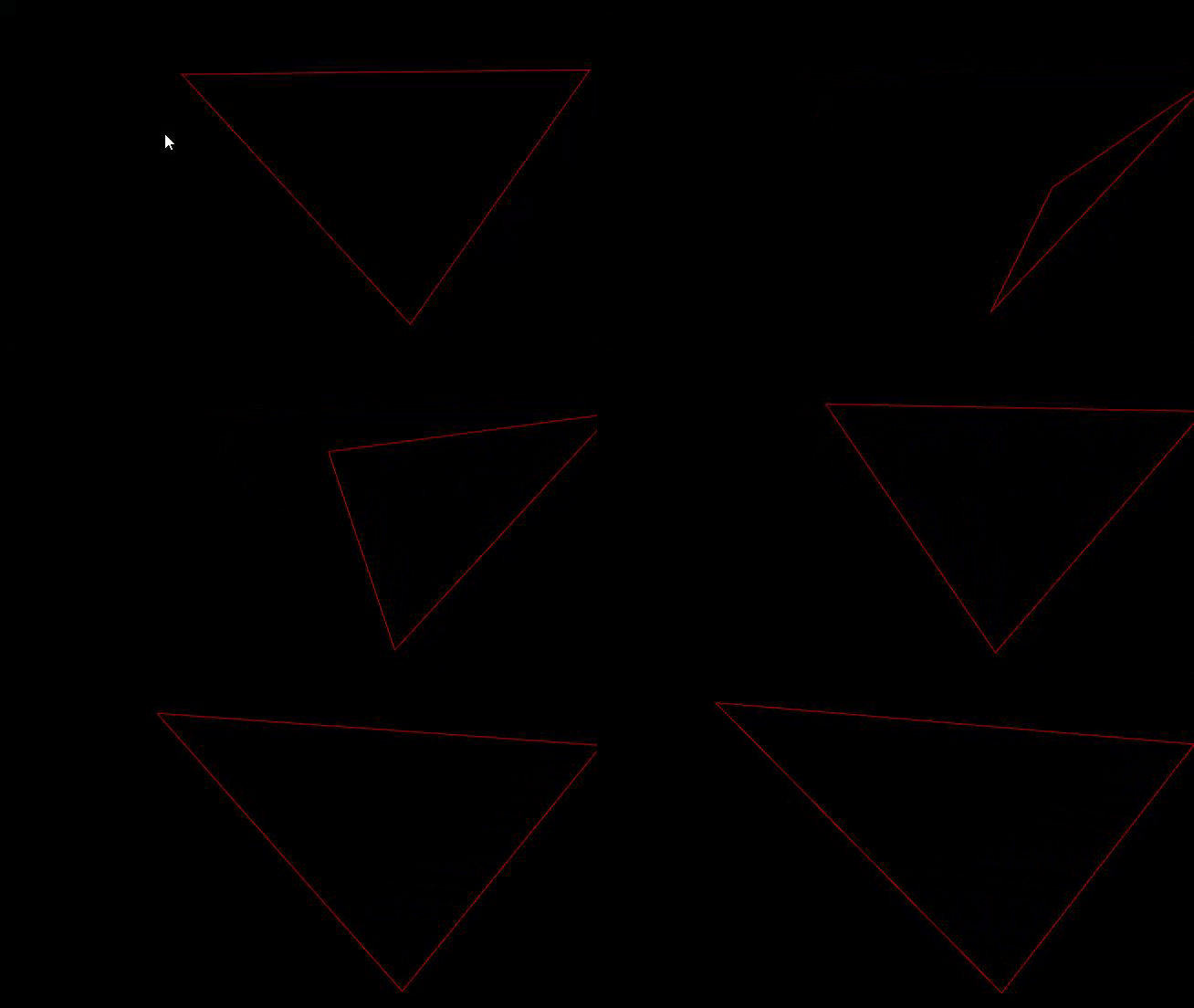
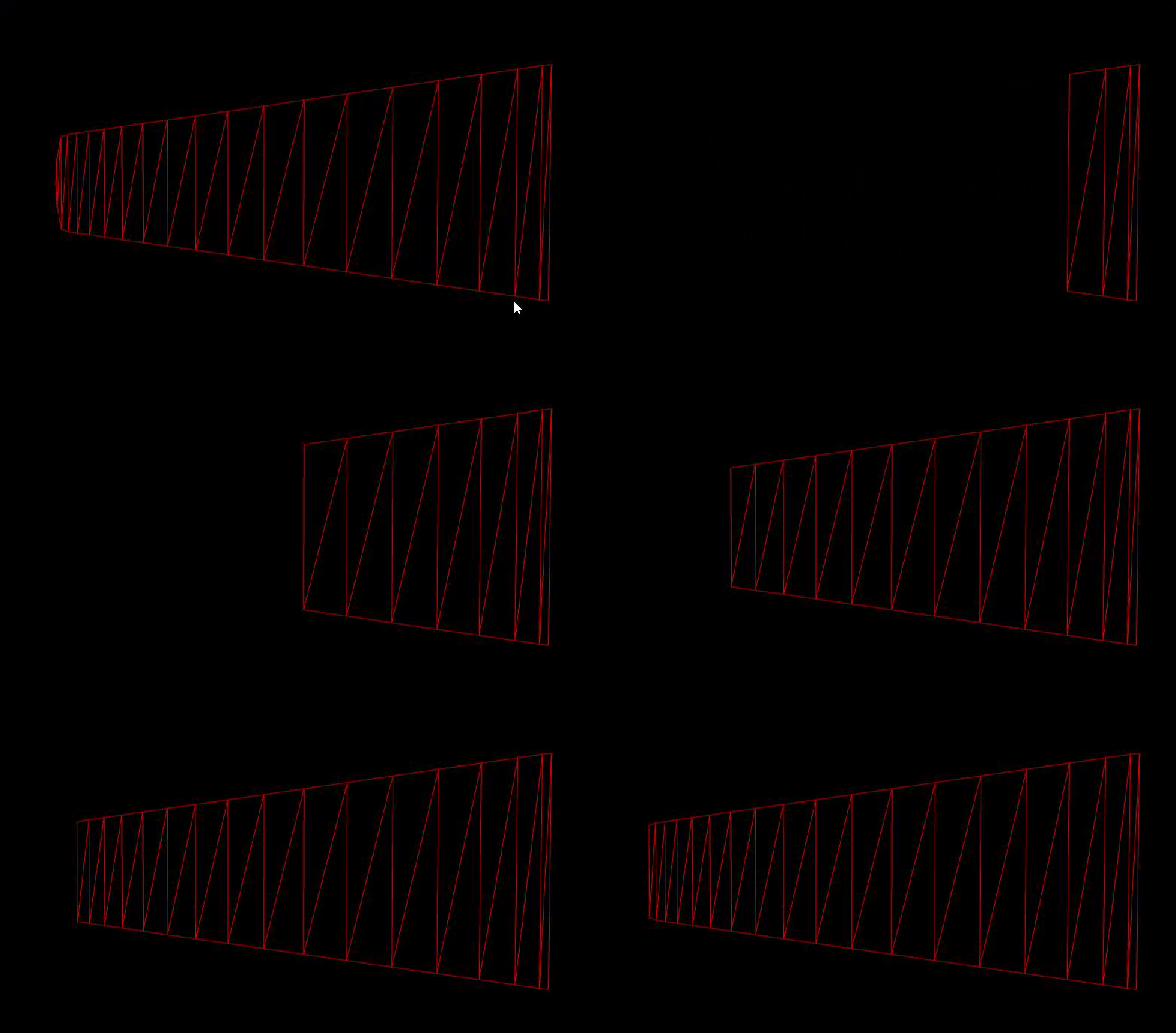
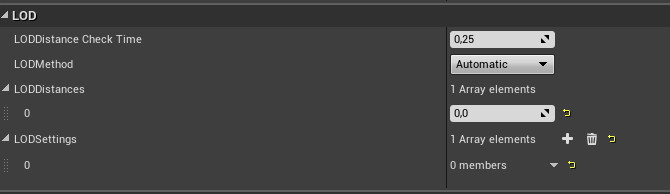

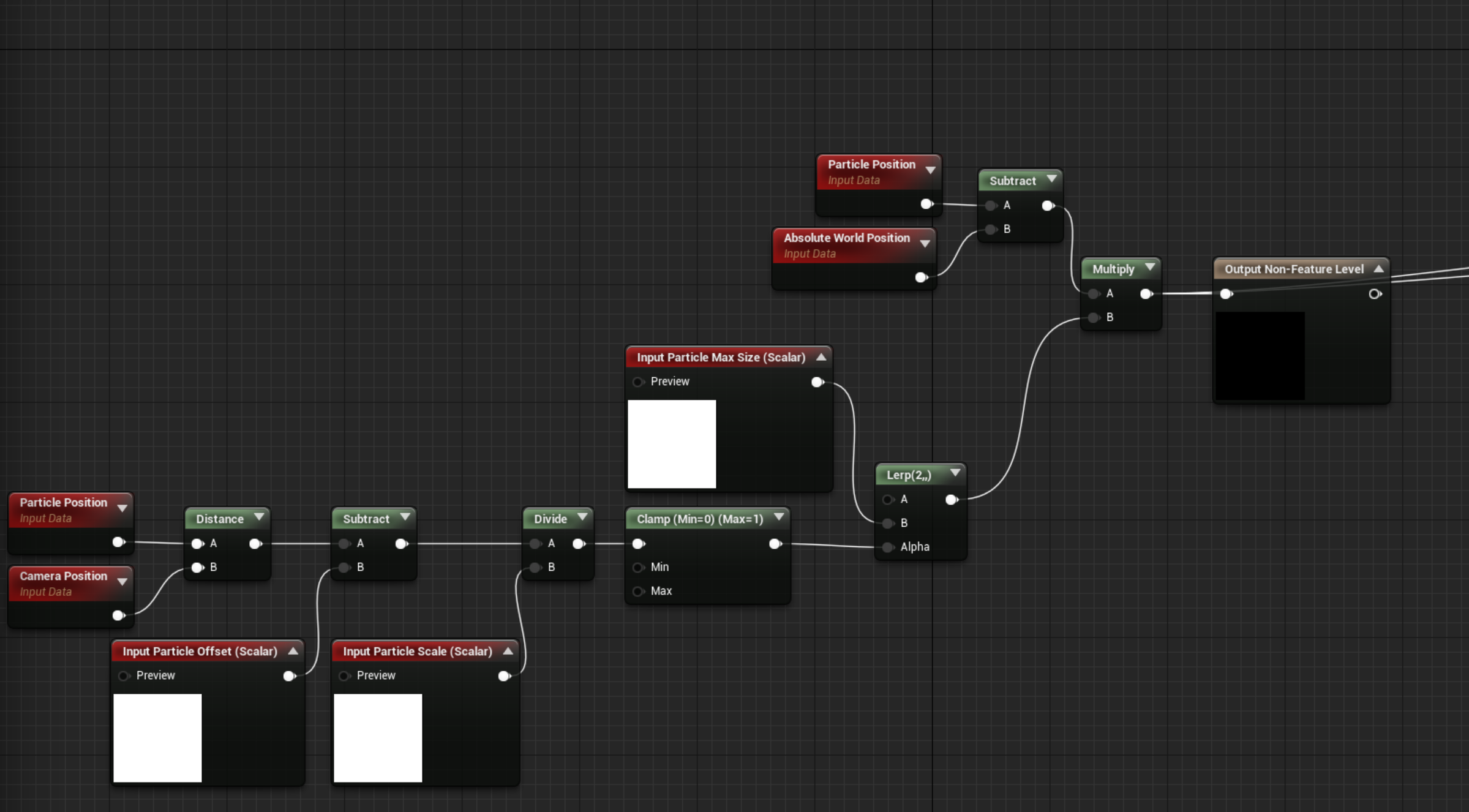
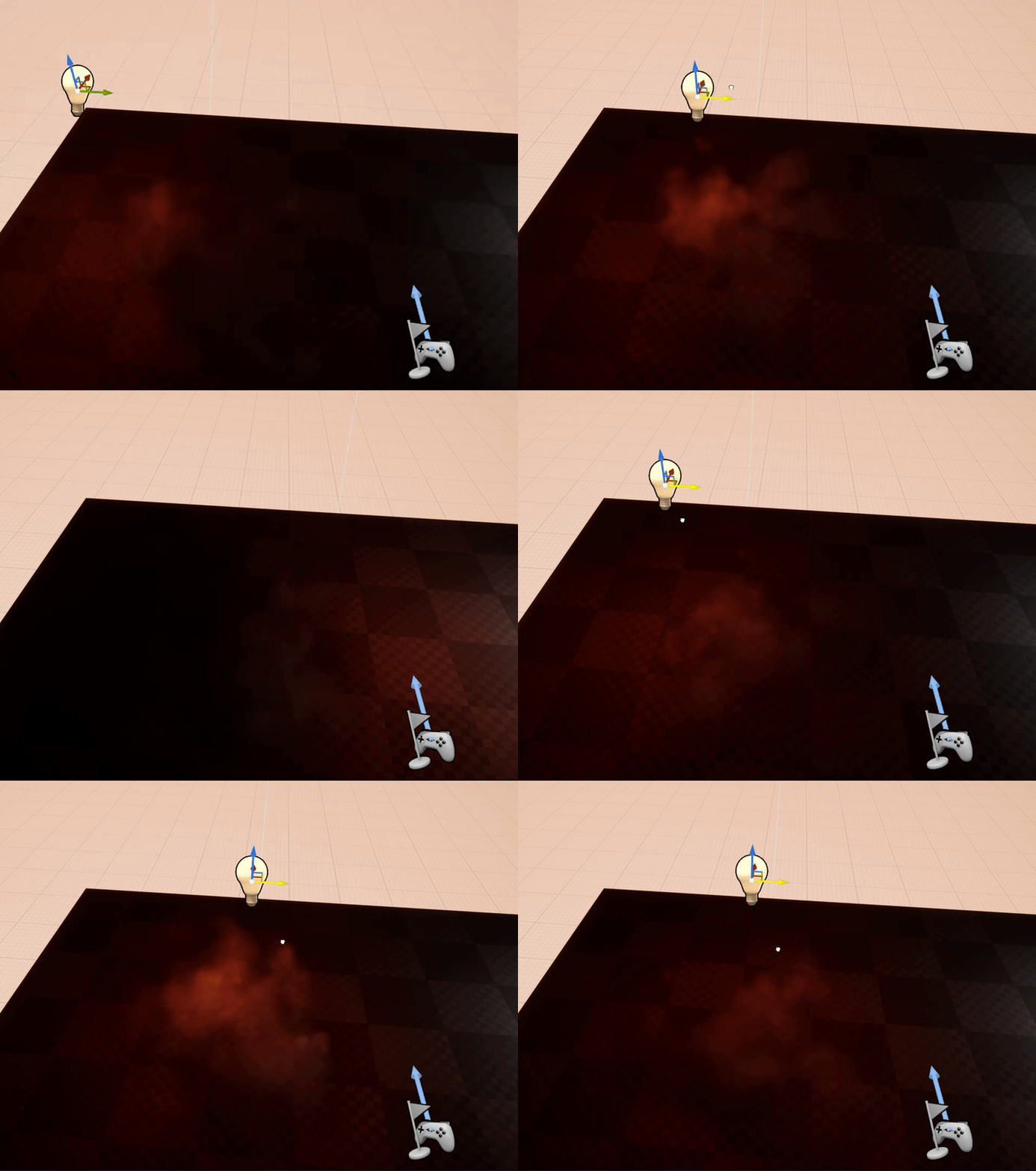
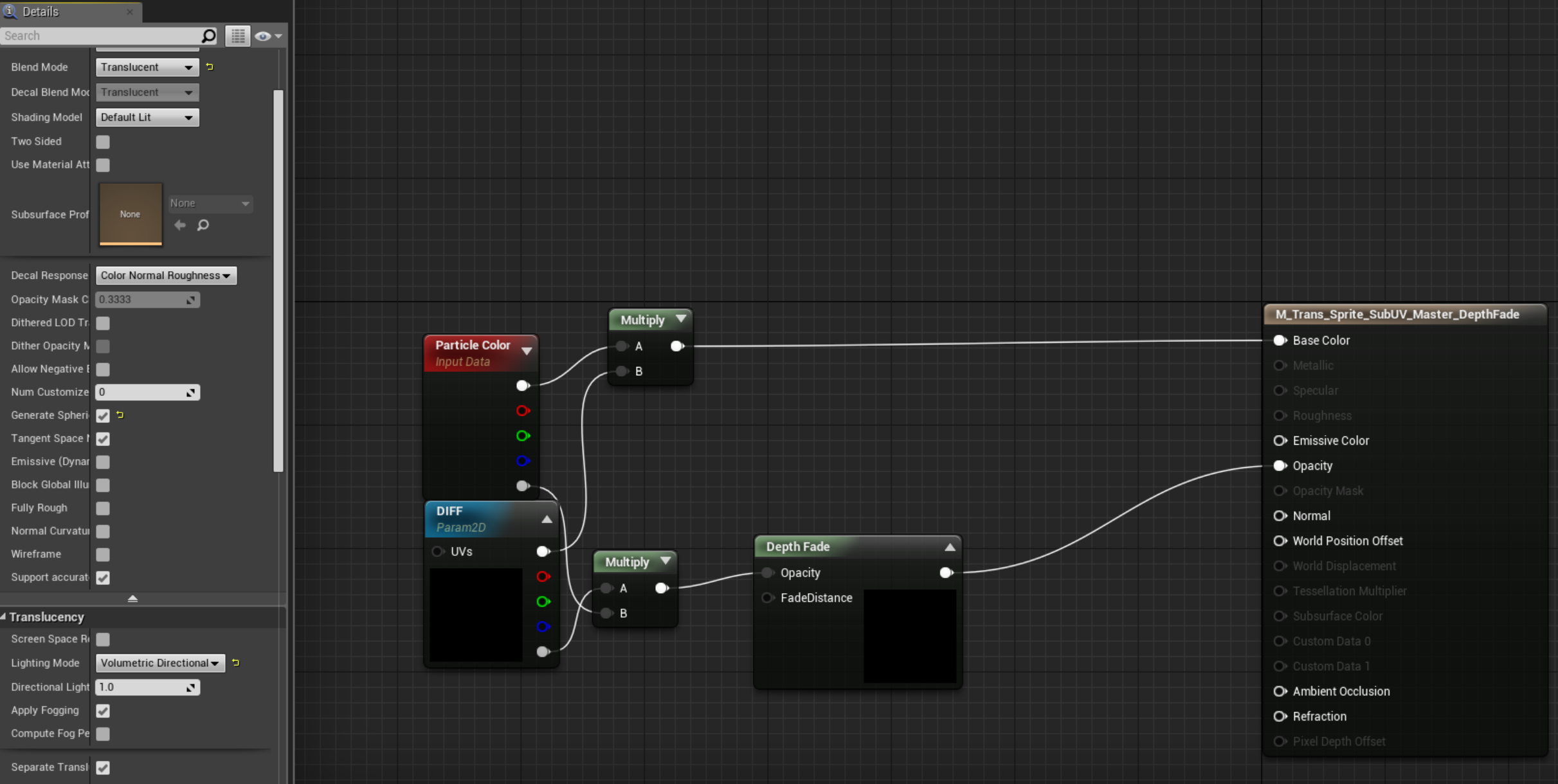
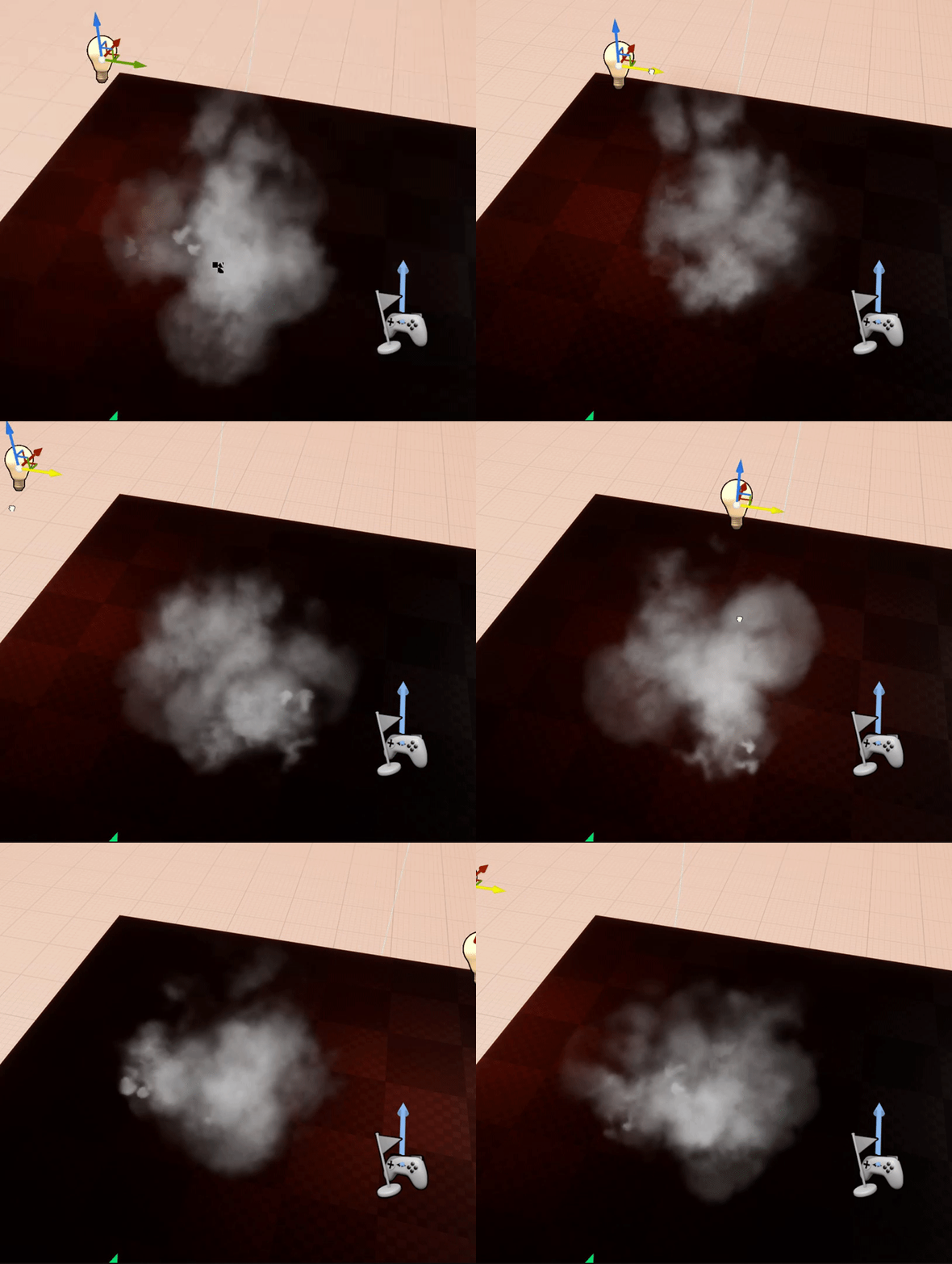
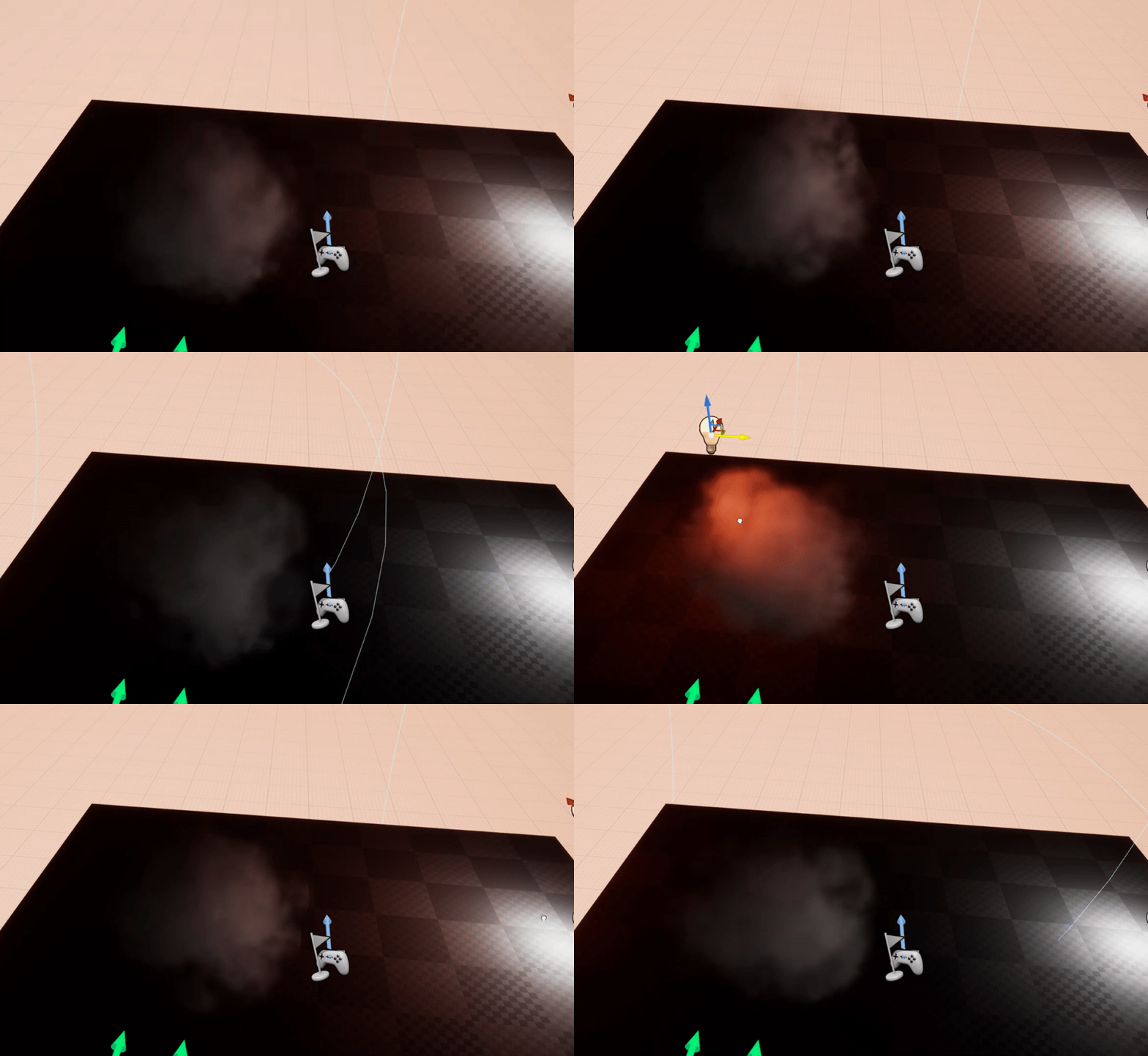

Thruster effect using only some flat circular meshes. Meshes are vertex painted and have their normals altered. Three floats (Throttle, Bias & Overdrive) drive the material.
Super simple and cheap, but effective. Nozzle Heat also builds up over time. #UE4 #ScreenshotSatur...
Likes
249
Twitter
Could you please elaborate more on how you made it?
 uncut kestrel
Oh sure, 2 secs
paper flax
Thanks!
uncut kestrel
Ok so it's farily simple, there's two "rings" inside the thrusters which are vertex-painted in such a way I can control each "ring" of vertices independently with world-position offset
Trying to see if I have a pic
Like that. The green/blue and red/pink rings are separate, so there's two "layers" to the thrust
then you just have a scrolling texture on them
I use the Vertex Colour Alpha channel to distinguish between L and R
then you just stretch the inside of each ring using WPO
VertNormal * ThrustAmount * VertexColour.R * WPOScale etc...
paper flax
ahhh alright thanks!
rustic monolith
what kind of material has the cylinder???
rustic depot
It's not just a cylinder... and what kind of material?
rustic monolith
@rustic depot I want to achieve than kind of transparency and glow
rustic depot
he its called opacity..
^^
just google it or check youtube its pretty basic stuff
seems like to use gradient texture(u can also use the uvs informations as gradient)
shell brook
hey i have a issue with almost all of my particles when i look at a certain angle of my particles they go invisible
mortal lily
have you set bounds?
rustic monolith
@rustic depot thanks I add more opacity and looks better, do you know if is possible to increase the brightness behind the translucency object
rustic depot
that object behind needs to use emessive
or u have couple of layer of translucent objects
rustic monolith
@rustic depot
@rustic depot yeah I use emissive for the Backgorund, I want to know if i can use the cylinder like a mask to apply color correction, and how to do it
rustic depot
oof, i cant explain it quickly.. but google post proccess materials and stencil buffers...
rustic monolith
@rustic depot thank you so much you have a twitter of some thinks where I can follow you ?
rustic depot
nah dont have ^^
i just love to learn new ways of doing vfx ^^
but if u have any other question post here, there are many more in this channel, ready to help you.(and maybe more experienced)
 vestal vector
so I have an actor, a humanoid, and that has a child mesh component , a 'sword' . What i want to do is to make a Particle Emitter whose location is 'Skel Vert/Surf Location' and then set that to point at the 'sword'. However, it only lets me pick 'Actor' as the parameter so i can only point it at the entire humanoid and not the child mesh (sword) he is holding
how do i make it work. How do i make the emitter just use the surface of the sword