#visual-fx
1 messages · Page 27 of 1
 cold sorrel
 analog onyx
Glad's tutorial regarding mesh splashes was really useful btw.
cold sorrel
Tangents get fucky without uvs
 dim pendant
yea sure but with the houdini game shelf vertex animation texture setup , i have to untick the use tangent space in the material
cold sorrel
And you are adding a useful transform in the material before rotation right?
Like particle pos
There is a way of doing it without complicated normal calculations
But it's all fuzzy
dim pendant
yea i know the whole ddx ddy shinanigans... not gonna do it this way xD
I think you misunderstood my issue, i mean rotating the object in the game/or editor not in the material itself. - right now when i rotate the dripping sphere the shading rotates with it
cold sorrel
Yeah I get it
What do you add the offsets to?
Like, 23.45 into this
The particle transform takes care of the rotations
What are you adding in?
dim pendant
I am using the actor node, i do not plan to use this with particles
i will watch your whole video now 😄
dim pendant
@cold sorrel Hey watched your vid really cool! 😃 but sadly i could not find anything i do wrong with my setup, it is exactly as yours apart from the particle changes which i dont need. here another gif showing my problem maybe clearer. Any help is much appreciated!
 gusty cliff
@civic plover Hey, I wanted to let you know that with your advice I was able to get it working great, as an added benefit I was able to add the new smoke material/emitter to my fireball and burning effects to really make them pop too, though I used a bright color to show intensity as opposed to smoke which looks awesome. Thanks for your help!
 solar remnant
@drifting jetty not off the top of my head luos has a few that kind of go through the concept. This is one I made today though to give you an idea how they should work.
are they all translucent?
 fossil swan
if its all in the same emitter, they are rendered in horizontal order.
but something that bright could be masked
use a masked material
solar remnant
have you ordered them correctly as Luos suggested? if you have then you may need to rethink some parts of it as I'v run into issues with too many translucent particles and tend to do as luos said use a masked material for some
fossil swan
translucency can easily result in a bad time
when moving from udk to ue4 it was the hardest thing to wrap my head around
solar remnant
I just try to not use them unless its necessary 😄
fossil swan
yup
left/right arrow
just click on an emitter, and use left or right arrow key on keyboard
lol
i hope niagara has better sorting order control
yea, it is
press F5 when you play in viewport
the whiter it is, the worse its for performance
you trying to add it to the smoke, or glowing thing in the back?
or are both the same material?
you arent understanding.
you have some smoke-ish effect, and the bright green spiral thing right?
solar remnant
'glow' is a lil ambiguous
fossil swan
do they use the same material? or is the green one a seperate material?
ok, get the green thing its material, remove the depthfade.
plug the last multiply into öpacity mask"
and set the blend mode to masked.
yup
cant say, really depends on a lot of factors
each has its uses, dont rely on masked only. eventually you get a feel for what is best used when
 delicate gyro
Can anyone help me with making a material fade based on camera distance?
Basically the larger the angle between the camera and the objects normal (just a plane) then the material fades
delicate gyro
Angle
Fresnel doesnt seem to be working very well for a flat plane
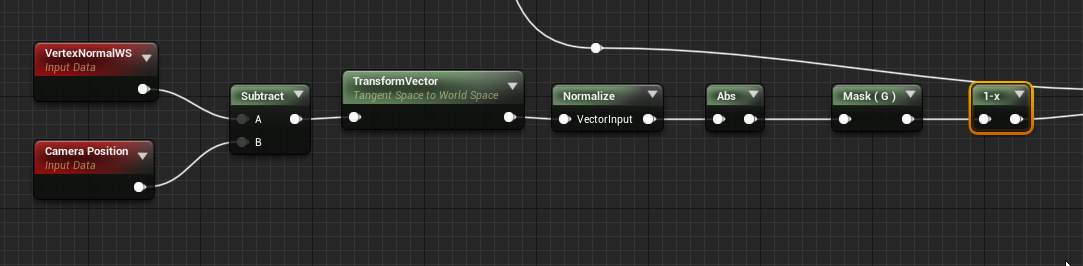
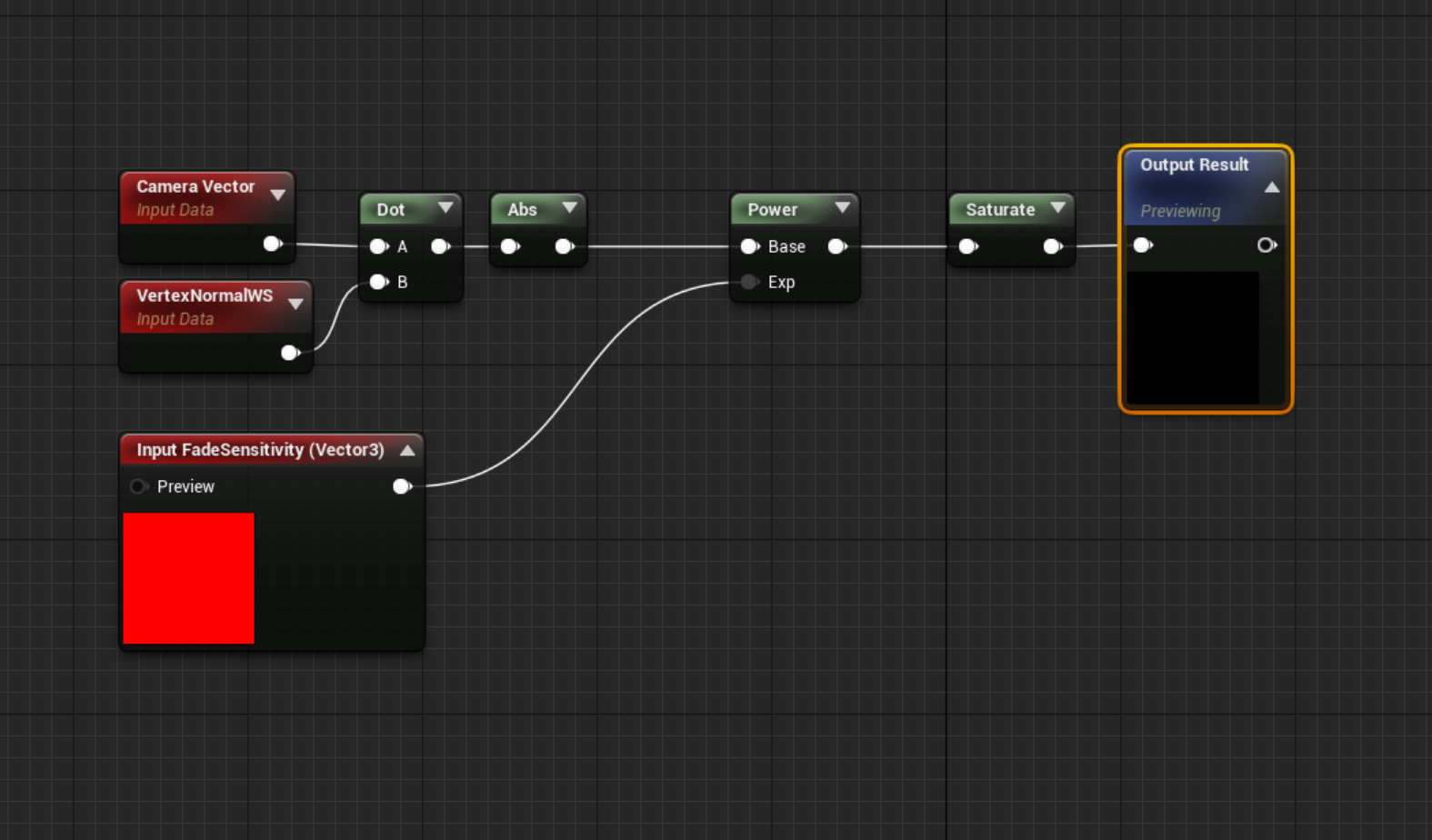
This seems to work correctly

Except it doesnt work in editor...
Only works in the material viewport
 spare hare
what exactly are you trying to achieve?

 vale cypress
hi im having trouble with the skype. it creates some weird coloring on it. so far im happy with whats on the ground. however, when i look up. this is the result. is there anyway to prevent this?
fossil swan
@delicate gyro there is a cameradepthfade material function


 lone oyster
Hello! I am curious if anybody know how to make a cylindrical mask (like sphere mask but cylindrical)?
Or not specifically cylindrical but to squash the sides of the sphere?
lone oyster
hmm, but how does man rotate this then?
Btw this sphere mask have World position as inputs.
lone oyster
Ok, I figured it out with the squashing, but I never manage to squash the sphere toward a specific direction.
I can only squash X or Y.
Nvm I found another way of doing it.
 cedar ibex
Hi! Any clue on how to do this? https://i.imgur.com/l8jagPp.gif
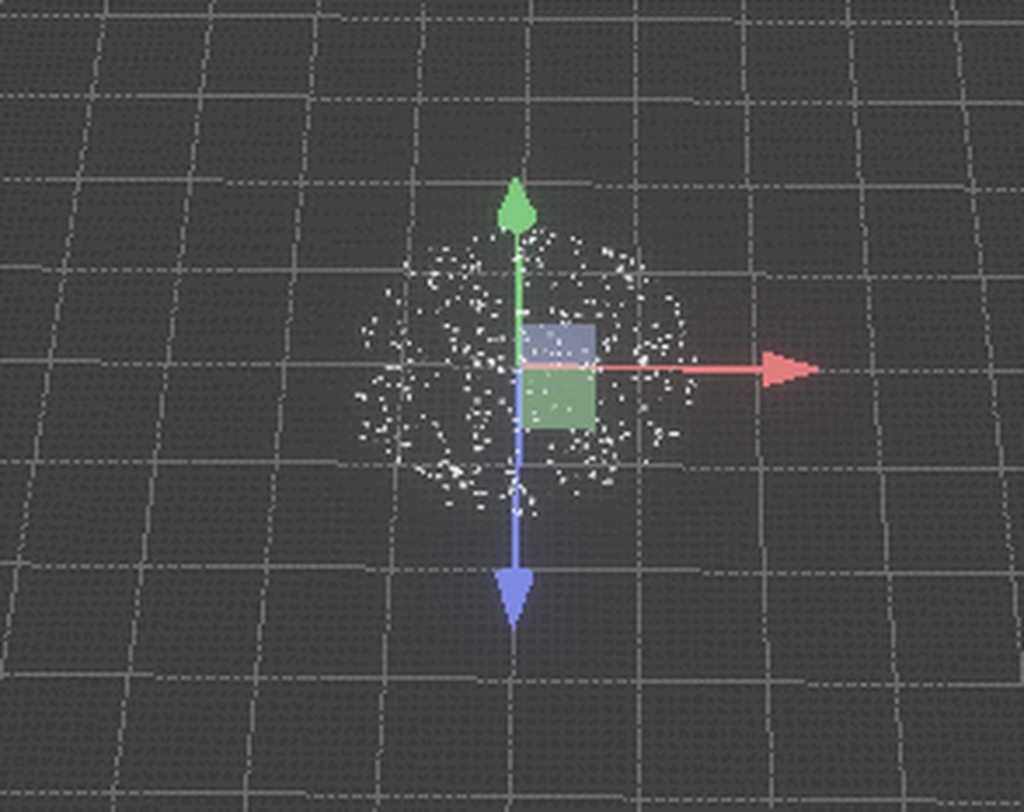
This was done in Unity with C#, is it possible to control particle emission with C++ in UE4?
Spawning particles inside a volume that moves around, and killing the particles that leave the volume
 lone wing
spawning in a volume can be controlled with a spawn sphere, killing outside the volume can be just a spheremasking
cedar ibex
Thanks, the issue is
When the volume stands still, I don't want particles to spawn all the time, they should be "static" in their location always. And only kill/spawn when the volume moves
Sort of as if there was an infinite field of static particles, and we're making visible only a small portion of it inside the volume
fossil swan
while there are killbox features in cascade, its literally kill boxes.
and while you can set the max amount of particles spawned so new ones only appear when another is destroyed.. unless you use the particle extention toolkit for cascade I dont see an easy way to do this.
Niagara will probably be a better choice to manage something like this
cedar ibex
I thought I might run into a limitation like that, that's why I asked about control with C++. I'll check out Niagara, not a lot of training for that around.
btw love your videos! @fossil swan
fossil swan
thanks!
slowely there is more becoming available for niagara training-wise, though half of them seem to be french hehe.
there is a lot of discussion about it on the realtimevfx forums, and if you hit any snags you can ask there, their discord, or our own #niagara discord 😃
cedar ibex
Super, thank you!
fossil swan
what exactly is the problem, and if possible share a video or gif.
(gyazo.com) for easy gif-ing
fossil swan
whats causing them to rotate in cascade?
hmm
you could try to rotate the emitter in the blueprint?
i dont do much with line attractors to give a good answer
I'd use a spiral mesh for something like that with a material panning along it
 chrome ridge
Any tips on getting rid of these black lines while using a toon shader?
analog onyx
Can you make something like particles having random velocity direction, but always same magnitude in cascade ?
 celest birch
Hi! Just started to get into the Houdini to Unreal workflow and can't get the material referencing to wkr
Nothing happens in Unreal. I've managed to connect the material to the output of the HDA in Unity but in Unreal I get no result.
 rustic monolith
Hi Guys how you deal with particles cycles , start, a middle than loop, and the fade at the end
?
fossil swan
depends on your needs. generally any module over life suffices.
but if you need things to loop, seperating them, and combing in blueprint comes to mind.
i.e. muzzle is one system, looping projectile is another, and the 3rd being an explosion emitter.
rustic monolith
Thanks Lous I`m working in a mesh with a looping material, I will follow your advice and control the start and end fade with Blueprint dynamic material and a timeline
fossil swan
need to go, but if you can show us what you are doing we can give tips/advice a bit better 😃
rustic monolith
Is the wave circular shape
https://youtu.be/JyskdINmn4E

 weary helm
Heyo, I'm working on a tunnel game, my character is moving very fast in this tunnel, and I'm struggling with creating a trail effect (I added one on this screenshot to illustrate what I want) that my character would leave behind him when rotating.
If I attach the particle effect to my character and set it to "use local" then it turns my character, but if it's using the world space, then the particles move in the tunnel which I don't want either.
Any idea how I could tackle that ?
rustic monolith
Are you using A ribbon TypeData?
weary helm
I tried, but because my character is moving forward in the tunnel, the ribbon doesn't stick around the character
rustic monolith
I think if you use a ribbon And turn off Local space , and add the particle system as a component on your character BP it will work
fossil swan

Reminder for our #vfx brethren! its still #VFXFriday! spam those vfx gifs!
show your work! it can be old, new, wip, sparkly, scary, pewpewpewey, lovely, ugly, it doesnt matter! just show us what you made!
#gamedev #realtimevfx #ue4 #unity #whateverotherengine!
 Twitter
 mental stump
what would be the best way to go about making a torch flame particle that doesnt make a trail when walking with it
spare hare
@mental stump make the particle System Local Space
celest birch
what solution do most people use for hair simulation?
celest birch
becus the cloth simulation seems to be working so far
fossil swan
@celest birch see channel description.
shader-stuff, post processing, etc
fossil swan
sometimes when its shader etc related people go to graphics instead
lots of overlapping between the two
and before this channel existed, all this stuff was discussed in graphics
solar remnant
@celest birch it depends on the use. The two I switch between are Apex and pivot painter. Apex is really good but really costly. Pivot painter is less good but costs less.
 median needle
https://youtu.be/GGHMWZ3L4DM hello guys so in trying to imitate this attack through particle systems and im just having trouble figuring where i should start

Wargreymon usa el Mega Tornado y destroza a Metalseadramon Suscribete ► https://goo.gl/XZw2Lm
delicate gyro
@celest birch thanks! It’s actually not even a lens flare, it’s just a flat plane
median needle
the tornado
cold sorrel
A Community for Real-Time Visual Effects Artists
delicate gyro
@celest birch I specifically used a plane since I don’t want it aligning to the view as that’s not how this kind of lens flare works
It only comes from flashlights which have the light recessed into the housing
Wouldn’t make sense for it to face the camera when you are off to the side and see no light coming towards your eyes
delicate gyro
Yeah that’s still not quite how I want it
I want it only visible when the flashlight is pointing at someone
Im not using any blueprint or anything like that
Its just a material slapped onto a plane
For ease of use
Yeah, ideally if I was using a blueprint then I would have a lot more control over everything
But since I wanted it to be super easy to throw onto a flashlight I decided for it to just be a material and not rely on anything else
spare hare
@delicate gyro Try using ObjectOrientation.
spare hare
you can use ObjectOrientation DOT CameraVector
delicate gyro
 spare hare
@delicate gyro looking good
delicate gyro
That is essentially what I have
 calm sphinx
is there a way to lock the UV placement of a particle system material when emitting from a texture? when you move the particle system the UV placement gets left behind and it seems like overkill to create a boned mesh and emit from vertices
celest birch
Hi guys I have a mesh emitter, how do I force the emitted meshes to face the point of origin? Or failing that just set their rotation and prevent further rotation
oh think I may have solved.
 brittle steppe
Does anyone else’s skylight randomly become brighter in-game than in the editor? It’s a weird issue I’ve been having and it’s stays brighter for a few hours then randomly goes to normal
fossil swan
its called eye adaptation.
@brittle steppe
try a google search for "ue4 disable eye adaptation"
😃
brittle steppe
I already disabled autoexposure in the project settings + postprocessing volume sadly :(
 rapid oracle
guys my particle dissapear when moving 🤔
strange thing that its only when particle is a component of other actor
any thoughts about this?
fossil swan
moving as in, dissapear when you try to look away from it?
rapid oracle
when i move it directly in viewport
its like skipping a frame to rend
its visible while stationary
fossil swan
in that case we need visual aid to help you. make a gif or video
rapid oracle
first one is a component of an empty actor second one is just a particle
fossil swan
hmm thats odd. might just restart when moving in editor
 whole spruce
What should I learn, cascade or Niagara?
cold sorrel
Yes
solar remnant
Cascade and niagara are just particle editors. They aren’t mutually exclusive. Make effects in either and keep doing so and you’ll be fine.
cold sorrel
It's not that clearcut. If you are in production, or ramping up for production. Use cascade. If you just want to learn using some more futureproof tools, go with Niagara.
spare hare
tbh I would like know how much of a difference Niagara makes in terms of performance. Since Niagara is completely HLSL
solar remnant
they've shown it running on switch waiting till GDC announcements though tbh
rapid oracle
so i have this "meteor explosion" particle
how can i make it draw correctly?
its locked on Z axis , i guess theres work around for it?
solar remnant
why not use a decal?
spare hare
Yeah, you should spawn a Decal once the Meteor crushes down
rapid oracle
nvm Dbuffer helps
solar remnant
still need help?
rapid oracle
ty
solar remnant
I spawn decals through blueprint and you can control material properties through material parameters which can be set directly using scalar or vector values then calling the names of those values or my route is just a material parameter collection then I call that variable and fade it out over a timeline. Dunno if that was what you were asking for earlier but thats my decal opacity workflow
 winter birch
how do you rotate a mesh in a particle system with the particle?
thats a drawing of the result im getting.
I want them to rotate
like this
nevermind, i figured it out!
spare hare
Hey @fossil swan , mind looking at a material for me and try to optimize it? the Instruction count is 150 for a masked mat that is unlit and tbh thats too much :'D
woa wtf
@analog onyx I replaced my Ifs with the code snipped you posted yesterday
154 instructions down to 118
magic
fossil swan
@spare hare sure
analog onyx
Smells like SDF
analog onyx
You aren't evaluating 4 triangles and 4 arcs are you ? 😃
spare hare
One 360 Circle, subtracting the 4 arrows and adding them back in a little bit smaller
I use the CustomRotator Node a lot, would like to get rid of it tho :(
analog onyx
I wanted to imply that you do not have to do it 4 times, just one.
analog onyx
The pattern tiles in polar coordinates 4 times. You can evaluate the math just once and let 4 sects have same UVs that feed your math.
 spare hare
yeah I know what you mean
analog onyx
So, that would be one plus circle, one minus circle, one minus triangle and one plus triangle for the whole pattern.
spare hare
The question is how would I do that?
gusty cliff
Anyone know if there is a way to modify a particle system's emitter duration in blueprints? Trying to have an effect change how long it lasts each time it shows up.
 spare hare
We need to burn Death because of wizardry!
how does the SDF function look like? I have no clue about SDFs :/
🤔
analog onyx
@spare hare ```cpp
float2 v0 = vPointB - vPointA;
float2 v1 = vPointC - vPointA;
float2 v2 = vPointP - vPointA;
float v, w, u;
float fInvDenominator = 1 / (v0.xv1.y - v1.xv0.y);
v = (v2.xv1.y - v1.xv2.y) * fInvDenominator;
w = (v0.xv2.y - v2.xv0.y) * fInvDenominator;
return min(min(v,w),1-(v+w));```
 wanton bane
I want to make a lightning trail for a game i am making and i have a png file how would i make that file the particle itself
There is a png file in this .rar folder
Can anyone help me with that?
spare hare
not gonna open that
analog onyx
It is a good habbit of not opening shady archives, but there is more to that. Some here are loggin on from corporate PCs and quite often internal rules clearly prohibit that.
spare hare
yes, especially since you can send images directly
fossil swan
try gyazo for instance. easy to scare (crappy) gifs, and decent jpg/png
 solid stream
gfycat + imgur ftw
wanton bane
Ok
Didn't put that in consideration
I will just show picture then
Here
how can i make this like a particle i want it to be a trail

◥ OPEN DESCRIPTION ◤ ❮ CW Season 4 The Flash 3D Model and Rig ❯ Ultra Sargent ▼ https://www.youtube.com/user/jaksargent CrimsonedRenz ▼ https://www.youtube.c...
i want it to look like this
wanton bane
how would i do thta?
fossil swan
ribbons and/or animtrails
wanton bane
i know with anim trails but what about the blueprints?
fossil swan
if dash = true, then do enable emitters
or
if speedtresh = above X, then do enable emitters.
cant help you more than that
fossil swan
good luck
wanton bane
Wait
i think i asked the wrong way
it is not me making it a friend is
but he can't seem to get the png to become the trail
how would you make the png the trail?
fossil swan
you'd need to make a proper material for it
fossil swan
ue4 ofcourse.
wanton bane
ok
fossil swan
you might be better of following some tutorials if you are struggling with this
wanton bane
i am not expert sorry
i am not making the thing it is my friend
but making it custom?
i should probably research some more
fossil swan
 ivory dagger
hello everyone, is it possible to repeat calculations on a material? I have a texture sample on a material that i edit, then substract time on it to remove my edit slowly. that works nicely but only the first minute or so of the game start then it becomes really slow to 'fade'
so like, can i repeatedly substract a const value instead of doing this? so the material always fades at a specific rate?
spare hare
you usually fade materials via blueprints
ivory dagger
there's no way to do it in the material itself?
spare hare
it is, but you would need two parameters:
The time when the fading starts and the the length of the fade.
The rest is basic math
ivory dagger
oh so you mean i should pass the time through blueprint, when it should start. that sounds right
thank you very much
ivory dagger
Setting the render2d texture somehow based on my lerp result is not possible is it? if i update my time it just reshows the whole thing that was faded. I can clear it through blueprint after the duration is done but still if there's an edit on the material before that it just re-pops the whole thing. while not game-breaking i do wonder if there's a way to do solve this
spare hare
put a saturate after your divide
ivory dagger
good catch thanks. but is there a way to edit render2d texture and use that based on my lerp results? i keep searching for nodes but i don't see anything helpful
spare hare
UE provides functionality to draw materials onto RenderTargets. You would draw the Lerp Result onto a RenderTarget and then switch the Paramerter Texture to your new Lerp Result
ivory dagger
hmm. a bit confused. how do i draw the lerp results on rendertarget?
i do use draw material to rendertarget after setting the timeStart and duration but not sure what to use after
wanton bane
Hi i habe a problem with some animtraild
whenever I run it is really small and with animtrails you attach two sockets like you have to connect the arm to elbow if that’s how wide you want it to be but for some reason there is a gap in the middle and only one of them is visible but it keeps changing which side is visible
My bp
My material
Why isn't does tye visible side keep changing
And why is it cut in half when attached to sockets
wanton bane
anybody able to help?
ivory dagger
@spare hare sorry rail. how do I draw the lerp result onto a render target?
celest birch
Having so many problems with sockets in my game. I want to spawn a particle emitter attached to a socket. I put some sockets on the skeleton already in the places I want, in the viewport they are in the wrong position (?) but as soon as any animation starts they snap to the right position. Now I added a new socket which in the viewport is in the right position but on animation snaps to the wrong position.
ivory dagger
eh I must be doing something wrong then cause I tried that. I tried to set a timer after drawing on the rendertexture that will run every 0.1s. inside the function it was calling. I tried to get the material in view and draw it to the render target. then set that render target as the new parameter texture. Closest I got was the material immediately being cleared every few frames.
 pastel nebula
I think you have to run that on an unlit material through the emmisive hookup to render it from the material to the rt @ivory dagger
rustic monolith
Guys I have a problem with the set Emitter enable node, I was trying to enable a mesh emitter and seems to do nothing Some have experience with that?
rustic monolith
I simply separate the effect into two emitters and solve it
ivory dagger
@pastel nebula been trying this for so long. I think my logic is wrong cause it keeps clearing
i edit my original rendertarget, setting the duration and timeStart, then i run an update method every 0.1s (don't care about it being precise and drawing the new lerp result every frame)
inside that method I call draw material to render target, having the parameter rendertarget as the target and the material that's being updated as the material to draw on it.
In theory this should update the Render2d rendertarget right? what it does tho is it keeps clearing the material instead
I tried with emissive only as well. same result
ivory dagger
nvm got it to work. however it only works with unlit emissive as you said. is there a way to get the emissive of one material and create another one out of it? kinda ruins the whole look of the material this way
dim pendant
hey guys i am trying to distort a spheremask but i have not figured out the right way of doing this... my current approach is mapping a normalmap triplaner and then multiplying the result with the World position that goes into A of the sphere mask this does something but it is not right. Any ideas? 😄
analog onyx
@dim pendant you'd want adding to world position, not multiplying it.
dim pendant
mhh when i do that i see nothing, sphere mask stays black
ok ... xD nvm it works but now everything is offset damn....
 clever plume
Where do i change my particle fx to nonLooping?
fossil swan
required > set loop to 1
 twilit crane
Any idea what could cause the black splotch in the background?
https://blueprintue.com/blueprint/w3w_jlol/ pastebin of the material
 thorn pine
having difficulties lighting large scale particles - can only see the effect of the lights when the camera gets close
 indigo jolt
@thorn pine you can get the light vector of the sun (directional light) in your level inside your material and get more consistent + cheaper results fyi
i'm not sure why your light source is a cone. is the sun about to impact with the earth?
if you know those things, I apologize - just don't want to see you have to start over later
 hot tiger
Does anyone know how to erase from a render target? I see so many tutorials on how to draw on them, but nobody ever makes an eraser -_-
This works great for drawing, but I just can't figure out how to remove some of the drawing again
 spark flume

Who's ready to test that #UE4 plugin, needs some #realtimevfx #vfx guys who made a lot of #UnrealEngine cascade particle systems in the past. #gamedev @TimSweeneyEpic what about merging the plugin to the engine source, I don't mind put it free post-testing in engine for ev...
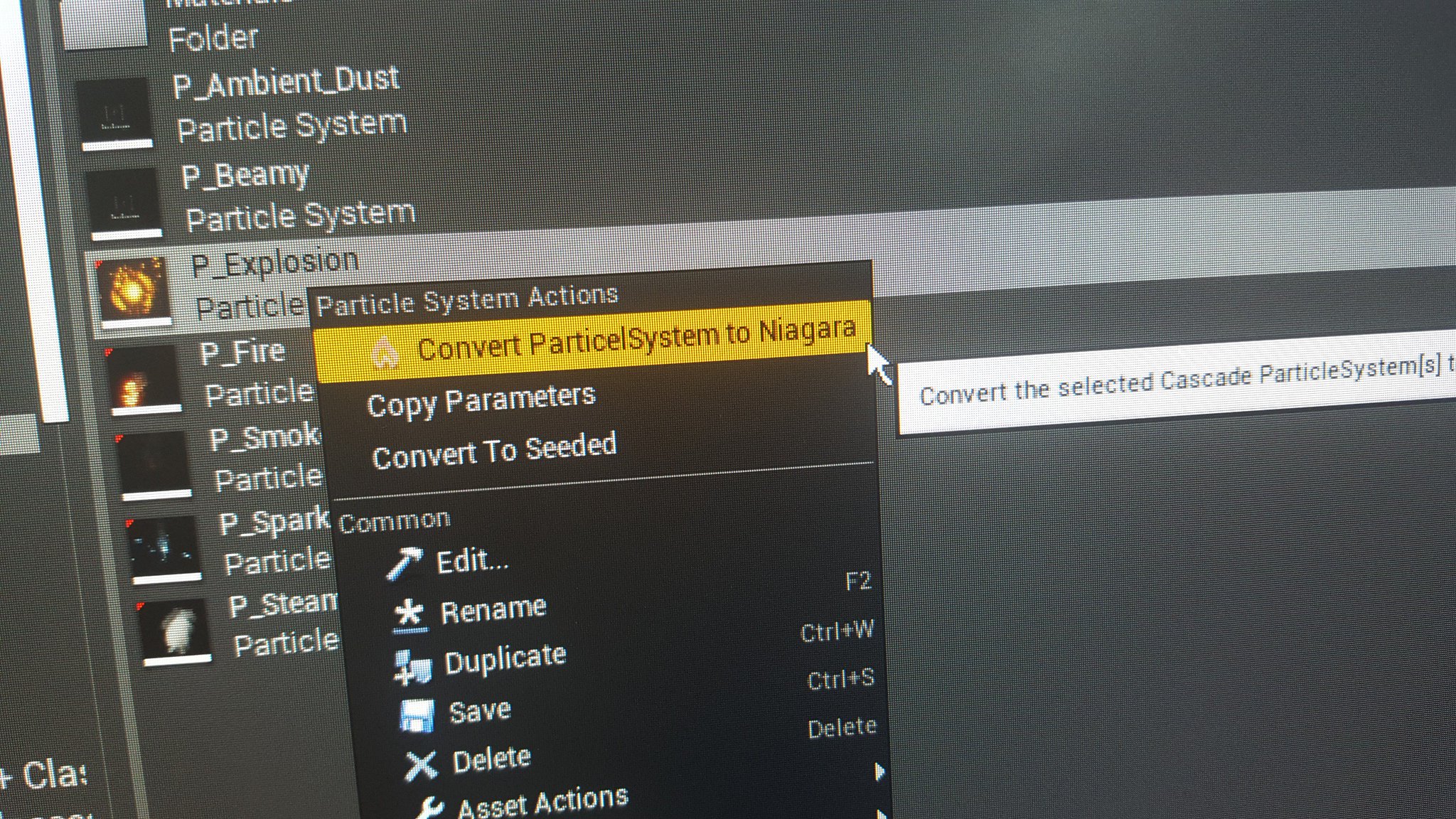 Twitter
almost there
fossil swan
@spark flume i can send you a pack if you want
spark flume
that will be awesome, for now it can create an almost new version of the cascade fx
what i'm afraid of, that some vfx artists use some weird modules in cascade 😄 that yet I don't handle them, so a pack will be helpful
fossil swan
hehe, lemme fix the last few material variable groups and ill zip up my latest pack
spark flume
take your time, testing coming soon, anytime you have something for me, drop it 😉
fossil swan
what made you decide to make your own?
spark flume
its been in the making for quite sometime 😄 most of the time was not in code actually, was in filling the gap in the mind to understand how to connect both systems
Epic might not create one, plus, this is what programmers do, 😄 waste their time solving issues
plus, i keep moving things between my games, and won't be happy to copy cascade assets to a new project in 2019
-_-
fossil swan
if it works would save me a bleepload of time converting packs
 violet night
this is amazing! I don't think I have anything I could share with you that is not under NDA but would love to help if needed
spark flume
it will, and we will dance 
fossil swan
beer's on me
spark flume
@violet night you can always try at your side, i'll share later when ready, how to get the plugin, and how to make it work, and how to drop feedback, so i can fix all of it before putting for public use
violet night
amazing! This is great, can't wait!
hot tiger
But that clears the whole thing right?
solar remnant
ya
hot tiger
It makes sense. But painting black just makes nothing happen, the already painted white doesnt disapear @solar remnant
solar remnant
interesting lemme have a go at it
hot tiger
Thanks :)
solar remnant
@hot tiger figured out a way around it
hot tiger
Oh?
solar remnant
Use two brushes one blue and one red, when calling the render target for your painting subtract the blue channel from the red then use a saturate, then you basically use the brush that is not being subtracted as your painting brush and the other one as your eraser
hot tiger
Hmm, I'm trying to understand, but my lack of materials knowledge aint helping 😅
 south aurora
does Inherit parent velocity module only work with physical movement ? (ie. the parent needs to have velocity)
i'm manually moving the actor via SetWorldTransform each frame with sweep enabled
south aurora
nvm it does work..
celest birch
particle emitter works in standalone and PIE but not packaged game? what do?
mom and dad pls help
fossil swan
might want to check the logs
 rustic depot
Is there a way to input a modified(procedural) image (heihtmap) to a pom node as input?
and btw, is there a way to get perlin noise into material editor? the noise function didnt help. im using a texture perlin noise atm.
im using Greyscale on those textures
 wanton cairn
Ive a question: I want to fade a set of planes, based on the angle their angle form the camera
Where would I be looking to achieve that?
 civic plover
@wanton cairn If I'm understanding you correctly, you can try a fresnel node https://docs.unrealengine.com/en-us/Engine/Rendering/Materials/HowTo/Fresnel
fossil swan
@rustic depot you'd need to rip out whats inside that material function and alter it so it accepts that input.
@wanton cairn if fresnel doesnt work, try this setup
https://i.gyazo.com/c4570ecc351f93298b31472d09b22c6b.png

(mat functions)
wanton cairn
@fossil swan @civic plover ❤ yall number one
But just so, its legit if you look at a plane from its edge, then it should be disappearing etc
wanton cairn
@fossil swan curious, i throw that in the opacity channel? Im doing some weird stuff.....
this is what ive set up in material but I think im buggering it
fossil swan
should work, but you might need to tweak the input sensitivity
might need 1/0/0 or 0/1/0 depending on your needs.
wanton cairn
Ahhh mkay mkay thanks mate!
rustic depot
@fossil swan
i did turn it to sample, but its still doesnt work, constants doesnt work either
fossil swan
@rustic depot because that input still wants the object.
need to change the input to vector3, but chances are, you'll need to change things behind it as well.
also, I hope you arent editing the original mat function
rustic depot
yes but i cant find the node to change the datatype
for example there are 2 parallex nodes, both has tex as input, but the code isnt even touching that input
fossil swan
guess you'll need to rewrite it then ¯_(ツ)_/¯
rustic depot
wut?
rustic depot
ok i could change the input preview node to vector3
turned my procedural generated heightmap to float3 (trough makefloat3, or could do the same i think with 2 appends)
fuk, isnt there another way?
my first thought was trying a texturesampler, inputing my generated textures to tex input and a regular uv float2 iinto uv of that node.
but doesnt work obviously haha.
i need to input that somehow.
fossil swan
@rustic depot so your procedural generated heightmap is already a texture?
fossil swan
you dont want to use noise nodes anyway, expensive af
rustic depot
ok good to know
so pre calculated noise in form of a texture (greyscale)
ouh i think ive got an idea how, trying it now
works
yes
😃
btw, why is there no exp function in material editor?
rustic depot
ouh
fossil swan
hold E > left mouseclick
rustic depot
thx ^^
 stone verge
Hi. I have a question about particles. I created a particle that changes color and alpha over lifetime.it looks correct on particle editor but when i put it on the scene it looks white.colorless.the material is set additive unlit.when i choose premultiplied i get some color but almost noticiable. What could be the problem?
fossil swan
it depends on your needs. but im guessing you want regular translucent
fossil swan
yea
stone verge
Ok will. I was translating a particle from unity to ue4 and it used additive but maybe is different lighting on ue4. Thanks i will try
 true terrace
hey all, question about using Time node in materials, multiplied by a scalar param to control the speed of an effect, and plugging that into either uv panner or some vertex offset.
It all works well when i set that param once and never touch it again. But if i change that param at runtime continuously (lerp on tick) it doesn't actually smoothly slows down or up, it looks like it resets every frame or just keeps going faster no matter what the value
Does that sound like a familiar issue?
[TLDR] In general im just struggling when interpolating at runtime a param used with the Time node in a material
fossil swan
you want to add to time, not multiply it
that way time goes faster instead of multiplying
@true terrace
true terrace
hmmm i did try that at some point but failed, let me try again with a simple case
How about this kind of situation?
would i have the speed input use constants, and do Time + speed param connected to the time input?
fossil swan
hmm, i dont use the speed input very often. id use time.
then just hook up a time node, and an add + scalar.
but only if it needs repeating of the effect
true terrace
this what you mean?
fossil swan
yes, though speed might not he the right word, thats how id use it
true terrace
i might be getting it wrong, cause here when i plug a looping timeline going from 0 to 50 for example, it makes no difference at all
fossil swan
another way, if you dont want it to start at the beginning, is to "add" to a texture coordinate node, avoiding use of the panner
you want it to move upwards, and optionally faster?
true terrace
basically
fossil swan
k, give me a minute or two
true terrace
in general im just trying to find a way in my effect to have a "speed" parameter i can interpolate at runtime
a generic way
i thought it was time *scalar but that seem to not work when interpolated at runtime
fossil swan

the time needs to be replaced with a scalar variable, which you can increase over time
or decrease
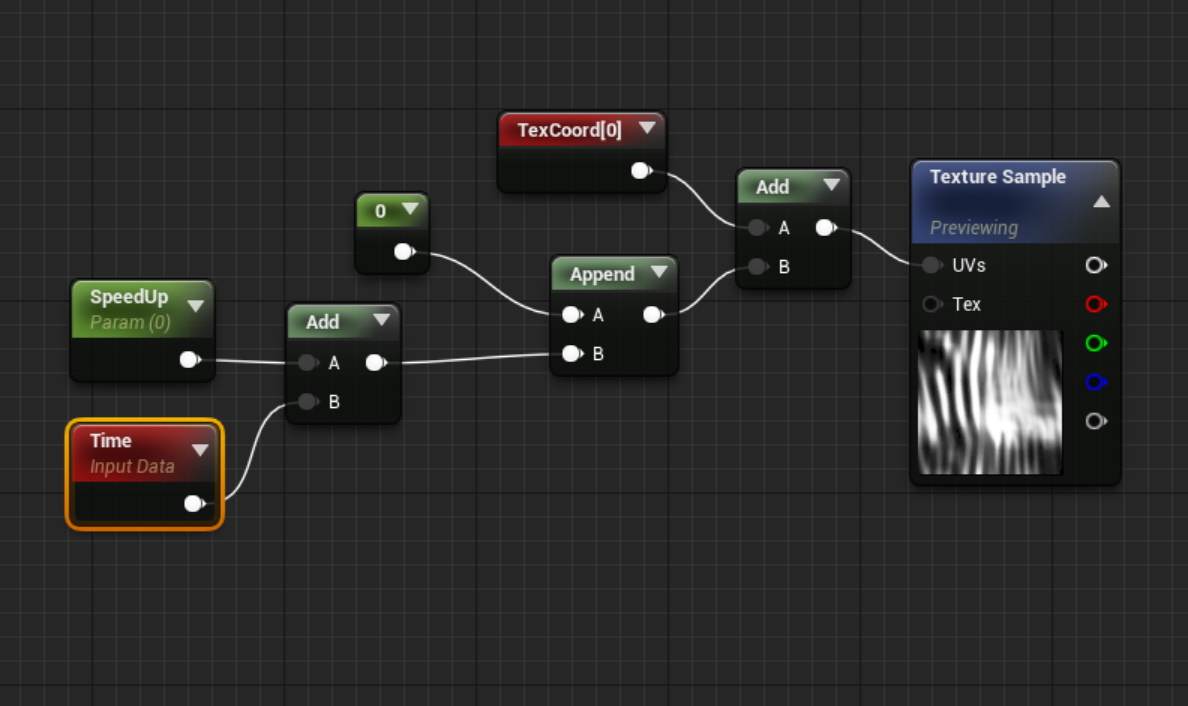
https://i.gyazo.com/7311ca095dcb00bb847d0e56699926a7.png
this way you already have a certain speed, and can add to it.

if it needs to start slower, multiply time with 0.5 or so
doesnt take a 0-1, but continuesly need to add to it.
true terrace
thanks !
so does that mean speedUp would have to constantly be increasing?
and when i need to go faster i basically increase it faster?
so the "speed" side of things goes to blueprint?
it kind of moves a lot of stuff to BP instead of the material though, basically my BP would need to increase that value on tick, and get another function to multiply that increase to make it faster...
wish that could be done in the material and BP would jsut change a "speed" scalar
I must be doing it wrong, it doesnt seem to make any difference what the value of speed up is...
analog onyx
@true terrace You can't speed up/ slow down things that way. You need to supply time from blueprint.
true terrace
😦 that's a bummer. Any workaround you guys can think of?
Having a hard time with this, so whenever one has a material that needs to have a speed of anykind be interpolated during runtime, it has to be done with a blueprint constantly increasing?
That would be so much stuff i'd have to do on tick for just a simple speed lerp in the material... if i have a scene with bunch of different objects that need to "react" to player distance by shaking more or less fast (vertex offset) then i'm basically screwed and need to do a tick constant increase for all of them?
true terrace
It's also hard to used because im making my own "time" in blueprint whjich means in the mat editor i wont see the actual speed (wont move at all since its just a scalar param)
 sly wraith
Can particles have shadowing?
 wind lark
I've got a question about instanced static meshes... Looks like material needs to be the same for all instances, but seems like there are some ways around this, or to cheat) Anyone have any thoughts on how to do this with a bunch of color cubes with same material for example? https://www.youtube.com/watch?v=SJSGfnZ9cz8
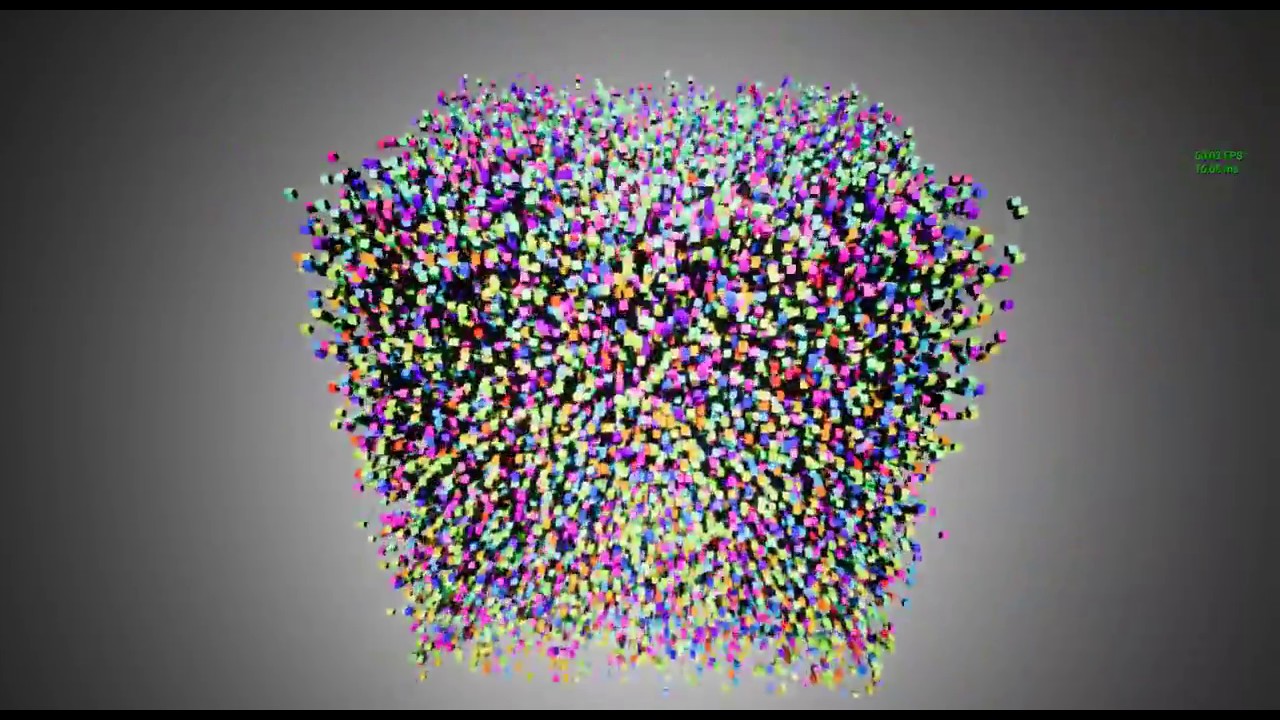
Moving Test. 40,000 Cubes. Graphic Card : GeForce GTX 970M UE4 Version : 4.15 ⚫Twitter : https://twitter.com/selflash
 swift mantle
@wind lark In the material you can use a "PerInstanceRandom" node to create a random value for each of the instanced meshes. You can use that for example to give each of the instances a unique color.
wind lark
Dope! Thanks so much @swift mantle!
rustic depot
2 questions, do we have controll over parallax oclussion mapping node about the mips or detail over distance. And is there a node that turns greyscale gradients into color, forexample. replacing white with red and black with green.
 novel hazel
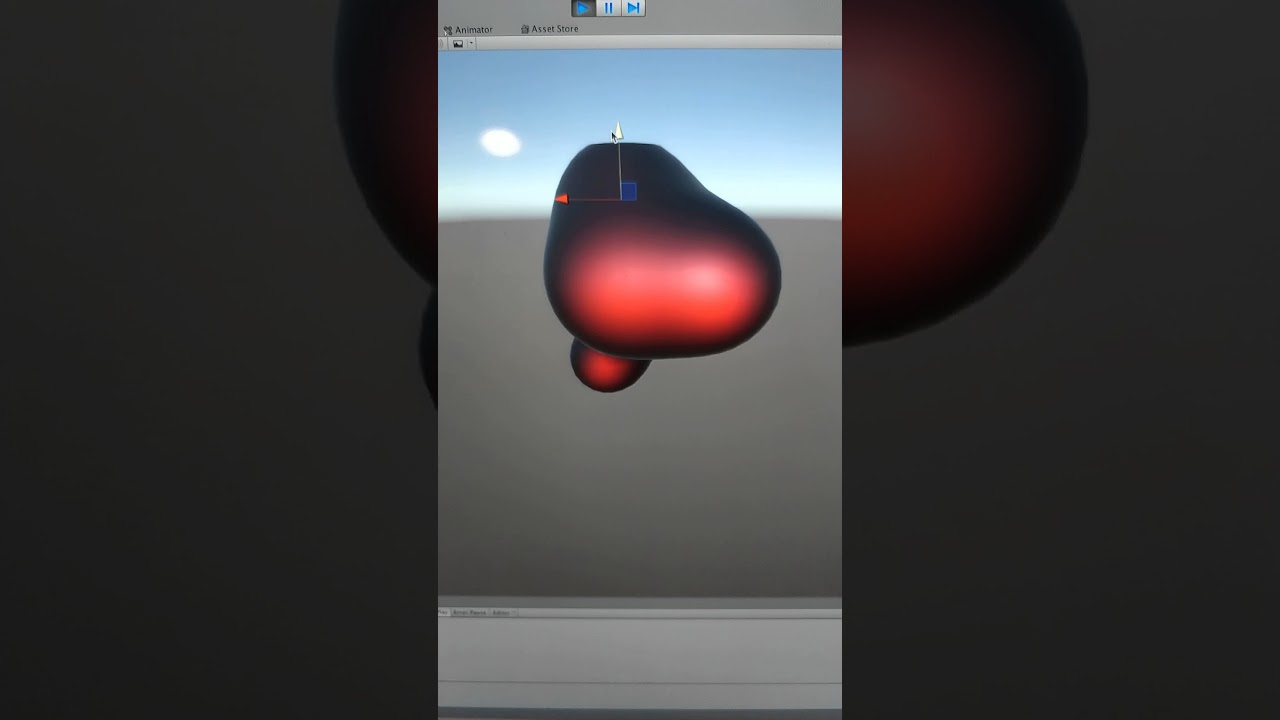 fossil swan
besides the metaball plugin on the marketplace?
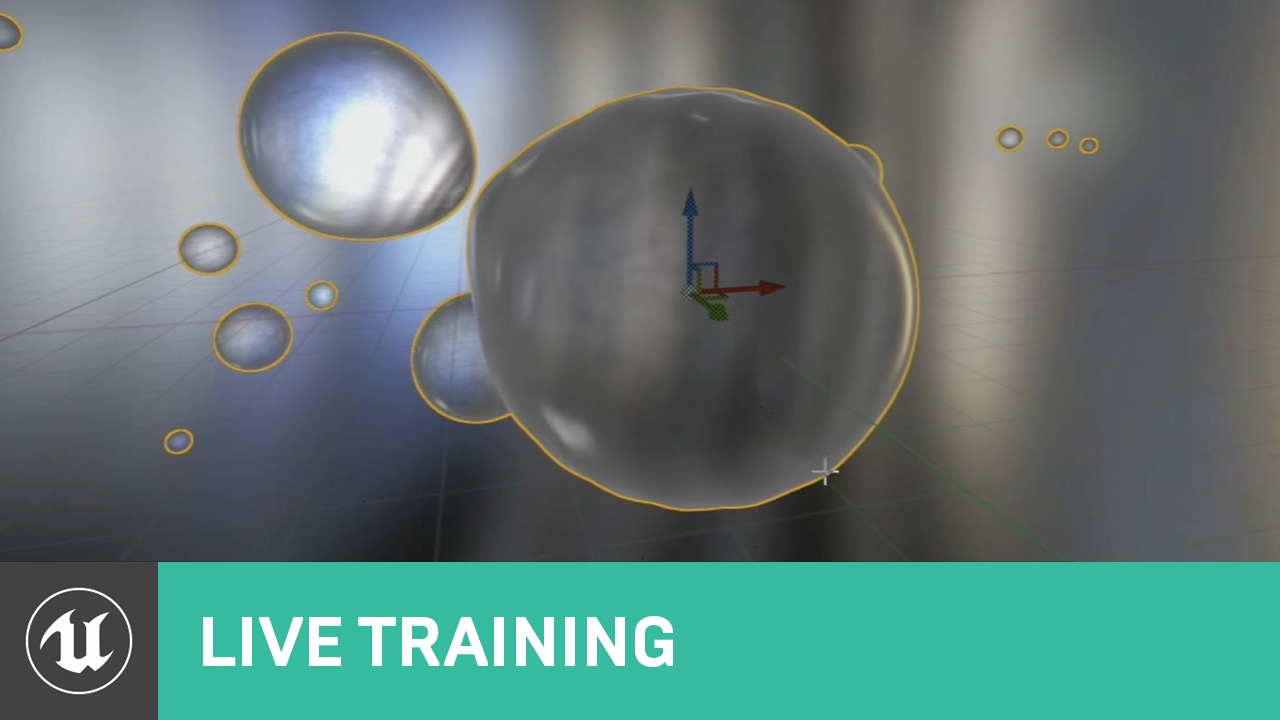
Announce Post: https://forums.unrealengine.com/showthread.php?105615 In this week's live stream Ryan Brucks and Sam Deiter will cover the various uses of the...
good luck, because its real wizardry hehe
i dont know. metaballs is something really specific, so not many here have experience using em
 prime pecan
making them controllable shouldn't be too much of a problem actually 🤔
 glass epoch
Hi @everyone,
What's the best way to approach creating (in cascade) water spray effect from turbo boats, similar to this video:
https://www.youtube.com/watch?v=u3y44icsvaE&t=1m10s
Thanks!

3,000 horsepower, 200 miles per hour on WATER. At the 2016 UAW-GM Spirit of Detroit HydroFest, these hydroplane boats have turbine engines from a Chinook Hel...
 teal fjord
Is it possible to get a particle effect to trace the ground (i.e a landscape)?
We're trying to figure out how to get a strategy genre grid appearing on an uneven landscape
wanton cairn
@glass epoch you might be looking at gpu particles manipulated in BP or through vector fields?
@teal fjord why use particles? If youre trying to create a grid, why not use procedural meshes to form along the ground?
glass epoch
@wanton cairn : I'm doing this in C++. Not sure about vector fields. Do you have any example? Thank you
wanton cairn
Ahh erm hmmm
teal fjord
@wanton cairn Thanks for the response man, would we be able to make that work on uneven terrain like this? It's going to be a Strategy game of sorts and we need to visualise our grid
wanton cairn
Enjoy the videos and music you love, upload original content, and share it all with friends, family, and the world on YouTube.
fossil swan
i would probably use a spline or whatever with a mesh that has its verts grow over time, with noise.
wanton cairn
@teal fjord I would say yes, however my dumb self would say why not just create HISMs to do the path
Or grid rather
fossil swan
@glass epoch if you have netflix, check love, death, and robots blue zima episode. at the beginning there is a jet going over water kinda like what I explained.
add some water/foam related particles with spawn per unit, and you could do some quite nice looking stuff
teal fjord
Thanks for the feedback guys, do you have any image examples of it in practice or links we can look at? @fossil swan & @wanton cairn
fossil swan
mine was directed at greenseq.
for yours, it depends on how you want to visualize the grid
teal fjord
Ah my bad mate
We're somewhat unsure, we just have issues using particle systems and the decal system seems a bit iffy
fossil swan
is the grid visible over the entire env?
teal fjord
We're messing with using a material to achive the result
wanton cairn
@fossil swan Is that show really that good? Ive it in my list
@teal fjord two ways you can go about it. Have it actually form to the landscape, or just have a grid fixed to the player or camera
teal fjord
Ideally, we'd like to display a grid over the entire environment, but be able to mask or hide parts when needed
fossil swan
@wanton cairn i watched it all in one sitting
its very adulty in content, but so darn good
wanton cairn
@fossil swan Will take it and put it in my ref folder
@teal fjord yeah its really dependent on how you want to achieve it
teal fjord
We want to be able to show the grid when planning movement, or highlight squares underneath a spell being cast
But it's probably also worth being able to turn the grid on and off in general to show the layout of the map
fossil swan
the simplest way is just add a world aligned grid to the materials, and unhide them when needed.
if you want to mask out parts, render targets and what not might be needed
teal fjord
Okay awesome, that's what we just started experimenting with really
Materials seem like our solution to everything right now
Thank you @fossil swan & @wanton cairn! Appreciate your help on this
wanton cairn
Sure thing
fossil swan
https://youtu.be/aYZEmaQUrAo?t=585 that might also be interesting to look at @teal fjord
the leafs thing at the timestamp
More Game Art Tricks: http://simonschreibt.de/game-art-tricks/ Article to this Video: Permalink: https://simonschreibt.de/gat/cool-stuff-with-textures The In...
glass epoch
@fossil swan : I do have Netflix. Will check that out. Thanks for the input. I'll look into spline with mesh method. What's the advantage of spawning per unit compare to burst (which is what I'm trying right now)
teal fjord
That's pretty awesome, thanks again man!
fossil swan
it spawns X particles per unit traveled
glass epoch
That probably make more sense for moving vehicle. Thank you. Can I DM you if I have more questions?
fossil swan
yea, or just ask here.
this effect is a bit out of my comfort zone, i generallydo more pewpewpews so all I can try is nudge you into a direction, and hope others might have better suggestions
glass epoch
Awesome thank you. Pewspewspews as in weapons?
fossil swan
yea, magic effects, projectiles, that sorta thing
wanton cairn
I love your daka daka @fossil swan
You Tri Laser is still my personal favorite and go to reference for a few thins
gusty cliff
I'm not an expert, but speaking from my experience spawn per unit is for things that move and you want a consistent trail. So a fireball for example, if you don't have spawn per unit or a very high spawn rate you will see gaps in the trail. Adding a spawn per unit is a solid solution to this as opposed to boosting the entire effect's spawn rate.
wanton cairn
Its the other sounds weapons make lol
fossil swan
hehe
wanton cairn
oh since i have you for a min: whats the low down on Niagara? The learning curve ssimilar to cascade?
fossil swan
not sure yet, but if you know 100% cascade, you might be about 20% in for niagara
just a gut feel
wanton cairn
makes sense
fossil swan
while cascade is a particle editor, niagara feels like a full blown effects editor
paint vs photoshop so to speak
glass epoch
@fossil swan : so what you told me to try can be achieved in cascade right?
fossil swan
hmm part blueprint, and part cascade if you go the spline route
wanton cairn
Right right. Will keep to cascade for now, but i do like the look of it.
fossil swan
else yea, cascade and materials/meshes
cedar ibex
Hi! I've been looking into creating something like this for a shield effect.

Object "dissolve" shader that make individual elements move and appear/disappear. Elements position encoded in vertex color by using a Max Creation Graph. Ef...
His solution is pretty complex and needs a lot of setup
Any ideas on how to make something like this? Animated mesh facets
Only thing I can think of is manually making a mesh animation with keyframes, etc. in a 3D software. But I don't know how I could get the data on the polys for materials, etc.
fossil swan
you could bake it to a vert anim and/or could do it all trough the shader
the description has a download file, that should give you enough to learn from it
cedar ibex
Yeah I went through the file but more than a few of these slow things down quite a bit, it doesn't seem to be very performant
I'm a total noob but I have a feeling this should be easier to make
if I bake a vert animation, how could I retrieve the poly info so that I can do things like linking it's size or distance to opacity, color, etc?
fossil swan
its all in the shader, so basically just like normal
cedar ibex
Ok I guess I'll try banging my head against it some more, thank you
 fossil swan
thats all done in the shader
cold sorrel
WPO in the rejected Normal onto Position
Discussed and explained here

Real Time VFX
this video got me upto speed on vector projections, what vector is getting flattened? the rejection of the local vert positions and its normal?
This is the direction of the WPO
fossil swan
i was looking for that one, but thought it was ue4, so used wrong key words
cold sorrel
I'm sure there is one. This effect gets made at least once a month 😛
I mean, search for hexagon on the forum 😛
fossil swan
you'd think, but checked all the ue4 shield search stuff and couldnt find one.
cedar ibex
Yeah there's definitely nothing like that I could find
I could whip this up in C4D in a minute
fossil swan
"hexagon shield" shouldve have been a good one
cold sorrel
There's not much to make a tutorial about. It's what, 5 nodes for the whole effect?
cedar ibex
Ok if you think I can take this info and translate it into UE4 I'll give it a shot, thank you!
fossil swan
you can do it!
cedar ibex
Heck yeah! 😄
fossil swan
baked vertex animation is basically that hehe
spare hare
Lets say the target point where your Hexagon should collapse to is at the Center.
This is (0.5,0.5) in UV Space (if the Mesh is unwrapped accordingly)
You can find the positions by transforming from Tangent to World Space.
Subtract the target World Pos from the Vertex World Pos and you have your WPO
cedar ibex
Hmm thank you
I was looking for a way to do the vertex offsets without UVs
Using just normals
cedar ibex
Maybe that makes no sense, it's obviously gonna use the normals of the mesh
celest birch
Hello, I'm having a problem with my particle mesh I'm trying to achieve something similar to this https://youtu.be/WZmwGWWsoT8?t=4 with the dust trail while the player runs using size by life, but the growth is leading the mesh to the side and I don't know why is it not possible to just make it go straight up but, lean back?

I'm really impressed with this emulator, the devs are doing a great work! Link http://cemu.info/ Patreon Cemu https://www.patreon.com/cemu?ty=h PC Specs: Mon...
it also appears way to far behind the player in game. but in the editor preview its okay, I don't know how to fix that any help would be appreciated.
you might also see its weird angle in the gif
spare hare
@celest birch Make sure your Mesh is actually in the center :)
The Center should be in 0,0,0 in your modelling app
fossil swan
you could use the animation editor to only activate it when the foot is on the floor in the running anim
fossil swan
get the socket location of the foot, and burst-spawn 1-3 at a time.
keep em in world space (not local space in required module) and it should look fairly well
also some innitial rotation, and a low rotation rate
celest birch
Thank you!
wanton cairn
@cedar ibex @fossil swan @spare hare @cold sorrel
I remember looking for something similar myself with that hex sphere effect. I think I ended up just animating something similar
cedar ibex
The problem I have with animating the mesh is that I wouldn't know how to then animate each faces opacity, etc. Maybe with a sphere mask in the center?
cold sorrel
Jeebus, you are all overcomplicating it. Just push the vert along the rejected vector shown above and the effect is done
cedar ibex
@cold sorrel I'm just a noob, mate. I'm trying to understand! :P
wanton cairn
I had a different VFX ergo why i stated what I stated
cold sorrel
Yeah but there were suggestions of using textures and baked animations
wanton cairn
But it was still similar thus why I chimed in
cedar ibex
Sorry, I didn't mean to spam?
cold sorrel
Go for it! You had a legit question
cedar ibex
Any pointers how to get that rejected normal in UE?
analog onyx
Subtract normalized difference between vertex world position and object world space pivot position from vertex normal.
cedar ibex
Thank you
celest birch
Thanks, I've got it looking just about where I want it, but there is still the problem in-game with it being to far behind the player, I disabled local space in required and enabled world space but same result, could it be something outside of unreal? I already centered the mesh in blender.
cedar ibex
@analog onyx did I interpret that correctly?
This seems to be scaling the hex faces relative to the pivot position of the object instead of their own center
cedar ibex
Sorry I'm probably not even high school level at vector math
cold sorrel
in the thread I linked earlier there's a link to Kahn academy where he explains it
cedar ibex
Exactly what I'm watching now
solar remnant
you can also consider pivot painter
cedar ibex
I think I got the principle of what the rejection vector is, and how it's calculated but still trying to understand how to do it in the material editor
celest birch
So the issue of the particle being to far from the player still persists yet, according to Unreal its centered.
solar remnant
it looks centered to the bottom of the model
you would want it centered to the center of the model
celest birch
Okay thanks, how would I do that?
celest birch
I think it is centered, is there any way to tell? and even if it was just the bottom I dont see why that would make it spawn way to far behind the player especially by the looks of it in the animation editor
indigo jolt
@celest birch if you're using anim notifies to spawn you can add an offset to that to push it farther out in front. Not sure how you're spawning but that method is real easy to adjust
If your clouds are starting at 0 scale they might actually be spawning right under feet then growing to visibility a little ways back - that's my best guess as to problem
celest birch
Alright, thanks
glass epoch
Hi everyone,
Question about Spawn Per Unit. How does it work exactly? I'm trying to use it, but it seems that it doesn't make any difference however I change Spawn Per Unit parameter.
Do the emitters have to be attached to the moving object in order for them to work?
glass epoch
oh sorry, I thought it's just people in this channel. Is there a way to mention just the channel?
 mortal lily
he didn't since that command is deactivated here.
indigo jolt
@glass epoch I vaguely recall you need main spawned to be zero to use spawn per unit. Look up YouTube tutorials on Ribbons for more details on subject
glass epoch
Does the effect have to be Ribbons for it to work?
fossil swan
nah works for anything.
make sure to set the regular spawn rate module to 0
then in the spawn per unit, tell it after how many units it needs to spawn X particles.
the faster the projectile goes, the higher you generally can keep the units.
you dont see it doing much unless you place the emitter in the world and move it around a bit
glass epoch
@fossil swan : oh so it can work in the editor if I just drag the emitter around? Hmm i must do something wrong then
fossil swan
they do need to be attached to whatever is moving
and not use local space
glass epoch
Oh so it need to be spawn by SpawnEmitterAttached instead of SpawnEmitterAtLocation()
fossil swan
yea
glass epoch
ok I'll try that. Thanks. For the water spray, you mentioned:
"use spline or whatever with a mesh that has its verts grow over time, with noise"
This mean spawning particle mesh, and modify the vertices of the mesh over time with some noise?
fossil swan
more like, have a dynamic spline thing follow your boat, attach a mesh-plane on that spline (with enough polygons) and have the top verts move up and down depending on time + some noise
the latter also works, which is done a lot with stylized waterfalls
glass epoch
ok I don't know much about any of that, but thanks for the direction. I'll do more research on those.
fossil swan
it depends a bit on the style you need, how good you are with shaders/blueprints.
its more involved than just spawning meshes per unit
glass epoch
@fossil swan : ok thank you I'll continue to research into it. My style is realistic but also need to have good performance since it's for a game
celest birch
I figured out whats causing the particle to spawn far away, its the Spawn constant variables, can someone explain to me how they work?
wind lark
Anyone know if theres a way to have mesh particles collide with dynamic meshes? Ive gotten it to work with static meshes but it'd be nice to take it to the next level
actually.. nm it seems to be working now.. cool
celest birch
@fossil swan is this tab where I need to enable worldspace?
fossil swan
nah particle system > required module
celest birch
All I see is use local space which is disabled
fossil swan
then its fine and working as intended
fossil swan
how are you trying to activate em?
celest birch
the particles? animation notifies I guess
fossil swan
so spawn rate = 0, and burst = low value?
celest birch
the spawn rate is zero now, burst rate is 3 but they still form in one spot
fossil swan
ok, before we go on, make sure that in the required node its set to only loop once
celest birch
its weird because if I used to set it to zero nothing would spawn at all.
yup 1 loop
fossil swan
ok, do you use an initial location or other location changing module?
if yes, which one, if no, ill guide you trough a good setup
celest birch
Uh, there was no location. I'm very new to all this btw but I'm sure you could tell lol
fossil swan
no worries, we all started out the same
ok, get yourself a spherical location module
celest birch
ok got it
fossil swan
in the options, give it a small radius, disable -z (might also want to disable positive Z, but depends on your likes)
enable velocity, and give it a small value. this is multiplied by the radius so in case the rad. is really small it needs to be bigger
best to set the velocity to "distribute float uniform" so you have a min and max velocity
celest birch
alright
fossil swan
just so it moves away a little
fossil swan
the start radius in the sphere module
celest birch
sorry I didnt expand
fossil swan
if you dont know how big it is, enable "B 3dDrawMode" at the bottom
itll show you the radius
celest birch
I see
fossil swan
also put in a "drag" module, this will drag down the particle so it doesnt keep moving
again a float uniform > values 1 and 2
think of it as air-resistance
fossil swan
now they should spawn at different locations, and move away a little/come to a halt
celest birch
yeah
fossil swan
now its just finetweaking.
make sure you set the required module to "kill on complete"
celest birch
okay
fossil swan
if you have a burst you can set a max and min amount of particles spawned
celest birch
everything looks good except for this
fossil swan
for max pick the max you'd like to see, and set the min lower. that way there is some additional variation
celest birch
but thats probably my fault
fossil swan
screenshot of the emitter modules?
fossil swan
show me the modules
celest birch
fossil swan
remove velocity
and are they meshes?
celest birch
yes
fossil swan
replace the rotation/init rotation modules with their mesh versions
celest birch
alright done
fossil swan
that should look much better already
celest birch
It's still the same..
fossil swan
shooow meeee
celest birch
what exactly, in-game, animation notifies or?
fossil swan
in the animation editor is fine
celest birch
fossil swan
can you slow down the animation
 fossil swan
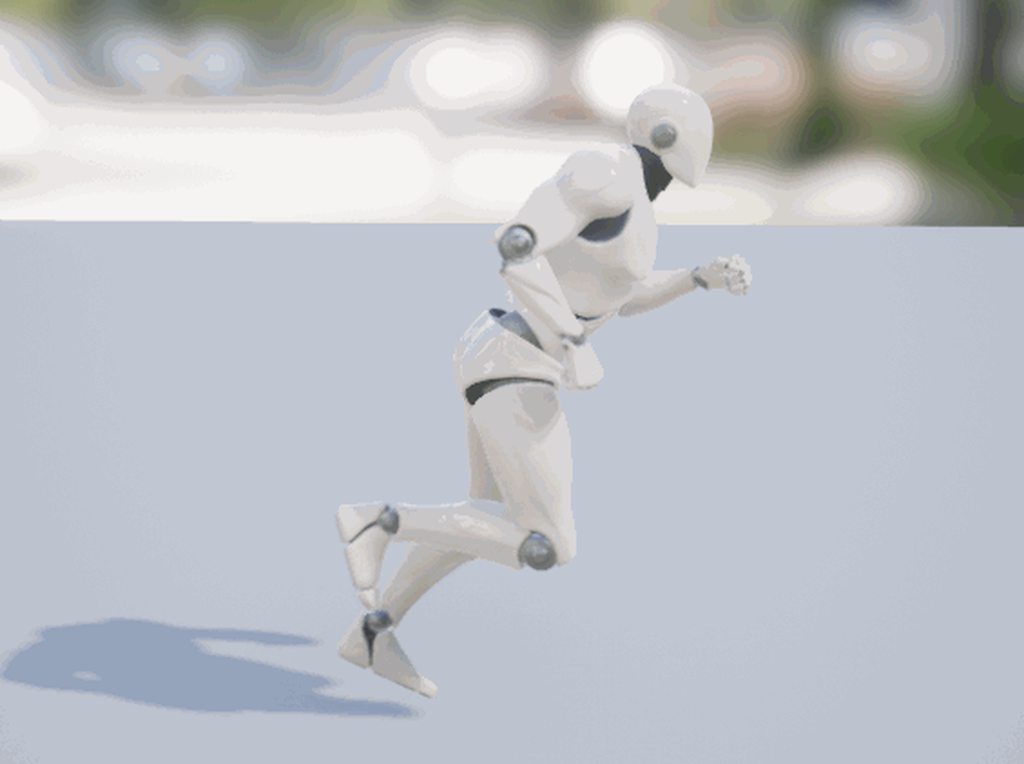
ok, you'll need to add a socket to both feet, make the emitters spawn from those location by removing their offset and giving them said socket location, and activate them the moment a foot hits instead of lifts.
celest birch
ok
Okay I see what you are getting at, but now they move upwards
Oh wait let me try something
fossil swan
depending on their rotation (and that of the socket) they move to different locations.
celest birch
I see.. I had them socketed to the tips of the feet
fossil swan
id do them about halfway the foot or heel
celest birch
aight I already disabled that
fossil swan
make sure the sockets are properly aligned. so their X+ is towards the toes
and Z+ is upwards
celest birch
I dont think I understand what that meant
fossil swan
did you add sockets for the bottom of the feet?
fossil swan
bones?
celest birch
yes
fossil swan
bones might be slightly rotated, so its sometimes better to make a socket thats aligned properly
fossil swan
anyways, thats all I can do for now. im off for dinner
celest birch
Thanks so much man, you were a huge help, enjoy your dinner.
fossil swan
thanks, and good luck
celest birch
Might anyone know why I get these flickering blocks on the cloud mesh?
 brittle remnant
Ik going to guess its a divide by 0 or some other NAN that is deleting those quads
celest birch
@brittle remnant Was that for me? If so how can I fix?
brittle remnant
I would look through your shader code and see if its possible that a divide by 0 can happen
Or post it here. Not sure how you are making your puffs
brittle remnant
Yeah the material
Is it possible that the particle system is negatively scaling the meshes?
celest birch
I think that would be the case, I used scale by life
brittle remnant
Try keeping all your scale values positive
celest birch
ok thx
celest birch
doesnt seem to be any negatives
 stuck salmon

anyone have an idea why this is happening?
it should be a contant stream of snow falling
but it now stops after a few seconds
and then spawns again
i put the burst on 0 already but that does nothing
cold sorrel
Max count
spare hare
@stuck salmon It's a really bad idea to have this many particles.
Make particles fall near the camera only and fake the rest via textures
 crimson bramble
Is there a Screen Alignment mode which is constant from the direction ?
I really don't wanna have the rain face always to the viewport of the player
 misty magnet
Is there a way to have a particle system trigger collision/ overlap events when colliding with another particle system/ trigger box? thanks in advance
solar remnant
What I’ll do usually is create a box or something that represents the volume of the effect, set it to not render then use collision events from that
Think there’s actually just a collider volume now that I think of it though
wanton cairn
@misty magnet or you can try for line traces and check for when they collide do what you need them to do
misty magnet
thanks @wanton cairn been reading about that on the afternoon, haven't tried yet and never used traces. Ill give it a shot tomorrow, have to understand how that works first
wanton cairn
Sure thing. @misty magnet
Ive actually done something similar with a flamethrower type of attack using sphere trace
misty magnet
Intersting to know. Thanks for the tip and will lwt you know how it goes and maybe bother you with a couple more questions about traces. Thanks again
wanton cairn
@misty magnet no prob
glass epoch
When emitting mesh particle along a velocity, how do I keep them to still face the camera?
indigo jolt
@glass epoch click the mesh emitter module you added at the top. Scroll down to "camera facing " checkbox, then use the drop down option that best suits your alignment needs. You may find that none do and you must rotate mesh 90 degrees and re-export to make it work right
glass epoch
@indigo jolt : so do I check the "Camera Facing" check box first, and then pick the option in "Camera Facing Option" ?
indigo jolt
Yup
You usually want the mesh to be facing the +X axis on original mesh for most utility
If mesh vanishes completely that might be due to seeing only back faces or the side
It's not a ton of work but you can definitely fudge it up
glass epoch
Ah got it. I'm just using the plan from the engine content, and it's facing Z instead of X
indigo jolt
You might need a 3D package of some sort to get desired result- even it's just rotating a pivot
It would be cool if a game engine allowed people to rotate and move pivots...
wanton cairn
@glass epoch I think you might be able to adjust that in the mesh vieport
glass epoch
i'm using UE4, so I'll try to see if I can rotate it. Thanks guys
 grand pewter
Hello, I was wondering if someone could help me out on some particle-related questions. I'm not a pro at unreal so just a heads up.
I wanted to ask if it is possible for certain particles (not the entire particle emitter) to change colour? (for example if a certain particle collides with something, it changes to a certain colour) if so, is it possible through blueprints?
wanton cairn
You can have a particle system. With different emitters in one.
If you want to change color upon impact then you can set up a sort of event dispatch in the particle system
I'd look up sometiong along the lines of rain and splashing
@grand pewter
grand pewter
@wanton cairn thanks for replying. So it's not possible to change specific particle colours in an emitter, then? And having a particle system with different emitters and changing the colours of those emitters is a workaround?
wanton cairn
@grand pewter you can change the color of an emitter
Give this a look see as it's a simple system to set up
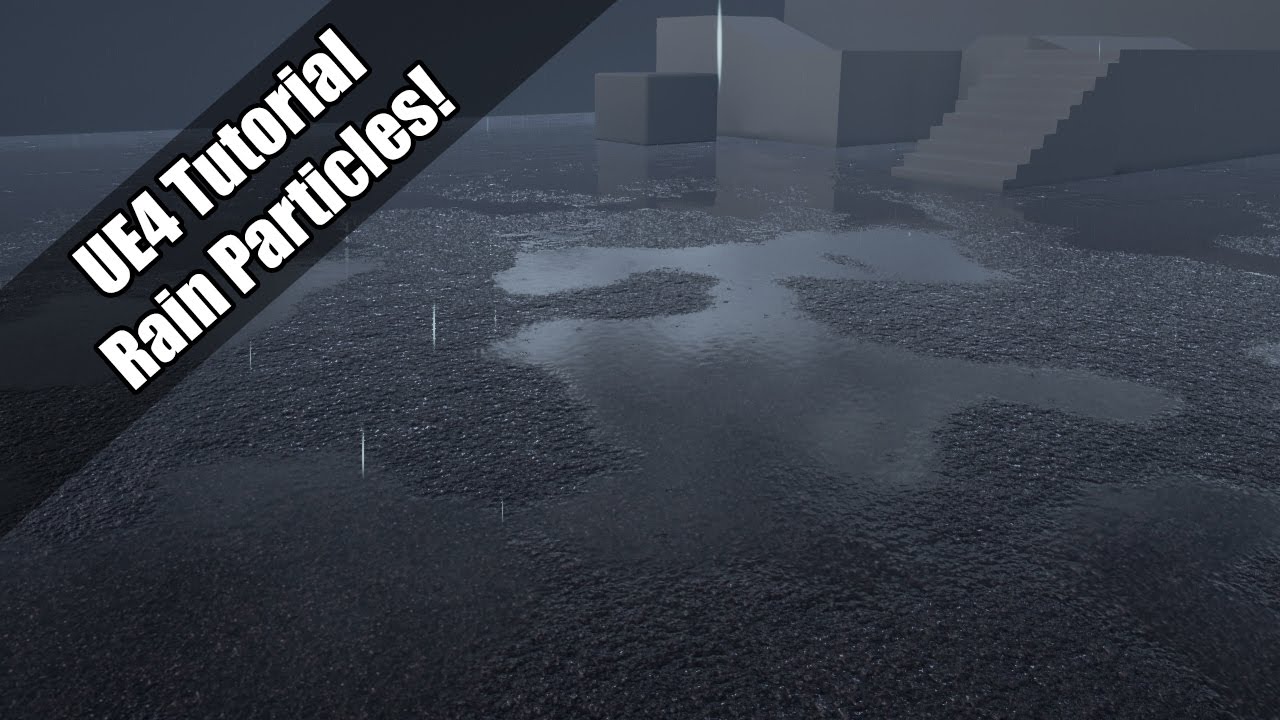
A simple rain particle system that uses two emitters for both rainfall and ground splash. If you have any questions, get in touch and I'll try to help best I...
And I think it'd better explain what I mean
grand pewter
@wanton cairn okay, I'll check this out, thank you. 😃
wanton cairn
And "Particle Parameters" is what you want to read up on and understand as that is what you'll call in BP to edit
This of course is for the Cascade system. Not Niagara
@grand pewter sure thing
 random solar
Hey! I need to swap between 2 fogs settings in my level, should I use 2 fog actor and switch them on/off with a volume ?
solar remnant
you should be able to pipe values into what you wish to change, 2 fog actors is pretty expensive even 1 fog actor is pretty expensive
random solar
The idea would be to have only 1 active at any time
 devout canopy
Is the best way to show smoke from long distance particles?
indigo jolt
If smoke is really far away sure that can work. Could be cheaper with a single mesh like half a tornado and a panning material
At a long distance, really expensive smoke stuff will cost you less and less as it fills less of the screen- but it also means that overlapping camera facing quads serve less purpose
Since things are visually "flat" the farther from cam u go
@random solar I'd use one fog in a blueprint actor so you can dynamically change values on it
Less mess
Less cost
devout canopy
I'm interested in cheapness becausemy main actor is dynamically spawning fire cells across the map.
So my server load is already high because I have multiple locations being checked and spawning actors each turn
I can see my particle effect smoke from 2 mile away, but it isnt high up in the air right now.
I'd like it cheap enough to be visible looking up from anywhere in the map if possible, so people could actually find a group of fire actors from far away
indigo jolt
Then make a single mesh particle with a lumpy tornado like column, chop off back side, and set it to camera facing + z up
You could also do this with a single quad and a sub UV image sequence depending on resolution details
Just use particles for this if you're pressed for time and have no other fast options
devout canopy
Thanks for the time and advice, I will attempt this. I might come back in a day or two with another question. I'm on my first project.
devout canopy
but I know a couple things, I am 95% done with my game and that first year is 10 months, I am a fast learner
just working through the bugs of dedicated server testing
 old terrace
Guys, I have a particle, that is locked by axis. But how do I spawn these particles with emitter rotation?
celest birch
i have a particle system(s) in a blueprint(s) which, after packaging, shows up on my 1050TI laptop, but on my desktop (rx 570) they DO NOT appear... anyone know what's going on? the on hit events still work, you just can not see the particle systems on the AMD card
random solar
Thanks @indigo jolt , I'll check it out
celest birch
so i figured out the particle systems disappear if texture filtering is set past high
glass epoch
Is there a way to set how many particles an emitter spawn from C++?
grand pewter
Hello, how do you set a particle's colour over life birth and death colour values through blueprints? I used the distribution vector particle parameter but I was only able to set the overall colour (using set colour parameter). Any suggestions? Thanks for the help in advanced!
indigo jolt
Key it through a dynamic parameter built into particle material
It'll still be a single float parameter but you can use that to drive a hue node or a lerp between 2 or more colors.
Then set your dynamic parameter to be exposed to bp
 odd stone
Hey guys is there any reason(s) you'll can think off where a particle light won't show up when using an anim notify
fossil swan
Particle LOD's, lighting channels, quality settings/detail mode (in cascade)
odd stone
@fossil swan thanks ! It works with timed particle effect but not particle effect !
Also thank you so much for your help !
It does work now but i don't understand why
could it be the duration ?
fossil swan
could be anything, iunno
old terrace
Guys, is it possible to move a particle to a location I've set through vector parameter?
Or at least collide with surface and freeze in 100% times? My particles do not collide in like 80% of times
odd stone
hah @fossil swan . will do. will try and figure it
fossil swan
depending on cpu/gpu and the collision module, chances are they dont collide because the surface they should collide with isnt seen, or is outside of the distance you set in said modules @old terrace
old terrace
But how do I increase this distance
fossil swan
by... increasing the distance in that module
old terrace
@fossil swan Found it, thanks 😃
glass epoch
Hi everyone,
When I use UGameplayStatics::SpawnEmitterAttached() to attach an emitter to a component on an object, when the object moves faster and faster, I can see the particle spawning start to lag behind.
In another word, when the object stay stills, the particle visually spawn at the right location. As the object moves faster and faster, I can see a gap from the spawning point and where the particle appear. I use SpawnPerUnit for the particle.
This is how I attach the particle:
UParticleSystemComponent* spawnEmitter = UGameplayStatics::SpawnEmitterAttached(
globalDataAsset->WaterSprayParticleClass,
SphereVisual,
TEXT("NONE"),
FVector::ZeroVector,
FRotator::ZeroRotator,
EAttachLocation::KeepRelativeOffset ,
true);
How can I remedy this situation? Or did I do something wrong?
Thanks!
glass epoch
Nvm I figured it out
 mossy imp
Hey all. Just had a question, I have this simple particle done in cascade following an older unreal tutorial and I got the colors and feel, the overall result but am just curious what would be the best approach on making it do spirts of sparks rather than a constant waterfall like flow? Not sure if I have to do that in the shader/material for the simple sprite or within cascade itself and if it can even be done for both which is the best way of doing it?
tl:dr how do I make it do spirts and pause for a second or so, and do I do it within the shader or within cascade?
fossil swan
https://www.youtube.com/playlist?list=PLuqNhfvpWXRg2KQ_qUrvKPrC4-uML4MYm
check the first two (or at very least the 2nd) tutorial

keywords: looping, burst
mossy imp
Alright thanks Luos. I will definitely check the playlist out in its entirety 😃
fossil swan
id explain i better, but heading off hehe
mossy imp
All good just looking for a place to start.
 foggy juniper
Not sure the correct channel to ask this is but has anyone had good experience with animating/moving hundreds of skeletal meshes on screen? (on a low to mid PC)
Currently I can get between 400-700 on screen using adjustable tick rates of the skeletal components based on the distance from the player.
But I didn't know if anyone has experience or thoughts of using other tricks like some kind of baked material or something to fake the ones at a distance
Thereby simulating over a thousand of npc's on screen
brittle remnant
I would recommend looking at texture based vertex animations on static meshes. Instanced meshes and using interp-to when you want to animate thousands of distant characters
I have a build that handles thousands at good framerate
Also important to batch your updates and cap the amount of updates per second.
You will have to handle all movement and don’t do real collision. I pre-trace all the movement locations so they can just be lookups instead of runtime.
foggy juniper
Yeah just standard 3d character meshes, specifically third person semi-realistic pc game. hundreds of zombies chasing you
thank you both for the suggestions
weary helm
Heyo, still struggling with the same issue.
Is it possible to create a particle system that uses local space for the emitter but where the particle stays where it spawned?
The tunnel is a static gameobject and my character / camera are moving vey fast inside it, and I want my character to leave a trail on its left / right when it rotates in the tunnel.
If I use local space for the emitter, the particles move with my character, so it doesn't feel like a trail.
And If I use a ribbon / trail or doesn't tick local space, the particles fly towards the camera instead of just being around my character. (second screen)
I'm quite a newbie with particle systems, so any help is appreciated, thanks!
celest birch
@fossil swan hey man, I was watching your video here https://youtu.be/4BSZlLNBzWE?t=516 and wondered what is inside that Luos selector and Vert Collapse nodes you're using ?

Just showing the content for my upcoming "pewpew pack"
would you be ok to show ?
 austere crypt
I'm thinking of making a 3d voxel game with 2d sprites for most interactable objects.
Is it possible to make pixelated particle system? or can i, like, apply a material that pixelates it or something. I only know the basics, so forgive me in advance
celest birch
Every time I try to add 'low frequency enabled' to my beam particle emitter it crashes unreal
fossil swan
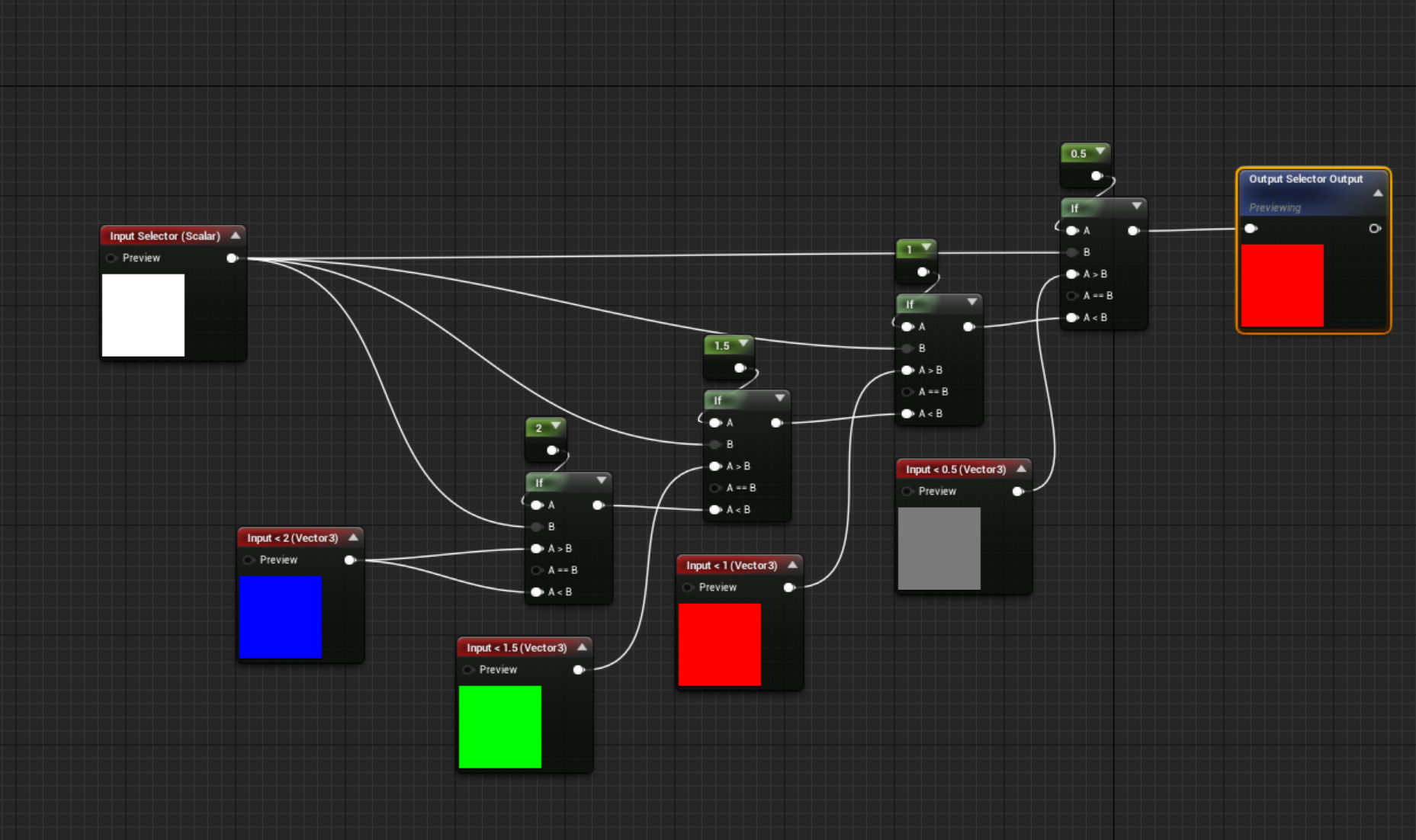
@celest birch selector is just a few IF nodes.
Collapse is mostly dethreys work
gimme a few, brain is still in power on self test mode
celest birch
i saw your twitter post about moving vertices to sqrt -1, lol.
 fossil swan
the "selector" can be quite costly if you feed it with variables.
celest birch
Hi guys how do I set beam start and end points at runtime? I know how to do it in editor. Here is what I have:
as you can see there is a branch going in the direction I want but the other doesn't.
I am using this node
I don't understand what the 'emitter index' refers to, or the 'target index'
nvm used a for loop on target index
celest birch
I've been getting this error with my mesh emitter. I've changed the material type multiple times to attempt to fix it. Any Ideas on what it might be?
celest birch
I think i had that happen to me
there are like 2 diff types of collision module
and only 1 works with mesh
or something like that
i think you need Scene Depth Collision
but its all blurry memories so not sure exactly
 fresh harness
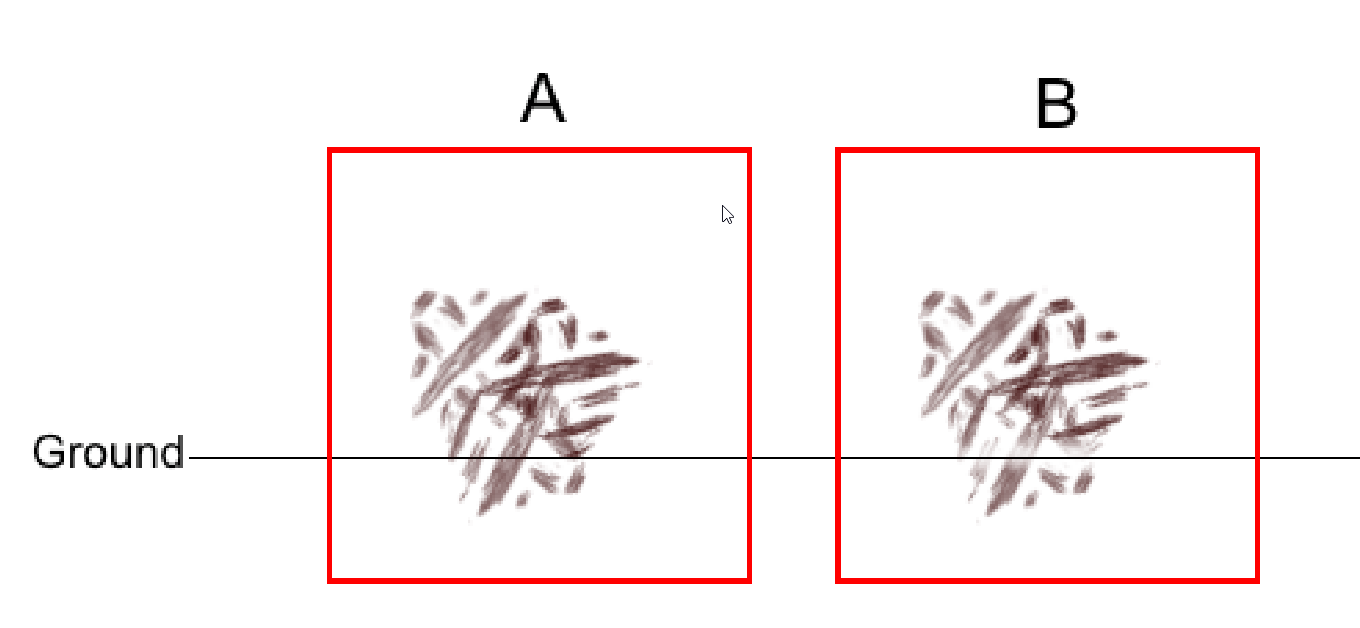
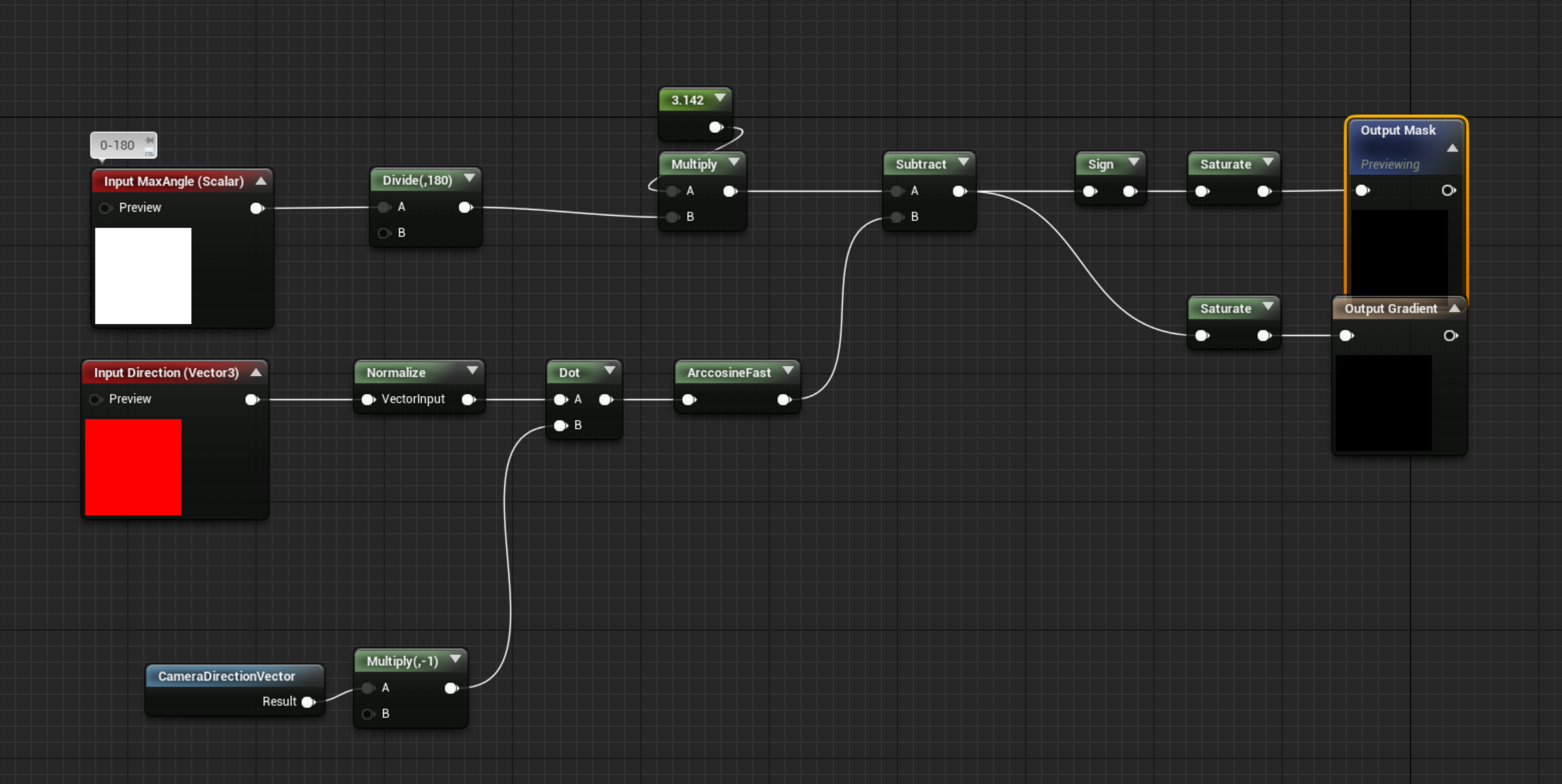
Is there a way to curb the hard clip that occurs when a mesh intersects another?
A: Currently some effect sprites clip into the ground.
B: Was wondering if there's a way to adjust the alpha, from the point of contact with the ground here in B, to soften it.


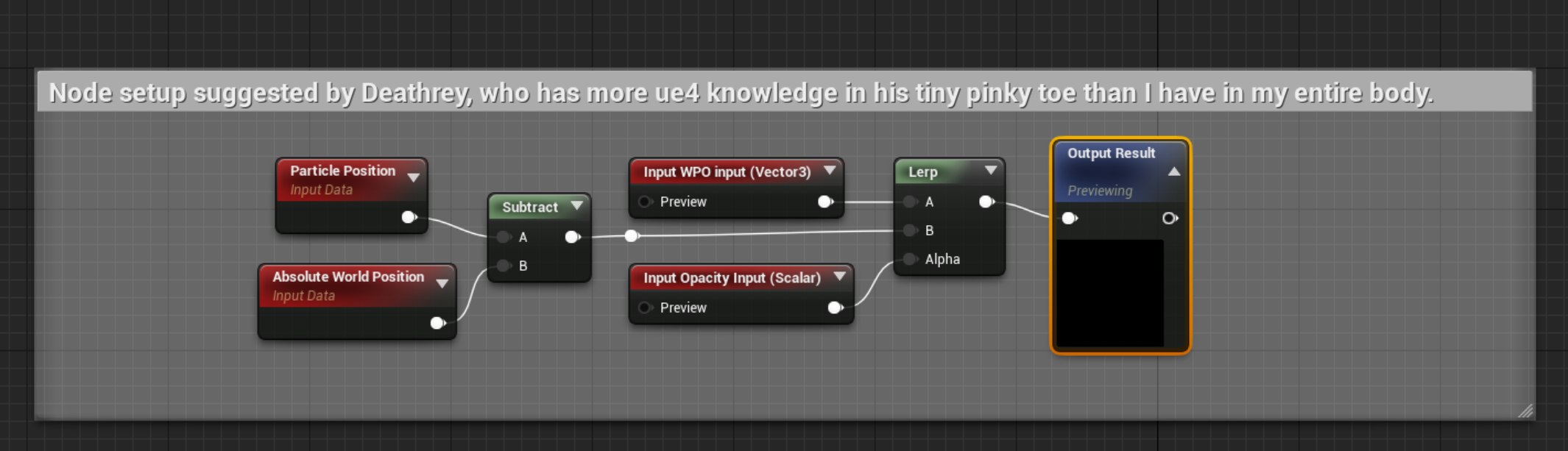
 analog onyx
@fresh harness For translucent objects there is a depth fade. For masked and opaque you can use pixel depth offset.
 verbal scaffold
Hey guys, i was wondering is there a quick and easy way to make uv's tile seamlessly with textures. I tried ajusting the texture to fit the uv better but cant seem to get it right.
fossil swan
make a version of the texture that tiles horizontally
without a gap
and lay out the uv's correctly
 still cipher
Hi, how would I recreate the camera sway used in "void ghosts{}", the camera moves around with your mouse cursor and doesn't stay static
This is the only video on the game there is

void ghosts{} by like, a hundred bears (full game) Pay what you want on Itch.io: https://like100bears.itch.io/void-ghosts Demo Disk: Demos of upcoming and re...
celest birch
camera position = character position + (mouse position - screen center position) / how much u want it to move
every tick
I think ?
celest birch
How would one have the scale change of a mesh in a mesh emitter as the life of said mesh goes on?
My goal is to have my mesh first appear small and increase over time so it doesn just appear out of nowhere.
And possibly do the same when it reaches the end of its life cycle
fossil swan
size by life
takes a 0 - 1 range, so if it lasts 3 seconds 0.33 in the range is 1 second of lifetime
celest birch
Would the Distribution remain Vector Constant?
fossil swan
of XYZ?
celest birch
celest birch
Okay I'll try it out. Thanks a lot
fossil swan
WTF is.. Cascade. A short tutorial/explanation-esque series where I explain Cascade's modules. Even though Cascade might be old news in a few months due to N...
celest birch
for some reason the vector to radial coord node does not act the way i expect in UE4
its very weird actually and im not exactly sure what happens inside even tho i had a look it didnt seem straightforward, almost a bit hacky
doesnt seem to allow for stuff to scroll
without fucking it up
am just trying to do radial UV scrolling and distortion
should i research for a way to make polar coord from cartesian manually ?
or did anyone here do it successfully with the basic node
fossil swan
one sec
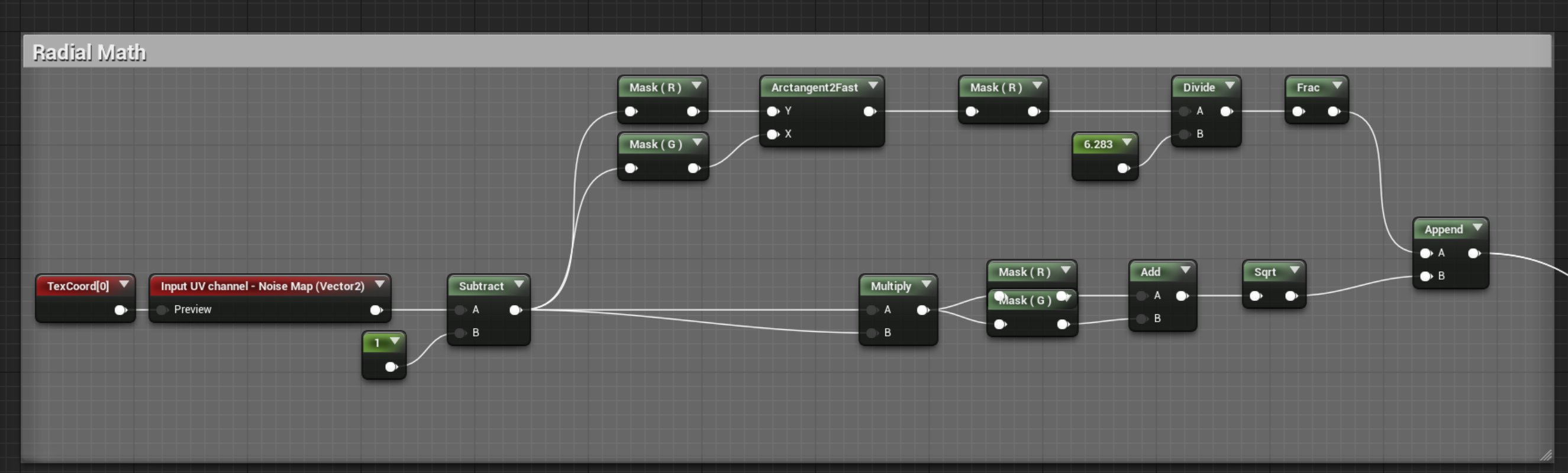

that should get you going
plug that into a panner, and panner into a texture
or use some math to get the gradient from the R channel
true terrace
Hey all, would you know if there's a way to have a material function (or any other "groups of material nodes") be able to be dynamically inserted into other materials without having to edit them all?
My case: I have a scene that the artists built with assets from different sources, so there's no 1 master material, it's just a lot of materials (no instance).
But they want the whole scene to disappear with some vertex offset anim. Which means i'd have to create a mat function and edit every single mat to add to it.
Wondering if there's a hidden cool feature i don;t know about that allows to have "additive" logic on top of existing materials, if you know what i mean
A bit like material layers i guess? I don't know much about the technicality of it though
(I know the right solution here is for them to clean their assets and use one master mat, but they're unreal noobs and we're short in time)
also related, is there some kind of "generic/works for most projects" master material you guys use? Or are they always very different based on projects?
celest birch
Thanks Luos !!!!
celest birch
How do I get a particle in cascade to spawn once and never again? (Spawn immediately)
I could not find a good tutorial for it
 tepid remnant
hey dudes
i've always wondered, how do you decide what size your particles should be
one extreme is an entire explosion animation is a single sprite
the other is each little burst of flame is its own particle
violet night
if you have doubts about the scale of your particles I would recommand putting them in situ next to your character / a building and see if that fits your direction? I usually always have a character to put them nearby
cold sorrel
That's not really what he was asking though.
@tepid remnant It depends on the project. Is it a locked camera? How close will you get to the effect? Will you see it multiple times? how many of them can happen at the same time and so on.
violet night
oh sorry ^^'
cold sorrel
You need to answer those questions to be able to make a good call on the granularity of the effect.
tepid remnant
Ok so it's a calculation on visual importance and performance (ie. Avoiding overdraw) basically
cold sorrel
Yes
verbal scaffold
Hey, I'm just now learning cascade but I'm coming across these niagara tutorials so I was wondering should start learning that because it says its meant to replace cascade?
fossil swan
either is fine. there is muuuuch more documentation about cascade and some basic terminology and practices can be taken with you to niagara.
though yes, over the course of X years cascade will phase out.
verbal scaffold
Tnx for the info, ill check it Niagara just to get the gist of it. On another note, are there any good tutorial series for someone looking to get into ue4 vfx. I
I'm currently learning from CG how but I feel i need to grasp the basics better
fossil swan
you can find a lot on realtimevfx.com 😃
verbal scaffold
Tnx, I'll look into it
Is there any obvious reason why when I make a niagara emitter I dont see the Niagara template wizard window, but instead just get a default particle setup?
 swift widget
I'm trying to find tutorials about using Composure. Working to incorporate green screen actors into a VR experience. Any help would be much appreciated.
true terrace
There's a whole project about it in the learn tab in the launcher
- docs:
https://docs.unrealengine.com/en-us/Engine/Composure?utm_source=launcher&utm_medium=ue&utm_campaign=uelearn
(don't know if it covers the VR side of it though)
swift widget
yeah that's the project I tried to work from but its not providing the same kind of texture use. I'm trying to add it to a plane and its not reacting the same way.
for some reason
swift widget
I'll try that out thanks!
true terrace
Question about material organization:
- Let's say i have a few master materials, and meshes in my level all use instances from those.
- Now, let's say every time i transition from a level to another, i want to have all my meshes disappear in a vertex crush style vertex anim similar to this: https://deepspacebanana.github.io/blog/shader/art/unreal engine/Wormhole-Shader-Effect
- So ideally i would create a mat function that does that effect and plug it in all my master mat to the World Pos Offset and control it with a MPC
- so far so good
- now let's imagine each level transition is going to be a different vertex offset effect (different mat function)...
- how would you guys go at having the master materials include all my different transition effects?
Let's say i need to include 10 different transition mat functions and they all need to plug into the vert offset of all master mats... How would i go about making a "select" node (like in BP) that i could then use to select which transition the level uses for the specific instances in it?
here's what i mean
or is there a better way to achieve this than having it all as functions inside master mats?
 limpid night
hello everyone, trying to get a uniform scatter working for use in niagara. right now I am using Random Tri Coord but I would like to get a result that doesn't depend on mesh density. this is how it looks in UE4 right now:
i'd like to achieve a more uniform scatter like in houdini:
is it possible to reduce the particles spawned at the denser mesh parts?
 brave sphinx
There is a checkbox on the static mesh. Hold on, let me look it up:
Under LODs, there's a checkbox called "Support Uniformly Distributed Sampling". Turn that on.
It says there is an extra memory cost, so be aware of that.
Supposedly, you could mark the interior pieces (eyes, mouth interior, etc.) as a different region, too, and exclude those parts. I haven't tried that yet.
glass epoch
Is there a way for the Emitter System to set particle parameters for newly spawn particles but not the existing particles in the world?
For example, I control the gravity base on how fast the particle system moving. So when first starting out, I set gravity to -980, and if I move faster than I set gravity to -2500.
The problem here is that as soon as I set -2500 on the particle system, all the particle that were spawn with -980 will switch to have -2500 as well.
Is there a way to leave them alone?
 spice ridge
hi. im having what should be a basic problem with a shader
sorry, material instance
its gone 2am and im sure i missed something obvious
on this graph, i want the "crossed out" icon to be completely red, not blended with the colour of the underlying crate
i tried a simple 'add' where i have the blend_lineardodge, and a whole load of different blend_* nodes. none of them give the simple result i want. The "crossed out" icon is simple red and black, no alpha
the idea is that if i want the icon crossed out, i alter the MustDestroy, toggling it between 0 and 1 using a material dynamic instance, this bit works, but the icon isn't legible.
if anyone can please advise, it would be great, because im sure im on the right track and just missed the obvious
see if i was doing this in the "good old days", i'd have done it with logic ops
true terrace
i might be wrong but i dont think you need to add the red circle to the box for opacity, since the box silhouette already does the job of masking out the black
it's either that or the linear dodge blend (have you tried just adding the 2 textures ?)
spice ridge
it might not always be the case (re opacity)
yeah i tried just adding, got the same result
i can get a more legible result by passing the top bit thru lerp, where the alpha is "0.8*MustDestroy", this makes the box darker and the cross out lighter
not exactly what i wanted though
its nearly 3am so im going to go to bed, thanks for your suggestions @true terrace
spare hare
@spice ridge you should use the red channel of the Crossed Out as a mask. and Lerp between Box and Crossed Out.
You may want to use a Ceil with the Red Channel to make it fully opaque
spice ridge
Thanks @spare hare :) would never have thought of that at 3am
limpid night
@brave sphinx thx man!!! i'll check that out sounds perfect for what I need. the scene is quite small so some additional memory cost should be okay 😃
limpid night
that worked perfectly thanks a lot. i'll check out masking next. do you have any resources on how to do that at hand by chance? i'll send you some if i find anything useful later
 silver dirge
is there way to not render exponential fog is specific area ?
I trying to use light to make such effect but it does not works well
spare hare
@silver dirge unfortunately there isn't
you need to disable the Exponential Height Fog in the area you want and enable it again when leaving
silver dirge
@spare hare global disable ?
spare hare
yeah
pastel nebula
I thought you could attach the fog to a mesh in cascade then place the system in the area to only have fog where the mesh is. @silver dirge
silver dirge
@pastel nebula that what I am thinking to try now, attach that mesh with fog to character 😃
brave sphinx
@glass epoch You could have the Emitter calculate the current gravity based on speed during the Emitter Update (I think you could also do this at System level). In Particle Spawn, create a new vector variable for that particle's gravity- say, "Particles.GravAccel". In Particle Update, use a gravity force module, but plug Particles.GravAccel into the gravity vector field. This way, each particle will have its own gravity value based on the emitter's speed ONLY at the moment it was created.
fossil swan
"but plug Particles"
- @brave sphinx
 dapper zealot
Anyone has good books reference for vfx ?
fossil swan
the elemental magic books by joseph gilland
This book introduces the latest visual effects (VFX) techniques that can be applied to game programming. The usefulness of the physicality-based VFX techniques, such as water, fire, smoke, and wind, has been proven through active involvement and utilization in movies and imag...

Real Time VFX
Welcome to the Realtime VFX Fundamentals. This is an ongoing project where we, together, will try to explain all the fundamentals of the beautiful art of realtime visual effects. Every post will describe a basic concept you need to grasp to excel as VFX artist. There are no...
dapper zealot
Ty luos
glass epoch
@brave sphinx : thank you for the explanation, but it seems like this is Niagara right? I'm working in Cascade and C++ mostly. Can the same thing be achieved in Cascade and C++? Thanks!
 desert sage
is there any way to use text in particles? and I'm not talking about like use particles to form text like the particle text plugin, but a particle where i can somehow enter a string which comes out of an emitter, without resorting to making it beforehand it putting it all in textures.
cold sorrel
No
desert sage
really? no way to put text in a material or somethign like that to use in a particle?
cold sorrel
Sure, if you get it into the material.
Materials eat textures
You said you didn't want textures
Cascade doesn't accept strings either
Not sure if Niagara does
desert sage
you can do a lot without using much textures in the material editor though
cold sorrel
Well then it sounds like you have it sorted