#visual-fx
1 messages · Page 24 of 1
 winged nymph
and set your camera in the Camera Binding ID
and also there's a #cinematics channel for this
 celest birch
Thanks you helped me a lot 😄
winged nymph
but ya I had that issue too cause it made that camera cut thing and didn't think I needed it
winged nymph
it's a 6x6 but index 6 and 7 and liek 13 are going invisible
but if I swap the SubUVParticle node's texture it fixes it
or I thoguht it did
must be soemthign else that fixes it
 fossil swan
ss of the material?
winged nymph
I think because I'm using a Material Instance it's breaking it
I have a 11x11 SubUV texture and use a material instance to swap to the 6x6
ss?
fossil swan
screenshot
fossil swan
if your smoke has disable depth test, (you shouldnt in most cases) then your additive material needs the same, and be before the emitter with the smoke, or use a slight camera offset so its closer than the smoke
fossil swan
anything thats translucent
winged nymph
ok
winged nymph
I didn't make this just modified it
I figure additive is cheaper
this is for the switch and we were having performance issues
so I've been doing every optimization I can
I only took off depth fade node and swapped in the SubUV Particle with a regular node that was in there before
fossil swan
doesnt matter much, better ways to optimize is to tweak the emitter prolly
TextureSamplesubuv is fine
show me the emitter, preferable the spawn rate
fossil swan
it allows for blending of frames, and can be used on meshes
winged nymph
ok so the Linear Blend won't do anything if you don't use the ParticleSubUV
winged nymph
actually one of my textures doesn't have an alpha
can I append RGB to make the alpha?
fossil swan
depends on the color around the sprites
and then its often better to grab just one of the rgb's
winged nymph
I suppose red would be fine
fossil swan
can you show me the emitter and spawnrate?
in the required module you can use particle cutout, can save some overdraw that way. use 4, not 8. switch doesnt like 8
or mobile in general actually
 fossil swan
like i said, you have more to gain from other things
winged nymph
and making sure my sort order in the system was right
fossil swan
want a quick checksum?
fossil swan
a checklist**
winged nymph
for optimization?
fossil swan
yes
fossil swan
material:
does it use normal maps? no? disable tangent space normals
does it use roughness? no? set it to fully rough.
Does it need to be affected by fog? no? uncheck apply fogging (way less instructions)
does it need a lightmap? no? disable lightmap directionality
material > uv's
if you do any math, try to use custom uv's
textures: set them to shared: wrap or clamp
winged nymph
so for like fully rough and tangent space how do I know those affect the performance like with "Apply Fogging" it reduces the instructions by like 50 but those other things don't change anything in the stats
fossil swan
Cascade:
required module particle cutout (needs a mask texture)
bvc four vertices.
fully rough is a few instructions less
just hover over em
winged nymph
ahh ok it does say that, I don't see a change though in stats
winged nymph
I guess changing the unlit is basically checking that
ya
what do you mean by the custom UVs
I haven't checked any of that out yet
fossil swan
if that smoke is only spawned three times then I'd worry way more about more complex materials and emitters
fossil swan
how many fireballs are you shooting?
fossil swan
yea but how often does that happen? because its starting to sound you have other performance issues that wont be solved by reducing the overdraw of some smoke.
or a few instructions
winged nymph
this is the reduction though
before
it was like 30
or more liek an overall max count of 500
now it's like 15 max
fossil swan
ah allright
winged nymph
ya it's better now
before I was peaking far above 2000 complexity
but it gets to like 1400
actually
it goes to like 300 now
oh wait that was because I only had one thing on
it peaks to like 1500 for a few frames
ohh making it not additive bumped the draw calls from 12 to 24
fossil swan
just making it additive shouldnt do that
winged nymph
hmm you're right
I swapped it back and it was the same
still having this issue with empty SubUV frames
I fixedi t before
but its back now
fossil swan
whats the module like?
fossil swan
not sure about the tangents, but try to remove 0.1 from the out value
winged nymph
like make it 34.9?
fossil swan
yuz
fossil swan
that opacity might not do it properly
can you show me the curve for the module?
winged nymph
🤷 
still broke with 1 burst spawn and no oapcity
I'm pretty sure it's a 4.21 bug
because it fixed last time when I swapped texture in and out
not fixing it this time though
fossil swan
could also be the blending
winged nymph
ahhh
tiling method
Wrap
was using CLamp
but it worked before
ok that's what it is
this is why I didn't think it was that... it doesn't work if I do this, only if I do it in the texture
fossil swan
odd, should work
winged nymph
so if thats a bug then there is a bug
fossil swan
havent used 4.21 yet, so cant test
winged nymph
and it only fixes it if you recompile the material
 indigo peak
How could I make the sun look similar to this? It looks like the fog is distorting it
 brittle monolith
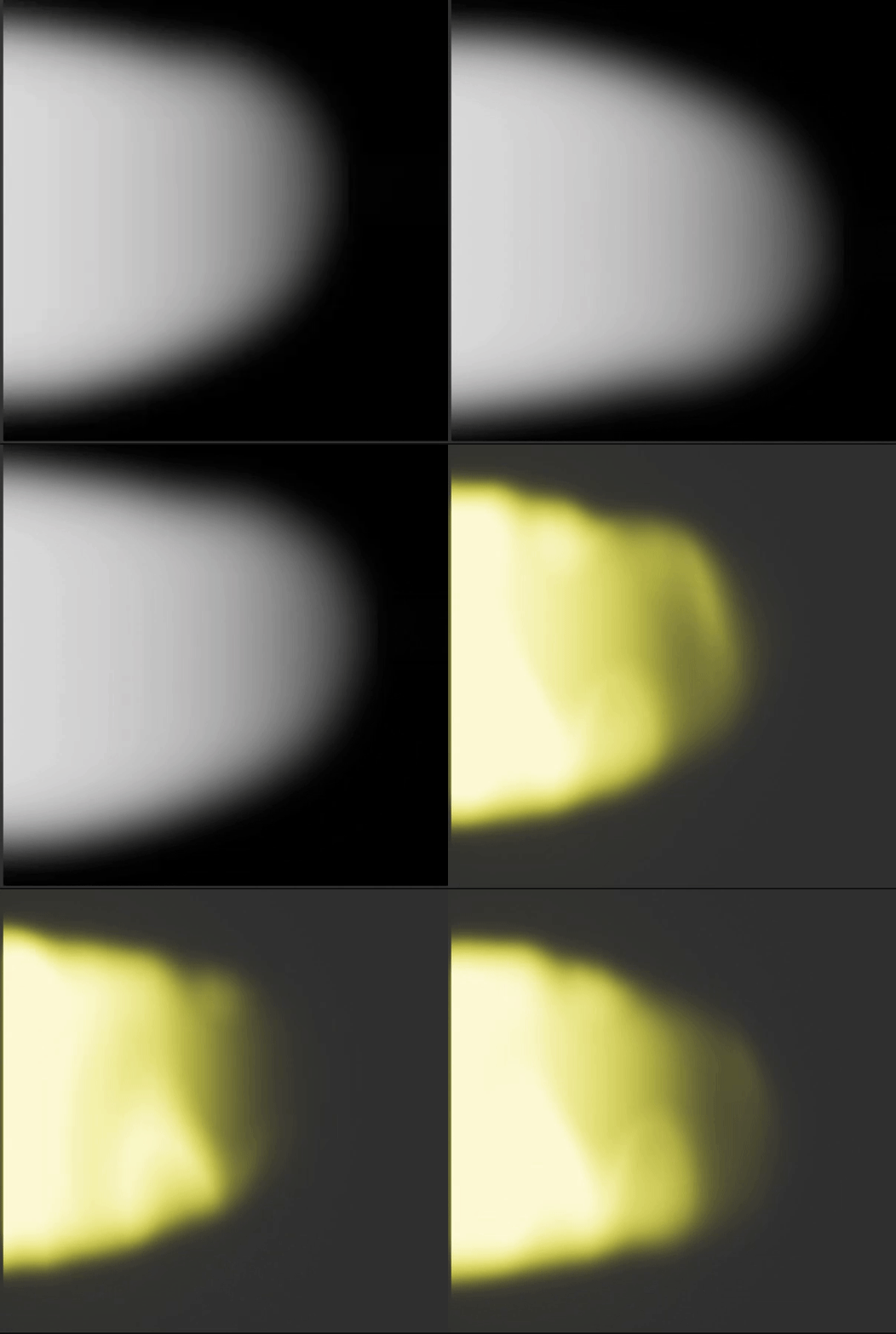
Hey y'all, trying to make a rectangular gradient, got the left and upper edges how I want them, any idea how I can get the bottom and right?
Figured it out:
 cold sorrel
one minus
brittle monolith
yup, in my case I needed 0.5 minus and it worked perfectly
Using it to summon Exodia 🌕 🌕 🌕
cold sorrel
Lol, didn't see that you had solved it when I posted. Thanks discord
 brittle remnant
@brittle monolith use "linear sine" much simpler.
brittle monolith
Hey y'all, how would you go about making a card outline like this?
My initial thoughts are to use a texture mask with colors for each region like in Simon's Rime fire stylized VFX talk
 narrow plaza
hey is anybody here familiar with video importing in UE4?
cause when i import a video in UE4 then put it as texture on plane and then make it "open source" in level blueprint the video goes nuts and starts to play from different parts and merge layers of video together :/
 austere valley
when using mesh particles, how do I rotate them with the emitters rotation?
fossil swan
https://cdna.artstation.com/p/assets/images/images/008/134/050/original/dimka-sokolov-introduction-to-fx-ue.gif?1510693112 oh god, this made me snort my water
 fossil swan
:p
 spare hare
aqua best waifu
 echo crane
made my day
 pseudo vortex
Is there a setting that allows particles to tick before beginplay?
Actually, that isn't he issue
Ah well nvm then, I have no idea why the particlesystem is not playing when the pawn is waiting for the game to start
 lilac obsidian
tho there is only one reason for particles to stop
game pause
or its not active on start
pseudo vortex
You can't pause online games 
lilac obsidian
thats what i thought you were doing
so its odd
is that particle visible ?
active?
i mean there is no other reason really XDD
is it even spawned?
lilac obsidian
oh wait
pseudo vortex
So it's not about the game being in Progress
pseudo vortex
Yeah, I'm just not sure what I turned off in the pawn for the time they are in lineup and waiting to start
lilac obsidian
mh i would think the other way
search for ways to deactivate particles
something like tickgroup maybe
you working with those?
pseudo vortex
Nope
lilac obsidian
the code prolly executes
i would look inside the particle
maybe on the required there is an option
like with timenode
pseudo vortex
Can't find any setting that would stop the Particle based on custom MatchStates
Tricky
lilac obsidian
its tough to google
pseudo vortex
There is a custom Variable for the amount of particles
And that is set to 20
Even in the Lineup and start mode
lilac obsidian
are you sure the particle is even off?
pseudo vortex

That little thing is all it produces in the lineup
Even though this is the same pawn used to play
pseudo vortex
You don't have to google for me
If you don't know what this causes I can google myself.
fossil swan
no clue either :/
lilac obsidian
there is time dilation for particles
pseudo vortex
They seem to work in the post match state
Maybe it's really some C++ thing where they check the matchstate wtf
Although, then the map vote should stop them too, let's see
Nope, that's not it
lilac obsidian
does this happen with all particles?
i mean is it only this one?
its likely a global issue
pseudo vortex
Can't really test, cause I only have that particle at hand in this given moment
The code for the lineup is also the same, and they seem to work in the post match lineup

Ignore the impulse upwards. My Spawnpoints decided to break
But in the gif you can see that the particles don't work in the first lineup and the start countdown.
But they work when the game is in progress and post match lineup
I sadly don't know enough about particles to know why this can even happen
Cause the particle component in question is only used 3 times and all 3 have nothing to do with this
lilac obsidian
the actor also dont rotate at start
mh
its hard to tell whats going on actually
pseudo vortex
Yeah, tried to cut the state times so it fits into a gif
pseudo vortex
Actually, you are right, that is not intended
I didn't even notice that
The whole freaking pawn is frozen lol
lilac obsidian
well i see a viewport that is active but they dont rotate
i thought it was connected to parenting
pseudo vortex
Welp, then it's not a particle issue! xD wrong channel spammed
lilac obsidian
theres something bigger
fossil swan
how dare you Ced
lilac obsidian
shame.
pseudo vortex
On to the next channel!
fossil swan
lol
fossil swan
@cloud raven the material needs particle color alpha set up properly for them to fade in and out
 cloud raven
how would I do that?
fossil swan
open the related material, see if the "particle color" its alpha channel is connected to opacity
or combined with other stuff and then connected to opacity
fossil swan
multiply it with whatever is now going into opacity
and make sure its the alpha output of the particle color node
cloud raven
like this?
fossil swan
bottom output, not the top one
fossil swan
yup
 zealous viper
Best place to learn how to create decent particle effects? I'm making a game that'll be heavy on lasers, so it'd be awesome to finally learn proper particlFX
cold sorrel
 short sorrel
I want to make a water effect when pawns get in the water, so I did this: https://gyazo.com/c0c7da6708bb9770f7baed5fe6cf6d52
however I'm not good at these things. I was thinking maybe a water foam effect on the material would be better, but I am not finding how to use distance lod meshes...
this is done with an emitter
fossil swan

UIWS is the leading solution for dynamic interactive water bodies in Unreal Engine 4. Beautiful unified interactive fluid, interactive caustic lighting, coll...
only 350 euro, so a steal
short sorrel
I was hoping to learn a little bit too.. 😄 thank you, this is an awesome asset!
 prime pecan
@fossil swan I can't devide if that's sarcasm or not 🤔 but all thinks considered I think that's a genuine statement 😄
celest birch
That water system looks neato
 analog onyx
350 euromoney is bargain if it is drop and forget solution with support. Sadly, I haven't seen zero maintenance plugins in this field for UE4.
 mortal lily
wondering if theres RT's behind the scenes tho
the water doesn't collide with level geometry as far as i can tell
short sorrel
thank you for the asset I'll keep it in the radar 😃
fossil swan
me in conversation:
"If one person does it, another might feel left out and starts doing it as well.. its a puts on sunglasses cascading effect"
 prime pecan

 lilac obsidian
hes in trouble
 solid stream
:/
fossil swan
no comment
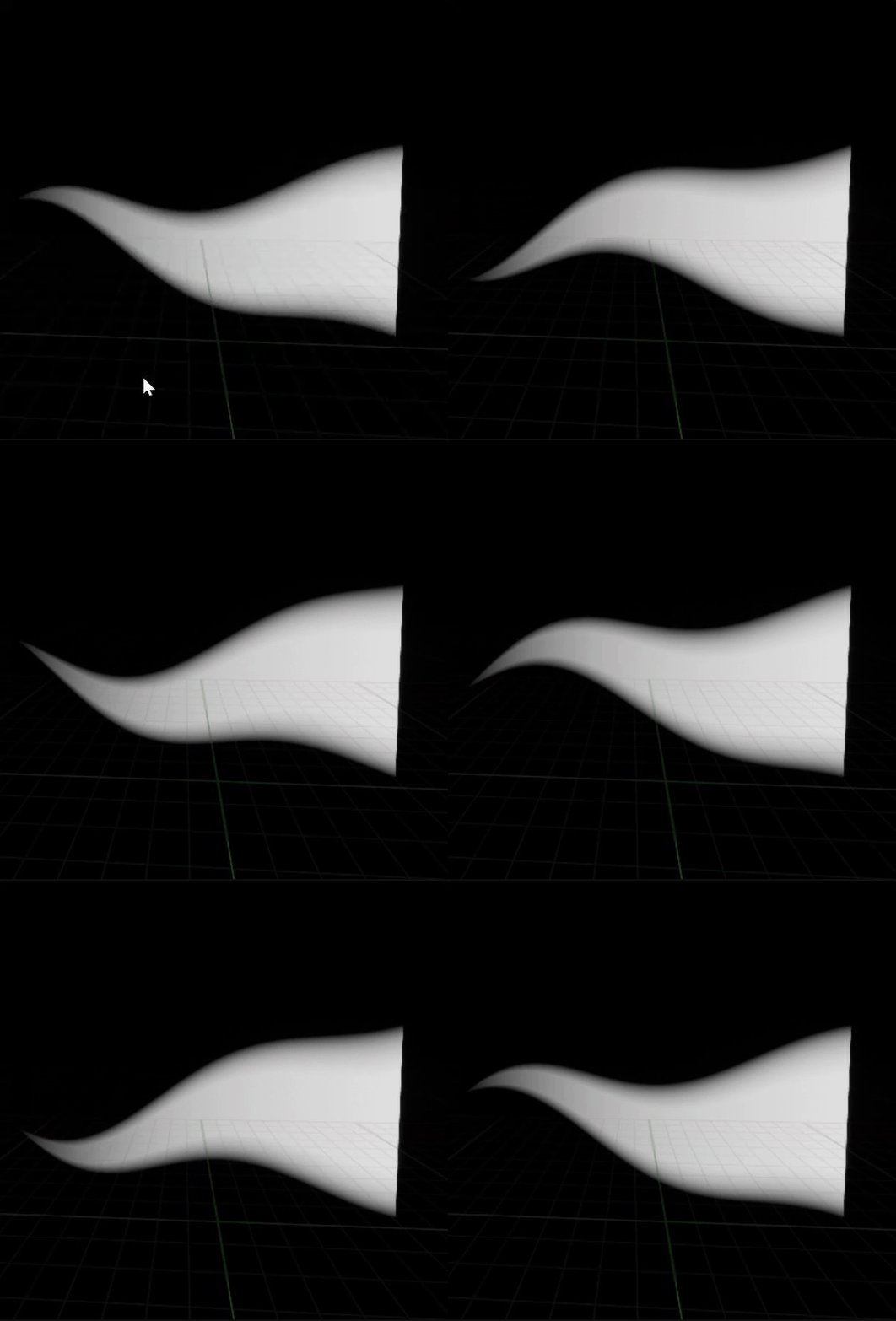
https://i.gyazo.com/9ce84aa2ef59a793ff4cd80246010444.gif I made a spermatozoid

(with some help from jan, which without this context sounds odd)
solid stream
flag animation ?
 pulsar condor
Hey guys does anyone here use truesky?
fossil swan
@solid stream in this case for an animtrail
(base made by Jan)
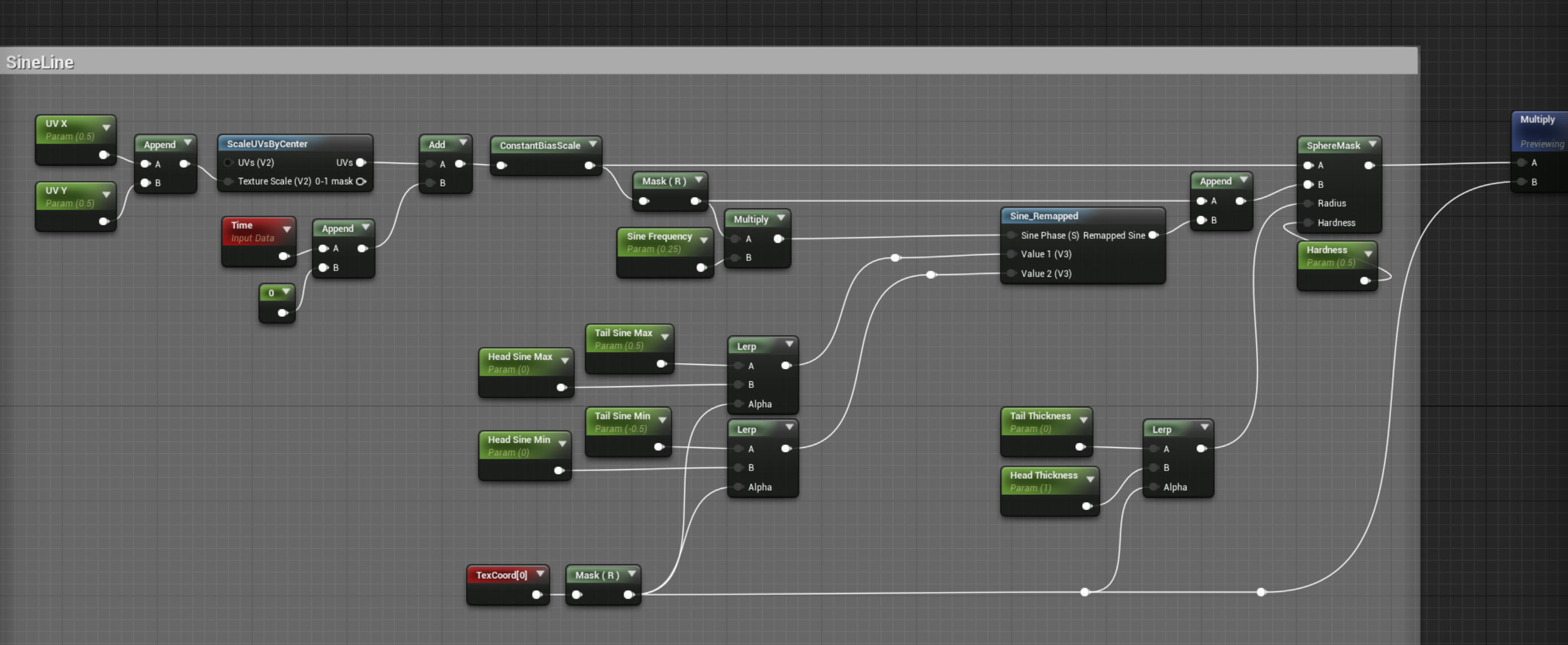
https://i.gyazo.com/73725c51e44f9a75495b0c8ec7012dde.png
 solid stream
oh I see what kind of effect it would be now
neatsauce
so basically its two sines with a slight angle offset ?
solid stream
ahaa
celest birch
I like your sperm
 indigo jolt
@fossil swan stealing this. thx
fossil swan
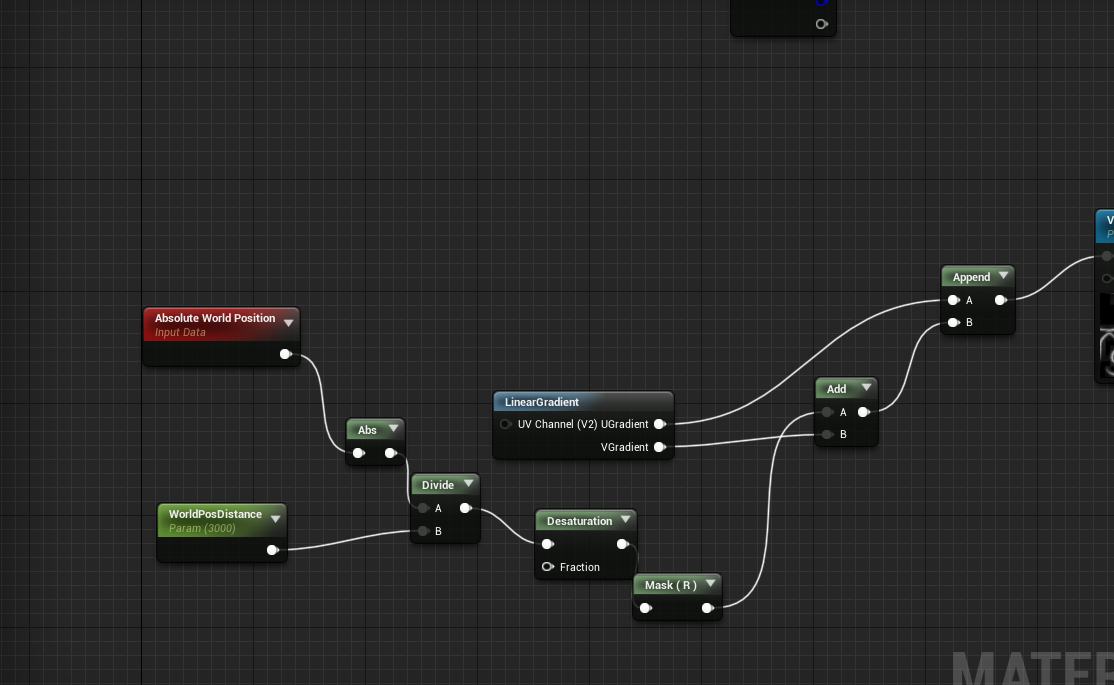
@indigo jolt jan showed me one that might be a bit cheaper, I'll screenshot it if is
indigo jolt
yeah i'd love to have more like that - doing distortion of UV's is gross method
that one is super smooth
fossil swan
same amount of instructions, can use that one
@indigo jolt I kinda knew I wanted some sine wave for a trail im working on. but didnt know how to visually get a sine-line trough math till Jan showed me, and iterated on that. its fun to see something grow more interesting the more you add to it.
zealous viper
Is it possible for ribbon particles to collide with the player? (In my case, a jet stream not clipping through the players legs)
indigo jolt
NOT clipping? could just depth-fade?
fossil swan
yea, to fade it out
indigo jolt
or use that wacky water method they use for ripples around rocks using the occlusion distance or whatever to displace UV's
i never really got that to work "good" but i've seen others do it
zealous viper
So how would I go about using depth fade in the material for the ribbon to detect intersection with the character mesh?
indigo jolt
well if it's translucent you're done with step 1
step 2. find your opacity set of nodes, plug em into a Depth Fade node right at the Opacity input. plug that into opacity
then you're pretty much done. adjust the fade-distance number to taste
by default it's at 100
 sly wraith
I created a rain particle effect but it only works if the origin is in the camera view (which is obviously not what you want when running around in the rain). How would I go about fixing this?
fossil swan
set proper bounding box, and make emitter move with camera
 carmine lake
Is Cascade still supported or should look into Niagara for learning VFX in UE?
fossil swan
cascade will be supported for a while, but if you are starting out it might be wise to pick up niagara now. though it doesnt hurt to get some of cascade in there as well atm just to understand vfx in general
 crisp cloak
So I am doing perspective division and for some reason vectors that lie just on the screen's border are between [-0.75 ... 0.75] and not [-1 ... 1]
Does that sound like a problem coming from my perspective matrix?
celest birch
how to create lightning effect at fully dark night
I created the lightning particle but I need the whole terrain to get the lightning effect
need help guys
fossil swan
why do people always only say guys, we have some qualified girls in here as well
¯_(ツ)_/¯
 lone wing
fossil swan
lone wing
fossil swan
point taken, but some aberratives from time to time wouldnt hurt hehe.
lone wing
@celest birch theres a light module for spawning a pointlight
i used a separate directional light for lightnings too once, but needs to be controlled with blueprints
celest birch
can I get reference if u dnt mind
thing here is lightning with skylight/pointlight/directional light will affect oly terrain not sky
while lightning I need the sky effect also to be change with
lone wing
the sky normally is unlit, so the only way to illuminate it will be through a parameter
you can plug a parameter into the sky emissive maybe
lilac obsidian
ok?
analog onyx
I guess
cold sorrel
fine
fossil swan
sure
 fallow spindle
in unreal engine im wanting this particle efect to have a much longer distance so it acts like fog/clouds but i cant make it render at any further distance? any ideas?
 pseudo elm
you can change the value, but that affects the quality of the volumetric fog
Its called Fog Cutoff Distance. Good luck!
lone wing
gonna ask in niagara...
celest birch
Can anyone dm me some good learning materials for fx
cold sorrel

Real Time VFX
Welcome to the Real-Time VFX site! If you’re a student getting into vfx, an indie dev, new enthusiast/hobbiest, or maybe a current dev looking to switch into FX, then this is the thread for you! With more and more people joining the site, there have definitely been an incre...
sly wraith
My rain particle effect stops working if I'm not looking at it's origin. How do I fix this?
Setting Occlusion Bounds Method does nothing
celest birch
I want this to expand object, in depth map, but it does exactly the opposite
if you reply to me, mention me
@celest birch You are accumulating depth. Try subtracting depth instead
not everything is black
Check if any of the samples are in Custom Depth and discard result if not
I'm not sure what you are referring at
In your loop, check if the sample has CustomDepth info. If it does, that means the current pixel is in range of a CustomDepth object
How I might do it?
I'm not familiar with materials
 stuck salmon
im making a particle that needs to emit from the center and spread out in a donut shape. How do I get that effect?
atm it goes in a straight line
it shouldnt go up
checking surface only at the Location -> Cylinder did the trick 😃
 glossy orbit
Hi,
I hope this is the right channel for my question :)
So has anybody successfully implemented this post process shader by tom looman in 4.21? -->
https://www.tomlooman.com/soft-outlines-in-ue4/
Unfortunately I always get a compiler error (I recreated the setup a few times from scratch but always the same error). Maybe something changed in 4.21?

Create soft outlines using SpiralBlur in Unreal Engine 4 like CS:GO and Left 4 Dead. Post includes source code for the outline effect.
indigo jolt
dunno if anyone here is doing any Cyber Monday shopping...but check the Substance bundle on steam if you get the chance. sooooo cheap
i'm kinda afraid it won't be around much longer since they moving to a subscription model
sly wraith
Can someone assist me with camera blur techniques?
 tawdry light
Hey guys, does anyone know how i could optimise the shader complexity of billboards?
they go into the white shader complexity when there are alot on the screen.
This is the material if it helps:
brittle remnant
@tawdry light Use a texture instead of the radial gradient. Also using an unlit material will help a lot. Lit translucent is very expensive.
fossil swan
while suggesting a texture is fine, the texture fetch makes it a bit moot.
especially if he has instances where he wants to change the size of the sphere.
just set it to unlit, disable "apply fogging" would reduce instructions even less.
in case of tiiiiiiiny sparks, masked could work too.
tawdry light
Thanks guys! Just wondering.. is a billboard actually the right way to go? i'm trying to achieve an effect similar to one in fortnite. Here's an example of the effect:
lilac obsidian
oh that looks very like a billboard
tawdry light
what i thought
lilac obsidian
it prolly rotates with
mh
it could also be a 3d widget tho
i know they are doing alot inside the material
the animations are vertex driven
tawdry light
yeah,it must rotate with the item
lilac obsidian
the thing that bothers me is the sizes
this may have been set up for every item individually
tawdry light
so it isnt super wide when looking fronton
lilac obsidian
so not a runtime effect
you should be able to fake this with billboard or 3d widget
tawdry light
but, i don't know how to streth the material in a way to encompass the item
lilac obsidian
you might not need to
tawdry light
as the player views the item from a different angle, the width changes to only just encompass it
lilac obsidian
just make a really large billboard
for the largest item
and then have different masks
starting from the biggest
to the smallest
and apply that in a datatable with the item
lilac obsidian
yes that is what i think epic does
you dont need to go all wonky on this
just have static sizes in a list
also the colors
tawdry light
yeah but, the size isnt static for eacch item
as you walk around the object it cchanges
in fortnite
because the rocketlauncher for example is wider from different angles
idk if that makes sense
lilac obsidian
oh i didnt play fortnite br yet
yee sounds like billboard function
you seem to be on a right track
tawdry light
Yep!
and also, the billboard seems to be always behind the 3d model
wheras half of mine is infront of the 3d model
lilac obsidian
mh
lemme think
yee
this could be easily solved
you should create a custom post process fo the items
like outline shader just that only highlight the item
and you need that as last post process
that way you can have billboard behind always
and you dont have to switch this mask
tawdry light
ahh
lilac obsidian
you evil mind
tawdry light
is there a way i can have a material that overlays the meshes original material?
tawdry light
oh wait.. do i have tocchange anything in the meshes materials to do the outline?
tawdry light
i'd rather have it addable
tawdry light
but nothing in the material?
lilac obsidian
you can have any material
yee
all at runtime
but be careful
you just filled the one and only custom render spot you have
if you want to have more... youll have to take advantage of the id system
tawdry light
yeah
lilac obsidian
tom looman made a tutorial on that
and there are a few on youtube
but its critical stuff.
lilac obsidian
exactly that
tawdry light
@lilac obsidian do i do the multiple outlines with stencils?
tawdry light
yeah
lilac obsidian
i never did the multiple ones
tawdry light
this stuff is so advanced
tawdry light
Thanks, I'll check it out!
tawdry light
Wow thanks @celest jasper that was a great watch!
I think I might use the camera offset technique
Although I'm afraid that it will make the billboard clip even more into the ground
 celest jasper
Simply adjust default Z Position then and use depth fade if it still looks ugly
tawdry light
Ahh, depth fade is a great idea @celest jasper
I'll still have to cut off some of the edges, but it will look alot smoother
celest jasper
just played Fortnite, you know what's even easier? use a sphere with screen space UVs
and instead of the sphere, you can also cut out a smaller part and make it rotate
tawdry light
I dont think i understand @celest jasper
Does anyone know why billboards, even with translucency turned off make the game stutter so much?
Here's a gif showing the stutter in the fps counter: https://gyazo.com/86a1b6a39fc32a5a2fa565abbe1e0549

Hiding the billboards boosts my fps to a stutterless 80
 weak bison
anyone triedsomething like this? https://vidcdn.123rf.com/preview/3dsilver/3dsilver1609/3dsilver160900143.mp4 i use "ultra dynamic sky" and would be nice if could implement something like this
 whole pewter
hey how come my material has lights in it reflecting when I have no lights on map??
 gleaming fulcrum
guys.. noob question here... is there some trick so the Particle System reflects on SSR and overall reflections? can't seem to make my particle show on reflections
gleaming fulcrum
the issue seems to be the particles having additivie materials
 signal vapor
Hey, don't know if the right place. anyway..media framework question. From the stream, I hear only audio but see no video. I tried everything I guess. Texture on UMG widget, material on the meshes...various settings..I want to stream .m3u8 stream..Any other ideas? I build this for android phone and this should be supported according to the documentation
lilac obsidian
hi
need help
my particle emitter particles stay at global locations
is there a way i can make a particle go with the player
not spawn and be forgotten
i might need to call luos :c
lets hit google
ok there is a thing called
use local space - Required area
wasnt obvious to google XD
 round fog
 brittle steppe
 tawdry light
Sweet, thanks.. i'd appreciate that
tawdry light
that looks awesome
is there a way i can make the textures 2d?
and not wraparound a 3d object?
tawdry light
No, this is fine, it's just when you look from the top down, the sphere uv's combine in an uguly way when using 3d @celest birch
celest jasper
sry I couldn't find the time to explain further @wild shale , but Buzzooo2 is doing exactly what I suggested
the only thing missing is rotating the sphere depending on the camera vector
 normal crystal
any way of adding more divisions to the default planes created by a particle simulation?
 obsidian portal
Hey any idea how I can fix this?
It's a tracer but its not rotating correctly
It should go straight no matter the psys rotation
 broken hatch
Uncheck Use LocalSpace in your particle maybe ?
It's in the Required module of your particle system
obsidian portal
Perfect, that fixed it. Thanks
 paper pond
Hello Community!
I'm struggling with sand dust gliding on ground, something like this:
https://youtu.be/ajhaCeDNTco?t=36

Sand Dunes Environment available on Gumroad https://gumroad.com/l/PwTd https://www.artstation.com/artwork/aKrK8 Features: - 4K Landscape Environment - Wind E...
any ideas how to replicate it?
My first thought was bump-offset shader in Klemen way, but fake praticle decal didn't work well.
fossil swan
could ask @bleak inlet
I would probably put a mask texture on top with a dusty texture, could use bumpoffset but not super needed I tihnk
 bleak inlet
I think im actually getting tagged without @ everyone like once a year
lilac obsidian
his year only has 28 days left
bleak inlet
@fossil swan hardest year that's for sure hah
paper pond
OMG I didn't realize that you are here hehe
fossil swan
hug
paper pond
so I see 2 options: buy your pack on gumroad and see whats happend there or spend lifetime on learning hsls code ;p
bleak inlet
@paper pond I don't know hlsl , tried to get into it, but
my body is not ready yet
so I stick purely to material editor
if You want to buy it make sure to use the code, it's still at -40% black friday sale 😛
@celest birch most resources I found long ago were non ue4 related, but I remember some good videos on ue4 as well
the best ones propably come from epic streams
they should be on youtube , unreal channel
paper pond
I found a book few weeks ago, but is non-ue4 as well
 oblique thicket
Hi here! Did somebody experienced this? Is that a bug?
This blueprint was working perfectly in 4.18 but doesn't in 4.21.
Ah nvm, it seems that the "Create Dynamic Material Parameter" hooked on the PS doesn't work anymore. "Set Material" On the PS doesn't do anything either.
It seems like it's a bug since 4.19? https://answers.unrealengine.com/questions/774027/set-material-on-particle-system-doesnt-work-anymor.html
Does anybody has a way to avoid this?
@celest birch If you find some good HLSL learning resources I'm super interested too! 😃 Didn't get lucky so far.
 ashen mason
Same, would really appreciate it if someone with the know how would make an HLSL UE4 specific set of instructional videos
oblique thicket
PS regarding my question: My material slot is empty on the "CreateDynamicMaterialInstance" because I copied the nodes to display it better. That is not the problem 😉
indigo jolt
@oblique thicket don't take this as "absolute authority" but i think you want to Create Dynamic Material Instance in your Construction Script usually. ALSO - this "create dynamic instance" step is sometimes not required. IE - simply right click the particle system output and attach that to the Vector Parameter.
be sure to throw in heaps of "Print String" nodes along the way at any point where you're not sure data is being passed
 cloud pumice
Hi folks. I started learning fx yesterday and I got simulating & sprite sheetconcept down... But, something I can't wrap my head around is how to make a "3d" fx particle. With sheet method, it really only works when viewed head on. Any reading material on how to make, for example, a fire that has the great look of sprite sheet, while also looking good from all angles?
oblique thicket
@indigo jolt Thank you for responding. Unfortunately it seems that there is no way to update the material/material parameters on a Mesh Particle Emitter anymore. It's pretty weird and disappointing since my graph was totally working before. To use ParticleColor or Dynamic Parameters is not ideal because I wanna set a bunch of params in my materials. I think I will just give up and use MatParamCollections, or see if I can have more access to the data in Niagara.
tawdry light
@celest birch @celest jasper Making my own billboard material manually seemed to remove the lag issues associated with billboards
celest jasper
I believe you always have to use the Mesh Material Module @oblique thicket
"Step 6: Apply the material instance you created to both emitters" If this is done in the Required Module instead of the Mesh Material Module, this indeed has no effect.
Interesting that it worked in 4.17 though
indigo jolt
vfx math problem https://i.gyazo.com/77329157e7f7c07fac9551ddc311a8e5.png

this isn't working
but goal is - i want a ribbon to pan the material in the opposite direction that the projectile is flying
but i do not want to just use world space because i want it lined up in one direction
i know idiot-proof method is just setup a panner and try to match the speed in reverse with projectile
but was hoping to utilize world position data so i can make it look like the elements of texture are at a stand-still
in ribbon
basically end goal here is - i want the image to appear "frozen in place" just the same as if i was using a World Aligned Texture node. but I only want it frozen in place lengthwise down the ribbon
fossil swan
isnt there a particle velocity node in the mat editor? could perhaps substract some scalar from that
analog onyx
How about using world position for 1 axis of coordinates and using UV for the other ?
indigo jolt
hmmm i will look into both options
 uncut sorrel
Does Circle DOF not work correctly?
it either just fully blurs the whole screen without taking into account distance
Nevermind
oblique thicket
@celest jasper Thank you so much! Indeed the MeshMaterial module worked. That's good progress! Any idea on how to do the same in Niagara maybe? :p (I'll move the question into the Niagara sub-channel)
cloud pumice
would like to make fire react to movement, e.g player running would make flames change direction, any tips?
indigo jolt
that's a hard one. making some of the flames emerge as ribbons will achieve this. i tried setting the particle rotation via blueprint based on character velocity and that was too "blinky" - the updates were violent. the usual way this is done is simply to have a smaller core that doesn't move much and have World Location bits that fly off
that way they drag behind you as you move
if anyone else has a great method tho....
cloud pumice
thanks I will try that 😃
cold sorrel
I think the only game that nearly pulled it off is uncharted 4. They lerp between a spritebased system and a ribbon based on velocity.
 fresh harness
What if you put an invisible mesh (a simple shape for like the base or heart of the flame) and give it a physics constraint on the base. So only the top of it can wobble.
- Have most of the particles you want to react to wind spawn off the surface of it (locally, so when the mesh rotates top over bottom they'll be oriented correctly).
- Stick a somewhat thin box trigger through the player.
- Scale its Y (or whatever axis of it is perpendicular to the player's side) based on the player's speed - so the faster the player is moving the wider area he/she can affect.
- When a fire enters the box trigger, apply force (based on the player's velocity) to the flame mesh
- Base the amount of the force on the player's distance from the flame AND the player's speed.
Make the box something like this (for when the player is walking, set Y scale to 0 when Idle, twice that while running)? https://imgur.com/a/RY8VtfV
 cold sorrel
That approach tends to break with up and down motion.
I tried using a jigglebone for that in unity.
For gentle back andforth stuff it's no problem. When it gets flailed around violently or especially up and down it just looks bad.
analog onyx
I guess using ribbon for this effect puts constraints on length of the trail and it surely needs some averaging over several frames for emitter position. Perhaps something like passing a dozen previous positions into the shader and rotating/skewing particles based on that could work instead of ribbon.
cold sorrel
Yes. It's the one frame snaps that destroy it
For Crow The legend I used the Ribbon method, and it worked quite well. But then they added another animation after I was off the project that was a tad to fast which broke it :p
cloud raven
particle effect isn't showing up anymore
set to visible and the emitters are active but it's not rendering the particle sprite material for some reason
was working a few days ago and I didn't do anything to the particle related stuff
 serene mantle
so i have an actor collision in one of my emitters
its never calling the PS Collide Event
i think im missing something
im not too sure
oh wait
im stupid
i never made an event generator
big yikes
analog onyx
Sample scene texture with different offsets 3 times. Take a channel from each offset sample and combine into final image.
 open matrix
Is there a limitation to how many niagara systems you can have in your scene playing at one time ?
paper pond
Initial color, material? I'll start to investigate there.
 tiny vigil
anybody have luck with changing attractor location at runtime? setting the vector parameter doesnt seem to do it
indigo jolt
no, but you could rely on a vector field instead and animation motion on that
 calm sphinx
is there a way to spawn an actor or a blueprint per emitted particle? Or am I not thinking about this the right way?
indigo jolt
i'm gonna go with probably "not thinking about this right way"
you could spawn a Blueprint Projectile and/or multiple Blueprint Projectiles, that then spawn other particles or meshes or whatever you like
kinda depends on what you're trying to actually accomplish
sometimes we ask if a "method" is possible, when it might be best to explain what we're trying to "imitate" so other methods can be volunteered though
if you're trying to do a grenade launcher - then use a Blueprint Projectile
 ocean forge
So I have this rain VFX that is spawning TONs of particles over a good amount of area. It's fairly performant on my machine, giving 100 FPS in editor. Although I get these in the visual studio logs: Warning: Spawning 71083 GPU particles in one frame[8121]: P_RainStorm1/Particle Emitter
Can someone explain the dangers of this? Is this just too many GPU particles per frame?
analog onyx
@ocean forge Spawning a particle is the slowest thing in the whole GPU particle system, hence the warning. Warning threshold is adjustable.
ocean forge
hmm okay I do want to keep my performance in check. I'm on a 1080 so it might be hard to do.
Is there any ranges that are recommended?
like hey don't do like 100k per frame on an xbox or such?
analog onyx
There are no absolute numbers here. Everything is relative. But generally, spawning 100k gpu particles per frame is not cool.
ocean forge
hmm I guess I can make the particles bigger and etc
spawn less of them
@analog onyx thanks. I think I will certainly keep in mind for optimizations and etc. I guess what I have now runs at max FPS on the only machine I got. Once I start seeing pain points I'll profile and see what I can do.
oblique thicket
@tiny vigil I change my PS attractor location on my project with this setup and it works. Hope it helps.
pseudo vortex
So, I have a simple Particle Emitter for a Beam.
And that thing doesn't want to despawn.
The loop count is at 1.
Duration is at 1.
Spawnrate is at 0.
Burst count is at 1.
Previews shows it constantly and it sticks ingame too (AutoDestroy and Destroy on Completed true)
Where is that last setting hidden that I'm missing?
Or are beams not meant to autocomplete?
pseudo vortex
Ah well, destroying it by hand then -_-
tiny vigil
@oblique thicket Finally got it working. Thanks. For me, it was actually an issue with the function I was calling in a timer. For some reason, even though I tripled check the spelling, it would never fire the function. Duplicated the function, typed the name in again, and viola.
oblique thicket
Ah interesting. Glad you figured out!
 marsh plinth
hey two questions about decals. 1. how bad are they for performance? like can i use a few dozen decals without trashing the performance? and 2. how can i make a decal not project on the underside of a mesh? like an upside-down plane
analog onyx
Fellow VFX artists, when doing frustum sliced effects(rain, snow, volumetric lighting and what not) with geometry perpendicular to camera, how do you stabilize the effect in world space ( if you actually do)? Anything practicable that can be done or it is just live with it? At lower slice counts that sliding motion is really noticeable.
 azure idol
Does anyone know where I can get an outline material? Please ping me 
cold sorrel
It's stickied in the graphics channel as this gets asked every day.
azure idol
Ah alright, thank you
 supple narwhal
hey, everyone. I was wondering if there's a way to get multiple light emitters to work within one niagara system?
supple narwhal
thank, apologies
cold sorrel
Postporcess outline with uv distortion?
lilac obsidian
doing an effect like this will result in a very heavy material
i could imagine a volume effect
prolly would give best results
but also a particle
analog onyx
I'd vouch for inflated copy of the mesh with double sided faces for that one.

 dense escarp
I'd skip inversion on that one, since you want the fire around the front more than an outline. 2-sided is a valid option to get both. Then multiply a fresnel and a mask to empty out the fx for the character reveal. You could also use vertex colors on parts of the 'fire shell' to have more or less flames. For extra love, feed the character speed and velocity in as well to boost the effect when they move and mask out the forward vector and crank up the trailing one.
analog onyx
@cold sorrel @fossil swan Nope, I did actually mean two sided, specifically to be able to get a brighter outline and not so bright fire over the body of the character without sampling scene depth.
Something like that
But can work likewise with forward facing only, just won't be as volumoeus. (I did misspell that one).
Feeding speed and velocity is actually yeah, the thing
cold sorrel
Cool! Not the way I would have done it, but if it suits your needs it does!
analog onyx
Just one of many approaches with its downsides.
fossil swan


No.008
テーマ「作画風 炎エフェクト」(by @ymsk_htbk )
x-particlesで作画風炎エフェクト。思ったより作画っぽくなった。
#C4D #Cinema4D #MAXON #Xparticles #insydium https://t.co/1YR3cfVEgE
Likes
264
 Twitter
analog onyx
Twitter
analog onyx
@celest birch Nope, just WPO
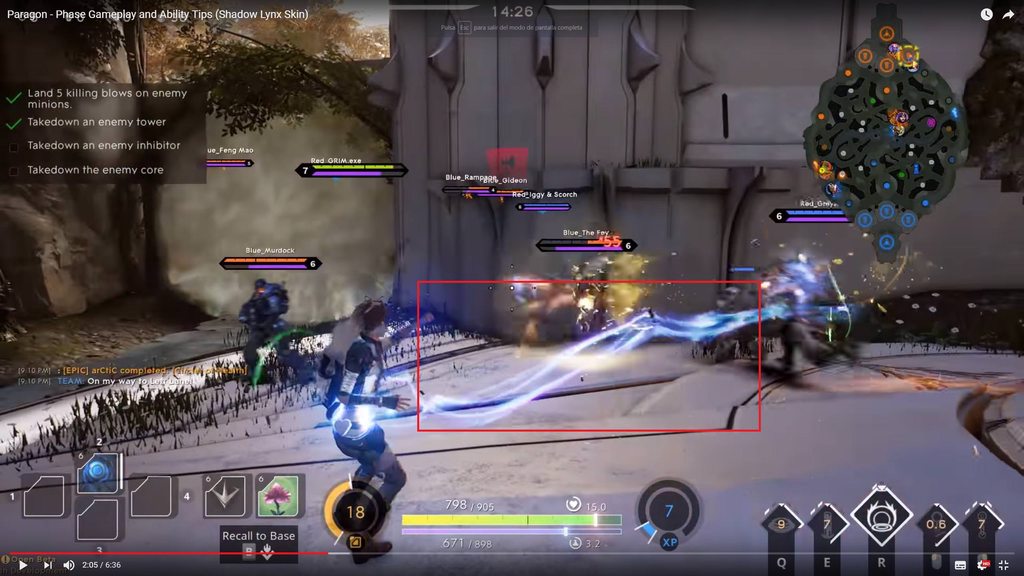 fossil swan
check the link-gun in the UT4 editor
quite a delicate blueprint to make a mesh move and swirl around a dynamic spline
or, niagara.. but not sure.
@ocean hedge might know?
open matrix
How can I make 4 particles with a tail rotate in clockwise direction continuously with a very big radius/diameter value like 2000 or + (In cascade). I want them to rotate around a giant wheel. So if I can use the wheel mesh for the particles ?
 white ether
hello
how does one solves the issue of gpu sprite collision when the mesh behind you get culled and the collision doesn't detect
in practical example... a tracer projectile VFX will seems to shoot through the wall becuase the wall is culled
cold sorrel
Well, they collide with the depthbuffer. If there isn't one, there's nothing to collide with
Why would that affect the projectile though? That should collide with any physics you tell it to.
white ether
@cold sorrel it wouldn't.. but i'm referring to fake tracer VFX
indigo jolt
Am I missing something or is Velocity Cone a World Position-only thing?
ugh nvm, other problem identified....
 fading void
I have added custom Niagara script
marked it as function
but I can't select it anywhere now ;
fading void
yeah ;d
 narrow pulsar
Hello, is there something i have to do if i want to use meshparticle (cascade) inside an actor ( not spawned as component) ? I wanted to use infinity blade assets for quick testing , specifically P_RBurst_Fire_Proj_01 and for some reason it only works if placed directly into the map not inside an actor ( the rock meshes do not spawn) thanks in advance.
narrow pulsar
Hm nevermind, seems to be a preview issue - ingame its like it should be.
indigo jolt
Does anyone have any links or memory of how to make a translucent object seem to "flatten" where it penetrates things?
ie - lets say you had a translucent dagger and you stabbed it into a wall, and you didn't want to see a black hole in middle where it's penetrating
but instead a bright as heck max opacity color
cold sorrel

Ensuring that a visual effect accurately communicates gameplay and is thematically cohesive and exciting for players is already a challenge. But their job ex...
THis is now required viewing for everyone who makes effects.
celest birch
I'm completely new to cascade. Does anyone know how to make this effect follow source and target actor... sort of convert it to a beam
 zinc remnant
If the origin of your mesh is in the middle, you'd have to find the mid point in the world between your source and target actors, place the effect there, rotate it to point the right direction and scale it based on the distance between the two actors and the size of your mesh
You'd probably save yourself some time and headaches by using a beam though
If i had to do it that way I'd have the origin of your mesh there at the base of the effect, and the size be 1 unit long
That way you only need to keep the mesh at your source actor, and you only need to calculate the desired rotation. The scale of the mesh, if it's 1 unit long, would just become the distance between your source and target
And naturally you'd need to do this in Blueprint
fossil swan
https://i.gyazo.com/2ff20b30011491a7788907e6c49947a3.gif
https://i.gyazo.com/97b87cb1c498b293a98d4a5b8eafdb05.png
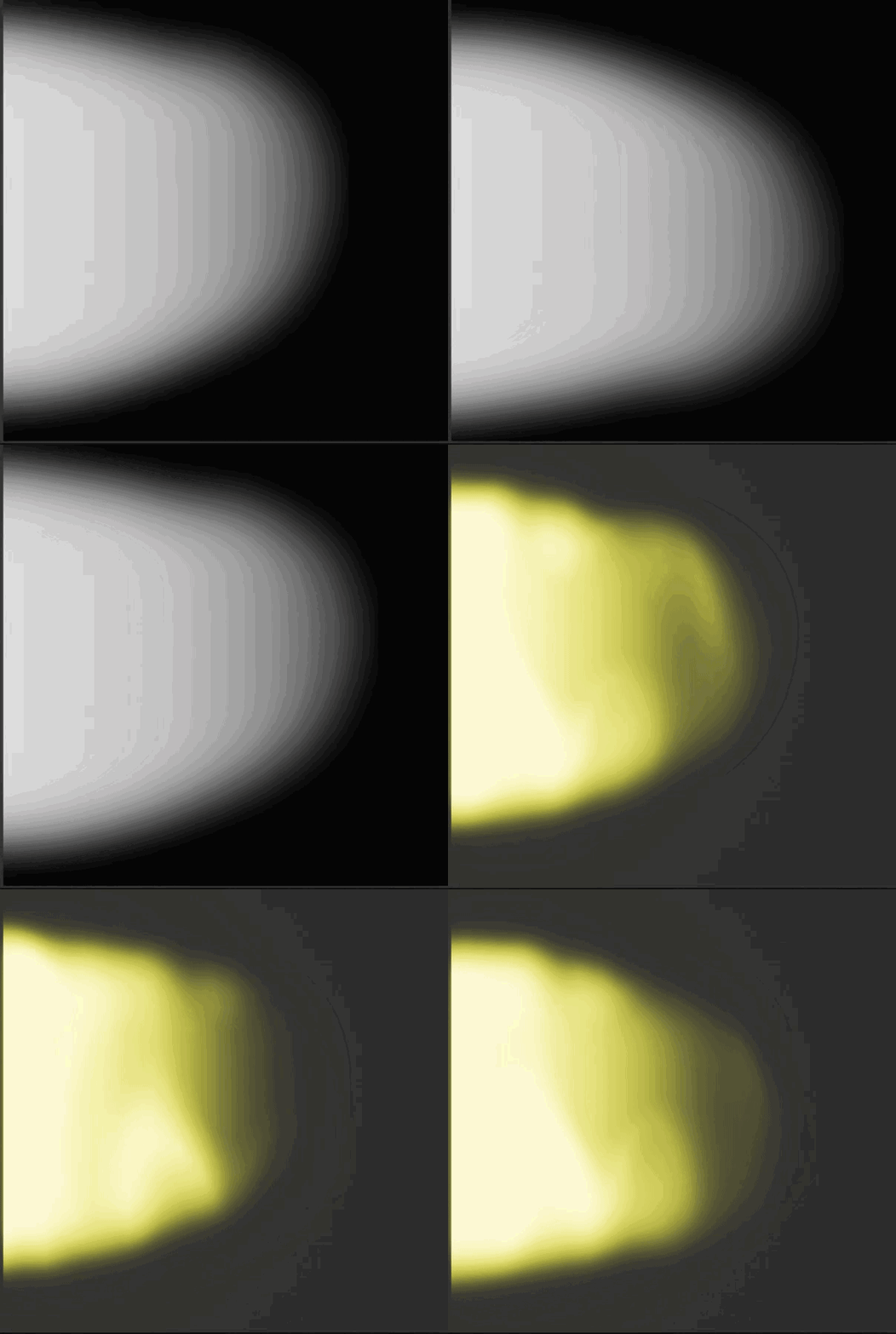
 fossil swan
time minus 1, saturated.
after two second sit should go from 0 to 1 right?
analog onyx
It will stay at 0 for a second and ramp up to 1 the next second.
fossil swan
for some reason I cant get it to do just that.
It does change the value, but whenever the particle spawns the time isnt at 0
basically I need a 0 to 1 value in 0.1 second, in a infinite timed particle.
so particle rel. time. is out of the q
related: I miss all the "over time" instead of "relative time" things in cascade
which where present in udk
analog onyx
Sounds surprisingly simple, but I don't see a way to do that gracefully for you only have time, particle relative time and delta time to work with. None of these suits. Potential workaround would be setting a parameter from a blueprint that passes some sort of world time and is processed at spawn time only and compare it to world time in material but this is a bit lame. Are infinite particles really infinite ?
fossil swan
cant use blueprints, and they are infinite until they hit something
i remember talking about it on twitter, but that was months ago <_<

Simple little #techart trick: Instead of using a timeline or setting a variable in Tick() you can read in the start time as a variable into the material and let it lerp itself. This saves having to tick your Blueprint actor! On footstep decals and such this can be major pe...
Retweets
124
Likes
553
 Twitter
but.. not usable in my case
analog onyx
Absolutely can't wrap a particle system in a blueprint? Is particle spawning arbitrary or periodic? If it is latter, you could time particle spawning to certain fractions of time and pull that 0-1 from there.
fossil swan
sadly no, needs to be self-contained :/
last hurdle I have with this specific task
almost makes me wonder why there isnt an option in time to start at zero.. but that might give other issues
oh btw, arbitrary
analog onyx
Engine change to add spawn time to particles is not that large, so if you have access to that, could consider it. As a last workaround idea I could offer you two emitters, one that spawns particle with a lifetime of 1 second, and the other one, that spawns the same particle from death of particle from first emitter but with different lifetime now.
fossil swan
yea the latter is how ive done it forever, even some of my first udk particles did that, but would cost additional drawcalls (up to 20 depending on the effect) and in cascade its really hard to match any random initial rotation or rotation rate over time.
meh food first.
indigo jolt
@fossil swan if you figure this out let me know. btw one really hacky way i found to get the initial rotation and rotation rate over time stuff matched....do the rotation stuff in material with rotate around axis and world position
of course you probably want some randomization from one particle to the next if you're doing more than one... this is mostly useful for just one thing
fossil swan
yea ive thought about that for rotation.
I actually might get away with that part by connecting the particle to a source particle that controls the rotation/rotation scale.
but then there is the rather random vertex manipulation trough shader that also happens, and might mess up spawning an inf. one after a short timed one.
typpical vfx thing, spending all day working on something that lasts less than 0.1 second XD
if only there was a particle time node, as in always starts at 0 on particle birth hehe
cold sorrel
And now I realize how spoiled I am in my engine 😛
"Why doesn't he just save the current time on spawn and subtract from whatever time is used?"
Oh, Cascade...
indigo jolt
ya it's kinda sad that there are more time controls in Blueprint than Cascade
analog onyx
Workaround culture be stronk in UE4
fossil swan
the particle is local space, but does move around, perhaps a 0-1 over initial X units?
< afk
azure idol
I have this particle system but I want to speed it up by like 2 times, what do I have to do?
Please mention me ~
fossil swan
@azure idol speed up in what way?
azure idol
Like
It currently takes nearly 3 seconds for it to finish
I want all particles and whatnot to fly around faster and do whatever they have to do to speed the entire particle animation up till 1 second
fossil swan
just change the lifetime?
azure idol
Won't that cut off the other 2 seconds?
fossil swan
yes?
azure idol
I want it to speed up, not just take less time
fossil swan
might want to explain from the beginning.
what does it do exactly in those three seconds, explain. show a gif perhaps
azure idol
What's a good program for gifs?
fossil swan
gyazo
azure idol
Ah, right
Ah
Time Dilation
I can set that to something higher so it the particle system goes quicker
But I can't set that do that via the spawn emitter at location method via BP
fossil swan
Im assuming cascade?
azure idol
Yeah
fossil swan
most modules work with a 0-1 lifetime, if you set the lifetime to 1, it does everything faster
so unless there are some things spawned later down the line, everything is just 3x as fast compared to a lifetime of 3
azure idol
Oh, it actually goes 3x as fast?
fossil swan
generally yea, with some oddeties here and there
azure idol
I thought it'd die 3x as fast instead, plain out ignoring the rest
fossil swan
depending on how its set up, it could work hehe
fossil swan
O_o
azure idol
"Woah there! The owner of Unreal Slackers has requested that Discord block any messages our mostly-accurate robo-hamsters deem to be explicit."

Okay that works
It goes from that
fossil swan
try recording again, discord sometimes is a bleep
fossil swan
just lifetime should work
azure idol
I'd have to edit a bit more, wouldn't I
fossil swan
required modules: do any of them have a delay? or any values other than 0-1 (i should open ue4 hehe)
azure idol
As far as I can tell, I don't think so
fossil swan
hmm i might have a tutorial about lengthen or shortening an effect, one sec
azure idol
I have this when I place it in the world
I can change the custom time dilation to something higher to make it go faster, works perfectly fine
But I can't do that here
fossil swan
https://www.youtube.com/watch?v=KLpCjGqPAzw
made this for an effect I sell, but it would work for yours as well

explaining how to lengthen the def spells.
 fossil swan
not too bad, try solving an issue for an entire day for an effect that lasts less than 0.2 seconds on something.
fossil swan
good luck
azure idol
Thanks ^^
fossil swan
@analog onyx if it works, it works.
https://i.gyazo.com/4067bf30e7225429f1939428a4dea672.gif
did end up going with a stupid high lifetime. need to fiddle with the curve, but it works.
(replacement of art because nda)
 analog onyx
Well, anything works 😃
fossil swan
stupid high lifetime > multiplied relative time by higher value > able to get an acceptable 0-1 ramp.
stuff
 fathom lance
Any decent tutorials for a laser projectile? I cant seem to find one
fathom lance
not a beam laser, but more of a blaster bolt.
I managed to make something pretty decent with just small projectile and a strong emissive material
will do for now
indigo jolt
use a beam anyway
pan a small shape across it
or use a velocity aligned particle with a lot of stretch
here's my issue with that - if you try to go REALLY FAST with a particle or projectile in actual world space
watch what happens anyway
at a certain speed, there's usually some rendering problems
and things get sorta blinky
like if we're talking 5 year old lobbing a pine cone speed - you're ok. anything approaching adult-fast-pitch and it's going to render like 4 frames of still image and nothing else...like a helicopter blade
i honestly have no idea why unreal is so weird about that, if anyone knows plz add
fathom lance
perhaps down the road when I need to really make things look good
this projectile I have now will do the trick. Need to get the base game working before I spend more time on graphics
I asked cause I didnt think a simple shape would look as good as it does
 earnest forge
I have a question
fossil swan
then ask
azure idol
What's up, Lin
 thick kestrel
Heya, I drew a cavern texture and split it into parts. I want to add those parts and mask a ground texture that I drew at exactly where the cavern is. I'm not really experienced with materials but I thought adding each part's rgb channels and the alpha of the ground texture and then plugging that into the ground's opacity mask would work... Below are the textures of the parts of the cavern and the ground texture on top of each other. would appreciate any help!
https://prnt.sc/luvdq3

 echo merlin
Can anyone send bullet trail effect particle system tutorial link or suggest procedure... Like laser bullet
Thankzzz in advance
 mortal sandal
Pardon me, do I ask about particle effects here? :x
in case of yes: how many different places are there to tell a particle to loop infinitely? I feel like I have it all setup right but my fog particles keep dying after like 30 seconds of game time (on a 1-second loop)
fossil swan
unless they are looping once, or disabled/destroyed trough blueprint, they should keep going.
sometimes have to make sure the bounds are allright, but if that was the problem you'd ask us why your particles suddenly dissapear
mortal sandal
well they do suddenly disappear, but I'm standing still when it happens
it's only being illuminated by the directional light so I might just be jumping the gun and not waiting for it to come back up in the morning 😂
nah that wasn't it
there was some setting I saw about # of seconds after not being rendered?
can't find it tho....
Seconds Before Inactive could that be it?
it's happening to all of my volumetric fog particles
just tried Use Fixed Bounds and that didn't help either
it's not hitting the max draw count either, cause that would take ~10 mins at 500 units, 1 per second, and it's disappearing in less than a minute
unless it's counting all of them as the same count cause I have 6 copies of it in the mapo
ooooh my fault
I'm setting fog extinction to 0
:smh:
nope.... nope.... that wasn't it either 😢
mortal sandal
I can still see the volumetric fog in the world like I'm supposed to so I know it's not that, I'm also keeping the fog density/extinction static for now but the particle still dies after like 30 seconds
mortal sandal
re-appears every time I load up the level
another weird little discrepancy I just noticed: this guardrail shadow only seems to draw when close to the camera. It and the platform below only have 1 LOD so it's not that "Enable Shadows" checkbox on further LODs... any other ideas?
and here's my volumetric fog particle disappearing if anyone has any clues: https://youtu.be/q8_yGgnoxzM
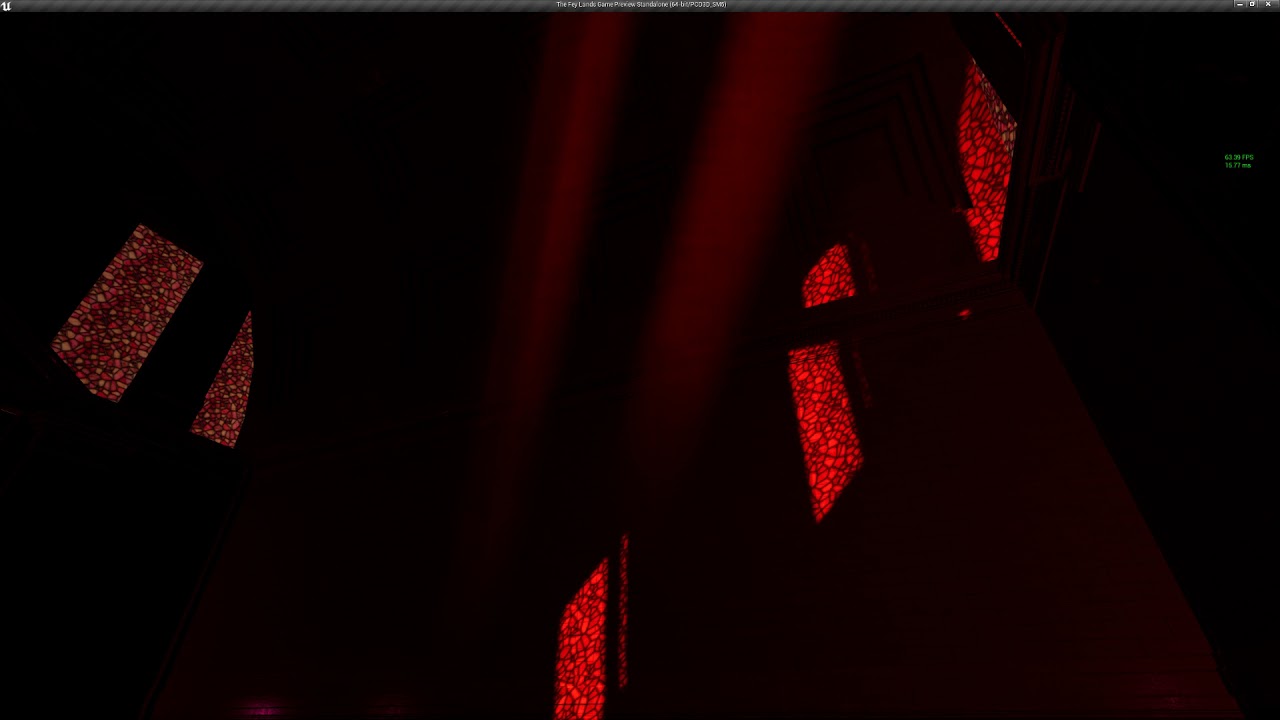
you can see it blend together with the directional light's bloom, but then after 30 seconds the fog particle disappears and all that's left is the sun bloom
mortal sandal
well I'm going with a simple destroy / spawn emitter on overlap since I can't get this thing to stick around forever 😢 maybe some sort of trash collection??
o wtf....... the spawning/destroying works....... for the first 30 seconds. Then they no longer appear
mortal sandal
so I still have some other volumetric fog particles staying in game forever (just left the game running a while) so I know it's something wrong with the particle itself (it's not on a bp or anything either)
^ just trying to summarize the conditions I could figure out if anyone thinks they can help ^
analog onyx
@mortal sandal The concept of particles staying forever is something questionable.
mortal sandal
😄
well it dies and repeats
but at some point it stops spawning
about 30 seconds after the game starts
like if I'm just hangin out in this room, it should keep going "forever"
celest birch
does anyone know
i have a mesh particle emitter
that emits very long meshes
which have a source at one point and the can be about 30m long
for some reason f i don't look at the source of the mesh, the engine culls it
do you know if i can prevent this from happening
mortal sandal
sounds like a bounds issue
try using "fixed bounds" (click the down arrow next to "bounds" symbol which is 8th from the left of icons at the top of particle emitter window)
or change the bounds scale
which is.... somewhere 😄
sOOOOOOOOOOOoooooooo
it looks like my problem with the fog particle was Time plugged in to a Panner on the material node
it simply panned out of scene I guess 😂
and I'm still using a spawn / destroy code on overlap so no "infinite" particles @analog onyx ;D
celest birch
Anyone has idea how to prevent a problem from this video?
Hi!
I'm using one of the Paragon gadget mesh particle effect to create a lightning effect. The problem is that it disappears at certain camera angle. Almost as if the mesh is being culled.
How do i prevent that? Video below:
 spare hare
@celest birch increase your Particle Effect's Bounds.
fossil swan
there is a significant lack of blueprint for vfx tutorials.
just pointing that out
celest birch
thanks
 normal shuttle
Anyone have any tips on how to occlude inner faces from transparent objects, so only the outer faces show?
Basically what's seen on the right of this picture:
I need these objects to be stackable, so I can't do it in post with a custom depth pass
I'm hoping I won't have to fork the engine to add per-mesh depth prepasses
I'm using the forward renderer if that helps
analog onyx
@normal shuttle The article explains how it is done and it needs two pass rendering of each mesh. Can't do it in stock engine.
normal shuttle
yep, that's what I said I'd hoped was avoidable
I was hoping that maybe it would possible since 2015
 eager fox
hey guys im not sure if the particles related stuff is discussed here
ok nevermind it literally says it is
anyways, i have a certain scenario which presents a problem for me
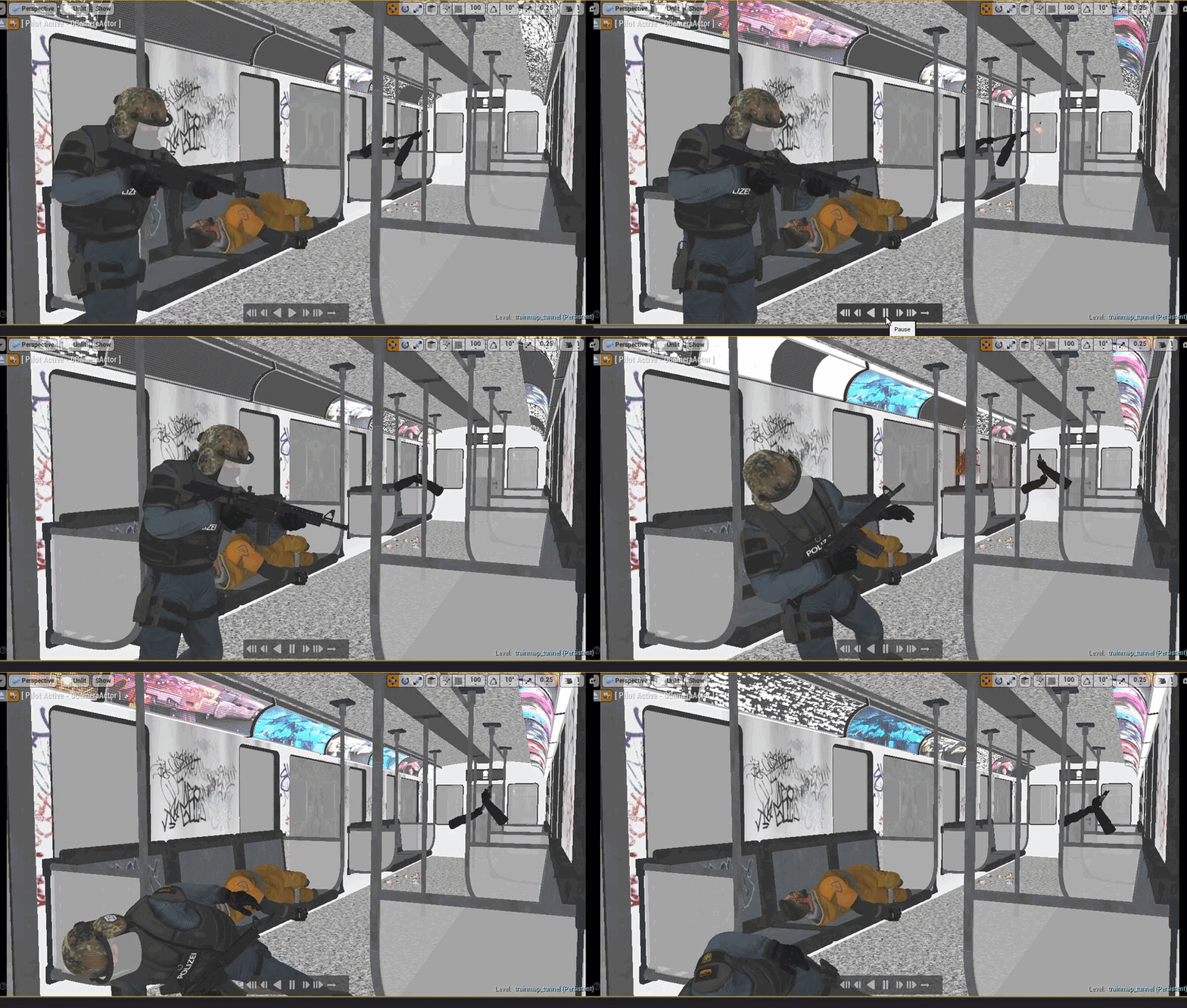
i have the blood particles parented onto the head of the player
but since the train is moving pretty fast, when the particles are activated they dont stick
they remain in the air and since the train is moving, it looks like that
is there a way to make them stick?
okaaay nevermind i just solved it
use local space fixes it
indigo jolt
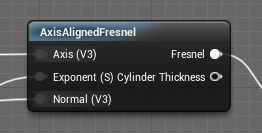
anyone know how to use this node? https://i.gyazo.com/46664874dbeeca9e82d21a076c84f36a.png

it looks cool af
like in theory....lets me control fresnel to look less fresnelly while looking down one axis?
paper pond
did you try to preview this node?
indigo jolt
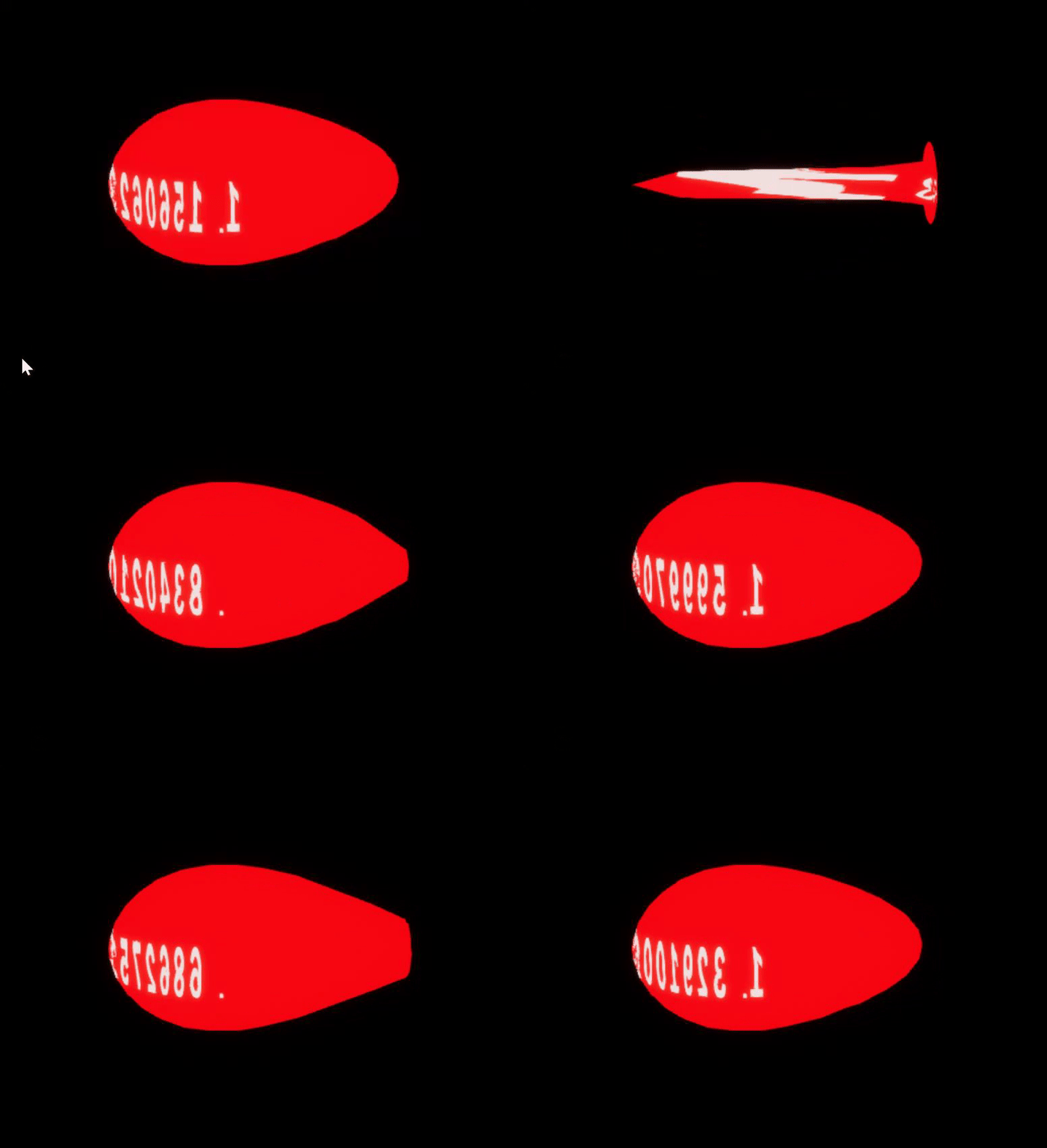
so lets say I have a tear-drop mesh with inverted faces and i want to make fresnel really show up good when i look "down" the length of it https://i.gyazo.com/6e71a4071be8ed2ed1fd4b97158151ef.mp4
i've been testing it a lot but results have been really wonky
what i mean is - those inputs
like what goes in Axis ideally
ie - if i just use a vector 3, will that be in world space or local space on this thing?
azure idol
Why am I not getting a lens flare? And why is my light in the middle or always right above my character? I have Mobile HDR enabled, lens flares and whatnot as well
Please ping me
paper pond
@azure idol did you check camera? there are effects like in PostProcess Volume too
celest birch
@indigo jolt Axis should be world space
indigo jolt
@celest birch awesome will try that
basically just looking to use an inverted raindrop mesh shape to see if i can make a Fireball looking thing with Fresnel
azure idol
@paper pond I have, yes
 night nebula

Does anyone know how I can make this look like a shockwave
it has to go faster but more dense
indigo jolt
orient by velocity on particles i guess would be a start
thick kestrel
Heya, I drew a cavern texture and split it into parts. I want to add those parts and mask a ground texture that I drew at exactly where the cavern is (excluding the alpha). I'm not really experienced with materials but I thought adding each part's rgb channels and the alpha of the ground texture and then plugging that into the ground's opacity mask would work... Below are the textures of the parts of the cavern (added together) and the ground texture on top of each other for visualization. would appreciate any help!
https://prnt.sc/luvdq3
fossil swan
might be easiest if you show your current material setup


 fossil swan
adding all those opacity masks wont really work
celest birch
Can you post one of the cavern masks?
fossil swan
why are you adding all those parts? wouldnt it be better to make it modular?
celest birch
By the way, you don't need MakeFloat3. The top output already outputs the RGB channels
thick kestrel
@celest birch Oh, right.. Makes sense...
@fossil swan Kinda hard to explain.. I have a character which crushes into the ground. After that I want to show the exact depth the character got to with the cavern. So If I didn't split the cavern into parts and would just show the cavern texture as it is I couldn't have the exact depth reached by the cavern it would always be half a screen more or half a screen less. By splitting it into parts I can tell it exactly when to stop showing the next parts of the cavern and get a cavern that it's depth is very close to the depth reached
fossil swan
thats where you use code/blueprint
thick kestrel
Yeah the thing is I need to make it seem like the character flies through the cavern
fossil swan
same
thick kestrel
Right now what I have is the character on top, ground texture at the bottom and the cavern texture in between them. It just looks like the character is flying over them and not inside the cavern
so I thought I should mask the ground texture with the cavern, then make another ground layer at the bottom and have the character fly between the 2 ground textures with the cavern texture on top
Bottom - Ground(not masked)>>Character flying>>Ground(Masked)>>Cavern texture - Top
@fossil swan Are you sure it's something to do with bp?
fossil swan
the way you are trying to do this is so odd that I dont have a proper answer for it. (sorry)
lilac obsidian
👀
thick kestrel
I just need to mask a texture with the rgb channels of another...
thick kestrel
It's a 2d game yes
thick kestrel
4 layers but yeah 😄
celest birch
You need a grayscale mask for your layers and then use it as the alpha for a lerp. But really, I'd go with a BP solution
thick kestrel
The issue is that right now the cavern doesn't hide my character completely so if I put him under the cavern his sides show. So I wanted to create a ground layer, mask it with the colors of the cavern then create another ground layer put it at the bottom and have the character fly between the 2 ground layers. then I would put another cavern texture on top so it looks like he's inside the cavern.
http://prntscr.com/lx02wv here you can see the cavern texture on top of the ground texture

@celest birch Any chance you point me in the direction of what I need to do?
celest birch
I would but your description is confusing me
thick kestrel
Care to let me screen share with you?
celest birch
I'll pass
thick kestrel
welp, thanks any way
 dim pendant
hi guys i am having a problem i cant solve on my own it seems, so i would appreciate any help! 😃 i want to rotate an object with materials using the WPO to always look at my camera position. There are nodes with which one can rotate the object to the camera view plane(AlignMeshToTheCamera) but not to the position of the camera. Getting the Vector which represents the Direction to the camera is easy i think. Object Position - Camera Position, but how do i then set the object orientation to that vector?
fossil swan
https://www.youtube.com/watch?v=wCE-7Y8WfX8 would this help?

Material Network to connect to WORLD POSITION OFFSET: http://pastebin.com/hkqkkJ9j
dim pendant
yea but this only rotates around one axis only and i failed to combine 2 axis with this approach.
 nocturne helm
Noob question? I made snow (particles), I am standing in my house looking outside, but does not see the snow. Some kind of view of depth question. It is in a VR scene. How to solve this
 cobalt moat
I was wondering if there's a way to make a particle systems mesh data select from an array of different static meshes, or a way to combine multiple static meshes into one and have the particle system select between which mesh it uses per-particle.
fossil swan
combine multiple meshes in your 3d program of choice, and either trough a seperate uv channel, vertex color, or however you want to do it, and flip between em in a shader using a dynamic parameter
and if: niagara, dont know if they have mesh arrays yet, in that case ask in #niagara
dim pendant
this is what i have right now.... it kinda works... but when i combine th e rotations the arrow still is not looking at me 😦
 worldly pivot
When I set a particle system to have lights it wont spawn when I play the game 😦
any ideas?
fossil swan
so.. when niagara is out of the question, and ribbons/animtrails dont cut it because of how the character moves (platformer) how would you go about making proper wind lines/wind streaks/speed/motion flow lines
sadly cant show what I have due to nda.
(hope one of the coders can convert the bp to the regular mannequin so I can)
think mario/sonic/rayman/whatever movement wise. so loads of jumping, walljumps, jada
cold sorrel
Skinned physics driven mesh. Like a cape, ish
fossil swan
never done anything even closely related to it
analog onyx
Glad means that a streak should be sort of quad strip, where each pair of vertices is skinned to a bone in a chain of bones. Bones are driven by physics simulation or other kind of scripted constraints. By selecting bone behavior and the way streak mesh is skinned, one can get quite good amount of control, unlike with particle trails. It also scales good for N characters. In certain cases(utterly long trails times motion complexity times number of characters) you could consider rendering all trail emitting objects into a history buffer instead.


 cold sorrel
Does unreal have jigglebones?
If not, look at unity jigglebones and find a way to translate that to Unreal
I meant exactly what Deathray explained
You can control how quickly it "follows" fast movement and so on
fossil swan
hmm, while I will def look into it, knowing how long itll take me to get it looking as good as possible, it miiiight be better to grab another vfx artist for that part. (client work)
analog onyx
Not exactly jigglebones, but Unreal does allow you to control bone chain with physics.
Visual issues can be dealt with by skinning a degenerate strip and expanding the quad strip in vertex shader, so it always maintains perpendicular orientation towards the cam.
fossil swan
splinethicken?
analog onyx
aye
fossil swan
those have visual oddeties when there is rapid and random movement though
dim pendant
so as i was unable to get rotation on 2 axies working so i skipped this for now. Having lookat on one axis only, but added some bounce to it 😄 next is some spawn in and out effect
 somber grail
Can someone help me please?
Is the highlighted Out Val a percentage or frame number?
My texture sheet has 64 frames, but if I enter 63 (since it would start from 0) it only plays a bit more than half of all the frames so I'm getting confused here
fossil swan
frame
somber grail
thanks
im ready to kill myself now
black gonne be display black >.>
totally missed that
hour well wasted 😄
 vivid dragon
so i was following a course and the guy subtracted the actors position in world space from the pixel position in world space to anchor the texture to the particle system as other wise without the subtract the texture only showed up at location:0,0,0
but i don't seem to understand that logic
can somebody please help me understand this wizardry ?
with the subtract
without it
shows up only at location:0,0,0
here is the mat seup
cold sorrel
Subtracting the actor position essentially makes it a localspace effect.
If you don't, you do your comparison with something that's potentially really far away, i.e origin
 flat sinew
so there's one thing where I'd like to get some input on from people that are good with particle effects: I have a particle system for snow. The snow is quite intense, and my level is very big. So for not having a crazy amount of particles, I need the snow particles to only be around the player camera. Snow is falling very slowly though, and the player can walk quite fast.
If I just have the particle system at a radius of ~2000 or so around the player that looks good when the player doesn't move, but if he moves, since snow is slow, the player is quickly at a point where he has no snow around him. From "new snowflake spawns 1000 units above the player" till "snowflake reaches the ground" it's probably 30 seconds, since snowflakes are falling so slowly...
cold sorrel
Spawn them wider area around the player and spawn some closer to the ground.
flat sinew
I tried making the snow particle system run in local space, but it looks very bad if the snow flakes move with you. since they are falling so slowly, its very easy to focus on an individual snowflake and see it's moving with you then
cold sorrel
And don't rely only on the falling snow.
lilac obsidian
Oblivion had this kind of snow
cold sorrel
Add snow flying from gusts. Falling off ledges and so on