#visual-fx
1 messages · Page 22 of 1
 quaint bluff
 fossil swan

株式会社アプリボット制作「神式一閃 カムライトライブ」のゲーム内エフェクト動画です。弊社で制作を担当させて頂いたエフェクトの一部を許可を頂き公開させて頂きました。 (注:画面はエフェクト...
quaint bluff
so I went with widgets, and all good on render side but I'm getting noticeable amount of queued ticks
even tho nothing should be ticking
oh right, should probably set the widget component to manual redraw
 compact crow
Hi everyone, I could not found Niagara c++ library
 obtuse seal
@compact crow You can find it under the plugins folder :)
compact crow
is Niagara for only blueprint
obtuse seal
Oh the actual cpp functions
compact crow
PrivateIncludePaths.AddRange(new string[] { "Niagara/Private" });
PublicIncludePaths.AddRange(new string[] { "Niagara/Public" });
I added them
but I cant access NiagaraSystem
obtuse seal
@compact crow You will need to add the Niagara plugin as a dependency to your project's Build.cs file
compact crow
can you give ma an example. 😃
obtuse seal
@compact crow In your cpp project's Source folder you can find a file "ProjectName.Build.cs", open that in your text editor and for the line: ```cpp
PublicDependencyModuleNames.AddRange(new string[] { "Core", "CoreUObject", "Engine", "InputCore", "HeadMountedDisplay", "Niagara" });
I will try, I hope that will work, thank you again 😃
 analog onyx
In need of expert VFX advice guys. I am iterating on ocean wave spray particles, and cascade does not offer sufficient emission rate and lacks certain features, hence I decided to roll my own lightweight GPU particle sim for specific purpose. So far I have particular complication with spawning. The basic concept of how I process the spawn: For each particle, generate random position, read emission texture at this position. If emission at given position is > set threshold generate a random value. If random value> another threshold, set particle life, position, velocity and what not to appropriate values. If emission at given position is <threshold, do nothing. I initially feared that one attempt to spawn per particle per frame would not be enough, but actually it is more than acceptable. Now the issue: Technically, it is possible that all or large quantity of particles within the simulation will be spawned at the same or nearly same location. That is undesirable due to overdraw and general waste of simulation slots. The question: Any ideas about how to avoid spawning a particle, if there is one nearby, especially considering that I have no way to know which particle ID corresponds to which position. Any ideas would be welcome. @strong carbon Excuse me for pinging You. I am not in a habit of doing so often, but I could use an advice on this one. I hope the wall of text is not confusing.
 indigo jolt
i'm not 100% sure on this, but maybe this "distribute over Npoints" thing might be relative - it's in location modules https://i.gyazo.com/a27db24ef2a6a2b9d1a54b346a4cf0e9.png

supposed to let you evenly distribute stuff
my experience with this was "mixed" - but not a failure
analog onyx
I need emission rate of up to a maximum~~200k particles per frame. Cascade is not capable of that.
indigo jolt
yikes
that's the only anti-clumping measure i know of, sorry
i hate it when things clump randomly and you have no option to reduce 😦
analog onyx
Facing quads
fossil swan
i mean what do they look like, ae they flipbooks, more info pl0x
analog onyx
Facing quad with a motion vector flipbook. Slightly scaled by velocity vector.
fossil swan
(asking to potentially suggest something)
what if you use a mesh with multiple quads (thousands actually) and control them trough vert offset/collapse them when not needed
analog onyx
Yep, that is exactly what I am doing. And driving all this with a sim, that updates position of each quad, its scale and flipbook frame.
fossil swan
quite the pickle you are in hehe
analog onyx
I used to just space the quads equally on grid, with slight noisy offsets and hide/show them based on emission texture. Was not enough visually, plus the waste is huge. 90% of the particles were culled.
And rolled a small sim instead to actually simulate basics physics on each splash.
fossil swan
jesus
i think it wouldnt be wrong to ask Wyeth for insights, he has been a hero with some of my problems. which seems like small hills compared to yours
analog onyx
Thanks for input Luos. Here a is an ugly gif of what I mean. With purely random spawn, It is hitting where needed, but overly dense. Decreasing overall spawn chance reduces density, but also causes misses on smaller collapsing waves
I will probably ping Wyeth, when I feel brave enough.
fossil swan
jesus
 prime pecan
dayum
 brittle remnant
Now show shader complexity mode 😄
brittle remnant
Looks awesome!
 round fog
thanks ^^
@brittle remnant and because you asked: https://www.youtube.com/watch?v=kPfwVLA_9c4
 brittle remnant
I think you will want to cap the total number of impacts displayed as your effect cost is unbounded.
round fog
Yeah. I have a vertex collapse optimization planned and half implemented as well, but that's currently disabled
except for the activation/deactivation
well, it's bounded by the max fire rate of the fastest weapon * amount of concurrent enemies 😄
brittle remnant
Yeah thats a good idea,. If you shrink everything ouside the impact area to 0 that should remove most of the overhead.
round fog
yep
the one problem with more complex shapes is that the collapsed verts then like to intersect with the sphere mask for the impact, causing long thin striped polys to be visible
brittle remnant
Might want to try and reduce the shader a bit cince the camera could end up close to the sphere.
brittle remnant
You might be able to pass in the impact normal and collapse towards that
round fog
hmm, that might work
brittle remnant
er away from that
Works for a sphere anyways
might be less successful on complex geo
round fog
for spheres I've had success just collapsing to the center
but complex shapes will need something more tricky
brittle remnant
You might be able to generate a vector from the vertex you want to remove to the edge of the impact ring and scale towards that
er I guess lerp towards that point
round fog
my thought was more, use a secondary UV channel to collapse each face into itself
will probably need some modo scripting, but should avoid the issue with overlaps
brittle remnant
Yeah that could work, you'll pay some extra memory for the split uvs though might be worth a try
brittle remnant
Are you using a translucent material or additive?
I got some decent results with this:
The only issue is occasional sorting issues with the collapsed points.
I think for complex surfaces if you pass in a point some distance behind the impact point instead of the object position you should be able to avoid too much tearing
analog onyx
@round fog In this case, you could cull by outputting NaN into WPO. NaN on any vertex's positions will cull whole triangle.
 cold sorrel
i... don't think you should do that.
Get it!?
😄
Sorry... I'll show myself out
@analog onyx That's a dirty trick. I love it.
compact crow
@obtuse seal thank you 😃 Niagara include worked
round fog
Yeah same, didn't know it would invalidate the whole tri. That's pretty useful!
fossil swan
 brittle remnant
Thats some dark magic. Though i would avoid the “if” to define your threshold. 😃
Is that NAN trick multiplatform safe? / safe at all?
 wanton cairn
@fossil swan oh lawd
analog onyx
@brittle remnant Not guaranteed to be multi-platform safe. Unless the case is laid down in specifications, it is undocumented feature, and hence, no conclusion can be made, that it is safe. Had been reliably working for over a decade on desktop GPUs under D3D.
round fog
If you don't use the if, it'll invalidate all vertices probably
 spare hare
@round fog how do you do the impact effect on the coat shield?
round fog
It's complicated
I'll post a breakdown when it's finished :)
The core of it is this:
spare hare
just a thing regarding the Shader Complexity.
If you spawn the impact effect on every impact, why not using a RenderTarget?
round fog
1 Mesh particle emitter spawned via particle events at the impact location, using vertex offsets to move it back to local origin, then using particle location as the origin for the ripple. The ripple is just standard shader math.
No render targets just because. This should be cheaper and more scalable than with RTs, but to be fair I haven't tested an RT approach. This is definitely easier on the pipeline in any case.
prime pecan
are render targets really that much more expensive than multiple layered transparent meshes?
round fog
You could even use many given meshes for it without having to edit them, if the UVs work well enough
Generally, RTs are costly.
The trade-off is using very small resolution RTs
Also not all platforms handle them equally well afaict
Overdraw is generally bad, but it's also something you can budget for
It always comes down to what else is in your scene and where your bottlenecks are
prime pecan
hm I was trying to learn how to do this: https://www.tomlooman.com/rendering-wounds-on-characters/
is the performance hit too heavy to use it for a game?

Earlier this week I tweeted about hit-masking characters to show dynamic blood and wounds. Today I’d like to talk a little about the effect and how it came to be. I’ll talk a little bit about the technical details and some alternatives. The effect is a proof of concept to...
round fog
See above: it depends
If having dynamic wounds on your characters is a core feature, then you have to budget for it
analog onyx
It is not that it scales bad. It does not offer you care-free N effects.
prime pecan
that's the answer to a lot of performance issues 😄
round fog
Yep
In my experience, most things you can think of are possible to do in games. Everything has a price.
analog onyx
For wounds, you can keep a target for all characters you have in game(in view), but that is finite amount, pre defined finite number.
prime pecan
isn't it also dependend on how often it updates? I mean once the texture is there it's just another texture lookup in the shader, right?
analog onyx
With that in mind, attaching decals as wounds to respective bones and projecting them on character mesh only seems more preferable.
round fog
Wound tech is complicated. There's some really cool stuff being done that I can't talk about but that might see the light of day soon
prime pecan
don't decals have the problem that they can 'bleed' on parts of the mesh that shouldn't have them? due to their projected nature
damn NDAs D:
analog onyx
There are ways of dealing with that.
prime pecan
but in general it couldn't hurt to know how to do it with render targets, right?
I mean even if it won't end up as the final solution, the knowledge should be pretty valuable 😃
analog onyx
It never hurts to know something. Well.. almost never.
round fog
I'm of the mindset to LEARN ALL THE THINGS
 crisp pendant
Hello hello, anyone aware of a possibility to run high quality lights in cascade just with an orbit module? (without velocity) Ty in advance
indigo jolt
render targets will visually be a pretty slick solution for wound tech, but it's in the category of "not on VR, probably not on Switch" in performance
it's not as insane as planar reflections, but it's close
analog onyx
 fossil swan
@crisp pendant if yu want to ruin performance sure
< never touches light in cascade, they yucky
indigo jolt
to my knowledge - the cascade particle module lights don't even work on PS4 platform, at least that's my experience
although no one should be embarrassed for NEVER trying it
as it's a dangerous topic
fossil swan
we had to disable all particle lights in rad rodgers as they seriously messed up all the lighting channels (remnants from previous vfx person)
 tardy dome
i think for character wounds ur better off with splat maps
maps morphs and masks
the 3 Ms u can use lots of
indigo jolt
ya a few pre-defined wound regions
rather than fully dynamic ultra-precise aim stuff
unless we're talking bullet holes, then that's different
anything melee tho...
tardy dome
same for holes, RTs are cool and all but wont change collision and once 2 holes connect and it doesnt fall off ur ultra dynamic system goes apecrap 😛
 plucky frost
does anyone know how to change the color of a material using a blueprint? The specifics are in #graphics
tardy dome
dynamic material instance
indigo jolt
ya, you have the BP reference the actor that is using material and yes dynamic material instance, use the parameter you plugged into your color in the material itself
if you're asking that, you probably need a tutorial or walkthrough on that subject tbh
i don't have one readily on hand
tardy dome
dynamic material instance + ue4 in ur preferred search engine/ video host thingy
prime pecan
talking about planar reflections, anyone know why they broke in 4.19 when you try to use them in VR? Before they were okay, but after 4.19 performance just tanks when you look at them in VR
indigo jolt
because they were always bad but likely were just "not bad enough" for your comp to handle safely before. VR doubles costs of everything
if your project is already big and bloated and you tack on planar reflections, you could feel the hit even in 4.19
it was knocking off 20 fps globally down from 60 fps on a project i was on
prime pecan
the thing is that we used them in 4.18 without too much problems. sure the performance wasn't ideal, but that was a secondary issue for our usecase.
in 4.19 they've become absolutely unusable in VR becasue fps drops to single digits
even in an empty scene
indigo jolt
why not just use regular reflections? i mean they have a little bit of weird bleed on sides if you're doing ocean or something
but otherwise they're not crappy
prime pecan
well if you want to make a mirror SSR just won't do it, but it doesn't matter, I was just curious if anyone knew why it broke
 gleaming fulcrum
i know why
4.19 has issues with RenderTargets
hence why our water shader was totally slow on that version
i THINK it has something to do with NVIDIA, but i'm not certain
it was fixed on 4.20 though AFAIK
more specifically, we had issues with RenderTarget simulation for the FFT, which tanked the editor performance
 robust quail
yeah there was some major memory leak in 4.19 aswell if you used render targets
gleaming fulcrum
oh 4.19... how much i haven't missed thou
gleaming fulcrum
Hey guys, a little help.
So i'm not very versed on particles, which is why i need some feedback on this stylized fire, maybe you can help me pin point what is missing or can be improved?

Little test for torches, still building
the game is 2d unlit, so a big issue i'm having is how to lit the stage though
prime pecan
a little bit of shader magic could do the trick if you don't have too many lights at once
gleaming fulcrum
interesting... how so?.. i have seen a lot of shader magic and i'm too afraid to ask at this point
gleaming fulcrum
tries doing something like this.. is basically a mask.. and its pretty much a quick prototype

Quick prototyping of a lens effect using Radial Gradients and particle emission
don't think that solves much of the problem though
prime pecan
just so I understand you correctly, you want to light the scene with your torch?
gleaming fulcrum
i mean, that's pretty much imposible with the setup i have (unlit sprites)
i could go into creating lit sprites, but i would need normal maps
prime pecan
'easiest' way I could think of would be to recreate a blinn shader by defining the position of the light source in the material. you could do that by checking which light is closest to the character and feeding it's location coordinates into the material.
but I guess that would still need some kind of normal mapping or something similar
gleaming fulcrum
i see, you're right
i'll have to think about this, because it's a major decision
indigo jolt
@gleaming fulcrum couple things to think about, for lighting that - use an actual point light, and if you're fancy....well make the whole torch lamp thing a blueprint actor and set the light to vary intensity over time up and down with a Timeline so it's sorta blinky. Other alternative - use an emissive decal to light up the wall there. As for things that would polish this more - there's some "blinkiness" that's annoying - i think your particles are starting out at 100% opacity and 100% scale, so they stutter into existence. Change that to be 0 scale at 0.0 then whatever curve you feel works best after. most of the shapes are kinda OK though, so once movement and illumination is sorted i think it'll kinda work
indigo jolt
by default, every single particle in game will start off with an alpha curve that starts at 1.0 and goes to 0.0 - which is almost never right. same with scale
you almost always want to have 3 keyframes for ANY curve
one for zero value (scale, color, etc), then quickly or not so quickly followed by a full value, then a 0.0 at end
gleaming fulcrum
thx a lot, would have taken quite a lot of time to figure that out
indigo jolt
sometimes it'll be 0.0, 0.1, 0.0
etc
no prob
it's definitely on its way, keep going
gleaming fulcrum
thx!
crisp pendant
@crisp pendant Hey Luos, lets say i want to ruin performance......( it dosen't dont worry) how sure are you then that you can drive them with orbit?
fossil swan
i havent touched niagara much yet, sadly
crisp pendant
me a bit but without thinking about the lights
if the material for the particles is emissive
and i change the sprites
to use emissive for static
remove lights from cascade
should give same effect way way cheaper?
fossil swan


Dynamic lights are expensive, using sprites with a modulate blend material you can multiply screen colors behind the sprite and use depth masking to fake a light radius, cheap and can work surprisingly well. #screenshotsaturday #UE4 #gamedev #indiedev https://t.co/fNct4EYT...
Retweets
447
Likes
2215
 Twitter
crisp pendant
Twitter
crisp pendant
luos........
his second example
are you kidding me
exactly! what im doing right now just with way less particles
fossil swan
thought as much hehe
crisp pendant
Thank you so much
crisp pendant
waaaaaay better
ha you often a great help
really happy
because it looks superb with cascade lights.....
but radius
bleeding etc
if i reduce them performance is perfect but the light not good visible
fossil swan
hehe yea
crisp pendant
high quality lights you see way better
performance still perfect
but i cant move them -.-
fossil swan
they use them very sporadically in paragon (non high quality), but if possible I try to spawn a light trough bp, generally runsa bit better. (though last time I tried was in 4.12 or so)
but klozar's works fine for simple effects like that as well
crisp pendant
yeah but how do you get them to spawn in BP at exact particle position?
crisp pendant
thought so :S
fossil swan
lost the url, its not on mp, its a pull for source i think
imho not worth the hassle in most cases :p
anyways, afk
crisp pendant
sure that thanks again and a nice weekend
prime pecan
alright, where do I learn how to make smoke like this?
indigo jolt
Houdini, FumeFx, or Maya or Max tutorial on smoke simulation and rendering- then a lit translucency or fake lit translucency shader. Or get really clever with photoshop and ribbons
prime pecan
how would a maya smoke simulation work if I want to use it in unreal?
just to bake the texutres?
indigo jolt
Bake out semi circular image sequence of alpha and normal map
One method is to simulate smoke rising- then render camera from overhead and key frame it to ride with smoke
Look up other smoke image sequences to understand what the end goal should look like and why
There are a lot of approaches
prime pecan
alright, thanks for the input, I'll see what I can find
cold sorrel
For a thick smoke like that, drop the normals and do a sixpoint light instead.
In fact drop normals for pretty much all effects
analog onyx
Baking RGB light setup used to work pretty decent for fake volumetrics
cold sorrel
To generate normalmaps?
analog onyx
To skip normal mapping.
cold sorrel
Good, I thought I was going to have to go into a near religious argument then
analog onyx
You mentioned sixpoint light. Did you mean pre-bake lighting from 6 lights into 6 texture channels, and mix those in the shader, depending on actual light direction? Or I misunderstood something? For I've used only 3 so far. @cold sorrel
analog onyx
Thanks for clarification. We are on the same frequency for this one then.
cold sorrel
I blame Mederic from Skull and Bones. He recently did a writeup on it and it's now the new vectorfields.
It's everywhere xD
analog onyx
You know, the funniest part so far, that before your message above, I was never aware of Skull and Bones.
Definitely a game I'd be enjoying.
cold sorrel
Let the Ubi flow through you
 mortal lily
Thats pretty interesting. Do you know where i can find this write up? @cold sorrel
cold sorrel

Real Time VFX
Hi guys! Mederic here, VFX Tech Director on Skull&Bones. A few months ago we’ve discussed clouds lighting and normal maps and a bunch of techniques like DLUT and 6D Lightmaps. Since I’ve then I’ve gotten a bunch of email regarding that so I’ll try to answer a few que...
analog onyx
Thanks for link Glad.
mortal lily
Thanks Glad.
 barren raven
Very interesting read, thanks!
prime pecan
Thanks Glad! That looks pretty amazing. 😄
indigo jolt
Glad, what are your thoughts on using normal maps on clouds - not as normal maps with lighting at all, but as a Z-axis based fake lighting for unlit smoke that ACTS like lit smoke?
i've seen a few setups like that and i kinda dig the results there - simply "down is shadow" is nice
cold sorrel
Normal map, no. Bent normals, sure
Which is the same as using a spherical normalmap
Detailed Normals always look shit
brittle remnant
Heya, question for you all regarding Cascade GPU particles. Since I moved my project from 4.18 to 4.20 I'm seeing a strange difference between my emitter in the game and just looking at it in the editor window:
In editor window
IN Game
Seems like it's running faster somehow?
 honest sable
@compact crow i highly doubt it
compact crow
@honest sable I created a new actor (MyTestActor) that includes UNiagaraComponent.
And Component's asset was set.
I added MyTestActor_BP Blueprint to the viewport that extended by the MyTestActor.
The result is as follows.
Mobile Preview ES2 running without error but iPhone X crashes when starting game.
 ocean hedge
@compact crow what branch are you working out of atm?
indigo jolt
@cold sorrel hey do you happen to know with any certainty which is cheaper? Post Process Material for screen effects (camera splat-blood, rain etc) OR a head-sized dome of geometry rendered in front of camera with similar visuals?
in VR in particular
cold sorrel
Nope
If possible, use only the geo you need so you don't double render more than you need
indigo jolt
hmmm alright, i was hoping answer was 'Post Process' - i don't like using the geometry thingies
feels hacky
prime pecan
I would say post process should be faster because the other would require a transparent layer over the wholse screen
I guess that's also what he meant with using only the geo you need, so that you don't cover the whole screen with the mesh, but only the parts that should have the blood splats on them
still, my understanding is that post process effects are usually a very small performance impact
except if you go balls to the wall with them 😄
indigo jolt
ya, i'm working with pre-existing systems that are these screen-covering geo deals and i'm skeptical
prime pecan
just activate the shader complexity view and look at a transparent object to see why it's usually a bad idea 😄
hey @cold sorrel I hope you don't mind me pinging you directly.
I've got a question regarding that smoke effect. The article mentions that it supports the sunlight and one point light, but in the actual shader code I only see 1 light direction mentioned. Am I missing something or is the code only describing the sun light and you're supposed to figure out the rest from there?
indigo jolt
i guess my biggest worry here is this - the geo NEVER goes away, but the materials vary in visual opacity. so my thinking is - a fully transparent piece of geo should cost more than a fully de-activated post process mat
but i have no way of knowing
we run with a post process volume globally all the time regardless
analog onyx
@indigo jolt There is no fundamental difference between pp blendable and rendering full screen quad.
indigo jolt
how about when "inactive"?
isn't there a cost to any translucent geo even if it has 0% opacity?
cold sorrel
SMoke: Don't know. Haven't checked the code but one of the students in last months challenge on the forum managed to add the light so I assume it's not prohibitively hard.
Yes
It always costs
unless you have implemented early out
I try to use tight particles for these things.
indigo jolt
ah a particle mesh type thing that renders then dies?
cold sorrel
Or even a sprite per drop. it depends on the effect
prime pecan
alright, I'll ask our shader guy then if I ever get to that stage. what is the technique called that was used to create the maps? the article doesn't really explain how they're actually created
cold sorrel
In Bf we had damage direction indicators that used a quarter of the screen each and then individual drops for flavor
indigo jolt
nice
i guess the challenge with particles i'm uncertain of - is how to get those personal screen particles to NOT render for other players
although i'm sure that's not terribly complex
some sort of BP setup
cold sorrel
Never done it in Unreal so I wouldn't know
indigo jolt
i assume same setup as the face screen mesh deal
hmmm i'll tinker around with doing it via particles a bit, the whole thing needs some thought
prime pecan
or are there any tutorials explaining how to create the maps used for that smoke effect?
cold sorrel
I'll write you one.
Add directional light pointing in Cardinal direction. Render. Store render in a channel of finaltexture. Repeat for remaining cardinal directions.
prime pecan
it's that simple, huh?
cold sorrel
yes
cold sorrel
Hehe
It's not a new super advanced technique. It's just recieved a boost in popularity after Battlefront did it and then this writeup from Mederic
prime pecan
it looks pretty sweet though
prime pecan
would houdini be a good tool to make these kinds of effects? I'm thinking about trying it out and this might be the perfect project for it
for example?
cold sorrel
It took me about 3 minutes to create the lightrig needed in Houdini last time 😛
Perfect for that sort of thing
Especially since you can feed the result straight into cops and assemble the texture
prime pecan
well the lights are one thing, but the actual smoke? but I guess it can handle that too, right?
cold sorrel
Yes
That, I do have a course for
But it's paid and this discord is allergic to that sort of thing
prime pecan
yeees! feed me knowledge 😄
oh
you can PM me if that's ok for you
nobody has to know 😛
mortal lily
or post the link on the other discord 😄
cold sorrel
Oh it's not against the rules or anything

Have you ever tried to create an explosive effect for a game engine, and not had a clue where to start? In this course, you'll learn how to create all the content needed to create an explosion effect in Unreal 4. Software required: Houdini 15 and up, Photoshop, and Unreal Eng...
It's just, after I post that I get PMs from people asking if I can send it over for free instead.
The course only covers basics. If you want to make good looking smoke, check out Knippings course.
Applied Houdini
prime pecan
ha pluralsight, I'm currently getting bombarded with their current deals, so maybe this is the perfect time to get it 😄
but thanks for the help, I'll see if I can get something done with that 😃
analog onyx
@cold sorrel Nice to see you as course author and thanks for the link. Definitely will subscribe for that one, once I hit requirement to get hands on Houdini.
cold sorrel
Man, got contacted by a recruiter today who while being extremely interested tried to play coy. (This all happened within one long message). He finished the mail off with a link to some gameplay of the studios latest VR game. It was filled with recolored versions of the FXVille bloodpack from the late 80s. I mean, it didn't look great when it launched and if you are still rocking it, I don't think you can afford to play hard to get buddy xD
indigo jolt
lol that FXville thing gets used everywhere
i don't hate it tbh
but it is pretty "affordable"
analog onyx
it is the one, with weird purple tint on it ?
cold sorrel
I put mine out for 3 bucks to try and irradicate it. But it's not working 😄
It's not a horrible pack, but it has not aged well. If they put a new one out now, it'd look a lot better
prime pecan
you're implying that they improved in the meantime 😛
this isn't always a given
btw would Popcorn be a viable alternative to create that smoke effect? 😅
prime pecan
Well the smoke textures
prime pecan
well a friend mentioned it when I told him what I want to make, so that's why I asked 😄
but that clears thing up a lot, houdini it is!
indigo jolt
ya houdini is amazing. popcornfx seems to be a toy for programmers that want to do fx
it can be artsy but it really pushes "script" based organization
 dull igloo
hi all, question about spawn per unit within cascade. in 4.20 if I set my movement tolerance crazy high, I still get particles spawning. This seems like a bug in my version. Any ideas of how to work around this? I need particles that only spawn when you are moving fast
cold sorrel
Nah, Popcorn is good for when you run into walls in cascade. It has more use for Unity though as Unity doesn't have GPU particles.
indigo jolt
ya i used it in Unity, it was OK...much of the free demo content was kinda pricey, and particle collisions didn't work with in-unity environments
cold sorrel
They do, but you have to build the collision scene
I would never use it for something that could be done in cascade or shuriken
But for the stuff that can't be done there it's worth it
prime pecan
well I'm looking at the introduction tutorials for houdini right now, gotta say, the node system is on another level I love how easy everything just connects and disconnects 😄
honest sable
@prime pecan be sure to check out entagma, rohan dalvi, and procedural lake houses
cold sorrel
I don't recommend lake houses if you are a beginner.
Hell I don't recommend it unless you are a programmer
To be fair I wouldn't start with entagma either unless you have previous mograph experience.
Both Anastasia and entagma are very vex heavy which is counterproductive when you try to learn the basic Houdini concepts.
 sullen forge
@prime pecan there is a Torch tutorial
wich shows how to model a game-ready torch for games
thats one i really liked
for an "intermediate" use
for the actually basic, i would say Game Tutors is fine

https://gum.co/Vvekx This video tutorial will give you a completely different approach of creating a prop as in an usual game dev cycle/workflow. There are n...
this tutorial
even materials are created procedurally and baked
there is also a great noob tutorial about how to make a spaceship
for free
in Udemy
it shows how to do more "normal" modelling, with some enhances with booleans for some parts. But mostly fairly normal
prime pecan
alright, thanks guys, I'll take a look at your suggestions! 😃
prime pecan
yeah I'm definetly starting with that, but it's nice to have suggestions to follow that up 😃
 gleaming orbit
Does anyone know how to freeze a particle effect on a certain frame? I'm trying to freeze my scene and then do a matrix style camera animation
 pale ivy
@gleaming orbit : If using cascade > https://answers.unrealengine.com/questions/175325/pause-particles-in-place.html
Hi there. Does anyone have issues with Niagara and making a smooth fade in/fade out transition? I used a color on particle update with a color from curve to drive the opacity from 0 to 1 but some of my particles are still popping. I have this issues on several of my emitters, dunno why really :S Any idea? Ty
barren raven
@sullen forge that torch tutorial is 18 hours though, very difficult to get through it. I highly recommend these two tutorials @prime pecan https://www.udemy.com/game-asset-creation-with-houdini/

His second part covers buildings. They are both really nice and short and contain lots of great info for modeling
And only a few hours each, great pace
Then like people said, do entagma and more advanced stuff later, it actually is more beneficial to watch the engtama VEX series when you already have an understanding of it as it hammers it home nicely
And if doing FX work, Glad's courses are excellent
Also Applied Houdini is top notch but more catered to film FX, still you pick up a lot of useful info
prime pecan
All I wanted was a simple smoke effect and now I'm ready to gear up to become a Houdini Pro. Thanks for all the great suggestions I'll definitely dig into them. 👌
barren raven
It's so worth it! Houdini is the way forward!
prime pecan
It certainly won't hurt to know how to handle it, I guess 😅
sullen forge
tfw i literally ignore the entire VFX parts
just interested on proceduralism and modelling
gleaming orbit
@pale ivy Thanks
fossil swan
https://www.youtube.com/watch?v=-IRxWJG3W2I
#justUE4Things

havent tried 4.20 yet, but looking at the mess cascade has been in since 4.18 I am rather worried that it'll end up even more a mess in upcoming versions instead of making sure it ends on a high note.
 fickle flame
in Niagara, how does one pass a static mesh to a system via blueprint? There's a node 'SetNiagaraVariable (Actor) but nothing else
indigo jolt
@cold sorrel so I was looking over this thing and it looks amazing https://realtimevfx.com/t/smoke-lighting-and-texture-re-usability-in-skull-bones/5339 HOWEVER - i can understand maybe 70% of what they're saying about the rendering process since i don't know Houdini well...but the real issue is: HOW do i do these shader instructions in Unreal? I just spent a while googling the hell out of the subject but I can't seem to find any Unreal Material setups for "4 point lighting" or "6 point lighting"
Real Time VFX
Hi guys! Mederic here, VFX Tech Director on Skull&Bones. A few months ago we’ve discussed clouds lighting and normal maps and a bunch of techniques like DLUT and 6D Lightmaps. Since I’ve then I’ve gotten a bunch of email regarding that so I’ll try to answer a few que...
cold sorrel

Real Time VFX
I really like the new additions! Can’t really see anything out of place 🙂
indigo jolt
oh wow awesome!
cold sorrel
That what they call me
honest sable
@fickle flame you don't. you set a static mesh module in the emitter
fickle flame
@honest sable ok, so is there no way to assign dynamically?
honest sable
not yet. same is true for materials
you can set a few primitive types: vector, float, bool, etc
fickle flame
ah right, ok. Any idea what this 'Set Niagara Variable (Actor)' is for?
honest sable
good question. no idea
fickle flame
I wanted to create a dynamic particle dissolve effect for any actor in scene, guess I can't do that
honest sable
i think u would have to create an emitter per-actor with different meshes assigned
fickle flame
the mesh sampling is very nice. Although I'm having to do it in a module, as when I use the supplied Sample Mesh module, I can't map the 'Particle.Position' in the system
I can cheat the effect I want I suppose, switch materials to a dissolving effect, stick an emitter at the same location, roughly same size
a little annoying, as you can literally eyedropper-pick a source actor in editor, but can't do it in BP. I guess it's compile-time setting not runtime
honest sable
oh right...eye-dropper to pick an actor. i've done this before...
when assigning the actor to a spline
honest sable
i don't think i've ever used that. a lot to learn
fickle flame
overrides the deafult mesh. So, very useful - if only you could set that param at runtime
fickle flame
right I just looked in source, that (Actor) method isn't even implemented, hah
hometime for me, thanks @honest sable
ocean hedge
@fickle flame see https://niagara-vfx.herokuapp.com/meshes-and-skinned-mesh-data-interfaces-source-data/
Niagara Blog
Both regular and skinned mesh data interfaces have three ways to set the source mesh data that they use for their operations. Option 1: Auto-discover based on attachment While this isn't previewable in the Niagara system or emitter editor, this is the simplest path at runtim...
@pale ivy could you send me an example file via DM?
fickle flame
@ocean hedge wow, the first option worked. Just attaching it to an object - ideal
Regarding option 3: is there any way to set the source at runtime?
 vivid nebula
Hey guys! Can someone tell me where can i read about points at mesh? I want to spawn particles in Niagara not only at surface mesh but at top or bot of mesh. Halp please.
I'm a little bit confused and don't undstnd how to sort points :/
ocean hedge
@fickle flame not yet, its on our radar
fickle flame
ok, thank you for the info
took me 3 or 4 hours playing about yesterday to get it to attach (and failed), your blog was super useful
 pseudo elm
I have a strange issue.
If I edit the global engine shader VolumetricFog.usf (even adding a white space). Exponential fog breaks.
Ctrl + Shift + . does nothing.
How does one recompile global engine shaders?
honest sable
@vivid nebula instead of sorting them, have you thought about using a texture? you could spawn a particle if the sample has a specific color
if you're asking how to build a coordinate, you can reference this:
vivid nebula
@honest sable Thx very much!
fossil swan
 fickle flame
Any ideas why I get this when trying to read a mesh triangle color? "LogNiagara: Static Mesh data interface is cannot run as it's reading color data on a mesh that does not provide it."
 zinc remnant
quick question about uv distortion - since I've up to now always just used it on materials in-world, the fact that distorting the UVs just by adding noise to the texcoord shifts stuff up to the left hasn't mattered.
but now I'm messing around with shifting scenetexture coords in a post process material and now it matters - I've tried to essentially remap my texture from 0 - 1 to -1 - 1 as I would expect that to work but now it's essentially just shifting things to the bottom right instead
am I right in thinking what I'm doing is right but it must just be the texture I'm using being too light and not having enough darkness to it
Alright yeah, never mind - I've reduced the shifting by tweaking my noise texture's power
cold sorrel
If you make vfx, this is now required reading.
https://80.lv/articles/real-time-vfx-overview-from-mederic-chasse/amp/?__twitter_impression=true
Mederic Chasse, VFX Technical Director at Ubisoft, talked about the Real-Time VFX field, its main advances and development lags, future challenges and more.
 weary pecan
If I have an emitter in the world based on a template, am I able to edit the particle's characteristics without saving over the template or messing with particle parameters? I want to make a few quick changes (that only have to be made one) and move on, without having a separate asset in the content browser
fossil swan
you can expose quite a few variables to accept blueprints, which in turn also exposes them when you place them in the world
but need to go now, else I would show an example
 near merlin
Hey, so in most engines I've used, I use object-based particles simply because I have more control of individual particle behavior. Trying to do this with UE is intense, because even a base actor, with nothing running on it is referencing a lot of engine features. Is there a more bare-bones rendering option available that wouldn't cause such a drastic hit on performance?.. Or is the particle system the only way to bypass that problem?
analog onyx
Object-based particles, that is.. one component, per each particle ?
That is not something that should be done.
sullen forge
can be done through instancing
very, very bad idea
as you need to update them manually
one by one
unreal doesnt let you do a "batch" where you just give it an array of positions/transforms
near merlin
Okay, I'll try to get a video up with what I did in gamemaker and see if you guys know the best place to start because yeah, actor particles are pretty rough.
near merlin
I'm trying to get this sort of behavior out of the particles. Where they're reactive to shots, bounce off things, rotate fade etc.
I'm very inexperienced with the particle system, but I haven't gotten anything close to that with it, which is why I opted to try out actors, but that gets taxing pretty quickly.
fossil swan
hmm, there might be a better way but if the small sparkles are gpu particles that react to global vectorfield, and have that vectorfield attached to the projectile. (a vectorfield with strong pushing away from bullet force) when shooting it could push em away.
at least, thats my first thought
near merlin
Hmm. Guess I should read up on what a vectorfield is.
fossil swan
basically a X/Y/Z grid, and on each gridpoint it has vectors pointing at a certain direction
near merlin
Are gpu particles compatible with mobile?
fossil swan
yes, though shooting global vec fields might be a bit extreme.
never tried it though
there is also the point attractor which can take negative values to push away, not sure if you can tell it to look at a blueprint/other emitter location though
near merlin
Yeah, I mean, I'm willing to try it. Recreating this system is more complicated than I first thought lol
fossil swan
if it can, its probably the cheaper of the two suggestions
near merlin
Okay, I'll give it a shot. Thanks for the suggestions!
They can be worse than actor particles lol
fossil swan
well, in theory they could all be part of the same mesh, each "particle" being controled by its own world offset noise to float around, and have a screenspace gradient move along with your projectiles, and add offsets when each "particle" touches that gradient.. but well..
i wouldnt do it
might be cheap-ish on drawcalls, but the vert anim/shader math would be much more expensive
near merlin
I wouldn't even know how to even start something like that.
near merlin
While googling, I discovered popcornFX. I downloaded that and I'll just give that a try. That seems like it can more than accomplish what I'm trying to do. I found a video where someone used it to spawn a crap ton of butterflies as particles lol
 long rapids
hey gang, question about old cascade
is there a way to copy an emitter from one effect into another effect?
i found 'export emitter' but doesn't seem to DO anything
nmd, found it. Propper way of doing it: 1. Select the particle system in the browser you want to copy to. 2. go to the particle editor that contains the particle you want to copy from. 3. select "export emitter" 4. The particle effect is now copied to the particle system you had selected in the browser.
prime pecan
okay so I'm trying to make the Tangent Lightmap for the smoke effect that was posted the other day and my current light setup returns this beauty
when I'm expecting this
I've got 3 lights in my scene in houdini, but why are my colors so washed out? 😦
 buoyant escarp
Anyone know why this does not work?
I'm trying to make the object rotate with just a material simply to save cpu since this will be on lots of pickups
Moving the vertices works fine, but getting the normals to follow along is harder, I can't wrap my head around it
analog onyx
@buoyant escarp WPO expects offset. You are feeding rotated world position into it.
For normals, there is a special mat function. It is called something like fix normals after rotateaboutaxis.
Also you are trying to rotate tangent normals around world space axis
buoyant escarp
This one?
I though rotating a up normal (0, 0, 1) around a world axis transformed to tangent space would have worked for normal, but even with Zero angle rotated the normal looks of <.<
cold sorrel
@prime pecan I don't know why it's washed out. It looks like you have an ambient light in there.
However, render one light at a time and composite them
more controllable
prime pecan
https://gyazo.com/27c961122f12178915e3303bd1ef9ae9 this is what it looks like with just the green, maybe the density is too low?
 cold sorrel
What's the shadow intensity on the light set to?
 prime pecan
OH
cold sorrel
and crank up the shadow intensity to see if it helps
prime pecan
why is that even in there? 😄
prime pecan
it's a default light o.o
okay this is weird
I removed the flag and set the intensity to 5 and it looks exactly the same 🤔
cold sorrel
send hip
cold sorrel
Yeah I was about to say..
cold sorrel
Cool. I get the same issue so I can troubleshoot
prime pecan
neat
also just in case if you're curious, this is what your particle effect looks on Houdini Apprentice 😄 https://i.gyazo.com/6a2182b8db4e444efcc18ca00f15cee7.mp4
this is before the fire effect 😄
prime pecan
oh you're right, I put it back in with shadow intensity set to 5 and it looks better
btw is there a way to render again without going back to the "out" graph and hit "Redner to MPlay"?
prime pecan
https://gyazo.com/617e4b4a62f9494f1b09a078fc01f463 this is what I get when I set the shadow intensity to 5 on all lights
 cold sorrel
The combined image is irrelevant. You need to tweak each direction individually to make sure it looks the way you want it as in game you'll only see one at a time(ish)
prime pecan
yeah it was just for the test 😃
could I adjust the contrast in post to make the colors pop like in this?
cold sorrel
Could, sure. But the big difference is that sim as a much higher density than yours. Less transmission means less blurry lights.
prime pecan
yeah it looks like it's pretty much solid
that's definetly something I'd need to tweak
so far this is just your tutorial smoke, so there isn't much tweaking in it yet 😃
cold sorrel
Exactly
that picture is pretty much the explosion preset with the heatfield disabled
prime pecan
since this is based on your example, where exactly would I set the density for this?
cold sorrel
the dop net
on your source
You can up the density in the shader as well, but to get that look you need more density in the sim as well
analog onyx
I am not a Houdini guy, but theoretically, you should not bake colored lights for this kind of thing.
prime pecan
yeah I set the density to 10 and the result is already much more detailed, nice
 north marsh
anyone familiar with post processing materials and shaders? I need some advice on how to vary the color based on the intersected object
prime pecan
well what would be better? having the 3 colors and add them individually or should I have white lights and use them as the individual channel masks?
cold sorrel
It's not much of a difference, but I usually render each light as a separate imageplane and comp them so I can tweak contrast on eachchannel
analog onyx
No I mean, well, the frequencies are absorbed differently, and you will get somewhat different results by baking 3 white lights and channel storing vs baking 3 colored lights. But the difference is probably not worth the render times.
cold sorrel
😄
prime pecan
I did something similiar with V-Ray in maya, where I baked 3 lights into one lightmap to control them separately. and there it didn't matter if I used a white light or a red light, that's why my initial thought was that it might work just as well in houdini 😄
analog onyx
@prime pecan Just in case, that was a bit of a joke.
prime pecan
okay okay, just making sure 😄
I'm just starting with houdini, so I don't want to learn bad habits right from the start 😛
and thank you @cold sorrel you were a big help 😃
prime pecan
well that's new, I've been messing around in houdini and suddenly my screens turned black and my GPU sounded like it was preparing for liftoff o.o
 celest jasper
What actually happened to mass updating particle locations that someone provides with an array?
Is that possible in Niagara now? I think someone made a suggestion in the past.
near merlin
I've tried a few things but I haven't found a way to interact with the particles, just the emitters
Which makes depth sorting and translucency difficult
cold sorrel
The topic of packing multiple meshes into one using vertex color and Worldposition offset was discussed here a while ago so I figured there might still be some interest. I've made a tool that instantly packs and sets colors for you in Unreal.
 hollow trail
How do I prevent my particle systems from not rendering if they are less then about 40 cm from the camera?
honest sable
@celest jasper not possible right now but would be nice to have. maybe when matrix is supported we can abuse that.
fickle flame
I'm using Sample Static Mesh node in niagara system, and have attached the system in a blueprint. However, when I rotate the blueprint, the particle position is offset based on the X/Y location
any ideas?
ah must be because of sampling position in world space. I'll re-make a module
fickle flame
are there any good samples / libraries of Niagara particles around?
 lucid olive
The ContentExamples map has a lot of examples. Mostly only the basics but there's a mesh replication with sprites one that is pretty cool
 winged imp
hi guys I'm having a blast learning ray marching. I'm wondering what games actually used this technique?
The only one I know is Allumette which is super awesome
analog onyx
Most if not all titles with high-end visuals use it.
cold sorrel
Ha!
Uncharted 4 use it in many of their VFX and the effects team said it wasn't worth the cost.
If you target more than 30 fps and a largeish level, you might want to look into alternatives.
winged imp
@cold sorrel oh yea I've read about it and recreated a 2D heightfield cloud / smoke thing. looks pretty dope
Horizon Zero Dawn used it for cloud too
analog onyx
raymarching is everywhere. Rendering volumetric effects using raymarching is kinda still a luxury.
winged imp
@analog onyx can you give me some examples?
cold sorrel
Yeah, we implemented the same clouds but they were way too expensive
analog onyx
@winged imp Screen-space reflection, Volumetric fog.
those features rely on raymarching.
analog onyx
😦
winged imp
actually I did mean anything related to ray marching, since I'm learning it and not sure how I can benefit from it
since it's expensive in general
cold sorrel
Mhmmmm
winged imp
I feel cooler, that's for sure 
analog onyx
As for specifics, that is rendering clouds using raymarching, Horizon Zero Dawn uses it.
winged imp
I'm looking at the pdf. It's crazy
their target performance is ~2ms, kinda no go for 60fps
clouds in Allumette takes ~0.6ms and it's in VR, not as impressive visually though
https://dl.acm.org/citation.cfm?id=2947699&dl=ACM&coll=DL
cold sorrel
exactly
winged imp
thanks guys
winged imp
this our target performance is around 2 milliseconds, most of that coming from the
number of instructions.
In review we feel that
We have largely achieved our initial goals. This is still a work in progress as there is
still time left in the production cycle so we hope to improve performance and directability
a bit more. ```Sneaky wording right there o.O
winged imp

analog onyx
Meeting good performance with volumetric raymarching is.. hard because there are not that many optimizations steps you can take.
winged imp
welp. at least it looks nice in our showreel.
analog onyx
Largely achieved our goals is a good wording indeed.
hollow trail
How do I prevent my particle systems from not rendering if they are less then about 40 cm from the camera?
indigo jolt
anyone know a good reason why Ceil function would visually get busted at lower Engine Scalability settings? like noisy artifacts
is it more expensive than it seems?
pseudo elm
@indigo jolt Sounds like a precision issue. Try enabling full precision in the material. I know it affects the time passed into the shader.
indigo jolt
full precision - is that a checkbox?
sorry i haven't seen that one before just curious where to look
indigo jolt
nvm found it, thx!
 timid kiln
anyone know if there is any kinda exclude volume you can use, for instance, i want to spawn in an area of a half circle particles? ie would make a sphere and put a square of do not spawn here square on half? 😃
brittle remnant
Some fun explosion reference: https://www.youtube.com/watch?v=MgqIWDPMALk

Click here to subscribe: http://bit.ly/Subscribe2SED For a total of $60 off of HelloFresh, that’s $20 off your first 3 boxes, visit https://bit.ly/2NOfvZB an...
prime pecan
man I just love how everything else just freezes because it's happening so god damn fast 😄
indigo jolt
@timid kiln Sphere location module in emitter. do + X, + Y, - Y, +Z, and -Z as checked, leave -X as unchecked.
check every axis except 1 basically 😛
timid kiln
Ahh really?? I figured that's give me some wired eggshape to used to traces thanks
indigo jolt
my answer could totally be wrong depending on situation. but if what you're trying to do is spawn particles ONLY withing a half-sphere, then this is one reasonable way of doing that
just remove any other location modules
timid kiln
Yeah only half radius ideally actually would be half circle )
Like it's easy to say use extremes only and do a circle but was aiming for a half circle
timid kiln
Close enough!
mortal lily
 waxen ingot
does anyone know a way to get pivot painter to work with skeletal meshes?
 pallid fog
OMG, just being able to ramp ribbon width by a curve scaled by link order already has me double-sold on Niagara.. Thank you Epic for taking the time to replumb from the ground up.
 spice bone
We've been getting random crashes when using skeletal mesh emitter modules in Niagara. Just took a look at the debug symbols and looks like something's going wrong in UParticleSystemComponent::CreateDynamicData() -- our vfx artist had tried lots of variation on using different modules but we keep getting the same crashes. It could also be related to NiagaraMeshRendererProperties as we're using that as well but we're not sure, we don't really have a great way of telling. Anyone have similar experiences?
 loud pivot
Is it possible to change size (like radius) of PFX like some void zone etc in C++ ?
 fair tendon
 fathom bobcat
i ain't well versed in VFX so I probably can't answer, but don't ask permission to ask a question
just drop it in
and someone will most likely answer you
 vapid tree
Im not sure if im right in this section, but i currently want to make a object gradually appear from 0-1 (wich should be the same anywhere in the level.) I have looked at vertex normals but that diddnt work. Anybody has any idea how i could do that ?
 stray venture
How do I create a shader?
 buoyant arch
Hi all, I'm learning VFX terminology and I'm looking for the technical name of the FX appears at the end of these anim trails:

I created the VFX elements for these using Anim Trail + Animated Materials on meshes as well as a few particles for the dust bits. The animations were source...
The FX with air distortion at the end of an attack
I'm also looking for tutorial related to that FX in order to learn how to make them so any pointer would be super appreciated. Thanks in advance 😃
cold sorrel
They don't have a technical name.
Depending on how they are made they are called ribbons, swooshes, soulercoasters, Curvesweeps.
In this one, you will learn how to create a mesh that is known by many names like, swooshes, soulercoasters, trailmeshes. In the tutorial, we'll build a tool (digital asset) that allows us to generate these meshes inside of Unreal Engine 4. If you're interested in trying Houd...
This is how I make them
 solid stream
hey lads, anyone knows why the Convolution Bloom acts differently depending on the camera angle ?
ie from one perspective it looks as intended, but when you look at the source from another side it looks like the basic bloom
hah nvm, forgot to unbound the pp volume 
buoyant arch
Thanks @cold sorrel for the resource!
spice bone
We had to completely disable Niagara in our game due it taking the game to crash town. :\
Happy to provide logs or anything that might help make it better -- we would way rather work in Niagara in the future.
stray venture
How do I use the stencil buffer node in unreal? I'm trying to get an Image to be masked my the object
buoyant arch
@spice bone Would really appreciate it if you could share what kind of VFX are you implementing using Niagara in your game and your computer specs. I'm considering Niagara for most of my VFX but if it's not suitable for certain usecase at the moment it would be helpful to know and avoid 'em :-?...
spice bone
@buoyant arch Yeah so I re-enabled Niagara and ran the project through debug mode just now. I couldn't tell which exact module was causing the problem due to debug optimization but my guess is that it was the Skeletal Mesh sampler, and the error ended up being related to memory allocation. I could tell that it was 100% Niagara related though. Unfortunately I'm not set up currently to go super deep into Niagara otherwise I'd provide a more detailed description of what was happening during the error. The VFX we're doing is reliant upon skeletal mesh sampling, so you may be in the clear if you're not doing that. I have an i7 with GTX 1080 for my pc.
So yeah, again I couldn't find where it makes reference to the exact module unfortunately 😿 but since my VFX artist was getting crashing in editor when sampling skeletal meshes we assume it's something to do with that.
We're going to try using a proxy mesh or LODs to see if that helps.
Niagara did give a CPU access warning, but VFX guy retooled the module and it was supposed to have fixed it.
No more warning, but crashing still occurs. It's difficult to pin down as well because crashing can occur right when you use the emitter or 15 minutes later!
buoyant arch
Thanks so much for the insight @spice bone .
spice bone
So to me this says perhaps it's erroneously releasing memory that it then tries to use again at some point, but can't really be sure!
 brittle monolith
Hey guys, I'm designing a water spell effect and I was wondering how to get it looking stylised like that: https://youtu.be/bwb4YnA8q5w?t=6s

Here is the ptr changes for the casting animations for restoration shamans for 7.3. This is only the new spell animations for Healing Wave, Healing Surge, Ri...
The rough idea is streams of water / steam swirl into a ball and then a water ball is conjured
Just wondering how to go about that cause I'm not too familiar with VFX, all I know is how to pan and multiply noise textures to create weird moving materials, but got excited to try Niagara
 tired iris
how can i do lightning effect like this ? https://youtu.be/4vhHhXikv6M?t=29s

Unreal Engine 4.9.2 This was from a scrapped gameproject with the workingtitle: Opportunities of the Skyflowertree (An eco-horror-thriller) =)
brittle monolith
@tired iris you can pan a mask on a lightning material
brittle monolith
so you first get your lightning to look like a lightning
and then you can multiply it with a mask that is moving top to bottom
You're gonna need a set of lightning textures for that though
 bright panther
Pretty sure that lightning is using multiple frames like a flipbook. On some of it you notice that some lightning pans down some reaches upwards all within the same "strike" which a mask wouldn't allow.
Could also be a mesh that has a streak going upwards, and in that case the panning would work.
 cedar ibex
Hey guys, anybody know any good particle effects tutorial or example for a thruster like effect? Like a spaceship engine
pale ivy
@ocean hedge. I sent you a PM with an Unreal Project zip file and a video about Niagara's particles bug popping in existence while having a fade in alpha curve. Hope it helps
ocean hedge
We’ll investigate @pale ivy and @spice bone .. thanks for sending us the info
 shrewd oxide
Someone know why my particle line looks like this? Just want that the line point to the player but there are so many of that line and they dont disapear
 proper beacon
Do someone know if can color a particle based on the vertcal world z ?
 lone wing
shouldnt be hard, just get the WorldPosition, mask Z, and do your logic, (multiplying by particle color, if you want to increase as higher it goes, etc...)
 winged nymph
how do I get the Orbit Module to start offsetting at 0 and up based on particle lifetime
uniform curve on the offset amount doesn't seem to work
zinc remnant
did you try constant curve?
Speaking of Uniform curve I've been using cascade for like 4 years and I never got it to work properly
I should probably read up on it... 🤔
I mean, I always assumed it would read the values between two curves (naturally) but it never seemed to work properly
spare hare
uniform curve is random
you have a Max Curve and a Min Curve
and it reads values between these curves
indigo jolt
anyone know why sometimes event generators work in cascade preview but NOT in level?
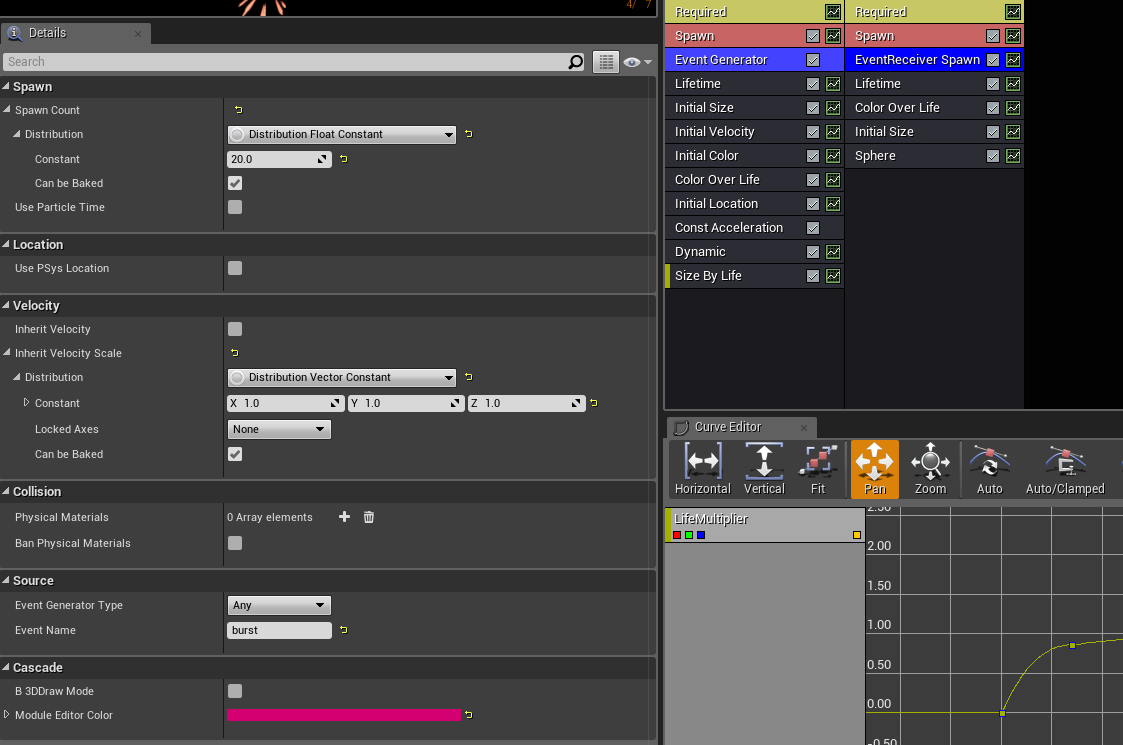
totally works in cascade for this one, but nothing going on in editor/play
hmmm bizarre, adding "emitter initial location" into the stack seems to resolve
but wasn't required in another systems
now i have a solution and i don't know why it is required sometimes and not others...
this will nag me for a long time
bright panther
Event generators are very finnicky from my experience. Some times I'll sit there for tens of minutes trying to diagnose and not know why it wasn't working.
indigo jolt
my final result works, but yes it's still got some chaotic things going on that are surprising
like changing where the Sphere Location node is in the stack changes whether or not it gets priority for velocity/location
round fog
Y'all might find this useful:


Freebie: Object-stabilized screen-space UVs. Probably useful for VFX, I don't know! :D
With a hat tip to @Ed_dV who made the same thing for Unity, here's an @UnrealEngine version.
Material graph in the replies!
#realtimevfx #gamedev #gameart https://t.co/aWrnRnoeCN
Twitter
 calm hemlock
@round fog looking nifty! Did you have a specific use case for this sort of mapping?
 solid stream
yeah same, until you showed the wireframe.. I was like O_o
 sacred palm
I want to make a street light for my scene. The only problem is that the spotlight doesn't look like it comes from the street light.
brittle monolith
@sacred palm try making an emissive material for the part of the light where there's glass
Basically, you're gonna need to duplicate the texture of the model and paint over it where ever you want the emissive color to be and plug that into the emissive outlet of the material
cold sorrel
And a fake lightcone
sacred palm
thx guys
round fog
@calm hemlock nope, but I remember wanting it a bunch of times and not being able to figure it out. Now I have it
 safe swan
@calm hemlock thanks for sharing! I'm looking for something like that but working on a post-process material and locked to a specific object in a stencil mask... might not be doable.
indigo jolt
@round fog I might have to try this out...kinda has a lot of those Red Nodes...any idea if this is more/less expensive than a WorldAlignTexture node?
round fog
No, red node color just means it's a shader input
WorldAlignedTexture is just a material function, you can open it up and see what's inside ;) Anyway, they do very different things, but I don't know how the cost compares.
spare hare
@sacred palm In versions > 4.15 UE provides Volumetric Light.
You need an Exponential Height Fog set to "Volumetric Fog".
Your Lights will have a checkbox "Volumetric Shadow", turn that on
sacred palm
@brittle monolith @spare hare like this?
spare hare
better, but I'd recommend using Volumetric lights, since the map is really foggy
sacred palm
@spare hare it becomes really really really dark, I thinks its maybe to dark.
cold sorrel
Fake it
 steel gorge
Hello, I'm having trouble trying to make realistic looking leaf physics for a cinematic (doesn't have to run realtime).. Particle movement I got going on is okay but can't seem to get collision to work properly with orbit and rotation. Anyone care to help?
steel gorge
oh well
maybe ill make a higher quality cloth sim for the ones near the camera and keep the faraway ones as particles..
 cinder lichen
I have an odd issue. Some of the water shaders, but not all in my project will not show up. I am sure there is a setting somewhere that I am missing, but I would appreciate the help. It only happens in PIE, not sure about when built yet.
The first image is PIE and the one below is just in editor
 short sorrel
what can create an error spawning a decal on a skeletal mesh like this? https://cdn.discordapp.com/attachments/266947731396886529/496053480729870376/MP_DecalsTest.jpg

I get LogNetPackageMap: Warning: FNetGUIDCache::SupportsObject: DecalComponent /Game/Maps/Levels/UEDPIE_1_OSA_Level_Test.OSA_Level_Test:PersistentLevel.BP_OSA_PlayerChaser_Military_C_0.DecalComponent_0 NOT Supported
 pseudo skiff
Is Niagara coming to mobile (ES2/ES3.1) in 4.21 ?
steel gorge
whats that?
pseudo skiff
what's what
 white bronze
Would anyone know how to randomize elements per texture tile in a material? I'm trying to take each texture assigned to a tile projected onto a sphere and randomize its opacity based on something like a sine wave. I want each texture to pulse in and out of existence at (seemingly) its own rate. Doesn't have to be truly random, just needs to appear unique.
Edit: I should also clarify, I'm trying to avoid using an additional texture sample for noise, if someone should suggest I utilize that as the randomizer. Same goes for the noise function.
white bronze
steel gorge
@white bronze "Particle Random Value" node in material editor?
does that work for you?
or wait
cold sorrel
No
steel gorge
those are not particles?
white bronze
I should also clarify that this isn't for a particle mat, but just a standard one projected onto a sphere.
yeah
steel gorge
i need to start actually reading lol
 pastel nebula
Any ideas on how to generate this effect. So far I've researched it and from what I can tell I need to use scene captures to generate a voxel texture. Then use a 3d jump flood to map it out
That or I need to find a way to capture the volume of a skeletal mesh and feed it into the fluid sim bp from Ryan Brucks. Like this
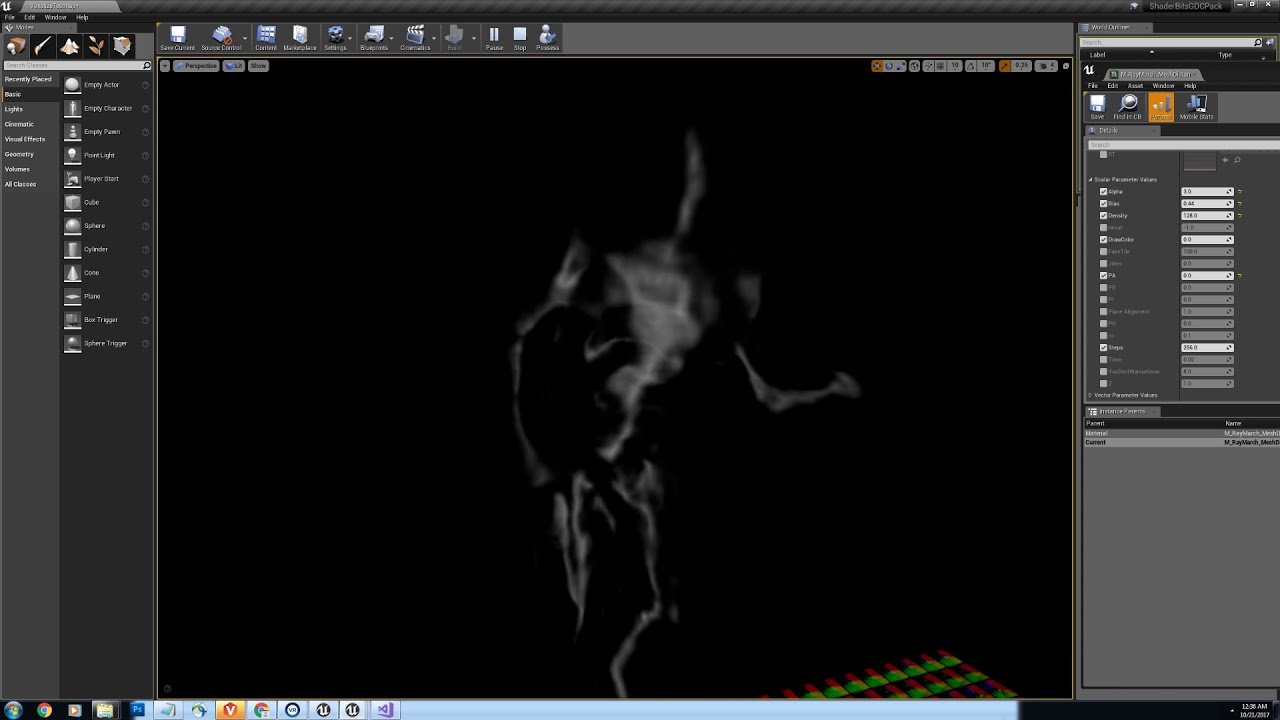
A mesh is voxelized and then jump flooded to create a realtime 3d distance field. A gradient is then extracted from the distance field. The ray march materia...

Sequencer Scrubbing a realtime fluid sim in UE4. This was lookdev for husk death simulations in the fortnite cinematic trailer. (The strobing in the velocity...
analog onyx
@pastel nebula Does not have to be jump flood. Bruteforce works fine too, since that is offline.
brittle monolith
Hey guys, how are you finding Niagara so far?
brittle remnant
Hugely promising. Still very crashy. Interface/Usability is not as good as Cascade.
Insanely powerful though, just clunky if you want to do simple FX work.
brittle monolith
I got some crashes when setting default variables, but other than that it seems amazing
I'm kinda missing listening to simulation events from blueprint though
 surreal willow
hey guys I want to set the spawn location of my particles to be in an area between two spheres
can I use a mesh to define the volume it can spawn in?
I kinda need it to spawn in random points inside a volume, if I use a mesh it only spawns it on the surface
analog onyx
You can use a cylinder with a radius of the spheres, positioned and scaled to connect them .
surreal willow
It's more like
a sphere scaled inside another one and I want to fill the volume between the two
I think I have found a solution though it isnt ideal
something like this, where the red area should be the valid spawn location
I can generate a point cloud of verts in maya and then use that as a mesh reference (I think)
but its still constrained to vert locations
I was wondering if there is another way
 fleet vault
You could spawn it on the surface of the sphere and then give each particle a random world position offset based on noise in its material?
ocean hedge
@tame barn is the Niagara component attached to the flashlight or is it a separate transform being set via bp ?
 tame barn
Its attached to the flashlight
@surreal willow Does it have to be a sphere or an arbitrary mesh shape?
 mortal sandal
would folks here say Niagara is solid enough in 4.20.3 to start using in your projects instead of Cascade?
analog onyx
nope
prime pecan
bug if you're starting out learning particles in UE4 it's better to go straight for niagara, right?
cold sorrel
I'd say no
prime pecan
well let me rephrase that
Won't niagara be better in pretty much every way when it's released and stable?
cold sorrel
sure
prime pecan
so why should one bother to learn cascade? do you think that it's really that far away?
cold sorrel
Because it's not production ready, meaning you won't be able to do anything useful for many months, possibly longer, whie cascade is proven and all effect systems are based on the same stuff.
prime pecan
okey the thing is that I don't see myself producing production ready vfx for the forseeable future, but I get your point.
cold sorrel
Ok, rephrasing: You'll spend time learning basics using a very crashprone piece of kit while ignoring one that works.
prime pecan
okay that actually is a very fair point.
I was just under the impression that niagara would be very different from the way things are set up, but I guess in the end they both produce particle effects so there'll still be lots of parallels, right?
cold sorrel
A sprite is a sprite is a sprite
Niagara is more open and therefore harder to learn, but you'll have a lot more possibilities.
I haven't opened Niagara ever so take all my comments with a grain of salt
 lilac obsidian
a huge massive grain
prime pecan
yeah I guess the way you think about making a particle effect won't change too much, but the way you approach it will definetly be different.
cold sorrel
yup
To work with nodebased particles you need a better understanding of what's going on to be efficient
mortal sandal
thank for the feedback, some of the stuff you can do in niagra looks really incredible so I'll keep an eye on using it in the near future but for now I'm continuing with cascade
brittle monolith
@prime pecan The good thing is, Niagara was inspired by Cascade, so for a while you'll probably be doing the same things, no matter which system you're using. Just focus on the fundamentals first, technology later. I recommend this talk: https://www.youtube.com/watch?v=YPy2hytwDLM
In this 2013 GDC session, Blizzard Entertainment's Julian Love discusses the implementation of visual effects in Blizzard's Diablo franchise. Register for GD...
I personally jumped straight on to Niagara cause I'm playing the long game 😄
I also started learning recently, here's my first proper attempt at making some spark particles: https://www.youtube.com/watch?v=r5Uaz4MohqQ

GPU: GeForce GTX 1070 CPU: Intel(R) Core(TM) i7-4770K CPU @ 3.50GHz Memory: 16 GB RAM (15.94 GB RAM usable) Current resolution: 2560 x 1440, 59Hz Operating s...
By the way, here's that Diablo texture panning trick:
You can get some really nice movement out of that, plus a large variety per particle if you set that "Material Random" parameter
round fog
update to this thing I made recently:

Would you like some more? Better screen edge behavior and heightmap parallax added to the object-stable screen space UVs.
Updated and cleaned-up material graph in the replies!
#realtimevfx #gamedev #gameart #techart #ue4 #UE4Study https://t.co/moiuoqX8nx
Twitter
brittle monolith
@round fog looks interesting, what is this useful for?
round fog
VFX mostly :)
surreal willow
@tame barn @fleet vault in this case offsetting from a sphere could work but it isnt ideal.
in the future there would be a use case where it would have to distribute particles in a random position inside the volume of an arbitrary shaped mesh
tame barn
@surreal willow I'm working on something similar on some materials:

As of right now, I'm just lerping based on simple geometry, but I'm also looking into volume slice textures:
This is a quick video showing how the Volume Texture ROP can write out a texture representation of a volume to be used with Ryan Brucks' Volume plugin for UE4.
surreal willow
looks neat dude
I made a point cloud of verts in max which I was going to try to use as the mesh function, but seems like you cant export an obj/fbx file of only verts, and once it has a face it culls all the ones which arent defining a face
I used a scatter compound object to distribute verts according to the volume of the mesh, but it still isnt ideal as it doesnt choose a random location and ends up with a lot of overlapping particles
prime pecan
@brittle monolith Thanks for the info, I actually knew the Diablo GDC talk, but I wanted to take a loot at it again, so thanks for the link! 😄
 smoky cape
(Reposting from graphics since I realised that this might be a better fit in here)
Need some help with a material - not sure if such a material is possible.
I'm looking to render a transparent material, such that it alters its Z offset by whatever the rendered pixel's Z value is at the UV coord. It's hard to explain, but as an example, if you had a plane mesh with this hypothetical material with a semi-transparent alpha and a red base color, everything within the plane's XY values (regardless of whether it's over or under the plane) would be highlighted red.
I know that's not a great explanation so let me know if I can expand on anything.
The use case is a highlighted border. You can see here the borders, which are spline meshes dynamically generated at run time - what I'm looking to do is create a material that would result in that red border highlighting the curvature of the sphere as well.
Alternatively, if there's some other way to achieve this that I'm missing, any ideas would be appreciated.
quaint bluff
question: what do I need to do to stop particle material from glowing in the shadows, if camera direction is same as lightsource
 candid wagon
Hey this is probably an easy solution, but how do I make my different fire things look randomized? I mean how do I set a random start time in the material? It's a moving material but they all move synchronously. I'm a bit new to all this.
quaint bluff
well, you probably want the fires as particle emitters
that way you get plenty of randomize-able values like size, rotation, color
but if you insist on doing the randomization inside the material, combine world location with time in some way
brittle remnant
@round fog Heya, I got some fairly nice lit clouds using your stable UVs! I feel like I can probably extend this a lot further as well!
brittle remnant
It's just a few spheres.
It's still not perfect by any stretch. There's still some sorting pops but it looks good from all angles.
candid wagon
@quaint bluff Thanks I'll look into it
@brittle remnant some fancy looking clouds there! Great job!
brittle remnant
@candid wagon Thanks! @round fog Gave me the secret weapon I have been wanting forever!
honest sable
 round fog
Ooh nice clouds @brittle remnant! Would love to take a look at your material for it :)
This has me wondering if you can't do alpha erosion based on fresnel angle on a tileable texture mapped as object-stable screen space...
Yes. I'm pretty sure you can.
You're giving me ideas here @brittle remnant, thanks!
prime pecan
@brittle remnant that looks pretty sweet! do you have any way to show us how this looks in motion?
 alpine cairn
@fossil swan apparently I got a buddy whos a big fan of yo ue work and he ain't even in this damn server
brittle remnant
@round fog Yep that's basically the trick for the clouds.
@round fog Does what you said above on a lit translucent sphere.
There's some other flim flam to make it more cloud like as well
Though I wonder if it wouldn't work just as well on a sprite. 😃
round fog
well the nice thing about having it on a mesh is that you can sculpt more interesting shapes than just spheres
just building my own version of this
so far not too happy but this has potential
hmm, not too bad
oh, right, train wifi... no wonder the upload failed
brittle remnant
@round fog I tried other shapes but the problem is that you can't do anything that would cause a translucent sorting error, and anything that is truly lumpy will cause the fresnel to create holes. If there was a way to alpha only the objects edges it would work great though
round fog
brittle remnant
I tried several different meshes last night but deformed spheres were the best I could come up with
round fog
hmm, cool cool cool... gotta experiment more 😃
I don't really like how it looks in shadow yet
oh, this is an unlit material btw
brittle remnant
Those look great! I need some better cloud textures to work with.
round fog
brittle remnant
Is that just a collection of spheres?
round fog
I'm using the one from Jason Weeks' Explosions marketplace pack because I cba to make one on this shitty wifi
yeah
brittle remnant
I'm going to crack open Houdini tonight and try and render some cloud normals and density maps
round fog
mmh nice
brittle remnant
I think my next attempt at clouds is going to be to use a hybrid approach with spherical impostors feeding density. Basically taking the best of the two Ryan Brucks tools 😄
That way I can avoid the expensive raymarch.
But should be able to get good lighting.
analog onyx
reminds me of BF1 clouds.
round fog
I think I'm going to try using these on very low poly spheres for a mesh particle clouds sky
@brittle remnant do you have a twitter?
brittle remnant
@round fog Heh, no I am Social Media Free! 😉
round fog
Good for you! :)
Was going to @mention you since you came up with the idea
brittle remnant
Heh, TY! I appreciate the thought! I'll post up my materials here tonight.
round fog
cool 😃
I need to tweak mine a bit more. Maybe I can squeeze in some fake transmission...
fossil swan
for the ones that dont go to wip, https://streamable.com/le1jv @analog onyx is doing hnngies
 round fog
now I wish I wasn't on train wifi...
brittle remnant
ooo this is awesome!
 sinful notch
Can anyone tell me how to bring up the The Niagara Emitter wizard display when you make a new emitter because it doesn't do it for me. Just makes a standard blank one.
fleet vault
I'd actually like to get the fuck in that water, looks smooth
 obsidian portal
Hey does anyone know why my particles collides as they should in the editor but not when playing? https://gyazo.com/895d3b45202457927384578323f1a319


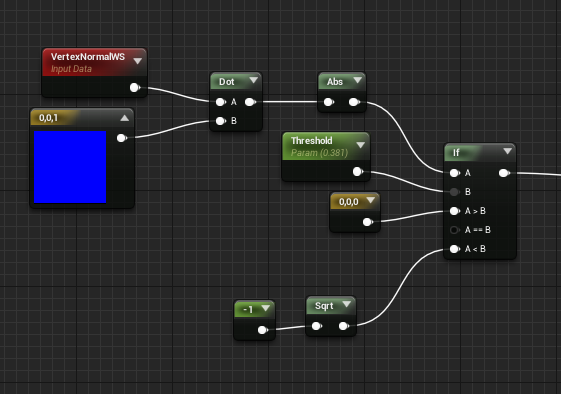
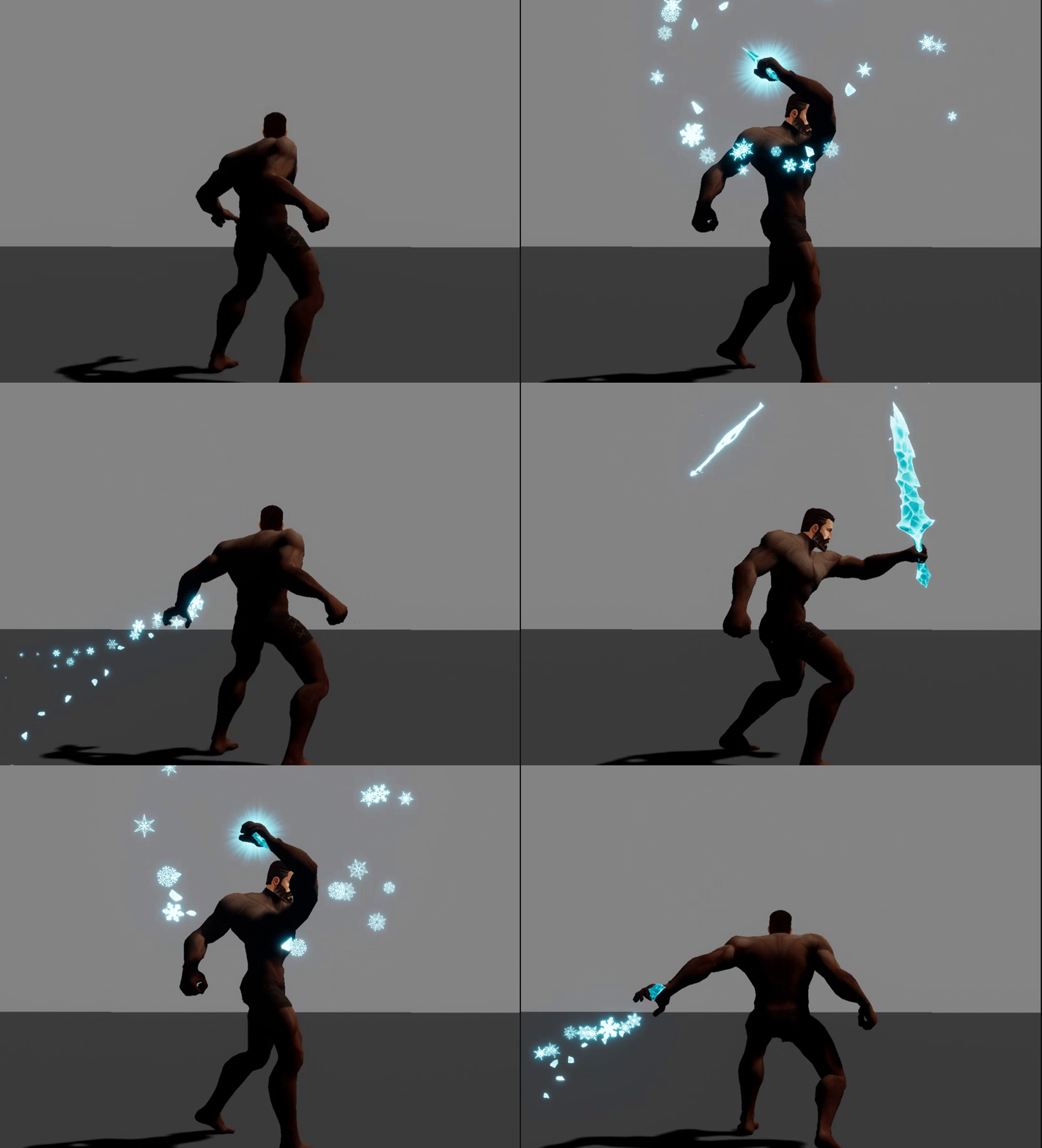
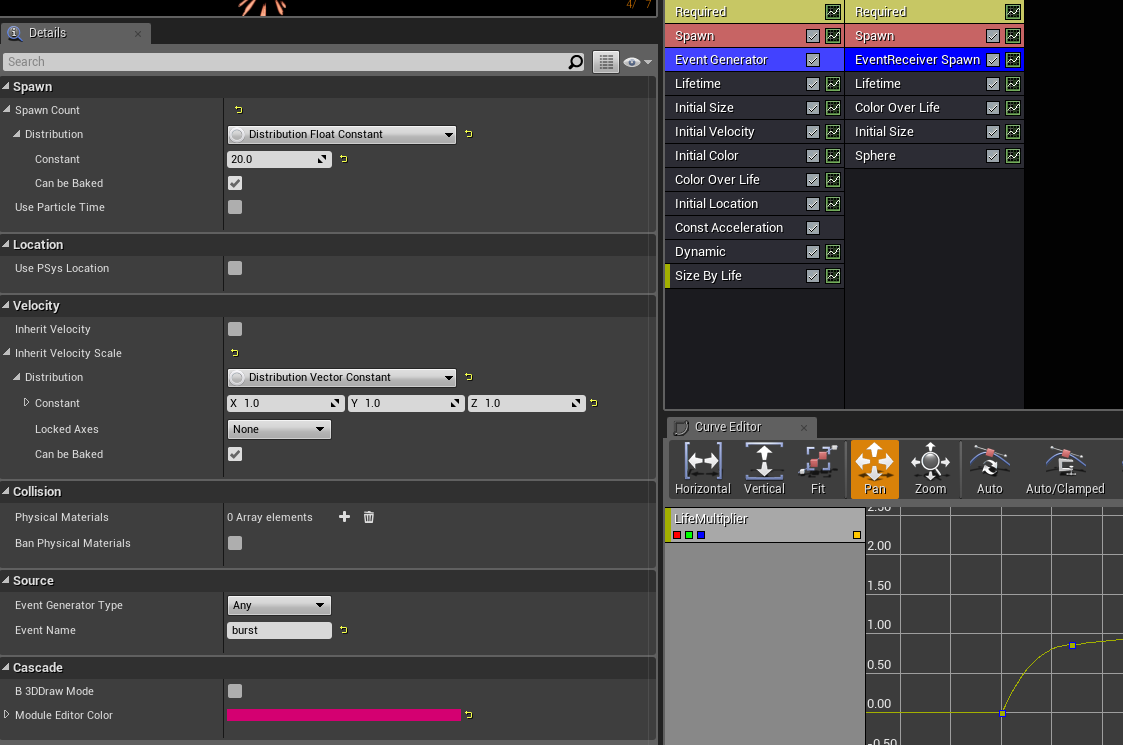

 pliant kraken
how is generated your world? 🤔
fossil swan
video of me making this:
https://i.gyazo.com/831ef259e11ab515202314a2f6c14054.gif
https://www.youtube.com/watch?v=vqSIgsO2lr0
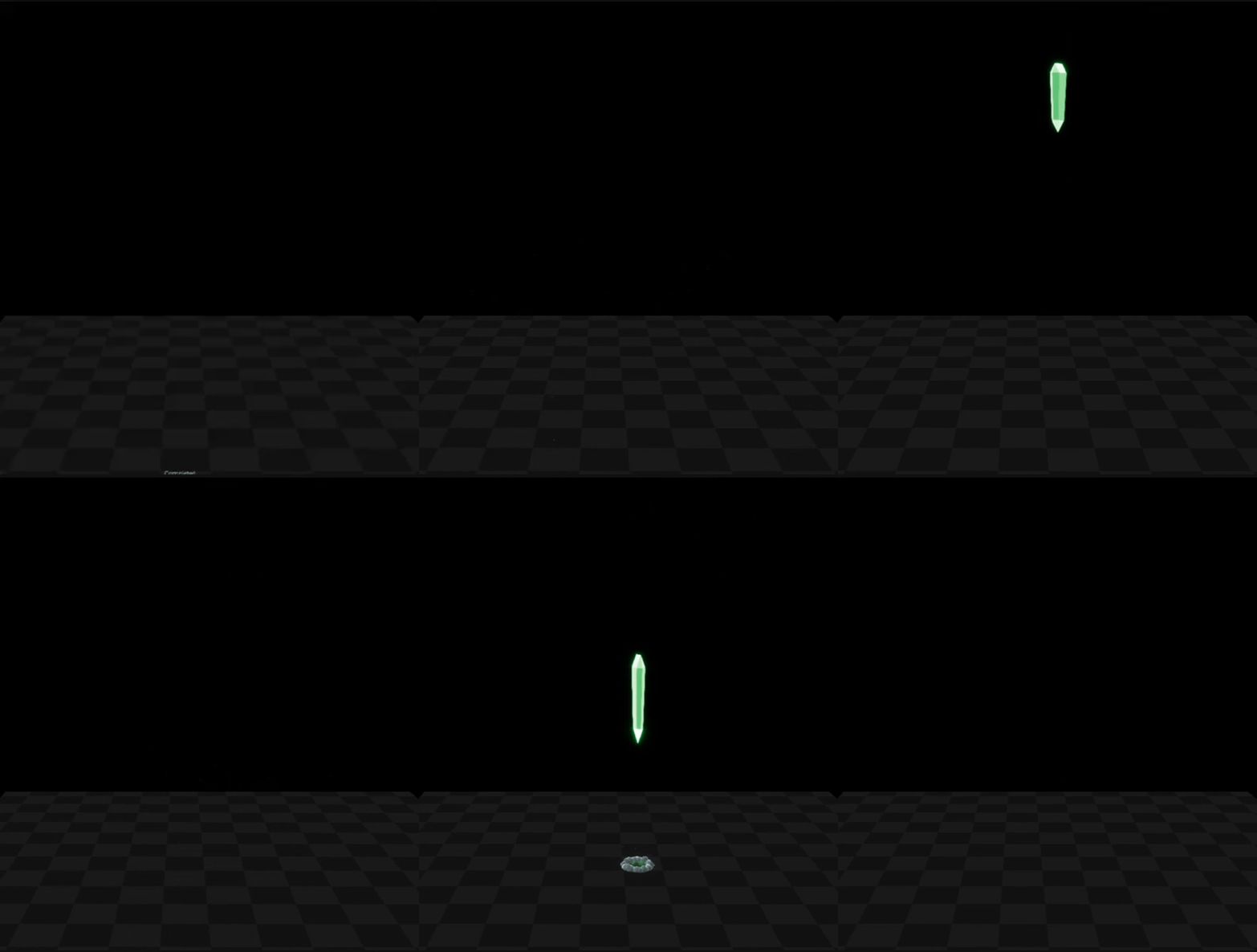

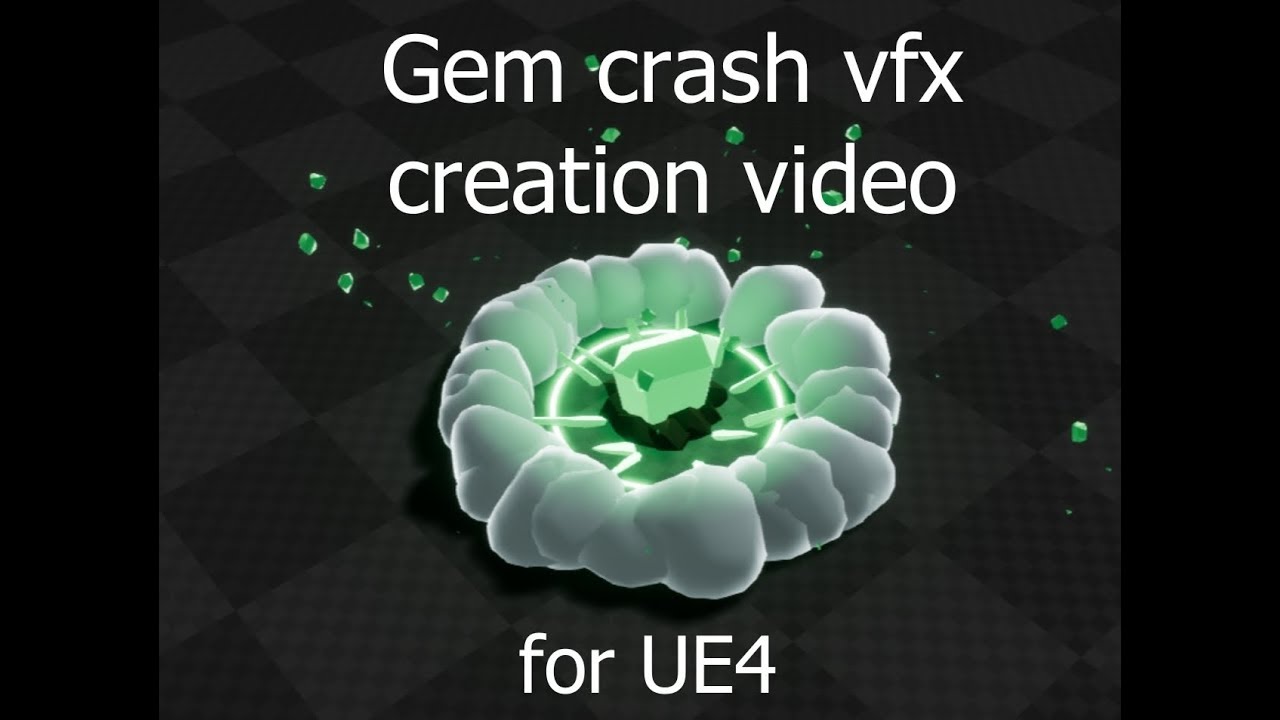
Video/Tutorial on how to create a simple gem-crash effect thing in ue4 using its Cascade particle system. (Also uses 3dsmax, but generally you could easily c...
buoyant arch
I need some pointer on tutorial or resource related to this material node:
I'm creating a material for a healthbar progress bar UMG
The goal is to replicate this effect in a very basic way:
I.e, there's a white bar at the very end of the progress bar
I'm trying to get the position of the last position filled progressbar, and use that to add a white bar at the very end
spare hare
@fossil swan How do you ensure - in Cascade - that different emitters have the same location? Is there some trick you have up your sleeve?
Manually entering the same numbers in to the Location Module seems cumbersome
analog onyx
fluffy
brittle remnant
@celest birch Very nice! Would love to know how you are getting that effect
round fog
@celest birch nice nice, tessellation?
 celest birch
yeah noise, tesselation and world position
brittle remnant
@celest birch How are you getting the soft lighting? Also what kind of noise?
fossil swan
@spare hare manually entering innitial location, emitter (innitial) location module, etc
and copy pasting those modules
celest birch
@brittle remnant the lighting is my material shader and engine shader model
fossil swan
https://i.gyazo.com/cf5c01156fba14758b89670640c04ceb.gif when your character gets really into it
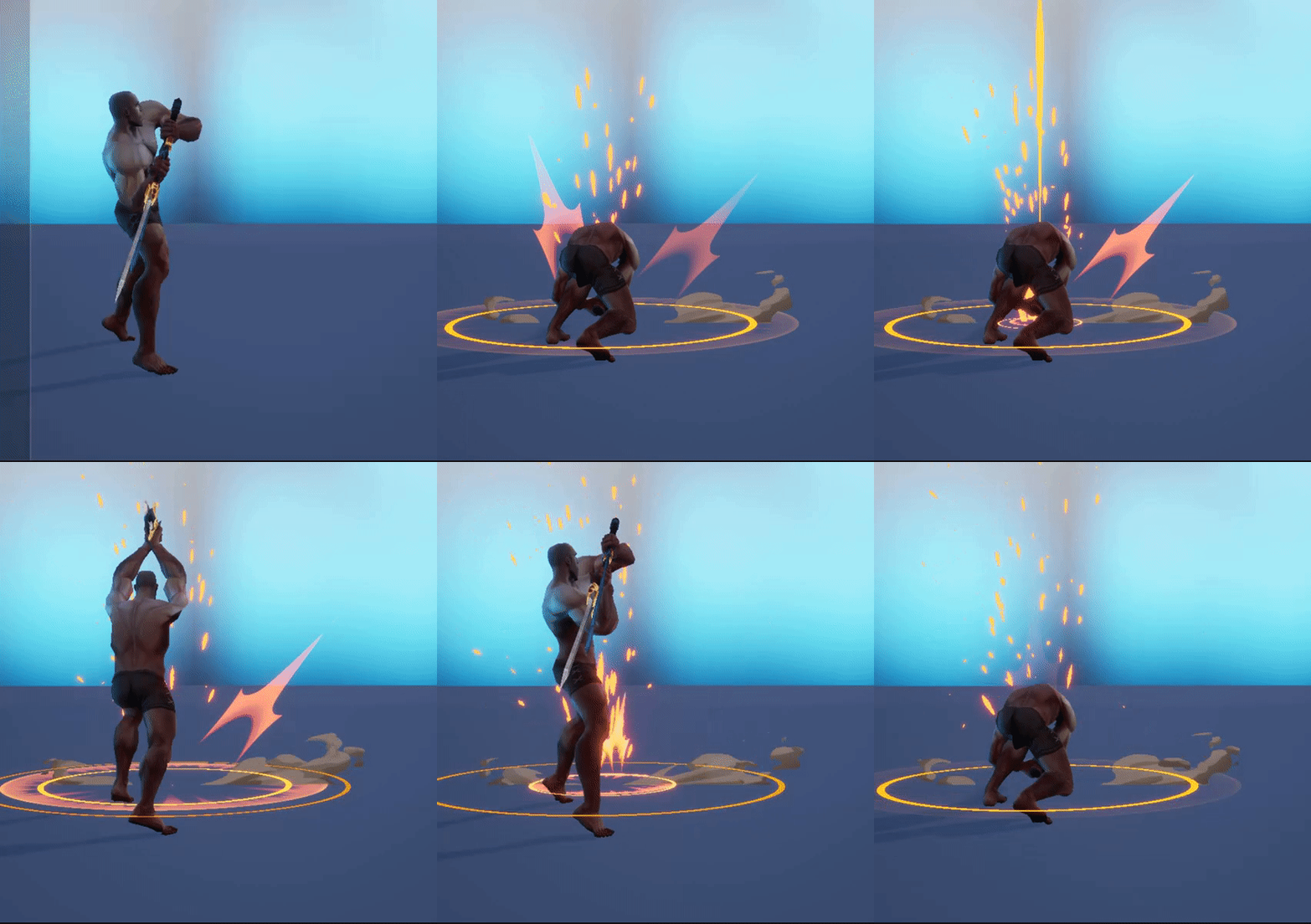
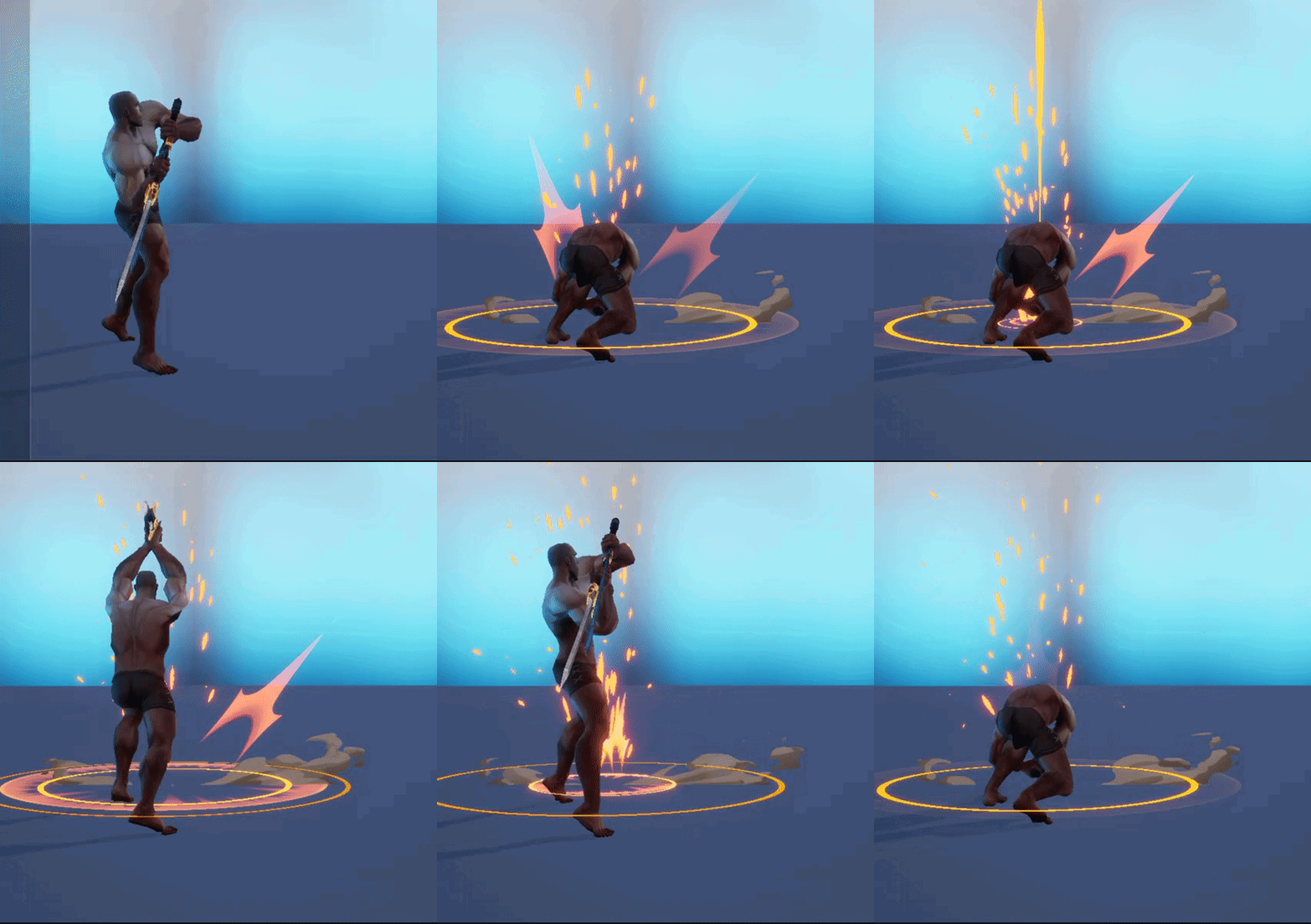
also, why sliders and vfx dont go well together from time to time
spare hare
whats wrong with his butt crack tho?
fossil swan
armor not hiding it :p
spare hare
How Can I make a Mesh Emitter (Cascade) face it's Z towards a point?
The meshes rotate before they should face towards 0,0,0
spare hare
Whats the Difference between a Module Script and a Function Script in Niagara?
I noticed that a Module Script can be put onto the Stack in an Emitter...
spare hare
How can I sample a Static Mesh from a different Emitter in Niagara?
honest sable
@spare hare functions are smaller units of reuse. you can use function scripts in many modules. stack modules together to create an emitter. stack emitters together to create a system.
@spare hare the Content Examples project has a transfer of attributes from mesh to mesh. across emitters? not sure. perhaps events
spare hare
Thanks, but it doesnt look like they sample different Emitters. They just sample a predefined Mesh.
I want the sparkles below to spawn on the surface on the diamond above
The diamond and the sparkles are two different emitters
 fickle helm
hey guys
i have looked at the niagara sample level
and i am getting pretty low performance compared to the cascada example levle
do you guys get similar resulst?
or is this on my side?
brittle remnant
That level is very slow due to the last example emitter at the very end of the hall. If you remove it performance should be normal.
short sorrel
hey all, how would you go in blinding a player when a spot light is directed at them?
celest birch
umm do line traces and test when the light actor direction collides with the player actor @short sorrel
then trigger some sort of post process effect for the blinding
short sorrel
i’d thought this would already be done by some postprocess flares or so
short sorrel
ok thanks!
fickle helm
Cheers @brittle remnant
I will delete it and see how it goes
How is Niagara so far for everyone?
In terms of production readiness
tried deleting the last
and it now runs fast
brittle remnant
@fickle helm I don't think I would use it for production yet. It's good to start learning but if you are going to ship or create a lot of content now I would stick with Cascade.
fickle helm
alright, thanks ook 😃
 magic mountain
So I haven't had much luck googling this so I will try asking it here
I have a beam particle that I'm using for a hitscan weapon
what I have not been able to find anything useful to help me with is adding a tracer bullet to that beam particle that travels from the target to the destination
I feel like there has to be something I'm missing within the beam module that would handle this but I haven't been able to find it if it does exist
traveling from source to target over lifetime or something like that
brittle remnant
@magic mountain You want to scale down the UVs and then add a parameter to slide it along the length
ie: (1 / texture UVx) + Scalar parameter)
magic mountain
alright, that seems simple enough
brittle remnant
yeah just animate the parameter over the life of the particle
magic mountain
Alright so within cascade I adjust the parameter
brittle remnant
Yeah, use a particle parameter in your material
magic mountain
Alright, I'll fool around with that then. Thanks!
brittle remnant
No prob, lmk if you get stuck
magic mountain
hm, so i have it almost there
the beam shoots out, but it doesn't seem to 'follow'
it sort of draws a line from source to target without fading
brittle remnant
I need a bit more information about what you are trying to do
A screenshot and description of the desired effect would help
magic mountain
so what i'm getting right now is a single, long beam
when what i want is a tracer bullet effect that visibly travels from source to target
the current setup does not travel, it simply has the visual effect of 'drawing a line'
I've been going back and forth between a few pretty unhelpful unreal forum answers that suggest simple fixes to various setups with no actual description or illustration to explain so the material and particle are both kind of a mishmosh
celest birch
Can you make a discrete particle and attach it to an object?