#visual-fx
1 messages · Page 16 of 1
 celest birch
 fossil swan
dm me your paypal acc and ill give you one hehe
celest birch
Unsure if serious but it's OK 😛
fossil swan
im serious, ive paid people in pizza before XD
celest birch
Haha nah it's OK don't worry about it
 analog onyx
Dallars, gentlemen! They won't promote themselves!
fossil swan
@round fog can testify on that
ive been doing some really complex stuff with shaders last few weeks, I really think im overthinking a lot of simple things because of it
celest birch
That happens to me too
fossil swan
https://i.gyazo.com/4b248265cc66fc97b059374f2a439fa9.gif
two more tweaks and its all set up (besides renaming variables)
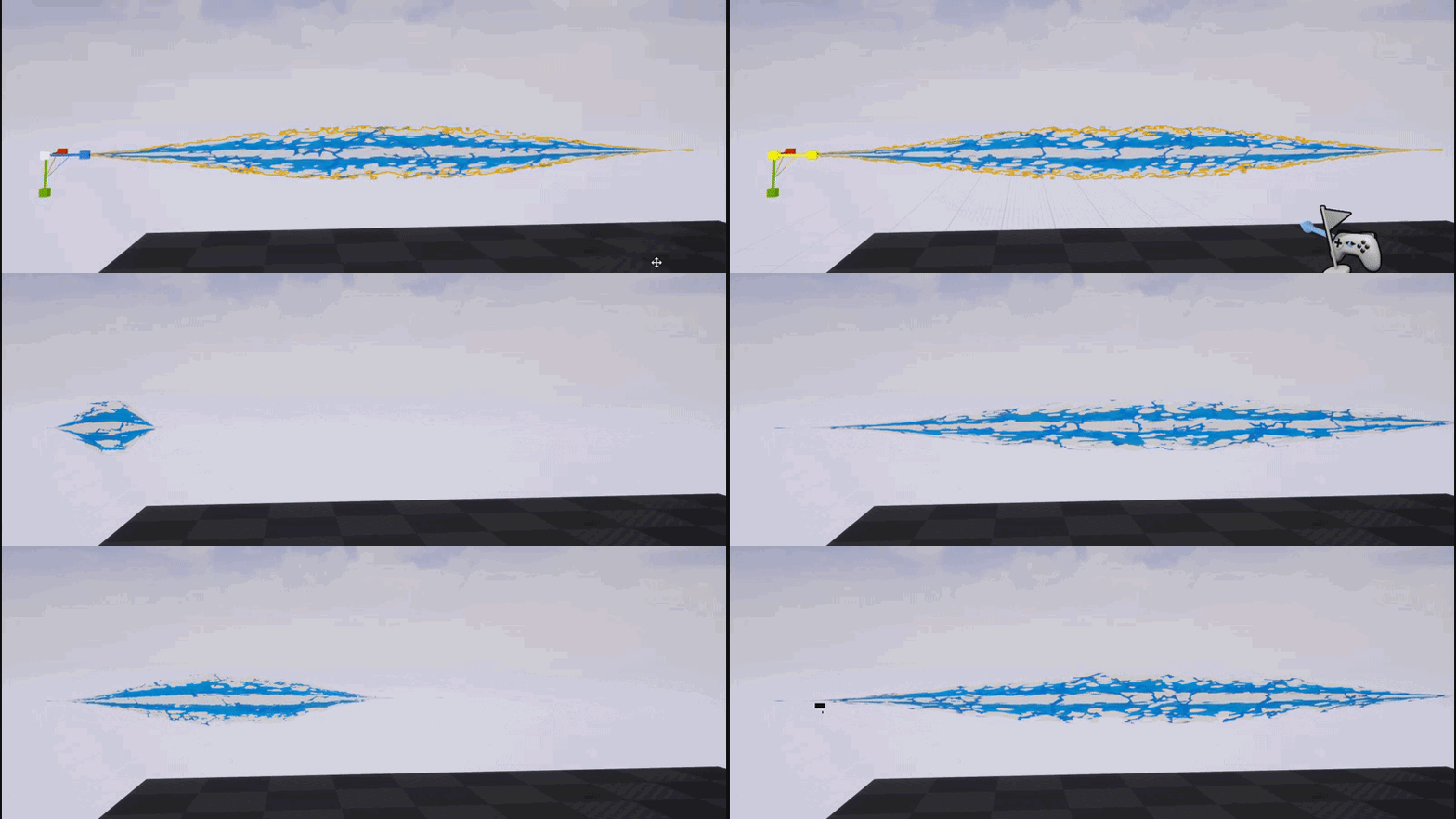
i owe you two a pizza nontheless though hehe
analog onyx
@celest birch So, I've had fun time experimenting with the fluid sim, as approach to grass and foliage dynamics. So far, it seems best of all approaches, but still running into two cardinal issues. First being how to separate small forces from large forces( I'd really love to avoid player bending sequoia tree 45 degrees on hug) And the most important one, which I asked Ryan Brucks on the forum about, is how to achieve centering of the fluid sim on the player. Got any ideas ?
celest birch
@analog onyx What do you mean by fluid sim? I don't recall you mentioning anything of the sort in our initial discussion
analog onyx
I did not. That evolved after that.
Idea is the same. You are capturing particles into a scene capture, and using them to inject velocities into a fluid simulator, which gives you evolving velocity field. In foliage material you sample that velocty field and animated accordingly.
celest birch
As for the forces problem, perhaps give an ID to each brush (maybe store it in alpha channel if you have space) and the mesh material just checks if it can be affected by that ID
That's what I had to do for the render target/grass tools issue I had
analog onyx
Would not work with velocity field, as the velocity injected can persist pretty long enough and will eventually get mixed in.
Running two sims for small and large forces is pretty prohibitive for sure
I wonder how they dealt with both problems in Horizon Zero Dawn...
celest birch
Hmm unfortunately I have no ideas for either of your problems
Got any videos of it btw?
Also, I didn't know HZD did a fluid sim for wind. Got any links?
analog onyx
Still stuck in the middle of nowhere, so no vids until end of May, sadly. The only source about HZD is that pdf. https://twvideo01.ubm-us.net/o1/vault/gdc2018/presentations/gilbert_sanders_between_tech_and.pdf
celest birch
Awesome, I'll give this a read
 zinc remnant
Nice. In 4.19 I've just had to add a dynamic module to any particles that use a material with dynamic parameters, even though the parameters are all 1 in the material by default and in these particles I don't want to animate them. Without the dynamic module there the particles render as if the defaults are 0. 👌
celest birch
@analog onyx While I have you here, today I had an idea of converting 3D texture data into a 2D image. I was thinking of going through each column of the 3d data and approximating it using cosines. I could store 4 coefficients into one texture in each channel. Do you think this is feasible and if 4 coefficients would be enough?
fossil swan
@zinc remnant ive noticed this and worked around it by always "add 1" to each output of the dynamic
zinc remnant
feels bad man
we just switched over a couple weeks ago and I just had time today to investigate why some particles were broken
fossil swan
i know :/ though its often for things that go to 0-1 and not over that value
its also in 4.16 though
< still works in 4.16 mostly
zinc remnant
I think we never used that version. I think we might have skipped it.
Though we were using 4.18 before 4.19, sort of wish we'd just stayed on 4.18.
analog onyx
Well, I've only used packing 8 4 bits into 32 bit target for whole scene rain accumulation working with 2d render target. That is applicable to using 2d to represent 3d. I am not sure what are you referring to though. You can only do so, if 3rd dimension is a function of the other two. @celest birch
fossil swan
@zinc remnant ive yet to hear someone say they are happy they moved to 4.19 XD
zinc remnant
Hey at least cascade doesn't crash the engine when you drag select points in the curve editor like it did randomly years ago
fossil swan
lol , no its even worse XD
< gave up on using cascade entirely in 4.19
@celest birch @analog onyx i love how technical you two are hehe
celest birch
@analog onyx So the idea is to compress the 3d data into 2d so you can save on resolution. Imagine if you took a single column which essentially gives you 1D data. You would then use some kind of transform (I'm thinking Discrete Cosine Transform) to calculate N amount of coefficients (4 in my case) and store them into RGBA. At runtime, you would just grab the coefficients and add up 4 cosines which should give you an approximation of the original data
 sullen forge
@fossil swan you tried niagara yet?
celest birch
The usage would just be for 3D noise textures so accuracy is not too important. Low frequency detail is fine but I'm not sure if 4 coefficients is enough to approximate it plausibly
fossil swan
@sullen forge either tonight or tomorrow
analog onyx
Certainly can do that. I am just not sure how... well.. how remotely accurate will only 4 waves represent any data, including low frequency noise. @celest birch
celest birch
Yeah I guess I'll have to do some tests. It might work well for perlin/simplex noise but what I really want is Worley noise
Maybe I could use 16bit per channel and split them into two 8bit coefficients
And get 8 waves
 celest jasper
meanwhile in the cheap rotator function:
https://gyazo.com/d6a24adae0e046d1fa85c093c7e2a263
da f<3k?!
 celest birch
Maybe even 4 bits is enough!
fossil swan
@celest jasper ikr XD
zinc remnant
omg lol
analog onyx
Well, if 3rd dimension size will be comparable to the other two, you can get some success, but at those dimensions you can safely use a pseudo 3d texture. 16x16x16 is not something where you could distinguish between voronoi, simplex, or worley. I'm willing to bet that for partcilar task it won't be very useful, but you are more than welcome to prove me wrong, try it and share the results :S @celest birch
celest birch
I've only thought about this because I don't want to use the flipbook style texture 😅
analog onyx
Bet that pseudo 3d texture would be more usauble. Btw, was the commit with 3d texture asset already merged into master branch?
celest birch
If it was then... this is entirely useless lol
But might be useful just to reduce file size!
analog onyx
Situationally, yeah. Could be used for volumetric skysphere though, so don't forfeit without trying yet.
512x512x4 could actually be okey in this case
celest birch
I'll share if/when I get results. Thanks for the advice 🙂
fossil swan


my ocd would almost kill to remove one vert shader instruction and add it to the base pass shader XD


 keen rock
I'm having trouble trying to increase the bound size of my particle system in cascade, is there a button for that somewhere?
analog onyx
You need to click the emitter and choose select particle system I think
keen rock
thanks 😃
 obtuse seal
If any other madman has built latest source with Niagara, I can't get the skeletal or static mesh vertex source to work. It's probably just not implemented yet but any clues?
Well to my chagrin I made a new default Niagara system and plopped in skeletal mesh vertex source and it worked so...
It also crashed the first time round due to an array OOB in some moviescene component 😬
 ocean hedge
You need to be using CPU particles for the skeletal or static mesh to work
obtuse seal
If you're a madman working on this stuff then big ups, it's an awesome system
obtuse seal
Ah I was looking at the username at thinking to myself, yes that seems familiar
obtuse seal
I hope to see a few more content examples from Epic using Niagara, there's so many options it's overwhelming!
fossil swan
no more hiding! mwhuhaha
ocean hedge
yeah, our plan is to do another "hallway of" type level that has a variety of different Niagara use cases
obtuse seal
I anxiously await it 👍
fossil swan
@ocean hedge if I am correct some of the paragon chars also used niagara for vfx, I assume they will be released down the road as well?
ocean hedge
yeah, you guys are definitely diving in the deep end
The minions rework used some Niagara fx. I'm honestly not sure where that stands.
fossil swan
Alex was making me all warm by telling me to check out the minions for the niagara vfx, only to discover the released ones wherent using them. broke my heart a little.
/me stares grumpy at @earnest grail
obtuse seal
Am I dense, what is a Dynamic Input Script for the Niagara stuff?
"Output Dynamic Input" node 😵
I'm guessing this is for feedforward stuff?
ocean hedge
they are sort of like super powered Cascade distributions
you can take any parameter in the stack and drive it by a curve, custom graph logic, random numbers, etc
fossil swan
im sitting here not able to open niagara yet and you all talkin dirty
ocean hedge
we call the little mini-graphs that go from a parameter map to a specifically typed value (float, vector, color, etc) Dynamic Inputs
you can also bind directly to other variables, which we call Link Inputs
you can also write custom hlsl logic, which we call Expressions
obtuse seal
This stuff blows my mind!
ocean hedge
our top goal was to let you opt in to complexity
so if you never want to wire together graphs, you can still accomplish a significant amount of work
if you want to do everything in graphs, knock yourself out
find the right balance for the different skill levels in your team
obtuse seal
I'm trying to come up with a good test case for doing something with Niagara that wasn't possible in Cascade
It's really overwhelming with all of the new behavior that's been exposed
ocean hedge
here's one that usually blows some minds:
create a color curve from cold (0) to hot(1)
fossil swan
im actually very interested in having pieces of effects and have nigara put em together for final results
modular ftw
ocean hedge
now make the indexer take the Particles.Velocity length normalized between a min and a max
you're now driving the color of the particle based on its velocity
fossil swan
couldnt you do that sort of already with the particle speed node?
obtuse seal
I'd lost track of the fact that it's all modular too, woof
ocean hedge
@fossil swan , you mean the Particle Speed node in the material editor?
ocean hedge
ok, fair enough.. if you move the work to the pixel shader you could do a lot of the things you do with cascade, especially if you use vertex position offset
fossil swan
your point being no need to move to the pixel (or vert) shader anymore and directly do it in niagara?
fossil swan
im so "baked" into cascade and its dealing with material I am wondering how long itll take me to move away from that workflow hehe
ocean hedge
honestly the video has some of the best use cases of work that was either really hard to do with Cascade or impossible
morph from one skinned mesh to another for instance
get data fed in from an external source, like houdini and spawning from positions defined by an external sim
fossil swan
btw, how easy will it be to change a sickload of variables?
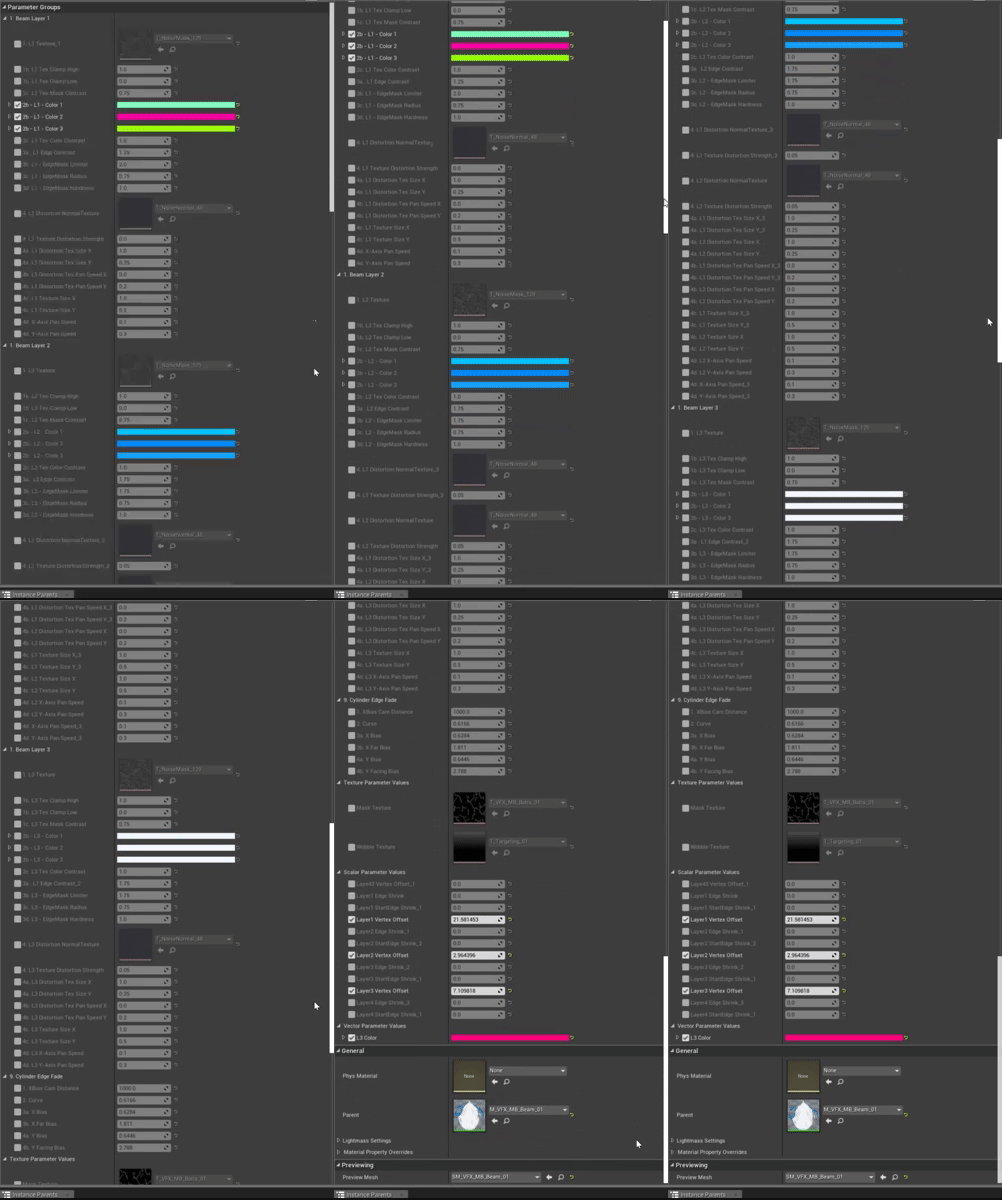
currently need to go over 90 parameters in mat editor and im slowely losing it hehe
ocean hedge
we don't have a batch editor yet
however, our hope is that between parameter collections and inheritance that people can avoid having to touch every file to make changes
sullen forge
@ocean hedge how hard it is to make it load the data from your own custom whatever?
ocean hedge
it's just a class you derive from and inherit a few methods
sullen forge
not sure if you saw, but i had this ECS battle, where i used an ECS c++ to simulate a riduclously huge amount of bullets
and they were rendered with an instanced mesh
but this was super slow
due to having to edit the instances 1 at a time
fossil swan
https://i.gyazo.com/fe4ad816412cdf71b6451847eccc6ef5.gif currently renaming all of these XD
 ocean hedge
ow ^
 obtuse seal
First time I saw that I was like, "yeah that's a lot of vars"
and then I realized it was a gif 😬
sullen forge
@ocean hedge in this ECS experiment, the instanced mesh update took longer than everything else in the simulation
wich is why i was thinking that i could use niagara to just send the whole 6000-long"transforms" array to the gpu and render it as instanced mesh particles
ocean hedge
yeah, you could
fossil swan
done with renaming all the para... aaanda typo in all of em
 brittle remnant
XD
obtuse seal
Getting close to having working Mesh Reproduction Sprites 👀
Having spent an entire 3 hours in Niagara the ultimate fear is when the system compiles but the emitted sprites number stays at 0
analog onyx
@fossil swan Use notepad to fix that ><
ocean hedge
there are several bugs that we are actively working on on that front
fossil swan
@analog onyx XD too late
ocean hedge
sometimes, for an as yet unknown reason, we don't detect the simulation has changed and run back up the simulation to the current pause point
fossil swan
had to explain gf what I was making so all I did was scream Kamehameha and she walked off XD
obtuse seal
Open dare to anyone else to get the InitializeMeshReproductionSprite script to work, the CalculateTriangleNode inside was outdated so I replaced it but still getting nada
Also yeah Niagara has some teething issues so far, but otherwise it works very well!
ocean hedge
the mesh reproduction piece is still undergoing active development
obtuse seal
I would guess as much, I was just following the """tutorial""" written in the tooltips :D
 celest gulch
I think there may be a sample for that in the "Niagara Extras" plugin but I'm not sure if it's ready
obtuse seal
After looking at it a while I'd assume the script doesn't work because the default ue4man mesh doesn't have any vertex color
@celest gulch I'll look into it, where would the sample be located?
celest gulch
looks like SkeletalMeshReproduction/Emitter/SkeletalMeshReproductionSystem although I was working with one of our tech artists earlier this week debugging some stuff so I'm not sure it's currently in working order
obtuse seal
Aha
 velvet swan
The modules weren't finished at the time of lock down. A new and fully functional set of modules are now checked in. I don't think that they have been merged to any other branches yet.
obtuse seal
Yeah it looks like that didn't make it in, so close
celest gulch
if you're building from GitHub make sure you're using dev-niagara and not main, there are also a bunch of fixes for 4.20 that didn't make the copy up
obtuse seal
Oh gee
Yeah that will help
I'd just pulled from master since it got pushed there 2 days ago
celest gulch
yeah I think the dev-stream was mirrored the next day
obtuse seal
There's a "swizzles" category for Niagara nodes
what even
Oh that's an actual vector math term
the more you know 🤔
 calm folio
swizzle mah nizzle
ocean hedge
it lets you mix and match the sub-values
so you can basically take x and move it to another variable's y
for a vector
sullen forge
@ocean hedge any plans for documentation or example content soon? i think you mentioned some example content i would love to dissect
my game would really benefit from the modularity of niagara
ocean hedge
it will be coming
one thing to keep in mind is that we really discourage shipping anything on top of Niagara right now
think of Niagara as being in pre-production
obtuse seal
legitimate madness to ship anything with Niagara lol
At this point. But man is it fun to play with
ocean hedge
we want to get feedback about where we are going right and where we might be going wrong
that means that big things can still change
we also haven't invested in performance improvements yet
obtuse seal
@ocean hedge Something I've picked up on testing Niagara today is that I'd like my own modules to have dependencies with the default modules. I think it would make sense for the default modules to, by default, provide dependencies named after the modules
sullen forge
the modular workflow is just too good for the stuff im doing, so if i can get it "not crashing 100% of the time" im cool with it
and the fact i could connect it with my ECS
wich i use for projectiles and stuff
ocean hedge
@obtuse seal it is already partially implemented, just awaiting a few bugfixes
the primary modules will show off these dependencies in a bit
obtuse seal
Good to know 👍
fossil swan
did someone say Swizzle?
https://www.youtube.com/watch?v=pbDu09C8kok

download link: https://gum.co/QJXR Put "0" in if you dont want to pay. You are allowed to use this file in any project, commercial or not, marketplace pack i...
analog onyx
We all see swizzling differently. .xy = .xyyy .wzx = .wzxx .z = .zzzz
obtuse seal
So there's not any formal documentation for Niagara yet, if one module sets a custom value in the map then how do I access it in a different module?
ocean hedge
you just pull it out using the same name using a Get node
a good set of modules to study would be the
/Engine/Plugins/FX/Niagara/Content/Modules/Solvers/SolveForcesAndVelocity.uasset
and all the modules in
//UE4/Dev-Niagara/Engine/Plugins/FX/Niagara/Content/Modules/Update/Forces/
the forces are initialized into a per-frame temporary Physics.Force
they accumulate in update
then are applied to Particles.Position and Particles.Velocity in SolveForcesAndVelocity
obtuse seal
Good to know, I'll look to these for reference
fossil swan
@ocean hedge with cascade you could pass on four variables with the dynamic module (and a few more with specific nodes and particle color) is there a limit with niagara, and does it come with additional new material nodes?
obtuse seal
There's 4 unique dynamic material bindings in one Niagara emitter so that's a thing
ocean hedge
fossil swan
need to play with Niagara first of course, but one thing I would have loved in cascade is a 2nd dynamic parameter hehe
obtuse seal
That's the good stuff
ocean hedge
We want to do better than this in the long run, but we needed those extra values for demos too
fossil swan
does each dyn mat params have four scalars?
fossil swan
looks like it?
oooh
hnng
yea, might be nice to maybe be able and color code the four dyn params for easy view when zoomed out. (or anything else that helos with that)
ocean hedge
ideally we'd let you define what they are in your material node and we'd map them to variables automatically
but that's longer term
fossil swan
hehe for these kind of things I wish there was some sort of kickstarter for engine contributions. we users can donate to specific causes/additions a coder or group of coders can claim the funding once its being accepted to epics main
(which I think could be a great future for the engine once all the kinks are straightened out)


 wanton vector
@analog onyx How can I move scene capture by one texel size when moving, like you mentioned earlier in the grass interaction discussion?
analog onyx
@wanton vector Determine, how much one texel is in world units, and move the scene capture only in integer increments of that ?
wanton vector
Supposedly one texel is 8 pixels x unit? I'm kinda unsure how to implement that with math though
analog onyx
SnapSizeInTexels / CaptureTargetResolution * CaptureRegionWorldSize gives you size of capture render target texel in world units times the snap size
Get player's coordinates. Divide them by the number from the formula above, floor them. Add 0.5. Multiply the result back by the number from formula above. Set capture location to received coordinates, and update capture location in materials, that are using this render target. @wanton vector
wanton vector
Thanks @analog onyx, I'll try that out!
 fading pike
does have the particle system something like local space over time? for steam/smoke whats comes out from a pipe.. but the pipe is moving...
 untold yoke
hey, simple question, I have an object with a simple emissive material, and when I destroy it during gamplay, the light from it present in the scene around the object stays
 mortal lily
you can't have dynamic light from emissive out of the box in ue4. So its probably baked light information that stays?
untold yoke
yeah
 spare hare
I have a Particle Emitter, that should fire a Particle only via BP.
however, as soon as the Emitter Duration is exceeded, I cannot generate Particles anymore
Auto Deactivate is set to false
The particle system is active and is valid, too
celest birch

Realtime Underwater simulation in Unreal Engine 4. Breakdown writeup here: https://80.lv/articles/working-with-underwater-caustics-in-real-time/ Music: Sevda...

Timothy Cole did a detailed breakdown of his recent experiment with lighting in underwater environments, simulated with Unreal Engine.
analog onyx
@spare hare You don't have to.
spare hare
otherwise the particle system won't throw any particles after inactive time
@analog onyx
analog onyx
Disable auto-deactivate ?
spare hare
it is
see my post from yesterday
resetting it every time seems to be the only solution
analog onyx
If it works for you, it works. ¯_(ツ)_/¯
spare hare
yeah, but I'd like to not have to reset it every time
 indigo jolt
quick opinion poll: Who is using Customized UV's for Particle Materials?
all? some? most? none?
why? why not?
i just switched one system over and it dropped material complexity from bright red to dark red and now i'm like....why not every material?
analog onyx
What is customized UVs? Offloading calculations to vertex shader, when possible? That is like.. the basics ><
Poll answer would be most.
You can'd do that for all the math reliably though.
indigo jolt
oh sec let me link
and you're right, not all math works this way - i actually ran into an issue with it not allowing panning with World Position Offset inputs
however most other uv inputs seem to work pretty good with this
but it's kinda rare that anyone brings this up in any materials discussions - in particular this seems ideal for Particles as it's more effective with lower polygon meshes
this line "Most of the time, there are substantially fewer vertices than pixels, and moving any math to the vertex shader can be a big performance benefit. Note that if you are making a mesh with a very high poly count, or not making any use of LOD with high poly meshes, the extra vertex shader work can be the bottleneck. "
 wise wyvern
Is there a way to remove the FPS gun and all of its assets?
celest jasper
Is Cascade still limited by 1 material per mesh emitter? I read it somewhere, but it is working for me, so I'm confused.
indigo jolt
nah it's not limited that way
it is if you use "material override"
but if you simply assign the material to the mesh by default
then you can have a whole bunch
@celest jasper that answer question?
celest jasper
thought it's limited, because I also saw some paragon assets that split every little piece of their mesh
didn't dissect them completely and I know some cases where you want to split them, but the amount of splits were fairly high anyway
indigo jolt
that's because if you drive something via cascade you might not want every part being driven by the same parameters and curvees
celest jasper
also, about your question @indigo jolt , didn't want to start a debate actually, but it's probably not mention, because people don't care about optimization and want to showcase their stuff at 110% instead of 98%. Furthemore, I see a lot people using Customized UVs, but afaik the new workflow is using the Vertex Interpolator Node
indigo jolt
vertex interpolator node? neat, i will look into that
seriously what does it do?
i'm looking at it and i'm clueless, can't find any docs on it
celest jasper
you are right, it's hidden 😄
indigo jolt
there's a trello roadmap thing saying "it's coming" but it's clearly here in 4.18 lol
with no clear purpose
celest jasper
I got the page with 4.16 changelog
indigo jolt
oh
indigo jolt
sick, gonna rub everyone's face in it if this turns out to be cost saving
celest jasper
it's not, it's just less visual cluster
indigo jolt
does it essentially do the customized UV thing or what?
celest jasper
yes
and calling it customized UVs is weird, because all you do is shifting your math to your vertex shader
celest jasper
but yeah, it's not even listed on the material expression doc
but docs... right
¯_(ツ)_/¯
indigo jolt
well still, cool find, i appreciate it
 torn arrow
Hi there...is any complete tutorials about particles in ue4 and houdini??
 barren laurel
if you would have bought it and not cracked it ...you would know 😂
Im the Devil 😈 Here you go https://www.sidefx.com/docs/unreal/
 cold sorrel
@torn arrow It's a year old by now, but my pluralsight course on the subject is still relevant
Also, Konners, that's the Houdini Engine docs. They don't affect particles

Have you ever tried to create an explosive effect for a game engine, and not had a clue where to start? In this course, you'll learn how to create all the content needed to create an explosion effect in Unreal 4. Software required: Houdini 15 and...
I also use Unreal for all my Houdini tutorials (so far)
analog onyx
@indigo jolt Vertex Interpolator material expression does exactly the same, as passing stuff through custom UV slots. Just keeps the graph clean.
torn arrow
@cold sorrel thank you so much🙏 🙏 🙏
fossil swan
hehe getting ShadowRiver to make weird niagara modules like "after every second of lifetime, rotate movement direction 90 degrees"
¯_(ツ)_/¯
obtuse seal
This stuff's still exploding my head
Niagara that is
I don't think there's any premade modules that do it, so I'm curious what's the use of creating an output parameter that's not the Niagara map itself? https://gyazo.com/ef69168c3dcba737121de8ecfdd0246a
 indigo jolt
i dunno answer to the niagara thing
but i now have my own problem

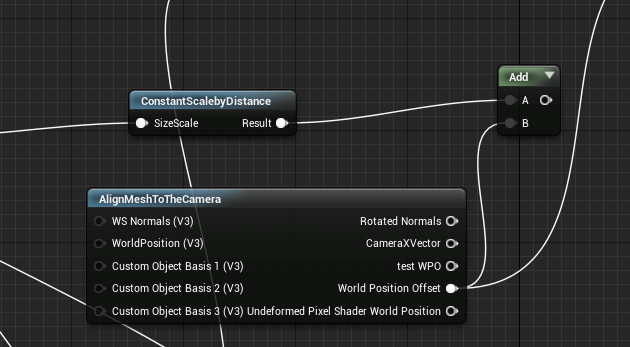
how do i combine these 2?
add clearly is false
i need the constant scalebydistance + the alignmeshtothecamera
 warm lintel
:>
twitter widgets dont work here? :p

there oyu go
so i gonan stream about this thing in around 30min
@obtuse seal Particles.Velocity :>
obtuse seal
@warm lintel Nice, did you get the included mesh reproduction modules working?
obtuse seal
Yeah I need to pull the latest commits
warm lintel
i also did some blueprint scripting
obtuse seal
Using event handlers or driving User vars?
obtuse seal
I'll tune in to see how you've handled User vars then 👍
warm lintel
Toying with UE4 dev-niagara build (newer version which is shown in GDC) showing off new UE4 particule system, come i gonna show you the ropes https://www.twitch.tv/shadowriver
 brittle remnant

The Kilauea eruption is creating loud, fiery explosions. Lava from the volcano has now even reached the Pacific Ocean, releasing toxic fumes. To read more: h...
Some great FX ref happening now. 😄
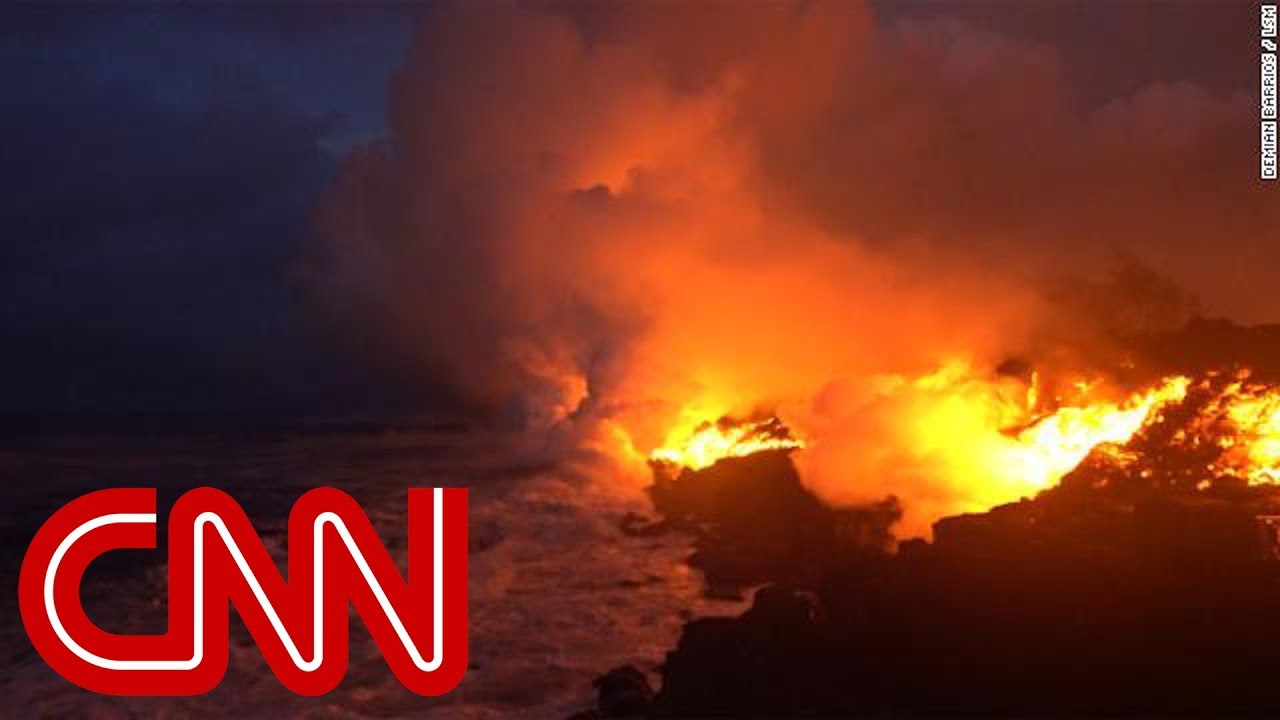
First it was catastrophic lava. Then it was sulfur dioxide. Now Hawaii's residents have yet another danger to worry about - laze.
 lone wing
oh niagara have the default viewport, hated that we couldnt see the PP on the particles
 neon cave
i am using the Murdock paragon asset, and trying to get the UltBeam to go at the crosshair
ParticleSystemComponent* PSC = UGameplayStatics::SpawnEmitterAttached(UltLaser, GetMesh(), FName(TEXT("Muzzle_01")));

that is all the laser has
but it goes straight from the muzzle, but i would like to have it go from muzzle to center of the screen, that i can get, but how would i make the beam go towards the center?

 worldly pivot
Is there a way that I can create a basically a particle system that shoots bullets and leaves decals? with out creating a whole weapon system?
indigo jolt
@worldly pivot ya it's not too difficult
your choices are generally one of 2 obvious options
- use particle to spawn the decal
- use projectile to spawn the decal
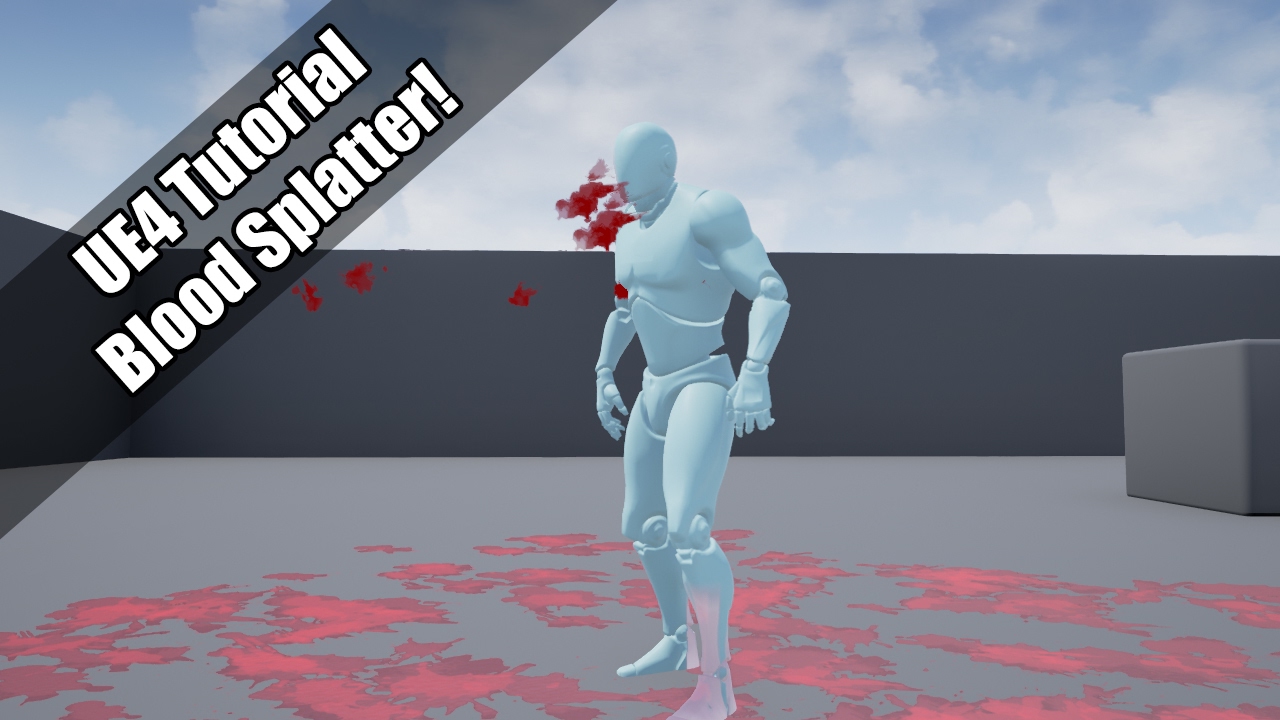
YouTube
UE4 tutorial on spawning a blood spurt particle, which them adds decals to the environment! So violent :'( Request by - "Nickname Surname" (that's literally ...
start with that
this is how to spawn decals with properly referenced rotation/location
in response to particle collision
you can apply same general setup to projectiles too
worldly pivot
@indigo jolt Ahh thanks I saw that but didnt think it was what I was after but il give it a second look ❤ big help ive been scratching my head for the last hour or two over this haha
indigo jolt
it's the foundation i've used for like everything on this subject 😃
rocket launchers, lasers, lightning spells
worldly pivot
Yeah thats all I need it for making just some simple effects but dont wanna screw around with the FPS defeault just want the barebones kind of thing
Can you spawn a decal and an effect?
like a blood splash when it lands
indigo jolt
yeah
indigo jolt
i'll show an example of how this sort of logic can be propagated

Fixed a "popping" issue with sky-refraction mesh due to overly high values on the material instance. Also for anyone wondering what the electricity is about ...
some stuff i did a few months back
initial projectile puts down a decal, then where the projectile hits i spawn more projectile blueprints
and you can see at the end there one of them actually burns the ground and plays a fire particle
0:27 or so
using projectiles is really convenient because they have definite "collision" impact normals that you can reference for the Decal rotation
and since they're already blueprint actors you can kinda do things in a modular manner rather than just bloating up your first person character
worldly pivot
Ahhh neat awesome 😄
warm lintel
Here archive of my Niagara stream if somebody missed it explains basics,shows interactive massive cloud of GPU particles in action,shows collision in action (thanks for people from Epic to explain how to make it work),mesh recreation https://www.youtube.com/watch?v=r_hgAB3nIBA

Archive of my twitch stream showing dev-niagara branch -- Watch live at https://www.twitch.tv/shadowriver
 fresh harness
@warm lintel Thanks a lot for archiving it. (watching it now).
Btw, that Niagara Extras plugin was available on binary 4.19 release.
fresh harness
Anyone have or recommend a cool charge beam particle effect? I've found a few, but I'm curious to see what you pros think are good.
celest jasper
not sure if you also mean lasers, but this is dope
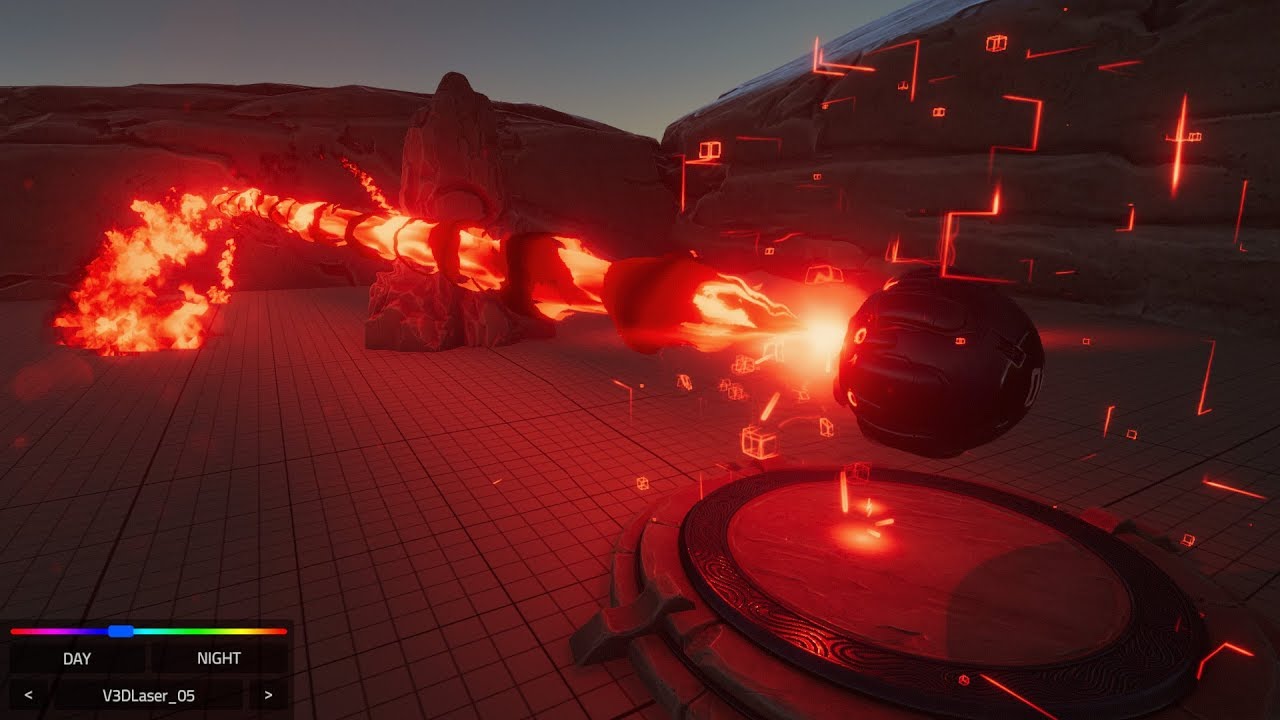
A quick overview of the Volumetric 3D Lasers Unity VFX Asset Check the full Asset here: http://u3d.as/10mn
untold yoke
I am wondering if Nvidia flex is still a viable option to create a physics based liquid
cold sorrel
Not if you are shipping a game. If you are just playing around, sure
analog onyx
Was there actually any shipped title with FLEX ?
obtuse seal
Borderlands 2 had an optional graphics setting for physx fluid which might have used FLEX 🤔
wait that doesn't make sense
Uh, I think Killing Floor 2 has it as an optional setting
mortal lily
the physx fluids are different from the flex ones tho
cold sorrel
Yeah, I think killing floor is still the only one
obtuse seal
Argh so close to getting vector fields working in Niagara
And of course I simply forgot to gridsnap the particle position 🤦 -endblog
 devout lodge
Hey all. Anyone know how to make a beam particle also have a sprite particle at the end of the beam?
within the same cascade that is
obtuse seal
@devout lodge I believe you can do it by adding an emitter initial location module to the emitter
Not entirely sure why it works that way, but I implemented a beam with an ending particle that way for a project done in 4.17
 devout lodge
Ha! Holy heck thank you so much!
Thats hilarious that it is called initial location but it puts it at the end of the beam
obtuse seal
It's probably related to how beams intrinsically work, I guess they build from the end to the start
devout lodge
Long as it works I'm jazzed
obtuse seal
Something really weird about the WIP module to sample vector fields for niagara
Testing it, it only appears to return the vector at index [3,0,0]
So close to puzzling out why it doesn't quite work right 🤔
Only clue I found inspecting values closely was that one other value of the vector field got sampled, trying to find the index now
Looking at it a bit closer it seems that the vector field might just be incredibly tiny
Adjusted particles to be super tiny and slow, I can now see that only particles moving roughly straight against a plane are sampling the vector field
weird
Further testing, made a material to display a particles position and sampled vector field value using debug material functions
vector field only exists in a 1x1x1 cm cube which means I probably missed initializing a size value somewhere
so that's cool
Seems like it's working now, gifs soon
Niagara system with a Vector Field: https://gyazo.com/0170561c5f1ae4c9a298ca7b0e3e7167

The particles are visualizing the sampled value of the vector field at their position
I crashed like 3 times trying to push a higher particle number 😬
Now to try GPU particles...
Nevermind the GPU particles, those are not compatible with vector fields at this time* (For Niagara)
sullen forge
niagara truly is volatile as fuck
for something that has been in dev for like 4 years XD
obtuse seal
It's understandable given the technical complexity of the entire system
obtuse seal
So I've managed to generate an event in a Niagara module and assigned it to an Event Handler but I'm not really sure where to actually handle the event 🤔
... if that makes any sense
 lucid nimbus

Cem Tezcan gave a detailed breakdown of his amazing moisture/rain material he created with the help of Substance Designer.
Can someone explain to me why this ^ is too labour intensive?
It seems like it might create lag. Is there a simpler way to do rain/water effects?
analog onyx
@lucid nimbus This one is pretty simple. Not sure what you'd want to simplify further.
zinc remnant
Anyone know the best way to have particles bouncing off an object? For context, I have what's essentally a cloud of metal panels/debris floating in a sphere that I want to bounce off my ship as it flies through. I've been fiddling with the collision module (as the meshes are masked I can't use scene depth) and they initially just died or froze when I hit them instead of bouncing away, so I gave them an initial velocity of 0.1 and pumped up the damping factor to something ridiculous like 1000. This sort of works but half of them will just die anyway, and I've a feeling there must be a better way to do it? I want to avoid having to spawn meshes in a blueprint with collision/physics as this could get costly pretty quick. They'll be just purely visual and only collide with the ship. Any pointers/advice?
 jade delta
how do I spawn just a single particle, instantly? if I set rate to 1, it doesn't spawn immediately.
 jade delta
seems to be working now. thanks 👍
ocean hedge
we're starting to go into a big bug fix phase for Niagara. If you are experiencing crashes/slowUI/bugs/etc, don't hesitate to hit me up with issues. We may not be able to resolve all of them by 4.20, but knowing where people are having the most problems will help us concentrate testing and improve the user experience in weaker areas.
 wicked meadow
hi everyone, is there a way to clamp a texture in U but wrap it in V? (or vice versa)
analog onyx
@wicked meadow Use clamp material expression on U coordinate, but leave V as it is.
wicked meadow
oh, simple. Thanks
fossil swan
@ocean hedge when do you think we'll hear a bit more about niagara's performance?
Im assuming that with VR, AR, Mobile, and what not there was quite a bit of emphasis on trying to optimize it all.
sullen forge
just the fact that it uses a vector machine to emulate gpu code for cpu particles is already very nice
probably faster than old particles in CPU
tho i will need to do benchmarking
ocean hedge
We've obviously been designing with performance in mind. Cascade did some really bad things on the back end that we've been able to improve substantially on. That being said, we have multiple planned optimization-oriented features in the development queue. In really simple day-to-day systems we have more overhead than we'd like right now, but that's part of what we'll be investing in post 4.20.
sullen forge
@ocean hedge there is one main thing that worried me reading about niagara
doesnt it end with an explosion of compute shaders for a full game?
compute shaders that need to be compiled and use space
in a really interesting Destiny2 particle architecture presentation they talked about this specific thing
they had issues with a compiled compute shader per particle effect, as it ended up with a riduclous amount of shaders created
eventually they created a virtual machine and interpret the code in the gpu, sending bytecode through an uniform array
ocean hedge
We'll have many orders of magnitude less compiled shaders for Niagara than you would pixel and vertex shaders generated by the material system
sullen forge
good
fossil swan
flexes dev-muscles
I am sure you'll manage improving that beast to a diamond standard
fossil swan
zinc remnant
@fossil swan did you see my question? any ideas?
zinc remnant
ah okay, no worries. Thanks anyway 😃
jade delta
using a particle system with "Size by Life" to scale it. when it's small, you can visibly see the bounds of the texture, until it's big.
is there any setting in the material or something that prevents this? only happens with some glowy emission.
spare hare
you can give your texture a negative LOD Bias
jade delta
with LOD Bias -1:
zinc remnant
with something like that, you could make the ring procedurally in the material, and it wouldn't have that problem
brittle remnant
@jade delta You are seeing DXT compression on your smallest mip maps. You can disable mips if you want and see if that helps. You may get other errors though depending on your use.
Also for something like a glowing ring a mesh could work.
@jade delta Another approach would be to set your ring texture to grayscale.
spare hare
a negative bias should already solve the problem though. try -2 or -3
jade delta
@brittle remnant setting it to grayscale discards the alpha though. No mipmaps soort of fixed it, apart from some jaggy edges, I think
@zinc remnant I considered making it procedurally, but it's a bit harder if I eventually tell a 2D artist to polish my particle effects and be creative, and stuff
@spare hare with -3:
zinc remnant
yeah that is true
analog onyx
@jade delta When authoring such textures, account for potential bleed into borders, when mip maps are generated. Otherwise, you can try generating the shape procedurally.
zinc remnant
if you use greyscale, in your material you'd use the red channel or something for your alpha
fossil swan
grayscale doesnt do anything besides changing some standard settings. it doesnt improve compression or has any advantage over using general compression
jade delta
so what settings would be equivalent to that of a grayscale texture?
fossil swan
if its just one grayscale texture? alpha compression which stores a grayscale into Alpha.
when packed, not much you can do
i'd suggest making that thing out of a mesh prolly
only needs a few polygons and will act like a vector instead of whatever compression
jade delta
okay yeah, might do that eventually then. for now leaving some padding seems to solve these issues mostly.
thanks everyone 👍
fossil swan
btw @ocean hedge I always wondered why they removed the "over time" modules from ue4 compared to udk. what was the reason for that? (if you know that is)
brittle remnant
@fossil swan Using Greyscale in UE4 will make your texture R8 instead of DXT/BC compresson. The R8 format should not have any DXT block compression artifacts.
fossil swan
yea derp on my part, confusedit for the mask compression
brittle remnant
@fossil swan Agree though that a simple mesh is probably better than a texture for his use case. 😄
ocean hedge
@fossil swan that was before my time
fossil swan
any idea who to ask? i know its useless to know but I am curious
sullen forge
dont worry luos now we just implemnt our own
i wonder about having open source module packs, or just a marketplace pack of niagara functions
fossil swan
im sure both will be a thing
sullen forge
now i want to do that myself and try to get some $$
fossil swan
downside of mp versions for me is that I need to recreate them if I'd use em in a mp pack :p
or ask permission + link to pack
sullen forge
too bad im ridiculously busy this next ~3 months or so
maybe some tinkering on the side
obtuse seal
@ocean hedge Are Event Handlers working in Niagara in latest build? I've created a module that performs a write event and created an Event Handler that sources from it, but where do I manage the event? Should I create a BP event with the same name? 🤔
 ocean hedge
let me share some screenshot examples with you
obtuse seal
Many thanks 👍
ocean hedge
this is from one of our automated tests
There is just one emitter here, emitting a white particle
sullen forge
@ocean hedge how exactly do you do automated tests for things like particles?
you have a demo scene with the screenshot capture tool?
sullen forge
also, given you mention automated testing, do you know how to launch automated testing directly from commandline or visual studio?
becouse thats not on the docs
ocean hedge
@sullen forge we don't ship the automated tests, but we have a screenshot capture comparison against last known good at particular time stamps
we author the sims to have all randomness removed
sullen forge
at the moment, i have "some" automated testing on my PS4 game, but thats completely manual
i dont know how to launch commandline tests
so i just launch into a specific test map that starts doing random stuff for testing, manually
ocean hedge
it's nice in that we have it integrated into our continous integration server, so that we keep running the tests after changes go in
sullen forge
do you know how that works? @ocean hedge
launching a full game for manual testing is not a very good approach. Direct headless testing would be much quicker to do things
brittle remnant
@ocean hedge I'm curious how you guys are feeling about the Niagra workflow? It seems from working with it that the very long series of property windows feels harder to parse than cascades block metaphor.
ocean hedge
@obtuse seal here's the module that generates two events every frame:
here's the stack for the event handler for the negative event from the above graph:
here's the stack for the event handler for the negative event from the above graph:
ocean hedge
note that this is just events tothe same emitter
they can go to any other emitter in the system
there are 3 execution modes:
Spawned Particles - does what this does above, runs the script for each spawned particle (after the spawn/update script has been run)
Every Particle - runs the event stack for each particle in the emitter
Single Particle - runs the event stack on a specific particle (this one needs a lot of TLC currently)
obtuse seal
That would still incur overhead of checking every ID
ocean hedge
yeah, although the current implementation uses the index in the list instead of the generated parrticle ID
fossil swan
ahh
obtuse seal
This info is invaluable
Anyway, is there a method to sample data from a Niagara emitter and receive it in a Blueprint? I see there's debug nodes for reading Niagara data
ocean hedge
events are an area that we will be revisiting as we go along, b/c we need it to be easier ot use
@obtuse seal not yet
sullen forge
now im thinking on a projectile system
that is 100% particles
and then just an actor and blueprint that holds the particle FX
ocean hedge
@sullen forge back to auto testing, we have a project that is just content examples and not the full game with game logic. We try ot keep the test cases small and easily debuggable.
sullen forge
that makes sense
but how do you launch it on commandline ?
is there a easy commandline that i can tell unreal to just "run all tests of category X"
instead of doing it from the editor buttons
ocean hedge
@brittle remnant making it easy to understand at a glance is something we do need to work on... we may end up doing something similar to the cascade stack as an alternate view in the future... but we've had Niagara in development too long and didn't want to keep it to ourselves.. we wanted to open it up, warts and all, on the precept that we'll only get better with more active community feedback and involvement
obtuse seal
https://gyazo.com/0c074ba6e981d25d99ac8e7293908cdf Driving vortex force axes with vector field
 brittle remnant
@ocean hedge Yeah for sure! Absolutely appreciate that it's getting out into the wild. Was just curious about Epics take on how successful the UI was at the moment. I think the addition of the color coded property windows was a step forward from the 4.19 version. I do find myself having to scroll a lot and getting lost in the properties a bit though. Would be happy to engage on solutions if you are interested in some mockups and ideas.
ocean hedge
@sullen forge - I think that most people write a commandlet for the editor or their game to drive it from the command-line... soemthing like this: https://github.com/ue4plugins/CommandletPlugin

GitHub
CommandletPlugin - Unreal Engine 4 plug-in that demonstrates how to implement a commandlet.
running on target hardware is trickier and I think that our test project has some special purpose startup code that lets it talk to a host editor instance
this isn't my area of expertise, but what I've been able to surmise from working with it
sullen forge
so that basically runs a completely normal C++ program from a commandline parameter
very interesting
warm lintel
I actully used ID to try cut ribbon particule
obtuse seal
Reviewing previous gif of vortex forces with axes decided by vector field and realized that I had disabled the sample vector field module 🤦
obtuse seal
Some more vector field visualization in Niagara https://gyazo.com/e3759f4306bc95abfc96825bb94c0371
Now to try and do this with splines and color code
or, ribbons
warm lintel
then now apply it to velocity :p
sullen forge
what happens when you try to sample from outside the vector field bounds?
does it just clamp?
or goes to 0
obtuse seal
The WIP vector field sampling function has options for tiling
Not really sure what it does outside bounds
The vector field I'm working with has some boundary condition that just causes the particles to flicker on the edge
Going to test same setup in cascade quickly
celest jasper
@ me when they show the trailer of bfv
obtuse seal
OK, it just happens to look bad when driving the velocity directly
I'll try a different noise sample
warm lintel
i didnt suggest how you would plug velocity in :p doing so via acceleration sounds good
imo best part is with this you can make level based wind maps 😃
or should i say air flow
obtuse seal
Yeah I was trying to setup a grossly simplified fluid sim by stepping through a cascade sim with collision and events to record particle position and velocity but as of now you can't export data
Anyway here's the same vector field that's instead adding velocity https://gyazo.com/f9197edfc4ad67c600d01a3c826daee6
Is there any way to adjust the size of these Niagara ribbons?
cold sorrel
@celest jasper now
celest jasper
yikes
warm lintel
you mean length? you need to cut them by changing Ribbon IDs
it connects particles of same ribbon IDs
warm lintel
i try to cut them based on particule ID it worked good until it started to reuse particule IDs and it started to connect new particles to old once
obtuse seal
I'm guessing persistent IDs setting wouldn't help with that issue?
warm lintel
persitent id is things that turn on IDing of particule ;p
without it didnt work at all
or else i misunderstood osmething
obtuse seal
Did you manage the IDs with events?
celest jasper
@cold sorrel Thanks! I understand why you posted this in visual-fx, the effects look unbelievable
cold sorrel
Yeah they did a good job
warm lintel
didnt play with events yet at all
ocean hedge
here's some more examples...
basically default emitter generates the points that are being followed, they emit an event every frame
ribbonidemitter captures the events and draws the lines
obtuse seal
@ocean hedge It doesn't seem responsive to burst spawning, will ribbon particles work with burst spawn?
ocean hedge
you'll need pick something other than age to stitch them together as they will all be born at the same time
Wyeth has been working on beam modules
obtuse seal
Can't wait to test it!
 dark dagger
Has anyone had any experience with the scene depth collision for GPU particles working unreliably (even when the camera is looking at the collision objects)?
fresh harness
Isnt scene depth collision the only type of collision for GPU particles?
Either way, yes, I find it unreliable.
Maybe adjusting the lighting and or opacity of materials in the scene might make it more reliable?
worldly pivot
Is it possible to scale a particle up from the bottom so the bottom stays stationary but the top streches out?
fresh harness
Newb questions:
I assume this is just an emitter module that applies the exact same settings to multiple emitters specified, but how do you create it?
https://i.imgur.com/KpLi8v2.png
Epic uses these "Material Attributes" nodes a lot (like on the Mannequin). Is there no way to expand them?
https://i.imgur.com/Xz8j0ae.png
Could only find info on material attributes layers, which I'm pretty sure is something different.

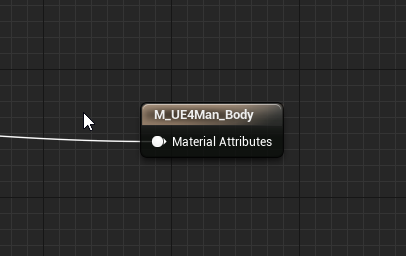 fossil swan
@fresh harness hold shift when dragging a module from one emitter to the other
fresh harness
Awesome, thank you!
I'm surprised they didn't do that in that series of particle tutorials Zak P. did way back when.
 nocturne isle
I'm using a post process material to slightly offset the edges of the screen, is there a way to fix the lines you see appear with small offsets
seems like the smallest offset is a whole pixel
 safe swan
Hello. Does Niagara in its current state (dev-niagara branch) work on Android? Has anyone tested it?
wicked meadow
will the particle systems I already have made in cascade work with niagara?
fossil swan
I wouldnt use it for anything production related @safe swan
in theory it should work, but in practice itll crash a lot.
@wicked meadow no, but there might be a converter later down the road with capital might and it might not convert all the functionality properly
safe swan
@fossil swan Thanks! Yes, I have more experimental research work in mind for now so won't be using it for production.
fossil swan
then research away! :p
 vast path
what's the proper way to use an alpha channel in a texture ? when I create one and save a png from photoshop, the alpha channel does'nt seem to be saved
vast path
okay thanks for the tip!
indigo jolt
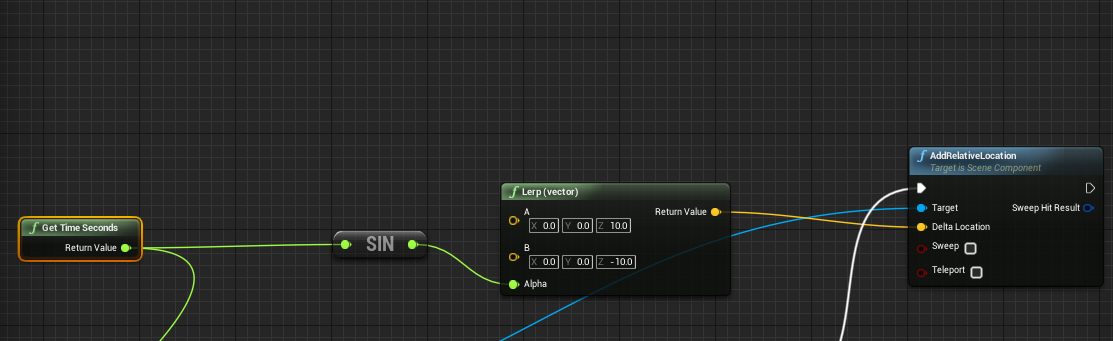
got partial idea in Blueprint area, but anyone here have a way to make this work like Materials do? https://i.gyazo.com/8c64718401ecdb7619494779d640b8a2.png

i want it to go 0-1-0-1-0-1
not 0-1-2-3-4-5-6....
Time>Sin>Lerp
not same in Blueprint
how to make it work like Material? and don't say "use timeline" i will if i have to, but that seems inelegant
analog onyx
Material editor has time sine and lerp.
indigo jolt
yes it does, it's lovely
i need to use blueprints
because this is affecting a blueprint
analog onyx
blueprint editor has time sine and lerp.
Seriously though, it is not clear what you want to do.
celest jasper
I think he is trying to do the basic time sine lerp in blueprints
brittle remnant
Yeah not sure if you want a smooth transition or a clipped 0-1-0-1
This will give you a 0-1-0-1 lerp value but it's not linear it's using sin
celest jasper
you are using alpha wrong
you make it go between -1, +1, -1, +1
you can use map range or you just add 1 and divide by 2
woops, I didn't look at your graph ook ❤
brittle remnant
Lol of course there's a built in funciton for this:
"Spends 10 mins reconstructing the math... scrolling through functions looking for something... discovers pre-made function"
Make Pulsating Value gives you a linear / triangle wave
Actual math included for funsies!
celest jasper
what if the same function is in the material editor? 😮
indigo jolt
@brittle remnant thanks, that worked good
indigo jolt
@celest jasper material editor is for materials. It's not very good at moving around static meshes. WPO is kind of a messy solution for this.
celest jasper
if you know what you are doing, it's fine
I can imagine it being useful for a 10k fish swarm
fresh harness
Sorry to repost>
Wtf is this?
https://i.imgur.com/Xz8j0ae.png
If I click it, its properties are identical to a default material attributes node, but it doesnt seem like there's any way to expand or split it. Is it a "locked" material attributes node or something?
celest birch
@fresh harness It's just the result node collapsed into a single input. Useful for when your material makes use of the MakeMaterialAttributes node and any nodes that use it
You can disable it somewhere in the details panel
fresh harness
Awesome thanks. Ill look around for the disabler.
Got it. The "Use Material Attributes" checkbox.
 pseudo elm
Hi, Does anyone know if it is possible to have Custom Stencil values per MeshSection?
obtuse seal
@astral matrix I have little experience with the subject but I did some research and there doesn't appear to be a way to convert openVDB files to FGA format. FGA is dirt simple but VDB uses some sparse data representation for efficiency, however being open source someone could surely write a converter.
 astral matrix
okay, thank you. will try to find
cold sorrel
If you have access to Houdini you could use houdini engine to do it. Just shove the vdb into the fga exporter
fossil swan


Working on some beam modules for #UE4 Niagara, was shooting for Cascade parity as a first pass, but the tool never lets us stop there. 4.20 is on the horizon, #VFX artists! https://t.co/KwtPBlvtTM
 Twitter
obtuse seal
Twitter
obtuse seal
I spy a commit in dev-niagara for "submitting a test map to collect our example content" but it appears to only be for internal tracking, I don't see a test map anywhere 👀
ocean hedge
yeah, not everything is public
Wyeth and co are working on a good set of tutorial assets
indigo jolt
i think i accidentally did something similar to this just using Orbit module
😛
the Spirograph people will pay billions for this though once they get into the game industry
obtuse seal
@ocean hedge Thanks for getting in touch. I've run into an issue with user exposed variables that I'm not sure is a bug or intended functionality. I've created a System Exposed Parameter that defines the start location of the Niagara Emitter and then added two of those Niagara Emitters to a Niagara System. If I adjust the Parameter in one Niagara Emitter it will also change it for the other, although there's a little yellow pencil icon that says "Local value", so I would assume it should be possible to have a unique Parameter for each Emitter in a System? https://gyazo.com/fde77ca91ba56949341f14403d49c15f

Unrelated, but being able to ctrl-select multiple emitters and bring up their detail panes simultaneously is awesome https://gyazo.com/e3ece4c828aa3ca021d13cb2e04b0b7b
 celest birch
hi im new to materials an all things graphical but im trying to make a material for text/UI elements thats kind of like this:
any tips or guides you know of? at the moment ive just got a slightly transparent font material
ive just made a material with opacity 0.5
 boreal gull
jw you making an ac-like?
celest birch
me?
boreal gull
ya
celest birch
my game is nothing like the image i just want the kind of blurry transparent effect in my hud
boreal gull
fair, fair. I'll go away, then. I can't actually help. :(
neon cave
anyone here 😄
obtuse seal
@neon cave You can download the Phase character for free and inspect the particle system
neon cave
i got the character, but none of the FX use beams
or ribbons
so i am not sure how they do it
obtuse seal
I'm guessing it's a beam and a material
I'm sure someone else asked about this a few days ago and got an answer but not in this channel, maybe check in graphics?
indigo jolt
I heard it was blueprint based mesh generation
Which is sorta infuriatingly NOT added to engine and is clearly superior to beams... which are part of engine
I love UE4 but you gotta do a lot of things the hard way still. Unity is catching up on beams and ribbons already
 vivid dragon
obtuse seal
vivid dragon
obtuse seal
https://gyazo.com/9cc9b935c69412954efea44cbc713f1c Vector field driven ribbons

Wish I could cram more in but I need a more beastly pc
neon cave
@obtuse seal so i am best to remake the particle but using beam?
cause i have no idea how they did the mesh based blueprint stuff
obtuse seal
I think it's a dynamic generated mesh
Probably similar to how Niagara ribbons work actually but I'd have to look at it myself
I think the most straightforward approach would to be creating a spline mesh that's a 2d plane and then having a material shader 🤔
depends on how close you're trying to get to the original effect
neon cave
im not trying to mirror it, just want a linked effect between two characters
but looks half decent 😄
obtuse seal
Well if a basic ribbon or beam emitter doesn't look sharp enough I would approach it with a spline mesh and material
neon cave
i found the particle fx they use for it aswell as the textues
textures

and the particle system is a ribbon
neon cave
but they seem to have a few materials which are not part of that beam and not linked to anything which makes me think they did the procedural mesh way or something
wicked meadow
Hey guys, I'm trying to mix triplanar mapping with texture painting and wondering if it can be done in a more efficient way than this
I'm guessing using the lerp before would be better but I can't find a way to make it work with texture objects
 hidden oxide
Hello everyone, i've bound a particle emitter to one of my chararcters's skeletal mesh using spawnEmitterAttach with a socket, but when I change the skeletal mesh dynamically (set skeletal mesh) the emitter is still here even though the new mesh doesn't have the socket, any idea how to get rid of it ?
I'm using blueprints btw 😃
hidden oxide
Works fine now, thx !
 strong carbon
Tuba, lerp two texture samples then put your texture objects as inputs into the samples. That way you only do the triplanar calculation once
Although you will probably have to just crack open the node and do it manually, which might be too much effort. I was just remembering that you would have to do that inside the function.
wicked meadow
Thanks @strong carbon , I did that node so it's not a problem to change it
indigo jolt
@neon cave with ribbons you have to give it a bias to one side
neon cave
thats using beam
indigo jolt
same with beam
neon cave
what you mean bias
indigo jolt
ribbons, beams, anim trails - they all work like a really stretched out rectangle
neon cave
oh
neon cave
that would be in the material?
indigo jolt
in material or texture. you can change the UV's to be 0.5 in the horizontal width, then ADD some to it to be more on one side
so the texture will be more intense right near where the beam comes out of character
sorry one sec i'll illustrate this
it's not very complicated but it's terrible as words
neon cave
i am new to materials and stuff, more of a programmer than visual artist, but like to learn 😄
indigo jolt
ok so right now your texture probably has an alpha sorta like this

what you want
is

now that's not ideal because it'll be SUPER hard edge right near the start of beam
so even better....

and i should point out you probably shouldn't use beams for character trails
you should either use Ribbons or Anim Trails
neon cave
its a link from one character to another
indigo jolt
hmmm
neon cave
thats what i am trying to achieve
neon cave
see the start is where the beam is in the world
indigo jolt
if you want a full link from one to the other then your alpha would look more like
neon cave
the target is my character
indigo jolt

right now your alpha is too weak near the edges
so beam isn't fully touching character end points
does that make sense?
neon cave
yeah
indigo jolt
so that alpha would look more like this https://i.gyazo.com/1d3d4c9d9c90b9c62ab2e3e671d87647.png
 neon cave
all my textures seem to be solid from end to end, must be the material, i am using the default material for the lightbeam
indigo jolt
solid from end to end is correct, but they might be going the WRONG way
i keep forgetting which goes which way honestly
but like Beams go one way and Ribbons and Anim Trails go another way
like one of them goes vertical
another goes horizontal
so if you use a texture made for a Beam on a Ribbon or vise versa
you'll get horrible result
because you're using it sideways
indigo jolt
yeah lol i honestly don't remember which goes which, but i know you can't use same texture shape for both
i have to make 90 degree rotations of textures if i want to change from Beam to Ribbon usage
etc
i think you just need a copy of your texture made and rotated 90 degrees
if you don't have photoshop or something you could do that with a material rotator
indigo jolt
ya that'll hook you up fine
i think swizzle does it
there's like 3 different ways to rotate a texture 90 degrees
use rotator and hook in a float value of 6.5 or so
into Time
i think that's roughly 90 degrees....not precisely
then there's like "custom rotator"
i think Swizzle Coordinate Output does a 90 degree rotation
neon cave

i am still learning what everything does :/
but i know these textures were used on a ribbon
and this material was
indigo jolt
ah yeah the top 3 would be the core alpha shapes
the bottom one probably a distortion texture that added to the UV's of the others
i could be wrong - there's always dozens of ways to get something done
i really need to look at the paragon assets...
 indigo jolt
yeah that's too much fade too early imo
there should still be some higher than 50% values all the way up to the 2nd to last checkerboard boxes both top and bottom
neon cave
i am lost on this 😄
gives up and just programs the function, i am sure i can get someone to help with the materials at some point
indigo jolt
that would be news to me....
 dark rain
I've attached a particle system to a projectile, it gives it a nice trail.
The problem is, when the projectile hits something and gets destroyed, the particles disappear instantly - I want them to linger around for a bit, before fading away
anyone know how to do this?
spare hare
dont destroy the actor
celest jasper
If I want to use an icosphere or a cubed sphere for displacement magic, how do I unwrap those and what textures do I need to make it seamless?
 blazing tide
Make cube, unwrap, subdivide, spherify.
celest jasper
How does your UV map look like?
Do you have 6 UV islands or any cube unfolding shape?
blazing tide
Depends on particular case. It may be 1 square with overlapped pieces, or cross, or anything else.
celest jasper
yeah, but cross means you will have seams
and 6 pieces means, your texture will tile 6 times
blazing tide
It won't matter if you bake seamless texture into that.
Like, perlin noise based on world position.
celest jasper
Perlin noise based on world position? Are we talking about triplaner mapping?
blazing tide
Just a usual procedural noise with position input.
Tri-planar will also work though.
celest jasper
So, if I make a cube, unwrap like that
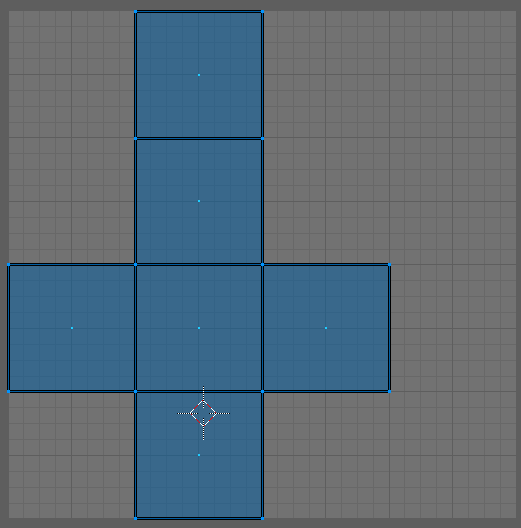
this is what you meant with cross, right?
This is how it ends up with spherify
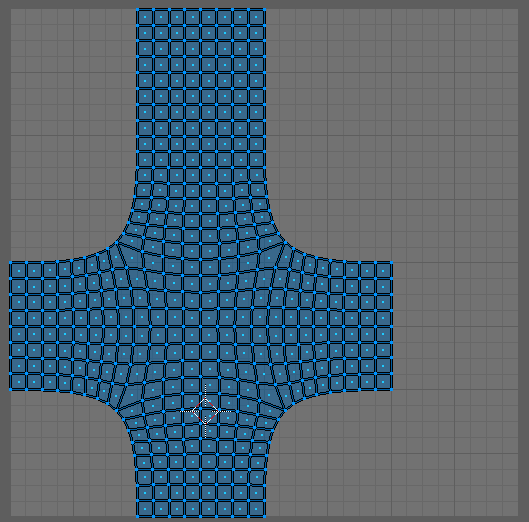
And you say if I throw it into the engine and bake myself a texture in Unreal with the noise node, with WP I can bake a seamless texture?
blazing tide
There is render to texture toolset in UE4 somewhere in Engine content. I found it clumsy to use, but you may try it.
celest jasper
So, where did I go wrong. What other approach are you suggesting?
blazing tide
What is your use case?
Do you want perlin noise?
Your relaxed UV will work, but I think I'd retain island proportions, or maybe re-unwrap this into pillow-shaped islands.
celest jasper
I want variety, so every noise texture that I can create in Substance Designer has to work on the sphere
blazing tide
About relaxed uvs: there is Subdivide UVs checkbox in Blender's Subsurf modifier. You could also use simple mode and apply To Sphere tool in edit mode.
celest jasper
Sure, sure, but I don't see how this helps to get rid of seams
blazing tide
This setup require you to make procedural texture on the sphere and bake it every time.
If you want to tile every generated square noise texture, it has to tile regardless to tile rotation.
celest jasper
So, I have to bake a world position texture, regardless how the UVs look like?
blazing tide
Yes, it just should be unique.
For your case, I'd use triplanar and not use uvs at all.
Unless you want perfect results.
celest jasper
It is possible to make this without triplanar

More Game Art Tricks: http://simonschreibt.de/game-art-tricks Article to this Video: https://simonschreibt.de/gen/stylized-vfx-in-rime-water-edition 00:02:50...
Afaik, they don't use triplanar mapping for this
They say spherical mapping though
wait a sec, I think I'm going off the roads
blazing tide
In this video, they generate uv-independent procedural noise on cube, bake and spherify after that.
celest jasper
So, in the end, even if 70% of the UV space is wasted, the cross UVs are used for that?
There is also a guy who is using the Icosphere with these kinds of textures
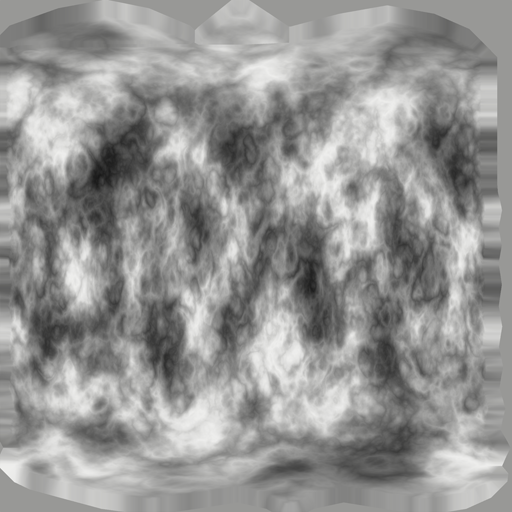
Might actually be baked, like you said
blazing tide
Yeah, it's baked spherical mapped uvs.
I'm a bit confused about the noisy cube. It appears to have same pattern on every side, and different on caps?
celest jasper
I think you are right
Pretty harsh cut actually
on the transition between front and top, on the 2nd and 3rd quad
where it's basically black to white
blazing tide
I get it, they actually made 6 overlapped islands and have seams.
blazing tide
There is no need to use it, I think.
Probably they use it to better utilize UV space?
celest jasper
yeah, well, spherical mapping is a pretty generic term for 10 methods on how to unwrap a sphere
blazing tide
"Sphere Projection" in Blender.
We can't really use square tile texture to make seamless cubes/polyspheres, as they will create connections like side-bottom, which do not tile, unless it was generated using some clever solutions. Perhaps SD have such workflow. The only tileable solution is actual tiles, with mortar at the borders.
celest jasper
Yeah, but sphere projection in Blender is kinda rubbish
celest jasper
Never did
And never had the intentions to ;P
But for a cubed sphere, I saw some other UV islands on poligon

I can probably use whatever I want
blazing tide
The middle is the best way, I think.
Yes, the only requirement for baked textures is: it has to be unwrapped.
celest jasper
But I thought there might be a possibility to stretch those edges
On the forum thread they also mention to use a 'Pelt relax' on the edges
Thought this might be the key to stretch them and make them perfectly seamless
But baking it is!
 drowsy lynx
in rime it's a "sperical" cube with spherical uvs. we use a photoshop cloud texture for the deformation - yes, there is a UV seam but it was not noticable in the game (many cloud particles covered each other 😄 )
obtuse seal
Has anyone played around with Seek To Desired Age BP functions for Niagara Systems? It doesn't seem to actually jump to the state at the time specified 🤔
Probably WIP
 hybrid oyster
Hey anyone who can help me with particles? 😦 I want to make a dust particle effect where it is only visible under sunlight rays or spotlight. Like in real life. I got the dust already, but I cannot figure out the next step
indigo jolt
@celest jasper i saw you said "no tri-planar" - so you're saying you can't use WorldAlignTexture node?
ocean hedge
@hyiumungo#3695 I got a notification of your earlier message about user variables but couldn’t find it outright. User variables are shared system-wide. They are effectively the public variables in blueprint speak. So if you want multiple emitters with different values for a user variable you will need multiple user variables.
obtuse seal
@ocean hedge Thanks for clearing that up! There's a little @ icon in the top right of the discord PC app that links to all of your mentions which can help sort them, I'm not sure if it's on mobile.
@ocean hedge Also I should ask, in regards to bugs with Niagara that don't cause engine crashes, what's the most expedient way to report them? I've put together a short list of minor UI issues.
dark rain
@spare hare is that the only way to keep particles after my projectile is destroyed? I implemented that and half of my blueprint script is now just for deactivating the projectile (disabling collision, lights, visibility, waiting x seconds - which changes depending on which particle effect I want to put, then finally destroying the whole thing)
Surely there's a better way?
indigo jolt
have your projectile spawn another projectile on death with nearly-identical particle system then have that particle system finish up before death of that projectile
spare hare
@dark rain It's the only way I can think of.
@dark rain I can think of spawning the emitter separately on Beginplay. and attaching it to Projectile.
When the Projectile itself dies, simply detach the emitter and deactivate it. it should work
obtuse seal
Hi all, would anyone be familiar with using RenderTarget2D compositing modes? I've tried manually capturing a few variations of a particle system with a Render Target set to Composite and Additive mode but neither appears to actually accumulate the Render.
I'll grab a screenshot real quick but essentially I'm trying to simulate a ribbon moving through a vector field from 100x100 starting locations, the programming is definitely working correctly with simulating the system at all locations but the Render Target is only capturing the last sample.
Here's what the system looks like simulating in real time, this is 5x5 ribbons with a width of 5 https://gyazo.com/be4f8de14d7c3557a51566c23a4f2100

Render target compositing 100x100 samples of width 1 only gets the last sample https://gyazo.com/88135ed604d2097a5945fbcace6a570e

I'm guessing the black of nothing is overwriting the previous sample results but I'm not particularly sure how I should work around that.
dark rain
@spare hare ahh so that's probably the missing piece. I tried to do that before and I just got the same result as adding a particle system to the projectile normally - though I did not detach the system before destroying the projectile. I'll give it a shot and report back. Thanks!
wanton vector
Hmm... got a bug with my river material. If I get close to the shader or if I move around, the shader's color changes to dark blue. Could it be DepthFade causing this? I'm currently debugging it.
https://gyazo.com/9fdfdaed1f7cdf248967432f504c7124
 obtuse seal
https://gyazo.com/0e7c1fcae8c88564bf53d04026d4337e Rendering 25x25 samples of ribbons driven by a vector field with Niagara

Doesn't seem to actually be sampling the Y axis though so I need to fix that 😬
The system iterates over a loop of setting a particle's initial position inside its very own emitter, stepping through 50 ticks of .1 delta seconds and compositing the result to a render target
It's very fast too, 625 samples takes less than .5s
Say it ain't so, do I espy Niagara code for animated vector fields 👀 https://gyazo.com/d55a8e5bf0743c72cca82e28fea76288

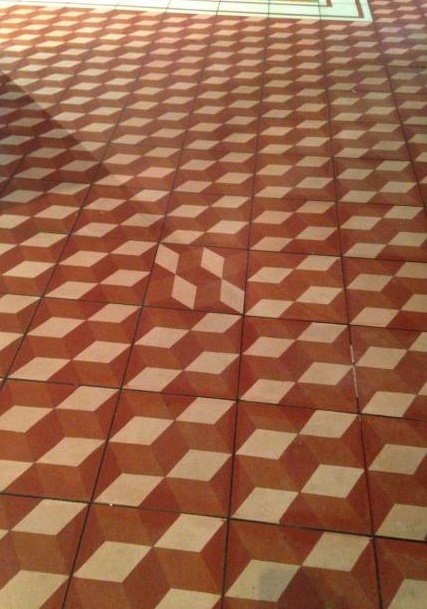


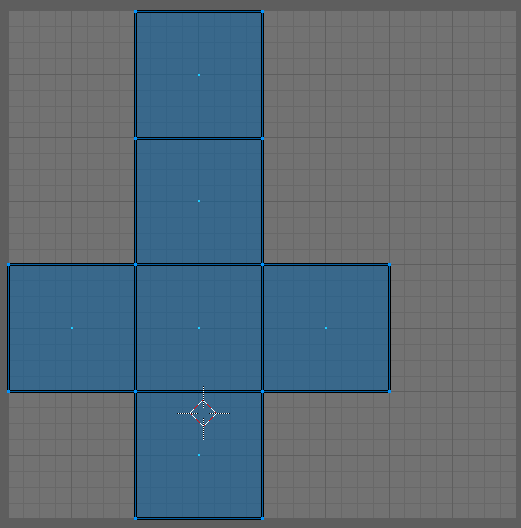
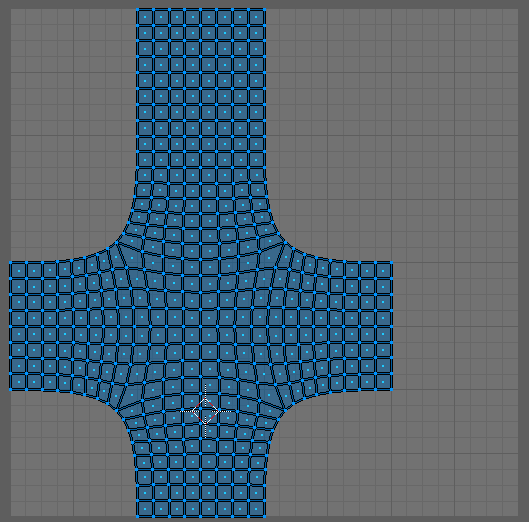


 tardy dome
@celest jasper you can also unwrap a subdiv cube
obtuse seal
Resolved prior issue 👍
@wanton vector If you haven't resolved the issue yet, it looks like the river floor is loading in as you get closer. Once the floor mesh is loaded in then there's something to get depth buffer information. Try using depth buffer view and inspecting the same scene
celest jasper
@indigo jolt I can use WorldAlignTexture node/tri-planar mapping, but I was looking for something cheaper
@tardy dome Don't understand, 80% of the conversation is about a subdiv cube, I also posted pictures of a subdiv cube, not sure if you read the whole conversation.
tardy dome
nah i just get in the middle of it 😛
thought it was an unwarpped sphere 😛
wich it kinda is
can also do a follow active quad
celest jasper
on a subdiv cube?
celest jasper
you get the cross on a subdiv cube with follow active quads
tardy dome
yea its more for a real sphere
celest jasper
that one has a garbage distribution of vertices if you want to offset them
indigo jolt
@celest jasper it's up to you still, but i should mention that the cost of world align is negligible enough that it's reasonable for vfx in VR
it eats up some texture slots, that's it
celest jasper
I know, but it's not the only thing I'm using
if I use tri-planar mapping with my other code it's getting out of hand
also, what do you mean with texture slots? it only uses 1 texture
indigo jolt
the world align node takes your texture and makes 3 texture samplers in the function
the rest of the math is pretty much just world position
it's still just 1 texture
celest jasper
so, texture slot = texture samples
indigo jolt
ya
celest jasper
but in HLSL it's simply reading from the texture 3 times, not sure why it's worth to mention
indigo jolt
ah didn't know that's how you were approaching it
celest jasper
?
I mean, the 'expensive' part of tri-planar mapping is reading that texture information 3 times
indigo jolt
if you figure out alternative to tri-planar give me a heads up, i'm using it rather extensively for stuff like smoke/explosions
celest jasper
there is a cheaper version that some people posted, but if you use it alone, that stuff is probably even mobile rdy
but yadayada, always depends how much you use it
people just warn not to use it on every material
indigo jolt
interesting
celest jasper
but yeah, I'm doing magic with 3 textures and it's not even panning, so I would need 12 texture read ups, which might work, but it's plain stupid ;P
if I decide to pan them, this will go up to 36
hope you can understand why I'm not interested in using tri-planar mapping for my case now
tardy dome
i used a flowmap on a volumetric particle, its not even that expensive 😃
celest jasper
it's to complex to write it down now
indigo jolt
just sum it up in 1 word
celest jasper
vfx
indigo jolt
ah come on you can do better 😛
celest jasper
crap, that's not even 1 word 😄
tardy dome
mine was all of the above 😃
celest jasper
in a week or so
indigo jolt
cool
tardy dome
was doin smoke but looks decent as fire and crap aswell
indigo jolt
that's always convenient
it's nice when you can keep same particle for both and just transition
rather than swapping one out for another with a bunch of overdraw
tardy dome
id do a pic but flowmaps dont make for good pics
indigo jolt
well if it's not under NDA, then gyazo gifs are always welcome
tardy dome
hmm volumetric doesnt really do overdrawn like masked or translucent i think
indigo jolt
oooh high tech
indigo jolt
gyazo is free, let's you record gifs by just dragging across screen