#visual-fx
1 messages · Page 9 of 1
 night hearth
night hearth
night hearth
@celest birch thanks a lot again, took me 15' to research and implement and it works great, god I love UE4
 celest birch
👍
 fossil swan
<_< when ue4 doesnt update a fast moving 0-1 gradient fast enough to make it look smooth
 willow spoke
haha @fossil swan
 wintry vale
Hey guys if you were to have a map where all the buildings had to become translucent and fade in and out, how would you do that and not have buildings see through other trasnlucent buildings when opacity is set to 1?
 spare hare
@wintry vale Using the Masked Blending mode
wintry vale
@spare hare That doesn't seem to cut it
as I thought that was a binary thing ethier its there 1 or its not 0
spare hare
that's what masked is
it's either opaque or fully transparent
you can make it smooth by using the TemporalAA Dither node
 gray fern
any idea how can I define the initial location from BP in a way that it is randomized for each particle inside the area?
as far as I could find out I simply can't, but... why?! maybe i'm wrong
basically what I would like to do is to define a random range as paramter, so I want to set the min and max value from BP
to answer my question: I can create my random dynamic box area via using a cylinder and locking the y axis
also the chance of finding a solution on my own is significantly improves as soon as I ask for help 🤔
fossil swan
its called rubber ducking

In software engineering, rubber duck debugging or rubber ducking is a method of debugging code. The name is a reference to a story in the book The Pragmatic Programmer in which a programmer would carry around a rubber duck and debug their code by...
celest birch
@fossil swan thats what i do to my customers
i legit explain shit line by line lmao
fossil swan
hehe
 bleak rampart
Could use some help with idea spawning for a FX for one of my abilities. You fire a projectile, when it collieds it will hack robots (player controlled and AI) within a area around point of collision. I want to visualy represent this area in a good and cool way
any ideas?
the area is sphere shaped
fossil swan
look at metal gear solid chaff grenades
bleak rampart
@fossil swan Thx for the input, that could be something
 hidden ruin
hey my particle buddies
if I don't want my particle system to continuously spawn
im using mesh data btw
how do I treat the rate?
fossil swan
required module > loop
hidden ruin
as in, I just want say, 10 meshes that are constantly there
oh yea?
okok
Thanks Luos 😄
fossil swan
np 😃
willow spoke
I want to achieve this light effect very very badly haha. I was thinking using After Effects and Trapcode Particular. Then putting it on a plane as a sprite sheet material. But that seems a little primitive. Is there a better way of achieving this effect?
willow spoke
Better reference!
celest birch
Planes seem like the way to go
 spare pier
for lightning FX -> plane + material: https://youtu.be/6zuRWtHsW_E

In this quick Tutorial I show you how to quickly create a Lighting or Electrical Effect material in Unreal Engine 4, No Textures Required!
more complex: https://www.youtube.com/watch?v=Vhsllsv53K0&index=5&list=PLZlv_N0_O1gbRdp_2fmNxPCxPaSIsBSX5

In this presentation, Sr. Dev Rel Tech Artist Alan Willard walks developers through the process of creating complex in-game effects using Blueprints, Particl...
 brittle monolith
Hey guys, how do you make something like this in 3D? https://gfycat.com/GrandioseDifferentAmericanbobtail

Looks like a white thing panning through plus a sprite sparkle but I'm not sure how to implement it
fossil swan
its just a white stripe that pans over the mesh, and a sprite with a spark texture.
 drowsy stag
I don't find anything about it in the Unreal Documentation, so I thought I'd just ask here. Is it possible that Light Functions have no influence on Translucent Materials? On the picture below you can see a spotlight with light function on an opaque material (right) and on a translucent material (left, with opacity 1 for better visualization)
With decals I know that they have no influence on Translucent Materials, but I don't find anything about light functions in this context...
 gentle niche
Good evening , I have Question about mesh particles and Orintation based on Velocity , So i have this simple Dash Effect made out of 2 Mesh Data Modules, I attach then on my character in Particle Emitter what it placed On Char as Component and then when i Dash i just use Reference of particle and Activate it. What i would like to have is so the particle adjuste rotation based on my characters movement aka velocity. I can do it with Ribbon Data modules but it looks like Mesh Data modules need some exctra care . Maybe anyone can tell me is that even possible with Mesh Data and if so how . Here are Some Small video of my Particle in Cascade and how it Looks in game . https://streamable.com/ps4j0 https://streamable.com/q38c3


 cold sorrel
The velocity alignment only listens to particle velocity, not emitter velocity. You are not giving the particles any velocity
I'd do it in blueprints though. Make the emitter localspace. When you spawn/activate the emitter, you simply set the rotation to be -Velocity direction
gentle niche
Ok Thank you i will then do rotation set in BP, i was under impression i can achive similar beheivor as Ribbon Data module but looks like not.
Setting rotation in BP Works, Thank you again
 cold sorrel
Cool! Sure it'd be doable in cascade, but it's more of a hassle 😃
fossil swan
is there a way to access cascade parameters in persona/animation without making a blueprint?
You can expose them when placing them in a level, but I cant find that option when directly attaching effects to animations.
fossil swan
https://forums.unrealengine.com/unreal-engine/feedback-for-epic/1399897-change-particle-parameters-in-animation fellow vfx artists, please +1 😃
 junior matrix
Animation?
fossil swan
persona/skelmesh animation tab
junior matrix
E.g. A "Set Particle Parameter" notify?
Ups. Added a Play Effect notify between a generic notify and a Timed Particle Effect notify and crashed the editor.
fossil swan
expose a particle parameter so you can change it in persona without a workaround bp
 drowsy lynx
since i don't know the answer, i would like to forward it in here 😃

I explain how you spawn particles on the surface of an actor.
fossil swan
you could probably do something with particle location in the shader, but no clue
drowsy lynx
would be nice to use the surface normal as direction
cold sorrel
You can with popcorn
willow spoke
I liked it Luos 😃
 cold sparrow
Is popcorn actually used in the industry ?
cold sorrel
I'm using it in a live Unity project right now
cold sorrel
If you like wranglenodes, you'll enjoy popcorn
I wouldn't use it for anything that can be done in Cascade.
But when you reach the Cascade limits, it's good to have all that power to reach for
cold sparrow
Ahh I see 😄
brittle monolith
Breath of the Wild has some awesome looking effects...

How would you recreate this smoke puff?
 solid whale
Do cascade particle events not work?
Attempting to spawn a mesh or gpu particle off of a mesh particle with no success
cold sorrel
Thatsmoke is all in the texture. H
handpaint a nice diffuse and then handpaint the erosion mask. No tricks, just good art.
Events work for cpu particles
fossil swan
hehe, opened a really old mesh I used at a gamejam. I have no idea what I was thinking at the time
https://i.gyazo.com/1f5fa35379bf7489666fee3008bf10b5.png

 frigid burrow
Anyone see what I'm doing wrong here?
Not sure why this wont compile, but this really isn't my area of expertise
fossil swan
whats inside the mat function? and what blending mode etc?
frigid burrow
Blend Mode is Translucent and the Occuded Pixel Mat Function was from the VR template I started with
fossil swan
that has a V2 while alpha is a V1/Scalar
frigid burrow
What has a V2?
junior matrix
Oh I see it. Maybe.
Your second lerp is getting a 3vector and a 4vector.
fossil swan
oh yea, it also has analpha
frigid burrow
@junior matrix They should both be 4V
fossil swan
need to component mask it
frigid burrow
Like From the Scalar 4 parameters?
junior matrix
From the texture sample node
frigid burrow
So the handle coming out of the white texture same of noise only outputs a V3?
frigid burrow
Ak, yeah, that kinda makes sense I guess
Just not used to working with it
Thanks guys
fossil swan
np
junior matrix
Easiest is to Append the alpha to the 3vector.
fossil swan
base color doesnt accept v4 i think
frigid burrow
So you have to feed your resulting alpha into opacity?>
fossil swan
hmm makes me wonder if you can pass on RGBARGBA trough one wire
anything thats "mask" or opacity related should go to opacity
anything color to base color
frigid burrow
You can, as a V4, but I'm not sure how useful a V4 wire is knowing what I know now
fossil swan
well wondering if I can pass on a V8 or so, and unappend down the road
frigid burrow
Ultimately seems like you'd have to split it up/mask it out eventually
junior matrix
Component mask wouldn't know what to do with it though.
frigid burrow
I wouldn't see why you couldn't but it might get a bit tricky
Right
You'd hav e to subdivide the V8 before doing anything with it
b/c it seems most of the nodes require a v3 or v4
fossil swan
true, but it might be nice if you could put some math trough the vX and then deappend where needed
frigid burrow
But theoretically you might be able to use higher order vector parameters
I could think of a couple of useful cases.
junior matrix
String theory with 11 dimensions.
frigid burrow
Works like a charm, thanks so much @fossil swan
frigid burrow
Yea. I guess you could write your own if you really needed it. But I don't think it's something that would be insanely useful
junior matrix
HLSL has at most 4 channels per vector.
fossil swan
well, you can pass on 4 vectors per vertex color
and then masking em out per vertex color
 radiant frigate
is DXT1 better than grayscale compression for textures (used for particle material alpha masks)?
actually, I'm pretty clueless about texture compression and what sort of best practices to keep in mind when importing them
the resource size seems to increase when i switch from default to grayscale though, I imagine the better option is whichever results in a smaller resource size
junior matrix
DXT compression is generally bad for anything besides messy color maps. You can get away with a much smaller grayscale map.
radiant frigate
for noisier textures, dxt1 would be better due to smaller resource size?
i'm sorry, i'm pretty clueless about this!
junior matrix
I would say messier rather than noisier. You wouldn't want a noise texture to be DXT1 eiher.
radiant frigate
not sure if there's another metric aside from the resource size displayed in the details panel i should be aware of when deciding between fidelity vs performance
junior matrix
Resource size is the only benefit of DXT I'm aware of.
fossil swan
it is, but its as costly as a combined RGB channel.
but since the grayscale is so crisp, you can often get away with smaller textures
radiant frigate
ahh, costly in runtime?
junior matrix
Alpha says (BC4 in DX11). Now I'm wondering what it does in DX10 and OpenGL
fossil swan
DXT 3 or 1 afaik
 vague sigil
Before I dump my question here; is this the channel for UE particle effects?
celest birch
Yes
vague sigil
Alright. So I'm working with a particle effect and I'm wondering two things:
- Is it possible to have it be its own lightsource?
- How do I make sure the particle effect shows even when the source is off-screen?
This is the effect I'm working with (Part of the explosion particle effect in the Starter Content changed in color and orientation, basically)
https://gyazo.com/e6e94996c2ec837624103353166b4a74

 barren raven
@vague sigil you can add a light component to the emitter if it is a cpu particle. To make it show up off screen, increase the particle bounds!
vague sigil
I have added a light component to the emitter, but all it does is create a light-point on the floor at the source.
I did look for the particle bounds, but I have no idea where to find it
vague sigil
Ah, I found the particle bounds!
 steel sable
bit of a noob question here, I'm wanting to turn on and off a particle effect without reseting the whole thing when it restarts (currently i'm doing SetActive(true/false)) but as you see when it gets activated any particles that were floating around from when it was deactivated instantly disappear https://www.youtube.com/watch?v=3NUVgQBWR3A&feature=youtu.be&ab_channel=tmektmek
 steel sable
ah i found my issue, the particle system had a warm up time. setting that to 0 stopped it from resetting
 calm sphinx
you might also find it better to activate, set vis, or to spawn an independat emitter, depending on what you are doing at the time
any gueses why my particle ribbons have 2 materials, and I can't delete the material 0? it would seeeeeeem to be the source of a small rendering glitch, where if the length of the ribbon gets very long, it draws part of the 0 material (which is unassigned, but can't be removed, yet still draws some parts of the default blank emittor indicator crosses
it's the 'Default Particle' material.. don't understand why I cannot place a material over it or remove it
I had thought maybe that particle emitter type required it, but I don'/t think that is correct
celest birch
can anyone point me in a good direction for learning stylized VFX
 manic mantle
hi guys
I set up a simple leaf falling particle system
i shows up in editor but doesn't when I run the game
not quite sure what can be the problem
maybe LOD?
any tip?
it's a default particle emitter
with some location rotation setup
hmmm I checked 'use fixed relative bounding box' and set a high box, and now it appears ingame
brittle monolith
Yo guys, does anyone have an idea how to make this eroding ring around the Zelda bomb? https://www.youtube.com/watch?v=fBb1LB6jruA

GPU: GeForce GTX 780 Ti CPU: Intel(R) Core(TM) i7-4770K CPU @ 3.50GHz Memory: 16 GB RAM (15.94 GB RAM usable) Current resolution: 2560 x 1440, 59Hz Operating...
I really want to learn but have no idea where to start
celest birch
Says "video is unavailable" for me
brittle monolith
@celest birch Fixed
celest birch
Seems simple enough. Use a circle (just the border) mask for the opacity and then multiply it with a noise texture
And then another emitter for some circle particles
brittle monolith
@celest birch something like this? https://gfycat.com/ParchedShrillHalibut
 celest birch
You should do the scaling within Cascade instead of the material
And I don't think you need the Panner for the noise
You'll also need to make the noise go from white to black over time
@brittle monolith
brittle monolith
Gotcha
Wow, I've mainly been doing gameplay blueprints until now and this material thing makes me so happy... https://gfycat.com/ConstantUnpleasantHarborseal
 brittle monolith
Awesome!
I can't make my material show up in cascade, looks fine in the material editor
celest birch
Make sure shaders aren't compiling. That happens to me when I first apply the material
brittle monolith
This is what I have so far:
celest birch
You're on the right track. You don't need to multiply ParticleColor with the circle mask since the black areas won't show anyway
 celest birch
This is how I have my material set up: https://gyazo.com/3051cecbd4e60f81e2505f742dac3f8d

The Lerp is the key to going from white to black
brittle monolith
Niiice, so the adding and saturating thing makes it start from solid
celest birch
Yeah the adding is what does it. The saturate is just a cheaper way to do Clamp(0, 1)
brittle monolith
Thank you so much dude ❤
celest birch
🙂
brittle monolith
Yessss @celest birch https://gfycat.com/FlakyGregariousGuineafowl
 celest birch
Nice work!
brittle monolith
@celest birch made a little tutorial about it, can I credit you with a twitter handle or something? https://www.youtube.com/watch?v=INzG5LrxGyo
 cold sorrel
Cool! Any specific reason why you made it procedural instead of a texture?
 timber whale
How do I modify data in a particle instance via blueprint?
I want to spawn a emitter and provide input for it's source and target emitters during run time
 rocky dune
brittle monolith
rocky dune
brittle monolith
@cold sorrel Just so viewers don't have to download a texture to try it
celest birch
@brittle monolith Don't worry about crediting me 🙂
Wtf I didn't even know you could move wires between pins using ctrl-click
Good video
 stone verge
@cold sorrel because you don't have to load a texture so less kb for the build?
speaking about the same, you can make a gradient using the textcoord node, but how can you make a gradient panner this way? I am asking because we need a gradient being affected by panner. In ES2 for mobile you cannot use World position offset with textures
cold sorrel
Sure, but its a higher instructioncount and less control. Just curious about the reasoning.
cold sorrel
Need more info
 tawny junco
@cold sorrel Okay
So
When I move my particle effect (in editor or game)
it creates ghost trails behind it
I mean
it copies itself over and over
until the movement stops
after a time, the copies / ghost trails are deleting
@cold sorrel Do you think you know a solution?
cold sorrel
Emitterinstances?
cold sorrel
So they show up in the hierarchy?
cold sorrel
Are you sure its not just particles?
tawny junco
yea
cold sorrel
So the particles are doing something right? Not just sitting still
cold sorrel
Humor me, set the emitter to localspace
tawny junco
it is not a phone game
it is a vr game
oops
found it sorry
it WORKED
YEa
@cold sorrel Thank you very much!
cold sorrel
So, particles working as intended ;) no problem
 tiny vigil
anyone know how to spawn particles on the surface of a static mesh?
 mortal lily
@tiny vigil I think thats not an option atm in UE4. But you could use skel vert/surf location on skel meshes or get a plugin on the marketplace to emit particles from a Static mesh.

Code plugin which extends your particle effect toolbox with new possibilities.
The new modules allow for the following new effects:
spawn particles on static mesh surfaces, galaxy creation, particle swarm movement, and more!
another option could be PopcornFX (i think they also offer emit from static meshes, but i'm not 100% sure about that).
cold sorrel
They do
tiny vigil
@mortal lily @cold sorrel Thanks, friends. I appreciate it. Yeah, I've done some Skeletal emits. Works well. Thanks for the heads up on the extension in the marketplace.
celest birch
how does muzzle flash particle creation work?
cold sorrel
Depends on style, design requirements, lightingsetup and preferences of mesh vs sprites.
 indigo jolt
@celest birch it's best practice to make any muzzle flash in first person with as little overdraw as possible. the closer a particle is to the camera, the more careful you have to be with that sort of thing because it takes up more screen space and more screen-space = more other items getting overdraw. you could do it with particles and still be pretty efficient...like using 3 simple velocity-facing fire shapes out to sides and one down the length of barrel, to create a strong silhouette without covering entire screen with a giant square.
celest birch
i would like to do it like in unturned, my artstyle is pretty similar to that
like dis
indigo jolt
mesh
i wouldn't even bother with a texture if you want that look, just model out that exact shape
celest birch
and do it like a particle or just spawn a mesh which destroys itself?
indigo jolt
you can spawn meshes inside particle systems
that would give you control over color intensity and let you animate mesh scale
it's called a mesh emitter
celest birch
ok
indigo jolt
it would also let you randomize the rotation a bit
which will give you a smidgen of realism
celest birch
heres the modeled flash
How to get the mesh particle to face one way
@indigo jolt why is the particle delayed, it spawns but is shown like half a seconds later
cold sorrel
I Think you would benefit from reading the very basics about burst and alignment in the docs. :)
indigo jolt
yes burst + on Mesh Emitter part gotta click the little "camera facing" thingy and select a method
indigo jolt
whatever works 😛
i suggested mesh just because it would offer crisper edges
and better graphics costs
and look correct from more angles
stone verge
on performance is better mesh data instean of sprite based particles?
timber whale
my particle effect isn't replicating properly

Non-Dedicated

Dedicated

Code
I want it to look like how it looks on non-dedicated on dedicated as well
 round fog
@timber whale that's probably a better question for #multiplayer
 lusty saddle
Hey ! Do you know if it's possible to get a reference to the previous computed frame for time effects ?
lusty saddle
thanks @round fog, i check it !
solid whale
is it possible to make a MID for a particle material?
fossil swan
you want a Mobile Internet Device?
solid whale
no, nm problem resolved . user error
round fog
@solid whale yep, in BP the function is called something like "create named dynamic material instance" if you call it on a particle system component. Needs the emitter to be set up with named slots via the required module of the emitter and the slots of the particle system itself
mortal lily
if he only had tuts 😛 pretty awesome stuff!
fossil swan
when asked he does explain his stuff. but.. well.. poor english.
 tardy dome
@fossil swan looks like he plays a lot with noise and allembic
lusty saddle
Hey ! Do you know if it's possible to access the velocity texture (command to show it ingame : "VisualizeTexture velocity") in a material ? Maybe by using a custom node ?
celest birch
There were some efforts to try access them but iirc, they were not successful: https://forums.unrealengine.com/development-discussion/rendering/64183-pixel-tracking-methods-optical-flow-methods
@lusty saddle
Could be a starting point though
lusty saddle
Thank you @celest birch !
solid whale
Is there a way to programmatically create render target cube textures, similar to how you can do it with 2d textures?
similar to this? https://wiki.unrealengine.com/Dynamic_Textures
indigo jolt
well you can set the resolution on your render targets to whatever you want so you could just make it a really wide horizontal rectangle
solid whale
that won't work for me, i'm working on portals, so each one needs a unique RT
(render target)
celest birch
how would i go about setting my particle to go across the floor of my terrain
 worn dock
can someone help me with making a thunder style lighting?
solid whale
@worn dock you want to look up beams
you'd probably pick a few randoms vectors between the sky and the target points and set the beams, based on how many branches you'd want
solid whale
likely
worn dock
ok
this is the kind of lighting i want to make https://www.youtube.com/watch?v=weWJ9kxyOW8&t=113s
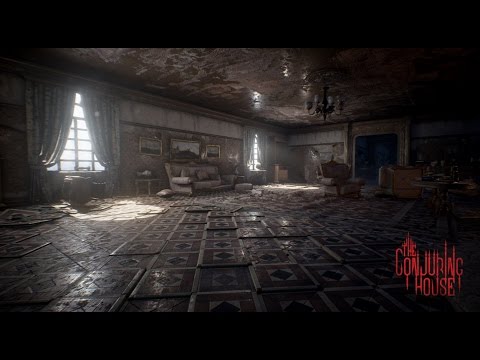
Unreal Engine 4 Gameplay Trailer zum Horror-Game The Conjuring House: http://steamcommunity.com/sharedfiles/filedetails/?id=782774143 http://www.thecrazyhunt...
go to 1:50 mark
solid whale
Ah
light-based, not the streaks of electricity?
That would be dynamic lighting, though i haven't tried that yet
at least not an effect like that
 gusty folio
I need help with particles.
So I've never used particles before.
And I need like speedster trails in an anim.
 ashen stump

For the full tutorial playlist: https://www.youtube.com/playlist?list=PLZlv_N0_O1gYDLyB3LVfjYIcbBe8NqR8t This video covers some key terms that you will need ...
You'll probably want to figure out basic Cascade stuff first
It's pretty fun, even if you're just following the tutorials
ashen stump
3:
Anyway, in that case
Ribbon particles, I thiknk
Attached to a socket in the animation, probably
gusty folio
I mean like, never used them or made them myself.
ashen stump
Yeah, so the point of a tutorial is to do it yourself as well
So you get the hang of the interface and how it works
Sorry if I sound like an asshole by the way
Reading my own messages, I can imagine I do 😛
ashen stump
xD
gusty folio
I watched some tutorials but couldn't figure out how I make it look like this:
ashen stump
Look, the particle master is typing
gusty folio
How I make the move so electrical
fossil swan
thats not something easily done outside of the box
ashen stump
Was about to say
gusty folio
Oh.
gusty folio
I had something really ugly before this
fossil swan
popcornFX might, but @cold sorrel might be better at pointing you in the right direction.
ashen stump
x3
gusty folio
Yeah, so I followed a tutorial bout anim trails
I tried doing it so I could get the basics
of it
But then I accidently deleted it, I still know how to do it.
cold sorrel
Spawn targets on skelmesh, attach ribbons to targets. Let character move. Scroll electric texture trhough ribbon. Have tea
gusty folio
ashen stump
Yeah, so that's where a texture comes in
gusty folio
I'm drinking Choco coffe rn, @cold sorrel
ashen stump
That's the basic ribbon thing
gusty folio
And then I just add a lightning texture to the material?
ashen stump
And you can make it cooler using textures
With a panner, probably
Glad will know better ;3
cold sorrel
Strike one: Try to make everything super glowy and not use textures.
Strike two: Present all effects against black background.
Strike three: I don't give three strikes...
ashen stump
There's a light emitter thing
ashen stump
Not sure if trails support it though
fossil swan
id suggest to follow some tutorials first.
cold sorrel
What Luos said
fossil swan
you wanted to say lousy! admit it
radiant frigate
actually speaking of lightning vfx
radiant frigate
i'm interested in how people would make static meshes for use for lightning particles
cold sorrel
Trails are CPU
gusty folio
And now another noob question
gusty folio
How do I turn on/off particles when a specific boolean variable is true/false
Do I switch animations?
cold sorrel
@radiant frigate https://vimeo.com/247732129

Inspired by Klemen Lozars tweet showing his awesome setup for lightning arcs (https://twitter.com/klemen_lozar/status/942104101604560896) I decided to build a quick…
radiant frigate
oh wow that looks pretty great
radiant frigate
is that ...maya? i'm unfamiliar with 3d sorry!
cold sorrel
Houdini
radiant frigate
ahh
fossil swan
here is a good ribbon tutorial XD
http://imoue.hatenablog.com/entry/2017/12/28/233821

Ribbonエミッタの実験 #UE4 pic.twitter.com/wwONYJxtrx— うなうなぎ@ポリバケツ (@unaunagi1) 2017年12月28日「SourceモジュールなしのRibbonエミッタを活用できないか調査してた。InitialLocationで左右(X軸)にランダムでずらしつつ、InitialVelocityで上(Z軸)に一定の速度で進む設定。こうしてみると、Beamみたいに1度出たら終わりじゃなく、前回のポイントと新しいポイントを滑らかにつなぐみたいな作用があるみたい」妹「そりゃまあリボンだったらつながってるよね」「そしてサンプルの火の玉と青いリボンやつに、I…
fossil swan
hence the XD
gusty folio
I'll just do trial and error
1 question
Imma install unreal tournament editor
since I want to make a simple mod
do I need to build my own map?
mortal lily
its Japanese btw 😛
cold sorrel
so desu ne
fossil swan
nani?!?
gusty folio
Lol, that smiley in the text tho.
radiant frigate
ツ
gusty folio
ツ
celest birch
@fossil swan somebody told me to do dust all over my desert i should copy the mesh and create a material on that landscape with a panner, whats your opinion on this
indigo jolt
if you wanted to add dust literally right against the actual terrain i'd build that into the terrain material, there's no way to affordably do it with a duplicate terrain mesh
then i'd supplement that with a few particle emitters with depth-fade on the dust particles so they blend with terrain softly
but be careful with those, it can get real expensive real fast
btw. Does anyone have a good idea why a Scale /Color over Life Node in a particle emitter set to "emitter time" would play from Green to RED (as requested) then quickly turn Green for a bit at the END???
it's driving me nuts
indigo jolt
k
weird, still no good
doesn't matter what duration i set it to, it just rolls over briefly at the end
i'll probably have to start from scratch in a fresh emitter or system and just export it over
too many things might be wrong
indigo jolt
k trying
radiant frigate
i remember running into that once and i think that's how i fixed it though, i'm not entirely sure
indigo jolt
weird so with 3rd point it now goes green, red, then black (3rd point)...then it still rolls over to the green
at very end
indigo jolt
nah particles are only living at most 1.0 seconds
so conceivably they'd be getting color data right after end of thing if i set it to 4.0 duration with 4.0 duration system....but we just tried setting it to 9.0 duration for the color scale
and that still looped over
Emitter Duration is 4.0
just for the record
goal here is making some bubbles go from one color to another in an acid bath
so they're spawning and dying out repeatedly over the course of 4 seconds
radiant frigate
hmm weird
with a 2.0 duration emitter and a 0.0 to 2.0 curve i have it loop twice over instead of once
oh wait now i see it
indigo jolt
you gotta set it to Emitter Time check box
radiant frigate
oh yeah i was testing that
oh
try setting the duration to 5
but stop emitting particles by 4
if it's using a spawn rate you can use a curve and set a point on rate at 4.0 to 0
indigo jolt
dang, no dice
i've eliminated a few more variables - set lifetime to be a consistent 1.0, removed the emitter delay too
set it to 4.0
radiant frigate
so emitter duration is 4.0; particles are 1.0; and the last point in the scale is 9.0?
hmm 🤔
indigo jolt
seems like no matter how long i set last point, it still loops over
radiant frigate
what about a lower point like 3.9?
indigo jolt
what happens when i set it to 9 is - it doesn't actually GET to the full RED, it just gets half way there and turns over at 4.0 and blinks green
radiant frigate
i don't get my particles to full red either now that you mention it
indigo jolt
it's clearly looping back over for some reason, it's bizarre
i wonder if this is just a bug
this is not conceivably useful for others
radiant frigate
i think it's because once the emitter ends it loops back to 0 durationwise
indigo jolt
hmmm maybe i should just mess with spawn rate
and try to kill off last spawns
so system keeps going with no spawns
radiant frigate
indigo jolt
yes i just did that and yes that works
lol sooooo hacky
but agreed, it works
gamers will not feel ripped off
that's all that matters
solid whale
Anyone know how to make particles use something like point gravity but stop at a certain range from center, rather than going all the way to the center?
bleak rampart
anyone know of some reference material for a grenade trail/tail ? Particle effects that follows the grenades arc
Found some Halo referance material
indigo jolt
yeah Skifree
use a Velocity over time and have it cut out to zero right as things get to that point
@bleak rampart ideally you'll use a Projectile BP for that sort of thing. if you do that then your best bet for trails is usually Ribbon Emitter with a material that tiles a lot horizontally with interesting shapes + possibly some world-space emitting puffs of other particles/sparks etc
fossil swan
 celest birch
holy hell
 lusty sierra
wtf 😮
indigo jolt
it's weird that it looks so awesome that i can't actually conceive of a use for it
"Activate Spell - Angry Inner Skull that is Angry at his circumstances, but not an enemy combatant"
cold sorrel
"Horrify all enemies with in 12 yards, causing them to run in fear for 4 seconds."
That's the description for horrify in Diablo 3 which has a similar effect.
indigo jolt
ah alright i can go with that
manic mantle
hi guys
I would like to create a particle system when a huge stone hits the ground and dust blows out
do you know any example or tutorial like this?
solid whale
is it possible to use a sphere mask to apply or reveal a different material for another object, instead of masking completely? For example, when overlapping a spheremask with a rusty car, in the overlap it shows as a new car
making use of the two materials
fossil swan
ive seen it done, but how exactly... never tried it
cold sorrel
An introductory document on the Layered Materials technique in UE4.
Isn't that doing what you need?
 fathom lance
My beam emitter wont stop! Lifetime is set to 0.5 but it just keeps going
aha. emitter lifetime. its not fancy, but it works 😄
solid whale
Thanks @fossil swan it's a start
 grand latch
crossposting from graphics
anyone run into this issue before?

for some reason a simulated / "in-game" session is causing materials, light functions, etc. to pan at a way slower rate
 burnt marsh
Heya! Trying to change/make a new particle I'm using in a neural network visualization project. I need to be able to set particle lifetime and opacity (or perhaps a trailing end?) dynamically through blueprints. I'm currently using a beam particle, which doesn't allow for setting parameters for what I need, nor does it allow for using particle relative time node in the material, keeping me from going that route for a trailing end... Does anyone know of a tutorial for something that could help? Here's what I'll be applying the particle to, if it helps:
https://youtu.be/Sv3VHlLg698?t=13
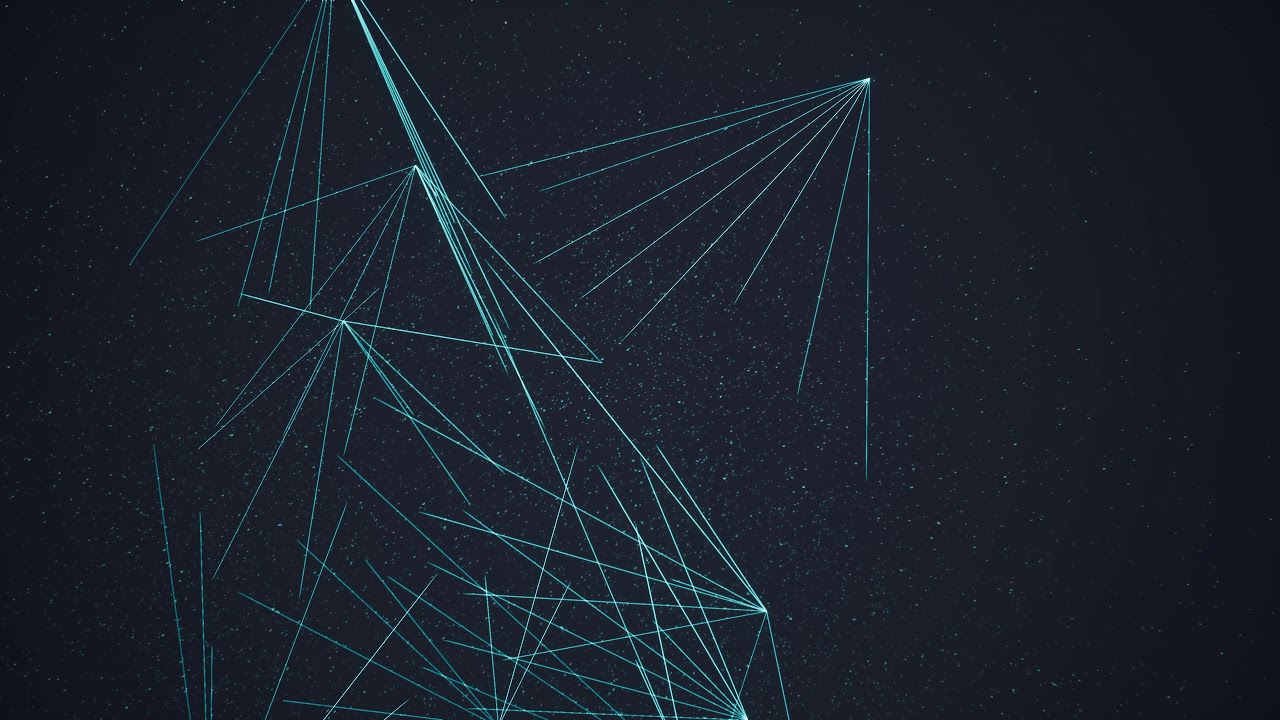
Starting off 2018 with some dev work on Unreal Engine 4!
 amber timber
Hey everyone, is there an easy / any way to have a particle system not be affected by movement and be always on top of the camera?
 fossil swan
either some bp/code to always center it to screen, or attach it to player/camera and put it far far away.
amber timber
The emitter is attached to the camera but the particles arent as soon as they spawned
cold sorrel
are they localspace?
amber timber
they are in an blueprints so yes
cold sorrel
As in, have you ticked: Localspace in the emitter?
amber timber
blueprint with a scene root a mesh spring arm and camera
cold sorrel
by default all emitters are worldspace
amber timber
where do you set this?
cold sorrel
Click outside the emitters to get the global emitter settings
Actually
scratch that
it's in the required
Too much jumping between engines :S
amber timber
okay that makes it somewhat better
i now only have problems witht he ribbon emitter following the particles
in cascade they work but in the blueprint i turned the emitter actor 180 degrees but the ribbons dont take that
amber timber
well got that working topo but it still doesnt look like the effect im looking for
how would you take such effect on any ideas?
fossil swan
are those all ribbons? could easily dothe same with some meshes and save a load of perf.
 cyan furnace
hey guys
know those animations in buiding games when they make a mesh appear bottom to top
https://youtu.be/9oGTReEvNMM?t=1m30s something like this I guess
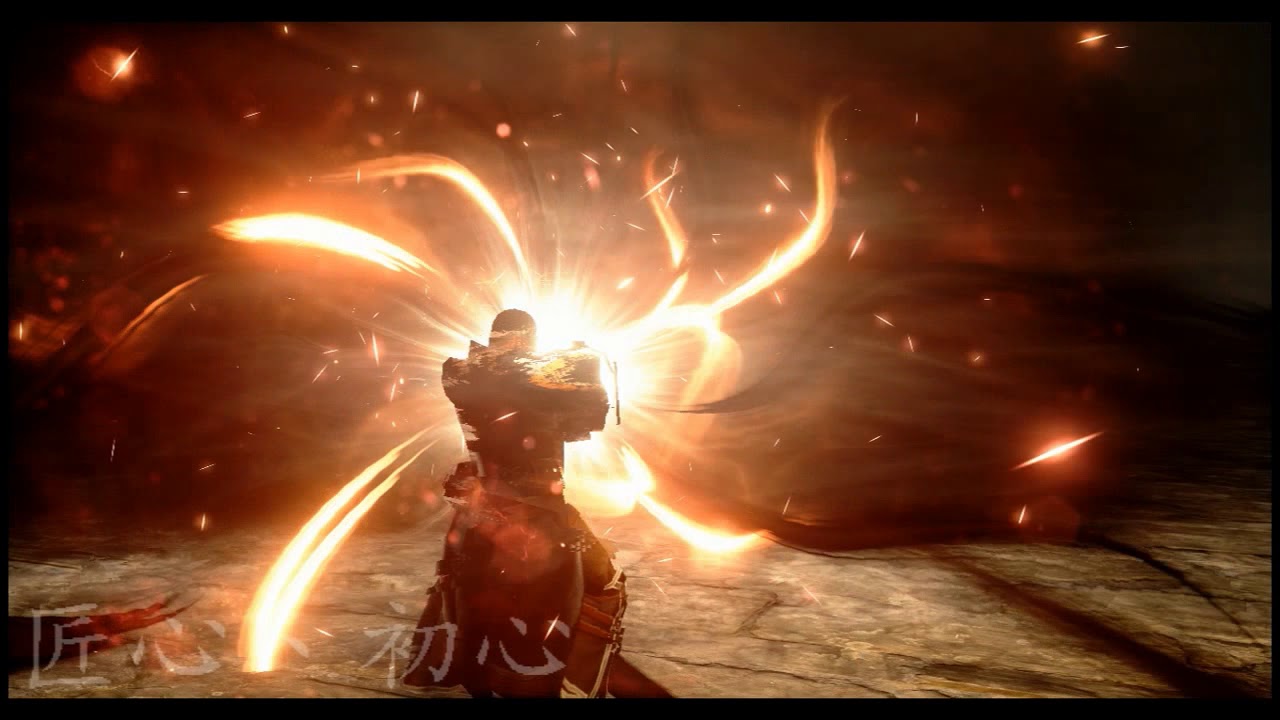
it's in a lot of games
any idea where to begin making one of those
something really basic would work fine
cold sorrel

In this post, we'll look at how to create dissolution VFX using custom surface shaders in Unity. In doing so, I'll explore the use of noise textures, alpha fading, geometric parameters, and emission colours to create various dematerialization effects.
@cyan furnace Something like that?
celest birch

This tutorial shows how to replicate the iconic 3D printer shader effect, seen in games like Planetary Annihilation and Astroneer.
 cyan furnace
I will start work then
 static ember
@cyan furnace https://www.youtube.com/watch?v=GO5zQ5tUUbM is this what you are looking for. I am also going to make a plannar dissolve material soon.

Hello everyone in this tutorial I will show you how to make a 3d printer shader / material effect.This can be also used for a clipping plane like effect to c...
cyan furnace
thanks
static ember
In this tutorial I make the inner portion emissive. You may not need that.
@cyan furnace There are easier way to achieve this effect.
ways*
indigo jolt
ok got problem that Graphics channel couldn't address
any idea if it's possible to make a Character receive ONE DECAL but NOT ANOTHER DIFFERENT DECAL?
i've been trying to mess with Translucency Sorting, but that doesn't seem to do it
fossil swan
all i can think of is custom depth or so
static ember
You just want the different decal to be invisible?
 prime quiver
Does anyone have any idea why just an ol' static mesh that's set to be static would not be casting a baked shadow?
Nothing special about it
even in the preview it just has no shadow
fossil swan
perhaps its disabled in the material part of the mesh? (in mesh viewer)
prime quiver
Nope, but from what I see disabling dynamic shadow on a mesh won't force it to cast a static shadow up-close
which I thought would be the case
so effectively there's no shadow at all if I am close to the mesh if I turn off dynamic shadows
even if both the mesh and the light are stationary
indigo jolt
@fossil swan sorry for not following up, but i did eventually find solution here https://answers.unrealengine.com/questions/596784/using-custom-depth-custom-stencil-and-deffered-dec.html
pretty awesome, can have as many as 255 different "layers" on which various stencils do or do not apply
that's the basic material setup, create that setup then simply un-hook it and MULTIPLY those nodes they showed against your current material's Opacity stuff
and set the little float node to whatever layer you want to use
this means you can have a decal be visible on a character but NOT the ground...then have a different decal that is visible on the ground but NOT the character
ie - cracks on ground that don't project onto character feet + glowing lightning crawl on character but not on ground
worn dock
Need help
I download the TrueSky free trial and when i install it i don't see it anywhere in Unreal Engine 4
 copper echo
How do I make it so I can manually rotate the particle in a blueprint editor? It doesn't seem to budge and I imagine there's a setting
indigo jolt
@copper echo do you mean A Particle or "A particle system"?
i can answer both, but there are conditions in which rotating a particle system will not work the way you want it to
like, are you trying to rotate it's initial position and keep it that way forever?
if so, you'd click the particle system in upper left, click the "viewport" tab, hit hotkey E (for rotate) and just rotate it there in the window
and/or click on the Transform set of values on the right under Details and change the rotation values there
if you start rotating it in there and nothing seems to change, then you may have to set some or all elements of your particle system to "Use Local Space" - this might just mean un-selecting Use World Space from a velocity module
if however, you want to dynamically rotate the entire particle system over time in your blueprint, throw on an Add Rotation node after the emitter and mess with that
or parent your particle system to something else in the blueprint and rotate that object 😛
copper echo
@indigo jolt Thanks! Got it to work with local space
indigo jolt
np
 trim sparrow
im trying to make a wireframe shader in unreal 4 with a solid color under the wireframe, does anybody know how i can do that?
fossil swan
oh, interesting @indigo jolt
radiant frigate
wait you can use transform controls in cascade's viewport?!
fossil swan
no?
 plain dock
has anyone used the Flipbook_MotionVectors node in the material editor recently? I'm trying to follow along with this tutorial and I'm just getting black from the Result and Alpha pins
not sure if the node is broken or if im doing something wrong
indigo jolt
@radiant frigate in Blueprint Viewport
solid whale
Does anyone have a good idea as for how to best light multiple sky sphere instances at runtime? I'm using a directional light right now but I'm having issues restricting the lighting to a specific volume without building lightinh
indigo jolt
@solid whale can you go into a little more detail on what EXACTLY it is you're trying to accomplish?
like game genre, level design, setting, intended visual results, etc
such as "I want to create 5 biomes and I want different lighting color in each biome" or "I am creating interior spaces and exterior spaces and the interior spaces are too light" etc
solid whale
I can do better

I have randomly generated biomes, and the player transitions through portals. It works well, but I'm having trouble figuring out how to best create lighting for each - right now they all have the same light source
Because the biomes are generated at runtime, I only have a template to work from but the materials and tpye (space or world) are generated at runtime
I understand dynamic lighting, but I'm not sure if it can be adapted to a dynamic skylight
I've basically built this: https://i.ytimg.com/vi/kWK7A_f3qf4/maxresdefault.jpg
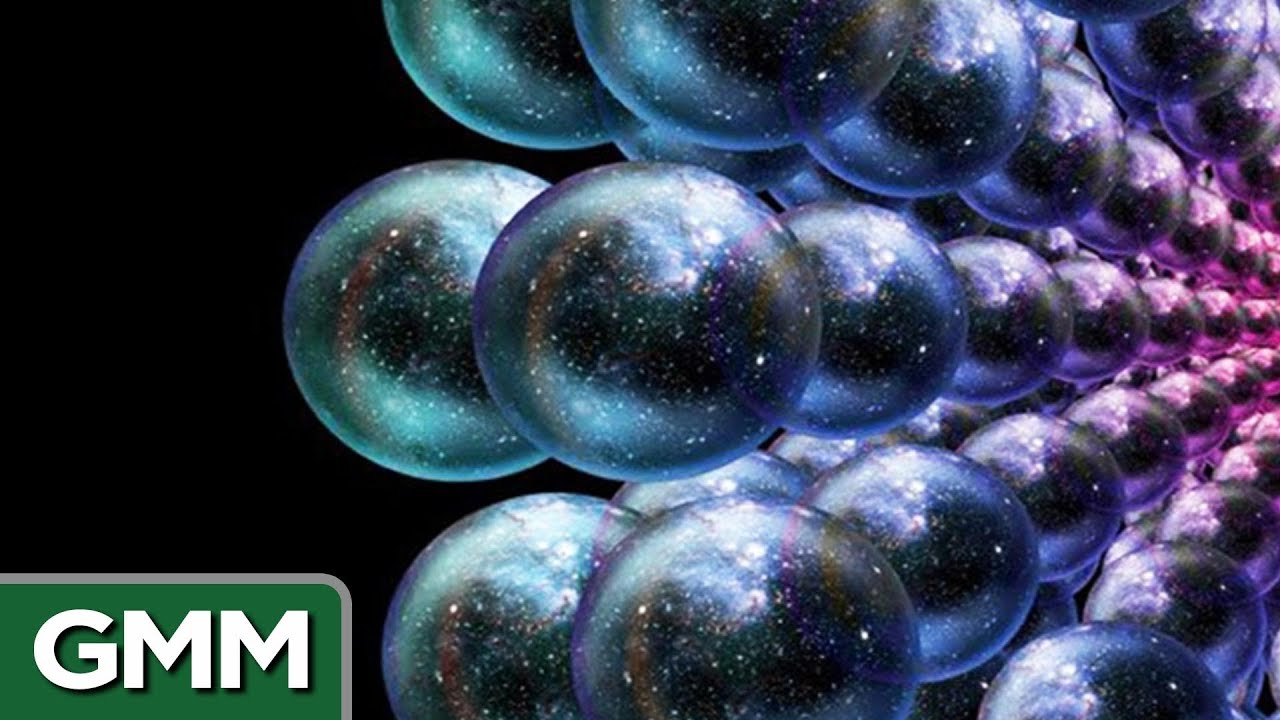 indigo jolt
hmmm bake the lighting
and attach a dynamic light to your character only
that's one way
solid whale
baking doesn't work with runtime generation though, right?
indigo jolt
god that's complicated...
baking wouldn't do run-time shadow changes for anything baked
solid whale
my main problem is that the directional lights don't have a limit to their range, so they go right through other spheres and overlap
indigo jolt
i guess it all depends on how dynamic your environments are
indigo jolt
hmmm alright so what would you like DIFFERENT about the lighting from let's say "grassy area" versus space?
solid whale
a grassy area with a sunset sky should have orange lighting, while a space with a blue sky should be slightly blue
I could do that now, but I can't keep lighting to only one biome
I'm attempting to do this with a giant spotlight right now but it isn't wanting to work
solid whale
ok, so that was pretty dumb
The edit used to complain about having multiple skylights in the game
But if you load them programmatically, it doesn't case and it works fine.
lusty saddle
Hi, I'd like to know if it was possible to add a shader to a sky sphere ? Thank you !
lusty saddle
So I just have to create a really big sphere mesh with inverted normal and put a material to it ?
ok, thank you 😄 !
solid whale
@lusty saddle you can just reuse the default sphere
create a childclass of skysphere or copy the constructor script nodes out into a new actor
 lone wing
any way to do something like a decal on a unlit object
decals wont work on unlit objects
need an alternative
i think thats graphics not vfx
celest birch
I was working on a prototype for a "opaque translucency" shading model, that uses reflection probes in stead of actual transparency for transparency


In UE4 it's possible to fake refractive and matte transparency while staying "Opaque", by sampling a cubemap instead. How about a custom shading model that uses Local Reflection Probes instead, @UnrealEngine ? https://t.co/OGZb2zWtMD
 Twitter
this is just a test with a single cubemap, going to make a proof of concept now before turning it into a shading model
celest birch
The cool thing is that you can make the glass rough
fossil swan
@lusty sierra NO
lusty sierra
god dam.. lol
so err.. where in cascade does the vfx have the material set?
cause i cant find the fecker
fossil swan
required
lusty sierra
duh, the only 1 i didnt fucking click on haha
fossil swan
tssk
lusty sierra
but thanks, i can steal the smoke from the elemental demo now 😄
fossil swan
hehe
lusty sierra
for "testing" purposes only, im assuming it is in no way optimised
fossil swan
its not too bad.
though has some outdated options
lusty sierra
ohh, well i guess it'll do for now on my little test map, but that orange glow has got to go
celest birch
Video in action: https://twitter.com/Stabberthomas/status/950013084227325952

Abusing @UnrealEngine 's reflection system for cheap transparency. Results in an almost predator/chameleon-like effect. Proof of concept works, now lets try to turn this into a proper shading model! https://t.co/1hmPep9spT
Twitter
fossil swan
oh man, that is really cool
I could also see this being valueble for a variety of vfx
would that be possible? it should right?
then again, id love to use it along actual transparency, but that might be overkill hehe
celest birch
I'm going to turn this into a proper shading model
 celest birch
You can give me an imaginairy one
fossil swan
Will do :p
 main bay
@celest birch that dragon looks kick ass n8ce job on the blurry glass effect any woay to show the mat?
celest birch
It's a proof of concept for now
With the glass dragon you have to add a cubemap yourself
I'll work it out properly and then share the details on the forum!
@main bay Keep an eye on this thread for now https://forums.unrealengine.com/development-discussion/rendering/1409241-abusing-ue4-s-reflection-system-for-cheap-translucency
main bay
Thanks
Its been a long while sinds i added a cubemap to things
Are you using fressnel to give more reflections on the steeper angels?
celest birch
For the dragon I'm using it to blend between reflective and "translucent", yes
drowsy lynx
I did something really simple in The Invisible Hours. Some whisky in a glass got a burry emissive texture which would be mapped in world space. it didnt look as cool as the dragon but similar (and the whisky+glass was small in the scene and covered by a hand, so it was ok) 😄
celest birch
Nice. Whatever with this kind of stuff. I'm trying to make it generic, so that you can just place it in any scene and it works
drowsy lynx
@celest birch so you update a probe, attached to the character and this probe gets updated every frame?
celest birch
No sir, I just sample a reflection in the direction of the camera
No additional overhead here 😃
drowsy lynx
ah ok! so an already existing probe tells the surface what to reflect - for example a bright spot behind the character - and you take this information and ... use it as emissive values? i'm sorry for the questions..maybe you already wrote the answers somewhere?
celest birch
@drowsy lynx Haha no worries. No, this is just a prototype. I literally just have a default lit material, Metalness and Base Color = 1, roughness = 0
this would normally be just a mirror material, but I manipulate the normal vector to always point away from the camera
and this is the result.
drowsy lynx
ah! now i understand 😄 very interesting!
celest birch
This is cool because it's also sort order inependant, because it is actually opaque
drowsy lynx
yeah this is great!
celest birch
I've compiled 4.18 from github, and over the week I'll try to make it a real shading model.
That way you could also tint the refraction. I think it could be a cool basis for all sorts of effects
fossil swan
i'd like to use it for particles for a personal project :p
drowsy lynx
ah, because right now you cant control the color which comes back from the probe?
celest birch
No, I don't have any control over it yet
 little summit
oh, you guys are here talking about this
I just saw it on twitter 😛
Maybe there is a way to call the reflection buffer from within a custom node
that would open the doors to some fancy stuff within the material editor
in any case, the only difference between reflection and refraction in transparent objects is the incoming ray in the localcubemap function. Instead of feeding it a reflection vector, you could feed it a refraction vector. What you see in that gif, is effectively how a refraction material would look like with an IOR of 1.0
celest birch
I think Epic should definitely turn this in a shading model. I'm going to try myself first, we'll see where it goes
little summit
yes 100%
celest birch
💯
little summit
specially for mobile
it's very cheap!
I've recently created a shader 100% from scratch for GearVR that uses refraction and reflection from local cubemaps
and I believe the total instruction count does not exceed 75!
celest birch
Nice!
junior matrix
"This is cool because it's also sort order inependant, because it is actually opaque"
Wouldn't that make it worse than sort order dependent?
celest birch
@junior matrix can you elaborate?
junior matrix
Since it's opaque, anything you put behind it disappears, even if it wouldn't have been a problem in the sort order.
celest birch
Yes, but the idea is that you would use it on an object which would strongly distort, roughen, and/or tint what's behind it
It's not a replacement for actual translucency, of course
 analog onyx
It is a good, time-proven technique. It would be especially useful on mobiles and ArchViz. Keep it up!
round fog
@celest birch duuude, that's awesome
lusty saddle
Hey ! I don't know if it's the right place to ask, but I'd like to know how expensive is a material instance.
Let say I have 1000 mesh to draw with the same material. How much more expensive is
- have one material instance per mesh (so 1000 differents material instance)
than - have one unique material instance shared by every mesh
Thank you 😃
lusty saddle
Ok, thanks
indigo jolt
@lusty saddle questions like this have a lot of variables that can distort the answer quite a bit. If you were to make an Unlit, Opaque Material and make 1000 variants of that (not as instances but just duplicates) and place them all over the level they'd show up as "cheaper" than 1,000 instances of a Lit Translucency material
if you want to really know the answer, you'll likely have to actually create a test level with almost no assets in it except the things you want to test
and experiment with replicating a whole done of one thing and a whole ton of another
and checking FPS, shader complexity etc
FPS don't lie
material instances in general are a cheaper way of doing things than having multiple regular materials, there is NO downside to Material Instances if that's what you're asking. there IS an upside performance-wise to Material Instances. but determining HOW MUCH of a benefit is a bit challenging as it's not substantial
having one unique material shared by every mesh is a good goal to have
via instances
lusty saddle
Yep, that's what Jan told me... I'll test it, but wanted to know how the instances were created, if it was just a sort of paramaters array (really cheap) or other thing
lusty saddle
I have a unique material but wanted to tweak it a little with parameters on each mesh
indigo jolt
yeah you should usually do that
it's good to at the very least have a Color parameter, sometimes you'll want much much more
lusty saddle
yes, but I have two solutions :
- create, like, 10 or 20 instances and assign it randomly to meshes
- create a truly random instance per mesh
indigo jolt
list of obvious things to add in Parameter form - Texture itself should be Texture Parameter, Color multiplier or a Float Parameter on a Hue Shift node (that's fun btw), a Roughness multiplier, a Specular Multiplier, a Normal Intensity parameter
what kinda meshes you talking about btw?
i mean trees, robots?
cows?
buildings?
i know it sounds weird, but most of the time when asking questions on these discord forums, it helps to get hyper-specific with the game-type, game description, assets you're talking about, how they look, how you want them to look - THEN we understand context of the problems
lusty saddle
Buildings : (the material is for the windows)
indigo jolt
what works for trees may not work for cows
gotcha, and you want different colors on different buildings at the least huh?
indigo jolt
yeah this is a pretty perfect example of a situation where material parameters with a material instance will be best answer
if you were REALLY fancy you could make it so there's a giant chaotic texture-map grid like checkers and it references World Position, thus automatically declaring specific colors at specific locations on based on World Position
but that's a huge pain in the ass to get right
some buildings would be partly in one square and part in another
lusty saddle
ahah, there's no texture at all, each window is generated within the material 😛
indigo jolt
i meant a checker for inside a material that would tell the buildings to have a different ENTIRE color change
but lets forget that
lusty saddle
oh, ok
indigo jolt
it's just the only way you could give everything the exact same material AND get different colors
(which is totally possible)
just annoying
and more trouble than worth
lusty saddle
I could generate the randomness inside the material, but it's quite heavy and my material is already pretty complexe
lusty saddle
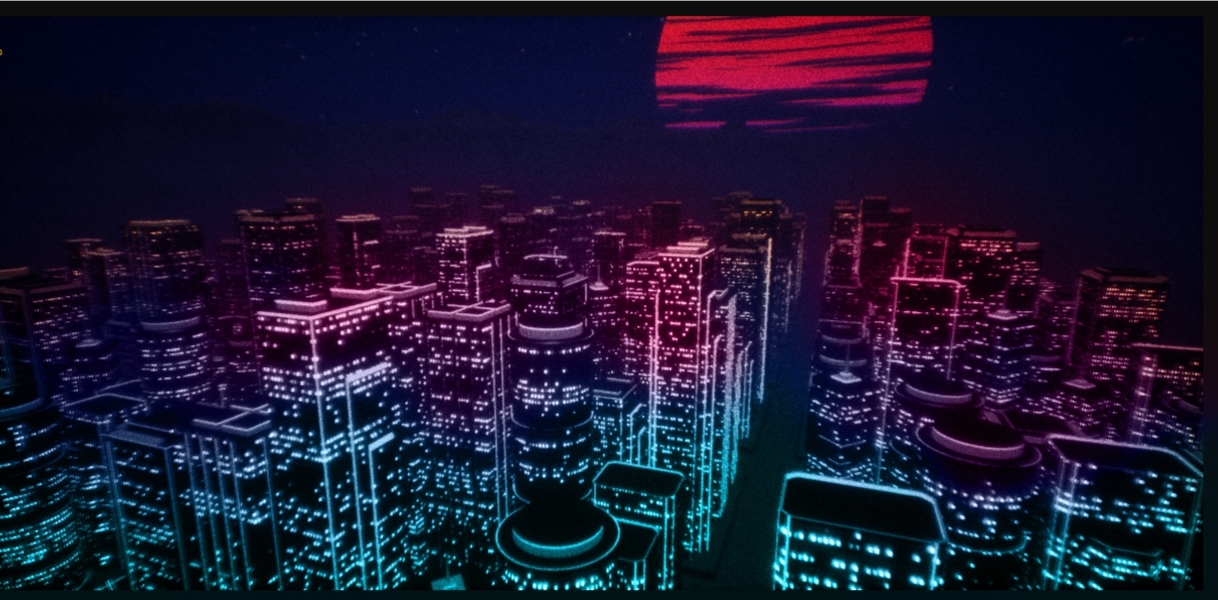
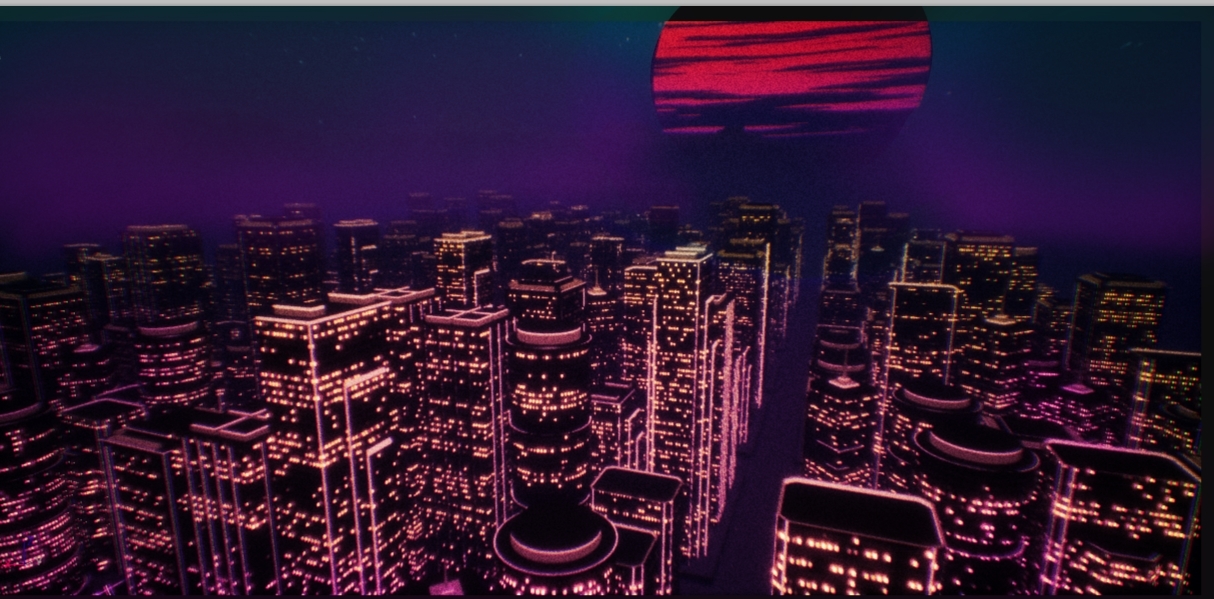
It looks like this : (but it uses functions I created to create randomness wich are kinda complex...)
indigo jolt
that's not bad
um one issue - is the lighting in that scene what you'll have in general all the time?
like is it permanent?
because you could save a TON performance-wise by setting that material to "Unlit" and relying on the glow to provide all the color
lusty saddle
What do you mean ? It's always night if this is what you meant
I changed it to Unlit and that didn't change anything 😛 ! Is it better for the performance ?
lusty saddle
oh, thank you very much 😄 !
indigo jolt
it appears from your material that you're mostly ready to go for making this into material instances
i don't see anything particularly wrong, but i can't tell if you're using anything stupid because i can't read nodes
lusty saddle
Woaw, my shader complexity just dropped a way I never imagine 0_o !
indigo jolt
yup!
like can you turn off those tabs and side panels and zoom in further?
sorry i'm just very curious
i doubt you've done anything tragic but you never know
lusty saddle
Here is the interesting part 😉
So what's the differnce between Default Lit and Unlit, except the performance ?
indigo jolt
default lit actually accepts light sources
and means the areas that aren't glowy windows would have like one side of a building illuminated more or less based on a directional light in scene
so if you were go to down to street level, the only light sources would probably be street lights and car lights etc and those would be lighting up the lower portions of the buildings possibly
based on what i'm seeing in your screens you're not making this as a ground-level sandbox scene are you?
what you're doing feels a smidgen stylized - like you're going for an 80's retro synth-wave feel
am i wrong?
lusty saddle
Yes, it's sort of racing game, and player won't be really near the buildings, it's just decoration
lusty saddle
when a building is 45° turned, I need it so that the windows are not weird shaped
indigo jolt
interesting, so what happens exactly?
like what goes wrong with windows when buildings are 45 degree turned?
if those nodes not there?
(sorry i'm not helping you here, i'm just fascinated)
indigo jolt
kinda hard to tell difference
lusty saddle
windows on left are not squared, some are longer, some are only thin lines
indigo jolt
oh i see the narrow bits
lusty saddle
yes 😄
indigo jolt
huh
lusty saddle
I think nobody would notice it, but i noticed it 😛
indigo jolt
are you using like a bump-offset type thing or something so the windows have fake depth or something?
i'm not sure why they'd pinch up like that
lusty saddle
no, there's no depth. it's because it's like a projection on every 4 sides. and if the projection is not aligned with the face it's project onto, windows won't be square 😉
and for round buildings, it's another story, i don't use these "projections"
indigo jolt
hmmmm, that's different. is there a reason the window glow texture can't just be assigned via UV's?
lusty saddle
what do you mean ?
indigo jolt
i'm trying to understand why the window textures are being "projected"
this is how textures would normally be applied to a building of these shapes https://i.gyazo.com/a1aed45e06af8ef071ea8e8b0d820d26.png
with just regular UV's
i'm curious what fancy thing you're doing there that is causing them to pinch - what is this "projecting" thing and why is it being done?
lusty saddle
ok, i understand
the "projection" is made inside the material. I use the word "projection" because it mathematically do a projection.
And I don't use UV because it stretch with the object. To generate my city, I have only 6 differents buildings. It looks like more because I stretched it on the Z-axis.
I don't use UV/Texture or anything so that the stretched buildings have same windows size as the non stretched ones
indigo jolt
ah i see, so you're using some sort of World Align Texture type solution
lusty saddle
In fact, I use the object position and absolute bounding box of the object
but basically, I use the world coord of each pixel, yes 😉
indigo jolt
soooo here's a thought, might make material cheaper and give you a smidgen more control

UV-tiling parameters
for length and width
independent
also with the ability to ADD or Subtract in vertical or horizontal axis, to nudge things up or down
as well as scaling them horizontally and vertically
this would require a little bit of work to get each building's material instance dialed in, but it's probably cheaper
functions are usually kinda pricey
i mean i kinda dig what you've done - the whole thing with world-aligned stuff with rotation is actually really clever
up to you though. what i'm suggesting would likely mean a different material instance for each different "scale" of a building. however, you probably want that anyway since a smaller variant should have some color variations
to mark it as a bit different
lusty saddle
Hum, can I do this with your solution ? (these are the exact same mesh, with the same material and same parameters, but the one on the right is scale down to 0.5 on Z-axis)
indigo jolt
yup
lusty saddle
Yes, that's the problem, I want all my windows to be the exact same size :/
indigo jolt
just give them 2 different material instances
and just scale up the Length UV parameter
for one or the other
lusty saddle
I see what you mean !
But it's a little more complicated to implement, less flexible and as my shaders complexity are already realllly low (thanks to you), I think i'll stick to my solution...
indigo jolt
yeah i understand
i'm just giving you an option
the issue i worry about with what you're doing is that based on where buildings are placed in world, you're likely having windows sorta sliding half-way to the edge of the buildings
minor problem
and the issue of a smdigen of cost, probably not a ton
but i dunno what platform you're aiming at
if it's mobile or VR, it's usually best to just be hyper conservative
if it's neither of those then this is no big deal
lusty saddle
no, I used a sort of 0-1 bounding box (but it's not 0-1), so if I move the buildings, the windows will be at the same place
indigo jolt
ah alright no worries then
lusty saddle
and it's for esport, so players should have a high end graphic card 😛
lusty saddle
thank you !
indigo jolt
so one thing i'd now suggest is art suggestion if you want to hear it
😛 it can be done in shader too
lusty saddle
Ahah, always open to suggestions 😄 !
indigo jolt


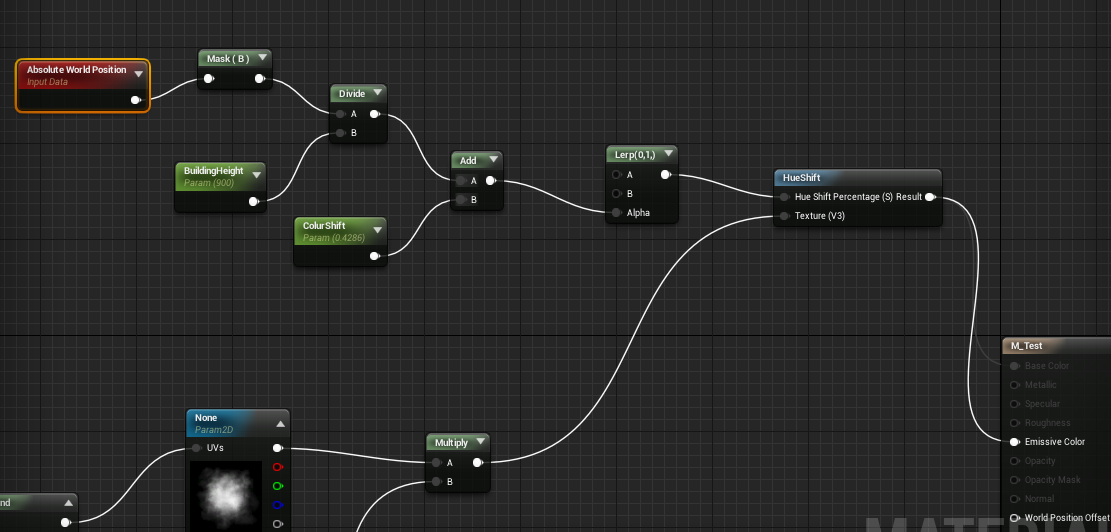
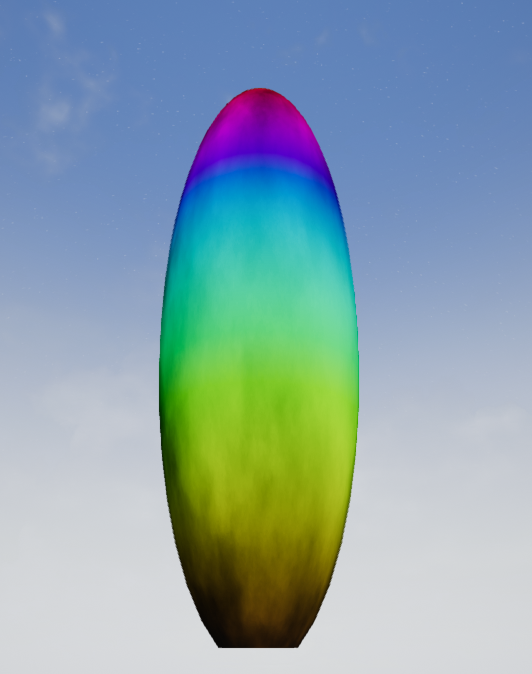
height based color shift
this is extreme example
but basically make it so buildings are one color at base, and have them fade with a gradient to another color towards top
it'll look bad ass
lusty saddle
Oh that could be nice ! I'll try that !
indigo jolt
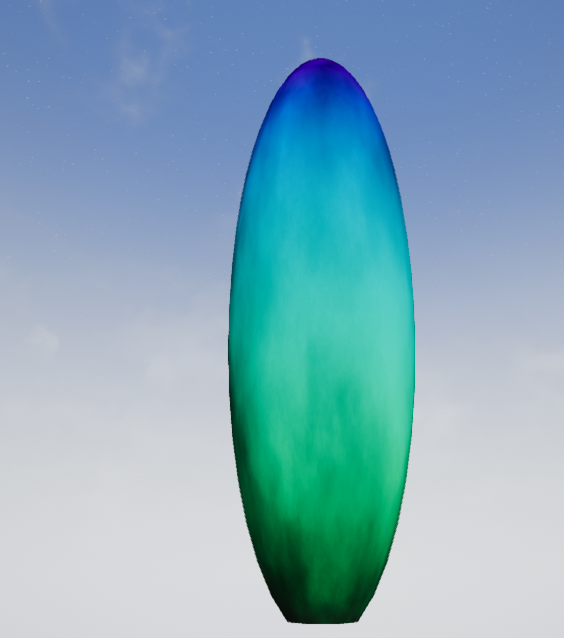
so if we tweak that height parameter you get it down to just 2 colors like this https://i.gyazo.com/cc707bab75e8969692926c0001c18dec.png

also you don't have to use hue-shift, you could do this instead with a Lerp Between 2 colors
lusty saddle
I tried using random colors before but i prefere now :
but the height base color is a great idea, i'm going to try that 😄 !
lusty saddle
I'll use the same gradient as the sun I think
indigo jolt
ya that would be cool
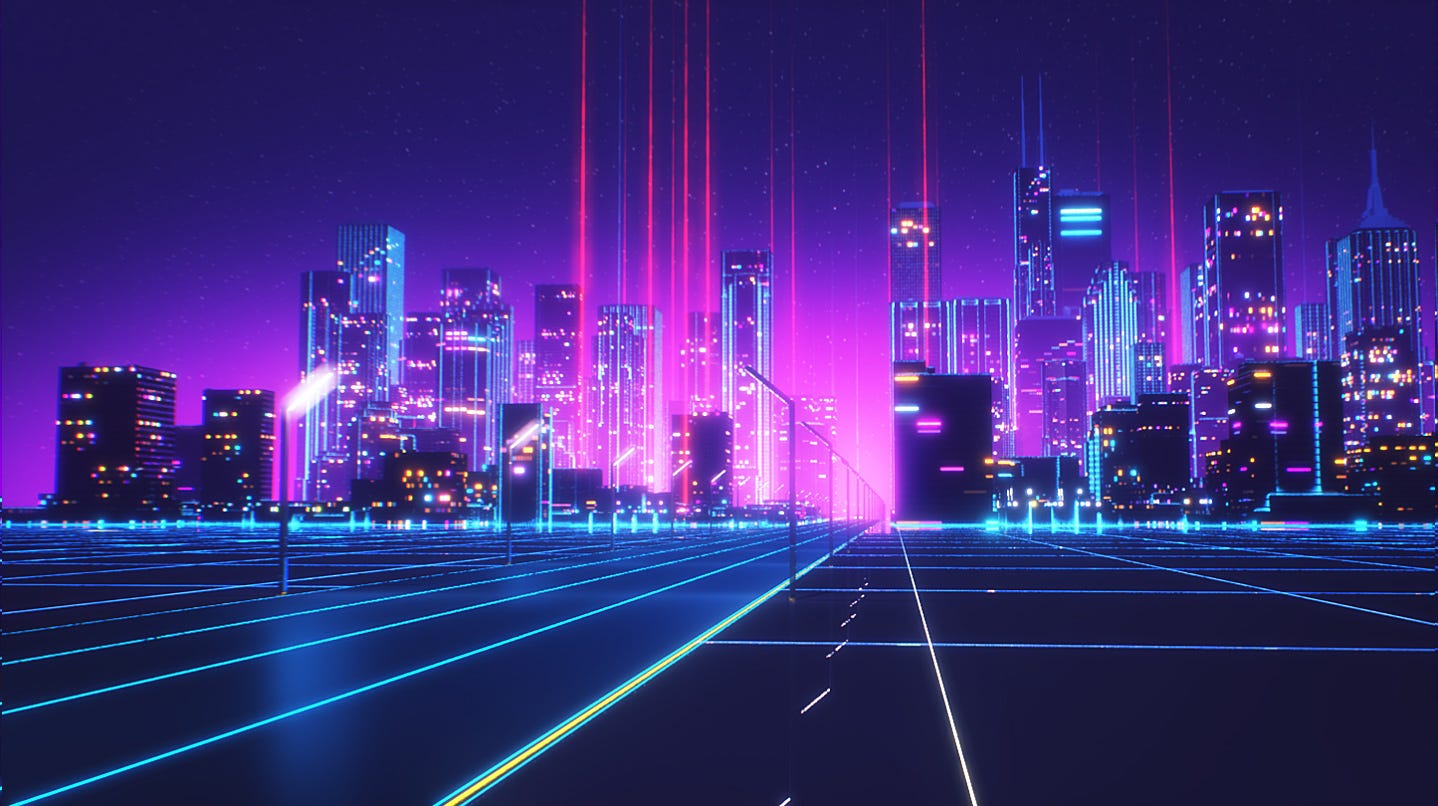
i'd tinker around a bit. if you google "neon sunrise city" there's a lot of col ideas

like you could go this way


or a few other ways
lusty saddle
Ok, this gradient if faaar too strong, but it can be awesome with some adjustements 😄 !
A more subtle one. I'll continue to try, but thanks for the idea 😄
indigo jolt
yeah tinker a bit
it'll definitely add a ton to the vibe
i'm tempted to say you should try a Teal color
if you really want to get that neon 80's vibe. look over color scheme of Hotline Miami https://i.ytimg.com/vi/AYqjvL27Knc/maxresdefault.jpg

 lusty saddle
Nice poster ! Well, there will be several cities in the map, i'll make each one a different color like, purple, rose, orange and cyan
indigo jolt
you can make it "muted" a bit if you want to focus on the oranges/reds instead, but a complimentary color might make things feel even more interesting
lusty saddle
i'm also working on animated holographic banners, and i'll made them in a bunch of different colors
indigo jolt
the basic rule here is called "Split Complimentary Colors"
so if you google that and look through them, the rules to it are simple https://www.google.com/search?q=split+complementary+colors&source=lnms&tbm=isch&sa=X&ved=0ahUKEwj7kMWijMnYAhUlyoMKHWg8C6oQ_AUICigB&biw=1280&bih=659
lusty saddle
yes, i'll stick to orange/blue colors
indigo jolt
it's essentially 3 colors you gotta pick
lusty saddle
(gradient for both colors)
fossil swan
you can also upload the images to https://color.adobe.com/ and get a neat rgb/hex setup for easy usage in ue4

Adobe Kuler
Create color schemes with the color wheel or browse thousands of color combinations from the Kuler community.
(top right has "create from image" icon)
lusty saddle
Thanks Luos 😄 ! I'll put some retro wave posters to get the color fingerprint
indigo jolt
that's neat, i wish they had a spilt complementary option https://i.pinimg.com/474x/cc/5c/59/cc5c59e5753b0b84e1cadd3fd26d945e--split-complementary-color-scheme-colour-schemes.jpg
 fossil swan
yea, even after 10 or so years its lacking a bit in that regard
celest birch
LUOOOOOOS I HATE YOU I CANT AFFORD THAT!!!! @fossil swan
fossil swan
<_< sowwy
 crisp pendant
hello to all, would have a few questions to anyone with great cascade and material knowledge 😃
if someone has a bit time hit me up pls 😃
fossil swan
just ask the question, eventually you'll get an answer 😃 (if all goes well)
crisp pendant
ohh haha hey luos 😃
well i feel like spamming then you know haha 😃
im trying to accomplish Konflicts post on page 2
made the material but it looks well.... different
maybe cause of Engine edition?
if someone could try would be great and tyvm in advance
crisp pendant
Luos would you be able to reproduce the c++ calculation instructions into a material as konflict said?
im just not capable of it 😄
fossil swan
i couldnt code if my life and that of the world depended on it
ashen stump
Lol
crisp pendant
haha belive you 😄 but on materials you know your stuff 😃
ashen stump
Materials != code != shaders
(!= blueprint)
I do the first and last, second too if not CPP
crisp pendant
you took a look at the thread Goosey?
crisp pendant
well it would be pretty dynamic
ashen stump
What exactly do you want to achieve?
ashen stump
Got that far, but what's the purpose?
ashen stump
Yeah then don't go particles
fossil swan
better to use images or so for that
ashen stump
It'll be really expensive for just deco
Use pre-made images for that
Possibly with translucency
ashen stump
Does it need to move?
crisp pendant
ehm.. yes 😄
crisp pendant
ahh got you like some nebula stuff?
fossil swan
So, for a clients game I want to use animtrails for their weapons. normally I'd add the animtrails directly to the animations but since their weapons can be elemental and I cant easy change the color of the animtrails in persona I am guessing the only way around it is a blueprint?
 near blaze
hey guys can anybody advise on creating a blood mist effect for a bullet hit not a splatter but a realistic mist and followed by a decal to hit the wall thank you have a productive day
cold sorrel
Define realistic. Are we talking snuff films or is it the traditional indiemovie bloodpuff you are after?
near blaze
yeah not snuff lol yeah spot on like a bloodpuff sort of look rather than over the top splatter
cold sorrel
Yeah, realistic is often easier as you have to go high up in caliber before the mist starts to even be a thing.
But for a puff you just need a super soft smoke/mist texture with one that's a few droplets. Hell there are default brushes in Photoshop that replicate it pretty well.
As for the decal, grab a couple of paintsplatters on textures.com and mix and match them until you get the look you are after
near blaze
thanks glad much appreciated i never though of using a smoke sort of effect ut it makes sense have a productive day and thanks again
 vast path
Hi guys, was wondering : how this "popping bubble" effect is made ? is it handpainted frame by frame or.. ?






・3D Summoning magic circle
blender辺りで再現出来るようにしよう https://t.co/O1Xj4Kzqmd
Retweets
137
Likes
603
Twitter
also, how would you make a circular mask appearing through time ( like for the symbols )
cold sorrel
Yes, that's handpainted.