#cinematics
1 messages · Page 14 of 1
 royal oracle
 wintry wave
@tight stone Clock source? Im not familiar with that setting. Why can I find and change that?
I found it. I'll give it a try.
 tight stone
@royal oracle because other curves are backed by different data structures that don't support weighted tangents. They're a bit more expensive to evaluate anyways
royal oracle
unity supports weights in all curves
and no, FRichCurve has the weights in the key struct etc, its just not used (nor can it be edited in the normal editor not in sequencer)
tight stone
Does the FRichCurve evaluation function support evaluating weighted keys?
Sequencer uses FMovieSceneFloatChannels and not FRichCurve because Sequencer needs to store the time unit as an integer and not a float
royal oracle
it ignroes the weights
but they are there in the data structure
and yeah i dont get that integer thing, just overcomplicates the code by a lot it seems
tight stone
It is required to be frame accurate.
royal oracle
yes but the curves i need are only x=0..1
still need the weights on them to get the shape i want
tight stone
When dealing with floats and accumulated time, it gets really tricky. It also gets really hard to say where a section starts and stops which causes all sorts of unfortunate evaluation oddities.
royal oracle
the only way to get weighted evaluation is to use frame numbers and sequencer then, which is weird
tight stone
That is correct. I suspect legacy is the answer, or oversight
The non-sequencer curve editor may not support editing weighted tangents either, since it could never be evaluated
tight stone
Is it just disabled or does it not exist? They're different curve editor implementations
royal oracle
i dont understand why you would bloat up FRichCurve with 4 additional parameters per key if they just arent going to be used
and no, the only curve editor is CurveEditor/Private/CurveEditor.cpp and the weights code is in there
royal oracle
its strange there's different curve types for the curve assets, the curves used in timelines, the curves used in niagara, etc
royal oracle
with sequencer, each parameter's track can have its own start/end
is there a way to make sure a component is only alive during the period defined by start/end ?
 nova pivot
We're live with Quixel right meow: twitch.tv/unrealengine
 oblique cradle
Hey gang
When I scrub the timeline in Sequencer, some animations don't get restored to Frame 1
Anyone ever face this issue? Is scrubbing fatally flawed since for fucking ever?
 fading belfry
hello i made a video with the sequencer but the render is very pixelated, its a 1920x1080, in cinematic quality, i disabled texture streaming
i did a render in 4k and the quality is very good but the video is laggy! so i need to make a 1920x1080 ; and i didnt found any solution for this pixelated effect, do you have any idea?
fading belfry
https://youtu.be/b6FqZ8DLbnc so i found a solution by making a video out of jpeg images, the quality is not perfect

I made this ship in blender and rendered it in UE4
tight stone
Use spawnables? @royal oracle
Are you blending your animations? Do their clips actually start on zero? Did you use keep state? @oblique cradle
royal oracle
@tight stone i am using actor sequencer
 worn forge
Got a huge Problem, Deadline is getting close and I need to import a Video but for some reason every format that I try I get an error
LogMediaUtils: Error: Cannot play file://xxxx.mp4, because none of the enabled media player plug-ins support it
I installed WMF Media enabled to play unknown codecs and all but still
tried to download sample videos of different formats and quality and still I cant play a single god damn video file ....
Would appreciate any help 😦
Furthermore: When I open the MediaPlayer and select the video File, then the info tab is completly empty which is kinda strange
verbose error message states:
LogMediaUtils: | MagicLeapMedia (only available on Lumin, but not on Windows)
LogMediaUtils: | MagicLeapMediaCodec (only available on Lumin, but not on Windows)
LogMediaUtils: | MagicLeapCameraPreview (only available on Lumin, Android, but not on Windows)
LogMediaUtils: | AndroidMedia (only available on Android, but not on Windows)
LogMediaUtils: | AvfMedia (only available on iOS, Mac, but not on Windows)
LogMediaUtils: | ImgMedia (URI scheme or file extension not supported)
LogMediaUtils: | WebMMedia (URI scheme or file extension not supported)
LogMediaUtils: | WmfMedia (URI scheme or file extension not supported)
LogSlate: Window 'TutorialAnimationPlayer' being destroyed
LogSlate: Window 'TutorialAnimationPlayer' being destroyed
creating new project and just trying to import and play a video, still doesnt work... god damnit how hard can this shit be...
tight stone
What container/codec are you even trying to use
 wind topaz
Will trigger events set in sequencer display correctly in preview? or does the sequence have to be rendered for it to reflect correctly?
I'm trying to get a video source to play in-scene when a sequence begins
I made a keyframe, turned it into a sequence director, and set this up, but it isn't playing when I scan through the sequencer playback
the player is set to play when opened
I could just set it to a keybind or something bootleg but I'd prefer it just triggered correctly
I did a test render and it works there, so is there any way to get this working in preview? It'll be tedious to aim/time everything otherwise
also it looks like the video playback time is happening independently of the render time, so even if something is lined up to finish at 180 frames (3 seconds), the camera doesn't reach that point until the entire animation is done ~13 seconds)
I'm googling more and more and getting some worrying answers...
tight stone
@wind topaz just use the media track instead of events if you want it to preview in the editor as well
If you use a PNG/EXR sequence as your media source, and the Media Track you should get frame perfect accuracy during movie renders
Non-image-sequence sources (.mp4, etc.) the decoders don't store whole frames and can't gurantee a given frame when asked for one, but the image sequence ones can because it can just do the math to always pick the right image.
wind topaz
can the media track control media elements in the scene?
tight stone
You can pick which texture it decodes the media to, and then use that texture in materials which are used on elements in the scene.
It's in the properties on the media track section
(I think you can also technically tell it to control an existing media player asset, named 'external' in the settings)
wind topaz
is an image sequence functionally required for frame-correct rendering?
tight stone
It may work with an mp4 depending on the settings you encoded it with and the platform-specific decoder used but there's too many combinations to say
The general gist is that the sequence goes "oh I need you to give me the frame at <very specific time>", and video codecs aren't built for specific time evaluations, they're built for continuous forward playback
wind topaz
 I'm pretty new at this to give specifics. I just rendered it out as an .mp4 from AE into Adobe Media Encoder
yeah, I can give image sequences a shot
tight stone
I'm sure AME can render to a png sequence
wind topaz
it definitely can, just wasn't sure if the # of frames was a concern
60 FPS x ~20 seconds feels a bit spooky
tight stone
Do you need this in a final game or just to render a movie out
wind topaz
just for a render.
tight stone
#yolo it
wind topaz
Is there any way to get the final frame on a media source to freeze?
It always disappeared for me
tight stone
Unsure.
With movie renders the system doesn't care how long it takes in irl-time to render a frame, it just lies to the entire engine to always think each frame took 1/<framerate> of time
wind topaz
I could just do a quick transparency swap of the final image frame on a separate plane maybe
tight stone
So even if your frame takes 30-40s per frame, the engine doesn't know that when rendering out a movie 👀
wind topaz
yeah the in-scene media texture isn't responding to the media in the sequencer
does the sequencer have to be dropped in-scene?
tight stone
nope
are you sure you have it set to decode to the right texture
by default, sequencer creates its own media player instance (as opposed to an asset on disk)
wind topaz
there's only one texture in the scene 😛
tight stone
You can either set the media track to control an external media player (if its' supported in your version of Unreal) or just tell sequencer to decode to the same texture as your other one used to
wind topaz
tight stone
Find your media texture, look at its properties and see which media player it gets its data from
wind topaz
the one that's linked in the image
there's only 1 player
weird, I went back to trying it without the external player and it works now
tight stone

wind topaz
115 mb for ~850 images
not the worst
Hmm, the PNG alphas aren't behaving correctly.
I copied the same settings on the texture as the mp4
is it possible to modify all of the .png's settings in bulk for UE4?
the video was just white text over a blank background and it worked perfectly in scene
tight stone
They're not actually imported by Unreal, so, no
wind topaz
 this is getting a bit bleak
what can I do to get the .png's to mask their background correctly?
was it just an error in AME output?
 foggy pawn
Hello, I'm using the sequencer recorder to record live gameplay. But it doesn't record actor's spawned effects. Anyone have any idea on how to do this?
Do I have to manually fake all effects that happen in game?
tight stone
particles?
What's wrong with them @wind topaz
You might need to see if there's pre-multiplied alpah vs not
wind topaz
I think it was just an export error
testing now
still not working, alphas are definitely right this time.
I noticed this in the texture
the files are definitely 1024x1024 so not sure if that's related
in the player, it's just a solid white screen
in the player it reads correctly
wind topaz
Alright, made some progress but still issues.
In the player, it's pure white. In the video produced by the player with the adjusted RGB/alpha settings, it's working properly.
But in-scene, it's still pure white.
the whole imported "2x2" thing happens anytime I check sRGB on. Sometimes have to do a full reimport
wind topaz
well, I repeated the same process 3 times and it just... works now. I don't know whether to be thankful or annoyed
tight stone
You shouldn't even import the pngs into Unreal
It doesn't use them as textures, it just loads them straight from png -> texture at runtime when using the media player stuff
(but I'm glad it worked out in the end)
wind topaz
I wasn't importing them
Is there a way to allocate more hardware horsepower towards rendering a sequence? I'm UE4 is barely taking up resources but the render's sluggish
CPU, GPU, RAM all have plenty of room to spare
tight stone
Use the in-engine profiler to figure out what it's stalling out on. If you've got a 16 core machine are all the cores idle or is it really 1 or 2 are really busy and the rest are idle and the average just seems low
 sly tinsel
Anybody know how to attach a camera to an actor in the sequencer so it follows it with out rails an what not?
tight stone
An attach track ..?
 mint monolith
After you attach you'll have to 0 out the transforms
Real question is how do you get the attach track to detach in place...or behave at all
Takes saving for my attach track to refresh and realise it's outside the range set
Unreal Engine Forums
Hi,
I originally posted this as a bug report here (https://answers.unrealengine.com/que...-expected.html (https://answers.unrealengine.com/questions/710202/sequence
Attach should really work like Maya or Houdini or any other previs package. The current form is borderline broken.
tight stone
Did they change the setting to use the correct attach rules?
It uses the same attach rules as Blueprints do as far as snapping to target, retaining the same worlspace position, etc
But yes, in general, "Restore State" restores you to the state before Sequencer had a chance to animate anything
mint monolith
@tight stone The video above and my personal experience prove otherwise. If you end an attach the object will go to the position of its original transform, usually close to 0,0,0
Doesn't seem to matter what detach rules you use either. Very happy to be proven wrong on this as I have struggled with it often.
Use case right now: I am attaching a camera to mocap animation of a hand to simulate a "handy cam" effect. It works great. However I want to stop the attach at one part and then shortly after reattach to a different animation. The camera goes to world 0,0,0 on detach no matter what rules I set. I am having to work around it in weird ways
tight stone
What version of the engine
Seems like one for a bug report if you can reproduce it in an empty project
 brazen quail
Hi guys! Is there a way to precache an image sequence BEFORE playing the sequencer so it won't stutter at the first few frames?
also, is composure editor only?
brazen quail
hello again, any idea why ImagePlates are not working in packeged builds?
I've tried to point them to an external folder, I've tried to import into the engine (which MASSIVELY increases package size), but when I play my packaged project all I see is black.
brazen quail
@tight stone ill check this out, thanks!
 long shoal
I'm trying to control the geographically correct sun BP via a sequence, I'm having trouble interpolating between the frames to get a smooth result.
What I'm trying to do is animate the sun between 10-11am, via the "minutes" variable. I've exposed it and set it up in sequencer, however the keyframes don't seem to be able to interpolate between 0-60 overtime, it just sets it to 0 and to 60.
Not sure why I can't switch the keyframe type. Is it because the variables I'm trying to change are integers?
attempting to add a key in the curve editor doesn't seem to add anything
tight stone
Integers will only store whole numbers so the most precision you can get is minutes, and I don't think they support curves because they can't sub sample between values
long shoal
I guess I can add float variables in the blueprint and round them to ints then animate the floats in the curve editor?
long shoal
using floats worked
 clever roost
Is there any difference in the rendering pipeline for in game vs a cinematic?
tight stone
@clever roost yes and no; It forces Cinematic Scalability (if you check the box), and it lies to the game about the time - it sets the engine to use a fixed framerate that is 1/<fps of sequence>
So that no matter how long a frame takes to render the world only advances by 1/<fps>
clever roost
hmmm ok, well thats interesting at least. Trying to debug something yesterday where a few meshes look fine in editor (even playing the cinematic back in the editor viewpane lthey look fine) but when rendering it out to video they go all black.
Not all meshes either just a subset, was worried about any lighting changes during capture mode I suppose.
Thanks for the tips though @tight stone
 broken mountain
Anyone know that when I try and render a camera motion in sequencer, the camera cuts off to a different part of the world and export that and not the actual animation?
 sweet meteor
So I'm trying to set this up in my project to blend in and out of using the animation blueprint and I've done it just the way they did here. Does anyone know what variables might be preventing the from working? https://docs.unrealengine.com/en-US/Engine/Sequencer/HowTo/BlendingAnimBPs/index.html

Describes how you can take a the pose from an Animation Blueprint and blend it with animations defined inside a Level Sequence.
tight stone
@broken mountain need a camera cut or a shots track, I forget which.
sweet meteor
Nevermind. I'm using 4.17. It's not an option
broken mountain
@tight stone you're right that fixed it
 subtle walrus
Is it possible to use localized audio in sequencer?
oblique cradle
Yo is attach broken in Sequencer? 😦
tight stone
No and no
Time all the audio to the same length and then swap their assets at runtime is best you can do
subtle walrus
@tight stone Isn't the localization system supposed to be the one swapping assets at runtime? 🤔
How would I go about manually swapping the assets? Right now I was just considering playing the audio from a BP instead
tight stone
Only works with text afaik @ localization
Ask again in a few days and I can come up with an example, but mostly iterate though the UMovieScenes tracks to look for your audio one, loop through sections to get to specific areas and rhen swap what asset is assigned
subtle walrus
Ah alright, good idea to get at the tracks using C++, it's not exposed to BP though right?
tight stone
Correct. There's a Sequencer Scripting Plugin but it's designed for editor is manipulation, good reference though
brazen quail
Anyone here knows about the ImagePlate component?
The displayed image comes out with wrong colors
I can't reproduce this effect in a different project but I have no color offset anywhere in the scene
 abstract aurora


Still in dev #ue4 #UnrealEngine #indiegamedev #indiegames #indiedev #gamedevelopment https://t.co/skyZBBFz83
 Twitter
 velvet kestrel
Hello! Does anybody know if there is a way to play a blueprint in sequencer to render a movie with its effects. More specifically, something like a simple AI, like the butterflies BP in the Blueprint showcase map from unreal. Thanks in advance! I wouldn't mind if the blueprint is permanently playing in the editor too, I just want to get it activated to render it in the movie.
 civic idol
Hello, every time I start recording with the sequencer the Engine crashes I know its not my PC but every time I do it it crashes please help
tight stone
There is no useful information in that screenshot. You need to download the debug symbols through the launcher to get any information
 viscid forum
Hi,is there any tutorial for vehicle cinematic...
I dont find anything related to vehicle
clever roost
Ive got a mesh that looks fine in editor and in PIE but when I go to render our a cinematic in engine it all goes black......Its not every mesh in the scene though, others are perfectly fine. Is there something simple Im missing?
Should also say this only seems to happen during a render, if I run the sequence thru in the viewport all looks fine
 tulip cosmos
Hey guys! I've just released a cinematic if anyone is interested. It's my first project with ue4 and it's a 15 minutes long video.
Here's the link: https://www.youtube.com/watch?v=QKF3JXdLOsE
There's also a thread in the forums: https://forums.unrealengine.com/community/community-content-tools-and-tutorials/1646706-edge-of-light-an-unreal-engine-4-cinematic
If you have some spare time check it out and let me know what you think

Hey guys, I wanted to share my cinematic done with Unreal Engine 4. It's nothing nearly professional and I don't pretend it to be, so please consider this ci...
Unreal Engine Forums
Hey guys,
I wanted to share my cinematic done with Unreal Engine 4.
It's nothing nearly professional and I don't pretend it to be, so please consider this
clever roost
Huh, so it turns out those meshes were set to use a custom render depth pass and that option is the culprit
tight stone
@clever roost Set the editor scalability settings to Cinematic (instead of Epic) and see if issue replicates
@tulip cosmos If you use the per-shot warmup time settings you can avoid the texture popping/cloth phys sim popping
clever roost
@tight stone heh thanks for the tip. Was able to solve by moving them out of a custom depth buffer pass.
Good enough for now at least
tight stone
Interesting
clever roost
yeah, the odd thing is that shows up as a bug in much older versions of UE4 (according to Google) not sure why its manifesting again now
 sweet hawk
Is It possible to get rid of this.... visual when you're approaching a light with Volumetric Lighting enabled?
It's there for short period... but I wonder If It's possible to reduce the "disappear"time
tight stone
What visual...?
sweet hawk
This
There is no way to hide it.
It's not a big deal If you want to use Volumetric Lighting for envoirment, but for mobile lamps It becomes an issue.
tulip cosmos
@tight stone Thank you! I didn't know that. I'll definitely do that! Thanks again
mint monolith
@sweet hawk Think that might be to do with forward rendering. I ended up just using meshes for my stuff.
 queen cobalt
hi everyone! so im having issues rendering out the cinematics! how can i render a scene with just detailed lighting only?
tight stone
Does it show up under Custom Passes
If not, you'll need to find the console command that sets the viewport to that and see if it works when rendering
 prisma raven
Is hybrid animation worth it (mocap + hand)? Does it save a considerable amount of time compared to just posing the character from A to B by hand?
 scenic frost
hey guys im having an issue with Sequencer, some of my shots are playing thru the master track and others are not, seen here as the shots without thumbnails
any idea how to fix it?
prisma raven
TRY PUTTING THE SHOTS THAT ARENT PLAYING 1 TRACK LOWER ON THE MASTER
scenic frost
that didnt work but I did find the solution, i had to rebind the camera cut to the camera in the sequence, no idea how it came upbound but it worked
prisma raven

 placid field
Hey guys
I am having trouble with a render
I get some weird flickering going on


I get it every second of my clip
tight stone
Does it happen in PIE
oblique cradle
im sure its been mentioned before
but how long has it been that Sequencer is so broken
scrubbing is just so buggy
tight stone
@oblique cradle Do you have any specific examples or can you file a bug report with a reproducable case?
oblique cradle
Yeah
- Alembic scrubbing / playback isn't consistent or not working
- Scrubbing across animations (fbx etc) will not always return to its original state if scrubbing fast -- inconsistent
- My biggest gripe i'd say, Attach + Detach don't work properly
Using 4.22, to be fair the scrubbing that was completely broken was in 4.23 preview 4 just now
I did in fact mention the Attach + Detach issue in the forum and VictorLerp community manager contacted me about it
there's a few official reports I think that have been filed for that
(I mean Sequencer Attach + Detach), broken for quite a while :((
tight stone
Have you tried it with different alembic files? It may not be able to decode as fast as you are scrubbing. Bug report with specific files would be appropriate if possible.
2) Is this when using animation blending (in Sequencer)? Another good bug report.
 primal ice
hi trying to make a movie and just working on assets but wondering if anyone know if epic would showcase it?
 velvet thorn
I want to render out a camera sequence I've put together in Sequencer. Sequencer can't render while the editor in in PiE mode. I've got some cloth flapping about from ambient wind. The cloth only flaps about when I'm in either Play, or Simulate.
Is there a way to have Sequencer capture the cloth wind animation in the render?
tight stone
@velvet thorn When you press Render in Sequencer it will start a PiE session
It only renders movies with the game running, not in the actual editor viewport
velvet thorn
My last (test) render didn't. I'll see what happens with the one I'm rendering now
tight stone
Did it open a new window?
velvet thorn
Back to my PC. This time it worked. Not sure why it didn't last time. Thanks!
tight stone

Real-time technology is transforming the art of filmmaking, with next-generation virtual production tools coming to Unreal Engine. At SIGGRAPH, Epic Games pa...
brazen quail
hi guys, I'm trying to get the MediaPlayer to skip to next frame iteratively with some code in between.
Currently I'm using the Seek function, which works great, for the first 100 frames, after about 100 it starts lagging and stuttering.
Anyone knows a solution for that issue?
tight stone
Sounds like you've outrunning the cached frames maybe?
 foggy comet
hello, can someone help me out
how to create transform for meshes in level sequencer, simple cube meshes but it has connected point .
its quite hard for me to explain. but something like this. so when this mesh moving up and down. it has 2 join points, and 1 slide rail.
wind topaz
is there any way that I can allocate more hardware budget towards rendering?
It's chugging but barely using my hardware
tight stone
@wind topaz are you using in-editor or are you using a New Process
wind topaz
not sure what you mean by new process, I'm just hitting render movie in sequencer for a camera cut
tight stone
@wind topaz Do you get a pop-up dialog that lets you choose a bunch of settings like output type and other junk?
In one of the categories, probably in an advanced dropdown is a "New Process" checkbox.
This will launch a second copy of the editor in -game mode. It tends to be faster even with the regular editor still open. I haven't quite figured out why.
wind topaz
@tight stone  interesting
alphas aren't functioning in it for some reason though
or maybe it's the image sequencer player that isn't?
tight stone
Looks like shaders are still compiling, try going to the bottom of the settings and add a long warmup time.
wind topaz
how long do you think's appropriate? or just trial & error it
new to this sort of thing
tight stone
Eh, just set it to 100 for the first time. If it is the shader compiler once it gets compiled it should stay compiled
So in the future you can lower that down again.
wind topaz
would building the scene circumvent that?
tight stone
I am not versed in the shader compilation enough to say for sure, but I don't think so
wind topaz
Is there any way I can override camera rotation if I'm using look at tracking? I'm getting this really weird behavior where it's rolling up to 50 degrees and back to 0, for no clear reason. Not reflected on the graph editor for the camera's transform
I can see the rotation occurring in the details panel for the camera itself in the scene, though
 rancid yacht
I have been messing around for about 2 weeks with Camera Animations for Spell casting. So that a little track plays for the camera when casting a spell in turn based battle. It seems that no matter what i do (Timeline, PlayerCameraManager, Play Camera Animation, etc it does something weird.
I create a new Camera Animation using keyframes.
then test and it looks great.
I then play that same one in battle on a battle map it good crazy
One time i got close but it was still wrong.
tight stone
@wind topaz You'll have to key the whole thing yourself I think. One's gameplay code and the other is fixed evaluation and there's no good way that I know of at the moment to blend between the two. Does look-at-tracking work in the editor while scrubbing? If so you could probably just key the rotations and then turn off tracking.
wind topaz
I was able to band-aid it, I think a lot of it has to do with axes changing as 90 degree rotations were happening
functionally I was doing a 90 degree rotation on all axes at once so it was causing some weirdness
but I eventually realized that a different axis was still driving what I was looking for
 lyric fractal
Hey guys. have an issue with rendering out a movie. from the sequences. it renders fine when at 1080p but when i take it up to 4k crashes at the first frame pretty sure its the gpu, maxing out. watched the memory its doesnt max out. so cant be gpu memory. i have tried increasing the time on the TDR delay still crashing.
any ideas to the things i should be looking at to pinpoint what it is? i dont get anything in the crash report
if i turn off ray tracing, i don t get a crash. anyway to fix this?
 stray nimbus
sweet meteor
stray nimbus
sweet meteor
Why would the level sequencer preview look different from the final result? I'm blending out using weighted keyframes, but the animation doesn't seem to be blending correctly
sweet meteor
I feel like I'm going insane. This problem happens sometimes and then it doesn't and then it doesn't. It's like somehow the cache of the skeleton isn't updating properly sometimes.
prisma raven
it happened to me with allright rig, and I had to bake the keyframes to an animation asset
@sweet meteor
sweet meteor
@prisma raven I'll give that a shot.
@prisma raven Did you do this Unreal or a 3D program?
prisma raven
I did it in unreal using allright rig
my animation when rendered as an AVI was coming out different than the sequencer
what kind of asset are you animating?
sweet meteor
It's a carry over from a previous project someone else was working on. It's a skeletal mesh that is a hybrid of the UE4 skeleton and Iclone skeleton
I do have some keyframes I added to the animation to tweak it a bit.
prisma raven
try recording that animation as a new animation asset
right click it, and then select "Record 'asset' in sequencer"
then it should record it into your sequencer as a new animation asset
and then I think you can hide your previous asset and try rendering it out
 mystic shuttle
Hi! I haven't dealt with the sequencer in a while and forgot how to do things. I have camera movement sequence that I need to record in a specific time during my game. how can I do that?
 gusty heath
how do you get objects that are normally animated when you hit play/launch your game to animate for a cinematic sequence?
tight stone
What does that mean
foggy comet
hello, how can i disable LOD in foliage system, i want my tree to show full mesh even when its far away
 solemn grail
Hello, I'm trying to get into Unreal Engine for cinematics and animation, and after a week the main issues I've come across look like they are recurring questions from many other people, and I can't find definitive answers;
-
how do you set the AA settings, e.g. if you wanted to pump them over the top for a cinematic, and I mean actual settings not just enable/disable and set AA method
-
how do you define what AA settings are used for the sequencer caputre movie output?
-
is it possible to tweak temporal AA settings, e.g. set time sample range higher / lower?
-
is it possible to use temporal AA in the sequencer?
tight stone
The answer to all of these questions is cvars, set them using Begin Play in a blueprint that you place in your level
solemn grail
thanks @tight stone , that's a great starting point, do you know where I can find any information on whats happening when a sequencer render is initiated? because it looks like it is using different render settings, or at least different AA settings, is there a way to find out why it is different, and where these overrides are set?
tight stone
@solemn grail It enables the Cinematic Quality scalability settings. Which you can also preview in the editor and you can permanently adjust by modifying the ini files. It is a checkbox in the movie render settings if you would like to prevent it from doing
solemn grail
@tight stone thank you so much! you put me on the right path
 visual kestrel
 novel sparrow
I have a question regarding sequencer. How do I preview animation that was set for a skeletal mesh inside actor blueprint?
novel sparrow
Also, can we have, generic quadratic tangent controls?
tight stone
@novel sparrow Right click on the keys and convert them to weighted tangents
I assume that's what you're looking for?
novel sparrow
@tight stone yes, thank you...
tight stone
(They're a bit more expensive to evaluate which is why they're not enabled by default)
novel sparrow
and about the skeletal mesh animation inside a bp?
tight stone
Don't know
novel sparrow
ok, ty anyway
 rugged condor
Guys so im making a flythrough using the sequencer in UE4, but my levitating animated crystals are static ?
anyone knows if its possible to make them float and spi like they normally are in the game?
Or do i have to literally animate them manually purely for sequencer
https://gyazo.com/3085348c3b72d719836a801b192438f9
The one above is how crystals look in game
The one below is in sequencer
Also they are blueprints
if that helps 😒
tight stone
A sequencer render is just the normal game
Are there perhaps blueprint errors from having no player?
 woven comet
Are SkyLights not keyable in Sequencer? When I add the actor it has zero properties available.
tight stone
@woven comet what shows up in the dropdown under the + on the right
woven comet
tight stone
Key the SkylightComponent
woven comet
Ah I see now. I'd done that but that too didn't add any tracks. What I didn't do was try the + inside of the SkylightComponent. I see all the properties in there now. Thank you. 😄
novel sparrow
It's not a Cinematics issue, but i only have it during the intro animation...
I assume that's a Depth buffer precision issue? Is there a way to move Near clipping plane during cinematics?
it's a landscape zfights with water layer
tight stone
Best bet would be to find a way to do it from Blueprints and make a blueprint with a float variable, key that in sequencer, and do logic in Tick to do the actual change
 toxic oyster
Is it possible to render out alpha channel from the cinematics? Like see through images. I only want this one animation to be alone on the images, with transparent background, not black 😄
tight stone
Best you can do is Composure, if you can find a way to do it there
novel sparrow
How to trigger a level blueprint event from Sequencer?
novel sparrow
Is there any way to freeze the animation at single frame? I need to blend animation in, but i can't "stretch" it w/o looping.
novel sparrow
How do I bank a camera that set to "Look At Target?"
i.e. rotate along look axis
oh...i could rotate camera component inside it
lyric fractal
Hi guys
got a topic of discussion
rendering a movie out from sequencer. in 4.23 p7 with ray tracing on and off @1080p
with RT on it takes 6min a frame
with RT off it takes 1min a frame
no difference with denoiser on or off, using a RTX 2080
if reolsution is 4k with RT on rendering just crashes.
any ideas on what factors can reduce the 6minutes with RT on or is that expected to be the norm?
tight stone
Standard gpu optimization techniques apply, movie renders don't do anything except enable cinematic quality settings and capture the final image to disk
 robust mantle
I did an Interview with Rampage from Paragon. Don't forget to switch on english subtitles: https://youtu.be/YFKMMDM3oNI
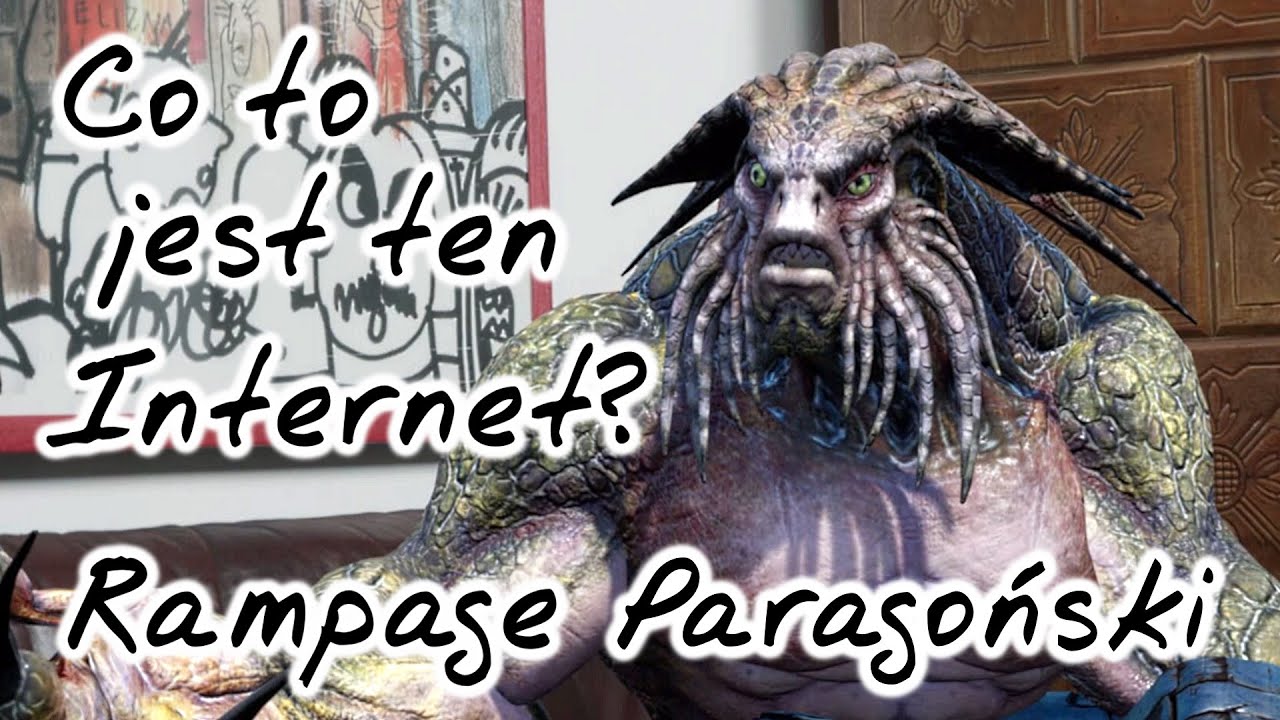
---- SWITCH ON ENGLISH SUBTITLES ---- Spotify - https://spoti.fi/2VEUELr Castbox - https://bit.ly/2VWtd4T Facebook - https://www.facebook.com/Na-skórzanej-ka...
 heady fulcrum
@robust mantle That's nice man ahahah i like it!
robust mantle
Thanks Tim, hearing this from you is an honor.
gusty heath
lmao
 glass ruin
😄 Don't think that's actually TimSweeney
 solid creek
how so you setup RTX?
tight stone
@toxic oyster Probably colorspace. Are there options in the output dialog when you choose something with EXR output? I forget.
gusty heath
Has anyone exported a camera from Unreal into Blender?
 pallid spire
Are there projects with already placed actors and animations for practicing cinematics? I remember one with robots fighting, anything similar?
tight stone
The Subway Sequencer demo? It's in the Learn tab I think.
pallid spire
Thanks! Do you know any more similar projects?
tight stone
@pallid spire I think The Boy and his kite has a pre-done animation in it as well
tight stone

Unreal Engine
From massive-scale physics and destruction to subtle ray-traced effects, Unreal Engine 4.23 continues to push the boundaries of cinematic quality and realism for real-time experiences. Meanwhile, our latest virtual production toolset is poised to change the art of filmmaking,...
A bunch of goodies there. New and improved curve editor, improvements to Restore State/Keep State for Skeletal Animation poses
 raw badger
F
pallid spire
😮
foggy comet
hello, can some one explain for me how it can be done :
i have a building, a raw concrete building, i want to create a build animated sequencer out of it.
i want to add on the wall some colorful graffiti, but i only want to add it after few frame
so i will need to have material parameter,
now is the tricky part, i know how to do those step, but now i want to adjust the way parameter changing from time to time.
like the graffiti arts are not just come from no where, it start appearing from bottom to the top. like a slide effect.
can someone help me out
pallid spire
First time trying out virtual cam, I'm new to ue https://streamable.com/ri4x3

 stable gull
anybody seen a good batch of prefabs for compositing effects like in adobe after effects? filter equivilents
tight stone

Unreal Engine
Enter for a chance at an assortment of prizes and to connect with the experts at Blur Studio.
pallid spire
Are we allowed to use already made assets or do we need to create our own?
tight stone
Submission may include sourced (non-original) assets, but the sourced (non-original) assets mustbe noted.
 copper jolt
hey guys, i see there is another movie jam, is there a way to see submissions from the previews movie jam that happened this summer? i'm curious about that and the winners
sweet hawk
Does anyone know how fix cine camera?
I cannot see the blur/changes in editor
when I play render from sequencer, everything starts to work
4.22
 mystic shuttle
So I have a level and something happens over time that I want to capture in a sequencer. but can't trigger it, only happens after X minutes through the game. how can I capture it?
tight stone
Do you mean the objects don't exist in the editor to add to the sources list?
Take Recorder/Sequence Recorder doesn't care if you're in PIE vs. Editor when you record, or if you start recording while it's already running
mystic shuttle
@tight stone I don't really know what you mean there
Simply put: Let's say I have a forklift taking pallets and stacking them up. when the stack reaches X amounts of pallets, the truck goes in and the forklift loads the truck. I want to record the forklift loading the truck. but I have no way to force it to happen, only way is to wait for several minutes until it finishes stacking pallets.
tight stone
What does record the forklift mean to you
 vast pier
hi. new around here. there is no way yet to "render out" an image, right? with ray tracing stuff a screenshot will get an image that looks grainy because it didnt do the denoising job. or even better because i could even use path tracing to get more "samples". if it's not currently possible, then, fug
tight stone
You could probably use the render movie option from sequencer and set the Path Tracer option with a long delay-per-frame so the path tracer can fill it in a bunch
And then only render a few frames of sequence.
You'll probably have to use warm-up time as well to give time for motion blur/AA history to fill in, since it's not really designed to render single frames
vast pier
i tried, but it was still taking a screenshot of a real time thing, instead of building up samples
hope they add something which will actually render in the future. if it's possible with source engine i dont imagine it being too difficult with ue4
sure it would defeat the purpose of real time, but still, it would be much faster and the comfy workflow
tight stone
What do you mean "still taking a screenshot of a real time thing" - do you have an example?
Also it's... more complicated than you would think to adapt real-time effects into high-quality not-real-time ones 😉
 tame spruce
Unreal Film Jam - Hello guys, Are there anyone who would like to make something togather for this Jam? I have a green screen studio, I'm in development process of Virtual Production environment in UE4 - I'm open to make some cool stories using this cool stuff. Let's create something cool guys!
 surreal haven

 vivid juniper
Very short clip from a test sequence i made today.
Because i used the Squad SDK, i could not figure out how to render it without the game starting and destroying the render....
Hopefully soon with some tutorials, i will be able to record a real time firefight between AI soldiers and zombies 😄
OBS record of sequence
https://www.youtube.com/watch?v=QNRx-goRia0

Shot test recording of a WIP teaser cinematic. This is for a project i'm slowly working on in Squad SDK. The teaser will show some of the planned game mode.
tight stone
I don't know what Squad SDK is but, the game will always start to produce a render. You will need to use the GameMode Override section of the render settings to use a different gamemode that runs different game-logic.
gusty heath
Anybody know a way to export huge resolution sequencer renders? UE seems to cap at 7680*7680 px.
vivid juniper
@tight stone Aaah, will try that! Tnx
Perhaps that is the max res?
Why that large resolution?
tight stone
Is it the UI that caps out? Can you just type in a higher number? You can't go past the max size for your graphics card though, which is probably 16k
Also you can probably override it if you use the command line arguments to make the render instead of the editor ui
 half escarp
is it possible to get flat/plane lights? (or is this the same as skylight?)
ouh and havent seen anything pinged on this channel, is there a good introduction for lighting in ue4?
 azure mirage
So I'm new to cinematics, I'm animating an actor's transform using a level sequence, is there any way to record to .mp4 or video file from that actor's camera component? or some other technique that produces the same result?
tight stone
Either make a camera in the sequence and parent it to the camera, or probably make a custom gamwmode that on start sets that actor as the Player Camera Manager target
And there's a button in the toolbar that lets you render videos
 fast cosmos
Is there any way to copy and paste keys in sequencer?
tight stone
Select them, right click and choose copy, click on a new track, right click and choose paste...?
fast cosmos
I was trying to copy paste an entire "track" of keys in the curve editor. Apparently you can only copy paste keys when in the key editor...
tight stone
Which version
fast cosmos
4.22
tight stone
4.23 adds curve buffering to the curve editor, which is a form of copy and paste
fast cosmos
😄
 scarlet otter
are you kidding me with this???
how do I control the direction of rotation of a keyframe in the sequencer?
oh... the rotation was negative in one key for some reason... 👺
oh great, now a lookat tracking key is giving me negative rotation... great!
no way of getting the viewport to see through the eyes of the camera, without having to pilot it?
how do I play another level sequence from within my level sequence?
vivid juniper
@tight stone Could you perhaps share a quick how to, on setting up a pure cinematic render gamemode from scratch?
Since there is a lot of SDK out already. It would be super awesome to know how to create a custom cinematic render gamemode. Since in most SDK the default gamemode starts up by "default" 😛
Could we perhaps migrate the UE versions default game mode BP, and use that in any SDK or project to get only launch of camera rendering?
tight stone
I don't know what any of that means, sorry.
movie renders are just Play in Editor instances
So if you're on your map, and you hit Play in Editor, the movie render will do whatever that does.
If the Play in Editor session does something you don't want (as a result of the game mode set for that map) you can override it to "GameModeBase" which does nothing but spawn a default pawn.
Beyond that, other things in your map (such as actor logic, etc.) will have to be manually modified to not do that.
vivid juniper
True.
The reason i asked, is that is use a sdk version of 4.21.
and even if i do override the gamemode, it still jumps into a "squad" game mode.
I have asked on the squad hub, but i have not got any respond.
So i hoped that there was a general way of overriding independent of if's a SDK or UE standalone
gusty heath
is there a good way to decrease the blur intensity on this bokeh dof setup?
my current settings
tight stone
It should follow the physics of a real camera, increase the aperture size might do it.
pallid spire
Has anyone tried this? https://unrealengine.com/marketplace/en-US/slug/dragonfly-for-unreal

DragonFly is a professional virtual camera toolset for Unreal Engine that gives you the power to view your computer-generated environments, character performances and scenes, just as if you were doing a live action shoot, but virtually.
 vivid brook
does anyone have a tutorial on how to make a short film in UE4?
pallid spire
Look up sequencer
half escarp
ive noticed something
i have 1 cinematiccamera in scene, whenever i record, tjhe first 1-2secs are always some random area in my lvl, i dont have any other cam placed arround.
tight stone
Do you have a camera cuts track
Also are they actually written to the file? It might be warm-up time that 's just leaving the camera at 0,0,0
tight stone
A) Delay before Warmup. B) It renders the Playback Range of a sequence, not the camera cut length, you can see the empty space to the left of your cursor.
Either extend your shot, or hit [ to trim the playback range of the sequence to the start of your camera cut
or use "Use Custom Start Frame" and set it to 0.
half escarp
thx that was it, the green start frame marker
half escarp
btw why could this happen?
a single frame, but effects 3 frames later in reflection buffer
oof, every 20 frames this appears, i think i have to go down in resolution ;(.
ouh and @tight stone in the middle of renderes, the camera switches to random lcoation in level.. so this cant be an sequence issue.
tight stone
Yeah that sounds bad. Assuming you have a camera cuts track with no gaps in it (if you right click on a section and go into properties and the start/end frame have a star next to them, you're on a sub-frame and might have a gap), you might have gameplay code somehow overriding the player camera manager.
It would not surprise me if some effects are delayed by a number of frames. It is prohibitively expensive to copy things back mid-frame from the gpu so they may use the result of the last frame
half escarp
no gameplay
its just a turntable (without any blueprints, just geometry and 1 cam)
i will try tomorrow a different (lower) resolution, but today gonna go sleep. thanks
scarlet otter
I added a shot to a level sequence, and everything looks fine. But when I press to render out the movie to .avi, all I seemingly see is a camera view at, I think, 0,0,0 (which doesn't exist as all my cameras are on rig rails).
Anyone know why?
(I guess this channel is dead, because my god does the level sequencer suck!) 😛
ok, I figured I'd amend the "sucks" thing with "only shots and cuts suck", and guess where my error was? in my cut... grr!
ok, great, now I have the proper camera rendering in the movie... but the bloody shot that I inserted doesn't render out!
I can see it in the Unreal Editor, but in the resulting AVI, it's not there
👺
tight stone
Whatever camera cut track is active at any given frame should be the one rendered (unless using composure output), it will not guess at it because it would be wrong too often
Also make sure it's actually set to the range you want to render, by default it uses the Playback Range of the sequence
scarlet otter
@tight stone the camera cut does get rendered at its full range, but the shot/level sequence I added does not end up in the .avi file (only in the unreal editor preview)
tight stone
You are probably not updating that avi file then, delete or rename it and try again
scarlet otter
It saves out a new copy every time... like file2_(1).avi file2_(2).avi etc etc 🙂
half escarp
Btw matt 1080 pi instead of 4k render fixed this, than noticed I had 2 viewports open, I closed one and rendered in 4k again.. works fine.
tight stone
/shrug glad you got it working
pallid spire
@timid vector Click on it then choose
Are you in cinematic viewport?
I know it's available in cinematic viewport at least, click on perspective then cinematic viewport
Np!
novel sparrow
How to apply animation to a compound skeleton mesh? i.e. body + clothing
in the sequencer
 tough narwhal
Hi, is this possible to output a custom depth mask with motion blur and dof applied ?
tight stone
What would that even mean? What is the depth of a pixel made of two objects?
tight stone
This comes up somewhat commonly - what are you trying to accomplish @tough narwhal , since if you were using the depth buffer as depth the values wouldn't have any logical meaning
tough narwhal
i'm speaking about the custom depth, used to render out with transparency
tight stone
@tough narwhal Right. You want a depth value. Each pixel says how many units away from the camera is. In the case of motion blur, a pixel is a combination of both the object and the background. What depth is that? Motion blur isn't a 3d process, it's a 2D process.
So it is both illogical (values would not be a representation of depth) and also not possible
tough narwhal
I'm understanding you right, so I have to ask that in another manner.
How do you obtain an alpha channel out of Unreal engine?
can I output the motion vector pass ?
by the way there must be a way, I already saw those "customised UE4" capable of outputing to an AJA video card WITH an alpha channel
tight stone
If you make a Composure element that has alpha in it, then place that Composure actor in your Sequence, then render a movie, Composure is an option
And the resulting images will have alpha channels
tough narwhal
so I have a last one, is there a way to export cam animation to file ? in 3d renderers there's an option to write out the cam position in exr files too
tight stone
Not currently. You can export the camera transform to FBX. It should be aligned (renders should happen on whole frames) but I cannot guarantee that. Your other option is to write a little C++ bit that can evaluate the movie scene transform track at an arbitrary time to get the values that would have gone into the camera (this would let you shift the evaluation a bit if it wasn't aligned for some reason)
tough narwhal
I understand. can I export the transforms of an animated camera in a level sequence ?
tight stone
Right click on the transform track in the tree in Sequencer I think
pallid spire
I want my character to walk up a small hill using animation and transform. Problem is that it's clipping through the ground while it's going up the hill so I have to change the z-axis. Is there a way so it automatically goes up the hill without changing the z-axis?
novel sparrow
How can i freeze animation at the end of it?
it is set like that now
but it's resetting animation to a Animation mode - Animation Asset

it does work in preview but not in play
if the Animation mode is keyed it resets to T-pose
tight stone
Whoops, you actually might want Evaluate Nearest Section instead @novel sparrow
Though that will apply to both before the animation and after
novel sparrow
Thank you!
what's the purpose of Postroll ? (i'know that preroll loads the animation to be ready to play)
tight stone
I don't know if anything actually uses it.
Pre-roll is mostly used for the media tracks so they can start loading images off the disk.
 stone knoll
Hey if anyone could help me I'd appreciatee it
I'm trying to trigger a cinematic in my level but nothing happens when the player touches the trigger box
I think the issue has to do with my reference to the player character. I'm not using the ue4 mannequin but a 2d sprite instead
tight stone
@stone knoll I suggest you print the result of both OverlappedActor and OtherActor.
You are correct in that it only works with characters that derive from ACharacter. You'll probably want something more like GetPlayerController(0)->GetPossessedPawn()
 fervent laurel
Does anyone know something about the FreeD Protocol? I'm finding it surprisingly hard to Google
tight stone
What kind of protocol is that?
fervent laurel
From what I can glean, it's an open protocol that contains data from (real) physical cameras such as rotation, position and zoom
Thought there might be people here who already have experience with virtual production
tame spruce
guys! is there people who dealing some with Virtual Productions features?
I have build a greenscreeen studio Getting now some equipment from BlackMagic and I'm trying to make all this stuff.
I found that there is an option to get Timecode base. I'm planning to buy ATEM fro BlackMagic is there some build-in features to control all this mess?
fervent laurel
@tame spruce Have you looked at the Virtual Studio content example and its associated documentation from Epic?
I'm getting my feet wet for it too but that was a good primer for me
tame spruce
Stay in contact 🙂 - I can share some info during my "doingness" 😉 I'm wonder to have an control on BlackMagic recorder. To make some changes after recordings, I mean If I record something - whole environment - to save all this stuff in Sequencer as a shot. Video+camera tracking data and soo on. Than make some changes after all in environment. Like lighting enities etc. I'm wonder if it's now possible.
BTW. Because Mo-sys trackers are a little expensive I will do my best to use VIVE trackers to track phisical cameras. I found some solutions to use them without HMD using OpenXR. I can share you some effects when it will be ready. I tried on unity3D some simmilar solutions some years ago and there was issues with predictions algorithms in SteamVR (It's my general conclusion) There was no way to precise sync all this stuff.
but I think HTC is working now to make this native driver better for Virtual productions.
because I'm not a developer I I have team to make all this stuff I'm still not sure what is possible in this new version.
btw - here is some shitty stuff what we made a very long time ago - https://www.youtube.com/watch?v=vX_vkMaxhMM

www.studio.vrvisio.com VR VISIO Mixed Reality Capture Studio - the first mixed reality capture studio in Europe. Studio VR VISIO, is the one of the world's f...
fervent laurel
hahaha nice, you guys are several steps ahead of me
tame spruce
as you see "shaky" hand-camera. The stabilisers like Ronin it's quite good solution to that shitty trackers 😉
but that was made before we build our studio 😉 using "green-carpets" 😉
now we have cyclorama build. 😉
but project was stopt for about 3 yeras and was not developed.
Now I start the developing in UE4 😉 which is best for that!
tight stone
There is a timecode synchronizer to help get all incoming data aligned. It is still experimental
But it is designed to line up Live Link mocap data with incoming video feed from a capture card
And Take Recorder will place keys on the correct (relative) timecode if the data being recorded is Live Link data
 wary bridge

a short cinematic of the medieval village , made in 3-4 hours hope you enjoy it :D. recorded using OBS mkv format. pc specs : i5 8400 16g 2 x 2666 ram gtx 10...
 light birch

ArtStation
 pallid field
 pallid spire
Nice! Did you make the environment?
 fossil storm
Hello! When working with sequences, Level Sequences are bound to that level. I have a camera and an animated object that's the same across multiple Levels. Would I have to duplicate the sequence for each Level, or is there a way to package these items as a blueprint or otherwise have a "master" version?
I'm fairly new to Unreal, and it feels like I'm doing it wrong.
tight stone
@fossil storm If you convert them to Spawnables (in the context menu on their object binding in the sequence) then the Sequence will spawn them and can be used on any level.
Also possibly of use is the ability to override the transform origin on the ALevelSequenceActor so you can make your sequence play back relative to a position, instead of relative to the origin.
fossil storm
Hm! Thanks for this, I'll look into it!
fossil storm
@tight stone That is 100% spot on, works just as described. Thanks!!!!
 swift pier
Anyone else getting memory issues with sequencer in 4.23?
gusty heath
Idem 4.20 in editor level design is random
 signal gate
Hey guys I am having problems with the cinematic camera. I am just setting it up to get a nice final screenshot of my scene but for some reason every time I hit play while looking thru the cinematic camera it switches the view back to how it is when you are flying around in editor. I really have no clue what cloud have changed it was working fine earlier. It's like the cinematic camera cant be accessed when its playing when I try to change the settings I can see the preview box being affected but now my viewer. I am very new to ue4 so I probably messed something up but I cant get it to stop changing view for the life of me.
tight stone
Placing a cinematic camera doesn't actually do anything, they're just a point with settings
You have to tell the PlayerCameraManager to look through it.
You probably want a Level Sequence with a Camera Cut Track, which will let you look through the camera in the editor and adjust settings, and then when you play the sequence it will take over the view and use the camera
sweet hawk
Hello.
I have a question about lighting and volumetric lighting
How can I disable/decrease the distance when the light starts to fade away?
 keen sierra
There's a property for it @sweet hawk
 steady spear
Has anyone used volumetric video using the Kinect?
 mystic sapphire
hopefully its correct channel - i have issue with sampling depth for cinematic camera. Sampling on meshes works fine, but sampling on landscape barely works, its like it has only 1-2 depths. Recorded clip to overview issue
tight stone
@mystic sapphire Which version of the engine is that? Looks broken (unrelated to Landscapes, even on simple box scenes) in 4.22.1 for me.
mystic sapphire
4.22.3 @tight stone, ive checked in 4.23 as well, seems to be same, i think problem might be occuring since few versions, found some live stream from epic about cinematic dof and they had problems with using depth eye dropper
and stream was like 6 months ago
tight stone
@mystic sapphire Can you drop a bug report in here; https://epicsupport.force.com/unrealengine/s/ feel free to attach the video if you can, otherwise it seems to repro with cine camera on a mostly empty scene with just a box floor
mystic sapphire
@tight stone done, pretty much copy pasta of thread i made on answer hub few hours earlier if you want to read a bit more detailed description https://answers.unrealengine.com/questions/927059/view.html
stone knoll
https://twitter.com/JeeveNJayla/status/1180567447981576192 thanks @tight stone I finally got cinematics working in my game!


Heya peeps! Showing off simple cutscenes today, There's two variations right now. You have cuts for when you talk to someone and cuts for hitting certain parts of the game. Exciting stuff! #screenshotsaturday #indiegames #madeinunreal #UE4 #IndieGameDev #indiedevhour https...
Twitter
sweet hawk
Does anyone know If there is a way to "enable" Volumetric Shadow when you're using Raytracing?
(Ray Tracing Shadows ON)
(Ray Tracing Shadows OFF)
novel sparrow
Greetings. I'm having an issue with sound for a sequence. When I play music along with "slowed"(play rate < 1.0) sequence music loops, but the issue it loops from random spots. It ends to play and then jump to middle or somewhere in the end and does that several times.
It does not matter if the audio track inside this slowed sequence or placed in the parent along the nested sequence.
novel sparrow
How can i force animation on skeletal component of a BP in Sequencer? It does not take it from Sequence even if it's set to Custom Mode.
And there are no animation property for components in Sequences
tight stone
audio doesn't respect time dilation in or out of sequencer.
and there is animation properties for skeletal mesh components
 proud jungle
how do i manipulate a blueprint's components in sequencer
im trying to set the animation playing on a skeletal mesh and when I add a track for that into sequencer it's red and says "this item is a posessable reference to an existing object"
and doesnt let me manipulate it
tight stone
Add your actor. Click +Track on the actor in the tree to select your skeletal mesh component. Click +Track on the skeletal mesh component to add an animation
tight stone
What type is CharacterBody
proud jungle
skeletal mesh
tight stone
is CharacterActor_Healer4 an object in the world? It looks like you have a broken reference, which usually means you added an instance (such as a live temporarily created pawn) and then destroyed it (ie: by ending PIE)
proud jungle
yes
im not even in pie im just in the editor
I have other tracks controlling some variables on it and they work fine
tight stone
If you delete and re-add CharacterActor_Healer4 is it still broken?
proud jungle
yup
tight stone
is CharacterActor_Healer4 a blueprint actor?
There's gotta be something unusual with your setup
proud jungle
yeah it's a bp actor
it recognizes it correctly on a different character
but not on this one
if i swap the assigned actor to another one in the level
tight stone
Can you post a screenshot of the treeview in the blueprint editor for that?
tight stone
And another blueprint which derives from the same parent works??
proud jungle
yup
tight stone
That is very strange 😦
proud jungle
idk im on 4.19
maybe it's some old bug that got fixed ages ago
yeah this has to be a bug
it changes from red to grey and lets me add tracks whenever I do innocuous things like move other actors around in the viewport
then goes back to red if I scrub the sequence timeline
oh well
tight stone
Do you have a construction script doing anything funny?
proud jungle
all the character's share the same construction script
all their bodies share the same skeleton
the construction script just sets up a bunch of materials, sets references to the anim blueprints, sets what skeletal mesh to use for the character
nothing funny I can think of
novel sparrow
i see no Animation tracks for Skeletal Components
Also, what does Yellow color means?
novel sparrow
@proud jungle hah, seems we have same issue
proud jungle
read up lol
mines even weirder
random actors sharing the same parent work, others dont
but yeah looks that way :p
novel sparrow
@proud jungle preview does not work for you either ? when you set animation for a BP?
for me it does not visible in editor until i "play"
proud jungle
preview works fine on the ones that work for me
did you tick the setting in the sequencer
that's like re run construction script or w/e?
novel sparrow
yeah, but i'm talking about the animations that assigned from sequencer, those previews does not work in BP actors
proud jungle
I wish sequencer said what the error was lol
instead of just nah this is red/yellow because reasons
since the possessable reference thing doesnt seem to be an actual error message just something it says for children vOv
novel sparrow
have you tried to enable debug for sequencer?
proud jungle
i have no idea what that is
where do I do that
I gave up and just went to verify the engine on the off chance that's what the issue is
novel sparrow
proud jungle
ill try that when it finishes
novel sparrow
proud jungle
see if it provides anything useful
though i have no idea what that information means either
WHO KNOWS LOL
MAYBE ILL TRY MATINEE
ok well I can tell you this much
verifying your engine won't solve the problem
novel sparrow
after several years of After Effects...i'm crying every time when working with sequence...one great thing tho, it's realtime
proud jungle
ive loved it every time ive used it before
but I guess it's kinda broken with more complex stuff idk
novel sparrow
Oh...i think i've just started with complex stuff right away
proud jungle
you know
novel sparrow
i made 2 rails camera dolly + target dolly for chase flythrough as my first animation
rails are broken
some kind of interpolation issue
proud jungle
maybe epic decided to just push some silent update
to break it :^)
leave everyone scratching their heads because ive done this exact thing before without issue
novel sparrow
nah, generally it's not intended, just some stuff needed refactoring and not all of it was made as it was
our intro was broken in every place when we updated 4.21 to 4.23...most of it fixed by now
yet i see new issues, and...i had 3 crashes in 4 hours of work
proud jungle
:/
novel sparrow
most annoying thing now...ue4 does not reset sequence if you hit play...so it exist in gameplay in the state you left it in editor
*copy of it
oh, i should mention, i'm using a lot of spawnables
proud jungle
is your character that can't set a skeletal mesh track a spawnable
tho doesnt matter atleast for me
novel sparrow
yeah, all my chars are spawnabbles
proud jungle
it doesnt care either way lol
works without issue on the one that already worked whether it's spawnable or not
welp
novel sparrow
at first i've used compound levels, but they clutter everything, so i switched to spawnables
*sublevels
i'm still using 5 sublevels, but they are huge to spawn them
just for intro
proud jungle
...
so if I run the sequence in pie it works just fine
well that's cancerous to edit
tight stone
If you guys can find a reproduction case in 4.23, can you submit a bug report via https://www.unrealengine.com/en-US/support/report-a-bug
Thanks for reporting a bug with the Unreal Engine 4. Here you will find information on how to submit a report and what you can expect afterwards.
Also, take off "Auto Bind to PIE" in the top left dropdown of Sequencer @novel sparrow
proud jungle
i could strip down my project and send in the broken part
but last time I did that someone just opened it up and said yeah this is broken
and it never went any further lol
novel sparrow
ahahahah
proud jungle
is fixing sequencer problems a higher priority than blueprint nativization lol
novel sparrow
@tight stone thank you, that checkbox untick helped
Is there any docs about this stuff?
tight stone
The debug stuff is for debugging template evaluation issues, not really something users are expected to use.
novel sparrow
oh...i though it may be useful for finding sequence issues
can you tell what this yellow color means?
i've googled and searched through docs
tight stone
It's supposed to mean that you have multi-binding activated (an old Matinee feature, useful for having a single Light in Sequencer which is bound to multiple instances in the world).
If you can come up with a reproduction case where you haven't enabled that but it still causes it to go yellow then someone can look at it to try and fix it.
novel sparrow
i have no clue what 'multi-binding' is
tight stone
If you right click on an object binding track in Sequencer (in the tree view) I think you can say "Add Binding >", it's not something you do by accident usually 🙂
proud jungle
found it
enabling run construction script in sequencer in an actor's class settings breaks it
same deal in 4.23
@tight stone is there a reason why that would be intended
I don't know why it would be but it seems like a strange thing to be overlooked this long
tight stone
Can you post a picture of your construction script
proud jungle
there is none
tight stone
In none of the inheritance?
proud jungle
none
here
new 4.23 thid person project
make a blueprint with a skeletal mesh set it to the mannequin
make two children
and set one of them to have that setting enabled
boom yellow
novel sparrow
haha, true, unticking that removed yellow from my component
tight stone
Is that both with and without Sequencer also set to run construction scripts on actors?
proud jungle
it goes away if the sequencer side setting is disabled
novel sparrow
yep, both should be on
tight stone
Yeah you need both checkboxes for it to actually run the consruction script
tight stone
It is likely that the construction script is re-initializing the component unintentionally, and thus Sequencer is losing a reference to it. It sounds like a bug.
novel sparrow
yeah, TY
@proud jungle your finding helped me to fix issue from long ago
i was not even sure why construction tick was enabled
novel sparrow
i can give you 10% of my 0$ salary
as now i'm on royalty and game still not released
Thank you again. Now i can sleep well.
proud jungle
cool next up
some skeletal meshes will play animations and others won't
identical skeleton same animation
works on some meshes and not on others
tight stone
Do they have identical skeletons, or do they share skeletons
proud jungle
share
I guess?
if you click the skeleton tab when you open the mesh you get the same skeleton asset
and they all play the animations correctly if you specify it in the skeletal mesh animation settings
the ones that don't play it use the skirt bones on the skeleton whereas the ones that do dont have skirts
idk why that would have something to do with it but that could be it?
proud jungle
so like legit question am I just working in sequencer all wrong
am I supposed to be simulating or something when working with it?
because problems like these seem like something that would be discovered really quickly by trying to work with it in just the regular editor?
tight stone
It is designed to be used predominantly in editor (and played back in runtime)
 light crescent
guys i am having the hardest time recroding a video with sequencer
I have a camera cut and a camera on one of my actors i just want to record for 15t seconds that is all
This is what I have and I do not know where to go from here
I cant get my rolling ball to show up when i capture
tight stone
@deft sandal In your Level Sequence Actor find the uh. "Relative Transform" I think it's called? It's a boolean to tell it to use it, and then you have to specify which transform to play from it.
@light crescent Just use Take Recorder instead and then copy and put the recording as a Subsequence in your main one and you can trim it down to whatever parts you need.
tight stone
How so? It shouldn't be.
tight stone
Why are things disappearing before my eyes
Anyways the BP you posted looked pretty straight forward to me 😕
Though I don't think you need to set both TransformOriginActor and TransformOrigin but I would have to check the code to be sure.
 deft sandal
Thanks for trying to help Matt I do appreciate it very much!
fossil storm
Hello. I can't seem to render a simple zpass from UE4 4.23. Any hints? My scene is already set up with displacement materials, those + normals and stuff need to translate 1:1.
 vagrant jasper
Hey!
I'm wondering if it's somehow possible to render video with transparency?
Even if it was by rendering it out as separate image files to be stitched together i would be fine with it
 glass wharf
what do you mean by transparency? Id recommend looking into chroma key
vagrant jasper
As in being able to render out particle effects that can then be used to overlay other graphics in video editing for instance
glass wharf
oohh
tight stone
Set it up in Composure to have Transparency -> Add the Composure actor to Sequencer -> Choose Composure in the render window
vagrant jasper
Aight! Ty bud
 hollow abyss
Mind if I share my entry for the Unreal Film Jam here:
https://www.youtube.com/watch?v=9n_nnxDqjKo&feature=youtu.be

Cargill begins its hunt of the last six remaining humans. Part 1 of 6. This is my entry into the Unreal Film Jam [Oh the places you'll go.] I made this using...
hollow abyss
Thanks!
Yes, just use a cross dissolve/fade.
 rotund carbon
been looking for the option to add that xD
hollow abyss
Fade track, key framed in between shots
rotund carbon
ooh, thank you
tight stone
You can't cross fade, you can fade to black and back in. Cross Fading would require rendering your world twice in realtime which isn't an option for most games.
rotund carbon
Is there a way to track a socket for DoF?
found it, needed to add an object track "attach"
mint monolith
@hollow abyss looking good, do you know when they will judge them?
Here's mine: https://youtu.be/2_1wIX3dK-c

My entry for the Unreal Film Jam comparing the "See the world" type propaganda and the events of D-day Hell Let Loose assets used with permission from Black ...
rotund carbon
https://youtu.be/BC7FcBvITAI Here's my entry to the #epicfilmjam2019 :D
— UNREAL FILM JAM — September 5 - October 19 "Oh, the places you'll go" I started working on this on October 12th. I'm happy I participated, it was the right...
The final sprint was stressful, but I made it.
hollow abyss
Stressful for sure lol - I made mine in 30hrs
mystic sapphire
today I just learned that the bug I submitted few days ago and got added to ticket, got backlogged yesterday 😦 Could anyone from Epic tell why.. this seemingly important feature doesn't have a priority? Ue4 being promoted heavily as tool for cinematics and production marketing, doesn't have a properly working depth picker for setting cinematic DOF? I'll be honest, it's a bit upsetting for me and I can't understand it 😦 https://issues.unrealengine.com/issue/UE-82034 Curiously, it used to be a Rendering component in ticket, now it's Sequencer. Why?
tight stone
Most people animate their focus depth by hand, you can click and drag on the number in Sequencer to scrub it back and forth so there is a fairly efficient workaround.
Looking at the code this has never been more fine grain than object location - unfortunately the hit proxy rendering only returns object locations and not exact hit depth which is why the scene picker is only as precise as the object itself.
mystic sapphire
thanks for answer @tight stone , I always assumed picker was much more preferable than trials and errors method with using slider, oh well.
tight stone
@mystic sapphire I mean you can pick to get the first number and then adjust from there using the slider. Most people set up two viewports in the editor and toggle the "Allow Cinematic Control" flag on one of them, so they use that one to edit and then use the camera button on the camera in Sequencer to look through the other one
So you can preview your focus in real time and just do it based on artistic look rather than fact
mint monolith
@mystic sapphire I use the preview mesh plane, its shown above in rh2's gif, the purple wall. It works perfectly for my workflow, far better and more intuitive than anything else i've used in Maya or Houdini
novel sparrow
I'm having an issue with Sequencer while recording a video.
All the animated actors have doubles.
The AutoBind is disabled
tight stone
Check that you don't have two copies of the Level Sequence Actor in the world on accident?
wary bridge
how can i render a good cinematic from sequencer in FHD ? is there any clear tutorial on how to ?
novel sparrow
@tight stone nope it only happens when recording, not when playing
tight stone
The only thing different about recording is that it is PIE and it tries to find a level sequence actor in your level that already references your sequence and failing htat makes a new one.
 wheat karma
Question: I'm rendering a Master Sequence and it's rendering what I think is a clip of the initial position of the first person camera between every one of my shots!?
wheat karma
ah never mind i got it .. forgot to adjust the end marker of the Camera Cuts track
novel sparrow
@tight stone ooh...okay...my level has no level sequence, it is spawned by LBP
tight stone
Disable that @novel sparrow
novel sparrow
yeah, thanks for info
tight stone
It is probably that the movie rendering code finds nothing because it's run before the LBP is run
So we make one, and then you spawn one and bam, two
 fresh crystal
Sequencer shows 90seconds, however when playing in editor, it's definitely not 90seconds long (which is good, since it's going the correct playrate)
I tried to export video, and of course, it's only 90sec long. What exactly could be causing the difference in supposed play rate between actual sequence and the track playtime
(In editor and packaged is playing about double that time)
fresh crystal
Ah, some of these sequences under the Master sequence internally have playrate adjustments...
Hmm, I feel like that's something Sequencer should somehow pick up automatically and adjust on video export, changing playrate/length as needed (or if possible, the sequence time on the Master automatically just changes based on the sub-sequences... /shrug)
tight stone
@novel sparrow that looks like a bug where editing the quality via the ui is opening a transaction and leaving it open. If you edit the quality and then go to Edit -> does it let you undo/redo or does it say something else there?
@fresh crystal Do you have a play rate track inside those guys? Or are they actual sub-sequence play-rate adjustments
fresh crystal
@tight stone Inside one or two of the sequences (that I looked into) had a playrate
tight stone
Yeah those are definitely unsupported in movie renders right now.
tight stone
Play Rate changes the whole world speed to accomplish the change, is that what you expect the behavior to be?
tight stone
(The track has been re-named to "Time Dilation" in Dev-Editor to reduce confusion, as some people don't realize it changes the world time too)
If you're compiling from source I have an untested change you can try to make which might make the movie render support it
tight stone
Play Rate messes with frame accuracy a lot, so that was the tradeoff at the time (to drop support for it)
fresh crystal
Someone in the future won't cry about it soon hopefully
tight stone
Unfortunately the frame accurate movie rendering is built ontop of code that was from when timing was all done as floats 🙂
fresh crystal
Ah, since it's now all by Ints right
Technical information for the Time Refactor performed on the Sequencer tool for 4.20.
Well, this thing anyway
tight stone
Yeah, now we store everything as an integer and then have a Tick Resolution (24k per second by default) and a Play Rate represented as Numerator/Denominator instead of float
fresh crystal
It's a shame you don't "burn" the sub sequences in before the rendering starts
tight stone
The problem is that to get it to be frame accurate we locked the sampling of the sequence down to always increment by 1 frame each engine tick
Instead of relying on accumulating time, so when the play rate track changes the world time dilation, the world is now slow, but sequencer isn't incrementing by deltaTime * timeDilation, it's always incrementing it's position by 1/FrameRate
So world goes slow, sequence goes fast 
fresh crystal
and time dilation affects that as well
hm
Yeah, seems like play rate was the wrong term for that
tight stone
thus the rename to Time Dilation, though it still wouldn't change the outcome :p
fresh crystal
nope
tight stone
You might be able to fix it (were you building from source) by going to the top (bottom?) of AutomatedLevelSequenceCapture and there's a "Fixed Time Step Controller" type class there which returns the time to Sequencer on each evaluation... you might be able to get away by multiplying by world time dilation there, but you'll have to enable use relative frame numbers too, otherwise even if it did produce more frames they'd derive their name from the position on the sequencer timeline so they'd double up and overwrite each other.
fresh crystal
This is Global Time Dilation right?
tight stone
Yeah. GetWorldSettings()->GetEffectiveTimeDilation() iirc is where it shows up
You might be able to copy/paste the AutomatedLevelSequenceCapture class to your project, rename it to something new and compile it as a new piece of code - when you use command line renders you're allowed to specify which class to capture with so maybe you could make it work on a non-source build by 'writing' your own, and using the cli renders to tell it to use yours
fresh crystal
I guess a decent workaround could be to just affect the dilation of the actors themselves
Or, I guess, just use OBS for now. It was mainly an issue to give it to Audio Devs, so they could do samples/work on the Intro music
tight stone
fwiw audio doesn't respect global time dilation in the actual game either
fresh crystal
It's a nice feature, that I guess works flawlessly as long as you don't try anything funny 😉
Yeah, I created a custom audio manager for the sequences
And am calling events on sequence
 modest sequoia
Hi guys,
Not sure if this is where I should be asking, it seems to be the most relevant section of the disc.
I just had a question if people knew what the "Fortnite Replay System' was called in Engine [a replay system where you can go into the already-occurred-game' with a different camera]?
https://www.youtube.com/watch?v=FK6Pum3d5qM
I typed it on UE4 documentation and could only find this [otherwise on google i could only see different variations of replay system that are around 4-5 years old]:
https://docs.unrealengine.com/en-US/Engine/Replay/index.html
Anybody have more info the the replay system?

Revealed during GDC 2018, the new replay system in Fortnite empowers content creators to use footage of recorded gameplay sessions to create incredible repla...
Overview of the Replay system for recording and playback of gameplay
tight stone
I don't understand what the question is
 oblique crystal
Ummm wtf is with the render sizes. I was doing tests for my animation and for a 5 minute 4k video it's 222GB
I didn't put any compression due to havi g to edit it after but it still shouldn't be 222gb for 7500 frames
 delicate minnow
Hey guys, is there any reason why the windows on my scene are not affected by my DOF. I've tired a couple of things I've found online but nothing has worked so far. Anyway, I'm pretty noob so any help would be really appreciate it
oblique crystal
@tight stone it needs to be jpg img sequence with no compression because it's going into after effects once it's finished
For me in animayion/modeling compression means noise noise means shit quality video
And if I'm putting it inti after effects after then it would be compressed twice
tight stone
PNG is lossless @oblique crystal
oblique crystal
PNG has transparency when i use it
I normally use tiff but unreal doesn't have that
delicate minnow
I have another question. I have a scene where my PLAY BACK RATE is 0.1 as I want it in slow motion but when I render it out it renders at regular speed. Anything that I am missing? Why is this? How can I render the slow motion shot?
 onyx quail

• 🎮 COMBAT FORCE ON STEAM : https://store.steampowered.com/app/1172430/Combat_Force/ • 💰 BACK THE GAME NOW! LESS THAN 30 DAYS LEFT https://indiegogo.com/proj...
tight stone
@delicate minnow read up, we just discussed that last night
modest sequoia
@tight stone My question was:
what the "Fortnite Replay System' was called in Engine ? and How I could access this feature? I just cant find much on it online
tight stone
I would guess that it is built ontop of the replay system you linked...?
modest sequoia
alright nvm then
delicate minnow
@tight stone do you mind point me to where it is? I looked for it and couldn't find it
tight stone
@delicate minnow Look for the conversation between me and VictorBurgos (in pink). It's from 12am October 26 in this channel.
delicate minnow
@tight stone you got it
delicate minnow
Hey guys, I have a Point Light animating its Location and I would like to loop this throughout my whole sequence instead of having to keyframe the entire thing. How would I go about doing that?
tight stone
@delicate minnow RMB the Transform Track, change the Pre/Post extrapolation (may have to go into the curve editor and do it per-curve)
delicate minnow
Thank you @tight stone
fervent laurel
I know talking about camera lenses, apertures and its sizes can be confusing but come on
Which one is the value for the aperture at its largest
tight stone
FStop and Aperture Opening have an inverse relationship. The smaller the fstop the bigger the opening is.
fervent laurel
Yeah I know, I just thought it's worded a bit awkwardly
I usually avoid confusion by saying 'largest' or 'smallest' aperture but some googling around seems to indicate that that usage is not common
tight stone
I don't think adding "size of the aperture opening" somewhere would be wrong
fervent laurel
That’s not a bad idea, thanks. And if I can be really nit picky, replacing 8.0 for an f/8.0 lens with just 8.0 for f/8.0 might help, as saying an f/1.8 lens generally means a lens with the largest aperture of 1.8.
hollow abyss
Hmm never heard of, or referred to, a lens by how fast it is. It's always about the focal length and then how fast is it. As in a hundreds mils, not a f/so and so. Interesting.
delicate minnow
Hey guys, I would like to create flickering lights on my scene. I have done this but they only do this if I hit PLAY and simulate the game. I would like the lights to flicker on my shots in sequencer. Is there anything else I should do?
tight stone
They will flicker during movie renders, as that is just a Play in Editor session.
delicate minnow
ok thanks @tight stone
delicate minnow
@tight stone is there anyway of taking that light flickering set up and making go from min at the beginning to faster towards the end of the sequence?
tight stone
Make a blueprint that does the flickering which has some sort of speed variable and animate that variable in Sequencer?
delicate minnow
Also I'm used to using particles systems in other softwares but I can't seem to figure out where to add more particles to an emitter. It's driving me nuts @tight stone
Actually I think I've found it
fervent laurel
@hollow abyss Might be just a localism for me then hehe
mint monolith
Anyone know when the film jam winners will be announced?
mint monolith
@fickle bolt Are you using autoexposure?
 fickle bolt
disabling postprocessing doesn't help
mint monolith
to disable auto exposure you'd need to actually set min and max exposure to the same number
gusty heath
do i have to create all the individual sequences i've made for moving things around? to use them
tight stone
You can put level sequence actors in the map if you don't need to dynamically decide to create them.
delicate minnow
Hey @tight stone , is there anyway of turning a bunch of lights at the same time. I'm trying to render the same shot with and without lighting but when I'm trying to do the one with the lighting turned off the layers come back ON
tight stone
Layer visibility is an editor only concept; If it doesn't work in PIE it doesn't work in movie renders.
Suggestion; use Hidden in Game and animate it in Sequencer
delicate minnow
alright I'll try that
pallid spire
When are they announcing the film jam winners?
fervent laurel
Is there a way to output a custom matte pass in ue4 for compositing purposes
For example, from the UE4 VirtualStudio example, I would like to be able to composite the background and the desk separately
So that an actor or figure can be composited in between the desk and the background
tight stone
Composure
fervent laurel
Aha thanks!
 fallen jacinth
Guys, do you know how to transition a camera to the camera position in a spring arm? I want to do a seamless transition from cutscene to player camera, but when I attach the camera to the springarm, it never positions itself where the spring arm ends and the "springendpoint" socket doesn't really work as intended.
This is for Sequencer, by the way
mint monolith
@fallen jacinth Don't fully understand what you are trying to do but sounds like something that can be accomplished with a blueprint. Get the position the camera's at and where you want to move it to and LERP between them. You can have sequencer activate this. If you run into problems using the same camera then a solution might be to create an exact replica and switch to it. Should be seamless
 vivid wolf
Hi - I was wondering if anyone could help me with my Cine Camera - The issue is that after I've built the lighting and everything my project window looks as I want it but when I launch with the Cine Camera it doesn't look the same.. The image on the top is how the viewport looks (As I wish it to look) the bottom is as I launch it... the grass and everything looks very wrong.. why?
I've not changed any settings on the Cine camera..
the preview camera screen looks right... not sure why its very different when launched?
It looks ok here... but the grass changes when launched... any idea why?
I've not changed any settings on the post process.. its default and looks good when viewed in the project window..
This better illustrates the changes to the grass colour when launched. Launched is the right screen..
vivid wolf
I've just learnt that the cine camera overrides the post process volume I have in my scene. I have matched the PP Volume settings to the cine camera and have the blend setting on 1 but the effect is the same as above... could anyone else tell me more about the cine camera? does it override the other volumes too?
Any tips on getting my cine camera to match the view in my project window? what am I missing?
Is there away to stop the cine camera from overriding my original Post Process Volume?
vivid wolf
I've turned the blend settings to 0... again... I get the same bad colour settings as seen in the above image.. could this be a bug in 4:23?
vivid wolf
should I be asking these questions in a different group? arch-viz?
tight stone
@dawn sparrow Many compression techniques sacrifice detail in the darks because they are generally considered unimportant. You will have to write it out uncompressed (or as an image sequence) and try compressing it with a third party tool that has more choices.
vivid wolf
Sorry to ask again. Been trying to sort this out for hours... Does anyone here know why my CineCamera , when launched, looks soooo different to my project window? I've shared an image above where the Cine Camera (on the left) looks fine, but when the project is launched (right panel) looks nothing like how I'd set it?! I've tried the blend settings on 1 & 0... Copied the PP volume settings into the cine camera... nothing changes, just looks pants on launch.. I'm moving the camera with touch input... any idea how I can get my launch to look the same as my "built" project window??
Anyone else having issues with CineCamera in 4:23.1
tight stone
Have you tried looking through the cine camera in sequencer instead of just looking at the viewport
vivid wolf
@tight stone I'm not using sequencer. I'm controlling the camera with touch screen control.
@tight stone thanks for your reply 🙂
@tight stone if I select the camera in the BP the camera view shows that colour is correct... but this changes on launch (play).
tight stone
@vivid wolf try copying it to a new map? Maybe there's something in the map adjusting settings on something during begin play
vivid wolf
@tight stone this is the level BP - anything here that might have caused it?
@tight stone what's the blend Func doing?
tight stone
any of the actors in your level?
vivid wolf
@tight stone the Orbit BP is.. everything is in the "Persistent Level", lights, props, everything
tight stone
You're sure there's nothing in any of those folders that might be running some kind of logic? And you're sure the PostProcessingVolume is set to Unbounded?
tight stone
The only thing you can do at this point is try to narrow things down
Also keeping in mind things like eye-adaptation auto exposure will change the exposure based on what you're looking at
(narrow things off by deleting them unless you want to get into debugging code)
vivid wolf
@tight stone thanks for your guidance. One other question. The BP_Sky has this setting on the actor... would this effect the cineCamera?
tight stone
No
That just means if you took the PlayerCameraManager and said "use this actor as your target" it would read that setting and then look for a camera component within the blueprint
Seeing as you're not telling your PCM to use the sky as the actor it's looking through it's irrelevant.
vivid wolf
@tight stone I'm using the OrbitBP from this UE4 Live Stream - https://www.youtube.com/watch?v=a2dOtwuNyeQ

In a world where more and more displays have capacitive touch support, it can be useful to know how to implement different kinds of user input. On this week'...
tight stone
I can't help you there, sorry
vivid wolf
@tight stone I've just tested 3 cameras and they all show the same issue - Orbit Camera (cine) - Default Camera & CineCamera... all have the same issues.. so I guess the problem isn't with the camera but elsewhere... something is effecting my camera settings..
vivid wolf
@tight stone please forgive me... I'm not sure I understand... how could I test this in an empty level? I'm trying to achieve the "built" look I'm getting in the left image.. to know if its working wouldn't I need.. grass and other props to compare..
tight stone
Your problem is that the visuals change, so by extension, they would change in other levels too even if there's just a cube and a floor in there
vivid wolf
the image on the left is set to "game view" after being built (lighting & everything) but the launch (Play) appears like the right screen..
tight stone
are you sure it's not just exposure
vivid wolf
@tight stone I'm not sure... would these settings cause my issue? I thought that I'd need to keep the min & max the same
@tight stone I thought with these setting, what I'd see in the project window would also be the same during Launch (play)
vivid wolf
@tight stone I tried that blank level... it has all the same lighting FX as the last.. testing cameras.. I don't get the same colour distortion as the main project... so I guess there's something wrong in there.. the lower image screen shows the in game view while the other two show the edit windows as viewed through the camera...
vivid wolf
OMG.... going back into my main level... all the colours have change... they've changed to the colour seen through the cameras.. lol why the hell has this happened?! I'd been adding props and building throughout.. why didn't it show this in the project window while I was working on it... so I guess there was nothing wrong with anything in the World Outliner... just that the viewport wasn't displaying the scene correctly that was until I opened up a new level and the returned to this.. nice... almost 11 hours waisted due to faulty viewport lol
 graceful musk
i have a problem with the sequencer adding theese weird extra frames between my cuts - does anyone know what may cause this ?
looks like this
tight stone
Your camera cut/Playback Bounds may not be wholly aligned to frames? Right click on the sections and go to their properties and see if they have a star next to the frame number
 silent bane
hi guys how can i preview mediaplayer frames(imagesequence) at level sequencer?
 frank pivot
Hello everyone! Question, I have cloth physics for my characters hair and would like to render an image sequence out of Sequencer with the hair physics included. Is this possible? Seems so far that I can only activate the physics animation through PIE. And help would be much appreciated!
tight stone
@graceful musk yes
If you just type in the frame number into that field (such as 279) and hit enter it'll round it to that frame. You'll have to do that with the adjacent frame as well.
They should work @silent bane just put a media track into your sequencer
@frank pivot movie rendering is PIE
frank pivot
@tight stone Hrmm, maybe I'm not understanding as I an a beginner. To my knowledge, Play in Editor (PIE) "renders" as if you are playing the game in the editor. However, I'm trying to Render to Movie from within Sequencer as shown here. This seems to handle things differently as I'm trying to create a video file from Sequencer and the issue is it doesn't include cloth physics: https://gyazo.com/1c2c7f54809617efc8feb586300d626e
 tight stone
@frank pivot The code for movie rendering launches Play in Editor (using the "New Window" setting) and then just sets a fixed delta time for the engine and records the screen.
frank pivot
Yep, I'm a super noob haha. @tight stone Thank you!
silent bane
@tight stone ok i'm currently using composure plugin and as u can see in the video, when exporting animation phase, mediaplate running not correctly. i firstly working with 1080p sequence image and really freezees almost every frame. so i did reduce to 720p. issue still exist. how can i fix that ? (increased "cache size" from project settings "IMG media" but not fixed)
tight stone
What version of unreal is that? It should stall while seeking to the right frame. Are there any properties on the media track section in sequencer? Are you using an uncompressed exr image sequence as your source?
silent bane
ok restarted the pc and worked. seems fixed now
fervent laurel
Hi, I'm trying to set up a BlackmagicMediaOutput without having a Blackmagic card. Is having no configurations expected behaviour then?
tight stone
Yes.
fervent laurel
Thanks
 narrow silo
Please, does anyone know how to get a transparent background video to work inside unreal? I've tried everything!!!
https://tenor.com/view/frustrated-pulling-hair-no-frustrating-gif-3530006

 undone rover
anyone know how to do titles and other 2d graphics with sequencer?
 pale swallow
Hey, anyone here familiar with Quixel Megascans? Plants I import with the preset export settings are super blurry.
 mild gull