#cinematics
1 messages · Page 13 of 1
 tight stone
 rotund carbon
I was getting some outrageous jags in my graphs, definitely the exporter. thanks for the help!
tight stone
👍
rotund carbon
I'm have a few frames of a cinematic where the light pops, do I need to change some settings?
 errant palm
Hey guys, I'm currently having some trouble with events inside sequences; they used to work and those events played just fine, but now, all of a sudden, none of the events seem to be triggering.
The transforms still work perfectly fine within those sequences, but now I can no longer activate lights or play localized sounds within them
errant palm
I've just created a brand new level sequence and events in that one works, so why don't the events in my old sequences work?
tight stone
@rotund carbon step through it frame by frame in the editor and look
Make sure you have snapping turned on and that your sections are all nicely lined up so you don't have any spots where there's nothing for a track
@errant palm Which version of the engine are you on
errant palm
4.21.1
rotund carbon
I think it may have been because I minimized the editor while rendering
tight stone

@errant palm Does 4.21.1 have the new Level Sequence Director blueprint?
If you double click on an event key does it open a blueprint editor? Try compiling it on the old one and seeing if there's a compile error somewhere
errant palm
no errors whatsoever
sec, i'll update it and see if it works, and screenshot any errors
errant palm
so, i have an event in my sequence, and when i double click it it opens up a sequence director window
however, that event isn't triggering
when i make a new sequence with the same kind of stuff
this one actually works
one of my classmates had the same problem; he had to completely redo his sequences to get the events to trigger
no errors anywhere; events just aren't triggering in my old sequences
 abstract remnant
how can make my player character see trough a matinee camera?
like for a cut scene
tight stone
Don't use Matinee.
@errant palm I don't suppose you can send me the sequence asset that doesn't fire events?
errant palm
i can; sec
 winged moon
Is there a blueprint node to "Get Current Playing Sequence"?
tight stone
That doesn't make any sense
You can have many actors playing many different sequences
(You can query a Level Sequence Actor for it's assigned sequence though) @winged moon
winged moon
@tight stone Thanks, I ended up solving the issue recently
On a follow up note, I was curious if there was anyway to have a camera move in sequencer "from current position". If I'm half way through a sequence and it gets interrupted to play another sequence, move the camera to a specific point based on current position
winged moon
(nevermind found a solution)
 trim schooner
What's the proper way to zoom a non-cinematic camera? Adjust FOV?
tight stone
Ya
 tight shell
oy! I'm trying to do some movie rendering, i have a giant sphere as my sky, it display correctly in game but it just pitch black when I render my movie. any idea why ?
tight stone
Does it do that if you use normal PIE?
 prime quest
Heyo, I was sent here from the blueprint channel. I've got a question maybe you guys can answer. I want to get the current playback position of my level sequencer, so I can drive a material parameter with it. The catch is that I want it to do that in-editor, not only at runtime/PIE. Any thoughts?
tight stone
Do you mean the sequencer that is open in the editor ui?
tight stone
Can... can you just... animate a Material Parameter Collection inside the sequence >_>
That way it works both in editor and at run time
prime quest
I did think of that, yes, probably the quickest solution at the moment. The reason I want it to run a bit under the hood is that the material parameter is really just the scene frame number, and it's going to be the same in every sequence, in every scene. It just is a number that needs to match exactly where the playhead is.
 heavy estuary
Hey everyone! I'm having an issue with sequencer. I have created 3 particle effects I need to appear when I run the game in a new simulated window. I have the footage cut to my sequence once the game is started. All three particles are added to sequencer and auto activate is turned off. I track the particle toggle track and activate them all at certain points in the sequence by key framing. The rain particle is a GPU sprite and it appears fine when playing the game but the fire never deactivates and the leaves don't even show up. the leaves are a mesh data particle and the fire is just a normal emitter with ribbon for the smoke.
prime quest
So instead of having to create keyframes for it in the sequencer, I would just have it built into a BP that we drop into every scene
I was actually hoping i could hide it in our camera BP
Is there some way to get a material parameter track to appear in all sequences by default?
tight stone
@prime quest The 'proper' way would be to write a new track type, they'll eval each frame with the appropriate frame number.
You could query the ALevelSequenceActor for it's play head each frame in a blueprint, but that doesn't work in the editor
And there's no exposure of the editor UI to blueprints
prime quest
ah, that makes sense. To write a new track type, is that C++ or can I do it in bp?
tight stone
C++
prime quest
durnit
tight stone
Most of Sequencer is not exposed to Blueprints for performance reasons.
prime quest
hmmm... I wonder is there a way to fake it? So it's not getting the frame number from sequencer, but just from deltatime, whenever you scrub or play/pause the sequencer
tight stone
The accumulation would never be accurate
Best to just write a track, or make a material parameter collection/whatever that uses a linear key and just set it once to be way past the end of your sequence or whatever
prime quest
ok great thanks!
I might try to tinker around in C++, where should I start for writing tracks?
tight stone
copy and paste an existing one... there's a lot of pieces to them unfortunately
tight stone
@prime quest For the record you should try to copy the Material Parameter Collection track, or the Material Parameter tracks (the track, section, template, and editor) since the only thing you're really changing about it is that on evaluation it feeds the frame number to the associated material instance/MPC instead of getting the value from a float channel on it :p
tight shell
@tight stone Does it do that if you use normal PIE?
everything looks fine in PIE, even in the thumbnails in the sequencer track. But not once rendered into images/movie files.
tight shell
I take back what I just said, it's also black un PIE 😢
tight stone
Could it be a material parameter instance that's getting changed at runtime
prime quest
@tight stone Thanks! I doubt I'll be able to figure this out on my own, but I'll try, and worst case scenario I think my company is hiring a programmer soon. Where do I actually find that C++ code in the engine? I was able to find it for the experimental geometry cache, but none of the legit tracks
oh, wait i think i found it
Is this it? Class'/Script/MovieSceneTracks.MovieSceneMaterialParameterCollectionTrack'
tight stone
@prime quest Ya... uh, all of these guys I think. They're all in MovieSceneTools and MovieSceneTracks.
If you're not building from Source already this will get trickier... you should be able to extend Sequencer via a game plugin though, but you'll need to create and register the new track type... You'll probably need to use Notepad++ to look at each class name inside the C++ files and search the entire engine for them to see all the places they're used/how to register them
prime quest
ah... i see, i was hoping to just make a child of the material parameter track like I would with a blueprint. This is getting a bit out of my depth.
tight stone
I don't think you can unfortunately... performance reasons again 😦
tight shell
Since I did some stupid things yesterday, I reverted my UE project as it was last monday before I open it for the first time (I forgot mention that it's my company's project which I handle only from now on).
When I start PEI, i get a warning about blueprint compilations errors... I might just spend my morning digging on that
tight shell
I found my issue!
I just went to Windows → Levels
Then for each level: Right-click on a level → Change stream method → always loaded
this is so dumb yet I missed it
 sand gust
when i click on transform it doesnt add aynthing am i missing something?
sand gust
Nvm found the solution
tight stone
Thanks @sand gust ran into that one earlier and couldn't figure it out.
 raven pebble

Instagram
248 Likes, 4 Comments - Delzaar (@delzaarco) on Instagram: “Another shot from "Brother" short animation rendered in realtime by unreal engine! Palms and wind…”
One shot from an animation we made with unreal engine
 grim stirrup
Does anyone know how to set properties recorded by sequence recorder?
in blueprint for example
tight stone
Like controlling Sequence Recorder via blueprints?
 stone verge
OK, I am having 2 very frustrating issues currently.
- I can not figure out how to get rid of the landscape seamlines... using dynamic lighting 2 ) I cannot get the sequencer to render the correct camera...
Can anyone point me in the right direction on these?
tight stone
You probably want a camera cut track
Which tells the sequence which camera to use for which bits 😉
stone verge
yeah, I have been looking at that, but I can't figure out how to choose the right track
tight stone
Add a camera to the sequence, bind the camera cut section to a particular camera via the right click properites menu
 weak arrow
looking to do a flying camera that always keeps the target actor in the frame and also what ever target he is locking on to
I can make the look at target well enough by checking contents of an array and then making a mid point, problem is I'm not sure how do get the camera to fly around without clipping into things
I'd prefer to not use a camera boom or anything. This camera has to be free flying and not tethered
 shadow mesa
Hey guys I would like to ask if it's possible to "keyframe" a static mesh inside sequencer. By that I mean I have a blueprint that has a slot for a static mesh and at some point I would like to switch that static mesh to another static mesh. Is there a way to do it somehow with keyframes where I can switch the static mesh out in that particular slot or I should just use 2 static mesh slots and just keyframe visibility? Thanks in advance
tight stone
shadow mesa
Thanks!
 livid olive
Is there a way to set where a sequence should play? So I can reuse a scripted sequence in multiple places? Like two guards talking?
Or better yet, when you talk to an NPC.
tight stone
@livid olive It's the "Transform Origin" / "Override Instance Data" stuff in the Level Sequence Actor details panel.
It doesn't preview at editor time, only works at runtime.
https://www.unrealengine.com/en-US/blog/unreal-engine-4-19-released scroll down to the Sequencer Imrpovements section

Unreal Engine
Unreal Engine 4.19 is now available for download. With it, over 120 improvements have been added by our community and new features include temporal upsampling, dynamic resolution, a new unified Unreal AR Framework and an accompanying project template, many sequencer improve...
livid olive
@tight stone Thank you!
 spring quail
Hey, with the latest 4.22 release, is it possible to make it so that you can prerender some in-game footage and like have a much more consequent like Ray-traced bounces budget for instance, but still have like the final (pre-rendered) cinematic at a constant framerate ? like rendering each frame individually and making a full sequence which looks smooth even tho it would be low fps if it was gameplay ? Thank you !
 toxic oyster
ISO noise, is there anyway to simulate this effect on the camera when ISO is increased?
tight stone
@toxic oyster Can you not just key film grain in Post Processing?
@spring quail I don't follow. You can use the Movie Render tool in Sequencer to render out a png / avi / etc compress it in a third party tool and then use a pre-rendered video file for your in-game cinematic. The Sequencer tool doesn't care how long it takes to output a single frame.
toxic oyster
@tight stone Well, it works as a noise over the picture, but it doesnt calculate the color behind, therefore it does not look like the same effect, etc picture
The grain noise only adds on the top
tight stone
Kind I'd seems like that just is also adding gain to lift the blacks, but I'm not an artist
 odd cedar
Hi, I am new to UE4 and sequencer - I created this chess "game" which is just for the purpose of doing a cinematic, not an actual game.
I want the chess pieces to "die" in a cool way - but moving actors in the sequencer doesn't trigger blueprint events. How would one trigger a destructible mesh in sequencer? is it even possible?
tight stone
Use Sequencer Events? @odd cedar
odd cedar
@tight stone not sure how to use the event track trigger a destructible mesh - can you point me further in the right direction?
tight stone
Make a blueprint that has a destructable mesh in it. Make a Custom Event on the Event Graph which calls whatever event is needed to make the mesh fall apart. Put that blueprint in your level. Add it to Sequencer as a track. Add an Event Track to it in Sequencer. Add a key. Use the quickbinding menu in the properties to bind to the custom event you made.
odd cedar
Logically sound approach, I will try to read up on those steps in the documentation and give it a go. I've never done custom events.
Thank you @tight stone
tight stone
They changed recently. I don't remember which version tho (if it's out in 4.21 or if it's 4.22 where they change a bit0
odd cedar
This is my blueprint to trigger
this is my sequencer - I can't see the custom event that I made?
tight stone
Triggering Level Blueprints isn't really supported, so you'll have to wrap Kill_01_DM in a blueprint or osmething
You also need to look at the properties for the key not the properties for the Events track.
odd cedar
Ah alright, found the key part. And yeah I can't call a custom event.
If triggering level blueprint is not supported - is there a node in my Sequence Event 0 that will get around it?
tight stone
That's why you should wrap the destructable thing in a blueprint
If you really want to use a level blueprint you're going to have to use a blueprint interface
and I'm not entirely sure how you use it, maybe the documentation covers it.
odd cedar
gave up on it, couldn't make it work. I've had several people look at it now, all seasoned unreal users - we couldn't make it trigger in sequencer. Only by possessing game actors.
 rancid yacht
We are having an issue where our Grass Landscape is not appearing in our render sequences. We also have an issue that it takes time for the grass to render in our scene. is this a known issue that others have encountered?
tight stone
Add per shot delay, that'll stall the sequence and run the engine for a while to give it a chance to load @rancid yacht
rancid yacht
@paper iris
 stiff iron
hello, i'm doing a camera rig as a spawnable in a level sequence, the problem is that if i change something in the level sequence the splines reset to the default with just one point
any idea why this happens?
tight stone
example?
stiff iron
@tight stone are you talking about my question? 😛
tight stone
yes
stiff iron
ok so i created my path on the spawnable camera rig and then i created a look at target for the camera. i set that target as a spawnable and it reset all of my spline points
i dont know if it's everytime, but i know it's happening
tight stone
Can you record a video
stiff iron
if i convert the target to possessable
they stay, if i convert it to spawnable again it resets the points
seems to be everytime
ill try to record
 sweet meteor
Okay, so the team I'm with is switching to level streaming and I'm having to redo the level sequences with this https://docs.unrealengine.com/en-us/Engine/Sequencer/HowTo/AnimateDynamicObjects.
The strange thing is is that some of the references still seems to be working. Is this really the only way to do it or maybe just an accident?
It just seems strange they don't have something built where I can set a different context for the references with level streaming.
tight stone
Currently there is not, all you can do is change the binding at runtime to a different object.
They shouldn't continue to control the old object though once rebound, assuming the binding went successfully.
If you can come up with a repro case I can look
sweet meteor
@tight stone
It's fine if I have to do it the hard way. Also, the camera references still seem to be working for some reason
tight stone
What is "the hard way"? And if those are possessables and you're using instanced sublevel streaming the actors spawned will have different names and they won't bind anymore
You could probably use Spawnables and that way when Sequencer evaluates it spawns its own copies of stuff that the references are correct for
sweet meteor
I meant dynamically binding them at runtime which is difficult with the code base I'm working with. They are also not possessables just a skeletal mesh. Regardless of whatever weird quirk is still making this work Spawnables looks like the right solution.
Thank you for the help.
tight stone
"just a skeletal mesh" = possessable
You're possessing an object already in the world to control it
sweet meteor
Sorry, I was thinking possessable in terms of player controller possessing a pawn.
I mostly do other kinds of programming, but somehow I ended up doing this.
And I figured it out. It was a weird quirk of that skeletal mesh by the same name being present in the first level instance when the persistent level loaded.
 hardy oxide
I posted this in #niagara but is potentially the wrong place so just to be sure a repeat here since it is more sequencer oriented:
I want to activate a Niagara Particle System only when the Sequencer is playing, but there is not activate track? Or am I approaching this from the wrong angle?
https://gyazo.com/f6b50a8d5a0cc350f51edb21baf9dc6d
 tight stone
You might try the lifecycle track?
hardy oxide
Well that was a lot easier then I though damn, I just didn't know what it did and did not even try because I was afraid it would fuck something up xD. Thanks @tight stone
 pure grail
I have a CineCameraActor
with a camera imported at origin
with a camera anim imported from maya
it all works great
how the fuck do I get this sequence to play in relative space instead of world space though
 unkempt hollow
I'm trying to find tutorials about using Composure. Working to incorporate green screen actors into a VR experience. Any help would be much appreciated.
trying to put a green screen actor video on a plane so it looks like its part of the level.
I have created a material that does it but I thought the compositing setup through composure might be better.
tight stone
@pure grail Matt "@LordNed" Hoffman: @livid olive It's the "Transform Origin" / "Override Instance Data" stuff in the Level Sequence Actor details panel.
[1:00 PM] Matt "@LordNed" Hoffman: It doesn't preview at editor time, only works at runtime.
[1:01 PM] Matt "@LordNed" Hoffman: https://www.unrealengine.com/en-US/blog/unreal-engine-4-19-released scroll down to the Sequencer Imrpovements section
Unreal Engine
Unreal Engine 4.19 is now available for download. With it, over 120 improvements have been added by our community and new features include temporal upsampling, dynamic resolution, a new unified Unreal AR Framework and an accompanying project template, many sequencer improve...
pure grail
thanks @tight stone
pure grail
@tight stone there is apparently no way to set that on a level sequence asset
and only on a level sequence placed in a level
I plan on re-using this across many levels D:
tight stone
Make a blueprint that derives from LevelSequenceActor, check those boxes by default, put your sequence in there too?
 eager gust
Hi! Is there a way in Sequencer to change keyframes of multiple actors at once?
tight stone
@eager gust Multibindings?
I'm pretty sure this went out in 4.22 if not earlier... Using Add Selected will make one Object Binding apply to multiple actors
eager gust
@tight stone thanks, it works!
pure grail
Does anyone know why shit like Vignette Intensity and stuff just doesn't work in sequencer for me
like
changing post process has zero affect
no matter what I do, no matter what post process I choose
using the CineCameraActor
.....
you gotta fucking hit the checkbox
that you gotta do outside sequencer normally
fucking
i spent so long
jesus
tight stone
@pure grail thanks, noted
pure grail
Can I disable a track via code? adfljhdsfjksd
tight stone
C++ or Blueprints
GetSequence()->GetMovieScene()->GetMasterTracks() ... bEnabled/bActive/something = false
It may cause a hitch at runtime though depending on how big your sequence is as it has to re-compile the optimized templates
pure grail
When I do that
it seems to set it on the sequencer asset
and not my runtime
D:
@tight stone
tight stone
Well, yeah
memory savings yo.
Duplicate the asset to a transient package if you want to edit it at runtime without changes affecting your asset
 viscid field
Hey guys i have ran in to a problem and have spent a long time trying to fix it but i just cant figure it out... So i have recorded an vehicle Actor and in the sequencer preview everything looks fine, it is keyed and moving as it should. But when i render out the Car just moves straight forward and some of my particle systems freaks out. i really does not understand whats wrong, any help is appriceated.. 😦
When Rendered. Car not moving(blue) Exhaust particles from the way the car should be moving(Red).
tight stone
If you play the sequence in PIE does it work as expected
viscid field
So this is very wierd, The cars collision does the right thing
but is goes out from the still standing car
tight stone
Are you sure there's not something overriding the position in your gameplay code and that overrides Sequencer?
viscid field
@tight stone I mean it is set up like a standard vehicle Blueprint it has controlls for brakes and input axis for accelerating
tight stone
Well, that code is probably still running
And you're trying to position it with sequencer so they're confused
You'll need to write a way to disable the vehicle movement since now you've pre-recorded the positions
viscid field
@tight stone I seem to have fixed it by unchecking simulate physics in the skeletal mesh tab
yaaay
Your right the problem was probably that the vehicle actor is physics driven and then it overwrote the animation
 pulsar willow
Hey, does anyone know why the framerate jumps through the roof when I increase the focal length on a cinematic camera? Does it have to do with the adaptive tessellation on my landscape
?
tight stone
your framerate goes up because you render less stuff?
pulsar willow
yes... that's why I am confused. The only thing I can think is that the adaptive tesselation is still happening from the frustrum all the way back to the camera or something like that. Is there a way to check how many polygons are being generated by tess.?
oops I worded it wrong, my framerate SLOWS lol. It completely shits the bed when I use a narrow fov, long focal length.
I just checked stat>landscape and my processed triangle count goes from 1,100,000 to 2,200,000 when I go from 10 mm to 50 mm respectively... Shouldn't the triangle count be about the same with adaptive tessellation on?
pulsar willow
haha I meant the triangle count.
Anyways I made a big breakthrough by setting the Landscape LOD in the view settings from auto to a fixed number. I literally doubled my frames with little to no visual effect on my scene.
 gusty heath
New to cinematics, if I make a cinematic and then change the background is it easy to redo the cinematic?
or change a few objects seen during the cinematic
tight stone
Um... Sequencer only controls what you control in it
So you can do whatever to the rest of the world and as long as you're not controlling the background from Sequencer it doesn't really care what you do :?
gusty heath
I'm new to sequencer so if I change some background will it be reflected in my sequence?
Eg with camera pan
Or do I need to redo somehow
tight stone
I think you should just follow some of the basic tutorials
The questions you're asking right now don't make a lot of sense, and the tutorials should help give you an idea of what Sequencer actually does
gusty heath
This is just to get an idea, to see if I need to finalise stuff before making cinematics
tight stone
no
 hidden anchor
heya folks, anyone know why the Composure Deep Dive and Quick Start guides on the docs.unrealengine site say "You do not have access to view this page within the site." ? Are they hidden/down right now, or do I need special access somehow?
https://docs.unrealengine.com/en-us/Engine/Composure < - is this site working for anyone?
its linked to directly in this news post they just made a few days ago... https://www.unrealengine.com/zh-CN/blog/real-time-ray-tracing-new-on-set-tools-unreal-engine-4-22

虚幻引擎
The latest release of Unreal Engine continues the transformation of film and television production pipelines, with real-time ray tracing and new tools for virtual production topping the list of exciting new features.
tight stone
@hidden anchor sounds like an oversight
You get the "please log-in" when you're trying to access unreleased docs, but it sounds like these should be released!
hidden anchor
I e-mailed someone who works on the project at Epic and their autoemail said they return tmrw so maybe they'll update it, thanks for the reply @tight stone !
do they sometimes do this when they're working on updating a doc?
tight stone
Yeah I think they go up internally so people internal can review them in final format before they're released
Maybe it's not obvious when they make links to stuff that requires an account to get though!
 gentle spruce
Hello, I want to pause a sequencer by event track.
I add function in sequence director and level blueprint. But it still show "! Failed to trigger event 'PauseSequencerEnd' for stg1Re2SequenceMaster because the function does not exist on the director instance."
I deleted the sequencer actor in the level, then placed it again. But it does not works.
Did I set something wrong ?
tight stone
Did you actually create a blueprint interface and make the level blueprint implement it?
gentle spruce
tight stone
Is the pause event on that top Events track?
gentle spruce
The last key in event track is a pause point.
Yes, pause event on the top event track.
tight stone
I don't suppose restarting fixes it >__>
gentle spruce
I restarted my machine last night.
gentle spruce
tight stone
Weird this seems like it should work. No luck remaking the function in the Director Blueprint either?
gentle spruce
I deleted function in director and made same function again.
It still show me the same warning.
tight stone

gentle spruce
😵
However, I can stop playing sequencer by set play range.
If its range longer than the sequencer, it will stop.
tight stone
Play Range will automatically make it stop if you turn off Loops
You can just set that up inside the Sequence heh
gentle spruce
I want to stop it because when the sequencer end, all actors in sequencer are back to the start position.
tight stone
Change your Keep State instead
It's per-section
There may also be an option on the Level Sequence Actor itself, not sure
 grizzled perch
Hi I'm new here.
When I use Sequence Recorder in ThirdPerson template, recorded result is showing ONLY back side of the Mannequin, front of the mannequin and camera is fixed.
I tried different Sequence Recorder settings but I couldn't find right one. I want my result as it seen in game preview.
Can anybody help me with this, please?😫
tight stone
@gentle spruce what version of Unreal are you on
@grizzled perch Try recording the camera separately or making sure the recorded camera is getting an attach track. Also try Take Recorder which is in 4.22
grizzled perch
@tight stone I'm using 4.20 so I'll try after update. Thanks!
gentle spruce
I use 4.21.
 rustic flume
Hey guys,
We just did a huge Artblast of all the latest stills and breakdowns from Quixel's Rebirth cinematic! Check it out!!!
https://www.artstation.com/artwork/ybZ5LR

ArtStation
Quixel's Rebirth is a project I've been working on for the past few months on the run up to GDC. It's a real-time Cinematic in UE4. The primary goal was to try to achieve photo realism in real-time. My tasks were set dressing, environment art, cinematic composition, lighting ...

ArtStation
Quixel's Rebirth is a project I've been working on for the past few months on the run up to GDC. It's a real-time Cinematic in UE4. The primary goal was to try to achieve photo realism in real-time. My tasks were set dressing, environment art, cinematic composition, lighting ...

ArtStation
Quixel's Rebirth is a project I've been working on for the past few months on the run up to GDC. It's a real-time Cinematic in UE4. The primary goal was to try to achieve photo realism in real-time. My tasks were set dressing, environment art, cinematic composition, lighting ...
tight stone
@rustic flume great job on it :)
@gentle spruce my coworker agrees that it should work, it sounds like there's easier ways to do what you want though :)
gentle spruce
Thank you for support.
pure grail
Does anyone have any experience with:
Two players in a server, one triggers an ability of some kind
This causes a sequence to play which locks both players together with some sync'd anims
One player snaps to a relative position to the other player
but this can happen anywhere, any time during play and shouldn't snap both players to origin or somewhere
tight stone
Well you can play a sequence relative to a transform, getting everyone into place, that's on you
 wintry wave
Anyone know how to have two or more cameras render to a single viewport? The only way I can think to do it would be a render to texture of 2 cameras on some geometry side by side. Then have my viewport camera looking at the rendered textures.
Is there a better way to do this? Anyone here ever try something similar or know of any references?
tight stone
That is what I would do @wintry wave - use Scene Capture Component 2ds to capture the world, draw them with a UMG widget
wintry wave
Hmm. That's an interesting idea. I'll definitely look into that.
tight stone
The Scene Capture Components should very close to a player viewport (though you may have to enable some things like TAA in the options on the component). It'll still render the player camera too so you'll probably have to disable the normal game viewport
wintry wave
TAA?
"It'll still render the player camera too so you'll probably have to disable the normal game viewport" would not the UMG be the onlly thing in viewport?
tight stone
Temporal Anti Aliasing
wintry wave
Ahh
tight stone
By default the game renders your pawns cameras
But then you'd be making full-screen ui that is covering up that pawns camera
So you'd render the world three times, one for your pawn camera, once for each scene capture component
wintry wave
And then just pipe that into UMG.
I like this better than the way I was heading.
I appreciate the input 😺
tight stone
The other option would be two player controllers, and do local split-screen
wintry wave
Yeah
I thought of that first
But as you know its not the best option
Well not in my case anyway.
tight stone
I don't know what downsides there are, I guess this depends on your game, ie: if you have a pawn walking around then I could see it getting tricky to manage
wintry wave
I'm not aware of a way to control the shape of the splitscreen like I could in UMG which is something I need.
Unless that's thing.
I'm not very knowledgeable in the department
It very well could be for all I know
Anyway, thanks again!
 queen cobalt
hi everyone! i have an issue with rendering camera cinematics, i think its about the frame rendering when it comes to recording cinematic shots, im having this weird glitch issue with the camera frame
tight stone
@queen cobalt When do you see that, first frame of a shot?
queen cobalt
its happening pretty randomly throughout shots, i had atleast 7 blurred frames out of 300
the cam is panning from left to right in the scenes
the last on is another camera angle btw
tight stone
It looks like motion blur, caused by the camera moving a lot in a given frame (or the whole world, but the camera is much more likely)... do your shot tracks extend far enough to leave no gaps?
Also make sure your shot tracks/camera cut tracks all end on whole frames so there's no chance it evaluates a tiny gap between them
queen cobalt
@tight stone thanks! ill give it a go!
 lavish dock
Has anyone done cinematics/sequencer work with nDisplay? I'm about to dive into it; curious if there are any tips.
tight stone
@lavish dock you will have to write your own way of syncing the events across nDisplay (ie: making sure the sequence playback starts on the same frame on all machines)
If there's a way to send generic data across the nDisplay synchronization signals, that would be the way to go.
lavish dock
@tight stone Thanks! From reading the documentation, it seems like cluster events could help with that. I'll give it a shot.
The other thing I'm trying to figure out is if I should try and take control of the default pawn or if I need to devise some kind of camera setup.
tight stone
@lavish dock You'll need to roll your own system for making each machine show something different I think, nDisplay is mostly keeping the engine in lockstep (which needs hardware to work too) so that you can present at the same time on multiple machines.
You can probably turn off the pawn's rendering and use Scene Capture components... you'll have issues with anything that's screen-space, because they can't sample outside their own screen so vignette, screen space reflections etc won't work if you split the viewports up into multiple off-center frustums
lavish dock
@tight stone OK cool, that seems in alignment with what I was thinking. Appreciate the guidance.
lavish dock
@tight stone When you say multi-user do you mean with multiple inputs?
*input devices
With this specific project, I am looking to have it be interactive cinematics driven by sensor input that I'm sending to the master via OSC, but I'd like to build a framework I can use with some flexibility in the future.
tight stone
@lavish dock nah, multi-user editor technology. Some people have been using it to control the ndisplay boxes (which are 'headless') but it has its own set of technicalities and complications 😃
I would have your master nDisplay machine receive the OSC and repackage it into cluster commands to send those through
If you try to send OSC messages to each box individually there's potential for desync depending on when they receive messages.
lavish dock
@tight stone Ooh I see. That sounds like an additional level of complexity that I'll avoid atm, but good to know about. That's what I figured about sending OSC messages to each; I think for now I'll do the OSC to master and have that redistribute cluster commands.
tight stone
@lavish dock Depending on how much programming and networking you have under your belt, one thing we did in the past was to actually package the OSC messages themselves into nDisplay and pretend they were coming from the OSC plugin on the slaved machines, which let us write code that responded to the OSC messages on all machines, and they'd all magically execute it in sync. I don't know the specifics of how it was done (and was done before cluster events existed) but it was nice being able to just use the osc plugin we had and that was hidden
And we didn't have to spin up a new cluster event class for every new message type we got (we had hundreds)
If you only have a few, it's probably worth just making a cluster event for each one is my guess.
lavish dock
@tight stone Oh wow, yea that sounds really nice. I may start "simple" and build up to that as needed (and as I am able to figure out the technical aspect lol).
tight stone
Good luck! Post it here and tag me when you ship if you can 😃
lavish dock
Thanks so much, this has been super informative! I'll let you know when there are updates.
 pale sonnet
Hi all, not sure if im in the right section for the composure plugin tool??? looking for some much needed info
tight stone
Ask and if someone has an answer they will chime in
 gaunt basin
is it possible to loop my sequencer shots until I trigger it to continue with the next one?
or will I need a level sequence object for each individual shot to do that?
tight stone
You can modify the playback range of a Level Sequence Player, and set the sequence to loop
You'll need to do the logic of moving onto the next segment yourself
 dry pebble
quick question, can i use a normal camera for sequences? i don't want to use CineCameraActor
tight stone
@dry pebble sure
You just have to add it yourself
Put one in the level and drag/drop it into sequencer, camera cuts track will still let you choose that camera
dry pebble
i mean i knew it was working because i obviously tried before asking here, but my question should've pointed more towards if it will behave normally
tight stone
Cine Camera just lets you have more control over post-processing and letterboxing iirc
dry pebble
yeah seems like it
 granite condor
Has epic added to sequencers a check box yet for rotation keys to turn in the direction shortest so I can have a camera not turn a full 370 degrees because I set a frame at 355 and next to 005 or whatever 😃
 soft totem
Hi, I don't know if this fits in to cinematics, but I've been trying to this all day. Do you know how to Put a Video/Movie on the beginning of any map, and not just play it when the game starts up?
tight stone
@granite condor Euler evaluation is now the default... have to use the checkbox to turn it back to shortest path (quaternions)
@soft totem make a blueprint that loads a media player, tells it to play, and constructs a umg widget which has an image based on the texture the media player is outputting to?
@granite condor old content may have gotten this auto-checked when upgraded.
granite condor
Ahh 🙏 thanks
Tho it can be funny when you got a crew tracking looks right and instead of looking back straight it turns alllll the way around 😂
 hoary gull
i'm trying to make a cutscene where it basically goes through the whole level and shows it off, the level has multiple turns and i'm not sure where to place keyframes, which messes up the final result
what's the general rule behind when to place a keyframe?
tight stone
When you want it to go to that position at some time?
You should try just moving the camera in a square pattern first and just look at it in the editor view while fiddling with the scrub bar in Sequencer and keyframing the Transfrom track
hoary gull
oh makes sense, i've been rotating the camera myself probably why but im getting a lot better results with tweaking the actual track
tight stone
You can also just click the button for the viewport to possess the camera, which lets you fly the camera in the viewport
and then you can key it and it'll stick to whatever you see in the viewport
soft totem
@tight stone I have done that, it still does nothing (this code is in the widget)
tight stone
@soft totem you should look at the documentation for media players and get it working in the editor first outside of the blueprint code
soft totem
k
tight stone
You have to put the files in special places/format the filepaths oddly sometimes @soft totem
soft totem
ok. i found this:
i tried it @tight stone , but it still won't play. it plays if i have it as a texture on a block, but if i want it on a widget, it does not work.
WAIT
HOLD UP
i found a documentation on exactly what i need.
Thanks!
hoary gull
hello, is it possible to activate the cinematic viewport in blueprints then disable after a level sequence finishes?
or is there a better way of adding cinematic black bars to the top and bottom?
tight stone
Set a cinematic camera as the player view target and check constrain aspect ratio on your cine camera I think
hoary gull
this is checked by default and it gives black bars on left and right, but i'm looking to add them on top and bottom
oh nevermind, i played with the sensor height and it gives me the effect I want, ty
pure grail
how the fuck can I pass data to a sequence director
and why can't sequence directors get access to instance data
 tired sky
Huh, so this is the famed #cinematics channel, where I can ask questions about matinee 
tight stone
@tired sky Yes and you will get all the help for it
@pure grail I'm pretty sure sequence directors can get the sequence they're part of, and you can't pass data to it because it's a unique class instance that lives inside of an asset, so you can't cast to it
gusty heath
Welcome home
 hazy scarab
Hey guys, i was coming to ask if somthing is possibile with the physics destructiable. I qm attempting to record the actually debris and destruction of a rock destructible mesh. When ive started my squencer recorder, i can only capture the falling of the rock not the acutally destruction. I wanted to see if what im doing is possibile or if i should just run this through maya. I am using unreal engine 4.21. Thank you for reading.
tight stone
Untested, I'd do it in maya for now
 wheat flame
Hey, i have an issue with rendering ,, timing is different in editor and in rendered movie is kinda slower ..(ex. particle shows later that it should) does anyone know how to fix it ?
hazy scarab
Thank you! @tight stone
 grand hedge
Im working with some rotations in Matinee, and I'm only seeing green handles in the world view. Is there a way to access the others?
tight stone
Why are you using matinee
 verbal oyster
Hi, do you also encounter bugs with camera rotation within the sequencer? Look how stupid this is :
 wary phoenix
Hello i want create an event with argument in sequencer but i have this error every time.
tight stone
Parameters are not supported, make a property on the object you want to call this event with, set the keys to constant and sample those parameters from your event.
 gritty shore
Sequencer question - how can one convert a transform track that's using world coordinates, to instead use local coordinates?
gritty shore
ugh relative coordinates are totally fucked
each time I try to set a key, it's doubling the values for no obvious reason
scale, location, whatever
verbal oyster
@gritty shore I'm currently having the same issue, it's frustrating. Unfortunately I still didn't find any solution
gritty shore
😦
looking at your image above, I'm getting more or less the same kind of issues
is that also a relative transform?
verbal oyster
No it's not. This is just a regular rotation of the camera. I could fix it by setting my values in the curve editor directly
gritty shore
you're getting that on a regular transform 0_o
I have no problems with normal transforms
verbal oyster
About the relative transform. it's like it's using the gimbal axes
gritty shore
I'm getting the same weird doubling behaviour on everything - scale, location etc
it's really frustrating
which version of the engine are you using?
tight stone
What version are you guys on
 grizzled echo
Question about doing cut-scene type cinematics - can I get the engine to render at a higher quality and fps than my machine can do? (as in not real-time, take as long as you like mode)
I'm trying to get a nice cutscene rendered, but if I push it to 60fps, I get some drops and stutters when I tell it to render to video
sweet meteor
Question about keyframes and transforms in the sequencer. Sometimes when I keyframe a rotation for say a skeletal mesh around the z-axis the mesh rotates the long way around around the axis. Say there might be a 30 degrees differences in rotation, it instead rotates 330 degrees the other way to lerp between them.
Why is this happening and is there any way to fix it?
grizzled echo
I've seen that, I just added a keyframe mid-way with the correct rotation, that worked in my case.
sweet meteor
I've tried and I really just can't get it to work. I've had this issue in Blender too before and I was never able to solve. I feel like there has to be some interpolation setting I'm missing or something.
grizzled echo
What's your timeline look like?
sweet meteor
It's test model. I rotate a bit in place and the walk forward
Just supposed to orient a bit to the left. Instead it spins around
grizzled echo
Nah, just a joke because the image of spinning all the way around to turn left
sweet meteor
It's just a location, a rotation, and scale and interping between them.
grizzled echo
Yes, but is it going from say 160 to 130 or from 130 to 160?
sweet meteor
How can it be negative or positive unless I'm missing something
grizzled echo
It's always negative or positive, you're applying a rotator or a lerp from value 1 to value 2
I'm just curious which it is, so I can see if I can duplicate it
sweet meteor
Ok, I think I might have figured out the promblem.
grizzled echo
great!
sweet meteor
The rotation is -179 then it's 139.
grizzled echo
There ya go
sweet meteor
I didn't realize transforms could work like that. I thought they were all absolute in world space. Well I guess you learn something new every day 😅 . Thank you for the help. Should be able to fix it from here.
 jovial marlin
Anyone know if it's possible to lock the working range start and end?
gusty heath
I have a level with some cine camera actors attached to camera rails. When the level starts, based on some game variables, one of the cameras is chosen for players to look through as it pans and some dialgoue reads out. Problem is at the end of the pan the player 'unpossess' the camera and is now at a random spawn point in the world where the settings are like the are in the viewport. What do I change? Maybe I can set view target to the camera whose cinematic I am playing when I start the level but can I access the camera from the cinematic? Also maybe there is some 'input mode cinematic only' like 'input mode UI only'
tight stone
@grizzled echo If you use Sequencer Render to Movie it doesn't care how long it takes to render each frame. You'll need to either compress the .avi file or export to image sequences and put them togehter into a movie afterwards.
@jovial marlin Only the playback ranges I think, unfortunately 😦
@gusty heath Look at uh... https://api.unrealengine.com/INT/BlueprintAPI/Game/Cinematic/SetCinematicMode/index.html this guy.As far as the unpossession, it should return back to your normal camera pawn afterwards and not copy the settings over.
Set Cinematic Mode
You can make your own camera and replace the level sequence's object bindings at runtime so the animation you made in Sequencer applies to your spawned camera (but I don't know how that plays with camera cut tracks)... make sure you have a camera cut track if you don't already
jovial marlin
@tight stone Unfortunate, but thanks.
grizzled echo
@tight stone Interesting, it seems to try to do realtime for me, including frame drops. I'll keep tinkering. Maybe I'm missing a setting. Thanks
tight stone
@grizzled echo are you sure you're not just trying to play back an uncompressed avi or something and it's your video playback that's dropping frames?
grizzled echo
It's possible, I suppose. I'll be doing a bunch of testing on that today.
grizzled echo
Hmm, no good way to share, but even when I produce a 60fps MP4, same resolution - I still see the jumps. This is a simple test scene, just watching a planet rotate. Rotates smoothly at 4k 60fps on screen, but not in video at 1280x720 60fps if I produce the video from the video export in sequencer. If I have it produce stills, no issue.
So there's something in the AVI that's being produced that's doing drops. Guess for now I'll just do frames and collect them
grizzled echo
Oh - found it. I had to turn off the "use compression" in the sequencer capture. Now it's not stutter.
tight stone
@grizzled echo weird... definitely avoid avi if you can, png -> ffmpeg is a way better idea anyways
grizzled echo
The frames work nicely that way, too
First time I'm trying a pre-rendered cutscene, usually I do it 'in world' as it were
or with an external app, like blender
But for mobile, I want it to look awesome, and not have to worry about it stuttering
tight stone
@grizzled echo They did that on Hellblade for the Switch I think (though they rendered at Switch quality) to blend in and out of gameplay seamlessly
jovial marlin
There's one scene I have that sometimes goes completely black.
Sometimes it coincides with Texture streaming pool over budget, but even after increasing it, the scene doesn't show up.
Anyone know where else to look?
 rocky island
Hi, when I render with the sequencer, my scene seems darker than it is in the viewport, when I press play
How can I fix that?
jovial marlin
@rocky island Try changing this setting
rocky island
My output format is .png
jovial marlin
Ah, no idea sorry man.
The render settings are weird, I know
❓ Question
In the sequencer, I've keyframed the transform of several objects and added a trigger keyframe to a particle preset, so that they move / start at a certain time.
However when I render the sequence, the objects do not move, and the particle system is triggered continuously.
How can I render the scene correctly?
tight stone
@jovial marlin Is it just in the thumbnails? If so, probably not much you can do for now.
@rocky island Does it look darker if you just do a normal PIE instance too? If so you have some game code that is doing that.
@jovial marlin Does it do that in PIE? If so you probably need to turn off Auto-Activate on your particle system so that it waits until Sequence keys it. For the objects not moving... that shouldn't happen (test in PIE again)
Rendering movies is just a PIE session that dumps frames to disk, so if it works in the editor but it doesn't work in a normal PIE session, then you have some conflicting game code.
jovial marlin
@tight stone It's not the thumbnails, but the whole viewport. Even while rendering, it just cuts to black halfway through.
tight stone
No camera cut track? Extra fade track? Does it do it when you step through the Sequence in the editor? If you pie does your game do something
 paper geyser
Hi guys, I'm creating this, but I wonder if someone knows how to create a handheld camera effect so it's not that stable and rigid. I guess with a script, but not sure if just a shake or random rotation will work. Any ideas?
jovial marlin
@tight stone Yup, no cutting, no extra fade track. It's completely random, but inevitable after playing it a few times, and always from frame 226 on when rendering, no matter where I start rendering.
Turning off auto-activate on the particle system helped for the other problem btw, thanks for that.
tight stone
@jovial marlin only suggestion at this point is to take a RenderDoc frame capture and look at what part of the frame being rendered it becomes black
jovial marlin
I'll try doing that
pulsar willow
Is there a way to use bookmarks with cine cameras? I keep moving my camera and losing it's position and I can't undo
tight stone
What do you mean
pulsar willow
Is there a way to use bookmarks while piloting a cinematic camera.
Also, does anyone have any tips for getting rid of the shimmering effect/noise you get with dof on fine foliage like grasses?
tight stone
Editor Bookmarks just store your position/rotation for the editor camera, are you trying to go to a previous bookmark while piloting an object and have the object move there?
pulsar willow
Oh I see, bookmarks are for the editor cam only... My problem is that when I pilot a camera, I accidentally move it drastically somehow and the location is lost with no way to undo
And if I lock movement for the actor I can't pilot it anymore
One workaround I read was to key the camera to get it back in position but that sounds hacky
tight stone
If you key it in general and turn off auto-key, then moving it on accident should be done next time you evaluate the sequence (so step a frame over)
But... I don't think it's unreasonable that if you're piloting an object that you should be able to go to a bookmark and bring the piloted object with you. And it is interesting that you can't undo piloting objects.
winged moon
Is there anyway to move everything in a sequencer timeline up in the Z value, throughout the whole timeline?
tight stone
Use the graph editor? You'll probably have to pick all the Transform.Z channels to be visible by hand first
tight stone
@pulsar willow FYI you can undo a Pilot Actor if you press the Eject button in the top left of the viewport. And jumping to a bookmark while piloting an actor should move the actor to that location, so piloting a cine camera should work, so it probably comes down to your sequencer autokey settings
 frozen cairn
Hello guys, I'm having a little problem with sequencer, I have two platforms one is a static mesh and the other is an actor bp. they are both set to the same starting position and animated end position but when I start the game the actor bp is always at its end location and the static mesh stays its start location. How do i get it so the actor bp stays in in start position when starting the game?
frozen cairn
I'm going to trigger an event to play sequencer and no looping just one off
tight stone
Make sure you change the transfor tracks to Keep State so they don't pop back to their orignal location when the sequence finishes @frozen cairn
frozen cairn
@tight stone okay I'll try that thanks!
frozen cairn
@tight stone I tried that and I came across a bug but got round it, but my problem is now as soon as I touch the floating platform actor it jumps back to its original location, any ideas?
tight stone
@frozen cairn Oh turn off Simulate Physics on the actor if it has that
The sequence will evaluate each frame, but if you have any gameplay code or physics code fighting it, there's nothing the Sequence can do, and the sequence stops evaluating when it reaches the end of the animation (and thus stops re-applying the new position)
frozen cairn
Ahhh that makes sense! I think I know what it could be! Thank you very much!
 fervent turret
im in 4.22, when I render out this 300frame video, 30fps sequencer, into a 30fps render, the playspeed is doubled, playing the shot twice. whats up?
fervent turret
the render quality is also really bad
compared to the viewport
both uncompressed avi and Custom Render > Final Image
fervent turret
turns out the playback thing was a bug with either ue4 or a plugin im using, so nevermind on that. 💩
 fervent laurel

 errant estuary
ok so im doin a lil level sequence
goin allright, just asking if there is anything easy to make stuff look better
like what do u change if u put a camera in, or u leave it all default
easy tricks some1 might not know,
tight stone
@fervent laurel ...huh. is it any better if you render it at 2x or 4x resolution and then downscale?
 hollow mirage
@fervent laurel bake the lighting onto the surface.. and it won't move anymore
 strong cliff
hey, im trying to trigger an event mapped to a key on my keyboard in the level blueprint throug the sequencer, someone knows how to do that?
so basically i want to add in the sequencer that the keyboard presses a certain key at a certain moment?
 silver citrus
Hey guys,
I've created a few cut scenes in maya that need to be exported to UE4 and im running in to a lot of issues with Importing Camera animations with multiple cuts
There seems to be little to no documentation on a multi cut camera animation import pipeline.
The biggest problem I am having is the Camera animation and character animation lose sync with one another after the first shot.
Can anyone point me to a good Maya to ue4 Camera Animation pipeline that is more than importing a single shot camera?
Cheers 😃
errant estuary
@strong cliff not sure about lvl BP but u can with an actor bp in the lvl
tight stone
@silver citrus Are you not doing them shot by shot?
silver citrus
Im going shot by shot, but it seems to take a lot of manual tweaking of the play back range to get everything in sync
I have my master Sequence, and for each shot I create a level sequence to import the camera animation.
I then line up the shots inn the master sequence along with the character animation.. but its almost as if I lose frames on some shots once they are imported.
After a lot of tweaking I can line everything up but it seems like a lot of work for something that should be 1 to 1
Im okay with the extra work, but what I dont get is the lack of documentation importing camera animation that has more than one shot.
I don't believe that everyone is ONLY using sequencer to animate there cameras for cutscenes
tight stone
Why not put your character animation inside the shots with the camera anims...?
silver citrus
because its just one timeline in maya.
Cutting up the camera animation and having them as separate sequences may be good for a few reasons but its already a workaround for just exporting the entire camera animation as one animation
I dont feel like Exporting the character animation as multiple files for each time the camera cuts to a new shot is very efficient, nor do I think it will fix the underling issue of missing frames/out of sync frames
silver citrus
to just ask a more basic question,
Can anyone link either a tutorial or demonstration of Importing a Multi-shot Camera animation from maya to ue4?
Thanks guys 😃
pulsar willow
Is there a way to get rid of shimmering on grass? It is really bad with depth of field so I am guessing it is related. I've played with mip bias, opacity map clip value, quality settings, etc. but no luck.
 lucid agate
Does anyone know how to get this "normalize velocity" option in the sequencer? I'm trying to have a more constant velocity and this " To get Normalize Velocity option > Split Translation and Rotation > right click on Movement Track and you'll see it." sounds like a fix but I can't figure it out. A link to documentation would do too, but can't find that either :/
tight stone
I have never heard of that feature
Are you sure that's not Matinee docs you're thinking of?
You probably just want to open the curve editor and make your transform keys linear
@lucid agate ^
lucid agate
Correct, I was under the impression the level sequence was a newer version of the matinee lol I really am clueless.
So would I just make all points on all axis (xyz) linear for the "Location" curves? Clicking on Transform brings up the curves for both Location and Rotation, and I want to leave rotation alone.
Appreciate the reply @tight stone
This is where I'm at
tight stone
It is a replacement, not an upgrade so old features may no longer exist
Yeah just click on location on the left, drag detect all keys and press the buttons at the top to change it to a linear type
lucid agate
Unfortunately changes the path too much and makes the turning of the camera too sharp, which I guess should be expected. Suppose I'll just keep messing with key spacing and hope that works! Thanks again for the help
tight stone
You can play animation assets, but you will need to author the animation elsewhere (Maya)
 dusk stream
So I'm working on the Real-Time Compositing quick start guide and have been following it to a T, and my foreground element has no alpha at all even though it is showing black
My material is setup correctly as well
I have it setup with linear color space only as well
 torpid sigil
@gusty heath Yep sequencer is perfect for this. https://www.youtube.com/watch?v=sMUGNqF9TME this video is great
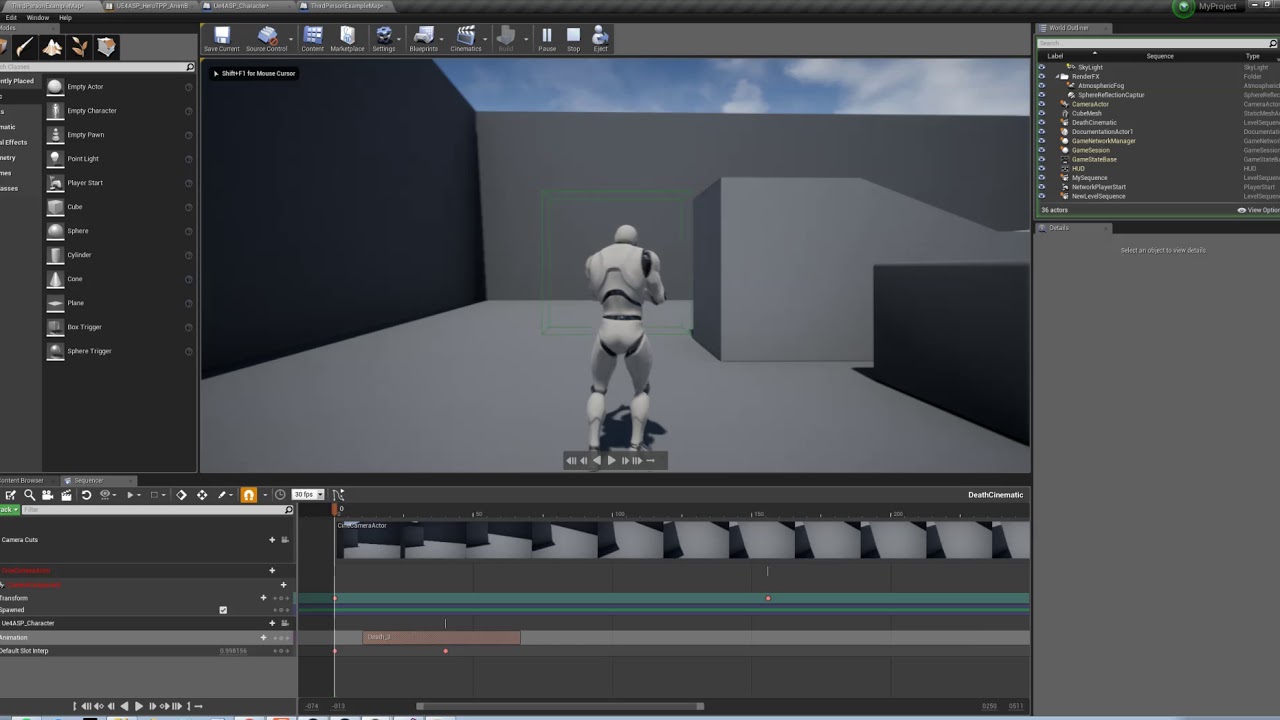 tight stone
@dusk stream Does this use a camera capture at some point? I think there's an option for storing the same buffer but with an inverted alpha channel, maybe that would help?
 vivid gull
Hi, ive been tasked with doing some panning renders of a scene for marketing, the problem is, it's a VR training application and my sequencer cine camera seems to get overun by the servers trying to run and selecting the right maps and spawning actors i think, Is there any way to select to run the camera in sequencer through level blueprints on a button press? (FYI our programmers cant help due to deadlines)
tight stone
Camera Cuts track
That tells the Sequence which camera to use from the Sequence. You may need to use the game mode override to use a blank gamemode instead if your default gamemode spawns vr pawns and stuff
You can also add a long warmup period which waits for the given time before starting playback which gives your game a chance to load things in
gusty heath
Hello I'm a noob, need help with sequencer...
vivid gull
@tight stone cheers! I had the camera cuts track but it turns out it was the overide gamemode option, I had a hunch it was this but was told by the head programmer that I wouldnt be able to overide this as it's all being driven in the C++ but after exhausting all resources it turns out it was as easy as changing the game mode 🙄
tight stone
@vivid gull They're probably right - the default probably is being driven by C++, but when you launch a map in Unreal it does the following order (by least to most important):
default gamemode set for game < default gamemode set for map (via world settings override) < gamemode passed on the map load string.
So Sequencer does that last one.
 twin thicket
Hello I am new here on this channel and seems really interesting an nice to have so many UE Devs in one place! I am looking for a way to implement lip sync voice with subtitles on in game dialogue and as cinematics can anyone provide me with a link or any pointers how its better to start doing this? I know audio in Sequencer but what about localization with subtitles how does this work? Couse the only thing i found so far is that NPC Quest Dialogue stuff with cant figure out to make it work with Animations Lip Blends and stuff like that .
Thanks in advance Guys
jovial marlin
Does anyone know what a Depth Target is? I can find definitions for Depth Buffer and Depth Map, but not this.
Depth Target being larger than the Render Target is making my renderer crash 🤔
 urban shadow
How do I make spawnables relative to the Level Sequence? So the Sequence can be played anywhere?
There is Override Instance Transform, but Cameras are still in world space...
tight stone
Did you set both the Override Instance Transform, but also the bool that says to use it?
tight stone
What version of the engine @urban shadow
urban shadow
4.22
tight stone
That's odd.
@urban shadow Try making a new Relative section for your camera transform and copy/paste your keys over to it
urban shadow
I already tried that, too but that doesnt seem to work either
tight stone
@urban shadow Any attachment tracks or parenting on your Spawnable?
urban shadow
nope
tight stone
Can you show me a screenshot of the Sequence / Details panel? It seems to work here
Oh also are you testing this at runtime?
It doesn't work in the editor while scrubbing in the Sequencer window
urban shadow
that could be it
what is the best workflow here?
Recording the Sequence in 0,0,0 and hope for the best?
tight stone
Yeah
You can also try to record it in world-space, figure out what your transform was and add a relative transform track to everyone which is the inverse of that
Which would convert it from world -> 0 space, and then allow the instance data transform to apply that whole thing relative to the transform again
urban shadow
confusing as fuck
a separate sequence editor would be much better. without any data from the map you are in
tight stone
It's a hard problem though
Every time you key something, you need to store that key in local space. But a Sequence asset can be used by multiple actors, so now you need a way to specify, at edit time, which one you want to preview/edit relative to
And, in general, other than possessable object guids, Sequencer doesn't care about the map you're in.
urban shadow
the whole keying is messed up. I dont know when I am editing a sequence or when I am editing the world
tight stone
You might be interested in the "Level Edits Only" "Sequencer Edits Only" or "Both" option inside of Sequencer
Which tries to help clarify that.
urban shadow
it's set to "Sequencer Edits only"
 tribal grotto
My first ever scene/sequence/cinematic in UE4, there is a grass rustling ambience sound too, but didnt go through when exporting: https://www.youtube.com/watch?v=uX_48fPMG2U
Any improvements?
urban shadow
Is there a way to preview Master Sequences in the Editor Viewport?
Cuts dont seem to work in the Editor. The camera ejects when a cut occurs
 cyan delta
@urban shadow through the master sequence ?
you sure you have your shots "Lock Viewport" engaged ?
that little cam icon
cyan delta
yeah took me a while to understand how it worked too
also it seems you cant preview the sequence AND have an editor point of view to turn around the scene and tweak your cam trajectories
toxic oyster
Is there anyway to trigger a custom event inside a actor blueprint from the sequencer?
toxic oyster
is it possible to somehow show text while using the fade function in the sequencer?
tight stone
@toxic oyster I don't think so, I think it tints the entire viewport. You can use the Event track to fire off your own logic and then make a UMG layer which fades in and out which would let you put text above it, but you won't be able to preview it in the editor.
 left ridge
Hi , Is level sequencer is just for creating a cinematics or , i can use it to play the sequences in a working game , What if i want to play a cinematic scene for a open world ,
What would be the process :-
I was thinking it to do this way .
- Created Sequencer , Create whole cinematics scene ,
- Render the Sequencer .
- Play the Rendered video inside the game .
Please anyone guide me in the direction .
I have no idea how cinematics is done for the Games .
tight stone
You can just play the Sequence
It works at runtime
It just evaluates dara and sets properties in objects it controls, it's up to you to decide how much you do with it
Making cutscenes is just a workflow that people commonly use it for, and rendering the screen to a movie is just one feature is supports for doing things like trailers and making media for use outside the engine
 cerulean parrot
Hi what is the different between sequencer and matinne
 oblique cradle
hey guyz
Having trouble importing my camera fbx aniamtino
No animation keyframes show up in my Sequencer
I'm essentially putting in a Cine Cam in my scene + adding to Seuqencer, then right clicking the Cam actor in Sequnecer, Importing > fbx
oblique cradle
Wowww this is so weird that it be so complicated
I can't find any clear method for this
Blender + UE4 can be so tiresome 😦
oblique cradle
I'm using a workaround using Matinee, then converting to Sequencer
ugly for sure
But now ive got a 90 degree rotation issue which I know is common. Even when exporting with X forward im not getting any luck
the animation path is fine, but the camera is rotated 90 degrees
tight stone
@cerulean parrot @proper oracle Matinee old and dying. Sequencer new and robust
 proper oracle
@oblique cradle
Why are you animating your camera outside of unreal?
In this video we start working on the first shot of our cinematic by adding and animating a character in our scene. We also show how we can have our characte...
Use the cinematic camera actor
Use the transform, loc, scale in sequencer
oblique cradle
hey @proper oracle Because it's much more comfortable to do certain things in other tools
For example, curves in blender/maya/3dsmax can be edited in so many more ways
More control
Curves in UE4 can't be scaled
But anyway I found a script in blender that allowed for successful import as camera anim
😃
proper oracle
@stable dawn awesome 👏👍🏼
oblique cradle
:))
proper oracle
It only sucks with UE4
oblique cradle
exactly
proper oracle
Unity is fine
oblique cradle
fbx support is just weird
oh rly?
I just fell upon a weird issue
where my camera movement in blender was ultra smooth cause I was smoothing the crap out of my graph curves
BUT in ue4, it was mad jittery
proper oracle
Yeah the fbx exports and imports don’t seem as convoluted
oblique cradle
or wait, not mad jittery, but jumped around a bit
proper oracle
Blender needs a ue4 checkbox
oblique cradle
turns out blender fbx export has a little Simplify option, setting that to 0 left my curves the fuck alone
ah totally
its 2019 ffs
proper oracle
Yup
It’s habit for me now to set scale and untick every weird fbx option
But it shouldn’t be that way
oblique cradle
ya
proper oracle
There should be a ue4 checkbox that just sets things to what ue4 needs
oblique cradle
so much trial and error to make a note to say "oh yeah this box can fuck shit up"
yea
absolutely
blender 2.8 is an awesome improvement so far, but the fbx export seems largely unchanged
afaik
tight stone
oblique cradle
lol @proper oracle if only blender could export with set origin to 0 for all separate objects
my life would be complete
proper oracle
Yeah
No lie
@oblique cradle I think ue4 has an import option to force x facing but even a force center of mass origin would be a nice option
Currently you can adjust origin or actors in the map but I’ve yet to figure out why parent static meshes don’t have an “offset” option unless attached to a scene
A tool to adjust origin within ue4 would even be a godsend
It would probably get just as much usage as the collision tool 😂
rancid yacht
I cant seem to find this anywhere. When using sequencer, how do you tell the character to go to a point using AI mapping? Is that done in the sequence somehow, or would that be an event that i would have to call using MoveTo
tight stone
You'll have to use an event. You can make a vector parameter on your actual blueprint and animate that (To control the position in Sequencer)
rancid yacht
So in the SequenceDirector, for the event graph, are you able to make Custom Events and fire them from within the functions? Essentially I want to spawn a particle when 2 actors get near each other.
However i cant seem to call Custom Events from the Event Graph within the functions of the Sequence director
tight stone
@rancid yacht If they nave no parameters and no return type (which CE's can't anyways) it should work. You can try making them using quickbindings instead, so make the CE on you Actor Blueprint, then in Sequencer, add that Actor, add an Event track to it, and then add a key and in the properties use the quickbinding menu to bind to that CE you made
But uh, why not just spawn the particle from Sequencer
rancid yacht
i am going to spawn the particle from sequencer
but i only want it to spawn when they get close and overlap
i have been ignoring sequencer for almost 2 years now, so im trying to catch up and finding the same rules dont always apply as when it comes to BPs. lol
tight stone
I don't think you can do the logic for determining their distance in Sequencer
I don't think there's a tick function you can use to check their distance each frame
It is a real blueprint inside the Sequence, but it's not an Actor or a Component like you're used to
So things like BeginPlay/Tick/OnDestroy etc don't exist I don't think
rancid yacht
Thats correct
We get On Created
thats it. lol
So ill just have to call to the actor then and have a new Graph just meant for Sequencer Calls
Okay so this is interesting. Maybe its just a UE4.22 bug?
pulsar willow
is there any way to get rid of flickering from cinematic dof? I get noise depending on the focus distance, it tends to move with this setting. Right now I've been trying to strategically set shots up where there is no foliage at that distance but that's not ideal.
 unborn crypt
Hey! I can't seem to find a way to change my sequence tangents in the level as you used to be able to with matinee. Is this no longer supported? Do I have to strictly work in the graph editor?
 pine haven
how can you change the distance between camera and level? i tried alot but nothing really changed the distance, just need to get it a little closer or focused on the level not the character
tight stone
@unborn crypt make sure you've converted them to weighted tangents first using the graph editor
@pine haven what do you mean the distance, just move the position if you want the camera to move, or animate the field of view or focal plane distance variables. Make sure you're not using autotracking for focal distance
pine haven
already found out how it works but thanks anyway
unborn crypt
@tight stone I have clicked the keys in the graph editor and changed the tangent weight mode to both. Is that enough to enable it? I remember the movement lines in the editor being yellow before, is this just changed or because I am not in the correct mode? I'm on 4.21 btw 😃
tight stone
I don't actually know if it's supported, but it definitely wasn't going to work without weighted tangents heh
unborn crypt
I'm animating a vehicle driving around in a short scene but at this point I'm considering just animating it in maya and importing haha
pulsar willow
Can someone point me in the right direction with implementing a camera shake in the sequencer?
pulsar willow
Nevermind, camera anims did the trick.
 devout fern
Question: I'm trying to render my level sequence to a video, I set it all up like the tutorials on youtube and the official documentation suggest yet when I press "Capture" it starts recording the game from my main menu. I have a deadline to meet so help me if you can guys!
Anyone have any ideas? I'm using 4.20.3
tight stone
@devout fern that's a problem with your game setup
The movie rendering just starts the game
If your default project-wide GameMode is creating the main menu, you need to use the GameMode Override option in the movie rendering UI to specify one of the defaults
devout fern
Yeah I figured that out haha. It took me a bit to understand it but I got it! Thanks man!
urban shadow
How do you control Post Process Materials with the Sequencer?
tight stone
@urban shadow Can you add the post processing volume to the sequence and does it let you animate the material slot on it? PP's use Materials really weirdly... you might need to use a Material Parameter Collection and put all of the variables you need to animate there and use that inside your PP Material
urban shadow
yeah a Material Parameter Collection is a no no for me
hm, An Event Track on the PPV seems to be a working solution, although it is weird since I cannot control it gradually :/
queen cobalt
anyone has any fixes for stuttering renders?
tight stone
@urban shadow Here's an idea; Make a blueprint which wraps your PP Volume. Expose your own parameters on that blueprint (such as vectors, floats and other things) that modify the variables you actually need. Make a function named Set<VarName> that takes one parameter of the same type, ie a float called "PPColorGain", make a function SetPPColorGain and takes a float parameter (make sure you assign PPColorGain after getting the value)
Sequencer will call the setter function instead of manipulating the variable directly which would allow you to modify the actual Post Processing volume
@queen cobalt what do you mean, it doesn't matter how long your render takes it shouldn't affect the outcome.
queen cobalt
i never mentioned that my render takes too long to render out. i simply have an issue with stuttering frames from my cinematics export.
@tight stone
urban shadow
@tight stone well, that works for single parameter changes. But not for gradual changes
tight stone
@urban shadow What do you mean
You have the float/vector/whatever parameters, animate them with whatever curves you want
@queen cobalt What are you exporting to, avi? How big is the file size?
queen cobalt
i rendered it out in avi first at a file size of roughly 800mb and it was stuttering, then i rendered it out in frames, compiled it, then watched the video and the same stuttering look happened in the clip
tight stone
How did you compile it, and how big is your compiled thing
It sounds like an issue with playback and not with the source images.
queen cobalt
compiled thing?
for the avi it was rendered out straight from ue4
for the frames it was rendered out of ue4, and then assembled the frames in blender with the correct framerate and resolution settings
tight stone
Run your avi files through handbrake or something to compress them
Uncompressed AVI files are way too much data for computers to handle in real time, even when played back through VLC or something optimized for video
queen cobalt
@tight stone it helped out alot thanks!!
 obsidian oak
Hey all! I'm looking at getting into cinematic design? Any tips on getting started? Specifically good free/cheap learning resources outside the ue4 documents? Also any tips creating a demo reel without having any game projects to work on?
tight stone
There's a bunch of different sample projects, can always record things (like player movement) with Take Recorder/Sequence Recorder and use those to cut your cinematics around
 young bane
Hi guys.
Anyone have issue with vehicle movement recording with sequencer?
Its animation kinda not working after record. Only transform working.
Engine Version 4.22.
Tried in Advanced Vehicle Template and Epic`s Buggy Vehicle Game. Same result
tight stone
Turn off simulate physics
Otherwise the physics system fights Sequencer trying to change things
obsidian oak
Any other community groups specific to cinematics?
 marble bear
Does anyone know what the going rate for cinematics is right now? Like to make a 5 second clip of a post apocalyptic city?
 granite lily
Hey, guys, anyone know the most stratightforward way to animate a parameter of a material in sequencer??
tight stone
@granite lily Just... animate... it?
Add the actor you want to animate it on, add the static/skeletal/etc mesh you want to animate, add the material track to that, and it'll expose any parameters exposed to the MID
granite lily
Hey @tight stone , what if i add the skeletal mesh to sequencer but dont see any material track to add when i try to add track
tight stone
@granite lily Are you sure you added the skeletal mesh component as well? Show me a picture
When you have "SkeletalMeshComponent0" listed as a track and do +Track on it you should see this in the list
This assumes your skeletal mesh has a material already
granite lily
😅 Jeez, never mind, i got it working, when i added a collection parameter in my master material, i forgot to save! So I was eventually able to add a Material Parameter collection track and the parameters are now animatable. Its funny how we skip the little things
but regardless of that i still dont have the material parameters listed like in your image
ill show you
how did you get yours to show up
tight stone
Like I said
You need to animate both the Skeletal Mesh Actor ("BEING" in your case), and the Skeletal Mesh Component ("SkeletalMeshComponent0")
Materials don't exist on actors, they exist on renderable components so you have to add both.
granite lily
oh i see, will try that out
GOT IT, thanks @tight stone
What if i wanted to have morph targets in sequencer , how does that work?
tight stone
I do not know if there is a good way to do that yet.
I suspect you may need to animate an intermediate float variable, and then use a setter function (or tick) to read that value and apply it to your morph target on the skeletal mesh.
Seems like you could make a track that operated on Skeletal Meshes that interrogated the mesh for the channels and then on evaluation applied them... probably a good canidate for a pull request if someone was to make one.
granite lily
Ok thanks man
Sorry for the barrage of questions guys, i wanna know how to get a handheld style camera motion in sequencer , all in ue4, without exporting scene for modification in another application like Maya or 3dsmax
tight stone
You keep asking the hard questions @granite lily 😦
granite lily
Hey, i just want the good stuff😋
tight stone
You'll have to use a Camera Anim/Camera Shake asset which is still run through the old Matinee system, but once you've generated the camera anim/shake asset you can put it into a Sequencer
granite lily
sounds feasible...wish there was a ready made asset tho which i could use, cause i dont have a clue on how to use matinee (dont even want to)
tight stone
I don't have an answer for you on that one (though someone else might)... otherwise possible Marketplace opportunity for you 
granite lily
👍
urban shadow
I have a collection of generic Camera Movements that should be used in any Sequence.
Is there a way to stretch the Camera Movements' duration depending on the length of the Cut?
If I shorten _Far I dont want the Camera to cut off during the movement. The movement should finish but faster
tight stone
@urban shadow How do you store these generic camera movements? Is there a unique copy in each sequence? There's no good way to do it that I can think of; If you turned them into skeletal animations you could speed up/slow down the animation clip (but you'd have to do the math by hand). If you have Transform keys, you could either use Python to script a thing that modified them, or 4.23 will add a retiming tool to the curve editor which would make scaling the time values on the keys easy
 sage sluice
What do you guys think of this? https://drive.google.com/open?id=1m17ilLW-unS4ZxoI86j45dJCJhjrjhIu
I want some feedback, if you would so kindly as to give some.
 sturdy nova
Hi guys, a simple question, how do you add those black bars up and down to your cinematic camera? can't find the setting here
sturdy nova
Found it, a postprocess material in camera
tight stone
@sturdy nova That's letterboxing determined by the camera filmback vs. the actual output resolution
@sage sluice Pretty sure you mean "realized" and I'm not entirely sure what you're trying to pitch with it
sage sluice
@tight stone I'm trying to pitch a cop game
I've shown it to a few people and I've had a "mixed" recpetion
nothing negative thou
tight stone
How many of them were friends? 😉
tight stone
Who are you pitching to? Is this for the public (via Kickstarter or indie-gogo) or are you trying to pitch publishers?
Are you trying to pitch a game or a movie
tight stone
I think you should try to look at different successful game kickstarter trailers/pitches and compare them. ie: https://vimeo.com/77456876
Immediately they've introduced the in-game characters, and then given themselves credibility by listing their names and what impressive successful projects they've worked on in the first 10 seconds.
In comparison, you have silence for almost 10s. Then they show some different slices of the game, before starting to tell you (and show you) what the game is about. "Explore" "Hold On", and then they move into the hook - "Because we won't last... 'Don't panic, but we're maybe all gonna die soon"" and then it gives the scary reason for that "And there's something in the woods"
So within a minute, you know who the characters are, you've seen the setting of the game (a town, talking to friends) a slice of the game (exploring, dialog, jumping on ropes) and finally the hook of the game, the reason you're doing all of this (there's something in the woods coming to take it all)
You have two "bad guys" but there's nothing that really signifies they're bad guys. Everything is dark, it's hard to see that they're holding guns (and in video games, good guys hold the guns too). And then you've got police car who magically sees them, and gets out to point a gun at them.
I don't know what the gameplay is. Which side are you playing, what is the actual game? Is it FPS? Third person? Do you shoot at dudes walking down hallways away from you?
sage sluice
You play as a cop and you arrest the bad guys.
those actions have consequences in the game
jesus now I think about it
tight stone
As far as the actual cineamatography; Use the curve editor to change the curves to be linear instead of cubic so you don't get that slow-start/fast/slow-end look to every move, probably animate the camera separately instead of just attaching it to objects and having it be completely static, sound effects (someone radioing in a crime in progress? Police sirens? Screeching tires as it stops?)
sage sluice
Now when it comes to that stuff about curve editor, idk what that is or how to use it
Everything else yeah your right
although the Camera's were all animated separately
tight stone
It's pretty simple, just click on like your Camera > Location > X channel in the treeview and then open the curve editor (furthest right button in Sequencer)
and that line it shows you is time over value... if you click the keys you'll see tangent handles which determine the slope of the lines coming in/out of it, and you can convert the keys (right click on them) to linear keys which removes the handles and makes straight lines
sage sluice
ok
I've done it on one shot > one camera
@tight stone
I see your point
All I need to know is @tight stone Do I have a good start on this or not?
tight stone
Trying is the first step at improving, and it's always easier to tweak something than to start with nothing it's definitely good to have started 👍
sage sluice
I storyboarded :)
sweet meteor
I'm trying to play two animations in two different groups and slots in the level sequencer. In this case, a lip sync animation and the body movement. It looks fine in the preview, but when I actually play it in the scene it looks wrong. Anyone know what might be going wrong?
tight stone
Do you have something else that might be fighting it? Like AnimBP logic or game code?
gusty heath
Just happened today. Any idea how to get rid of it? Once I make a keystone it always turn 360 degrees
tight stone
Don't use piloting and keying, just use the anim graph and do it by hand for now
Something about piloting the camera changes the rotation to be very big and Sequencer then respects that
tight stone
I don't know if you can @jovial marlin lol
jovial marlin
I don't think so either, so I made a new transform and copied the keyframes over
 arctic merlin
Interesting issue. So my post process effects weren't applying to the sequence in the editor, but when I started rendering they all were thre in the capture display
is this a known bug?
tight stone
Was your post processing volume marked as Unbounded so it would actually reach wherever your camera was?
 tulip delta
Has anyone used their VR headset as the camera when recording into sequencer? I am having trouble getting it to record any data
 loud spade
Does anyone know a way to disable the 'Building Covers' in sequencer? Or to, for example, reduce the resolution of the covers? It's causing a lot of lag when it keeps rebuilding them over and over.
tight stone
...covers?
Do you mean the thumbnails on shot tracks? Right click on the shot and go to the thumbnail subcategory and there's a checkbox there
@loud spade ^
loud spade
Ah sorry, it says "Building Covers" in the bottom right when they're being rebuilt. Not sure if that is specific to our custom version of the engine.
But I think that fixed it! I.. Really should've figured out to try right click on it. Thank you very much!
tight stone
That does sound specific, I don't think there is a cover system of any type built in.
 mystic shuttle
So I want to make a cinematic sequence showing my level. However some elements in my level are triggered by a collision with my pawn. How can I trigger and time them with my camera? thanks!
 deft sandal
@mystic shuttle you can setup the sequence to trigger things for you
and you can spawn actors just for the sequence if needed
I setup my actors for 3 modes cinematic, gameplay, menu so I can use the same actors with begin play switch
mystic shuttle
Hey, can I get any resources on that?
tutorials etc
all I know right now is how to create a level sequence and switch cameras, but can't trigger anything or do more complex stuff
deft sandal
you can find out how to spawn actors and control through the sequence via the Unreal site they have it all in tutorials
yeah go through the epic series thats how I learned
one thing that is tricky is you can have a sequence take over an actor
so it spawns it
which will break your gameplay
so I stopped using it unless required it was hard to get the actor back out of the sequence
they have made it better but it was like a 1 way trip at first and you would have to recreate it
let me find the tutorial i used
mystic shuttle
please 😃
deft sandal
Sequencer is Unreal Engine 4's multi-track editor, used for creating and previewing cinematic sequences in real-time.
mystic shuttle
and I don't mind breaking stuff Im using version control
it's just to render out some stuff
deft sandal
yeah this was the first stuff I learned in the engine
you can find a possessables vs spawnables section
remember that can be sticky
I have used all this stuff for different cinematics you just have to get used how it wants to work
recording actors and then adding them back to another sequence it can get complex but its not that hard, hard part is getting what you want
like making any movie its all there just how you use it
mystic shuttle
ok thanks man
deft sandal
trying to keep 1.40 seconds interesting
goal was to learn the tools
all I can say from Unreal 1 it is way way way better back in the old days we didnt have anything I had to hand script everything and switch the camera for different animations to play to tell the story
mystic shuttle
I am trying to render a 10 second sequence at 25fps (250 frames) and it comes out very fast like 4 seconds
what am I missing here?
it's also showing the FPS character perspective in the end for some time (probably my missing time) wtf?
deft sandal
your default time might be set to 60FPS
mystic shuttle
where do I change that?
I set everything to 25fps
in the sequencer and in the render movie settings
deft sandal
which version of the engine are you running?
do you have that lock to game FPS clicked?
deft sandal
well I am using 4.20 and they changed a few things in 4.22
but if it is the same you see the FPS
says something like 25FPS
at the top to the sequence
deft sandal
cool
mystic shuttle
had somehow a camera cut in the middle
deft sandal
sorry machine crashed to blue screen
that clock source I think is new in 4.22
nah I have it in 4.20
tight stone
Clock source is ignored during movie rendering iirc
Since it moves at a fixed (1/framerate) timestep regardless of how long it takes to render each framw
mystic shuttle
How can I trigger a door to open in my sequence at a specific time?
tight stone
An event track, or just animate the door as part of the sequence.
verbal oyster
CTRL Z is a bit buggy with sequencer isn't it?
When I move something in my scene and I try to do ctrl z, I have to press like two three times before it gets undone. And I see the sequencer timeline flashing as I'm pressing the ctrl Z
 silk gust
Hello, how can I increase or decrease all keyframes in the sequence ?
If i have a lot of them and i want from 0.5 sec to 1 sec change all ?
silk gust
i just select all them and move with ctrl
tight stone
@verbal oyster go to the Edit menu in main world and see what it thinks is on the top of the undo stack by name
verbal oyster
I didn't encounter the problem anymore, I think I was actually hitting S accidemtally (to move the camera around) and it added some keys, so I was basically undoing the add key action x)
 mint monolith
Have you guys seen this summer event?

Unreal Engine
Express your inner director with our Unreal Engine Cinematic Summer event!
tight stone
@verbal oyster Ah yes. S is key transform and I think it tries to work in the viewport unless you're holding RMB when you press s to move backwards.
errant estuary
that competition might be fun, havent uploaded anything to my pornhub in a while
aww no nudity, too bad
 primal oracle
hmmMm
mystic shuttle
Hi.
I want to capture something that happens quite some time into my scene after begin play. How do I time the sequence to start when I want it?
rocky island
Hi, how can I create a cinematic with my third person character?
I cant find my character in the player start in the sequencer
tight stone
@mystic shuttle uhhh put a really long warmup time on the capture dialog? You mean movie rendering right
@rocky island look up dynamic actor rebinding for Sequencer. You'll animate a dummy object in the Sequence and tell it to apply it to your actual pawn at runtime
 formal heart
Does someone know how to apply a camera shake to the CineCameraActor inside the Sequencer?
Here is the video + audio that shows my problem:

 unkempt glade
Anyone has any idea what could be causing this? From what i read its some artefacts, but i have no idea how to fix or adjust them. Thanks in advance.
formal heart
maybe the shader/material?
 quartz dagger
Could someone Help me? Whenever I make an animation in the Level Sequence whenever I play it in the actual game the Animation is different from what it was originally. Does anyone have a fix for this? its really bugging me
formal heart
interesting.. how do you start the play with the camera initially? Can you record a short video and show the issue?
tight stone
@quartz dagger you've probably got game code running that is fighting the sequence
quartz dagger
Ill check
gusty heath
does anybody know why this is happening with sequence recorder
quartz dagger
Could someone Help me? Whenever I make an animation in the Level Sequence whenever I play it in the actual game the Animation is different from what it was originally. Does anyone have a fix for this? its really bugging me

This is what it looks like in the level editor

This is what it looks like in game
tight stone
What is different about it
quartz dagger
When the camera falls at the ending It rotates ALOT more
 wind girder
heyo, hopefully im in the right category.
I have a plan of using the foliage tool as part of a short film.
The idea is that a school slowly gets overgrown by lots of grass, vines etc
If i place that grass with the foliage tool in order to populate the level, will i somehow be able to animate the scale or growth of this grass, hopefully in terms of keyframes used in addition with the sequencer system.
Both globally for all foliage or for sets of grass.
So that i can time it with a camera and various events
Im after something in relation to how the falloff system works in Cinema 4D if anyone is familair with such, heres a demonstration of how that works: https://gfycat.com/UnfitWellwornJaeger
Im a newbie at Unreal, but from prior experience with unity, maybe i could achieve this with a blueprint and a trigger
im not sure, but i was hopeing some yall wizards maybe had some wise insights
and again let me know if theres a better or more suitable channel to post this question in!
 gusty heath
I may be wrong but I doubt it, changing all foliage every frame sounds like it would be laggy af if even supported. Would probably only work very small scale.
wind girder
Hmmm
wind girder
anyone else have any suggestions?
 ashen python
Hey, I have setup correctly my camera and rig rail together, with my camera moving around the mesh i want to record. But when rendering the video, my camera stay at a static position, the last place where the camera was before starting to render. Does anyone know how to fix this ?
mint monolith
@wind girder Sounds like niagara might be your best bet
wind girder
that might be a direction
wind girder
@gusty heath @mint monolith thanks for the help guys. Got some insight over on the forums too, of using which in tldr is about material magic haha
tulip delta
Any idea why my shots are not playing in a Shots track? They work fine by themselves. But have no thumbnails in Shots track. I can get 1 of them to work if I select a camera in the cinematic viewport but then the other does not work. Am I missing a key step?
tulip delta
Figured it out. Using the camera icon to add the camera also adds a "Spawned" track which adds and removes the camera. This didnt work well when combining with a Shots track. But deleting this Spawn behavior and manually adding a single camera that stays in the world did work
tight stone
What version of the engine?
tulip delta
4.22.1
winged moon
Anyone have tips for animating grouped actors? Just a simple rotation of multiple assets all at once
winged moon
(in sequencer that is)
 fading belfry

hello my animation is stopped in the sequencer , how can i continue it?
my spaceship disappear at the end
here the frames restart i dont know why
oh i found the solution: right clic on the anim in the sequencer then move the end offset
 winter plover
I'm having a little trouble with playing a particle system in a cinematic.
So, I've got a particle system, snow specifically, that I want to always be visible.
The bounds are currently around 200000, which seems very very high, or perhaps my scene is simply obscenely large...
Is there a way to make it continue to play even if its not in bounds?
Everything works perfectly in the sequencer play there, however the particles don't appear at all when I try to render out the sequence as a video or image sequence.
has anyone had any similar issues at all?
tight stone
@winged moon Do you want them to rotate around their own pivot points or around the group center?
tight stone
@winter plover There's probably a flag on the particle system actor about ignoring bounds - probably more a framework/rendering q than a sequencer one.
winged moon
@tight stone For now I stuck everything in a blueprint, than added that to sequencer
 sick void
Desert Chill - A Level Sequence Video Clip
I started with UE4 and blender 3 month ago. Almost all textures and objects (except the character and the tree it palm tree) are selfmade with blender and GIMP. So dont be too strict with me, but nevertheless, Im proud of the result:
https://www.youtube.com/watch?v=W15NQur0O0w
I also made a dancing particle system: https://www.youtube.com/watch?v=Co5ADxQjZvM
fading belfry
on two keyframes my camera has the same position but its turning idk why, wtf?
when i copy paste the same key after, the camera turns... whyy
 glass ruin
Look at the curves, @fading belfry - I'm guessing it's doing some weird interpolation between the curves (If you change those two keys to Linear, is the problem still there?)
fading belfry
oh yeah linear is cool
fading belfry
ok i rendered it agai nand now my video is very pixelated, whyy
is it the compression? i put it at 100% compression guality
quality
fading belfry
Or maybe the avi ?
tight stone
That looks like anti-aliasing didn't go off... do you have anything that might be lowering the screen resolution? Alternatively, did you uncheck "Enable Cinematic Scalability" in the rendering settings?
I think compression would create big blocks that had no awareness of depth, but that's pretty clearly around the edges of objects to me.
fading belfry
I put the resolution at 4k and it fixed the problem but the vidéo is not very smooth
tight stone
@fading belfry compress the video. it's too big to decode fast enough
fading belfry
ohh ok
 karmic halo
hello! how do i do the megaman transition camera effect on ue?
 barren lotus
Hey guys, i hope you guys are doing fine 😛 i am facing a little problem with the sequencer rendering.
When i press render, i freezes. un responsive.
Is there anything i can do to fix it?
 golden drift
not sure if this is the right place to ask, but can I make a camera rail loop?
tight stone
@barren lotus try using Separate Process when rendering
Don't they use a spline component? Doesn't that have a loop checkbox?
golden drift
I think it is a spline. FIrst time using it, just getting accquainted
barren lotus
Thanks guys i figured it out, I copied this project from other PC so link to save video output was not valid 😛
golden drift
sorry I'm really blind, im not sure how to loop it
wintry wave
Does anyone know how to make timing in Sequencer more accurate? Right now my audio slowly desyncs over a span of a minute with events in sequencer.
 hot ginkgo
Quick Sequencer question - Is there a way to create a temporary sequence in and out to loop a certain frame range in a sequence? I've attached a picture of how it used to work in Matinee, (The green markers create a temporary section to play/loop from) but I haven't found a way to do it with sequencer yet. I don't want to interfere with my In/Out markers, I only want to create a local 'looping' zone temporarily.
tight stone
@wintry wave Er... you can change the clock source for a sequence to Audio, not sure if it'll solve your problem or not.
@hot ginkgo I and O I think? It's something like "Selection" in Sequencer, and then one of the loop options in the UI is to loop between current selection
hot ginkgo
@tight stone That works perfectly! Thank you, that was a head-scratcher for me, glad to know the functionality carried through to Sequencer 👍
 royal oracle
hey, why do weighted curve tangent handles only work in Sequencer curve editor