#cinematics
1 messages · Page 11 of 1
 summer stump
if it has the anim track and still doesn't play honestly I don't know what can be wrong
sry man I don't know what's the problem
there are some basic sequencer tutorial on youtube maybe you should try to follow one
 queen basin
Hi guys, I have a cinecamera, but when i play it does not posses it
 hazy scarab
Is it possible to have two of the same animation play in a sqeuence last night i was trying to drag and drop a portion of an idle animtion For a model but it keep appearing as its own animation and wouldn't apply to the model.
 topaz widget
Is there a way to easily save animation by frame as a sequence so ue4 takes all the time it needs to render frame?
 haughty quarry
you mean a png sequence?
Its in the render options
Btw does anyone know of any video or anything where i can learn more about doing advanced camera motions?
like realistic camera motions and such
 humble venture
Hello I'm wondering if anyone can help. I have a scene set up with a Cinematic Cam Actor, and the shadows are just out of range. Here it is up close:
shadows
but from afar:
no shadows
anyone any idea? this is just for a screenshot and not real time so i don't mind increase shadow distance if i need to, just not sure how i would do that
Ok I should've googled before writing that, looks like there's a solution for it here: https://forums.unrealengine.com/development-discussion/rendering/5920-shadows-disappear-with-increased-camera-distance
now to figure out console commands in ue4 xD
haughty quarry
yo
how can i get bokeh depth of field to be in the middle of something?
https://gyazo.com/236b4737305b2ac14ec4e586564ff84d
If you see here
its blurred near the camera but not in the middle
then further away its blurred
again
So its like focusing on something
https://gyazo.com/0bd1be96c3103099d2cee8fd53b45bc7
Here in my scene
i only have a blur infront of me


 ashen heart
Hello, I am new to using matinees in UE, I have a simple path with a camera that rides along it but my curve editor seems to be empty.
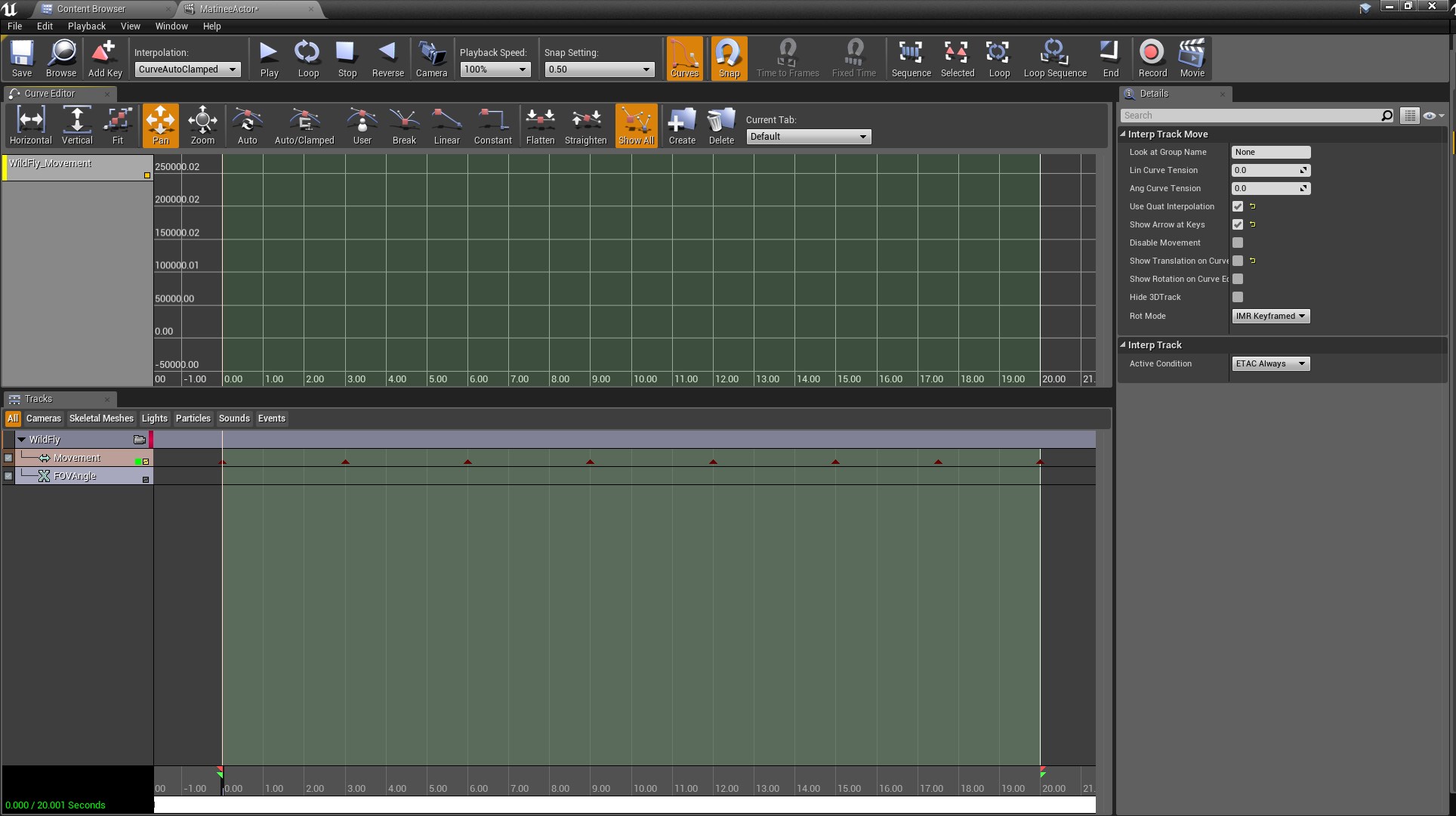
any advice?
I tried hori, vert but its like there are no nodes there
Any matinee gurus in here at the moment?
Looks like I didnt have the "Show Translation on Curve Ed" box checked
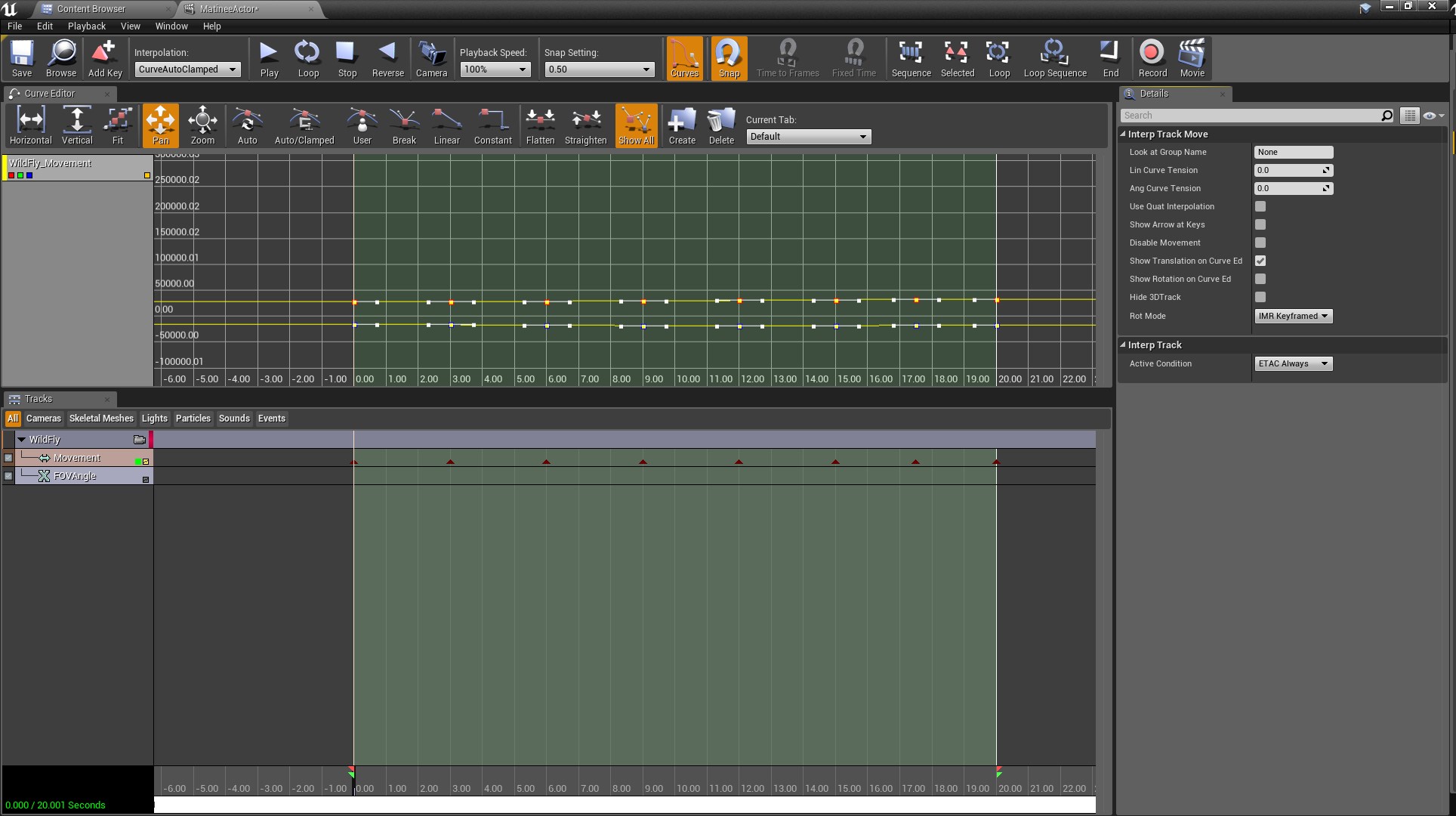

 gusty heath
hi, I'm trying to open a door by a trigger, debugging with event play, but when the sequence plays, the transform doesn't happen, only the audio
I tried two ways of rotation and location change
gusty heath
fixed, had to enable keep state
gusty heath

Death And Glory is a very brief, but hopefully emotional video about the darker themes of war being glorified. Nobody thinks about their friends dying in a c...

Heavily inspired from the Halo 3 "Believe" trailer. Figured I'd take a shot at making my own version.
 unkempt trench
Hi, am I supposed to use Sequencer or Matinee?
gusty heath
I would recommend sequencer.
unkempt trench
Thanks, why?
I heard Sequencer was more recent.
Aren't they basically doing the same thing? Or at least they're made for the same purpose right?
gusty heath
Same purpose but sequencer is the new matinee basically.
unkempt trench
Cool. Also, I imported morph targets in Unreal, I'm supposed to use them in Sequencer then?
 dense dirge
Yes, you should be able to
I haven't found a way to get morph animation that's been done in an external program transfer over to UE
so I had to keyframe the morphs in UE again
 gray crane
Hey, can someone help me out? I've created a cinematic, which looks fine in the viewport but as soon as i render it out as a sequence it gets very bright, like i have some light shafts enabled or something:
any recommendations where this could come from?
gray crane
anyone?
 last quarry
@gray crane Adaptive Eye Filter?
gusty heath
check your cinematic camera settings and your keyframes. Make sure in the sequencer timeline you don't have some effects going off.
gray crane
I've completely disabled the Auto Exposure in the project settings and double and tripple checked my post process volume and camera. This somehow doesn't seem to be it.
I also created a completely new sequence in another part of the level with a new camera. Unfortunately the same issue
 naive echo
Once I got a similar thing in my archviz and.it was caused by bad positioned reflection captures spheres
gray crane
I think i figured it out. I was the auto exposure min and max values... Even tough i did not enable them specifically and even disabled the use of it alltogether in the project settings these were still used when rendering
Thanks for your suggestions. Especially @last quarry !
 wintry wave
Is it possible to have a sequencer that animates a specific character/actor, but, that character /actor reference can change at runtime?
The goal here is to create a sequencer animation that I can use on multiple characters. Instead of copying the old sequencer and changing the character reference. I found this, but, I'm having trouble getting it to work with a character + animation. https://docs.unrealengine.com/latest/INT/Engine/Sequencer/HowTo/AnimateDynamicObjects/
This example illustrates how you can apply Sequences to dynamic objects at runtime that are different than the one the Sequence was authored with.
gusty heath
To render a full quality video to be edited in premiere, would you recommend just screen recording using OBS, render the video with Sequencer to AVI, or render the video with Sequencer to an image sequence (.PNG)?
 tacit raptor
@gusty heath def. render it with sequencer for constant fps ... image sequence has the big advantage that when a error happens while rendering u dont lose all the rendering time u can continue from image xy ... but for a small project where it is not important if u render it 1 or 2 times avi would be okey ^^
tacit raptor
depends if there are any quality settings (never used ue4 to export)
 deft sandal
hello lads
anyone alive in this sub?
question for anyone and everyone did you ever have trouble where your emitter is being triggered or activated in a cinematic and it works in editor and editor running sim as expected but in game it does nothing?
lads and ladies
 clever cradle
Maybe quality settings?
 trim schooner
I'm very confused with sequencer
I have it setup but not sure how to get it to render to the screen
But the sequence itself carries out fine
clever cradle
this thing?
 shrewd summit
?
 cosmic summit
might be a case for the <@&213101288538374145> as discords invites are prohibited IIRC
 sacred imp
cosmic summit
sacred imp
cosmic summit
cheers
deft sandal
do people record out sequencer cines so they stay consistent? particles are pretty senstive if you start the sequencer with the invisble they never start up even when triggered / activated in the sequencer
I havent been using the recording feature unless I want to record game play
I dont understand why I need to use matinee still just so i have a nice steady regular playback
<@&213101288538374145> please walk over and punch either dave nash or sweeny in the pussy for me thanks.
deft sandal
@rich holly it is in good humor you can do it with a smile your face if they show violence in the eyes blame me, it will be fine.
deft sandal
oh
 rich holly
sorry to disappoint
deft sandal
thank you for serving the community then
I have known them for 20 years + so I figure but I can harass either of them
cannot
we need to keep sweeny down and angery so he wont retire
he retires we are all screwed
deft sandal
my anger is over I fixed the troubles using the crappy tools.
also figured out that one of my monitors has been at an angle for 3 days and it was starting to annoy me and I didnt even know it was doing it, but was sitting sidesaddle and that was worse then my troubled emitter
 urban ridge
I have a level sequence with a mesh that changes location and rotation. I want to move this mesh in the level so that the animation will stay the same relative to the mesh itself, but will be in the different location / rotation in the world.
how can I do that?
Without having to correct all keyframes by hand 😃
topaz widget
What is the best way to control cinematic with blueprints?
atm I use level blueprint but this way I need to copy and paste functionality to new levels.
wintry wave
We can play slot animations though sequencer but we cant blend them per bone in the anim bp because they are not montages. Is this assumption correct?
 severe grail
@wintry wave Nope, you can blend them fine. Set up your anim bp so you have slots going into a blend per bone node and then use sequencer to play animation onto those slots (right click the animation in the timeline, properties, and enter the slot name)
I use this quite often for blending face animation onto body animation
wintry wave
@severe grail I have each animation referencing the right slot within sequencer. But it will only play 1 animation on a slot at a time. If 2 overlap, It plays the one used first and then switch's to the next. No per bone blending for some reason.
Head = Head, and Dialogue_Anim = Hips
@severe grail Is this setup incorrect?
We've tried different setups / variations and none seem to work.
severe grail
Ah sorry, I was playing TIS-100 and got distracted
@wintry wave You need to put each slot in its own group. When your slots are in the same group it will only play one of them
wintry wave
@severe grail You're absolutely correct. Thank you
severe grail
No worries, got bit by that in the past. Glad you got it working now
 mental canopy
Hi noobie at ue4 here. I'm using the default Third Person BP right now. Whenever an object comes in between the character and camera, the view jolts and zooms into the character. The movement is very sudden and I do not like it. Is there a way to disable that? I was thinking it had to do with the CameraBoom/FollowCamera collisions but i'm having trouble figuring out how to disable it. Any help?
nevermind I just figured it out.....it was disable Collision Test....
 pulsar mountain
I have a scencapture 2D camera and want to use the "show only actors list" but I can't seem to select anything that goes in there...as a alternative I thought perhaps using the hidden actors list...but I can't seem to make that list available ( not greyed out) anybody able to help here?
haughty quarry
Anyone know why my camera just spins around when i make some camera moevements in sequencer?
 lyric summit

I'm trying to animate the DOF. How can I include it in the sequencer so that I can keyframe it?
 lyric moth
I wander if this is a bug? I have a Crane Cam in my TopDown character BP and I recorded a Sequence with it. As soon I start my Sequence in my scene and Save my changes the Crane Cam in the scene sequence change the number of my cam and the conection to the camera gets lost in the sequencer. So everytime I save, the came gets a different number. Does anybody has an idea? Is it a bug?
UE4_Change_The_Name_while_Saving
 mossy drift
@haughty quarry the rotation has been broken for a while, but it's better in 4.19 it will keep you rotations more stable if you go incrementally.
mossy drift
yes
haughty quarry
oh nice
mossy drift
you can also fix your rotation in the curves editor
mossy drift
I've been testing with opening proyects in 4.19 (it's just out of beta) and everything has been working fine so far.
(make a copy first)
just in case
The other way I have gotten around that bug was to use a "look at" actor and animate that in front of the camera. For some complex movements it's actually a good workflow.
haughty quarry
I have another question about
Bokeh Dof
When i use Bokeh
i only have blur infront of me
Its never Blur> no blur> blur
so that something is in focus
With guassian i can do it np
clever cradle
anyone know what to do when the sequencer renders out different images than the scene editor due to translucency order?
my scene looks fine when i scrub through sequencer
but the render is off
mossy drift
@clever cradle Translucency order has ruined my day a few times. I made some planes of grass that I had to change the shader to masked in order to avoid the bad sorting it had. In Unity I used to fix translucency by placing all transparent objects in one layer of the FBX and that worked, but haven't needed that in Unreal besides the grass.
clever cradle
yeah I fixed it by exporting one whole fbx rather than a few fbxes
haughty quarry

Is it possible to move only one of the handles?
Like in After effects
Right now if i change the curve ALL the curves change a bit
oh i found it
urban ridge
Is it possible to adjust keying in the sequence automatically so that the velocity of the object is constant? I have a camera that moves in 3d through the level and after setting up the path it doesn't look very smooth (rapid changes in speed). I would like to avoid having to fix that by hand
mossy drift
Not that I know, to achieve a constant speed try to use as few keyframes as possible, eliminate all that are not absolutely needed. Then look at the curves, in many cases you will notice slope changes in the curves that denote a speed up or a slow down.
 pulsar meadow
Okay so how do i set up my main menu to use a camera on the map?
 sweet hawk
Is there a quick way to clean up unused (identical) keyframes in SEQUENCER?
 nova crescent
Hello, I am pretty new here, and new to UE4, but I have started to use it to render out my linear animations. I have had pretty fun success so far - buuut I hit a snag just now. I have some actors, but they dissappear when the camera gets close to them. I clearly need to render out the actors. Why are they automatically dissappearing? Like the camera has a clip, the actors have a bad LOD or something? I have checked camera clip (no problem, other actors are static and show), LOD (actors only have one base one) and anything else I could think of.. but I still can't make it stop. Any clues as to why the actor dissappears close to camera?
gusty heath
Do you guys convert the lossless avi files you get from UE4 to mp4 before editing?
nova crescent
Yeah, image sequences the whole way.
Maybe later for editing I'd compress the image sequences into AVI with the Lossless Largarith codec (free).
But for the sake of error checking and preserving quality, PNG sequences that are light and lossless, or EXR if you have the harddrive space. If you need to edit proxies, thenyes, you'd have to compress to an MP4 or something, but that will depend more on your video editing software.
gusty heath
Any reason to use image sequences over converted video other than to prevent render errors? (I already have the footage made error free) @gusty heath @nova crescent
At 4K they seem pretty heavy and chuggy in premiere
I converted the AVI files to a fairly high bitrate mp4 (100mb / s) and it both looks great and edits fast in premiere
I can notice 0 difference when comparing the lossless with the lossy mp4 and I won't be doing much post fx
I had been using proxies but they are a pain to replace
nova crescent
I think.. for editing it's nice to put the sequences into containers like MP4, AVI or whatnot.. but as a master, for the sake of data preservation, it's best to use image sequences - mainly because if your AVI file goes corrupt, you loose everything. I've had that issue before... If a PNG file goes corrupt, you only loose one frame. For editing, indeed it's a lot slower to use an image sequence, I personally edit in bforartists/blender which makes the proxies for me automatically on demand, or use Lossless Largarith in AVI, or MP4 with a near lossless compression at H.264. But I personally feel I loose time recompressing everything. mainly due to the fact that for export, I replace to image sequences.
Oh, and I am not sure if this is true, I think recompressing an image sequence on render write, may be faster to just let UE render out a single file per frame to disc than cache up then rewrite the sequence into a container with the right codec/compression.
gusty heath
Got it thanks @nova crescent
Yeah it's definitely a pain to have to compress again but it's impossible to edit otherwise
Too chuggy even on a beast machine
Good point about master preservation though!
nova crescent
You're welcome buddy. And yes, 4K edits with image sequences would suck the life out of any machine. What do you use to bulk compress image sequences if you needed to? I have been using VirtualDub due to it's batch queue system to convert a sequence into AVI with lossless largarith, but curious to know what you would use @gusty heath
gusty heath
Since I rolled mainly with avi files right from the engine I just used adobe media encoder to batch convert to a HQ but lossy MP4 file, not sure how it handles image sequences, would likely have to import to premiere as a sequence first and export from there maybe
I'm pretty new to editing so this stuff isn't my forte
Definitely lots to be learned!
nova crescent
Ah gotcha. Yeah, importing a sequence one by one then exporting it would be a pain in the butt. If Mediaencoder doesn't work, maybe you can try out the VirtualDub workflow - it's relatively easy.
 glass cedar
Hello friends. While working with Cinematics, have you ever experience the Movie Render - Preview Screen going blue a few seconds after starting? Not sure what is causing this issue here. Utilizing the 4.19 Branch.
gusty heath
trying to get sequencer to record my player start, which is connected to a default pawn class blueprint. anyone know how to do this?
gusty heath
just set up blueprint character to be possessed at level blueprint begin play
 smoky cave
Hi peeps. Anyone has encountered an issue before, where the sequencer stops at a random point and wont finish playing? There is a sequencer that's triggered via a volume, and starts moving an object, but sometimes the object will just stop at a random point and wont finish at all. sometimes it's all good and goes perfectly without a hiccup
topaz widget
what would be a good way to change material parameter in cinematic?
topaz widget
I thinking level blueprint is best choice but not sure.
clever cradle
@topaz widget material parameter collection track
clever cradle
if by cinematic you mean sequencer
you make a material parameter collection
create some scalars or vectors
and use those as the variables that go into the shaders
clever cradle
you have to modify the shader going into objects with the variables from parameter collection node
topaz widget
did it already
clever cradle
then you can keyframe the material sliders
clever cradle
you set the default value in the collection
just use normal scalar nodes to test in a material instance
and when it's the way you want it
swap the nodes out with the parameter collection
topaz widget
I use generic materials so mostly work with material instances
just faster
it like this is good
Thanks a lot 😃
possibly you know best way to switch material too?
Also I feel like I am doing something wrong Sequencer doesn't automatically switch to correct Level sequence and shows that it can't find objects. Pretty confusing really not sure if it should be like that or I am doing something wrong
topaz widget
So you can't remove old names or UE4 will crash then you try to remove old name from sequence
clever cradle
not too sure about that, I dont have ureal crash on my often
nova crescent
Just curious, how would anyone render out an alpha channel from the engine?
topaz widget
@nova crescent there is custom depth thing on the objects
nova crescent
So from the sequencer I render out the custom depth pass then use a compositing tool with that to make the alpha channel?
topaz widget
you can use custom depth in post process. And there is probably a default way to do that, it sure works for saving images with alpha
you select to use custom depth per object in object settings
nova crescent
I'll try dig in and do it. I'm missing my PNG and EXR sequences without alpha. It's a staple!
nova crescent
Aha, I see what to do. Close to camera it's not great, but good enough to pull out a mask by hiking down the RGB or luminance curves so any depth data would be white. Thank you for the tip.
Sometime I have no idea on terminology of UE4, so thanks for saving my butt.
Just another curiosity, how would one get out a Shadow Pass from the sequencer?
(or Illumination Pass)
Aha, here is how you would: https://answers.unrealengine.com/questions/500341/how-to-render-custom-mask-pass.html
nova crescent
I have a problem. In the scene, I can see two actors. In the camera, I can see only one. When the camera goes near a particular actor - that actor fades and dissappears.
How do I get rid of that!?
topaz widget
I think your object too small and it clips
it renders if you put your camera not as close?
nova crescent
Yes. Further away it works. Scale is at 1. How would you change scale without actually scaling it?
topaz widget
nova crescent
I've tried that out. Set to zero. Some.objects go.. others no. So it can't be the clip. I wonder if it's a bad export setting making the scale small or something though it appears normal.
topaz widget
well you can always just scale it to be bigger
nova crescent
Hmm.. I did not think of that. So whole scene, scale up till it's all showing, I'll give that a go.
What an obvious workaround. haha thanks @topaz widget
 carmine zinc
hi, is there a way to get a cine camera to follow an animated object that's within a blueprint, but the whole blueprints origin doesnt move?
 civic jasper
trying to render a movie in ue4, my scene has no sky, so the background is pure black, apparently using compression makes this black kinda grey
is there any way I can use compression but stick with my black background except disabling compression?
civic jasper
wtf?! this is actually a VLC thing, I opened the same file in windows movie app and it's totally fine, but still, without compression I also get black in VLC
 visual kestrel
why is "Hidden In Game Flag" -> True is hidden and in sequencer it's called "Visibility" and true -> visible
nova crescent
May be a ui terminology inconsistency.
topaz widget
then I am trying Capture Movie UE4 gets stuck
not sure what to do
I moved project folder and there was not existing folder in the save path
everything works now
 unkempt sail
when i try to create a cinematic and press capture movie, it doesn't render what's in the camera, it just records the wall, what have i done wrong can anyone help?
do i have to set the default camera?
unkempt sail
oh issue solved, the director track had to be added, no problem anymore.
nova crescent
Ah yeah, glad you found that one. have to admit I've also done this mistake. @unkempt sail
 errant estuary
hmm camera focal length doesnt seem to account for opacity
 eternal sleet
Whats the difference between camera cuts and camera shots and takes
nova crescent
A cut is a term for live television - you have Camera A, B and C at three angles - generally these are done live and broadcast. You cut from one to the other in the timeline.
A Shot is the same thing, but for cinema and television, for non-live systems with planning and a lot more artistry and camera tricks.
A Takes are just... which version of a shot you're doing - like the 4th attempt (because the other three sucked).
in the Unreal Sequencer, I am not sure which is which, but you can attribute Shot to "Cut" and then punch in the cameras you want with a "Shot" like workflow - and each render would go into a "Take" as you refine the cinematic.
@eternal sleet , hope that helps.
I will need to open UE4 to find the relative terminology and workflow for you later on, but I think it's like that.
If it helps... a Level Sequence would be akin to "Scene".
topaz widget
I wonder how you do "takes" in UE4
Probably it's good idea to research cinematics properly (they pretty intuitive so it just works)
mental canopy
Does in-editor fps matter when it comes to exporting media from sequencer?
 rose forge
No, it exports at a fixed framerate
mental canopy
I see, thanks for the reply. I'm assuming it's just taking a bunch of screen shots?
rose forge
Basically, yep
mental canopy
hm, nice
rose forge
And advancing time a predetermined amount per frame, so it's smooth regardless of framerate
 light harness
Hey there!! I'm pretty new to unreal, but I did the tutorial series on the cinematic sequencer... I could really use some help on fixing a rendering/preview problem... ><
I quickly made a screen capture video, just explaining what the problem is... it would be really helpful if anyone has any suggestions.. https://youtu.be/JSqIFeeDRfg
 lethal moth
Hello, I was wondering, does anyone have a good solutions for crossfading a camera ? I set up a scenecapture 2d object, that has a render texture component, which I'm overlaying on the UI with a drawTexture component. But I have 2 issues. No way to control the Alpha (for the actual crossfading) and it seems the capture device captures light differently than the player camera. It looks overexposed. Any assistance would be greatly appreciated.
topaz widget
@light harness You need cameras in your shots
and there is a little button to lock to proper camera
 rare roost
Yeah, you need camera cuts inside each of the shots telling unreal which camera to use https://docs.unrealengine.com/en-us/Engine/Sequencer/HowTo/TracksCameraCut
nova crescent
@light harness In the sequencer there is a little camera icon on the shot track. This will trigger the viewport to view from that shot track. From there you can render your camera shots sequence without a problem. It just have to be activated (currently you were only activating one particular camera in the viewport - and you cannot activate the sequencer camera from the viewport) . Thanks for reaching out for help, the cutscene looks really good. How'd you do the water thing?
lol, someone beat me to it.
@lethal moth Crossfades are.. easy to do in another software like the VSE in Blender, or another video editor - in UE I am not sure how to fix your issues. BUT, you can lock your light exposure but putting both min/max range numbers in your autoexposure settings as the same number - then they exposure will lock at that value.
light harness
Thank you so much for the input you guys! I appreciate it.
@topaz widget I have a camera in each of the individual cuts track. Are you saying I need to add the same camera to the Shots track and lock it? @nova crescent Thanks for your suggestion/clarifying I’ll definitely try it out 😃 The water I just added a basic water texture from the starter contents onto a simple geometry plane. 😛 I really appreciate your help! I’ll share the cinematic here once I’m done with it, hopefully I can fix/render it out!
topaz widget
I can't say exactly what to do. But basically your shots should somehow know what cameras to use. If you don't use standard generated cameras you have to specify camera
light harness
I just tried to Lock on to the shots track, and added another camera to the main level sequence and tried to lock onto that.. But still I'm unable to preview or render out in either... 😦
 topaz widget
@light harness go into sequence and create a screenshot
like here my camera name on the is on the shot
you can select camera in properties
nova crescent
Ah I see now, in the Master Sequence, you'd need a Camera Cut track, not a shot track. You're trying to render from a shot track which is very much defined by the camera selection/isolation.
I think, let me open up UE4 and confirm.
(after lunch, lol)
How many sequence actors do you have in that level?
You might be rendering out of the wrong level sequence.
topaz widget
Your camera cuts should show proper preview
nova crescent
Yes, they may be assigned incorrectly, also.
Yeah, that would be it, good one @topaz widget
light harness
So I need to add a Cuts track in the level sequence and transfer all the shots onto there? How many sequence actors...The two characters and the camera I believe.. and some additional elements in the animation subscenes tracks.
topaz widget
You need to go and select cameras on all your shots
atm it's probably set to something that doesn't exist or something
they in the Camera Cuts thingy
as you can see on my screenshots there is a name of the camera in the left top corner of the cut
on your UI there isn't anything
light harness
Hmmm I seee
Is this the problem possibly. This is from one of the shots..
Ohhhh that makes sense! I’ll try to re-direct all the shots. Thank you Alexander, Draise!
lethal moth
@nova crescent Thanks. The problem is that I need to do the crossfade in unreal. I'm remaking something and the original has crossfades so it's either that or switch engine. I'm already relatively far in that I have the secondary camera feed overlaying the camera via the GUI, scaling along with the screen resolution(although with the exposure issues mentioned), theres just the issue of changing the alpha via draw texture which i'm not sure how to do. Thanks for the suggestions regarding locking light exposure. I'm not sure it's autoexposure making the problem, but it's certainly a good starting oint.
light harness
Hey Guysss Thank you so much, I was able to fix the preview/render problem with the re-linking/binding of the cameras.. but now I have a render glitch problem.. 😛
There are animations and physics glitches when I try to play or render. It seems fine when I'm previewing in the Cinematics View port though..

Thanks for your help guys!! I'm trying to render out the video sequence, but there are animations and physics glitches when I try to play or render. It seems...
nova crescent
You recording your issues is super easy to help with.
Physics needs a lead in and lead out for them to reset - or you need to animate a physics "on/off" between shots.
@light harness Instead of hard 1 frame cuts, try a 30(or more) frame cut, then just trim those extra 30 frame cushins per shot in the editor. The hair will jump because the character is jumping between frames. On the timeline, instead of say a 300 frame animation with 3 shots, you'll have a 390 frame sequence for the 300 frames, with 90 frames as edited cushins for the hair sims between the 3 shots to reset every time the character resets itself or snaps to a new position. This is true of other software rendering systems with cloth and hair sim - if the sims are live and not baked in , then you need lead in and out per shot.
Or find a way to bake the sims on a pershot basis and create a cache - that I wouldnt't know how to do.
 vale wharf
Hi all.. i have problem with record my blueprints with sequencer. All logic that they have don't appear when i render it...
light harness
@nova crescent Thank you Draise! Sorry as I'm still quite new to unreal some things are harder for me to understand.. How do I animate the physics on/off? I tried looking for tutorials/guides online but didn't have any luck.. Also, how do I change the frame cut in the shots for the animation? Do you mean in the animation tracks? I'm not quite understanding with my being a noob.. Sorry ><
If you have any links, or screenshots to guide..I would really appreciate it 😃
 twin pilot
moving my post here, where I think it's more appropriate:
Besides our usual uses for UE4, VR/AR interactive and other experiences for industrial... We've started using UE4 with a build of the VXGI version as a rendering replacement for Vray when making linear content. I'm curious if there is a specific section where this sort of use is best discussed. Maybe cinematics? Though there is a significant difference. Perhaps a section for high-quality linear animation might be useful?
The current visual fidelity, coupled with the upcoming raytracing capabilities have really pushed us to re-imagine our workflows. When you can render 4k frames out at less than 1 frame a second at impressive quality, with DOF, fog, etc... this is faster than we can run a comp frame from Nuke. It sort of changes the game in terms of whether we even need compositing in a pipeline, when you can change it in the final and render frames again that fast.
mossy drift
The #aec-visualization channel is where rendering from Unreal is mostly discussed. In our studio we have also switched to Unreal for rendering, it has been painful and fun at the same time.
nova crescent
@twin pilot All good. I think this area is prefect to talk about linear renders. Anything linear based rendered out is a cinematic, and if it's high quality television, cinema or VR cutscenes, it would be here. Archviz is.. architectural. Here would have more story based systems that require the sequencer to render out a sequence of images from the engine.
I too have been migrating my small team to Unreal Engine, using Bforartists (Ui friendly fork of Blender) as the creator tool - and UE4 as the renderer. It has been fun. Generally it has been a smooth ride, but not without hiccups - it's an alien workflow sometimes, but it's a great one. The creative iterations for linear content is really fun.
I only do linear content though, no interactive content - yet.
twin pilot
@nova crescent I'd be interested in Bforartists... Always looking for a cheaper solution. Blender's UI has kept us from jumping ship from Maya, so I'll have to test this. I'm tuning some lic down to MayaLT though, which is pretty cheap, given we don't need rendering in there.
Our first medical project (linear media) is close to done, and we still haven't been able to ditch Nuke entirely. But I think that's mostly a factor of our primary comp artist just not being familiar enough with UE4, so they had to take it into a known platform. With time and training, the amount of Nuke/Post work can probably be reduced dramatically.
nova crescent
Sure @twin pilot . Bforartists is located at https://bforartists.de/.
That's true, the post processing can be tuned to eye in UE4, though i don't see a lot of color grading vector scopes - will have to investigate that.
www.bforartists.de
Main differences with BFA and Blender is that WER is the default keyboard shortcuts, and all else is stripped away, the UI is more organized meaning there are only 1 or 2 roads to the tool, not 4 or 5 like in Blender.
The menus are organized and minimalized, with zip menus, to aid - icons are added to help grab the ideas of tools easier - and all properties and tools are removed from header menus and put into their correct shelves. Also, the default theme is more modern.
View is also just one mouse button and most things now Lclick default.
twin pilot
There are limitations to grading in UE4... though I have put together some interesting masking tools. Like volumetric grading outlined in the workflows of the Henry VR project from Oculus Story Studio.
nova crescent
Also, it has added features, like a customizable toolbar and wiretools. It's a work in progress, but I picked it up much quicker than Blender or Maya, to be honest.
You worked on Henry!?! Mad respect.
Volumetric grading sounds really interesting. I am still just using scene depth passes to make my masks to make grading somewhat flexible in a third party software like in the node editor of BFA.
Ah, so you know, BFA is as free as BLender, with a more advanced GPL license to boot.
 sage juniper
Sorry if this is the wrong place to ask, but does anyone know how to trigger a blueprint so that I can record it with sequencer? It causes some statues to move and I'd like to record the statues move for my cinematic.
twin pilot
@nova crescent No, I didn't work on Henry... I'm just leveraging some of the great info they published on various tricks they used. Volumetric colorizers were something they discussed, and wasn't too hard to implement.
They posted most of the code you need here: https://www.oculus.com/story-studio/blog/colorizing-spaces-working-with-color-in-story-studios-henry/

This post is targeted towards technical artists, with an understanding of visual effects, computer graphics, and programming. Making Henry was a massive...
 covert marsh
Hi ! How i can add a cinematic to my game ?
nova crescent
@twin pilot Great read! Thanks for the share. I think I will use this technique quite heavily.
@sage juniper You will need to use a node setup that "play sequence on game start".
Wait, that is inverse.. ehm.. wait
@covert marsh there is your answer to add cinematics to your game. At a moment, use a blueprint to trigger the Level Sequence, and make your cinematics there.
@sage juniper this article may help: https://answers.unrealengine.com/questions/434958/sequencer-how-to-play-via-level-bp.html
sage juniper
Thanks a lot @nova crescent 😃
 slender storm
Enviroment cinmeatic that i made in 44.Hours this week https://www.youtube.com/watch?v=fuc5FFkEjsQ
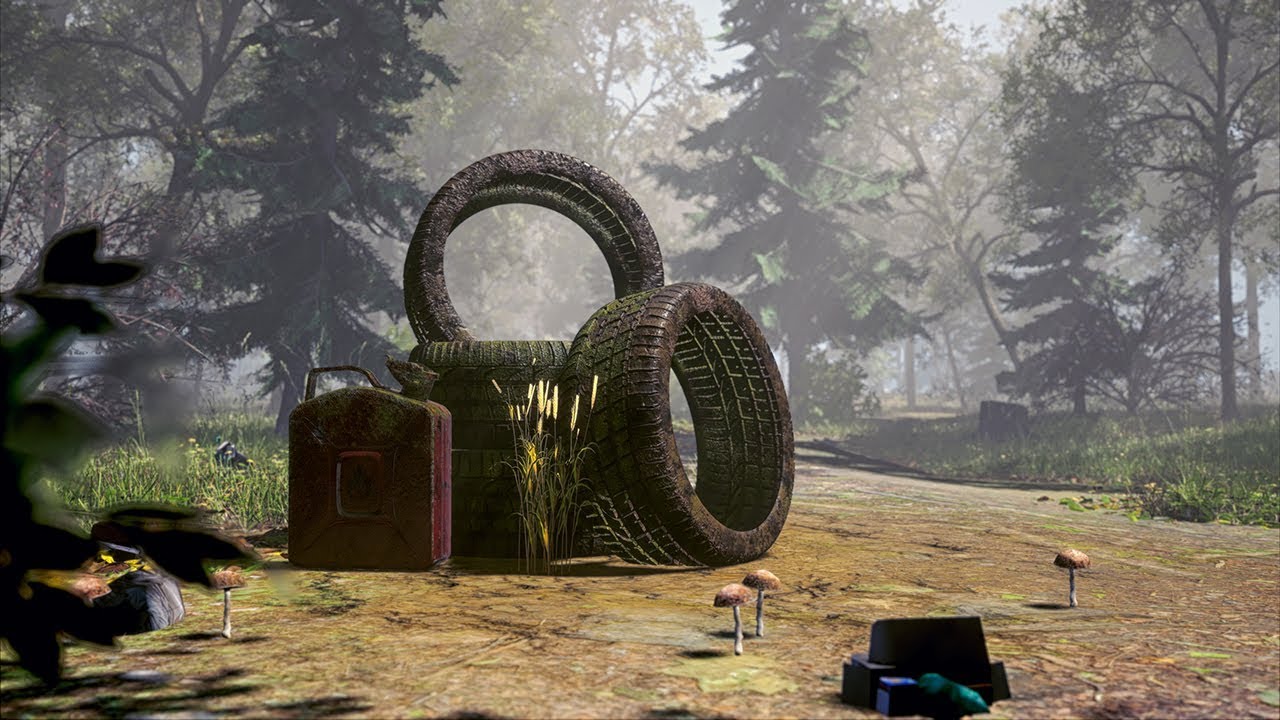
Me and my roommate spent 44 hours creating this enviroment for an art competition at school, which we won. The video is supposed to show how badly humans tre...
nova crescent
@slender storm nice work. I love how you got the trees going in the wind and all. Makes these scenes so much more alive.
 west hatch
hey there
i have a question

how do i make sequencer render out my track and not point 0.0.0
topaz widget
you attach camera to your camera cut
west hatch
@topaz widget right. camera cut...
west hatch
okeydoki
west hatch
@topaz widget tank you very much ^^
 late isle
Hey guys, first post/question ;D, I am using sequencer to record some gameplay with my character. In my sequence later I want to replay that gameplay and use different cameras to look through. Everything seems to work fine, except that he won't record/play my camera movement of the player camera (attached to the mesh), any idea?
topaz widget
@late isle I feel like it's same question Berti had read a bit here it's very recent talks
basically you need to specify camera and any camera can be specified as a camera cut
late isle
@topaz widget Problem is not, that I want to use the camera, problem is that when I wan't to fade back to gameplay, the position of the camera is not the one in the recording 😃
@topaz widget Thanks for the quick response! 😄
topaz widget
this dosn't work?
I think you probably can trigger that in level blueprint after a cinematic but I actually never did something like that
late isle
@topaz widget That does work, what doesn't work is, that the camera is not at the correct position at the end of the sequence. Through debugging I doscovered that he doesn't move the camera at all
topaz widget
who is he? character?
late isle
@topaz widget He is the sequencer 😅
topaz widget
So you animate camera via sequencer and it's not moving?
late isle
@topaz widget Oh maybe I should mention, the character gets possesed through blueprint to the one in the recorded sequence, the camera is attached to the character bp I was recording earlier. At the time I still had it as a "spawnable" he also would move the camera.
Since I use a possesed actor, the camera isn't affected at all, the movement and animations on the character still work though
topaz widget
so ok as I understand that you character moves in the cinematic but after cinematic, camera that was connected to character blueprint isn't at character location anymore?
can you probably show some screenshots?
late isle
There are multiple cameras, the "gameplay" camera, which gets recorded and is attached to the character, and the cine camera which is the one the cinematic gets played through
Bindings in the Blueprint
Sequencer
As you can see, the character has the TP_Camera which is the one used during gameplay
Although I recorded the whole ALS_Player, he somehow doesn't seem to recognize it/ or recognize it in the binding
sorry for the bp mess 😄
topaz widget
as far as I know everything in red doesn't exist from sequencer point of view
but I might be wrong
topaz widget
so your debug shows that camera doesn't move so you can probably fix it by moving the camera yourself with a bluprint?
late isle
@topaz widget Would maybe work as a workaround but shouldn't the camera movement be recorded when I record the whole ALS_character? 🤔
topaz widget
I not sure what is going on there but probably if you affect your rig itself and not bluprint there some issue there
Also probably check your character location in a bluprint? I not sure
I only vaguely understand what is going on 😃
late isle
@topaz widget Maybe someone else knows some solution, lets see 😃
topaz widget
is this blueprint thing that you do inside you character blueprint?
late isle
@topaz widget No it is inside the trigger that is playing the sequence
topaz widget
I think you can also try asking in #blueprint because I feel like it's related
late isle
@topaz widget I will try that tomorrow, thanks for the advice 😃
 jagged aspen
Hey guys, I got a problem with the Sequencer recorder. I'm recording some VR gameplay with it, and it's not recording the animation for my motion controllers (that is, it's not recording the opening/closing of my motion controllers hand skeletal mesh). I thought it would be, but maybe I'm mistaken.
https://twitter.com/Fr0z3nR/status/988891203780390912
Video of whats going on here ^


Any @UnrealEngine Sequencer folks able to lend a hand (heh). I'm trying to record some VR with the Sequencer Record. These motion controller hands should transition from open to closed when I grab the pots, but don't. Sequencer didn't seem to ...
 Twitter
When I go to grab the pot, it should close the hand, and I was under the impression that it would record that instance, but maybe I'm mistaken? I have tried setting the hands to be recorded as possesed but that didn't seem to help
 mental birch
https://youtu.be/h5oPF1TKqlY i mean in this a sad scene in my gamestory i didnt made a graphics yet someone can suggest, comment, about this music ?

cry of the giants sample from song in my story
nova crescent
Music is nice, though some context would be nice. What's the world? What happened? Sounds like a fight fought but with some painful losses, but not all was lost.
 gentle helm
anyone know why the sequencer is outputting laggy videos?
need a smooth one for my disso and i cannot get it to work
ive tried doing it via single iages and stitching them but no dice
west hatch
sequencer records laggy yes
but the final video wont be laggy
for example, if have a shitass pc
but i can still render out 4k 60fps videos with sequencer
it just takes a ton of time
gentle helm
no the final product is laggy, its almost as if its buffering in vlc, i understand the load rendering the video out causes, its the end product i having issue with
those are my render setting just in case
 eternal citrus
If you're using an older engine version, it will bump down the target fps and quality if the project is running slowly (rendering)
gentle helm
well its up to date as far as im aware so i dont believe its that
i cant understand why even when rendering it out as single images it doesnt then work when stitched, surely the lag is caused by a UE issue and not a lack of frames
eternal citrus
Have you done standard troubleshooting? Made sure you have enough disk space, updated driver, did a test render without video compression, etc?
gentle helm
yeah ive been at this since about 4 am uk time
ive slept in between but none the less still has been causing me issue all night
and day
trying with forced frame intervals on to see if that works
probably the first thing i should have tried but last night at 4 am was when i discovered that the sequencer even existed
eternal citrus
Also, why are you capturing at 60?
topaz widget
are you sure that it's not just lagging then playing?
gentle helm
to see if that would smooth the video
ive not slept a lot in the last few days so excuse my stupidity
topaz widget
I personally turned off compression and converted it myself
as far as I know like incorrectly compressed video can lag
gentle helm
see ive tried with and without, ive tried as a move or as an image sequence in a moment ill have finished trying with and without forced frame intervals
im running out of options really
eternal citrus
Get some sleep mate. You'll be more productive with a clear mind than 72 hours without 😃
topaz widget
have you tested this video on other machines and probably players?
topaz widget
Have you tried rendering in 1080p and playing?
gentle helm
what do you mean by playing, just rendering the vid out in 1080p then checking it?
topaz widget
yeah and tell us is it smooth or not
like if I render uncompressed VLC dosn't play video properly on my machine
but if I convert the file in the vlc to another format it woks great
gentle helm
so you want me to render it out in 1080p no comprssion, check to see if its smooth and if its not conver it to another file type and check again
also just to clarify no compression is 1.0- compression quality on the sequencer
gentle helm
wow sleep deprivation really does bad things to your ability to notice things
gentle helm
if this works im going to be so happy
topaz widget
.
or you can specify video codec in ue4 somehow and it should work too
I have no idea how to do that no compression was like best option i had. My scene had grayscale gradients so that was very noticeable with default compression
gentle helm
well fortunately my render is only about 1 minute so the results will be known shortly
seems to be smoother even in the sequencer though
topaz widget
and if it smooth with 1080p do the same with 4k vid
gentle helm
i think it may have worked
still testing
you are an absolute winner
it worked
what a fix!
nova crescent
Nice save. Yeah, 4K images are heavy, and you'll need to compress to H.264 in an MKV or MP4 container usually helps, a lot.. 1080p runs a bit better, but a *.mp4 container is usually use, or exporting to JPG instead of PNG sequecnes, then converting in Virtual Dub into a lossless largarith avi or something, that also works. VLC is not famous for it's playback with high definition video formats.
topaz widget
😃
mental birch
@nova crescent thx for respond u said all things that really happened in my story (he fought and won ,he lost his best friends
he is forced to leave them he feel pain and while walking in a desert this music will be played
trim schooner
Is there a camera crossfade for the sequencer?
trim schooner
I see a fade track but nothing that indicates a crossfade
trim schooner
Yes, thank you @topaz widget for the link. I saw this but it seemed like a work-around at best. And doesn't seem to very scalable if I want to crossfade with several cinematic cameras.
Is there some reason Epic doesn't provide support for it in the sequencer?
 warped pike
goys
hallo
anyone got any tutorials on how to do animations in UE4 (from scratch or even external animations to make an animated video) ?
i cant' find any recent on yetube
nova crescent
I can show you from Bforartists/Blender.
gusty heath
anyone know any reason why when transforming a geometry shape in sequencer, it turns what appears to be wireframe in editor and invisible in gameplay?
just transforming location
 worn latch
If I wanted to animate keyframed pieces of an environment imported from the fbx for a cinematic, the pieces of the environment would need to be skeletal meshes, correct?
west hatch
So
Any fix for sequencer deciding to be a dick and rotate my camera track 90 degrees and move it like 100 units down
?

To understand the camera now is at the end of the track
Also a lot effed up
To further explination

This was one of the last shots of the track
Is there a fix?
Further details : I didnt change anything
I just opened up the project
topaz widget
check your curves chances are that you could deleted some key or something and now it's totally going crazy with animation curve
west hatch
keys are all the same
the curve essentially turned 90 degrees and moved down and crazed out a bit
its still the same i used for my render
 honest veldt
Sorry to intrude...
Anyone ever heard of or seen characters being in A pose when their Anim starts on the first frame of a level sequence?
Force fixed frame intervals didn't fix it.
This issue's been happening intermittently on 4.17, 4.18 and 4.19.
It looks like it might finally get stoned on 4.20, but I'd rather not upgrade cause I'm on a custom build.
naive echo
hey guys. have to find a way to record my camera view as avi/mp4 file in packaged game. is there a way? i mean that i'm in game, i press a key and my pc start recording what i'm seeing and saves it in a video format
nova crescent
@honest veldt I believe this is true for the state of animation clips in the sequencer, they start on Frame 1. Sequencer may evaluate from frame 0. This might reset the rig to the A pose. If you push the clip back one frame, you'll get rid of this.
 upper wigeon
Would it be possible for a level sequence to trigger a dialogue box and then wait until the player closes the dialogue box to continue?
honest veldt
@nova crescent thank you very much. I couldn't find any info on this. I'll give it a try.
 fast girder
can someone please help me, I'm trying to record a video at 24 fps in the engine but we've been having issues
any advice is much appreciated, please PM me
honest veldt
@upper wigeon Easiest way I can think of doing this is by using the event track. ① Add event track to level sequence ② Add a key to the event track at the time you want to pause the level Event Track and show the dialogue box ③ Right-click the key and in Properties at the top and enter an Event Name ④ In the level blueprint add a custom event with the same name as the Event you did in step 3. Then do whatever you want from there (pause the level sequence, create and display the dialog box, get user input and resume play on the level sequence).
upper wigeon
Okay, that would be doable.
Probably would be easier than creating my own cutscene script, which is what I was going to do.
honest veldt
@upper wigeon Cool. I just tested it and it works perfect. Only bad thing about it is that the most straightforward implementation forces you to put stuff in the level blueprint.
I haven't messed with event receivers which, apparently, are supposed to let you interact with sequences from anywhere.
@nova crescent I ran a test and found that this A-pose issue was happening regardless of whether the original anim's first frame was 0 or 1. It appears that this Pre Roll Time in the animation's Properties dialog may have fixed it. I have to run more tests though.
upper wigeon
Well I imagine you could have a blueprint and then add it as an extra event receiver.
honest veldt
Has anyone here ever used Pre Roll Time? Documentation on it is non-existent. Only thing I found on it from epic was mention of it in the 4.16 pre-release.
There's actually a comment on it that reads "The amount of time to prepare this section for evaluation before it actually starts." Seems it should totally fix my A-Pose on first frame problem.
It appears it has, but I was just curious if anyone's ever used it.
 candid salmon
hey
i am working on a cinematic and i have the problem that the grass of grassmaps wiill start spawning while the cinematic is being captured.. (i want to export it)
and workaround how to let the grass spawn before the cinematic is being played
candid salmon

Introducing: The 12: A miserable Truth, a medieval fantasy RPG with horror elements being released in late 2018. Website: https://the12mt.com Instagram: http...
Got it
candid salmon

Introducing: The 12: A miserable Truth, a medieval fantasy RPG with horror elements being released in late 2018. Website: https://the12mt.com Instagram: http...
Two versions.. Which is better for the startscreen
 fervent laurel
Hello guys, I replaced our CameraActors with a BlueprintActor for some added functionality. We're still using a legacy Matinee setup, and I noticed that when the cameras were replaced, the Matinee took over the changes into the tracks as well except for one camera. So one track is now orphaned, is there a way to manually link that to the new BlueprintActor? I can't immediately find the way to do it.
The orphaned track marked in red
Nevermind, think I have it, I needed to select the BlueprintActor and then right click the track. Then the option appeared
Not the dragging onto it or right clicking it without it selected like I was doing lol
 graceful musk
anyone know if i can move a sequence from one level to another ? I cant seemt to get it to work - im on 4.18.3
 outer jay
Hey folks, is anyone else experiencing issues with setting animations to "Keep State" in Sequencer in 4.19? Works just fine in 4.18 in our project, but in 4.19 there seems to be no difference between Keep or Restore.
nova crescent
If your object is dissappearing or apparently culling itself due to it's vertices going away from it's root bone..... on screen or something.. just all round dissappearing - just increase the bounds. This took me days on end to figure out, multiple projects... and headaches.
Derrr
 gilded ruin
ok right channel this time! I have the matinee director all set to start recording movie when the level starts and this works fine, but it appears the lighting is broken/different to what it is in editor and I have a drone hud in the recording? could anyone help with either of these things? thanks!
what it should look like
what it does look like
errant estuary
sequencer?
u have put cinematic scalability when u record stuf, it should make stuff look better tho
gilded ruin
nah I chose not to use the sequencer, the matinee seemed like it would be easier
but it seems to have ignored my lighting and has a drone HUD on the recording
errant estuary
never tried matinee, but seq is real easy to get into
gilded ruin
I tried to use the sequencer and using a camera track but it looked like the matinee key frame tracking would be much easier to use
errant estuary
i dunno i just pilot the camera and enter keyframe at the time i like
gilded ruin
@errant estuary I switched to the sequencer due to exporting issues, but how would I go about piloting the camera and using it like that instead?
errant estuary
all the the left there is lock to camera cuts so u can see where ur camera moves when done
and lock to camera
when u lock to camera u can fly around and insert transform keyframes
and in details panel of the camera u can pick a point in the world and set focus there
gilded ruin
ahh, ty
gilded ruin
that only keys xyz location and not rotation too
errant estuary
transform is rotation too
gilded ruin
ohh right
errant estuary
location rotation scale
gilded ruin
ok cool
visual kestrel
can @thorny warren add an error for too long filename when rendering video for sequencer instead of locking up and having to waste hours troubleshooting what's wrong... :(
oh that @ actually works
sorry
nvm it broke again wtf
visual kestrel
ok it wasn't that the name was too long it was just the name even though overwriting is unchecked it just doesn't like making a file with the same name twice or something I don't even know really (4.19)
visual kestrel
how do I batch render a sequence of sequences
I've got a batch file to render one
how do I render more than one with one batch
gusty heath

Realtime Underwater simulation in Unreal Engine 4. Breakdown writeup here: https://80.lv/articles/working-with-underwater-caustics-in-real-time/ Music: Sevda...

Timothy Cole did a detailed breakdown of his recent experiment with lighting in underwater environments, simulated with Unreal Engine.
dense dirge
Can you use the sequencer for gameplay purposes? As in, I want the player character to enter a dialogue with an NPC, and have dialogue options pop up when it's time for the PC to respond, and the camera to stay at that shot until a response is given.
nova crescent
@visual kestrel Good question. I know that you can have multiple shots in a master sequence (though limited to the same Level) for different takes and animation within a simila scene - even with takes and all.. but level switching I'm still not clear how to do in a Shot Track. For rendering out the whole sequence with all the shots, you can from the same level with a Shot track in a master sequence. Run the whole sequence into a folder.
visual kestrel
woah I just was looking at this channel sec before you posted that
nova crescent
hahaha, coincidence.
visual kestrel
I was about to write rip this channel
nova crescent
Long weekend, sorry for the late response. I'm still learning, but moving the studio production rendering to UE4 has been rewarding so far. I'll be around.
visual kestrel
so in a master you can render out all sequences within it?
Ive never made a master sequence
nova crescent
Yes, you can render out all the shots in a sequential form. To make a master sequence you can either do it automatically (and create shot sequences on the fly) with the inbuilt system, or just build a new sequence and create a shottrack and reference your other sequences in from that level. Frame count won't go to individual folders, though you might be able to tag out your output to do so.
Ah yes, you can.
{world}{shot}/{world}{shot}_{frame}
visual kestrel
ok thats good to know
I wasted my time figuring out how to batch render
cause usually thats how you would render out multiple of a render
nova crescent
Yeah... being close to realtime... batch scripting out a render.. feels redundant. So.. the idea is you can edit out your shots in a level, with takes and all, like real video editing, then render out the whole system. You almost don't need to export to an external editor that way. Though.. it would be nice to do the same with multilevel/world based shot sequences. I wonder if that's in the roadmap.
Here is where you can make a shot track. Ultimately a Master Sequence is like an empty sequence with a Shottrack and they make all the empty shots for you for that level - all organized. But if you're organized already, you don't have to make the Master Sequence, you just build it yourself.
Though, maybe it's worth digging to find a better way to batchscript out a render for multiple level sequences.
visual kestrel
 thanks, I'll check it out
nova crescent
This video may have clues.
https://docs.unrealengine.com/en-us/Videos/PLZlv_N0_O1gaiA_sfpjATUprVW7B9FcK1/K7xW7RyKNfg
 fast cosmos
Question: How does UE4 handle texture streaming when the camera cuts from one location to another? Are there concerns with everything looking blurry immediately after the cut?
I remember in UE3.5 there was a way to hint the texture streamer to preload the textures at a location you were going to cut to but I can't find anything like that in Sequencer.
nova crescent
I usually turn off mimapping and have the textures as what they are before render. No compression. Runs slower but works. Usually it's pretty quick but turning off mipmapping compression/LODing helps.
visual kestrel
the Render Movie Settings window should close everytime you open a new sequence since each sequence has it's own render movie settings and you'll be rendering whichever sequence you opened the render movie settings window with
visual kestrel
which is confusing
nova crescent
True. Though it might be annoying each time I try render multilevel sequences in same settings.
late isle
Hey guys, is there a way to enable root motion when playing a animation in sequencer? Root motion is enabled in the animation itself but when playing in the sequencer it won't apply to the mesh. 😦
 woeful olive
hi what would be the best option for me to change the camera fp view to a lying down one as i want the player to lie down on a bed should i use matinee?(edited)
nova crescent
Hm.. not sure how to answer you both. Hope you find a way. If you do please share!
 dusty sparrow
guys I have a battle scene to record. I have over 100 soldiers to be playing walking , attacking animations, these models are very high poly, its good for cinematics purpose , but the editor becomes really slow
has anyone experienced it ?
nova crescent
Um..maybe LOD the actors, and optimize like you would in a real game.
warped pike
guys the player_bp camera is rotated and in the preview showing 1 thing
but when i click play it shows a totally different angle
dusty sparrow
Okay
Also I have a soldier and i have made 100 copies of it in the level. And I want to trigger their animation of attack at a frame, I know I can add a blueprint in the sequencer and I can set the animation of the character, but here I have 100's of it. What could be the best way to trigger the animation of 100's of character through sequencer ?
 clever sphinx
You can add an Event track that will trigger the animation in level sequence.
warped pike
oi how do you animate in Ue4?
i see people like OP on top animating but , dunno how to do it myself , can't find tuts online
 tired sky
that looks like sequencer
if you mean mesh animation (like with bones and stuff) I think you really should use another tool. Not sure its possible in UE4 - though you can do poses
 green axle
does anyone know how to capture variable with a sequencer?
I've found a post on AH that var needs to be public for it to happen, which it is, but it's not recorded - it doesn't appear as one of the tracks
green axle
so, found a trick, you can make a scene based component and add some variables into it which need to be captured. Then during recording these variables in component are set by the actor. Sequencer can capture them, but not if they are set as Linear Color 😄
I have zero freaking clue why it can't capture Linear Color but on top of that you can't copy paste a vector into a material parameter as material parameter is a linear color
why UE4 you hate me so much?
green axle
What could be a reason for sequencer not recording bone animation? Animation is driven by FSM
 west arrow
My first time working with level sequence, i cant seem to get my character to play an animation,
worn latch
Is the character using an animation blueprint?
green axle
@west arrow had the same issue, you need to switch your character skeletal mesh to use Animation Asset instead of Animation Blueprint in Animation Mode
Leave asset reference empty, sequencer will put proper one on its own
 bleak shadow
i have a skeletal mesh set to use animation asset and looping off, when I preview my level sequence everything is fine, but when I render it the animation loops. any ideas?
bleak shadow
i think i fixed it - right click on the track - properties - check keep state, not project default
 tropic idol
can anybody help me out with something regarding the sequencer?
im trying to make an intrk sequence that makes a camera move on a path and then sets itself as the player camera....
how would i set the camera as the player camera if the character bp already has one? do I have to have a special setup? or do i need to delete the character from the char bp?
tired sky
@gusty heath ask in here, don't PM a random person
 tired sky
looks like something is off-center
I'm not familiar enough with sequencer to tell you if you can fix it with sequencer. Might just be your mesh.
tired sky
Alright, but I don't even know if that's expected to work.
Anyway, somebody in here will know.
late isle
@tropic idol I would suggest doing that via Blueprint where you blend from the sequencer camera to your ingame camera (char bp), no need to delete anything. Just use "Set view target with blend" after the sequence is finished and give it the player controller (target) and player character (view target) as inputs.
tropic idol
aight @late isle ill try that
 dim gull
smoky cave
dim gull
smoky cave
Hi peeps!
Trying to use a cable component here in a Sequencer, and I'd need to control the length of the said cable, but I cannot find an option to create a track for it.
I can add the CableComponent0 as a track, but it only has options like visibility, simulate physics, cast shadow, etc.
Is it possible to control the end point and length in Sequencer?
 scenic urchin
Hello, I try to render a video in ue4, for a video project. It is a simple cork board with elements on it. My issue is about depth. Even if I put an unit between the front and back element, their is an issue, some pass in front then in back :/ I have made a video showing my issue, does anybody has some ideas how I can avoid this ?
nova crescent
@smoky cave what's the cable actor like? It's a blueprint thing or a actor imported via FBX or Alembic?
@scenic urchin this is due to clipping and alpha priority. Sometimes just increasing their distance from each other will fix this. That's the easy way.
smoky cave
Its an engine component. You can check it yourself as well ^^
scenic urchin
@nova crescent I used translusent textures, so I just set different priority, higher for one at top, lower for the one behind, and it worked well, now I have another issue, it flicks :/
@nova crescent and it was a z-fighting issue, well know and documented 😃
smoky cave
I hope someone can help me out
Freaking sequencer again.
I'm having a skeletal mesh in the level, and playing an animation it, based on sequencer timeline parts
Now the issue is:
The animations are f*cked up... Like big time...
I got an animation where the creature turns left, and in sequencer, it does absolutely freaking NOTHING
if I select the skeletal mesh and change "Mesh Component Update Flag", then it plays correctly ONCE and never again until i change it to anything else...
Anyone has met this issue before?
scenic urchin
Hello, I have an issue with my cinecamera, it doesn't generate motion blur, but the thing is the camera is moving, and the objects are static.
nova crescent
@smoky cave Will depend on your animation clip settings. If you open it up, you can find some "Root" options - if they are animated, static or not. Sequencer takes this into account based on the Animation clip. Sometimes clips made for gaming won't preserve any root transformations - because the root transform is a user input. In Sequencer, if you want the root animation, you'd need to do it yourself or toggle the root animation in the clip.
smoky cave
I will check it tomorrow. Thank you!
scenic urchin
apparently it was my framerate which was too low
smoky cave
@nova crescent I've tried enabling root motion on the animations, the same thing happens sadly.
Also Root Motion does not seem to work at all. I've enabled it in the Animation Clip, and it's not locking the animation to place, the mesh keeps moving around.
 languid socket
Hey Everyone , Is there a way I could render out my movie within blueprints? Like I will select an UI and when the new level will load it will automatically start rendering out the level sequencer. I want this option but in blueprints(See IMG)
 fleet moss
I want to make a 360 panoramic video of my archviz scene so it will be able to open on YouTube. I did some research and I found that the way to do this is to enable the MovieCapture plugin. Is this the only way to do this, because the documentation is from version 4.13 and it seems a bit complicated, or there is some easier way?
 ornate turret
@fleet moss You're talking about the plugin which mostly uses console commands right? I used it a little while ago and it was confusing at the start but once you get your commands figured out it's okay, it's real slow though. There's an alternative paid asset on the market but I haven't tried it.
mossy drift
I am saving out two sequences that are identical, excep for some furniture, The idea is to fade from one image sequence to the other. Is there a way to copy the movement of the camera from the sequence of one scene to the sequence of the other scene? Only way I seem to do it now is to copy the sequence and modify it, but that forces me paste furniture again and bake again.
fleet moss
How do I jump to the next frame of my Level Sequence in Standalone? I'm guessing there is a function similar to Pause in blueprint?
nova crescent
@mossy drift as far as I know, you can copy keyframes from a particular sequence, then paste them on the other. That way you can copy camera animation.
 cerulean pecan
Would recording via the sequencer work for packaged builds ?
 oblique cradle
hey guys
really trying to figure out how the hell to use Camera rails right
or in genreal having a smooth movement
using the rail, the camera jerks at every spline point
cant the camera smoothing move throughout the rail at an even pace
isnt that the point
warped pike
guys
anyone that uses sequencer , knows how to keyframe UV Warps ? for 2D Characters? or how to keyframe flipbooks or something , because i have characters that need animated UV'S for eyes
 limber flax
Does anyone know how to get the PostEditChangeproperty to work in editor with the sequencer?
I cannot get the properties I update on actors in the level to be notified that its values have changed
 gilded hollow
Hi guys! I'm making a Trailer for my game, so is there anyway to Record a matinee while its playing? or i have to manually use a screen record software?
nova crescent
Yikes, so many questions.

 sweet goblet
rendered it out
light flicker was from leaves move in wind but I left it in
still have a lot to improve
sweet goblet

Let every dawn be to you as the beginning of life, and every setting sun be to you as its close. - John Ruskin I share my environments to help me visual my g...
made a channel to keep track of the scenes I make
 tame abyss
@gilded hollow in the matinee, there is a movie button in the upper right corner, if you click it, you’ll have to enter some settings like the frame rate, and the location where it should save it on your computer
And then it’ll start recording in a new window
smoky cave
Hi peeps 😃 Anyone tried using particle systems in Sequencer? I got an issue I cannot figure out. There is a lightning particle system, that is hidden by default, and I'm setting it's visibility VIA sequencer. However it still stays hidden in play mode. In editor, it actually does change to visible.
 lime sun
Hello, I am completely new to sequencer, and what I essentially want to do is to animate the camera of my player to move trougout the level before the game starts, and right now I am having trouble getting the recorded sequence in game, so I can blend in to that camera
 gloomy mirage
Hello, i was wondering if it possible to pose characters to creating stills before i am ready to create some animations
 unborn adder
Hi,
Is it possible to blend animations or use aim offsets and fire animations in the Sequencer ?
 fresh bear
hi @here i have a little problem with sequencer recorder
when i finish recording my gameplay
it dosen't capture the camera shake of my fps character
help plz??
 reef summit
how can I disable all LODs globally when rendering a video with sequencer?
unborn adder
@reef summit take a look at https://wiki.unrealengine.com/Sequencer_Batch_Rendering
reef summit
thx @unborn adder
unborn adder
@fresh bear it is probably because your camshake is in blueprint
fresh bear
@unborn adder true
so how can i fix that
i don't want to use a recorder because it slows the engine
also causes fps drop
fresh bear
@unborn adder but could i use that anim with my character record ???
unborn adder
well in the sequencer you could yes
and add that camer anim to your camera in the sequencer
in a camera anim track
 cyan delta
damn cinematic exports are big
4k60fps for 2minutes at 75% compression is already a few gigs 😅
fresh bear
@cyan delta yep you can use handbrake
it's very useful that convert the video to mp4
12 gb = 50 mb
with the same quality
cyan delta
Yeah did that :)
Went from 4k60fps to 1080p60fps, sweet sweet handbrake
From 26gb to 40mb
sweet goblet
hey
so for some reason I have my camera setup with all the settings I like, and I setup the shot using the preview pane while piloting the camera
but when I render out, it seems to be completely different settings
preview when piloting
render preview:
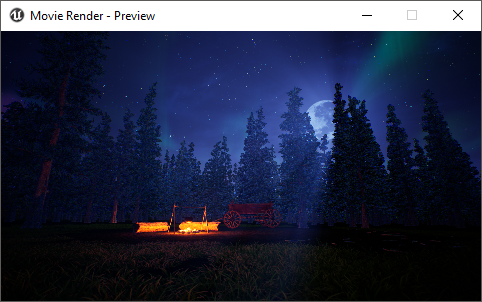
as you can see it's a lot more zoomed out
and I don't know what the deal is because the camera cuts has it correct
@cyan delta when I did the wheat scene I posted above
10 minutes @ 4k 60fps
it was around 200GB when done
used handbrake to get it down to 4GB
 ruby oak
Why does my movie-render preview turn white after ~30 seconds of rendering? All the output saved after the preview goes white, is white in my outputted video file, only the first few seconds show anything. I've tried every setting
working
broken
taken just now within 5 seconds of each other
 ionic slate
I’m new to this but can I pilot a cinecamera like my editor camera without being constrained to keys? As soon as I start key ring it it somehow puts transformation pivot to a keyed position and I can’t pilot it from first person view
fresh bear
@ruby oak try to make the scene to be launched as scene in the level blueprint
I've got that problem before
ruby oak
i will try that right now thanks
@fresh bear which option is that exactly? i cant see it im running 4.19
ruby oak
wouldnt i use that in game to put the player in cinematic mode? i just want to render my scene, not "play" it
thanks anyway
fresh bear
actually that will hide the player
unkempt trench
I saw that the 4.20 version have an improved depth of field for cinematics, is it really an improvement?
fresh bear
@unkempt trench is it released??
unkempt trench
There is a preview available it seems
gusty heath
I need a celshading in my game, and I made it as a material using this http://www.strangelynamed.com/tutorials/2016/5/23/cel-shading-in-ue4-material tutorial. I got it ready, but the problem is that I have no idea how/where to assign that in my level/game? It's now just a post process-material. If someone could help it would be a great

 uncut sparrow
Any way to make motion blur render in sequencer cinematics? Tried looking for a solution but there are no answers anywhere. Could be due to the fact it isn't being rendered in the same way as it is in the viewport, and loses some data it needs?
Found the solution, you have to make sure that the frame start is something like -100, and it will render properly
sweet goblet
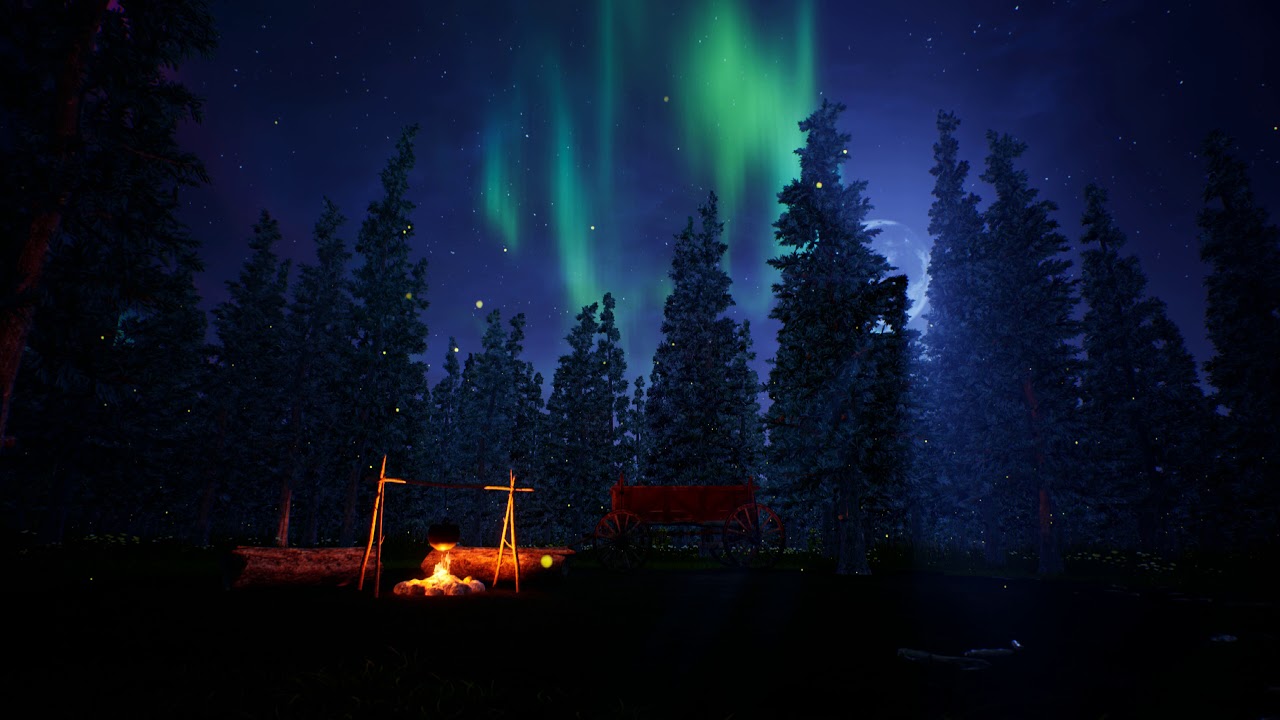
“If the stars should appear one night in a thousand years, how would men believe and adore; and preserve for many generations the remembrance of the city of ...
second render
definitely going to be messing around with some improvements to it
- better fireflies
- moving shot (https://streamable.com/s7y5z something like this I'm manually scrubbing the timeline)
- custom lens settings (for some reason when I did custom lenses unreal didn't take them into effect)

 lament crystal
Quick question about using UE logo: does it matter if you use the white on black motion logo as intro or the blue animated 'Powered by Unreal' motion logo?
sweet goblet
lament crystal
I'm using those you linked, but see loads of people using the Blue 'powered by ...' one, starting thinking
was starting to think the linked ones might only be used for official UE videos
 urban shadow
 fallow gull
anyone know how to access the properties the current sequence camera from an external blueprint ?
lament crystal
thnx Raildex
 pseudo crane
guys, i'm trying to configure a sequence to my game but when i add animations to my character the animations wont preview on the sequencer editor but will play normally when i play the sequence in game.
does anyone know why is that?
 tight lake
Hi guys how can we export video in seqeuncer in .mp4 format
Any help is much appreciated ?
nova crescent
In the render settings, instead of doing it with passes, go for the sequence and choose *.mp4 in the dropdown.
sweet goblet
I'm curious about the pros/cons of that
I render out my stuff in 4k60 and it creates massive AVI files
upwards of 200GB for a 10 minute clip
does unreal transcode down to H.264 well?
Cause normally I would just take that .AVI file and run it through handbrake
rose forge
Handbrake will be higher quality since it has a 2 pass encoder
cyan delta
yeah just use handbrake
rose forge
For VBR H264 you really need the 2 pass encoder to get good results
sweet goblet
talking about that
just uploaded latest render

"I often think that the night is more alive and more richly colored than the day." - Vincent Van Gogh This is another take on the same scene seen in "Skies A...
its a take on the same scene but trying to go for a different vibe
rose forge
If it's super slow movement like that, you're better off doing 30 fps. It'll run on more devices.
Plus I think the way YT's compression works is that 60 doesn't outright double the bitrate from 30, so it might be a bit lower quality
sweet goblet
when I checked youtube's recommended
they said bitrate up to 63 was acceptable and processed
I don't know if they reduce it
68*
I had handbrake and premiere render it out in 3840x2160 VBR 2pass, CFR 60fps target 58Mbps with a max of 63
also, what do you mean about more devices?
rose forge
Right, and look at the numbers. 60 fps isn't 16 megabit, it's 12 (for 1080p).
It's spreading that bitrate across more frames
The difference is even greater when you look at 4k's numbers
You're not really getting anything out of it, especially when your movement is so slow.
And youtube always recompresses the video, so that's something to keep in mind when uploading
I always try to upload at higher quality than youtube will use, so it lessens the effects of double compression
And by more devices, I mean people with computers that can't handle 60 fps 4k playback that might be able to watch 30 fps 4k instead.
If they can't watch it, they won't watch it.
So you're working with files double the size, at a fraction of the encoding speed, that take longer to upload, that don't look as good, that plays back at full quality on fewer computers.
1080p and 1440p 60 fps is fine, but the use cases for 4k 60 fps are few and far between
mossy drift
All my output is 1080p 30fps, that way I ensure it's viewable by most devices. I don't render video directly from Unreal because video is interlaced but image sequences are progressive, I export 4k sequence then convert it to a 1080p uncompressed .avi in premier, then turn it into an .m4v in handbrake.
 frozen ermine
I'm not sure where to ask this but how can I get ahold of a LevelSequenceActor in C++ to trigger it's Play function?
doing that shows up in the editor but I cannot get the actor into the box
frozen ermine
no worries I managed to do it already
 tough narwhal
hi, how do you trigger a video texture play in a cinematic ?
tough narwhal
If figured out with custom events but Heeeelp! I was assuming I could render Media Textures (videos) with the sequencer, but actually, the video rendered is going completely crazy!
I simply assume the media player is not in sync with the sequencer...
I'm with the 4.19 is this something resolved in 4.20 ?
 indigo siren
so uh.. Where is the cinematic DSOF option? in camera for DOF I only find the circle, bokeh, and gaussian. Am I blind or in the wrong place?
sweet hawk
How does one setup a cinematic dof ?
sweet goblet

how to smooth out the flicker of the sun?
I removed the wind on the tree but it still flickers
 tulip halo
Hi guys, how to manage sequence to not reset actor position to first frame and keep transform from last frame?
when my sequence is finish it jump to start position...
 pulsar crystal
gusty heath
pulsar crystal
gusty heath
Can someone tell me if I'm a being a bad man? I want play an animation on the controlled character from within a level sequence, but the character isn't spawned at player start., so I'm having to do some rather gross stuff to get it to work. Is there a more sane thing I could be doing?
sweet hawk
I believe so
Check if in that level sequence, character has set play mode to be custom mode pr something
 dreamy zealot
Does anyone know how to import your own video footage to work with Composure?
errant estuary
i think it works with frames
you can open the composure project and replace all the image files
 mystic sapphire
is it possible to make cinematic camera orthogonal? ive tried standard camera, but with it spotlights etc dissapear and scene looks like albedo only
 pallid plover
Well here is my first cinematic in Sequencer 4.16 https://youtu.be/9WKbkgYBJDk
An early access trailer for an upcoming game Spyders You want to know more? Follow the progress? Join the Spyders Community at www.tisa.rocks Facebook: https...
It's a bit outdated since I reworked a lot in the game but I needed something for the web page so...
 sleek sierra
@pallid plover This reminds me so much of the toy story games, good job 😃
pallid plover
Thanks, I just love rats size games...so much fun things to do with it. 😃
 royal spire
https://www.youtube.com/watch?v=GxtcedAKvYA&t=2s That was really hard to deliver, but I made it, hope you like it 😃

http://playzerokilled.com/ Zero Killed is an immersive, tactical VR multiplayer shooter. Coming to Steam September 2018. PSVR coming soon. Check out Zero Kil...
 fresh crystal
Hey, I have that gun
😉
@royal spire Liked the trailer, but it had no sound?
nvm
 kindred epoch
Hi guys i am using event track in ue4 and the parameters to event track aren't updating whenever they are saved. They are resetting back to initial values
I am using 4.20
Any help is much appreciated
 quick pebble
Hello, how can I create a cutscene that plays when I load specified level but every system in declared level like spawning AI etc has to execute after the cutscene is finished?
 lethal silo
@quick pebble place your cutscene actor in the level, then in the level bp play it in begin play. Bind to OnFinished to setup your other systems
 winter gale
I have a rather urgent thing to ask here, does anyone here have a clue on how we put 3d spatialised audio in a sequencer?
I'm on a deadline and only have a few hours left
 worn plover
Hey, how do you switch between frames and seconds in the sequencer timeline?
I need those to show frames.
 fast inlet
I have a question regarding workflow with Master Sequence
what is the purpose of Sequence to Duplicate when what it does is actually copy/paste the level sequence instead of adding it as subsequence?
My original thought when I tried out this feature was that, if I have a main animation sequence, I can use this Sequence to Duplicate option in the master sequence to have all shot setup with animation.
But now that I know this feature actually copy/paste the sequence, and that to setup the animation track as desired I will need to use Sub Sequence and define ahead VFX/SFX/Animation track
I wonder then, what is the purpose/usecase of Sequence to Duplicate?
Oh wait, I think I get it now :-?...
My assumption for now is that Sequence to Duplicate was meant to duplicate a sequence that already has all of its subsequence setup before hand, like a base sequence.
nova crescent
I thiiiiink it's a base sequence.. so you have have takes and shots on a single level/set - like reallife cinematogrphay. The Master Sequence is like the master edit of that scene.
 whole dome
hey guys, newb question here. I've imported a static mesh and moved the pivot point so it rotates in editor how i like. Now when i animate that object inside Sequencer, it doesn't respect the new pivot position. what gives?
even when i set the pivot properly back in the DCC app, UE4 seems to insist on resetting it
rose forge
UE4 doesn't care about your pivot, ever. It's always going to be at origin. You don't move your pivot, you move your mesh.
mossy drift
To get around pivot issues parent your object to a null actor that is placed where you want your pivot to be.
 visual swan
What are some good resources for learning how to use the sequencer to take promo videos for assets on on my art station?

3D Environment design - Busan Map . Inspired by Overwatch's art style ( Fanmade Map ) Artstation: www.artstation.com/shuallorente (C) Music : We Move Togethe...
stuff like this
I don't think I have a cinematic "bone" in my body hahaha it's foreign to me
cyan delta
@visual swan https://vimeo.com/album/5130324
Join the web’s most supportive community of creators and get high-quality tools for hosting, sharing, and streaming videos in gorgeous HD with no ads.
this should cover all the basics
visual swan
Thanks!
cyan delta
the sequencer is really easy to use you'll see 😃
then its all a matter of composition of your shots
visual swan
I seen this really cool focal shift thing he did
where I think he moves the camera + shifts the focal
to make it stretch really far, is that possible to do in-engine or was that fancy video editing magic?
cyan delta
yeah thats the vertigo effect
cyan delta
at 1mn right ?
visual swan
It's like I put all this work into making assets and I show them off in ugly scenes with bad angles and stuff
I need to not do that
yeah at 1m
visual swan
also at 20s
cyan delta
you can control a LOT of stuff with the sequencer
visual swan
i think he does it
cyan delta
yeah he does it
although much faster
@visual swan done, uploading rn
argh wait gonna make a gfycat instead
cyan delta
I do
:p
but I thought discord would do a little player for .mp4 files
looks like it didn't
visual swan
you uploaded an avi
 visual swan
GFYCat feeds a GIF to discord
uploading directly to a host uses discords integrated mp4 viewer
cyan delta
ah right
visual swan
as you can see by the play button
cyan delta
but mine loooops :p
cyan delta
so yeah you can easily do a vertigo camera effect
visual swan
I think you can set them to loop, no?
cyan delta
yeah in the meta there should be something to loop it
visual swan
that's neat.
the video
(Btw the benefit of dropbox as my upload host is it keeps everything in neat organized folders automagically)
and that's just the default behaviour
visual swan
They might have integration for onedrive / google
I know google gives 15 gigs for free
my dropbox has about 5gigs
forever
I don't use it for much more than sharex these days
visual swan
I think several thousand sharex files take up like half of it
cyan delta
per seat
sheesh
seems like I can't use my work onedrive account to share with a link
welp ¯_(ツ)_/¯
oh maybe that's only to modify stuff
nah
well gfycat works well for this 😄
visual swan
I find gfycat has a shitty upload limit
and I hate changing uploaders in the middle of uploading
Their auto-gif generation is dope though
cyan delta
upload limit as in upload rate ?
visual swan
I wish dropbox had that
You know? ShareX might actually have a way to do that.
Via their custom command lines.
Nah they have a file size limit and a file quantity limit
I've reached it several times
over the course of a week
especially busy weeks
cyan delta
really ?
visual swan
yeah
visual swan
I guess I could try to find out what their limit is manually
since I don't really use them
just kinda abuse it for a few minutes
alright so your mp4 took me 1.5 seconds to upload to dropbox
it took me like 10 seconds to upload and 30 seconds to process the video on gfycat
I forgot about that benefit.
cyan delta
hah true

 visual swan
I re-encoded your video
visual swan
quality is about the same
@echo Please enter the name of the file you'd like to convert to an MP4:
@echo off

set /P filename=Old File: (include filetype):
set /P newname=New Name (include filetype):

ffmpeg -i "%filename%" -c:v libx264 -preset slow -crf 24 -pix_fmt yuv420p -c:a aac -b:a 128k "%newname%"
ffmpeg converter
just put in same dir as the file being converted
save as .bat
cyan delta
uh been a while since I used ffmpeg
visual swan
you have it installed if you use ShareX 😛
cyan delta
I mean the cmd ffmpeg :p
visual swan
haha
cyan delta
I use handbrake as a daily converter
visual swan
Well this here should be good enough for most things
ah I see
I got bored of waiting 40s each time to upload to gfy
so I have no idea how many I can do
Might take a look at handbreak
Probably beats my crappy CMD prompt thingy lol
cyan delta
nah it doesn't have that
visual swan
If I knew how people make stuff work with right click I'd make an app that runs that command
that'd be great for me
cyan delta

Add, edit, customize, clean up, remove right click Context Menu items or entries in Windows 10/8/7 File Explorer using Context Menu Editors & Regedit.
visual swan
ah so it's all registry
cyan delta
prolly
visual swan
and third parties just give you neat interfaces to manage it
visual swan
Even just minor improvements to their compression saves them lots of money
cyan delta
no doubt
 visual swan
@cyan delta https://i.imgur.com/3xtDTjK.png got this neat shot
Might be able to do something cool with the camera crawling up the side of the spiral of the tree
 tribal yarrow
Hi peeps! i'm trying to make some recording to showcase the new environment i just created. when i set the sequencer and create camera actor with all animation (translation, rotation, etc..) the things go well. but when i click on play the sequencer don't execute the record i did. he always launch the game mode in character view.... please need help!!!
gusty heath
Does anyone know why I wouldn't be able to change camera in a character from the character blueprint? It seems to switch to the camera but it's the same location of the follow camera (I only know becuase the camera I'm trying to switch to has screen color tint effect) so the color of the screen changes indicating the camera is working but it's not changing location (camera one is behind character, camera 2 is in front).
I'm using the activate/deactivate in charbp method
 unkempt lotus
@tribal yarrow I am assuming you want to hit play (selected viewport) and have your cinematic play right away? If that is the case then you need to drag&drop it into your level blueprint and play it onBeginPlay. (I think you can just drag&drop and then reference it as a variable)
you might have to drag it into your world first
i can't remember since i haven't done that in a couple months
 proud coral
A short clip of the house from the cinematic being created in UE4.


The house from the "House In The Hollow" UE4 Cinematic.
We will be setting up our building interior cameras on the next Twitch streams.
#twitchcreates #twitch @UnrealEngine #UE4 #twitchcreative @NVIDIAGameDev #nvidia #gamedevs @Kalvothe https://t.co/SMuIEYslQm
Twitter
 agile ledge
 modest tinsel
has anyone done facial mocap for UE4 using F-clone or Brekel Pro Face 2 ?
 wise veldt
I whined the other day in level design about good resources for learning about open world design, so here I am to whine once more 😆 Does anyone have a good resource they would recommend for learning UE4 cinematics for the first time? Looking to make a sturdy foundation, of course
uncut sparrow
@wise veldt check out the docs, the sequencer tutorial series on unreal's youtube channel along with the sequencer feature videos and then finally open up the sequencer subway example project
Should answer all of your questions
wise veldt
Marvelous thank you!