#aec-visualization
1 messages · Page 15 of 1
 hard oar
 royal osprey
@hard oar Two things you can look at one is the texel density. And the other is something similar happened to a friend that had a really dark scene, it didn't look dark because post processing was using auto exposure to bring it up, he turned off "Game settings" for exposure, under View Mode and adjusted the intensity of his lights, after that the bake was fine.
hard oar
Thanks @royal osprey I will try it later!
 cyan ether
does anyone know the limitations of the Twinmotion trial or know where a list of them can be found, one that i've noticed is a limitation to 1080p
 night elm
Guys, I need your help to figure this thing out, I just did a little experiment to know how bad are "Ngons" and how UE4 will deal with them, so I did what I did in the video in the link below, and everything seems to be fine, I'm still a beginner, but I really want to know how bad are Ngons and when should I be aware of them.
I'm focusing mainly on Archviz, so not so much animation.
https://drive.google.com/file/d/1MrPFsPHou1iLX7ta4Dl_o6f5SSEoQye4/view?usp=sharing

Google Drive
 arctic mesa
@hard oar please report back of your findings; had somewhat a similar issue
in my case the baked AO gone horribly wrong
 pale prairie
You shouldn't bake AO for archviz
arctic mesa
oh?
pale prairie
AO is to provide a rough approximation of shadow detail on objects when doing low quality/resolution light bakes or dynamic lighting that doesn't have GI
For archviz your lighting bakes should ideally be high enough quality that you don't need to simulate your gi
arctic mesa
hm.. that's actually quite fair; I never thought of it as such! thanks
pale prairie
Np, it's a mistake I always made until I read (if I remember correctly) an evermotion tutorial saying not to do it then I looked into what AO is and why not to do it etc...
arctic mesa
they used it in the apartment demo and they mention AO a couple times in the 'Understanding Global Illumination for Architectural Visualization' course. but yeahs; I see your point and it's a good one – after all I disabled AO bakes and my issues mostly went away
 ripe crow
anyone know why my vertical lines are disappearing in the distance?
Im using megascan materials and displacement/normal maps.. ive tried turning off mipmaps
hard oar
@arctic mesa don't bake ao, anyway now i'm splitting walls into smaller meshes (one mesh was containing 3 walls cause the apartment is not that big). let's see how it's coming out
hard oar
@arctic mesa at the end i splitted everything and now workd perfectly
arctic mesa
that's useful to know; thanks!
hard oar
with splitted meshes
 sly gazelle
Does anyone know how to fix m this? I'm trying to merge all the materials on this fireplace into an atlas but its coming out wrong. I want to reduce drawcalls in my scene and I need to do this to static meshes that have been combined into one static mesh, like this fireplace. looks either like extreme pixelation or no normals/roughness etc. Settings are on the right. I cant figure it out.
arctic mesa
after all this mess with the lights; I just grabbed the DSLR; went and took a bunch of ref photos and then set the UE's camera settings to match and boom – the scene looks almost as expected with the crazy ramped up sun (125000 lux) and skylight (4500 cd/m²)
 fallow grove
Hi, I would like to ask how do u solve contact shadows on furnitures?
left side is Vray - right side is unreal
This scene is from Archinteriors 54. The unreal version is lit with HDRI backdrop and stationary directional light.
And some rectangular light on the windows to fill the space with GI
I can't seem to get the dark shadow on under the sofa and at the legs of the chair.
 sweet fossil
Very high lightmap resolution + GPU Lightmass
fallow grove
@sweet fossil the wood floor has a red color already on the lightmap density view. it's at 512 right now. and i am already using the GPU light mass setting which I copied from one of the guys who are getting realistic results,which is NumPrimaryGISamples=128NumSecondaryGISamples=128FireflyClampingThreshold=10000.0. On the previous view, the lack of contact shadows can be seen, but on this other view, it is not that noticeable. Should I Increase light map resolution to 1024? thanks in advance!
 solemn hawk
For large surfaces like floors and walls i usually use 1024 or 2048 depending on how the end result looks
sweet fossil
Agreed, go wild on floors
fallow grove
Thanks, I went wild to 2048, and it’s almost the same, no dark shadows on the contact between the sofa and the floor. i tried using 0.1 on the contact shadow setting on the directional light, but it ads a thick dark shadow which isn’t realistic. I also tried changing the material of the floor, the same result. Or maybe change the lighting technique? Lol
Is this normal?
pale prairie
I'm not sure why, but there seems to be a strange lack of occlusion in your scene.
Can you share your lightmass settings and go a little more in detail on your lighting setup
Also for realism it's generally safer to go with a physically accurate lighting setup (like 1 sun and 1 skylight) and take advantage of lightmass portals and such
The use of lighting tricks like bounce cards, spotlights and rect lights to simulate gi can have wonky effects
Also Unreal engine is pretty bad when it comes to using HDRI's for lighting at least when compared to traditional offline renderers so you need some tweaking and workarounds to get good results usually
Unreal Engine Forums
Hi,
I am having very hard time creating IBL setup in UE4. I want to use HDRI .exr map with sunspot which has realistic exposure. When I import my map, put it
fallow grove
@pale prairie I'm just mixing up tutorials that I found so feel free to guide or correct me.
Reflections, I turned on Raytracing for Reflections
1 Directional Light
1 HDRI backdrop
4 LightmassPortal on each window
4 rectangular Light
Thanks to you all!
solemn hawk
Can you post a screenshot of the “lighting only” view?
fallow grove
Hi, just an update, i solved it by erasing all the lights, post processing volume and hdri backdrop. Then I relight it with the traditional directional light, skylight with specified cubemap(HDRI) and a skysphere as background. Then did 2 lighting scenario. A day and night scene. I still dont know what caused it. If you can comment on my work for further improvement, i will be so thankful. Thanks!
 pastel summit
Hey guys! Happy to share an article i did for Substance Magazine.
In this article I discus in detail how I create optimized photorealistic archviz scene within the amazing Unreal Engine 4!
Check it out here: https://magazine.substance3d.com/wessel-huizenga-a-student-journey-into-archviz/
I hope this helps people out and answers the many questions I have gotten on how I create my scenes.
 forest depot
congrats 🙂
pastel summit
Thank you 😊
 ashen blaze
anyone know how i can set lod bias on a entire level?
for all textures on map instead of 1 by one going into them and adjusting?
i want to lower texture resolutions, but its too much textures to do 1 by 1, how can i apply it to all of them at once?
fallow grove
@ashen blaze here, watch this video, he showed at around 2:50 mark, using the property matrix.
https://youtu.be/GokutSND4tM

In this tutorial series I´m going to Show you how you can modify the awesome realtime example project from Epic to run on the Oculus Quest. We will talk about all the necessary steps you need to do in order for the project to run on the Quest. Most of the things can be applied...
fallow grove
Hi, is there a way to smoothen the change of lighting scenario? I have done it through blueprint based on youtube tutorials but the transition is not smooth.
solemn hawk
@fallow grove there’s not,
What I would do is have a loading screen pop up and do a fade animation, they can be fun to get creative with.
then have the loading screen disappear when the level is fully loaded
fallow grove
@solemn hawk thanks! I will look into that!
solemn hawk
@fallow grove if you’re looking for something quick a camera fade would be the best bet
ashen blaze
thanks alot
 somber kettle
hey does anyone know why this is happening?
the light is an emissive material casting a light
fallow grove
Hi guys, does any of you installed the bridge 2020 into ue4.24.3? After doing all the steps including the steps to reinstall, unreal just crash when i try to open a project.
 tall bay
Can anyone help me solve this lighting problem? I have a large photogrammetry landscape but for some reason there is a small piece of my level that doesn't receive light correctly. It isnt a model issue as when i move the model the lighting issue stays in the same area. I dont have any volumes there that could be causing it so I'm very confused
 boreal meadow
i'm studying plane lights with gpulightmass... why is this happening? This is the project from epic store
 lucid orbit
hey, could you please remind me, does old gpu lightbaker support baking indirect light from non-skylight light source (point light source in my case)? If i'm using such source as the only one in empty scene with few meshes, I can see only baked direct light, everything else is black. I thought light would bounce around a bit? It's been a while since I was poking in ue4 so I'm not sure if it's my mistake, or just good ole limitation
 mystic lynx
@tall bay im almost certain its a normal issue - it looks like the dark ones are flipped
if unlit mode is fine, and detail lighting is wrong, then im even more certain
 silent ferry
Hey, has anyone had issues with DBuffer Decals and Sky Light lighting? When I have a DBuffer decal on a submesh in a model, it casts shadows when lit by the Skylight
I have disabled Cast Raytrace shadows on the material, And disabled cast shadow on the submesh
and it works for Omnilights but the Skylight always shadows it
 echo osprey
Anyone know how to deal with aliasing issues like this. Mainly on transparant material for fine fences and stuff?
Also, I know I can change the AA method. But how do I set the AA amount?
preferably in editor, not only when running
 gilded pulsar
Hi. My imported Vray RectLight (lightplane) is added to my sequencer but I cant add keys to it. If I drag in a rect plane, it's not a problem. Any idea why?
 ocean ledge
@echo osprey You can play around with the Mip Settings in the Texture Editor and try another Method like Blur, Sharpen...
 ionic topaz
looking for tips on increasing shadow distance for cinematic video export.
I have tried:
r.Shadow.DistanceScale
as well as:
https://i.gyazo.com/1617857a9ffb09193eccad51b4d4b3bb.png
but none of these are having any effect on my mesh

 keen jolt
Hey guys, does somebody knows why some of my lightmap UVs are streched?
sweet fossil
@keen jolt Have you checked they're using the correct channel?
 toxic lintel
What's the best way to simulate or stimulate contactshadows? I saw with Twinmotion they used shadow decals but that seems to be such a clumsy solution
sweet fossil
What's the best way to simulate or stimulate contactshadows? I saw with Twinmotion they used shadow decals but that seems to be such a clumsy solution
@toxic lintel Fake shadows like the ones you described are usually the way they're done in game engines.
 real magnet
itachi bro
toxic lintel
@sweet fossil Thanks, I guess I've always been fooled then 😄
forest depot
ue5 tech demo hype!
 edgy totem
Hello! I have a few concave model and when im using raytrace + Global illumination, I dont see any effects of it inside the object even though theres an opening for light. Ive tried changing the collision of the mesh to complex just in case that was the problem but it doesnt seem to be. Is it a normals issue, although the normals seem fine in ue4. Any help will be much appreciated.
 mint igloo
Hi everyone. A little help.
Does Unreal take vray materials from cinema 4d as well or only 3dsmax cray materials
fallow grove
Hi, does anybody experience, doing everything the tutorials said to enable raytracing, but still cant turn on raytracing. But if i enter in the console command r.raytracing.forceallraytracingeffects 1, it turns on. But i just want to activate raytracing reflection on my existing project. I have updated everthing on my pc. I am using rtx 2080ti. Thanks in advance to all!
Also if i open a test raytracing enabled project, make a mirror material, it is ok. But on my existing project, i cant turn it on unless i force all.
cyan ether
you've checked RHI settings, raytracing enabled in project settings, postprocess has it all on i gather
fallow grove
@cyan ether yes, i checked all that. But the reflection remains to be screenspace.
lucid orbit
@keen jolt did you model assets in blender?
mint igloo
Guys please my scene is taking forever to build lighting and it's at previews did I do something wrong?
pastel summit
Hello Everyone, Super excited to announce that my course for ArtStation Learning is now available to watch! If you have artstation plus or pro and want to learn more about creating archviz inside UE4? check out the link below!
Course: https://bit.ly/2ZcWRTX
Details:
In this course Wessel Huizenga will discuss the upcoming use of a game engine like unreal engine in the archviz industry. Wessel’s course is aimed at showcasing his personal workflow he develop over the years. He will also cover the use of Blender for creating 3d assets, setting up photorealistic lighting in Unreal Engine, and his use of procedural materials to quickly make changes within the scene.
 autumn ember
guys
when i export the model from unreal to other 3d software
the topology is bad with so many triangulate faces, which makes it really hard to edit
is there any way i can export from unreal with a clean topology
ocean ledge
@autumn ember Sadly there isn't. It's probably on purpose.
mint igloo
Who else uses Unreal for Archviz on Mac here?
 ripe tartan
guys, if i migrate a map to another level, will i need to build the light again?
royal osprey
@ripe tartan if by "map" you mean your geometry, then yes, you need to buidl the light again. You can however do a "save as" to the level and then you have two levels but no need to re bake.
mint igloo
So no one has a solution to why my light building is taking too much time even at preview? 😥😥
solemn hawk
@mint igloo what are your computer specs?
ripe tartan
@ripe tartan if by "map" you mean your geometry, then yes, you need to buidl the light again. You can however do a "save as" to the level and then you have two levels but no need to re bake.
@royal osprey thanks,
 celest aurora
hi has anyone used the CGAXIS unlimited 1 yr subscription plan? does it include the collections? or do i need to individually download each item? I would love to get the unreal engine collection there. thank you
 hexed knoll
This is not really related to Arc-Viz but more about Product Photography... I am trying to add HDRI maps to an Rect Light. But for some reason once I do that the light stops working. Any thoughts on this topic?
ocean ledge
@hexed knoll You could probably achieve that by using the HDRI in a Light Function material. But I actually never tried that, so it's more like a shot in the blue.
hexed knoll
@ocean ledge Thank you, This pipeline is very organic in VFX and CG product photography. We basically take HDRI of lights and use the to light products or shots in order recreate the on-set setup or a physical product shoot.
@ocean ledge Here is an example on how i will like to use them in UE4 https://vimeo.com/206200206

HDR Studio Lights is a collection of 22 High Dynamic Range light sources. The images are provided in HDR format and optimised for use in 3D applications supporting…
ocean ledge
It's like image based lighting but instead of a dome on individual lights?
@hexed knoll
hexed knoll
@ocean ledge That is correct, it adds the complexity and quality of real world lights/lighting. Specially if one was to consider, everything we see in film and TV is filmed using On SET lights.
CG lights are too flat. Nothing in real world emits light like the RECT light. It's probably the equivalent of adding Roughness to a material.
 ember notch
has anyone ever had these lightmap seams from several wall pieces sticked together?
i have clean uv1 and uv2 channels and 512 lightmap res for each piece
royal osprey
@ember notch it is a know limitation, you should have one wall.
ember notch
one big wall?
@royal osprey
it will have one huge lightmap which will need a huge resolution which will crush performance
just had to lower the lighting scale to 0.1 and the seams vanished
ember notch
@royal osprey i noticed that you need to delete the inner faces of the walls that are overlapping coz the lightmap will render them black and that will bleed to the outside
royal osprey
Unreal only casts shadows if the normal is facing towards the light source so if you have walls with no geometry outside the sun will come in, but if you have a table with no bottom face it will cast a shadow, ( Some 3 software is the other way around, oddly enough) You should, use "shadow 2 sided" to mitigate this but even so you could still end up with light leaks. a solution often used is walls with thickness, but it's wasted space in the lightmap if you have stuff that is large in the lightmap that will not be seen. so what I do is to make my walls with no thickness and make an extra box facing outwards with the windows cut out and with low lightmass resolution to cover the outside.
pastel summit
Hey all! published a new project on my Artstation just now.
I tried to go for a beach/sandy feeling for this one. It has been great diving more into artificial lighting, and the amazing sequencer that comes with UE4.

ArtStation
I came across a great interior project done by Cartelle Design. After going over the full details of the project I came up with the great challenge to recreate the appartment, but in a complete different style. As a hobby project this was a great challange. I wanted to do the ...
 gusty sinew
Hi guys, Does anyone knows a marketplace where buy ArchViz scenes?
hexed knoll
@gusty sinew I believe evermotion.org have the biggest premium collections
hexed knoll
I believe most of the UE4 renders you see are coming from evermotion. There is more like turbosquid and cgtrader and grabcad. It all depends on what you looking for
celest aurora
cgaxis has several archviz props, I got a promo 1 yr unlimited download for 59 dollars
forest depot
Havnt posted anything in a while... heres some content 🙂

https://whitemainbeach.com.au Located steps from the iconic Tedder Avenue and the gorgeous Main Beach, White offers all the elements essential to luxurious apartment…
 abstract sigil
 queen grail
Havnt posted anything in a while... heres some content 🙂
@forest depot such as a nice sunny day in Queensland, I've been up there more than twice ! Excellent work mate !
 hallow thunder
Hey, i work as i architect photographer / real estate, looking to get into the 3D game to nishe myself, anyone wanna make some cash :)? I need to get going and atm im rookie af, so i guess it would be a teamviewer / skype day. Anyone keen?
royal osprey
@hallow thunder given your background I'd recomend Twinmotion over Unreal engine. I hope I don't get in trouble for posting this here, Twinmotion is owned by Epic so It should not be a conflict of interest. https://www.youtube.com/watch?v=NLXATXr8TKY

Learn from the Twinmotion power user Paweł Rymsza to create realistic lighting in Twinmotion for your interior projects.
Don't have Twinmotion yet? Get started today: https://www.unrealengine.com/en-US/twinmotion
 pearl sail
I'm following the Chris Murphy Udemy tutorial, every step of the way, yet my scene looks different, especially this. I have soft shadows on the brickwall, but all my white walls have this weird thing. In the course it's soft as well. How do I fix this?
Some side questions:
- My sun is completely elsewhere then the direction from which it's shining, not sure why this is?
- I changed the light units from candela to lumens, yet I still need to put a candela value in my spotlights, why is this?
royal osprey
Are you in the same Unrel version as the tut? Unreal has been changing units..
Sun position doesn’t matter it’s the direction
pearl sail
Not in the same engine version, and the direction matters, but it would be nice to actually see the sun when I'm looking out of the window 😉
royal osprey
the sun is baked onto the sky sphere, If I remember correcto you had to update it after rotating the sun
 wise anvil
@pearl sail You might want to check this little video. https://www.youtube.com/watch?v=I2kl-dcPtwI 🙂

Udemy Courses: https://www.udemy.com/user/bradleywascher
Contact Email : ProfessorPoly@gmail.com
Let me know if you have any questions about game art :)
real magnet
itachi bro
lucid orbit
does anyone know if luoshuang's gpu baker supports indirect lightning from other light sources than skylight/directional? I cant get bounced light from spot/point light
forest depot
They should work, just not rect lights
lucid orbit
hm 😦 I've tested earlier today with Spot light and it didn't bounce light around at all
lucid orbit
and spot/point lights are bouncing for you?
forest depot
100% sure
lucid orbit
alright, thanks, I think I might install 4.22 to check out
lucid orbit
I think I might have figured out what's the issue - checking off inverse falloff breaks indirect lightning 😦 This issue doesn't affect the CPU baker, just the luoshuang's GPU baker
after enabling it back and putting in a gargantuan number in intensity (I use Spot light for lightning large room, around 150x150 meters), I got to see bounced light
forest depot
Prob don't ever want to turn off inverse square fall off if you want lighting to look correct anyway
pearl sail
@wise anvil thanks, bookmarked! 😄
 drowsy sinew
Hi all ! Um looking for an archviz artist if any of you is interested send me a pm
 jovial coral
hello
mystic lynx
Anyone find textures don't export with archicad with twinmotion sync?
 median rivet
Ive upgraded to UE4.24 and baking the same scene that I used to bake with 4.21 now seems overly exposed. Has something changed that i'm not aware of? Using GPULightmass.
forest depot
project settings > extended luminance range
median rivet
@forest depot Thank you, going to try it.
median rivet
Hmm strange, it didn't make a difference. unless i'm doing something wrong, one is 4.21 bake, the other is 4.24.
median rivet
Ahh, firefly threshold values were different. Back to regular scheduling 🙂
 mellow crater
is looking for a short LIGHTING documentation where everything is explained up to ue 4.25. From DF Shadows to GI to Distance Field to anything else.
ripe tartan
hey guys, where can i post a work to get some criticism?
i have this piece of work, but i feel like something is off, i can't tell why because my eyes are
used to seeing it
 weary trellis
Hello, I'm a first year architecture student, currently learning UE and twinmotion. What is the recommended laptop to use for these programs?
I'm eyeing
MSI GF65 Thin 15.6” Gaming Laptop - Intel® Core™ i7, RTX 2060, 256 GB SSD
forest depot
@weary trellis if you can, I'd avoid using a laptop but that one will work.
Hey @ripe tartan nice work. First thing that pops out to me as a bit off is the couch looks pretty solid and not soft, also the stonework behind the shelving looks like it's weirdly lit.
Second image is solid
 royal garnet
1 - Seems a bit weird.. Not sure where this shadow originates, but given the current framing I would expect the shadow to fall differently.
2 - Can't really make out whether it should be glass or plastic. This Object and the surrounding region seem to be missing reflections (Just my opinion)
3- highlight from outside? Looks like an artifact in this image.
4- Are they supposed to be movable? if yes, they are missing some rails. If no, it feels like weird choice to have multiple panels overlap like they do. And they seem really fragile because only one Panel connects to the wall and none connects to the ceiling.
A few things do look a bit too clean/boxy (carpet) even for archviz, but overall it's already quite good in my opinion.
ripe tartan
guys, lets say my boss want to creante an app for mobile, one of the workflow is to make a shell out of a building, is there a easier workflow than have to model every new building from 0
?
the revit IFC export to FBX has 200k tris
thanks for the feedback @royal garnet
this was the last of 3 apartments i had to moddel, at first i was paying attention to these details but after so much modelling i lost the eye for it
royal garnet
You should look into Datasmith: https://docs.unrealengine.com/en-US/Engine/Content/Importing/Datasmith/SoftwareInteropGuides/IFC/index.html Haven't used it for ifc, so not sure whether you can modify the import settings to generate lower resolution Meshes.
If Datasmith doesn't work, you could try and use the automesh reduction feature and then force a lower LOD Level.. That's quite a hacky way though. Using a 3D app to do a automatic reduction and retopo might be faster and surely more accurate. Today's auto retopo and reduction tools are quite good.. So it's worth a try.
Describes special considerations that apply only when you use Datasmith to bring scenes from IFC files into the Unreal Editor.
 crimson zinc
Can anyone give me an insight on why light is glitching? This is just one of the problems I'm running against whilst using VRscene (VRay) exporter
is this due to tris count? (i'm trying not to use foliage)
 vernal pecan
@ripe tartan I would also suggest using Dataprep on top of Datasmith to build yourself a nice workflow for optimizing your imports https://docs.unrealengine.com/en-US/Engine/Content/Importing/Dataprep/index.html
Make reusable recipes that import assets and prepare them for real-time rendering
Dataprep allows you to use the LOD and HLOD tools of the engine at import, aswell material setup, geometry merging, lightmap density optimisation... and much more
median rivet
@hallow arrow or if anyone else can chime in. I recall having a conversation with him regarding HDRI lighting and using GPULightmass. And he mentioned that the HDRI cubemaps are actually downsampled from original size. Does anyone know if this is still the case? I havent done any recent testing with the latest version of Unreal.
 dusty gyro
@forest depot hey there ! I cant remember, are you using Datasmith to import your scenes in UE ?
forest depot
Hey, no we don't
forest depot
I guess we know exactly how many meshes we will end up having, what will be assigned to each mesh before modelling. We aren't an architectural company, so we intererpret designs by architects and build them from scratch.
We don't see a way around rebuilding architects models from scratch
dusty gyro
Are you guys using 3dsMax to model the scenes ?
And is there some preparation steps done manually* in UE like LODs, lightmaps, stuff like that
forest depot
Yeah we use max to model the scenes
We uv lightmaps before going to unreal by hand
We also do LoDs by eye and do a lot of testing back and forth as we find automation to be too inaccurate
dusty gyro
ah alright
forest depot
I'm keen to see if we can improve our workflow with it though, if there's any good examples you think might be helpful
dusty gyro
Well you could at least use Datasmith to transfer the scenes from Max to Unreal, instead of FBX. Starting from here you will have access to a robust reimport workflow
And they if you want to add automation for whatever task you are currently doing by hand in Unreal, like lods or lightmaps, you can go through Dataprep aswell
vernal pecan
@forest depot I'd be interested to talk about your workflow and how Datasmith and Dataprep could help your team, we can PM if you want to discuss about it
forest depot
Sure thing
fallow grove
@vernal pecan do you guys have an indepth tutorial for the dataprep? I introduced ue4 with our company and while im stuck at home, i am testing how we can seamlessly introduce it to our workflow.
We currently use vray and 3dsmax.
And i am the only one in the company who can use ue4 for now.
fallow grove
I just found this now, https://www.youtube.com/playlist?list=PLCShbBsczK4fVhFTDmDZgb347oaVrEbOG

Playing around with dataprep now
crimson zinc
Can anyone give me an insight on why light is glitching? This is just one of the problems I'm running against whilst using VRscene (VRay) exporter
@crimson zinc no one as stumbled on a situation like this? I can't figure out if this as to do with the lights or tris.
ocean ledge
@crimson zinc Maybe one of these can help you https://www.youtube.com/watch?v=rO_YJF-lYWI&t=95s / https://www.youtube.com/watch?v=Ld_pE3O_Rmg
In the first of this two-part Unreal Tips & Tricks tutorial, we'll demonstrate the different steps to solve light bleeding and get the best lighting results in Unreal Engine. We'll be using Revit to show you how to correctly prepare your assets before exporting your data in or...
In the second of this two-part Unreal Tips & Tricks tutorial, we'll dive deeper into the process of cleaning up light bleeding, with a look at how to correctly set up your scene in the engine to avoid lighting artifacts by fine tuning lightmap settings.
For additional help, ...
crimson zinc
ok... I'll try I'm wondering it the problem isn't due to the vegetation
I don't like the look from foliage
royal garnet
@crimson zinc Well it does look like a translucency or transparency issue (only foliage affected). Maybe something about the material settings? I guess not all vray functions are supported: https://docs.chaosgroup.com/display/VRAYUNREAL/VRayScene
vernal pecan
@fallow grove https://docs.unrealengine.com/en-US/Engine/Content/Importing/Dataprep/index.html this doc will pretty much cover the basics
Make reusable recipes that import assets and prepare them for real-time rendering
crimson zinc
@crimson zinc Well it does look like a translucency or transparency issue (only foliage affected). Maybe something about the material settings? I guess not all vray functions are supported: https://docs.chaosgroup.com/display/VRAYUNREAL/VRayScene
@royal garnet apparently not. I´m trying to find a way to have some vegetation without looking so flat (as it happens with foliage), however it comes at a great cost tris numberwise
also, I've been looking at the GPU Lightmapper by luoshang. Does it work well?
royal osprey
GPU lightmapper is pretty good. A lot faster and it looks better.
autumn ember
guys how can i make light not show up in material reflection
i use some rect area light in the windows
royal osprey
@autumn ember I don't know if it's exactly what you are after, but play with the "specular scale" of your light.
 little star
Hi guys,
so am I fairly new to ArchViz in Unreal and I‘ve watched already quite a few videos about ArchViz lighting. Now I want to know, how I should model, for example a room in the 3D software. Should I model the whole room in one piece or split the room in separate pieces, like walls, ceiling and roof? Thank you guys in advance
royal osprey
split it up, but try not to leave seams on flat areas
like two floor pieces or two wall pieces on the same plane should be one piece
the more you split it up the more control you'll have on lightmap resolution. Also if you have furniture that repeats only make one, it makes future adjustments and changes easier.
little star
Thanks @royal osprey, what do you mean with not to leave seams on flat areas?
royal osprey
it is a common mistake to split a large wall into two, it can produce visible differences on lightmaps
arctic mesa
speaking of – some demos only use planes for the walls and a big wrapping cube (so that the light won't leak), others use cubes. Any actual pros and cons to those? I understand that having the faces you never going to see impacts the lightmap resolution but if you do manual lightmap UVs you can make the invisible faces occupy a tiny UV space
royal osprey
I tend to make what I call a "black box" around interior shots, only windows showing.
and sometimes add extra boxes in Unreal if I missed a piece.
little star
To prevent leaking you can just add depth in the modeling software, right?
royal osprey
Unreal casts shadows away from the normals, so you need walls facing outwards too.
yes
you can add thickness to your walls, the advantage of using a separate object is that you can control the ligtmap resolution of the outside independently (make it really low to save time and resources)
for games it is common to delete polygons that the camera will not see, but for Archviz it's better to leave them (like the bottom part of a table) the lighting will be more accurate that way.
little star
I had a problem with a room I build, one piece, just separate floor and ceiling. As I built the light, it started leaking on the edges of the floor and ceiling and I don‘t know why
royal osprey
I've had some really stubborn leaks too. sometimes Unreal borks the bake and only thing that fixes it is to delete the level's .builddata file
arctic mesa
I actually had pretty good success with raytracing GI as a means to fix my light bleeding. I'm not sure if that's an acceptable solution for the commercial archviz use but I got my nice screenshots out of it which was what I wanted
royal osprey
Some leaks are not really lighting but glossy or specular reflections.
little star
How to get rid of them?
royal osprey
if they come from reflections you need to tweak your reflection probes, materials or specular size of the lights
@arctic mesa yeah it usually works. I've done dozens of scenes and only a couple have given me problems.
Another common mistake is leaving auto exposure on when you start lighting the scene.
arctic mesa
thinking of the exposure – I'm still looking for some good explanation of the magical 3.14 sun luminosity setting
little star
@arctic mesa so how can I find the Raytracing GI option? Do you have a link to that or a tutorial?
arctic mesa
@little star follow the 'enabling raytracing' in here: https://docs.unrealengine.com/en-US/Engine/Rendering/RayTracing/index.html
An overview of Ray Tracing in Unreal Engine 4.
but it only works on some videocards
little star
Rtx 2060, possible?
arctic mesa
mmhm
little star
Thank you @arctic mesa, I‘ll have a look at this
And maybe my light bleeds will be gone ^^
arctic mesa
no problem at all. It's not like it's a silver bullet, but it makes some issues much easier to tackle
little star
Do you guys have some example scenes where I can take a look at room geometry?
mint igloo
Guys, please a little help here. I have created a loading screen but after the loadingscreen, it doesn't load my level even though I have set it to open level which is the walkthrough. Did I do something wrong?
royal garnet
@mint igloo Check Log for possible Errors, set break points to check the state of your game at the moment it should load the level (Does it ever reach this node?). Did you load it async / sync? Are you using seamsless travel or not.. etc. There's quite a few ways to achieve a loadingscreen, so we would need to know more (what walkthrough?). Here's a yt video that shows loadingscreens (unreal fest 19) https://www.youtube.com/watch?v=ON1_dEHoNDg

This engineer-oriented talk about assets loading management for good performance and smooth transitions by Epic Games' Support Engineer Axel Riffard goes over different methods to craft beautiful and highly optimized loading pipelines for your game, be it single or multi playe...
mellow crater
Hey I was asked this in #graphics first but they sent me here lol
How can I remove the black corners?
royal osprey
My guess is a lightmap uv problem. But you might be able to solve it by increasing the lightmass resolution on those pieces.
 fair forge
hey, why my custom collision not working? I have this mesh with UCX
and ue4 detect them
but it's not actually there
and there's nothing at mesh window
 opal maple
Can someone help me with ray tracing interior arch viz scenes without noise.
I get so much noise whenever I move my camera. I have increased sample count in gi to 64
forest depot
If that's RTGI, thats just how noisy it is
If you don't want noise you need to bake
opal maple
Ok how to take screenshots or render using this
Baking takes so much time to achieve this same quality
forest depot
You can see in the official ue4 rtgi archviz example scene made by Pasquale scionti is exactly that noisy
Yep, and 99% of us bake
opal maple
Then what is the point of ray tracing?
Then why UE4.25 says ray tracing is production ready
forest depot
🙃
opal maple
How games like control using all rt features doesn't have noise?
Is it with unreal or rtx tech itself is limited
forest depot
They do have noise
Very few games use RTGI
But games rarely have clean white walls
You can't notice it in something like metro ... The only game that comes to mind with RTGI
But yeah raytraced shadows and reflections are amazing and work much better than rtgi
opal maple
CONTROL has all features
And it doesn't have that much noise
Like no noise when moving camera so fast during intense gameplay
But in UE4 static archviz scenes without much movement produces so much noise
U can check CONTROL gameplay
forest depot
I'm pretty sure control only has 1 bounce so they can crank the samples
autumn ember
hi guys
my model comes with a uv2 created in 3d software for lightmap specically
can i use these uv2 channels in UE instead of having it to re-generate its own lightmap uv ?
basically i want UE to bake the lightmap using the premade uv2
sweet fossil
yes just disable "Generate lightmap UVs" on import or if youve already done it, just set you lightmap coordinate index correctly
autumn ember
Just some of my WIP using UE 4.25 RT. Any critics/suggestion would be nice.
 onyx flame
Hi everyone. for my metallic materials, i often get these splotchy reflections. does anyone know what is causing this?
forest depot
Looks like raytraced reflection samples
fair forge
how to get rid of this kind of artifacts? UV is fine but it happens with almost every mesh im importing.
pastel summit
looks like its on a bevel, do you have eneugh space between the edges on the uv. it needs to be the same distance equal to your mesh
 ebon haven
Can someone explain what is happening to me with this asset? when the scene is in lit it is completely black, and when it is unlit shows me the assigned material.... why??
SOLVED IT.... the issue was Flip UV's 🙂
im working on RT lighting
ripe tartan
hey Archviz, is this some kind of normal problem because ue shows normals is ok but the texture is inverted
 slim bear
when i load in a hdr image its imported as a texture cube
how can i convert this to a texture?
ripe tartan
try converting the image format to png
 floral geyser
I was wondering if anyone had any guidance on how to do a rooftop garden. I would like to do it with the same kind of functionality as a landscape material that procedurally generates specific foliage meshes in painted areas. I know I can paint with the foliage tool, but it seems a little more cumbersome, I want to easily be able to paint in the other foliage type, not to mention the texture change on the actual material to make certain types of plants blend and look more realistic. I tried googling if landscape materials can be used on static mesh and I’m getting a no for that. So I’m asking if anyone has any ideas or have done something that worked well in the past. There are different levels and terraces for these rooftop garden areas throughout the building. Thank you for the help in advance.
sweet fossil
how to get rid of this kind of artifacts? UV is fine but it happens with almost every mesh im importing.
@fair forge In the import settings dialog, make sure to set "use full precision UVs" to get rid of this.
fair forge
@sweet fossil there are no such checkbox here
found it. it below LOD 0 settings. u have to check it and apply changes
bevels are good now. thx, i was struggling with this for weeks
 random totem
Some of you archviz folks might appreciate the Scene Fusion is now available, and it works for remote teams as easily as local ones - www.kinematicsoup.com/scene-fusion
 proper storm
Hello everyone! Does anyone know where is the fully detailed video documentation of that scene? https://www.youtube.com/watch?v=h0Q6Qzjwis4. I remember watching it once and now all i can find is the written docs on UE4 website, im desperate trying to find this presentation again! Would appreciate if someone knows anything about it! Cheers
 opal maple
@autumn ember hi I saw ur render. How did u manage to do without noise
ripe tartan
everything was fun and games, but when i added the furniture, this weird black stains appeared at the wall
btw it`s on preview quality, sould i worry?
ripe tartan
lol i'ts all over the house '-'
pastel summit
just started a new project.. Wanting to try out bridge materials for a while now. Im wondering if anyone has some megascans favorites i should check out?
royal osprey
@pastel summit also get the twinmotion materials, really useful stuff there.
 dusk charm
is there a way in editor top / down / left (orthographic) view to limit what we see ? like if i want to work only on my second floor, and not on my first, can i select two value of Z axis, and display only what is inside ? (or something like this)
sweet fossil
Just use layers?
You could adjust the near clipping plane dynamically I guess but it wouldn't work in all circumstances
 sage zenith
Does anyone have tips for landscape on exteriors? I’ve been trying to use the static mesh landscape from a revit export to determine a custom blueprint brush but think I might be missing something on how this feature is intended to be used. Or is there a way to use splines with a visibility mask?
pastel summit
I have never had this problem before and wasn't able to find a solution online. Does anyone know what can cause this and how to fix it?
Im on cpu
forest depot
check your swarm cache, might need clearing
worst case, reinstall that particular version of unreal
pastel summit
clearing didnt work.. guess i have to reinstall then.
its just telling me its time to switch to gpu haha
forest depot
well its true 🙂
pastel summit
haha
pastel summit
@forest depot reinstalled the whole engine, still didnt work
forest depot
oh dear
pastel summit
yup
forest depot
should probably try gpu lm : D
forest depot
its good practice 😉
pastel summit
true
does it look as good as standard cpu or does there need to be done some tweaking to get good bake results
forest depot
doesnt take much
pastel summit
its only unitl 4.22?
pastel summit
guess i will try 4.22 then, so i can use you as a main source for troubleshooting :p
 pastel summit
prepare to wake up to spam :p
ripe tartan
@pastel summit found this "solution" online
This is what fixed it for me. More specifically, I used the following steps:
Delete the first 20% of assets
Try and start a build.
If Swarm doesn't kick off, delete another 20% of assets.
If Swarm successfully starts, then cancel and shut down UE4 without saving anything.
re-open the project, and build. Swarm should work.
pastel summit
Tried that to didnt work for me. It worked but when i rebuild it without saving same error but thanks
I fixed it btw it was a problem with a specific file name that om read caused an error
Changing the name fixed it
ripe tartan
guys, about copy right
can i display netflix's menu at the tv?
in a archviz project
royal osprey
Even if you could I wouldn't use it, it's cluttered and attention grabbing.
opal maple
Need help to take 360 render using anael of a raytraced archviz scene without noise
Ansel*
Some tips on ray tracing to reduce noise will be helpful
pale prairie
increase samples
mellow crater
There is no problem in UV and lightmap res. is high
Also lighting quality is max
Why black corners / edges happening?
mellow crater
forest depot
what is the resolution of your lightmap?>
pastel summit
I want to release this one week project i did for free to download. I have never compiled an archviz scene nor made one available for download to walk around in.
I'm looking for some comments on how or what the best way is to put a project online. For example: a google drive link, ue4 marketplace so on...
Let me know if you have any idea what a good way can be, cheers!

 fervent plaza
any good intro to archviz videos? iv done 2 & set up cinamatics, but how would you guys output a .png render?
royal osprey
@fervent plaza
fervent plaza
oh wow lol
onyx flame
hello, ive been having this same problem every time I bake the lighting - a large patch of light radiating from the centre of the cupboards. the only light sources i have are
the window on the left, as well as a strip of light on the top and bottom of the upper cabinets. anyone know what might be causing this?
 hidden crow
Indirect light leaks- Whats the easiest way to get rid of these?
my volumetric lightmap inside is fine, but its interpolating to samples outside
dusty gyro
@hidden crow have you been trying out the different sampling methods ?
hidden crow
oh? where do I change sampling methods?
world settings?
Oh, do you just mean the 3 parameters for sampling control?
dusty gyro
Yeah on your mesh components
I don't have a computer at hand and can't find the exact name of that setting, but it's in the mesh component lighting settings I think ?
ripe tartan
do you guys use volumetric fog in your archviz projects?
 raw zinc
my character spawns in as a spectator how do i fix it
royal osprey
@ripe tartan Fog is usually not desirable in arch viz, but I have used it for nightclub to simulate the light cones.
ripe tartan
tnx @royal osprey
median rivet
Any ideas as to what might be causing this? The image showing far away from the cabinets, the material looks completely black, whereas if i move close, you can start seeing the actual material intensity, there seems to be some strange circular effect around where i'm close to the mesh the material shows fine, however at distant it shows black.
Another angle...i dont have any sort of falloff in the material, basic diffuse/roughness/normal ... never experienced this before
sweet fossil
Have you put any reflection captures in your scene?
median rivet
@sweet fossil Thanks for the suggestion. I did have reflection captures, that was my first guess as well. Turns out, the DDS files that I was downloading was somehow corrupt, recreating the DDS file and repulling fixed the issue. No explanation, but it now works lol
ripe tartan
hey guys, i'm doing a simple scene lightmass study, i would love some C&C, it's a really simple scene, i'ts more about light bounces and artifacts control
build quality is on medium, took 30 min to render
is this quality/time efficient?
forest depot
Is this gpulm?
ripe tartan
i don't know, i'm a beginner, i just imported, set resolutions, change some lightmass settings and build
Is this gpulm?
@forest depot
is this gpulm?
if you are talking about this plug in
i don't have it
forest depot
Nah not the official one
queen grail
search on Luoshuang's GPULightmass
royal osprey
The official one is pretty nice
royal osprey
Betas are always risky. I've been playing around with it, but not for real work.
forest depot
ah yeah
I had a bit of fun with it and can see the future potential because of its features but its definitely not ready to use
 hallow arrow
😄 i've made some improvements since then
See nocturness's test: https://www.youtube.com/watch?v=_jSaQZBnAkg

Overlooked just a few lightmap problems (need increase) . The rest is incredible.
Level: OPUSVISUAL (https://www.opusvisual.com)
Max lightmap res for objects = 1024
GPU lightmass Texel size = 512
Bake time = ~55 min.
Preview Feature = Priceless :D
Amazing.
ripe tartan
whene can i download the latest Luoshuang's GPULightmass?
hallow arrow
yep, you still need devR, which is hyper unstable these days 😞
forest depot
Yeah I can't really use devrendering except for tests
Anything new except for denoising? @hallow arrow
I know you said it would be roughly 10x slower
It's supposed to sample full res from materials now?
hallow arrow
advanced GI algorithms, like irradiacne caching * ray guiding
without denoiser now it is 4x slower than the old one
with denoiser, 🤔 it could actually be faster
forest depot
Oh wow ok
hallow arrow
It's supposed to sample full res from materials now?
yes
forest depot
I also just got a rtx 8000, would the new gpulm benefit from the cuda cores?
It also works with swarm natively right?
hallow arrow
yes, as materials are evaluated on cuda cores
no, currently no swarm support, but multigpu support
hallow arrow
vlm has all support, except denoising
no good way to denoise a volume texture currently
hallow arrow
while i can see all the code, im not directly involved in the development 😄
pastel summit
hey guys, i'm doing a simple scene lightmass study, i would love some C&C, it's a really simple scene, i'ts more about light bounces and artifacts control
@ripe tartan you want to use correct mulptipliers for you static lighting level scale and inderect lighting quality to reduce the most artifacts
so for 0.1 use a quality 0f 10 for 0.2 one of 5 and 0.5 a quality of 2
ripe tartan
tnx again wes
today i was watching some very nice tutorials on the internet, so i thought on sharing here
they are free, on youtube

Aprende a configurar e iluminar en Unreal Engine utilizando GPU Lightmass para ahorrar tiempo de pre-calculo
it helped a lot
for these, like me, who are starters on unreal engine
 solemn trail
Anyone been able to bake emissive volumetric lightmaps when it has a texture
I have a noise running through my emissive material, but it will only contribute to the volumetric lightmap if it is a constant value
hidden crow
More indirect lighting leak stuff. I posted this on level design subforum here but maybe arch vis people have ideas:
I have been fixing indirect light leaks in my level- mostly resolved except this one through the ceiling. Suggestions? Notice the indirect lighting getting interpolated through the ceiling.
I fixed the leaks from the back wall by increasing the size of the indirect lighting volume and making a double wall so the sampl its blending to isn't in full sun. Can't make the ceiling any thicker without screwing up window placement
ripe tartan
is it ok for unreal to make a whole condominium exterior, archviz project?
hardware wise
hidden crow
That's an unanswerable question. It depends on how you build the art and your target hardware
tall bay
Can anyone help me identify the problem with my HDRi backdrop? These two line artifacts are appearing for some reason and they aren't a problem with the image stitching as they stay still when I rotate the backdrop.
 pliant basalt
Hello guys. I hope this section is an appropriate place where I can ask a question. Can I do quality Archviz, interior renderers with the following configuration. AMD Ryzen 7 1700 8core 3GHz / GTX1060 6g ram 24GB. Is an RTX graphics card necessary or? The projects are mostly 10/12 GB size. Tnx!
pastel summit
yeah thats not a problem at all
we almost run the same configuration only difrence is that i run an intel on my machine never had any problems
pliant basalt
I would like to try the engine, but I read somewhere that this model of graphics card renders very slowly. That an RTX series is needed because of ray tracing. That's why I asked, I won't install it for nothing as I don't have the appropriate hardware. Thank you for your help.
pastel summit
i dont have an rtx you should be fine. baked lighting is the way to go for better quallity. its ussualy used for the reflections. but ssr goes a far way
with gpu lightmass i render my scene on extreme in 7m
gtx1060 6gb
you should be fine
forest depot
dont need rtx for sure
pliant basalt
Thanks again, I'm really happy now I can't wait to try it.
forest depot
https://vimeo.com/394345558 no ray tracing in this 😉
https://whitemainbeach.com.au Located steps from the iconic Tedder Avenue and the gorgeous Main Beach, White offers all the elements essential to luxurious apartment…
pliant basalt
Wow, it looks really good!
forest depot
🙏 ty
floral geyser
Looking for some guidance here. I’m working on a large arch viz scene with a couple of blocks of buildings. When I add foliage to the scene is gets pretty sluggish. Using the foliage tool and HLOD -aggressively. Flipping to billboards fast. Which is fine for now since I’m still set dressing and these will be still renders. But my question is, should I put foliage in a different level streamed in? I’ve had issues with foliage in my main level not being able to be deleted when painted on (just like one or two bushes that would only delete with the delete all function) So I’m also looking to avoid this problem if I can.
 void halo
Looking for some guidance here. I’m working on a large arch viz scene with a couple of blocks of buildings. When I add foliage to the scene is gets pretty sluggish. Using the foliage tool and HLOD -aggressively. Flipping to billboards fast. Which is fine for now since I’m still set dressing and these will be still renders. But my question is, should I put foliage in a different level streamed in? I’ve had issues with foliage in my main level not being able to be deleted when painted on (just like one or two bushes that would only delete with the delete all function) So I’m also looking to avoid this problem if I can.
@floral geyser personally I put everything in each level so i can close them, this way optimizing my viewport and turn everything on when i need to capture the outputs
ripe tartan
hey guys, i've been thinking... when you guys accept a archviz project, do you ask for the interior project from the client or you do the interior?
royal osprey
If I'm doing an interior I always get floorplan and a material /furniture reference library. An sometimes a mood board. If that is what you were asking.
floral geyser
Thanks for the input @void halo
@ripe tartan depends if contracted for interior renderings as part of the deliverables. If not contracted for interiors, areas that get seen in exterior stuff usually just roughed in based of floorplan and styled from moodboard client likes. If contracted for interiors, try to get as much info as possible. Let them know we can include specific furniture/ hardware/finishes if they have it selected, but it’s more cost effective for us to use something similar to the look from our existing library.
 broken radish
Hi! Has anyone imported an Allplan project into UE4? which is the best workflow?
forest depot
anyone using gpulm in 4.25?
royal osprey
y
fallow grove
@forest depot me.. y?
I had a weird experience, all is fine and building test lights, but when i start to add more static mesh by datasmith, i reached the point that my 11gb gpu memory is not enough for building light, i force delete, some assets and tried rendering again, what happened is it will start to build light then suddenly stops without any warning. But when i test it on a new empty scene, it’s all fine. And when i revert back to cpu lightmass, the, problematic file builds successfully.
So just for that project, i build the lights with cpu lightmass. And for other new projects, gpu lightmass on 4.25 is doing fine for me.
ripe tartan
is there a place, asside epic marketplace, that i can buy assets for my archviz projects?
unreal ready
forest depot
Havnt been able to rebake a scene to the same results in 4.25 with gpulm
Using a finished project that I finished in 4.22
Seems like skylight doesn't bounce more than once
fallow grove
sorry @forest depot i am quite a noob and I think I started learning on the 4.23 version.
floral geyser
Any one, know of any tutorial for achieving realistic pool water with transparency and motion that is RTX compatible?
ripe tartan
how often do you guys set a lightmap resolution more than 1024?
royal osprey
I've used 4096 (large exhibit hall floor)
 inland mason
Good evening everyone
Anyone used unreal engine 4.25 in datasmith?
Did anyone try to reimport things from any 3D software!
There is a bug in it
You can import datasmith data from 3Ds max
But when you fix something and reimported there is a problem
Please help
Your cooperation is appreciated
forest depot
What's the problem?
boreal meadow
When i try to build he starts "building BVH" then the lightmass closes... Is it vram problem?
broken radish
Hi Anyone from spain who cant orient me with vr rendering prices
I dont know how much I should price my work
I've heard that here in spain some renderers earns like 1500€ just for few render images. But im making a full inmersive experience.
mellow crater
Hello! complete unreal newb here. I'm trying to complete my first project in unreal with the help of @inner lynx . We currently have the landscape in place in Unreal, and I will soon work to start porting my building in from Rhino. I'm just wondering if anyone has a good workflow or knows of a guide on how to have the objects from Rhino in the correct position/scale when importing. I've been reading through the documentation from unreal about datasmith and such but they don't really address my concerns. Thanks!
royal osprey
@broken radish When I was a freelancer I would never charge per render or per minute of finished animation. Projects tended to vary wildly so it was not a fair way to charge. What I did was to break down the work into individual tasks and estimate how many hours total it would take, then multiply the number of hours by my hourly rate, then I would double that to cover hardware/software/rent.
broken radish
that makes more sence
coz I did like 40 hour
I estimate like 20€/h
but I think it might be low
Unless i double it to cover expenses like you said
royal osprey
20 per hour not really that low in todays market, considering people can outsource to india, china or south america for some surprisingly good 3d assets.
broken radish
Thank you @royal osprey
 olive bay
lighting does not pass when i turn on ray tracing (please help)
weary trellis
Hi, i have a few questions about laptop specs needed for arch viz? is rtx or gtx better? 8GB Ram is enough?
 valid mantle
RTX is a lot better, and 8GB is enough but more is always better
weary trellis
Right, so is it better to to spend an extra 500 dollars for better RAM? (i'll potentially be using the laptop for a while)
I'm looking at MSI model laptops btw
valid mantle
if your looking for a laptop probably somewhere around rtx 2070 would be best choice, and same with desktop
if your looking for budget 2060 is enough to start
weary trellis
Yeah its rtx 2060
valid mantle
yeah 2060 would be enough to start but also you may want to wait for a bit
new cards will be announced soon, for the RTX 3000series
so cards may be getting cheaper in the near future
valid mantle
cards should be out by october but not 100% sure
valid mantle
yeah no problem
ryzen 7 would be a great start
32GB would be optimal but 16 is enough Ram
weary trellis
right
valid mantle
if its a laptop then you don't really have to worry just find one with 16GB ram
if your getting a desktop Ryzen CPUs prefer hiigher mhz in ram
roughly 2666+ for Ram mhz
weary trellis
Ah I'll need to keep that in mind when i start building one in the future, right now I'll need to settle for a laptop, since my current one can't handle anything for schoolwork
valid mantle
hahah, yeah fair enough thats pretty good starting though so you should be fine
floral geyser
@weary trellis I recently got an MSI GE raider laptop to work in unreal rtx on the go. As a side note about (msi laptops) rtx will crash unless the laptop is plugged into an external monitor and screen 1 laptop monitor is disabled. It switches to the integrated GPU no matter what settings are specified by nvidia or the msi software otherwise causing a crash. Not great for portable but runs just great with an external monitor. I’ve read in the forums that other laptop brands allow you to disable integrated graphics from bios. Cheers!
@olive bay What lights are you using? Sky light? Directional? HDRI dome? What are your post process settings for raytracing?
@olive bay also try using the Glass-RT from the epic games shared automotive material. I was having some issues with existing glass materials that I had respecting transparency with RTX turned on.
mystic lynx
has anyone here used landscape grass with raytraced shadows? i cant get them to work
 tawdry iris
Hi there, I am kind of new to unreal engine and i am trying to make a architectural game. Lets assume there is a room and the player enters and he should be able to see the measurement of the wall. I dont know to get this feature in the game. Any please help me to get this feature. #aec-visualization
 misty flower
@tawdry iris are the walls always in the same place or dynamic?
mystic lynx
do you guys use a traditional light value setup, or the one with lux values in the Archvis template?
 reef dock
how do i activate geometry mode on 4.25.1 im trying to make a door inside a cube but i cant seem to figure it out
 thorny mountain
This is the instructions for in the Static Mesh editor
Describes how to use the Edit Mode controls in the Static Mesh Editor to change the geometry of a Static Mesh Asset.
secondary tab
reef dock
appreciate it
thorny mountain
or
the really new stuff is a plugin
once enabled you go into a new mode
will be under mesh paint I think
found a video too

Small overview of some of the updated editor mesh tools coming to unreal in 4.25 :D. Sorry for some quick cuts and any audio issues i had issues while creating this haha. Next video should be better. I hope to start making more videos covering experimental or undocumented feat...
reef dock
i thought it will be just like the old version with enabling geometry but this is a bit different
also do you know how can i spawn a box brush so i can edit it
 austere hazel
How do you guys deliver your projects?
- render only stills/videos - what's the point of using ue4 with vray around (arguable)
- bring your powerful pc to the client - he only sees it when you're around
- tell them they need a powerful pc - not everyone will be able to see it
- stream it with Amazon App streaming - it costs money if a lot of people watch your project a lot
reef dock
any pointers some one can give me im using 3ds max and when ever i try to combine 2 walls next to each other i get this line in between them
reef dock
like creating 2 walls and level them to site next to each other like so in the pic those are 2 walls
forest depot
@austere hazel tell them they need a powerful PC
obviously you still deliver the stills and videos
sweet fossil
yeah I can tell, what's your experience with 3D modelling?
reef dock
from scale 1-10 is 2-3
sweet fossil
you can't really measure experience on a 1-10 scale - no matter how those "50 free resume template" articles tell you
sweet fossil
Basically the first image looks fine, you're only seeing a line due to aliasing, however you shouldn't really have interior geometry like that
reef dock
this is for an exterior wall
sweet fossil
I mean you have two faces sitting right on top of eachother
forest depot
I think I see the issue
you shouldnt 'push up' two walls together
you need to learn fundamentals of 3d modelling
and it should be a single object
reef dock
even in ue its like that
forest depot
I just described why
sweet fossil
and it should be a single object
@forest depot not necessarily but yes these problems essentially come down to lack of fundamental knowledge
reef dock
i see it should be an l shaped ?
sweet fossil
it should only need to be 2 faces there
reef dock
in a simpler way 🙂
reef dock
thats what im trying to do how can i go about doing that
sweet fossil
it should really only be this
forest depot
well yeah depends if they are going inside teh building or not
sweet fossil
you don't want to have interior and exterior walls part of the same mesh
forest depot
thats a pretty advanced concept @sweet fossil if they dontt know modelling fundamentals
reef dock
so @sweet fossil is that a 2 face wall in the pic ?
sweet fossil
Best to get it out the way before they come back asking more questions related to why lightmaps look weird
Yes, only 2 faces
ArchViz in UE4 is a fine balancing act. You need to have as much texel density in your lightmaps without having to crank it to 4096 per mesh
reef dock
ok so i dont need to do the width just use that for my exterior and when i starting doing my interior it will be another wall from the inside correct
sweet fossil
yes
If it's easier you can model it all as one solid piece, just remember to seperate out into smaller pieces at the end
forest depot
yes thats right... however you will need to learn a lot of basic 3d modelling to really get much out of this
reef dock
well u see i tried doing it in ue but i faced some problem since i dont know how to add a door into a wall like im able in the 4.23 version
sweet fossil
oh yikes don't use BSP
reef dock
thats why i turned to 3ds i know its way harder but i thought i will give it a shoot
had it for a year and never used it
forest depot
you should be doing it in 3ds max or any 3d software
its just you need to find some basic tutorials to get the hang of things
reef dock
i have watched some in the past but forgot most of them
any recommendation on good tut for 3ds that explain stuff really good and not just rush it
well i appreciate your guys help
sweet fossil
Sorry I don't know any decent tutorials. I recommend checking the Unreal Online Learning portal though
reef dock
👍
 ripe island
@reef dock If you go onto the learning portal and click "Content Library" and then select architecture on the top, you will be able to see all the Arch tutorials on the portal, though almost all of them teach it through the Datasmith pipeline
Either of these courses may help with what you're looking for:
https://www.unrealengine.com/en-US/onlinelearning-courses/preparing-design-data-for-optimal-performance
https://www.unrealengine.com/en-US/onlinelearning-courses/preparing-engineering-data
reef dock
thx
i solved my exterior wall problems now im trying to figure out adding interior walls and making them all the same distance from the exterior walls
good start so far 🙂
tawdry iris
@misty flower yes the wall are in same place and i have the measurements of the wall i just want to show the measurements on the wall when the player see the wall inside the game( Not always)
lucid orbit
hey, I've tested Twinmotion for first time yesterday, it was curious tool, but I'm a bit out of loop when it comes to its licensing, could someone fill my knowledge holes? It was at first a separate app for quick archviz/landscape projects, with graphic engine based on ue4, then epic bought it and it made it free to anyone who added it to library at some period of 2019 (which I did), free until december 2021. Does it apply to all versions of Twinmotion? (in epic launcher, there were 3 versions, 2019, 2020 and 2019 epic version, so it confuses me there). Once december 2021 passes, none of Twinmotion versions will be free anymore and it will be a product that epic is going to sell simply as commercial product. Did I miss anything?
Family is preparing to build a house and I'm debating whether I should stick to ue4 for full control/future-proof, or invest learning twinmotion and use it for quick visualization/iterations (but if it becomes eventually a 1.5k+ $ software, it makes me debating myself)
royal osprey
Well it's $500 USD for the perpetual licence now and the bridge to unreal is being worked on. https://portal.productboard.com/7pu88c9kpmqtzt8hwg6arujh/c/83-import-twinmotion-projects-in-unreal-engine

As a Unreal Engine user I want to start where a Twinmotion user might have stopped by importing a Twinmotion project in Unreal and take it further. This will allow workflows where Designers start in Twinmotion and Specialists complete in UE4.
Workflow
The general idea ...
misty flower
@tawdry iris you could do that with Ray tracing in a blueprint to control a dynamic material instance
sweet fossil
More bounces needed?
 azure vigil
Hey guys, is there a way to turn off raytracing from project settings without opening the project? maybe in the config files or something like that? The project isn't opening after I turned on raytracing and would like to go back and check a few things
sweet fossil
Hey guys, is there a way to turn off raytracing from project settings without opening the project? maybe in the config files or something like that? The project isn't opening after I turned on raytracing and would like to go back and check a few things
@azure vigil "Saved\Config\Windows\EditorPerProjectUserSettings.ini" search for "RendererSettings.RayTracing" and set to false
Also it's probably locking up on load due to compiling shaders.
azure vigil
Ok thanks! The problem is that it starts loading then shuts off automatically
ripe tartan
@sweet fossil it has something to do with glass materials, somehow raytracing can't see through them
sweet fossil
@sweet fossil it has something to do with glass materials, somehow raytracing can't see through them
@ripe tartan did you enable ray traced translucency?
 velvet saddle
Hi all, does anyone know how to get an e57 into UE4? I've seen that it's in the pipeline to be supported, but isn't at this stage. I'm still having to use 4.24 to import PTS using the Lidar plugin, which is a solution but definitely not optimal. I saw that it was added natively with 4.25, but I cannot find anything in the documentation or online in general about how to actually import files. Simply importing via CB doesn't work; it doesn't see the files. So I'm stuck with 4.24 for the time being, but any solution involving 4.25 and/or e57 would be HUGELY, HUGELY appreciated 😊
boreal meadow
Hi guys i tried "unreal-engine" and "graphics" topic i don't know witch one is the right one. I compiled the 4.26 dxr version. But if i try to open a project with ray tracing enabled or create a project with ray tracing... I get this black screen with shaders compiling... If i try to click on the black screen the unreal crashes... can anyone help me? Im using the rtx 2060... =/
forest depot
Probably let it finish compiling
 gritty bloom
Hi all, I just created a new epic store account for our firm, but when I try to install Twinmotion it only allows me to install it as a Trial. On my old account I can install the full version (2020.1) but I haven't payed anything. How come I got it for free on my old account? And for how long its going to stay free?
From my personal account. (On the firm's I can only select 2020.1 Trial)
gritty bloom
What if I already registered for Epic’s free 2019 version of Twinmotion?
You may continue to use the free 2019 version if you desire, however as a thank-you for your early interest in Twinmotion, Epic is pleased to offer you a free upgrade to Twinmotion 2020.1 and all subsequent releases until December 31, 2021. This entitlement is automatically added to your account, and you can access the new releases directly from the Epic Games launcher.
found it, thanks anyway
austere hazel
How do I get rid of those hard light/shadow changes? I have an hdri outside + a soft directional light
ripe tartan
how do you guys charge for your work? 👀
royal osprey
@ripe tartan You can get a ballpark number if you break down the work into individual tasks and estimate how many hours total it would take, then multiply the number of hours by hourly rate, then double that to cover hardware/software/rent. If the client is high profile or very demanding you can go over that, but that's the general idea. I try to stay away from simplified charging methods (by image or second of animation) since projects vary so much.
ripe tartan
thankyou very much @royal osprey, that was very clarifying
we were charging by m2, but i don't feel very confident about that because, that's what you said, not every job has the same complexity
boreal meadow
Guys i want to make a video on the sequencer with lights turning on and off also a few objects moving... How do i do it without losing the baked light from the objects? T_T
sweet fossil
Your only option for turning lights on and off is lighting scenarios. As for moving objects you'd have to make them movable and not use static lighting on them.
well you could keep the static shows on the object you want to move by forcing the lighting type to static but you'd need to make sure it doesn't cast static shadows or it will leave the shadow in place after it moves
boreal meadow
@sweet fossil i changed to full ray tracing environment. Now when i record a sequence, i get black splotches from rtx global ilumination... Need to find how to dodge that...
@sweet fossil thanks for the reply by the way 👍
forest depot
You kinda have to change the way you light to accommodate full rtgi, there's a lot more cheating with fill lights to get rid of the noise
boreal meadow
@forest depot Thanks for the reply man. I gave up last night, for this project i'm using only rtx reflections and maybe occlusion. I don't mind the noise on the viewport, what bothers me is that even when i render a video with sequencer the noise is recorded too... Doesn't make sens to me as when it is rendering a video it is going frame by frame it should take the time it needs to render wihtout the noise...
boreal meadow
@forest depot well im curious. I tried to do this trick with fill lights... it worked but i couldn't manage to do it properly...
boreal meadow
why is my mirror reflections brighter than the actual scene?
mellow crater
Hi Folks:
I have a project that I am working on right now that I would like some ideas on how to proceed. I am building a model of a travel trailer. I’d like to be able to walk through it in a nice setting (First Person Shooter style, but without a gun) Id like to be able to activate buttons to slide out the sliders, have the lights and ceiling fans turn on, raise and lower bunks etc. Ive never really done something like this – Ive looked at Unreal, and I also have the demo of TwinMotion (This is a personal learning project, so no TOS violations there). Id also really like this to not be stupid hard, or if it is to have a good set of instructions. What can you recommend?
Thanks
sweet fossil
@mellow crater I'd start with what's available on Unreal Online Learning
https://www.unrealengine.com/en-US/onlinelearning-courses/aec-blueprints-by-example
 mellow crater
@sweet fossil COOL -- thanks a bunch
 safe elm
Hey guys, I wanted to see if anybody knew why I'm getting a white glow around the white supports by the garage door? I'm using a Directional Light and HDRI backdrop for lighting. I've tried bumping up the light map resolution to 4096, made sure there were faces on the back of the white supports, checked the interior wall, and tried disabling the Post Process Volume to see if that was causing it. Any help is appreciated!!
 solemn ether
hi folks: I'm sorry sorry if this is a very beginners question, but can some one explain the difference between a cine camera and a normal camera? which one should i use for video walkthroughs, and which one is for your standard pictures?, are there any approach in making and outdoor scene versus indoors? any help is appreciated, 🙏 🙇♂️
*are there any Difference approach
 cloud sparrow
hi folks: I'm sorry sorry if this is a very beginners question, but can some one explain the difference between a cine camera and a normal camera? which one should i use for video walkthroughs, and which one is for your standard pictures?, are there any approach in making and outdoor scene versus indoors? any help is appreciated, 🙏 🙇♂️
@solemn ether The Normal Camera is usually for in-game stuff, like a third person camera. Cine Camera is for all cinematic stuff, like rendering walkthroughs or creating cutscenes where you want it to behave more like a real world camera. For a video walkthrough I would definitely use a Cine camera!
floral geyser
Does anyone know if you reimport a datasmith file that was run through data prep when you want to update that model does it still run the data prep again. Or do you have to manually run it again?
floral geyser
Hi guys i tried "unreal-engine" and "graphics" topic i don't know witch one is the right one. I compiled the 4.26 dxr version. But if i try to open a project with ray tracing enabled or create a project with ray tracing... I get this black screen with shaders compiling... If i try to click on the black screen the unreal crashes... can anyone help me? Im using the rtx 2060... =/
@boreal meadow Are you using a laptop by any chance? My laptop has to be plugged into an external monitor and the laptop screen disabled to run unreal with RTX. Some kind of issue with the integrated graphics kicking on even if it’s set not to.
boreal meadow
@floral geyser sorry, i'm on a desktop...
royal osprey
4.26 is still in beta so there is that.. but also sometimes you just need to wait till it finishes compiling. Hours sometimes
ripe tartan
hey guys, i have a silly question xD, how do you guys deal with project alterations, do you charge for it, or you let the client change everything he feels like it
royal osprey
we negotiate how many rounds of changes are included, and how much extra rounds cost.
boreal meadow
I am 100% a newbie at unreal. BUT i found a workaround for me on reflections beeing brighter than the actual scene: here the color of my mirror is set to full white, making the reflections brighter than the scene...
but when i play with the color, i can adjust the mirror to match the actual scene brightness!
and i can play with it until i get a perfect match
royal osprey
It should actually be a little bit darker, mirrors are not 100% reflective. Some of them give out a green tint.
 sullen ginkgo
hello guys im having issues with this lighting
i get this weird yellow box of light
what is this ?
mellow crater
Hi guys -- my old Logitech wireless mouse is failing -- im interested in moving to a trackball primarially for blender work -- what do you recommend?
royal osprey
I use a graphics tablet for everything but gaming. It does take some getting used to. I bought it and only used it for painting for about two years till I saw someone using it incredibly well for everything and forced myself to use it for a while, there is no going back. I tried a trackpad but my thumb got tired.
 queen kiln
Hey all, has anyone had any experience using composure with the new movie render queue? I'm looking to output some high res image sequences that the new high res movie queue output will be perfect. I'm just not sure how I might go about rendering the individual AOV passes from composure in the render queue. Does anyone have any experience with this?
 zinc shale
Hi, I was trying to get into composure to generate a sequence with transparent background. But I completely failed to follow any tutorial and I'm either too stupid or the thing is unnecessarily complicated
queen kiln
@zinc shale Hmmm interesting. Well I've had composure working with the usual render output from level sequencer. If you're looking to output an alpha pass, did you set up layers for foreground/background actors?
There may be a better practice for this but my understanding is that you assign you actors to layers and then add them as an actor set to include or exclude in the comp (lazy example in image).
In terms of composure with render queue manager, I did a little more reading. Looks like queue manager doesn't support composure yet. 🤷♂️
zinc shale
Yeah I had it set up like that, but it wasn't saving any output when I set sequencer to output composure passes and I also think it wouldn't even allow to set png as output. Nevermind, gonna try again, thanks.
ripe tartan
lol, i was having a problem with ray-tracing reflective objects not seeing refractive surfaces as translucent at reflections, and now, 1 month later i realized that you cant have a refractive tex and a non refractive texture in the same object, the raytrace won't see it as refractive, you need to separate the refractive surface from the object to work
now it's working fine
these bugs will kill me one day
 regal forge
Hi all, I imported a model into UE4 using datasmith export from max, and now when I send it to Substance Painter, it is not tranfering textures. The live link seems to be not working. I am getting this error --
[Plugin - dcc-live-link] No defined association with the exported '$mesh_$textureSetBaseColor(.$udim)' map
[Plugin - dcc-live-link] No defined association with the exported '$mesh$textureSetNormal(.$udim)' map
[Plugin - dcc-live-link] No defined association with the exported '$mesh$textureSet_OcclusionRoughnessMetallic(.$udim)' map
 lone whale
how do you deal with global lighting? I have imported a model using datasmith from revit but my interiors are pitch black
azure vigil
Hi all, does anyone have any experience with sequence recorder? I have a first person character that is being recorded, which has a spring arm with a camera as its child. For some reason the sequence recorder is not recording the up and down rotation of the camera, only the left and right is. It seems the springarm is not meant to go up and down, yet when I press play it works, but with the recorder it isnt? Is there a way to record the camera without the springarm?
the springarm is necessary due to camera lag and camera rotation lag to smoothen it out
ripe tartan
@lone whale do you have a dome light, directional light in your scene?
 thorny mirage
Hey there, I used the ArchViz premade map with RTX enabled, why is my scene so white? Textures seem normal from outside.
 paper shell
What is your light source? Directional?
thorny mirage
sunsky i believe
paper shell
Are you able to turn down the intensity?
paper shell
Very nice
I don't own an Rtx card, so I am stuck doing light bounces and light map baking until I get one or until ue5
thorny mirage
i'm pretty new to this, just imported from sketchup
paper shell
Thats cool. I only used sketch up for my last job to import models into max then ue4. Seems like a fun program.
thorny mirage
looks pretty awesome out of the box :"D
thorny mirage
will need some time to figure out how to make it look good
paper shell
Have fun dude. can't wait to see more!
thorny mirage
Spot/Point and Rect lights don't work...
paper shell
Turn off real time raytracing and see if they work.
ripe tartan
how intense is your directional light?
 spring sequoia
Hi guys, after some assistance.
I have a model from a 3rd party that model in autocad and advance steel.
I’m trying to get the original model into unreal going through 3ds max but not having any kind of success.
How can I fix this so it works?
It seems to create a scene in unreal light years away from anything.
In 3ds max the .dwg comes in as the shadowy type image.
paper shell
@spring sequoia export your model from your CAD software as a .STEP/.STP file for 3ds max and see if that works.
thorny mirage
How can I make my window glass transparent/translucent? no lights shine through, even though you can see through.
Still couldn't fix the issue with lamps and white-ish textures
 plucky phoenix
Wheeen I zoom in on my diorama, light appears but that's only when I zoom in. Anyone know why this is? I want to stop this from happening because otherwise my diorama is just swallowed in shadow. I'm using volumetric fog and directional lighting
To help
lmao
spring sequoia
@paper shell not a great result 😂
paper shell
damn I tried lol
solemn hawk
@spring sequoia use datasmith
spring sequoia
I am... it’s prior to using a datasmith exporter in 3ds. The image I posted earlier in UE was a direct dwg import with datasmith also.
@solemn hawk
tawdry iris
I have doubt that it is possible to make a feature like , In a multiplayer game one person should be able to tag along with another person (Example :- A tour guide shows the places to the tourist) Not like the tourist should the following the tour guide, the tour guide must a have a control to make other player to come along with him. I saw this kind of features in some game like we walk with a NPC which tells us the game's story after that ends we gain the control again and we procced the game. Is it possible to make like this in unreal engine?
I am building this feature for a game where i show the places of a house or something like that to other person.
Please anyone if you have any ideas about that let me know.
royal osprey
Describes how to get started doing collaborative VR and desktop design reviews with the Collab Viewer Template.
 jovial nebula
Can anyone tell that, should i use Sketchup to model my project and then export it in ue4 or should i model in 3dsmax?
And what are pros amd cons of both of them.
Thanks guys
sweet fossil
Sketchup produces horrible geometry, just use 3ds Max
 median zephyr
hehe sketchup makes me cry but i have to use it
you think learning 3dsmax will take a long time?
thorny mirage
You can use Datasmith and export directly from sketchup. That's what i'm doing. @jovial nebula
also, @paper shell What do you think? 🙂
paper shell
The lighting looks good dude.
jovial nebula
@sweet fossil true said... i'm facing problems with both quality and optimization on my project. I use 1080ti with 32 gb ram. My project has row house, a tower an landspace....
Result of lighting is very wierd...not very satisfying...i have seen lot's of video's and researched a lot....every tutorial i see and they all use 3ds max for modeling.
@median zephyr you are right, no other option for me... can't compromise on quality
@thorny mirage ..thanks bro but i know that...
median zephyr
you can use cloud computing like paperspace
jovial nebula
@median zephyr i don't know anything about it...can you share some link where i can know more about it...thanks bro
median zephyr
Cloud Machine Learning, AI, and effortless GPU infrastructure
someone suggested that to me as I use a 1070 ti max q with 32 gb ram as well
but for some serious raytracing & complex modelling, i will probably use that
jovial nebula
@median zephyr thansk bro.... I'm going to check it
median zephyr
yea np but im jsut saying its an option
you might want to check other providers to compare
 golden token
Coming from maxwell render and having spent lots of time in Unreal now: We are now able to produce some very nice results, but it seems many of the settings (most) are still mysterious to us and there isn't a great source of understanding to dive deep into how everything inter-plays. In part, we expect to find that the complexity is what lends to unreal engine's ability to produce phenomenal imagery, but I'm just wondering what other people think about this?
Lastly, I would add that there are lots of tutorials out there that tell you to use a specific setting or workflow but don't really dive deep into the fundamentals of WHY to do things a specific way. e.g., "Use this number, it seems to work good for us". Maybe we just haven't found them.
mellow crater
I think the reason that you do not see "use this number" kinda things is because it is extremely individual and preference based. Of course there may be "values that mimic this exact light bulb IRL" - but that is so specific I don't think you will find it in any tutorials. This is where you as a studio need to do research to get "your look" to stand out. @golden token
golden token
@mellow crater thanks for the reply. I was kind of saying the opposite. That we see lots of tutorials where settings are recommended but no in-depth deep explanation into the “why” is given. I remember back in the day someone wrote a book that gave a super thorough explanation of each of the settings in Vray.
Like what does that setting actually do. We tend to find out by trial and error and making one change and then baking lighting to see what has changed if anything at all. It seems like a very slow way to approach this lack of info.
Some settings are definitely physics based but not everything is so self explanatory
tawdry iris
Hi guys i need a urgent help, I am doing a House in the unreal engine as a first person game the problem is i am not getting the same lighting as in the viewport when i play the game.
I done some research on internet they say to turnoff auto exposure, I did that but its changing nothing
pastel summit
Getting close to wrap this one up. my first time rendering with Luoshuang's GPU Lightmass, is there any way I can boost the quality? all cc welcome
 wicked willow
@pastel summit great job!
pale prairie
that looks amazing, technically speaking the lighting quality looks to be as good as its going to get
composition and camera placement is amazing too
only critique is that the spherical light on the left side looks a bit out of place
the contrast is strong enough that I can see the numerous flat edges of the "sphere" against the background of the wall
I would recommend having a light source emitting light from inside a semi opaque sphere as opposed to simply having an emissive material applied to the sphere itself
sweet fossil
Agreed the light is a bit off but it also looks like you've got a light leak behind it going up the wall too
royal osprey
I would turn up the bloom, I like convolution bloom, but that's personal preference.
pastel summit
cheers guys, amazing feedback!
@sweet fossil i didn't notice that light leak thanks for pointing that out!
I would recommend having a light source emitting light from inside a semi opaque sphere as opposed to simply having an emissive material applied to the sphere itself
@pale prairie Thats some great advice, I will def look into getting that result, cheers!
median rivet
Does anyone know or perhaps @hallow arrow if the new progressive GPU baking system will use out of core rendering?
hallow arrow
it does not
but it indeed has way better gpu memory management
median rivet
Great, thanks for the reply @hallow arrow
mellow crater
Hi FOlks, I am using the architectural set up, when I walk off the edge of the floor, I dont fall -- how do I fix this so gravity is working right
wicked willow
Have you guys had trouble with models set to moveable rendering too bright?
solemn hawk
@mellow crater you’ll probably want to check your collision on your objects. It’s likely not a problem with gravity
queen grail
Hi ! this model looks weird when i try to run the project on html5 . Any ideas to fix this please ?
royal osprey
@queen grail it might be a polycount limitation with html5, either that or the shader didn't get converted correctly.
sweet fossil
Yeah looks like a single-object polygon limit. You see similar issues on mobile platforms
 terse geyser
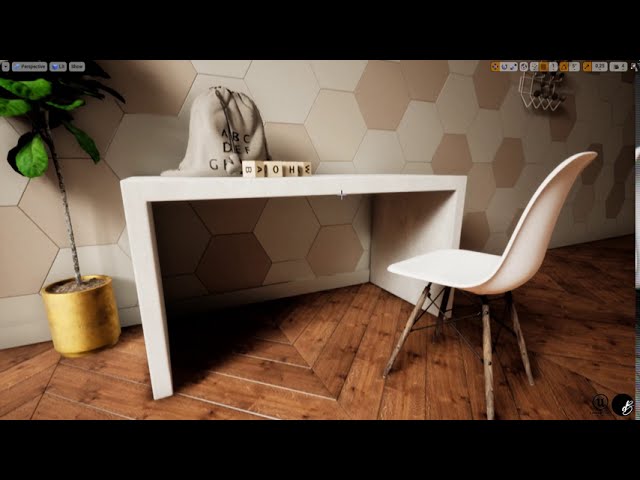
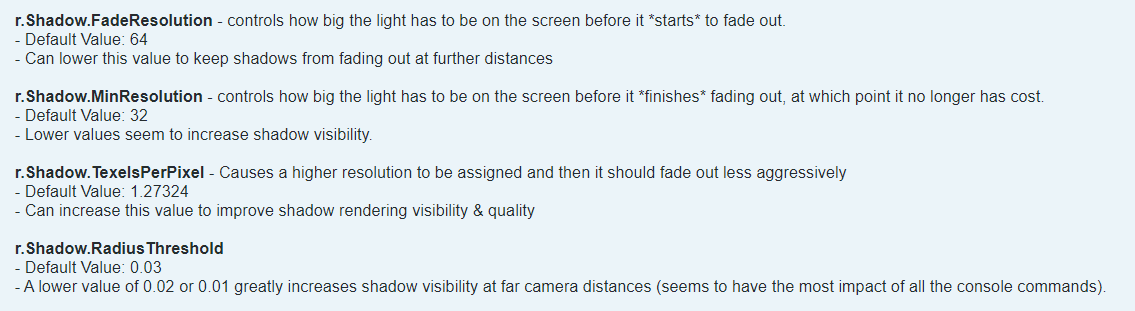 mellow crater
@tawdry iris you can change the exposure manually
also if you're using static lights make sure to bake them b4 launching the gamma
tawdry iris
Ok thanks @mellow crater
wicked willow
Any ideas how I can fix this?
i cant figure out what's causing the the light from the windows to do that!
it just stops instead of spreading out. In the next room it looks fine
pale prairie
looks like it might be an issue with your UV maps
wicked willow
nope thats not it uvs look fine
 spare gust
@wicked willow Baked Lighting? If Yes, show screenshot of viewport in Lighting Only, and Detailed Lighting modes
Looks like a broken lightmap UV - possibly too low resolution, or the wrong channel being used
wicked willow
ah check this out .. i moved the wall & windows out of the way .
I dunno what's up with the circled area but at least this narrows it down to where the problem is
@spare gust that could be it too
hm
spare gust
Because moving the wall reverts the baked lighting to realtime lighting which doesn't use UVs
wicked willow
I think this file is just corrupted.. I'm gonna try starting fresh and migrate all the models and MATs to a new project
tawdry iris
I was wondering what is the system specifications need to make a small game (with 2 villas and a 2 floor apartment with high quality photorealistic assets) as a third person game in unreal. I have 32gb ram 2400mhz, i5 9th gen 2.90ghz , 2gb graphic card is this enough?
I am asking this because the moment i import even one floor of the apartment the ram usage is at 9gb out of 32gb. Will it comsume more eventually?
spare gust
@tawdry iris Sounds like you're using a laptop designed for entry level workstation purposes, such as engineering/CAD or offline rendering.
Guessing it's an i5 9400 with a GTX MX150 2GB.
When developing for realtime applications you are almost certainly going to be GPU-bound, so the largest part of your build budget should be going towards the GPU.
For developing in Unreal you'd probably want a higher budget graphics card such as a GTX1070 - these should be fairly cheap second hand as we're nearing the RTX30 series.
For the question about RAM, unless the floor is extremely high in polycount, then 9GB sounds a bit high for an otherwise blank project. 32GB of RAM should be more than enough for any professional development, except for maybe processing photogrammetry wherein more RAM is always better.
tawdry iris
@spare gust thank you for your advice. I will upgrade my graphics card then.
spare gust
If your on a tight budget second-hand 10 series would probably be a good idea. If budget isn't an issue, then I'd wait a month because both Amd and Nvidia are releasing new cards very soon. 🙂
 velvet oasis
Hi, new UE4 (4.25.3) user here. I've got this problem where everything viewed through the glass on the right looks flat with not a lot of detail. Any ideas on how to resolve this? Thanks
jovial nebula
Hi, can anyone tell me the best practice, best workflow from 3ds max to ue4. Any link from where i can learn more about it.
I use Sketchup for modeling but the result is not satisfactory when i bake the model in ue4..it becomes very heavy, high fps and not good lighting, so now i want to learn 3ds max workflow dedicated only for Unreal engine
Thanks everyone
solemn hawk
@jovial nebula I'd recommend checking out the architecture category of the unreal online learning resources https://learn.unrealengine.com/home/GlobalSearchLearnerResultPage?ContentType=2
jovial nebula
I'll check this. Thanks @solemn hawk
wicked willow
what's the best way to add a background outside? HDRI Backdrop or creating a skybox?
wicked willow
Migrating everything to fresh Unreal project fixed most of the problems I was having before : )
mellow crater
Hi everyone -- Building a new computer for archviz in Blender and UE4 heres the parts list, would LOVE your comments and suggestions https://pcpartpicker.com/user/taholmes160/saved/#view=Zg9Ncf
royal osprey
Well I personally don't recommend water cooling, it does allow lower temperatures but they are not as fail safe, and when they do fail it can be catastrophic. Get the best Noctua Air cooler you can find. I haven't used my DVD drive in YEARS so I'd skip that. 64gb of memory is a bit overkill unless you use AfterFX or substance, still future proof so it's all right. I'd change the 2080 super for a 2080TI the memory difference alone is worth it for Unreal arch viz.
And the power supply is a bit on the limit I'd go for a 850w at least.
If you don't want to spend so much up front just get the NVME drive, skip the other two, and add more later as you need them.
 white sinew
nvidia 3000 series about to release totally w8 for that if possible
wicked willow
@mellow crater looks good. One recommendation consider a small form factor pc.. no more need for a laptop and easy to upgrade
mellow crater
@wicked willow - heres the updated build https://pcpartpicker.com/user/taholmes160/saved/#view=nDBcbv Not using a laptop - dont want one - - -- Im using a midtower -- I prefer big cases for this type of machine
@royal osprey Ya, I dropped the DVD Drive, Im going big on memory and I am using substance, as well as doing large models in blender -- I went with the 2070. the 2080 is too pricey for not a huge gain -- local renders will be test renders (small and lower res) final renders go to SheepIt
royal osprey
the 2080 is not just faster but it has more video memory. Will let you use bigger textures and bigger lightmaps.
mellow crater
@white sinew whats the advantage of the 3000 series? and whats the price point?
@royal osprey -- im looking here for a second
royal osprey
the 3000 series pricing is still rumors
white sinew
we will find out in 14 days
royal osprey
it has been rumored to be 20% faster (2080ti vrs 3080ti, if it's called that)
mellow crater
ok, I just compared the 2070 with the 2080 and its almost 400 more -- I really cant justify that much extra for what I'm doing
royal osprey
everything points to GPUs doing the heavy lifting in the future so a better GPU will make the most difference on a system by far. still you can upgrade later.
white sinew
yea 1500 for a 2080ti at this time seems a lil crazy tho
mellow crater
ya, and I'll probably do that -- if necessary -- I agree the GPU's are gonna be doing a lot of the work
yep
white sinew
i believe the announce or release is in 14 days
mellow crater
ya, ive heard rumors of that -- im willing to bet it will be 1700 to 2000USD -- I REALLY cant afford that
royal osprey
I am still sitting on a 2070 ti, but I'm saving, I need more video memory for large bakes in Unreal.
white sinew
like dann said it all speculation at this point
mellow crater
yep -- im on a GeForce 720 right now....
white sinew
but the announce will prolly drop the 2080 in price a bit
mellow crater
so ANYTHING is gonna be an upgrade
royal osprey
lol yeah
mellow crater
ya, i can see that happening
white sinew
720 is a bit rough yea
mellow crater
it works - I bought it b/c it allowed me to actually start blender -- and has 3 outputs -- but its faster to render on the CPU on a Core i3 than to use the gpu
white sinew
could get a 300% card and just see where it goes
royal osprey
wow.. you will notice a huge difference then
mellow crater
ya, im kinda excited to be honest -
white sinew
could just get what u want now and totally ignore all the new cards tho
royal osprey
a 2070 is probably 5 times faster than a core i3 with blender.
white sinew
like after the 3000 AMD is gunna release something aswell
white sinew
ahh thats a sick build
white sinew
depending on what u do i might drop the cpu a lil and go for more vid card, but wouldnt with the new gen comin out in 2 weeks
nvid pretty tight lipped about it
and high end comes first and lower gen like 3060 3070 comes leter
i think
royal osprey
Blender 2.81 file BMW27
Intel Core i3-9100 4x 3.60 GHz (4.20 GHz) 634.0 seconds.
Nvidia RTX 2070 optix enabled 32 seconds.
white sinew
render and sculpt is something else tho, i hardly ever do a render
sculpt is single core
well whatever you do just enjoy ur rig 😄
I usually get a less high end rig but get em more often
royal osprey
I have a 10 year old machine that still hangs with todays hardware
white sinew
guess i have a new rig that hangs with urs 😛
royal osprey
(dual xeon 8 cores each, 32 threads)
white sinew
ryzen 3600 with rx 580
royal osprey
single threaded performance is crap, but otherwise it's pretty nice.
white sinew
like 600$ total new atm?
mellow crater
LOL - ya, dual xeon is tough
royal osprey
the new threadrippers are way faster, newer rizens are a little faster, took, them long enough.
mellow crater
ya -- the thread rippers are crazy expensive
white sinew
with that 400$ vid card the new release wont impact you that much even if they are really great tho
400$ mAX :p
mellow crater
ya -- we'll just have to see -- Im planning to purchase as soon as the money arrives
white sinew
if u go 1500$ 2080ti and they drop 500$ in 2 weeks its a dif story 😛
mellow crater
I'd be all growly
white sinew
just dont look at new hardware for a few years when u get it
royal osprey
they might, they might not, I think it really depends on AMD.. if they come out with a competitively priced "big navi"
mellow crater
yup
white sinew
lookin at console specs they wil make some decent card after nvid
royal osprey
the 2080ti lauched at $1200, 2 years later it's still t hat
white sinew
yea its fecing bull if u ask me 😛
white sinew
damn bastards want my $$
white sinew
this 3000 series wil only compete with themselves on release
mellow crater
ya
royal osprey
https://opendata.blender.org/ This chart is pretty interesting, most GPUs are faster then CPUs in blender, except the really high end Threadrippers.

Blender - Open Data
Blender Open Data is a platform to collect, display and query the results of hardware and software performance tests - provided by the public.
white sinew
GPU also use a lot more power usually
dunno what blender render farms use gpu or cpu
hell i dont even know if they generate the same image 😄
mellow crater
Sheepit prefers cpu b/c of stability issues, but can use both -- generally the images will be identical
spare gust
You can find a Windows Pro license a lot cheaper than $110
The RAM could be a bit better for a Ryzen 3950X. Look for 3600mhz @ Cl16 timings 16-18-18-36 if you want optimal boost clock/overclock performance
$80 being spent on RGB fans that could probably be used towards something else?
RTX 30 or 21 series is likely coming out by October. Would advise against buying an RTX 2070, particularly when the super versions are usually better price/performance
3TB worth of 2.5" SATA SSDs... Could consider dropping them (lose 1GB) and switching to a PCIE 4.0 m.2. nvme SSD 2TB. Archive inactive projects on HDD - it's unlikely you have more than 2TB worth of active assets
b550 is fine for a single pcie 4.0 ssd, but consider x570 if you might want a second as b550 only has one pcie 4.0 for m.2., the rest are 3.0
Phantek's case uses a lot of plastic doesn't it? For $50 more you could look at NZXT H510, H510 elite, H510i which are fully metal, and have a front usb c port (check your b550 motherboard has a usb c header)
850w PSU might be overkill when your estimate wattage is 503
 worthy loom
hello, can someone help me with this, how can i set this type of UV to parametter, it wont let me, i tried put 2 constant into append node to replace but it not the same
it doesnt work when i tried this
pastel summit
Hey all, just finished up this project of mine. I dedicated this project to learn more about gpu lightmass and lighting.
Trailer: https://www.youtube.com/watch?v=mcpLixHOfis&feature=emb_title

This project was made in Unreal Engine 4.24. For this project I studied Luoshuang's GPULightmass to greatly decrease my baking times. I was able to render the entire scene in 11 minutes and 34 seconds. (Original baking time with CPU was 4 hours +)
The 3D models are created by...
Full project details: https://www.artstation.com/artwork/Po61E1

ArtStation
I dedicated a study to Luoshuang's GPU Lightmass for Unreal Engine 4. With the use of GPU lightmass I was able to bake the entire scene in 11 minutes and 34 seconds. I also did some test with the build in CPU Lightmass, this took over 4 hours to complete baking.
Working with...
spare gust
@pastel summit Would be interested to see a Lighting-Only mode comparison between CPU and GPU Lightmass bakes, personally I use SwarmAgent so the bake times aren't a big deal but if the GPU can address things such as seams between flat surfaces without the need to perfect UVs that would be neat
royal osprey
@spare gust you still need decent UVs, That said when you have two modular pieces fit toghether they tend to have differences in lighting using regular lightmass, those differences are elimitated using GPU lightmass. It's not perfect, I struggle with fringe case emissive materials, since they tend to be noisy if they are too small/bright. In general GPU lightmass is way faster and looks better.
spare gust
Seems are produced between modular pieces on CPU lightmass iirc because the two modular pieces are rendered on separate threads of the cpu
So wondered if the same was still an issue on GPU
On CPU you have to hide the seem or get the UVs grid snapped properly, and the lightmap resolution correct, with a high enough quality of rendering
spare gust
For ArchVis not a problem because performance isn't as big of a deal, but with realtime games/experiences it can be an issue
If GPU was officially supported and could beat SwarmAgent CPU then it would be a no brainer
Have Epic suggested anywhere that they'll officially integrate it? I kind of assumed that with Lumen coming mid next year that they might just leave it
royal osprey
GPU is being worked on, you can test it out if you dowload the beta
the implementation is really cool
spare gust
Guessing you have to pull a custom build from GitHub?
royal osprey
https://www.youtube.com/watch?v=uXYNAtux_94&t=1029s this was 4 months ago, so it should be even better now.

testing GPU lightmass prototype with denoiser feature.
https://github.com/EpicGames/UnrealEngine/tree/dev-rendering
not sure about installation
 short plaza
does anyone know why when i build my lighting in a level my model does this?
sweet fossil
Can you show us your lightmap UVs?
spare gust
@short plaza Take two screenshots in the viewport:
One of Lightmap Resolution View (Alt+0)
One of Lighting only mode (Alt+6 I think)
boreal meadow
i want to make a light ablle to be turned off on cinematic for video purposes. How can i do it? I want to be able to move like a chair around without it losing its lighting as well...
worthy loom
anyone know how to fix this curtain error lighting ? the one on the right doesnt have direct sunlight , the one on the left has a small sunlight go throught it and whole lightmap just go crazy. i checked UV, material and it looks fine, i dont know which button on light setting should i turn off
@boreal meadow there area few nice tutorial video that you can use
https://www.youtube.com/playlist?list=PLxDUsZS2GhKdpARGaA59Ij4DpqvtlYbPe

YouTube
 forest kiln
question for profs, maybe someone here has experience with this: My client is paying me roughly 40$ per hour for a video render fly around of an interior Im creating. If they wanted the 3D model of the building for whatever reason, how much extra should I charge?
forest depot
as much as you like
 rare badge
good morning, i need help, i made a curtain animation in max and exported in alembic, when importing in unreal i cannot control the mesh and when using translucent material for the curtain, even in dark areas the mesh is not dark , how to solve this problem?
solemn hawk
What do you mean you can’t control the mesh?
 cosmic nebula
@rare badge need more deets bra
rare badge
ok, what else can i provide
@solemn hawk for example when I click on plays the animation is all atrophied, not because of the material or the mesh
solemn hawk
That seems like an issue with the mesh you imported rather than unreal
Your material isn’t going to affect how the mesh animates
cosmic nebula
can you post a video / gif
rare badge
@solemn hawk ok, i realized, now my problem is trying to export 3ds max animation correctly and import it into unreal. in version 4.25 when I import an Alembic file, it doesn't have a movable option, which I think can correct flaws.
rare badge
@cosmic nebula I'm very new at this, I could specify what information you want, please
 drifting drift
Hey guys, I want to make some rattan furniture, like this
https://www.turbosquid.com/3d-models/visualization-furniture-rattan-bamboo-3d-model-1524860
However, it'll be an asset for a game. Granted, there will be not much other than the house and interior stuff, so what's the best way to go about modelling it? Modelling everything in such woodwork would mean this could easily get to at least 20k polies. What's the best way to balance the realism with performance?
Royalty free 3D model Garden Furniture Bamboo & Rattan Sofs Chair Table for download as 3ds, fbx, and obj on TurboSquid: 3D models for games, architecture, videos. (1524860)
the one in the link is a bit simpler, the one I want to make is at least twice as complex. Sofas (sitting and for back and arms) will cover quite a bit of it, but the areas around will be exposed.
 hardy shore
hi guys, does anybody know how one would setup the texture so that object meshes would have a random coordinate offset and contrast, or what shoud I look for even?
wicked willow
I'm getting these hard shadow edges at the end of my reflection spheres..is this normal or is there some setting I'm missing ?
royal osprey
@wicked willow it's normal, you need to have at least one big reflection sphere covering everything.
 sharp iron
Not sure if this is the right place to ask...
Anyone know what this phenomenon, where shadow edges become "warped", is called?
I increased a light source's Shadow Filter Sharpen param, in hopes of getting a clean edge on shadows. Instead I get this.
 tidal prairie
Greetings. Any way to remove those glitches in area of 100% shadow?
As this does nothing:
hallow arrow
@tidal prairie that is due to backface detection I added in 4.24
whenever you see such artifacts try to find if there's a back face in front of them
and mark the back face material as two sided
tidal prairie
There is...waterfall is a single plane
but that will unnecessary increase cost of material
hallow arrow
🤔 to me the increased cost of double sided material sounds like a myth
tidal prairie
@hallow arrow ok...it definitely more expensive for translucent ones, but i was not sure about masked
Thank you for reply!
 lavish bramble
Hey everyone! I am trying to port this archviz project into the Oculus Quest and I am having trouble with the lightmaps (created with Luoshuang’s GPU lightmass).
Has anyone have had any luck with Lightmaps on mobile? I am trying to use the HQ_Lightmaps on the Oculus Quest but it doesn’t seems possible without enabling Mobile HDR
I know that this must be possible since the game “Red Matter” has some stunning visuals on the Quest and I don’t thing they could have achieve this with the normal LQ_Lightmaps
hallow arrow
maybe @shadow fern has some answer for you
lavish bramble
Didnt realize we had one of the developers right here!
Thank you @hallow arrow I am going to try to get in contact with him
 shadow fern
HQ_Lightmaps are totally possible, just need to turn on directional lightmaps on the material settings. Mobile HDR is totally not required!
 tribal gyro
I have a lighting question
If I turned eye adaption off and set Min and Max exposure to 1 and my scene is very bright, does that mean the lights are just too bright? and how can I make it look darker without adjusting all the lights and re-baking? If eye adaption is on everything is fine, but I don't want it
royal osprey
you can set min and max to another number, keep them the same. both at .5 will be brighter, both at 1.5 will be darker.
or play with "exposure compensation" or... there are many ways.
 sharp vessel
where might I ask for advise on learning for unreal? I got the possibility to get a paid course by my company, and I want to find out what could be my best choice
solemn hawk
@sharp vessel check out unreal academy, it’s a free resource from epic, tons of videos geared towards beginners
sharp vessel
Hey mate thanks for that but I’m looking for something more structured and guided by a tutor perhaps
drifting drift
Hey guys, has anyone used VRay TriPlanar Texture instead of the usual UV unwrapping? If so, can it be used for game dev instead of the traditional unwrapping or does it only work inside 3ds max?