#aec-visualization
1 messages · Page 8 of 1
 reef bolt
alright ahaha
indeed in 6 days I have an architecture exam, maybe it's better that now I'm going to studyhahaah
 lucid orbit
seems circle dof cant blur edges that are contacting with translucent water on screen, is there a workaround?
ok, unchecking "render after dof" in translucency settings in material editor did the trick, i wonder why it was enabled by default if it doesnt work with dof
 forest depot
ive run into an issue with gpu lightmass, been using it for a while with no issues. its my first project with 4.21 and gpu lightmass seems to only work from editor but not command line, which is an issue because of memory limits
 shy crater
can anyone give me some tips to make buildings ?
my IT teacher says I can try to copy the school to unreal engine XD
 mossy moth
Use unreal studio
shy crater
For what ?
 half knot
I'm pretty pumped to shared this with everyone. Massive thanks to @dusty gyro , @hard bridge and the others who helped to explain the inner working of UE4. Definitely looking forward to applying everything that I learned in this experience on the next project. Check it and share your thoughts. Cheers!
https://www.youtube.com/watch?v=DlSvc0XB5ko

Video overview of an interior environment with real-time animation and exploring. The project was completed in Unreal Engine 4.
 dusty gyro
👌 looking awesome @half knot !
reef bolt
@half knot really cool! Is it your first project?
half knot
thanks much appreciated 😄
reef bolt
Hi guys! Anyone knows why I have this strange illumination with this door? It's a blueprint and the door is set in movable, and I use the volumetric lightmaps to have good shadows when i open the door during the game... But there are some strange artifacts on the bottom of the door and in the centre the door is quite dark. This is with the exagetared volumetric lightmap detail size set to 10 and the volumetric lightmap maximum brick memory Mb set to 30 (I've not touched this parameter)
 feral field
Any ideas on IFC files to unreal ?
feral field
nvm
dusty gyro
@feral field Revit
feral field
Ohh, I see, just used a Cad Exchanger software to convert it. Was not sure it was worth to reboot a project through Unreal Studio
Cause rn im on default unreal
dusty gyro
nope
feral field
dammit
 golden crown
Anyone else having problems with their Vray for Unreal plugin license?
I have a valid copy of V-ray and set up the plugin install with their online license server, and also tried local. No go though. Each time I try to enable the V-ray plugin in UE4, I get the above message log.
half knot
anyone know how to increase the texture map size from a target scene cube map?
right now i can only export out a 2K max resolution
half knot
Im trying the ansel plugin and i'm unable to get the menu to appear in the stand alone play. I ran the command code and everything. Anyone else having this issue?
 remote meadow
Hello guys i need your help. i don't know guys the sunlight is not showing, before i bake the light it shows fine, but when i bake it it disappear. I'm using an editor sphere for the city background
With Sunlight
 charred quarry
@reef bolt Volumetric lightmap is not perfect in interiors because walls and other sharp transitions cause issues. Even if you set volumetric density insanely high, you might get a sample inside a wall or below ground, so lighting will get interpolated between this dark sample and bright sample outside.
At least this is my understanding of the problem. I've had similar issues before.
reef bolt
Ouch. That's a big problem. Thank you
Buuuut
How I can lit the door?
My entire project use obviously static shadows, and my skylight and directional light are stationary, but the door must be set to movable, so what type of illumination I can use to get proper dinamic shadows when I open the door during the game?
The other problem is that since my door is set to movable, the light inside the room get across the door, in fact you see that the floor is quite bright near the door
charred quarry
I wonder if you could use a static plane blocking light, and hide the plane when playing and only show the dynamic door.
reef bolt
anyway thanks for the explanation, now I know why there are these artifacts!
Uhm
Yeah, but this means that I will get a line that divide the darker illumination in a room with the other illumination more brighter
I'll have a simple static shadows for the floor, with a line more darker/more brighter
But, for the illumination of the door? Which method I can use? We've seen that I can't use the volumetric lightmaps for the problems of the artifacts...
charred quarry
I think volumetric lightmaps is the way to go. You just need to tweak them to look good enough. Maybe try volumetric lightmap density volume and change some settings. Use volumetric lightmap visualization mode to check if sample arrangement is getting better.
There is no magic bullet unfortunately. Unless your project doesn't need to be realtime and you want to beta test DXR / RTX.
reef bolt
Uhm nope ahahah I'm a noob with unreal
So I can change the position of the volumetric samples?
To get all the samples in the "right* place (not into the darker walls for example) and with this solution I don't have problems with artifacts?
Ah, sorry for all these questions haahaha but... I don't know if I've placed the lightmass importance volume in the right way. I have placed it to cover all the project (a simple apartment). In my case, it's a waste of performance considering that I need it only for the opening of the door?
Placing the lightmass importance volume only in the "hole" of the door with the same size of the door, I will not have problems with artifacts? Considering that all the samples will be positioned "in the void" where pass the light (and not into the darker walls)?
charred quarry
Lightmass importance volume is different from volumetric sample importance volume!
You can use volumetric volume to try to direct UE to generate more samples for some areas.
So for your door opening for example.
So cover whole model with lightmass importance volume but only use volumetric importance volume for some problematic areas.
reef bolt
👀
What I've got it it that I can place a lightmass importance volume to "add" the samples that capture the light on their surfaces, and then I can choose which meshes can use these information to get dynamic shadows
Is* not it
I didn't understand your reasoning much 👀
charred quarry
Lightmass importance volume just tells lightmass to calculate high quality static lighting inside the volume. Outside of lightmass importance volume you will get low quality static lighting calculations.
Volumetric lightmap density volume will tell lightmass to place more volumetric samples for dynamic indirect lighting inside that volume.
If you don't use volumetric lightmap density volume, you will get mostly uniform distribution of volumetric samples in your scene. Then if you want to increase sample density, you will get way too much samples because they are added to whole scene.
dusty gyro
Unreal Engine Forums
PREVIEW
We have released a preview of Unreal Studio 4.22. The notes below are for updates related to Unreal Studio.
(general details about the 4.22 engine preview
dusty gyro
@dusky marsh have you installed 4.22 + datasmith yet btw ?
I think I've put my finger on a massive memory leak
 dusky marsh
ah, no. I'm going to be using a c++ asset that needs a compiled release for each version, so I'm locked to 4.21 for a while now
 gentle osprey
been running 4.22 for a few hours now and memory load seems to be fine for me
A look at what I'm trying to do for some Arch-Viz walkthroughs in VR: http://gibsonhh.info:8081/revit/video/HomeConfiguratorSC_2.20.19.mp4
reef bolt
@charred quarry Hi! Sorry that I reply now, in these days I've university tests... Ok: so if I understood correctly, I'm obliged to insert a lightmass importance volume that cover all my apartment to get good static shadows. I didn't know the existence of the volumetric lightmap density volume, now I go to read the unreal documentation. In my project I was increasing the parameters of the volumetric lightmap in the world settings, you mean that I was doing a useless method to get a good dynamic lighting for the door, considering that I never used a volumetric lightmap density volume?
reef bolt
Ok I see that there isn't unreal documentation for the volumetric lightmap density volume, so I try to use it into the project and... It's weird, I placed it covering the surface of the door and I've see that building the light this volumetric lighmap density volume "disappears" the samples into the area!
gentle osprey
Trying to get a grasp on good lighting in vr. Anyone have any documentation/videos they recommend I look through?
gentle osprey
Made some progress, would love some feedback on lighting: http://gibsonhh.info:8081/revit/video/HomeConfiguratorSC.2.25.19.mp4
 hard oar
Too dark?
reef bolt
@hard oar in my opinion the light is very good
@dusty gyro Hi! I was searching in the discord a problem that is happening to me with the packaging and I saw that you too long ago had a similar problem, namely "FMemoryWriter does not support data larger than 2GB" (it appears when I make the packaging for windows). I don't understand how to solve it, I searched the web and some advise to take the level and subdivide it into sub-levels. I have a persistent level with my project (a small apartment) and a sub-level with only lighting (for convenience). I checked the size of the map anyway and it's just 900mb, so much smaller than 2GB! I don't know what to do, it's all day that I do tests on tests. Would you know how to solve this problem?
this is the size of my persistent level
reef bolt
and this one is the size of my sublevel
This were your messages that I found in the discord, I think it was the same problem
These*
dusty gyro
So in your case I have no clue, sorry :/
Mine was meshes that were way too big at import
yours is obviously elsewhere
reef bolt
I understood, thank you very much!
 sleek cove
Good evening guys
 gloomy timber
hey I hate to post such a noob question, but I have been using Sketchup with Datasmith exporter and a lot of times, after baking a rendering, I get the UV lightmap issue where certain meshes go black. I have tried all of the following to no avail: Increasing the min lightmap resolution, making it a static mesh and then replacing it with the static mesh, I have tried deleting the uv channels and letting them regenerate by hitting apply changes, I have even tried unchecking generate UV...I could use the sketchup plugins and reexport the datasmith file, overwrite and reimport and see how it shakes out, but often times this happens on many objects, some of which are just fine with planar mapping and don't require custom mapping. Is there a way to just force flat shading? I am happy to send the sketchup file, the UE project or screen share if someone can point me in the right direction?
it happens on all the models I work on, even relatively simple ones. I can provide other examples, but this scene is available here in SU 2018: www.smithany.com/2018editslatest.skp and the full UE Project is available here in 10 minutes: www.smithany.com/ue.rar I have Blender installed and could certainly export the problem children to FBX and fix the UV there? It seems like a lot of extra work for something that is not that tricky, there has to be a quick fix or blunt instrument in the unreal engine
 uncut jolt
make sure that the material is dubbel side 😃
@gloomy timber i had the same problem in my sketchup models. let me now it that fixed it 😃
you can also invert the face in sketchup of the object that are black.
if not could you send me the fil?
@reef bolt did you solved it? i had the same problem but i fixed it. if you need help let me now 😃
uncut jolt
if you richtclick on the builddata map
reef bolt
yup
reef bolt
yup
uncut jolt
change that to memory size
one of you'r builtdata maps is larger then 2 gb
u can fix that by putting down you ligtmass resolution of compres your lightmaps in the world settings
hope this helps
u can also delete it but then your lighting is strange
is one bigger then 2gb?
reef bolt
I do not believe it, so I was on my way! exactly right now I had discovered what you're telling me now. ahahha
more or less 15 minutes before you wrote me hahaah
uncut jolt
lol hahah
you can also split the content in more sublevels is you want to maintain your lightmass resolution
had the same problem last week XD
reef bolt
I noticed that the compress lightmaps made me do the packaging, and from there I started to investigate, and then I discovered the trick of the disk size / memory size
I think that for me the solution it's your same solution, in fact my project is for arch-viz, so I can't use the compress lightmaps
uncut jolt
why not?
reef bolt
in this exact moment I was in fact I was making a backup of my project for safety, and then divide it into various sub-levels
uncut jolt
working on this. VR project for a presentation next week
reef bolt
Because with the compress lightmaaps I have pixel artifacts :/
Wow, you don't have artifacts hahah
reef bolt
Yeah
uncut jolt
hmm what is your lightmap resolution?
reef bolt
all red
 dry musk
@gloomy timber Hey, I have the same problem with black materials. You found a solution? Here is mine with detailed lighting
 uncut jolt
reef bolt
uncut jolt
reef bolt
(the maximum are 2048, is a little apartment)
uncut jolt
woow turn it down to 512
try it from there
i had why to big lightmap resolution but @dusty gyro told me to turn it down
@dry musk could you send me your project en datasmith files?
uncut jolt
ah okey sad to hear
dry musk
:/
reef bolt
Eh, but with 512 the lightmaps the walls are all green ahah
also the floor and the ceilings is green
uncut jolt
@reef bolt just try it 😛
uncut jolt
i don't know
@dry musk check if the material on that mesh is two sided
or invert you face in sketchup. if you need help i can help you tomorrow via screen share if that's possible?
gloomy timber
etienneboy0 thank you for your suggestion, in sketchup i was able to use the face style shaded using all same and manually flipped normals it worked great. I had already had the two sided materials, but this is a necessary step still for some reason. See updated view with production lighting and other default settings below:
what is the setting for the shadow resolution? is it the min llightmap resolution? see below, thanks in advance:
gloomy timber
yeah i guess it is the min lightmap resolution
uncut jolt
great that i worked out
feral field
https://gyazo.com/a98c547ddded6a05f539b493bca22553 Any ideas how I can fix theese white light leaks

I tried pretty high res lightmap aswell
dusty gyro
looks like single facing model problems
is it a closed model ?
or are these walls just "planes"
@feral field
feral field
Its closed, could the problem me two sided mat ?
feral field
feral field
GPU
dusty gyro
I know GPU lightmass doesnt like double faced materials
dusty gyro
also if you could show a view of the debug lightmap res ? 😃
feral field
Hey
stuff was not light proof
I added a backplate and it fixed it, some mesh issues
 steep ridge
Why does the multiuser template use sublevels for 'lighting' and 'geometry'?
dusty gyro
@steep ridge that way you can change only some bits of content
 wheat pond
Can unreal handle multiple RTX2080TI cards out of the box in 4.22?
dusty gyro
for example, you could have a night lighting in one sublevel, and day lighting in another one
then use em as lighting scenarios
@wheat pond no sli support yet
since sli is a proprietary tech, you will only be able to use it on Nvidia Gameworks branches of Unreal
steep ridge
Thanks @dusty gyro. That makes sense.
dusty gyro
and nvidia is soo behind in terms of maintaining their branches up to date with Epic
wheat pond
@dusty gyro ok thanks!
dusty gyro
@steep ridge I use sublevels a lot for my template
my persistent level has all the geometry (one or multiple datasmith scenes)
I have one or more lighting scenario sublevels I can switch between
an FX sublevel with the post process volume and reflection cubemaps
a camera sublevel for my still shots
and a cinematic sublevel for sequencer renders
I can reuse my sublevels on different variants or updates of the datasmith scene that way 😃
steep ridge
That is organized. I just never thought of using them because I assumed it was just a streaming level thing, and I never tried it.
dusty gyro
:p
since we are using HDRi stuff a lot
I just create a new sublevel for each new HDRi and bake it into a lighting scenario
can then swap them at runtime depending the time of the day (dynamic lighting takes too much resources on our projects)
steep ridge
cool, I'm just focused on pure interiors, bathrooms with frosted glass.
dusty gyro
nice
HQ materials and lighting then I guess
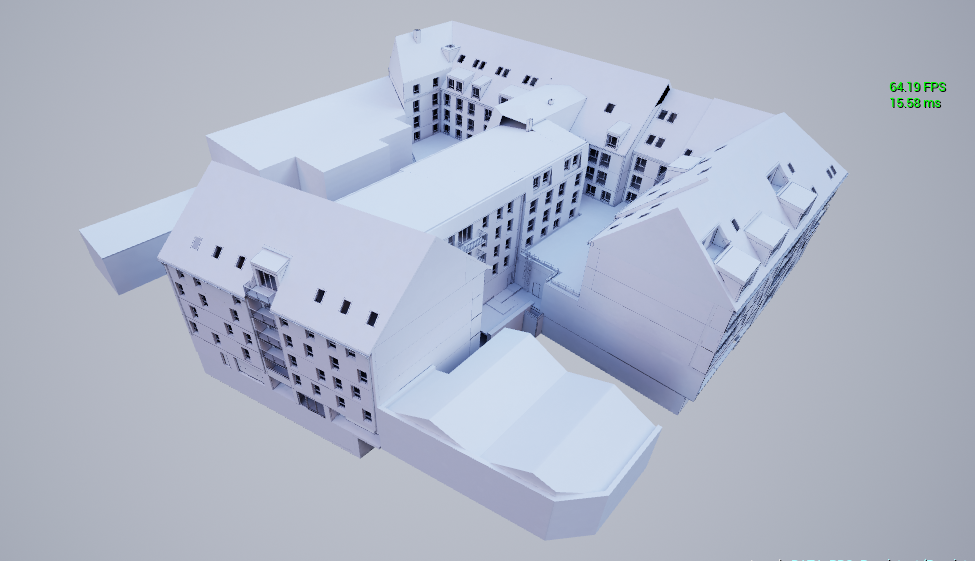
this is more the kind of stuff we do
full buildings + simple interior stuff
 hard oar
@dusty gyro clients need 😭
hard oar
Ye I don't think so. I'm kinda lost hehe I'll begin to study how
 pale prairie
unless your talking about PS4 Pro, I don't think you have the technical flexibility to create high quality visuals outside of a small room.
I could be wrong tho, I don't know the exact specs of one
I remember hearing the GPU is equivilant to a Radeon HD 7850
 mild oxide
Anyone have any clue why my lightmap density is pink on a specific mesh?
Its not even in the spectrum in the docs lol
Brought it up to 4k its still pink
nvm im a dumbass
apparently now its pink if its selected
is that a 4.22 thing?
uncut jolt
yeah i think so, yesterday i was checking my lightmap resolution in 4.21.2 but when it was selected it doens't appears pink 😃
anyone tested GPU lightmass in 4.22?
mild oxide
gonna wait for a stable release before i do that
dusty gyro
@uncut jolt there's no GPU lightmass for 4.22 ? 🤔
uncut jolt
😅
lucid orbit
ive checked today gpu lightmass thread, no activity pretty much, i bet luo is super busy with 4.22 release/gdc
 strange stream
Hi ....I have the same asset (a wall with an opening ) I put it in L shape like this https://i.imgur.com/bc0C1U4.png .... the left one lightmap is great but the right one has an issue like this https://i.imgur.com/SQVoydN.png
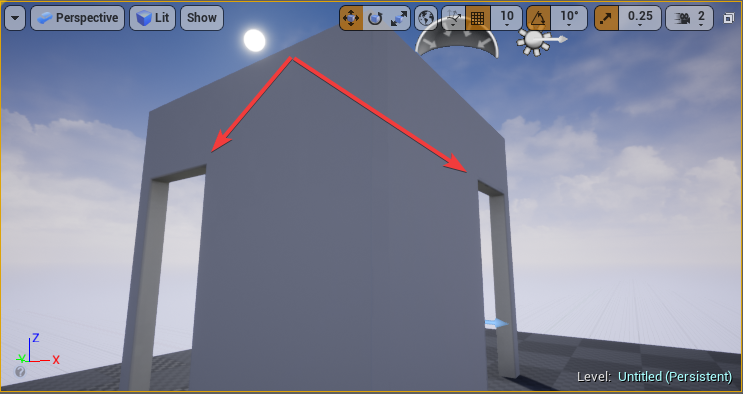
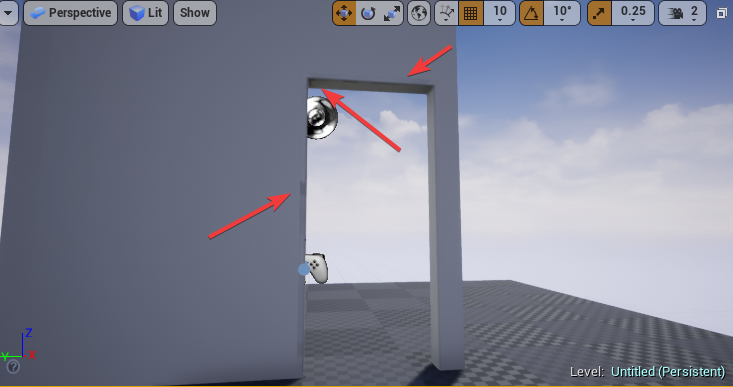
so what is the problem .... I know increasing the resolution may solve the problem , but the question is why same asset has a diffrent shading problem as per their position
strange stream
in the fact rotating the asset will cause the issue is this normal , and why it is hapening
 rotund ruin
In the second pic: is there a seam in the UV next to the doorway?
and do you have enough padding between the lightmap UV islands?
uncut jolt
@strange stream can u make a screenshot of the UV mapping?
 tender dune
Hi guys, another noob here to join the ranks
I've been using Unity for years to do quick and dirty archviz VR. Just today started looking at Datasmith and if I could possibly use Unreal instead.
pale prairie
How so you guys feel about how the light is propagating throughout the scene
Is it to much? To little?
tender dune
seems to fit the mood for a dungeon 😃
strange stream
it is killing me how ue4 props can deal lightmap with 64 resolution better than 512 of our assets , are they hiding something ?
dusty gyro
good uvs
strange stream
ours are as good as their too , even data smith uvs are not working fine less than 512
must be something missing
even a simple cube will not work fine with less than 128 as example
strange stream
I bet you stair prps in the starter content is doing same result at least with only 64
pale prairie
Can you post some examples of what you are experiencing?
Also put lightmass settings and a screenshot of your lightmap density view
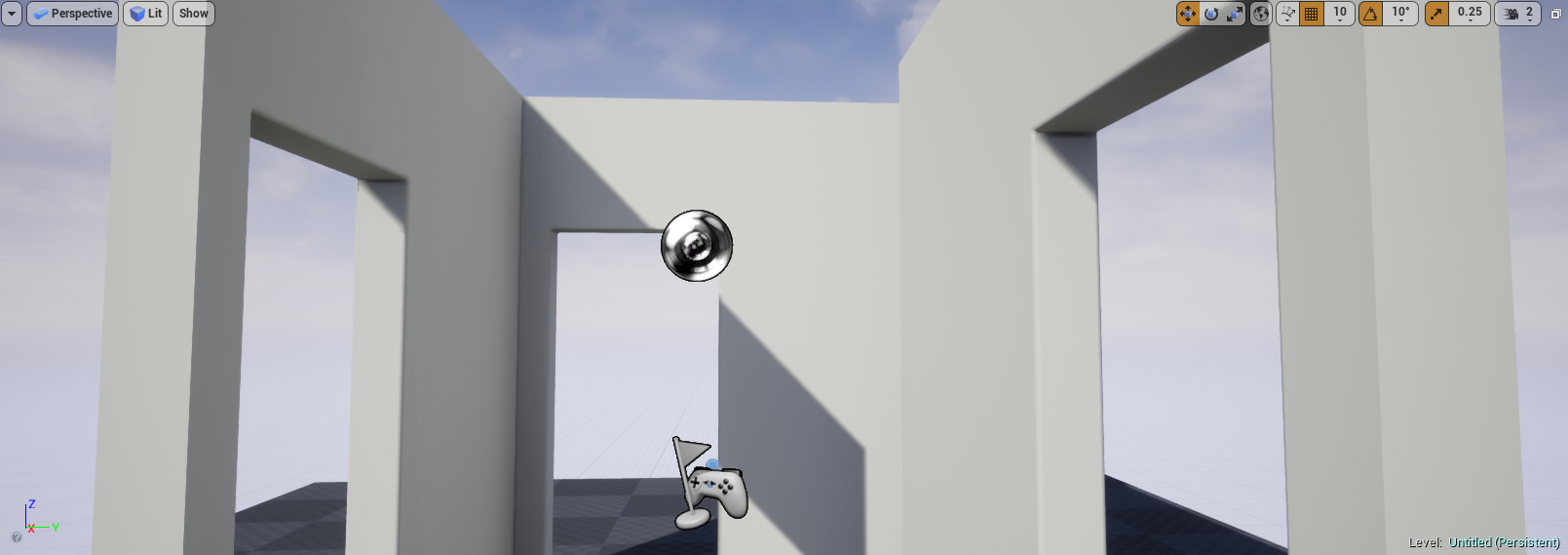 pale prairie
Is there an issue?
strange stream
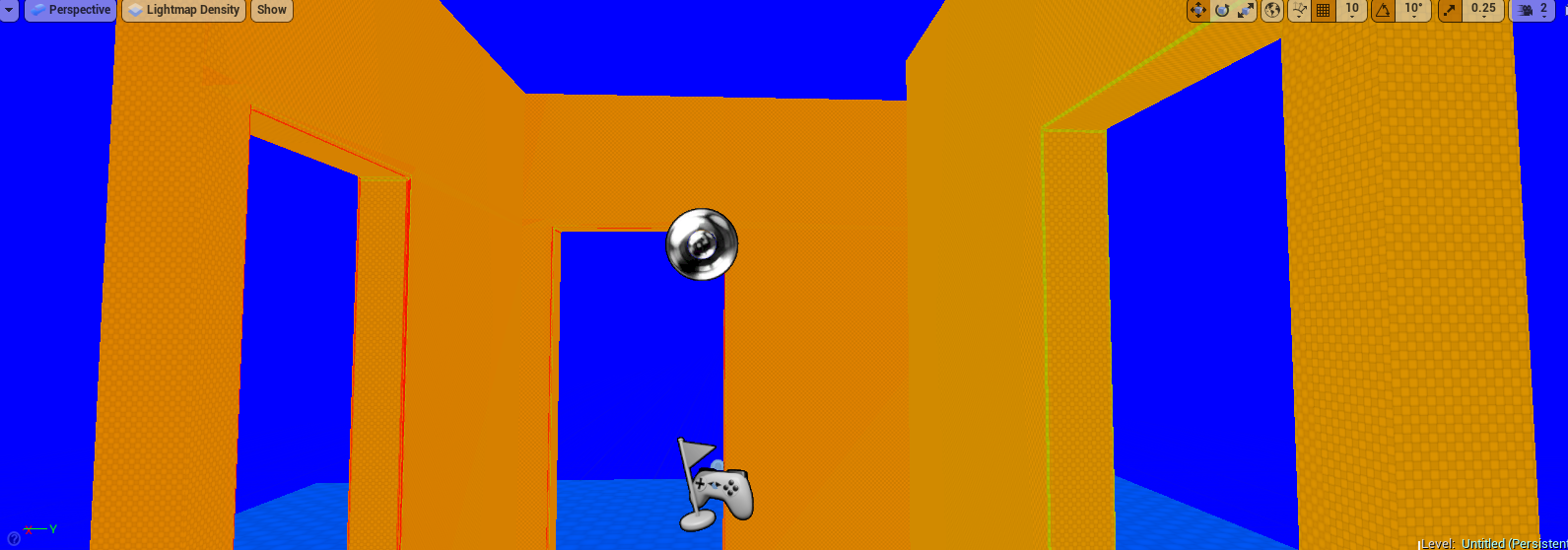 pale prairie
The lighting looks clean and artifact free to me
strange stream
notice the one on the right is much better as uvs although I cut the seams exactly the same
the right one has been made with datasmith
it looks clean cause it is far if I zoom you will start notice something wrong
however ...
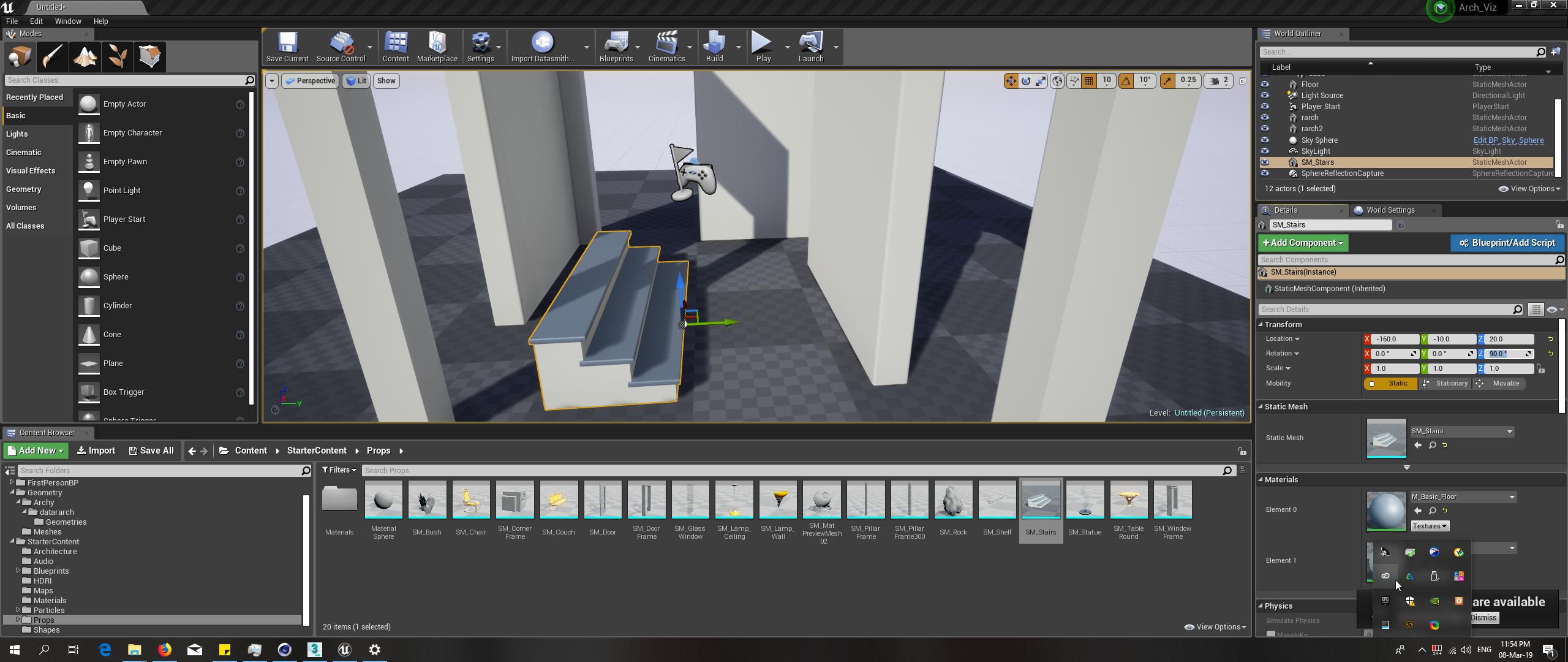
this more complicated stair look much better in only 64 !!!!!!!!
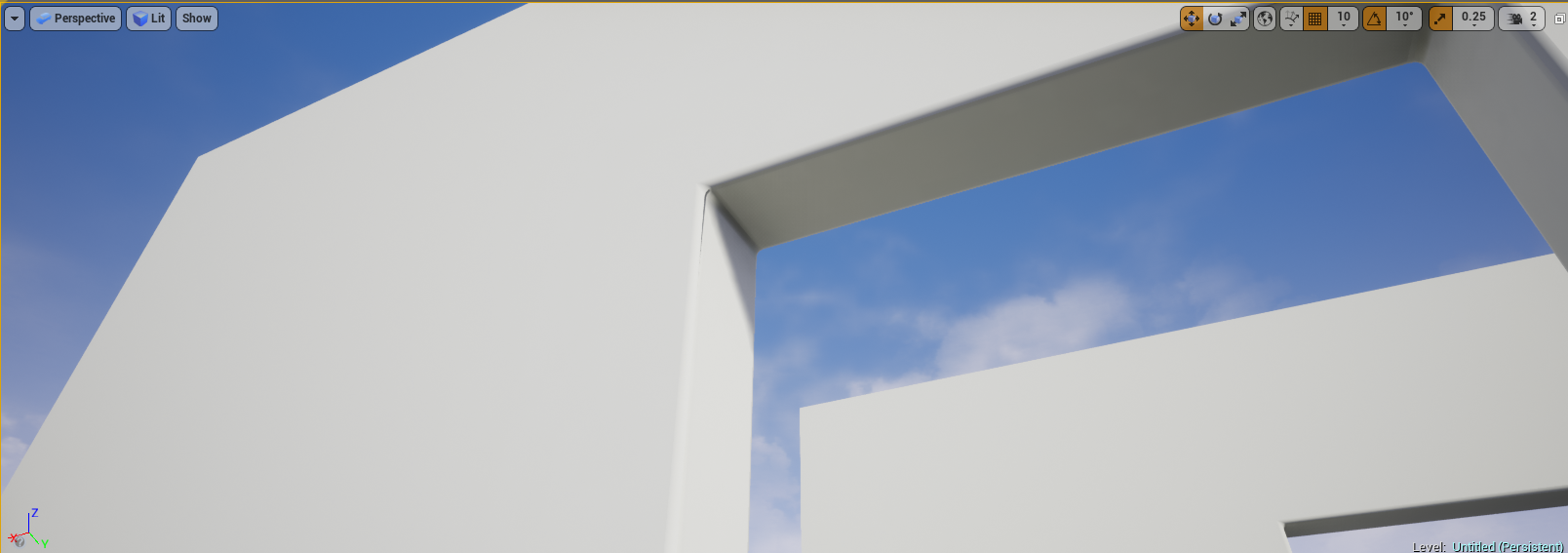
this an example of an issue if I zoom
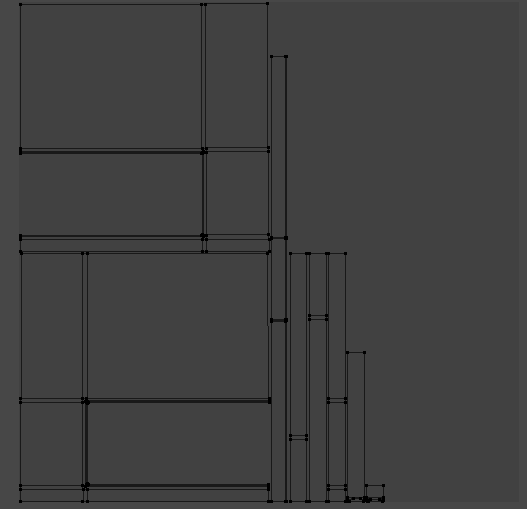
my simple wall with opening is struggeling with 512 resolution
and here is my uvs ...https://i.imgur.com/0a4DpeG.png
 tidal skiff
wait ur lightmap uvs are 512
tidal skiff
@strange stream break it up into smaller pieces
Also, the reason why Epic's props at 64 look so much better than yours at 512, is because you're not padding your uvs correctly
Lightmap uvs in ue4 are very finnicky and just reusing the static mesh one will result in light leaking etc
so you need to pad your uv based off this formula
strange stream
@tidal skiff will you please explain more ...what do you mean by padding correctly ?
tidal skiff
1 / target lightmap resolution = the amount of piels needed to be padded
@strange stream sent you a dm
strange stream
As example ...Do you mean 1/256= 0.0039 ... then I have to put 4 pads between my shells
tidal skiff
first off never go above 64
tidal skiff
the result you get is what you set the minimum to
strange stream
never go above 64 ...whai I understand like never make more than 16 padding between shells ...right ?
strange stream
well here is the question and it could be stupid cause I am kind of beginner ....how important to shells to be snapped to grid in uvs box , does it matter ? again excuse my ignore
tender dune
Doesn’t matter
Just padding and best use of laying out the pieces within the UV space, while keeping everything scaled uniformily. I think only in some instances you might scale up parts to fit empty space.
strange stream
thank you for answering but excuse me I was talking about lightmap uvs particularly
is it the same answer ?
 royal osprey
Yea your UV definitely needs more padding, meaning more space between UV islands. So the baking can add extra pixels of the same color of the island all the way around it, this prevents those errors, on some cases they can only be seen when you are far and lower mip-maps kick in.
 cinder remnant
you need 4px between islands
 sweet fossil
@mild oxide Lightmap density view might be appearing as pink due to Post Processing. The colours in these various views aren;t very reliable because of this. Make sure to lock your exposure and disable any PP volumes if using these views.
mild oxide
alright thanks. i was just confused in the beginning why my lightmaps were bugging
tender dune
is anyone using Datasmith?
uncut jolt
yeah
forest depot
How do you guys find using datasmith? Seems like it's more of a hassle
tender dune
I haven’t done enough testing, but it certainly requires tweaking both in the original software and once in unreal
dusty gyro
we use datasmith too, and its been quite a booster for us
uncut jolt
here too
tender dune
What package are you coming from? I wonder how much datasmith differs when export/import from the various apps. I'm using 3dsmax/Vray
forest depot
I'm confused as to which part of datasmith is helpful to speed things as up, light conversion and material conversion is basically unusable
 solemn hawk
Material conversion works great coming from 3dsmax/vray
Light conversion has had issues but that’s mostly been fixed if you use cinematic cameras and manual exposure.
Unreals “auto exposure” doesn’t use the same physical units that manual exposure does which means most values are going to be way overblown outside of manual exposure control
dusty gyro
mesh conversion @forest depot
meta data
material assignations
layering
all kinds of stuff actually
forest depot
Ah okay I should see what kinda results I get with mesh conversion, but I felt material translation wasn't helpful because datasmith makes heaps of materials rather than material instances
dusty gyro
You haven't used datasmith in a while right @forest depot ?
It's been since 4.21 that datasmith uses material instances, at least for revit

 forest depot
@dusty gyro tbh haven't used it a lot. I tried it when it first came out and then just tried it again with 4.21
The problem might be that we are archviz only and not architects, so we don't work on the Revit /cad/ SketchUp models
I've just found it best to take it into max and remodel/fix
And then just import without datasmith
 cyan ether
without datasmith? i wouldn't dream of that, unless i wanted to make life harder
 obtuse tiger
@dusty gyro @uncut jolt I saw you talked with others about the plugin Datasmith. I have a problem about invisible walls if you export it from sketchup to ue4 with datasmith. Any tips?
dusty gyro
looks like a normal/face inversion problem
sadly I've got no experience with datasmith for sketchup
 spice sapphire
Datasmith for me has been kind of a shit show
uncut jolt
his face was indeed backwords
lucid orbit
Ive did read recently two good news
luoshang overhauling gpu lightmass (called prometheus now, although it seems to be supporting only skylight currently)
and nvidia will add limited ray tracing to older gpus than 2xxx
im glad my 1080 wont be obsolete so quick 😄
steep ridge
Is there a reason to not provide us with the Datasmith source, so we don't have to go through workarounds with buildIDs in a souce build of the engine? I just don't understand why?
Unreal Engine Forums
Is it supported to use unreal studio with the source version of the engine from GitHub? I've tried copying the Enterprise folder from the launcher install of the
dusty gyro
since its gonna be a paid plugin in the next 6 months, and its still pretty much beta software, it doesnt surprise me you cant access a source builds of it @steep ridge
steep ridge
Still, using the workaround, or migrating a Datasmith actor is inconvenient. It kinda defeats the purpose of providing the engine souce?
dusty gyro
datasmith is still very young
maybe they'll change that once the tools will be available through the subscription
steep ridge
I was asking because MagicLeap recommends using it's own source build, and aside form exposure issues, Datasmith has been helpful. I was wondering if whining on the forums would have an effect, but I guess I can wait for the beta period to end.
dusty gyro
You could ask them directly
the datasmith team answers quickly if the question is well formulated and relevant
tender dune
Are there any blog posts or tutorials on how to tweak things after importing a datasmith exported file? At least in my case from 3dsmaxy/vray, the lighting is completely blown out and there's no visualization in Unreal that I'm fixing anything when I try to dial down the lights. Also doesn't look like the instanced lights don't transfer over into Unreal. But like you say, it's still beta.
tender dune
I'm also stuck just trying to rip the pawn from the VR demo scene so I can explore my 3d interiors. I can't seem to copy the right stuff over to have a floor plane to teleport across.
steep ridge
@tender dune The teleport pawn depends on the Nav Mesh to teleport. you need to drag in a Nav Mesh bounds, then hit 'p', and you should see the floor light up green. You might have to generate collisions
As for the lights, you'll have to dial down the component in the light actors as well as the main actors.
dusty gyro
I just use the product viewer pawn to be honest
it uses a dumb raycast solution, so you dont have to bother with navmeshes
would require some tweaking if you dont want your users to tp into walls though
steep ridge
That's true. It also supports multiplayer.
steep ridge
@dusty gyro Oh, I assumed they were the same pawn.
dusty gyro
Nah :p
tender dune
At the moment I only care about dumb simple setup, so going through walls is fine 🙂 - so I need to make a new project with the product viewer and then import the datasmith project in? I’ll also try the nav mesh @steep ridge - it’s possible I broke something else as well...
steep ridge
yea, that should work.
dusky marsh
we made our own controller where we check the normal direction of the raycast hit to see if it's flat enough to stand on
this way, we don't have to involve any navmesh or even collision (since we use complex line trace)
dusty gyro
yeah this is the right approach, we made something similar too
tender dune
why isn't something like that available in the asset store?
tender dune
@dusty gyro I tried a new project with the product viewer template - but when I go to VR Preview, its a blurry view? Not sure what is going on there.
dusty gyro
you have to toggle a boolean in the collector blueprint
tender dune
found it, thanks. ProductViewer_Collector had a VR toggle to flip
 brisk jewel
oh hey! this might be the better place,
I'm hitting the Error: FMemoryWriter does not support data larger than 2GB on some of the arch vis scenes I work on, some times making parts of the level stream works but I'm quite interested in knowing what the actual 2gig limit is and what it's all about so I know what to look at in future.
 hallow arrow
are you having huge BuiltData?
brisk jewel
going over 2 gig yeah
we're a very high end arch vis company so a decent apartment or lobby pushes to that limit
and we don't have the time to optimise a lot, I do normals where I can and optimise meshes
hallow arrow
if you're using a source distribution, i have a potential code fix for you
Open Engine\Source\Editor\UnrealEd\Private\CookOnTheFlyServer.cpp
search for line TArray<bool> SucceededSavePackage;
add the following block before it:
            {
                // Disable async save with large (>2GB) package since async save uses FMemoryWriter which does not support data larger than 2GB
                bShouldSaveAsync = false;
}```and recompile UE4Editor
hallow arrow
probably because people just want to make things simple and use int32 everywhere lol
brisk jewel
so another question is. Is it good practice to try and not go over the 2 gig or can we expect that to change one day?
I am using a launcher version, not a github one, I guess this needs to be done via that version?
hallow arrow
yep
brisk jewel
bugger, so I can't edit the file and start UE4 again?
hallow arrow
hmmm you need to recompile the engine, which is not possible with the launcher version
brisk jewel
this makes me sad haha
so just to check, the "code" should now look like :
}
         if (Package->GetFileSize() >= MAX_int32)
                {
                    // Disable async save with large (>2GB) package since async save uses FMemoryWriter which does not support data larger than 2GB
                    bShouldSaveAsync = false;
                }
        TArray<bool> SucceededSavePackage;
        TArray<FSavePackageResultStruct> SavePackageResults;
        {
yep
brisk jewel
great, I'll go through the source version tomorrow and see if this works. Would you have time to elaborate on what could be done to help prevent hitting it? I know lightmaps will impact it but will level streaming help, even if the levels are below 2 gig each but over 2 gig in total?
hallow arrow
dividing into sublevels should help
brisk jewel
great, I think we also have a lot of superfilous stuff in the project so that can be cleaned.
I've noticed that the filter for "not used in any level" doesn't seem to work either.
forest depot
Ooo I didn't know luoshang was on the discord
@brisk jewel we get around it with just splitting into sublevels
dusty gyro
oh wow, welcome to #aec-visualization @hallow arrow 😃
lucid orbit
did unreal reveal something interesting on gdc regarding archviz/static lighting?
 mellow crater
Hi people what is the tool for switching landscapes? Basically I have an integer in my game instance and at different values I want different material setups on my landscape. It won't change while player's are in the map it affects.
mellow crater
Oh sorry I thought this channel was about large scale graphics. But now I see it's short for architectural visualization.
 little path
Royalty Free assets, 6/11 Gig, you will need to give an email though, give them a burner. https://free.cgax.co/
tender dune
Datasmith really doesn't seem to play well with vray lights from 3dsmax. Or anyone have any tips? I try to adjust all the intensities and it does nothing.
dusty gyro
work on lights havent really started yet afaik
its in their roadmap though
I guess for now doing the light stuff directly in engine instead of Max is the better solution
you can still import your IES profiles and all
tender dune
@dusty gyro ah Thanks for that tip, wasn't sure where they were at with the lights. I'll work on a way to re light in Unreal
 crisp owl
Hello guys! First post here. I was wondering if anyone here has experimented with distance field shadows? If so, is there a way to block them by a volume / material / geometry / anything? I can post screenshots to display the problem if needed. Ty!
dusky marsh
@crisp owl my experience is that they're so problematic for arch-viz that we gave up on them... we're waiting on raytracing instead now
(but I'm a beginner so I might not have the best answer... but I've talked to a few Unreal developers, including one involved in distance fields, and got no good answers from them either)
crisp owl
Noes!
Then how would one use physics in archviz? I mean as in able to move object ( which cast shadows)
is there any other way than distance field?
lucid orbit
what's the catch of this 6gb royalty free assets? 🤔
royal osprey
I think they are just promoting their site with that pack. There is ok stuff in there, not very organized but some nice stuff if you take the time to dig in.
 cyan salmon
Question about PBR lighting... I've noticed Epics obsession of setting lighting intensity to 3.14 (guessing this was an gag and what they calibrated things too).
My scenes look really dark when using this value, but things like specular highlights look more correct than using an intensity of 6 (which looks more correct to me for a mid-day setting)
So what's going on here... is 3.14 the right intensity? if so, should we just set the exposure levels until the lighting looks right?
 echo osprey
Hey guys. Got a question. When I use high resolution screenshot and put it on x6 multiplier my pc starts lagging bigtime, which is normal I know. Screenshot is taken, looks good. But then when i go back to the editor it keeps lagging, forever and ever. until I restart editor. it's like the x6 resolution stays even after you close high resolution screenshot taker. This can't possibly be normal behavior right? Any advice?
cyan salmon
@echo osprey I just tried this in an empty level, it indeed does cause a permanent loss in performance until you restart
I haven't the time, but you might want to submit a bug report (will get lost in this busy discord)
echo osprey
Alright will do that. It's pretty annoying 😦
sleek cove
Morning! Just started wondering. Is there any free program that supports exporting Unreal Datasmith type?
For example, it could be used to open IFC, then export as Datasmith to get all the metadata IFC contained
I can do it with Revit easily, but is there any free ones?
uncut jolt
@sleek cove not that i know
 dusty gyro
@bitter breach https://www.artstation.com/artwork/WRZNX

ArtStation
This tutorial was made to take you through setting up your own glass shaders in Unreal Engine 4 as well as discussing performance, types of reflections and translucent shadow casting.
The PDF version can be found here
https://gum.co/oauqG
 bitter breach
thx
brisk jewel
@tender dune a bit late but I did see they said Vray Lights were broken in Datasmith, they have a fix but not in time for 4.22?
tender dune
ah thanks for that - it gives me a chance to learn how to light with unreal lights
dusty gyro
lighting with datasmith is in their todolist but they havent really started working on it yet
mesh + hierarchy + materials and textures is the priority for now
brisk jewel
can be worse, we use non linear workflow and 3rd party colour corrects, Datasmith has no idea what to do with it.
dusty gyro
😄
brisk jewel
I assume, never having the joys of a well made scene, that Datasmith actually does a decent job with Vray Materials? or is it always fubar.
brisk jewel
what do you use? Corona or the mythical Redshift?
brisk jewel
hey, if it looks ace then why not
 thick wolf
Hello, I'm new in unreal. what's the benefit of using datasmith over fbx if I'm using sketchup for modeling? Datasmith can import lighting and vray material, but I don't use that.
brisk jewel
Datasmith will position all your object at least with their pivots also in the right place
dusty gyro
transform, hierarchy, layers
meta data
control over mesh tesselation (at least in Revit)
brisk jewel
Datasmith is great to just bring geometry in, after that it's all on you.
dusty gyro
well you could make your own materials
but its better to just swap em with good native UE materials once in engine
also the reimport process is a lot faster and easier than FBX
and you have dataprep to prepare your scenes for realtime (lightmaps, LODs, etc..)
@brisk jewel https://i.imgur.com/sqyO8En.png
 thick wolf
Thanks, well I plan on setting the material in unreal, sketchup would only place basic material, which will be replaced in unreal, I haven't play much, espescially about the uv from sketchup
dusty gyro
you can do some proper stuff with revit
thick wolf
I see.. Thanks a lot for the insights
dusty gyro
yep thats a good workflow @thick wolf
with the latest UE previews (4.22p7 as of now) you have the ability to swap your materials at import (with datatables)
@brisk jewel https://portal.furioos.com/share/926.488

Furioos the #1 platform for streaming your 3D apps anytime, anywhere on any device. :)
this model has been pimped quite a lot within UE4, but it shows how well you can translate your models and optimize em
thick wolf
Do you have any reference of high quality exterior archviz?
dusty gyro
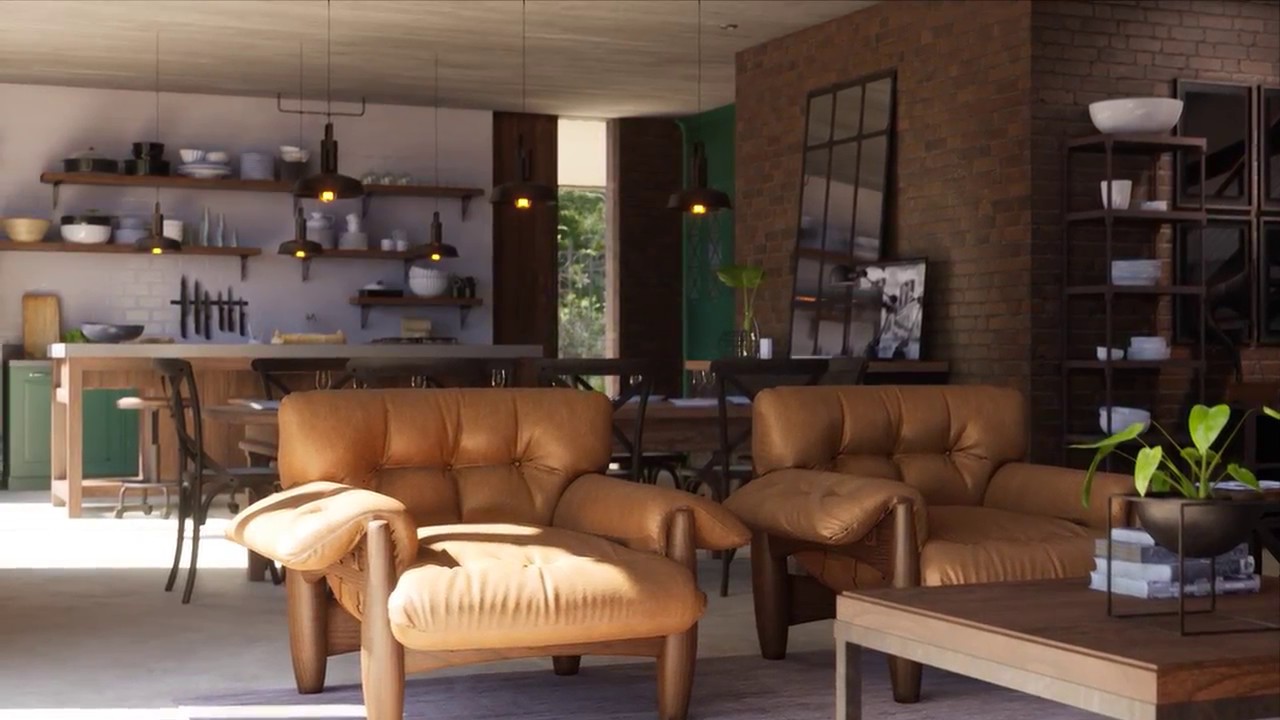
This is my CGArchitect Award 2018 submission. It was rendered in real time at 1440p in Unreal Engine 4 and captured with Nvidia ShadowPlay. The game is locke...
there isnt much exterior stuff videos on the webs
brisk jewel
@dusty gyro sorry I was out, looks good, and I've heard of Furioos, some guy on Linkedin keeps asking me to join
dusty gyro
😄
I've been working with them for a while
actually met them at the Paris Unreal Build event last year
brisk jewel
so you're working in arch viz too?
brisk jewel
hey it's still cool
brisk jewel
I am lucky to work on some incredible Arch Viz but 8 years of being in it and it's a bit boring
dusty gyro
😄
brisk jewel
stuck now not quite able to work in Games or anything else, as I have a porfolio of 15,000 items and nothing else lol
dusty gyro
items as in model assets ?
brisk jewel
yeah, lots of actual buildings too but I've been stuck being a modeller as I much prefer that but as such never paid well compared to a visualiser
that Furioos streaming quality can be a little bad ay?
brisk jewel
ah, we have a very good connection here but it might not be fiber, the screen "tears" lets say with big movement
oh no, call that, it actually works great now i restarted it
brisk jewel
that's lovely, and another thing to learn...
dusty gyro
😄
brisk jewel
Megascans Assets can be fun, but my leather chair is also fun.
dusty gyro
have you grabbed the FabricCollection @brisk jewel ?
brisk jewel
nope, is that one of the recent assets they released for free?
brisk jewel
I'll have to get them, all over Megascans and Poliigon but the more the better
dusty gyro
these arent free anymore I think
brisk jewel
I baked the maps for the chair from VRay but it's quite high poly, 40K or so
ah well. I have many already
dusty gyro

56 PBR Fabric Materials - Game and Arch Viz Ready, ideal for both environments and characters. Created at 4K resolution
its this pack
not sure its still free
the advanced glass pack from this month looks awesome though
 brisk jewel
it's just very hot 😛
dusty gyro
or the rain goes up outside 😄
Unreal Engine Forums
This release brings several major new features that are available exclusively to Unreal Studio subscribers, including workflow improvements that come directly from
4.22 Unreal Studio is out everyone ! 😃
brisk jewel
looks like the lights are fixed
brisk jewel
lovely. might make my life much easier
brisk jewel
multi user?
dusty gyro
yeah
multiple users can do stuff in the same editor instance
multiplayer editor if you will
brisk jewel
ah I see in 4.22
brisk jewel
fine for me
dusty gyro
unless you setup an internet server
brisk jewel
there's Perforce and some other thing I saw recently but this looks like it'll replace them
brisk jewel
no idea. I wish I worked with more savvy people to learn correctly
 brisk jewel
that looks like the thing I saw, they had a dev grant I think.
dusty gyro
scene fusion ?
brisk jewel
that's it
dusty gyro
yeah I'm not sure how its gonna evolve for them
brisk jewel
I can only assume they are working in engine now or they're just fucked over
dusty gyro
I hope for them
that said
it wouldnt be the first time that an engine does its own version of a third party plugin
brisk jewel
I wish Autodesk would for 3ds Max... or maybe not as they do seem to ruin things
brisk jewel
Nope, they'll just wait for Blender to do everything better and then I have to learn yet another piece of software
I'm only 31, I don't want to re learn every 6 or so years
dusty gyro
😄
damn alright so with the multi user stuff
you can bake the lights on one machine
save the scene
and it syncs on all other machines
neat
I wonder what happens if you change stuff on one machine while lights are being baked on another tho
brisk jewel
yeah I assume that might be a problem, unless it just locks things
or it'd be good if it updated the lighting and just left the new assets
dusty gyro

Unreal Studio 4.22 continues to add new capabilities and improvements to Datasmith and the translation of scenes from 3ds Max and CAD applications. We’ve con...
tender dune
niceee. so the datasmith plugin doesn't need to be updated? just import into the new version of unreal?
uncut jolt
na u need to update the datasmith plugin in you contecnt software
tender dune
yep, just saw that and was going to comment -- https://www.unrealengine.com/en-US/studio/downloads -- thanks @uncut jolt
Create stunning real-time visuals for architecture, product design and manufacturing. Unreal Studio drastically reduces iteration time through efficient transfer of CAD and 3ds Max data into Unreal Engine.
cyan ether
ue4 devs my favourite devs
cyan ether
typical question
i enabled raytracing and restarted ue4
anything else i need to do?
cyan ether
i gots it, for others, create a shortcut for ue4editor.exe with the commandline -dx12 appended
cyan ether
 royal osprey
Are RTX cards mandatory for 4.22 ray tracing?
 cursive plank
@royal osprey think Nvidia added support for 10 series ray tracing
royal osprey
We have sevaral machines with 1060s here, but on my machine I have an RTX card.. but with windows 7 (I have su much stuff installed I am dreading the update to w10)
royal osprey
because I am top dog and I have the dual Xeon with the rtx card. and everyone else is on lesser machines (insert evil laughter)
royal osprey
not for them either with no rtx card 😛
royal osprey
yeah I need to do that, but too many deadlines for now
I'm only here because I'm rendering and I can take a breather
 fiery warren
Hi everyone. Am I reading this right, we can now export rail line and forestpack from 3dsmax into unreal with datasmith? Has anyone tried it and see if it works well?
fiery warren
Railclone *
dusty gyro
@fiery warren yeah they improved the support for RailClone and forestpack
@dusky marsh have you tried it ?
dusky marsh
not yet. will most likely do it in a week or two
but yes, they put out a video explaining it quite well
Unreal Studio 4.22 continues to add new capabilities and improvements to Datasmith and the translation of scenes from 3ds Max and CAD applications. We’ve con...
fiery warren
@dusty gyro not yet. Gave a try to the raytracing on my 1060 but it crashed lol. I'll try the FP import soon.
@dusky marsh ty for the link man
dusty gyro
Raytracing will be available later for 10 series
its not gonna be brilliant performance wise though 😅
fiery warren
Ya but it looks damn powerful.
dusty gyro
sure is !
fiery warren
If I got it right, we won't need reflect probs anymore, right?
fiery warren
Sweet but expensive lol
dusty gyro
reflections arent the most expensive if you limit the bounces
fiery warren
I meant in terms of graphic card
dusty gyro
and its the easiest feature to setup actually
fiery warren
700€ a good one, is expensive
 vast rain
I don't have the scene on me but what could be the possible cause of my lights not showing after I bake my light? everything is on static
I asked on forums but they just told me my lights probably aren't on static but they really are 😅
And my meshes are on static aswel
vast rain
before building
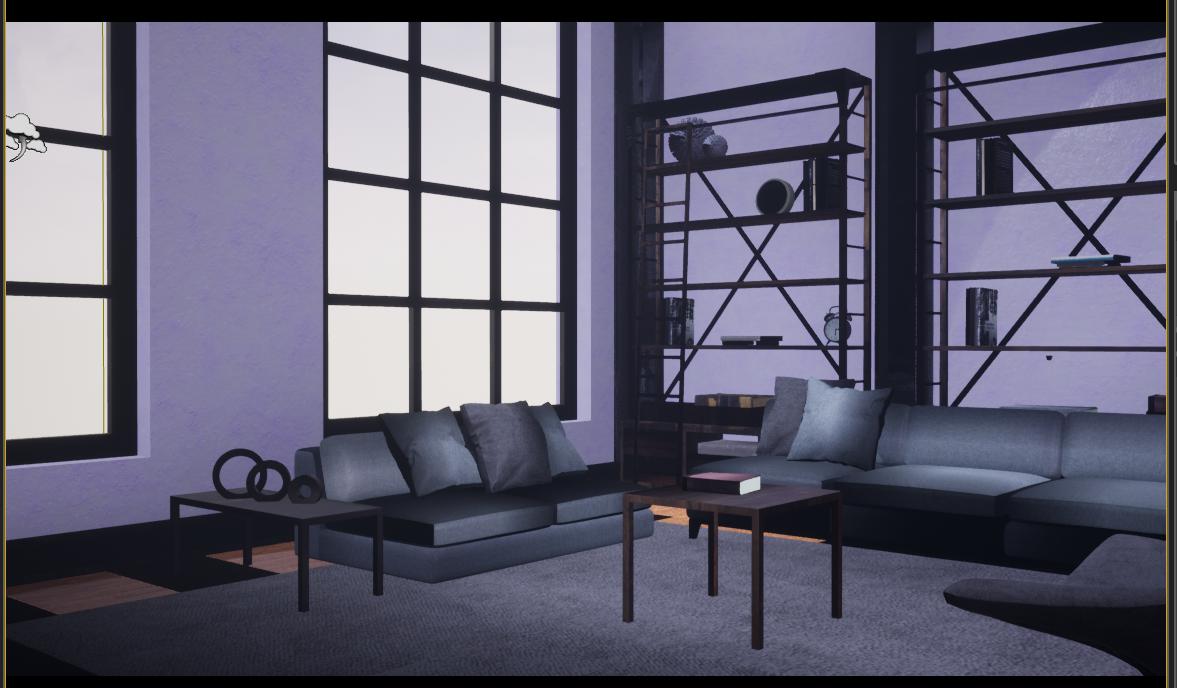
and after
I moved that couch out of the building and it does the exact same
before
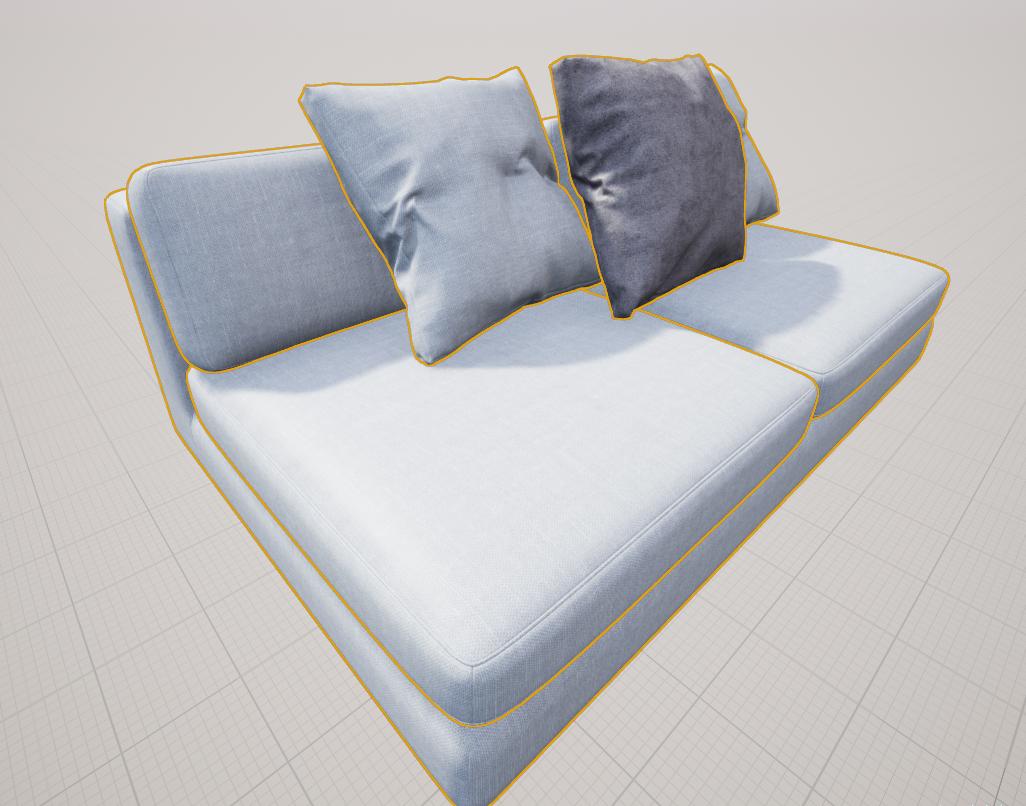
after
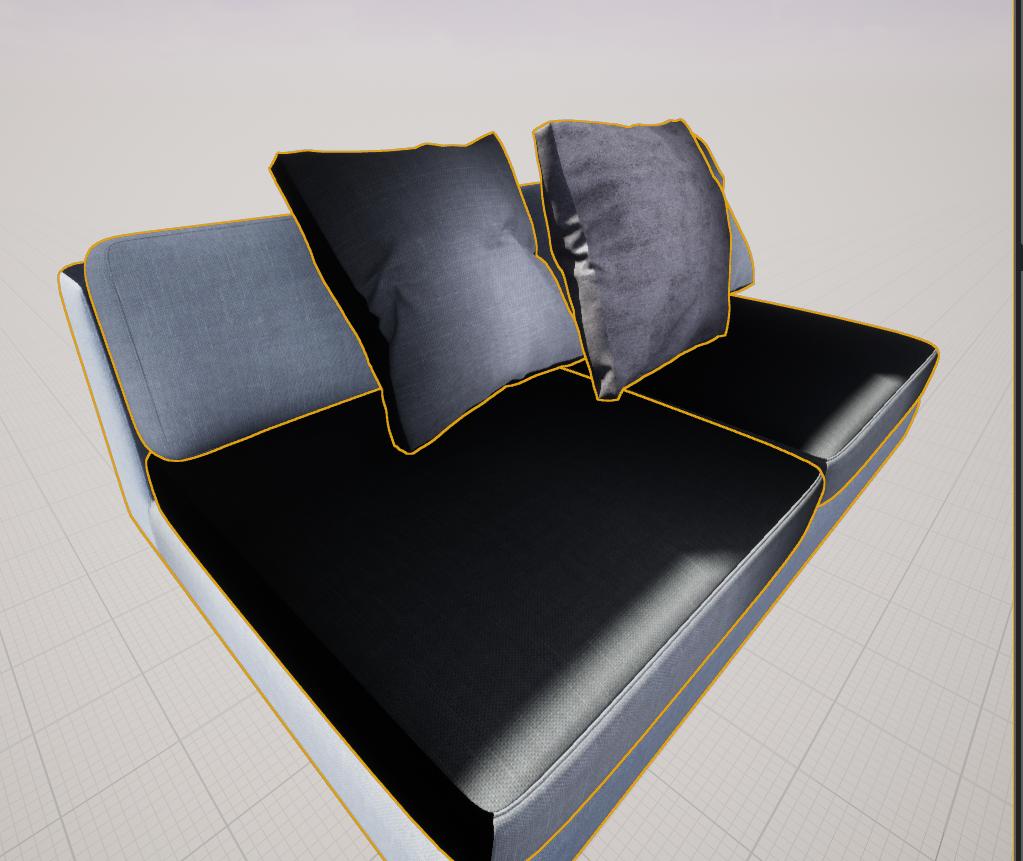 vast rain
solved
 prime echo
and the problem was?
bitter breach
Hi someone could help me? Why when i active mesh distance fields i got this weirds shadows
And Without MDF
uncut jolt
@vast rain could you tell us how you solved it? 😃
dusky marsh
normals... it's always normals 😛
vast rain
Well I got these models from some weird website for an assignment, lighting was the most important. But.. apparently those models had overlapping UV's
 ancient pasture
Hey 😃 I´m still a beginner with UE4. I created a house in max, textured it and imported it into UE4. everything looks good so far but the only issue I have is that I modeled gaps in the wall where I wanna place windows and a door. I still wanna do that but even without a door placed I can´t go through the gap where the door is. Does anyone know how to fix that?
dusty gyro
Your model has simple collision enabled
Use complex collisions (in the mesh parameters) or model a more precise set of simple collision @ancient pasture
ancient pasture
oh that solved it!! ty so much!
dusty gyro
;)
dry musk
Hey, anyone know how to fix this light issue I have here? It affects my Distance Field Shadows in a weird way and I need to figure out how to fix it. It also looks really weird.
hallow arrow

Short test with raytraced reflection/refraction on UE4 4.22 and Geforce GTX 2080 http://www.ue4arch.com
 quaint star
My lighting has been building for 12 hours and is stuck on skylight radiosity in swarm agent and 0% inside unreal. I dont even have a skylight in the scene anymore. Does anyone know what might cause this? Last time I built this scene in a previous unreal version it took significantly less time.
cyan ether
try cancelling and clearing cache in swarm settings
i forget but there are two things to clear
dusty gyro
@hallow arrow stunning ! You work with the RT team right now right ? I wonder how many samples they used to have results this good
feral field
Is rtx working with non rtx right now or ?
Nvidia said it was gonna do a update for DXR for non rt cards
 dark oriole
Not yet, no.
feral field
Dammit
feral field
4.22 still does a lot of light building on CPU or is there more on the gpu without RTX ?
dark oriole
100% CPU
Lightmass 2.0 is not a thing yet
There is no light baking on GPU, RTX or no RTX yet.


 copper turtle
You need some lighting around it to be Stationary and you need reflection capture actors
dusky marsh
@hallow arrow hmm, I see lots of metal reflected and it doesn't look black... wasn't that a shortcoming of RTX in 4.22?
hallow arrow
@dusky marsh if you dont care about perf (lol) you can turn on multiple reflection bounces which could probably fix them
dusky marsh
@hallow arrow ah, cool! and the recorded video will still be a smooth 30fps apparently! that's really neat, thank you!
brisk jewel
on the subject of that UE4Arch raytracing video, he did say it randers at 12fps on a 2080.
renders* jesus I can't type
dusky marsh
I missed that! That's still better than 40 minutes per frame that we currently render in with V-ray. 😉
Plus, the waiting for previews to see if the materials and lighting look ok.
sleek cove
Is is illegal to compy Datasmith plugin from Engine folder to project folder when passing project to other ppl?
If the other people don't have datasmith
*copy
 subtle sedge
Depends on how DataSmith's license works?
Are you allowed to share it with others in your team?
Is it per seat? Per company? Per x people?
Or is it free?
(I don't use DataSmith)
sleek cove
I don't know answer :/. Currently it's free if you signed to beta, but I think later it's something like 50 € per month
But i'm not sure how the license goes, if you include it in project that is used as design tool(full of engine plugins) as much as the executable itself
forest depot
i thought datasmith is tied to your epic games login
dont see how you could abuse it even if you wanted
cyan salmon
Was that issue with physical lights in 4.19 fixed?
having that issue with SSR using physical lighting units, so I guess not...
EDIT: "Apply Pre-exposure before writing to the scene color" fixed it :'|
sleek cove
Anybody know way to reset the pivot point with induvidual meshes when importing big scene to level? I converted IFC to obj and imported it. every mesh has pivot in same location and their relative distance is far away from it.
for example. I selected door and you can see Pivot far below
dusty gyro
@sleek cove do you have Revit ?
Converting ifc to obj and importing it in unreal is asking for troubles :p
sleek cove
Yes. I previously done everything with those, but I want to try it without the expensive programs and wondering if it's possible
dusty gyro
You'll loose a lot of data
Proper pivots is one perk of datasmith
A native ifc importer is in the works though
sleek cove
Really?
Where did you hear that?
@dusty gyro And yes, not arguing with that. We use datasmith all the time. But just looking alternatives
kinda IFC to OBJ and IFC to XML -> Then load metadata from XML file
dusty gyro
Yeah we used that way before unreal studio and datasmith
@sleek cove https://forums.unrealengine.com/unreal-engine/unreal-studio/1599324-seeking-help-for-our-ifc-importer
Unreal Engine Forums
Hi Unreal Studio users!
We have a basic IFC file importer and we will need your contribution to help us testing it properly.
If you have a moment to fill
sleek cove
Hmm did I undestrand correctly, it's not official importer, but community made for now
aah, it says epic staff
sleek cove
Yeah. Thanks for the link!
It was very weird not having IFC importer. It is the most common one everybody uses. Almost Every program exports IFC
sleek cove
Yeah
feral field
DXR out now for non rtx cards
lucid orbit
was about to ask how is DXR for you folks
anyone of you tested it?
oh man, i forgot dx12 is only for win10
im using win8, so meh
dusty gyro
upgrade then @lucid orbit 😃 who uses windows 8 anyways, thats one of the worst releases with vista 😐
 pearl maple
Anyone gave this a try? https://theia.io/optim/

Optim is a easy to use program that allows users to visualize their Unreal Studio Datasmith content BEFORE importing, set POWERFUL RULES to customize and optimize their import process, as well as save an enormous amount of TIME. Go from a unoptimized and high poly scene to VR...
cyan salmon
Does anyone know what my scenes always come out 1 or 2 stops to dark while using physical light units?
dusty gyro
@pearl maple its in a bit of a weird spot
because sooner or later, Unreal Studio will have the tools optim sells
but integrated natively
sleek cove
@pearl maple Seems great. Optimization is one of the biggest things when importing stuff from programs like Revit.
pearl maple
I haven't worked with revit files so far so I am not sure how well it performs, I am gonna try it with a 3ds max file soon.
@sleek cove
@dusty gyro Optim was made by using unreal grant so maybe they will just buy them out?
sleek cove
Triangle Count is something that easily goes beyond normal limits. I once imported simple structure that had pipes in it. Triangle count was over 20 million in one frame.. Phew :S
pearl maple
yeah thats a bit much, XD
sleek cove
Yeah. Luckily now, we have a drop-down menu where you can just select, how many percent you want to reduce selected items and everything goes automatically after that. Went from 20 million triangles to 2 million finally
pearl maple
Wonder how good of a system you need to work on revit files than, That's a lot of polygons
dusty gyro
@pearl maple yeah could be... Or maybe they will just ignore it and build their own solution
I mean that's kinda what they did with scene fusion
sleek cove
Good Sunday everyone
pearl maple
anyone uses the gpu lightmapper here? I am getting this error when creating a backup for cpu lightmass
dusty gyro
@pearl maple are you using the latest version from github ?
pearl maple
Yep!
dusty gyro
hmm
backup works on my end
try deleting 7zip
and redownloading it through the bat
pearl maple
Yep re did that, re installed unreal 4.22 as well, still the same issue.
I have two versions of unreal installed and it doesn't find the 4.21 always defaults tp0 4.22
dusty gyro
hmm
pearl maple
Do you have 4.22 nd it works for you?
Ok It worked! I moved it to root on C drive, before it was in my unreal projects folder.
cyan salmon
Don't suppose anyone has any resources and/or magic numbers when it comes to the effect weather has on direct illuminance from the sun?
Closet thing I've found is 130,000 max lux in perfect conditions, but atmospheric conditions can have a wild effect on this, I'd just like to know how wild instead of eye balling
pearl maple
@cyan salmon https://en.wikipedia.org/wiki/Daylight
Daylight is the combination of all direct and indirect sunlight during the daytime. This includes direct sunlight, diffuse sky radiation, and (often) both of these reflected by the Earth and terrestrial objects, like landforms and buildings. Sunlight scattered or reflected by...
dusty gyro
ah yes, the gpu lightmass "launcher" isnt really covering different drives
its a hacky solution
but it works :p (when one your C drive)
pearl maple
Did not know that, How does it handle different versions though?
I see no options to choose
dusty gyro
it...
doesnt
😂
best would be to have a version of the launcher for each release of the engine
pearl maple
but it doesn't find the older version at all, everytime it defaults to 4.22
Do I have to do this manually ? I think so
dusty gyro
yes because the script only handles the latest engine version
you'd have to modify the script with a text editor
and do something like forcing it to go to a specified path
pearl maple
I see, I will look into it.
cyan salmon
Room is completely blocked in using a dynamic skylight, there's no entry for light so I guess this is a flaw of dynamic lighting, or too much exposure...?
 umbral cliff
hey guys, i`m having a weird issue in my lightning, there is a region in my model, that is having a weird red indirect light
it`s not the dome light
the back light is blue and the front is red, the back is kind of ok but what is this red light hahaha
cyan salmon
"indirect lighting color" inside of PP?
I remember setting mine to a bright red for visualisation but forgot about it
dusty gyro
@cyan salmon looks like distance field shadowing to me
I'm not sure DF lighting is the way to go with archviz
half knot
ahh UE4 is UEpainly! haha
Is the blotchiness i'm getting due to my light UVs?
I unwraped each object but the coloring is so inconsistent
dusty gyro
@half knot datasmith + dataprep and bam, unified lightmaps 😄
but yeah, looks like either its not using the right UV, or your lightmass setup is too low quality, or your lightmap resolution is too low
gentle osprey
Revit -> Datasmith. Things like this are killing me! https://i.imgur.com/rwX4yC3.png
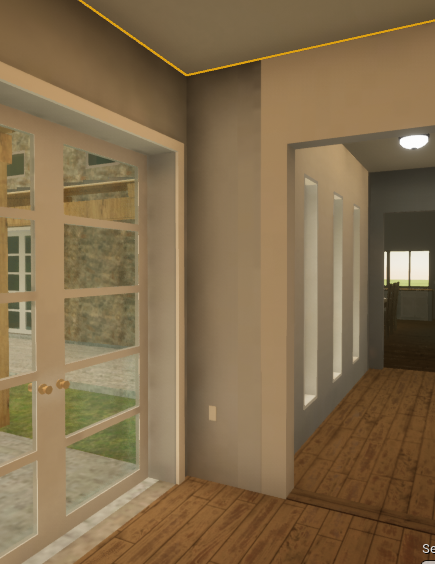
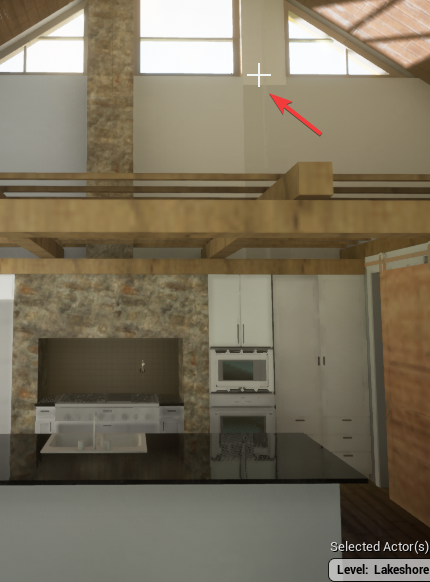 half knot
@dusty gyro hmm okay I need to explore datasmith more. The image above was FBX workflow.
Oh wait haha yeah re read your comment
I think it’s the UVs
dusty gyro
@gentle osprey what's going on with your model ?
gentle osprey
I don't know, but now I'm having this issue: https://i.imgur.com/Cby1LEZ.png
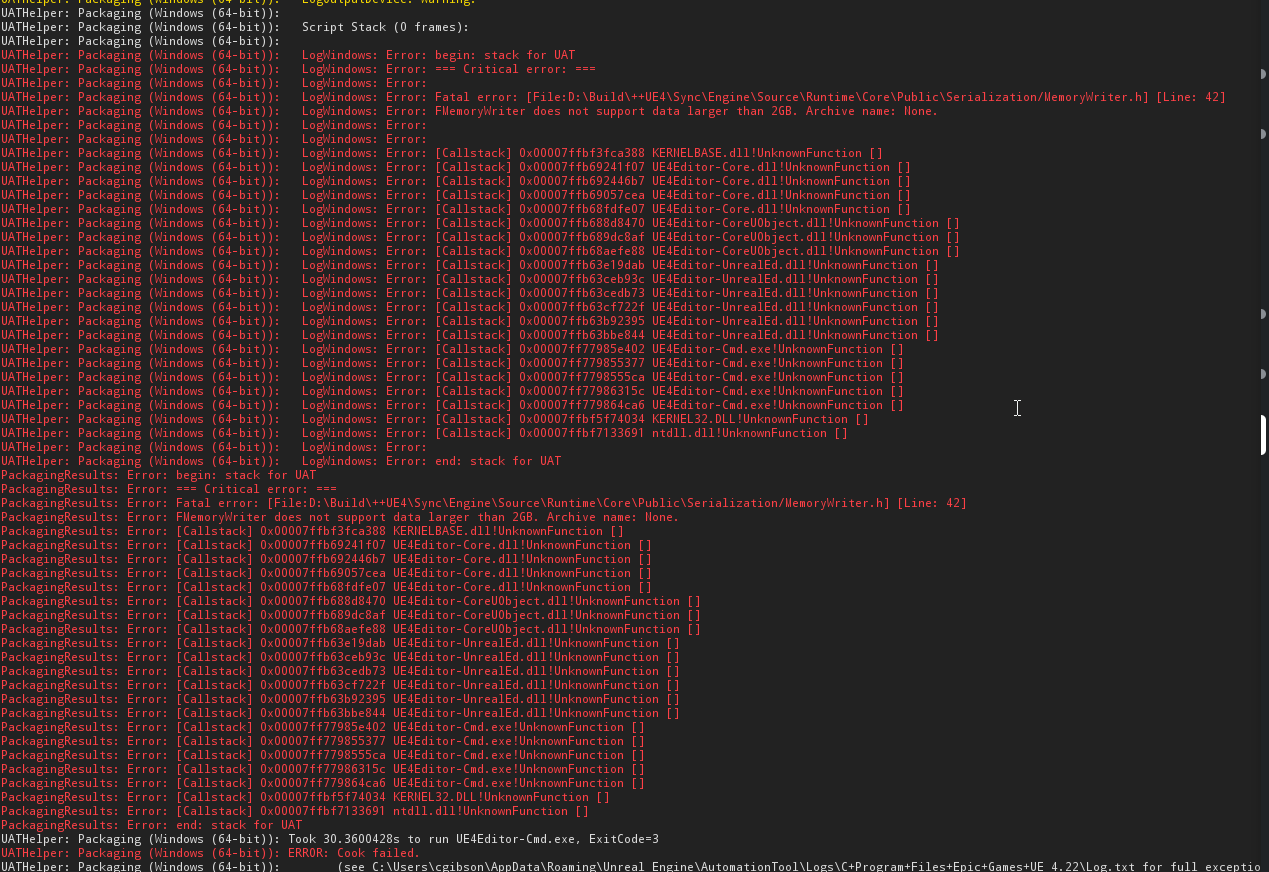
FMemoryWriter
no archive name and the logs don't point to anything specific causing the problem
I've deleted geometry and am just about back down to only having the datasmith model only in and still getting the error.
about ready to uninstall and reinstall UE4
solemn hawk
You’ve got an asset that’s larger than 2GB. It could be your light map data?
gentle osprey
Could I ask you for some direction on where to even begin looking for the offending lightmap data or even resetting lightmaps?
solemn hawk
First, go to your light map data asset, right click it and view it in file explorer to see how big it is.
If it’s greater than 2GB you can reset the baked lighting for your level by going to world settings and clicking the checkbox for “force no precomputed lighting”
Then build your light as you normally would and you’ll have an unbuilt level
gentle osprey
Thanks a ton, @solemn hawk ! Will try and report back
solemn hawk
Just to clarify this process will remove any baked lighting from your level
gentle osprey
that is this asset file, correct? https://i.imgur.com/NGIWgil.png
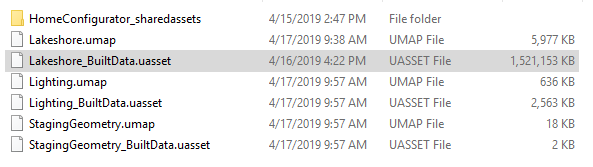 gentle osprey
Thanks again. I was able to build the package after doing this, @solemn hawk
solemn hawk
No problem, to avoid this in the future I’d recommend using 1024 res for light maps, max. I usually do 512 for large props and 1024 for large walls. Separating geo helps, not sure revit geometry is the best to work with, but it depends on the result you want and time you have to put into it
gentle osprey
Revit geometry is NOT the best to work with, but the time limitations are the constraint we are up against.
I'm not sure what res datasmith preps the lightmaps at, but I will have to look into that
thanks aagin
solemn hawk
It should have a range set when you import
tidal skiff
Hey, so we've built a plugin that automatically sets your lightmap resolutions to the most optimal setting via a camera path.
Would anyone here be interested in testing it?
1. Create a new level sequence
2. Add a camera actor to the scene
3. Add the camera actor to the sequence
4. Move/rotate camera and add keyframe
5. Select the level sequence actor, then open mode tab
6. Choose the number of iterations, then click Set lightmap resolutions
7. Rebuild lighting
This is how you use it, Dm me for info 😃
dusty gyro
oh that sounds interesting @tidal skiff
 past echo
Does anyone know why my PlanarReflection is hidden in game mode?
forest depot
You may have 'actor hidden in game' checked
past echo
I didn't know I had to have actual glossy geometry there in addition to the planar reflection. I was using is for water and didn't really understand but I have it now.
dusty gyro
what you see in editor mode is just a debug plane
when in game mode that plane disappears, but all materials with low roughness in the bounds of the planar will be affected
 slate surge
did anyone have problems using the latest version of unreal engine and datasmith from max
my level was turning black when i tried importing my max datasmith file into unreal engine version 4.22
and after i manage to avoid that problem by importing the object first into a level them move it to the actual level it refused to bake the light into the project it kept on giving me errors
sleek cove
@dusty gyro You going to Raleigh in June 7-9?
half knot
anyone know how to combat this error when rendering to texture in max?
I'm using the floor generator
there is no gap in the mesh im using the bevel object
lucid orbit
are there any updates related to static lightning coming in 4.23? I've checked ue4's trello board, but didn't see any sadly
mellow crater
Hi! I'm using RayTraced GI on my current cinematic project and it works great but when render out the sequence the GI sampling doesn't finish properly until it goes to the next frame so I have some sampling / ghosting issues on some frames. When I go to that frame in the viewport and wait for the GI to finish sampling it looks good. So what I'm wondering is if there's a way to make Unreal hold frames until the sampling has finished or fix the GI ghosting/sampling in some other way?
dusty gyro
you could... render each frame separately with a sequencer timeline moving the camera every X seconds
other than that, there's no way currently to wait for a frame to settle @mellow crater :/
 gusty urchin
Hello everyone! Quick question, I'm working on a a Archviz scene (one bedroom) and I'm planning on making a VR build. I'm trying to make various materials for walls and floor. Could anyone point me to a good VR controller for Archviz with this type of interactions ? Thanks! 😃
dusty gyro
@gusty urchin got any experience with blueprints ? 😃
dusty gyro
simplest solution would be to make a blueprint to cycle between materials on controller aim and button press
you can also buy one of these archviz packages on the marketplace
I think one of em has what you need
but to be honest, a custom made tool would be way more simple and would be better fit to your needs @gusty urchin
gusty urchin
Thanks :D
Sorry to bother you, but would you have a guide link for that blueprint for material cycling ?
dusty gyro
wrong ping 😄
dusty gyro
hang on I'll try to find something
gusty urchin
Thanks!
dusty gyro
this should cover the basics
regarding VR, you'll have to adapt slightly the code
I'm not sure you need an UI for starters though
you can also use the feature called variant management, introduced in 4.21
@gusty urchin
gusty urchin
I'll read this! Thanks a lot 😄
dusty gyro
👌
mellow crater
@dusty gyro thx for the reply!
 ripe island
@dusty gyro You can turn the UI into a 3D widget and use the VR headset/motion controllers/whatever to interact with it that way.
ripe island
Lil bit more than whats shown, yea.
https://docs.unrealengine.com/en-us/Engine/UMG/HowTo/InWorldWidgetInteraction This'll explain the rest
gusty urchin
Sorry to bother you guys again. For what I'm trying to create here (VR photorealistic bedroom Archviz), should I create a blank UE project or is it better to start with the VR template ?
dusty gyro
VR project if not using datasmith, Multi user template if using unreal studio and datasmith
@gusty urchin
gusty urchin
ok thanks! 😄
cyan ether




 wicked jasper
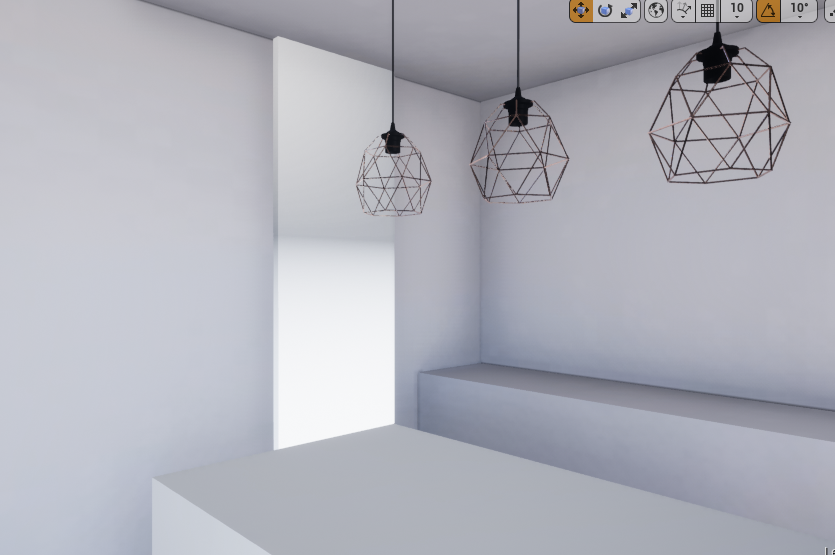
Hello everyone! First time question here so sorry if i messed up with category. I'm making vr archviz project with a bunch of small interiors. Every time on first load every level looks dirty for a second or so and every time the time is different (Sorry for 3 "times" in one sentence 😃 ). Is there a way to beat it?
cyan ether
i think this is just the engine's behaviour
might be able to workaround with a fade in from black
 marsh dragon
That's just your lightmaps being loaded in at a low res, so it can at least get some light mass data in quicker with out having to wait longer for the full res lightmaps to load
not really something you would want to turn off
cyan ether
WATCH BEN SHAPIRO UTTERLY DESTROY REALTIME ARCHVIZ WITH LOGIC AND FACTS
 chrome pilot
Hello everyone! I'm trying to get into Archviz with VR and as a fist project I built my mother's work-in-progress kitchen, all good so far, but I want to make certain meshes have interactive materials in order to let my mother choose the colors of the floor, walls, countertop and cabinets however she likes.
Would anyone please help me guide building the blueprints for this? I'm an utter noob at ue4 and the blueprints and c++ parts seem to be devils' spawn to me.
I found this tutorial for unity, it has the exact UI and functions that I want, maybe someone could please help me replicate it?
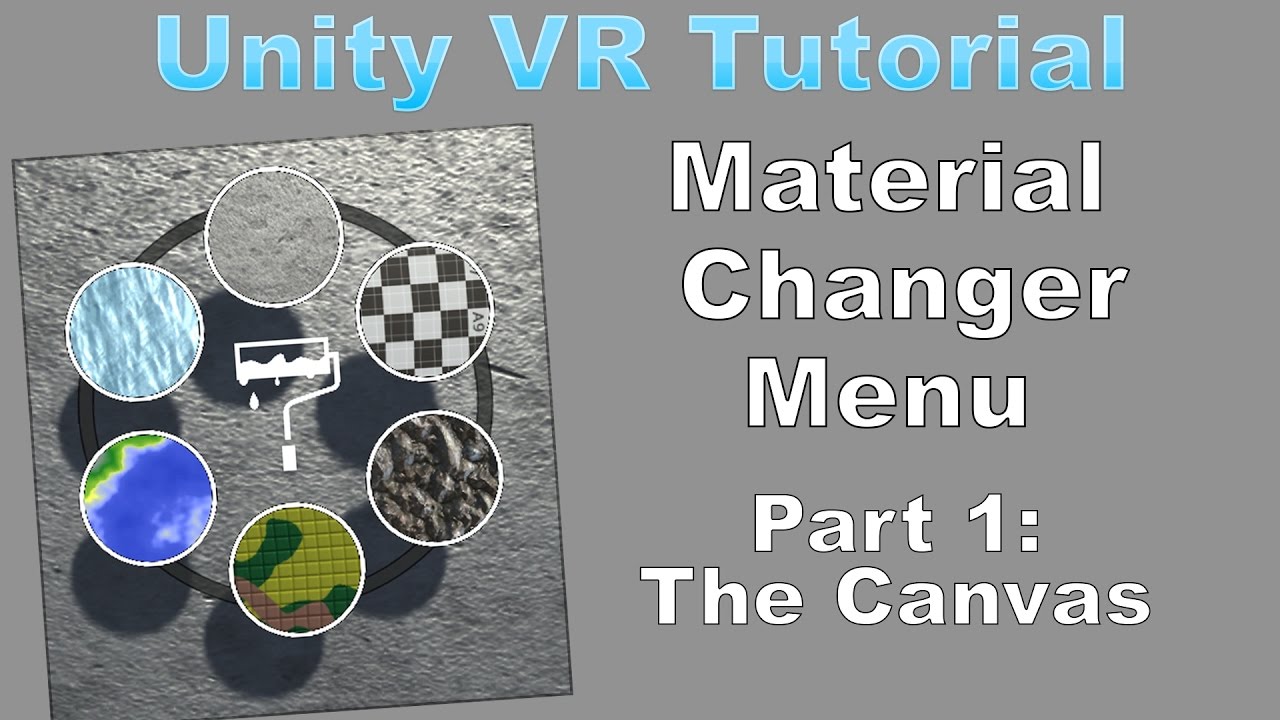
Interaction Pack: https://www.assetstore.unity3d.com/en/#!/content/82023?aid=1101lHIq Support my channel by becoming a patron! https://www.patreon.com/user?u...
dusty gyro
@wicked jasper @marsh dragon well, you could disable texture streaming, but thats not really good of an idea unless you're ready to invest in massive amounts of VRAM and RAM 😄
 livid viper
Hey, I am getting into learning ue4 for archviz, I have experience with path tracing engine like blender cycles, and realtime engine like unity and Eevee, thou I havent dont archviz in unity. So I was wondering can anyone recommend me any good courses for learning various lightning settings, objects, techniques for ue4?
dusty gyro
@livid viper have a look around the Unreal Engine Academy tutorials 😃 https://academy.unrealengine.com/
lots of complete courses on lighting, materals and more for archviz
livid viper
thanks @dusty gyro
there is this course for Unreal Studio, like I will be using ue4, will there be much difference?
this one
ripe island
@livid viper Are you looking for just lighting courses? There's this more general lighting one, Lighting Essential Concepts: https://academy.unrealengine.com/Class/Lighting_EssentialConcepts
And there's this, Lighting Basics for Architectural Projects; https://academy.unrealengine.com/Class/lighting_basics
The one you found is great too.
There's also one of Global Illum workflows --- https://academy.unrealengine.com/Class/GlobalIllumination_Arch
I don't recall if this uses Unreal Studio though, off the top of my head.
ripe island
👍
wicked jasper
@marsh dragon @cyan ether @dusty gyro thank all of you for your answers. Guess i'll use fade with a second delay.
past echo
Does anyone know how to keep the mips from dropping down in resolution in the editor? They only go back to normal when I dive into the texture details or set the Mip Gen Settings to NoMipMaps
dusky marsh
@cyan ether that's a nice project you posted there... do you have a website with more information on it?
@past echo there's a mip bias setting in the materials editor, I think... but that's more of a #graphics question anyway 😃
cyan ether
thx, no web, was just a pitch we didnt win for world expo. too much $$ :v
i warned them i told them about stairs bro
slate surge
Hi guys
I need a job
please check out my artstation profile 😦

i use unreal engine and other 3d software pretty good
 dark terrace
Hi... i´m very bad modeling houses interior and stuffs... so i will be very greateful if someone can helpme just telling me where can i find a ready-to-use full asset of a home interior with things, beds, lamps, like archviz videos on the net...
i ensure i will not use it for commercial purpose, just for educational, i just want to focus on programming...
no mather if i need to pay (not so expensive of course).. Thanks
OH!.. just that Angry_bird is showing!...... i need that scene on my computer, whre to get them ?
cyan ether
very good artist, cant help but think your location is the downer for getting work
wicked jasper
Upd: the propblem was in Box brushes. Somehow static mesh lightmaps are loading much quicker. Like half of a second instead of five. Of course i deleted back polys and optimised the mesh (maybe that’s the reason)
Don’t be like me and replace brushes with sm 😃
dusty gyro
Brushes should never be used outside of level blocking
:p
And even as level blocking tools it's not that great
wicked jasper
Now i know)
forest depot
@slate surge nice work
slate surge
@cyan ether i know. it is not very appreciated in my Country 😦
@forest depot thanks
@cyan ether do you have an artstation account?
dark terrace
Is incredible how auto-exposure can increase the reallism
cyan ether
i dont have one, everybody is better than me :v
ripe island
Make one anyways!
dark terrace
Everybody is better than me?
You haven't see my works
slate surge
lol
@cyan ether i would like to see your work 😃
@dark terrace it works serious magic
dark terrace
I agreed, yesterday i was frustrated because my scene looked the same as a 1995 game, that was before enabling auto exposure, 😜
slate surge
lol
 tribal gyro
Hey. I upgraded to 4.22 my VR project. and 2nd floor Navmesh isn't working. Basically I can no longer walk on the 2nd floor
any Ideas?
cyan ether
do you have a navmesh volume covering all floors
marsh dragon
@tribal gyro im guessing you tried this, but press G to show all the gizmos in the scene, then press P to actually see what your nav mesh is covering. Also try rebuilding the navmesh data under Build > Navigation > Build Paths
tribal gyro
@marsh dragon yeah ive tried all that
dusty gyro
for all the archviz people, check out the free marketplace content for this month aswell as the new permanent free content packs ! So much props for our projects ! 😃
livid viper
ye
dusty gyro
😂
lucid orbit
showing client how apartment would look after robbery? 😛
lucid orbit
yeah, i thought it was baked
dusty gyro
its a mix of RT and DF right ?
 lethal vigil
yes
lucid orbit
by the way, is it possible to record in sequencer a scene lighted with rt in a way you dont see noise/noise jitter thats often apparent in rt?
i mean, i guess its possible, just wondering how, setting each frame for eg 5s?
dusty gyro
nah its not
you'll have to stop the camera each frame in your sequencer @lucid orbit
for X seconds
and find a way to only export the frame at your "frame is ready to be captured" event or something
lucid orbit
O_O
i thought there was a option to capture frames every Xs or something
what a bummer
dusty gyro
well, RT stuff is still quite recent
I'm sure this'll be included once its stable enough
feral field
RTX isnt working for me
dusty gyro
@feral field have you followed the guide available on the forums ?
feral field
No, I just enabled it and add the post processs volume
feral field
Thanks!
sleek cove
Hello people from everywhere
lucid orbit
ive been recently messing around with rt and came to question - is there a way to reset all rt parameters?
i can imagine deleting DefaultEditor.cfg from project folder would do the trick, but it contains other editor settings
pearl maple
Hey all! Anyone uses substance designer/bitmap2mat here?
I am looking to create a new substance which converts a sample image of a tile from a vendor to a usable material for pbr workflows, Wondering if it already exists?
For example here's one sample image https://www.marlux.com/sites/default/files/styles/overlay/public/media/images/2019-03/sable_diana.jpg?itok=zNMHieR-

 pearl maple
Yeah, I was wondering if someone already made it lol
I have around 100 textures that need conversion.
pearl maple
But that's the thing, It doesn't always exports the best output, You need to tweak it a little bit. And second thing, They require tiling and changes like grout color, width and those kind of things.
pearl maple
Yeah, I think substance designer is the way - you plugin the texture give options to tweak the texture outputs and have some options to manipulate properties like grout and stuff.
dusty gyro
you still have to manually input the texture
then tweak it
then export the PBR workflow textures
pearl maple
But that can be done directly in unreal so atleast cuts down the time on saving and managing so many textures.
dusty gyro
?
substances dont take texture inputs ?
in UE
all inputs are either float/vector/boolean variables or already baked in the substance factory
pearl maple
Ohh I did not know that, Dang it.
dusty gyro
😬
pearl maple
This is going to be so much manual work. FML.
dusty gyro
yep
took me a few months to have a decent library of own made materials (from substances mostly)
past echo
Is there a way to get rid of temporal aa shimmering on thin foliage like grass? It is really bad with any considerable dof. I've played with mip bias, opacity map clip value, quality settings, etc. but no luck.
supersampling at 2x helps but that's not really an option
past echo
I really think it has to do with the mip and the depth of field. If something is completely in or out of focus the shimmering goes away but if something is just "sort of" out of focus the noise is terrible.
dusty gyro
@past echo switch to FXAA or Forward rendering + MSAA ? 😅
past echo
Lol
dusty gyro
Nah for real, msaa with forward is a lot better than taa