#aec-visualization
1 messages · Page 5 of 1
 dusty gyro
 normal river
.....
dusty gyro
have you tried to reset xform ?
I've just done it on a mesh
and it now imports as a static mesh actor instead of actor
yep this is it
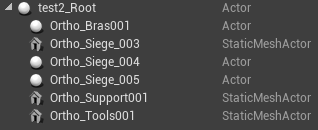 normal river
No. But I reset, will I lost the map channel?
dusty gyro
no non no
dusty gyro
you won't lose it
normal river
Lets try
normal river
(If you fix my scene I will buy you a house or something like that xD)
dusty gyro
rofl, just a thanks is enough 😉
normal river
xD
.....LOADING
UUUUMMMMMMMM.....Almost. Now I have another problem xD
Look
The mesh has darkened and looks transparent in some areas
dusty gyro
looks like flipped faces
dusty gyro
are your polys facing the right direction in max ?
reset xform shouldn't do that
at worst its gonna change the pivot or transform
but not flip faces like this
and the mesh being dark/shadowed differently is probably due to the flipped faces
dusty gyro
hehe
xform can do weird stuff
but when it does, then something isn't right with the mesh in first place
normal river
uumm
Maybe
Im goona try to fix this new problem
firist of all, Im goona try to fix one or two object.
I will write in a few minutes. Thanks a lot!
 glossy creek
I have a nice Unreal walk through scene and a idle Oculus Rift ready in my office. Client is visiting tomorrow, and I want to show a quick implementation of VR in the scene. What is the quickest way to get VR headset working in an unreal scene. Interactivity is not important. Thanks!
dusty gyro
@glossy creek have you looked at the unreal studio product viewer template ?
you'll have both 2D and VR in one package
glossy creek
Yes, but its a lot to dig through to just figure out the relevant part that I need. This client visit is a surprise, because I am taking a step one through one hundred approach to learning blueprints.
Oh wait, I have not LifeForLife, I was thinking about the VR template.
dusty gyro
hehe
the Vr template is a bit bare bones
and it requires navmeshes
the studio one though doesn't
glossy creek
Bare bones is fine, and navigation can be left out for now. Just need to "copy and paste" the relevant blue print classes I would assume.
dusty gyro
I'm not even touching the blueprints when its just to view stuff
 paper night
Hi there! I have a quick question for you guys.
dusty gyro
I remove a few actors from the template scene, then add a sublevel with the things I want to show
move a bit the player spawn and bam it works
paper night
I'm working on the lighting for a scene in UE4 and i'm getting weird shadows whenver I bake the lighting.
Any clues?
 dark oriole
Lightmap resolution not high enough.
dusty gyro
low resolution lightmap
paper night
Aight. How can I raise that?
dusty gyro
in your mesh properties
paper night
Okay. Thanks!
dusty gyro
General settings > Light map resolution
Also set the Min Lightmap resolution value to match your Lightmap resolution
and press apply
speaking of unreal studio template

made in a couple hours
model was from another project, had to remake some parts and lower polycount
glossy creek
Cool, I
I'll try and grab the settings* from that and paste them into my Unreal Studio Project.
dusty gyro
@paper night found the settings ?
paper night
Yep I have!
Problem solved, muchachos.
Here's another question though: see that thin line in the shadow of the pillar? That horizontal thin line?
Thing is, it's not in my mesh.
See? The thin line doesn't make sense. Any suggestions?
paper night
Yep!
dusty gyro
are you sure your mesh has all its vertices welded ?
dusty gyro
it looks like there's another plane on top of the floor
dusty gyro
:p
paper night
:U
disable its shadow casting. Thing's looking pretty now.
Thanks a bunch for your help!
dusty gyro
o7
glossy creek
I have a shadows question. Despite having high resolution LightMaps, I will still often get shadows that I consider blochy, what else can be done outside of LM res?
dusty gyro
can you show us your lightmap UVs @glossy creek ?
paper night
chances are your lightmap UVs are messed up, resulting in low res for the segment of the mesh you're looking at
glossy creek
Not at the moment, working on something else to get out the door. I can tell you its a wall, and I flattened the UVW's in max, simple wall, verts sealed, no missing faces, etc.
Shadows not terrible, just not on the level of vray or some of the top level Unreal ArchViz examples, like nutsnuts
dusty gyro
@glossy creek What are your settings for lightmass ?
the defaults are pretty crappy for archviz
glossy creek
They are messed up now, because I've been messing with the GPU lightmass beta thing. I did production and 10+ bounces, etc.
Pretty darn high, I had swarm agent pounding 10 or so machine slaves.
dusty gyro
yeowch xD

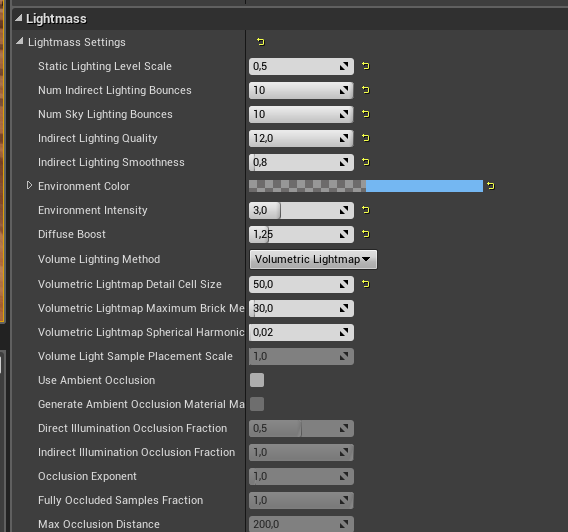
One skylight with HDRI, 10 bounces, quality at 6 and smoothness at 0.8
Using Production quality and GPU lightmass
one machine to render, (GTX1080 oc), does it in a couple minutes
glossy creek
Yeah, I have a GTX1080 at home, and a older Titan Black here at work. Works wonders.
dusty gyro
Right
this may be caused by the GPU lightmass
other users had the spotchyness I think
glossy creek
That was baked before that I belive
dusty gyro
oh really ?
what is your resolution scale ?
should be the first lightmass parameter
"Static Lighting Level Scale"
I usually put it at 0.1 or lower
glossy creek
Yeah, I'm aware of it, just loading the scene now
dusty gyro
you can also try to switch off the lightmap compression
it'll take more VRAM, but can improve the looks
glossy creek
I've messed with low settings on it, and at times had huge diminishing returns.
"low" as in .2,.3 etc
Okay, it is set to .35
Not 100% sure that is what I had it to when I did the bake above.
dusty gyro
have you tried to bake the scene with the GPU lightmass ?
maybe it'll give better results with less noise, who knows
you're bound to have a little noise anyways
dusty gyro
woh that's way too high
glossy creek
Yeah. I went for broke
glossy creek
The GPU render HATES very high lighmap settings, found that out the hardway
dusty gyro
yep, it clogs the GPU vram
unless you have a quadro with a lot of it you are bound to crash :p
glossy creek
The problem I found with splitting the walls, is that it introduces problems where the walls meet, not to mention the shadows were still blochy, I have gone that route in test.
glossy creek
dusty gyro
you bet
there's way too much stuff in that UV
try to cut it into pieces
lots of assets with lower resolution is better than a massive one
glossy creek
Okay, I'll have to re-approach from the start, with all that I have learned. I have done test where my walls where not attached, but I should go back and try that test again but do it better.
dusty gyro
see for instance
the scene I posted earlier
with the flat colors
every cube is its own mesh
every wall side too
this is a bit overkill, but you get very clean light bakes that way
and for walls I'm not going higher than 1024
floors and ceilings, 2048
glossy creek
I was under the assumption, referencing that scene animation above you posted, that walls should have all faces, to avoid light bleed.
dusty gyro
And its well enough to get good looking results
well there's an external wall
I'm just hiding it to show the inside :p
glossy creek
Oh okay
glossy creek
Yeah, nice results.
dusty gyro
this is a one hour hackjob I made a few weeks ago
to test out GPU lightmass and lighting scenarios
when I told you about super simple UVs

😂
even with 2048px max for lightmap resolution, my screen is bright red while in lightmap res debug
glossy creek
Yeah, I need to pair back down to test scenes to work out these issues.
What I dont like about unreal lightmass, is that sometimes to reduce noise, it seems like adding light, is the nudged solution. For instance, the provided realistic lighting example scene of an apartment, looks nice and clean, take away a few lights, and the noise starts to show up.
dusty gyro
well lightmass is a pretty old piece of kit
epic really needs to bump up the algorithms used
glossy creek
Yeah, I'm grinding my teeth coming from Vray.
dusty gyro
at least now it takes skylight bounces in account, you were limited to one bounce before
but you can't do realtime with Vray !
glossy creek
No, exactly, everything is a trade off.
dusty gyro
with how much epic is investing into studio
I'd be surprised if they don't look at better light baking stuff in the next year or two
glossy creek
I have full confidence in Epic going into this direction, as well as plug-in support making it better. So much so I've really pushed our company to embrace Unreal, VR, and spend time on it. I'll be going down to reighley north carolina for their epic studio learning thing next month, so - I'm all in!
dusty gyro
oh you're attending the studio formation, nice !
glossy creek
"Unreal Academy"
dusty gyro
I wish I could go, but a trip from France to the US is a bit difficult to justify 😅
yeah
I'm pretty hyped about the new datasmith features in UE4.20 aswell as the Revit compatibility they just started working on
glossy creek
Datasmith is making this whole thing possible, or else I wouldn't have bothered.
dusty gyro
yeah
I've been trying to import CAD stuff before datasmith
it was a horrible process, very time consuming and not giving really good results
plus performance for VR was horribad
with DS and python scripting, we were able to make a few tools to optimize everything in a few clicks
anyways, been greating talking to you, gotta bounce home !
I'm always lurking in this channel, so if you have any questions don't hesitate to ask 😃
glossy creek
Thank you so much!
normal river
Can someone help me? T_T
I have this
But I dont have problem with the same part in Max
where is the problem?
paper night
Yo, another question for you lot: why isn't Screen Space Reflection working for me?
The floor has high specularity and low roughness, it works fine with a reflection cube
but my SSR wont work.
dusty gyro
@paper night using forward or deferred renderer ?
paper night
Deferred
i got it to work but now its looking kinda odd
Sometimes it looks just right
However, sometimes it gets a bit weird.
then it just gives up.
what gives?
 royal osprey
those are screen space reflections failing
and yeah it does that..
what you can do is add a reflection plane
much more stable reflections with it.
paper night
Now, planar's doing the job just fine, however it's not reflecting my atmospheric fog properly!
 solemn hawk
I believe the reflection planes don't reflect post process effects like fog? Not certain though
royal osprey
hmm you could fake it by adding a sky or a large plane behind it
it's plain white anyway so I dunoo if your fog is really doig you any favors
solemn hawk
I would put a sphere with an hdri outside, that will allow your skylight to get better lighting from its capture
paper night
I have added a Sky Light and that did the trick!
solemn hawk
make it stationary, that'll give the best result
 pale prairie
You really want to stay away from SSR for arch viz
There is a great evermotion tutorial on how to get good, clean, reflections in ue4 just google it
On a different note you probably want to stay away from super shiny reflective materials because they generally look artificial and are rarely seen irl
Your reflections should be subtle not blatant
 gentle osprey
Out of curiousity, is there a preference between bringing in lights from our original source (ie: revit - 3ds lights) or just using UE4 lights?
solemn hawk
not really, depends on what you want to do. right now the auto exposure doesn’t work with correct camera exposures so the physically based lighting units are mostly useless for now
royal osprey
it saves you from having to position them, that's about it
dusty gyro
unless your project already has lights in the max file, doesn't serve any purpose
gentle osprey
thanks!
gentle osprey
any thoughts on why my foliage remains but my landscape has gone missing? https://i.imgur.com/VL4w0CF.png
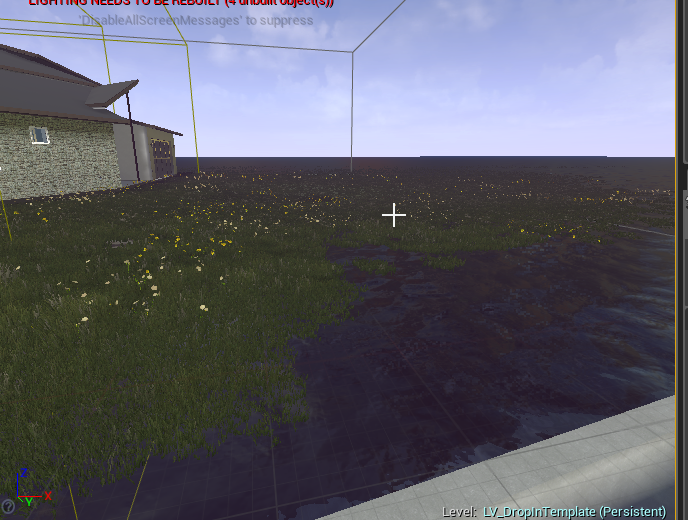
nevermind.. helps to turn it back on
dusty gyro

dusty gyro

CGarchitect Architectural 3D Awards recognizes outstanding achievement in the field of architectural visualization.
if yall want some money from Epic by making archviz !
normal river
Hi everyone. I have a big problem. Ihave this
But when the render its over I have this
I dont have error menssages or overlapping meshes
dusty gyro
set your skylight bounces to 3 or something for starters
how is your lightmap density @normal river ?
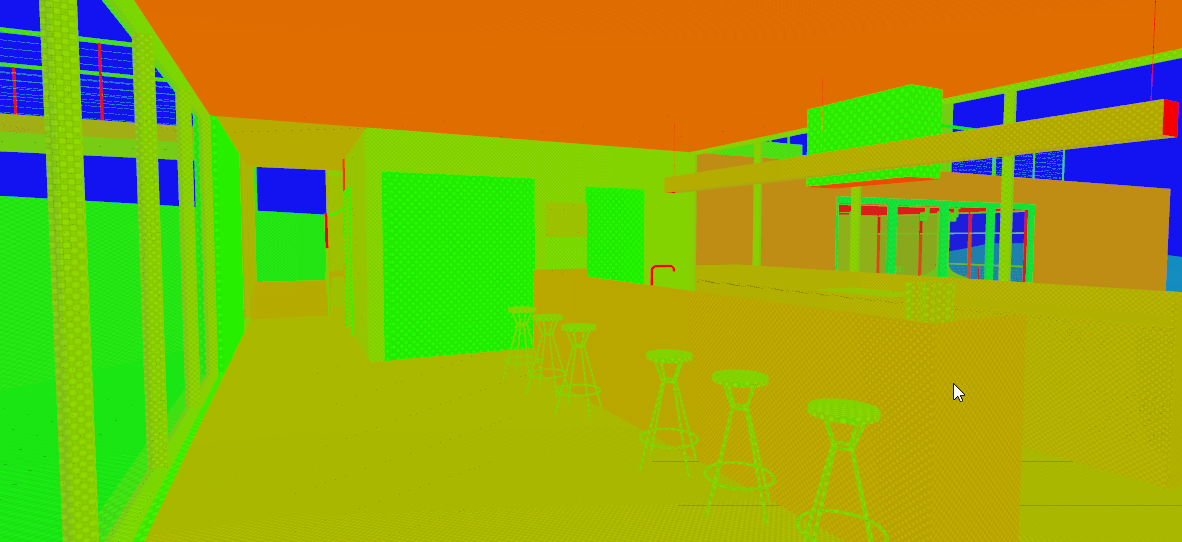 normal river
Ahh ok
dusty gyro
but tbh, even with low resolution its should still look much brighter than what you posted
dusty gyro
hmm yeah it looks alright
maybe the stairs are too high resolution and the back walls too low though :p
but it looks like this isn't the problem
normal river
Yes. I will change this
dusty gyro
can you show us your directional and skylight parameters ?
dusty gyro
no problem 😃
normal river
Sun parameters
Skyligth parameters
General parameters
Ops sorry about the last picture xD
Yes, I have to use paint, I dont have photoshop in this computer
xDDDDDDDDD
dusty gyro
good ol paint 😄
you can use the capture tool !
or sharex
sharex works wonders to do fast uploads
normal river
Thanks 😅
 agile reef
or even the snipping tool
dusty gyro
@normal river have you tried building lights on a new scene ?
or is it doing only on this one
normal river
Yes... but I can do again.
dusty gyro
also do disable the eye adaptation effects
normal river
I tried more than 30 times, but I dont care one more xD
dusty gyro
try to create a new project
maybe something is fucked with this one
try to also verify the files of your engine
from the launcher
normal river
May be its a datasmith problem??
normal river
Never
try to also verify the files of your engine
from the launcher
I dont understand this
I have never modified the startup files
dusty gyro
something may be corrupted somewhere
just trying to iron out the possible problems :p
when in your launcher
next to start on your engine version
there's a drop down
and a verify button at the bottom of it
(do close your engine first !)
normal river
Thanks Im so frustrated
dusty gyro
I'm pretty sure its something that got changed at some point
And fucks up with your baked lighting
normal river
I begin to think that it is a gypsy dammation
Do I have to have the debug part of the code?
royal osprey
I had something like that happen to me, but only parts of my scene were black. Added a spherical reflection that covered the whole scene and it got rid of the black parts of my map, Unreal can be really strange like that.
normal river
uuummm I will try this to
But I had one of this big balls, and the result was the same. T_t But I will try again
royal osprey
another thing, make sure your lights are static or stationary
 median mural
can you take a screenshot of your lightmass map preview?
dusty gyro
@median mural scroll a bit upwards :p
median mural
I am talking about this
dusty gyro
oh, myb then
dusty gyro
depends, how many mesh assets do you have in your scene ?
normal river
@dusty gyro more than 60
median mural
also make sure everything is power of two
normal river
Power of two?? I dont understand what are you trying to say?
median mural
light map on every object
normal river
The fact is that I put a light inside and it does not work either. xD
@median mural How can i sure, that every object has ligthmap?
Oh! Its work! better!
But I cant see anything inside.
dusty gyro
something is definetly not right with the skylight
try changing it to static ?
instead of stationary
normal river
I think this is a light map resolution problem, but it's 512
@dusty gyro I will try
gentle osprey
this reflection cube is reflecting the inside of the room onto the outside face of the glass. Any pointers on where to go from here? https://i.imgur.com/bvezRwg.png

also, this glazing is doing weird things that other glazing is not: http://gibsonhh.info:8081/revit/video/2018-05-22_09-19-01.mp4
I know this is arch-viz, and I apologize if it's out of the scope of discussion here but it is for visualization of architectural projects! xD
dusty gyro
@gentle osprey what is your glass material like ?
also, sometimes you need to use cube reflections instead of sphere to get more accurate results
gentle osprey
transparent material master: https://i.imgur.com/DRMn1xp.png
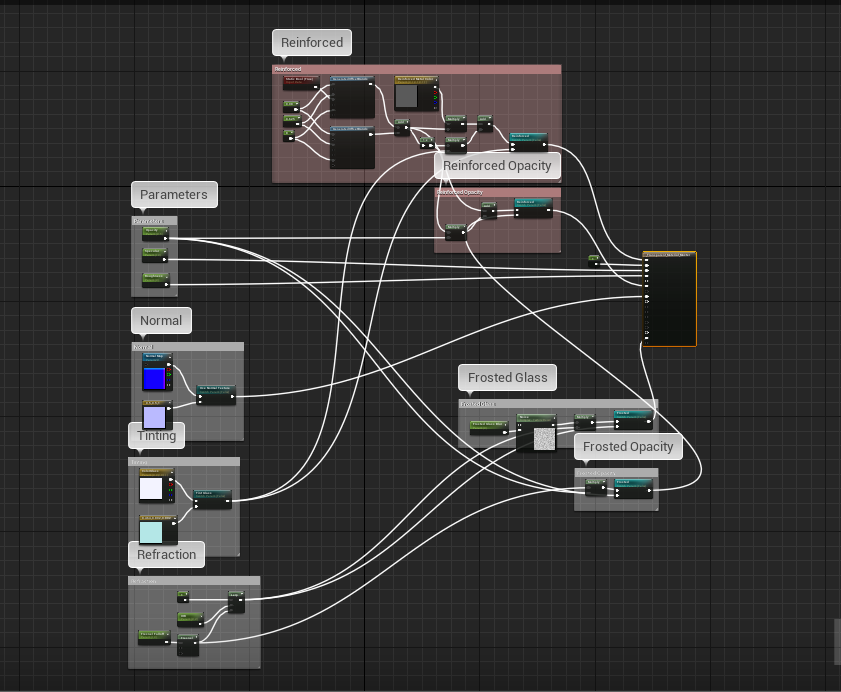
even with a box reflection and the center being outside, it pulls the reflections from inside the space
dusty gyro
hah, its the material from that tutorial !
I've found out that lowered refraction values work better
as for reflections, you'll have to align and scale the boxes/spheres correctly, it takes a bit of tinkering but you'll get the results you want @gentle osprey
gentle osprey
I think the only lower increment I can go on refraction is 0 for this instance but I may have to
pale prairie
@normal river use alt + 0 to check lightmap density
also if your UV maps are bugged it can give really wierd effects including black
normal river
@pale prairie How can I Know it my UV Maps dosent work? Because, at the end of a render, I dont have any warning or mistake
gentle osprey
If you edit the mesh, and look at your UV Maps, you should be able to tell
normal river
Ok
gentle osprey
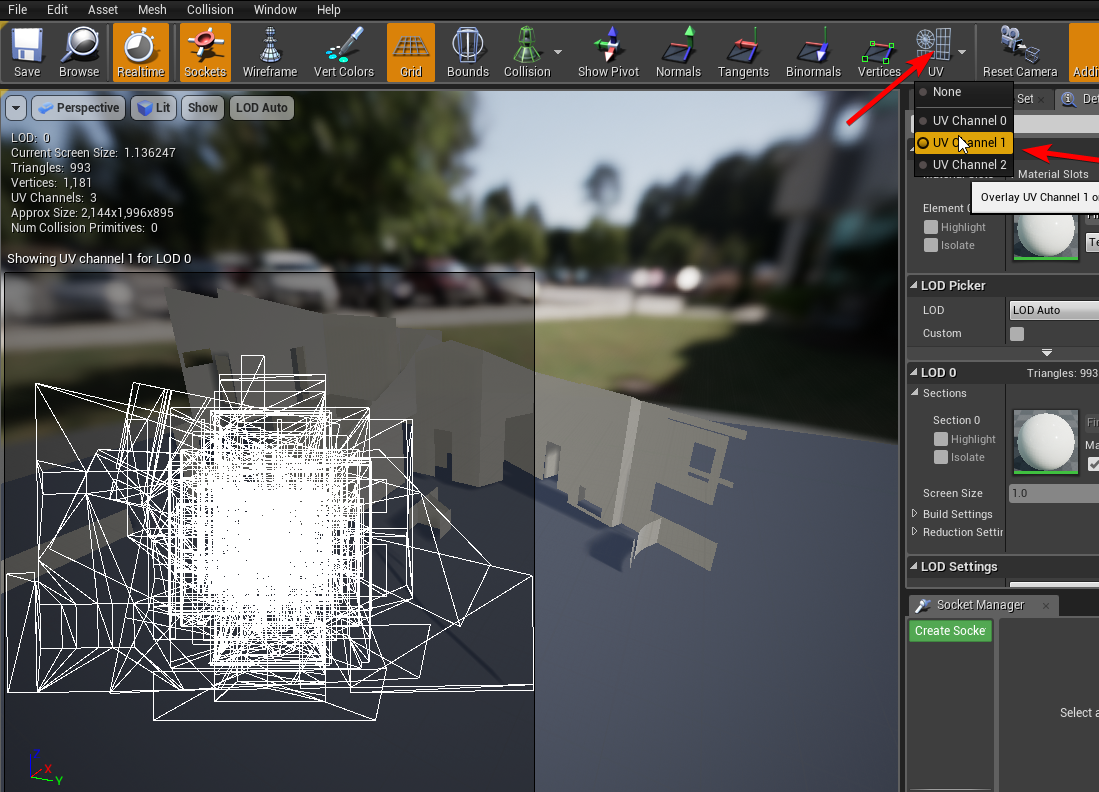
You don't want your UV Channel to look like this: https://i.imgur.com/r9YypCb.png
You want it to look more like this: https://i.imgur.com/bcb1fKy.png
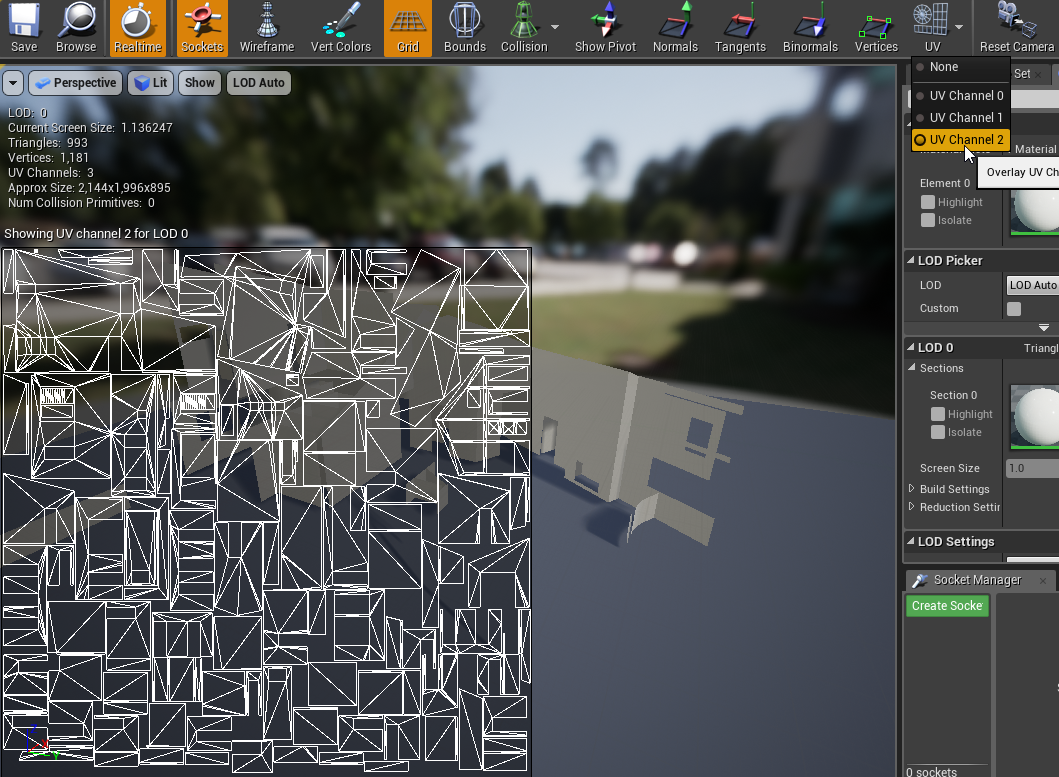
if it looks more like the first image, you may need to repack your Lightmap in your authoring software
I speak as having exactly 4 days experience in lightmaps and UVs
normal river
I have clean my uv channel
royal osprey
"rkitect: I think the only lower increment I can go on refraction is 0 for this instance but I may have to" To disable refraction you have to set it to 1
normal river
But sometimes they use channel 2 (messy channel) and Unreal never give me a warning or error I dont know why
paper night
So, I decided to build the lighting for this...
and it turned into this:
Resolution's at 1024
what am I doing wrong?
median mural
is this BSP?
normal river
HOW DO YOU DO THAT? T_______________________T
pale prairie
looks good
paper night
is BSP/CSG not supported by Lightmass?
pale prairie
are you using SSR for reflections?
paper night
im not using SSR because my target platform is VR and SSR is kinda screwy with VR
and that
paper night
Thank you!
After working with lighting for 3 years in Unity and jumping to UE4, i'm pretty shocked: thing's fucking powerful
royal osprey
planar reflections do work in VR, just limit yourself to one.
pale prairie
yeah lol
paper night
Yeah, that's what I'm using, dann
I said that SSR doesn't work well with VR, not planar
royal osprey
Last time I did a lightmap in Unity it came out fantastic, I used octane to bake it. it took a while tho.
paper night
yeah, octane does wonders
the progressive lightmapper has some serious issues tho
Now now, important question: does UE4's BSP/CSG work with Lightmass?
pale prairie
this is just a subjective opinion on my part, but I would recommend adding some sort of grunge or non-uniform noise to the floors specular
paper night
ye i will, Alexius
a normal map will do wonders, too
pale prairie
ah true
normal river
I need a good tutorial. I touch everything but it doesnt work. I tried putting my whole scene in the Unreal tutorial files, but it didnt work. I did all the things I read and saw ... I do not know ... It's so frustrating ...-
median mural
have you read Troubleshooting Guide?
paper night
huh
what the fuck
lower.. is higher?
LMAO lower resolution values yield maps with higher resolution
what the shit.
Thanks a bunch for the heads up, @median mural ! You saved me from going nuts here, man.
median mural
clearly it's some math stuff we don't know they need to calculate it somehow
but texel density would be easier to understand
paper night
yeah, that makes more sense
BTW, quick question: is there any way to change the resolution of all brushes currently in my map?
pale prairie
Ive never heard of CSG before, but its generally better to replace your bsp's with static meshes
median mural
there is ¯_(ツ)_/¯
and I have no idea how to use it
last time I tried it was a mess
I wish there was simple 2x button
paper night
uhhh
what's that ratio for?
what are the min max values for?
how do I just like
"assign all brushes to resolution 4"
median mural
I wish it was x2 and /2 button
paper night
Also, I just realized that my BSP brushes aren't receiving indirect lighting
why is that? :r
median mural
well they meant to be replaced by static meshes after you done with your level design
median mural
make then static or movable?
paper night
I decided to transform them into a static mesh but I don't want to delete them incase I feel like subtracting a door or a window.
I cant. BSP brushes dont have that option
median mural
well. I not sure I don't use them
 mellow crater
i usually add light actors to control the light-sim more of the emitting material
here for example the emissive search light have 2 point lights to throw light onto their close surroundings.
dusty gyro

Evermotion.org
Collection of five inspiring living spaces for Unreal Engine.
Features:
High quality textures: all materials were made using Substance Painter PBR workflow
Use it anywhere: unique unwrapped UVs for each object
Photoreal even at close-ups: the most textures are in 2K-4K r...
new evermotion pack for UE looks pretty good !
normal river
I spent more than 5 hours rendering in high quality. I do not want to think about the production time xD
solemn hawk
What are you using for light baking? A quad core?
It should take like 2 minutes to bake that scene
solemn hawk
The more cores you have, the faster light baking will go, something like an AMD threadripper (or intel i9* if you’re made of money) will greatly increase your build speeds, what did you set your lightmass settings?
solemn hawk
Set static lighting level scale (the first one) to one, num indirect light bounces and num sky bounces to 10, and then reset the fourth option down.
normal river
The thing its I made other test and I spent 12 minutes max and I dont know why I f I use this geometry the time increase a lot
solemn hawk
I’d switch your skylight to stationary, this will help your scene look much brighter.
If you have very high res lightmaps it will increase your bake time
solemn hawk
No problem, let me know how it goes 😃
median mural
@dusty gyro have you tried blending movable things with gpu lightmass?
median mural
I am totally forgot that this is important
 stuck crypt
Not sure if this is the right place, but I've got a trapezoid shaped wall and a square texture, and it looks to be warping my texture at a diagonal. Any ideas why? In blender.
median mural
@stuck crypt show your uv's and wire frame
i suspect it's messy triangulation on a ngon
stuck crypt
@median mural Nothing too tricky here, but the warp looks to be coming from corner to corner so I think you're right
median mural
you can subdivide the mesh to add some support topology
for example this like doesn't look too straight
stuck crypt
Is there an easy way to snap to the edge?
median mural
manually enter values there or pixel snaping
@stuck crypt https://blenderartists.org/t/addon-uvsquares-v1-4-updated-any-shape-supported/613111 or this
https://github.com/Radivarig/UvSquares git link
stuck crypt
Alright I'll look into it further. Perfectly placed pixels doesn't seem to help but it's good practice anyways.
If I subdivide a few cuts it minimizes the effect, but I don't think that's the ideal route
stuck crypt
How do I triangulate?
That plugin looks like it'd do the trick
Haha the triangulate just swapped the distortion to the other diagonal. I'll get the plugin thanks!
It's probably because the whole surface is at a slight angle as well
median mural
@stuck crypt triangulate might help because it's more controllable distortion. Like you can't have unexpected distortion in 3 points. Polygon is divided into 2 triangles and you just don't know exactly there you will have your distortion
it's just something you have to deal with then you have 4 points
it's like a chair with uneven legs height. If your chair have 3 legs it's not going to wobble
median mural
i like how this one working so far
 kindred rover
hey everyone Im trying to build lighting and Im stuck all the time around 99% I dunno where the problem came from any idea ? swarm agent ?
median mural
It's gets finished eventually?
@kindred rover you can try looking in statistics chances are there is some big object.
kindred rover
nah not really thinsg looks right
it was fine two days ago
and today it doesn't work XD
@median mural
median mural
create a test scene everything can be fixed by test scene 😃
 dusk pelican
have you tried the gpu lightmapper? its great
median mural
yes
dusty gyro
Quick bake on a more archviz oriented project !
as usual, GPU lightmass, only one HDRI skylight, "low quality" lightmass settings (3 bounces, scale at 1).
dusty gyro
starting to look very interesting @median mural ! 😃
median mural
this room should look nice too
I am thinking about using planes as wall geo so it have better uv's and less unnecessary things like top and bottom thingy. Not sure if it will create light bleed
dusty gyro
what is your current res on these walls ?
if you don't merge all of them it should be alright
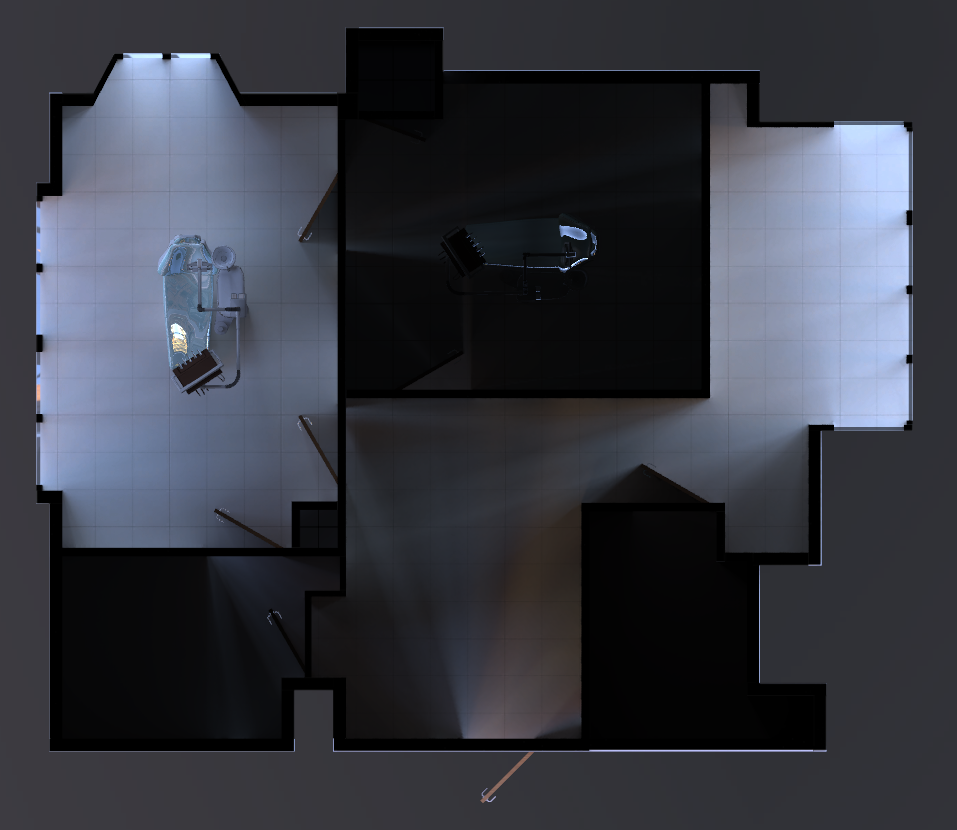
top view looks pretty neat
median mural
left one is 512 others smaller
I can only show bottom one like that
need to implement your cutting thing
dusty gyro
oh I'm just hiding the ceilings :p
I mean the section box tools are in, but I'm not using them here
dusty gyro
😄
median mural
and also because I use stationary light there adds some light
dusty gyro
oh right
this is why there's some light coming from the sun where you removed the ceilings
median mural
so if I want pretty top views got to implement masking 😃
how materials that can't be masked behave in you situation?
median mural
like translucent
dusty gyro
just multiply the mask by your opacity
median mural
but this task have very low priority for me atm so not sure then I will have that
dusty gyro
do it when you have some time for R&D 😃
median mural
I like my Houdini generated stuff there most of the storage things made from same thing with parameters
but it's strange because I am making archicad/revit from ue4 that way
like this small table is actually wardrobe
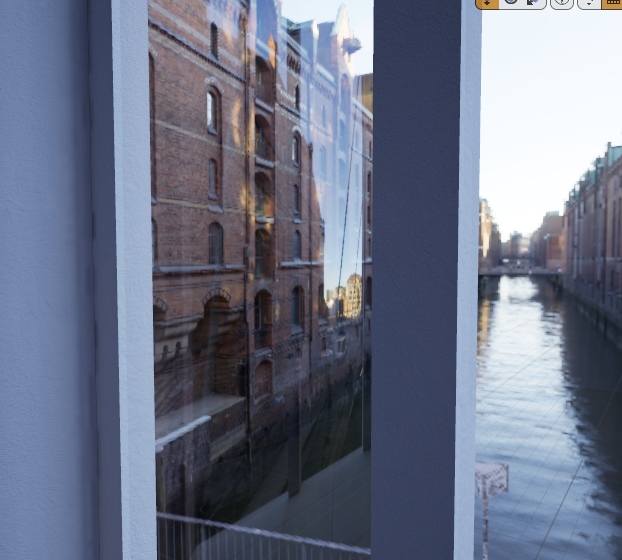 dusty gyro
hmm I'm using an inverted skysphere
and applying the HDRI to it
you have to set the LOD mip gen settings to "NoMipmaps" though or it'll be very low resolution
this one is supposed to be 4k (we have some 8k hdris) but displays ingame 1024*512px
hard limit in the engine I've been told
dark oriole
You can make it higher
The max resolution thing that normally makes it lower? Type in 4096 or 2048 and it'll actually increase the resolution for an HDRI
dusty gyro
you have to rebuild your own branch though no ?
dark oriole
Nope it's just a thing you can do
dusty gyro
hmm do you remember the command line ?
dark oriole
It's just in the texture editor
the standard one
double click the thing
I am also running windows at 1 fps right now so I can't do any screenshots, you just need to find it
RIP my CPU
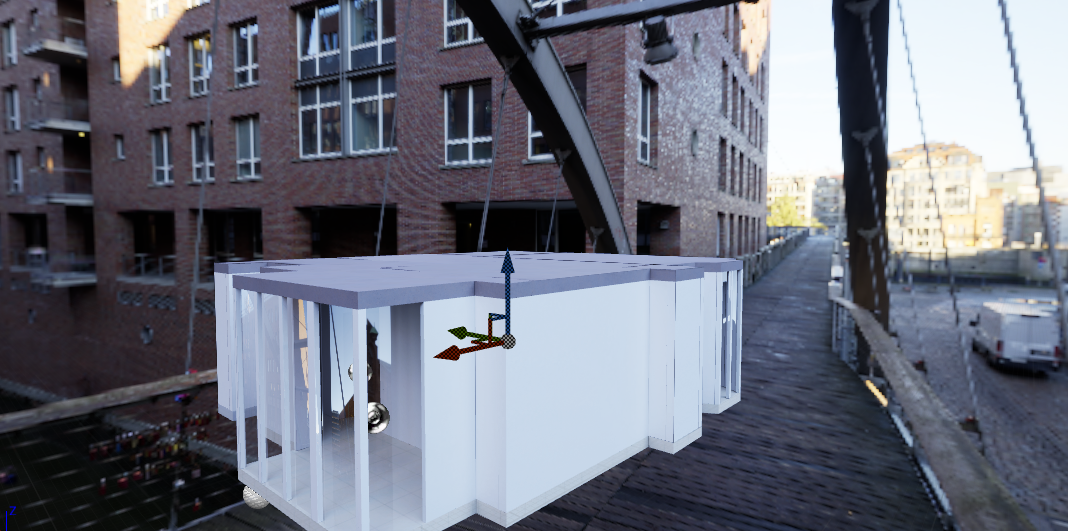
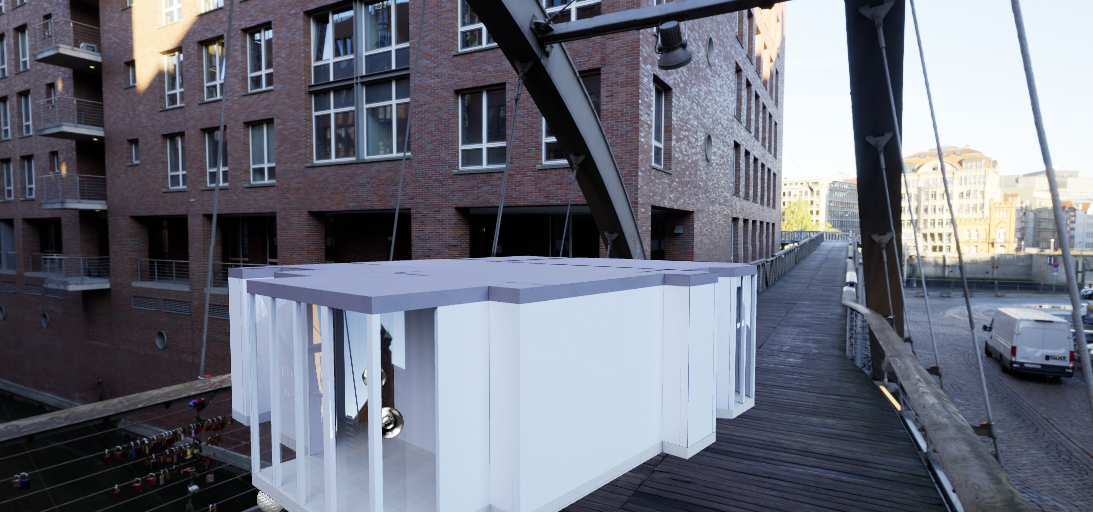 dark oriole
I'll take your word for it that it works, I can't open pictures. It's too system intensive! D:
dark oriole
(I'm exporting 38 UDIMs of 8k textures from substance painter, it'll be at this a while)
dusty gyro
muh 8k panos 😦
dark oriole
Well you don't want to use 8k panos for lighting anyway, right? And you can just use 4k plates for the backdrop
dusty gyro
yeah ofc
it looks good enough with the current resolution too, since its for VR viewing
@median mural you might want to check zero's solution for your sky texture resolution
median mural
@dark oriole you know that SP resolution independent? You can work in 1k if it's too slow and then export in 4k
dusty gyro
Progress on the dentist office, with better lighting and a planar reflection plane with very low resolution for the floors
 hard oar
playing with grass. client was ok with it, but to me i miss something...i dont know what btw lol
dusty gyro
color variation ?
not strand wise, more like some areas around trees or walls where the grass is a bit different
 cinder remnant
Depending on the climate/season, grass may be brown where the sun shines longer during the day
dusty gyro
and your grass may be of a different height around trees/walls
maybe some grass patches here and there
flowers
gentle osprey
my grass looked like the face of a 12 year old trying to grow a goatie, so that image looked pretty good to me.
also, @dusty gyro , everything in the dentist scene is interactible and movable, right?
xD
gentle osprey
Someone gave me a demo hospital room model one time. Everything was movable, so you could throw the opertaing table and equipment out the window.
dusty gyro
hehe
I thought about making a chair with pivot points you can move around
but that would break the baked lighting
median mural
I wish we could just move baked lighting
I wonder what going to happen if you do.
I think it's probably something people going to notice less then quality of movable objects
oh shadows from the objects
that's the thing you will notice
gentle osprey
you can spoof it in baked lighting if you put the work into it
it won't be very realistic though
it will be video game realistic
which in a VR environment....?
dusty gyro
the solution that kinda worked, with decent results, was to bake lighting but let the interactive stuff movable
and then change the type of lighting sampler for the movable meshes
to not use point but another setting
that way it'll smooth the lighting based on baked data
still looked kinda crap compared to static though
pale prairie
@dusty gyro try VXGI
It definetly needs some optimization but it provides almost bake quality lighting real time
Your going to need at least a GTX 980 for VRz tho
dusty gyro
VXGI doesn't give as nice results though
this is why I've deleted the VXGI branches and went for lightmass :p
 keen jolt
Hey lovers of Archviz! here is the first release of my Archmaterials, a pack of materials for who likes to do Architectural visualizations, hope you like it!
See all here: https://www.artstation.com/artwork/0JKVE

ArtStation
This is the first release of Archmaterials series, the main focus is for Unreal users and the Archviz scenes
Check it out: https://gum.co/qfaMk
median mural
rules:
6. Strictly no advertising
 dreamy sonnet
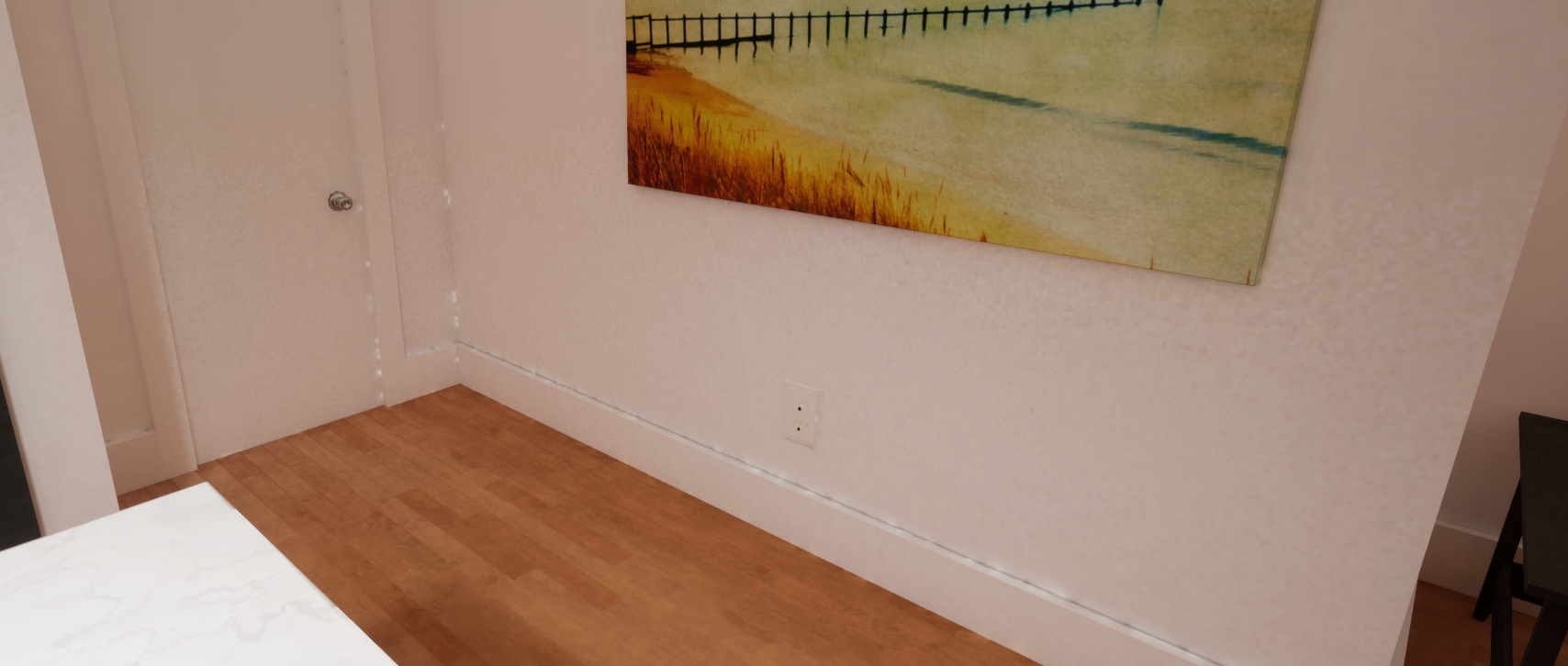
I just made a 4 hour production build and there are still these strange smears/artifacts on the walls, what can be done about this? https://i.imgur.com/9oTkAnI.png https://i.imgur.com/KOtNNKB.png
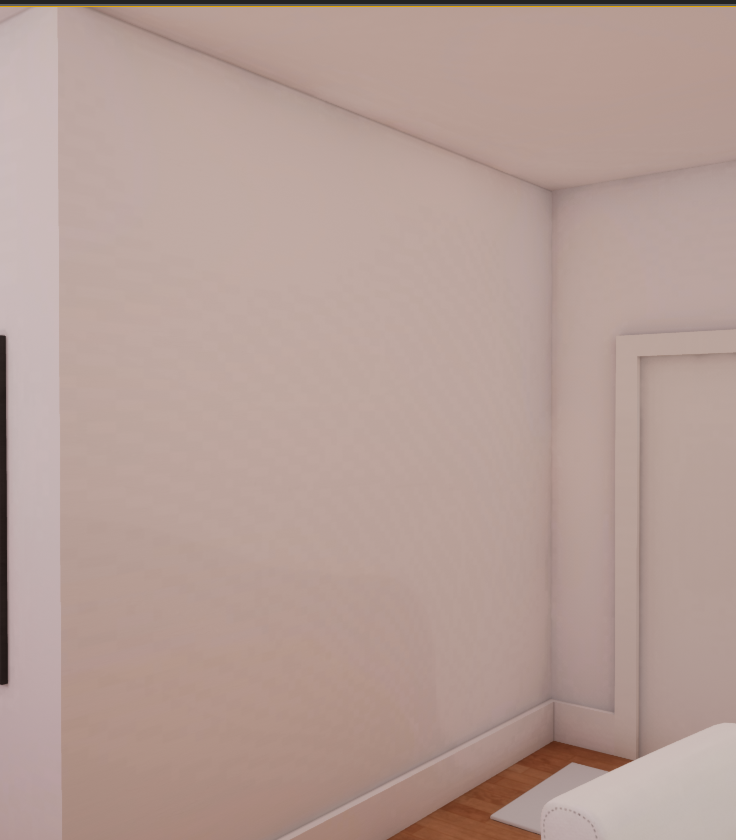
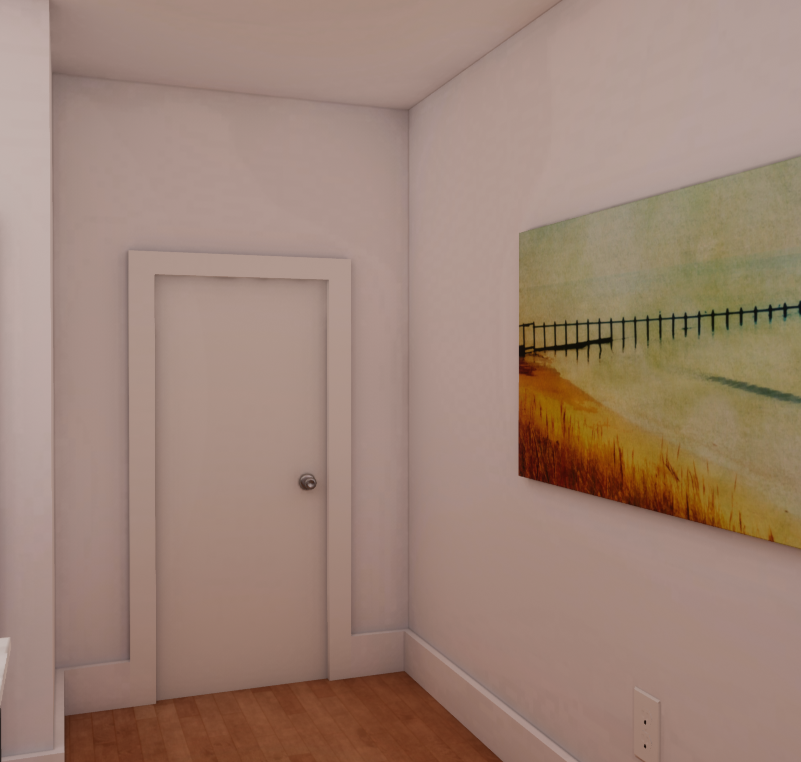
the settings are already cranked to the max https://i.imgur.com/8IwHo1K.png
 median mural
it at least makes renders faster
did those show up on lower settings too?
looks to me like just banding. So not enough bit depth. Might be wrong
can you show how you ctrl+0 looks?
dreamy sonnet
I've actually tried that before. It was very fast, but the result unusable: https://i.imgur.com/vjLx5uU.png
that is with his "ultra" preset
not on my pc right now, I'll see what ctrl 0 does later
@median mural
dusty gyro
@dreamy sonnet this isn't a normal result at all
is your UV tilted by any chance ?
ie the pixels are not aligned horizontally
dreamy sonnet
uh
could be
but even if we ignore those white dots the whole wall is really noisy
dusty gyro
yeah absolutely
built on production quality ?
try lowering the level scale to 0.1
I'd be curious too see how your UVs are btw
and how much merged meshes are in this scene for your walls
dreamy sonnet
I think the whole wall around the room is one mesh 😅
dusty gyro
well
there is your problem :v
split it into parts
and lower the resolution for each
a wall shouldn't have more than 1024px res
dreamy sonnet
it should have enough rolution tho, everything shows up as green / slight yellow in the density view
dusty gyro
hmm
that ain't enough for archviz
this is values for games
all my debug view is red on small scenes
dreamy sonnet
well it is meant for a game, but you walk around this room as a really tiny player so every artifact in the lighting is instantly obvious lol
royal osprey
@dreamy sonnet The most important thing for quick + clean lightmass in unreal is good UVs. But in your case that noise on the wall looks like it's either a compression issue or a shadow issue. First thing I'd try is to use non compressed lightmaps. (look for it in world settings)
dreamy sonnet
@median mural so I pressed ctrl 0 and nothing happened
gonna try the non compressed lightmaps later
dusty gyro
have you tried purging your swarm too ?
dreamy sonnet
what does that mean?
dusty gyro
in the swarm agent (the window that opens up when baking a lightmap) you can clean the temp data
sometimes it fixes weird behaviours
dreamy sonnet
interesting
dusty gyro
I'm pretty sure youre problem is UV related though :p
problems with lighting here are 90% UV related 😂
dreamy sonnet
there is an island that makes no sense at all and so much wasted space lol
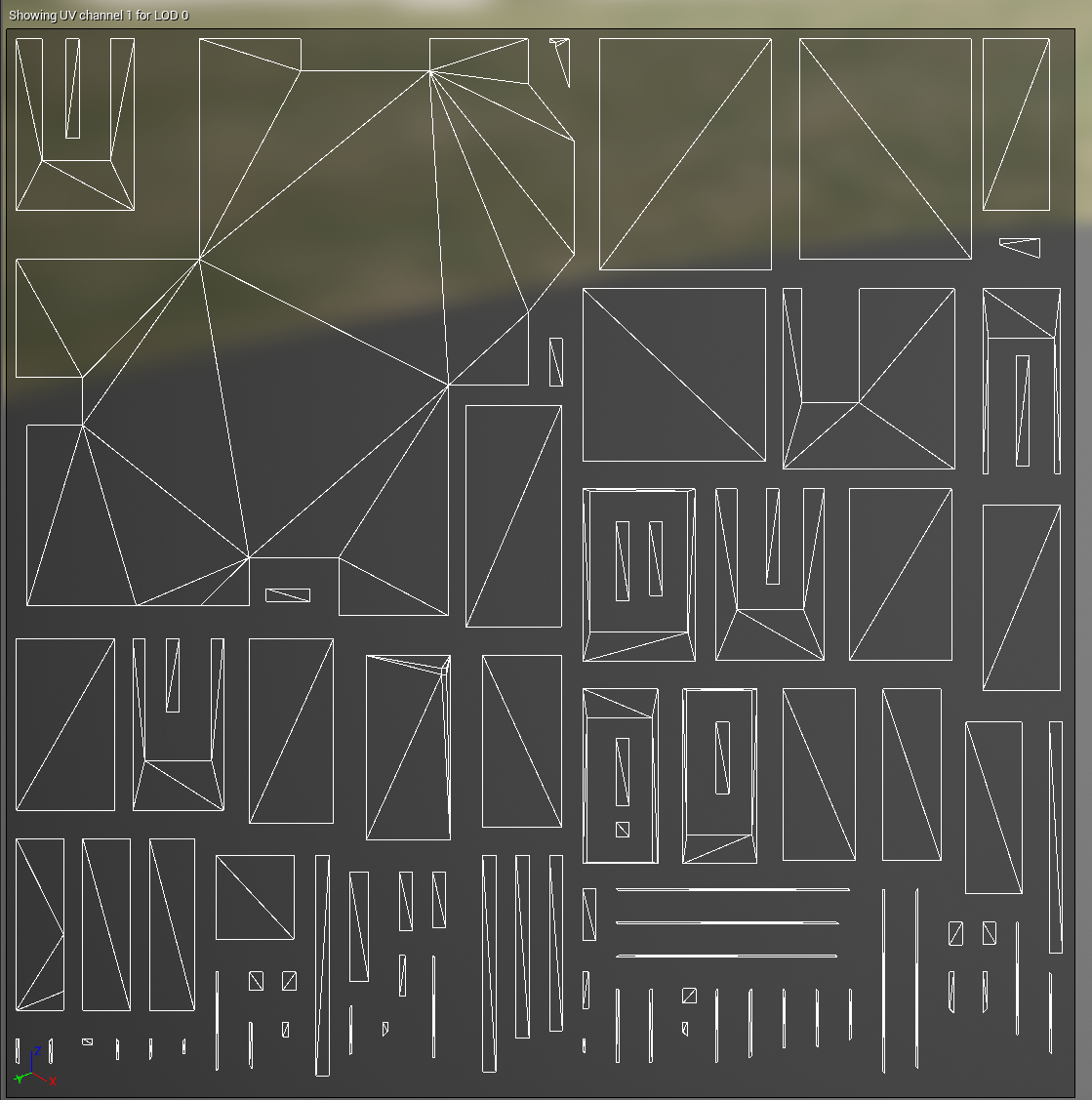
oh wait nvm. that's the ceiling
should probably be separate aswell
dusty gyro
yup
each wall, floor, ceiling of each room is a different part
if you merge everything you won't be able to get good results
and you will end in the territory of UV horrors...
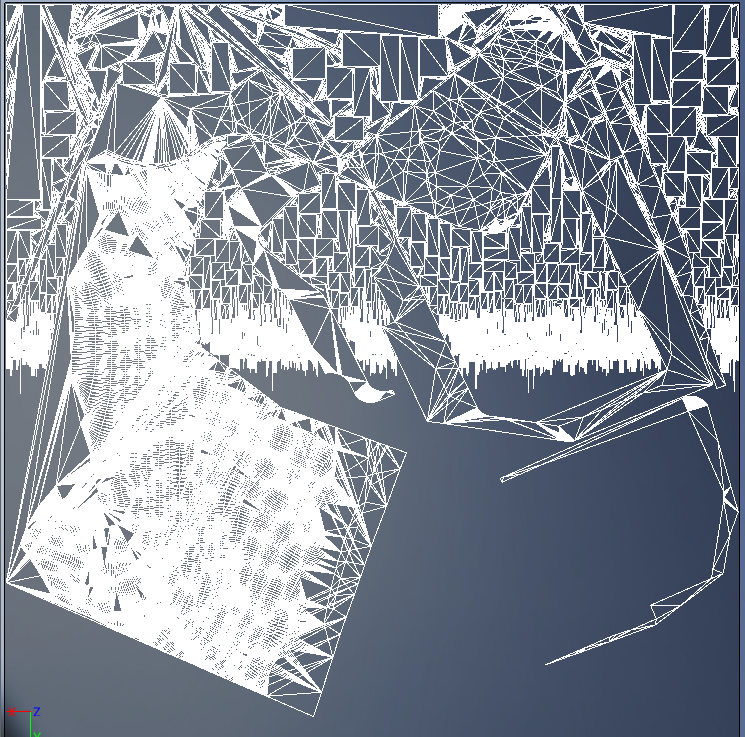 dreamy sonnet
oh god what is that
dusty gyro
a terrain 😂
dreamy sonnet
nice
hard oar
Looks like a citymap 🤟😎
hard oar
https://youtu.be/YbTvS-DyWr4 quality is not the best since i had to create everything based for mobile platforms. what do you think?

Architectural visualization of a house with garden site in Spain. Client: ChaletFlex Music: Alessandro Fantin Paintings: MJ2art
dusty gyro
looks good for a mobile target @hard oar
maybe you could get a little more performance by ditching SSR for cubemaps ?
toiletbowl lightmap could use a little more pixels :p
colors are a bit washed out
hard oar
about the colors, that's my client needs, so i had to apply what he desired hehe
ye true story about some parts which isn't that detailed, working on it too for the next update
median mural
People do you use source control for arch viz projects?
 nova seal
Can archviz ue4 project (interactive scene) be opened on a web browser but without losing quality?
dusty gyro
not sure, shader model with webgl/html5 is a bit more limited than the desktop versions
nova seal
So it would be difficult to achieve this, right?
nova seal
Is there an alternative option to pack a project that can be opened in all platforms? Not only windows or mac? And also, one scene is around 2GB can this be reduced?
dusty gyro
well you can open a project on any platform
a build though is another story
about the scene size, you an reduce it by using lower resolution textures and lightmaps
median mural
@dusty gyro https://streamable.com/mcql0 it was easier then I though it would be
 dusty gyro
sweet 😃
it ain't that difficult yeah
the mesh capping part though...
is it handling rotation aswell @median mural ?
median mural
No didn't do that yet
I only need to cut one wall atm
also it works only on one material for now
dusty gyro
did you move it to a mat function ?
median mural
it is now
dusty gyro
:p
median mural
So what we do if we don't have any windows?
dusk pelican
have lights
median mural
it's looks to me that light bounces very poorly if there is no way to use skylight
Now I have strange workaround to add some
dusk pelican
an indoor skylight would make no sense
you could try having mesh 'lights' that actually just let skylight light into the mesh by effectively poking holes in the room
hidden windows
hard oar
are they resolving the point light (used with a source radius and source lenght) thing with 4.20? i remember that i had to turn the light shape 90degrees to build it correctly
dusty gyro
good question @hard oar I can test this out rn
hard oar
@dusty gyro oh nice it would be awesome if u already have 4.20
dusty gyro
so the point light length goes upwards
but it matches the debug cylinder
so I guess they fixed it ? 🤔
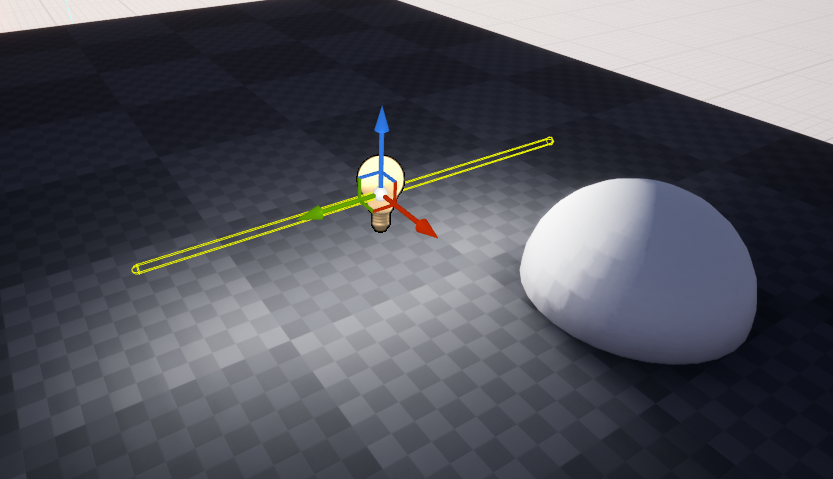 median mural
looks like I going to do some rotation after update
but this thing doesn't work with gpu baker so I jsut used emissive lights that work better with gpu baker
dusty gyro
yeah only works with the default lightmass
hard oar
uhm ok
dusk pelican
the gpu lightmass plugin doesn't work on 4.20 does it
solemn hawk
it's not compiled for it yet since 4.20 hasn't come out
dusk pelican
he doesn't do previews?
solemn hawk
I'm not going to speak for luoshang, but I wouldn't if I was developing it, previews change quickly and are buggy
 vast wadi
does the GPU baker produce the volumetric lighting samples for dynamic objects?
dusty gyro
@solemn hawk in all cases luoshuang is now working directly with epic on lightmass, so he probably dropped the current implementation to focus on the now official stuff
median mural
gosh all those reflections is expensive
median mural
T_T cutting walls doesn't help reflections brake
dusty gyro
bake or break ? :p
dusty gyro
Unreal Engine Forums
We have released the first preview of Unreal Studio 4.20 for Unreal Engine 4.20
Previews should only be used for testing and not for development
Please
oooooooooooo
Metadata: User Defined Object Properties from 3ds Max, whether populated with data from Revit, or by the user, is now available in the Editor, or at run-time. This enables various workflows, such as finding all, “doorknobs” and simplifying them via a Python script or using metadata at run-time to display relevant information when someone selects an actor.

dusty gyro
anyone with datasmith 4.20 and revit can test up the meta data import ?
I'm not getting any data 😢
dusty gyro
apart from the meta data stuff
the new reimport workflow works awesomely
being able to just reimport parts instead of the whole project is sweet
dusk pelican
🐫
dusty gyro
@dusk pelican ? 😅
dusty gyro
Revit to Max to Unreal reimport workflow
median mural
well it's looks painful
but this is probably the same files as blueprints for construction?
dusty gyro
until we get a proper revit plugin this is the only fast way of doing it
what do you mean by blueprints for construction ?
@median mural
median mural
ones you print and then give to construction workers and all
median mural
It's just to open the door my workflow is kinda faster with 1 button
median mural
probably depends on a change but it's not going to look amazing too.
dusty gyro
keep in mind that this kind of project on revit goes through the hands of a lot of people before me, and all of them are doing technical stuff related to building engineering, not archviz
median mural
I not sure what my point is 😃
yeah it will be faster then building everything by hand first
all the walls as I do now
dusty gyro
when I try studio/datasmith stuff and ask for features like this, this isn't really aimed at archviz projects
its more about massive projects with thousands of complex entities
think industrial instead of artistic
median mural
yes I see. I wonder if you can automate this workflow with scripting so it takes one button
dusty gyro
once the revit plugin is released
we're gonna get reaaaally close to a one button workflow
right now only max is in the way
in the video I just use max as a way to export to .udatasmith files
not doing anything to the model in max
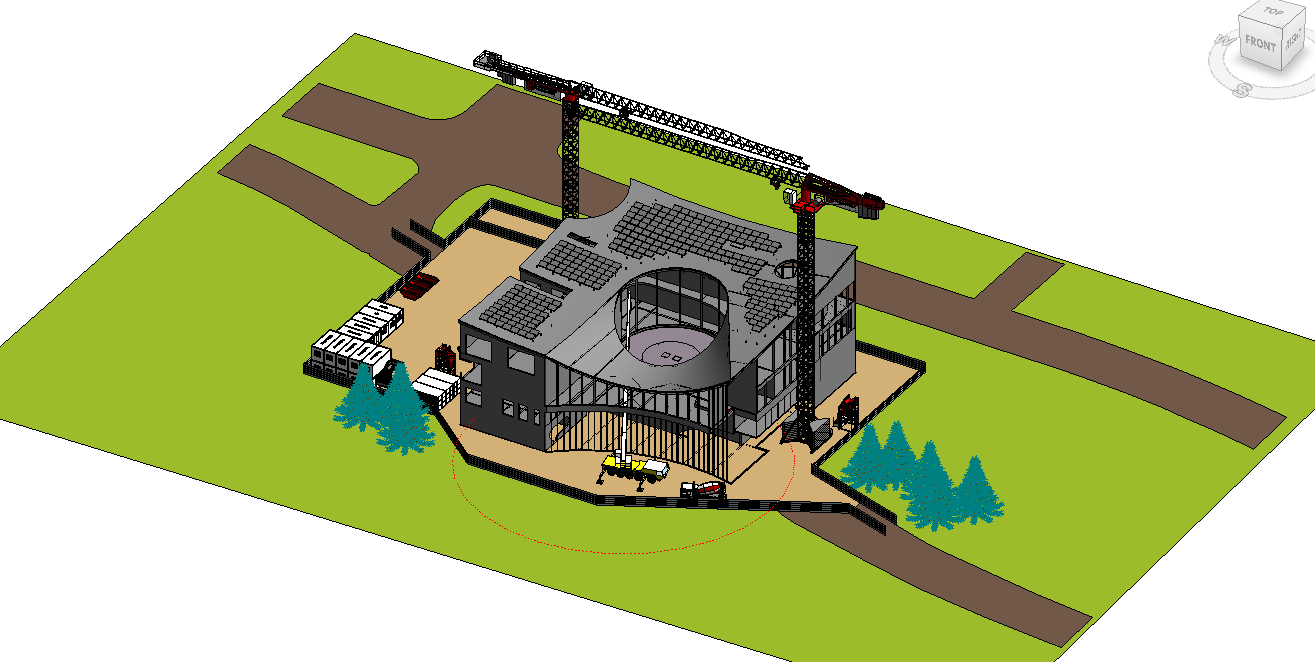
lets take this project for example
the revit file has everything needed to prepare the construction site
for the workers
but we want a nice realtime model to look around
and help construction managers to visualize the site
median mural
And all in VR. I see how faster 4 minutes workflow for this 😃
dusty gyro
:p
exactly
I'm excited to see what kind of improvements they made with the LOD stuff
since our projects are very, very complex from a model perspective
our engineers dont care about realtime rendering performance
they care about getting all the needed details to build the project
doesnt look really sexy in max either
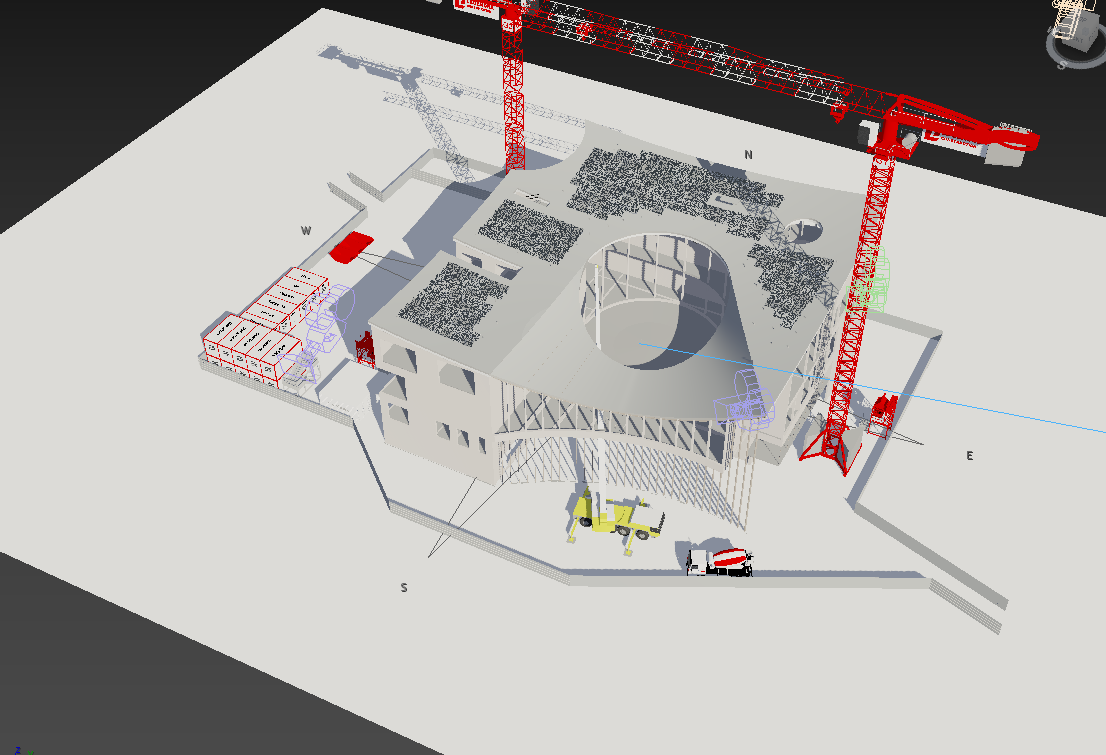
and some materials lost their colors
probably because these are not setup the right way
median mural
I wonder if I can turn off planar reflection update
dusty gyro
isnt that basically what cubemaps do ? :p
maybe there's a way to change the refresh rate of the plane
median mural
I can capture it manually
I think I will do that
capture reflections and then cut the wall
dusty gyro
yup sounds good
median mural
it's kinda sad and awesome in the same time that I need to do a lot of technical stuff to do arch viz in ue4
 solid oxide
hi guys you guys seem like wizards with the ue4 lightmaps, im working on an interior and was wondering how big i should section off my wall mesh into seperate meshes
here is a picture of the interior in blender
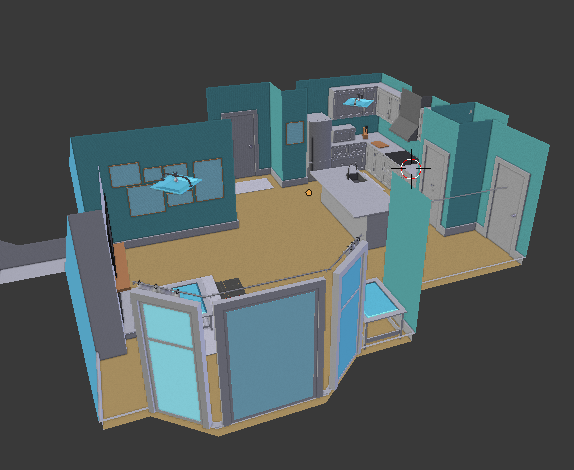
its meant for a game, however you are a tiny character
i think zeblote was in here the other day about an issue with the interior so you might've seen this before
median mural
I separate every wall by corners
like this
your set up doesn't have volume to block light leaks so chances are you better not separating those and making good uv's would be better
median mural
try to render and then report about errors and stuff
start low to not spend a lot of time rendering issues
solid oxide
also is this relavant anymore https://www.reddit.com/r/UE4Devs/comments/246whl/the_most_important_thing_about_lightmaps/
i guess i can sum it up
median mural
dusty gyro
but am not sure what olivierJT said is still relevant yeah. 4 years is a lot
and he's making a game with a very non realistic style
median mural
And it's about not generated lightmap uv's
I am confused then I should say lightmap, lightmass or baked lighting. Wonder what is correct usage of those words 😃
dusty gyro
lightmap = texture generated by the engine with baked lighting
lightmass = rendering engine to calculate lightmaps
median mural
isn't it swarm?
dusty gyro
baked lighting = process of baking lights with lightmass to create a lightmap 😄
swarm is the coordinator
dusty gyro
to coordinate computers when you have render farms
median mural
Well looks like I usually use it right
dusty gyro
:p
median mural
lightmass is most confusing one because it could be just called baker or something
and you want to say things like "how to calculate my lightmass"
but you actually calculate lightmaps with lightmass
this is what confusing for me
lightmass != lightmap but word actually doesn't sound wrong
median mural
well planar reflection trick I thought I can do not going to work
pale prairie
Im pretty sure light mass is just the name for the renderer
Just like how VXGI is the name for Nvidias realtime lighting
median mural
So I am not sure what happened but now my gpu light mass renders everything dark
median mural
masked materials don't play well with gpu lightmass...
or my box cutter implementation
and I tried to fix a thing in a different way. So now I am got to redo things =/
solid oxide
my lightmap uv's shift after i bake, using the uv's i created. any help? using 4.19.2
https://i.imgur.com/n6d1K7O.png
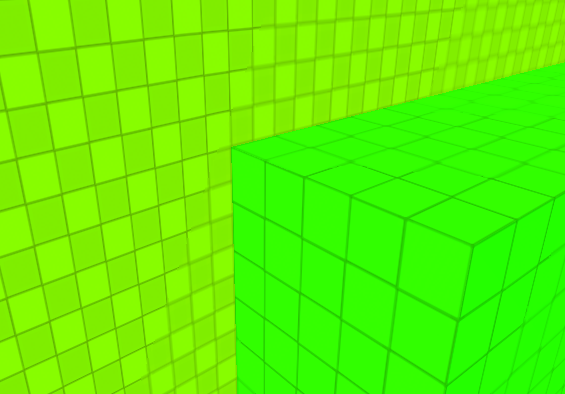
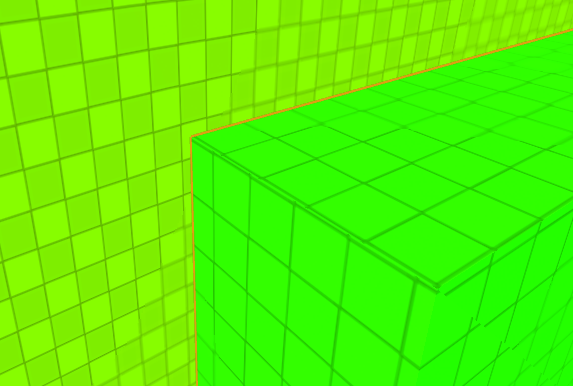
creates bad lighting artifacts along with it
median mural
@solid oxide I am lost here so your uv's change somehow after bake?
I wonder if I had this problem too but never actually try to make my light map uv's so neat
but this is very strange seam. I don't think that can actually happen
Can you show your meshes uv's?
 mint herald
MY EYES!!!
dusty gyro
Dang is the studio support fast with tickets ! Got an answer back in a few hours O_o
 blissful gazelle
Anyone know a good 3ds max discord?
dusty gyro
behold ! Revit data in Unreal ! 😄 https://i.imgur.com/qGzWo2t.png
 median mural
how that works? You can access it via blueprints?
dusty gyro
yep @median mural
still missing some stuff though imo, like accessing the references in the "datasmith scene actor" which acts as the coordinator for your datasmith import
median mural
So you can show data like amount of light in the room?
dusty gyro
if you had it in revit yep
median mural
and air
dusty gyro
yeah volumes for example
just a matter of filtering the right kind of data
heck I even have the heat transfer for some models
dusty gyro
:p
median mural
you can do some fancy presentations with that
dusty gyro
even with just the base product viewer you can do some nice stuff with the xray mode
could imagine doing a widget to display info on highlighted object
median mural
or quickly create cinematics with updatable information in a living project
 median mural
I see how it's good for your use case 😃
dusty gyro
thats the tip of what we want :p
dusty gyro
as in mixed reality ?
dusty gyro
epic released a template for this specifically
median mural
for studio or everything?
dusty gyro
nah everything
median mural
cool got to find project for that
dusty gyro
go in the learn tab in your launcher
scroll a bit down
should be the first one in "Engine Feature Samples"

Unreal Engine
Composit real world images or video footage with computer generated imagery just like in the movies - but in real time!
blog post ^
median mural
I am actually saw that 😃 just need to learn it someday
dusty gyro
😃
 marsh widget
Does someone know why some objects wont throw shadows all of a sudden? They are set to szatic, lights too, tried to import them to new scene. They even got “cast shadows“ activated and the lightmap resolution is high enough. I tried almost everything and i cant figure out whats wrong, for the life of me :(
cinder remnant
Did you bake light?
marsh widget
Yes ofc
Im still experimenting while we are talking what the cause might be
I have an older project where everything worked. Somewhere aling the way it broke or i just changed sth idont remember that is causing thid
median mural
@marsh widget are one sided objects?
median mural
it's some sort of strange material?
marsh widget
No
Its alrighr ty, i just went back to my old project, because i tried all and dont know what causes it. Thx anyway alex 😊
royal osprey
Unreal is weird like that.. I have spent 5 hours today trying to remove a black spot, like a shadow, from a chair and I just gave up. I have 15 clones of that chair, and all of them look great, just this one.. I have tried upping the lightmap res, tweaking the UV, moving lights, replace it with another clone, move it and rotate it a little.. the black spot refuses to go away.
gentle osprey
have you moved your change from your left pocket to your right pocket?
royal osprey
That must be it
median mural
I love arch viz process in ue4. It's naturally support that thing there you assemble everything for render in one file and create stuff and assets in another. Makes managing everything a lot easier
like sharing stuff between project was a bit of pain before for me
dusty gyro
yeah the migrate option is really nice
gentle osprey
@dusty gyro , seen this while using 4.20? https://i.imgur.com/w6D0lk6.png
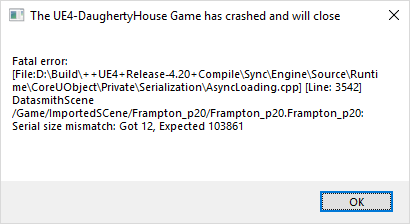 dusty gyro
have you updated datasmith ?
gentle osprey
@median mural can you clarify that comment a bit? I still find it a pain to move assets from one project to another. I actually wish there was a way to make a shared asset between projects so that if I modify a material for the better, I can go back and easily use it in a previous project underway without having to migrate it from another project
@dusty gyro yes, I updated datasmith exporter in 3ds to the preview exporter also
median mural
well I am totally doing a bad thing and using one project for all my arch viz
dusty gyro
I'm not sure you can do crosslinking with unreal
gentle osprey
verified that 4.19 can still build a project succesfully with datasmith files
maybe I need to reinstall 4.20?
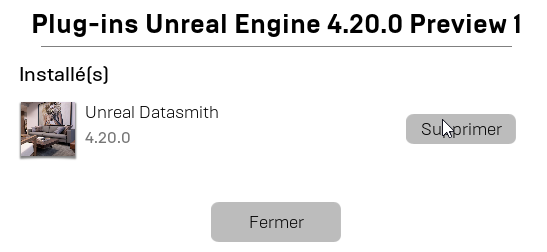 gentle osprey
I'm pretty sure you cannot crosslink with unreal, and I can understand why as well.
dusty gyro
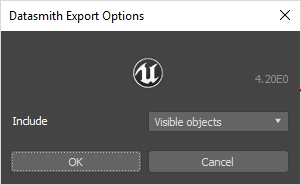
4.20.0 datasmith plugin version
gentle osprey
that's jsut what I wish
median mural
shared asset between projects
but apparently content plugins is exactly this
 dusty gyro
your exporter looks like is has the right version
well I have no clue if they changed stuff with the packager
gentle osprey
@median mural true, but I'm not going to author a plugin just to connect to a shared network folder containing assets :]
median mural
yes this is why I just use one project called Arch Viz and there is folders for every project I am doing now
dusty gyro
yeah this is what I have for the material library too right now
I just migrate it to new projects if needed
gentle osprey
are you packaging EXEs for clients or just generating raw images to process and send to clients?
median mural
I don't have any reason to create separate project atm
median mural
idk it's fast enough
dusty gyro
well you have a lot less stuff in your projects than we do I guess
since you do small scale interiors
median mural
I assume that working on a big game is the same if I put all the arch viz in one folder
gentle osprey
fair point
median mural
yeah with packages you can just export folder of project if you need to
like that
to a new project for packaging
it should export everything with dependences
so every folder is basically a project but they are combined together for ease of use
as I understand plugin is the same but you open separate ue4 instance and that might work good too. not sure if you need to restart if you change stuff
gentle osprey
Coming from the world of worksharing in AEC it's hard to imagine a team of game developers working in this environment
how do multiple people work on one project?
I'm interested in that
median mural
we have level streaming for that
problem is that files are binary so most of the thing require one user to work on it
so if you use source control you block this file from editing by other people
so you need to create things in small level chunks that can be worked by several people. So someone doing lights in the level going to use specific level that loads lights in the scene so this peroson only edit lights level in streaming levels
gentle osprey
interesting. thanks!
oh man.. if our network were so rediculously slow I would be trying this out!
I have an intern who desperately wants to get into this VR development, but it's tought o supervise AND get work done at the same time without something like this
median mural
I am not sure if it possible to see changes in real time
at least with git you will need to download changes and then reload level
and it will not lock files for you so there might be issues
nova seal
I want to make a 360 panoramic video of my archviz scene so it will be able to open on YouTube. I did some research and I found that the way to do this is to enable the MovieCapture plugin. Is this the only way to do this, because the documentation is from version 4.13 and it seems a bit complicated, or there is some easier way?
gentle osprey
photo or video?
 cinder oriole


 nova seal
@gentle osprey Video.
 orchid sluice
hey folks
so i do archviz, but i'd like to discuss bp issues i am having, a bit of dilemma here or #blueprint channel 😛
or both
i lean to bp, but just came to check anyway
glossy creek
I'm looking for the best way to change the materials on multiple static mesh walls. So far, my solution was to select all the walls I want to effect, and drag it into my BP. Not very effective. Is there a way to group a set of SM so I can refer on them in the BP. Or is there a whole 'nother way to go about it?
I should clarify my question. This is for a interactive walk through, so white wall, blue wall, etc. Looking for the best way go reference a "group" of SM.
dusty gyro
@glossy creek there's multiple ways to do this ! 😃 My method was to store these groups of meshes into an array via a structure (the STR was made of a name, an array of mesh actors/components references, and an array of materials). When you raycast your mesh, you can get the group name associated with it, as well as all the available materials for that group !
glossy creek
@dusty gyro Thank you! I'll look into that!
gentle osprey
This is the problem I was trying to resolve by continuing to use DAE files which groups meshes by material from the revit export