#source-control
1 messages · Page 51 of 1
 rose spade
 woven sluice
I'm definitely not at your guys' level, just one server with multiple depots. my plugin is in one depot, my game is in another depot and imports the plugin. I can modify the plugin in its own project/depot or modify it in the project I'm actually working on and push changes back to the plugin depot from the game depot
 limpid mason
Sorry about that!
rose spade
no prob. to me, it's an unanswered question on how you do that with multiple servers
woven sluice
yeah seems like it's quite strongly intended to always be read only from remote servers
rose spade
so it goes back to a single server bloat solution.
personally, i just moved back from multi server to single server because:
- the read only thing
- lost the guy who was maintaining that infrastructure
i'm starting to think the best way to split perforce servers is to split where your company doesn't want to share code/rss/culture
 river tinsel
@rose spade I can tell you about two steups
rose spade
im interested
river tinsel
at work we have depot per shared engine
if project uses it's own engine for some reason it get's own depot
 alpine beacon
Hey guys, How can i get a remote stream into my perforce unreal project? Are there any pointers to that?
rose spade
how do you share unreal modification across projects?
river tinsel
we don't
river tinsel
depots are also split per studio
we have 4 games in production
by 3 studios
in different locations
2 projects share the same depot
and two others have separate depots
rose spade
k
river tinsel
the two projects share engine
and unforutnelty
are on single stream
for my personal personal projects (with few friends)
I have two depots
one for standalone projects (engine from launcher)
and one for source
the source depot have main stream
with only engine sources from github
then there is projects stream, directly from main
it have some project agnostic plugins
and then there is stream per project
rose spade
thanks for the explanation
river tinsel
if I had to do setup at work
I would do it my way
projects shoudn't really share the same stream
it does not do any benefit, beyond screwing everybody (;
rose spade
sure
right now i'm going with a structure that is sort .... Vanilla UE4 main stream that parents company UE4 development stream that parents ProjectA development stream
that way when changes get introduced to projectA, i can propagate them back easily to company stream
and then back down to ProjectB that would also be parented to company stream
river tinsel
pretty much what i have done at "home"
rose spade
the other option that i've seen done is that people create main streams from the vanilla... but i'm not sure why they did this and how hard it makes it to propage the changes
it's all under the same depot and you have a main stream for everything
Vanilla UE4 main
company UE4 main
ProjectA UE4 main
river tinsel
you can't have two main streams
I mean you can
but they cannot be parented
so you end up with manual merges
rose spade
exactly they re not parented
they're under the same depot but not parented to one another
river tinsel
last time i tried to integrate stream to stream (unrelated) everyhing exploded
rose spade
which i question whether it makes it harder to move changes around
yeah thats what i thought
it becomes another baseless merge
and we don't want that
river tinsel
documentation says it's possible
but idk if someone tried on it on really big project
rose spade
but here's another problem...
you're on UE4.24.2->company4.24.2->ProjectA4.24.2
and now you want to pass to 4.25
how do you get your changes to the stream UE4.25.3
river tinsel
you first update main
which i assume it is not modified
the switch to company
integrate with merge
and just resolve conflics
rose spade
but i dont want to touch main
there are other people depending on this
i dont want to change them from 4.24.2
rose spade
you could be right since their child stream doesn't receive updates automatically
river tinsel
I would assume main will always be updated
rose spade
but you're sort of making a statement that "as a company... we're moving on"
rose spade
which isnt necessarily bad
rose spade
depending how many other people you have to fight off 😉
river tinsel
they update engine for all projects asap
rose spade
i think it's fair enough as long that you're not reaching the end of the project
river tinsel
it's not worth the pain for updating later
rose spade
personally, i have contracts that lock me to certain versions on some projects
no way to update
river tinsel
there is no shipping in live service : D
but i digress
either way, noone is forced to merge all changes from company stream
rose spade
well you still run an update no?
rose spade
(this is useful)
river tinsel
if you don't want to update engine close to shipping
you probabaly don't want to modify it anyway
otherwise
I don't see a reason to not update asap
rose spade
or to just do the modification in your own stream
river tinsel
so keeping parent stream always updated shouldn't be an issue
the only issue with streams
is that they are poor man's branches
with allready poor mans branching model of p4
rose spade
well last time i used p4... it was all branching
now im back after a few years and... streams!
river tinsel
don't bother
rose spade
can it be a solution to all of our problems?
river tinsel
tried it
rose spade
good to know
rose spade
well we do...
river tinsel
and can't migrate one way or the other
rose spade
i also think it would make it easier to manage ue4's history
river tinsel
well
one thing
graph depots
are completly incompatibile with other depots
you can't copy graph depot to stream or normal depot
rose spade
you could come up with a somewhat meaningful representation of the branch history
a single branch i mean
rose spade
i think there'd be some value into it but it's probably more problems than what it's worth
river tinsel
since p4v doesn't show the merged git changes : D
either way i lost like a day to setup it, test it
and it wasn't really up to what i wanted
rose spade
thanks, i wont need to try it 😉
to be honest, we're trying to hire someone to do it instead.
river tinsel
yeah and they immidietly killed team license
alpine beacon
So, I have a local repository, but we want to use the engine from the licensee server, how can I add that stream to our local repository without pulling and resubmitting?
alpine beacon
@river tinsel is this a reply to my question? 🙂
river tinsel
no : D
rose spade
@river tinsel how do you actually update the content?
do you delete all the old files and then add the new ones?
or do you overwrite and then run a reconcile?
and finally how painful is the merging with the changes on child streams?
it's just a lot of files that can change from one version to the other
for the engine still
river tinsel
depends how you policy changes to engine
if you do not make changes to engine
it's as easy as accept source
if you make
you have to merge changes from parent with allow manual merging
and the files which cannot be auto resolved will be marked for manual merge
and If you ask about engine content
I do nothing
just override
 simple lodge
@rotund bobcat I think you have to do it by hand
@limpid mason see I usually go the opposite way. Engine is maintained and shared between all projects, with a snapshot (i.le. tag) tied to a release - for most projects. If a project is going to heavily modify we use a branch of the main engine repo
 rotund bobcat
I know how to prune the lfs locally, but no clue how to do it on the remote server
if that's why you're talking about
or you mean literally deleting file by file?
simple lodge
if you push up and git gc
should work IIRC
Im not sure for bitbucket specifically, but the way I setup the stuff was pushes update the pointers and then gc will delete null pointers
You may also be able to do a post receive hook that does somehting like git lfs prune with some offsets so it keeps only 5 revisions or smth
 south ingot
So I asked recently whether Git on Windows comes with LFS by default now
The answer turned out to be: yes, you don't need to install it separately anymore
Checked it today on my fresh OS install
simple lodge
IIRC the bundled one is kinda outdated tho
south ingot
git-lfs/2.11.0 (GitHub; windows amd64; go 1.14.2; git 48b28d97)```Seems to be the latest version
limpid mason
@simple lodge maybe I wasn't clear in what I was describing with regards to the engine source stuff. We do our best to have a single engine depot in perforce. Everyone who MUST touch the engine goes to the same depot. We use different streams for the different Unreal Engine versions. If someone needs a customized version they can branch of the required Unreal Engine stream with their own stream.
We build that and distribute that. Individual projects should be writing plugins and using those.
 lone kettle
how do i delete a local commit that i did??? i didnt push it but i commited some files that i didnt want to...so how do i delete that commit like...no i didnt commit that kinda delete
 neat grotto
@lone kettle Try this. https://ohshitgit.com/#undo-a-commit
lone kettle
ty
simple lodge
@simple lodge maybe I wasn't clear in what I was describing with regards to the engine source stuff. We do our best to have a single engine depot in perforce. Everyone who MUST touch the engine goes to the same depot. We use different streams for the different Unreal Engine versions. If someone needs a customized version they can branch of the required Unreal Engine stream with their own stream.
We build that and distribute that. Individual projects should be writing plugins and using those.
@limpid mason
Fair, some of that may have been me forgetting exactly how p4 streams work (Ive been using almost solely git for last 3-4 years or so - aka since about 4.17 ish)
 frail falcon
can someone point me towards a good guide on using svn with unreal a good workflow to use, etc?
 vivid scaffold
daaaaaaaammnnnnn... I missed this news 🤬

DEVELOP3D
Unity adds Plastic SCM, having acquired Codice Technologies, to bring its version control solutions to its real-time 3D workflows
I hope they keep Unreal support, because I refuse to switch to Perforce 🤢
 scenic ember
I highly doubt they’re going to cut off a specific market just because Unity picked them up. Unity will probably just get some specific benefits, like it being built into Cloud, or Plus+ users getting free space, etc.
 pseudo osprey
well, it really depends on how the IPO goes I'd say
imagine the IPO just means Facebook now owns Unity
scenic ember
If that ever came to a head, I’d never touch Unity again. Lol
ANYWAY. Look at the huge companies they work with in that article. They mention Nike and the automotive industry
So they’re not going to go to Unity-exclusive at any point. That’s way too much money to just stop grabbing.
pseudo osprey
no but ...
Facebook account required to use the "not megabig company tier"!
plenty could go wrong
 dusk dove
anyone tried to set up jenkins to pull from perforce but it just refuses to sync?
the p4 plugin is executing a correct p4 sync command, it's printing all the files that should be added as expected, and then it... exits without actually downloading any files
woven sluice
i've got mine working yeah but i saw this at a bad time
just about to head out for a few hours
ping me if you haven't got it working yet
here's part of the jenkins log if yo uwant to compare though it's not very verbose https://hastebin.com/uwulivixeq.sql
@dusk dove
dusk dove
I ended up figuring it out
there seems to be some bug with the jenkins plugin
if you have parallel sync disabled, it does not work, if you have parallel sync enabled, it does not work, if you have parallel sync enabled but configured incorrectly (all parameters = 0) then it works

woven sluice
I just never touched the advanced part and never had a problem :/
dusk dove
yeah idk that was really weird, now it works great though
yeah from your log
p4 sync -q C:\Jenkins\workspace\Megacity-Mainline/...@1163
this is exactly the command my plugin used
well with a diff name obv
and it would exit after 200ms without doing jack
now, with the incorrect settings, it uses something like p4 sync -parallel=threads=0 -q C:\Jenkins\workspace\Megacity-Mainline/...@1163
and that works
 stuck arch
I downloaded a zip file from my remote repo branch and made some changes. I want to push these changes to the branch but there seems to be a lot of errors in the way. Can anyone please guide me??
What's the easiest method to do this?
Thanks!
scenic ember
@vivid scaffold @pseudo osprey Hey, I found an official answer, in case you needed re-affirmation.
For anyone that uses Plastic SCM Cloud, how often does the Cloud Dashboard update? I've sent a test map and the Plastic SCM tool seems to suggest that the repository is there and working properly, but I'd love some confirmation on the page that it's actually pushing and I'm using the tool properly
I do see the repository in the Cloud Dashboard, at least. So just waiting for the Activity section to update
 jolly fog
I can safely exclude .sln files?
scenic ember
Yes, because you can always regenerate sln files from the Editor or the .uproject
jolly fog
@scenic ember thank you
vivid scaffold
@scenic ember Facebook promised to not change Oculus, and look what happened. I don't really care about Unity's reaffirmations. Plastic SCM is no longer a future proof source control for Unreal. 😦
And Perforce, for normal people, absolutely sucks. And Git doesn't handle binary files well, apparently... so... crap all around, it seems...
jolly fog
how do I remove a folder form a p4 workspace
vivid scaffold
👆 Thanks for proving my point on Perforce 😆
jolly fog
@vivid scaffold Well, usually when you provide options such as "remove this from workspace" it will do the thing it says the button says
vivid scaffold
oh, I know... I tried for months to get P4 running at work, with the help of Perforce support and our IT guys... we finally chucked it in favor of Plastic SCM
jolly fog
@vivid scaffold well, maybe I'll follow suit]
rotund bobcat
git for life
jolly fog
I made the horrible f**king mistake of adding binaries to my workspace
rotund bobcat
except if you're an artist
vivid scaffold
yeah, we're not looking for "source ONLY" control, but rather "entire project" control
jolly fog
I can't even delete a workspace easily without deleting the entire project from mine AND everybody else's hard drive without being careful
rotund bobcat
git works for entire project, just speaking from experience the whole thing is harder to understand for non programmers
alpine beacon
Anyone experiencing the same, that you need to close Unreal in Oder to sync with perforce? Anytime another user makes an update, we need to close Unreal, get latest revision, then start Unreal again, otherwise we are not able to pull
jolly fog
@alpine beacon so, possibly because I didn;t close unreal, everything is unfixably f*cked
or at least, I am going to have to revert every single change I have made tonight
rotund bobcat
you need to close unreal because it is possibly using some of the files you are pulling in
jolly fog
@rotund bobcat unreal crashed because it can;t access files because they are check out by perforce
jolly fog
how do i both uncheckout all files, and then remove a folder from my workspace
limpid mason
@jolly fog what problem are you trying to solve?
and why can you not delete a workspace without breaking other peoples stuff?
jolly fog
I'm working alone
limpid mason
I can't even delete a workspace easily without deleting the entire project from mine AND everybody else's hard drive without being careful
jolly fog
sorry
what I'm trying to do is remove the binaries folder from my workspace
for some reason it does not
I see a small locked icon on many of the .cpp and .h files when I open VS, is this caused by perforce checking files out?
limpid mason
Been a while since I worked in Visual Studio, do you have P4V?
If you have P4V and the file has a lock icon on it in there, it means someone has it checked out and there is a lock on the file so only 1 person can check it out
the color of the lock will indicate if you have it checked out or someone else
I don't know if VS is replicating that feature or not
You shouldn't need .cpp and .h files to be locked though, since they are not binary assets they can be merged
jolly fog
@limpid mason for some reason the fact that I added binary assets has made me unable to properly build my solution
limpid mason
when you say "the fact that I added binary assets", what binaries did you add?
and can you confirm if those .cpp and .h files are locked
jolly fog
@limpid mason the entire folder
limpid mason
so you added the entire "Binaries" folder for unreal to Perforce
yeah, shouldn't be doing that, but it also shouldn't break things
assuming you're working alone
if not, then others probably check the files out, which means you cannot check the files out, which means you cannot write to them
jolly fog
@limpid mason that's scary,. considering I'm working alone and just downloaded p4
BUT, I have visual studio opened, and half of my files have a little lock icon, seemingly signifying they are "read only"
limpid mason
do you only have 1 workspace?
jolly fog
yes
limpid mason
do you just have p4 client or p4v?
jolly fog
both
limpid mason
Can you view those files in p4v and see what it shows
limpid mason
Unsure which icon you mean by that, can you take a quick screen shot (win+shift+s on Windows 10)
jolly fog
they turn into a slightly blue version when clicked on
limpid mason
So, I THINK whats going on is VS is now showing they are currently locked, that would be the gray lock icon in p4v with either red or blue checkmark
VS is showing that perforce is recognizing it as an exclusive checkout file would be my guess
Either way, doesn't matter, I would delete that folder from perforce
It shouldn't be there
jolly fog
I am attempting to
limpid mason
Do you prefer the CLI or P4V?
limpid mason
start with making a new CL for this, p4 change
jolly fog
unknown - use 'client' command to create it.
limpid mason
Right, so you don't have the P4 environment variables set
so p4 -client workspace-name-here change
sorry, -c
not -client
jolly fog
-c "means" client?
limpid mason
yeah
it's a global option in p4
so available as an argument to all commands
or pretty much all commands
jolly fog
do i put in the name of my worksapce?
limpid mason
yeah
jolly fog
p4 -c workspace MyProject change
jolly fog
yes
limpid mason
p4 -c MyProject change
See global options here: https://www.perforce.com/manuals/v15.1/cmdref/global.options.html
limpid mason
Right, so change the description, hit save, close
jolly fog
<enter description here>
limpid mason
yeah, change that
jolly fog
to like a blank space?
limpid mason
"Deleting Binaries folder"
jolly fog
Description:
<Deleting Binaries Folder>
limpid mason
yeah, without the < and >
jolly fog
saved
limpid mason
Cool, it should have said something like "Change #### created."
jolly fog
"12 created with 1 open files
limpid mason
can you do a p4 -c MyProject describe 12
think thats what it should be
Should give the details of that changelist and what file was added to it
jolly fog
"Change 13 created"
jolly fog
I did it again because I closed VS
jolly fog
pending
Deleting Binaries folder
Affected files ...
limpid mason
see what files are opened for edit across all CLs
limpid mason
👍
simple lodge
@limpid mason want a giggle?
limpid mason
for sure!
jolly fog
C:\Users\henny>p4 -c MyProject opened
//depot/MyProject.uproject#1 - edit change 12 (text)
limpid mason
OK awesome
only the 1 file
So, CL 13 I think was the new CL you made for us to work in
jolly fog
okay
limpid mason
so, assuming your in the root of your workspace, run p4 -c MyProject delete -c 13 //depot/Binaries/...
I think is what you want
jolly fog
//depot/Binaries/... - file(s) not on client.
limpid mason
Is the Binaries folder at the root, right next to MyProject.uproject?
jolly fog
same folder
limpid mason
So then as far as Perforce is concerned, they are not part of source control, or the path is wrong
limpid mason
yeah, that is
jolly fog
cool
limpid mason
Lets confirm though
jolly fog
okay
limpid mason
yeah
limpid mason
Whats the path to them?
jolly fog
//depot/Binaries/
jolly fog
//depot/Binaries/Win64/UE4Editor-MyProject-0001.pdb#2 - delete change 7 (binary)
limpid mason
confirm no typo?
jolly fog
?
limpid mason
Looks like it was deleted already then
jolly fog
okay
limpid mason
run the files command again with -e on the end
or after files
p4 -c MyProject files -e //depot/...
-e excludes deleted files
jolly fog
//depot/Binaries/Win64/MyProjectEditor.target#1 - add change 1 (text)
it still has 3 binaries files
limpid mason
curious why the delete command didn't get them then...
jolly fog
//depot/Binaries/Win64/UE4Editor-MyProject.pdb#1 - add change 1 (binary)
//depot/Binaries/Win64/UE4Editor.modules#1 - add change 1 (text)```Can you confirm no typo in p4 -c MyProject delete //depot/Binaries/...?
jolly fog
it has well disappeared
limpid mason
write it out again
jolly fog
//depot/Binaries/... - file(s) not on client.
limpid mason
huh, OK, random then, can you go ahead and mark the Binaries folder for delete in P4V?
jolly fog
13 Deleting Binaries folder
limpid mason
One of the nice things about P4V is every action you do will output the CLI command at the bottom
jolly fog
should I use that for "Add files to pending changelist:"?
limpid mason
yeah
jolly fog
Can't clobber writable file C:\Users\henny\Documents\Unreal Projects\MyProject\Binaries\Win64\MyProjectEditor.target
limpid mason
Do a force sync on that file
I don't remember if a force sync will reset the read-only flag
jolly fog
how do I force sync
limpid mason
From CLI: p4 -c MyProject sync -f C:\Users\henny\Documents\Unreal Projects\MyProject\Binaries\Win64\MyProjectEditor.target
From P4V:
- Right click on the file
- Get Revision
- Check "Force Operation"
jolly fog
I have 3 files in /Win64/
limpid mason
Lets focus on the one it bitched about not being able to clobber
The thing here is that Perforce attempts to be VERY careful about losing your work
It expects the file to be Read-Only
and it isn't
so it thinks you may have edited it
and aborts
jolly fog
all 3 are not clobbered
limpid mason
OK, force sync all of them
jolly fog
do i do that through /Win64/...
limpid mason
could yeah
You would have to use the Perforce path for that, not Windows path I think
//depot/Binaries/Win64/...
jolly fog
p4 -c MyProject sync -f C:\Users\henny\Documents\Unreal Projects\MyProject\Binaries\Win64\...
jolly fog
Path 'C:\Users\henny\Documents\Unreal' is not under client's root 'C:\Users\henny\Documents\Unreal Projects\MyProject'.
Path 'c:\Users\henny\Projects\MyProject\Binaries\Win64...' is not under client's root 'C:\Users\henny\Documents\Unreal Projects\MyProject'.
limpid mason
henny vs hynme
jolly fog
ah
limpid mason
hows it going?
jolly fog
'p4' is not recognized as an internal or external command,
operable program or batch file.
that good
limpid mason
lol
jolly fog
it's not liking p4 anymore
limpid mason
Try just doing it through p4v
I gotta go soon, it's almost 3am here, lol
but wanna see if we can get you back to a good state first
jolly fog
@limpid mason I seriously apreaciate your help, you've given me hope
        p4 -h for usage.
Invalid option: -f.```what command did you run?
jolly fog
I forgot MyProject
jolly fog
maybe the slashes are wrong
limpid mason
Whats the full command you're running?
jolly fog
I tried p4 -c MyProject sync -f C:\Users\henny\Documents\UnrealProjects\MyProject\Binaries\Win64\...
limpid mason
and what was the error?
jolly fog
my unreal projects has a space
limpid mason
Oh, wrap it in spaces then probably
p4 -c MyProject sync -f "C:\Users\henny\Documents\Unreal Projects\MyProject\Binaries\Win64\..."
I don't know for sure about how Windows handles this though
jolly fog
that did something
first log as example
//depot/Binaries/Win64/UE4Editor-MyProject-0001.pdb#2 - deleted as C:\Users\henny\Documents\Unreal Projects\MyProject\Binaries\Win64\UE4Editor-MyProject-0001.pdb
//depot/Binaries/Win64/UE4Editor-MyProject.pdb#1 - is opened for delete - not changed
//depot/Binaries/Win64/UE4Editor.modules#1 - is opened for delete - not changed```Sweet! So hopefully the whole Binaries folder is now marked for delete
I would suggest commiting that
and before you continue any development work do some research into .p4ignore and add the Binaries folder to it so that Perforce doesn't try and add anything from that folder again
jolly fog
I shall. but it is definitely my fault for purposefully adding it
limpid mason
It's all good! Mistakes are a great way to learn
You got to dig into some p4 CLI
thats always good to learn
limpid mason
Cool!
limpid mason
 jolly fog
:safe for discord reaction gif:
limpid mason
Best of luck, I need to try and get some sleep now
jolly fog
@limpid mason you get some well deserved rest soldier
limpid mason
o7
jolly fog
o3o7
woven sluice
@jolly fog damn you really chose hard mode there. IMO just learn p4v first, like Reg said it shows you every command it runs. I've been using/admining perforce in a small team for like 5 years and still haven't learned much of the command line, there's barely any point. Only a few admin things need to be done from cli and the interface is faster to use
I'm also wondering why Reg didn't suggest you just open p4a and obliterate the binaries folder from the depot. Would have been easier for this particular problem and is actually what you should have done (and you actually should still do, if you actually want to remove those binary files history from perforce entirely) - but understand avoiding obliterate is safer and you learned some good stuff doing the basic common delete exercise (much easier in P4V, just right click a file and mark for delete 😄 )
simple lodge
@woven sluice I went cli first, P4V is (was?) horiffically bad
Couldnt find anything in it
woven sluice
P4V is fine (maybe not several years ago but "nowadays")... It's just the software as a whole that is complicated, it's really a you-need-training kind of software. My biggest problems were simply not realizing a bunch of tabs were hidden (add via View menu) and just dealing with nondescript vcs errors when I was new [edit: when I say "fine" please do not construe this as me trying to say it is amazing. P4V is not amazing  but it is fine]
jolly fog
@woven sluice my trial by fire has been hopefully successful
woven sluice

 narrow brook
Hey y'all! So I have a perforce question! (woohoo)
After some P4 drama my team of 2 has encountered the famous "it works on my machine" situation. Basically on my PC I can open the Unreal Engine project and everything works fine but on my artist's machine the build can not even compile/open.
The artist pulled a clean build from the perforce server and is getting the same results.
My assumption is that the depot on our server must be out of date in some regard/my project might have something that the depot is missing. Is there a way I can update all/replace all the files on the sever with the working project on my PC?
woven sluice
did you commit the binaries folder for them? they can't build these themselves unless they install visual studio or at least the appropriate MS build tools
narrow brook
They have VS, thats the part that wont build. (Ie they dont have the files so then they have to build them but the compile has errors)
woven sluice
(assuming you have C++ code in it)
first suspicion might be if they are missing one of the additional packages you need to install like one of the Win 10 libraries... if you want to roll this way (having them build locally) then I would get them to open up the .sln file in VS, hit build, and send you a screenshot of the error log. if you can't make sense of it, someone in #cpp will probably know what the error means
narrow brook
Awesome! I will try that out. So the build on the server should be the same as my build on my workspace? (if I have been syncing and submitting) I'm new to P4 lol
woven sluice
well, you never answered if you are committing binaries files (did you set up an ignore file per common internet google results that told you to ignore it?)
there's different approaches depending on team needs
if you don't expect your team to grow any time soon and you do all the coding and they are very unfamiliar with VS, you might want to commit binaries for them to use
narrow brook
gotcha- I think I have them unignored. I'll dig around with that
thanks for the leads!
wait i just committed the binaries- they werent on the server
woven sluice
if you don't have them ignored and are uploading them, then he shouldn't need to build anything, and if he tries he will probably get some weird error because the files are read-only (you might sometimes too... as "the coder" you have to keep them checked out all the time)
narrow brook
Awesome. LOL keep em checked out I like that.
Yeah binaries are up- I primitively checked them out too.
Now I'll have my artist get a fresh project and fingers crossed its all good LOL
Thanks for your help!
woven sluice
good luck! if your team ever grows (multiple coders especially) then you'll need to rethink your setup but this should let you get started without too much damage
narrow brook
Thanks for the heads up. :) We will most likely be sticking with a team of 2 but I'll remember this just in case
jolly fog
How do I create a P4IGNORE
limpid mason
@woven sluice yeah, as you pointed out delete was a safer thing to start with. I meant to go back and explain obliterate, but it was getting really late and I forgot. 😦 Thanks for bringing that up!
@jolly fog when you have some time I would do some searching on p4 obliterate. It will clean up space on your perforce server. In a larger repot removing the commits can also have a big performance impact.
jolly fog
@limpid mason will do that right after I figure out this ignore
jolly fog
manually?
limpid mason
Yeah
jolly fog
AH!
limpid mason

This video demonstrates how to prevent certain kinds of files from ending up in your Perforce Helix depot. The trick is to set the P4IGNORE variable properly on your workstation and then create .p4ignore files to describe which files to filter out. The video demonstrates how t...
jolly fog
should I include the p4ignore.txt in my workspace?
jolly fog
the option for "Mark for Add" is not appearing as an option for my p4ignore.txt
jolly fog

Perforce Forums
P4VS - Context Click - "Mark for Add..." Missing - posted in General: I just updated to the P4VS 2014.3 plugin and it seems now when I context click a file that does not exist in the depot in Solution Explorer I no longer have the option for "Mark for Add...".
Am I missing so...
woven sluice
this isn't there? https://i.gyazo.com/585ba0f430c6c6d831e507135bbc0623.png

what about the "+ Add" button at the top when you select the file?
jolly fog
@woven sluice I had to ctrl+click on a folder to get the optino to mark for add
now, I attempting to figure out how to reconcile with perforce making everything read only
jolly fog
@woven sluice it worked for p4v
woven sluice
ok. thought it would be weird to be using VS to add an ignore file heh
jolly fog
I am currently going to test if it ignores .o with the *.o line
well it can mark for add now
5 hours of figuring that out
jolly fog
I am having trouble getting my p4ignore.txt to cause files to not be included, as far as I am aware
jolly fog
the ignore file is working now
jolly fog
One of my team members is able to pull from git but when he changes stuff in the project they don't appear, and thus he cannot push them onto the git.
@raw tundra You can tell them the details, as you are the one encountering the problem.
 raw tundra
there isn't much to say
I just can't push
I can submit, but I also can't see any work from AshenQuill in the ue4 engine
scenic ember
What Source Control, what clients, where's it hosted, etc etc
scenic ember
Are you using any GUIs or anything to handle it on a user's side
scenic ember
Yes. What did you use to download the project to your computer?
raw tundra
Well I sent him the project from google docs
I was the one to start the project
the only reason why he's the host is because I was having problems
scenic ember
Okay, so it more sounds like there's a fundamental misunderstanding as to how Git and GitHub works.
scenic ember
When he uploads the project to GitHub, it creates what is called a "Repository". Then what you and he will want to do, in order to keep projects synced, is to download a client that will manage Git for you. Some examples include SourceTree, GitKraken, GitHub Desktop (which is made by GitHub's developers and may be the easiest)
Then, you'll ask the Repository to sync or "Pull" the project down to your computer, in a directory of your choosing and making.
Once that's complete, any time you make a change, that client will notice it and tell you "these files have changed". You tell them you want to stage those files for changing, and then tell it to "Commit", which is basically telling it to log your changes to those files. "This is what I changed at this time", and a little message explaining what you did.
Then, you'll be able to "Push", which will send your changes up to GitHub
so when AshenQuill does a "Check" or "Pull", his will be the same as yours
scenic ember
You'll either upload them manually to GitHub, or someone will create the repository on GitHub (or BitBucket, or whichever you choose), and then Commit and Push the first iteration of the project
then the other will Pull from that repository when the Push is done
raw tundra
okay
scenic ember
Take a look at this little course from Udemy. It's free, quick, and will break it down in pretty well. https://www.udemy.com/course/short-and-sweet-get-started-with-git-and-github-right-now

Udemy
Udemy is the world's largest destination for online courses. Discover an online course on Udemy.com and start learning a new skill today.
scenic ember
Sure thing
 upbeat eagle
Hi, I'm having trouble compiling with Perforce enabled. I get "Unhandled exception: ...\UE4Editor.modules is denied"
this is after checking out the whole project. am I missing a setting somewhere?
limpid mason
@upbeat eagle is that file, UE4Editor.modules checked into Perforce and is it a locked file by chance?
upbeat eagle
ah yes, i was following the guide and it said the Binaries folder was optional
limpid mason
I would very much recommend against adding the Binaries folder to Perforce
upbeat eagle
aha, ok thank you 🙂 I'll remove it and try again
that worked thank you @limpid mason
limpid mason
You're welcome
upbeat eagle
I have another noob question I'm afraid. Everything seems to work fine with blueprint files, but for anything in the 'C++ Classes' folder, the 'Source Control' option is greyed out. Any idea why?
upbeat eagle
From researching further it looks like you can't do source control with C++ files from within Unreal; you need to use Perforce or a Visual Studio plugin
 glossy arrow
Trying to follow Allar's guide atm, worked for me last time I was setting up P4, but it doesn't hold up that well anymore. What's the most approriate current resource for getting P4 running?
 final badger
What's is the best Source Control for us?
Team: 7 programmers
Engine: Unreal 4 Engine paper 2D
Project: college class doing a 2D run and gun game
Experience: Low
limpid mason
Git is probably best. You're not going to run into scaling issues with a team of that size. The real trick is just making sure everyone on the team talks and doesn't step on each others work since there isn't good file locking in Git.
jolly fog
@limpid mason I deleted my depot
limpid mason
... on purpose?
jolly fog
yeah
jolly fog
@scenic ember Thanks a lot for the help man
alpine beacon
Does anyone know how to add a remote stream to a project?
simple lodge
@limpid mason Au contraire
limpid mason
On the locking?
simple lodge
indeed
its not amazing, but it is working 😉
Only limitations are the branching workflow doesnt work so well
 kind laurel
Using perforce, I made a mistake and need help fixing it. My most recent submitted version is version 387, which I submitted this morning. I did a bunch of work today, and it wasn't working well, so I went to get rid of it. Rather then submitting as 388 and then going back to 387, I went to the changelist and clicked "Revert Unchanged Files." Now, the changes are no longer showing in a changelist, but my code still has all the work I did today that I want to remove. How do I make my local code go back to the last submitted changelist?
I think I may have clicked "Revert Files" or "Revert Unchanged Files," one of those two. But the changelist no longer reflects the local state of my code.
simple lodge
Thats expected behavior for revert
kind laurel
So how do I fix it?
simple lodge
p4sync should
but take a copy of folder first
that way you can actually use your already written code as reference
kind laurel
Thx. Is p4sync the same as "Get Latest" on the p4v client?
woven sluice
so you want to just throw everything you did today in the garbage? just a Revert ran on everything in your changelist should have ... reverted... all of those files to what is in your P4 depot. it sounds like you're unsure where you're at, so I would run Reconcile Offline Work on your project folder (or at least your source folder) to capture any untracked changes, then you could run Revert on any files that are still in your default/next changelist
revert unchanged will only revert unchanged stuff - this means if you open a .cpp file, type some junk in it (so it gets checked out) and then hit ctrl z, it will remain checked out but not actually changed. an "unchanged" file icon will be a plain white icon in your changelist (vs a blueish icon resembling a file that actually has been changed)
simple lodge
@woven sluice When you revert files that have been opened by p4 add, Helix server leaves the client workspace files intact.
I think this is the case he has hit
woven sluice
yeah that might be a good call, when you Revert newly added files there is a checkbox to "also delete local files after reverting" which is off by default in P4V
if just using P4V, Reconcile Offline Work will catch these files and tell him
(p4 sync is not the same as running Get Latest)
simple lodge
Ive been mostly out of p4 ecosystem for a while
And never used p4v much, was nearly all command line of rme
woven sluice
still bet you're right
kind laurel
It looks like Reconcile offline work does tell me what has changed, but it doesn't give me the option of making the local files match the depot; it just updates the depot to match the local files. I'm looking to throw away today's work.
woven sluice
I would run it and accept it/reconcile the files, then deal with reverting them fully from the changelist. if you want to do that and screenshot your CL i might be able to tell you what you're looking at
kind laurel
Ahh, that makes sense. Thanks!
woven sluice
there are several ways to handle this, just telling you what i know/do
kind laurel
Good suggestions.
lone kettle
im trying to push to source control but its just stuck on this for like an hour
 quaint obsidian
@simple lodge I've written a modification for the Git plugin to add support for checking multiple branches for changes, but it's hard coded atm.
So, even if there is a file not locked, if it's more up to date on one of the main branches we have or on the remote of your current branch, it cannot be modified
quaint obsidian

GitHub
Unreal Engine 4 Git LFS 2 Source Control Plugin (beta) - ProjectBorealis/UE4GitPlugin
neat grotto
@quaint obsidian Oh, are you involved with Project Borealis?
I love your team's technical blog posts, particularly the one that painstakingly breaks down your experience with git.
quaint obsidian
I wrote that one :)
neat grotto
I really appreciate that article. Perforce is really pervasive in the UE community, resources and case studies for git-based pipelines are pretty rare.
 polar plover
Hmm, I'd like to ask about the gitignore for my project. The gitignore I'm using is: https://github.com/github/gitignore/blob/master/UnrealEngine.gitignore
my Unreal version is currently 4.24.3, and the git folder has been created in the root of the project I'm working on. The gitignore has also been renamed to the name of the project (same as the unreal project file) and it's in the root folder sitting with the unreal project file. The problem is that when I add it to Github desktop, the folders that are specifially in the gitignore are still being registered as 'changed files' in the initial github view, meaning they'd be committed to master too and added to the repo, which would most likely cause significant issues down the line. What can i do to resolve this in a fashion that isn't just me going through and manually checking if a change is on the gitignore then removing it?

GitHub
A collection of useful .gitignore templates. Contribute to github/gitignore development by creating an account on GitHub.
 slow charm
rename it back to .gitignore
polar plover
Oh, okay, so it has to not have any name whatsoever?
When I downloaded it raw, it was "UnrealEngine.gitignore"
slow charm
probably just because of windows or something.
becuase windows uses "extensions"
so it didn't know how to save it.
slow charm
yw
lone kettle
i have a local repo with LFS and then i created one on Github. Github gives me a link or an SSH to add that repo so i can push my local one. How do i do that??
neat grotto
@lone kettle Just to make sure I understand correctly: You created a repo locally and a separate one on the website?
lone kettle
yes
then i did the add repo choose a working copy
and then i added the link that github gives u to add the remote one
and then i tried oushing the local one to github
neat grotto
Hm, I've never done that before but I suppose it would work in theory if the repos both have the exact same name... 🤔
alpine beacon
When getting latest from Perforce, usually it requires us to first close Unreal, is this a common workflow? Even though files are not checked out, it seems like we cannot use perforce get latest when the Project is open. Thoughts?
quaint obsidian
@lone kettle follow the instructions it says to push an existing repo
should be something along the lines of git remote add origin url
lone kettle
@quaint obsidian yeh i did that and it works on the terminal apparently but it doesnt work when i try it from source tree
 boreal pilot
Anyone know the best practice for storing Engine plugin files in perforce such that any Binaries/Intermediates etc. are available but are writable?
Related question: is there a way to keep ensure an entire directory is made writable in perforce upon initial upload, instead of setting all files in that directory to writable after the depot has been initialized? The typemap works for specific filetypes, but not sure if it can handle directories.
 lyric spruce
when would u guys use ue4-docker over just running UE4Editor.exe -args to package ur build?
i cant get ue4-docker to run
woven sluice
Hm do you really think you need something that does that at the directory-level? Is this just for common sharing binaries for artists needs?
Binaries files are quite unique after all (dll, pdb, target?) A typemap capturing them would I think basically "just work" would it not?
Not an exact solution but if you use a streams depot you can make a virtual stream for coders which omits the binaries folder and possibly a virtual stream for artists which omits the source folder (not that there's much point to omitting source folder, saves a few megabytes haha). A coder who wants to submit binaries switches to the mainline stream to submit DLLs, switches back to code. Later on you can easier set up a continuous integration system to do the DLL submission part automatically (this is what I've done)
Intermediates folder should never be in VCS btw @boreal pilot
boreal pilot
@woven sluice I don't keep Engine intermediates in SCM, but I have submitted plugin intermediates in the past because I don't know how to properly exclude them from the Depot Initialization (my p4ignore doesn't seem to do what I think it should, since my intent is to omit Intermediates from the plugin directories, and make Binaries writable, but it still ends up in my depot). I know I need to purge them, but haven't yet.
I would like to keep latest project binaries available for the team to have access to so they don't have to rebuild plugins and can launch the editor right away. I just keep running into issues where the project tries to rebuild engine plugins and because those binaries are not writable the process fails. I know how to set that directory writable after initialization, I just don't know what I need to do in the future to prevent plugin intermediates from being submitted (I presume in .p4ignore) and what I need to do to ensure that any plugin binaries are submitted as writable in the workspace.
woven sluice
Need to tackle one thing at a time I'd say. Start off by going into P4A and obliterating intermediates folders (be careful, obliterate really obliterates things). Then Google/learn a little more about setting up your ignore file and verify it works (run a Reconcile Offline Work command on your project root folder, it should not list any ignored files/folders), then tackle how you want to handle your binaries
Not sure how big your team is but my small team (and myself) absolutely love the setup I made. Coders just code, everyone else just works. Stream depots are wonderful IMO if you're willing to migrate your project to a new depot (assuming you're using a classic one right now, seems everyone who is new tries classic first, myself too)
Takes a couple days to set up something though
boreal pilot
I used to use Stream Depots (wrongly, I might add) but then I stopped (because I was doing it wrong.) I assume you setup the stream depot and have different streams for coders/artists that artificially restrict their views?
woven sluice
Virtual streams, yeah
boreal pilot
Thank @woven sluice
woven sluice
The formatting is absolutely terrible right now due to wiki engine changes but this describes some of what I did. I might try to fix the formatting and add a little more info in a few days, lol https://www.ue4community.wiki/jenkins-example-windows-installation-perforce-z98w4map @boreal pilot
Introduction This page provides information on setting up a basic Jenkins environment (running on Windows) which will automatically sync from a Perforce server (running on Linux), build binaries, a...
I'm sure larger studios would laugh at my paltry setup but it's working extremely well for our small team so far for a couple months
boreal pilot
Good to know. When I was working at a smaller indie studio in college they also used the virtual stream approach. I think it's relatively scalable, but IDK if there's something better.
 iron linden
Hey 🙂 I'm wondering : using Git, what would be a "normal" Unreal workflow for programmers and artists regarding the game's DLL ? As a programmer, when code changes, should I just push the Binaries/Win64/UE4Editor-<Game>.dll file on git so my artists have nothing to compile on their end ?
Sharing the up-to-date dll using some external tool like Dropbox looks better to me because versioning the DLL makes no sense, but at least it's easier (no additional tool to use, just git pull and you're done)
limpid mason
In Perforce you would commit the Editor binaries to the depot, especially since UnrealGameSync can use them from there.
In Git it makes a lot less sense since your repo will grow quickly. You could do shallow cloning to help with that, but still not ideal.
I would be curious what @simple lodge has to say since he has some good Git and Unreal experience.
 prisma kindle
hi, so i need some serious help restoring my project...
- using perforce
- i saved all files, commited everything at a crucial step i knew i'd be doing
- i did the crucial step, ended up (as i predicted) completely fucking up the project
- i completely deleted the project, the data cache and redownloaded it from perforce
- i open up the project:
- inputs are missing
- the same errors pop up that only happened AFTER i did the crucial step... from a fresh download
just... what the fuck perforce :\
the crucial step was:
- added new fields to a struct that is involved in nearly 100 blueprints
- tried to play in editor, values across data tables concerning this struct got completely screwed
- this ended up corrupting the project, dozens of classes invalidated, hundreds wouldn't compile, nuclear meltdown more or less
simple lodge
Assuming you added and pushed you should be able to fetch a revision and go as normal
simple lodge
In Perforce you would commit the Editor binaries to the depot, especially since UnrealGameSync can use them from there.
In Git it makes a lot less sense since your repo will grow quickly. You could do shallow cloning to help with that, but still not ideal.
I would be curious what @simple lodge has to say since he has some good Git and Unreal experience.
@limpid mason
We dont commit binaries, I will be building some tooling that creates a binary that gets automagically sync'ed but havent gotten around that
prisma kindle
i am not invoking help lightly here, i've been trying every conceivable method i know to restore the state of the project for like 2 days now
im almost 100% it has something to do with either intermediate/saved folder or data cache
only thing i haven't tried has been a complete uninstall and fresh install of the engine
and nuking every single UE related thing on the system drive
to try and make the project start from a completely fresh start
simple lodge
pull the relevant revision, do a clean, delete all those folders and recompile?
prisma kindle
... did that.
im not aware of anything other than the derived data cache
and the intermediate/saved folders
i nuked those
simple lodge
Im positive its fixable with proper revert - sounds like you just didnt revert fully
prisma kindle
pulled the latest revision (that worked fine)
... mate, im pulling revisions from days before
it has the same freaking errors
it's a grid-based inventory system -> 5x2 slots items etc.
the error i caused made it all turn into 1x1 slots
can't move the items
nothing
it's completely bricked
i do a clean pull
not even latest
from days before that
it's got the same freaking issue
i never commited anything from that fuckup
and it's lingering SOMEWHERE
simple lodge
Test it on a second machine and confirm it isnt in the repo
simple lodge
Ok so checl %APPDATA%, DDC, clear intermediate/binaries and saved folders in the project
prisma kindle
i've searched my entire pc for every derived data cache folder and deleted it, every intermediate, every saved, every binary in every project
so dunno, been playing whack-a-mole with nukes
simple lodge
I would recommend testing on a second PC...
prisma kindle
the fucking moles are still alive
i did, local copy from a week ago, on laptop
the local copy is a commit from the repo
simple lodge
If you are positive its the DDC then just change its location with the env var
Its usually in Engine/DerivedDataCache tho
alpine beacon
SET UE-SharedDataCachePath=D:\tmp
iron linden
@limpid mason
We dont commit binaries, I will be building some tooling that creates a binary that gets automagically sync'ed but havent gotten around that
@simple lodge thank you both for your input. So ok, using an external tool to ship fresh binaries to the artists it is. thanks 🙂
limpid mason
If you haven't, take a look at how UGS works. Might give you some ideas..
iron linden
ok thanks! I haven't. Is it a Perforce-specific tool ? I'm familiar with p4 working with other engines, but never used it in a UE project
simple lodge
@limpid mason for the most part automated setup for vs stuff does a lot of the heavy lifting
woven sluice
@prisma kindle Fuego is right... there's nothing "hidden" about UE projects for you to find. if you deleted *.* in your project folder and then ran Get Revision on the root folder with Force Operation turned on you should have whatever you last committed. If your project is still busted, either the version you pushed to your repo was already busted or you're not launching the same project
lyric spruce
anyone here used ue4-docker
mine is stuck on this thing for almost an hour before
im doing it on windows server 2019
ue4-docker build 4.25.3
prisma kindle
@prisma kindle Fuego is right... there's nothing "hidden" about UE projects for you to find. if you deleted *.* in your project folder and then ran
Get Revisionon the root folder withForce Operationturned on you should have whatever you last committed. If your project is still busted, either the version you pushed to your repo was already busted or you're not launching the same project
@woven sluice what's the explanation for my code working right up until a certain point and local copies still working then?
because playing in editor, the inventory system simply wasn't busted
simple lodge
anyone here used ue4-docker
@lyric spruce It has bugs - I rolled my own using some of it as a template.
But if you have relatively poor storage then itll take a month of sundays
 timid star
Anyone know how to resolve in issue with Perforce where you can't add files? I have a brand new project in a workspace setup and goto add the initial files and it says all the files are "not in client view"
simple lodge
sounds like not init'ed repo
woven sluice
@timid star classic depot (not streams)? Show the settings of your workspace - the root location and the text version of your workspace mapping (should look like //depot... //workspace... Or something like that)
timid star
I managed to get it working after wiping depots and workspaces again, probably wont go that direction though with perforce, very odd coming from git. Especially since it seems i have to checkout individual files as i need them which is tedious working alone.
could be using it wrong i guess but meh
woven sluice
usually the error you got happens because Classic depots do a stupid mapping by default where you need to put your files in something like C:\ProjectName\ProjectName\files...
glad it works
Perforce is made extremely well for team ops (file locking) so yes you do need to check out files to work. but you should have it set up in your IDE (if using C++) and within UE4 so that checkouts happen automatically or via automatic prompts as you work
timid star
ah, yea IDE integration probably would have made it smoother. I can add it back later if i like i guess, im just gonna have it backup to my NAS now and then for now
I tried to checkout just everything and made a change to a file and it showed like 6 files ready to be submitted for some reason, yet only the 1 files i changed had actual changes
woven sluice
if you actually want to "do this" (gamedev) then don't just use your NAS. you're just prolonging the inevitable. make yourself learn and use VCS, whether GIT or Perforce. if you're using perforce, you can set it up so you can commit frequently - multiple times per day. If GIT you may not want to commit as often because your repo will constantly increase in size with infinite history (it doesn't have to with Perforce)
what you're describing is part of the very steep learning curve everyone goes through learning perforce, it's not simple software
timid star
Git would be more comfortable but I had issues with it using LTS. and yea its not really made for this kinda thing
but really i only care about the code right now in my little dev project, wont have assets for awhile
boreal pilot
@timid star. Checking out individual files does seem tedious, but for working on large codebases that's the desired behavior. Perforce really is an indispensable tool for GameDev, even in Unity which is a smaller engine. Wholeheartedly agree with HoJo. Learning Perforce (or git, if you want to distribute binaries through other channels and make life difficult) is certainly in your best interest, even if you only have code at the moment.
Working with git LFS is OK, but it still suffers at scale, but using git is still totally viable for a smaller project.
timid star
Oh yea for sure I will at some point, its a necessity, its just delaying getting to what i actually want to work on at the moment which is generating meshes. If i solve that and continue with my game will definitely get something working
simple lodge
LFS works plenty fine, especially for solo projects if setup correctly.
 slate pulsar
Question: I just cloned a old project. This old project was connected to source control. I deleted the old repo back in the day. I want to use the clone and create a fresh repo, but it keeps connecting to the old repo (that I can't upload to because I deleted it). How do I unlink the old project and start a new repo with the clone?
As in, UE4 won't allow me to create a new repo and initialize it
I changed the project names and all, still no luck, help me!
timid star
@slate pulsar git?
slate pulsar
@timid star Yes
timid star
you just need to change the origin URL correct?
slate pulsar
Well all I know is that when I go to connect to source control, I don't get the option to start a new repo. And when I do add a exsisting repo, it just opens the old deleted repo in git dekstop.
timid star
what do you mean deleted repo? like its no longer on github? or you deleted the git history locally?
slate pulsar
Yes, I manually deleted the repo months ago. However, when I take the Unreal project clone, and try to connect it to source control in ue4 and git desktop it shows all the old commits
I deleted the repo on github AND gitdesktop
timid star
see if there is still a .git folder in the project directory
slate pulsar
I thought that shit was supposed to be nuked, guess not. There is something tying this clone to that repo.
There is
timid star
deleting that will purge all git history
slate pulsar
Ohhh, I see, delete that git folder and try again?
timid star
and then you can reinitialize the folder as a new git repo
slate pulsar
Cool, I'll give that a shot. Seems so easy of a solution haha
slate pulsar
I need to compile shaders first then I'll give it a try. Thanks for answering man
timid star
👍
slate pulsar
Okay, I got the option to initialize now. Now I know how to get past this situation if it arises again. Publishing it now
timid star
Sweet, yea that folder has all the info about the repo in it
 vernal tusk
Hey there, does anyone know an easy way to get an asset and all its dependencies and commit them into git? Right now my best option is to use migrate to see all the dependencies and then either manually git add them or do some migration shenanigans to get only what i need in some specific place. For clarification these are marketplace assets which I only want to add what I need to source control since we have limited source control space.
the best idea ive come up with would be to pull down my marketplace stuff into a separate test project and then use migrate to only move what I actually care about into my real project
quaint obsidian
yeah the test project is what i do as well
vernal tusk
Ok fair enough lol
 pastel cove
[QUESTION] This seems like it should be basic but I'm relatively new to using source control with friends on an UE4.25.3 project. If we both make changes to a level by adding two different actors into the level, commit the changes, and then whomever has to pull the change then push appears to get a prompt saying that there is 0 conflicts and to either "merge" or "abort". I've chosen "merge" option especially because of "0 conflicts".
The problem is when merged the level will not appear properly or be openable in UE4 IDE but it will be seen within the content browser. Am I supposed to merge level edits differently?
This picture is of what Git informs me about...
This is the comparison of the file after selecting "Commit merge" from both windows explorer and UE4.25.3 IDE.
simple lodge
You cant merge binnary files easily
You just need to work on different parts
So either split the map into submaps and work on those (they you can work on independent ones)
pastel cove
@simple lodge Really? That makes Multi-User Editing seem like the best thing since sliced bread now. I figured Git would be wiser but more mundane. I've already broken the massive world (using world composition) into subsections (as you can kind of tell). The above was to show the point, but it first happened with the persistent world so I'll simply not pull commits on the persistent world which seems to always want to be saved or changed from the most trivial save of the sublevels.
Thanks for your reaponse. I respect video game development all the more if they've really been single person editing levels in FFVII remake and such and then passing it off to the next specialist everyone waiting in a queue to make their changes to a level.
dusk dove
wtf is this log path jenkins is using?
simple lodge
You can just pull and regenerate
dusk dove
seems like it also failed to actually create that file
woven sluice
Lol jenkins definitely feels a little rough around the edges sometimes. Did you set jenkins to run as SYSTEM btw? I found a couple small anomalies when I did the first time... one of which was that you can't run SSH commands from windows as SYSTEM with a ppk key
rotund bobcat
We use teamcity now instead of Jenkins
 upper merlin
Hi Everyone, I'm trying to setup UnrealGameSync to push pre-compiled binaries, but I hit a snag with my perforce setup and how RunUAT tries to submit it to the depot.
when I runUAT Buildgraph .. -p4 -submit it creates a Workspace for the stream it's submitting to (//depot/Dev-Binaries in this case), but it makes some wrong assumptions as to how to it setup
It grabs the computer name and uses as Host, rather than grabbing the P4HOST variable from the P4 Environment settings.
So it returns a 'COMPUTERNAME_ArchiveForUGS' can only be used from host 'COMPUTERNAME' error when trying to submit
my Server provider requires that the P4HOST is set to a particular value.
So I guess the question is, is there a parameter I can pass to RunUAT (or perhaps a hardcoded value in the P4Environment.cs under AutomationUtils that I can change to make sure that when the workspace it builds or uses is correct?
I tried fixing the workspace, or creating a new one with the correct setup so one doesn't get created, but ultimately the process actually goes and changes the workspace in perforce back and pushes the COMPUTERNAME into the Host: setting, which in turn prevents the workspace to accessing the depot (because of the server provider).
rotund bobcat
feels much more user friendly imo
woven sluice
i should try TeamCity, other guy on our team said his last company used it and it kept breaking down but IDK if it was just user error or what. it's free for typical small team use too right? or is the free version too limited to be useful
simple lodge
just change the code to use the env variable rather than the p4 host value?
upper merlin
Yeah I figured. Just having a hard time figuring out exactly where. I'll do some more digging.
upper merlin
yeah. hardcoding the host values to the CreateClient function in P4Utils and HostName in the P4Environment worked. Ugh... hardcoding these values makes me unease, So I have to do some more digging.
I can't figure out where the P4 Environment variables are being extracted from, because it sure doesn't seem to reflect whatever p4 set returns.
 karmic meadow
If you self-host perforce, are you still paying? Or is it that you pay for the software?
karmic meadow
We're currently using git lfs but it seems like it will still do a ludicrous amount of changes with binary assets. Which is why we're looking elsewhere currently.
karmic meadow
Oh - we're not running into bugs or anything like that.
simple lodge
its not bad, you just need to ignore a lot and not commit every 5 min
karmic meadow
Yeah - we have a lot of stuff on ignore.
Apparently - if we change anything on a map, it needs to upload the entire file again.
simple lodge
Thats the same in any source control
you cant diff binaries
its just how it works
Well unless you write some deserialisation merge logic, but realistically...
p4 is just a little better at storing thousands of copies of a binary
karmic meadow
Yeah, I know that. I just thought it would've been handled a bit more eloquently honestly.
woven sluice
but p4 is also just infinitely better at not storing thousands of copies of a binary 😄 
simple lodge
I mean arguably so is git if you filter prune the revision history 😄
karmic meadow
So is there a way to only have one copy of the binary in git? I don't really care about the history of the binary.
simple lodge
if you get fancy with filter prune on commit hooks sure
(assumign you mean automagically)
karmic meadow
So - I could probably set up a way to only store like the previous 2 versions of a binary asset. Just guessing here.
simple lodge
Sure, but I wouldnt bother
Unless your project is really huge youll be fine with plenty of copies; then just prune your repo one in a while
Or make a repo, work in the fork, then squash merge back into the main repo with a PR every so often
if your project is big then p4 is "better" (at least for the binary files)
woven sluice
trivial to set up automatically in Perforce (ignoring that Perforce will be hard to learn if you don't know it already), I have no idea how pruning works in GIT
simple lodge
p4 ui is godawful tho
karmic meadow
We have more than 5 people working on this project and we plan on releasing the game for free; so ideally we don't have a price tag on our VCS
simple lodge
And the pricing isnt very indie friendly
if you use old version of p4 there is a 20/20 license
I think it was 2015.2 that was 20/20
but dont quote me on that
woven sluice
don't need to use old version if you're willing to share a log in (e.g. Admin, Coders, Designers, Misc logins)... team size limit is about 15 people for perforce, assuming only one project and allowing a few extra slots for CI or temporary stuff
simple lodge
ehh i really dislike login sharing
karmic meadow
If we're sharing a login - that means we can't have more than two people on at the same time though, right?
simple lodge
You can with workspace mappings IIRC
woven sluice
nobody is ever "logged in" to perforce
i haven't actually tested it but it should just handle requests as they arrive
karmic meadow
Okay - so you check something out, have to use the login, then check something in, have to use the login. That's pretty much it?
simple lodge
not like they really did anything in the last 5 years that will affect him much
woven sluice
the only caveat is that it means person A can go and sneakily modify person B's workspace mappings. it's not an issue unless you have some stupid dick team member
karmic meadow
@simple lodge How does git prune actually work?
upper merlin
I think Perforce is free to 5 users, 20 workspaces. so yeah, you could share logins I guess, just set up different workspaces.
simple lodge
You can have it just remove files older than x etc
karmic meadow
Oh snap - that sounds glorious
karmic meadow
Well, we're all already using git and it'd be ideal if most people can keep the same workflow
Even if I'm the one who has to do the prune from time to time.
Any tips on doing things properly @simple lodge?
I've never used prune.
Anything I need to set up?
simple lodge
read some docs, practice on a fork
karmic meadow
I've found something about pruning branches.
simple lodge
you can also do squashes etc
also there is git filter-branch
I can think of 5? ways to achieve it, its super dependent on what git workflow you like
jolly fog
why is there a rtx build on github? i can enable rtx in normal ue4
 marble monolith
Newish to game dev and trying to work with others - whenever we push changes and then try to pull those changes from one another the project completely fucks up -- Blueprints aren't build, project settings are messed up, etc. We're using this for our .gitignore: https://pastebin.com/q6NqQzLd (found googling for unreal git ignores)
Haven't really found anything on google related to this. Any help is appreciated.
simple lodge
Newish to game dev and trying to work with others - whenever we push changes and then try to pull those changes from one another the project completely fucks up -- Blueprints aren't build, project settings are messed up, etc. We're using this for our .gitignore: https://pastebin.com/q6NqQzLd (found googling for unreal git ignores)
Haven't really found anything on google related to this. Any help is appreciated.
@marble monolith
Looks fine, just baer in mind you will need to hit build in editor to regenerate lighting and stuff, prohect settings should be fine though.
@raw tundra means you have the file open in another program
 craggy swan
is there any guide about managing codelines in perforce?
can't really wrap my head around it
boreal pilot
So my SCM (Perforce) ignored my local Engine's DDC (like intended); however, it ALSO ignores "Engine\Source\Developer\DerivedDataCache\Public", which is now causing build error: "error : Could not find definition for module 'DerivedDataCache', (referenced via Target -> Launch.Build.cs -> SessionServices.Build.cs -> Core.Build.cs)"
Should this directory be included in Perforce, and if so how should that look in my .p4ignore?
I currently have this line in my .p4ignore:
DerivedDataCache/
If this should not be in Perforce, how do teams usually access the \Source\Developer\DerivedDataCache\ path for building? Do they usually cache this on the Shared Network DDC with the actual cache contents? Thanks.
 limpid obsidian
@boreal pilot DDC is a data cache. ie. compiling a shader for the target platform
it should not be checked into P4
it can be a shared location on a network drive. Each person needs to set an environment variable with the path
it's covered quite well in the docs: https://docs.unrealengine.com/en-US/Engine/Basics/DerivedDataCache/index.html
Overview of the Derived Data Cache and the storage of assets in formats used by UE4 and its target platforms
if you're having a build issue, try deleting your Intermediate folders before generating project files
if you're using bash, you can do this from the command line using: find . -type d -name Intermediate | xargs rm -rf
dusk dove
that source path obviously needs to be not ignored
put a / at the start to make the path relative to the ignore file and specify where the actual derived data cache is
 tender sleet
heello
I made a small change in ue4 4.25.3 which fixed my compiling issue,
thought to push it as suggestion for the offical UE4 repo
it's just i never done this before and im not sure how to do
rotund bobcat
Describes how to use the GitHub Pull Request mechanism to submit changes you've made to the Unreal Engine source back to Epic.
tender sleet
ty
raw tundra
Can someone help me
My friend keeps getting errors from source control
I had pushed an actor and he pulled
then he get's an error
 ornate willow
tell him not to get an error
raw tundra
It worked thanks
rotund bobcat
would be nice if you told us what error though
 scarlet copper
How do I properly download a version of my project from github? I tried downloading the code as a ZIP but when I try to open the project, it says I've got a module missing and then asks me to rebuild from source. But my vs solution isn't there, I only see this
woven sluice
Right click on your project and press generate sln file
 paper rain
does anyone knows the difference between the branches 4.26 and release-staging ? ( :heavybreathing: )
when 4.26 becomes release, which branch will be continued to be work on?
quaint obsidian
4.26 will contain all hotfix changes as they come in
 oblique comet
does anyone have any experience with git LFS 2 or some other git plugin for ue4? strong feelings for/against git as a source control tool in this context?
simple lodge
git works fine upto a point with some tweaks, perforce works but has its own quirks
Unless your project is going to be really massive with a very large team its a wash
the lfs2 plugin public version does have a couple of bugs but it mostly works fine
dusk dove
release-staging is used to merge fortnite changes into master, and actually has nothing to do with a release
 minor flume
Hey everyone, I think I've messed up my git object database by moving it to another hard drive, I always get "invalid object" errors now when I'm trying to commit, the good thing is git hash-object -w fixes this for the specific file. The bad thing is that I have to do this for 50+ files individually that are in the commit. Is there a way I can just generate the object hash for all files?
simple lodge
I dont know if this will work, but did you try a fresh clone, then copy over and recommit?
Failing that youd have to write something to iterate over tracked files
limpid mason
Whats everyone's opinion on building and using the tools from the UnrealEngine repo? Things like UnrealGameSync or RoboMerge need to have their own CI setup. I am finding as we add more support for building more of their tools my hate for this mono repo of theirs to grow greatly.
Do you just suck it up and add an ever expanding CI to the one repo?
Or break them out into their own repos somehow?
simple lodge
I put them in their own repos usually
limpid mason
DOCKER_REGISTRY_NAMESPACE=epicgames
DOCKER_IMAGE_NAME=${DOCKER_REGISTRY_DOMAIN}/${DOCKER_REGISTRY_NAMESPACE}/${EPIC_BUILD_ROLE_NAME}
Thanks Epic, how fucking kind of you to build all your tooling around your internal infrastructure
that you don't share
They don't even share the actual Dockerfile

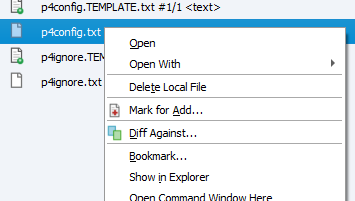 limpid mason
OK, I lied. The Dockerfile does exist. It is just part of the GitDependencies (I was browsing GitHub repo).
 severe orchid
Hey guys, i have started a UE4 project and i want it to be stored in VSTS, but i can't figure out how to add it to VSTS, can someone point me in the right direction?
woven sluice
googling is that $2 per GB per month? 
simple lodge
I think you get a load free, or maybe they have on premise depoyment with TFS
As to adding it, there is not an unreal integration afaik, but you might be able to hijack the git integration to work with UE4git, else they will have to manage the repo outside of UE4.
scarlet copper
Using git, how would I clone specific commits?
simple lodge
I guess you could do a clone, then a branch based on x commit, then obliterate the history
 ivory zealot
Hey! Does anybody knows how to add Map BuildData to Git lfs?
rotund bobcat
just add the .uasset to the gitattributes
ivory zealot
Ohh I thought I could do something like _BuildData.uasset. Thanks!
ivory zealot
Thx dude
simple lodge
you need to make sure its not ignored
a lot of the templte ones ignore *_BuildData.uasset
Its kinda wasteful to keep in source tho (unless you are on a very fast connection to the git repo)
ivory zealot
I added the maps folder to the gitignore but it does not seems to be ignoring it
rotund bobcat
why would you want to ignore all your maps
 lean nacelle
i placed my SourceControlSettings.ini file in in the engine folder Engine/Config/Windows, but it doesn't seem to work. do i need to put it somewhere else?
jolly fog
is there a way to select any/all changed (blue) files in p4v for submit?
rotund bobcat
for normal project yes
if you ever make some PS4 or switch stuff you'll have to track somefolder inside of it
but generally it can be ignored
 keen cipher
Hey, Perforce users! Really dumb question, but if I don't want to submit unchanged files, do I change the P4V On submit settings to Revert unchanged files or Don't submit unchanged files?
 ivory hinge
Hi. I've cloned an unreal project from github. For some reason I can't generate visual studio files, it does not appear any unreal option when I right click the uproject. Windows does not know how to open it. I've set it to open with UE4Editor.exe but still I can't generate them. Someone knows how can I set this up? Thanks!
simple lodge
did you run setup.bat? it is literally written in the readme of what to do
ivory hinge
Got it working this way. Thanks anw 👍
keen cipher
Ayyy figured it out. I was indeed being dumb.
 next kayak
How do I merge blueprint files with Perforce? I heard that the Unreal Merge Tool is broken so should teams just ideally never work on the same file ever?
quaint obsidian
Yes
jolly fog
should I just make my .cpp and .h files read write when trying to add them to my project files in vs?
 pearl fulcrum
Hello! I’d like to setup a webhook in discord that posts a message whenever someone makes a submit on our perforce depot. I’ve read some about perforce triggers, but I’m still a bit unsure how to set it all up. Anyone who has done something like this wanna point me in the right direction? 🙂
simple lodge
use a trigger and pass it into a program that can send a webhook message
@pearl fulcrum
jolly fog
Hey guys i have a quick question:
- Did anyone try to use tunneling to create an illusion of local-area-network.
- Then use perforce and set it up
- Use another PC on the tunneled network to connect to the source control on host-PC
I'm thinking of using RadminVPN... or Hamachi or.... eh... does anyone have any experience in regards to this specific workflow?
simple lodge
Why would you want to?
jolly fog
Because i want to work with my friends on the same project. And we are in no position to use cloud server
So i thought... maybe a work-around solution is possible?
simple lodge
I mean sure you can, but getting a repo hosted shouldnt cost that much
ideally youd want it on a dedicated machine in your house tho -> but it opens up firewall complications and security and everything
jolly fog
Having complications is part of the "fun" isn't it? 😂
 wispy flame
Hello, everybody. We are starting a project with no experience at team work. What are the pros and cons of the 4 source control providers present on UE4? We started to google but your help would be really appreciated. Thanks for your responses. (We are a team of 4)
jolly fog
in p4v is there a way to automatically select changed files for submit?
woven sluice
@jolly fog do you know about the "reconcile offline work" command? right click on any folder e.g. the project root folder and try it if you don't know about it
jolly fog
@woven sluice sweet, thank you
woven sluice
@jolly fog eh, i mean just to make sure, you know you don't need to use perforce via a LAN or use helix's "cloud hosting" right... are you behind a firewall which you can't open ports on (like living in a dorm), or on a dynamic IP that changes a lot and will be annoying for other team members to update server IP all the time? then you might want to try tunneling, otherwise it's just an additional step imho
jolly fog
@woven sluice Yeah, we gonna try Tunneling... again. I think the main reason we failed yesterday was due to firewall being an ass. Do you have any tips or tricks in making perforce work in such a way? Thanks in advance! 🙂
woven sluice
not really, sorry 😦 have access to my router so it's trivial for me to just open the port if I want to host. always sucks if you're not in a position where you can do that  . good luck!
jolly fog
@woven sluice Ugh! I only wish we were like... in one building connected to the same router. It would make things so much easier. Team being really close to encourage game dev + source control working like charm 😅 I will keep dreaming...
Oh i got another quick question. Why people in unreal hate so much GIT or Subversion?
woven sluice
i mean, if the person hosting the server has access to the router and knows how to operate it properly fixing this is supposed to be a 30 second job
lots of people love GIT. each VCS has its + and -
(i hate GIT btw )
jolly fog
Oh hell yeah, it didn't take more than 30 seconds to find the one who is biased! This is a good sign! I asked the right question at the right place! hahaha
So if we fail with this, i'm thinking of using classic GIT and commiting stuff.... while having a logistical nightmare of constantly checking "who is doing what at the moment"
woven sluice
i don't understand, if you can't figure out how to host a perforce server due to networking issues, GIT will be the same poop different pile
jolly fog
Would it? Because i'm sure you can have your own GIT repository free of charge?
woven sluice
people hate perforce because it's more complicated to setup, but ... a port forward is a port forward (or a network tunnel is a network tunnel)
eh, no. unless your game is roughly Doom 2 in size for art assets, you won't really get anything for "free"
jolly fog
During the 48h game jam, all the project files were around 900mb and it scared the shit out of me 😂
@woven sluice Thank you for the time fellow developer 🙂
 south cipher
does GIT LFS work okay with projects?
 weak matrix
anyone know if it possible to have more than one project a single digital ocean droplet?
simple lodge
does GIT LFS work okay with projects?
@south cipher Sure as long as you understand the caveats
Hello, everybody. We are starting a project with no experience at team work. What are the pros and cons of the 4 source control providers present on UE4? We started to google but your help would be really appreciated. Thanks for your responses. (We are a team of 4)
@wispy flame
Right now Id pick between git and perforce.
If your project is larger then basically choose perforce, git-lfs works fine with a bit of tweaking and understanding. you can do file locking as well.
jolly fog
@simple lodge Yeah, we'll try a few more times... but if Perforce fails, we'll have no other option but to use git
simple lodge
how many of you?
jolly fog
@simple lodge We are a team of 4
jolly fog
I'm just scared of having a logisitcal nightmare of "who is dying what" type of thing 😄
simple lodge
with a bit of thought you can manage it just fine @jolly fog
in what alternative universe git work for big content heavy project
@river tinsel We just passed 1.8TB and its doing ok
river tinsel
all I can say congrats
jolly fog
Holy mother of size...
river tinsel
I didn't have patience
jolly fog
1.8TB project files? Not including binaries?
river tinsel
to get plugins working correctly with unreal
simple lodge
1.8tb is whole repo size
jolly fog
Jesus
simple lodge
requires a fair amount of effort to get it to work properly, but for indie teams its enough
And yes perforce is better for very large products.... but how many indie teams go that big...
river tinsel
i decided that my time os worth the perforce cost : P
simple lodge
That’s fair, though git is just much better for code
river tinsel
let's be honest
in games
95% is binary content
or text content which doesn't make difference it's still not really mergable content
in unreal in particular
the content alwyas must be in sync with code
or ot breaks
you have to work in centralized git
then, why even bother ?
simple lodge
Sure, I actually said if your project is very large perforce is a good choice.
I am building a CI/Release tool thing and that uses a git backend, but it can pull from plastic and perforce as well
For most indies however you can make git do just fine and save a whole truck load of money if you are like a 10-15 person studio
I havent kept up with costs for perforce but at a guess a 15 person studio over 3 years would set you back around 30k including the infrastructure to run it and what not
So if your game isnt hugely asset heavy then git can work just fine
rotund bobcat
main issue with git is that it does not have proper file locking like perforce does, at least on most providers
other than that it works perfectly fine
simple lodge
we have file locking 🙂
rotund bobcat
yeah it's possible
simple lodge
well i say we, but I contract so all the people I work with do
scenic ember
I’d also suggest taking a look at plastic as an alternative, if Perforce pricing is a concern. I’ve been making use of the tool and the in-editor integration and I’ve been impressed.
woven sluice
They might frown upon it but you can run ~15 people on the free perforce workspaces using shared task group logins after all. It will definitely suddenly become very very expensive for a large team though 
neat grotto
Perforce's business model is frustrating for small teams. 5 users is free, yes, but going from 5 to 6 means paying over $3,200.
You pay for all 6 users at ~$45/month, and you can only pay annually. They don't do monthly plans.
 honest dagger
git is free. it's just a bit of a different way of thinking than perforce though.
neat grotto
Indeed. Of course it's not free to host it, but I really enjoy the GitHub platform and the git ecosystem at large.
I actually just recently set up a client's project on GitHub, complete with file locking. Locking is a little slower than Perforce, but other than that it's working smoothly. It's a small indie game with a ~5 GB repo.
honest dagger
you don't need to host it. it can be entirely decentralized if you want.