#source-control
1 messages · Page 48 of 1
 river tinsel
what the actuall fuck ?
river tinsel
I need to pay every time i change ip of server ? : D
 fallen geyser
no, you don't
river tinsel
ah ok
fallen geyser
we don't pay anything like that
 haughty ember
but they probably caught on to all the Indie Devs using it for free
fallen geyser
it sounds more like some salesman uses opportunity to scam dev....
river tinsel
yeah it's not like indie devs are goint o pay their stndard fee for licensing anyway
I asked them for pricing
and
no way I'm going to pay it
river tinsel
yeah but that's way to small for game dev project
haughty ember
I think that's $40/user or something
river tinsel
and it is ramping fast
haughty ember
I went perceptual since I figured I would be using it for years. Paid $9k up front
river tinsel
I mean, there should be license for <20 studios for something like 20$/month
fallen geyser
technically, you can use "workspace per person" instead of "user per person", they do leave free license "5 users, but 20 workspaces" for that reason, I guess 😛
so indies would get use to free P4, than buy licenses when they grow or have more money or wants to be legit customer
although generally yeah...
 dusk dove
workspace per person is how you are supposed to do it
someone was saying a perforce rep told them to do exactly that
so it is officially supported usage
fallen geyser
wow, it would be nice if they have it clearly stated on website
haughty ember
I don't know about "officially supported usage"
fallen geyser
it it's not just "you know guys, unofficially you can use it like that since most gamedev studios use it like that" 😄
haughty ember
But anyway. I run 3 different workspaces just myself
Most have 2
Those workspaces get eaten quite a bit easily
dusk dove
2 workspaces per person still lets you have 10 users rather than 5 which is a considerable upgrade
 limber kraken
workspace per person is how you are supposed to do it
Otherwise it's against your user agreement with Perforce. And unethical.
dusk dove
the pricing of perforce is what's unethical here
limber kraken
Eh, there are alternatives
 rotund bobcat
but if it's a workspace per person, what do they see as a user then
never used Perforce, just curious
fallen geyser
I guess, even Perforce is confused
technically "user" can be seen as "group of users" - you can apply folder access based on user, set the same password, that's what basically user defines
workspace actually sets what folder from repo you get (limited by user privileges), how map it (so you can have folders of single project on many drives, i.e. engine on C, project on D) and actual user-specific settings
commits and changelists are assigned to the workspace, not user
few years back the free license was at least "20 users, 20 workspaces", so you could use it like you want, user per person or workspace per person
than they cut free license to "5 users, 20 workspaces" - technically the same for small teams, but now only the entry somewhere in license would say you can't use free license with more than 5 people/machines 😉
but they won't cut this to "5 users, 5 workspaces" since really nobody would try it then, unless they would entirely revamp pricing model 😉
in reality they don't care how small gamedev use it, since no indie team or enthusiast would pay them few hundreds dollar per user up front...
my opinion is they would earn much more on gamedev with clear and friendly pricing, even subscription model (which I wouldn't like if using my own server)
but this a corporation focusing on harvesting other corporations' money 😄
 simple bloom
anyone know how to have code on Github and LFS objects on another platform such as azure devops?
 tiny ore
Hello, since i'm using perforce with ue4, i can't build package : "ERROR: Unhandled exception: System.UnauthorizedAccessException: L'acc�s au chemin d'acc�s 'C:\Users*\Perforce*\Binaries\Win64\UnrealPak.target' est refus�."
In english : access denied.
I think perforce lock the file, i do something wrong ? Thanks
tiny ore
Fixed, got luck, found the issue the board : https://forums.unrealengine.com/development-discussion/engine-source-github/116594-unable-to-build-project-visual-studio-finds-some-files-to-be-readonly
Unreal Engine Forums
Discuss GitHub, using source code to modify the engine, and the creation of engine plugins.
 maiden nest
Is it possible to bake lighting on a PC and source control the finished lighting onto other intances afterwards?
So you can bake lighting on a separate computer while still working on other stuff?
 jolly fog
hello my friend can't push update cus the project is more than 10gb-I didn't set the project to be max 10gb-we use gitlab-where is this setting?
rotund bobcat
@maiden nest yes you can
 quaint obsidian
@jolly fog GitLab has a limit of 10GB on GitLab.com. There is no support to extend storage yet. https://gitlab.com/gitlab-org/gitlab/-/issues/5634

GitLab
Description Currently, we have a 10GB/repository limit with no option for users to increase their storage. I propose we implement on-demand pricing for additional storage of project and wiki...
You can use Azure DevOps, which has unlimited storage for up 5 users in a private repository, or GitHub, which has unlimited users in a private repository, but you have to pay for additional LFS data packs. $5/month per 50GB
rotund bobcat
you should use LFS for large files to avoid exceeding your git limits
quaint obsidian
GitLab includes LFS and git together for its 10GB limit.
rotund bobcat
oh really, didn't know, only use bitbucket
quaint obsidian
Currently, I think GitHub has the best deal: recently they added free private repositories, so you can have unlimited users in a private repo, with some features missing. Or, you can use a single repo with GitHub Pro for $4/month to get those missing features, but without the organization features.
The features you don't get in a free organization (that you get in a public org repo, or GitHub Pro private personal repo): protected branches, code owners, draft pull requests, wikis, multiple reviewers/assignees, reminders, automatic code review assignment, GitHub pages, insights, review and status check requirements
jolly fog
okay, thank you for the info, our project became 25gb-s so we won't be able to use gitlab. So yeah for github they told me that there was a limit on how many people can use it and now it is removed, what about the space? people told me that the space in github is unlimited-is that true? @quaint obsidian
simple bloom
No
GitHub is not unlimited
It's 5$ a month for 50gb for storage and 50gb bandwidth
quaint obsidian
$5 a month :)
jolly fog
so how many free gigs has github free? @simple bloom @quaint obsidian
simple bloom
1gb LFS
Every account using Git Large File Storage receives 1 GB of free storage and 1 GB a month of free bandwidth. If the bandwidth and storage quotas are not enough, you can choose to purchase an additional quota for Git LFS.
simple bloom
75gb softlimit
jolly fog
so how many gigabyte free when you create account and make a repository?
simple bloom
1gb of free LFS space and 100gb of non LFS
100gb hard. but it makes your repo super big if you work if bin files. LFS fixes that but you have to pay for more than 1gb storage
jolly fog
okay
so I need to use free space as big as possible for our project cus gitlab has only 10 and we limited it cus our project is 25gb-s already
simple bloom
problem with not using LFS is that when you clone you download all old files
even big bin ones
the delta compression does not work well with them
jolly fog
a okay I don't think it is good problem for me, I mean that when I push update for example 300mb and other people download 300 mb or the whole project again? @simple bloom
quaint obsidian
@jolly fog you can also use azure devops
jolly fog
azure devops how many gigs has as free space?
quaint obsidian
unlimited
simple bloom
but limited users
I think 5
and some git clients required you to pay for a more expensive plan to use it.
jolly fog
okay so I will check now azure devops
I want to use github cus it is more similar than gitlab but how I can push my files into this repo?
if osmeone can help me in PM please write me I will be more than happy.
 primal dragon
Could this be what you are looking for? @jolly fog
Source / Version Control:
This playlist will cover multiple ways to work with source control with UE4.
This Video:
In this video, we cover all of the steps required to get a GitHub repository and the Git desktop app working with the Unreal Engine. As an extra, I also cover s...
jolly fog
I use source tree as program
now I am watching this: https://www.youtube.com/watch?v=l6jBcF9vurA

This video will show you how to install, use, commit and push your codes by means of SouceTree with GitHub. In addition to using Unity project as an example. Hope you like the video. Enjoy!
#sourcetree #github #unity
Link to SourceTree:
https://www.sourcetreeapp.com/
Link ...
and I think I understood it and it is not hard and I will do it 👊
https://www.youtube.com/watch?v=FXMTHrLWFKQ
@primal dragon also as I know this video from before I think that he used source control in ue 4? the option which is inside the engine
Source / Version Control:
This playlist will cover multiple ways to work with source control with UE4.
This Video:
In this video, we cover all of the steps required to get a GitHub repository and the Git desktop app working with the Unreal Engine. As an extra, I also cover s...
quaint obsidian
are you using LFS?
 indigo gull
I think LFS is on by default right? So he probably is
jolly fog
I don't know
so what to do?
I want to push my project from my pc to github cus my other dev neeeds to push his update and I need to pull it cus he did a lot changes and added new things but he can't send it cus we used gitllab before but the project is now more thsn 10gb
so if you know how I can do it please help me
I followed this tutorial and I understood it but idk why it fails:
This video will show you how to install, use, commit and push your codes by means of SouceTree with GitHub. In addition to using Unity project as an example. Hope you like the video. Enjoy!
#sourcetree #github #unity
Link to SourceTree:
https://www.sourcetreeapp.com/
Link ...
he made the project public I did it private-I don't think so this is the problem
 grave slate
@jolly fog why not use a local install of a UE supported source control mechanism locally and provide the [public] URL to your teammates? No limitations [well, the only limitation is that of the vendor you use and your space limitations]
jolly fog
what? I didn't understand you @grave slate
grave slate
why do you need to use github @jolly fog ? You can host your own sourcecontrol server at your house
jolly fog
idk how to do it, so our project was around 5-6 gb and we still used gitlab for repo and source tree for source control but our level designer started working on the trailer park and yeah you understand that the project became double, XD he could push the first version of the location and the project is around 8gb but now he did and add new things and the project is bigger than 10 gb but he can't push this update to gitlab and we decided to move to github cus people told me that there is 100gb free space, okay I created account created repo, watched tutorial how to set up it, I clone project then move the old project into new folder and tried to push the project into github, yes but no, there was problem with pushing it
dusk dove
github does not have 100gb space
the only option at this scale is either pay through the nose for their "data packs" ($5 per 50GB storage and download) or self host something
 neat grotto
Because 100GB is the hard limit for repositories. From the documentation:
Repositories have a hard size limit of 100GB. If you reach 75GB, you'll receive a warning from Git in your terminal the next time you push a change. In addition, we place a strict maximum size limit of 100 MB for individual files in a repository. For more information, see "Working with large files."
https://help.github.com/en/github/managing-large-files/what-is-my-disk-quota
GitHub tries to provide abundant storage for all Git repositories, although there are hard limits for file and repository sizes.
It's important to note the distinction of "repository" here, which is not referring to LFS, but storing files directly in the repository.
LFS stores the file itself in a separate location while leaving a pointer to that file in the repository where you expect it to be.
simple bloom
Does Azure Devops support file locking?
jolly fog
LFS stores the file itself in a separate location while leaving a pointer to that file in the repository where you expect it to be.
@neat grotto
ah so complex
I just wanna use git server or something with as much as possible free space cus we have no money, as i saw yesterday for setuping git server on pc they do it on mac os or ubuntu, I use windows
quaint obsidian
azure has unlimited space
jolly fog
we decided t host it on my pc, wil do setuping tomorrow
 fringe abyss
anyone ever made any turtoise hooks for discord kinda like we have for git?

GitHub
Subversion (VisualSVN) hook scripts that post messages to Discord - marth8880/discord-subversion-hook-scripts
 south gust
hey guys help me i have problem with 4.25
crashing on loading screen
Assertion failed: GD3D11RHI->GetQueryData(Query->Resource, &Query->Result, sizeof(Query->Result), Query->QueryType, true, false) [File:D:/Build/++UE4+Licensee/Sy
some one pls help me
 orchid leaf
anyone ever have issues where perforce corrupted the admin profile?
I'm logged in, and I can't delete users, I can't load up my workspace, it just freezes
 wide gulch
@orchid leaf Check that the P4 depot's default IP/Port hasn't changed. Sometimes that will lock you out when attempting to connect to your depot
 vital badger
Hey guys, are there any easy tutorial on how to create source control using Github or some shit?
primal dragon
@vital badger https://www.youtube.com/watch?v=FXMTHrLWFKQ
Source / Version Control:
This playlist will cover multiple ways to work with source control with UE4.
This Video:
In this video, we cover all of the steps required to get a GitHub repository and the Git desktop app working with the Unreal Engine. As an extra, I also cover s...
grave slate
Thinking about switching from personal hosted SVN to personal hosted Git. Anyone want to chime in on Windows Git vs Linux Git? I've read that using Git for Windows does not have any limitations, but these articles are years old. Anyone actually use SVN and Git on the same project and have any info to share on the experience?
 noble knoll
@grave slate SVN works much, much better for ue4
game projects at least
there are many studios using SVN on ue4 projects
hybrid repos are quite a huge pain, but ive seen a lot of people use SVN for the project itself, and git for the engine
dusk dove
self hosted perforce works even better than svn, so should probably prefer that whenever you can fit in the free license
 oak coral
Does anybody merged version control and multiuser editing together? What vc should I choose? Any general advice?
I'm working on a film project similar to this one https://youtu.be/vyYXLEz0k1Y

Advances in both LED panel technology and Unreal Engine have enabled in-camera VFX to become a reality—actors can be placed into scenes live instead of composited in post, and photographic elements can take advantage of environment lighting and reflections. Epic Product Manage...
 mental stirrup
as far as i know multi user is just for LAN
grave slate
thank you @noble knoll
oak coral
@mental stirrup it's totally fine for me. I'm planning to use VPN
mental stirrup
i heared its a bit wonky on VPN, like in a studio should be good, but its all kinda experimental i think
you can activate the virtual production plugin it has some stuff for multi user i think
 echo fern
our perforce server suddenly stopped working
we had to start the p4d again and now users and depots are empty
dusk dove
wot
echo fern
i have 0 experience with linux so it's a pain figuring out what went wrong and how to fix it
my boss said the perforce server wasn't running after they started the machine again (was offline for construction work in office), that he had to manually start it again (didn't happen before)
now when i try to connect with client it says no such user, and when i log on with the p4admin is see there's no depots but the default empty one
dusk dove
is there a chance that instead of "start it again" you ran the setup script? that creates a new depot
normally running p4dctl start [server] will fail if there was any error with your existing depot
echo fern
i think he started it again with p4d &
from what i can see in the history
pd4dctl start /restart fails with error 255, for which i can't find any usefull info online
dusk dove
I don't think that's the correct way to start p4d
you would use p4d -d and also more parameters like the location of your database and files and logs on disk
if you just ran p4d like that it would make sense that all your info is not there
but really should investigate why p4dctl doesn't work
maybe packages were updated and you need to run a database upgrade?
 grand cliff
That's how I have to re-start our perforce server:
sudo /volume1/homes/admin/p4d -r /volume1/p4root/
The part after -r defines the directory of the depot.
Depending on your environment you should only have to do: sudo p4d -r (path to depot)
echo fern
another guy did update some packages a day ago, but seemingly unrelated, some node stuff
thanks for the tips, i think i'm getting closer
echo fern
so i can create a new root and start/stop and connect to server, but it won't start if i point it to our old root
I'm gonna leave this be for today, and let more qualified people figure it out tomorrow
grave slate
Question: so i just got done with the Unreal source control webinar, and in there I asked a question that i simply cannot get an answer to whether i ask in the forums, answerhub, webinars... Using SVN, what are the advantages/disadvantages to using SYNC feature within the Unreal Editor vs using the client's Sync function? This also is a question for committing changes as well. This question's answer is not in the documentation available from Epic for Unreal.
rotund bobcat
I'm guessing the biggest advantage would be you don't have to exit the editor to do it
grave slate
Well, I do notice that while using Sync in the editor, there are a lot of checks going on... what those checks are i have no clue (it mentions creating new packages?). Are they relevant, are they needed or recommended? That's why I am asking. The documentation does not state whether or not it is recommended to use Sync in editor vs the client. For example, does the editor Sync feature create and update some kind of metadata on the file (internally for the editor/engine) that using the client sync feature simply will not do, so am I potentially losing data?
fallen geyser
it doesn't matter if you'd commit from editor or VCS app - editor should call the same operation
grave slate
Agree on the commit... go on
there is definitely a difference with the Sync though, that is where most of my concern lies
fallen geyser
committing outside of editor can be better
- if you'd close editor first - only because editor asks about saving files before shutting down, so if you'd forgot to save all files, it's better
- in P4 app (Tortoise apps too?) you can separate files between many changelists
well, syncing in editor is experimental 😛
grave slate
where does it say that?
fallen geyser
I remember old release notes saying updating content in editor is available and experimental - had to enable it
Epic didn't update it
it might work if used on single file
the problem with it generally is that editor locks loaded files (so syncing from outside - i.e. P4 client - doesn't work on files loaded by editor)
and editor simply does a lot of stuff on assets while starting, generating default objects for classes, compiling blueprints, checking modules, etc.
grave slate
so do you know what extra functions the editor is carrying out when using Sync
fallen geyser
so I simply never use it 😄
basically closing editor and syncing from client - 100% safe
grave slate
Along with that question, I personally don't mind closing the editor if I decide to Commit through the SC client instead of the editor and that is because when committing something, its a milestone and a means to get up, stretch, take a short walk, etc, so close the editor, return, and reopen to continue 🙂
fallen geyser
updating content with editor opened might cause issues, or simply would fail
I'm used to closing editor, syncing changes, opening up - don't know any more details 😄
grave slate
Thank you for discussing @fallen geyser .
grand cliff
We handle it the same as @fallen geyser
 hollow cipher
does the UE5 is in the github source already? anxious to take it for a spin!
rotund bobcat
lol no, they just revealed a demo, you're gonna have to wait for 2021 to even have a preview
primal dragon
Mid-2021 @hollow cipher
 jolly hare
wtf is source control
rotund bobcat

Perforce Software
Find out why source control is important and compare tools.
jolly hare
y not just use the multi usering editing system
or is that different idk just curious
rotund bobcat
it's completely different
quaint obsidian
that can be used as a form of source control
but you should use it only for a day's worth of work
rotund bobcat
multi user editing is just working in the same scenes at the same time right?
quaint obsidian
since it's transactional
rotund bobcat
source control keeps your project shared yes, with all assets and code, but on top of that it has a history of all changes, that you could roll back to at any time
quaint obsidian
multi user editing is essentially a networked, per-user transactional log
but it's very inefficient to have running for a long time
jolly hare
ohhhh
quaint obsidian
if multi user editing supported remote, I'd love to use a mix of it and traditional source control
like daily backups on source control
jolly hare
but with source control if i make a change in my version i have to push it to git or something before they can see the change
rotund bobcat
yes and they need to pull it in
jolly hare
but multi user editing is instant??
rotund bobcat
it's really not the same at all though
jolly hare
@rotund bobcat have u used multi tool editing before
just bc i am trying to get it to work but idk
fallen geyser
multi-user editing was actually designed for movie industry
it's not a magical solution for all level design needs 😉
 upper hull
Hello, this question was probably answered before. We are using SVN, how do people manage the binary folder ? Do you commit the dll generated every time ? Or do you ignore this folder, forcing teammates to recompile the project everytime ?
quaint obsidian
when we had a less robust system for binaries distribution, we would commit binaries folder to source control
but now, we use GitHub releases + hub command line + our own custom software to download + checksum new Binaries releases, and then install it to the project
we used to use nuget, but it's much easier to use GitHub releases
fallen geyser
or you can use it one of general Continous Integration systems, i.e. Jenkins, Teamcity
it would compile code after each submit and submitting updated binaries to repo
upper hull
Thanks for the replies. Yeah we were thinking about Jenkins but we would need to setup a build computer then. I was thinking something like a .bat file that triggers on a svn hook. Like when a dev commit its work, it create the correct binaries then send them on the repo
fallen geyser
how this "hook" differs from Jenkins? which is used to call compiler on some machine?
still it needs to compile binaries on it own copy of data
upper hull
Yeah, it's true tho, you mean installing Jenkins on a dev work machine, and let it run on it ?
But after discussion we think we will just continue pushing the binaries (but we will set rules for that). Instead of setting up jenkins or something else. We are a small team, and at the moment it's not a real problem as long as the team is small
primal dragon
New video on source control from Epic: https://www.youtube.com/watch?v=faYmvw_Pd-A

In this presentation, you'll dive into source control options in the Unreal Editor that reduce risk and improve collaboration between developers on Unreal Engine projects. Learn the fundamentals of source control to manage versioning of Levels, Materials, Blueprints, C++ code,...
 fleet spoke
good video, really demonstrates how utterly confusing and stupid Perforce is
doesn't even begin to explain how to setup the server lol
 elder hare
Evening all. Does anyone here use PlasticSCM with a team?
I've been using it with a team for the past three months and I'm wondering if anyone has any tips to deal with moving assets around in the content browser. It's a very slow process, especially with many assets
 dusk escarp
I've used PlasticSCM on team game jams, moving assets around was slow as you pointed out but also duplicating things in editor view using Alt + mouse drag would cause a gnarly editor hitch.
Someone checking in their changes caused headaches having to sync to their branch and then resolving their changes into mine even though they touched different files and felt like it should have been a more seamless process.
Tip is to switch over to Perforce  It handles large files really well and doesn't add a lot of steps just to sync someone else's changes while still working locally on your own.
elder hare
@dusk escarp thnx for the advice. I will def give Perforce a shot on the next project!
 mental heron
So I'm trying to install 4.25 from source control (using VS2017) - but halfway through the installation all the 4 cores of cpu (i7 3820 Sandy Bridge-E) go to 100% load + almost hitting 100C temperature (monitored using Core Temp) and restarts my machine.
What could be causing this issue? any help/suggestions?
 viscid bluff
I'm having here a problem. I tried to freshly pull. It works for the header/source files.
But my project wont have any BP classes on launch.
My git does have files like this though
  BP_Magician.uasset //name of the file <--
version https://git-lfs.github.com/spec/v1
oid sha256:6db24b945256713efcd14baebfda3b3f212551e11f252cb79969537ed65e7897
size 118129
Yes and
version https://git-lfs.github.com/spec/v1
oid sha256:6db24b945256713efcd14baebfda3b3f212551e11f252cb79969537ed65e7897
size 118129
Is the file when you open it
quaint obsidian
did you do git-lfs install?
viscid bluff
Ye, i also did already a few Push from this PC, Pull from another PC, Push from other PC, Pull from this PC times this over the months.
So it was fine from the installation side
quaint obsidian
try git lfs pull
 severe orchid
Is here the right place if i'm trying to build/run ue4 so i can program in C++ ?
I have followed the steps to compile ue4 but when i run it, there is no option to make C++ games
elder hare
dark, you can program in c++ without building the engine from source
you would create a c++ project through the launcher to achieve that
if you want to modify the actual engine then that's a reason among others to build from source
severe orchid
My launcher does not have C++ option !!!
oh .. thru the launcher .. lemme try
do i have to include these 2 ?
fallen geyser
It's useful, you should download that
But it's not what allows you to create C++ project module
It's built-in
Either use project creation wizard to create code project based on any template
Or google how to create these few basic files
severe orchid
Looks like i needed my wife to figure it out !!!
Thank you, that should get me started with CPP projects, i have a ton of Udemy tuts to watch now 🙂
But i had to assemble a new chair for my wife first !
office style chair
jolly hare
when i try to pull from my github source control it says unable to unlink old "(file that was getting pulled)"
jolly hare
anyone???
 tardy fjord
is your editor open @jolly hare ?
jolly hare
@tardy fjord no its closed
tardy fjord
code file or binary file?
jolly hare
binary but im am pretty sure it has been on both
tardy fjord
are you using github desktop?
 pulsar parcel
@elder hare you asked about plasticscm the other day. we used it for a while and then switched to perforce and then never looked back
jolly hare
yes i am
elder hare
@pulsar parcel ya? For some reason my PlasticSCM friends are pushing back on this saying the speeed of moving and renaming files around would be the same with perforce and that's the main thing i'm trying to improve. Try moving a hundred assets no matter the size with PlasticSCM source control on in the UE4 editor. It quadruples the time it takes to just move those files.
pulsar parcel
when we used it plasticscm was incredibly buggy and its git-like workflow often confused non-coders
it's like go to submit something, i'm not at the head revision so i'll update now, now i have to merge wtf
elder hare
So far my time has just been checking out assets when saving but all our check-ins are in the Plastic GUI.
pulsar parcel
and merging would scare the shit out of artists
elder hare
Ya I don't allow merging or branching for the team
it's just one master branch and everyone must have source on in ue4
pulsar parcel
well we were submitting to main most of the time and it was a constant battle when we were working at the same time, things got worse when we had our first office as a company
elder hare
since it locks files we never have merge issues.
pulsar parcel
branching is its killer feature so you just disabled something it's meant to be known for lol
elder hare
ya i know, but i'm working with artists who haven't used SC
so compromises had to be made
pulsar parcel
i think the compromise is just using perforce because it's the industry standard for a reason
elder hare
Still we encounter lots of issues. Checking-in can be brutal. It's not always straightforward to just checkin. Lots of errors that are hard to decipher and require splitting a check-in from 1 whole batch to multiple
pulsar parcel
even scarier is learning about all the teams trying to get by with git, with or without LFS
yes we had that
and a lot of the client behaviour was very buggy, the server crashed often
elder hare
we're only using plastic cloud
no local server
i will gladly check out perforce as soon as this project is done in a month
appreciate the info and any info on this stuff. hoping somebody comes around with some PlasticSCM tips in ue4
also if someone happens to forget to turn on plasticscm source control in ue4, it's almost guaranteed they won't be able to check-in
force releasing locks is bizarre in plasticSCM (and unfortunately necessary sometimes for some seemingly buggy reason), and another really weird thing is that the ignore.conf can't actually ignore anything in the project Content folder
tried to ignore the dev folder, but if you do anything in the dev folder from within the editor it's not ignored
i posted a github issue about it on the plasticscm plugin. I couldn't get anyone to say much more than it is what it is
 nova patrol
hi guys

Ever wanted to work with friends on an Unreal Engine 4 project but just couldn't figure out source control? Look no further! Collaborate with your friends, work on projects together in no time!
Perforce Download:
http://www.perforce.com/downloads/helix
how many user and GB i can use when i m hosting on my own pc?
i will finish this tutorial how to setup pv4
fallen geyser
@nova patrol I doubt if there any limit, except hardware storage limit (it limit exists, it's so insane high that nobody in gamedev would care)
and so many users as licenses you'd buy (plus technically developers can share a single P4 user)
pulsar parcel
the free tier is 5 users, 5 workspaces right?
been a while since i checked
5 users, 20 workspaces
 pale osprey
any tips on best cloud hosted SCM for UE4? I have used Perforce and Git before, not on game projects
I work at a game studio, not on gameplay eng, we use Perforce but internal deployment. For my personal use I just want a cloud solution like GitHub.
Everything I found so far is limited to 1-5GB which doesnt even work for simple games. My test repo already 10GB (although probably could ignore a bunch of intermediate files)
dusk dove
unfortunately such a thing does not really exist
dusk dove
unless you want to use something like assembla which is way overpriced
just getting a small server somewhere and installing perforce on it yourself will be way cheaper and better
pale osprey
i saw them. seems pretty crazy to market to "game developers" and yet cap at 5GB for basic repos
yeah, i have an AWS box. was really hoping not to have to figure out the whole admin'ing a perforce server just to back up my shit lol
maybe i will keep poking at git + LFS...
i already pay for Github pro
does anyone know if github repos can support git LFS or do i need my own LFS server?
I tried to initialize the git repo thru UE4 editor with LFS option. when I try to push up to github, I get "remote origin does not support the lfs locking api"
pulsar parcel
the best option is perforce but sadly you have to host it yourself
they experimented with a cloud hosted option for a while but they gave up and directed everyone over to atlassian's offering which is bonkers expensive last i looked
 snow trench
Ming Client does over 4 gigs free somehow @pale osprey Google tutorial.(I for get the detailed
 lone wedge
Any decent gitattribute files for LFS out there? Struggling to find any.
lone wedge
Or is Content/** usually enough?
rotund bobcat
this is what we use https://pastebin.com/80snHfan
 lone wedge
thank you
quaint obsidian

GitHub
Basic Project Borealis UE4 project files. Contribute to ProjectBorealis/Base-Project development by creating an account on GitHub.
some of these may not apply to you
 sour vine
I think i set up perforce wrong
current, I dont know how to find the depot file path and have tried looking around on google and within perforce (P4V) to find where the server is located locally.
Im pretty sure somehow I set my depot to be the same file path as my workspace, because, imo the setup process doesnt make the steps clear enough what you are doing lol
so on top of that issue, I also spent some time last night trying to look around and see exactly how to relocate my depot to a preferred SSD (H:) drive, compared to the current hdd (G:) drive.
This is a scary process and found some possibilities but none were userfriendly (command prompt) and not within p4v to move the server. So i didnt do that.
Then tried moving the workspace and thought the root was the location of the new workspace. Turns out it is the server so now I dont know how to set the path of a new workspace either.
so setting that aside ( i know this is long, but im just laying stuff out and anyone can pick which subject they can clarify), Ive decided to focus on a current issue when updating ue4 to 4.25.
here is the error:
1 error reported open for read: depot/rtsdemo/intermediate/config/coalescedsourceconfigs/crypto.ini,v: The system cannot find the path specified. p4 submit --parallel=0 -f submitunchanged -i 1 error reported open for read: depot/rtsdemo/config/defaulteditor.ini,v: The system cannot find the path specified.
Other clients, after theyve installed 4.25 and after Ive updated my local copy of our project to 4.25, are still for some reason opening in 4.24. Even a laptop on the same network that didnt have a copy of the project, but had 4.25 installed, opened the fresh copy of the project with 4.24 😦
so I am in the process right now of checking out all local project files of the 4.25 version of the project and trying to resubmit to the server. But the error above is the result when trying to submit and p4v wont let me submit. Clicking submit several times repeats the errors above, eventually closes the window where I fill in the details for the submit and that's it. Nothing is submitted.
sour vine
IF the depot and the workspace are the same, crypto.ini,v is not in the filepath mentioned in the error.
and why is there a ,v at the end of these files?
sour vine
How do I see the depots filepath, including the drive number?
I expected this to do it, but it only takes me to the workspace:
sour vine
How do I keep a sever folder that contains a project shared with everyone on a team, separate from my personal workspace version?
 dense plover
why does ue4 yell at me that files need checking out whenever I open a level and don't touch anything yet
 ember zealot
there is room in the market for someone to swoop in with a VCS that just works™ and stays out of the way. Literally all of the supported VCS workflows suck at the moment.
fallen geyser
Perforce just works
only they don't care about friendly licensing for indie gamedev, since they generally don't care about gamedev-specific needs 😉
primal dragon
I'm having a good time with Github tbh
sour vine
glad im not alone lol
dusk escarp
@sour vine You're wanting to hide depot folders from users? If so protections table is what you're probably looking for https://www.perforce.com/manuals/p4sag/Content/P4SAG/protections.set.html
dusk dove
you can also easily configure those with p4admin
sour vine
im trying to have the depot relocated to an SSD which is a different drive. And would like my workspace to be on a separate drive, just in case the servers drive fails.
so basically, how do I use p4v to move a depot?
How do you use p4v to see the depots current location/filepath?
fallen geyser
@sour vine
if you want to move your local copy, simply to Connection/Edit Current Workspace and change folder mappings there 🙂
or change workspace root, it will be applied for entire local repo
sour vine
that would just change the location of my workspace to a new drive right? Currently the server is on an HDD, and want to move it to an SSD.
fallen geyser
the best if server depot stays in P4 server folder
yes, editing workspace change local things only
I'd recommending moving server to HDD - you won't feel a difference
but your local copy should stay on SSD since you're working on it
sour vine
oh interesting.
fallen geyser
HDD is only good for storage like repo's server, nothing more
fallen geyser
there is, but a very little
sour vine
so when I want to move my workspace to a new drive, I dont have a filepath option outside of the server filepath.
Im limited to choose a path within the server for the new workspace, I think.
sour vine
I cant move the workspace now anyway, because of that error i posted above
fallen geyser
you can move your workspace location wherever you want
sour vine
"uproject,v"
fallen geyser
oh, it's just some rare error with specific file
sour vine
open for read: depot/rtsdemo/intermediate/config/coalescedsourceconfigs/crypto.ini,v: The system cannot find the path specified.
when i try to find that file, it does not exist.
fallen geyser
yeah, probably corrupted file on server, happens for one in million cases, or sth like that
you can obliterate it through p4admin
just find file in depot tree there and use obliterate option
sour vine
where is Obliterate?
fallen geyser
in p4admin app
not p4v 🙂
which is for regular use
although if the first version of files are already corrupted, you could really messed something up 😄
in that case I'd simply obliterate entire depot on server, moved local copy to new destination
sour vine
p4d = p4admin?
sour vine
ok thanks a lot
I will poke around here for a bit.
I do plan to just backup everything and remake the depot.
because...
 runic lynx
How is using the free perforce license for small teams?
Trying to get VC up and running for a project me and some friends are doing, and I do NOT want to administer a VC server, and SVN doesn't seem to have any good hosting options.
 small adder
Does anyone here use source control within the editor, or do people tend to prefer using some external setup?
sour vine
even though im having troubles right now, I encourage using perforce.
it syncs right into unreal
most of the choices do actually but ive used perforce for years now.
 outer kiln
was just going to ask, how does SVN hold up ?
tortoise or such
oh nice they have plastic and others in there now
 alpine kraken
How is using the free perforce license for small teams?
@runic lynx My team and I have been using Perforce for about 2 years it has worked great, weve only had some issues with remote work we havent been able to sort out, but is probably due to our ISP
 errant moon
just fixed a major bug in subversion plugin.. if your commit message has two quotes " " in it, it will fail to parse due to extremely crappy engine xml parser, and you'll never be able to diff that uasset again..
I'll try and get it up on github, but just avoid putting quotes in your commit messages unless you want a bad time
I don't know why they wrote their own xml parser
dusk dove
any perforce experts have an idea what might be the problem when downloads are sometimes extremely slow for no reason?
I'm talking like, attempting to download a file gives me 2mbit/s
and after canceling and retrying it 2 more times, suddenly it downloads at 250mbit/s as expected
the server has practically zero load on either cpu, disk, or network during that slow download
 sick barn
Hey there, during the collaboration via Github we encountered an issue, the umap files get corrupted while commiting to master, can anyone tell how this issue can be resolved ?
fringe abyss
whats a good aws machine to rent get to run turtoise svn?
with a team of like 10-15 people
fringe abyss
would something like this suffice? (windows)
project is 60gb, but i know it can double that with source control
 acoustic void
guys is it good idea to use github or gitlab for source control!
dusk dove
no
quaint obsidian
depends
 kind laurel
I have been using Perforce, and it's been working well. But here's a problem I run into: When I develop a new feature for my game, most of the code is in C++, but some of it is in Blueprint. If I submit my changes from within the Editor, it only seems to submit the changes to Blueprint, not to C++. Should I be submitting from within Visual Studio? Or is it better to close out of everything and open the P4V app and submit from there?
 woven sluice
do you have the perforce plugin for VS? do you know how to use P4V to "reconcile offline work" to catch any changes that weren't automatically placed into a changelist after making edits in UE/VS ?
actually I don't know if the editor will submit C++ changes at all, I usually just use P4V exclusively for submitting my work (not sure if I've developed a bad/slow habit or not) but my first thought was aimed at making sure your C++ changes are at least getting added to a changelist automatically and finding any that haven't
kind laurel
Thanks, @woven sluice. I have the Perforce Plugin installed. I haven't looked at how to do the "reconcile offline work" thing, but I can check that out.
 north coral
It's an easy command to use @kind laurel , just right-click the folder that it should search for offline work in p4v and it'll do the magic for you
@acoustic void if you're like 1 or 2 guys it's probably fine, as long as you set up your project with Git LFS - don't expect good speeds or diffing in any capacity though hahah
whats a good aws machine to rent get to run turtoise svn?
@fringe abyss you might want more RAM for that many people, esp if you expect instances where multiple people are committing simultaneously
kind laurel
Kinda freaking out here. I followed the instructions to reconcile offline work, and that created all kinds of problems and my code won't compile. So, I tried to revert back to a prior changelist. I am really struggling to make that work. To keep this super simple: I am at changelist 238, and I want to go back to 236. How do I do that in P4V? I can't find a simple tutorial anywhere. I know I have done this before, but it's been long enough that I don't remember, and the stuff I'm finding online is not helping.
north coral
Are you trying to roll the repository back to that changelist or simply go back in your local workspace?
north coral
If you select the folder in Workspace/Depot view and look in the History tab (Ctrl-T), you can select the changelist you want to rollback and select Undo Changes in Changelist X
and yea p4v's documentation is kinda lackluster IIRC hahah
kind laurel
Do I do that under the "Depot" tab or the "Workspace" tab?
north coral
Shouldn't matter - that's just the view context
kind laurel
OK. Do I need to first undo 238 and then undo 237?
north coral
Not too sure tbh
kind laurel
For this, should I select the Pending changelist as "new" or "default"?
fringe abyss
how many rams do i need to breed Aaron
north coral
It'll put it into whatever changelist you select - you can do default if there's nothing else in that CL
fringe abyss
in order to make the aws sacrificial commit
ive been trying to read up on it, but tough to know really what specs is enough
north coral
LMAO right uhhh, well what software are you using for the repository host?
personally I recommend VisualSVN Server
fringe abyss
yeah i read thishttps://millerjamesa.com/2018/09/11/setting-up-free-source-control-in-unreal-engine-4-using-tortoisesvn-visualsvn-server-and-amazon-ec2/
Download Links PDF: Tutorial_SourceControl.pdf DOCX: Tutorial_SourceControl.docx Both documents have clickable links to sections within the tutorial. Overview The following software was used to set…
kind laurel
This is weird, it's now telling me that a bunch of files will be marked for deletion. Is that normal?
north coral
I recommend consulting this https://www.visualsvn.com/support/topic/00114/ @fringe abyss
kind laurel
I think this is a set of files that it must have picked p when I tried to reconcile offline work.
north coral
Well for one thing, I would think the .vs folder should be excluded in the p4 typemap hah
lemme check mine
kind laurel
I think I originally had it excluded, but it must have picked it up when I reconciled offline work (I must have told it to reconcile everything).
north coral
ahhhh yeah that must be the case
kind laurel
So should I let it delete them now?
north coral
😳
Well check what files were actually changed in your CL 238 or 237 or whatever one you're undoing
kind laurel
It shows 237 files changed when I reconciled offline changes. They include vs files, but also include a lot of content stuff as well. Gobs of stuff. I'm kinda regretting going down the reconcile offline changes path, but I don't know how to get back to where I was before.
north coral
yeah uhhhh I guess next time use the p4vs plugin hahah
kind laurel
Yeah!
north coral
or only reconcile offline changes on your code folder or whatever
I never ever reconcile on the project root hah
kind laurel
I can see why. But given I am where I am, is there no way to tell Perforce "Just take me back to where I was at revision 236?"
north coral
Well that's what the undo operation is
so yeah I suppose continue with that
if you had other actual work done in 237 or 238, you can still recover it even if you proceed and it gets deleted
since you could always just find those files in the depot view (with show deleted files enabled) and get them back :^)
kind laurel
Glad to hear. Hopefully I can find all that stuff.
north coral
just another reason to adhere to atomic commits 🙂
kind laurel
What is an atomic commit?
north coral
like, don't commit huge sets of changes all at once
In the field of computer science, an atomic commit is an operation that applies a set of distinct changes as a single operation. If the changes are applied then the atomic commit is said to have succeeded. If there is a failure before the atomic commit can be completed then al...
kind laurel
Yeah. This kinda sucks.
north coral
is a good learning experience at least 👍🏻
kind laurel
If I can fix it without giving up, it will be a good learning experience. There's a year's worth of work here, so I'm a bit nervous.
north coral
you shouldn't worry, this is the whole point of source control haha
pretty much everything is reversible
so long as you never touch the 'obliterate' command in perforce anyway
kind laurel
Yeah, that's what I'm hoping. Reversible would be more comforting if the documentation was a lot better. 🙂
kind laurel
Right now it is doing a lot of work with the blue bar moving rapidly in the lower right corner. I hope that means something good is happening.
north coral
yep that means the server is processing commands
kind laurel
OK, well, here's where I am. I have managed to re-open the version that has the massive, over-inclusive offline reconcile thing. The problem is that, although the files all seem to be there again, the server is now keeping my intermediate files in the depot. Is there a way to go through the depot and tell P4v to stop including intermediate and vs files that are currently being included? Or is my only remedy to go back to the way it was before (which means a lot of ugly stuff because it wants to delete hundreds of files I need)?
north coral
I think you just need to not reconcile those folders ahah
perforce only cares about what you explicitly tell it to care about
kind laurel
It sounds like I need to undo the changes to the pre-reconcile, and then manually re-add the files from the reconiled version?
Another error as I try to undo:
north coral
find that file in your workspace view and revert it
kind laurel
OK. Thanks.
north coral
sounds like it's checked out
north coral
np!
been suffering through perforce for like 3 years or smth so I'm unfortunately a bit seasoned with it 😭
kind laurel
Is there a way to see what changelist Perforce thinks is the current active one (not just the highest number)?
north coral
Not really no : (
that's not quite how it works
each file has its own revision counter
kind laurel
OK. When I open the sln in VS, Helix now tells me that I do not have the latest revision of the solution file, and gives me the option of "Get Latest" or "Don't Get Latest." Which one do I want if I'm trying to go back to how it was?
north coral
uhhHHH
well you'll have to evaluate what changed in the file
although I suppose you'd just get the latest revision
kind laurel
I'm at a loss here.
There has to be another way just to go back to version 236. What if I pull the whole darned thing, including all the stupid offline reconcile stuff, and then copy all that into a completely different directory on my hard drive, and create a new depot from there that does not include all the intermediate and vs stuff?
north coral
oof
IMO just get latest on the sln file
what exactly was the issue to start with btw haha
kind laurel
There was no issue. Just a suggestion made above to do an offline reconciliation, and me not understanding that I shouldn't do that on the root.
kind laurel
Everything was great before that.
kind laurel
That sounds encouraging.
north coral
If you double-click an item in the history pane you can see the files in the CL
kind laurel
Yes, I see that.
north coral
I actually can't remember where I was going with this - sorry it's like almost 4am HAHA
did you make any other changes in CL 237 and 238 otheer than the reconciled garbage files?
kind laurel
I think I'm feeling hopeful here. That list shows what was deleted when I performed an undo on the massive reconciliation. So, now, I just need to get that stuff from the depot and add it back to my workspace, right?
No other changes other than the reconciled garbage files.
north coral
Okay that's a lot easier then haha
yeah you can just do the undo thing I mentioned earlier and then submit the changelist it put those changes into
kind laurel
I'm not following. At this point, I have done an "undo" on changelist 237. That removed all the intermediate, vs, etc, from my workspace. So that's how my workspace looks now. How do I get all those files back into the workspace?
north coral
Well those sound like generated files
But uhh
well I know Intermediate is generated, .vs should be too I think
kind laurel
Yes, most are generated, so I can re-create that part.
What about files that are not generated?
north coral
Are there any such files that you know of for sure?
If so they should not be deleted
kind laurel
Yes, at least some content files.
north coral
In which folders? : o
kind laurel
A lot in the content folder.
kind laurel
Got it. That should help. Let me see if that works.
 kind laurel
I need it! Thanks much for your help. Crossing my fingers that this works.
kind laurel
@north coral , you are the man! My code compiles. I got it all back. Not sure if everything works, but I can at least compile. I can fix anything broken as long as I'm at this point. Thanks so much!
FWIW, what worked for me was pulling the full everything from the reconcile-the-whole-world-of-offline-content changelist (#238), creating a new folder, and then copying over to that folder everything that Perforce was trying to delete when I tried to undo that ugly whole thing (#237). Then when I undid #237, it deleted all the stuff that I wanted, but I had already made a copy of that stuff, and it just copied it all back into my workspace. Then I generated the VS files, and it all opened up just fine. It was a bit of an ugly fix, but it got everything working. Now, back to coding!
 weak ingot
Nice to see that Assembla has their Perforce hosting working again, but why so expensive? $45 per user per month?! We're using DigitalOcean for $30 per month for 5 users.
 mellow shore
hey guys, I'm trying to clone a repo using sourcetree. I have 2 other users who are able to access the repo with no issues, but when I try and clone it aborts with this error:
fatal: protocol error: bad pack header
error: RPC failed; curl 18 transfer closed with outstanding read data remaining
Completed with errors, see above.```
at first we thought it was a memory issue so we tried to increase the servers memory using these commands:
```git config --global pack.windowMemory "100m"
git config --global pack.SizeLimit "100m"
git config --global pack.threads "1"#```
project size is about 2gb
does anyone have an idea about how to resolve this?@weak ingot haha you should see how much the custom pricing costs 😳
I got a quote the other day and woo wee
@mellow shore Where is the remote hosted?
mellow shore
@north coral on a dedicated server separate to any of the users computers
 languid escarp
trying to submit a PR but can't seem to be able to do it how I used to - keep getting this:
remote: Repository not found.
fatal: repository 'https://github.com/EpicGames/UnrealEngine.git/' not found```using sourcetree
languid escarp
nvm - my origin was not set to my repo but Epic's
woven sluice
anyone here using the new Rider UE preview with Perforce? I'm just trying to figure out how to make it stop trying to version control the engine project 

nvm, got it. have to set project settings in Rider to ignore the whole project from VCS and only set my project's directory under perforce control per https://www.jetbrains.com/help/rider/Enabling_Version_Control.html
 hushed spoke
Hey I am using perforce with mu UE4 project. I had to go back to the state before 5 latest changes. But now my files aren't "latest revision" I want to submit those files to the server so my other teammates have the project before those last 5 changes. But I can't submit those since they are not rlatest. I can't use resolve because I don't have conflict.
fallen geyser
@hushed spoke not sure if there's smart approach - if there's, I personally never care
it will work if you'd copy files somewhere else (desktop), update repo to latest and copy changed files back
run Reconcile on folder with these files to check it out
hushed spoke
there have to be a better way
fallen geyser
dunno, P4 generally excepts you to have the latest version of assets while changing it - otherwise it would be easy overwrite newer changes of the other person
or... maybe
try Get Latest now
or...
no, it could overwite local files 😄
as I said, can't help more, I don't care about more sophisticated approach when I have such problem 😄
woven sluice
Not sure but maybe shelf change, do reverts, then you can unshelf? Basically the same process but all in p4 lol
 bitter smelt
Anyone have luck fixing remote: fatal: pack exceeds maximum allowed size on git? I moved us over to git-lfs, added the files, but its throwing this...
Do I need to just break the commits up into many files? Can't seem to crack this
 fleet lance
I work on a lot of remote project, I have a gigabit connection and so does my teammates, I was taking a look at shared DDC, I understand what it does and why its not recommended to share over internet but I was wondering, with our connection in the gigabit range and having unlimited data, would it be worth it to use shared cache or it's still not viable? how fast would a connection have to be, for it to be worth it?
quaint obsidian
@bitter smelt did you rewrite all history?
bitter smelt
I did not, not sure what that is, I can google it
this was on my first commit...added soem content packs which are over 1g total...have lfs enabled
told it which files to watch
quaint obsidian
it seems like they were not added to git lfs
bitter smelt
thanks ill try unstaging them then running thru it again
kind laurel
When I open my sln, Perforce keeps giving me the error, "you do not have the latest revision of the solution file." I agree to get the latest revision, and things work fine. Then when I open the sln again, I get the same error. Any idea what's wrong?
rotund bobcat
your sln file shouldn't be on source control
you can regenerate it by right clicking the uproject file
kind laurel
@rotund bobcat, yeah, the sln is not in my depot, but it does show up in p4v under my Workspace. That's why I'm confused.
 wind birch
rotund bobcat
wind birch
rotund bobcat
you don't really use lfs for the locking, more for better storage for large files so your repo isn't full immediately
quaint obsidian
partial clones are nearly useless imo
for game dev
the main issue with large files in game dev is each file is large
and the entire repo is large
partial clones only solve a problem where because of the repo size, the packs are large
not because of large file size
sure, they help save in cases where in a large team, you have people with different workflows and thus they dont need to update the entire repo
but for small teams i don't imagine it being too useful
and for large teams you need LFS anyways
if you have large files, git protocol and storage gets really bloated
and you end up with a repo that has pack errors
and you cant pull or push at all until you migrate to LFS
and LFS has a filtering feature already
which works pretty well, sure, you still download the LFS changes but you don't download the objects
so it ends up being very few bytes since it's only like a checksum change
anyways, what Git needs is data dedup, chunking, binary diffing, and a transparent solution to downloading large files
not large repos, imo
 steady void
hey does anyone have advice or tutorials on best practices for source control in unreal? Like almost a step by step of what you should be doing. I have a proper repo set up, but it's only so useful if I don't know how to utilize it properly
I suppose I should mention, I learned git like yesterday
runic lynx
git lfs is extremely easy to set up, when you init a git project within unreal it sets up the LFS stuff for you. Gitlab has up to 10 gigs of free storage for teams as well
 pure bridge
 obsidian sable
hey guys, could it be that because im using github dekstop for source control, i cant delete the .sav files in the savegame folder?
rotund bobcat
like if you select it and press the delete key on your keyboard?
obsidian sable
no that works, but i need it inside my blueprint functionality
i want to have the possibility ot hit my "delete savegame file" button, and the file should be deleted
but that doesnt happen
obsidian sable
yea i did, someone else confirmed that he could delete without prblems so i guessed it had to do with github
quaint obsidian
@obsidian sable it doesn't get deleted if it's already added
you have manually remove stuff from git
if its added and then ignored later
git rm --cached path/to/file
 delicate epoch
Hiya. So, I know git pretty well, I use it for work in my non-Unreal job. I've recently started to use git lfs with Unreal. And one tutorial I read said that all binary files should stay in git lfs as git doesn't support deltas for binaries. Another tutorial said that all .uasset and .umap files should be added to git lfs. Now, if you're using blueprints, doesn't that mean that pretty much everything you're doing is going in to git lfs? GitHub and BitBucket only give a 1gb quota -- and I'm not sure if that's per user or per repo. What do most indie devs do? Pay the $5/mo for 50gb? And am I right about my assumptions above? Thanks! 🙂
quaint obsidian
Hi, there are many Git providers which have LFS storage, with their own pricing models. I will cover some of the cheaper or free options to do a private repo with LFS:
GitHub has $4/month personal private repos through GitHub Pro or free private organization repos (with limited features), with $5/month per 50GB LFS bandwidth and storage, 1GB LFS free.
GitLab has free private repos with 10GB of total repo storage.
BitBucket has free private repos for up to 5 users, $10/month per 100GB LFS storage, 1GB LFS free.
Azure DevOps Repos has free private repos for up to 5 users, with unlimited total repo storage.
@delicate epoch
delicate epoch
Thanks, I'd never heard of Azure for git. I've only worked with BitBucket and GitHub.
neat grotto
@quaint obsidian Does Azure's unlimited repo storage cover LFS, though?
If so, that's incredibly generous.
@delicate epoch Worth noting if you choose GitHub: in addition to 50GB monthly storage, those $5 data packs also include 50GB monthly bandwidth. Be aware of how often you're pushing/pulling data! I've been bitten by this in the past by using LFS on a public project that got popular and chewed through the free 1GB of bandwidth in just a few days. 😅
delicate epoch
good advice. Yes, I was on HughsNet satellite for an ISP for years....50gb/mo isn't a lot.
quaint obsidian
@neat grotto Yep!
neat grotto
That is bonkers. I've never heard of so much free storage.
woven sluice
It says that they discourage storage over 10GB but don't have any hard set limit. Sounds like my ISP. Probably get heckled a bunch for going over the soft limit 
quaint obsidian
@woven sluice that only applies to git, not git LFS
woven sluice
 too bad it's git though. (
 )
)
 solid frigate
I am using Perforce Helix for a project and am running into an issue where the engine's Intermediate .h files are being synced to my Windows PC with Mac line endings. error C4335: Mac file format detected: please convert the source file to either DOS or UNIX format
It is not letting me build the project because of this. In P4V I already set the line endings to Windows, but it still is downloading them as Mac for some reason despite nobody on the project using Mac. Any advice?
EDIT: I resolved this. The issue was I had to set perforce to UNIX not Windows, as the Windows setting was adding additional CRs to the files
fallen geyser
@solid frigate Intermediate folder is locally generated, remove it from server.
solid frigate
I am using an installed build which is precompiled
noble knoll
the amount of cost github LFS costs means its likely more worth it to host your own server on amazon using SVN or something
that bandwidth limit is horrible
50 gb of bandwidth a month gets chugged by a team in literally no time flat, so you will have to buy quite a few data packs
my team at pubg probable went through terabytes of bandwidth by each individual guy a month
and yeah the 1 gb free bandwidth on an unreal project means "literally just a couple syncs"
 burnt shadow
I'm one guy and I can chew terabytes a week
But also I abuse most things I work with
dusk dove
if you host it on aws (amazon web scam) that 1TB bandwidth will cost you $80 per user
so that seems like a not good idea
and actually not much of an improvement over github
you'd have to use linode or something with even more reasonable bandwidth pricing (aws is a complete non-starter with the 10x """""enterprise""""" tax included in the price)
dusk dove
that is the only reason
quaint obsidian
bandwidth alliance tho
dusk dove
bandwidth alliance was a lie
none of the providers have actually implemented the free egress to cloudflare
dusk dove
huh
is this correct?
that's still 10 times more expensive than it should be, and still unacceptable
quaint obsidian
idk, i use cloud storage
and it's pretty cheap
through CloudFlare
idk how much of that is CloudFlare caching though
but even before we configured CF cache, it was pretty cheap
but yeah all you need to do is assign a domain to a bucket and route that domain through CF
woven sluice
i like my Gandi VPS server. unlimited bandwidth, just pay for server stats. currently at $14/mo with 40 GB of storage. I can budget for it to sit unused and drain money from me just as easily as I can budget for my unused gym membership to sit and drain money from me 
 arctic stump
omg @quaint obsidian thanks for that azure devops thing
cant believe i never heard of that
azure is doing a ton of good stuff without much marketing it seems
this azure devops stuff is really freaking cool
runic lynx
ingress/egress is surprisingly expensive on cloud providers
delicate epoch
@quaint obsidian Yes, thank you!!! All set up with Azure Devops Repos. 🙂
 jade jungle
Hello, can anyone recommend me a good source control for large unreal projects ? I work on 2 different computers/locations between day and night, and I want to be able to work on the same project in both of them. My previous unreal engine projects had a size between 10-20 GB, and Both Bit Bucket and Git say they only support 1-2 GB storage.
It says this on the bit bucket website
And Git say if your file exceeds 1 GB , they will contact you to reduce it, and also they don’t allow you to upload an individual file that’s above 100 MB
noble knoll
@jade jungle dont use git, use SVN or perforce
1 gb of data in an unreal project lasts about 10 minutes
quaint obsidian
@jade jungle #source-control message
jade jungle
@quaint obsidian thanks
 daring lagoon
@jade jungle We use git here. It took a couple of tries with Bitbucket but have a pretty solid gitignore and gitattributes file if you are still interested in using git
jade jungle
i know what a gitignore is but no idea what gitattributes does.
but sure if you don't mind sharing , i'll be happy to take a look at them
 fast meadow
(EDIT: Nevermind, I found out that -p purges archived files)! anyone know how to obliterate only archived files in p4? i ran p4 archive -D ArchiveDepotName -h //DepotName/... to place everything but the head files into the archive depot, anyone know how to obliterate only archived files? looking to free up tons of space after a long period of development
 ornate willow
@quaint obsidian thank you for the PSA, definitely going to check out azure. Is the "5 users" similar to perforce, where you can have 5 different accounts with different permission levels, but 25 free workspaces?
quaint obsidian
no
 winged nova
Do you guys have the default editor map ignored in your source control?
Because when I want to save all blueprints or assets, I also keep on saving "changes" in the default map that is open in the background. Causing changes in source control..
If I make an extra map file, put that as default editor map and ignore it in source control, that would solve my problem.
Just wondering how other people do it
dusk dove
you could just not change the map in the first place or not save it?
winged nova
well my default map is just a plain map to test stuff, and when i worked on something else i just hit ctrl+shift+s to save everything
as i said, i can just ignore that map in source control, just wanna now if that's the normal workflow
fallen geyser
yeah, editor dirty actor instances excessively...
artists sometimes tends to check out maps without lock or making it writeable.. not perfect, but prevents submitting maps saved with no actual change
 vale tinsel
I have a team of 2 and we need to use a shared source control. We are having trouble getting perforce setup. The next option we are looking at is Github since it is free to teams now. Can people please share Pros and Cons to Github, Perforce, SVN and any other free options they know of
runic lynx
@vale tinsel gitlab is free for teams up to 10 gigs
vale tinsel
@runic lynx I mean our UE4 Project is going to be over 10gigs
runic lynx
github has only 1gb of free storage
fallen geyser
@vale tinsel my notes here
https://www.ue4community.wiki/Every_project_needs_a_version_control_system
 hollow charm
using github can you just not choose between two files the normal way when there's merge conflicts?
errant moon
fix for subversion parsing (any commit message with something quoted would break the status parse):
hollow charm
@errant moon link is broken
errant moon
@hollow charm is your github account linked?
 errant moon
@hollow charm sounds like it isn't linked. can you see the other pull requests here? https://github.com/EpicGames/UnrealEngine/pulls
errant moon
when I say linked, I mean your github account itself
search google for linking ue4 github account
errant moon
@hollow charm link it to epic

Unreal Engine
Unreal Engine is the world’s most open and advanced real-time 3D creation platform for photoreal visuals and immersive experiences.
woven sluice
your original link works fine
hollow charm
Ah, yeah connecting it got the link working
 fickle roost
i got that problem, cant save/submit files since they were checked out on other workspace, same PC new workspace right now, but files still checked out 😐 any way to unlock them? (perforce)
also I did undo some changes on the way
 rain sundial
Hello all,
I want to submit game dll:s into my version control so those in the team who are not coders don't need to install build / compile tools when they checkout the project from the repo.
For starters when I don't have automated build pipeline (or CI) that would checkout the project, compile the dlls for target platforms and push dlls into the repository, I am thinking that programmers take care of that.
Question is: Is there some drawbacks for this approach? Is there better alternatives if target is to allow non-programmers to be able to run the game in editor and work with the game without extra tools?
Second question: Now my ignore contains Binaries folder so all dlls I build locally for my Win64 target are not pushed to the repository. If I start to push dlls into the repository, does it matter what folder they are under at? Also now the UE increments the dll version automatically, this seems cumbersome to delete the old version and add new one. Is there a way to control the dll version?
fallen geyser
@rain sundial
If you're using launcher build, pushing these few binaries from your local repo would be "OK for simple workflow". You loose ability to just submit binaries with just part of your changes -build system would compile only what it's sent to repo.
And submitting your compiled binaries it's only fine, if you're the only programmer in the project ;)
Some people compress compiled engine into "installed build". Personally I never bother, just pushing binaries from the build system. And people grab it from repository.
If you 're not using CIS, you need to un-ignore compiled binaries and send it from your local version. Which I wouldn't generally recommend - one accidental/testing edit in engine's source code, and you'll have to push updated engine to people.
Just set up Jenkins or TeamCity, it can run on your machine, just need 100GB+ space for another copy of project. If building engine from source.
btw, in Perforce you tell server to only store the last version of .pdb files, so optionally you could even submit debugging symbols. Without filling your server quickly with PDB after few submits 😉
rain sundial
@fallen geyser Thanks for the answer. I need to digest this a little bit before I understand my options 🙂
I am currently evaluating Plastic and while I am currently only programmer, I want to build a system that supports multiple.
I hope you can clarify few things more.
- What do you mean by launcher build?
- Why wouldn't it work if I push the binary from my local to repo from which other programmers would take that? If dll would be outdated as they have worked with other c++ code, wouldn't hey be able to build the binaries locally?
- My goal is to have a CI system, but I was thinking it's easier to get started without extra setup? (maybe it's not the case)
fallen geyser
" What do you mean by launcher build?" pre-compiled engine downloaded from the launcher
- Why wouldn't it work if I push the binary from my local to repo from which other programmers would take that? If dll would be outdated as they have worked with other c++ code, wouldn't hey be able to build the binaries locally?
@rain sundial
if somebody wouldn't get latest code (simply forgot to sync), the newer binaries wouldn't include your last change
rain sundial
Yeah, I am not yet compiling the engine.
fallen geyser
it's just asking for troubles, basically 😉
- My goal is to have a CI system, but I was thinking it's easier to get started without extra setup? (maybe it's not the case)
@rain sundial
good thing is just one or 2 days spent on extra setup, popular systems like Jenkins/TeamCity are easy
you basically need to add a job with 3 commands to compile and submit code from CI
plus setting up connection to your source control, but there's built-in support for that
and it's easier to do it right away - ensure the all needed files are there on repository
although probably not an issue if compiling just a project 😄
rain sundial
Yeah, ok. Sounds reasonable. I was thinking to have it run on a different machine (a separate CI) and as I don't have that machine yet, I was thinking to set it up later. Do you have experience how hard / cumbersome it is to move a CI system from a machine to another in later stage?
(You kinda imply it's not but...)
fallen geyser
nope, didn't move it from one machine to another
but it's really once you know system, it's easy even to set up from scratch
all code would compiled from scratch, but that's not issue with project-only code 🙂
rain sundial
yeah, sounds good. I appreciate your help! Thank you!
rain sundial
@fallen geyser Do you know if it makes difference where the dll is located under the game root directory? I am now trying the simple solution first to push the dll to repo.
rain sundial
Great, will do. How about do you have any ideas how to work the versioning? If I compile a new dll it gets a new version number and handling manually deleting the old version and adding a new feels super cumbersome.
fallen geyser
you can set up checking out files automatically by adding PreBuildStep to uproject (google it)
at least that's how I was doing that with my home project + Perforce
and binaries should be set to writeable - dunno how this work with Plastic 😉
so any process could always write to it any time
totally forgot about this detail 😄
rain sundial
Ok, thanks again mate!
fickle roost
i got that problem, cant save/submit files since they were checked out on other workspace, same PC new workspace right now, but files still checked out 😐 any way to unlock them? (perforce)
@fickle roost same question still stands
vale tinsel
Okay, So with Github I am a total idiot. Me and my partner decided to use it for our source control and I am really struggling with it. At first it was fine I got it connected and set up with UE4, Published to our repository. Problem is only the conent and config folders published not the Uproject. I am having trouble finding a video for setting up github for teams. If someone here has experience with setting up github for teams I would truly apprecate the help or even pointed to some GOOD videos to help. I followed https://www.youtube.com/watch?v=FXMTHrLWFKQ for the set up but I am not sure why his projects in github show the UE4 uproject but mine only upload the content and config folder.
If you are actually experienced in it (having set it up and done it for your own team not just reading up on it) I would be willing to throw some money your way for helping me get it set up and running smoothly. That would be including PMing to help me step by step and helping me understand how to move it forward, not just send videos.
Source / Version Control:
This playlist will cover multiple ways to work with source control with UE4.
This Video:
In this video, we cover all of the steps required to get a GitHub repository and the Git desktop app working with the Unreal Engine. As an extra, I also cover s...
noble knoll
@vale tinsel the best answer is "dont". Github limits are too low/expensive for ue4
self-hosted gitlab might work, somewhat, but git is still absolutely not the thing to use for ue4 projects
 distant thicket
@vale tinsel Make sure it's not being excluded by the gitignore, can't think of any reason the uproject wouldn't push, it's just a JSON file.
neat grotto
@noble knoll In general it's perfectly fine for small projects, and even some teams have great success with it. No need to make such an absolutist statement.
I understand where this advice comes from, but it's not black and white.
vale tinsel
thank you all for the advice, @distant thicket What part of the Gitignore would be excluding it?
distant thicket
Depends on your gitignore. Did you write it from scratch or is it based on one found online?
vale tinsel
@distant thicket it is the basic one, Can I PM you and show you what it says?
distant thicket
Sure.
vale tinsel
sent
distant thicket
Gitignore looks fine, don't see any reason it would be ignoring your .uproject
vale tinsel
weird, I copied to project and made a new repository without the gitignore and it adds the Uproject. is the gitignore needed? or should I be fine without it?
distant thicket
You want the gitignore otherwise you'll get your project flooded with compiled binary files and stuff.
vale tinsel
okay Ill start it over lol
 pale glade
Does anyone know if you can grab all the revisions before a certain revision?
vale tinsel
"A lock file already exists in the repository, which blocks this operation from completing."
I am now getting this when trying to add commits anyone know how to change this?
quaint obsidian
rm .git/index
noble knoll
@neat grotto for small projects setting up svn will be much easier and it will be fine. I mostly allways see people trying to bruteforce git into a tool that its not (a vcs for big binary projects)
github is specially bad as the 1 gb limit lasts you about 10 minutes on an empty project
 twilit valve
Hello. I need a little Perforce advice. I've just upgraded my project to 4.25 and now every time I save an asset in the editor, it tells me it's writable but not checked out. Previously it had always prompted me to check out the file before allowing me to save it. Does anyone know why this change in behaviour might have occurred?
fallen geyser
@twilit valve make sure that your editor settings still use valid connection info, might be cleared if you removed locally saved data during upgrade 😉
twilit valve
Thanks for your response, Moth Doctor. I know my connection is valid because I'm still able to check the files out and submit them manually.
twilit valve
Maybe there's a way that I can mark everything as not writable?
 humble monolith
Does anyone know why it shows invalid project id: ue4jam when accepting the assembla invitation?
 polar forum
Ok so how do I get this free 14 days from Assembla for the jam?
polar forum
nvm, I just saw the form to submit to Assembla.
 fluid crow
Does anyone have experience setting up perforce on Ubuntu? I'm trying to set up a server for my small team for the jam, but I've been having some difficulty
Mainly, I've installed the needed helix packages and tried following the documentation to set everything up, but for some reason when I run the recommend config commands it just hangs.
Ahh, just figured it out (I swear I always find the answer right after asking asking for help 😅 )
fickle roost
asking here once more, I do have files marked for integrate and cannot really do anything with them, any way to unlock them ? they were propably checked out on my older workspace when I did windows reinstall so that might have cause the issue (p4v)
dusk dove
you can force unlock them by running a command with admin permission and then delete your old workspace
woven sluice
if you want to smallbrain it or don't have admin access and don't have a bigbrain admin: rename your PC to match your old PC name, clone the workspace, revert/undo all changes, delete the workspace
dusk dove

woven sluice

dusk dove

 strong mason
Hi all. Hope I can get some help with these two issues that are driving our little distributed team a bit mental. :)
We have a remote P4V VPS set up to handle our project. We're working out of 2 different cities. My friend is a programmer and I'm a designer/placeholder alchemist. The issues we have are the following:
1.) Every time my programmer friend has made code changes, I must first synch the depot - nothing strange there. Then I have to open the editor and click the compile button. Fine, we're not synching compiled files or built data to the server. However, often (and I'm not sure why it's not 100% of the time) I also have to restart the editor on my end for stuff to work properly after compiling. Any ideas why that might be?
2.) Perhaps more urgent and annoying: adding content to source control is flimsy at best.
To give an example case: I recently made an intro cutscene in a sequencer that panned across the level while a car drove along a road. Looked fine on my end. Then my friend said "I don't see a car". Damn, I thought, maybe I didn't add the folder. So I added the folder and submitted the change list.
Now he tells me "I see the car but it doesn't have any materials".
Curious as hell, I thought. So I go back to the same folder and drill down to see if the assets are where they are supposed to be in the materials sub-folder. There they are, but they have the question mark icon on them which suggests to me that they aren't checked in. So I go up to the top-level again and right-click and "mark for add" once more and lo and behold, now it added the materials that were missing.
Just to test, I now checked some of the other sub-folders, and it's the same thing. Question marks on the assets, and when I go up the folder hierarchy and click "mark for add" on the top-level folder, suddenly it decides that it does want to add them after all.
Why in the world doesn't "mark for add" in the content browser add the whole folder and all the subs immediately?
woven sluice
-
Hot Reload is bad and you shouldn't use it. if you don't know C++ and you aren't doing any programming, your friend should upload his binaries so that you don't have to use "compile" anymore. alternatively if you've already installed stuff to be able to compile yourself you can set up a .bat file to compile it out of the editor... I think this might work
CALL "Full\Path\To\UE4Editor.EXE" Win64 "Development" "Full\Path\To\ProjectName.uproject" -WaitMutex -FromMsBuild
(I stole this from a really really old .bat file I made when I didn't know what I was doing, maybe that should be Development_Editor? I don't know, this may or may not work 🤖 ) -
haven't had any issues myself but you may want to get used to doing more version control in P4V instead. Reconcile Offline Work can be your friend for resolving stuff like this
dusk dove
the editor actually runs reconcile when you submit a changelist with it and asks you if you want to check out some more things, so that is strange
strong mason
I tried clicking random buttons. I know one isn't supposed to, but... I clicked "sync" on the folder.
The next time I did a Mark for Add, it seems to have gotten EVERYTHING.
dusk dove
do not click sync
strong mason
Well nothing broke. Haha.
dusk dove
lucky
strong mason
But I get the impression that the sync operation iterated through all the contents of the folders.
It was like a way of refreshing, so once that was done and I did Mark for Add, it put all the remaining assets into the next change list.
cue X-files intro music
I'm just guessing. Unreal might as well be Voodoo for all I understand.
@woven sluice That sounds familiar. I remember one studio I worked at that had a workflow that was "Sync -> Run Autobuild.bat". Different engine but yeah.,
woven sluice
yeah I never pull other people's work with the editor open. it's probably safe to do sometimes but it just takes that 1 case to create an hour of pain. Get latest with P4V, build code with editor closed, then carry on
strong mason
Mah man. Appreciate it.
The mark-for-add thing is going to be a total pain in the future I'm sure.
Like, if I use the Epic Launcher's Add to Project button, I'd ideally want an option to mark for add automagically in some setting somewhere, but maybe that's too much to ask.
woven sluice
yeah obviously there needs to be a way to "scan" your project for other changes that got applied when there isn't another service watching over everything (i.e. the editor)... that way is Reconcile Offline Work command. I never submit changes from within the editor anymore either but I guess Zeblote is saying it's supposed to run this automatically for you. I typically clean up my changelist and run reconcile offline work, and revert unchanged, from P4V before submitting with P4V. probably slows me down a bit but I think it made it all simpler to grasp
fallen geyser
@strong mason usually you shouldn't need to use "Mark for add" or reconcile
your editor should be synced and do everyhing automatically
all you do should be answer "check out" while editor throws a popup with question
Reconcile should be used after being offline for some time or after adding some files manually outside of synced editor (UE4 editor or IDE)
winged nova
Sorry to interrupt, need to vent some frustration with GitExtensions
UE Coding Standard be like: "Use tabs, not spaces, for whitespace at the beginning of a line. Set your tab size to 4 characters"
GitExtensions be like: Tab size is 3. "Changing tab is not possible"
https://docs.unrealengine.com/en-US/Programming/Development/CodingStandard/index.html
https://github.com/gitextensions/gitextensions/issues/5153
bruh
Standards and conventions used by Epic Games in the Unreal Engine 4 codebase.

GitHub
How can I change the displayed width of TAB character in the Commit Dialog? I couldn't find any setting related to it.
fallen geyser
Git, why? 😄
winged nova
Yea I should probably change to Perforce
strong mason
Reconcile should be used after being offline for some time or after adding some files manually outside of synced editor (UE4 editor or IDE)
@fallen geyser Does adding stuff through the Epic Launcher (from the Marketplace) qualify as "outside"?
Because as you suggest, when I create assets from scratch inside the editor, it's all synched and works automatically.
fallen geyser
Yea I should probably change to Perforce
@winged nova I was more like "Git, why you use spaces, Git?", but switching to P4 is always good 😄
Because as you suggest, when I create assets from scratch inside the editor, it's all synched and works automatically.
@strong mason oh, I got impression that you were working on your stuff (point 2) and it didn't work
strong mason
Ah, no, I added stuff via the launcher, then I made a sequence that used the assets, then I right-clicked "mark for add" on the relevant assets in the content browser.
I am a bad man.
fallen geyser
😄
strong mason
But it's so counter-intuitive. You'd think that when it works on my machine, and all the assets used are contained in one folder (plus sub folder), simply right-clicking and adding that folder would do the trick.
And maybe it does! Just... you know, not in the Content Browser.
Boo, Epic. Boo.
fickle roost
@dusk dove @woven sluice ok thanks Ill try to figure out both, perforce still sometimes confusing me with problems like this when I didnt think about it 😛
orchid leaf
perforce is like the worst program ever invented
 quiet isle
Hi, Ive been looking for a source control program but I dont know exactly what program to use. Ive tried Git but that felt 'janky' for a lack of a better term. I was having issues with viewing older commits and rolling back commits and I just want a new one to work with
rotund bobcat
well, Git, Perforce, Plastic and SVN are the ones I can think of on the spot
I'm personally a big fan of git
but I think perforce works best with unreal in general, but gets quite expensive if you're not indie
quiet isle
I am an indi. with just one other member. I'll check on those three.
thank you!
fickle roost
ok so I want to force delete old workspace that i no longer have cause its blocking my files, how do I force delete it ? -f -d, I forgot where to run the commands 🙂
 warm bloom
 kind bramble
Hey everyone, I'm new here so please let me know if this has been asked before and where I could find the appropriate response. Basically I've got an old game I built in college, I don't want to do anything with it, just upload it to github. However, for the life of me, I cannot figure it out or find a decent tutorial. Would anyone be able to assist?
kind bramble
I'm assuming using something like gitbash too? Seems easy enough, I'll give it a shot. Thanks so much @jolly fog
jolly fog
just windows cmd
you have to have git installed
you have to add paramater for git remote add
first make new repo on github website
kind bramble
okay, I've done that already. I guess I was expecting a plugin for Unreal that I forgot about command line lol
jolly fog
there is implementation in ue but if you just want to uplaod its faster way
kind bramble
yeah this is perfect for what I need. Thanks for your help even on something so basic like this
fickle roost
oh ok so basically I run perforce commands with just windows cmd ?
and just put p4 in commands ? 🙂
ok yes tried it and the answer is yes
finally force deleted my old workspace and files are unlocked, feels so good to have it working 🥳
twilit valve
Hello. After upgrading to 4.25, I have many files telling me they're writable on disk but not checked out. Is there a quick way to check in all writable files to Perforce maybe?
grand cliff
Hi all.
Does anyone know which exact compiled binaries (Binaries folder) are necessary to submit so that the non-coders on the project still can open it?
I'm asking because currently I'm the only coder and therefore after all my changes I delete all binaries, rebuild the solution and then submit these. Which works well when your the only coder, but what happens when there are several working at the same time?
 tardy bobcat
as I understand it, everything but the following (pulled from the .gitignore on a new project):
Binaries
DerivedDataCache
Intermediate
Saved
.vscode
.vs
*.VC.db
*.opensdf
*.opendb
*.sdf
*.sln
*.suo
*.xcodeproj
*.xcworkspace
perhaps someone else can expand on this as necessary. still getting used to UE in general, so i'm no expert.
oh, actually i misread...you're sharing the compiled binaries?
grand cliff
Yes the "Binaries" folder to be exact
For each build there will be additional binaries created (like 001, 002, and so on...) and uploading all of them seems to use a lot of space really fast
tardy bobcat
well i can't help with that specifically, but as for the second question: UE does support multi-user editing. My current understanding is that everyone needs to be on the same lan/vpn to do so. I'm currently in networking hell to that end, myself, lol
grand cliff
Yes that's true, I'm specifically asking when you work in C++
Maybe I should have explained that a little bit better
so like all the .dll / .pdb files that are getting generated after each build in Visual Studio / Rider or whatever IDE
tardy bobcat
not having monolithic classes/files will go a long way toward helping with multiple devs, but i haven't gotten that far with UE myself. I'm stuck working with BP for the moment since i have some less experienced folks on the project, lol
grand cliff
The less experienced ones in our project are the ones playing with the C++ derived blueprints ^^
tardy bobcat
TIL. now that i know that's a thing, i may need to change my approach 😂
grand cliff
😂
fallen geyser
@grand cliff If using P4, you can set typemap to only store the last version of PDB on the server
About dll, just send them all. These are small files, single asset has the same size. Or way bigger if this texture or sound ;)
grand cliff
@fallen geyser Can you elaborate on how I would do that in the typemap? Sounds promising actually thank you ^^
fallen geyser
How to setup Perforce so that you can share assets with other on your team.
plus a magic letter "S"
binary+Sw //....pdb
grand cliff
Thanks a lot 👍
 hollow badge
which ue4 4.25 branch do I use from github?
fallen geyser
@hollow badge that's one called 4.25 😉
4.25plus is for studios who work on launch titles for new consoles
hollow badge
@fallen geyser ah so I need that one I guess
distant thicket
Can anyone recommend a reasonably straight-forward cloud hosted Perforce or PlasticSCM service? I usually use Git, but the people with the money on my current project would rather not.
dusk dove
there is no perforce cloud service besides assembla which is overpriced and sucks
you typically self-host perforce by renting a server and installing it there
 dawn pewter
@distant thicket A somewhat "cheap" solution for small teams (5 people max) is setting up perforce on a NAS (I myself use a synology NAS for this purpose, I actually know of 3-4 persons that run such a setup). They are reasonably priced and most NAS with a intel cpu should work with perforce without any hassles. And it's the cheapest way to get a large amount of drive space for cheap (and you almost always will find that one of your team members owns a NAS). Another way would be to repurpose and old PC, install linux (centOS) and install P4 there.. It's actually quite easy with the automatic setup script provided by perforce. Might need to do some portforwarding and dyndns in case you don't have a static ip, but it's quite well documented.
If you are not looking for a self-hosted solution, I also only know of Assembla (or "self hosting" on amazon cloud, azure, etc.).
distant thicket
Thanks. I ended up setting it up on an Amazon free tier instance for now. When that gets close to expiring the money people can make a call on a more permanent service 😉
 olive cave
@dawn pewter Do you have any estimates on the price to run a Perforce AWS server? I can't seem to find anyone talking about their experiences with P4+AWS Free Tier.
I'm debating between self-hosting and AWS. Using my home network will be way slower for others to use the P4 server, but I'd hate to accidentally start wracking up an AWS bill out of the blue.
dawn pewter
@olive cave Sorry no 😦 I can give you an estimate for self-host. (Excluding Perforce Licenses which would cost the same amount anyway). Using a Synology NAS you can get a decent machine with like 40TB and Ram upgrade to 8GB+ ram for around 2000-2500$. Slightly more if you buy an actual Server and host it yourself (or rent space in a datacenter to place it). It really depends on the scope here. If we are talking about a small to middle cooperation (like 20-50 people working there), I personally think (not tested though) you can get away with the NAS Solution given you have a proper network setup (And worst case use it as a file server without much loss). Repurposing an old PC also works.. takes sometime to get it properly configured and every now and then someone should do some maintenance (Security/updates/etc). But can also easily work. Perforce mostly needs Disk Space and RAM.. There's actually a blog (allar's or something, can't remember) where he calculates the Ram needed for full UE4 Engine Build to Source Control. (still below 1GB).
From Experience.. The network connection can make a difference, but at the same time it doesn't. You can easily work a few hours without the need to actually download or upload new stuff.. And then hit it once, take a 5-10minute break and it will be done (Of course, depending on your internet connection).
woven sluice
i self-hosted on Synology with 150/15 MBps internet and my partner on the other side of the earth found it a bit slow. manageable, acceptable, but slow. it's not just about bandwidth but also responsiveness. I currently use a small linux VPS/cloud from Gandi.net. $14 USD per month for 40 GB of storage, will rise to $18 USD/mo for 100 GB storage. from what I can see the near-cheapest "nano" VPS from amazon will be about $9/mo (not sure if powerful enough to run perforce), plus data transfer fees, plus storage (not sure, their website is too complex for me to be bothered with it :D)
olive cave
@dawn pewter Thanks for the info! I'm definitely going the self-built pc route if I don't use off-site. It's a small team of 2 -3 so $2500 is pretty steep for what I could achieve with an Ubuntu/CentOS server at this scale.
@woven sluice I am definitely checking that out
dusk dove
you could also use linode
dawn pewter
We are running an old mac pro from 2012 with Cent OS for School (multiple Projects 30+ users).. Seems to work.. I did run NAS Setups with up to 7 people without much issues.. So not sure about the responsiveness. Could be CPU or actual latency
dusk dove
p4d uses basically no resources so all you need to really watch for is to get a server with enough storage for your project
woven sluice
a local NAS/PC box will work fine for local-teams. I wouldn't use one again personally for long distance teams
olive cave
My work is trying to locally host a NAS for remote teams and it is horrid
But its due to ISP speed
dawn pewter
Well.. given I got a 10gbit symmetrical internet connection at home I guess that point doesn't bother me anymore.. But point taken.. that's pretty much a special case for me
dusk dove
more importantly, how the fuck did you get that?
olive cave
Damn, wish we had civilized internet here in California
dawn pewter
@woven sluice Well no^^ But latency to US from Europe is still only 80ms (Roundtrip) with fiber connection.. So not really that bad (actually still usable for gaming.. so...)
more importantly, how the fuck did you get that?
@dusk dove Living in the right place and paying something equivalent to 40 usd
dusk dove
wtf
woven sluice
💪 😄
dawn pewter
@olive cave The connection where the server/nas is placed should be reliable and have at least somewhat decent speed (100mbit+ sym), not sure how you could change that if it is limited by your ISP..
I mean I could propose changing office.. but.. yeah xD
olive cave
Lol luckily the ISP issue is my job's. We've been telling them about the magic of data centers and backbones, but it's taking awhile. At least I have a good test case on what not to do if I end up hosting my own
dawn pewter
Well.. If only everyone at work would appreciate higher Internet speeds.. what a dream :D
But back to topic.. glad we could be somewhat useful.
steady void
Hey source control people, I think somehow my project got corrupted but I have some semblance of local source control. How can I revert back to the working version?
steady void
Full disclosure: I have no idea what I'm doing
rotund bobcat
depends on wat source control you're using
distant thicket
How do you add a new folder (e.g. /Plugins/) to tracking in Perforce?
This thing is a monstrosity. I miss the calming merge conflicts of git.
Nevermind, I was looking at the wrong Workspace tab.
 analog lodge
Hey there, I´m in the process of moving my animated shortfilm project to unreal.
I have a small, global team of various artists collaborating on this and I´m not quite sure on how to handle things with unreal.
Before we used artella.com for cloud storage and versioning, but we can´t afford that anymore since its out of beta.
I´ve skipped through a couple of videos, but before sitting through a 2 hour webinar, I wanted to clear up a couple of things...:
- Do I actually need versioning? In the past we rarely ever worked on the same assets at the same time, we usually worked on them in different stages (modelling, texturing, shading, scene assembly etc) and in the end it was actually more of a problem than a problem solver (having people lock files that then simply disappeared from the project, having to contact support to unlock a file for us).
I have a massive amount of data, simulations alone take up 50gb of data on my office server (where most data needed to end up, because thats where I rendered everything).
We already have a google drive setup for various things.
Also my internet connection at home sucks (living in the panoramic countryside has its disadvantages...), so I don´t wanna clog up my bandwidth constantly syncing tons of files.
I also don´t wanna spend too much time constantly checking which assets to sync and which not to sync....
noble knoll
@analog lodge SVN that up
on office server or similar
SVN doesnt have file locking, so you would need to be careful
analog lodge
- I actually haven´t quite figured out how to even make local versions of my first test project...I just keep overwriting the original...:)
Couldn´t I just increment the project file locally and then, whenever someone actually collaborates in unreal (not just providing assets or animations from outside unreal), just export a specific shot for the shortfilm as a level and increment that on our google drive?
Shoot, gotta run som errand, I´ll be back...:)
dawn pewter
@analog lodge Here's the thing.. If you really can't make out a reason to use Source Control.. Then don't. But.. let's consider your usecase for a second: Animated Short Film. So in UE4 you would work extensivly inside the same scene, setting up environtments, look dev, etc. A great thing to use would be the "new" collaboration feature introduced into UE4 in the last two versions.
But what's the benefit of source control? The major part here is 1. Engine integration, 2. Versioning, 3. "Backup"
Using one of the better known source control softwares gives you the benefit of having all those 3 points in one Software/Service.
You could still use things like google drive which actually also does file Versioning, but it's not as sophistacated. Meaning, you would up and download much unneeded data everytime and the potential for corrupting projects is way higher.
Working with local copies of the project? sure.. can be done.. But.. It starts with one Version at 10GB, then the next with 30gb, the next with 50, the next with 60.. and you are already up to 150GB total. And actually finding differences between those projects seems like a nightmare to me.
source control like perforce also handles file locking, especially in artistic driven workflows where there are no possibilities of merging conflicts, this can reduce the headache quite dramatically.
Those are my thoughts.. Like I said.. if you feel fine not using source control, I wouldn't dare to force you to use it. But I want you to consider the benefits.
analog lodge
"Working with local copies of the project? sure.. can be done.. But.. It starts with one Version at 10GB, then the next with 30gb, the next with 50, the next with 60.. and you are already up to 150GB total. "
Thats the part I don´t quite get yet.
So...everytime you incrementally save, it saves ALL assets, including textures and meshes?
That alone would be a reason to use a versioning solution.
 brave plank
Hello, I have perforce setup on my dedicated server but when I fetch the files and when I save the unreal project it says save failed due to files are read only any help would be great thanks.
dusk escarp
Are you signed in and checking the files out?
brave plank
Yeah
analog lodge
@dawn pewter Also, just to add to that conversation...Can I force users to submit changes?
One issue I regularily met in my old workflow was people leaving the project without uploading their progress.
So I had tons of WIP images, put a lot of work into it with feedback etc and then I didn´t have any file to work with, because people could simply lock the file, work on it locally forever and then not submit it...Also...can anyone suggest a place to host the perforce service?
Cheap preferably...
I´ve never dealt with online serves, just cloud storage.
I´d probably be fine with 100GB for now.
brave plank
Is it suppose to have two ticks?
dusk escarp
Blue one means someone else has it checked out
brave plank
Is that the issue then?
dusk escarp
Probably not, the red check means you have it checked out too
The only other time I've gotten a read only issue is when I have two instances of the editor open of the same project
brave plank
Hmm
dawn pewter
"Working with local copies of the project? sure.. can be done.. But.. It starts with one Version at 10GB, then the next with 30gb, the next with 50, the next with 60.. and you are already up to 150GB total. "
Thats the part I don´t quite get yet.
So...everytime you incrementally save, it saves ALL assets, including textures and meshes?
That alone would be a reason to use a versioning solution.
@analog lodge
Well there is no incremental save for uassets and projects as far as I know. Of course you could worky with multiple maps, if that‘s what you meant, then that would of course be way more efficient. I thought you meant hard copies of the entire project. While you won‘t need to copy source files, UE4 creates uassets for every imported asset... they can be juat as big as source files sometimes.
If you use source control, every version will be a new file, but instead of having all those data on your PC, the old versions only need to be stored on the server.
@analog lodge
No you can‘t force users to submit, but if that is a problem I would consider talking to them and reminding them to at submit at least daily... or look for other team members if they don‘t want to^^
Not sure about online services.. most services that offer clouds or droplets seem to engineered towards computation and not disk space.
Is it suppose to have two ticks?
@brave plank
Not really.. like mentioned before, this meabs two people checked out this file simulatniously for edits. This is a binary file... if two people edit it at the same time, it is impossible to have both changes persist because you can‘t merge two binary files.
Btw.. Immediated and saved folders don‘t need to be source controlled in most cases.
analog lodge
@analog lodge
Well there is no incremental save for uassets and projects as far as I know. Of course you could worky with multiple maps, if that‘s what you meant, then that would of course be way more efficient. I thought you meant hard copies of the entire project. While you won‘t need to copy source files, UE4 creates uassets for every imported asset... they can be juat as big as source files sometimes.
If you use source control, every version will be a new file, but instead of having all those data on your PC, the old versions only need to be stored on the server.
@dawn pewter Yeah, I definitely wanna work with multiple maps, my shortfilm is setuo in a way that almost every shot is a new environment, so it would make sense to have one map per environment.
I´ll do this anyway, with or without versioning.
I´m not sure what data gets saved with a map though...All the assets associated with that map, or just the transforms and unreal specific data like cameras, lights etc?
If the latter is the case, I could think about just making versions of the maps per shot, if most assets are coming from outside unreal there is maybe no need of versioning them inside unreal...
If you use source control, every version will be a new file, but instead of having all those data on your PC, the old versions only need to be stored on the server.
Yeah...but thats only neat if you have enough server space...
Which brings me to my next question:
- Its probably possible to create a server locally on my workstation and then just rent an online server later when need it (upgrading the space there as needed), right?
- I can probably also choose which assets to sync, right? That way I could save some storage space online, if I can only sync whatever a collaborator needs.
twilit valve
Hello. It would seem Unreal doesn't always save my source control settings. Is there a trick to this? It keeps reverting to an old username that no longer works.
dawn pewter
@twilit valve Can happen if the file that stores source control settings is also added to the source control. And is write protected.
twilit valve
Oh! I'll take a look at that.
dawn pewter
@analog lodge new Maps won‘t copy the assets used within, only changes made to the map and the changes to Objects in the Scene (editable variables, Transform, etc.)
- you can run most source control incl. perforce with a local server. Not sure about migrating. Should be possible though.
- yeah, you can create an ignore file. Or only add assets manually.
@analog lodge It won‘t really work with a project though because it would miss assets and would not be playable.
analog lodge
@analog lodge It won‘t really work with a project though because it would miss assets and would not be playable.
@dawn pewter No. But if I had all the assets in some cheap cloud storage, I could just exchange the map files and any contributor could access the storage files on their own.
But I'll look into the local server method first and research cheap servers...
I just hate server related stuff, I don't know much about it and googling that kind of stuff is a nightmare...
dawn pewter
@analog lodge p4 is installable on win and linux. So it should be a simple to install it on your local machine: https://docs.unrealengine.com/en-US/Engine/Basics/SourceControl/Perforce/index.html#settingupaperforceserveronyourlocalmachine
How to setup Perforce so that you can share assets with other on your team.
analog lodge
Yeah, not worried to much about installing it locally, more about researching online server options.
Like, what do I actually need from the gazillion options, as a bare minimum for my purpose.
And thanks for all the help by the way... 😁
Someone mentioned aws tier 2 or something and they have sooo many names and options.
I mean. I can still migrate parts of the projects for collaborators and just put them in my Google drive, if it comes down to being to expensive for the whole project.
woven sluice
if you want to use perforce that answer is kinda simple: you need a server machine. most commonly by renting a linux virtual private server and controlling it via SSH. linode, gandi, amazon, there are dozens of VPS providers out there. if you've never done this before it will take you several days to learn enough about it and how to use l00nix
 jolly steppe
I accidently commited a 100mb+ file map in my local repository but on a later commit I removed it but when I try to push to the remote branch it still wont allow me
I tried to do the filter tree command but that did not work
anyone know a way to fix this?
analog lodge
if you want to use perforce that answer is kinda simple: you need a server machine. most commonly by renting a linux virtual private server and controlling it via SSH. linode, gandi, amazon, there are dozens of VPS providers out there. if you've never done this before it will take you several days to learn enough about it and how to use l00nix
@woven sluice Thanks. VPS was the keyword here...So something like this seems perfect:
https://aws.amazon.com/de/free/compute/lightsail/
10-20 bucks per month for 60-80 GB should probably suffice if I keep an eye on witch files to actually sync (keep renderings offline for example). RIght now my project folder is more like 1 TB, but that includes all the source files from mudbox/zbrush and fluid sims I won´t need to sync anyways...:)
Also thanks for confirming that its just complicated and I´m not overlooking a simpler method...I can handle a couple of days chewing through unfamiliar terrain, if it helps me avoid headaches later on.
Integration of perforce in unreal seams pretty straight forward.
But every team member has to install the perforce client then? Or do they just need to connect to it through some unreal login (As I said, I only skipped through the tutorials so far)?
I´m just wondering how much trouble I can have members go through, that are volunteering their time to a passion project...

Amazon Web Services, Inc.
dawn pewter
@analog lodge I‘d recommend they install p4 visual client and command line (it‘s small and can be helpful), as well as p4merge in case you ever need it. It‘s just easier to check and get the latest versions, but you can also directly connect from within ue4
analog lodge
Oh, so those are optional for the client side? That would be perfect.
dawn pewter
Tbh I am not 100%. It‘s possible p4 needs to be installed for the ue4 integration to work. Never tested without it because ghe visual client is better in my opinion (more options)
Just tell them it‘s a great learning experience for them. In a professional environment having to deal with source control is a common thing. So no harm done in learning it.
analog lodge
Quick side question though...with the visual client I assume its possible to not only sync Ueassets, but also external files? For example: I might have a texture artist that wouldn´t actually need to work inside of unreal.
dawn pewter
Quick side question though...with the visual client I assume its possible to not only sync Ueassets, but also external files? For example: I might have a texture artist that wouldn´t actually need to work inside of unreal.
@analog lodge
Right
analog lodge
Ok, cool.
In that case I´ll have to use that anyways.
A couple of people working on it won´t ever touch unreal (Zbrush modeller, texture artists, concept artist, to name just a few)
Thanks for the input again!
dawn pewter
Then it definitly makes sense to maybe even setup multiple depots. So you can better control access rights. If they never have to deal with ue4 stuff there is no need for them to download the project anyway.
You can do that with p4admin once the server is running
analog lodge
Yeah, makes sense.
Although I might wanna keep that separate and just use any cheap cloud storage like the existing google drive, instead of not so cheap server space.
Those files don´t really need to be versioned a lot and are not used collaboratively.
dawn pewter
Sure yeah 🙂 Google drive or even one drive are pretty cheap as simple storage. I think both support versioning if needed.
(Not sure about file size limit for versions)
analog lodge
Yeah, thats how we dealt with it after artella closed down and before the move to unreal.
Its probably still gonna be 50-80% just me dealing with the unreal side.
But even then it makes sense to have versioning control, without the need of making incremental copys of the whole unreal content side...
And I´m future proof, should the team grow unexpectedly.
dawn pewter
Sure 🙂 Source Control is the one thing you‘re going to hate at the start but can‘t think about how you ever worked without it after a few months.
analog lodge
I´m fine with that.
I ignored a lot of good advice when I first started this project, assuming it only applied to studio projects, or whatever else excuse I had...
steady void
hey source control people. I have a project using github but I quickly used up my free 500mb, I don't want to pay monthly for storage but I do have a spare computer I can remote into with a bunch of space on it. How can I still use Unreal source control but move my repository to my own machine?
rain sundial
Hey,
I am using Plastic with Unreal and it's all good and working. I have also download Rider for Unreal. It uses plugin called RiderLink which adds itself to Plugins folder in the uproject. Of course this causes the uproject to become dirty but i don't want to add the changed uproject to VCS as I don't want to force other people to be bound to Rider, specially artists and non coders. Is there a nice way to handle exclusion of personal plugins with Unreal and VCS (Plastic specially). Ignore is not of course a solution.

Stack Overflow
I have a directory gitrepo1. This directory is a git repository.
I would like to move this gitrepo1 into another directory newrepo.
Directory newrepo should be the new git repository with no loss ...
steady void
how do I set it up remotely though
rain sundial
Learn how to set up your own Git server in this tutorial from our archives. Git is a versioning system developed by Linus Torvalds, that is used by millions of users around the globe. Companies like GitHub offer code hosting services based on Git. According to reports, GitHub,...
Stack Overflow
Is there anything out there like Github that is for your own local server? I am curious if there is like a PHP script or even a desktop client that mimics Github's functionality, I love Github but...
steady void
ok so I followed this but I'm not sure what it does
https://medium.com/@piteryo7/how-to-set-up-git-server-on-local-network-windows-tutorial-7ec5cd2df3b1

Medium
It is just easy as 1, 2, 3:
- Go to folder, where you want to initialize server. Give it a name without spaces (or you will need to use…
also no clue how to connect remotely
I'm totally lost when it comes to source control
Hmm I think I'll tackle this tomorrow, I was hoping this would be a quicker process
steady void
Thanks for the great response, I'm learning as I go so this project is mostly a personal one
I can't think of an example of a "raw", pre-imported asset so I couldn't say
Seems like Gitea is the way to go for me, I'm just using the built in unreal source control features so I'm not entirely privy to the files that is tracking
steady void
trying to follow this guide to install https://docs.gitea.io/en-us/install-with-docker/

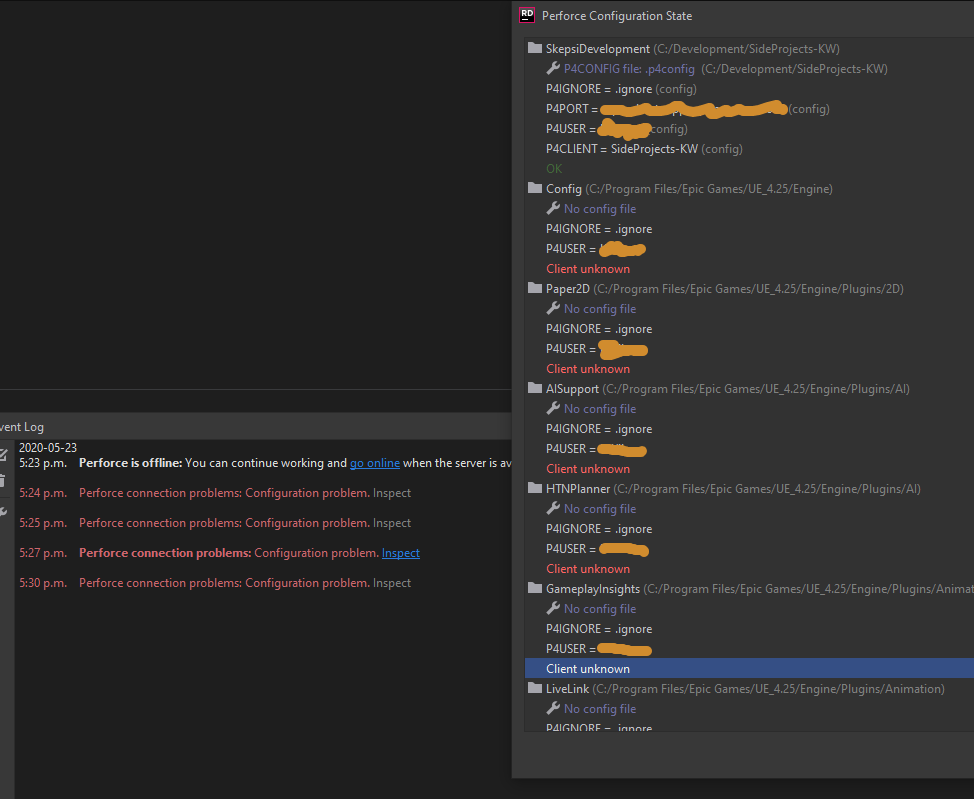
I must confess I'm completely lost and just following blindly
I see command line in there, I'm not at all familiar with inputting command line to execute stuff. How do I do that?
I have installed Docker and MySQL