#ue4-general
1 messages · Page 854 of 1
 open wadi
 broken stream
 marble sparrow
Hi how do i get a handle on a actor that has been spawned from a spawn point?
I can explain farther if you need more clarity
the trace I get shows the spawnpoint instead of the actor being spawned or something
That spawnpoint blueprint makes sense to me but I need to get a handle on the actor that it spawned so I can move its location
I can currently move the spawnpoint but the actor spawned by it doesn't follow
I'd really like the actor to follow the spawnpoint when the spawnpoint moves
 bright arch
Is there a place where I should report typos that I find in the UE4 documentation?
 humble yacht
Why is a CameraActor still being created when i already have one in the scene
open wadi
I have two buttons, let's call them A and B, that are on top of one another. On construct, button B is set to hidden and button A is visible. When a user clicks button A, some activity occurs, then button A is set to hidden and button B is set to be visible. This works fine visually.
Except, button B doesn't work if I don't move away from the button and back to it: that if I leave the mouse cursor over top of button A and then attempt to click button B after it is made visible, it doesn't work. I have to manually unhover the cursor (move it away from the button) then back over it for it to register. I've confirmed this with print string nodes that simply say "Button A was clicked" or "Button B was clicked"
Anyone ever seen anything like this? It's very odd.
 narrow mauve
Does anyone know how to get the source built version of ue4 to show in the epic games launcher
 dense gate
One option is to download an engine version to some place, then replace all the source in it with the engine source
But an already built version is sadly not there
You can't "import" a path
 lucid grove
Now im completly lost it
Two characters. Same position. One almost black with global illumination, other is fine
At this point i have no idea where to look. Anyone experienced with lights?
The further i go the worse it gets
 glass adder
Hello everyone! Guys, tell me how to get sound from a smartphone's microphone using nodes?
 ornate forge
I'm using fully dynamic lighting in my project, and light seems to leak through walls whenever the player is far enough from them. Does anyone know how to fix this?
That thin line of light shouldn't appear
 plush yew
Hello guys 👋🏽
Someone use the ALS V4 merge with Pro Inventory System?
Pls mp me if you use ALS V4 🙏🏼
 fervent sigil
@ornate forge I remember I had a similar issue, don't remember the solution so not 100% sure it applies; It's late here but I'll check tomorrow and see.
If you found a solution in the meantime mention me, would love to know.
plush yew
@grim ore Are you around; also to you smart guys i really really really want to figure something out i cant seem to find decent enough information about
 night bridge
Guys
plush yew
Clothing damage or tears and such
is there a concise or even term for this when looking up resources
night bridge
In the place where it is supposed to show the image of a cube it says "none"
And I cant drag the cube into the scene
plush yew
I keep finding chaos engine stuff instead of someone talking about clothing damage, is it just apart of Chaos engine or am i really stupid, please ping me if you know what i should be looking for :C
 empty dawn
Exporting a character from maya and getting: Can't detect import type. No mesh is found or animation track.
When importing, what's up?
 burnt egret
Anyone know anything about ProcessingExports when saving a map or blueprint? All of a sudden whenever I save something, it stops at ProcessingExports and it takes like 5 to 10 minutes to save.
open wadi
I've got a structural question. I have a custom video player I've built for remotely-hosted videos with a bunch of functionality, but it's all contained within a single widget that loads the video. I'd like this functionality to be modular, so that if I update one video player, it'll update all of them. What's the best way to design this?
 marsh swallow
Is there a way to make a post process that is visible (for instance a fog) from outside of the PP Volume? I am trying to create cave darkness on a dynamic moveable sky map and after weeks of research it seems that its a pretty common issue to have a nice dark cave since the skylight lights interiors.
 distant marlin
I've got a structural question...
@open wadi what do you mean by update? At runtime or during development?
 storm venture
i keep getting this error when trying to simply duplicate a level... what gives?
 elfin stream
@marsh swallow are you trying to keep the cave dark from outside?
Usually people use an imposter that fades as you get closer
 torpid notch
When setting up a third person camera on a Pawn that can be controlled. How come the Camera movement effects the model of the player? It rotates it
 frigid needle
Likely because on the pawn you have, you're adding input to the pawn, and the camera is just inheriting the rotation.
If you want to move the camera without affecting the model of the player, then you'll need to specifically move the camera. Or, typically, the spring arm that the camera is childed to
 terse ferry
Mine was on github
@regal mulch OK thanks, I think I'll use existing UE4.25.3 functionality like you suggested.
 tiny sonnet
Hey, does anyone know how to make it so your movement arrows are relative to the rotation of the object?
frigid needle
Where?
I believe what you're looking for is the toggle between "Local" and "World" space. That will adjust the movement axes
torpid notch
The problem is, Add Controller Yaw and Pitch input does not allow me to set a target
 void mirage
distant marlin
void mirage
distant marlin
anyone awake?
@void mirage yup
 ancient kayak
anyone here using Blender + Unreal engine = bones?
 daring tundra
Hi all. Quick question: Has anyone any info on how to create a simple join / dropout menu for local multiplayer games?
 restive yarrow
someone quickly tell me if i should place the navmesh in the sub levels or in the main parent level?
I have my landscape sections in sub levels
and the persistent level only has the sky and lighting
 fickle ridge
think it's worth doing a 2d mobile game in unreal?
or should i go for a diff engine
 exotic thicket
TArray<Foo> MyParam ?
 fierce forge
tnx
 rocky radish
I'm using fully dynamic lighting in my project, and light seems to leak through walls whenever the player is far enough from them. Does anyone know how to fix this?
@ornate forge increase the distance that the player can see the dynamic shadows (i dont remember what the option is called)
 quaint fox
do cull distance volumes not work on characters?
 analog summit
Hi, i try to add some animations to my GUI, i have an arrow that represent the speed.
So in the game, when the speed is increased, the arrow it will be animated, else it will be a static image
Static image
the animation
this will always be on the screen, let's say it will be in the upper right corner
or left, as in this image :D
How would you proceed?
quaint fox
you could set the velocity as a float or vector in a material parameter collection, then access that in your widget material and use it as the panning speed for the UVs? or the lookup index/offset for anim if thats what you had
quaint fox
yes, its ACharacter and its skeletal mesh comp
fierce forge
nope the cull distance volume will not affect the skeletal mesh
quaint fox
ahh, alright, thanks!
fierce forge
you're welcome
exotic thicket
you should make a game with that
it looks like some kind of horror game lol
graphics glitches like that can be really creepy when you don't expect them
:D
terse ferry
@regal mulch The function "Get Magnitude for frequencies" which is in engine should do the trick.
plush yew
Simple question - can you attach two or more components to a single socket?
analog summit
@quaint fox this is what I have in my material, that param "Frames", but I don't know how to access the "default value" of that param from my widget grapgh.
 marsh sparrow
Oh hi. So the level-design room is hopping ( or not ) does anyone have a level design person I might talk with for a bit about optimization?
analog summit
if I change that value, the arrow go up if is + value or down if is -
 regal mulch
@terse ferry the point is that originally the function only worked in uncook editor
Because the required data gets stripped when cooking iirc
So it doesn't work in package builds
quaint fox
@analog summit You should be able to do something like this in the widget
terse ferry
@terse ferry the point is that originally the function only worked in uncook editor
@regal mulch Ok thanks for clarifying 👍
regal mulch
I don't know if it's different now
analog summit
@quaint fox i was close :))
regal mulch
Best is to check the cpp code. They had a comment about it not working in package builds in there
regal mulch
Then it's still broken
terse ferry
Then it's still broken
@regal mulch Guess so
 strong schooner
Has anyone been granted with the unreal grant without the actual game? I plan to just send the plan as pdf with containing the descriptions, snapshots the partial gameplay mechanics and 3d renders, costing, and explanation why it would help the medical community, etc. Although I would still want to send a packaged partial example so that they could understand what I am dealing with. They put me on hold since I asked for more time, I was trying to see if medical students would want such an interactive game. This an interactive medical game btw.
 light thunder
UATHelper: Packaging (Windows (64-bit)): LogDerivedDataCache: Warning: C:/Users/blmcc/AppData/Local/UnrealEngine/Common/DerivedDataCache is very slow (0.10MB/s)
 warm hornet
Hi Guys. Curious about the Twinmotion free trial version. It states that "it may not be used for commercial purposes." Bit of a grey area. Recently laid off trying to build a portfolio of archviz work that I would display online. Does self promotion = commercial work?
exotic thicket
Commercial in this context usually means work that you get paid for
If you're not getting directly paid for the work then it's not commercial
warm hornet
ok got it. Thanks
 twin hawk
Hey, I've got a question, I'm trying to implement a slide mechanism in my FPS movement, and saw a tutorial that uses the AddVectorWorldOffset for the sliding, this is however a big buggy as it will sometimes clip into walls, is there a better way to do it? In Unity I could just transform the rigid body with a force..
 empty crest
Hey guys 🙂
 twin pawn
does landmass work with world composition?
exotic thicket
@twin hawk in my FPS project I did sliding by reducing friction when the player does a slide
twin hawk
reducing friction speeds up the movement?
exotic thicket
ah if you want to speed it up then that probably wouldn't work
I think there should be like.. add force or add impulse or something on the character movement component though
twin hawk
oh.. yeah I'd like to make it like in Apex Legends.
yeah I'm struggling with it a bit.. I just thought maybe someone has a good solution to this. 🙂
lucid grove
Heya! Thats almost a tradition 😄 Anyone know how to fix it? Opposite part of any model is completly black with dynamic lightning.
 simple fern
Is Unreal too much for an FMV game? We wouldn't really need any 3D
 open fulcrum
Hey. I need to animate the character. I want to implement this by showing/hiding sprites. There are two sprites for showing the left and right sides of the character and four sprites for the hands positions. When you press one of the four buttons, the player sees only one character sprite - left or right side and one of the four of hand sprites. I would be grateful for any help with implementing it in a blueprint.
it's about this game: https://i.ebayimg.com/images/g/JfcAAOSw1Upd3Jfu/s-l1600.jpg

I think I don't need animate it with Paper Flipbook and with state machine because it's too complicated for a simple thing
warm hornet
Any Houdini users in this channel? Just curious what the recommended workflows are for getting data (individual meshes, animations or entire ecenes) from Houdini to Unreal? Doesn't seem that DataSmith has native Houdini file format support. USD, FBX, or ?
ornate forge
@lucid grove Have you tried adding a Sky Light?
lucid grove
@lucid grove Have you tried adding a Sky Light?
@ornate forge Its already there
ornate forge
Is it set on Movable?
lucid grove
Basically i have a sun with directional light - everything that touch it looks perfect, but the backside is completly black.
empty crest
@lucid grove try increasing the exposure in the scene
the sky might get blown out a bit but it's worth a shot
also it's possible the default tonemapping curve is crushing the blacks too much
lucid grove
@lucid grove try increasing the exposure in the scene
@empty crest Where can i do that? In post-process?
empty crest
yes under Lens
Exposure compensation and you can also lock eye adaptation by setting the min and max to the same value
the tonemapping slope is under Film
you could try Slope 0.98 and Toe 0.35
and then lastly if it still isn't looking good you can adjust the skylight intensity which should directly lift the shadows
lucid grove
-
Exposure just made my scene brighter, which is bright, only shadows black.
-
Any settings at Film impact scene, but not those black shadows.
some things that i noticed with skylight. this is how it looks when i just un-posses character
When i click recapture - its seems like fixes most of the too dark shadows.
fierce forge
how i can put a FString in return in c++ ?
ornate forge
@fierce forge
{
    return FString(TEXT("Blablabla"));
}```@empty crest hmm is possible that only particular model got this problem?
empty crest
it seems like really weird behaviour that the entire scene is lit differently when you possess a character, unless you're also possessing a different camera with different post process settings
lucid grove
Head attached to body
And it looks ok
But the model not
this is what detail lightning shows me
empty crest
https://i.imgur.com/uBRNB9D.png the shadows also changed on the rocks
 lucid grove
I dont understand. Two characters. One get good lightning, other is not.
Changed clothes in same scene for two characters. Left looks ok, right (player) - top part is not.
Same cloth models
 unique kraken
hey question, if i plug vertex normal ws, into normal, shouldnt i get the basic result?
 wind gate
Guys, I need some help! My lighting is failing to build, just on this map.
plush yew
Hi guys. Does anyone have a good example of Blackboard + Tree that covers a dynamic Deathmatch bot? The movement I have is quite static, straight liney sort of stuff. Thanks for the help.
wind gate
Im 4.25 btw
fierce forge
hello , how i can set rich presence for steam in c++ ?
 grim ore
@wind gate I beleive that happens when meshes have no materials assigned to them perhaps, might want to look into that
wind gate
really? wow, i didnt expect that. Thanks I will try it. I yesterday installed malwarebytes on my pc and i think that's what caused it, like somehow banning the swarm agent. I'll check what you recommended.
regal mulch
Anyone ever got a ProjectileMovementComponent to work with more than one Collision Component on the Actor?
 lunar depot
what is the difference between aabb tree and bvh tree ??
lucid grove
@grim ore good day! You are my last resort 🙂 Have you experienced problem i did?
grim ore
I don't art much so all the suggestions so far are what I would have suggested
lucid grove
Got it. Guess i have to made big post on UE forums
 devout gulch
lunar depot
devout gulch
lunar depot
anyone gone through chaos code
case ESpatialAcceleration::BoundingVolume: return Ar.IsLoading() ? new TBoundingVolume<TPayloadType, T, d>() : nullptr;
case ESpatialAcceleration::AABBTree: return Ar.IsLoading() ? new TAABBTree<TPayloadType, TAABBTreeLeafArray<TPayloadType, T>, T>() : nullptr;
case ESpatialAcceleration::AABBTreeBV: return Ar.IsLoading() ? new TAABBTree<TPayloadType, TBoundingVolume<TPayloadType, T, 3>, T>() : nullptr;
case ESpatialAcceleration::Collection: check(false); //Collections must be serialized directly since they are variadic
glass adder
Hello everyone! Guys, tell me how to get sound from a smartphone's microphone using nodes?
In short, I need a recorder. Where can I read about this?
Also, tell me: I get a photo from the android camera and put it in an array, which in turn is placed in a structure, I write it through the save object, but when I restart and load from the save object of the application, the image does not appear, although everything indicates that the array they are not empty, can anyone come across? Maybe they do not have time to boot or something like that?
lunar depot
anyone gone through chaos code
@lunar depot what is the difference in the ESpatialAcceleration types ??
wind gate
@grim ore all my meshes have meterials, even the default one imported from rhino. any other ideas? What does this error message say? What is lightmass crashed? I just cant believe it happened out of the blue!
 flat axle
Can you put functions inside of functions? Or is that not good practice?
fierce forge
hello , how i can access onlinesubsystemsteam in c++ ?
lunar depot
Can you put functions inside of functions? Or is that not good practice?
@flat axle yes ... they are called lambdas and there is nothing wrong in using them
flat axle
@lunar depot thanks
fierce forge
how i can convert FString to char ?
lunar depot
how i can convert FString to char ?
@fierce forge https://forums.unrealengine.com/development-discussion/c-gameplay-programming/38026-can-the-type-of-fstring-be-converted-to-char-in-ue4-c
Unreal Engine Forums
For gameplay programmers writing C++ code.
 obtuse egret
guys I'm tired of ue4 crashing I've tried couple of versions it keeps crashing (4.25,4.26)
grim ore
whats the crash log
obtuse egret
grim ore
those are normally PC issues 😦
 midnight jetty
Hi, I’m new here. I just got one question. Do most people use Meters, or unreal units for their form of measurement?
obtuse egret
😦
those are normally PC issues 😦
@grim ore what do u think it might be?
but it's working fine on the older versions like 4.20
grim ore
newer versions of the engine use newer drivers and rendering paths, it could be many things but newer versions might push the hardware harder. all you can try is make sure your video drivers are as up to date as possible and your machine is updated.
plush yew
anyone know what i should use to make a low poly terrain/map
grim ore
I know that on my video card It was overclocked too much so I had to make sure it was correctly set up and then it would stop crashing the GPU
@midnight jetty 1 UU is 1 CM so they are interchangeable
obtuse egret
newer versions of the engine use newer drivers and rendering paths, it could be many things but newer versions might push the hardware harder. all you can try is make sure your video drivers are as up to date as possible and your machine is updated.
@grim ore everything is up to date
 upper fulcrum
I started running my UE4 Program at a lower value for the graphics and it cleared up some of the issues I was having.
grim ore
pretty much if the gpu gets lost at some point, not enough power into the gpu for example in my case, ue4 will lose its connections to the gpu as it resets and crash
figure out which video card you have, see if it has like a factory overclock, or go grab something like msi after burner and look into lowering the core clock speeds to give the gpu more headroom or increasing the core voltage and see if either help. For me I could crash UE4 in the arch viz example every time if my gpu was undervolted
obtuse egret
figure out which video card you have, see if it has like a factory overclock, or go grab something like msi after burner and look into lowering the core clock speeds to give the gpu more headroom or increasing the core voltage and see if either help. For me I could crash UE4 in the arch viz example every time if my gpu was undervolted
@grim ore I'll take a look at it thx
I started running my UE4 Program at a lower value for the graphics and it cleared up some of the issues I was having.
@upper fulcrum what do u mean at a lower value?
upper fulcrum
that manage 3d settings I lowered all the values and run the program that way.
obtuse egret
that manage 3d settings I lowered all the values and run the program that way.
@upper fulcrum I dunno if that gonna work in my case
upper fulcrum
well I was using sli and maxed all settings
 orchid sable
Can anyone give me any insight on properly passing parameters thru the node child_process.spawn() methodology?
https://nodejs.org/api/child_process.html#child_process_child_process_spawn_command_args_options
I am passing my info thru the args (2nd .spawn param from the docs above) but I am not sure they are showing up properly in unreal
 hidden aurora
Do you guys know when will 4.26 include the new water systme? Preview 3?
twin hawk
where is the best way to get characters that can be later animated with maximo ?
I'm looking even for a paid service
 subtle timber
Hi everyone, I need help with the process of bringing UDIMs into UE, I know UE does not support UDIMs directly. Is there any work around? or do I have to rescale my UVs?
Please Tag me if you guys and girls have any resources to share
Thanks.
night bridge
Guys
plush yew
@midnight jetty 1uu = 1cm
night bridge
I dont have the Cube Mesh
plush yew
ye
night bridge
In the place where there is supposed to be an image of a cube it says "None"
plush yew
have you tried reinstalling the editor
this is all i can say, am not a technical expert
also i'm going to sleep so i hope this is gonna do the job 4u
is there any way to load HLS Streaming video in Unreal's Media Player?
 vapid karma
what is this webinar and what happens when you register
 serene heron
You guys think that hangar 13 would be okay if I made a non profit "mafia 3" of my own in Unreal Engine 4
 winged crypt
Is it possible to get the physical material traced against (complex) from a skeletal mesh? We want to see which part of a skeletal mesh a sword hit (via trace on impact) to differentiate between armor and skin, for example.
But face index doesn't work with skeletal meshes apparently, and just returns the 1st material by default.
(This is for VR)
 sterile tulip
i dont feel good
 lament star
Has anyone tested the new AA method?
ornate forge
What new AA method?
lament star
They added a new kind of AntiAliasing method in the 4.26 preview
marble sparrow
I'm adding text to the face of a cube which works great in the editor but when create a windows exe the numbers are lost out in empty space. The text is kinda verbose I can paste in paste bin if you want to see code
BTW the text is numbers
 thorny perch
I have a question I have this project I have started, first for pc now i want to go oculus quest/quest 2 with it, is there a way to easy convert it into a vr project with the vr-parts baked in?
as if I started a VR blueprint
flat axle
When hitting play the editor doesn't fill the screen on the sides. How Do I fix this? ( not talking about immersive mode/fullscreen)
 delicate onyx
Does anyone know how to customize this? I want to remove some of these buttons
lucid grove
Does the material have a parameter that is responsible for its light absorption?
 honest vale
the materials follow the PBR convention of specifying mats
lucid grove
That... didnt explain anything to me 😄 Can you make it simple please?
I only need to for one task, dont need to go deep
 frail badger
guys I felt so confused, I model a nice low poly in blender, but when I put it in unreal it looks so bad. any idea how to make it nicer?
top one unreal, bottom one is in blender. the color in blender look far better than in unreal, not to mention the edge distinction between each poly
 rough knoll
how do i stop this from detecting itself
for reference this is an rpg bullet actor that should destroy everything inside the sphere when it hits something else that isn't itself
 thorny spindle
Hi guys!
rough knoll
however it detects that the actor has for some reason overlapped with itself and kills the bullet and only the bullet
as soon as it is fired
thorny spindle
Do you guys know some good tutorials for begginers in unreal engine?
frail badger
@thorny spindle just any tutorial series in youtube for making specific type of game. I'm in my 3rd month learning unreal now, and those series start from basic so you can grasp the concept until a bit advance one. if you jump from one tutorial to another it would confuse you
thorny spindle
@thorny spindle just any tutorial series in youtube for making specific type of game. I'm in my 3rd month learning unreal now, and those series start from basic so you can grasp the concept until a bit advance one. if you jump from one tutorial to another it would confuse you
@frail badger thx, the problem is that I don't know which one is more suited for me so I can learn how to do something like this https://youtu.be/FzoY062kY1s

Wiktor Öhman demonstrates how you can create a realistic forest environment with Unreal Engine 4 and Megascans. Learn about basic layout, composition, detailing, lighting and post-processing in this 1 hour tutorial.
For more on Megascans: http://www.megascans.se
Ground Mater...
rough knoll
in my personal opinion level design is harder than actual development
i develop solo so i kinda gotta be the jack of all trades but it's a pain in the ass
frail badger
yeah, just take your time @thorny spindle , level design require another set of art skill and sense, you will get there when you get there. maybe if you invested in graphic then takes some tutorial focused on designing level (landacape, lighting, foliage). I'm not that far there, but pretty sure that one require all the free monthly meshes you can get
@rough knoll dude maybe I'm wrong bc I'm still newb here, but I think you can use tag for avoiding destroying itself. like put different tag for the other actor, and use sphere trace to trace the tag
rough knoll
well its not really a set number of actors that are being destroyed
it's destroying every actor within the sphere, no matter what it is, but it needs to exclude the rpg bullet itself
plush yew
how do i make inkscape work in english not my native language ?
 lusty saddle
Hello I’m in need of assistance. Unreal never want to display my specular maps properly. I’ve tried fiddling with the nodes but it’s not working at all.
ornate forge
Does AI Perception's hearing sense not invoke UpdatePerception? I've set up both the sight and hearing senses, but only the former is invoking UpdatePerception when another actor is spotted
Am I supposed to handle hearing separately in HearNoise?
 left citrus
is there a way to package 'input' settings into a plugin?
I'm writing a runtime VR plugin so the vr pawn is part of the plugin content
but obiviously the inputs are project specific
lusty saddle
Does anyone know why specularity wouldn’t render out?
left citrus
@lusty saddle what results are you getting?
a spec map should be fine to plug into the specular channel in a material
ornate forge
It seems that I need to use ReportNoiseEvent instead of MakeNoise, huh
I'm using C++, yes
ReportNoiseEvent didn't work either
 fleet cedar
are you overriding a c++ function or calling one? one minor thing may be forgetting to call the super() of it
 trim pike
It seems the server pfp has changed
 wicked sparrow
Funky new discord logo!
ornate forge
I changed bDetectFriendlies to true and now the enemies do hear player's shots, but now they are shooting the floor underneath them instead of the player character, what the hell
 hearty walrus
How would I stop the "overflowing" from happening?
fleet cedar
@left citrus one area you may be able to look at for something like that is the floating pawn / default pawn source code, since im pretty sure that runs without having to add any input
Another spot is the content examples, some of the blueprints in that work with key pressed interactions without needing any setup is memory serves me right
from default pawn.cpp:
void InitializeDefaultPawnInputBindings()
{
UPlayerInput::AddEngineDefinedAxisMapping(FInputAxisKeyMapping("DefaultPawn_MoveForward", EKeys::W, 1.f));
}

void ADefaultPawn::SetupPlayerInputComponent(UInputComponent* PlayerInputComponent)
{
  InitializeDefaultPawnInputBindings();
  PlayerInputComponent->BindAxis("DefaultPawn_MoveForward", this, &ADefaultPawn::MoveForward);
}```there's a bit more that goes into it than that but that's the general gist
@hearty walrus widgets aren't my strong suit but if I can try to point you in the right direction, I'd recommend looking into either using vertical boxes or size boxes
also anchors for their positions
 rich geyser
I’m trying to mod a game...Is it possible to load .uasset’s and changing blueprints?
Into the engine**
 barren flume
For some reason when I press play in the editor the viewport just keeps getting brighter and brighter the longer i'm in game
ornate forge
That's probably tonemapping
barren flume
how would I go about messing with that?
hearty walrus
For some reason when I press play in the editor the viewport just keeps getting brighter and brighter the longer i'm in game
@barren flume Have you got a PostProcessVolume?
if not, add it
barren flume
yes
barren flume
Thank you
hearty walrus
np
 mossy cloud
@barren flume you could also do this
(taken from https://answers.unrealengine.com/questions/61561/view.html)
lusty saddle
ornate forge
It seems that AI Perception's hearing sense doesn't handle teams properly
fervent sigil
@ornate forge I remember I had issues with teams, but I fixed it using cpp implementation. It was a few versions ago though
ornate forge
The sight sense correctly perceives the player character as an enemy, while the hearing sense for some reason considers the player character a friendly
 shell compass
So, I know I can do Get Forward Vector * 100.0 to get a point 100 units in front of something (for example the camera), and I could do Get Right Vector * 50 and add those together to get a point in front and a bit to the right of something.
But is there a shorter math-way to get such a point?
Instead of combining each step one by one
Doing RotateVector(100,50,0) seems to do what I want unless I'm mistaken
 celest vapor
Is there a good plugin for database work using BPs?
ornate forge
I'm giving up on AI Perception's hearing sense, will have to find some kind of workaround later
It's broken
 mortal cedar
Does anyone know where I can get full body animations designed for first person multiplayer games? so minimal headbob, arms in the view of the camera etc? I can't seem to find anything like that. its always animations for third person games or first person animations just with arms
I'd rather not have to use seperate animations/models, and have to set everything up twice. I'd rather just have some slightly janky looking animations I can set up once lol
fierce forge
@rich geyser like real time editing the world ?
rich geyser
yes
 ancient lotus
@celest vapor I cover doing that in c++, its the same concept using their json serialization and http requests, https://www.youtube.com/watch?v=kyaUOuVwN3A&list=PLnHeglBaPYu-H3Gqe_94oFkmn9amBXNZp&index=46&ab_channel=SneakyKittyGaming

Patreon: https://www.patreon.com/SneakyKittyGaming
Discord: https://discord.gg/VUJKzE3
Postman: https://www.postman.com/downloads/
In this video we start the creating of our master server by creating our C# ASP.Net project.
rough knoll
how do i check to see if an actor has collided with the landscape
plush yew
should i make low poly terrain in ue4 or blender
 scarlet birch
Anyone know what might cause the viewmode hotkeys to stop working when launching as standalone from the editor?
Works in PIE or in a new editor window but not standalone
rough knoll
whats up with this? even far away it sounds like it's right up close
why does the volume not change based on distance
plush yew
This rotation setup allows me to transform my skeleton in the AnimBP so that the spine rotates so that the held gun points directly at a given point. But at the moment it overshoots the target before reaching the goal. So if I turn 45 degrees to the left the spine will rotate 60 degrees then back down to 45. What's wrong with this setup, how can I get rid of that issue? I imagine it's because the function is using its own value to calculate. Additionally, if I'm not interpolating then the spine will go absolutely wild
grim ore
@rough knoll is this sound inside the grenade that is being played?
rough knoll
it's not a grenade (thats just the sound name), it's apart of the RPG bullet and whenever it hits something it spawns a sound at it's location, spawns a particle effect, and then destroys itself after
grim ore
ok so its inside the bullet ?
rough knoll
but i'm not sure what you mean by inside
grim ore
the code, that graph is in that actor
grim ore
just making sure the get actor location was getting that actor. What is the sound radius you have set up for the sound? is it using the default settings (this is a sound wave?) or is it using a cue that has attenuation overriden?
grim ore
its possible your attenuation settings are super large by default
so your always in the radius which means the same sound level
rough knoll
i created a new attenuation blueprint, and i assume i need to change this ?
grim ore
yes, honestly set them both to 1 and test it
just to see if it works
or uh i guess 1 and 2 so they arent the same lol
you should barely if at all hear them
rough knoll
yeah i didn't hear them over the rpg firing sound effect
grim ore
now you can slowly increase the numbers to try and get what you want from the distance you want for testing.
an easy way to "test" this is to add an audio component to the item temporarily and adjust it in the viewport in the blueprint and you can see the radius debug circles
rough knoll
well i want it to be heard from a pretty far distance but pretty quiet if you'ree far
plush yew
Whenever I add a variable to my structs I end up having to go back and making sure that each of these Make Struct nodes is connecting the new variables. I don't have too many of these but is this even the right way to go about this?
grim ore
rough knoll
i.e. it would hit this massive tree across the water
it would be very quietly played
grim ore
this is the third person template, you can see the smaller inner cone and the larger falloff by default
rough knoll
so i assume the smaller inner cone is where it's in full effect and the larger falloff is just the range that the sound can be heard at all
grim ore
so yeah add an audio component to the item and drop it where you want it then edit it away
yep the tooltips basically say that, no attenuation until the inner radius is met then it falls off to the distance. the function and shape determine "how" it falls off
grim ore
mock up a generic BP, add an audio component, drop in the sound to loop, then play with the spehere
rough knoll
will it calculate the distance and how it should be attenuated
or will it just stop at a range in the circle
grim ore
that depends on the attenuation method you use
or the attenuation function is what it is called in the override
again you need to test it, drop a test actor in with your effect looping and move to a distance and play with the settings. eject out of the character and you can edit them while its playing
or you could use simulate and test in editor
serene heron
It's not allowing me to change the skeleton for the animation why?
serene heron
Ahh how do I change it?
 lethal bison
What are some rendering optimizations apart from asset optimization and draw calls that one could use?
grim ore
you won't change it, you would retarget the animation to a new skeleton using retargetting. https://docs.unrealengine.com/en-US/Engine/Animation/AnimationRetargeting/index.html
serene heron
Head disappears and animation isn't being played
plush yew
tutorials and simple projects until I could make those simple projects without tutorials then repeating that cycle endlessly
but a lot of the knowledge builds on itself so the need to use tutorials drops off pretty rapidly at a certain point
 dawn bloom
trying to make a pinball game, its been hard 😎
what do you think about the learn tabs?
plush yew
idk what those are, I just searched youtube tutorials that were highly rated for the topics I was trying to learn about
dawn bloom
whats an early project you worked on?
 supple totem
For some reason people miss unreal academy a lot, it looks pretty good
I learned with epics tutorials, before they had academy
Also epics live streams in whatever topic I was interested in
 autumn grail
Hello , how to set scalabitity settings by blueprint, without use console commands
serene heron
What's wrong
autumn grail
@serene heron what 3d software do you use?
serene heron
I changed the format to fbx and exported out of blender originally obj
autumn grail
you need to put your object in the center of the world in blender
and set the object origin to the center of the world too
serene heron
How do I put it in the center?
autumn grail
and apply scale rotation and location
shift + s then cursor to world origin
next shift +s active to 3d cursor
then f3 set origin , origin to 3d cursor
ctrl +a , apply transform
serene heron
So I applied transform
Set cursor to world origin
I didnt see active to 3d cursor
autumn grail
export in Fbx with checkbox selected objects checked , disable all actions
 static sparrow
I saw some people recently talking about v4.26 ? As of right now, 4.25.3 is still the latest version, right?
 rancid lynx
If I put a cube collision on a moving platform, the cube slides all around, how do i make the platform or cube very high friction , so that it doesnt slide around ?
autumn grail
sorry king its Selected to 3d cursor
rancid lynx
without linear damening, thats a hack, it still needs to move naturally through the air
static sparrow
Rob Card If there aren't settings for friction already available in the details panel, you may wanna look into Physical Materials
autumn grail
now in object mode move your armature with the character slowly the feet on the ground
rancid lynx
thank you Cali
autumn grail
the feet on x axis
static sparrow
But I coulda sworn that friction is a setting you can set without resorting to phys. mats
rancid lynx
ill look again ty
well, clicking on capsule collision, searching fric, in details, zero results.
static sparrow
also, check the setting for "Can stand up on" or... something like that
in the details panel near (or in) the collision settings
autumn grail
with g +z and drag
rancid lynx
i remember that one. ill test it thanks
this controls if they can step up on something, its default is yes.
serene heron
I'm importing it back into unreal engine
rancid lynx
physics materialls should work
serene heron
@autumn grail
static sparrow
k. That's what you'd want. If that's set to no, then no matter what the friction, anything that "gets on top of" that object will slide right off
autumn grail
and?
serene heron
Oh... I was just making sure everything was fine for importing g
autumn grail
i mean is it ok?
rancid lynx
oh X_x. that makes since. so the boat needs the update. thanks
ive been hoping for "new crap" to learn with ue4 while i ride the train to work. i can never think of something to search for. physics materials ! Yehaw !!
serene heron
I think so
rancid lynx
https://www.youtube.com/watch?v=YEyqewn409E good old mat wadstein

What is the Physics Material in Unreal Engine 4.
omg exactly what i wanted. thanks Cali
static sparrow
np 😉
lucid grove
hey guys, ragarding sun rotation
for some reason when i set Y less then 0.1 its stuck at 90*
plush yew
Hey guys i really need some help with a git issue if anyone knows a thing or two about unreal/git
 fading moth
Hi guys! Does anyone know any source of information about XMPP in UE4? I have some experience in XMPP servers, but I can't find how to use a XMPP client in the UE4 docs. All the links related to XMPP that I tried are broken. Thanks in advance
 true rune
Hi I'm working on a water material and for some reason I'm getting the shadow that seems to follow the camera. Nothing should be casting that shadow and I'm not sure how to turn it off
 signal jetty
How do u guys make custom collision For Land ... so can I use blender to make a custom collision “not auto or simple collision”
 frigid vale
Are the tutorials from 2018 still okay to learn from as a beginner?
or will they throw me off because ue4 is in a new version
rancid lynx
are timelines locked to framerate ? probably not right ?
 brisk spire
@frigid vale They're okay, most of the stuff is the same, the big things you might find confusing is animation stuff and particle stuff
But like 90% still applies
rancid lynx
do timelines fire updates only 1 time each frame, or would they fire twice, if you are only running 2 framesper second?
brisk spire
Per tick, not per frame, I think
Maybe
Actually no, I have no idea
Timelines are magic
rancid lynx
id imagine they are close to ticks also, but not blueprint tick, oh, i can test blueprint tick TL myself
wait no i cant. i cant see at the speed of light
but i can verify that they run faster than blueprint ticks at least X_x
brisk spire
Might be able to see pretty accurately by getting a print statement to print out like "Timeline: tick time" and "tick: tick time"
so you can compare the two
rancid lynx
ill try that also ty. i did verify that they dont run on blueprint tick limits at least.
brisk spire
Yeah, sorry I don't have a solid answer for you ):
I know that you can't run them inside functions, so that would indicate they're at least reliant on blueprint tick
 radiant jasper
is there a way to have multiple event ticks
like theres two branches i want the game to check if true constantly but both need to be able to happen at the same time
nvm figured it out
shell compass
So, I'm making a VR game and the space that the player is able to move about is no larger than a room/house, so I don't need to make use of UE4s capability to have a 20x20km world
Can I somehow easily change the world scale or something so I get better small-scale floating point precision for physics instead?
So a 2x2km limited world but with 10x better precision for physics calculation?
open wadi
So here's an interesting question - I have a widget that plays a video that I call from a BP function. I'd like to make sure, in the function, that any other currently-loaded versions of said widget are removed from viewport prior to loading the new widget, so as the user navigates between videos the old video isn't still present.
I'm sure this is possible - how?
shell compass
@open wadi if you store the created widget as a variable, there's a function called something like "is in viewport", and then you can do remove from parent on it
thorny perch
anyone know how to convert an non-vr project to vr? 🙂
basic functionality as like the template
 long elbow
Mine keeps crashing due to an INTERNAL_ERROR. d3d lost. I only have 1 display drivers and that's my graphics card. So wtf is the problem, anyone?
 nimble dagger
everytime i try to import a uaasset it says it cant find the file extension, anyone know a fix?
open wadi
@shell compass Thank you, I was looking into that.
So here's my situation - I need the function to simply check to see if the widget is in the viewport, remove from parent if so, then either way load the widget to the viewport.
That's the logic I have, which would work, except the cast operation is failing - is it possible to cast to a widget not already present in viewport?
Because if not, I see no way to check to see if a widget isn't in the viewport.
Looks like you might have to "get all widgets of class", I'll check that.
 weary gale
Hey guys, what's the best way to distribute custom Engine versions to other team members and external freelancers?
Is there a difference in building and deploying through UAT and BuildGraph vs brutally zipping up the Engine folder and giving it to other people?
I tried the latter and it works, so I was just wondering if I'm missing something and need to go through the whole process to avoid any problems later on.
 weary basalt
If you dont plan on making Engine changes often, your better off creating your own Installed Engine build and hosting it on Source Control or some other platform that team members can access.
For example, we have an Installed Engine build with Dedicated Server support compiled in with some minor engine changes. The team uses the Installed Build. It is much more compact than a Source Build version.
weary basalt
Depending on what you put into it via build graph, yes it can be.
weary basalt
It does, but its basically like downloading a Launcher build.
weary basalt
Its like a customized Launcher build, you choose what features it maintains etc etc.
weary gale
yeah, I saw you can strip platforms you don't need, etc.
weary basalt
Like i said, we have ours configured to allow for building a Dedicated Server executable.
Among other things.
weary gale
that is great because I also need to include console stuff
 versed spear
So Devil, I am wondering what the difference between creating a game lift object vs using the invoke node for lambda to put get query dynamodb.
I take it using lambda would be the better option?
plush yew
A
restive yarrow
my redirectors crash, what could be the cause?
weary basalt
We use Lambda mainly because its much easier and quicker to iterate on for use with GameLift and other AWS Services instead of having to introduce their respective SDKs into the game.
versed spear
yea i miss typed I mean game sparks get game spark object when accessing the database vs using game lift invoke lambda function to retrieve and edit dynamodb
weary basalt
Well the difference is they are completely separate services
GameSparks is a somewhat all in one solution i guess.
versed spear
difference would be game spark node creates an object when used and invoke lambda function does not ?
plush yew
has anyone here used ue4 4.26 Preview 2 and is anything new?
open wadi
Question: Is it possible to cast to a widget that has not been loaded to the viewport?
versed spear
yea i do not see why not
 snow crown
waterplugin is now in the 4.26 branch on github: https://github.com/EpicGames/UnrealEngine/commit/02d7bf775f92690244f64fe5107d7c0377700aaf
which that probably means it'll be in preview 3
plush yew
oh thanks
open wadi
Here's the issue - This cast operation is failing. This is a BP function that 1. Checks to see if a widget is loaded to the viewport already and remove from parent if so, then 2. Either way, add the widget to viewport
open wadi
That cast operation is failing. Is this because I'm calling it incorrectly (via Get All Widgets of Class + Get + Cast to widget) or because it's not possible to cast to a widget that hasn't been added to the viewport?
snow crown
you would have to build the whole thing
plush yew
dam son
snow crown
probably best to wait if you don't have that set up
plush yew
i done it before its just file size its big
snow crown
yeah
versed spear
So from what I am seeing is that with gamespark I have to create an object but if I use gamelift invoke lambda function it returns a structure.
plush yew
well if anyone has built it could they try give me the Experimental folder from the plugins?
 formal needle
Hey, sometime around last month (iirc) Epic released a ship-game livestream. Does anyone know what the stream was named or a link to it? I can't seem to find it.
snow crown
you could probably
plush yew
hmm i could try but might fail
snow crown
but that i think is more trouble than it's worth personally
open wadi
Is it not possible to cast to a widget that has not been added to the viewport?
open wadi
Hi everyone, so here is my scenario: I am trying to execute a simple operation - A BP function that 1. Checks to see if Widget A exists, 2. Removes from parent if so, then 3. Adds the widget to the viewport. I believe I have the code correct, but my cast operation is failing.
open wadi
Which makes me wonder: Is it possible to cast to a widget that has yet to be added to the viewport? The "Is in viewport" node implies that yes, one could certainly do this, yet any attempt to cast to the yet-to-be-created widget fails. I"m currently using "Get All Widgets of Class" set to Widget A > Get > Cast to Widget A
As seen here:
plush yew
you know what would be nice streaming in the general vc
open wadi
That cast operation fails. Is that "Get All Widgets of Class" > "Get" > "Cast to Widget" sequence incorrect?
As research indicates that should be the execution flow.
versed spear
when i create the widget I would cast and set a text variable to working. Then when you add it to view port see if it prints working if it prints the default text its not
but then again when you create an object you create an object does not matter if its added to viewport
open wadi
Right, but see here, the point of this code is to check to see if the widget exists in the viewport or not, and to remove it from parent if so.
Is there another way to "create a widget" besides "add to viewport"?
versed spear
thats what I am trying to say is that when you use the create node its created
you dont have to add it to viewport and you can use use a bool value and change it when on screen and off
open wadi
I see. So simply create the widget first via the create node, which would allow for such casting
I see, and you maintain a bool to monitor whether or not create was successful
versed spear
yea and you can send that object to whatever bluprint you want to store it at so you can add it when you need it
open wadi
Got it, very helpful @versed spear, thank you.
So in this scenario would I still use "Get All Widgets of Class"?
After creating the widget?
versed spear
no you will drag from the create widget node
that will be you object
then type cast to
open wadi
Well ok, so wait a minute.
So the entire point of this code is to see if the widget exists, then remove from viewport if so, which as I understand it destroys the widget and removes it from ram (once garbage collection hits it), is that not the case?
Doesn't "remove from viewport" destroy the widget? Or no?
versed spear
remove from parent
open wadi
Sorr yes
versed spear
and yea its gone no more object
open wadi
Yes, remove from parent.
versed spear
at that point you would be trying to reference an object that does not exits.
open wadi
So the issue is, I have some 9 remotely-hosted videos for my project. I built a video player to play them. But I don't want to generate 9 different versions of the same video player, I want to modularize the player, so I put the player in a single widget, where it takes params for video URL, description, so forth. The user is likely to be clicking around the project and the idea was to only create the video player widget when the proper section is clicked.
plush yew
ok so the water plugin worked 😛
open wadi
So my idea was, when a user clicks a new video, have a function that checks to see if any version of the video player widget exists (since I only want 1 at a time), destroy it if so, then create the video player widget with the new video params
plush yew
oh hi @empty arrow
plush yew
sup
open wadi
@versed spear Can you elaborate for this scenario?
 empty arrow
nm
plush yew
oop
open wadi
Ok, so perhaps, I could create the bool as a GI variable so it remains persistent?
versed spear
you need to pass it around
open wadi
I see. So basically, I create a "video player running" bool as a GI var so it remains persistent, set it to false on start, then when someone clicks a video, create the widget and set the bool to true, and use that bool as a global var for knowing if the video player widget is already loaded.
Yes, that works, very helpful Mattxor.
versed spear
yea
 winter gale
So I'm trying to tweet some (hopefully helpful) UE4 tips everyday. Here is the first tweet from couple of days before https://twitter.com/RyanJon2040/status/1295767385639489538?s=19
And here is the second one just tweeted now. https://twitter.com/RyanJon2040/status/1314466704244662272?s=19

Quick #UE4 Tip number 1.
Quickly create your own #UnrealEngine GamePlay Effects by defining them in Gameplay Effect Parents via Project Settings. Requires Gameplay Abilities to be enabled.

 Twitter

Quick #UE4 Tip number 2.
Developing mobile games? Use📱Platform Game Instance📱instead of Game Instance to gett access to mobile specific delegates. See this: https://t.co/Vx7IE36NsB
#unreal #unrealengine #unrealtips #unrealdev #indiegamedev #gamedev
Twitter
winter gale
Next tweet tomorrow at 11:45 AM IST.
 lost niche
Is it possible to add variables to World Settings panel?
versed spear
yes
lost niche
Where and how can I do that?
Tried by adding instance editable variable to level blueprint but it doesn't seem like it's there
versed spear
looking at the WorldSettings.h and WorldSettings.cpp does not seem like you would need to do much.
lost niche
Well, considering it's engine code, I need the soruce build of the editor then?
weary basalt
The WorldSettings class can be overridden in the Project Settings.
No need for Engine Source.
lost niche
Ah I see, I can derive a C++ class from it. Thanks to both of you
 surreal laurel
Is it possible to grab a single channel from a texture sample and manipulate it's UVs by itself?
exotic thicket
Feed it into the UV input
I mean if I understood correctly, you want to get R from a specific UV coordinate? If so, you'd just feed the coordinate you want into the UV input on the Texture Sample
surreal laurel
More like I want to control the UVs of the R channel separately from the other channels, is that what you mean?
So you'd get a result of the red channel's UVs panning for example, but no other channel
exotic thicket
Right - so you'd create two texture sample nodes, you'd feed in your custom UV coord into one and read R from that, then read the two other channels from the other
surreal laurel
Yeah I'm trying to cut down on the texture samples so I was hoping there would be a way to do it within one sample. Thanks though
exotic thicket
hm, I wonder does that actually get optimized 🤔
I always assumed if you used texture sample with the same texture it would actually just effectively use one texture sample
surreal laurel
I'm wondering that too
exotic thicket
it definitely seems like there should be a way to do that, on the shader level it's like.. TextureSample2D(Tex, Coord1) and then TextureSample2D(Tex, Coord2)
So my assumption would be that if you use two Texture Sample nodes with the same texture, it would effectively compile into that which seems like the most efficient implementation
btw #graphics can probably help you more with this
 serene birch
why not split that in two textures? the GPU will waste "time/cache" reading data it doesn't need that way 😛
but yeah, I'm pretty sure if you duplicate the sampler node it doesn't really cause a duplicate sampler in the final shader
as long as the sampler settings aren't changed after the fact
though this probably only really matters if you reach the "sampler per shader" limit
 sour slate
hey guys can you tell me what make collision working with gpu particles? i mean if i use a basic color + radialgradientexponent node they work but if i use a custom texture they dont...why?
 loud eagle
new logo who dis
 vivid stratus
how much time does it take, usually, for the plugin download?
 drifting geode
does somebody know if its possible to fake this lighting without baking lightmaps for mobile?
both images have no lightmapping, its just mobile vs pc preview
is there a gloabal ambient light which might could be lifted up?
 vital parcel
@drifting geode Try the skylight.
plush yew
does anyone have a 3d model of a cube?
oh wait nvm, the second i write for help, everything fixes it self
subtle timber
is there a UE shader for USd?
loud eagle
does anyone have a 3d model of a cube?
@plush yew what
 ancient tangle
A one-click solution for copying and pasting location/rotation/scale of multiple objects at once from Blender to Unreal Engine, CoordiKnight is a free Blender addon that speeds up the tedious process of placing objects in the scene, letting you port over to Unreal what you already did in Blender.
https://youtu.be/H2aOcPezVks

A one-click solution for copying and pasting location/rotation/scale of multiple objects at once from Blender to Unreal Engine, CoordiKnight is a free Blender addon that speeds up the tedious process of placing objects in the scene, letting you port over to Unreal what you alr...
 zenith drum
Hello Guys im working on some Real Time virtual production. We are in search for some members and a guide/expert who has some experience. Please Let us know you If one can get help for us.. Thanks!!
drifting geode
@drifting geode Try the skylight.
@vital parcel thx John!
plush yew
so, ue4 Multi-threading? is that a thing?
 thick herald
@zenith drum try #looking-for-talent read the pinned message there
 maiden quarry
hi all, is there anyone that can help with crash errors ?
 rigid aurora
 shut glen
i have made an ip multiplayer in ue4
but
physics objects dont update
any idea why?
vital parcel
@rigid aurora what the fudge?
 hushed cedar
@shut glen Ask in #multiplayer
rigid aurora
@vital parcel literally epic games add the ultimate captcha
i need to make like 20 of them just to login
vital parcel
Darn, I have some complicated math on my morning phone alarm that I have to fix so that I don't fall back asleep
rigid aurora
this is very funny now i can lose my time trying to do them, gj epic games 👍
vital parcel
That sloution seems cooler though, I'll slap it on my phone and have it force me solve it each morning so that the alarm will turn off
Had some nuke alarm if I don't solve the math properly 🙂
rigid aurora
xD
 dense knoll
fierce forge
dense knoll
fierce forge
hello , how i can use a plugin like easy multi save in c++ ?
exotic thicket
I don't know if you can
If you have C++ defined properties with the SaveGame flag, it will happily save those if it's a blueprint that derives from it or contains it
i've been wondering about the same, and there seems to be basically zero information on EMS in particular... You'd have to look at the EMS source code to figure it out
fierce forge
@exotic thicket but a plugin like a online subsystem ?
exotic thicket
Huh?
exotic thicket
I suspect it might be C++ only
 summer edge
Hello everyone,
I want to do something like, consider for multiplayer like while game begins I've one character/actor, once this character/actor pass through some door or some region, it will create all players. Like initially when game play only one player is spawn, now as soon as this passes this region it get all players and spawn all connected or join player. If four player than four come if eight player is playing than eight player created by that one actor
 mental apex
Is it possible to make it so owner sees mash 1,other player sees mesh 2,and owner also sees mesh 2 on a specific pose?
open fulcrum
Hello. How to make a simple 2d-animation for a few sprites, without Flipbook, just by show/hide for each sprite? Is it possible?
plush yew
that free girl pack thing on the ue4 market place should be banned
its uhm pretty 18+ lmao
grim ore
none of the skin textures have genitalia so I don't see why it would be 18+
fierce forge
can somebody help me ?
 potent bridge
Does anyone know any good free terrain brush packs?
grim ore
have you looked at the free marketplace content?
 vast garnet
Brushify - Environment Shaders Pack
Brushify - Arctic Pack
@potent bridge these two packs were given free sometimes. Check if you have them in your vault.
plush yew
how do i import blender meshes to ue4?
vast garnet
In real-time? you can check this plugin https://www.youtube.com/watch?v=c3_xUMQ6hhs

Blender is getting more powerful by the day, and to improve the Blender to Unreal Engine workflow we're developing a "Send to Unreal" add-on for Blender. Epic's Kaye Vassey and James Baber are the developers behind this tool, and they'll be joining us for this episode of Insid...
plush yew
I got it into ue4 but now i cant see my mesh
 hardy jewel
what are some good scripting tutorials for someone who knows some cpp
 runic fern
Hello Guys .. I have this 3D widget the Resolution is low i cant resize it because the size in the world will change any idea ?
vast garnet
@hardy jewel The following link is for Educators (I use stuff from there in my class). If you know some cpp it will help you understand UE4 specific stuff easily
https://epicgames.ent.box.com/v/NavigatingLargeCodebases
 inner vine
@plush yew did you set the scale correctly? Unreal units are centimetres, so if you used units as metres in Blender then your mesh will be really tiny.
hardy jewel
@vast garnet Thanks!
I was asking because most tutorials out there tell you to put stuff and dont even explain what it is
 spare sun
@plush yew since you asked for the link
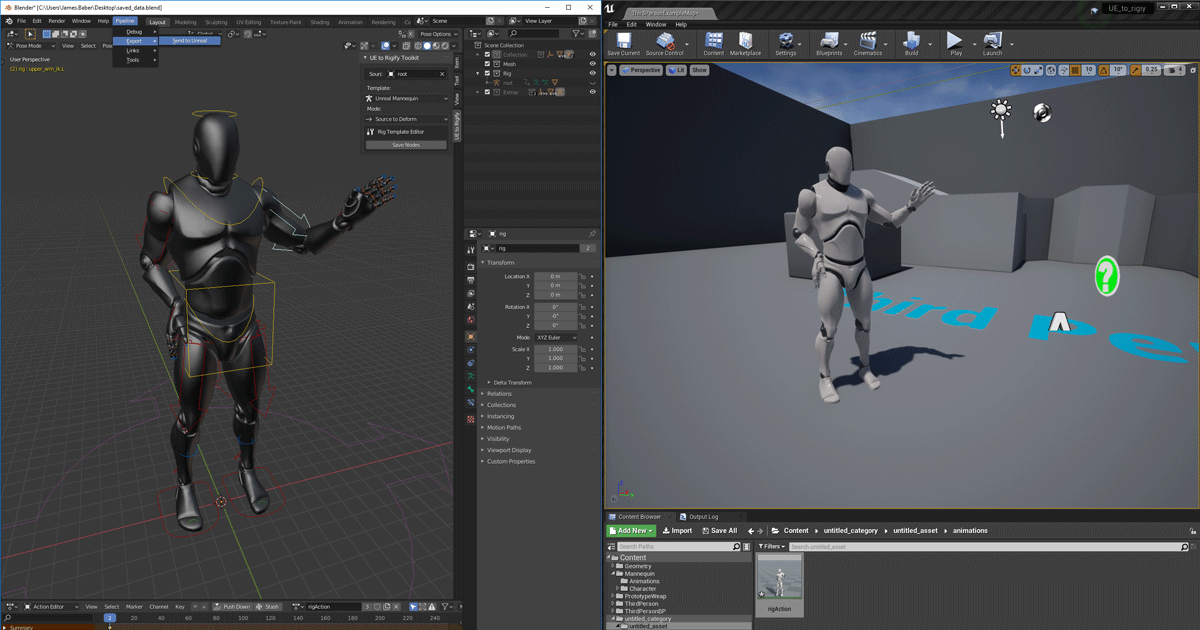
https://www.unrealengine.com/en-US/blog/download-our-new-blender-addons
Unreal Engine
We’ve released two new, free addons that greatly streamline the workflow between Blender and Unreal Engine.
the addon converts the scale and sets some things up for you so it might fix ur problem, but the usual fbx import should be working too tbh.
Check inverted normals, scale, whether you actually export the selection etc.
 viscid plinth
not letting me turn off texture filtering for 2 textures
checked it in texture tab when viewing texture
radiant jasper
does anyone know how to call a variable from a different level blueprint
im trying to make it so a widget only opens when a variable is true, but idk how to reference the variable in a different lvl
open wadi
@radiant jasper Check out "cast to"
radiant jasper
ohh right
open wadi
Whenever I have to use a variable from another widget, game instance, etc ,I always have to cast to it, then I can access that variable.
 tired lynx
howdy all!
 azure reef
Hi. Does anyone having problems with 4.25 when changing a structure which is inside a game instance? Each time I add a new variable inside the structure and re-compile the game instance it's crashing. And now it looks like 1 month projects is not starting anymore
open wadi
@azure reef I am using 4.25.3 and I have many variables within my GI, and I recompile fine.
tired lynx
could somebody tell me why, when doing a render pass, my world normal render pass starts off like this for the first couple of frames (which is what i want)
but then turns into this a frame later:
open wadi
@azure reef I can't say that I do, I'm using all standard GI instance variables: strings, text, booleans, etc. So perhaps I'm not helpful in that regard.
tired lynx
need the former for compositing but it seems to be the latter for the remainder of the render. very confused
azure reef
This happens only when using structures, in my side
open wadi
@azure reef Give me a sec, I'm going to test.
azure reef
Thanks. If you're not getting any crashes there must be a problem with my pc or something. It's crashing even on fresh projects.
open wadi
@azure reef Just tested adding a random struct (abc compression) to my GI and compiling, compiled fine.
radiant jasper
azure reef
Just create a struct, add it into Gi. Compile and after that add a new variable in the structure, and re-compile
radiant jasper
azure reef
Can you add another var and make it array? And re-compile
open wadi
@radiant jasper Where is it failing? I don't see a compile error
radiant jasper
the widget isnt created
open wadi
Are you saying the branch statement isn't returning the expected response?
radiant jasper
yeah the widget its suppose to create doesnt actually create
open wadi
So add print strings to the true and false of that branch to confirm whether it's hitting true or false.
open wadi
But if you're not getting a compile error, that implies that it did successfully cast to "third person character"
Ok
radiant jasper
but it should be true
bc it has to be true otherwise the level wouldnt have opened
open wadi
So drag off that "as third person character", uncheck "context sensitivty", and make sure you're getting "isTime G"
open wadi
double-check that you're getting the right variable - otherwise, I'd look into that istime G bool, because if you are doing that correctly, it looks like it's casting fine and something is up with istime G itself, it's not becoming true as you would expect.
Also
Drag a print string off that "cast failed"
And make sure to label it properly
radiant jasper
this works fine
open wadi
Say something like "cast failed to thirdperson character"
IN the print string
To test and make sure that cast isn't failing
radiant jasper
ok
open wadi
Sorry, that was incorrect previously > compiles won't fail on an improper cast (unless you do something like not passing gameinstance to a cast to gameinstance), that's the point of the "cast failed" pin
radiant jasper
ok
open wadi
So the more correct statement is compiles CAN fail on an improper cast if you pass the wrong params to the cast.
open wadi
Well, I mean, if the cast is confirmed working, you're casting to the right level, you're getting the right variable, it's a boolean, and it's returning false...
Sounds to me like that variable isn't being set to true like you'd expect, or is getting reset somehow.
radiant jasper
idk how it would be getting reset tho
i have it connected to a branch that opens the main menu level if true
shouldnt it stay true?
open wadi
If you're asking if using the bool in a branch previously would impact the value of the bool, no, that wouldn't impact it.
radiant jasper
so do u know what could be affecting it
open wadi
I mean, my next steps would be to double-check the logic of the level to confirm that bool is set correctly, and otherwise I'd look into whether you're unloading that level and perhaps doing so would impact the values of instance variables
radiant jasper
it works fine in the original lvl tho
like it goes true and then goes false after it opens the main menu level
 feral crow
Can someone please help me in #blueprint ._.
open wadi
@radiant jasper Another thing to check would be to use that cast statement and some print strings to check other variables from that level
radiant jasper
im testing what i think might be the problem
open wadi
See if, once you switch levels, any variables maintain their values.
radiant jasper
nvm
open wadi
Sounds good.
radiant jasper
i had "absolute" checked and unchecking but it still doesnt work
in the open level node
open wadi
For example, I stream load levels and unload levels once not needed - I would assume UE4 garbage collection would not maintain the values of instance variables. For global variables I want to be persistent throughout the game, I use the GameInstance itself, since the GI remains persistent from game launch to close.
radiant jasper
how do i use game instance
open wadi
Well you have to set your game to use a GI, hang on, let me pull the setting
 terse crow
Help plz, I did everything according to the article, reviewed a bunch of videos, nothing works for me...
I need to achieve object translucent (subsurface scatering)
Made according to this documentation
Guide for using the Sub-Surface Scattering shading model in your Materials.
open wadi
Here's a good article that does a good job of keeping it simple and walking you through setting your own custom GI, then using it: https://couchlearn.com/how-to-use-the-game-instance-in-unreal-engine-4/
The Game Instance is one the most important blueprint classes in an Unreal Engine 4 game. In this guide we will go through what the Game Instance does and how to use the game instance in Unreal Engine 4. Contents hide 1 What is the Game Instance 2 Creating your Game Instance 2...
As I have been trained, the GI is one of the only components that remains persistent throughout the game, so it's a great place to set global variables and global events you want to access in various levels and components, since UE4 will never "unload" it
And you can test this yourself to see if any instance variables are maintaining persistence from level to level - take the older level you're trying to cast to, create a test string, set it to something like "This is my test string", then in your new level, where you cast to your old level to get that bool, try getting and printing that test string from the old level.
See if it's still persistent.
If it IS, and you've confirmed your level instance vars are persistent from level to level (the test string from the old level successfully prints fine in the new level), then you know that something is up with that bool value itself
Hopefully that helps.
Here's a question: A variable with the key => value formatting - In Ruby it's called a hash, in JS it's called an object - what is the term for that variable type in UE4?
An example would be myVar = { "name" => "bob" };
exotic thicket
Map
exotic thicket
Don't know anything about subsurface scattering unfortunately
Try on #graphics maybe
radiant jasper
@open wadi
the true doesnt work
when time = 5 the true branch is not executed
nvm fixed it
open wadi
🙂
radiant jasper
ty
one problem - it continues to repeat the code from the bp
is there a way to have it so it stops repeating
like it keeps reopening the level
should i make 2 seperate variables and set the one that opens the level to false?
open wadi
Well, yes, you'd have to write logic to do so. I have GI vars that are set to"which stream level last loaded" to ensure when a new level is loaded, the one previously loaded is unloaded, and so forth.
That's just a matter of determining and writing the logic to ensure a given level is only opened once, and/or the previously-loaded level is unloaded in the case of stream-loading.
Which is very project-dependent.
radiant jasper
im setting it to false but its still doing the true branch
terse crow
@terse crow Make sure to set your lights mobility to movable. Sss doesnt work with static or stationary lights.
@plush yew nice though but doesn’t work
 storm terrace
I use spawnActor into the world and the material is very fuzzy, but if I move in it gets clear (makes sense) but then when I move back out, it is 2-3x more clear than before at the same distance I started at. How do I make it clear to begin with, without needing to move in and then back out to make the materials clear?
ornate forge
Do I really have to make a new subclass of UCameraShake to use camera shake? Ugh, why can't I just use an instance of UCameraShake itself
marsh sparrow
which is the best channel to ask about exports from blender into ue4 having a crap tone of verts and struggles with applying mats afterwards to it?
 rotund yew
i need help, my clothing assets are ignoring my capsules
what do i do
Bruh whenever i talk, chat imediatly dies
terse crow
@terse crow works for me. you need to play with some values. like crank up the intensity of the light
@plush yew yas... tried but nothing
rotund yew
and you gave it like 20 seconds of respond time
nah like ppl stopped typing lol
what do you mean ignore
@marsh sparrow it goes thru the capsule
 weary hare
I'm new to UN4 and kinda confused on certain things. Like I have a trigger down and trying to make it, so when the player collides with it, they teleport somewhere. But it isn't teleporting. I looked in the code block bits and the Boolean updates from false to true. What am I doing wrong?
rotund yew
DM me the BP, i can see if i can help
marsh sparrow
@rotund yew thanks for the example.. I don't know how to help 🙂
@weary hare also, check which location you are moving the actor from / to
i think there are 2 locations
world and local or something
actor->getworldlocation() || actor->getlocalworldlocation
can't remember exactly
weary hare
@marsh sparrow May I DM you?
fierce forge
is the online subsystem steam c++ only ?
open wadi
Question: I have a series of videos that are segmented by "game segment 1", "gamesegment 2", so forth. Each video consists of 3 strings: VideoURL, downloads, and transcription. Therefore, it would be akin to:
` "Game Segment 1" => "Video 1" => "VideoURL"
"Downloads"
"Transcription"
"Video 2" => "VideoURL"
"Downloads"
"Transcription"
"Game Segment 2" => "Video 1" => "VideoURL"
"Downloads"
"Transcription"
... So forth. The video params are all strings. What would be the ideal variable type for storing this information in a UE4 blueprint? In Ruby I'd use a hash or in JS I'd use an object.
 vague scaffold
For some reason Unreal is generating shadows on my surface when there should be none there. I have tried rebuilding lighting, but that didn't work.
Is this a known phenomena?
Is there a work around to fix this?
When I turn off the light, the major contribution is removed, but a smudge still remains even though the material is a constant color.
vivid stratus
some questions
Unreal Editor:
can I enable camera object collision and terrain collision? I hate when zooming and moving into terrain for no particular reason 
can I enable to show current camera position? I sometimes loose my self X/Y/Z 
 digital anchor
just set the terrain to Block the camera channel (or whatever you set as your camera channel)
and for the position you could log to screen?
assuming you are using a spring arm, with bDoCollisionTest enabled
rotund yew
you know what
at this point im quitting UE4
whenever I'm stuck in blender and i need help
its because i don't know what I'm doing
with unreal engine its broken, and unfixable
also i always get the rarest problems, not common problems, so it takes me 1-2 days to do it, and then another major rare unique problems comes to screw me over
And unreal lacks the tools to do this
its automation without input and requirement on other external processes is too much for its request
its requesting a pizza, and if one singe piece of a topping is missing, you send it back and redo the whole thing no matter how long it takes you
and they are making an unreal engine 5 🤦♂️
with how crappy and trashy this one is and the amount of problems I've encountered with the short span of the lifetime usage, ima not even look into it
im not even a 2 weeks into UE4 and im quitting
digital anchor
hope you learned something, try godot, seems easy, good luck
vivid stratus
and for the position you could log to screen?
I'm used to CryEngine (and other) having this as default tbh
but I can't fnid option to do it


assuming you are using a spring arm, with bDoCollisionTest enabled
I'm talking about the "navigation" camera
digital anchor
then ignore me, i though both questions were in game
vivid stratus
ah, sorry, my bad for not explaining carefully enough!
rotund yew
@plush yew im quitting cuz its broken, not cuz its hard to learn
2 weeks into blender, nothing has went wrong, but i hardly knew what i was doing, i was still able to cope
but now jank cloth physics are the reason why im quitting
i was even able to reacreate what i wanted the cloths to do in blender
 signal root
hey!
just a quick question:
When I possess a pawn and hit "ALT + S" I eject the pawn. I looked up the editor preferences already but I can't find the keybind/shortcut to override. Any idea?
 cursive salmon
Hi, there is à system for used Google keyboard in unreal engine please Guys ?
 river wave
does anyone know how to bake materials on ue4?
open wadi
There are few things more broken than Unreal's ability to rename folders in the content editor and updating assets that are in those folders upon doing so.
What an absolute disaster.
How is this a thing by subversion 25.3 of version 4 of the engine.
 peak arrow
Hello, Everyone, don't know if that is correct section for the questions, however maybe some one of you was facing such issue in the past and know work around in ue4 , currently making a rig for the UE4 , and the main headaik is the belt which should be rigged by dinamic joints, i mean that lower belt can have one connection to the main root bone but i cannot connect secondary bone to the root obviously so in general i am always using pont constrains for other application but this is ureal and rig should be dynamic and be driven by main UE4 skeleton. So i was thinking how to achieve it or maybe unreal can handle for example multiple rigs driven, or how to achieve it in order to have such effect. as you can see small rope in the right it is not the problem as only the part of the bones will be dynamic. So if someone know how to achieve it please let me know. thank you in advance!
marsh sparrow
@rotund yew there are some workflow courses on the unreal website that talk about blender to unreal with materials etc that should help you out. If you want to continue that is.
rotund yew
please send
marsh sparrow
I went from Unity to UE4, and do Web dev for my day job. I will say in my experience for the last 8ish months at it, that typically I'm doing it wrong vs the engine
rotund yew
i would like to see it
marsh sparrow
sure one sec let me find it
rotund yew
thank you
im about to call it a day
ill watch it in bed in my tears of pain and time wasted 🥲
marsh sparrow

Unreal Engine
In this master class, we explore ways to take your visualization pipeline to the next level. Learn how to build better meshes, Materials, and textures, as well as how to improve optimization and performance.
rotund yew
thank you
marsh sparrow
When i started with blender to UE this was recommended to me
I haven't watched it yet, but people that get paid to do this everyday said to go this route
I got some rays peeking through today
progress 🙂
open wadi
I would love to know who exactly at Epic is responsible for the directory structure handling engine.
It has to be a relative of an executive.
open wadi
Rename a directory in the content browser that contains assets and all hell breaks loose - on the filesystem, the old directory remains, some assets are set to point to files in the new directory, some the old directory, .uasset files that exist on the disk in one directory or the other do not appear in the content browser, yet if you try to move files to or from the "old" directory (that shouldn't exist, it was a rename) Unreal will say that a file already exists with that filename, despite it not appearing in the content browser.
It's an absolute shitshow.
open wadi
Protip: Never rename content directories once the project is underway. Just leave them be.
marsh sparrow
you totally can
you need redirects
i don't think its an unreal only thing
Core Redirects enable remapping classes, enums, functions, packages, properties, and structs at load time.
open wadi
I can assure you, files existing on the disk, that are generated by and specifically for unreal, not appearing in the unreal content browser, yet the content browser saying you cannot copy that file to a given directory because the file exists
That's an Unreal issue.
marsh sparrow
i've had it with solutions with c#
🙂
and java classpath
and ruby
but i agree.. its pretty dumb
but.. there is the link to making your life easier
open wadi
So you're saying, you've had issue with various compilers where the compiler / IDE content browser doesn't display a file in a directory that exists on the disk in the directory?
open wadi
So you're saying shit design is widespread.
marsh sparrow
yes
open wadi
Terrific.
marsh sparrow
its not company specific
open wadi
Yes, many companies create broken things.
open wadi
Ahh yes, the same people jump around breaking things in various locations.
marsh sparrow
anywhos.. i did learn from the cpp guys on here that you try as much as possible not to reference things by path
 austere viper
This is why experienced programmers tend to end up in text editors more than IDE's. Text editors rarely lie to you.
marsh sparrow
hahhaha
sure. they just take 2x hours to make anyhthing
🙂
eMacs, VIM...
goodness
dense gate
Good to know my IDE was an impostor all along 
marsh sparrow
anywho.. for a project underrway.. core_redirects
will save your life
i think with UE its the BP, Actor refreence stuff that gets all jacked
less of an issue with st8 c++
dense gate
Some things don't properly redirect once moved for sure
dense gate
I've been running my humongous project almost entirely in BPs but I wouldn't recommend it
marsh sparrow
so was the culling 🙂
bp's aren't bad
but if you have a choice and can do it
use the right spot for it
open wadi
Ok, so for example.
I quickly said "fuck this" and I want to simply use the old directory name.
But I can't do that, unreal refuses to recognize the assets in the old directory name.
They exist on the disk mind you.
But they don't appear in the content browser, 2 of the 3.
dense gate
They exist as redirectors there I believe
marsh sparrow
did you try removing the intermediate and binaries folders then regenerating source
open wadi
Oh I see, alright. So the .uasset files that exist on the disk are simply redirectors?
dense gate
Pretty much
marsh sparrow
stuff gets cached there like a target dir
open wadi
Huh, alright.
austere viper
I haven't had a lot of experience with that, but isn't there a command that moves everything (and removes the content redirect)?
dense gate
Once you move something, always run right click -> asset actions -> fix up redirectors
marsh sparrow
yeah
open wadi
Got it.
dense gate
After making my project modular by spreading content to plugins, that's been a lifesaver
dense gate
I tried doing that initially, but once I eliminate too many references,
This is basically the entirety of the base functionality
And yes, this is all BPs
The only C++ used is really exposing console commands to BPs
marsh sparrow
soft refs too so you don't pull your entire project in on itself
marsh sparrow
anywho
back to FPS optimization and landscape.. gotta sketch a 4000bc city layout real quick
before i get back into why my blender asset is frigging huge
and how to fix that
night guys.. bb on in a bit
@open wadi I hope all this helps
open wadi
@marsh sparrow It did actually, I appreciate it.
I'm now no longer frustrated, and instead have purchased a 5TB external drive so I can backup automatically every hour instead of every 24 hours.
So I don't lose 2 hours of work like I just did.
Moving forward.
plush yew
hm
open wadi
Is it possible to have a nested map variable?
exotic thicket
You need to have a struct inside it which contains the nested map
open wadi
The map datatype is revolutionary for my code, thank you zomg.
 azure roost
Is there a place for discussing 4.26?
open wadi
Should have presumed Unreal BPs something like this since it's based on C++
@exotic thicket Do you have an example?
Because whenever I try to set a variable to type struct, I am presented with some 200 options
exotic thicket
I mean basically you'd have Map<FString, MyStruct>, where MyStruct contains a variable Map<FString, Whatever>
open wadi
And I haven't a clue which to use, and I'm trying to find info on it, but the issue is the term "map" overlaps with editing a game map so Google queries are littered with irrelevant results.
zomg: Ok
So let's say I want "Modules" (int) => "Video" (int) => "Name", "URL", "Description" (all string). Should I create a BP struct for Modules => Video and then use that struct as the datatype for the key variable type in my map?
exotic thicket
So basically you have X amount of modules, which contain X amount of videos, and each video has the fields Name, Url and Description?
open wadi
Exactly.
exotic thicket
It sounds like you should probably have two structs: one for modules and one for videos
and the modulestruct would have a variable which is an array of videostructs
then you can have an array of modulestructs to contain all of it
open wadi
Hmm
So struct 1 would be Modules > Videos, and struct 2 would be Videos > Name / URL / Description?
exotic thicket
yeah
exotic thicket
Or rather, in singular not plural :)
one struct represents one module
and you have an array which contains videos, where again one video struct represents one video
open wadi
Well whenever I go to manually create a BP struct to be used in a map, the BP struct seems to only have key > value
I can't have 3 values per key
Or is that incorrect?
In this case, every video needs 3 keys: name, URL, and description
I'd be happy to not use a BP struct to be used in a map but I cannot find information on what type of the 200-odd "declare a struct" options to use for this purpose
exotic thicket
you need to first create a struct that has those values inside it