#ue4-general
1 messages · Page 842 of 1
 elder wagon
 rough knoll
whats up with this? i don't want to add a planar reflection because you can't see the water at a distance, but i don't want the weird color changing.
 open wadi
Hi everyone, I have a question. I need to allow the user the ability to upload files (such as an avatar image) via a UMG widget to my API. Any thoughts, documentation or guides on how to do this?
For example, I'm using node.js for my API, and the most popular package for this appears to be mutler, but because most are using node for web applications, it has requirements such as "all forms must be multipart".
There are other middleware node modules that help with file uploading, but first I want to ensure I have this set up correctly in UE4
For example, in my widget, I'd basically have a field, "select image to upload", and then on click would leverage VaRest (presumably) to send the image to the API endpoint.
 exotic thicket
that sounds reasonable
 sweet wagon
hey all - is there a channel for virtual production / Composure discussion?
 plush yew
sorry to not reply I was helpign someone in blender and got distracted
does this look incorrect to anyone? I've got a ragdolled limb that I want to have impulse applied. The number is jacked up so that I know the impulse is applied and the delay is not relevant as far as I know
Can anyone tell me how to paint layer with different materials , I watched tutorials where there was way to add materials in layer but here I am seeing nothing!
 rancid lynx
if i use a translucent material on water or ocean, is there a way to filter out the color of the sand or things you see behind the water? the different soil colors tint the final water tooo strongly, id like to reduce the colors seen through the water by half,
when you look through a transparent mesh, id like to filter out some of the color from anything seen through the mesh, not remove the color from the water itself.
 prisma marlin
hello...how can i use GPU instead of CPU for light baking...because my PC crashes everytime i bake light and it uses cpu
i have ryzen 7 2700x and rtx 2060
 marsh swallow
question.... when you have many levels in a game, working in them individually, is having nav mesh issues normally an issue? I ask this because we constantly have them break and dont usually notice until after packaging the game. We have to go back into the level and Build it to fix them.
So is there some way to make it so that this doesnt happen? or as I found elsewhere, it says just as a normal practice, you should build the level before submitting.
prisma marlin
i need it for 4.23.1
 formal maple
@abstract anvil did you figure it out?
 abstract anvil
not even a little, only lead to more questions
abstract anvil
I mean, it loads, but it loads the file from the server even if it's the client.
formal maple
so it's loading the server's savegame?
or the server is loading the client's save game?
abstract anvil
I'll try moving that over to the player state, but it's too late tonight.
When the client joins the match, using OnJoin(whatever), I have the new player spawn and possess a character based on a character class which is stored in a save variable.
I'm thinking it's because the server is the one calling everything instead of telling the client to spawn something, but I'm not sure. I'm in bed so I can't really remember much else
formal maple
yea but what is the error
is the client loading the server's savegame or the other way around?
abstract anvil
There isn't an error, at least not one posted. When the game mode tells the client to spawn his character (in the player controller BP), the client accesses the servers save game file, not the file on the clients machine
formal maple
by error i meant what was going wrong. which you just explained so we're good
abstract anvil
ok
formal maple
yeah what you wanna do is this in your playerstate
then whenever you wanna access your savegame, cast to your playerstate
playerstate is relevent to owning client
abstract anvil
Alright, I'm pretty sure I've tried that, but not in that save way, so I'll give it a shot tomorrow. Thank you
 rich furnace
hey guys not sure where I can ask this question, since its not really programming related. but when you are launching a multiplayer game (listen server, p2p based), how do you ensure that the customer will have ample amount of servers to play in? I don't want them to buy the game and then realize nobody is playing in their time zone.
formal maple
it works for me it will work for you
abstract anvil
I will save that image and screenshot this so I can do that. Thanks again
formal maple
np
@rich furnace what
are you asking how to market your game and get a player base
rich furnace
yes its more of a distribution question. do you build a player base first through early access and then announce a launch date usually?
formal maple
thats not really the type of question youre gonna get an answer to. that kind of thing is handled by the people in charge of marketing
but its obvious that you arent going to get many players if you dont show the game off first
rich furnace
I guess there is no hard answers here. I guess im looking for sort of established practices or strategies
formal maple
a lot of studios build hype by releasing trailers and teasers, giving cool benefits for kickstarter donors
but as a solo indie dev thats something you have to figure out yourself
try to get contacts
rich furnace
yeah not sure if I can get crowdfunding....being a sold dev
formal maple
how? i dont know. it will be hard as a solo indie dev but your best bet is to have something good enough to show that will sell your game idea to a studio that can do the marketing for you
take what i say with a grain of salt tho because i have no experience with this kind of thing myself
one thing i know for sure though is to know your target audience
and sell it to them as hard as you can
the idea, i mean. not the game itself
rich furnace
right right the marketing is always the challenge
formal maple
the main thing is being able to show off that what you have is a good and profitable idea
rich furnace
I guess paid advertising is the next best thing...but not sure how expensive it is on Steam or Epic ... I will have a look at early access on Steam, seems like thats what lot of devs end up doing
exotic thicket
I'd suggest trying to get fans or testers for your game as early as you can, and keep that feedback going
for indies having people talk about your game is useful to get word of mouth :)
 radiant sleet
Im confused about casting so does it just take an object instance in as a input
formal maple
what
radiant sleet
and then from there allows you to acess that individual instances' functions
Like what does the casting node do?
Just allows you to acess functions and varaibles from another actor?
formal maple
casting allows you to directly interact and call on other classes
exotic thicket
so for example, if you have a value that's an actor, you tell UE "this is actually a MyCharacter"
so in this way you make the functions and values from that type available
formal maple
ngl that explanation is a bit long winded
exotic thicket
it is, but it's closer to what it actually does
radiant sleet
So you give the cast node a value wich is an actor instance and it gives you back the functions and values for that actor?
formal maple
this guy has a lot of REALLY good videos and explains things nicely for you https://www.youtube.com/watch?v=HBplrWCrHtc

What is Casting in Unreal Engine 4 Blueprints?
Source Files: https://github.com/MWadstein/wtf-hdi-files
exotic thicket
^yeah that one probably is a pretty good explainer :)
radiant sleet
I just watched that video and came away a little confused
Hes great I just think im struggling to understanding what its doing
formal maple
casting is hard to learn and understand. everyone is confused by it from the beginning
radiant sleet
So you know how you can make a variable and make a reference at eventBeginPlay
And then you can manually assign an instance to that variable
and reference it like that
radiant sleet
Like you know how I can have an object variable
exotic thicket
yeah
radiant sleet
Am I using the noun wrong?
exotic thicket
not really :)
formal maple
no
radiant sleet
What does it usually refer to?
formal maple
the object
yes in that case it would be a reference
and you can call upon references of instanced actors
radiant sleet
Yes that makes sense
formal maple
through casting, you can reference objects outside of the class you're currently using
exotic thicket
you're not referencing an object "outside of the one you're using"
you're still referencing the same object, but you're telling UE it's actually a different type of object
radiant sleet
And with events they will usually come with an output with object
exotic thicket
usually an object with the type Actor, yeah
exotic thicket
that's correct
radiant sleet
And then casting is just what allows me to acess functions and values from inside that instance
exotic thicket
yeah, you can make the object more specific by casting it to something else
plush yew
any idea why my ragdolled actor won't apply this impulse?
formal maple
here, "other actor" returns any actor that triggers the beginoverlap event. the cast basically tells the event which type of actor youre looking for, and allows you to access that instance of the actor's variables, yes
radiant sleet
Ok that makes sense
So what does cast failed mean?
Like the object was accessible
exotic thicket
the object was of some other type
radiant sleet
or like maybe got destroyed or something?
formal maple
it means it's not the correct object type or it isnt valid
radiant sleet
Wait why would someone need that?
exotic thicket
it can be useful if you want to check if an object is of some type
radiant sleet
Sorry if these are dumb questions XD
exotic thicket
and you want to do a different action if it was the wrong type
radiant sleet
So is casting nessacary to use functions and values of another actor?
exotic thicket
it depends on which functions you want to use
formal maple
most of the time yes
exotic thicket
if you only need to use functions that are available directly on Actors, then no
but if you want to access some function which is in your actor subclass, then you need to cast to that type
radiant sleet
Sorry im a little confused by what you mean by that
So does context sensitive mean ONLY SHOW ME FUNCTIONS AND VARIABLES THAT I CAN USE IN BP OR CLASS IM IN
exotic thicket
yeah
radiant sleet
is that why level blueprint can acess references just by selecting?
exotic thicket
or functions relating to the pin you're dragging from
exotic thicket
the level BP technically contains all the objects that are in the game
(kind of)
so that's why you can reference stuff in it
 chrome swallow
Pardon the interruption here, may I ask which channel I may got to for help with map relocation?
radiant sleet
Ok this is starting to make more sense
exotic thicket
@chrome swallow I have no idea what map relocation is so your guess is as good as mine :D
chrome swallow
In reference to replacing world composition maps back on correct location of primary map
radiant sleet
so the same way the level can acess all actors cause there sub class. Any actor can access its componetents cause there subclasses
exotic thicket
not really no
if you create a new blueprint actor, let's say MyActor or whatever
this becomes a subclass of Actor
so MyActor then has all the functionality of Actor
radiant sleet
Oh so all actors are an instance of Actor?
formal maple
you dont need to know these technicalities to know how blueprint interaction works
exotic thicket
they are instances of their specific type, like MyActor, Character, whatever :)
radiant sleet
or just variables of actor?
I think I use subclass wrongly
doesnt that refer to when a class uses inheritence
exotic thicket
it does yes
radiant sleet
I mean like when actors have variables
and sub components are just instances right?
formal maple
just think of a subclass as a "version" of another type of class
radiant sleet
Like theres a class definition for static mesh component
and everytime I add that component to an actor I am just creating an instance for that actor
exotic thicket
Kind of yeah
Instances are concrete versions of things that are spawned in the world
so for example, if you place a MyActor in your level, you now have an instance of MyActor
radiant sleet
Ok I think that makes sense
exotic thicket
and inside that MyActor instance, you have instances of any components that you've added into it
radiant sleet
Yeah ok that makes sense
formal maple
static mesh component is just a component of the static mesh type
its not its own object
dont get confused about that
exotic thicket
it is when spawned in the world :)
formal maple
components are different
radiant sleet
So when casting your basically saying look at this object and see if its class is the one I specified . If not then execution pin false if true execution pin true and you can use thise last pin to acess functions and variables from this object
?
formal maple
basically yeah
but dont use casts that way
use them when you know or expect an object to be of a certain type
not to determine the type of object
radiant sleet
What would you use in that scenario?
formal maple
what do you mean?
radiant sleet
Is there a function that takes an object input and spits out object type?
Like the other actor pin in and it gives you wich class they belong to
formal maple
if you want to directly check what the actor is, you can just use an Equal (Object) node
exotic thicket
that only works if you have an instance of it to compare to
formal maple
if you're looking for a specific actor, though
exotic thicket
if you want to know the class of something you can use GetClass
formal maple
yeah
radiant sleet
Get class that makes sense
exotic thicket
using casting to detect if something is of a certain type is a valid usage though... but if you have a lot of them in a chain, then something else might be better :)
radiant sleet
when you spawn an instance of a class
formal maple
like if it's between 1 or 2 different types
radiant sleet
is it name just the amount of objects +1
Or how does that work
Actually I think Ive bothered you guys enough lmfao
exotic thicket
lol
radiant sleet
Thank for helo
exotic thicket
names are autogenerated, usually it just adds a number
but you can rename them to something else that's more descriptive if you want
radiant sleet
How long did it take you all to get a firm grasp of unreal?
I feel like verytime I learn something theres a new class a new technique a new thing to learn
formal maple
for the basics? like a few months
radiant sleet
I mean theres always plugins so I guess youll never know it all
formal maple
but there's a lot to learn so even after years you'll still be learning
exotic thicket
lol yep
formal maple
yeah cus you'll understand how blueprint interaction works
a lot of things become self explanatory when you figure them out
radiant sleet
How many hours you guys have in engine
exotic thicket
I have no idea about UE specifically tbh but I've been programming for like 20 years by now :P
formal maple
my experience in unreal is over 3 years
i took a games design college course for 2 years
radiant sleet
Well hears hope to learning it good
formal maple
dont think of it as "it takes this long to learn that much" thing
you learn as you go and gain experience
blueprints are like 90% logic and 10% knowledge of nodes
radiant sleet
i have a bad habbit of talking about things instead of actually doign them Ima go make a game now
formal maple
gl
radiant sleet
Last thing what are your opinions on having goal oreitned stuff vs just messin around and slowly learning that way
ive made 3 games followin tutorials but I feel like Scince I didnt come up with logic im not really graspin
they helped but idk what im saying bye
exotic thicket
I've pretty much just always been doing whatever I found interesting :P
radiant sleet
I like to do that but theres some nueortic part of my brain that says stuff like your lazy
exotic thicket
heh
well I mean if you're doing something that helps you learn something new that seems fine
radiant sleet
I defiently feel like I learn more that way
open wadi
I find the best way to learn is to simply decide you want to create something, give yourself a reason, then go make it and figure out how dynamically.
Arbitrary learning results in a low retention rate.
Akin to school, I spent god knows how much time and how many years in formal school, how much of that does anyone retain, 10%?
Maybe 5%?
It's nonsense.
How much of my life did I waste learning geometry, only to never apply it once in adulthood.
 tough hazel
Don't be afraid to use tutorials, but don't just follow-along and copy what they're doing - not entirely, anyway.
What I did is I noticed no tutorials did exactly what I wanted, so I had to mix-and-match things I had learned.
That was a great start, and now I can somewhat navigate it on my own.
exotic thicket
You never applied geometry?
Geometry is like.. one of the only areas of math you need in gamedev lol
:D
open wadi
That's correct, I've never once applied geometry without tools readily available to perform said calculations.
exotic thicket
Ah
open wadi
But that's true, I don't work in the 3D side of things, I'm mainly back-end.
So perhaps that's a bad example. 🙂
But you get my point.
open wadi
Formal school, in retrospect, is a hoop jumping contest. "See this kid here, he'll jump through all the hoops, this one over here shows resistance to some hoops"
exotic thicket
yeah it's partially true but I think partialy also not
because it does give you a base education which you can build upon
open wadi
And that's because the vast majority of the "memorization and recall" tests are inapplicable for most people.
And what they actually need to be focused on varies wildly from user to user.
I maintain, compulsory education should initially lay the groundwork - foundations of mathematics, logic, language, etc, then quickly shift to intense focus on a given path that's as applicable as possible, and if the kid is young and switches courses, great, now focus on that path. I've switched paths 2 or 3 times and gotten good at all of them.
This is of course assuming you're self-motivated.
That's my rant on education, thank you for listening.
I suppose if one isn't self-motivated and just wants to insert themselves as a cog in a bigger machine and float by, then just prove you can jump through as many hoops as possible so an employer will go "see him, he'll follow the rules"
Regardless, I have a general coding almost philosophical question. I have a "program" where users are to complete modules, and each module has X amount of sections. So for example, module 1 could have 8 sections, module 2 could have 5 sections, and so forth, with 8 modules total. I want to provide users a "progress bar" and track their percentage complete of any given module, which is easy to do. However, the size of modules is subject to change, as the admin who designs said program adds a section to module 1, or moves a section from module 4 to module 5, so forth.
How might one dynamically track such data from a database standpoint, since it's not a simplistic "module 1 will always have 8 sections, mark each one boolean true when complete"?
When I say "program" above I mean training course. A training program.
exotic thicket
I'd have a table for modules and a table for sections
each section had a module_id it's associated with
open wadi
Ahhh, yes, so have a master table to track the modules themselves, so if a section is removed or added, it can be analyzed.
exotic thicket
then you can have a table for user_sections_completed which you add rows into as users complete sections
or something along those lines
open wadi
Brilliant, love it.
Thank you.
In other news, I got an espresso machine for my birthday so now I can just pound espresso and marathon code all night, which is undoubtedly shaving years off my life but fuck it.
My kids are going to think I'm nuts.
formal maple
how to learn: think of something you wanna make, then try to make it
formal maple
wanting to do something is its own motivation
open wadi
When I first started learning UE4, I put myself through 3 or 4 courses, and I retained like 20% of it, I have pages of notes. Then I began a project that has a goal that I'm excited about for the company I own, with a potential monetary value attached, and suddenly I'm learning and figuring out shit at light speed.
Agreed @formal maple
formal maple
the problem is when you come to the stuff you just dont want anything to do with whatsoever
like lightmapping
god i hate lightmapping
 mild charm
how to learn: think of something you wanna make, then try to make it
Then google frantically once you can’t figure it out 
mild charm
Thank god this discord exists cause my problems can get hella specific
exotic thicket
many of my problems are too complicated even for this discord lol
like I never figured out if there's a way to have a sprite that lights up from both sides...
probably need a custom shader or something :P
thankfully my current project has slightly less weird things I'm doing
formal maple
use a very thin cube 
mild charm
Im still getting past the basic how to get references stage of things

Like with #umg , gahhh
open wadi
@mild charm I used to work in IT as a Network Administrator II, and I can confirm in my official capacity that half the gig is experience and the other half is googling.
 autumn elbow
Hiya.. whatcha talking bout?
open wadi
Google-fu
mild charm
LOL that is kinda comforting to know
exotic thicket
there was this guy who went by the name Fravia who had a website dedicated entirely on how to find stuff on google and other search engines
it was really useful especially back in the day when search engines weren't as good as they are today
open wadi
AltaVista
exotic thicket
lol yeah
and Lycos
I think Fravia died about 10 years ago and the site hasn't been updated in a long time but it's still kind of interesting stuff
being good at google is definitely a useful thing :P
open wadi
No doubt.
open wadi
So I need to allow users to upload an avatar. Does anyone know of a tool on the UE4 marketplace to crop said images, akin to the functionality Facebook or Instagram provides?
Or any modern forum?
Don't see anything like that on the marketplace.
 restive eagle
Any suggestions on how to select a child actor inside world outliner? Cant use details tab because these childs are being added on construction https://cdn.discordapp.com/attachments/360351664646914048/756781174361161798/Desktop_2020.09.19_-_10.37.36.01_VP8.webm
exotic thicket
the construction script is likely to be ran again when you change something
so even if you selected one of the children and changed it, it would probably get overridden immediately
restive eagle
but this was already reported several times as a bug and fixed in previous versions
i read that these child components need to be instanced for it to work
exotic thicket
why do you need to select it anyway?
restive eagle
to change the type of a grid for a puzzle game
exotic thicket
yeah as I said the construction script is reran when you change the actor's settings
so anything you change in the construction script generated child actors would immediately get reset
restive eagle
i need to make my own construction that would only update on button click i guess
 snow harness
hello!
exotic thicket
One way to do it would be to have a separate way to configure the grid, for example by using an array which defines each grid point, and then that's used in the construction script to generate the correct actors
snow harness
Im launching ue4 for the first time and it stuck in initializing for over half an hour now.

restive eagle
yeah i know plenty of other methods, i want specifically this to work
exotic thicket
yeah that would be convenient I guess, just not quite sure if that would even work 🤔
@snow harness check in task manager if it's doing anything, it definitely sounds like it probably crashed for some reason
restive eagle
in worst case i was planning to use the array and each grid would have a text render showing which array element is that
my thinking is that i need to run construct on demand only (only the first time when grid tiles are being added)
snow harness
looks like it was my anti vir
exotic thicket
@restive eagle I'm not sure if that'd help because the construction script would have to run at least on game initialization or such, and the values you input into the child actors that were generated aren't going to be saved anywhere afaik
restive eagle
thats the problem, i dont want it to run on init
exotic thicket
you could probably create an editor utility script or something to generate the grid instead of using a construction script
that way you could actually generate "proper" actors that would get saved into the level
restive eagle
yeah editor utility probably is my best choice
or it was called bluetility before, anyways will have to le-learn how to do that, thanks for the input though.
funny thing is that logic was considered to be a bug before 😄 https://issues.unrealengine.com/issue/UE-16688
rough knoll
how can i put an animation in a variable
i want to have different ads animations for each weapon
exotic thicket
@restive eagle that's talking about blueprint editor viewport, not the game viewport
restive eagle
ohh, mb. getting too sleepy
snow harness
Can i change the viewport navigation to be like in a standard 3D program?
rough knoll
how would i connect these (if possible)
snow harness
with for example using ALT + mouse
to move around
oooooh
nvm
i already can.
haha
 stark carbon
Hey I’ve moved from blender to unreal engine and idk what I’m doing can someone give my a few pointers
 rare skiff
excuse me, somebody knows how to move any asset from one folder to another on c++?
 runic fern
GoodDay Guys ..
Im working on Destructable Wall i have 2 Different Walls with Same Settings .
in Video
First Wall Behavior is too Weird And the Debris Floating .
2nd Wall Is Working normally without any issue What is the problem
stark carbon
I legit have no idea what I’m doing ;-;
 azure vault
Why is this light considered "overlapping" and how do I actually fix it? Just moving it around doesn't seem to help
 storm venture
@azure vault set it to Static or Movable, the editor warns you if you have too many Stationary lights overlapping. (the setting is in the details panel under the transform info)
azure vault
@storm venture Ah, ok - thanks
rare skiff
what is the header for use UEditorAssetLibrary? im trying with #include "EditorAssetLibrary.h" but doesnt work
so annoying that the main documentation doesnt have a simple code example or references doesnt work
exotic thicket
you probably need to have EditorScriptingUtilities in your dependencies
from the docs :)
rare skiff
on private or public?
exotic thicket
I don't know if that makes any difference, I have all my deps on public
 tepid flax
Aright so if i were to make a movement system like in mirrors edge, uhm how would i do that? Im realy new to deving and well, i want to experiment
rare skiff
ok thanks
 sleek karma
hello
cansome one help
i am trying to read the key that is in a input
i have an input "OpenDoor"
and i want to display a text in a widget with "Press {OpenDoor} to Open the Door."
because the user can change the input key for opendoor
so how can i display the key in that input action
 covert hedge
@rare skiff iirc you also ahve to add extra module to the project file
...
            "AdditionalDependencies": [
                "Engine",
                "AIModule",
                "CoreUObject"
            ]
...
 manic pawn
don't put module dependencies in the uproject
that's a bodge the editor does when you create a class with the editor that depends on a module you don't yet have, because it can't rewrite the build.cs for you
so you should clean those out of the uproject and add them to the build.cs
 ionic yoke
Hi guys
Inam trying to set up a niagara system
But when i 2 click on it i csnnot find the system overview sheet
Whatbdidnindo wrong?
covert hedge
@manic pawn ye i had a shittons of problem, sometimes the editor wouldn't add dependancy to the project file, so i was doing it myself, then it would fuckup permission and stuff, it's pretty scuffed
i had this problem with the AIModule dependancy iirc
it wouldn't auto-add it in the project file for no reason, so compiling would fail because linker wasn't aware of some stuff related to this module
 ornate forge
Is there an ETA for Unreal 4.26? I'm really curious about Chaos Vehicles
manic pawn
4.26 previews will start soon
mild charm
https://trello.com/b/TTAVI7Ny/ue4-roadmap Maybe this can help you a bit?
Organize anything, together. Trello is a collaboration tool that organizes your projects into boards. In one glance, know what's being worked on, who's working on what, and where something is in a process.
 restive yarrow
Who out here has worked on true first person ( hand ik ) aim down sights?
 regal marsh
Hi, guys, could you help me with Clothing Tool? For some reason it ignores any collision in physics asset, i tried all the solutions in the web, but no results. Tried other models, from other people, no results too. Just don't have any idea how to make it work. Thanks in advance
chrome swallow
Any one know how to fix missing Target Layers? Mine seems to have disappeared even though the name it set up.
 dense knoll
how do you import .fx files?
 cosmic matrix
hello,
is it the normal way this ik bone should work using ue2rigify epic tool in blender or is there a bug?
dense knoll
oh
plush yew
hello, i am having difficulty running unreal on my laptop, it become very hot and freeze after 15 minutes. is there any solutions to avoid this?
chrome swallow
I know UE4 gets systems hot due to a high resource usage. Even my desktop with water cooling gets very hot. Also, with a laptop, make sure to cool it down with a cooling mat.
 timber mountain
does ue4 make animation loop for animations ? i have a walk animation that hasn't good loop.
can i fix with engine ?
chrome swallow
I know most people will fix that issue using Blender according to my understanding. I have not done that my self nor had that issue.
 fresh bay
Is there anywhere i can get help with quixel mixer and/or unreal?
 rancid schooner
is in unreal any way to play my game on my mobile to see how well my mobile can handle it?
 true ravine
solution to fix my scuffed lightning?
fresh bay
@rancid schooner If you follow download android studio and connect your phone, ue4 will package and send it to your phone
 tired knot
fresh bay
tired knot
fresh bay
@rancid schooner https://docs.unrealengine.com/en-US/Platforms/Mobile/Android/GettingStarted/index.html
Setting up for development for the Android platform.
tired knot
I feel so stupid
rancid schooner
@fresh bay but packaging is taking too long. For example Unity has mobile application throw which when I connect my phone I can play it without packaging.
tired knot
I'm used to writing games from scratchc
I just wanna design a tight checkpoint racer and then make the music and shit it out on steam for $10
shakes head
fuck ivebeen at it for 7 years now
 thick herald
😄
tired knot
last game fell through the cracks because the art director can't keep sober long enough to f*cking mail me the damn scripts
fresh bay
@rancid schooner Don't quote me on this, i only played with it for a little time but the first package took the longest, afterwards it took significantly less time
tired knot
how the heck am I supposed to finish a shooting game about an entire solar system when all i have to go off of is some napkin drawings of anime chicks and some music
is there any "how to get into unreal engine if you're the sound and textures guy" tutorials???
fresh bay
Almost every tutorial
Idk how much it will help you but i think Ryan Laley's tutorials are really good
tired knot
I just don't get unreal engine, is it a cooked world or can I literally gut the whole core and put in my own back end
Like ive seen it made into guilty gear Xrd, its versatile
but my programming skills are more akin to a console
direct access to errything
fresh bay
What does "cooked world" mean?
tired knot
when you're programming for a 3D equipped console you basically set up the world as an operating system, control the disc drive, move samples etc
a cooked world is like building something in say like minecraft or GTA5 and exporting it
i dunno im just used to being able to go like "int gaspedal = var0, var0 = analog(6)" etc
tl;dr hardware programmer wants to into game but is severely behind the times
my reasoning behind wanting to do it in UE4 is because i could port it to damn near everything with a click
instead of my first plan to just build a JVS equipped PC with a Dallas 1button for copy protectio
but i don't want to sega for just one shitty fighting game and one racing game
my background is hardware design leaning towards vending/arcade, I have the cabinet laid out and everything, coin counters etc.
i just need to make the damn game
fresh bay
I don't think i'm qualified to answer this, i'm just here cause i have problems with my materials so this is too much for knowledge
cosmic matrix

is it the normal way this ik bone should work using ue2rigify epic tool in blender or is there a bug?
tired knot
i don't think your rig targets need to be unsquiggled
have you tried locking the bone to an axis?
hnnng im so useless i learned on 3DS max
 fast berry
I have this M4A1 that i imported. i import as a skeletal mesh, and it is one whole piece. so im wondering if theres a way i can make it into 2 parts, so i can detach the magazine, on say a reload animation. thanks
 pale jetty
any way to mass assign physical materials to material instances? i have hundreds of MIs which are different textures thus require different pmats however there is no way to select multiple MIs to assign to
3rd party plugin or anything
 flat trail
Which version added the datasmith importer? Im currently trying to migrate from 4.24 to 4.23 with datasmith files
tired knot
what Visual C++ do I need to install to get it to work
blueprint mode is too weird for me
 ember star
What's the easiest way to draw grid lines around an area? I could do visible box collision, but thats prob too heavy?
tired knot
the VS2019 dos window comes up but VS never loads like it did on UE3
fresh bay
@tired knot Works with both vs 2017 and 2019 but i think 2019 is way better
tired knot
my 2019 doesnt work properly even though it seems to have installed fine :/
 thin mantle
Hi, if I'm doing a multiplayer game(10 players) is 50-70k tris for characters and 20-40k tris for some weapons too much?
plush yew
Oooooooof thats gonna be some baaaaaaad performance m’dude
ornate forge
For 10 players on PC it should be passable
manic pawn
no issue if lods are set up
plush yew
Was just going to say that lol without lods performance going 😭
fresh bay
I'd say that even with LODs it's a lot considering it's not going to be just characters and weapons in a scene
 inland leaf
i somewhere saw a timer that returned its remaining time in each tick ... how was it called in blueprints? i cant find it again
 hollow raven
How do I add mantinee? All I see is cinematics
 versed spear
ember star
versed spear
ember star
Is there a way I can reduce the range that actors render without level streaming? Have a large grid, only want to render whats close
 rapid orbit
can some one please help me with getting ugc example working on my project
everything works but it cant find the mods
i made 3 mods but none show up
(server: == list of mods names)
@hollow raven mantinee is outdated use cinematics
 small pewter
is it possible to open a game made with unreal in Unreal to see how it's constructed ?
rapid orbit
nope reason is it is converted to c++ or something else that you have to rebuild from ground up and if it is incrypted well lets say gl @small pewter
small pewter
Let's say you have the key for the encryption, how do you build it back in Unreal ?
rapid orbit
well by doing it 1 by one
decompiling the files
it will take more than a year to decompile it
reason is you have to do it by your self and it is iligal
small pewter
mhhh but it's illegal only if you share or do something with the files and make money from it right ? What if you do it only for private reasons like checking how things are done ?
rapid orbit
for private reason it is legal i think im not expert in law and stuff
rapid orbit
im not from usa also xD
small pewter
ahaha x)
small pewter
heu nope, I'm a novice at programming and to Unreal (I'm trying to learn it since the beginning of this summer) ^^
rapid orbit
fr gl with learning :/ took me 2 years to learn
small pewter
wow x)
rapid orbit
4 years in total but first 2 years not alot
small pewter
did you learn to code in c++ too ?
rapid orbit
last 2 years i was making alot of test projects to learn
im not coding in cpp yet
im just learning the base of the engine
and im going to slowly turn my project into cpp
to optimize code that will be run every cycle
 dire coral
any good sdtylized fps weapon pack for free
rapid orbit
you mean with anim or without? @dire coral
dire coral
just the mesh and skeletojn
dire coral
there arent any stylized weapons for free on the epic store
rapid orbit
ctrl...
small pewter
@rapid orbit Maybe ask inside other channels that are appropriate to your problem like #blueprint
you will maybe get answers faster
rapid orbit
i hope so, im bashing my head for last week
getting mod support working
what i have atm is: downloading mod, extracting mods.
what i need now is reading and loading the mods
 midnight gate
thx
rapid orbit
the second i joined this server i helped more poeple than poeple helped me ;-;
 grim ore
you need to find someone else in here who used the same plugin as you and has more knowledge than you on it and is in the channel when you ask the question. Did you try the forums?
 silk sleet
is there anything to tell me where a material is being used?
the reference viewer just says the name of the level, which isn't helpful
 smoky sonnet
tf how can i change the email in git source control
silk sleet
p sure you gotta do it console
right click in your project root dir, open powershell here,
git config --global user.name "~"
git config --global user.email "~@~"
smoky sonnet
in github desktop i am at my private account but in ue4 it just creates some random one
silk sleet
git != github
you're gonna have to use git for this, unless there's an option to edit it in whatever desktop app github uses, but i wouldn't know
 somber quail
I suggest using fork
runic fern
Hello Guys i have a Graffiti on Wall and i want to Use A Sponge to remove it i want to remove the graffiti according to Sponge movement how can i get the Progress of removed stuff .
We 've tried to get the pixle count and use it as a progress but its Draining the Performance
inland leaf
since i am exploring around right now, i found an odditiy. That a class that not derives from actor dont has a TickEvent and stuff is clear. But why cant i access certain functions of a TimerHandle? This really confuses me
grim ore
sigh gpu lightmass plugin in master. Went to try it out and totally forgot it needed RT support. booourns lol
open wadi
Hi everyone, quick question. I have a UMG widget where I want users to be able to specify and upload an avatar (profile image). The issue is that users are obviously going to have differently-sized pictures, and I'd like them to be able to crop the images (or at least resize them), akin to Facebook,Instagram, or any other service where users can set their "profile image".
Does anyone have any recommendations on best-practices for this process?
I've checked for articles, I've checked the UE4 marketplace, etc.
 river cradle
Would anyone know how to fix the gpu crashed or D3D Device removed problem? I have watched a few videos on how to fix this, none of them worked. I don't know if this is relevant but when I look at task manager when I open the program I can see that it use both the intergraded gpu and my 1650 at the same time, the usage charts are also practically the same.
timber mountain
for animate an actor in ue4 should i use level sequencer ?
i heard about Matinee ... but it think it removed in latest version ?
inland leaf
the little letter in the top right corner of a blueprint element means that all clients get notified about it ?
thick herald
lots n lots of space
thick herald
You can go into editor settings and change the directory
 obsidian nimbus
it spreads faster than corona
thick herald
possibly even directly from the launcher
thick herald
Eh? We are listening. What we don't understand is why you want it in the project folder? That's insane.
obsidian nimbus
epic has some weird logic too their slashes sometimes
the dots button and u can pick a folder
thick herald
^
obsidian nimbus
my listening skills are level 2, thats above average
its engine version based and launcher holds all versions
@obsidian nimbus i dunno
its more easy now
thick herald
@plush salmon something like this you mean? "%GAMEDIR%LocalDerivedDataCache"
obsidian nimbus
its editor prefs
thats all projects
right?
i dunno mayB not
mayB if you set as default
there is a set as default button on editor prefs
i think that sets it as default , but not 100% sure
 plain tinsel
How can I make a camera only render a list of objects and ignore others?
thick herald
Yeah @plush salmon seems to be project specific. Tested a couple of projects, and well.. doesn't stick.
obsidian nimbus
@thick herald did u try set as default and make a new project?
 neat dragon
hey guys, do you know how could i use the mobile adds banners in c++?
 lucid grove
Hey guys, i have some jitter when my character moving backwards. It only happens with backward animation and with at least two different ones.
Where to look?
Little update: when moving backwards and moving camera left and right a little. When moving directly backwards - all fine.
lucid grove
Unchecking Orient Rotation to Movement fixed the problem 🙂
cosmic matrix
is it the normal way this ik bone should work using ue2rigify epic tool in blender or is there a bug?
 ornate ice
Hey anybody got any idea of how to spawn my EnemySpawnerActor right on the top edge of my top down camera? like in the picture? The idea is that the spawner will move with the camera position too, as the camera is in movement
cosmic matrix
your spawn doesn t look on top of your camera in your pic
spawner
anyway simply use spawn_at_location and use your camera location you can implment and use some offsets if needed.
@ornate ice
ornate ice
but isn't the camera field of view gonna be affected by resolution?
cosmic matrix
you said on top
anyway that s the way to go i think
and you can still use dpi scale etc
ornate ice
nice idea
think you are looking from right ortographic
you'll see the camera as that
the Enemy Spawner is on the Top of part of the camera frustrum
cosmic matrix
oh ok
that s a bit strange to move the spawner
what s look s like your game?
can you not simply make normals spawners
(fix)
 hybrid light
can anyone help me with camera length when sprint
i did a way to change it
but i want it to only work when the character is sprinting
instead of changing when i press left shit without W
anyone help
hellllllllllllllllllllllllllllllllllllllllllllllp
 vagrant hornet
hi
hybrid light
well guess no one will help me at this time
will find my help post gone by tomorrow since more people will be active
⏲️
😩
❓
still looking for help
 cedar wave
Is UE's gltf support still mediocre?
hybrid light
❓ anyone help
storm venture
pro tip: spamming is not how you get people to want to help you
storm venture
if no one can help you right now, then you ask again later, you don't spam, smarten up.
 kindred ivy
Can anyone help me with a fairly basic material node editor question in UE4?
hybrid light
a lot of people will post after me and i will get forgotten
storm venture
@kindred ivy ask away
kindred ivy
Thanks @storm venture, I'm very new to this so if something I'm doing seems stupid please just let me know
I've set up 2 lots of nodes one that scales the u and v axis and another lot that rotates the textures, they both work fine independently when I plug one into the UV texture sample it means I can play around in a material instance to get the desired effect, but I don't know how to add them both as parameters and it all work, I tried to add them into an append node before passing that into the UV of the texture sample but I got an error Working on my work laptop and don't have discord on it so I can't post a screenshot, this picture is the best I can do right now
storm venture
@kindred ivy so you have two TextureCoordinate inputs, one for scaling and one for rotating. instead of plugging in the second texture coordinate into your Rotator, try plugging in the output of your scaling group into the rotation group
that way its more of a 2 step process, Scale the UVs, then Rotate them
like so
kindred ivy
@storm venture that works wonderfully but I can't get my head around the logic maybe it's because I don't quite understand texture coordinates, but I'd have never thought of that I don't understand how it's not suddenly passing rotation and scale on 2 axis through to the UV, is it not needing to make some 3 point vector or something to hold the values?
Or do you only need one texture coordinate instance in your entire material?
storm venture
@kindred ivy im no expert, but as far as im aware, the texture coordinate is a 2D Vector, (red and green channels) and it defaults to a smooth gradient where top-left is 0,0 (black), the bottom right is 1,1 (yellow), and the corners are 1,0 and 0,1 (red and green, respectively). the engine tries to place your texture within this area. so, if you manipulate those values, it changes how the texture is placed.
so you can add to those values, which would shift the gradient, or you can multiply/divide those values, which would stretch/squish the gradient, and you can rotate the the entire gradient, which would rotate the texture
kindred ivy
Ok, yeah that kinda makes sense, well what you said was enough for me to modify a starter content material and all those things in plus some ue4 knowledge base reading, thank you, I really appreciate it!
storm venture
no problem, and take what ive said with a grain of salt, as i said, im no expert 🙂
kindred ivy
So I made it so I can scale by axis and rotate the texture on a surface now and if you try to Google how to do that it's not very clear at all. Nothing you said seems wrong or strange but I'll bear it in mind :)
hybrid light
now its forgotten
inland leaf
if my widget is hidden, does eventTick get called each frame ?
grim ore
print out on your tick and test it
inland leaf
good call
grim ore
@kindred ivy https://www.youtube.com/watch?v=bu8kGs1ap54
rancid lynx
is there a way to filter out colors from meshes you see behind transparent materials, so that you only see the color from the transparent material? for example, ocean plane materials, i dont want the different color sands effecting the waters tone.
kindred ivy
@grim ore just watched that, thank you was quite interesting
 fossil trellis
Hello guys I'm a new developer and I'm looking forward to be the best, what is this effect called on this scene? https://youtu.be/WQBlSnsT5bc I had a great story and I wanted to do the exact same as edith finch

This broke my damn heart.
It's like a bubble where you interact
If there is any tutorials I would like to watch it
Like this 2:30
Forget about the fish
rancid lynx
yea. the bubble, i see it
fossil trellis
Yeah it looks very cool
Idk what it's called or how to do it
I'm currently also doing a story driven game
rancid lynx
anyone know why 3 of these trees develope what looks like terrible anti aliasing, while the other 2 trees show no signs at all ?
if i swap the material to a pure green material, the effect goes away
so it seems like the texture is doing it somehow.
i personally unwrapped the UVs in blender, they are no where near any strange edges
 twin jetty
Hello people, do you know a way to disable the white reflection on the grass ?
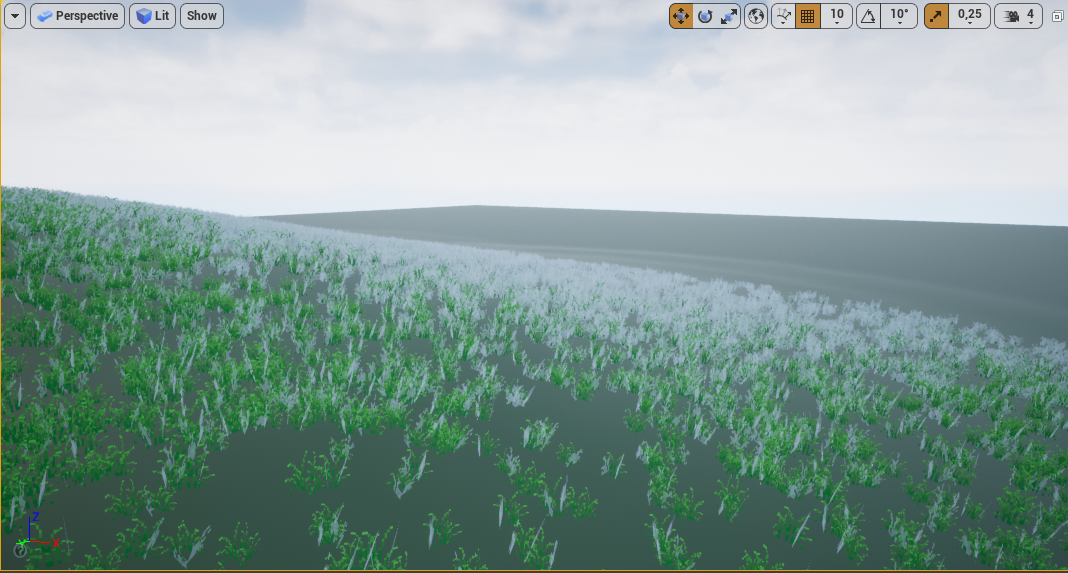
Or at least tune it down ? I tried disabling skylight but it doesn't change anything
rancid lynx
two things I think , Vertex normals, or specular 1 inside the material. turn specular down to .05 and roughness up to .7
probably not though . idk.
twin jetty
I'll try this out thanks
rancid lynx
unreal specular in all materials defaults to like .5, which is terrible terrible terrible.
never forget to set your speculars in all textures X_x
MSAA Antialiasing was one reason. But not all Textures produce the same effect, so thats only part of the problem.
 barren flume
Is it possible to make a boolean that will scale the character down to be the same height as a set mesh so there aren't any advantages in online play since some character's are taller than others? I think I've seen one game do this before
 hardy jewel
is there a specific channel to ask for help?
grim ore
pick the closest channel for the subject, if not in here
rough knoll
how do i stop my item with physics enabled from rolling everywhere
or rather just make it behave like a cube instead of a sphere
exotic thicket
you could give it a cube shaped collider instead of a sphere collider
or you can lock its rotation axis so it won't roll
or you can give it angular damping
possibly some other methods too :)
rough knoll
well i want it to roll
but not keep rolling
its a gun and i want it to fall on its side and stop
i can turn off all X rotation but then it won't fall on its side
exotic thicket
well if it's not round on its edges then it would probably make most sense to make it have a box shaped collider
that definitely would not roll except to tip over once :)
rough knoll
well changing my sphere collision to a box collision doesn't do anything
exotic thicket
It still keeps rolling even with a box? 🤔
prisma marlin
can anyone tell me how to do light bake with GPU instead of CPU in unreal? because my pc crashes whenever i bake with cpu
my config is ryzen 7 2700x and rtx 2060
 silk lintel
Anyone know if it's possible to use a static mesh as a volume, like to get a specific shape for a post process material, for instance?
exotic thicket
you should be able to edit those volumes similar to how you can edit BSP brushes
 craggy mason
I'm hitting an issue with rotations and quaternions, where it seems that at low input amounts, I still get gimbal lock. I've created a video here to showcase the issue: https://www.youtube.com/watch?v=QEBYR36EU3U
And here's an example of one of the control functions here:
https://blueprintue.com/blueprint/lcpjotol/
I'm utterly perplexed at the moment. I've also tried the inbuilt rotators and using a custom player controller, with the same results every time.

A short video showcasing an issue with rotations that I'm encountering despite what I assume to be the proper use of quaternions.
BlueprintUE
 mossy nymph
@craggy mason https://en.wikipedia.org/wiki/Gimbal_lock#:~:text=Gimbal lock is the loss,misleading%3A no gimbal is restrained.

Gimbal lock is the loss of one degree of freedom in a three-dimensional, three-gimbal mechanism that occurs when the axes of two of the three gimbals are driven into a parallel configuration, "locking" the system into rotation in a degenerate two-dimensional space.
The word lo...
if you convert rotators to quaternions for your calculation, you can lose the benefit of quaternions not being susceptible to this
in your scenario, it would manifest as yaw and roll having the same axis of rotation
hardy jewel
how do you unselect a tool
 steep sandal
Is in the feature we will be able to Code with python in unreal instead c++?
ornate ice
Hey I got a question
I'm trying to learp the yaw of 2 rotations to reach a certain number
like this over 2 seconds
I'm trying to get my current Yaw (Z) rot and lerp to the target Yaw over Alpha2
and set it on the SetActorRotation Yaw
the Actor is my camera
but its doing crazy rotation
don't understand
barren flume
What should I change to stop my character from doing this when I walk over a ragdoll?
 digital anchor
make your capsule not collide with physics asset
barren flume
Okay tried changing that but now the ragdolls don't seem to move anymore but fixed the issue with the character randomly flinging the direction it's facing
 tribal citrus
does anyone know why this is happening ?
it just shows up when i move the camera to a certain angle
anyone?
 scenic fox
can you help me with a simple thing
how do i check if something specific overlapped my box collision
tribal citrus
tbh, i don't know... i'm kinda new to this
does anyone know why this is happening ?
if anyone reply to this, plz @ me
 lost willow
scenic fox
lost willow
scenic fox
Am i doing something wrong? My Ai doesn't update properly when it's idle
like it doesn't do the function
hello?
anybody?
 solid glade
How do I create something like this? Where is this one stored? I tried searching for the folder, so that I could see how it was made and mimic it, with no luck
second question, how can I create own level templates? Same here, I searched eg for the word "TimeOfDay" to see if I find an INI or XML file or something that reveals how this was done. Found nothing 😦
 sterile lion
@lost willow It looks some some of the vertices aren't properly weight painted. They could be assigned to multiple vertex groups as well causing some funky stuff.
sterile lion
@scenic fox Are you using a controller for your ai, with a blackboard and state machine? You're asking a broad question that's hard to answer based on your screenshot. There's a lot of tutorials available on how box collision work for the context you're looking for.
scenic fox
Yeah i am using a character bp class and yes I'm using black board and behavior tree
@sterile lion could u help
 cold vortex
Idk what happened
I must have accidentally clicked something when I clicked play or something
I'm trying to click them, but I can't select any of the objects
on the screen
also, that white, thin rectangle appeared in the middle of the screen as soon as the problem started
 wary wave
it's a bug and it's annoying, just restart the editor
cold vortex
ok ty
 worthy fox
I would like to use some of the meshes from the ShooterGame demo from Unreal in my own levels; but the pivot location of these meshes are waaay off. How can I move the pivot?
 dusky inlet
does anyone have some info on the "file per actor" feature that is supposed to come with 4.26? Can't find anything on the ue4 roadmap
 gaunt hedge
Hi folks....is there a way to make directional light( sun ) static and be baked when i have translucent objects like curtains? Because when i build lights and sun set to static curtains block the sun and no direct light at all...so i have to set it to movable in order to penetrate through these translucent curtains
And the movable direct light really affects fps significantly
So I need to set direct light to static and still be able to penetrate through translucent curtains
 rustic leaf
Can you just cheat and make part of the material emissive?
exotic thicket
man why is the cable component so damn janky :D
supposedly it has collisions support but it still clips through like half of the stuff at random, and parts of it get stuck in geometry at random...
gaunt hedge
@rustic leaf thing is i need curtains to cast shadows ...they dont unless direct light set to movable ..it ain’t related to translucency now
If I set the direct light to static I won’t be able to get these nice soft shadows from the curtains
That’s the point...i dont wanna give up that cool effect of curtains
Any suggestions guys ??
plush yew
Guys i think i did a NONO. I tried to add a skin modifier in blender
scenic fox
No i think i know why its doing that. It's cause the collision never works unless the AI moves and needs to update when it doesn't move and idling. So it will only work when the AI moves
@covert hedge
Don't know why though.
covert hedge
hmm give a copy of your BT i guess? also i suppose you're using a trigger to make them open a door or something
scenic fox
Yes a box collision
And in that box collision i check the component's tag
and branch it
hold on I'll get the tutorial I used
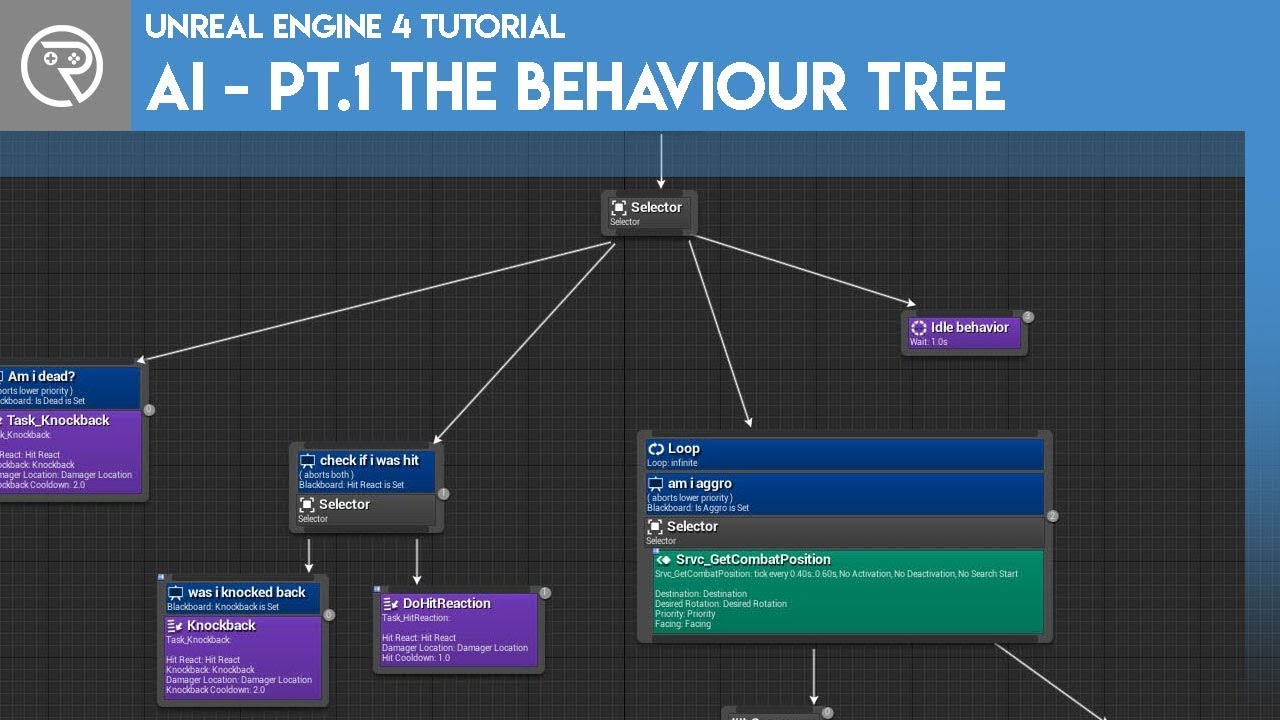
Welcome to the start of a brand new series. This time we are diving into AI for games. This episode introduces the concepts being used in AI design and in particular, the behaviour tree. In this episode we add an NPC that can randomly roam around the level.
Support me on Patr...
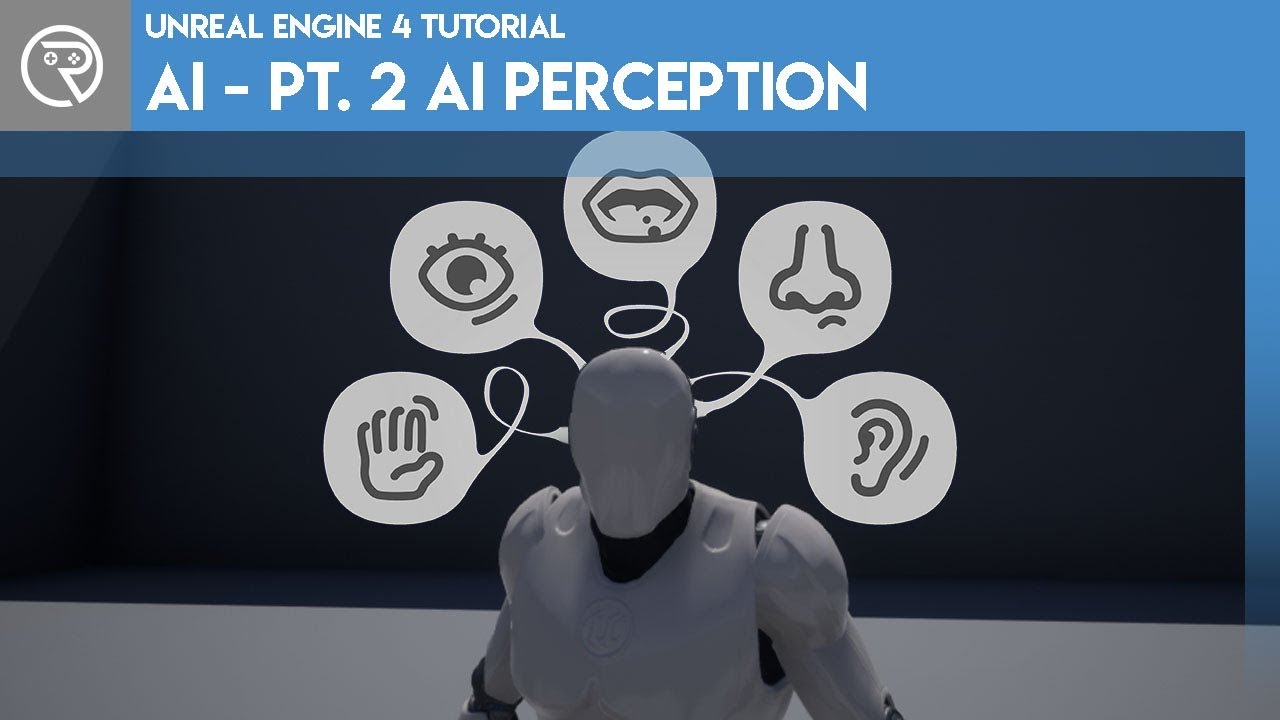
This episode begins to add the chasing behaviour to the AI, allowing them to see the player and chase them using the AI perception system.
Support me on Patreon and get access to videos early, join our developer community on Discord, get exclusive behind the scenes videos on ...
and the third part

This episode carries on from our previous one and we improve the enemy AI so that it will chase the player more accurately.
Watch the next episode where we begin creating our quest system over at Patreon for as little as $1.
Support me on Patreon and get access to videos ear...
covert hedge
oof, 25 min ! (even, tho i might look at taht ai perception thingy) also if you want nice ressources about EQS and ai in general someone here gave me this link https://www.unrealengine.com/id/login?client_id=17ce2d2864834898ab71847859286c81&response_type=code
so the problem is when your AI is idling, it doesn't register it has to open the door based on your trigger?
scenic fox
No when my AI is idling it doesn't think it's colliding with the box collision
it has to update
meaning it has to move
and then it collides
its weird and dumb
covert hedge
well if it's idling INSIDE the box collision it won't trigger OnBeginOverlap i suppose 
covert hedge
so
scenic fox
but how do i fix it?
scenic fox
No?
covert hedge
well, then the AI will probably keep being the same branch in your tree
maybe set the trigger to update a BB value like "There's a door at this location", and then make a new branch for your AI based on "doorDetected" or something? 
runic fern
Goodday Guys Why the Localization is not working in the game ??
EDITED : Fixed By Setting the Loading Policy to Always
the words translated and compiled and everything is done
scenic fox
hm
runic fern
but when i switch the locale its not switching in game just in Engine
covert hedge
pretty sure most of the logic has to be done in BBT, so i'd have your trigger update a value in the BBT, and have the AI act accordingly, and then, once door is opened, you can resume whatever your AI was doing by unsetting the "doordetected" variable
just a shower thought so, maybe it's not exactly your problem, i can't be sure :p
scenic fox
So its suppose to be like that (as in its normal if the trigger is not working when the AI is idling inside of the box collision?)
covert hedge
no the triger will work
but idk how the competition is
when you order your AI to do stuff without using a behavior tree
maybe the branch in the tree is prevalent
and the AI discard whichever order was given by the trigger
scenic fox
Hm so its not normal?
I feel like if it is not moving inside of the collision then maybe it is (not sure)
covert hedge
it's probably normal, you'd have to ask in the #gameplay-ai chat, but imo AI will discard anything not ordered by the tree
ALSO
you might wanna look into EQS
to detect door
yu can probably set up a query to find if there's any door between your char and the destination
and open it
seems way easier than setting a trigger everytime there's a door
hybrid light
can anyone help me with camera length when sprint
i did a way to change it
but i want it to only work when the character is sprinting
instead of changing when i press left shit without W
covert hedge
@scenic fox something like this possibly:
i didn't create the corresponding eqs query, but just renamed the node so you could have an idea of how it could work
hybrid light
can anyone
covert hedge
set a boolean when the character is sprinting and use that to determine how the camera reacts instead of binding it to left shift and W
covert hedge
how come?
hybrid light
take a look
covert hedge
i guess you could check the IsSprinting bool on tick instead of when the inputs are pressed?
lucid grove
Doesn't work it must be something to add here
@hybrid light Am i right that you need check if player moving and certain buttons a pressed?
covert hedge
so rn what happens is even if you don't move camera will move away right?
seems to be a velocity branch missing, probably a branch after your boolean "is sprinting". Cause rn, if you press sprint and dont move, the boolean will be set to false, BUT the execution flow will continue as there's no branch
covert hedge
rofl i have a spotlight, aiming towards celiing, it doesn't emit any light?? wut
 rich rose
Anybody know whether jump node uses Launch character Or Add Force Or Add Impulse? When I try diving into it with C++ it never takes me to the correct spot where the jump method/event is... : / also not very C++ savy
I am tryng to create my own Jump node. But need an understanding on how UE has done it
lucid grove
Yeah, you can use timeline for example to make it smooth.
hybrid light
the camera length changes when pressing shift key thats what i want to fix
covert hedge
@rich rose well you could take a lot at the jump node source, if you double click it it should open visual studio with the relevant c++ file
hybrid light
i see
rich rose
@rich rose well you could take a lot at the jump node source, if you double click it it should open visual studio with the relevant c++ file
@covert hedge I already did that and it took me to the movement component that contains hundreds of errors (despite it being a fresh C++ project) and I cant find the Jump method in that CharacterMovementComponent.h for some reason : /
lucid grove
So you just check speed and change camera rod length
hybrid light
Will try it out 👍
lucid grove
Ah, ofc you need to have your character speed math
hybrid light
I know 👍 thx for the heads up
lucid grove
You are welcome. Share your results please.
hybrid light
I will
covert hedge
does anyone know why this stoopid spot light casts literally NO LIGHT ? 😦
hybrid light
no i didnt want to use event tick maybe timer function with event begin play
lucid grove
It is timer, with 0,5 second loop event
this one i mean
You can make it stop later, we just check basics
covert hedge
should proabbly use set timer by event tho, since you created an event
hybrid light
lucid grove
Yes, this one
lucid grove
Ok. Now lets check its actually get all the info
Print string few thigs:
at the end of True branch - Print String (SET TO ORIGINIAL)
at the end of False branch - Print String (SET TO 170) and maybe change it something like 50 to make it more clear?
- Remove isSprinting
We dont need to check it
 somber sky
Im Finding it hard to decide (Unreal Or Unity) The Game im trying to develop has graphics like firewatch (Stylized/Kind of low poly). Any Suggestions. Thanks!
hybrid light
okay
lucid grove
and the last check: print string the Walk Speed just in case to check is it actually changing
Im Finding it hard to decide (Unreal Or Unity) The Game im trying to develop has graphics like firewatch (Stylized/Kind of low poly). Any Suggestions. Thanks!
@somber sky that can be achieved for both Game Engines. I found Unreal much more convenient in every way. But you probably know the saying "Every frog praises its own swamp"
somber sky
Ill have to check both out, Thanks for that!
ember star
Is it possible to have the viewport use a defined region of a window, so you can offset/scale the viewport size inside a UI?
hybrid light
and the last check: print string the Walk Speed just in case to check is it actually changing
@lucid grove Okay followed all the steps it seems like only the false node is working I get 50 even when sprinting
lucid grove
Aha, so problem is that walk speed is not correct
hybrid light
okay i just remember something i change my blendspace speed yesterday that must be it
lucid grove
This is my way to check the actor speed
lets do this way: if that still not gonna work for you i will make short video with empty project
hybrid light
Will try it out 👍
lucid grove
Try it on empty project and then we will take a look why its not working on current one
hybrid light
Okay
covert hedge
@plush yew in lit mode it doesn't cast light
fossil trellis
Hello guys, I'm using landmass plugin and I made a mountain
I'm trying to use paint layers but it's not working with what I want it
lucid grove
BTW you can copy-past text inside this file. Copy text and past it inside any place on BP
Just dont forget to rclick on Speed and add it to you vars
hybrid light
Alright 👍 thx
It works in the default 3d person character template
Now I will try it in my Project
prisma marlin
does anybody know how to bake light with gpu instead of cpu?
hybrid light
@lucid grove It works!
lucid grove
yay
hybrid light
one question what the 400 value btw
ember star
Does UE support image maps in any way? Defined regions of an image to be clicked/colored?
lucid grove
one question what the 400 value btw
@hybrid light Its after what speed camera change its length
If you have acceleration for example. When you first press "Shift" to sprint - it will change speed from 200 to 600 not instant but 250 > 300 > 350 and etc.
And boom will change its distance at 400 (in my case)
hybrid light
I see i do have acceleration in my project
fossil trellis
Guys how does he put color on the mountain here https://www.youtube.com/watch?v=gbj1qgPOl3E&t=382s

In this presentation by Epic’s Paulo Souza, we use the power of Quixel Megascans to build a natural looking environment in Unreal Engine. By relying on the latest world building tools in Unreal, we're able to quickly create a terrain leveraging its new Edit Layer functionality...
I typed Rocks in paint layers but not working???
hybrid light
lucid grove
I see i do have acceleration in my project
@hybrid light Then 400 just determinate at what speed change camera boom distance. If you put 590 - it will change distance only when you at full speed.
lucid grove
You are welcome
hybrid light
Much appreciated 😁
fossil trellis
wtf
why they devs not working ue4???
bug
mountian not change colors
what the fick
helping?
grim ore
it looks like a material that is set to draw the textures based on height and slopes
fossil trellis
What that mean?
i looking tutorial, this https://www.youtube.com/watch?v=gbj1qgPOl3E&t=382s
In this presentation by Epic’s Paulo Souza, we use the power of Quixel Megascans to build a natural looking environment in Unreal Engine. By relying on the latest world building tools in Unreal, we're able to quickly create a terrain leveraging its new Edit Layer functionality...
4:21
how he change color
grim ore
watch the video, he tells you where the example is at
grim ore
he does, watch the video. he is using the landmass plugin
fossil trellis
yes i use too
but i try change color for mountain
not working???
i type rocks in paint layer
 flat isle
Is it possible to render things in ue4 without using it as a realtime? I am not quite sure how to word this. Say I have a very graphics heavy scene, but I am working on a relatively poor performance computer with igpu. The scene only needs to be rendered into still image, its not a playable game. Can I still get full high quality rendered image on a poor hardware but without it running in real time, like how arnold and vray would work.
fossil trellis
How bad for bad pc?
thick herald
Yes. you can 🙂 There is a high res screenshot function in UE4
flat isle
I realise it captures the scene in high res but does it also increase the shader and lighting quality to cinematic?
My gpu got busted so I am on HD4600 crap intel for now till december
thick herald
I can't say how it works, I've not used it. Try it out and see what happens it's the best way 🙂
fossil trellis
Yaparoski nachoy cyka
Jembempti madre
What not working
This not working
@grim ore
@plush yew Oki

guy in tutorial he typing Rocks in paintlayer and it made mountain looking like rocks
but mine not working
 placid sand
hey everyone, Im a new user to unreal engine I require some help regarding a yt tutorial im following, where might the proper help channel be for me to ask my question?
lucid grove
You can ask here
grim ore
the video says he is using a material they created for the sample, his material is using layers. Your material is using layers?
 patent tapir
by Jasmin Habezai-Fekri
"I set up different landscape material layers for painting! (via blueprints inside the main ground material for the landscape) I 3 greens + 2 dirt variations. Then I just paint with the landscape tool the shades I want, just like a huge 3D canvas haha"
thats what she said about shaders and painting the grass. do you have any idea how to do that ?
Do i understand that correctly that she paints the ground and the grass is adapts to the color of the ground ?
fossil trellis
@grim ore i no having material call rocks?
placid sand
thankyou @lucid grove
fossil trellis
how I get rocks?
fossil trellis
so how i pasting it in?
do i type the name?
i use demo open world collection
it having texture
grim ore
@patent tapir they are using something similar to what I pasted above, your material has layers you can paint. Its not automatic they just paint like on a piece of paper the color they want
fossil trellis
stho?
placid sand
im following a totrial on making a car in UE on youtube. At this point, he changes the kind of collision on the wheels, however, when I change them, and regenerate the bodies and press simulate, it seems that my wheels completely disconnect from my car.

 grim ore
you can use whatever you want if you follow the guide
patent tapir
@grim ore thank yoou i think i understand
fossil trellis
ok how i apply?
grim ore
you follow the tutorials
grim ore
yep and until you follow the tutorial and make a correct material it will not work
patent tapir
@grim ore but how is the grass interacting with the color of the ground. is it all in once , like you paint the grass and the ground at the same time ? sry im pretty new to unreal
fossil trellis
@grim ore sorry what you saying?
 kindred vapor
and why does it run
grim ore
@patent tapir it says they have 5 different textures, so they paint what they want basically. I doubt it is what you are thinking, its by hand not automatic but you could do automatic if you wanted.
kindred vapor
i'm not using any apple device at the moment
grim ore
you can have 1 paint layer called dark green for example and it could have dark green ground and then the foliage on it would be the dark green grass
lucid grove
@lucid grove If your getting falling camera change problem this is how i fixed it
@hybrid light Good one!
hybrid light
👍 👍
grim ore
@fossil trellis yep and it wont work until you make your material correctly. the link was above.
thick herald
@fossil trellis you have to set up your Landscape Materials, Mathew gave you the link on how to do that.
fossil trellis
what about boulder_a?
grim ore
@patent tapir based on just that screenshot it doesnt look like anything fancy. The material has all of the items set up inside of it and they just paint the landscape the textures they want (like base green, then draw in the roads, then add foliage on top of it)