#ue4-general
1 messages · Page 841 of 1
 latent salmon
 light thunder
why aren't my favorite folders being saved between engine shutdowns?
 potent bridge
How would I create an IF loop or something similar in UE4 Blueprints?
Example:
IF CurrentHealth > TrueHealth:
Change CurrentHealth by -1.
IF CurrentHealth < TrueHealth:
Change CurrentHealth by 1.
Looped until the condition is not met.
light thunder
type in > to blueprint node then set the value of CurrentHealth to the CurrentHealth minus 1 , vice versa
 mossy nymph
i suspect you're trying to do something fishy there
light thunder
Best practice for loops is to avoid when possible, just create checks that occur when something changes
So whatever event changes your health, you can also run a check event that checks if something should change
mossy nymph
as CurrentHealth = TrueHealth would have the same result
so whats the additional reason to do it incrementaly?
potent bridge
In this case thats something I can't do, sort of making a health animation, the health just repeatedly decreases by 1 or increased by 1 until it reaches said value.
I.e: CurrentHealth is 70, TrueHP is 80
mossy nymph
if you loop it it will be instantanous
potent bridge
I see.
mossy nymph
as loops have to exit synhronously
mossy nymph
using integer for health is also super impractical
potent bridge
Not using int luckily
mossy nymph
simplest way for blueprint, yes?
potent bridge
yep.
just whenever the currentHP doesn't match the trueHP, it changes by 1 every so many frames until it reaches that value
current blueprint
mossy nymph
Timeline 0-1 SetCurrentHealth to FInterpToConst (CurrentHealth, TrueHealth, GetDelteTime, InterpSpeed (which is in change/sec))
on Timeline Update
potent bridge
I don't know how timelines work man
light thunder
watch the videos on youtube man, it helps
mossy nymph
sorry, messed it up a little
light thunder
it's like 5 minutes of your life
mossy nymph
generally
Timeline is a node which adds a Ticking ActorComponent
it has a curve asset in it (value paired with time, editable graph)
potent bridge
I see.
mossy nymph
as it TIcks, it changes the output (value for that time stamp)
and you set it to 0-1 value as alpha for lerp
potent bridge
so after my inputs, I can use a timeline for it to go over time to that value.
mossy nymph
then you just Lerp(float)
potent bridge
Makes enough sense.
mossy nymph
the above
FInterpToConst
is a version without a timeline
but if would have to be plugged in TIck
 novel rose
Hi everyone, first time question asker. I have a platform moving along a spline in a loop but I want that to rotate on loop as well while its following the path. CAn anyone help?
mossy nymph
rotate to match the spline orientation at that point @novel rose?
novel rose
how do I go about doign that?
 formal maple
you can rotate spline points
mossy nymph
you grab the tangent at the point on the spline
and plug it into MakeRotFromX node
then set that as ActorRotation
it will cause the Actor's forward vector to match the spline tangent
novel rose
I want the mesh to spin as it follows the spline route
like a spinning coin moving along a path
 hidden adder
so just moving from unity to ue4 is modular buildings semi do able when starting on ue4?
potent bridge
so is it possible to set these to variables?
 cedar wave
What do you mean? Like, importing modular buildings or something like probuilder? @hidden adder
hidden adder
something like pro builder
 barren flume
Okay I get this message when I created a c++ project and an actor class in visual studio
not sure what to click
cedar wave
Nothing out of the box that I know quite like Probuilder, but you can use BSP's to block out your level (workflow is just a bit more archaic than probuilder) and then export it as fbx to your preferred DCC program.
It works well enough
 vale silo
has anyone had this issue with skeletal animation (joints) jittering randomly on lower LODs https://www.youtube.com/watch?v=V73_Yb8bWK0
 hidden adder
oh wow god dayum there is so many freebies for huge systems on epic store its insane
potent bridge
two questions, is it possible to.
a) Set these curves to variable values and
b) Use integers instead of float
or how to add something called FInterpToConst?
 wheat shore
Hello, might be dumb question, but why when I convert a BSP to Static Mesh, for some reason any applied material uses world alignment? I can't figure out how come created static mesh applied this on top of any assigned material.
 plush yew
whats the node or way to have a % chance of something happening?
 thick herald
Could just use a random in range and check the result.
 grim ore
is it a yes or no chance or happening? so 2 options? i so look at the random bool and random bool with weight nodes
plush yew
nah percentage chance
 covert hedge
Wait we actually have random with weight nodes?  i code one in c++ ause i couldn't find one
 ember star
I have an actor as a floor trigger, with some onOverlap, and I want to encapsulate a few instances of this actor in another actor(?), such that the parent actor is aware of happenings in the childactors. Whats the right way to setup that communication?
covert hedge
how do you create the child actors?
ember star
right now im adding child actor components to the parent actor, but unsure if thats the right way to start going aboutu it
covert hedge
directly in the scene so to speak? not proceduraly spawned in event construct or whatnot right?
fairly confident you could use event dispatcher to get the parent actor to listen to the triggers 
potent bridge
Could someone help me with the timeline? I'm trying to make it go between two variables instead of between defined numbers
I know you can't do that directly.
For example, truehealth goes to currenthealth over the course of 0.4 seconds.
ember star
i considered that constructing runtime would give me a little more reference passing control
covert hedge
well i did that for widges but that the same thing for actors, if you construct at runtime and then bind the event it's gucci
potent bridge
devoluti0n, would you know by any chance?
covert hedge
didn't use timeline yet
potent bridge
oh
covert hedge
@ember star set up an event dispatcher in your trigger, then OnBeginOverlap call the dispatcher.
Then, in the actor, bind the dispatcher event to whatever function you want to run
hidden adder
hey so im using Advanced Locomotion System V4
but when i put it into a new level and set it to player camera zooms in really close
potent bridge
FInterpToConst or something?
covert hedge
something like this, but with your classes instead of widget 
grim ore
@potent bridge use a lerp, drive it with a timeline. the timeline outputs 0 - 1 over X seconds. the output of that goes into the alpha of the lerp. The A of the Lerp is your first variable and the B of the lerp is your 2nd or goal variable. This will make it go from your first variable to your second variable over X time
potent bridge
Not sure how to add those lerps though.
 bright wharf
how do i fix this?
grim ore
its called a lerp or linear interpolate node and you do it as i just described it
potent bridge
this is what I have right now
grim ore
okdoke, so do it like i described
potent bridge
I think I get what you're saying though.
which one though, Lerp (???)
as theres multiple of them
grim ore
which one works with your health variable?
(hint) its the one that is called lerp and works with floats
potent bridge
so I lerp my float first, then feed it in to a timeline
grim ore
look at docs or a video on how lerp works
so no you would not
the timeline output track is from 0 to 1 over X time. The Alpha on a lerp wants a value from 0 to 1 which then tells it to output A, B, or somewhere in between based on if its 0, 1, or somewhere in between. The timeline basically tells lerp over X time to change your value from A to B and gives you the result which you then put wherever you want it
vale silo
potent bridge
sort of get what you are saying MathewW.
vale silo
So I am having issues with skeletal anims and LODs https://forums.unrealengine.com/development-discussion/animation/1812523-skeletal-model-joints-stuttering-jittering-in-lods-lower-than-baselod
Unreal Engine Forums
Just noticed this weird issue last night (UE 4.25.1):
https://www.youtube.com/watch?v=V73_Yb8bWK0 (https://www.youtube.com/watch?v=V73_Yb8bWK0)
Is it a bug or was it always like that in UE4 ? I never used pre-made LODs before. It was always either BaseLOD-only skeletal mode...
any help is appreciated
grim ore
you have true health which you want to match current health over a certain time right?
potent bridge
Yes. Exactly
Hold up.
Put result of the timeline in to Alpha
what I interpreted what you said as
but nope
fixed
Thanks @grim ore , I was otherthinking that a lot.
 shut glen
any idea on how can i make something like this robot ? https://www.youtube.com/watch?v=ddgCrtYSxQY&t=319s

A couple days ago I decided to begin creating my first actual game: a fast paced first person shooter featuring wacky things like wall running and physics based enemies. So naturally, I had to make a devlog.
Play a demo of the game here: https://stevensstuff.itch.io/fps-game-...
the 4leged one
barren flume
I was wondering what AI class I would use for an action like firing from a spot
light thunder
a behavior tree can do that
light thunder
you can still have blueprint event do the firing
but yeah, I have trouble with BT's too
potent bridge
Not sure how to link these ones
 exotic thicket
What's the goal?
potent bridge
In this case, if it outputs true, it sets the values.
exotic thicket
use a branch node
plush yew
I'm trying to work on a client-server based game. Its working when I test locally but I'm having issues with running things server side when actually deployed
i notice in the logs that every client is joining with IsServer: YES
am i packaging wrong - or how can i have my client understand that its a client
im using Steam Online subsystem
 dusky crest


 exotic thicket
Beautiful
 wraith gull
Hey all, quick question: how does the Unreal Engine parse what's in its Content Browser vs what's not? I recently created a new C++ class w/o a parent that's now not showing up in the browser, even though it's in the actual file paths. I'd like to figure out how the program actually reads this stuff, given these kinds of issues have been happening a lot to me lately XD
 slate basalt
anyone knows what happened to udn? i can access the read only website and apparently there's a new website but the address isn't written anywhere?
covert hedge
along side gears 6 
 mellow turret
hey had git bash open and I closed the editor yesterday, I came back today and the changes in the editor (blueprints, bt, etc) from yesterday aren't there, is there something I can do?
 warped marlin
Hi, I have a problem with the rig mannequin control, I try to move the hand and press the s to save the key but the leg also moves as if they were tied.
 random violet
can anyone help me out with a camera lerp issue? I'm trying to have a smooth transition between left and right shoulder cam. I can toggle them fine without the lerp, but when I add the lerp in, it only goes to the center, not the opposite side.
bright wharf
anyone know how to fix this?
 hollow frost
Hello
I've been making a spartan roll ability for my game and I ran into an issue where I can't dash very far on the ground. I know I need to set the ground friction and gravity scale to 0, but I'm not sure how to implement it after trying a few times to do so
Here's the code snippet I made
covert hedge
damn bridge is cool and all but boy does the editor lags when you mass import stuff into your project
hollow frost
Yeah lol
formal maple
@random violet it's not exactly the solution to your problem but i would have done this for switching camera sides
by that, i mean this will work, but its not the solution you wanted
hollow frost
Sorry if I sound like a dummy, but I'm not the best with bps
random violet
@formal maple thanks, i'll give that a try
formal maple
@bright wharf fix what
hollow frost
Spook's gun is upside down
formal maple
bruh
bright wharf
@bright wharf fix what
@formal maple its upside down, too big and in the wrong postion
hollow frost
It's a ghost gun
covert hedge
damn the importing into unreal while in gam eof dota
from 144 fps to 60
worst idea i ever had
bright wharf
squish that cat
hollow frost
Can someone help me with my dash?
formal maple
@hollow frost depending on your game, i would build it around creating states for your character. so i'd make an enum called PlayerStatesEnum or something and then add all the state types you need. then make a little system with a custom event where you can change a bunch of variables depending on which state you're going into
idk how much you know about enums, but you have to make them in the content browser by right clicking > blueprints > enumeration
hollow frost
I already have something like that
I just need to fix up the friction and gravity scale on the dash
But I don't know how
formal maple
wrong screenshot
what do you mean you don't know how?
it's in character movement
exotic thicket
@hollow frost you can adjust the friction scale on the movement component, it should have a way to set it using a bp node
something like in that pic above yeah :)
formal maple
@hollow frost also in your screenshot i noticed you're using the inputaxis to get the moveforward value, but you can just use 'get moveforward' instead
hollow frost
@formal maple Thanks
formal maple
i just showed you in the screenshot before
 manic ridge
Within a new project, how do you access your already "downloaded and exported," megascans?
hollow frost
sorry, wrong chat lol
formal maple
ah
hollow frost
So anyways, I need to reset the friction and gravity to normal after the dash ends
Otherwise I just go flying like tribes
manic ridge
Is my question out of place?
formal maple
Avihs i would help but i dont know the answer to that question. you might just have to add the content to your project from your vault
manic ridge
Alright.
formal maple
@hollow frost just do what i did in my screenshot and set the values to what you need
manic ridge
Thank you
formal maple
@manic ridge see here it says add to project
 bitter flame
I want to start learning this. Do I need tokniw c++ prior to starting learning unreal engine?
formal maple
nope
blueprinting is mostly logic and knowledge of what the nodes do
it does have limitations that you'll need c++ to get around, but its unlikely that new users will need that straight away
bitter flame
Ok thank you
 distant totem
@barren lake
 honest rune
If I have several UPrimaryDataAsset-derived types that are themselves stored in TSoftObjectPtr<T> where used for the sake of lazy-loading, would it be going overboard to have those data assets contain their own referenced assets in TSoftObjectPtr<T> as well?
I should mention that when one of the data assets are loaded, it will definitely use all of its resources it references and they are only referenced there; nowhere else in the project.
I just feel like maybe keeping those nested assets in TSoftObjectPtr<T> for lazy-loading as well is a bit too much and unnecessary under those circumstances.
like, say I call to unload one of those data assets manually. Will it also automatically unload its referenced assets if no other references exist?
honest rune
yeah screw it. I'm going to use direct references for the nested assets.
 iron hinge
Can anyone help me with an issue that I have using C++? I have a triggerbox setup box and everything works in terms of overlapping. The problem is I did adddynamic on my oncomponentbeginoverlap call and this makes it so I can't add any more parameters to the function that gets called when overlap happens. I have this one int variable that needs to be able to be passed by reference into that function. Since I can't change the parameters because of the signature from the delegate, is there any solution?
 idle needle
Hi. I've cloned an unreal project from github. For some reason I can't generate visual studio files, it does not appear any unreal option when I right click the uproject. Windows does not know how to open it. I've set it to open with UE4Editor.exe but still I can't generate them. Someone knows how can I set this up? Thanks
grim ore
what color is the .uproject icon
 wooden oyster
I activated the subsystem plugin and stemsubsystem and added the code in the defaultengine folder and started Steam, and when I start the game, the Steam overlay does not appear to me and it does not appear to be connected to it
Does anyone know the solution?
idle needle
@grim ore Got it working this way. Thanks!
 winter zenith
I had a low poly model and it came out extremely smooth? How do I fix this when importing
grim ore
@idle needle yep thats why I was asking what color the icon was
 hasty wharf
When i go to pickup this blue storage container. the package inside flies a million miles away. hwo can i help control this?
grim ore
are they 2 separate items? do you want them to be 2 separate items?
exotic thicket
Containers containing physics based objects is kind of a pain to get working well :P
hasty wharf
yes they are
yes because i take the container off a shelf and this item will be inside. player then takes this money item out and does stuff with it
i tried dampening its sort of helping, wondering if theres a way to grabbing location should be smoothed out
 ancient lotus
@winter zenith right click and shade flat instead of shade smooth in blender. @hasty wharf try attaching the objects inside to the container until a player grabs the item inside?
hasty wharf
hmm soudns like an interesting idea
is there a way to dampen the speed the storage bin comes to me as i pick it up? i feel if i removed the jerkiness it would avoid this
exotic thicket
it depends entirely on how you've implemented the pick up logic
you can add easing into the movement in variety of ways
 nova kernel
hey, Might be missing something but i cant seem to find procedural foliage volume in 4.25 now. Any suggestions?
 supple totem
i think you need to turn it on
its still experimental
somewhere in editor or project settings
nova kernel
odd, thought its been for ever since they added it haha
supple totem
yep
EQS is the same
things that work great but are still experimental
I'm sure there's a good reason
 atomic jolt
Hello everyone! So I recently figured out how to increase the size of UE4's debug text but now I am running into an issue where as the text gets larger in size, it hits a boundary and starts to get cut off.
Is there a way to expand the boundary of the debug text area so I can see the full file name?
 lilac wigeon
Hello guys, i'm having an issue, i'm trying to move an actor through its own spline but since the actor changes locations so does its spline, do i have to not have the spline inside the actor but in the level instead?
exotic thicket
you could for example move the mesh component instead of the whole actor
lilac wigeon
that might work but... just found out about "detach from actor" method from spline and that works perfect. Thank you anyways for the idea @exotic thicket
 heady lynx
Hello! I recently dowloaded and started UE 4.25.3 exited to try the Chaos destructables. I see that the Chaos plugins are all enabled but I don't know how to access them? Do they STILL require github dl and recompile even in v. 25.3?
 indigo inlet
Does anyone know how I can edit the unreal virtual camera ui widget? I want to move some stuff around but I cant figure out how
grim ore
@heady lynx yes until .26 comes out you need to use a source build for chaos
heady lynx
sigh Ok, thanks mate!
iron hinge
Can anyone help me with an issue i'm having with oncomponentoverlap?
 inland leaf
what does this symbol mean btw ?
 harsh pike
Any idea why this water shader is causing blurriness around the edges of my objects?
 weary basalt
@inland leaf Cosmetic Only. It means it will only execute on the Client, never on the Server.
Read the Node tooltip
inland leaf
@weary basalt thanks for the quick help 🙂
the node tooltip just says "creates a new widget"
weary basalt
Ah ok, most node tooltips will describe it correctly.
inland leaf
but yeah, good to know it only gets called on the client 🙂 then its off to bed. Have a nice night everyone!
grim ore
it means it is client only
 cedar jetty
Recently Bought a FPS project example and i was wanting to change the UI of main menu but there is no widget blueprint to edit the main menu how would i be able to change it?
ok
 restive eagle
thats the same menu from shooter template
cedar jetty
i had to buy that template
restive eagle
from the ue marketplace?
i dont think they would allow it, but someone might correct me
cedar jetty
no from youtube and i got a link to someone who was selling source
restive eagle
what did you pay for exactly?
restive eagle
i mean whats the purpose of that template
can you show a picture in-game? i have a feeling that you bought a free template
cedar jetty
the purpose is to have a base so i dont have to work from scratch
yes hold on
@restive eagle
restive eagle
ok, that map is on the marketplace. if hes not the creator then hes redistributing stolen content
cedar jetty
is it a paid map on the market place?
restive eagle

A short video about the Shooter Game Sample from Epic games.
this template was given for free to learn from the epic games
restive eagle
wait it will find the map as well

Unreal Engine
Abandoned buildings in the middle of the old factory. It contains photogrammetry assets. Day and night scene configuration.
it was free for one month some time ago
but if hes not the author he doesnt have the right to distribute it
cedar jetty
well according to him hes the author but i cannot confirm that
restive eagle
can you show where you bought it from?
cedar jetty
sure
cedar jetty
k
restive eagle
@snow crown could you investigate this with @cedar jetty, its definitely redistributing stolen content. maybe epic legal department could do something about it.
since im no expert in this
cedar jetty
@restive eagle was that something made by epicgames?
like im confused if he didint make it then who did?
restive eagle
its a free template made by epic games and the only things added in this template are maps and I highly doubt that hes the author
cedar jetty
damn i wish i would of asked around before hand
random violet
shooter game is c++ only right? not blueprints?
restive eagle
think so, opened that right now and cant find a single node
@plush yew what do you think, if you saw the link?
maybe i started pointing fingers out of spite but i still think that something is going on here
cedar jetty
yep @plush yew ffs i got scammed
restive eagle
even on his video he told people its a bp project(which is a lie) and he bought the assets
but it still doesnt give him the right to resell them as his own
https://prnt.sc/uj7l5w sorry if this topic doesnt belong here, but i cant tolerate such behavior...
 dense knoll
im currently re doing Phoenix Squadron: Northern Star and making it less cluttered have better fps, less bugs
and a better Physics system so yea im currently putting down the 3 year old project in favor of a new redesign
the setup/layout of PHSQ has been causing sever performace hits and issues so im redoing the entire thing
so yea im abandoning 3 years of progress to make a new and cleaner system
does anyone think i should do this or stick to the old version? No objections then, im going throgh with it then...
 woeful arrow
Hi all. Looking for some help regarding an issue I'm having with calling an inputAction from an NPC Character Blueprint. Can anyone see anything that might be causing the issue? I am a newbie.
(I have tried with auto receive input player 0 with no luck)
"E" being the key I am trying to call it with. I am sure that there are no inputs that are sharing that key, too.
My issue is that the input action is simply not being called. WHen I look into it with the debugger, I can see that the "E Key" input action is NOT firing off.
I should have included this, but it seems like it is the "Enable Input" that fails:
"LogPawn: Error: EnableInput can only be specified on a Pawn for its Controller"
 quick plover
Hi guys, I imported the animation and mesh of this model and in the animation (left) it's like the bones are separated or something? it works well inside Blender
 tired lynx
Hi everyone! Would anybody be willing to give me some help with a landscape material?
I'm trying to replicate this node setup:
and this is what i've done:
yet for whatever reason, this is how the material looks on my landscape:
any ideas as to why? i don't want this material to tile at all and i thought the landscapelayercoords would fix that, but for some reason it's not working
 strong schooner
When will 4.26 be out? Will it affect all water material/shaders out in the market?
 loud knoll
suppose to be October they release every quarter
Anyone know how to disable shadows on the text 3d object?
 surreal harbor
@tired lynx When using that kind of blending it's ideal to multiply or divide the landscape coordinate for the mask as this will tend to render at true scale, so a 1024 texture will be... yep 1024 units wide. Create a constant parameter called scale and multiply or divide the UV for your mask in a material Instance.
@loud knoll Try getting the 3D text component and uncheck "cast shadow" under lighting.
loud knoll
@surreal harbor They broke the ability to use Text3D objects in BP's in 4.25, so I had to place it in the level and animate it from there. If you select the object no options to control the light settings, I could get it in the level BP and attempt to set the shadows there is that what you are saying?
surreal harbor
No just select the component on the details panel, you can change the instance settings there
loud knoll
no you cant
surreal harbor
You want to do a quick call?
loud knoll
Have you checked those options are not included
like every other thing has those options
you are right
but this one is missing them
I already reported it as a bug but your idea might work
these are all the options
surreal harbor
You are correct, the option is missing
loud knoll
yeah I I know its WIP and the bug with the BP editor is going to be fixed in 4.26
I feel like I am the only one using it but I like your idea
I could tag it and attempt to do it via BP
surreal harbor
There is a trick you can do though
loud knoll
@surreal harbor I am all ears mang
surreal harbor
If you aren't planning on editing your text you can just convert it (or each individual letter as your animation implies) to a static mesh and disable shadows on that
loud knoll
oh that is a good idea as well but then the animation wont work
surreal harbor
How is the animation set up?
loud knoll
going to try the tag and see if I can grab it on begin play and set the shadows to 0
using the new 3dText Animation gizmo tied to the sequencer
surreal harbor
Ahh
ok, I see your problem
Well I guess you'd have to make a new animation for each letter in that case but that would be a royal pain
loud knoll
I could it with an interface as well but lets test the tag
yeah and I am not ready for that right now this is just WIP
that video above is just starting out
also the warning is on the almost every letter it is giving that your shadows are too big error also it self shadowing it self isn't needed
directional lights the most expensive thing you can put into your game, normally 1 at a time
they are used for the sun how many suns does your world have?
surreal harbor
@left citrus What @loud knoll Said. Limit directional lights to at most 2, 1 if you are using forward rendering.
 left citrus
well it's for offline rendering, not realtime - regardless of the cost - would this many directional lights get buggy like this?
surreal harbor
There are limits to how many you can use
left citrus
I can swap them out for spotlights
what would be better? rect lights? we're using ray tracing so I guess those
surreal harbor
That would be best
left citrus
hopefully that solves the issue - will report back
gonna go ahead and delete that so I don't go to jail for breaking NDA kek
loud knoll
ok
surreal harbor
Be careful, doing this to text you have in the world might crash your engine
It did for me
loud knoll
yeah
surreal harbor
But after it is set creating new text works fine
loud knoll
that is an interface ?
surreal harbor
No
loud knoll
where are you doing that construction script?
surreal harbor
I just put a bit of code in the construction script
An interface would not have worked anyway
Unless it was an Editor Utility widget
loud knoll
yeah I tried it thought I missed something
I am doing it in the level script where are you seeing a construction tab?
surreal harbor
Sort of, I just made a new BP class called 3D text which inherits from the 3D Text class and made the change there
But you can totally add a BP script to your text and it should work fine
loud knoll
I had packaging errors with that class in BP
when I first converted my project over to 4.25 a few weeks ago I couldnt package because I was using that class
surreal harbor
Ok, well it is beta
loud knoll
yeah I know
I found 2 bugs so far
they told me they are going to be fix in 4.26
fixedd
I am doing it in the level as a test to see if it will package because I want to replace all my text with 3d text when they finish the feature
surreal harbor
4.26 should not be far off but since it seems to me for an intro anyway, have you considered just rendering it out as a video file and using it that way?
loud knoll
that is against my dev religion everything in my game is real time
🙂
Nothing is baked in this project that is part of the fun
surreal harbor
Maybe time to convert?
XD
I'm in the "just get it working" or "the simplest approach is the best approach" category
 pulsar fractal
Hey, i noticed you can look around by default with the mouse (Mouse X and Mouse Y), on mobile, how do I get this looking around effect using the finger to swipe around?
Will Mouse X correlate to swiping left and right? And Mouse Y swiping up and down?
just unsure if "Mouse" = Finger
surreal harbor
When tapping the screen Finger = Mouse, for camera movement you are going to need to add that in yourself
 rough knoll
how do i use the height texture for* a material?
loud knoll
@surreal harbor yeah I agree in most things but since I am doing a test and learning how this works for bigger things using this as a small test case an figuring out what is broken now is a fun side project to give me a break from harder issues
@surreal harbor it does work in the level script as well
I am testing to see if it will package
surreal harbor
@loud knoll Fair enough, well then I wish you good luck.
Awesome
I never use the level BP myself
loud knoll
I use it for level specific controls I wouldn't ever want to do this normally - like I said I had a BP Actor 3DText setup but it broke in 4.25 and works in 4.24 and will be fixed in 4.26 so I am trying to figure out a way to keep the work from .24 and limp along until 4.26. I was in the process of replacing all my in game 2d text to 3d, and I knew this was risky. So I am doing a few one off tests to find out any other bugs or work arounds so they can fix it now before 4.26 comes out.
I figure if I help them then I increase my chances for a better version
@surreal harbor your solution worked great thank you! talking to you helped me figure it out
surreal harbor
@loud knoll Fantastic, glad I could be of help!
 toxic prairie
houdini apprentice doesnt let you interact with ue4 right
its the yearly indie one?
 scarlet birch
Do I need to enable an option or something to be able to set materials on mesh lods?
Nvm, I see how to do it now.
 open wadi
I have a question. I have a for each loop that has various strings in an array. I want to dynamically write them to a (or multiple) text blocks in a widget. This is a basic example screenshot of what I'm working with:
I cannot figure out how to do this.
rough knoll
how do i stop a material from stretching on a raised surface
open wadi
I'm reading various things online. In this example, the person is saying to create a text block, create a canvas panel,, then leverage them in this manner:
Unreal Engine Forums
Build powerful visual scripts without code.
rough knoll
i want it to stay as it would on a flat surface on a vertical/slanted one but it stretches
open wadi
However, I can't reference the canvas panel that exists in a separate widget, despite setting it as a var and declaring it global.
open wadi
I suppose, since you cannot have text blocks as an array, any example of adding text blocks to a widget by looping through an array would be terrific.
 storm venture
so is there any way to streamline the process of morph target facial animation?
i have a character with a huge list of facial morph targets, and as of right now, it looks like i need to manually keyframe each one of them?
 runic fern
Hello Guys I have problem with Client when joining the server he cant move as i know the movement should be replicated by default but its not
open wadi
I have a button I've dynamically generated via the "Construct Object from Class" > Add Child to Canvas > Add Child to Vertical Box sequence. How do I access the "onClicked" property for this dynamically-generated button?
 candid stratus
https://youtu.be/kltdjLlJkjw how can something like this be done? New to ue4

Added two states. Scared and attack mode.
Like how do I add this ribben effect
open wadi
@candid stratus That looks like a particle effect to me.
I mainly do back-end work, but my guess is you should start researching particle effects, you can download some free ones online, or for a cheap donation to someone's patreon.
 placid elk
whenever i press play my character isnt where i set him (first image)
this is my first time using a game engine
candid stratus
@open wadi ok thanks 👍
placid elk
pls help
 spark niche
hey all, I was wanting to make a spawn area for a simple weather system that uses a cylinder volume? Because I have a height and radius of the cloud + rain for example.
Does anyone have any idea how I could do this in unreal? It doesnt have a cylinder volume and so I'm not sure what my steps should be.
open wadi
Question: When creating widgets / menus, is there a set rule of thumb for a minimum number of pixels from the left or right edge of the screen you want to be? Such as, a minimum of 50 pixels?
scarlet birch
can I set just a certain LOD of a mesh or foliage to render to the custom depth buffer?
open wadi
Hi everyone, in this code here I'm within a for each loop and dynamically generating buttons (using a custom widget I created that only consists of a canvas panel and button). It is displaying the button properly; how do I bind to the on Clicked event for this dynamically-created button?
open wadi
I'm reading quite a bit about this and it looks like I should add an event dispatcher to the custom button widget I created for this purpose, and call it for the button's native OnClicked event. The issue here is, the entire point of the button is to take an input for a URL (which will be used in a subsequent Launch URL call when the button is clicked), but the event dispatcher does not allow me to add output pins for the URL string param I added to it, so I don't see how this could work for my use-case.
exotic thicket
this is indeed how you would do it
basically the setup would be like this:
- Give your custom widget a String variable like "Button URL"
- Give your custom widget a dispatcher, and give the dispatcher a String parameter
- When the button's on clicked happens, call the dispatcher with the Button URL variable as the parameter
now you can bind an event to that event, and you'll receive the URL as a parameter and it should just work :)
open wadi
@exotic thicket Thanks brother, working on that now.
plush yew
Bread
open wadi
@exotic thicket Here's where I'm confused. I created the string in my custom button widget, "URL", and I created the event dispatcher with a string param of the same name, "URL". But when I call "Launch URL", I can't drag the "URL" pin from the left side of the dispatcher due to it being the wrong direction.
exotic thicket
oh
I mean if you want to launch it directly from the button
then you don't need the event dispatcher :)
open wadi
Oh, well I don't care about launching it from the button
exotic thicket
just link the URL variable directly into it
I mean you can definitely launch it directly from the button like this, it's entirely valid
open wadi
Here's the code within my for each loop where I'm successfully dynamically generating the buttons (my custon widget that consists of just a button)
exotic thicket
so yeah in that case you can just lose the dispatcher, just connect the url variable to the launch node and that should work
open wadi
But that unattached "bind on clicked" node isn't in use
Because I can't determine how to bind to the "on click" event of the dynamically generated button within the parent widget that is dynamically generating the buttons
exotic thicket
you don't need it if you put the launch node into the button widget :)
plush yew
Bread
open wadi
Right, ok.
So then the question becomes - I now have a URL string within my custom button widget, but within the parent widget using the button widget to generate the buttons, how do I write to the URL string after the "construct button" node?
Within this:
exotic thicket
same way as you'd set any variable
open wadi
Cast to?
exotic thicket
the output from your construct node is already of the correct type
open wadi
But but these buttons are being dynamically generated within a for loop via the construct object from class
exotic thicket
so you should be able to drag from that and say "Set URL"
exotic thicket
np :)
open wadi
Here's a random question: Is there some rule of thumb about how many pixels from the edges you want to keep your menus (when working with desktops / laptops) when designing in UMG? Right now I'm doing 50 pixels from left / right.
I don't see any articles on this so I presume this is entirely subjective.
exotic thicket
I think it's mostly a question about TVs vs computer monitors
even modern TV's can have some amount of overscan, meaning stuff at the edges might not be visible
if you look at most computer GUIs, they have lots of stuff right at the edges too... so if you're not worried about overscan, it's just a question of what you want it to look like really :)
open wadi
Right.
Hmm.
Wonder if I should leave it at 100 pixels.
Well for this project, our users are required to only be on desktop and laptop.
I suppose you're saying if they're insane and using a TV as a monitor.
Another all-nighter boys.
plush yew
Bread
 rich sparrow
Hi all. I'm working on a concept, and I'm trying to figure out the best way to go about the next step. I have some arbitrary meshes, and I am drawing splines on these meshes using LineTraceSingleByObjectType. I now have a spline with approx 500 points tracing an arbitrary path (closed loop) on the mesh surface. What I'd like to do is create a new mesh, that takes the exact outer shape of the mesh, and cut where the spline is. Kind-of like a boolean. Any ideas on an approach for making this clone mesh? I'm thinking possibly a procedural mesh, using all of the spline points as vertices, and somehow identifying all of the vertices on the underlying mesh
plush yew
@rich sparrow bread
rich sparrow
this is an example of what I'm trying to copy:
plush yew
@rich sparrow but why?
 wheat shore
hi guys
plush yew
Hi
wheat shore
i have problem installing the engine where can i find help?
plush yew
Epic support
wheat shore
ok thanks
covert hedge
allo
wheat shore
hi
potent bridge
How do I install another version of UE4 from epic games launcher?
Unless college computers somehow locked that off
nvm
wooden oyster
I activated the subsystem plugin and steamsubsystem and added the code in the defaultengine folder and started Steam, and when I start the game, the Steam overlay does not appear to me and it does not appear to be connected to it
Does anyone know the solution?
 ember cliff
Anyone know of a way to disable the Unreal selection border? Preferably on specific actors/classes
 safe karma
Hey Everyone!
I am new to UE4 and just wondering if you might be able to help me at all with something please. I can't seem to get my textures to look as close as they are in Substance P? I have ensured that the roughness/metallic/normal maps have the RGB switched off and my UE4 settings are high or cinematic. Exporting out of Substance I did the UE4 packed as Targa 8bit. I'm rather confused! If anyone has some further insight into this it would be GREATLY appreciated. Many thanks!
plush yew
Maybe a lighting issue?
covert hedge
is there a way to hide items in the viewport? just like in hammer ctrl U and H shortcut? 
plush yew
You can hide stuff by selecting then H
covert hedge
oh so just like hammer
i'm 
thanks 👍
is there a visgroup counterpart in UE4?
oh there is pog
safe karma
@plush yew Maybe? It just looked as through the texures weren't displaying as crisply - unless that's just a standard UE4 thing? I really have no idea. I have only been using it for a week lol
covert hedge
anybody would know why i have weird stuff like full lighted meshes when there's basically no light nearby? 
plush yew
So if I start my project in c++, I get to mix blueprints or I can also mix C++ if I start it in Blueprint
anybody would know why i have weird stuff like full lighted meshes when there's basically no light nearby? :Sadge:
Do they have materials with emission?
plush yew
Check if their is a light in the world outliner
So if I start my project in c++, I get to mix blueprints or I can also mix C++ if I start it in Blueprint
Anyone?
 zealous cloak
Unhandled Exception: EXCEPTION_ACCESS_VIOLATION reading address 0x00000094
UE4Editor_UMG!FWidget3DSceneProxy::RenderCollision() [d:\build++ue4\sync\engine\source\runtime\umg\private\components\widgetcomponent.cpp:518]
UE4Editor_UMG!FWidget3DSceneProxy::GetDynamicMeshElements() [d:\build++ue4\sync\engine\source\runtime\umg\private\components\widgetcomponent.cpp:467]
UE4Editor_Renderer!FSceneRenderer::GatherDynamicMeshElements() [d:\build++ue4\sync\engine\source\runtime\renderer\private\scenevisibility.cpp:2887]
UE4Editor_Renderer!FSceneRenderer::ComputeViewVisibility() [d:\build++ue4\sync\engine\source\runtime\renderer\private\scenevisibility.cpp:3946]
UE4Editor_Renderer!FDeferredShadingSceneRenderer::InitViews() [d:\build++ue4\sync\engine\source\runtime\renderer\private\scenevisibility.cpp:4234]
UE4Editor_Renderer!FDeferredShadingSceneRenderer::Render() [d:\build++ue4\sync\engine\source\runtime\renderer\private\deferredshadingrenderer.cpp:1106]
UE4Editor_Renderer!RenderViewFamily_RenderThread() [d:\build++ue4\sync\engine\source\runtime\renderer\private\scenerendering.cpp:3477]
UE4Editor_Renderer!TGraphTask<TEnqueueUniqueRenderCommandType<FRendererModule::BeginRenderingViewFamily'::35'::FDrawSceneCommandName,<lambda_7df85a902bb55f107fd3c0b688678f3c> > >::ExecuteTask() [d:\build++ue4\sync\engine\source\runtime\core\public\async\taskgraphinterfaces.h:847]
UE4Editor_Core!FNamedTaskThread::ProcessTasksNamedThread() [d:\build++ue4\sync\engine\source\runtime\core\private\async\taskgraph.cpp:686]
UE4Editor_Core!FNamedTaskThread::ProcessTasksUntilQuit() [d:\build++ue4\sync\engine\source\runtime\core\private\async\taskgraph.cpp:583]
UE4Editor_RenderCore!RenderingThreadMain() [d:\build++ue4\sync\engine\source\runtime\rendercore\private\renderingthread.cpp:340]
UE4Editor_RenderCore!FRenderingThread::Run() [d:\build++ue4\sync\engine\source\runtime\rendercore\private\renderingthread.cpp:471]
UE4Editor_Core!FRunnableThreadWin::Run() [d:\build++ue4\sync\engine\source\runtime\core\private\windows\windowsrunnablethread.cpp:96]
Can somone help me to identify this crash?
covert hedge
@plush yew uuh wdym? i have 2 lights, the one that are in the entrace, and a BP_skylight, maybe i should remove it since it's all interior right now anyway?
same stuff without the skysphere and all sky related stuff
 flat crater
@rich sparrow hi there, i am currently working on a very similar problem. you would have to use ProceduralMeshComponent or this https://runtimemesh.koderz.io/
Documentation for the Runtime Mesh Component and affiliated plugins for Unreal Engine!
rich sparrow
@flat crater yeah, I figured that'll be part of it. I'm thinking about how to actually determine which verts/tris should be part of this new mesh
covert hedge
unless that's a post process thingy
flat crater
well that's exactly the part of the process i am working out right now
you might run into performance issues with a high res mesh
the reason being that the mesh triangles are stored in a linear array and might not be ordered in a way that is beneficial for your algorithm
so you might have to iterate through it a lot if you cant find a way around this
rich sparrow
sure, I would accept a momentary pause. I'm still wrangling with how to decide whether something is 'inside' of my spline, or outside - as there's no concept of a shape, yet.
flat crater
for your use case maybe it could be done to determine the closest vertice of the mesh for every point on your spline
the RMC is multithreaded, so you should probably use that
also you would definetly have to do it in c++
blueprints will be way to slow
rich sparrow
yeah, I'm in c++, need the speed for sure. I could get the closest vert, that's simple enough. It's more all the other verts on the surface, that are enclosed within the spline loop.
e.g.
keep yellow, discard purple
flat crater
should yellow be completly discarded?
rich sparrow
no, I want to keep yellow. Discard purple.
flat crater
sry mixed it up
it also may be possible to remove all triangles that contain vertices within a certain distance to your spline points if you then run an algorithm that detects which triangles are connected and sorts them into two groups you would only have to discard one of them
rich sparrow
an alternative I was thinking is some kind of line trace arrangement, between pairs of spline points.
flat crater
well you would not necessarily hit anything i think
covert hedge
my lightning problem only grows it's even worse now watafak
flat crater
have you already lokked into vertex buffers? if not i recommend it, since it is the way triangles are represented in PMC and RMC
 wary wave
@rich sparrow - is that spline mirrored?
if it's not, what you're asking for will be... difficult
I think it's going to be very slow even in C++ though
flat crater
yeah, i want to press an that issue again too. i am not talking easy or fast here
wary wave
because you will have to find the nearest vert to each spline point and build a triangle array connecting them to the relevant opposite vert
the geometry you get will be horribly unoptimised at the end too
if the spline isn't mirrored through an axis, then this whole thing is so far into the realms of pure math that you're asking for help in the wrong place
rich sparrow
@wary wave yes it's mirrored, closed loop
wary wave
yeah, then you grab the nearest vert to each point, and create a triangle array using the adjacent and opposite points at each iteration
basically zig-zag between the two sides of the spline
that should create a basic mesh that represents where the spline created the intersection
rich sparrow
but that's only going to create a flat surface between the sides of the spline, no?
rich sparrow
I want to retain the whole curved surface of the top of the mesh
flat crater
ambershee is talking about closing the hole i think
rich sparrow
yeah that bit I can do, effectively just using the spline points as verts
I have another option I may try, which is to prefab the screenshot 'cap' mesh in the DCC. All I eventually want is to split that cap into multiple segments - a lot easier to do with a procedural mesh and splines.
rich sparrow
not sure how that helps me, though. I don't think I have a way to discard parts of the procedural mesh, based on that spline
wary wave
you disconnect everything connected to verts you've got on your spline
(ideally you should be creating those spline points with respect to the verts in the original mesh to get a clean 1:1 snapping)
rich sparrow
yeah I'll get a higher-res mesh and snap to verts
wary wave
basically you're gonna cut that original mesh into two, discard one of your two islands, and make the triangle array down the spline
it's nasty, but it's the simplest way to do it
rich sparrow
yeah it's the 'cut into two' bit I'm lost at.
so, say along this orange line, each dot is snapped to a vert
the plan would be to discard the tris on the purple section. I could create the 'cap' segment using the dots/verts along the orange line. Rough shape, but it would do
but I don't really have a way to identify the tris/verts in the purple section.
wary wave
if you've disconnected every vert along that spline you have two unique islands
discard one, based on the axis of your spline
this means you need to calculate the two islands
which is in itself, an algorithm
rich sparrow
right, that 'disconnection' is part of the procedural mesh lib?
rich sparrow
I thought that might be the case 🙂
I understand the principle though - doubt I'll get that implemented.
 prisma marlin
how do i cast a shadow for my fire ? because when i keep my point light over here it gives the shadow like this.
hasty wharf
how to i get rid of this preview ?
flat crater
@rich sparrow the pmc as well as the rmc only support slice with an infinite even plane. that is my issue as well, even though my use case is probably not as expensive as yours
so you would basically have to implement everything yourself, which will require some knowledge in algorithmic geometry
 fervent sigil
@prisma marlin I can't see clearly, but I'm assuming it's the shape of the structure that holds the light ?
fervent sigil
that make sense then. The question is what do you want/expect ?
Personally I'd just disable the shadow from that structure
prisma marlin
i want to illuminate the scene from fire
but if disable the shadow, wont it look unrealistic? like fire wont give shadow to wall and everything
fervent sigil
Disable the shadow being cast on the structure that holds the fire, not on the fire casting the shadow.
So the fire should still emit light (and cast shadows) on all other objects
It would look less realistic - but the more realistic version is the one you see in the picture
ember star
How can I define a nav mesh volume that a player can travel in vs one that an AI has to stay in?
fervent sigil
isn't nav mesh used by AI? That is, it doesn't really limit the player. So what does it mean ".. that a player can travel in" ?
ember star
sorry. i have a player using an AI controller for pathfinding. I want my player to be able to walk about a map, enter an area, and have NPCs there stuuck in that area
so i want a smaller navmesh inside a larger one thats just for certain actors
fervent sigil
I don't think you can do it, nor you should. Navmesh is the area where AI can ever travel to, not the area it should.
that is, when you tell your AI to go to some position, you usually do something like "get random point in circle". Just use a smaller circle then.
rich sparrow
@flat crater understood, and thanks. Also thanks @wary wave for the input
 spice turtle
@prisma marlin You mean you want to have a more realistic looking bounce light type effect in the entire scene without raytracing? You need another light in the scene then to fake it. I might be wrong there but just my understanding of how to light a scene. One for the dynamic torch light casting the shadow itself, and one or more for the static lights faking the bounce light from that torce that can effect inside the shadow.
 young stone
Hey guys, does anyone know why my vehicle is doing this flicker? There's also the problem with wheels but rn I'm trying to solve the flickering, which happens in editor and in-game. I'm assuming I did something wrong when exporting from Blender or I messed up the skeleton or smthg, cuz an older model used to work fine
 coral folio
why is my rotating movement component not working on my cine camera ? an lead ? 🙂
young stone
ight I solved the flickering
hasty wharf
is it possible to make this storage bin so it cannot flip over ?
young stone
@hasty wharf go to physics and lock rotation
of the mesh
Lock rotation on X and Y axis
and Z if you also don't want it to rotate
young stone
yooo you're first person I helped with UE4
nova kernel
with the Pro Foliage Volume, can we not remove the vegetations by hand? Like if im building something?
plush yew
Is there any way to check at runtime what's the current value of given console command? For example r.ScreentPercentage. I can set the value at runtime but how can I check what's the current value?
slate basalt
is there a way to automatically set the resolution of the viewport? i tried putting r.setres in the defaultengine.ini [/Script/Engine.RendererSettings] and that didn't seem to work
 tropic eagle
Is there some debug console command to force show a specific UI Widget Blueprint per name?
runic fern
Hey guys is there anyway to build a Custom Wall like .
Player Click And Drag to build the wall
 icy ridge
You'll have to look into how to add static mesh to an instance static mesh component and attach it to player input and probably some guidelines that when you start building a wall you lock the rotation and stuff til you're done 'planting walls'. As for tutorials, I think so, on youtube I've seen some stuff. try looking into those keywords.
 midnight gate
anybody know what to cast to a ai creted from third person character
runic fern
Couldn't Find Planting wall in youtube @icy ridge
i was thinking to use Spline maybe it work
icy ridge
https://youtu.be/H_0AYd4SbAE So this, but you're gonna have to attach it to player input
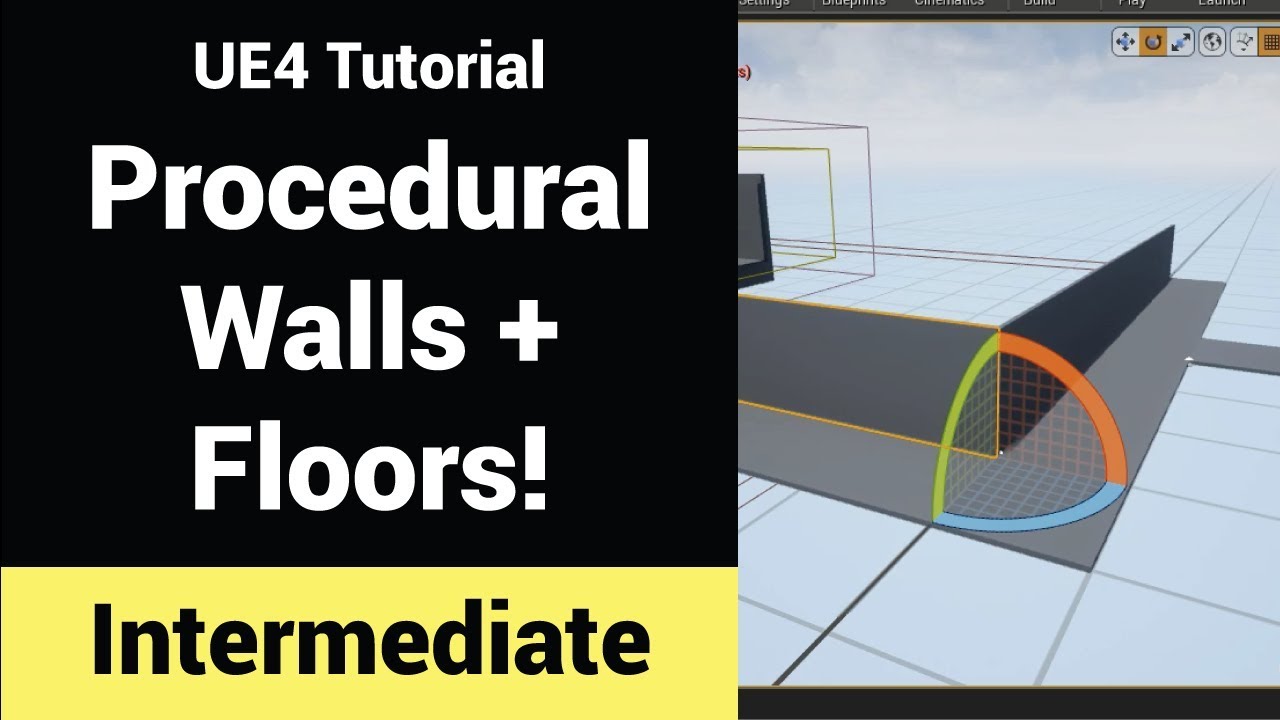
How to create a blueprint that can procedurally generate walls and floors of desired size! Awesome tool for unleashing your creativity and putting your content generation speed on steroids.
If you wanna kill some time and are looking for a challenge check out my latest (free...
runic fern
Cool
icy ridge
that part is not on youtube but if you figure out a nice way to do it, you can get views for making a video.
runic fern
I will check it thanks
icy ridge
No problem.
 magic quail
Aight so i just came to an idea for a game i want to make , but there are absoutely no tutorials on how to do it , the plan was to make a procedurally generated planet with a already set % of Atmosphere density and different atmosphere elements that give different colors to the sky. The atmosphere seems to be the hardest one to figure out in my mind
 harsh tiger
I have a VR project. an it works fine in the editor. but when i build the game and play it, the oculus stays black inside and doesn't show the game. has anyone come across this before or know of a fix?
ember star
My pawn is spawned inside of a box collision and thus on overlap never fires. Easiest fix for this?
harsh tiger
I have it working in VR now in a packaged build. the new issue is when i press the joy stick in to teleport. it gets stuck on itself and the teleport line stops almost instantly.
again, has anyone come across this issue before?
ember star
Is there any way to manually triggere a call for checkoverlapping?
 barren lake
Is there any way to properly import materials from blender to ue4
plush yew

Thanks for everything!
► Join Discord: https://discord.gg/brackeys
► Follow on Twitter: https://twitter.com/BrackeysTweet/
● Brackeys Forum: https://forum.brackeys.com/
● Dev Assets: https://devassets.com/
● Line of Code: https://lineofcode.io/
● Website: http://brackeys.com...
😭😭😭
plush yew
is there a limit to how many mechanics you can stuff into or build into a game to be activated on a whim when something engages with the game to make them happen or will having too many mechanics break the game even if their culled or whatever like for example, "push block" "parry" "grapples" "sprint" "climbing" "rolling"
"swimming" "picking stuff up" "pushing an object" "emotes" "use of an item"
but let's say for example that there is 200 mechanics though culled or what not would it be game breaking to process or have smoothe play for? o-o;
i have a crud ton of many little ideas but i dont want to blueprint so much crazy stuff if building a game can only handle like 20 mechanics
or hell even 10 mechanics :C
i already had to kill 5 mechanics and rework another 4 ish i had planned because half triggers cant be done with controller buttons..
 ornate forge
There is no limit, but your computer is not infinite
You have to actually implement stuff and benchmark it, that's the only way to answer this
plush yew
o.o
so its possible to build infinite interaction into my game and than benchmark to hope the game doesnt explode
and if it doesnt infinite novelty x////x
ornate forge
Knowing the theory of algorithms also helps
plush yew
is it called "theory of algorithms" o-o
ornate forge

Coursera
Offered by Princeton University. This course covers the essential information that every serious programmer needs to know about algorithms and data structures, with emphasis on applications and scientific performance analysis of Java implementations. Part I covers elementary d...
thick herald
It's like asking how many stones can you pick up. Depends on the stones 😉 😄
plush yew
oh
so tiny mechanics can be stacked like crazy
but clunkier bigger stuff like mounting bik enemies may be more costly
thick herald
mechanics can be simple or complex there is no answer
barren lake
Questions about blender and ue4
How does stuff like hair work
And liquids
Would it just import as a solid object
thick herald
Liquids - no idea but UE4 is getting better at them.
barren lake
Nice
thick herald
Hair is more complex.
barren lake
Neat
thick herald
Or rather it's possible to do, but depends on your choice of implimentation
barren lake
I wish materials could export from blender to ue4
grim ore
in theory a pipeline could be created depending on how the material is set up, its doable with 3dsmax and datasmith for example
 oblique citrus
hello,anyone who can help me with some modding?
left citrus
Is it possible to attach a static mesh to a bone in a skeletal mesh, using a physics constraint actor?
grim ore
you should be able to attach it to a socket on the bone
left citrus
if I do this, the object lags behind by a frame
grim ore
change the tick group to one of the other ones, maybe after physics and see if it helps
left citrus
hmm, okay, I've got it in an actor, with a physics constraint for my 2ndary motion and attached to the socket, seems to be working
cheers @grim ore
scarlet birch
I need a way to separate/mask out only certain LODs of foliage in a post process material while still keeping the mesh lit not unlit. Can I do something like have a single LOD render after a post that is set to "Before Translucency" but not be transparent? or maybe have a single LOD use custom depth?
 fierce forge
why my packaged game have 200+ mb when my content folder have just 500 kb ?
restive eagle
you need the engine to run the game...
look where your 200mb is located in your packaged game and you will see
scarlet birch
You can get it down to well under 100MB if you change somethings.
fierce forge
i changed a lot
 thick knoll
Is there a way of having a custom planar reflection shape? I need it to fit a mirror, but it's not square
scarlet birch
But including prerequisites adds a bit too.
fierce forge
for reducing but nothing happened
restive eagle
you can exclude some engine content sure
fierce forge
i did this
restive eagle
How to reduce the size of your packaged game.
 sleek karma
hello can someone help?
i bought this soldier from the marketplace
details
and if change the ue4 mannequin with the soldier in the thirdperson bp the animations dont work
and now i am trying to change the skeleton of the ue4 mannequin animations to the soldier
how do i do that?
restive eagle
when you are importing the soldier make sure to select the same skeleton as you are using inside your thirdperson bp
restive eagle
then find thirdpersonanimbp, right click and retarget to the new skeleton that your soldier has
it will make a new anim bp and use that inside your thirdpersonbp
sleek karma
i got it now
restive eagle
but it will duplicate all the animations, there might be easier options but cant think of any atm

oh this should work too
find soldier mesh and asign a new skeleton
@sleek karma see if that helps, then you wont need to duplicate any anims
 sullen cloud
Nice
nova kernel
Can we remove foliage items from the procedural foliage volume? Like one is spawned but we need to move it without touching others spawned?
scarlet birch
foliage blocking volume and resimulate.
although it will likely change the locations of others
 warm sluice
Hey guys, do you follow some ue4 tutorials? I am also publishing series of guides on YT, today about shader animations https://www.youtube.com/watch?v=Fmq2QvyEIMA
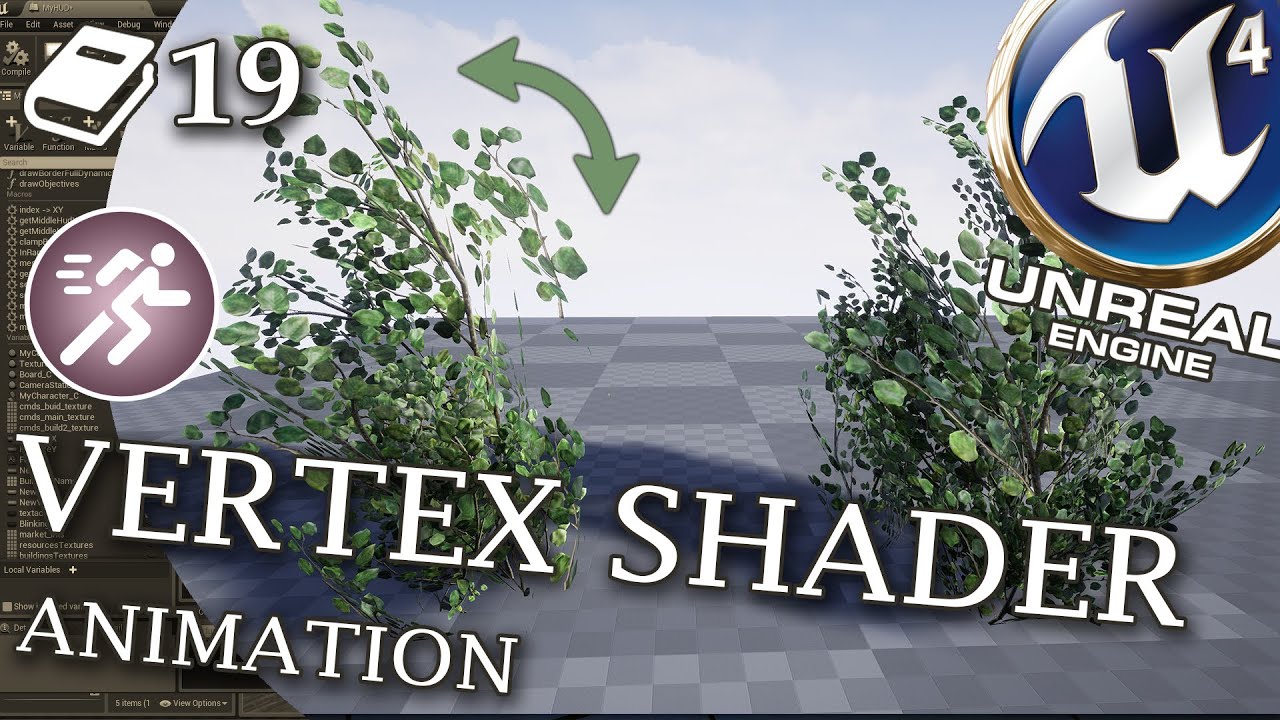
In this UE4 guide we discover secrets of shader animations. We will learn how to create new vertex animation in 3DS max and import it back to Unreal Engine 4. Then I share more advanced mesh movement techniques which I am developing in Astro Colony game as a solo developer.
P...
 restive basalt
Is there a command that shows the count down to garbage collection?
Or by forcing garbage collection does it reset the timer?
 pallid robin

SIGGRAPH 2016 video for the related paper. The full paper can be found at http://www.cs.ubc.ca/~van/papers/2016-TOG-controlGraphs/index.html
how
 stark marsh
help so i have an animation set up
but once the cutscene is finished my object that moves goes back to its original spot
but what i want is once the cutscenes finished my object stays in that spot forever, unless i want it to move back somehow
restive basalt
@stark marsh
https://docs.unrealengine.com/en-US/Engine/Sequencer/HowTo/WhenFinished/index.html
On properties for the object you want, right click and select "Keep state" when finished
Describes how to keep any changes made through Sequencer when it has completed or restore changes back to their original state.
 haughty hound
Yo! Does anybody know if this “Third person example map” is still available somewhere?
restive basalt
@haughty hound Its default within the engine, if you create a new project and choose the third person template it should load up
haughty hound
Gotcha, trying ta😊👍
stark marsh
thanks @restive basalt
btw my game is sort of going to be like the dungeons of darksiders and breath of the wild
with less combat but more platform elements and puzzle
loud knoll
did they remove simulate in the BP editor from 4.25.3?
scarlet birch
no
loud knoll
well I have 4.25 and 4.24 right next to each other and the button is doing something different in the BP editor
Well I am stumped I have both versions here in 4.25 the button runs a sim for the entire game, where in 4.24 it runs a sim in just BP editor
Chaos is disabled in bot
both
I am going to check the plugins maybe I turned something off
barren flume
How do I change this to world?https://gyazo.com/3aabd3cddbcff53ba803238287474e5c

this is the main editor viewport
scarlet birch
@loud knoll Have you tried using the simulate button in the level editor window and not the individual BP? They do two different things.
grim ore
@barren flume click the cube (local) to switch it to the globe (world)
but some viewports only have local or you need to click on something as its for objects itself
barren flume
I tried clicking on objects and tried switching and deselecting all objects and tried switching but nothing happens
in that gif is me clicking on that
even pressing the shortcut (CTRL+) doesn't change it
oh wow I had to change it to move instead of scale to change it
loud knoll
@scarlet birch yeah of course man, right now my PIE simulate button is running the game in 4.25, and in 4.24 it is running the game. In the BP editor the Simulate button which did have issues with clean up in all previous versions only runs the game in .25 and still works the same in 4.24.
I have all the Chaos plugins off so I am going to see if this move from Epic is tied to the new changes
@scarlet birch Yes it has to do with plugins being removed
The button is back as soon as I turn on the plugins for Chaos
scarlet birch
I guess it makes sense if everything is moving to Chaos.
loud knoll
@scarlet birch yeah true but if you convert your project over and had all that stuff turned off to save memory you are now missing a key function for the BP actor editor with no warning. What I will do now is reset the plugins in use when I convert my projects over so I can make sure everything that is suppose to be on by default is on, and then trim things when I get ready to package. I noticed a large difference in package sizes when I start removing plugins I don't ever use.
@scarlet birch like Magic Leap they have like 6 things on by default and I turn all that shit off, unless someone is paying me to develop for it I will never do it or if I was to do it it would be a fresh project.
 timid sonnet
hi, does anyone have an idea why in the viewport the texture seems to be overcompressed? I have no clue...
scarlet birch
It's a pretty common complaint that all the VR stuff is on by default. It causes issues with users who have VR headsets too if you're not using VR.
 proven mauve
Hmm... does anybody have any clues as to why some scalability settings are automatically resetting in-editor?
You can change them, but clicking in/out will reset them.
If there was an error with some level, I would expect a warning or printout somewhere 🤔
 golden condor
So, I am running into an issue
When I convert a millisecond to a second
The second is on the millisecond delay
So I end up counting The milliseconds to turn into a minute
Instead of counting seconds to turn into a minute.
I figured it out
It was the resetting of the milliseconds being done last
I had to reset the milliseconds right after I set the new second to +1
grim ore
there is a timespan variable and datetime variable type btw
and a delay in tick.... its not smart
golden condor
@grim ore There's a few trolls that need to be banned
scarlet birch
Doesn't a delay in tick just cancel itself out?
 honest stirrup
im not sure if theres a complete beginners channel or anything but how long would it take to learn C++ semi-proficiently? i heard its one of the hardest and overly complex languages
grim ore
45.7 years
golden condor
The voice chat is suffering from some really bad eggs jumping in and out
Should I tag one of the mods?
grim ore
probably
golden condor
@upper heart The voice chat is being raided by trolls, one of them straight up was throwing hate speech and another was doing a Banjo NPC style voice modulator
I think the first guy invited his troll buddies
 upper heart
Thanks for letting me know
 oak stream
hey quick question, how do I reduce the size of the camera view inside the viewport? it's clogging up the entire thing when I select my pawn
golden condor
He's the first one.
@dull plank is the second.
You mean the camera when you press on it?
You can disable that entirely.
oak stream
I don't especially want to but if I can't just make it smaller I will
oak stream
yeah
oak stream
golden condor
Its a bit annoying when working. True
grim ore
what resolution are you working at where it is so large?
golden condor
But its useful sometimes, usually I disable it until I need it.
oak stream
I just can't even move my pawn when I click on it cause it blocks it
it is useful I just wish it was smaller
golden condor
Edit>Editor Preferences> Search "Camera"> Level Editor - Viewports> Look and Feel> Uncheck the "Preview Selected Cameras" checkbox
grim ore
yah yours is way larger than it should be which is why i am asking about the resolution
grim ore
there is a high dpi checkbox in the editor settings you might need to adjust
oak stream
ok
doesn't dpi just have to do with the mouse?
oh it worked
much better thank you
grim ore
its dots per inch and applies to your monitor as well since its at 4k and you probably have scaling on
oak stream
yeah
 scarlet oar
Hello, I hope this is the correct location. I'm curious how others handle this situation.
Multiple input events are bound to the same key, let's say E.
E can do something like mount a gun.
If you hold down E, it can bring up a contextual menu (like ping location)
If the 2 events are handled in Pawn and PC separately, what is the general approach to resolving a problem like this?
oak stream
now everything (else) is blurry but it's a small price to pay for salvation
scarlet birch
@scarlet oar First, input should not be handled in both,
thick herald
@scarlet oar If E does multiple things, look into interfaces 🙂
scarlet oar
ah... interfaces nice, yeah @scarlet birch I would prefer to keep things sane, but I work with a team and don't have explicit control :)
Interfaces sound good thanks @thick herald
scarlet birch
Yeah that's even more of a reason input shouldn't be handled in multiple places.
scarlet oar
agreed
scarlet birch
No envy.
runic fern
Hello Guys Can i Count the Percentage of Destructable wall Like if i Destroyed half of the wall i will get 50% is it possible ?
scarlet birch
You can get the number of pieces in C++ not sure if BP has a way.
loud knoll
@scarlet birch It seems if they want more testing or have some deal in place the plugin gets turned on by default that seems to be the pattern but i noticed when I reset the 4.25.3 project back to default a lot of things that used to be on are off . Its all fine now, I just freaked out because I couldn't find a button I have been using for years for timing animation and emitters.
plush yew
@golden condor did you mention me?
runic fern
You can get the number of pieces in C++ not sure if BP has a way.
@scarlet birch You know how to to do it in C++ ?
scarlet birch
Apex?
runic fern
Yes
scarlet birch
I'd have to look at my code from a project but yeah could probably get there.
loud knoll
@runic fern are you talking about APEx fracture chunks in BP?
runic fern
Yes Vexar
scarlet birch
{
    return (int32)ApexDestructibleActor->getNumVisibleChunks();
} ```@runic fern I was working on that for a few days. All BP efforts failed for me. I could get parts, but couldn't get emitters to attach and follow the chunks.
scarlet birch
i have code to do that
runic fern
i wan just to get the count of the Chunks so i can Count the Percentage for the Task
scarlet birch
I needed emmiters for chunks that were disolving
loud knoll
@runic fern Each chunk will produce a Socket, and you can get the socket names and count
@scarlet birch Could you get the emitters to work with out your code or did you need to code it?
scarlet birch
The code exposes the chunk locations to BP so the emitters can then be placed at their locations
loud knoll
Yes I was trying to do that via BP with out any code by using the Get Closest Point on Collision Node
scarlet birch
You comfortable at all with C++?
loud knoll
Yeah
runic fern
if i made a Collision Box around the destructed wall and overlap the Parts I can get the count right ?
scarlet birch
Here, it's adapted from old forum posts and answerhub stuff anyway.
Just have the destructible component inherit from it and you can get the chunk locations.
Can I have it fold that kind of stuff when I post it?
or is there a better way?
 little warren
Hey any one know if you can run UE4 off a external hard drive?
like can I copy my UE4 installation on a external hdd and use it on another pc?
loud knoll
@scarlet birch you can delete it man
I got it captured
@little warren I used to do that with Unreal 3 not sure about 4
scarlet birch
I'm not overly familiar with c++ but it got the job done
runic fern
and another question please ...
I've Seen a building system like the Sims Who can build the Wall and snap a door and windows to this Wall ..
What this System called how can i make it
little warren
Dang if any one knows if UE4 works please let me know
runic fern
Because i wanna make a Customizable Walls inside the house when the player want to destroy a wall and build new one he will be able to snap Window or door where ever he want
grim ore
I use UE4 from an external SSD without issue
pallid robin
does anyone have any sources on how to do physics based hit damage?
loud knoll
@runic fern I would try adding sockets and snapping the objects to those generic locations and then design the objects around the limits of those socket locations.
runic fern
or maybe Mask for Windows and Doors Might Work
runic fern
Magic Plugin you mean ?
loud knoll
then you could be more creative
nah just like a fade in effect
like something to cover up what you are doing
loud knoll
smoke and mirrors are 99.8% of game dev 🙂
runic fern
I just learned The Apex Destruction today 😄
loud knoll
was way way way way way worse in the old days
runic fern
Yes Smoke And Mirrors And Fire
I wanted to Make A Smaller Fractions but looks like not working with Apex i need to create it as FBX outside and import it
loud knoll
yes chipping away is a cool mechanic I ended up removing it was taking too much time but I am doing an action / arcade game.
runic fern
Also i was trying to Make Fall Damage like when the upper side falling will destroy
i think Impact Damage and something with it should do this job
 plush thicket
anyone know how I can make it so that shadow doesn't pop in and out? (bottom door step frame shadow)
it does this for all the shadows, if the camera gets too far away / clips the shadow i guess
im rendering a cinematic so i can't have this
runic fern
i think light portal should do this thing
 obsidian nimbus
ur paintings are upside down?
plush thicket
on purpose
runic fern
Yes
plush thicket
the shadows disappear when i get too close though
not when i get too far away
i don't think lightmass portal would fix that
 abstract anvil
No one on multiplayer seems to know the answer, so maybe a more general shoutout here:
When I call "LoadGameFromSlot" while in an online session, it always loads the saved game that exists on the server, even if the client is calling it. Is there any way to have the client get its own save game data from the local client?
 frail rover
anyone know why this happens? when i turn camera in certain angle. The glass shows that weird white light for no reason. Using spiralblur does it. You can even test it out. My goal is a blurred glass
 rain inlet
Is there any way to make lights work with LPV in 4.25? afaik it only works with the directional light
inland leaf
since UE4 is weird sometimes ... if i have a Dictionary, will it fail if i access it when the key isnt in the dictionary or will it just return null ?
also sorry for asking this here, i have a very hard time dealing wiht the documentation somehow
 cobalt blade
why does this happen?
i cant make my character crouch or "bounce" when running
it just moves in one direction
and when it crouches, that happen
plush yew

Watch how I made Subway Surfers 2020 Remastered version (or I will eat you).
----------------------------------------Links----------------------------------------
My Patreon: https://www.patreon.com/fatdino
Follow me on Twitter: https://twitter.com/fat_dino_games/
Join our Dis...
check this out guys
 pliant rose
CyberRace, i loaded UE4 and my level is not there... lol it is displayed in system folder but missing from content browser.. happened before, wonder if its unfuckable?
quick plover
I'm trying to make some circular array with a simple mesh, can't find how to do it with blueprints
found this plugin tho, does it worth it? https://www.unrealengine.com/marketplace/en-US/product/array-placement-tools

Unreal Engine
With Array Placement Tools it is possible quickly placement elements like fences, columns, walls, trees, Lamps etc. on Yours levels. Thanks to Blutility functions you can use array like stamp.
plush thicket
was able to dumb the issue down, it's not shadows, it's ambient occlusion
anyone know how to fix the ambient occlusion from culling like this?
barren flume
I was wondering what I should do to stop the material from repeating like this? (the lines)
 void kraken
Is there water plugin in 4.26 repo on Github?
winter zenith
How do you go about adding in game cosmetics and an item store in your game?
With steam
cobalt blade
@barren flume idk how to doit but you can look in youtube for tiled variations
that adds some paintings to the landscape, so it doesnt looks like a repeating image
 river forum
I must be being an idiot, am I missing something or did Unreal just YEET all the good tutorials?
The amount of times I come across this page is unreal (pun intended) https://forums.unrealengine.com/unreal-engine/announcements-and-releases/1745504-a-new-community-hosted-unreal-engine-wiki
Unreal Engine Forums
After over a year in maintenance mode, the official Unreal Engine Wiki is now permanently offline.
These resources now live on a new community-run Unreal Engine Community Wiki — ue4community.wiki (https://ue4community.wiki)! You will be able to find content from the official ...
The amount of times I am able to actually find the referenced post is 0 so far. Am I the only one who is having this issue? Is there a way to see the old Wiki that I don't know about?
exotic thicket
it's hard to find those for some reason on google
but they do exist, you can try using a search like "ue community wiki + your search"
river forum
I'll give that a go - thanks zomg
Wow - literally found it in seconds. I've been pulling my hair out with this - Thanks @exotic thicket
plush thicket


anyone know what's caushing this ambient occlusion culling?
@plush yew yes, i am thank you for replying btw
is there any way to fix this?
with SSAO
 spice pond
Can anyone help me with that, please? All my textures simply became like that (I'm using starter content). I've disabled lightmap compress on world settings already, but the same continues
plush thicket
@plush yew how would i go about baking ambient occlusion?
 late lake
Having an EXCEPTION_ACCESS_VIOLATION problem with UE4. Turns out when I add a BP instance of a certain C++ class, an EXCEPTION_ACCESS_VIOLATION error occurs in the GameMode, specifically with SetMatchState(). Issue is that the C++ class that is supposedly triggering this error has no code involved with GameMode in it as far as I know. Has anyone seen this problem?
 vague sable
if you had a normal from a raycast to a 2d square and you knew the rotation/orientation quaternion of that square how would you decide what side of the square was hit? I've tried converting the rotation quat to a unit vector and then doing dot on it but the loss of precision makes the left/right side report incorrectly rarely so looking for a smarter way that wouldn't have this issue
ornate forge
Is there an easy way to make the default car from the Advanced Vehicle template more stable? Almost any bump in the road flips it over
nova kernel
so, out of no where, when im working on a level, it now makes my textures blured, as if everything is a low LOD.
Anyone know how to fix it? makes it very hard to tell what stuff looks like
 royal crest
why does this thing take too much time ue4 is not responding for like 30 mins
grim ore
has that number not changed?
grim ore
what does your task manager show?
royal crest
grim ore
thats weird, so 0% cpu use?
royal crest
yeah but why
grim ore
do you have visual studio installed?
royal crest
yeah but its not running
grim ore
do you have incredibuild installed with it?
royal crest
i dont remember but im using blueprints
grim ore
okdoke
grim ore
welp. do you have incredibuild installed?
grim ore
that would be the issue. You are not paying for it so its limited to a low # of threads and will stop UE4 from compiling basically
royal crest
whats this
grim ore
^^ you arent payin for it so its in trial mode. Uninstall it or pay for it.
grim ore
then why did you install it
it doesnt auto install, its an option when installing visual studio. Uninstall it, it's not for you.
restive eagle
used it for a month, good times...
royal crest
ok im uninstalling it but now how can i make ue4 compile fast
grim ore
uninstall incredibuild
royal crest
did it
restive eagle
a better cpu would decrease the built time
royal crest
i have a ryzen 7 1700 isnt it good enough
restive eagle
but they did improve the built time recently
or within previous updates, dont remember
grim ore
a ryzen 1700 is fine
grim ore
its shader compiler that should be using all the cpu
royal crest
i dont see it in the task manager anymore
grim ore
is it compiling shaders?
grim ore
did you restart your pc?
royal crest
no, should i?
grim ore
yes
royal crest
thank you so much