#ue4-general
1 messages · Page 832 of 1
 mint sequoia
But there's been a surprising lack of noise. Networked destruction would have been a huge win
mint sequoia
Makes me wonder if they've hit a wall and abandoned it
Or their priorities are elsewhere for now
 strange mantle
Well I wanted to use that for destroying little meteors
Since I'm making a space game
mint sequoia
Is it a space multiplayer game lol
strange mantle
I guess
mint sequoia
And do the meteors have any effect on gameplay once destroyed
strange mantle
Not a very fresh idea I know
Yeah
I want them
To be a game mechanic aswell
So contacting them would cause damage
mint sequoia
I don't really know the state of chaos regarding networked destruction
mint sequoia
Doesn't sound like that feature is worth the requirements IMO
How much work it takes vs how much it adds to the experience
strange mantle
Well yeah that is why I want to do the assets first so that I can think about stuff like that meanwhile I work on it
How about smoke stuff? I've started to play arkham knight today and I noticed that it uses physx flex for some tire smoke stuff. What would I use in ue4 to get some realtime smoke sims?
I'm not planning for some huge simulations just tiny things like for the lazer barrel smoke
 rough knoll
why tf can't i key an animation in the middle of the sequence
when i try to do it it just makes the start position that instead of going from the start position to what i made it
 elder bison
Hi, i have a bunch of UA Assets i lost the original files for, is it possible to convert them to other formats?
Specifically FBX and TGA
 warped silo
Could anyone help me? I'm stuck unable to Generate VS project files for my project module. My log basically gets to FileMetadataPrefetch.Stop() and then my log abruptly ends after the next timestamp. No error or anything. I really need help figuring out why this is happening.I'm using a 4.25.3 source build
 whole quarry
you could export them from the editor
elder bison
The UE4 editor? im not sure how to do that
whole quarry
right click on the asset in the editor and select export
whole quarry
I dont think its supposed to move at runtime
The primarily used reflection capture is the Sphere Reflection Capture. Many of these can be placed around the world with almost no performance impact as they are calculated before run time.
An overview of the Reflections example level, example 1.4: Sphere Reflection Capture Actor
 dreamy sleet
how do i get a car to move
 plush yew
Hey I have a question
Where can I post some artwork I've made over the year here?
Apologies for bothering
 storm venture
@austere pond you just want the sphere to follow the camera? You can just plop one on in the pawn BP
storm venture
Yeah then find your player BP and drop a reflection sphere in with the components
@ornate ice you might want to look at the anti aliasing, your bullets are becoming very small so the anti aliasing might be taking over and hiding them. Just to check, try changing anti aliasing in the proj settings and maybe youll see a difference
 ornate ice
nice thanks for that I'll give it a try
storm venture
@austere pond i just looked into it and i may be wrong, it looks like reflection spheres should only be placed by hand within the level, which makes sense considering you would typically "bake" the reflections (not dynamic)
might wanna check out this link: https://answers.unrealengine.com/questions/582952/how-to-add-sphere-reflection-capture-to-blueprint.html
 sudden bridge
I have a camera placed in my main menu world, how can I make it so that when the game starts that's the view of the background of my main menu?
 frigid needle
@sudden bridge https://www.youtube.com/watch?v=ce59ARRoLAc&list=PL4G2bSPE_8uk84cmXmVO-uS8ioIXEJkh0&index=28&t=0s this video will walk you through that setup

If you want to know how to get started making video games; this series is the right one for you! Get to know Unreal Engine 4 and develop a whole game for your first project. This project is aimed for beginners; to teach you how to develop video games.
Download the assets requ...
storm venture
as far as im aware, planar reflections cannot reflect other planar reflections, and even if they could, it would tank the performance
 ember cliff
@austere pond Is there a reason you're taking pictures instead of screenshots ?
(you can directly paste screenshot as a message so its very fast to use)
I thought there should be some some of reason like this, making this kind of project and not using screenshots was too weird :p
sorry I cant help on the problem tough
I have no idea what im talking about, but could it be the actual material where the projection are drawn is wrong ? like its some king of regular / shiny material that happens to receive the reflection capture ?
storm venture
@austere pond go into your post processing volume and turn off bloom and lens flares
ember cliff
oh that sounds right ^
so, here's my simple problem :
Unreal wont load my project past 95% anymore
it stays stuck here.
suggestions ?
its a light-weight problem mostly prototyping stuff, no real meshes or heavy shader, extra light scene
I tried letting it load for a couple hours to check if it was something getting abnormally long to load, restart computer, no luck
storm venture
@austere pond i dont think it's possible unfortunately, maybe someone else has the solution though
@ember cliff my best guess is to check and make sure the drive you are using ue4/your project is on has enough space; since youve already waited a couple hours, the typical problem (compiling shaders) seems like its out of the question; so perhaps its just run out of space while trying to compile them? sorry but thats all i got
ember cliff
@wicked sparrow hmm ... all my drives are pretty full, but thats proportionally to their respective capacities. Least space is 11Gb, but ill free some more and try again
sudden bridge
Thank you @frigid needle
ember cliff
well, used verify on my unreal install, made some room on the drive, restart computer : one thing changed, instead of being stuck ad 95% im now stuck at 93%
ill try again tomorrow
 sage acorn
Hi, When I run my game in my editor, have two blue 00 digit scrolling vertically, making a digit line.Might be some debug option. Would somebody have an idea how to disable it?
Two 00 digits line in the whole left of the screen
elder bison
I have these X's over my point lights, are those supposed to be there?
dreamy sleet
does anyone have any characters of or know where i can get some for free
elder bison
the UAsset store
dreamy sleet
ok
 weak harness
Anyone know any ways to speed up project load?
The map we load is a very small and minimal dev map and the project is only 11GB.
I've worked on other projects that were much larger and didn't take as long to load.
 cosmic breach
i have a c drive and an f drive, whenever i try to install ue4, it says "d drive invalid" and stops
like instantly as i click run, doesnt prompt me to do anything beforehand
weak harness
Do you have permission to install stuff there? @cosmic breach
weak harness
o
cosmic breach
kinda weird ik
elder bison
yes
 restive yarrow
Guys how can i check if any of my BP in my project has errors?
because when i package my project, in the end it gives multiple messages saying error in BP so and so , so i wanna clear those before packaging itself
and how can i set my stat settings as permanent, for example i set r.Streaming.PoolSize 4000?
dreamy sleet
how do make the character i have on the map as the main character
 oblique tangle
Yo, I know this is a super basic question but I can't seem to set it up smoothly in game - Essentially I want to recreate the SMPS4 stunts where the player holds down an input (i.e right) and the player rotates based on that axis input, and then on release (i.e bool for stunt = false) the player interps back to their original rotation
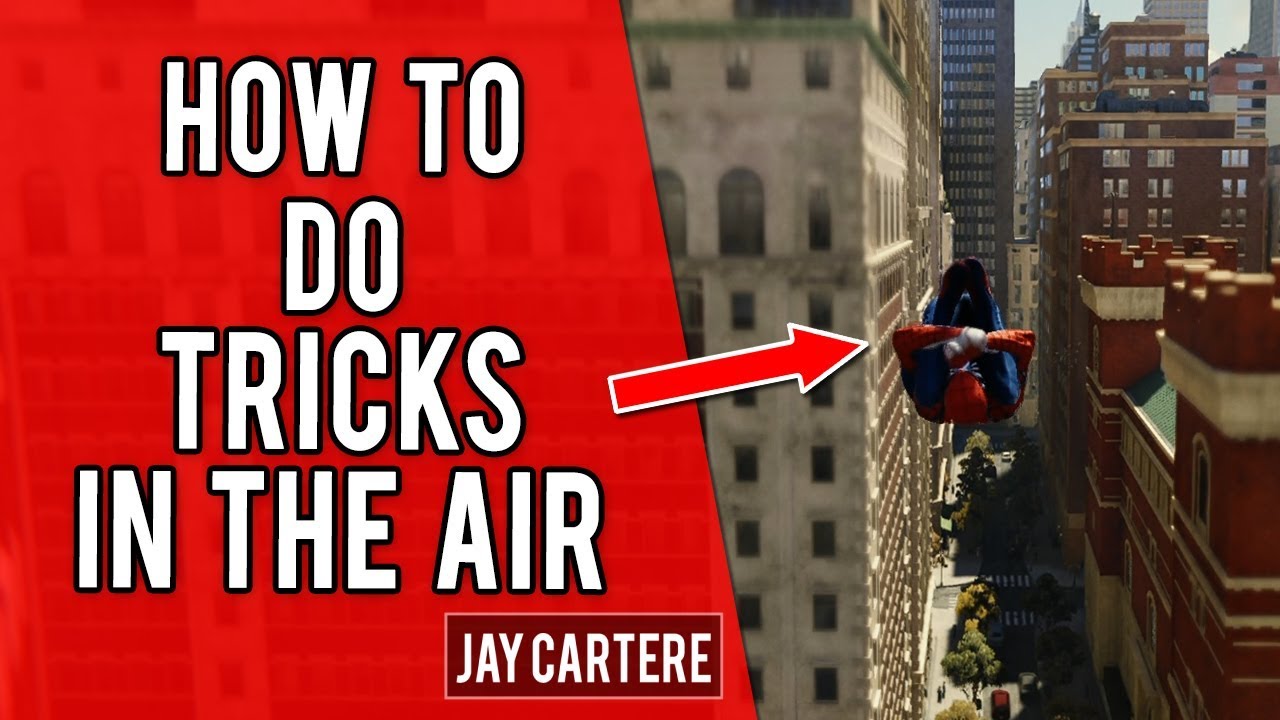
Learn How To Do Tricks in Spider-Man PS4 in this PS4 tutorial. In this video I'll be showing you How To Do Aerial Tricks While Web-Swinging in Spider-Man PS4! If you want to know How To Do Tricks in the air then this Spider-Man PS4 Tutorial will show you how!
SPIDER-MAN PS4 R...
Like this vid
Any help would be greatly appreciated!
ornate ice
@storm venture thanks buddy after changing it to FXAA it worked like a charm
whole quarry
@austere pond editor is not run time, just fill the level with the reflection spheres.......
Or add them only on places where you need neat reflection
Dont over complicate stuff
 foggy shuttle
Hi guys, I have a newbish question, is there easy way to mass replace old assets with childs in World Outliner, for example i want to basically replace house02, 03 etc with house01 and inherit all it's childs also. House02,03 are in different positions and repeats a lot of time and I don't want to copy paste transforms, rotations etc everytime I add a new child to house01, I just want a quick easy way to replace all of them at once. Couldn't find anythin usefull regarding this on google.
 tulip helm
Anyone know of a list that shows when each UE4 version released? Seems the release notes aren't timestamped. https://docs.unrealengine.com/en-US/Support/Builds/index.html
Release notes for Unreal Engine builds.
 modern sinew
So the tutorial I was using for multiplayer had us make a host/listen server- how would you change that to allow for the creation of a dedicated server instead? I would hope that I wouldn't have to have a game running on my computer anytime anyone wants to play, especially not one that's having to compute all the player stuff as well
Is there a tutorial for non-listen servers? I found a few
still, how hard is it?
tulip helm
@foggy shuttle
Not sure, but maybe this might help?
https://www.unrealengine.com/marketplace/en-US/product/property-transfer-tool?sessionInvalidated=true
Not sure if it can transfer heirarchy.

Unreal Engine
Instantly copy multiple variables between multiple blueprints.
foggy shuttle
@tulip helm , thank I will have a look, but yea, seems that I probably have to keep my entire building in a BP, would be nice to be able to at least copy paste all tansformations (location, rotation, scale) from one asset to the other. But this might work if you keep all transformations in a array/list , thanks a bunch!
tulip helm
unfortunately, this only works on binary builds, too. i don't think he made a github version, so you can't use it on forks.
 scenic fox
can somebody remake dead by daylight by any chance?
tulip helm
@foggy shuttle when you right-click on the thing in the viewport, and do the replace with, it loses the hierarchy, eh?
 mortal quarry
So for ages now, I have been unable to move key'd values in my sequencer, I can select them, but cannot move them, how do I unlock them ? the sequence is not locked.
scenic fox
yeah im joking lol
foggy shuttle
@tulip helm , yes, doesn't keep any child, I will put everything in a BP, at least I know if I change something in the BP will be global and I don't have to copy paste each time I add somethin new to the structure.
tulip helm
@mortal quarry video sequencer? or the umg one? (last i checked they're kinda the same functionality-wise) I ran into a similar issue on umg, a few years back...but i forgot i got past it.
mortal quarry
@tulip helm so...im so new I have no idea, it's the default one that comes with UE, the window tab is called "Sequencer"
modern sinew
I probably should work on fixing the bugs with my game before adding more stuff, but there's a lot :/
mortal quarry
basically, I just cant move the keyframes, and I cant figure out why, sometimes I can, sometimes I cant
tulip helm
@mortal quarry cool cool. ttytt, i haven't used the video sequencer much at all. pretty sure that's what that is. you try right-clicking on them to see if there's a related option?
mortal quarry
@tulip helm just gives me paste options
tulip helm
fuh
mortal quarry
lol, i know
tulip helm
i'm sure you clicked the isht out of all those options up there. hoping the wrench had something special in it?
ah. are you in PIE (play in editor)?
tulip helm
with it stopped you still can't move the keys?
modern sinew
Does anyone know how I would measure the height of a wall that a player is touching? I want to make it so that players can't wallrun on like, 2-ft high ledges
mortal quarry
ok, so it seems it's something to do with the fact that I duplicated my previous sequence. I created a new sequence and it's letting me edit the keys again
omg
I found it
On the left, I can right click the components, there's an "Edit" section and I have "Locked" ticked on for some reason
it's been driving me nuts for months
tulip helm
nice! some hotkey must have locked'em?
 ember star
I want to move the camera when the mouse is on/near the edge of the screen. Should I use invisible UI widgets? Or a Tick somewhere in camera maybe that detects mouse location?
 elfin dragon
@modern sinew just take the hit actor / static meshes transform and check the y value of scale?
modern sinew
that's relative to the original size of the object though, right?
tulip helm
@ember star To me, using UI widgets (for hover) I'd think is more performant than using tick. Hover detection happens in C++
mortal quarry
@tulip helm I honestly have no idea, cant find any information on any shortcut for it. glad I found it though, was getting real tired of having to remake keyframes 😄
modern sinew
The only way I know how to do it right now, would be to do two line traces moving away from the hit point, and measure how far apart they are when they both don't hit anything
ember star
thanks Kuso I'll start with that route
elfin dragon
you could have just one ray going from character to the forward vector but with a let's say 45 degree angle and if that ray doesn't hit it means it would be small enough
instead of using the distnace between two rays
modern sinew
I think the easiest bug to fix right now would actually be- so, I have a moving carpet, but it constantly accelerates the player, which is a problem. I don't want the player's speed to be locked, but I just want the moving carpet to be a constant addition in a certain direction
elfin dragon
but yours could work as well
modern sinew
I'm not sure how to fix the carpet tho
elfin dragon
does it give speed as long as you are on the carpet kind of thing? you could add to the velocity of the player in the direction he is moving, you can find that direction by getting the actor rotation-> forward vector
modern sinew
the problem is that it constantly accelerates the player though
modern sinew
the problem is that it constantly accelerates the player though
Anyway, it's too late to fix anything, altho I'll try tomorrow
elfin dragon
good luck!
tulip helm
@ember star That was all you! Sorry, I assumed you're using BP. If you were thinking of checking cursor position in C++ there's a good chance you could do it faster. Coulda sworn there were some BP functions for simply detecting how close the cursor was to the edge though...
Btw, what directions are you talking? Just left and right? 4 or 8 directions?
ember star
4
on tick, get mouse position vs get viewwport size, if diff < 2-3 (for tiny area), pan?
tulip helm
cool.
Sorry, not sure how your thing works, but doing it on tick seems a bit overkill to me. the ratio of area you don't give an isht about to that you do is like 10 to 1, no?
ember star
right. i don't know any better way though
 echo verge
is adding a decal to my pawn different than adding it to my scene?
 raw horizon
just started unreal! dont say it to unity, but ue is better
tulip helm
@ember star your UMG (on hover) technique i think is better. way easier, too.
echo verge
Hello
Why when i created a translucent material from this https://img.lovepik.com/element/40024/6669.png_860.png looks like this

What are those blue boxes?
tulip helm
@echo verge what shader model is that material?
echo verge
tulip helm
default lit doesn't do transparency.
im pretty sure decals need to specify the dbuffer
echo verge
okay i did select dbuffer but still didnt change
echo verge
see the image has white dots but my material looks like it has squares and triangles and stuff
tulip helm
pretty sure you have to mess with the compression settings on the texture
echo verge
Could it be related to this?
tulip helm
your first ss
it's my experience that transparency is a finnicky subject. i recommend using tga. i have this setup on this decal material's texture
and it's png
 summer edge
Hello all,
I'm currently working on simple pinball game.
What I'm facing is, I'm not able to instantiate default pawn.
And also when my ball is getting destroyed its not creating new one
echo verge
what is tga
summer edge
Any one have, any thoughts about it??
tulip helm
imho, png is a buncha problems. go with tga it's an old ass format that even Epic uses (at least on robo recall)
tulip helm
yeah. cause depending on where you export the png from (gimp, adobe, affinity, krita), the output file may/will vary. tga to me is effin solid.
works the same regardless of the program.
regardless, after switching to tga, i would first just check out how epic has their decal material set up. (unfortunately, I can't think of one off the top of me head)
echo verge
I've checked out their tutorial page but not very usefull
plush yew
do you think google can find out if someone uses their gmaps 3d data in a game?
tulip helm
@echo verge sorry, i mean, check out how they have a decal material set up in the actual editor. robo recall definitely has some. (can't recall if they have any decal mats in the sample projects). Just filter materials, and look for something that looks transparent, and go from there.
echo verge
Oh I see
tulip helm
if memory serves me correct, they only use tga files for translucent textures.
echo verge
This is just a bad way to learn something. they have do add more documentation. I couln't find my way if this community didn't exists :/
tulip helm
trust me, i've been through it (still going through it, actually). you'd think it should be easier, but there are just so many different settings, and different ways to do things, it's not the easiest thing to explain. the docs would be super long
foggy shuttle
any clue why material ambient occlusion is rendered white? I m pretty sure I have ao in the material, did some tests in lit mode but for some reason I can't preview it with this buffer vis.
 cobalt owl
How to turn off landscape editor after placing a landscape?
ember star
I just noticed the top down template builds left -> right along the Y axis. I was expecting X. Is this standard?
I guess I'm seeing 'unreal is built on +X being forward?
 wide dock
do you need to learn CSS for game creation on unreal?
tulip helm
@wide dock no. you don't need to.
wide dock
alrighty. I know python will taht help?
tulip helm
i don't think python works w/ UE4.
it's either C++, blueprints, or skookum script.
actually, i vaguely recall there being some extensions/plugins that make use of python scripts.
knowing python will definitely help tho
 trim silo
Guys probably simple and stupidly easy thing but ii kinda went braindead for a second, How can i reference grass meshes in my blueprint? Like i want to interact with grass that's placed by foliage tooll etc so there is no blueprint for it
tulip helm
@wide dock super powerful. sky's the limit, basically. therefore, takes time to get used to. ue4 uses a shit-ton of macros. so it's best just to download source code and follow along with some of their free tutorials . i bought some Udemy courses made by Tom Looman to get better acquainted with the engine. Tom's super familiar with the engine, so I'm learning a lot.
wide dock
Alright Ima have to get some money first
tulip helm
They also have some free shit though. There's the Unreal Fest thing. search that. pretty sure it's totally free, you just have to register. not sure if they have intros to working w/ c++ tho
wide dock
ok Im gonna watch the course for C++ on the unreal channel
tulip helm
@trim silo are there a ton of 'em?
trim silo
yeah
tulip helm
ah shit sorry. overlooked you placing them with the foliage tool.
trim silo
basically i have a level with like automatically placed grass
and also using foliage tool
what i want to do is for example
when i use a fire ability
tulip helm
burn it
trim silo
i want to make grass change material
and burn
yeah
buut
i don't know how can i reference the already placed grass
it has to affect only certain radius
tulip helm
i know you can set physics properties on materials.
i've never done it before, but you should be able to make the grass material receptive to fire damage and change the mat based on that.
trim silo
Yeah i mean i kinda know what logic i should do but i'm not sure how can i overlap a mesh without it being a blueprint
hmmmmmmmm
maybe a collision channel actually
wide dock
is there a way to add cutscenes for games? or does that require external softwares
trim silo
You can add cutscenes within unreal with sequencer
tulip helm
@wide dock use the video sequencer
wide dock
ok
 frozen pond
errors is on this node:
i dont see any other way that valid to fix it
nevermind, i forgott to plug one node
tulip helm
@trim silo I'm pretty sure you just want to set a physics material for the grass, and just put the burn logic (material change) in there. since the grass was placed with the foliage tool, there is no grass clump BP actor.
trim silo
Yeah but how do i actually interact with the grass
Like how do i tell the grass it actually has to burn now
tulip helm
shit. there was a UE4 seminar that highlyspammable did, where he changes landscape material via attacks (like this big ass fire laser that strikes down), that should definitely give you some clues. it was done like 2 years ago. try and search for it.
u can hit him up twitter, he's super busy, but he is the man who knows exactly how to do that.
he'll prolly describe the whole process in 20s.
tulip helm
gimme the link. i;ll try to find the one he did in the meantime.

Epic's Chris Murphy explores how Unreal Engine's Blueprint allows developers to create high-end effects that impact many areas of the game environment without necessarily requiring in-depth knowledge in each discipline.
By leveraging Blueprint as a tool to connect particle s...
trim silo

This is just a tutorial showing how to interact with foliage at run-time in Unreal Engine 4. Be sure to watch the whole video, I explain a few important things throughout.
Some examples of what you can do:
•Cut down trees (Make them tip over)
•Remove Foliage
im gonna take a look at teh one you sent too
thx
tulip helm
ah sweet. yeah, that should prolly work too.
that guy i just linked you to is teh isht tho, when it comes to effects in UE4.
trim silo
😄
tulip helm
@trim silo yeah, i think the thing you found is more apropos for what you're looking to achieve. it seems highlyspammable doesn't mess with actors, only mats.
trim silo
from what highlyspammable did i can see that he manipullates materials and dissapears grass etc it woulld work for me too
i think it can be adapted to reflect the impact by hitboxes of various abilities in my game
so when hitbox drops it will just change the rendering of the grass etc
should do the job i mmight play around with it but it seems more compllicated than i expected lol
restive yarrow
Okay so ive got a bit of a tricky question - I have 2 computers, and one UE4 project, I work on the blueprints and gameplay on the first pc, and my friend works on the landscape and level design on the other pc, How do I go about combining both gameplay work and the level design work from 2 different PC's? I know source control is one thing, but it rather got complicated
tulip helm
lol yeah. pretty much everything this guy does seems super complicated. just pretend it's easy, and yer good.
restive yarrow
the project is the same project on both PC's
tulip helm
@restive yarrow i recommend you do source control. it's a requirement for game dev.
 mystic holly
I keep getting a "accessed none trying to read property" while trying to set a variable in a widget
Every time I press the button to turn it true, I get the error
trim silo
The best way is source control, another way is for him to send you the map and everything he is using to build the level
tulip helm
@restive yarrow ↑ this.
i was wrong. source control is not a requirement.
BUT! you will regret not doing source control. get used to it now.
You guys both start with the same stuff. Let him work on his stuff and you on yours. Commit your stuff when it's ready. so long as you're not working on the same thing at the same time, there should be no problem. If you want to work on the same thing at the same time, I think you have to do it in the DCC (like blender, Max or Maya) - you need additional plugins to do this though. you both would save your changes to the same file, so the thing getting committed to source control would be unique.
@mystic holly I think it's a bad idea to set that GET on the find actors without checking if anything is actually there.
stick in a Cast to Trainer-whatever after you get the 0 index, to make sure there's something there before setting it.
ember cliff
I need help : Unreal wont load my project anymore. Stuck a 92%.
Tried :
- waiting a few hours in case of abnormally long thing to load
- veryfing Unreal install
- reboot
- deleting intermediate, save & binaries folders
no crash, so no crashlog, just stuck
Any suggestions ?
tulip helm
@ember cliff fuhh... that sucks. you don't remember what changed between when it last worked and now, huh?
restive yarrow
@tulip helm i see
 strong schooner
May I know what will be the new features or advantages of the water system in 4.26 that some paid water systems maybe discarded? thank you
wide dock
did you save the project properly last time?
wide dock
what is a BP?
ember cliff
its hard to say if it was properly saved as unreal tends to crash often so I dont really pay attention anymore
blueprint
wide dock
ah
tulip helm
@strong schooner that's a good question. i just found this vid today (came out a month ago tho)https://www.youtube.com/watch?v=Ub5WcDyqxz8 that should give you a good idea of what it looks like, and from that you could infer what params you'll be able to tweak. (he says, direction, wave length, height, and some other stuff)
best way to really know is to get the 4.26 preview, or download the source and find out.

Hello guys in this video I wanted to go over some of the new features that will be included in Unreal Engine 4.26 - the newest version of Unreal Engine that will soon be released this fall! Some of the new features include more open world tools (for world composition), as well...
wide dock
I was wondering if anyone would like to work on a project.
tulip helm
@strong schooner also, if you want something that already works, and has an effin sheitload of params to adjust the water, check out the OceanProject/Environment project. shit has buoyancy, frikkin' fish, time of day based on moon position and all kinds of stuff to get lost in rofl https://github.com/UE4-OceanProject/Environment-Project

GitHub
Environment Plugin Project (Ocean Simulation, Sky Simulation, Buoyancy, Time, Fish plugins for Unreal Engine 4) - UE4-OceanProject/Environment-Project
wide dock
what is an asset
tulip helm
an asset is just a thing.
texture, model (mesh), animation, etc.
it's a piece of a thing
a thing of a thing
wide dock
and what is a blueprint
ember cliff
yeah, with all due respect Grizzly, there are tons of videos and sites to teach you about unreal basics
wide dock
Ok I get it I think so like putting blocks together
strong schooner
@strong schooner also, if you want something that already works, and has an effin sheitload of params to adjust the water, check out the OceanProject/Environment project. shit has buoyancy, frikkin' fish, time of day based on moon position and all kinds of stuff to get lost in rofl https://github.com/UE4-OceanProject/Environment-Project
@tulip helm thanks a lot for this, I wanted to try out such project.
GitHub
Environment Plugin Project (Ocean Simulation, Sky Simulation, Buoyancy, Time, Fish plugins for Unreal Engine 4) - UE4-OceanProject/Environment-Project
wide dock
Yes I have watched a few and I just wanted those cleared up
tulip helm
@strong schooner どういたしまして。不明な点ありましたら、ぜひお聞きになってくださいませ。
scenic fox
guys how do i change my AI's walk speed
im using behaviour tree
how can i do this in a task
tulip helm
@scenic fox you'd likely check out the movement component on it..
tulip helm
there's a bunch of params in there.
 rocky radish
is your ai class a character or a pawn?
tulip helm
wtf would you download an error?
wide dock
lol
scenic fox
yo he downloaded ue4
wide dock
No Visual studi
scenic fox
not the error
wide dock
o
tulip helm
@wide dock
i'll assume you're not trolling...
if you want to use a C++ template, you have to have VisualStudio 2015, 2017 or 2019 installed. I recommend you have VS(VISUAL STUDIO)2019 if you plan on using UE4 version 4.25.2 or 4.25.3 or later.
 sonic pagoda
i have the weirdest bug where a game instance wont load in a shipping build, but will load in development build
doing nothing differently, but setting full rebuild/shipping option...
wide dock
ok thanks
scenic fox
my first animation ever its really bad don't look at it lmao
tulip helm
@sonic pagoda, I'm pretty sure most "weird" things happen on shipping builds - so imo weird is the norm on Shipping/release.
scenic fox
what would you rate my anim i would rate it 1/10
tulip helm
@scenic fox 10*-1/10
it's awesome.
tulip helm
i'm serious. it's a bad walking animation.
and it IS awesome.
scenic fox
but is it thattt bad?
tulip helm
bro, have you ever seen anything in your life walk like that?
scenic fox
No exactly. lol
wide dock
lol its cool bro
ember cliff
ok so apparently I have a blueprint that prevent Unreal from loading. :|
tulip helm
not to mention the baby legs stickin' out of its head. that's what makes it great. i'm serious. but you know fer sure if you try and ship that the vast majority are gonna broil you.
now, if you adjust the walk speed to stutter like the animation, then you're good. the problem is there's no way anything could effortlessly glide through space the way it is moving its legs like that. if it were in zero g, and you had a booster on it's back then it could move like that.
wide dock
another error
Running C:/Program Files/Epic Games/UE_4.25/Engine/Binaries/DotNET/UnrealBuildTool.exe -projectfiles -project="C:/Users/jaich/Documents/Unreal Projects/PowerBot/PowerBot.uproject" -game -rocket -progress
Discovering modules, targets and source code for project...
WARNING: Visual Studio 2019 is installed, but is missing the C++ toolchain. Please verify that the "VC++ 2019 toolset" component is selected in the Visual Studio 2019 installation options.
ERROR: Visual Studio 2019 must be installed in order to build this target.
rocky radish
@scenic fox your character legs movement should be doing something like this
tulip helm
apologies if i was rude.
scenic fox
It's ok
tulip helm
@wide dock
Do you know how to code in C++?
wide dock
no
tulip helm
may i ask why you're trying to use a C++ template?
wide dock
um Im watching a video course on making a batery colector game with C++

Start your project from the Third Person C++ Template, import needed assets from Content Examples, and do some basic level setup.
Check out the source here, with the project available for download: https://epicgames.box.com/BatteryCollectorSource
(00:05) - Recap and New Proje...
tulip helm
gotcha. ok.
before you do that.
do this: https://docs.unrealengine.com/en-US/Programming/Development/VisualStudioSetup/index.html
i warn you. it is much better to start with blueprint if you have no programming knowledge. visual scripting is much more intuitive.
Tips, tricks, and techniques for setting up Visual Studio to work with Unreal Engine 4.
 covert ivy
Sorry but anybody knows why when I do a "SET", I can NOT have this node ?? This is the node I want :
wide dock
thanks kuso
tulip helm
@plush yew That is not normal. I ran into that isht a couple years ago. haven't seen it recently so forgot how i fixed it.
covert ivy
@plush yew Yes, I've done it but I have the blue node just like in my penultimte screenshot
I can't connect my condition in it
scenic fox
How do I make it so that my animation doesn't slide when it moves
 safe swallow
That is probably bones
scenic fox
I use a ik rig
covert ivy
@plush yew Arf, I'm such a noob... Thanks, I get it !
safe swallow
Is it possible to retarget animations from one skeleton mesh to many other skeleton mesh's ?
scenic fox
But they only slide if my wall speed is slow
safe swallow
I have 2 characters and 4 undead I want a list of animations to be retargeted... but it removes from one and puts to the other... Is th ere a better way I do not know about ?
@plush yew other way around ?
scenic fox
Guys help
walk
walk speed
not wall speed
@plush yew i meant walk speed
so can you help?
safe swallow
so retarget the character mesh's of all my monsters and characters to the skeleton mesh ?
safe swallow
Thanks @plush yew I see what is going on.. I am asking google the wrong question lol backwards again ...
scenic fox
oh
huh
but i used an animation state which sets the speed variable of the blend space to the velocity of the player
scenic fox
@plush yew i cant change the one of my animations in the blend space to the exact speed of my player
can you help?
ember star
Trying to layout a dynamic grid of levels (load level instance). I want to set the next tile based on the current level position. How can i get a levels current position in the world?
scenic fox
can you use root motion?
Do i just change the player's speed to the time of the animation in the blend space.
So if my character's speed is say 281.25 and i basically have to change my animation in my blend space's speed to 281.25?
Yeah i understand that. I just named it to speed
i think what you did worked somewhat.
i still feel like its sliding
hold on im going to record a video and ask if its still sliding
@plush yew is it sliding ?
is it?
idk
 copper mesa
Anyone here had work with Azure Kinect before?
scenic fox
So is this because of the animation? im remaking it
like?
well i used a animation state with the blend space so maybe that's why
hm so maybe its the animation
i still don't get why though
tulip helm
@plush yew Did you fix that shader recompile?
scenic fox
i used a tutorial for the states and the anim bp
tulip helm
I had a similar issue on a custom fork a while back. but the issue was that the DDC (drived data cache) wasn't specified. doubt it's the cause of your issue, but just thought i'd throw that out there. nuking it (if you have it) and double-checking you have one specified in one of the Engine ini's is worth a try.
scenic fox
is there any way i can try to fix my sliding issue?
i did enable root motion is that why/
@plush yew i enabled the "Root motion from everything" and the "enable root motion" in the animation and the anim bp
does that change anything?
 versed spear
Any USA Studios that have not received the economic disaster loan from the SBA.gov you can message me if you have any questions.
 hexed flume
can anyone join support voice chat to help?
hexed flume
oh no sorry i am very new i dont know what that is
elder bison
you gotta be patient bro
elder bison
and dont @ random people
elder bison
I am not qualified, just post your question and someone eventually will come and help, it can take a while because people are busy
scenic fox
Alright.
versed spear
it is also good to have a way to record and show what the issue looks like 🙂
scenic fox
oh i have one
here
there
see how he is sliding
i don't want that
and quite frankly i don't know how to fix it
versed spear
good now wait for someone to see it and hope your post does not go away to fast. if I can help ill let you know.
scenic fox
K thanks
elder bison
Did you handmake those anims?
elder bison
Well you can fix the sliding by slowing down his speed so it matches the walking speed
versed spear
better effort than I could do
elder bison
or you can speed up the anims
scenic fox
how do i speed up the animation?
elder bison
idk by making it faster
scenic fox
can i do that in ue4?
elder bison
im no animator, but im guessing you have to do it in the software you used to make the anim
versed spear
well changing the speed wont help if the pause is in your animation itself. so i would make sure that is not the case. https://answers.unrealengine.com/questions/509654/how-do-you-change-the-ratespeed-of-animation.html
you can change the speed using nodes in the animation bluprint
scenic fox
oh
elder bison
@scenic fox can you show us the animation in a better lit space? a test map of sorts
elder bison
ok can you get a recording of it?
versed spear
now in the animation blueprint did you set the speed?
versed spear
did you play with that number and see if you get different results?
scenic fox
which number?
versed spear
the animation speed play rate
scenic fox
on the animation bp?
versed spear
yea i was hoping the link i posted above would help
versed spear
' If you click on any animation in the AnimGraph in the animation blueprint, each animation in there should have a 'play rate' in the bottom right hand in the settings panel.
scenic fox
oh
versed spear
that is what is says im just as lost as you trying to help
 paper scaffold
Anyone knows that could cause that my game is much higher resolution if I press F8 and look from outside the character
when I "look through" the camera of my player character it's blurry
scenic fox
i don't see it @versed spear im i suppose to check the animation BP or the actual walk anim
im using a state machine
i don't understand
im lost
oh man nobody is talking again lol
versed spear
But there is, when the blendspace is placed into the graph you select the node and in the details pane, you can check the box titled play rate, this exposes the pin availability on the node, allowing you to tie your variable to the blend space play rate.
sudden bridge
How can I get rid of these black bars on the side of my main menu camera? thanks
rocky radish
How can I get rid of these black bars on the side of my main menu camera? thanks
@sudden bridge disable 'constrain aspect ratio' (i think that's the name) on the camera
versed spear
all you need to do is figure out how to change the play rate in you blend space so you can test different walking speeds for your animation correct? To me it does not look like it a problem with your animation speed but more of your blueprints going to idle while your walking maybe?
sudden bridge
@rocky radish thank you!
rocky radish
no problem
ember star
I want a dynamic grid a player can walk around on with navmesh. Do i need level streaming? Or can I do that with actors?
 deep viper
Is anyone familiar with how much simulated hair strands the ue4 can handle? Been thinking of making a naked boar mesh and adding hair to it for the beardy effect. So far I'm using 6k-9k hairs per region for a satisfying look in blender, sounds like too much though.
ember star
or, maybe every level spawns 'level' actor?
versed spear
yea then that actor can control things dynamicly 😄
 stark marsh
help the grass looks really ugly how do i make it blend in with the ground
it also looks like this when i turn around
it's got the exact same texture as the ground but it just looks so weird
versed spear
looks like they are off the ground
wide dock
It looks great to me but im not much help
versed spear
yea it looks good to me to just that second picture
stark marsh
i want the grass to blendin with the ground so you can't tell there seperate
versed spear
kinda looks like it has something to do with the shadow
stark marsh
yeah i turned shadows off for grass and it still looks really dodgy
like too dark
at certain angles
versed spear
you can change them to unlit? but i don't know what your goals are
stark marsh
how do i change them to un lit
versed spear
in the material you should be able to maybe change how brighter
stark marsh
i don't know where to do that
versed spear
go to the grass object and open the bluprint then look for what material its using then keep clicking till you find the texture and it should open the right window
rough knoll
how do i sort of end an animation? in my fire function i have it play an animation to my character with the fire animation, but it won't go back to the idle animation when it's done
doing it inside of the animBP causes visual issues
 vivid stratus
So, is there a way to make the light compile in real time without building each time?
like what CE, U3D or Godot do 
frigid needle
You can’t really bake lighting in real time, because it has to calculate the lighting for everything on the map to make sure nothing has changed when you put something in.
Well, I suppose you could, but it would make moving anything on the map a taxing experience.
Unity also doesn’t calculate light maps on the fly. To get the best lighting out of Unity, you still have to go through a bake phase.
Instead, it, like Unreal, does a decent approximation for dynamic lighting. It just notifies you that the lighting needs to be rebuilt
vivid stratus
well, I've asked because that's exactly what other engines do
each time you add an object it automatically calculates shadows, bounces etc.
I thought I read about it somewhere
I must recall it wrongly :|

Almost scrapped this due to assets corrupting after badly importing them but I thought I'd share this as I haven't done a CryEngine thing in a while.
And oh dear didn't realise the end footage was stuttering until I uploaded it... oops.
I've finally gotten rid of 3.8.6 for 5 ...
plush yew
HUGE request but is there anyone out there that can take some time out of there day to give me a basic crash course in Unreal? I work better being able to speak with someone. I just need a basic level of understanding of things and would greatly appreciate it. I could compensate your time somehow when I think of something! I'm new and would greatly appreciate it.
no more than 10 minutes of your time.
versed spear
any good with object oriented programming?
rocky radish
So, is there a way to make the light compile in real time without building each time?
like what CE, U3D or Godot do :Thonk:
@vivid stratus do you mean dynamic lighting?
vivid stratus
I mean not having the need to build light every time I move an object
rocky radish
then it is dynamic lighting
thats not baking in real time
you CAN use dynamic lighting in ue4
 fluid lance
can widgets exist without a level to be in? I'm trying to make a simple loading screen by creating a widget in game instance to cover opening levels.
vivid stratus
you CAN use dynamic lighting in ue4
Oh, cool, I'll look into the settings for that!
rocky radish
@vivid stratus https://docs.unrealengine.com/en-US/Engine/Rendering/LightingAndShadows/LightMobility/DynamicLights/index.html
A fully dynamic light capable of changing all of its properties during runtime.
vivid stratus
Thank you kindly ^^
rocky radish
you're welcome
stark marsh
help the grass looks ugly from certain angles
it looks nasty
😳 🤢
but from the front it looks fine
ember star
I'm using level streaming to lay out a grid of 'rooms'. I want each room to essentially be a mini game with a lot of the same functions, but I can't make subclasses of levels. What's the right way to design this?
 brave shard
Can someone tell me how to make a sound that doesn't reset everytime i go in its attenuation radius? i want it to be played also when the player is outside the attenuation sphere
versed spear
I think I did it with som component. I can't look at it now but the way it works is that as you approach the sound it gets loader and less as you walk away.
brave shard
ye that is simple attenuation
but when you go out and then u go back in the sound it plays again from the start
and i dont want that
versed spear
The best thing to do is print string. And find out when its getting triggered to play.
brave shard
i dont think u know what i mean
if u put a sound with attenuation in ur level
it resets everytime u leave and come back
but i want it to be continuous
versed spear
well have it save where the sound was at maybe and when your close start it at the that time?
the way i think you want it is say a song was playing. you walk away count how every many second and walk back and it should be at the part in the sound for how many seconds you were to far to hear it?
brave shard
its not about seconds...
u just leave the attenuation radius
and u come back
the sound has started playing from the start
thats it
versed spear
so is there another way to do it then because that is not working for you? If I used attenuation radius and nothing i tried worked id try somthing else
Go to the sound file and scroll down to "Virtualization Mode" and change it from "Restart" to "PlayWhenSilent". This made it work for me!
scenic fox
guys i think my animation is gliding sort of because of the animation itself, its not a seamless loop meaning that it won't look seamless and it looks like the animatronic is gliding after the animation is finished.

lol
plush yew
Why can't I rotate the gun to fit into his hands in viewport edit?
it seems like it's attached?
I'M 100% A NOOB literally just download unreal yesterday
vivid stratus
it looks nasty
I thitnk that's the problem with "line" grass
and I've never understood why people use them.
Grass does not really grow in that way

 plush salmon
Hey guys, Do you know how to link an existing vault cache folder to an epic games launcher?
My appdata got swept and the Launcher won't recognize the folder where it's supposed to have all data
 silent harbor
any way to replace merged actors WHILE keeping the transform?
I have rock formations i want to merge
but if i merge and right click replace it moves the position around
 hasty osprey
So my physics asset that uses simulated capsules for a certain part of the clothing starts off like this:
but when i start simulating the cloth starts falling down like this:
How do I prevent it from streching downwards I just want the cloth to sway back forth not down
stark marsh
can someone help my grass looks really bad
from certain angles
compared to viewing it from the front
fluid lance
@stark marsh 2-sided material with subsurface, if you don't know what they are, look it up
 woeful sage
hi guys! quick question. I'm trying to download and test the 'send to unreal' blender addon. My Epic and Github accounts are linked and I can see the repository and so forth. I can download the addon from the master branch as zip file, but when I try to install it in Blender nothing happens.
When I try to specifically click on the link that says "select the .zip file with the latest version number you want to download" I get an error 404 . Any ideas what's going on? I already tried re-linking my Epic and Github account, but still error 404 :/
stark marsh
help my grass is under the ground slightly
how would i change it for whole object for all instances, just upwards a bit
 wooden jacinth
Can someone send me link to good unity to ue4 scene importer?
 ember raven
a question out of curiosity If i make a game that is 2~4 player in local game with multiple players with multiple controllers like tekken 4 or arcade game in old ages, it will need 2~4 actors and cameras, but will having many cameras need more resources? like more cpu ram gpu?
 long thicket
anyone got an idea when .26 will release?
rocky radish
anyone got an idea when .26 will release?
@long thicket in a few months probably
sudden bridge
Is there any way to affect a parent in a widget blueprint without affecting it's children?
plush yew
Is it possible to render cinematics with raytracing on non rtx graphics cards?
@plush yew talent
@plush yew, You do not have permission to use the talent command.
rocky radish
@plush yew you have to DM the bot
 barren flume
I've been trying to figure this out for a little while now but how can I attach both hands to one weapon?
I notice that when I play idle animations one hand is fine since it's attached to the weapon but the other hand just goes through it (finally found a video and watching right now)
plush yew
is windows 2004 ready ? no bugs anymore?
stark marsh
help there's no shadows in game
when i hit play no shadows
but there is just looking in editor
frigid needle
Build your lighting.
stark marsh
i can't its grayed out
frigid needle
Make sure the game isn't playing first
stark marsh
it isn't
 subtle gust
hi all, what is a hotkey for changing connection curve in blueprint? reorient I mean
 tiny sonnet
what is this random box on my grid and how do i get out of it. i litterally cant do anything
 grim ore
its yoru viewport trying to snap a new window to it, go to window and reset the layout
grim ore
you would plug in whatever is supposed to go there
we dont know what is the Options class or where you have it in the level or even if it is
 obsidian nimbus
the options pin look just fine, the object is just empy and it needs a ref
#marked as solved
sudden bridge
Ok, thanks
 unreal comet
So I've been working on my game for about a year on UE 4.23 but now I'm running into the problem where a lot of the assets from the marketplace only support 4.24 and 4.25. My project is rather big, should I try to clone it to 4.25? Or wait until 4.26? or is there an easier way? I know I need to upgrade if I want to use Niagra Fx but I just love how 4.23 runs. It feels faster than the newer engine versions. Ideas or suggestions?
 cosmic matrix
hi,
i m using blender ue to rigiffy add on but get an error and can t solve it.
the error is a bad leg (knee) rotation like the pic below:
i tried to change rotation angle in properties to z manual but nothing any idea plz?
 supple totem
@unreal comet I've heard people inch up from old versions, so go 4.23->4.24->4.25 is an option. But Id clone it first and try to go right to 4.25 and see what happens
I wouldnt bother waiting til 4.26 we arnt even on previews yet
unreal comet
@supple totem Thanks. I may give it a try. I haven't heard much about 4.25, is it pretty stable and run good? I personally don't like 4.24 because it seems so much slower on my PC for some reason compared to 4.23
supple totem
I've been happy with 4.25
unreal comet
Cool. I noticed they changed the dropdown options for multiplayer lol. I don't know what that's about
 wise lagoon
does anyone know how to programmatically send an input action to a PlayerController in c++? I.E. PlayerController->SendAction("MoveForward") ?
unreal comet
@wise lagoon I'm not sure. You could try the #cpp channel they may know more about that
 zinc shore
how can i smooth the transition of the character movement crouch to not make the camera so snappy
 thorny quest
hey guys. not sure where to ask this
im trying to run nDisplay but keep getting this error. here
9/5/2020 7:32:58 PM: Object reference not set to an instance of an object.
9/5/2020 7:32:58 PM: User setttings have been loaded successfulyy
9/5/2020 7:33:42 PM: Application [C:\Program Files\Epic Games\UE_4.24\Engine\Binaries\Win64\UE4Editor.exe Z:\Untitled Studios\nDisplay_Template\nDisplay_Template.uproject -game ] added to list
9/5/2020 7:34:08 PM: Configuration file [Z:\Untitled Studios\nDisplay_Template\Content\ExampleConfigs\1PC_1screenViveVRPNTracking.cfg] added to list
9/5/2020 7:34:10 PM: No application/config selected
9/5/2020 7:34:13 PM: Sending command start "C:\Program Files\Epic Games\UE_4.24\Engine\Binaries\Win64\UE4Editor.exe" "Z:\Untitled Studios\nDisplay_Template\nDisplay_Template.uproject" -game -dc_cluster -nosplash -fixedseed dc_cfg="Z:\Untitled Studios\nDisplay_Template\Content\ExampleConfigs\1PC_1screenViveVRPNTracking.cfg" -dc_dev_mono -windowed WinX=0 WinY=0 ResX=2560 ResY=1440 dc_node=node_1 Log=node_1.log to 192.168.1.100...
9/5/2020 7:34:34 PM: An error occurred while sending a command to 192.168.1.100. EXCEPTION: A connection attempt failed because the connected party did not properly respond after a period of time, or established connection failed because connected host has failed to respond 192.168.1.100:41000
i'm not sure what's going on?
it worked once. but then i keep getting this "party did not properly respond" error
supple totem
@zinc shore its kind of a hassle tbh. Crouch just shrinks capsule size instantly, the camera is attached to capsule so it changes position instantly. One solution is, when the player wants to crouch, lerp the capsule size to crouch size then enable crouch. Another solution is to, when crouch, set camera to have absolute location (so it doesnt move with capsule) lerp the capsule to crouch position, then reattach camera.
if you are a newbie and that doesn't make sense, I would say just deal with the snappy camera for now and move on
zinc shore
It looks like using spring arm camera lag dose the trick so I could just temporarily enable that to smooth it a bit
covert ivy
My Pawn Sensing doesn't work at all on my project
Thought, if I do the exact same thing in another project, with the exact same character, exact same level and all...
It works...
Any idea about where is the issue ??
( and there is a NavMesh in the two projects ! )
 vale summit
Hello I am new to unreal engine. I imported my foliage and put them within my scene however I would like to know on how I could make the grass move during gameplay
If anyone knows the answer, that would be really appreciated
grim ore
move with wind, move when the player is near it, move at random because aliens?
vale summit
just move all around, it does not need to be interacted in any form
grim ore
look into the simple wind node in the material
vale summit
Yeah that is what I was looking for, thanks a lot !
ember star
The lighting in my level streams is overlapping, and every time I load an instance they all get brighter. Why is this happening?
ornate ice
Hey does anyone knows how to implement this in a most efficient way? I was investigating how to make bullets collide with game objects but I have the same issue the guy of this thread has, where camera perspective makes bullets pass by the enemy as his colliding box is a bit more to the left of the actual enemy position in the screen
this is the thread I've found
any help is really well received
 hoary lodge
Does anyone know any good tutorials/threads that give a good way of making procedurally generated buildings (preferably large houses) with interiors?
frigid needle
Can you look at the camera settings and make them orthographic instead of perspective?
 wraith hazel
hi all, trying to find a game engine to meet my needs and i'm pretty inexperienced. I like the look of ue4/5 for it's photorealism and some. of the tutorials I've seen are pretty straight forward. I'm mostly looking to use it to create cinematics rather than a game per se, and i guess my primary question is - how easy is it to have an object follow a time series of positional data?
ornate ice
@frigid needle I want the game to be 3D
frigid needle
Look into Sequencer, @wraith hazel
It can still be 3D with 3D models and still have an Orthographic camera. If you're trying to do a SHMUP, the most important aspect is being able to shoot where you think the enemy is, not convey that they're objects on the ground
which means you want them to be, basically, on a 2D plane
wraith hazel
@frigid needle thanks, I've had a read of sequencer and also actor transformation - actor transformation seems to be the way to define positional/rotational properties, but i don't see anything relative to time or any ability to read this data from an external source - I might be missing something, are you able to point me in the right direction?
covert ivy
I created a box which triggers a video in a widget. Now I'd like to stop it once the video is finished. How can I do this please ?
ornate ice
@frigid needle yes thats true
but I don;t want to loose the 3D perspective
I just want to be able to shoot them where they should be
frigid needle
The best way to achieve that, as near as I can tell, then is to put the aircraft you're flying about as close to the ground as you can manage, since that 3D perspective is the reason it looks like projectiles are flying through a target
grim ore
the biggest issue is you have no sense of depth for the bullets, they need shadows as well just like every thing else
frigid needle
Better yet, listen to this man. He knows much more than I do
grim ore
without any way to ground the projectiles to the world you won't be able to tell if they are in the right place. This feels more like a visual problem not a technical one
and like he said if your above your target, which is what you are in this case, your bullets are not really going to do what you want they are just physcally not in the right spot. you could try moving the bullets to the ground (trace the character down and they go forward from there) so they are in the corret place as the target or move the character down
 steel patio
Might be a dumb idea, but what about making the collision box for the ground unit large on the Z (up) axis, so that the bullet is actually colliding with it, its not exactly in-line with the render mesh?
grim ore
it looks like they tried that but the issue is your perspective throws off your alignment
you still need to be aligned to the target, even if physcially up on the Z above it, in order to hit the hit box above it
its why stuff like contact shadows or even simple capsule shadows are used in 3d platformers to help with that grounding
steel patio
ah, my bad, didnt quite understand what the pictures were showing til just now
ornate ice
yeah thats the issue :S
the issue I have with that Mathew
is that Sky Force achieve it

https://www.playstation.com/en-us/games/sky-force-reloaded-ps4/
The new installment of the series, captured with modern visuals and design, will keep all shmup fans entertained with all the things they've come to love in scrolling shooters.
Copyright © 2017 by iDreams Inc. ...
if you look at that second
you can see how he targets both air/ground units
with a corrected perspective offset
covert ivy
I'd like to stop my video widget once it's finished. How to stop it please ?
steel patio
The shadow on the ship in skyforce looks a bit odd... almost like a floating decal beneath it, it doesn't seem to conform to the terrain below it.
grim ore
i have a feeling most of the perspective with skyforce is a shader, similar to world bending an endless runner around a world edge
@covert ivy it should stop after playback once unless you have it set to loop
covert ivy
Oh, sorry, I mean how to close the widget ?
grim ore
how did you open it?
also video playback normaly has a callback you can use to let you know when it is done
ornate ice
so you believe skyforce is not a true 3D?
covert ivy
@grim ore Like this :
grim ore
after you create the widget you can promote the return value to a variable and that will let you keep it for later to close it when you need to
grim ore
yep you will notice that the shadow does not actually conform to the ground, so the object is not casting an accurate shadow its just a decal or a projection so its possible the entire thing is just a 3d representation of 2d planes @ornate ice
ornate ice
wow
that would be really impressive
and now that fucks me up
as I don't have an idea how to do something like that
grim ore
you are looking at something like this @covert ivy
you are saving your widget after you create it so you can close it later. You are binding to the end reached event on the media player to a new custom event that removes that widget
@ornate ice if you look at how a normal 2d shooter is done its the same concept you just have 3d art
covert ivy
@grim ore Oh man you're the best ! Thank you ! I don't understand how you create the "Saved Widget" though..
You just add it and make it an "property reference type" ?
ornate ice
@grim ore but an ortogtraphic camera kills everything about a 3d game
covert ivy
@grim ore (my function is in the level blueprint )
@grim ore Mh, I can't connect it 😦 :
ok, I got it ! 😁
@grim ore It was just the object type of my widget blueprint, obviously ! Thank you again !
deep viper
Been trying to import "physics simulation hair" from blender using a youtube tutorial. Now the import process in the tutorial took a couple of seconds, but I've been waiting 10 minutes and gotten here. I believe the hair I am trying to add takes hours to import, is this likely the case?
strong schooner
I was wondering the future of physics in unreal engine 4.26. I am itching the buy the VICODynamics at this point
 haughty wagon
Hello 🙂
So my basic question is... if I made a blueprint class that inherits/extends from GameModeBase... Why doesn't the Event BeginPlay fire inside that custom blueprint.
I tried adding a raise error on it instead, and it does nothing
It's using the third person bp which also extends from gamemodebase but ... that shouldn't matter should it?
I see something about it's server instanced only... so does that mean I have to run two copies of UE to run one of the projects as a 'server' and another as a 'client'?
 near ibex
I imported Cache from csgo to remake a part of it and the only way i can edit texture is if i scroll through the list of "elements" and find the right part out of the entire map is there a way to separate the elements so i can just click a wall and mess with it?
 ornate ice
Hey anybody knows how to render gameobject on top of everything ue4
haughty wagon
you might be able to add a canvas element and embed a 3d model of whatever you want on it... but not sure.
haughty wagon
have you ever written a custom blueprint that extends a game mode?
ornate ice
mmmm I haven't why
haughty wagon
trying to figure out why the Event BeginPlay isn't firing in the blueprint ;s
I want to make it so when I start the game, it reads a json file, but I can't seem to get the beginplay event to fire in the blueprint so....
All the videos are like 2+ years old
haughty wagon
I have the gamemodebase set, and i am using the thirdperson_bp which extends it. But the custom blueprint extends the gamemodebase
maybe I have to set it to third person ... hmmmm
newp.
 lucid socket
@ornate ice One method is to use the custom depth stencil
The quick run down is, you flag components to render into the a depth / stencil buffer. The engine renders those components into the depth / stencil buffer. Then you use the depth / stencil buffer in your post processing material to create the effect as shown above.
 grim ore
Not in engine. It has to be separated on import or in your source program.
 hidden knoll
Is there a way to have a component follow socket location but not rotation?
ornate ice
@lucid socket yeah I was looking at using Custom Depth
near ibex
@grim ore thanks
deep viper
I finally imported moving hair Blender -> UE4 successfully! Now I need to actually comb/trim my hairy beasts. This tutorial is da best https://www.youtube.com/watch?v=vQIkyk0-TD4&ab_channel=MarvelMaster

####NOTICE### GROOM SYSTEM SEEMS TO WORK AGAIN ON PREVIEW 7
####NOTICE### GROOM SYSTEM IS BROKEN IN PREVIEW 6 Hair will not work or engine will crash
This time I am explaining the very basic workflow to get dynamic Hair from blender to Unreal Engine 4 version 4.25 groom s...
hidden knoll
@grim ore Is it possible to have a component follow a socket's location but not rotation?
plush yew
does anyone know where to get the 4.26 dev build i tried the github page for dev rendering but its 4.25.3 is that correct?
grim ore
Master is the latest branch and is marked as .26 it’s just not officially .26
grim ore
It could be. It could also not be and those could be private as the until one of the previews. They never said for sure on the streams.
I haven’t seen it but I haven’t looked for it either.
plush yew
oh cause on a page some dude had 4.26 dev build but i dont know if i got the right one
let me link it
Unreal Engine Forums
Where to download Dev 4.26?
The github link doesn't work even when I am logged into my account.
Does anyone know where to download the 4.26 dev version that supports DXR?
Thanks :rolleyes:
i got it from here
grim ore
Wel that’s the dev rendering branch. It could be ahead or behind or sideways compared to master.
plush yew
hmm thats what im using
grim ore
It’s not likely to have networking fixes for example but it@might have the new water plugin
grim ore
Well the only way would be to go thru all of the commits to try and find what you need or wait for someone else to post exactly how to do it. No one in that thread actually said it was there.
grim ore
Ask them
plush yew
okay
plush yew
I assume no one has an answer for this, but does anyone know why Unreal would be adding ~90 degrees of rotation to one of my imported bones?
 lusty carbon
Anyone experienced with NVidia Ansel?
plush yew
I've been doing these basic animation setups for years and now all of a sudden extra rotation is being applied to my imported animations
lusty carbon
Anyone experienced with NVidia Ansel?
 late verge
hey everyone. i have no clue how it happened but there is a camera in my scene that doesn't show up in my world outliner and can't even be deleted. anyone have any idea how to fix this?
plush yew
hmm, did you try to look for camera?
late verge
@plush yew i searched it up in my world outliner and couldn’t find it
clicking on it wouldn’t take me to it in the world outliner
i couldn’t pilot it nor delete it
it’s gone now after closing and reopening the level
but i’m curious as to what it was
very strange
scenic fox
guys my pelvis doesn't move when i import my animation
it just stays there
do i need to use root motion
 quartz forge
hey guys
scenic fox
what do i do
my animation the root of it is not moving
i made it so my animation does that
 storm pollen
i wanted to get into unreal engine and programming as a whole so should i first learn python or something like most people tell or should i get right into c++ and ue4
plush yew
@storm pollen c++ is a rough first language, i would start learning python and start getting comfortable with blueprints in unreal engine
scenic fox
can you help me? @plush yew
 terse mango
I'm creating a 3d endless runner. who can tell me how I can create different tiles to make everything less repetitive?
scenic fox
cAN Somebody help me?
my root bone is the pelvis
but that never moves
why
i made it in the animation so that it does move
anyone?
plush yew
@scenic fox try choosing between "root motion" and "in place " in your animation software somehow. that's all i can offer now.
scenic fox
im using blender if you know tell me please!!!
@plush yew is there anyway i can enable that in blender?
plush yew
@plush yew it might be that if you imported the gun model as separate fbx that you have to rotate it by -90 on Z because blender does this
scenic fox
oh
plush yew
it might be bone naming
Unreal Engine Forums
Hello, I am using Blender and UE4. I have attached pictures for what i will be referencing.
I'm trying to export an animation to UE4 with root motion, but it
scenic fox
thanks a lot
plush yew
the root bone needs to be named something to pick up in retargetting
as do other bones
blender also has an export script.
for ue
scenic fox
but mine is an animation and its using the original skeleton.
every other bone is moving expect the root
the root's name is "pelvis"
and i don't know why
Like you know how at the top of the bone the bone is called "root" mine is called "pelvis"
plush yew
@scenic fox ```
Hello, I am using Blender and UE4. I have attached pictures for what i will be referencing.
I'm trying to export an animation to UE4 with root motion, but it seems to not work well. The character's "HeroTPP_Character_001" root bone stays in place when the root motion animation plays in unreal, while if i click on the "root" bone i can see that it is moving along with the character and is connected to the "HeroTPP_Character_001" bone with a yellow line.
In the pictures you can see the structures in blender and in unreal, also including my export settings to fbx.
If someone can help me fix this I've been stuck for 2 weeks now.
does that sound like the problem?
plush yew
from my link i sent earlier
It's a known problem. Your root motion is not playing because the bone "root" is not your root bone, "HeroTPP_Character_001" is. That's because Blender's FBX exporter adds an additional bone as the new root. (I don't know why, but I always assumed it's to make sure there is only one root node in the skeleton.)

There are two ways to fix this.

1. Rename your Skeleton to "Armature" Sometime around UE 4.16 Epic patched the FBX importer to remove that additional root bone. Caveat is that it only works for Skeletons if they're named "Armature". If you have more than one skeleton in your Blender file, you essentially need to rename them every time you switch from exporting one to exporting the other.

2. This is still the cleaner version in my opinion. The FBX exporter is located here: [BLENDER ISTALLATION PATH]\2.79\scripts\addons\io_scene_fbx\export_fbx_bin.py. Open it, find the follwing code snipped and comment out the code below. After that, your skeleton should export without the extra bone created. If root motion still won't work, it is likely one of the settings you set in the Unreal Editor.
are you using blender's fbx exporter?
scenic fox
Yes
scenic fox
i am
scenic fox
so how do i fix that?
plush yew
did you name it Armature with a capital A?
 runic fern
hi guys .. why the UI losing Pixles when i use it
 plain pagoda
I have set these boolean variables on switch but when one is activated, others get deactivated
runic fern
The Menu looks bad
plain pagoda
When Blue is true, it turns Blue Boolean to True
When Green is true, it turns Blue Boolean to False and Green to true
Is this normal behaviour?
 robust oar
ay
plush yew
bool is only set when you explicitly set it.
you should place debug points by hovering execution nodes with F9 and step thru the blueprint
scenic fox
lol sorry
plain pagoda
you should place debug points and step thru the blueprint
@plush yew I did. The switch on enum is turning true booleans to false when condition is not met. However, I'd like for it to be only setting the booleans to true, not false
plush yew
the bool can't be changed to false unless somewhere else in your code you explicitly set it.
not possible
runic fern
The Radial Menu Loss Resolution looks pixlized
plush yew
you using texture in a widget?
plush yew
make sure to leave the stuff at high res
default settings on the texture, maybe consider uprezing the texture manually
scenic fox
help gothic
scenic fox
@plush yew help
runic fern
its high as i can see
plush yew
@scenic fox try renaming Pelvis to Armature / naming the entire skeleton Armature / following the site i sent please.
2. This is still the cleaner version in my opinion. The FBX exporter is located here: [BLENDER ISTALLATION PATH]\2.79\scripts\addons\io_scene_fbx\export_fbx_bin.py. Open it, find the follwing code snipped and comment out the code below. After that, your skeleton should export without the extra bone created. If root motion still won't work, it is likely one of the settings you set in the Unreal Editor.

Code:
elif ob_obj.type == 'EMPTY' or ob_obj.type == 'ARMATURE':
      empty_key = data_empties[ob_obj]
      connections.append((b"OO", get_fbx_uuid_from_key(empty_key), ob_obj.fbx_uuid, None))
but im using blender 2.83.2
plush yew
@runic fern what's the issue with the texture? looks fine to me
runic fern
i can see it broken i will show you closer screenshot one sec
plush yew
have to go in a few mins. sorry.
 shell moat
Hello everyone, I have just tried to download UE, but it is stuck for some reason on this. What could be the problem?
plush yew
why is your mip gen not set?
no mipmaps
@shell moat check firewall / ensure you have permission to write to install dir
runic fern
idk i imported it direclty
shell moat
my firewall is off. Im pretty sure I have permission to write to drive D
plush yew
@runic fern try that
anti aliasing might be disabled
otherwise it looks fine to me honestly
jagged edge but it's jsut approximating it
since you scaled it down
runic fern
i will try this
 turbid vigil
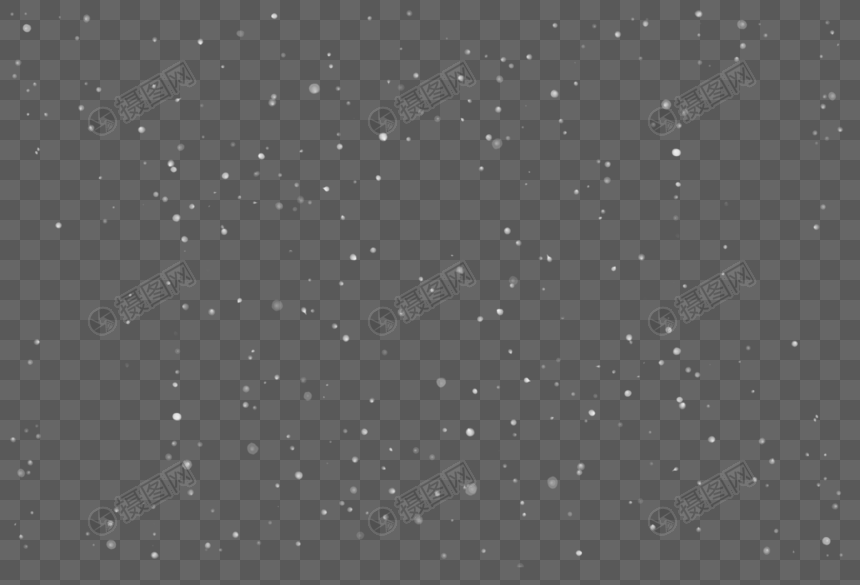 plush yew
@shell moat wait for about 30 min, then try to close epic games launcher and restart , then try restarting PC and re-downloading engine.
don't do it right away because engine might be performing post-finalization install steps if it already install
turbid vigil
my widget went missing for one bp but in the animation it works .. ingame it works for another bp as well
https://www.youtube.com/watch?v=2mX-cpppkRk&feature=youtu.be&ab_channel=AC
@turbid vigil
scenic fox
i still don't think the thing will work
plain pagoda
@plush yew I tried to find any references of those variables but I couldn't. So my code is correct but switch is behaving weirdly
scenic fox
@plush yew if i rename the bone from the animation i'll have to rename every other animation i have.
plush yew
@plain pagoda when one bool is set to true another is not set to false somehow. need to check your code to find locations of set bool to false maybe in the same statement
@plain pagoda ah another thing
is your object being re-instantiated. or re-created?
if it's a new object, is the default value of the bool false?
if you keep making new obejcts and the default is false, it will be false.
default variable values on instantiation, and manually setting set bool false is the only way.
plush yew
likely
welcome!
@scenic fox did you try the second approach?
Code:
elif ob_obj.type == 'EMPTY' or ob_obj.type == 'ARMATURE':
      empty_key = data_empties[ob_obj]
      connections.append((b"OO", get_fbx_uuid_from_key(empty_key), ob_obj.fbx_uuid, None))
this way you dont have to rename it to armature.
you can just chagne the blender export code.
to suit your needs.
scenic fox
but i would still have to export each and every single on of my animation i would have to use this code
scenic fox
welp that sucks
plush yew
you have bad data in UE, you must re-export it from blender somehow.
scenic fox
Eh ill just leave it for now ig
plush yew
i might use blender soon in some of my work
scenic fox
its not too much of a deal
plush yew
but luckily all of my stuff is in retargetted from the mannequin skeleton
scenic fox
it still looks fine
scenic fox
ill just do it with that data and for other data ill see and use that code
btw question @plush yew can you make it so that you can socket a player's camera to another character somewhere?
im trying smoothly trying to move it to the socket
and then socket it
plush yew
all i can think of is getting the location of each socket, using a lerp or rinterp to node to gradually blend the location of the camera, and on final lerp completion actually setting the socket of the camera or setting the parent as needed.
scenic fox
hm
okay
cause i am trying to make it so that it attaches your camera somehwere
somewhere
plush yew
might try spring arm component as well