#ue4-general
1 messages · Page 830 of 1
 loud knoll
I dont use the plugin so you might need to check which platforms it supports they might have a forum that you can search or you can contact them and ask them with the error message, it is a reach to get that type of help here unless you can find someone that is using FMOD and has had the same issue
 plush yew
7.1 Android
To deploy on Android, make sure FMODStudio is in your game's directory, not in the Engine plugins directory. When FMODStudio is in your game's plugin directory, the engine will rebuild the plugin for Android and deploy all the files properly.
they have a answer in the doc
loud knoll
ah cool
learn something everyday
I wonder how much larger the droid build is with that code in it
plush yew
point of using fmod was to keep the build small
have all the sounds in a bank
file
etc.
loud knoll
so FMOD is smaller then the default Sound management system?
 sudden bridge
Does anybody know of any good tutorials of how I can generate a random map that goes on and on
Essentially creating more random stuff as the player progresses
plush yew
yeah it allows for other stuff too
my game does not use too much sounds this time s
just gonna not use it
for this project
save time etc
loud knoll
@plush yew I tested out FMOD to see how well it worked managing engine sounds but just did it through BP's I didn't check the packaged size change but it looks like a cool tool but it also costs money which was overkill for an indie project.
@sudden bridge do a search for endless runner tutorials you should find a bunch
plush yew
Does anyone know proper ways of putting in door holes/doors? Whenever i do, the door never properly scales with the hole and i cant get the door to open
sudden bridge
Thank you Vexar!
plush yew
Nevermind i guess
 thick herald
Proper way would be to export the asset as a fbx and then use something like Blender to make the holes etc, doing it in engine even with UE4s newer mesh tools isn't the best approach. imo.
 fickle wharf
so uhm....
- i pushed a revision to perforce to save progress
- i then added some new fields to a struct that affects a large number of blueprints (inventory data)
- this ended up fucking up the project -> a bunch of classes wouldnt compile, straight up missing classes????
- i redownloaded the latest commit into a new project, i nuked my derived data cache
- the errors from step 3 persist somehow?
- what the fuck?
plush yew
i have a mesh but in ue4 i just fall through it @thick herald
fickle wharf
anyone have any idea how i can force a complete recompile of the whole project or whatever else i need to do to get the working version back from step 1?
thick herald
Look in to what collisions are and how to use them. I highly recommend Mathew Wadstein's YouTube channel https://www.youtube.com/c/MathewWadsteinTutorials/videos
@fickle wharf try in #source-control

YouTube
This channel is dedicated to exploring Unreal Engine 4 and the Blueprint programming language that it uses. You can think of it as a companion to the API doc...
plush yew
Tis is the mesh i have, even if i mark it as convex i still fall through it @thick herald
thick herald
open the static mesh itself and scroll down to collision settings, check what they are.
 loud knoll
@thick herald I would ask you to use his proper title "Lord and our Savior Mathew "Boom Boom" Wadstein" Thank you,
thick herald
Or Mat The Hat
plush yew
@loud knoll do you have any ideas on how this can be solved?
The collision is fine in Unity not in UE
thick herald
Where it says Collision Complexity - fiddle with that.
If you're not overly fussed about such things, just use 'Complex as Simple' it's the least performant but works very well.
loud knoll
@plush yew It might have created a cube around the object as a default collision, you have custom selected and nothing has been generated. So I would go into the auto or manual and turn on show collision in the model editor and figure out what the best choice is for you
thick herald
If you are fussed, then you'll have to add in collision shapes
 sleek karma
hello
thick herald
Keep in mind, it's not the best approach. So use with caution.
sleek karma
can somone help?
thick herald
dunno
loud knoll
@thick herald @plush yew That will work as long as you dont need to have physx and it is more expensive the auto so spend a bit more time figuring out what you want to use as default
thick herald
You mean those bits on the bottom right of the viewport? 😄
sleek karma
yes 😂
plush yew
One question @loud knoll Will that work with navmesh?
nvm
i got it
sorry for the ping
 feral sierra
what soft do you suggest for dialogue database (before putting them into tree in Unreal). A simple excel sheet?
I'm wondering in order to share to translators
 dense knoll
how do i fix this
sudden bridge
Hey guys, for some reason my cast to function isn't working, and I don't know why. Can someone help me?
 quick kelp
hover over the warning and see what it says
sudden bridge
the warning was from something else I tried, when I press compile it goes away but still doesn't work
quick kelp
so the teleport is working but the cast node isn't right?
 grim ore
debug debug debug.... breakpoint the cast and see what is being put into it
sudden bridge
the teleport works and it stops at the cast yes
what do you mean by breakpoint the cast?
grim ore
click on the cast node, press F9 to add a break point (red dot on the node) hit play and wait for it to stop. Mosue over the Target that is going into the Cast To node and see what it says
verify what is being put into the cast
grim ore
mouse oer the Object on the left side of the cast tocube
grim ore
the first screenshot was fine, its a character being overlapped
dense knoll
why cant i package my game
grim ore
so a character is not a cube so no way the cast would work
dense knoll
sudden bridge
oh
is there some other way I could run a function in my cube blueprint from this blueprint?
dense knoll
it keeps giving me those errors
grim ore
where is the cube function?
sudden bridge
It's an actor in a completely separate class
grim ore
then you need to find that actor some how and run it
sudden bridge
would you happen to know any ways I could find the actor in the other blueprint?
grim ore
get actor of class would work if you somehow need to find a random instance of 1 random item somewhere in the world
grim ore
@dense knoll we would need the entire log, or more of it. Just the crash itself isnt helpful
 deep viper
I want to add a child widget (e.g. a slot in a [uniform grid panel], but the [add child] node is not available to be added in the blueprint graph.
grim ore
what is the parent panel class that you want to add the child to?
deep viper
The component is a [Uniform Grid Panel] with the [Is Variable] box ticked. Not sure if that is sufficient information.
deep viper
Oh, I see, it shows up when I drag it out from the output of a valid variable. (I've been right-clicking the graph void) Thanks.
grim ore
ah yeah its context sensitive and only works with the panel and not just a generic user widget
check out the pinned message in this channel
deep viper
Are we allowed to rename [IsVariable] widget components? The rename option disappeared, and the component name added an integer immediately after ticking the [isVariable] box.
dense knoll
@grim ore those are the errrors
grim ore
sure, where did the rename option disappear from?
dense knoll
it started happening when i updated to 2.25.3
 ornate forge
Was the scene unit check feature removed from the latest version of Send to Unreal?
I can't find it anymore
I also noticed that one of the tutorial videos was deleted for some reason
Is anyone else here using Blender and this plugin?
 obsidian nimbus
i used it once, havent really checked it too much,
never had much problems with scale
ornate forge
Yep, that was removed in the latest version
obsidian nimbus
that riggin stuff seems allright tho
i usually just partent to armature when done tho, but i should prolly switch
but i havent exported a humanoid since it got released i think
also i never used that rigify
only custom rigs and unreal rigs
ornate forge
I have just installed it on 2.90, haven't really tested in-depth yet
 narrow mauve
Uh...idk what I pressed....but now I have this view and cant press any buttons in the viewport or move
obsidian nimbus
prolly due to 2.9 is kinda new 😛
deep viper
@grim ore The "rename" option for the variable disappeared in the Blueprints Graph screen. The name is now greyed out, and the F2 hotkey does not let me rename the component anymore.
grim ore
oh yeah you cant rename the variable, you need to rename the widget in the designer view and that will rename the variable.
narrow mauve
I fixed it.
deep viper
Thanks! ^0^
 shut glen
how can i have ground friction change over time?
 fluid lance
I have a weird problem: I do many map transitions with "openlevel" in my game.
I keep track of everything in the GI, using GUIDs for NPCs, actors and most interactable objects. The GUIDs are created in the construction script. Whenever spawned, actors report their GUIDs to the GI. The GI compares it to lists of interacted-with GUIDs.
Everything works as expected if I have - for instance - map 1 open in the editor. If I have map 2 open in the editor and I transition to map 1 at runtime, everything starts reporting weird GUIDs... It's a complex system, so I don't think what I wrote makes much sense 😦 *Looks at @grim ore who helped me setup the system a couple of months ago.
grim ore
are you re creating the guids if one already exists?
shut glen
this should loop it right?
 obsidian plover
that factory collection is sure heavy 😁
fluid lance
well, it's really weird. I'll try my best to explain:
I have World Maps and battle maps:
From WorldMap1, if enemy encountered, report enemy GUID to GI, open battle level. (WorldMap1 is destroyed);
On battle won, open WorldMap1 (level of the encounter), onSpawn (for every NPC/Enemy/other objects) report own GUID (which was generated in the construction script) to the GI. If the GI finds it in the list (which means battle has taken place); remove "enemy" tag from NPC.
So far so good, everything works perfectly. I play WorldMap1 from start to end, quests and everything, all works perfect.
I start WorldMap0 (the intro/tutorial map). All works as expected. I transition to WorldMap1, nothing works anymore. NPCs report weird GUIDs which the GI never finds in the arrays which makes no sense whatsoever to me 😭
All I do is open level 1 from level 0 and report current level to the GI on transition.@grim ore
even if new GUIDs are created when the next level is created, it shouldn't affect anything. All encounters/objects should work by the same logic. It's independent - right?! That's why I designed it that way, to have a flexible savegame system and to be able to implemment seamless auto-save, w/o running 100k arrays/save.
grim ore
are the guids actually changing on the actors?
grim ore
but are they changing? perhaps print out the actor name and guid on begin play for each actor and see if what you expect to be the same is the same between level changes
narrow mauve
What file do I need to edit to increase the max allowed size of the game world
I really have my mind set on 3km
30km*
fluid lance
@grim ore I did it. So, i get a list of GUIDs when I enter (in runtime) into WorldMap1 from WorldMap0. I enter the battle map, and when WorldMap1 gets recreated, the none of the GUIDs are the same 🤦♂️ 😭
I could share the screen if you have the time 😐
grim ore
@narrow mauve world composition should let you do that
fluid lance
but shouldn't guids created in the construction script stay the same no matter what, since they are being set at design time?!
grim ore
when this happens and you restart it, are the guids the same as the first time you just started it or after they are "not the same"? IE did it save the guids into the actual actors in the world when they changed or are these new actors being created for some reason
 inner cloak
is World composition required when doing the largest map dimensions ?
fluid lance
@grim ore i'll check that too...It means i should run 2 sessions and find out if the first list of GUIDs for the 2nd map are the same across sessions - did I get this right?
inner cloak
i mean this:
narrow mauve
@narrow mauve world composition should let you do that
@grim ore yes thats what Im doing. I have over 1,000 tiles
 compact plover
Does anyone here have the Space Creator Plugin?
 steep ferry
Can anybody help , im making a multiplayer game and 2 clients are like sharing one health variable and that's not what i want
everything works on the client 2 properly
grim ore
are you sure they are sharing the same variable?
what does your client print out for it's health?
fluid lance
@grim ore They are different from session to session, AND they reset when switching to battle map and back. (Which only happens if i transition from World map to world map at runtime, never happens if I don't)
steep ferry
like when i switch the event to multicast it doesnt even work @grim ore
grim ore
print the health on the client, not on the server call. maybe bind a key just to print health
steep ferry
Nvm i fixed it, the Event On Damage was sending only to server
grim ore
that would just do it locally and print the local value
fluid lance
Here is the same thing, If i have the level open in the editor (don't transition at runtime) and play:
grim ore
weird 😦
fluid lance
across sessions
if i play again (PIE), i get the exact same GUIDs
But if I reload the map in the editor, i get a new set of GUIDs
If the GUIDs would only be in memory and get flushed out, it should happen the same if I stay too long in the battle map and try to go back, since they got garbage collected. This hasn't happened either...I'm at a loss
grim ore
how are you creating the guid's ?
fluid lance
construction script> (purefunction "newguid" - set variable GUID).
"we" made this system together - I mean, you told me about GUIDs and I made the system based on it - worked like a charm, didn't anticipate this, AND took me about half a day to figure out it had something to do with switching maps at runtime...
grim ore
when you create it are you making sure you only create it if you need to? only if the existing guid is blank
fluid lance
ugh...no! 🤦♂️ that would b the only thing making sense right now
 stark marsh
help how would i increase the players max health when i do something
like right now it's 1.0
grim ore
is the max health a variable?
fluid lance
@grim ore JEEESUS! Ur a genius! Ofc it works! 🙂 is there anything you can't figure out?! 🥳 Thank you so much man! 😁
getting same GUIDs after reloading the map in editor - and the solution is like two mouse clicks 🙂
grim ore
feels like a billion years, since 4.0
sudden bridge
How can I get all my actors from a class and have a function apply to all of them? When I try it, it just gets the first actor that was placed and doesn't apply to the rest of it
 rocky radish
How long have you all been using UE4? I'm interested...
@haughty ledge since 4.12 😬
 solemn siren
Hi! I want to document my work. What application is usually used if I want to add screenshots in addition to text? Previously I have been using notepad.
grim ore
there is a Get ALL actors of class node that gets all of the actors of that class and returns an array you can work on @sudden bridge
@solemn siren google docs is free and free
solemn siren
Oh, I forgot to add, I am supposed to upload it in github
solemn siren
Okay, so if I save it as ReadMe, it will automatically make it a .md file. Right?
grim ore
not that I know of
solemn siren
https://github.com/RVillani/UE4Duino
I want to document like it's done here.

GitHub
Unreal Engine 4 plugin for COM communication on Windows - RVillani/UE4Duino
solemn siren
Thanks! Just realized I can view the raw format.
 versed lion
If i have a really really large nav mesh bounds and every time i load the level \ play the engine keeps crashing, idk if that's because of my pc specs or not but, i would like to hear an advice from you guys of how can i solve that problem?
grim ore
have you tried breaking down your volumes into smaller volumes?
grim ore
no
stark marsh
help i want to make an rpg game but i don't know where to start with it
i'm getting better at blender so eventually i'll be able to create my own characters
but until then i don't know what to do
i might work on like dungeons and puzzles that you'll find in the world
grim ore
start with your design doc, decide how it should all work
stark marsh
yes
dense knoll
wdym?
stark marsh
i have a word document with pictures of what i want chracters to sort of look like
stark marsh
i'm not talking about your thing
dense knoll
yes i have realized that
grim ore
yes that code would do it if something is bad in the project
dense knoll
this only started happening after i updated to ue 2.55.3
2.55.2 - .3
4*
not 2
4.55.2
to 4.55.3
stark marsh
i'll just really have a think of how the game's going to work, and keep adding it to my design doc, whilst learning blender too, and add things in as i go along
grim ore
run with VS attached on a debug editor and breakpoint that line so you can find the bad object
rocky radish
4.55.3?
inner cloak
Sorry to ask again but are these values for a terrain size the max size for a terrain without world composition ?
https://discordapp.com/channels/187217643009212416/225448446956404738/750102723004989543
deep viper
I seem to be able to nagivate the grid contents of my scrollbox with a keyboard, but I cannot navigate past the point where the scroll bar would need to scroll for me to reach the next item. Note: I have a [uniform grid panel] nested inside a [scroll box].
 proven mauve
Is there any way to search the i18n dashboard?
I have a bug report containing some specific message text, and I want to quickly find where its generated.
Global search VS doesn't find it, which suggests its internationalized.
sudden bridge
does anybody know of any good tutorials on how I can create a randomized level? Not like a dungeon, like a parkour level where the platforms are randomized so it's different each time
thanks
 frigid needle
Any randomized dungeon tutorial will probably get you started in the right place, you'll just have to change the values or modify set pieces to your needs
narrow mauve
Me thinking: "I wonder what a uboxcomponent is..oh I'll check the unreal documentation"
Unreal documentation: "UBoxComponent.. This is a UBoxComponent"
 deep viper
My first guess would be that it is a box for a 2D UI.
UMG scrollbox navigation is sorely lacking for gamepads/keyboards. I can navigate a grid panel nested in a scrollbox just fine with a mouse. But gamepad/keyboard is not allowed past the scrollbar. You can only navigate as many items before you need to scroll to reach the next one.
Looks like something in UMG is consuming my inputl, but its not any of my focused widgets since my [OnKeyDown] overrides are not printing any of my debug strings. (oh boy)
Perhaps....the Button primitives im using have the focus and therefore are consuming all my key input. I shall derive a widget from the button primitive and try to catch the input in that widget's override!
Odd, button doesn't have function override options?
rocky radish
Me thinking: "I wonder what a uboxcomponent is..oh I'll check the unreal documentation"
Unreal documentation: "UBoxComponent.. This is a UBoxComponent"
@narrow mauve I think it would be the same as box collision from bp
deep viper
I fixed my issue.
Now I understand I likely have mistaken logic but here is what happened. I gave up on overriding [key down] and instead overrode [previewkeydown]. Preview is picked up by the engine for some reason while the other one never fires. You would thinl [OnKeyDown] would fire, but it doesn't. (I suspect I used [preview] incorrectly, but it was the only event that actually happened.
 coral shoal
Is there a way to set the decal concurrency limit? Finding a bunch of conflicting information on that when googling
 rapid yew
I'm currently learning c++ I'm still at the extreme basics what would yall recommend for a solo game dev learn blue prints first and attempt to make a small game using it, or continue learning c++ then try make a game using it?
 open gorge
You'll end up using a mix of both in reality
coral shoal
it depends what you're making but just gettingn started and using a healthy mix of BP and c++ is best
open gorge
C++ can drive your blueprints
and you should code your game in a way you can easily change things via BP rather than need to recompile each time you change a variable
It's not something you're going to learn in one sitting, let alone a week or a month
rapid yew
oh ok ty
open gorge
Another thing to keep in mind is that UE4 C++ is different from regular C++
and there's a few gotchas along the way in regards to that.
sudden bridge
Is there any way to remove only one widget and not all of them?
open gorge
what do you mean?
sudden bridge
I have a pause menu and I can only find a command to remove all widgets, only problem is that it removes the crosshairs and everything too
I can't find a command to just remove the pause menu widget
 rough knoll
remove from parent
sudden bridge
I can't seem to find that command
rough knoll
turn off the context check
sudden bridge
Awesome, thank you so much!
rough knoll
np
deep viper
I just realized that implementing a [GridPanel] nested in a [ScrollBox] has an ugly limitation when you intend to mix mouse and gamepad controls.
If a player ever tries to mix the use of both mouse and gamepad, it becomes very impractical to keep track of and control the scroll of the [scrollbox] which results in clunky scrolling and additional button presses.
Maybe I should look into implementing a UI in the 3D space or trying to implement a scrollable grid panel myself. Man polish is hard.
EDIT: I managed to make ScrollBox->GridPanel->[MyCustomSlotWidget] work.
First, I tried to use [Scroll Widget into View] again (while using the scroll destination parameter as [center]. Then I corrected the ScrollBox input because I was mistakenly trying to cast the GridPanel (parent of the slot) so I instead got the parent of the parent (to grab the [ScrollBox] this time). Now the [focused] item is relatively centered on the screen whenever I'm not at the edge of the ScrollBox. I did it Mr Rubber Ducky!
My previous solution of trying to manually set the scroll bar offset was flawed, and replaced by a single node in the end. I can finally get rid of this spaguetti. Overall, I am satisfied with what I learned today.
 alpine laurel
if i make a particle system can i import it into blender?
deep viper
I recall UE4 and Blender having similar [material node] editors. But I'm unsure whether they can be imported between each other.
alpine laurel
damn. im trying to create a fire effect in blender and all i get is smoke so i thought id have better luck getting it from ue4
deep viper
I know that feeling.
 foggy valley
is everyone getting their 2fa login code auth emails today?
I'm sitting here waiting on one after having it re-sent twice
open gorge
sometimes it takes a few minutes
foggy valley
I think I've been waiting around ten
it's normally near enough to instant
it might be our mail server though, this is through microsoft rather than google
nobody knows if we have domain-level spam rejection
frigid needle
I use an authenticator, so haven't had to wait for an email
foggy valley
this is on a new account
I need to set that up on my main account thouggh
wtf

tried to email support
is it because it's not verified?
rough knoll
This is a dumb question but how do i move things out of a folder?
In the content browser*
 autumn elbow
Click and drag
rough knoll
well yes but how do i move it out of a folder
i cannot drag onto different folders in the path
there is no ../ i can move it to
nvm i got it
another question, how do i either combine skeletal meshes or import an fbx as one skeletal mesh
 silent walrus
hey does anyone know where i can find someone who i can pay to help me through my game design, help as in assisting with coding or models, is there anything like this?
 weary basalt
@silent walrus Take a look in the #looking-for-work channel.
Alternatively you could post your own job listing in the #looking-for-talent channel.
Read the #more-resources on how to do that.
silent walrus
okay thanks!
 real pasture
Anyone know if the marketplace free for the month starts today?
rough knoll
i don't believe it does, no
plush yew
I just realized that a whole lot of the assets i have arent even for unreal XD
first time using unreal and already going bad
hello guys I want to ask you, when I package the game is there a way to reduce the directx cus my friend who wants to test the game has not directx 11 ?
how do I mass download or import the assets I got thru the unreal store?
 candid brook
@plush yew download them to your biggest drive and never delete them lol
 finite ocean
Haha. Yep, that's how I did it.
plush yew
no I mean like how do I download all of the assets I bought at the same time
cuz i have like 300 of them
lol
finite ocean
Does anyone know how to obtain the Rebirth Quixel project? I've seen a bunch of youtubers using it, but I don't know how they got it...
 fallow vine
I'm working on a game similar to fallout, in which you can use melee weapons or guns but I cannot find any tutorials on how to do this. It's always either an fps or a melee rpg game. I'm sure I'm over thinking this but I need to learn how to switch from swinging to shooting based on your weapon.
 silk sundial
Chances are you are shooting your sword with a limited range and get locked in animation.
fallow vine
@silk sundial I guess what I'm asking is, do I set up a state machine to switch animations from melee to shooting animations depending on what weapon is selected?
plush yew
hello guys I want to ask you, when I package the game is there a way to reduce the directx cus my friend who wants to test the game has not directx 11 ?
just update directx
rocky radish
hello guys I want to ask you, when I package the game is there a way to reduce the directx cus my friend who wants to test the game has not directx 11 ?
@plush yew ue4 only supports directX 11 and up
plush yew
okay
 viral fractal
There is not a single good reason to use anything below
Honestly i think dx11 is standard since... How many years ? A Computer without it has to be pretty damn old
rocky radish
Honestly i think dx11 is standard since... How many years ? A Computer without it has to be pretty damn old
@viral fractal since 2009 i think
silk sundial
@fallow vine Maybe a has melee equiped boolean or something along those lines?
 slate basalt
how many bones do typical AAA game characters have these days?
 minor flint
Hey guys, I have a problem! I imported a skeleton but in UE the Skeleton Tree is empty, but I have the bones in Blender, why is that?
 neon bough
exported them wrong? try to reimport to blender and see if your exported file is messed up
if it isn't it might be related to import options in unreal
 tiny sonnet
Wait today is Tuesday why haven't they changed free for month
tiny sonnet
Oh
minor flint
@neon bough Nevermind, I am not sure what I did..but it is working now :)) thanks
frigid needle
@slate basalt Import one of the Paragon characters from Epic and take a look at their skeletons. Should give you an indication
rapid yew
Another thing to keep in mind is that UE4 C++ is different from regular C++
@open gorge Oh I didn't know that could you explain about it a bit more in detail please?
 honest vale
you get garbage collection via macros and stuff
rapid yew
Welp as a complete beginner all that makes no sense to me I was learning c++ from a website but should I be learning it from ue4 tutorials since ue4 c++ is a bit different to normal c++? @honest vale
honest vale
do you have any programming experience?
rapid yew
nope
honest vale
good luck 😄
you could start with any basic programming courses, lessons, tutorials etc, object oriented programming and so on
I really can't recommend any :\
I mean, I don't know what are good
 shadow anchor
Blueprints isn't a bad way to start learn programming
Just set reasonable expectations so you don't discourage yourself because your open universe MMO isn't panning out 🙂
stark marsh
i need to know how to do a combat system
rapid yew
ok
stark marsh
melee, and works with an inventory system
like there's lot's of tutorials on youtube, and i've got some example assets with animations ready
but i don't know how i would get that working with swappable/equipable weapons and inventory
because the combat systems in the videos only work for one specific weapon, sometimes not even the weapon at all, just a hit box infront of my character
 oblique tangle
set up traces for different weapons, set up different weapons in an array
simple stuff
depends on the complexity of the system, are you aiming for a freeflow system
dark souls
very broad question and to me, it sounds like you might be inexperienced
stark marsh
i mean maybe i could base combat off a that hit box on my character, but then set t he amount of damage it does to the damage of my equiped weapon
frigid needle
Well that sounds like you've got the foundation you need, which is making things work with one weapon. Now you can search around for other tutorials related to setting up a weapon or inventory system
and then merge what you've learned from both into one
oblique tangle
^^
stark marsh
ok so i've set up a simple thing where if my character is attacking and his damage colliders is colliders with an enemy's collider it will apply damage to it
but i need to set the damaged actor as the actor that just overlapped with my damage collider hitbox, and only if it has the tag of enemy
hopefully this should work
viral fractal
why is the editor performance of this engine so horrible ? its ridiculous, stutters and lags all over the place when terrain editing or placing objects
 soft oxide
i am facing problem with the root uv texture ... i am using yeti which exports "unreal abc"
open gorge
@viral fractal how much RAM do you have?
viral fractal
128gb
open gorge
@rapid yew learning regular c++ is still good. Especially the principals of oop. That being said, blueprints are a good way to ease you into the concepts. They really are just c++ under the hood.
@viral fractal thats a lot of RAM, graphics card?
viral fractal
Nvidia quadro rtx 6000
I would Not complain If i knew the PC is probably to weak but this really cant be the case Here, i build this Workstation to have to highest available power
open gorge
Yeah i can see that
I've not personally encountered that issue with lesser specs
May want to Google around to see if its something other people have ran into. May be an easy fix.
viral fractal
I had it with UE4 in the past already, since UE4 exists
On multiple system with different specs
It always was slow
open gorge
Define slow?
Like in editor slow?
I've never had it stutter like you're describing.
viral fractal
Takes long to open up, i get small freezes when sculpting terrain or placing objects in the scene
open gorge
It taking a while to open is fairly common.
One of my projects takes a good 3 or 4 minutes to open.
But it depends on the size of your assets and how much stuff you have going on inside your project
viral fractal
Thats slow
open gorge
Thats normal
viral fractal
In other engines its never more than a few Seconds
open gorge
For small projects yeah I get the same amount of time
viral fractal
And the project has over 1 terrabyte there
My UE Project with 19gb Takes 3min to open
plush yew
i assume youve got both unreal and the project file stored on an ssd?
open gorge
Yes
viral fractal
Its on a PCI ssd
 thorn vector

Unreal Engine
Featuring content from underground bunkers to the far-reaching stars of space skyboxes, this month’s 10 free items have something for everyone.
honest vale
 thorn vector
UIWS is free damn
plush yew
damn uiws looks so good
 fleet moss
Hey guys, did anyone have problem where only small square around the middle is being rendered, and beyond it mesh just turns black?
 serene birch
plush yew
serene birch
plush yew
tfw you get 100% discount
lmao wait are you getting free assets of the month
because there's a hella expensive one
fluid lance
Is there any way to force reset the GI? I hold many vars in the GI, and when player returns to main screen or restarts game, i'd like to have a fresh GI so I don't have to go and clear all those vars. Is there any way to go about it in bp?
 untold steppe
I am using 4.24 and My Engine keeps crashing. Does anyone know the reason for this error
LoginId:96918c404fbec7a8e5c87dbc5c4ecb78
EpicAccountId:466e906f99734ff98fd45827d9287a28
Fatal error: [File:D:/Build/++UE4/Sync/Engine/Source/Runtime/Windows/D3D11RHI/Private/D3D11Util.cpp] [Line: 198] Unreal Engine is exiting due to D3D device being lost. (Error: 0x887A0020 - 'INTERNAL_ERROR')
UE4Editor_D3D11RHI
UE4Editor_D3D11RHI
UE4Editor_D3D11RHI
UE4Editor_D3D11RHI
UE4Editor_RHI
UE4Editor_RHI
UE4Editor_RHI
UE4Editor_RHI
UE4Editor_RHI
UE4Editor_SlateRHIRenderer
UE4Editor_SlateRHIRenderer
UE4Editor_SlateRHIRenderer
UE4Editor_Core
UE4Editor_Core
UE4Editor_RenderCore
UE4Editor_RenderCore
UE4Editor_Core
UE4Editor_Core
kernel32
ntdll
shadow anchor
Looks like graphics driver issue? have you updated that?
untold steppe
I have went to the Forums also
I updated drivers I have nvidia 2080ti monitors have 200 refresh. Do You think refresh rate is too high?
grim ore
it's a pc issue basically. Your drivers, your psu, your video card, your OS install. Something is causing an issue software wise and the card is "freezing" up for a bit and the operating system thinks it is gone
untold steppe
Only happens in 4.24 and 4.25 4.23 is having no issues. I dont understand.
shadow anchor
Any info you can see in windows event viewer?
would check right after you get the crash
grim ore
epic updates stuff all the time, the drivers update all the time. At some point they became incompatible 😦 if you are using the latest ones, roll back a year and try older ones.
even just updating windows to the latest version combined with DCH drivers combined with the update could cause it
deep viper
I might be picking a fight with UMG. I'm trying to utilize 2 [scale boxes] one nested within the other, and some contents render for a single moment only to visually jump off my screen/enter warpdrive, and this repeat whenever I re-order components in the hierarchy.
plush yew
@untold steppe we had this issue with the game starting and going into fullscreen when not focused not sure if it was the same error but it was D3D
deep viper
My objective is to have a GridPanel, nested within a scrollbox. Scrollable Grid Panel, I want this ScrollBox to be scalable (but I want the gridpanel inside the scrollbox to not scale relative to the scrollbox, so that it can actually scroll instead of resizing the gridpanel to fit the scrollbox's window effectively disabling the scrollbox's functionality.
I can't seem to make my custom widgets scalable when being used as components by other widgets. I believe the UI_Canvas primitive's forced resolution is the culprit, but I can't think of how to get around that.
plush yew
Anyone know how to set up the paragon character with their abilitis?
 tame aurora
Can you set the max draw distance in a global sense? if so, how is it done?
deep viper
I seem to have destroyed/disabled all my scrollable gird panel functionality without realizing it. I wonder if there is a way to revert a project back to a previous state. I have no idea how to fix what I just broke. EDIT: I managed to revert back to an older autosave, and I just learned how to manually backup my projects now. Dodged that bullet.
 safe rose
hm
stark marsh
ok so i've got a basic combat system now which is good
but i need an inventory system
and a weapon system that will all work with eachother
deep viper
@stark marsh I would suggest deciding/thinking what kind of inventory system you would like. Is it a list-based inventory? Or is it a M x N grid?
e.g. if you wanted a grid based inventory, you could look at videos/resources on Widget components that implement those, like the [UniformGridPanel] (You would first need to learn UMG though, Unreal's UI system)
Oooh, I just figured out how to fix my problem with my subwidget not scaling, I should have just nested it inside a Scale Box when working on its parent widget.
 limber mesa
Anyone Know if there is a way that i can put a image box behind vertical and horizantal boxes in widgets
grim ore
usually not, the vertical panel only contains children. You would have to put them in a panel that supports Z depth like a canvas panel with your image in it and the vertical panels
or you can use something that allows multiple children with depth in a sized box like an overlay panel
limber mesa
what would you do?
grim ore
I dont know what the goal is so I have no idea. IF its just to have a background with something in front of it, the overlay or border works well for that
different being border allows 1 child and overlay multiple
if you mouse over the widgets in the top left they have tooltips that tell you what and how many can go in them
limber mesa
i was trying to go for a feel of having a background image like some wood and having some stats displayed on it
grim ore
then an overlay might work well, or a canvas panel if you want things to be in specific spots
overlay doesnt really allow you to do more than align things
limber mesa
ok so canvas pannel
deep viper
I found overlay to be quite useful/necessary when I need to nest multiple children under a component that can only have 1 nested child. (I may be using it as a bandaid solution, but I feel its a valid use). UMG readability suffers if I add to many components to a widget though, so I'm beginning to divide and conquer by creating subwidget components.
limber mesa
got it, thanks @grim ore
grim ore
yep every panel and widget has a use, just have to figure out what you need
and custom user widgets, standard reusability like a blueprint, is a great way to organize stuff
 proven hornet
anyone experienced with landscapes?
limber mesa
anyoneone know how to import a png?
alpine laurel
when i try sand launch my tv project, either nothing will happen or it will load but then close
4.25.3
limber mesa
nvm i got it
fluid lance
@sleek karma try pressing "g" on keyboard while in the viewport, maybe you've enabled game mode view
 low sleet
Can I make the StarterContent/Particles/P_Fire particle smaller so I can build a candle with it?
 lapis plover
I need to project a large area to a small area but I have no clue how to start. Can anyone suggest anything?
 mint thunder
so i have distance field tessellation and the object on the right behaves correctly, whereas the left one doesn't. They are at the same distance from camera yet only one of them loses its tessellation. They have exactly the same mat instance.... Any ideas on what might be wrong?
 dire coral
can i detach the mag from that mash and connect it to a bone on my character and if so how??
 autumn crystal
I keep getting a *projectname* could not be compiled. Try rebuilding from source manually.
how do i fix this?
I am on Ubuntu20.04
grim ore
did you try rebuilding it from source? what does the log say
plush yew
hi everyone! I currently know c# and want to learn more about c++
grim ore
autumn crystal
@grim ore no
i dont know how
the enginge itslef/c++ works fine
it just gives that error when im using a c# plugin
grim ore
it should tell you the exact problem in the log
autumn crystal
where can i find the log
grim ore
in the project, saved folder
autumn crystal
i havent used ue4 in like 3 months
this is the log file
it is extremely jumbled, so i have no idea how to tell what the error is
rough knoll
any idea why this line trace curves a little bit? it should be going straight forward from the sight rod but it goes a little right of that
it starts at the right place but goes elsewhere
steep ferry
How can i display widget for the player who got hit
this spawns widget for the player who's shooting not the one who got hit
And im confused. Any help please?
grim ore
@autumn crystal it looks like its a linux issue, hopefully they can fix it in the source code
@rough knoll are you going forward from the sight or forward from the camera? and when figuring out your end point are you adding to the sight or the camera
 frozen pond
can you change landscape texture (by that i mean on some part of it not all) in game ?
deep viper
I am trying to implement an [Interface] function inside a blueprint class which implements that interface, but the interface shows up as a [function] as opposed to an [event]. I expected it to show up as a red event node.
sudden bridge
is there any way to get a reference to a different level in a level blueprint?
dire coral
any good tutorial or instructions on how to recreate the astronner planter system just the walking thing where the player goes around the sphere not just walk off
 undone sinew
What is the best way to have a boat move forward from a current on a river, while still being able to collide with things?
I'm using a spline with timeline at the moment, but it seems too strict, overriding collisions, limiting offsets.
I've seen plenty of old games with rivers, example, Ocarina of Time, where you jump in the river, and it pulls you.
tiny sonnet
Uhh there is a new free of the month water thing that might have byounancy
If it does, then it's fairly ez
autumn crystal
@rough knoll literally just delay
dire coral
i think you cant add a delay in a function I think??
autumn crystal
oh
 void kraken
Is there way to optimize Render Target?
autumn crystal
i didnt catch the in a function part
rough knoll
yeah
i can't add the delay node so i was wondering if there was some way i could delay it
dire coral
@rough knoll why do you need the delay
rough knoll
when the target is shot it will go up, and then around 5 seconds later it resets back down
dire coral
try after calling the function adding a delay of 5 second and then playing the animation
rough knoll
i don't know how to get the proper reference to the target object though
here in the function the cast is hit actor from the line trace
but i don't know what to set the object as outside of this
dire coral
try promoting it to a variable from the cast
that should give you a refrence to the actor
deep viper
"2D Object not compatible with Image Object" I am trying to set a [UMG] Image to a [Texture] variable I have. Which file types should I be handling and how can I convert as necessary?
 exotic cave
Unreal Engine
Featuring content from underground bunkers to the far-reaching stars of space skyboxes, this month’s 10 free items have something for everyone.
tiny sonnet
other than bunker and UWU, everything else is kinda shit
exotic cave
Sir, I will gladly take any free UE content Epic feels is good enough to feature 😄
tiny sonnet
ye same, but those are the only two most ppl will use
exotic cave
Not true at all, I'm itching for a try with the Arcade Space Shooter Template 😄
exotic cave
I'm probably going to see if I can facelift it with some of my own environment art
Seems fun 🙂
tiny sonnet
ye
deep viper
I am trying to set an "Image" to an existing texture asset, but blueprints says the types are not compatible. I have no idea how to convert between the two either.
exotic cave
I wish there was, like, a Loot Cave for developer packs 😄
dire coral
open the image and change it from UI to texture
tiny sonnet
YEs
i agree
I wish there was, like, a Loot Cave for developer packs 😄
@exotic cave i wish they gave more animstions
undone sinew
My issue isn't buoyancy. I'm just trying to figure out how to do an "on the rails" system, but where I'm not moving through objects, or teleporting backward to fake collision.
tiny sonnet
i do not understand what u mean
deep viper
I've been trying to set its value from the Blueprint graph using a "Texture" type variable.
tiny sonnet
its most likely beyond my pea brain's comprehension so im gonna stop. but i severely doubt someone will help u build an entire system as a organic boat is pretty damn hard to build
 subtle gust
hi all! is it possible to generate overlap event on Spline Mesh Component?
undone sinew
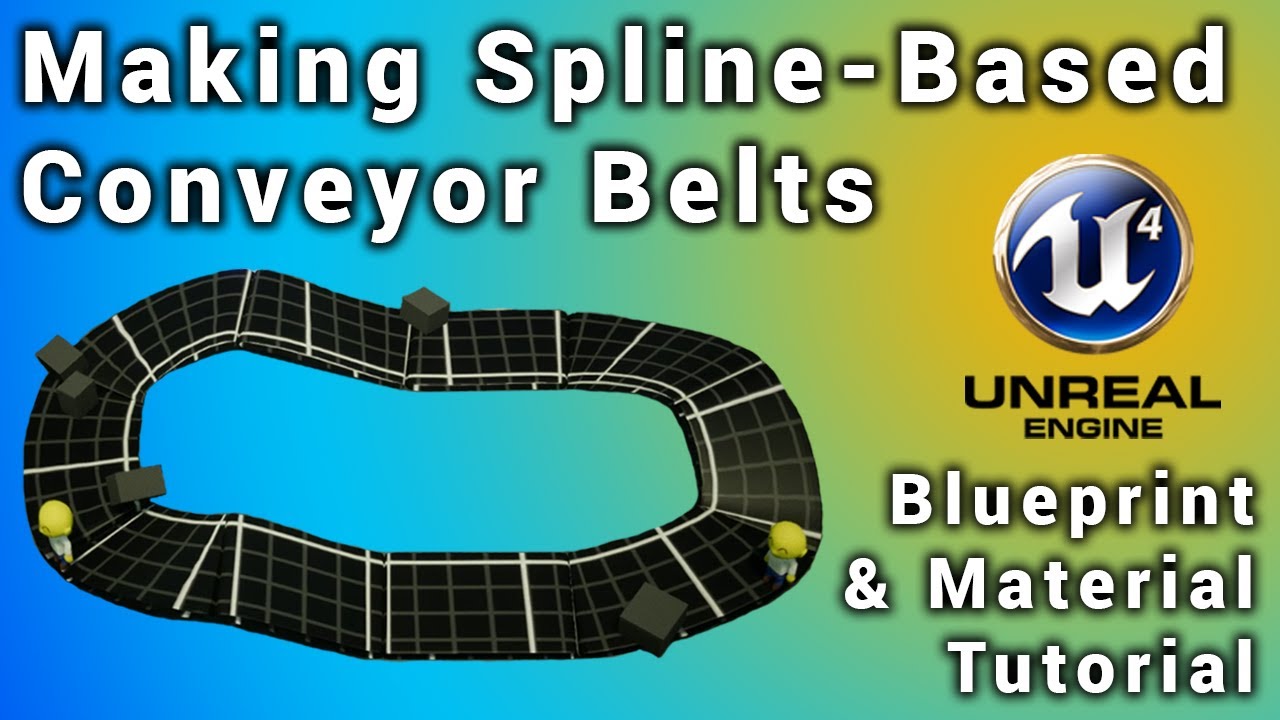
This tutorial will take you through the steps of making a spline-based conveyor belt system via blueprint. It will also show you how to make a material for the spline mesh that gives the illusion of the mesh moving.
Join my Discord community: https://discord.gg/E8HnX5c
Follo...
maybe this type of system?
deep viper
Just understood my own blunder. I had not realized [Image] was referring to an [UMG Image] component. This blueprint quickly set the texture I wanted for the visual. Thanks Bagi, I had my head in the sand.
subtle gust
@undone sinew thank you I will check it. the main idea I created a spline with a mesh deformed by it, now I need to follow my character along this spline... but I can't even overlap it, event on spline and even on defaultsceneroot isn't working, I even created custom box collision inside spline and it's not working either
this simple test isn't working
 warm pecan
Hi all. First time posting.
I've made a game where interactions are done through a line trace from the player. I find myself for the first time wanting to be able to interact with something that I can walk through, and I'm just not succeeding.
Picture is how it's set up, and I can pass through UNTIL i interact with it. Then it is as if collision activates. Anyone have an idea?
finite ocean
Does anyone know how to obtain the Rebirth Quixel project? I've seen a bunch of youtubers using it, but I don't know how they got it...
rough knoll
alright so i have this now
when i shoot all of my targets only one ends up resetting and that is the most recent hit one
how do i use a foreach to reset every single target
plush yew
ok i have a serious question which would really help with some sick mechanics i want to program eventually
you know how triggers can be pressed half way
i think their called hair triggers can you do that with buttons like on a ps4 it would be triangle circle square and x?
so a button can do a function and when pressed lightly but not all the way* it'll do a different thing o-o;
dire coral
@rough knoll try with setting each one with a index and then looping throug them with foreachloop and at the end of one loop just set the current index -1
deep viper
Can a child class override events bound to components of the parent class? e.g. Parent has button components with "OnClicked" events associated with them, can the child override the events associated with these buttons?
shadow anchor
I believe only the triggers have that ability @plush yew
dire coral
is there tutorial or a post on how to make something like the forttnite loot system with the raritys
dire coral
works prefectly fine for me
 still schooner
it stays like this forever
dire coral
dont know srry
sudden bridge
is there any way to make it so that a sound gets louder the closer you are to it? thanks
 vestal ferry
anyone knows why my water clips when the camera is close ?
here's the water material
 late verge
any chaps in here familiar with Sequencer? hoping someone can help me out real quick in #cinematics
warm pecan
@vestal ferry Camera clip distance?
alpine laurel
how would i make it so an object would look like its on fire? im trying to create an effect where my model is on fire and gets put out by a blast of wind
sudden bridge
thank you!
One more question, sorry, is there any way to make the screen fade into white as the player comes closer to an object? Like the closer the player is to the object the player's screen starts to turn white
vestal ferry
@vestal ferry Camera clip distance?
@warm pecan i checked through my Pawn 1st person camera, can't find a clip distance ... and this translucent water is the only thing that does that
plus reflections dosen't work in standalone PiE, i built them tho
in editor. i don't know what's going on
 mystic holly
what does PIE do?
vestal ferry
play in editor, standalone viewport to test
what does PIE do?
@mystic holly
it works but reflections dosen't appear
finite ocean
Is there a way to actually get the Rebirth project?
alpine laurel
whenever i try and launch a tv project, unreal engine will freeze on the initializing screen
why?
sudden bridge
awesome thank you
 dreamy sleet
how do i get cars to move
 south ridge
With wheels
quick kelp
@mystic holly I’m interested in hearing about your project
fluid lance
Any idea on how to delete this:
it's allegedly a "broken" reference to a file that was moved
but it's obviously not referenced by any assets nor does it reference any itself so yea
dreamy sleet
@south ridge yes
rough knoll
how do i have some sort of break or return as released?
because this is going back and forth because it's an automatic weapon
and i want it, on release, to stop
nvm got it
 crude tulip
One message removed from a suspended account.
One message removed from a suspended account.
One message removed from a suspended account.
 hoary geyser
does any 1 know how unreal handles mouse sense? does it just take the raw mouse DPI?
say for example if i have 800 dpi and then go into my inout cations and set my scale value to 2 it would be the same as 1600 dpi?
input actions''
 wooden kayak
@rocky radish Thanks that worked!
late verge
hey all. what's the point of adjusting my camera cut track when i can simply adjust my shot track?
all i'm doing at the moment is simply stretching out my camera cut track randomly, and using my shot track instead to adjust the length of the shot
ultimately i'm not exactly sure what the point of the camera cut track is aside from being a nuisance sometimes
 alpine pendant
some buddy now how to convert map from googlemaps for ue4?
rocky radish
@rocky radish Thanks that worked!
@wooden kayak np
 pliant rose
wooden kayak
pliant rose
wooden kayak
I was wondering if anyone was having this weird Normal issue with Rigged Models? 1 shows a character arm Rigged and 2 is brought in with no skeleton. Its like rigging it makes the normals act in odd ways?
 supple totem
are there any tricks to selecting translucent actors in viewport?
wireframe view helps a bit, but its still a hassle
 sand saddle
i made a night scene , but when i render it , it looks really bright n washed out , as if gamma values went up.....how do i fix dat , it looks fine in vieport
untold steppe
How do I change the Streaming Distance in a World Composition Layer without having to remake the World Composition Layer?
rough knoll
so i have this function here that chooses the socket to place the gun in once one is picked up
i want to know how to override those set nodes in my other blueprint
i have no idea what to do here to change those sets
sudden bridge
Is there anywhere other than the unreal marketplace to buy UE4 assets?
There's something I'm looking for that I can't find on the marketplace
rough knoll
what are you looking for
but to answer your question yes, you can use things like sketchfab
 edgy lark
Gumroad is one option
rough knoll
still needing an answer to mine 
sudden bridge
thank you, I'm looking primarily for some fluffy clouds so I'll start looking there.
 somber quail
are there any tricks to selecting translucent actors in viewport?
@supple totem Press T
i want to know how to override those set nodes in my other blueprint
@rough knoll Promote the inputs to variables
shadow anchor
Why am I brainfarting so hard... why wont my blank C++ actor class i just dragged into a scene show a transform?
Do i have to do that createDefaultSubobject thing first?
sudden bridge
When I package my game, despite the fact that my main menu works in the unreal preview, when I click the button on the packaged game it doesn't do anything
 coarse turtle
 rough knoll
i can't promote this to a variable without getting a weird graphical bug
@rough knoll Promote the inputs to variables
@somber quail
i assume thats what you mean by input
mystic holly
Can anyone tell me how I can do my own shaders for ue4?
alpine laurel
how can i do a fade in/out effect between 2 materials? i am trying to make an effect that looks like metal is cooling down using hot and normal metal textures
 cobalt blade
hello
one questuion
whi cant i go faster?
higher*
ive imported a tiled landscape made in world machine, but i want higher mountans. i cant make it higher xd
deep viper
Will a game soon collapse under its own memory if I liberally create widgets and assume they will be garbage collected when I stop referencing them? Or is it worth the additinal effort to make a single global widget variable and hide/reveal it as needed?
And it also seems that "Remove from Parent" functions as "Remove from Viewport"...though I could be mistaken. https://forums.unrealengine.com/development-discussion/blueprint-visual-scripting/40426-remove-from-viewport-remove-from-parent
Unreal Engine Forums
Build powerful visual scripts without code.
 upper oasis
Hello. I would like to ask why the focal length animation in UE4 sequencer is not smooth. It is more abrupt. Am I missing something?
Correction: It is specifically the camera manual focus keyframe animation. The focal length is constant.
 silent pecan
Hey Slackers. I am new around here. I am trying to compile UE4 to test out chaos engine. I have had various errors attempting to compile 4.25.3 with VS 2019 and 2017, and 4.23 with VS 2017.
I have followed Epic's official guides, watched video demo's of the process, read articles and I just can't get a successful build going.
Anyone else out there wanting to dabble with Chaos and able to get a stable build going?
 grim timber
I’m running into a bit of an odd issue. I’m currently try to use the LiveLink app to do facial capture, which has worked great for the most part. I’m running into an issue with HeadRoll, HeadPitch, and HeadYaw though.
They work and the head of the model rotates, but it’s also scaling it (increasing the dimensions by close to 2x their actual size). Using the same Shape Keys in Blender and adjusting them works fine and doesn’t scale the head. Any idea what could be causing this?
 frosty copper
@silent pecan you may have better luck with your question being seen and answered in #cpp ~ also stating the errors you ran into will help too ;p
sudden bridge
Anybody know why my main menu does nothing in the packaged version of my game but works fine in the preview version?
frosty copper
Previous version of..?
The packaged game? The engine version?
Owait, my bad. Preview. XD
sudden bridge
So pretty much when playing the game in the unreal editor my menu works fine, but when I package it and play it the buttons do nothing when I click them
Yeah
frosty copper
Sorry, been doing that a lot lately
sudden bridge
Lmao, all good
frosty copper
How are you specifying the levels to load?
sudden bridge
It’s just an “on button click” and then “open level” with the level name
frosty copper
Is it just that one failing or all of the buttons?
frigid needle
Is that level included in the packaging?
frosty copper
Fairly sure the engine gives you a list of levels to include, and for whatever reason they're not by default iirc.
sudden bridge
Oooooh
sudden bridge
Oh yeah now I get it
Thank you so much guys
I was wondering why my game packaged so quickly lol
frosty copper
Ue4, constantly making you scratch your head when the solution is a checkbox x3
sudden bridge
Lmao ikr
autumn elbow
Elllooo... is there a way to save things to meta data of fbx file? And load in unreal
Things like... parent offset
 narrow bear
hi everyone . I got a question . Can we write gameplay on python in engine , like getting touch positions of phone or giving direction for object?
silent pecan
@silent pecan you may have better luck with your question being seen and answered in #cpp ~ also stating the errors you ran into will help too ;p
@frosty copper Hey thanks for the info! I am new here so didn't want to dump a mega-post.
frosty copper
not a problem~ Typically the more info that's direct & to the point you can give, the easier it'll be for peeps to help  You're more likely to get people that know how to fix the issue when you use the closest relevant channel, too.
 frail mist
hey guys any ideas why my packaged game with debug runs 25% better than with the shipping config?
I found 5 posts about this on answers.unrealengine and forums.unrealengine - but none of them is answered
frosty copper
How're you measuring that, though?
frail mist
I have a command for showing the fps
also its clearly lagging compared to the debug build, where I get 52 fps on average, while 35-40 on shipping build
the resolution is the same obviously
frosty copper
Have you attempted stat unit?
frail mist
yes
but can only do that in the development build
it's hard to track the issue when you can't profile :/
stat unit, stat GPU and profile GPU look all good to me
so I've got no idea why the most optimized build stripped down of all unnecessary things is slower then even PIE
frosty copper
Is the editor using any different quality scaling compared to packaged?
frail mist
no, all set to epic
plus the shipping and development build are both not bound to editor scalability, right?
frosty copper
indeed, but it's possible to attribute the better performance in editor to a reduced scale.
frail mist
I agree, but both PIE and development build (packaged) have pretty much the same performance
frosty copper
Is it a VR game or normal one? 
frail mist
normal
I disabled the VR plugins
also it's not a hardware issue, as I it's the same on another machine
 scarlet birch
Could it be that you're using a function, node or something else that is removed/broken in a shipping build?
plush yew
Hey, does anyone know if there is a way to download all of your assets from your vault at once?
frail mist
@scarlet birch such as print string?
frosty copper
You can also apparently do stat startfile and stat stopfile of the running standalone game, then load the ue4stats file.
frail mist
the standalone shows the same performance as the development build - both 25% better than the shipped build
frosty copper
that's what I mean, the file should be possible to be generated from the shipped build.
frail mist
but commands are disabled in shipped build?
frail mist
shipping: This is the configuration for optimal performance and shipping your game. This configuration strips out console commands, stats, and profiling tools
Reference guide for solution and project build configurations.
frosty copper
Then out of mild curiosity, why do yu not use Test?
scarlet birch
I don't have a solution. If it were me the first thing I would look for would be something that might be relying on something that is removed in shipping build and causing something to hang.
frosty copper
and I guess I just imagine the consoles that are in UE4 related titles. :I
frail mist
alright, thanks Mike. Hard to track down
@frosty copper I don't see the in the 'build configuration' tab
scarlet birch
I haven't really looked at how to profile a shipping build, but I'm sure there's a better way to track down the issue.
frail mist
yeah profiling won't get me there, as it's really only happening in the shipping configuration
scarlet birch

Jamie Holding
Recently I've upgraded a personal project to Unreal 4.23 and found that we had a crash in Shipping-only! So I needed to figure out how to debug this. The error I was getting was: "Fatal Error Material not found" Line 2046 I tried to reproduce this issue in a
frail mist
it's not really a performance issue
@scarlet birch that's awesome, I will do that - thank you!
scarlet birch
np, hope it helps
frosty copper

scarlet birch
@frail mist If you don't mind @ me so I can find it later, I'd like to hear how it goes.
frail mist
sure, will do
ok I am getting closer
I found that shipped builds saves its localized data in AppData
to config there uses Vsync...
@scarlet birch @frosty copper yes that was it... somehow vsync was enabled - but only in the shipped build
frosty copper
.... it's always the silly litle things. Glad to hear you fixed it! 
frail mist
god damn, I've been looking into this for weeks - always wondered why the performance in editor is higher - but actually it was only affecting the shipped build
glad I did that before building UE4 from source ^^
this would have been the next step though
now I can finally go back and actually work on the game 😛
but first I need to know how it's possible to have vSync in shipped build but not in development build
plush yew
Guys, anyone know how to fix this problem when packaging?
UATHelper: Packaging (Windows (64-bit)): LogWindows: Error: begin: stack for UAT
UATHelper: Packaging (Windows (64-bit)): LogWindows: Error: === Critical error: ===
UATHelper: Packaging (Windows (64-bit)): LogWindows: Error:
UATHelper: Packaging (Windows (64-bit)): LogWindows: Error: Assertion failed: IsValid() [File:D:\UE4\UnrealEngine-4.24\Engine\Source\Runtime\Core\Public\Templates/SharedPointer.h] [Line: 840]
UATHelper: Packaging (Windows (64-bit)): LogWindows: Error:
UATHelper: Packaging (Windows (64-bit)): LogWindows: Error:
UAT helper assertion failed, Shared pointer
scarlet birch
@frail mist You could copy a default config with an installer, edit the default config file that is copied there to begin with or overwrite it with new settings on first load.
frail mist
yeah that's a good idea
thanks 🙂
I got rid of it for now using command - need to do a proper settings menu
plush yew
is there a way to download all the assets in my vault at the same time or do i have to do it manually
fluid lance
Hey! This is the construction script for my NPCs. It's meant to give random clothing/hair colors to them at design-time.
When I like the colors, I uncheck the "simulate cosmetics" bool, and they keep the colors - So far so good, seems good logic, apparently it's not.
In cooked builds, those param changes aren't saved in the DIMs. What am I doing wrong?
 steady tree
Hello folks, I have a Project that I made for work at homeoffice, then I ported it over to my work pc via external hard drive.
Opening the Project works - however trying to load the level I was working on doesnt - it gets stuck at 100% - migrating the level to another Project with all the needed Assets doesnt work either because right clicking on the level will start the level opening.
Trying to google troubleshoot, but I always end up with posts about packaging or issues with playing the level when all I want atm is to open it - Already tried to delete intermediate folder / saved / deriveddatacache - any Ideas what else to try?
 fervent sigil
So what would be the easiest way to create a perfect "circle river" on a landscape? (which means sculpting downwards in a circle with width)
I thought about using landscape brushes but they seem to be very complex. Any easier way?
shut glen
does someone know how to make first person vaulting?
dire coral
if i use steam for my multiplayer to youin and host do i still need a dedicated server
 bitter iris
How would one dabble into EAC? Looking to get it all setup before launch
dire coral
In the new UE4 4.25.3 is there still the option to use a dedicated server i cant find it any where only play ofline, play listne server play clinet
 manic pawn
you mean easy anti cheat? they have a contact form on their website, write them a message
manic pawn
did you use a business email? we received a response within 1 day
maybe the form was broken when you used it or something just try again
bitter iris
okay cheers, ill give it another go
minor flint
Guys, Can someone explain me basic things about making a game? I want to make a simple game (I think is simple) and I keep struggling with some simple things. If anyone is willing to help me, please add me!
 ember shadow
can someone explain why my shadows are like this
dire coral
@ember shadow lighinng quallity ?? or something is wron with the objects collision for lighing
ember shadow
@dire coral ah i got it! Thank you
 green coral
Is it possible to create custom shortcuts for nodes in the editor?
 trim trail
I've seen rtx3xxx's new IO system, I'm wondering how it would be beneficial for ue4. Faster shader compiling/map loading? VR textures?
serene birch
well UE5 demo
on PS5
with that special SSD technology to stream data super fast
that's basically what the IO system is
trim trail
yeah, I thought about it, people are arguing which one is faster. I saw 9gbps for ps5 vs 14gbps for 3xxx+nvme ssd, but not sure how much truth is there. Basically this kind IO gives wayyy faster loading for textures and highpoly meshes? @serene birch
trim trail
eh, i always assume ppl just altab and get back to job/task whatever they do:)
i guess its a habbit from some fast scrolling discords
frigid needle
It's probably not a direct comparison, though, because a console with a specific set of hardware can be hyper-optimized to make use of that hardware, while a PC's still gotta run a PC on it. At the end of the day, it really doesn't matter which one is faster, more than "how can I take advantage of the existing hardware using my available tools, and does that affect my game's design?"
 restive yarrow
Hey everyone! I have an existing PC game , now i would like to convert it to android , what is the process that i would need to go through to convert my PC project to android, is the process time consuming and difficult?
cobalt blade
hello
im having a problem
i cant go higher when sculpting the landscape, whi is this happening?
i have inported a tiled landscape made in world machine
 wary wave
you've hit the maximum value in your heightmap
restive yarrow
Thanks to the lovely shaders
 scenic fox
@restive yarrow can you help me?
my bp actor's script isn't working
when i package the project
 twilit pagoda
How do i fix the black border lines ? they are the same size already, but i don't know why some of them have a bigger thickness in play mode.
Also is it normal if actors disappear when rotating arround them ?
https://vimeo.com/454041627

This is "2020-09-02 15-35-56" by SomeRandomGuy on Vimeo, the home for high quality videos and the people who love them.
 rose sorrel
@twilit pagoda What happens if you try ortographic camera projection? Does your meshes have any collision geometry?
twilit pagoda
@twilit pagoda What happens if you try ortographic camera projection? Does your meshes have any collision geometry?
@rose sorrel
Yes, simple box collision, i tried ortographic but some of the actors are not even visible in play mode.
Im using the default puzzle template.
this is how i made the block
plush yew
@twilit pagoda interpolation, the camera is not pixel perfect
open gorge
@scenic fox can you put your entire packing error on pastebin or something? I can look to see if its an easy fix
alpine pendant
some now good tutorials for making a game like gta?
scenic fox
I think it's a bug @open gorge
open gorge
I can't help you without logs.
twilit pagoda
@plush yew can you explain ?
my target resolution for now, is 1080x2340 which is 0.461538 for the camera aspect ratio
its topdown 3d
plush yew
perspective?
twilit pagoda
yes
plush yew
that can never be pixel perfect
I mean you can trick a perspective camera to be kind of orthographic, I read about this
scenic fox
@open gorge okay im going to give the log
cant believe the code only works in my editor and not in the packaged project
 turbid vigil
scenic fox
turbid vigil
scenic fox
@open gorge mannn, i feel like there is nothing wrong with the log though
i feel like arrays don't work when packaged
rough knoll
still need an answer to my question yesterday
how can i change these in an override in a child
open gorge
@scenic fox Would you like me to take a look at it?
Arrays definitely work when packaged, I use several
twilit pagoda
@rough knoll just assign the new value to them? lol
rough knoll
i can't just reset them because that doesn't work
and i cant promote it to a variable cause i get a graphical bug
scenic fox
@open gorge i just made it so that there is an array in my player (variable) and through the BP Actor i just cast to the player, and get the array and then "add unique" with another variable of a string
*sorry set it to a variable of a string
scenic fox
Its suppose to be a key
that opens a door
im going to try to change the type of the array and the variables and see if that works
twilit pagoda
@rough knoll make a getter/setter function for them, then just cast to the class and get or set the value
rough knoll
well i do have that i believe
i have a get socket name function
what you saw was that function
here is the function
grim ore
you would have to have them as variables or inputs or something to change them, if they are fixed like that you cant change them
rough knoll
on the set node, the purple plug on the left, when i promote that to a variable and try to change it outside will result in a graphical bug
grim ore
what graphical bug?
and your get socket name node seems to be named weirdly, not the same as what it does
rough knoll
so i can have this
and in the one i want to change it looks like this
when i pick up the famas which is the gun i need the socket change on
it will pick up fine and look right
grim ore
is that a local variable or a class variable?
rough knoll
but when i swap to my m16 it doesn't change back to the m16 socket
the hand socket name and stowed socket name are class i do believe because i can change it in its children
grim ore
when you call get socket name it sets the sockets, why would you change the variables after you call it?
you could also just pass it in as inputs into the get socket name function
which is looks like you tried to do in the first screenshot
rough knoll
this one?
i tried to promote the inputs to variables and change it that way but no luck
grim ore
so this get socket name function is just setting 2 variables? or how is this supposed to work
plush yew
@rough knoll setting the same variable to different values right after one another is not smart
rough knoll
this is where it's being used
the get socket name function was made to set those sockets
plush yew
grim ore
so you are just trying to set 2 variables
rough knoll
i want to override the variables with the socket name in a different gun blueprint
yes and then override them in another child
grim ore
why not just set the variables then in the child?
rough knoll
thats what i did though and it didnt work
grim ore
is that attachactor node in the parent or the child?
rough knoll
it would work for the m16socket and show those guns properly and show the famas properly when i picked it up but then it wouldn't swap back to the m16 socket when i switched
attachactor is in thirdpersoncharacter
the get socket name function is in the parent of all of the guns, bp_gun
 true falcon
Hey, I have an super-embarrassing beginner question. I have a function with some input pins, the function goes to a sequence node and then to a "get" node for each input to check if it's valid and doing something. I need to add an input pin but can for the life of me not figure out how to make a new "get node".
Can't seem to find it in the context menu and if I try to copy an existing get node and change it to the input variable I added it just reverts :/
grim ore
so you are trying to get the socket names out of the weapons and put them in your character?
rough knoll
the m16primary/stowedsocket and famasprimary/stowedsocket are in the character
i want it to choose which socket to attach the gun to based on the chosen gun
twilit pagoda
isnt one socket enough ? like "weaponsocket" then you attach anything there?
rough knoll
no because there's one socket on the back of the character for the secondary weapon (stowed socket) and one in the hand for the selected weapon (hand socket)
i would just use one socket for all of the guns but that wouldn't work, in this case the famas and future cases a pistol
grim ore
shouldnt your node on your weapon look like this ?
and then your character asks the weapon for its socket names and you get them then you do whatever
and then in your character you have
unless I am confused on the goal
ignore the class names obviously, the intent is what matters
 mild belfry
Is there an alternative way to import the cloth paint to use in cloth simulation in ue4?
ue4's cloth paint tools are abysmal and engine keeps freezing for 10 seconds after every paint click
rough knoll
@grim ore my goal is to switch the socket the actor(gun) is placed in based on what gun is selected
i can understand this part
but i dont know what to do here
unless i'm mistaken and i don't need to have an override in the famas blueprint for the socket names
because the handsocketname/stowedsocketname are set to m16primarysocket and m16stowedsocket respectively as default
grim ore
i think I am still confused on what you are doing. On your character you have multiple sockets for weapons?
grim ore
ok an based on the weapon you need to know which socket to use?
rough knoll
yes
grim ore
ok so you have 2 variables in the weapon(s) that have the socket names?
rough knoll
yes
grim ore
ok so your function in the weapon is Get Socket Name and looks like I showed, it returns the 2 socket names you want (the variables in the weapon)
and in your character you talk to whatever weapon is equipped or whatever you want and call the Get Socket name function and it tells you the 2 socket names
rough knoll
yes
rough knoll
so then how do i change the stowed/handsocket name solely based on gun?
grim ore
the blueprint holds 2 variables, the blueprint holds a function that returns those 2 variables. Whenever you need them you just ask the object to run that function and give you the specific variables for it
you dont need to change that, you can just feed that data right into the blueprint that uses it
or I guess if you wanted to you just run that function and then set the variables if you really need them for some reason stored locally
plush yew
hi i recently signed up to be a xbox one creators program developer. im having some issue setting up uwp for ue4 i keep getting this error when i try to run setup.bat
it fails if i change the name
saying no dreictory found
grim ore
the folder your trying to download to is too deep in your folder structure
try putting the folder into like c:\engines or c:\ itself. Somewhere that is not so deep like it is now
 digital rover
when we compile ue4 source built project why engine space will be increased?
grim ore
all the temporary files needed to make the engine/project
digital rover
it will drink whole hard disk, maybe default tp template also need 150GB to compile
🤒
grim ore
well the project itself should not need a large amount, but the engine itself does. You can delete them after you have compiled it
digital rover
what folder do we need to delete from engine directory
plush yew
where does the complied engine go
by the way
i know i need to run project files next then build in visual studio 2017
digital rover
engine will compile in same location that github repo placed,
grim ore
Engine/Binaries normally where it would compile to
digital rover
what folder do we need to delete from engine directory
👆
after compile our project
grim ore
intermediate folders
digital rover
ok, so I think it will cause for a full rebuild for next compile?
even plugin contents also?
grim ore
if you delete the intermediate or do a clean or a rebuild it will do a full compile yes
digital rover
how do we install plugins for source built project
grim ore
the same place you would normally put them, in the engine plugins folder or in the project depending on the plugin
a source build is the same as the launcher build for how it works
digital rover
some times when we add same version plugins from binary engine to source engine it will cause for a code compile errors. why is that?
 gleaming lotus
Not sure what section this belongs in, but the UE4 royalties 'quarter period', is that based on a release schedule (aka, 3 months rolling from release date), or on a yearly basis?
Anybody have a contact email for epic concerning royalties/finances they could share with me?
plush yew
Hi guys, sorry to interrupt you, quick question: how can one access shader's SV_VertexID in the material/custom node? Do I have to write .usf from the scratch?
 lusty mural
is there tuts explain all blueprints nodes?
grim ore
nothing specific but there are links to helpful videos and docs in the pinned message in this channel
lusty mural
it dosnt have all nodes
In the documentation there is no explanation for the whole nodes
is there one page have a list for all nodes and the function of every one of them ?
obsidian nimbus
source code comments 😛
 maiden ether
Can someone help me create a simple object interaction, where i press e and it shows a text?
or maybe link a useful guide?
obsidian nimbus
content examples?
grim ore
the documentation should have all of the nodes, its pulled from the source. There is no example for each node tho, no.
obsidian nimbus
you are also not likely to need all of the nodes
lusty mural
is no youtube tuts explain them ?
 night drift
Could you use UE to control external hardware? Say I make a small robot and set up blueprints and controls..how would you output that to something other than in engine "signals"?
 ember raven

 urban iris
why do we need to compile shaders on packaging? they are already compiled so we can see the materials in the editor
i am not familiar with what goes under the hood while packaging
rocky radish
why do we need to compile shaders on packaging? they are already compiled so we can see the materials in the editor
@urban iris it compile shaders for different scalability settings i think (and also im pretty sure it rebuilds the lighting)
urban iris
@urban iris it compile shaders for different scalability settings i think (and also im pretty sure it rebuilds the lighting)
@rocky radish im packaging a very small project with just a paragon character and 3 levels (only has starter content assets) and its compiling 5000 shaders
running on 6600k @ 4.5ghz
its been 30 mins atleast
oh i checked the log and i think i just compiles everything related to paragon countess even though they're not used (i guess its a reference thing)
oh i checked the log and i think i just compiles everything related to paragon countess even though they're not used (i guess its a reference thing)
@urban iris They're referenced in the DemoMap which comes with the assets, and afaik packaging compiles every level in the content browser so thats why i think
plush yew
@grim ore I keep getting this error now
 surreal cloak
@everyone I am able to take a class next year for high school where i can pick the topic i learn. I decided i wanted to choose UE4.
I need some help deciding what sub topics of UE4 i will learn each quarter for this class. So far i have this ↓
Quarter 1 : Level Design
Quarter 2 : Beginner Blueprints
Quarter 3 : Advanced Blueprints
Quarter 4 : ?
anyone have any recommendations of how i should structure this?
lusty mural
Does unreal expect my guesswork functions and method of linking nodes? Is this a way to explain the BluePrint nodes in the Documentation?
grim ore
What?
Nodes have tooltips and there are docs. Subjects have examples and docs. There is learning material.
plush yew
Anyone know any tutorials for a third person shooter?
sudden bridge
Is there any way to control how much my character slides around?
grim ore
There are a few out there on the Google. You need to be more specific on what you want to learn and look that up
plush yew
Okay.
lusty mural
What?
@grim ore i will try to learn from documentation thanks
grim ore
Or use the training website and watch the videos they created for users. Or the YouTube channel. Or the live streams.
narrow mauve
Just browsing around some free levels for the luls...wtf is this
night drift
A respectfully sized dong, clearly
 vale silo
@wicked tiger @gleaming narwhal is there a glimpse of hope for 4.25.4 coming out in September ?
September 2020 that is
lusty mural
Or use the training website and watch the videos they created for users. Or the YouTube channel. Or the live streams.
@grim ore i do that but some time i need do something but i didn't know the true words to search like how to make agreement system like in the image below how when i press on agree button move to next map i got the dissagree with exit function it same the exit button element in the menu but move to a The specified map what is the true words i must use to find tuts explain how i can do that?The problem is that sometimes I cannot find the right words to express what is on my mind from gameplay's logic.
plush yew
🐗