#ue4-general
1 messages · Page 829 of 1
 dusky crest
 zenith pebble
every time i try to edit code ue4 returns this error:
but then opens the code anyway like 15 minutes later
this isnt something ive ever had to deal with in ue4 before, anyone got an idea why this may be happening
 alpine pendant
yoo whatsupp some buddy wanna make a game? i am newbie and need help
 open gorge
@zenith pebble have you tried doing what it says?
alpine pendant
im sorry im here in wrong chat?
open gorge
If you have a question, ask away
alpine pendant
okey thanks
open gorge
if you're looking for people to join your project, post something in #looking-for-talent
 tiny sonnet
https://gyazo.com/3aff070c87c38d1966494aeb71794c34 soo anyway to get the grass to disspipate?

ofc i do have sand textures to replace it with but thats too tedious
alpine pendant
somebuddy can help me about crashes from windows when i start unreal engine projects
open gorge
what's the crash?
alpine pendant
bluescreen crash
 distant totem
there is a low chance that this could help with BSOD crashes https://www.thewindowsclub.com/increase-page-file-size-virtual-memory-windows

If you see Your system is low on virtual memory message, when you try to start memory intensive applications, increase page file size in Windows 10/8/7.
 thorny horizon
Does anyone know why this isn't calling? I have it in the level blueprint. Anything the Zombie IsAttacking, this should be called and spawned but it's not.
 latent sedge
Hi, I'm still new on UE and I've watched tutorial on youtube but I still confuse with Root motion animation function. Can explain what the diff between if we use and not use the root motion?
 fierce hedge
#RealGameDevHours
Good Morning, I'm here trying to not to pull out my hair any further on why i can't find information on how to install this plugin
Called "Modeling Tools Editior Mode"
Can anyone explain to me why i can't find it or how i can install it?
fierce hedge
Figured it out, just needed to recreate my project with the updated engine
 hexed flax
Question about SDF and distance to nearest surface . Is there a way we can embed a object ID into the mask generated with an object Intersecting with a grid ? I am capturing this grid via a screen capture 2D to generate a render target . Looking for a way for the render target to somehow embed the object/instance ID of the intersections
 rancid lynx
IMPORTing and EXPORTing seems to be broken with PROJECT SETTINGS. CONFIRM DENY please. I can export project setting sections like INPUT and COLLISION, but when i Import them, absolutely nothing is updated.
sorry. closing and opening the window a THIRD time seems to solve the issue.
 earnest violet
Is there anything else I can use (NODE) that will get rid of a widget other than remove from parent?
 polar fossil
hi, is there a way to have a certain aspect ratio (maybe with black bars) when playing in the viewport?
 summer harness
Hi, im working on theatre setdesign and projection previsualization and im trying to make translucency material like tulle canvas. I would like to create lighting thru tulle with gobos (lights function) but it dosent´t work like it should. Gobo effect dosen´t show in tulle canvas (picture) . Does anyone know how to fix it? Thanks advance. (leftside normal material without opacity and right with small amount opacity)
polar fossil
hi, is there a way to have a certain aspect ratio (maybe with black bars) when playing in the viewport?
@polar fossil Found it. Just check "Lock aspect ratio" in the camera settings
 strange mantle
I'm super new to ue4. When I use the localposition node in the shader/material editor how do I split it into its rgb channels?
oh lol
The node is literally called splitcomponents
 viral fractal
so, how to get rid of this shit happening on texture import
this is an error i see since many years in unreal engine, appearing for not a single logical reason, im sick of it
 manic pawn
the padding around letters is defined in the font
so there are two options
- you're not giving it enough space, and it's aligned to the top
- the font is just bad
 radiant haven
ok thx
 stiff mirage
What you delete?
radiant haven
What he ment by front
viral fractal
you even mistyped multiplayer
radiant haven
idc
viral fractal
i would care about UI 👀
viral fractal
👌
radiant haven
lol
I sadi idc if its miswritten now itll be overworked anyways its not the problem rn 😐 Sry @viral fractal
viral fractal
i understand, i just noticed it and i know that sometimes people forget about such things in the future and it gets to release that way
radiant haven
ah ok thx 😄
viral fractal
like in a game i worked on where we placed a bunch of 1x2x1m blocks for scale reference and forgot to remove them 👀
radiant haven
sry If i was a bit aggressive I am pissed cause I bought a VR headset and sadly the Cable was brokenl but the Company Oculus just stopped supporting its product fter only 2 years
viral fractal
well that sucks
radiant haven
yeah kinda
 robust oar
I want to attach the red shoe to the foot, so when I move it moves with the foot and does not go off set. how to do that?
I tried attaching the socket but it didnt work well
mmm anyone
 plush yew
look into modular character meshes
socket would work well for say a backpack, helmet or gun. But I don't think it will work well for something like shoes/clothing
plush yew
Im looking for a very s[pecific video and idk how tf to find it. I need a working gun with a inventory system, ammo system, drop system, and pickup system
 calm oasis
hey quick questions, how do i disable eye adaptation on my game? like definetly, not in the editor
 stark marsh
hello my attacking is based on collision, so when my sword hits in enemy's capsule collider it registers as a hit and does damage
but sometimes if i attack at a weird angle it registers a hit when he swings, and then registers a hit when he's going back from attacking to his idle / walking animation
which i really don't want, i want it so it only can count a hit once per swing, and no more
maybe i could create some sort of variable that lasts for like half a second which if it's true damage will be dealt
robust oar
um
you can make a branch so u can set the rules for when to register damage and when not
stark marsh
i really don't know how i'm going to get this to work
i want it to only attack once per swing
robust oar
@stark marsh post your blueprint in #blueprint
 teal mulch
You could set a variable CanDamage to true when you start your attack, the once you hit the enemy, set it to false. Only allow damage when CanDamage is true.
robust oar
yeah
stark marsh
ok
i hope you can read it fine
so when i click a "swinging sword" variable is set true for as long as the sword swinging animation lasts for
once it's finished swinging is sort is then set to false
but i've used that same "swinging sword" bool to tell whether i'm attacking, so my game knows when to deal damage
robust oar
so your problem is when you run into other player collisions it applies damage to them?
oh
I think u can put a delay between each register damage
its not that flexible, but you can put a delay so that if u register damage when u hit the enemy with your sword, it wont register the damage when the sword swings back, a delay that depends on the animation
I guess that would work
@stark marsh
stark marsh
my games singleplayer but it will still work i think
so the problem is it registers hits by collision from my sword onto an enemy's collider, but if i attack and hit the collider multiple times whilst "is attacking" is still true it doeals damage multiple times
plush yew
how could i make a gun/inventory system like fortnite?
stark marsh
ok
robust oar
before you run the register damage event, add the node do N and
and put in the checkbox number 1

just for example
stark marsh
ok
robust oar
if it works tell me
stark marsh
ok so it's sort of working
it can only attack onece
which is good
but i've got to reset it now once is attacking is false
how would i reset it once is swinging sword is not true
it only does it once
and once only
i can't get it to reset so i have the chance to attack again next time i swing
robust oar
https://gyazo.com/5fa6f88b069b9577822c453286bac74e something like this maybe?

oh
sorry put is swinging to false
^^
 frigid needle
You can either loop it back around once you set "IsSwinging" to false, or you can create a custom event called "EndSwing" or similar, that you call at the end of your system, and have that set "IsSwinging" to False, and then link into Do N's "Reset"
stark marsh
maybe to shorten my code i could put all the damage enemy code into a custom event
 stark marsh
and just set the custom event to fire after do n
stark marsh
ok so this is damage enemy
and it will fire off if swinging weapon is true
but i need something for the object of "cast to weapon pick" and i don't know what
on the damage enemy script, i need an object for cast to weapon_pick
robust oar
capsule component like above
stark marsh
weapon pick does not inherit capsule component and will always fail
wait
i jst dragged other attack from above and it works
stark marsh
but now i just need to figure out how to reset once attacking is false
robust oar
you mean
stark marsh
swingingsword1 i mean
robust oar
reset once you press attack button?
stark marsh
no, reset once attacking has finished, so i can attack again
robust oar
yeah it should make sense,
if u rename your variable to isSwinging and set it to correct
stark marsh
no but like i need to know how to reset it please
robust oar
and make a branch so that if swinging is false you can reset your event
https://gyazo.com/f0a522f13821214a3e58c655d87ea88c just like this picture, without the mouse button
 barren flume
Okay I know udk is very very old but I want to try some stuff on it and I'm creating a physics asset for my character and I'm trying to manually type in a value for the bodies but I can't change them and not sure what to do to let me manually change it
stark marsh
nah it's not properly
it still is only letting me attack once
it's not resetting after attacking has finished
robust oar
yeah thats because you are writing that code in the dummy character
and not the third person character
you must keep the damage and everything in the dummy character
stark marsh
it doesn't make sense
plush yew
yall know why my camera is clipping thru a wall when i crouch
robust oar
but the do N in the third person character
robust oar
it does. how are you going to reset your character attack from the dummy?
robust oar
you are doing stuff in reverse I guess
can you show me the code in third person character, because your problem is not in the dummy
stark marsh
robust oar
idk bruh
thats the first time I see the main attack code written inside the enemy
its in reverse xD
imagine if u want to create a second enemy, you would need to write another code there
stark marsh
but it makes sense though? because it's if a sword hits the enemy
maybe i should put it in sword
robust oar
yes
that is what should be done
all of your character logic should be written inside your character blueprint
@plush yew https://answers.unrealengine.com/questions/370870/model-close-to-camera-is-clipping.html does this help?
plush yew
i tried that method 1 million times at least
robust oar
umm is your camera attached to a socket?
plush yew
iv a CameraBoom with "Do Collision Test" true and it still doesn't work
the CameraBoom is attached to head socket
plush yew
let's solve it together
UE has some serious bruh moments inside lmao
more like it generates bruh moments
actually
have any1 done Head IKing b4
i think we're gonna be able to fix it if that's present
robust oar
its an easy solution I guess
stark marsh
wait i'm following devsquads video
he has an episode that comes after the sword damage video where he fixes bugs
that might include the fix i want to do
plush yew
if you mean Virtus his tuts are pretty good for fixing insects
 brisk pebble
would anyone happen to know what would cause the skin to detach itself from the skeleton when ive created a basic ik using control rig? the leg joints themselves are fine but the mesh has completely moved away from it. the ik leg functions correctly
robust oar
@plush yew I have an idea
stark marsh
finally i fixed it
stark marsh
it does a delay for the lenghth of the animation
robust oar
with timeline
stark marsh
and it prevents spamming too
so you can't just keep clicking to kill him
you actually have to wait a little
robust oar
yeah but it will not be that useful
a trigger to cast to third person character, as third person character u add a timeline and change the position of the camera
plush yew
i'd rather have invisible walls instead but that'd ruin the overall experience with physics interactions
nope not useful either
that's gonna make your camera clip through the character
i've tried that b4
plush yew
what idea?
robust oar
your camera has collision and as example when it hits a wall it tries to find the best solution to go away from that wall while focusing on the player at the same time
you get what I mean? alot of games implemented that already
plush yew
yeah kinda
robust oar
https://www.youtube.com/watch?v=Xry-d0bmh8U second 0:20

What is the Camera Blocking Volume in Unreal Engine 4 .
Source Files: https://github.com/MWadstein/wtf-hdi-files
robust oar
how so
 half wedge
new to unreal just testing some custom assets out anyone know how and why to fix this (i have ao off)
robust oar
https://www.youtube.com/watch?v=nDg1MAX0grE that will fix it, I saw the whole video but its not that flexible

it will 100% fix it
plush yew
terrible video
robust oar
lol :c
plush yew
i gave a 👎 already
basically
i wanna have advanced physics interactions
and camera blocking at the same time
so yeah not good
robust oar
is it essential that u have to use fpp?
 robust oar
did u restart the engine?
plush yew
yes
robust oar
um
plush yew
i restarted the engine everytime i did that
robust oar
it works while standing right?
plush yew
yes
robust oar
yeppp
plush yew
crouching fucks it up
stark marsh
hello so basically it says when it does damage to an enemy on screen
plush yew
walking and running works fine
robust oar
then change the damn capsule size when crouching ._.
stark marsh
but in the actual full built game that won't show up, so i want to just replicate damage numbers showing in the top left
plush yew
i'm using the "crouch" feature which changes the capsule size while crouching ._.
robust oar
@stark marsh because u are printing strings, strings only work in the editor
@plush yew lol when u crouch the head goes outside the capsule
thats the main problem
plush yew
actually
if i increase the capsule size
the character prob won't be able to go inside small areas like vents i.e
or
wait
yeah
imma make a crawling feature instead
and make the capsule size go 200 tons fat when i crouch
robust oar
Imma go to lunch
plush yew
good day
stark marsh
so basically my code in my weapon says cast to dummy
but not all enemy's are going to be the dummy
i need lot's of differeant enemy's
so i will have to do some sort of actor has tag
oh nice
so now instead of "cast to dummy" it just does and actor has tag, so i can just call any enemy an "enemy" tag
 sudden bridge
anybody have a good tutorial where I can learn how to replicate a door?
plush yew
Are the settings in "Project Settings" applied in the Editor Mode and in the final game (the packaging game) or is it into Editor Mode only ??
stark marsh
this is great now
i can only attack things if it has enemy tag
wait so how would i set the enemy's health to go down once it's got hit?
but i don't want to do it in the weapons script
i want it to happen in each enemy's scripts
as i don't want universal hp obvosiously
each enemy will have it's own hp
plush yew
plenty of youtube tutorials for that
@stark marsh
Anyone know why my variable cant be watched?
stark marsh
so this is my script
this is in the weapons blueprints
but i can't just say "set enemy health ..."
inside the weapons script since obviously that weapon is going to be used for more than just one enemy
maybe i can do something inside each enemy's script like if it has been hit by the sword take it's health away
plush yew
@stark marsh on the enemy you want to be damaged, set up a float variable called health, set its default to something like 100
stark marsh
yes i know that
stark marsh
but the thin is i need that health to go down each time they've been hit
how would i like the any damage to the sword script
stark marsh
my sword script
stark marsh
the actual sword has the scripts on it, since i'm making it an rpg game with lot's of differant weapons eventually

 stark marsh
no i can't set damaged actor
plush yew
wdym
stark marsh
like at the end of my script
so at the beggining there's a begin overlap for the swords hitbox, and it can hit anything with an enemy tag
plush yew
yes?
stark marsh
i need to set who the damage is going to be applied to
but i don't know how to make it go to the enemy that overlapped the swords box collider
plush yew
stark marsh
ok i think this should work now
but i'm not sure if it would work with the tag system
stark marsh
so this is the damage in my dummy's script
and i just have this for when he get's hit by the weapon
 sleek karma
hello
could someone help me please, i have a problem with setting a variable from another blueprint
stark marsh
maybe do cast to whatever
sleek karma
this is my blueprint so far :
sleek karma
yes, cast to chestbp, chestbp is the blueprint where the variable hasKey is
plush yew
@stark marsh it works for me, go watch some tutorials on applying damage
sleek karma
stark marsh
right ok so it is taking some damage
but i jsut need to set it so when it takes too much damage it will die
yay
it works
right now it's only text
but eventually i'll make it actually disapear and drops items or something
plush yew
good to hear
stark marsh
thanks for the help
plush yew
@sleek karma cast to must have an object input into it
plush yew
make sure the Action Name is the same as the input name in project settings
idk how you could get chestbp in there
 loud prism
Hello buddies I am completely new to unreal I have one question can i use python in unreal engine?
plush yew
@loud prism yes you can! this video might be helpful to you https://www.youtube.com/watch?v=0guOMTiwmhk

On this week's livestream, Jamie Dale and Aaron Carlisle are joining us to demonstrate how you can use Python in Unreal Engine to automate processes in the editor. They will walk us through how to get started, provide some examples on how we've used it internally, and answer q...
or this i guess https://docs.unrealengine.com/en-US/Engine/Editor/ScriptingAndAutomation/Python/index.html
Describes how to use Python in the Unreal Editor to script content production tasks.
although you cant code entire games with python ;/
loud prism
Sorry if I speak like noob sometime😅
plush yew
there are some very helpful youtube tutorials out there
plush yew
in unreal engine you can make entire games without code
loud prism
🙂
plush yew
alright
stark marsh
i'm sort of basing my game off of kingdoms of amalur
i like the setting, and the ui is sort of inspired by it
fantasy mediaval is great for games
plush yew
@loud prism https://www.youtube.com/watch?v=QJpfLkEsoek
Get the full UE4 course:
https://bit.ly/36lJS3S
Unreal C++ Beginner Tutorial:
https://youtu.be/1dl91ORwmy8
In this video you are going to learn how to build a very simple game using Unreal Engine and Blueprint.
The goal of this lesson is to get you aquainted with the absolu...
this is a good one
loud prism
Ty
stark marsh
you know back in like 2005 - 2013 when ui of games were sort of 3d looking, not flat like they are now, i want to do that
loud prism
Hmm
stark marsh
now eveyrhting is plain and simple but i love the old look of things, i'll show you what i mean
darksiders for example
more 3d looking
plush yew
Hello, this is first time me typing here. :)
i am making a horror game and i am painstakingly i am trying to make where the player is hiding in furniture and to no avail.
here's what i have
plush yew
is it possible to override the landscape brush size limit of 8192?
 glacial basin
@sleek karma you need to get a reference to the chest actor in your level at runtime. One way to do it is by using the Line Trace By Channel. https://docs.unrealengine.com/en-US/Engine/Physics/Tracing/HowTo/SingleLineTraceByChannel/index.html
This how to covers using a Single Line Trace by Channel Blueprint node to return a the first Actor it hits that responds on the Visibility channel, and prints its name.
 faint roost
Am I the only person who just doesn’t fuckin’ understand the UMG system? Literally every other aspect about unreal has come naturally to me, but trying to make a simple inventory UI has been a week long nightmare. Has anyone else found it more difficult than most things in the engine?
glacial basin
@faint roost I created the RPG User Interface Kit product on the marketplace. I learned how to do it by following the tutorial on the unreal youtube channel. It was tricky at first but eventually it came together in my head.
 gritty marsh
Hi. I am getting a problem with mixamo animations. The project is packaged correctly but when trying to open the cooked file you notice problems with defaultAnimBonecompressionSettings. The version I am using is 4.25.3
Is anyone getting this same problem? I can't find a way to fix it
glacial basin
I still understand modules in Niagara tho. that stuff is magic
I still dont understand i mean
faint roost
@glacial basin Are you talking about the three part "Drag and drop" tutorial livestream they did?
Because I did watch that one, and it was severely out of date, and didn't include information such as "we no longer allow you to use the left mouse button to drag and drop buttons"
glacial basin

YouTube
faint roost
Even though that's still listed as an option on detect drag events
glacial basin
Here is a completed project for UE4.22.3 in case you got stuck. https://drive.google.com/open?id=1S3MgpyCAQYLwPWGEyS3E4jj0tCiNZVUU
Google Docs
plush yew
uhh well could someone help me with my problem?
glacial basin
I dont think it covers drag and drop tho
@plush yew depends on whether anyone knows the stuff its related to
faint roost
@glacial basin Thank you for the project link. I'm on 4.25 so hopefully it will work. Do you remember offhand if those tutorial series actually explained what things like horizontal boxes, borders, size boxes, etc. etc. actually are and do? That's been a huge source of frustration for me, just how opaque all the naming conventions are and how unhelpful the official documentation seems to be
 fluid lance
@faint roost UI in unreal is awfully underrepresented in tutorials and from my experience, many don't usually know much about it. Either way. Searching youtube on WTF is name of ue element you want to know about will bring you to Matthew Wadstein's page. He explains almost all elements of the engine one by one, with good, solid examples. https://www.youtube.com/channel/UCOVfF7PfLbRdVEm0hONTrNQ

YouTube
This channel is dedicated to exploring Unreal Engine 4 and the Blueprint programming language that it uses. You can think of it as a companion to the API doc...
glacial basin
@faint roost Yes it does explain some of them. It was a very useful tutorial series.
faint roost
Thank you guys, both. I will try again with both the UE tutorials and with Wadstein's page. I would pay (at this point) hundreds of dollars for a comprehensive and up to date course on this subject, because by now I'm starting to understand why so many devs go with middleware for their UI 😅
glacial basin
Youre welcome.
plush yew
Will there be performance saved if I attach many many actors to a parent and just transform the parent vs just transforming them all? Or does it treat it the same regardless?
 lucid grove
Sup people!
Is there a way i can add additional input to blendspace?
I want to make random idle pose based on int
But have only Speed input insde it
plush yew
@lucid grove
Create a regular Blendspace rather than Blendspace 1D
lucid grove
Well ok, now i have two inputs - X and Z
Im using it for strafe animaiton. But still cant add additional input
 unique timber
How can I get debug symbols for my packaged project?
fluid lance
@lucid grove You can't have multiple idle poses inside your blendspace.
You need to make multiple blendspaces and random them inside the abp
lucid grove
That was my last option
fluid lance
there was a stream about it, a question was asked, and Epic said it's not possible to change ASs inside a blendspace at runtime
lucid grove
The last one i thought was combine all idle animation with some external software
fluid lance
@lucid grove reference, look towards the end for the question:
https://www.youtube.com/watch?v=YVC-DL9Ibf0&t=4997s

In this stream, Wes Bunn takes a look at the quickest way to get a humanoid character up and playable from a Skeletal Mesh and a series of animations. We’ll talk about different workflow tips for the various types of animation assets (Anim Blueprints, Blend Spaces, and State M...
lucid grove
I cant use montage inside anim bp right?
fluid lance
oh, inside the animbp?
lucid grove
blendspace ofc
lucid grove
I mean i cant combine 3 animations inside anim montage and save it as ordinary animation (and use it inside blendspace)
fluid lance
@lucid grove that you can!
lucid grove
yeah?
fluid lance
the blendspace accepts AnimSeqs
if you cook an anim from the montage, then you can use it like any regular AS
lucid grove
If i understand right - i need to combine few animation inside montage and then export it to fbx. For some reason its grayed.
it seems like it only active inside animation, but not montage
 tiny raven
Hi guys, Has anyone managed to create multiplayer via steam?
 vapid cedar
This might be a stupid question - But in Editor Perspective, is there any way to change the marquee/drag select from Ctrl+Alt+Left Click Drag to just.. Left Click Drag? I don't need whatever this left click navigation is.
 spice basalt
not sure if this the right chat group for this but out of no where my xbox controller stopped working in my UE4 game project
the contoller works fine on everything else even a new project in ue4. I even went back to a build I made months ago and that does not work. I tried the build on another laptop that was older and it worked fine but a newer laptop same problem not working. Is there something that could have updated around me that made my project all of a sudden not work with controllers in UE$
stark marsh
need help right now i've only got 1 attack animation
but i want to cycle through multiple
fluid lance
@stark marsh if you randomly want to just pick one, use a random sequence player in the animbp
 austere scroll
Is it possible to make a 2d game in ue4 ? i know its possible in unity but i dont feel comfortable using that engine
stark marsh
it is but i found it's really bad
when i wanted to make a 2d game i just went to unity the 2d is so much better
just learn unity for 2d, and use ue4 for 3d
plush yew
hey there how to place a dot to orginize things like in this image?
 torpid bluff
hello everyone, quick question, is there in unreal any node or any way to constantly turn on/off the material from a object/mesh ?
 quick kelp
you can use set material node on a mesh
set it to the default material if thats what u want
@plush yew reroute node
drag from anywhere and type reroute and you get the dot
 latent warren
There is toggle visibility.
You can set that with a timer and a loop
https://www.google.com/search?q=unreal+toggle+visibility&oq=unrral+toggle+vi&aqs=chrome.1.69i57j0l4.12712j0j9&client=ms-android-samsung&sourceid=chrome-mobile&ie=UTF-8#
As for in material. You can have a bool or var in the material and have other bp's interact with those
quick kelp
@latent warren do you happen to know what the difference between toggle visibility and toggle hidden in-game is?
 solemn siren
Need help in Slate, if anyone can help out... It's posted in the #slate channel.
Thanks
torpid bluff
@latent warren thank u very much!
latent warren
The toggle visible also hide it in editor. In game is only in game when you play it in any way
 chilly skiff
Anyone can guide me for simple things
lucid grove
Hey guys, another one about blendspaces. In 2d i can set speed to make character move faster, in blendspace i can give it X and Y axis, but not speed. Am i right that i need put X and Y direction inside X (call it direction) and then put speed inside Y?
chilly skiff
i am new to unreal and i am lerning game game dev.
i just need to learn to implement textures.
I have Quixel bridge
but after exporting when i drag drop.......it stretches. ......and no tiling option.
looks like some noob gmae dev. model.
can u please guide me
please
latent warren
@austere scroll
Yes ue4 is actually real good for making 2D stuff
 maiden sparrow
Is there anybody has c# unity background?
How long does it take to learn c++ for intermediate c# user?
 main chasm
GetComponentByInterface is still a thing isn't it? For some reason I can't seem to find it anymore.
plush yew
very subjective question. I think a good c# developer with gamedev experience could easily pick up c++ in UE but my definition of good could be completely different from yours
latent warren
https://docs.unrealengine.com/en-US/BlueprintAPI/Actor/GetComponentsbyInterface/index.html
Try searching for it without context sencitive
Get Components by Interface
plush yew
sorry couldn't give a more concrete answer. But I think this will help a lot - https://docs.unrealengine.com/en-US/GettingStarted/FromUnity/index.html
Translate your Unity knowledge into UE4 so you can get up to speed quickly.
maiden sparrow
sorry couldn't give a more concrete answer. But I think this will help a lot - https://docs.unrealengine.com/en-US/GettingStarted/FromUnity/index.html
@plush yew Thank you!
Translate your Unity knowledge into UE4 so you can get up to speed quickly.
main chasm
@latent warren I've already done that. I checked the UE4 docs but it just shows the node and what it does.
I've tried pulling off another node to find it and I've tried just plain right-clicking to find it but neither has worked so far.
main chasm
Ok I'm seriously confused
I've tried pulling this node from everywhere I can think of
From the 3rd person character to level blueprints to the behavior tree
But is just doesn't show up
Maybe a plugin is messing with it
Nope, all plugins removed
 narrow mauve
I have a question about world composition. I notice when importing a tiled landscape there is no option to enable edit layers. However if you create a landscape in editor and enable edit layers..all adjacent layers you add in world composition have layers to work with...
Is there a way to enable or use it when importing tiled landscapes
or is there something in the bigger picture I am not seeing
plush yew
hi i have unchecked auto-clear but in here it is still making a black frame happens
when the video loops
stark marsh
how do i change my players maximum health
right now it is a float 1.0
but i want to be able to upgrade it eventually
like when i walk over something it will change
 whole quarry
maxLife * Level or something
plush yew
you just do a on collsion event
cast to your plaeyer
then increment int for player health
but if you want a upgrade system
somthing like a coin vaule
you walk on something you get a coin then just a button event check for the coin ammount for it to run get all actors of class then add players health by one etc
 prisma seal
I've reached a point in my project where I need to rethink how I'm planning it out. I'm using trello but I can't really seem to find a good workflow on how to organize my to-do list. I currently just have a to-do and doing list that is unorganized. And as for my general game plan, I don't really have anything written down for everything that's going to be in the game, it's just currently sitting in my head. Are there any good sources that can help me find a good method of managing tasks that need to be done and how to write a game plan?
 stray briar
honestly i would say its more about breaking your project down. literally make a list of how to work towards your first game mechanic or something. Ive done that, and i could use trello, but I just have a physical bulletpointed notepad and tick each thing off one by one
it makes you think more about how you will go about making specific things too
 hollow ridge
Can You export to html5 in 4.25? I see the docs on it but I have no options for it in the editor or launcher
 rocky radish
Can You export to html5 in 4.25? I see the docs on it but I have no options for it in the editor or launcher
@hollow ridge i think you have to build the engine from source or something like that
hollow ridge
ah that sucks
rocky radish
actually idk
 silent walrus
can somebody help me with this problem i ran into
hollow ridge
@silent walrus whats the problem?
silent walrus
so im following this guide for items and inventory, i have the same blueprints as him but mine just doesnt work
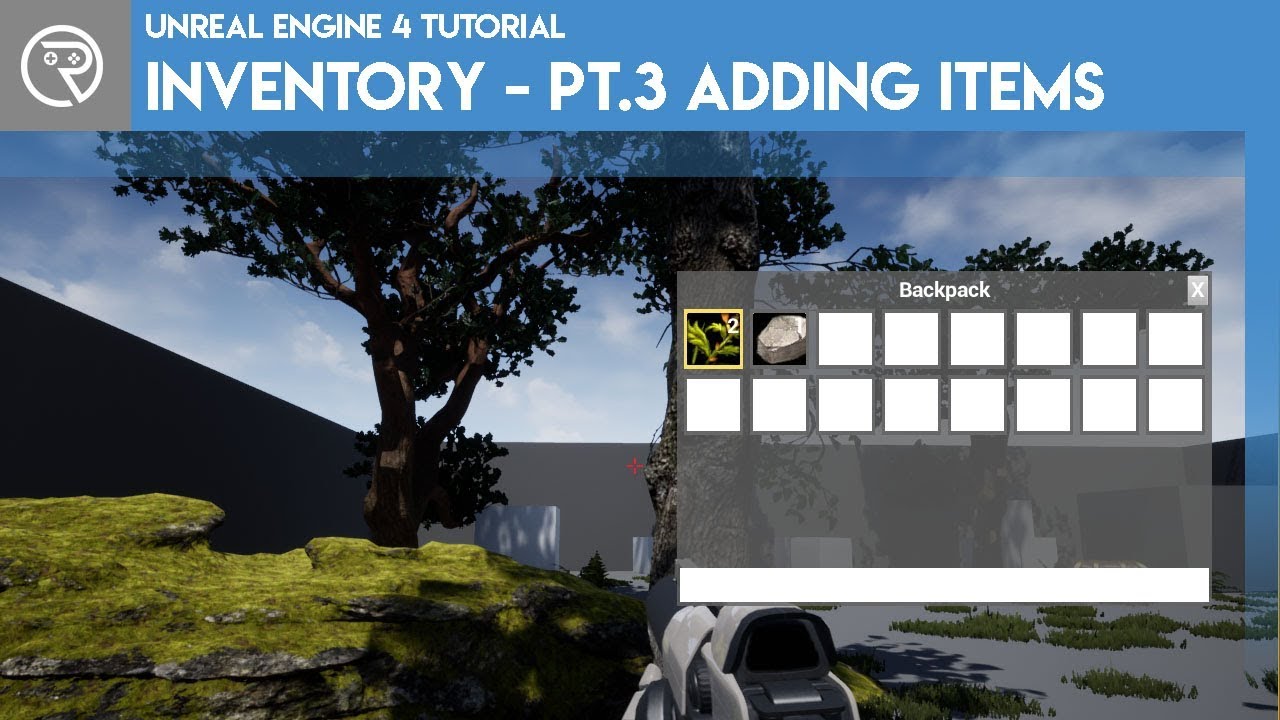
In this new series I go through a method of creating an inventory system, similar to a survival game. In this part I show how we finally begin to add items to our inventory. This first part goes through how to add non-stacking items.
There are unlimited ways to create a tutor...
its picking up the items but its not adding them to my inventory
sudden bridge
hey guys I want to play an animation but be running code at the same time, but my blueprint waits for the animation to end before starting the rest of the code, how can I fix this?
hollow ridge
oh @rocky radish also it isnt that here is what it says in the docs
HTML5 SDK Setup
The Unreal Engine 4 (UE4) HTML5 implementation utilizes the Emscripten toolchain from Mozilla to cross-compile UE4's C++ code into Javascript. When you download UE4 from either the Epic Games Launcher or from Epic's Github repository all of the needed Emscripten and Python files for HTML5 development will be included. This means that you can start creating HTML5 projects without having to perform any additional setup steps or install any additional software.
@sudden bridge r u using a sequence?
hollow ridge
k
rocky radish
oh @rocky radish also it isnt that here is what it says in the docs
HTML5 SDK Setup
The Unreal Engine 4 (UE4) HTML5 implementation utilizes the Emscripten toolchain from Mozilla to cross-compile UE4's C++ code into Javascript. When you download UE4 from either the Epic Games Launcher or from Epic's Github repository all of the needed Emscripten and Python files for HTML5 development will be included. This means that you can start creating HTML5 projects without having to perform any additional setup steps or install any additional software.
@hollow ridge oh so nvm
hollow ridge
@silent walrus I need to see what you have
silent walrus
like my blueprints?
silent walrus
yeah i did but none of the things they said worked for me
hollow ridge
just from the comments this seems like it might be a bad tutorial
silent walrus
yeah, but it was the first one i found so i thought it wouldnt be bad
 bitter iris
hi guys, i have a setup so these green boxes have their own location info, to display on hud, the problem im having is, if the player spawns in 1 of the boxes, it doesnt "activate" to show on the hud. How could I bypass it
silent walrus
could you point me to a better one @hollow ridge
hollow ridge
idk Ive never made an inventory system I can look tho
 mossy nymph
@bitter iris by the looks of it you could check which one he's in using simple vector math
instead of im guessing collisions?
silent walrus
@hollow ridge did you find anything?
hollow ridge
nah
silent walrus
so should i keep following this one?
cuz im really new and dont think i can do it without a guide
hollow ridge
maybe I would think you just have an array and add the item you need to it
silent walrus
like this?
hollow ridge
hm I think that works but also depends on what that input value is
 deep viper
I'm playing around with the UMG [scroll box ] item. It seems to squish my children into thin lines (it does not stretch them vertically to match the height of my [scroll box] height. Note, the green bar is an image, and the line with 5 colors is a grid box, all the empty space is the [scroll box] area.
hollow ridge
try to disconnect everything from the node and put all the values in manualy and see if it works
silent walrus
wdym, as in like disconnect everything from the array ?
stark marsh
help i want to make armour that moves with the players body with animations
i also want to equip and unequip
silent walrus
how do i put the values in manualy
bitter iris
@mossy nymph id prefer to stick to collisions
silent walrus
so then what do i do in this situation ?
mossy nymph
vector math is significantly more performant @bitter iris
bitter iris
yeh if you know what youre doing sure lol, idk this is how my head done it
mossy nymph
there is a spatialization grid plugin even, somewhere on the marketplace
that does exactly that
 ornate forge
When I convert a skeleton with UE to Rigify, the converted rig ends being detached from the mesh, is this normal?
Seems to break animations too
I do the same things that the official tutorial does

UE to Rigify is a Blender addon that uses constraints defined by visual nodes to drive any rig and its animation with the Rigify modular rigging system. In this video, you will learn how to get up and running with the addon and how you can immediately start using it in your ga...
Not sure what can even go wrong
plush yew
Hiring devs dm me if you want info and 3d modelers
 versed lion
Quick question, Can the engine be crashed because of low pc specs?
 latent thorn
saddly yes i believe
versed lion
oh, ok thx 🙂
latent thorn
good luck dude 😬
 wooden kayak
I had a question about Lightmaps and Shadows in Unreal. It seems like when I build the Lighting I get these wiggly shadows. I think it has to do with the models Lightmap but I'm not sure how to change it, has anyone had these problem before?
rocky radish
I had a question about Lightmaps and Shadows in Unreal. It seems like when I build the Lighting I get these wiggly shadows. I think it has to do with the models Lightmap but I'm not sure how to change it, has anyone had these problem before?
@wooden kayak increase the lightmap resolution
zenith pebble
@open gorge yeah I did, but it still isnt working
open gorge
@zenith pebble sorry, refresh me
zenith pebble
When i go to edit code in ue4 if returns an error saying that Visual Studio isnt fully installed or something
I think I'll try reinstalling again and see if the issue persists
 safe swallow
I am wondering, if someone can answer a question, when I retarget my animations to another sk_mesh... is there a simple way to retarget sockets on bones too? Or is it all manual?
open gorge
@zenith pebble try these options: https://stackoverflow.com/questions/50185146/the-setup-for-this-installation-of-visual-studio-is-not-complete-really/50687020
sudden bridge
anybody know where I can go to add a post process volume to my level?
can't seem to find where that would be
open gorge
Left side of UE4:
 alpine laurel
google is so stupid
cant even track cookies right
i have been getting unity ads ever since i started using unreal engine. i have literally never looked up unity
 noble magnet
So i downloaded the creator version of UE4 to see if making this game was even possible, but now that I've found that it is do i need to upgrade it to a publishers version?
does it even matter?
open gorge
Unreal Engine End User License Agreement for Publishing: This license is free to use and incurs 5% royalties when you monetize your game or other interactive off-the-shelf product and your lifetime gross revenues from that product exceed $1,000,000 USD.

Unreal Engine End User License Agreement for Creators: This license is free to use and 100% royalty-free; you can use it to create internal or free projects, or to develop linear content or custom projects for clients, but not for publishing off-the-shelf offerings.```If you plan on releasing your game, you need to use the Publishing version yes.
@alpine laurel Unity probably signed a deal with google or something and if you're searching general game dev things or UE4, they'll try to attract you to their product. So less stupid on google and more of a ploy to get you to use Unity.
alpine laurel
oof
loud prism
Is there any site which can publish my game for free, I am just asking 🙂
alpine laurel
yeah i tried unity before (used a seperate web browser for it) and not that fun
open gorge
@loud prism define Free
open gorge
I think they take a cut
loud prism
@open gorge free here means without any money can they publish my game
open gorge
they also have size limits
alpine laurel
yeah they prob do
deep viper
Where can I find [z-order] in the UMG* editor? I can't seem to find it on [image ] components. (I am also having very inconsistent draw order behavior judging from the order of my objects in the hierarchy.
loud prism
I don't wnt to earn money from my game for now I wnt to give my game for free to people
open gorge
You can do that too
but they still take a cut of any money you make off your game
including donations
you need to report those
or you can get in trouble, technically speaking
@deep viper have you tried searching the panel, iirc there's a search bar at the top of the details window for UMG
in the middle of code iteration so can't open editor
deep viper
I just learned that z-order seems to be a "Canvas Slot" property, so only available to immediate children of a [canvas]. I'll try juggling the children of the [vertical bar] and [scroll box] for now, since the draw order is a total mess atm.
deep viper
In which order to UMG objects in the hierarchy render? (Boy this information is not easy to find with google) Turns out the lower umg objects have priority.
deep viper
Anyone know how to close any pop up windows you accidently left open without closing? (e.g. color selection window)
 ember cliff
is it normal that my packaging action announces 2700 shaders to compile when I only have a dozen very basic materials ?
 grim ore
yes as other items might be packaging that you did not count on, like engine stuff. and every material has different variations which is why so many shaders
deep viper
I can't seem to be able to create a [Make Float] node in the material graph for a [UI domain] Material. I was hoping to input it as a value for a radial gradient node.
 upper oasis
Hello guys. Does viewport screen percentage affect screenshot quality?
grim ore
a single float would be a scalar or constant 1 in the material
deep viper
Thanks.
upper oasis
New to Unreal engine. 200% screen percentage seems to make my screenshots blurry compared to 50% or 100%.
I tried to look into youtube but theres not enough explanation. Any inputs would be appreciated. Thanks.
grim ore
how are you taking the screenshot?
upper oasis
@grim ore I am interested in archviz that is why I am also trying to make use of the screenshot feature. I took screenshots of two 5X multiplier. One 100% & the other one 200%. I am taking a shot w/ a depth of field blur. the 200% seems to look blurry all around.
is it allowed to post image links here?
grim ore
it is, but how are you taking it? the high res screenshot option in the viewport or the console command or ?
upper oasis
I have heard of the command version. Does the viewport screen percentage not affect the render/screenshot result? I am still about to study the command version.
 restive rivet
I'm about to set up a new computer so I need to transfer my in-progress Project over. How do I gather up all the files so I can upload them somewhere?
grim ore
based on it only working at runtime (screen percentage cvar) I would asssume high res screenshot doesnt play nice with it
@restive rivet Your project should be self contained so if you move the entire folder it should work on a new machine
upper oasis
@restive rivet You can probably look it up in the epic game launcher library. Open file in folder.
restive rivet
I see it all there, but it shows the project file size as 1KB, so I wasn't sure if that was actually accurate
grim ore
the .uproject file or the entire folder?
upper oasis
@grim ore Is the code version a standard workflow?
restive rivet
The project file.
grim ore
the folder is what you want, the entire folder where your project is at
@upper oasis the high res screenshot should accomplish what you want, I dont see a need for trying to get it at 200% scale. Thats basically the same as rendering it at 2x resolution internally then scaling it down to 1x to fit the screen. If you use 2x high res and then scale it down to 1x its the same effect.
screen percentage scaling is intended to be a performance at runtime feature
upper oasis
@grim ore Thanks for the input man. Appreciate it.
grim ore
@restive rivet you want the project folder, compress it or move it, not just the .uproject file.
so in my case I would move the tpp folder and it would contain my entire project
restive rivet
@grim ore Got it, thanks!
noble magnet
Anyone feel like taking pity on a newbie and helping me figure out how to tie some things into this really nice advanced locomotion asset? Everything I do breaks something. Even the smallest thing. Its pretty beyond everything ive learned so far
 pulsar badge
Does anyone know how to remove grass out (foliage) of a road its on the landscape already. I checked paint and there is no removal for foliage
 final stratus
Will UE5 have more thorough C++ documentation? Unity's docs are really great and descriptive with examples. It's very approachable compared to UE4, where docs seem to consist of only a few sentences on a topic.
 sinful egret
hey guys what's something that that it's very time consuming, repetitive or just difficult in UE4? I'd like to build automation tool for UE4 so I'd like some feedback  👍
👍
noble magnet
If i make a BP out of destructible meshes, why does the bp have no collision when I drop it into the world?
loud prism
whats the downloading size of unreal engine??
pulsar badge
It tells you the download size before u click the install button lol
 vapid spoke
Hi all,
Does anyone knows how to convert the quaternion from unity to unreal?
The following link is a similar problem.
But it is not workable after my test.
https://stackoverflow.com/questions/46769710/how-to-convert-quaternions-from-ue4-to-unity3d

Stack Overflow
UE4 and Unity3d has different coordinate systems. I am trying to convert quaternions from UE4 to Unity3d by simply remapping UE4 [x, y, z, w] -> Unity3d [x, z, -y, w]. But it seems that I am doing
 rocky quiver
check for updates for Windows Installer
loud prism
ok
 fresh shuttle
Hey guys i am trying to record my packaged ue4 game,obs's quality is horrible and i can't sequence record can't follow my 2dpaperflipbook character's camera, any way to solve this?
fresh shuttle
rip
 ember raven
is there anyway to make a in game Virtual computer, or a working browser?
or streaming virtual computer inside unreal engine?
 red prairie
Could someone point me to where I could get UE 4.26?
I am not sure which branch is 4.26.
Thanks.
loud prism
restoro setup can help?
 misty lynx
Anybody had problems with installing asset packs from store?
its terribly slow for me
started installing 3,5 hours ago
loud prism
i am not able to install unity
misty lynx
loud prism
misty lynx
nothing is happening most of the time
loud prism
hmm
 lusty crater
anyone know whats happening here?
chilly skiff
Anyone
can u please teach me simple texturing
it's just buggine me here
please
we can interact on zoom meeting
 feral sierra
what is the best approach for procedural environment? What is the best way to generate a random number? A perlin noise or a formula?
 hollow raven
Why is my use controller rotation yaw not listed?
 noble tapir
Hi there, Im trying to do hardware accelerated video encoding so I can achieve something similar to pixel streaming. does the AVEncoder module do any gpu encoding or all cpu? Trying to avoid going through the pixel streaming plugin and rewriting a bunch of it and trying to figure out all the includes and stuff
 lusty carbon
Can't install . this goes on forever. Any ideas? (tried restarting my computer)
loud prism
anybody on windows here
ornate forge
Windows is a really obscure OS, so probably not
 unborn bolt
Hi, does anyone know where I should ask questions about Shaders?
 spice pond
@lusty carbon tried running as admin?
loud prism
can i get invitation link of this server
 glad stone
anyone have this issue of Unreal not verifying ?
unborn bolt
@feral sierra What type of environment are you asking about? For materials, using the world position or noise is pretty good, there is also a custom function you can use for generation of random materials. For environments, how random are we talking? If were talking about placing pre-built scenes together, there are a couple of marketplace plugins for that. There are various formulas that would be better than noise, as formulas can be more controlled, so to speak.
glad stone
hm alright it seems Windows Defender blocks unreal somehow
have to turn it off, restart
 native cradle
has anyone worked on player spectator pawns for following team players action when we die and have not respawned yet? Could use some pointers
stark marsh
help i've made some armour for my character but when i parent it to his bones the size changes and it goes massive
 inner mountain
Hey unreal people!
Does anyone know how to fix the following issue?
With Fullscreen mode (in standalone/packaged game), input mode == game only, capture mouse on launch & lock always
Still, the mouse click events are not working if I move the mouse far to the right or bottom (the cursor is not visible though)
Any way to fix this issue?
lusty crater
is it worth following the official tutorials regarding Unreal engine 4 with Visual studio
I seemed to follow everything on the https://docs.unrealengine.com/en-US/Programming/Development/VisualStudioSetup/index.html tutorial but I cant even get it set up like in the pics
Tips, tricks, and techniques for setting up Visual Studio to work with Unreal Engine 4.
inner mountain
hey @lusty crater what's you trying to achieve exactly?
The docs are often outdated so it's better to look for some clues than following them literally at 100% precision
inner mountain
ah well that's mostly for cosmetic reasons... I mean, you can perfectly work with VS with no customization at all (default toolbars, etc)
stark marsh
i really need some help with armour
it goes through my when when he walks and it just looks weird
i also want to equip and unequip it
and haves lot's of differant sets
but when i equip it to the sockets the armour size goes massive
so far it's just a static mesh added to him in the viewport
lusty crater
so I am looking at doing c++ with unreal engine to make games, was there any good tutorials you guys have used in the past, I am just looking for the starting point I am a total beginner with next to no programing experience, also want to learn level design with sculpting and terrain etc
@inner mountain
feral sierra
@unborn bolt hey thanks for your answer, for now I want to use procedural to generate intensity and angle from wind, but with specific rules. Like windy area more likely to generate high number for intensity etc.
Later I would like to implement island generation.
 paper hemlock
Whats a better Processor for UE4 AMD or INTEL?
ornate forge
IBM
paper hemlock
Hmmm ok
ornate forge
I'm on a FX 8300
paper hemlock
Ok ty its just that Im building a custom PC for game development
stark marsh
you should just build it how you would for just normal gaming
like find out how much money you have to spend and build a gaming pc
paper hemlock
Thats what Im doing
stark marsh
ok
 wary wave
Afternoon folks - I'm wondering if anyone has any technical solutions to my navigation mesh problems - our level designers want to be able to have multiple potential layouts in some of our streaming gameplay levels (a perfectly reasonable request given our gameplay and I want to support it).
...problem is, I'm having a lot of difficulty with it and can't find a reliable mechanism to do it. I don't seem to be able to save the individual navigation data for each streaming level into that streaming level, because any hidden level when building paths gets invalidated, and if they're all visible neighbouring or overlapping nav bounds volumes will conflict. It also does not seem to be possible to have multiple separate nav meshes any more.
Anyone have any reasonable ideas on how to solve this kind of thing?
inner mountain
@lusty crater I've learned basics from the course on Udemy: https://www.udemy.com/course/unrealcourse/
Though there are a lot of different courses and tutorials, including the ones on the https://learn.unrealengine.com
wary wave
@inner mountain - you can hide the massive images by wrapping your links in angled brackets
inner mountain
@wary wave well there is the "cross" button to remove the previews, no need for brackets...
stark marsh
help with armour please
i need it to move with my mesh
help i have a man in my game
but then when i add armour in and parent it to the mans bone sockets the size of the armour goes massive
wait does armour need to be skeletal mesh?
that might be why i'm going wrong
i was adding armour in as a static mesh and not skeletal
 grim flower
might be a relative/absolute scale issue. make sure your character is at scale 1,1,1 and then add the mesh to the character. once you link it to the skeletal mesh you can search for the specific socket to attach the mesh to
both skeletal and static mesh should work fine
ornate forge
If you want your armor to deform with your character's movement, it'll have to be a skeletal mesh
stark marsh
i'm redoing my character now
with his mesh and skeleton at 1,1,1 scale rotation and location
i will probably remake my character again eventually anyway
when i get further into my game
once all the main mechanics are in then i'll do stuff like replacing character to something i'll keep and not just a placeholder
 honest vale
I have animated zero things in my life, but I believe you also need to rig the armor to the skeleton of your character?
stark marsh
like give it the exact same skeleton ok
but when i go to create armour pieces in blender, how would i make it so it shares the skeletal mesh
like would i just open up my character fbx with the skeleton file and just add some armour, then export it along with the skeleton
stark marsh
i want something that looks like actual armour
but yeah
i need to find out how to make the armour use the same skeleton as the humans body
grim flower
yeah.. like @ornate forge said, you would need to have it as skeletal mesh then. Skin the armor in your 3D software on the same skeleton the character is using
stark marsh
ok i'm just rigging my character again now
ok so i've fully re - rigged my character
and i have a piece of armour
but how would i get that that move with my character
how would i get it to share the skeleton
and how would i export it in blender to do that, because otherwise it would just be a standard static mesh, with nothing special about it
ornate forge
Rig the piece of armor to the same skeleton that your character is rigged to
Then export like usual
stark marsh
so in blender right now i have my man, his skeleton and a chestplate on him
(chestplate is seperate object)
ornate forge
Is the chestplate rigged?
stark marsh
wait no
i don't want it permenant though
can i still equip and unequip it when i want
ornate forge
Yes
stark marsh
ok so press like join with automatic weights then
ornate forge
You need to rig it and export it without the man
stark marsh
ok
i don't have to delete the man
i can just select what i want to export
ok so i rigged the chestpiece to his skeleton and it changed size
ornate forge
Maybe you need to check the vertex weights
stark marsh
i dont know what tha is
ornate forge
Then it's time to learn that
stark marsh
yeah
i'll just watch some tutorials
on rigging armour in blender
i'm getting their
but it works as it it's clothes
and not actual armour
like it shouldn't be able to move so freely and so much
but i'll get their eventually
i'll have to just use that thing as a shirt rather than a chestplate for now
 worn oasis
is "thermal bridge" a thing in english?
related to windows and walls
sudden bridge
I forget what setting controls how a material is stretched over a mesh, can someone remind me?
stark marsh
how do i increase my players maximum health, mana or stamina
right now it's 1.0 the max
but eventually i want to add dungeons with puzzles where if you complete it you get the chance to uprade one stamina, mana or health
 halcyon flame
@rocky radish @dusky crest I'm still running into this issue, do you have any other ideas?
really appreciate your help
halcyon flame
is it possible that the [staticmeshname].[staticmeshname] aren't always ==? do I need to refresh the asset registry in some way?
@shut glen if you delete the event that was created when you overrode that should fix it
regarding my issue, it's just weird because it finds some of them.
 mint thunder
why is simple tesselation only stretching mesh in 1 direction?
halcyon flame
@shut glen locate the event.
halcyon flame
if you overrode a function called Jump in a new class, it should either be an event called Jump or a function called Jump.
halcyon flame
that is where the new function or event will be.
stark marsh
i feel i can't really get started with my game until a character that i like with some good aniamtions
 shut glen
i made one
halcyon flame
@ fat monke that is a trap
stark marsh
?
halcyon flame
if you overrode jump, a new event or function has been created. find it and delete it.
halcyon flame
@stark marsh you should focus on making a fun and functional prototype before you pour dozens of workdays into a finalized character model and animations.
stark marsh
so just use a very basic character to start off with?
and then make a better one i want to keep later
halcyon flame
@shut glen that is a call to the function, not the event or function itself. find the original (either in the event graph or in the functions section in my blueprint window) and delete it.
only do this to the overridden function
@stark marsh yes, depending on what you want, you could use a capsule, or if it's a first or third person game, you could use the starter assets.
shut glen
its here
halcyon flame
yes, I would use the UE4 mannequin in that case
stark marsh
and i'm getting actualyl quiet good at blender now
stark marsh
so in a few weeks like a month or something once i'm way more comfortable in blender i'll see if i can create my own character that i like
shut glen
@halcyon flame do i delete this?
halcyon flame
@shut glen I don't know, I haven't worked with the character and the class that you're working with. if that is an overridden function to which you've added little to no functionality, you can delete it. click on it to see how involved it is. if there's nothing, you can delete it.
shut glen
@halcyon flame there is only this
shut glen
yes
stark marsh
or downlaod one if there's a free one for now
halcyon flame
@shut glen delete it then. if you have other functionality you wanted to add, you'd right click on the CanJump node and 'Add Call to Parent Function' and then put the parent functionality wherever you wanted in the execution flow.
narrow mauve
What are you trying to say Unreal Engine..
halcyon flame
@rocky radish @dusky crest after a little bit of testing, I seem (fingers crossed) to have solved this issue by removing the bracketed portion from my filepath as seen here:
[StaticMesh']Game/Folder/file[']
halcyon flame
I don't know why I had the StaticMesh'' there in the first place but hopefully this will work properly now.
 hallow matrix
How can i add modes to my screen
To enter pantbrush mode or anything alse
@halcyon flame do you now how i can do thad?
 steel ledge
You mean like with Shift + 1? Like the Landscape and Foliage Modes?
Shift + 1 ~ 5 will get you different modes Or you can click on the "Modes" bar at the top of the screen (if you're in the latest version, I suppose).
 old sonnet
Is there any way to implement building without snap to point?
whole quarry
Yes, disable it. Top right in the viewport
old sonnet
Oh 😂 whoops i must be blind, ill look again, thanks
 vestal ferry
anhybody knows why my LOD are not working for this mesh ? i tried ssetting it as "large prop" to get default LOD settings, yet it dosen't switch
i tried setting up some other objects LOD at it works but not these meshes
stark marsh
as well as prototyping my game
i'm learning blender too so eventually i can replace the defualt character with an actual one i want to use
eventually
 obsidian nimbus
yea enable the panoramic plugin
there is a material in there
ow its broken now btw
you need to use the custom node
@glacial basin
there u go, the parameter is the stereo offset
 lofty wave
Does anyone know what causes this?
Two bugs:
- Two wall parts are being lit blue for some reason
- those black borders on the floor parts
grim ore
if this is static lighting, the black borders are due to the way lightmass works. https://polycount.com/discussion/191781/realistic-lighting-cant-avoid-black-edges-at-wall-intersections you need to adjust your meshes, adjust some light settings, or not use baked lighting. As for the blue tint, do you have a blue light anywhere?
native cradle
Has anyone used Amazon's Unreal Media Server v14 Unlimited Edition for Pixel streaming?
 jagged salmon
Anyone knows how to apply decals to translucent surfaces?
 loud knoll
@lofty wave select all those items in view and increase your light map density as a test, if it is 64 reduce that number to 2 see if you are getting clean shadows in that area.
lofty wave
Where can I change the light map density?
obsidian nimbus
@glacial basin this does not compensate for any head movement, so as it is u might be able to do some cool and super cheap vr particles with it but its nore like paralax
that floor texture thats in there now wil just mess with ya brain
scratch the super cheap, custom node is a bit iffy performance wize
this setup is not too bad tho
loud knoll

Intel
The part 4 of this tutorial is on Optimization Viewmodes which include Light Complexity, Lightmap Density, Stationary Light Overlap, Shader Complexity, (& Quads), Quad Overdraw and LOD Coloration
this might help you understand them
@grim ore You ever do any guides related to Ray Tracing?
grim ore
I do not 😦 I've played with it but nothing beyond just making it work
the 2 events coverages from Epic on their UE youtube are really good getting started guides. the one from Sjoerd is really good
grim ore
dont really see the point but yeah. I plan on buying it for the performance boost so it really doesnt matter what they show lol
obsidian nimbus
i dont have airco here so im not goin for a 400w card 😛
loud knoll
yeah same, I built a new machine and kept my 1080 waiting for this generation coming up. I got a 2070S via a contract for raytracing work but once I got it working I was just disappointed with the results I figure I just haven't tried enough things to get the most out of it.
grim ore
I have the 2070s here as well, no real complaints
and high end RT is just going to chew apart any video card right now, just have to be a bit more realistic with the goals
obsidian nimbus
chaos is enable by default on 4.25 source builds right?
grim ore
@obsidian nimbus not by default, you need to compile it in or use .26 master its on by default
obsidian nimbus
ahh think ill wait for 4.26 than
grim ore
I've got a 850w gold PSU that I am hoping will be enough to drive the 3090 and my 3950x but I am starting to worry
grim ore
yeah the 3090 should be about 100w more than a 2080ti
obsidian nimbus
im not a psu manufactorer so i dont know, and if i was i would say the same i guess 😛
grim ore
based on pc part picker I think I will be ok
loud knoll
@grim ore We have the same machine we are brovers of the PC
which mobo
Gigabyte Master?
grim ore
im sitting at about 500w on pc part picker with a 2080ti so that should hit bout 600-650 with the 3090. accounting for gold and power loss I should be just about ok lol
nah using an asus tuf x470
I am concerned about the shroud size and weight but thats what legos and pop figures are for lol
plush yew
i am getting this error when building
loud knoll
PSU aren't that expensive if I have to get a 1200 watt its not that much money worse case
obsidian nimbus
also PSU have long warranty, those things are build solid
loud knoll
you are using the FMOD plugin in your build
loud knoll
@plush yew FMOD error, are you using the plugin in your project or maybe it needs to be installed and compiled?
plush yew
i am using it in the engine directory
https://qa.fmod.com/t/ue4-unable-to-build-to-android-if-fmod-plugin-is-enabled/13335 this froum post answer might work

FMOD Forums
Hey all, I’m not too sure about the process of packaging to Android to include FMOD. Whenever I try to package a project for Android, if the FMOD plugin is enabled then the package fails. However if it is disabled then the package is successful. I get error messages saying n...
I hear a sound everytime i exit play. What is that by telll? It sounds like a whoosh sound
I never heard it before
loud knoll
@plush yew Do you have editor sounds enabled check the editor settings
plush yew
I'll check
loud knoll
I turn them off by default
plush yew
that did it @loud knoll Thanks so much
loud knoll
np
loud knoll
In the editor under Edit at the very bottom
 rich reef
Is this feature available within the blueprint viewport editor? https://docs.unrealengine.com/en-US/Engine/UI/LevelEditor/Viewports/PIP/index.html
(Please ping on reply ❤️ )
A viewport feature that creates a picture-in-picture for accurate camera placement.
plush yew
loud knoll
@plush yew yeah that is where you can change the settings for plugins that are installed I see FMOD
So that means your plugin is turned on
plush yew
it works for a windows build
loud knoll
It might have others that it needs or the version could be out of date with the version of the engine you are using