#ue4-general
1 messages · Page 827 of 1
 grim ore
 noble magnet
When I add animations to my project how do I call them to the template mannequin in third person? Does it make a difference where the folder imports in in my hierarchy?
Be gentle I'm only about 16 hours into learning this stuff lol.
 hearty walrus
how the hell do I make good lighting that mimics something like space
grim ore
@noble magnet the animations have to be set up to work on the skeleton you are using, are the animations you brought it set to work on the third person skeleton?
noble magnet
Yes they were all modeled around the stock mannequin
For third person
And I can get them to work on the mannequin that came with the pack, but I'm having a hell of a time trying to figure out how to play as that one in my test level. I'm not sure how to switch between the stock mannequin and another character that I drop in
grim ore
multiple things there. So your animations work in engine right now with the third person character?
noble magnet
If I drop in the stock mannequin that came with the animation pack, yes. But I can't call them from the stock mannequin you start with
 quick shell
for input would running be an action or axis?
grim ore
are you trying to use the mannequin that came with the animation pack then or the stock mannequin from the third person template? even if they look the same they have different skeletons and animations are linked to skeletons
@quick shell it would be either one depending on what you want
noble magnet
Ah I see. I'm trying to use the stock one, unless swapping to control the new one is easy
quick shell
whats the difference?
noble magnet
I assume it is, I just can't find simple answers in tutorials they're all 0 or 100mph
grim ore
well the mesh is just the visual thing, you can easily swap to another mesh inside of the third person character blueprint if you want. The issue at that point is the anim bp that the third person character is using is probably linked to the older mannequin/skeleton at that point
animation sequences are linked to skeletons, meshes are linked to skeleton, anim bp's are linked to skeleton
if you want these new animations to work on another skeleton you can retarget them to use a new skeleton using the retarget manager
alternately you just start using the new skeleton, new mesh, new animations on your character and control them manually or make a new anim bp to control them
hearty walrus
how would I go cutting through another mesh to create a pathway through it?
noble magnet
How do I swap my camera and my control from stock character to new character?
grim ore
@quick shell action is a single event. Push button, it triggers. release button, it triggers. Axis are checked constantly and return back values such as how far a stick might be in a direction or how far a button is pressed.
noble magnet
Is it just a click I can't seem to find? Something tells me no
quick shell
so i would use action run as a charge?
grim ore
you would set up your new character as the default pawn in the game mode if using player starts, or drop the new character in the level and tell it to be auto possessed (this is the way the third person template works)
what you would use would be up to your game and systems
quick shell
https://www.youtube.com/watch?v=w4nJ578XP48 im following this video

In this Unreal Engine 4 tutorial you will learn how to set up a new playable game character from scratch, by creating a game mode, character blueprint and mapping the ability to move, jump, run and crouch to different keyboard keys and mouse buttons. Furthermore, we'll create ...
noble magnet
Ok so it's not the pilot thing that I thought I was doing wrong
grim ore
pilot is editor only to let you move a camera by looking thru it
noble magnet
You're amazing
I've learned more in the last 5 min than the last 16 hours on YouTube
 hot pine
How often can I post in #looking-for-talent
I really need a new post
The old one is misleading
 stark marsh
help
defualt pawn class inst changing
i duplicated the defualt thirdperson character and replaced the mesh to my own
but when i set it as the defualt pawn class it still uses the original
hot pine
Code
quick shell
did they rename because i get something else
noble magnet
So when i import multiple textures and animations and things like that, do i need to move those files manually into the same folders for them to show in the drop down menus as im blueprinting?
hot pine
@quick shell try unchecking content sensitive
grim ore
@stark marsh is this in a template?
stark marsh
wait doesn't matter now
quick shell
stark marsh
just replaced the defualt character
quick shell
i have a spring arm on my character but it doesnt in bp
grim ore
@noble magnet no the asset manager/registry in the engine knows what is what and most things are filtered. Organizing is smart but most menus are by class and search the entire project
noble magnet
hmmm
grim ore
@quick shell chances are the spring arm and camera was added to the instance (copy) of the blueprint in the world and not to the blueprint itself
quick shell
so how do i add it in the blueprint?
grim ore
you use the green add component button in the blueprint
quick shell
wouldnt tholse be different things then?
grim ore
they would be yes
but you didnt ask that question
you can remove them from the instance in your world and add them to your blueprint and then it would be the same in both
quick shell
if ctrl shift z isnt the redo what is?
 forest mango
If I'm making a UI element to represent the player's cursor, which is not directly tied to the mouse but driven by mouse inputs, what would the Best Practice be for that? Creating a material controlled through the HUD, or creating a Widget which is then moved and manipulated by the HUD?
 vale silo
is Epic Online System fully exposed to Blueprints?
 deep viper
I can get sound to play when a [menu button] is hovered over with the mouse cursor, but despite also being able to "focus" over a menu button with the keyboard, I can't find a corresponding event to also have it play the same sound (as with the mouse). "OnFocused" event does not show up (and I imagine it does not exist).
 weary storm
I'm getting some undesirable shadow behavior using a landscape created using a 2k height map from World Creator. Weird shadows blend in and out of the landscape as the camera moves through it. Any ideas?
 wooden jacinth
how can I learn blueprints in ue4? Is there any tutorial on yt that u can recommend?
 honest vale
@weary storm that just looks like that the max shadow map distance is there and it fades out
increase shadow distance on the directional light
or enable far shadows and set the range on that to some high number and enable far shadows for landscape
grim ore
@wooden jacinth look at the blueprint courses on https://learn.unrealengine.com/ , there is a kickstart as well as an intro course and others
deep viper
I'm unable to set focus on a widget button when the game launches initially, but I am able to set focus on a widget button when a different button is pressed (this is done intentionally), both of these use the exact same blueprint setup (The video tutorial I followed had both of these working). What could I have possibly missed?
grim ore
its possible during construct those objects are not valid yet to be focused
 scarlet birch
If anyone has used Houdini to generate UCX collisions could you @me, I'm having a hard time figuring out how to get it to output in the FBX and be recognized as collision by UE.
grim ore
or your ui mode doesnt allow it yet, perhaps wait a bit and then try again
 fluid lance
Does anyone have an idea on why navmesh is generating on top of this area? (Tried scaling it, but it still generates on top of it).
it works fine on all other areas. Collision is fine on this too, I'm at a loss...again 🤦♂️
 earnest violet
I am using a triggerbox to trigger some widget and if you have a look at the screeshot you can see that I've set the game to pause then to a delay but in GAME it never makes it that far it gets stuck on pause
Does anyone one know how to pause the game and then have a delay then unpause plz?
grim ore
@fluid lance use a nav volume set to blocking to remove that
fluid lance
@grim ore I need that, inside, not on top, the pig AI's in the sty are floating through the navmesh at that height xD
 sudden bridge
is it normal for unreal engine 4 to get stuck on 'Building Lighting' at 99%?
fluid lance
they should be inside, but for some reason, only here, navmesh generates on top
grim ore
oh gotcha you need the nav mesh in that area
fluid lance
oh, sure, why didn't i think of that! 🤦♂️ thanks! again 🙂
grim ore
lol wasnt giving an answer, I was understanding the issue
my guess would be your pigs are blocking it for some reason, like the roof of the house to the left
grim ore
well if you move out the pigs what happens to the mesh
earnest violet
Does anyone know how in game to have a triggerbox pause, then have a delay of 15 seconds and then unpause. I f you have a look at the screenshot you will see what I am trying to do.But this code stops and never unpauses
fluid lance
@grim ore they work fine, everything works fine, it's something weird with the SM, but can't figure out what. Nav is set to obstacle, and colision is fine, follows the fence like it should.
If i scale it, this happens:
😆
now it's just scaled...initially i thought nav didn't have enough room in there to generate correctly
btw, made another mesh for that area, it only wants to generate on top...
grim ore
yeah that is weird
fluid lance
i'll just change the mesh with a proced. fence or something but meh, thought i could learn some more 🙂
deep viper
I'm getting this window when I double click a player controller blueprint (empty)
earnest violet
Does anyone know how in game to have a triggerbox pause, then have a delay of 15 seconds and then unpause. I f you have a look at the screenshot you will see what I am trying to do.But this code stops and never unpauses
deep viper
The youtube tutorial gets a different window
grim ore
@fluid lance oh hey, what does the collision look like for that fence mesh? I am guessing maybe it has a flat top collision instead of just on the fence posts
 graceful ridge
Hi, I'm relatively new to UE4, I'm trying to figure out a way of recoding data of the player when he finish a level (think of it like if he is playing flappy bird, it will record data from the start until the player hit the tube - game over) so that the next game loop I can use it to show. I'm not quite sure what this is call nor which YouTube video I should look at to start digging into this. Any recommendation?
grim ore
@earnest violet try enabling this in that actor and see if it helps
 haughty willow
I'm not sure how to fix this material layering issue when I introduce a third material on landscape painting it turns into the default grids until I remove the third material
fluid lance
@grim ore I wrote earlier, the collision is fine. It was my first suspicion too.
fluid lance
@grim ore Jeeeesus! Right 🤦♂️ I just hate it when I'm dumb... yea, ur right, that was it, ofc that was it, it's the only thing that makes sense. Thanks - again! 🙂
deep viper
It changed to this after resetting, layout, but I still can't find the "event graph" (so that I can add blueprints, similar to the tutorial)
earnest violet
@grim ore I have a triggerbox or a Character BP where the code for the pause game is?
grim ore
@haughty willow look up texture sampler limits, you need to change your texture sampler type on the textures
@grim ore the problem is the code you are running, pause game -> delay -> unpause is not running because when you pause the tick stops so the delay no longer works so set it in there
deep viper
Oh, I blindly found it. I had to click the blue "Open Full Editor" hyperlink text towards the top. Problem solved, thx Mathew.
earnest violet
@grim ore I have a triggerbox or a Character BP where the code for the pause game is?
grim ore
i answered you already
earnest violet
sorry but I don't know where to find that tick option.
grim ore
search for it in your character
earnest violet
ok thx 🙂
grim ore
you can see exactly what I did to find it
noble magnet
is it possible to give your player character the ability to move a static mesh? Like if i wanted him to rip a tree out of the ground with an ability or the like
haughty willow
thanks
grim ore
you can do whatever you want pretty much yes @noble magnet
noble magnet
Do you know offhand how to rotate a static mesh after you place it? Im trying to vary my trees up some
grim ore
set the rotation of it
noble magnet
Thank you so much for answering my questions. Im a super noob with this stuff
scarlet birch
You can set a random rotation range in foliage.
scarlet birch
Take a look at the foliage tools and procedural foliage.
noble magnet
built into the engine already?
scarlet birch
yeah, may have to turn it on in plugins. Not sure, check the docs
deep viper
@grim ore I finally understood what you meant by wait a bit and added a "Delay" of 0.2 seconds, now it focuses properly. Thanks again.
fluid lance
@noble magnet i'd say ur best bet is to look up some official tuts on UE4. For procedural foliage, you can start here, it's a very nice tut: https://www.youtube.com/watch?v=3ispyNxpRyg
noble magnet
ty. Im watching a 4 hour hour one from game dev academy on landscape sculpting right now but ill fire this one up
i know its just a test demo level but id still like it to look varied
is the pro. foliage tool something i need to buy off the marketplace?
he kinda just dives right into using it
scarlet birch
No, It might have to be enabled under plugins.
noble magnet
procedural mesh component?
 keen moss
has a solution been found for getting lighting to pass through glass with raytracing?
noble magnet
ah found a vid
first problem. I can find the Procedural foliage option, but under my miscellanious theres no foliage type selection available. Has it moved somewhere else?
 subtle gust
hello everyone! quick question: how can I collide with a spline? I have a spline as BP and other actor with Capsule collision and when I'm casting spline BP on begin overlap event nothing happens
 cunning night
So im brand new to UE dev but I figured no time better than the present to learn. I wanted to build a roll20 alternative for tabletop games but having seen nothing similar on UE4 I have to wonder if the project is feasable. Anyone have feedback on the idea?
noble magnet
oh man i should wait to ask my questions. I think im starting to get the hang of this a little. I guess i have to create my own first under landscape
deep viper
@noble magnet The sad reality of the rubber duck is that you will never find out the solution until right after you asked someone else (resulting in wasting other peoples time and embarrassing yourself). It happens to me everyday. XD
noble magnet
i was wrong. I got cocky. Lol obviously theres more to it than i thought
i do need a rubber duck though. My kid has tons i may borrow one
Yea i was wrong. does anyone know why i dont have a foliage type option in my drop down? lol
grim ore
which drop down?
noble magnet
yea seem like everyone in these tutorial vids have it between data table and force feedback effect in misc tab but i dont
grim ore
oh in the new class right click thingy? foliage is in it's own top category now
noble magnet
yea the spawner option is there now but i cant pick a type. Has it been relabeled?
Static Mesh Foliage maybe?
grim ore
what are you trying to find?
noble magnet
im trying to do procedural tree generation. I can right click and make a spawner but now i need to right click and make a foliage type for it to use trees from apparently?
and i dont have any right click-> foliage type option that i can see. The rest of my menus are just like the videos
grim ore
which video or image is this? ITs possible it changed yes
grim ore
yeah its out of date, I would guess
one of these depending on what type you need (its not one type now)
noble magnet
i guess static mesh foliage since its trees?
grim ore
yeah in the foliage type drop down in the procedural spawner, where you choose your foliage type, you can see at the top the ways of creating
and its shows those 2 types. and yes if its a static mesh you would do the static mesh foliage
actor might be for like a blueprint actor that might do stuff, maybe exploding barrels or something like that
 quartz grotto
I have a problem, my AI is not registering to the weapon bullet. Because of this, no damage is done. But it reacts to PainCausingVolume!
 shut hull
The bug report form is not working currently. Does anybody know another way of reporting a bug?
noble magnet
@grim ore so when i click static mesh foliage it takes me to my folders, i pick a tree and it tells me the file name already exists, asks me if i want to replace, i hit yes i runs around and fails. Im not sure why but its not letting me list my trees in the spawner
if i just make a new instanced static mesh foliage file, it isnt a tree and theres nowhere to add them
ill see if i can find an updated tutorial maybe. Im a visual learner. Need lots of pictures. And slow words
grim ore
@noble magnet when you click static mesh foliage its making a new asset, in side there you would choose your static mesh to go with it
noble magnet
oh i see then i rename it and THEN when i click it its got options to choose an asset
grim ore
yeah you are making a new asset and its asking you to create it basically
noble magnet
so when i drag and drop my spawner into the world it has no adjustment arrows
and no details now
yea all of my outliner stuff is grayed out now
 serene birch
you might be in a different edition mode
grim ore
it should show up as a volume you can adjust
noble magnet
all those options are grayed out to me now
 exotic thicket
Sometimes I wonder if the people creating the UI's in the editor even use their own tools...
Basic things like pressing tab to go into the next UI widget never works as you'd expect
:P
serene birch
modal UIs are a pain cause not really user friendly 😛
noble magnet
yea holy cow its a button to a button to a button
serene birch
but sometimes that's all we have
grim ore
they do which is why they work like that, the problem is no one else uses it when they create them so no actual UX feedback lol
UX is.... special in UE4
hopefully it gets a cleanup pass in 5
serene birch
I don't really find it that special
exotic thicket
it's mostly just mildly annoying
serene birch
I feel like oddness is omnipresent 😄
exotic thicket
:D
grim ore
its not consistent which is a big issue
exotic thicket
what is even more confusing is that sometimes pressing tab does go into the next widget
but most of the time it doesn't...
I haven't quite figured out how to trigger it to go there consistently lol
grim ore
i just like how sometimes you can drag on an input box and it will adjust, sometimes it wont.
noble magnet
So i need to make like all of these tree assests into these static mesh foliage assets and add them to the spawner to use them all
grim ore
one foliage type per tree probably yeah. There is also just painting down foliage at random instead of procedural which is fun
exotic thicket
what frustrates me most about the UI issues is that I do this sorta stuff at work and it would take me all of 5 minutes to fix bad tab ordering... I guess it's not that simple with Slate 🤔
grim ore
it's not that hard, it just takes someone to do it and that takes away time from other forward facing issues
noble magnet
oh man i think its working. My computer just had an aneurysm when i hit resimulate lol
grim ore
I am super hoping that UE 5.0 will be like a solid attempt at a polish pass
exotic thicket
Hope so
If I actually knew my way around the UE codebase I'd just go and fix this myself lol
maybe one day
grim ore
but then again, 4.0 was 4.0 lol
 inland pivot
So im brand new to UE dev but I figured no time better than the present to learn. I wanted to build a roll20 alternative for tabletop games but having seen nothing similar on UE4 I have to wonder if the project is feasable. Anyone have feedback on the idea?
@cunning night I'm fairly certain it's possible. However unless you have shipped commercial software before and you understand the implications of building roll20 then I would recommend trying a few significantly smaller-scale projects to get a sense of the effort you would need to put in to achieve this.
grim ore
@shut hull it's pretty much just that one site now, what fails on you when reporting at https://epicsupport.force.com/unrealengine/s/ ?
cunning night
if youre talking about the liscensing surrounding tabletops, I was planning on making use of the OGL that 3.5 falls under
inland pivot
i just like how sometimes you can drag on an input box and it will adjust, sometimes it wont.
@grim ore And there I thought I was just bad at aiming for the "right spot" when dragging.
No I mean that building a roll20-type platform will be very difficult as a software project
noble magnet
holy crap this thing eats so much memory sometimes
inland pivot
Take for example Fantasy Grounds Unity. That team started porting their platform years ago and I think they're about to ship before the end of the year?
cunning night
Ive used that platform, not bad but it lacks a fe features my group wants, granted we had already thought about going in a rewriting the data tables for their 3.5 addons
 ornate forge
It's time to recompile every shader in my project, hoo boy
noble magnet
"unable to spawn instances. Ensure a large enough surface exists within the volume" @grim ore
shut hull
@grim ore Thanks, that is the page I used. It only displayed an error message after submitting the report. But looks like it was submitted successfully
inland pivot
I'm trying to wrap my head around the scope, even if it's just for your own use. A map system, the entire D&D core rules for whatever edition you want to use ( including a combat system, character generation/management, NPC management, campaign management, inventory), save&load, networking, a mode for DMs and a separate mode for Players. I'm 100% sure I forget a bunch of stuff.
Definitely not worth if if you're missing a few features for your group 🙂
exotic thicket
I wouldn't say it's "not worth it"... it could be a fun project
but it's definitely quite complicated :)
fluid lance
I have a setup for interacting with NPCs which works, but it's crap. I have an interact collision around NPCs. OnBeginOverlap with player, it enables bool for interaction. When clicked, it displays interaction widget. But i'd rather have it like in any other game: you can click on the NPC regardless of where you are, and the widget will only display when you are near enough. The click is registered both as a move to command and calls interact functionality, but it's delayed until you are in range. How would I go about that? 🙂
exotic thicket
So you want it when clicking on an NPC first move to it, and then automatically enter the interaction thing?
inland pivot
That's their call for sure. But what would you say are the odds of tackling this successfully as a first project in UE?
fluid lance
@exotic thicket click (if far away), move there, then display widget when close enough. If near, just display widget. That's the main idea. Like most/any other top-down game really.
exotic thicket
Maybe you can set a value like "ClickedNpc" when you click directly on an NPC
cunning night
It's more of a side project while I learn. I have a couple friends interested in tackling it as well and my time is split between learning C++, video editing and baking
exotic thicket
Then you can check whether it's close enough, and if not then recheck once the move is done
sudden bridge
anybody know how to make it so that i can have two lights close together and have them be compatible without lowering the radius?
fluid lance
@exotic thicket yep, that would probably work. But what if you click somewhere else (the npc next to it right after for instance). You get in range and get two widgets displayed instead of one. I also need to somehow register if after the bool(npc_clicked), something else was clicked and is "waiting for the player to get in range".
inland pivot
In that case I would recommend picking a small part of a Virtual Tabletop's full scope and use that to feel your way through the engine. Maybe a character manager? Or something that displays maps to your group. Something like that.
exotic thicket
@fluid lance well, if you store ClickedNpc, you can check which NPC's interaction menu you want to display based on the variable and that way choose the right one. Similarly, if something else is clicked, you can reset the ClickedNpc value to either null or another npc :)
cunning night
^~^ definately. I wasnt intending to plant the whole forest at once, one tree at a time
fluid lance
@exotic thicket oh, store clickedNPC(the actual class) ooooh, yea, I misunderstood. Yea, that should work - right?! 🙂 yep, I'll try it, although i'll prolly have to dwell on it a little since any npc can be the player at any time xD and the player can be either any npc or just a spirit so yea...i'll need to work around that system w/o messing both, but thanks for the idea, it's clean, i like it 🙂
@exotic thicket heh, or nvm all that, i'll store it in the player controller 😉
exotic thicket
👍
noble magnet
Yes! Ive got trees!
 lament saddle
Hey, I have a weird UE4 Editor question. I noticed on lower-spec machines (e.g. my laptop) the editor UI has a significant impact on play-in-editor performance. Is there a way to bypass that performance tax short playtesting in Standalone?
EDIT: question answered below
 plush yew
Is there a setting that would cause standalone mode to be capped at 60 fps?
serene birch
r.MaxFPS?
lament saddle
@plush yew Maybe V-sync. Maybe yeah, r.maxfps
 rocky radish
r.MaxFPS?
@serene birch t.maxFps
serene birch
ah thanks
rocky radish
np
fluid lance
@lament saddle Have you tried?
lament saddle
yeeaahh... I have. I was wondering if there's a way short of that cuz Standalone Game takes some time to spin up
where PIE is practically instant
fluid lance
yea, i know what u mean
plush yew
I dont see a vsync option for the level editor parameters 🤔
fluid lance
@lament saddle but that doesn't rid you of the engine overhead, i never noticed any difference. Maybe try F11 with play in viewport, should do the same thing if rendering the icons in the explorer eats up ur performance. Or disable live icons
plush yew
Oh new editor windoe PIE doesnt have a framerate cap 🤔
fluid lance
@plush yew tilde - t.maxfps should work even in pie
lament saddle
@fluid lance I have to minimize the editor window so it's one extra step... but when I do, my game does run at full speed
fluid lance
@lament saddle you can F11, it will make the viewport full screen, when ur done, F11 again. I use it sometimes even when building levels to see better
lament saddle
weirdly enough that doesn't seem to remove the editor overhead
fluid lance
@lament saddle yea, makes sense in a way, but that kind of overhead shouldn't be removed by PIE either so IDK 😛
lament saddle
so no matter what I have to minimize the editor to play the game at full speed. UE4 mystery.
anyway thanks
I didn't know about F11... I'll def. use that on my main workstation
fluid lance
@lament saddle yea, it's useful to know that minimizing the editor helps. Never tried that. But since that has to do with resource allocation, you could also find the editor in task manager, and reduce it's priority to lower than normal. I sometimes do that when compiling shaders or loading heavy stuff and still want to use my computer. It helps with shader compilation speed.
noble magnet
is there anyway to mass add assets to the procedural spawner? Or do i have to make them one by one
fluid lance
@noble magnet foliage type for each
fluid lance
np...but you probably wouldn't want to "add mass assets" to the procedural spawner anyway 🙂
it would just be a mess
exotic thicket
if you have tons of assets you need to do the same work on, you could probably write an editor utility bp thing to automate it
fluid lance
@exotic thicket now I'm trying to see how to avoid casting/tick since I use a gate for navigation - regarding that npc interaction i told you about 😛
exotic thicket
you could probably cast it to a more relevant type when the value is set so you don't need to cast later
 ember raven
so.. There many kind of light in Game Engine, like there's spot light, ambient light, but raytraycing or path trayced light needs only one light source
the reason why there's different kinds of light is, its to fake and make it look realistic as possible, right?
fluid lance
I'm only casting once on NPC_Base, but when the gate opens, the cast runs/rick 😐 and I've been looking but there's no way to trick it, since "everything" is an "actor". Tried filtering a bool if actor==null, but it's never null so casting is the only option. actor==NPC_Base w/o casting doesn't work - ofc.
but probably a single cast/tick only when the gate is open is not such a big deal/issue, especially since I don't cast/tick on my animbps, which I've noticed most do
exotic thicket
it's probably not a big deal yeah, but can you just not make the variable be of NPC_Base type instead of Actor?
Then you wouldn't need to cast it
fluid lance
I'm just getting what's under the cursor for navigation - or I'm not understanding what you mean...
oh, now I get what you mean. I could, and run an event dispatcher and only have NPC_Base listen in for it.
onclick, register actor, send event dispatcher, check if actor send through==self (on the NPC_Base), and continue from there...I think
ornate forge
I wonder why Floor_400x400.uasset from the starter content keeps getting marked in Git as modified even if I don't do anything to it
 errant venture
ornate forge
errant venture
ornate forge
@errant venture Install Visual Studio and try to build it from there
plush yew
@fluid lance Hello, I was just trying some things related to my issue of yesterday, with the lights, and I've reading again our discussing. You said, I quote you : « stationary = problem causer since it's a mix between baked and dynamic lighting. »
So.. Stationary is bad ?
fluid lance
it's not....bad
it's more performant than dynamic but has some extra requirements. Lightmap UVs need to be clean, not overlapping & foliage needs to only cast dynamic lighting since lightmap can't compute huge objects like foliage (which usually covers the entire map)
if i remember correctly, those were ur problems. Overlapping UVs and folliage attempting to have baked lighting
plush yew
I had overlapping UVs, for sure, but I don't know if foliage attempt to have baked lighting. The message error said this : https://cdn.discordapp.com/attachments/688929503308808227/747929968217948270/unknown.png
 fluid lance
that's another 1
plush yew
It said also this but it's ok, I think I understood it : https://cdn.discordapp.com/attachments/688929503308808227/747929847279517767/unknown.png


But it's ok, it's more the first error I've posted that I can't understand
fluid lance
Well, it clearly says what the problem is man 🙂
So, the first is overlapping lightmap UVs. search on youtube about it, since it's full of tuts on lightmap UVs
plush yew
You mean the second I think 🤔
fluid lance
yea - my bad xD
plush yew
Ok ^^ No pb, I've searched on it and I more or less understand the issue
fluid lance
the first is about having lights in the scene that overlap other lights and cancel each-other out, so deleting those lights will fix the problem.
And the third is telling you that foliage total lightmap (that is lightmap of each instance times number of instances) is too large
Foliage lightmap resolution:
adjust that to a smaller size (if you want to bake lights for your foliage). If you are going to use dynamic lighting, then they don't matter...
plush yew
Yeah, the third is clear to me but I just find it weird because it doesn't tell me that foliage total lightmap is too large when I have just the landscape with the foliage. It only tell this when I add the little village of my other map on the first level then build the light
fluid lance
it's not weird. Lightmap is a texture which gets filled
so the more stuff it needs to fill in, the smaller the size of that stuff needs to be
Baked lighting is basically a set of different "pictures" of the shadows in the game if you will
hence, they can't change at runtime for static lights, they are fully baked. Stationary lights will bake light into the texture for static objects and will cast dynamic shadows on dynamic objects, and movable light will not bake anything, just cast dynamic shadows on everything
plush yew
anyone had issues getting the Streaming.PoolSize command to work to override the texture streaming pool budget cap?
Ok but there is NO foliage on my village map, I didn't add foliage at all. There is just the foliage on my simple "landscape + foliage" map, I add all the elements of my other map, build the light, then BOOM, overlap issue 🤔
i cant get the command to change my cap
but though, I add many static mesh, yes... so if you're telling me that the lightmap covers the foliage, the mesh, and all...
Yeah, I think you're telling this, indeed (and foliage is static mesh, basically) 😆 So it's ok, I understand ^^ @fluid lance
 kindred tusk
what can i put in the object node of a Cast to Game instance
fluid lance
yea, sry, i don't quite understand what you have there, all i know is that you have more than one directional light which isn't a good idea unless you really know what you are doing. A beginner lighting setup should be Stationary or Moveable ONE Directional light; a static skylight; a sky atmosphere, and if you can afford it, exponential height fog.
@kindred tusk right-click, "get game instance", plug that in
kindred tusk
oh i didnt even think about that. Thx
ornate forge
Is anyone using Screen Space Global Illumination?
noble magnet
my procedural tree spawner works amazing now, but none of my trees have collision even though the individual meshes do?
fluid lance
@exotic thicket Thanks alot, I got it working perfectly 🙂
noble magnet
ah i see it.
fluid lance
@noble magnet you set the colision inside the foliage type for each foliage type. Jus search for collision in the foliage type
noble magnet
Thanks rubber ducky
plush yew
@fluid lance Ok, thanks. I take note !
fluid lance
@ornate forge I did - no thanks, 2+ms 😦
noble magnet
Theres no actual collision option @fluid lance
fluid lance
@noble magnet My man...
noble magnet
ah thank you. Custom it is
plush yew
@fluid lance And if I have some foliage which collapse through static meshes, can it produce lightmap overlapping too ? Because I've noticed I have several little foliages within many of my static meshes...
fluid lance
@plush yew no, it's just going to add two shadows together, like when having a tree casting a shadow, under a tree a bush in its shadow and in the bush's shadow, a plant/insect/whatever. The shadows will be cast for each, occluding each-other.
UV overlap is something else entirely, and it regards the static meshe's UV unwrapping for lightmaps
This is a mesh with overlapping UVs:
plush yew
Yep
fluid lance
This is the same mesh w/o overlapping UVs
The first will render black, the second fine
plush yew
I've already checked infos on this, I think I understood. Though, when I check the meshes that UE4 say it overlap, I see no pb with the UV
For example, this :
and in the channel A (which is for the light, if I understood good) :
The Lighmap Coordinate index is 1 :
fluid lance
channel 0 is bad AF. Use channel 1
plush yew
'kay
fluid lance
Aight, it's late, I'm European, so I'm out, cya! 🙂
deep viper
From reading a thread on the Unreal forums, it seems that one cannot call a function whenever a button is [focused], but only when a button is [hovered] over, these two are distinct sinc e amouse triggers both events, while a keyboard/gamepad only triggers [focus]. I was hoping to play a sound file and change a button's image when navigating a menu using the keyboard, but it seems this wasn't supported in the same way the mouse was.
deep viper
There were people here earlier today. If you don't find anyone to help, I suggest you check back later/another day. I found this server to be worth joining for technical help.
 frosty maple
ok
I was just wondering if it's possible to make a pawn that behaves like a liquid
Basically a goo creature
ornate forge
Valve did something like that in their own old engine
frosty maple
I don't think it's normally possible to animate something like that and was wondering if it's possible in unreal
ornate forge
You can animate that, just not with skeletal animation
frosty maple
with what then?
ornate forge
Procedural vertex animation
frosty maple
that's a new term for me
ornate forge
A lot would be done in the material, I suppose
noble magnet
sooo...my UE just crashed and when i reload the project now theres nothing but the basic template
ornate forge
@frosty maple This might be relevant: https://www.youtube.com/watch?v=EUTE1SoOGrk

In this 2017 GDC session, Tequila Works' Mario Palmero presents ways to use textures in vertex shaders as a cheaper alternative solution to established methods, and present a new technique for animation pipelines that bypasses the CPU and enables animators to increase bone cou...
noble magnet
this is madness. My whole project is gone
ornate forge
@noble magnet Do you use version control?
noble magnet
i dont even know what this is so probably not
ornate forge
I guess now you have a good reason to learn it
noble magnet
why though? What the hell just happened? The project save is there but its wiped all the way back to the start
ornate forge
Version control is basically a time machine for your project, you could roll back any changes, and even unwipe it in a case like this
noble magnet
wait even my earlier secondary save rolled back
deep viper
Seems UMG can know when a button is focused, but has no way of learning when a button [becomes] focused. So I can easily change the style/appearance/image of a button, but i cant play a sound once when the button becomes focused. Though I could keep playing a sound on loop while a button remains focused by a gamepad. (ue4's power does not lend itself for my needs, the world collapses)
 stuck swan
I have a Data Asset referencing another data asset. In the editor everything works fine but in the build the reference is null. Any idea why?
noble magnet
@ornate forge i found something called Helix Core for free. Now i gotta learn to use a program to learn to use a program lol
 placid yarrow
@noble magnet I believe Helix Core's Perforce is the same software Epic uses for version control. So you're in good company!
ornate forge
Yeah
 ember cliff
Question : Im curious about making a basic cube-voxel sculpting thingie (kindof Medium for Oculus, but with cubes).
I was looking at some voxel plugins that could help (recommendations welcome) and some could do the trick, but If I were to do my own system with a dumb frontal approach, are there good tricks with Unreal to display tons of cubes with low impact on performance ?
 idle compass
hey guys recently I've seen lots of virtual space made by some fashion brands to showcase their new collections. does anyone know the process of doing it ? it is even accessible by mobile phones
 pulsar chasm
Anyone using Houdini for generating landscapes for use with world composition?
deep viper
I give up on implementing keyboard/gamepad navigation. So frustrating. Must let it go.
deep viper
How do I plug in an integer literal in blueprints? I cant figure it out.
exotic thicket
Isn't there a make literal integer node or something?
deep viper
thank you so very much
exotic thicket
np :)
there's make x nodes for most things, you can usually find it pretty easily if you drag from the target pin and type in "make"
deep viper
Oh, it didnt want an integer :(. It demands a return value here for OnKeyPressed event
"Event Reply Structure" type. What is that?
exotic thicket
not quite sure, what's this for?
I think there's a Make EventReply which probably would do the thing for that tho
deep viper
hhhmm "OnkeyDown" event does not fire.
I overwrote it in my Widget blueprint graph. Is it supposed to work?
It works, but it doesn't consider my updownleftright arrows keys as keys (cruel monster). Sound plays when I press character keys.
Is there a way to "undo a function override?"
 tranquil hare
hey can some one PM me for help i am having a bit of trouble and i cant really describe it
deep viper
Well, alrighyt, I fixed it. Turns out I had to override "OnPreviewKeyDown" since the other one did not detect keys that were consumed / handled by the UMG system Preview version gets to handle buttons before UMG does apparently.
 earnest jasper
UE4 and the computer froze during Shader compilation. Is there a chance that this will all pass? Or I need to restart?
 fervent lake
Hello i want a little help here
I have a fly code, but he seems to walk in the air often
can anyone help me?
 manic pawn
@deep viper for future reference... you need to plug the output of either Handled or Unhandled into that return
depending on whether you responded to the event, which will stop it, or not, in which case it will continue to the next potential widget to handle it
plush yew
i need some help
so i created this low poly character, and i wanna rig him for a shooter
problem is i cant find a video or guide anywhere that explains how to create reload animations
plz link a YT video or guide b/c i cant find anything that explains what i need to setup or how this works
 deep stump
Has anyone experienced their packaged project won't open? Doesn't give any errors, just simply doesn't do anything when I click on the exe.
noble magnet
I painted rocks on my landscape, enabled their collision just like all my trees, but they still have no collision. Anyone know why?
 lavish garden
@plush yew maybe skin weighting?
plush yew
no no i know how to do that
my problem is i dont know how it works in game b/c this is supposed to be multiplayer so i cant have floating arms
anyways im figuring it out
trying*
lavish garden
cool, best of luck!
deep viper
@manic pawn Thanks Zeblote.
forest mango
I'm running into an issue, it's all described in this video for clarity and to avoid any confusion through text.
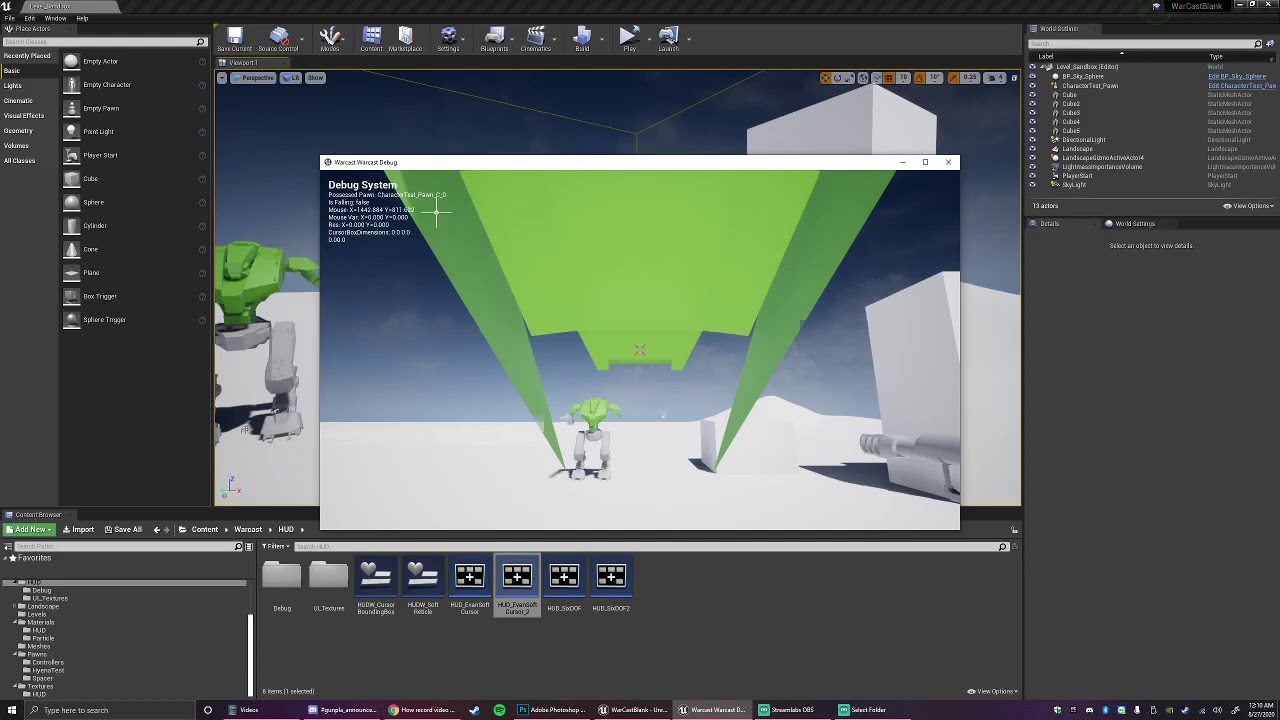
I'm using the function "Get Viewport Size" in my HUD Blueprint within my Unreal Engine 4 project. For some reason "Get Viewport Size" does not function correctly when in a standalone client, but functions correctly when played in the editor. Any help would be appreciated.
noble magnet
So ive went over this blueprint for vaulting 3 times. It's absolutely the same as in the video. But my character doesnt vault. Animations all have root movement enabled and are made with this skeleton.
Is there a chance it the object im trying to vault? I just smushed a stock square I loaded in with
 frigid needle
Are your Blueprint components the same? Do they have all the same toggles and settings?
lavish garden
msg the person who made the vid?
noble magnet
definitely. I was just holding out hope at half past midnight that someone in here would say "You forgot to check this one box, dummy!"
lavish garden
i wish that i even knew how to start what i want to work on.
plush yew
figured it out bois (do not attempt it is so difficult to do) mad respect to people who animate this for a living jc

Since some of you expressed the wish to see how to roughly create an FPS rig: here you go!
If any questions arise, feel free to ask me in the comments down below!
Music:
Epidemic Sound -
I'm partnered with Fullscreen, I am allowed to use this music on my videos. ;)
here's the video if your wondering how to setup FPS reload animation arms
 scenic fox
guys
my rig is in seperate pieces
sorry
my meshes are in separate peices
how do i export my thign?
subtle gust
hello! any ideas how to collision spline? 😞
 barren flume
I've been trying to figure this out for awhile, I have 2 different sets of animations, one is the character animation and the other is the camera animation. Both are rigged to the same skeleton and what I'm trying to do is combine both and play at the same time, so when you run forward the regular run forward animation will play and the camera run forward animation will play at the same time (the camera animations use a bone in the character that the camera is attached to. The camera animations does not have any other bones animated just the camera bone and the regular animations don't have the camera bone animated.) Sorry if this is confusing
or if there is some sort of program I could use to combine them and export them as fbx that would be fine too
I tried the blend node in the animation blueprint but doesn't seem to work
wooden jacinth
hi I have a problem. When I want to place my character on terrain he is being "killed" by engine. I can only place him on starting platform but if I want to go down to terrain then it kills him to. What do I do?
here is video https://youtu.be/gzxC8zyQ-gA

 lucid onyx
hi, did any 1 have example of how to use FindFProperty
plush yew
How many draw calls can today GPUs handle(for example GTX 1650)? And how many materials can I put on screen to have smooth fps?
 opaque bronze
drawcalls are more a problem for the CPU
rather than the GPU
it depends on your CPU, but UE4 automaticly batch drawcalls of static meshes by default to try sending big batches rather than small ones
that's called gpu instancing and it's used also for things like foliage
and one material slot in a mesh = 1 potential drawcall
and there is no a fixed limit about how much materials you can have on your screen, it depends on many factors like the complexity of the materials, your computer, the complexity of the meshes etc
 dire remnant
Quick question, is there a way to have projectile collision ignore the player that is shooting it but have the projectile collide with everything else? This is an issue in top down scenario I've created.
it's fine while my player is stationary but when I shoot at the same time the player is moving forward it collides with it's own projectile meaning every time I shoot my player moves backwards
plush yew
@dire remnant I think so it would help if you have custom collision setup through collision channels, and then just set Projectile to ignore Player.
 loud knoll
@dire remnant review the collision setup on the UE site, they explain how to setup custom collision layers.
@dire remnant you can also cheat a bit by turning off the collision and the enabling it with a slight delay so the projectile has a chance to move away from the player.
another cheat is to speed up the projectiles so they are always faster then the player on launch but it really depends on if you want this.
serene birch
Quick question, is there a way to have projectile collision ignore the player that is shooting it but have the projectile collide with everything else? This is an issue in top down scenario I've created.
@dire remnant try that
dire remnant
thank you @serene birch
these are the things I don't even know exist!
@dire remnant you can also cheat a bit by turning off the collision and the enabling it with a slight delay so the projectile has a chance to move away from the player.
@loud knoll this also could work, as I don't necessarily want to turn collision off permanently
just at the moment of "fire" as it were
loud knoll
You turn it off for 2 frames and then enable it.
dire remnant
@dire remnant I think so it would help if you have custom collision setup through collision channels, and then just set Projectile to ignore Player.
@plush yew I was looking at the options in collision and couldnt see this one specifically but I'm new to this so I will look again, though potentially if I want to play this with a couple friend's they would also be "players" right?
all very good ideas for me to work through thank you all very much!
plush yew
@dire remnant You will need to create a custom collision channels for players or other such things, although sometimes using one of the presets can also work
loud knoll
@plush yew you can create a custom collision layer for other players only if you have teams you create like a blue layer and red layer for each team
dire remnant
ok this is interesting I obviously need to do some more homework, thank you for answering my nooob question 🙂
loud knoll
yeah its worth the time to investigate it, and it is a bit of trial and error the first time you do it, which features you need to have enabled for your custom layers.
dire remnant
it took me like 3 days to figure out all the tick boxes to get my character moving how I wanted to hahaha
So I'm all about the trial and error
I was losing my mind but I got there
then I started again to make sure I could recreate it
just to make sure I learned the leason properly
loud knoll
its like that for everyone, we are all on the same mountain all of us started at different times, even with all my decades of experience each engine has to be learned
dire remnant
that's very encouraging to hear
I started with blender, substance, photo shop, and FL studio back in March
and I've just gotten to the point where I'm able to touch the engine within the last month or so
it's been a really intense but fun learning experience
I really love this craft
I will be learning C++ as I go which was another factor into learning ue4
loud knoll
yes it is very addictive I have been trying to do this stuff since I was 8 and I still love it at 50 years old.
dire remnant
that's it, my prior "experience" was RPG maker when I was in my teens
and with this pandemic and working from home I've found the time to reconnect with this passion
the tools available now are mind blowing
in comparison to back then
loud knoll
Yes I was very lucky to get hired to be a tester at Atari when I was 19 I got to learn from very good people early but you have to keep learning or you become useless.
dire remnant
yes there was a story I read about a developer who was saying if you go to school and still don't come out feeling like you were self taught
you're not doing it right
or something like that
basically you got to drive yourself
plush yew
I have only recently started with Blender, and the Blender to UE4 export systems need an upgrade
loud knoll
Yes most people coming out of those schools wasted the money
dire remnant
eeek haha
it's soo cool to build your own worlds
funny thing is I would never have considered myself "an artist" but the things you can do with 3d modelling these days
it's like copy and paste from your mind
blender to ue4 was a little tricky
 restive yarrow
Guys I dont want my character pawn to be able to push physics actors, how do i stop that
dire remnant
the hardest one for me was getting the skeleton mesh into ue4
turns out -x forward z up
restive yarrow
I want the object physics to stay simulated, but my character pawn shouldnt be able to push them with force but instead stop when colliding
dire remnant
geometry face smooth
loud knoll
@restive yarrow They have settings for Physics interaction on the character pawn you can change those settings or disable them
 mental oyster
What key should I set for changing a gun’s current ammo type? Here’s what I have so far:
Q - Quickdraw (draw + fire | small gun only)
E - Interact
R - Reload
F - Switch guns
The number keys will be hotkeys for inventory items
restive yarrow
@loud knoll ill take a look
dire remnant
What key should I set for changing a gun’s current ammo type? Here’s what I have so far:
Q - Quickdraw (draw + fire | small gun only)
E - Interact
R - Reload
F - Switch guns
@mental oyster mouse wheel?
mental oyster
That could work
dire remnant
its either change weapon but if you're using number keys...
mental oyster
The weapon selection/holster system will work similarly to Fallout, and will have the addition of the Quickdraw feature
Pressing Q will affect the currently selected weapon as long as it’s a revolver or sawed off shotgun
dire remnant
the only thing to take into consideration when using mouse wheel... is that to make it more accessible you may want a secondary key in case someone doesnt have a wheel on their mouse
loud knoll
@restive yarrow Check under CharacterMovement > CharacterMovement: Physics Interaction
mental oyster
Ideally, I’d want something close to WASD like the others
dire remnant
tild can be an option
mental oyster
I personally will probably set it as one of the side buttons on my Basilisk V2 if I ever finish the game
tilde should work
dire remnant
only issue with tild is if you're gonna use it to access console commands
mental oyster
I hadn’t planned on making a console
dire remnant
perfect ^_-
restive yarrow
@loud knoll thanks a lot that worked 🙂
mental oyster
I’m still figuring out how I want ammo switching to be handled. I don’t want the player to lose the shells that were swapped out, but that’ll involve pulling them out of the gun and placing them into a pocket
The combat is going to have a bit of a slower pace compared to a lot of other shooters, but this still feels like it’ll be too slow
Actually, I just tried “playing” the animation idea, and it’s a bit faster than I’d thought
stark marsh
does anyone know to make a glowing forest
like in ark abberation map where it's dark but the plants glow a purple and blue colour
like in this image i found?
stark marsh
like the post processing and stuff
i want to make an open world rpg, but with lots of differant biomes
serene birch
if you speak about making the thing blue in postprocess without affecting the lights, it's probably trickier than you need
stark marsh
so i will make it darker and a purple tint when i enter the glowing area
can i set the lights tint to change when i enter a trigger box
and change back once i'm out
serene birch
you can tweak the skylight/lighting to give it a tint too
if you want to change a directional light color/intensity but not position, you can make it stationary instead of static
stark marsh
but can i change it back and fourth depending on whether i'm in the area or not
so as soon as i leave the area the lights tint goes back to normal
plush yew
who knew it would be that hard to make a crouch script
4 hours later here i am
organisation has been thrown out the window
 worthy plaza
idk what rig i've, i just imported some animation
 midnight root
friends rig ? ;)))
worthy plaza
;)))
@midnight root sound illegal
midnight root
memory
worthy plaza
ooooh
worthy plaza
1080ti, r5 1600, 16gb ram 3000mhz
earnest violet
If you have a look at the screenshot you can see my scripting. Basically I want it to pause then unpause but at the moment it gets stuck in pause. I am using a trigger box
midnight root
@worthy plaza 2gb on your 1080ti or what
midnight root
sorry @earnest violet haven't used those yet , nor a huge amount BP's
lucid onyx
any 1 have experience FindFProperty or FindUField?
plush yew
@earnest violet delay doesnt work when paused
worthy plaza
Could be i don't have space cause i download alot of things in marketplace?
lucid onyx
i trying to access BP var at C++
plush yew
Ordinary blueprint actors have an option to "Tick Even when Paused", which you can enable in the Details Panel after pressing the Class Defaults button in the BP editor. @earnest violet
earnest violet
@plush yew I have tried this but its not working 😦
I am using a triggerbox converted in BP
plush yew
thats odd, try increasing the delay to something like 0.1? im sure youve tried that though
earnest violet
delay is already set to 18 secs
is it something to do with "Allow tick before begin plaY" or Tick group?
plush yew
This is actually a bug with unreal engine 😦
earnest violet
bugger
earnest violet
any ideas
It works though if i do the scripting on my characters bp but I only have one Begin On Actor overlap node
 frank grove
anyone here uses blender?
earnest violet
How do I get around only being able to use begin on actor overlap node once?
plush yew
You could use set Global time dialation to a low amount like 0.001
@earnest violet
ive heard its a little bit buggy though
earnest violet
where abouts on my script would i put that m8?
plush yew
replace the pause with that, but also i guess that affects the delay length
earnest violet
Do I replace delay with Set Global Amount?
plush yew
so maybe that wont work
earnest violet
Like I said I got it working on my Characters BP but It gets triggered with an oN begin actor overlap node. BUt I can on;ly have one of those
scenic fox
how do i only import the skeletal mesh\
and not the mesh itself
i just want the skeletal mesh
not the character mesh
@earnest violet can you help me?
earnest violet
When importing it asks for a skeletal mesh check that and leave evveryhting else blank
scenic fox
Ok
earnest violet
How do I use more than one on actor begin overlap node in my characters BP?
scenic fox
but will it import the actual character mesh?
earnest violet
I can't remember
you can always delete it
How do I use more than one on actor begin overlap node in my characters BP?
I need one on begin actor overlap node to trigger a widget
Like I said I got it working on my Characters BP but It gets triggered with an on begin actor overlap node. But I can only have one of those
what's the best way to trigger as many widgets as you want?
 halcyon flame
I'm going to set about making a tutorial game mode that will need a lot of new objective-based functionality relative to the game mode/s I've already made (for a racing game).
does anyone have any good sources to recommend on this front? there's a lot I don't know and I want to make sure I don't just futz through the objective system, but make something robust that can support a variety of game-modes going forward....
thank you
plush yew
@halcyon flame this tutorial is decent, better in terms of expandability compared to other tuts i could find https://www.youtube.com/watch?v=gTz0BMBP3YQ
Demo: 10:45
This is a simple system that can be used as the base for your objective needs. Keep in mind it's quite rudimentary so if you want to make quests with multiple objectives in them you'd need to do a bit more.
I got some feedback and this type of architecture can l...
halcyon flame
@plush yew thank you
kindred tusk
i have an actor that is meant to store data but i need to cast to it what would i put in the object slot
halcyon flame
a reference to the actor prior to casting it to its particular class
kindred tusk
i dont understand
grim ore
your widget needs to find that 1 actor that you want to talk to that is in your world, how does it do that?
ornate forge
You need to put an object you want to cast
plush yew
Hi, I tried to make the name of my built game different than the project in doing so I changed some files names around in the build folder. while i have fixed most of those bugs by changing it all back to ShootTillYouDrop i am now just getting this error.
ShootTillYouDrop is supposed to just to be just the project name where as MedicalMadness is the games name
grim ore
after all the changes did you delete your intermediate/build folders and had UE4 regenerate the solution file?
grim ore
yes
not saying it will fix it but if you make changes to the raw C++ like that you should be making sure there are new solution files. Also never make raw changes like that in a project
stark marsh
help my healthbar doesn't go down by little bits, it only goes down once all health is gone
 brisk pebble
Would anyone happen to know if there is a way to add a pole vector in controlrig to a fabrik leg for example?
stark marsh
ok
grim ore
you can do it from in the editor, or you can do it by right clicking the .uproject after deleting the files and do it from file explorer
plush yew
when you get the percent or just by 100 etc.
so refreshing it now
so is the only solution to just rename the built exe
grim ore
try not to edit the raw C++ structure of a project, especially renaming stuff. There is a reason games like ARK are still just called ShooterGame.exe
your project has name properties for like the title bar and app name and such, you can rename the main .exe file in the main game folder as well if you want once it is built
grim ore
no renaming those would break the hell out of the project
plush yew
Oh
grim ore
once it is built, in a built folder after packaging, in that main folder is an .exe you can rename
plush yew
ok
so i did refresh the visual studio soultion
however
it still gave me the same old error
oh
i did not delete
the changed name files before refershing
oops
i'll just
 dim merlin
create a new object @kindred tusk
plush yew
copy and paste the project files into a new one
to make life easier but boy was it dumb of me to just try and do that oof
dim merlin
Hi, anyone knows how i could use a datatable to populate a struct with default value's ?
plush yew
Hey, what does it mean exactly ?
It just says that there is an error with this light, right ?
serene birch
typically it's when too many stationary lights overlap I think?
plush yew
okay sir
 sweet grotto
I'm looking to make a character/machine creator (think kerbal space program or something similar, where you create what you are going to control in game using assets) - does anyone know of a good resource to look at to start/learn about doing that?
earnest violet
What's the best way to trigger multiple widgets at different times per level plz?
I basically have a situation where I need tet to be displayed on screen via WIDGETS but don't know the best method to trigger them?
I have tried trigger box but it only let's me use one "ON ACTOR BEGIN OVERLAP"
grim ore
make a blueprint actor that consists of a collision item that handles what you need. the blueprint actor will handle when it is collided with and what is shown.
plush yew
@serene birch Mh, I think you're right and I've found my Stationary Light overlap issue 😬 :
serene birch
so here you go 🙂
plush yew
Should I just turn them into dynamic ?
serene birch
I suppose you intend to turn them on and off or so dynamically?
 turbid vigil
is this a new update that those variables are there by default? using 4.2.
serene birch
4.2? oO
turbid vigil
version 4.21
plush yew
@serene birch I'm trying different things but the build take houuuurs... 😩
 left citrus
is there a way to set the damping/stiffness of the cable component?
it doesn't seem to have any controls for this
plush yew
Furthermore, I guess I have another problem with the foliage because when I go into Lightmap Density, this it what I have 😦 :
Damn, why I haven't use this view modes earlier !? >_<
bruh why is everything blue 😳
You mean that what I have is pretty good indeed ? 😆
could use some work huh
ahaha
( I'm total noob about optimization and lightning )
serene birch
from what I heard, in the blue texture
the squares you see are one lightmap pixel?
Damn, why I haven't use this view modes earlier !? >_<
I guess because
( I'm total noob about optimization and lightning )
but it's ok, you have to start learning somewhere!
plush yew
=]
 hollow ridge
don't worry im worse at optimization
serene birch
you found the tool all by yourself it seems, it's already a lot 😄
hollow ridge
I spent so long trying to figure out why my game was freezing for 20 years... I was spawning 200 actors in 1 frame
well I knew the issue but it took me so long to fix
earnest violet
I am trying to trigger different widgets at different time but all that keeps happening is that it will only trigger one widget. Can anyone plz help me? Please see screenshots for problem
earnest violet
All I wanna do is trigger different dialogue text to screen. About 10 different widgets per level. Anyone know how to dothis basic operation plz?
I need a way around having to have more than one ON ACTOR BEGIN OVERLAP
barren flume
All of a sudden I'm having problems with cloth physics. It seems to just drop my fps completely from around 100fps to 12 fps
grim ore
man we keep telling you what to do @earnest violet and you keep not doing it. People have given you the answer, did you need someone to do the entire thing for you in order to get you to stop spamming the channel?
earnest violet
Please forgive me but I did what you said I checked the tick thing but it will only show one widget
I tried enabling the tick thing on my triggerbox BP and it still gets stuck in pause mmode
And as far as I can tell no one has given me the right answer so that's why all the comments
grim ore
you are asking about overlap and making a widget.
earnest violet
yes mate
grim ore
you want a stand alone actor blueprint that handles that
earnest violet
yeah but I don't know how to set it to trigger
sorry about my lack of insight I'm stillnew
grim ore
the same way you set up your trigger already
an actor blueprint, a collision volume, the event for overlap or hit, and the same code
grim ore
yeah but we mentioned this yesterday
and for your pause issue you are going to have to do some custom code as timers and delays do not fire off when the game is paused. You might want to consider not pausing the game
noble magnet
question time again, gents
dim merlin
Hi @grim ore i saw your video about importing .csv into UE4 as datatable
earnest violet
I need the game paused to allow the player to read the text without being shot at. Anyway of doing this?
noble magnet
out of my multiline trace for objects box on the out hits, the outgoing pin is the wrong type. Its a checkered box so it wont link with my break hit result
dim merlin
any idea what type of CSV unreal handles? I noticed u added extra row numbers in google sheets
halcyon flame
@earnest violet based on how many questions you're asking you might want to follow some tutorials to get some baseline knowledge
noble magnet
lol tutorials are what im doing, and all the stuff i want is from videos from 3 years ago or so and i keep hitting weird snags like this one now
halcyon flame
in terms of best practices, if I want to have every member of an enum mapped to a boolean value, is there a better way to do this than simply creating a map and filling it out?
@noble magnet would you provide a screenshot
noble magnet
 lime sorrel
does anyone know if it's possible to hide blueprints with the UGCExample plugin?
halcyon flame
yes, you could either get(0) or you could do whatever check you're doing through a for each loop
the dots mean that its an array of that particular data type, in this case a Hit Result struct
lime sorrel
I want users to be able to create custom content but I want to hide some stuff, and I don't want them to see/edit some blueprints
noble magnet
in the tutorial video its a circular pin just like HIT down at the bottom right
halcyon flame
yes. in the new node it is an array. you need to get a single member of the array (there will be at least one member--at index 0) or parse through each of them with a for each loop node.
noble magnet
phew i wish i knew more about what that meant
halcyon flame
watch some Wadstein basics on arrays. this is some incredibly fundamental stuff
nothing to be ashamed of, but asking questions like these indicate you might want even more basic BP instructions or even better, fundamental coding knowledge
halcyon flame
strongly recommend this tutorial on Udemy

Udemy
Created in collaboration with Epic Games. Learn C++ from basics while making your first 4 video games in Unreal
comprehensive
perfect pacing and knowledge transfer
noble magnet
appreciate it
halcyon flame
if you just need to futz your way through a certain project, fine
but if you're serious about this, learn the basics. I promise that this tutorial will be invaluable to you in learning how to deal with things like inheritance and managing data
(for examples)
grim ore
@noble magnet well multi line traces are going to be an array, are you sure the tutorial is using a multi?
noble magnet
yea, but its three years old so who knows whats changed
grim ore
which tutorial is this?
hearty walrus
is there a quick way to generate a placeholder image?
grim ore
and multi should have always been an array
@dim merlin csv is csv, its comma spaced text files. as long as its text with commas separating the data it will support it.
dim merlin
so but basically u were adding a extra row with a id
grim ore
column?
dim merlin
um, column, yep
hearty walrus
okay figured the first one out
is there a way to turn a vertical box into a button?
grim ore
yeah the first column is the row name
dim merlin
just found that my names had white space, and couldnt get the whitespace in c++, can in blueprint structs 🙂
noble magnet
@grim ore I found one from a few months ago thats using all the updated ways
grim ore
ah perhaps you can surround them in "" to indicate it has a space? is this a space in the property name in the struct?
sudden bridge
anybody have some tips of how I could improve my shitty lighting?
 flat idol
either turn it down or put many interesting content in the rooms so it will feel less bright
sudden bridge
when I turn it down it becomes too dark for me, idk why it has these random light bubbles and blocky shadows
 ruby anvil
How can I solve this problem? I have this problem in different versions.
flat idol
Fevzai are you certain your pc configuration is compatible with unreal recommendations?
random light bubbles and blocky shadows
you can get better recommendations in archvis chat but generally speaking if you bake light, the lightmaps should be configured to produce satisfying results, it's an optimization process, there's some docs about it, or learn it in school i guess.
ruby anvil
my computer is very suitable for unreal
flat idol
Fevzai sometimes outdated / wrong vga drivers can cause similar bugs
ruby anvil
can i be a tutorial bug
flat idol
yes please convert yourself to be a tutorial bug
ruby anvil
I'm trying to update video card drivers right now
flat idol
usually it helps, just restart pc before try, to ensure it's all setup
ruby anvil
i rebooted my computer several times and deleted 4.24.3 version and installed
flat idol
you probably dont need to reinstall ue4 again, just make sure driver is all setup by restart pc before using ue4 again
ruby anvil
ok i will try
 shrewd rain
has anyone tried compiling NVIDIA RTX branch of the engine?
the instruction says: Reach out to your Nvidia contact and get an AppId (also known as a CMSID) for your app. You will need this ID number in order to get DLSS working for your game. Without a CMSID set in the Project Settings of your game, DLSS will not work.
Does Nvidia contact mean someone specific or just an application form somewhere on their site?
plush yew
Could you tell me how to detach a static object when a specific frame is reached?
Just in case, I made a blueprint. 😓
idk if this is right 😭
flat idol
@shrewd rain when i search dev/nvidia site for cmsid it finds 0 results
 coral folio
hey guys i'm trying to fix rtx shadows on my dynamic trees,
i found out that you can solve it by 'evaluate world position offset' in the details panel, but couldn't find a solution if the trees are created with the foliage tool, any leads?
shrewd rain
@flat idol yeah, me too
flat idol
~~also just found this url but upon opening it says membership required. useless but its here anyways https://developer.nvidia.com/nvidia-dlss-get-started~~
maybe its bugged idk
NVIDIA Developer
NVIDIA DLSS - Early Access Program This program is accessible by invitation only. NVIDIA set out to redefine real-time rendering through AI-based super resolution - rendering fewer pixels and then using AI to construct sharp, higher resolution images. Powered by dedicated AI p...
this works apparently
flat idol
try recapture sky light, and/or press G while in editor
 wheat dirge
anyone know of issues with 4.25 and not being able to open the Epic Games Launcher?
plush yew
@flat idol If I press G, I have the exact same view (lights doesn't change) 🤔
haughty willow
Is there any way to increase the height limit on the landscape editor?
flat idol
in worst case just export heightmap as 16bit then reduce brigthness. once you import image back to landscape you can adjust scale of landscape, and continue paint on top, because new scale allows more height already.
there might be a built in solution for this im not aware of
 marsh sparrow
is there a blender channel in here?
serene birch
Is there any way to increase the height limit on the landscape editor?
tried scaling the landscape actor?
flat idol
i just said that, and it'd adjust all the heights with it but not the limits
plush yew
@flat idol If I press G, I don't see any difference but I didn't notify that I some errors messages (3 errors types) in the log and notably this : https://cdn.discordapp.com/attachments/688929503308808227/747929968217948270/unknown.png
I think UE change the lightmap of my Point Lights from stationary to dynamic. So if it sets the light to stationary in the editor then changes it to dynamic when I click Play, that explains why the lights change when I hit play.
But maybe UE does'nt do exactly this and so I'm wrong...
hearty walrus
can you use wingdings in UE4?
grim ore
do your lights show X on them in the editor? thats what that message means
fluid lance
I have some npcs roaming around, some with random point in navigable radius, and some patrolling point-to-point. Everything works fine except for the fact that they get stuck on various things/each-other nearly all the time. Any suggestions? Tried using the crowd ai but they behave the same/worse?!
 golden condor
Hey, I want to apply damage to my player
What I am I doing wrong?
Basically when my player overlaps with the enemy they take damage
 unreal rampart
Basically when my player overlaps with the enemy they take damage
@golden condor this is what you want or that's what happens
grim ore
how are you keeping track of health
golden condor
grim ore
and is the any damage event not firing in your character?
golden condor
Maybe, I don't really know
grim ore
so then how do you know its not happening
golden condor
I am checking now
 still moat
I wonder how many versions I can support
golden condor
No, Any Damage is firing alright
grim ore
then it sounds like you are applying damage to your player
golden condor
Well, no. Because that's a different enemy
I am just applying the same logic from that enemy
But since this one is close range I am not applying the shooting and stuff
grim ore
isnt that what you said you wanted earlier....
grim ore
the any damage code you posted is on the player or the enemy?
golden condor
Player
grim ore
and you said it was firing....
golden condor
It is
But only with one type of enemy
So, I have a close range enemy. I just wanted to create an event on the capsule of the enemy. If it overlaps with the play it applies damage to the player
grim ore
which you said is working
golden condor
Its not working. I don't know what I did wrong.
Omg, I am sorry for the confusion.
So, its working with the shooting enemy. Not the close range one.
grim ore
does the shooting enemy use the apply damage node?
golden condor
You asked if any damage is working and I said yes because its working with one type of enemy and not the other.
Pretty much, yes.
Its a carbon copy of the shooting enemy.
Without all the projectile nodes basically.
grim ore
so the ranged enemy uses the apply damage node as well?
or does it shoot something that has an apply damage node on it
golden condor
Its just getting the location and drawing a line trace to the player
grim ore
ok but how does it apply the damage to the player if it works
golden condor
Ow, I think its the collisions
grim ore
probably
unreal rampart
Can you guys let me know how you learnt UE4?
grim ore
I read the docs
golden condor
Honestly. This man right here @grim ore
unreal rampart
Guessing you were a programmer before you learnt UE4 then @grim ore
grim ore
I was yep
unreal rampart
I'm trying to make a game with a similar melee combat system to mordhau
But it won't be multi-direcional it will be infi-directional
grim ore
keep in mind you are using overlap, if the enemy capsule is set to collide with the player its a hit event not overlap
golden condor
So I should create a hit event and not an overlap
grim ore
if the collisions are hitting eachother yes
golden condor
Omg
Lol
Scared the shit out of me
Our "You lose" is so loud
Ok, it works
Thanks a lot
grim ore
yay
unreal rampart
How do people make sword animations?
grim ore
buy a sword animation pack if you are normal people, mocap if you are not normal
unreal rampart
Mocap I see
grim ore
and I guess some wacky people might keyframe a sword animation by hand
unreal rampart
Let me have a look at what that is
still moat
Is there a way to save a scene capture into a FColor array and then read it again later?
unreal rampart
@grim ore my game will need to be able to swing in every single direction apart from invetween ones legs of course so mocap seems like a slow way of achieving that
grim ore
then you will want to look into making an IK based system where your animation is driven by targets dynamically
grim ore
what is moving? is that a player or pawn or default something
plush yew
player.
grim ore
check the input then and you can see where it is coming from. Do you have a game controller plugged in perhaps?
plush yew
i used blueprints.
yes i used game controller
no wait
idk im not using a cointroller
grim ore
then hit play and watch your character and watch the input
we dont know how you set it up so we have no idea why it is doing it
grim ore
open the blueprint that has your input, hit play on the main screen so it starts, watch the blueprint and it will show you what is happening in real time
plush yew
ok
grim ore
or since it seems to be going in one direction what does the code look like for that direction
grim ore
I dont know, we dont know what your code looks like
grim ore
your move right is bad
grim ore
look at it and compare it to the move forward
plush yew
OH
thanks
Hi guys, sorry to interupt but I've got a problem
So I'm running a GTX 1070 with 8 gigs of VRAM, and I saw that it should support ray-tracing
So I decided to do another test project with ray-tracing on where I have only my landscape and some vegetation to test the looks
And it worked pretty well, altough the framerate might get a bit low when moving around in the viewport
But the problems come next
When I tried setting making the viewport fullscreen, the engine crashed saying it doesn't have enough vram
And when I tried clicking play
It crashed saying the GPU crashed or D3D disconnected
screenshot with the full message
rocky radish
i heard that using ray tracing on gtx gpus causes many MANY issues
plush yew
yeah but here it doesn't make any sense, I have enough VRAM
I'm thinking it might have something to do with the 'D3D disconnected' part
grim ore
update drivers, update OS, and hope for the best that is normally a driver issue
plush yew
hey uh
grim ore
the engine ends up thinking the card has been removed due to a time out, its a pretty common issue you can try and search for some of th fixes
plush yew
how can i change it from first person third person
nvm
@grim ore I'll be doing that rn
But I don't expect it to work
tried searching for the -d3ddebug thing but can't find anything clear
grim ore
its a launch command on the editor
grim ore
you start the editor with that as a parameter
so make a shortcut to launch it and add that
plush yew
this is probably a dumb question but how do i do that
grim ore
find the executable on your machine for the editor, right click it and make a shortcut, edit the shortcut and add that to the target. it's not going to fix it and the log probably wont help
golden condor
What's the shortcut for bringing the transform axis back into view when you're working with big objects?
plush yew
how do i make it so its third person?
grim ore
you would set up a third person camera if you want both first and third. Otherwise you can add the third person feature pack if you want to use a third person character
plush yew
IT WORKED IT ACTUALLY WORKED WTH
well, i already created a game thingy
can i do it manually?
grim ore
are you trying to do both first and third or switch to third?
grim ore
then add the third person feature pack and start using that character
grim ore
the green add button in the content browser
plush yew
now what?
grim ore
seriously...
golden condor
follow the steps
golden condor
Add feature or content pacj at the very top once you click add new, choose your pack
And then click add to project at the bottom right of the new window
plush yew
how can i create a gun?
 shut glen
any idea why it tiles like this ? i am new with unreal btw
 mint arch
I have some problem with ads When I do Show ad no advertising comes out
Did I do something wrong?
 coral shoal
is anyone familiar with the fullscreen bug where you change in and out of fullscreen and UMG detects mouse inputs all in the wrong position? I can only find similar issues from like 2015, but this is happening in 4.24
 twilit pagoda


