#ue4-general
1 messages · Page 825 of 1
 full prairie
 plush yew
@true falcon @open gorge writing all of these down currently, some very good ideas
 true falcon
@full prairie I'm kinda new to unreal as well, but think you need to go into the mesh editor and add the collision there, what you're indicating is something else https://www.youtube.com/watch?v=SEH4f0HrCDM
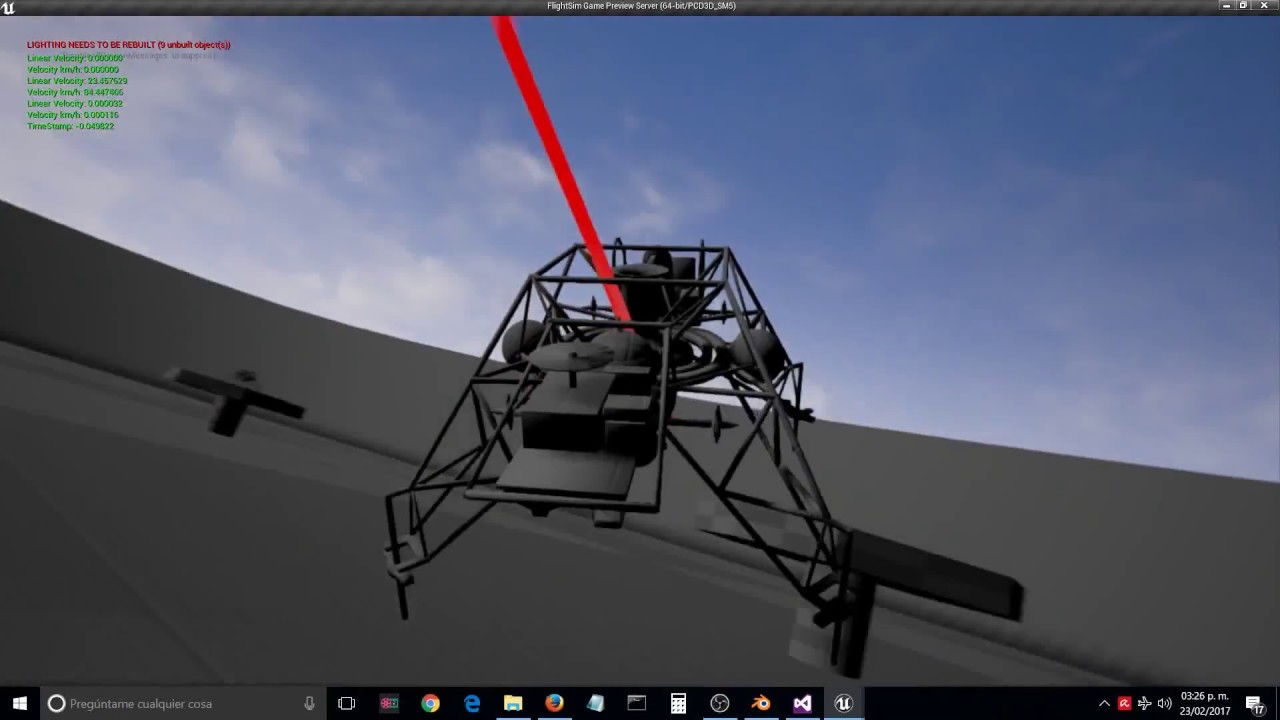
In this tutorial we will learn all the steps necesary to upload a static mesh with its custom collision component, then we will upload a skeletal mesh and set the previous collision component to the PhatAsset.
With this technique you can import custom collision profiles for ...
 dusky crest
@full prairie you can make custom collision inside Blender
https://docs.unrealengine.com/en-US/Engine/Content/Importing/FBX/StaticMeshes/#collision
https://www.youtube.com/watch?v=3QwbhZ9dlL4

Here I show you a quick tutorial on how to set a custom collision in Blender for Unreal Engine.
Setting up, exporting, and importing Static Meshes using the FBX content pipeline.
true falcon
Do you need a skeletal mesh? otherwise I think its easier with the mesh editor
full prairie
I made a mesh in Blender and when I import it into unreal I try to attach a Phusics asset, it doesn't work at all. See blankI made a mesh in Blender and when I import it into unreal I try to attach a Phusics asset, it doesn't work at all. See blank.
true falcon
that's just the physics material for the mesh I think
full prairie
is not the physical material colis?sion
true falcon
No its the physics material, for like when you want to do stuff depending on whether its metal, wood etc. The mesh collision lives in the mesh editor I think
I mean, maybe that's what you want? the collision box or the material?
true falcon
np, sorry, new too 🙂 it's hard to get into everything
full prairie
yup
plush yew
I’m gonna start with the minesweeper one but I also wrote down the “Reality is often inaccurate” one on a sticky note on my desk for later since I really like that concept
 open gorge
that was an epic mega jam one 😄
I made a whack a mole game where you try to get food from a farm, but there's a sinister farmer running around
plush yew
Sounds very fun
Also I have a question? where might one locate key binds for unreal engine?
 void kraken
Assertion failed: Module [File:G:/Epic Games/UE_4.25/Engine/Source/Runtime/Core/Private/Modules/ModuleManager.cpp] [Line: 340] ShaderFormatD3D

UE4Editor_Core!AssertFailedImplV() [G:\Epic Games\UE_4.25\Engine\Source\Runtime\Core\Private\Misc\AssertionMacros.cpp:100]
UE4Editor_Core!FDebug::CheckVerifyFailedImpl() [G:\Epic Games\UE_4.25\Engine\Source\Runtime\Core\Private\Misc\AssertionMacros.cpp:450]
UE4Editor_Core!DispatchCheckVerify<void,<lambda_2098f1e7e843cfcb71348540903a4d4c> >() [G:\Epic Games\UE_4.25\Engine\Source\Runtime\Core\Public\Misc\AssertionMacros.h:161]
UE4Editor_Core!FModuleManager::LoadModuleChecked() [G:\Epic Games\UE_4.25\Engine\Source\Runtime\Core\Private\Modules\ModuleManager.cpp:340]
UE4Editor_RenderCore!FShaderHashCache::Initialize() [G:\Epic Games\UE_4.25\Engine\Source\Runtime\RenderCore\Private\ShaderCore.cpp:136]
UE4Editor!FEngineLoop::PreInitPreStartupScreen() [G:\Epic Games\UE_4.25\Engine\Source\Runtime\Launch\Private\LaunchEngineLoop.cpp:2636]
UE4Editor!GuardedMain() [G:\Epic Games\UE_4.25\Engine\Source\Runtime\Launch\Private\Launch.cpp:127]
UE4Editor!GuardedMainWrapper() [G:\Epic Games\UE_4.25\Engine\Source\Runtime\Launch\Private\Windows\LaunchWindows.cpp:137]
UE4Editor!WinMain() [G:\Epic Games\UE_4.25\Engine\Source\Runtime\Launch\Private\Windows\LaunchWindows.cpp:268]
UE4Editor!__scrt_common_main_seh() [D:\agent\_work\9\s\src\vctools\crt\vcstartup\src\startup\exe_common.inl:288]
kernel32
ntdll
For some reason my engine keeps crashing
 forest mango
I'm getting different return values for two things which according to the documentation are functionally identical and I'd love some insights into this before I proceed in setting up my HUD.
(Get Mouse Position in Viewport* (1 / Get Viewport Scale))
VS
(Get Mouse Position Scaled by DPI)
Additionally: (Get Mouse Position on Platform / Get Viewport Scale) also behaves differently than (Get Mouse Position Scaled by DPI), so that does not appear to be the answer to why there is an inconsistency in the values being output.
If you have any insights, please @ me because I have notifications disabled and that is the only way that I will be able to check for a response.
open gorge
@plush yew like shortcuts or Inputs?
plush yew
Mostly shortcuts for the interface
open gorge
@void kraken what's the errors above that
Oh @plush yew I have no idea outside of some inside of BP
I just click things.
Probably a page on Google floating around with a list
plush yew
Oh OK I’ll just stick to clicking then. I’m just used to blender where everything is a shortcut and then there’s some people that just know every shortcut and can create something complicated in like a matter of seconds
 reef rune
can someone tell me whats the difference between axis inputs and action inputs
forest mango
Axis inputs will output a range, like -1 to 1, while action inputs are things like "Key is pressed" and "Key is released"
@reef rune
reef rune
I C
i am confused
Idk which one I need to use in blueprints to make it move
like plane acceleration
is it axis movement or action movement?
plush yew
With the minesweeper thing I’m currently trying to figure out how to get the cursor controls set up but I’m finding it difficult to find what I need online. Could anybody possibly point me in the right direction for cursor controls and cursor triggers and such?
plush yew
Actually I think I’m gonna go to bed for tonight but if anybody has suggestions I’ll see them tomorrow if you @ me
reef rune
Can someone help me with a gamemode issue?
idk if its gamemode or blueprint
I made a plane blueprint and I want it to appear when running the game
but whenever I start the game everything is black
gamemode settings
oh
its wrong channel isnt it
Where Can I ask help
with ue4?
reef rune
about that, I kinda fixed it but the problem now is that my pawn is not being possessed
I can look around with free cam but its not possessing the pawn for some reason
 barren flume
I was wondering how to check if lod's are working in game?
reef rune
though I made sure that in gamemode the default is that bp
 plush yew
hey Guys, sorry disturbing this, i need help set my Minions up to fight enemies. Is theer a simple way to make them attack ? Im not a c++ coder. Maybe a tutorial will help here. thanks all stay Gold - bzw. My Minions walking and spawning in wave. all fine, now i need them to fight.
 icy egret
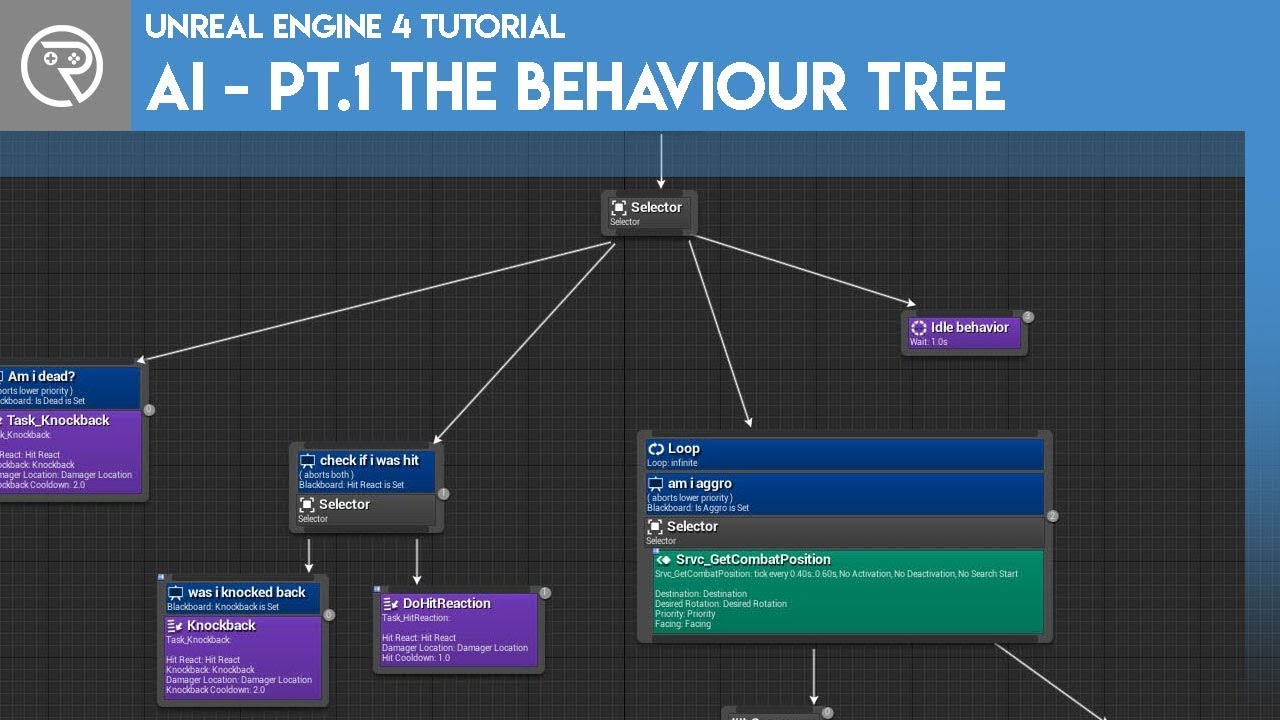
Welcome to the start of a brand new series. This time we are diving into AI for games. This episode introduces the concepts being used in AI design and in particular, the behaviour tree. In this episode we add an NPC that can randomly roam around the level.
Support me on Patr...
icy egret
np
reef rune
Damn, I really hope I will get this ONE thing right and that it will posess the pawn. UE4 is extremely confusing
Do I need to have something in an event graph for it to posess the pawn?
The more I try the less results I get
Where can I find info on posessing/pawns
icy egret
@reef rune
reef rune
whats this
icy egret
so, solved?
icy egret
🙂
reef rune
If english would have been my native language I would understand it better
sucks to be foreigner learning vectors/ranges/inputs/some kind of chineses words
icy egret
I'm Japanese
reef rune
nice
icy egret
read English everyday
reef rune
how long u been working on ue4
reef rune
ah
Well then
Im like 2 days
thought of making my dream game
but it is way harder than I thought it will be
icy egret
yeah, I thought too
If you have twitter account or something, tweet your progress
if someone press good button, you will be more motivated
icy egret
so, tell your progress to your friend or other
twitter is good to tweet progress
I think so because there is good button
reef rune
funny thing is that I dont have anyone to show my progress
icy egret
oh
plush yew
Tacegnaro where are you good at ? making Level, character ?
reef rune
Im new to all this, I am not good in anything
well except modelling and animating on another software
but thats another story
icy egret
if you can use blender or other modeling tool, you don't have blind spot
reef rune
wdym
icy egret
you can do anything you want
reef rune
Bruh im not worried about creating stuff
i want to understand how ue4 works
none of the tutorials are any good with explaining how things work
icy egret
nicce
reef rune
can someone tell me why my pawn doesnt move
https://www.youtube.com/watch?v=YHJc6DSFsWU&t=275s I followed the tutorial and my pawn stands still

In this video we take a look at how we can get our character to move based on an axis inputs. We cover how to setup the axis inputs and how to use the information from them to move the character using blueprints!
Unreal Engine 4 Level Design Series: https://www.youtube.com/wa...
can it be the reason that I am using a static mesh=
?
 solid glade
can someone tell me why my pawn doesnt move
@reef rune Not an expect, and in fact asking a similar questoin somewhere else.
But did you do the part inside Project settings > Input? The mappings to each action (MoveForward, MoveRight) and so on?
I use to export those mapping-settings from the FirstPerson template (or if you are using another template) and import them to my project
reef rune
yes
I added only moveforward input since I dont want it to be more complicated thant it already is
solid glade
**I got a general Unreal Engine question
**
If I want to add notes, like a .txt file somewhere in the content browser - how do I do that?
@reef rune
what Pawn do you use?
 glad stone
anybody knows why I get these tiling errors at my landscape tiles borders ?
its only at the borders of the tiles
solid glade
@reef rune
never mind my question regarding Pawn (under Game mode) - I just tried out my level with None for Pawn, it still worked
I'll let someone else assist, I fear my knowledge is limited
reef rune
huh
alrighty then
my UE4 is cursed
i feel it
im so confused on what im doing wrong xd
is this okay bp for the pawn to move?
 echo verge
is there a way to view the game in a different angle while possesing the pawn? For example i want to see what happens on the other side of the wall when player does a certain thing. But I can't see there while moving the player. Can't I open another window to view there?
I want this only for debugging purposes. Not for the production
 worldly rose
is there a way to view the game in a different angle while possesing the pawn? For example i want to see what happens on the other side of the wall when player does a certain thing. But I can't see there while moving the player. Can't I open another window to view there?
@echo verge Yes. Create a CameraActor where you want to view from and doGet Player Controller>Set View Target with Blendfrom somewhere. The Level Blueprint, for example.
This will give you a third-person view of the scene but still be able to control the Pawn as usual.
I suggest adding key bindings to switch back and forth between the Pawn's camera and the free-standing camera.
reef rune
Anyone knows how to make a flying pawn move forward
solid glade
@reef rune
this is what I did to make my character move at last
- migrate a character blueprint from eg FirstPerson template
- export the settings from Project settings > Input
- import those settings into your new project
also, you said your character was set to static? it wont work. You need to make it movable
like this
echo verge
@worldly rose hmm I see. Thanks that works.
reef rune
Should the mesh be posable?
Or inherited
Jesus so many questions
Sorry to disturb
how can I make a static mesh to move?
do I need to use posable mesh?
spline mesh?
Why does Static mesh work on default flying project?
worldly rose
@reef rune Do you want to move just the mesh, or the entire Actor owning the mesh?
Is the mesh part of a Pawn controlled by a PlayerController?
reef rune
uhhhhhhh
like
the blueprint
mesh?
idk there are too many terms I am not familiar with
I want to move the pawn
worldly rose
Sounds to me you should start with a tutorial. Many parts here that seems a bit vague to you.
reef rune
tutorials are so gibberish
They always just skip the explanation and go immediately on doing things without telling what it does
like fuck yeah I wont learn that much
worldly rose
Try the "Getting Start in Unreal Engine" path at learn.unrealengine.com. It's a well thought out course from people who know what they're talking about.
Possibly intermixed with the "Exploring Blueprints" path, if you want to get into the "make stuff do stuff" part quicker.
 inland pivot

YouTube
worldly rose
Or if you can find a friendly soul, like @inland pivot, who kind point out the gems in the nearly limitless barrel that is the YouTube barrage of tutorials.
worldly rose
I tried a few myself but so far the official videos have been the best for me.
reef rune
Kind of hard to do stuff on ue4
even with tutorials since there is always a small detail that can ruin entire progress
inland pivot
Sure thing. You can’t go wrong with Ryan Laley, Tom Looman and Matthew Wadstein. But to echo what Ibbles said, I started with the Unreal Learning web site and went through the basic stuff there.
One tip for tutorials: if something looks weird / different / doesn’t work check when the tutorial was posted. Things have changed in the years since the release of the engine. That being said, in 95% of the case someone will have posted a solution to the issue in the comments below the video.
reef rune
okay
 solid kiln
@ebon linden Hi, I think it’s because there is a delay until it’s garbage collected. It might be still there exist, but hidden(by the hidden function). The collision should be disabled when it gets hidden.
Nice artwork, btw!
 cinder forge
@reef rune hey bro i just installed ue4. 25 the other day and have been trying to learn the basics. I'm not sure how far you've got learning but you should check out the official site and is a website or two with some great tutorials on. Start small like importing objects, adding texture and making them spin etc. Work your way up in also struggling with basics so don't worry just keep it simple and keep at it
cinder forge
@reef rune would you mind forwarding them as I wouldn't mind checking them out
I've been doing just one or two a night checking them off
reef rune
you mean the vids?
cinder forge
Yes the tutorials you were sent
I've been sourcing my own but someone recommendations would be much appreciated
cinder forge
Thank you
reef rune
this one seems pretty neat
cinder forge
All the projects I been doing a have been real small like single objects etc
reef rune
finally a youtube channel that tells what stuff does instead of skipping the explanation
cinder forge
Yes that be really handy
reef rune
I am planning on making space ship type of game
cinder forge
As I noticed I seem alot of time just following steps instead of understanding why
cinder forge
Also all the tutorials I followed given you the content to use
I would have no idea how to make my own objects etc lol
Is there a newb type section of discord where people can post helpful tutorials etc
reef rune
I have modelling background so importing aint a problem, but making a game is hardcore challenge
not really
cinder forge
Do you model in ue4
reef rune
nope
cinder forge
Or do I need download other software to make objects
reef rune
but if you want to get high quality or low poly models you need to rely on another software
like blender, maya , 4ds max and so on
cinder forge
Do those software allow you to use a image to create a digital version
Or you have to actually make the object yoursekf
cinder forge
Is huge learning curve to this all
I doing out of interest have no pc background at all
Is like childhood dream to make your own game
 vagrant trench
I have a question
where should i put my own game to make money
solid kiln
@ebon linden Can you show me what Server Death function does? When do you call DestroyActor() to kill the actor?
 ornate forge
How do I rebuild a plugin that has source code but no .uproject file?
 radiant haven
How can I tile Textures Together? on one material
I have texture A, B, C, D
and I want the alignment
AB
CD
in one material or to act as one material
vagrant trench
@icy egret i need more like a epic store etc. I dont have money for publishing the game
Patreon and Kickstarter is bit overkill
ornate forge
@vagrant trench To publish your game on Steam, you only need to pay a 100 USD fee
vagrant trench
Yes ik
I dont have that much :(
I have to convince my parents with money
They dont believe i can make money from games
ornate forge
Then you should try https://itch.io/

itch.io
vagrant trench
Example
ornate forge
It's free
vagrant trench
Oh
 abstract relic
Most games don’t make money. So they’re right.
vagrant trench
Can i make money from this
ornate forge
Itch.io is a very friendly store, though it is not as popular as Steam
You should at least try
 tiny sonnet
Quick question. Are anim montages more performance heavy than anims in animbp?
reef rune
Im stuck on AI behaviour tree. Im following AI tutorial made by Ryan, but one of the functions that he is using in the vid is missing
how should replace that function?
oh nvm
It needed to be with pawn line
 halcyon ferry
guys, I know it's a weird and simple question but
how can I create an animation sequence?
ornate forge
@halcyon ferry You need Blender, Maya, or any other 3D animation software
Make an animation, export it as FBX, import into Unreal
halcyon ferry
ohh, so it's not made directly on unreal engine
I see, thanks! And I have another question
what 3D animation software would you recommend to a newbie?
ornate forge
This one: https://www.blender.org/

Home of the Blender project - Free and Open 3D Creation Software
halcyon ferry
thank youuu
ornate forge
It's free and has plenty of tutorials on YouTube and elsewhere
halcyon ferry
then I'll definitely use it 😳
 grim salmon
So, in 4.25.3, for some reason when I go to 'Add New' and select Add Feature or Content Pack I get this:
Can't find a solution on the web, any ideas?
 stable jolt
Help! I accidentally deleted the default player controls and I have no idea how to get them back :/
grim salmon
@plush yew You'd be correct. The solution is to go to Launcher, click on your engine version, select Options, and there you can add that stuff. Thanks!
 earnest violet
What's the best way to trigger multiple on screen widgets. Basically I have a sitution that needs multiple widgets to be shown at different times to alert the player from hq. I have tried triggerbox but when I cast to triggerbox that's all I can do. I need it to display different widgets
 tiny perch
Hello, Can i ask some questions before I start trying to make my own game?
I got this idea for a game for about 1 and a half decade now. its a massive project and im new to everything
Its seems like the idea was a logical step for FPS's to continue on but actually it never came. I tried giving the idea to big companies which i never got a reply on
so I decided that maybe (just maybe) its an idea to make it myself. i made some mods for generals zero hour but this is not unreal engine or very difficult
but my question is should you make everything yourself or are you allowed to use some presets?
thank you in advance
earnest violet
There's nothing stopping you from buying proper assets from Marketplace to save u time
 naive umbra
is there any way to save groups as an asset? The only work around I can find is make a separate level to build them and copy/paste from. converting to blueprint class makes the actors lose their bp functions.
earnest violet
What's the best way to trigger different widgets on screen
plush yew
Is there a scientific consensus on how much grass UE4 can handle
 cunning hatch
Question: can we release UE4 games to IOS still?
My buddy is telling me it’s off limits with the Epic/Apple dispute
 quartz grotto
Hi everyone, I have a problem I cannot connect integer to static mesh
ornate forge
Why do you want to connect an integer to a static mesh?
quartz grotto
I need to check whether the character is dead
how i can modify this in project settings ?
@fierce forge
Do you want to download my project?
 errant venture
Anyone know why this box is always lit
even though the room is dark
I've rebuilt lighting
and it's not an emissive material
 distant totem
where can I view what 1 unreal unit equals? when you search the docs it takes you an old UDK page
is it still 1uu = 1cm?
 exotic thicket
It is yes
distant totem
awesome thank you
 past pilot
ok, this is getting old... I have the editor constantly crashing in DX mode. It works fine in Vulkan except that the stupid editor hard caps at 60 fps in vulkan... I re-installed windows completely and it worked perfectly in DX for 2 weeks. I have not updated any drivers, i have not installed anything other then a game or two and now today for no reason the editor is again crashing when in DX mode
if i open the editor and go through the drop down menus the whole editor glitches out and then crashes. If i stay out of menus, it randomly locks up and then crashes as i work.
quartz grotto
Hi everyone, I have a problem I cannot connect integer to static mesh
@quartz grotto

there is a video lesson in Russian: https://www.youtube.com/watch?v=nKmxdAyTPnQ&list=RDCMUC4d4FQlX2zurgNmRAr2QDkg&index=1

В этом видеоуроке по движку Unreal Engine 4 мы научимся создавать простейший искусственный интеллект для вражеского моба. Мы разберем различия между логикой прописанной в блупринте контроллера и behavior tree. В качестве простейшего примера логику персонажа мы будем писать в б...
stable jolt
whenever I place an item in the world, it only shows up when I play, not in view mode
quartz grotto
Timecode: 28:43
 vernal thicket
Anyone good with widgets? Calling a custom event inside it to toggle text visibility. I've plugged the visibility into a print and it says thats its visible but it's not?
 lucid grove
Hey guys! Can anyone help with some basics stuff?
Basicly i have this code inside Actor BP
And now i want to transfer this to other BP. Is there a way to copy those vars to other character with some additional symbol for example.
Or maybe there some more pro way to do that - like component or stuff
inland pivot
You can duplicate the blueprint or create a child actor but I don't know of a way of copying the variables in a blueprint into another (already existing?) blueprint
lucid grove
Thanks for the reply! Maybe i should use Component with its local variables?
inland pivot
What does this do? Some sort of Dialogue system?
Yeah I was going to suggest that if it's something you need to reuse across multiple actors
inland pivot
🙂 I've used components for stuff I want to heavily reuse like HP and Special Abilities Adds a bit of complexity on the bp to bp communications side but it was definitely worth it for the flexibility it gave me.
lucid grove
Then a small question: the component will allow me to specify all the necessary data and then use it in all the actors right? The inside of the component looks pretty straightforward. I also added it to the actors.
Now when i want to use it inside actor - how do i do that? And can i add component inside of component? (inception music starts)
plush yew
Hey so I just started on like literally my first project just to learn the engine and I’m working on like a small 3D version of mine sweeper and I’m wondering how I should do the mines system and tiles and such since I’m completely unfamiliar with unreal engine and I’m not sure what I would look up to find what I need
Right now I just have a static camera acting as the player controller and I made it so the mouse cursor is visible for game and UI
inland pivot
If you need to Russian Doll functionality I think the way to do this is through child actors/inheritance
Yes my experience with component is that you can access variables, etc on a per-actor basis
Everything you see in the Components tab are, well, components
Cameras, Spring Arm, "Mesh" component etc
Your self-made components should work the same way
plush yew
I’m also just gonna join the support voice chat since I very much do not know what I’m doing
lucid grove
If there only was a way to transfer all variables i have ha
inland pivot
If you want to do it fast there's always the Child Blueprint route. They'll all be in the Class Defaults and you can access them from the event graph.
 golden condor
Hi.
The second picture is on begin play
But, when I press tab it doesnt work
My "Quests" don't get added to the UI
plush yew
Hey so actually I’m having a bit of trouble getting the cursor to show
And I don’t know if I should set it for game or just UI
golden condor
Omg I am so dumb
I didn't add it to the scene
I can't believe I looked into it for a straight 10 mins to then find out I didn't add it to the scene
golden condor

I'll take the L on this one
@plush yew I am not an Unreal wizard so please take whatever I say with a grain of salt.
But, from what I am seeing, "Set input mode game and UI" is not attached to anything
Maybe you should attach it to a custom event or override and fill out some function
You also have "Hide Cursor During Capture" checked
Maybe you should uncheck all of that
And "In Widget To Focus" has no target either.
It could be any of these things but it also could be something completely different.
 thorny horizon
Hey all, how do I go about adding a collision to this effect? I want enemy that gets touched by it to take damage.
 stark marsh
help i want to reset my thirdperson camera
i want it back to the defualt that you start off with in a third person project
because i made it first person but want to go back
plush yew
@thorny horizon i would make a capsule collision component and rotate it in accordance with the effect, and trigger an overlap event when the capsule component hits another actor with an enemy tag, or whatever object you want to target in the game.
stark marsh
help i messed up my camera
i want to put it back to the defualt settings in a third person game
plush yew
@stark marsh all it is is a spring arm component, you can just make a new third person project and import the camera configuration for your character if you want it exactly as it was before.
thorny horizon
@plush yew That was my first though too but the component is just always there and deals damage. I guess I need it to only work when I'm slashing and the effect is out but I'm unsure of how to go about that. Would that be something I add to the Notify State?
plush yew
disable the component unless the sword slash is active
thorny horizon
@plush yew ... Seems like something I should have thought about lol. Thanks, I'll test that in a bit.
stark marsh
i cant get it back to the normal settings
i just want to reset everything back to how it is when you just start a third person project
plush yew
make a new third person project and import any assets or characters you want to save from your current one.
thorny horizon
@stark marsh Have you tried clicking on all the yellow arrows in the details windows of the camera? Reset everything that way?
 willow marsh
dumb question. whats the difference between construction script and onEventBeginPlay?
plush yew
@willow marsh Construction Script happens before the blueprint is spawned, so say you wanted weapons attached to a character through sockets before it spawned you would do it there.
willow marsh
@plush yew ....and i assume that beginplay happens on spawn?
plush yew
@willow marsh yes, so if you do a spawn actor of class with the specific class, and in that class you have beginplay -> print test it will do a test print right away.
or whatever is from beginplay
construction happens when unreal is turned on from the unreal binary for the game in question, if you packaged it out.
when the code is read by the system (also works on PIE / standalone)
stark marsh
i think i fixed it now
 slender loom
Hi, could I ask questions about MIXAMO? Particularly uploading a character from Blender to Mixamo, to try and get it into Unreal
willow marsh
@plush yew thank you for the information
slender loom
Basically I sculpted and rigged my character in Blender and when I try to upload to Mixamo to add animations to it, the feet are in the floor and all messed up. When I add animations to it, its like its not registering the feet on the ground. Sorry if this is the wrong board for this?
 frigid herald
 strong sapphire
Hey guys, can you help me with this?
https://gamedev.stackexchange.com/questions/185330/render-hands-and-gun-in-front-of-everything
Attaching link to avoid spam

Game Development Stack Exchange
I'm currently learning about Unreal Engine 4 by making an FPS game.
How can I render the player character's hands and gun on top of everything?
Currently when I walk up to a wall, the hands and gun...
stark marsh
how do i change the render distance for ambient occlusion
like when i go slightly away from an object it goes
 harsh copper
What are some good games to mod to practice unreal engine? I'm currently on bloodstained but I don't enjoy this game much
 jolly jungle
what is the difference between these
plush yew
people really think tsw2 has better graphics than tsw1

Visual Graphics Comparison between Train Sim World 2 & Train Sim World 2020 in Sand Patch Grade.
All Graphics Settings are set to MAX
Train Sim World 2 Now Available on Steam, PS4, & X-box
Join this channel to get access to Blu Arrow Gold Member Perks, Bloopers, Deleted Scene...
oh god..... they probably just increased skylight in tsw2, thats why shadows are much brighter than in tsw1...
 steel patio
yeah that buffed skylight really makes the lack of specular occlusion stand out
steel patio
https://docs.unrealengine.com/en-US/Engine/Rendering/LightingAndShadows/DistanceFieldAmbientOcclusion/#occlusionresults
Scroll down a bit to Specular, the metal tower
plush yew
so what dose it do
so you agree that tsw2 probably just increased skylight ?
@steel patio
steel patio
plz dont tag people, doesn't encourage people to get into conversations

 proven minnow
Can't scale the Capsule Body smaller than that? Want to make a rail to hold the curtain. Pls help 🙏
 tidal totem
So I am running into a strange issue with both 4.24.3 and 4.25.3. When I put down a geo and switch to geo editor mode, nothing happens. It just stays on its regular transform tool and doesn't let me select a face or turn blue like it should.
Anyone ever experience this before or know of a fix?
stark marsh
hello would their be a way to make obejcts that are not foliage unrender once i'm far away fro them
 quick plover
Sup dudes, I want to move a pawn like the default camera, but i can't see how
I mean, I want a free camera movement inside my game, but the pawn default movement is not the same as the default camera lol
thorny horizon
Is there something better to use instead of OnComponentBeingOverlap if I want something to be able to take damage from a sword hit every frame the sword's collision box is still overlapping the enemy's component? It seems I have to go into the enemy's component, hit them, leave it, go back and hit again.
 vernal pelican
someone help me? i can't take it anymore, my unreal engine is blinking, appearing some business on the screen
stark marsh
my collision is really messed up on some objects
i have some objects that are supposed to be rocks but the colliders are really off
so it looks as if my character is floating, how do i fix?
 shut sparrow
hey guys, what channel is the proper one for asking for help with issues? I'm having issues with blender animations.
exporting it to UE4 specifically
 obtuse hare
I'm have a problem with my cursor disappearing when I click in the editor. Any ideas?
shut sparrow
are u in landscape mode?
something similar has happened to me. I switched back to select from the mode icon and fixed it.
obtuse hare
No I don't have any of the modes selected
I'm wondering if there is something I missed to always show cursor
 dire fjord
Is there a standard way to upgrade a project that is in source control from one version to the next? I've duplicated the project into another directory and done a test upgrade there and everything seems fine, so it looks like it's time to upgrade the main project itself,
obtuse hare
Okay I figured it out. It was a unchecked box in the controller details " Show mouse Cursor"
forest mango
I've been banging my head on this issue for 2 days now:
Is there any way to change the CapsuleComponent in the Character Class?
My goal: I have a mech that is about 11m tall, I'd like it to be able to move around the world and collide with objects based on its appropriate scale (Not just as a tiny capsule between the legs).
Additionally, I'd like to avoid having to essentially reproduce the entire [CharacterMovement] component of the character class just for this use-case, as I'm using Blueprints only for this project and I'm trying to work up a MVP for this prototype before involving my partners.
obtuse hare
couldn't you scale the capsule?
forest mango
I'll try that.
@obtuse hare It appears that because the capsule component is the root component, scaling the capsule scales all children, including the mesh components, which would cause severe problems down the line with the project and handling the asset creation workflow, and data-driven components of the game
 frigid needle
It may also be better to do the legs first, then the torso parented to the legs, and the gun to the torso. Might make a lot of other things easier in the future
obtuse hare
Not sure but can you unwrap it? so it's not the root?
forest mango
In the future there will be a rigged skeletal mesh.
And the CapsuleComponent can not be moved within the character class @keen ridge
obtuse hare
could you take the mesh out though?
 keen ridge
Wrong king :P
forest mango
Items listed on the component table at the upper left are (inherited) from the class and can not be removed or re-ordered. The mesh isn't the problem though, nor is the height of the capsule, as I can simply move the mesh down on Z to make the capsule lined up with the feet. The issue is with the scale of the collision capsule, which is far too small.
and any additional collision components that I add have no effect on actual collision even if their Collision Preset is set to any other setting
obtuse hare
and scaling the mesh to match the capsule wouldn't work either?
forest mango
"scaling the capsule scales all children, including the mesh components, which would cause severe problems down the line with the project and handling the asset creation workflow, and data-driven components of the game"
lucid grove
Hey! I have a small question. Yesterday i was far from my original detailed map and was sound stuff with BPs inside starter content room. I have installed few heavy assets.
So when i got back to my original detailed map i have noticed some minor "lags" and red message that texture streaming pool is overbudget.
And now i wonder - does streaming pool got affected by new assets even if they not at my current map?
obtuse hare
Yeah I was saying changing the scale of the mesh and not the capsule
forest mango
@obtuse hare No, it would "cause severe problems down the line with the project and handling the asset creation workflow, and data-driven components of the game"
obtuse hare
Gotcha, lemme know if you find a fix
plush yew
Has anyone ever ran into an issue where when you import a model to unreal it has black faces? It is happening to me, and my normals are in the right direction, and my UV Unwrap has no overlapping. Any help on this issue?
dire fjord
@plush yew have you seen this thread? https://forums.unrealengine.com/development-discussion/content-creation/10685-imported-models-appearing-black-in-my-environment
Unreal Engine Forums
Talk about Level Design, Static Meshes, Physics, and more.
 cedar wave
Is there a command I can run when the game is running where I get a free flying camera as if I was in the editor?
F8 works fine, if I'm playing in the editor. But sometimes I run in a standalone window and it doesn't work.
 silent harbor
how can i have my umg widgets have a bar that is blurry
not the entire screen
but for instance my play button having a blurry transparent rectangle behind it

example
notice how the box around play blurs the game scene
 storm venture
@silent harbor UMG has a Blur component, you just drop it in, size it how you want, and adjust the blur intensity in the details
plush yew
I looked at that page, but no help on there. My issue is like that one, but a second uv map did not solve it. I tried in other engines and it does the same thing. So now I know it has to do with blender and not the engine.
distant totem
can somebody running 4.25 quickly click top ortho view, and try to click on the grid with middle mouse button and drag? it's supposed to measure the distance in any ortho view but it's not working for me
this is what it should be doing, but is not https://gyazo.com/6dbeadcc4faf2a43acd0d58ce6d2e301


AH HA it was stupid microsoft mouse and keyboard center, disregard
 cerulean lotus
hey im a new user and i have a very strange issue
im a complete amateur at both blender and ue4, but after importing my .fbx, parts of my model are inverted?
its supposed to look like this
the middle section, as well as the prongs, are both inverted?
they're grouped together on blender
i mean its no big deal for me to restart this since its kinda just a temp model but it still shouldnt happen, right?
 fringe grail
@forest mango IIRC you can scale the collision capsole
 edgy lark
@cerulean lotus those sections of the mesh need their vertex normals inverted. Idk blender to say where to do that but that's the jist of it
cerulean lotus
alright well thanks for the tip
 pseudo pulsar
Are there minimum mesh size requirements to get good automatic distance field resolution scales?
I'm trying to use distance field shadows instead of cascades, and it seems like most of my meshes I need to increase their distance field scale by 2 or 3x manually.
(Some by 9)
 blissful trail
anyone know how to use the victory plugin ?
open gorge
@blissful trail what are you trying to do?
dusky crest
@cerulean lotus on edit mode, select all face and press shift + N it should be recalculate normal face
 low sleet
Does this look correct--it doesn't seem to do anything.
@cerulean lotus I read that you need to scale your blender file to .01 in blender. https://answers.unrealengine.com/questions/17813/view.html
 plain pagoda
Hi, can someone please help me?
I am attaching a gun to the default FPS mesh but when I do it using blueprints, it totally messes everything up.
when I attach using skeletal mesh, it appears correctly
is this a bug or am I doing something wrong?
low sleet
I put a point light on the wall, and I set it's visiblity off, and it's still glowing. Am I toggling the right property (to turn the bulb off)
plain pagoda
I put a point light on the wall, and I set it's visiblity off, and it's still glowing. Am I toggling the right property (to turn the bulb off)
@low sleet Send a screenshot
low sleet
@plain pagoda Thank you. I'm putting one together.
@plain pagoda Of course I'm a noobie, but of course you built your project before your weird first person mesh problem appears?
low sleet
🙂 How long have you been using Unreal?
plain pagoda
I started on 31st July
low sleet
Wow, you have it down to the day, I'm impressed.
low sleet
Are you using a book?
plain pagoda
depends on the course
Ben Tristem's course is great
but the one from Epic Games sucks
low sleet
Cool, I was thinking of buying a course.
plain pagoda
Do you know portuegese?
there are a couple of good courses in that language on udemy
plain pagoda
yeah

Udemy
Code Your First Video Game in 100 minutes with Visual Scripting. Created in collaboration with Epic Games.
this one is great
this + Mathew Wadstein's tutorials
low sleet
Thanks for the link! I'll definately check it out. Right now I'm struggling with a book.
I saved bookmarks for both of your tutorial suggestions.
Mathew Wadstein's tutorials are in Youtube, is that correct?
plain pagoda
Yes

YouTube
This channel is dedicated to exploring Unreal Engine 4 and the Blueprint programming language that it uses. You can think of it as a companion to the API doc...
low sleet
Suite
plain pagoda
He's also in this server 🙂
low sleet
What channel?
low sleet
ic, I thought you were saying he has a channel here.
I struggle with gimp too--trying to post my light bulb trouble.
plain pagoda
are you on windows 10?
low sleet
Yes, what are you using?
 lusty carbon
Anyone else having trouble launching Nvidia Ansel in UE4? It says a supported game is needed. I want to capture a 360 image
plain pagoda
Yes, what are you using?
@low sleet Same
You can take a screenshot with Windows+Shift+S and it will copy it to the clipboard
Anyone else having trouble launching Nvidia Ansel in UE4? It says a supported game is needed. I want to capture a 360 image
@lusty carbon Alt+F3 one?
low sleet
I did get the sceen shots, now I'm tring to combine two sceen shots into one graphic
low sleet
I should just use ms paing--nice and simple
plain pagoda
it's like photoshop but free and online
low sleet
lol "ms paing"
lusty carbon
@lusty carbon Alt+F3 one?
@plain pagoda Aly+F2
plain pagoda
@plain pagoda Aly+F2
@lusty carbon Mine says game not supported
low sleet
hi @lusty carbon , Is Ansel a version of a video card?
oh sorry, I googled it
nvidia has a built-in image capture utility. Or, rather, it's probably software, but it works ok
I'm trying to look up the name of it, and how to use it (the hotkey), but I'm falling behind on that because NVidia has a firmware upgrade for me.
Rather, a driver upgrade (not a firmware upgrade)
 brittle gulch
Is it also slow for you guys to import models from Megascan with bridge?
After the export is done in Bridge, UE4 doesn't respond for quite a lot of time before it imports the models and all in the engine.
lusty carbon
Well I have fixed it by restarting my pc 😐
low sleet
I'm not familia with Ansel, but Shadowplay is NVidia's software for screenshots and videos of your gameplay.
I used it a couple of times for sharing videos here, but it created large video files, so I stopped using it.
Bother, I'm stuck on a simple unreal level blueprint tutorial--I've got a looong way to go
 unique timber
what does 'Update' do in the engine installer?
low sleet
@unique timber you're intalling unreal engine 4?
unique timber
I have 4.25.1 installed but there is an 'Update' button, is it 4.25.2?
low sleet
interesting, I didn't see the update button
plain pagoda
Is it also slow for you guys to import models from Megascan with bridge?
After the export is done in Bridge, UE4 doesn't respond for quite a lot of time before it imports the models and all in the engine.
@brittle gulch Yes it's normal. Having an SSD helps
low sleet
@plain pagoda I installed Megascan and Bridge, havn't tried them out with Unreal yet.
 rancid schooner
Hello, how it is with foliage lods? Do they work for you? My version 4.25
low sleet
@plain pagoda I was wrong about my light visiblity checkbox not toggling my light on/off
it's just that the light emits the color value even when it's off
so I thiought it was on
@unique timber where do you see the update button?
unique timber
Epic games launcher > Library > Engine versions > 4.25.1
low sleet
@unique timber I he 4.25.3 installed
 serene birch
4.25.3 is the most recent
unique timber
Ok I guess I have to re-install it
rancid schooner
Why my foliage lod distance isn't the same as my lods on the model? 🙂
plain pagoda
Why my foliage lod distance isn't the same as my lods on the model? 🙂
@rancid schooner have you tried adjusting it?
serene birch
you can make the install leaner
look at the options and skip parts you don't need
like, do you need the Android sdk part?
the debug symbols are also a big chunk of install size you might want to skip (but it's a pain not having them when your C++ code causes crashes so I advice to bite the bullet here)
low sleet
@plain pagoda I think the LOD automatically drops over distance.
not sure about that though
(That's an impression I got from my book)
rancid schooner
@plain pagoda I have custom screen size on my model but when I put it into foliage it has diffrent screen size.
plain pagoda
@plain pagoda I think the LOD automatically drops over distance.
@low sleet There's a switch to set the distance manually
@plain pagoda I have custom screen size on my model but when I put it into foliage it has diffrent screen size.
@rancid schooner In foliage settings there's an option to set the size
low sleet
I see, I'm looking at it now, the author is saying "you can use lower LOD for distant objects, because it won't be noticeable.
 south zealot
Hey everyone, I can't open the console using ` in editor or builds (regardless of input key or keyboard layout) in one specific project. Other people in my team can open the console without problems. Any idea what it could be?
low sleet
"Artist can create different LOD versions of 3D object[s] using automated LOD algorithms, deployed through software or manually reducing the number of vertices."
rancid schooner
@plain pagoda and can I know where 🙂 . Also, I don't want to use cull distance, because it will disappear my model and I want to have there my biggest lod (I don't want to disappear my model in far)
unique timber
im probably going to have to end up building from source anyway because the same errors dont happen in the editor as in a packaged project, and there is not an option to download debug symbols for the engine
low sleet
@south zealot Hi. Where are you trying to open the console from?
south zealot
either in editor play or builds, I can't open the console using `
if I assign other input key to it in settings it doesn't work either
low sleet
I wonder if anyone can help me get started setting breakpoints in blueprints.
@south zealot , your "Play" button doesn't work?
low sleet
I don't see a console option
low sleet
oooooh. Sorry, I'm a noobie. I'll see if I can find that in my book.
I know I've accidentally turned my console on
rancid schooner
Why it is working like this? I want it to work like left model and they are one model but left is placed there and right in foliage
low sleet
@south zealot did you set it up in Edit/Project Settings?
south zealot
yes, as I said it works for other people
low sleet
are you setting up a hotkey to open it?
south zealot
it has an assigned key to open it
low sleet
Which key is that?
south zealot
right now it's `, but it doesn't matter, I can change it to any other key and it doesn't work for me
and it happens just in one particular project
low sleet
` isn't working for me now in my tutorial project.
Do you know how to implement breakpoints in blueprints? (I can set them, I just don't see them working)
might be a logic error: maybe I never hit my breakpoints
south zealot
you need to right click a command node and add a breakpoint
then press one of the debug buttons at the top so it debugs that blueprint
I can't remember how the debug button is called
low sleet
oh, I didn't see the debug buttons at the top--thanks
south zealot
then when playing, the next time code runs through that node the game will pause
and you will have the options to resume the game, move one step, etc
low sleet
@south zealot , so you you select the map to debug? is that correct?
south zealot
the map?
low sleet
now when I press 'f9' I get a Yellow Warning Symbol, instead of a red circle. Something's not right.
@south zealot , in the "debug Filter" combo--I thought that was the debug button you were referring to
south zealot
first, did you add breakpoints to nodes in the graph, right?
low sleet
this is what I have.
south zealot
it's not right
low sleet
It should be simple: hit a trigger volume and turn on a light bulb. Nothing happens.
south zealot
it has to look like this
do that, then go to the main window and press play (forget about the debug menu I said before)
low sleet
Do you mean my graph logic is wrong?
south zealot
I mean your breakpoint is wrong
I don't know what it is, but it's not how it usually looks like when I use them
see my screenshot, it's filled red
low sleet
Right. It usually looks that way for me too.
I don't know what's happening
usually I just select a node and press "F9"
rancid schooner
Ok so foliage works for all you fine 😔 ?
low sleet
@rancid schooner you're way ahead of me, I've never tried to use it.
I'm still struggling with the most basic of blueprints
rancid schooner
Oh ok, good luck 👍
low sleet
@rancid schooner 😦 I've never actually built a level...
🙂 Thank You! I need all I can get!
rancid schooner
@low sleet on 100% you will learn it and this lods in foliage are for me so important because I have intel hd graphics and if I won't fix it I would have max 6 fps in my game
low sleet
Oh, that may be the problem, I think unreal and nvidia are very good friends.
rancid schooner
XD best!
low sleet
🙂
rancid schooner
DO you have nvidia? 🙂
low sleet
Yes I do.
rancid schooner
I hope nvidia RTX XD
low sleet
not sure--it's not a high-end card. I'm on a low-end budget.
rancid schooner
oh, but still you have nvidia 🙂
low sleet
yup, I took the leap when the government gave us a covid-19 check.
I have the NVIDIA GeForce GTX 1660 Super 6GB GDDR6
(I just looked it up)
rancid schooner
This is so low bugged graphics card 😑 😄
 unreal monolith
Hi! With modeling tools, you can recompute normals for static meshes.. is there a way to do this with skeletal meshes as well? 😮
low sleet
Hi @unreal monolith what are you doing with skeletal normals?
bouncing bullets off your guy?
unreal monolith
just smoothing some polyart assets 😄
low sleet
umh, I actually don't know, but it feels like that'd be an expensive operation, doesn't it?
 ebon goblet
Anyone know why some png images with transparency look like this when you import them to unreal?
It's supposed to be completely black
unique timber
is there a way to use r.CompositionGraphDebug with play in editor?
 queen dirge
hello...im missing the button in the top right corner, which enabled me to see the perspective view and all other ortographic views
any idea?
how i disabled this? 😄
low sleet
@ebon goblet I'm a noob, but this is after you plug it into a transparency channel?
@queen dirge is there a down-arrow on the right of your toolstrip?
ebon goblet
the screenshot is from the gui widget blueprint
but it's messed up in the texture viewer too
low sleet
You can make more or less toolstrip buttons appear by widening or narrowing your editor window
unreal monolith
go to texture and turn off srgb perhaps
queen dirge
not sure...this is my view
serene birch
Anyone know why some png images with transparency look like this when you import them to unreal?
as a guess, your image is NOT completely dark
and auto exposure is picking up the stray pixels
low sleet
@queen dirge It's hard to tell--is that a down arrow to the right of your "Launch" button?
serene birch
by amplifying light to the max
queen dirge
@low sleet yes it is
ebon goblet
hmm i see
low sleet
@queen dirge --I was confused, it's a right facing chevron that shows up when buttons are hidden....
@queen dirge you might get perpective by pressing ALT+G
queen dirge
nothing happens
queen dirge
i figured it out
rancid schooner
@queen dirge How did you optimized it? 😮
queen dirge
its because I had One Pane selected, under Layouts
@rancid schooner what you mean ? 😄
low sleet
🙂 nice
This Unreal environment is pretty huge--now I can't even find my layouts button, and I know I've accidently stumbled on it many times.
rancid schooner
@queen dirge how did you manage to run it on more than 5 fps? Because I can place few trees in my level and I have 6 fps
rancid schooner
Idk and I spent hours fixing it, but with any result
low sleet
@rancid schooner I notice that you can press "F1" during runtime to use wireframe mode--that might be good for dev.
queen dirge
Jojo I dont know man...i just imported a few packs and thats it
but my specs are ryzen 5 6core, 48 ram and a 1080ti
rancid schooner
😕
rancid schooner
Have but I want to put them with foliage into level and it has different screen size than I have in model editor and I can't find solution
low sleet
You people are way out of my pay-grade.
rancid schooner
You will get into it
low sleet
@rancid schooner Thanks for the confidence 🙂 I'm gonna put this on snooze for a bit and concentrate on trying to get caught up a bit....
queen dirge
im still trying to figure out, when im in the foliage tool and use select to click on one tree
i want to see the name of the asset i just clicked
anyone know this?
🙂
 gilded breach
Um so here is a question that might be sacrilegious here, but what differences are there in Unreal and Unity. I've been doing well with Unreal Blueprint and figuring it out, but going through my humble bundle found I have keys for a bunch of Unity Products from about a year ago that expire next month, so considering checking them out, what major differences/roadblocks will I encounter between the two?
And under details panel it should show the name of it you clicked
If you can't find details panel, go up to your top left where it says windows, click and should see in the drop down window details, the details 1
queen dirge
here, so u can see
i dont have anything under the details tab
but i am under the foliage tool tho
gilded breach
If it's under the foliage, hmm, did you just add a bunch of foliage at once or is that a premade map? Maybe, go to modes, select/target I'm sorry can't remember the name, the top one in list and click and it might show under details then
I just started using foliage myself today so not too sure on its settings yet
queen dirge
haha
i dont know...i have it selected
but dont even see it in the foliage panel
like nothing is selected
i have many assets in there
i thought it would at least highlight it
where are the professionals? 😄
gilded breach
Yeah, it looks good, so far, and that's a good suggestion is to highlight the currently selected plant. Maybe just go one by one finding the plants manually placing if nobody else can help. Probably asleep sadly. Haha
 clear tapir
So I'm trying to merge my road, and pretty much all my materials are tiled. But when I merge, they stop tiling. Any help?
merged on the right
queen dirge
they should really make a beginner channel on this discrod
discord*
for us noobs 😄
roberto i have no idea man...but would like to know myself
low sleet
Of course, if enough of us noobs hang out in here--this could be the de-facto "Beginner Channel"
gilded breach
Hmm, have you tried rebuilding the level after placing it? It might just need to adjust the level and lighting to get rid of that line?
low sleet
And wouldn't it be boss if some experienced people dropped in and gave us a hand?
clear tapir
Hmm, have you tried rebuilding the level after placing it? It might just need to adjust the level and lighting to get rid of that line?
@gilded breach I know about the line
It's the tiling of the materials
they are stretched now, not tiled
merge materials doesn't seem to have an option for tiling
gilded breach
Oh my bad, hmm...oh you merged the tiles together into one object? It might be using that one object instead of the tiled squares to get the dimensions of the material to apply?
low sleet
It looks like Mathew Wadstein's basic introduction to Unreal Engine 4 might be a really GOOD resource for us noobies: https://www.youtube.com/watch?v=ApEtWpAialg

MVP (Minimum Viable Product) Series showing you a basic introduction to Unreal Engine 4 covering most of the Editor and Engine itself.
In this video we will be going over the project and having a look at what we will be making. This will be a basic introduction to Unreal Engi...
gilded breach
Sorry if not able to help much, like rest I am still new to all this.
clear tapir
mk
low sleet
@gilded breach 🙂 we're all in the same boat, but we can maybe help each other out.
Even a pat on the back helps sometimes.
clear tapir
Oh my bad, hmm...oh you merged the tiles together into one object? It might be using that one object instead of the tiled squares to get the dimensions of the material to apply?
@gilded breach there is an object for the road, the sidewalk, and all of the curbs are each a mesh
see how now the texture don't tile
clear tapir
well unreal crashed so that's nice
 rocky radish
did you rebuild your lighting @clear tapir ?
 glad loom
Hello, how to make it so a sound doesn't stop playing when you change a level?
gilded breach
Hmm, maybe beginplay event? So as the level loads it plays?
rancid schooner
Please anybody how can I control foliage lods?
stark marsh
hello how do i put my textures for my object onto it
i have the fbx file and a texture file
when i drag and drop my texture i drew over it in blender, it doesn't work
the texture doesn't go to where it's supposed to be on the object
 stone steeple
I added a first person camera to my third person character but when I move the camera behind the character I seem to see it's head. Is there anybody with suggestions how to solve that? (FirstPersonCamera->SetWorldRotation(FRotator(0.0f, 90.0f, -90.0f)); and FirstPersonCamera->SetWorldLocation(FVector(0.0f, 12.5f, 0.0f));)
First person view for reference when turned around.
serene birch
hide the 3rd person head when you switch to 1st person I'd say
or the whole character usually
it takes quite some effort to get 3rd person mesh/animations to "play well" seen in 1st person so you might want to cut it all
stone steeple
Thank you people, going to try some.
 wispy pasture
Hi, I have a large object in my scene and I want to have a texel density consistent with other objects in the scene. The object has two materials, and I know how to assign each material its own UV/UDIM, but is it possible to assign multiple UV tiles to a single material in UE4?
Right now, at the texel density I want and map size I want, each material's unwraps cover several UV tiles.
Any advice greatly appreciated 🙂
serene birch
you might be a candidate for using Virtual Texturing I guess
wispy pasture
I'll take a look at that - before VT, what would be the thing to do? Just increase map size or lower the texel density?
serene birch
especially when VT gives you UDIM support
assigning multiple UV tiles to a single material doesn't seem, possible?
like how would it work, kinda
split the object into a few different meshes?
or different materials
that one could work
each material slot, well it's basically a different material so they can use the same UV map, except it points to a different texture/UDIM tile
wispy pasture
That's what I've done for other objects in the scene, however, this one has some long pieces that can't really be split up neatly
I've thought about using triplanar mapping as a kind of work around, but it's not an ideal solution
Hmm, yeah, I suppose I could assign each UV tile to a different material
Even though they're the same materials
You've given me some good ideas here, thanks, I'll take a look at VT then make a decision 🙂
serene birch
using different materials, is basically splitting the mesh in multiple meshes 🙂 (and the engine deals with it for you)
 somber quail
make sure you only have one instance open
stone steeple
anyone know why ue4 is doing this?
@plush yew
This is not UE doing things. You seem to be using OneDrive for the Documents (and possible other personal folders) and syncing those files will get unreal engine in trouble. My suggestion is to move the whole project to another folder, maybeC:\Users\Jason\UnrealProjects\so it's not synced with OneDrive and cannot cause local/remote sync errors with files.
stone steeple
I know, the suggestion now is to move the whole project to (for instance) C:\Users\Jason\UnrealProjects
And see if that helps.
serene birch
with VTs no
if it's "fake" UDIM where you just have a mesh with different material slots, each slot will be one draw call I guess
plush yew
so it is saving now and it also looked like there were two versions of the project open at the same time
oops
tidal totem
hey guys, so I am having to make a little game project for school and am deciding between a top-down style game and a side scroller. Which one would be a tad easier for someone who is still a bit new to this
 midnight flame
I have two widgets and I want to go on top of the other how do I do this?
 polar fossil
hi, is there some way to enable editor small icons by default?
 hot pine
How can i set a default t.MaxFPS to launch the engine with?
editing the console variables ini file of the editor does nothing
clear tapir
did you rebuild your lighting @clear tapir ?
@rocky radish that won't do anything
 quick shell
is thier a remove from view port version?
im trying to add another one yet it doesnt close the first
 uneven tundra
Ive made a opacity mask, and managed to make my material seem like its working in the material editor. *Solved
But in the perspective, the mesh only is textured as my mask.
gilded breach
Does anyone have any tutorials or suggestions on how to do prone/crawling in first person? All I seem to find are third person. Thanks
 opaque vector
Is there a way to report/fix unreal engine doc bugs? Found a few typos and old cvars being mentioned that are misleading
stark marsh
how would i stop this
its is a transparent png
and it looks fine in blender
but as soong as it goes into unreal engine it has black around it instead of it being see through
serene birch
well first and unrelated to your issue
I hope you don't intend to draw that huge quad 😛 (transparent pixels still cost)
stark marsh
oh
serene birch
did you set the material to a form of translucent (masked or not) then plug in the alpha channel to the opacity (masked) pin?
serene birch
vertexes/triangles are cheaper than rejecting pixels in the fragment shader
well, up to a reasonable amount
 willow plank
guys is there any documentations about Blueprints ? I wanna see node's commands.Like what loop node does. or Lerp's job
can someone help me to learn BP somehow
willow plank
thank ya
exotic thicket
You probably didn't unwrap the UVs for your mesh
At least that tends to cause those kinds of errors
 mental oyster
I don’t know the first thing about texturing, so I usually just leave all of that alone
Everything’s using materials (Blender 2.78)
exotic thicket
you can try using "smart uv project"
in blender
that should at least give you some sort of unwrapped UV's so that it won't nag you about it
 tight prawn
anyone has a good "Complete Guide" for Landscape terrains ?
 minor grove
Forgive my ignorance - are voxels in games implemented through raymarching, or is voxels a higher level concept that can be implemented via various methods (including raymarching)?
plush yew
can someone tell me if it is possible to make the contact shadow casted from the lip to the teeth softer? source radius doesnt change anything :c
minor grove
I don't have the answer, so I will provide crappy potential workarounds and probably don't work for your situation hence you're asking your question:
- fake the shadows by baking it
- raymarch the shadows...somehow
- thats it, I don't know
plush yew
thanks for trying to help 💜
minor grove
: D
inland pivot
@quick shell Try remove from parent. It won't show up unless you're dragging from a widget reference or turn off context sensitive.
jolly jungle
with blueprint, how do i do a delay that i can stop in the middle
 frozen pond
hi. any fix for that?
low sleet
@plush yew I'm following Mathew Wadstein's tutorials right now--I think they're great 🙂
 zenith flower
I wish they would fix the scaling issues
Having to move the project to the other window, close and restart the project gets old
This screenshot is on the same screen, just dragged the one on the right over to this screen
 sudden bridge
Is there any way to cut an object in half or remove part of an object in unreal?
 hearty walrus


what's causing the door and frame to move somewhere else, before both going up like normal
stark marsh
my game kinda runs bad
even though i've got loads of vram left
i do have a lot of grass in my scene
that moves
but that can't make it run as terrible as it is right?
i've played plenty of games with more objects at once that run so much better
rocky radish
what's causing the door and frame to move somewhere else, before both going up like normal
@hearty walrus because you're setting the world location instead of the relative location
rocky radish
set relative location instead of set actor location @hearty walrus
but that can't make it run as terrible as it is right?
@stark marsh it can
hearty walrus
@rocky radish
rocky radish
does it work now Hawkdesign?
hearty walrus
here's the code currently, and no
rocky radish
here's the code currently, and no
@hearty walrus what is happening now?
hearty walrus
it still goes to 0, 0, 0 and goes up like normal
the staticmesh's location in the actor is 0, 0, 0
rocky radish
also DONT use SetACTORRelativeLocation for this. only set the MESH relative location instead
because by setting the actor relative location instead of the mesh relative location you're pretty much doing the same thing (kinda)
hearty walrus
rocky radish
theres a SetRelativeLocation node when you drag it from the mesh @hearty walrus
rocky radish
doing so doesn't connect it
@hearty walrus drag FROM the mesh node and look for it
hearty walrus
hearty walrus
 vast pawn
Let's say I have more than one controller connected to my PC; which controller is UE4 gonna pick if I were to run a 3rd person sample project?
hearty walrus
IT WORKED
 cyan cargo
Is it safe to assume if you can run Augmented Reality on your phone, Mobile HDR enabled wont be an issue?
hearty walrus
nvm I think it might've broke
I tried to add back in another object and whoop code's back to breaking
@rocky radish
same code and everything
but apparently adding one object resets the core and breaks everything
what
 harsh tiger
hello one. i've got a project that has a few different asset packs mixed into one. an i have input called "CameraPossess" under project settings bound to V. an it works perfectly. but i cannot for the life of me find the "CameraPossess" event in any blueprint in the project
does anyone know a way for me to locate this event across the project?
 stiff dome
hi
 alpine jolt
helo
yo can someone help me out in unreal engine just real quick im triyng to delete seperate assets but when I select for example a bush it selects the entire worlds bushes
low sleet
What is the SphereReflectionCapture for?
jolly jungle
im getting some pretty crappy lod popping on megascans assets with the set up lods. am i doing something wrong or are megascans lods just bad
forest mango
https://cdn.discordapp.com/attachments/470713408053051402/747556989273505833/unknown.png

https://cdn.discordapp.com/attachments/470713408053051402/747556744636530724/unknown.png

https://cdn.discordapp.com/attachments/470713408053051402/747558138651082852/unknown.png

https://cdn.discordapp.com/attachments/470713408053051402/747558827137695914/unknown.png

I'm creating a widget which has variable-based sizing, driven from Get Viewport Size, and this breaks when running Standalone client.
What data should I be pulling from in order to create the parameters for this UI element? Pictures attached, the UI element in question is the white box in the center of the screen, which operates correctly when Playing From Viewport, but the data is not being created when Playing in Standalone Client.


To surmise: Widget works correctly when played from viewport, but the parameters are not being driven when played in Standalone Client
plush yew
@jolly jungle you can use foliage.LODDistanceScale 2.0 to double the foliage lod distance
jolly jungle
ok
plush yew
also @forest mango what bout using add to player screen?
idk exactly what it does but for me that works
 forest kettle
might be a dumb question - but does anyone know how i can find a config file?
plush yew
config file of the engine?
forest kettle
the config specifer is a custom one for a plugin, so its not like Engine or anything
config=PluginName
i tried to do a file search for that plugin name.ini but no luck
forest mango
@plush yew Alright that "works", but creates identical behavior, it is drawing the box correctly (as it already was) in viewport, but again not in Standalone client
The reason why it is not being drawn in Standalone is because the data (as you can see in my debug), in Standalone client mode is 0
And that data is 0 because I suspect Get Viewport Size does not work in Standalone
Is there a way for me to retrieve the screen's dimensions/resolution aside from Get Viewport Size?
harsh copper
Hey everyone, is it possible for a developer to disable the additional loading of paks in their game to prevent mods?
plush yew
why would you prevent mods?
harsh copper
Its not me. I'm trying to mod a game but it doesn't load any additional paks so I was wondering what setting they couldve used
 dry moon
You can't use input keys for editor widgets, so how can I detect I'm holding down a key for some custom painting?
 knotty vessel
hi im trying to get my camera so it can go into first person mode but i have to press the key twice for it to function properly how would i change this with this tree? or would it be an issue with another tree?
hearty walrus
how would I create a UI widget that displays some text that shows the chapter?
I'm not talking about a simple display, wait, and hide
perferably something that animates a bit
plush yew
Why does running a game in standalone mode drop the frames a bunch but in editor its fine?
Is there a way to fix it?
tidal totem
hey guys, I am having a problem after importing an fbx character. It has the skeletal mesh and a material added, but it is empty in the viewport. I can't seem to get the character to actually show.
It's just empty
 fluid lance
@tidal totem First, check the scale, make it's scale 100 or 1000, see if you can see anything
tidal totem
scale still leaves it empty @fluid lance
fluid lance
where is this char from?
tidal totem
FBX that I got from a website then brought into mixamo to add bones. I think I have gotten a little workaround done. It was a scale issue, but not where I thought it would have been
plush yew
In addition to my statement
Why does running a game in standalone mode drop the frames a bunch but in editor its fine?
The framerate seemed to increase when I started recording with Nvidia Geforce so I have no clue whats going on
forest mango
Does anyone know if there is a function in Blueprints which will output a True/False Boolean if the inputs are within a range, say, two 2d vectors within a specific range?
 green sky
can someone help? Ive attached a character to a vehicle's seat, you know after possesing ect. now my issue is that when the car flips i notice that the character isnt staying in its seat it offsets from the seat all over the place, i tried keep relative, keep world, snap, nothing is working am i doing something wrong?
knotty vessel
i want to add an ambient occlusion node but only for my cobblestone texture but when i attempt to add it it makes the texture on the terrain bug out, turning it invisible, how would i fix this without having to add ambient occlusion to every layer?
knotty vessel
what are you trying to do? thatll help other people to know how to help fix your problem :)
@hybrid light
 hybrid light
Foot IK
willow marsh
Trying to expand my current knowledge within unreal. can anyone suggest any very common errors I should research to help further my bugfixing?
hybrid light
found a fix i used is valid node
 wild shadow
Anyone here running a networked DDC? If so, what machine specs are you running it on?
quick plover
Hi guys, I'm trying to make a free camera movement, like the viewport, I tried with the default spawn but it's not the same, any hints on what should I try ?
ornate forge
Is there an easy way to reparent blueprints without opening them?
I exported a blueprint from one project to another and need to change its C++ parent without freezing the editor
The two C++ parents differ only in their names
plush yew
Thought this was quite important
 lavish garden
does anyone here play elite dangerous? i want to make a version of the background simulation in unreal, i just have no idea how to start.
https://elite-dangerous.fandom.com/wiki/Background_Simulation

Elite Dangerous Wiki
The Background Simulation is dynamic, complex and reflects the evolution of the known galaxy with ever changing power and system influence of factions in response to player behaviour. Every...
it's basically the background goings on of an RTS, at a much larger scale, i guess.
mental oyster
Is there a way I can permanently set the scale of a mesh in the Meshes folder? The ones I imported from Blender are 5x larger than the correct scale
Long story short, I’ve had to try importing them again and again at progressively larger scales to prevent the “nearly zero normals/binormals” error
quick shell
whats a free software like fl studio?
 autumn elbow
@green sky did you fix your issue?
forest mango
Is there a way to retrieve the X,Y of texture being rendered to the screen?
Disregarding DPI and current viewport dimensions etc, just purely the dimensions of the texture being rendered to the screen
autumn elbow
@mental oyster Are you not importing at 1:1 scale?
mental oyster
Nope. The original meshes were so small that there were issues with the vertices that caused UE to simply delete them
I had to make them 500x their normal size when exporting from Blender
autumn elbow
Oh
Ok..but 500x from blender , should be 1:1 in Unreal.
So whatever size you export, it should be the same entering Unreal.
say you have a 5M cube in Blender, in Unreal it should be a 5M cube
is that not happening?
mental oyster
One thing I did notice is that after importing a mesh, the scale values would be 100. When pulling them from the folder afterwards, they’d be 1
I also never changed the scale in the export settings in Blender. I just scaled up the meshes 500x, set that as the default scale, then exported
Maybe changing that scale in the export settings will help
autumn elbow
In the import, take a look at the Scaling options. There should be 3 I think.