#ue4-general
1 messages · Page 806 of 1
 worn rampart
@burnt crescent in project settings you can specifiy what assets are to be built/included
 mint sparrow
well the viewport moves with the cursor when you drag in unreal but moves away from the cursor in blender.
it's sort of mirrored.
worn rampart
are you talking about right click and shift click etc.
mint sparrow
in blender it's shift then hold down middle mouse button and drag
in unreal it's just hold down middle mouse button
same function it just moves in the opposite direction and i just figure if i can inverse it it'll save me having to get used to it
worn rampart
try browsing the editor preferences and look for viewport related settings
mint sparrow
Ah, good idea, thanks, i'll try it. 🙂
 exotic thicket
I wish the control schemes with all these programs were somewhat more standardized tbh
 karmic nymph
exotic thicket
karmic nymph
exotic thicket
UE, Blender, Substance.. all have their own controls
karmic nymph
how can I modify values the timeline produces?
exotic thicket
it's already confusing enough lol
karmic nymph
neither right clikcking nor left clicking will move the timeline in any way
karmic nymph
not sure
worn rampart
based on your image its a blank timeline set for 2 seconds
worn rampart
if you want to change move speed you need to set the default at the beginning of the timeline and add key values along the time line
karmic nymph
ah
worn rampart
or set a default at the beginning and have it change its value along the curve
karmic nymph
i have a track
but i realize what u mean by a key now
i thought the line going through 0 was a timeline
worn rampart
its an empty track
karmic nymph
ok so I have a key placed now; I assume i can add new points where I want a curve?
worn rampart
correct
karmic nymph
one last question
the tutorial shows a height variable under the crouch timeline (which i presume is how fast your camera height changes) and the slide timeline has a slide variable which I assume is the speed
my timelines have these as well but are marked as errors because they no longer exist
 quartz grotto

 harsh tiger
does the show collision command not work anymore?
 obsidian nimbus
left top of viewport it has show
harsh tiger
also. is there 1 command you can enter that will hide all stat related things like stat engine or show fps
obsidian nimbus
collision is in there
harsh tiger
i see it under show. was just wondering why that command wasnt working thats on the docs
obsidian nimbus
ShowFlag.Collision 1
harsh tiger
doesn't work for me for some reason
 grim ore
"pxvis collision" is also one I use for seeing things like the character capsules
 cosmic matrix
@plush yew where do you character came from?
obsidian nimbus
mine is a crab with udders
harsh tiger
does a command like DisableAllScreenMessages exist for commands like stat engine or stat SceneRendering?
obsidian nimbus
statnone
harsh tiger
legend! thank you. i searched google an multiple forums an found nothing
 hollow storm
Hello i need a help
cosmic matrix
@plush yew ok i m using fuze to create my character and then rig him with mixamo
do you think that scale can create issues my armature is scale at .01 and my mesh at 100 can t change that
hollow storm
I am working on a 2 player side scroller game
I want to ask if i can connect the client to host without buying server or is there any way to do?
cosmic matrix
ok
worn rampart
@hollow storm you do not need to buy anything if your doing a client/Host
Teh person hosting the game becomes teh server
hollow storm
Thanks for helping me out
worn rampart
technically you dont need to buy anything if you have a dedicated either
hollow storm
Can u tell me how to set up local 2 players for game
worn rampart
you can simply run the dedicated on a separate machine or the same machine and still play with friends. a dedicated is simply a separate version of teh game that just relays data to and from clients
cosmic matrix
@plush yew yeah but i can t understand where those stupid scale are made
 haughty moth
How can I make a proyect wiht other people ?
worn rampart
Teh best example i can give you is to look at the shootout example
hollow storm
Say i have to characters they have to fight
How to do that?
How to make another character
worn rampart
look at the shootout example
hollow storm
What is that?
worn rampart
its a showcase learning project for multiplayer games using sessions
 gray heron
does anyone know why the landscapes get lower when i move away?
 dark depot
lods
worn rampart
In the epic launcher click learn then scroll down a little and you will see it
ooh! its a volk
gray heron
thanks 😄
ive been following a bunch of unreal tutorials recently but i need to ask this discord more xD
worn rampart
you wont find a greater variation of answers than here
 bright plume
because someone else asked a question in #blueprint can i ask a BP/ math related question here?
karmic nymph
i find discord is a great place to get answers from but i feel kinda guilty bc i currently have no knowledge to contribute
reddit is also helpful but responses can be very slow
worn rampart
its an unreal general channel no harm
dark depot
@bright plume for the most part people do but in blueprint it might help if it takes a little to answer as this channel moves alot faster
quartz grotto
Hey everyone
bright plume
well again since someone else had a question there im not gonna ask while somone else needs help
and since its ok to ask here i might as well
exotic thicket
It's usually fine to ask even if someone else is getting help :)
dark depot
^
bright plume
.___.
worn rampart
take what you learn here and answer his question if you can verify if it works (knowledge sharing)
bright plume
well it looks like #blueprint is not active anymore so ill go ask there now lol
worn rampart
dividing by 2 seems to solve a lot of problems
worn rampart
or compile and save then refresh
worn rampart
not sure, since we dont know how its actually set up, we can only assume
hopefully its enough to point you in the right direction
karmic nymph

Very simple slide made in Unreal Engine 4.25.1
Blueprint: https://blueprintue.com/blueprint/u1dneqz-/
Intro - 0:00
Slide - 0:22
Animation - 3:35
Result - 4:25
Music:
Lucid Dreaming by | e s c p | https://escp-music.bandcamp.com
Music promoted by https://www.free-stock-music...
heres the link to the tutorial
it links the bp in the description which i copied because i couldnt figure out how to get the custome variables on the timeline node to work
ohhh that makes sense
worn rampart
That is what I just noticed
gray heron
sorry does anyone know, if you rename the thirdpersonbp would any code referencing it be affected and would i have to go in and change it?
 sweet relic
@gray heron when you rename something in the editor a redirector is created which is an invisible uasset that points things at the new location
Objects that are placed in packages to redirect references to moved assets to their current locations.
gray heron
thanks
i am doing a project with a friend and we havent thought of how to migrate the project over
sweet relic
@gray heron you can migrate assets between projects
This document covers how to migrate assets into other projects within the Content Browser
 rough knoll
can we add gifs to huds?
sweet relic
if you are trying to work collaboratively you will probably want to set up a source control repository though
gray heron
👼 this subreddit is my saviour
rough knoll
i wanna put a beating heart on my hud but idk if we can use gifs on a hud
or widget* if specific
exotic thicket
you should be able to use a flipbook, or create a material which animates a spritesheet, and use that
not sure if a GIF would work but you should be able to make a spritesheet from a gif for those two options I mentioned
mint sparrow
Hmmmm. why's my floor green? lol
exotic thicket
Do you have a navmesh and you've enabled the navigation visualization?
mint sparrow
oh good point i have a navmesh, i must've acidentally enabled the visualisation.
how do i turn it off?
exotic thicket
in the top left corner of the viewport there's a few of those little buttons/icons, one of them should open a menu that has the options there
or click in the viewport and press P
mint sparrow
Ah ha! Pressing P did it, thank you very much! 😄
rough knoll
@exotic thicket i was able to get it in with a plugin and as a base material
now my only issue is speeding it up
 narrow mauve
Anyone use quixel mixer
 modest agate
Excuse me, how can I make my projectile to move a certain object at collision?
rough knoll
i assume its just using a play rate node but idk how to change the play rate of that specific material
 harsh pike
anybody know why these 2 white circles are appearing when pressing play? Its happening across multiple projects
 rocky radish
anybody know why these 2 white circles are appearing when pressing play? Its happening across multiple projects
@harsh pike are you on mobile preview mode?
 glass yarrow
Looks like a visualisation of the input, maybe from analog sticks on the switch or mobile
harsh pike
I have selected ViewPort when pressing Play
any idea how to turn those visualizations off?
 radiant jasper
is it possible to add like a static effect to cameras?
like is that built in?
or would I have to import something
worn rampart
thats a ue thing
radiant jasper
how would I do that?
worn rampart
just a sec and ill let ya know
radiant jasper
Ok
worn rampart
under project settings go to input and see if alwasy show touch interface is checked
radiant jasper
and how do I add the static effect?
worn rampart
I need to clarify what you mean by static. you can create a widget with an image that overlays the screen/camera
worn rampart
several ways to do this
radiant jasper
whats the easiest
worn rampart
animated material, gif, an overlay
radiant jasper
Ok, so I do have to import something then
worn rampart
probably
radiant jasper
bruh unreal doesnt support gifs
rocky radish
bruh unreal doesnt support gifs
@radiant jasper import a video file of the static
radiant jasper
ok
rocky radish
@radiant jasper .wav file btw
radiant jasper
wha .wav is not video
 devout bane
running into a HUD issue anyone willing to help? hard to explain issue through text
worn rampart
a third party plugin converts a gif to flip book
@devout bane is it a display issue or scale/position
 jolly jungle
Is it possible to create overhangs in ue4s terrain system?
radiant jasper
can i use an mp4?
devout bane
@worn rampart its a display issue
worn rampart
@jolly jungle unfortunately not the terrain system, you can use one of teh many voxel terrains or use static assets
jolly jungle
I have tried making a static mesh in blender with the sculpting system, but I wasn’t able,to make Uvs that didn’t look like bullpoop
devout bane
1st part of the issue : When i go into my pause menu widget it gets rid of the player HUD which is what i want. BUT after returning back to the game and re-opening my pause menu widget again the player HUD does not go away
worn rampart
are you using a do once node
radiant jasper
does anyone know how to play an mp4 file?
devout bane
i am not using do once node
radiant jasper
i cant even create a node from it
devout bane
@radiant jasper i just convert to wav
worn rampart
A guide on how to quickly add and play videos inside your game levels with the Media Framework tools.
radiant jasper
wav is not video tho
worn rampart
@devout bane so its only calling the remove from viewport on the Player HUD once then
devout bane
i am not using a do once node , should i be?
worn rampart
no unless your using it in a sequence of events that reset it
worn rampart
the link i posted will get you started
radiant jasper
that doesnt help me
I created the mediaplayer
but I need it to play when pressing a button
in a widget
worn rampart
that link is the documentation on playing videos and is a tutorial on how to play videos using blueprint and UMG.
worn rampart
then adapt it to do just that.
You should learn how it works so you can get it to do what you want
worn rampart
whats the dilemma
radiant jasper
its not playing tho
I made the variable, connected it to a Play node
connected it to all my cameras in my lvl bp
and it doesnt play
rough knoll
how do i change the opacity of an image in the hud based on the value of the health float
 unique lodge
I have this game I'm using to practice game development from this course I bought, I upgraded to 4.25, after doing so when I try to edit my code it tells me my includes need to be updated, the guy addressed this in the course but when I go and do the copy paste in the json files it doesnt work and my #includes are still wrong, what do I do??
worn rampart
not sure, ive never messed with videos i can only point you to where you can find info
use the Percent value of health as the opacity of the image literally
rough knoll
how do i go about that
unique lodge
Damn even you dont know, thats tough
rough knoll
do i bind it to the progress or the appearance/fill color
worn rampart
is it the health bar that your trying to hide when its zero
try to avoid bindings if possible, use an event when you take damage set the opacity based on the percent value
worn rampart
it would be the alpha channel for opacity
rough knoll
being fully visible at 1.0 and not visible at all at 0.0
worn rampart
correct
0-1 , current health / max health will give you a percent use that as a your value for opacity
rough knoll
i was thinking something like this but its not working
radiant jasper
so how do I play a video lol
worn rampart
if you have 50 hp that is geater than 1 so it will always be visible
worn rampart
are you changing the value of the image or the actual bar
rough knoll
the value of the image
the actual opacity of the image needs to lower
i dont think it needs to be a progress bar
worn rampart
its a binding
worn rampart
if visiblility is collapsed its basically minimized
worn rampart
is open source supposed to play the video, or after its open do you need to then play the video
radiant jasper
its suppose to play it i think
i wouldnt be able to connect a play node, cuz it wouldnt have a target i think
worn rampart
is there a play source or any type of play media node
rough knoll
why does it make the opacity 0 ( or make the image completely invisible) when i run this code? The default value for health is 1 so the opacity should be 1.
 plush yew
Hey, not sure if this is the correct place to put this, but does anybody know any good tutorials how to get Reload animations to work in UE4? I have the rig animations separate and the weapon itself animated separately, They play in sync in blender but idk how to make them play in UE4, so I'm looking for a tutorial on it, thanks
rough knoll
lol i was struggling with reload animations as well but i just decided ill do those last because i was actually getting mad at it
they're a pain in the ass
plush yew
jayleaf yeah man it sucks, I havent been able to find a single tutorial how to animate the weapon at the same time as the rig
if you figure it out let me know lol
radiant jasper
bruh has anyone ever played a video in their game in this damn server lmao
rough knoll
then how do i make the opacity be the health value
i dont get it lul
wdym
how do i make the opacity a variable
so then instead of modifying opacity in the hud i modify opacity whereever damage is taken?
worn rampart
update the hud when damage is taken
 distant bane
Guys i have huge trouble, have anyone made it to play video on HTML5?
rough knoll
wdym
distant bane
it shows just white image
instead of video
that means media player is not playing
@radiant jasper i did, just not working now on html 5 😂
rough knoll
wait am i tripping or did that dudes messages vanish
worn rampart
who? i missed it
 celest vapor
Is there a way to Export an array with a structure type to a JSON File?
celest vapor
I wasnt sure if there was something that came out of the box with UE4 to do that @plush yew
plush yew
@celest vapor might look at FJsonObjectConverter on the api documentation, other than that varest is good from mp
celest vapor
aiight, thank you! I appriciate it @plush yew
plush yew
no problem! 🙂
plush yew
@lofty wave you have to type modulus or any substring of that, or % for the modulus nodes in blueprints.
 lofty wave
nvm Im stupid
 stuck linden
i can't move mesh because its inherited
 ember star
I just moved some blueprint files around to clean up, and my save game files stopped working. Is that expected?
exotic thicket
not 100% sure but if you used soft references to objects, they might refer to assets by path
 lapis bronze
how expensive or "bad" is it to use complex collision for static objects?
radiant jasper
Is there any way to add visual effects to a camera
Like a post process instance or something
lapis bronze
Yes, cameras have them under the post process section in Details
 opal ocean
using launcher version of 425, updated, not seeing any project templates when I go to create a new project?
opal ocean
ohh, didnt install those, are optional now...
radiant jasper
well if u didnt install them then obv u arent gonna have them lol
opal ocean
didnt realise they were optional now
radiant jasper
@lapis bronze is it possible to add a glitch effect to the camera?
they arent
atleast when I installed Unreal there was no option to not install them
lapis bronze
not by default
i recommend Chameleon on the marketplace

Chameleon is an advanced Post Processing Blueprint actor for Unreal Engine 4 with 74 customizable and combineable effects.
@radiant jasper
radiant jasper
Made my own
how do I set it to make a delay between each time it functions
@lapis bronze
lapis bronze
you'd have to do that in the shader itself
radiant jasper
what node do I use
lapis bronze
or a blueprint that controls when the glitch happens
radiant jasper
Yeah i have that all setup
but when it IS on
to seperate
like every 5 seconds or something
lapis bronze
its a bit too broad for me to tell you step by step
but you can do it several ways
Timeline, deltaTime every like 5 seconds + float random range, or something like that
radiant jasper
uhh
tbh idrk what most of the stuff in my blueprint for the effect means cuz i just followed a tutorial
so does the time node allow for a pause
cuz it looks like theres an option to set a "period" and it lets me put a value in there
ok nvm that is not what that does
how do i input a value for deltatime
 glass rapids
Does anyone know what I should put in a parent character class? I've seen them used multiple times but I don't know what I should put and not put in them
 versed lion
How can I add mouse 1 cooldown? without the node disable input i just want to disable mouse 1
 normal seal
anyone know how i can scale these brushes down uniformly?
normal seal
whenever i try to scale something it just does this
 hidden knoll
Once I become a Registered Developer for Xbox, do I need to remake my whole game in a new editor? (If I want the extra features)
 weary basalt
You probably shouldnt be using BSP brushes @normal seal
They are a legacy system, there are much more efficient and effective solutions.
normal seal
really? i found a guide that said to always use them when you start making a level
weary basalt
The Marketplace has some really nice Blockout packs that have all sorts of shapes and materials to help you lay out a level
Thats bad advice
 why article why
weary basalt
why article why
weary basalt
The BSP tools are extremely lacking in functionality for todays standard.
hidden knoll
@weary basalt If I become a Registered Developer for the ID@Xbox program, will I have to remake my whole project in a new editor if I want to use the special features included?
hidden knoll
Okay
 untold swallow
I've a mechanism made by which I can Turn Corners by Hitting A/D keys,Can I do the same by hitting button on screen?
Like can I assign A/D to the button or something like that ?
plush yew
hello guys i need help i have file silkroad online animation file .ban this have file structure c# https://github.com/DummkopfOfHachtenduden/SilkroadDoc/wiki/JMXVBAN-0102 im now reading files but dont write 😦 any help me i need .ban convert to .fbx or .fbx convert .ban

GitHub
Silkroad developing documentation. Contribute to DummkopfOfHachtenduden/SilkroadDoc development by creating an account on GitHub.
 tawdry basalt
anyone know how to get rid of this?, would prefer it didn't use C at all really
 hazy lake
@tawdry basalt When you install Unreal Engine you can specify where to put the engine folder
Just uninstall Unreal and then re-install it to whatever drive you want
tawdry basalt
@hazy lake i have the engine installed in a different drive, that is why it is annoying, i tell it to install somewhere else but still used C for some stuff anyway
radiant jasper
@rough knoll u need to install vs 2019
rough knoll
i had vs 2015-2019 which i deleted and installed vs 2017
if it doesnt work ill get 2019 again
radiant jasper
why would u delete 2019
rough knoll
idk why they werent seperate but it was namedd 2015-2019
because it wouldnt let me install 2017
radiant jasper
why did u want 2017 tho
rough knoll
cause it said it wanted visual studio 2017
radiant jasper
what r u even trying to do
rough knoll
package a game
radiant jasper
oh u need to check the c++ add on for visual studio
open the visual studio installer
radiant jasper
rough knoll
there is no checkbox
radiant jasper
click more
rough knoll
i dont see that
rough knoll
????
radiant jasper
search "visual studio installer" in the search bar
rough knoll
in the windows bar?
radiant jasper
yea
radiant jasper
when u search visual, is there not an option for the installer
rough knoll
here hold on
i just downloaded the 2015-2019 one again
this is what you get when you open it
after you agree it just installs itself
there is no modify
radiant jasper
if i were u id just install the normal 2019
cuz idk what that is
Visual Studio
Download Visual Studio Community, Professional, and Enterprise. Try Visual Studio IDE, Code or Mac for free today.
rough knoll
this one here?
radiant jasper
yeah
radiant jasper
u must have a lot of add ons selected
radiant jasper
yeah i mean for me its 19 gb
rough knoll
wack
radiant jasper
u can choose what drive u want the add ons to be on tho
rough knoll
i got the space but its a lil wild that vs is 17gb
radiant jasper
yeah
i mean u r installing the entire c++ library for multiple platforms
so
thats a lot of stuff
plush yew
this place have an active voice community?
radiant jasper
not really
plush yew
dang
 languid bison
bruh
radiant jasper
why does the UE Community team consist of one person
 tender pecan
victor probably did something bad and now he is on guard duty. 😛
 brazen cairn
so when i import animations i made in blender
the character is lying to the grind instead of standing
stuck linden
does anyone know why this happens
brazen cairn
is there some sort of transform i have to change?
 vernal thicket
@brazen cairn maybe he's tired.. nah jk but I think its something to do with the root bone getting rotated when yoh import into blender
brazen cairn
yeah its def the root bone
but I cant figure out on which angle do i rotate it to exactly
since it appears normal in blender
but horizontal in ue4
vernal thicket
Theres something you can do to see which way its rotated in blender
Try wire frame maybe
vernal thicket
There we go then
brazen cairn
but its still standing vertical
vernal thicket
Try clicking on your root bone?
brazen cairn
did it
vernal thicket
Damn i remember it being something to do with that try Google lol
brazen cairn
been searching for an hour
okay fixed it
lol
it was in the ue4 editor i had to change the axis after reimport
brazen cairn
@stuck linden check the texture's parent
in some cases the file is missing and causes error
if you are using a material then check material parent
stuck linden
yea i renamed it and it still like that
brazen cairn
oh then
right click on the folder
where you renamed the texture
and select "fix all redirectors"
or something like that
stuck linden
got it thx @brazen cairn
brazen cairn
done? damn i was useful
rough knoll
???
 deft yew
Hi guys
can anybody help me to make skybox easily in unreal engine version 4.24
There are plenty, but it is bit cumbersome . If possible Please direct me to a link
 iron viper
Hi everyone, new to unreal and has prior experience with unity.
Currently my unreal has difficulty starting up. It gets stuck at 39% for a very long time. Googling shows that this is a common issue with many solutions, none of which seemed to help. Is there a way to troubleshoot it?
Waiting for a long time seem to show that unreal IS indeed actually running as unreal main inspector shows up over time but waiting for such a long period for anything to get set up isnt practical.
my unreal version is 4.25.1
tender pecan
what are your current hardware and os specs? and it is a vanilla project, or something else?
iron viper
using a i7 16gb RAM win10 64bit OS
 honest vale
open the task manager and see if there are any shader compilers running
iron viper
unreal is on 1tb hdd
tender pecan
and gpu?
rough knoll
i fixed my error
 quaint fox
its doing some data cache stuff isnt it... usually happens first time you open up any project with a number of custom assets
iron viper
funny thing is unreal takes longer to start up on a fresh projact than a existing one
rough knoll
turns out it was just a faulty plugin
@iron viper mine never gets stuck but its pretty slow loading up
honest vale
@iron viper are there any shader compilers running? Check your task manager
rough knoll
i actually have 12gb of ram
iron viper
even when i start it with zero starting assets, low quality, no raytracing
rough knoll
mine is all on the highest settings
honest vale
and is your CPU at 100%?
iron viper
there are shader compilers running
honest vale
let them run then
that's normal
the engine compiles shaders on the first startup
it takes quite a while
honest vale
wtf, no
iron viper
heck even weirder, the startup can take an average of 15mins or so to startup, and even then, a small interface on the unreal window still has shaders compiling
rough knoll
thats what fixes any 100% cpu usage in any program for me
reinstalling it fixes that
iron viper
ive reinstalled like twice
rough knoll
ah ok so then no
honest vale
just let it run...
go make coffee and come back later
it first compiles shaders and then it compiles materials after the editor has started up
...I think
rough knoll
only one startup or all startups?
because he has better specs than me yet mine loads faster
iron viper
yeap ^ that shader notif
rough knoll
im packaging a project but idk why its been stuck on 1876 for a while
it just says its building a texture for a tree stump lol
iron viper
unreal stucks on the splash banner at 39% for a good 10+mins, and when its done, the main window pops up with inspector and everything
rough knoll
i dont even have any treestumps placed
iron viper
followed by that "Compiling shader" notif
rough knoll
also considering that before it went up 400 in like 8 minutes
must be one hell of a treestump
im not tryna to cancel and redo it because it takes forever
iron viper
i mean this problem persisted for awhile, at least a good month of trying to solve it and ignoring it and just waiting
rough knoll
ima just go make myself a sandwich
iron viper
but my friend's unreal jus pops up like loading is a lie
so i thought i should get this issue settled
tender pecan
curious, what gpu are you using?
iron viper
GTX 1060
 primal tangle
Hey does anyone else have issues with their Ui going crazy with raytracing enabled?
I'm guessing it has to do with using dx12. I've updated my gpu drivers & reinstalled unreal but it's still broken
 fast hinge
Quick question, I have a couple of solid black objects in my scene. For instance the boards in this window and the metal stairs. I'm guessing its something to do with the indirect lighting, as with decals but I'm not sure how to fix it
strangely the same boards in the window above are fine
ah, maybe it was the uvs, thought they were fine. dang it
 green sky
Hi everyone, is there an event that fires when a physical material has changed? if so can someone point me in the right direction? im trying to get surface types for a vehicle and i need to update the particle systems
 left mist
Hi all, has anyone done a truck and trailer setup? Trailer following a truck is hard to get working.....Looks easy but it is way harder then it seems.... The easiest way is to use physics, but I want to do it without physics. Am I mad ? 😛
tender pecan
yes?
 worldly rose
If not physics then what? Manually doing SetWorldRotationAndLocation?
 flat ivy
Is anyone around I need some help
 azure reef
Hello guys! I really need your help. I've posted several times and on multiple forums but no help. I can't package anymore my game for android on armv7 and I'm getting this crash on shipping mode. Can someone tells me what this errors are?
flat ivy
Can someone show me how to just make a object rotate with button held then stops rotating when button released its going to be for android
azure reef
Is this a engine problem or my project? Because I've deleted all my game content and still not working
I've also merged into a new project and still the same
 wet laurel
How do I use the procedural foliage tool in UE4 4.25? I can't find it anywhere.
not in the 4.25
i cant find the option
 low tundra
4.25 Question - In Blueprint editor - where is option to add selected as reference? Isn't appearing on right click in the All Possible Actions dialog box. Where is that now?
wet laurel
okay thanks then i must update the engine.
low tundra
Got it.. 'Context Sensitive' needs to be checked
wet laurel
Because I have 4.25.1 on it, but it doesn't show up in the settings.
left mist
@worldly rose , Somehow read the same spline as the truck and some offset?
worldly rose
So the truck is following a spline, and not user/AI controlled?
wet laurel
LOL im so stupid 😄 I have to look under Editor Preferences and not under Project settings.
 fierce crest
Hello guys! I really need your help. I've posted several times and on multiple forums but no help. I can't package anymore my game for android on armv7 and I'm getting this crash on shipping mode. Can someone tells me what this errors are?
@azure reef what engine version are you using?
azure reef
4.25
fierce crest
4.25.2?
azure reef
After updating from 4.25.1 to 4.25.2 all my projects are gone
fierce crest
You need to upgrade to 4.25.3 maybe?
wet laurel
i have 4.25.3
azure reef
Upgraded but still no success
fierce crest
there is a hotfix in 4.25.3 for your problem, is related to plugins which cant be packed anymore
azure reef
I've upgraded to 4.25.3 but not working
Also I've removed all my plugins and still not working
fierce crest
I am sorry, but cant help further
fierce crest
I ve packed for arm never before
azure reef
Sometimes I get this crash
The other thing is that now it's working. And after I navigate into the game or change a level for the second time, it's crashing
left mist
@worldly rose I think following a spline would be the easier thing to do, right?
worldly rose
@left mist I can't really say what's easier. Depends on what you already know. A trailer tends to cut the corner a bit compared to the leading truck. Getting that right with a spline may be complicated. But "right enough" may be good enough, I don't know you requirements.
 dim pecan
Hi! Is there any way to use two RTX videocards with NVLink inside Unreal Editor? Seems like only one card working..
left mist
@worldly rose I have a truck with trailer and even with a little change in direction the trailer visibly jumps in that "corner" .....
worldly rose
I have no solution to that.
cosmic matrix
@plush yew
Thanks for the help you gave me yesterday
Everything seams to be fine right now
The problem is a scale issue
like you said
so i do what you tell me
import in ue4 and export to blender
and all run good like in the tuto
thanks ^^
Don t understand why this stupid scale came from but anyway i can cheat now hahaha
Xd
 gleaming creek
Does anyone know what the colours in "Player Collision" view mean?
It mentions static meshes as green, volumes as dull pink, and brushes as a greyish violet.... but I have hot pink
Oh, I see, hot pink means movable
 weary willow
Hi All, I hope this is the right chat for this. I am trying to get constraints for Rigid bodies in Houdini to transfer over in my HDA to unreal engine. Right now my cube just falls apart. This is based off of a tutorial but he didn't do constraints. any ideas?
 alpine laurel
LoginId:xxx
EpicAccountId:xxx
Unhandled Exception: EXCEPTION_ACCESS_VIOLATION reading address 0x00000328
UE4Editor_ShooterGame_1099!AShooterGameMode::InitGame() [c:\users\ethan\documents\unreal projects\shootergame\source\shootergame\private\online\shootergamemode.cpp:58]
UE4Editor_Engine
UE4Editor_Engine
UE4Editor_Engine
UE4Editor_Engine
UE4Editor
UE4Editor
UE4Editor
UE4Editor
UE4Editor
kernel32
ntdll
any idea what this means
 mossy nymph
you dereferenced a nullptr, most likely
download editor symbols for debugging (from the launcher where your UE installations live, the arrow dropdown, Options, then check the symbols)
worldly rose
May not even need debugger symbols for this one. Check shootergamemode.cpp, line 58.
 untold hollow
hi everyone. I'm going to be learning unreal from scratch. I'm pretty good with unity, and I use it professionally, and I've been programming for years.
I've looked for 'best way to learn unreal 4 engine', and most places seem to be suggesting Virtus tutorials on youtube, but they're from 2014. Are they still good to learn from?
I kindof want a quick jump in and make something type of tutorial, and then when I have that a thorough show me everything tutorial. Any suggestions?
gonna be jumping around other servers so if anyone responds please give me an @untold hollow so I get the message. Thanks!
worldly rose
@untold hollow I'm following the RTS tutorial from 3 Prong Gaming. It's from 2015 so almost as old but I've been able to follow along with everything so far still.
https://www.youtube.com/watch?v=FZK5T-vAVFA&list=PLDnygpcOYwFW2XtNyiandrLDG__OAZs7Q
Welcome back! This is an introduction video to my new series focusing on the Unreal Engine 4 - How to make a Custom RTS Video Game! In the video I discuss what the series will be about as well as what you can expect to learn from the series as well as what you can expect fro...
I guess the basics in UE4 are pretty much established and doesn't change much anymore. It's for new newer, more advanced features where it may be important to have more recent tutorials.
I don't know if I would trust the early Niagara tutorials anymore.
untold hollow
Thank you very much @worldly rose
 bold compass
anyone know any good guides to rigging weapons setting up fire animations, running with weapon, reload, ect in maya or 3ds max
 maiden sundial
I'm really new to mobile dev.
Can anyone tell me what's the difference of those (Something) versions ?
 opaque crystal
How much effort would it be to get a game testable on console, specifically Xbox?
is that something I could only consider when my game is nearing completion on PC, if Microsoft requires me to greenlight it first?
 shut anvil
yinsei packaging settings for android versions (ASTC) & (MULTI) both work with oculus quest i use (ASTC)
assistance required: i can no longer publish / install from ue4 to quest, after downgrading in an attempt at operating in vr editor mode on a mac. i upgraded back to 4.25, and now projects wont build onto the quest? its been a week, i tried to source install, failed still, please help, can provide logs
 spare sparrow
hey this is a stupid question but im really new to unreal: where do i set the input keys ?
😅
shut anvil
projet settings
shut anvil
input
spare sparrow
okay thanks!
shut anvil
your welcome , i'm not a pro so be advised lol
plush yew
I would show you my main menu and it's still in development not finished yet so what do you think?? and if you see something you don't like it say to me
 wide girder
Noob here, when drag around objects, how can I snap them together more easily?
 gritty thicket
@plush yew It looks nice but maybe make the buttons a little bigger or maybe center them? I'm not a graphic designer tho i just think that'd look nice
plush yew
@gritty thicket OK man
 sleek solar
@wide girder you can snap objects together via vertexes (hold V or Shift + V) while moving object
 kindred vapor
can you actually play admob test adds in ue?
sleek solar
@wide girder google Vertex snapping in UE4, the feature is there but I'm not sure how to use it the right way 😄
 odd lava
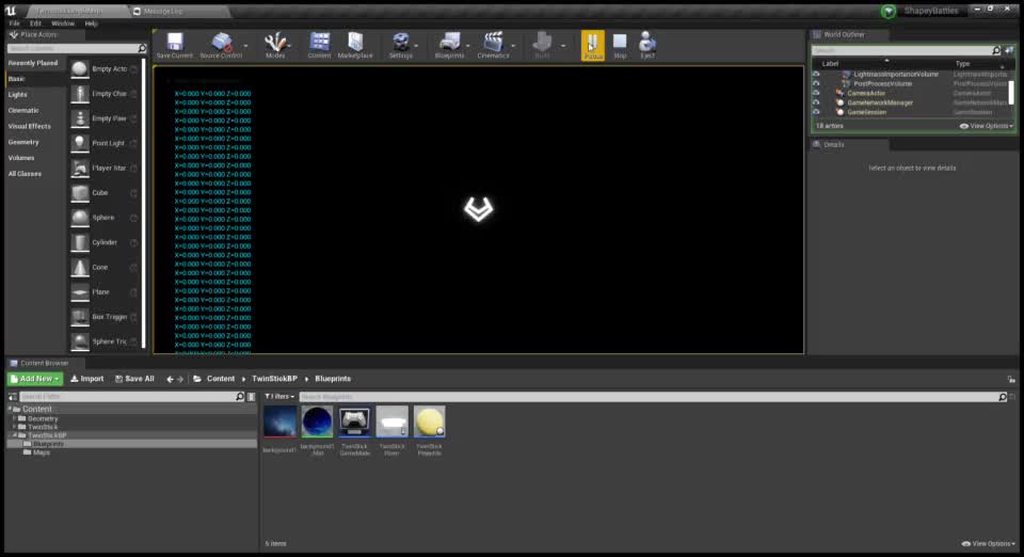
I'm seeing a strange 'glitch' when rotating the pawn in the twin stick template included with ue4. I'm not sure how to explain it other than the model appears to briefly 'explode' or double in size while changing directions. I've replicated it here with a slightly different model that makes the problem more evident: https://imgur.com/a/LZz4Vz0
 keen pawn
Ugh guys noob question i know
odd lava
the same effect happens on the stock 'twin stick shooter' template with zero modifications
keen pawn
but how can i change candelas back to lumes
lumens*
in UE4
for lighting
i have it now
thanks xD
oh nice!
thank you
 gusty stirrup
I'm getting this weird thing happening where i'm firing and spawning bullet projectiles w projectile movement outta a weapon when i left click, but when i run in the same direction i'm, firing, the projectile flies slower. When i stop running in the same direction that the projectile is flying, it flies faster.
Anyone knows what's happening?
worldly rose
Slower in the world coordinate system, or slower compared to the pawn?
 mighty copper
If someone could refresh my memory what is the hotkey for creating a reroute node... without double clicking on the line?
gusty stirrup
Slower in the world coordinate system, or slower compared to the pawn?
@worldly rose That.. is a good question. How do i find out if it's slower in the world coordinate or compared to the pawn?
I have a few hundred projectiles flying around, so im unable to click on 1 to look at the transform?😅
worldly rose
Have a button to pause the game, or add a Pause node to the projectile spawn script. I don't know if there is a literal Pause node, but I assume it's possible somehow.
Or when one is spawned just print the both the pawn's and the projectile's velocities, and the relative velocity.
mossy nymph
@plush yew you can use MinimumDesiredWidth on TextBlocks in buttons to force the Buttons into same Width, you also have a typo Creadits
alpine laurel
May not even need debugger symbols for this one. Check
shootergamemode.cpp, line 58.
@worldly rose what am i looking for? nothing looks wrong
worldly rose
There is a nullptr dereference somewhere around there. Either put a breakpoint in the debugger or add if-tests for each one.
 pure yacht
I am using the Unreal CollaborativeViewer Template, I have added an additional command like the ones that come in the template(Measurement,Xray etc)... My command toggles actors visibility based on the Actor tag... The build works fine on desktop, but when I switch to VR mode the application freezes and player is frozen at origin...
I have added the new command to the contextual menu via BP_Collab_V_PlayerController blueprint as shown in the figure above
spare sparrow
my blueprints are a lot messier
but i guess with time comes experience and clean blueprints lol
pure yacht
Here is the contextual menu which works fine in the desktop mode as well as in the editor
I am not able to switch to VR.. Please let me know if anyone has ever had the same issue and has been able to resolve...
Much appreciate any help...
radiant jasper
@spare sparrow there’s a button that cleans up the bp btw
 obtuse pendant
What's the cause of this abomination?
 tight prawn
anyone with experience working with modulated shadows ?
i've followed the documentation trying to get the shadows in my scene to be tinted
however they remain the same (even when using mobile previewer)
spare sparrow
@spare sparrow there’s a button that cleans up the bp btw
@radiant jasper really? where
spare sparrow
i personally like the second one
radiant jasper
@radiant jasper really? where
@spare sparrow
When u open the bp, there’s a button in the tool bar at the top of the window that’s labeled something like “clean up”
 fluid swift
Quick question, coming from unity I was wondering how you would include children of an actor in the same blueprint?
I want all of these to be included
grim ore
what are all of those? what type of items
fluid swift
StaticMeshActors
But would prefer if I could just bundle everything together as one actor somehow
 dusky inlet
unreal does things the OOP way. You define a class/blueprint ("prefab") on its own rather than placing all of them in a level first
fluid swift
Oh damn! I've been watching your tuts! 😄
Matt
Ah, so I would construct it after creating the blueprint
Not building in scene
dusky inlet
you would create it inside the blueprint (it has a viewport so you can edit it like in a level), and then just drag & drop the blueprint into the level
but that only makes sense if you want it placed repeatedly. If it's a one-time thing, you can just group them in the scene itself
fluid swift
So to clarify: if I had made a sick medieval tower that I wanted to place a few places in my scene
grim ore
^^ you can also select multiple static meshes in the scene and combine them into a bp
or if you want you can just group them if they are just scene dressing
fluid swift
@dusky inlet want to do some simple procedural generation
To learn myself blueprints
I found the grouping option
^^ you can also select multiple static meshes in the scene and combine them into a bp
@grim ore can you expand on this?
dusky inlet
yeah to get started with procgen doing some coding inside the construction script of an actor bp would be the right place
fluid swift
Yeah, currently the referencing has been the limiting factor
Do you know how you made a blueprint from scene actors?
dusky inlet
never did it, but it should be as simple as selecting multiple meshes, doing a right click and looking at the options. Or something like that
grim ore
at the top of the menu is the blueprint button, its in there
the biggest issue with that is is makes them child actor components instead of just static mesh componets so not as good
fluid swift
I guess you could just specify parent class?
grim ore
if you are just trying to make multiple meshes into one created mesh you can make a new mesh out of them (select multiple static meshes in the world, right click, convert actors to static mesh) and this will give you a new mesh
fluid swift
Is that a best practice?
Let's say I'm doing modular components where meshes are shared a lot
grim ore
creating from selection is not really best, would work for something like multiple blueprints into one mainly
fluid swift
Then the mesh count would increase quite a bit
grim ore
so say you had 6 meshes you wanted to make into a room, you want that room to be re usable as one item ?
grim ore
then the question would be is it ok to have that then be 1 new mesh to re use, or does it need to be special for some reason
fluid swift
And trying to populate a level
There's no reason other than what's most performant
Or good practice in general
grim ore
most performant would be just making the level out of the normal meshes and letting the engine instance and cull them
adding a layer, say making 1 blueprint with 6 static mesh components, then reusing the blueprint is less performant
but if you need that layer to have special logic, or something then yeah it should be a blueprint
fluid swift
I believe so if a tile consists of multiple actors
grim ore
in the end its not a significant difference
fluid swift
Alright, thanks a bunch both of you! 😄
grim ore
if you wanted to say make a tile be a complete room, lighting and meshes and such, then yeah make a blueprint per room
grim ore
thats actually where blueprints would work well ifyou did it right since it could be a "kitchen" blueprint and it could randomize its contents based on "kitchen" meshes and such
grim ore
single mesh might be useful for say you mock up a pile of hay, with maybe a pitchform on it and some dirt. so like a small set decoration. Convert it into 1 mesh in the engine so its easier to plop it around since its just decoration
rocky radish
can anyone think of a reason that the chaos destruction demo doesn't open?
grim ore
in theory you should do that "one mesh" stuff outside in your DCC but you can do it in engine as a quick fix
but in your case like mentioned, make a new actor blueprint and then you just add "stuff" inside of it for your "room". Static mesh components for parts, lights for lights, logic for logic, etc.
fluid swift
Cool, basically also what I would think, so that's great
grim ore
@rocky radish you are not using a supported compiled version of the engine? the plugin is disabled? you haven't waited long enough for it to compile shaders?
 dawn gull
In my game I have a box that controls gravity with an arrow pointing wherever the gravity goes to, and I am trying to make it so when you press the left/right arrow key it changes the gravity to your your left/right and you go on a wall, but whever i make it go onto the wall it just bugs out and starts moving the camera all crazy. How can I get a rotation that makes the bottom of the cube always go to the left/right of character?
rocky radish
@rocky radish you are not using a supported compiled version of the engine? the plugin is disabled? you haven't waited long enough for it to compile shaders?
@grim ore i built it from source (and also built the project), the editor does show up in the task manager but its barely using cpu and doesnt open
grim ore
what tasks are running under the editor? did you install Incredibuild when installing Visual Studio?
grim ore
oh thats weird. did you try opening the editor itself, not the project. so running the .exe from the binaries folder or hitting play from VS?
normally when building from source accidently installing incredibuild causes this issue
rocky radish
oh thats weird. did you try opening the editor itself, not the project. so running the .exe from the binaries folder or hitting play from VS?
@grim ore yep
it just stays like that
grim ore
so even ue4editor.exe does that?
karmic nymph
how can I make so that, for a set period of time after a function is called, a boolean will be set to true?
grim ore
@karmic nymph set boolean -> set timer for X time to run a function after X time -> Function runs after X time -> set boolean
rocky radish
so even ue4editor.exe does that?
@grim ore just by the fact that im opening that project it wont open ue4editor.exe it will open ChaosDestructionDemoEditor.exe
grim ore
thats why im asking, if you compiled from source you should have the normal ue4editor.exe in the binaries folder
ah wait maybe you didnt actually compile the engine alone
maybe the log folder in the project says what is going on
rocky radish
maybe the log folder in the project says what is going on
@grim ore i'm gonna take a look at it
its just creating a bunch of log files, i'll try just waiting some more to see if it opens
 drowsy turtle
how do i check if a line trace hits an object
https://prnt.sc/tqqao4 this doesn't seem to work
 rocky radish
@grim ore i found this in my log file LogInit: Display: Running incorrect executable for target. Launching Unreal Projects/ChaosDestructionDemo/Binaries/Win64/../../Binaries/Win64/ChaosDestructionDemoEditor.exe...
this doesn't seem to work
@drowsy turtle make a branch from the return value of the line trace
rocky radish
np
@grim ore i found this in my log file LogInit: Display: Running incorrect executable for target. Launching Unreal Projects/ChaosDestructionDemo/Binaries/Win64/../../Binaries/Win64/ChaosDestructionDemoEditor.exe...
any suggestions on how to fix this?
 obsidian wasp
What happened to the VaREST Call URL blueprint node? Doesn't show up for me, even though Make Json and a few other nodes show up properly.
I'm using the latest version of Unreal Engine, 4.25.2
dawn gull
Isn't the latest 4.25.3?
rocky radish
Isn't the latest 4.25.3?
@dawn gull yes, its the latest version
 limber mesa
anyone know a good website for sounds?
rocky radish
i think i found a solution to my problem 🤔
obsidian wasp
Oh. Guess I'm not on the latest version then. Does anyone know if all the VaREST nodes are there on 4.25.3?
@limber mesa I've used a few sound effects from zapsplat for early prototyping. They have quite a lot of them for free, and a bunch more if you pay.
rocky radish
Oh. Guess I'm not on the latest version then. Does anyone know if all the VaREST nodes are there on 4.25.3?
@obsidian wasp 4.25.3 only made a fix for conversion for c++ projects between versions, i dont think its going to make a difference
limber mesa
thanks @obsidian wasp
obsidian wasp
Never mind, I'm stupid. The node exists and shows up if I uncheck "Context Sensitive"...
 clever sequoia
Hey Guys,
unreal is crashing every time it finished the light building. Can anybody please help me?
Thank you 😄
 midnight root
Have you posted this on AnswerHub? You should post this on AnswerHub if you haven't. We do actually investigate some crashes and critical issues that pop up on AnswerHub/UDN. , recommendation may help https://www.reddit.com/r/unrealengine/comments/2orv3c/why_is_building_the_lighting_crashing_ue/
reddit
2 votes and 3 comments so far on Reddit
""
tight prawn
Hey
midnight root
Sounded familiar to you " When trying to build the lighting before adding the props, it would go all the way to 100% before completely crashing out. "
tight prawn
About crashing UE4 when building lighting
Go to your network settings
and disable other network adapters (other than the one you use to connect to the internet)
in my case, I had HyperV network enabled, it seems the Swarm lighting builder crashes when it tries to connect to the wrong adapter
well, its not actually crashing, but it causes my windows to BSOD
worth a try, there is also another bug (which i failed to create a PR for) that causes lighting to crash
is when you have 0 extents on a brush
fixed it in my source build, forgot to do a PR 😅
rough knoll
yo why the fuck is ue crashing my computer every time i try to package
it freezes everything and i have to crash my pc to turn it on
ive tried migrating everything to a new project and it didnt work
idk if its because its packaging too much
half of the stuff its packaging i dont even use
can i turn off packaging for unused stuff
clever sequoia
@tight prawn Didnt work for me, but thanks!
rough knoll
i can build everything else just fine i just cant package my game
 empty pilot
cant launch from ue4 to quest, sidequest installs and enabled unknown sources visibility, though still canot build out a project, i can see & launch games & files are visible now thanks to sidequest, still i get a black screen when i launch my project made in ue4 . there is a flash of the ue4 scene when i awake the quest from sleep, yet still stays black, thinking this all happend after i down-graded to 4.24 in an atempt to EDIT IN VR, since that failed endevor i have been unable to launch onto the quest????
rough knoll
hasnt even got to the crashy part yet
aha! thats hot! thats hot!
update: it hit 99% mem usage and then pc froze. jfc
do i just need more ram?
 distant totem
@rough knoll sometimes unreal can hang for 45 minutes to an hour, even be non responsive to task manager, just let it sit until it's done, unless the crash reporter comes up, or the crashreporter process is in task manager, just let the engine do it's thing, it will eventually finish it's process and un freeze, if you launch the project using visual studio and watch the output log you can frequently see things happening in unreal while it's frozen
rough knoll
@Slim#1087 its not just ue freezing lul
@distant totem woops
my whole pc freezes
cant even move my mouse
unresponsive to ctrl alt del or anything
 hot cosmos
 distant totem
@rough knoll you could try and trim some extra system resources, one thing epic recommends is when doing big tasks like packaging, to disable all extra monitors, switch resolution to 800x600, and close any un needed running background programs, that has worked for me in the past
I'm not sure about the whole system freezing if unreal is still thinking in the background tbh
rough knoll
i mean ill try
i hear putting things into a pak is more resource intensive
should i turn that off
distant totem
what platform are you building for
rough knoll
win10
distant totem
it says that option is disabled by default, and that it's generally used to reduce load times for projects that use lots and lots of asset files, yeah I would try turning that off
 silk sleet
is there an easy way to make a camera capture at only like, 15fps? i need it for an effect
 autumn elbow
Argh... How do I focus?! I'm working on a KSP style building system, but I find myself working on the icons more than the actual system. How do I stop myself from working on the fine details, and focus on the broad strokes ?
distant totem
wear a rubber band on your wrist and pull it and snap it really hard every time you find your self working too much on the fine details
😛
autumn elbow
lol
rough knoll
k i just tried to re-package with pak off and 800x600 and i still hit 100% memory usage
autumn elbow
i have a excel sheet bumpy
 small pewter
I'm really looking for someone who is really expert / confortable with coding / blueprint, to help me achieve/create dockable/sizeable windows in unreal engine please. Please dm me if you're that persoon
autumn elbow
I notice that it's only when I work alone. When I'm at work, or in a team setting, I don't doodle lol
 misty zinc
Hi everyone, quick question (just starting out in UE, come from a background in animation):
I'm trying to move keyframes along a timeline, but constrain them to only one axis as I drag. In other programs, like AE or Cinema4D, this is usually done by holding shift while dragging. Is there a key combination would enable this? Please @ me with replies, thanks!
rough knoll
i should probably get an ssd or something
if i change max memory allowance will it stop that
i assume this is in mb because of the 1024 and i definitely dont have 16gb of ram
im gonna change it and see what happens
idk if this is even referencing ram
well it froze but it froze at 89% instead of 99%
i changed it to 10gb instead of 16 as i only have 12gb
radiant jasper
@rough knoll what r ur specs
Oh when I package games it usually uses like 55-60% of my ram, and I have 24gb
So basically yeah get more ram
rough knoll
@radiant jasper i7-4790k, 12gb ram, rx 570
radiant jasper
Whooo those r not great specs ngl u have an old ass pc
rough knoll
i mean it gets the job done
radiant jasper
Yeah well not really in this case lol
rough knoll
ye
radiant jasper
2 slots u mean
16 should be good enough I think
You’ll have to close all other processes still tho
If u wanna be safe id go for 20 or 24, but ur choice
radiant jasper
Wait what type of sticks do u have now
3 4’s right?
Cuz then u mise’ll just buy 1 16gb stick, and keep 2 of ur 4gb sticks
rough knoll
yea
oddly enough even though my pc is frozen the led on my external harddrive is still flashing that its writing
radiant jasper
R u packaging to that drive?
shut anvil
cant launch from ue4 to quest, sidequest installs and enabled unknown sources visibility, though still canot build out a project, i can see & launch games & files are visible now thanks to sidequest, still i get a black screen when i launch my project made in ue4 . there is a flash of the ue4 scene when i awake the quest from sleep, yet still stays black, thinking this all happend after i down-graded to 4.24 in an attempt to EDIT IN VR, since that failed i have been unable to launch ue4 projects onto the quest????
rough knoll
also @radiant jasper there are no 16gb ddr3 dimms
radiant jasper
Why do u have to get ddr3
radiant jasper
Buy a new Cpu I guess
Idk I mean I guess just buy 2 8gb then, I mean u should prob start saving up for a new pc
radiant jasper
ok
Also how do I update unreal engine source from 4.25.1-4.25.2
ive never updated unreal lol
4.25.3 actually, didnt know that was out
 brazen crow
okkkkkk ive been struggling for too long i need help
im trying to make an ai move around randomly instead of going straight to the player
like this
the one on the left is what i have
the one on the right is what i want
radiant jasper
u prob have something like "shortest path" selected or something
brazen crow
uh
nono hear me out
theres no obstacles
so basically
rn i have it so itll take the look at rotation and then get a vector and walk to that vector
and ive been trying to make it be rotated by a certain amt
so like if the look at rotation is 0 0 0.5
ill add a random number
radiant jasper
wait do u want it to follow that specific path every single time?
brazen crow
between 0.1 and -0.1 to the z
no
want it to be randomly zigzagging
so itll be like adding a random number to the yaw rotation
and go in that direction
but itll always start with the looking at player rotation so it wont veer off too much
but i cant get it to
add to the yaw
radiant jasper

This is one way to generate random NPC movement. this is not what I would typically refer to as AI even though it is a commonly accepted term for this type of behavior in video games.
I am not a professional educator, i am not affiliated with Unreal Engine. i am learning like...
follow the random destination part of the vid
movement*
brazen crow
yea
thats the
get random point in navigable radius
i tried that
didnt rly work out too well
brazen crow
i want it to have pretty much this range
it can go any direction within this range
and they all have the same distance
radiant jasper
then it would be different distances coming back
brazen crow
this drawing is kinda bad but
hopefully u get the idea
if it chooses to go on that first path i drew
wait
i drew that wrong
holuop
exotic thicket
you can pick the vector towards the player and rotate it into a random direction by a random amount
this should make it zigzag
radiant jasper
also what do i compare to update unreal
plush yew
@radiant jasper compare to update unreal?
radiant jasper
like in the github thing
to make a pull request
wwhats the base and whats the head
plush yew
go to the unreal repository and click on releases. the current one is df84cb4
exotic thicket
if that method doesn't work you can also use quaternions to rotate it
brazen crow
@plush yew do u know if the rotate vector node is normalized should i use 0-1 or 0-360
plush yew
connect the output pin to a print node to test it. i'm not certain whether it's in degree or normalized notation.
radiant jasper
i dont see that @plush yew
exotic thicket
you can also use EQS to find points near the player and pick one at random.. this is something I'm using in my game to zigzag
benefit of the EQS method is that you can easily ensure the point is actually reachable :P
radiant jasper
then what
plush yew
are you asking for the pull request syntax?
plush yew
you want to update your engine from source?
radiant jasper
yes
plush yew
ah k. i wrote a script on that. hold on i'll msg u in the right channel one sec
radiant jasper
oh cool
alpine laurel
is there a reason my splash screen never actually shows up on my shipped builds? the only time it shows up is in the editor on "standalone game"
 ashen orbit
maybe loads too fast so you never see it? Not very experienced so take my suggestions lightly
My question: is developing a VR game much different/harder than a normal input game in UE4?
alpine laurel
i mean i tried running it on a 4 gb ram laptop
took awhile to launch, but the splash screen never showed up
 open gorge
you're not launching a server are you?
@ashen orbit more difficult yes
it's a bit more irksome to test
alpine laurel
Djriff were you asking me if i was launching a server?
open gorge
yes
ashen orbit
I know splash screens need to be mentioned in the project settings if I’m not mistaken
I once had a map that would run i standalone mode but not in packaged, maybe same thing
alpine laurel
hm
open gorge
if you launch your project as a server, the splash screen doesn't show
you can check your saved/logs
to see what's happening
in your project folder
alpine laurel
thanks
open gorge
np ^^
feel free to post the error here, i'll see if I can help
if you have something like ```
OSSEOS.txt
OSSEOS_2.txt
ie, if you have the editor open, it will create a 2nd log file
alpine laurel
right now i am trying to figure out how to get blueprints in my c++ gameinstanc
versed lion
Is there a way I can add Cooldown to my mouse 1 input the character can keep attacking, I don't want to use the "Disable Input" node because it disables all the keyboard
alpine laurel
is there a way i can convert my c++ game instance to blueprint and have it keep what i put in c++