#ue4-general
1 messages · Page 803 of 1
 brisk urchin
 karmic nymph
start sprint will increase the characters speed from 500 to 70
i brb
stop sprint resets it
 glad orchid
yes
but i need to see it
you have a few different things going on there that can be an issue
first of which is your branch
for input "at all"
so without seeing your normal movement input "not just the moveright"
and the stop sprinting function I can't totally see the issue
honestly why not just feed your max movement speed on the movement component with the sprint input
and then back it back out on release?
 hearty walrus
Using the third person template, how do I lock vertical camera movement to a certain area of degrees?
glad orchid
vertical as in z axis or looking down?
hearty walrus
so Y rotation can only be within 2 numbers, so the player can't go too high or too low
glad orchid
on the mouse input function to rotate the camera get the axis you want to limit and place a branch to kill loc/rot adjustment
you can also clamp the output value of the axis
which would likely be best
 frank grove
unreal engine course is a good way to know the basics of this engine?
hearty walrus
also, is there a way to only move the camera if a mousebutton is held, otherwise allowing the player to move the mouse freely?
glad orchid
clamp float in range <-
frank grove
kinda asked a question in the middle of the conversation sorry
glad orchid
yes @hearty walrus
 plush yew
Hi guys, don't mean to crash your convo. I was wondering if there are any official certs or schools where one could learn Unreal to a comprehensive degree?
glad orchid
setup another input for that button if there isn't one alredy
feed in a bool on press setting to true
branch on true for the mouse rot/ function
clear the bool on release
@plush yew UE academy
it was up and they took it down for maintenance
but its in the UE4 launcher
"learn unreal"
plush yew
I mean more like for credentials.
plush yew
I've been working with the engine for a while and have 10+ yrs C++ dev experience.
But no creds for Unreal.
Hmm, interesting.
glad orchid
same here bud
but i do have a degree in CIS
and a few projects on steam
but yes ... completing the courses will build your portfolio
frank grove
I think there is one unreal engine academy in london
glad orchid
no worries 😉
plush yew
I'm in London btw as well.
glad orchid
you should be watching the live event right now
there is tons of useful stuff coming out of the ue next gen streams
subscribe to ue4 info from the launcher if you haven't already
frank grove
I want to learn unreal,so Im gonna start by the unreal online learning
see if I can get something from it
plush yew
Honestly my first experience with online learning resources for Unreal wasn't great. Kind of turned me away. This is where I checked - https://www.unrealengine.com/en-US/onlinelearning-courses. But I couldn't sign up for any of the courses.
frank grove
I see
plush yew
Must have had some technical issue since I can now.
plush yew
Ah, makes sense then.
glad orchid
but its a great resource
plush yew
Where the certificates at though?
 radiant jasper
youtube is great as well
plush yew
Does it give you something like a signed pdf you can show off?
glad orchid
that count as linkedin certificates
radiant jasper

YouTube
Ever wanted to be a game developer? Well now you can with our extensive library of FREE courses! On our channel you will find numerous courses teaching you h...
he has some good tutorials
frank grove
@radiant jasper thanks,gonna check out
glad orchid
frank grove
I have to learn unity too
plush yew
I'm very good at the engine and I rush through a months worth of sprints in my company within days. But because my company isn't delivering as fast as I'd like, I have nothing to show for. I do game systems and advanced shading.
radiant jasper
and if u have any questions or issues, answerhub is great too
plush yew
So I'm all about them certs. 👀
@glad orchid would you have any pdf to attach to your stuff on LinkedIn or similar?
Any proof I mean.
plush yew
I mean this
glad orchid
plush yew
Hahaha @frank grove
frank grove
gonna delete this before I get banned
 true sun
🔨 🔨
plush yew
@glad orchid You might have just unlocked a treasure throve of resources for me. I thought the online learning system was abandoned and didn't double-check.
brisk urchin
@glad orchid I replaced the ceiling completely with a thicker static mesh and rebuilt the scene and it still gave the same light bleed issues. 😦
radiant jasper
also @frank grove make sure u download the source version
glad orchid
you using lightmaps?
plush yew
@glad orchid But just to be 100% here, there's nothing like signed or a cert number that Epic could confirm?
brisk urchin
@glad orchid Yea, the build button that builds the whole scene including lighting
karmic nymph
@glad orchid
frank grove
alright
karmic nymph
here is the start sprint function
radiant jasper
i made the mistake of downloading the epic launcher version first lol
plush yew
Yikes, uno be getting those tags 👀
true sun
@plush yew Look for a 'Unreal Engine Kickstart for Developers'. It's a series of courses that goes through world building, animation, rendering, programming etc.
glad orchid
@brisk urchin i need to see your skylight and your sun
sounds like your baking lighting
which is going to be lightmass settings
dynamic lights don't "build"
plush yew
@true sun thanks, will look over. Love high-level stuff.
But not like I love certs, lol.
Uno, either way, thanks. Your directions are highly appreciated.
glad orchid
@plush yew the epic learning portal is assigned credentials that you can't ever get taken away
its no different than the unreal academy stuff
the portal holds your "proof"
true sun
Hahaha, I am just trying to find the best courses and stuff on how to understand the engine. I think especially on the programming part there's a lack of in-depth tutorials, but it might be just me
plush yew
Is this publicly visible?
glad orchid
vs your "certs" is only as accredited as far as the "issuer"
glad orchid
anyone can slap a piece of crap credential key out
it doesn't mean anything
but I've had more freelance work and job offers due to offical unreal badges than anything
plush yew
You can confirm the keys on Udemy. LinkedIn, not so much. I've taken some university courses that confirm their keys, too. :p
glad orchid
confirmation isn't the problem
plush yew
But yeah, if this is public on Unreal's domain, then that's confirmation enough.
true sun
are those badges really taken that serious?
glad orchid
its how "respected" those orginizations are
glad orchid
unreal > any other accredited source for unreal material
same as ford > any other mechanic shop
etc
true sun
Yeah, but anyone can click through the videos and they even present the right answers to the quizes. I can have al lbadges within an hour, doesn't prove anything to me
 tender pecan
anyone from cgmasteracademy or animschool?
glad orchid
they say your wrong and give you 70%, 80% etc
true sun
I had that when watching comprehending projects and file structure. I got shown that some answer was incorrect before going to the next question.
glad orchid
you have to retake it at that point or go back and redo the material (which you can skip) if you know the right one
but its no different than the texas class I took which literally held my hand through a project gave me the example and handed me a cert on the way out the door
cheating "yourself" means nothing and most companies know when they get someone like that
its your responsibly to value yourself at that point.
plush yew
Yeah that aspect of online courses is really bringing the whole online competency thing down.
Everyone basically says "you can just click through and get the cert".
glad orchid
Thats why paper doesn't matter anymore
plush yew
Crap for those who really took the time to learn everything and more from a course.
glad orchid
I've been working at my company for 12 years
I can spot a guy like that within the first week
true sun
What do you suggest on learning to program games within Unreal? I followed the C++ Battery Collector series and it was quite nice. I was wondering if there's some more great series to learn more about programming within Unreal.
glad orchid
no matter how much "paper" he brings to the table
glad orchid
easily
plush yew
could really use that knowledge for my own comp, since I'm on the board
glad orchid
you don't ask non technical questions 😉
and usually you have them bring you through a very simple "workflow" example
that only skill shows through
plush yew
Our HR focuses on cultural match a lot and only have 10-30% Qs re: workflow.
glad orchid
most interviews are supposed to be 50% personality hr related and then 50% technically related with an experienced vetting collegue
plush yew
Corp culture. It does good things, but we get fake applicants all the time and they are the most eager to "work".
glad orchid
but i agree
red/yellow tape is getting in the way of finding qualified applicants now days
and usually for a little less pay they will go for the least qualified and "train/increased long term value" with slow raises
sad but true
plush yew
Interesting. There are multiple approaches here.
brisk urchin
@glad orchid you see my screenshots? 🙂
plush yew
If you get someone with a growth mindset, they're gonna be worth more than many technically better applicants in a year.
Imo. But it has to be real.
glad orchid
@brisk urchin yeah your 100% dynamic
no need to build to see lighting changes
should just happen
grab a square mesh
plush yew
Online certs would seem to be a good measure of how interested someone is in some material. The click-through argument is valid, sadly.
glad orchid
drag it over your house
see if it blocks the light bleed
just as a test
should just see it block it
without building
brisk urchin
@glad orchid thats what I did, I grabbed a box and added the material then it looked the same
glad orchid
honestly @plush yew anyone worth their salt will hire someone with a project released
gamejams etc
something they can see run
if your relying on certs alone
plush yew
@true sun, for starting with C++ in Unreal, I would personally recommend looking at JetBrains Rider for Unreal. It will teach you write good engine-compliant code. It's now in beta I think, and you can get 10 months free license. It's a 1 month trial but people at my comp got 9 more months after that for free.
glad orchid
even physical locations can't get beyond the ???? that stick in hiring managers heads
and paper like i said is not valuable
glad orchid
we've contracted 3 people in the last year with zero certs
brisk urchin
seems to be coming from the outside still
glad orchid
but they had projects and real world applications and skill
plush yew
Yeah it goes both ways. I wouldn't want to join a team without a project released either.
Kinda hard to show off C++ skill though, isn't it?
plush yew
I mean there's jams, sure. But how do you show off real skill in Unreal? What's the high bar? Selling plugins?
glad orchid
what your still seeing there is a result of no AO on dynamic lights
true sun
@plush yew I have Resharper for vs2019 installed already, but i'll check it. Thanks for recommendation
glad orchid
so the only way your going to fix that is by using DFAO
or swaping to stationary and baking
on your skylight and sun
plush yew
@true sun you'll love Rider.
glad orchid
so @brisk urchin go find distance field meshes
plush yew
But it's not going to be a leap like from vanilla VS.
brisk urchin
@glad orchid and also set light source and skylight to static?
glad orchid
as its much easer than baking
no
leave them movable
we will go the modern way first
lightmasses are a pain
and if you can avoid it then i'd say avoid it
plush yew
I'm going to leave you to debug lighting. Thanks for the useful info. Still interested in hearing from uno what's a good way to show off C++ skills in UE aside from jams.
But yeah, thanks for the resources.
brisk urchin
I have Ambient Occlusion off, will that affect Generate Mesh Distance Fields?
glad orchid
@plush yew c++ and UE c++ are two different things
so it depends on your goal
as an application dev my c++ skills did almost nothing for my UE4 skills
plush yew
How so? UE takes hold of the language but I can't see how you're unable to do anything you'd do with C++ with... well.. C++.
glad orchid
blueprints, modeling, animation, class understanding, c#, build.cs, plugin management
c++ is like nothing
especially with the nativize bool
its the least sought after role in my opinion
valuable when needed but usually contracted in a jam
@plush yew because even if your on a c++ project
say you make your classes from scratch
at some point you need to make headers, expose them
and talk to the ue4 library
plush yew
Sure.
glad orchid
animinstances, behavior trees, widgets etc
nothing in ue4 can work without exposing it at some point
but everything can be blueprints and nativized
and the c++ guy is literally contracted to say "expand this class and expose to blueprint" thank you have a nice day! 😄
plush yew
I wouldn't say it's not a very sought after role though. Lots of recruiters are reaching out with decent pay positions in tooling for UE and such. But just not positions I'm looking for, hence the interest in certs.
Or "portfolio".
Hmm, we do most of our gameplay programming in C++. We only expose stuff to BP for audio and UI peeps basically.
glad orchid
I'd argue that if you want to work in a game engine that solely relies on a "language" then unity might be your direction
plush yew
We even control materials and shaders through C++.
glad orchid
and c#
plush yew
Nah, I'm just using C++ as shorthand for syntactical language vs visual programming.
It is, in the context of UE, after all.
plush yew
Sure. Just really not as flexible with nodes.
glad orchid
but i doubt you animate your character in c++
i doubt you forgo behavior tress and code your ai completely in c++
plush yew
Our AI is actually completely in C++, haha.
glad orchid
i doubt you write your blendspace
plush yew
We're doing a lot of calculations since we're building a tycoon. So we have our own ticking mechanism and everything. Doing some AI async and similar.
Eh, it doesn't matter what we do though. Different projects, different approaches.
glad orchid
so you just say tough luck and keep everything c++ and only expose audio ... man that workflow 😉
plush yew
But I'd say the role is quite sought-after in the industry, esp tooling.
plush yew
Alright, thanks for your help bro.
glad orchid
i mean that in a joking way.... it sounds rough but believe me
I didn't mean it that way
I have a couple of buddies that share the same workflow
They are hard core c++ guys
I just enjoy not needing to dive off into a base c++ class or inherit without worrying with headers later for artist etc when something like turning on a light in blueprint is lighting fast
plush yew
Does someone now how to make this:
I need a object, and if you hit that object you will respawn ad you're starter location. I'm a bit new to unreal engine, and i can't find a video of it
?
glad orchid
ticks.... sure
plush yew
I'll check out the academy + online resources now that they're up. Maybe it will change my mind :p. No promises though, we're quite agile on our feet, and some AI decisions in a behaviour tree... IDK... I guess it could be done.
glad orchid
timers, threaded calls
of course
async
etc
behavior tree is just a lovely tool to call c++ classes man
make a c++ decorator for the behavior
done
plush yew
To my mind rn that is overhead.
But live and learn, perhaps.
Thanks for the resources.
glad orchid
my first AI was query
slow as dog mess
now its all event driven decorator blackboard and c++ decorators
100+ on screen at .6ms
@brisk urchin
hows it going bud?
you get the distance field meshes enabled yet?
true sun
Uhm, where was that button to swap default IDE? I can't find it rn >.<
glad orchid
IDE?
true sun
found it, was in project settings instead of general
glad orchid
like you wanted vs light or something?
true sun
I thought I could select Rider there, I want to test that IDE, but it doesn't appear to be there
glad orchid
i find vs 2017 opens a little quicker
true sun
I am using 2019 atm
true sun
Poseidon suggested Rider earlier tonight, so i was kinda curious how that is
By the way @glad orchid, does vs 2017 intelli work better than in 2019?
brisk urchin
@glad orchid Hey, i'm still at it. I believe my World Settings were messed up.
glad orchid
world settings?
thats only for lightmass
if you have stationary lights
and bake out
@brisk urchin
brisk urchin
Let me post an update pic
glad orchid
thats why i was saying if your 100% dynamic we need to go to distance fields
These are for stationary or "lightmass" settings
baking
but they don't do anything with movable directional lights for your sun or movable skylights
they only affect stationary lights and static
glad orchid
yeah you changed the light type
brisk urchin
@glad orchid
brisk urchin
When I move the camera it the lighting changes
glad orchid
with DFAO
brisk urchin
the first pic looks good then when i move the camera slightly down its bleeds a bit
glad orchid
more than likely you just swapped to stationary sky lighting
plush yew
Rider is good for learning C++ for unreal, because it will point out things like garbage collection issues, show what blueprints inherit from your C++ class in your project, and similar.
glad orchid
you have a condition
that is saying the character must be moving from what I'm gathering
karmic nymph
yeah
karmic nymph
basically it makes it so the character can only start sprinting forward
glad orchid
but i understand
karmic nymph
isnt getting the actor velocity what im doing?
glad orchid
Where is your input action moveforward
 fluid lance
I've made a spline procedural tool to speed up level design but the problem now is preshadows...Any idea on how to get around this?! 😐
karmic nymph
it is located in my player controle
glad orchid
no there is a literal get actor velocity
plush yew
maybe a plugin?
karmic nymph
could be
glad orchid
faster wont rely on capsule component tick
should give the same result
I need to see your normal forward input logic
the problem is your saying once you sprint it kills normal input?
karmic nymph
once i start sprinting
the additional speed will be retained as long as i hold shift
therfore if i start sprinting and change directions (say, moving left or right), the character will still be moving at a sprint speed
glad orchid
yes ... thats right
karmic nymph
im trying to make it so that upon pressing a new movement input the sprint will stop
glad orchid
the input was fired already
its not checking the input "pressed" as a hold event
like a tick
you need to setup a timerhandle
and check against your forward vector
and branch out of sprint based on it
karmic nymph
also ty for the get velocity trick
glad orchid
so basically
on sprint pressed -> set timer handle promote to var ->
run function on handle looped for say every .5 secs
check the forward vector to see if they strafe
if so call custom even to end sprint clear sprint bool
glad orchid
promote the timer handle to a var
change to timer by function
not event
create a new event called "checksprint"
and type that name in the function name for the timer by function
Of course you need to call your functions to set the movement speed
and check the forward vector movement to determine if to clear the timer handle
and stop sprint
but when you press sprint its only fires once
its not constantly calling to do the vector calc
 dapper bridge
@glad orchid dumb question, but how'd you get your connections to do sharp turns like that?
glad orchid
ok lets start from square 1
if i press shift "bound to sprint input"
and i print off it
you get 1 hello
thats it
so you can't set a condition that only gets checked once
you need to setup a timer
to constantly check the condition
so on press start a timer
that calls the event "function" to check the condition
karmic nymph
ok so the timer will just constantly loop while the action binding is being pressed
karmic nymph
to check whether the conditions are still being met
glad orchid
correct
be sure to clear the timer handle
either via the way i showed or by simply calling clear timer function by name
you don't want that timer eating your cpu and checking the condition infinitely
karmic nymph
ok
glad orchid
@karmic nymph if you need I can remote connect with you if you can't get it
karmic nymph
that would actually be really nice ty
glad orchid
do you have teamviewer or something?
karmic nymph
couldnt i just screenshare via discord?
glad orchid
that would work
karmic nymph
ty for going through the trouble to help me tho
glad orchid
i'd just have to talk you through vs do it real fast 😉
karmic nymph
i appreciate it
 ember star
I want to test Alt+Key combinations in game, but they're getting intercepted by the editor
Can i do anything about that?
 rocky field
@silver crown This was the post I was talking about. https://www.reddit.com/r/unrealengine/comments/hwhlut/4252_hotfix_released_unreal_engine_forums/
 slate oasis
Hey guys, does anyone know what is used in the beginning of the unreal Livestream, where they block out their example levels with...I would like to use it for my own, but I don't know what it is
Looks like this
 exotic thicket
I didn't watch it but that looks like the BSP brushes
slate oasis
BSP Brushes...I will take a look. Thank you very much for you time.
 sweet relic
Ya those are geometry brushes with a custom material from what it looked like
Guide to using Brushes to create level geometry in Unreal Editor.
slate oasis
Thanks again. Much appreciated
 restive zinc
how do you reduce that velocity of the ragdoll
 lofty fractal
Unreal learner here: Is it possible to import a .uasset file into c++? I'm attempting to import the StartContent/Props/SM_Rock.uasset into my Character.cpp code and dynamically create it with something like GetWorld()->SpawnActor<AActor>(dropLocation, FRotator::ZeroRotator);
 grim ore
well the SM_Rock is not a class right?
you would want to spawn in the static mesh actor and assign the static mesh to it (this rock), have to seen the spawn actor docs? https://docs.unrealengine.com/en-US/Programming/UnrealArchitecture/Actors/Spawning/index.html
lofty fractal
@grim ore yes SM_Rock is not a class. While I'm an experienced c++ dev, unreal is new to me and I'm trying to understand how to connect the 2.
I previously read the spawn actor doc but I didn't see the answer to my question there.
you would want to spawn in the static mesh actor
So that's GetWorld()->SpawnActor<AStaticMeshActor>(dropLocation, FRotator::ZeroRotator);
and assign the static mesh to it (this rock)
This I'm not sure how to do
radiant jasper
anyone have tips on ways to compile quicker?
plush yew
is there any easy way to revert a project back to an older version that has HTML5 support
radiant jasper
shit takes hrs
@plush yew I dont believe so bc it would most likely fuck up stuff in the project that utilizes code that didn't exist in prior versions
plush yew
yeah, im expecting it to fuck up stuff, but im just curious if its even possible so i could just slowly rebuild anything that needs to be
radiant jasper
u could def take the levels probably, or whatever maps ur using
plush yew
i tried making a copy of project, and right clicking on my uproject file and changing the version but when i try to open i just get this
Not sure what "rebuild from source manually" means
radiant jasper
u r using source right?
like not the launcher version
when u open the older version of unreal, it should give u the option to convert it
plush yew
oh, maybe it means rebuilding from the actual visual studio solution
radiant jasper
yeah thats why i was asking if u have source or launcher
plush yew
ah ok
yeah i open from VS
yup so im just gonna build it and see how many errors i get LOL
probably a shit ton
radiant jasper
yeah do that
grim ore
@lofty fractal you would use the Spawn Actor to spawn in a static mesh actor. This would be an actor that would them in the world and you would then set the static mesh component on it to the static mesh that you want it to be using. You could always create the code in blueprints then look at the C++ that the blueprint is node out of.
plush yew
Weird, it builds, but it opens in the same newer version.
grim ore
and as for the code to do it, its a function on the staticmeshactor after you have spawn it, call it like any other function or method. The docs have all of them listed or use intellisense
radiant jasper
well u have to build the older version that u want
obv its gonna open whatever version ur trying to build
altho tbh, I think you'd be better off finding a plug in
not sure why u really wanna use an older version so badly
"As of Unreal Engine 4.24, support for the HTML5 platform has been migrated out of the engine to a public Platform Extension that can be maintained and improved by community members. Documentation for the HTML5 Platform Extension is hosted alongside the GitHub repository ."
just install that extension @plush yew
heres the link, keep in mind u must be signed in to access
BRUH i just found out 4.25.2 fixes the issue where xcode 12 wasn't working with unreal
AND I FUCKING FACTORY RESET MY IPAD SO I COULD GET IT BACK TO IOS 13.6
dapper bridge
Can anyone help me change a material parameter in game? Ive tried creating dynamic material instance, but its not changing the material color.
 icy mulch
radiant jasper
icy mulch
radiant jasper
ur graphics card is too shit for unreal to work
upgrade ur pc
or use source, it prob wont block u, but it will most likely freeze if u do anything slightly gpu intensive
icy mulch
My graphics card is rtx 2060 which works for unreal engine
I was able to run everything fine when I first got it now it crashes with display driver failed etc
 supple totem
reboot pc?
radiant jasper
hmm yeah check for new drivers
icy mulch
I factory reseted twice it worked once before
radiant jasper
check for new drivers
 sterile stream
anyone care to help with landscape painting and layers
icy mulch
And my pc is i7 processor
radiant jasper
again, check for new drivers
icy mulch
Okay
radiant jasper
with geforce experience
icy mulch
Oh okay I was using device manger
radiant jasper
I believe the newest version should be 451.67
icy mulch
Yeah i updated but it still crashes when ever I added a object
grim ore
there should be a log when it crashes that can help
 unique lodge
Im being screwed by this engine and my friends told me abt this server
so here i am
Unable to patch action graph - unexpected executable in compile action (C:\Program Files (x86)\Windows Kits\10\bin\10.0.19041.0\x64\rc.exe) i cant compile whats this mean
grim ore
ith error DXGI_ERROR_DEVICE_REMOVED DXGI_ERROR_DEVICE_REMOVED is th issue @icy mulch you have some other serious issue. Driver, hardware, power, some other failing. Something is wrong with your pc/software at this point and is crashing UE
unique lodge
Ignored like that huh'
grim ore
did you google the error? it looks like a VS error
unique lodge
yea i did, no result, also its when i compile in unreal not vs code
it's an sdk file btw
grim ore
well the compile is using the C++ compiler
unique lodge
hmm
grim ore
and this is in VS Code not VS proper?
grim ore
need extra work to make Code work with the UE4 codebase, Visual Studio 2019 is the normal version used
unique lodge
So its better to use vs proper
unique lodge
Alright I'll try
icy mulch
Yeah I can play in the editor but when I move my mouse to the resize area it crashes my hole pc and I have to restart
plush yew
@unique lodge don't forget to check Unreal Engine 4 Documentation > Programming Guide > Development Setup > Setting Up Visual Studio for Unreal Engine vs 2017 is recommended if you compile from source or anything. i use a dedicated server and find 2017 is a bit better because it has official epic support. when i tried vs 2019 to compile the engine and then compile my game, the dedicated server threw an error because of compatibility issues. once i reverted to 2017 it worked.
 sly fox
Anyone else having trouble with trying to do VR stuff? When I try to run the VR BP, it I get head rotation and stuff, but my controllers don't show up. When testing, it seems the controllers are being detected because it correctly recognizes them as oculus controllers, but I don't get a visual representation of the controllers in game, nor does it seem like the motion of the controllers is in any way being tracked. I was trying to reduce the amount of blueprint to debug exactly what is wrong, but when I'm doing that, I don't know if it's not working cause I'm dumb or if it's actually my original problem.
unique lodge
ok thanks!
plush yew
no problemo
grim ore
@sly fox are you testing using the VR template or something else?
sly fox
The VR template.
grim ore
if you open up the MotionControllerPawn in there does it show it set up to use the 2 motion controllers?
grim ore
its probably compiling shaders for the lower quality due to it using mobile settings
ok on the mobile controller is a setting in the details panel for the mesh it can use. It should be on default but if you click on that does it show your VR platform that you are using?
sly fox
Ya
grim ore
for example showing SteamVR if using vives or Oculus if using rifts
sly fox
It says SteamVR actually cause I'm using Virtual Desktop
grim ore
that could be causing an issue
but force it to steamVR for both controllers and see if they show up in the viewport there in the blueprint
and if they do try again and see if they show up. Which map are you testing in also? I usually test in the one with the blocks on the table
 storm terrace
how do I deal with that
It should be DGameInstance not PuzzlePlatformsGameInstance I changed the name
It's a C++ class
 green sky
Hello all you wonderful people 🙂
storm terrace
supposed you are right
 exotic plover
Hey can anyone here help me with something?? i am looking to understand more about how materials can interact with actors, like a boat moving on top of water and that water happens to be a material. Can anyone help?
storm terrace
thought this was more of an engine issue though
grim ore
but off the top of my head if you did a change like that make sure you deleted your intermediate folder, regenerated the solution, and opened it back up again to compile
green sky
Can anyone here recommend a way to get nice tire skid marks in ue4?
plush yew
@green sky there's some free stuff on the marketplace
green sky
??
plush yew
use decals
green sky
i tried but they dont seem consistent when turning 90 degrees
plush yew
you're using the wrong decal then. get one with the right image of a skid mark you want.
grim ore
@exotic plover generally the material is on a mesh so you would be more having the mesh interact with the other actors. Now what do you mean by interacting with the water is the question. showing waves or something? You can use a render target with where the boat is in the world and apply that to the water material and have it change to show waves for example.
green sky
No i actually have the decal it just doesnt look right if the car skids side ways the decals rotation isnt consistent
and using ribbon has many side effects to it
plush yew
you don't want to use decals to spraypaint skid marks onto a floor.. i thought you meant you're making a map that has skid marks on it, which is why someone would use decals . unreal tournament editor uses that in the UT levels.
exotic plover
@grim ore i was looking at this file here https://github.com/razorbackdb/BuoyancySystem

GitHub
A system for buoyancy and boat physics in Unreal Engine 4. - razorbackdb/BuoyancySystem
green sky
i made the logic for spawn the decals for skid marks but like i said it looks weird
plush yew
are the decals stretched along the movement axis?
restrict stretching of the decal along movement axis, spawn it multiple times. you could also consider spawning a tire tread after the tire is fully on the ground. and just spawn it along the length of the tread, make sure it isn't stretched .do it separately for each wheel maybe. do not attach wheels.
exotic plover
@grim ore It's a system for boats and it's all neatly in C++ i'd like to utilise it and learn from it but the issue i am having is setting it up. The readme file doesn't work for me, i can't seem to set the shperes up on this.
plush yew
that way it is broken up along the movement axis. then spawn some dust or something to cover up the jagged edges where it's attached to each other. similar to how splines have tangent points at junctions.
so anyone get the latest 4.25.2 update? good stuff
grim ore
@exotic plover that slooks based on the description that it adjusts the material to simulate waves (possbibly using tesselation) and then adjusts the height of the boat that is on it in the world to make it go up and down. Pretty complex stuff
green sky
@grim ore Actually this is very good https://github.com/UE4-OceanProject/Environment-Project Check it out

GitHub
Environment Plugin Project (Ocean Simulation, Sky Simulation, Buoyancy, Time, Fish plugins for Unreal Engine 4) - UE4-OceanProject/Environment-Project
exotic plover
@green sky I have that project but it's not in C++ entirely
green sky
It shoudlnt be hard to port over to c++ even though it is partially c++ already
Well the heavy stuff atleast
exotic plover
Lets say i wanted to make a car/vehicle that drove on top of a material what would i have to understand about the interact going on there?
grim ore
look at the content examples for render textures
green sky
Why use a vehicle when you should be using forces instead
exotic plover
I think sea of thieves and this buoyancy system both use a vehicle bases class system
Using classes derived from the vehicle classes in the engine
I will look at ocean project more thanks anyways @green sky @grim ore
green sky
Good luck, 🙂
grim ore
@green sky have you checked out the vehicle game example project on the learn tab? it has tire tracks when driving
 void kraken
Is there s issue with world offset particles in UE4.25?
 pallid swallow
Hey I'm new and I come from dreams ps4 so I have 2 questions
- Can someone I know make custom blueprints to better suit my game
- Can I make a full single player game with levels not open world using only blueprints or do I need to learn coding
grim ore
yes and yes?
plush yew
@pallid swallow yes check out the ue docs, the youtube channel and the ue academy for more info on getting started
pallid swallow
Thank you both
 marble hazel
Whenever I import an asset it always shows up as completely black once I build the lighting does anyone know why?
glad orchid
@marble hazel lightmap
 opaque crystal
Visual Studio 2017 crashes whenever I open ANY ue4 project
well instead of crashing it'll hang on initializing project
opaque crystal
i literally could not find anything online, every link is purple. not sure how to debug visual studio hanging when i load an ue4 project, im so pissed
$15 bounty on this lmao
glad orchid
If you change to dynamic “movable” lights you won’t have those issues
@opaque crystal
Force check for updates in vs
opaque crystal
i have. ive actually deleted and reinstalled vs about 4 times now
glad orchid
2017 has to update for ue4.25
opaque crystal
ah how do i do that, through the vs installer?
glad orchid
Or go grab 2019
marble hazel
I'm not sure I'm pretty new to this stuff. I imporrted some pre made assets and they always show up as very dark whenever I build lighting
How do I change the lightmap
opaque crystal
i had other issues with 2019... it wouldn't load the project type. im "sticking" to 2017 if this works, otherwise ill try 2019 yet again
glad orchid
In the asset editor
marble hazel
I looked up a video on a fix with people with the same problem with changing the resolution but that did not do anything
glad orchid
You can also change the lightmass build settings
But
Most games don’t build lighting anymore
marble hazel
So I make the game without building lighting once?
opaque crystal
15.9.25 is my current vs 2017 version
glad orchid
Not static
opaque crystal
i can load non ue4 projects fine but even the fps c++ template will cause visual studio to hang after opening it. Ue4 editor side is completely fine though
im actually so mad rn ive spent 2 days trying to figure this out
opaque crystal
i can't find any indication of vs having to update
you mean vs2017 should be updated, or do you mean switch from vs 2017 -> vs 2019
glad orchid
Ue4.24 will run in 2017 no issues
opaque crystal
ue 4.25 won't at all?
i had other issues with 2019 but i'll delete 2017 and try 2019, and come back if i have any
glad orchid
Not without making sure you update the prerequisites
C++, .net etc
Add remove features in vs
opaque crystal
sounds like visual studio 2019 should make that a bit easier?
glad orchid
No
It’s the same
Still have to make sure you install prerequisites
But yeah
I think 2019 comes with most under the unreal engine check box
opaque crystal
yeah ive had that enabled when ive been installing vs
opaque crystal
is there a list of them? I have the workloads set up in the visual studio installer
glad orchid
C# tools
opaque crystal
apparently the unreal engine should run the pre-req installer
glad orchid
No
opaque crystal
"When you install Unreal Engine from the Epic Launcher, or if you clone it from GitHub, the Unreal Engine pre-requisite installer runs automatically."
glad orchid
Because unreal engine blueprints binary version doesn’t require the same prerequisites
opaque crystal
is there anywhere i can read about this
like ive followed everything i could online
opaque crystal
ight i installed it through epic but ill see if it's relevant
glad orchid
But if your running from launcher then you’ll need to just follow the prerequisites vs section
Ignore the clone repository and building part
Also
If your running launcher binary then you really don’t need vs unless your just wanting to use that ide
opaque crystal
id like to use vs but at this point im alright with using anything that will work
glad orchid
As long as you have c++ redistribution and a c++ ide your good
But yeah
Try 2019
Uninstall 2017
@marble hazel if you use dynamic lighting it won’t ever ask you to build lighting
opaque crystal
im convinced something is deeply fucked up due to uninstalling vs not actually uninstalling whatever packages it auto installs
glad orchid
Fortnight is 100 % dynamic lighting
opaque crystal
because microsoft is dumb
glad orchid
Days gone
Assassins creed etc
Lightmass is an awesome tool and can achieve some amazing results
But DFAO and dynamic lighting has come along way
SSAO, SSR etc
unique lodge
Ahaha i hate my life :)
glad orchid
Your UVs will have to be perfect
Lightmass tweaking for each scene
Then baking for production can take swarm half a day
unique lodge
I transferred my text editor from vs code to vs 2017 and in return I get the same damn error, Unable to patch action graph - unexpected executable in compile action (C:\Program Files (x86)\Windows Kits\10\bin\10.0.19041.0\x64\rc.exe)
opaque crystal
random thought, how do you guys test how well something runs on a shit pc if you don't have access to one? is there a way to "throttle"? i know i can set my max processor speed on windows at least
unique lodge
yea @opaque crystal a virtual machine
opaque crystal
hahaha i only have a 1050
glad orchid
You can’t virtual machine
unique lodge
why not?
opaque crystal
might as well remote access my pc
glad orchid
Because GPUs aren’t virtual
unique lodge
Dont pass in ur gpu
glad orchid
You can’t profile
marble hazel
Is there a tutorial for dynamic lighting I can follow this is really just a simple asset that isnt working right
glad orchid
And that’s the point of a graphics engine
unique lodge
or instead of card swapping just put both cards in and pass in the 1050
marble hazel
It is interesting though I am going to check it out
glad orchid
To profile cpu and gpu
unique lodge
Ok but what do i do? when i try to delete rc.exe it just says the whole file is bad
and when i remove the whole file it says that it needs it
so what do i do?
glad orchid

Stack Overflow
I've searched online and couldn't find anything that resembled to my issue.
I created an empty C++ project and added a main.cpp with a return and I can't get it to build. Here is the message I rec...
@unique lodge
opaque crystal
uno the hero. about to try vs2019
ok her'
ok here's a question. I had to change the source code target from 2017 to 2019, but to do that i had to open an unreal project first. Is there a way I can change those global editor preferences without opening an actual ue4 project?
Here's what I get when trying to open a ue4 project in vs2019
(no crash this time though)
and then
plush yew
@opaque crystal i believe vs2017 is the latest version supported by tghe latest version of the engine 4.25.2 from Unreal Engine 4 Documentation > Programming Guide > Development Setup > Setting Up Visual Studio for Unreal Engine
opaque crystal
lol well 2017 literally hangs loading any ue4 solution
 balmy tide
Why am I needing to click in order to enable hovering detection after I enable Show Mouse Cursor?
This is my BP for enabling mouse cursor
opaque crystal
also that's wrong
As of version 4.22, Unreal Engine does not support VS 2015. Unreal Engine still uses VS 2017 by default, but also supports VS 2019.
balmy tide
the hovering over event is not detected until I click again on the screen
plush yew
you're incorrect https://docs.unrealengine.com/en-US/Programming/Development/VisualStudioSetup/index.html says otherwise
Tips, tricks, and techniques for setting up Visual Studio to work with Unreal Engine 4.
read the documentation
opaque crystal
read the line below that table
either way that doesnt solve the issues with my vs2017
plush yew
safer bet sticking with 2017 until 2019 is official IMO. but yeah i guess like just try to do a flush. hold on a sec i'll get some info on it
opaque crystal
yeah its all good
this is from the 4.22 patch notes
i would switch to any version that i could get to work
balmy tide
any thing about my problem anyone? why do I need to click onto screen before hovering over is detected?
dapper bridge
Use a Set game mode to Game and UI Mode @balmy tide
This should eliminate the need to click to activate hover
dapper bridge
Awesome! Anytime dude
opaque crystal
I had so many issues installing ue4 that I just wiped my OS/main drive clean. Would you recommend vs 2017 or vs 2019 now that I'm starting from scratch?
 sly lily
i have a general question about saving, anyone on that can maybe help?
see, i have enemies that are spawned into the game, i have a save and load system for the player but have not set one up for enemies. what i would like to do is, save save locations of enemies that have spawned in to respawn when the game laods instead of starting over again
ide just like to know where to start
exotic thicket
You'd probably have to save a list of all the alive enemies and then spawn them when loading
 glad loom
Hello, is there a way to check who spawned an actor? I want a spawned actor by someone else to cast back to it's spawner actor
 autumn elbow
@glad loom add a variable to the spawned
 valid adder
Good Morining Guys, i just need u're help! Why does it say that i dont got enough Gpu volume if i try to render a sequenz in 1920 ... what can i do ? i wanna render a video in the new canyon , is it maybe possible to combine multiple geometrys in unreal?
 pseudo pulsar
Have you guys ever imported a mesh, and it's SUPER bright compared to your other stuff? (It isn't an issue out-side of Unreal.)
 jade wadi
Help! I try to render and it keeps Saying me this... Using an rtx 2080 super
plush yew
@pseudo pulsar change ur material
Make specular 0
or just go unlit
@jade wadi something wrong with your scene setup maybe
valid adder
@plush yew what could it be?
plush yew
@valid adder sorry i dont understand your question and I dont use those software
pseudo pulsar
@plush yew No that's not the issue it's an instance of the same material everything else is using. It's extra strange cuz the texture looks correct, but even when changing the material to something unlit I get the same issue.
pseudo pulsar
Okiedokie. Thanks for helping!
valid adder
is it possible to combine multiple Geometrys ?
plush yew
@valid adder yes?
valid adder
can this help to make my scene easier to render?
plush yew
im not sure about rendering but its possible to combine geometry
your problem is you dont have enough memory
valid adder
yeah
plush yew
on the GPU side, maybe it has something to do with how your scene are setup
valid adder
but how can i improve
plush yew
Whats ur graphic card
 runic fern
hello Guys ..
what is the settings or what is type of animation they using in games like this ?
i've tried to make my character moving like this but the result was too bad
plush yew
@jade wadi Hey, I see that you are having problems with your memory. Are you by any chance using 4.25? There have been some weird memory issues there where even deleting small portions of landscapes can cause issues. A reinstall of the engine has fixed it for some but not all. However -this is only assuming that you meet the requirements of the engine (and scene) you are making. 😄
@pseudo pulsar Try setting specular to 0, default in Unreal Engine is 0.5. Specular can give a white/bright sheen.
autumn elbow
@runic fern link to the vid?
runic fern
its a game in Epic Store @autumn elbow
like human fall flat and stick fight the Animation of character
autumn elbow
It's physics based
Look up physics based animation
https://youtu.be/_Xnx9L6DgfE @runic fern

Unreal Engine 4 Physical Animation
This adds the simulated physics and the models animation
autumn elbow
Check out the vid.. maybe you'll get some ideas
 idle garden
I'm having frequently crashes in ue4 so I went to see what is happening in logs
<ErrorMessage>Assertion failed: GD3D11RHI->GetQueryData(Query->Resource, &Query->Result, sizeof(Query->Result), Query->QueryType, true, false) [File:/Build/++UE4+Licensee/Sync/Engine/Source/Runtime/Windows/D3D11RHI/Private/D3D11Query.cpp] [Line: 45]</ErrorMessage>
<Thread>
<CallStack>ntdll 0x0000000005410000 + 9ae14 KERNELBASE 0x0000000002fa0000 + 226ee UE4Editor-Core 0x00000000c2050000 + 56ea9d UE4Editor-RenderCore 0x00000000e9b30000 + 143d92 VCRUNTIME140 0x00000000ecde0000 + e360 ntdll 0x0000000005410000 + a00ef ntdll 0x0000000005410000 + 4b474 ntdll 0x0000000005410000 + 4b1c5 KERNELBASE 0x0000000002fa0000 + 23e49 UE4Editor-Core 0x00000000c2050000 + 56e9e6 UE4Editor-Core 0x00000000c2050000 + 571dc8 UE4Editor-Core 0x00000000c2050000 + 2fe53d UE4Editor-Core 0x00000000c2050000 + 2897b5 UE4Editor-Core 0x00000000c2050000 + 28baf0 UE4Editor-D3D11RHI 0x00000000b7fd0000 + 4027e UE4Editor-D3D11RHI 0x00000000b7fd0000 + 4f7ef UE4Editor-RHI 0x00000000e3ac0000 + 5088e UE4Editor-RenderCore 0x00000000e9b30000 + 4673d UE4Editor-RenderCore 0x00000000e9b30000 + 63946 UE4Editor-RenderCore 0x00000000e9b30000 + 6f842 UE4Editor-Core 0x00000000c2050000 + a87d8 UE4Editor-Core 0x00000000c2050000 + a8aa3 UE4Editor-RenderCore 0x00000000e9b30000 + 8f892 UE4Editor-RenderCore 0x00000000e9b30000 + 953d4 UE4Editor-Core 0x00000000c2050000 + 59025b UE4Editor-Core 0x00000000c2050000 + 587c30 KERNEL32 0x0000000003b20000 + 16fd4 ntdll 0x0000000005410000 + 4cec1</CallStack>
<IsCrashed>true</IsCrashed>
<Registers />
<ThreadID>7908</ThreadID>
<ThreadName>RenderThread 1</ThreadName>
</Thread>```Anyone can give me a little help?
 restive yarrow
@idle garden version?
idle garden
4.25
restive yarrow
same here, ive been experiencing crashes too
when i merge many actors
when does your crash take place?
idle garden
When i adding a simple "print string" node, or when I drag and drop assets to the level, etc ..
This is getting really boring.. I already tried to create a new project and the crashes dont stop
restive yarrow
this happens in every project or a specific one?
idle garden
This is getting really boring.. I already tried to create a new project and the crashes dont stop
every project I think
I have my drivers updated too
restive yarrow
did you try re installing the engine?
idle garden
I did the "Verify"
restive yarrow
what does that do
idle garden
To check if there is any missing or corrupted file
 old steeple
Hi
plush yew
@idle garden 4.25 problem
idle garden
I will try to re-install the engine
plush yew
While loading ue4...
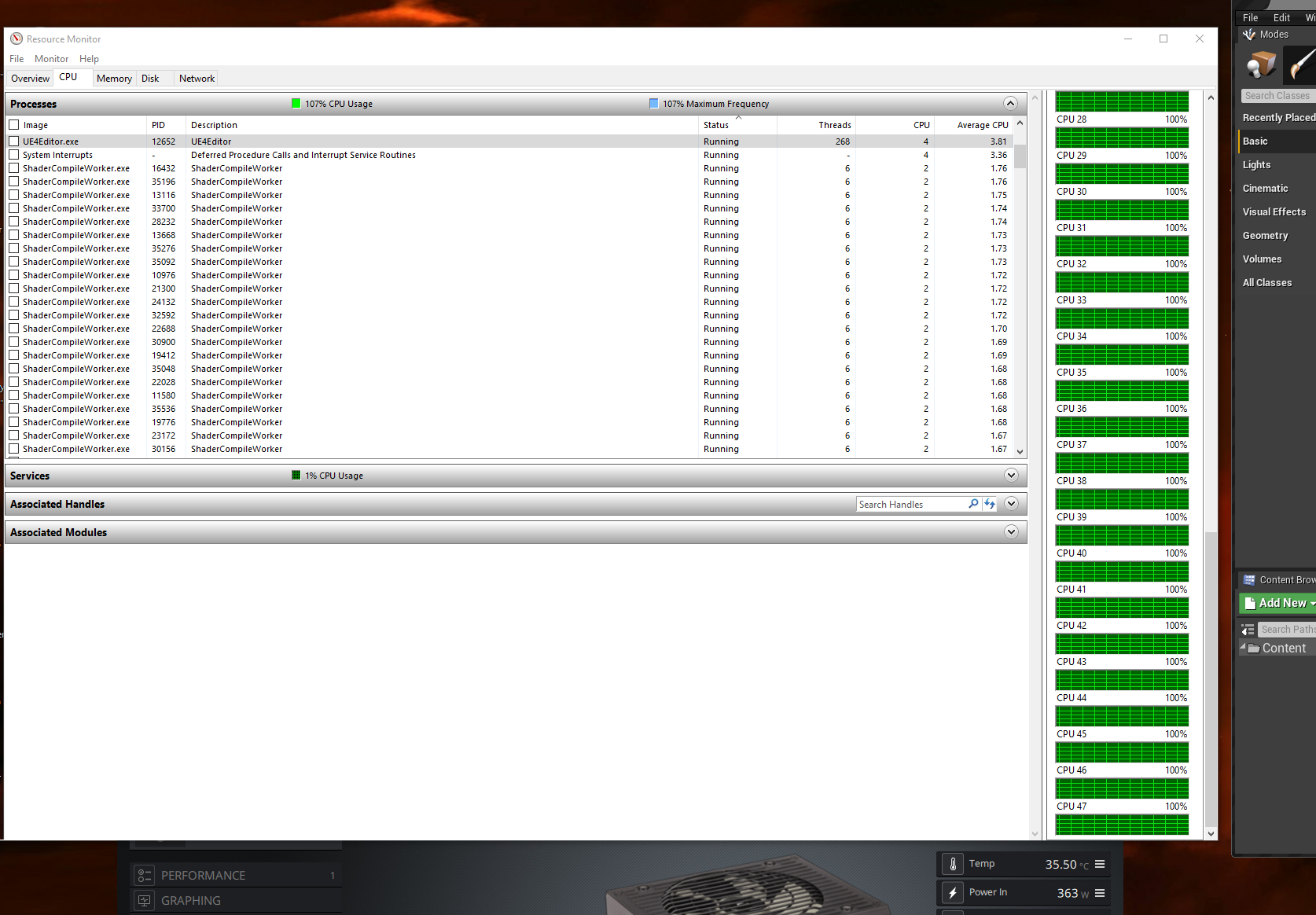
@restive yarrow This is normal. Shader compiler in background most likely.
restive yarrow
@plush yew Yeah when the editor loaded it was compiling shaders
plush yew
😄 https://i.imgur.com/uZ94tkx.png?1 Here, I've got a threadripper, it still eats all 48 logical cores :P I am glad it does though!
 restive yarrow
you got a threadripper?
old steeple
im trying to add footsteps to my character; but im kinda stuck
plush yew
@restive yarrow Aye, the 3960X. Great CPU.
restive yarrow
how do you have 48 cores?
plush yew
24 physical, 48 logical.
plush yew
Currently I am stuck with 32gb. It's far from ideal but one of my sticks broke. I usually have 64gb. Ideally 128gb.
2080 TI / 11GB Vram.
restive yarrow
Thats a strong build
plush yew
I often work with very heavy textures and assets. We use Unreal Engine for "non entertainment" games - serious games/applied games.
idle garden
Amazing
restive yarrow
for example like?
plush yew
One of our upcoming projects we are trying to get funding for atm is a rehabilitation platform using VR. We are partnered with a rather acknowledged research hospital - they do the medical side and we do the game theory/design and development.
We also do quick prototypes for various things (1-2months dev cycle things). "Work for hire".
 lucid socket
Threadrippers are very nice CPUs
plush yew
I don't know how much time it saves me @lucid socket , but it is hours per month for sure. That is a lot of money.
 kindred orbit
Wazzup
lucid socket
@plush yew We have distributed thread ripper servers
plush yew
Nice
lucid socket
Yeah, UE4 compile times are ~4 mins and shaders compile fast and then distributed DDC takes care of the rest
plush yew
Main issue with this rig now, until I get my new ram sticks - is using 32GB of ram, it's a nightmare.
lucid socket
Yeah, we had to upgrade most of our machines to 64gb min and for cook servers they go up to 128gb
We've been considering to upgrade all developers to 128gb
kindred orbit
And I'm using ddr3 😂
plush yew
In all fairness, most 2K textures and even 4K probably does OK on 32gb for the average indie dev. Larger projects though and you'll suffer.
kindred orbit
@plush yew what bout 8gb
plush yew
Without having much experience at 8GB, I would imagine it being painful to touch anything more than low poly? I wouldn't use UE4 on less than 16gb personally.
 small pewter
Anyone had trouble with the 4.25 when trying to import animations from mixamo ?
kindred orbit
@plush yew So would you recommend going to 32 or is 16 just right? I'm on a tight budget
plush yew
Hi. Can somebody tell how fix a bug with preview window position (pie mode)? Window always shifts down at every new PIE instance :
I've 2 monitors: 1st UHD, 2nd FHD..
This bugged engine thinking that center of windows is 0,0 and not calculate window width*height params :\
fk ue, die!
with you next updates
view port resolution not actual yet
omg wtf
4.25 - update of bugs? ..
The frequency of crushes increased in 2, 3 times
 carmine nimbus
Guys I can't find the answer to a question, what's the difference between scaling X,Y,Z and using the brush settings X,Y,Z
Can't find it on the internet :C
small pewter
@carmine nimbus The brush settings appear only with brushes, the xyz for the brush gives you the exact size of the brush, anf the transform gives you a ratio (like 2x bigger than it's original size)
carmine nimbus
Hmmm, so that means that if I can, better to use the brushes right?
small pewter
yeah
carmine nimbus
Thanks!!
plush yew
hi guys i have quick question, does cast shadow on static object consume memory when i have moveable directional light?
 hollow yarrow
yeah it will do
 frank oar
Hi, in your collective experience...
for best performance, should I have an ingame mesh (sign) rotating using a tick event, using a timeline or create it as an animation and have it playing as a loop infintely ?
hollow yarrow
I also have a question, when i spawn my ai using the blueprints it spawns but doesnt move. If i drag the ai straight into the level it does... Does anyone know why this is?
exotic thicket
they don't get spawned and possessed with ai controllers by default
you can set auto possess by AI to spawned, or use the spawn ai node which will possess it as well
plush yew
thank you
hollow yarrow
cool, ive sorted it. I was spawning actor from class instead of ai from class lmao. Thanks @exotic thicket
no problem @plush yew
plush yew
i hate working with decals in ue4
cause you got those gray circles everyhwere which represent decals
and it just fills up the screen
any alternative?
 sleek solar
gray circles?
plush yew
the gray circles which represent decals in ue4
plush yew
just the icon?
but then i cant select the decal
i want the decals to be build in into the texture i wanna change
hollow yarrow
add it into a material maybe?
plush yew
i dont know how to add so many things onto one uv tile
hollow yarrow
Another quick question... Im wanting to spawn the ai at a few random locations around my level. How would i go about doing this?
im not really sure either sorry, im quite new to ue4 @plush yew
hearty walrus
Using the third person template, how do I limit how high/low the camera can go?
sorry for asking the question again, I had a lot of connection issues and couldn't get anything to work
sleek solar
Zee you could get navmesh data from inside the gamemode class, find random points on navmesh and spawn AI there, or you could make actor which would spawn AI around it and place those actors where you like
Hawkdesign you want to limit the rotation pitch?
hollow yarrow
I want to have 3 set locations where they could randomly spawn at... would your second point work? @sleek solar
if so how would i go about it?
sleek solar
create loop for amount of NPCs you need to spawn, get location on navmesh near the actor, if location is valid, spawn AI there
hollow yarrow
cool, thanks xD
sleek solar
Hawkdesign you can limit control rotation from camera manager class which you can set in player controller, so limiting pitch would limit the Z of camera if it's on a spring
or you could setup dynamic spring arm distance using some curves maybe or just with math
hearty walrus
@sleek solar how do I do this with the third person template?
also, I've got a boolean set up that only allows camera movement if a button is held down - how do I rotate the camera when the boolean is true, and stop the camera and unlock the mouse when it's false?
 open compass
would someone be able to tell me if i should use a projectile based shooting system or hitscan, i wanted to add some bullet effects for like smoke trails.
can i use either and get same results, or does one have more flexibility
small pewter
Anyone please know why When I try to import animations fro Mixamo it doesn't work anymore ?
hollow yarrow
@open compass I personally use a projectile based shooting system, never tried hitscan
@small pewter It works for me, been importing mixamo anims all morning
small pewter
@hollow yarrow You're in the 4.25 ?
hollow yarrow
yeah @small pewter
small pewter
Could you help me fix the problem tho ?
exotic thicket
@open compass both projectile and hitscan can be used. It's more about what style of gameplay you want. With projectiles you can easily spawn effects with the projectile itself, with hitscan you'd spawn a separate emitter
small pewter
I imported the animations (drag & drop) I uncheck the mesh and the skeletal because I already have one in the Engine, then it imports the file, but it doesn't apply it to the mesh @hollow yarrow
hearty walrus
I've clamped the Z rotation, but it results in REALLY fast flickering, seemingly from the minimum to the maximum in a single frame
small pewter
@hollow yarrow I did
hollow yarrow
you have to select the skeletal mesh that you want to use the animations on @small pewter
small pewter
I did
hollow yarrow
im honestly not sure then
small pewter
Can you go vocal so I can stream my screen so you can see by yourself ?
hollow yarrow
@exotic thicket do you know why my bullet projectile isnt firing straight? Like its goes of towards the right and not straight out of the weapon
take a screen video @small pewter
exotic thicket
Without knowing how you've set up the firing hard to say
Most likely you have an offset in your calculation somewhere
small pewter
@hollow yarrow Nope because Discord can't take a more than 8mb files
so you could come vocal (but you don't have to talk) just watch my screen
hollow yarrow
ive uploaded videos many times before, it should work
i dont think ill be able to fix the issue though im not sure what could be wrong @small pewter
@exotic thicket i dont have any offset at all, its strange
all i have done is spawn the projectile from the endofgun @exotic thicket
exotic thicket
If it spawns in the right place then it's possible that your crosshair is offset, or it's being launched into the incorrect direction for some reason
hollow yarrow
no crosshairs in the game yet, literally just spawning the projectile
i have no clie
exotic thicket
@hollow yarrow it would be helpful if you can show what your projectile logic looks like
hollow yarrow
1 second
hearty walrus
okay I've changed focus, and looking at mouse control
how do I allow the player to use the mouse if a boolean is true?
hollow yarrow
try not unticking anything, just download the animations without skin and that should work @small pewter
small pewter
@hollow yarrow I did download without skin
How do you make appear the skeleton slection tho ?
hollow yarrow
just choose the skeleton you want and try that, dont untick anything
@exotic thicket
exotic thicket
@hollow yarrow and the projectile just moves forwards when spawned?
hollow yarrow
it moves at an angle @exotic thicket
like goes off towards the right
i have no clue then sorry @small pewter maybe try redownloading the anims
exotic thicket
unless your "end of gun" object is exactly in the middle and pointing forwards, then the projectile would move at an offset or angle
you would need to calculate the target direction for it and rotate it accordingly based on your camera position
hollow yarrow
cool, ill check that. Thanks @exotic thicket
 static sparrow
UE's documentation is really starting to piss me off
small pewter
@hollow yarrow I redownloaded the animations, same problem
static sparrow
Their C++ API docs are practically useless
hollow yarrow
@small pewter i really couldnt tell you then sorry. Let me try downloading some
small pewter
Thanks
open compass
@hollow yarrow alrighty cheers, do u have any good tutorials u could direct me to for the projectile based system?
frank oar
Hi, in your collective experience...
for best performance, should I have an in-game mesh (sign) rotating using a tick event, using a timeline or create it as an animation and have it playing as a loop infintely ?
 fossil basin

 vernal thicket
Anyone able to help me with a bit of research for my game?
Just need some typical replies
 thick herald
Yes. No. Maybe. Sometimes. Not really.
 mortal compass
@small pewter i don't know if your problem has been solved yet, but i was having the same problem myself. when you open the animation, you have to tick "force root lock" in order for your guy to appear.
at least that's what i did, and it worked
small pewter
@mortal compass When you already imported the animation or on the import optionel panel you have to tick it ?
mortal compass
after you import the animation
thick herald
The wild card is looking for a reference to the "Main Menu 1". Create a variable, name it. In the type search for "Main Menu 1"
 idle compass
hi guys, can unreal engine imported an fbx file from c4d that I animated with deformer and then baked it using the bake function ? because the animation doesn't seem to play in ue4
small pewter
@mortal compass I can't import animations I keep getting errors
mortal compass
hmm... try importing the mesh again? then when you import the animation, be sure to select the mesh's skeleton
mortal compass
oh my!
small pewter
I regened the skeleton
and it fucks thing even more
@mortal compass Could you vocal so I can stream ?
mortal compass
hmm. i honestly don't know what to say from here, I'm very new to unreal engine myself. force root lock is right here if you get your mesh back to normal. this is in my run animation.
 mellow turret
I can't interact with the scene outside PIE, also Idk what are those lines that form a rectangle in the middle of my view
 devout whale
Hey, im new to ue4, anyone know how to make a kill cam? Or can find me a tutorial on it. Couldn't find anything on YouTube about it
plush yew
@plush yew So would you recommend going to 32 or is 16 just right? I'm on a tight budget
@kindred orbit Sorry for delayed response. It really depends on what you are doing. But 32gb will certainly offer you a larger degree of freedom. Budget considerations though are always hard to balance. My priority list if (GPU)->CPU->Memory/NVME Drives.
I say (GPU) since you don't need a massive 2080 TI, as long as you maintain decent viewport framerates, there isn't anything to gain after that - while as a CPU will help with bake, compile times etc.
@devout whale https://www.youtube.com/watch?v=NFvGj_zTYBk I cannot vouch for the tutorial itself, but I found this as first Google result ^^

Project Files : https://www.patreon.com/CodeLikeMe/posts?tag=source code
Support my work on Patreon : https://www.patreon.com/CodeLikeMe
Today, I am going to implement the a kill cam effect for the combat system in unreal engine 4. When an enemy is killed, the ragdoll is act...
devout whale
Ok thanks. Hopefully it helps 🙏
plush yew
Best of luck 😄
hollow yarrow
@small pewter its doing the exact same thing for me now, all the things im downloading are transparent and look like 1 opacity but its not
small pewter
@hollow yarrow Welcome to the cursed people group 😄
hollow yarrow
lmao
hollow yarrow
i cant even see anything on mine
 mint raptor
What's the best tool to edit/work with splines in Unreal? The default spline editing system is a bit painful.
I'm thinking it would be nice to go into 2D and just start clicking to add points, highlight multiple points to drag them, etc... just a nice spline editing system.
 analog vessel
Hi guys! Does anyone know how many renderers have support for unreal engine? I know Vray and Octane have support, but are there more?
 slender sierra
hi guys how do i import an ik rig from blender to ue4, i always get an error when i do so
 soft fiber
@slender sierra Did you apply your rotation, trans, and scale?
slender sierra
i dont think so
soft fiber
CNTR A