#ue4-general
1 messages · Page 799 of 1
 odd yarrow
 smoky sonnet
press r
odd yarrow
no
I want the plane to stay liek this
i tried land scape coords
but it changes scale in general
I want to change scale on Z axis
 azure reef
How can I output logs from a mobile device? Using Android Studio I only get this on crash
Fatal signal 11 (SIGSEGV), code 1 (SEGV_MAPERR), fault addr 0x0 in tid 23830 (Thread-4), pid 23751 (MainThread-UE4)
 whole quarry
Use Texture Coordinate in the material @odd yarrow
Then break it to 2 floats and multiplay the V one
whole quarry
@odd yarrow also search for UE4 texture scaling
 plush yew
Who uses character maker ?
 sage blade
@tender pecan no i want 'png squeence ' have alpha channel
 lunar dirge
dont know what channel to write this in, but when i build my light, it turns off all the lights
anybody know why?
 tender pecan
@sage blade ok, only other way i know to render in unreal is by using a render target and 2D scene capture. https://www.youtube.com/watch?v=a9iho861SlY i am not sure about alpha|png as viewports tend to be fully opaque.
plush yew
HEY GUYS
CAB ANYONE HELP
I need to pause the game when I press Shit+Z
but it wont work
smoky sonnet
hey does the save game file of the user gets deleted if i upload an update and the user installs it?
plush yew
where should I be putting in?
@marsh swallow where should I put this in?
@marsh swallow THANK YOU SO MUCH!!!!!!!!! IT WORKED
I was watching a tutorial but it didnt explain that
 unreal swallow
@plush yew I would set up a new Action Map in Project Settings>Input, call it Pause Game (or similar) and then set up the key combo you want; that will make it easier to change later on.
Then in your Character blueprint, you can call the event Pause Game and do you pause game logic
plush yew
yup doing the same
just one more thing please
when I start the game and click on the game
the curser disappears
but when I press 'P' I want the curser to reappear
how do I make the curser to reappear
unreal swallow
I know there is a SET Show Mouse Cursor node you can add; it may need to be used with 'Set Input Mode' either the Game Only or Game and UI
smoky sonnet
is there a free plugin to write and read data from firebase database
 marsh swallow
@plush yew yeah as Cybin saidz first off use Input Mappings but also you would need to "Enable Input" in anything but the Controller/PlayerChar If i do recall.
plush yew
ohhhhh thanks alot guys, its been a great help 😄
 queen bough
@granite spire @light lintel sorry for the late reply, i was looking for a way to make the dress integrate as she transform.. tiara, earrings and dress appearing from the shot slowly, i don't want it to appear abruptly... like in the video: https://youtu.be/gms5Krs4Qpg

© Rainbow S.r.l
© Viacom International
© Nickelodeon
© Rai Fiction
© Iginio Straffi
Winx Club™ created by Iginio Straffi © 2003-2016 Rainbow S.r.l. and Viacom International Inc. All rights reserved.
the dress is already visible in ue so i needed to make it vanish and then appear till the end.
 granite spire
Why not use an opacity on the material? you could also crank up the emissive map to make it super bright
then have a parameter for control for brightness
 feral sierra
Anyone?
granite spire
@queen bough https://docs.unrealengine.com/en-US/Resources/ContentExamples/MaterialNodes/1_5/index.html
An overview of the Material Nodes example level, example 1.5: Emissive.
queen bough
thanks for the idea. im thinking of using this method also, https://youtu.be/6aflOXRrGTI
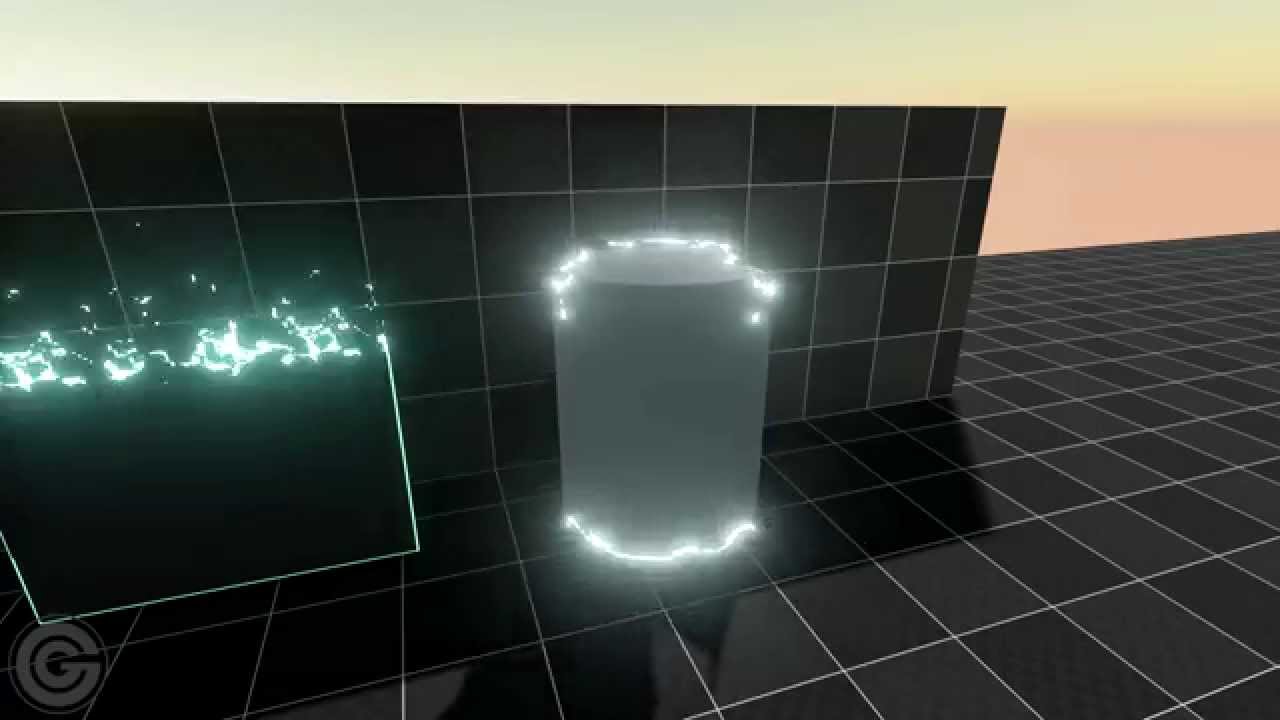
Playing around with the transition effects for Switch. Added a fire like effect for fun. All of this is work in progress and is likely going to change dramatically before being used in-game.
Grey Games - Mitch Manders & Tom Looman
More info & dev updates: http://tomlooman.co...
granite spire
that would allow you to shrink the brightness and bring in the item 👍🏼
@feral sierra after import? you can always shrink the map I think
let me check quickly
The scale is right here less = higher res.
smoky sonnet
hey how can i get the goggle play account id of my user so i can save their data online for example coins etc.
granite spire
https://forums.unrealengine.com/development-discussion/rendering/71530-needing-help-with-2-3gb-non-streaming-textures @plush yew it's 2gb of memory
Unreal Engine Forums
For discussions about Materials, Textures, Lighting, Particle Systems, and Post Process Effects.
@smoky sonnet you might need to do a google play tutorial, that sounds like something that a tutorial would show you
plush yew
I clicked on the option "Camera is in car" but when I build the game I still get the standard 3th person view. What should I do? Ping me with your response please
I know you can hide it, if that helps you
feral sierra
@granite spire I don’t have access to this menu anymore but I can still do it in transform info right?
What about foliage on the landscape?
granite spire
why don't you have access to it?
feral sierra
Because the landscape has already been generated from the height map I put and when I come back to this, the menu isn’t there anymore
granite spire
before you hit import you can set it, if you want to set it after click the landscape then set the scale
plush yew
I read that article already but nothing mention about how to reduce the size of the non streaming mip map
granite spire
feral sierra
Ok yes you’re talking about the transform and not the landscape menu, all good !
granite spire
they work virtually the same anyway
@plush yew I think there's a setting from memory to only load textures you see, I don't think it should be a problem though because UE4 thinks you have spare memory free so it's going to use it
plush yew
@granite spire I see, thx. But my fps is being butchered right now XD
granite spire
it won't be from that then, what's your scene look like?
plush yew
quiet a big map but I think the culling should work
60 fps on gtx 2070

no dynamic light or stationary
all static
i reduce all the texture to 256, 512 and 1 k
granite spire
hmmm
i thought it would auto cull
there's a lot of lights in that scene
why don't you use the power of emissive maps for your lights?
it's cheap and can often be all you need, since that hallway is very bright already
unless you want a ton of destructible objects
This is the closest thing I've got showing it off, but you can make it light up around
 weak cypress
so i tried to convert from 4.24 to 4.25
it failed
and now i tried to load with 4.24 and it doesnt load
what to do?
unreal swallow
@plush yew If that is the vehicle template I think somewhere in the blueprint it sets the 3rd person camera as primary. I used that template for an internal work VR project, and if I remember correctly, somewhere in the blueprints or input map there is a keypress you can use to toggle between the cameras
 untold swallow
hello, im making an endless runner, how can i make that when player tilts the phone to left, the character moves left
anyone pls?
weak cypress
anyone?
weak cypress
it just says this
granite spire
maybe do a new 4.25 file then migrate the folder in to your project
you should be able to copy your content directory
weak cypress
if i open from 4.25
tender pecan
@granite spire is on 🔥 ..
weak cypress
do i need to copy the source folder and the content folder? @granite spire
granite spire
content
weak cypress
and it will be exactly as before?
granite spire
you will have to do some setup i think
weak cypress
yolo
granite spire
unless you're using C++ but, no harm in trying
weak cypress
i am using c++
untold swallow
@granite spire bro i didnt get, can u pls find me a tutorial for tilt in endless runner?
weak cypress
can i switch to 4.24?
granite spire
pick one
the event coverage might have something
https://www.youtube.com/watch?v=XHHAjRVBc9Y there's also this
(00:05) - Intro and Project Settings
(02:04) - Main Inputs
(03:24) - Character Blueprint final controls
(06:30) - Add Controller Pitch & Yaw
(08:46) - Testing
(10:00) - Providing touch commands
(12:29) - Mobile Preview
untold swallow
thanks bro
weak cypress
i am using c++
so do i need to just copy both folders to a new project?
i tried
i got one
it cant access Role
from Actor.h
ohhhh
weak cypress
y its this right now
bye bye afternoon changing all of these 😂
this one too
do i move this to #cpp ?
 rocky radish
Or you can also use GetLocalRole()
weak cypress
ok
plush yew
@granite spire but static light doesn't affect fps on run time right?
granite spire
well you bake them in but I thought it still needs to do some lighting calculations
plush yew
just trying to figure what i can do to stay on 100 fps
granite spire
I ditched all static lights and went with dynamic, because I work with out door scene
plush yew
I tried dynamic light on my previous project
but fps was soo horirble
tried stationary too and that's still messsed up if they overlap
granite spire
yeah point lights destroy dynamic
from my memory I think there is still calculations for point light
if you remove the pointlights, what happens?
weak cypress
can you help in cpp? @granite spire
granite spire
i'm fairly useless in C++
plush yew
Hmm, not sure but my scene will go dark for sure. Is pointlight bad?
granite spire
it's one thing I haven't bothered to dive in to, as art has been a needed thing for my game
@plush yew try stat.fps I think it is, to see if it's CPU or GPU bottle necks
there's also a draw call command
plush yew
I just input that, but that doesnt do anything
granite spire
so you can see the ms
granite spire
is the CPU or GPU high?
granite spire
stat gpu
plush yew
which part should I look at?
granite spire
you'll get this
plush yew
granite spire
is this in game
plush yew
nah editor
granite spire
run your game then show me
plush yew
hmm 26, is that bad?
package version? or in editor?
thanks for trying to help btw
appriciate it
granite spire
Unreal Engine Forums
I have been trying to figure out what is causing my game to lag on FPS and the culprit has been finally profiled. However...I do not know what it is. See image attached. The Session Frontend profiler indicates that the issues is with the Visibility Commands. There is nothing o...
well apparently it's an issue
 kind robin
Hey, does anyone have ideas on how you would filter out blocking objects for spawn zones?
I have a area where i'm getting a random point within the range of that small area but there are a few objects in there as well, sometimes the random location is inside those objects preventing the player from spawning
My only idea is if the spawn fails to try again but with the way I have it set up currently I would have to rework a lot of things, so i'm wondering if there is a easier solution
plush yew
it's sad that Unreal staff are not available to answer question in forum
granite spire
I came across this issue, and I solved it by fixing a problem mesh. I had a mesh that was interacting very strangely with baked lighting. I found that the mesh used 12 different materials each with multiple textures (outsourced and not checked properly). I was randomly experimenting and tried changing all lights to moveable.. and it solved it, so I knew to look at the mesh. I added a single static light and built lighting, boom VisibilityCommands was back. Different mesh -> no more problems.
hmmm
plush yew
thats like finding needle in a hay stack 😄
well there is a strange problem with one of my bsp
will try deleting that
granite spire
I would try and slowly remove an asset that's giving you issues
you should be able to move around and pinpoint where it's slowing down then slowly start to remove items
then if you FPS increases you know what it was, that's about as best as you'll get for now I think
@kind robin do you have spawn points? I think what you will need to do is setup and spawn point BP with a collision box and use that as your spawn area so you have more control on where you spawn, another idea is to precheck collision and if you collide pick another spawn point, which isn't elegant but easiest method
plush yew
ta mate
granite spire
yeah sorry there wasn't more of a solution, I know you can do more performance thing, but I think this may be better to track it down
 glad loom
Hello, anyone know a good site from where to get free sound effects for games? Thanks in advance
 frank isle
hey guys, im pretty new to all of this and i have a question: when i load the bp for the 2d sidescroller, the entire picture is black, like there are components but everything is black and the lightsources barely create any lights, could someone help me out?
nvm i just found out that the defaultspritematerial was on base color instead of emissive color for some reason
granite spire
@glad loom Last year I think it was they had that website, I don't have the link for but it has thousands of free samples for indie devs
tender pecan
@glad loom http://www.zapsplat.com has some free sounds , http://freesound.org is also pretty good
weak cypress
anyway
tender pecan
@glad loom http://www.freesfx.co.uk/ and http://indiegamemusic.com/ ...
glad loom
Thank you very much!
frank isle
im stuck again, i changed the sprite of the basic 2d sidescroll character into another sprite, the new sprite is way smaller and is now levitating, how can i change that so he is on the ground?
 vocal herald
I have a super long sequence and it stops playing after 60 seconds. I googled this problem and people said that garbage collectors kills something and that stops the sequence. How do I fix that?
granite spire
@frank isle In the actual blueprint you have to manually edit this, that asset you're using is imported differently
 plain tinsel
I need help about something weird, literally every code in the blueprint editor gives out an infinite loop error
,
How do i fix this lmao what
granite spire
try turning off the infinite loop detection https://forums.unrealengine.com/community/general-discussion/36632-way-to-turn-off-infinite-loop-detection
Unreal Engine Forums
General discussion about the game industry and the Unreal Engine community.
and then see what happens
plain tinsel
Ok I'll try
azure reef
Is there any way to downgrande a project from 4.25 to 4.24? The backups from last two months not working anymore ( crashing on mobile devices ) and I want to try to package on 4.24
granite spire
@vocal herald I'm not sure what to tell you, if it's exactly 60seconds that looks like some sort of sound issue, did you find a bug report for it?
@azure reef Not unless you migrate it back to 4.24 I do believe
azure reef
Using migrate action to a 4.24 project? Because if I change engine version it fails to load the maps
granite spire
open up 4.25 > migrate your maps to 4.24
plain tinsel
I think I have created a black hole
azure reef
OK. Thank you! I'll try now
plush yew
Hey guyuus it's 200 tick heavy?
granite spire
@azure reef If you're using C++ the migration is different
azure reef
It's BP only project
 hollow fog
anyone know why particle sprites keep playing out when realtime is off, it should pause them mid play, works as it should in a blank project, no idea what i did to break that?
granite spire
@plain tinsel well, you got something at least, I've been on a bit of a roll tonight making issues more apparent 😂
@azure reef you should be fine then
'should'
@plush yew 200 ticks?
azure reef
Hope it will work. For 2 weeks trying to debug the crash and still no success 🙂
plush yew
im checking with dumpticks atm
So it's the ammount of ticks currently in the game
511 total, 189 enable rest is disabled
granite spire
@plush yew I didn't know about that command, where does the result show up?
plush yew
the result shows all the actor that uses tick
granite spire
@hollow fog did you set it to infinite loop?
hollow fog
no i mean "crtl+r" pauses any animations in editor by default
but i broke it
should freeze sprites mid air and any movement by the viewport camera will just update the material
hollow fog
yes
its off
fun times trying to debug the editor and see who broke what instead of working on assets xD
granite spire
you could try and migrate the new projects settings into that project
and see if that makes a difference
hollow fog
tried, no luck
hollow fog
gonna assign blame to the main programmers
granite spire
is C++ involved?
granite spire
yeah if they edited anything with C++ then you'll have to ask them, lol
if i worked more with C++ then i'd be able to get you to check some stuff, but that's a year away for me to become any good with the engine and this
hollow fog
np, ill just keep digging, thanks
 tribal citrus
hi there, does anyone know how to add anamorphic lens blur in unreal?
 open wadi
Odd question: as suggested by @grim ore, I'm using level streaming so that I can keep a particle effect (rising smoke) going behind the main menu widgets. My first level I've named PersistentParticles, and it is entirely black - no lighting, nothing except this particle effect.
This is working, but I have an issue - I'm having a very difficult time centering the particle so that it appears in the proper space behind the Main Menu navigation widgets. When I edit the level that contains the particle, the level itself is, of course, completely black (except for the particle) - I've tried switching viewport views to the graph-like left, top, bottom, etc, and I still can't figure out how to rotate / move the particle effect so it's in the right spot.
I'm being forced to guess-move the particle, compile / save, play the game to see where the particle ends up, then stop the game, and keep guessing over and over.
Any thoughts on how to handle this? What are best-practices for determining where would be center when placing this particle effect, so that it properly appears behind the main menu widgets?
 grim ore
well the main menu widget shows up where the main camera is, do you have a camera in the scene to use or is it just making one at random?
smoky sonnet
my app crashes on startup anyone know why? if i download it via google playstore it crashes but if i drag the packaged apk on my phone and installs it, it run perfectly fine
grim ore
check into adb log and see what the log says when you run it on device
open wadi
@grim ore I believe it's just making one at random, that's a good point. I need to just fix the camera, then move the particle to the center point of that.
grim ore
yep set up an actor, add the camera, set it up to be auto possesed by player 1 and there ya go
open wadi
Interesting, ok.
grim ore
open wadi
Perfect @grim ore, thank you.
plain tinsel
Im getting an infinite loop detected error on an event that isnt even hooked up to anything
I have no idea what the hell is wrong
smoky sonnet
@grim ore Abort message: 'java_vm_ext.cc:542] JNI DETECTED ERROR IN APPLICATION: mid == null' thats the error i think :/
 narrow mauve
Is there a comparison of Cascade and Niagara somewhere...I mean what is really the difference
grim ore
Niagara is a programmable VFX pipeline and cascade is much more static is the biggest difference.
grim ore
@smoky sonnet you might need to not filter by debug, the UE4 process might have more info for example on the crash that is not debug
grim ore
well I wouldnt filter at all, I would get the full log lol
smoky sonnet
yeah but thats so much i dont get the small log at all and a big one
puhh
thats the full log
😅
my app crashes if i install it of the playstore
but not if i drag the apk right on my phone and install it
grim ore
all I can see suggested is to try to build it in development mode, not shipping and see if it still happens. it might be a code signing issue or a missing permission from the manifest
with proguard being mentioned specifically
smoky sonnet
i am currently packaging it just for ETC1 then i will upload it as an internal test
if it works
it may be because i followed up a russian tutorial to do a android app bundle because there isnt a built in mechanic for that in ue4 (i think so)
open wadi
If I want to lock the camera so that users cannot move it while I'm displaying a main menu, what is the best method to do this?
grim ore
you would probably just disable input on the player controller so no input is passed to stuff that moves stuff
or set input mode to ui only
open wadi
It's interesting, because my level is entirely blank, even after adding a camera actor, the camera is pointing in an off direction to where the particle is at a 90 degree angle when I run it.
I'm finding it quite difficult to place the camera correctly considering there are exactly zero objects present, no lighting, just an entirely black environment with one particle effect and one camera.
Flying blind, so to speak.
grim ore
place particle effect, make sure its running so you can see it. turn on viewport mode to unlit. click on camera, right click on camera and go down to pilot. fly it around till you can see what you want, click eject on the top left. profit?
open wadi
Ahh, very good, will give that a shot, thank you @grim ore
 maiden sundial
Would you guys say it's worth to use #paper-2d over any engine which has a default 2D support ? Like Unity e.g.
 scarlet birch
Maybe. Depends on your skills, previous experience and goals.
maiden sundial
I wonder if you can get really good results compared to Unity's 2D
scarlet birch
Yes.
 final swallow
Hi there!
Is it possible to increase details in far distance for render sequencer? Already put LOD 0 for Landscape.
This is when i put camera in near distance
maiden sundial
I mean, i got now like 2 years of UE experience and maybe 1,5 years of UE C++ experience.
So i'm not sure if i should just make a 2D game in UE or learn C#/Unity
scarlet birch
For me it would depend on what I was wanting to make. There are some tools Unity has that might make it easier, but most of them can be recreated in UE. If you got that much time in UE why not just build a prototype and find out.
maiden sundial
Sounds reasonable 👍
scarlet birch
@maiden sundial What kind of game are you thinking of?
maiden sundial
Just simple things for now, like a legit doodle jumps e.g.
I tried already to do that in 2,5D
 north badger
Anyone knows about a good character blender to unreal tutorial ?
loosing my head here
scarlet birch
Sounds easy enough. Yeah, I like what you can do with 2.5D in UE, but you can also just use 3D mechanics and 2D art.
@north badger What's the issue?
 unique ocean
Anyone else have a problem with UE4 crashing when trying to add a variable to a struct?
like I can add the boolean but can't change it to anything
scarlet birch
End bones aren't weighted so won't be in the bind pose
There's an option in export I think to remove them, it might be called leaf bones
north badger
They are, i checked
scarlet birch
They are weighted?
north badger
Yep :c
scarlet birch
Normally, they shouldn't be
scarlet birch
Did you make the skel yourself or use a script?
north badger
Made it myself
scarlet birch
Unless it's deforming wrong I wouldn't worry about the bones error.
I'm trying to recall, but I think the smoothing groups thing can be fixed in export options by selecting faces.
If you're going to be doing a lot of characters in Blender AutoRigPro is worth the money too. It'll give you an fk/ik rig and export a UE Mannequin skel.
north badger
The thing is they´re not all humanoids, also thanks a lot
scarlet birch
Check it out, it works for non humanoids and custom limbs
north badger
o.O
I´ll give it a try
Also, im new to animation, any tips ?
I´ve modeled a lot, but getting in to character rigging its not as easy as i expected
scarlet birch
Buy a copy of "Animators Survival Kit" and keep at it.
smoky sonnet
anyone know why my app crashes because it was uploaded as a android app bundle
 tender flume
Is it good to have "Movable" on several trees for the shadows?
 lusty rampart
anyone else get terrible performance with UE editor tooltips under windows? turning them off fixes performance, but anyone know how to fix it without turning them off? I have lots of ram available
grim ore
@tender flume what you set it to will depend on what type of shadows you want
@lusty rampart do you have any 3d overlay software running, msi afterburner or nvida shadowplay? etc.
lusty rampart
not intentionally, but let me look
north badger
@scarlet birch sorry to disturb you again xd, fixed some stuff or at least i tought so, getting this error now
 ornate ice
Wow what a beautiful way to build code

This intermediate level video introduces a way to break the functionality of your games up into a series of modular Blueprintable Components. With this technique, you can quickly construct in-game assets with complex behaviors right inside your game world, just by dragging and...
plush yew
north badger
@plush yew thanks mate
 neat forge
Can the UE mannequin be used in blender? When I try to open the FBX the skeleton is screwed up
ornate ice
look for Mr. Mannequin
thats an amazing tool
it loads up the UE4 Mannequin with an amazing rig
in case you want to animate it
and the animations build with it just work
so in case you have a character already setup in ur project and you have already retarget animations from the mannequin
you can just animate it and boom
just do the retarget and now you got a new animation
neat forge
Sweet I will look into it, thanks
ornate ice

Gumroad
Mr Mannequins Tools (v 1.3) - Third major update of the add-on for Blender 2.8+ that gives the ability to export animations and weighted meshes that are directly compatible with the third person mannequin without re-targeting anything in Unreal Engine! Even more bugs and issue...
the owner has an amazing youtube channel and an amazing discord server
and he is there all the time
an very responsive
 dire cosmos
What is the proper way to rename / restructure the content folder in a big game?
Moving folders to another seems to not work correctly. The folder where I moved all it's files, can't be deleted and contains nothing. But when using the windows file explorer I see that files still exists there.
Somebody have experience with that?
glad loom
Hello, I have a variable at one of my actors of "vector" type that I can move left and right in the level itself to see where it is.
However if I set it's x to 100 so it's 100 units to the right, if I try to put another object at the location of my actor + 100, it's in a different location than my "vector" variable
 exotic thicket
You need to adjust for rotation
glad loom
 keen moss
using the new 4.25 render manger, how can i set a frame delay like i can with the basic sequencer?
glad loom
Point B is 100 units away from Actor 1
However actor 2 is "actually" 100 units away, having set it's x manually to be "actor 1 + 100"
@exotic thicket Game is in 2d, so there's no rotation involved
exotic thicket
Ah. Could be scale then?
exotic thicket
yeah that might do it
glad loom
Yeah that was it, thank you!
 signal jetty
Hey guys Do I Need a VR headset To open VR in UE4
open wadi
@grim ore My setup is a single Persistent level, VPrimaryPersistent, that contains just the camera actor and the particle effect. When I load it, the camera actor now points towards the particle effect just fine.
However, when I load the sublevel that contains the widgets for the Main Menu navigation, it doesn't retain the camera focus. If I right click and look down, I see the particle effect, but in essence, the camera's position isn't maintaining when I load the sublevel.
How might that be corrected? Hard to find examples on Google of resolving such an issue.
I'm referring to the fact that, upon streaming the sublevel, it's clearly moving the camera and not using the one from the parent persistent level, because the particle effect is not in the center of the screen as it is in the parent level.
As an aside, is there anything @grim ore DOESN'T know about UE4? You should consider becoming a professor at a major university. Not a single question I've encountered you didn't instantly know the answer to.
smoky sonnet
is it possible that ads and also show external login UI (basically connection to google play services) wont work if it is a internal test?
 modern summit
I've never used it, but my hunch is a test ad would be loaded, I wouldn't expect a real ad to load in
keen moss
using the new 4.25 render manger, how can i set a frame delay like i can with the basic sequencer?
 vale silo
since 4.26 popped up on the roadmap on Trello, does it mean 4.25.2 is upon us ?
smoky sonnet
everything i search for in ue4 forums is 5 years old wtfffff
open wadi
Not everything. 🙂
smoky sonnet
yeah everything was to hard i mean specific for this what i try to find
open wadi
Anyone know how to maintain camera position when streaming a sublevel that loads widgets?
Would this be classified as a static camera?
grim ore
@open wadi does your sub level contain anything else that could take over the camera basically?
open wadi
@grim ore Not to my knowledge, it is free of actors, it's sole purpose is to load the navigation widgets
Confirming...
Yes, I see no actors present.
The level blueprint loads the widgets.
That is all.
grim ore
how are you loading in the 2nd level?
open wadi
I have it set as a sublevel and I stream it via "Load Stream Level"
The project's default level is the "VPrimaryPersistent", which just contains the recommended camera and particle effect, and the blueprint for it simply contains "Load Stream Level" off Event Begin Play.
Hmm, now I don't see the particle effect at all.
Even when moving the camera around. What on Earth.
grim ore
so if you want the level auto loaded, you can right click it in the levels panel and change streaming method to always loaded
open wadi
Why on earth would that be. Previously it worked, it was just not lined up behind the navigation widgets. Now it has vanished entirely upon play.
If I do that, will that persistent level be always loaded? I figured I wouldn't want it always loaded.
Because once the user leaves the main navigation, I don't want that particle effect present.
grim ore
I mean in terms of your main level being loaded, instead of doing the load stream level on the begin play you can just tell it to load automatically
open wadi
Ok.
grim ore
but yeah I tested and my camera never moves or changes if I only have the 1 camera in persistent and never add another. Its possible your default pawn is spawning in in your game mode tho so that is something to be aware of
open wadi
That's right, the default pawn.
Yes, for the VMainNav I want no 3D objects per-se, just the widgets.
Should I add code to destroy the default pawn on the initial PersentLevel?
 oak sequoia
can someone help me with enemy health bar? Im following chris murphy udemy course and I get this error as soon as i press play
 patent wren
is there a way to just quickly capture video of gameplay within unreal? I now F9 is for screen shot images.. is there a button for video too?
grim ore
@open wadi you can go into your game mode, create one if needed, and set the default pawn to none
basically a GameMode_Menus or whatever
grim ore
persistent map with the other 2 maps loaded in as "blueprint loaded" as the stream type. You can see in the top right the camera and particles are in the persistent main map and the cube and sphere are each in their own child maps
game running with the map_ui (first map) loaded in with stream level and on begin play on that map the ui is created and displayed
and with the first map unloaded and the 2nd map loaded with it's unique item (sphere) and its unique ui
and the entire time the particle is happy in the background
plush yew
If that is the vehicle template I think somewhere in the blueprint it sets the 3rd person camera as primary. I used that template for an internal work VR project, and if I remember correctly, somewhere in the blueprints or input map there is a keypress you can use to toggle between the cameras
@unreal swallow I could not find it :(
grim ore
and the code is super silly for testing in the persistent level just to load and unload levels
 barren flume
I'm so confused on why the level sequence isn't playing
plush yew
hi everyone ! my gf needs a new laptop we are no rich people, any suggestions please?
barren flume
wait it seems to play the sequence but it doesn't change to the camera
open wadi
That didn't work for me. What's odd is, if in the UE4 editor I have the VPersistent level open at the time, and I play the project, it shows the particle fine. However, if I have another level opened in the viewport, then launch the project, the particle disappears entirely now.
barren flume
Oh nvm I forgot to add a camera cut
open wadi
I have added a custom gamemode tied to the VMainMenu sublevel and set the default pawn to none.
grim ore
well if you open the other level, then the particle is not loaded anymore right? its also using the other levels camera setup which is not the same as your persistent (not fixed, not possessed)
barren flume
Having another issue with hiding a level
open wadi
@grim ore Do you notice something missing there?
 zealous quest
Guys, could You point me out any decent landscape creating tutorial series? I'm venturing trough the web, and found some but still I think I need some more knowledge about blending stuff, and proximity shaders, and slopes, and foliage and everything that helps make the landscape look nice and connected 😄 Thanks 😄
 restive zinc
Is Settings Collision enabled and Setting Movement Mode The Best Way To End A Animation Anybody?
open wadi
That makes sense regarding not using the other level's camera setup. Which bears the question, how might one ensure the sublevel leverages the exact camera of the parent persisten level?
I'm researching this but documentation regarding this specific use case is sparse.
Streaming levels appear to be primarily used to dynamically load level segments so that the entire map does not remain memory resident, not this type of use case, which simply means documentation is sparse.
 ember cypress
https://www.unrealengine.com/en-US/onlinelearning-courses/landscape-essential-concepts @zealous quest

Unreal Engine
In this course, you’ll learn how to use Unreal Engine’s Terrain tools to create outdoor environments.
 dense knoll
what compression method reduces the file size the most?
zealous quest
@ember cypress Thank you tough, but I think I need something a little bit more advanced now 🙂
grim ore
@open wadi there is always 1 active camera is the key to keep in mind. If you have no other cameras in your other levels, and no pawns spawning in being possessed so it changes camera then you will always have your 1 camera that you set up
dense knoll
how do i reduce the file size of a pak
 hollow yarrow
Hi everyone, currently still making my rpg and have been trying to figure out how i can target the projectile fireball so that it hits the crosshair
grim ore
@barren flume I dont see the first level loaded in there so there is no way for the engine to hide it if the persistent level cannot control it
open wadi
@grim ore I'll work on this, much appreciated.
 tired verge
im following the unrealdoc for setting up a main menu however I don't have a "Branch" node in my First Person Character BP like it's saying I should?
I don't have the comment box either in the picture
barren flume
i'm still confused
it loads the level main level but can't hide persistent level (the cine level)?
tired verge
The doc says its from 4.23 and im using 4.23.1, so I should download the 4.23 First Person BP?
grim ore
this is supposed to be part of the first person blueprint?
tired verge
which Unreal version is that your using?
tired verge
hmm im on 4.23
grim ore
well what does the top of your graph look like? above the stick input
tired verge
I don't have that section it seems
The nodes above stick input are the ones I'm following the guide to make, so they werent part of the bp by default
grim ore
ah its because you added the feature pack, you didnt create a template from scratch did you?
tired verge
It was made from scratch
Could I make a blank project with the first person blueprint and import that one into my scene instead?
grim ore
well it wouldnt be blank, it would be the first person project template
and you could migrate it yes
tired verge
cool, I'll try that
grim ore
but i will say that code on the bottom is identical to the code used in the feature pack and not the template
scarlet birch
If I was doing something like a modular conveyor belt that could be placed by the player would using a material to animate it on a HISM be a reasonable approach? Similar to Factorio, Infinifactory, Satisfactory etc...
 halcyon marsh
Can anyone help me once??
When I did packaging of ue4 file it was showing cook failure
scarlet birch
Maybe show the error from the log?
scarlet birch
But it likely gave a reason in one of the logs.
halcyon marsh
Nope I couldn't see it just I saw cook failed
scarlet birch
Generating platform-specific content for assets used in the game.
grim ore
if all it showed was cook failed then we can't help 😦 If for some reason your output log was not showing any errors then crud
halcyon marsh
 small pewter
Is it normal that I had a Widget blueprint that was called "test", I deleted it and tried to create a new one with the same name "test", it tells me I can't because there's already existing one called "test" even if I deleted it ...
I mean I didn't delete it I changed it's name
sorry
scarlet birch
@halcyon marsh I have to think you don't actually want help. If you can't be bothered with a screenshot or even a decent photograph of your screen or pastebin of a log why should anyone else be bothered to help.
halcyon marsh
@halcyon marsh I have to think you don't actually want help. If you can't be bothered with a screenshot or even a decent photograph of your screen or pastebin of a log why should anyone else be bothered to help.
@scarlet birch I uploaded a photo please see the photo
restive zinc
@grim ore How do you check if a character is in air
restive zinc
do a screenshot
scarlet birch
Dont' tag me. I'm not spending a second of eye strain trying to read that.
scarlet birch
isFalling
restive zinc
@scarlet birch this
 frigid kindle
hi, im trying to update an old material my friend made. The texture here is Albedo on RBG and AO in Alpha on the same TIF file. I plugged the alpha output into the AO input on the master material, is this correct, or do I need to do something else? I havent used UE that much, if someone could point me in the right direction id very much appreciate it.
 marble shoal
problem is that its 1>1 movement and its only taking a tiny bit of movement to pull the pin, I want to have to pull my hand more than the 4cm. I tried map range without luck
plush yew
How to make a loadout system?
grim ore
@halcyon marsh any usable information would be above the cook failed, it would be the actual error itself. You can copy the log and paste it to somewhere like pastebin but from what I can see you are missing debugging symbols so you might need to install those as well.
tired verge
so I've followed the official doc for making a menu. Only problem is the controls are in reverse order so when the menu is up, moving the mouse moves the first person camera instead of navigating the menu
grim ore
so when you move the mouse, the first person camera moves like normal and the cursor moves on the screen?
or no cursor and just mouse move
tired verge
yeah to the first one^, and when i Press play im just unable to move
so the cursor and the player character move in the menu
but when i press play i cant move at all
grim ore
it sounds like you did not set up the input modes properly
tired verge
Do you know which BPs could affect this? I've triple checked all the blueprints i've modified
I assumed it was the player bp but im 100% sure thats correct
as its the one with the simplest node setup
 quartz grotto
Hey everyone! I have a problem in the blueprint. Character anim BP Object reference is not compatible with self object reference
Help me pls
grim ore
@tired verge did you change the default character in the game mode like it said in step 22?
tired verge
ya
ah okay so
when i Press play i can move but i cant move the camera unless i hold right click
grim ore
did you use the proper node for input mode in step 19?
tired verge
everything works fine except i have to hold right click to move camera i can still shoot and jump
leme check
grim ore
i mean you said you triple checked but....
tired verge
yeah that node setup matches mine
yeah ive checked so many times lol i dont know where i went wrong
grim ore
and those nodes are in the first person character bp? that is the code that sets the input back to game and makes it so you dont need to hold down the mouse to look
tired verge
FirstPersonCharacter in Event Graph
i made sure to make a new scene and use that bp
new project*
grim ore
you arent supposed to be using a new scene, its supposed to be loading up the default first person map in the template
grim ore
click on the Set Input Mode Game Only, press F9 on the keyboard, and then hit play and try again. see what happens
tired verge
that just opens up the event graph with a red circle on Set Input Mode Game Only
grim ore
while you are playing?
grim ore
yep that looks fine, are you sure nothing else is changing the input mode then
tired verge
yeah im sure everything is right, I'll go over the steps one more time from the beginning
 red gorge
Hello
grim ore
usually if you need to hold down the mouse its set to input mode game and ui, so look for that node
did you override the game mode in the world settings for the first person map? you shouldnt if you did
quartz grotto

grim ore
@quartz grotto have you watched/read any of the tutorials on blueprint communication? what are you trying to do there I doubt the animation blueprint would have that event
quartz grotto
Sure
On Russian
В этом видео показано как создать систему жизненных показателей персонажа, а именно систему получения урона, уменьшения HP, смерти и потом респа персонажа в игровом движке Unreal Engine 4 на блупринтах. Мы научимся добавлять основную логику смерти в компонент HealthStats, а та...
)))
tired verge
ah got it
grim ore
this is not the same as what you are trying, you are asking for the death event in your Health Stats component and not the Death on Anim BP event in your Anim BP
you probably dragged off of the set node and typed death which is the one in the blueprint you are in (it says self), and did not drag off the Cast to New_Anim_BP to get the one inside the anim bp
https://youtu.be/weHMTxdtrHk?t=2242 from there is where you need to follow, my guess is this is correct you just didnt drag off the anim bp
quartz grotto
I need time
grim ore
that link goes right to the timestamp (37:22)
red gorge
Hello!
quartz grotto
Hi
red gorge
How are you
quartz grotto

 rigid aurora
why always take a material instance as a texture when i put it on a geometry object ?
and is not happening anything its just take it like a texture
grim ore
brushes are special is why
 digital osprey
Yo
is there a way to let widgets communicate with each other
I have an animation that plays when i first click on the button but i dont want it to play when i am going back to the menu from a sub menu
 fierce forge
hello , do somebody knows how i can make a random terrain generator like on minecraft ?
restive zinc
my ai is having trouble getting into the nav link anyone know why
like they know its there its just hard for them
grim ore
@digital osprey anything should be able to talk to anything yes, you just need a way to reference what you want to talk to or a conduit in between like having a ui controller hold what is going on.
 somber quail
why always take a material instance as a texture when i put it on a geometry object ?
@rigid aurora Because that is a decal, created by dragging a decal material into your viewport.
 autumn elbow
is there a way to export my shader setup from 3dsmax, and have unreal read it? (and build that network)
 limpid oracle
Is the marketplace down for you guys?
autumn elbow
website loads for me
limpid oracle
Does the contents?
The page loads, but the marketplace items do not load 😦
And now it suddenly does haha
grim ore
@autumn elbow you can try using datasmith to export out of 3dsmax and import it into ue4, it can do stuff like that
autumn elbow
sweet, I'll try. Thanks!
granite spire
on your launcher
 frank grove
ok thanks
granite spire
You have to add it to a project to 'download' it
sage blade
how can rendering png from unreal. (WITH ALPHA CHANNEL)
(## I HAVE NIAGARA PARTICLE ##)
granite spire
so clicking Unreal engine to the left then library is where all your stuff is stored, you do have to scroll down
@sage blade It has to be a 32bit PNG
grim ore
or try TGA which handles it better
frank grove
@granite spire thanks man
granite spire
well it's going to come up red because that's the alpha I think
I'm also not sure what you're trying to show
sage blade
The alpha of the particles must be the same as the Actor's alpha.
Only the background should have zero alpha. So that I can compositing
;0
granite spire
i'm not sure what you're talking about, I can see the alpha is working as intended
lusty rampart
I thought I would add some multiplayer code into a component, but it seems things like "has authority" isn't avaialble in blueprints in a component. Is that true?
restive zinc
this
granite spire
@restive zinc Your casting to the third person character which will always fail because you're in a different blue print, you're basically saying "Blueprint_Freaker, if you're a blueprint_thirdperson then do this"
granite spire
which it's not, unless it's a child of that other blueprint, you can just set the move to
restive zinc
i want the ai to move to the third person character
granite spire
you don't need to check itself, also, event tick is generally a no-no because it's going to spaz out trying to move to every 0.01s
granite spire
wait, why aren't you using behaviour trees?
then you can setup a statemachine for the AI
restive zinc
i dont know how to use them is there a way to make the ai move to the character when out of sight
grim ore
don't use sensing..... thats kinda the point of it lol
restive zinc
pawn sensing only works when in sight but i dont like it when they stop moving because they lose sight
restive zinc
thats what im asking how do i do that
granite spire
which if you had behaviour tree you could then set them back to 'search mode'
i think mathew has a tutorial on this
grim ore
well get player character, then move to location/actor seems like the easiest way to do it
granite spire

What are the Simple Move Nodes in Unreal Engine 4
Source Files: https://github.com/MWadstein/wtf-hdi-files
granite spire
go through all of that
it's a few hours, but it's better than just trying to grind through this
restive zinc
ok
grim ore
there is also an AI course on the online learning site that covers how to use behaviour tree, pawn sensing, and how to have something follow if seen then go back to searching then follow when seen then.. etc etc. you know... real ai
granite spire
i prefer mathews tutorials, haha
the amount of useful stuff on his channel is great, it's almost a single handed carry on helping indie devs
sage blade
@granite spire ??? Do you think that image is correct?
grim ore
when you export it to UE4 does it not work?
granite spire
which image? the video clip that's mysteriously gone?
granite spire
yeah i don't really see the issue, the particles have the alpha channel behind them, i'm not sure what you're trying to do?
except that black spot up the top left
i'm not sure what that is
 signal widget
does anyone no how make ue4 run in 64x64 i doing for a game jam
sage blade
@granite spire Simple. I want to remove the background from that image.
If you try to remove the background through the alpha channel, the particles are also removed.
Alpha channel must contain particles
signal widget
anyone know the answer to my question
granite spire
64x64? why not just increase the pixels?
granite spire
yep so you want to highlight that and delete it
sage blade
Do you not understand?
My particles are gone!
grim ore
well they should be, you are hiding the color for them
granite spire
you unselect the RGB layers, they're going to go, but with alpha now selected you delete the layer
then you can reenable the RGB colours
granite spire
@signal widget you can edit the view ports dimensions here
sage blade
No you don't understand at all
This is not that i can't work in photoshop
It says that the alpha channel of the image is wrong.
I have to redo render
The image I want is like this
granite spire
right
sage blade
I need to get an alpha channel containing particles!
But my alpha channel has no particles!
granite spire
why don't you paste that into your alpha channel
sage blade
The last image I made was created using the level function.
This is ambiguous and misleading.
Values are wrong
sage blade
yes
granite spire
right
well it depends on your particles
you might need to set up your textures properly
there should be a colour value you can use to alpha fade what you want
grim ore
can you create an alpha channel from the RGB channels based on a color? for example selecting 0,0,0 with RGB enabled then making an alpha from it? I dont photoshop so lol
granite spire
nah i know what he's talking about now
in his particles, they're not rendering the alpha channel very much
he wants more on the alpha channel in UE4's particles
which he should just edit the particles opacity
more opacity = more alpha channel on the particle
but you did paste the image into photoshop so there's going to be some issues with compression @sage blade
if that doesn't work, then you have to setup your textures correctly
signal widget
@granite spire THANKS
granite spire
no worries, i'll be here all day, ue4's become my life now
i recently changed my life up so i can fit 4 days of straight dev work in
my ambitious MMO isn't going to make itself 😂
grim ore
as long as you take breaks, nice!
granite spire
yeah
signal widget
Good Luck
granite spire
I am loving the amount of questions here though
grim ore
it's fun for a bit, then.... they start repeating... then they start repeating... then they start repeating... then
granite spire
haha i frequent facebook helping
if it gets to that point i'll be just linking videos
grim ore
yep or pointing to the pinned messages
plain tinsel
is there any way to combine meshes into one object in runtime?
I'm currently doing it by parenting all meshes to one object to combine them but that doesn't seem to be helping
granite spire
there's not a lot in that way aside from attach-to object that I know of
for what purpose are you doing it? performance?
plain tinsel
im working on a spaceship building game and each part is parented to the ship. Only the ship itself simulates physics that way. But the fact that each part of the ship is still rendered seperately it creates a huge performance drop
I need to combine that parts into one somehow
granite spire
ahh
well
from my experience on my current project, we're doing fully custom mechs, with the standard UE4 system we were only able to have 25 mechs with 4 parts each on screen, which is about 100 objects
now
good news we're miles ahead and can render more objects now, through instancing
plain tinsel
would it be possible for me to use instanced meshes instead of static meshes for each part then?
would that work
granite spire
yeah instance meshes are static meshes
you can also use your material to drive the models too
let me find a tutorial for you

How to render millions of polygons with Hierarchical Instanced Static Mesh in Unreal Engine 4.
Get project files: https://techartaid.com/products/
Optimize draw calls, reduce CPU overhead, avoid common mistakes in Construction Blueprint and have fun creating a massive asteroi...
that explains it well
plain tinsel
Oh yes I know that one but I'm not sure if I can integrate that into my system
I'll try tho
thanks
granite spire
unfortunately there's no real other option but to set this up for your spaceships
but, if you learn it, you'll always use it pretty much
there's also one with the material, but that's going more complex
 idle hearth
How to move assets into folder with programing
plain tinsel
I don't think that's possible with blueprints
idle hearth
Can you give any idea
plain tinsel
Can you explain what you're trying to make
grim ore
if you look into editor utility widgets/blueprints you can do it
you can do it with python as well, or get dirty and make a C++ editor script
plush yew
Sorry to intrude but I have a quick question
What is the development editor?
I have been looking at the new modding example epic released on github and it says to build the development editor with a engine plugin. Does that mean I would just build the development editor with the plugin and distribute it?
grim ore
which example?
plush yew
I am surprised a lot of people haven’t seen it yet
I feel like it would be a big thing for game makers
I have been looking for guides and videos on it but the only place I can find on it is the documentation provided
You need to be logged in to see it
grim ore
to answer the question yes the development editor is one of the types of the editor you can build out when using C++, others are like debug and shipping
plush yew
What would be the use of the shipping editor
grim ore
it might strip out code to make it run faster and such
plush yew
One last question. Is the editor that we download from the epic games launcher the shipping editor?
plush yew
Alright thank you so much
 mighty copper
I would love to see this in UE4... Please tell me UE4 can do this and Do It Better.... https://www.youtube.com/watch?v=deNL_DqR0uU
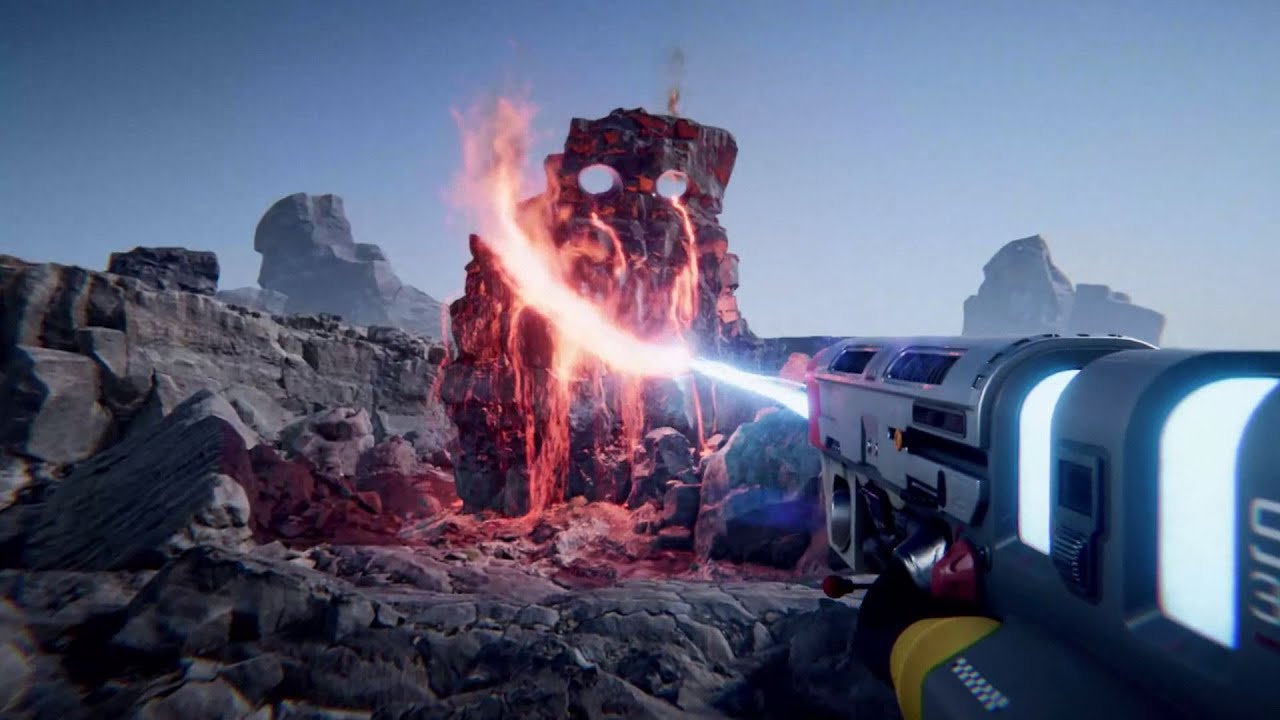
Download our free physics sandbox powered by Unigine here!
https://drakelinglabs.itch.io/unigine-physics-sandbox
Get Steam keys on our Patreon! ► https://link.bluedrake42.com/patreon
Check out our games on Steam! ► https://link.bluedrake42.com/drakelinglabs
Join our Discord s...
granite spire
you can
you can cut static meshes then apply particles to it and generate some liquid

Project Files : https://www.patreon.com/posts/30934762
Hello Everyone in this tutorial I will show you how to do procedural mesh slicing in Unreal engine 4. Using the first person blueprint. You can also rotate which way the mesh gets cut using the scroll wheel of your mouse
...
 tiny sonnet
Is there a quick way to convert a material instance into a material while keeping the settings?
restive zinc
when you remove a widget using remove from parent is there a node to add it back
the viewport being the parent if you remove the widget using remove from parent and the widget having a reference to it is there a node to connect back to the parent
open wadi
Ok, I believe I've determined what's happening with my project. I have 2 levels - a Persistent level with a single particle effect and a camera pointed at that particle effect, and a Main Menu sublevel that contains a navigation widget. I want the particle effect to remain centered upon loading the Main Menu sublevel.
When I load the sublevel, I see there are two cameras present - the one from the Persistent level that I want, and another one presumably being created by default when the Main Menu sublevel loads.
How do I configure the Main Menu sublevel so it does not create a second camera actor?
Or for that matter, a simpler question - how would anyone configure a sublevel so it does not generate a camera actor?
granite spire
@tiny sonnet I don't believe so, but I'm not sure why you would want this, a material instance purely duplicates and holds parameters, there's no real material code in it.
tiny sonnet
I > @tiny sonnet I don't believe so, but I'm not sure why you would want this, a material instance purely duplicates and holds parameters, there's no real material code in it.
@granite spire I just want to copy the code to convert it to a material function
granite spire
@restive zinc if you remove a widget, it's sent to the garbage collection, it stays around in the garbage collection till the object is removed, which can cause issue, the best solution I came up with is show and hide UI elements through set visibility.
@tiny sonnet you have to copy the original material, not the instance
tiny sonnet
Kk
granite spire
but the original material won't have the instance properties so you manually have to edit them in
open wadi
Does anyone here have experience with the "set view target with blend" node?
tiny sonnet
Too many to change its why I asked
granite spire
I can't think of why you would want to do this though, instances are for minor changes
restive zinc
@granite spire ive tried that but i have a seperate widget that is a pause menu but i cant set the visibility cause i cant access the variable from my character blueprint is there a way to access it
tiny sonnet
I have a lot of parameters and I'm lazy lol
restive zinc
@granite spire i can set the visibility in my character blueprint because i im using event begin play to create the widget and add to the viewport
granite spire
@open wadi destroy the camera actor, but you'll come into issues with it, is it just a visual thing?
restive zinc
@granite spire and created a variable with it also
granite spire
@open wadi I don't but explain your question
open wadi
That's correct, so the purpose of the Persistent level, as recommended by @grim ore, is that I would like this particle effect running in the background while the main menu navigation loads.
So I have a simple setup - a Persistent level which simply contains the particle effect and a camera pointing at it, and a sublevel that loads the MainMenu navigation widgets. What happens now is, when the MainMenu sublevel is loaded (via load stream), the widgets appear, but the particle effect appears offscreen, I have to rotate the camera to see it.
 wide prawn
@granite spire I finally got around to doing more testing. So i pulled up a nearly blank project on 4.24 and ran two standalones. same issue!! each focused screen was getting about 300fps, and the nonfocused around 15fps. No idea what's going on. I even unplugged my second monitor just to see, but that didn't change anything. Again, when both screens are unselected, I'm getting about 200fps from both at the same time.
open wadi
And this appears to be because on the MainMenu sublevel, a secondary camera is created. When running the game, I can see in the MainMenu sublevel that there are two cameras - 1 of which is the one I created on the Persistent level.
And this is behaving properly.
I would like this camera to remain the camera in use, I have no need fo rthe secondary camera generated on MainMenu sublevel load
which is pointing in the wrong direction, away from the particle effect.
Therefore, either A) how do I configure this so that the new camera isn't generated on MainMenu sublevel load, or B) how do I configure it so that the camera from the parent persistent level is the one in use?
I'm researching and it appears I may be able to manually specify which camera is used via the Set View Target with Blend node. However, really, I have no use at all for this new camera generated on MainMenu sublevel load, so ideally I'd simply prevent that new camera actor from being generated.
granite spire
@tiny sonnet Bad luck, haha, I don't know if you can export and reimport, but you can duplicate the material instance and then alter them further, but it won't copy back to the material itself.
@restive zinc You have to have a UI reference on your player controller I would think it is, then access that through your player controller, if you set it in your player character then you have to reference that player char then get the UI from that player char, but you need references for that UI in order to set visibility, I recommend doing that and don't fiddle with remove UI, as that caused me personally all kinds of headaches.
@wide prawn We will have to do a massive list of things you've tried, this is sounding more like a bug with newer cards, have you tried it with your old GPU? I'm interested if it does the same thing with the older hardware, that would narrow things down to it being the card, then we can check more options, it could be some type of RT bug, I'm kind of thinking it might be, it feels like it's "on" but you have it switched off if you know what I mean?
Sorry tons of responses
lol
tiny sonnet
Yeah lol
granite spire
@open wadi Ahh I see what you mean
restive zinc
@granite spire like this right? have i done it right
that is my hud construct with a variable
open wadi
Here is evidence of the running game, on the MainMenu sublevel load, with two camera actors, one of which is the correct camera from the parent Persistent level, the only one I'd like to use.
granite spire
@open wadi what's your persistent level look like? double check if that level has no camera or start position, start positions might generate a camera, they shouldn't but I wouldn't put it past UE4
open wadi
The persistent level is the level with the particle effect and camera I would like to use. The MainMenu sublevel, once loaded, appears to be generating a new camera, which is pointing in the wrong direction.
@granite spire Thank you for the help. Ideally, I'd like have the MainMenu sublevel just use the correct, lone camera from the Persistent parent level and not generate one of its own.
granite spire
@restive zinc That's setting a character reference to the HUD, you want to set a reference to your HUD on the character, kind of the other way around
open wadi
Oh I see what you mean, perhaps that "wrong camera" is being generated by the parent Persistent level itself.
Let me have a look.
restive zinc
@granite spire oh ok
granite spire
@open wadi It could be something to do with a spawn action generating default things, check the game mode of the map too, that could be trying to generate one, I wonder if those cameras are duplicates? Name the camera to "MainCamera" not "CameraActor" and see if it's a duplicate
restive zinc
so like this then in the character blueprint @granite spire
granite spire
Yep
then you can create your pause menu too
unless you have bombarded the HUD with everything
open wadi
@granite spire Giving that a try now. I also went ahead and did a GameMode override for both the PrimaryPersistent level and the MainMenu sublevel, and set the default pawn class to none.
That did not help.
granite spire
then all you gotta do is set visibility of that hud reference
open wadi
Renaming cameras now.
wide prawn
@granite spire unfortunately, I sold my other card! so i'm stuck with this one at the moment. I tried to run a triple game like Doom eternal on max settings and unfocus it in windowed mode. FPS never dropped. At this point,i don't even know what to select anymore. I'm gonna keep messing with my Nvidia settings as well. There has to be something.
granite spire
@wide prawn Well you have me damn well stumped, that doesn't happen often at all with this stuff, I'm interested to see what annoying thing was stopping it.
open wadi
@granite spire I did what you requested and renamed the camera actor I want to use, the one I generated in the PersistentLevel pointing at the desired particle effect, and as you can see here, it is not duplicating. Somehow, a new CameraActor is being generated.
The desired camera has been renamed "Camera_Primary" as you can see in that screenshot.
granite spire
yeah
wide prawn
@granite spire as soon as i ever figure it out, i'll let you know! Gonna dig into the rtx stuff
granite spire
i see that @open wadi
open wadi
I wonder where / how that secondary CameraActor is being generated.
granite spire
@wide prawn I need it for my personal knowledge base, haha, I really am thinking it's RT stuff.
@open wadi That's a good question, just out of curiosity, create a new level and delete everything in it and then use that
open wadi
Looks like I'm not alone: https://answers.unrealengine.com/questions/588156/camera-actor-spawning-at-the-start-of-the-game.html
Someone else having a similar issue, with a secondary CameraActor being spawned on game start.
granite spire
"ue4 instance levels creating new cameras" doesn't even return what you're after
this is some niche bug
now I must know why it's doing that
open wadi
I hear you.
granite spire
a dirty way you could solve this is
granite spire
make a reference to the camera actor, then as the level spawns get all camera actors, loop through and destroy all but your reference, then possess your reference
that should fix it without any issues
open wadi
How does one generate a reference to the CameraActor? Certain documentation indicated you could right-click the Camera and go to "make reference", but I did not see that option.
I'm using 4.25.1, if that is useful.
granite spire
you would have to when the game starts get camera actor because only 1 has spawned
open wadi
Another person with a magical spawning CameraActor: https://forums.unrealengine.com/development-discussion/blueprint-visual-scripting/84661-where-is-this-cameraactor-coming-from
Unreal Engine Forums
Build powerful visual scripts without code.
granite spire
what is this magic camera thing, lol
can you delete all your camera actors, then spawn one manually?
open wadi
The issue is that in these forum posts, I never see a clear answer, such as "Yes this extra CameraActor is generated by the PawnClass" or what have you, it's always a long thread of people rambling about various solutions designed to override what appears to be default UE4 behavior.
Let me try @granite spire
 balmy tide
`Unhandled Exception: EXCEPTION_ACCESS_VIOLATION reading address 0x000000ac
UE4Editor_KismetCompiler
UE4Editor_KismetCompiler
UE4Editor_KismetCompiler
UE4Editor_KismetCompiler
UE4Editor_KismetCompiler
UE4Editor_KismetCompiler
UE4Editor_KismetCompiler
UE4Editor_KismetCompiler
UE4Editor_KismetCompiler
UE4Editor_KismetCompiler
UE4Editor_Kismet
UE4Editor_Kismet
UE4Editor_CoreUObject
UE4Editor_CoreUObject
UE4Editor_CoreUObject
UE4Editor_CoreUObject
UE4Editor_CoreUObject
UE4Editor_CoreUObject
UE4Editor_CoreUObject
UE4Editor_CoreUObject
UE4Editor_CoreUObject
UE4Editor_CoreUObject
UE4Editor_CoreUObject
UE4Editor_CoreUObject
UE4Editor_CoreUObject
UE4Editor_CoreUObject
UE4Editor_CoreUObject
UE4Editor_CoreUObject
UE4Editor_CoreUObject
UE4Editor_CoreUObject
UE4Editor_CoreUObject
UE4Editor_CoreUObject
UE4Editor_CoreUObject
UE4Editor_CoreUObject
UE4Editor_CoreUObject
UE4Editor_CoreUObject
UE4Editor_CoreUObject
UE4Editor_CoreUObject
UE4Editor_CoreUObject
UE4Editor_CoreUObject
UE4Editor_CoreUObject
UE4Editor_CoreUObject
UE4Editor_CoreUObject
UE4Editor_ContentBrowser
UE4Editor_ContentBrowser
UE4Editor_ContentBrowser
UE4Editor_ContentBrowser
UE4Editor_Slate
UE4Editor_ContentBrowser
UE4Editor_ContentBrowser
UE4Editor_Slate
UE4Editor_Slate
UE4Editor_Slate
UE4Editor_Slate
UE4Editor_Slate
UE4Editor_ApplicationCore
UE4Editor_ApplicationCore
UE4Editor_ApplicationCore
UE4Editor_ApplicationCore
user32
user32
UE4Editor_ApplicationCore
UE4Editor
UE4Editor
UE4Editor
UE4Editor
UE4Editor
kernel32
ntdll`
@balmy tide Can someone tell why this happened?
My Animation blueprint keeps crashing when trying to open or right-click
open wadi
@granite spire If I attempt to delete the CameraActor while the game is playing, I get the following message:
"Actor CameraActor is referenced by other Actors/Objects. Do you really want to close it?
Reference List:
PlayerCameraManager
GameplayDebuggerCategoryReplicator"
open wadi
@balmy tide "EXCEPTION_ACCESS_VIOLATION" is a very blanket, generic exception thrown by UE4 and doesn't help much for isolating a given issue, in my experience.
granite spire
cause that would explain everything
open wadi
A network replication? Not familiar.
granite spire
is this a multiplayer game?
open wadi
You'll have to excuse me a bit, I've been coding for decades but am still somewhat new to the UE4 framework.
balmy tide
is that a bug, or did I do something wrong?
granite spire
@balmy tide you need to check the crash log to find out what's going on
open wadi
@granite spire Well, this isn't a game per-se, it's simple a little app I'm building in UE4 that's going to let users select and play some video and audio files, but yes it's going to need to support networking, as I'm going to have users authenticate to get access.
And users will be able to message each other, etc.
balmy tide
I created another anim bp from a backup I had, I did the same thing I had done in this one before the crash, but it is working fine
so I think it must be some bug
open wadi
@balmy tide @granite spire is 100% right, as a Network Admin, the first place to go to diagnose such behavior is the application logs.
Always check the logs.
A universal rule.
balmy tide
I checked the log folder, but it has not saved any log files
open wadi
Have you Googled to see if that's the only location UE4 places log files?
balmy tide
yes, I went to the location I found on internet
balmy tide
in went to "UE_4.25\Engine\Programs\CrashReportClient", but there is no Saved folder in there
open wadi
Hmm, odd. You're on Windows I take it?
Based on the backslashes.
Let me see if I can track this down.
granite spire
@open wadi Right, well network replication is a value you can set on objects, so the server could be creating a camera and replicating it across everywhere.
Maybe delete your cameras and may a BP_Camera and see if that works, don't forget to set that in game mode
open wadi
Interesting @granite spire, thank you. To be clear, I don't recall ever seeing network replication on objects, and I'm not working with a server as of yet, I"m developing this on a local machine and plan to add authentication via UE4 JSON support to leverage remote API calls to a node.js server.
At least that's the current game plan, I haven't started on it yet.
Is that something that might be generated by default? Network replication?
granite spire
I wonder if something has been enabled somewhere through like the app settings or something? I don't think there's such a setting but, you never know
granite spire
@balmy tide In your project file there's a file called saved then another called crashes
yes I know, I crash UE4 often
open wadi
haha
granite spire
i'm cursed with that ability to break things
open wadi
A fine art.
granite spire
"This was working a moment ago, why isn't it working now?" Spends an hour on it and finally reboots "Oh it's just a reboot bug, ok."
open wadi
lol
granite spire
well the last thing on the list is [2020.07.20-01.00.59:711][ 5]LogSlate: Took 0.017925 seconds to synchronously load lazily loaded font '../../../Engine/Content/Slate/Fonts/Roboto-Light.ttf' (167K)
why does it look like you're compiling the entire map
open wadi
I have to say, this generated CameraActor issue, it's quite the mystery, I see a few people on the web having the same issue but no clear resolution, and there aren't a ton of posts on this.
granite spire
I'm not seeing anything that crashes
did you make a blueprint and wack a camera in that?
then remove all cameras?
open wadi
No, I haven't done that procedure yet, in all candor I'm not quite sure how to go about that, exactly.
What's the methodology?
granite spire
Create a blank blueprint, add a camera actor, put that blueprint in game and remove all camera actors, in your game mode set your main actor to that BP_camera
open wadi
Ok, let me give that a shot real fast.
granite spire
because it's a blueprint, it's not a camera
but it's a camera
it's just disguised, and might trick everything
open wadi
A blank Blueprint.
granite spire
@balmy tide In that crash folder, delete them all, then try to crash UE4 again to generate a new log
yep a blank one
open wadi
How does one generate a blank blueprint? UE4 seems to want me to specify a parent class for the BP - Actor, Pawn, Character, PC, GM, etc.
open wadi
Done.
open wadi
Ok.
granite spire
I always do this
i have issues with just the camera
Pretty much in Steel Resurrection my cameras are blueprints
open wadi
How do I verify start locations?
open wadi
oh, I see yes, my two levels are quite empty, the PrimaryPersistent parent level simply has this new camera and the particle effect (that is meant to remain persistent as a background), and then the sublevel, MainMenu, is completely empty of actors, as its sole purpose is to call up the widgets that provide the user with the main navigation.
open wadi
So in terms of the Actor list in the "World Outliner", if that's where I would locate a PlayerStart actor / object, the parent Persistent level has two actors - the new camera and the particle effect, and the sublevel MainMenu has zero actors under World Outliner. So this would mean there is no Player Start defined, correct?
granite spire
This is how my main menu level is set
open wadi
Ok, I have custom GameModes created for both the Persistent level and the MainMenu level, I have set the default PawnClass to "None" for both of them, as recommended by @grim ore earlier when attempting to troubleshoot this briefly.
granite spire
yep
open wadi
Which didn't work, obviously. Should I restore this to the default Pawn class?
granite spire
nah
granite spire
so on your player class
well
I guess you could just set that pawn on your game mode
open wadi
Could you elaborate?
granite spire
so with pawn on the gamemode, set it to the camera actor
open wadi
Set the default pawn class to the new camera BP I created?
granite spire
oh wait
in your player controller
on the event begin play
you will want to do that
open wadi
Hmm.
granite spire
maybe not have the random there, just get 0
that will possess it when the level loads
open wadi
So right now I have the default Player Controller set in the primary persistent level, and for the MainMenu sublevel, I have the following event graph:
granite spire
then no cameras should be getting created, but you have that BP_Camera, that's a disguised camera
open wadi
granite spire
yep
and on your player controller that you set in game mode, on event begin you will want to set that possess
open wadi
That was code I ripped from another project that allowed me to set the PC so it would be set up for the UI.
Ok.
granite spire
much like what I did there
open wadi
I'm copying your code now.
Note that this is only for the MainMenu sublevel, should I replicate this code for the parent Persistent level that actually contains the new camera in question?
granite spire
you can, it'll be fine, you only have 1 actor so it'll be 1, if you add more it'll randomly pick one of them anyway
do it for the persistent level
open wadi
Doing so now.
granite spire
the camera needs to be on the persistent one, so when mainmenu is unloaded a camera doesn't get generated
if that is a thing, I've never seen UE4 generate cameras except for if ones not set
hmmm
come to think of it
mines generating one
open wadi
Where in the level settings do I set the PlayerController class override?
granite spire
granite spire
it's all in the game mode
open wadi
I know it's in class defaults, I can't locate it in the UE4UI.
Oh, it's in the GameMode, ok.
Got it.
granite spire
game mode holds all your player controller, player state .etc
open wadi
Done.
granite spire
it's the "mode" of the game
open wadi
Ok, adding your code to the new Persistent level PC now.
The node to the right of length, what is that?
granite spire
so what that does, is get the maximum amount of BP_Cameras then randomly picks one, so if I have different menu locations they will pick a random one
it's for variety
open wadi
I mean, what is the name of the node in the event graph so I can add it?
granite spire
it'll probably be never used, but all I have to do is add a camera in the level and it's done
open wadi
I'm not sure what the actual node is called for me to add it to the event graph.
The one between Length and Random Integer in Range
It has no label so I'm not sure what to search for.
granite spire
int - int