#ue4-general
1 messages · Page 777 of 1
 waxen raven
 plush yew
no problem i want to learn
its not that i cant do it
i wanna try it out for trying my skill
to give it my own spice
waxen raven
Well for starting decide what a character is. Everything about programming is breaking something in to numbers.
Or variables.
plush yew
you guys cant give me content about how to make a dungeon crawler type game ?
 dim arch
there's a couple of samples in the launcher, one is a top-down diablo style cave game, other is ActionRPG
 late loom
Any1 knows how to make an object not walkable
dim arch
@plush yew believe it or not the Learn tab in the launcher is the best place to start, If you want to make your own game you need to basically read almost all the UE documentation
dim arch
good luck
plush yew
ty
dim arch
they release free marketplace content eacvh month, you can download assets there
 sterile surge
I found myself in the Unreal Documentation, as well. Found that I am terrible at all things math.
Oh hey, speaking of the free marketplace content. If you knew, is there any way to use that content in newer versions? When 4.25 released, all the free content I received from that month is unusable in that version. Do they typically update the assets for newer versions?
 fallow elk
anyone know anything about making a psx style dithering effect in ue4?
plush yew
hello guys I did this with change the material of mesh when overlaps, but the problem is when I change the color and after this I want to change again, ue 4 crashes 😦 , idk how to fix it-someone that can help me?
sterile surge
@fallow elk try starting with your assets https://www.youtube.com/watch?v=m3Wf-EegBgg
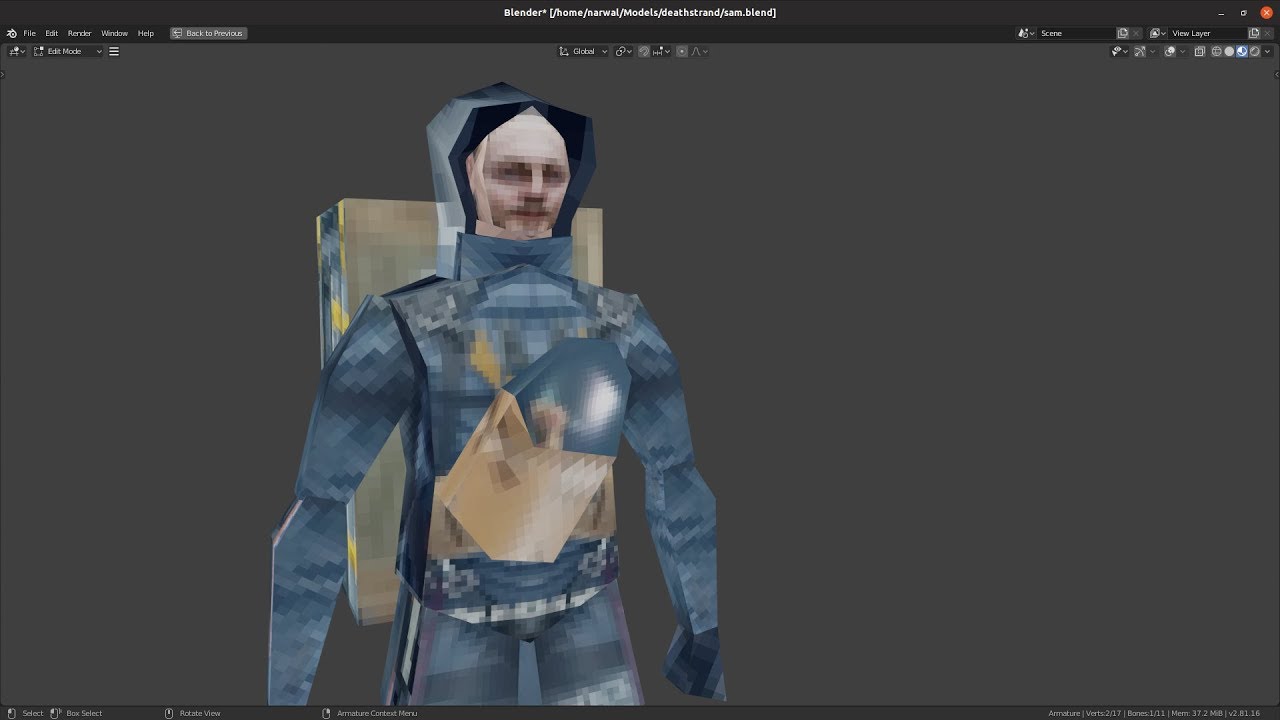
Making of Sam Porter stream: https://youtu.be/UMplVXdI26M
Free 3d texture sites: https://www.creativebloq.com/3d-tips/find-high-res-textures-1232646
Godot PSX Shader: https://github.com/marmitoTH/godot-psx-shaders
Unity PSX Shader: https://github.com/dsoft20/psx_retroshader
...
fallow elk
@sterile surge yea, I have assets and a project I've been working on already, I'm just trying to find a way to make a dithering shader
sterile surge
DitherTemporalAA node
fallow elk
isn't that a material shader and not a post process?
sterile surge

A retro style shader in Unreal Engine 4 using the dither temporal aa node. This tutorial uses UE4.17
This tutorial is largely based off of Strangely Named's tutorial on cel shading here: https://youtu.be/9YQEAvvzh0k
Twitch: https://www.twitch.tv/mrtripie
Twitter: https://twi...
this might help
oh post process
fallow elk
yea, I figure a post process would be the best way to use it rather than apply it to every single mesh and material
sterile surge
try cell shading or pixelisation?

I saw a pixelisation post-process material through the week, and started experimenting to see what I could do with it. Trying to recapture some old projects, I decided to throw an approximation of a 16 colour palette at it too.
You may recognise the level from a previous vid...
fallow elk
ooh lord that looks horrible
I'm trying to replicate the look of silent hill 1 and soul reaver
fallow elk

Crystal Dynamics’ action-adventure game Legacy of Kain: Soul Reaver recently turned 20 in August. 1,500 years after Blood Omen: Legacy of Kain, Raziel is revived to take revenge against Kain once again! Footage captured at 1080p 60FPS video from the Polymega console.
Let us k...
I already have low res post processing
late loom
Any1 knows how to make an object not walkable
fallow elk
@late loom disable collision
sterile surge
here's the thing about PS1 rendering
all of those are not polygons
they're faces
fallow elk
or, if it's intended to be solid, edit it's collision box so you can't walk onto it
late loom
i need coliision
sterile surge
that's why edges seem to dither. The edge face is clamped to the resolution of the PSX engine, causing a dithering effect
fallow elk
no, there's an actual dithering effect there
sterile surge
it's different than how N64 rendered graphics
fallow elk
when rendered on an emulator, dithering can be removed and in some cases it was not due to limitations but to aid in the appeal of the render
in silent hill 1 if dithering is removed there are color tears in the ground on draw distance
the dithering hides this intentionally
if I could just get something to mimic the dithering effect on render I'd be content
sterile surge
yeah
fallow elk
dithering removed, there are color tears
like rainbows on the concrete of a gas station
thats without dithering
with soul reaver though, as far as I've seen in psx emulators and personal notes/research the dithering is rendered like a face that's a distance from the camera like a fog aid
the best way I can imagine to make this myself for ue4 is either a specialized volumetric fog plus a post process filter
but... I can't for the life of me find any helpful tutorials :/
 whole quarry
Why not just make ur textures like that?
 tender flume
can anyone help figure this out?
fallow elk
someone has made all of this in unity, though. I've considered porting my progress to there.
tender flume
 fallow elk
because every single texture and material having a dithering effect wouldn't look right, I need a draw distance dithering
whole quarry
It just looks like low quality bmp images as textures to me
tender flume
there's no texture
whole quarry
@tender flume not talking to you
@tender flume well, whats that image supposed to look like?
tender flume
just grass without shadows
there's shadows on it
i disabled shadows in preview, it looks ok
whole quarry
So those are foliage meshes?
fallow elk

You asked for it, you got it!
Now you can apply every dithering pattern from SGB Filter (http://u3d.as/ibs) in a full color scene!
Get the Dither Filter now! http://u3d.as/k4f
whole quarry
fallow elk
@sterile surge this is what I'm trying to get
whole quarry
@tender flume shadows disabled here?
fallow elk
just, in UE4 not unity
sterile surge
Don't mean to be that guy

ArtStation
A Whole Bunch Of Different Dithering Styles For Free
Download: https://drive.google.com/file/d/1z8HfeSGNRy6qazB56y3FGBcVNu1c_OZ6/view?usp=sharing
Google Docs
free pack!!!
😄
fallow elk
😮
sterile surge
ain't that special!
tender flume
yours?
tender flume
that looks great.
fallow elk
google search algorythms are shit, man
tender flume
oh but still at least i'm sure people will find it useful
fallow elk
legit exactly what I needed.
sterile surge
awesome sauce
tender flume
its a landscape grass type @whole quarry
sterile surge
i'll get it too, i'm fiddling with a paper2d game
fallow elk
now how to apply it, is my next quest.
sterile surge
tender flume
i know the way to disable is by unticking and i've done that. just that the shadows still appear
sterile surge
looks like he has blueprints up too
fallow elk
I will be absolutely honest I have no idea to translate what is in these blueprints lmao
dim arch
@sterile surge you can use the marketplace stuff but you need to update it manually sometimes
tender flume
it's okay. i think i got it c:
fallow elk
I have an interesting question actually
in soul reaver for the ps1, there was a feature for traveling levels without loading screens called phase gates
I wonder how they did them.
dim arch
well they are seperate levels except you never see them load
you can do it in UE with level streaming
basically when you walk into a volume, it will load in the assets for the new level in preperation
Asynchronously loading and unloading levels during play to decrease memory usage and create seamless worlds.
fallow elk
I do know that they used identical phase gate temple assets and textures with only the banners as a difference
dim arch
asynchronously means that it will use a seperate CPU thread (other than the one assigned to the game thread) to load/process data into memory
fallow elk
and then, walking the hallways to get out would have streamed the rest of the level
dim arch
except, some functions cant be done asynchronously relative to the scene, so it will have a hiccup when it needs to load in the new object references into the game thread
sterile surge
Yes Toku I even see hiccups with the Rachet and Clank portal on PS5 SSD
dim arch
yeah im not sure how you can fix that, if you pre-cache a bunch of frames on the GPU you can then use that time to load in data, but it means you lose control of the character
 rigid belfry
what i would do to simulate seamless load is
dim arch
I mean I guess its possible to cache the possible frames the player would move to while the gamethread spends time updating the scene (which means it cant send draw commands)
rigid belfry
to actually animate the whole level transition
dim arch
or interleave them or sth
rigid belfry
and just fake it with an animated loading screen
 green whale
hmm intresting
 sinful bone
How can I download Unreal 4.25.0? I only have 4.25.1 and my client works with the older version. The only other options I have for installing are way older.
 quiet latch
@rigid belfry take a look at TerreSculptor... you can export slope maps and do all sorts of stuff
 maiden sundial
When would you guys use the term HUD over UI ?
dim arch
HUD is "heads up display" ie something which is an overlay but you can still see through the camera
rigid belfry
i like hand painting more
dim arch
UI a user interface which is not used in conjunction with the camera, stuff like main menus, inventory etc
I guess HUD is more of a VR thing now, stuff you see which is drawn over the rendered frame
a lot of the HUD/UI elements are rendered in 3d space these days too
 midnight gate
i have no animation in blender but ye4 still imports 50 animation files
 storm jasper
thank you
rigid belfry
depends on what you're doing
i think the default cubes and shapes dont come without the starter content
you can only add box brushes and similiar
plus theres also great noise textures in there
i usually keep the starter content
rigid belfry
i see
 frank oar
Hi,
I have an item from the marketplace called Kly's VR Hand poses
it is for version 4.23 so it will not go into my 4.24 project...
I would assume that if I can open the file I could just migrate the animations of the hand poses I want because that aspect would likely be universal right ? (and not require and update)
if this is the case, how do I go about opening it ? because I don't have that version...
I am still new to this aspect so I would be grateful for any advice!
rigid belfry
anyway, i usally keep the starter content, but if youre working on mobile, then you shouldn't use it
@frank oar have you asked the creator of the asset pack?
frank oar
I just looked at the questions section and it didn't look promising.
I also just assumed that I would likely be waiting a long time for a reply if I was to try to contact the creator...
storm jasper
do you know a good tutorial for begginer?
rigid belfry

Unreal Engine
Unreal Online Learning is a free learning platform that offers hands-on video courses and guided learning paths.
frank oar
@storm jasper I advise you check out the learn tab in the epic launcher...
storm jasper
ok
rigid belfry

Complete resources for learning to use Unreal Engine 4
i dont think yt tutorials are that great for learning stuff
frank oar
@storm jasper I wish I found this earlier...
I have been developing for 3 months, I have been using this for 1 week and have learned SO MUCH !
fallow elk
with destructible meshes, is there any way to simulate point of impact and isolate the destruction to a radius on the mesh?
or would it just be better to create my own lines for some smoke and mirrors
rigid belfry
i think the new chaos physics engine does that by default?
while the built in mesh destruction is kinda okay but you cant do that stuff with
i am just talking out my arse, though. so i might be worng
fallow elk
I haven't had the chance to try chaos yet unfortunately
I tried to install it and it kept giving me an error so I just glossed over and forgot about it
the purpose is for semi-realistic tree chopping. I hate the idea of just smacking it and then it falls over, or a predefined cut line/animation for chunks to fall from
I wanna make it so impacts fracture and splinter while still sticking to the parent mesh before falling after another impact eventually dislocating the mesh entirely
 fierce tulip
@rigid belfry please no nsfw images
 paper kernel
Anyone know about inner workings of blueprint Set variable?
fierce tulip
even if its a crude pene drawing
rigid belfry
@fallow elk i think you're trying to reinvent the wheel for no particular reason
https://tenor.com/view/itsart-art-gif-4621521 sorry about that, i wont do that again
 paper kernel
you could always slice procedural meshes
rigid belfry
you can add a decal on the part you hit instead of actually simulating it
paper kernel
ye I was just thinking, dent decal
rigid belfry
and create some effects that look like splinters
fallow elk
true, I could add a decal and then splinter meshes
though chopping through the trunk, I'm not sure how that'd work
rigid belfry
then on the last hit you can break the hit result, from there get the normal and add impulse to the destroyed mesh
so it always falls down based on the last hit
 oblique tangle
Anyone know how I can fix this? I've got a cable component set up to spawn underneath my player's hand on tether, and as a result it's parented to my mesh, but whenever my player swings, the cable component goes crazy because of its physics component - is there any way to fix this?
Trying to emulate a web dangling from the player's hand, hence the use of the cable component, so if possible, I'm trying to smooth the rotation and movement of it to be something much nicer
 rain pecan
Mornin' y'all, have a great one 
 oblique coyote
Hey so everybody i ran into a issue which is frustrating me beyond believe.
I work together with a Iranian buddy of mine who personally is quite a nice person but GitHub disallows adding people from Iran to repositorys because of restrictions because of some law. Are there workarounds to this issue/can anybody give me insight on a alternative solution to this problem ?
 oblique coyote
Not sure looking for a more or less simple alternative that wont requre some annoying workarounds.
rain pecan
I'm not 100% sure, I know that with my vpn I can set my location so that could be 1 way.
 craggy perch
hi, all, does anyone else have issues with 4.25 and UFactory derived objects? They no longer show up in the context menu (on 4.24 it seems to work fine), has something changed in 4.25 transition that I missed?
oblique tangle
Alright, I've figured out the issue with the cable component, but apparently I'll have to use C++ in order to fix it - Is this the only way to do so or is it possible to alter it in BPs?
 candid heron
So I'm following the unreal learning tutorial on bulding a level and the guy tells me to look for "sm_exo_bridge" when I search it up I get nothing, but when he does, he gets the assets. Is there something I was supposed to download beforehand?
 wheat hare
They use sm_ as a prefix for starter content in the third person template, maybe it's there.
I don't know about any other starter content tho, maybe it's all got that same prefix.
candid heron
I'm currently in the third person template and there is sm_ content, but not the exo_bridge
 worthy lion
maybe you have to tick the "view engine content" option
candid heron
where is that?
worthy lion
the dropdown to look for assets, in its options there are several checkboxes to display/hide content
i mean for example the dropdown you get when you look for a material to apply to a static mesh
 open eagle
 dusty latch
Hi! I made a map and when I begin play with my character this happen with it... i didn't build the lights because it will be long time and my question is that is it because of this or something else wrong? (my map is an other mesh)
 gentle crypt
Where do i get the 'Send to unreal' Addon for blender?
whole quarry
@dusty latch build lighting or set it to dynamic
whole quarry
click on the directional light and change it in the details panel?
dusty latch
thx
 tired bloom
I’m trying to make
A game in unreal engine and it’s FPS and there is a glitch so the floors always just go away. Can somebody help me with this?
whole quarry
the floors just go away?
oblique tangle
Anyone know any good documentation on button mashing events, or how I would go about recreating this button mashing event? Like this air vent opening in the Arkham series
midnight gate
how do i spawn an object based on its id variable?
 storm dome
I'm completely new to unreal does anyone know of a good video on making an FPS shooter I know the template they give you has a gun but I wanted to know how to make it look more like a real gun with bullets
 rocky radish
Anyone know any good documentation on button mashing events, or how I would go about recreating this button mashing event? Like this air vent opening in the Arkham series
@oblique tangle https://forums.unrealengine.com/development-discussion/blueprint-visual-scripting/79659-timer-and-button-mashing maybe this can help you
Unreal Engine Forums
Build powerful visual scripts without code.
midnight gate
how do i spawn from the blue actor variable?
ok its working
but i dont see the actor appearing
even tho it says spawned
 merry gazelle
Any idea how to make my multigate change output from inside a function? In my example it always prints "A1". I want to loop A1, A2, A3, A1...
wheat hare
Set the scale up 10x on z so you can see it
That tells you where the transform is messed up and gives you funny stuff to look at
midnight gate
this is my component
wheat hare
@merry gazelle I would use a counter for that instead of multi gate, just an integer counter that increments by 1 every time it executes and resets when it hits the max. I'd use that to gate it.
Mainly because I know how to reset a counter to 0 but idk how to reset that multigate function if it's interrupted.
merry gazelle
ok cool thanks
wheat hare
And I'm not sure what you're trying to do, but if the operation is interrupted in the middle of the sequence, you can set the integer counter back to zero with one instruction
Looks like that multigate has a reset too 🤔
But don't forget to reset it.
midnight gate
pls somebody help me
wheat hare
I disrupted air travel in the entire United States for 15 minutes in 2003 because I didn't reset an incremental counter.
@midnight gate I'm not exactly good with this, but Distance looks like a float you're trying to add as an array element so you can use it as a condition on your logic gate and.... I'm not sure it works that way
midnight gate
there are 0 floats in this whole code
midnight gate
no it doesnt work without the condition either
what distance
are you sure you looked at my screenshot?
wheat hare
I guess I can't read your screenshot because it looks like your variable is called Distance
Maybe it says Database
midnight gate
i think its party data
its a boolean
array
it seems that i cant seem to get an actor from my actor array
since print string gives me nothing when i put it in there
so is spawning yes
but its spawning a nothing
wheat hare
So you're trying to get a single boolean out of an array of booleans?
midnight gate
guess i gotta set the actor array difrently
that is not the problem
the problem is im trying to spawn actor from a variable
oblique tangle
@midnight gate Check if the bool is firing on true
midnight gate
oh i know
guys you are not listening thats not the problem
the boolean is fine
its the spawning thats not working
oblique tangle
I'm just asking chill out
midnight gate
because the array is empty
why is it empty you ask?
well its cuz i forgot to save and load it into my save game
silly me
thank you for the assitance
i dont know why my brain starts working when im in this chat
god damn it its still not working
did i fail at saving?
oblique tangle
What's your transform doing
midnight gate
its just set to 000 because the spawn node doesnt work if you dont tell it where to spawn
im not overwriting the data right?
can i even store actor refrences in a boolean?
 queen pond
question about unreal...we have 3 people working on a project, 2 devs and one designer ... we buy plug-ins and props... is there a way we can have a single account and all 3 of us work from that account or is there another way we can do this?
midnight gate
im doing a check and it seems that its giving me nothing
it gives me the index number but no actor
@queen pond i think if you all log into the same account it should work
but i havent tried that
why is the array empthy
i dont get it
 cloud briar
Hi! Should i place Lightmass Importance Volume in my project?
midnight gate
the save is empthy 🤔
cloud briar
I wil use HDRI, and point and spot lights...
 dense aurora
and i want it If the character moves then the Low Pass changes
idk how to make it work
midnight gate
@cloud briar i dont think ue4 can provide that
cloud briar
Why?
dense aurora
this is very hard lol
rocky radish
idk how to make it work
@dense aurora in the condition of the branch get the axis value and check if its different than 0 if thats what you want
rocky radish
then thats what you have to do
in the condition of the branch get the axis value and check if its different than 0
dense aurora
im not using C++
rocky radish
yes
dense aurora
never tried this lol
hmm
i cannot find the default speed
for the character
nvm
😄
wheat hare
@dense aurora that's a pretty cool effect man, nice idea
rocky radish
i cannot find the default speed
@dense aurora max walk speed?
 mint umbra
Is it possible to make the Epic Launcher -not- close when opening an UE4 project?
Annoying when Im checking the MP while loading my project that it just shuts down
 dusky crest
check my blender add-on for unreal engine
https://www.youtube.com/watch?v=CiA2VvHBdvU
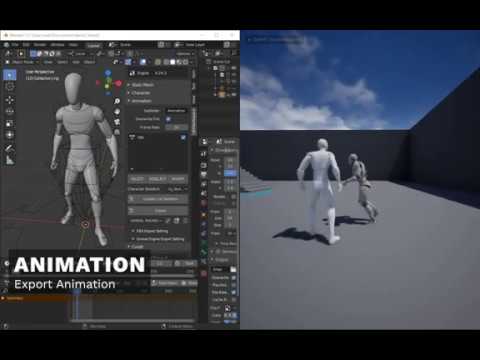
showcase some feature on Blender add-on for Unreal Engine 4 v1.2.1
DOWNLOAD
Gumroad : https://gumroad.com/l/BlenderUnrealEngineWorkspace
Github : https://github.com/anasrar/Blender-UE4-Workspace/releases
TIMESTAMP
00:00 - Static Mesh
01:21 - Character
03:13 - Animat...
rocky radish
im doing something wrong
@dense aurora why? what issue are you having when testing it?
 open wadi
The background music in that video makes my head explode.
dusky crest
sorry
wheat hare
@dense aurora if you're going to base events off character movement maybe you can add a half delay to make sure the movement is purposeful before the event executes anything
*half second
 rocky radish
are you connecting it to any event?
rocky radish
does it work as you wanted now @dense aurora ?
plush yew
Why can't i possess my playercharacter after dragging some big assets into the map?
the camera just hangs there and i can't move
rocky radish
@plush yew maybe your assets are giving you collision issues
 novel oriole
How would I check if a vector is inside a mesh
wheat hare
Get actors in radius?
rocky radish
no, i meant if the player is inside a collision, that may cause issues
wheat hare
It can force you outside the collision boundary 👆
rocky radish
try moving it away from these assets and see if it still happens
plush yew
ah, right
ah that was it
thanks man. I wouldn't have found this quickly without you. 🌻
thanks @rocky radish
oh, no thanking system here
rocky radish
you're welcome @plush yew !
rigid belfry
is there a way to make these buttons more appealing? maybe make them round?
also why am i getting this error when i am only creating and adding the widget 1 time?
plush yew
@rocky radish this was the perp: My triangle shaped stars had a huge collision around them. 🐮 🔫
rocky radish
is there a way to make these buttons more appealing? maybe make them round?
@rigid belfry add a texture to them
also why am i getting this error when i am only creating and adding the widget 1 time?
@rigid belfry do you have 2 add to viewport nodes? (or add to player screen)
dense aurora
@rocky radish i tried to connect it
to this
but the statement was always false
rocky radish
are you changing the default speed anywhere?
remember: default speed is different than current speed/axis value
@dense aurora
rigid belfry
@rocky radish i am pretty sure i have not, but what else could it realistically be?
i had my widget be created in the level blueprint originally, then i deleted that and moved it to the game mode
i'll try restarting the engine
rocky radish
can you show me the part that you create and show that widget in your bp?
dense aurora
 plain terrace
Better than wat I would do
rigid belfry
there are no more add to viewport nodes in my whole project right now
i'll restart right now
its still giving me that error
but why
plain terrace
Sir Daniel to save the day
 wide quarry
im having a problem while packaging UATHelper: Packaging (Windows (64-bit)): LogInit: Display: LogPhysicsCore: Error: PHYSX: (D:\Build++Fortnite\Sync\Engine\Source\ThirdParty\PhysX3\PhysX_3.4\Source\PhysXCooking\src\Cooking.cpp 198) eINVALID_PARAMETER : Cooking::cookConvexMesh: user-provided convex mesh descriptor is invalid!
rocky radish
try removing the 'widget to focus' @rigid belfry
wide quarry
can someone help me ?
rocky radish
are you referencing that variable anywhere else?
 rich rose
Hi guys Im getting this weird shadow effect when my camera is far away from the object? and it moves in a weird way when the camera moves. Any reason why?
rigid belfry
@rich rose something related to either the LODs or the culling distance
btw, i am not referening that variable anywhere else. i just created the project
rocky radish
@rigid belfry are you 100% sure that there is NO other class creating that widget?
rigid belfry
there is only 1 add to viewport node in my whole project
same goes for create a widget
rocky radish
ok i'm out of guesses, the engine is acting crazy
rigid belfry
yeah
i mean
it just crashed on me
so i guess it was something related to memory leaking
i'll restart the machine just in case
rocky radish
ok
plush yew
Hello
rocky radish
hello
plush yew
Anyone plays UT in here?
 clever sequoia
Hey guys,
I am a cinema 4d user and I am searching for a "realtime" bridge to ue4. I know, that there is the cv-c4d to ue4 plugin, but it is not available for the newer ue4 versions. I hope that anybody can help me to find a bridge! Btw. I also know that you can import the c4d files directly, but it is extremely complex to delete all files and import them again.
Greetings Jonny
plush yew
,help
wide quarry
how do i know which convex mesh is invalid?
rich rose
@rigid belfry I did generate LODs. They seem to work based off the LOD Coloration view. But the same effect happens. Since these are animated, they are skeletal meshes. How do I access the culling distance for SKeletal Meshes?
 mint raptor
is viewport different then in game window?
Trying to better understand the concept of "Viewport" in the code base
wide quarry
someone?
wheat hare
@mint raptor your viewport is what you look through to design your level
In the editor
 exotic thicket
It's still there.. you're probably trying to use it in a place where you can't use latent actions like it
 shrewd shuttle
im trying to place it in the normal character event graph
it pops up in an earlier engine version in the same place but i cant get it in 4.25
mint raptor
@wheat hare I know that, but there is code that lets you access viewport at any time and I'm wondering what the purpose of that would be in a game at runtime if Viewport is an editor only thing? Yet Viewport is actually a runtime not editor only thing in source.
 grim ore
@shrewd shuttle delays nodes are latent and do not work in certain circumstances, inside of a function for example. that could be what you are seeing
 soft fiber
Learning to use grass and I'm getting this warning, but I only have a small portion of the scene with grass. The total lightmap size for this InstancedStaticMeshComponent is large, consider reducing the component's lightmap resolution or number of mesh instances in this component. Is this a normal message?
@shrewd shuttle I just used a delay node in 4.25 last night.
 copper mesa
Is there an easy way to rotate object along an axis indefinitely with blueprint?
Tried using Add/Set Rotation the axes messed up overtime.
soft fiber
My lightmap resolution for the grass is set to 64, is that to high?
@copper mesa Try this: https://www.youtube.com/watch?v=42D-n9duqgM

What is the Add Relative Rotation Node in Unreal Engine 4
Source Files: https://github.com/MWadstein/wtf-hdi-files
 white relic
Would anyone be interested in creating a storm chasing game with me. I need coders
copper mesa
The problem I'm having is I added a value to y axis but overtime the object transform in every axis once they reached either 90 or -90. I.E. my rotation X went from 0 to 60 with no reason.
plush yew
gimbal lock maybe. you haven't explained the problem that well
 sweet relic
hey anyone have issues getting the windows xbox game bar to work correctly with games packaged/run in 4.25?
if i turn on game features it doesn't seem to come up when i press win+g
i get a loading cursor but the overlay never appears
seemed to work find when i was using 4.24*
rigid belfry
is there a way to know wether a widget has been already created?
would a validated get even work for widgets?
sweet relic
not sure if it is a problem with the engine, my environment, or MS' software (probably the latter ime)
sweet relic
hmm not sure if get all actors of class works on widgets
rigid belfry
even though i am only adding it once to the viewport. i serched in all my blueprints for a add to viewport and there's just one
sweet relic
you could store a ref to your widget and check if it is not valid before creating one
the cerate evert might be getting called twice?
rigid belfry
ironically the validated get fixed the problem
but why the hell was the blueprint trying to create the widget 2 times?

 zealous cloak
Whats the best way to handle audio in a game?
or a good way?
i have offset voices and audio that is palyed, when picking up sth or completing specific tasks ingame
can i have an audio component in my gamestate and overwrite it anytime?
zealous cloak
Is it the actual level map with a simple HUD?
rigid belfry
no, the i found the image when searching for stylized forest, allthought this is the direction i'll be taking my game
i'll probably have an animated sprite to simulate an alive world instead of using a static image though
i like it right now, allthough i can already see some potential changes i could do. but then again, should i really try a new approach when i already found something i am pleased with?
white relic
Does anyone know of a program that can generator 3d noise textures
 austere bay
@white relic not sure how much helpful, but you can try Materialize? it's damn good with generating textures in general.
How can I copy .uasset files into the engine?
 carmine garnet

Stylized Low Poly Forest Pack containing trees, bushes, rocks and a diverse selection of flowers and foliage for environments.
it is
if you but the addon you could just take a video of that scene in that exact angle
 digital badger
Anyone know how to change the location of savegames in shipping? Found this on Answerhub: https://answers.unrealengine.com/questions/99580/how-to-change-the-saved-folder-location.html
Seems old though ( 5 years)
 versed lion
Can someone help me with the node attaching actor to component ? i am having a struggle
carmine garnet
nobody responds to eachother on this channel
carmine garnet
@rigid belfry make a physically rendered menu
100%
use the built in 3d text plugin
set up a lil scene
can put fire and stuff too
also its really easy to upload fonts

fontspace
Free downloads of legally licensed fonts that are perfect for your design projects. The best place in the universe to search for amazing fonts.
rigid belfry
the problem with "live" menus is that they'll end up eating pc resources for no particular reason
rocky radish
Can someone help me with the node attaching actor to component ? i am having a struggle
@versed lion what problem are you having?
rigid belfry
you can make animated images out of gifs in unreal through sprites, so i dont see the difference
versed lion
@rocky radish can we talk in private i don't wanna spam here
rigid belfry
you can 100% spam here
rocky radish
i'd rather not talk in private, it's ok to talk here though
rigid belfry
@carmine garnet its a nice idea anyway
versed lion
ok ok
carmine garnet
the reason is that its cool
plain terrace
it wont let me put .wav files into da engine
rocky radish
it wont let me put .wav files into da engine
@plain terrace why? is it giving you an error message?
plain terrace
yes
rocky radish
what error message?
plain terrace
rocky radish
whats in output log when you get this?
rigid belfry
well show us the output log
plain terrace
how do i do that
versed lion
When my player opens a chest it will spawn an axe, now the axe has a widget that will say " press f to pick up axe" when this widget is deployed a boolean variable get's triggered "test (Allows the player to pick up) but it doesn't pick it up after i press F it seems like it doesn't get call after all
rocky radish
window->developer tools->output log @plain terrace
rocky radish
When my player opens a chest it will spawn an axe, now the axe has a widget that will say " press f to pick up axe" when this widget is deployed a boolean variable get's triggered "test (Allows the player to pick up) but it doesn't pick it up after i press F it seems like it doesn't get call after all
@versed lion when you press F the function doesn't get called, is that what you mean?
rigid belfry
is the create advanced session node missing? i cant find it even when not using the contextual search
white relic
reinstalls 4.24.3 please dont crash please dont crash
versed lion
rocky radish
whats in the 'pick up the axe' function?
and where are you setting that 'test' bool
?
@versed lion
rocky radish
?
versed lion
here*
rocky radish
ok
versed lion
i had internet problem i couldn't send message
The test is in the player's variables
its uploading the iamge of the axe blueprint pls wait 🙂
I can't upload images...
Google Drive is a free way to keep your files backed up and easy to reach from any phone, tablet, or computer. Start with 15GB of Google storage – free.
this is the axe's bp
@rocky radish what do you think?
 lost marlin
i reinstalled unreal after i reinstalled windows 10, now I can't open my projects in the launcher bc it says they dont have an app associated with them, and if i try to open them directly with the unreal engine, it tells my im missing VCRUNTIME140.dll
how do i fix that?
versed lion
@lost marlin https://www.youtube.com/watch?v=m5pjAWai384

You're trying to open a Game like PUBG or a Program like Skype and a Error message saying "vcruntime140.dll is missing from your computer" pops up?
Well thats unfortunate, but Let's see how to fix it!
Method #2: https://youtu.be/QB68XHoPhbg
Download Link:
https://www.sts-tut...
plain terrace
i made a menu screen and when i go into the main level , the camera does not follow the mouse (using defualt first person template)
this for menu level
plain terrace
and this for mainlevel
versed lion
see
UI only
make it UI and gameplay
this for menu level
@plain terrace
hope it helps
plain terrace
i set it for a reason in main menu so that you can move
i think i have another idea tho
gonna see if setting it to ui and game after the start button is clicked will work
versed lion
go for it
plain terrace
yeah it still doesnt work. I can move the camera if i click on the screen and drag
but not by simply moving the mouse
should i set mouse lock mode to something?
plain terrace
mm yeah that makes sense
the loading time between the two levels takes like 1 minute lol
rocky radish
lol
plain terrace
yee dat didnt work either
imma delete something first to see if its causing the problem
sweet relic
anybody know how to set the collision profile apex destructible?
the chunks keep triggering my line trace
plain terrace
mk it works now, thanks yall
 marble hazel
I am trying to play a sound from an ambient sound actor and the starter sounds all work correctly and I can hear them but the one I imported I can not hear
When I press play on it in the editor I hear it fine
Does anyone know why that would be the case?
sweet relic
hmm the sound itself might have an autoplay setting
or maybe set it to 'ui sound' if you want it to play always
plain terrace
my work is done for the day
 copper pike
I have a question
I am really stuck on this. I'm doing a tutorial and I need to create Blend spaces, and I need to set the X Axis Range and Divisions, but I can not find this anywhere under Parameters, what do I do? I am truly stuck here
 brisk nimbus
Quick question about Unreal naming conventions...
Does it matter wether I name assets following a styleguide BEFORE importing into an existing project, or AFTER (inside the contentfolder)?
I´m used too much to an offline workflow, so I´m afraid it´ll take me a while to adopt a strict naming habit and I don´t wanna mess things up...
 dreamy lake
Im trying to replicate an object array in blueprint - yet whenever I try to update it from the server it doesn't get replicated on the client - any ideas :/ ?
rigid belfry
calling it a day for now
plain terrace
mine is far superior
who needs* buttons when u have rocks
do you actaully have a working multiplayer game?
 merry vale
My project can’t seem to load almost all of the files I put in it, I’m extremely confused and upset as I have been working on this for 3 hours.
 grave radish
Try loading them though the file folders instead
 prisma plank
my work is done for the day
@plain terrace "lighting needs to be rebuild" )
plain terrace
nani!
grave radish
How do you stop your viewport from constantly rotating?
I unplugged all devices and it is still doing it
 lime gull
When I package my game it just breaks. Works fine in the editor / standalone
But when I package and play it after loading a level it breaks
rigid belfry
@plain terrace its just empty sessions for now, but thats the goal ultimately. i still have to figure out wether to have a player hosting the server or wether i'll want to host it myself
i dont really wanna use steam so its a lot of reading i'll have to do
i really wanna get this multiplayer stuff done, so once i got mannequinns running around i'll work on an actual game
plain terrace
wats the game about?
rigid belfry
no idea
plain terrace
lol
plain terrace
yee
rigid belfry
don't get me wrong, i already have a general vision, but at this stage it really is pointless to spend so much on brainstorming stuff
plain terrace
mmm i just have a simple idea
and im gonna work on it for the next few months and hopefully ill get something out of it
rigid belfry
good to hear
i've done training projects for so long ahah
havent started a "game" in more than half a year now
plain terrace
lol this is my first project
first game
and i started, 4 days ago
i do not plan on making a multiplayer game so its gonna be a lot easier
rigid belfry
i see
just remember to keep things very simple and very basic
or you're gonna burnout
copper pike
what do I do about being unable to find x axis division and range? all I see is "Maximum Value"
plain terrace
all i want to do is make a car that works, and then allow players to pick up certain objects
then build off from there
copper pike
I searched in Details but didnt find it
plain terrace
ya can send screenshot or somethin so it might be easier for others to understand, otherwise i have no idea wat ur talkin aboot
copper pike
Im looking for x axis range and division
grave radish
Here is what is happening to my viewport. How can I reset it or fix it?
Bottom Left Keeps rotating in circles
 misty folio
hey im tryng to remove that blue haze its the part of BP_sky_sphere im using this because i want stars and if i delete it then i dont have any other option for stars.. anyone can help me for making simple stars? thankss
 marsh valley
I've succeeded in setting up a LAN server that I've been able to connect to from my machine. If I give someone my project files, and they get it set up in their engine, then I host a dedicated server via the same method (cmd line), but using external IPs and ensuring ports are open etc, will they be able to just connect to the server I've set up via the same method?
 proper stump
I want to detect when the 3d person mesh, the actuall mesh not the capsule is hitting a simple collision box, how should I set the collision of the mesh component of the 3rd person character?
carmine garnet
@grave radish add controller input per tick with the correct value in the opposite direction
proper stump
can be seen in the image, the hands, fists have hit boxes... i want to detect hits on other 3rd person characters... cant figure out the collision settings
carmine garnet
Collision settings are a bitch
proper stump
yup
carmine garnet
@proper stump when it is overlapped do a sphere trace down the arm
Will give you much more useful data
Normals and stuff
Just better ya know
proper stump
the hit box, yes, it is attached to a socket.... i can see it in debug mode, "show collisions"
grave radish
@grave radish add controller input per tick with the correct value in the opposite direction
@carmine garnet Where?
grave radish
I'm worried it might be my project. Can you move a project to another one?
exotic thicket
Wait your editor viewport is just spinning by itself? You don't have joysticks or gamepads plugged in by any chance?
or any other non-mouse/keyboard type input devices
 fluid bronze
So i know about a website and there you can build a ue4 blueprint on the website does anyone know the name of this website?
 ashen ermine
@fluid bronze https://blueprintue.com/
BlueprintUE
BlueprintUE.com is a tool for sharing, rendering and rating blueprints for Unreal Engine 4. UE4 is a game engine which use visual scripting called blueprint.
grave radish
@exotic thicket I have tryed unplugging all of my devices and bluetooth dongles. It is still spinning
I can try some more. It seems to be doing it on its own, but I can slow it down with the mouse
exotic thicket
Did you restart the editor after unplugging them?
grave radish
I think I found the source of the problem... I have a guitar hero controller that was unpaired wrong. But Now I cannot get it to stop (The whammy bar is causing this)
Wait It worked. I divebombed the bar and turned it off, that fixed it. Sorry for causing a scene today
 fierce forge
how i can make a advanced minimap with scene capture 2d ?
 dim gate
I want to make a UWP build for a game I'm working on but the fork that lets you do that is 4.19
so what do I do
 north prawn
I never even dared to mess with networking/online things before. Heck, I've only done a few crappy "game" prototypes in Unity.
How hard is Unreal for a noob? I would probably use Blueprints. I'm really scared of how difficult making the game multiplayer is tho
 glass dirge
Anyone know of mass amounts of material? I need help finding where to start if someone can DM me.
 autumn elbow
I got the Try Rebuilding from Source pop up... but it's a BP project. Anyone know how to fix it?
 harsh tiger
when you click an actor in the viewport and press "F" your camera moves to that actor.
is there a way to trigger that "F" action in blueprint in a editor utility widget?
through a console command or something maybe?
autumn elbow
HOME key
 brisk urchin
Can someone help with this weird fps glitch? I have the UE4 app split into 3 monitors. Main monitor has viewport, other has content browser and the 3rd has details windows. My fps counter is on, when I click on then content browser the fps goes up to 120fps but then when I click on the viewport it hard locks to 40fps. Any tips?
glass dirge
How does someone change the movement of the base blueprint? I don't know how all modules work, an example if you need one is Lego Universe's movement.
exotic thicket
typically you would use a movement component to process movement things
 jolly sage
How can my friend and I work on the same project at the same time
exotic thicket
there's a few builtins of varying complexity
glass dirge
Where do I turn off VR plugins?
exotic thicket
it's in the plugins menu
glass dirge
thank you
 static sparrow
I keep getting this message when trying to create a child blueprint of an abstract parent that I made. I can't find anything on Google about it.
Anyone ever gotten this before?
I tried doing the refix redirectors or whatever, on the containing directory. No change.
And FYI, this came shortly after a crash and reopen of UE, if that matters
 blazing mural
https://imgur.com/wNiBrVR everything is fine
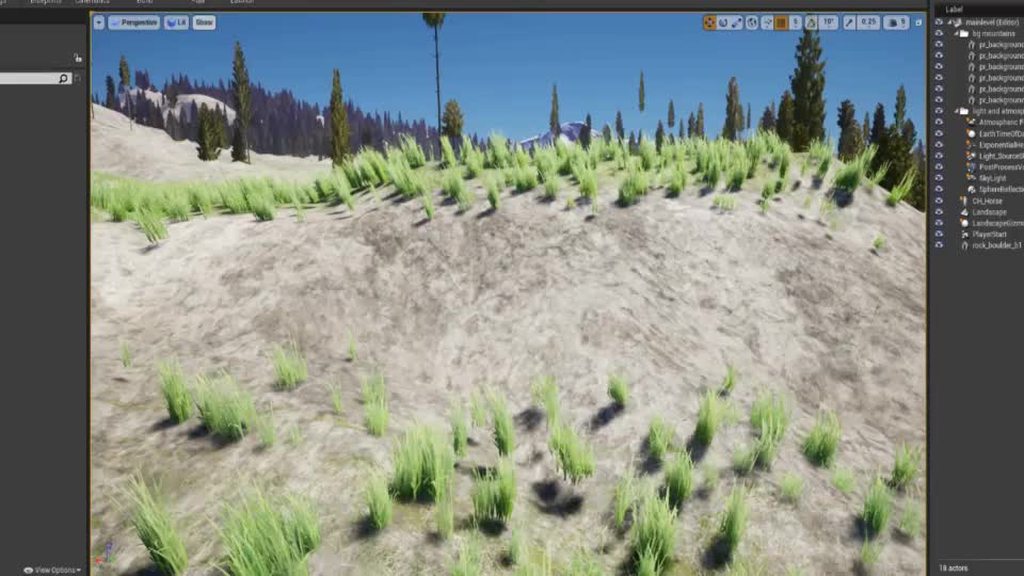

 wraith wyvern
Is it possible to add a freezing system or a over heating system when you go in some parts of the map? Like the forest
Plz @ me if you know how i have to go afk
plush yew
can a static mesh be resized without resizing the texture?
 long thicket
when i render a final movie through sequencer, the post process volume doesnt seem like it takes effect at all, anyone got an idea?
well actually no hold on, im not using post process volume, im using the post process settings in the cine camera actor* my bad
 frigid needle
Looks good, Conspiracy. You're selling a Helicopter Horse game, yeah?
blazing mural
I dunno, I was thinking Horsenado, but I wouldn't want to invite legal action
 remote tide
Do I need to restart the engine when changing min screen radius for light culling in project settings?
 hallow compass
Why is Unreal not using my full CPU and GPU? It's sitting at 30 FPS using about 30% of my GPU... any ideas? I have done all the LOD's
copper pike
how do I find X axis Divisions and range in Blendspace? I really can't find it at all
 bitter iris
@hallow compass why do you want it to use all? then youd be struggling to do anything
hallow compass
because I am getting 30 FPS but it's only using 25% of my GPU
So it isnt even pushing
 muted jasper
Hello everyone. I was wondering if someone could help me with this question. When you are packaging a project for use on a Mac, do you use IOS, or Linux?
bitter iris
open console and type T.MaxFPS 200
muted jasper
Sorry, I will go to the appropriate section.
hallow compass
That did nothing 😦
plush yew
tommow
hallow compass
It's just using 25 - 30% of my GPU lol
plush yew
try setting power to maximum performance
in your gpu / computer settings
if you have a laptop, make sure its plugged in
bitter iris
Project Settings > General Settings > Framerate
copper pike
is there a channel for blend spaces? 😦
hallow compass
That box is already unchecked. I can get 100+ FPS when looking at the ground etc
But when looking anywhere else I get like 30
bitter iris
in console type stat unit
bitter iris
whats the frame times
plush yew
you could be getting high fps but crummy frametimes
bitter iris
GPU, Draw and Game
plush yew
is your gpu overheating?
bitter iris
seems like youre reaching the limits of your hardware
plush yew
do you have a nvidia gpu?
bitter iris
looks like a basic scene and youre at 21ms frame time
plush yew
yeah, if you're on low spec stuff, im sure that grass aint helping your fps or rendering times
plush yew
he has a 2060??
bitter iris
look at the screenshot
plush yew
it wont let me zoom
bitter iris
bitter iris
@hallow compass can you go to view modes and go to overdraw
plush yew
you should see if its overheating
I always have my gpu fan maxxed out
and I turn up the power limit so it doesnt throttle
bitter iris
its nothing to do with any of that
plush yew
hm
bitter iris
hes bottlenecked with crappy assets
hallow compass
this one?
plush yew
sorry idk then
bitter iris
yeah quad overdraw
plush yew
does this sort of thing happen a lot with homemade assets?
bitter iris
depends on the tri count per model
fog can drag it down by around 2-6ms depending on the quality
hallow compass
plush yew
uh
bitter iris
not as bad as i thought
plush yew
is white super bad?
bitter iris
yeah
hallow compass
I have setup LOD's manually
bitter iris
but he doesnt really have white
hallow compass
and decreased the tri count manually on all trees and grass
plush yew
he barely has red
hallow compass
What is that and how do I switch it on? 🙂
bitter iris
ill get it for you now
hallow compass
cheers
bitter iris
confuses me why its that bad like lol
hallow compass
I checked memory pool size and it's set to 4GB btw
bitter iris
i get 4ms on a open world
bitter iris
overall
hallow compass
bitter iris
copy my screenshot
plush yew
Should everyone have that on?
bitter iris
id suggest it
plush yew
Wait could it be occlusion culling related?
He said his fps changed when looking around
which might explain the sudden spikes and drops?
hallow compass
I can show you my LOD's if needed. And grass foliage type with the culling etc
bitter iris
dw
hallow compass
I have 4 tree meshes
bitter iris
if you can do Stat GPU
 hollow knoll
Hey all, I'm building a project for the Oculus Quest, but I keep getting this warning that might be causing it to crash (amongst a few others)....
LogPlayLevel: Warning: 06-22 18:37:54.205 9289 9310 D UE4 : [2020.06.23-01.37.54:205][ 0]LogConfig: Setting CVar [[r.PrecomputedVisibilityWarning:0]]
I can't seem to find any solution for this.
hallow compass
Its restarting now
bitter iris
okay
itll reduce your overdraw more, and just help a bit
once youre back you may need to compile shaders, then print screen when you do "stat gpu"
that way we can see if its basepass, shadows etc
hallow compass
I am using movable lighting btw as we have a day / night cycle
No other choice there
hallow compass
ill screenshot soon. Project is taking ages to load back up lol
bitter iris
yeah np lol
 cyan pasture
Hey guys, can ony one of you help me?
I developed a game for mobile.
For Lighting I'm using the sun and skyp bp.
https://docs.unrealengine.com/en-US/Engine/Rendering/LightingAndShadows/SunSky/index.html
the sun itself is too bright so I had to adjust the exposure in a post processing volume, and player camera.
Both of them are manual exposure. And I could calibrate to a "wanted lighting", when I preview on normal and mobile editor it looks really fine, but when I export the package into a built apk, the lighrs are blown up and the scene is complete white.
Using Unreal Engine 4.25.1
An overview of the setup and usage of the SunSky Actor with the SkyAtmosphere component.
bitter iris
@hallow compass heres how i set things up roughly, green is LOD0-1, Yellow & Orange LOD2-3, Red LOD4 (Imposter) this is at 4-5ms, dynamic lighting, zpass on, i think i can help you get that number down im happy to help
hallow compass
@bitter iris you weren't kidding about the shaders haha
plush yew
why so many tris
plush yew
those look less tri infested
hallow compass
 surreal laurel
quick question - could anyone point me in the direction of some resources/tutorials on basic bird/flying creature AI? My aim is to create a VERY basic bird ai that would basically circle around, land, takeoff and circle again.
bitter iris
stat gpu
hallow compass
hallow compass
what's that?
bitter iris
in console type "r.HZBOcclusion 1"
plush yew
I figured it was occlusion related
bitter iris
yeh was eventually gunna get down to that as that fucked me over when i started out 😄
plush yew
should I do that for my project as well?
bitter iris
sory
plush yew
LM
bitter iris
do r.HZBOcclusion 0
hallow compass
bitter iris
yeah so thatll be your problem
erm
go back to 1
also
whats this? lol i havent got this on mine
plush yew
Hes using the adjustable lod thing
hallow compass
plush yew
that you can do when you start a project
bitter iris
the post processing, i assume youre using volumetric fog?
hallow compass
jolly sage
@hallow compass how did you get that menu?
plush yew
He turned on scalability when he started the project
jolly sage
can you enable that in a project that has already been started?
grim ore
that is an option in any project in the settings drop down menu on the main toolbar
the actual little yellow thing on the viewport is a recent addition if you are using a lower than default scalability setting so you know it has been changed
bitter iris
ah okay
grim ore
when you go to medium and below it uses a different set of materials most of the time and a few things are disabled so it used to confuse people why their world would look weird without light or shadows and it was due to their machines dropping to lower settings without them noticing lol
jolly sage
thank you so much for telling me about this im new to unreal and this is pretty confusing lol
 mighty copper
looking for a good tutorial for mounting and unmounting a horse as well as holding & aiming a weapon like a lance in 3rd person view... I haven't found anything that shows the true in and outs of this from beginning to end... and ones I have found sound more like stereo instructions more than showing what they're doing and the why so you can learn... Anyone know of any? let me know please.
dim arch
that has a lot of components to it, especially animation systems
you would need to learn 3d modelling and animation as well as UE systems
you need to learn animal/human anatomy, organic modelling, animation, UE animgraph, blueprint etc
texturing, material creation
mighty copper
I appreciate the info, bulk of which I already know... just looking for some better tutorials than what I've found so I'm asking around to see what others have come across....
dim arch
I mean if you know how to model it and create the animations, then you just need to learn how to use the animgraph to blend between different animations based on state based logic set in blueprint
I dont think there is one specifically on how to mount a horse but the principle is the same
mighty copper
I'm looking for different ways to do the same thing so I can see how other are getting their result versus mine and possibly come up with a better way of doing it... Do you know of any tutorials that touch on what I'm looking for?
plush yew
does anyone know if the basic tutorial series for a first person shooter is a decent base for a beginner?

We take a look at how we can setup a projectile for a weapon, showing you how to create the socket and spawn the projectile actor.
We go over all the blueprints and skeletal work required to get our weapon/gun firing for our first person shooter.
► Resources: https://www.vir...
 distant totem
code like me has a mounting tutorial https://www.youtube.com/watch?v=qVDEefZT__8

Project Files : https://www.patreon.com/CodeLikeMe/posts?tag=source code
Support my work on Patreon : https://www.patreon.com/CodeLikeMe
Today, I am going to get started with a horse riding system for our game in unreal engine 4. In this episode, I will setup the basic ride-...
mighty copper
@distant totem That is a great one... I've seen it looking for others. Thanks
distant totem
I swear that i've seen horse lancing tutorial somewhere on pateron, it would cost money though
 azure vault
Does anyone have any experience using quixel megascans in their project? I tried using just one megascan model and baking lighting took all night/and unreal crashed a lot to the point I gave up on the project. I'm considering doing a new PC build to try to build a game that has bunches of megascans (like maybe 40-60+) but I'm unsure of what kind of computer I would need to actually be able to work on the project at a reasonable development speed. e.g. would I be looking at needing to get a 3990x threadripper and 256GB of RAM or could I get away with something more sane like a 8 core board and 64GB of RAM or something?
distant totem
what are your specs right now? and can you link the asset?
or screen it from bridge
azure vault
I'm not on the PC that had the project, it actually overheated and blew up the video card lmao
azure vault
but, it was a i7 3770k board with an older hd7990 boost model or something IIRCC
and the model was I believe one of the big trees
distant totem
what kind of video card? most cards have some kind of thermal throttling that would shut the card and PC down before it reached like 85c or something
mighty copper
@distant totem If you can locate the Lancing tutorial, Money doesn't matter as long as it's worth it... and shows what I need...
@azure vault sorry that happened... always rough losing you machine...
azure vault
@distant totem yea, something must have went wrong but idk what, all I know for sure is that when I took it out there were clear burnmarks on the video card
mighty copper
sound like no cooling or a power spike.
azure vault
it's alright though, it was an older build and probably due for a new one anyway
mighty copper
was your power supply toasted as well?
azure vault
not sure, I didn't try to salvage it
but, now I'm trying to figure out if it's reasonable to actually get a build that can work with lots of megascans or if I should aim lower
grim ore
most of the mega scans assets should work fine on a newer cpu. the more core machines wont help a ton except for the building process. more raw power in the cpu and gpu would help when doing editing of the scene with the assets.
distant totem
well I've had that happen to me before to from a lanparty mobo, still don't know if it was power supply or bad board, but if you were looking for an entry level system for unreal I would reccomend
- a good 6 core processor (I recommend i5 9th gen, or i7 9th gen)
- 32G RAM (3000mhz timing minimum anything above is nanoseconds of speed)
- a GPU with at least 8GB
- a SSD 500gb (I have and really recommend Samsung SSD 860 EVO 1TB)
you don't need a monster system like a 24 core threadripper and 256g ram
mighty copper
i knew a guy whos power supply fried after a power outage and it blew everything and melted his cpu socket to the cpu... blew about half the caps on the motherboard too... it was a sad day... 🙂
azure vault
that's good because that cpu is like $3,000 which is like the entire budget for the year
grim ore
what you plan on doing and how you do it matters as well. You could export out the mega scans assets at a lower LOD and something like a 1k texture and you would need less of a machine than LOD0 and 8k for example.
distant totem
im personally an intel fanboy but a ryzen 7 3700x would be a great pick as well, yes you could try and do 2k to start, and set a lower LOD, or tweak the lod distance I beleive
 north stream
what are the core concepts i need to know
grim ore
look at the pinned notes at the top of this channel for learning info
 idle hearth
Hi how to create sandstrom in unreal
 forest ingot
why is every single UE4 crash I'm getting reporting errors in the D: drive despite me making sure there are 0 unreal engine files on that drive and I even installed UE4 on my C: drive while the D: drive wasn't plugged in?
azure vault
how about baking lights?
 hybrid ferry
Hi all, any advice on locking and unlocking a player's movement to the top of a water volume?
mighty copper
@distant totem if you run across that tutorial for the lance p.m. me please so I see it.. Thanks in advance.
azure vault
will I see enough of a difference in just going from 4cores/8threads to 8cores/16 threads or should I aim for more?
north stream
thank you @grim ore
grim ore
I had a 2700x /32gb / 1080 and it could use most basic megascans without an issue . I upgraded to a 3950x to help with initial setup times (material compilation, lightmass builds) and couldn't be happier
azure vault
ok, thanks
grim ore
ue4 uses threads for lightmass, shader compile, and compiling the engine.
so more threads for those = less time doing it, general editor use will not use more than a core or 2
azure vault
OK, so I might actually be able to do this. Thanks!
grim ore
I can say I just grabbed a 2k tree asset from mega scans using bridge on this 9750h laptop (6 core) with a 1650 and it imported and worked fine. I would guess that machine was just too old 😦
 wooden ibex
Hello I’m very new lol
azure vault
it was about 8-10 years old so :/
wooden ibex
Is this the general chat
grim ore
yes
wooden ibex
Ok cool
So a really quick question, and I’m sorry if it’s obvious, but is it ok that I don’t have experience with unreal but I have experience with other engines
grim ore
ok as in we will call you names because you have used other engines?
wooden ibex
I guess lol
distant totem
how would you approach having progress bar with 2 values fighting eachother, if you wanted to have 2 players fighting to reach 100%, but they both cant reach 100%, there would be a line in the middle being pushed like tug of war for someone to reach the limit first
I don't really even know how to describe that, and I can't think of any examples
I think theres a 1v1 mario party minigame where the slider starts in the middle and the players are spamming a button to get it to the opposite side of the other's
grim ore
have 2 progress bars, one going right one going left overlapping eachother. determine what percent it should be out of 100% for each and set them to that?
distant totem
how would you put something in the middle representing whos closer? so as one player falls behind it starts to go to their side, and it looks like the bar is increasing from the opposing players side
grim ore
you could technically use the slider as well for that part, the slider widget
if everything is setup sized together its pretty much just settings percents to the values and good from there
distant totem
ahhh okay, I understand what you mean, that's a great idea I think I know where to start now, thank you 🙂
grim ore
I was looking to see if the progress bars had caps but I dont think they do and doing it that way "seems" like it would end up being simple if overkill but simple lol
north stream
where do i enable legacy UI ?
distant totem
editor prefs
north stream
found it thank you
 eternal urchin
hey guys. in looking for a node that can change the location of my level in world composition.
what can i use?
 empty plank
I have an issue where if I have the First Person Character, and I want to:
- Keep a right mouse button down to move the Camera, have the cursor disappear
- Show the mouse cursor when the right mouse button, and not move the camera in this state.
The problem comes when activating Show Mouse Cursor on the Player Controller. The cursor disappears but the pointer still collides with the edges of the viewport and prevents the Camera from taking in any Yaw Input. What is going on?
 little hill
is there a way to adjust bones/joints within unreal editor?
 vernal thicket
@little hill You can scale rotate and transform bones in UE4
north stream
😮
fallow elk
whos good with math, absolutely nothing to do with UE4 but I'm trying to figure out some lore for civilization structure
how many generations do you think would pop out of 550 people over roughly 80 years
I'm thinking a population of maybe 6k?
literally doing this odd math so I can get a rough idea of how big a city I need to make in my world would be.
 misty owl
Need to figure out the people's Rate Of Banging (ROB). Once you have that sorted out, the math gets pretty easy
Higher the Bang Rate, higher the population
 cosmic panther
Does anyone know if bUseSteamNetworking Was removed in 4.25, It got added in 4.22, But doesnt seem to be working.
 urban parrot
Can anyone show me how to add a camera shake event when an enemy swings/attacks? Thank you
 hybrid owl
hello, I don't know if this is the right channel for asking my question.
I was trying to move this object to have a slight left-right movement (as if blown by wind). I've tried to using wind directional source actor and I just realized wind directional source won't affect every kind of object. how do i make this object moving by itself? thankss
versed lion
try using stimulate physics that will be efected by the wind
hybrid owl
try using stimulate physics that will be effected by the wind
@versed lion how do i do that? i didn't find any option that will do that in the details tab. iam really new to UE4😅
versed lion
set stimulate physics node
little hill
need help with vehicle physics wheel. I have attached it to my model, and its on there (doesnt fall off) however it seems like its just lying flat... wrong orientation. i have tried to rotate the bone joint in maya and re exported but the issue still persists. I have pvix collision 1 on, so you can see the black outline of the wheels...
versed lion
@hybrid owl https://www.youtube.com/watch?v=Nowz09Y-QZw
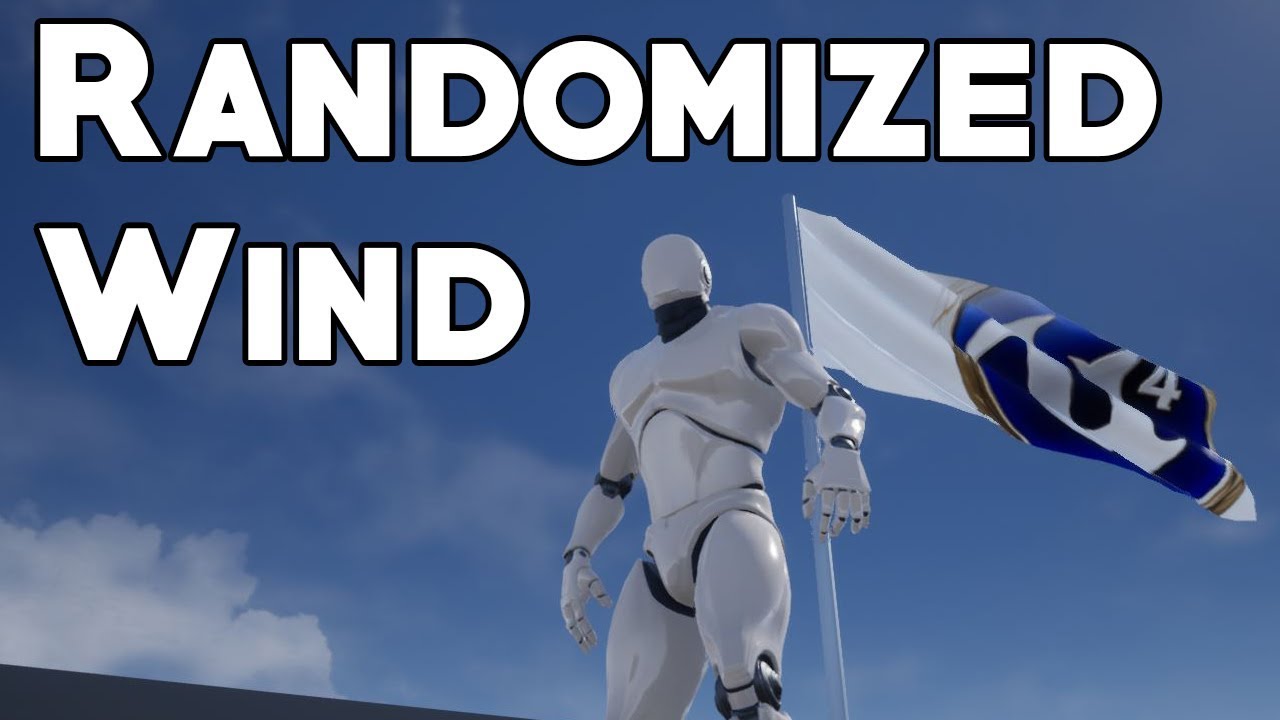
In this video, we explore methods of adding random behavior to the Wind Direction component in Unreal Engine 4, as requested by Ammar Ammory. Topics covered: Blueprint functions, level blueprints, wind directional source.
SUPPORT:
PayPal - https://www.paypal.me/JBunderscore
G...
hybrid owl
@hybrid owl https://www.youtube.com/watch?v=Nowz09Y-QZw
@versed lion yep i alerady seen that tutorial, but i think the wind actor wont affecting other than cloth or foliage in that tutorial. thanks anywaty mate!
In this video, we explore methods of adding random behavior to the Wind Direction component in Unreal Engine 4, as requested by Ammar Ammory. Topics covered: Blueprint functions, level blueprints, wind directional source.
SUPPORT:
PayPal - https://www.paypal.me/JBunderscore
G...
 rain knot
Guys how is there not a single tutorial on integration of Vivox with Unreal?
The docs have no code/plugin usage examples. Just a list of steps to follow but are super vague
I've enabled the plugin but now I have no clue where to start..?
rich rose
this seems so simple but im having issues with lighting.
How would i go about making a completely lit up white room like this where you clearly have a floor and shadows.
floor being the came colour as the ceiling and any walls
 obsidian abyss
Hello everyone, apologies for such a basic question but my google fu is failing me, in the material editor (and mesh preview windows etc) there is a default skybox of what looks like a carpark, is there any way to disable this? Or at least change it? Thanks in advance
 void barn
is there a way for me to seal this up ?
seal off this small little hole
i wanted to use a wall and make it smaller to seal this place off but i dun think its a good practice
eternal urchin
how do i get the name of the current sub-level in world composition?
wraith wyvern
Is it possible to add a freezing system or a over heating system when you go in some parts of the map? Like the forest
@wraith wyvern
whole quarry
Sure, create biomes
 iron viper
Hi, need help with setting up intellisense for unreal. Created a new unreal project from scratch and intellisense doesnt seem to work despite being enabled in the settings and included in the project
is there anything i should take note of?
 open jackal
Is it possible to enable both LPV + Raytracing simultaneously in project settings in version 4.25?
iron viper
Hi, need help with setting up intellisense for unreal. Created a new unreal project from scratch and intellisense doesnt seem to work despite being enabled in the settings and included in the project
@iron viper Recreating the datebase helped but I'd like this question answered so i could learn in future of such issues
 exotic cave
Do Blueprints have analogues to a Material Instance?
sinful bone
How do I export a folder with its content and dependencies and then import them again on another machine? I tried to use migrate and then export to a new folder and just copy and paste it in my contents folder on the other machine, but then all the references in the materials and niagara systems are gone. And I have to re-link everything.
 zealous lava
is my unreal engine hanging at 39 percent because its installing a shader cache or is it a bug?
looked it up already but theres no conclusive answer i can find
 vocal herald
How do I change players rotation via Sequencer? It changes Pawns location perfectly but rotation doesnt change. Ive found out that PlayerController/PlayerCameraManager are responsible for rotation change. But after I keyframed their rotational values in Sequencer it still doesnt change players rotation. So if I change players rotation before playing my sequnce its kinda ruined cause it just looks in a different direction
plush yew
Hey guys. I'm new, here.
I now work as a software engineer at the factory. I am engaged in programming of boards and creation of applications under Windows for their support. I use languages like C++ and C#. But my dream has always been to create games. So I started studying UE4.
Now the question is ... How long does it take for me to understand UE4 and find a job? Also, where better to start?
Also, once long a time, I worked with unity3d
 undone linden
It depends on how good you are in realtime 3d. if you are3 good then it will take you a week, if you are new to realtime then it will take you some years
 brazen forum
in 4.25 does anyone understand what the new FProperty stuff is?
Do I have to switch out my UPROPERTY() macros with something like FPROPERTY()?
plush yew
Okay, I get it) But where better to start?
For example, I started making an inventory system on blueprint
 tight prawn
is there a way to remove tool bar icons ?
say i want to hide open marketplace button
i've looked through almost everything and couldn't find itr
 thick herald
nope.
vernal thicket
How do you store variables inside the player controller? Do you set the variables inside the actual player event graph and access them by wildcarding the player controller?
 boreal plinth
Anyone know anything about replicating media players? I put the .mp4 in content/movies however other players still cannot see it, only I can. Seperate question, I am using media sound however the attenuation override isn't working, the video plays but the sound is over the entire map even though the attenuation range is just within tv distance. Thank you so much if anyone can help.
vernal thicket
^ I think you can only change permanently inside a 3d editor i,e blender
You can temporarily change inside the editor whilst placed in the map by i think holding left shift and using the middle mouse button
Have you got a 3d editor downloaded?
 jolly void
under the static mesh details 'import settings' you can very crudely change its pivot by assigning offsets on the 'import translation' and the pressing 'reimport base mesh' on the toolbar