#ue4-general
1 messages · Page 775 of 1
 open wadi
 steep sandal
@young raft i dont really know good luck
 zenith flower
Turn out "Save as" feature is broken in unreal. Just lost tons of work... like 30 hours worth.
"Save as" created the copy as expected, but also saved my original.
zenith flower
Let me see, i'll test it out since all it lost
open wadi
I believe Save As behaves as intended.
 young raft
I hate losing work like that
open wadi
But yes, that sucks regardless.
young raft
Anyhow, thank you for your answer, @open wadi if anyone has further info they can provide, I would appreciate it. And thanks, @steep sandal.. I'll take all I can get.
open wadi
Sure thing.
zenith flower
@open wadi you are right, must have saved when closing the project or something
open wadi
Yes, it happens, I hit Ctrl+S like a crackhead automatically, so it can happen.
An old habit from losing Excel work in the 90s.
Ok, so referencing this:
I'm attempting to drag, off the "is not valid" pin in the left-most ? Is Valid, a "Create WB Pro Main Menu" widget node as you see here.
However, in my new project, where I'm attempting to replicate this behavior, despite WB Pro Main Menu existing, I can find "create widget" as a node, but when I create it it says "Construct None"
As seen here.
That's a "Create Widget" node, how do I get it to reference "WB Pro Main Menu" as seen in the previous image so it becomes "Create WB Pro Main Menu" widget?
What am I missing?
I created a variable in the widget itself that is a reference to the menu
Does this make sense whatsoever?
 lucid socket
You cast the Return Value to WB Pro Main Menu.
open wadi
@lucid socket ok, let me give that a shot, thank you.
I am attempting to do this (note that in my project, it's called VMain Menu, but is the same thing)
 toxic gorge
Why does Visual Studio do a 20 minute build each time I make a small change to the engine code and run the debugger? ( New to C++ - coming from JavaScript / Python world )
open wadi
But it won't let me connect the return value to the pin on the left side as it has been done on this example I'm attempting to copy:
Am I having a stroke?
lucid socket
As I said, you cast it first.
Return Value is returned from that Blueprint node is a UUserWidget, so the set can't use it directly.
open wadi
I apologize @lucid socket, I'm not familiar with that process yet, how is that done? Pardon the newness.
lucid socket
Left click and drag from the Return Value node. Search for WB Pro Main Menu and you'll see an option "Cast ... WB Pro Main Menu"
This will attempt to cast UUserWidget to WB Pro Main Menu. If it isn't that, it will call the Invalid Cast exec pipe
Otherwise, it will call the Valid Cast exec pipe
lucid socket
Well no they aren't. I assume VMainMenu is a pointer to an instance of WBProMainMenu while WBProMainMenu is the class.
You should now be able to use the returned value of the cast in the set as shown above.
open wadi
No, they're the same thing, this is a different project where I'm mimicking it
So I renamed "WB Pro Main Menu" VMain Menu and recreated it
Ok, so now that I've casted it, I then set it? Does that transform the nodes into the layout originally shown?
In the original format I don't see that cast node, that's what's confusing I suppose.
In addition to being a guy who has been coding for decades but is completely new to UE4 and Blueprints.
lucid socket
What language did you code in?
open wadi
Me? C, Pascal, ASM, Ruby
Little bash scripting.
But this GUI-based Blueprint nonsense, I'm quite new to.
lucid socket
Yes, once you've casted it, you can then set it.
VMainMenu and WBProMainMenu should be different things.
VMainMenu should be a pointer to an instance of WBProMainMenu where as WBProMainMenu should be the widget Blueprint.
open wadi
Ok, so just to be clear here, I've recreated "WB Pro Main Menu" in a new project and it simply has a different name, they're not two different entities.
lucid socket
What is WB Pro Main menu?
open wadi
It's a Widget from the original project I'm referencing.
lucid socket
So it's a Widget Blueprint?
open wadi
And I'm trying to recreate this aspect of the HUD functionality.
Correct, a widget blueprint.
 eager oak
What’s the best way to learn coding? I really wanna make a game when I get a pc but don’t know where to start
lucid socket
OK, so what you're trying to do above is instance that Widget Blueprint
open wadi
Correct
I realize it's leveraging inheritance in some way so that's why certain nodes don't appear as available, such as "Set to Viewport" or what have you, but what I'm confused by is why the original project I'm referencing didn't have to cast, and how the "Create WB Pro Main Menu Widget" node appeared when I appear to have created the relevant references in the event graph.
As far as I can tell, anyway.
Unless, upon doing some action, the nodes automatically update their names.
For example, here, in the original project, I see no manual cast operation.
Anyway, I'll figure it out, thanks for the help @lucid socket.
lucid socket
Not sure, I've always had to cast it.
open wadi
Got it.
 kindred tusk
How would i reference a Variable From one world blueprint to a different world blueprint
 lime gull
if I use "Set sprite color" can i revert it back? My sprite has multiple colors
 eternal urchin
hi can someone help me with world composition?
kindred tusk
How would i reference a Variable From one world blueprint to a different world blueprint
 cinder flare
hi guys when i try build my dedicated server
i got warning
1>------ Build started: Project: GerilyaWarfare, Configuration: Invalid Win32 ------
1>The selected platform/configuration is not valid for this target.
========== Build: 1 succeeded, 0 failed, 2 up-to-date, 0 skipped ==========
this is my build target config
// Copyright Epic Games, Inc. All Rights Reserved.
using UnrealBuildTool;
using System.Collections.Generic;
[SupportedPlatforms(UnrealPlatformClass.Server)]
public class GerilyaWarfareServerTarget : TargetRules
{
public GerilyaWarfareServerTarget(TargetInfo Target) : base(Target)
{
Type = TargetType.Server;
ExtraModuleNames.Add("GerilyaWarfare");
}
}
what am i missing?
open wadi
I'm attempting to create a BP function library, but I don't see the option when I go to create a new BP class
Why might I not see function library in the list of available Blueprint class types?
 solemn siren
@open wadi select the "all classes" drop down menu and search there
solemn siren
post a ss maybe? Would help
cinder flare
@plush yew yeah im building from source, anyway its solved, i forgot to generate the project files
thanks
open wadi
I've posted about 20 screenshots in this channel in the past 24 hours, yes. But yes, I'll post a screenshot of the class not being available here, one moment.
Evidence:
So now that it's established, why might that occur?
 regal mulch
Blueprint Function Libraries aren't in that menu?
Rightclick the content browser and check the additional categories
Should be under Blueprint or so
@open wadi
 plush yew
it is in the menu?
open wadi
@regal mulch Checking
Well in that screenshot, you see, Blueprint Function LIbraries are present, but greyed out.
The only selectable option is "RenderToTextureFunctionLibrary"
For whatever odd reason.
regal mulch
I said already, not there
open wadi
Oh, I apologize! I gotcha.
plush yew
try searching for the correct name instead
regal mulch
No, it's not part of that menu
Wtf stop telling him that
BFL are listed directly in the rightclick menu of the content browser, under Blueprint or so
open wadi
Got it! Thanks @regal mulch
Yes, you can't select it from the "Pick Parent Class" window I was in, it's like @regal mulch said, it was within the right click context menu under "Blueprints" itself instead of selecting "Blueprint Class"
Much appreciated.
regal mulch
Yeah epic handles those differently
Same as lots of other classes
If however you want to make a cpp child of it, then you'll find it in that list, but that's the cpp class parent list then. BP go through the context menu
 vocal nimbus
anyone know why i cant see my megascans texture in here?
open wadi
I have a somewhat unique question, and apologize for the newness. I'm now working with BP functions for the first time, and I'm studying a prexisting project, and in the left sidebar of this project, there are various categories: Utility, Input Detector, Buttons, etc; I see no way to create these categories. Are these manually created or are they automatically generated somehow?
cinder flare
do we need to build new server .exe everytime we add some change on our project to test it?
eternal urchin
can some one help me with world composition? i want to load/setVisability of a sublevel manually at BeginPlay or OnOverlap. independent of layer distance.
open wadi
I believe the gurus have fallen asleep for the evening.
eternal urchin
its 9AM were i am ^^
open wadi
Ahh, I see.
Anyone know if categories can be created for a Blueprint Function Library?
 vernal thicket
Anyone know if the UE derived data cache can be deleted? what's it for?
ltierally taking up 16gb of a different drive...
0
 vivid mortar
@vocal nimbus did you compile?
 fiery copper
@open wadi
I'm not sure how to do the nested ones but if you edit the Category field when the function is selected you can create new ones
 manic pawn
just keep windows defender and you don't need any others
 cinder panther
Hello, i post here since i don't know where it can fit.
Can someone explain to me why the TickGroup still actived and tick each frame even when the tick is disabled ?
 remote roost
going back to an old project of mine and trying to open it, getting this error upon trying to open it
 dawn ember
remote roost
dawn ember
remote roost
oh that is so weird gitlab caused the file to be something completely different
something about the gitlab repo itself
downloading it by itself tho fixed it
doesnt work when i downloaded the zip
vocal nimbus
@vocal nimbus did you compile?
@vivid mortar you are right, i did not. Kind of new to unreal. Thank you
cinder flare
when i start dedicated server, in the logs always listen 0.0.0.0 port 7777
eventhough i already set the IP address
in the blueprint
what am i missing?
 teal tulip
set the ip address ?
from what I know will listen the local address you don't set the ip
the client have to go to your ip 🤔
 coral nimbus
Soft cloth physics and collision mesh finally ready to live link in iClone, Can't wait to see their update in July!
 granite magnet
I've heard about something called "mod.io" which is thought for making you unreal game moddable for players. But I didn't get it right I think:
Is that really meant for players to make mods and upload them so that other players can download them or is it just for downloading mods and not creating them
and if it is thought for creating mods is it just for small things like I don't know... replace a mesh or change some text in the game or something like that 😅 or is it thought for greater things like create items / enemies / equipment and so on?
 tight prawn
can anyone confirm that UE has a builtin text to speech plugin ?
i'm quite sure I saw it in the plugins section but now i can't find it
cinder flare
@teal tulip thanks
teal tulip
@granite magnet is just a sharing platform, the mods aren't created with it
granite magnet
oh alright. Thank you 😄
 mellow flame
guys: how would you implement a sort of super mario 3d world "double cherry" powerup?
basically: how to split my pawn/character, being able to control both at the same time (clones would move as the main pawn/char)
 rose quartz
Is there something else now for runtimeMeshComponent or what do i need to do?
Do i need to use proceduralMeshComponent now?
cinder flare
whats better between create our own matchmaking system or use 3rd party like playfab?
any suggestion?
 novel oriole
@mellow flame duplicate actor and have it take input as well, it seems pretty trivial
@cinder flare, depends on scope and project. If you are going to make a revolution party MMO with 14 billion players a server with custom matchmaking logic, you would make your own system. If it’s just a generic FPS, just find a 3rd party one, preferably with editable source if you need to add some extra stuff
cinder flare
ok thanks @novel oriole , im gonna try gamesparks
 opaque quail
Hey everyone! I'm having an odd bug. After using the foliage tool for awhile, I can't select anything at all that ISN'T foliage. I've made sure to "deselect" the foliage, switch out to the select tool, etc. Clicking on stuff just pans the camera around... any ideas?
 dusty scroll
switch back to object placer top left
youre still on folage placement tool @opaque quail
if that doesnt work restart editor
opaque quail
@dusty scroll Switching back didn't help, but restarting a pile of times did work eventually... weird. Thanks!!
dusty scroll
glad you work it working! 😄
opaque quail
Thanks!
 earnest violet
Broken Ue4 Multiple Projects Error
I changed a material in one project and now all of my 6-8 UE4 Projects on 5 different Harddrives don't work. This is the error I'm getting! Does anyone know how I can fix this. Just FYI I have deleted the files from the folders that these errors pertain too! 😕
Can anyone help me as all my projects are broken just because I changed one lousy material. Now none of my 6-7 projects across 5 harddrives work. Surely there is a simple fix for this without having to reinstall the engine. I am so mad right about now! SHIT ON ME FROM GREAT HEIGHT!!! 😕
 whole quarry
Create a blank project and see if problem remains
If so try to verify engine or reinstall
 azure gazelle
@earnest violet Did you change the world grid material?
Because that‘s a editor material and the error says it can‘t be compiled which could mean you broke it.
There might be a faster way, but verifying the engine install should help.
earnest violet
ok thx i'll try it
Verify is greyed out mate. It won't let me select it! Any ideas?
🙂
azure gazelle
Is the editor still running? Sometimes you need to close an reopen the launcher.
azure gazelle
@winter gale Preview already out or is it source build?
 winter gale
@azure gazelle Source build
However I get this warning trying to create Chaos Vehicle. Cannot create vehicle: UpdatedComponent has not initialized its rigid body actor.
azure gazelle
Thanks^^ need to take a look at AR stuff, although I doubt that they actually improved Android AR Stuff.
winter gale
They have Hololens template included
 obtuse pendant
https://docs.unrealengine.com/en-US/Gameplay/HowTo/CharacterMovement/Blueprints/index.html#4.creatingblendspaces
Im following this and I have a question, why do they put the forward animations at the bottom (min speed) and the backwards animations at the top (max speed)? Doesnt make any sense
A How To Guide for Setting Up Character Movement in Blueprints.
azure gazelle
@winter gale that is great. But I’m more concerned about Android at the moment. Android and iOS are the places AR is really happening right now, not hololens with a few thousand potential consumers. And UE4 is currently rather lacking in regards to Android AR :S
 thick herald
Not seeing 4.26 in git. Am I blind?
whole quarry
You think 26 will come while they announced ue5?
thick herald
don't see why not
in the recent sky atmosphere stream they mentioned improvements in 4.26
I've saw Epic reference 4.26 in internal bug checking
azure gazelle
UE5 will come sometimes next year for most of us, but ue4 projects will be upgradeable and some new features of the things they demonstrated with UE5 will probably be available in the UE4 release cycle already. It‘s not like UE5 is an entierly new engine, so it’s better to keep incrementally release features.
earnest violet
For the love of GOD can ANYONE PLEASE tell me how to active Verify epic launcher. I can't click on it at the moment. It's greyed out and I've tried restarting my computer
cinder flare
anyone have tutorial link how to login using google + playfab using blueprint ? already search on web no result (please let me know if my question is not allowed in this channel)
earnest violet
all my projects are broken and it won't let me verify
if I uninstall epic launcher will it delete my UE4?
regal mulch
Not sure why you can't click on verify. You could try to just uninstall the ue4 version and reinstall it
@cinder flare PlayFab should have tutorials for that already. Check their documentation.
earnest violet
I don't have the data#
cinder flare
@regal mulch i alredy check it, their tutorial is for customID not google sign in
earnest violet
Their must be something I can do to activate verify. I can't find anything on google that shows me how to turn on verify. PLEASE HELP!!!! 😦
regal mulch
@cinder flare Is there a node to authenticate with Google?
earnest violet
if I uninstall epic launcher will it delete my UE4?
cinder flare
earnest violet
If I uninstall and it wipes my UE4 I'm fucked. I then won't be able to download for two weeks until i get more data
regal mulch
You need the SecretAPIKey
earnest violet
Their must be something I can do to activate verify. I can't find anything on google that shows me how to turn on verify. PLEASE HELP!!!!
regal mulch
Stop spamming or you will receive an infraction
 viral fractal
More Data.. you on mobile ?
earnest violet
yeah, tethering with 3.5gb to last me two weeks and my project was going so well! 😕
cinder flare
i mean first in first, i think there should be a button then popup will show, like when we create google sign in on website
viral fractal
Why you want to uninstall ?
cinder flare
that part is the one that i know im missing, but i dont know how to do it
already search found nothing
regal mulch
@cinder flare Not sure about that.
earnest violet
If I uninstall launcher will it wipe my UE4 engine data?
regal mulch
But you will most liekly need your own api key entered into the settings
 idle hearth
Hi How to create movable dust
viral fractal
Why do you want to uninstall it ?
regal mulch
And the Request Struct you create probably needs auth stuff from google @cinder flare
viral fractal
Is there a reason why it need to happen asap.
cinder flare
yeah, you are right auth stuff
but to get the auth i need the button
right? to fill in the usename password of google, then google api will verify it then send me the auth
regal mulch
Could be, I don't know honestly
cinder flare
this step is im missing that i dont know how to do it
regal mulch
Ask on their forums please
earnest violet
to see if I can get it working. I want to verify but it is non active. I can't click on verify. It's greyed out. How do I activate VERIFY. PLEASE for the love of god please help me. I am but a simple man!
cinder flare
this is crazy, i know what im missing but dont know how
@regal mulch yeah i already ask,
thanks btw for your reponse
viral fractal
I have no idea what your Problem is tbh.
earnest violet
I can't verify
viral fractal
So engine doesnt Work ?
earnest violet
it won't let me
regal mulch
@cinder flare For Steam, I had to expose a "GetAuthToken" function to get the current auth token from the SteamSubsystem.
And that i passed into the request
earnest violet
Can someone please give me a straight answer? If I delete Epic Launcher and reinstall it will I lose my UE4 and have to download it again???
viral fractal
My god...
Can you ask a straight question
I dont think it will delete it
But i wont guarantee
earnest violet
I am doing so. It's plain fucking English. I have spelled it out as easy as possible. It's not bloody hard to comprehend what I'm asking
viral fractal
As im a compile from Source hilliebilly and dont even have launcher
whole quarry
no, but the launcher wont be connected to the ue4 installation after reinstalling the launcher
why do you want to reinstall the launcher though?
earnest violet
Every problem I solve with UE4 it has a fucking annoyingly special to then give me an addtional 5 problems to solve. It prolly thinks I love never ending puzzles. FUCK THIS ENGINE!!!!
whole quarry
sure, its the engine, not you 🙄
earnest violet
Yeah sure verify should not work! Let's not be fan boy and kiss epic's money grabbing ass with shite launcher that takes forever to load
whole quarry
ah yes that why its so prominent present in the digital enterainment
also, money grabbing ass? what? 😄
regal mulch
Yo, calm down please. Uninstall the Launcher and check if that solves it
earnest violet
Don't get me wrong I do like UE4 very much so but something should work and it does not like VERIFY how would you feel being on the recieving end of it???
obtuse pendant
Can someone tell me what the name of this node is? I've never seen this expression before
whole quarry
I would be like "welp, lets try to reinstall it"
regal mulch
I would try to reinstall the Launcher /shrug
earnest violet
yeah ok I'll try it
regal mulch
And if in doubt redownload the engine, cause I have internet flat, like hopefully most peeps
whole quarry
lets hope elon's skynet get online soon so everyone gets fast stable internet
viral fractal
Delete system32.dll
regal mulch
@obtuse pendant Older design of the "Unequal Boolean" node
The way you screenshotted it you should rather use "NOT" though
obtuse pendant
ooooh thats an exclamation mark
regal mulch
Yes
viral fractal
I need to import 5000 textures into UE4...
obtuse pendant
nvm thanks lol
viral fractal
I still Wonder why it is Impossible to do anything in the editor while it is compiling textures
regal mulch
Not impossible, but your PC is doing a lot during that
earnest violet
@viral fractal Whereabouts is Delete system32.dll located mate? That's if you're taking to me i think?!
viral fractal
It is Impossible
obtuse pendant
lol
whole quarry
dont delete system32 >.<
regal mulch
Don't troll someone into deleting system32 or something along that line
I will instantly boot you
viral fractal
The "importing texture" window is in the foreground and you cant click anything else
thick herald
deleting system32 is like hitting Alt+F4 except it will not restart
obtuse pendant
its like pulling the plug but you cant plug it back in
earnest violet
@viral fractal You're a dick! Fuck off and shoot yorself!!
regal mulch
Don't go offtopic
viral fractal
Relax friend
thick herald
 earnest violet
LOL!!! That was quick! Did u have that to go or something??? LOL!!!
thick herald
it's in the gif options
earnest violet
I c
whole quarry
before eXi uses Luos banhammer 😛
thick herald
yarp. Agreees
viral fractal
Importing These textures is gonna Take a year...
regal mulch
Tbh, even though minimum spec setups exist for UE4 and you can use it wit hthat, it's ultimately build to be used with a freaking strong pc
plush yew
is there a place to discuss modelling workflows going into UE4?
plush yew
ok thanks
regal mulch
Check #more-resources
plush yew
will do
viral fractal
Its about the fact that you cant batch import more than 10 because UE is gonna crash if you do, and that you cant work inside the editor at all while inporting
kindred tusk
Does anybody know how to reference a variable from one world blueprint to another world blueprint
whole quarry
Game Instance, use that
it remains persistent throughout the entire game session
and wont get destroyed during level transition
kindred tusk
Oh thanks
 dry lotus
Is it possible to dynamically import functions from unreal engine dlls? Or do they always embed the functions in the game executable?
dry lotus
Do unreal engine .dll files exist? What are they called?
regal mulch
Check your binaries folder
dry lotus
.pak has nothing to do with coding?
regal mulch
No, but with adding additional content if you don't want to just update the game
regal mulch
But generally, it's more important why you even need that
Might be solvable differently
 tender flume
will having lesser numbers on a skeleton increase framerate?
obtuse pendant
did I understand correctly that this is necessary as long as you have a designated root bone?
obtuse pendant
Without its acting dodgy, like it resets the position once the animation plays out, with it checked it seems to work fine
movement is hella steep to grasp
 scarlet birch
Sometimes it can help with animations that are a little sloppy or if you're trying to use root motion animations for in place animations.
IIRC, it locks the root to the local origin.
obtuse pendant
hmm, but when I check it, it resets the import rotation I applied to duplicate animations
scarlet birch
or it might lock the joint to its own defualt postion. I'm not sure how it'd react when something like pelvis was the root.
obtuse pendant
does that mean I have to revert my animations to non-root boned ones
scarlet birch
There's probbably an offset or something for it in the details pane.
tender flume
is it possible to use a hair mesh and paint it for hair physics?
instead of hair strands? i heard only hair strands works.
scarlet birch
I've used the standard physics asset for skeletal meshes with stylized hair. Not sure what the options are for more realistic stuff.
eternal urchin
can some one help me with world composition? i want to load/setVisability of a sublevel manually at BeginPlay or OnOverlap. independent of layer distance.
scarlet birch
Check if the levels loaded, and if it's not load it. Probably should remove it from world comp then though or just move it to a layer that has distances that would make it always loaded. If you set it to a layer that would be always loaded you can just check if it's loaded before enabling input or showing the level on screen.
My bad, I missread part of the question. I'd just remove that level from world comp since you're not using it and you can just load it . Then use the set level visibility node if you're in BP.
 white relic
Alright, imma be straight. I can't code for sh*..who wants to make a storm chasing game with me
 frank oar
Hi,
I have just finished my tutorial
But have a minor issue...
When selecting buttons In the menu a tutorial pops up to tell you what to do there.
I used a 'Do once' node but that seems to reset each time the player changes level.
Can I make it 'Do once' and only open once in the whole time the project is being played ?
whole quarry
When you change a level, all stuff starts off again as if it.. well the level starts, so the constructors, the event begin play etc
If you want something to be reminded troughout the game session, then the Game Instance is your best buddy
@frank oar
frank oar
thank you @whole quarry I havent used the game instance up to this point so I will look into how I might run it mini tut from there.
thank you!
 wispy parcel
Do quixel megascans come with collision data or do those need to be generated/added in manually?
 still moat
wispy parcel
still moat
wispy parcel
nice lol
 cloud meadow
Hey guys, new to UE4 and blueprint. I'm trying to just get a grasp for things and wanted to make a character controller, including a crouch. In code I'd write the code to say, if crouch key pressed and isCrouched == false, crouch and set the value to true. else unCrouch and set value to false. How can I do that with Blueprint?
still moat
Monkey sort is working 😄
 wanton lotus
@cloud meadow you need to use isCrouched in the branch node instead of setting the branch node to always true. Then set isCrouched to true or false afterwards.
cloud meadow
@wanton lotus Thanks, I realized having something like this might also help
Is the psudocode for what I'm trying to do
Ahhhh slash thanks. I changed my BP around and I was missing the get IsCrouched node on that branch
wanton lotus
Looks like you definitely understand the logic, just translating it to blueprints is a bit tricky for those new to it since it uses some different syntax.
cloud meadow
This is what I had right before your screenshot
and it'd crouch but not uncrouch, so thank you for the missing piece. Yeah I'm a .Net developer for my day job, code comes easy to me. Just trying to figure out this BP thing
wanton lotus
Essentially, your current branch node is saying "If (true)"
So only true would ever run
cloud meadow
Makes sense
Yeah, that was the missing piece. It's working now.
Appreciate the help @wanton lotus and @still moat
wispy parcel
When you change lit to 'player collision' in the viewport, do you see the custom collision box on the door? @gleaming hound
@gleaming hound I'd suggest taking the door to your chosen 3D modelling package and making a custom collision mesh in there, then reimport without generating collisions. There are lots of tutorials out there for exporting custom collisions. This way you could fix the issue and keep collisions optimized too.
As long as it's a static mesh you're importing as a whole, yes. If you plan to make this modular or plan to break it apart, you'll need to make a custom collision for each individual piece. Because this mesh is mostly made of flat primitives, creating a custom mesh would be easy.
No problem at all. A lot of this is new to me too. I know these examples are done in 3dsmax but the same principles apply. In your case, it's probably best to create a clone of your mesh like in this first example. It's just the second example explains it better. Good luck
https://www.youtube.com/watch?v=6-6JPvQIdhM
https://www.youtube.com/watch?v=pMvEX0lnVSA

A Simple Tutorial showing you, How to Create a Collision in 3ds Max works on .Nif files. tested and working on Oblivion and Skyrim .nifs
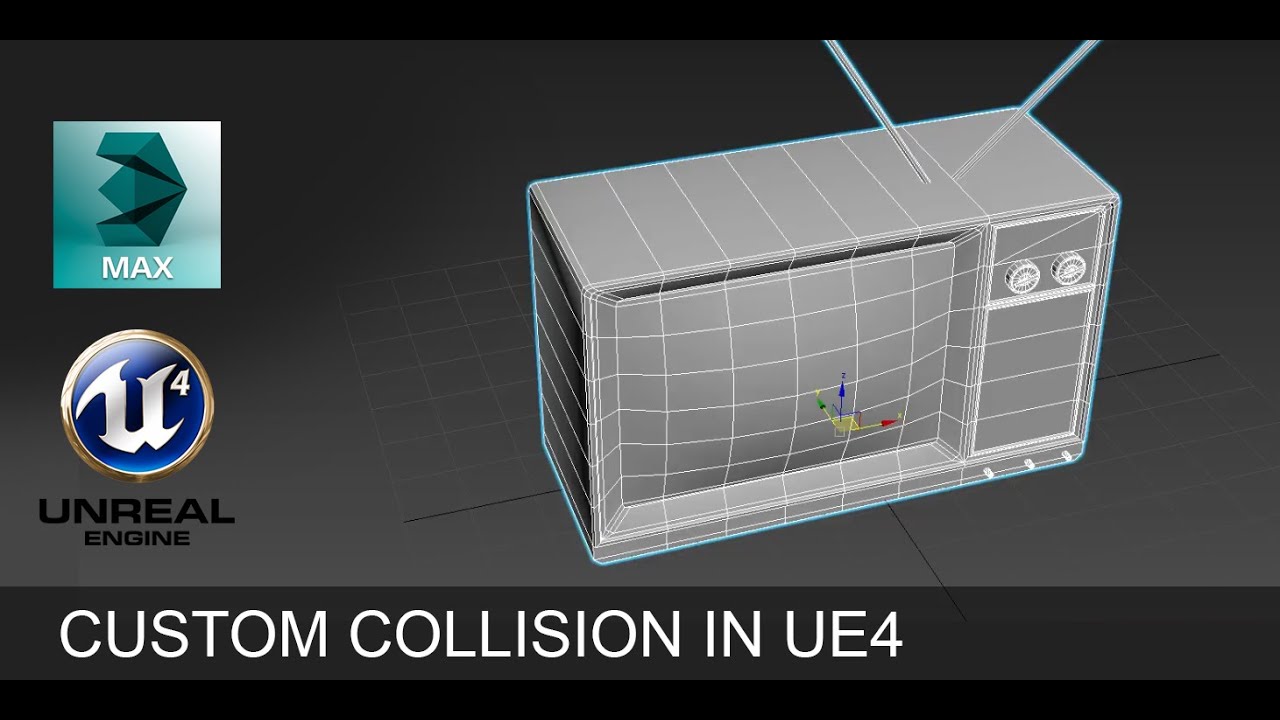
Learn how to create custom collision in Unreal Engine 4 by using 3DS Max.
Learn maths for video games► https://www.youtube.com/watch?v=Bc3-_h3vElk
Learn How to make a moon night time scene in UE4► https://www.youtube.com/watch?v=0YpZlUzkQVk
Facebook ► https://www.facebook...
white relic
Can I just take a minute to say how annoyingly complicated 3d programs are
wispy parcel
Maybe something like Houdini but 3dsmax is a nice go-to. No disappearing UI lol
eternal urchin
@scarlet birch Mike
does the layer distance set the viewing distance from inside the level or the viewing distance of the level from another level?
eternal urchin
i cant remove world comp since im in need of world origin offset.
scarlet birch
but you can load levels that don't use it
not all levels have to be controlled by it
eternal urchin
i mean. if i set the loading distance of level A to 500000. is that the viewing distance from level A to Level B.
or from level B to Level A? @scarlet birch
 alpine laurel
my grass and mountain textures are bright/shiny when there is light on it. What do you do to get rid of that
 mint heath
roughness
alpine laurel
what do i put
 spring arch
Maybe somebodie know how we can set frame rate for the physics objects only? So the update happens every 12 frames for example?
mint heath
no but do you know how to fix a player camera that wont look up and down
spring arch
Do you use some project template?
spring arch
And it works only horizontaly?
mint heath
yes
and my character walks sideways
if i turn on pawn control rotatiopn on camera settings it fixes it but the camera gets all messed up and out of place
spring arch
You cant try to copy the first persone character template.
Its a little bit different from 3d persone
mint heath
no because theres no character
spring arch
You want to see the legs?
mint heath
the whole body because i made it a swat team member for a multiplayer game
spring arch
ah ok cool
mint heath
yea it sucks rn but itll be better but i have everything but the camera isnt workinbg right
spring arch
Ok so you need to rotate camera using mouse input
 stray marsh
anyone can help me with Pixel depth offset in Unreal ? in my case my mesh is getting dark, when i increase the value instead of a smooth transition to the ground
spring arch
One moment i will check first persone template
mint heath
k
spring arch
@stray marsh Have you created it using some tutorial?
mint heath
yes but my camera got messed up and ive tried to fix it
 mint heath
ok thx

 finite jasper
I have a question. How do I do control rotation in 4.24?
spring arch
What do you want to rotate?
finite jasper
It’s for first person, if the character wants to look up and down while holding a gun
And the gun follows with it
spring arch
Do you you a project template for it?
THere is first persone template with a character that can look up and down
spring arch
You cant try make some simple material and check it
I see you have a lot of stuff hapening on that material
Maybe test it on something more simple and see if it works
mint heath
but if i click the use pawn control rotation on my camera it fixes everything but the camera moves to a bad spot which you cannot move it back
stray marsh
@spring arch even with a normal setup its turning dark
 finite dew
I'm new to unreal engine and I'm stuck on something. I've added the walk and running animation but I dont know how to add my other animations (35) If you respond please @ me
frank oar
Game instance is greyed out...
I found this through my project settings...
If I want to edit this, do I need to make a new one ?
spring arch
@finite dew Do you use forward rendering ?
finite dew
I dont think so
spring arch
also you can play with the parameters on the dither temporal aa node
i remember i had same troubles
Oh sorry wrong answer
To add animations you ned to use animation bluerprint
and add state machine for example
inside of it
then you need to feed it with parameters or custom events
that will launch your custom animations
@finite dew So in the window when you have walk idle state
You need to add new state
that will be your custom animation
 spice cliff
hey, ive got a problem, this animation i got from mixamo is not work correctly, as you can see its a bit stiff, this should not be happening, what is causing this? thanks
finite dew
Ah ok thanks alot I'll try this out later:)
spring arch
@stray marsh https://gyazo.com/ac356e99a46b4c05dc8c5f7248069158

Here is the parameters which helped me
 grim ore
@spice cliff it looks like it might have been an animation that was exported "in place" so the motion was removed from it.
spring arch
@stray marsh Also here is the
spice cliff
@grim ore oh so your saying its the mesh and exporting that mesh right?
stray marsh
thats doesnt work @spring arch cause my mesh is turning dark or blueish
cause the sphere is white, with pixel depth it is blue and pixel mush
grim ore
@spice cliff when you export the animation out of mixamo, one of the options is "in place". Did you have that checked?
spring arch
@stray marsh the white box is for size ref
spice cliff
@grim ore ill check one sec
spring arch
@stray marsh Sphere was a standart size?
spring arch
If you zoom close to the edge how it looks?
I know that shadows can apear if you use offset try to disable it for a moment
and check close the edge is it smoothing at all?
spice cliff
@grim ore right so, the only time i see 'in place' when you see the preview of said animation
stray marsh
@spring arch its work , when i deactivate, "cast shadows" but obviously i need shadows ^^
spice cliff
@grim ore and as well as mirror are you saying that these option affect the export ??
grim ore
yes and if that is checked when you export it will put the animation in place when it exports. did you have that checked?
any of those options affect the export
 keen goblet
Depends on the game
spice cliff
@grim ore nope unchecking in place does not change anythink
grim ore
which animation is this?
spice cliff
@grim ore ive been test htis probelm with a running animation
grim ore
yes which one is this? and is this a skeletal mesh from mixamo as well or one from somewhere else you are retargetting?
spring arch
@round summit yeah shadows is a good stuff 😀
grim ore
if in place did not fix it, and you are retargetting, its possible you are retargetting a bone wrong. It looks like the animation is tied to the hips for the root
keen goblet
Seven put an explanation of the problem in #level-design
spice cliff
@grim ore i made the mesh myself and i made the skeleton myself aswell in blender
 gleaming hound
Any tips for making lighting build faster? got 591 unbuilt objects
keen goblet
Aside from upgrading PC and setting a high priority for UE I don’t think there is a simple way
grim ore
lightmass importance volume, lower the quality if just testing, faster pc, more pc's using swarm, switch to realtime lighting, break your maps apart into smaller maps so you only have to build parts at a time?
alpine laurel
is there a bug with ue4 2.24.3 that is causing the static lighting to disappear on build
open wadi
Hopefully I explain this properly.
I'm examining a project and I'd like to determine where "BP_PMM_Instance" is located within this project - is there a way to jump to it, akin to the magnifying class icon when you specify a GameMode or some such?
I see no details panel when I click the Cast node, how might I find BP_PMM_Instance in this example?
grim ore
well that is a class, so it has to exist in the project somewhere. go to your content browser, click on search at the top, make sure you have your root content folder selected in your list on the left, and type in the class name to search for it
open wadi
@grim ore - Will do, thank you much.
grim ore
also assuming it is the game instance and is set correctly you can access it from the maps and modes in settings. click the eyeglass to navigate to it
open wadi
Hmm, it seems to only be searching for folders with the string I search for in the content browser.
grim ore
yeah you are in the asset panel, the folder structure
open wadi
Got it! Thank you much @grim ore.
grim ore
even tho it says filters to the left, the filters is a button and not the same as the search bar to its right
open wadi
What would be the general term for classes, game modes, etc within a given project, so I use the correct terminology? For example, would I say "I need to search all modules within a given project?" Or maybe components?
grim ore
you would say classes
open wadi
Ahh, so you have to refer to the relevant object type.
grim ore
it also depends on where it is at
open wadi
There isn't some generic term for all aspects of a project.
grim ore
for example if you wanted to refer to something in the project, content in the content browser, its probably ok to refer to it as an asset
stray marsh
maybe Pixel depth offset isnt working with Ray tracing ?
grim ore
if that content was a blueprint, you might refer to it as a blueprint
if that blueprint was in the world, it would be an instance of the blueprint
open wadi
I'm adding the search tip you just taught me to my general UE4 notes so I wanted to use the correct term, thanks again.
grim ore
well the funny thing about the search bar is it can search thru any of the meta data in the assets in the content browser.... https://docs.unrealengine.com/en-US/Engine/Content/Browser/AdvancedSearchSyntax/index.html
open wadi
Interesting.
grim ore
also... correct wordage is good to know, kudos for that, but even knowing it doesnt help when half the time its got multiple names lol. For example world, level, and map is sorta interchangeable sometimes in UE4..... because.... Epic
 craggy perch
is there a class that is easily accessible from editor? (Basically i am trying to make it easier for designers to add quests to our game so would like to add some sort of integer based ID system to quests) but don't really want to link up a database to our project.
Is there somethingl like a 'gamestate' but editor only, where i could store highest quest ID, so when they add a new quest I would just take that number + 1 as next quest ID? Or is there a better 'quick' alternative?
grim ore
Data Assets are normally what one might use to make stuff in the editor but I can't think of an easy place to store global variables in the editor itself. Normally for something like what you are talking about you would use a data table imported in from an external source like a spreadsheet so you can easily keep track and modify a list of data
 exotic thicket
You probably could have a data asset per quest, and then store a list of valid quests somewhere
grim ore
technically you could write an editor utility plugin that could manage variables and keep track of your quests for you but storing the data is not super easy in pure blueprints and the editor.
craggy perch
yeah just really want to make it as friendly to the designers as possible, so that they don't have to worry about numbering at all, and they would just focus on their pipeline of adding a quest and all the numbering and everything else would be automatic.
okay will try a few things, thanks
exotic thicket
What is the purpose of numbering? Order of quests?
craggy perch
no, just internal ID
so that if they want to search for a quest after a bug report the QA could just say quest 301 has a problem
exotic thicket
A string text ID might work as well :)
grim ore
well the question might be asked, how are they designing the quests in the first place?
open wadi
I'm creating some error handling, and I'm reading the docs here - does anyone have a simple explanation for "TravelError"? The UE4 docs state "Allows games to handle cases such as trying to load an invalid map, which are not covered by Network Error".
Is that it? Invalid maps? Where else might TravelError get called?
Or when else, rather?
grim ore
I doubt anyone actually knows off the top of their head without looking at the C++ code but as this is networking you could try in #multiplayer
 vital jackal
how the hell do you move folders without breaking everything? god
 rich stream
hey, I wonder if anyone here could help. I'm getting spammed by this error in the log
StartTransport failed to create multicast socket on 0.0.0.0:0, joined to 230.0.0.1:6666 with TTL 1
LogUdpMessaging: Warning: UDP messaging encountered an error. Auto repair routine started for reinitialization
FUdpSocketBuilder: Failed to subscribe UdpMessageMulticastSocket to multicast group 230.0.0.1 on interface 0.0.0.0
I tried disabling the network transport in settings, as suggested by a forum post, but no luck.
it's a single player, vr project, using the vr sample. I believe the error started when I removed some assets from the vr sample, but can't be sure.
AAh, of course when I had given up and had to ask, then I got the idea to check plugins, an there was 2 network plugins enabled. Disabled those and the error is gone.
open wadi
Will do @grim ore, thanks again for the quality support.
craggy perch
@grim ore
right now they are just loose blueprints in folders, and it works but after they added a 100 of them it's a bit messy and they're losing time on finding the correct quests sometimes because they name the BP's strangely 🙂 so i'm trying to make a 'quest editor' for it basically so that they will have one Editor Widget BP where they will do everything 'quest' related in a nice organized manner (the code structure underneath is well structured from what i can see but just want to help them visually do the same thing a bit faster).
That's why I wondered if there's a place for global editor vars so that I could replace the ID system cause right now they're manually writing QuestID strings as 'ID' but the naming conventions aren't enforced and it has happened that multiple people used same ID's for different Quests etc 😄 So want to help them avoiding human error in situations like that.
spice cliff
@grim ore ok ive tried another animation to give you a better look at what the problem is
open wadi
Is there a quick way to tell, within an event graph, if a given function comes prepackaged with UE4, or if it's user-created? Example here with "Create Request" in this project I am studying - I don't see Create Request listed in the group of functions for this asset, yet I don't see "Create Request" listed as an available node when I drag a pin off and attempt to create a new node either.
So I'm not sure where the heck this function is coming from, and if it's a prepackaged one with UE4 or if it's one that was created for this project.
In the documentation, I see FHttpModule::CreateRequest listed as an existing method.
So I assume it's prepackaged.
grim ore
@craggy perch yeah about all I could think of is your quest editor could keep track internally but saving it out to a file is hard in pure BP (the curent quest max #) and if you reset the blueprint itself any internal variables would probably be reset as well.
@open wadi usually if you mouse over the node it should say which library it is in, and at that point you would look thru the docs. Plugin/user created nodes all integrate with built in so no real way of knowing unless you are not using any plugins or user created at all
open wadi
Makes sense, thank you. Would there be any particular reason, ,when I drag a pin off a node in my own project, even if "context sensitive" is unchecked, "create request" doesn't appear as an available node?
Do I need to #include an http library or some such (assuming this is an HTTP method)
grim ore
some nodes require a certain context and can only show up in that context, for example animation nodes wont show up outside of the animation Blueprint. Its the same for other nodes, so you might have some that only show up in the game mode or game instance
open wadi
Googling "cannot call createrequest" ue4 doesn't give good information thus far.
Hmm, ok. I tried leaving out context sensitive but the same issue appears. I'll keep at it, thank you @grim ore
grim ore
its not the context sensitive. that lets nodes that could work with the right input work, its a completely different oddity
alpine laurel
what exactly causes static lighting to disappear when you build?
grim ore
when you hit build it would delete the old lightmaps since you are making new ones
@open wadi for the Create Request nodes, if you mouse over them does the tooltip say where they come from
open wadi
Checking...
Mouseover says "target is BP Main Menu Functions"
That's all.
Specifically it says:
"Create Request
Target is BP Main Menu Functions"
On mouseover.
grim ore
definitely does not sound like its built in, but you should be able to find that in your project
by the naming it sorta sounds like a function library
 exotic cave
Anyone here played/checked out Bloodstained?
In particular I'm wondering if anyone's explored the mods. Are they for UE? Or is it something else entirely?
open wadi
Got it @grim ore - It's a function that was created in that BP Main Menu Functions asset.
Thank you.
 dire parcel
best way to learn UE4 ? any recommendations where i can learn and or buy classes ?
teal tulip
Welp YouTube tutorials or udemy things
grim ore
look at the pinned pin at the top of this channel, lots of links to official training for free
 uncut sky
Hello @everyone, how can I make a Solo, Duo and Squad system?
frank oar
I have been told a few times that Navemesh bounds is only used for AI.
But the whole time I have been working on my project I have only been able to move (teleport) where there is a navmeshbounds path...
I want to make an area the player cant leave until they have read the tutorial widget fully, or skipped it.
Is it possible to change from one Navboundsmesh to another through BP to achieve this ?
 marble shoal
Hey Anyone had luck with using custom characters with ALS V4. I have 2 epic characters working with it after retargeting the Anim bp and I have added the Virtual bones but My foot IK wont work , also they walk slow and sprint ok but if they jog they move there legs super fast on the spot and look silly
@frank oar If your using VR YOU NEED the nav mesh. the default teleport system needs it. but you could use blocking volumes to around the area.
@frank oar then you could kill the blocking volumes once Tutorial had ended
frank oar
Oh brilliant!
I will give that a Google as I havent used them before, I am hoping I wont be able to teleport thought them then ?
Might be exactly what I need!
Thank you @marble shoal
obtuse pendant
@marble shoal If no one here can help you with ALS (I would but I gave up myself lol) they have their own discord, maybe try asking there (also tell me how if you manage to do it lol)
tight prawn
are there any resources about adaptive music in UE4 ?
kindred tusk
How would i detect that you have been or are in a specific world through a game instance
marble shoal
@obtuse pendant Yes I tried to join it but they wanted my Phone number. Don't really feel comfortable handing that out to strangers tbh
obtuse pendant
Hm, i dont remember that
marble shoal
@kindred tusk Just a rough guess, but maybe get the level name. or if level name = to name set a bool. never done it before but seems like a simple way
kindred tusk
oh so check the level that you are in and if it is the one you are looking for then mark it as complete
marble shoal
@kindred tusk
kindred tusk
that makes a lot of sence thanks
marble shoal
Take this with a poinch of salt . I just came up with this idea in an instant
pinch
 cedar wave
I'm lookin' to create a world where it is mostly water. Does anyone know of a specific approach to achieve this? Would a plane with a water material be too unrealistic?
Think like an open-world game where being on the water is the main focus.
 silk delta
Anyone encountered a problem where a mesh will only show in game if you flick to wireframe and back?
Doesn't happen when I run as a standalone game though. Odd.
 azure shore
hey this is quite specific, but does anyone know of any ways to like, draw landscape within runtime? in my level editor Id like to have a sort of brush tool that you can draw landscape with
I know of voxel plugins and stuff but Id much prefer to do it myself because I wouldnt need the whole thing
marble shoal
@silk delta I had an issue where the landscape was there but would not show, But I could drive on It and see it in wireframe . I had to remake the level 😦
silk delta
Weird hey! Oh well I've switched back to having the game preview in the current editor window. It was the separate window that was doing it. Small problems...
obtuse pendant
mfw a bug makes me redo 3 hours of work when its just a yaw node attached to a pitch
azure shore
I feel your pain
white relic
trying to blend translucent materials together isa f**ng nightmare
 kindred viper
 fresh python
how do i add megascans plugin to ue4 4.25?
i downloaded bridge but nothing happened
the expoort button in bridge is greyed out
 vagrant nexus
smh
 wheat hare
what is it called if I want a drivable car to drive itself around?
any tutorials on that?
 marble hazel
I'm trying to get this 3d sound component on an actor to work but the player only hears the sound if it spawns in its inner radius
does anyone know why that could be?
If the player walks into the radius without being spawned in it it does not work
wheat hare
then trigger it on collision with the actor, not when it spawns?
you could even give it its own collider
marble hazel
Arent you only supposed to start hearing the sound when you are in the fall off radius?
I want you to hear the sound once you get into a certain radius of the actor
even making the fall off and radius very small I can hear it all the way from the spawn point
 distant totem
I haven't been able to generate the console variables HTML file from the help menu since 4.24, still not working in 4.25, did they change the statfps command in game?
is anybody able to generate that and paste it by chance?
for 4.25
wheat hare
oh I'm sorry, I misunderstood your question
distant totem
oh stat fps does work it just doesn't appear in the dropdown I see
marble hazel
Do you know how I could fix that I watched a video but it just worked in that one
 south urchin
Anyone played around with the new SkyAtmosphere component? I can't figure out how to make the fog transition not so damn harsh/direct 🤔
that blueish line it transitions way too sharp
other than increasing the distance from the camera it starts I couldn't find any other solution
that's the effect it's producing yes but with the new SkyAtmosphere component not the old Atmospheric Fog component
distant totem
is there some sort of heightfog component inside it?
i haven't looked at the new stuff I don't know if its all in one sky bp
south urchin
it's the mie scattering effect that more or less replaces heightfog yes
exotic thicket
How do folks usually refer to other components from your own custom components? Just get refs to the components from the parent actor in begin play by class or something?
A lot of the options for doing that feels so brittle :p
I guess something like that'd do
It's not like I need that many component refs anyway... at least not right now lol
this sprite animation stuff I'm doing is just getting so freaking complicated that it's starting to feel like I'm going to need a sprite animation state machine component :P
 dim plover
You should probably keep that in the component itself.
You can just getOwner in whatever component lifecycle event you want.
exotic thicket
Oh can you set a soft ref in editor and it resolves to the component at runtime? That'd be pretty handy
I've been using soft refs with some savegame stuff but haven't really looked at them that much
interesting, will have to check that out
dim plover
Other component instances or just the class?
Because if you want the instance, I don't think you can use soft refs.
 night bridge
Does anyone know a tutorial where it teaches you hew to make it so that when you shoot a rocket or grenade at a building or something it explodes and causes damage to the building like actually destroy stuff too
plush yew
hey guys, so ive been using unreal 4 for about all of 2 weeks and im just wondering if its better to stick to blueprints or if it would be better to Learn C++ and Develope with it.
 latent flume
Have anyone tried the atmosphere component in https://www.youtube.com/watch?v=SeNM9zBPLCA&t=331s?

This hands-on presentation by Epic's Sjoerd De Jong explores the Sky Atmosphere system in Unreal Engine. Starting off with the basics, viewers learn how to render a beautiful and fully dynamic sky within seconds. From there, the session showcases how to create alien, dusty, or...
wanton lotus

Outlines where to find learning resources for the Chaos Destruction system within Unreal Engine 4.
@plush yew are you familiar with any other programming languages?
plush yew
no but im just wondering if it would be a good idea to learn C++
latent flume
I end up with this. Everything is at origin 0,0,0.
plush yew
i know its Very difficult but ive been looking into it and i wanted to know if using C++ coding would be better than constantly running into annoying deadends with Blueprint
wanton lotus
It would definitely be beneficial to know C++, but it isn't necessarily required.
What kind of deadends are you running into?
plush yew
so ive been working on a test project for a week now and completed it. i got the character to walk and look around and rigged the animations and gamemodes and all. But im trying to develope a "Survival" type game and its very difficult to find help on YT (Even with Virtus Devsquad, and Ryan Layley)
i was just wondering from more experienced users of ue4 what is better to use (even if its not easy or quick)
wanton lotus
For quick reference, the Survival Game Kit found on the marketplace was created entirely using blueprints.
As for which is better, C++ will be more efficient if you know exactly what you are doing. An inexperienced programmer may end up with code even less efficient than using blueprints.
When it comes to programming, there are countless ways to accomplish the same task, however, each way won't be the same in terms of efficiency.
wanton lotus
Not trying to discourage you from learning C++, it would be beneficial to be able to understand it and the logic you learn from programming will translate very well when creating blueprints.
dim plover
Learn Blueprints first. Then, if you want, C++.
wanton lotus
For the most part, you will still utilize mostly blueprints, since there is no point in recreating the wheel.
plush yew
yeah i get what your saying
wanton lotus
For things that don't yet exist in blueprints and you need, you then turn to C++.
plush yew
yeah what im trying to accomplish are mechanics i cant figure out how to accomplish with BPs
anyways now at 16 or in im gonna go into programming anyways why not start now, even if it would take the rest of the summer and ill never get a chance to "attempt to make a game"
thanks for the advice
😉
 undone cradle
question, anyone build a mixed reality app in unreal engine?
open wadi
I cannot find this "is in viewport" node - its target is "User Widget" - if I search for "is in viewport" or anything with "viewport" I don't see the node available. Where / how would one find this node?
distant totem
@open wadi untick context sensitive
open wadi
Note that this is another project I'm referencing, I'm attempting to create this node in my own project.
That did it @distant totem! Thank you much.
distant totem
no prob 🙌
 sly glade
Hello all - would anyone happen to have a build of this ?

Qiita
Unreal Engine 4のShading Modelを拡張して独自のライティングマテリアルを追加します。
この記事は2018年10月14日に開催される、Unreal Fest 2018の講演、「UE4のライティング解体新...
(I would be more than happy to build it myself but this is something I have zero experience with)
and I should probably mention that what I am interested in is really the end result (half lambert in UE4), so if there is any other way to get there I'd love to hear it too
plush yew
The programmer working on my project said that the FBX file i gave him for a pistol didn't have a physics object. Does anyone know what i can do to fix this?
sly glade
your best bet is for both you and your programmer to learn how to setup physics objects (it's pretty straightforward). You can either generate them on import, or point to an existing one, or create them manually (all within UE). They do not come from the FBX file itself.
Can't blame you for not knowing about it ; and your programmer shouldn't make shit up 😄
plush yew
thank you, i'll relay the message
sly glade
it's certainly part of asset creation though, so I'd say it's up to you
not him
so I guess you guys are both to blame 😄
sly glade
sure thing - https://lmgtfy.com/?q=unreal+physics+asset
sly glade
then there's probably an issue with the scale of the skeleton.
plush yew
yes, i understand that
i don't understand how to fix it
that is why i am asking here
 limber mesa
Hey if anybody can help me with this error that would be appreciated
idk how i got this error lol
nvm fixed it, i made a typo again lol
line 30
editdefaultonly
its EditDefaultsOnly
scarlet birch
Anyone know a possible reason UE would crash when trying to save or apply a key frame curve to a joint? It's giving several different errors and this is a fresh project with only the model and few other things added to it. It's only certain joints that cause the crash.
I'm wondering if it might be because it's a retargeted animation and the joint I'm trying to keyframe is not present on the source skeleton.
ok, well that solved it. Typing out the questions made me wonder if it was due to retargeting so I exported the animation from the editor and reimported it. No more crash.
kindred tusk
how to i reference a variable from a game instance to a world
 remote brook
where can i get a 2d level already made for free?
 hidden knoll
there are templates
open wadi
hidden knoll
@remote brook Do you mean the basic structure already done?
kindred tusk
just use the 2d side scroller template it will give you a nice starting template
 tiny sonnet
is there a flip flop with 3 execs?
vernal thicket
Anyone know of an obvious reason my ai move to succeeds even though the ai is blocked and doesn't reach acceptable radius?
 steel fulcrum
Hi everyone... I write a roundup of interesting things Unreal creators (and some other XR folks) are building / how it fits into the broader ecosystem / what methods they're using. If you'd like to see it every OTHER Sunday, sign up here: http://www.carminedimaro.com/xrinnovators
Carmine Di Maro
vocal nimbus
after i build everything, why does my lighting go insanely bright?
vernal thicket
Have you got the skylight turned up?

 storm jasper
dusty scroll
storm jasper
dusty scroll
@plush yew means its a pawn that is possessed
you also most likely have gameplay debugger on
@storm jasper yes, compiled languages need to be compiled
plush yew
ahh
vernal thicket
Anyone know how to stop ai move to success on blocked?
Literally makes no sense, the ai move to node will succeed if the ai is blocked, logic right there
 valid agate
Hi All, I'm having this strange behaviour un UE4.25. I don't know how it started by all of a sudden I have all my project lights burning out (Redness). Can someone help?
plush yew
Hello guys I want to make with widget with 3 buttons to can change the color of the furniture (cube for example)
I read all the docs and watch videos but I can't still do it
I created this
and when I begin overlap the cube it shows, when end overlap, it removes, this works without problem
but now I have not idea when I click on the green button for event on released what bp I need to do
if someone can help me please tag me or write me in DM
hello? @plush yew
idk man
I am waiting for help too
idk when 7k people are online
yep
thick herald
@valid agate are you using raytracing by any chance? I've saw some people get weird lighting due to that and translucent objects like coloured glass
thick herald
Calm down @plush yew 😄
Sorry not sure, first are you sure those nodes are being fired? Have you used breakpoints or print strings to check?
Sorry @valid agate not sure what to suggest. I take it you've gone through all your light sources and checked them to see if they are the cause?
What does it look like in unlit mode?
 oblique tangle
Anyone know how I can force my anim montage to stop based on a notify?
Got a hit reaction montage and I want my enemy to stay on the ground
valid agate
@thick herald Initially I though it was something to do with my lights, but this is happening across multiple projects. Unlit looks like this:
thick herald
if it's multiple projects, sounds like you may have changed something in the engine instead of the project
anything you may have changed in the engine - any project - will effect all projects.
frank oar
Hi guys,
I have never used a blocking volume before,
Why does this one allow the navmesh to appear in the middle like this ?
thick herald
@plush yew you say ok, but I asked a question 🙂 have you done what I asked?
Sorry @frank oar no idea
 waxen raven
Navmesh is blocked by blocking volume
But if something inside...
If would be able to navigate in there.
thick herald
actually being called / being used. You need to check this by using break points or print strings
So you still need to check if those nodes are being called, my man. You need to use breakpoints and /or print strings.
 mossy nymph
@plush yew change the material, od change the parameter of the material on the dynamic material instance for the cube's static mesh
plush yew
I didn't understand you completely, what dynamic material instance? I have material parameter collection, also about the cube mesh in the level it needs to be cube or cube actor? @mossy nymph
mossy nymph
you need to create a dynamic material instance from the material if you're going to change its parameters
otherwise, you will do so for the mesh asset
which means you color one cube green, you color them all green
plush yew
okay if I create the dynamic material instance from the material do I need material parameter collection
yeah, I understand, I will need to do it not for the mesh asset cus if I have 3 cubes I will want to customise them in 3 different colors not in 1 same
mossy nymph
if you setup your parameters correctly
 iron viper
Hi all, I'm new to Unreal and just got a new PC.
I recently got a "Out of video memory" error when creating a new cpp file from a new project. Every unreal startup and visual studio startup seems to take really long as well.
How can I check if unreal is using my gpu? And is this a problem related to it?
Currently on a i7 64bit with GTX1060 16gb ram
plush yew
man, please be patient
mossy nymph
and OnClick you set the VectorParameterValue of the DMI to match the button's color
it will work
for that widget also needs a reference to the cube actor
plush yew
okay, good, will check out the dynamic how to create and if I have some questions can I write them directly in DM to not make spam here?
mossy nymph
don't DM me 🙂
plush yew
why I can't dm you
frank oar
https://cdn.discordapp.com/attachments/225448446956404738/724193732282286091/unknown.png
If anyone knows how I can make this blocking volume totally block the navmesh which somehow got inside that would be amazing XD
 oblique tangle
@plush yew You're not even executing off of the line trace man
Look at your line trace
valid agate
@thick herald Will keep looking at here. Thanks for the tip about the lights, it gave me a way to go. It seems if I create a level from scratch it doesn't show up. Perhaps this is something weird that was caused by importing some demo from the library. And reading through the notes, it states they are not compatible with UE 4.25. And I have to convert it to run in this version of the engine.
plush yew
stop spam and be annnoying man
please stop
stop spam it man
<@&213101288538374145> please warn or mute him cus he doesn't stop spamming and he is annoying, please
thank you in advance
okay I have bigger progress now but it is weird 😂, when I overlap the model it becomes green without clicking the green button, why xD
@mossy nymph
plush yew
thank you
azure shore
if anyone here knows little big planet, is it possible to make something like the shape tool in ue4? you know how you can click and drag with a shape to like draw with it
 fierce tulip
ok bye
 versed lion
@cyan marten i sent you like 3 DMS
azure shore
ouch
plush yew
oooof
azure shore
trust me it happens, sometimes people are just too busy, dont fully understand the problem or dont know how to help at all
versed lion
@azure shore What you mean?
if anyone here knows little big planet, is it possible to make something like the shape tool in ue4? you know how you can click and drag with a shape to like draw with it
@azure shore
plush yew
yeah I understand
azure shore
Im not sure how to describe it
plush yew
I found where my problem is but idk how to solve, the most important is that I found where it is 😂
in the main material when I chose the color when I begin overlap it, it change it, but I don't want to change it 😦
azure shore
oh wow really?
plush yew
fierce tulip
its not 100% 1:1 but it kinda works like it
plush yew
I want when I begin overlap will popu widget with 3 colors to choose and set the color of the mesh, yeah but actually no 😦
fierce tulip
thats months of coding prolly hehe
 fierce tulip

Spline Mesh Solutions - Fast easy and powerful spline based mesh generation solution.
ok, im afk again.
versed lion
@fierce tulip Is there a way I can make ue4 more friendly to 2d game making, I am having trouble with the 3d camera, while working on a 2d game
azure shore
ah so it is spline, I was wondering if that was it actually
versed lion
sry if i am interrupting
azure shore
oh @versed lion Im making a 2d game too, I just use ortho camera
versed lion
is it free?
azure shore
OOF 100 quid, Im not surprised its expensive but thats why I have to make it myself
versed lion
what's the tool's name?
fierce tulip

Pixel 2D is a plugin for Unreal Engine that aims to pick-up where Paper2D left off.
azure shore
what do you need to do in 2d?
versed lion
And ty for responding I appreciate it
@azure shore i am trying to make a 2d pixel art game simple
fierce tulip
np, now im really afk
plush yew
xD nice
azure shore
oh, I tried with pixel art and a big problem was pixel distortion and I wasnt sure how to fix
plush yew
uum, anyone can help me for my problem that I want to do for 1 week 😭
I will wait, don't worry I am patient not like Maxi
plush yew
okay good
I will explain for 100000000000000302032403442432 time
okay
😂
so I have one cube mesh, I want when I overlap it to popup widget ith 3 colors, green red and blue for example, doesn't matter
when I overlap it, the widget popup, no problem, but now I did it someway when I overlap it to change the material of the mesh
versed lion
You want basically to make a choice in game to customize the cube's color?
plush yew
yeah
I created dynamic material
I have parameter value
but idk what to do
let me screenshot the code
I think that the problem is in this main material
I need to do it here when I have the model to not change the color when I overlap, I want to change it when I click on the one of the 3 buttons
I hope you understand 😄
plush yew
okay yeah 🙂
obtuse pendant
Quick question, I have a blend space set up with an idle and then 3 degrees of varying speeds like this
but the 2. node from the top gets completely skipped if I keep it like this and if I remove the top node, the animation of the 2. node only starts fully playing if the preview is still at the uppermost position
shouldnt it be completely that animation as soon as I pass that node?
obtuse pendant
yeah if I check the weight details the middle one gets completely skipped, its 0.5 from the first one and 0.5 from the bottom one
frank oar
I am using a nav modifier like a blocking volume to stop the player proceeding until the tutorial is completed.
I am using a "Get all actors of class" > "Destroy" once the tutorial is completed, but the player is still unable to travel past that area (like its still there)
please can anyone advise me on this ?
 dreamy lake
@obtuse pendant ive been having issues with non—snapping blendspace nodes as well.. never been able to male it work actually :/
obtuse pendant
you reckon it gets disregarded because its not snapping to the grid?
dreamy lake
I would think its a bug that has never really been fixed
And yes. If you make more grid lines and make it snap to it, then it should work
obtuse pendant
How do I make them snap to the grid again, enable "snap to grid" for every single one?
dreamy lake
Yep.. just right click the node and then enable it there
tight prawn
is it possible to use "Material Slot" when working with Geometry brushes ?
frank oar
this isn't working and I was hoping to show this to people in an hour XD
I would be very greatful if anyone has an idea..
tight prawn
I have a texture atlas, and i want to apply a material slot to curved stairway or whatever
how can one go about doing that
versed lion
@frank oar what part of this code is not working?
try adding a delay after the 1st sequence
obtuse pendant
@dreamy lake thanks, it worked
frank oar
well I am using a nav modifier as a blocking volume.
I was hoping that using destroy on it would stop its blocking function...
alowing the player access to the navmeshbounds volume and therefore able to move past it... @versed lion
versed lion
instead of using blocking volume
frank oar
My first guess would be that the navmesh isn't updating when I use destroy, so it might actually be working but I cant travel past it because the navmesh didnt update ?
versed lion
try making an actor
with collision that will block the player
then the destroy actor will work much properly
frank oar
THAT SHOULD WORK !
versed lion
i think yeah 😄
frank oar
oh wow thank you
versed lion
np brother
frank oar
I wish I had the brain cells to come to that solution myself XD
versed lion
sometimes just think on the other similar stuff you can do if A doesn't work so B is familiar and could work
have a good day man 🙂 i hope you will impress the people
frank oar
thank you !
been working really hard on this so I hope so too!
azure shore
so does anyone know anything about making a level editor? I cant find a SINGLE tutorial on it anywhere
I know most of it is really simple but I dont know how to optimise it and save it
like sure I could build something with loads of blocks but then itd be bad performance
and idk how to save and load
whole quarry
Why would it be bad performance?
azure shore
well, for bigger maps with lots of actors
I made a line tool, click once then click again to make a platform from first click location to second, which works well but Id probably need more than that
its a bit ugly
ideally Id like something just like the little big planet shape tool but theres no tutorials anywhere
versed lion
@azure shore try looking up on google, map rendering, light rendering, and all of these stuff it should like make the map "completed"
azure shore
Ive dodged a bullet with that and my game is unlit 😏
an actual in game level editor I mean
frank oar
Weird problem, when I used the standard 1m cube SM to block an area, if I scale it up, navmeshbounds actually gets inside of it. I feel like its going to get a little out of hand if I have to make a thousand of them just to kill the navmesh within an area the teleporter could potentially reach XD
though I could make them long and thin like this I guess, that would need less
versed lion
just customize the nav mesh
azure shore
so far I have this https://gyazo.com/3a6badda9ffdbed3d9609af15628c102 I feel like its not the best though


 versed lion
why isn't it the best?
azure shore
well
its 3 meshes for each click, which may not be too bad but this feels a bit limited
azure shore
thanks
maybe its ok for now, I could add like a size option
admittedly Im not 100% sure how optimised things like this will be, but I feel like itll get bad for having a lot of this
maybe the fact that the game has hardly any graphics will make up for it, Im not sure it seems like a lot of collision
vocal nimbus
Have you got the skylight turned up?
@vernal thicket yes i have
 bronze mango
who is the brackeys of ue4 😅
i want to switch from unity to ue4 any good yt channels
 supple totem
hi all, does anyone know what this means in terms of ending an undo transaction? Only successful if the transaction's action counter is 1.
does that mean I can't have multiple actions lumped into one transaction?
wheat hare
@bronze mango the guy who does the WTF is...? series comes in here and answers questions sometimes. Those are good beginner videos but like all YouTube you have to make sure you're using the most up-to-date methods for the engine version you're using
Like in 4.25 you might animate something with an actor sequence whereas if you're version locked for some reason to 4.19 you'd use something else.
 rigid belfry
can i have a GIF as a widget menu image?
bronze mango
That does Not sound good at all😅
bronze mango
😕
azure shore
relating to what I asked earlier, how easy would it be to kill performance by just spamming lots of cube meshes? like would thousands drop fps, or millions or what
 atomic vortex
Hi, in a tower defense, would you implement projectile types as components? Let's say 3 different towers use homing projectiles
I'm a bit confused how or how much to implement in the component
Currently the tower itself spawns a projectile actor
exotic thicket
You could probably just have a different projectile actor for each projectile type and choose which one to spawn
frank oar
When I try to change the material (I am trying to make the text emissive)
it just turns into a block, anyone know a workaround for this ?
azure shore
try editing the default text material, text material uses some kinda other functions for the transparency or whatever you call it
a normal emissive material doesnt know how to do that by default
like as you can see in the preview
frank oar
ok, Ill see if I can make an instance and edit that
 copper mesa
Hi guys, Anyone had experience working with Composure? ~*
fresh python
Hello, im trying to follow this BP tutorial for ue 4.25 but i dont have "Right Mouse Button" in my blueprint menu? 😦
i dont have "Mouse Events" at all in BLUEPRINT Editor
ok nevermind found it
its only accessible in the event graph
not the other BP windows
sorry
in this window its not available to find .. weird
kindred tusk
How would I reference a variable from a Game instance to a level
exotic thicket
use "get game instance", and cast it to your specific game instance
kindred tusk
Oh ok I didn't realize that you could cast to anything but your player
exotic thicket
you can cast to anything :)
well, anything that makes sense in the specific context
tight prawn
hey
i'm working on a mountain scene
and i want there to be a thick layer of fog that the player can't see through
unless he goes up the mountain "stairs"
how does one go about achieving that ?
vernal thicket
@tight prawn Exponential Height Fog
tight prawn
yeah I'm playing around with that, but it affects the entire map
versed lion
Hey guys, I wanna cast to chest but i can't seem to find a way to plug in the object
The chest is an Actor
wheat hare
Plug the density of the fog into the z of the player
I did that with opacity once for another reason
tight prawn
nope didn't get the results i want
this is from the documentation, i've followed it but i don't get the same results
obtuse pendant
I want to switch the used blendspace in my animation blueprint via my character controller, do I need casting for that?
I already promoted the blendspace in the animation BP to a variable, just need to set it from the character controller
viral fractal
Is it normal for UE to take 25min to import 15 4k textures, What the hell, this should be under a minute
 mint raptor
so this is annoying. Unreal thinks a BPA is being referenced in BPB and it is not. Whenever I go to delete BPA and warns me that BPB is using it and when I force delete editor stops responding.
What can I do to be sure that BPB really doesn't have BPA in it at all?
obtuse pendant
not sure but from what I experienced it doesnt sometimes fully delete stuff, i halfassed quite a lot of organizing assets and stuff and when I checked in the file explorer there were remaining assets that wouldnt show up in the content browser
mint raptor
@obtuse pendant Well that's because if you rename an asset, it keeps the original for some reason can't recall. If you right click on the folder and click Clean up or Fix Up Redirector it should get rid of excess files
In my case it thinks it is being used but I can't find any ref of it actually in the BP
I'm tempted to just hard delete from windows
but IDK what further chaos that will unveil
exotic thicket
I had that problem Nonlin, but Force Delete did not freeze UE for me :\ Have you tried waiting for a few minutes? I've noticed it can sometimes just freeze and look like it crashed but it just takes a while
mint raptor
@exotic thicket waited 30 minutes
exotic thicket
Oof
exotic thicket
Have you tried using the validation options in the asset actions? Not really sure if they're relevant to this