1 messages · Page 770 of 1
 plush yew
https://postimg.cc/PvfZ0KPd this is taking 10x longer to rebuild light than https://postimg.cc/ygnGDN4y this
 maiden verge
could anyone help me with a spline ?
 dusky crest
Yo, just double checking, this looks like root motion right?
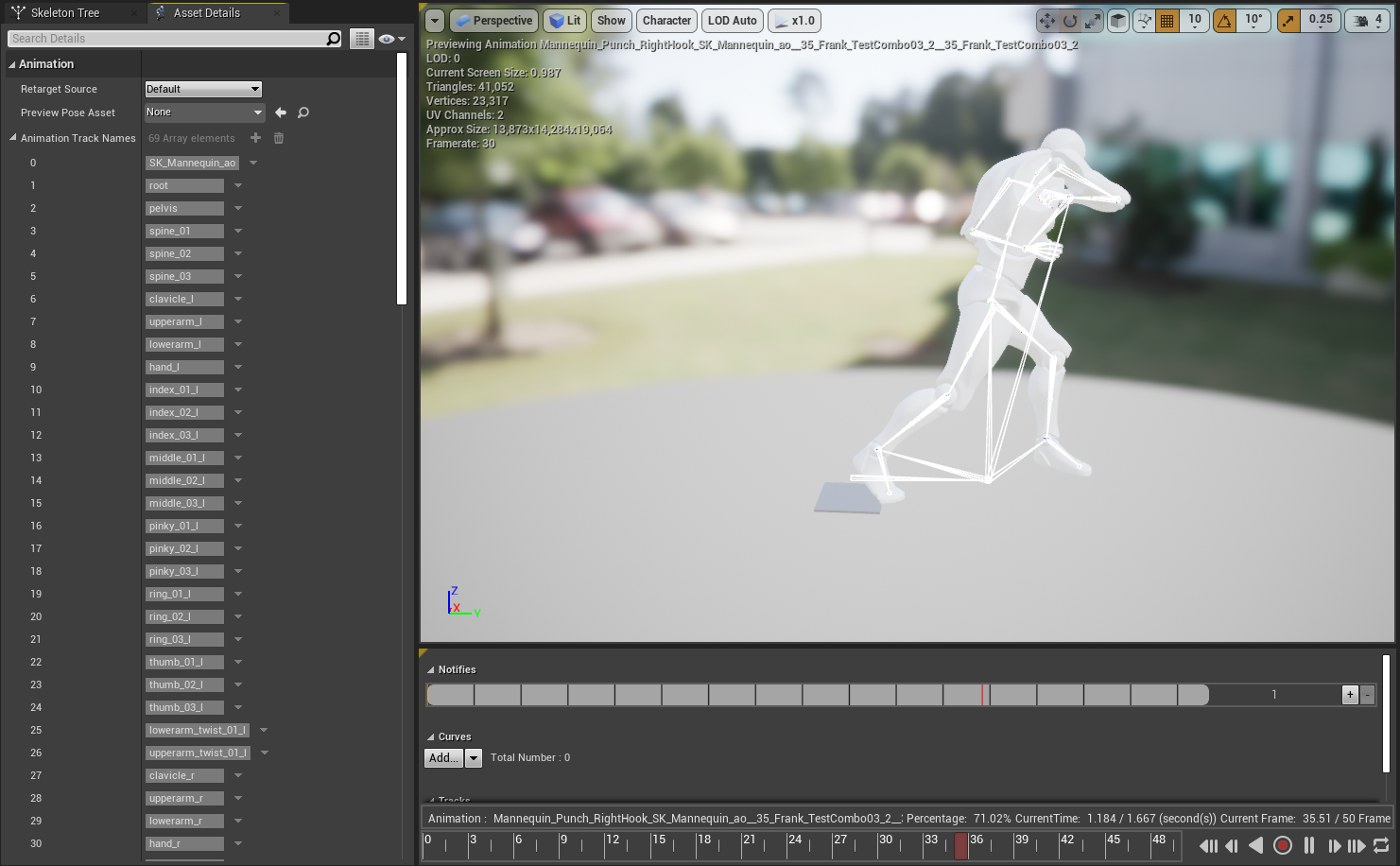
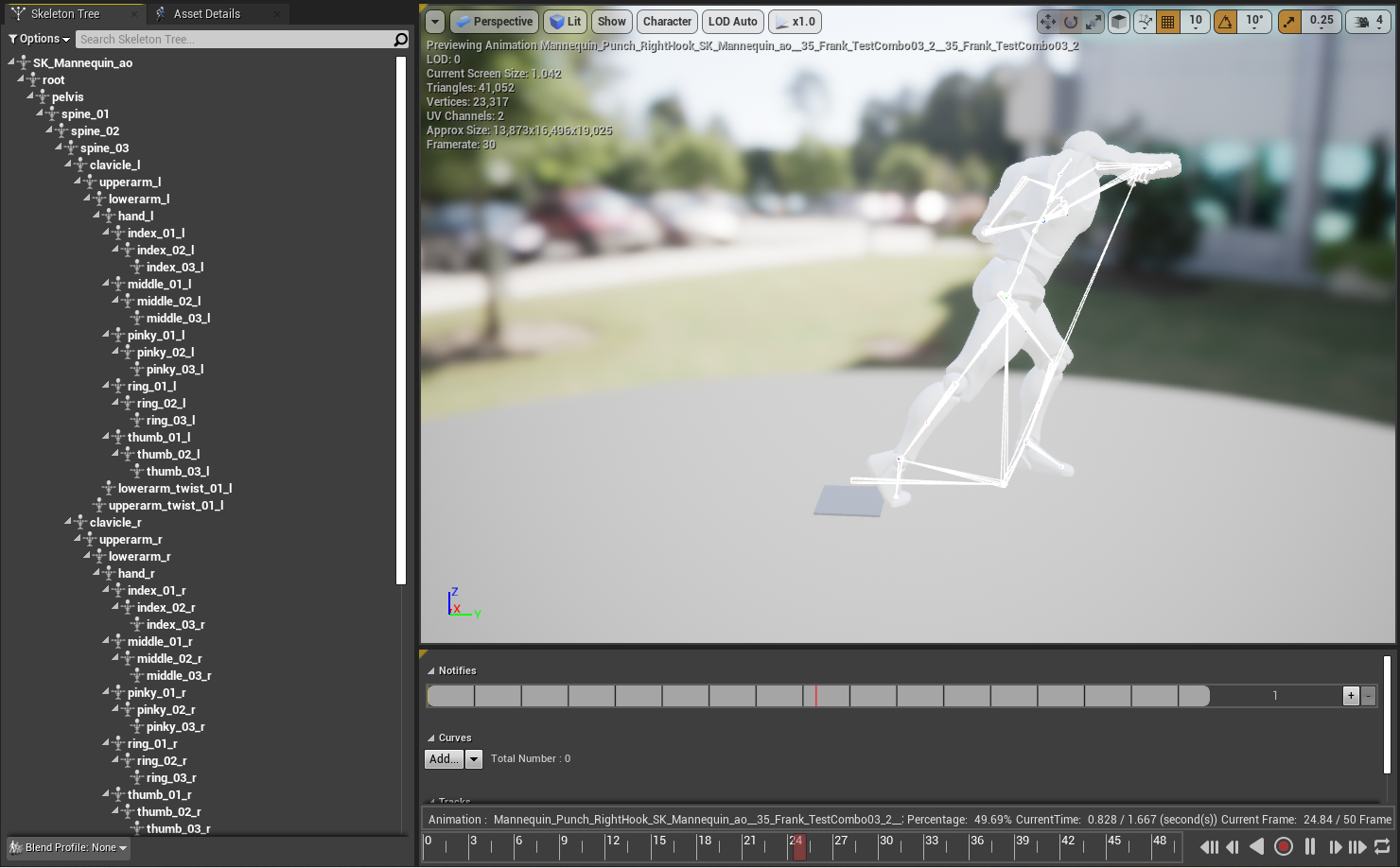
@oblique tangle can I check bone hierarchy
dusky crest
that's the problem
you can reimport with original mannequin skeleton assign when import
 oblique tangle
Doesn't work that way, gets all muddled up in importing
dusky crest
the default bone hierarchy is
root > spine_0x
maiden verge
anyone know how to make a spline work correctly ?
oblique tangle
is there anyway to use the root bone in that hierachy instead of the sk_man one im assuming its using instead?
dusky crest
no, I guess
 frosty brook
Hi! Im packing a game for shipping on Windows 10, but when I run the game I get the Fatal error message. When I packaged it yesterday, it worked completely fine, did a few simple changes with some static meshes, foliage and character movements, and now the error everytime.
The log says:
Unhandled Exception: EXCEPTION_ACCESS_VIOLATION reading address 0x00000008
Orbital_Win64_Shipping
Orbital_Win64_Shipping
Orbital_Win64_Shipping
Orbital_Win64_Shipping
Orbital_Win64_Shipping
Orbital_Win64_Shipping
Orbital_Win64_Shipping
Orbital_Win64_Shipping
Orbital_Win64_Shipping
kernel32
ntdll
Can anyone please help?
 whole quarry
remove the foliage and add them again
 trim silo
The foliage is automatic on that layerr of material
so i can't remove it with foliage ttool
whole quarry
ah, restart the editor
trim silo
gonna see maybe it will regenerate correctly
 vernal thicket
Anyone know how to export hair from blender - ue4, doesn't seem to be in my fbx file?
Using blender render
trim silo
yea editor restart helped, duh... Thanks a lot 😛
whole quarry
what are your export settings?
plush yew
adding high poly meshes to my map is making light rebuild times too long. What do I do to have fast light preview?
 kindred viper
use dynamic lighting. I mean baking will always take time
 copper flicker
help.. I need ideas...
I have a problem with movement
there's a character movement component, and a projectile mvmnt one..
and both are too expensive
I keep testing things and running in circles..
I made AI based on projectile movement
cuz it's a lot cheaper than char mvmnt...
and it's still stupidly expensive
so dunno how to make things move... if I have more than 10-20 in my scene
frosty brook
My export settings
copper flicker
100 moving things work well only on a serious desktop pc
50 are already a problem on most PCs
meaning.. yo will start to notive frame drop
notice *
whole quarry
How to identify performance problems and fix them.
copper flicker
is there anything I can do, other than.. particles?...
whole quarry
no
vernal thicket
@whole quarry looks like I had to convert the particle mesh to a curve coz particle meshes dont export
whole quarry
@plush yew
copper flicker
if you shoot a bunch of projectiles, simple friggin projectiles, in Unreal, you start lowering FPS
copper flicker
at maybe 100 projectiles in the scene.. maybe 200
meanwhile, in Unity I was pathfinding 1000 simple AIs on an old computer, at 60 FPS
whole quarry
you have a performance problem VM
copper flicker
so I don't really udnerstnd why this IMMENSE difference in performance
whole quarry
classic
copper flicker
can anyone give me an idea.. of how to create performant movement, in Unreal?
on the simplest obejct
whole quarry
Sure, do some profiling to pin down the actual performance problem
kindred viper
@copper flicker did you do any profiling?
whole quarry
then you can fix that
copper flicker
did you guys read what I wrote?
kindred viper
yes
whole quarry
yes, did you read what we wrote?
kindred viper
trying to help fella. Did you profile it at all? See what the cost per projectile is?
copper flicker
sorry, don't wanna be an ass, I just have something that, to me, seems like a fundamental problem
not a particular problem, only found in my scene
whole quarry
fundemental problems have fundemental solutions: do profiling to pin down the actual problem
copper flicker
well, how can you emit cheaper projectiles
 frosty bloom
By first finding out what's expensive with them -> Profiling
copper flicker
and yes, I'm pretty confused about unreal's profiling tools, complicated stuff there
while my problem is really simple
kindred viper
projectiles aren't that expensive really. But it depends on the logic for the projectile entirely.
whole quarry
Good thing there is documentation on profiling: https://docs.unrealengine.com/en-US/Engine/Performance/index.html
How to identify performance problems and fix them.
copper flicker
well, I'm talking about any generic projectile that anyone can creat, in Unreal
plush yew
about my problem?
kindred viper
@copper flicker the profiling documentation is tough to get your head around but its worth it.
kindred viper
why? we need to know performance stats
whole quarry
leaving profiling aside means you're going to ASSUME the problem, putting you on a wild goose chase for eterinity
copper flicker
how many projectiles can you spawn in an empty scene, before your fps goes under 60.. for example
kindred viper
with a projectile component? Not sure. I would profile it.
whole quarry
again assumption
whole quarry
assumption is the mother of all fuck ups
 digital anchor
your dev computer with 64 cores will still have a 3.8ghz main thread, same as with your 10 year old pc
copper flicker
you guys are religiously defending this idea...
kindred viper
we are trying to help. You are trying to avoid being helped here. Just take the advice. Profile. Come back with millisecond accounts
copper flicker
I just wanna find out how to create cheap movement, in theory
kindred viper
pool your movement and interpolate it over delta time
whole quarry
in theory, you will need to do some analysing... with the profiler, get actual fact numbers
copper flicker
well, in milliseconds I have game using some 15-20
trim silo
I spawn a lot of projectiles at same time and not losing any fps
kindred viper
15-20ms for any one thing means there is a problem
trim silo
maybe it's the particle effects you are using
digital anchor
most likely sweeping geometry is the heaviest part...
copper flicker
and it's only my projectiles that are the problem
 wary wave
spawning actors is expensive, but if you pool them it will become much cheaper
copper flicker
if I turn them off, I have max fps no problemo
wary wave
at which point the answer is hundreds if not thousands
copper flicker
yeah, I checked spawning too, I can spawn them like mad, there's a small impact on performance
meanwhile, projectile MOVEMENT alone is incredibly expensive
whole quarry
assumption
copper flicker
no it's not
kindred viper
there should never be an impact on performance with spawning anything. That means you spawned it inccorectly. It should be done at a time when no performance hit is observed during any gameplay
whole quarry
so you did profiling?
copper flicker
I know it is, I've had this problem for ages
digital anchor
which function?
trim silo
copper flicker
Marc, I have no idea how to do that
kindred viper
object pooling
 wooden forge
i have touch input 1 setup like this but why its not working on my android?
trim silo
it's 60fps stable but i've did a gif with gyazo
copper flicker
yeah, how do you do object pooling
??
I don't really understand pooling other than in theory
trim silo
i also have homing projectiles too that find the target etc and no issues
copper flicker
but in practive I've never seen anything like that done in Unreal
kindred viper

The classes implemented by this plugin builds a fully working Object Pool system super easy to use.
It's blazing fast, carefully implemented to reduce overhead as much as possible, making viable to have thousands of actors flying around.
trim silo
and they require more llogic and stuff happening
the only thing that affect fps is if there is 20 enemies and all those projectiles hit in quick succession but it's due to particles
copper flicker
Valefor, so you're telling me you can spawn let's say 200+ or even 500+.. projectiles, and no performance impact??
what kind of machine do you have....
kindred viper
I could spawn 10,000 with virtually no performance hit with GPU particles.
trim silo
Yeah projectiles aare literally just hitboxes
copper flicker
look, the problem is in fact not on my machine, but if I play the game on a laptop, on a lower specs PC... that's when it gets ugly
trim silo
triggers
wooden forge
i have touch input 1 setup like this but why its not working on my android?
@wooden forge could someone help me with this?
trim silo
It's probably due to particles
copper flicker
projetiles have proj MOVEMENT component, which seems to be quite expensive
whole quarry
it's not me, it's Unreal
To bad there isnt a bot to store quotes
kindred viper
its probably due to not profiling and finding out what the exact issue is down to the function ;p
copper flicker
Remco, it IS Unreal, again, my tests in other engines have been successful 😛
whole quarry
Tests? You havent profiled
kindred viper
thats a ridiculous statement
whole quarry
what tests?
copper flicker
ok, I was hoping for some ideas, not religious defending of Unreal
whole quarry
lmao
copper flicker
I am using Unreal.. cuz of reasons... but I do have problems with movment
kindred viper
I suggest you take some time to listen to us on this. We are not being trolls. We are trying to direct you in a direction you are fighting against. You NEED to profile. End of story
digital anchor
anyone here can program a projectile faster than unreal's in 5 mins because they can profile see wheres the bottleneck and fix it
whole quarry
doing proper analysing using the tools provided by UE4 to pin down performance problems became somehow a "religious defending"?
digital anchor
noones defending unrela
whole quarry
are you a troll? 😄
digital anchor
u just gotta know where the problem is
copper flicker
ok, back to testing. just a simple test, can you have 1000 of the SIMPLEST objects possible, moving in a scene, in Unreal. with no matter what kind of code behind it?
whole quarry
either a troll or just really really stubborn, which one is it?
copper flicker
stop it Remco
kindred viper
@copper flicker no because broken code doesnt work
copper flicker
I'm talking about a simple test...
 tight prawn
anyone here with experience releasing games ?
kindred viper
you aren't testing anything mate.
copper flicker
and you guys send me to profiling
kindred viper
you are refusing to profile
 exotic thicket
1000 objects is nothing :P
wooden forge
@copper flicker you should use instanced static mesh, it'll be kinda complicated to set it up but it'll be rewarding
kindred viper
thats not testing anything
digital anchor
unreal does have a problem with sweeps being slow, but theres nothing unfixable
whole quarry
ISM for projectiles? what?
exotic thicket
we were just talking about Satisfactory on the other channel which definitely supports a thousand moving things easily
copper flicker
Sage, I have a movement problem, not a geo problem
whole quarry
you have a performance problem
copper flicker
yes, specifically related to movement
whole quarry
you dont know
kindred viper
I've had a thousand indicator actors made with meshes on my 3d radar and still get 120fps in editor. Because I profiled it like crazy and fixed all the issues.
whole quarry
how? you make assumptions without using profiling
plush yew
I'm using modular meshes, what am I missing that is making the lightmap display seams?
copper flicker
ok, we are not getting anywhere like this.. I'm sorry I bothered this chat.
exotic thicket
Easiest way to get good answers = being stubborn and refusing the advice you're being given
copper flicker
I didn't wanna.. I just asked some questions
whole quarry
you got the awnser
copper flicker
profiling is not the answer in this situation
copper flicker
but it's the only answer I got
kindred viper
cmon fella we held out a hand and you didn't take it. Its upto you. Profile and come back then we can help more
trim silo
60fps stable
whole quarry
you dont agree with the awnser, doesnt mean the awnser is right though
exotic thicket
@copper flicker the problem is that even if you say "movement is the problem" there's a dozen different things in moving things that could be the cause of the problem, and unless you know exactly which part of that is the root cause, people can't give you specific advice
whole quarry
multiple people are giving the same awnser, that should lit a light bulb somewhere
trim silo
copper flicker
yes, it's true, I should profile and see exactly what my problem is
tight prawn
ummm if you're talking about performance, I created an entire city, all dynamically generated with interactions, and even NPC AI walking around and doing tasks
copper flicker
but profiling is completely ALIEN sht in Unreal, I don't understand anything
trim silo
if a lot of enemies like this don't cause performance impact why would projectile do if it's a simple trigger box that just travels
copper flicker
so I don't think I can do it
tight prawn
and it performs perfectly
trim silo
without any complicated pathing
whole quarry
start with these 2 proflings:
CPU: https://docs.unrealengine.com/en-US/Engine/Performance/CPU/index.html
GPU: https://docs.unrealengine.com/en-US/Engine/Performance/GPU/index.html
copper flicker
Vale, what kind of AI is that
trim silo
blackboard and blueprints
kindred viper
@copper flicker yeah its confusing at first. But in this case you are merely looking for stats regarding gpu and cpu frametimes. Simple one to indicate where the framedrops come from overall. You can add it up and see what allowance you have per projectile or if you need to fix up the code
copper flicker
Remco, yes, I know how to start those profiling tools
trim silo
with perception componnennt
whole quarry
its alright to not understand something, do the profling, get the results, try to figure them out and if you cant, come back here and ask
simply as that
copper flicker
but they don't help .. if I don't really understand what they write there 😄
again, Valefor, are you using Movement Component?
I mean Character Movement
?
trim silo
yes
copper flicker
that's impossible then
trim silo
because otherwise they wouldn't be able to move
copper flicker
it's only going to work well on your maachine
tight prawn
if there is AI, Controller, or anything that moves, you're doing it wrong if you don't use Character class
copper flicker
unreal's character movement is unusable on large numbers
tight prawn
unless you have very specific needs to write your own movement stuff
trim silo
no i've tested it on other machines with gtx1050 etc
copper flicker
weird... makes no sense man
copper flicker
I have used Character Movement, it's so expensive it's impossible to use
tight prawn
you're literally calling something that's used in the largest kinds of multiplayer "unusable"
copper flicker
no, I tersted on the simplest scene, with simple obejts
tight prawn
and you can't decide it's expensive or not without profiling
 cerulean sandal
Hey, how could i make a camera bob when the character takes a step? (first person)
copper flicker
I initially thought it was pathfinding. it's not. it's just movement
whole quarry
you know, you could use this time to get the CPU and GPU profling results and post them here so someone can help you to point you in the direction to fix the issue
tight prawn
^
trim silo
do you have navmesh in ytour scene
copper flicker
nope
vernal thicket
How do some of you make hair for the your models?
copper flicker
not anymore
kindred viper
@cerulean sandal you can put the camera on a spring arm and set the constraints
copper flicker
😄
vernal thicket
I'm finding this quite a complicated subject
trim silo
so without navmesh characters wont move
cerulean sandal
@cerulean sandal you can put the camera on a spring arm and set the constraints
@kindred viper that doesnt change anything, how do i get the camera moving up and down?
kindred viper
@vernal thicket there is a new groom tool for UE4. Not used it yet but it looks amazing
vernal thicket
Where's that at?
copper flicker
so.. it's a bit surreal thining that others are using Char Move, with no problems. when Out of the Box, I get awful performance
kindred viper
@cerulean sandal by making the character head move up and down during the walk animation. Then the spring arm reacts with inertia
cerulean sandal
@cerulean sandal by making the character head move up and down during the walk animation. Then the spring arm reacts with intertia
@kindred viper the character doesnt have a head... the character is inexistent
its just a camera that can move around
trim silo
¯_(ツ)_/¯
kindred viper
@cerulean sandal ahh then simply animation the inertia
tight prawn
has anyone here done a proper release in steam ?
trim silo
as i've shown i can get like 50 AI that has pathing all using the movement component
no impact on performance
cerulean sandal
@cerulean sandal ahh then simply animation the inertia
@kindred viper wut
whole quarry
@tight prawn i've my game on steam (its just hidden)
trim silo
they all have hitboxes and they all have a lot of code
kindred viper
@cerulean sandal its spelled "what?" but anyway..... you animate... the movement... of the camera.
tight prawn
well, i have a bit of abstract questions
trim silo
so it's something on your end not unreal
tight prawn
about releasing a game and all
copper flicker
that's why I had to rewrite my code, and abandon character movement. I started with just simple projectiles and I made supersimple AI that's based on projectile movement. and now even THIS.. is too expensive. I don't really understand why.. but yeah, I'll go profile
whole quarry
@tight prawn oh god, plz no, Steam is a nightmare :>
tight prawn
when do you decide it's something that would be released
cerulean sandal
@cerulean sandal its spelled "what?" but anyway..... you animate... the movement... of the camera.
@kindred viper ik how its spelled lol. btw ok thank you
whole quarry
when you feel like its good enough for initial release
tight prawn
it's not platform specific
copper flicker
it's clearly not something on MY end... it makes no sense. I'm using the same software as you guys
kindred viper
@cerulean sandal pet peeve of mine. bruh and wut bug me :p
tight prawn
just assessing how this stuff goes
@copper flicker you are not using the same "software"
trim silo
@copper flicker if it works fine for 1000000 people and only you have this issue = problem on your end
cerulean sandal
@cerulean sandal pet peeve of mine. bruh and wut bug me :p
@kindred viper da heck
trim silo
or very rare case of some bug
whole quarry
Try to play the game (or let the testers play), if they can play the game from start to end goal without obvious issues, it should be alright to release
copper flicker
I can make a scene some generic projectiles moving.. the same results should happen on my end as on any other similar machine anywhere
kindred viper
you say that but ive played Ubisoft games @whole quarry :p
whole quarry
else, do a soft release with early-access
kindred viper
the projectile component uses tick
trim silo
there is so many things that can be responsible
whole quarry
@copper flicker you're running in cicles without profiling
tight prawn
without even showing us some of his code
tight prawn
we're going nowhere with this
kindred viper
typically you are better off making a custom projectile than using the component. But if you want to optimise the component usage, it can be ok for small to medium numbers. But it is tick based. Every tick is performing. You can limit that but at that point its better to make a new projectile from scratch
tight prawn
i'm sorry
but how do you decide you need to rewrite a base component
because of performance iss²ues
kindred viper
when its bloated and costs too much
tight prawn
without even profiling it
kindred viper
well you dont need to profile the projectile component to know its got a tick based cost. Even if that tick is merely adding (0.0,0.0,1.0) as a direction vector to velocity
trim silo
how many
whole quarry
can you screenshot that for us?
copper flicker
to generate movemnt
trim silo
that's the problem
wary wave
that's not the actual profiler - use the profiling tool
trim silo
if you are using tick for 10000 actors
wary wave
rather than just the debug stats
copper flicker
only 30 actors or so
whole quarry
can you show the stuff you have on Event Tick?
trim silo
ticking lliterally each second
trim silo
or whatever the tick rate is
copper flicker
I wouldn't know what to show you, there are 1 infinite stats
trim silo
the point is you shouldn't really use tick
whole quarry
open the bp where you use the event tick and screenshot that plz
copper flicker
maybe, but I have no idea how to follow the player other than this...
wary wave
if they're homing, then they'll be ticking
digital anchor
if you use session frontend you will see how much of it is sweeps and code
digital anchor
i just tried a few hundred projectiles here, no BP code, around 0.5 ms for C++ code and 6ms for sweeping
copper flicker
the last 2 are simple checks
and rarely trigger code
so yeah, these are not the simplest projectiles, they use movement input
trim silo
sry didn't show for me
digital anchor
its on the top screen valefor
trim silo
now it popped up
copper flicker
the second image
shows the function that calculates player position
it's tiny.... but maybe you get an idea
cerulean sandal
ok now the camera bobs, i just need a way of smoothly resetting its position when the player is not moving
copper flicker
anyway, I already tried using char movement, and it's way too slow. on a simple AI that just needs to move from A to B, on a tiny navmesh.. duplicate this AI 100 times and you have a problem
no code on tick
in fact, the char movement component alone, without any navmesh being used, is enough
digital anchor
char will be much slower, if you want so many actors you probably want something custom
copper flicker
exactly, that's my problem
I've asked for oppinions here before, I was told this
but I can't make my own movement component, I don't speak C++
😄
so I tried projectile movement instead
any other ideas..?
I didn't try physics
I was thining proj movement would be cheaper
digital anchor
projectile is fine, your poroblem is BP vm tick cost and geometry sweeps
copper flicker
I think in Other Engines I'd be using physics for movement..
what's geometry sweeps?..
trim silo
So i just looked through code in my game ebcause i also have homing projectiles annd we don't use event tick at all
whole quarry
tried to follow this?

What is the Projectile Movement Actor Component in Unreal Engine 4
Source Files: https://github.com/MWadstein/wtf-hdi-files
digital anchor
id say probably 60% of your frame time are those checks
copper flicker
I mean around AIs having to check
wooden forge
anyone know why tap not working on android? it only detects "moved" , neither pressed or released working
digital anchor
they show here on the profiler
copper flicker
ok.. but I need those checks
it's not possible to follow and unfollow player without checks
digital anchor
copper flicker
maybe the problem is that I'm doing something on tick...
trim silo
we have homing projectile without tick
the tick is the problem that's what ruins the framerate
 ashen cape
it's in the Projectile Movement component. Combine that with a "target actor" object reference and you're good.
whole quarry
Event Tick should be avoided. I can;t believe Epic hasn't added a giant warning label on it yet
ashen cape
i'll show u, opening project atm
whole quarry
@copper flicker check the video I just posted, it explains the whole ProjectileMovement thing
ashen cape
yea Event Tick should only be for small operations or constant checks.
copper flicker
yeah I know Tick is bad... but in some rare cases.. I need it
ashen cape
e.g. checking a boolean variable
copper flicker
ok, thanks
ashen cape
posting an image in a sec, just need the project to open...
copper flicker
uhm.. btw, I'm applying gravity to this AI on TICK
meaning gravity for my AIs is manually added on tick
otherwise the projectiles don't slide/move
don't remember.. but I had movement issues
that's why I ended up with this ugly tick solution
digital anchor
are your projectiles blocked by enviroment? like walls and stuff?
copper flicker
so I need AIs to move, climb, fall
trim silo
that still shouldn't be issue
ashen cape
A component and selecting a target to home in on on BeginPlay
digital anchor
@copper flicker so its not actually projectile, but a floating pawn?
ashen cape
Is it a projectile or what is it intended to do?
kindred viper
I think in Other Engines I'd be using physics for movement..
@copper flicker you know with the movement component you are actually using physics to move. Its a vector based sweep in a collision environment so performance with a component is always more than standard. Just the way it is. Thats why I say if projectiles comps are giving you stress with your logic, its often better to just create your own without the overhead/bloat and perhaps use some optimisations from within it as per needed.
copper flicker
oh crap.. Takain, you're right... I'm stupid, it IS floating pawn
not projectile movement, I for got!
ashen cape
Well if it's a floating pawn, that's more like a flying enemy.
copper flicker
@kindred viper oh wow, I never knew about that overhead, thx!
ashen cape
Use Projectile Movement for... well.. Projectiles, use navigation or some Ai shenanigans with blackboard if it's a flying enemy that has to follow the player.
copper flicker
how do you make anything move tho.. in BP.. no C++.. without using components
ashen cape
Depends on what type of actor it is.
trim silo
you use movement component
ashen cape
Movement component, add impulse, launch character, projectile movement
copper flicker
Valefor, sorry to say again, but no. haha
kindred viper
https://docs.unrealengine.com/en-US/API/Runtime/Engine/GameFramework/AActor/SetActorLocation/index.html this with some nice code to make it use only what it needs
Move the actor instantly to the specified location.
copper flicker
movement component is only good for the player
trim silo
and AI
copper flicker
I wouldn't use it for more than 4-5 characters
trim silo
i've shown you 50 workinng fine
copper flicker
I want 50-100
trim silo
: d
tight prawn
movement component is for anything that moves
copper flicker
I doubt that
tight prawn
I have thousands
copper flicker
I've already tested this A LOT....
ashen cape
yea movement is for anything that moves
tight prawn
moving
ashen cape
that isn't a projectile
tight prawn
AI in open world
copper flicker
Vale, I'
trim silo
if you are using event tick for 100000 enemies
 thick herald
Can easily have a couple of hundred AI wandering about with movement component
tight prawn
walking around, setting shops, buying stuff interacting with each other
copper flicker
sorry, I'm using TICK only in this here example
trim silo
of course it's going to ruin fps
ashen cape
i have like 8 platforms using Event Tick to move in one level, it drops more frames than a map with 60 enemies using a Character Movement Component.
don't Tick movement
whole quarry
@copper flicker You should really watch the full video https://www.youtube.com/watch?v=AM3TXKI-4co
copper flicker
it's enough to add some simple characters with NO CODE INSIDE... ok? and have them sit there in the scene
and they will destroy the FPS
kindred viper
wanna know how many times I've used tick in the past 6 years? I can count on one hand. I specifically avoid it unless debugging or manually collecting input
trim silo
it's not the character movement component that is the issue, it's your setup
tight prawn
I don't know what you are making that requires more power than Batman Arkham Asylum
copper flicker
yesyesyes, I'm watching, gonna go watch now, byeeee
tight prawn
or Fortnite or whatever any other project that uses UE4
whole quarry
@kindred viper I've even disabled the default BP tick in the engine settings :d
kindred viper
yeah better to be off by default and switch it on when you need
tight prawn
Event Tick exists? 😮
digital anchor
i will go the opposite direction of everyone here and say tick is fine, its the sweeeeeeeps, but we all just guessing until u profile
kindred viper
although if its not hooked up its compiled out anyway
copper flicker
Valefor.. I don't know how to explain simpler than: NO CODE. no setup. nothing in there. just default actors with movemnt component. so gravity is active. that's it.
vernal thicket
Do you need 4.24 for groom?
kindred viper
@tight prawn some actors have bCanTick so yeah its a base thing
copper flicker
Takain, I will google and try to understand what you mean by sweeps
trim silo
So if you have actors with no code, nothing and your FPS is bad then it's your device
copper flicker
atm I have no idea
tight prawn
I know i was just making a joke about never using event tick :p
copper flicker
O o
whole quarry
@copper flicker The ProjectileMovement is made for just that, unlike Character Movement.
trim silo
if it's literally example map
whole quarry
no C++ required to use it
copper flicker
no Vale... it's the Movement Component, it's really complex
trim silo
with actors
tight prawn
Yesterday i was so near using tick just for Rinterp rotation
trim silo
Ok this guy is a troll
digital anchor
a sweep is like a line trace, but for geometry
tight prawn
and then i used a timeline
copper flicker
and my PC is not the issue here, the player's PCs are the real issue
digital anchor
CMC does plenty of those per tick
plush yew
kindred viper
@plush yew your sequence reference is missing. Its trying to access it before it exists
copper flicker
and I don't really appreciate when conversation get aggressive and people start calling other people trolls
plush yew
a okay
whole quarry
It's either troll or being really stubborn to refuse the people input as information or knowledge just to help you
plush yew
tight prawn
that should tell the engine where "exactly" those functions exist @plush yew
copper flicker
I'm not trolling anyone here and you're not really helping, but rather being aggressive with your accusations
tight prawn
@plush yew I don't think that's the cast
plush yew
what i need to cast to? wtf
tight prawn
Sequence Player, calls Play and Reverse Play functions
plush yew
I didn't cast to these things before and I didn't have problems before
trim silo
@copper flicker What you are saying is that character movement component is impossible to use becuase it ruins FPS. What we are saying, that it's not true because it's a basic component used in like all games.
copper flicker
meanwhile, others have indeed helped, and I appreciate, thanks!
plush yew
trim silo
And we all use it and it doesn't cause any issues.
tight prawn
cast that Sequence Player to whatever class that has those functions
whole quarry
Its ok to be stubborn, we're all stubborn at some point, its just that the collective knowledge presented here is being put aside and gets ignored. There is a syndrome called "Dunning Kreuger effect" which is (i think) at play here.
tight prawn
hummm
copper flicker
Vale, that's exactly what I'm saying, and has been confirmed by other here
others *
digital anchor
projectile movement component (ticking) without sweeps:
plush yew
which class has these functions?
digital anchor
can spawn 1 million of those no problem
trim silo
So it's something with your code or setup. But you are saying that we are wrong because it happens even when you have nothing in the scene. So that's definitely issue on your end
tight prawn
@plush yew what are you trying to do exactly
make the charater play a door opening animation ?
copper flicker
Takain, how many projectiles do you have there.. all in all.. are you killing them after some time?
because 80 FPS is not good for just some simple projy
digital anchor
nope, they are going to infinity, im spawning on tick so thats why its 80fps
if theyu were pooled it woul be 200fps
whole quarry
editor FPS != actual FPS when packaged
plush yew
when he enters in the trigger box to play the animation and after he enters to play reverse, I did it around 10 times, Idk why it causes problems now
tight prawn
so the player plays the animation ?
copper flicker
in FACT.... my editor FPS is higher than Customer Owning a Decent Gaming Laptop FPS!
kindred viper
@copper flicker truth be told, editor performance lately has been terrible for me, so I test a lot more in standalone now
copper flicker
marc, I tested in both editor, standalone, and my 2 laptops standalone
kindred viper
fair enough
copper flicker
and my editor FPS is better than on my laptops
tight prawn
@plush yew I'm not quite sure, but maybe you could use Play Animation node ?
kindred viper
mine tanks often. Looks like some translucency rendering issue but I can't say for sure
whole quarry
If I would use my laptop as benchmark, then all my projects wouldnt exceed 10 FPS at any time
tight prawn
use "Other Actor" cast it to your player class
from your player class call play animation
copper flicker
Remco, a game needs to play on a potato, ideally
tight prawn
and plug it there
copper flicker
any game
whole quarry
no, it needs to be able to run at your target audience
plush yew
I don't use the play animation node? @tight prawn
whole quarry
i wouldnt care if a pentium 2 wouldnt be able to run a game
copper flicker
but I'm starting to think tha maybe.. I will have to ask customers to have indeed some decent PCs.. only it's a design and code failure.. kinda
plush yew
I have still problems with this
tight prawn
@plush yew oh yes, after you cast, get a refrence to Mesh (skeletal mesh)
whole quarry
you dont "ask customers to have decent pc's", you tell them what the minimum requirements are
tight prawn
and there you call Play animation
copper flicker
yes
copper flicker
and I don't wanna have to tell them Min Specs = Desktop PC with GTX 1060 or more...
whole quarry
its impossible to please everyone
vernal thicket
Do you need ue2.4 for the groom import plugin?
kindred viper
@copper flicker until you have ran your software through a Quality Assurance company, who will test every element of your code to the footprint, I would presume what you have is alpha development standard framerates and that it will all be solved at some point to meet spec. But that's also awareness of your costs per millisecond per frame per platform.
copper flicker
Marc, I don't think I will afford QA, unless my game actually reaches any kind of audience.. but good point 😄
plush yew
I don't need to play animation from the mesh
I want when the trigger box begin overlap
the player go through it
and the door opens
I created level sequence
kindred viper
its a good thing to learn. If you have a week or so to take time to do it, just learn the basics and software they use to do the batch work. Its pretty interesting
I have a lot of respect for QA ppl
plush yew
you see this?
when he enters the green box
the door will open
when the player joins they don't open 😦
whole quarry
@copper flicker Use this as benchmark https://store.steampowered.com/hwsurvey/Steam-Hardware-Software-Survey-Welcome-to-Steam
thick herald
Someone did a basic comparison with 100 NPCs. To give you an idea on FPS rates. https://youtu.be/mqbc6QViB4k @copper flicker

MoveIt! is still very new and hasn't had a performance update yet :) Expect this to improve a lot in the near future.
Need support? Join the Discord! https://discord.gg/rk3VRYv
Buy MoveIt here: https://www.unrealengine.com/marketplace/en-US/product/moveit-locomotion-system
plush yew
copper flicker
so I' thinking maybe the difference from other engines I tried.. is that in Unreal movement is based on these already-coded super-complex components... while in WhateverEngine I would crochet something from scratch myself, based on simple physics
tight prawn
alright then
plush yew
you should have said so
didn't I tell? XD
whole quarry
it tells you what the avarage hardware is that steam gamers use
tight prawn
Maybe it's my mistake doesn't matter
tight prawn
let's solve your issue 🙂
plush yew
tight prawn
give me a moment
plush yew
let's do it yeah
xD
ok np
if you want in DM, as you wish
I think my code works but idk why not 😦
tight prawn
okay, if you want ONLY the player to be able to trigger that sequence
you can use the cast and check, otherwise remove the cast
tight prawn
where is this code? Game Instance? Map blueprint ?
plush yew
level blueprint
tight prawn
alright
plush yew
I created it there only and have not problems before
plush yew
door actor?
kindred viper
@copper flicker you dont have to use the components. I try not to myself in most cases with the character movement component. It's got some optimisations and stuff but it comes with its own limitations. Extending it is a pain. If you are just moving an actor from A to B and you know the two vectors, the speed you want to travel and if you use it, any curve data to drive the animation, then you can skip the CMC entirely. What you miss out on you will have to code yourself, but its easier to do that to your own movement code than the CMC anyway
plush yew
it is mesh
tight prawn
so the trigger box, the door, and the animation are three separate things in your level ?
tight prawn
well, i'd advise you to make them in a single actor blueprint
but it's not a requirement
tight prawn
right click, the menu will have get reference something something (it will be at the top of the menu)
tight prawn
it will get you a reference to the animation,
from there get a NEW sequence player
and from the new sequence player, call Play and Play in reverse (also create them from the menu
plush yew
yes
tight prawn
or the animation doesn't work ?
tight prawn
show me the error again
plush yew
also I created a while ago other animation for ceiling to move with key and it works, but the weird thing there is that when I press G for playing, when it goes, the animation again went from the place it starts, idk why
I can't 😦
tight prawn
hummm
copper flicker
@kindred viper I need physics based movement tho, not just a simple A to B, my AIs need to move around a complex space, climb obstacles, fall.. and behave a bit chaotically, like driven by physics. like overshooting their targets, so on.
plush yew
what and how to cast?
kindred viper
@copper flicker yeah you can use physical animation with blending to do that. You don't need the component, just the physics asset for the skeletal mesh
tight prawn
the error says that Sequence Player doesn't exist in DoorAnimation
that's basically it
plush yew
hmm
copper flicker
no I mean physics for the cylinder
kindred viper
@copper flicker the collision cylinder?
copper flicker
yes
I'm trying to figure out how to move things.. without Tick, without Components.. in the simplest way
maybe projectile component...
haven't managed to amke that work
kindred viper
In that case you can do that also. I mean, it sounds like you want to use the component, but just know that if you wanted to, you can do anything with it. I've seen people write entire new physics to go with their locomotion for things like trains and custom gravity. Keep it simple is always best, but if you need to, be aware you can step outside of what UE4 offers to speed things up
copper flicker
I mean I dunno how to drive it in a predictable fashion...
yeah but.. to step out of what Unreal offers means to step Into C++
and I don't speak that... at all
O O
😄
kindred viper
yeah dont be afraid of that. I never used C++ before UE4. Im still shit with it, but I can get by with it 😄
@plush yew global time dilation
plush yew
that's basically it
@tight prawn so?
will try to recreate them again
to delete the doors and animations
copper flicker
I wish Unreal had C# or something readable...
 novel oriole
Does ue4 have any built in sort algorithms, or do I have to code it in myself
copper flicker
: D
kindred viper
@copper flicker it does. C# via Mono
copper flicker
wut?..
kindred viper
it also has python
copper flicker
Unreal??
kindred viper
yeah
copper flicker
well, if it's an unsupported feature.. it's not really safe
 midnight gate
kindred viper
midnight gate
kindred viper
i've not use it myself. I hate python. reminds me of writing actionscript 1.0 :p
novel oriole
Blueprints is pretty readable @copper flicker
midnight gate
can sombody help me?? im trying to get an id value and a boolean value and put them in an array and check does the id value match this id value and set the bolean value if it matches id value
copper flicker
yeah, I mean, I wish Epic would consider including an official scripting language, for scripting gameplay
kindred viper
they are
 steep sandal
HELP !!! Any idea to make visual studio autocorrect better for ue4 cpp
copper flicker
BPs are very readable, yes
and very slow
and C++ is not a scripting language, for gameplay
kindred viper
Its been long rumoured and spoken of that when a standardised scripting language that meets criteria is available, we will get a scripting language again. Although whats wrong with C++ I dunno.
kindred viper
true story, ive used basic intellisense all this time with UE4. neither resharper or VAX work on my computer for some reason
I take donations for the pain at www......
 quiet latch
Introducing a scriptinglanguage to UE4 would be utterly pointless 😄 ... that is what the super advanced visual scripting (the BluePrintSystem) is for ... and you have the real deal c++ ... so...why?! ^^
steep sandal
@plush yew what is it called
whole quarry
Is there a way in Blueprint to convert a String character to a char or am I stuck to C++ for that? 😄
kindred viper
@quiet latch I agree. What is worse than learning C++ for me, is learning 2 or 3 languages just to use one program.
 digital badger
Is there a terminology difference between Map and Level?
kindred viper
@digital badger Level is generally a World or UWorld
Map can mean a couple of things
yeah
digital badger
@plush yew That's different isn't it? Because the editor refers to the multiple "maps" as sub-levels.
quiet latch
I make a series of videos / streams working on a game and streaming every minute of it.. I only use C++ maybe you should give it a look... I'm not a programmer AT ALL ... it absolutley doable
digital badger
So is a map a sub-level or a level
I've noticed, that's why I'm curious about the differences
kindred viper
@quiet latch do you get many viewers? I was thinking of streaming an entire game development cycle
 oak linden
Does anyone know where did the option to edit landscape's properties disappear to? I want to change the resolution without having to reimport the heightmap
steep sandal
@plush yew is rider got a good autocomplete (Snippets) for ue4 cpp
digital badger
@kindred viper I was tempted to do that, but knowing me I would stop mid way :/
kindred viper
@digital badger I figure it would be motivational if anything
quiet latch
no ^^ ... i just started and I don#t have flashy imagery to show and promote yet ... it's realy just the beginning.. how to set up the engine... how the base classes interact with eachother.. modeling the protagonist and first enemy... give it a look
https://www.youtube.com/watch?v=UlzrLj2XPfs&list=PL8XXsDrzCD2s0QoTTdstqjlxXUXDaJH5x
@kindred viper

Part of the tutorial streams of an entire game
join the discord
https://discord.gg/0n3t7wXxHlRiCB9C
support my work
www.patreon.com/hellrunner2k
www.subscribestar.com/hellrunner2k
www.streamlabs.com/hellrunner2k/tip
digital badger
@steep sandal It does in my opinion, however I stopped using Rider for UE as the debugging suite isn't very "expansive" for a lack of a better word
steep sandal
@plush yew is it better than visual studio
digital badger
Perhaps that'll change with the full version.
steep sandal
@plush yew I dont want to try something not worth
@plush yew what are u using for cpp
digital badger
notepad
steep sandal
@plush yew I used too
But how is the autocomplete work with u mine is slow sometimes
tight prawn
you have two options
Visual Studio (+ VTAssistX)
or Intellij Rider for Unreal Engine
digital badger
@steep sandal Make sure all the files are indexed before you start writing in VS
steep sandal
@tight prawn not free
digital badger
That's why intellisense is slow
tight prawn
Intellij Rider you get a free one year license
digital badger
But rider is still in development
steep sandal
@digital badger what do u mean indexed
wooden forge
Anyone know why i cant detect taps on android? Input touch only detects when finger moves but cant detect tap
digital badger
@steep sandal When you open a cpp file, the IDE essentially scans all of the included header files and builds intellisense
tight prawn
my suggestion to you is to use an SSD
digital badger
@plush yew Klogg squad where u at
tight prawn
otherwise you won't have fun
steep sandal
@digital badger is that work with visual studio
tight prawn
either that, or go raw ed
digital badger
sudo nano
tight prawn
i'm a nano guy myself
quiet latch
Imma post a timelaps of the modelling stream into.. uuuhm ... Design-Chat? ... is that appropriate? almost 12 hours down to 14 minutes.. the models are rough still ^^ ... first day on em so cut me some slack 😄
digital badger
@steep sandal That's how all autocorrect works essentially. As mentioned by the other users
steep sandal
@digital badger mine its working that good how to fix it
digital badger
If you look in the bottom left of the vs window you can see if vs is busy indexing files.
And sorry I don't understand what you just said.
quiet latch
woops.. not pubished yet... 1 min
digital badger
this button
quiet latch
okay.. posting now ^^ design chat
digital badger
define weak I'm not sure what that means.
steep sandal
Like when I type UP I want it to show me the options like UPROPERTY
novel oriole
Rider does that but thats in beta
steep sandal
@plush yew Aha
digital badger
Or just win the UE Game Jam and get 1 year free 😄
novel oriole
or get a student license like me
digital badger
And there's 4 jams a year
steep sandal
Ok I will try thanks for all of you
digital badger
So like 4 chances
novel oriole
yeah
tight prawn
with the same prizes as the last one ?
digital badger
Epic Games one
novel oriole
winter
tight prawn
yeah
digital badger
With VAX as a finalist prize
tight prawn
I'm interested in Army of One
digital badger
Wait there's 5 isn't there?
tight prawn
that sweet sweet workstation
digital badger
Megajam?
quiet latch
waste of time... gang up and make something worth while ^^
novel oriole
GMTK Game Jam my favourite, loads of creative people
tight prawn
yeah i'm participating this year
novel oriole
with game design being the most important
digital badger
Hopefully the theme of the GMTK one isn't as bad as the UE spring one
tight prawn
but really guys, 4 jams all with a chance to win a monster PC ?
digital badger
I was so excited then I just left when I saw that theme lol
novel oriole
Godot is really good for speedy stuff
digital badger
@plush yew Yes it does, I tried to switch to it but after years of UE4 now I can't lol
 maiden sundial
I wonder if ppl who write they game mostly in C++ even have a chance to win a gamejam compared to the fast development with BPs
novel oriole
Its focus is on Game design so you can have an ass looking game, but if it has good game design, mmmmmmmmmm
tight prawn
^ this was my entry to the Spring Jam
an openworld game lmao
scope was too large, couldn't deliver a working build on time
digital badger
I don't see a world composition window 👀
tight prawn
i mean, the build i uploaded was broken
novel oriole
@plush yew Once you get the hang of unity, its pretty easy without extras
tight prawn
the map is 4000x4000 i think
i was so sure i'd win the army of one prize
until i found the submissions closed
novel oriole
But Godot is my go-to for game jams
tight prawn
saddest story of anime
novel oriole
and prototypes
kindred viper
Anyone who uses the Control Rig for the mannequin found an issue when you save a level with a control rig inside, then close down the editor, when you re-open the project the control rig loses all controls?
digital badger
Unity gets a bad rep imo
kindred viper
shoulda switched that
tight prawn
"if this.randomize"
digital badger
Yes, meme of 2020.
tight prawn
totally random XD
kindred viper
@plush yew yes you can?
dunno. dont keep up with it. Just used it before in UE4
might be templated or something with UE. Not sure. But you can case "string": //etc
novel oriole
Nah, I read like all the Cpp changelogs
digital badger
@plush yew You can however Unity being "the" entry level engine it get's a worse reputation for the mistakes of developers that use it
Like YanSim
novel oriole
never seen switch strings
quiet latch
enums exist ... it's not only a legend
novel oriole
theres a hacky way that i did once, convert all chars to bytes. i used to think i was a genius for that
quiet latch
Eye color should be a FLinearColor
digital badger
I hope UE5 becomes more widely adopted.
quiet latch
YOU're adopted... sry.. couldn't restst 😄
novel oriole
I reckon UE5 isnt going to have much improvements for programmers
mainly designers
which is cool
as a generalist
digital badger
Nowadays art trumps programming in most cases.
novel oriole
but I really want them to swap the macros for something better, but idk what
digital badger
You can have the best mechanics but if the art is too bad a normal consumer wouldn't care
kindred viper
novel oriole
yeah
digital badger
I don't read up on unity, but isn't there a new rendering pipeline?
novel oriole
the square brackets reflection is amazing
@digital badger I played around with is, looks nice, not practical, shaders break every 5 seconds
quiet latch
@kindred viper neat prototyping tool .. but when you get REAL.. yeah.. enums
digital badger
I wish UE could have better mod support. That's one of the biggest features which I think UE is missing.
kindred viper
@digital badger its all there, you just can't use any editor stuff and half of what is used is editor stuff
novel oriole
Idk about cryengine though
quiet latch
lol
digital badger
@novel oriole This is just back to being general. I don't know unity well enough to comment
@kindred viper You can fork their github and do it that way
novel oriole
basically, unity programming good, everything else, always unstable
digital badger
Enterprise devs can do what Ark did and have a modkit in the UE launcher but I assume that's heavily vetted
novel oriole
literally EVERYTHING in unity is in preview lmao
kindred viper
@digital badger I meant the functionality in the engine to import assets is editor only so its restricted from export with the final product. So you have to write your own file system essentially bypassing the AssetRegistry and manager for the most part
novel oriole
at least Unity has SVG support though
kindred viper
Unity only just switching to forward for VR?
@novel oriole if you mean vector graphics, theres support for that in a plugin
digital badger
@kindred viper Which for basic assets like textures is okay. But I can't imagine the code required to write a custom skeletal mesh importer. At that point a prospective dev might as write their own engine.
novel oriole
i dont have enough money for that plugin lmao
digital badger
Modding support is the only good part of gamebryo - and it's probably the gold standard to reach for
novel oriole
source has good modding
plush yew
Trying to run a command for UE4 and Github. I have never really used Git in any sort of capacity. When pushing my project to the Github repository, it fails with this error "The remote end hung up unexpectedly" I need to run a command such as git config --global http.postBuffer 157286400, is this done through gitbash?
 barren parrot
lol, i just wanna make games, but its like real confusing XD
kindred viper
@digital badger it would be a cool marketplace item tho
digital badger
@novel oriole Doesn't source require 3DS Max?
novel oriole
Idk never tried it
kindred viper
@barren parrot at some point it stops becoming confusing and more like "ugh I've got another 2000 hours to go on this grind".
novel oriole
I just know that me and my mates play csgo with mods
novel oriole
Try using github desktop
novel oriole
If you arent familiar with git
digital badger
Git LFS is, but I'm unfamiliar with it's setup and usage
novel oriole
apparently perforce is good
kindred viper
is git LFS good though?
digital badger
Subversion gang
novel oriole
ew git lfs
plush yew
When I go to publish branch, it fails with the prompt
kindred viper
perforce is my choice for projects, but I have to use github for engine
novel oriole
All i need tbh is is make pull request, merge
plush yew
but I love UE
So I used to use Unity Collab
Is GitHub the best way to backup a project
novel oriole
No
novel oriole
Backup is shoving it in a hard drive
digital badger
Perforce if you have extra money. Subversion is a good between, between Perforce and Git it's free just requires a server. Use DigitalOcean and it's like 5usd/month
plush yew
Appreciate the correction
kindred viper
first time I made that mistake, was the last time
digital badger
It's been my solution for a good while now
plush yew
I do have a budget
 late gorge
Hey, does anyone know if there's a work around/fix for the compiling issues in 4.24?
kindred viper
yeah its a demon but when you get it to work, it just works
novel oriole
i just dont use version control, I use ctrl+z like a pro
plush yew
an MP level designer
digital badger
@late gorge I had that, which compiler version are you using?
plush yew
If you know anyone then pass the word on please
kindred viper
@novel oriole one of my favourite gambling games is pressing Ctrl-Z as fast as possible and seeing if the engine's reflection system can keep up with the changes 😄
plush yew
And this does what I need, backup the entire project?
And lets others download it as needed.
Thought so
I need to backup the project and share it
like Unity Collab service.
As far I know, UE4 doesn't support this
kindred viper
funnily enough I dont use the editor built in stuff
I work alone so I dont need to lock files. so I just checkout what I need and commit later
plush yew
Its setup
for Git
Im pushing through Github desktop
but it's failing
everytime
I have a repository setup on Github
novel oriole
delete the .git folder
plush yew
and it's private
novel oriole
and try again