#ue4-general
1 messages · Page 768 of 1
 cloud bay
 heady moon
because of the recent discussions that have been going about rust, may unreal replace c++ with rust in the upcoming years?
cloud bay
@inner cloak I just tried importing his editor preference settings. Did you mean those? Didn't work.
 inner cloak
then i don't know .. sorry
cloud bay
@inner cloak thank you anyway. I think I am just gonna reinstall.
inner cloak
@heady moon personal opinion .. i dont see why they would change
heady moon

The New Stack
Microsoft has deemed C++ no longer acceptable for writing mission-critical software. The industry sorely needs to move to a performant, memory-safe language for its low-low system work. And the best choice on the market today is Rust, Levick said.
Microsoft has deemed C++ no longer acceptable for writing mission-critical software
this^
inner cloak
ok, going to read about it
heady moon
Rust is safer and faster than C++, you can even read the docs
prevents runtime errors
 strong schooner
Hi can we convert the spline generated road using the landscape tool into a complete mesh (destructive process)? thank you
 wary wave
I'm always wary of Microsoft promoting things, as they tend to have an agenda
 whole quarry
What would MS agenda be?
 frank escarp
rust being safer than Cpp isnot even a discussion lol
the problem with rust is tooling (IDEs and stuff)
plataform support (doesnt run on any console)
and it is fairly slow to work with, between compile times and compiler screaming at you
 lethal cedar
Hi there!!
I'm a new unreal engine user
it's been almost a week
can anyone please help me with setting up megascans library for unreal??
tried up many yt tuts but none of them seem to work for me'
 plush yew
Who can share in experience howto control develop project via source control without accessing the remote developers to all projects feature?
whole quarry
is "bulbasa" the controlled player pawn?
 midnight gate
its a character actor i created
im trying to make a pokemon like game
but i cant even get the simple health bars to work
whole quarry
is "bulbasa" spawned and controlled by the player when you call that function?
midnight gate
it is spawned but not posesed by the player
whole quarry
there you go
midnight gate
also i need a way to get the health bar of an enemy wich is also a character actor
how do i do that
yea so what do i plug into the cast node
whole quarry
posses the pawn actor
midnight gate
but how do i get the enemy hp bar
whole quarry
else its not the player pawn
midnight gate
what do i cast
whole quarry
cast to the enemy bp
midnight gate
i mean what to plug in the blue thingy
whole quarry
the actor reference of that enemy
like when you spawn it, you put the reference in an array in the gamemode or something, and then take it from there
you need to make a system for it
or do it dirty and just use get actors of class
midnight gate
how do i put a refrence in the game mode?
whole quarry

Announce Post: https://forums.unrealengine.com/showthread.php?101051
This Training Stream takes a look at Blueprint Communication. We find that Unreal Developers of all levels can sometimes struggle through the concepts behind moving data between objects. So in this video we'...
enjoy
midnight gate
thank you
 patent otter
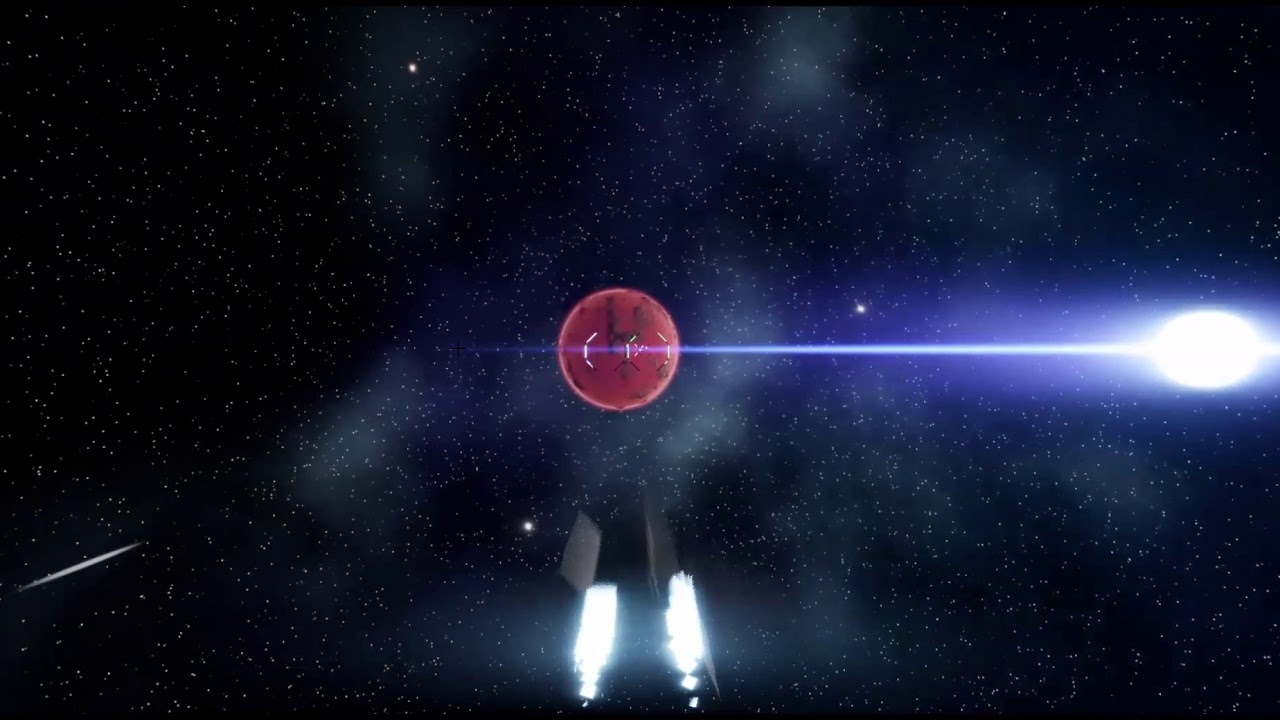
I have a strange motion blur issue in my game when my ship is flying at higher speeds: https://youtu.be/jPpRTztz0us
Disabling motion blur doesn't seem to do anything. Has anyone seen anything like this before?
 patent otter
Someone else already helped me figure it out. I tried using the console vars, but that didn't do much. Disabling it in the project settings seems to have worked (had no idea there was a project setting for that).
plush yew
I'm thinking modular design for my map. I have a wall with a width of 100 units and another with 500 units. The larger wall can be made out of 100 * 5 units. But what about the texture? If I want one unique texture to cover 500 units but those 500 units are split in 5 sections, each mesh must have a different material to display different coordinates of the same large texture?
midnight gate
tileable texture?
plush yew
the same material leads to repetition, so one material per wall section?
midnight gate
how
is it posible
that this fails
HOW
the game mode was ont set in the project
YAY IT WORKS
my health value is 50
but your hp value is 0
HOW
help
 exotic thicket
So if you print both health and your hp it says 50 for health and 0 for your health?
(print them after the variable set node)
exotic thicket
you have to always start from verifying your assumptions, you never know :)
midnight gate
huh
i think restarting the engine fixed it
it seems to be working
well as long as it works
exotic thicket
classic UE lol
 vernal thicket
Anyone got experience in physics?
 frozen pond
hello, i need to change some stuff in character.h , do i need to compile it somehow after changes or just save ?
midnight gate
how do i update my funcions
i am removing health but it does not update
what do i need to do with the ui widget
i just need to update the health bars
 light lark
Hey guys. I currently struggle with my UE4 Intereface. Im missing the entire landscape editing tools. Is there a way to add them again (guess I acc. deleted them) or how do I reset my entire UI?
 rigid belfry
i think i like the small one more. thoughts?
midnight gate
@light lark
@rigid belfry yea the minimalistic ui looks better
can you help me out my hp bars aint updating
midnight gate
also there is a reset layout bar there
light lark
its just missing the top row. Maybe im blind
rigid belfry
@midnight gate i am using health variables on the enemy and on the actual widget. then simply set widget's variables to enemy's variables
light lark
where do I enable modes? The screenshot you sent has a different dropdown than how mine looks. I think im in the newest version 🤔
midnight gate
my health variable comes from game mode
i found that game mode is the best way to communicate for this project
@light lark show ur version
rigid belfry
yeah it is, i am just doing some UI training
anyway, a quick way to understand whats going on in the background is to print strings
midnight gate
so ugh yea im setting the - 20 health to the game mode but it doesnt update in the health bars
light lark
Just checked. Yeah I just remembered that I had to downgrade since there where some lightbugs in my scene when I updated to 25.3. Im currently on 25.1 so thats my bad.
rigid belfry
on your game mode, print string your health variables, go on your UI graph and print the variables there
if not same, you found the problem
midnight gate
alrity ill check that and get back to you thanks
so the health is not being removed
thats the problemo
problem is here
@rigid belfry
im using a data table to easily modify attacks etc
 late gorge
Hey, anyone have any experience with Quixel?
 wraith wyvern
colud some one help me out?
wraith wyvern
how does maps do there thing
can i call you
ill be muted
and ill show you my problem?
wraith wyvern
@midnight gate can i call you?
wraith wyvern
i need to show you
 fiery mortar
guys when I use this tree on a paragon asset, she doesn't trigger the walk animation but when I use it on a mannequien it works, anyone knows why?
wraith wyvern
@midnight gate
 wooden forge
can you send a screenshot for the "find random location" @fiery mortar
midnight gate
@fiery mortar your animations must be done in an animation blueprint
wooden forge
delete the map and create a bigger one @wraith wyvern
 gilded igloo
Hey guys! I was wondering, is there a way to make a static mesh to drag behind itself when moving?
kind of strech it when starting to move and squash it when it stops.
is there even a way to manipulate a static mesh's shape in run-time?
midnight gate
yes but you have to make sure it works with your animation bp
can somebody help me?
i need to refrence a spesific data table but for some reason when i try to refrence it my data table row dies
rigid belfry
first pass at a possible future IK head animation. anybody knows a way to only animate the neck bone? is it possible to get and set bone rotations inside the event graph?
midnight gate
select row name either
@rigid belfry i think you can do that in event graph but better to try doing it in animation bp thought blends
 cedar wave
Is there a setting that I can flip that will have BP's NOT pop-out? I'd rather them just open up in the same tabset as the engine.
rigid belfry
@midnight gate i dont think you can plug an output row value from that node

What is the Get Data Table Row Node in Unreal Engine 4
Source Files: https://github.com/MWadstein/UnrealEngineProjects/tree/WTF-Examples
Note: You will need to be logged into your Epic approved GitHub account to access these examples files.
fiery mortar
@midnight gate hmm how can I excatly be sure and how can I fix it 😄
wraith wyvern
delete the map and create a bigger one @wraith wyvern
@wooden forge how?
wooden forge
@wraith wyvern you seem to be a really beginner, i suggest you follow some tutorial series to get a grasp of the engine
wraith wyvern
i have been trying to follow tutorials but none show how to make a good open world map
wooden forge
when you follow some tutorials, you will get enough knowledge to understand how to make an open world, follow as many tutorial as you can, it doesnt matter what genre it is
 pallid cape
Hey guys so
Can you host sessions with Multi Edit in different computers from different places?
I'm still a newbie
rigid belfry
what's multi edit?
pallid cape
Where you get to work on projects with different people in real time
 quiet swallow
Can you apply a heightmap to a texture like you can do in Quixel mixer but in eu4 because I can't get the scaling right of the texture on to my terrain, it's either to big or to small and always in the wrong place
plush yew
why are texture maps rotated 90 when I export fbx from blender?
rigid belfry
@quiet swallow maybe this? https://docs.unrealengine.com/en-US/Resources/ContentExamples/MaterialNodes/1_12/index.html
An overview of the Material Nodes example level, example 1.12: Tessellation Multiplier.
pallid cape
Can you import blender models into a project?
rigid belfry
@quiet swallow can you read this too please? https://docs.unrealengine.com/en-US/Engine/Landscape/Materials/index.html
Setting up materials to work with Landscape terrains
quiet swallow
Yeah, I made this in world creator 2 and I have heatmaps on where the textures should go on the heightmap.
rigid belfry
just to quickly recap what this means; if you have a rocky texture, you can give the texture a rise on the rocky areas instead of having it flat
oh i see
quiet swallow
for example this heatmap is for rocks
I just need a way to apply that to my texture so It understands where to put it
this is in mixer, for example here is my first rock texture which I have a heatmap for that I could apply in mixer but I don't know how to do the same in eu4
so atm im kind of stuck
rigid belfry
man, i swear i read about that some time ago but i just cant find it now
How to use custom heightmaps and layers to add more dimension to your Landscapes.
quiet swallow
I read it through and it seems to be what I'm looking for, I will try it now
rigid belfry
maybe this too? https://www.youtube.com/watch?v=-h4-h8zyVzE

In this tutorial you will learn how to make a Landscape Auto-Material which is a shader that will procedurally generate how your landscape will look so you don't have to do all that manual labor of painting it yourself, but you can still paint on this shader if you're so incli...
in the video description there is also the completed project file, in case you follow along yet yours does not work.
quiet swallow
mm if I could import my heatmaps to a auto material and then just slap the auto material on to the terrain and it would calculate where everything should be it would work but idk I will first try the first thing you sent
rigid belfry
okay
midnight gate
rigid belfry
hell yeah
quiet swallow
now where exactly would I add landscape cords
midnight gate
now how do i make the purple sphere attack me back?
how do i make this into turn based now?
plush yew
in the shooter game template in the commands it says setallowbots how do you execute that command?
is there a list of them somewhere
midnight gate
what are you trying to do
plush yew
to allow bots and make them spawn
quiet swallow
midnight gate
well you just gotta spawn them
there is no allow bots
you just spawn them
and they exist
once you spawn them
inner cloak
Anyone know why after importing a mesh from FBX, i can't move the mesh at all ? it only moves the axes not the mesh !!!
midnight gate
there is a spawn node, called spawn actor from class
select your bot blueprint and set the location where it should spawn
rigid belfry
@plush yew there are no bots in the fps template?
midnight gate
@inner cloak thats how its supost to be, if you have an animated character then you need to import animations aswell to work with the bones
plush yew
rigid belfry
oh i see
inner cloak
i'm just importing a ball .. no bones or anything
midnight gate
then ofc its only gonna move in axis
rigid belfry
@plush yew in the maps folder, there is something like main menu, open that, then instead of pressing the play button, Launch the app
midnight gate
youre not even gonna see it rotate cuz its a ball
well if it has a texture you would
inner cloak
its part of a udemy course im following
how do i place the ball where i want it if it does not move anywhere ?
midnight gate
well there are difrent ways you can place it depending on what you need it to do but i asume you want to move it inside the level
so you just use the arrows to do that that show up once you click the object
or you can also type in the axis values
inner cloak
yes, i did put it in the level
and when i try to move using the axis .. only the axis moves
midnight gate
well yes
quiet swallow
My brain can't handle this, I give up I'm going to paint my terrain with my bare hands
midnight gate
thats how its suposted to be
if you move the axis the axis move
@quiet swallow best of luck to you my friend
inner cloak
but when i add a cube in UE4, i can move the cube ..
midnight gate
you can move the ball too
midnight gate
the same way you move the cube
inner cloak
when i import it in the scene, the mesh does not want to move
maybe the mesh itself has issues .. but im not experienced enough to know what to do
rigid belfry
why are you importing a sphere, when there's already one in unreal?
inner cloak
im following a tutorial from Udemy
rigid belfry
did you pay for it?
inner cloak
yes
rigid belfry
then complain with the teacher
inner cloak
errr .. how do i reach the teacher ?
rigid belfry
if you're 100% following it to the letter and you have a problem, its the teacher's responsability to make sure you can follow
or you refound
inner cloak
ok, ill reach them
midnight gate
what kind of paid course is that if he asks you to make a sphere in blender and export it into ue4 there is one in ue4 lol
rigid belfry
maybe to get you familiarized with multiple game dev programs?
inner cloak
im not making the sphere, its part of the assets he is providing with the course
rigid belfry
are there other assets you've imported? do those work?
rigid belfry
maybe you're not importing it right?
rigid belfry
can you show me an example?
rigid belfry
if on windows, press the windows button on your keyboard and write "snipping tool"
make a quick screenshot, then post it in here
inner cloak
i use lightshot which i prefer
rigid belfry
either one is fine
inner cloak
Should i set something there ?
 harsh tiger
Hi everyone, quick question. Is there a difference between these? Or is it just duplicate nodes?
4.22.3
rigid belfry
taking a guess here
inner cloak
i assume it would have different bases .. or have different parameters
rigid belfry
the sphere has a root component and you're actually dragging the root instead of the whole object
harsh tiger
ah, 1 has a timer
rigid belfry
why are there 2 roots?
inner cloak
no idea, happens when i import
but i worked the components and its working now
must be an older version of the mesh was different when it was created
inner cloak
lol
vernal thicket
Yeah, I might have another play around learn some more of the basics after I finish my game
inner cloak
geez, that fbx must be old
rigid belfry
https://www.youtube.com/watch?v=Vw3d9Kwd6v8&list=PLM5xJtuLgIuz1NQcei5lE09TY5M4CMOwA&index=1 @vernal thicket

Welcome to my Unreal Engine (UE4) 4.24 Steam Multiplayer tutorial course! Yes, this content is different from the pack opening stuff I normally do, but gamedev in UE4 is another big hobby of mine. You will learn how to integrate the Steam subsystem into your game, package up y...
vernal thicket
Someone needs to make an Identity clone, typical kick-starter devs up and run
I've done the ue4 one
Made that base multiplsyer game
rigid belfry
for my big project, i'll probably do an always online kinda game
its just that online is incredibly hard to do
vernal thicket
Yeah, no chance as an individual you need a team
rigid belfry
i took a look at my already finished trainings and i've notice i've done some toon shading, some toon enviroment, and recently the steam multiplayer project
i think i'll work on a chill walking adventure game?
maybe where its just you and cute pets roaming around
and you see other people from time to time
i dont know, we'll see
i always get frustated when i start big projects
vernal thicket
Yeah same lol, i put way too much in at the beginning so there's way to much to alter
But I feel like if you can get a basis for what the games actually gonna look like at the beginning it gives you the motivation to continue?
wooden forge
you guys need to take notes and breakdown everything for small parts so you know what to do, also go for low poly games, AAA games is no-no for solo devs
rigid belfry
well, nothing is actually hard once you figure it out, right?
vernal thicket
Right
rigid belfry
its just that, if you were to make even a 5 man game, you'd actually need to have 5x5=25 players on your server
vernal thicket
It does if you're going from scratch lol
rigid belfry
because each individual player needs to see a copy of the others
vernal thicket
Or it would take longer?
midnight gate
is theres a pick node like this with an execute ?
im trying to make an fake ai by letting it randomly execute from 4 commands
rigid belfry
can you recommend good documentation to read more on the different kinds of networks?
vernal thicket
Yeah i second that
What's a spatialos?
Also why can't ue4s networking support mmo?
wooden forge
does steam works for mmorpg? i heard its only meant to be used for lobby or voice chats
vernal thicket
Ah, unity?
Or some other platform?
Ah, well thats definitely the go to thing then you've solved your own issue haha
You said it can't be done
Followed by without spatialos
True, would it be easier to just use a different platform to create the game in the first place?
 wheat hare
At least that's in the cloud
Blueprints are great
They're like industrial controls programming
Wire it up and push play
vernal thicket
Looking at spatial tho they do pay for what you need, so maybe its probable?
Well I guess they wouldn't be a thing if people didn't use them as a solution
wheat hare
Thx
Works too
But there's always a bug
I don't drive events off it, perhaps I should reduce it to even 2s
Well
I don't drive any other events off it
vernal thicket
No thats per hour lmao
200 players at $1.08 an hour, you'd have to charge subscription or it wouldn't be worth it
Damn wtf
Whats the population?
wooden forge
@plush yew mind the name of the game?
vernal thicket
Wow bro
Wow thats ridiculous
You know your stuff man
How nany of you are there?
Many *
rigid belfry
i think he mentioned its a 2man team
vernal thicket
You've made 3 mmorpgs or host them?
Damnnnn bro thats amazing
Small scale tho? Mobile maybe?
 obtuse pendant
When I spawn this widget, it first appears with an offset (like way off to the left) and then corrects its position and it happens almost instantaneously but still very noticeable, anyone have an idea why?
vernal thicket
Well you are def living the dream
Fair play to you my man
Yeah, its believable now youve broken it down
Yeah id be starting with basically 0 knowledge so I'd have quite a long time researching and practicing lol
rigid belfry
if i wanted to host a server for 10 people, what kinda pc build i need?
 eager tangle
Hi. anyone having problem using procedural spawners if you have the Z more than 0 in landscape rotation?, nothing spawns
rigid belfry
would one of the recent apu made by ryzen by enough for that
at which point would you say its better to not use ue's network
vernal thicket
20 is max isnt it?
Ah close
Well to be fair I can barely get ue4 to stay stable with a small environment I couldn't imagine trying mmorpg size on my laptop lol
rigid belfry
sorry if i ask, but what does "spin up new instances" mean?
@vernal thicket that could help you optimize your game even more
vernal thicket
Whats that?
How would you make up for it so it doesn't look garbage though?
Ah right okay, I had a pack that would paint terrain with grass and foliage too
That sort of thing would be perfect its basically not even there
I used to play lots of mmorpgs such as arche age, terra etc, i suppose they fill it with low poly meshes mostly?
Yeah the environment is most aesthetic you can't actually go to the places that look incredible
Just see it from a distance
Sort of like a background?
rigid belfry
those are usually drawn
vernal thicket
What about like far cry?
Oh lol yeah that's a fair point
No multiplayer either
Ff?
Oh
Its final fantasy online?
Yeah i gotcha haha eventually
I never played those games tbh
I used to play that but can't remember it very well
Broken link bud
Wow I'd be pissed lol
Yeah i appreciate that man thank you
Atleast im pointed in the right direction
I did start an mmo zombie survival for a month or so til I realised what multiplayer entailed and wouldve ended up redoing basically everything lol
I'll draw up something after I've finished the game I'm working on
Its difficult with a full time job though I will say lmao
Damn, I'm not at work atm cos of the coronaviruss so I've got so much done
But unless there's interest in the game I'm making I'll have to just do what I can when I can haha
I've finished my story line etc i just need to make my ai better and then I can finish it in a few weeks
Yeah i will do, its a horror genre
I've spent so much time going back over things that I've missed some important things which keeps setting me back
I'd love to chat with the 'The Forest' devs to speak about there AI
Although I'm just making a generic horror, so limited being solo
I'd love to see some of your work btw if you wouldn't mind dming me a link or name or something
wheat hare
Listen if I could just get a VRMMO with quests I'd be all set.
Fingers crossed 🤞 on Zenith
rigid belfry
i mean, i haven't actually played a game in a really long time
and when i do, i spent more time trying to understand how the devs achieved it
wheat hare
There are beautiful things happening. 2021 is the year of games.
gilded igloo
Hey guys! I was wondering, is there a way to make a static mesh to drag behind itself when moving?
kind of strech it when starting to move and squash it when it stops.
is there even a way to manipulate a static mesh's shape in run-time?
eager tangle
Hi. anyone having problem using procedural spawners if you have the Z more than 0 in landscape rotation?, nothing spawns
 white relic
Is this not how this works anymore? https://www.youtube.com/watch?v=67z5u8ZcEcw It won't work

Epic's Chris Murphy explores how Unreal Engine's Blueprint allows developers to create high-end effects that impact many areas of the game environment without necessarily requiring in-depth knowledge in each discipline.
By leveraging Blueprint as a tool to connect particle s...
plush yew
Hello guys. I am looking for a game engine to carry out my thesis, I was wondering if in Unreal you can create a desktop similar to windows or mac, like in gta or her story
 dusty scroll
totally can, though UMG can get a lil fiddly when pushed to its limits
plush yew
Thanks for answering, do you have any kind of documentation that can guide me?
 ebon marlin
guys
what is this that UE4 editor caps the FPS to the rightmost monitor's refresh rate?
the second smaller screen is a 60hz one, the first bigger one is my primary 144hz one
if I have the 60hz monitor on the right, the UE4 editor (even if the window is in screen #1) runs at 60 FPS max, I can only get it to work at 120 FPS by moving the second monitor to the left
white relic
So the map scale is 50,400..I take world position and divide by 50,400..and somehow...it puts it into the corners and the not the center..huh
nevermind I fixed it..somrehow my landscape was moved way off position
must have accidentally moved it at some point..heh
 noble marsh
my notebook when im set epic graphics:
 tepid mason
creating a new 4.25 game and for some reason terrain is missing... any idea why?
rigid belfry
you mean landscape tool?
tepid mason
yes. the landscape tool is missing
rigid belfry
i dont have unreal open right now, can you please take a quick screenshot
press the windows button on your keyboard and type "snipping tool"
tepid mason
inner cloak
@rigid belfry Your screenshot look tiny to me
 wanton lotus
@tepid mason Window > Load Layout > Default Editor Layout if you want it back in the original position.
rigid belfry
because i screenshotted yours
it should still be understandable thought
anyway, its the third button from the right of SAVE CURRENT
its called "Modes"
midnight gate
do you guys know what this thing is called
wanton lotus
@midnight gate I think you would call that "random"?
rigid belfry
wanton lotus
Needle-nose pliers to be serious, haha
tepid mason
back in latvia we call that potato, but is only because we call everything potato as we have never see potato before
 gloomy ginkgo
hey guys I just packaged my project to test it and when I launched it gave me this error
How can I fix it?
gloomy ginkgo
I have visual studio 2019
i use it to code only c#
strange
k ill try to download the c++ tool thing
 lofty wave
(Image is from the documentation)```you just have to create a bigger cube i guess
 kind dew
If I wanted slightly modify an animation in the animation editor in unreal engine. How would I do so? Whenever I try, itll change just the bone that I moved and everything else that I didn't change goes back to an A-pose.
kind dew
okay
lofty wave
At least to my knowledge
kind dew
so whats the point of that "save animation function" lol
rigid belfry
@kind dew when moving around the mannequin while inside an animation, you're actually just changing the preview pose, you're not changing the actual animation
@kind dew also, why you could make animations in ue4, if you're going to make anything worth using, you're better off animating it yourself in another software
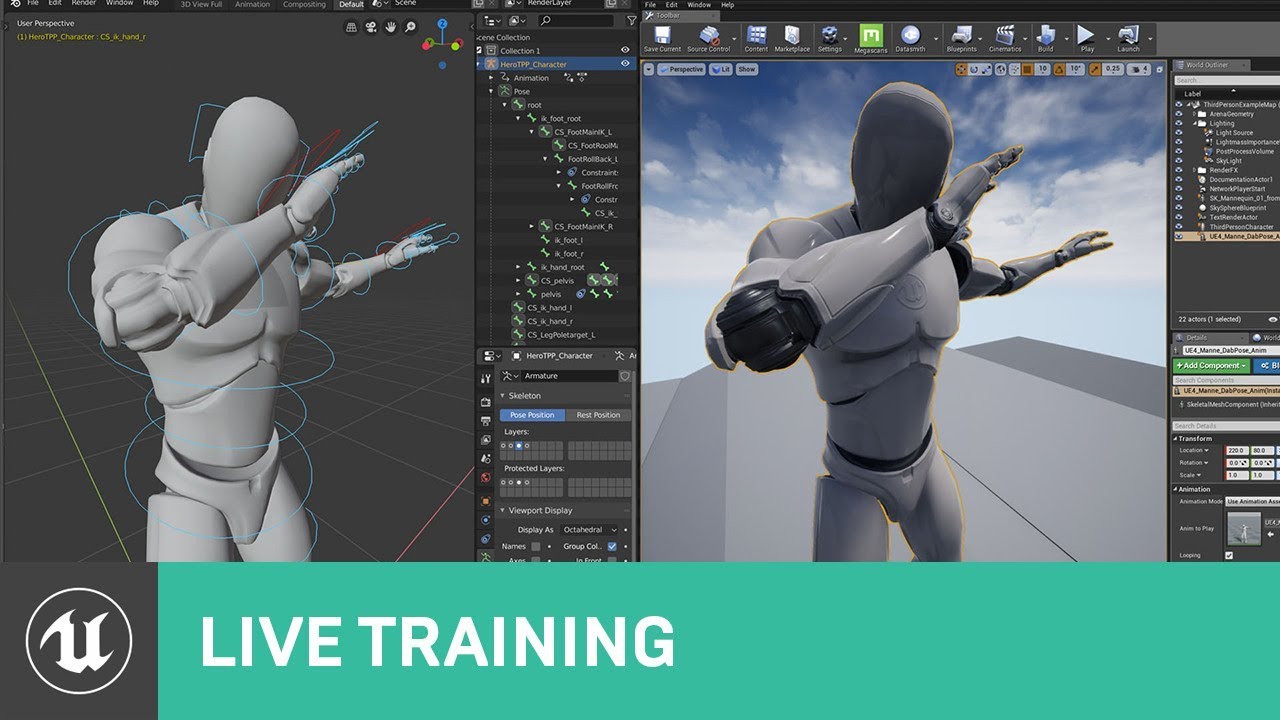
Creator of Cine Tracer Matt Workman, will join us on the next livestream to demonstrate his Blender to Unreal Engine workflow. As an artist familiar with traditional DCC tools, Matt will talk about his shift to Blender as well as tips and tricks he has learned in the process.
...
kind dew
cause its so minor]
i just need to rotate 1 bone
and I dont want to download an entire software and learn it to rotate a bone
lol
lofty wave
you just have to create a bigger cube i guess
@rigid belfry
The image is just from the documentation
My problem is a door that a NPC cant walk through
It could easily fit through but the navigation isnt going through
rigid belfry
maybe try fiddling around with the navmesh settings?
@kind dew maybe try this? https://www.youtube.com/watch?v=w-OHLjcNpcs

My Youtube channel for the game I am developing:
https://www.youtube.com/channel/UCD8NcANziQSE2nsao5S2ADQ
This video is a workflow of creating new animations in UE4 by editing animation layers.However there is limitation to this.
I will upload new videos of creating new cust...
lofty wave
Well there arent really settings for navigation...
rigid belfry
post a screenshot of your project then, not the documentation
press the windows button on your keyboard and search "Snipping Tool"
lofty wave
(Dont ask why the door isnt there)
rigid belfry
does that wall have collision?
lofty wave
Yes
rigid belfry
can you try disabling it real quick?
kind dew
So you can do what I wanted and it takes like 2 seconds lol i was just clicking the wrong button
thanks for the help
rigid belfry
np
lofty wave
Its a box brush
How can I do that?
rigid belfry
btw, if you're serious about animating, def check ou the video i linked
if its just for shit and giggles, then the built in animator works fine
but IT IS buggy, especially on 4.25
white relic
Is there a way to make an actor move randomly in a direction. I want my tornado actor to move with something..but not on a predetermined spline...but to never go 'backwards' or too much side to side..basically introduce some jitter and chance of changing its path..but always moving towards one direction
and it has to adhere to the landscape so the effect doesn't clip through the ground
rigid belfry
add navmesh and do find randomreachable point
white relic
Okay thank you
rigid belfry
i dont think you actually need a navmesh for that
it just takes in a radius parameter
and the current location
then you do MoveTo
white relic
While were here..is it possible to use render targets to change wind intensity in a radius around the tornado
rigid belfry
i think you'll need a quick behaviourTree logic for that?
@lofty wave are you perhaps using the SM_DoorFrame provided with the starter content?
lofty wave
No
rigid belfry
well, i am. and i also have your problem
lofty wave
😐
kind dew
no im definitely not serious about animating i just need a 30 degree rotation change lol. If i needed anything more than that I'm not dumb enough to try to animate and actual game exclusively in unreal lol
white relic
Does the tornado actor have to be a character for the ai
I mean I can just use the normal actor right
rigid belfry
i think you actually want it to be a pawn
hold on

This guide shows how to use Behaviour Trees to set up an AI character that will patrol or chase a player.
you dont have to follow all of it, you could just read it and apply what you need for your actor
white relic
nice thank you
white relic
I am trying now hope it works
rigid belfry
do something real quick for me
open your tornado, and on the main component, search "Controller" if you can set an AI controller class, its fine
white relic
Yea I set it 🙂
rigid belfry
good, then you dont need to change anything
white relic
appreciate you're responses man
 prisma plank
)
lofty wave
@lofty wave select your actor and uncheck "Can Ever Affect Navigation"
@rigid belfry
Well the problem is that the object thats blocking the navigation isnt the door or the doorframe but the surrounding walls
But wait
The walls have collisions
nvm you cant do that with a box brush :(
rigid belfry
Just disable collision on whatever object is obstructing the navmesh
rigid belfry
Whats that
rigid belfry
Does it not have that setting? I am fairly sure it has it
lofty wave
Nope
rigid belfry
Then dont use it
lofty wave
rigid belfry
In the place modes, search for cube instead
lofty wave
Well but a normal cube doesnt tile the textures automatically
rigid belfry
Thats too bad
lofty wave
Right = Box Brush
Left = Cube
I found out another way
Placing a nav link proxy for every door
white relic
Also is it possible to use a radius from the actor to change wind locally
Hmm..you just drop the character into the navmesh but its not moving..hmm
Oh weird..
So when I hit play to see if the tornado moves..it. ... ....turns off...the niagara system stops playing
.......tfffff
Okay so the problem is the ai is navigating under the world
 golden condor
What if my nav mesh doesnt show as green?
Even when pressing P
A restart of the engine solved it
white relic
Tornado just falls through the world ....how do I fix this? :\
quiet swallow
@rigid belfry Thanks to you helping me so much which I'm very greatfull for my brain has be able to comprehend stuff that I don't understand and now I have have gotten my self a master material which sure does not use the heatmaps that I created but this is a faster and better solution. 😄 (btw the textures and such is just a test I will switch them in the final version xd)
quiet swallow
This is for the first time but unreal engine gave me a bluescreen xd
white relic
fixed it
I didn't need an ai controller
Are you using 4.25
I was using 4.25 and BSOD three times...never have I ever had a BSOD on this computer...it also crashed a f**k ton...only stable version for me seems to be 4.23
 marsh swallow
In the Actor Details screen.... why are my custom vars at the bottom?
 mint umbra
Oh whops, wrong channel 🙂
marsh swallow
lol
 wispy imp
hey guys i have a question about boundaries in unreal engine
I want to have a track around an island, with boundaries around it that prevent the player from going too far off track
I am thinking about just using blocking volumes and placing them on the track, but I was wondering if that would be inefficient and poorly optimized
is there a better solution for boundaries that would help the game run better?
 sullen sonnet
Anyone have issues with ray tracing and engine getting stuck?
wispy imp
@plush yew is blocking volume the most efficient way to do it?
 grim ore
a basic blocking volume is probbly going to be a very basic and efficient way of doing blocking yes, especially if its a basic shape.
plush yew
How do I get the bot to post a job in the look-for-talent channel
Thanks
Not working
lol
🙂
 candid rapids
Anyone know how to get the pitch to work on the thirdperson character without moving the pawn. I animated the character but i can't get the pitch to work with it
 latent flume
Quick question. I installed Unreal 4.24.3 on linux. Everything seems fine but when I add a plugin i get errors like this. I thought it was the plugin but it occurs with other ones too. So, it's a Unreal issue. Does anyone knows what it means?
grim ore
What is the dirgravity module?
grim ore
so if its this one

GitHub
Plugin provides vector gravity for Pawns. Contribute to Tefel/DirectionalGravity development by creating an account on GitHub.
yep
check out the .uplugin, its not whitelisted for linux
you will run into that issue for quite a few plugins as they dont test it on linux
latent flume
The other one I use dlg system definitely isn't white listed because I use it in version 4.21
grim ore
you can edit the .uplugin yourself and add linux as a whitelisted platform and see if it compiles
latent flume
It says "WhitelistPlatforms": [ "Win32", "Win64", "Mac", "Linux"
grim ore
is that the one you downloaded or the one from the github?
and you are right Linux is there its just not tabbed correctly.
so yeah it should work, are there other errors?
is it just when you add plugins, or example projects with plugins like this failing?
latent flume
Nope. I downloaded the project from github with the plugin. Which has the same error. I am going look at the log now.
Hmmm
grim ore
yeah all of the plugins arent compiling
latent flume
Which is weird I followed the proper install for Unreal.
grim ore
and did a full build of the editor?
latent flume
Yes. I'm trying again.
grim ore
maybe check to see if the plugins compiled or not, like the cable one it says is missing in Engine\Plugins\Runtime\CableComponent\Binaries\
on win64 it definitely compiles by default... it should compile yours as well, super weird
plush yew
Can someone help me figure out an error? It wont let me select play in the editor and it just says cant play in editor when performing duplicate component operation, but I have no idea what that means
plush yew
anyone know how to code for a character action similar to how Yoshi's tongue works in a 2d platformer?
white relic
moooOOOooo
plush yew
@white relic nice
but yeah, anyone know how to code for Yoshi's tongue?
I'm making a game with a similar mechanic in mind
and I'm new to UE4
 soft fiber
Creating a terrain material for four different texture. I'm missing roughness for one texture. What do I put in the layer blend for that texture?
white relic
put a scalar see what looks best idk
are render targets scuffed...It was working fine all day and suddenly stops working again and I have to redo th entire script allover
soft fiber
I'll give that a try.
 hushed hare
the thing im doing requires a good understanding of velocity in unreal and i dont have that
like
what unit is velocity in?
i know its a vector
is it like
x,y,z are each the units/sec in those axis the actor moves
 manic pawn
centimeters per second
hushed hare
alright thats good
white relic
is there a way to make a decal in a material function?
to save on performance while updating each frame?

two pans
hoyl fuck
that is a big difference..
maybe its just a preview thing
Maybe there is something you're missing because I use panners and I never noticed that
:\
plush yew
@plush yew reminds me of when the Flash runs in circles at super speed to create a vortex
 nova harbor
https://media.giphy.com/media/fxTjgcfe2K279KgBgg/giphy.gif I made a Easter egg out of this ledge instead of just blocking it off.

 dense bolt
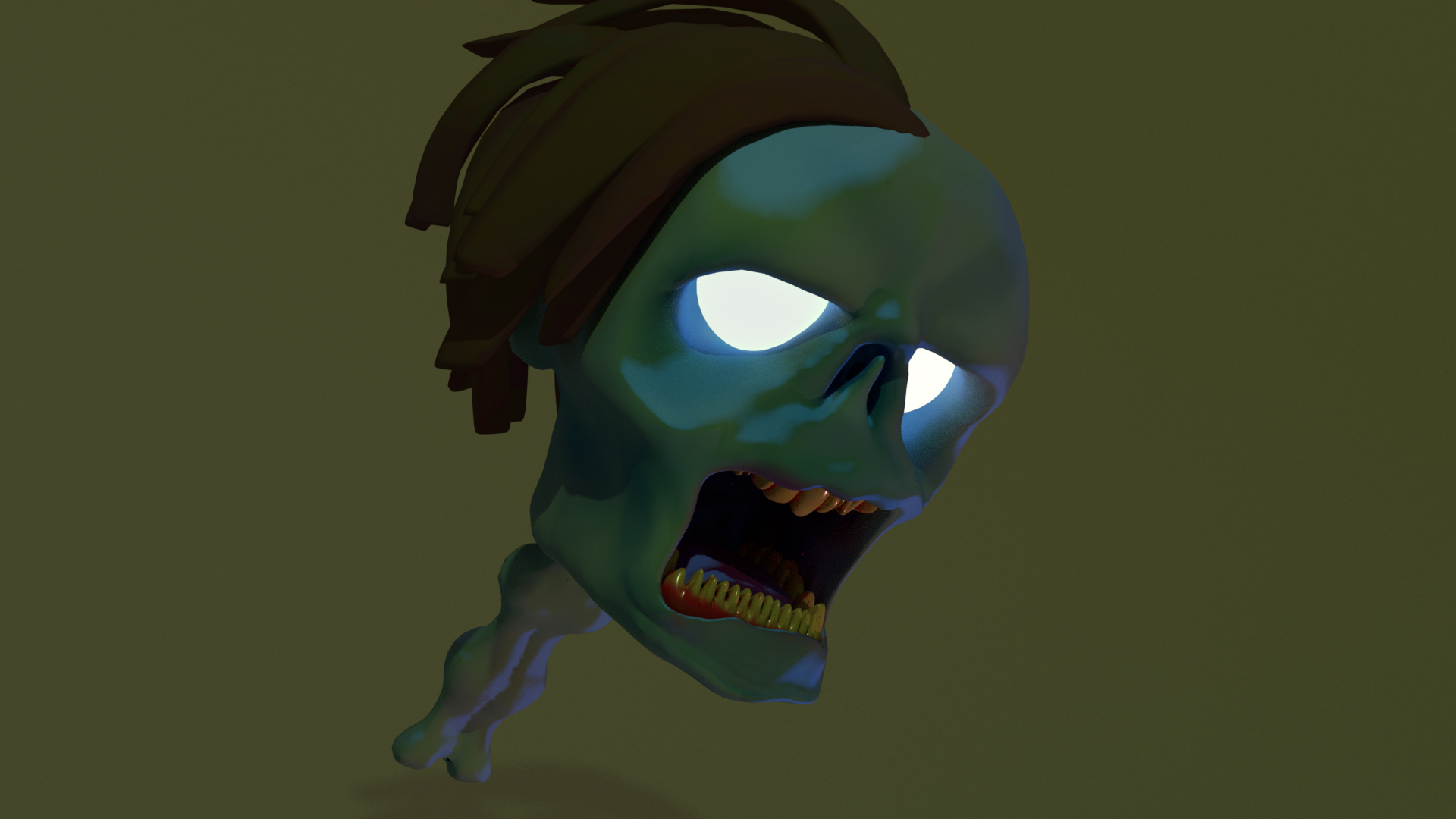
 restive eagle
procedural generation probably
 broken mauve
anyone get this problem?
@white relic its your VGA driver. update
 upper karma
Yo can anyone link me to a good tutorial for making a simple target system?
Something where I can lock-on to something with a button press or whatever
upper karma
Good lord what IS that
 floral knoll
SPEGGTI
upper karma
yummy patsa
restive eagle
there was a free pack for target lock on the marketplace last month
should have taken it 😄
noble marsh
@floral knoll WOW SPAGHETTI WITHOUT END
floral knoll
I am not done
 jolly pumice
How to export textures from UE4?
 restive vale
Hi! Anyone have used Firebase database to save player data in the cloud?
 tame delta
Does throttling downloads in the launcher not throttle Unreal Engine downloads?
Ok nevermind, bugged out for me, needed to pause and resume download
jolly pumice
Help, I can't figure out how to export textures. I watched tutorial on youtube and all of them have button export here. But not me.
 sand spear
Hello Guys,
I've a weird problem YouTube does not count my videos likes for two or three days!! any idea how to fix that?
restive eagle
atleast with paragon assets unreal locked all the textures
so maybe its the same case with this one
its still possible to export the textures, but you need to make a render target system
plush yew
Is ue5 available to download?
sand spear
@rigid belfry When somebody likes my videos in the panel or in the video page the like count does not increase!
 green prairie
Hi guys.. Perhaps you can help out here... I have a simple bomb that explodes, and does radial damage.. It all works perfectly... Although, I want the radial damage to ignore a character, but I can't get it to work.. I have tried making it ignore actors with a certain tag, but it doesn't work...
I have even tried putting in the specific actor, but can't get it to work
 raven island
is there a way to disable collision for water bp actor?
upper karma
should have taken it 😄
Omg wait I have that! I totally forgot, thank you!
 terse vigil
Hey i got an issue when i pack my project and play the main menu pops up but when press play nothing happens even though i packed both the menu and the game level.
rigid belfry
@green prairie are you setting the Friend tag somewhere?
maybe the array you're using is empty?
midnight gate
how do i change this value thought blueprints
lets say for example i need to set 1 to true
 maiden sundial
Would say Party[1] = true; from the look
But without knowing what Party is it's just a guess
midnight gate
how do i do with blueprint
midnight gate
alrithy that should work
 uneven fractal
huh for the first time blueprint sets turned out to be the correct solution
maiden sundial
Not 100% sure if that works how i think, but that might be the better way
midnight gate
perfec
uneven fractal
not sure how you found the set bool by ref node before you found the generic set array element
midnight gate
i dont think this node gives me an index
maiden sundial
midnight gate
yes it gives me the boolean of the array
but i need the index number
wait that breaks programing concepts i need to rethink my stategy
maiden sundial
You could use the Find node, but that might give troubles on an boolean array xD
midnight gate
ok ok i got a new idea
how do i get the things out of the array that are only true?
green prairie
@rigid belfry What do you mean Array empty?
midnight gate
ok works good now
now how do i spawn buttons in runtime depending on how much items i got in my array
 coral folio
exotic thicket
coral folio
exotic thicket
@midnight gate have you tried using spawn actor from class?
if it's a button actor, you might have to do something different if it's a UI button or something
rigid belfry
@green prairie i am trying to have a similiar setup you yours and see whats going on
i got some friend and enemy cubes to spawn, let me work on the apply damage now
midnight gate
hmmmmm
 austere scroll
is it normal for people that started out 6-7 months ago to take them mmultiple months to make not very complex things ?
rigid belfry
sometimes what you think is not complex, actually is
@green prairie bear with me 1 second, ok?
this is my spawn friend function
i have one setup for enemy too. inside my character, i draw a sphere for debugging purpouses and apply dmg in a radius
austere scroll
this is my spawn friend function
@rigid belfry does that setup work with MOST AI characters ?
its quite neat
rigid belfry
@green prairie i create a float variable with a value of 3 and i call it health, then i do this inside the enemy's event graph
i can setup the logic behind ignoring friends, but i am pretty sure you can do it yourself from here onward
@austere scroll the for loop only instantiates the actor, no matter what it is. if the actor has any logic in it, then i'll work just fine
austere scroll
Thanks 🙂
upper karma
Real quick, sorry to interrupt, but can someone tell me a good way to have the player have a little control in mid-air when jumping? I'm really not a fan of being locked into a jump and having 0 air control.
golden condor
Or just controlling the direction when jumping?
upper karma
Nah just being able to move a little when jumping. It's from the base third-person controller
Or just controlling the direction when jumping?
@golden condor ^this
rigid belfry
if you're making a platformer, you can also make the player jump higher when holding down jump event
ala knight jump and many others
upper karma
Oh fr?
golden condor
Well, you can set it so that when you're off the ground and in the air you can still control the direction with the camera maybe
rigid belfry
i was working on a large scale gravity based project and i found that usefull
i'll post a little video to recap for @green prairie then i'll be off to cook myself something
green prairie
@rigid belfry Thanks.. But unfortunately, it makes zero sense to me 😦 It should be as easy as just plug something into the ignore array...
golden condor
Will delete the past pictures of the same problem
rigid belfry
this is what the system ive wrote is doing currently
some general notes. this is destroying actors on the fly, which is never a good idea for various reasons, especially performance
golden condor
Feel free to let me know what my mistake is.
rigid belfry
you could first disable it, and then destroy it later when player loads a new level
but if its just cubes, no biggie
upper karma
Yeah I just wanna be able to control my jump a little, cause rn I jump and am just locked into it. It wanna be able to freely move even while I'm in the air like most platformers.
rigid belfry
this only happens when you're dealing with larger project and you're destroying dozens of actors costantly
upper karma
woops shit sorry
rigid belfry
the air control will let you do just that
upper karma
Where is that at?
golden condor
Any help?
 mellow flame
can someone help me with overlapping lightmap uv? my uv are not overlapping, and ue4 is not generating any lightmap uv. so my render is sh*t
rigid belfry
@golden condor 1. cast to nodes are kinda bad in terms of performance. 2. the cast to node isn't even starting because nothing is executing it
@mellow flame https://docs.unrealengine.com/en-US/Engine/Content/Types/StaticMeshes/AutoGeneratedLightmaps/index.html
https://docs.unrealengine.com/en-US/Engine/Rendering/LightingAndShadows/index.html
An overview of generating your own lightmap UVs in Unreal Engine 4.
Using Lighting and shadowing geometry, using Global Illumination, and setting up reflections.
golden condor
I did link it to the event but the problem is still showing
Also, sorry. That was a bad screenshot while debugging
rigid belfry
are you even firing any event? break all links and only connect a print string to the event receive execute ai
is this related to beheviour trees? i think your problem might be related to that
golden condor
Yep, events are firing
rigid belfry
maybe you forgot to link a finish execute at the end of any of your blueprint
golden condor
It prints
rigid belfry
is the cast failing? connect 2 print strings. 1 on the normal execute and a second on cast failed
rigid belfry
you need to link a finish execute here too, otherwise the beheviourtree will always loop this script
mellow flame
but the error persists. it tells me 50% overlapping
rigid belfry
how many static lights do you have in your scene?
mellow flame
4
golden condor
Ok, so it only prints when it succeeds
idk what to put there.
I thought I had ended my logic there
mellow flame
how many uv channels do you have on your static meshes
@rigid belfry 2
this is the error i get after building, and the light blue arrow to show you the "blacked out" texture
rigid belfry
can you make another uv channel?
mellow flame
from 3d software or unreal?
rigid belfry
You can either fix this in your modeling program or create new UVs automatically within the mesh properties in UE4
can you try doing it in ue4 first?
https://docs.unrealengine.com/en-US/Engine/Content/Types/StaticMeshes/HowTo/UVChannels/index.html press CTRL+F and search "creating uv mappings"
The role of UV Channels for rendering Static Meshes, and how you can work with them in the Unreal Editor.
mellow flame
do i need to delete the old one, or do i have to have 3 channels?
rigid belfry
this was my lighting training a few weeks ago
i still got a lot to learn on that regard
@mellow flame you need more channels
wheat hare
It doesn't suck
rigid belfry
it kinda does, especially near the ceiling
wheat hare
Need to turn some of those down
And that thing near the ceiling is super common for beginners
What platform are you using?
rigid belfry
this was done entirely on ue4
rigid belfry
i just took a high res screenshot
mellow flame
also im creating the new channel, but it's empty
wheat hare
Sick
I have no patience for that, I need to use sketchup
Do you ever do skeletal meshes? All the tutorials are for importing bones from blender and I'd rather just do it in UE if I can
rigid belfry
between the different kinds of game engines, plus blender for modeling and resolve for video editing, i really cant afford to learn a new program
wheat hare
I feel that
rigid belfry
but sketchup is great, i'll give you that
wheat hare
It's really really fast, but everything's got that "look" in the end. There are folks in the sketchup discord who are wizards, I am not one.
But I can make terrain maps really fast and make quick changes in datasmith
Like using the datasmith importer as kind of a live updater
I found a gorgeous biarticulated bus in sketchup 3d warehouse and the fbx importer / reimport was just fine for making changes and getting the model actually into the engine too, didn't even need datasmith.
mellow flame
i don't know, i did everything i needed to do to fix this but this is not working. i give up. i spent too many days
rigid belfry
Red Dead Redemption 2 was in production for seven years before releasing, yet you give up after working for a few hours on 1 project
mellow flame
it is 3 days, not few hours, and i'm not rockstar.
the project is actually one single model in one single room, nothing to spend more than 1 hour
i bet the problem is on export from marvelous designer
mellow flame
i did everything i could to fix this, spent hours to fix the uvs, i fixed them, yet still telling me they are overlapping even if they dont
rigid belfry
dont unwrap everything on 1 channel, make a little bit more
 bitter iris
does anyone here use steamsockets?
bitter iris
getting this sometimes :/
 azure gazelle
@bitter iris Working with your own app id or 480?
midnight gate
so im doing some advanced suttf here and i nee dhelp
im trying to call an image file from an actor but i realized im using a data table how can i do it thought an actor instead?
i want the actor to have the image variable that says to set image
but i need to send that image variable somewhere because i cant cast it every single time
bitter iris
@azure gazelle yeah working with my own, its live
azure gazelle
@bitter iris Hmm.. not sure in that case.. I Would have expected it with 480, but with your own it's probably just a Connection (either Client or Server) problem. Could be pretty much anything internet related though. I've seen Users with Issues posting these Warnings while playing Valve Games (complaining about disconnects). So that's pretty much my best guess.. But maybe #multiplayer has a clue.
bitter iris
just tryna figure thigns out
its not a problem that stops things its just there
right now im tryna figure out how a scroll box can be used this way, only works left one for me
 frank oar
Question!
Before I go and mess something up big time...
Why is it that moving folders seems like such a task for the engine to handle ?
as an example, I have made a folder to store ALL of my market place content, this first one I moved into it from the content home took like 10 mins.
it also leaves an empty folder in the main content folder.
Am I supposed to be moving things differently ?
 drowsy turtle
how do i make day and night cycle? That's what I already did https://gyazo.com/460c4714b52909ee288983de51f6fc5f?token=947b3c8eb6508c8bf99b7a7da5858b1b but the sun doesn't moves

what did i do wrong?
azure gazelle
@frank oar UE4 will create redirectors pointing to the new location of the files. I guess it also does some Checks while moving (if the assets are refrenced by other assets or blueprints). The empty folder left behind exists because the redirectors inside (where the old asset used to be) still exist.. They are not visible in the Editor though. Right click the folder and chose "Fix up Redirectos". You should now be able to remove the empty folders
 frank oar
thank you @azure gazelle I am very glad to be able to sort that out!
drowsy turtle
nvm again i solved the problem, the sun moves now
 steel osprey
I keep getting 'testB_BuildData.uasset' failed to save as it is only partially loaded, any help?
 fresh rampart
hey people, whats the most used approach for enemy ai attacks? Have play animation inside the behavior tree and a notify in the animation to tell the code that the AI is attacking or have a task in the behaviour tree that calls a function in the enemy code that handles logic and plays the attack montage? Or neither of these 2?
exotic thicket
@fresh rampart either works. I used a BT task that triggered an animation and another BT task that triggered damage on the target, but later moved to using an attack function on the pawn instead. I think BT tasks are great for quickly putting together the basic functionality, but I needed more flexibility in how the pawn performed the attack, and that was easier in the blueprint itself
fresh rampart
yh, i was leaning on an attack function myself, but since im new to BT's i wasnt sure if it was prefered for creating new Ais to have everything on them. thanks
 errant lichen
Hello, does anybody has experience with reading the luminance values of each pixel. I am trying to build a luminance camera sensor.. so far I was able to read the values of one pixel by capturing the scene and transfering the image to a rendertarget. then I was able to read the values with the functionalities in the blueprint editor. but I'm stuck since I'm not sure if this is an accurate measurement for the luminance value of the pixel. furthermore I'm not sure how to read all values from the whole image.
I am aiming to read the luminance values and want to create a pseudocolor display. For any help I would be grateful.
plush yew
how do I import content that I just downloaded from the marketplace into my project?
 slate vessel
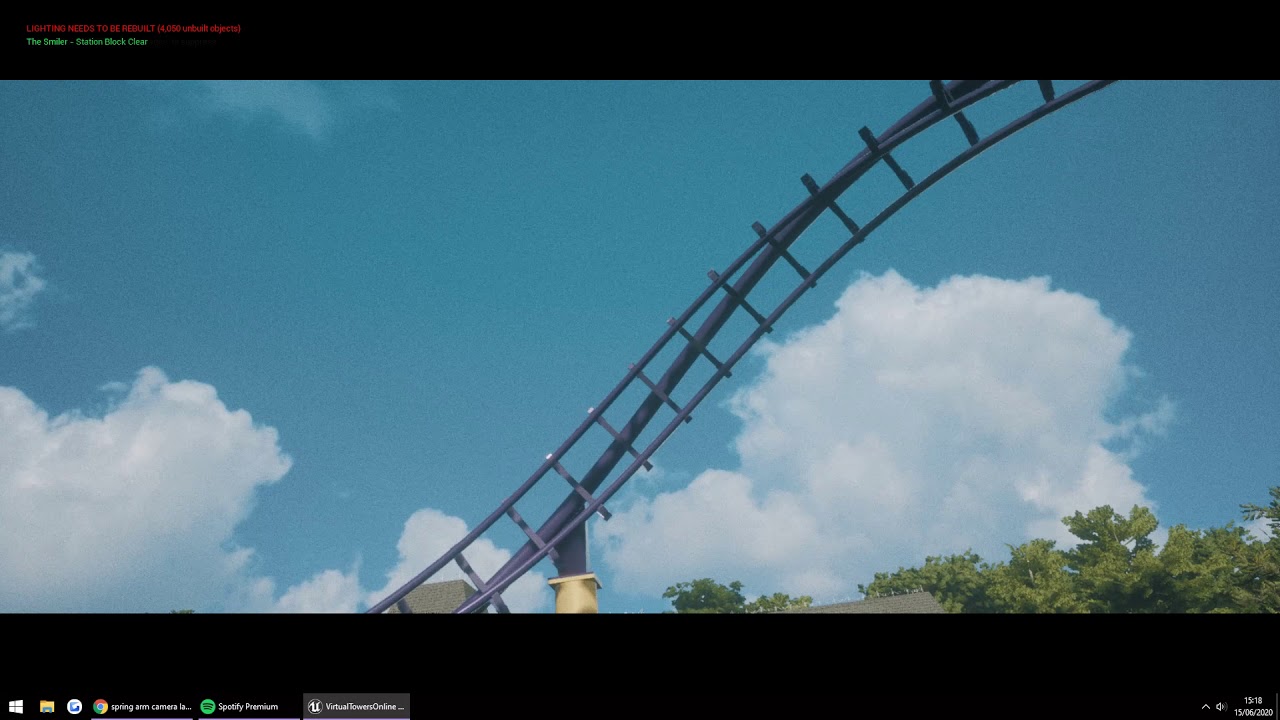
I'm using a springarm to enable camera lag for a (cinematic mode) when I press a key. Only problem is the camera seems to start to roll despite the settings not to inherit any roll so I do not know how to fix. Any tips pllleeeeease?
 rigid belfry
@fiery mortar hit the ' (apostrophe key) on your keyboard
 twilit hill
nice dx12 rhi 😄
i guess thats why nobody bothers with it
unless .. imposters i guess
 grand ermine
Failed to load map!
../../../../Excel_Shit/FollowSplineSimple4_24/FollowSplineSimple4_24/Content/VehicleBP/Maps/VehicleExampleMap.umap appears to be an asset file.
does anyone about that?
i close the project after saving
now doesnt open
in file explorer its shown
but ue4 doesnt read it
tried all vers
23 to 25
.
saved last time in 4.24
slate vessel
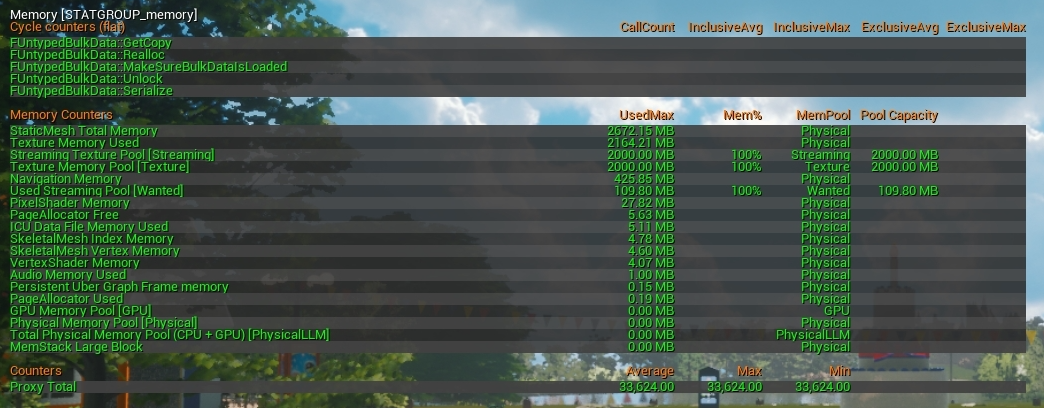
whats usually the most common reason for high ram usage? many of our testers report our game us taking up to 21gb of ram and is often locked at 100% cpu usage
 kindred viper
memory leaks
slate vessel
forgive me but, what is and how to we prevent memory leaks?
kindred viper
it might not be your issue. I mean its just a common reason for high ram usage. Could be a number of other things too
slate vessel
ok thanks ill do some profiling and dig a little deeper
hushed hare
how do i push through and solve really hard problems
kindred viper
@hushed hare never stop trying
hushed hare
i just pretty much had to start a mechanic all over because its too hard
kindred viper
iteration is king anyway you learned something
hushed hare
it really sucks seeing so many people have perfect solutions but i cant apply them
im just trying to make an average portal system
the only difference is theyre linked by location
kindred viper
did you check out the portals on the marketplace?
kindred viper
ahh they were free a while back
kindred viper
nobody who finished a project ever said it was easy. Just have to keep grinding.
 solemn orbit
slate vessel
solemn orbit
slate vessel
no wonder people are running out of ram

what's a sensible texture streaming pool size to set for a AAA game?
 teal tulip
the texture pool isn't stored on ram
this days you could aim for 4GB of VRAM on AAA games I bet
slate vessel
i know primarily its stored on the gpu vram but we had an issue where all of our textures where turning blurry so we had to increase our pool size. I assumed if the pool limit it starts to use system memory
teal tulip
Not total sure if it will use system memory
but will be limited rather by your GPU
megatextures is a different topic
mellow flame
is there any way to "stretch" an animation on the sequencer?
white relic
Is it possible to use a render target to change the intensity of wind in a certain area
wooden forge
Is there anyway to make exponential height fog work on android?
teal tulip
well you can make a shader yourself I bet
but not sure if that performance will be any good
 atomic meadow
Hello, does anyone know how to fix this landscape?
rigid belfry
whats wrong with it
@quiet swallow https://www.youtube.com/watch?v=WPimiBP8d6o

What have I learned after making 100+ Level Designs in Unity? Let's talk about it!
Check out Game Creator here! http://bit.ly/GameCreatorSykoo
♥ Support Sykoo on Patreon: https://patreon.com/SykooSam
·········································································...
atomic meadow
rigid belfry
is that a shadow?
white relic
What is ORH??? What textures are these..opacity, roughness.. and H?..height??
white relic
googling lol
texture sampler parameter 2d's.....ugh
oh sweet
he releassed his project to download
scrutinizes
 novel oriole
Am I the only one who hates it when a tutorial requires you to download a project


 rigid belfry
i like to do everything from scratch so idont like it either
novel oriole
If it's a really complicated tutorial, it's a bigger file to download
white relic
Well yea sure but when you've only been at this a couple weeks like me
XD
The only experience I have is ...source engine
novel oriole
That's not bad
white relic
and this is completeeeeeeeeeely different
rigid belfry
i have been learning for about 1 year now and i have never had the need to download anyone's project
novel oriole
At least it isnt something like scratch or python
white relic
I have been using photoshop for 10 years..so textures are easy for me..and I did source engine for a few years back in 2012
rigid belfry
btw, i think the O for the "ORH" acronym might stand for occlusion?
or better yet, go here

Pastebin
Pastebin.com is the number one paste tool since 2002. Pastebin is a website where you can store text online for a set period of time.
select the entire material and press ctrl+c
then paste it in the website
you can select all with the shortcut ctrl+a
then scroll down the page and click on "create new paste"
wooden forge
is there anyway to make a fake shadow between the tree and the ground so it doesnt looks too dull?
rigid belfry
ambient occlusion?
wooden forge
im deving it for mobile and AO isnt working on mobile
 lost marlin
whats the best way to record gameplay in UE4? Ive tried obs studio and it wont capture the window...
rigid belfry
Using Post Process Effects on mobile games.
white relic
did you try display capture
wooden forge
i use amd radeon relive @lost marlin if you have nividia use geforce experience
rigid belfry
Setting up lighting for mobile games.
lost marlin
@wooden forge thanks, will try it out!
wooden forge
@rigid belfry i've already enabled mobile hdr and AO still not working on android es3.1 preview
i've read somewhere AO isnt working on mobile devices at all
rigid belfry
lighting on mobile is basically the highest-cost thing in just about any UE4 scene. I'm not sure how much you already know about lighting, but the link i just posted is super helpful if you're just starting out. In general though, static lights ONLY affect static objects. My advice is to have a decent number of static lights to get the environment looking the way you want. Then add a single STATIONARY (not movable) light that blankets the scene in a way that you want (if it's a sun-like light, go directional, otherwise it'll have to be more specific). Most mobile platforms can handle just the one stationary light, maybe two if it's a higher-end device. Rule of thumb though - if it doesn't have to move, make it a static object and bake (build) the lighting.
There is a reason most mobile games are very rudimentary in their lighting/design. Lighting is expensive, and the limited resources on mobile just make it impossible to get the exact thing you're going for sometimes without making some kind of major cuts elsewhere.
@wooden forge Stated on https://docs.unrealengine.com/en-US/Platforms/Mobile/PostProcessEffects/index.html - None of the rendering features for Ambient Occlusion are supported
Using Post Process Effects on mobile games.
@ebon linden if the camera is attached to the player, and the player is blocked by a wall, then the camera wont move either
wooden forge
@rigid belfry yeah i'm actually just starting out on mobile and was too anxious about the coding part i was kept thinking im developing it for a toaster, but didn't know lightning is expensive as well
i'll read the article more carefully this time, thanks!
 shadow shore
can someone please help me with multi user editing in unreal?
 clear warren
Does anyone have any idea what to do when Unreal keeps crashing every time I open a Windows Explorer browser from it? Even just when I make a new project, and am browsing to the right folder to create it in. :/
rigid belfry
@wooden forge some mobile games dont even use lighting all togheter
https://www.youtube.com/watch?v=fwZn_jxPgEQ i dont really like this video but it shows what i am talking about

Unreal Engine Beginner Course:
https://devslopes.thinkific.com/courses/intro-to-unreal-engine
Lighting is a complicated topic. Lighting in mobile games adds layers of difficulty. In this video I will show you how you can EASILY light dynamic, movable objects and characters ...
lighting is a big deal for mobile, dont forget that
note that you could actually afford to keep lighting in your game
it a case by case scenario really
also, you could test in on your 1-2year old android device and assume everything is fine, and then your game will receive trash reviews and low ratings because the majority of people actually have a really low end phone
wooden forge
i'm making a game that the player can spawn animals/trees and control them, i think in that case i have to totally give up on lightning
rigid belfry
1 really quick performance tip i can give you on that
creating and destroying actors is actually super taxing
what you can do, is you can create something like 20 instances of 1 actor in your level, and have them be set to hidden or inactive
and then simple activate/deactive them
you then can finally destroy everything once the player leaves the level
that's how most games do it. thats why loading screens usually take a lot to load
because you're actually loading everything from the get go, and then simply making visible when needed
wooden forge
what if i use the same actor for different characters? like when a tree dies i change the mesh to a chicken and switch the codes? would that make any difference? as i'm switching meshes?
 wintry pecan
I have a property in a ai blueprint I got from the marketplace (I do not have the base class)
I managed to spawn an instance of the blueprint from a c++ class that manages the traffic of these blueprints
I am trying to initialize a few of the properties in the blueprint, I managed to initalize a boolean property, how could I set the other property (an actor reference) from this c++ class given a reference to the property and the actor I want to set
wooden forge
@rigid belfry also thank you for the vid, i've understood much more about mobile developing
rigid belfry
@white relic are you on windows?
white relic
yea
wintry pecan
            static FName RoadSplinePropName = TEXT("Road Spline");
            static FName FollowSplinePropName = TEXT("Follow Spline?");
            for (TFieldIterator<UProperty> PropertyIterator(NewCar->GetClass()); PropertyIterator; ++PropertyIterator)
            {
                UProperty* Property = *PropertyIterator;

                if (Property->GetFName() == RoadSplinePropName)
                {
                    UEnumProperty* EProperty = Cast<UEnumProperty>(Property);
                    if (EProperty) {

                        //set property reference to actor

                        GEngine->AddOnScreenDebugMessage(-1, 5.f, FColor::Orange, FString::Printf(TEXT("Changing Property: %s"), *(Property->GetName())));
                    }
                }
                if (Property->GetFName() == FollowSplinePropName)
                {
                    UBoolProperty* BProperty = Cast<UBoolProperty>(Property);
                    if (BProperty) {
                        BProperty->SetPropertyValue(Property->ContainerPtrToValuePtr<float>(NewCar), true);
                        GEngine->AddOnScreenDebugMessage(-1, 5.f, FColor::Orange, FString::Printf(TEXT("Changing Property: %s"), *(Property->GetName())));
                    }
                }

            }
 storm venture
stupid question, but can i cast an empty object to some BP to load that BP in memory?