#ue4-general
1 messages · Page 761 of 1
 still hemlock
Yea I think i figured it out
When I go lower in the landscape it crashes
I gotta change the height of the landscape
still hemlock
What should I change it to?
 copper gulch
That value determines at what height to destroy your pawn.
Make is as low as you need.
copper gulch
@white relic
A few things.
- It could be that the material simply looks better on a rounded surface.
- your lighting is different in your scene than in the material preview. The preview is using dynamic lighting while your scene appears to have unbuilt static lighting and it looks very flat. So that's another thing to keep in mind.
Np Sean
 cerulean sandal
i personally use Dynamic lighting instead of Static because it looks nicer imo
 white relic
Mirko. Any tips for optimizing performance with dynamic lighting?
i personally use Dynamic lighting instead of Static because it looks nicer imo
@cerulean sandal ^
cerulean sandal
Dynamic lighting didnt impact performance hugely on my game, just a couple frames
white relic
oh
man I am getting so frustrated...my editor crashes CONSTANTLY
literally every few minutes I have to be so careful
 radiant leaf
how much ram do you have
white relic
I can't figure out what is causing it. I don't use anti virus software..I turned off my gpu overclocking (I just read on the ue forums this can cause it to crash a lot) ..only other program I have running is the megascan bridge thing
16gb ..I thought it was a ram issue at first but only 8gb are even being sued
used
 hearty walrus
How do I make a cartoon sky of sorts?
white relic
Like I have barely even done anything
radiant leaf
8gb used by unreal etc, or by the pc? just being clear
white relic
by the entire pc
radiant leaf
Ok, and the pc is recognising that 16 is available? If so, describe the crash - freezing, or quit to desktop, no warning?
radiant leaf
ok
white relic
radiant leaf
ok, I don't know 100% enough about UE specifically to diagnose that, but from the sounds of that error message (third line in the second box) I advise downloading a newer version of UE or going back one version if already on most recent
basically a test is failing
but unless you've got unit tests somewhere in some C++ code, and run tests upon compilation, I don't know why it would be occuring
cerulean sandal
Try repairing unreal

i think it was this
"Verify", in english
@white relic
cerulean sandal
No
i do that everytime
i have a small post process box with "Global" enabled so it works everywhere
then, where i need custom post process in a specific area, i just put another post process value NON Global and boom done
@white relic
cerulean sandal
oh yeah sorry forgot how it was called 😅
cerulean sandal
also how can i fade overall volume out? (in a widget bp)
Am bored
@sharp crest Hi bored, i'm dad!
 sharp crest
lol
also how can i fade overall volume out? (in a widget bp)
no idea what u r talking about but if u explain more maybe I can hepl
cerulean sandal
i need to make volume (of whole game) fade out when a button is clicked
 rapid yacht
Hey, is there a proper/specific channel related to unreal modding here? Or am I barking up the wrong tree?
white relic
Thanks Mirko 🙂 Also another thing. If I can placing vegetation and I have a dynamically lit outdoor scene. Should I uncheck 'static lighting' in the foilage painter
if I am placing*
cerulean sandal

copper gulch
My guess would be #engine-source ?
Hey, is there a proper/specific channel related to unreal modding here? Or am I barking up the wrong tree?
@rapid yacht
rapid yacht
For modding unreal engine games, correct?
copper gulch
Oh, I thought you were talking about modding unreal engine itself.
white relic
I can't find an option in the foilage painter for a cutoff distance rendering the grass/rocks
hmm
copper gulch
If there is a game modding channel I'm not aware of it. Usually the game itself would have a mod community.
rapid yacht
Lol nope. I'm scouring the web looking for where I can ask for help unpacking a .pak or whatever to look into model/texture asset replacing etc
Well the game is only like 2 months old and there's like zero mod community for it
I've seen it's POSSIBLE, with screenshots and videos on YouTube, but the people that have modded it I can count on one hand, and they haven't said anything about sharing details
sharp crest
For modding unreal engine games, correct?
@rapid yacht Hey I made mods
Hm let me read ur question lol
unpacking a .pak oo u rnt talking about adding mod support
ok nv Idk how to unpack stuff from paks
sharp crest
well it's general so u can ask anything unreal related here 
ok nv Idk how to unpack stuff from paks
also it's a bit illegal
rapid yacht
Oh?
copper gulch
@white relic If you're using dynamic lighting it doesn't matter if your foliage is static or set to moveable. Also you specify the cull distance per assigned foliage instance.
sharp crest
Idk tbh I'm just rumbling Idk what u want to do
kbye.. gl
rapid yacht
K
white relic
I don't know how I missed that, thank you
 frozen pond
how to enable this? i dont see it on my static mesh?
copper gulch
You need to have the mesh component selected in the blueprint editor. While it's selected you can then right click in the event graph and search "on begin cursor over"
@frozen pond
frozen pond
thanks !
copper gulch
The reason is because this event is specific to that component so if you don't have a static mesh component selected it won't know which one to do the event for.
Same thing with collision events.
white relic
hmmmmmmmm. There has to be a way to fade the foilage in
instead of a sudden cut off
ohhhhh
nevermind
my foilage settings don't save when I restart the editor..
I must be missing a step
 tired lynx
wait @white relic are you still getting that crash issue?
it sounds extremely similar to an issue i've been having
white relic
Yes I keep crashing 😦
I seems to crash when I do something too fast..but too fast as in every move I do I need to wait a few seconds..it's totally impractical. I am trying to import assets from quixel bridge and it usually crashes when done importing as well
My cpu usage/gpu usage/ram is way more than fine so it's not that. I just need to try an older version of ue4
I am googling that 4.25.1 is riddled with crashes
 plush yew
https://i.imgur.com/xQ0yPAP.jpg 😮 my ue5 thinks this is rtx
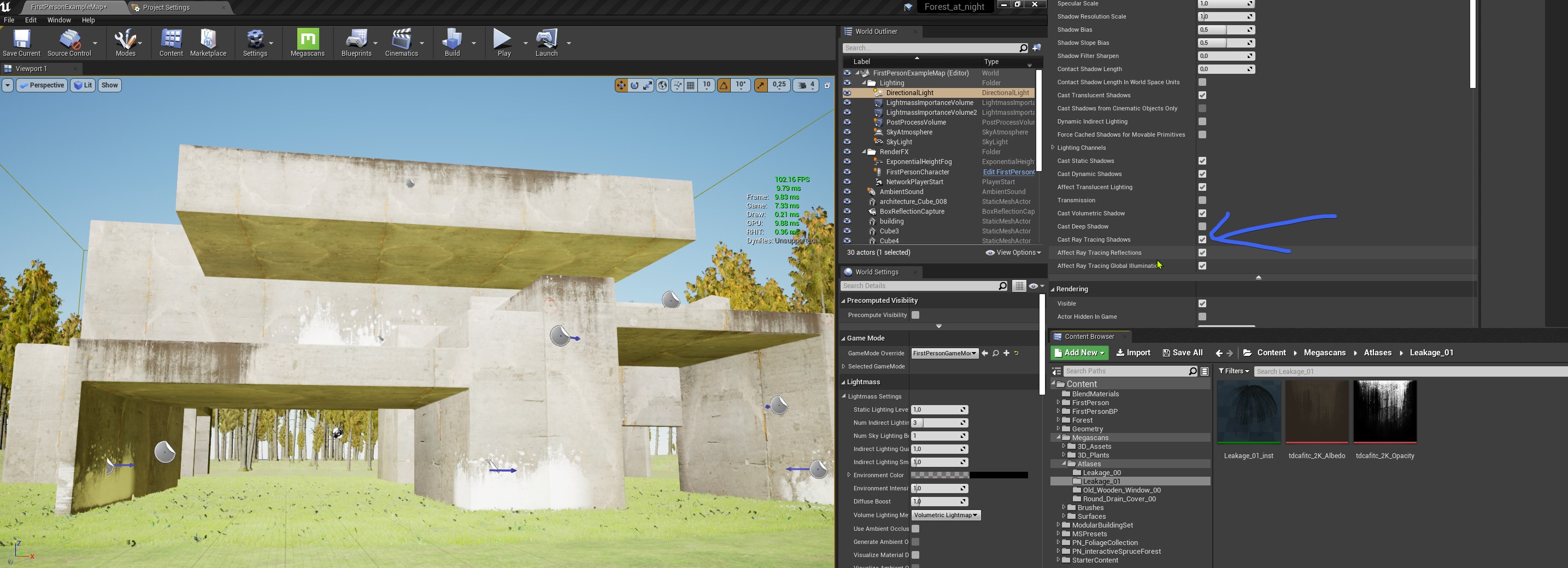
if i disable ray tracing there the shadows are there!
 wheat hare
white relic
wheat hare
white relic
I am trying 4.23.1
 open wadi
Here's the current main menu I'm working with. I'd like to add a background image to the top nav, behind the buttons. How is this possible?
tired lynx
would you be willing to take a look at my answerhub post and see if it matches? if you shoot an upvote and comment that you're experiencing the same maybe it will catch the attention of somebody who can actually help us https://answers.unrealengine.com/questions/964049/ue4-ui-urgent-freeze-followed-by-system-crash-how.html
white relic
I mean I just don't know what else to do but it's crashing every few minutes it's just awful
okay
tired lynx
I've got uni deadlines due in four days and this bug's been putting my whole module in jeopardy
several people have looked at the issue but have been unable to help
i've tried older versions but to no avail (the full list of my attempted fixes is in the answerhub post)
open wadi
@tired lynx Can you paste the link to your answerhub post again?
I'm curious as to what all you've tried thus-far.
tired lynx
i'm currently trying a deep uninstall of absolutely everything epic & unreal related from my computer. roaming files, registry entries, etc
an upvote would be greatly appreciated too ^^
open wadi
Yes, I was going to say, if you do have a deadline and need to get this done, I'd try a fresh OS install.
tired lynx
will let y'all know if the deep clean changes anything
open wadi
A bit drastic but you do what you have to.
tired lynx
i really can't afford to do that either. got other programs that other projects are relying on
it's all super complicated
gives me a headache even thinking about the implications of wiping so close to the end of semester
open wadi
I'm on 4.24.3 and I've never once had it crash.
tired lynx
yeah, neither have i. unreal has been super stable (on 4.24.3 and then 4.25 when it first came up) and just generally a joy to use. this issue appeared a few hours between use sessions and just hasn't gone away.
open wadi
Attempting to end the process via task manager will cause my entire system to freeze, requiring me to force a shutdown. I have tried versions 1.25.1, 1.25, and 1.4.3, and they all experience this issue. Unreal was working fine a few days ago. As far as I am aware nothing has changed between then and now.
open wadi
I mean, that there sounds like hardware or another piece of software interfering in a catastrophic manner with your machine.
tired lynx
another piece of software seems like the culprit
open wadi
I'd try a different box entirely for troubleshooting purposes.
But the OS not to be able to kill the task.
That's pretty grim.
tired lynx
if it was hardware i'd be seeing issues w/ octane and other far more resource intensive tasks
yeah it's super strange alright
i've shared all the logs so i'm hoping somebody with keener eyes than i and an understanding of unreal jargon will be able to identify the exact error/interference that's causing all this
open wadi
Well not necessarily, as a network admin I've encountered issues where a machine had a few bytes of bad ram within one DDR module and certain applications would die.
And not others.
tired lynx
hmm, curious
open wadi
Do you look at the windows-specific logs when it crashes?
Event Viewer?
The Application log and the System log are the important ones.
tired lynx
i actually haven't looked at event viewer yet. haven't had to use it in a longg time
i'll take a look now
open wadi
Yeah, generate the crash so you know the timestamp, then look at the Application and System event logs.
See what that says.
tired lynx
unreal's reinstalling now. will try to reinitiate the crash once that's done (though my hope is that i will never be able to initiate that crash again. like not ever. period.)
open wadi
filter for warnings and errors.
I mean look at them all around the timestamp, but at the end of the day, if too much noise, filter for warnings and errors.
If you've tried that many versions of UE4 and it's crashing on boot after a fresh install of the app, and not only that, but killing the task in task manager takes the whole machine down, that's pretty grim.
white relic
how can i check for bits of faulty ram or do I just remove a stick of ram and see if that is the cause
open wadi
Doubt it has anything to do with UE.
Which is likely why no one has been able to help thus-far.
 ashen ermine
@white relic search memtest on google
 alpine sand
what nodes would I use to destroy a mesh once a level sequence is done playing?
white relic
nice thanks already downloaded gets usb
tired lynx
so are you guys thinking RAM may be the likely culprit here?
unbelievably my RAM is newish and still under warranty so that'd be a hella easy fix if so
it may also make sense if i got sent some faulty sticks
ashen ermine
Hey, my game has instantiated battles (pretty much like HoM&M). The player encounters an enemy which determines which battle level would be open (atm). Now the question is: How to avoid transitioning back and forth between the world and battle levels? It's all good at the moment. But I figured if I actually build the level with everything in it and respawn everything, it's going to take some time, especially to exit the battle and go back to world level if it needs to reload from scratch. 😦
open wadi
@tired lynx There are RAM diagnostic tools, your BIOS might have one built-in.
Otherwise I'm sure you can grab one offline that will confirm the integrity of each byte, byte by byte.
I'd run one against VRAM too if possible, assuming such a thing exists, never had to do that personally.
tired lynx
good to know. i'll see if my bios has support for that
open wadi
But yeah, I'd run diags on whatever you can on your machine - disk, RAM, VRAM, hell the processor caches if possible, whatever.
And a fresh OS install never hurts, if you can back up those other project files you need for school. It's a PITA but if you're on a deadline, might have to put your head down and roll.
tired lynx
will be sure to do all of that ty! i'm sure there's an extensive 'find everything that could ever possibly be wrong with your pc' tutorial online i can follow.
open wadi
Time for some coffee and an all-nighter.
tired lynx
it's looking that way
open wadi
It's happened to the best of us my friend.
tired lynx
the worst part is i am super duper ill rn
tired lynx
from here-on i shall refer to this as the 'hell week'
my grandchildren will be told tales of this day
 distant totem
Have you done a clean install of your drivers yet?
open wadi
But the Windows logs around the crash timesamp might help you narrow down the culprit.
tired lynx
seriously thank you for all your help though. this is the most extensive response i've had yet so it's much appreciated!
yeah, that's what i'm hoping for. i did do a search for the earlier crashes but there was too much noise.
actually, i think i may just come back to this all tomorrow anyway. the troubleshooting i can do is limited until UE4 has reinstalled and it'd be good to do the diagnostics stuff whilst i explore crash reports, so i'ma call it a night
will post updates if anything changes!
distant totem
it says in your log your having d3d errors, for me, direct x was falling out of sync and causing crashes, I had to clean install the drivers to stop my crashes.
tired lynx
i'll add that to the list too. super helpful thank you
open wadi
For example, one time I was troubleshooting a new MacBook Pro, a $4,000 machine, that kept kernel panicing, and based on the exceptions thrown in the panic logs I determined it was a bad stick of RAM.
distant totem
if your editor is just freezing, have you waited for it to completely unfreeze? when the editor freezes and even reports as unresponsive in task manager, it's still thinking
tired lynx
it doesn't unfreeze unfortunately
open wadi
And then, because the new Macs come as one big circuit board in essence so users can't upgrade their own gear, I had to send the whole damn thing off for an entire "logic board" replacement, as they call it.
tired lynx
i left it for five hours or so during one of my tests
open wadi
No Slim, his entire machine is crashing when he attempts to terminate the UE4 process.
Something is dire, lol
tired lynx
i can get on with literally any other task in the background. it only bricks my system when i hit 'end task'
like i was doing archviz stuff w/ c4d and octane whilst ue was hanging in the background haha
distant totem
oh man, I see.. is your laptop 5 years old? It may be time to repaste the gpu
tired lynx
whatever's happening is obviously not taking away from my existing resources
nope
two
razer blade pro
1060 etc etc
oh actually three years old now. time flies
open wadi
Generate the crash, then look at the Application and System logs in Event Viewer, filter for Errors and Warnings, and look around the timestamp of the crash, that'll likely help you narrow it down, then if needed run hardware diags on the relevant components, and/or rewrite the OS.
That's the next step IMO.
distant totem
still i'm pretty sure razer uses the stuff that lasts for 10 years
tired lynx
yeah they're super good on that front
open wadi
Then pour gasoline on your box and set it on fire while doing a rain dance to put out the flames.
Step 3.
distant totem
^
 gaunt tide
So when making a vehicle editor like stormworks, would it be suggested to go with a completely different level instance and than spawning the built object into the players world or just using an interactable object that allows editing of static meshes inside of a collision area?
tired lynx
@open wadi you joke but uni stress will drive people to do things. crazy things.
open wadi
Haha, sure, I remember.
Been a while for me but I recall the panic.
I'd like to take this moment to thank god I am permanently out of school.
tired lynx
filling my motherboard with jello may well look like a feasible fix in a few days mark my words
 fringe thicket
Howdy folks, could anyone give some insight on how to get multiple weapons on my playercharacter? I would be happy with just a point to an article/tutorial/series.. anything really
I want to have
(1-2) Primary Weapon that I can switch between as well as have:
(1) Sidearm
(1) Melee.
I currently have weapons that will remember ammo counts if dropped/picked up by another player, but can't figure out how to create additional "slots" to hold weapons & switch between.
tired lynx
haha
anyway. i'm gonna cap the chat so i don't have to scroll back up in the morning and then hit the hay whilst ue downloads on my shitty internet. thanks again everybody! ttfn
open wadi
On another topic, in case anyone in here is decent with UMG (I am new), I have a menu I'm working with and I'd like to add an image behind my top nav. My top nav is currently contained in a TabButtonBar.
My current menu.
Example of top nav with background image.
I'm having trouble finding documentation or training regarding performing such a task.
Anyone tackled anything like this?
ashen ermine
@open wadi wrap the top buttons with a border
the set border brush to texture/material whatever you want
open wadi
@ashen ermine Ok, thank you. Do I leave everything else as-is? The TabButtonBar, the buttons themselves, etc?
And I can simply wrap the TabButtonBar with a border?
ashen ermine
Basically yes, but UMG has some nasty surprises as you'll see :p Sometimes things behave weird and it's hard to wrap your head around them at first. I still struggle sometimes after 3 years so yea...
ashen ermine
np, just come back with additional problems, maybe I can help - idk 😛
open wadi
Will do.
 past pilot
Anyone else having 4.25.1 crash ever 15 mins or so? Could be something as simple as saving a BP after running an exec line and poof. Its a base 3rd person template with trace logic on the character only so shouldnt be the project doing it
ashen ermine
@past pilot I've only had crashes related to structs (but those are around since the beginning). On the other hand, line trace IS a struct. So idk. Try to narrow down what's causing it and check the log
open wadi
Hm, so is 4.25.1 a little buggy? I'm still on 4.24.3
But that's a couple different users talking about 4.25.1 crashes.
past pilot
i didnt crash like this in 4.25.0
gaunt tide
Is the vehicle editor in stormworks a seperate level or simply a EditorUI? I was wanting to use something like that to be able to edit things in-game but seems difficult
open wadi
@tired lynx Keep us posted, I'm curious to see what the culprit is.
Poor guy is probably having to reinstall his OS as we speak.
past pilot
yea, this is unusable... cant even scroll through lists and i crash
 steep sandal
open wadi
steep sandal
open wadi
@ashen ermine Since you ask, got another question here. I've successfully imported the top nav image via a border widget as you specified, and it seems to work quite well. The issue now is, I want to get this TabButtonBar up to the top, so the encompassed buttons overlap the top nav image.
I can't seem to control it though - Altering the pivot coordinates does nothing.
What is the advantage of having the buttons within a TabButtonBar anyway?
This is how this menu was designed before I got a hold of it, so I'm not sure the logic here.
ashen ermine
@open wadi Is your setup similar to this? If it's not, SS the setup hierarchy.
white relic
welp I am lost agian
past pilot
keep getting Assertion failed: Status < (sizeof(*RtlpNumberOf(AftermathReason))) [File:D:/Build/++UE4+Licensee/Sync/Engine/Source/Runtime/Windows/D3D11RHI/Private/D3D11RHI.cpp] [Line: 667]
white relic
thats the exact error I get
Also guys, I am not crashing anymore after moving from 4.25.1 to 4.23.1
I recommend that Kilrath. That is the 'exact' crash I kept getting constantly
 misty bane
Is there a specific chat for someone who is in need of help? I need some tips for my unreal engine creation
open wadi
@ashen ermine No, it was predesigned like this:
open wadi
The buttons are laid out like this:
ashen ermine
@white relic Everything you connected is 0. Ofc it's black
open wadi
TabButtonBar > TabButtons
white relic
OMG
@white relic Everything you connected is 0. Ofc it's black
@ashen ermine HAHAHA I keep doing that!! I want to slap myself
past pilot
Trying to force dx12 see if it goes away
ashen ermine
@open wadi You need to wrap "HB_TabButtonBar" with a border to have the texture there. The border needs to be a parent of the HB (which stands for HorizontalBox)
open wadi
I see.
past pilot
Nope lol. DX12 = ```Unhandled Exception: EXCEPTION_ACCESS_VIOLATION reading address 0x00000018
nvwgf2umx
nvwgf2umx
nvwgf2umx
nvwgf2umx
nvwgf2umx
D3D12
D3D12
dxgi
dxgi
dxgi
dxgi
dxgi
dxgi
UE4Editor_D3D12RHI
UE4Editor_D3D12RHI
UE4Editor_D3D12RHI
UE4Editor_RHI
UE4Editor_RHI
UE4Editor_RHI
UE4Editor_RHI
UE4Editor_Core
UE4Editor_Core
UE4Editor_RenderCore
UE4Editor_Core
UE4Editor_Core
kernel32
ntdll```
ashen ermine
@past pilot are your Gcard drivers up to date?
open wadi
@ashen ermine So in general, is that best practice for navigation? Create a horizontal box of some type, then wrap the border there?
past pilot
i can check but if they arent its maybe 1 or 2 versions
misty bane
Can someone help me with a small problem i have?
past pilot
Trying Vulkan first
open wadi
@misty bane Step 1 is to stop licking toilets.
misty bane
@shut junipertone i cant im addicted
 celest forum
I'm creating a worldspace UI and I need the material to be unlit so that lighting doesn't affect the color of the button. Anybody know how to do this?
misty bane
lol, is this the chat where i ask for help or is there another chat or a specific person that can assist?
ashen ermine
@open wadi nope, it depends. It's one way of doing it if you want some graphics in the background. Another way is to simply slap an IMG behind things and position+anchor it within the canvas pannel (that is, if you have one)
open wadi
@ashen ermine Regarding this, how exactly do I make the border wrap HB_TabButtonBar?
ashen ermine
@celest forum
ashen ermine
@open wadi yep
@misty bane man, read channel instructions 😛 all of this server is for "help"
past pilot
Vulkan was a mistake.... 6 weeks later it might finish recompiling shaders lol
misty bane
well ok is there anyone in this chat right now that is free to help with a small problem that i have? I am new to unreal engine
open wadi
Right.
ashen ermine
@misty bane everyone has been asking so...try it lol
white relic
grass
misty bane
so, basically the grass has no dirt
i have grass that has no ground
i dont know how to make another filter under that
past pilot
Did you put a texture on teh landscape?
You need a landscape material and paint the ground layer on
white relic
Not bad I guess. Not even the effect I intended...used a bumpoffset with the displacement map
misty bane
i think i understand what u mean
past pilot
Maybe wait till the 34k shaders are done
 ashen ermine
@misty bane I think it's way easier and way less frustrating if you don't just jump in but watch some tutorials on how the engine works. At least the very basics, depending on what you want to do. Epic has outstanding tuts for beginners. They're interesting, fun & easy to follow 🙂
past pilot
Knock on wood, Vulkan still compiling shaders but so far it has lived longer than dx11 and dx12 lol
misty bane
I have done some tutorials and i thought that maybe making a terrain and planting some trees wouldnt be so advanced but ill go back to tutorials
Will the tutorials tell me how to make a character and command him to walk
past pilot
You need to make an actual landscape material so follow a tutorial on that
ashen ermine
@misty bane yes
past pilot
then you need to paint it onto the terrain
 merry gazelle
I'm experiencing a strange issue, I have an array of 10 identical meshes hooked up to construction script.
Most of the time this works and the mesh is swapped at random from the array, but sometimes no mesh appears. For some reason the print string isn't showing the [length] INT either
ashen ermine
@merry gazelle Arrays start at index 0, so an array of 5 will have index 0 to index 4. You want to get the "last index" and plug it into max random. The printstring doesn't work because it's in the construction script and you probably aren't refreshing it by dragging the blueprint around
@merry gazelle So basically, every now and then, your random number is last index+1 since that is the LENGTH of your array
merry gazelle
ah right thanks, I always thought length returned last index
ashen ermine
nope, length = number of indices in a given array. Just keep in mind that arrays start at 0. So, if you want to get to last index, you need to do length - 1.
merry gazelle
no worries, thanks
past pilot
Nothing worse then sitting waiting for shaders... is there a way to distribute the shader compiling to worker PCs?
ashen ermine
@past pilot What you can do to boost (by quite a lot) shader compilation times is to set UE4 on low priority or just open something like browser/anything and make sure UE4 has no focus.
past pilot
yea i was in discord and 4500 shaders took 20 mins on my i7 6700k overclocked to 4.7ghz 😦
Vulkan in 4.25.1 hasnt crashed yet though so it might of been worth it. Dunno what is up with the DX11 and DX12 crashes
ashen ermine
@past pilot yea, intel sux at shader compilation lol
past pilot
@ashen ermine i want a 3900X or 3950X but.... dem empty pockets lol
ashen ermine
I have a crap 2700 and my compilation times are nowhere near that bad. I can get 4500 shaders ~5 mins so yea 😛
misty bane
but now there is another problem and that is the grass has so low render distance
idk man
i deleted some stuff and it went up
past pilot
Grass Models will usually have a setting for max distance. If you render grass forever it decimates fps
in the foliage painter tool
 chilly charm
hello, I'm fairly new to UE4. I do 3d art and I'm trying to learn blueprints by making a idle/clicker game. Would anyone mind jumping on a voice chat showing me the ropes on the differences between blueprint classes and how to properly communicate between them and for what purpose?
ashen ermine
i deleted some stuff and it went up
@misty bane 😂 🤣 😆 Man, just do some tutorials and don't fill your world with 100k grass/square inch grass density. That won't fly outside cinematography...
misty bane
is there any way i can lower the shader compiling
past pilot
Usually you will dither out the foliage and have a decent landscape material
Dither = less "pop"
ashen ermine
@chilly charm https://www.youtube.com/watch?v=EM_HYqQdToE Watch this...closely

Announce Post: https://forums.unrealengine.com/showthread.php?101051
This Training Stream takes a look at Blueprint Communication. We find that Unreal Developers of all levels can sometimes struggle through the concepts behind moving data between objects. So in this video we'...
chilly charm
will watch
past pilot
Im lazy and tent to use the procedural foliage for grass, bushes and flowers lol. So my settings are in a different spot then yours with painted foliage so im not sure how to tell you to deal with the grass range
but definately look into the dither at range
ashen ermine
@past pilot Same here, but I usually make some bps with "nice arrangements" or clusters and throw them in 😛
past pilot
Foliage is the worst for FPS... all the overdraw... i had grass i made personally with 12 tris per clump and it still wrecked FPS if i put it out too far
ashen ermine
I don't like procedural grass - no local detail control, and I make games so things looking "real/natural" isn't really my thing
past pilot
Im mostly in prototyping so there being grass at all is a step up lol
ashen ermine
well, you get the good life: no polish 😐
I think I hate polish the most out of all iteration cycles, and probably all devs do 😦
past pilot
I just need some grass and stuff to make a video look decent if i want to attract people to the project or if i ever got to an investor stage
i disable all my foliage shadows lol... still ruins FPS if i draw grass out too far
ashen ermine
@past pilot you can leave contact shadows on. I always disable shadows for grass/small bushes and only leave contact shadows which comes at almost no cost.
past pilot
For me foliage is just to break up the 2010 flat terrain blandness
I dont get how some games get away with foliage as far as they do. I think it was Realm Royale, seemed to have grass as far as you could see
have to look intot hat one day
i still struggle to get tesselation working right on my landscape material lol. Its a real complicated mess of a material with water lines for dynamic ocean wetness that moves up and down the shore and a terrain fog that changes terrain color to like a grey fog at large distances to blend in with the engines fog
ashen ermine
billboards and instancing
@plush yew That's precisely why I use bps for foliage arrangements/clusters. ISMs close & billboards in the far distance.
past pilot
im no artist
 modern sinew
Does anyone know how to get the player's velocity towards a certain object?
past pilot
i made it so each terrain texture uses 2 textures and 2 masks to variate the look and shit... it is likely so bad for performance lol
ashen ermine
lol
6 layers? nty
go with VT instead of that if you really must...
use some tricks - VT+meshes with their own mats. Don't tesselate a whole landscape, that's a bad idea
that way you get culling, lods etc. Lots of things to play with instead of a frigid landscape
past pilot
i was trying to set up tesselation so its only a certain range around you. but with ue5 coming and my project not going to be done before it is... i said screw it lol
ashen ermine
ue5 isn't coming anywhere if u ask me. That's just miles and miles away
btw...@past pilot are you at least sharing those tex samples in 6 layers? 😛
past pilot
lol i made it over a year ago and forget how it even works... there is like 4 different material functions running in functions...
ashen ermine
i was talking ab. the texture samplers. Are they set to shared? That can actually help
I'm assuming you wrap them all so you could have them all share a single GPU sampler
 north trellis
Is 4.26 released?
ashen ermine
Is 4.26 released?
@north trellis lolwut...is not even announced/preview
past pilot
got me... i remember being able to set things wrapped and such but because this is all parameters and texture objects i dont see it anywhere lol
oh i found it
all wrapped yea
ashen ermine
inside the functions you must have samplers - where your texture objects go. Right? Change those 🙂
past pilot
ashen ermine
wtf...lol
past pilot
i dont think you can use more than like 16 without it being wrapped?
ashen ermine
ur right, you can't
past pilot
all the errors are from version upgrade and it not liking the lack of preview defaults set
ashen ermine
ugh...heh yea, I know that one
past pilot
I made this in 4.22 i think and upgraded it a few times to 4.24.3
just have to go through and set default textures and it goes away
ashen ermine
@plush yew not necessarily...If you cleanup and have them set properly with defaults and previews then no.
past pilot
i think in 4.22 you didnt need preview
ashen ermine
@plush yew I know what you mean. Had some 1800 rogue shaders and needed to hand-check 200+ mats. Thanks god I knew it was some particle effect mat so I only went through those and some functions. Still a pain
past pilot
unless you need something from the newer engine, maybe dont upgrade.
I been upgrading because i been having new problems every version. One version replication was choppy as all hell, so upgraded and got that problem fixed and got a new problem... and so on
Thanks for good convo, its daddy daughter time now i guess
celest forum
I created a 3D UMG UI and the button colors are way off compared to Photoshop. What am I missing so that the colors are the same?
modern sinew
How can I get the player's velocity along a specific direction? I have it calculate the direction to an object already, I just want to find the velocity along that vector
celest forum
This is what I have for my UMG Widget Material
 fallen marten
The length of your vector will give you a speed Red
modern sinew
@fallen marten No, that just gives me 1
 worn granite
get the velocity of the player, then project it onto the direction you have
should be fairly easy to find/setup, there's a node for it
modern sinew
@worn granite that gave me a number, just not the right number. This is from landing on the ground after jumping straight up
worn granite
what do you have?
modern sinew
My vertical speed is 594.9, and the number it got was 342
worn granite
I meant for code
modern sinew
worn granite
Swap the Target and V pins
modern sinew
Ok, Ill try that when I'm back at my computer
worn granite
Also, what's the overall vector you're looking to project this on?
modern sinew
I'm trying to get the speed at which the player and the overlapping object are colliding
 mellow flame
so I have a checkpoint system for a local multiplayer game. Each player should only see his current desired checkpoint, but right now they are all "shared" between players. how to achieve selective visibility for each player?
and of course selective functionality as well. I don't want player1 to activate next checkpoint for player2..
 subtle hatch
Is there a way to make gamepad thumbstick Axi's work with 360 degrees instead of this wierd -90 to 90?
modern sinew
@worn granite That didn't work either
worn granite
Okay, first way around was correct... but when you get actor location that's the actors pivot point.
So the direction that you're checking is not the shortest distance to the hit geometry.
For this, you want the hit normal but negated.
you can get that from a hit result... if you have one
modern sinew
So this doesn't get the direction?
 hearty prawn
Guys, my pawn have camera but some random camera is always spawned at 0.0.0 location. Even if i place camera on the map. What's up with that?
worn granite
@modern sinew It gets the direction between the pivots of the actor
modern sinew
what does that mean
worn granite

How does a Pivot work in UE4 on a Mesh and how can I adjust it inside and outside of the engine.
modern sinew
I don't know if I want to do that
 flat rapids
Anyone here want to be a dev for my game dm me it’s probably a no
modern sinew
I don't want to mess up other stuff that might rely on how it is rn
@worn granite so what is the pivot point
 soft fiber
This doorway is about 35.5 inches... Is the mannequin a regular sized male? It seems kind of tight...
 forest holly
https://www.youtube.com/watch?v=ZaijAfvMJZ0&list=PLP_9zBjrt9BEB_jtG48Zfa_hhsNRZspIy&index=1 I made some videos that might interest some people. I cover a bit of Retargeting between characters.

It's mostly to do with animations but thought I'd post it here anyway
subtle hatch
@soft fiber keep in mind the manniquin walks with his arms wide.
soft fiber
Does the doorway look too small to you?
subtle hatch
So this code is able to capsule trace according to the joystick direction perfectly for half a circle "from -90 to 90 Degrees" but not the rest of the circle since it reverts back to the -90 to 90 degrees. which doesnt work. Is there a way for the joystick to give me the full 360 degrees axi varible?
Does the doorway look too small to you?
@soft fiber different types of doors out there, to me it look a bit too high but a reference image should help you if you feel unsure.
rapid yacht
anyone know why when i try to import in a uasset into the unreal editor, it doesnt work?
soft fiber
Ya, I'm more concerned with the width. I'll have to get collision working to test the height. It looks kind of narrow to me...
 unique timber
Is there a way to rotate the viewport with the keyboard?
subtle hatch
@soft fiber Looks fine, change the characters idle animation to something more normal you would see it.
 ruby folio
Anyone think I need to optimise my landscape material?
plush yew
I have unreal installed, but the epic launcher isn't detecting it (I can run the engine perfectly just through opening a project file)
is there any way I can get the launcher to rescan the folder for the engine
 visual pilot
hello, where's the socket manager in 4.24-25?
 little falcon
How to retopo the quad after sculpting the landscape? i have tried retopo function, but it did not work with landscape layer....
The quad gets heavily stretched.
gaunt tide
I’m probably over complicating the process or not wording it correctly in google but what I want to be able to do is interact with a workbench object in my game and upon interaction take me to a grid where I can construct a vehicle from different shapes. Than when complete the vehicle can be saved and spawned. Would it be easier to load a sub level upon interaction with the workbench or would it be easier to make a EditorUI with UMG?
modern sinew
How hard would it be to let players add custom languages (for conlangers and people with unsupported laanguages)?
I think if I get localization set up in the first place it shouldn't be too hard?
modern sinew
@worn granite I tried this and it didn't work either
worn granite
Uh.
Well yeah.
Are you not working with a hit result in any capacity?
It'd be way way way way way easier for you
and also the normal will be backwards, you should get a negative number here
Also, if you're going to tag people, give as much context as possible as to what isn't working @modern sinew
 safe mortar
Hi, I want to place a triangle in my scene, where do I find it, I can’t find it in the basic objects area. Pls help
 floral knoll
how do I set a % chance in an array so that I can change how often things spawn
modern sinew
How do I find the distance to the nearest point on an object? Someone suggested a line trace, but the only way I know how to do that traces it to the center of the object
 dark rune
can I import .dae model files into UE4 editor?
 ancient knoll
Do you need a steam dev account to be able to test steam with app id 480?
ashen ermine
been asking this for awhile, maybe someone can help eventually. How would you go about making a battle system (from a level-managing pov) similar to Heroes games/any game which has instanced battles upon enemy encounter, then goes back to "world map". I currently reload both battle and world map every time - which poses some problems. Any other way of doing it?
I use different game modes for world and battle so streaming won't do - I think you can't change gamemode to the streamed level, then change back at runtime - or can you?!
 balmy rose
hey guys - does anyone of you already made experience with lidar point could data?
if yes it would be a blast to know where to grab file from etc
 radiant jasper
how come when I try to convert the game preview to iOS it crashes every time
I notice it ends up using 100% of my i7-7700hq intel processor
 fiery moat
how can I apply an animation instance to my player character?
I have created an aim offset but it is not working
fallen marten
@ashen ermine I haven't tried it yet, but just thinking about it, you could teleport to a map above your world, and have a game mode Inside your game mode that you swap to - so if teleport, then use blah blah
Like a bool check Inside the game mode
 quick cloak
Help guys, Color Grading LUT is not working
radiant jasper
how do I make it so the cursor goes away
quick cloak
I apply textures to it, but scene wont change
 restive vale
@radiant jasper set show mouse cursor
radiant jasper
replaced, and still doesnt work
quick cloak
Help guys, Color Grading LUT is not working
radiant jasper
radiant jasper
wdym execution line
restive vale
wdym?
restive vale
nodes that are not pure, must be connected to the execution line
radiant jasper
trying now
restive vale
which is the white line
restive vale
are you sure that this funciton is being executed?
restive vale
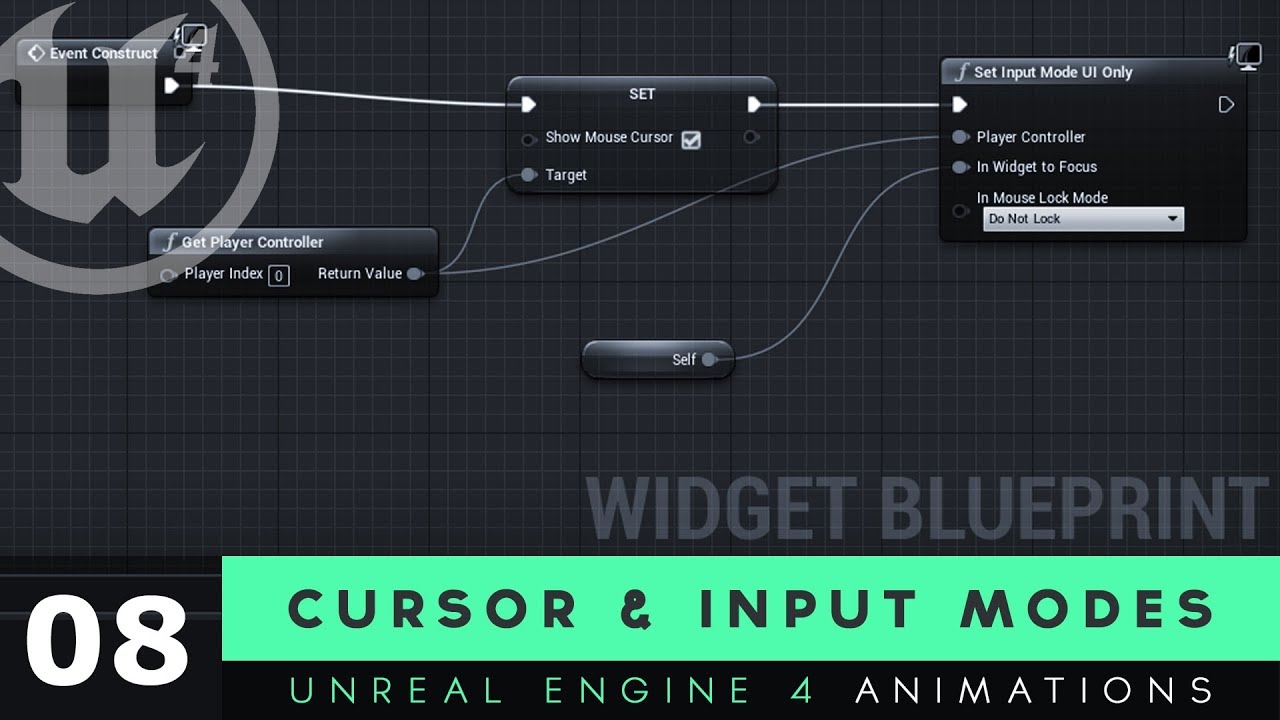
Here we take a look at how we can get our mouse cursor displayed on the screen as part of our user interface widget.
We also cover how we can use input modes to limit what the player can do with their mouse, so they can't interact with their game while they're trying to inter...
 green glade
add a "print string" at the end
radiant jasper
ok ill try
green glade
and see if is triggered
radiant jasper
yes
restive vale
so set the boolean to false
green glade
exactly
radiant jasper
aahhh it works now
thanks guys
one more thing
how do I start the game in one level, and then have a button press take the player to the next level
like a main menu to game
green glade
add "open level" and write the name of level
radiant jasper
yeah I have the level setup, just need it to open first
radiant jasper
then what
green glade
game default map and editor startup map
green glade
go in maps e models>default maps
green glade
yes
green glade
only in package but open the map when you open the project
radiant jasper
in designer how do i send something to the back
like an image
nvm
I have an option that sends the player back to the main menu
but when I go from the main menu back to the main level the controls dont work
green glade
"open level" ---> menu name
green glade
so you want to disable the controls temporarily?
radiant jasper
no
but when the player goes back from the main menu to the game the controls stop working
I dont want that to happen
green glade
you have added character in the level?
green glade
yes but you need to to spawn and posses it in every level
ashen ermine
@ashen ermine I haven't tried it yet, but just thinking about it, you could teleport to a map above your world, and have a game mode Inside your game mode that you swap to - so if teleport, then use blah blah
@fallen marten Game mode inside game mode?! I need a different controller and all...
green glade
radiant jasper
dont have that in the level
modern sinew
radiant jasper
how do I add my playercharacter to it
green glade
you need to get the Z axys go in velocity right clic,split and get only the Z @modern sinew
green glade
@radiant jasper Drag it from the content
modern sinew
because I was jumping straight up and down, it shouldn't make a difference @green glade
It should just return the same as Z
green glade
sorry idk
It should just return the same as Z
@modern sinew
radiant jasper
what do i do
green glade
add "first person character"
radiant jasper
i dont want it to move tho
its a menu screen
r u sure I should use a character?
green glade
not necessarily
radiant jasper
what blueprint should I create for it then
 low brook
i have this bug since 4.25 https://cdn.discordapp.com/attachments/221799195806400512/719257856045613126/2mUN84uqFT.gif not sure what to do about it :<
 modern sinew
@green glade It's still at an angle. Wierd
green glade
is in VR? @modern sinew
modern sinew
no @green glade
radiant jasper
@green glade what type of blueprint do I add to it
green glade
you have added the interface?
@green glade what type of blueprint do I add to it
@radiant jasper
no @green glade
@modern sinew Rotate the camera
green glade
with a button
@radiant jasper but you see it?
radiant jasper
yeah
green glade
and you have the mouse?
radiant jasper
it works fine except for when I pause and go back to the menu, and then back to the game
yes
radiant jasper
altho when I click it, I have to click in the game after the next level shows to get in it, altho assuming that's bc its a rpeview
fiery moat
can take the projectile actors from the FPS template of the engine and implement them in my side scroller shooter? (and modify them as well)
radiant jasper
what r u talking abt
its just a pause menu that has a button that directs the player to the main menu
radiant jasper
the pause menu works fine tho
i dont wanna fuck up the pause menu, theres no problems with it
when I go back to the main menu, and click the button on the main menu to go to the main level
the controls dont work
thats the problem
do u understand?
restive vale
Anyone knows how something like this made in unity can be achieved in UE4?

Game effect tutorial - How to use UI effect Particle with UI Canvas in Unity
Hi guys! long time no see
Today i'll show u the way to control effect particle with UI Canvas
Hope you like it ^^
► Link package : https://www.patreon.com/posts/19279284
--------------------------...
green glade
do u understand?
@radiant jasper no
radiant jasper
ok ill screen record
@green glade at the end of the video, the controls do not work
plush yew
hello
plush yew
if id like to make dialog showing after overlap of many doors should i use class blueprint?
radiant jasper
add what
green glade
if id like to make dialog showing after overlap of many doors should i use class blueprint?
@plush yew yes
radiant jasper
where do i put that
plush yew
@green glade ok thx
radiant jasper
@green glade
green glade
no in the other level you need to change
plush yew
this?
green glade
no wait
green glade
right
plush yew
no no no no
green glade
 dusky inlet
anyone else got the problem with the new sky atmosphere and using the ctrl + L controls to move the sun that it gets stuck and cant be moved anymore?
plush yew
you still dont have my point. something like scriptable objects in unity
i have widget blueprint, i want to have multiple triggers with custom texts to show on one user ui
plush yew
widget blueprint
radiant jasper
like from a button
 sand spruce
@dusky inlet you have to hold CTRL+L,
green glade
i have widget blueprint, i want to have multiple triggers with custom texts to show on one user ui
@plush yew go in widget add text and on content add bind
radiant jasper
is there a print string command that shows text in the actual game
dusky inlet
thats what Im doing. The arrow gets stuck when in the middle and doesnt move anymore
@sand spruce
green glade
@plush yew go in widget add text and on content add bind
@green glade add a switch with every text
plush yew
never mind ill try on my own
radiant jasper
@green glade
dusky inlet
its the same when I recreate it and it gets stuck on the top instead
radiant jasper
is there a print string command that shows text in the actual game
green glade
sand spruce
@dusky inlet Tried it and it got stuck too. I don't know why 🤷♂️
dusky inlet
RIP
green glade
@dusky inlet Tried it and it got stuck too. I don't know why 🤷♂️
@sand spruce same
green glade
look the image
radiant jasper
that doesnt do that?
thats a console command
I want it so the game displays a message as it would with a print string
but in the actual game
green glade
yes add it at event begin play or deleate print string
modern sinew
@green glade I think I solved it. I drew a line trace along the Velocity vector and used the Impact Point, instead of the "Nearest Collision Point" or whatever, and it's looking promising
green glade
Good job
radiant jasper
how do i make the print text not disabled in package
 surreal laurel
Hi all, Is there a way to delay the action from a constantly firing event? For example, let's say an objects movement vector was being controlled on tick, and I wanted a different object to mirror the same movement vector but just 1 second lagged behind.
surreal laurel
Delay node doesn't seem to work
green glade
1 sec
Hi all, Is there a way to delay the action from a constantly firing event? For example, let's say an objects movement vector was being controlled on tick, and I wanted a different object to mirror the same movement vector but just 1 second lagged behind.
@surreal laurel
you need plugin extended standard library ----> delay(frames)
radiant jasper
how do i make the print text comand not dev only
surreal laurel
@green glade hmm okay i'll check that out, thanks
green glade
how do i make the print text comand not dev only
@radiant jasper EnableAllScreenMessages
radiant jasper
where do i type that
green glade
in execute console command
green glade
IDK
green glade
Someone know how to seek a midi?
green glade
it's hard are you sure you want to do it?
radiant jasper
whaaaaaaaaa
cerulean sandal
its not hard...
green glade
I know but it doesn't seem very expert
radiant jasper
just tell me how ffs lmao
cerulean sandal
okay so
to show text on screen, of course you need a widget with some text
then make the text opacity 0 so its invisible
and when you click a button, refer to that text and set his opacity back to 100% so it shows
surreal laurel
it's hard are you sure you want to do it?
@green glade lol
radiant jasper
there's no way to just do it with the print text node?
plush yew
whats wrong here?
green glade
whats wrong here?
@plush yew connect with precedent retun value
@plush yew connect with precedent retun value
@green glade the target
cerulean sandal
Remove from parent should have a widget as a target
cerulean sandal

surreal laurel
you need plugin extended standard library ----> delay(frames)
@green glade wow had no idea about this plugin, super helpful thanks. Unfortunately that node doesn't really solve the problem though. Like the regular delay node, it just fires off input in intervals, instead of adding a constant delay to the movement input. e.g. movement input goes into delay, delay counts down then fires off, counts down again then fires off again, etc. instead of adding a permanent 1 sec delay to all incoming input
radiant jasper
so how do I raise the opacity
cerulean sandal
Set color and opacity node
green glade
@green glade wow had no idea about this plugin, super helpful thanks. Unfortunately that node doesn't really solve the problem though. Like the regular delay node, it just fires off input in intervals, instead of adding a constant delay to the movement input. e.g. movement input goes into delay, delay counts down then fires off, counts down again then fires off again, etc. instead of adding a permanent 1 sec delay to all incoming input
@surreal laurel
I don't think I understand but try to put a retriggerable delay
 barren flume
I was wondering how I could get it so when the play moves forward the camera moves back a little bit
and when the player stops moving the camera goes back to the initial position
surreal laurel
@barren flume spring arm?
barren flume
yeah
surreal laurel
have you tried using it
barren flume
i don't know how
i already have a spring arm
i just don't know how to change the target arm length when moving
cerulean sandal
i think he means like minecraft
when you sprint camera goes back
thats a FOV change
 surreal laurel
like a 3rd person camera that lags a bit
green glade
set arm lenght
cerulean sandal
I was wondering how I could get it so when the play moves forward the camera moves back a little bit
i dont understand
surreal laurel
@barren flume you need to adjust the Target Arm Length
green glade
surreal laurel
and enable camera lag speed
surreal laurel
@barren flume if you're going to use SpringArm, these settings will give you the lag
green glade
@barren flume
@surreal laurel
wow I didn't know it existed
surreal laurel
@radiant jasper you need to put in some effort man
 whole quarry
@radiant jasper https://www.youtube.com/watch?v=EM_HYqQdToE
Announce Post: https://forums.unrealengine.com/showthread.php?101051
This Training Stream takes a look at Blueprint Communication. We find that Unreal Developers of all levels can sometimes struggle through the concepts behind moving data between objects. So in this video we'...
radiant jasper
man i just wanna show some text
radiant jasper
yall are making this harder then it has to be
whole quarry
@radiant jasper give a man a fish, and he has food for a day. teach a man how to fish and he has food for a lifetime
green glade
@radiant jasper give a man a fish, and he has food for a day. teach a man how to fish and he has food for a lifetime
@whole quarry
Holy words
radiant jasper
to display text??? its the most basic command in any code software
surreal laurel
@radiant jasper Lol it doesn't HAVE to be anything, no one is obligated to help you
whole quarry
the basic command is already beyond your reach
so be brutally honest, if someone tells you this basic command, you will just ask for the next one
so instead of doing that, i just linked you basic knowledge
radiant jasper
but it doesnt display text, it just logs it during preview
whole quarry
print string is meant for development
 fiery mortar
guys what's the most optimal way to lip synch?
whole quarry
knowning the lyrics beforehand
fiery mortar
lel
green glade
calculate audio magnitutude?
surreal laurel
@radiant jasper What you want involves complicated instructions. If you want someone to tell you exactly what to do, you won't find a more efficient way of getting that information than watching a tutorial or something. Like this https://www.youtube.com/watch?v=haTFniG1s4I

Hey there guys, in this video we take a look at how we would draw text to the screen!
Be sure to subscribe for more tutorials!
fiery mortar
for real tho what do people use in general
 wary wave
usually the animation is generated directly from facial motion capture along with the audio
 whole quarry
i dont know the context, but assuming some kind of game music video, i would think something of having a datatable with all the words and facial states and a timeline with a massive amount of trigger events.. but i'm newb with animations and related stuff
vanilla's way seems more pratical
wary wave
you simply couldn't do it the way you describe; languages have tons of phonemes, and that still wouldn't manage tone etc
fiery mortar
I think the cheapest way to do it is with iphone
whole quarry
its lip sync, so not actual audio output right?
fiery mortar
god damn you iphone
wary wave
you either do it properly, or don't do it at all tbh
whole quarry
dude, blender has awesome motion tracking
wary wave
but a desktop based solution is a minimum, I couldn't imagine anything on a phone working out
there may be some low budget webcam based solution on desktop
whole quarry
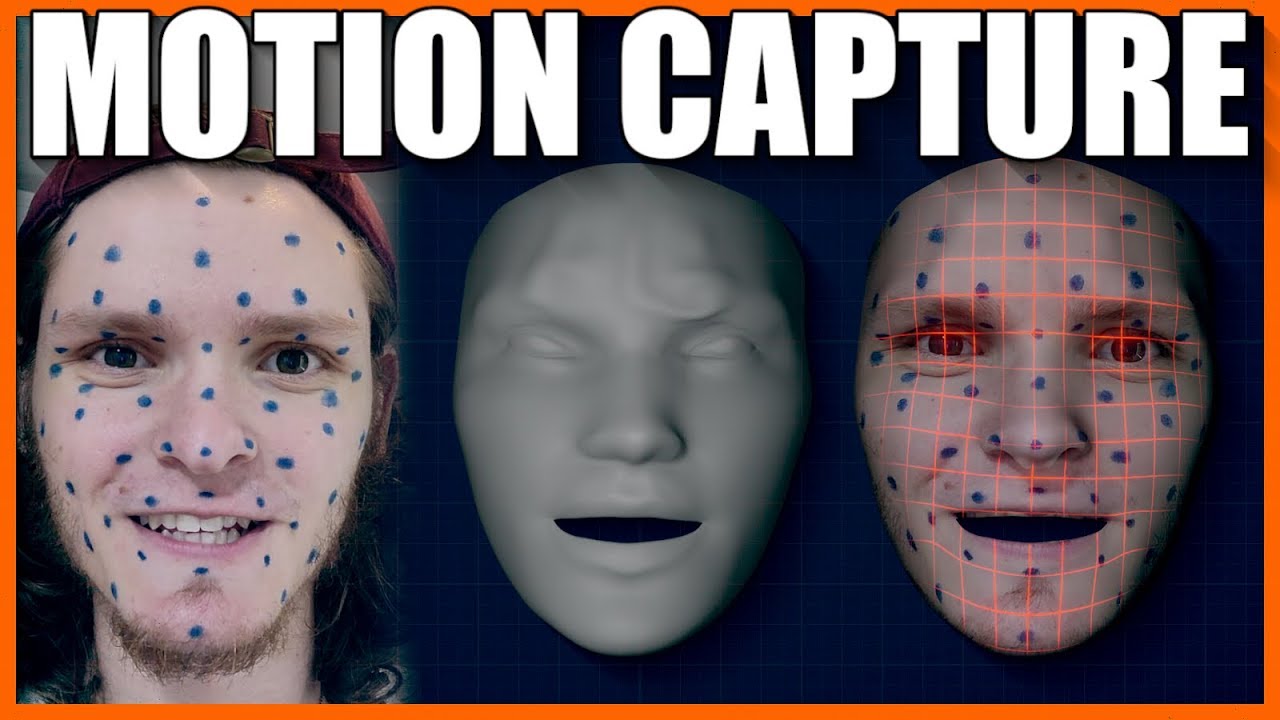
SUPPORT THESE TUTORIALS https://www.patreon.com/cg_matter
MY WEBSITE https://www.cgmatter.com
In this blender 2.8 tutorial we go over how we can use blender as a free facial motion capture solution. Track facial performance using just tracking markers and blender!
fiery mortar
yeah but I can't find it lol
www.unrealengine.com/marketplace/en-US/product/text-to-lip-sync/ what do you think about this
whaaat
fiery mortar
that looks super good
barren flume
when the player moves forward the camera kind of stays
or just moves back
i'm not sure
wary wave
text to lip sync sounds like something that absolutely won't work
part of the problem is syllable rate, tone, inflection, all that stuff
it'll all be absent, so lining it up would be terrible
surreal laurel
@surreal laurel
I don't think I understand but try to put a retriggerable delay
@green glade Tried it with a retriggerable delay, still doesn't work. The issue is that the movement input is on tick, and a delay node will only just count down it's frames and then fire off a single tick based off of one stored frame of movement input data. So If I want one object A to lag behind object B, object A will be constantly moving forward but object B will only get the signal to move forward for a single frame every time the delay node finishes it's countdown.
green glade
make a gate
@green glade Tried it with a retriggerable delay, still doesn't work. The issue is that the movement input is on tick, and a delay node will only just count down it's frames and then fire off a single tick based off of one stored frame of movement input data. So If I want one object A to lag behind object B, object A will be constantly moving forward but object B will only get the signal to move forward for a single frame every time the delay node finishes it's countdown.
@surreal laurel
and connect with event tick
in enter and delay to open and close the gate
surreal laurel
@plush yew right, I think i'm going to have to store the position/rotation vectors into an array and then retrieve it but unfortunately i'm a ways off before I can figure out how to code that
like an array buffer or something
 ashen vapor
I have put together a team for developing a new game and i would like to ask how we all work on the same project?
radiant jasper
tried using a tutorial and idk how to drag in the text animation
ashen vapor
👌
radiant jasper
nvm
green glade
I have put together a team for developing a new game and i would like to ask how we all work on the same project?
@ashen vapor source control and connect to git
ashen vapor
Cool thx
wary wave
I strongly prefer Perforce to Git in Unreal, due to all the binary assets
Subversion is a functional 'free' alternative
I mean, it's entirely functional
wary wave
it's just not pleasant to work with 😄
whole quarry
in the past you could use an older version of perforce and just e-mail them for a free custom license (as long you're indie).. dunno if they still do that
wary wave
I worked at a major studio that still used TortoiseSVN
cheapskates
what a nightmare, haha
radiant jasper
'Widgettext' does not inherit from 'Widget Animation' ( Cast To widgettext would always fail).
This blueprint (self) is not a widgettext_C, therefore ' Target ' must have a connection.
Variable node Get fadein uses an invalid target. It may depend on a node that is not connected to the execution chain, and got purged.
[9006.46] Compile of PauseMenu failed. 2 Fatal Issue(s) 1 Warning(s) [in 50 ms] (/Game/PauseMenu.PauseMenu)
 exotic thicket
I'm kinda wondering how is svn any different to git in unreal projects, I don't recall it handling binary files any better
radiant jasper
the tutorial said to do it
surreal laurel
you want to cast an animation to a widget, that's like trying to board an orange for intercontinental travel
@plush yew hahaha
exotic thicket
Right, I guess if your repo is ridiculously big or something
radiant jasper
so how do i fix it
actually nvm ima figure this out
ok nvm i have absolutely no idea how to do it and the tutorial is retarde
the animation just shows up on the left for him but not for me
i cant add it into the graph
he didnt show how to just do text
idk how to drag the text into the graph
exotic thicket
@plush yew I have very bad experiences with locking (Visual SourceSafe in one project oh dear), but I guess it makes sense in a scenario where it's binary files... I'm familiar with the git "ecosystem" but never really thought about the locking aspect of it since I mostly work with code
exotic thicket
yeah we've definitely noticed the change nothing and save problem lol
radiant jasper
ive spent 2 hrs tryna add some text
i swear to god
its 5 am
i just wanna publish the game and go to sleeeeeep
someone please tell me how to do the text
green glade
it's hard are you sure you want to do it?
@green glade .
exotic thicket
yeah we're the same, plus the two other guys I work with are completely new to using any sort of version control, so using the git desktop gui was the easiest way to go :)
radiant jasper
how the flaming fuck
surreal laurel
@radiant jasper have you thought about writing on your monitor with sharpie
radiant jasper
do i connect the text to the "cast to widgettext" node
green glade
@radiant jasper have you thought about writing on your monitor with sharpie
@surreal laurel lol
exotic thicket
@plush yew oh? I've found it fairly painless to work with
there are definitely one or two weird things it does sometimes but it's better than having to teach the guys to use command line git lol
I'll have to keep that in mind if we encounter any weirdness with it... it's fine for our project even if it hides what's going on because we don't really need anything complicated atm :)
exotic thicket
lol
surreal laurel
what usually ends up happening is that people work with github desktop, they're just happily chopping away, and then they can't push and if you look at their setup they somehow managed to diverge from master 3 days ago
@plush yew yikes
exotic thicket
I just made sure to explain how the push/pull works and what to do when it gets a merge conflict as soon as we ran into it the first time
so far so good :P
 radiant locust
nm seems to be working now.
 shrewd marlin
Does anyone have an idea why my vehicle that I drop from the air is rotating while falling down consider it did not have an initial rotation?
 peak leaf
guys is there any way to lock the mouse cursor to the aspect ratio of the camera in unreal engine on full screen?
so it doesnt touch the black borders
uhmm interesting
the problem is that something is following the location under the mouse, but if the mouse is clicking outside of the window that thing teleports to world 0-0-0
oooh, thats actually a very good idea
thank you very much 😄
 lusty pumice
Hi! My particle system is not working when I play the level with sequencer or when I render the movie. In the viewport it works and is visible. What could be causing this?
fiery moat
Can I take the projectiles from the FPS example from the engine and implement them (and modify them) to my side scroller shooter?
If yes could an expert tell me how pls?
surreal laurel
2D or 3D side scoller?
whole quarry
hi, nice work you got there
 heady quartz
"Hi guys so i made this simple combat system its only 50000 nodes so its simple and you can make it in an hour or so.."
 rocky radish
just your average blueprint graph 
 midnight gate
have 2 cameras
the camera boom is the default camera
but for some weird reason the secondary camera starts at the level
is theres any way to set wich camera is the default one?
heady quartz
Turn off "Auto Active"
midnight gate
thank you very much
heady quartz
Np
rocky radish
Hi I have a simple question .How I get my game to work on different size screens?
@plush yew do you mean fullscreen/windowed mode or just resolutions?
mellow flame
so I have a checkpoint system for a local multiplayer game. Each player should only see his current desired checkpoint, but right now they are all "shared" between players. how to achieve selective visibility for each player? and of course selective functionality as well. I don't want player1 to activate next checkpoint for player2.. what should I do?
surreal laurel
Is there a way to delay a constantly changing variable? I have an object (B) who's position vector I want to lag slightly behind another object (A). I'd like B's movement to have a constant permanent delay on it while copying A's movement.
rocky radish
@rocky radish I mean full screen on different screens like phones, computers and TV
@plush yew ue4 automaticly adjust the resolution for screens with different resolutions
most issues you could get are with FOV and UI
can you show a screenshot?
modern sinew
What is the player velocity in? Units per second? Units per frame?
rocky radish
did you use anchors in the UI? they usually avoid these issues
if you're having scaling issues with the widget, yes, so say you have an anchor to the bottom left of the screen, whenever you change the resolution it will keep that object(of the UI) at the bottom left of the screen
midnight gate
help for some reason my camera does not set to the camera i have
rocky radish
help for some reason my camera does not set to the camera i have
@midnight gate why are you setting the spring arm to the new view target instead of the camera inside the spring arm?
rocky radish
ur rite im stupid
@midnight gate never said that lol
plush yew


 lusty pumice
Hi! My particle system is not working when I play the level with sequencer or when I render the movie. In the viewport it works and is visible. What could be causing this?
cerulean sandal
WHat comes to my mind is that "Hidden in game" is enabled
lusty pumice
It's not. The thing is some other particles work like fire and smoke
they are closer to the camera maybe tahts why
cerulean sandal
hm
lusty pumice
think I just fixed it
had to increase these to double value it was 10k and it wasn't working so I disregarded the bounds as viable
thing is that particle is very far in the distance. managed to fix it now
rocky radish
@rocky radish last question
When I minimize the screen in the editor
Icons remain the same size
And do not changeHow can I test volumes if the icons do not change
@plush yew hmm... i'm not sure about how to do that, sorry
 copper flicker
uhm... how do I find external references for a variable?
like if object X changes a variable inside object Y
Y sets it to true... X sets it to false maybe
how do I discover that it was obejct X?
 manic pawn
like in bp?
copper flicker
yes
manic pawn
right click the variable, find references, then click goggles button
copper flicker
OMFG THANK YOU!!
midnight gate
im trying to do some cinematic fancy stuff and for that i want the camera to transition from the normal 3rd person to a certain shot that i have set but it does not switch i think i did something wrong in this part of the blueprint
help
 wooden forge
unknownhostexception so it's closer to the dns side of things
@plush yew oh so it needs internet connection?
midnight gate
;-;
rocky radish
@midnight gate you don't need the GetOwner node in the New View Target
rocky radish
oh camera components arent actor object references, my bad
midnight gate
do you know how can i blend those 2 cameras
cerulean sandal
Thats so cool DevTim
plush yew
its a bought package xD
cerulean sandal
ooof
plush yew
you start nowhere and u can make an civilication ❤️ thats the plan ❤️
plush yew
haha xD
 acoustic steppe
Any engine wizards here know why my in-editor billboards have broken and now won't face me? It's causing me this error in my logs: FMatrix::InverseFast(). Seems to be project specific as other ones are fine.
cerulean sandal
i assume its some matrix projection bug
heady quartz
@plush yew probably because the head animation is blocking the camera view
@midnight gate haven't done this before but you can try adding a child actor component witha class of camera then in the blueprint graph you can use "get child actor" from the child actor component and connect that to the actor reference?
midnight gate
hm
 river silo
I can't tick it, it just unticks itself after 1 millisecond Edit: It works now, seems like a visual bug
green glade
Hi I have a very complex question but I can't find a solution.
I need a way to spawn / move / destroy objects over time and be able to move myself over time as if it were a video.
Then allow that once stopped it can change values such as the position and then continue it with the changes made throughout the runtime.
Is it possible to do something like this?
I have been trying for a long time and I managed to do this which is full of errors and problems.
Sorry for the english mistakes.
 earnest violet
Hello all! I have a simple problem I think. I bought Pro Hud Horror and I'm trying to get the exclamation mark to appear on the compass of where the enemy ai is via a custom event but I'm not sure how to finish the blueprint. Can anyone plz help me, I'd be forever indebted. THX! 🙂
Picture one is the custom event which is fine me thinks but I'm calling the custom event from another blueprint see picture two! 😄
plush yew
so blueprint class is like class and it's instances on scene is objects?
earnest violet
It is basically a notifier of where the enemy is on the in game compass picture custom event is fine but if you look at pic 2 I don't know how to finish it
I don't know what to put in the target. The call of the custom event in pic two needs a target from the other blueprint the one of the enemy ai