#ue4-general
1 messages · Page 753 of 1
 ornate forge
Found my answer: https://forums.unrealengine.com/unreal-engine/events/1728586-blender-to-unreal-tools-part-3-march-26?p=1759003#post1759003
Unreal Engine Forums
Blender to Unreal Tools, Part 3
WHAT
It's time for the third part in our "Blender to Unreal" series!
In part 2 we covered how to work with Rigify and the Unreal Mannequin. We're leaving Manny behind for this adventure, and will proceed to demonstrate how to import custom an...
 plush yew
found it, it's a button called create static mesh
 ancient tangle
Setup pixel streaming in order to stream your app from the cloud with an AWS Gpu instance. Every step will be explained, different info, tips and tricks will be uncovered. https://youtu.be/3krhgo_LAAA

Setup pixel streaming in order to stream your app from the cloud with an AWS Gpu instance.
Every step will be explained, different info, tips and tricks will be uncovered.
Check below for different useful links.
🔗
- Previews Remote Pixel Streaming video https://youtu.be/9V6Iy...
 clear cave
How big is the UE4 engine source from Github?
 barren flume
help please
oh wait nvm fixed it
never seen that before
i was tabbed out of it
plush yew
uh, when I zoom in, there is a problem, I can't see the pivot anymore
plush yew
in top view. I zoom in to see if it's snapping to the grid, but the pivot falls off window limits
 heady quartz

 dusky gate
can u run unreal with 8gb ram
 humble crow
@dusky gate just try. It will work, I'd bet it just gets slow for some operations.... slower I should say
dusky gate
ok
 vast pine
Anyone have a best method of capturing and replicating your input vector?
 brittle adder
I used to run with 8GB with no problem
vast pine
i mean I was thinking of just using the events and if the input float is more then 0 recording a variable and a do once at zero to set it to zero kinda thing just dunno if osmeone has a better method
plush yew
in unrealed 1 brushes would snap to nearest vertex
you could place the pivot on some vertex and drag the brush, snapping to to edges or corners, which is helpful for snapping cylinders
convert to static mesh made a cylinder with weird tesselation
overlapping edges
plush yew
converted bsp to static mesh. It's not being lit and there is no collision
 dim merlin
Hi, so is it possible to manage foliage in ue4 and merge to reduce drawcalls?
cant really find a good workflow for that hhm...
 slate basalt
if a C++ property has a setter and is also editanywhere. If i modify the value in unreal editor world outliner... shouldn't it call the setter?
BlueprintSetter= <-- talking about this
and UFUNCTION(BlueprintSetter)
ornate forge
@plush yew You need to set up lighting and collision manually afaik
 vast cloud
hey all im a fim/tv production person, not a coder, but i am learning unreal for its virtual production qualities, particularly livelink. I have started the tutorials and i am making progress, materials and actors still kinda boggle my mind but, i'm getting there. Anyway, i was wondering if you could point me in the right direction as afar as livelink, and character setup. I have FBX with skeletons, but some tutorials on connecting them to iphone facial capture and basic mocap gear would be AWESOME...
thank you
plush yew
no, lightmass override changes what I see for the moment. But as soon as I rebuild, lighting is gone
 uneven fractal
what would be the best way to speed this function up?
it needs to be called 32768 times
 lament saddle
Nativize it, and/or spread the work over multiple frames, use one of those spooky multithreading blueprint plugins... idk
uneven fractal
is the 3d array problematic or would it be better to do coordinates paired with data
 modern ginkgo
can someonne tell me how to runn ue4 on slow computer?
lament saddle
@uneven fractal unless you're using certain high-cost nodes, the main way to think about BP performance is in the no. of nodes executed in any given frame. Most of the cost goes into the overhead of executing nodes in a VM. (And then updating actors and all their scene components.) Nativizing the BP alone will give you something like a 10x speedup cuz it removes the node execution overhead.
 somber quail
Been stressing about why some simple math wasn't working in the editor then I find out there's a 5 year old bug for simple functionality that hasn't been fixed 🤮
https://issues.unrealengine.com/issue/UE-21838
 pliant echo
found it in Developer Tools...
 jovial flame
Hello?
plush yew
found it, the default lightmap res is 4. Need to change it to 32
lament saddle
@somber quail I'll give that a vote. Seems like a really basic thing to be broken for so long
@jovial flame engine is free unless your game makes a significantly large amount of money
jovial flame
Oh
jovial flame
What is a large amount in unreal?
ornate forge
If you make less than a million USD, you don't need to pay Epic anything
plush yew
what's the fastest way to do collision for hollowed cylinders?
 hollow raven
Is there any recommendation tutorials for me that you guys know of on how to make combat animations from scratch?
plush yew
the collision generator is pretty bad
it doesn't get the hollowed cylinder shape right, it's missaligned
lament saddle
"simple" collisions are incapable of concave shapes afaik
Have to use complex
Or build a tube out of collision boxes 
 wintry silo
the reason why we have to do the gymnastics with the engine is because of the unfixed bugs that are in the blueprint system.
Like the following error.....
Can't play in editor when performing edit specific Color edit.
And I can't get rid of this message so I can play the game. I can shut down the color picker and save, and its still popping up this error.
modern ginkgo
can someonne tell me how to runn ue4 on slow computer?
 grim egret
@modern ginkgo there is this, idk other options but by default they are like in the image maxed out, so open the engine and put everything on low
Hello guys, i have a problem with file management,i mean i want to have my own Template or my own Starter Content and to save there my blueprints , materials, more of my own stuff and regularly to add more content that i want, and wen i create a new project to start with that, or to add it like the starter content. Is there a way to do that?
wintry silo
how do we get out of the color error ?
modern ginkgo
ok thaanks
grim egret
did you restart the engine?
wintry silo
no but you should not have to just because the color editor can't recognize that its been shut. This engine has got bugs in it. How can a world class engine have simple bugs in it that have not yet been fixed up is mind boggling.
grim egret
Just restart the engine and get done with it :)) it has bugs cause is 4.25.0
wintry silo
All I see with each release of the engine is the bug tracking list getting longer like watching Centipede.
grim egret
:))
wintry silo
LOL
the engine runs pretty slow on my machine. But I found out if I take all the code out of my player character, remove the melee fighting combat system, the engine picks up 70% of speed. Yet if I leave the code in the player character, the engine runs sluggish..
 frozen pond
i converted mp3 to wav and i can't import it to unreal ?
wintry silo
I find these blueprints are slowing down the engine more than the landscape or meshes. The more blueprint nodes you stick in the slower the engine seems to run. Which seems strange as the whole thing is heavily interfaced and is not using tons of casts.
Wav must be in 16 format for unreal engine to import it in
 vivid hawk
hye guys, I already have visual studio installed on my pc and set up for C# programming, do you guys know how I can change it for C++ coding?
wintry silo
i wish I could C++ code but i can't, so I'm stuck with blueprints.
vivid hawk
why not
grim egret
there are options wen you instal it, like to chech a lot of chechboxes 😄 and there is UE4 and shit and that will give you c++ no?
wintry silo
because I don't know that advanced language
wintry silo
i made my game with batch code instead and converted it to blueprints.
modern ginkgo
what is wrong
 azure shore
hey just wondering, do we have any screenshots of the ue5 editor yet? I couldnt find any
 cold sluice
wintry silo
cold sluice
wintry silo
what is wrong? Unreal Engine Crashed again.
I had 8 crashes yesterday. We kinna get used to these screens. The game I'm talking about is sluggish when I run it... But I think its because of the graphics card. as my card is 2017 dated.
its an hp machine and it don't like unreal engine.
modern ginkgo
i havve lots of crashess
wintry silo
i'm using a gforce card and that might be it.
modern ginkgo
i used it a lot last week and now it is crashiing for no reason
wintry silo
I can't put 100 meshes in themap without experiencing slow down.
so what I tried to do since i knew i had this problem, was to try to switch over to a procedural mesh spline generation system. But I had to install 4.22 to get the editor utilities, soon as I switched engine versions when I did that, it broke the sword collision code in the game, i could not get it back to normal again.
What is quixel? I used simple static meshes..
the engine scalability settings are set on low and medium. Hold on looking up quixel.
no not using anything like Quixel Scans in the game. My machine can't even handle loading in a 8192 skybox landscape without taking 670 seconds to load it up in the editor. And was too slow in the game.
So I can't use the normal sized skybox landscapes.
Ram 16 mb, HDD 2 TB, but the graphics card that's in this machine can't handle much.
 inner cloak
Quixel is a large library of assets
meshes, materials and more
those are free for ue4 users
wintry silo
Ok, So looks lke because of the limits of my machine i may be limited to turn based rpg. I can't put in all the animations of the player characters without getting slowdown issues. Yet at the same time track all the characters of their level progressions and track inventory and other things. Maybe too much for my machine to handle.
inner cloak
what kind of system you use ... what are the specs ?
 dense hatch
so OBS studio has an option for recording a game with "Allow Transparency", anyone know if there is a way to have that work with an Unreal game?
wintry silo
its an hp machine, 16 gb ram, 2 tb hdd, 810A geforce card which has been causing flickering display issues with the engine editor windows. the windows not always functioning properly. windows getting stuck behind each other. ect. Its running windows home version 8.1.
 solemn orbit
hello
can someone please help me?
i want to package my project but i get this error
UATHelper: Packaging (Windows (64-bit)):   ERROR: Could not find NetFxSDK install dir; this will prevent SwarmInterface from installing.  Install a version of .NET Framework SDK at 4.6.0 or higher.
PackagingResults: Error: Could not find NetFxSDK install dir; this will prevent SwarmInterface from installing.  Install a version of .NET Framework SDK at 4.6.0 or higher.
have you installed the NetFxSDK @solemn orbit
solemn orbit
and yes i installed .NET Framework SDK at 4.6.0
inner cloak
@wintry silo seems like your biggest issue is the video card
dense hatch
o
solemn orbit
but not NetFxSDK i dont know how to install it
i only installed .NET Framework SDK at 4.6.0
wintry silo
16 gb of ram is high as it will go.
inner cloak
16 GB should be a good starter value .. can do a lot with that
dense hatch
you installed the .NET sdk in visual studio right?
solemn orbit
i only installed .NET Framework SDK at 4.6.0 nothing else
i dont know how to use visual studio
i dont even know this programm since now
inner cloak
as i said, the video card is your issue: "The GeForce 810A was a mobile graphics chip by NVIDIA, launched in July 2014."
we are now in 2020
wintry silo
MOBILE GRAPHICS? What you mean suited only for Cell Phones !!!
wintry silo
Are you telling me that HP had sold desktop home computers with Mobile Graphic Cell Phone Chips in them.
solemn orbit
you installed the .NET sdk in visual studio right?
@dense hatch how can i install the net sdk in visual studio?
inner cloak
not sure of the specs .. but what i am sure is that its old and probably slow
wintry silo
I could not upgrade to 32 gb of ram. 16gb is all it could go to.
 fierce hedge
Good evening everyone
pliant echo
Getting an error when im trying to do MediaCapture Output via SDI to a blackmagic card... any ideas?
dense hatch
@solemn orbit
 open wadi
Apologies, I'm having a moment - What is the key again to release control of the mouse but keep the game playing while in the viewport?
so you can examine the World Outliner objects and actors while the game is still running?
Some of these things are hard to Google when you can't explain the concept properly, pages of unrelated results show up.
Escape doesn't work, that quits the game.
Or stops it, rather.
wintry silo
that's because not all the knowledge is listed up on google to different problems we encounter with the engine. That's why we have these forums.
I use Alt Tab to switch between the game and the editor.
open wadi
Oh interesting, yes it appears you can alt+tab after hitting play to shift focus to another app, then come back to the editor.
That appears to be one way to do it, thank you @wintry silo .
wintry silo
With many different small tedeious problems we encounter when making the game, half of the knowledge you need to know to resolving those small little problems is missing from Google and that is really frustrating..You expect google to have the information and when you look on google, its not always there.
fierce hedge
Apologies to if i'm jumping in but had a simple quick user interface question. Does anyone know how to keep the active code orange lines after restarting gameplay? Everytime i reset gameplay in game the orange lines stop showing and I have to press ESC and restart
open wadi
Oh, it looks like shift + F1 is the default "object" key sequence.
wintry silo
i have 10 party members in my game, but i dunno if i can pull it off in this engine with my machine.
 lapis bronze
@fierce hedge at the top of the editor, there is a "Select Debug Object" dropdown
you can only see the code lines flow if you have one selected
that is in-game
run game -> select a object using that blueprint
 dawn gull
Hey, how can I convert the data from a UMG slider bar into a float? Sorry if I am interrupting.
 fierce cloak
Just a quick question for everyone using UE 4.25. The Quad Overdraw and the Shader Complexity and Quads in the Optimization Viewmode sub-menu in the View Mode menu shows me only green and blue, is this a bug? Obviously in the Lit Mode I have on screen different meshes with various amount of polygons. If someone nows something about it, please let me know!
wintry silo
so dialog and playing movies is not the problem.... But MESHES and textures seem to be the problem with my machine...
fierce hedge
@lapis bronze I see what you mean and it helped me figure out that each time i restart gameplay in game without using ESC Debug Filter resets. Is there a way to lock it to a target?
inner cloak
Someone was looking for a UE4 library thing ? https://80.lv/articles/crafting-a-fantastic-library-in-ue4/

Vladimir Lepotic did a breakdown of his Library scene made in UE4: adding variety to the scene elements, crafting cables, setting up & baking lights, and more.
wintry silo
i don't think there's been a whole lot done on the 2d paper top-down head systems in unreal engine in the engine versions...
i think most of the focus of the engine has been on 3d systems
plush yew
Hi guys, I'd like to know what do you think about Character Creator by Reallusion ? Can we talk about it in this section ?
The software seems to be really cool but some other soft like MakeHuman, Fuze, etc.. seem almost good but they are free... and I'm afraid that Reallusion isthis kind of company which close their software and force the people to buy tons of plug-ins and, extensions, assets, etc.. to have more interesting stuff... 🤔
What would you advise ? I've just seen that there is a special offer at -50% until 15th June... And I think the license is perpetual. Does Character Creator worth it ??
wintry silo
I could not load in a custom made FBX file with Crazy Talk they only support Crazy Talk 3d model Files with only their software package programs, so you would have to buy their 3d crazy program package to use it or IClone. Its a closed system. I don't like closed systems. But that's the way they do things, they closed the FBX pipeline so only those who buy their programs can use it.
plush yew
Arf... So just what I feared... Damn it ! 😦
wintry silo
Which is why i think to use your own 3d meshes, you have to buy the full crazy talk system not just buy one of the programs.
so with the crazy talk version that I have, I only have access to load in my own pictures. But not your own 3d models. So you have to buy the Crazy Talk Model Software which I don't have.
Which are CTI model files so yes this company has closed off the FBX pipeline to the purchasing public to manipulate the pipeline all for themselves. They are very Selfish people to do that to a paying customer of their own software.
plush yew
Ok, I see..
I presume it is the same thing if for example, I want use a character created in Character Creator in blender for customise him with some elements that I would not find in Character Creator... 🤔
or if I want to import the character in another software or I don't know...
wintry silo
I think with character creator you can export it out from charcter creator and make the modifications in blender, but you will have to check with their licensing rules to see if they will allow that to be done with any meshes created with that system.
I got to figure a way to get my model here which has particle hair in Blender to export out with proper Mesh Hair. Its annoying when he exports bald headed in Unreal Engine without his hair.
plush yew
On their website, I'm seeing there is 3 versions of Character Creator : the first two seem closed with iClone and another software to make conversions to export it, but the 3rd seems not so closed, they say that we can use it without iClone and we can export on any others programs so I really don't know... 🤔
Mh, yeah... there is also the licensing rules, you're right...
arf, complicated ^^
wintry silo
it gets more complicated and the licensing rules have to agree with Unreal Engine EULA licensing as well.
So I'm thinking I might be better off with Godot than to go through all the headaches of licensing. If you're making a commercial game, its worse, you have to pay out all the licensing fees to turn all the game assets to make them available for commercial use. .. Licensing gets complicated.
frozen pond
what this errors mean ?
plush yew
I have just downloaded unreal engine 4
But it is stuck on 18%(initializing)
Should I increase the ram?
I have 4gb rn
wintry silo
So if you have a big project, and you don't have the millions to pay out for all the commercial licensing fees that are needed to cover all the thousands of game assets to pay all the artists, pay all the sound people, pay all the voice dialog people, ect, you're screwed.... And can only make the game non profit if you don't have the fees to pay them. That's why people make freeware games. And why the big companies who have the millions to afford all the licensing fees for covering the big projects make the big AAA games. So the only way to do a big project and avoiding paying out all the millions in licensing fees for commercial use is to make the game non profit and use CCO assets.
is that on installing unreal engine from the launcher that its stuck ?
when running the engine for the first time, it might have shaders to compile.
plush yew
Yep, CCO assets FTW ! 😄
 midnight root
never tried but pretty sure 8 is min, MAYBE if you stick to 2d
again , never tried
8 is recommended
as minimum pretty sure
ya , positive
window takes 2 of it
assuming win 10
 late kraken
How much would it cost me if someone would make me a high quality drivable classic car?
midnight root
I'd ask in modeling
inner cloak
you can get some in the UE marketplace .. no ?
inner cloak
i know, just suggesting looking there
wintry silo
I use mainly CCO or royalty free assets to stay out of trouble with companies.
midnight root
yup
inner cloak
what is CCO ?
wintry silo
CCO is a licensing Term for Creative Commons
inner cloak
oh, ok
midnight root
actually its just CC
plush yew
I'm just seeing that MakeHuman is under GPL license. I don't know the difference with CC0 🤔
midnight root
all you need to know for using app is the gpl part I believe but its been a while since I had to worry about such things
of course there are variations
@plush yew what is the nature of your concern
wintry silo
There's six different licenses I think under Creative Commons. CC0 is the public domain license.
 keen moss
is there a problem with HDRI images from CGI Backgrounds and using them for IBL in unreal?
 gilded plinth
Could anyone tell me if I use this to check for a command line argument in a shortcut to the project executable, or packaged.exe would i use has launch option or has option and would the string be -command or just command?
 proper quiver
Ultrawide monitor for blueprints feels good
wintry silo
whoa
 still moat
I need that
plush yew
wow x)
keen moss
is there a problem with HDRI images from CGI Backgrounds and using them for IBL in unreal?
 lyric verge
Ultrawide monitor for blueprints feels good
@proper quiver Wow, but is that practical?
 ionic oxide
What is the brand of this monitor?
plush yew
@midnight root I'm searching some character's generators software. I was saying that Character Creator 3 from Reallusion seems pretty cool but the company has a closed system a bit like Adobe. Tozan35 told me that he has compatibility problem with Crazy Talk especially... And I should check their licensing rules also because maybe they are very restrictive on that side too...
proper quiver
@lyric verge practical? yes I think so
I'd say it's not as good for if you like coding C++ / other languages, because the vertical space isn't great. I suppose you can turn it vertical like a crazy person
lyric verge
Wtf😂
plush yew
... or how to make the scroll bar useless ...
lyric verge
I never used ultra wide monitor, I really want to try it, I think that would work better in multiple windows, view window for the lift, and the right blueprint
proper quiver
It looks like this (screenshot). excuse my code
keen moss
any idea why some HDR images are not working as a lightsource in my skylight
 errant basin
Question, if I create a level, and all I want in that level is to start on a specific camera with a menu to click on (start screen essentially) what do I have to do to prevent my main player character from also spawning? I've deleted the player start but that hasn't stopped it
frozen pond
where you find models for your games? i mean we got megascans, but what about buildings etc?
 inner cypress
can someone help me? i Accidently turned this pink outline on. i dont know how. i need to turn it off.
 inner torrent
i need a scripter
@plush yew
#looking-for-talent
inner torrent
it says in the channel #more-resources
plush yew
Whats the differece between Permanent, Contract or Freelance
 frank oar
Random thought...
Loading in levels is so much faster when doing so in the editor then it is when you are in the "play" preview mode (it does for my VR project anyway).
My levels are small with around 150, not overly complex meshes and only 1 stationary light.
Is this the case for all project types ?
And is there a way to fix it ?
I know this is an obscure question but I would like to show some people my project and that would greatly improve the experience.
 wanton lotus
@plush yew Permanent: Do you need a full-time/part-time employee? Contract: Don't need an employee, but looking for someone you can also count on for future work. You would make terms with them for their work. Freelance: You just need the work done and don't care who does it.
plush yew
oh
dawn gull
Hey, how can I make a skysphere have the sky at the top and bottom?
 whole quarry
lol
use copy paste
write it out first in notepad or something
then speak with the bot
:p
 winged crypt
Widget combo boxes do not work if they're in a widget that's placed inside another widget. But this is only the case in packaged builds. Anyone know why?
uneven fractal
I hate pentagons now
 hybrid sparrow
How do I fix the unreal engine lag?
uneven fractal
your going to have to be more specific
plush yew
@hybrid sparrow thats your pc
hybrid sparrow
Ok
 alpine laurel
you see the faded part? that should be on the outside and the detailed part on the inside. Any ideas for a fix?
uneven fractal
you gotta go back to your 3d modeler to fix the uv mapping
 heady moon
Unreal can't find an InputComponent even though I did an action mapping, and did this
InputComponent = GetOwner()->FindComponentByClass<UInputComponent>();
Now when I try to do this
InputComponent->BindAction("OpenLight", IE_Pressed, this, &UOpenTheLight::OpenOrCloseLight);
It won't work. Am I doing something wrong?
uneven fractal
hmm that only really leaves the material that could be causing issues
alpine laurel
is there a way to flip it?
uneven fractal
you could flip it in blender and see if ue4 flips it back
alpine laurel
no such luck
 terse hornet
hello is there any way to copy all the objects at once from the left side and duplicate it to the right?
 wary wave
select them, copy, paste, right click, mirror in axis
 fallow cedar
Has anyone been able to get a 4.25 empty packaged build for Windows under 100 MB? The smallest I've been able to get is 109 MB
 cloud ingot
hello friends
anyone know how to make UE4 open 2 client windows of same size each one in a fix position????
always open in this form...
terse hornet
select them, copy, paste, right click, mirror in axis
@wary wave thank you, do you mean "mirror in axis" as in Right Click -> Transform -> Mirror in Axis 'X/Y/Z'
wary wave
that's the one
terse hornet
ah okay yeah it mirrors successfully however i still need to manually adjust the 'Y' value for each single object
wary wave
I have a trick for that
place something like a basic cube at the point at which you want to mirror the objects - select it after you paste, then right click on that cube when doing the mirror
it will mirror it at that location
it always mirrors around the translation / rotation / scale widget
terse hornet
place something like a basic cube at the point at which you want to mirror the objects - select it after you paste, then right click on that cube when doing the mirror
@wary wave im sorry but I don't think im following this well :(( its a little confusing
wary wave
when you mirror something using that transform option, it will mirror it around one object you have selected
if you place a cube at the point where you want to mirror, you can deliberately select it last and transform around that object
terse hornet
ahh i've got it now
i have an object in the centre of my map and im using that as a placeholder to mirror the objects
wary wave
bingo 😄
terse hornet
thank you so much!
wary wave
no problem
plush yew
Hey ! Just to be sure : I've just downloaded the "Mr mannequin" addon for blender because I'd like to have a character with the exact same skeleton/rig that the UE4 mannequin. I've installed the addon and just clicked on "Load Rig" then "Load Mesh". Is it all what we have to do ??? I don't see any bones on the model so that's why I'm a bit confuse and prefer ask to your guys... 🙄
 carmine garnet
 acoustic wraith
I'm working on a map / maze generator where each tile is an actor that is spawned and stores variables. Some methods required some weird tricks to make them work without running out of memory.
Should I rework my system to use a struct for each tile, then spawn tile actors after the maze generation has been done? Would this be more performant?
 modern sinew
It sucks that I have to take half an hour to move all my stuff to my laptop every time I want to test it. This is proving tougher than any technical aspect of multiplayer so far
heady moon
Why is Unreal crashing from the same line in the .cpp file even when I change it and even when it's an empty line??
yes, i didn't forget to compile each time i change the .cpp file
nvm it changed now
keen moss
Any idea why certain HDR images are not working as a light source in my scene skylight? Downloaded images from HDRI haven work great, ones provided by CGI backgrounds are not working...
vast cloud
im sue this is a common noob question but i have a level that will not load i get a memory error, out of mvideo memory trying to allocate texture, my computer is not being overly taxed (i have the task manager open and am watching) what do i need to do to get it open and what do i needo remove or change once i get it open
i increased page memory,
of course i've rebooted
im trying to copy the project to a faster hard drive right now
it opened while it was still compiling and i erased a bunch of stuff now it takes longe to run out of memory but still does while loading
i feel like theres probvably an easy solution i do not know
 wispy kraken
Setup ready 
 spiral island
where's the IDE?
winged crypt
@blissful trail I get that as well, in 4.24
I right click my content folder > properties and make sure ReadOnly is false
That usually fixes it for a while
I think the problem is UE doesn't have perms to write to a specific file and so it shits itself
 blissful trail
im using 4.25 i just happened again :<
wispy kraken
sorry, its hyperx alloy core rgb
 solemn drift
When the server calls ServerTravel to load in a different map, the constructors of GameMode and GameState run, or does it work differently?
wispy kraken
@spiral island no VS IDE, just blueprints for now
 mint wave
I personally feel that I learn the best when following along with someone teaching a project from start to finish. Having a pretty heavy series that goes in depth over a project that I can do myself is what I am looking for.
Does anyone have any suggestions in the form of part of game development that worked well for them?
wispy kraken
@blissful trail I also use 4.25, never crashed on me..
@winged crypt the mouse rocks, both keyboard and mouse arrived today with one of my monitors
the packaging was something..
winged crypt
@mint wave The best way to learn (in my experience) is by making bad games. You'll make something work, maybe with the help of tutorials or google searches, but the more you explore UE, the more you'll understand how things interconnect and you'll start to understand why your games were bad. I would recommend coming up with a relatively simple idea and then making it work however you can (even if it means finding tutorials on each mechanic individually). Run into problems. Stress out, a lot. It's hard to explain but things will sort of -- click.
mint wave
Appreciate that, thank you for the advice, I can see that being beneficial.
wispy kraken
@mint wave someone told me, if cant make a game, make a mechanic.. so I did.. small things, I made a passcode PAD mechanic.. now working in a door opening like in spaceships
this is the PAD mechanic, pretty simple
wintry silo
making bad games? .
wispy kraken
this one is the door blueprint
winged crypt
Most people's first attempt at game dev ends poorly, I imagine. But it's the only way to learn
keen moss
Any idea why certain HDR images are not working as a light source in my scene skylight? Downloaded images from HDRI haven work great, ones provided by CGI backgrounds are not working...
winged crypt
@keen moss Check your reflection captures
wintry silo
hmm i'm trying to figure out how to fit 10 party members in the screen without making everything look cramped..
winged crypt
You need to set the HDRI there as a specified map
uneven fractal
how do you make a for loop with a delay between executions?
winged crypt
@uneven fractal You have to make the loop manually
Use your own integer to track index
uneven fractal
well yeah I'm just curious how to do that
wintry silo
yes with a macro that's what i did with my dialog system.
winged crypt
One sec, will whip up an example
keen moss
@winged crypt there are no reflection captures, im using raytracing and its not working as a light source
wispy kraken
@uneven fractal timelines
look my sencond video
to change X and Y I used timelines
wintry silo
sometimes you need a delay that's not fixed as dialog text has different delay times. So it has to be put into the data table.
winged crypt
@uneven fractal
Leave index at 0, set LastIndex to whatever you need. Once done (on True), set Index back to 0
wispy kraken
or like that..
wintry silo
it might work with a timeline through reading delay times from the data table, not tried that yet.
wintry silo
ok
uneven fractal
yeah with the way I'm using for loops I don't think timeline is the way to go
wintry silo
i've been animating widgets
uneven fractal
is that the circuit nodes plugin I spy?
wintry silo
how many nested loops can you have in blueprints?
winged crypt
as long as there aren't any infinite loops, should be infinite I think
wispy kraken
@uneven fractal I think you need to also set the coordinates with indexes, I think thats the whole purpose, right?
wintry silo
oh ok , for console batch code only allows me about 4 nested arrays levels inside of each other...
uneven fractal
yeah that got torn off on accident when I moved the code from a function to the main graph
keen moss
@winged crypt this is using raytracing and there are no reflection captures
winged crypt
oh with raytracing ..
can you use custom HDRIs with raytracing? you might have to disable raytracing reflections to see the baked reflections you're setting
r.raytracing.reflections 0 I believe
wintry silo
which is better a game with tons of interfaces, or a game with tons of casts. or neither.
keen moss
the problem isnt reflections, the problem is im not getting any light
wintry silo
is your light direction and skylight set to movable?
keen moss
yes
with HDRI have files i get perfect light and shadows, with HDRs from CGI backgrounds i get darkness
HDRI haven*
wintry silo
and its using srgb?
keen moss
wintry silo
whats the trouble with this image?
keen moss
first one is correct
second one is using an HDR from CGI backgrounds and i cant figure out why its happening
wintry silo
is the road material lit or unlit?
keen moss
default lit
wintry silo
so when you changed the scenery this happened
wintry silo
you might have to twek the skydome settings if something in there is not working right
wintry silo
is there a reflection capture actor where the road is?
keen moss
no, this is using raytracing
wintry silo
and light direction does nothing?
keen moss
the only light in the scene is the skylight using the HDR, i do not have a directional light
wintry silo
what happens if you put in a directional light in the map
keen moss
then i get light and shadow from the directional light, but i want the light to come from the dome, which works with some HDR images and not others
wintry silo
there should be something in the sky box settings of that hrdi to allow that.
keen moss
ive compared the working HDR to the broken one and the settings are the same
wintry silo
i don't know much about hdr or their settings, it could be the texture properties, i don't know
 quick breach
help plz
 main widget
Is there some feacture like this? Control Rig?
https://blogs.unity3d.com/2019/05/14/introducing-the-animation-rigging-preview-package-for-unity-2019-1/

Unity Technologies Blog
The Animation Rigging package for Unity 2019.1 enables users to set up procedural motion on animated skeletons at runtime. You can use a set of predefined ...
 gleaming needle
 dim arch
no you can simulate a dedicated server in the play tab
 dense knoll
how do i compile for mac?
plush yew
Can any one help me play a video
 rich helm
Which file format should I select?
lapis bronze
depends on a lot of things
but TGA is probably the better one
easier to work down than up
plush yew
Can anyone help me?
 marsh swallow
Post your question and we can
Also... Nav Mesh, does covering the entire field with it cause a performance hit?
plush yew
How do I play a video in unreal
marsh swallow
we are deciding if we want to have our horse "callable" with a whistle or something.
Also, @plush yew you import the MP4 or WMV into UE4. Its gotta be in a specific folder called Movies iirc, then you can make a new media player, refer to that media player and go from there
marsh swallow
create a media texture and apply the media player to it, or in BP code your going to get a copy of that media player and then Play Media
plush yew
Okay
wintry silo
Darinius, do you know how to get different videos playing on the same screen at the same time? I keep getting the same video playing in the different widgets which is annoying. This means I can only have 1 video on the screen at a time until I resolve this problem..
 lucid geyser
Hey anyone looking to learn Unreal engine together ?
everyone has their own strengths and weaknesses so it’ll be great to put our knowledge together about what we know to advance quicker to our goals .
Who wants to be game dev buddies ?
uneven fractal
Is it possible to use the procedural foliage system during runtime?
rich helm
Can anyone tell me where visual studio is saved if I downloaded it from pressing the button in UE4 when I create a project for C++ without vs
Nvm'
rich helm
Is there any good tutorials cos im starting out
plush yew
hello guys I have little problem with the note model
this is the note model
I have alpha map texture but idk where I need to put it
cus I want these dark pieces to disapear
I have this as bp in the material
 soft panther
anyone?
@plush yew I would have help but i know nothing about textures
but i will be glad if someone can come to GENERAL talk so he can help me at my bp problems
 safe rose
whole quarry
safe rose
whole quarry
For all those people who find it more convenient to bother you with their question rather than search it for themselves.
 mental swan
Hi! DOesn anyone know why the material reflects black?
not everytime, only if I am looking down and it changes when I rotate the camera
for example, If I am on the ground and I look up it is good, but if I am up and look down it is that
the material is the glass building one from Free For The Month buildings
 spark niche
Hey all, does anyone know if you can change the material of a geometry brush at run time? I tried setting the material brush but it doesn't actually change. It works with a static mesh though.
spark niche
@plush yew I dont think you can either, I ended up finding the convert to static mesh. And that works. So I'm okay with that (just sucks not being able to change the shapes later but ah well)
Yeah I know, I was just trying to prototype switching a material when something happened as a game mechanic was the goal. Hoping the BSP allowed material switching since it gave me access to the material slots xD. Ah well.
Yeah, that was the test I did to confirm it worked on static mesh. Because I was changing the floor I also wanted to see how the atmosphere looked overall. 🙂
On a different note, since I've just got the question - is there a way I can check when a sounded being played at a location is done?
Haha no worries, thanks anyway! 🙂
 ember raven
is it easy to transform a normal open world game something like minecraft(no survival, just building) to Vr game? and available for both Vr and Normal?
plush yew
okay, will check now @plush yew I will check in the documentation that Remco sent me upper
 late stag
Hi I'm trying to get into game development
Well @drifting geode you should make sure you are spelling the levls correctly and yes launch is a realiable way because it's like creating your own little game for testing purposes
 keen hinge
Is there a fix to unreal not finding/setting up the C++ files properly? Through the wizard I set a class up in
MainC++Folder/private/PlayerBase/Component.cpp```
But doing so the new folders or the new component doesnt show up in the editor, and it failed the compile due to the header not being found. I tried correcting the path to the header in the .cpp file but it doesn't work tight dagger
Guys is it possible to open another game in unreal? like i have the files for the whole game and wanted to see how they have made something to learn from it. i open my unreal engine created a blank game and in the file browser i moved all the uassets and unreal engine does see that they are there but dont show them. is it even possible to do would love to open the blueprints to see how that might have been done 😄
late stag
@keen hinge probably because one is private I think they would both have to be public for unreal to read them
 drifting geode
the level name is definitely spelled correctly. but i had i many times that the oculus quest just got stuck at black screen.
i tried "cooking on the fly" and this worked but it seems slower and kind of messy
late stag
@drifting geode try adding break points to ur code to see exactly where it's stopping
Or ur launch might be glitched
drifting geode
i checked the log, it said something about missing maps or directories
keen hinge
Hm, but seems it can read the .cpp just fine, which is in the private folder. When I changed the include from "Component.h" to "Public/PlayerBase/Component.h" it reflected that in the error message just fine
drifting geode
i will try again and check
late stag
@tight dagger no you would also need the original ue4 project with the assists
tight dagger
@late stag so i got all assets but not the uproject file and that is what i need i guess because its there it knows where everything thing needs to go and so on?
late stag
Did you create the class in the editor then it brought you into vs or did u make it in vs @keen hinge
keen hinge
In the editor WIzard. Ill try and see if I can do it if I make a new project from scratch. If I remember correctly the new wizard ask you if you want a public/private setup initially
late stag
Yes @tight dagger also u just have the asessts mean while the project has the blueprint
Oh well i only coded c++ in 4.23 so it might have changed
keen hinge
tight dagger
@late stag well i hae everything the blueprints and the umaps and the assets everything except the uproject file
keen hinge
Seems to be a general issue
late stag
@Pultz oh ok but u still need that original file for it
keen hinge
Yea, and it works for me if I include PlayerBase/Component.h instead of saying Public/PlayerBase/Component.h
tight dagger
@late stag goddamm it there is no way to make Blueprints into code ? like i have seen a website where you can past bin it 😄
late stag
Oh if ur doing that you won't need to add public or private bc it's already reading it I the code @keen hinge
@tight dagger there is but you would need to know blueprint really good and c++
And idk if the BP is in the c++ format
tight dagger
@late stag how? might be the time to get really into learning it then 😄
keen hinge
@late stag Honestly I just did it out of curiousity, was looking into a component guide on youtube that did it <.< Looks so fancy now though
late stag
Probably a month or two bc you would really need to understand both @tight dagger
keen hinge
BUt it does seem that the editor does not have the private/cpp folder show up, so maybe thats the main reason to do it
 short stirrup
if you follow a tutorial and someone uses a node you don't know in blueprints, how do you find which node it is? node in question:
tight dagger
@late stag ahh okay but still how do i make the blueprint into code then 🙂 ?
late stag
@keen hinge well unreal engines c++ is different and it changed too do might have been the problem
 supple totem
@short stirrup thats just a variable access
you must not have a variable called Is Dead
late stag
@short stirrup that is a reference to the IsDead boolean variable to it only spits out true or false as a return value and u probably was casting to one of your player characters
 astral phoenix
Hello can some1 help me with this error idk what to do. https://gyazo.com/d35e11c3c0e6f6b0aab155ec40b8d38c
 late stag
@tight dagger look up yet tutorials bc u never did something like that before
short stirrup
still not sure how to add that node to the graph
supple totem
@astral phoenix do you have 2 editors open?
late stag
@astral phoenix press cancel and see if all of ur code compiled just incase unreal is complaining
tight dagger
@late stag i been looking for so long on google. I know how to make blueprints and i understand a C# and a descent amount of c++ but cant find a convert of any kind or program to open my blueprint as code 😦
astral phoenix
@late stag i allready did that and its fine
late stag
@tight dagger look up blueprint tutorials that explain it to you if you are able to understand blue and you already know c++ you should be able to convert just fine
@lyric smelt it says that ur server is not returning data so probably check something with ur server
tight dagger
@late stag think we might have been talking past each other i can't open the blueprint file because of the project file is missing, but have the uasset of the blueprint file so need like a online tool to convert the blueprint to c++ or even just open it. 🙂
whole quarry
you cant open a bp as C++ afaik
 lyric smelt
@late stag I don't have any server I am just trying to build my game for a game jam and this libcurl error keep showing
late stag
@tight dagger to even open it you would need the original project file so try getting that first
@lyric smelt check ur build settings then
whole quarry
@plush yew by doubling it, ue4 recommends 8gb
astral phoenix
is ther anyway to go back so a previous save? like a save from yesterday?
whole quarry
Sure, check the <Project Folder>\Saved\Backup folder
 coral shoal
Usually when you have a faded papery outline around the editor viewport it's because shaders havent finished compiling iirc. But i just have it permenantly since upgrading engine version. Anyone know whats up?
whole quarry
a what?
coral shoal
that weird brown outline is something from the engine
whole quarry
thats uhm, post processing
whole quarry
looks like you did something with post processing, either by post processing volume in the map, or on the players camera
coral shoal
that outline can appear even in a fresh project so i think it's the fallback default
whole quarry
i've never had it unless messing with pp
coral shoal
yep, it was a PP shader silently failing to compile. Relatedly anyone happen to know the new hlsl variable name for CustomDepthTexture offhand? :p
coral shoal
Yeah. its weird but the name for accessing the CustomDepthTexture appears unchanged in the source code so im not sure why im not allowed to access it there anymore
 balmy rose
hey guys - are there a good resource for trigger events? i want to let objects fall down when my third person character moves in a certain zone - like a floor is breaking down
 austere scroll
is it possible to attach geomtry shapes to characters
austere scroll
?
whole quarry
Thats what youre looking for
whole quarry
For all those people who find it more convenient to bother you with their question rather than search it for themselves.
austere scroll
i searched it up tbh
whole quarry
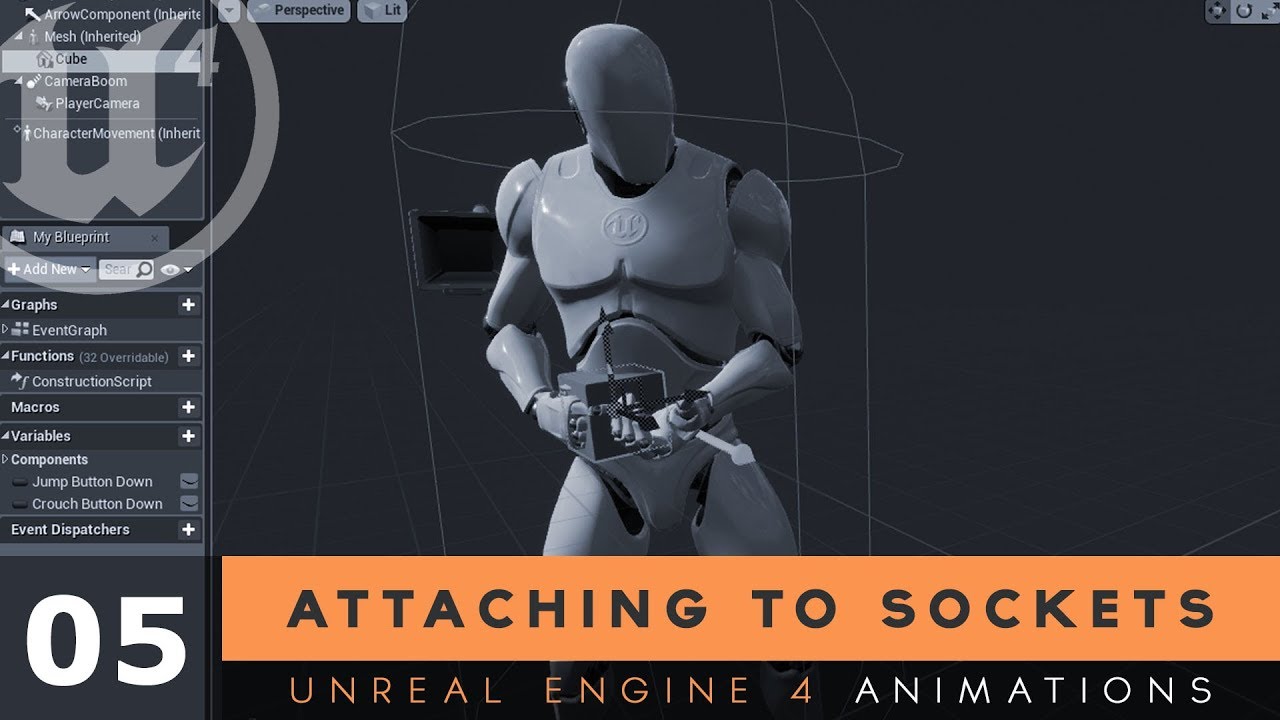
Here we show you how you can attach a static mesh to a socket that we made in the last video, a very common process that allows you to attach items such as weapons to a characters hand's or other parts of their skeleton.
♥ Subscribe for new episodes weekly! http://bit.ly/1RWC...
austere scroll
its a little more than that but thanks anyways
balmy rose
@whole quarry that would mean i make a volume trigger and from it create an blueprint with an overlap event and then connect my staics to it and enable physics?
whole quarry

What is the Trigger Volume in Unreal Engine 4 .
Source Files: https://github.com/MWadstein/wtf-hdi-files
midnight root
@plush yew na thats just the resolution of your terrain but the default value that are 'recommended' are here https://docs.unrealengine.com/en-US/Engine/Landscape/TechnicalGuide/index.html
Technical Settings for Landscape.
plush yew
i buy photo realistic asset. and i see this ocean ground . this is not water. how to make this ocean ground.
balmy rose
@whole quarry thanks mate, i've done this now but when i close the game i get a runtime error regarding the destroyactor node linked to my cube
any ideas how to fix this?
whole quarry
got anything behind "DestroyActor" node?
balmy rose
no
whole quarry
whats the error?
plush yew
anyone know any good UE tutorials ?
like the UE equivalent of the donut tutorial type good?
balmy rose
its onactorbeginoverlap (trigger volume) and this goes into the destroy actor and the targer is a cube
mh.. i compiled and save it again and now the error is gone
mh... 😄
@whole quarry what would i need to add in the blueprint to attach sound and vfx to the trigger?
 wheat hare
@balmy rose I don't remember exactly, but it's pretty evident under Add Component, you just point the audio component to your media file. Same with your cinematic component, you add the sequence component in the blueprint editor. If you set them both to autoplay you can use one line of pseudocode to spawn the actor, immediately play its own cinematic and audio, and destroy itself when it's done. An axe flying across your path in a dungeon when you step on a pressure plate for example
balmy rose
ok
wheat hare
If you don't get a better answer, @ me later and I'll find a PC and screen shot it for you
balmy rose
what i used for now is a play sound at location
and spawn emitter at location
and it workes so far
wheat hare
Sure
My project is a puzzle so for me everything goes through the ui
Which would also work but probably not what you want if you're using the directional sound options
short stirrup
@plush yew check the pins
balmy rose
ok thanks i'll check
plush yew
i buy photo realistic asset. and i see this ocean ground . this is not water. how to make this ocean ground.
 granite heron
This might not be the right crowd for this but does anyone here have experience working with geometry cache in maya for game engines?
plush yew
 crisp bear
Hello could someone help me, i have a very DUMB and small problem, i need to work today on my game and progress ok?, but well... i was wondering if some of you have the same problem that i have, when i am working on the Unreal Editor my windows Task Bar that auto hides just WONT go over the editor, i need to press the window button, is this something that happens to everybody?, how can i fix it.
could someone help me please? i know its very annoying.
plush yew
Is displacement and heigh map the same in the material?
 karmic mason
heady moon
karmic mason
heady moon
if UPointLightComponent inherits from AActor, then why doesn't it have an InputComponent for me?
 proven shuttle
o boy unreal engine on mac
 pale viper
Hi! I am new to this Discord and hope to be on the right channel. I have a few questions about AnimBp. I have a few problems with this. First, I want to know how to reset an animation. I have a problem when I equip my weapon, an animation plays. As soon as I equippe another weapon during the equip phase, equipping is canceled and carried out for the other weapon. However, if I do this very often in succession, the character suddenly has two weapons in his hand or none at all. This is because the weapon is executed via AnimNotify and the animation when it is called does not start from the beginning but starts from its last position. Of course, this does not call all AnimNotifies. I also wonder how best to add a hit and death animation. I use layer blends to play my animations. I wonder if there is a Physik Mothede for Hit Animations. How do you best make hit and death animations? I thank you in advance. 😅
 modest tree
 proven shuttle
you need the c++ tools and such
if you download the installer you can get it, but there is a package specifically for game development with unreal and others
 covert coral
I'm having a problem where I'm trying to cast to the boss (Darius), but it's not casting. Anyone know why this is the case?
 covert pollen
should/can virtual textures & virtual runtime textures be combined?
covert coral
This is what's showing
 granite creek
should/can virtual textures & virtual runtime textures be combined?
@covert pollen by logic they should cause some far or less detailed objects dont need virtual textures
covert pollen
@granite creek let me post a modified screenshot from : https://docs.unrealengine.com/en-US/Engine/Rendering/VirtualTexturing/Runtime/index.html
Like I guess i don't quite understand the technology behind it, im just trying to optimize my scenes
I'm not entirely sure when to use it, and what the ultimate benefit will be
midnight root
hm busy weekend ey..;0,,I know that from a regular terrain texture makeup, but honestly tho I've heard of virtual texture, I've no idea what they are actually for...performance ?
granite creek
I'm not entirely sure when to use it, and what the ultimate benefit will be
@covert pollen its used when you need to load a high res texture smoothly (i guess more than 2k ) .benefit will be no lag at load time and less memory consumed by texture .
 mystic holly
can someone help me with finding out the ue4 version I have in this file?
whole quarry
Doesnt it say in the uproject file?
mystic holly
ty
 midnight gate
does anybody know if i can use world creator without unity?
midnight root
unity has its own discord channel
midnight root
missing as error says
midnight root
the error isn't saying which version, just that its from a different one, or missing in the current one
mystic holly
I got this from someone else who has been working on it
midnight root
ask them
mystic holly
ask them what?
midnight gate
does anybody know any free comercial use terrain-world creators to use? like plugins software etc
i dont wanna create mountains etc manualy
i need enviorment
 hard ruin
The PlayStation 5 will have one selling point Sony thinks might be important to fans who are on the fence about upgrading to a new generation of gaming console: exclusive titles, playable only on the new hardware. Speaking with Gameindustry.biz in an interview published Friday, PlayStation boss Jim Ryan said his company’s upcoming device — which, as of today, has its first official reveal event scheduled for next week — will have games you cannot play on existing PlayStation 4 devices.
read more here
What will this mean for UE? & game dev in general?

The Verge
Marking a departure in strategy between Sony and Microsoft.
 dreamy lake
Is there a way to make the sphere multitrace only being able to hit the same object once ?
 storm terrace
my project is stuck loading after making a couple of project config changes.
I tried restarting and it went form a stuck 39% to a stuck 45%.
Any ideas? Also, I forgot to start up git (early project) so I can't rollback either.
dim arch
its building shaders will hang there for a while on a new engine version
storm terrace
engine version didn't change, was created on 4.25 and still is on 4.25
any other ideas?
storm terrace
you were right, C++ project failed to build.
Does that error mean shaders?
If so, what is the solution?
plush yew
hello guys I have problem with the level
the landscape gone
how I can recover it?
I pulled the last update that I pushd that was with the level but again nothing
how I can fix it?
dim arch
@storm terrace you dont need to build it, open the .sln file for the project (if it exists) right click the project in the solution explorer, click debug -> start new instance
then check the output window which should appear
 signal holly
Can I make a single shard mmo in unreal engine
and can any recommend any c++ and unreal engine tutorials?
dim arch
make sure your project configuration is set to development editor
storm terrace
@dim arch I did a full wipe of binaries, generated files, etc and it got my project up and running.
dim arch
so it launches now?
storm terrace
yes
dim arch
ok, it was probably building shaders
storm terrace
dim arch
yes, it needs to build shaders before it launches the editor and then continues to build them once it's running
when you install a new engine version
@signal holly there is a UE4 MMO project, you can check that project, it has its own discord server with mmo resources too
Unreal Engine Forums
Hey guys.
I am the creator of the Unreal MMO Community discord server. We have a good 600+ members last I checked and we are predominantly a Unreal MMO
they also have a mmo framework and documentation on it
Unreal Engine Forums
MMO Starter Kit is available for purchase on Sellfy (https://sellfy.com/p/fo6a/)!
Documentation for 4.25 (https://docs.google.com/document/d/1fgsgYAL3sLFo_1vcxp-3Gs5uzbxnU5_Se9qFcsPfeas/edit?usp=sharing)
Unofficial Discord channel (https://discord.gg/j8msZYB)
older documenta...
 icy mulch
Hey I bought a pc with 2 tb and 64gb with rtx 2060 graphics card i7 processor will I able to add a lot of grass or trees cause on my old pc which was a i3 couldn't able to handle to much
hard ruin
@hard ruin absolutely nothing, that's how consoles have done business for ages
@plush yew thats interesting, glad there wont be disruptions
for UE at least
 fair goblet
is my life just going to be "Compiling Shaders" forever? D:
hard ruin
Im new to UE, I know in web space browsers have slightly different standards making it terrible for webDevs
I agree
been doing it 6 yeras
icy mulch
I just hope my new pc will be able to handle it since I got the one with right requirements
Cause my old one had majora issues with unreal engine
hard ruin
@plush yew thats very helpful, thanks
plush yew
someone can help me with my problem upper?
icy mulch
I'm trying to make a open world map about bigger than hyrule botw
Ah okay cause I'll be using world machine for the landscape
I thought it does to be honest
World machine is easier for me I can do some landscaping
I'll be using fuse for the character models
Ah okay I'll be mostly like looking at more videos it
Cause I knew as soon I got a better pc unreal engine 5 comes out next year
Ah I cause on my old computer I'm just working on animations etc right now I'm building the game world last
My pc I have right now cant even run a big map cause it crashes alot
Ah okay I'll be doing that mostly last cause I'm working on wall running etc
Animations
Yeah I been doing very small landscape like a river a spring for testing I just can't add to many objects like trees or grass or buildings
For right now
 exotic thicket
Is there some trick to reparent a blueprint so its parent is Actor? I'd hate to have to copy paste all this manually...
exotic thicket
does not work for objects that are not already actors somewhere in their hierarchy
exotic thicket
sadly it cannot because I can't spawn components dynamically
the construct object from class node errors out even though you can wire it to it
I'm basically being bitten by trying to keep my objects not inheriting from random things :P
supple totem
i mean, could you reparent it as an actorcomponent?
exotic thicket
you can't spawn those from a class in BP's
I read it's somehow possible in C++ but all the info I find about it seems to just point to methods that don't seem to exist as far as I can tell
exotic thicket
hmm maybe I'll give that a try before I start copypasting the BP manually into an actor bp lol
it's a kind of complicated thing so that wouldn't really be quite that straightforward :D
it's a bit annoying Objects seem to have a bunch of random limitations to what they can do vs. Actors and Components (ie. no spawning, no linetraces, no bp func lib calls...)
if I had known this up front I would just have made it an actor in the first place even though it really isn't lol
signal holly
Are there tutorials without blueprints? I want to learn to do it without dragging and dropping so I can actually understand it all.
 static sparrow
Anyone know if there is a plugin or something to enable this always-greyed-out "View Documentation" option?
static sparrow
It's kinda programming. Blueprints really are just a visual way of coding. Not as powerful, but still coding.
C++ is like a pen and paper. Blueprints are like using those refrigerator magnets with words and phrases already written on them.
exotic thicket
tbh as someone who's been programming nearly 20 years, I'm perfectly happy with blueprints except for a few lil niggles here and there lol
hard ruin
@signal holly I thought so too, I wanted to go "straight to it" and just do C++, but BluePrints are essential to the workflow in UE, you should get familiar with it
static sparrow
@exotic thicket my biggest complaint is the lack of variety of data structures
signal holly
So blueprints are just for beginners, right?
hard ruin
no
static sparrow
Not really
hard ruin
Im a beginner but I asked people around
signal holly
I don't really want to see myself making games by dragging and dropping. Anyone can do that.
hard ruin
they say its crucial to understanding how UE works
static sparrow
I've been writing C++ for a good 10 years. I wanted to learn blueprints so I can teach my little nephews how to make games, ease them into software dev
signal holly
okay.
exotic thicket
trying to figure out how to do something in C++ in UE seems to be an endless pit of despair lol
static sparrow
@signal holly You still have the problem of what exactly to drag and drop, just as a person writing code has the problem of what exactly to write. It's still programming.
signal holly
dragging and dropping is not programming
static sparrow
I disagree.
hard ruin
you have a big ego I have to admit
signal holly
you might aswell say a 5 year old playing scratch is programming
hard ruin
getting the job done is the desired outcome
exotic thicket
the sooner you drop that silly notion of "drag and drop is not programming" the better lol
static sparrow
So, no one knows how to enable this "View Documentation" option?
static sparrow
exotic thicket
neither is typing UE-specific C++ function calls
static sparrow
I figured I am missing a plugin or something, but I can't find any documentation-related plugins, nor much on Google about it
hard ruin
Im getting to know UE myself, I have asked around why do I need blueprint, I come from webDev, 6+ years of programming exp, it seems weird to me to use blueprints since I have extensive experience writing code. People that have been using UE for years advised me to get familiar with blueprints for couple of reason. first to understand how UE works in general, second to be able to quickly prototype gameplays and then you can move in with C++ for more complex things @signal holly I know, we tech people have quiet a bit of arrogance and pride in our intellect. Learn blueprints, give people that have been working with UE for years a benefit of a doubt, Im learning it too
exotic thicket
Blueprint "programs" have a very similar structure to actual written program code
signal holly
@hard ruin Okay, thank you for explaining that.
static sparrow
Yay blueprints! I like em. There are just certain things you can't do with them.
exotic thicket
the main difference is just that it's nodes and not lines of code
static sparrow
Like use a Priority Queue or a Red-Black Tree, for example. Lol. I wish there were more data structures.
exotic thicket
Right now all I want in BPs is being able to reparent an UObject to an Actor lol
I'm slowly accepting the fact that I'm going to have to manually recreate a bunch of stuff because of arbitrary limitations in the BP editor
static sparrow
Reparenting is kinda broken. Be careful. Reparenting from more-specific to less-specific caused me to have to recreate a whole BP class once.
exotic thicket
Yeah, I mean I have git so it's fine if it breaks, if it would at least let me try that'd be fantastic but sadly it won't :D
static sparrow
It was reparenting from Pawn to Actor. Permanently checked the simulate physics checkbox. Grrr, that was frustrating.
exotic thicket
I wonder how badly would it break if I use a hex editor to just manually reparent it lol
static sparrow
hex editor? um... why lol
signal holly
In unreal can you use free assets for building?
 grand scarab
Question on cooking on an upgraded 4.24->4.25 project:
Anyone seen this one on 4.25 during packaging? Packages without error on 4.24:
UATHelper: Cooking (Windows (64-bit)): LogWindows: Error: Fatal error: [File:D:/Build/++UE4+Licensee/Sync/Engine/Source/Runtime/RenderCore/Private/RenderResource.cpp] [Line: 149]
UATHelper: Cooking (Windows (64-bit)): LogWindows: Error: A FRenderResource was deleted without being released first!
frank oar
Hi guys,
I am using enable physics etc to create a ragdoll, but it is bouncing off the walls and around my map for like 30 seconds, instead of falling into a heap on the floor.
Any suggestions ?
dim arch
probably not enough mass, or some force is acting on it
 neon bough
is there some way to run studio in some kind of safemode if it crashs on start?
frank oar
@dim arch its is animated to travel up to a point, then the animation is stopped and physics are enabled, so its possible the momentum is effecting them ?
I think it is more likely the mass like you said.
But that is the first I have heard of mass in objects, is it easy to turn up the mass ? Ill google it too
 scarlet birch
Can anyone explain why an instanced static mesh created in a BP would show red on shader complexity while the same material on the same mesh when dragged into the scene is green?
dim arch
@frank oar yeah, Need to modify the mass of the mesh, Make sure your objects are scaled correctly, Otherwise you can check some of the other mesh physics parameters
frank oar
@dim arch I am just poking around in the setting at the moment, because i dont even know what terms I would need to google so sort it XD
I have found a setting on the physics mesh which I am going to turn on to test, each body weight has a mass, but for some reason it is greyed out...
dim arch
you can override the calculated mass by checking the box and entering a value
frank oar
I tried, checking that box gives you a default 100 (of whatever unit it is) I upped it to 1000 and it didnt help, I have even tried to up the gravity in the project settings...
I am about to test bounce threshhold too
scarlet birch
create a physics material and reduce restitution.
frank oar
Ill look up how to do that now, thank you for the info @scarlet birch
scarlet birch
It might only be part of the problem. The volumes themselves could also be creating some forces between each other.
frank oar
it is basically the unreal mannequin, and when i endable physics etc, it behaves like a ball in a pinball machine and bounces off the walls continually...
@scarlet birch gonna take a while for a simpleton like me to suss XD quite enjoyed the process so far but is is grating on me now
scarlet birch
I haven't messed with ragdoll stuff much but usually when things like that happen it's because two or more physics bodies are hitting each other too often and causing massive forces. I'm not sure if there's something that reduces the forces or something with the physics bodies on a mesh or something similar.
Some setting to add a bit of angular dampening or reduce restitution or cap forces is what I'd look for. But I'm sure this is a common enough problem that a web search would find something.
frank oar
I am watching a video now and looks like restitution can reduce bounce, so I wonder if i reduce it on every body party in the physics asset, then the floor which it falls onto also, that might eliminate the bounce.
thank you
 hasty osprey
help how would i go about making a material like this one
where the ball completely reflects the environment and there is a star in the middle which does not. Any tips?
 hallow compass
Anyone used World Creator? I need help so bad
plush yew
help please
hasty osprey
thanks for the help guys
plush yew
ok
i have an overclocked GPU
i cant
and idk how
it came overclocked
when i bought it
oh ok
its not
i built it
Ok
game ready
or studio
ok
wait it is
 kind dew
Lorash have you seen this issue before?
https://media.discordapp.net/attachments/221799368884355072/713483245420806295/unknown.png

Happens when I try to play in mobile preview
okay thanks anyways! I have no idea how else to get support for this
it's specific to my project. But it happens in completely blank levels its so frustrating
no
It's gotta be a setting right?
assets just sitting in the content browser won't affect anything...right
but a material would only break it if it was in the level right?
hmmm
is this troubleshootable?
or only something that would help epic
i dont even know what that is lol
a post processing benchmark?
I know like a post process volume, but I don't have any lol
i logged a bug a while ago but I haven't heard back
its like halted development for me idk what to do
yea okay that's probably what I'll have to do
but UGH lol
damn
how to bugs make it to here? https://issues.unrealengine.com/
ah
gilded plinth
Am i losing my mind or is this a typo in the nDisplay docs?
An overview of how to control Actor replication across your nDisplay cluster.
The Epic docs say there are two component which they outline with the same name for both : /
Think it clarifies in the next paragraph, must be a typo
storm terrace
Is it just me or does "Box Brush" take along time to compile shaders
or am I doing something wrong?
Like I am supposed to convert it to a static mesh
azure shore
we dont have any screenshots of the ue5 editor yet right? is it safe to assume itll mainly work in the same way as ue4, like blueprints for example? Id like to be able to start using ue5 without having to relearn everything
 distant totem
don't scale BSP brushes with the scale tool, can cause problems @storm terrace, use the box extent settings in the details panel
and yes, when your done with a BSP brush and don't want to shape it any further, it would be best to convert it to a static mesh
but I always duplicate the bsp brush, and then convert it to static mesh, because if you just convert it you will lose the BSP brush you assembled, and if you wanted to change it, you would have to start from scratch
 muted trail
quick question,if i wanted to promote my game where should i do it cause i don't really have much of a following 😫
supple totem
anyone here have tips for good feeling xbox controls for an FPS game?
I mean like specific UE4 stuff, I've got controls in but they kind of feel rough
I'm wondering where to begin polishing
solemn orbit
hi
can someone please help
i want to cook my project but i get this error
LogPackageName: Error: DoesPackageExist: DoesPackageExist FAILED: '/GameplayHelper/Blueprints/Decals/BP_LaserDecal' is not a standard unreal filename or a long
it says it doesnt exist thats because i deleted it and removed it from my project
 hollow trench
or just add it again, if its available somewhere
wary wave
that might be an option, depending on how it had previously been modified or deleted
solemn drift
Anybody know how to access the input axes of the character in animation blue prints? I need the MoveForward and MoveRight axes
hollow trench
@solemn drift maybe like this? https://www.youtube.com/watch?v=YHJc6DSFsWU

In this video we take a look at how we can get our character to move based on an axis inputs. We cover how to setup the axis inputs and how to use the information from them to move the character using blueprints!
Unreal Engine 4 Level Design Series: https://www.youtube.com/wa...
The "WTF is" YT channel also has some videos about.
(Question): I am using "dynamic inset shadows" on a character (world is having fully dynamic sky and 24h cycle, nothing baked) and wonder if there are the settings for this specific "dynamic inset shadows".
They are not getting affected by the sun's distance shadows, which is fine. But I would love to give the character model itself some higher real-time shadow resolution.
solemn drift
@hollow trench I don't have access to axis events inside the animation blue print
grand scarab
Check your project settings under input
hollow trench
If its animation blueprint specific, I would say try it inside a regular BP and use a sub-anim BP instance? Yeah I am not sure if the question is pretty advanced or @grand scarab 's solution may help. But I think you already setup your controls right?
solemn drift
Yeah I am trying to access the default MoveForward and MoveRight axes. They move the character fine--I just need to connect them to my animation blue print
hollow trench
phew.. never tested or tried. Idk!
oh wait uh.. ok maybe its too late at 1:40am hehe.
vast cloud
i need some high level advice, i am trying to setup Mocap for unreal, and i've been trying to do livelink to do it, but now i realize i may be barking up the wrong tree.
What iam trying to do is record myself with a combination of mcap and IOS facial capture, then move to another charcater and a nother and create a scene
is that live motion, or is that recoding animations?
then use the AR function and built in cameras to shoot it.
 rancid lynx
one area of this terrain never updates. every single time i "play" it resets to "compiling shaders 30". laggy, gets to Zero, no lag, terrain never updates. any idea what may cause that ?
 lilac lantern
How do you implement the Epic Games Online Services SDK into the engine?
midnight root
I'd start here https://dev.epicgames.com/en-US/services if I were doing it.

Epic Online Services
Scale your game and deliver the next-generation of connected and immersive social gaming experiences using our fully accessible and open service.
midnight root
explain
lilac lantern
the documentation shows no way to implement it in any engine
it just tells you to download it
and add it to engine
like wtf does that mean
midnight root
I've not looked yet , I have other priorities, is it open source ?
midnight root
free but..dunno haven't looked,,am now
Im SO sick of having to authentic ;0- same browser, same OS,,ugh!!
😉
I don't get the feeling its integrated but I could be wrong, more available and epic manages it so to speak
again its a lot of legal docs to look at
Epic Online Services
Scale your game and deliver the next-generation of connected and immersive social gaming experiences using our fully accessible and open service.
oops that didn't work as INTENDED
2.2. Epic’s obligations under Section 2.1 are conditioned upon (a) your ongoing, good-faith cooperation to perform all tasks necessary, or reasonably requested by Epic, to integrate the SDK and ensure that your Video Games are compatible with the SDK and Services, and (b) your compliance with all applicable terms of this Agreement.
midnight root
what have you read
I doubt its a sunday read 😉
I mean...
what have you read, whats not working is the form
lilac lantern
like how tf do you even get it into your project
midnight root
Documentation for Epic Online Services
Is where I'd start, will start, I just don't have time in this moment ,. sorry I can't aid you, so IF you are there, what isn't working
 sharp kindle
I need help with android packaging
midnight root
whats not working
what docs are you using if any
I've to get that far but when I do https://docs.unrealengine.com/en-US/Platforms/Mobile/Android/GettingStarted/index.html
Setting up for development for the Android platform.
distant totem
@lilac lantern
you need to register your organization and your product
https://dev.epicgames.com/docs/services/en-US/QuickStart/index.html
https://dev.epicgames.com/docs/services/en-US/Sample/index.html
rancid lynx
one area of this terrain never shows landscape material. every time i press play, it resets "Compiling shaders 30" only 30. i waited 2 hours. restarted, waited an hour. didnt help. I turned "forward shading" on for my VR game, and disabled static lights. any other ideas what may cause this ?
mystic holly
can anyone help me with replication?
plush yew
Is displacement and heigh map the same in the material?
 polar bobcat
Probably a simple question... how could I stop a physics object from rotating? Basically resetting the rotation value to 0 on a specific axis?
 tired lynx
howdy. desperately in need of some help. i can no longer log into my epic account in order to access either unreal engine or quixel. it keeps coming up with the error message 'sorry the credentials you're using are invalid'. i've reset my password twice now to no avail and am unsure what else to do?
polar bobcat
I had to contact support regarding that. Basically an old GitHub account was linked on my account and it had some out of date information. I had to have it removed, and then add it again, and everything worked perfectly
That was answering @tired lynx , btw!
 pulsar dove
Does anyone know how to import spine animations/sprites in Unreal engine? I can't seem to get it
 dusk fern
ue4.25 doesn't respect DerivedDataCache setting, and automatically generates the DerivedDataCache folder in the project folder
https://i.imgur.com/ad67PT4.png
in previous versions of the engine there was no such problem, how to fix it?

 thorny locust
Would anyone happen to know how to scale a material but not tiling? I just want to adjust the size of a mask
rancid lynx
one option is, open it in krita, paintbrush, MSPaint, and manually rescale it.
thorny locust
yea but theres noway to do it in UE huh?
rancid lynx
very probably yes. maybe someone will answer once they notice.
thorny locust
👍
scarlet birch
@pulsar dove You can't. You'll need to export a sprite sheet.
pulsar dove
That... sucks a lot. >.>
scarlet birch
You use flip books in UE for 2D animation
pulsar dove
Yeah but it looks way too choppy for what I'm going for
scarlet birch
Can't you just increase the number of frames?
pulsar dove
I guess. It would just take a metric buttload of time. TT-TT

Google Docs
This is more of what I was thinking of. Something similar to how Fran Bow moves
scarlet birch
Should be doable. I haven't used Spine in a while but can't you tell it to export an animation with so many frames a second?
There's like 3 apps like Spine that I tend to get mixed up with each other.
pulsar dove
Yeah but what file type should it be then?
scarlet birch
PNG?
pulsar dove
Okay I'll try it and see if that does anything
Also, are there any other programs easy to use and incorporate into UE than Spine?
scarlet birch
It's been a while for me but maybe Dragon Bones.
I think the other one was called Spriter
Although seeing that Spriter 2 is still on preorder for what's been a really long time now it might not be a great choice.
blissful trail
im having an issue where one sprite goes behind another sprite if i move the player higher
modern sinew
Do you know why, even though the player taking damage has their health variable decreased (which this function does), the damage effect comes up on both screens?
 quick kelp
@modern sinew looks like you are creating a damage widget every time the player get damaged
Does the widget destroy itself after the effect is done ?
Also what do you refer by “both screens”?
modern sinew
@quick kelp The tutorial I followed did it that way so it intensifies. I originally had it as just an image in my HUD widget, but changed it when I realized why they did it that way
Also, yes, and I mean all players (this is multiplayer)
 still hemlock
Does anyone know how to save a skeleton in skeleton tree after editing with it
 fallen marten
Anyone here know much about calculating the alpha value for leg IK?
Didn't think so -
still hemlock
Hey
 civic cobalt
hi guys can i select which gamemode i want on my level via blueprints?
i'd like to open certain level with different gamemodes
rancid lynx
when painting terrain, is there a way to limit where i paint sand, based on height, so that no sand gets painted over say +100z. I know how to do it inside the material editor, but surely the stupid paint tool could handle the same thing.
 runic fern
Hi Guys i've Cloned the UE4 from Github but i still have missing plugins i've tried to copy it from the normal engine and its still not working
 honest vale
did you run the setup scripts?
 hollow wave
is it just me. or did ue4.25 just disapear from all your instalations?
uneven fractal
whats the TArray equivilant to the length function for arrays in bp?
coral shoal
this is a pretty small annoyance but anyone know if its possible to get "show in content browser" to always use a specific content browser tab rather than messing up whatever tab you last touched?
honest vale
@uneven fractal Num()
uneven fractal
thanks
somehow it's different from both the blueprint length and the standard cpp .size
honest vale
yeah it is a bit weird sometimes
runic fern
@honest vale if you asking me yes i've installed all the .bat scripts and the engine works good but i have plugins in my project i cant add it to the source copy
uneven fractal
the smell of progress
 leaden dust
how do I optimize umap files for git?
is there a workflow to follow for my team to make sure the huge umap files are not pushed and pulled often?
runic fern
From Source Version Anyone faced this before ?
i've tried to copy the plugins from the 4.25 launcher version to source version i got this
its same version but the source one 4.25.1
civic cobalt
how do i override gamemode in a level?
 half turtle
level settings
 sinful pier
you can setup a GameMode Alias in the project settings
and then open the level with the additional flag game=[Alias]
 sharp cloud
How do I remove this (preview) writing all over my levels ? Everytime I insert a mesh object I bought. Reflection of (preview) shines everywhere. Does anyone know how to remove this or for it not to happen ?
 dark depot
build lighting.... or go to the top left where it says show there is a box to uncheck under that called show preview indicator or something
@sharp cloud
sharp cloud
Can you be a bit more specific whereabouts is the box to uncheck the preview indicator? Can you take a picture of it on screen
sharp cloud
But the sun in sky is the overall light on this level. ? How can I leave the sun and objects to remove that (preview) prints everywhere. I use movable lights but that sun I want there but notice either way I can’t get rid of the preview stuff. Any specific ways to get around this ? ?? Please.
 dawn kelp


