#ue4-general
1 messages · Page 746 of 1
 ember raven
 devout gulch
they got compression working for it
and it is really good
I wouldn't worry about size of games
which are using UE5
 leaden dust
eh I live on 4 mbit internet
 fierce tulip
you just missed the "more polygons doesnt mean a lot more filesize, also you dont really need height/displacement/normal/ao maps (depending on situation) so you save filesize elsewhere" comment
leaden dust
I would
4mbit download is so outdated by now
its kinda insane
but isps' dont give anything faster here without burning a hole in the pocket
ember raven
then why is it difficult to make games like tech demo, same question for unreal engine 4 tech demo
leaden dust
who said it was difficult tho?
devout gulch
resources
ember raven
cause people say its tech demo so they said its impossible to develop actual games like that
leaden dust
and even if you increase the polygon count
devout gulch
it is always down to time and resources
with UE5
it actually
should be >easier< to develop games like this demo
leaden dust
animation quality is still not up to par with quality of meshes
in my opinion
and sounds too
devout gulch
preapring content for game just took way to much time
leaden dust
all areas of realism should be given equal attention
devout gulch
now it will quite a bit automated
leaden dust
you can't do stuff with just high poly mesh
 wheat hare
Well I mean... There is a way to get 100% realism, everything else has tradeoffs.
leaden dust
it will save a lot of time tho
 stray smelt
can someone explain why the SSD is so useful in the PS4 tech demo? what exactly are they using it for? do they utilize the SSD as ram or why is this different now than "regular"/current SSDs?
leaden dust
tl;dr on my opinion: won't increase graphical fidelity much, but will save a lot of time
fierce tulip
lol
 rocky radish
ps5 is pssd now
fierce tulip
@stray smelt its loading and unloading from ram in insane times
stray smelt
from both video memory and ram?
leaden dust
consoles use gddr ram for system memory too right?
fierce tulip
and probably loading onto gpu in insane times as well
leaden dust
consoles have shared memory if I remember right
fierce tulip
we. need. more. tech. videos. :p
stray smelt
so 3d/2d data is stored in ram -> loads to SSD (really fast) which is then processed by GPU (faster, due to said ssd)?
leaden dust
do you know resources for ue4 modding?
 rocky quartz
hi all ! do you know where we can get the ue5 demo for pc ?
fierce tulip
not for another year
leaden dust
how do you plan on running demo without ue5 or ps5
rocky quartz
not the engine, the technical demo shown a few days ago
fierce tulip
again, not for another year
rocky quartz
i saw that someone get it and ran it on a pc for press
stray smelt
what I don't get is, is there an architectural difference in this ue5 demo? like does it load data in a different order/way than ue4? in terms of relationship between ram and ssd
rocky radish
we can't really know if we don't have ue5
stray smelt
does it essentially use the SSD as ram?
 fierce tulip
¯_(ツ)_/¯
rocky quartz
:p
I would like so hard to test it but i maybe need to be patient. Dreams dreams dreams
 copper flicker
howdy.
did you guys notice Unreal deletes the Saved folder after each rebuild?
is there a way to make that Stop?
O o
I have the latest 24 version
dunno about 25
 radiant haven
Hi, I have an explosion particle, I spawn it with SPawn Emitter at Location and yea it spawns but it repeats itself instead of justone
rocky quartz
do once ?
 vague heron
can anyone help me add iron belly animation to the fps template?
fierce tulip
cascade? required module > loop 1
 fierce forge
hi , if i'm trying to use steam on ue4.24 is working but on ue4.25 is not , how i can resolve it ?
 hexed dock
say I'm working in the editor and I have an object rotated, but then I realize I want to rotate it a little more, but relative to its current rotation - is there a way to do that? I don't mean at runtime but in the editor. The annoyance is that if I want to do that now, I have to figure out how much to rotate it on multiple axes.
 dim arch
uh you can type +/- in the rotation fields?\
or do you mean using world/local transforms?
hexed dock
@dim arch you could call it a local transform, yes. But at design time. Say I have rotated it on multiple axes, and then I realize "oh crap, it's all at the perfect angle but upside down". So then I'd want to rotate it 90 degrees on the world X axis
dim arch
well you can use the rotation fields in combination with the different reference frames (world/local) etc
if you right click an actor in the viewport it has some transform macros like mirror, rotate 90 etc
hexed dock
how do you change the reference frame on it? I'm a bit of a noob.
dim arch
in the viewport top right where you control snaps settings, there is a world/object toggle iirc
also maybe possible in the transform properties
hexed dock
thanks, that's EXACTLY what I want!
dim arch
np
 neat forge
Anyone know how I can add a physical material to a landscape with shaders like brushify?
 tender flume
what is culling used for
 whole quarry
For culling meshes
 ashen ermine
Hey, just reorganized my project and cleaned-up a little bit but I've got some "rogue" materials (i guess) It's recompiling ~1700 or something shaders every restart. Any idea on where to start looking? It's a fairly large project with 200+ materials only for particle effects, so going through all mats would b a nightmare...
 warm hinge
Hello there,
I try to place a widget in the world by:
WidgetActor
--> WidgetComponent
The WidgetComponent is configured to be rendered in screenspace.
All working fine, BUT:
I assigned a custom trace channel, which is recognized by getHitResultUnderCursorByChannel, if the widget is displayed in worldspace.
As soon as I activate screen space it won't recognize hits anymore.
Does anyone have a clue what I might be doing wrong? Is screenspace interaction w/ a widget component even possible?
ashen ermine
@warm hinge what's the visibility setting on your widget? Set it to "hit test invisible"
 somber quail
@plush yew that is a variable on the "Rotating Movement" component
warm hinge
@ashen ermine Nope.. collision of screenspace widget not recognized
ashen ermine
@warm hinge
This is a floating text widget I also have in screen space, just like you (if i understand correctly). It doesn't get picked up by traces because it's "non-hit testable". Otherwise, yes, interaction with such a widget is possible - it's kind of the point sometimes.
warm hinge
Yeah, I want it to interact... that's why I had hit tests enabled on it... but for whatever reason those hittests do not work with a custom channel
Do you also host the widget in widget component on any actor?
 plush yew
@somber quail yes,but i want change it by trigger.
like this
i can not create this 'SET' node
😫
ashen ermine
@warm hinge I remember I've had a project in which I did what you want (now I understand). You want it to interact - say, hover over something, it pops up and you can click it or whatever. It will only respond to the visibility channel as far as i know & remember, you can't change it's collision to something else, unless you use a workaround like a collision box around it which moves in worldspace in such way as to compensate for the widget's screen space - but that's alot of work/trial error imo.
warm hinge
Okay, thank you nonetheless 😛
ashen ermine
np ¯_(ツ)_/¯
warm hinge
Solved it differently now, if any body is interested:
Structure:
ComponentRoot
--> WidgetComponent (Screenspace, HitTest-Invisible, Size To Content)
--> Box-Collider (Adjusted to size, proper trace channel set)
The box collider handles world space collision and hittest, while the widget component in ScreenSpace is now just decoration.
 maiden sundial
Is there a way to get the thumbnail from particle systems ?
 steady owl
I wonder if UE5 will have redesigned UI or if it'll be mainly the same as UE4 visually with the added features
I don't think it will be same leap as it was from UE3 but I could be wrong
 cursive hare
Hey,
anyone knows what would be the best management settings for landscape for a battle royale game.
fierce tulip
there has been some work on the UI in ue4, I do think they'll give it some tweaks. I personally prefer it if things do not change too much, but im an old fart. i dont like change :p
 rigid viper
Any body know how to hide &show bone of weapon clip magzine
 mint umbra
Can I tie a mesh that has no bones to my player's hands? In this case the reins of my horse; I want the player to hold the reins. Using IK, I attached the hands to the reins, but the reins are clinging to the horse (physics) so it looks weird. Any way to attach the reins to the players hands without adding a bone to the reins mesh? The mesh is incorporated with the skeleton of the horse
The reins would still need to attach somehow, or would adding sockets solve that? I want the reins to hang from players hands
Hmm, gotta check that
Think theyre parented to the horse skeleton
Hmm... okay, interesting. How on earth would I do that? 😅
cursive hare
Hey,
anyone knows what would be the best management settings for landscape for a battle royale game.
 final turret
Why does my camera move way more than the animation of the head when I socket it to the head?
mint umbra
Oh I just invert the logic? I'll give that a shot
neat forge
The longer my game runs, the lower the FPS drops, anyone know a good tool that I can use to figure out whats causing this?
mint umbra
@plush yew So the reins are parented to the horse skeleton. So to be clear, I should add sockets to the reins and in the horse anim BP I should get those socket's location per BP anim update and reference that location in an IK? Then I can reference that variable in my rider's anim BP and attach the hands to that location?
Not really sure how I can IK-move the actual reins when there's no bones to it, I didn't know sockets could alter the mesh's location, but were mere locational references?
Wait... the skeleton actually has bones for the reins 😮

That makes it a lot easier. I guess I can then just get a reference to a specific location where I attach both reins and hands? 🙂
 digital anchor
Would anyone know why changing my character mesh, then setting physics enable explodes the physics asset, when otherwise that same mesh would work fine?
 sterile idol
What do you guys think are absolutely critical tools and plugins?
lol
I hadn't noticed that at all 🤔
It is a little, but not too bad.
At least it's ready to roll immediately, just in case.
 somber otter
Hi everyone, I need some help please
In UE4.23 I have 2 screens in the same scene, how to play in each screen a different video at the same time when I press play?
I've already loaded the texture (video) in the 2 screens and made a blueprint for the video but could not make it play at the same time.
sterile idol
You used the same event and linked to both players/screens?
wheat hare
Yeah, this 👆 you can fire both off the same event or use seq
somber otter
this is the blueprint for the videos
mint umbra
@plush yew Hey so I pulled it off thanks to your help! Only one issue though, which is that when the horse plays an animation, the reins IK resets: https://gyazo.com/4f25ebf74714dec070e723b2ff1a0092
It only happens when running a whole-body slotted animation montage.
https://gyazo.com/ef3dbc9eab2193ddcd34ebb7a6f2d6c5 blending based on bool here, to ensure the rider is mounted.

So it works just fine when the rider is moving (in which case the procedural animations run a montage slotted to the neck and up which ignores the reins bones) - but not when running fullbody montages. Any tips on how to prevent that? 🙂
 bold aurora
Hey there, during the collaboration via Github we encountered an issue, the umap files get corrupted while commiting to master, can anyone tell how this issue can be resolved ? Or any other convenient way to collaborate with teammates ?
 lethal briar
Hi all! I was watching a tutorial when a qoustion hit my face: what the heck is the difference between "GetWorldTransform" and "GetWorldLocation"? Because i read that the transform means basicly, that thats an object reltive space. But now the world transform???
 lime sorrel
is there any way to just copy an .umap file to a packaged game's content folder and load it?
When I tried to do it a while ago, the map showed up in the list of maps but when i tried to open it the game crashed.
bold aurora
@plush yew Okay, thanks ^^
mint umbra
@plush yew Oh, I see... How would I slot out the specific bones? I understand the logic of blending animations to the horse's head to apply animations using slots, but this is unexplored territory for me 🙂
lethal briar
Thank you lorash
 topaz brook
what exactly does ERROR: No target name was specified on the command-line. mean? When i open a brand new project in 4.25 and try to package it, i get this error
Er... Nevermind. It looks like you cant name a project 'test' and package it... Interesting
 tired lynx
hey gang! was wondering if anybody could kindly point me in the direction of some tutorials in unreal focusing more on 3D artwork, environment art, cinematics, and animations? i’m not interested in game dev so would ideally like to skip over that entire part of the learning process. long time 3D artist on c4d/blender and am quite experienced, so it’s mainly the different workflow that i need to learn. just needing the engine for eventually creating some vr environments for my art degree! any help would be greatly appreciated
also if there are any content creators or livestreamers who share their creative process and do things like kitbashing etc i learn pretty quickly from following along with that kinda thing
 lethal peak
Just learn the basic of UE4 it's enough for basic vr environments, use udemy
wheat hare
+1 for udemy and +1 for VR
 floral arrow
hey, my ue4 crashed and i lost some work is there a way to load from a autosave
 keen moss
@floral arrow when you reopen unreal if there is any auto save it will prompt you to load from there
 frank oar
Is there an easy way to apply decals ?
I have looked it up on youtube and they all seem so long winded, is there a way to drag and drop them onto a surface ?
 patent vortex
Buildtools.exe is write protected and I cant compile my games source because of it, when I try to disable read only It says I dont have permissions. Any ideas?
 mellow pebble
Is there an easy way to apply decals ?
I have looked it up on youtube and they all seem so long winded, is there a way to drag and drop them onto a surface ?
@frank oar If you have a decal material made you can drag and drop the material into your level and it will create a decal actor
frank oar
thank you @mellow pebble!
can that be placed on top of another material?
If say.. I wanted a box which already has a material to have a logo in the top left corner ?
lastly, will it take the form of the object if the object is curved ?
mellow pebble
The decal actor should be able to rotate and scale just like a mesh. I believe it will go on top of other materials just like you'd expect, pretty sure it assumes the surface's normals too
frank oar
thank you for all the info! i will experiment with that now!
 sacred sluice
Hi Guys! Is anybody know how it made? Leon shooting in zombie body and the body is torn apart and its internal organs leak out. It's done in an unrealistically cool way. I can't even imagine how this could be repeated at least partially in the game.
 dusky coyote
Hello everyone...I'm not sure where to go for this(like which channel) but im looking for some help with cloth and collisions...I'm really struggling and have searched the bowels of the internet >n<
dusky coyote
thank youu 🙂
 versed bluff
@plush yew in any non vr project, open the plugin browser, disable the steamvr and oculus vr plugins, restart
those should really come disabled in non VR project templates
 storm venture
my friend cant run 2 ue4 builds at once, but I can, anyone have any idea why that might be?
frank oar
I am learning to make decals...
I just made a new one, all I did was choose a base colour..
I chose bright red.
Yet when I use the decal in the level I get CREAM TILES XD
WTF happened ?
 winged crypt
Why do images render poorly inside of widgets at runtime? Left is in widget designer, right is during runtime looking at the same widget.
Texture is set to UserInterface2D compression.
 grizzled fox
Guys
I honestly can't find the shortcut
What button do I press to see the navmesh in my level?
winged crypt
@grizzled fox P
frank oar
Must be because the tutorial is old @grim ore Because I changed the opaque to transluscent and it worked seemingly as intended XD
 grim ore
@winged crypt it looks like its being stretched, what is the source image resolution and what is your resolution when testing?
winged crypt
Image is 819x2304 (thin, tall as shown below). The widget is scaled to 1280x720 and displayed on a 3d widget component
@grim ore
The draw size for the widget component is 1410x900
No additional scaling.
 coral spire
Does anyone know the cost of accessing UDN? I see you need a custom license for it, perhaps that has an NDA... just wondering if it's at all accessible by a small team that can only afford a few grand for it
winged crypt
I'm not very good at widgets so I may be doing something wrong, but based on this info I'm assuming there should be no stretching that causes pixelation
grim ore
IF you put that image in a normal viewport widget, not in the game world, does it still look wrong?
grim ore
ok so I want to say its due to the scaling and widget size when using 3d widgets,
 chrome cedar
hey guys 🙂 I have a pretty newby question. I´m still having lightbleed in my scene even though my lightmap density is already red. how am I supposed to setup my room?
like this where wall and floor connect just with 1 edge?
or like this?
 lilac swan
This is my first time using this engine does anyone have tips cause I'm lost
completely
 foggy zenith
@lilac swan https://www.unrealengine.com/en-US/onlinelearning-courses
Quality courses at every skill level 🙂

Unreal Engine
Unreal Online Learning is a free learning platform that offers hands-on video courses and guided learning paths.
grim ore
@winged crypt I can say I took that first image you said was bad, clipped out just the left, put it in an image on a widget (image as the only item in the widget, as the root), added that to a blueprint with a widget component, sized it to 500x500 and put it in the world and it looks fine to me
winged crypt
grim ore
@chrome cedar You would not have an edge is how you fix it, have a solid blocker more like the 2nd picture or make them both 1 mesh
frank oar
Any Idea why this Decal is so faint ?
foggy zenith
@frank oar lighting intensity?
chrome cedar
@grim ore alright! 🙂 thanks a lot!
winged crypt
@grim ore Here's how/where I'm displaying that image (along with a few others similar to it). Maybe this is where the problem is, then
grim ore
no I put that image into my project and the same issue, the one I clipped was fine
grim ore
yep looks fine in the editor but blurs when playing
winged crypt
hmm
frank oar
@foggy zenith I was hoping this would act like a sticker.
winged crypt
maybe because it's a PNG-24? your screenshot may have been jpg or something
would that even matter?
grim ore
it might thats what I am testing
winged crypt
testing on my end as well
foggy zenith
https://help.quixel.com/hc/en-us/community/posts/360006980598-UE4-decals-are-very-faint
@frank oar
They do 🙂

Quixel
I exported decals from Bridge into UE4 and they appear very faint by default. Opacity is set to max and don't know what else to adjust.
frank oar
is there a way to stop it interacting with light I wonder...
grim ore
yep its the image size trying to scale
frank oar
thank you for the link! @foggy zenith
winged crypt
grim ore
so my widget component has the matching draw size of the image I am showing
grim ore
you can also check Draw at Desired Size
so with your layout it must be due to you not showing it at a 1:1 pixel ratio
winged crypt
I'm not sure how to solve this because I have 5 of these images inside this widget. Then this widget is parented to a larger widget.
grim ore
try checking draw at desired size in the widget component?
winged crypt
I did, the 3d widget disappears
sec
when I set the 3d widget component's resolution to == the resolution of the 5 images, it gets scaled up like this but the 5 images inside stay the same size and are still just as blurry
This is the master widget, then that widget with the images is nested inside here
But the widget's 'draw size' is modified in the actor with the widget component to make it thin enough to fit the tabs without any extra space
grim ore
😦
winged crypt
:C
frank oar
https://i.gyazo.com/3ded40add3c6f71cbb97a807bb34ff5e.mp4
@foggy zenith that seems to have totally fixed my problem! thank you !
As a last note, does anyone know if it is an issue that my Decal blinks out and back int when I hit play ?
what specifically ? @plush yew
I see, you lost me at "very advanced" XD
but I am sure there will be someone here able to help you!
 static ingot
How do you do that? when you make a car assembly game. Because the car can be seen wherever you want. is it regulated by BP or? Well, yes, but I am wondering how to play a game like "My summer car" there you also build your car. And how does that work with e.g. to mount a tire with screws if not screwed on how does it work?
i am new in ue4
 little falcon
I cannot see any light actor in this sample scene, but it still lit up, where i can i find it?
frank oar
I wish I could help you @plush yew
I have made a few animations in blender but havent even learned to weight paint yet :/
 timber mountain
i have a strange problem in ue4 lighting build 😲😲 in middle of building when its on 20% my monitor turn off and my graphic card fun works very fast with a strange sound 😲😲😲😲😲 i fear and restart pc 😲😲😲😲😲 is it common ? or its a problem ? should i wait several mins ?
static ingot
can anyone help me?
timber mountain
i have nvidia graphic card. i didn't have this problem until yesterday. its very wondering ... i try to update my graphic, thanks for remember.
 weak hemlock
Hey, I need to move the entire 4.25 engine installation to another SSD, how should I approach it? mklinks? copypaste and change some settings?
grim ore
delete the old one and reinstall it on the new drive
assuming you want it to easily show up on the launcher, if not just move it and run the version selector program
weak hemlock
Not fun redownloading 68GB of data, ye
grim ore
its not 68gb of data
weak hemlock
On my disk it is. Well even if it's 50% compression I'm looking at a lot of data
 inner cloak
@gleaming narwhal I'm trying to do a cool tutorial made by epic a few years ago and the assets for the tutorial are too old .. is it possible to get a new set of those that works with 4.24/4.25 ? Title is : Using Splines & Spline Components | Live Training | Unreal Engine. And here is link to Tutorial: https://www.youtube.com/watch?v=wR0fH6O9jD8
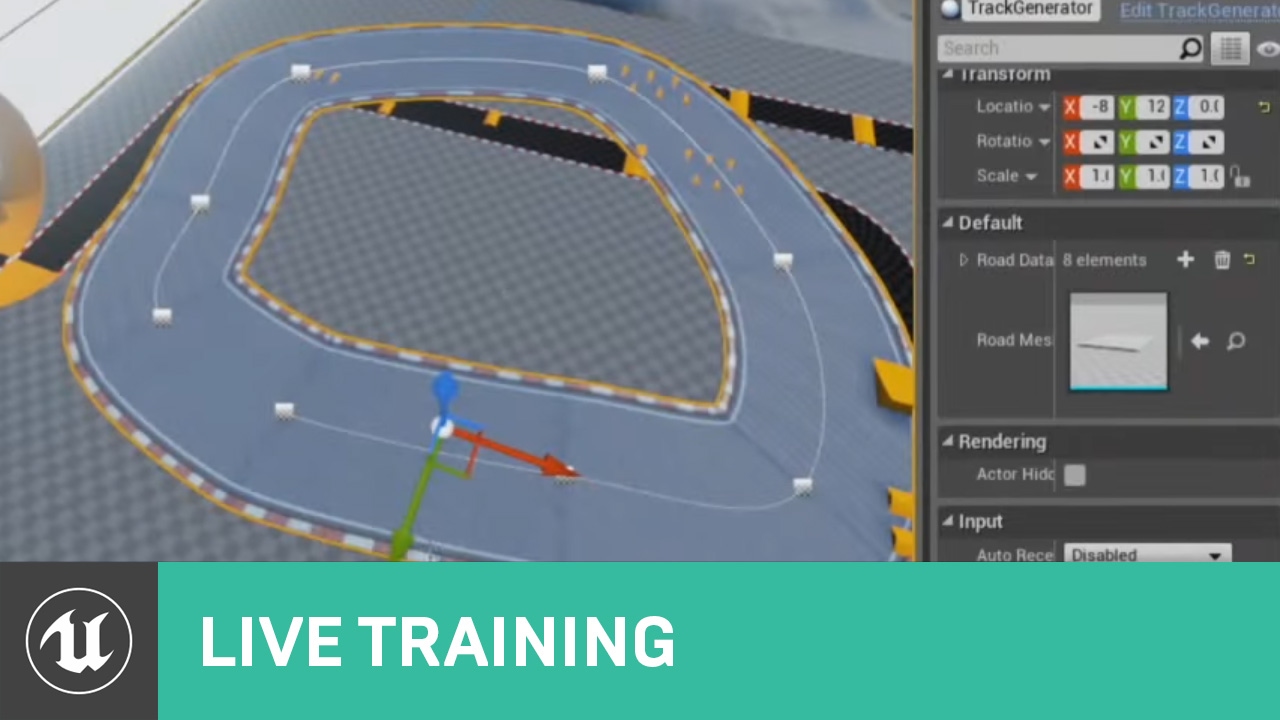
In this Livestream Tutorial we'll show how to use both Spline and Spline Mesh Components to construct an easy-to-use racetrack generator tool in UE4. Viewers will learn about custom structs, functions with local variables, using for loops, and much more!
[00:00:45] - Google D...
static ingot
How do you do that? when you make a car assembly game. Because the car can be seen wherever you want. is it regulated by BP or? Well, yes, but I am wondering how to play a game like "My summer car" there you also build your car. And how does that work with e.g. to mount a tire with screws if not screwed on how does it work?
inner cloak
Guess i was too late 😦
grim ore
@weak hemlock install size is not download size
weak hemlock
Ye I know, but should be like 30 GB. Gonna try changing the .dat file instead
 outer saddle
@weak hemlock I used mklinks for this on 4.23 and it showed some instability. Fresh install is more reliable.
 frozen pond
question, there is instancded static mesh, but as i see this can't simulate physic, is there any replacment ?
i want to spawn multiple static meshes
ashen ermine
@frozen pond If you are sure ISMs can't simulate physics, then no, it's either ISMs or SMs afaik
sacred sluice
anybody know how to do something like this? I managed to make tear-off limbs, but they're disguised inside mesh limbs. But how to make the intestines come out when you shoot a shotgun, I don't understand. Can somebody give me some advice on how to do that?
little falcon
I have 4 light, and i wanna copy one of the light setting to all the other, is there any way to do it quickly?
static ingot
How do you do that? when you make a car assembly game. Because the car can be seen wherever you want. is it regulated by BP or? Well, yes, but I am wondering how to play a game like "My summer car" there you also build your car. And how does that work with e.g. to mount a tire with screws if not screwed on how does it work?
 grave spruce

Dismember your enemies in fountains of blood with this accessible and comprehensive FPS gore system.
 outer island
timber mountain
outer island
timber mountain
@plush yew my graphics driver is latest version.
i reinstall it and test it again, problem is not fixed.
can i delete ue cache in appdata folder ?
or it may corrupt my project
grave spruce

(Blueprint-Support) Klian's Gore System is a C++ Plugin that allows you to simply dismember your skeletal mesh. Currently working on UE4.25 update with native Niagara support and new assets!
grim ore
@static ingot you would make it piece by piece. You can attached pieces to another or weld them together as needed in engine. Its just designing systems and using them
@timber mountain the cache files in appdata are all temporary as needed, if you delete them the engine will remake them the next time it needs them
sacred sluice
@grave spruce https://www.youtube.com/watch?v=2w-2FqqXnfM

Headshots and Shotgun Impacts in the demo of Resident Evil 2 Remake. Enjoy !
SHAREfactory™
https://store.playstation.com/#!/fr-fr/tid=CUSA00572_00
it is another level of gore system
it is amazing
@grave spruce Klian's Gore System or another in Unreal store it is Kindergarten compared to what the Japanese did. I'm just curious, how did they realize the guts? Did they put organs in each mesh in advance?
grim ore
@plush yew no you can adjust the parameters on a material on each item independently, it will set the parameters on the instance on that object itself
assuming you do this at runtime, at design time if you are just editing a single material instance then yes you need more than one
 sleek solar
https://steamcdn-a.akamaihd.net/apps/valve/2010/gdc2010_vlachos_l4d2wounds.pdf I bet it works like in left 4 dead 2
sacred sluice
@sleek solar Wow!!!!
grave spruce
it a very complex technique
sacred sluice
Thank you, Gyus!@sleek solar @grave spruce
 south ridge
Please tell us your question and your weird bug
 solemn orbit
i have this sequence menu screen
thats the blueprint so it starts the sequence at begin play
but
but after like 2 seconds in the sequence it changes the camera to this :
and i deleted all cameras execpt the one for the sequence
can someone help me with this problem?
 potent dirge
try pluging the sequence player into return value
potent dirge
oh u can actually skip the sequence player altogether and plug straight into play looping
since you're using the create sequence player node, you're doing the same thing twice which may have been the problem
potent dirge
Why are you using the set view target with blend on begin play?
solemn orbit
i was watching a video how to do a main menu with a sequence playing
i really dont know what this function mean
i understand a little bit
potent dirge
is that cam, spawncam1, the same one that is in the level sequence?
solemn orbit
yes
potent dirge
skip the set view target with blend and plug straight into the sequence player and see if that works
potent dirge
yes
solemn orbit
nope still the same problem
potent dirge
ok then it must be something in the level sequence, because i replicated that and it works for me
you have more than one camera in the sequence?
potent dirge
ok that's an easy fix lol
your sequence is longer than your camera duration
drag the camera until the red line at the end and ur fixed 🙂
potent dirge
just grab the side of it and drag
solemn orbit
yep now it works, thank you!
potent dirge
i find it's always just a simple fix after so much effort lol
 frosty heron
what's the difference between a widget and a hud blueprint? If I can add a widget directly to the viewport, what's the motivation to create or use a hud blueprint?
little falcon
My viewport looks quite blury
i am following a video tut, and my viewport looks way blurry that the video. We all use preview lighting quality
especially the corner
grim ore
@frosty heron HUD is the older system, you really dont need to use it anymore but it is a good central object to build your UMG in as you can always "get hud" from most places to easily get at it. Also the HUD system has nodes for doing debugging draw and text which is handy if you need it
 feral folio
I kind of want to know what the stipulation of using Unreal are. Like is it free to use but if you want to sell you have to turn over 5%
grim ore
@feral folio https://www.unrealengine.com/en-US/faq
and https://www.unrealengine.com/en-US/eula/publishing specifically for publishing your stuff
 hollow path
Hi I'm new to UE4 and using some YouTube videos to learn. Been doing brush/geometry stuff and all these videos showing how to use the pen tool to make my own geometry. Sounds cool except I can't even select the pen tool at all... Any idea why? I'm using the latest 4.25
feral folio
thank you
grim ore
There are a few different things in there so we cant just say one thing, like a content creater or a contractor will have different rules compared to a dev selling thru steam or even the epic store
@hollow path the new .25 release moved the modes panel to a button on the toolbar
 night bridge
hollow path
night bridge
hollow path
@grim ore yep, I found the modes section and went to the edit mode. The pen tool is greyed out. Can't even use it
I can plonk down a cube or something then it will let me use the pen tool but it won't let me use it from scratch. I don't get it
 crisp sleet
So i made walking animations but now i want to use my aiming(right mouse button) animations as well, but i cant seem to figure out how to make the animation blueprint know when i'm aiming or holding right click, does anyone know?
grim ore
@hollow path yep its probably a bug since it doesnt know you are in geometry edit mode. Just plunk down that cube and start using the pen, you can delete the cube when you are done
@crisp sleet You can set a variable in your character for when you are aiming, a boolean probably, then have your event update in your animation bluprint get that variable and set a local variable in your animation blueprint. If you look at the say default third person template and its animation BP it talks to the character to get it's speed and if it's jumping in the same way
hollow path
I did try that but it's not behaving as I would expect. It creates a 3D object even when adding vertices only in 1 plane in orthographic view. Very odd.
The grid will also disappear randomly while working in the orthographic views it's extremely frustrating. Think I will install the previous version of the editor and see how that goes.@grim ore
 wintry silo
how would i set up dialog menu choices in the widget, i already have the dialog text and pictures all working with the data table
crisp sleet
Oh yeah, i've tried somehow getting the variable from my character event graph to my animbp event graph but i hadn't found a way yet
grim ore
@hollow path its supposed to create a 3d object, are you trying to make it just a plane?
hollow path
@grim ore the videos I was watching they would create vertices in say the Left view and it would create just a sliver piece. Could view it from the top and see it's just a 2D shape. Of course, they were able to start using the pen from scratch, so
grim ore
chances are they have the Auto Extrude option disabled, its in the panel on the left when you are using the pen
hollow path
Hmm ok. Well, the grid bug is extremely annoying and is enough to make me not want to use the latest version. Hoping I don't experience that in the previous version
wintry silo
had trouble with ai human blueprint, AI moves only once then ceasing to move. after that Would it be wise to try to migrate out a previous working copy of that ai blueprint from the old project to try to fix the problem in the new one?
 surreal laurel
Hi all - I have a BP with an emitter (~10 particles), and there are about 100 copies of it in my scene. Only about 50 of the copies have the emitter actually enabled. Are the rest of them without the emitter active causing more overhead by containing the emitter even if it's not firing off? I'm trying to figure out if I should create two versions of the BP, one with the emitter and one without. Sry if my terminology is off i'm still learning
wintry silo
got a problem. OnPerception Update (Hearing) no longer has the Nodes available in Version 4.25...
its been turned into an array, i can't access the stimulus nodes.
Version 4.25 shows only this
but I need to access these pins on the node. But in Ver 4.25 its been turned into an array, I can't access these pins that Ver. 4.22 shows. What happened to the pins ? No wonder my AI can't function properly in Ver 4.25 the pins I need to connect to it are missing.
 tiny sonnet
I tried to implement a "hold to attack continuously" but it kept ending with an infinte loop? Is there a suitable fix for this?
wintry silo
do once with reset.
 shadow ermine
hey guys, can anyone tell me why custom created collision types arent working anymore after packaging??
or has anyone ever came across that
tiny sonnet
with or without the loop?
wintry silo
when i upgraded the engnie from 4.21 to 4.22. the upgrade deleted the socket off my static mesh for the weapons and killed the collision code, I could never get it working again..
i did not use a while loop for attack option, i used a do once with reset loop
tiny sonnet
@wintry silo i have never used the do once loop, is this wut your supposed to do
wintry silo
It may be different with servers.
tiny sonnet
so my code isnt wrong?
surreal laurel
Hi all - I have a BP with an emitter (~10 particles), and there are about 100 copies of it in my scene. Only about 50 of the copies have the emitter actually enabled. Are the rest of them without the emitter active causing more overhead by containing the emitter even if it's not firing off? I'm trying to figure out if I should create two versions of the BP, one with the emitter and one without. Sry if my terminology is off i'm still learning
@surreal laurel bumping this
tiny sonnet
yh this do once loop is buggy and works sometimes
 upper heart
@frigid kindle Please read the #old-rules and don't ping moderators for technical support questions
 weary basalt
We are here to help you with the Server and its Members, not with UE4.
upper heart
Thank you
 frigid kindle
np
 sick granite
Does anyone know what this error message means? I am new to UE4 and I am trying to insert a new package into a game but this keeps popping up despite recooking.
grim ore
@wintry silo in .25 right now, look at the nodes. look at the names. they are not the same name. not the same name is not the same node.
surreal laurel
roasted
dim arch
anyone know of a kind of efficient earth simulator in UE? something like google earth which loads in chunks from a server depending on camera position
I know the data is available, but idk if anyone made some actor which can load in data like that from the server
wintry silo
On Perception updated Array was all that came up in the list. There was nothing else I could find under perception. I cannot find the node I need.
what is it listed under then? I can't get the AI to work in the game unless I fix this problem for the ai only moves once then it stays dead.
grim ore
these are event so they are in the event list on the component
wintry silo
That's the problem. I click on the aiperception component and click on the event, and it pops up the event with the Array. The Array dosen't have those pins. Its just one array pin and that's all there is.
grim ore
I have 4 events you can see on the right, how many do you have?
also you keep saying On Perception Updated but the one you said you want is not called that
wintry silo
The problem is The pins ar not showing up on the event node itself. And I'm not sure why except that in version 4.25 they changed it.
grim ore
soo.....
you are using the On Perception Updated node, the one with the array that is not right and the one you want is the On Target Perception Update node which has the stuff you want but....
On Target Perception Updated
wintry silo
ok
plush yew
Can you sell models using quixel textures on the marketplace?
Theyre completely custom models, only using quixel textures in SOME parts
 oblique void
Do we know if there will be releases of ue4 before ue5? Eg, will there be a 4.26?
dim arch
last I heard there will be a 4.26 yeah
grim ore
There is a 4.26 on github right now with official mention of .26 being released with updates to existing systems
 safe mortar
When I’m on a project and I click the “new level” button, where did my old level go?
plush yew
hi everyone. just want to ask if anyone has an idea what's causing the dark soften line at the end of my staticmeshactor
dim arch
gaps between your mesh/screenspaceAO(postprocess settings)/Contact Shadow(lighting settings)/Lightmap bake
@safe mortar did you save your old level? your level will be saved as a file in the content browser, you can find it by filtering level asset type and clicking the content folder
safe mortar
I’m new and In the tutorial I watched he said to click that button to make an empty project and I was wondering if it had deleted the default FPS world. So it’ll prob be in that content folder then.
floral arrow
@plush yew prob ambient occlusion
not sure though not really seeing it in the corners where walls meet the floor
plush yew
so far im only having issue on that particular area
floral arrow
seeing a bit on the couch possibly
maybe try putting a small mesh behind the crack
to block it off
also not sure but kinda seeing artifacts on the floor where the kitchen floor meets the living room floor
floral arrow
i dont think its AO
but it might be
is the cabinet hollow?
the black hollow part might be messing with the shadow maps. sometimes i have to put little blocks behind cracks in cabinets
 toxic prairie
anyway to keep the camera view active at all times or pop it out
like unity i guess?
oblique void
I'm having trouble seeing a 4.26, can't find it in the branch list on github or on the roadmap
dim arch
click on the pin @toxic prairie
 dim arch
you cna pin the view or create a new view window and look through that
toxic prairie
thank you
dim arch
@oblique void it isnt a brnahc yet will probably get made/branched from master at some point, they confirmed fixes will be added to 4.26 so it will be released
floral arrow
when is 4.26 planned to come out
like 3 months or something?
i heard of an official gpu lightmass renderer
dim arch
dont think there is an eta, but usually something like that
yeah, they have been working on that for a while, I think its in the dev branch already
floral arrow
the new atmosphere system looks sweet as well
wonder if the gpu renderer will be able to replace cpu baking
dim arch
its good, but the LOD tech to actually make planets isnt there so eh
floral arrow
or if its just for visualizing before a cpu bake
dim arch
its entirely possible to bake using the gpu
floral arrow
yeah, wonder what the quality difference will wind up being
with ue5 im guessing baking might even be a thing of the past pretty soon
dim arch
not really, you will always need pre-cached data to free up render time
if anything more systems will be cached and loaded from disk such as AI models etc
floral arrow
they werent using any baked lighting in that tech demo were they
dim arch
emm, not sure, probably some AO bakes on the meshes which interacted with the RTGI
but the main light source was realtime
floral arrow
would be interesting to see what more they have to say about the lighting system down the road.
how many lights it can handle at once
dim arch
but the thing is, if you have a scene with a static light source, its almost always better to bake that info and calculate how dynamic objects occlude it
you will get much higher quality shadows baking than doing it realtime
floral arrow
yeah, i know currently thats the case
really?
i always noticed stationary lighting to have the best shadows
also how they are treating shadows now with lumen seems pretty sweet
how the shadow blurs as it gets further from the source
dim arch
if you are in a room and you move the light, it will slowly refine the accuracy of the realtimeGI/Shadow maps, but if you already calculate it, it will look better
vague heron
i cannot figure out how to make the ironbelly animations work in the fps template, would anyone be able to help? I cannot find a tutorial that helps
 tight citrus
I use AttachToComponent but my weapon I attach doesn't follow the socket rotation, how would I fix this?
The rotation stays constant
when I click on it, but the weapon follows the socket
hollow path
I started learning stuff with the latest version of UE, 4.25 but this thing I'm learning from uses assets that are not compatible with the latest version.
Is it possible to convert the project I started to open with 4.24.3?
all it is is a collection of basic brushes and props included with the UE starter pack so there shouldn't be anything incompatible. I just don't want to have to rebuild the whole thing 😦
 pseudo star
hi there i am importing my animation from blender but when i import it says the animation had imported but in the animation file there is nothing
 tacit moon
How many cores will Unreal Engine use for editing and builds?
hollow path
@here
nevermind my previous question, I just opened up both versions of the editor and copy-pasted all my objects from the newer version to the older version
 signal jetty
Where do I ask for help?
Anyone knows?
Huh I see I don’t need any help atm but just wanted to know
vague heron
hard to find help
 modern sinew
Will UE5 allow larger map sizes by any chance?
weary basalt
You know as much as we do at this point mate.
modern sinew
I mean, I just watched one 2-minute video
 tawdry wren
you guys heard about Jetbrains Rider for UE4?
Supposedly supposed to be better than VS + VAX
leaden dust
@tawdry wren yeah I want to get more info about that as well, don't like vs much
tawdry wren
Well they claim it has blueprint usages in it as well
so if thats the case its going to be hella nice
tawdry wren
So far i'm getting alot of good reviews from it from my friends. It prioritizes what to index for better response time, and intellisense.
i did find usages, and it was 100x quicker than vs, and it found usage in a blueprint
ember raven
oh it seems like ive 250 times faster internet than you:0
 short vector
can anyone tell me why my character gets dark like that in shadow? i realized its not the skylight i find that its the model texture. but can anyone help me with this?
 light coyote
Put a dynamic light near the character and see if he lights up.
Is the mesh set to not be affected by dynamic lights?
Is the lighting in the scene only built lighting from static lights?
Do you have a dynamic light, but the outside is covered, so light wont reach the char ?
@short vector
wintry silo
what the collision be on the sword static mesh I'm having problems with the Sword not detecting any collision through the interface
light coyote
@short vector
Is your character not in the scene, and you create the lightmaps, and then press play and he spawns?
short vector
its not the map that doing that its the texture of my model in a light with no shadow u will see my character ill show u
south ridge
Not merge the actors? 😄
floral arrow
trying to optimize my scene
light coyote
Check the mesh of the character
short vector
i mean shadow
south ridge
@floral arrow I think what's happening is that their UV's get joined together and it tries to pack them in funky ways for the lightmap UV's
floral arrow
short vector
i did not shows up
south ridge
What do the lightmap UV's look like for the merged actor?
floral arrow
another example
south ridge
Show the UV's for the lightmap UV channel
light coyote
Compare the one that is good, and the one that is not,,,, see if there is anything diffrent
south ridge
How does it look like? xD
short vector
looks exact same
south ridge
Lightmaps aren't that big, maybe those little tiny dots are simply too small and effectively zero
light coyote
@short vector doubble click mesh and compare parameters
short vector
ok let me check
south ridge
That looks terribad
south ridge
I think you should export this model as FBX into 3D editor of your choice
And then re-do lightmap UV's yourself in correct ways
And then import it back
Make them reasonable and not dumb tiny little dots xD
floral arrow
is that fairly easy or
south ridge
You don't have to pack your lightmap UV's perfectly - so yeah, it can be pretty easy
Hmm
Although it might not work that way. Well...
It might not be fairly easy, but it's doable
floral arrow
i wish optimizing wasnt so annoying lol
south ridge
You might need to prepare lightmap UV's in blender so you can overlap some of the objects (intentionally) - there is no way you can fit all those pixels on a single lightmap
floral arrow
trying to merge stuff in scene to reduce drawcalls
south ridge
You will have to make some pieces of mesh share same lightmap pixels
Even though that's kinda bad, if you do it carefully it should work out
But conceptually, right now with merged actors, you have more pixels required for lighting all surfaces than you have lightmap pixels available
You will have to break the actor apart (to get less surface area) or make something overlap with something else
floral arrow
yeah
some things merge okay
and dont get weird noise in lightmaps
but curved things and plants etc
dont merge well
and small round knobs
short vector
@short vector doubble click mesh and compare parameters
@light coyote exact same
do you think its the emissive color?
leaden dust
is 4.25 stable?
south ridge
"as stable as a quote" thanks google
light coyote
@short vector it can be yes, depending on what is there.
The char that is ok has emisive?
Compare untill you find diferences.
south ridge
@floral arrow probably because those things have bigger UV islands
 midnight root
yes and no, not happy with Ctrl-L sun control OFTEN hangs
short vector
ok it work it was the Emissive color but it so bright how can i turn it down?
south ridge
But plants have each of their leaves unwrapped to a separate island haha
I'm almost certain of that
So the lightmap packer tries to allocate pixels to every leaf
short vector
@short vector it can be yes, depending on what is there.
The char that is ok has emisive?
Compare untill you find diferences.
@light coyote ok it work it was the Emissive color but it so bright how can i turn it down?
frozen pond
Any good place to get character models that will work with unreal skeleton without retargeting?
south ridge
Freelancing websites
signal jetty
@midnight root what’s up tech geek
 scarlet birch
@tawdry wren I'm interested to hear how you like it. I've always liked JetbrainsIDE. I see they've added some stuff for SpatialOS as well.
tawdry wren
@scarlet birch man its such an upgrade
I would NEVER use another IDE again except for this
scarlet birch
Nice. I'll have to try it out. Are you using a source build?
tawdry wren
Detects blueprint usages, index prioritizing, ue4 naming convention suggestions, etc.
Find usages are insanely fast
no false positive issues with macros, like clion had
scarlet birch
I loved using it for other stuff. Never occured to me it would work for UE.
tawdry wren
i haven't had a single false positive yet
light coyote
@short vector you can divide it
tawdry wren
they actually did indexing very well with this ide, it prioritizes what to index
and it caches the engines index properly
light coyote
Multiply is brighter in this case,, tends texture to white, divide tends to black
scarlet birch
Is there a certain download or just the resharper /c++?
light coyote
@short vector
tawdry wren
Um its not on their website yet, sec ill be a fam and DM you
scarlet birch
Nice, thank you. I'll check it out first thing in the morning.
 tender gale
HI, guys i am new to UE. Are there any tips for a beginner like me
leaden dust
is there a function in cpp to copy a string to player clipboard?
 random shadow
what hapenned to IKINEMA? Anyone know how I can get it?
 restive vale
Hi! I have a problem I think is related to Fonts. For some reason my print string is not working and i get this message in output log each time a print string shoud be printed
recently I have been updating fonts and i might have broken something
anyone know how to restore it?
Found It
For some reason in project settings this was all blank
modern sinew
Heya, how would you go about putting a popup next to an object when a player is looping at an object? That wouldn't be widgets I think
 cold venture
I am sorry I am new to this but what exactly is world composition?
dim arch
@modern sinew there are plenty of ways to do it, do you mean looking at it with a crosshair, or when it is visible on screen
modern sinew
@dim arch Crosshairs, which currently I'm doing by Line Trace. But I don't know how to have that text pop up
dim arch
make a line trace, get the hit result, break hit result, get actor name, then you have the name
then send the name/whatever data into a widget
dim arch
yes, it's a 3D widget which would spawn next to the object
you can either use 3d text, or a widget component, and add it to the current actor, or spawn it next to it
modern sinew
how would you do that
 supple totem
hi all, is there a way to scroll through graphs without the mouse?
I'm on a touchpad now and its a pain
modern sinew
How do you bind the text for a TextRender component to a function?
I can't find a way
also, same for changing the visibility
 modern sinew
Ok, I have an object that has a parent class, but when I do "Is Child Actor", I get false - why?
 fallen marten
What do you need child actor for?
modern sinew
Well I want to get the parent class. But for some reason, even tho it has a parent class, the "Is Child Actor" node returns false, and the "Get Parent Class" doesn't return anything
@fallen marten
 golden niche
Is the Modes tab gone?
fallen marten
If you know the parent class already, just cast to it
leaden dust
difference between instanced and hierarchical instanced static mesh?
modern sinew
@fallen marten But I don't, I'm trying to do this for a line trace hit object
fallen marten
@modern sinew instead of worrying about parent classes, add an interface to the objects parent class. Then, just trace to the object, break hit result, drag off actor and call the Interface message for it. You can add an Interface event that gives you the class of the actor. If your "is child" node won't work, then make a workaround like this
Or there is a "get class" node you can use which may give you what you want - lots of options man
modern sinew
ok
ok no, the get-class doesn't work, it just returns the name of the ocject + "_C"
fallen marten
Bugger
 acoustic glacier
Hello. Does someone know why I'm suddenly not able to make a simple sequencer recording? Sequencer creates several 'dynamic' tracks and the transform track remains empty...
fallen marten
In the object, on begin play, try get parent class and store it as a variable name. Then access it like that? Idk what you are going for here really -
Sorry MX not sure on that one
modern sinew
Gonna try doing it with Tags
 crisp hawk
@modern sinew ischildactor will return true if your object has a parent in the scene graph
a class that implements a base class will not make that return true
that would be more like "implements interface" or something
crisp hawk
maiden sundial
Does anyone know how to find out on which widget the drop of an Drag and Drop Operation happens ?
I'm really lost at how to detect that widget in my HUD. I don't find anything 😦
modern sinew
thanks
crisp hawk
@maiden sundial i think you need to override the OnDrop function in all the widgets which need to support the drop
i'm not a ue expert but thats usually how drag and drop implementations work
maiden sundial
The problem is that my mainHUD contains UImage's which are the target of my drops
crisp hawk
are those components or something? maybe you need to detect the drop on your mainHUD then check if the drop position is over one of those images
maiden sundial
I have now this here, it works to detect if i drop on Image1, but it seems like this is not the proper way of doing it
crisp hawk
or create a wrapper widget around those uimages
i think you should create a wrapper widget around each of the items that need to get the drop event
you shouldn't just have one widget with a bunch of stuff in it, its going to be much easier for you if you create widgets for each individual component
maiden sundial
I'll try it agian with wrapping
crisp hawk
so you have a widget for the list of your spells or something, and a widget for a single "spell", which might contain an image, and that single spell widget takes the drop event
fierce tulip
latter
modern sinew
Is there any way, with blueprints, to get the current key bound to an action
 quasi topaz
Anyone that have any tips on where to learn about blueprints, like udemy, youtube, books etc? 🙂
modern sinew
youtube
quasi topaz
Anyone that you can recommend?
crisp hawk
@quasi topaz
i really like the first person shooter video tutorial series
on youtube, yeah, most of the stuff i learned when starting out with blueprints was just going through the tutorials and stuff on the unreal engine channel, just to get an idea of what it was all about
 sweet relic
@quasi topaz https://learn.unrealengine.com
tons of free video courses provided by Epic
quasi topaz
Thx guys ^^
 clever arch
Hi, Does anyone know how to linetrace down but then offset it to the left or right of a the chracter please?
fierce tulip
@plush yew please read the #old-rules when you have some time. we dont really appreciate it when people keep asking the same question.
if someone is around that can answer it they generally will.
in the meantime you might want to try to google "UE4 rebuild navmesh"
@clever arch #blueprint might be better suited for blueprint related questions
clever arch
@plush yew the message means it neds to be rebuilt 🙂 got up to Build click the little arrow to the right and press "build paths"
@clever arch oh im sorry im pretty new to discord... that maybe why i haven't had replies to previous questions! 😂
plush yew
Hello, I'm having a problem with Unreal engine 4.25. When I try to edit an animation, I add "add Key" and then "apply" in the animation editor, my Unreal engine crashes. How can I solve it? Please!!
leaden dust
is it possible to use the blueprint noise functions for heightmap?
I mean just sampling the values
plush yew
is there a way i can interact with the follige?
its the voxelplugin from around 100 euro in the marketplace
 hushed oar
Hey, i'm trying to make a random sound when my player lose hp, plz help
 hollow fjord
Anyone good at character design? Need some Pointers
lethal peak
the movies (mp4) work on dev lauch IOS but when exported to shipping the IPA and testing the screen get black
lethal peak
nop
lethal peak
ok thanks
midnight root
HMM uninstalled launcher, reinstalled it, still clicking on upper left 'epic games' doesnt' load anything, none of my games, if I have none installed .wouldn't it at least warn me of that ?
 runic fern
Hello Guys,
i've upgraded my project to 4.25 and i downloaded Steam Advanced Session Pluging 4.25 But when i click on Host in my project the engine crashing did anyone got same issue before ?
Script Stack (6 frames):
Online_Steam_inst_C.ExecuteUbergraph_Online_Steam_inst
Online_Steam_inst_C.OnSuccess_C8619AB143401DE38BFC238EB8B28438
Online_Steam_inst_C.ExecuteUbergraph_Online_Steam_inst
Online_Steam_inst_C.CreateLobby
WP_MainMenu_C.ExecuteUbergraph_WP_MainMenu
WP_MainMenu_C.BndEvt__CreateHost_Button_K2Node_ComponentBoundEvent_24_OnButtonPressedEvent__DelegateSignature

[2020.05.21-14.40.34:322][228]LogWindows: Windows GetLastError: The operation completed successfully. (0)
this is the last thing in the Crashlog
and this from project log
midnight root
nvm it was HIDING
 wary rivet
anybody getting this everytime you try to follow a link from launcher to epicgames.com?
also can't login on marketplace, just redirects back to unlogged in, is it an issue at my end or epics?
 rancid lynx
how can i stop these terrible zigzags between two layers on a terrain material, besides "more blue - more smoothing - or higher polygon-vertex counts ? can a black and white heightmap solve this ? i will try to learn more about heightmaps in layers now. idk. i dont understand why the default pattery is a zigzag X_x, it looks so terrible.
is it possible to remove those right angles ?
 exotic cave
@rancid lynx : Your terrain resolution is really low
Unfortunately, you'll have to remake the terrain in question
There is no "default pattern", you're just using polys the size of giant packing boxes in world terms
Please don't blame the engine when you don't really understand it yet 😄
rancid lynx
10x vertex would just make the right angles smaller
i guess the blue would hide it more though
exotic cave
I can show you a picture of my terrain more or less perfectly interpolating between its layers if you doubt me 😉
exotic cave
For one, you need a terrain with a higher poly count
rancid lynx
thankyou. ill try that also.
exotic cave
For another, you need layers that are scaled appropriately and actually blend into each other properly
Your brown, tan, and green textures there are all at different scales
What's weird to me is that your boundaries for the brown texture are at right angles, but the others have smooth seams
That implies to me that while I don't know what on Earth you're doing with that terrain, it's not set up properly 😄
Unreal terrains are capable of wonderful, super-smooth blending when done right. For example:
There's a terrain of mine that has about three or four layers blended there at various points
Plus its grass nodes set up properly
rancid lynx
thankyou. i can only see 1 rock texture personally
exotic cave
That's the way it's supposed to look 😉
rancid lynx
and foliage
exotic cave
It's supposed to look like a seamless mountain, but there are no less than four layers being autoblended in that picture
First I recommend remaking your terrain at a higher resolution. Don't be afraid of high poly counts in UE, they don't matter nearly as much as fillrate
rancid lynx
even with VR ?
rancid lynx
i did notice i could spam copies of the terrain, without much problem. my target platorm is nvidia 1070ti +
so maybe its no problem
exotic cave
You should be fine
It's only on mobile devices that you really have to watch polycount
Most decent PC's can run literally 5-10m polys on screen in UE at once with 60fps+
I had to remake all my trees a week or two ago because I made trees with 3k polys but huge branch cards 😄
And it turns out a 3k poly tree with huge branch cards is much slower than a 30k poly tree modeled per-leaf
Because the individual leaves are fast to draw and shadowcast, and the branch cards with lots of transparent areas are not
rancid lynx
im already running the 256 256 quad terrain. what effects the resolution ?
exotic cave
As I've heard a friend put it, do not be polyphobic in UE
That's notttttt very high res 😄
rancid lynx
exotic cave
Hmmmm
rancid lynx
ill make a new one. maybe it goes higher if i make a new one
tender flume
i'm sure you have better specs than i do.
rancid lynx
ok thanks . ill try again
tender flume
optimization is your best friend when it comes to a low-mid end laptop
 patent apex
hello, is there a way to trigger overlap events when you start inside them?
exotic cave
It's not just the section size that matters
exotic cave
rancid lynx
hmm. the vertex per meter isnt changing at all.
exotic cave
May I see your settings, please?
rancid lynx
im making a new terrain, looking at 7-7- 15 15 256 256. while also trying to up the overall resolution
exotic cave
That's not descriptive. A snip is best
The terrain engine works. Did you actually go watch any resources on learning UE before you came in here or did you just waltz in and hit a bunch of buttons and now you're going "It doesn't work"? 😄
Hey look oops I dropped a link. I always wonder why it's so much easier to come in here and have really busy and overworked people teach the most basic things that are like 4-5 minutes to learn on YouTube but human nature is what it is, and apparently I'm really cranky today so I'ma go take a nap 😉
frank oar
I have tried to add dust to my scene...
I have messed around with it for a while but I cant see it when I press play.
is it possible to make it more prominent in my scene ?
rancid lynx
actually, you answered my question with my own answer. i said "without jacking up vertex count".
id be surprised if your game is more "fun" : )

it may be though
exotic cave
Oh god, another Minecraft remake 😄
Now I'm definitely taking a nap. Enjoy though! Should be fun
rancid lynx
link your FPS first lol : )
exotic cave
Against channel policy
#work-in-progress is where I'd be allowed to link that
You're allowed a certain amount of leeway because you're new, @rancid lynx 😉 If I start using this channel to spam my autolandscape kit, though, Luos will awaken and eat my soul with his next pizza
And in any case I'm super not interested in competitions about whose UE project is the most fun 😄 Either we're all winners here, or we start competing in that way and we're all losers
Anyone who is using UE to pursue their dreams is a winner. Competitions about whose product is the most awesome should be decided by actual users and/or market forces, but perhaps I digress.
tender flume
what is going on here hahah
somber otter
Any tips on: how to play the video only when it's shown on screen ?
tender flume
why are the both of you getting into an argument when its supposed to be both of you helping each other out y
exotic cave
Because I'm cranky and tired 😄
tender flume
thats fine
 summer yew
take it easy buddy
rancid lynx
i made fun of ue4s right angles ^ ^
tender flume
can't do that since the engine is free and has lots of tools to begin with
rancid lynx
im trying to study about how to remove these right angles, other than ramping up vertex count. his suggestion was , increase resolution, thatll help im sure. is there a way i can do it with materials also ? like a height blend?
tender flume
wait, are these right angles
or are they shadows
i think you just got confused with it maybe
select the landscape and maybe disable shadows for it
see what happens
bold aurora
Hey there, I was wondering if there is a way to make crouch mode transitions more smooth, right now it just instantly changes the eye height. Is there an option to make the transition smooth?
rancid lynx
that was just a bad screenshot example. this ones a little better
i was just asking if there was a way i can control the zig zag pattern. i know that ramping up resolution would hide it.
im trying to narrow down the terrain videos to study. is a height blend what im looking for?
tender flume
dont narrow down. let me get something for you to start on lol
this does look old but i guess you could put it to use @rancid lynx

Learn how to set up and apply textures to a landscape in Unreal Engine 4 version 4.0.1.
This video explains the basics of Landscape Layer Blends to setup a material for texturing your landscape! Enjoy!
rancid lynx
thanks. im trying to learn how to make my own height alpha. i thought that may be what i was after
 lapis bronze
terrain is just a triangulated grid plane in essence
so if you want to get rid of those jaggies 90 degree angles, you'd need to increase the terrain resolution, or just clever tricks to hide them
rancid lynx
thanks. i was trying to track down the clever tricks.
custom height maps might be it
height alphas i mean
tricky keywords
lapis bronze
yeah that could help
tender flume
i'm hungry for UE5
 dawn kelp
How do I change fbx import settings when re-importing?
e.g. I import a mesh and scale it to 2/2/2.
But now I fixed the size inside my model using a modelling tool. It should now be 1/1/1. Any way to do this?
grim ore
double click the mesh so it opens up the mesh editor, scroll down to the import settings in the details panel. adjust them to what you want them to be then reimport from the top
frigid kindle
Hi... I know this is a dumb question, but I'm on macOS and I have wine installed. I was wondering if someone could send me the files for UE 4.21 on windows. Thanks!
grim ore
you can download and compile them from the git hub, or use the launcher. finding someone to send you the 10+GB .21 files is probably not likely
if you can run the program you should be able to run the launcher to get it
grim ore
If the launcher wont work, what chance will the engine work then?
so far there is no branch or tag for .25.1 in github and no commit notes mentioning it. With that said I would expect it at some point as that is normal
plush yew
i keep getting this when i try to download Unreal Engine, anyone know what to do?
 vale silo
I am guessing no 4.25.1 hotfix release any time soon because people are busy with UE5 ?
dawn kelp
double click the mesh so it opens up the mesh editor, scroll down to the import settings in the details panel. adjust them to what you want them to be then reimport from the top
@grim ore Thanks
frigid kindle
oh
ok
thanks
@frigid kindle it literally tells you on the github page how to build it
@plush yew I have no idea what im doing lol
 static sparrow
Is there any way to flag a part of your game as debug-only? For example, in my BP_Kitty:
That CurrentInfluence is a point light that I use for debugging.
I wish I could leave it in the game, and switch the editor from normal mode to debug mode, and when I switch to normal mode, it would "erase" the CurrentInfluence light.
Does something like that exist? I can't seem to find anything similar by Google searching for it.
And it would be nice if I could mark BP nodes as debug-only, so the execution pin (for print strings, for example) just get skipped over in normal mode, without having to reroute everything when I want to insert a print statement
 uncut vigil
@static sparrow I usually have a Debug boolean to control debug behaviour
static sparrow
Go on...
uncut vigil
print stuffs, print texts, debug values, etc it's routed to show if debug is true in those respective blueprints
off nothing is showing, triggers, arrows, helpers are hidden
static sparrow
Hmm... well that is a workaround. Would work. But still kind of a pain in the ass.
Nothing like what I described exists?
uncut vigil
you can automate it, like construction script to also hide/show stuff that's for debug
static sparrow
What do you mean, automate it? Can you provide a link to a page that would enlighten me? I can't seem to find anything on Google.
And this Debug boolean you use... It would have to be a global variable. I haven't even looked into where those go.
uncut vigil
well it depends on what you want to do, idk. I have it locally on each enviro blueprint (not many) but yeah you could make it global if you need it
make a master BP with core variables, like the Debug and derive most other BPs from that, get elements with "Debug" tag and auto-hide them or show them, etc
maybe blueprint interfaces to make it global, idk
grim ore
There are ways to enable and disable nodes, as well as flag nodes as development only (wont work in packaged/shipped builds)
but that wont help if you want to have a debug mode in editor for example
static sparrow
This is the best I could come up with. Should work fine though.
Still doesn't remove the CurrentInfluence point light from the scene, though, but it helps. Thanks for helping me think it through
And I'd have to go through and check each DEBUG node's flag on or off. Still don't have a global way of doing it
uncut vigil
Why arent you using a variable for it?
static sparrow
I guess there is my global flag
grim ore
You can use something like your game mode to store a global variable, or the game instance. You can make a BP Function Library to easily get it from that location and return back true or false. You can turn that function from the library into a pure node so you just plug it into your branch if needed for example
static sparrow
Default value
Still, when it comes time to publish the game, I'll have to find all the references to this DEBUG node and reroute everything. Better than nothing, but UE really needs a built-in way to do this
 grave radish
Hey guys, I was wondering as I am starting to dev in UE4, can you easily build an existing project for Android? I would like to develop for PC than move to Mobile.
grim ore
There are ways of flagging nodes as development only and they will be disabled when doing a shipping build
grim ore
it's a setting in the editor preferences to allow you to enable/disable nodes as well as flag them for development only
or you could code up your own debugging system in C++ similar to the wya the print string nodes work
static sparrow
cool, thx
@grave radish Just build your project normally. You can choose the target platform you want to export to when you're satisfied with it.
grave radish
Cool. Do you have to downscale it a lot for android?
static sparrow
I am not entirely sure the specifics when it comes to that. Downscale what? The screen resolution? I think that gets taken care of for you upon export, but I'm not sure.
grave radish
Like screen res, asset size, stuff like that.
static sparrow
Not sure, sorry. Research it! But I do know that what you're talking about is part of the process of exporting and packaging your project.
grim ore
that will all depend on your source, making a game for a high end pc then exporting to android will just suck
the engine wont magically turn your 1m poly assets into 10k for example
stuff like materials can be set to down sample, same with particle systems
same with setting up input for pc -> console -> mobile
grave radish
That makes a lot more sense. It's going to be a metroid-vaina. So i would assume it wouldn't be extremely taxing on mobile hardware
static sparrow
You can probably make different build modes for the desired platform, but yeah UE won't do any magic for you, it would have to be done by hand.
grim ore
you can automate alot of it using the built in tools but its not 100%
grave radish
Thats good to know that it is possible. I was worried about that
frank oar
Is it easy to display the FPS in the viewport as well as when you press the play button ?
 lapis ferry
I don't like the fact that class names all start with the project name by default. Is there a setting for that?
grim ore
Your best bet is to look at the action RPG example and the Match 3 example. Both work on PC and Mobile with the 1st (action rpg) being designed to support PC and Mobile with mobile specific controls and settings
static sparrow
@frank oar yes
upper left of viewport
little down arrow
@grave radish I can't imagine you'd have to change any of the settings for a metroidvania game. If it's like most any other I've ever seen, it should be able to run at max settings on mobile as well as any other platform just fine. It's the hardcore 3D rendering with super high-res textures, lighting and shadow, translucent stuff like fog, etc that would cause hiccups on mobile
 wispy comet
really random question: Anyone know how to run UnrealEd 1.0 on windows 10?
static sparrow
1.0?
that is a really random question. and I hate windows, haven't used it in 15 years, so I can't answer that
grave radish
@grave radish I can't imagine you'd have to change any of the settings for a metroidvania game. If it's like most any other I've ever seen, it should be able to run at max settings on mobile as well as any other platform just fine. It's the hardcore 3D rendering with super high-res textures, lighting and shadow, translucent stuff like fog, etc that would cause hiccups on mobile
@static sparrow Good to know. I will have some 3d stuff, but it should be easy.
wispy comet
Interesting
 modest scarab
Hey guys, New here. What would you recommend program wise for an Character and Blocking Objects.
wispy comet
like... modeling them?
modest scarab
Trying to create a Character and also some Blocks so they get stuck
wispy comet
just use the third person template
modest scarab
I'm currently doing that but i would like to customize that Ragdoll figure to more of a Acceptable character to meet the needs for the Game idea
Photoshop ?
wispy comet

Home of the Blender project - Free and Open 3D Creation Software
modest scarab
Gentleman
wispy comet
be warned, there is a learning curve
modest scarab
yeah ?
wispy comet
like with anything gamedev
modest scarab
Okie Dokie
I'm a Totally Rookie/Newbie So this'll a interesting one to see if i get it down
wispy comet
Start small - first pro tip :p
frank oar
@static sparrow thank you!
fierce tulip
lol, blender is like babies first paint app compared to houdini
wispy comet
Can't exactly comment on that being too broke to use maya or max
houdini is an oof yeah
Huge respect to people who can use it
modest scarab
@fierce tulip lol xD
fierce tulip
those would be student versions though, cant publish games with content made in student versions
dude
 tawdry basin
My ue4 froze and after 19 gigs of ram used to re-open the project i get this
fierce tulip
will have to wait it out
tawdry basin
ive had nothing but problems during this project on 4.24.3, all i did was apply a landscape material and it froze lol
 bitter siren
tawdry basin
bitter siren
tawdry basin
lmao, im at 185k remaining. maybe 2 hours so its not too bad
tawdry basin
hahah, the crazy part is this is ue4's shaders, i only have 10 materials 🤣
plush yew
waitwhat?
you import any external assets?
usually blank template projects only ever have about 10K shaders to compile, at least from my experience
tawdry basin
ah yeah i imported a fog gradients from the store
plush yew
yeah I figured
frank oar
@static sparrow do you know how to get the FPS in the preview window (when you press play)?
plush yew
I know there's a setting for that in the in-editor viewport, but I'm not sure how to get it to display for a separate window
 frosty swallow
where do i find plugins?
fierce tulip
in what context?
plush yew
the Marketplace
frosty swallow
:o
plush yew
okay try Edit
 visual osprey
blender has a higher learning curve than "anything gamedev" though
@plush yew I could agree if you are talking about 2.79 and earlier.
With 2.8+ though -- they made it even better for artists.
Like, I still can't look at 3dmax interface, at their materials, at their monstrous pricing.
Also, you can try to replace 3dmax, maya and zbrush with blender (although some people use zbrush alongside blender)
static sparrow
and be more specific. Strange edges? Looks fine to me
rancid lynx
ok thanks cali
 silk raptor
hey guys, i just started ue4, and i was wondering if anyone had some good starter tutorials that they would recommend, (i have a tiny bit of c++ experience!)
 summer turret
what kind of tutorials? Blueprint, framework, ui? what are your weaknesses? The epic youtube channel has great learning videos up you can just browse it and you will most likely find something that interests you and watch those.
silk raptor
i have zero clue
i just downloaded it
all ik is that i want to make a game like smash bros or street fighter
 maiden swift
I recommend this for your first steps with the engine: https://www.unrealengine.com/en-US/onlinelearning-courses/introducing-unreal-engine
 maiden swift
After that, take a look at the other courses available. They scale from beginner all the way up, so have fun! 🙂
silk raptor
thanks, now that we're in quarantine im trying to pick up a good skill
maiden swift
It's a great time to learn. Hope you enjoy the journey.
 worn tree
I'm not sure what channel this would belong in, so I'm posting it in a general one:
I'm trying to clarify how the GPU memory/Shared memory in UE4 works.
If I have a blueprint that references a few meshes and textures that aren't rendered, would those be stored in GPU memory or RAM ?
runic fern
Hello Guys
grim ore
technically both depending on what you are doing? Like for example if you open the mesh in the editor it has to load it to gpu so you can display it and it is in system ram as well
runic fern
After upgrading to 4.25 i have small issue with Advanced Steam Session plugin when i create a Server or a lobby the engine crash directly when i click
worn tree
So if I run via command line with -game mode, and an asset references some other things that aren't currently rendered with a hard reference, would it still store on GPU for unused meshes?
runic fern
i downloaded Advanced Steam Session 4.25 Release
grim ore
but in terms of using it which I assume you mean it also depends on what you are doing with it as well. the GPU basically holds what you are using and displaying while system memory holds what you are referencing and using but it doesnt have to be displayed
rancid lynx
is searching the VAULT in the epic marketplace really really baddly done? keywords dont seem to work at all when i search
worn tree
In a situation like a character has a hard reference to alternate skin textures. Those skin textures wouldn't be being rendered on the character, so would they just be in RAM?
grim ore
I beleive that would be in system memory, not gpu memory but I don't have enough factual experience to know for sure. #graphics might know better or else someone else can pipe up. You an attach a GPU debugger and test perhaps
frank oar
Does having lots of assets in your content folder effect a projects performance ?
Do levels within a project have their performance based on they way they are built? Or can they be affected negatively due to having other, lesser optimised levels within the same project ?
worn tree
@grim ore Thanks for the help
runic fern
i found the issue was this macro crashing the engine
After upgrading to 4.25 i have small issue with Advanced Steam Session plugin when i create a Server or a lobby the engine crash directly when i click
@runic fern
tawdry basin
just wanted to update, my shaders are compiled wooh!!! now i can actually do stuff.
fierce tulip
dont crash it again :p
frozen pond
is there way to detect component that i just stopped overlaping ?
 digital nova
End overlap event?
fierce tulip
youwhatnow? please explain
maiden swift
What makes the movement "rogelike"?