#ue4-general
1 messages · Page 741 of 1
 fierce tulip
 maiden swift
Mmm, I miss making maps for UT3 and Timesplitters.
UT3 was my first taste of level design tools. Loved it.
OK that's not true, Timesplitters came first. But I mean a real engine on a PC.
maiden swift
Classic Deathmatch Jam. Oh man, what a throwback that would be.
maiden swift
So fun.
 silk lintel
meant to post in this channel:
'Also theres a bug where if you copy a material layer output node into a material, you cant delete it. Probably cause they never expected someone to do that lol.'
 modern sinew
So, I'm following along the Multiplayer Game Tutorial, and while the Host can get into the game just fine, and other players can successfully find the game, when you click join it just goes into a never-ending black screen. Anyone know why?
 rancid lynx
this node is safe to abuse right? surely tagged actors are put into a list that makes sending a game wide message to the actors kinda free right ?
oops wait. not this one
this one. this ones safe to spam within reason right ?
 plush yew
🤷
rancid lynx
the tooltip warns, even the bottom node is "slow, dont use every frame"
but isnt the point of a list, to precompile the list, so that getting the list is basically already free X_x
as opposed to shouting to the entire boat "Hey who has number 7, everyone raise your hand if you have 7"
the game already constructs actors on play, so if they had tags, they should be added to that list X_x
plush yew
hello
rancid lynx
hi
are all actors with a tag compiled into a list, so that, when you use "get all actors with Tag" , its a very quick process? or is it the dumb way, and it tested every single actors inventory for tags at runtime? surely actors that spawn with a tag are precompiled onto a list somewhere for effeciency right ?
plush yew
idunno
 ember flower
@digital badger How do we know UE4 will be transferrable to UE5? I have a ton of custom networking, phsyics and charactermovement code.
 past cairn
hi
rancid lynx
well backwards compatability has been an idea for half a decade now, even though everyones slow as heck with it. id say the odds are pretty high that TimSweeny already knew it was important.
my random noob guess, 80 percent chance ue5 will be backwards compatable. and also, ive heard that it isnt a complete rewrite of the program, just a big update.
if it loads slower though, i probably wont bother. i hate slow load times.
 gleaming creek
Think they specifically said it will be backwards compatible
 errant zephyr
hey, I am having serious trouble compiling shaders, im stuck at roughly 10 shaders a second on massive shader compiles that over 100k
 abstract relic
Not even any of 4.x versions are backwards compatible though
errant zephyr
any help can save me days worth of compiling
 warped tangle
Whats your computer setup
errant zephyr
i have a 3700x ryzen, 8 core 16 thread, rtx 2070 super, i run 32 gb of 3600 ram, and a solid mb
 worn granite
Backwards compatible meaning that a later version can run projects meant for an earlier version? Sure, common enough.
Your custom net code ... depends a lot on what you did there.
Physics would probably survive, though PhysX is likely to be secondary if it ships default
I'd be shocked if CharacterMovement changed in a noticeable way
 hearty idol
I'm confused. Did I miss something? Is Unreal Engine 5 just Unreal Engine 4.25+ or is there really a separate build coming our way sometime in the near future?
 south ridge
@hearty idol it's not known yet, but it seems like it's a derivative of 4 that's otherwise re-done in many aspects
The 5 is probably more for marketing reasons
south ridge
UE5 is a separate thing from UE4
south ridge
It is very cool under the hood as well
 carmine eagle
@rancid lynx the c++ code has it loop through the actor iterator to find if the actor has the tag
south ridge
I'm excited to never have to care about drawcalls anymore
Our project was made for this kinda tech, we always wanted this, so we're ridiculously excited xD
We've been heavy believers into vertex level detailing for unrelated reasons
 spiral urchin
Would anyone like to share an example of how to use PerInstanceCustomData in a Material graph? If I say "pretty please" ; )
 neat forge
Does anybody know why I have such poor frame rate in 4.25 in my level when I create a small landscape? Its only like 24x24
 lapis bronze
@rancid lynx i would avoid using any of the "Get All Actors.." functions on tick,
you should get a list of actors once in awhile, maybe every couple seconds, then you can iterate on that list more frequently
but calling that function itself (every frame) is bad, do not do it
 keen moss
Using the unreal collab template, when running the scene and using the transform tool, is there a way to rotate the selected object, not just move it?
 lucid egret
Everytime I use the uproperty specifier VisibleAnywhere, it's a crapshoot. Better alternatives to this?
neat forge
In UE4.23 I never had framerate issues with the landscape but in .24 and .25 even a small landscape gives poor results in performance
 tawdry narwhal
is anyone collecting performance metrics from players and would like to share how you're doing it?
 soft fiber
How come when I change the uniform scale for the import and reimport the mesh gets bigger and bigger in the retarget animation asset window?
 tiny sonnet
OFC THEY RELEASE ONLINE SERVICES AFTER I SPENT THE LAST MONTH MAKING THEM MYSELF AHSYHDJASHDJKASDJJAH:LSDFI:OAHDYPO*IAYHD{IAYHSO{DHASD
that was a rant
sorry
 ionic prawn
in unreal engine 5 if i wanted to use the dynamic global illumination do i need a raytracing graphics card?
 surreal laurel
Hey ppl, for a variable that controls parameters for multiple objects and is continuously updating/changing during runtime (like wind strength, that would control trees blowing and sound effects, and would update based on noise or something) what would you suggest using, a blueprint interface or event dispatcher?
maiden swift
@ionic prawn We don’t know yet.
They’re posting more info on Lumen and Nanite tomorrow, so maybe we’ll learn more then. 😊
 wide girder
any "Input Your Character's Name" tutorial?
plush yew
Whats the difference between the new Nanite technology and the automatic LOD generation in UE4 already? Dont they both just crunch down high tri count models
hey I just started a tutorial of unreal engine and the layout is kinda complicated. I can't switch from place actors to modes welp
 thin tendon
@wide girder Just have to set up a GUI for the player's input. Grab the input save it as a text. Then get that text in game where you want to use it.
 uncut vigil

As some have noticed Nanite software rasterizes most of the triangles we draw! We have 2 different specialized software rasterizers running in async compute. Fast enough to fill the screen with micropolys. More cool info on #UE5, Nanite, and Lumen: https://t.co/m9t0pMFoeJ.
Likes
235
 Twitter
 autumn elbow
I read somewhere, long ago, that the HUD runs every frame. Is this true? Is this true for Widgets? I also remember reading there was an alternative to the every frame polling. Anyone know how?
plush yew
I think they only run every frame when you bind them for UMG
 normal burrow
what do you mean runs?
autumn elbow
updates/checks for change
normal burrow
should be every frame yeah
plush yew
yo can someone help me with my UE4 layout ?
What things are hackers able to modify when they hack a multiplayer ue4 game? Are they able to modify core code? Say I have something in event tick, like sequence #3 which kills player if they have too much speed. Can they prevent this line of code from running? Or will it execute on server?
autumn elbow
so instead of binding... I can call the widget directly and change its value?
normal burrow
yes resonant
plush yew
runs on server?
normal burrow
all that
plush yew
can prevent it from running on their client but not on server so it kills them anyway?
normal burrow
not in a way you could rely upon. you can only mitigate things or detect it
such as making sure you verify any information from clients
plush yew
Could you look at this? https://discordapp.com/channels/187217643009212416/221798862938046464/710715936117620758
normal burrow
its best to take on things as they come, its impossible to pre-emptively handle exploits because there are too many things you could possibly cover
plush yew
guess so though doesn't hurt to try to make whatever is necessary to have server authority?
normal burrow
does not hurt but its important to know what all the client has at hand. if they can just change their location, your sprint code is irrelevant
don't want to be writing things for problems that don't exist
but yeah, you don't want to make open holes in things either for sure
plush yew
I guess if it comes down to it someone speed hacking abusing this I guess I will just have to rework it for the 10th time
normal burrow
That’s the spirit
 dawn ledge
I'm having a weird issue where importing a .fbx skeletal mesh from blender messes up the bone hierarchy by shifting all the bone names. And if I don't add leaf bones when exporting from blender it just deletes the bones on the edges. Anyone dealt with something similar?
 dense hatch
so i am trying to make something look like this
but all i have is this
i'm not sure if it's something to do with lighting or something else, i'm actually not sure at all where to start
 hoary locust
lighting and better textures
 light coyote
@dense hatch if you think what gives that realistic effect is lighting andhow light reacts on the material and geometry
Do you have normal map on the geometry?
dense hatch
I'm not sure what that is
I'm very new to lighting and shaders
Right now I just have a Porcelain material from a resource pack
light coyote
Normal map is a texture to simulate aparent geometry that does not actualy exist on the object, but it will make the object behave in terms of lighting and dynamic changes in the world as if the geometry existed
If you have ever seen a brick wall that is actualy flat, but it seems to have geometry because of the way it reflects light or because of other things, normal map is what allowes that to happen
hoary locust
@remote roost that's right, they've canceled all updates now because of UE5 that will release in 18 months
 floral arrow
with unreal engine 5, will mobile devices theoretically be able to render hundreds of times the polygon counts as before as well?
dense hatch
If you have ever seen a brick wall that is actualy flat, but it seems to have geometry because of the way it reflects light or because of other things, normal map is what allowes that to happen
@light coyote oh i see
light coyote
@dense hatch investigate what normal maps are, and rougness map
hoary locust
get substance painter and go to town
dense hatch
looks like a powerful tool, i'll check it out for sure! thanks!
light coyote
@dense hatch a normal is a vector perpendicular to the surface face.
With the color of the pixels at that point they determine where its pointing at.
Depending on where its pointing at, it will behave one way or another.
This all has to do with optimization.
hoary locust
but hurry to learn about them because soon they will be gone!
dense hatch
they'll be gone?
light coyote
@dense hatchit involves having a model with all the detail
dense hatch
I thought the light would just reflect off of a flat face ahaha
hoary locust
half-joking, but the trailer for UE5 showed geometry without normal maps because they're so dense polygon-wise that they are unnecessary
dense hatch
oh i see
light coyote
@dense hatch all objects are made of flat faces. Flat triangles.
You work with quads because its easier. But internaly the quads are split in two to make triangles.
A triangle is the only 2d shape that regardless on where you put the 3 vertices that make up the triangle, it will allways be a flat surface.
But yeah, all 3d objects are made of flat surfaces, just that the more they have, the more curved they apear to be.
dense hatch
gotcha
floral arrow
because it would be crazy if phones etc could render 10-20 million poly with ue5 in real time
 tribal tree
Hey guys. I’m pretty new to ue and blue prints and I could use some help. I’m having problems figuring out a few things using the 2d slider template. If anyone is able to help me that would be great
light coyote
@tribal tree send the questions and someone will be able to help
 blissful trail
ive been building lighting for a few hours now and its still at 0%
the scene isn't to complex or anything its just taking forever
plush yew
Making a mutliplayer game is totally different than making online one with servers?
 remote roost
you dont have to worry about replication so i'd say its totally different
floral arrow
@blissful trail it might be your lightmap resolution on objets in the scene
sometimes objects in the scene can have unnecessarily high lightmap resolution that you have to go in and tweak to a lower resolution
 grave nebula
Forum got bugged. Now all profiles have these unexplainable, unnecessary depictions of soulless being.

 rare axle
Anybody here have Pixel Streaming experience? Looking for some guidance on setting up with AWS.
modern sinew
Can someone help me with a problem with the UE4 Blueprint Multiplayer Tutorial?
 novel nymph
I've been wondering if anybody here uses UE4 on linux, does it have problems or works just fine?
 mint umbra
How can I prevent my physics constraint from flopping around? I want it to simply hang in place and take some motion as I move around. In my usecase I have a scabbard that I want to simulate physics to.
 fallen marten
I'd have to boot up my machine, but last I used constraints, there are motors you can use to apply force to the constraint. Try the angular motor and play with some values
@mint umbra
mint umbra
Yeah, played with some values but rather wiggly haha 😉
tribal tree
@dense hatch I’m trying to get a working gun on the 2d template but I can’t seem to figure out how to get it started
plush yew
@remote roost Do you recommend any Udemy courses ?
 brittle gulch
Where can we find a little more info about Nanite?
plush yew
Maybe for understanding BP's tools in an advanced way
 stone pulsar
Hey everyone, i'm searching for a minimal project like "hello world" for slate ui :)
Currently using UE 4.25
remote roost
@plush yew i used their C++ course and that gave me a great start in ue4 programming
remote roost
it'll be on the right side
unless you're saying you want to decide what it is through code
 dark depot
or reference it and use set static mesh
remote roost
or that yeah
 fierce forge
i want a static mesh to spawn when i'm playing
remote roost
yup
dark depot
you can use that for spawn actor from class
remote roost
(assuming its an actor)
dark depot
static mesh is an actor classs
remote roost
fierce forge
not working 😦
fierce forge
i do but i got a error , i will resolve it myself
remote roost
the error is due to you not setting the spawn transform
 hot pine
Does anyone have a resource for learning how to make a planet in ue4 from scratch?
plush yew
Who can help me
fierce forge
Ryan it is from another thing
modern sinew
@hot pine That's much harder than you might think.
Hey is there any way to get how many pixels an object takes up when seen from another object?
because I want to make a camera that can detect things, and obviously infinite range on that doesnt' make sense
 stray notch
anybody know what tutorials i should look at to understand how to setup a game with multiplayer chat? Been doing a bit of research on youtube and on here. Still trying to understand as much as I can about the dynamics of how blueprints interact with one another, so I'd say I'm pretty beginner.
modern sinew
@stray notch The UE4 official Blueprint Multiplayer tutorial should cover that
stray notch
Like, with some coding languages, there's like a dictionary which contains a bunch of explanations for each segment of the code language. Wondering if there is one for Unreal too.
Been looking at that pdf. Feels a little disorganized. The author keeps jumping around and not really connecting it together. Not sure where it begins other than it as a conceptual idea.
Would like a tutorial on how it works. I guess most tech magicians don't want to give that away for free.
thin tendon
@stray notch There is a documentation website. What you're looking for are tutorials. two different things. And just google searching the node half the time will give you the answer you want
modern sinew
@stray notch the tutorial series on their youtube channel
stray notch
Researching it by node? Nodes are what is put under the category for Attachments in the Blueprint panel on the upper left side?
 spiral island
Considering that you seem new, I don’t think a fully networked game should be your first project
thin tendon
My language might be wrong. But in blueprint each "node" is like a command. For example. The print string node.
 pseudo star
has anyone used multi user editing with 4.25
thin tendon
No I got it right they are called nodes
blissful trail
oof
 summer turret
guys I am so stupid I spent 3 hours making this so I can click on objects in game world, basic interaction.
and i just found out that UE4 has on click events for actors and all that was for nothing
 lavish garden
did you learn things?
summer turret
yeah i learnt I am braindead apparently I hate myself
modern sinew
Ok, so I have a line trace coming from an object, and it's not recognizing my player character, any ideas why?
It's detecting the cube I tossed in tho
 short vector
ok please help me i have a huge PROBLEM with my model in game in a shadow he get so dark that he fully black likw what am i doing wrong ? please help
Help 😦
summer turret
@modern sinew make sure your player is blocking the trace channel
modern sinew
@summer turret I have a line and I'm walking though that line multiple times
(I set it to visible basically
summer turret
is it using trace channel "visibility"?
short vector
can anyone help a girl out
modern sinew
uhh, yea, why?
summer turret
modern sinew
Where's that?
summer turret
make sure you have that trace set to block on your character
modern sinew
ok
modern sinew
for what? Capsule Component? The player itself? The mesh?
hot pine
Capsule component iirc
short vector
ok please help me i have a huge PROBLEM with my model in game in a shadow he get so dark that he fully black likw what am i doing wrong ? please help
modern sinew
ok got it
short vector
😦
hot pine
Probably something to do with post processing?
 oblique bobcat
@short vector What is your skylight source type?
short vector
Where u go for that ?
summer turret
world outliner
oblique bobcat
skylight
modern sinew
Ok, say I have a line trace hitting a player. How do I get the Player Index of the player that the line trace is hitting?
oblique bobcat
@short vector It should be SLS Captured Scene
summer turret
@modern sinew
modern sinew
ok thank you
oblique bobcat
Or like the other person said might be about post processing or a lighting component
summer turret
@modern sinew that might not work its for turn based match but try it anyway
modern sinew
Oh.
Because I'm trying to find what player my camera object is currently looking at
 lucid socket
@modern sinew So likely the trace is going to hit the player's character. The character will have the player controller. From the player controller, you can get some other data such as the player state to get the unique id; or if it is a local player you can grab the local player to get the player index.
mint umbra
How do I get these results without changing the skylight intensity? The meshes are overlapping so light shouldnt get in, but the skylight is making it superlit. Screens are values 0-1 in the light intensity.
modern sinew
@summer turret @lucid socket I tested it and the Cast To PlayerController is failing
lucid socket
The hit actor won't be the player controller, it will be a character.
summer turret
lucid socket
The character will contain the controller, which may be a player controller.
modern sinew
how do I get the controller for the hit character
lucid socket
Exactly what @summer turret has posted.
summer turret
@modern sinew look at the image above lol
modern sinew
What is TopDownCharacter?
summer turret
thats my character, for you it will be whatever your character is
modern sinew
Oh ok
lucid socket
It is whatever character the player's are controlling.
You can just cast to Character
Or you can go lower level like Pawn.
pseudo star
Has anyone used multi user editing that can help me get it to work?
modern sinew
@lucid socket It's called 0_player_Base right now (since I'm following the tutorial); should I choose Cast To 0_player_Base or Cast To 0_player_Base Class ?
Also, the hit object is giving me 0_player_Base_C_0, is that my specific one?
modern sinew
ok
How do I check if it's in a class
because I want to Branch based on whether the hit object is a child of the 0_player_Base Class
lucid socket
I would just cast to Character / Pawn.
modern sinew
Also, how do I connect the Cast to Class with the Get My Player Index now? I can't do it directly
lucid socket
You don't cast to the class, you cast to the instance.
What the trace outputs as HitActor is an Actor instance reference.
modern sinew
ok how do I cast to the instance then?
summer turret
yeah hes right my bad, i thought class was your master for some reason lol
modern sinew
and that specific instance?
summer turret
just cast to 0_player_base
summer turret
yes
modern sinew
ok
summer turret
if you cast to just Character, it will work for every single character but it will have a bigger overhead.
modern sinew
What to I put to the Object pin btw? Hit Object?
lucid socket
@summer turret I'm not aware of any overheads?
modern sinew
What do I connect to this pin
summer turret
@lucid socket I heard from the UE live training series that the higher you go the bigger overhead it will have since its getting all the subclasses
long time ago though i could be wrong
lucid socket
That doesn't sound right to me.
summer turret
and @modern sinew if you are using trace hit just put it in the actor node
modern sinew
ok
summer turret
else use get player character
modern sinew
thanks
lucid socket
It's just casting from one type to another type and using a class check to ensure what you have is what you asked for.
summer turret
i think overhead is not the right word lol i guess it will be doing extra steps?
modern sinew
Ok, the Is Child Actor is returning false
summer turret
that means you are using the base character then
lucid socket
@summer turret That doesn't seem right to me.
modern sinew
@summer turret Should it work whether or not it's the base character? Like, would the same blueprint also work for the children?
Can I just take that check out?
summer turret
@modern sinew idek why you have that check, even if you had children i dont know why you would be using it.
modern sinew
summer turret
the trace will return the character as long as its 0_player_Base, or its children.
you asked that you wanted to know if an actor is a child
and thats how you do it
but yeah you dont need that check unless you are doing something extremely specific that involves referencing the owner only
modern sinew
ok
Also, just wondering, is there any way to have it that the player can write "code"? How would I go about that? Because I eventually want the players to be able to code stuff like robots
idk
is that possible? I would assume so
summer turret
@lucid socket it was the Get all actors of class node, idk why i thought it was the class hierarchy lol
everything is possible it depends on your approach
modern sinew
Well, apparently not "everything" is possible. I asked about Terraforming once and was told that that's impossible
summer turret
lmao
lucid socket
@summer turret 🙂 All good. GetAllActors() is ... ugh. Worst thing I've ever had to deal with.
@modern sinew That's just wrong.
modern sinew
Is there a way to do that then? Because I sidelined one of my projects because of that
summer turret
yeah i wanted to do that to for a project but its too complicated, you could use voxel? maybe? idk i never used it so cant say much
lucid socket
For SEO purposes I need to put the words "Astroneer Review" next to each other in the description.
Someone call SpaceX because we colonizin.
Twitter: https://twitter.com/ProbablyJacobIO
Ever seen Astroneer that has awesome terraforming.
modern sinew
is that UE4 tho?
lucid socket
Yes.

Unreal Engine
Creative Director Adam Bromell and Engineer Sam Wolpert discuss how they designed Astroneer and overcame technical challenges.
summer turret
Are they using voxel terrain?
lucid socket
I believe the underlying system is voxel based.
modern sinew
System Era
Hey, just a question. I am super super new to the world of game dev, and am just looking into voxel engines. Would Astroneer use their own in house made voxel engine or a third party one like VoxelFarm?
Oh this is neat: https://www.youtube.com/watch?v=vF0IGAe6LJw
If you want to try it: https://drive.google.com/open?id=1uZ5ud83fjUl1jApYjY-O9nr2g5Of4Dy-
Server: need to click Play, then enter his local ip (often 192.168.X.X) and click on Server
Client: enter Server public IP and click on Connect. Once the game is loaded, enter Server pub...
summer turret
yeah there you go @modern sinew anything is possible if you are brave enough lol
modern sinew
Ok, neat. I have a lot of cool ideas for a building system in my game but it's pretty complicated so I'm worried I won't be able to pull it off. Really, letting the player write code is the main bit, (and also checking if an object is airtight or not), but I mean, if it works, you could make your own robots and stuff
which is neat
 silver crown
oh hey it's me
lucid socket
I would probably integrate a scripting language if you wanted to do that.
modern sinew
I was thinking I would make my own really simple one, not super complicated or anything. Just like, if-then, switch-case, basic loops, etc.
I might add more but idk
idk if I can even pull that off lol
I don't know how I would approach it tbh
like, can you create a new variable while code is running?
I don't think so..
lucid socket
You could make a Kismet like thing I suppose.
And string lots of objects together that would form code.
modern sinew
Can you create a new variable while code is running? is there any way to do that?
summer turret
@modern sinew https://github.com/HiIAmMoot/RuntimeBPs

GitHub
This project allows for visual scripting in UE4 similar to Blueprints, but at runtime. The way this is set up does not make use of any UE4 boilerplate and could with a few adjustments be used in an...
lucid socket
@summer turret Yeah that uses the Kismet like setup I mentioned.
Just lots of UObjects strung together to do a thing, somewhat large overheads by doing that.
modern sinew
My other worry, is since I haven't really seen any games where people can program stuff in-game, that that's a red flag that it's really complicated?? idk???
Would it be really complicated? Because that's the only reason I can think of for why I haven't seen it
lucid socket
Well, the nice thing is, is that you have source. You can do whatever you want.
 obtuse sun
My beautiful people, I'm aware Unreal has a Pain Causing Volume thingy... Does it have an healing one too? Or can I send in negative damage to heal instead?
When I tried that it didn't to anything :/
modern sinew
I would just make a volume and have it increase the player's health
@summer turret Ok, this isn't getting anything, even though it works fine for the main menu
summer turret
@obtuse sun I dont believe theres a healing volume
short vector
so this is my issue i used another model in game and the lighting is some model is good but the character lighting is just way off it just makes the character look so dark in shodaw
sorry for my english ❤️
 uncut tinsel
Is there any way to use VaRest plugin on 4.25?
modern sinew
Well then how do I get the Player Index :/
summer turret
I dont know what you are trying to do so i cant really point you in the right direction
is there like an array or something in the gamestate that holds players?
modern sinew
Hmm. I can check?
If there is, what do I do
Ok, no there isn't
Should I make one?
modern sinew
To get the player name
I need to get the player controller
how can I get the controller for that specific player?
summer turret
modern sinew
Will that work in multiplayer?
Because I need to get the controller specifically for the player controlling that character
@summer turret
summer turret
in a multiplayer game you can probably just use get character -> get controller. Thats it
unless its local multiplayer
lucid socket
@summer turret Not on the client.
Clients do not have references to other player controllers, only their own.
You'll need to use the player states's unique id.
modern sinew
how do I get that, for the character that the camera object hits with its line trace
summer turret
the client could get his own controller though but from server yeah use James approach
lucid socket
Character also has a reference to the PlayerState that "owns" it.
modern sinew
wait, so can I get the PlayerState from the hit actor?
 dusky inlet
great, just filled out a bug report over 20 minutes and hitting the submit bug report button does NOTHING
👀
 dreamy lake
Any way to get around the "WindowsNoEditor" when cooking ?
modern sinew
@summer turret Ok, this is working for me, but will it work clientside too?
lucid socket
Don't use the player name, use the unique id. But that should work in multiplayer.
dusky inlet
@gleaming narwhal I'm trying to submit a bug report but clicking the button is doing nothing. Can you confirm this is an issue with the bug report form? Using Google Chrome and already tried twice, refreshing in between
modern sinew
@lucid socket I'll get the ID too; but the PlayerName will be easier for players to work with
lucid socket
Player names are not unique.
short vector
so this is my issue i used another model in game and the lighting is some model is good but the character lighting is just way off it just makes the character look so dark in shodaw
lucid socket
Depending on what you're doing, you can use the PlayerState as a way to identify players as well. Depends on how you want to do it.
modern sinew
Hmm, ok. Maybe I can make some sort of player lookup where you can look up a name and get the ID
@lucid socket Would you happen to know why, even though my laptop can find the game that I'm hosting, when I click connect it just gives a permenant black screen? I'm up to video 11 in the Blueprint Multiplayer tutorial series on the UE4 channel, but at the end of that video he was able to hop into the game on his laptop just fine
summer turret
should be reversed lol
modern sinew
@summer turret Well the player would know the name, but if they want to code for a specific player they need the ID then, apparently
obtuse sun
BTW guys, GTA V is free
lucid socket
Hmm, that's hard to say.
modern sinew
I have a print that tells me the room, so I'm trying to move the project file over to my laptop instead of the exe so I can see if it's ever getting to the lobby
but other then that I don't have ideas
obtuse sun
on another note, I overrode the OnTakeAnyDamage Function so I could get control of what happens if my health is less than 0. What's the best way to go about healing the player ?
modern sinew
@obtuse sun Free on Steam, or?
obtuse sun
free on epic
modern sinew
ohok
hoary locust
@short vector there's a #graphics channel
but that character doesn't look like the shadows make him dark, it looks like he never had any color at all
summer turret
@obtuse sun it depends on what your approach is, you want them to regen health over time? Pick a medkit and heal them? Get inside a healing station? etc
short vector
@short vector there's a #graphics channel
@hoary locust it does have color like the textures shows up if im on a light but if i go in a shadow it just go compltly black
im so confuse
modern sinew
Can someone find what's causing the crash? https://pastebin.com/dBz0fD4F

Pastebin
obtuse sun
@obtuse sun it depends on what your approach is, you want them to regen health over time? Pick a medkit and heal them? Get inside a healing station? etc
@summer turret I want to set a flag that checks if the life is less than defaultHealth and if it is and I'm pressing an x key the system heals itself
hoary locust
@short vector go to unlit mode and show a screenshot from that
modern sinew
@lucid socket What is the Player ID based on? Because the one it gave me this time is one less than the one it gave me the past few times
lucid socket
If it is the Unique Id, it'll depend on the online subsystem.
modern sinew
Steam
lucid socket
Then it is usually the SteamId
modern sinew
but it changed
summer turret
@obtuse sun idk what you mean by flat, but make an input for the key, create a collision box, create a gate that opens when the x key is pressed, and close when x key is released, on exit you can heal the player by incrementing the health value.
modern sinew
@lucid socket It changed though?
short vector
@short vector go to unlit mode and show a screenshot from that
@hoary locust unlit mode?
hoary locust
modern sinew
wait, nvm, found why it was changing
short vector
looks like this
modern sinew
ooh I got it to detect my SteamID successfully, which means I can give myself admin powers bound to my Steam Account
short vector
its the same character
plush yew
Mixamo animations are free to use in any project?
 spark sonnet
Yes @plush yew
https://helpx.adobe.com/creative-cloud/faq/mixamo-faq.html
Find answers to common questions about Mixamo features and services.
 lost marlin
what does the "auto" tickbox next to morph targets mean? I couldn't find anything in the docs
 rich rose
I have never been more insulted in my life
 sudden agate
lol people already stealing content from RE
 mortal quarry
What's the hotkey to increase camera speed ?
 thick herald
scrollwheel
mortal quarry
Not sure that's the correct answer, do I need to do it somewhere specific ?
 rocky radish
Not sure that's the correct answer, do I need to do it somewhere specific ?
@mortal quarry nope, it IS scrollwheel while you press right click on the viewport
mortal quarry
Well that would be Right Click + Scrollwheel then, wouldnt it?
Anyway, that's not working, anything else I could try ?
 serene birch
while in "FPS control" for the camera, aka while holding the right click
rocky radish
but spam it, and the speed will increase dramaticly
serene birch
you can move the scroll wheel to change the camera speed
but it's not the same as changing the speed from the button on the top right
mortal quarry
oh I see
Yea, I thought it would change the camera speed value on the UI
so that's a main control and then you adjust with scroll ?
serene birch
funnily enough, I don't remember if the speed change done that way is persistent 😛
mortal quarry
Thanks though, it makes more sense now, much better than having to click the UI element
 rain venture
question: Will there ever be any optimizations made on the engine?
thin tendon
Is there another way to tell if a widget is being rendered besides getting visibility? I'm using a widget switcher. Which means it always shows as visible.
 sage tree
Anyone else having issues with 4.25? Seems like most of the time when I try to open a project it sits at Initializing.... 39% and doesn't go any further.
 lunar depot
how can i write to and read from render target in material at the same time
i want to use one material to update the render target and in another material i want to use values for vertex displacement ...
rocky radish
Anyone else having issues with 4.25? Seems like most of the time when I try to open a project it sits at Initializing.... 39% and doesn't go any further.
@sage tree that have never happened to me in 4.25
is your project too big?
sage tree
No it was a fresh project actually, just created a landscape changed a setting and had to restart it.
rocky radish
does it happen if you create another project?
sage tree
Not always, but its happened when I updated a project from 4.24 to 4.25, it doesn't happen all the time, but when it does, it happens to that project from that point on.
rocky radish
try rebooting ur pc
thin tendon
You could also try deleting the folders you need for it to rebuild the project
 fervent nacelle
@rocky radish If your opening map has a lot of shaders that require recompiling, it can take a while for the level to finish. I've had it stall at 34%, 36%, 84%, 86%, and 96% for up to an hour opening the engine for the first time after cleaning my DDC.
Could that be it? If it is, I'd just wait it out
rocky radish
@rocky radish If your opening map has a lot of shaders that require recompiling, it can take a while for the level to finish. I've had it stall at 34%, 36%, 84%, 86%, and 96% for up to an hour opening the engine for the first time after cleaning my DDC.
@fervent nacelle it was lumberingtroll that was having the issue 😅
sage tree
It was for me, but it was basically an empty project with starter content only at that point.
fervent nacelle
Ohhhhh woops XD sorry just woke up and hopped to still a bit groggy and hmm, that's interesting. Maybe try validating your engine install via the launcher? Maybe some files have gotten damaged somehow
 rotund sleet
guys, any news about windows7 support in 4.25?
rocky radish
windows 7 is no longer going to be supported if i'm not mistaken
rotund sleet
Minimum and recommended hardware specifications and necessary software for developing with Unreal Engine.
 tardy depot
anyone know how i could learn how to use unreal engine
rotund sleet
it is supported by documentation
rocky radish
if it's not available now it wont be available anymore
rotund sleet
any proofs?
rocky radish
you mean packaging or using the editor?
rotund sleet
i mean - any words of developers from Epic about 4.25 and win7
rocky radish
but do you mean support when packaging the project or just using the editor
is what i'm asking
fervent nacelle
So after finding more info about Lumen. It seems that the GI functions in a manner similar to a Stationary lights. Adjustable but not moveble and apparently only works on static meshes. If true, what may be happening is the level is being populated with Stationary lights of verying sizes determined in a manner similar to how Volumetric lightmap samples are placed. (More closer to geometry). And then, any movable light that reaches in a certain range any of the of procedurally placed Stationary lights would assign an intensity value to all nearby with varying intensity based on the inverse squared distance using a sphere trace and color based on base pass color averaged with light color... Thats my current theory from what little info I've found
rocky radish
for USING they may be working on support, but they don't have much of a reason to add support for packaging in older operating systems
rotund sleet
7% of players still using win7, by Steam info
fervent nacelle
Although, they probably would need a better method for handling overlaps of nearby lights.
 honest vale
@fervent nacelle where did you get that information?
rocky radish
7% of players still using win7
@rotund sleet it's really just a small portion, older versions of the engine support win7 just fine tho
fervent nacelle
@honest vale thjs article came across my feed about an hour ago: https://www.eurogamer.net/articles/digitalfoundry-2020-unreal-engine-5-playstation-5-tech-demo-analysis

I can't speak to its accuracy, but the details sound plausible. Most of what I said is my theory of how it Might work given the info in the article
assuming the info is true
rocky radish
it is 7% of players money 😁
@rotund sleet 7% of the player base compared to the other 93% 😅
@rotund sleet win7 support is basically dying for most things
e.g microsoft no longer supports it
 rocky radish
and also win7 is the MINIMUM to be able to run the engine, not the recommended from epic
and you wont be able to use ray tracing or dx12 ultimate, for example because win7 only supports up to dx11
rotund sleet
do you know a games with raytracing?
rocky radish
yes
rotund sleet
ok
 lilac wedge
How the *uck is nanite possible ?
rocky radish
magic
 night kraken
Hi guys, my packaged game crashed and the crash log dont have much traces I can track. So, how do I debug the minidump generated from the crash?
 tender sonnet
I was just wondering... does the new release of unreal 5 mean one single game, e.g. the complete version of the game shown in the demo, can take up to 1 or 2 TB of my hard drive in the near future?
 vital cosmos
is ue4 really buggy for anyone else too
rocky radish
is ue4 really buggy for anyone else too
@vital cosmos not for me
vital cosmos
4.25 I keep having weird issues I didnt have before
rocky radish
what issues?
 rancid lion
I just got started with UE4, trying to launch the FPS template and "launch" just hangs the editor
so @vital cosmos yes
vital cosmos
well one of them is when creating a blueprint from the selected actors the new blueprint isnt movable at all
rocky radish
for me its surprisingly normal and actually better than 4.24.3
vital cosmos
also I just created a new level, saved it but its not visible in the content browser
yet when I create a level with the same name it tells me it exists already
like wtf
rocky radish
does that happen even if u restart the engine?
vital cosmos
ill try
rocky radish
also verify the files of ue4 in the epic games launcher
vital cosmos
well now that I restarted the editor the level is there
 knotty grail
hi im new at unreal and im trying to make an animated health bar but its not working i did many things and nothing works plz someone can help me
 solar marsh
@knotty grail Im new to it as well so i cant really help you too much. But im pretty sure you need to add a progress bar, and that will be your health. Not too sure what to do after that lol
knotty grail
Yea i did that i did a Flipbook too but i cnt put the Flipbook on the progress bar but thnx for the help man
solar marsh
this video might help @knotty grail https://www.youtube.com/watch?v=7pk_UPJ32Po
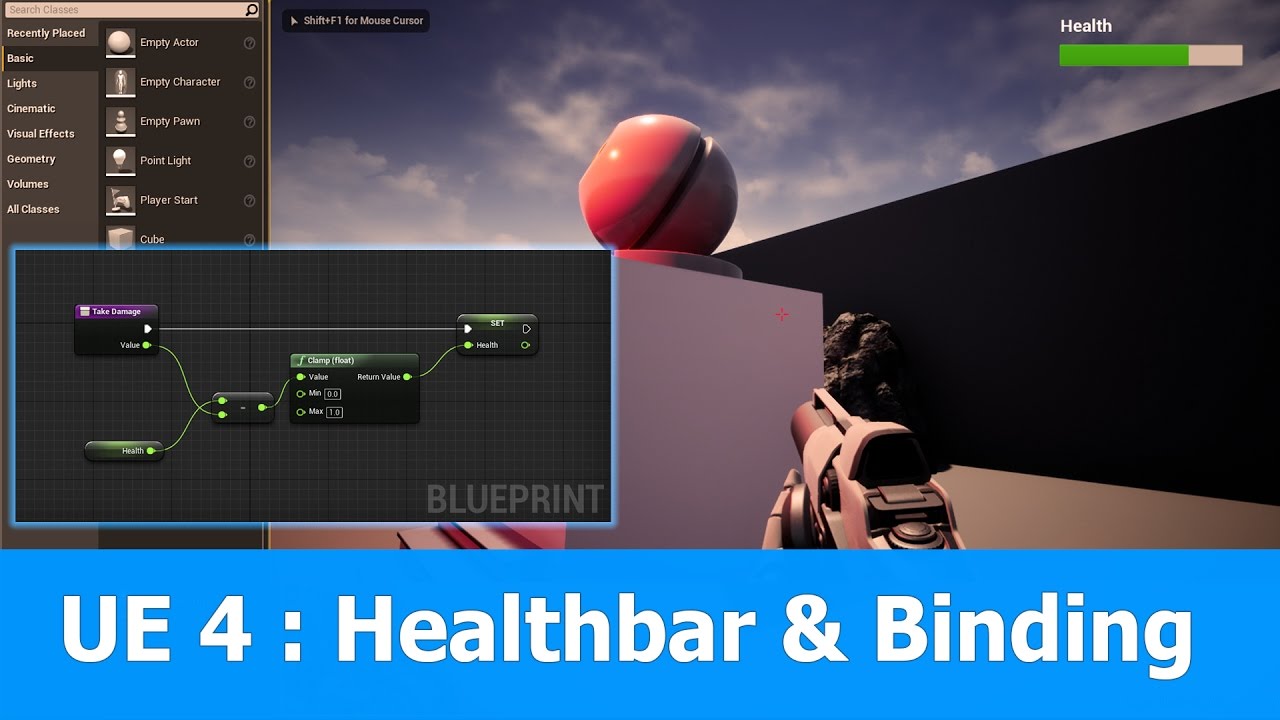
In this Unreal Engine 4 (UE4) tutorial I show how to create a healthbar in an UMG widget and bind the value of this progressbar to a float varibale of the player character.
See my social profiles here
G+: https://plus.google.com/+JayAnAm
Twitter: https://twitter.com/jayanamga...
knotty grail
thnx
solar marsh
np
thin tendon
Is there a way to say is a widget a descendant of another without having to get parent over and over?
carmine eagle
What are you trying to accomplish? You could save a variable as the parent so you could just that and make sure its valid
thin tendon
So I have an inventory widget. With horizantal boxes scale boxes etc. I have an inventory slot widget. That is added to it at runtime from a component. I'm looking for a way for the individual slot to figure out if its a descendant of the Main inventory widget at the top of the family tree.
The reason I need this is because I use the slots on more then one Main widget
 midnight gate


When you look at the code
and wonder how does this not crash 🤣🤣🤣
#Python #RStats #Java #JavaScript #ReactJS #CloudComputing #HTML #Serverless #DataScientist #Linux #Coding #Programming #cybersecurity #100DaysOfCode #coding_monkeys
https://t.co/1beWFRrxJJ
Retweets
114
Likes
272
Twitter
relate
carmine eagle
If you're in blueprint you could add the variable called InventoryParent and expose that on spawn. When you create the InventorySlot you can link in directly the reference to the InventoryParent. You could then use the variable to compare/do whatever is needed.
thin tendon
That could work. Thanks
fierce forge
how i can use epic online services with ue4 ?
 tired token
It's been an hour didn't even start, I wanna cry T.T
Feels bad =/
maybe I should try building ue from git...
rocky radish
it'll probally take even longer
carmine eagle
Online services is just the c++ or C# sdk right now i think. You'd just have to download the sdk and use it in a c++ project
fierce forge
so not blueprints ?
tiny sonnet
@carmine eagle https://github.com/gaslightgames/UE4_EOS_Plugin now its bp as well

GitHub
A plugin and sample project, built for Unreal Engine 4, that implements the Epic Online Services SDK - gaslightgames/UE4_EOS_Plugin
tired token
wOW People are fast O.o
carmine eagle
Oh nice. They have been working on the plugin for a bit too
 teal tulip
Well that's since months ago @tired token
carmine eagle
You still have to go to the website and download the sdk for that plugin as well as register credentials for each project. Thats about it tho
tiny sonnet
yh
mint umbra
Wait, is 4.26 postponed due to UE5? Was super hyped about those godrays haha
solar marsh
Hey can anyone help me? I'm very new to UE4, and I'm wanting to paint rock around a mountain. I have a rock material. How can i use that material to paint on my terrain?
tiny sonnet
any word on this....
 brittle tundra
Guys is their a way to make UE more stable.... it keeps crashing while doing some random file changes.... or landscape modes...
 manic pawn
yeah, don't do the things that make it crash
brittle tundra
ahah great thankss
 harsh estuary
Figure I would make a post and see if anyone can help. Seems like there's lots of noobs here. I'm a motion artist that has 10+ years with cinema4d and AE. I've been playing with UE4 for the last couple days and I've got some questions. Just wondering if someone could point me to the room that would best be able to help me out. I've got questions about setting everything up in UE4 for that sexy realtime look that we see in all the demos. Is there any trickery going on with it? I've watched a bunch of tutorials but it always seems like they skip parts or have assets that look amazing but don't tell you how to get them. It's a little frustrating. Just looking for a little guidance. Any help is appreciated 🙂
carmine eagle
@solar marsh look into landscape materials
solar marsh
Okay
carmine eagle
You create different layers for your landscape, like grass, dirt, rock, cliff, mountain, snow, etc. Then you use the paint method in the landscape tool, select a layer, and you can now paint rock to your landscape
tiny sonnet
is there like a sdk manager for eos
midnight gate
@tired token the engine is like 30 gb so its gonna take a long time to download too
 ocean geode
Hey! Kinda stupid question but anyways, does games have like 4k textures and if the players select lets say 2k textures it will just scale down? XDDD
midnight gate
usaly yea
ocean geode
Okay, thanks XD
solar marsh
@carmine eagle How do i select the layer?
 cold venture
I was watching a video about water surfaces by unreal engine and he demonstrated two types of surfaces. Lake and ocean. Now I was using the lake one and there seem to be too many ripples. Can someone help me with that?
Also at the start of the video he said he used a simple plane mesh to use for water but with a lot of tesselation so that waves are visible. What is that?
 wintry silo
how do I get the pie window when playing the game to always stay centered in the middle of the screen, the window keeps on moving to the right corner of the screen when starting the game.
carmine eagle
Once you have a landscape material set up then you can go to landscape mode, then paint, then select the layer under the "Layers" tab. You can adjust the paint tool from there as well
solar marsh
But i dont see my layers under the layers tab. Thats what ive been trying to do, is to add my material there.
carmine eagle
The material can be assigned to a landscape by clicking on the Landscape Actor in the world outliner. Under the details tab youll see how to specify the material
plush yew
Hey, I have a question. My computer is bad and I want to know if a cloud rendering platform exists to make my renders. Thanks for reading !
I got a question. I’m good at placing props and post production but I suck at making any sort of geometry, roads, houses, rooms, terrain, really all of it. Does anyone have some good tips for that kind of stuff?
Everything I do I just can't seem to be able to get UVs right, subdivisions, nothing.
 azure shore
damn I need some kind of way to stop myself raging over ue4 like I know game development is generally super stressful for everyone but it cant be healthy at this point 
 next drum
I had to ask, I really don't meet the specs of UE4 in clocktim(I have ~1.9 GHz processor, quad core). Should I still download it?
plush yew
what cpu is it ?
next drum
Let me check
plush yew
how do you switch the epic games launcher from the unreal engine to other games?
next drum
AMD A6-7310 APU with AMD Radeon R4 Graphics(Laptop)
next drum
I see. Would it be a bad idea?
plush yew
yeah youre not gonna have a good time
but this would go for basically any editor
if you have the ability maybe try to build a cheap build
next drum
Dang. Is the 2.4 GHz really expensive?
plush yew
nah anything you buy today will be enough
you can buy a 40$ AMD cpu that will be literally 10x as fast as what you have now
next drum
Sweet. Thanks!
plush yew
anytime
anybody know how to switch the epic games launcher from the unreal engine to other games?
like launch non epic games in the epic games launcher?
now so currently on my epic launcher
i only see unreal engine
i got the gta 5 free
so how do i play that with the launcher?
i dont think thats possible
unless its already on epic games
so i take it you have unreal installed right? so when you click on your launcher
if you wanted to play fortntie how would you get to it?
fortnite*
library
that takes me to my unreal engine library...
i dont have that icon
its on the top for me
try redownloading the epic games launcher
wtf? why you block me? retard @meager musk
this is what mine looks like
wtf why is yours different?!?!?
maybe this one came with installing the engine
yea my one came with the engine too...
no i meant yours
i played some games a while ago so i downloaded it first from the site
and the engine later
but if i uninstall it then i have redownload unreal engine again right?
just hit download here and install
yea i tried that several times
and it gives me the option to repair or uninstall
i hit repair
and nothing happens...
just uninstall and reinstall, the engine shouldnt be affected
and sorry this link https://www.epicgames.com/store/en-US/download
first one is for unreal tournament
they're both the same thing anyway but i hope your right bout the engine not being affected cos cba downloading lal that again
all
nah it says it will remove engines
dang it
then just move the engine files to desktop
and put them back later
then when you hit the download for the engine it will see the files and just verify it and its done
nah its fine i doubt im ever going to go into game dev anyway ill just uninstall it all
 indigo abyss
In Unreal 3 I remember having the ability to override INI files with local INIs, is that a feature in UE4? We might have implemented that feature locally in UE3. It was a "only override the settings I specify in my local INI" approach.
 paper glacier
@plush yew check your settings, could be the store option is off
 steep crystal
Yeah in settings you have "hide game library" enabled most likely
plush yew
theres no option like that
actually yea sorry just saw it
thanks guys
finally found it
😅
im so stupid
azure shore
.
 untold jasper
first time trying Unreal Engine, but i ge tthis message every time i try to launch. i've tried reinstalling both this and the epic launcher.
if i try run UE4 shortcut without the launcher, its just a never ending loop of my mouse icon loading. the software doesn't appear on task manager.
i feel like giving up before i've even started.
 ocean smelt
Hi all. Which room should I post a lighting question in?
 digital badger
@untold jasper Can you verify your UE install?
Just like the error suggestion states?
To do that, click the arrow next to launch and click verify
plush yew
Are there any types of 3D games that Unreal Engine 4 cannot make?
trying to discern if I should make my own engine
untold jasper
@digital badger yeah I verified it a few times, didn't help unfortunately
 static sparrow
Make your own engine?! My buddy did that once in college; it's not trivial, obviously. IMO you'd need a really good reason to want to go down that road.
What are you trying to make?
plush yew
Yeah I'm worried that the type of game I want to make requires its own engine. Guess I will just have to try and test it out in Unreal
see if I can make some prototypes
game with a fully destructible environment
static sparrow
I would think UE can do that
plush yew
It is stylized destruction
static sparrow
depends on what you mean by "fully destructible", I guess
steep crystal
@untold jasper Could be some permissions stuff, can you try starting the launcher as admin?
 nimble comet
Hey guys do you have any idea how to create this one? the spinning + glowing thing.
plush yew
Well what would I have to mean for you to change your answer?
steep crystal
@plush yew The new physics system should eventually be a good fit for most types of destruction, and if you're considering rolling your own engine from scratch you should be able to peek into the existing unreal source and see if it can handle what you want
static sparrow
I am kinda noob myself (really noob actually), but UE can do nearly anything you can think of. I just can't see wanting to make your own engine due to capabilities constraints (cuz I seriously doubt you'd run into any). The only reason I can see wanting to make your own engine is due to very specific workflow requirements that UE doesn't do (like, if you want to automatically have certain things send messages to a web server or RabbitMQ server or something weird like that)
untold jasper
@steep crystal yep tried admin rights, only things I haven't tried are running an older version or trying a different drive, I'd be shocked if those work but here hoping. People online who had a similar issue were never able to solve it, except for one person who ran it without launcher but that doesn't work for me either
 misty creek
@nimble comet Look into panners. Those are just a material with emissive
brittle tundra
Does building the Derivated Cache really helps performance?
static sparrow
if it's a question of "is UE capable of doing this in my game/whatever"? The answer is invariably "yes".
plush yew
Chaos looks very advanced. Maybe it can do what I want
nimble comet
Thanks! tate
steep crystal
@untold jasper you could look into the logs if you run it without launcher, might be something there we can use
untold jasper
Okay, I'll have to do it later tonight but I'll tag you if that's alright. How do I access the logs?
plush yew
Are you able to ship your game with its own editors if you make it in unreal? Characters, Maps?
like a map editor
 humble ridge
How do i grab PlayerInputComponent binds in cpp on Widget?
static sparrow
@plush yew This map editor may properly belong to game design, period. i.e. you'll have to roll your own no matter which engine you use. Depends on what the definition of "map" is in the context of your project.
steep crystal
@plush yew You can not bundle the core engine when distributing, but there are ways to let your players load custom versions of the engine to make mod content with. That said if you're looking for a solution that's intuitive and accessible to most players I would make a separate editor program just for that, or make it a part of your game as a separate mode.
static sparrow
@humble ridge try the #cpp channel
I have a verrry noob question of advice for y'all:
I am making a simple 2D isometric mobile game where there is no controllable player character (i.e. Lemmings), and I am setting up the field of view, and I started Googling for stuff like "ue4 player start vs camera" and couldn't find what I was looking for. You may see where this is going...
What is the difference between PlayerStart and using a Camera actor? What can one do that the other can't?
I was debating whether or not to put that question into #design-chat but it's so noob that I figure I'd post it here.
 versed yarrow
does anyone know if the bsp editing in vr editor mode is broken in versions other than 4.25?
and whether it is on epic's radar and to be fixed or not?
plush yew
@steep crystal That's what I meant, like how Spore has the creature editor
It is in the menu, you click and you're in an editor
steep crystal
@untold jasper Can't promise I'll be on but feel free to tag anyway. I'm not actually sure where the logs are if you launch the engine without a project and not from the launcher, but we can look that up. The launcher itself has logs under %appdata%, usually /local/EpicGamesLauncher/Saved/Logs, might be worth looknig at those too
static sparrow
@plush yew That sounds like you'd have to roll it yourself no matter which engine you used.
plush yew
But could I still do that while making the game with Unreal?
static sparrow
I almost guarantee you, yes
steep crystal
@plush yew the way spore has done it, and most games that do it that way, is they have made a special game mode that works as an editor, and then save that state. You can do that in any engine, as it's you that would be implementing the interactions/tools
versed yarrow
yes but making a tool to make game content for a game is as much work as making the game really
plush yew
Alright, I am just asking if it is possible with Unreal
untold jasper
@steep crystal thanks for your help man
plush yew
So I would craft the editor itself, outside of the engine , then link it to the game?
versed yarrow
usually its just a game mode
plush yew
but I would have to build new tools of course, they can't just have the Unreal tools.
versed yarrow
you can do a separate build but thats more work and less ease of use
two things to maintain separately
etc
steep crystal
@plush yew Don't want you to get the wrong idea here, I just want to suggest that whatever you do, stay away from making your own engine. If you were at the experience level required to do so with reasonable results then you would be able to figure out these answers yourself with a bit of reflection.
versed yarrow
when one is updated the other needs updating
steep crystal
(just had to get that out with the talk of custom engines earlier)
plush yew
So it seems I can launch with an editor game mode. That statement about me not being able to ship Unreal's core engine has me a bit confused
digital badger
@plush yew Cursor functions are on the Player Controller. So get the controller, then "Set Mouse Visible" or smth like that
plush yew
That would be, Unreal's tools right? Not tools that I create within a gamemode.
digital badger
In BP, use the node "Get Player Controller"
static sparrow
Wanting to make your own engine to do what you're describing is like wanting to make your own oven to bake a cake. Just... why...
steep crystal
@plush yew you will not be able to ship the tools that you see in the editor no, or any version of the editor, but you can recreate a lot of it as a game-mode yourself.
static sparrow
yeah you must've missed that part
digital badger
About the custom engine debate I heard it described like this. Do you want to make tools for game dev? Or do you want to make games?
versed yarrow
thats not a good description imo maestero -- you make tools anyway and an engine is far, far lower level than tools
plush yew
@steep crystal Alright so what I can do is make a gamemode where I code new tools for the players to use, such as raising terrain for their map and that is fine?
static sparrow
Nobody has any advice for my PlayerStart vs Camera question?
steep crystal
haha I did not mean to start that up, I just wanted to reply to the feeling that was expressed as "I don't know if unreal can do this or if I would need to make my own", which is a very common feeling among people but largely based on inexperience
digital badger
@plush yew Not quite, you're looking for a bool variable called Show Mouse Cursor:
(old screenshot from the forums)
steep crystal
@plush yew Yeah, and I think that would be preferable anyway because if you want people to make content for your game you want it as intuitive as possible, not the extreme beast that is the full unreal engine
plush yew
Looking at Chaos physics and getting a bit more of an understanding of tools as gamemodes makes me see Unreal as a viable choice rather than making my own engine
Those Chaos destruction physics are advanced.
versed yarrow
the main argument at this point is to get to the basic industry standard that gamers expect for a proper 3d title, you'd be reinventing wheels that cost half a billion to put together 😄 sure all the work's been done by AAA and you just need to copy them... but you have two hands and they have 500. at this point you'd spend a decade to catch up to where they are now, else your game is some tat that's rubbish and tiny scope and not noteworthy anyway :P
none of that's to mention the business risk, serious serious cost to make and maintain over time, and we aint even got to shit like supporting and shipping to platforms, passing console QA with your own engine etc
plush yew
Yeah I would want them to press a menu button, then they're in a map editor or a character editor and they just make content for the game.
versed yarrow
thinking about chaos physics is so far from the engine itself
 left pelican
Can someone help me, i asked a question in #cinematics
versed yarrow
lol
thats like years after you've made the actual engine
before you get to tools like that
plush yew
Thanks guys, I am more confident in Unreal now.
steep crystal
@static sparrow Player start is just the default place the engine puts a player in a map, and if you use all the default gameplay systems like controller/pawn etc then it'll happily spawn that. A custom camera actor would let you control exactly what you want out of the camera, where as the player start + possessed pawn would make the pawn/controller combo be the thing that controls that instead
versed yarrow
we used to roll our own engine, last release from that was about 2007
static sparrow
@left pelican that question is beyond me, but you may want to cross-post it in #graphics
left pelican
Alright thx
steep crystal
@static sparrow If you do not have any pawn you're possessing I would not bother with the player start route and just make sure the player has the right camera in beginplay
bit of a messy explanation sorry, much chatting at once right now 😄
static sparrow
thx @steep crystal, that's what I was looking for.
That's what my intuition told me, just needed confirmation. Only question I have left is, exactly what is the difference? PlayerStart is a Camera (true/false)?
In a multiplayer game where you have controllable players, you'd need more than one player start even though there may be only one camera (e.g. Bomberman)
I guess...
plush yew
Even though UE4 supports Mac, there are no Mac games?
static sparrow
who makes games for Mac lol
or at least... only Mac. I'm sure there are games out for Mac, but you'd be hard pressed not to discover that they aren't ports from some original target platform
steep crystal
@static sparrow At the basic level PlayerStart is just a glorified spawn point, a location/rotation
There is no camera included in it, but if nothing is possessed the player is usually defaulted to a free-floating camera at the location it is in, which would be playerstart by default
static sparrow
So, it seems to me, that anything you can do with PlayerStart, you can also do (but with more options and flexibility) with a Camera actor. When would you need to use PlayerStart, where a Camera actor wouldn't work?
Like on a UI screen, like the start game screen?
steep crystal
There's no real place you ever need it, there's always other ways
static sparrow
k. thx for clarifying @steep crystal
steep crystal
it's more of a relic of how unreal is an engine for multiplayer FPS at the core
so spawn points on maps are important
😄
static sparrow
@plush yew did you hit Shift + F1 to eject yourself from the game?
steep crystal
Sounds like you're not possessing the character for whatever reason, could be you changed default pawns somehow or changed something that previously possessed it
static sparrow
Our two problems may have a similar solution, Dunamis... So, the "starting point" for game execution is the EventBeginPlay node in the Level blueprint?
well, I need to, first thing, take control and set up my field of view, for my problem. You need to, first thing, set up the controllable player. So it sounds like
So, I was simply asking, where is the entry point for execution in the game?
steep crystal
@plush yew is the character still set as the default player character in world and map settings?
static sparrow
EventBeginPlay in the level blueprint? I think...
steep crystal
as you're getting it via GetPlayerCharacter, if that's not the right value you'll not succeed on the cast
static sparrow
steep crystal
^ - Default Pawn Class is what you're looking at there
steep crystal
Looking at your screen above, it seems like there's a DefaultPawn spawned, which to me implies that that is the pawn that is possessed, and that does indeed give you the floating cam behavior
steep crystal
Are we talking free assets in general or scans/quixel specifically?
If it's in general, there's a set of assets that you can grab for free each month that you get to keep after that, as well as a big set of assets that are always free
Plus the content from epic themselves which is free, see the dropdowns under the Free menu here : https://www.unrealengine.com/marketplace/en-US/free?count=20&sortBy=effectiveDate&sortDir=DESC&start=0
Search free content from Epic Games and creators from around the world.
 opal venture
Anyone know how to prevent nomad tabs from reopening on startup?
 raw rock
Why cant I add actors to the foliage components?
If i add a static mesh then it has no collision so I have to use actor to add box collision
obtuse sun
Good evening my beautiful people! I'm new to only coding on Unreal, so if you can please guide me 😇
I've already overridden the OnTakeAnyDamage Func to control the health of my player . I'm able to take damage but I don't know how to create a healing one! I can't send in negative damage because that doesn't do any thing. Any ideas ?
plush yew
Hey, I want to ask you a question. My computer is bad so does a cloud rendering platform exists ? Thanks for reading ?
steep crystal
@obtuse sun the default basic damage system only really handles damage, what kind of requirements do you have for your healing mechanics?
carmine eagle
You could create a custom damage type called healing and if it's that type you heal instead of damage
static sparrow
I can't figure this out...
When I remove this cat actor, the hardwood floor underneath it returns to its normal shade of dark brown, but when I add it back in, it glosses over all white like you see here. What is going on here?
It seems to be just an editor thing... when I hit play, the hardwood floor shows up dark brown as it should, cat or no cat. It's just annoying that it does this when editing
steep crystal
If you're using static lighting, what happens when you build the lighting?
static sparrow
trying that now...
When I rotate the camera so that the cat isn't in view, the floor returns to normal as well
no difference.
I rebuilt the lighting, same problem
not the camera, I just meant the viewport view
steep crystal
hmm, is the cat emitting light? 😄
static sparrow
no
 clever arch
Could the cat have a transparent background laying over the top?
static sparrow
I have nothing selected in my scene. not playing the game, just looking at the scene:
rotate the view down a little
I admit, I exported the cat from Blender as an fbx (with 4 actions/animations), exporting the mesh and the skeleton. I am new to this process, so maybe it has something to do with the fbx file?
obtuse sun
@steep crystal First of all thank you for spending the time to read through my message and now for helping me. I just have to have a function that heals the player me when my Health< DefaultHealth at any given rate
static sparrow
@clever arch I don't think there is any transparent layer or anything over the top of it
obtuse sun
You could create a custom damage type called healing and if it's that type you heal instead of damage
@carmine eagle I would guess so , but atm I'm so mentally tired I can't think straight and I need to finish this :/ Am I ok to post damage func here?
static sparrow
the white appearance of the floor happens over the entire area of the floor, equally. No gradient difference, no lighting-looking effect going on, just a flat white coat over the whole thing as long as the cat is in view
I even have walls set up around the floor, and it doesn't seem to affect those at all...
scoot forward just a tad...
that's the shadow from the cat's tail and back of its head in the lower right of the last pic
steep crystal
@obtuse sun if it's a lot of code put it on pastebin and link here, but it might be easier to just think about it a day when you're fresh in the mind 😄 The way xsimzay recommended with creating a new damage type that heals is a quick and relatively easy solution
static sparrow
I've been Googling to try and find something similar to this, can't seem to find anything
steep crystal
it is peculiar indeed, and it only shows up in editor you say?
static sparrow
lemme run a little test actually, see if it shows up in game
yes 😦 it does show up in game, I was wrong
I just didn't have the cat in view when I first tried it
It must have something to do with the fbx I exported
 midnight root
anyone else seeing 4.25 instability already,,all I did was change scalability to lower settings, crashing(ed),,,known issue or ?
static sparrow
I switched from using a plane hovering over the floor to using a 3D mesh, it didn't used to do this
steep crystal
is the material on the floor extremely reflective?
feels like it has to be something with light rendering based on other onscreen stuff
midnight root
WOW not crashed, just took forever to start compiling shaders , all 7052 of them 😉
steep crystal
😄
static sparrow
It's an instance of this material. Super basic
Only the cat seems to do that to it. I put a sphere on the floor with a material on it and it worked fine
steep crystal
if you put the cat material on the sphere, does it behave the same? 😄
static sparrow
nope
 unborn cairn
whats up, im looking to start learning unreal engine, anygood guides you'd recomend
static sparrow
that sphere is half-way sunk through the floor, but I tried putting it at different positions, still works no matter what
steep crystal
hmm, something very curious about that cat mesh then maybe
static sparrow
yeah, I guess so
Oh! I did have a floor plane mesh in the Blender scene, but I only selected the cat mesh and its skeleton when exporting. Maybe the floor mesh got selected too?
steep crystal
@unborn cairn what's your existing experience level, any previous gamedev, any programming? If you're diving in for the first time I would suggest looking through the very basic official tutorials at first
static sparrow
That's gotta be it. Worth a shot. I'll try re-rexporting the cat from Blender after deleting the floor plane
steep crystal
yeah that sounds like a likely culprit
static sparrow
thx for troubleshooting it with me @steep crystal
steep crystal
No problem, sometimes you just need someone to bounce ideas with eh 🙂
static sparrow
I deleted the floor, the camera, the light source... everything except the kitty mesh and the kitty skeleton from Blender. Re-exported it. Same thing. As soon as I move the mesh (just the mesh) into the scene, the floor turns white
I did get this message when importing though
I've looked for options like that when exporting, though, and it looks like the smoothing group info is exported... but i dunno
 mighty copper
Has anyone downloaded the Github source for UE4 and properly got the ChaosDestructionDemo to load? If so please help....
static sparrow
I opened up the mesh editor for it. The animations exported correctly... Everything looks good in the mesh editor...
okay, weird. check this out
Here it is in the mesh editor
(Don't make fun of my skin, I'm getting an actual artist to make a new one soon lol)
now pan over to the side
the floor changed
there's the cat's head's shadow
mighty copper
Just a thought... could just be lighting...
steep crystal
haha don't worry, most of us have made and seen our fair share of programmer art 😄
static sparrow
I rebuilt the lighting already. Numerous times. Nothing ever changes. Care to specify, @mighty copper ?
steep crystal
if you want to upload it somewhere I could take a look (fbx or blender file)
static sparrow
Where would I upload it
@steep crystal you rock, btw, I feel like I have a firefly in my palm right now you guys are awesome
mighty copper
@static sparrow google drive could work...
mighty copper
works too
static sparrow
or would the .blend file be more helpful
No, scroll up and you'll see where this discussion started. The floor underneath the kitty turns white
unborn cairn
@steep crystal like 5 mins experience mate,
static sparrow
If the kitty is in view. If it's not in view, the floor appears normal
unborn cairn
well thanks for the advice
steep crystal
@static sparrow I can't seem to reproduce the problems, hmm. If you lower the cat down so say only the head shows, do you still get the same thing/
Also, might be worth recreating it from a fresh import incase something went wrong with the re-import
static sparrow
Put the cat down on the Z-axis so it's half-way through the floor? sec lemme try
steep crystal
yeah up/down, to see if it's actually any stray geometry messing things up or what
fierce forge
in UE5 will be blueprints ?
steep crystal
Yeah
static sparrow
Same thing. Doesn't matter where the cat is
steep crystal
@static sparrow another thing to try would be to disable screen space stuff like reflections and GI, just to see if it's that
static sparrow
Floating above the floor, half way through it, all the way under the floor
fierce forge
if you know ue4 blueprint you will also know some ue5 blueprint too ?
static sparrow
ue5 isn't out yet
steep crystal
It'll be very close I imagine, they said that migrating a project would not be too hard which to me implies that it's largely the same
if they were intending to change things up they would not have said it would be easy to switch from 4 to 5 🙂
static sparrow
here it is not even anywhere near the floor
or hidden behind the wall
as soon as i turn the view down so it's not in the clip plane though
steep crystal
can we get a pic of the cats material?
steep crystal
Yeah I'm guessing as long as it's not culled it is affecting the other stuff, so most likely screen space stuff
static sparrow
maybe I should just restart UE?
gonna try that
how tf does it work for you and not for me
I restarted UE, same thing
Should I post my entire UE file here?
see if you can load it up in your UE and see if it happens?
I guess that would be a folder. I could zip it up or something
make a tarball
steep crystal
I dont currently have 4.24 installed, all my builds are 4.23 and lower atm
for the future though if you ever need to there is a "zip project" option from the menu where you normally do packaging
static sparrow
oh okay, good to know
steep crystal
if you make a new project, with a default map and default floor, and import kitty without a material, and then with that material yeah
does it reproduce the same issue
 elder viper
Hi all! I am trying to play the scene but it displays error message -- Cant play in editor while performing edit light color operation
static sparrow
I'll try
steep crystal
@elder viper have you been doing something like using a color picker etc? Sounds like you're in the middle of something that the engine expects you to finish before it can save the changes and run the game instance
elder viper
@steep crystal I was but I believe I closed it. I even deleted the light still it said the same thing. I've made a new scene now and it seems to be working. Also I noticed that in the blank scene for Arch Viz where it gives you the sun and sky, player start and fog, the lights are really low intensity. Even if I create 4 walls, I have to bump up the light intensity to 1000 or something to see it
static sparrow
Huh
yeah, it's gotta be in the project settings or something
New project, just made a constant vector3 for the material's RGB (red)
working fine
steep crystal
Now for the lovely process of trying to recreate the other projects settings exactly and see where the problem pops up 😄
static sparrow
ugggh. But I didn't really change much, I have no idea what could be causing it
Lemme try using my hardwood floor material on the floor
soft fiber
Anyone else using Auto Rig Pro? I've been having some issues getting this to look correctly...
static sparrow
A HAAAAAA!!!! Something to do with the hardwood floor material then
that is in my original project, not the blank test one
elder viper
I am trying to make an interior scene in Unreal and I noticed that in the blank scene for Arch Viz where it gives you the sun and sky, player start and fog, even if I create 4 walls, the interior seems really well lit and flat-ish. when I put a light it has very low intesnity. I have to bump it up to 1000+ to see its effect.
static sparrow
switched to the hardwood floor
plush yew
Hey, I want to ask you a question. My computer is bad so does a cloud rendering platform exists ? Thanks for reading ?
elder viper
(sorry for butting right in)
static sparrow
np. I don't know, sorry. Sorry for hogging the conversation on my part
steep crystal
I've not done any arch-viz for years sorry, so I have little knowledge of the new default setups, we had to do it all from scratch ^^
elder viper
oh ok
When i do it from scratch, the moment I add the SunSky i run into the same problem
fierce tulip
@plush yew i doubt it Im afraid
steep crystal
@static sparrow gotta leave ya now, but just wanted to respond that it's always nice to try to help people when they themselves put in the effort and keep trying, without giving up or turning negative like so many often do. Best of luck with your progress!
static sparrow
Thanks again @steep crystal !
Still haven't figured it out, but I'm getting closer
steep crystal
You'll get there! Maybe try to just recreate the wood material from a fresh one and see if that behaves the same, in that case probably some option got set by mistake that makes it pick up extreme reflections or w/e
soft fiber
@fierce forge Should be asking... Will they be macros... lol
static sparrow
Gotta go myself, too. Hungry for lunch. But I'll DM you when I solve it, if you're interested
 unique kraken
Just clamp it?
soft fiber
You mean clamp?
unique kraken
🤔
 timid grotto
I need a key word to google, so what is it called if I want to step X by Y? Say I want step size of 50, my value is 124, so it becomes 100.
unique kraken
Well the float in the clamp
And I'm new myself
Anyone know if there is a proper way to use custom collision for a character?
Or use a second capsule that does collision while the first is for movement or so
soft fiber

What are the In Range Float and In Range Integer Nodes in Unreal Engine 4
Source Files: https://github.com/MWadstein/UnrealEngineProjects/tree/WTF-Examples
Note: You will need to be logged into your Epic approved GitHub account to access these examples files. https://github.c...
You can clamp here...
steep crystal
@timid grotto do you want it to round down always or to the nearest? If it's always down, you can just use a division node of the "whole and remainder" type
and divide by your step, then multiply whole with step
timid grotto
Oh, I can just use Snap to grid, haha.
soft fiber
Anyone able to give me a reason why my animation retarget looks distorted in the shirt/rear area?
 finite chasm
What’s the best way to learn the node editor? It’s extremely confusing to me currently, all I can do is copy tutorials.
unique kraken
@finite chasm keep doing that for a few month and experiment
fierce tulip
kinda have to agree
finite chasm
It’s C++ right?
soft fiber
Anyone have any possible reasons for the mesh distortion above?
fierce tulip
not an animator, so just guessing, but bone weighting/bone locations? since they are separate parts
steep crystal
@finite chasm what parts is it that you find confusing? Is it because you want an idea of how it works under the hood, or is it that you're having trouble solving problems in that graph-based flow, or something else?
soft fiber
ok, at least that's something to try... Thanks
fierce tulip
*they as in shirt/pants
 atomic forge
Can someone please help me? I've been running into this problem for literally months
My shadows are messed up on static objects
Before lighting build
After
same applies with defualt ue4 assets
steep crystal
First classic things to check is, whats the lightmap resolution on these?
finite chasm
@steep crystal My issue is, I’m good with modeling and texturing. But when it comes to actual game function through the node editor, Im completely lost.
steep crystal
How was the lightmap unwrap done, etc
atomic forge
My lightmap resolution is 64
static sparrow
@steep crystal I think I figured it out. Still don't know why this solves it though:
fierce tulip
64 is ultra-tiny
atomic forge
What size should be at least?
fierce tulip
for such a big surface, prolly 1024 or higher
static sparrow
On the M_HardwoodFloor material, I changed the blend mode from Opaque to Translucent and attached the alpha channel to the opacity and it worked
But there is no alpha channel (or so I thought) on that texture
Weird. Anyway, it's finally working at least
steep crystal
@finite chasm I think part of it is just that you have to practice problem solving, and thinking about how to approach a problem or a goal. It's not a skill that's super quick to learn, and it'll feel impossible to grasp along the way. I would follow a tutorial or example project, and when it's done set out a small goal that changes or adds something. Say the tutorial was making a door open when you click it, then you could yourself go about making something else happen when you click a thing, maybe it's an elevator, maybe it's an explosion, etc. Start with small things