#ue4-general
1 messages · Page 731 of 1
 abstract relic
 brisk urchin
abstract relic
brisk urchin
abstract relic
Check collision of the floor. When you’re playing in PIE, push F8 to unpossess your pawn. You can look around and see how the character in interacting within the scene
 normal burrow
do you have swimming in the game @brisk urchin ?
brisk urchin
@normal burrow what do you mean? There's no water
@abstract relic Ok, let me try that
normal burrow
ladders in half life are swimming volumes.
abstract relic
Hehe
normal burrow
so was just going to suggest you could do that
brisk urchin
I've never played Half Life in my life
normal burrow
have you played apex legends? - same thing
abstract relic
There’s a built in physic volume. Toggle water and it’ll do the same thing
I still think you have a bad collision however
normal burrow
had no idea about there being a water volume built in. something i probably should have known of by now
abstract relic
I’m genuinely shock
normal burrow
🤷 I literally didn't knew of the swimming movement mode on cmc. Had no idea on how to cause it, thought people were expected to set it manually
abstract relic
Thought you were reverse engineering it
brisk urchin
@abstract relic I tried the play in PIE window then pressed F8 and it didn't do anything.
abstract relic
Move around after you push it
normal burrow
nah, didn't base our water on anything. beyond math
abstract relic
It has a buoyancy system and everything
brisk urchin
It still didn't work.
I'm using 4.20.3
not sure if its in that version.
the other thing was to go to the ladder bp and switch it from walking to swimming??
normal burrow

What is the Physics Volume in Unreal Engine 4 .
Source Files: https://github.com/MWadstein/wtf-hdi-files
i'm watching this one with you viking. did not know fluid friction was a thing
brisk urchin
 honest mango
https://gyazo.com/678f2708d6b9b71d7d3916fdc22fab1e how can i make him play the anim and move ? he play anim stand
 brisk urchin
I noticed that when I make the ladder taller in size, the player is able to climb it. @abstract relic
 heady quartz
Anyone here have experience with landscape? How is this cliff made? A mesh or a landscape sculpt? I tried using a mesh but it doesn’t blend with the landscape no matter what i do
 somber quail
@heady quartz It's a mesh because landscapes are heightfields which cannot have overhangs
abstract relic
It is however possible with voxel plugin
normal burrow
You can get that on market place now too https://www.unrealengine.com/marketplace/en-US/product/voxel-plugin-pro
 maybe not righ tnow
 winter lynx
hello. i have a question. how do u bring materials made from substance painter and designer to unreal engine?
ive seen people just import the sbsr and the other to unreal and you could instantly see it
abstract relic
There’s a plugin for that too
winter lynx
me?
abstract relic
But honestly it’s better to just export your baked textures from substance
winter lynx
hmmm really?
but could you show me the pluging?
it would help me for testing materials
and do u know how to for unity? not sure if u could answer that
 steep verge
that explains my error 429
normal burrow
run diego, run from unity
 storm venture
is it possible to make the player's viewport only a portion of the screen? and use the remaining space for UMG stuff?
I know I can overlay UMG on top but I would like to save performance
 ocean geode
Hi, I need help! When i Package my project and open it up in fullscreen the cursor is locked/invisible. How can i fix it so i can click on the mainmenu buttons?
It works in engine and even in standalone but not in fullscreen
 storm terrace
I am having problems making a UObject.
If I add the .generated file it says it doesn't exist, if I don't add it, I get a complaint it isn't in my header file
#include "UObject/Object.h"
#include "UObject/ObjectMacros.h"
#include "Proc.generated.h"


UCLASS()
class UProc : public UObject
{
    GENERATED_BODY()
public:

    UPROPERTY(EditAnywhere, Category = "Setup")
    static int MaxPlayerCount;
};```I fixed it!!!!
This green arrow sprite for the minimap had collision and it was messing with the ladder.
After I switched it to "no collision" in the drop down menu it can climb fine now. 🙂
 haughty flare
@brisk urchin Are you making a mobile game?
 rancid lynx
You can blend mesh and terrains, inforget the node. Youtube videos, ive done it with grass also. Mayyybe pixel depth nodem youtube search terrain mesh blend. It will hide the edges, done inside material.
 fickle linden
why doesnt unreal just use c#
its so much easier
unless theres like some crazy difference
normal burrow
its actually like one of the worst things you could pick for a game that has to run consistently at a frame rate
garbage collection haults every single programmable thread
 plush yew
unity is made with c++, but you script in it with c#
idk how garbage collection comes into play under those circumstances
 marsh swallow
Anyone know of a site/tutorial/course in how to program UGM/UI for controller? I am having issues with passing focus and whatnot correctly and presenting 2 or more options mapped to buttons waiting for input in UMG.
@storm venture it wasnt harsh, its where it belongs. As well, it would get burried here in a matter of minutes, so noone would see it anyway.
normal burrow
@storm venture this isn't the place for job offers
 still swallow
but theres a better channel for that
normal burrow
marsh swallow
Atlantis was and still is amazing!
 distant totem
Lol
marsh swallow
It seems like from what i can see, controller integration with UI isnt the easiest thing. lol
still swallow
My UE4 editor crashes randomly every 5 minutes. Sometimes when hovering over things in the world outliner, always when a UE4 notification (like "autosaving in 9 seconds", etc), and even sometimes in the blueprint editor. Crash log is always the same:
Assertion failed: GD3D11RHI->GetQueryData(Query->Resource, &Query->Result, sizeof(Query->Result), Query->QueryType, true, false) [File:D:/Build/++UE4+Licensee/Sync/Engine/Source/Runtime/Windows/D3D11RHI/Private/D3D11Query.cpp] [Line: 45]
(I cut off most of the error but I can send if it would help)
Any ideas?
distant totem
I believe that’s a drive issue, if you have Nvidia or amd software, go to the driver, reinstall, custom install, clean install
marsh swallow
if its the D3D error that everyone else is getting with random crashes in editor....... good luck! Noone seems to have a 100% anwser to that issue.
We had one of our guys have the issue for almost 2 months
he tried everything. Eventually uninstalled the engine and reinstalled and it was fine
distant totem
Some people will recommend DDU, which I used to rely on back in the day, but that actually gave me issues, when using the official software for the gpu to install the driver it fixed all my issues. Definitely retry an engine install
Do you see flickering?
still swallow
ok ill just reinstall then
no i dont
my gpu drivers are updated but my unreal install is on a drive other than my main SSD (its on a internal hdd)
could that affect it?
brisk urchin
@haughty flare it's a multi-player map for my portfolio project.
 rain moss
Can I get some help understanding more about player controllers vs pawns using blueprints?
normal burrow
not trying to provoke you, just super rude when people put job posts in places like they are beyond the rules because of situations tyler.
 obtuse egret
guys can I normalize normal maps?
normal burrow
@rain moss pawns are the characters, player controllers are responsible for driving them, or other pawns
<@&213101288538374145>
your still going on about a job post please tyler
get some rest, destress
 snow crown
😐
rain moss
@normal burrow So pawns are more or less for example like if I have 2 teams that have 2 different skins or more about how many pawns are required for a match?
snow crown
we have strict no-advertising rules @storm venture
this is a place of peers
advertising, even if you are in a panic, is to be done within the confines of the systems we have set up
normal burrow
i am sorry your stressed tyler, trying to help you find the place for that post. people look there for such things
distant totem
It’s hard to give empathy when you are trying to put your self above everyone else and the rules we all follow
If you have any technical questions on the other hand, we would be happy to help in your time of need
normal burrow
no need to push it further tyler, your tired
@rain moss have you played chess?
think of pawns as things that can be moved by the player
rain moss
@normal burrow Yes sir and I thank you for your time. I have an idea and I'm learning as I go wanting to put a FPS together.
normal burrow
such as vehicles, characters, anything that can be possessed
rain moss
So whats the difference between a pawn and a character bp?
 maiden swift
Character is a subclass of Pawn with extra features.
normal burrow
^
obtuse egret
guys can I ask?
normal burrow
please ask rear6
obtuse egret
can I normalize normal maps?
maiden swift
@obtuse egret What do you mean by "normalizing normal maps"? Please be more specific.
plush yew
xzibit mode
normal burrow
in the material yeah
rain moss
Ahhh so the "player controller" takes control of a "pawn" or "character"?
obtuse egret
yeah in the material
maiden swift
@rain moss Bingo. 🙂
normal burrow
actually rear6, they are automatically normalized
rain moss
@maiden swift Thank you for chiming in! ❤️
normal burrow
unreal uses a 2 channel normal format that enforces it be normalized ( but does not interpolate linearly )
rain moss
You guys are amazing!@
obtuse egret
I mean I'm adding multiple normals together and then normalizing them is it ok to do that
rain moss
So when I'm creating my basic character, how do I tie in the player controller to it?
normal burrow
if you want the normal between normals, that is how you acquire it yeah
rain moss
Or wait... you would not use a player controller except on the server correct? So when I'm creating my character thats all I need for testing purposes?
obtuse egret
so if I have 4 gerstner waves I can add every single wave normals together then normalize it?
rain moss
I feel bad saying this haha @normal burrow but I'm entirely new to this.
I understand what you are saying however.
normal burrow
the pawn doesn't need to know anything about its controller really havok
rain moss
Let me lay it out for you so maybe it makes it easier.
normal burrow
think of puppet on string. you can interchange ai controllers and player controllers however you like
generally you have one player controller type for your game mode though
obtuse egret
anyways thx @normal burrow for your help
normal burrow
Rear6 yeah you can
that would get you a average normal
there are different ways to combine normal maps, and they can be done in ue
 gilded plinth
Hey All, I've never encountered this but i'm helping a friend out who can't get key input working in a level blueprint
this just doesn't work in PIE
 weary basalt
Probably because its being consumed by another F Key Event somewhere
PlayerController/Pawn perhaps
rain moss
So right now I'm about to throw in a FPS Camera with controls so I can move around in my map and get an idea for size. So I created a "character" bp. Now I'm about to set up the BP for the keyboard controls. The reason I'm asking all these questions is because I want to make a headless server to run on my VPS for testing once I get to a certain point. So I'm confused as to if I want to invite more people do I have to have multiple "character" bp's and the difference between those and the actual "player controller".
normal burrow
that will help you understand the way game mode, game state and spawning in general works
obtuse egret
there are different ways to combine normal maps, and they can be done in ue
@normal burrow yeah I know
I just was wondering if it's possible to normalize the normals
normal burrow
there is a normalize node i believe rear6
rain moss
Thank you sir! ❤️
obtuse egret
there is a normalize node i believe rear6
@normal burrow yep there's a normalize node I know
Thx sir for your help :D
I was just curious
 median hamlet
This might be a dumb question, but what are the minimum specs required for Unreal?
normal burrow
more or less: depends on what you want to do with it
the editor itself will use as much memory as it will
median hamlet
Okay, because I want to create a basic 3D game to get my self used to the engine, but I just wasn't sure if my laptop would be good
I tried making something in Unity and GameMaker before and they seriuously chugged my laptop lol
The pong game I made in GameMaker even broke lol
abstract relic
Try construct 3
median hamlet
I've never heard of that gaming engine before
abstract relic
Unreal isn’t targeted for 2d. Just going to be frank. Possible yes, but not catered for.
plush yew
i hate to put it like this but you're going to need a new computer
i know, that's not possible for everybody
but that's the reality of it
these modern game engines aren't gonna run on a $250 laptop
median hamlet
I figured that was going to be the case
plush yew
that doesn't mean you can't start learning to code
median hamlet
I have some experience with coding like in Java and Python
I also got briefly introduced to C++ in my Assembly course
If that means anything
median hamlet
I don't really either and the language genuinely terrifies me from all that I've heard about it and experienced lol
plush yew
Sup
median hamlet
Assuh
plush yew
They can run on low end hard ware lol
I have $120 pc
It's a all in one so it runs ue4
What pc u got @median hamlet
median hamlet
An HP ENVY x360
plush yew
Hmm
Oh
well, desktops are another story
Ye
Mines a laptop also
i was using a core 2 duo system in 2017 though and i couldn't even watch youtube
Dam
My amd e2 can
With 4gb ram
median hamlet
I feel ya man. That was my first laptop xD
plush yew
I got 8 now
median hamlet
Mine had 6gb
plush yew
Ah
median hamlet
The one I'm using isn't even mine. It's my friend's and he doesn't even use it
It's a slightly more updated version of mine
median hamlet
What's that?
still swallow
reinstalled unreal engine and it still crashes randomly
normal burrow
have you tried other projects?
normal burrow
log file? (Saved/Logs in project)
still swallow
ill go grab one
i gotta force it to crash first lol
that was easy
UE4Editor_Core
UE4Editor_Core
UE4Editor_D3D11RHI
UE4Editor_D3D11RHI
UE4Editor_RHI
UE4Editor_RenderCore
UE4Editor_RenderCore
UE4Editor_RenderCore
UE4Editor_Core
UE4Editor_Core
UE4Editor_RenderCore
UE4Editor_RenderCore
UE4Editor_Core
UE4Editor_Core
kernel32
ntdll```and thats the file
normal burrow
drivers?
still swallow
all up to date
normal burrow
right click on your start menu button and go to event viewer
still swallow
alright im here
normal burrow
Under Windows Logs select system
and look for a error line around 04.50.23:689 (this morning/the 10th)
still swallow
possibly Performance power management features on processor 9 in group 0 are disabled due to a firmware problem. Check with the computer manufacturer for updated firmware.?
normal burrow
whats your wattage on psu?
unless your the same person from last night, this is very similar
still swallow
im not the same from last night, let me check
650 watt
im running a rx580 and a 750ti for gpus, and a ryzen 5 1600
normal burrow
https://www.hwinfo.com/download/ if you need to look it up. ah ok
still swallow
im also plugged into a splitter but everything else runs fine as far as I can tell
normal burrow
wait
still swallow
and its been like this for months
normal burrow
you've got two gpus?
still swallow
yeah two monitors
 silver crown
:rip:
normal burrow
you need more power
still swallow
750ti only draws 60 watt max
steep verge
@warm vortex welcome
still swallow
total of 385W between my gpus, could that really be the cause?
ive had this setup for at least a year now so im a bit surprised
normal burrow
lemme pull up yesterdays case
still swallow
ok thank you so much
normal burrow
still swallow
mines always getquerydata though
normal burrow
they didn't really mention what they had but, suspicious if maybe the latest ue or drivers draw more power. 650w would be fine for the 580 and r5 but rx580 is kind of a power beast isn't it?
yeah
still swallow
yeah rx580 runs 325W max
Unreal Engine Forums
Hallo guys,
my Unreal Editor keeps freezing literally every 10 seconds, in the meanwhile my Output Log keeps giving me this error, "LogD3D11RHI: Timed
these guys have the same problem, no solution
normal burrow
well keep crashing it and see if you get that same exact error or not.
but if its under powered you could break something, so warning on that
still swallow
kk
normal burrow
those catchup waitings are basically when the driver resets things afaik. which can happen for a lot of reasons
drop in power can be one
unless your fans are completely clogged and your really heating it up to thermal limit (its more likely the gpu would just get slow, not do a reset like this)
still swallow
oh ok
same error in the crash window, let me check the log
yeah same problem
im gonna plug pc into the wall instead of through a splitter maybe itll change things
normal burrow
how many monitors do you have?
there should be more than one port on the rx580 yeah?
still swallow
2
There is but i try and squeeze the most fps i can out of games when i play and the second monitor can sometimes mess that up
Especially if i have a stream or video playing
ok i plugged my computer into a completely different wall socket so lets see
steep verge
@still swallow can you dm me your issue
normal burrow
heading to bed, but would try and remove variables elktf2. i thinky you've got a hardware failure or drivers that are in argument. could just be the wall too though yeah.
still swallow
ok, if it persists i might try taking out my 2nd gpu and see if anything changes
rain moss
@normal burrow Are you still available?
distant totem
You should really try a clean driver install with GeForce experience, if that doesn’t work I will eat a hat on livestream
An epic games hat
Without any milk
Also are the gpus set to max performance in Nvidia control panel? You might try adaptive
I do have my PC on a surge protector with a 750w PSU, I did ensure that surge protector put out the same power that it took in from the wall, but I assume rust is standard for most of those anyway
I wouldn’t think that’s the problem unless it’s an old one
 acoustic crag
Hey guys! Im brand new to unreal. just started today. Gettin this error when tryin to open the soul slum map. I have a radeon pro duo with 32gb of vram. I would think that is enough memory for it? If not, how do we lower the resolution as the error message says? been tryin to search on google without luck
Only thing i found to fix was to change the allocated memory on the paging size and still not workin?
I saw this on an old support post
Also updated my gpu driver
rain moss
Anyone awesome with blueprints that could help me out with a simple walk/run bp I'm in the support comms and willing to stream and I need some help if possible.
distant totem
You shouldn’t be having a problem with even 8gb. Definitely check your drivers are up to date and try reinstalling them. Back when I was on a 4g gpu, I was able to sometimes get around that error by only being on 1 monitor, and lower the resolution of your PC to 800x600
That’s what they mean by lower the resolution, wacky, but it has worked for me lol
But that was just for intensive tasks, not loading the level
acoustic crag
tryin that now
lowered my screen res to 800x600 and still the same issue
I had updated my gpu drivers already too
still swallow
@distant totem tried a clean driver install and nothing. not only that, but I had reset my PC 3 days ago, so everything is up to date
 barren flume
aw having that problem
again
fps dropping the longer i'm in the game
goes from 120 to 3
gradually
fixed it
plush yew
guys i have a new game idea
imagine minecraft.. are you with me so far?
but it's a battle royale
with uhh
zombies
yeah
oh and um
unlockable skins
im gonna be so rich i just need someone to program this whole insane game idea for me for free
barren flume
copyright
plush yew
NO!!
barren flume
i don't know why i immediately thought of pixel gun
barren flume
say's it's a battle royale

Pixel Gun 3D is a fun first-person multiplayer shooter. Download the game and enjoy blocky graphics, competitive gameplay, and much more:
🔫 800+ weapons
💣 40 useful gadgets and tools
🕹️ 10 various game modes
🎮 10 exciting mini-games
🏰 100+ beautiful maps rotating during the y...
plush yew
NNOOOO!!!!
barren flume
that game is old
plush yew
my life is over
umm ok how about this one.. uhh
youre a badass, highly powerful marine from space
and uhh.. you shoot aliens or something
oh and theres ONLINE PLAY and you can see other people RUNNING AROUND IN REAL TIME
im a visionary i know
also if you 100% the game theres a hidden cutscene with IMPLIED NUDITY
go on champ, drink it in
savor it
youve earned it
just dont let your mom catch a glimpse of those computer generated knockers that are strategically covered by game assets so as to not piss off ESRB and provoke the media's wrath to come down directly on your team's head
distant totem
Ack, looks like I’m eating a hat then @still swallow , sorry about that, I really did think that would work, it worked for me when I was having d3d crashes. Maybe the next thing I would check is to check if raytracing got checked? Even if it isn’t checked, you could try switching to dx11
still swallow
raytracing wasnt checked on any of the projects i made
i also downgraded to 4.24.3 and same problem
someone on the internet said 4.23.1 worked for them, so fingers crossed while i install unreal for the 3rd time
 scarlet birch
You can't downgrade.
still swallow
not downgrade sorry, but just install an older engine version
bad word choice
i tried to limit my power draw because people said going over wattage could do it, but I lowered my gpu draw by 50% (112W) and same problem
scarlet birch
Are you getting that error while building or just while working in the editor?
still swallow
when working in the editor
happens randomly, when hovering over things (like slider values and buttons) and also whenever it computes shaders
scarlet birch
And you've tried setting a high tdrDelay?
scarlet birch
search for "substance tdrdelay" they have a pretty good write up on it. Other than that Nvidia has studio drivers that might help.
 silver finch
Anyone running UE4 .25 and blueprints not saving? I make changes to blueprints, save, save all, quit and reopen... And blueprints are as before saving :(
 misty scarab
hey chaps
im just curious on using chaos engine for bullet hole physics and minor explosive properties such as doors and all
silver finch
I do not get any error, the blueprint simply stays as it was
Yet, the changes I make to c++ classes on VS are correctly saved. It's just the blueprints. They seem immutable no matter how much times I edit and save, quit, reopen, etc
*how many times
plush yew
i downloaded UE4 .25 and it seemed to just break everything i can't even use the paint tool everythings greyed out and the only option i have is to switch it between RGB or Green Blue etc
silver finch
Maybe 4.25 affected by the pandemic? @plush yew can you save blueprints? It would be natural to expect that 4.25 could have issues, we are indeed in very troubled times. I just need to know if it's on my side or general, before I switch back to 4.24
silver finch
Hum... I'm not experiencing that. Blueprints are there and ok, I just can't save them, they stay the same
 long thicket
why are my textures importing as Virtual Textures everytime??
this happened before but just deleting them and reimporting after engine restart worked
didnt work this time
plush yew
i cant even start a new project on .25 only load already saved projects
silver finch
I haven't tried starting a new project @plush yew , I'll try that right now and tell you on my side
plush yew
i got it @silver finch the UI just looked weird
 frail sail
 silver finch
I was wrong. It saves. The method I was calling (and editing and trying to save) was the issue (breakmeshdata)
*breakmeshinfo()
still swallow
@scarlet birch neither of those worked sadly
guess ill have to keep using unity 🤮
or ill just keep designing models and art until the new unet comes out and then unity will be ok
 rich rose
Does anybody know how to fix the issue where my entire game slows down the lower my frames are?
if the frames are at 120 then the speed of the game (move speed, character animations, everything) is fine. but the moment it is below 120fps the game slows down idk proportionally. so if im playing and im getting 60fps then my game is half as fast as it should be ... I've never had this issue. I've only seen it in 4.24? but perhaps i havent had an 'intense' enough scene to get lower frames.
any ideas on how to fix this/prevent this?
still swallow
i dont know too much about unreal, but you need to stop doing things by tick and instead multiply speed and other time relative things by DeltaSeconds
deltaseconds is the amount of seconds since the last frame, so itll keep things constant between frames despite framerate
you can also do things with timers timelines and custom events. avoid tick
silver finch
In c++ I use threading
still swallow
https://avilapa.github.io/post/framerate-independent-physics-in-ue4/ this may help @rich rose

Víctor Ávila
How to achieve physics framerate independence by correctly using UE4 substepping.
rich rose
I see : / I thought the engine would do this sort of thing automatically with Tick
still swallow
tick is every 25 frames (or whatever the setting is)
rich rose
Ok well Thanks for the link @still swallow ! Looks well written. Definitely will take a look 👍
still swallow
👍
 calm pike
I'm not able to download(create project) of "A boy and his kite" for UE.4.24/UE.4.25. Any help is appreciated. It errored out with "some files could not be copied".
 crimson kindle
Hey guys, I have some issues that I need help with if anyones able to do so. I've tried looking (albeit not very hard) since last november for a fix but im bringing my search back up again and need help
I just really don't know where else to look
If anyone can help, please DM me
 whole quarry
In wireframe you mean?
plush yew
how do i make mario in unreal 4
pls teach me
i wanna make the funnyman go wa ha
yippie
he grabs a coin and it goes bling
 split tundra
Is there any way to remove RowName in a DataTable?
plush yew
yes, but only with the precision of a surgeon
 honest vale
shouldn't be that noticeable if you add a proper material there
 clever arch
Hi, I need a little help as its driving me crazy and I can't see the logic behind it no matter what i follow tutorial wise. When casting say from the "Main character Blue print" to a "Gun blueprint" and i want to get a custom event from the gun blueprint called "Activate" to trigger gun fire i run into this error:
Blueprint Runtime Error: "Accessed None Trying To read property Gun Blueprint"
I also get this error in other areas sometimes but somehow manage to fix it but not a clue how. When i need to cast to the Main character i get that i have a few options on the object pin to choose from depending on what im doing. When i want to cast to another actor what is the correct object pin option to choose as its driving me nuts. I've been following tutorials and have a good understanding of the rest of it just this part I can't seem to grasp and i keep running into the problem
 fallen marten
@clever arch access none means your gun reference/actor/object variable is empty. Once you can set that variable to be the gun actor you are holding, the cast will succeed
clever arch
@fallen marten thank you for the reply. That’s what I’ve read else where too and tried to understand it. I can’t seem to set that variable though and I don’t know why. I’m obviously doing something wrong or not understanding something and it’s driving me crazy 😂
fallen marten
@clever arch you could line trace to your object you are picking up, then break the trace hit result, drag off the actor pin, and set your gun actor variable in your character to the value . It's that simple man 🙂 Or if you are spawned in holding a weapon , then that spawn nodes return value of the gun spawn, will be what you set your gun variable to
When you set an actor variable, you want to set it with a direct, accurate reference to that object
Accurate references equal no access none errors
clever arch
@fallen marten thanks again. Its funny because I've got line tracing interaction with objects working fine but what I'm trying to do is that when the mouse button is pressed that the character tells the TriggerActivate event in the gunBP to start and then it spawns the bullets
fallen marten
It'll work if your cast succeeds. How have you set the object variable you are trying to cast to the gun with?
clever arch
@fallen marten I have tried a few from Get owner to the one you mentioned above about when the guns spawned in. would it help if i attached a picture?
fallen marten
Yeah
 clear cave
Anyone using JetBrains Rider IDE here? Is it safe to delete the .vs folder now since I've changed IDE or would it break stuff?
clever arch
@fallen marten I have tried to help by highlighting the nodes in red comment boxes
fallen marten
Ok, so that variable, the gun one, is of type BP assault rifle? And when you use it as an object to plug into a cast to assault rifle node, that cast fails? If it doesn't, then maybe check your trigger function in the weapon and see if the projectile is spawning by checking for it In the outliner during play. Maybe it's spawning but in the wrong place
@clever arch
 latent peak
does anyone have any resources or tips for setting up movement inside a moving ship?
I'm trying to make a game where one player is controlling a ship and the other is moving around in said ship
but the movement is very laggy for the client player
 fierce tulip


World's best evangelist @HighlySpammable put me onto the blog post from the Sea of Thieves group regarding faking navmesh movement on moving actors. The crew move on a still mesh under the ocean!
I did a quick build up of the concept over an hour and it works surprisingly w...
Likes
121
 Twitter
not super-related, but related
clever arch
@fallen marten so not sure why this solved it but I put a branch on the pressed and released that looked to see if the weapon was drawn. as soon as i did that it got rid of all the errors. I assume its because the call to the GunBP was looking for something that may or may not be spawned but wasn't being told it was spawned! Thank you for your help as it pushed me in the right direction without the solution just being given to me!
 grim shale
I am using onOverLapBegin function for an arrow object (fbx) however it seems too be called only when being overlapped with my character
It doesn't work when overlapped with a wall or other objects
fallen marten
@clever arch sweet as man 👍 It's usually something tiny that we overlook - its easy to miss little errors in logic
plush yew
beavers with rocket launchers?
misty scarab
no
plush yew
oh, well, you're missing out
misty scarab
i will write it down as we speak
An oppressive regime, at the brink of civil war, riots, executions and heavy oppression of the populous and media is rampant. You are a civilian, you father used to work in various government fields and in turn, your family was respected during the regime's control. War breaks out, militias are rampant, poverty increases, crime rates increase. You are spat on, you are despised. You need to get out.
thoughts on it so far?
want to use destruction, voxels and other forms of technology to convey the state the country is in
 manic pawn
where do the beavers with rocket launchers come in?
misty scarab
never, only oppression remains
manic pawn
lame
plush yew
yeah, that's lame
you should do beavers with rocket launchers that can skateboard
i can see them in my mind right now grinding on the rails
funny beavers on a skateboard
now that's quality stuff right there
unreal engine is the only game engine that's up to the task
misty scarab
damn... i feel kinda sad now
plush yew
i want ultra high fidelity beaver fur
plush yew
i wouldn't joke about something like this, but i'll do as you say
just know i'm very serious about my funny beavers
 ancient otter
How do I check the editor's log?
I checked on the internet and could not ifnd any useful info :/
 icy bone
Hi, does anyone have experience with Pixel Streaming for ue4? We managed to get it to work but there seems to be lag spikes / hickups. Not sure why 😦
 serene birch
lightmap resolution
before lighting I suppose it's just using dynamic Cascaded Shadow Map
plush yew
have you tried moving the sun around
serene birch
make it all dynamic lighting then?
if your light sources are moveable for example
but that's kinda
you should study what it means (lightmap vs dynamic shadows) to decide what is best for your project
plush yew
it looks like he has the lighting right above the objects making them cast a really short shadow
serene birch
lightmaps are MUCH cheaper as long as you got the GPU memory to store them all
and they usually look a LOT better because dynamic shadows have tons of artefacts
 rare ivy
Hey does someone know what collsion setting a landscape needs to have so a line trace can collide with it?
 stuck prawn
why does this look wierd like this?
serene birch
well it'll fix your look issue
as long as you have the budget to store all those lightmaps, it should be fine
well unless you want to move the sun 😄
Techniques and guidelines for properly setting up UVs for static meshes.
there's a debug to visualize lightmap resolution in your level, you can see if there's some objects that are out of line like that
 cinder fiber
To all the mums: I wish you a very happy and hopefully relaxing Mother’s Day
<waves to everyone then goes back in hiding>
 merry gazelle
Has anyone experienced the issue in UE4 where a sound stops playing when it hits 0? Currently I have a looping sound Cue binded to a slider and I change the slider value (adjusting volume) automatically over time.
Apparently Google searches suggest it's some "old bug" stopping the sound at 0 and using virtualisation fixes it. I have set it to play while silent but it doesn't work.
Currently I've found a work around to clamp the slider at min 0.00001 however I'm trying to get this system working properly before I start scaling up
Basically all I want to achieve is the sound cue changing volume up and down in the 0 to 1 range
 ashen ermine
it's not the first time I'm asking this, and I thought It was an engine version problem. Now, I've tried it under 4.22.3; 4.24.3 and 4.25. Same story, so there must be something I'm doing wrong: Can anyone please, for the love of God, explain what is going on here? I'm going crazy! https://streamable.com/68ijkh Cloth sim looks OK in preview, and "partly skinned" in viewport/game 😐

It's a clean, test project, only imported SKM and one anim, applied cloth sim...WTF is going on?!
merry gazelle
^ I've never used cloth sim but maybe it's something to do with collision with the landscape (I assume the preview floor doesn't have colision
ashen ermine
No, I've also tried it with the char floating mid-air
 azure shore
guys, Ive been going mental over a problem for hours with layered blend per bone, can anyone help me?
Ill get some images
aiming itself works fine but it seems to ignore the blend
because his arms STILL ANIMATE
honest mango
https://gyazo.com/2b2be90c20628be69bd84844b29e8b27 hi guys how can i cast to an blueprint actor please
 azure shore
bruh
honest mango
idk what to put in object
azure shore
his arms still use the walking/running animation
 uneven tundra
How do I make a certain part of a model glow or be emissive?
azure shore
right for object you need something like try get pawn owner or something if you do it with overlap its a lot easier you can just drag it from the overlap
ok great so now Ive been buried
I forgot this channels is just questions
honest mango
thanks you but get pawn owner dont work 😦
azure shore
sometimes you cant use casts from things like begin play so if youre able to use overlap thatd be best but there is other ways
honest mango
thanks you i will try
azure shore
this can work if you want to affect all of them at once
honest mango
thanks you i try that mate
 spice canopy
@merry gazelle in a recent tutorial in unreal onlime learning, the instructor said that if the envelope node in a sound cue drops the volume to 0 or below at any point, then the sound will stop playing at that point. I think this might apply to any sound when you change its individual volume maybe. However, I can drop the volume of a sound class in a sound mix to zero and it continues playing as long as virtualization is on.
honest mango
it work thanks you !
spice canopy
At least I think that's how i did it. It was a couple of years ago.
azure shore
oh cool youre welcome
 blissful trail
is it possible to get (latitude, longitude, timezone, and northoffset) ???
 thick herald
if you use the SunSky actor that comes with the Sun Position Calculator plugin, yes.
 steel osprey
Hey, I’ve used a main menu for my game with 6 buttons that transport to 6 different maps, when you click on them you get teleported but you cannot move the 3rd person character, any help?
azure shore
it depends on how the players spawned, if you have one in the map already then set it to auto possess player 0
merry gazelle
@spice canopy I will take a look at sound mix, thanks
I'm also curious what's the difference between Loop on the sound wave vs the looping node in a cue. Do these do the same thing or should only one be used?
 mighty cobalt
newb question:
I've got a level that I want to take a high-res screenshot from but from like 2km above the level. I know how to get the screenshot, but is there an easy way to position the "camera" other than right click + S?
 uncut vigil
@mighty cobalt cant you just type in 2000000 for Z axis value in the cameras transforms?
mighty cobalt
there's no camera (I think) it's just the editor window
 frank ember
unreal engine 4.25 crashing when i launch. still i havent touch anything it freezes my whole system and crashing
 dawn gull
Hey, unusual question. I don't have 3DS MAX so I can't get an obj or fbx file from a max file I have can someone convert it for me?
Sorry to interrupt
frank ember
Assertion failed: GD3D11RHI->GetQueryData(Query->Resource, &Query->Result, sizeof(Query->Result), Query->QueryType, true, false) [File:D:/Build/++UE4+Licensee/Sy
crash error
 uncut sky
Hello, how are you? I am developing a Battle Royale (with blueprint) and I have a little difficulty ... When I increase the scenery, which I did using the landscape function to more than 400x400, the character does not appear. Can you help me?
 frank pendant
hello I'm French sorry for my English but i have a problem , i have creat a character with animation and when i put my blendspace in my animation bluprint my character is disappear,Can you help me please?
uncut sky
You have to see if the blendspace is in the same configuration as the animation you put in the blend.
uncut sky
in the blend space where there is rate scale you have all the settings in the same way as the animation
frank pendant
have you a screen for that ?
uncut sky
I'm not at my mom's, so I'm without my computer, I'm explaining it by the message.
frank pendant
okay
clever arch
@azure shore not a clue if this helps at all but have you taken a look at Aim Offsets?
azure shore
lol that's what I'm using
idk if there's even any other way
but the animations mess up so I tried to use the blend to fix it but the blend does nothing
clever arch
@azure shore ok I’ve literally just finished creating a gun aim with mouse and the animation follows type thing with it
Have you set the anime correctly using properly matrix? Mine went mental if I I used the wrong base animation
Anim not anime 😂
azure shore
yes the whole aiming works completely fine its just affected by all the other animations
frank pendant
@uncut sky I have not found this settings
clever arch
Hmmm 🤔 that’s strange although mine was trigged in a anim State called gun fire and if the player was firing it would attach the anioffset to the anim gunfire state if that makes sense?
@azure shore
 spiral jetty
I am trying to make a couple of words blink in my HD widget, I can get them to turn on and off just fine, but When i wire up a For loop they don't loop. my thinking is that i just don't SEE the loop, because i don't have some sort of "refresh screen" command in the loop. IS there a command like that i could use?
azure shore
I'm not entirely sure what you mean but I was thinking of just having a different version of every animation to fix the pose but I know that shouldn't be necessary
 open gulch
hi i need help
it says cannot connect a non materialattributes node to a materials attributes pin
uncut sky
Hello, how are you? I am developing a Battle Royale (with blueprint) and I have a little difficulty ... When I increase the scenery, which I did using the landscape function to more than 400x400, the character does not appear. Can you help me?
 frozen pond
so i tried to add new mesh to my character, and now all animations are broken, how i can diagnose it and fix ?
open gulch
can you not remove the mesh?
frozen pond
skeleton was regenerated
open gulch
idk man sry
uncut sky
can you send me a picture to help me
open gulch
me?
uncut sky
Yes
open gulch
of my problem?
uncut sky
Yes
open gulch
?
uncut sky
try to delete mt_global and connect directly
open gulch
i only have mp and mf global
uncut sky
Sorry, is mf global
open gulch
but i need it to adjust roughness
uncut sky
Oky....Try this
uncut sky
I am brazilian, i using google translator
uncut sky
I do no to fix your problem
open gulch
ok whatever ill try another time but thx
uncut sky
Okay
rancid lynx
How can I make collision capsule follow my vr camera? I've been building for a year. I think my event tick hack isn't so optimal.
Oculus rift
azure shore
capsule follow the camera?
 native geyser
I think the only way is moving the capsule on the tick readjusting the height so that it stays on the terrain
Or make it a child of the vr camera, in any you need to readjust the height
 wary wave
Level streaming question; if I stream in levels with at given locations, any generated nav mesh is going to be busted right? I assume the nav mesh is entirely saved into one level (usually persistent main), and doesn't get sliced and saved into levels? If it does get sliced and saved into levels, does it get correctly offset when the level is streamed in at an offset?
 mint umbra
Hey guys. How can I rotate my camera around without altering the rotation of my actor? I.e in this case I'm riding a horse and I want to be able to look around without rotating the horse.
normal burrow
Can you load levels in with location even @wary wave ?
wary wave
yes, you can load any streaming level in at an offset
normal burrow
Didn’t know hm
Would check the situation with lightmaps. It’s likely not different for nav
wary wave
lightmaps are saved into their respective sublevels, but I'm not sure it's the case for nav meshes
(unless you're using lighting scenarios, then the lightmaps are all saved into the scenario level)
normal burrow
Can offset these though?
 glacial pecan
I began reading about level instancing a few days back... I wonder if there's a way to get the bounds of a level before loading it?
wary wave
levels with lightmaps can be offset, but things like directional lighting would be incorrect depending on your offset
and no, you can't get the bounds
glacial pecan
(level instancing is a pull request from a user back in 2016, btw... I found that to be incredible)
ah, thanks!
glacial pecan
in a list of levels? sure...
normal burrow
Ye
glacial pecan
wonder if you can get an actor from a level before loading too... but guessing no there as well 😛
wary wave
also no, hehe
glacial pecan
again... guess I may export it somehow
normal burrow
Could make a ufactory uobject that loads level instead  pack data in there
storm terrace
how do I use the keyword new in UE4?
UE4 overwrote its default usage.
Also, Malloc doesn't call the constructor
storm terrace
yeah, just saw that channel, I just posted there, thanks
 cursive agate
Omg if i only new how much easier things are using Cpp I think i would have never started with Blueprint first. It takes some perseverance to go through basic tutorials but once you get the hang of it, it makes life so much easier for simple math and stuff!
 next badger
Has ue4 dropped support for Windows 7?
 thick scroll
Been a while since I've been here. I've got this problem I need some help with. Pitch within the Aim Offset and the Offset Blend Space is having this weird issue where the Root bone is scaling down, causing the rest of the rig (and mesh) to scale with it. Before and After.
 paper swift
abstract relic
paper swift
abstract relic
32 bit is being dropped Sed. So, probably.
glacial pecan
GAS still requires a minimum of C++?
 inner moth
anybody got a good tutorial on ray tracing? global illumination, shadows, that thing
glacial pecan
I think I'm going to have to re-invent the wheel and do my own GAS in blueprints... 😧
normal burrow
Windows 7 is dropped by Microsoft
 grave gulch
How do I actually call a UFunction(exec)?
 wicked kettle
hey guys, does any1 know how to decrease the shine on my lamp while keeping this intensity?
https://prnt.sc/seaf2p
 crimson kindle
Hey so, yesterday I said something about it but I fell asleep. I dont know if its a problem with my computer or a problem with the engine itself but any of the games I use that use unreal engine have rendering errors. Textures appear blurry no matter how close I get and look like they're made out of cardboard and take 5 or so minutes to render in. I dont know how to fix any of that and mainly came here to see if anyone else was having this problem
 crystal linden
Hello, i had a hardware change to upgrade my SSD drive, after that i re-downloaded the engine 4.22.3 and everything went well until i downloaded the megascans plugin! once i download it the engine would not be able to open and it crashes each time i try to open it , anyone knows a solution for this problem? Please help
 kindred viper
disable the plugin for now.
crystal linden
i also tried to remove and redownload the engine and the same thing happened again, it gives me this error when it crashes
Assertion failed: [File:D:\Build++UE4\Sync\Engine\Source\Runtime\Core\Private\GenericPlatform\GenericPlatformMemory.cpp] [Line: 212] Ran out of memory allocating 61416049696 bytes with alignment 0
kindred viper
oof
crystal linden
why does it need so much memory only after downloading the megascans plugin i do not understand what's happening here 😩
kindred viper
it shouldn't need 64gb. Seems like something went crazy wrong.
if its an assertion failed then perhaps something that limits its memory usage failed and it went off the rails. I couldn't say what it is tho.
ie. it expected a limit but the limit wasn't set
crystal linden
oh i got it, thank you! i will give it another try something must be wrong 😓
 ruby folio
Can someone remind me how ot set up LOD's in blender 2.80?
I have created the meshes and I thought I'd got the naming correct.
But when I import, they either import as separate meshes or all merged into one.
This is how they are set up.
dawn gull
Hey, my On Actor Hit isn't working. Do you know why? I don't get any errors it just doesn't work
fallen marten
Check collision
dawn gull
wdym
fallen marten
The actor being hit needs to register the actor running into it. Make sure both actors collision settings will register with the other
fallen marten
No the actor you place in the world - click it, scroll down the details till you get to collision , make it block whatever you want to run into it. That should register a hit. Basically set it's collision channel to world static, then have your colliding actor block world static, and they should register with eachother when they touch. Although it will multihit so add a do-once to your event in the level bp that plays the sound
fallen marten
I usually set all actors to custom unless it's basic geometry
 keen schooner
How do we use the new volumetric clouds that came in the new 4.25 update
dawn gull
Ok, sorry for asking so many questions. How can I block the character?
fallen marten
What object type is your character set to in its collision? Just set your above screenshot to block it
Collision is just basically saying I want that I next type to block that object type, or that object to block that thingy but overlap that other thingy. You can also create other collision channels if you need more for collision types or line trace stuff
fallen marten
Idk man - you are just going to have to check what each actor is set to, and make sure that it will block the other. The object type each actor is set to will be your first thing to check. Then, look at your options and see if the checkbox is ticked to whether it will block the other actors object type
dawn gull
ok
fallen marten
It's pretty simple once you wrap you mind around it
Here's an example - your floor, will be world static and will block all. Your character/car or whatever will be set to block world static which means it can't fall thorough and will run into walls if the wall is world static and block all. If you set your character/car to overlap world static, you would drive through walls and fall through the floor
dawn gull
Alright. If I can't figure it out i'll just do a trigger box
fallen marten
Same rules will apply for the trigger box tho
haughty flare
Twisted i will upload a quick BP example of how i use actor hit items
screenshot
that is
Basically if you do a cast to with the actor that will overlap or hit
 burnt ether
Hey there... Can I somehow disable these annoying comment bubble in the material editor ? I know it's possible in the blueprint editor but the checkbox is missing in the material editor
dawn gull
@haughty flare Thanks!
haughty flare
if you want more actors to overlap
then do
add a sequence and in the sequence add the actors
like the screenshot
(when it uploads)
then basically you can create seperate overlap events based on the actor that overlaps
@dawn gull there's a little update , you can also after the cast to create a bool check , so if the bool on said character is true or false it can do different things or nothing at all
dawn gull
Ok. It works good so when you run over a guy with your car he turns into a ragdoll and plays a sound.
haughty flare
so it works?
cool
you can create an event on the char to ragdoll that runs when it overlaps if it doesnt work (after cast to drag off the char and add the event in the character to ragdoll)
or any event
you can do a lot with ue4 in blueprints haha
fallen marten
Instead of casting to a bunch of different things, setup an Interface - one call, and each actor with the Interface event can do their own thing
rain moss
Anyone with experience in UE4 free for a chat that could help me out with a FPS I'm working on? Total noob here btw!
I'm down in General voice chat I just got a few questions to help me clear up some issues that I'm having at the moment.
fallen marten
I can only text atm
rain moss
@fallen marten No worries yeah I want to stream the issues that I'm having in hope that I could possibly get some answers to things that I don't quite understand in UE4. Mind if I add you?
plush yew
Hi, I have a fps camera which renders in real time and other virtual camera ( effects like ray tracing etc) which is positioned and used by the user and renders offline or not in real time( 10 seconds more than real time). The user should be able to move in the scene while the rendering of virtual camera is being done so it must be on a separate thread. So how does one go about implementing it. As of my understanding this must be done using a different opengl context . Is it possible?
dawn gull
@fallen marten @haughty flare I ended up just doing a trigger box because it was the simplest
fallen marten
@rain moss add me? Yeah sure - I'm on the phone tho at work so text is all I can offer atm
rain moss
Woohoo added ya bud! ❤️ @fallen marten
mint umbra
Hey guys. Does anyone know how to prevent this from occuring? When rotating my camera boom (camera attached to it), the mesh rotates aswell - I want to be able to rotate the camera without affecting rotation or movement. The InputAxis is adding controller yaw input, with the axis value being the float value: https://gyazo.com/5d098f7ee25926daef4257ff165e87c4
fallen marten
@dawn gull yeah trigger boxes are pretty handy
@mint umbra go to camera and make sure that control pawn rotation is unticked
mint umbra
@fallen marten It's unticked in the camera itself, but it's ticked in the boom - unticking it in the boom disables the axis rotation for me
fallen marten
Then you'll have to set your pawn to rotate using another method
@mint umbra wait I just remembered that there is a bool called orient movement which you can change. It should let the camera pan around the character
It's in the movement component
mint umbra
Oh yeah I got that ticked on
fallen marten
There's another bool ... Rotation yaw - usually while one is ticked, the other is not and vice versa
Swaps from like a fps type control to a camera panning third person mode
mint umbra
Hmmm... Use Controller Rotation Yaw?
I feel like I've clicked all the boxes so many times now, trying to debug this haha
 grim ore
check out the way the Third Person template handles its character, it has the movement you want i assume. copy from that
fallen marten
Lol yeah it's confusing
 ebon marlin
Posted this in physics but admittedly it doesnt have much to do with actual PhysX

Can anyone explain this?
When sweeping my player capsule against a small box, everything works fine (the sweep outputs consistent hit results and don't cause too much penetration)
however the same box enlarged in the Y and Z axis cause inconsistent spazzy results, pushing me back and spazzing me out
plush yew
that's weird
ebon marlin
is it actually because of some form of precision loss when computing collisions against enlarged actors?
I mean if it is then I get that that may happen, but NOT against a primitive collider....
plush yew
that'd be dumb as hell
mint umbra
@grim ore The default template has the same behavior that I have at the moment; you can rotate the camera around the player, but not while moving. Then the camera is stuck in position
 cedar wave
Probably going to sound super dumb - but how do I tell UE to compile so I can see my newly created CPP class? It failed to compile when I first created it, I fixed the issue, built the .sln and I still can't see it in the folders...
(version 4.25 btw)
 bold lintel
@cedar wave delete the folders saved, Intermediate, binaries and the .sln file. Right click uproject file -> generate visual studio files. should do the trick
cedar wave
The problem is that when I do that and then create a new c++ class, it fails to compile for the exact reason as before. So I have to do it again.
(I already tried that route)
bold lintel
ah, don't know then
I've got a question - if gamemode only exists on the server, do we need to mark functions with UFUNCTION(Server, ..) etc. macro?
or do we just call it regularly and it automatically reflects changes across all clients? like if i call a function to spawn something in the level, it'll automatically spawn on all clients ?
barren flume
I'm having trouble fixing this animation on als for here
some of the animations I know work
but the rotate ones are different
 molten solstice
can we turn off the motion blur? I used the FPS preset
 dense hatch
@molten solstice have you tried this solution?
question
Anyone know if would it be more performant to set a mesh's material as a dynamic material instance
- by reference or
- by name
?
grim ore
if it's on by default chances are there is a checkbox for it in settings like....
molten solstice
THANKS!
 hoary locust
@dense hatch in what kind of project would that matter?
dense hatch
In my project I'm creating a lot of meshes and setting their material (dynamic) based on a parameter
Thousands+ of meshes and (potentially) hundreds of material instances
Right, I'm working on it. Right now for optimizing it, I'm trying to find out if it would be more performant to set a material by reference or by name, because material set happens a lot in this project.
grim ore
It sounds like you should do it both ways and see which one is more performant
plush yew
Do higher graphics narrow scope in an indie game ?
dense hatch
I should, just thought I'd ask in case someone knew
ebon marlin
what do you mean paul?
grim ore
even if they knew for their project it might not be the same for yours, stuff like that would definitely have to be profiled
plush yew
I was thinking of going with old early 2000's AVP2 type graphics because of how huge I want my scope to be.
Is there a benefit to me decreasing graphics? Or could I do the same huge scope with high res stuff?
grim ore
@honest mango it depends on how you call it. If you have access to the audio component that is playing the sound there is a callback you can bind to for on audio finished
there is no way of knowing that answer @plush yew just due to the way your game is designed, how you will use the graphics, and your target spec
target spec being the biggest determination of what you can and cannot get away with
grim ore
what you will be aiming for, doesnt have to be windows. Could be an atari 2600
windows 10 running a dual core cpu with an nvidia 940 4gb ram, etc.
plush yew
I just intuitively imagine a game with good graphics to be less performant with a huge scope.
grim ore
more than likely yes but if you are targeting a machine that can run it at your goal then it doesnt matter
yes in theory the lower amount of polys you push, texture size you use, and cpu you use will require a lower machine to perform to your goal but..... if no one is using that low of a machine it doesnt really matter
honest mango
thanks methew but i dont see the biding
grim ore
plus newer cards and machines have much larger ability to push raw graphics than older hardware
@honest mango how are you playing the sound?
grim ore
its not in the cue, the audio component plays a cue
so which node are you using to play the audio cue
honest mango
its play sound at location
grim ore
if it has no return value output pin then its a fire and forget, you will not be able to know when it finishes easily. You might have to use a spawn sound at location instead if this is important
grim ore
or switch to something else, like a separate blueprint with an audio component, that can manage all of this for you
who should add it?
the build in save/load system is very innefficient if you want to save anything more than just values easily
plush yew
but if I build with low poly small texture way of early 2000's wouldn't it also ensure that low and high end systems alike have a good time running it?
grim ore
@plush yew it wouldnt ensure it but yes more than likely a lower poly low texture game could run at your goal framerate on a lower spec machine
plush yew
Something just feels way off about for example, modern machines having a smooth time with a game that has high end graphics and 200 players to a server all operating complex mechanics.
grim ore
@plush yew you would have to use C++ if you want to do easy stuff like serialize data or use a plugin that does it for you. If just saving some values it works fine
ebon marlin
debugged sweep hit points https://gfycat.com/UnlinedGentleDuiker

they should be aligned perfectly on the box yet they are not :s
unless I'm somehow misunderstanding something?
spiral jetty
is there a way to update the screen during a 'for loop'? or is there a 'live background loop'? im trying to setup a flashing animation in my Gismo
gadget not gismo
WIDGET not Gadget...sorry long day
grim ore
@spiral jetty a for loop is done during one frame so no, you can do a loop with a break and break out of it during the loop then come back to it the next frame. If you are trying to animate something in UMG why not use the animation system?
 opal portal
Anyone know why my GPU spikes to 99% when I'm using UE4? I have a RTX 2080 this shouldn't be happening smh
grim ore
why shouldn't it be happening?
opal portal
Because it never happened when I had a worse GPU. Don't think a 99% load and maxed out fan is good
grim ore
so same project, same CPU, your older card was at lower utilization?
ancient otter
Hi guys, anyone knows where the crash log is located?
 upbeat lake
I heard there was a community wiki put together with the old content from the now defunct unreal engine forums? Does anyone have a link for that? i can't seem to find it.
Getting tired of every link I try to follow from google going 404
abstract relic
upbeat lake
@abstract relic thank you
Any way to make a google search work on that site? It doesn't seem to be indexed by google? I try googling: test -site:www.ue4community.wiki
and no results
oops.. just omit the '-' and it works
nice
abstract relic
I'm under the impression @brave gate works on the site's backend. Poke them it you spot such oddities.
grim ore
@ancient otter it should be in the Saved/Logs folder in the project directory
ancient otter
thanks!
upbeat lake
On a related note, seems like every link i try to follow in https://forums.unrealengine.com fails. In fact I can't even follow that base link. I get a 404. Are the forums just down, or can other people follow this link? Thinking maybe it is a region access thing if the forums aren't down and other people can acess..
Unreal Engine Forums
Forum Description
 lucid ocean
Anyone know what node the Random R, Random G and Random B are? https://docs.unrealengine.com/Images/Engine/Rendering/PostProcessEffects/PostProcessMaterials/CustomDepthStencilMaterial.png

 oblique stream
where to see latest blueprint nodes added in 4.25?
grim ore
@upbeat lake No issues here, I am on the 4.25 release thread
@oblique stream read the release notes in the forums/docs site or start playing with the editor.
oblique stream
ive been playing with the engine for years
just looking for what nodes have been released specifically. hoping for a list.. not having to check each department of the engines patch notes
plush yew
Would a beginner be able to learn by reading the documentation?
oblique stream
of course
patch notes will help with awareness of what the engine is capable of
features to explore etc
grim ore
There is no list of new stuff, the patch notes are where it is.
plush yew
Oh
oblique stream
anywhere that I can see how many people have downloaded or used UE4?
grim ore
GDC 2019 keynote stated 7.5 million UE4 devs. beyond that no newer info that I can tell and no GDC 2020
upbeat lake
@grim ore Yeah I can't go here at all: https://forums.unrealengine.com/ .. It just says connecting... in status bar for a while, and then the 404 page.
Unreal Engine Forums
Forum Description
 mint sequoia
Gotta say 4.25 released at the worst time for me, lots of people waiting for my big plugin update which finished right as 4.25 released, and its being delayed forever due to all the 4.25 version updates. 😰
upbeat lake
Maybe an unreal forums login issue? Is there another way to log in if i can't go to base url for forums.. is there another site that uses same login?
 brave gate
Any way to make a google search work on that site? It doesn't seem to be indexed by google? I try googling:
test -site:www.ue4community.wiki
@upbeat lake @abstract relic Reported it on our chat, thanks!
Most probably jus an oversight 😉
upbeat lake
@brave gate .. use site:www.ue4community.wiki without the - though.
brave gate
Sure thing
upbeat lake
I still can't even get to the main forums site though.
at least I can search the old wiki archived site with that though. forums are down for me.
and not for other people for some reason.
I try in a different browser (firefox instead of chrome) and I get an Error code: SSL_ERROR_BAD_CERT_DOMAIN for https://forums.unrealengine.com/
Unreal Engine Forums
Forum Description
Amazing how often I need to use google to search the forums for answers =). Hard to get anything done without them.
upbeat lake
Yeah my date/time is correct on my PC. I wonder if it's a region issue. I'm in a 12-15 hours different time zone to U.S. Will try a different pc.
@grim ore Tried with 2 other PCs, and a Mac .. same issue. Would seem to be login or region related then. But I can log in fine to other epic sites such as answerhub. So it seems it's probably region related with the certificate.
Could anyone else out of the U.S. verify this link works for them? https://forums.unrealengine.com/
Unreal Engine Forums
Forum Description
abstract relic
Works for me
 frozen mural
how much tris should have in a mobile game character for 2020? i have searched on google and it says50k tris is a limit?
upbeat lake
I'm in Singapore. Maybe someone else from SE Asia..?
frozen mural
@upbeat lake i am
upbeat lake
@frozen mural Can you try this link and tell me if it works? https://forums.unrealengine.com/
Unreal Engine Forums
Forum Description
abstract relic
Look into LODs CKW. Polycount isn’t generally where bottlenecking occurs. Textures will eat up performance far more.
Mip maps will be your friend for those
frozen mural
ohhh
just found a 50+k tris model
getting it i guess
@upbeat lake what do u mean by that?
upbeat lake
Just can you go to the web site.. I can't so i'm trying to figure out if it's a region based issue, or just me.
frozen mural
frozen mural
try to clear cache in your setting
upbeat lake
i can't go to the site
abstract relic
immediately judges the tabs 😜
snow crown
I recall mention of Epic creating a Cascade-to-Niagara tool... did that ship in 4.25?
upbeat lake
will try
upbeat lake
Didn't work to clear browser stuff.. I tried clearing absolutely everything actually.=D
normal burrow
tab judging'
upbeat lake
I tried with just one tab, and different browsers.
and different machinse.. turned off all firewalls etc.
rich rose
I know this might be a silly question but is there any issue with adding the UNREAL ENGINE splashscreen to my 'showcase' videos on games im working on[youtube]?
gilded plinth
Evening all! I'm up against a morning deadline and I just need to render a video I will import into UE4's media player and play back inside a material. Does anyone know what the highest quality video format I could use? I'm exporting out of premiere. Right now I'm using H264, and even with a high bit rate i'm not digging it : /
dense hatch
@gilded plinth HAP is a good codec, but this will depend on what you're using to export video
gilded plinth
adobe premiere @dense hatch
dense hatch
@gilded plinth what bitrate did you try with H264? and can you describe your source footage?
@gilded plinth Consider rendering to a lossless format (I recommend Cineform, you will find this codec under the Quicktime container in Premiere Pro) and then using ffmpeg to encode using "crf 0"
gilded plinth
i'd like to keep it simple and print from adobe premiere and go direct into ue4. i have exactly 5 hours before my presentation : (
Something like that lyric you could say
dense hatch
ah i see
one moment.
Will you need to iterate this multiple times?
If you don't need to render from Premiere during your presentation I would highly recommend rendering out lossless and then encoding using ffmpeg
gilded plinth
I could try just that i'm a bit brain dead atm and would have to download and figure out ffmpeg
dense hatch
I can write you a command
gilded plinth
do you happen to know exactly what preset i should choose when i pick quicktime?
or if not quicktime, what the lossless option is : )
i'm pretty good at UE4 but not video lol
dense hatch
one sec
gilded plinth
dense hatch
no worries
glacial pecan
how do you reference a level in a data table (or struct)?
dense hatch
level is typically not referenced
glacial pecan
why not?
dense hatch
your level should pass data to any actors/objects, you should not need a level reference
why do you want to reference the level?
@gilded plinth I'm still working on this, i'll get back to you in a sec
glacial pecan
I build collision boxes for all my levels, which I want to save out and use to generate layouts for level instancing... which means, I need to know 100% of info about a level before I load it
so I save that to a data table
gilded plinth
no worries i'm just in ue4 doin the thing : )
dense hatch
So can you pass that data table to the level and have the level handle that?
 hearty storm
How would you go around drawing lines on a landscape? Is there a line renderer equivalent in unreal? 🤔
glacial pecan
@dense hatch but what if I renamed the level? it wouldn't know what row in the table it was previously using
dense hatch
You want a reference to a level because you want to change the name of your level at runtime?
 shadow marsh
If I open the marketplace in the launcher then I can't click on any content. Nothing is happening after clicking.
(macOS, latest launcher version)
shadow marsh
@dense hatch classic. WIll try it.
glacial pecan
@dense hatch right... so what if I rename the level in the editor then? All my data tables or other references break
dense hatch
Yep
glacial pecan
that's insane! 😄
dense hatch
Yep
glacial pecan
good to know!
dense hatch
If you wanted you could do something like, enumerate your levels
So creating an enum with each level being an enum and then getting the display name of the enum as string to cast as the level name
Then if you rename your level you would just have to edit your enum definition
would look something like this
shadow marsh
@dense hatch restart took no effect. Can't Click on anything in the marketplace.
I can add items to cart, but not delete them nor open the cart.
dense hatch
@shadow marsh does anything happen when you hover over some marketplace items? and what happens when you click the search bar
shadow marsh
Ratings and labels are visible. I can type in the search bar, but the results are not showing. I cant delete the search term with the X.
dense hatch
when you hover over the stuff in the showcase do you see "add to cart" pop up?
shadow marsh
yes
it adds the elements to the cart on click
Like it is not loading additional pages. Only the start page.
dense hatch
that's quite the doozie
I would recommend reinstalling the launcher and seeing if that helps
shadow marsh
will try, thank you.
 short gale
does anyone have the RareEncounter Fighting template they could send me or is there any video on how to make it im new to this and trying to get it started is a pain especially if theres no good in depth tuturials that i can find? im too young to have 250$ to spend on a template
glacial pecan
@dense hatch just saw the enum thing... yes, good idea, thank you!
shadow marsh
@dense hatch reinstalled and same error persists. When I click on already purchased content in my library, it opens the market page for that. But further navigation does not work (like search or clicking on menu items).
 modest fossil
Hey guys, I was working on my project last night and closed up as usual with all working fine - loaded my project today and got confronted with this - all the entityies seem to be flat on Z axis, all geometry has turned invisi...relatively new to ue4 and thinking i might of hit a keypad shortcut or something that im unaware of -
Would really appreciate any help,
https://i.imgur.com/6zZW3jA.jpg
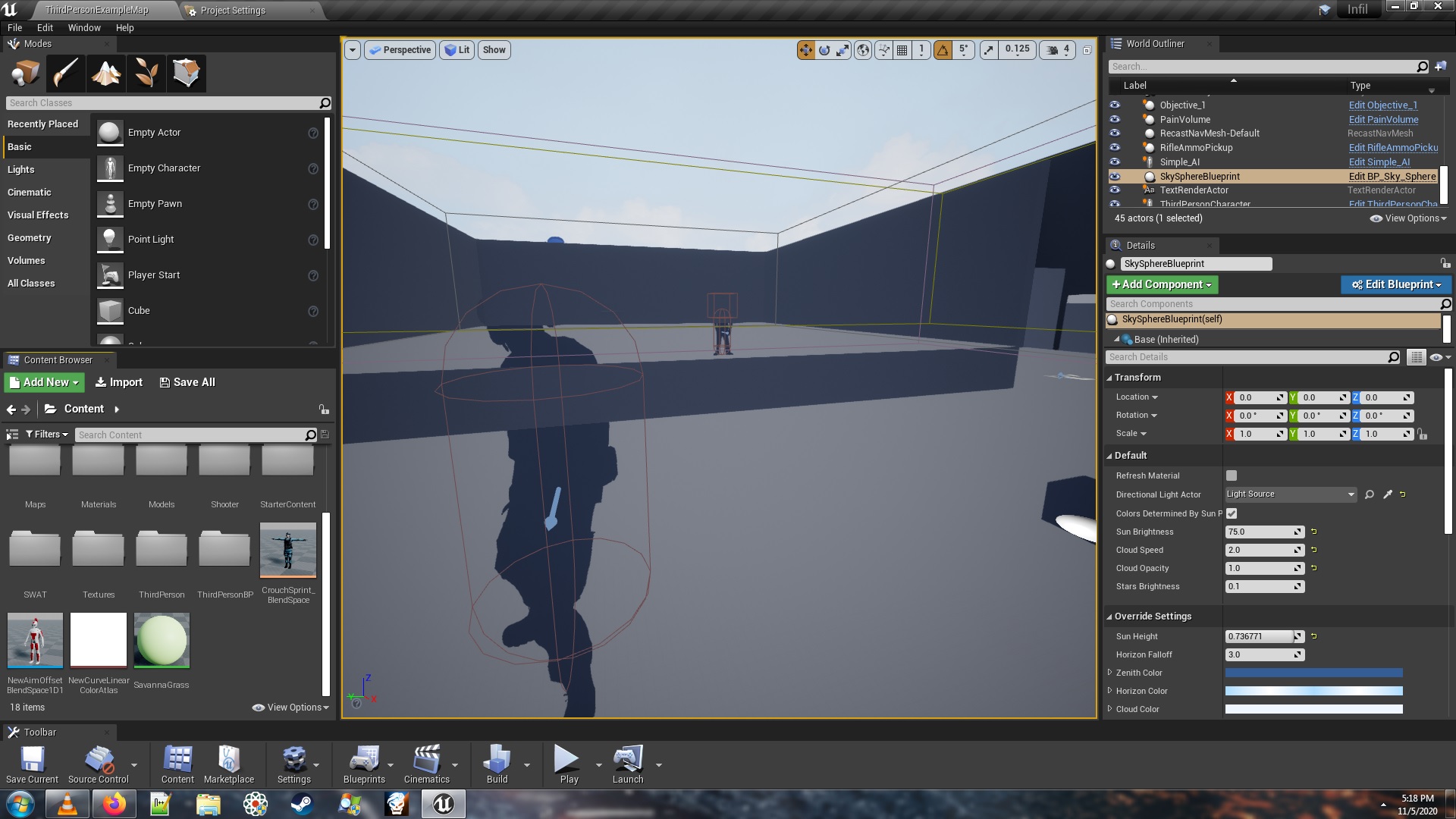

 dense hatch
@gilded plinth please export with these settings from premiere
you can change the quality knob at the bottom to 5.
then download and install ffmpeg
FFmpeg
Windows: https://ffmpeg.zeranoe.com/builds/
Other platforms: https://www.ffmpeg.org/download.html
then run this as the command, run in the folder with your output video when it's done. ffmpeg.exe -i YourInputFileName.mov -c:v libx264 -pix_fmt yuv420p -vf "scale=trunc(iw/2)*2:trunc(ih/2)*2" -f mp4 -preset fast -tune film -crf -1 YourOutputFileName.mp4
if you need a smaller file you can change "fast" to "slower"
plush yew
Hi, I have a fps camera which renders in real time and other virtual camera ( effects like ray tracing etc) which is positioned and used by the user and renders offline or not in real time( 10 seconds more than real time). The user should be able to move in the scene while the rendering of virtual camera is being done so it must be on a separate thread. So how does one go about implementing it. As of my understanding this must be done using a different opengl context . Is it possible? any help is appreciated.
upbeat lake
Anyone know how to create a material instance from a material in python? Seems like something that should be easy, but cant' find an example, and can't search the forums for one, because forums don't work for me for some strange reason.
modest fossil
Sorted that issue I had, accidently put near clipping on 0
 silent chasm
hi guys, i wanna test chaos in 4.25 but i can't find the fracture panel, how do i enable it?
oh i still need to compile from source?
 old pilot
Hi Guys,
I am encountering an error when I try to create a project from my vault. It tells me that I have exceeded the path length even though the path I chose for the project is very short like C:/AB/. Has anyone seen this before?
clever arch
Hi Everyone!
I need some advice please :)
Currently I have 1 gun, that fires bullets and each time a bullet hits it inflicts 10 damage to the enemy. Currently the Bullet Damage is stored in the enemyBP but what I want to do is have 2 guns: 1 that gives 10 damage and one that gives 20 damage and then depending on which gun it is it sends the correct damage amount to the enemyBP. What is the best way to do this please? I was thinking and Enum but thought that then in the enemy I would have to have Branches that say "If its a pistol do this if not check to see if its a rocket launcher if not check to see if its a..." and so on. Is that a good way of doing it or is there a better way please 🙂
@old pilot what is the name of the project from the vault?
old pilot
@old pilot what is the name of the project from the vault?
@clever arch I got it, it's something with this particular marketplace item. Thanks for the hint!
clever arch
@old pilot if it helps sometimes it can be a stupidly long name which can cause problems
old pilot
@clever arch The best way would be for the weapon to carry an information called "damage". The character can take this information and do all kinds of things - take it, add or deduct from it, or be invincible from it
ruby folio
@shadow marsh Couldnt see if you fixed your marketplace issue. But go to the appdata folder for the launcher and delete that. Then restart the launcher.
\AppData\Local\EpicGamesLauncher
shadow marsh
@ruby folio Error not fixed yet. I have already deletet the complete launcher app and its cached files etc. Reinstalled it and the error still persists.
ruby folio
cached files?
ruby folio
Oh. Youre on Mac
shadow marsh
yes, already said that 🙂
ruby folio
Sorry. Just woke up
shadow marsh
np
clever arch
@old pilot Thanks for the reply. I have thought about that but I can't think how the enemy will read the damage value of each weapon to get the correct one
old pilot
@clever arch I see. I read your description again and currently the weapon seems to be not talking to the character.
What you will need to do is to have character get the information stored in the weapon system. Even if you would do the if-else thing you initially described, the character will have to get which weapon fired the bullet.
clever arch
@old pilot yeh currently I'm trying to get something like a Enum connected so that I can store the name of each gun in there and then call it at the enemy end and do the logic in the enemy but I don't want to go down that route if its the wrong thing to do as I'm still picking up stuff and don't want to teach myself bad habits! 🙂
old pilot
I think you are on the right track. Just instead of weapon name enum, transfer only the damage value
clever arch
@old pilot thanks for your help 🙂
plush yew
do you have an example of auto material
 dark granite
hello guys i want to ask something
ruby folio
Dont ask to ask. Just ask
dark granite
why in editing i can't select the face
sometime it can be selected
sometime can't
 hallow shell
Hi! I have tried the new sky atmosphere with my own planet.
But I run into problems like the size range of the atmosphere.
My planet is smaller as the test planet inside the "Volumentric Content" folder.
And my planets pivot is central, not at the top of the planet. I could move my planet in blender to have the pivot on top and then reimport it.
But can I change the range of the atmosphere size? It seems clamped and I wondered
if some of you got it to work with smaller planets.
@dark granite Make sure you rotate your view to see the faces from a better angle. Avoid to click on a edge or verticle.
ruby folio
@dark granite It depends if it is intersecting with something.
I find switching viewmodes helps a lot
dark granite
oh ok thank youuuu, it depends the viewing angle hehe thankyou @hallow shell @ruby folio
hallow shell
np
Someone here to explain "Planet Center at Component Transform" in Sky Atmosphere details?
clever arch
@old pilot Figured it out i used a line trace for the weapon fire then used "Apply Damage" and set the damage there then but and "AnyDamage" on the enemy! i think i was massively overthinking it
 tranquil jasper
Is someone able to help me ? 🥺 I need to delete an inherited component on my child blueprint but because it’s inherited it’s not letting me do so, I created a blueprint that deletes the component on beginning the game but it gets stuck in pending 😦
 lilac cosmos
Hey all! I have a pretty general question... I learnt math up to high school level and pursued physics as a hobby... but i decided against complicated math/calculus.... (I also don't know code.. dun boot meh plez) So my question..
If i wanted to push my math a bit for the sake of Unreal Engine... Is there any specific area of math by name.. where it would be logical to start?
Or should i just start researching the obvious words i find? I can do math... but i am very much a noob after basic Algebra
 gilded eagle
hey hello
would it be possible to control a camera only and not a character?
can i posses a camera actor maybe?
or can i possess a character but rotating the camera independently?
lilac cosmos
Update.. i felt bad and googled it... Seems lots of math for lots of different things >_< Answer no longer required... but for sure still welcome!
clever arch
@lilac cosmos Hi! for someone that hates maths and has been involved in various areas of coding in the past I have started learning Blueprints the past month and can say that its actually pretty easy and logical to use if you want a really good introduction to blueprints theres a great course on Udemy I can link you to but only down side is you will have to read subtitles (but for me it made me pay more attention) there are also some great courses on the Unreal C coding aswell on there
lilac cosmos
Subtitles is certainly not a deal breaker, And yes, they have done an amazing job with this blueprint thingy... I have felt obliged to inform many that Epic Games have made it this easy.
Would love a link pls! @clever arch
clever arch
@lilac cosmos https://www.udemy.com/course/unreal-engine-4-blueprints/

Udemy
Learn Blueprints and create your own games (eng subtitles)
the prices always fluctuate at the moment that is very cheap and well worth it
 echo bloom
New to this engine, how can I quickly tone down this absolute overexposure that seems to be the default? Using some admittedly pretty shit textures (with a high roughness), but still, it's burning my eyes as I'm following tutorials.
(also, no idea what channel this goes in, there's no #utter-noob-help)
lilac cosmos
@clever arch Ty, i've made a note. hopefully i'll get round to it before the offer ends, it seems fair 🙂
@echo bloom I'm a noob too... but someone will correct me if i'm wrong. Select the post processing volume from the world outliner and then you have settings in the details panel... i think
http://prntscr.com/semvkz also a bunch of options for the viewport here

Also get Quixel Mixer and Quixel Bridge if you don't have them!! Unreal made them 'free'(included in their licence thingy)
echo bloom
Hmm, I don't seem to have a post processing actor in the world outliner
I plan to! Just following along to some tutorials for now, but eventually I'll get there.
lilac cosmos
Add one, its in the modes panel, volumes i think 🙂
clever arch
@lilac cosmos dont pay to much attention that offer comes round pretty much every other week!
lilac cosmos
http://prntscr.com/semz6g and this is handy to know with the post processing volume
 echo bloom
awesome, that did the trick.
Thanks guys, I have a hyper-sensitive left eye (got shingles virus in my eyeball last year... D: ), and the editor has been giving me headaches for days because of the exposure.
really appreciated
 reef brook
hey guys can someone help me with my import... my mesh looks like this when i import it to unreal https://media.discordapp.net/attachments/305680593130225674/709189467579088906/unknown.png


it is supposed to look like this https://media.discordapp.net/attachments/305680593130225674/709189517055361075/unknown.png

 lilac cosmos
Make sure all the normals are facing outwards, What are you exporting the mesh from?
reef brook
from Maya 2020
 floral aspen
Hi. My imported Vray RectLight (lightplane) is added to my sequencer but I cant add keys to it. If I drag in a rect plane, it's not a problem. Any idea why? Convert actor is also greyed out.
lilac cosmos
@reef brook I don't know maya at all sorry. I'm a blender >_<
 latent schooner
I try use Web Remote Control.
How to solve this error?
LogRemoteControl: Error: Web Remote Object Access deserialization error: object property: RelativeRotation is unavailable remotely on object: /Game/ThirdPersonBP/Maps/ThirdPersonExampleMap.ThirdPersonExampleMap:PersistentLevel.LightSource_0.LightComponent0
 long comet
Someone can help me to do work Videos at startup when launch the build?
 queen wasp
I was shocked everything looked like it was burning with the new lighting in 4.25 (I have environment color white and 5.0x to avoid getting much shadows on buildings from other sides, it is an RTS I am making), but I was able to fix it in the Post Process Volume setting it to Exposure Compensation 0.0 and add 1.2 contrast and 0.8 saturation, phew.
And Min/Max brightness to 1.0
I didn't need eye compensation or auto exposure.. 🙂
reef brook
@lilac cosmos i get it! thanks still i do think its more a unreal thing since substance painter and 3d viewer on windows do render it normally
queen wasp
Another trick, I have a 2033x2033 landscape, it has an 8 layer material, not needed under water, so I exported the landscape model, capped everything above sealevel, then ran Decimate in Blender to get a lower polycount model of the under water, imported it and put it slightly higher than the landscape, used a simpler material for under water, and now my water is green instead of red, and a 15-20fps performance increase
#random .. anyways, I am new here.. Hi 🙂
3+ years with unreal engine, 30+ years programming.. I love blueprints though, even though I know C++