#ue4-general
1 messages · Page 723 of 1
 sly coyote
If you right-click that do you get an option to implement function
sly coyote
Do so and then screenshot it I just want to make sure it came out right
sly coyote
Do a print screen off of that to let you know that it's hit 70 or whatever
 limber mesa
print string?
sly coyote
Yeah I'm sorry phone auto corrected that
Back at the timeline everything should already be hooked up let's go ahead and compiled save and test run
sly coyote
Ok...the event is firing at every 70 on a loop now?
limber mesa
yes
sly coyote
Add a function for 120
sly coyote
You can have as many time of days as you want...just keep adding functions to the bpi
Do a drag off point light...set intensity
To 0
limber mesa
?
sly coyote
Instead
sly coyote
Ok that set hidden is not how to shut off light
Instead drag off that point light
Type set intensity
limber mesa
ill also make a time line that sets the intensity gradually
sly coyote
But for testing purposes hidden is fine
Just remember to go to class settings and add the bpi to anything that needs to use it
In thier bps
You can add as many functions as you need just like the timeline with multiple event tracks
limber mesa
if i create multiple instances of it do i still need to do that?
sly coyote
Of the lightbp...once its set inside the actual lightbp it will be on every new one you make
limber mesa
ok thanks
sly coyote
Of that bp
But tomarrow you make fishbp for a pond that needs to know about nightime....you will have to add the bpi to the bp
 fluid stone
uh, no idea what you mean by that
 plush yew
Anybody know how to transfer some c++ classes from one of my projects to my blueprint project and use it?
sly coyote
Make a bp actor of it...and migrate the bp actor
 kindred viper
@plush yew migrate might not work for the class (but it might I dunno). So I would just copy paste and then do a find/replace on the namespace and it should be good to go
make sure you have already added a class to the blueprint project first tho
just an empty one
If you have plugin skills, its often nice to put re-usable classes in a plugin format too
 tame rose
hey there guys can someone walk me through how to change my skeletal mesh without losing anims?
sly coyote
I have so many "systems" i coded that I really should convert to plugins...but i have close to no experience with making a plugin
tame rose
just dm me
kindred viper
@sly coyote there is a course on the Unreal Academy site that is really good. But for simple stuff, just make a blank plugin and add the classes.
sly coyote
Its that simple? Really?
Cause plugins and figuring out how i can make my own "add to project" packages
Would be super useful
@tame rose you can rightclick the mesh and assign skeleton on it....be warned its risky so have a backup
plush yew
@kindred viper what do you mean by adding a class to the blueprint project forst tho. Migraye options doesnt exist for c++ classes and also, i copied the source and binaries folder from the c++ proiect and they dont alpear kn my bl project
kindred viper
Add to Project stuff is a little different. But yeah Plugins are real easy. They are mostly setup for you already with the Blank Plugin
@plush yew you turn a blueprint project into a C++ project by adding a class from the editor
plush yew
I dont want to convert it to a c++ project
kindred viper
then wtf?
plush yew
I only want some classes fro.m the c++ project
kindred viper
put them in a plugin
plush yew
How
sly coyote
Or you can create a blueprint based on your C++ class... and try migrate on the bp
kindred viper
@plush yew that you will have to go learn
its only an hour or two to go through the tutorials, probably quicker
plush yew
To be more specific. I am using waveworks and the project has some classes responsible for the buoyancy on the ocean. Those are the only things that didnt transfer lver from the c++ waveworks project to my own bp project.
kindred viper
probably easier to put your blueprints into that project :p However, Im not aware of that project and the only advice I can give under the circumstances is copy/paste or add to plugin
 floral arrow
If i want to merge all assets from one project to another, to consolidate multiple projects into one, is this possible
not just assets but everything within the project including levels etc
kindred viper
depends. You can migrate but it will all depend on the project itself. It could, and probably will, break in some way. So be prepared to fix things
floral arrow
yeah, id have to test it out
i have projects that I could merge to free up a ton of space because they all tend to have duplicates of assets that are within the other projects
plush yew
idk this is the right channel or not but someone told me that there is software with which you can start it when you start working and the people use it for the paid positions I mean the people that work and pay them hourly use them but I don't know the name-someone can tell me or explain me more about it?
hey ! how are you all ?
i would like to ask about some name in catogory
 foggy canopy
Hello, i don't know if i ask this in the right section or in right time since i am new ... 🙂
I can't figure out how i can make wok properly my oculus rift with UE4 for steam packaging.
Should i activate Oculus VR Plugin or Steam VR Plugin or Both ? I have different performance or issue with controller. We are working for long time with both plugin enabled but now when i look deeply performance wise, i see a problem ...
plush yew
ow nvm i got it xD
 fiery mortar
Guys in order to get target layers shown I need to add texture cordinates, texture sample and layer blend right? It still doesn't show up. Literally nothing on target layers I can't paint the landscape
 grim ore
did you name the layer?
fiery mortar
I don't know what changed I just duplicated the material and it worked lol
grim ore
yay
 solid beacon
ive made a pawn which acts as an ai which follows me around if i walk in front of it but when i hit play and play my level the mesh is not visible i can walk into it and it will stop me from moving so i know its there i just cant see it anybody know why this is? by the way im new to ue4
sly coyote
Is the mesh set to hidden in game and visibility set to visible in its details in that pawn bp
grim ore
have you ejected from the game when playing and checked out the AI in the level. Making sure the mesh is in the correct place, and all that stuff?
solid beacon
ill try that
 lyric timber
Hello. I am having an issue with my pose assets. Anyone familiar with these?
solid beacon
its still in the right place when i eject and take a look at the mesh
hasnt moved
weird
floral arrow
would it be possible to share a project with a team over 200 gb with github source control
 fossil basin
How do i import a video into a widget and display
it
ive tried the tutorials but they dont work
grim ore
which tutorials did you try? and what part does not work
fossil basin
can i link here?

A quick tutorial on how to bring .uasset files into an Unreal project.
As requested by "AK" - Can't see their comment anymore though, so privacy settings/deletion maybe.
Regardless, a required topic to be covered!
that one

ATTENTION!! If you are trying to implement this in the latest version of UE (4.18 at this time) you will need to change a little part from my code. See this thread: https://forums.unrealengine.com/development-discussion/blueprint-visual-scripting/1375550-media-player-issues-in...

In this Unreal Engine 4 (UE4.16) tutorial I show how to use the MediaPlayer component to render a MediaTexture onto a static mesh and play an mp4 video file.
To do this you have to add the mp4 to a folder called Movies in your content of the UE4 project, then add a file media...
 simple dock
Hey did they remove the vr motion controls from unreal engine 4?
I'm only seeing gamepad support now, I have vr support on UE4 4.12, but not 4.24 or newer?! What version is the newest that works with virtual reality?
fossil basin
@simple dock have you tried checking project settings?
simple dock
ah yeh they've moved it all there
fossil basin
😛
simple dock
I had my project set up manually, i wasn't using ue4's system because it used to be a ballache to set up rebinding in runtime without some deep engine changes, but it looks like they've fixed that
grim ore
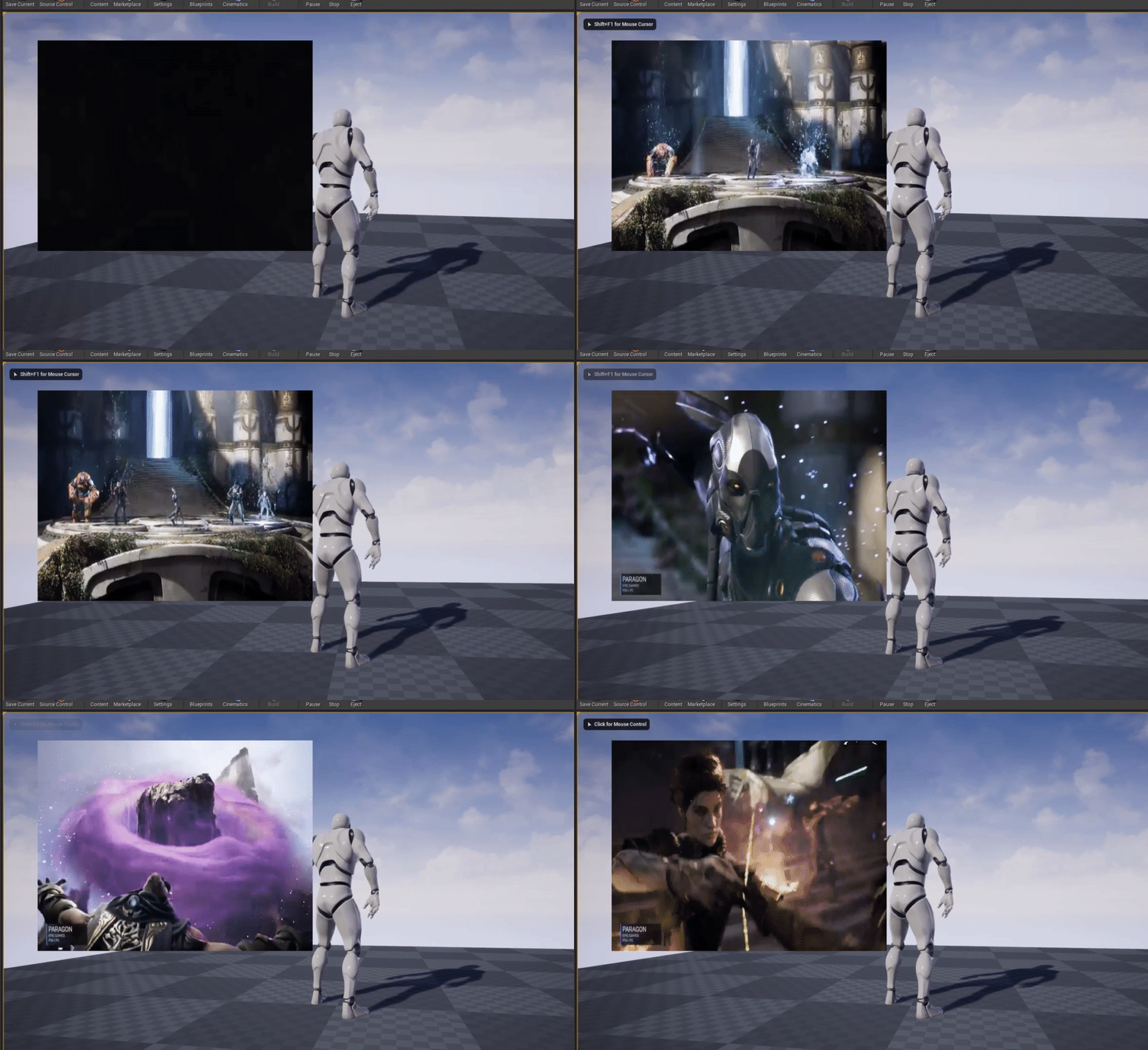
@fossil basin well I can say I just followed the official epic tutorial on this https://docs.unrealengine.com/en-US/Engine/MediaFramework/HowTo/FileMediaSource/index.html, assigned the material to the image in my UI widget, changed the materail to UI domain when it asked. Fixed the material so it was hooked up properly since it broke when converting it. Then told it to open the source on widget construct and it worked fine. I basically followed the instructions on the page but applied it to a UI instead of the world. https://i.gyazo.com/f07a519b865a9aa5a4f42be79a3939ec.gif
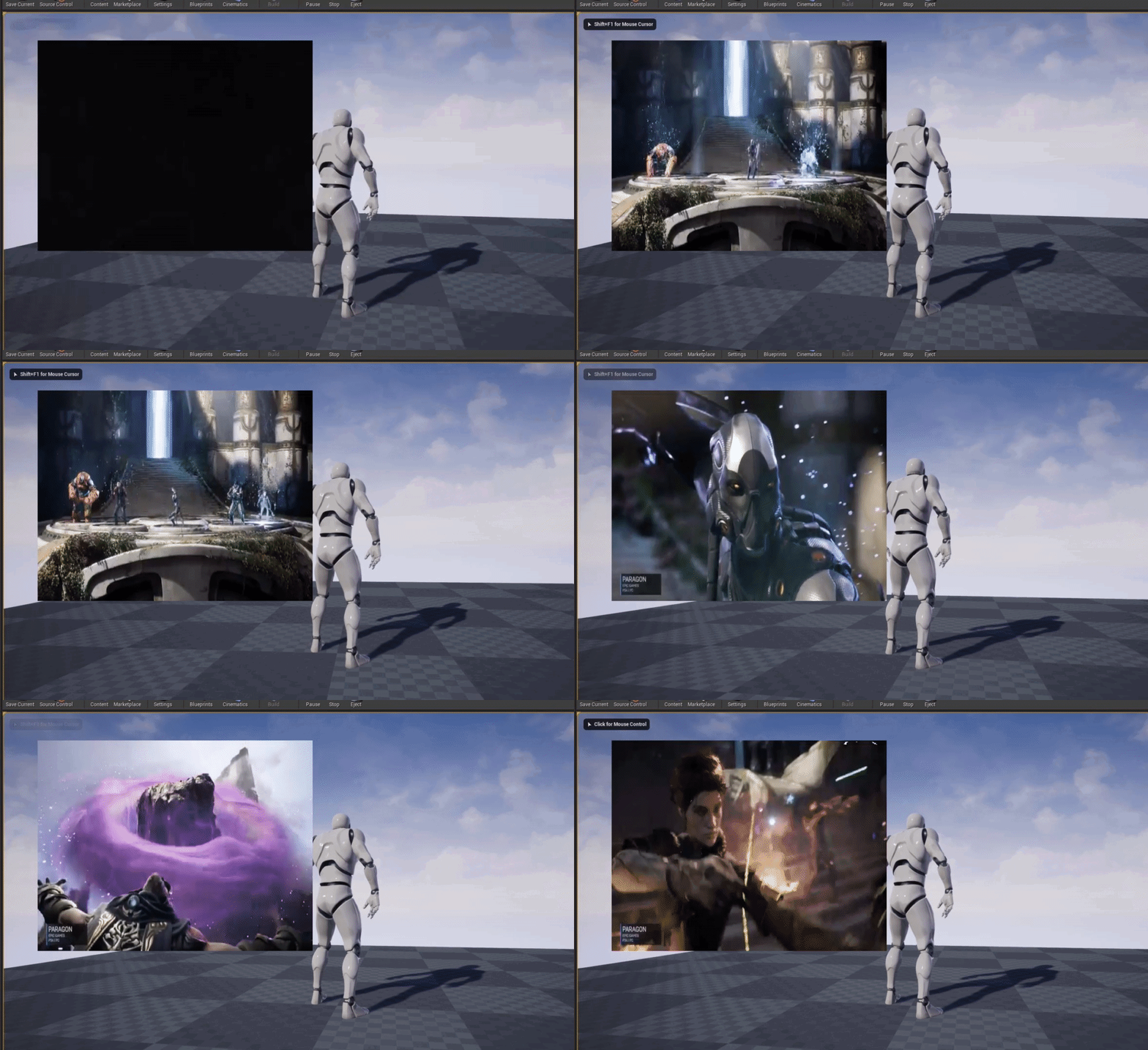 fossil basin
really?
grim ore
well I mean... you can see what I did right there
fossil basin
ill see
grim ore
you never really said what didnt work tho so it could be a simple fix
simple dock
so I'm running into another issue and I never did find a workaround, it's with delta time, It works fine for gamepad axis but for mouse it seems the engine has already a build in delta time with mouse
there's probably a better way to do this than seperating mouse input
or having a tun of extra blueprint
i had something close to 100 nodes just for the input last time and there has to be better way
grim ore
From the .24 release notes XR Action bindings that use MotionController keys need to be updated to use bindings for each platform the project is targeting. Blueprints that read MotionController keys directly need to be updated to use the action system instead. See the Motion Controller Key Deprecation page for more information. https://docs.unrealengine.com/en-US/Platforms/VR/DevelopVR/MotionControllerKeyDeprecation/index.html
simple dock
actually thinking about it most indie games on steam don't have deltatime set up
I've noticed it in areas where there's lower framerate and im playing in bed on my xbox controller but its correct with the mouse. such is ue4 lol
obviously temporary messy code but that's how I'd do it for an xbox or ps4 game, but then if the framerate drops and im playing on keyboard/mouse the mouse sensitvity increases the lower the fframerate lol
floral arrow
does anyone in here have experience with source control
simple dock
yeh unreal is real messy when it comess to trying to set up a game that works for both conrtoller input and mouse input, there is no easy way to set up delta time for correct movement, and we gotta lock the games framerate to 30 or 60
I remember my ex-boss moaning about it to me, he ended up packaging his game with a compantion app that you had to run alongside to correct mouse movement
I'll probably have to do the same thing, just package the extra exe and have it 'feed in' raw values
fossil basin
@grim ore I've tried following the tutorial and assigning it to a ui widget but they dont play
grim ore
What does your UI widget look like?
grim ore
but that not your UMG Widget, what does that look like for your image
 radiant fable
does anyone know the limitations of the Twinmotion trial or know where a list of them can be found, one that i've noticed is a limitation to 1080p
fossil basin
wait
 solemn goblet
can anybody help me with my landscape any time I edit it the fucking collision on it stays old and doesn't update properly so grass an shit floats in the air and objects fall through the landscape in the area I sculpted?
 sacred sluice
Good afternoon, gentlemen. I repeat my question)
Does anybody know what the proportions are in Resident evil 2, 3, the evil within 2 and others. I see that there all rooms than bigger are in real life, and the doors are very large. I would like to read something about it or watch some video, but I can't find it on the Internet, because I can't do a good English search. Can someone help me with advice on what to look for or just share knowledge whith me?
grim ore
welp show what your settings look like for that image on your widget
solemn goblet
@sacred sluice why do you need to get the exact porportions just wing it man you got a good enough idea drawn there
grim ore
uh none of this is the actual widget
sacred sluice
@solemn goblet because it's not just an idea, it's an experience of previous developments that should be considered.
grim ore
this is my UMG widget that has my image and its details
solemn goblet
@sacred sluice try searching for resident evil 2 level design
sacred sluice
@solemn goblet Good idea! Thank you so much!
solemn goblet
@sacred sluice np
floral arrow
is source control mainly used for pushing small code changes to assets/BPs etc and not for sharing new additions to a project like large asset files etc?
grim ore
source control is to keep track of the entire project
different types of source control handle things like assets and "source" differently but the goal of all of them is to keep track of it all
floral arrow
hmm, so why does github have a max file push of 100mb
fossil basin
you put the image as the video material its not letting me do that
it has a red outline
grim ore
because github does not want to hold your assets for you and only wants to hold the smaller source code files
binary data storage for source control is not as efficient or friendly in terms of file size
floral arrow
yeah, thats what im trying to get at mainly
grim ore
@fossil basin it has a red outline and some words under it no?
fossil basin
no words
floral arrow
whats hte most efficient way to share and update the whole project or large additions to the project
is it file sharing service or something
just doesnt seem efficient
grim ore
also keep in mind that 100mb limit is for the free stuff
@fossil basin show what it looks like on your UMG then with the error?
 lament oxide
Use github for a lot of the changes and then use google drive to share over 100MB assets
 swift spindle
git made me question my sanity (especially when LFS was not stable)
floral arrow
okay so you do have to use a file sharing service
grim ore
you do not have to
swift spindle
of course not...
grim ore
and also github is just one provider of source control AND type of source control
floral arrow
yeah i saw perforce as well
swift spindle
perforce is a fine option
floral arrow
and bit tree or whatever
but both the bit tree and git dont really work with large project files
with perforce can you share the entire project? and update the project when new addons etc are added
grim ore
.git based source control is generally not designed for large binaries out of the box which is why there is git-lfs as an addon for that
most .git based online source repos are designed around non binary source control so yes they are not intended out of the box to handle large projects with large binary assets
fossil basin
swift spindle
I can't speak for git-lfs now.. but a couple years ago.. it was the worst...
grim ore
@fossil basin yes you skipped the part where it said to create a material from the video texture or you are dragging in the non material you created
floral arrow
how does git-lfs work
where are the files stored when you upload large files, on the cloud or PC
grim ore
they are stored on both, locally in your git repo and remotely on the machine hosting your repo
floral arrow
@swift spindle do you like perforce more? have you had experience with sharing full projects on perforce, being able to add new assets etc
@grim ore so to share a project would you have to have your computer online
and would it pull from your computer
swift spindle
I run my own Perforce server on my NAS... I've got about 15 projects on it currently
lament oxide
is there a way to make animation notifies only work with particular actors for montages? For example I have a melee attack montage that I use notifies for to tell a players sword to have active damage frames, but that will also apply when I have an enemy use that montage.
I normally use the anim graph to handled notifies like it, but I had huge issues with using transition rules when it came to doing melee attacks and switched to montages
grim ore
if your repository is on your machine yes you would have to have your computer online. If your repo is on AWS, then your AWS server would be online. etc. etc. etc.
swift spindle
@floral arrow Perforce is very easy to use... but it can get a tad esoteric when dealing with major messups...
 teal tulip
@sacred sluice every FPS and TPS game have bigger doors etc cause if you make them real size alike then FOV etc cause a false size idea so they make them way bigger plus the people can enter easier
grim ore
you CAN use a complete cloud solution holding a complete project if you want its up to you
floral arrow
@swift spindle what do you mean by major messups
@grim ore yeah im just looking for the best way to go about sharing assets between my and my partner on a project
grim ore
what is the size of your project?
swift spindle
people not committing files properly.. or using exclusive locks and not reverting and deleting workspaces and whatnot
swift spindle
I'd use Perforce
floral arrow
perforce okay
swift spindle
and setup a local server
grim ore
then probably if that is binary size a remote hosted server using perforce. AWS, Google, Digital Ocean, Azure, etc.
swift spindle
you can get Docker versions
fossil basin
ok i created a material added it but is now telling me to convert to domain mat
swift spindle
pushing that amount of data.. better to host local with a good internet speed for remote work
grim ore
yes now you would convert it then open the material and fix the connection, i mentioned this in my reply. @fossil basin
floral arrow
we're not so much looking to share code so much as we are adding assets or new levels that have been created in the project from the other person working
swift spindle
especially if a smaller team
floral arrow
yeah was thinking of local hosting
but didnt know if perforce worked the same as git with small file push limits
swift spindle
anywho's #source-control guys might have more info
there are no push limits on the free version
just limited users / workspaces
grim ore
well if you really wanted the info...... you could have just looked up the info
floral arrow
it doesnt seem to be talked about much, i only found out about git after looking through it for a while
i thought git this whole time was the same as perforce until recently
just an alternative
swift spindle
it's not super clear unless your in the know...
swift spindle
@barren flume streaming stops sometimes
 barren flume
ps2 graphics
floral arrow
@swift spindle thanks for your input
fossil basin
"Then told it to open the source on widget construct and it worked fine." how do i do that?
floral arrow
@grim ore
swift spindle
np
grim ore
keep in mind whenever you say git you mean github probably, GIT as a source control software does not have a physical 100mb cap on file sizes
sacred sluice
@teal tulip thanks, i see that. Sut i want to know, how much is optimal proportion?
floral arrow
sounds good
swift spindle
@floral arrow one hint... set your encoding correct the first time.. on clients / server
barren flume
it sucks i can't add the files to repository
cause of the 100mb cap
if i add then i won't be able to add more to it
but lfs
floral arrow
@barren flume open console and type streaming.poolsize 3500
barren flume
no it's fine
floral arrow
r.streaming.poolsize 3500
barren flume
it does that when I'm not focused on the viewport
teal tulip
@sacred sluice depends of the game in ones work at x1.0 in others you need up x2.0, should work with a 1.25 to x1.5 @sacred sluice
grim ore
@fossil basin you already did that in your level blueprint as far as I know, that was one of the pictures you showed
barren flume
when I click on it the textures load in
floral arrow
that command will fix it
fossil basin
@grim ore now it just white screens
barren flume
just to save resources when not focused
grim ore
you CAN push larger files to github if you use LFS, the 100mb limit applies to non LFS.
barren flume
wait so that streaming poolsize applies to the entire project
floral arrow
yeah
grim ore
@fossil basin what does the details look like now for the UMG widget for the image? does it show the material now
floral arrow
@grim ore yeah ill look into LFS
fossil basin
yes, it shows the material
floral arrow
if its easier than perforce i might go with that
barren flume
i have no idea how to use lfs
grim ore
@fossil basin ok and did you fix the material itself to show the texture properly?
fossil basin
@grim ore No, how do i do that
grim ore
open the material up and make sure its connected properly
floral arrow
@swift spindle have you had much experience merging full projects into one
sacred sluice
@teal tulip Thank you! I just really liked the proportions in RE2,3 and EW2. So I want to get closer to those proportions.
grim ore
yes like that
 maiden swift
@barren flume Check out the Getting Started section on this page: https://git-lfs.github.com/

Git Large File Storage
Git Large File Storage (LFS) replaces large files such as audio samples, videos, datasets, and graphics with text pointers inside Git, while storing the file contents on a remote server like GitHub.com or GitHub Enterprise.
barren flume
I did the getting started
floral arrow
"Version large files—even those as large as a couple GB in size—with Git."
fossil basin
@grim ore im only getting white screens
barren flume
just in case
what do i put for git lfs track "*.psd"
do i just leave that the same
fossil basin
"Then told it to open the source on widget construct and it worked fine." how do i do that?
maiden swift
No... you track the file type you want. For unreal, you want to track .uasset and .umap.
barren flume
okay
floral arrow
@grim ore Version large files—even those as large as a couple GB in size—with Git. , so does this only account for single files within the project this size, or does it account for the whole project size @maiden swift
grim ore
@fossil basin you did that in your begin play did you not?
maiden swift
@barren flume It sounds like you need to learn how to use git first before learning how to use LFS. 🙂
barren flume
I already have git installed
and source control connected
and everything works fine
except lfs
maiden swift
Then you need to run those commands in your repository directory.
fossil basin
@grim ore Yes i have but im only getting white screens
grim ore
@fossil basin and also did you assign your media player to your variable itself? so it knows which media player to use
maiden swift
@barren flume Are you just interacting with your repository in UE4 with the plugin, or do you also use the command line or a desktop client?
maiden swift
You need to run those commands in the directory where your repo is.
Not a git repository means you're running those commands in a folder with no git repo.
barren flume
maiden swift
No, you don't want to be in that folder.
barren flume
okay
maiden swift
That's managed by git.
fossil basin
@grim ore Yes i have it plays in the simulation but not the player
maiden swift
In this case, you want to be in SPACE.
maiden swift
Yes. If you're running git commands from the command line, it needs to be in the directory where your .git folder is.
grim ore
@fossil basin Which simulation? about all I can say at this point is follow the instructions properly you already showed you skipped steps so you might be skipping more. I can say in .24 that following that page and doing what I said will make it works, it works fine here
barren flume
uasset already supported
okay
now i got it
now to add umap
so about this part
how would I add all files that I made changes to
that just looks like 1 file each
grim ore
this is why i like the GUI clients, I can be lazy and just let it handle the hard stuff
fossil basin
grim ore
@fossil basin I duplicated what I can see on yours but you have changed stuff, you have a binding it looks like and I have no idea what calls start. Delete all of those files and start over with fresh files
sacred sluice
Is there any tutorial or any plugin, asset, where you can learn how to make a TPS camera like in Resident Evil 2 remake? I mean, to have the camera active and in different places distant or approaching the character.
 lunar hollow
Guys i F'd up baaad and need some help.. Basically I have a scene that has assets laid out and they are reference to a folder that I have renamed, is there a way to bulk redirect the reference link to a new folder?
grim ore
@fossil basin https://youtu.be/lDf5OxG89yo
barren flume
How can I get the ragdoll to stop but save the pose after a few seconds
grim ore
Use the save pose snapshot node? https://docs.unrealengine.com/en-US/Engine/Animation/PoseSnapshot/index.html
 terse pawn
Anyone have any insight into how to solve this error when attempting the Debug build from VSCode? ERROR: Targets cannot be built in the Debug configuration with this engine distribution.
 abstract relic
are you packaging as Shipped?
sacred sluice
@grim ore Hello, it is yours tutorial? https://www.youtube.com/watch?v=BOtItHPL39k

What is a Camera Modifier in Unreal Engine 4
Source Files: https://github.com/MWadstein/UnrealEngineProjects/tree/WTF-Examples
Note: You will need to be logged into your Epic approved GitHub account to access these examples files. https://github.com/EpicGames/Signup
abstract relic
Yes
sacred sluice
@grim ore Thank you, for your work!
 keen moss
i have a base material that got imported with all my meshes, that i have replaced once they are in the scene. when i delete the imported base material, i now get a load error on startup that its missing the reference, is there a way to stop that error without going thru each mesh?
terse pawn
@abstract relic I am...not sure. To be honest I'm fairly new to all of this and still getting my sea-legs, so to speak. In VSCode when I attempt to run any Debug build task I get this error. In XCode or CLion, hitting the "play" button runs the build, opens the editor and hot reloads without any issue. I am not certain what the difference is, what I should be running what, etc.
 manic pawn
you should run DebugGame Editor, not Debug
a full debug build of the editor requires a custom build
abstract relic
you can disable automatic generate material in the import menu Chris
keen moss
@abstract relic is there anything i can do now that they are already imported
terse pawn
@manic pawn Thank you for your input. The issue I have with that is that it does not run the editor when compiling, and if I compile while the project is open through Unreal Editor from the Epic Launcher I get no hot-reload.
@manic pawn I apologize if my terminology isn't quite right. Like I said before, still getting my sea legs.
manic pawn
you should never ever use hot reload in the first place
make sure you get the correct config - DebugGame Editor != DebugGame
terse pawn
Maybe hot-reload is not the right term, then. What I mean is that my changes are not reflected in Unreal when the build is completed as they are when the editor runs from, for example, XCode. But I will look at your suggestion first. If you have any other thoughts, please share, but I appreciate your help so far.
 sharp marten
Can anyone remember how to set an fps cap in editor without having to run the t.maxfps command every single time
 fallen marten
Does anyone know if you can get a pawns player state without needing a controller reference?
fossil basin
@grim ore Thank you the video was very clear and it worked!! i have downloaded the video for future reference!!!!
 rustic panther
whats the cleanest way in blueprints to take a float and convert the value to 0-3 index integer if the values are like 120, 90, 60, 30 etc
 frozen pond
hello, there is component called instanced static mesh, but is there a component like instnaced actors ?
rustic panther
without having to make a chain of equals checks
fallen marten
Truncate
rustic panther
Truncate just takes the decimal off a float?
fallen marten
From memory I'm pretty sure
-I know there is an ' to int conversion ' in there somewhere
fallen marten
Drag your float to a setter for an int variable and the conversion will automatically get added
rustic panther
lemme show you the dirty way of doing what I want
fallen marten
Just do what I said and it'll give you what you need. If you have to make an extra int variable to feed your code then it's no big deal
fallen marten
You've lost me what you need a conversion for now
rustic panther
convert list of floats to int
 glacial pecan
@rustic panther I do this 😄
rustic panther
ya lol not making 120 pins xD
that was my first idea, but then I realized I can't select which int to switch to
 tame salmon
Where would I find some good mature/advanced materials examples. I went through the online UE Course Title: "Materials Master Learning" there are several examples in there (project does not work with 4.24 though but useful). I would want more mature things than simply texture, mask... which generic search returns an abundance of those. The course showed how to animate UVs and example usage cases, find up faces and color differently, handle wetness, change under water... These seem like common and useful things I would like to look into more
rustic panther
bet you could find a nice pack of advanced materials on the marketplace if you're looking to spend money (obviously)

Jump start your materials with the help of these must have material functions
like this one
grim ore
IF you just need to go from float -> int, removing the decimal you can just float -> int with a node
rustic panther
nah, I'm looking to convert a specific float to a specific int without all those branches
I figured there's a node for that
grim ore
nah he wants to just map stuff, maybe look at a map?
rustic panther
ya map!
grim ore
make map of int/float
the other option is a set since you are mapping basically a value to an index, or even an array would work
rustic panther
I've used Maps before, didnt think about it though
 soft panther
How do i spawn collision on an anim notify >????
rustic panther
thanks
 teal yarrow
what section should i post to for help with a vehicle animation
grim ore
yep
sacred sluice
@grim ore Could you show me how to make a slow camera going for character's shoulder and then return to the original coordinates? I want to make a character going through the doors so the camera follows him. I haven't figured out how to make smooth transitions from one point to another yet.
grim ore
@sacred sluice look at timelines, lerp, interpolate. that is what you do to move a number from one value to another over time.
sacred sluice
and in camera modify i can all of this using or not?
grim ore
you would use those things to move the location of the camera from one point to another yes
sacred sluice
Thank you so much!
grim ore
if this is something like a small animation or cutscene you could even use sequencer to do all of this visually
what does the end of the tooltips say?
sharp marten
Can anyone remember how to set an fps cap in editor without having to run the t.maxfps command every single time
Anyone know the answer to this?
 patent raptor
Hi all - I am getting lots of Warnings in my editor log and almost every few seconds even when no activity in editor.
[2020.04.29-21.29.19:176][481]LogUObjectArray: Warning: Other object in slot
Any idea how I can track this down ?
4.23 btw
sacred sluice
@grim ore i want to make some like this https://youtu.be/H2zGHes4lyM?list=PLkqEQNce8qWEkZzKNBV5SDw31BSbYRkl5&t=679 when character open door, camera going a little bit left and then going to character. (Here is timecode in video)

ГЛАВА 2: ЧТО-ТО ПОШЛО НЕ ТАК
Себастьян попадает в особняк маньяка-убийцы-фотографа. Здесь творится жуткое творчество. Надо от сюда выбираться и найти Лили, но не всё так быстро и просто, нужно ещё и выжить суметь. После особняка детектив Кастелланос медленно но верно выходит к...
grim ore
are you sure it didnt just adjust itself normally once he stopped?
it looks like its in the normal place the animation just had him open the door
https://youtu.be/H2zGHes4lyM?list=PLkqEQNce8qWEkZzKNBV5SDw31BSbYRkl5&t=724 here it loos normal as he is approaching it from the front
about all I could think is the camera is working as normal, then the animation plays (which "looks" like its moving the character but it doesnt so the camera stays still) then when the animation is done the camera keeps moving as the player now moves forward
but lets say you wanted to do that, you would use a timeline for example to move the camera location from the current location to the new one (pick a point in the world and use that) over time and use a lerp or interp node to adjust it as the timeline ticks away. That would smoothly interpolate the movement from the start to the end over time.
 icy furnace
hey, does anyone know why my gun stops shooting after a couple of shots? https://gyazo.com/6173654c3bbd46a262720c1eb8f404ee

 pearl sinew
hi could someone please tell me how to change an actor's static mesh at runtime?
grim ore
you would select the mesh component and set it to a new mesh
@icy furnace how long is your timeline?
icy furnace
@grim ore I honestly have no idea
pearl sinew
you would select the mesh component and set it to a new mesh
@grim ore yeah i wanna do that in blueprint. so for example i'm looking for the functionality that everytime i press say the "F" key the static mesh of a specific actor changes
icy furnace
I'm very new to unreal engine (just changed from unity to unreal)
grim ore
@pearl sinew You would literally do what you want to do, what have you tried?
@icy furnace open up the timeline and look at the duration at the top. I dont think a timeline will do what you want
icy furnace
Thanks matthew 🙂 I changed it to loop. I hope this is a decent way to make an automatic gun?
grim ore
It might be, I dont honestly know I wouldnt have done it that way but I dont know how your gun is set up. If it works, it works
icy furnace
I've watched a lot of other tutorials before but they al seemed to not prevent spamming the mouse button to abuse delay
pearl sinew
@pearl sinew You would literally do what you want to do, what have you tried?
@grim ore I've tried using 'Set Static Mesh' but no luck with that, I suspect its because it is "illegal" to use it in the Event Graph. Something else I tried is using "GetComponentsByClass" and choosing StaticMeshComponent and then using set static mesh, but no luck with that
grim ore
icy furnace
Appreciate the help Mathew, hope you have a great day 🙂
grim ore
I would assume if you had no luck and you did the set static mesh you were not targetting the correct mesh to change
pearl sinew
yeah it doesn't show
grim ore
that is becuase set static mesh is targetting a mesh component, not your blueprint
so you would drag off the mesh you want to change, or turn off context sensitive in the search at the top
now since the node is not coming up that would mean the mesh you want to change is not in that blueprint, so that leads into the problem where I mentioned you werre not targetting the correct mesh to change
sacred sluice
@grim ore But my camera is flying through the textures. I want to camera follow the character, but somehow she's approaching him and going through him. https://youtu.be/7xC_ovNzDNo
 grim ore
@sacred sluice your door is closing, it is blocking the camera. your camera is on a spring arm which lets it go from the target to the camera and adjust its length based on how far that is. Since your door is closing your camera now has almost no room between the front of the camera and the back of the player
@light lintel I dont have any real idea since I dont know what your setup is, just based on a screenshot I cant even guess
pearl sinew
so you would drag off the mesh you want to change, or turn off context sensitive in the search at the top
@grim ore Okay I got static mesh to appear in the search. Now I just need the correct reference to the mesh
I created a Blueprint Class that extends Pawn. Then I added a StaticMeshComponent
How would I get the desired reference?
grim ore
where do you want to get it at, it looks like not in the same blueprint
pearl sinew
where do you want to get it at, it looks like not in the same blueprint
@grim ore I have it like this:
and then I have this inside the Blueprint
sacred sluice
@grim ore How Do you think, this is make with seqenser? https://youtu.be/4u7aJazeCzU?t=1178

The Evil Within 2 Walkthrough Gameplay Part 3 includes Chapter 3: Resonances of this Evil Within 2 Walkthrough for PS4 Pro, Xbox One X and PC. This Evil Within 2 Gameplay Walkthrough will include a Review, all Missions, Chapters, Bosses, New Gameplay and the Ending of the Sing...
grim ore
@pearl sinew so those are not in the same blueprint then? They are both called Fractal but one of them is missing the mesh
plush yew
i edited the defaultmaterial by mistake some time ago, is there any way to get it back to normal? its starting to bug me
grim ore
@pearl sinew or did you add the static mesh component to the actual instance in the world?
pearl sinew
@pearl sinew so those are not in the same blueprint then? They are both called Fractal but one of them is missing the mesh
@grim ore Oh I see, so I'm incorrectly editing the class blueprint not the instance blueprint?
@pearl sinew or did you add the static mesh component to the actual instance in the world?
@grim ore yes exactly
plush yew
lol highlighted yourself there? 😄
grim ore
you should edit the class blueprint, the one in the content browser, and add in the mesh there. Then you can put that in the world and that version will have the static mesh component. Now your blueprint will have the mesh you want to reference when doing the Set Static Mesh inside of it
otherwise you can do what you want but it's super more complicated and doesnt seem needed
pearl sinew
thank you! this does it. you are a blessing to humanity
grim ore
@light lintel its really hard to tell what you are trying to do from all of that. is this an actor component on another blueprint?
and you are trying to get it's overlap event to fire off in another blueprint?
rustic panther
@light lintel If a Delay is called while its timer is playing it won't do anything, a Retriggerable Delay called again will reset the timer to its set Duration (Old question)
 honest mango
https://gyazo.com/3e01c580cc2533195b2dd2fbef10afad hey guys, how can i attach my character to my car please ?

this is in my character BP
grim ore
@light lintel I dont think what you want to happen is going to happen, you want an actor overlap event to fire off when your actor component overlaps something?
actually I kinda missed somehting as well, you keep saying the reference is valid how is this actor even associated with the thing you have it in?
it it just some variable you created that then gets set at some point?
 lime sorrel
for some reason UE4 crashes when i try to save after adding an interface to a vehicle BP and compiling
grim ore
@light lintel yeah I dont think what you want will do what you want, I never even thought of trying that as you are basically trying to listen to an overlap outside of the item firing the overlap
now this works as expected and probably what you are trying to achieve as a goal
plush yew
man, i noticed i also edited the default cylinder at some point........ can i just get it back to normal?
grim ore
@sacred sluice yes something like that would be a good use of sequencer or you could set up special blueprints to handle it but sequencer would work great for it.
@plush yew try repairing the engine from the launcher
otherwise uh... dont mess with engine stuff lol
or i guess nuke the engine and reinstall it, the project is seperate
plush yew
yeah worst case i could do that, i'll try a repair thanks i didn't even think of that
grim ore
blueprints just guess, they can do stuff that doesnt work so keep that in mind
click on your weapon reference and drag the getter into the event graph so you can use it, drag off of it and type bind overlap
and choose the bind event you want
then create you own custom event to bind from, yep
the green ones on the right wont work as far as I can tell for things outside of their scope like that
all they do is see actor so they allow the shortcuts but the actor itself doesnt fire off the overlap event outside itself which i what you are asking it to do
barren flume
Actually I'm wondering if there's a way for the character to fade away after it after a few seconds when it ragdolls
grim ore
nah just have to try and think it thru is all. You have 2 completely separate actors and are asking the overlap events inside of one actor to show up outside of it
@barren flume you can hook up a parameter to your opacity node on the material for your character and fade it out that way.
plush yew
haha i think reinstalling would have been faster then verifying 🙂 still going
sacred sluice
@grim ore Thank you for your advice! And thank you very much for what you do on your channel. It really helps.
 pine siren
Does anyone know what's going on here? Every time my actor is unselected, it starts flickering.. selected is fine..
 winter lynx
hello. scuse me guys, i have a noob question. for the AR Template on Unreal Engine. How does it work? im hella lost. ive tried to read on internet but im really lost. i have a lot of question. i have a xiaomi mi 8 lite. can i run it? how do i test it? Play in editor start time for /Game/HandheldARBP/Maps/UEDPIE_0_HandheldARBlankMap 0.035
it shows me that error when i play it. do i need my phone connected while playing it?
id appreciate help 🙂
 exotic cave
@pine siren : Could be a a couple of things. If your actor has a badly behaved blueprint, that could do it, a badly behaved material/something that conflicts with your background could also do it.
exotic cave
I have seen that exact behavior on UE's default sun when it gets confused and tries to pull from two or more light sources.
winter lynx
This are my specs. Does anyone know how to use the AR template?
pine siren
Hm.. I'll look into it. These are completely c++-generated though. No blueprints involved.
exotic cave
@winter lynx : I am not a mobile specialist, sorry. 😦
What's your material setup?
If it's not the blueprint, it's probably the material. 🙂
pine siren
And there's just one directional light.
Maybe the material.. but just weird that it works perfectly when it's selected..
exotic cave
It looks like two competing refresh/redraws fighting with each other.
I don't think it's weird. Atmospheric stuff sees some of this because the skysphere, etc, and the background itself refresh at a different layer than most things that draw in UE.
You have a skysphere back there? Or just a black background refreshing?
pine siren
I have nothing.. Just my actor and my directional light..
The only "fancy" thing my material does is get the VertexColor..
barren flume
Does chaos destruction work with box triggers?
when the player goes through the box trigger
the part will fall down
and when it hits the ground it breaks
exotic cave
Also, @pine siren : Consider adding a skysphere behind it to see if the behavior still occurs
barren flume
or something like that
exotic cave
@barren flume : Sure, you can set up a box trigger to replace a mesh with a destructible version or whatever.
Destructible meshes however are not usually at the "something like that" level. 😄 Pretty advanced modeling is required.
barren flume
I already have a destructible mesh
exotic cave
Oh this is an actual plugin?
Maybe capitalize actual technology sets, I thought you just meant "a chaotic mesh destruction"
barren flume

Overview of the Chaos Destruction tools that are available, and how they work together to create destruction in UE4.
grim ore
@winter lynx you would follow the android quick start, setup your machine to support it, then build out to your device. You can launch right to device or package it and install it that way https://docs.unrealengine.com/en-US/Platforms/Mobile/Android/GettingStarted/index.html As for it being supported all you can do is try
exotic cave
Thanks for putting me up on game, not a Chaos specialist, as you can probably tell 😄
Sorry!
exotic cave
But you should be able to set up a box collider to spawn a destruction somehow, that's pretty basic stuff to any game engine
barren flume
i'm so used to lua
exotic cave
remains astonished at the breadth and depth of just the native UE tools
No wonder I don't know Chaos, it actually has to be compiled and hand-added 🙂
grim ore
@winter lynx as for supported https://developers.google.com/ar/discover/supported-devices the Mi 8 and SE are, i dont see the lite but that could be the SE?
grim ore
Chaos will be part of the engine in .26 if you don't want to compile...
exotic cave
Yeah, if you're not a super duper hardcore programmer, build stuff like this will get you caught in the weeds
I actually suggest what @grim ore is recommending, wait for .26 and until then explore doing some basic stuff without Chaos so you learn the principles 🙂
You can actually do destructible mesh stuff not too terribly off just base UE features as long as you don't mind a few approximations and a lot of hand tooling
If you just create blueprints that are basically collections of your destructed mesh pieces, each with some appropriate collision approximation and rigidbody that turns on only when it's destroyed, you can probably get a very nice result. 👌🏼
pine siren
@exotic cave Here, ref. the flickering planets.. Adding a skylight changed nothing, if that was what you meant.
barren flume
oh I was on the wrong folder
exotic cave
@pine siren : So you have some kind of custom data packed in the vertex colors, right?
pine siren
Yes. I'm creating the mesh in runtime.
exotic cave
I did not mean a skylight. Skylights just light. You need a skysphere. 😄
For what purpose?

In this part of my Unreal Engine 4 Beginners Tutorial, I'll show you how to work with the sky and sun light settings for the default sun and sky in UE4. This one step will really transform the look of the whole level.
To view this whole tutorial series in one video click her...
pine siren
Does it matter? 🙃 It's a long explanation. It's automatic lod and quadtree and real-size-planets etc
exotic cave
I mean, I can try to help you without it. 😄 "Cool realistic accurate planets" is probably enough.
But, it certainly could be contributing to the issue.
Again, I'd add an actual skysphere.
I believe you have to do it from the content/project view, not sure it's in the default add-an-actor interface
Open up view options inside of the project content browser and select 'Show Engine Content', I believe. BP_Sky_Sphere gets added by default to a lot of UE projects, but not all of them.
pine siren
Oh, right. I was struggling to find it. I'll give it a try.
winter lynx
what do i do here?
im lost
can anyone help me on this? i think im almost done with the prerequisite
floral arrow
is there way to set up universal LOD distances for everything in the level
winter lynx
but i dont know whtat this is
exotic cave
If any Epic staff are listening by the way, I highly recommend adding BP_Sky_Sphere as either an actor type or a scene settings type 😄 People do have problems finding it, I have
@floral arrow : If YOU can't do it, the rest of us certainly can't. 😄
floral arrow
lol
exotic cave
I know of no way, sorry. Go in by hand. It's the only way to make it good.
grim ore
@winter lynx that is part of the page you were linked, it mentions this page for that part https://docs.unrealengine.com/en-US/Platforms/Mobile/Android/InstallingAndroidCodeWorksAndroid/index.html
winter lynx
@grim ore ?
grim ore
floral arrow

Everything in the open world Kite demo is running in real time in Unreal Engine 4 at 30fps. In addition to Unreal Engine 4 open world features, Kite features fully dynamic direct and indirect illumination, cinematic quality depth of field and motion blur, PBR photo modeled ass...
pine siren
@exotic cave no joy..
exotic cave
Still flickery?
K, then the last place I would think of is the actual material settings
floral arrow
like at that part of the vid it looks like they have universal LOD's or something
exotic cave
This stuffs, this is in the lower left of your material screen. However, it may not be these particular settings.
What shading model/blend mode are you in? Let's start with that.
(It could also be in your C++ code; I can try to help with that as well if you need. But let's start with material settings.)
exotic cave
So you haven't changed any of that stuff?
exotic cave
I get it man. 🙂 I would say it's gotta be something in the C++ code then, or else the interaction with the engine.
 boreal stirrup
Guys
I just wanna say im so glad I joined this community...
I really have a passion of making games and this is for me
 granite marlin
i try install and it says "Maxium path length exceeded"
exotic cave
@boreal stirrup : If you didn't waste the years I did with one of UE's competitors, naming no names, you're way ahead of the game. 😄 UE is life changing technology.
exotic cave
HUGE shout out to Epic for blessing the community with free access since Fortnite became a hit. Lots of companies wouldn't have.
pine siren
@exotic cave aw man :(
Guess I'll take another look at it tomorrow, it's getting a bit too late to dive back into the code now. But I'm guessing you're right 👍 Thanks for the help!
exotic cave
@pine siren : You can tag me, though I'm only on here a few afternoons a week 😄
grim ore
he was saying he gets the maximum path length error
exotic cave
My bad!
grim ore
and thats on you, you need to install it somewhere else
winter lynx
@grim ore do i have to download all? is it like 4 gigabytes of download?
from the AR
granite marlin
still doesnt work wtffff
grim ore
@winter lynx all of the codeworks stuff? technically no but unless you know what you are doing you should follow the instructions.
granite marlin
how do i fix this ive tried making a folder on my desk and download it there, yet it still doesn't work
grim ore
download the launcher or install the launcher?
granite marlin
download
grim ore
@granite marlin thats on you then, you need to find a different place to put it then. If its just download then thats your browser issue
grim ore
@winter lynx it does look like you are downloading all the SDK's yes but if its the default you should go with it
granite marlin
finally
boreal stirrup
Im an extremely early beginner of unreal engine
grim ore
the actual SDK's are only a couple hundred megs each so shouldnt be an issue. You can remove the ones you dont need later once you get it working
granite marlin
also is the engine 6gb or do i have loads things selected to install
granite marlin
so ive removed too many things?
grim ore
You can install only the core components, starter content, and templates and feature packs and you will be fine. the rest is not needed to start with and optional platforms should be removed
granite marlin
yeah ive removed them
winter lynx
sweet
granite marlin
is it similar ish to e3d on ae
grim ore
the download size is not the same as the install size, as long as you have this you are fine to start with
winter lynx
do u both have worked on AR on Unreal Engine? can u show me some of your work? 😄
im learning but we could work on the future if needed, who knows
boreal stirrup
1234 were still stuck in unreal engine version 4
 unique halo
Hello, I can't figure out why this is happening, I'm trying to make a car for testing..
https://i.gyazo.com/d73063ad7a3e130197659dbbe03d8af1.gif

This is my physicsAsset
 last dove
try increasing linear and angular dampening
unique halo
To what value? for example
exotic cave
@boreal stirrup : What kind of help did you need?
There are very very many YouTube tutorials and official Epic resources for UE
last dove
idk, you gotta test yourself
it's different depending on the weight of your car and all that
exotic cave
@boreal stirrup : "Make a level" is a traditional rite of passage for people just hopping into UE, though it will kinda put you on an environment art track 🙂 My favorite "make a level" speeddesign vid: https://www.youtube.com/watch?v=2AW3c24hFJA
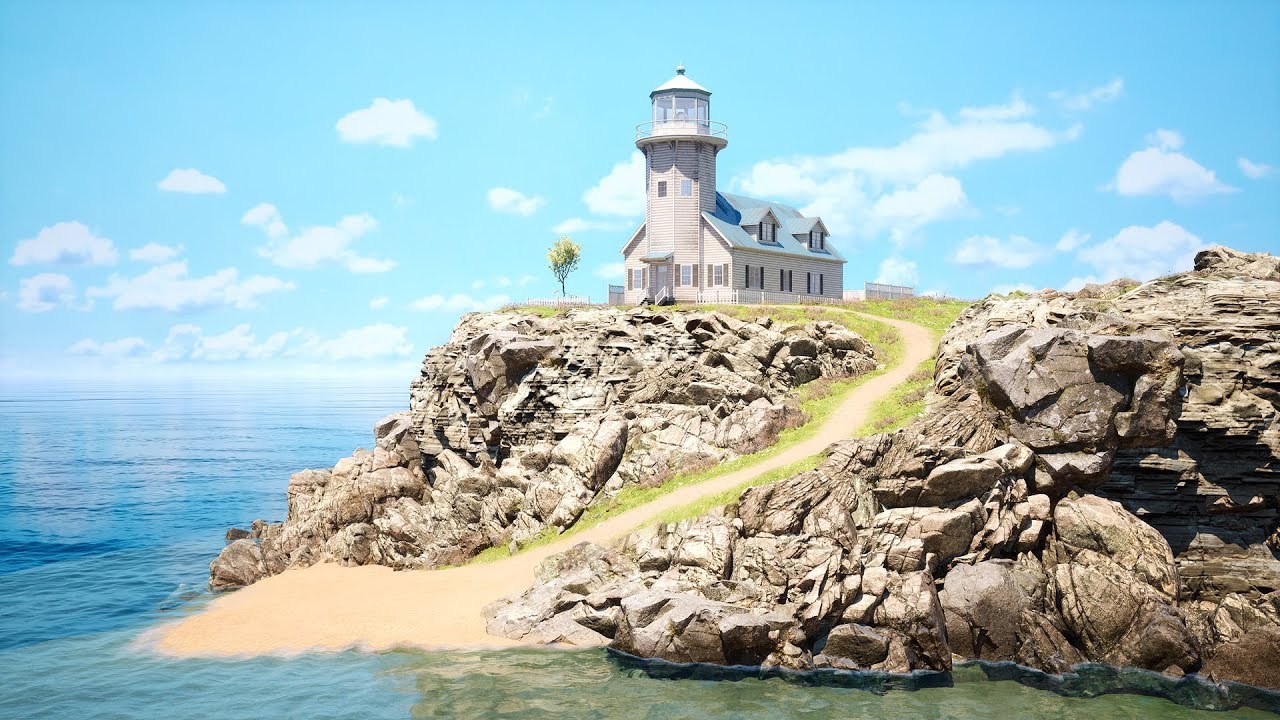
Final result at 15:10
Hi everyone,
In this video I want to show speed level design of Lighthouse level.
All the asset can be found inside project files, including Lighthouse that is part of Modular Houses asset pack,
I decide to share it for free as a demo of a main product....
granite marlin
is it really hard to make basic flatland games with like a few trees and stuff?
is it really hard to make basic flatland games with like a few trees and stuff?
unique halo
@last dove even at 50 it's lagging lol
https://i.gyazo.com/d6eb445ddda2396b0de5750ee352d331.gif
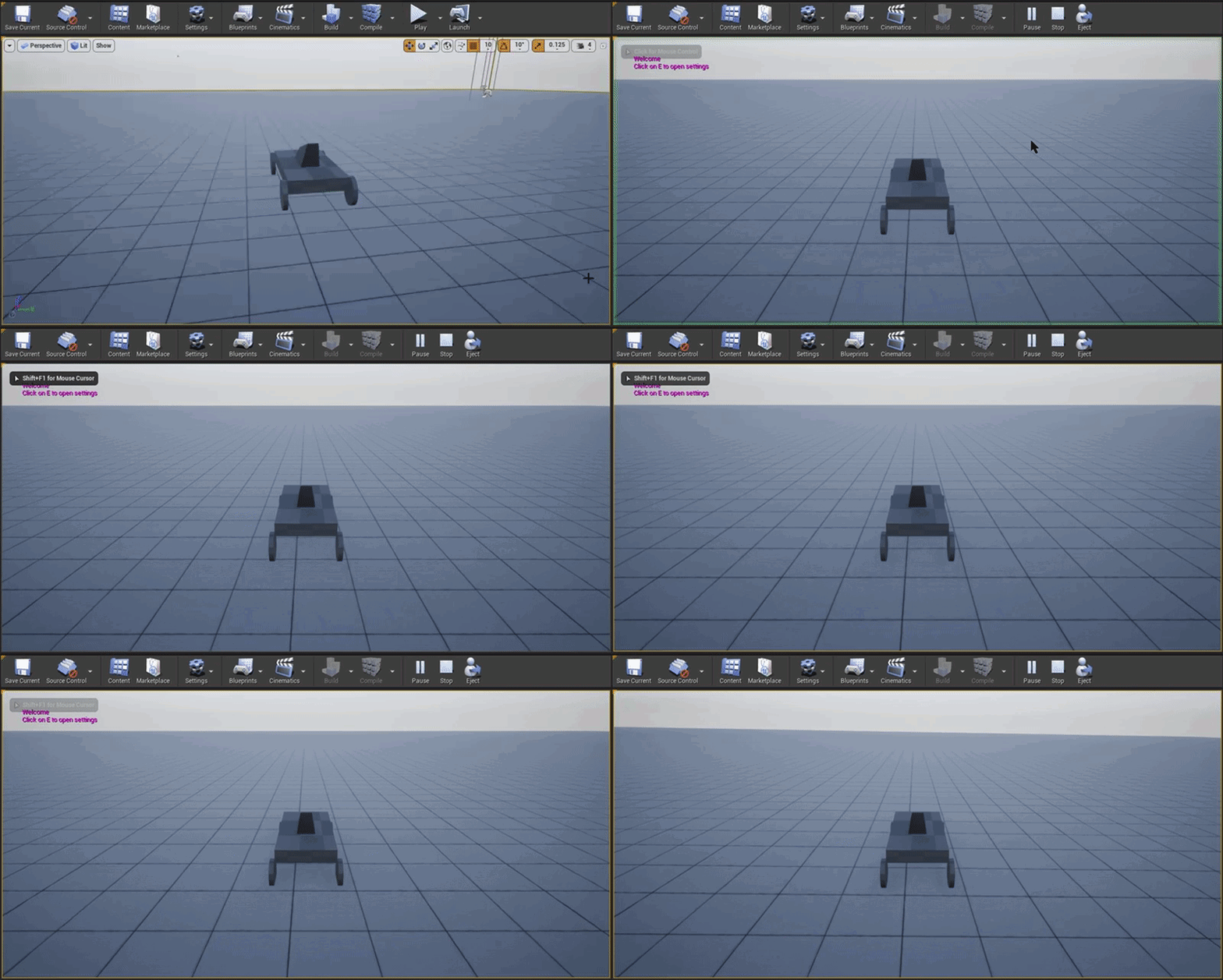
 gilded plinth
Has anyone used the nvidia ansel plugin?
i'm so lost on a simple thing. i wanna change the hotkey to activate it
in the docs it says the config app is in program files but since i don't have geforce experience it's not there
ansel still works fine though
boreal stirrup
@exotic cave sorry
Im just an early beginner
I dont know where to start and what game to make
 brisk urchin
If I have a large project containing a high amount objects with high resolution textures, will decreasing texture resolution make a big difference in fps performance?
 obtuse egret
#work-in-progress
@plush yew thx
exotic cave
@boreal stirrup : No one can tell you what you want to make 😄
That's for you to decide!
But, you know, lots of people download one of the free Epic packs and just start playing around with the editor to see how it works
@brisk urchin : In my experience so far, actually, it hasn't done much - but I've mostly been experimenting going from 1-2k down to 512-1k
I can't vouch for whether or not taking 8k down to 2k might be more significant.
boreal stirrup
Hey thanks
I dont even have a computer yet lol
But if I get one ill download unreal engine first
brisk urchin
@exotic cave I see, most of my materials high been from material and other asset which I didn't manually create. I haven't compressed them at all yet. I'm sure most are over 4K resolution.
exotic cave
@plush yew : That's what I'm thinking too, that the burden is more on VRAM than on FPS
It all depends. If you're doing archviz with 4k/8k everything and have a thousand unique objects in the scene, I cannot vouch for performance 🙂
So far, I haven't really found texture downsampling at lower res'es to be that significant
I got no significant FPS gain from going down from 1k to 512 on a branch texture for a tree, for instance
(On the other hand, when I got rid of transparent overdraw by going to per-leaf instead of per-branch modeling, I got a MASSIVE performance gain.)
Transparent materials definitely have a huge performance cost, even if it's just opacity masks. Opacity masked materials in my experience see huge drops in efficiency in shadowcasting in particular if not optimized.
brisk urchin
What becomes the main culprit of lower performance on a project when doing a preview play?? When I first gray boxed my entire map, I was getting easily over 100fps. Now that it's populated with all the static meshes, I'm getting 30fps barely.
exotic cave
@brisk urchin : You're gonna want to start learning the stats visualization options 😄
There are many possible culprits.
brisk urchin
I wish more college courses were more hands on with these sorta things. Most of the help and knowledge was from online search and just asking people for help.
exotic cave
brisk urchin
@exotic cave do you know of a video or guide about that topic?
exotic cave
I mean, I wish UE had been free twenty-three years ago when I went to school, and that anyone had taken it seriously
I guess it actually was 😄 I could have been messing with the UE mod tools, which is all UE really was at the time
But yes, it would be nice if more schools had practicum instead of just tenured people lecturing on theory
At bare minimum, turn on your FPS and Realtime and Show Stats checkboxes
 storm terrace
Any of you have a solution for getting rid of these errors?
exotic cave
Then explore stuff like RHI in the actual dropdowns
brisk urchin
I first touched this engine when it was UE3 and we played with free Unreal Tournament assets in my early classes. Lol
storm terrace
aside from just turning off collisions
exotic cave
Actually
The most important basic one is "GPU"
Go to "Advanced" and turn on the GPU stats, take a snip and show me
I'll snip you what a healthy one looks like
brisk urchin
Ok, one sec.
exotic cave
In order to achieve 120fps (always a good goal with UE and very possible unless you're on a potato) you want to have an average frame render time under 8ms (IIRC)
brisk urchin
exotic cave
And what's your FPS with that? Those numbers aren't the worst
Please let me see the Min as well if you can, it's all important
Your biggest offender is the hierarchical z-buffer
What are your materials from? Something is doing heavy depth buffer stuff
brisk urchin
I'm currently 25fps while standing still
exotic cave
That's odd because those numbers do not correspond to a 25fps
Do you have like mesh colliders on everything?
It could actually be your CPU, not your GPU
brisk urchin
Where do I find min?
exotic cave
I don't need the min as much as I need to know if it's your CPU that's choking instead
Anyone know what the most important CPU stat screen is? I have never checked
brisk urchin
Each static mesh has its own collider. That what you mean?
brisk urchin
Yea they each do i believe.
exotic cave
That's a big no no. If they're all in particular collision categories you're looking at terrible exponential mesh collisions.
Mesh colliders have to check every triangle in the mesh.
You want to take a lot of those meshes and start assigning optimized collisions, possibly.
Still it would be nice to find a stat that lets us check that; anyone know one offhand? 😦 I just don't.
 scarlet birch
try starting with stat unit before diving any deeper into where the problem is.
brisk urchin
Is using the option from the static mesh editor "use complex as simple" for some bad?
exotic cave
 ebon marlin
bruh, ue4 bsod'ing me when building light
scarlet birch
Are you using physics on something? or importing meshes with collision meshes?
honest mango
is there a way to make like a parent of light and when i set this parent visibily off all set off too ? https://gyazo.com/c276932229da65d21b868c39f5090286
 scarlet birch
Yeah, complex as simple is not ideal.
honest mango
like i would like to "set visibility" to false to all lights
exotic cave
Turn on the Unit stat and show me, if it's what we're talking about, I believe your "Game" category will be through the roof
scarlet birch
If you're not using physics it might not matter though.
grim ore
look at the set visibilty node...
exotic cave
It's not that mesh colliders are bad, you need them for some things, but they have to be kept to an absolute minimum and you totally cannot have them for everything if you want a fast game
honest mango
thanks @grim ore but is there a possibility to turn all light off if i turn one off ?
exotic cave
UE has some really really amazing simplified-collision stuff that will give you, like, really small meshes for big complex ones
honest mango
sorry bad english but
grim ore
what does the node say....
honest mango
i would like to set visibility off to a parent and then all the other are off too
hmm
brisk urchin
exotic cave
@brisk urchin : Show me the "Unit' stat breakdown if you can, but I bet you're going to have to explore these:
honest mango
https://gyazo.com/5fe739ecf1f253df3b90eb9ba4f9ee0d i have to set each lights visibility ..
 grim ore
and the 2nd checkbox says?
scarlet birch
lol, just realized the posts I'm trying to repond to are from different people and not one issue.
honest mango
does that mean it turn off all the other too ?
exotic cave
Those are options to do small-poly simplified collision for certain objects, they're in the "Collision" menu from the Static Mesh Editor
honest mango
i dont really understand english idk what "propagate" mean but i believe that it 😄 thanks
scarlet birch
Yeah, it means it will get all the children too
exotic cave
@brisk urchin : Okay, we're all wrong then, it is definitely your GPU
I mean, your collisions are taking up a non-trivial amount of time too, they'll drop you slightly below 120fps on their own
But your GPU is taking up five times the time
brisk urchin
My specs are i7-4770K with a GTX 1080 Ti
exotic cave
It's odd because the GPU stat breakdown you showed us before doesn't match taht
Can you take me a GPU stat snip from the exact same place in your level?
exotic cave
Who made your materials?
exotic cave
Aha
brisk urchin
Just left of screen
brisk urchin
Mostly from the UE4 marketplace
exotic cave
Looks like complex assets, complex materials
You have something doing a multiple depth buffer pass
Or "HZB" wouldn't even be showing up
The main thing is your shadowcasting, I mean, you can try decreasing the shadow quality or having less cascades, but really that won't fix it if it's really just really shiny but poorly optimized assets
How big is this level?
brisk urchin
 zenith flower
FOR THE LOVE OF GOD LET ME FORCE CHANGE A BROKEN BLUEPRINT PARENT
exotic cave
Yea, that's not awful
brisk urchin
The 4 main buildings all have detailed interiors
exotic cave
Your closeup shows me that the cars and stuff are pretty detailed too, right?
There isn't really gonna be a magic bullet for the optimization you need to do, sadly
exotic cave
Yeah, it looks great 🙂
Unfortunately getting things that look great to also run great is an inexact science
brisk urchin
I'm majoring in game design, particularly wanna do level design. I'm trying learn a lot right now.
exotic cave
Try turning off certain elements and check FPS after each
zenith flower
exotic cave
Find out what's really kicking the engine's butt
zenith flower
And the coreredirect documentation is pure hot garbage
exotic cave
I've been doing foliage for instance
And I found out that, paradoxically, my "optimized" 3k triangle trees are pure garbage because they have giant opacity masked branch cards that all cast shadows on each other and make things terrible
The solution was actually to make 30k triangle trees with per-leaf modeling because it turns out UE can cast shadows for individual leaves way faster than it can for branch cards.
But like, how would one even think that was the way to be without weeks of research 😄
brisk urchin
@exotic cave I'm at the lighting part of my project right now. But the performance was worrying me a lot recently.
last dove
I'd slap some LODs onto all of your objects in that scene and see how well it affects performance
then shadow culling
 earnest magnet
hi all, i am trying to make an aim offset, but my character disappears when i insert any of the animations. does anyone know what the problem might be?
exotic cave
Try doing a smaller study as well, just a little mini-level, and add the individual parts one at a time
And see exactly when you lose 120fps
last dove
MiniShep did you use the correct additive settings for the aim animations?
brisk urchin
On my other portfolio project, I made a spooky prison and I had great performance. It was definitely smaller though.
exotic cave
Big scenes have to have LOD's set up properly
You cannot be rendering 30k triangles for something that's 10 pixels wide
The fastest scene I've seen, it's not a coincidence that he has LOD's all the way to LOD4 and that's a billboard
brisk urchin
Is there a tutorial on that? I know MathewW on here has a YT Channel with some videos I've seen before from him.
exotic cave
Yeah possibly, but I don't know one. Should be some good stuff on YouTube or whatever 🙂
brisk urchin
Optimization isn't really something we've been taught yet. LUL
storm terrace
I found a solution if any of you are interested
brisk urchin
I'll look into it, I wanna at least aim for a smoother frame rate for sure.
exotic cave
You're very much into "real world experience" territory as far as I'm concerned.
storm terrace
a solution to my problem mentioned earlier
exotic cave
Yeah, anything below 60fps in UE gets super choppy
You can lock your framerate but that's not a great solution
earnest magnet
thanks @last dove, I did set each of the animation sequences to "mesh space" and im following a youtube video of someone setting one up...and im doing everything the exact same and it still disappears
exotic cave
Cause it's just gonna get worse from here as you add UI elements and etc 😄
brisk urchin
I bet, I wanted to also add a mini map like most multi-player maps have too. Lol
exotic cave
Just keep pushing. I highly advise doing that "small scene study" version of your larger map
last dove
@earnest magnet did you make sure to input a base animation pose?
exotic cave
Start adding things until you lose 120fps
Hopefully you have some time on this, really locking down my performance stuff took on and off work for I'd say a few weeks 🙂
Though, I had a lot of other stuff on my plate too
last dove
@earnest magnet
exotic cave
One other thing, @brisk urchin - see if it's possible to turn off assets you have inside your buildings when they're mostly culled out. I've had problems with that before on combined interior/exterior scenes.
brisk urchin
@exotic cave how do I do that? My guess right now is that my level is probably trying to render everything at once constantly right?
exotic cave
You'd have to have something custom, probably with zones
It wouldn't be easy, but drawing stuff on interiors that's actually occluded by a wall can be huge overhead
brisk urchin
Would doing some sort of LOD system that someone mentioned earlier help?
last dove
yes
essentially what it does is the farther away from an object you get, the LOD's change to where the object is less detailed
but you can customize the LOD's to where if you're 100 meters away from a car it looks fine but it has significantly less vertices, but if you get 10m away it has more vertices and is more detailed
earnest magnet
thank you so much @last dove , i really appreciate it
last dove
did it work MiniShep?
earnest magnet
yes 🙂
exotic cave
Absolutely look at LOD's as a first solution
last dove
awesome
also look into cull distance settings, for stuff like grass and smaller objects you should keep it relatively low
no point in rendering a tiny pebble when you're 1000m away
brisk urchin
Yea, it makes total sense.
Is there one correct way of doing that LOD system you mentioned? I know once I start Google and YouTube searching I will find many sources on it.
I don't want some rando I find on YouTube breaking my project. Lol
last dove
on the window that has the LOD settings just change the percentage slider and click apply
but only do that on LOD's that aren't 0
brisk urchin
How does it calculate the distance to when it need to switch LOD?
last dove
by the screen percentage setting
brisk urchin
Oh! I was expecting some sort of distance settings like meters or something. Lol
last dove
it automatically does the calculation by default but you can manually set it by unticking "auto compute LOD distance"
floral arrow
is there a way to universally stop all animation, like grass wind effects etc for every plant mesh without having to edit every materail
floral arrow
damn
last dove
I might be wrong though
exotic cave
@brisk urchin : It goes by percentage of screen at largest extent
I often find that 10-25% of screen size is a good value for LOD1, 5-15% for LOD2, 2-5% for LOD3 but season to taste
 hoary inlet
I have a question that feels like it should have a simple answer, but my attempts at googling it hasn't come up with any results.
I'm working on a third-person project and I followed a tutorial for a lock-on camera. You know how the camera boom makes the camera kind of lag behind the character like a tail? As in, if the camera is behind someone, east of them, for example, and they run east then the camera won't move globally at their speed until they've moved far enough away from the camera for the camera boom to reach its limit?
I've noticed that with this lock-on turned on, as long as the character is less than that maximum camera boom range away from the camera then the camera will stutter at the start and end of their movement. So if i tap right (or D) over and over then the camera will spazz instead of smoothly following until the character gets far enough away from the camera to pull it. Is there any way to fix that?
exotic cave
I use four LOD's in my system by default but season to taste, however your lowest LOD should ALWAYS try to be under 1000 tris if possible and 100-500 is way better
Billboarded LOD's for the furthest distance are even better, but hard to set up and won't work for highly angular objects (your cars for instance)
last dove
@hoary inlet are you using Finterp?
if you don't use Finterp it will be very sudden movement but when you Finterp it, it will be a lot smoother
barren flume
Is there a way I can see stats while playing in ue4 editor
like memory usage and others
last dove
in the viewport, press the arrow in the top left and hover over 'stat'
 hybrid sparrow
Hello
brisk urchin
@exotic cave thanks, I'll test your recommendations. 😁
hybrid sparrow
How do you make a store in unreal engine where you sell things with real money
hoary inlet
@last dove I followed a tutorial, had to search a little bit. I see a "Rinterp To" in this part but no Finterp.
 magic scarab
Okay, I know I'm a few days late here, but how the hell did epic make the Travis Scott concert so seamless? I've been using ue4 since 2016 and I'm honestly baffled.
plush yew
"collision must be enabled to AddImpulse"
Okay that's on
"simulate physics must be enabled to AddImpulse"
Okay turn that on too.
"BP is set to simulate physics but collision enabled is incompatible."
????????????????????????????
@hoary inlet rinterp is fine finterp is what you'd use if you only want one axis to interpolate
exotic cave
@hybrid sparrow : Very complicated. You'd almost certainly have to have player accounts linked to an external website of your own, the way most big games-as-services do.
grim ore
move your install folder somewhere else in a lower directory position and just run it again
it will continue
hoary inlet
okay, i recorded it so i could show what the issue was better
i have a 20 second video here, and at first if i tap the movement the camera is fine and smooth, but once i use the lock on... well...

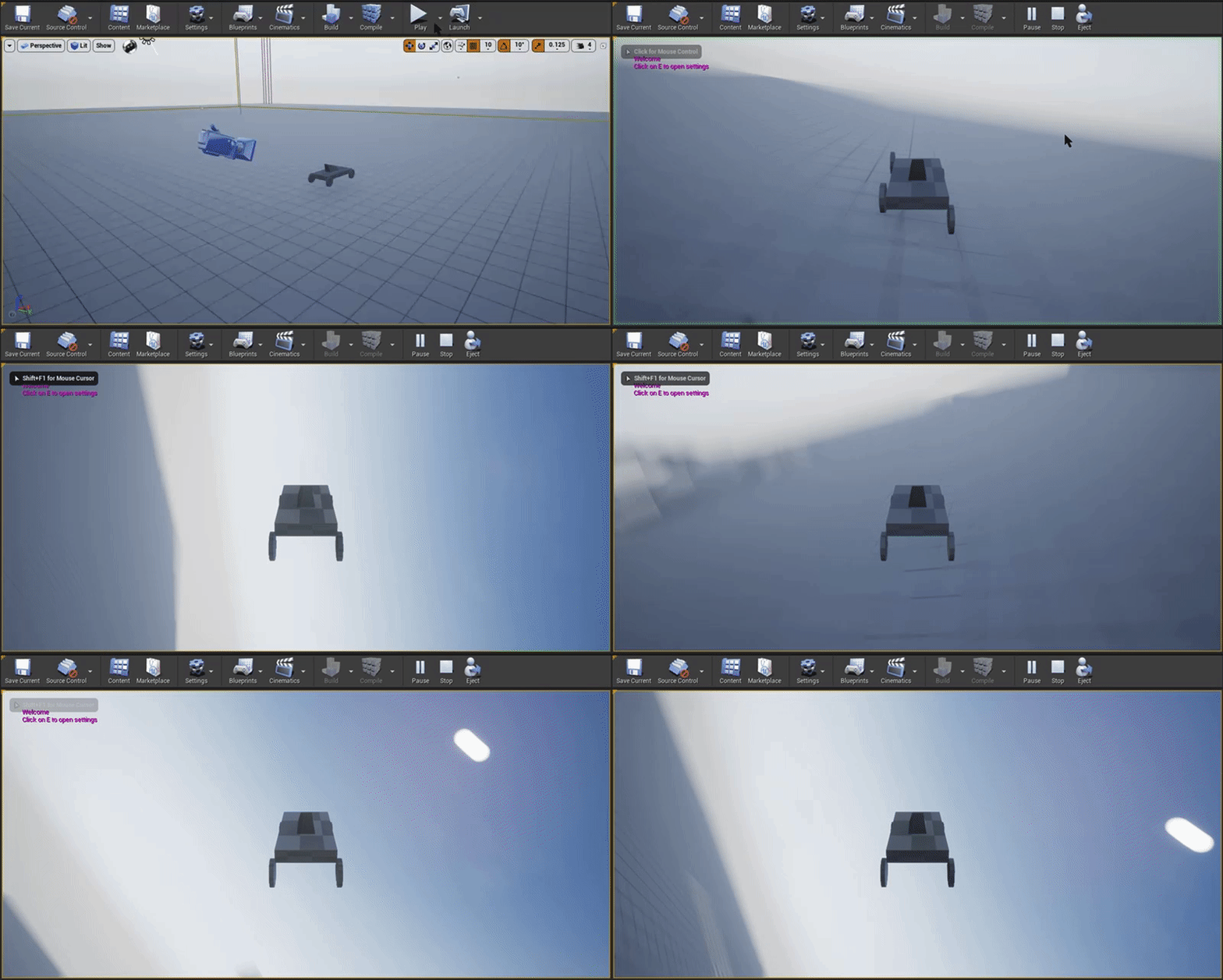
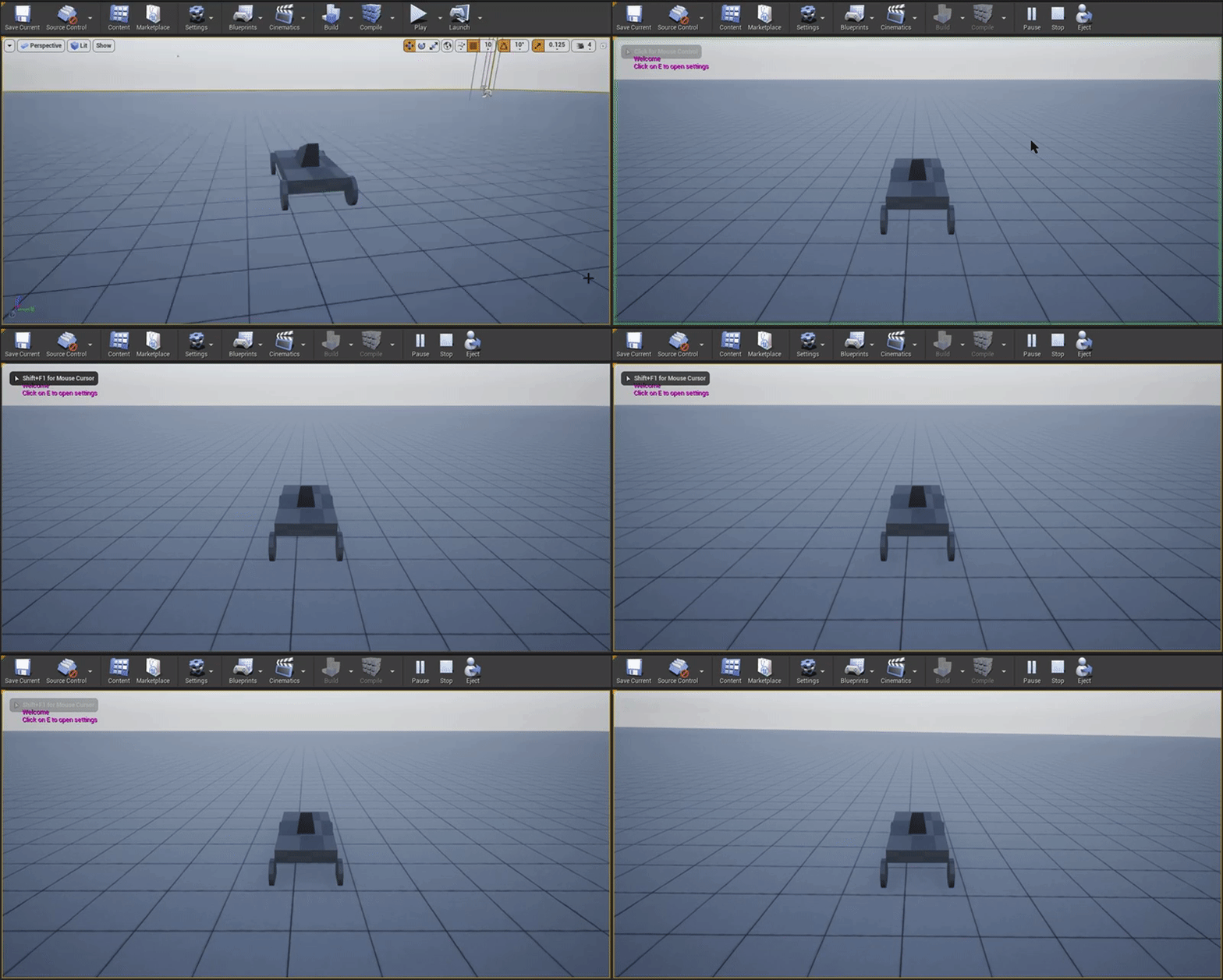
 marsh swallow
Are you able to cast to/get the sound mixer in order to modify a Sound Class
i want to be able to change the LPF on sound classes at runtime
 coarse edge
Hi i have a question
Does anyone know how to change a asset from PF_DTX 5 to PF_DTX 1?
winter lynx
still having trouble with ar
already installed the android apk on my pc
can anyone help me? i really want to get this done
can i share my view with someone that could help?
id appreciate it 🙂
 distant totem
Did you enable the plugin through UE? Edit > plugins
winter lynx
which plugins should be enabled?
 cosmic agate
I somehow muted PIE and can't seem to get the editor to play game sound. Does anyone have ideas or know of a way to reset all the editor settings?
marsh swallow
hahaha
I just fixed that yesterday @cosmic agate
Settings button
Real Time Audio
cosmic agate
yeh i saw that and it was muted, i turned it up and it didnt fix
not sure if i restarted after that though, sec
limber mesa
can anyone help me
i made a door to open and close
but it only works a couple of times
i can overlap it a few times, after that it wont work
wait nvm i may have a fix
yea i changed it around a little bit and it still only opens twice
i found a light bulb
got it
it was the do once
 chilly tundra
For some reason my Compile C++ button on the toolbar has gone missing. 😦 It was there before for several months and just suddenly disappeared today. I figure I must have turned some setting on or off accidentally but I have no idea where that would be.
It's also specific to only one project (all my others still have it) and I'm 99% sure that project is not a BP only project. It does show up for all of my teammates. I am the only one who is missing it.
Has anyone else seen this before?
limber mesa
@chilly tundra did you try exiting out, and entering back in
ik its a stupid question
cosmic agate
no luck @marsh swallow , any other ideas?
marsh swallow
unfortunately not mate. Sorry.
winter lynx
@grim ore ?
chilly tundra
@limber mesa I did.
😦
I tried restarting editor, restarting Visual Studio, re-generating project files/the VS soln...
No bueno on any of it. u__u
limber mesa
how did all of this happen, you open up visual studio someday and its not there?
are you using visual studio?
chilly tundra
I am, yeah. And yeah, it was just gone. I must've accidentally hit a hotkey or changed something-- sometimes I hit run in VS and as its compiling and stuff I'll be answering Slack or something, and the editor suddenly pops up and takes focus and I type a few keys while its up. I figure that might be what happened and I accidentally hit a hotkey or something that changed a setting? But I'm totally just guessing there.
This is specifically the C++ button in the editor too-- not a button in VS. (The one that looks like a cube.)
coarse edge
Im still looking for any information on what PF_DTX 1 and 5 are
if you have any information on those please dm me
plush yew
@chilly tundra is the c++ compile button not even there?
chilly tundra
I believe so, but Compile Options is. Lemme take a screenshot, one sec.
So the top one is fully expanded, the bottom is not expanded so I can get that dropdown from your screenshot.
I can see Compile Options but no Compile...
plush yew
@chilly tundra try to reset ue4 to defaults
from edit -> editor preferences
make sure to be on all settings tab
chilly tundra
@plush yew Doesn't look like that worked. 😦 I tried changing something and hitting it just to make sure it was actually setting stuff back to default-- it is... But my C++ button still hasn't come back.
soft panther
how do i spawn collision ???
limber mesa
can anyone tell me why this wont work
soft panther
whats not working ?
plush yew
the widget is not showing?
 quick kelp
@limber mesa Drag from the create door widget and click promote to variable
limber mesa
ok i see where you are going
quick kelp
then use that for the remove from parent
soft panther
how do i spawn collision ???
quick kelp
the third person character is the player character @limber mesa ?
soft panther
i want to spawn it on an anim notify and idk how someone help
limber mesa
yes
quick kelp
@limber mesa get the player controller (index 0) and connect it to owning player
soft panther
Connect the varrible to the add to viewport
quick kelp
right click on the graph and type get player controller
limber mesa
i just want a widget to turn on and off based on if the character is in the collision box or not
quick kelp
yeah currently you are creating widget but the owning player link is not connected to anything
you need to get the player controller and connect it there
limber mesa
oh
plush yew
drag AsThirdpersoncharacter to owning player
limber mesa
it wont work
quick kelp
still won't work?
quick kelp
try print string at the start of the event begin overlap to test if its firing at all
quick kelp
test if the cast fails
limber mesa
and the widget appears, but it doesn't disappear
quick kelp
same way
oh okay
maybe remove from parent doesn't remove it from the viewport and there is another node for that let me check
limber mesa
idk if there is another node
quick kelp
there is a remove all widgets node but that only works if you want to remove all the widgets
limber mesa
i got an idea let me try it out
quick kelp
@soft panther for your spawning collision problem
if its just a fixed collision around a character, you could have it on the character blueprint and make its collision not work, then it starts working when the animation notify hits
plush yew
this node works fine for me
soft panther
if its just a fixed collision around a character, you could have it on the character blueprint and make its collision not work, then it starts working when the animation notify hits
@quick kelp Theres a code for that ?
quick kelp