#ue4-general
1 messages · Page 721 of 1
 granite heron
 fierce tulip
I am not talking about how many material slots.
fierce tulip
have you used the texture coordinate node inside the material to assign the textures to the right uv-channel?
no
thats texture sets
 frank oar
I seem to Have a player collision issue, is anyone able to give me some pointers please
fierce tulip
uv's do not have a size
granite heron
Thats the texture res I'm working with,
yeah sorry
dont know why I mentioned it
alright, I figured it out
thanks
fierce tulip
yay
 dire coral
so im making a game and i really like the inventory system are there any tutorials on how to make it
 thick herald
yup, load in youtube. Ryan Laley has one, amongst others.
dire coral
i had a problem with that one
but il try it agein
names
found a free inventory system
 zealous cloak
i have a question involving level streaming
can i have an complete empty persistent level? that
then load in a Hub level selection level and unload the hub and load in a level map?
dire coral
when you equip a weapon or pickaxe is the animation split into an unequip animation and an equip animation
 pseudo scroll
Hey guys/girls, can anyone help me with Bridge and UE4? It was working fine for a while but now when i hit export in Bridge (My UE4 project open the same time) Bridge says exporting and then export successful but then UE4 is not importing or doing anything?
 normal burrow
Version of ue4?
 worldly axle
Hello , why does the Begin Play Event is called in the viewport version but not in the standalone version ?
 whole quarry
Its being called when the actor begins to play
 vital lagoon
Hey guys! I really hope someone here knows what's going on. I started getting this on everything-UnrealEngine, a few days ago. In the editor, in our own game on Steam, even Sniper Elite. Nothing else crashes, just UE4 stuffs.
What I've done so far:
- First updated all my drivers
- Then fully removed and reinstalled drivers
- Fully reinstalled Windows
Seems like a drivers/cache issue, but what's boggling me is it happening after a full windows reinstall.
The log.
Crash on trying to cook a UE4 project. (Different project).
 heavy flicker
This might sound like a daft question but does RTX work if you dont have a directional sunlight? Specifically reflections, if I am trying to make a night time scenario.
worldly axle
@whole quarry i know, but it fires in viewport version but not in standalone version
whole quarry
when you hit play, either in viewport or launches PIE, when an actor begines play, the event is being triggered
 serene birch
you can use RTX with a skylight only fine
 astral phoenix
how do i call a specific point in my level sequencer?
@ebon linden im pretty sure u do that from the animation
 lusty rampart
I want to make a more detailed path for my AIs to follow.. but nav mesh volumes seem to be a very broad brush stroke. I was learning about making spline-based roads, but can't figure out any way to associate a nav mesh with that. Am I thinking about this in anywhere near the right way?
astral phoenix
@ebon linden in the AnimGraph
whole quarry
Make a boolean isJumping set it to true when jumping, check that boolean when Attack?
Ez
astral phoenix
yeah in the animgraph right?
 long thicket
Hey guys, Im facing an issue where when i try to export animation frames it just crashes the engine
any ideas?
ive used this feature before so im not sure why this is happening
 dim arch
@fierce forge there is a set cursor node
 fleet inlet
Did anyone get an automated message saying that they got an account created for them on epic’s learning platform? Seems kinda shady
 dusty quartz
which version of linux is new user friendly?
 misty owl
Ubuntu or Mint?
 leaden bear
Happy Monday everyone! Can anyone tell me how to beginplay from a sub level whilst using world composition?
 kindred viper
@leaden bear There are caveats to level design in World Comp. That is one. It's the persistent level that will run begin play. You should be using checks to see if the level has loaded first then running functions/events in it. The reason being that levels can be loaded at any time (except the persistent that needs a level change to do so).
leaden bear
Gotcha,I think I have an idea, but could you do a mach example in a screenshot?
astral phoenix
Hello idk where to put this
But how do i call a specific point in my level sequencer? 🙂
 merry gazelle
is it possible to cast to the active level blueprint from a player character? I want to fire an event inside the level bp
 tulip helm
anyone else get an email about an "epic games training platform account" getting created for them?
 manic pawn
nope
 green sky
Has anyone had any luck fixing the physx vehicle in unreal, i mean that bug where the vehicle spazes out when it crash with another vehicle
 grim ore
@tulip helm go to https://onlinelearninghelp.unrealengine.com/ for the learning site and let them know so they can look into
kindred viper
@green sky that wouldn't necessarily be a bug. It could be the nature of physics in a time-stepped framebased environment. Sometimes ObjectA enters ObjectB at the time a physics calc should happen, but the objects shouldn't be intersecting. So the physics is kind of skewed. The trick is to always have calculations at frame intervals and remember that collisions break physics if not figured out at the exact point of contact.
grim ore
@merry gazelle no it's not, that is the problem with using the level blueprint to do anything. Try and avoid it if you can because of this and other reasons
green sky
What mainly interest me is that when a vehicle crashes with another, that it wont stop dead on its tracks, it should hit the vehicle back as it would in a real world situation
kindred viper
then it would need tweaking as such to allow for opposing forces through physics assets I guess
plus what I said before.
green sky
I have and no matter what i do no effect on vehicle
merry gazelle
@grim ore cool thanks, I just read about using gamestate instead
green sky
I have made a raycast vehicle but i would rather use the default for ease of use
 plush yew
can I asked here about help with solve some bug?
kindred viper
yep often the work involved in getting accurate vehicle physics with the VMC is exponentially more than faking it with some other method
input vector is a direction. velocity is also a direction, but it doesn't come from the Input, it gets translated from the input
 stuck prawn
how do I import a blueprint project to github
kindred viper
you create a repository, then mark files for add so they are uploaded to the repo.
i dont know what you mean by that
stuck prawn
what do I do here
kindred viper
you add the readme to setup the repo
stuck prawn
what about the gitgnore
kindred viper
ignore the gitignore for now
green sky
One question, if i convert blueprint to c++ class can i make another blueprint from that new class and will that class have all the blueprint stuff included?
kindred viper
@light lintel left means nothing in 3d space. You need to translate to an input style vector
@green sky yes
stuck prawn
should I add an MIT License
kindred viper
@light lintel well you would need to keep track of the character forward vector compered to the world direction normal and offset it
green sky
So let's see if i got this straight, i have a blueprint with some logic, And i goto ( File> Developer > Generate Native code ) that will make a c++ class of the blueprint and all of its logic right?
kindred viper
no it will nativise it. That isn't what you want to be working with. Its better to manually redo it in C++.
green sky
I know the code looks funky but say this blueprint isnt going to modified it's completed, no bugs and just works, if i do as mentioned will it work, i just want to make that blueprint c++, i dont plan on working on its original code
I only need its functinality
grim ore
did you try to see what that does when you do it?
green sky
I havent yet just afraid it might mess up my project that why im asking before i try
grim ore
well it wont, but it also wont do what you are asking it to do
green sky
so converting to natived class wont work? than whats that for?
grim ore
it wont give you what you want no, it might give you something that might work correctly without any changes or modification but then again it might not as nativization is not a guarantee it will work when it converts it to c++
try it, it doesnt make a file in your projects source folder but in the intermediate so you can see what it does
 restive arrow
Hey, I have an integer with a range of 0 to 100, but I have an item, that when I pick it up, it adds 50 to that integer. The integer is random and when it is above 50, it goes over 100 instead of clamping to 100.
grim ore
how does your integer have a range of 0 to 100?
restive arrow
In the details panel for an integer
 abstract relic
That’s not how you clamp
stuck prawn
I can rename repositories, right?
green sky
ok cool, Ive been try to get the whole c++ learning thing but it's way to hard for me 😦
restive arrow
Huh, that's what it says when you hover over it
kindred viper
@stuck prawn yes
stuck prawn
ok
grim ore
those details are just for show and tell in the editor, they are not stopping the variable from being changed internally thru code
 soft panther
abstract relic
soft panther
abstract relic
It’s a slider that clamp. Code wise, no
green sky
I mean if could atleast learn how to make c++ functions but cant find a way to convert from BP to c++
kindred viper
@stuck prawn you might want to goto #source-control to get more help if you get into it
soft panther
and back to his original location in the thirst frame ?
grim ore
@green sky There is no magic way to convert from BP to C++. you will do it by hand by learning C++ or looking at the included code with the engine
restive arrow
There's a slide range and a value range. So both of those don't do anything?
grim ore
those details are just for show and tell in the editor, they are not stopping the variable from being changed internally thru code
@grim ore
kindred viper
@green sky if you want to learn how to do this, the best way is doing it. Workarounds waste time and effort and usually dont teach you more than how to avoid the issue. Just get stuck in with making your blueprint in C++ and you will learn a lot of good lessons
grim ore
@green sky look at the nodes C++ code on the github, every blueprint node has C++ behind it.
@restive arrow if you want to clamp a variable you can use the clamp node after you change it.
abstract relic
This channel feels like a mess today 😜
kindred viper
Sorry but I can't help thinking of this when you say clamp
restive arrow
Thanks @grim ore
plush yew
Quuickk question, can you run a game and MySQL server on the same computer for that game simultaneously?
kindred viper
@plush yew yes but why would you?
stuck prawn
@kindred viper ok
kindred viper
@plush yew then sure. even better is using sql-lite or some other flatpack db
plush yew
Answers the question lol
soft panther
Does UE4 4.24 Source just not have multi user editing/
@bitter iris i dont beliveve u
thats my dream
 bitter iris
huh
kindred viper
@bitter iris pretty sure the editor does or is that a 4.25 thing?
grim ore
@light lintel Ctrl-S like you show it works for me in the editor in a third person project. If you are using the same key, perhaps S for something else, make sure that input event does not haver Consume Input checked
kindred viper
the thing is, the source editing is multi-user via source control
soft panther
yea they said about a big a update in 4.25
kindred viper
you need to lock files for editing etc
misty owl
@grim ore Hey, small world. I just found your YouTube channel this morning. your videos are great!
grim ore
weiiird but yeah no issues with action mapping here with ctrl-key, both controls work
kindred viper
last time someone said that to me, I had to get all my adult videos removed from pronhub :p
grim ore
so like your dodge isnt co operating with dodgeforward?
might be something else, works fine here. I duplicated your stuff. Left CTRL = Dodge , S + Ctrl = DodgeForward
perhaps you have something stuck in your input .ini, it happens sometimes. an invisible entry
yarp its something odd on your side 😦 darn but hey it works is what counts 🙂
kindred viper
base it on the world direction.
if I could remember the exact node for it, I'd say but im having a brainfart day of anger and stress
in fact. I should probably take the day off social media as it exacerbates it
grim ore
is this in a behaviour tree?
misty owl
@light lintel could use a boolean for the button press, then just check the boolean status
 uncut heron
Hi, I want to do my first steps into unreal do you think that this course is a good start for computer science student? https://www.udemy.com/course/unrealcourse/

Udemy
Created in collaboration with Epic Games. Learn C++ from basics while making your first 4 video games in Unreal
normal burrow
give it a shot
misty owl
Looks like a comprehensive course, though I'd probably start with some free resources, just to be sure Unreal development is something you're certain you want to invest money into
normal burrow
check out the care package in the pins too golaaaaan
 wispy sonnet
@uncut heron Go to Youtube first. There are plenty of free unreal courses, even for C++ What I do reccomend Udemy for is the "Perceptive AI" course as AI is something that is slim on youtube.
uncut heron
Looks like a comprehensive course, though I'd probably start with some free resources, just to be sure Unreal development is something you're certain you want to invest money into
@misty owl its only 10$ for 55hours
wispy sonnet
Also. Udemy has sales every once in a while, if you're patient you can get courses for $40-50 instead of $200+
uncut heron
They have sales every week lol
thick herald
Every day more like lol
wispy sonnet
I was talking The Unreal courses specifically. They had one that just ended.
uncut heron
@misty owl un real development?
misty owl
Developing a game in the Unreal Engine
 raw rock
hello one questions if I update the ue4 version of a project can it get corrupt or is it safe and straight foward
grim ore
yes it can stop working or you can lose a feature. When you try and open a project in a new version it will ask to make a copy for you. If you use source control you are safer as well.
 static sparrow
@uncut heron I think it depends on how new you are to programming and computer science in general. Do you know any C++ at all? You may want to learn C++ independently and use blueprints within Unreal instead of trying to learn C++ while you use it in Unreal. Blueprints is programming, just a graphical version of it, and without the absolute 100% control over every aspect of development that C++ would give you.
raw rock
@grim ore so if i make a copy of the project before hand and any error occurs i can just replace it and it will have the previous version?
 keen moss
is there a tool or solution available for unreal to batch rename assets?
uncut heron
@static sparrow I have experience with node.js and c#
static sparrow
I have been writing C++ for 10+ years and am well-versed in it, but I'm still using blueprints for my first Unreal project for two reasons: 1. cuz it's pretty cool and I want to be able to use it to teach my young nephews to code. 2. Because blueprints provide less options to the developer, they are probably able to be a bit more portable and less likely to become confusing to anyone else that wishes to work with me on it. (i.e. they don't have to adapt to my specific coding style, etc. cuz any arbitrary blueprint will be more alike to any other arbitrary blueprint than any arbitrary piece of C++ code will be to another.)
 celest creek
Any news on when 4.25 would be released? I was totally expecting today, for no actual reason at all
static sparrow
@uncut heron You may want to try Unity if you have experience with C#
Cuz that's the language Unity uses
uncut heron
I tried
https://www.youtube.com/watch?v=18c3MTX0PK0&list=PLlrATfBNZ98dudnM48yfGUldqGD0S4FFb I heard a lot of good things on this c++ course

Twitter ► https://twitter.com/thecherno
Instagram ► https://instagram.com/thecherno
Patreon ► https://patreon.com/thecherno
Series Playlist ► https://www.youtube.com/playlist?list=PLlrATfBNZ98dudnM48yfGUldqGD0S4FFb
BEST laptop for programming! ► http://geni.us/pakTES
My FAVO...
static sparrow
But if you're determined to use Unreal (or C++... and I do have an affinity for C++ personally, I like it way more than C#), then just consider trying blueprints for your first project, is all I'm sayin
uncut heron
I want to learn a lang with Memory management options thats why im going to cpp
more control you know
some pointers
lol
grim ore
@raw rock yes the project itself should be self contained in it's own folder as well as the engines are seperate. Making a copy or backup of your project would let you go back to it later or just keep them side by side, one on each version
@celest creek if it's this week I would expect it tomorrow, tuesday seems to be the normal release day
static sparrow
If you're learning C++, another great resource is https://isocpp.org/faq
uncut heron
In the university i have a course that based on C lang but it will be in 8 months
celest creek
@grim ore Thanks!
uncut heron
@static sparrow Do you know a cpp book?
static sparrow
@uncut heron That sounds like you should start with C. IMO, every C++ developer should start in C, and then once they've built something of decent complexity with C, then move on to C++
uncut heron
Oh really
static sparrow
Use the link I posted a few lines up. That basically is the best C++ book on the internet. Just not quite in book form. I used that FAQ (back when it was Marshall Cline's C++ FAQ) fuckin... extensively, when I was working on my first company's product right after college. I mean, every day, all day, I had it open and was referencing it.
uncut heron
Maybe some arduino and embedded projects
static sparrow
I recommend starting in C because C forces you to learn memory management. In modern C++, it's not really (as) necessary to know how all that works, but it is a huge help. Just my opinion.
Our product was a networked system of graphics renderers (IoT) that I initially built in C because I wanted direct control over every pixel that got painted to the screen. I converted it to C++ when it started to become unwieldy to manage. It was the right choice, but starting in C forced me to become familiar with exactly how a lot of the C++ libraries I would eventually use (especially the OpenGL ones) worked under the hood.
uncut heron
And c book?
static sparrow
So, my path isn't and shouldn't be followed by everyone. It just worked well for me and I like the perspective that learning C gave me on my work in C++
uncut heron
B.W. Kernighan & D.M. Richie, The C Programming Language (Prentice Hall, 1988) I heard a lot on this book
static sparrow
Um... nothing particular comes to mind for learning C. There are quite a few excellent C books, since the language is so old.
I've probably read that one lol. I'm sure it's fine. Keep in mind, though, that C is not an easy language. In some respects, it's harder than C++, and that's saying a lot, cuz C++ is already a hard language to learn.
uncut heron
Pointers😦
uncut heron
LOL thank you so much
uncut heron
btw did you have experience with embedded projects?
static sparrow
you could even check this out
there is a link looks tailored just for you
embedded projects? not... really. But C is the language you'd want to learn to do that kind of stuff
almost all device drivers are written in C, afaik
not since college, anyway
 frozen mural
why when my stamina is going down my hud widget dont have any changes but when my stamina goes to 0 the hudwidget will completely become 0 ?
 clever niche
how are you calculating how filled it is
 sudden agate
you probably use integer division
clever niche
that's my guess but i was going to see how he was doing it
misty owl
What is the licensing situation for assets purchased on the Marketplace? Are they all royalty-free? Just purchase them, and I can use them in my game without having to pay anything on the backend?
nvm, found this: https://www.unrealengine.com/en-US/marketplace-faq

royalty-free. sweet.
 ruby folio
I can use "r.ForceLOD" in the editor to force LOD level. Anyone know a command to set it back to auto?
 rough hound
So i loaded up my project today and the physics seem to have completely broke lol. https://i.gyazo.com/e3a56f584eb409bb934b8b34e0b488b3.gif
 plush yew
Is a game that updates/syncs to the server every 2000-3000ms more hackable than one that syncs every 100ms? If they are practically the same, is there any extra measure I might take anyway?
 midnight bolt
out of curiosity; have someone imported old UT99 levels into UE4?
dire coral
i need an aim space for a pistol just left right up down ect. but for free
 gilded eagle
hello
actor pawn and characters, can i create with blueprints a pawn starting from an actor?
 limber mesa
can someone help me with a problem that im having
i want my character to increase agility when overlapping something but i want the agility to stop at a certain limit. it goes over that limit, anyone know why
this is my character
abstract relic
Use a clamp node
limber mesa
Would I place it after the lerp
normal burrow
depends on if you wanted to clamp the max or the thing interpolating
if you clamp alpha, you wont be able to exceed B
limber mesa
Hmm
I got
Thanks @normal burrow
The cube is what implements the change when you overlap it @light lintel
Thanks for the help though
this code works
abstract relic
Stealin my glory pat 😜
 hearty walrus
has anyone got advice on making dev textures like this
gilded eagle
what happens if i add more than one camera to a character? can i choose which one to use?
normal burrow
ye lol 😄
normal burrow
it will use one of them menoz, likely the first one on the list
You can maybe deactivate the one you don't want to use
grim ore
@hearty walrus https://www.tomlooman.com/download-auto-uv-color-mockup-material/ is the reference for this when I made one
hearty walrus
wow, suprised that exists. thanks!
grim ore
did an entire game jam entry out of just that one material for the levels once I adjusted it a bit 🙂
static sparrow
Anyone out there able to help me with a confounding little problem I am having?
 digital anchor
Hey @grim ore, i saw you posted about a month ago about Move to not being able to be aborted, have you ever found a solution to that?
 timid carbon
Somehow i changed World grid material while playing around with assets. and now my other copies of my project don't work. how to i reverted back to original material ?
digital anchor
having the same problem, inside a simple parallel with immediate abort, it waits for the MoveTo to finish before getting out of it
timid carbon
plush yew
Anyone know how to change the size of a photoshop selection exactly to the dimensions you want it to be.
Ue4 cant properly export 16 bit normal maps for some reason so the next best thing i can do is try and extract it from preview
And then use AI Upscaling to make it fit the desired resolution
 heady saddle
anyone know what PPO prefixed variables mean?
lusty rampart
Can anyone give me a pointer on making paths for AI to follow? I have a basic setup with a basically flat world and a single nav mesh bounds volume .. and that works. But now I want to give them a more restricted set of paths and nav meshes seem a poor fit for more detailed pathing. Am I misunderstanding nav mesh volumes or can someone point me at something better suited for marking out paths that aren't as specific as a single spline, but also shouldn't cover the whole level?
 honest vale
@heady saddle nothing specific
lusty rampart
(can you make a nav mesh that follows a spline? I didn't see how)
plush yew
Was looking into cutting my enemies arm and head etc...
Is that some how by detaching the bone ?
heady saddle
@honest vale but the editor has prefixed my variables with PPO. do you know why? I can't access the regular variable names
hearty walrus
How do I import a *.uasset file?
 latent flume
Quick question, I currently have a level that some blueprints meant to load a world and it's assets according, and landscape via stream. I also want to play a media file using a widget. Technically it works but because of the extensive level load and landscape stream. The video is not play smoothly.
What could be some options? Off the top of the head, maybe async playing the video?
plush yew
@hearty walrus you drag it in the project files using the file explorer
 brisk urchin
Where do I find the settings for Lightmap Resolution for the entire map?
hearty walrus
@plush yew
hearty walrus
I did
plush yew
No
hearty walrus
I just dragged from the windows file explorer into the outliner
plush yew
Drag the uasset files into your content folder form the windows file explorer
hearty walrus
i'm a dumbass, just remembered! My bad. 😅
plush yew
yeah np
merry gazelle
why is escobar teaching unreal engine?
merry gazelle
yeah typical for a game dev
normal burrow
lol
brisk urchin
What does detail mode do? It's defaulted at low
Will it make my shadows look better? They look like blobs at times.
abstract relic
Seems to be quite an increase of people taking a picture of their monitor lately. Like the early 2000s all over again.
 swift spindle
tis lazyness... ppl keep discord open on their phones or they think they have to save a screenshot instead of just pasting in the clipboard heh
 normal burrow
Yeah no kidding
swift spindle
use a handheld scanner to make it extra retro
abstract relic
there's even a single key on the keyboard dedicated to taking a screenshot 😛
plush yew
anyone know how to fix that error?
hearty walrus
why are my materials becoming checker patterns
whenever I load this in, it goes into a checker pattern
brisk urchin
Careful @hearty walrus they might make fun of your pic if it's not ultra 4k resolution. Even though yours is perfect readable. ☹️
fierce tulip
@hearty walrus means something broke in the master material (generally)
hearty walrus
cool, 2 pings in the shape of 5 seconds! great co-operation, guys!
(not that it matters, lol.)
fierce tulip
and in most cases that happens when you dont migrate/move files around properly, or delete redirectors without cleaning them up first
normal burrow
you must be new here hawkdesign, 2 pings in 5 seconds is low
fierce tulip
manually fix the materials
fierce tulip
see where the node says "error" and find out why its doing that.
normal burrow
looks like you've not got a texture parameter hooked into it
hearty walrus
how do I fix that
I'm a complete noob to unreal's shader engine
found the node. now what?
abstract relic
select the node, give it a texture
hearty walrus
how, and what texture do I use
 pliant stirrup
And then guys how are you? I have a problem with a master material using function materials. I need to create a blend of 4 MF in this master material, but I don't know what else to do from this stage, does anyone have any ideas? Thanks !!
worldly axle
Hello, does any one have a good tutorial on advanced sessions ? i followed this one https://youtu.be/ke3kmK6bvT0
But it does not works
Hey all,
today we are gonna work on the integration of the Advanced Steam Session Plugin
[/Script/Engine.Gam...
abstract relic
@hearty walrus
Old but nothing has changed in material
https://www.youtube.com/playlist?list=PLZlv_N0_O1gbQjgY0nDwZNYe_N8IcYWS-

YouTube
Video Tutorial Series Categories: Materials
hearty walrus
?
abstract relic
watch and learn
 sturdy apex
Does anyone have any links or information on how to achieve an orthographic view of an individual item, while everything else has normal field of view?
I'm not making much progress so far
normal burrow
What are you trying to do?
sturdy apex
I would like a 3d menu that is orthographic
Reason being so it can be hit by dynamic lighting of nearby lights if the player pauses the game
normal burrow
Why not just use flat triangles?
Modifying projection matrix is gonna give you strange shadow data
lusty rampart
you'd want to do a separate projection, right?
have the user pull out an "ipad" and then have the content of that be from a separate ortho rendering pass
I'm a noob, I'm probably wrong
sturdy apex
I wanted the shape to be a certain way, and if a button is pressed it will look like its being pressed. A 2d menu just does not seem like it will get the dynamic lighting look that I want. I didnt want it to be projected either, here is where I am at so far. The edges you can see are bein obscured because of FOV. I bought the weaponFOV plugin to see if it would help but even the creator said I will not get perfect ortho:
brisk urchin
If I change the lighting quality settings from "Preview " to like "Production", will it improve the accuracy detail of my shadows from looking like blobs?
lusty rampart
@brisk urchin try it?
brisk urchin
Gotta wait about 30 min if I it try since that's the average time it takes to build and update lighting.
sturdy apex
As you can see from that image, I can get close. I am thinking of maybe taking the faces that are on the outside and stretching them out a bit to fake the look of that its orthographic, but I don't think it is going to look right in the end. Is my only option going to be to have a projection of the menu? I really wanted dynamic lighting on these panels and buttons
lusty rampart
can you calculate something based on "reverse projecting" the screen space?
to figure out where something would have to be to appear at a certain spot on the screen? (I'm kinda making shit up though at this point)
calculate where something should be at a certain depth, I mean
sturdy apex
due to my limited mental capacity I will need to think about this for a bit
lusty rampart
there should be math to say "in order for something to show up at pixel X, Y, a 3d object at depth Z would have to be in world coordinates X', Y'"
not sure if that's useful for not.
grim ore
look at the project and deproject nodes for world and screen space
lusty rampart
I think that's what I was trying to say, but way more confident 🙂
sturdy apex
Thank you for the direction, I'm looking into it now
 lucid magnet
how can i make a select node in a animblueprint?
grim ore
I dont think you can for what you want but you can use the layer blend by int node
 hollow pollen
Help please.... I'm using the conanexiles devkit. But dont open anymore... :(((
I reinstalled the program, and i ran the error log. I have already installed Visual studio 2015, 2017 and 2019. But the error persists... follows the log.
Log file open, 04/27/20 18:11:21
LogInit:Display: Running engine for game: ConanSandbox
LogPlatformFile: Not using cached read wrapper
LogTaskGraph: Started task graph with 6 named threads and 11 total threads with 1 sets of task threads.
LogStats: Stats thread started at 0.698130
Running C:/ConanExilesDevKit/Engine/Binaries/DotNET/UnrealBuildTool.exe ConanSandbox Development Win64 -project="C:/ConanExilesDevKit/Games/ConanSandbox/ConanSandbox.uproject" -editorrecompile -progress -NoHotReloadFromIDE
No Visual C++ installation was found. Please download and install Visual Studio 2015 with C++ components.
Could not read build.version
Creating makefile for ConanSandbox (no existing makefile)
ERROR: System.NullReferenceException: Refer?ncia de objeto n?o definida para uma inst?ncia de um objeto.
grim ore
sorry its called the Blend Poses by int Node
static sparrow
I am getting correct results OnPress, but OnRelease is giving me Location and Impact Point of zero. Anyone know why?
I am using mouse to simulate touch events
This is a better pic of it
normal burrow
prolly cuz under finger is a weird way to say mouse up
I'm guessing there is a Is finger down or whatnot. also i'm betting that bool is false
static sparrow
what bool
normal burrow
Return Value
static sparrow
oh. okay, well when I use the Pressed pin, it gives me where I clicked. I need to do something different (at the location where they took their finger off) than when it gets pressed. How do I get that location data?
normal burrow
do you want fingers or cursor?
static sparrow
it doesn't really matter for the sake of this question, but I am making a mobile game, so... fingers
you can see I'm using a touch input
normal burrow
don't use the mouse input action then
static sparrow
and simulating the input with the mouse
normal burrow
Yeah, I would think in that case you want to go full finger
where its likely being simulated by the mouse
static sparrow
Full finger? I thought that's what I'm doing
normal burrow
Touch Input
static sparrow
InputAction Finger1... GetHitResultUnderFinger...
 lament star
Is it possible to safely turn off ray tracing in a project that had it enabled by default? Or will it break my project?
Asking in case anyone has experience with this :)
 orchid marsh
will have to recompile all the shaders after restarting
 frozen pond
how i can save my actor after moding it in game ?
so i can use it on other level etc. ?
whole quarry
define modding?
frozen pond
let say i got wall and i spawned second one on one map, and i want to move it from level1 to level2
whole quarry
the only way I could think of is doing it via a savegame
well, could store that information also in a gameinstance but when restarting the game, it would be gone
but if it should be placed there forever, spawning it that way isnt the way
frozen pond
its more like change actor in one map, then go back to mother map and see it moded
whole quarry
is that your game mechanics?
frozen pond
so route would be like that:
go to special map -> edit actor by casting (add static mesh components) -> ??? -> go back to main map -> wow its edited cool
my problem is "???"
idk what to do to save it
whole quarry
but why would you go that length? is it part of the game? or a weird way of game development?
frozen pond
lets say its part of "game"
whole quarry
then just save it in a savegame
limber mesa
i have a question, whenever my character jumps off a ledge he flies , anyone know why
frozen pond
@whole quarry i have 0 idea how to save that, any video you can recommend to me ?
limber mesa
fixed it
whole quarry
@frozen pond https://www.youtube.com/watch?v=_4usRrTiqak

How do I use the Save Game Object in Unreal Engine 4?
Source Files: https://github.com/MWadstein/wtf-hdi-files
Subscribe to that channel and watch more videos, they will blow your mind 😉
brisk urchin
I changed the lighting quality settings from "Preview " to "High" and clicked build. 1 hour 15min later and My shadows still come out at blobs. Fudge! 😩
Help from a UE4 Lighting Artist would be appreciated.
plush yew
My engine is updating but I can't find patch notes on the subreddit or this server, could someone point me towards them?
 ivory cliff
I'm playing around with a 2km x 2km landscape. I've set up an ocean where player / AI can move around on. I represent my ocean with a simple plane. I want to generate a nav mesh that includes my plane, but excludes everywhere where there is landscape. I tried disabling navigation on my landscape, but this makes it that Unreal ignores the landscape for nav mesh generation, meaning that it generated a nav mesh over the whole plane.
How do I tell Unreal to exclude a landscape when generating a nav mesh, but not ignore it?
My screenshot shows the plane in red, I want a nav mesh to be generated only where it's red basically.
@plush yew For which version are you trying to find the patchnotes?
plush yew
I've definitely heard of people using multiple nav meshes, maybe searching that might help?
@ivory cliff I'm not sure, I'm on 4.24.2 and its updating right now. Isn't there a place where notes are just posted as they come out?
ivory cliff
Usually on the forums
plush yew
Cool I'll check there
ivory cliff
I'm not looking into using multiple nav meshes, I'm fine with one big nav mesh for now, but I don't want a nav mesh to be generated on my landscape...
plush yew
yeah if you can do multiple nav mesh channels or whatever then you could designate the red as channel 2 and everything else as channel 1 and then dynamically update what channels the AI have access to
oh
yeah then I've got no idea sorry
Tried to turn down the settings to speed up ue4 a bit
But it froze :(
 eager sparrow
Hi everyone. I created a new Character blueprint, and added a skeletal mesh. I noticed something that I have never seen before, and something that is not visible in another identical character blueprint just with a different mesh - a yellow sphere:
Any idea what this is?
It is there even in play mode.
 snow reef
Is there any way to work with other members on UE4, like a team edit?
lusty rampart
isn't there a multiplayer UE4 plugin?
Get multiple users on different computers into a shared Unreal Editor session, collaborating live to build content together.
whole quarry
usually via source control
brisk urchin
For my Sky Light and Directional Light, should I be using Static, Stationary or Movable? My map is pretty large.
ruby folio
@brisk urchin #graphics
It depends on your target platform. But I think its safe to assume with a large map, you want to use moveable.
brisk urchin
@ruby folio It's main purpose is for to be a portfolio piece. For Windows PC if I had to choose a platform.
plush yew
all of my animated characters cause a string of errors when the game launches, is there a way I can prevent that?
I think its because I'm setting a variable. I guess I could just start out with a boolean
plush yew
yeah, I can just set up a branch
abstract relic
Use is valid node instead
 open hill
are you setting the owner ref in a component?
I've had a lot of issues with that due to the order in which UE initializes everything
open hill
there's an Is Valid function node so you don't have to use a branch
it should be right next to the pure function version
plush yew
like this?
plush yew
oh yeah, that'd be what I'd want to do
open hill
but I still do a IsValid check just to make sure
plush yew
wow, no more errors thanks @open hill I've had this problem in every project I've ever done with animation and I just let it slide
open hill
no problem!
Yeah I dont think Begin Play works in the Anim BP event graph or it works differently it seems, I looked at a Paragon asset and saw they were setting their ref on Initialize so I started it too
brisk urchin
@ruby folio I forgot to ask. If I move my Skylight and Directional Light to moveable should I also do the same with my point lights and spot lights? 🤔
 storm terrace
Do any of you know of a way to clear the log entries when I click play in the UE4E?
It's annoying to constantly do it manually
lament star
pretty sure there was a command for that but I don't remember what it was
 honest mango
hey anyone know why i cant measure in viewport ?
i have top view with wireframe
i press middlemouse but dont work
 desert tartan
how do i create my own game and level inside a marketplace project?
grim ore
you would create it just like it was any other project?
 marsh swallow
Can you play audio for testing purposes while outside of Play
marsh swallow
which settings? 😂
BP, Component, Editor, Project,
i keep asking google questions and clearly not phrasing it correctly. lol
abstract relic
the big setting button
grim ore
playing like just a sound wave file in the editor?
marsh swallow
no, like actually in the world
to test attenuation from camera, etc
mixing with other sounds
abstract relic
grim ore
oh uh I assume it would play in simulate mode?
marsh swallow
OMG THANK YOU
marsh swallow
I must have turned that off eons ago
grim ore
nah It's off by default
marsh swallow
i like music and silence while development
grim ore
some time ago they disabled that and editor play sounds by default in the engine
abstract relic
Honestly, the big icons are worthless (not being sarcastic)
normal burrow
Agreed, little icons better
manic pawn
the big icons looks better 
brisk urchin
@ruby folio it worked! Changing it to Movable made a big improvement. 🤗
honest mango
https://gyazo.com/49e9007cf3205ee5df2649630e5faccb how i am supposed to use this please ?

 barren flume
How can I take screenshots with camera?
 grim juniper
https://forums.unrealengine.com/unreal-engine/announcements-and-releases/1641765-how-to-enable-chaos
Unreal Engine Forums
Follow these steps to enable Chaos (https://docs.unrealengine.com/en-US/Engine/Chaos/ChaosDestruction/ChaosDestructionOverview/index.html) (documentation)
4.24 NOTE: You have to add both of these lines to your UE4Editor.Target.cs file:
bCompileChaos = true;
bUseChaos = true;...
normal burrow
use the high res screenshot feature probably mistermouse
normal burrow
honest mango
thanks i will do that
normal burrow
it uses the viewport
normal burrow
so have the viewport possess the camera
marsh swallow
btw i do feel the need to admit that i have been playing in editor and running around to figure out sounds for almost 9 months
 grim beacon
Does anybody know where I can get the VR Mode button?
normal burrow
its in editor settings i think mono
press F11 to full screen the viewport @barren flume
barren flume
i did that
it's still wonky
but it's fine
i was able to downscale it to the resolution i wanted
 hollow ridge
@normal burrow yesterday you said to use migrate, but what should I do if I can't open the project?
normal burrow
your basically out of luck
hollow ridge
oh
do you know how to fix the error Unable to compile project try to compile manually? It is a project I downloaded
from a forum
normal burrow
sounds like you need visual studio installed?
normal burrow
right click the project file and generate visual studio project files
then open the sln up, press f5
 grim rover
hi everyone. does anyone know how to bulk edit the material on a bunch of static meshes. When I bulk edit it does not show the material instance even when I search for it in the search details?
normal burrow
if the old material that your replacing exists still, you can delete it with replace if your lucky
ruby folio
@brisk urchin Glad I could help!
hollow ridge
Thanks @normal burrow I finished a game for a game jam with a team in about 2 days when it was a 9 day jam and we were like why not so now I am learning networking in a week 🙂 (Im using a BP plugin to make it easier)
marsh swallow
Is there a way to set a view distance override on a specific object
Our water actor requires that View Distance is set to Epic for the post process to work
plush yew
Anyone have trouble with the unreal to substance painter livelink crashing the project?
 scarlet birch
Does anyone else experience the editor locking up permanently anytime the windows audio device changes with 4.24?
 modern sinew
Can someone help me make sure some of my plugins are installed correctly? Previously the plugin worked when it was installed in the Engine, but it caused errors on build, so I did some research and found out I'm supposed to put it in my Project folder instead. But now, while I'm not getting any errors, it's just not working either, and I'm thinking it's most likely that I messed something up when moving it
storm terrace
just realized that psycho from borderlands 2, has stock UE4 projectiles that come out of his back. That is what those white round balls come from. Now it makes sense after learning this dev.
 slim horizon
not sure how to word it for a google search but what node can i use in the blueprint editor to "select next in a sequence"? hopefully this diagram kinda makes sense?
currently have it where 1,2,3,4 select cameras but want to simplify that to one key that cycles between them
modern sinew
There's probably a simpler way to do that, but the way I would do that is have an int, and then an event bound to the C key that would check if that int is 3, and if it is, set it to 1, and if it isn't, add 1 to it. Then I would have that continue into a switch on int for that int, and have each node bound to a different camera
actually that might be the easiest way, it's pretty simple
slim horizon
simple for someone who know's what they're doing  i'll look into it cheers
modern sinew
I can make it in BluePrints and copy it into a Blueprint Pastebin
And trust me, I'm pretty much a beginner
slim horizon
i'm getting there with blueprints slowly but always learn faster looking at how other people do things so if you don't mind 
it's so much nicer than doing stuff with C# for unity
modern sinew
@slim horizon https://blueprintue.com/blueprint/30k-1wkh/ All you have to do now is create that CamIter int variable and hook up the BP to activate cameras to those nodes.
BlueprintUE
slim horizon
so the cameras to come out of the switch on int like this?
modern sinew
That looks right, but the only way to know is to test it
also, make sure you have set up the CamIter variable and set it's default value to 0
scarlet birch
Do I need to tell the editor where to find the source code? I get this error when double clicking any node.
I know I've fixed this before , but I'm not finding the solution.
slim horizon
yeah camiter setup and default value 0 but not working apparently
modern sinew
hmm. I would set up some prints. Have it print out the CamIter variable when you hit C, what happens? (Also if you want we can take this into DMs)
Wait, I think I see it
@slim horizon You don't have the CamIter variable hooked up to your Switch on Int
put in a Get CamIter block and hook it up to that green dot that says "Selection"
slim horizon
i must have disconnected the set node going into the switch on int also
modern sinew
Make sure everything is connected and then test it again
modern sinew
@barren flume That means you're turning one thing into another thing
I believe an Int to a Float
 lucid egret
ugh why is it so hard to get PS4 controller to work with UE4?
I am using the RawInput plugin. The axis bindings work, but action keys do nothing.
scarlet birch
DS4windows
lucid egret
ok I'll try that
scarlet birch
Use this one, the one google finds is outdated and abandoned. https://github.com/Ryochan7/DS4Windows
modern sinew
@slim horizon did you get it working?
slim horizon
Sorry my dogs were causing chaos and distracted me, back now to try what you mentioned 😄
modern sinew
Just make sure everything's hooked up right
modern sinew
that looks like it should work, yea
ok, hook up a Print block to C-Pressed and drag CamIter into it so that we can see if that's changing
 slim horizon
the camiter into string?
modern sinew
hmm
Oh wait
I know what it is
I forgot the bit that increases it. On the False branch of the node, before you get to Switch on Int, Set CamIter to CamIter+1
@slim horizon
slim horizon
so duplicate the set node already there and set it to 1?
modern sinew
uhh, not exactly?
barren flume
fixed it
modern sinew
@slim horizon
slim horizon
sorry that's what i meant yeah 😄
 pulsar badge
Is there away I can change the location when i paste a object
so i dont need to drag it
modern sinew
Can someone help me fix my plugin installation?
I'm pretty sure I broke something when I moved it from the Engine folder to the Project folder, because that's when it stopped working
storm terrace
that seems kinda dumb
#ifdef IMPLEMENT_ASSIGNMENT_OPERATOR_MANUALLY
    /**
    * Copy another FVector into this one
    *
    * @param Other The other vector.
    * @return Reference to vector after copy.
    */
    FORCEINLINE FVector& operator=(const FVector& Other);
#endif
I wonder why Epic decided on that?
so we have
void FVector::Set(float InX, float InY, float InZ)
but no overloaded method that takes another FVector (why?)

GitHub
An open-world head-to-head tank fight with simple AI, terrain, and advanced control system in Unreal 4. (ref: BT_URC) http://gdev.tv/urcgithub - UnrealCourse/04_BattleTank
it looks like it may have existed (view line 90)
I guess what I could do is something like
auto vec_cpy = old_vec + FVector();
a lot of un-needed extra overhead. let me know if any of you see a better solution.
stupid that set(const FVector&) and operator= doesn't exist
wow, just realized
auto vec_cpy = old_vec + FVector(); doesn't work, that still requires operator=, this is so bad
so I had to make this
void CopyFVectors(FVector& newVec, const FVector& oldVec)
{
    newVec.X = oldVec.X;
    newVec.Y = oldVec.Y;
    newVec.Z = oldVec.Z;
}
 silver crown
wtf are you saying
storm terrace
Any way I don't need that function above?
desert tartan
hey can someone help me in my dm?
silver crown
ofc the operator = exists on fvectors
storm terrace
did you see my code right before it.
it is removed 😦
#ifdef IMPLEMENT_ASSIGNMENT_OPERATOR_MANUALLY
    /**
    * Copy another FVector into this one
    *
    * @param Other The other vector.
    * @return Reference to vector after copy.
    */
    FORCEINLINE FVector& operator=(const FVector& Other);
#endif
It's implicitly defined
storm terrace
so because operator= is out, is there another way of doing it without making a custom function?
I noticed set(const FVector&) doesn't exist either
 storm terrace
I need a deep copy, not shallow copy, and I do plenty
silver crown
what's the difference here?
storm terrace
one gives a reference, the other gives a hard duplicate
C# for example gives a reference with the operator= and in fact you can't even overload it in C#
desert tartan
hey can someone help me in my dm about my project?
silver crown
no theuzzo
desert tartan
ok, sorry
silver crown
you need to ask your question here
storm terrace
usually in C++ it is the opposite
silver crown
if you do a = b in C++, assuming no overload, it will return a reference to a
storm terrace
right, but good programming in C++ says to use the rule of 5 which says create a manual operator= method
silver crown
No?
desert tartan
you need to ask your question here
@silver crown i'm new in unreal... so, i get a marketplace project with some animation and run mechanics, when i create a level how do i import characters,blueprints and etc?
storm terrace
if you give a custom constructor, then give a custom operator=, else all = default;
silver crown
that's bs
even if it wasn't, the FVector constructor is default here
I'm not arguing the rule of 5 doesn't have its usage
storm terrace
I could imagine worse things, still, there should be a way to make a copy of a vector without going out of your way to make something like..
{
    newVec.X = oldVec.X;
    newVec.Y = oldVec.Y;
    newVec.Z = oldVec.Z;
}
god
are you a troll
what's even the rule of 5
@desert tartan did you try the official docs
storm terrace
to make the following for all objects
object();
object(object&);
object(object&&);
operator=(object&);
operator=(object&&);
for easy usage
here we wouldn't need the two r-value references
silver crown
that's a whole lot of boiler plate the compiler can generate for you instead
desert tartan
@silver crown what do you mean?
silver crown
This can have its usage if say you have some custom allocation stuff
But for a FVector? Which is just 3 floats?
@desert tartan https://docs.unrealengine.com/

Complete resources for learning to use Unreal Engine 4
did you read through that
storm terrace
A vector in 3-D space composed of components (X, Y, Z) with floating point precision.
and I got the code open in VS
storm terrace
so I could make a fvector duplicate
storm terrace
let me copy compiler error, one moment
silver crown
in C++, the operator = is implicitly defined unless deleted
it's deleted if you have a const member, a virtual function, etc
storm terrace
 storm terrace
oh
damn, now I feel like an ass
first time I have not seen an object that didn't need operator=
silver crown
nearly none of them need one
storm terrace
Thanks for helping me out, this really caught me by surprise.
for real though, I have been doing c++ for a long time, first time I have seen this style
silver crown
as a rule of thumb, always assume the error is in your code 😬
I assume the C++ you did wasn't in a performance critical environment?
storm terrace
high-level C++ (Qt / QML style)
silver crown
Where your app perf might go down significantly if you add a custom operator=
I see 🙂
In that case always implementing an operator= makes sense
In game dev, perf matter so much you can't afford to call a custom function where an efficient memcpy could be done instead
storm terrace
yah, Qt is more about display data, not calling functions every tick
and Qt C++ backend can be kinda bloated, but still runs about 2x as fast as .NET
silver crown
yeah, it doesn't have to render a complex world in a few ms 😛
storm terrace
not too intensive, usually it is used for displaying front end data with javascript and formatting data on the back-end with c++
or using rest-api on the back-end (which isn't too cpu intense either)
silver crown
anyways, gtg, have a good one and never blame the engine without very solid proof 😛
storm terrace
yeah, learning that, was dumbfounded today, working my way up
modern sinew
Can someone help me get a plugin working? I had to move it from Engine to the Projects folder, and it stopped working, so I feel I must have messed it up
storm terrace
Your further ahead than me, wish I could help.
When I compile the track cpp class, it gets disconnected, is there an easy way to re-connect/update it? without removing and re-adding it?
 pearl sinew
hi guys, where is the main function for a specific level?
I want to instantiate an object onto the level in c++
one can do this just by dragging the class into the viewport, but I want to do this in code
 quiet timber
Anybody know how to fix this? I reinstalled the engine 2 times and same 😦
plush yew
Hello guys I have little problem, I want to make it when I open my inventory to disable the movement and when I click again I for closing the inventory I want to can move, but idk which node it is
I didn't find node for activate the character movement again
 regal mulch
Anyone ever had the issue that, when dragging a comment box edge to increase the width of the box, you have to move the mouse a couple times further than the actual distance that the comment box gets bigger?
Happened recently after getting latest on a project, so I assume it's some weird setting somewhere...
plush yew
I fixed it my problem with this node:
but when I go in the map and open loot body and the movement is disabled but when I click again W or S the container closes but it shouldn't hmmm
desert tartan
where i found some animation pack?
regal mulch
Marketplace I guess?
plush yew
lol
desert tartan
Marketplace I guess?
@regal mulch I didn't find
desert tartan
this is free package as I know
@plush yew but there are only weapon animations
desert tartan
run, walking, crouch and etc
plush yew
hmm no idea
regal mulch

An advanced bipedal locomotion and layering system focusing on high quality character animation with responsive movement. Built to be flexible, extendable, and to provide a solid starting point for new projects. Currently Singleplayer only. (100% BP)
Took like 10 sec to find
desert tartan
i know but there is "create project"
 glad bear
Hi guys, I am working on a landscape and every time i try to put import a heat map i get a huge compile of about 59000 shaders, This also happens when i try to add in the first layer as non weighted blend option.
can anyone tell me why this is happening .
regal mulch
Yeah, it's a complete project. That doesn't mean you can't migrate the stuff over @desert tartan
glad bear
And this is after the update to 4.24
desert tartan
Yeah, it's a complete project. That doesn't mean you can't migrate the stuff over @desert tartan
@regal mulch can i dm you for explain what i mean?
scarlet birch
Whatever it is you need from one project, right click it and select migrate.
desert tartan
but what i supposed to do when i create a new level? i'm new in unreal
scarlet birch
desert tartan
i mean what i supposed to do with the blueprints and characters of the migrated project
plush yew
anyone can check #blueprint
regal mulch
@desert tartan Not sure why you need to DM for that. And what you are supposed to do with it? Use them.
If you don't know how, then this is probably too early to do. learn the basics first (:
desert tartan
hm ok
I'm very inspired and dedicated to making a game that I've been planning for weeks
modern sinew
Well, no better time to do it than during quarantine, am I right?
desert tartan
Well, no better time to do it than during quarantine, am I right?
@modern sinew yeah but i don't know how to do a game
modern sinew
@desert tartan Find a tutorial series. There's a lot of good ones for UE4. Find one that seems interesting, finish the tutorial, and then take those skills and make your own
I did the FPS tutorial series, and now I am doing the Multiplayer Game tutorial series
desert tartan
i only have problems with animations and characters
modern sinew
Animations as like, making them? Or getting them to play?
Making them, idk what to tell you, that's outside of UE4 and is still something that I need to learn
desert tartan
getting them to play
modern sinew
but getting them to play, the FPS tutorial does that a few episodes in
desert tartan
can you send me the link of the episodes?
modern sinew
Episodes 6 and 7 of this series https://www.youtube.com/watch?v=DywBqQtTHMo&list=PLL0cLF8gjBprG6487lxqSq-aEo6ZXLDLg

If you've ever wanted to create a first person shooter game but weren't sure where to start, this is the tutorial series for you. You'll learn everything you need to create an FPS from scratch using Unreal Engine 4.
You'll learn everything ranging from creating characters to ...
desert tartan
thanks
scarlet birch
Does anyone know how to fix the editor not finding the source files on a binary install with editor symbols and source code installed? Double clicking on any node opens VS but gives a message "could not find file at". Engine source shows up in project.
@ me, thanks.
modern sinew
Can anyone help me figure out why the Has Online Subsystem node from Advanced Sessions is returning false even though Steam is active? It was working before I moved it from Engine to Project, so maybe it's that?
scarlet birch
What are you using for the name?
scarlet birch
What did you move from engine to project?
modern sinew
Advanced Sessions and Advanced Steam Sessions because they were causing a crash on package when they were in the Engine
wait, I found a seperate DefaultEngine file
that's not the one in Engine
I might have to copy that across too
scarlet birch
idk, I'm trying to think but I've never had any issues with them. I've always installed them at project level though.
Yeah, I'd go through the install doc and double check everything it tells you to do.
modern sinew
I remember having to do something with the DefaultEngine file, maybe the fact that this one is unedited is the reason. I didn't know there was a seperate one
 candid flicker
Hi everyone, when my character dies he goes into RAGDOLL mode.
But the problem is, my character is flying around.
https://i.imgur.com/Fn5kmmZ.mp4
 scarlet birch
I love it.
 desert knot
beautiful
scarlet birch
You've achieved greatness.
candid flicker
Isn't there a setting to fix this problem?
scarlet birch
Somethings adding force or movement. Are you turning off the AI when it dies? or stopping movement input?
candid flicker
I'm going to try to stop the movement input
my character is still whirling around 😂
modern sinew
@scarlet birch I rewatched the tutorial, all the install settings are correct
still not working tho
 rustic imp
did they break the darks skin on the docs site?
scarlet birch
I just switched to a source build, I'll just use it.
 fallen marten
@candid flicker set it's collision to overlap or something - your physics asset is colliding with everything instead of just settling down
 wet sphinx
is there a way how to import data from excel file (or xml, csv, or some other formats) into the data asset file ?
 jaunty haven
Hey guys, can some one tell me any forum or developers group for Unreal Virtual production.
swift spindle
@candid flicker it’s not a bug it’s a feature
candid flicker
I'm going to try things
hearty walrus
How can I fix this/
 teal tulip
whats that exactly ?
hearty walrus
@teal tulip here's how it's meant to look, but orange
 buoyant robin
@everyone hello, does somebody know how to turn on the clouds in the new sun and sky system in 4.24?
teal tulip
@hearty walrus the UV probably its wrong you have to redo it 🤔
hearty walrus
It's the cube material preview mesh
plush yew
How can I get an element from an array knowing the index in ue4 blueprints?
hearty walrus
It does it with every mesh, too
 mossy trail
Hi having an issue with world comp stalling the game for a second every time it loads in a new tile. I narrowed it down to the amount of foliage. But it’s not an insane amount were talking 200k grass and around 100 trees at 500 verts each. Any ideas as to how I work around this. I should mention the stall is still present in a packaged build but of shorter duration.
 trim dawn
has somone managed to get UE to import 24 bit wav files? currently it says only 16 bit is supported wich is kindof sad
 robust valley
if i found an error i need to upload it here?
 midnight gate
CAN I DELETE THIS FOLDER?
i have an error coming from this folder when packaging
Sandbox cleanup took 0.863 seconds for platforms WindowsNoEditor iterative false
what does this mean?
plush yew
idk this is the right channel or not but someone told me that there is software with which you can start it when you start working and the people use it for the paid positions i Mean the people that work and pay them hourly use them but I don't know the name-someone can tell me or explain me more about it?
 twin orchid
QUESTION: Is it possible to interrupt importing ? Sometimes you realise it will be too long.
 fleet scroll


 desert tangle
Hi everyone this is kind of a basic question, so sorry in advance. But i'm creating some foliage on a landscape, and scattering it around. And i've noticed how my material is 'clipping' under other foliage. I have two sided lighting on. Its just two planes, doesnt have any depth.
 proper stump
Hey, I wanna have my character drink a potion, so I have the bottle model, what's the best way to 'fill' it with liquid and have the character consume it? im going for a low poly style, so no need to be realistic here...
maybe a material based approach?
proper stump
is it possible to put a mesh B inside mesh A, and have mesh B fit it's shape into mesh A? something physical like that?
 cyan robin
do you guys know where the movement component is so i can plug that into target?
the rotation worked fine with target of self
why no work (╯°□°)╯︵ ┻━┻
 dapper hatch
Morning all. Has anyone ever experienced foliage flickering?
barren flume
this is weird
it only happens when i import some stuff
delete something
even though unreal engine is only using about 2gb or less vram
but that's when it's a lot of stuff
 kindred mountain
anyone where to start looking to add an editor command, specifically want to add an key-combo + click in the viewport command to issue a command while PIE and unpossessed
barren flume
at once
dapper hatch
Anyone has seen something like these before?
barren flume
what quality are you using
i'm not even sure if i'm right
but i always thought that had to do with resolution scaling
and other quality settings
but i don't know
dapper hatch
These video is in low res, but actual project is 5120x2160 downrez to 4k and I see same problem there. So cant be resolution.
honest mango
hey guys why when i impoort quixel bridge texture to ue4 i dont have the material ? only textures
cyan robin
i have a camera pawn, how to convert this to a player controller?
 orchid seal
is there a replacement for GetTriPositionWS ? It seems it doesn't show up anymore. Might be watching an old tutorial
ruby folio
Anyone know the name / location of the material used for painting landscapes? The widget itself. Its a hazey blue colour
raw rock
Hello one question
how do I make the material not reflect the sun like that?
I am very new to textures
ruby folio
Adjust its roughness
ruby folio
You could do that. Or you could use a single constant
If you use a texture map you can control which areas are rough and which are not
abstract relic
This series will help you
https://m.youtube.com/playlist?list=PLZlv_N0_O1gbQjgY0nDwZNYe_N8IcYWS-
YouTube
Video Tutorial Series Categories: Materials
raw rock
ok ok i got it now i upped the value and that did it thanks
ruby folio
Cheers @abstract relic I was looking for some primers on PBR just now
@raw rock Personal preference. But I like to plug in a value of 0.02 or something low into the specular.
raw rock
looks better 🙂
cyan robin
if the camera is tilted down an x amount like 30 degrees, how would you apply the movement vector to the camera to not be affected by the rotation and just move forward, instead of now where the camera moves into the ground because of the 30 degree angle rotation
 lilac wedge
ok so the blue line representing the player ( a car) and the red line a hill. I would like the player to fly upwards a little bit before falling after going over a hill instead of falling straight away as seen on top graph thingy
cyan robin
do you guys know how to set this up?
expected behavior is to move on a forward vector perpendicular to the ground
current behavior is moving toward a facing vector, which makes the component go through the ground at an angle when the camera is tilted, since the camera is the movement controller
 ancient tangle
MOTIVA LAYAMA IN UNREAL ENGINE 4: A convenient and easy to use plugin for 360 virtual tour creation https://youtu.be/I8xi2bIme3Y

Motiva Layama is a convenient and easy to use plugin for 360 virtual tour creation, It's compatible with 3Ds Max, Blender and Unreal Engine at allows you to create web-based virtual tours accessible via browser on any device, without downloading any additional player or app.
...
plush yew
i set a value when i press a key, this value is used in my tick chain to do stuff, i need it to be smooth but cannot get finterp to work, what is the recommended way to do this?
hm maybe this is more for the BP channel, let me ask there
hey im quite new to unreal engine and ive been trying to think of a basic game idea to test my new skills on. Does anyone have an idea of a basic project a beginner like me could try to make?
If I try to spawn Actors in game scene from game mode or game state using event begin it won't work,why?
 vital cosmos
I want to make a character sit on a seat, but the capsule obviously will intersect with the seat, whats the best method to make it sit, turning off collision or using root motion in the sitting animation
lilac wedge
@plush yew not 100% sure what u mean but you can use a timeline with a lerp to change values smoothly, i would not recommend using event tick, if u are new event tick is a easy way to get results fast but can really impact the performance of your game
@plush yew I would try create an actor you can control and shoot projectiles from depending on the actors forward position. Bullets should despwan when hitting an object. Try do this from blank project not using an ue4 templates..
@plush yew This should work, make sure all setting are correct, e.g scale of actor, world position.... Make a simple print string on spawned actors begin play and check if it gets spawned. If not then there is something wrong with the code you are using to spawn the actor
 copper flicker
how is this set fixed bounds on particles.. supposed to be set correctly?
it seems to be set differently depending on simulation results
but I can't pause the sim and chose which frame I want for bounds reference
plush yew
@lilac wedge thanks for the idea
 hot walrus
Can anyone help me figure out why when my character is looking left/right he still uses the strafing animation for that direction?
https://gyazo.com/9720e9fe8b9875f979aa91f793acb5cf

 tender hedge
Animations look BAD , but find something called count move and add that to the walk
 dim merlin
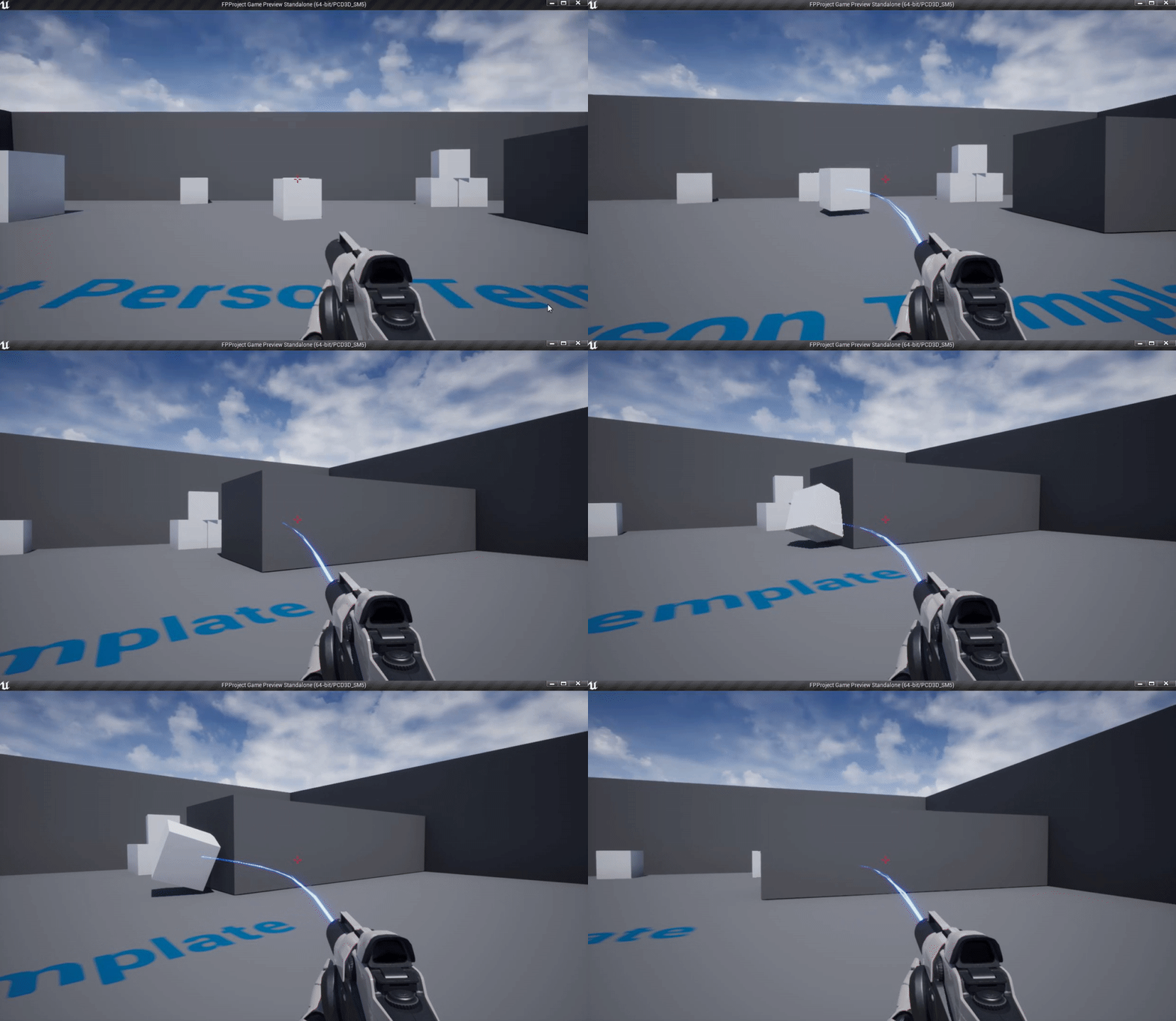
 snow reef
restart and check for errors regarding the loading cap, it could be a bug in your ue4 and you might have to reinstall
hot walrus
Yeah the animations are a very rough version of what is to come haha
tender hedge
What version are you on?
scarlet birch
Am I mistaken in thinking that with a binary install that if source code is installed and editor symbols are installed that double clicking a node in BP should go to the code like it does with a source build?
hot walrus
The most recent I believe
The animations are being made through Blender if that's a problem?
misty owl
For those of us learning UE at home by ourselves, are there any resources that can help us learn "industry standards"? Things that will help us integrate into game dev teams in the future. Things like standard colors for folder organization. materials/maps/meshes, etc.
scarlet birch
Standard coding practices. Allar's Style Guide is great for an introduction to that as it applies to UE. I think he has something on the market too that helps with that.
kindred viper
@scarlet birch It should, but I would check and make sure the right Source Editor is selected first
scarlet birch
Yeah, I've tried everything I can think of. I went ahead and gave up and went back to using a source build.
and went back to VS 2017.
I couldn't get it to be happy with any of the compilers I tried with 2019.
I'm guessing there's somewhere to tell it what directory to search and it's looking in a default or a directory that exists at Epic. Now that I think of it I could probably search for the of string the file location it's using and find it.
grim ore
That is a good question but I would assume no as the only things in the actual binary build are the .h files, no source
tender hedge
watch this it fixes that https://www.youtube.com/watch?v=a0qNO6_xPx0
In this free Unreal Engine 4 for beginners tutorial video you will learn all of the basics of creating an environment in UE4. This includes setting UE4 up properly, creating and texturing a landscape, importing 3D models (static meshes), adding grass and trees with the foliage...
scarlet birch
Ah, is that so.
kindred viper
me too
 winter fable
how do i fix this error
grim ore
I don't, I need more time in the day for work and play!
winter fable
grim ore
these wow mounts are not going to grind themselves while I work in UE4 darnit
winter fable
do i fix this
 tardy hamlet
Hey guys I got a question, I’m a beginner with no code experience, is unreal engine easy for beginners?
grim ore
yes UE4 is super simple, you can have a full packaged game in like 5 minutes using a template
kindred viper
not true. Its very forgiving with blueprints
scarlet birch
@grim ore No the cpp files are there if you add source. I had to double check.
thick herald
Plenty of tutorial, templates and projects to learn from
winter fable
please
Fatal error!
Unhandled Exception: EXCEPTION_ACCESS_VIOLATION reading address 0xab0c8fe8
0x00007ff8e4222acb UE4Editor-CoreUObject.dll!UnknownFunction []
0x00007ff8e426eca3 UE4Editor-CoreUObject.dll!UnknownFunction []
0x00007ff8e4070a57 UE4Editor-CoreUObject.dll!UnknownFunction []
0x00007ff791970134 UE4Editor.exe!UnknownFunction []
0x00007ff79196ffb6 UE4Editor.exe!UnknownFunction []
0x00007ff7919750af UE4Editor.exe!UnknownFunction []
0x00007ff791975b71 UE4Editor.exe!UnknownFunction []
0x00007ff791975bba UE4Editor.exe!UnknownFunction []
0x00007ff791983dac UE4Editor.exe!UnknownFunction []
0x00007ff791985aaa UE4Editor.exe!UnknownFunction []
0x00007ff93bc37974 KERNEL32.DLL!UnknownFunction []
0x00007ff93cc6a261 ntdll.dll!UnknownFunction []
kindred viper
@winter fable I believe it might be a failing initialization as they never sent enough children down the Cobalt mines to make Apple phones since they got caught. #politics Seriously though, check your dependencies
tardy hamlet
@grim ore What about without a template, is it still easy?
winter fable
what does that mean
thick herald
What do you mean by easy though?
grim ore
@tardy hamlet well at that point no since you need to do it all yourself without any knowledge of the engine or learning. If you have the learning or knowledge then you would know if its easy or not 🙂
kindred viper
it means a plugin depends on something else. If its failing to init. its probably due to that. Might be something else but check dependencies. ie. other plugins. Maybe go look at the code for it to see more info
kindred viper
if you are new, I would start at the beginning of plugin development
winter fable
just please
tardy hamlet
@thick herald easy in meaning, user friendly, easy to learn Unreal
winter fable
how do i check my dependencies
kindred viper
dude
winter fable
i just wanna know this one thing
kindred viper
go open the code and look see what it needs
grim ore
@winter fable is this a new project or just trying to open an old project or just trying to launch the engine?
winter fable
its a old project
grim ore
does it use any CPP?
winter fable
pardon
grim ore
I will take that as a no, did you add any plugins or do anything weird? that plugin error is a built in engine plugin so it should not be failing like that
thick herald
@tardy hamlet I'd start with something basic, ideally find a tutorial series that you like the sound of. Many different tutorials on youtube, but lots of different people. I like some, and not others so it pays to look around until you find one that fits you 🙂
scarlet birch
@grim ore Yeah this is from my launcher install,
grim ore
@scarlet birch yep I dont know what happened but I removed it then added it back and now I have all of the .cpp files as well.. thats odd but interesting
winter fable
is there anything tha t plugin would do to the engine
tardy hamlet
@thick herald is a BR good to start with? I have a tutorial series with 62 videos, covering everything on how to make on, from start to finish, or should I go with something basic?
thick herald
a BR?
scarlet birch
Yeah, I'm going to look at it a bit more to see if I can figure it out. I was trying to switch to using a launcher install to simplify things.
grim ore
@winter fable it might be, you can remove the plugin from your .uproject and try to get the project to load without it
tardy hamlet
Battle Royale
thick herald
too much for someone new to game dev, for sure.
scarlet birch
@grim ore Would you mind seeing if double clicking a node in BP opens the source file?
tardy hamlet
Alright, what do you suggest?
winter fable
i get another error if i dont have the plugin installed
thick herald
Start small, single player stuff.Learn about materials, animations, blueprints
tardy hamlet
Alright, got it thank you 🙏
grim ore
@scarlet birch it does not, I get the reading C++ symbols popup and thats it
winter fable
@grim ore Fatal error!
Unhandled Exception: EXCEPTION_ACCESS_VIOLATION reading address 0xaba08fe8
0x00007ff8d0752acb UE4Editor-CoreUObject.dll!UnknownFunction []
0x00007ff8d079eca3 UE4Editor-CoreUObject.dll!UnknownFunction []
0x00007ff8d05a0a57 UE4Editor-CoreUObject.dll!UnknownFunction []
0x00007ff791970134 UE4Editor.exe!UnknownFunction []
0x00007ff79196ffb6 UE4Editor.exe!UnknownFunction []
0x00007ff7919750af UE4Editor.exe!UnknownFunction []
0x00007ff791975b71 UE4Editor.exe!UnknownFunction []
0x00007ff791975bba UE4Editor.exe!UnknownFunction []
0x00007ff791983dac UE4Editor.exe!UnknownFunction []
0x00007ff791985aaa UE4Editor.exe!UnknownFunction []
0x00007ff93bc37974 KERNEL32.DLL!UnknownFunction []
0x00007ff93cc6a261 ntdll.dll!UnknownFunction []
does this tell you anything
thick herald
Some people like Virtus on youtube (I personally don't) there is also Ryan Laley, underscore to mention a few. @tardy hamlet
grim ore
@scarlet birch I do get "LogSelectionDetails: Warning: NavigateToFunctionSource: Unable to find symbols for 'UKismetStringLibrary::BuildString_Int' [Element not found.]" in the log
tardy hamlet
Ok, I’ll look em up, thank you so much for your help @thick herald @grim ore
grim ore
@winter fable we have no idea how to read that error without the debugging symbols. Install them from the launcher
scarlet birch
Thanks, on my end it opens VS but then I get an error it can't find the source file at "D:" something ++UE same directory every time and not one I've every used.
thick herald
you're welcome. Continue to hunt around, also the UE4 Learning hub will help
winter fable
thats 18 gigs
tardy hamlet
Alright
winter fable
jesus
grim ore
welp check for your full log then and see what it says
winter fable
il do it its fine
grim ore
the issue is we have no idea what is in your project, what you have changed in the engine and project, or what is causing it because its not our project
thick herald
Wha? You're not side kick Mathew? 😄
grim ore
we can suggest disabling the plugin since that dialog says the plugin that is failing, but that error message is generic 😦
thick herald
likes deliberate misspellings :D
tardy hamlet
Oh and, do you suggest I do blueprints or c++?
grim ore
but going back to the previous issue if that dialog is saying a built in plugin is failing that is bad, maybe try repairing your engine
thick herald
Blueprints. Much easier to start with.
tardy hamlet
Ok
grim ore
that is not the same as removing them from your project
winter fable
yeah i know but i cant even get into the project