#ue4-general
1 messages · Page 715 of 1
 ionic lagoon
 normal burrow
figure out which axis rubs against it alinous,
then you just atan2d to get the angle there, and offset it by some amount before setting it in as z for rotator
 abstract relic
People love sonic 🤷♀️
ionic lagoon
Alright, I'll try that.
normal burrow
use y and x of vector (wall - character) would need to trace for wall
 plush yew
Data tables aren't editable at runtime, so how should I go about keeping track of my units stats? Stuff like name, rank, experience, etc. Do I make hundreds of struct values in a game instance and just pull from there? Because that's what I just started doing but I think that might not be right
ionic lagoon
@normal burrow Ok, I don't know what anything you just told me to do does, but it works!
Thank you so much
 exotic cave
@plush yew : 😂
abstract relic
I want more #work-in-progress from you by the way @exotic cave 🔪
exotic cave
screams, jumps out a window
😄
One day soon I will have a public packet ready. I'll hit you up though.
 barren flume
@abstract relic Okay it just finished installing the debugging symbols
I'll package now and see what happens
plush yew

Am using tick even t for this
do you think this will be kinda heavy ?
To keep spamming Time Delation each frame for 10 secs
 grim ore
if this is just a toggle, wait 10 seconds, toggle you can delay or set it on a timer ?
plush yew
MathewW i just did it from true it gose into 0.1 then delay go back to normal
i think thats what you meant yea?
grim ore
yes, when it triggers you set it then delay then unset it
just trigger it dont check it on tick
so is this all of the zombies that are supposed to be slowed or just some?
grim ore
an event in the zombie called "slow down" or something that would do what you want
then when your player does it they let all the zombies know to slow down
having every zombie check the player every tick for a variable that only needs to be checked once when it changes is bad form
plush yew
Ok so i will do now a custom event called "slow down" i will call this event in the player BP as i need to right?
grim ore
you would talk to all of the zombies and call that event yes
you can use get all actors of class to get all zombies when you need to do that, or something else like a sphere overlap to just get the ones around you
plush yew
Wew matheww i think thats much better but there is one problem
how i can call the zombies
Using all actors?
grim ore
a more proper way would be to use event dispatchers probably to call out special events but thats more advanced. the other 2 ways are pretty easy
grim ore
If you end up having more than 1 type of monster then using an interface to call the "slow down" would be optimal as well
plush yew
am doing slow mo for all zombies thats what am aiming at
Interface will work with that?
wew
i think i will go for interface as i tried it b4
grim ore
interface is just a generic way of telling stuff to do stuff
so you could for example sphere overlap all actors around you of your monster type, then tell them all using an interface to "slow down" or whatever you want it to be and any monsters that can be slowed and have that interface will do that event
or replace the sphere overlap with a get all actors of class and that gets them all if thats something that you really want
 subtle hatch
@grim ore hey man I just wanted to say thanks for all those videos you uploaded to youtube, you have helped me more than anyone in learning Ue4 blueprints 😉
 lyric tusk
Does anyone know how much a high refresh rate monitor affects the performance of unreal
grim ore
using an event dispatcher is more efficient if you could do that at some point as your zombies would basically listen for when they need to be slowed down and do it when your player says "yo everyone who should slow down, slow down"
@lyric tusk would effect it like anything else that uses higher frame rate. Smoother frames basically
plush yew
MathewW thanks for the gold tip mate
dispatcher thing seems so useful
i need to get more into them
lyric tusk
@grim ore thanks now ik y the performance of my unreal too a huge dip
grim ore
well the monitor should have no performance effect on your machine, it just displays what your machine tells it to
subtle hatch
@lyric tusk was it a quick change? Is everything up to date on your pc?
grim ore
its possible your new one is gsync or freesync
lyric tusk
Way to turn it off or check
subtle hatch
Ik on AMD I got a app where I can change the refreshrate to match the monitor
grim ore
is it an nvidia or amd card?
subtle hatch
Open up your Nvidia app and check the options you have avalible regarding the monitor change.
lyric tusk
I don't see that option
grim ore
then chances are you dont have a monitor that supports it so thats not the issue
lyric tusk
It should not be that big of a dip in performance I got from 120 in a scene empty scene to less than 24 in a scene with a default landscape directional light sky and atmospheric fog
With no ray tracing on
grim ore
definitely weird that the monitor would cause that
lyric tusk
Yea that's what I m not understanding
grim ore
are you sure its plugged into the video card and not the motherboard?
lyric tusk
It definitely is plugged in my graphic
subtle hatch
perhaps your refresh rate doesn't match
lyric tusk
Way to check joker?
subtle hatch
you did upgrade not downgrade right?
grim ore
even if it didnt his fps in project is showing 120 so that should be fine
I mean even if your monitor only did 60hz your project can still run at 300 fps
and your monitor must be ok if a blank scene is capping at 120
lyric tusk
The only troubleshooting method I have not tried if plugging in my old monitor but I can't do that coz that monitor if broken
Does studio driver and games driver make a difference
I also haven't checked installing studio driver
grim ore
yes but it shouldnt be that big a difference. This could just be a placebo effect where you are noticing it with the new monitor. What is your refresh rate set to in windows?
lyric tusk
144
It could be my mind is playing tricks and even in my old monitor that was an issue but I just never knew
grim ore
i mean if you really think its an issue drop your rate down to 60 or 59 and see if the results are the same
subtle hatch
^
lyric tusk
Time to give that a shot as well
grim ore
but in general the physical monitor should not effect framerate output from the machine, even the gsync issue is less the monitor and a software issue with nvidia
lyric tusk
If nothing works one last thing to do might be bring in my neighbours monitor and test coz his monitor is the same that I use to have
grim ore
can't hurt hopefully
lyric tusk
And see if it was a issue to begin with
And if was the issue I guess time to update my hardware so I can work again
subtle hatch
I Im trying to create a "impulse" effect using "set actor location" for movement and I cant the vector match right in my head.
How can I use the Impulse location to move the actor I want to effect?
Get the actor's vector i want to be effected by the impulse and add a "get unit direction vector" using the two locations?
barren flume
i keep getting an error running on android
subtle hatch
I cant articulate the problem correctly, damn i suck at vector math.
barren flume
"Failed to open descriptor file .../.../.../MyProject4/MyProject4.uproject
this keeps happening
Already posted on unreal engine forums yesterday but no replies
3 devices in a row
same message
 mellow pebble
uhh hello guys I'm new ish, is there a materials specific channel?
I have a very materials specific question
mellow pebble
thanks I will give it a go
grim ore
it sounds like its your project or setup then. are there any other errors on the log?
barren flume
why do I need an sd card just to run
i was able to package template project
but it says check if i have an sd card
to install
 proven tulip
Is this a good idea? I want to make a "Eye of the Beholder" first-person rogue-like game. I know C++ very well. I don't know Unreal as well, but I want to use Unreal for this and learn as I go.
Steps:
- Write the basic logic in a console C++ project. This includes a randomly generated map (2d array of type std::vector<someItemToDrop>), player class data, etc.
- Use these classes to import to Unreal.
Or...
Is it better to use Unreal and then build these classes later with some gained Unreal knowledge? What I "don't" want to do is rewrite it all if it's going to be different.
 dim arch
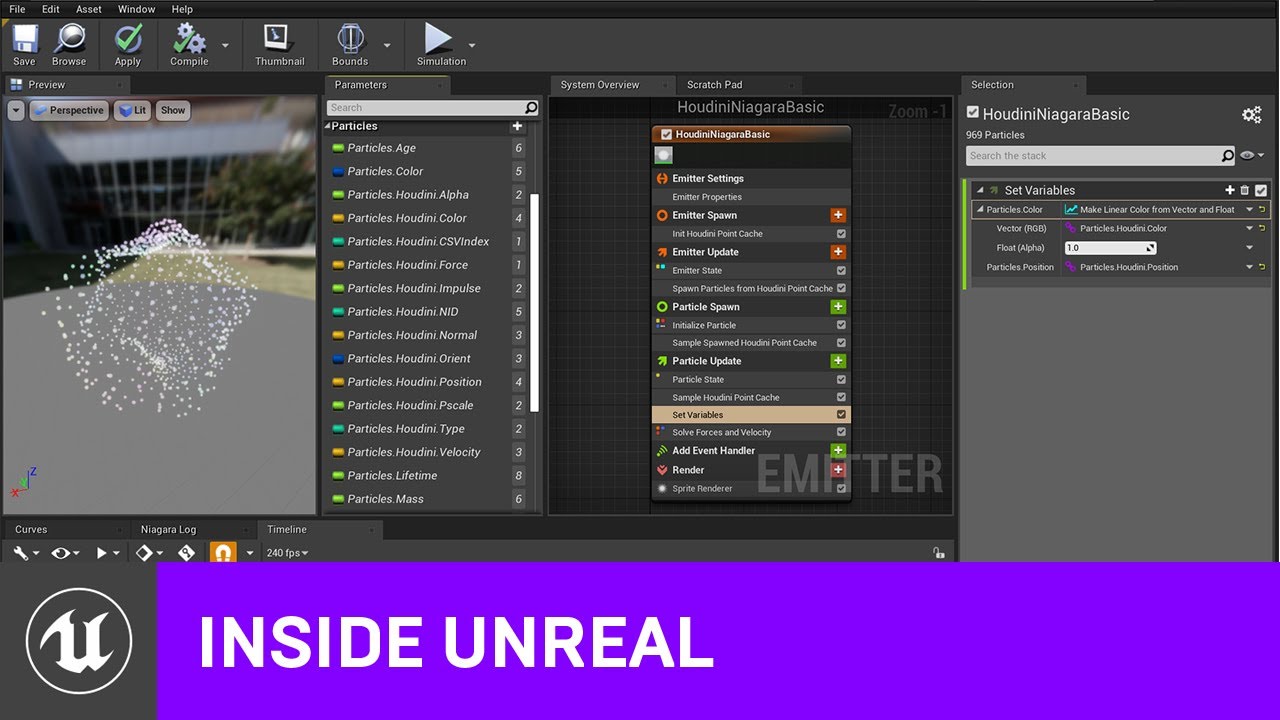
Mike Lyndon from SideFX will explore how the latest iteration of the Houdini Niagara data interface has simplified the process of exporting point caches and added new ways of using that data in Niagara. With it, you can import fluid sims, crowds or other types of static or ani...
 quick kelp
Question, can i use assets i get from unreal engine market place in a commercial game ?
dim arch
I would use houdini to prog.gen the dungeons, try using the wavecollapse function, they have a good example here
dim arch
@quick kelp depends on the license, I am pretty sure most of them a licensed to distribute commercially without royalties
quick kelp
modelling software @proven tulip
dim arch
yeah, modelling program which lets you programmatically create models
proven tulip
Ah
dim arch
you can use the algos you wrote in cpp in it to generate your layouts
proven tulip
I think mine are equivalent to a MUD type of game. But if Unreal has a better approach of connecting 50x50 foot "cells" together, that might work.
 lavish garden
can i load an os terminal window inside unreal?
dim arch
in the editor or runtime?
lavish garden
while it's running
dim arch
you can do it in both but need to include the right headers and expose the interface to a GUI element
lavish garden
thank you. i don't know if it will help with the idea i have, but thank you for the information!
i kinda wanna turn unreal's environment into a desktop. 8)
proven tulip
Houdini is impressive
Definitely overkill for what I want though.
And it's $199/year
 blissful trail
https://gyazo.com/a2018b2199e9868a87664fffdea72d10
any way to fix this ???
 carmine palm
Hey guys, i have a question, when i look into a bright light say a torch my vision goes blind for a sec, then i have to look elsewhere to slowly get the vision back how do i disable this?
proven tulip
Die, you could just expand collision out a little more
 thin gate
anyone know how to fix this?
blissful trail
still doesnt work triple mocha, any way to make it always infront of it even when its inside it ?
proven tulip
Idk, this is coming from two days of experience with UE4. But I think the weapon should have a collision check.
 keen moss
@thin gate clean your lightmass cache
thin gate
how u do that?
keen moss
in the corner of ur monitor is the swarm program, used to do your light builds, icon is an orange S, do u see it?
normal burrow
what do you want to happen there die?
that looks like a serious error @thin gate
would try upgrade to 4.24 after committing to source control or making a backup of your 4.23 project. if it doesn't work in .24, make a bug report
thin gate
ahh did it
it works when i remove all the foliage
the map is quite big
or atleast most of the foliage
 thorny stirrup
How would I export a project to a zip file or so?
 scarlet birch
file> package>zip
blissful trail
uhm interesting
normal burrow
Your calling crouch in crouch
blissful trail
when i deleted crouch it fixed the crouch issue but another infinite loop was detected and when i deleted what was causing that another infinite loop and so on
 grim shale
Hi, The header file of my character class is giving me an error that says:
Could not open the "character.generated.h"
I have never gotten close to that header file so i don't have any idea why that happens,
It also appears that any .h file i include (e.g. The GameMode header file)
gives me the same error
Could not open source file "SourceFileName.generated.h"
Thanks for any help.
 glad karma
Hey, somebody can recommend good tutorial about combat fight system? I really looking for first fighting, if haven't got fist so can be sword or something and when is possible I'll try change animations. Thanks!
glad karma
Fist fighting*
 timber minnow
Hi i'm using the grasstype tools to spawn folliage on my landscape, so far so good it worked well , but now some of my folliage won't appear anymore, is there a limit ?
plush yew
No limit.
@timber minnow Your viewdistance is probably hiding the foilage
@glad karma There is "how to make a fighting game in unreal" online.
@blissful trail Look where its looping by clicking "show" and don't call the same event in the event
timber minnow
@timber minnow Your viewdistance is probably hiding the foilage
@plush yew no it's folliage that are very close to the camera, it's for exemple if i add a new layer , let's say moss, and add moss grasstype, i can't see it , but if i plug the grasstype moss on my grass or mud layer i can see them
plush yew
That is probably an issue with your landscape/asset pack
timber minnow
it seems i'm not the only one that have this problem on the internet , but there is no answer how to fix this
that's why i wanted to know if there was a limit of number of layer or grasstype
glad karma
@plush yew thanks, i found one video. But it's with c++ it's possible make it without?
 somber garnet
Hi! How to get information if the GPU supports raytracing or if raytracing can be enabled?
plush yew
@somber garnet This is not to do with Unreal Engine
Unless you mean getting that info inside unreal?
somber garnet
@plush yew I'd like to get that information from engine in package.
glad karma
@plush yew okey I found something but is just only in 2D. I want to make like 3rd person character to be have movement and everything
plush yew
https://www.youtube.com/watch?v=uQeviAKbHz0&list=PLevTKBl4GzuVf0KbqgLFFG_Kudaqw2gj- This is a 7-part tutorial on how to do a full sword fighting system. @glad karma
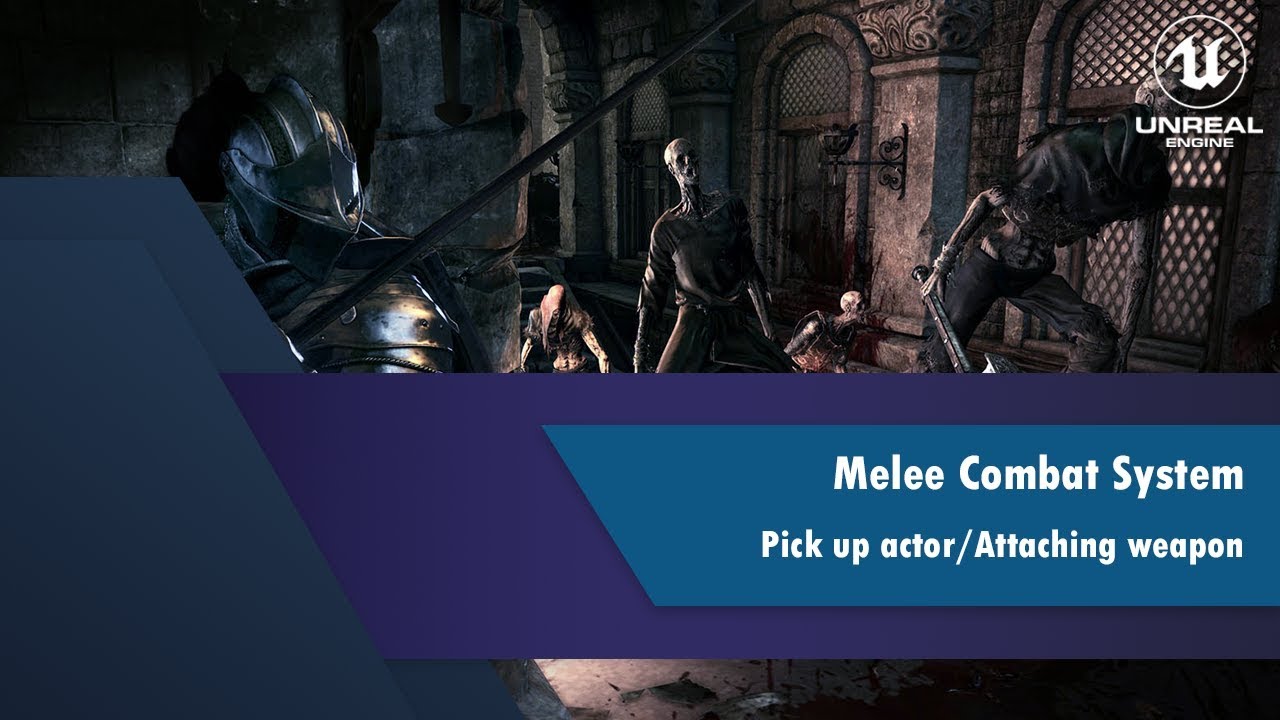
This tutorial is not for total beginners!!!
This is first part of my Melee Combat System tutorial series. In this video I am gonna show you how to create easy pick up actor and how to attach weapon to a character.
You can support me here:
https://www.patreon.com/user?u=13704...
somber garnet
@plush yew ok, so there is nothing inside unreal that can give me information if raytracing can be enabled?
plush yew
He wants to get information from GPU if it can be enabled @plush yew
not enabling it
No, he wants to get that information from the engine.
not from google
?
somber garnet
Should I create an array with gpu names that supports raytracing and compare it to gpu that is in user pc or what?
plush yew
Yeah, I think that's the best way.
somber garnet
and what about upcoming devices?
plush yew
I guess you will have to update it
somber garnet
there should be something inside unreal
plush yew
Maybe.
 mossy cloud
i'm using the new sunsky component to try to make a really nice day cycle, but whenever i move the sun, the processed primitives shoot up from ~3k to 24k, which is causing it to get a ~60% dropped framerate.. I'm moving it by changing the current solar time. Anyone got any suggestions on how to fix this?
glad karma
@plush yew thanks, do you think is possible delete a sword and make it only with fist fighting animation?
glad karma
Okay, amazing today I'll sit on this!
 heady moon
does anybody know a good reason to buy visual studio 2019 pro or is it the same as community (considering that im working individually)
abstract relic
Stick with community
 hasty osprey
so i wrongfully cloth painted an area of my jacket mesh, can i like de-paint it
 sage hinge
which controls are compatible with unreal engine 4
which controls are compatible with unreal engine .. because I want to buy one
 half turtle
fast question aboout the engine, one unit in UE equals 1 cm right? as i understand the max ACCURATE map size the engine can handle is 20km, is this correct? so can i assume if i have objects as far from teh origin as say x1000000,y1000000,z1000000 the physics engine and everything will work as expected?
abstract relic
General rule of thumb: the further you are from the world origin, the more likely things will randomly go wrong. This isn’t ue4 specific, more so general programming issue. Look into the Floating point problem for more detail.
half turtle
yes i understand float accuracy issues
due to holes during conversion from binary to decimal
i am more like thinking of how good is UE4 at dealing with this kind of accuracy issues at this kind of distance? i am using origin rebasing for anything larger than that, but i want to know if i can trust the engine to at least those values
abstract relic
Well for example. There is an ark map that’s 12kmx12km. Never seen any reported issues from it
Can’t say I personally made a level that big for any project
half turtle
oh my level is space based so collision and terrain are not quite an issue (is mostly the distances between orbital bodies (to scale) are quite large and i dont want to be overly concerned with rebasing my origin too often and performance
but then i guess ill be fine
distances to a million UE units should be fine then
 astral phoenix
Can some1 help me with this error i get when i try to package my game? 🙂 https://gyazo.com/ea7ba41d55efa6044cdf5e019a11f245
 abstract relic
Grab logs
[project]/saved/logs
And use pastebin.com
Actually use the directory it gave you
Right now, I’d run a verification on the engine
astral phoenix
so i need to repair it first?
 rough hound
What could cause elements in an array to be deleted?
I have this array
Which is used for this code
After i've ran the OnClicked(ContinueButton) event the first element in the array gets deleted.
So when i want to return it think the original 2nd element is the 1st element and returns to character creation even though it's supposed to go back to the previous widget.
Actually might be better to post this in blueprints
 fallen wing
hey, does anyone know how to scale the collision of the playerbp? like the capsule? thanks.
glad karma
If for example I'll buy animset in marketplace and want add model from internet is way to add model to skeletonbone from original ue or something like this way?
 hot thistle
Hey does anyone here use / have used this? Currently having some issues with it, doesn't seem to work like in the previews, and the creator is impossible to get in contact with.
plush yew
How could I make a cube that can grow in length and after a certain amount of time it splits off into other cubes that do the same for a few iterations
astral phoenix
@abstract relic i repaired my engine and tried again but got the same error https://gyazo.com/7eedf5e284696a7e93cdd9c9c4ba5524
 plush yew
how can i make a cube grow longer at will and over time
half turtle
so i have a function to dynamically turn on off lights in game to save resources, but i am not sure which node exactly turns the light completely off and or on
i though i could disable "affects world" but it seems there is no node to change that one?
barren flume
Is it possible to add a vibration function to an animation montage?
for a roll animation
 radiant haven
DOes Eventbegin play also works as Contrsuct?
 steady ingot
On the google Play Services tab, where ca I find the License Key?
Should publish the game first and then add the key?
 lucid magnet
any one who can help me fix this error?
barren flume
Google Play offers a licensing service that lets you enforce licensing policies for the apps that you publish on Google Play. With the licensing service, your apps can query Google Play at run time to
 heavy wadi
Does anyone here understand why a blueprint actor that was placed in a level does not reflect any updates in levels created BEFORE the update was made?
In any level created after the revision, the BP works as expected
In any level prior, even though I removed the placed actors and replaced them with spawners they still hold the old behavior?
 wary ferry
heyhey, I am trying to get a proper grasp on collissions for static objects - as far as i know collission get loaded on play and cant be removed afterwards. I was wondering if that means that collissions on my levels are "always" being calculated no matter if they are in view or not, close to the player or not.
 limber mesa
i have a question. for some reason, whenever i try to build the lighting it fails, this carries into new projects as well. anyone know whats going on
heady moon
does the swarm agent open when u start building the lighting?
limber mesa
the message log opens
limber mesa
it shows it being build but then it says failed
limber mesa
dont even see it
heady moon
u should see it on ur taskbar
limber mesa
i dont
 frozen mural
can i ask my project built in 4.24.3 but i want run it on 4.4.3 is that possible? because the matinee legacy in cinematic is gone
heady moon
swarm agent should appear when you're building lighting. There's an issue with your swarm agent.
It should appear in the taskbar
wary ferry
@frozen mural downgrading projects is not possible
heady moon
yeah. Only upgrading them is possible
frozen mural
@wary ferry anything that can replace matinee legacy function?
frozen mural
@limber mesa owh ok
heady moon
are u talking about the ‼️ things?
frozen mural
@limber mesa try to allow window defender wall??
limber mesa
i just want the lighting to be able to rebuild
wary ferry
@frozen mural In 4.23 matine legacy was still there Oo at least as an option
heady moon
try building lighting only
wary ferry
I am not sure but didnt the level sequence replace the matine thingy? I only worked with the level sequence before
heady moon
idk then seems like an unreal engine problem
wary ferry
@limber mesa did you change your lightmass settings
heady moon
for me
wary ferry
its always the user 😉
wary ferry
i think you might have to reread lighting documentation if you do not know this
The basics of placing lights into levels and setting them up.
heady moon
does anybody know how i can make these things appear https://media.discordapp.net/attachments/277180820484259840/702176396205752441/unknown.png?width=1258&height=677

on the right side
im bad with the editor
¬_¬
wary ferry
press play? xD
limber mesa
i dont know if it will address the problem @wary ferry
frozen mural
Check the swarm agent
frozen mural
You are using private network or public? Make sure u check the right now
grim ore
You are talking about the World Outliner @heady moon as well as your details panel is missing
frozen mural
wary ferry
btw @grim ore you got a minute for me about my collision question?
limber mesa
ok
frozen mural
@wary ferry so it is impossible to do my built project in 4.23 too?
limber mesa
thats what im building my project in
grim ore
@wary ferry I dont have an answer for that no.
heady moon
@grim ore Yes thank uuuu I was stuck in this for a hour
wary ferry
any idea where i could go looking?
heady moon
:_:
grim ore
is this regarding moving collisions using physics or resting collisions? resting shouldnt really be an issue once it goes to sleep
limber mesa
@frozen mural how do i check the swarm agent?
grim ore
or do we just mean collsions like on a floor using the collisions settings in engine?
frozen mural
wary ferry
i am building a pretty big level, it will have tons of collision elements in it, since buildings are open and enterable. I am worried, that I have too many vertices wasted on collision when everything in the scene that has collision is always loaded
frozen mural
Click on the allow an app
limber mesa
ok
grim ore
you shouldnt worry about the collision system for stuff like that, just design your levels correctly. Use basic collision where possible and use complex sparingly.
@frozen mural you cannot go backwards with projects, so .24 to .23. If you had it in .23 and went to .24 this is where a backup or source control would come in handy. If this is just about matinee you should stop using it anyways as matinee has been deprecated for years at this point and fully replaced by Sequencer
limber mesa
what would i check for @frozen mural ?
frozen mural
@grim ore oh ok thanks
@limber mesa scroll down.. and see if you have check it or not
frozen mural
nono its swarm agent
frozen mural
Ya you can do it
limber mesa
set them all to public?
frozen mural
Hmmm i think that is not the problem since your swarm agent has the access to network
limber mesa
what does the swarm agent do btw
frozen mural
Hmmm i dont know but when lightning build the swarm agent will do the job
Do you have any errors when rebuild in log?
limber mesa
for some reason it wont let me click ok when im trying to enable the swarm
nvm i fixed it
frozen mural
Can you try to rebuild and see if your swarm agent icon comes out here?
frozen mural
frozen mural
Your grass collision ?😂
limber mesa
?
limber mesa
ok ill show you my log
frozen mural
The error part
limber mesa
i just get this
frozen mural
No idea sry
frozen mural
uninstall and redownload?
limber mesa
i have projects im working on. i cant do that
limber mesa
do you think a new version would work? @frozen mural
 midnight gate
i need to know wich one is acordingly
so when my character is close and walking i want the ai to hear him and catch him
frozen mural
@limber mesa i dont know give it a try maybe?
grim ore
you can uninstall UE4 and reinstall it and it wont affect your projects unless for some reason you put your projects in the UE4 directory
midnight gate
that would be a silly idea
grim ore
but the full swarm log should give you more info on why it failed
plush yew
I just wanted to make a tree
frozen mural
how do i know my project usage? i dont know if this is compatible for mobile
grim ore
test it on mobile
frozen mural
oh yeah 😅
midnight gate
how to save a location i have a lot of different ai enemies
 bitter iris
Hey so I want to make a loading screen, id like to know ways around it
I start
-
Main Menu
-- Multiplayer
-- Find Server
--- Press to join Server -
Loading Screen
-
Waits until levels loaded before removing loading screen
-
Removes and then your in the map
Loading screen needs to overlay the loading of the streaming levels
grim ore
@unkempt raft learn to program then apply that knowledge to blueprints
 unkempt raft
mathew i know c++ but people told me to learn blueprints first then go into unreal cpp
grim ore
@midnight gate do you need to save the location of them? they have to be at the exact spot when you reload or something? if so you would get all of their locations then save it out to a save game object. Asuming the enemies are all the same when you reload you can respawn them and move them. If they are unique or already placed its much harder
@unkempt raft if you know how to program BP should be easy, they are all backed by C++ code and are visual programming. watch/read any of the intro to blueprints courses to understand how they flow and you should be good
grim ore
thats a confusing question, you know how to program so how do you know how to use functions or methods or loops when you need to do something
grim ore
which is why i said to watch or read the intro course for it to learn thow they flow
unkempt raft
send link for intro course?
grim ore
there are a ton of them out there including the official documentation
limber mesa
it didnt work @frozen mural
grim ore
@bitter iris user interface is using the UMG system. what is the issue you are having? It looks like you have defined how you want it to flow and what ui you need.
bitter iris
Once I join the server, it loads the loading screen, but then it freezes (cause its loading the level streams)
should I be putting the loading screen in the persistence level bp?
grim ore
well you can put it in the persisten level, it doesnt have to be in the level bp (shouldnt be actually)
just whatever is handling it should be in there as that is the level that is always loaded
midnight gate
@grim ore yes i need them to respawn where they were when i load but how do i save all of them if theyre all the same actor in difrent locations?
grim ore
start save event -> get all actors of your class -> loop thru them and save their locations into an array -> save that array to your save game object
on loading get the array from the save game -> loop thru the array spawning in the enemies and setting their locations to the values in the array
 lyric mason
https://cdn.discordapp.com/attachments/592119365214928897/702197420020465834/unknown.png Im looking for this note, can anyone tell me the name ?

 manic pawn
it's just a constant 4 vector converted to parameter
grim ore
If you want to add it directly its in the node list as VectorParameter or the V key
 misty creek
Pretty sure you can hold 4 and click to get one too, but I don't have ue4 up so I can't verify that
 vale silo
is 4.25 coming out this week, by chance ?
grim ore
There is always a chance but I would doubt it. we should see either the next preview or nothing, if nothing then next week
 hollow ridge
hey I am currently making a level editor in my game. How could I put data on a server so that other people can play peoples levels
normal burrow
There are many ways, a restful api is one
grim ore
have them download the data to a usb drive then drive it to the server. if people want levels they can drive to the server with a usb drive and download it from there.
grim ore
It worked for me when I used to share level data with others
hollow ridge
wait u weren't joking?
grim ore
yep before the internet we had the sneakernet
grim ore
i mean p@t's idea is probably easier than mine but you didnt ask for easy lol
hollow ridge
k yeah
grim ore
well my oldest just moved out of the house at 18 so im way past my 20's at this point
 wanton wadi
Quick question, because I'm going crazy 😮 In my animation blueprint preview setup, 3 sliders are not working, but one is. They are all floats. I all set the ranges and slider ranges to the same values. The bottom one is 0-1, the others are 0-900 (speed), -180 - 180 (direction, -90 to 90 (pitch). Its not that they don't affect my model, they just won't move when I drag em
hollow ridge
oh
wanton wadi
yeah it is, lol
abstract relic
I’m more curious on how one can “sound old” by vocals alone 😜
grim ore
lots of booze and smoking breaking down your vocals
or uh I guess if you are really young when your voice stops squeakin lol
normal burrow
I imagine the narrative voice of the big Lebowski
normal burrow
200
grim ore
it literally depends on the size of your character / environment
astral phoenix
Hello can some1 help me with this error? 🙂 https://gyazo.com/7eedf5e284696a7e93cdd9c9c4ba5524
grim ore
upload the full log somewhere
normal burrow
Idk 200 is spooky
 soft narwhal
Hello all. I'm trying to make a basic platformer and found two blueprint assets I'd like to use. Both are free on the market place.

A set of 27 movement animations (walk, run, jump, etc) with Blueprints to provide dynamic, stylized locomotion.

A custom movement made with Blueprints for beginners in Unreal Engine 4. (Ladder, Climbing)
I want to add the custom movement blueprints to the locomotion blueprint. How would I go about doing this?
astral phoenix
@grim ore https://pastebin.com/L7ZYq7BF there u go! 🙂
 frozen mural
@soft narwhal not free
astral phoenix
@soft narwhal they are 32.20 Euro
soft narwhal
They were free. I own both of them.
I think they were given away during one of the marketplace giveaways
frozen mural
ohh

Scanned 3D People Pack for photorealistic games and archviz scenes by Renderpeople.
just found some 3d character
thats cool
 steady timber
ayy
grim ore
@astral phoenix try moving your project somewhere else, like c:\projects\projectname instead of in your docs dir. You have a - sign in the path and that might cause cooking issues. it cant hurt to try.
 fast berry
I need help. I have a ADS camera and it works, it activates and de activates, but I cant move it side to side and up and down. Any way to fix it. I ticked Usa Pawn Control Rotater but that only rotates the camera, not the rifle
astral phoenix
@grim ore how do i do that?
grim ore
copy the project folder to another location on your drive in your file explorer
alternately figure out which level in your project is bad, its failing on loading some assets in your project
 sacred sluice
Friends, I have a question.
Help me solve it.
I want the value in one of the blueprints to change from true to false while playing the animation.
I used MyCustomNotifyState for this. There's a start and end function.
But I couldn't create a correct cast to blueprint inside the function to assign the value of the variable from true to false in this blueprint.
Help me how to do this? If you can, show me a picture?
grim ore
this is the part it crashes at "UATHelper: Packaging (Windows (64-bit)): LogCook: Display: Loading secondary levels for package 'Showroom'"
so check that map
astral phoenix
Showroom is my main map :/
limber mesa
can anyone help me with this lighting problem. when i try to build the lighting it fails and when i make a new level and try to build the lighting it also fails
grim ore
what does the log say in the swarm agent
grim ore
thats a weird one. and that shows up after building every time?
limber mesa
yea
grim ore
for the firewall issue what did you end up doing?
 wanton lotus
I have a similar problem as @fast berry. I have 2 cameras, one for 3rd-person view and the other for 1st-person. 3rd-person view is the default and works flawlessly. After adding in zooming capabilities, I decided that zooming in so far will deactivate the 3rd-person camera and activate the 1st-person camera and vice-versa on the zoom-out. This all works. The problem is that when in 1st-person view, I can only look left and right. I did my research and tried "Use Pawn Control Rotation" and "Use Controller Rotation" settings, but these settings only locked out left/right movement or messed up the 3rd-person camera.
fast berry
I figured it out, wanna talk in dm?
wanton lotus
1st-person view is attached to the head of the mesh. Forgot to mention that.
fast berry
look at your dms
limber mesa
this is what i have for firewall @grim ore
grim ore
is that the only messages in the log, nothing above it?
limber mesa
ill show you the whole log after multiple attempts
grim ore
only need one.
right click and clear the log
then do build -> build lighting only
you can keep the agent on the screen when you do that
you do actually have lights to build right?
grim ore
well that looks like it can connect, its an issue in your project I think.
close that project, make a new one using the same engine version, choose third person template and then build immediately after opening
see what happens
wary ferry
I am so glad that I took a look at the chat, I always wondered why this 18 year old knows so much more than me 😄 I wish I had a young sounding voice xD
grim ore
well each version of the engine has it's own swarm and lightmass (which is why you had more than 1 entry in the firewall)
limber mesa
ok
grim ore
its weird that a new project would fail tho like this
astral phoenix
@grim ore now i have moved the map to a diffrent location so how do i open it from the engine?
limber mesa
ok mathew just tried to build the lighting in a sample pack and it still failed
grim ore
@astral phoenix not the map, the entire project
what i dont get on yours for the swarm is you are missing way more information than I have when it starts up
grim ore
anything in your output log? like mine has
limber mesa
how do i open up ue4 output log
grim ore
Window -> Developer -> Output Log
astral phoenix
@grim ore i did that!
grim ore
@astral phoenix ok then in that new folder you shuold have the .uproject file, you can double click on that to open the project up
grim ore
well you can connect to lightmass so the issue is definitely with the engine or project or pc
but it makes little sense if its failing on a brand new engine and template
limber mesa
hmm. what do you suggest I do
plush yew
hello I want to make a login system I have paid site so I can do it, but I don't know how to do it
@grim ore
astral phoenix
@grim ore where? https://gyazo.com/4a2fbbcacf3183e3ac89367919217965
 grim ore
the Construc file is your project, the blue U icon
frozen mural
if i just put my stuff in content browser but never build it will this take space or nah?
limber mesa
@grim ore when you get time can you tell me what i should do?
grim ore
@limber mesa I honestly am out of ideas. No one else seems to have this and looking thru the code the job is just not being sent from UE4 to the swarm system 😦 it could be anti virus, it could be some bad install of software, it could be your project folders, there is no way of knowing for me
wary ferry
@frozen mural if you set up your game build properly it wont be included
frozen mural
try to get ue4 support
plush yew
hello I want to make a login system I have paid site so I can do it, but I don't know how to do it
grim ore
you can try and change your cache folder in swarm but I doubt that is the issue, normally its only an issue if your login name is odd
and if your project is in a normal folder structure that shouldnt cause it
astral phoenix
@grim ore do u want me to try to package the game again?
grim ore
@astral phoenix if its in a new folder without the - then yes
wary ferry
@plush yew I think you should ask this in blueprints or ui
plush yew
ok
grim ore
you should also delete the Build and Intermediate folders if possible at some point before building just to be safe
limber mesa
so i wouldn't need to uninstall it
 maiden swift
Anyone have an idea of why this material would look so different in game vs. in editor?
grim ore
@limber mesa you can try yes but if you already tried it shouldnt help. Uninstalling your UE4 engine and reinstalling it might help. You can also go back into your firewall and delete your swarm entries so the next time it runs it asks again but even then I told it to not allow and it still connected so I dont think that is the issue
abstract relic
Is an animated mat?
wary ferry
What kind of material is this @maiden swift
maiden swift
Yes, it's animated. It looks like TV static and it's using a Time node.
grim ore
whatever versions your projects are using I would assume? Otherwise if just testing any of them should work
maiden swift
It is, and it looks as I expect it to in editor.
The Editor appearance in the screenshot above is the intended appearance.
wary ferry
I would assume its the time node thats causing these differences
maiden swift
OK. Why would Time cause a material to tile differently in the level viewport, content browser, and material editor vs. in the game?
normal burrow
how are you collecting these images?
limber mesa
btw @grim ore do i need to uninstall the epic games launcher?
astral phoenix
@grim ore i got the same error as before :/
wary ferry
Botched answer would be because game time and editor time are different. I have to be honest, even though it feels like that would be the answer, I cant really be sure. I hate the time node xD Dont fully understand it yet
abstract relic
I’d like to ping you too @grim ore 😜
limber mesa
lol
my lighting is failing all the time @abstract relic and none knows what is causing it
abstract relic
Hey now @wary ferry @limber mesa
soft narwhal
I'm following a guide on how to implement custom movement into advanced locomotion but there is a section in which he uses switches. I don't see the option in blueprint for switches.
 grave nebula
Pinging each other amidst epidemic is irresponsible!
soft narwhal

Join our Discord: https://discord.gg/Z9xyX9w
Support me on Patreon: https://patreon.com/howtomakegames
Stepping through implementing Custom Movement into Advanced Locomotion System. Also demo how to change grip points and move them in the world.
Thank you for all of your sup...
grim ore
@limber mesa no the launcher and engines are separate
limber mesa
i think we already did @maiden swift lol
soft narwhal
Referring to 13:30
limber mesa
ok thanks mathew
grim ore
@astral phoenix upload the log so we can see it's the same issue
wary ferry
I am just revisiting the time node tut from mathew xD
grim ore
@astral phoenix also when it fails does it show anything odd in the output log? also also you could try just cooking instead of packaging since the cooking seems to be failing
astral phoenix
wary ferry
What is the Material Add Node in Unreal Engine 4
Source Files: https://github.com/MWadstein/wtf-hdi-files
 frozen mural
Guys how do i make my viewport to centre again? I tried move multiple time but not working
wary ferry
@maiden swift
Expressions where the values of the outputs generally do not change once set in the editor or when play begins.
your best friend
^^
grim ore
@astral phoenix under file is cook content.
this is the error in code tho ```if( LevelPackage )
{
bLoadedLevelPackage = true;
                            // Find the world object in the loaded package.
                            UWorld* LoadedWorld    = UWorld::FindWorldInPackage(LevelPackage);
                            // If the world was not found, it could be a redirector to a world. If so, follow it to the destination world.
                            if (!LoadedWorld)
                            {
                                LoadedWorld = UWorld::FollowWorldRedirectorInPackage(LevelPackage);
                            }
                            check(LoadedWorld);```
so did you move the map at some point perhaps in your project? we know which map fails its your showcase map
sacred sluice
Hello everybody! Please, help me! how do you change the visibility value from false to true?
If I want to change this value from another blueprint?
wary ferry
astral phoenix
@grim ore i did not move it
grim ore
also @astral phoenix is it possible you are using level streaming in a weird way?
astral phoenix
@grim ore i did once but i removed it again
grim ore
that might still be an issue, it seems to think this map is not the main map
do you have any other levels or maps in the project?
or does your showroom have any other levels inside of it?
thats what I would look at, at this point, as it seems to be levels related
astral phoenix
i have a level where i have my main menu and then my Main map (showroom)
@grim ore here is the new error for COOK https://pastebin.com/750DXc3E https://gyazo.com/9aefafff57b9ffc4e463b3cb6fc025fa


 grim ore
Yep that's the same error
Try making sure temporarily all of the levels in your map are just single persistent levels and have no sublevels
So nothing referring to your showroom map and your showroom map not referring to anything else
That's about all I can think of.
plush yew
anyone try megascans foliage without bridge? You have to hook up the materials manually right?
the textures feel a bit...off..like the opacity mask isn't quite right, i used the one provided by megascans
 tacit ridge
is there where I can get help with stuff
normal burrow
there is where here or #more-resources
tacit ridge
thanks
 fluid stone
uh I failed to find suitable text channel for this issue. I'm having some weird reference that shouldn't exist in my project. This is my test plane
it has one material slot with this material on it
and I keep getting this whenever I run my project:
any idea why?
 dawn plover
Hello everyone, does Unreal has something similar to Unity Create with Code Live? It's a daily live class given by Unity instructors where we make different prototypes every week covering anything from player control to enemy mechanics, both on the design side and the coding side. I found the courses on the education website from within the launcher, but those are isolated topics.
fluid stone
there are live streams on different subjects. They aren't daily but they cover tons of ue4 content. And they are all available for you to watch on youtube
plush yew
is it a fresh level?
wary ferry
@dawn plover https://learn.unrealengine.com not exactly what you asked for but thats the only thing i have done so far
fluid stone
uh, sort of. There are a few assets placed in it
fluid stone
yeah. That plane right there. But that material doesn't even exist
and that plane has a different material on it anyway
dawn plover
@wary ferry oh that's so weird, yeah I know this site but when I logged in two weeks ago, it had a smaller number of courses, I'm not sure how often new courses are added but what I like about the Unity (8 week course), is that we build a new prototype every week, so every week a new set of skills are learned and now that we are halfway, when I put everything in my four prototypes so far into one project, I can actually make an entire game already, so that feeling of steady progression is there.
So I'm hoping to find something similar offered by UE instructors 😄
Live if possible to we can ask questions when stuff go wrong
wary ferry
i dont think epic has something like this going on, but who knows ^^
abstract relic
Yes. It’s called fast track
midnight gate
for some reason if i have a branch node it doesnt set visibilities
why does the branch node break visibilities
dawn plover
and where can I find Fast Track? @abstract relic
midnight gate
how do i do it without the branch node
abstract relic

Learn Unreal Engine in small remote student teams over a course of five workshops
midnight gate
i need certain things to apear and disapear based on the integer
abstract relic
You may also like this https://www.unrealengine.com/en-US/onlinelearning-courses

Unreal Online Learning is a free learning platform that offers hands-on video courses and guided learning paths.
 floral cliff
Hello, is there a way to build a dedicaced server with packaging ?
Like something really fast for test purpose. The game and network function are tested with "run dedicaced server" in editor for information.
dawn plover
I think they got rid of fast track as it links me to the main ue website
dawn plover
yes the courses link is the one I already have, but it has the traditional way of learning path, like 10 lessons on editor window, 10 lessons on materials, etc 😄
ahhh see this one works, thanks, this sounds and look promising
students only 😦
abstract relic
The super duper hyper speed button
normal burrow
can also just potato everything qbersp
real answer for any situation is to profile it and figure out where the time goes to die
alternatively just start throwing the quality down levers
dawn plover
yeah hopefully the community team are aware of the unity live class offered to everyone (for free) because it's a really great program they set up where we follow the instructor after he/she shows the steps, we do the steps, etc, I learned more in a single week than a month of following ue courses as I had no idea what to do when I was stuck
abstract relic
This community has Mathew. There is no contender for his hat 😜
normal burrow
i'm hoping you typoed unity there ambiroa
abstract relic
But do note. Epic livestream every now and again. Though I’d agree it’s not targeted to wet behind the ear users
grim ore
@floral cliff to make a real real dedicated server you need a source build and to build it using a source build, the launcher version wont do it. for testing purposes the run dedicated server option is the option
abstract relic
Now if you want some beginners resources. Look in the pinned messages 😉
normal burrow
care package is good resource
dawn plover
not a typo @normal burrow haha, I really hope epic at least think about setting up a similar live class program 😉
grim ore
@floral cliff you might be able to use the server command option but no guarantees https://docs.unrealengine.com/en-US/Programming/Basics/CommandLineArguments/index.html
normal burrow
unity exists to be easily ingested and manifest. not great at making games with no matter how easy it is to pick up
grim ore
@dawn plover this is the closest to the stuff unity is doing https://www.unrealengine.com/en-US/fast-track
and I just noticed high tide linked it in the long form lol
and yeah student only 😦
dawn plover
@grim ore yes thank you, and yes student only 😉
grim ore
it has been suggested epic does stuff like that but they dont have the bandwith to support it internally and uh... I dont think stuff like this is a large goal of theirs, they are focused on the curated learning courses on the website and the in person training
this was actually something that 3D buzz used to do which was nice. weekly learning stuff
normal burrow
make a tutorial on tutorials for them matheww
grim ore
it would definitely be nice to have something like this but Epic's goals are not the same as Unity's goals is what it comes down to
with that said the fast track stuff is a step in the right direction atleast 🙂
would have been nice if it was not student only, I actually wanted to do it lol
dawn plover
oh I understand that, it takes a community team to support both the material and the actual live stream, I wouldn't mind if it's not live such as the curated learning courses, but it would be nice to have a similar format which is based on prototyping; when I click on the beginners course on the learning website, it follows the traditional way of teaching, which is 10 lessons on editor, 10 lessons on material, etc, which is feels like a drag, instead making prototypes while learning the editor and material along the way is much more inspiring and motivating
floral cliff
thanks @grim ore
fluid stone
@plush yew I just did and it didn't fix that. I mean it definitely did something 'cause it prompted with a few files but that reference I mentioned still remains
grim ore
there are courses like that out there, learning while doing, the epic way is a bit different is the issue
Epic is slowly getting more and more diversity in training tho so it cant hurt to keep asking for what you want 🙂
dawn plover
haha well I don't wanna be 'that guy' in the community you know what I mean
grim ore
hell some of the stuff being done now is aimed at the younger school kids and using fortnite creative to introduce them to programming and the engine
dawn plover
wait what, fortnite creative, what is that?
grim ore
"OMGZ EPIC YOU SUKKK WHY YOU NAT MAKE CONTeNT for ME!?!?!" is different than "I find I learn better by doing, it would be nice for some epic training material that taught using maybe small prototypes or learning the engine by doing a small project" 🙂
Fortnite Creative Mode, its a mode in Fortnite that lets you build out your own island using basic programming systems
abstract relic
A problem unsaid is a problem that doesn’t exist. So give your feedback and constructive criticism
floral cliff
So, just an little more ask @grim ore, if i actually do a project on a launcher edition, is it easy to move the project on a full compiled source engine ? Can i do it later ? or it will lead to issues ?
grim ore
I know when I structured my learning series it was aimed at doing. You stepped thru from nothing to a final "prototype" learning the basic systems in an organic way which I know I prefer. The updated version will do the same just not using a 3 year old version of the engine lol
dawn plover
oke that sounds interesting unless I understand it wrong lol, so I can open a curated scene/package of fortnite in ue and learn ue by using those assets? 😮 yes please
grim ore
@floral cliff the launcher version is based on a source version, usually a tag or specific branch, so yes the same project can use a source or launcher version of the engine without issue
floral cliff
Thanks !
grim ore
generally if you have a choice and knowing you will need a source version it is best to start on that but its not a big deal. Starting with a single player game then changing it to multiplayer later is a much larger issue
dawn plover
oh oke I guess your learning series is something I should check out then @grim ore
 left citrus
With the Animation blueprint Update Tick, is there a way to use it to check if the animation has been updated? (my animation is set to stepped at its imported 25fps), the update is called at 120fps
I'd even settle for grabbing a bone transform and checking if it's moved, but I can't seem to access bone transforms directly from within an animation instance
plush yew
@fluid stone the material doesnt exist but the asset referencing it does, where is the reference? is it just a single plane?
grim ore
@dawn plover just ingest all you can, at the worst you end up fast forwarding or skipping over stuff you know 🙂 even watching by the numbers learning resources can still have tidbits in there
 ashen violet
Hello guys, im new. Someone know how to import a ue4 map to the Steam Workshop?
abstract relic
You will need to contact the developer who made the game
grim ore
@dawn plover so do you mind if I pass on your exact question to some people at epic in the learning team. I am curious myself actually and with fast track I wonder if there are other things they havent mentioned coming yet. This would atleast let them know people are interested in it in a general fashion
fluid stone
@plush yew that's the thing. This plane supposedly references that material but I have no idea how since it has a different material on it
in fact, even if I place that plane on scene
dawn plover
@grim ore I like efficiency and effectiveness 😉 I like "you have 5 different blocks, and if you figure out the logic you might end up with a LEGO character", and not so much like "at the end we will have a LEGO character, but before we have that, let's start with 20 lessons on the editor window and moving in the scene with these simple keybinds" 😂
dawn plover
@grim ore sure wh not, can't hurt to try right? 😄
grim ore
that was my thought 🙂 I technically can harass any of the education team I just don't like doing it because I get scared I will upset them lol
plush yew
@fluid stone unless it's part of a blueprint or you have some kind of parenting error for the material, id just try loading it into a new level and applying the material, see if the error persists
 humble oyster
How do I edit character animations from the already made ones
dawn plover
ahaha see, now you know what I meant when I said I don't want to be 'that guy' 😄
grim ore
you can use keyframe animation inside the editor or you edit them in a DCC like blender or maya @humble oyster
fluid stone
@plush yew eh, I guess that will fix it, yeah. I just hoped to figure out how that error came into existance in the first place. Anyway, thanks for the help
plush yew
yeah its hard for me to tell whats going on by text alone, unreal is very reference dependent, and when stuff breaks, it breaks good
 quiet token
how do i get a sceneCaptureCamera to only beable to see a specific mesh, even though specific mesh is hidden in game ?
im trying to create an interactive 3d preview of something if that makes any sense
dawn plover
@grim ore anyway thanks, feel free to tag me or pm if there is news or if they want more info on that other engine live class without going to 'that place' 😂
abstract relic
On occasion #unreal-news with announce such things
limber mesa
hey @grim ore i deleted ue4 then repaired 4.24.3 then i got this when i was trying to rebuild the lighting
grim ore
so the same issue basically, the red stuff is random errors that happen from time to time
if its still the same error in swarm then I have no idea where to go from here personally. Posting on the forums or answerhub and hoping for a fix 😦 It's an issue with your ue4 not saving/preparing/readying the lightbuild job. Your swarm basically goes "hey I need something to do" and ue4 never gives it any work
limber mesa
so try to uninstall everything entirely then download it back may be the fix?
grim ore
if it was me I would uninstall each engine from the launcher, uninstall the launcher. Reinstall the launcher, install something like say 4.20 with just the basic stuff (engine, templates, starter packs and none of the extra crap). Start it up. Choose third person template and make a new project in say c:\projects and then immediately hit build when it opens in the starter map
 jaunty dagger
I want to make one of the ai characters in the level to run away from another one, How can i do this using EQS?
grim ore
https://www.unrealengine.com/en-US/onlinelearning-courses/introduction-to-ai-with-blueprints is a course I just watched that covers those basics. At one point it has the player use the EQS system to find a spot away from the player out of sight and move to it
 somber crown
According to the docs if you right-click in ContentBrowser and want to create new asset under Editor Utilities. there should be 2 options (as seen in docs page) Editor Utility Blueprint and Editor Utility Widget but how come I can see only 1 - Editor Utility Widget. I am using version 4.22
grim ore
The page is flagged wrong is why, those were introduced in 4.23
somber crown
Ok
grim ore
prior to that they were refered to as Blutilities and had slightly different functionality
somber crown
Ok, I made a blueprint class and derived it from AssetActionUtility which is what i want but I cant see it in the right click context menu
Is there a way I could get it there when I select some assets in the content browser and make it show up in the context menu>
grim ore
if you are using the editor utility blueprints sure
or you can look at creating a separate editor utility widget to do it as well
somber crown
i created the widget and am doing this GetSelectedAssets -> ForEach -> Cast to MyClass -> Print sucess/fail but it doesnt cast to my class (cpp class) The asset in content browser is a BP derived from cpp class.
Someone else suggested making Detail Customization but was hoping to avoid that
grim ore
did you try casting it to the BP class
somber crown
there is no BP class, I have a blueprint actor based on a C++ class
when i do GetClass on the object it just says "Blueprint"
grim ore
you have your C++ class, its say MyDude. and then you make a BP class based on it called BP_MyDude ?
somber crown
Top right corner in the blueprint asset editor shows MyClass where it shows the parent
yes
grim ore
yep so then you want to select a bunch of my dudes in the BROWSER and do something with them?
or is this in the viewport
grim ore
and this is the editor utility widget right? the one where you make ui with UMG?
somber crown
yup all that is in an Editor Utility Widget hooked up to a button click
hey, I couldn't help but notice your username @grim ore , just have to say thank you so much for your videos on youtube! it's been a treasure trove for learning about UE
 regal veldt
How do you guys get started into a new project? Do you break it in little ideas and do little each day? I feel like I know a lot about UE4, but not sure how to start something
grim ore
yeppers it looks like assets cant be cast to is the main issue, its always going to be the base class of the asset in the browser
I dont actually even know if you can edit the defaults in the editor that way, curious to try now tho.
I think what you want to do isnt possible
somber crown
could I run my actual problem by you? I want to build a list of materials that are present in mesh components attached to my actor, put them in a dict so that I can put a string next to each one of them, and then use that data to specifically apply a certain material to a very unique material id labelled as that string
ok
grim ore
so automate assigning materials to meshes based on info in the blueprint?
somber crown
so that the user doesn't need to build the initial dict himself and can just see empty slots where they have to put in the extra data we need
yes
So far Attempt#1 Adding the dict to the class and calling a function to build it in PostInitComponents or OnConstruction hasnt worked because even though debugging with breakpoints says it fills the dict properly something overwrites it with an empty value. The function definitely gets called in editor as it is hitting the breakpoints like I said.
Attempt#2 was making the function CallInEditor but that only shows the button in the details panel if the BP is spawned in the level and does not show in the details panel when opened via the asset preview editor.
Attempt#3 was the editor utility widget but that is clearly not going to work either.
grim ore
yep I dont think the editor is designed to do that out of the box right now 😦
plush yew
man is it me or are the megascans foliage heavy?
somber crown
yeah @grim ore
 glacial pecan
hmm... camera animation uses matinee that will be removed soon, but camera anim sequence can't be seen by the play camera animation node... so what do you do when you want to play a camera animation?
This is in 4.25 preview 7
what am I missing?
also @grim ore do you have a patreon or something? 🙂
grim ore
nopers
astral phoenix
Hello every1 i have a problem when i play my sub level its saying everything is fine but when i go to my main level its saying ''navnmesh needs to be rebuilt'' but i have allready done it in my main level so why is it saying that? :/
somber crown
How does one make a Button in Detail Item Customization?
I can only see slate linked to a property
What if there is no property to link to?
 lusty rampart
if you have some variables exposed as on spawn, instance editable - when you create an object, are those variables set before or after event begin play? (I would assume before, but the values I'm sending in don't seem to be set yet)
quiet token
im sayed and dint ??????
barren flume
I'm so confused
I'm trying to get it so when you press a button it creates a session
then it opens a level that you join
it works fine in preview
but when i launch the actual game
and press the button
it does nothing
it will freeze but then restart
hollow ridge
Hey I am having an unusual issue whenever I add a Get current level name to an actor the actor cant save anyone know why?
barren flume
heavy wadi
i have a BP that will not update in any levels created before the update no matter what
in a new level the BP updates are reflected
in the old levels they will not update
this is in the build not the editor
it's like the old level is holding on to the original BP settings which is terrible
this is even after I deleted all instances and replaced with spawners
I also replaced with a sublevel
heavy wadi
should I put everything in a single post?
lusty rampart
try putting multiple sentences together. This is how you do that
heavy wadi
Alrighty, so is there anyone that has any experience with a BP that refuses to update ONLY in levels created prior to the update? Is this expected behavior? I have tried sublevels, replacing the BPs by hand, and spawners.
Long story short I have a ship that has a procedural mesh that gets sliced. In the previous versions, allow CPU access was not enabled so the slice would work in the editor but not in the build.
So I updated all the corresponding meshes and in the editor everything works accordingly. But in the 10 levels I created before the CPU access var was updated, they will not slice properly. They are holding on to the way the ship blueprint WAS. Now if I place or spawn this updated BP into a new level, it works like it should. If I create a new sublevel, that works on its own, it will not work loaded into any of the older levels. Makes no sense to me and is preventing me from publishing game to Steam. I have to either temporarily remove a feature or delay release ( which I cannot afford to do ) @lusty rampart any idea?
lusty rampart
sorry.. that's weird
heavy wadi
thanks for response
this describes the issue here : https://answers.unrealengine.com/questions/219124/476-bp-instance-not-updating.html
has anyone experienced this at all?
I can't believe that the only option is to rebuild the levels from scratch because of a single asset
lucid magnet
can anyone explain me why my Nav mesh is not working
at se same with the button P
that should show it
 hoary silo
anyone know how to fix the engine from crashing on launch?
thin gate
Im trying to update project to new version of unreal but keep getting this when i try to build it
Severity Code Description Project File Line Suppression State
Error MSB3075 The command "G:\UnrealEngine-release\Engine\Build\BatchFiles\Build.bat -Target="BadBunchEditor Win64 Development -Project="G:\Unreal Projects\BadBunch\BadBunch.uproject"" -Target="ShaderCompileWorker Win64 Development -Quiet" -WaitMutex -FromMsBuild" exited with code 5. Please verify that you have sufficient rights to run this command. BadBunch C:\Program Files (x86)\Microsoft Visual Studio\2017\Community\Common7\IDE\VC\VCTargets\Microsoft.MakeFile.Targets 44
 azure shore
guys hows the best way to go about using slow motion? I want to use it a lot in my next project but I know how bad it is with physics like things go flying when going back to normal speed so should I like somehow program my own custom slow motion or something? or is there a way to fix ue4s slow motion?
grim ore
@thin gate thats the generic error that somthing failed, the real error is above that
grim ore
normally there is more info in the build log itself, check the output log not the errors log
thin gate
ahh
lusty rampart
@grim ore any idea on my question about when spawn-set variables are assigned vs when begin play is called (on an actor component)?
grim ore
on an actor component specifically I do not. the spawn actor node variables, the ones that are expose to spawn, are in the constructor of the actor and are done before begin play
lusty rampart
that's what I would expect, but I call "add MyType" and then in MyType's begin play, nothing is set, but on the return from "add MyType", all the values are as expected
bp effect slow == mytype
grim ore
yep for a component I don't know for sure
lusty rampart
thanks for looking anyhow 🙂
grim ore
I think someone else mentioned this before and it was not as expected either
 next badger
what's the difference?
hoary silo
Figured out why the engine is crashing, automatic LODs on skeletal meshes are causing a crash, anyone know how to fix that?
When I open the asset the engine immediately crashes
next badger
@hoary silo you may try to disable it in property matrix
hoary silo
I'll try
normal burrow
definitely submit a bug report
hoary silo
I will
barren flume
Unreal engine isn't saving the changes I make even when I click save
normal burrow
are you pressing saved check out
barren flume
yes
normal burrow
so it didn't say anything about checking out?
barren flume
i don't know
i'm just pressing that
and it says saving
then it's done
when I launch it it's like nothing changed
but in preview it's fine
i think
yeah in preview it's fine
but when i package or launch it nothing changes
grim ore
are you changing the object in the browser or the actor in the level?
barren flume
uh
it's a level blueprint
when it tries to load a level
it tries to load the old level name
and then it shows an error saying it doesn't exist
grim ore
is it the level blueprint doing that or the maps and modes setting in the project?
hoary silo
@next badger Even right clicking causes the engine to crash, so I cant access the matrix
barren flume
it tries to load the level i used to have there
before i changed the name to mainlevel
grim ore
do you have more than one copy of that level in the project?
or any levels, even the old one
next badger
@hoary silo well, then delete the uasset externally ;_;
hoary silo
yeah 😦
barren flume
yeah
there's one
i'll delete that
and unreal engine crashed
okay there
it won't delete
it says deleting
but after it's done
it doesn't delete
grim ore
you might have a redirector issue causing that
barren flume
i deleted it from file explorer
grim ore
oh boy!
barren flume
now it's fin
fine
it's weird
when i press the button on the previewer it loads the level fine
but when i package the game it does nothing
it will freeze the screen
then just like refresh the menu level
grim ore
your level might not be packaging
barren flume
yeah it still tries to load the old level name
grim ore
does you log tell you this?
barren flume
no
a new window pops up
saying failed to laod package
and then it shows the path to the old level
the old level name
grim ore
time to clean out old temporary files then. close project, delete build and intermediate folders in the project, open project and package again into a new directory
hoary silo
@next badger Is there any way to restore the default settings of the asset?
grim ore
corect
barren flume
alright
next badger
@hoary silo from outside of ue4?
hoary silo
Yeah
next badger
no, asset's properties are stored within it
hoary silo
damn, I guess I can try again when unreal 4.25 is released
 runic fern
Goodday Guys
grim ore
source control can roll it back to an older version...
barren flume
Is there a way I can add a permission request for android?
like microphone access
for voice chat in game
When I look at the app on the phone it only has storage access
hoary silo
@grim ore were you talking to me about the source control?
barren flume
thank you
limber mesa
hey @grim ore i did the whole installation process over again and the lighting still failed to build
grim ore
😦 at this point it might be something odd with your PC then. Answerhub or forums or hope someone else has some ideas
runic fern
How can i load the slot for clients ?? i have an int var saved and when im loading this var for clients getting 0 value but server getting the correct value
this is the function
barren flume
Anyone know how to set up that proximity voice chat?
or positional
not sure what to call it
barren flume
I was trying to follow this tutorial but I'm stuck with the audio attenuation part
since the page for that doesn't work
to see how to do it
this is what i have so far
i need to get this on there
but when I try to type set settings none of those show up
 brisk urchin
For lighting, can we have more than one lightmass importance volume? Or do we only need one that is boxed around the playable area?
 round sorrel
Hello, I'm running on UE4 4.23 right now, but I still have Matinee Actor for some reason. I was wondering if anybody could tell me how to update that to Sequencer
grim ore
You can and should have multiple lightmass important volumes to cover as tightly as possible your actual play area. Parts that are in empty space or areas that dont need light waste the volume
barren flume
it still doesn't work on phone
my goodness
the button doesn't take me to the level
it just restarts the same level
and when i preview it, it works fine
brisk urchin
@grim ore for example, if I have a 2 floor building that is fully explorable and also a street in front of it that the player can go to, should I have one for the building and street?
Also the street would be lit by the directional light while the building will have different lights within it. Does that change the answer if each needs one?
grim ore
lightmass important only matters for the static lights
so if your outside is all dynamic then it doesnt need one
and you can use just one if the streeth and building all make sense for one box but if there is open area that doesnt matter for light like sky or the sides of the street then 2 might make sense
 dire fjord
wtf is up with this. I opened this project a week ago and compiled 11000 shaders. Haven't touched it in a week, open it today and it takes 15 minutes to open and upon open wants to compile 11000 shaders again
 swift spindle
the cache area is normally kept to a certain size... if other projects use it it... they get nuked
dire fjord
I haven't worked on anything else in the last week
it was the last project I worked on.
swift spindle
dunno then
dire fjord
That's why I'm asking. I know if I don't open it for a really long time and work on other stuff in the meantime, it often has to compile some shaders, but this one is a bit odd.
 bleak copper
Here's a weird one
Notice the number of calls is 12500.1. I made 100001 calls. Why the exact division by 8?
round sorrel
@grim ore thanks mathew!
 hearty frigate
Hey everyone, I had a question about third person shooter animations. Specifically not sure how best to make sure the muzzle of the gun (and the character itself) aim at the middle of the screen. The aiming animation has him aiming far off to the right. Do I just rotate the animation? Bc I thought that might look funky
bleak copper
There is no actual way to perfectly compensate for the parallax between the center of the screen and the direction the gun is facing.
There are a bunch of tricks, though.
For example, if your bullet has zero travel time (hitscan) then you could cast the ray from the camera, use that to determine what hits, and point the gun at that when you fire.
Other games just let them meet "at infinity" and, when the parallax matters. <shrugs> Get good and compensate, player.
Other games have an "iron sights" mode where you look down the barrel.
etc.
Some games let the player hold the gun in the center, or turn off the gun model, but that's a first-person shooter thing. (Unreal Tournament is a good example.)
lusty rampart
any rules about destroying an actor component from outside that component? If I call destroyComponent with target=self, it works great, end play is called right away. If I look up the same component by class on an actor and then pass that to destroyComponent, nothing seems to happen.
hearty frigate
@bleak copper Thanks for the tips!
bleak copper
Note: I don't have a whole lot of experience with shooters. Someone else might know other tricks.
 pseudo parrot
Hi everyone. Newbie here. I've worked in film Visual Effects for 12 years but am very new to using UnReal.
I'm currently attempting to set up a character asset we created for a series in UnReal using the film asset and all the animation libraries we developed. Hoping to make something of an 'animation mixing desk' for the character for a future project.
Running into some trouble with the face as the characters eyes and expressions are effectively a series of emojis.
Does anyone know how I might go about getting a media texture to apply to a skeletal mesh? I'm able to get both h264 mp4's and image sequences playing on a basic card, but haven't been able to get them to play on the characters face.
Thanks!
dire fjord
What do you think is more expensive: AIperception in range X or a sphere collision that runs events on overlap/end overlap?
 gilded plinth
Hey all. I need to project a spherical cube-map texture onto the walls of a room in UE4. Is this possible?
the room has a unique shape - neither sphere nor cube
 golden condor
Hey everyone, I am having a difficulty revering my timeline
So, I have a spline that my actor follows and then it reverses and goes back to the original position
That part is done and works fine
I have a custom event that reverses the timeline
But when the actor goes back to the original position it doesn't restart the timeline again
I know this is not optimal, but I managed to solve the problem with a delay
It works and my actor reverses but its not the best solution
Any better ideas?
 warped hornet
i spent months learning how to make class blueprints
still dont understand anything about the blueprint nodes
golden condor
Keep at it, its like playing a From Software game, at some point everything clicks and you start getting it
Treat Blueprints like a Dark Souls game I guess, idk lol
Are blueprints the Dark Souls of visual scripting languages lol
plush yew
@runic fern you can't just set the variable on the client side. You need to make a server rpc event that set's the variable
@golden condor you can try a double frame delay instead. Just put two delay nodes after one another and set their time to 0.
@dire fjord AIPercention should be cheaper. Radius/range check calcution are typically very simple.
@lusty rampart @arctic apex have you tried detaching the component before destroying it? That might help.
 feral crow
Does anyone know how I could make a Building System for a survival game? I already have crafting and inventory, the basics for a survival game
lusty rampart
What game has a system like what you’re thinking of?