#ue4-general
1 messages · Page 714 of 1
 normal burrow
 proven tulip
Is it fast enough for this kind of game I want to build towards?
normal burrow
So understanding how they work will help you
Yeah but people can write slow code in any language
Can’t avoid that part of learning
proven tulip
Sounds like it's a good idea to start a few blueprint games before using C++. I could always make a few smaller prototype games.
normal burrow
I agree
You can hypothetically find the slow parts in bp and attempt writing native code for those things to a point
 dim arch
the engine has a lot of of functions so using blueprint through trial and error is a good way of learning how they work
normal burrow
But starting with bp won’t be a mistake if you want to get into things
dim arch
its good to debug using bp, and its easy to visualise how the different systems interact, once you know that you can access the module functions in the code easier
 low rock
Hi guys, the fan on the left it´s an actor because i wanna add some animation, and the second one it´s a static mesh, for lighting I only use Skylight as stacionary, both has the same material, i built the light, but then i don´t know why my actor it´s brighter than the static mesh
normal burrow
So other lights are static?
low rock
only i have warning for uvs but is not about the fan it´s about other model
normal burrow
What does the fan look like with optimization view: Lightmap density?
low rock
normal burrow
There are two fans there?
I mean on top of each other
Unsure what those black bands are
low rock
yes, it just to make my point
that one is an actor and the other one a SM but the actor it´s brighter
normal burrow
Yeah there will be differences between the two. But I don’t think it would be by this much. Which makes me think the lightmapped fan isn’t getting good light data for some reason
So was curious if you’ve double placed the static geometry perhaps
Not talking about the movable one at all
Those black scuff marks are something I’ve not seen before
normal burrow
Ok
normal burrow
Gotcha
Well I mean you could address it’s lightmap resolution
See if that does anything or not
low rock
address? what do you mean?
normal burrow
It’s so dark compared to the other one that it makes me think it’s just not receiving photons
It’s red in the picture because it’s lightmap resolution is too high or too low I can’t remember
If you adjust the lightmap res on the mesh until it’s green may be worth trying
low rock
okey i will give a few minutes to bake the scene
 ancient lotus
i think red is high
normal burrow
I do too
Not confident though lol
There pink and blue but I can’t remember if pink or red is high. Do think it’s red
low rock
blue is low
normal burrow
The blues
 plush yew

how i can stop my emitter from facing the cmaera
camera*
its from Mesh Alignment tried every option there ;d
normal burrow
Niagara?
 barren flume
my goodness
it's been at Compiling Shaders (1) for hours now packaging
oh i know why
forgot to change the texture
 lilac crow
Hi Guys, is there anyone out there with GTX1080 or GTX1080ti. Would like to test my project for performance if possible. The project is aimed at RTX 2080 cards but would like to check performance on 1080 or 1080ti. Anyone interested let me know. Its a small game like level. 1 gb in size.
barren flume
Is it fine if I try it?
I don't have a 1080
not sure how much difference there is
from a gtx 16 series
lilac crow
YOu can try, but i am afraid its gonna be huge drop. I used to own GTX 1060 6gb, and it had places where it struggled.
I can send you link in pm.
barren flume
okay thank you
lilac crow
Give me a minute to build it. Had to change one small thing
barren flume
it only need this to build
it's been on there for awhile because i left a 4096x4096 texture there
lilac crow
Yea,,I know I have to zip the file and upload again too.
barren flume
Okay
lilac crow
Sent you the link.
Hi Guys, is there anyone out there with GTX1080 or GTX1080ti. Would like to test my project for performance if possible. The project is aimed at RTX 2080 cards but would like to check performance on 1080 or 1080ti. Anyone interested let me know. Its a small game like level. 1 gb in size.
@lilac crow Anyone else let me know.tnx
 lament saddle
@lilac crow I'll give it a go
lilac crow
Ok, thanks. Sec gonna send you the link.
Anyway, let me know how many keys you were able to find. or if you finish it completely.
 frank oar
I am having a minor crisis regarding scale over in the Animation channel if anyone feels like having a quick look for me.
I think its likely a basic issue but I have been working on it with my beginner skills for hours and not result...
I would be very greatful for any help with it
 fossil surge
Heya all. I'm having troubles with kinda ghost actors in editor. They stay in project but not seen in actors list, also can't find them with obj list class=xxx - but they work when i load the project or recompile the blueprints (i see them writing to log). They are spawned as actors of my bp from a widget and are usually deleted manually or with ctrl+z without problems. It's ue4.24 and i get such case for a third time. Anyone could point me a workaround or a possible reason? Really don't want to migrate everything again.
 light bone
I'm getting an issue where even though I have visual studio's installed and it works with other projects it does not work with the one I have that's attached to perforce source control, where does UE4 save the path to visual studio's is there a solution to this?
This happens even if I launch the build with visual studio's
 tired merlin
@misty creek Hey man I'm trying to do what you said and it worked. My only problem now is that the user seems to be able to activate it from anywhere on the map
light bone
@safe shoal I saw that you created a forum post related to P4V integrations (forgive me I know that post is from 2014) but I could really use a hard :> any idea what might be causing the issue above, also we have a plugins folder that we need to remove the read-only protection for when we rebuild the binaries with the UProject.exe is there something we can do to fix that?
Sorry for bothering you directly :> hope that's okay
 hasty osprey
hi i have two identical cape meshes in unreal, i have cloth painted one of them. is it possible to copy the cloth paint on to the other mesh?(Note i cant simply duplicate the first mesh)
frank oar
I have just accidentally hit a coulple of keys while messing with an unreal mannequin, I had it out in the world, now when ever I try to open it, unreal crashes...
all the mannequin un the preview window have lost their material by the looks of it too
I think I hit ctrl and the windows button...
plush yew
Guys, hi.How can I get Character Movement from C++ script?(I want to understand, is player moving on the ground, but I cannot check it even from FPSController by itsself)
This is what I found, but it doesn't help too much:
UCharacterMovementComponent* CharacterCastedMovement = Cast<UCharacterMovementComponent>(GetMovementComponent());
It says there's no errors
But I still can't find something through . or :: or ->
light bone
This is a C++ question you will have more luck there in future #cpp however I am here to save you :> have you included the right file?
plush yew
yeah idk why but it happens
try getcharactermovement
u need to include headers tho
This is a C++ question you will have more luck there in future #cpp however I am here to save you :> have you included the right file?
@light bone Which headers does I need?I mean, GetCharacterMovement() works fine and there's no any errors
light bone
:> 1 mo
plush yew
:> 1 mo
@light bone and which header?=/
light bone
:> 1 mo, short for moment
plush yew
Oh gotcha
light bone
#include "GameFramework/CharacterMovementComponent.h"
Your trying to get this from the character correct?
plush yew
Yes
light bone
Cool 🙂
 normal nest
Not really sure where this would go but does anyone know how to import multiple objects from blender as one skeletal mesh? (It imports as several skeletal meshes)
 abstract relic
Everything needs to be parented to the Armature
Right now you have over 16 independent rigs
 runic fern
Goodafternoon guys Can i use SpatialOs with steam session ?
normal nest
Still doesn't import correctly @abstract relic
runic fern
For cloud or saving data or its individual data
abstract relic
Obviously
normal nest
Spatialos for servers?
runic fern
yes
normal nest
Yeah, you can
runic fern
With advanced sessions
normal nest
Yeah
runic fern
cool
normal nest
My team looked at using spatial but it's quite pricey and more advanced than aws
normal nest
AWS is a lot simpler imo, I'd use them, unless you want all the spatialos features, it's about 4x the cost.
Parented to armature, doesn't work?
runic fern
the thing is my game will have in every session Max 6 players so idk if really need to use integration for that
runic fern
i will check that thanks
abstract relic
No
plush yew
_>
abstract relic
Without them, your project with bork
plush yew
bork?
with them moving assets to an another folder is impossible
i can't delete folders etc..
and i have to click fix up anyhow
and it takes ages to delete and move assets
abstract relic
Believe me. Manually updating all references upon each change instead of simply pushing a button isn’t fun
plush yew
it's already the case...
abstract relic
No it is not
plush yew
yes it is
you have to click fix up redreictor references or whatever is the name
it makes no sense why it's not automatic
abstract relic
That is not manual 😜
plush yew
can't delete these damn files
have to manually go into the file browser and delete it
manual enough?
abstract relic
I’m talkin updating each file directory in every asset
 digital anchor
if it was automatic, all assets would have to be commited on source control everytime something changes, if it was automatic, it would be also slow as f because i just never fix them up ¯_(ツ)_/¯
abstract relic
So spoiled 😜
plush yew
@digital anchor that explains a lot
normal nest
So @abstract relic I have to set the parent of all the objects to the same thing and the put that under armature?
nvm I got it
 little lichen
Hey guys, can I delete content of /Logs and /Crashes folders in my old backup projects?
normal nest
Yes they’re just to tell you what went wrong. Shouldn’t be needed unless something weird happened
little lichen
Thanks a bunch
 dim merlin
setting relative rotation to a component needs to to be movable ?
 devout gulch
did Anyone tried ANimation Insigts /
?
I launched it onces it worked (captured all tracks)
turned off editor, run again and doesn't capture anything
wtf
ok
it seems that filters must be enabled before you start pie
at least in this case
barren flume
Every time I try to package project when compiling shaders get's to 1 it stay's there and nothing happens.
 covert pollen
are rpc's more expensive than replicated variables?
im trying to decide whether to use an rpc for changing the MaxWalkSpeed or whether to replicate the MaxWalkSpeed value
barren flume
last thing said in output "PackagingResults: Warning: Expanding mip (512,1024) to (1024, 1024). Memory overhead: ~50%"
a couple more of those are behind it
but they passed
 wide quarry
Im getting this error while packaging.. How can i fix this?
wide quarry
Memory means ram or disk space
barren flume
how much space is that taking up
that's so much
i don't know
if it's any of those
let me see
barren flume
i was going to say
wide quarry
I packaged it once before and it did fine
wide quarry
I did.. And Nothing
covert pollen
how much ram have you got in your system @wide quarry
normal burrow
Close YouTube
barren flume
Unreal Engine Forums
Hello,
I have a survival type game, where I save certain variables from my actors, and when loading I first destroy existing actors (if any), then spawn fresh
Unreal Engine Forums
PackagingResults: Error: Runnable thread PoolThread 4 crashed.
PackagingResults: Error: begin: stack for UAT
PackagingResults: Error: === Critical error: ===
wide quarry
I have 32gb @covert pollen
normal burrow
Project is 20gb on disk right?
wide quarry
Roughly yes
wide quarry
Okay.. Its packaging again.. When i removed the compress option
 serene birch
>>> hex(18446744072375502953)
'0xffffffffb07c0869'
likely an off by one error or the like
 opal totem
Does anyone know why when I play my packaged game and close it with alt+tab I can still find a bootstrap running in task manager?
like a 38mb task running with my games title
serene birch
alt-tab?
opal totem
yea i just hit the exit button when you alt tab out of habit
but it closes the application
 bold lynx
Quick question about ue4
Is it possible to make 2d pixel rpg using ue4?
Something like gen 2 Pokemon
If so, where is a good place to make a start?
 glad karma
Hey, I import one of character to blender and export to fbx. But when I upload to unreal engine is very small. Is some like method how I can make it bigger to normal size? I using 2.79 blender
bold lynx
I see
 dire coral
i was looking aroun in the weapons component 3.0 asset and i saw that it had server replication and all that set up is it ready to use on a server for like a fornite game
glad karma
I I somewhere saw something like scale it x100 and later x0.01 or something like this but not remember and can't find it
barren flume
aw I can't even run it
 vast fossil
does anyone else ever had problems with delay in a custom event ? like engine freezing
glad karma
Or another way. Which size in blender should had character?
plush yew
I am new to unreal - on an imac - for some reason it will not let me click on any other apps - this just started - any thoughts on why?
normal burrow
Windows?
plush yew
@p@t ya, for some reason it thinks it is overlapping with my second monitor - if I reduce it's size so it is nowhere near the other monitor's screen it seems to be working again - thanks
 copper wadi
Anyone here every take the Ben Tristian Udemy Class for C++ and Tom Looman's? Any recommendations for one over the other?
copper wadi
Yeah I love Gamedev.tv classes, but Looman's looks good too
if I had to pick one... 😉
plush yew
it does look good, however it hasn't been updated in over a year
 open gulch
what does it mean:
arithemetic between types float 4 and float 4 are undefined
pls help
normal burrow
Your writing that error wrong?
open gulch
no
normal burrow
Am guessing you meant float3 and float4
open gulch
yes
normal burrow
It means your doing some math like rgb*rgba
Which has no answer
Need to mask off alpha
open gulch
the alpha blend?
normal burrow
Show where the error is
open gulch
normal burrow
Idk the proper use of that node
But I think you meant to plug in A instead of RGBA
open gulch
thx so much
but whats this
This layer has no layer info assigned yet. You must create or assign a layer info before you can paint this layer.
 verbal bronze
Hi, I have a pretty basic question, I have read that maximum map size is 20x20km, but I only manage to make it 8x8, what am I missing? Thanks!
 grim ore
I think you might be confusing the maximum landscape size with the maximum map size before you start running into floating-point issues
verbal bronze
So, maximum size of landscape is 8161 x 8161 units?
verbal bronze
So, maybe I'll ask other way, what is the maximum size for multiplayer game and how do I achieve it?
normal burrow
Would recommend not having 100 for z tho
There’s not a feasible maximum I know of. The literal maximum you don’t want to near
Further away from 0.0 and precision dies
barren flume
I need help
I've tried multiple times on different devices but I don't know how to fix it
I package the project for android
but I get an error saying "Unable to run on this device! App is packaged for OpenGL ES 3.1 but device has not met all the requirements for ES 3.1 : Device has OpenGL ES 3.1 support: NO Floating point render target support: Yes This device only supports OpenGL ES 2 but the app was packaged with ES2 support."
 hollow ridge
When I package my game for people to play it Do I need to include the whole folder or just the exe file
normal burrow
If your device doesn’t support 3.1, the game won’t work on it with engine .24 and up (iirc)
One of the recent releases dropped support for below 3.1
barren flume
so which unreal engine version should I use
normal burrow
Well first, how old is your device?
hollow ridge
p@t For someone to play my packaged game do they need the whole game folder or just the exe file?
normal burrow
Game folder
barren flume
tried
hollow ridge
k
normal burrow
Models?
I ask because I looked into 3.1 once and if they were made within the last long while they should be 3.1
But we could check the skus to be more confident in theory
barren flume
android 6.1 is samsung
normal burrow
Operating system version isn’t helpful. Is it a galaxy 3 or something?
normal burrow
Technical Specification of Axia QS5509A, auto-generated by SpecDevice application. Actual hardware list.
if its a QS5509A its 3.2
normal burrow
you shouldn't need to package with es2
the problem seems to be that it thinks it needs es2 for that device for some reason
beyond saying to try maybe updating the device if you haven't idk what to do
possible someone in #mobile would be more familiar if not here
barren flume
there are no updates for that phone
normal burrow
i dunno itchio
hollow ridge
k
normal burrow
you don't just zip it up?
hollow ridge
oh yeah wait im dumb
barren flume
it does for me
well nothing with speed
it only speeds up a bit
with how far you go forward
normal burrow
btw @plush plinth on the cahracter movement component theres is a floor variable
 plush plinth
is in floor you mean?
normal burrow
use that to determine if your on the ground or not
theres a raycasthit stored in there too yeah
logic woul dbe, if grounded: jump, if not grounded set something to true and whne grounded if true jump
plush plinth
i cant find it
plush plinth
oh thank you
normal burrow
need to add that bHopOnLand boolean but that should get you the classic bunny hop hold thing
could dump a lot of that logic if you want it to just keep jumping like painkiller would
plush plinth
thank you so much
barren flume
oh i think i know why it wouldn't launch
plush plinth
why??
normal burrow
@plush plinth this, forgot there was a landed event
normal burrow
they require you to press hold it once per jump right?
or can you just keep it down to jump multiple times?
plush plinth
keep it down to jump multiple times
normal burrow
plush plinth
didnt work
normal burrow
lets see your graph
plush plinth
here
normal burrow
make it match up with what i have in recent one
if it still doesn't work, maybe something is messed up with the land event. try this
plush plinth
does it work for you?
normal burrow
yes
barren flume
oh es2
normal burrow
nah was referring to youngman
normal burrow
yeah es2 isn't supported anymore
barren flume
it was unchecked
before
and it wasn't working
so i turned it on
so trying to see
plush plinth
still wont jump by itself
normal burrow
not real sure why its not working for you, i've got essentially the same code as you
perhaps that blueprint your writing is not being used
add prints
plush plinth
the code is only called one time in my blueprint
normal burrow
tick is not running?
plush plinth
maybe
normal burrow
i thought maybe that'd be the case, but we've moved to using tick 🤷
plush plinth
i actually dont want my player to land
normal burrow
if i'm landing there, its for a frame
unless jump is silently failing
https://www.projectborealis.com/movement.html could consider using something like this if you really want old school movement but i imagine its involved to implement
would figure out why that isn't working for you before trying that out though youngman. make sure the pawn you have in game is the one your editing
plush plinth
i think this is in c++ right?
normal burrow
yes which is why i recommend putting off such integration
i've got no idea of how well incorporated it is with blueprints once its added to some native module
normal burrow
wont help you make tick work lol
but yeah, long as you're willing to add a c++ module for it and have vs and all that its possible it'd work well
 indigo veldt
Sorry i just need help, I created a little static room and i want to use static lights but it does not render the top surface parts of the model any ideas causing the problem
 hushed storm
Yo whats a good unreal cpp beginner tutorial anyone know?
grim ore
are you supposed to have a top of that room? it doesnt look like it
indigo veldt
there isnt a roof but the floor is not receiving any light
 thorny stirrup
switch to unlit then back to lit in the right cand top corrner, if not try using more lights or a more powerful one, it seems as your lighting id fine though
grim ore
is this a static or movable light?
indigo veldt
the mesh itself is static
indigo veldt
The light is static reason being the room is high poly and i am not receiving the frame rate i need by switching it to static did improve my frames and is less demanding on my graphics card
thorny stirrup
ok are you using raytracing?
indigo veldt
no
thorny stirrup
ok
grim ore
change the light to movable, does the floor now receive light?
thorny stirrup
or rotate the light?
indigo veldt
yes it does light up if i change it to moveable
grim ore
then when you change to static and build it's using the lightmap uv's on the mesh to determine where light goes. you have a bad uv map on that mesh more than likely
you can verify this by moving the light to right above the mesh, maybe a few units above it so it's very bright when it is movable. Switch to static light. build light and see if it goes black again
thorny stirrup
i believe youll have to keep it as movable, but for a simple room it shoufnt kill your gpu or cpu
... us mac users...😩
indigo veldt
strange, i did move it a few units above the model and built the light and it is receiving light
thorny stirrup
yeah idk
indigo veldt
same 😂
thorny stirrup
and its still static right?
indigo veldt
yes
indigo veldt
a small horror game, idk i am just practising
indigo veldt
Yea its quite hard getting the lighting right for the scenes sometimes 😂
indigo veldt
i might i don't really want to rely on jump scares.
 glass raft
hi guys some random technical question.
wanna make sure, for material is it better for like use 1x 4096 texture than 4x 1024 right?
thorny stirrup
yeah?
plush plinth
how to fix "project could not be compiled try rebuilding from source manually" when trying to use the plugin pt showed me
plush plinth

thorny stirrup
yeah?
indigo veldt
there are different ways to make a jump scare choose a different place on your map create a small sky sphere create an animation of your character in it and when you want a jump scare to happen use a separate camera and toggle the jump scare
thorny stirrup
ok
indigo veldt
or you can make a jumps scare animation record it and play it as a video in a ui
indigo veldt
True sometimes i just wonder what the team had to go thru making this
 dusty quartz
Does someone understand the marquee in progressbar?
The marquee dont move with the progress bar, its stuck
indigo veldt
open up the function witch is used to move the slider
thorny stirrup
yeah im more of a designer then programmer so no, but i am trying to learn Cpp
abstract relic
I’m betting your math is wrong
dusty quartz
it moves without the marquee
thorny stirrup
how do you earn the progress?
abstract relic
So. Make a print string and connect the player hunger output to the print
indigo veldt
2 things check that your player hunger pin should rather be at the bottom if not try using a float rather an int
thorny stirrup
yes but dont forget to change everything to float then
dusty quartz
wait I have to change everything from the hunger to float?
dusty quartz
abstract relic
Which isn’t the issue. That’s your design choice
dusty quartz
this is what I understand so far
abstract relic
Connect the hunger with math applied to the print
Run the game, tell us the values you see
dusty quartz
what you mean with "math applied"?
abstract relic
You divided by 100
We want to see what results from that
Your target end product should be a value that starts from 1 to 0
 golden lotus
Just a quick question. Does anybody know the syntax to cook a project via batch script with language localizations included that contain hyphens (such as pt-BR or zh-CN)?
It's normally -cookedcultures=en+es+ru
something like that
But it fails to include any language with a hyphen,
-cookedcultures=en+es+ru+pt-BR
for example, won't include Portuguese, but it will include russian, spanish, and english languages
normal burrow
yeah, what is your max hunger synccreeps?
abstract relic
Make that every second
normal burrow
and this bar shows how hungry you are?
abstract relic
For the purpose of debugging
dusty quartz
It shows how much you have left until your starve
normal burrow
yeah that'd be an excellent test for the ui at least
dusty quartz
Okay
normal burrow
well then you need to 1-
dusty quartz
The problem is that it is a mod for the game mordhau and I can't test it on editor, cause there is no character alive
I need a moment to cook and pak it
abstract relic
Gross
normal burrow

normal burrow
Does every game now have its own sdk wow
abstract relic
And set up a basic hunger system
dusty quartz
It doesnt
plush plinth
what is the command for the buildplugin in macos?
dusty quartz
It has no official sdk
abstract relic
You can copy the code over once you’re done
dusty quartz
Oh nvm, that will take a while 😄
plush plinth
i think its RatUAT BuildPlugin -plugin="" in windows, but what is it in macos?
dusty quartz
So much stuff I have to remake
normal burrow
not to test a progress bar
you should have a project like hightide suggests so that you can play in editor and understand how stuff works at least
that sounds like a nightmare, not being able to bring up pie
dusty quartz
I give a guy 2 euros if he helps me quick with me screensharing
normal burrow
dusty quartz
xd
Well I try it next time cause I am doing this with remote desktop and its pain. Thanks for helping.
normal burrow
no idea on the command youngman
abstract relic
A basic hunger system should not take more than 10 minutes to make. Try this guy
https://youtu.be/QakXNYN5xlQ

In this 3 part tutorial, we will create a very basic need system using the level blueprint. This need system will be hunger.
To do this we will create a value that constantly decreases in part one.
Then in part two we will create a system so if it goes past a certain value ...
dusty quartz
Nah the hunger system is okay
I was talking about the marquee so it has some animation in it and dont look basic
abstract relic
Again
You don’t need that
Just for the purpose of testing
Make a basic hunger system and experiment with how to bind to the ui properly
 tight eagle
Hi all, newbie here. I'm having some trouble with decal size. I'm making some pictures so I made a 1x1x1 cube static mesh, then I scaled it to the size of the picture and put a decal on it. Problem is I have scaled the cube to 132 x 147, and set the decal size to the same values. However, the decal is like twice as big as the cube. Shouldn't they match?
 cosmic matrix
Hello,
I'm looking for sql lite plugin documentation anyone got a link please?
thx
grim ore
there is no docs for it, its used interally for doing stuff by epic mainly
cosmic matrix
@grim ore is it just for epic use???
grim ore
nope just dont expect any documentation on it. its normal sql lite
tight eagle
this is what im taking about, cant find anything about this on the internet, any idea will be helpful
cosmic matrix
ok
plush yew
How i can do a slow motion to a certian bps
i want only to slow motion to get the enemies and not the player
tight eagle
set custom time dilation on enemies, or set global time dilation and set custom time dilation on the player to counter it
 jaunty dagger
hi... I'm working on an AI character which roams randomly unless the player is on sight I already set everything up (I'm using AI preceptions )
where shall i put the blueprints? I used the AIC to just set the values of the blackboard using functions and to run the BB & BT and used AI character to write the rest of the logic and used casting to the controller to access the functions. Is this thing is wrong or will it cause any problems? or should i just put everything in the controller?
I want to know the best way or at least the difference between the two.
grim ore
if its working then thats a good way to do it. there is no real wrong way you have to adjust your code to your project
if you plan on having multiple characters all driven by the same AI, putting it in the controller might be good as it would be the same code driving different things without wasting code. If you plan on having the basics of the AI drive the characters but each character has their own way of doing stuff, split it. If you have 1 character and 1 controller then it really doesnt matter 🙂
jaunty dagger
Ok thanks
 fast berry
is there a way to add collision onto fooliage
 kindred viper
@fast berry there is but if you do, it will become a performance nightmare
abstract relic
Lightmap and ambient occlusion would be the first thing I’d mess with
kindred viper
definitely the AO. its non-existent there
 frozen pond
its there anything like line trace by channel but idk how to name it but like line trace by tag ?
 noble finch
@frozen pond try to increase the number of dynamic shadow cascades in your directional lightsource (sun)
it will increase your shadow map resolution and might be enough to get the slits to show up in the shadow
you will also want to check the Ambient Occlusion settings in your postprocessing volume.
frozen pond
@noble finch works thanks
 rough hound
Is there a way to make an array that can fit an object and children of that object?
 supple totem
That should be how arrays work out of the box
 wise hedge
Would <900 tris be a good benchmark for a car sized rock for highest LOD?
 honest vale
highest level of detail?
wise hedge
yeah, im trying to get better at decimating
it seems really hard to get it low and keep creases
at least quickly
i want something atleast like the middle rock, but 1854 is too high
its top down game, so likely I could even get away with the 2nd rock even putting as many of them as possible in the scene
but I think that's lazy
is there benchmarks for tri's for various gpu's?
like avg scene poly counts or some shit? idk
 astral phoenix
im trying to package my project but im getting this error can some1 pls help me fix it 🙂 https://gyazo.com/51be8d017b9a8c7653edc349070a3a29
 abstract relic
Please install debugging symbols
astral phoenix
@abstract relic what is that?
abstract relic
Things that makes crash log readable. Instead of a bunch of numbers
astral phoenix
where can i find the download?
astral phoenix
its downloading now!
 bronze nest
Is this the Area where can get rid of my totaly n00by questions?
I got a multilayered Material for Landscaping.
If i use one material it works, if i use two it also works but as soon as i paint on it with a 3rd layer. It will just unload the chunk... is it called a chunk? And never loads or shows the 3rd Layer at all.
grim ore
do you mean it shows it as a checkered material pattern?
bronze nest
Yes
grim ore
its not unloading it, it doesnt have enough samplers for it. Click on each texture sample in your material, go to the sampler source settings, and change it to one of the 2 shared settings
bronze nest
I will try this give me a second
Thanks, took me way to long to just ask someone who knows more then me 😄
wise hedge
@plush yew So I probably won't have to care about it as long as I try and optimize draw calls?
runic fern
Hello Guys How its going?
...
i have this function when the player first open the game he can select his character
the issue im getting when the server start all the characters will be same as server's character
its like overriding the whole characters with server's character
how can i make the respawn with the selected character ?
astral phoenix
now i got this @abstract relic https://gyazo.com/101d865a32cf6c329c626d65d1ae7de2
 normal burrow
so it is crashing on loading a secondary level
er failing
would you be using level streaming by chance @astral phoenix ?
astral phoenix
i did once but i removed them
 teal tulip
probably isn't properly removed
make backups of the maps, the engine time to time auto shoot itself and isn't funny when you open the maps and are broken
astral phoenix
how can i see if its still there even tho i removed them?
normal burrow
well
it has to be entered in for packing some how
if you've set up a folder to be packed and the levels are in it
or if you've manually added the levels to the list
i dunno if level streaming is involved though, i just saw secondary level and jumped to conclusions
astral phoenix
what do u mean with ''secondary level'' do u mean play levels? where the player is running around and playing the game? or something els?
normal burrow
just reading the log
haven't looked into what UWorld::LoadSecondaryLevels does
but that seems to be where things go sour
 timber minnow
Hi i'm using the grasstype tools to spawn folliage on my landscape, so far so good it worked well , but now some of my folliage won't appear anymore, is there a limit ?
astral phoenix
soo what can i do? :/
 quaint hull
I have been wondering for a while how to deal with key presses, so there are functions that deal with "key pressed" but not "Action presses" what happens if I edit the action settings to a different key? obviously the code that is using key presses will malfunction, so how can I link action presses into these blue pins?
grim ore
key presses are generally handled using the input system built into the engine if that is what you are asking about
and you can rebind them using C++, a plugin, or some of the newer blueprint stuff
quaint hull
I'm just thinking whatever happens if I have a bunch of code with let's say "mouse1 pressed" but the player decides to rebind whatever was in mouse1 to another input
grim ore
you would never have anything that uses mouse 1 pressed, you would have an input called action or click or whatever and setup mouse 1 to be a key to trigger that input event.
IE: the input system built into UE4
 open star
Can i ask newbie questions here? I started poking around ue yesterday and i can't figure out a few things, or maybe i just can't find the right docs/tutorials, but from reading the channel descriptions i'm not 100% sure where i'm allowed to ask.
grim ore
ask wherever it seems correct
runic fern
Mr Mathew your magic touch also needed 😄
timber minnow
Hi i'm using the grasstype tools to spawn folliage on my landscape, so far so good it worked well , but now some of my folliage won't appear anymore, is there a limit ?
quaint hull
sned, that question might be better in another channel like graphics
timber minnow
ok thanks 🙂

 honest mango
hi guys, i just joined this discord because i need your help if anyone can, my unreal engine just crashed while deletting something and now everything is transparent
abstract relic
Uv channels will hog. It’s still data no matter how you look at it. Shouldn’t be a big performance impact. Just wasteful


 queen pawn
Correct me if I'm wrong, but I believe if it's not a separate material than it doesn't cost any extra drawcall. Where'd the layering system end up going in 4.24?
runic fern
rip my question 😦 😄
astral phoenix
i feel your pain @runic fern
honest mango
nobody know ? : s
abstract relic
Paint tab chase. What you’re showing is the landscape heightmap
runic fern
@astral phoenix im coming here when the channel is quite and asking after i posted the question 50 people start asking 😄
queen pawn
@abstract relic My bad I meant this layer system where I can have a few different height maps going on
runic fern
Yes and i hate reposting same question i feel they are getting angry 😄
abstract relic
Not my forte unfortunately
astral phoenix
exactly! and if u get some1 to help they are leaving after 5 min or talking about something els :/
queen pawn
Dang, ok no worries
grim ore
@honest mango you were playing with your near camera clip plane weren't you?
honest mango
@grim ore yeah is that the problem ? 😭
grim ore
well do you know what you were doing when you set it to 0?
honest mango
hum nope 😒 i'm new in this.. and i feel bad for working that for a month and this happens
grim ore
well set it back to 10 and don't play with stuff if you don't know what it does lol
abstract relic
Try #graphic
honest mango
i try i hope its that : S
grim ore
@queen pawn you need to turn that on, its an option when you create the landscape
runic fern
😄 😄
grim ore
@queen pawn you can also click on your landscape and enable edit layers in the details panel
queen pawn
@grim ore oh thank you! was able to ask what if i have a landscape already. You the real MVP today lol
grim ore
@queen pawn also also if you read the first part of that page where it says Enabling the Layer system it told you this as well 😦
its all good now that its working 🙂
queen pawn
oh hey would you look at that there it is
grim ore
its not 100% accurate for .24 and later so might have to poke someone to update the page
it's not like the docs team has anything else to do right now, they could update out of date pages 😛
queen pawn
lol i appreciate it anyways. yeah i'll have to see if someone can do that 😛
shot in the dark here but you wouldn't happen to know why saving out a new map is causing the lighting to instantly darken? using a dynamic directional light
pun intended it seems lol
grim ore
so you have a good map and when you save it the first time its darkening?
queen pawn
when I save it out as a different map with a different name it's darkening
was fiddling with asset placement and wanted a test map
grim ore
ah perhaps its due to it not having the lighting build, the build data would not be valid in the new map I assume
queen pawn
ahhh that would make sense. if that's the case it would seem like that needs a fix asap
grim ore
I wouldnt expect it to duplicate that but it makes sense that it should
queen pawn
in my mind saving out a new map is like saving out an iteration of any other file but maybe that's not how unreal is wired
*should be like saving out an iteration
grim ore
well it does for the map but the build data is a separate asset
I agree tho it seems like it should be linked to the map itself in terms of duplicating
queen pawn
ahh i see what you mean. there's just the one build data file that gets saved out
maybe i can just make a duplicate project
grim ore
darn even duplicating the build data doesnt automatically "make it work"
I wonder if you can do it in the file browser tho!
queen pawn
hmmm let's find out!
grim ore
oh it does not and UE4 did not like it loll
 sage bough
Guys how can I generate a random number in a function who is working in multiplayer?
queen pawn
lol then it definitely won't like just duplicating the entire project folder
grim ore
well if you duplicate the project you are fine, or even migrate out the assets to a new project
runic fern
Mr Mathew
queen pawn
which channel do you submit suggestions in lol
well, i don't have too many assets so i might forgo the dup project for now but will save that as an alternative
grim ore
yeah doing it in the file system wont work since the asset name is embedded and renaming wont fix that
sage bough
@runic fern
runic fern
Hello Guys How its going?
...
i have this function when the player first open the game he can select his character
? 😦
Yes TILK
sage bough
sometimes is working sometime not
like sometimes host and client has the same number but sometimes not
i become crazy
because my character get stuck when the synchro is not well done with random
when i don't call the function it's working well
queen pawn
@grim ore hope this gets changed in future builds
runic fern
idk what are you trying to do but i think in that case you need to assign a specific number for each character
sage bough
well i want to call different animation for my character with random number if number == 0 so play anim 1 if number == 1 play anim 2. so i put a function to define which animation must to play after in the AnimBP
but it's not working well
sometimes it's working well sometimes my character is blocked he cannot move (on the client and host game)
I suppose that sometimes client and host have not the same random number so my character cannot move (i suppose because when I delete my random function it's working well)
sorry for my english I am not a nativ speaker
dire coral
@grim ore a question can i reverse engenier the weapons component to make something like fortnite plz tag me if you have an anccer
grim ore
@queen pawn I would assume it wouldnt but uh put something on the answer hub and maybe they can address it. It might just be something they didnt think about
sage bough
there is no way to random a select bool variable ?
grim ore
random bool with weight
grim ore
how would this be used?
sage bough
I want to random animation in AnimBP
grim ore
use the random int in range then like suggested or use a select node
sage bough
but I don't want to use random sequence because is not multiplayer synchonized
grim ore
in the Anim Graph you can use a Blend Poses by int node to pick a random pose when you call it
runic fern
yes because its random client will get the random
grim ore
in the blueprint you can use a select node and feed in a random montage or whatever to your anim bp to tell it what to do
if you want this to be synchronized you need to do it on the server
sage bough
ok i will check on the documentation how to execute function on the server
runic fern
well you need a custom event Run On Server
and connected with your function
and fire the custom event not the function
sage bough
yeah i already did that for the client but the server is the host so it's strange to do that for the host
grim ore
if you are using a listen server the client/server will be the same game instance yes which makes networking funky, it might be best to check the run dedicated server option when testing networking unless you dont intend on doing that
runic fern
and i still have no answer 😦 
sage bough
thanks guys for your help i will find something i suppose 😄
runic fern
sage bough
I did that change nothing i think it's an UE4 bug but maybe my way is not the best way to do that
runic fern
is the variable you are trying to get is const
between server and client ?
but randomly setted
sage bough
runic fern
yes you will get random number for each character
you have to set the variable value somewhere else and call it here
sage bough
My goal here is to have several different animations for 1 action for 1 character.
so I have to set the variable not in a function ?
runic fern
im not sure but i think you can set it in somewhere else like gamemode and send it to this function when player postlogin
Friends here can advice something maybe my information wrong
runic fern
You are welcome
timber minnow
Hi i'm using the grasstype tools to spawn folliage on my landscape, so far so good it worked well , but now some of my folliage won't appear anymore, is there a limit ?
plush yew
🙂 ue4 ultra realism https://i.imgur.com/tN16fe3.jpg
 grim ore
this is how you can change animations inside of an anim bp. You would set the animation variable and it would pick the animation to play. This node would go wherever you want it to be
somewhere in your main event graph for the anim bp you would ask your character that this anim bp is on what that variable value is
 soft narwhal
Hello all. Trying to export megascans into UE but it keeps telling me it cannot export.
grim ore
and here for testing I am simply getting a random integer and setting that variable. That variable is set using a server event and that variable is replicated
 swift spindle
@soft narwhal Official Invite link: https://discord.gg/gxUr5Gx #bridge
grim ore
now you should actually set the damned thing once inside of the anim bp from the character and not check it every animation update but for some reason I can't get the stupid anim bp variables to replicate for me because I am stupid lol
sage bough
@grim ore whoua thank you for your explanation but my problem is that the output pose is already use 😄
soft narwhal
Thanks @swift spindle
grim ore
thats fine, you cache the output pose then
like I said mine was an example
and your output pose is your final pose, if you plan on changing out the animation going into it randomly then uh... your gonna have to do something like this
so for example if you were trying to choose a random animation for something at some point then somewhere in your anim bp was the code to play the single version of it now you just adapt it like above to play the random one
 brisk urchin
@grim ore hey, I was watching your MVP Intro to UE4 #6 - Lighting video. Your using the 2016 engine build there but I had question on what I need to keep for my level. I'm making a multi-player map in 4.20.3. My question is, do I need all these default lighting objects that came default??
grim ore
you dont need them but they are lights for the level
it also depends on if you are using static lighting with build or movable lighting
but uh they are just defaults, you can delete them all and place your own of course
plush yew
What am I not understanding here? I'm able to verify that the "OwningPawn" key is returning what I expect when I use print screens. But when I try to cast with the value it fails every time. The "base class" of my object key is pawn too. All my references to the key and all that work fine except in this task where casting fails
brisk urchin
All my lights so far have been static, I finished all my mesh placements this past weekend. Now I'm doing all my lighting.
So I can delete stuff like those volumes, atmospheric fog and sphere reflection ?
grim ore
yep
sage bough
@grim ore thanks 😉
brisk urchin
Then just keep skylight and light source?
plush yew
This setup works but since I'm running hundreds of AI I thought it would be more efficient to use the key as a reference rather than getting a controller and then getting the controlled pawn
set custom time dilation on enemies, or set global time dilation and set custom time dilation on the player to counter it
@tight eagle
How i can counter it?
runic fern
bp_Sphere also useful
grim ore
well in a final build you should have atleast one lightmass importance volume if doing static lighting
runic fern
Thesinking are you sure the Owning Pawn is feeded before the event fires ?
brisk urchin
Those volumes need to be boxed outside the whole map right?
swift spindle
at least just outside your play area
grim ore
they cover the important areas where you have lighting yes, it doesnt have to be one if you need multiples based on the area
plush yew
@runic fern This is where I set the OwningPawn value
grim ore
your level could be like a L for example and a box would waste space when 2 would work better
runic fern
So yea make sure the Key is already have a value when event run try to print screen it and check Before casting does it have a value
plush yew
Thanks I'll do that now
runic fern
if its empty try to use delay 0.2 and it should work
brisk urchin
@grim ore I see, my level is like on be square box type of shape.
plush yew
@runic fern it is empty! Thank you this should fix it
brisk urchin
On another note, Is like streaming our projects live to get feedback/help allowed on this server?
timber minnow
Hi i'm using the grasstype tools to spawn folliage on my landscape, so far so good it worked well , but now some of my folliage won't appear anymore, is there a limit ?
runic fern
Welcome happy its worked @plush yew
 sturdy basin
Hey everyone, I've been learning UE4 for about 8 months now. Ready to specialize a bit. I have a background as a cinematographer and camera specialist (film/tv) and I'm trying to get into virtual production. Do any of you know of some good educational resources to start digging into this world? If it leans on c++ for the lessons, even better.
runic fern
@timber minnow i havent used the tool before but try to check your brush density
swift spindle
@sturdy basin #career-chat
 sweet relic
@sturdy basin have you looked at learn.unrealengine.com?
swift spindle
there are some useful stuff there for VP
dire coral
questio how do i get the animnotify event in the anim bp
sturdy basin
Alright thanks @swift spindle I'll post over there. And yeah I have dug into learn.unrealengine.com. I didn't know if there was a more comprehensive option somewhere but there are some great lessons there. @sweet relic
swift spindle
@sturdy basin some of your best things to do with VP is to just create something
runic fern
@dire coral i think you just need to write in graph the name of event its should appear
sturdy basin
@swift spindle always good advice. My biggest question marks have to do with mapping hardware to UE4 for VP work. This is really vague I know, just wondering if some third party person out there has been documenting their VP work so I can stand on their shoulder so to speak
 hot thistle
Can I export a skeletal mesh as a fbx? For retexturing purposes
swift spindle
so much of the Hardware is custom
or hacked together
there are a few pre-packaged solutions however
plush yew
Any thoughts how i can slow mo the enemies
as i can run normaly using global time dilation?
Ok just found the answer meh ;d
sturdy basin
@swift spindle I see, makes sense. I have a lot of contacts at Blackmagic so I can get access to a ton of I/O gear. Just have to figure out how to get that hardware to interface with UE. But I don't even want to hit them with an email until I get my baseline skills up. I'm gonna' do a little search skipping around career-chat, thanks for that tip.
plush yew
Am trying to use Input "Z" in other BP which is not the player BP
but its not working meh
is there a way to make the input work?
sturdy basin
Dayum. Alright. Well that gives me some whitepaper ideas to start searching through.
plush yew
not responding
@runic fern turns out this was the solution. In addition to making sure the value was set I ALSO needed to make sure I was referencing the correct blackboard. For some reason getting the object from a key wasn't working
runic fern
@plush yew did you tried to make a delay before the casting like 1-2 seconds for test purpose
dire coral
I still havent got a response on my question can reverse enginere the weapon component to make a somethnig like fortnite for pubg
 exotic cave
@wise hedge : I actually think your LOD's there are on point
I am having to possibly redo an entire kit of assets right now because I mistakenly prioritized low triangle counts over fillrate concerns. UE can handle a staggering number of onscreen triangles (up to 10m in my experience at 120fps on an i9/2080) if the triangles are themselves not more than a few pixels wide.
Things that really slow down the engine in my experience:
- Shadowcasting, particularly when combined with overdraw/fillrate issues (for example, too many unoptimized, overlapping branch cards on trees).
- Partial transparency on a high number of objects (for example, grass is just about always handled as opaque-masked in UE even over partial transparency, even though PT looks better it just can't be done on hundreds of thousands of grass cards).
I would also imagine poorly handled collision/physics (many thousands of complex dynamic mesh collisions with no well-handled optimizations) could be a concern, though I haven't experienced it yet.
One of the free assets this month is an absolute master study in optimized LOD performance. Near-photorealistic quality, and maintains a nearly completely consistent 120fps on my machine with literally thousands of active objects while actually modeling trees per-leaf instead of per-branch. https://www.unrealengine.com/marketplace/en-US/product/scanned-poplar-and-aspen-forest-with-seasons

Pack contains photorealistic, photoscanned poplar/aspen trees, foliages, ferns, shrubs, rocks models, photoscanned terrain textures and material sets. All for spring, summer, autumn and winter seasons with sample scenes.
Maybe others can nominate performance concerns they've had to deal with as well. 🙂
ancient lotus
anyone have any clue of my question here? i literally cannot find the lobby beacon classes. i see them listed in the docs but no where in UE to create them
https://forums.unrealengine.com/development-discussion/c-gameplay-programming/1747827-what-happened-to-the-lobby-beacon-classes
Unreal Engine Forums
Im looking for lobby beacon classes to incorporate into my current lobby system so i can use ALobbyBeaconState instead of using client/host beacons and alot of custom RPC calls to handle everything for replication, but I cannot figure out where the classes are to create them. ...
dire coral
any good animimations for an animpace for a pistol, rifle sniperrifle and shoutgun just a pistol would be grat
exotic cave
@dire coral : Mixamo has a great number of free animations for shooters, but you will only be able to sell them in end-user assets (in other words, you can't use them if you're developing for Marketplace)
Get 'em now though. 😁 Adobe is not likely to keep supporting the technology forever (they've already given this fall as the sunset for the related character creator, Fuse.)
dire coral
no its like a hobby of a fornite remake from sesone one with my own changes and lowpoly stlye or on a site as beta test for mp
its free
dire coral
its 100% free for the comunity im just experimanting with the weapon component remaking it so its like fornite of some kind and i know the site
grim ore
@ancient lotus looking at what you linked it's not too hard to find them
and in the pages you linked there is "Header /Engine/Plugins/Online/OnlineFramework/Source/Lobby/Public/LobbyBeaconHost.h" which indicates it is part of the Online Framework Plugin
ancient lotus
@grim ore youve got to be kidding me, ive been searching for days
abstract relic
Praise be, search bars
ancient lotus
cool, the online framework plugin makes ue crash in my project -_-
grim ore
pretty sure none of that it supposed to be used in Blueprint btw if that matters
ancient lotus
not touching any of it in bp
any idea what could cause it to crash when enabling the plugin? once i restart the engine wont get past 73% without crashing, i have to disable it in the uproject file
grim ore
not off the top of my head
 blissful trail
is there any way to fix this lol
ancient lotus
hmm works on a fresh project
ive had that, just let it run and finish itself. the counter didnt exactly seem to be very accurate
exotic cave
@blissful trail : Yes. Let the shaders compile.
ancient lotus
derp figured out the crash. when i was making my beacons i had already set them up using the same name as some of the lobby beacon classes -_-
barren flume
Is it possible to use uasset files from newer versions of unreal engine in older versions
I'm having issues packaging in 4.24
and it works fine in 4.23
grim ore
usually you cannot directly use the .uasset file. You would need to try and migrate from one project to the other in the editor or roll back to an older version of the project
barren flume
I tried changing project version but then I can't use anything
or edit the files
not even open them
how would I migrate from one project to other
abstract relic
Yep
barren flume
Do I make a new project in the other unreal engine version?
abstract relic
Yes
barren flume
okay i'll create now
If this works then thank you
I've been up since 7am trying to get this to work
everytime I try to package in 4.24 it get's stuck at 1 compiling shader
then when it actually finishes
abstract relic
Just remember to exclude maps
barren flume
yeah
abstract relic
Hell. Do one folder at a time
barren flume
You can do that with entire folders?
blissful trail
CaliCoastRelpay (they are at -515 shaders compiling rn) (why is it minus tho)
blissful trail
nah its kermit the frog sticking a knife in a power point lol
barren flume
no i mean that reaction
abstract relic
It’s a spinning giant flying turtle
barren flume
abstract relic
Also known as gamera
grim ore
well its a warning for a reason, content should be migrated to the base content folder in the new project
barren flume
Okay
grim ore
it will match the same directory as the project it is being migrated from
abstract relic
Welp, It didn’t like it.
grim ore
it was a try. the issue is going from newer to older and you really cant fix that
barren flume
They show up in the folder
abstract relic
Kind of low chance to begin with to be fair
barren flume
in windows explorer
grim ore
so try and figure out why .24 wont package might be the issue
abstract relic
Yep
grim ore
the .uasset file has the version it was saved in
 keen moss
is there a simple way to reimport megascans texture maps at a lower resolution
barren flume
I'll try packaging in 4.24 again
and can someone help me with the issue I get
if I stumble across it
again
abstract relic
Get those logs and remember to have debugging symbols installed
barren flume
okay
abstract relic
Also remember to delete /intermediate before you package. It’ll regenerate so don’t worry
barren flume
I'm trying to find version library
abstract relic
In epic launcher
keen moss
is there a simple way to reimport megascans texture maps at a lower resolution
 fierce oar
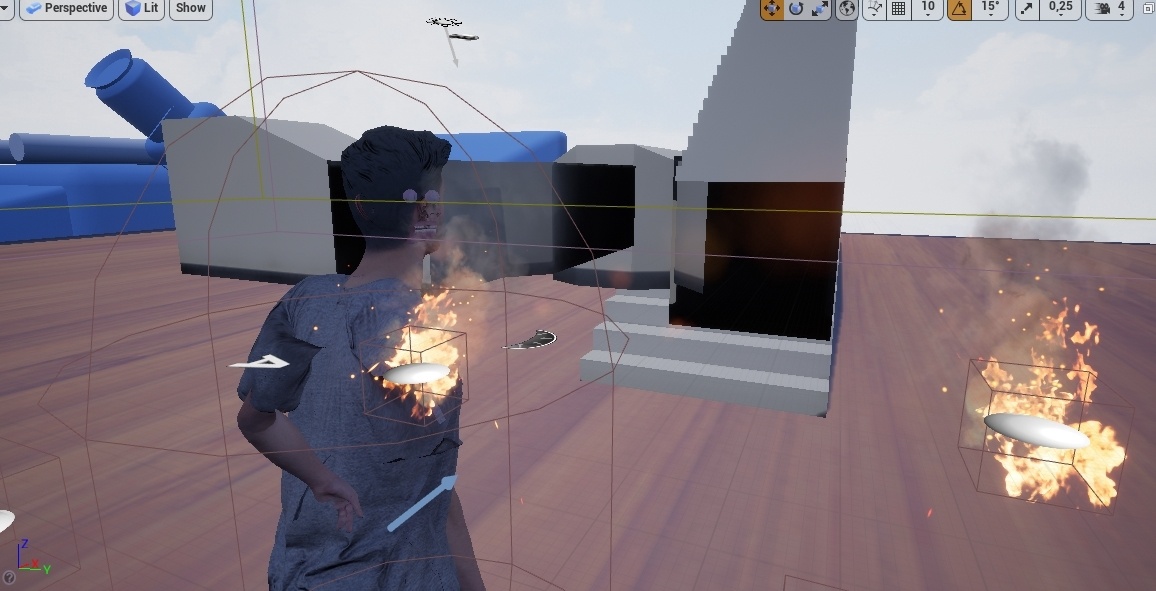
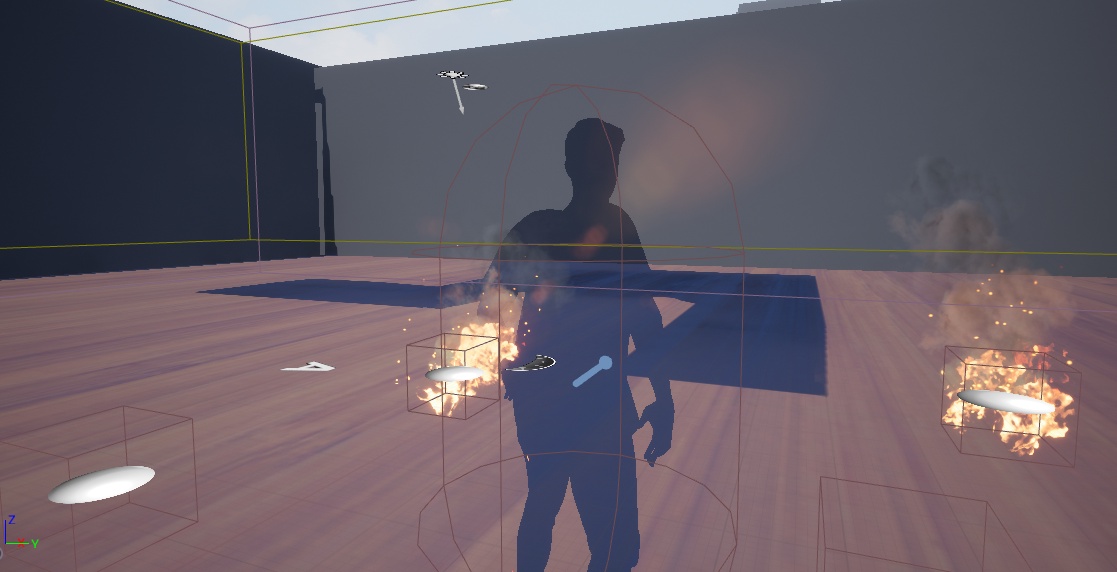
For some reason, when I Play in the editor the weapon works fine as well as the muzzle effect. But when I play the standalone game or when I package the project, The Muzzle effect gets delayed and low, and I don't know why. Please check it out: https://youtu.be/1rMlSXsI_Gs Any help, please?


 bitter iris
@keen moss you can go into the Texture and change the LOD Bias
keen moss
@bitter iris does that reduce its packaged file size?
bitter iris
not sure exactly
i personally drag the textures into photoshop an do it from there
Anyone know why World Comp is showing 1 tile is almost as big as the map? https://gyazo.com/c423759920ec8ce15aa0351f7bc78e27
fast berry
trying to import some animations. They wont show up in the asset browser after, anyway to fix it?
grim ore
does the output log show any errors?
fast berry
let me re import ant try again
bitter iris
@plush yew ahh so something is outside the bound?
welp good luck to me finding it
thx
skybox is on the persistent
i can just hide everything an see whats in the outliner
cheers for that dunno why i didnt process that 😄
ahh its my spline roads
 humble oyster
Need help
bitter iris
@humble oyster with?
humble oyster
So I download dash engine and I need to put the folder into the thing
How do I put folder
bitter iris
@plush yew oo okay i do have quite a bit of questions 😄
bitter iris
idk what dash engine is
 ionic lagoon
I'm lookin for some help here, so I'm trying to make it so that my mesh rotation locks on to the wall, but it doesn't always work. Right now I have it to get the delta rotation between the character and the wall, and see if the difference is greater than 90, in that case it would add 180 to the rotation. What would be the best way of going about this? https://gyazo.com/cb1f3a14ce806d29650ff3d629b0dfe5
humble oyster
Wow
abstract relic
Chump change
Though we don’t know how complex the dash engine is to be fair
It could be the equivalent of a stone and stick
humble oyster
Any sonic engines I can put into it?
normal burrow
'
normal burrow
other direction! full speed
abstract relic
Reverse!
humble oyster
I wait 10 minutes for the damn application to even open
normal burrow
no dash, no dash.
humble oyster
Unity is so slow on my computer
abstract relic
But to answer your question
humble oyster
Your to slow
abstract relic
You may be able to find a github community project
humble oyster
—O
/
/\
bitter iris
If unity is slow on your computer, how you gunna run UE4?
exotic cave
@blissful trail : I do not know myself why UE heads into the Minus Zone to compile shaders
humble oyster
Idk ue4 runs perfectly fine
abstract relic
That’s... odd
exotic cave
But, when I let it journey there and compile the shaders, then it seems to behave 🙂
We could ask Willy Wonka
abstract relic
Yet also not surprising
humble oyster
Just tried to open unity and it’s been on the same things for like the last couple of minutes
exotic cave
thinks it's a travesty that Willy Wonka and the Great Glass Elevator never got a movie, but perhaps I digress
normal burrow
i bet your cpu/gpu mix is gpu leaning
bitter iris
i have no clue how your ue4 is running fine but unity aint
normal burrow
but yeah its not surprising to me
abstract relic
I’m banking that even the computer knows 😜
exotic cave
@humble oyster , @bitter iris : A poorly organized Unity project will indeed be slower than a good UE project
Though a mess in UE probably takes the cake 😄
normal burrow
"nah, no. I'm slow, i swear"
exotic cave
"Hey, three months to compile shaders"
humble oyster
Well I literally when nothing on it besides 1 not used file called “sunky”
fast berry
Fixed the animation part, in thirdpersoncharacter how do I switch the automatic walk speed from 600 to 300. Cant find it in there
abstract relic
Both are user influenced though
exotic cave
Then you have either a Unity version or a plugin that has decided to not work 😄
abstract relic
A turd will be a turd no matter where you put it
exotic cave
They do that a lot, sad to say
normal burrow
you must raise the lid before, or something wisdom
 junior shard
guys can someone help me out? i'm quite desperate and i've tried all options
exotic cave
@abstract relic : UNLESS YOU COMPRESS IT UNDER VOLCANIC HEAT TO BE A DIAMOND 😄
...yeah, I don't know where that analogy is going either.
ionic lagoon
@fast berry Like default walk speed? Go into character movement then find max walk speed
bitter iris
😂
exotic cave
"You can code badly in any language" --my first programming mentor, rest his soul
abstract relic
“Fossilized poop is one of the most valued fossils out there” ?
fast berry
@ionic lagoon I cant find it there
ionic lagoon
huh
abstract relic
I’m trying Cali 😜
humble oyster
Ok since you guys know so much about unity how do I put dash engine into unity
ionic lagoon
I don't know what to tell you
exotic cave
@abstract relic : Mission statement achieved! 😂
normal burrow
pants, no
ionic lagoon
Would anyone know how to lock a characters rotation to a walls?
normal burrow
no pants
ionic lagoon
I have a semi-working way of doing it.
humble oyster
Your wearing no pants?
normal burrow
advice is, no
normal burrow
but do what hightide said if you really want, look around the internet, githubs, maybe theres a community
@ionic lagoon as in walk on walls?
ionic lagoon
Yeah its for wall running