#ue4-general
1 messages · Page 709 of 1
 grim ore
 signal bone
can you tell it looks whiteish
grim ore
its possible your image is not coming in the right color space
 swift spindle
@dire sentinel is there a reason your using houdini 17 and not 18 ?
 silk lintel
@signal bone look at the alpha channel of the texture in gimp/ps or whatever
 dire sentinel
yes
swift spindle
there was some massive improvements for unreal imports and other engine stuff...
signal bone
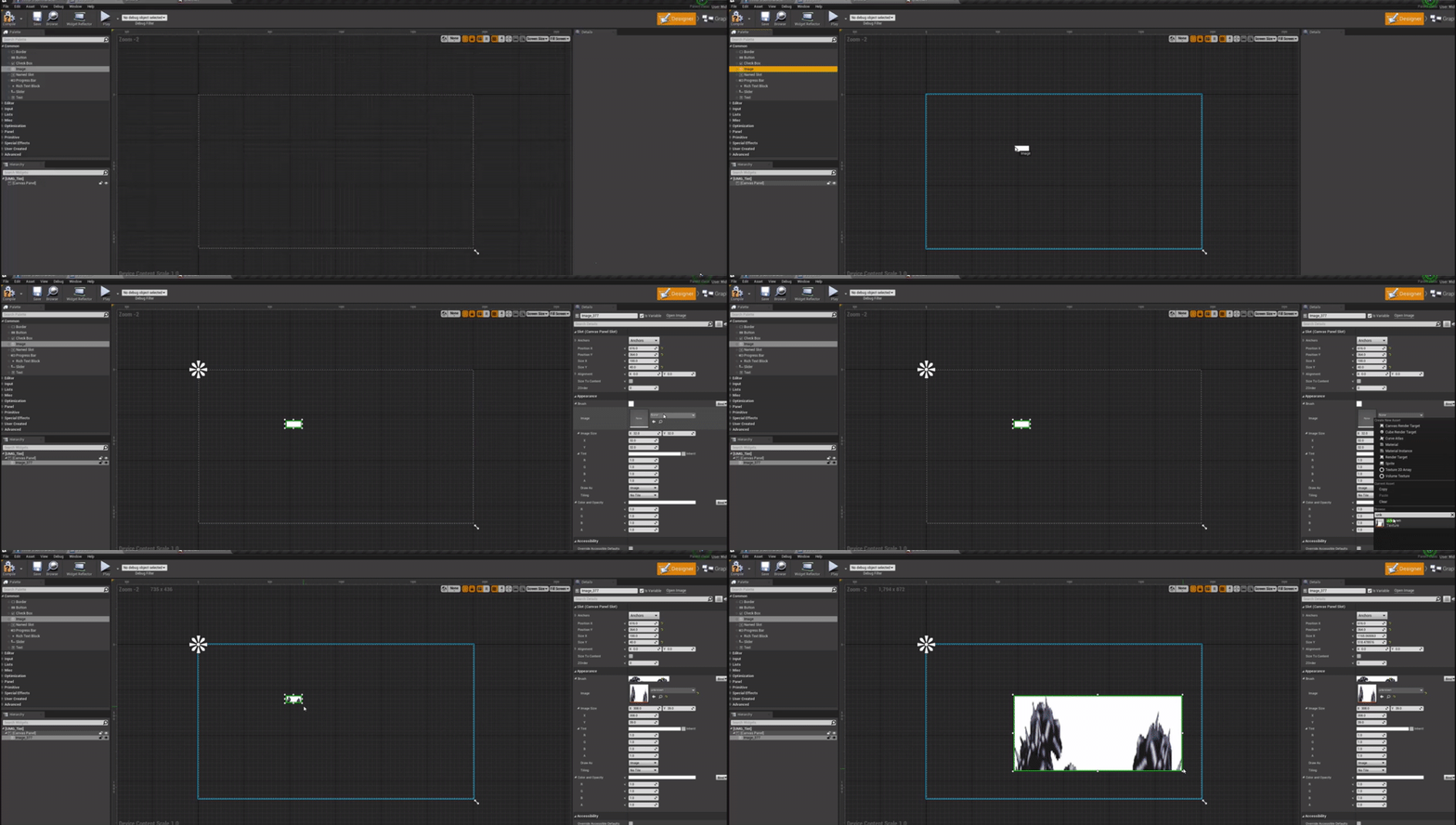
So, how do i introduce the hands then on the widget?
grim ore
1 for tint means nothing is added or removed from the source
signal bone
then why the hands goes white
grim ore
its possible you tinted your main widget, click on "Warrior No Weapon" at the hierarchy and check your main widget colors
silk lintel
@signal bone check the alpha channel of the texture!
swift spindle
we don't talk about that stuff here 😛
dire sentinel
yea thats why i deleted it xD
silk lintel
what does that mean
grim ore
you keep saying that but that doesnt mean its true
 lunar hollow
I cannot figure out for the life of me, does anyone know the workflow for copying pivots and position so that I can assemble in blueprint correctly?
silk lintel
so...
grim ore
you keep saying that but that doesnt mean its true
silk lintel
just check it
signal bone
silk lintel
yes we know the slate system
signal bone
i think its true because if i add a blank image it comes with a tint already
silk lintel
brushes have tints
signal bone
then how do i add this sprite to the widget?
maybe i shouldnt be using the image to add it
silk lintel
im talking about the actual texture that you imported
grim ore
share your source image with us so we can try it in our projects to verify its an engine bug
signal bone
Ok
silk lintel
@signal bone Also, screenshot the details panel of 'canvas' and 'this'.
signal bone
silk lintel
*this = widget
signal bone
you mean like this?
btw, the image actualyl doesnt have a white background
i removed it
grim ore
@lunar hollow pivots are based on the 0,0,0 or world origin in your DCC when you export it. So it will be relative to that point. IF you want the item to have a local pivot, like on it's edge, that edge needs to be at the 0,0,0 point when you export that mesh
signal bone
since its a png sprite it doesnt have a backgroun
silk lintel
@signal bone no, one with the canvas selected and one with the thing above the canvas selected
signal bone
 pulsar badge
How would i change the grid in UE4 to 36?
lunar hollow
@grim ore so like this?
grim ore
lunar hollow
but then how about getting it pack to its position?
signal bone
Mathew, you add it as an image?
grim ore
so mine matches the source, its not the image or the tint like you keep insisting we are wrong
silk lintel
is that the source image?
pulsar badge
Hey, MathewW
silk lintel
because it's fully opaque
silk lintel
the one you have doesnt have a white background
signal bone
yes, its because Discord made it non transparent
silk lintel
@pulsar badge 36 what
pulsar badge
for the grid
signal bone
grim ore
the one he shared is not transparent but doesnt matter for this example https://i.gyazo.com/a29c768534d4d5bc6eb9afc7282e0740.gif
 pulsar badge
for uE4
signal bone
maybe is the transparency?
grim ore
just trying to make it clear the tint setting by default in the image widget is not causing it to be white
silk lintel
oh, unreal units
grim ore
I assume you mean this?
silk lintel
you'll have to change all of them to multiples of 36
grim ore
I posted where to do that at
pulsar badge
Ok
silk lintel
1, 6, 12, 18, etc
grim ore
@signal bone that was why they were trying to get you to open up the original image to look at its alpha channel
pulsar badge
Oh wait nvm
silk lintel
maybe i shouldnt have said source, i meant the one you're actually using
no, before that
grim ore
silk lintel
the file that you imported
signal bone
before that?
pulsar badge
I got it thanks
signal bone
pulsar badge
didnt see drop down
silk lintel
you cant send pngs through discord, only jpg
signal bone
thats why the background got white
silk lintel
yes
grim ore
remember when I said it was in the wrong color space and you insisted it was the tint. Check the SRGB button please
silk lintel
🧠
pulsar badge
Do I need to restart the Engine?
grim ore
no you dont, its immediate
pulsar badge
dont see it coming up
silk lintel
holy shit
pulsar badge
nvm
silk lintel
i am sweating from that
grim ore
its possible your image is not coming in the right color space
@grim ore
silk lintel
couldve figured that out a lot sooner lol
grim ore
just ya know, it was like the first thing I said
signal bone
thanks you too anyway and sorry if i felt stubborn for the tint
i was kinda mad at that tint lol
signal bone
yea ik, it wasnt its fault after all
 honest rune
Something that's always bothered me. When you look in Project Settings/Game/Asset Manager, the paths for directories always starts with /Game instead of /Content. "Game" directory does mean "Content" directory yes?
grim ore
the tint is a multiplier, so multiplying it all by 1 means no change
 grim ore
@honest rune yes because Epic lol
signal bone
grim ore
also the fact that level, world, map is used interchangabley in some places is... because Epic
honest rune
thats why I ask actually lol I'm reassigning my default "Maps" location
wanted to make sure something dumb and small isn't going to fudge everything
silk lintel
generally just use levels for singleplayer, maps for multiplayer
world anywhere else
grim ore
except what do you do for the default maps and modes map 😛
honest rune
you can add those explicitly in maps to include
grim ore
or the fact the world settings applies to that map
silk lintel
i use map
honest rune
same
grim ore
yep but the official thingy is level sooo we are all wrong
silk lintel
catch these tinted hands
grim ore
yep im doing videos on new level templates and projects so trying to make sure you use the correct terminology when epic uses it willy nilly doesnt help. the intro to ue4 course actually covers all 3 so people dont get confused
grim ore
you dont, you just stop working on it and ship it at some point
silk lintel
you dont make a game w/o giving up, or you dont give up
grim ore
you dont make a game without giving up, at some point you give up and its done lol
silk lintel
ez
grim ore
how done and fun it is depends on how long till you gave up lol
silk lintel
i guess....
honest rune
also another annoying thing with the asset manager settings that is never documented: the default primary asset types and their paths are hard coded and have to be removed by defining the remove switch in the config file (adding - in front of the entries that get added at first run). otherwise, they just keep getting added back
silk lintel
😴
honest rune
because its a picture
grim ore
do you other play montages work or is this your first?
 coarse peak
hello is there any ue4 pro who wouldnt mind helping a total beginner with a short school project (very very simple football game) ? 😅 Ill even pay u lol
silk lintel
@coarse peak 2d/3d?
coarse peak
its 3D
grim ore
in this project I mean, are you using other play montages in this project
silk lintel
im always down to do someone elses homework...
coarse peak
mind if I DM u ?
silk lintel
sure
grim ore
is your animation graph set up to allow montages to play? montages don't just play they need slots to work on
coarse peak
ait
 quaint hull
I'm trying to add a camera tilt to left + right movement (like in original quake) I'm trying to use the camera shake, is it possible?
 tough fern
When I press play in the project im doing, it spawns me where my camera is, how do I make it so I spawn in the player?
tough fern
that doesent seem to work, Im using the first person pack, and it spawns me now at the player start, with the player still there
grim ore
in your level before you hit play, are there any characters or player starts in the level?
tough fern
there is a player start and a character
grim ore
which one do you want to start from?
tough fern
the character
grim ore
delete the player start then
click on the character and search for auto possess in it's details and set it to 0
and then it should work
@light lintel you might have to debug thru the code. based on what you pasted when you equip a weapon it spawns it in then saves it to that variable. Maybe breakpoint right there and make sure it's being set? or maybe your equipping an offhand weapon and not a main hand
tough fern
sweet it worked
 steady ingot
So, can anyone explain me what 'Latent' means? I'm learning throught BP
grim ore
its basically something that doesnt finish immediately, there might be a wait until its finished and other stuff happens in the meantime for example
Delay is your normally reference for latent nodes. When the execute wire comes into it the node doesn't finish and fire the output wire till a delay finishes.
 nova harbor

itch.io
Better get home before the rot sets in...
 plush yew
Hey people!Can somebody tell me, how can I remove reflections from material but keep the material in Lit mode?(Just reflections on the ground looks horrible)
Please write @plush yew when you'll be answering
Thanks.
 timid umbra
Does anyone know how to fix this??
It is making my game unable to launch.
 turbid wigeon
i made a tiny demo project to showcase how to use custom HLSL shader in unreal, not quite sure where to post it

Thread:
https://forums.unrealengine.com/development-discussion/rendering/1562454-virtual-shader-source-path-link-custom-shaders
Project download:
https://drive.google.com/open?id=1nS78RgB0dfOl8JsQmCyD6OkFqYdBWpxD
Inigo Quilez Youtube channel:
https://www.youtube.com/channel/UC...
silk lintel
content creation -> graphics?
love your work btw, im that one guy who asked what song it was
tough fern
My scripter is trying to make an hp script, but he dosen't know how to find the variables
silk lintel
Maybe you should tell him...
 flint moat
Hey all, I hope everyone is doing well despite what's going on in the world. I am having an issue in the build of a game I'm working where streaming in the next level takes upwards of like 30-45 seconds on some of my teammates' machines. On my razer blade laptop, it's only about 3 seconds. In editor, the level streaming is almost instantaneous. Does anyone have an idea of what could be causing this?
turbid wigeon
@silk lintel oh nice, thanks ! music is from star citizen
swift spindle
@flint moat SSD vs HDD is most likely the issue
flint moat
@flint moat SSD vs HDD is most likely the issue
@swift spindle so how I can reduce the level streaming time? Any thoughts?
swift spindle
your largest costs are going to be texture sizes and lightmap size....
but I'd check your task manager first to see if it's an IO issue
(simplest way)
 hallow shell
i want to give up ue but i cant xD
flint moat
@swift spindle is there a way to see a breakdown of what's causing the slowdown?
swift spindle
there's many ways.. but they just get more complex 😉
 jaunty ridge
When using megascans, is better to texture in blender first and export to unreal, or just UV unwrap and export to unreal then use the megascans there?
swift spindle
depends on the object
jaunty ridge
Scenery, like big concrete stuff, walkways. Doors
swift spindle
model / uvmap them in blender.. texture in mixer
jaunty ridge
Ahh, good point! Haven't tried mixer yet so that's a good option
Probably a lot like the photoshop plugin they had some years back. Just way more powerful ofc
swift spindle
@flint moat you can view disk usage there.. if it peaks while loading.. it's a simple IO issue.. and just needs optimisation
@jaunty ridge some good tutorials recently put out on how to use it
silk lintel
@swift spindle Hey, any advice for an aspiring tech artist?
swift spindle
@silk lintel #career-chat
 hollow ridge
I am having a very odd issue with switching levels. In my game I use a very simple next level where I just get the name of the current level add 1 and go to that level. It works fine up to level 28. when you go from level 28 to level 29 everything just vanishes if I need to I can upload a video
all the levels have the same bps
flint moat
@swift spindle I guess a better question is how do I know what I need to optimize? Is there a way for me to see what objects are causing the level streaming slowdown”
grim ore
@hollow ridge what is "everything just vanishes" ? is this in editor or packaged build. Is there a level 29? is it in the same place as the rest. does it load normally, etc. etc.
swift spindle
@flint moat if you find it is IO.. you can right click on items and check Size map and Asset Audit
hollow ridge
there is a level 29. Nothing from the level loads the only thing that loads is the defualt ue4 sky sphere
grim ore
in editor or standalone?
hollow ridge
both
grim ore
so when its in editor does the editor show the level 29 is loaded in the world outliner?
and is it possible you have more than 1 level 29 in your project
hollow ridge
No I checked there is not multiple level 29s and yes it is loaded
grim ore
filter by level in the content browser and click on your root content folder and make sure there is no duplicate
also have you moved anything and not cleaned up redirectors?
grim ore
good thing you said there was no multiple level 29s
if you noticed you dont tell it where the level is, just the name, so the engine when it builds keeps track of the maps in the asset registry and it will find any maps in your folders
 abstract relic
(yes)
flint moat
@swift spindle I’m sorry can you explain what you mean by IO?
 exotic cave
Anyone here know how to set up a VR cam that allows free head movement but puts the camera itself on a fixed path?
swift spindle
games are very heavy on IO
exotic cave
I'm sure this has to be easy, but it's for a time-critical project I'd really rather be making content for, than tracking down this particular blueprint 😄
 normal burrow
having the parent of the moving vr head be on the path should work
does that satisfy the constraint?
jaunty ridge
Does unreal something like a circular array type tool? Cause in blender I've made something that duplicates 12 times in a circle. Can I just export the one and easily add an array in unreal or is it better to export the full circular array?
First option would be great, easier to update the assets
exotic cave
@normal burrow : It absolutely does, except that I have no idea where to find the default camera mount inside the default VR project 😢
It's obviously in some game mode blueprint I can't seem to find
exotic cave
Me either, apparently
normal burrow
I assume the root component of the pawn isnt the camera?
exotic cave
I can't find the blueprint for the default pawn
And as soon as I switch to a camera I create, the binding to the VR tracking is lost
exotic cave
BP
Actually, what I'm trying to do is have a Level Sequence move the camera around while still allowing it to freelook
I suppose this might help: https://docs.unrealengine.com/en-US/Platforms/VR/DevelopVR/VRCameraRefactor/index.html
Information on attaching items to any HMD.
Wait, nope, that's backwards. That's for attaching stuff to the camera position.
Seems to spawn a PlayerCameraManager that controls the position of the in-game camera and binds it to the headset.
That's what I need to grab, and then be able to adjust its position while still letting the HMD define the rotation
It's a pretty standard setup in VR but it's eluding me for whatever reason :/
normal burrow
am guessing this is the vr pawn
it seems like VROrigin is likely set to the headset location
in some relative to some relative location correalting to the real world
if you try to sequencer the actor's root does it stop head motion?
exotic cave
Hmmm, I think I opened another kind of VR template then
Yeah, currently it does
The usual kind of camera-cuts stuff doesn't solve it
It's okay 🙂 I'll pore through YouTube vids 'til I get it
normal burrow
Blueprint'/Game/VirtualRealityBP/Blueprints/HMDLocomotionPawn.HMDLocomotionPawn'
thats where it was for me, but okay 👍
exotic cave
I have some kind of empty-project-with-VR-enabled template that may be different from yours
I'm not going to spend all night in the weeds about it, however 😄 Do your thing. I'll be fine.
grim ore
vr template like a shiny room?
exotic cave
Yes that
Half of one, anyway
The lighting settings have been changed but hopefully you recognize the setup
grim ore
thats just a vr level template, not the actual full VR setup is why
the actual VR level when you create a new project is fully set up
exotic cave
Hmmm, so I should use the full one?
grim ore
if you want a good start with a fully set up character yep
exotic cave
Will do, thanks Mathew 🙂
grim ore
I want to play with my VR but soooooo lazy to plug it into my machine and then I get bored just waving around crap. Hoping the hand tracking gets more stable that might be fun to play with on the quest.
exotic cave
It's a technology with a lot of potential, mostly completely unrealized and gimmicky at this point
I'd rather be working on my autolandscape anyway, but it's a project consultation
hollow ridge
lol I have a laptop and only have 1 video out port. Iam too lazy to move the hdmi cable to the link box for the vive
grim ore
yep the only times I used it in the past was for making UE4 tutorials and then done lol
exotic cave
My full-VR project creation attempt seems to be stuck on 45%
I dearly hope it's not actually sitting around waiting to locate a headset, or something
Ahhhh. There we go
hollow ridge
iOS dev sucks I have been trying to package it for the past week with just error after error
grim ore
45% is shader compile
exotic cave
Seems fine now, thanks!
hollow ridge
Has anyone on here done anything with iOS dev
I need some help it says root directory not found
 north delta
Google isn't really helping; I'm having a lot of trouble with compiling my C++ into UE4, and I was hoping someone could help me troubleshoot over DM?
 floral arrow
anyone know how to fix a level taking forever to load and save
exotic cave
@floral arrow : 🥔 🚫
You're in archviz. I'd get an SSD, if you don't already have one.
exotic cave
Then you are your only hope
I mean, praying to yourself 😄
...seriously, I don't know why, unfortunately.
floral arrow
k ill delete my saved and intermediate file
that fixed it getting stuck last time
but it still does take longer than normal to save and load
 night bridge
why is building the lights taking ages for me?
floral arrow
@night bridge maybe your lightmap resolution on meshes it too high
or your lightmass settings are high, or baking on production and not preview
night bridge
i have 6K+ Objects that needs building
floral arrow
did you change their lightmap resolutions or no
night bridge
to Preview yes
 pearl bough
Hi y'all! Just getting started, finally, in the dev world with Unreal. I'm still going through tutorials and such but as I need breaks I'm working on figuring out stuff for the game I'd like to make. I'm currently aiming at a multiplayer focus, but I'm considering shifting focus to single player. My question is (and I can't find much info that actually answers this), if I later decided to add multiplayer, would it be a nightmare? Do I need to build as if it's multiplayer from the start even if it's just starting single player?
floral arrow
@night bridge thats not what changing lightmap resolutions is
floral arrow
hit alt+0 to change the viewport to lightmap density mode and then change the objects in the scene to a lower lightmap resolution by going into the mesh settings on the right and searching for resolution and reducing it until it is in the orange or red
only objects you want to have a high detail of lighting on should be in the red or orange
some can be in the green
like bigger walls etc
night bridge
what does it affect visually
exotic cave
@pearl bough : Yeah, it's best to do multiplayer from the beginning usually.
night bridge
sorry if it sounds stupid
floral arrow
if you want something in the red, reduce it as much as possble until its still in the red but barely not in the orange
night bridge
but what does it affect visually
floral arrow
nothing if something was imported with way too high of a lightmap resolution for the light bake, if its still in the red with a lower resolution than before itll look the same
exotic cave
It can get REAL weedy to migrate single-player to multiplayer and vice versa. I'd probably start with a multiplayer template, @pearl bough
floral arrow
youll see a lot of meshes are prob already in the green/blue anways
but some you imported might be really way too high
like a little doorknob or something
that was imported with way too high of a resolution
pearl bough
@exotic cave got it, thank you! I'd hate to run into a nasty headache down the line haha
night bridge
after i go into Lightmap Density what do i do?
exotic cave
You're doing a multiplayer game. You'll run into all kinds of nasty headaches down the line 😄
But hopefully none of them will be "I have to start over because multiplayering this is now impossible"
pearl bough
more headaches than necessary* then hahaha 😂
floral arrow
@night bridge i wrote above
if thats not enough just look into how to change them on google
pearl bough
I'll see y'all in 5 years when I've lost my mind as a solo dev LOL
hollow ridge
SanguineJackal I’ll see you in 5 years when I can finally package my iOS game
night bridge
but
when i do the action that is taking me ages
it will still go away right?
just taking ages
grim ore
we dont know what ages is, and we dont know your hardware. Maybe it's normal?
night bridge
i guess
grim ore
6000 objects that are 2 million polys each with a high density lightmap uv on a core 2 duo with 4gb ram might take a while
night bridge
how long would you estimate?
grim ore
building lights is 100% cpu bound so it depends on your machine
night bridge
how do i check my CPU
grim ore
if running windows 10, right click the task bar and choose task manger then the performance tab
night bridge
so what do i need to check of my CPU
grim ore
the name of it, in the top right above the graphs
 rustic swan
hey guys is there a lot of diffrence between 4.23.1 or do I go 4.24?
I mean I already have 4.23.1
grim ore
read the patch notes, see if there is something you want or a bug fix you need https://docs.unrealengine.com/en-US/Support/Builds/ReleaseNotes/4_24/index.html
night bridge
100% in use
grim ore
night bridge
2.40GHz fast
hollow ridge
Hey Mathew I need you to make a tutorial on iOS dev I don’t care if you no nothing about it. Your a wizard Harry
grim ore
I've done it before I just dont have a good VM right now to use for it
hollow ridge
Oh
grim ore
I never had problems tho but that was atleast a year ago and only with template projects or AR projects
hollow ridge
There is legit 1 tutorial from this dude that sounds like a sloth from 5 years ago
grim ore
i dont really remember any issues tho. supported xcode installed and making sure the ios signing crap was good and it tested fine
hollow ridge
Oh
night bridge
@MathewW#9472 so how good is my CPU
grim ore
you never said what it was
night bridge
What
grim ore
thats my screenshot to show him where to lok
hollow ridge
Oh
night bridge
I can only see processor
hollow ridge
MathewW did you have to install UE4 on the vm
grim ore
yep Central Processing Unit, CPU, Processor. All the same thing
night bridge
Yes
grim ore
we dont know what yours is you never said
night bridge
Intel(R) Core(TM) i7-3630QM CPU
grim ore
ah, yes that will be fairly slow. dual core laptop cpu 3rd generation
hollow ridge
Mathew should I install UE4 on the Mac?
night bridge
Would it take an hour for me?
grim ore
I dont remember installing UE4 on the mac, all the mac had to do was compile the code for me but I was using Windows to do the compiling with a remote access into the Mac
it could take an hour depending on your build settings and project
hollow ridge
K
 onyx cedar
If I have an asset with four lods, and I assign that asset a lightmap resolution of 256, does it save the lightmaps for all four lods on that same lightmap? Or is each lod given its own lightmap w/ resolution 256?
grim ore
what does your project look like ( a screenshot) and what settings are you building it at ?
onyx cedar
oh wait, were you talking to me?
grim ore
nope
onyx cedar
oh ok
grim ore
but to answer your question it looks like it might do a lightmap for each lod. You can see your current lightmaps in the world settings -> lightmass -> lightmaps (under advanced)
actually nevermind I take that back lol
onyx cedar
yeah i googled it and got more confused
it seems like ue4 will auto build lightmaps of halved resolution for each lower lod
grim ore
well I have a prop with 4 LOD levels, and built lightmaps and they look the same as if i have 2 lod or 1 lod level
onyx cedar
hey btw, your videos are awesome, thank you for them
grim ore
I would assume a separate lightmap as well but my lightmaps are not changing at all when i build them with 1 lod or 5 lol
yeah it might have been my shitty test mesh, I grabbed a real one and now it changes lol
scene with 1 static mesh with 4 LOD levels
ohh... I think whats going on is its not deleting the old lightmaps when I tell it to rebuild lol
nope I give up this is after telling that mesh to go to 1 lod and rebuilding
so they look the same but before I did auto LOD it looked different.... seriously ue4 😦
same scene with the original mesh before I did the auto LOD
ah yep ok the auto lod changed it to a 64 resolution for the light map which makes sense now, the original was 32. now with the auto lod at 32 and 4 LOD levels I get
so yeah It looks like its using 1 light map even if you have multiple LOD levels unless I am reading this wrong
maybe its internally lowering the resolution at runtime for the lower lods but that would be weird but if you watch the LOD's change in the viewport the shadows certainly are lower...
 ionic lagoon
How would i get the rotation of where my character is looking, or the camera rather than where my character is rotated to?
grim ore
get the rotation of the camera?
I mean that literally, is this a third person camera setup?
ionic lagoon
Its in first person but I have a key to toggle third person so I can test animations and what not
grim ore
yep so get the world rotation of the camera and it should give you the rotation of the camera in world space
ionic lagoon
I've done that but it doesn't seem to work. Basically I have it set up to rotate the torso of the character depending on where you are looking, but it doesn't rotate on the yaw when I look around while the lowerhalf of the characters body is moving elsewhere.
It only works when Use controller rotation yaw is ticked off
grim ore
do you have the anim bp handling this? is it set to blend at the spine for example. this sounds like a basic look aim
ionic lagoon
Yeah Im using an anim bp, how would I set it to blend at a certain place? I just have the torso transformation to add on to whatever the state machine puts out.
rustic swan
hey guys do you know any large scale location for unreal that I can import into in Unreal?
is there any website that I can look at for such resources
onyx cedar
@grim ore Thanks for the research man
I got sucked into render settings
having a terrible time trying to get lightmaps to look good in android es2 rendering
grim ore
@ionic lagoon ok so no idea if this is correct but you can also just modify the bone rotation like such

you would probably want to compare the character rotation to the angle of the camera rotation and then apply that difference to the animation so it doesnt do weird shit like I had lol
grim ore
and its not the most optimized but its a start lol
layered blend by bone would work as well but that seems excessive since you arent playing 2 animations
ionic lagoon
Right now I have it to divide the rotation between 2 spine bones
grim ore
this one is kinda cool, the top half always faces the camera independent of the legs lol
ionic lagoon
Oh neat that might be even better
grim ore
the smart approach would be to clamp it at some point to prevent bass ackward walking https://i.gyazo.com/34581eff2e36db24ebdc273693ae2ffc.gif
 ionic lagoon
Yeah I have it clamped right now so it doesnt do that
grim ore
would be great for a tank and a turret tho
ionic lagoon
or like a mech of some sort
grim ore
yep, whoot yeah just call it a mech and animation glitch now a feature!
ionic lagoon
Its a feature
grim ore
360 degree independent firing
@rustic swan real life or just a world creator? there are a few of them out there also ways of getting height map data into ue4
onyx cedar
I wonder what this would be like in VR. Like if you turn around, your legs stay facing the original direction. I think people would probably end up falling down at
grim ore
vr is horrible when you arent moving the character
well unless its expected like you are riding, like a roller coaster or something where you are sitting and cant move
I think you would die if you had head and body independent movement with a control stick in vr and could turn around like that lol
swift spindle
nightmare fuel
grim ore
nothing ready for ue4, you would have to do it yourself 😦 you can grab learn examples or marketplace stuff tho
floral arrow
how do i fix this
swift spindle
disable collision on it
floral arrow
is that something you can do in the details panel for the mesh or
where do i do that
swift spindle
foliage object or static mesh ?
you can do it per mesh... or on static mesh under detail... same with foliage assets
 drowsy tartan
Hey, been trying to learn UE4. I’m stuck on whether to follow a tutorial series/Udemy course or just jump right in making games and use the various videos for reference on specific mechanics. What would you recommend?
 weary basalt
Just play around in the Editor.
Get used to it.
Try different things.
Dont try and make the next Call of Duty.
Start small.
pulsar badge
Why does it give me this error "Mesh contains Armature bone as root but animation doesn't contain the root import failed?
from Blender
drowsy tartan
Thanks
plush yew
If anyone had this problem b4
As i place node "Spawn Actor" Or "Spawn Ai actor" in a BP and i hit compile the Editor gets suppe laggie and dose nothing
Its like getting in infinite loop or i dk
If anyone can help out and thanks its killing me meh
 half turtle
perfomance wise, what would be better, to add a spawner component to an actor dynamically at runtime, or to have actors all contain the components before hand and set the spawner characteristics for each actor?
grim ore
in the end once the game is running they should be the same, the difference being more code at runtime or not
half turtle
so there is not a big difference if all the actors have the spawner component, just some of them disabled?
grim ore
doing setup at design time is pretty common yep
at the worst if you dont plan on using it for some reason remove it at runtime
half turtle
oh okay, i have been cracking my head at the save game part.. and in doing so i have been working on consolidating childs, classes and components to make saving easier (and loading) as everything was generated at runtime... (randomly generated worlds are a nightmare to save, specially if some actors are preplaced...)
grim ore
yep at a certain point if you get into heavy saving you just have to break out C++ and start serializing stuff
half turtle
sorry another fast question, would a soft reference to a preplaced object on a level, survive a save and load?
that is exactly what someone suggested, to just dump the binary of each actor into a table
grim ore
if saving or loading and its a reference to something thats not just data then no it wont really survive
half turtle
oh okay
half turtle
so what exactly is class to class for? would that set a variable in the entire class? even for objects before they are spawned?
cast to class***
 placid arrow
is there any way to stop ue4 editor eating tons of cpu when its in the foreground but doing nothing?
like, its sat on the screen and im doing nothing with it, but its using 33% cpu
im certain its because of the rendering
if i minimise it, or send it behind another window, the cpu use stops
plush yew
@placid arrow I don't think that's possible.Every program which are not minimized still keep going.It's Windows' problem.
placid arrow
no, im not talking about minimised
im talking about how when its in the foreground but not 'playing', it eats so much cpu
i can cut it down from 33% to 24% by turning off 'realtime' in the editor window
but 24% is still a lot for an editor window thats sort of ...doing nothing
placid arrow
in the background when minimised it uses 0.3%
plush yew
It's not only playing
All of the modules are rendering the image always
In the Level
plush yew
And Editor style by itsself
Editor have a lot of stuff inside of it
Even Content Browser is giant
placid arrow
obviously, but im saying 33% cpu for an idling editor is ridiculous
plush yew
I don't think so
UE4 still wasting resources on windows
All buttons
UE4 have some bad stuff
Like, it's trying to load all of the windows and buttons as far as it possible
placid arrow
from some testing even a simple slate window can do the same
plush yew
It's loading literally all of the stuff possible
And I think you know how much modules in UE4, right?
placid arrow
hundreds
placid arrow
its got to be something fundamentally wrong, it does this even when rendering an empty level with no lights in it
plush yew
So I know some stuff like
UE4 will say it's impossible to load Module in case of it's corrupted on startup
So UE4 loading literally all of the modules at the startup
Of UE4Editor
So...
Also, don't you know how to don't slow down the speed in sequence?
At the next keyframe, it slows down at the end
Near of it
placid arrow
what type of animation?
placid arrow
animation sequence in umg?
plush yew
Srry didn't got your question.You mean UI?In case of yes, naaah, I mean Level Sequence
@placid arrow
placid arrow
oh.. sorry i dont know the answer to that
ive never used level sequences, since before when they were matinees
and i really didnt understand them then 😄
plush yew
Well...Ok tho =/ I'll be looking in Source Code =//
Also, @placid arrow , how can I use Delta time to configure panel movement speed correctly?
I've tried a lot of stuff already...Nothing works...
 frank oar
These trampolines have all been Alt+Dragged from one another (coppied) why do only two of them have this issue ?
half turtle
i am trying to create a concurrent event in a bp, but i am not sure of how the timer function works,... is this graph correct? how do i create instances of this event? should i use a function?
ah i guess i use by function and createa an array of function names for each object in the struct?
i am confused
wait nvm
just create a handle with multiple timers, right?
 worn pewter
what is the best way to slowly increment a progress bar over time?
 dim arch
 kindred viper
why not just have a boolean then? Set it to true when you draw, set it to false when you sheath
so its true by default
huh?
he spawns with a weapon equipped and might have no weapon? Isn't that contrary?
so when he does, set it to false
I think you have overcomplicated yourself here
plush yew
Is weapon can be destroyed or whar?
What*
Just, ehh, use smth like this is exremely bad idea
You are technically creating new instance, and it'll never be true, it's two different information instances
As far as I know
Maybe you should use Bool?Just you can cast to any object in the scene
And every component
For doing it correctly, better to use single BP
In the Level
is there a finished product which simulates camera lenses?
Explaining, when you are spawning object it'll be true, when destroying - false
Bool
You still can use it between BPs
kindred viper
@plush yew I've seen things like fisheye camera shaders and such.
plush yew
i want real simulation of em tho
kindred viper
you could probably find some Virtual Production stuff that does it. Maybe. Not sure if it's that far advanced yet.
plush yew
if a 50mm lens has 40° FOV, does this also apply for ue?
so if i set 40° in ue i have a 50mm lens?
i could buy cinetracer. a sim exactly for that. but 90 euro
 tired merlin
I need a few tutorials if people could point me in the right direction
Pulsing light
Rotating light (faces one direction and rotates)
plush yew
Anybody able to help me with a terrain issue?
tired merlin
Is it possible to cut a hole into this?
 spiral pilot
Guys i need general advice about following thing:
When i'm looking at door/item I want to show on screen image with Key you need press to interact with this object, for example E to open/pick. Do i add centered widget on raycast, so i have number of widgets = number of interactions? Each widget contains one image of the Key.
Other option is having one widget that contains all Key images that are all disabled, and only specific are enabled on raycast. Is there any better aproach?
Hope it's somehow clear what I want to get
plush yew
I was thinking,is it possible for a team of two peoples to make a simple but good multiplayer fps?We are both coders,plus he study at conservatory and I can 3d model,rig,animate and texture
 fierce tulip
that is a somewhat unanswerable question.
nobody can define the "good" in that question as we dont know you, nor how good you two are, or have any proper gamedesign experience to make something good.
In theory, yes you can. in reality? nobody knows.
frank oar
Hi!
Does anyone know if it possible to remove or EMPTY a material slot ?
I would very much like to lose this Mat_bulb_glass this way
 fallen marten
You remove a material group in whatever 3d program you use
or set your material to none
frank oar
I got this asset from the MP and the glass is causing an issue..
so I am trying to find a way to remove it
frank oar
hmm seems like that should have worked but nothing happened
fallen marten
youll have to exportt the mesh and modify it then
frank oar
thank you @fallen marten
 sly coyote
Is there anyway to add anim notifies at runtime in actor bps or am i stuck only being able to add them directly to animations
I have multiple animations that will use the same notifies but want to be able to hotswap...lets say, no matter which animation it is, fire the notify .5 sec into playing
This probably belong in blueprint section
Sorry didnt realize i was in wrong section
fallen marten
@sly coyote personally i would add them to your animations so you can adjust them individually if the .5sec timing isnt spot on
sly coyote
I have 13 different classes in my game...each with 6 to 8 combos, totalling 120 to 140 animations per class...all with notifies i need to fire at .5 to .7 secs in....see problem with adding them directly to anims
fallen marten
well you're out of luck then bro - should have been adding them as you built the combos
only option is to have events fire at those intervals
means you wont be able to tweak them
fierce tulip
@gleaming cedar should post that in #graphics instead.
please do. ill remove this one afterwards :)
 gleaming cedar
@fierce tulip reposted, thanks 🙂
fierce tulip
and thank you as well for being polite about it hehe.
 umbral fulcrum
Hello everyone! How do I mark my question as resolved in the Answer Hub?
fierce tulip
there is a check-mark thingy next to replies/answers. click on it :)
 brave gate
I did corrected/clarified few things after your feedback
added note how to determine if you're running out of RAM
more feedback always welcome :)
https://www.ue4community.wiki/Recommended_Hardware
 fathom agate
Hey guys anyone who is good in UI please contact me
sly coyote
@fallen marten thanks you...going to just code a custom anim montage in c++ that will allow me to do it...was more checking that i wasnt reinviting the wheel incase that ability already exist in engine
umbral fulcrum
@fierce tulip Thank you!
plush yew
Can someone help me with a terrain issue I have,
 copper flicker
so... I have a problem with UI navigation. if I manually place 10 boxes inside a scrollbox, they will be slected in order, correctly, when using keyboard or gamepad. IF... I place some of them procedurally, with Add Child to Box, they are selected as 1 object, the top entry, and the others are ignored.
any idea if this can work somehow?
all fine when you just scroll with mouse...
disaster when you navigate with keys or gamepad
O o
it looks like all the children boxes you add with Add Child are ignored, except the top one
the whole set of objects is treated as 1...
 dreamy lake
I'm having some massive issues with the Asset manager tool - I've added a bunch of item components to the asset manager, but it doesnt register all my data assets - essentially I got different data assets for different items in different folders, like I got hilts in a folder - which btw it finds, then I got Crossguards in another folder, but it can't find them, the Primary ID List output has a length of 0, even though I got the assets in that specific folder - any ideas as to why this might be - also if I change the array in the asset manager tool it cant find anything until I restart the editor :/ ?
Anyone who might be able to point me in the right direction here ?
plush yew
Im getting a lighting needs to be rebuilt message when trying to add foilage??
 little ember
Hi, I wanna cast to a blueprint actor that I create inside a widget BP but it ask for the object reference. I put ( get owner) and other reference but it doesn't work. Is anyone knows how to fix this please.
copper flicker
Shann, you have to understand how casting works. look at BP communication on youtube. basically you communicate with a specific object that you come in contact with. so you trigger not just George, but a specific George in your scene. that means you can use On Component Begin Overlap of a sphere for example.. and if a specific George overlaps with that sphere, that specific George will be your object reference.
 smoky sonnet
LogMaterial: Warning: /Engine/Transient.backgroundgif (no disk path found): Failed to compile Material for platform PCD3D_ES31, Default Material will be used in game.
are gifs/flipbooks not supported by mobile devices?
fierce tulip
gifs not, flipbooks yes
smoky sonnet
im using a flipbook
my outputlog says it cant be loaded
on my mobile phone its there but very glitchy
it bugs around
on my pc that never happen
maybe my code can cause this glitch?
fierce tulip
not sure whats going on with the no-disk path found thing.
plush yew
Hey everyone, how can I smoothly hide part of location?Like I want to hide the part of location in the sewers outside the fence so it'll be black absolutely, it's very short and I want to hide it's end(Like it's going in the darkness)
show me
(Just don't ask)
 vital cosmos
I want to make my character sit on a chair, but because of the collision, the capsule goes up and it looks like my character is floating mid air, how would I make it properly sit on the chair
 polar hawk
grim ore
polar hawk
grim ore
@plush yew make a material that is black and put it on a plane, put that plane behind the fence to cover it up. basically make a black wall
 scarlet oak
Hi Guys, I have a question about the current landscape materail blending. It seems that after 4.19, landscape material requires much more shader compiling work.
For example,
This landscape is a very small ( 631x631 size) one, but a landscape material with 12 texture samples, no advanced blend would require 25000 shaders to be compiled, and the compile takes soooo long to complete....
hollow ridge
How do I get gradual camera movement. (Independent from the character)
ionic lagoon
Anyone know what I can do about this stutter when walking backwards? https://gyazo.com/1b58b247a60c123a9b951193da85ef04
I'm using a 1d blendspace to get the direction of the walking
plush yew
bad AI Mechanics
 strong valley
Can anyone please help me?? I dont know why these black lines are appearing... also it looks sometimes like black dots, dont know how to fix this! HELPPP
It happens only on certain materials
 thick herald
Another preview.. they are flying out the door with .25 it seems
jaunty ridge
Soo, I have this array on a curve in blender. It's easy to import into unreal, but is there an easy way to arrange them exactly the same with ease? I want to texture in quixel mixer and I figure it's best to texture just one of them, and then duplicate the mesh in unreal. But then placing them accurately becomes a pain in the ass. Exporting it as a single mesh works fine, but then I have to have a texture created for the entiiire thing when I only need it for one. Though with UV's overlapping it should be ok I guess?
I know both ways can work, but I'd rather get some input on your experiences before I commit
fierce tulip
you can quixel mixer one, then set up this shape, and export as one mesh.
jaunty ridge
That's what I was hoping for. Since the UV's overlap it should be just as making them individually
fierce tulip
just make sure your lightmap uv's are set up properly
abstract relic
Or you can do the same thing as curve array and make a spline in unreal and create the array there
jaunty ridge
Regular UV's are good, I know I need to read up on the lightmap UV's next. Saw a quick 1 minute tutorial on the blender-> unreal workflow that covers it a bit.
Or you can do the same thing as curve array and make a spline in unreal and create the array there
@abstract relic I'll have to check it out, see what I like best
copper flicker
can we get Enum indexes?
plush yew
Anyone know how to rename a project? I made the stupid mistake of leaving it as "MyProject3"
plush yew
So make a new project and copy everything except the project file thingy itself?
 wary wing
Migrate, using the right click menu in the content browser
plush yew
oh
wary wing
It will make sure references and stuff come across ok
Copy and paste would probably mostly work too. But you want to watch out for folder renames, they tend to break references
plush yew
ok thanks!
hollow ridge
How do I get gradual camera movement. (Independent from the character)
copper flicker
@hollow ridge depends on the type of camera you want. is a simple lag enough? activate lag. if you want to have a completley independent cam it's more complicated
spiral pilot
Hi guys, hope you can help. Today i noticed that my project is not working correctly. In order to test what going on, on my main player i created raycast to show me my camera movement. Turns out everything is drawn from this camera actor(spawned od play), which is not part of my main player. Anyone knows how can i get rid of this?
spiral pilot
Try building lightning
plush yew
thx
 proper stump
using the default character of the 3rd person template, i've added the animation starter pack, the animations within use a different skeleton (which seems identical), how do i switch it up to the default character skeleton?
abstract relic
High level introduction to Lightmass.
plush yew
Dumb it down for my kimosaba: What do I need to add to this to make my water animated?
abstract relic
Guide for animating UV Coordinates
plush yew
The absolute water position and the cross multiplication was supposed to make it animated, but that was from a low poly tutorial, and I dont want low poly
 dark rune
i think there's a hidden level in my folder
i need to get to it, but i cant seem to find it
all the filters are turned off i think
plush yew
By 'animated' I mean waves
abstract relic
Go to filter >> other >> show redirectors @dark rune
If you see redirectors, you’ll need to click on folders >> fix up
If you still can’t rename files, delete /intermediate folder
dark rune
alright hold on
ok so the built data's still there and when i tried to delete it it says
plush yew
these are literally copy/paste cubes, but one of them is acting different from the other in terms of the texture I put on them
abstract relic
(Obviously close project when deleting that folder)
grim ore
uh.. not showing us the cubes doesnt help much. Are you saying the item on the left (dark blue) is the same as the item on the right (greenish blue) ?
plush yew
yes
and the top of the cubes are working properly
they both have the same texture on the top
grim ore
if you go to the left of left cube what does it look like?
abstract relic
Gonna assume all your problems are unresolved 😜
grim ore
also are these static mesh cubes or geometry brushes
grim ore
so your material has different textures based on world orientation?
because normally you cant just assign materials to faces on a mesh
plush yew
also the right side of the right cube is A ok
abstract relic
hollow ridge
@abstract relic but how do I make the camera move (I also need it to gradually speed it)
jaunty ridge
Thanks for the tip @fierce tulip , it worked like a charm. Just threw together a quick material in mixer and it was super easy to get it into unreal! Gotta learn mixer a bit better now I guess
grim ore
it sounds like your material needs to be adjust then if its one material, your texturing might not be set up right to handle certain orientation. For example if you rotated the cube what would happen
plush yew
so I went under the map, and only two out of all 6 sides are working properly
grim ore
sounds like you have a world position material that is not set up right then
plush yew
oh
abstract relic
plush yew
for me?
kk
@abstract relic Does that guide show how to make physical waves (like comes up off of the plane/cube)? I don't see anything...
normal burrow
You are trying to get a normal there ender?
plush yew
I dont know
abstract relic
You can use tessellation. But do note render!= physical
abstract relic

Complete resources for learning to use Unreal Engine 4
normal burrow
You want to multiply vertex or pixel normal by a height map, plugin to
abstract relic
All
normal burrow
📚
plush yew
abstract relic

normal burrow
💡
abstract relic
This explains much. Damn bing
plush yew
haha
normal burrow
Time to write a browser extension that replaces bing with anything else
normal burrow
I swear everything else is just google with custom ads
brave gate
EEWWW why does it do a bing search of the documents?
@plush yew because Google Search started adding ads at some point 😉
abstract relic
And I’ve just learned today that yahoo search engine is still a thing
normal burrow

DuckDuckGo
The Internet privacy company that empowers you to seamlessly take control of your personal information online, without any tradeoffs.
abstract relic
Google is ultimately an ad company with some very expensive hobbies
normal burrow
Iirc duckduck is just a google search dealer
But yeah, very expensive hobbies in deed
Are you using their dns?
Likely yes still lol
“Help us with providing details of all your internet activity and your favorite flavor of chips non identifiable error data
 hot haven
Is there an offline version of the Unreal Docs?
silk lintel
How do you reset a level without destroying the pawn/char?
normal burrow
I want to say you can't shogu
But i could be wrong
Much relies on GetWorld() not being null for actors and components
you could probably spawn a new pawn and copy over what you need
silk lintel
there must be a less nonsensical way, right?
not like this is epic were talking about or anything
normal burrow
eh don't make the mistake of assuming there is a way to do things exactly as you envision them. copying is something you could consider. but again, personally i have no knowledge of a way to transfer worlds on an actor once its spawned
silk lintel
you'd think that if you override the OnReset in character than there would be no logic for deleting the character, but it isn't the case
normal burrow
when you consider what a tight web of references are weaved to list all these things in the world, and all the assumptions in game code that you are allowed to make with world being a constant, you can see how what your suggesting here is more complicating to the general biome of concepts than copying would be. But again, if there is a way to do this safely, i do not know of it.
 limber mesa
im getting an error that says "accessed none trying to read property Directional light actor" can anyone help me with this, im trying to make a day and night cycle
normal burrow
find where you are getting "Directional light actor"
the thing with the directional light actor variable is invalid
not the variable itself
limber mesa
i did this
normal burrow
so you have to branch around it then
limber mesa
normal burrow
can't check what the color of a nothing car is
limber mesa
i made a refrence to it
silk lintel
@normal burrow what exactly do you mean by copy, cause I might've misunderstood you
normal burrow
is that where the error brings you billiams?
limber mesa
no
normal burrow
show me that
normal burrow
what i mean yb copying is, you spawn a new pawn, and copy over all the settings from the old one
UpdateSunDirection graph?
normal burrow
you could check if the sky bp has its directional light variable set to anything valid before calling the update function
but it surprises me that that causes an error as it is
limber mesa
i think i know what is wrong
i deleted the directional light then added another one in
@normal burrow do you think that may be the problem
 lament star
UE should make a release were they only do bugfixing
normal burrow
@limber mesa try assigning the new directional light to the light source variable on the sky bp
limber mesa
there is no sky bp, do you mean sky sphere
normal burrow
i do
limber mesa
i cant find the refrence
normal burrow
its in details panel
normal burrow
thats what i meant yes
limber mesa
thanks
normal burrow
still weirds me that it errored like it did, but that should stuff it
limber mesa
one more question before i leave you alone
when the night cycle kicks in how can i make it darker
normal burrow
if your using the thing we just talked about
you have the directional light point up or something
the angle it points determins the time of the day
i've not fully understood its usage tbh
limber mesa
but it is hooked in by the code that i sent you
i got a ref to it and made a rotator
normal burrow
does it not spin the light?
limber mesa
it spins it and it does get dark but i can still see light
normal burrow
is this the new, old wiki?
normal burrow
ah brightness determins tod. nice
limber mesa
ok thanks
ok i read the article @plush yew and he said " Turning off the sun during the night will solve this", how can i turn the sun off durning night
i saw he used custom events to show it but i cant get them linked in with the make remote event node
 dire coral
finaly got the weppon swicthing to work with no errors now just to get the fire and reload back in
spiral pilot
Hi guys, does anyone know answer to this question? (Link to message) I tried for few hours to fix it but without any progress https://discordapp.com/channels/187217643009212416/225448446956404738/700024744358969456
 ebon saffron
not sure where to post this. i am trying to create a new c++ project but unreal is not detecting my visual studio compiler. I have tried uninstalling both the engine and the compiler and reinstalling several times but its still not working. i have tried all the suggestions i could find in google but none of them have worked either. amyone know how to fix please?
limber mesa
@plush yew i got it , i was using experimental fog
so i deleted it
and it works lol
swift spindle
@ebon saffron I'd install Visual studio 2019 btw
and for the setup.. just pick the one that says unreal in it
ebon saffron
sorry but what's that got to do with what i asked. the problem isn't what version I'm using the problem is unreal cant find my compiler even though both are installed and working
swift spindle
well.. newer versions can fail to detect 2017 >.<
ebon saffron
what path does unreal try to look for the compiler
swift spindle
you can also get issues with unreal for having both
ebon saffron
i think that is what the issue is but i cant find it anywhere
swift spindle
it expects it to be on the C drive
ebon saffron
yes but it must look in a specific folder
swift spindle
most likely C:\Program Files (x86)\Microsoft Visual Studio\2019\Community
ebon saffron
yeah thats where mine is
swift spindle
in your Visual studio installer > Modify.. make sure you have Game development with C++ setup
ebon saffron
yep got that too
swift spindle
running unreal with Admin ?
spiral pilot
@ebon saffron Try to run blueprint project, go to editor preferences -> Source code -> and choose source code editor
ebon saffron
yeah tried that too
swift spindle
to be fair.. never seen this issue before.. I've setup hundreds of new systems
plush yew
I want to make an AI walk on the walls and ceilings... should i bother with UE4 character movement system + nav mesh?
hollow ridge
When I try to launch my game it says that I am missing ue4 binaries anyone know how to fix this?
hollow ridge
I have built it it didn’t change anything
hollow ridge
I tried all the solutions on google that I could find and they didnt work
 runic fern
@hollow ridge Its says UE4 not the project so try to verify your engine files
 spice canopy
Hey I asked this on Physics channel but they have gone quiet: Why does my Character pawn detect physics volumes, but other actors don't? They don't fire Physics Volume Changed events, and they always show DefaultPhysicsVolume as the output of the GetPhysicsVolume function, even when they are very far inside another named Physics Volume
How do I get ANYTHING besides the player to detect physics volumes?
Interestingly if I place a non-possessed character in the world, Simulate (rather than Play) in Editor, and drag him in and out of the water, his PhysicsVolumeChanged event fires just fine
But I don't really want to have to attach Characters to all the actors that need to detect when their physics volume changtes
I tried again with a base Pawn class, and it does NOT detect Physics Volume changes
Looks like only Characters can. How weird is that?
I tried setting ShouldUpdatePhysicsVolume bool and it makes no difference
Using 4.23
dire coral
any good yt vids or forum that make bullet damage aka just to get info back if the bullet collides with any thing
abstract relic
@dire coral
https://youtu.be/G_hLUkm7v44

What is a Blueprint Interface in Unreal Engine 4 Blueprints?
Source Files: https://github.com/MWadstein/wtf-hdi-files
dire coral
?
i have a bullet that fires all i need is when it hits a asset like a target at a shooting range it just gives me 10coins in game
no damage or any thing just that
abstract relic
Watch the video
 hidden knoll
@grim ore How would I have an object in the game follow my mouse x and z? I'm trying to replicate a mouse in the game and I need it to look like the mouse in the game moves as the person moves the cursor.
grim ore
set its location to the mouse location basically
 rustic panther
Im using Get Supported Fullscreen Resolutions to create buttons for each resolution, but I want the largest resolution values on top, how can I reverse the array to do this?
hidden knoll
how would I do that?
rustic panther
oh, there's a "reverse For Each Loop" (In Low Entry Extended Standard Library)
normal burrow
do you have mouse positions ducky?
normal burrow
i have to look up what that node does
hidden knoll
k
spice canopy
@rustic panther You could also just reverse the array before doing foreach
rustic panther
thanks, this node is very helpful though
 civic basin
 vital cosmos
I have an issue where I want my character to be sitting on a seat but instead floats above the seat due the capsule collision moving it up. I have turned off collision on the capsule and set the spawn collision handling to always spawn ignore collisions, yet the character moved up and sits in mid air
how do I fix this
normal burrow
i can't really tell what that one node does, its not documented great. but i kind of think it probably takes the cursor and projects it somewhere with the camera on the controller's pawn
grim ore
you need to realize the value you get from mouse when projected to world space is not going to be very large, maybe 10x10 in units which is very small compared to world space
grim ore
well I have no idea what mouse is or what that code does, just in general when coverting from screen to world its a small value change
hidden knoll
Oh the mouse is the actor I have that I want to move according to the cursor
 pine siren
If I place a DirectionalLight a certain way, it seems the entire editor freezes when I click play. How can I debug what's going wrong? It doesn't crash, but it doesn't respond to input anymore.
I'm building and running from Visual Studio, and cpu is at 0% and memory is at ~2gb as usual..
dark rune
how do I make static meshes in engine?
i need this shape as a static mesh that when placed at origin (0,0,0) will align with the floor (white part highlighted with red)
hidden knoll
@grim ore Also should I be multiplying them or adding them?
Ohhh the error was my object was not movable
 safe gorge
has anyone registered for the unreal fast track thing
i signed a form but i got no response
hidden knoll
@light lintel oh, when I press play the mouse is just gone
dark rune
@light lintel can you give me a link to a tutorial or video about that plane thing? im just gonna use this for a collision thing, so i dont need detailed work. plus im trying to align it to the level which i cant do in blender
safe gorge

Learn Unreal Engine in small remote student teams over a course of five workshops
hidden knoll
@light lintel No, I meant I have an object in the game that I'm trying to get to replicate the mouse movement irl
dark rune
@light lintel yeah but i dont quite understand 'the planks'
is it sth else than the geometry
also will i be able to make sth that will align with the level
 dense aurora
i wonder how is chromatic aberration useful
dark rune
@light lintel ok i see
dense aurora
Guys could someone help me with UE4 later via DM ?
grim ore
The Fast Track stuff is poopy, you need to be in university to do it
also I noticed my course is set for the 3rd week which... amuses me lol
hidden knoll
@grim ore I got the mouse to move but it keeps moving back to it's original position every tick
grim ore
how are you setting it to move every tick?
and keep in mind if the size of the object you are moving matters as well for where you move it
grim ore
thats not really moving it in world space tho just trying to map the mouse to world co ordinates which will not work well
show what you are trying to do
hidden knoll
oh
k
I'm trying to get the highlighted object (named Mouse) to move just like the cursor is moving, so it looks like the mouse in game is moving the cursor.
grim ore
the block block on the right?
grim ore
but where is the mouse cursor at in game? you will see the mouse cursor then move it over the black block then when you move the mouse cursor around it should move the mouse?
grim ore
might be easier to just have to add based on what happened the last frame. Save the cursor location X and Y, on tick compare the saved cursor location to the new location and get the difference then add that to the current location of your "mouse" so if you move your real mouse left it will move the fake mouse left
grim ore
you save it to a variable after you get it
grim ore
yep, you can just get the mouse position
 harsh tiger
does anyone know if the iphone XR can do facial tracking in UE4 or is it only the iphone X?
hidden knoll
@grim ore It works, its just the values are inverted
And the "mouse" keeps blinking super fast
 oblique stream
why does holding left mouse button down lock the cursor position?
I had drag select working and last night did some changes to interact with UI, setting input modes.. game and ui or just game.
but didnt have this issue where when i go to drag select, holding lmb locks the cursor position
 left sphinx
anyone help me fix this issue
oblique stream
find the file
left sphinx
im currently streamign and cant save my work
left sphinx
readonly wasnt selected but ill try it anyways
grim ore
make sure you only have the project open once as well
left sphinx
yeah in the explorer
oblique stream
this way will make sure you are going to the exact same file thats giving you the issue
left sphinx
hidden knoll
@grim ore I can't figure out how to do it, can you show an example?
left sphinx
im not sure what else i should do
oblique stream
you can delete the builddata
it will repopulate the next time you open the project
oblique stream
hmm
what about the parent folder of the build data
right click on content folder and make sure its not read only
even if iit is..
set it to be read only, then apply.. then uncheck read only and apply.. that will pass the settings to all files that are children of the content folder
left sphinx
nop didnt work
oblique stream
I just had the same error 2 days ago and this fixed it