#ue4-general
1 messages · Page 692 of 1
 fierce tulip
and I'd merge the snake
 stark sapphire
Than it fucks up the UV's
fierce tulip
yes, because its so small the verts are within a specific range, and therefor considered to be so close they should be welded/removed
no you wouldnt
also, wording
stark sapphire
Alright so if I make it bigger in Maya it also should be fixed
fierce tulip
yes, but imho such a tiny snake should not have such a high polycount anyways
 rough hound
How would i tell my AI when to "walk" and when to "run"? Atm it runs everywhere it goes.
stark sapphire
It fixed it thanks
Well it hasn't to be small
I would scale it in Unreal
So I kept it in Maya small tough that wouldn't be a problem
Never used Unreal
rough hound
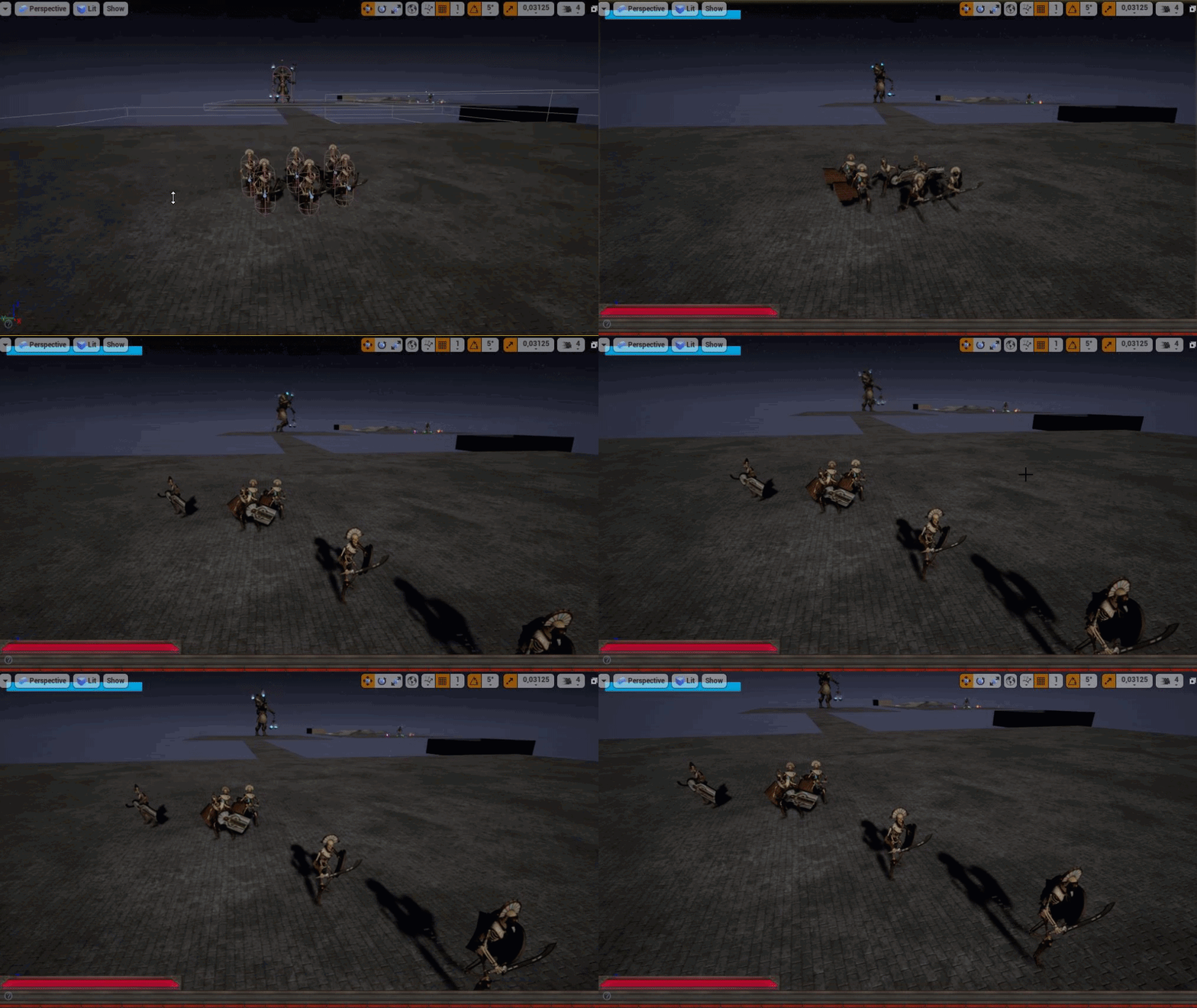
https://i.gyazo.com/b3f324406220372cb4f18c64358cf777.gif is it something i do in the blueprint anim or do i have to force the speed in the different tasks i want it to walk?
 left arrow
Hey guys, how would you sculp this landscape? In Zbrush or U4?
fierce tulip
you cant get this result with ue4's terrain tool only if that is what you are asking
left arrow
yes BUT
Where can I give my world more polygons? I tried to sculp it in u4 but I cant add much details cause of the low polygons
 rotund scroll
you can't really get it with just one tool
you need to dissect that scene into separate assets
then create those assets and then compose the scene
left arrow
Yeah ofc, but I just mean the landscape @rotund scroll
rotund scroll
does the landscape mean the rocks too?
left arrow
No
rough hound
Think he just means like the "hills".
left arrow
I already sculped the rocks in Zbrush
rotund scroll
I mean the landscape itself is just a depression with a smooth round brush on a hill.. what's the issue?
it won't look like that image unless you include all the assets though
rotund scroll
your scale is off
that image you posted uses a lot more real estate than what you are using here
at least 4 times as much, if not more
left arrow
So what do I need to do? Sorry its my first U4 project
 harsh helm
Hi guys, the brush settings feature keep disapearring from the details panel, why is that? I want to make a mesh out of basic shapes.
 last dove
@left arrow I would just go watch this video https://youtu.be/OWOlYoI-3tY or go to the UE4 documentation on terrain

Here we introduce ourselves to the Unreal Engine 4 landscape tool which allows us to create beautiful open world terrains. We cover the settings and parameters we'll use to create the initial terrain.
Download Unreal Engine 4: https://www.unrealengine.com/download
♥ Subscrib...
left arrow
@last dove I will watch this, thanks a lot !
last dove
np and if you still don’t have your question answered ping me
rotund scroll
@left arrow make your brush sculpts BIGGER
and understand that you will not be able to make details like rocks or flat vertical surfaces with terrain alone
those are mesh assets you need to get from elsewhere or make yourself
 frail sail
Hello guys there way to possible to make repnotify function in offline game? Like it fires function when variable changed. so i wanna same thing on to offline map.
(im converting Multiplayer to offline map for tutorial)
or it would work in single games too?
 half turtle
question, i was told that ticks can be set to multithread but that actors set like this, wont be able to interact with the physics engine or spawn things at all
could such actors however query and send messages?
also how does the ticking of a component behaves in relationship with its parent actor?
rotund scroll
ticks get truncated to nearest frame
half turtle
so their performance is unrelated to the parent?
half turtle
well... what happens if the parent ticks at a different rate than a component?
rough hound
Is this a "decent" way to do movement states and speed?
last dove
anyone know how I can fix these errors in vs2019 when trying to build UE4 from source?
 steep ferry
Guys I'd really appreciate some help with this, when i shoot in the air everything is fine but when i shoot the wall , the sound cuts out. It seems to be the problem of impact sound, but any way to help this?
 lament saddle
@half turtle multithreading game logic isn't possible without 3rd party plugins. Also all BP events and functions are executed on frame. So a tick set to the default tick duration (0) will fire once every frame.
 normal burrow
Well it’s more that big systems of the engine aren’t able to be multithreaded. PhysX threading is basically limited to a read write lock (many reader, one writer)
 tender flume
Is there a way to optimize shadows for mobile?
 smoky sonnet
License is invalid:
UATHelper: Packaging (Android (ETC1)):       License information is invalid. Please try reloading your license file using the Coordinator Monitor application on the Coordinator machine, or reinstall IncrediBuild.
UATHelper: Packaging (Android (ETC1)):       This build will run in standalone mode.
anyone know why?
 tiny sonnet
is there an elif node in ue4?
last dove
for blueprints no
you can just use the if node and then put another if node that connects to the false output on the first one
tiny sonnet
is there a simpler way to have multiple branches depending on the value of a variable. for ex, if x=1, do this, if x = 2, do this, if x=3......
 blissful trail
Fatal error: [File:D:/Build/++UE4+Licensee/Sync/Engine/Source/Runtime/CoreUObject/Private/UObject/UObjectGlobals.cpp] [Line: 291] Illegal call to StaticFindObjectFast() while serializing object data or garbage collecting!
tiny sonnet
thx
last dove
np
tiny sonnet
is there a way to check if a certain component is an actor, and set a boolean accordingly?
last dove
a certain component? or a certain component on an actor
rough hound
What should i hook this up too? Tick would be called too often.
last dove
@rough hound make a timer
tiny sonnet
sry, a certain component in the actor
last dove
drag the component into the event graph as a "get" node, then drag out from that and type ==
rough hound
But i also need it to update whenever the variable movement state changes
So a timer would be weird.
last dove
is that for animation Zad?
rough hound
Yes. I'm setting the speed so it will toggle running and walking.
tiny sonnet
wait wut
that doesnt check if it exists or not tho. if i delete the component, it should make the boolean false, but doing wut you say will give an error
last dove
ah I see, yeah you want to use IsValid
tiny sonnet
yh thx
last dove
@rough hound you should hook that up to Event Blueprint Update Animation
rough hound
Does that work with blends tho?
last dove
do you not have an animation blueprint?
rough hound
I do.
rough hound
I'm already using that to check the speed of the actor
and apply that to the blend
but i want to set the speed of the actor.
And i don't think i can do that from the anim blueprint
last dove
what are you trying to accomplish by setting the speed of the actor?
rough hound
Setting a walk and run speed
last dove
ah this is for AI
last dove
alright this makes a lot more sense now
you need to set the running speed in the actual AI actor bp
tender flume
@last dove Is there any way to optimize shadows?
last dove
in what way?
 radiant haven
Someone Know how to make a particle local movement only ?
rough hound
Yeah that's what i'm doing but i can't figure out when to set it.
radiant haven
or change the damping
last dove
@tender flume if there aren't too many shadows, make sure the main light source is stationary, and then bake the light
radiant haven
thanks
last dove
Zad, the code you posted earlier sets the AI speed based on what?
if I know what it gets set based on I might be able to help
rough hound
That's the problem, i don't know when to call it. I know i want it to be walking whenever it's not "aggroed" and running whenever it's chasing.
last dove
so its idle should be just randomly walking
what causes the aggro
like what player action causes it
tiny sonnet
is using enums for an id system, a good option>
last dove
is it an ID system for multiplayer?
rough hound
Oh wait
last dove
also Zad, I would make a custom event called "AI activate aggro" or something
then when it detects something, it calls the event
rough hound
Yeah i just figured i could have it set to running whenever it has a target.
tender flume
@last dove What if it's a city?
 onyx cedar
"To optimize bandwidth further we need to use lossy techniques. For example, we can reduce the precision of the physics state sent over the network by bounding position in some min/max range and quantizing it to a resolution of 1/1000th of a centimeter and sending that quantized position as an integer value in some known range." https://developer.oculus.com/blog/networked-physics-in-virtual-reality-networking-a-stack-of-cubes-with-unity-and-physx/
tender flume
Bandwidth exists on VR? Whoa
onyx cedar
can somebody who is smart explain to me why converting from a 4 byte float to a 4 byte integer saves bandwidth?
I'm not doubting the author. I'm just dumb and don't understand
 worn granite
Probably a double quantized into a short or a char
onyx cedar
oh
worn granite
So you're going from 8 to 2 or 1
onyx cedar
they meant integer as the math meaning of the word, not integer as in the c++ version
worn granite
lemme go read it
onyx cedar
k
worn granite
Yeah cpp had dumb names
onyx cedar
ty
 plush yew
Is there a way to change the animation speed from BP?
onyx cedar
@tender flume it's about multiplayer vr simulation
 worn granite
@onyx cedar they might be talking about float precision being lossly and resulting in more correction rpc as well
it's interesting
onyx cedar
yeah but that would be surprising to me that converting to an int would fix that 🙂
worn granite
Does it?
plush yew
I got unreal engine 4 but I don't have it open
onyx cedar
yeah but i'm not thinking about it very hard
worn granite
if everyone rounds you're way more likely to have the same answer
If you're getting inaccurate payloads that's a whole other issue ofc
onyx cedar
yeah thinking about it i don't think that would be a huge issue. it uses ieee 754 floats already, and if they're inaccurate enough to be noticed, we would be noticing
i think he just did it for bandwidth purposes and that's it
plush yew
does anyone know what values to use or how to set the caps for Write Achievement Progress? The documentation I found suggests it caps at 100 but even using 0,1 unlocks an achievement
onyx cedar
part of that article was what you're saying though. if you all round to the same thing, it's all good
thanks for giving me a sanity check
tender flume
@onyx cedar Oh that makes sense but dont use too much ints.
Sometimes it doesnt help, sometimes it does
 hollow raven
Any tips on where can I find good video that can help me make my own MMORPG combat mechanics similar to Black Desert Online?
hollow raven
I did but then it shows for blueprints and stuff
Wanted to get guidance on how to actually make a fighting combat for my own
I just don't knw where to start
fierce tulip
you'll need c++, blueprints, gameplay abilities, animations, etc
so obviously you'll get blueprint and other related tutorials
hollow raven
I have the basics for C++ but not that strong, so like I don't really know how to code in game that's the thing
 abstract relic
Then you need to learn the basics
fierce tulip
then I am not sure if you are ready to set up anything even poorly resembling BDO's system, that was made by some of the very best coders in the business
hollow raven
Ah I see, alright thanks guys
fierce tulip
just keep practicing and learning, and most importantly keep having fun
 paper kernel
blueprint is kinda addicting tho
you do c++ and keep wondering "I could have done this 15 minutes ago in bp"
hollow raven
Alright willl do
hollow raven
LOL yea but then again it's better to have your own tho
I mean the action that I desire to have
I can just code how many skills I want and that'll be awesome
last dove
you can make your own skills and what not using blueprints
and if you use bps then you can follow some of the tutorials online
hollow raven
True
Some BP doesn't exist the way I wanted tho
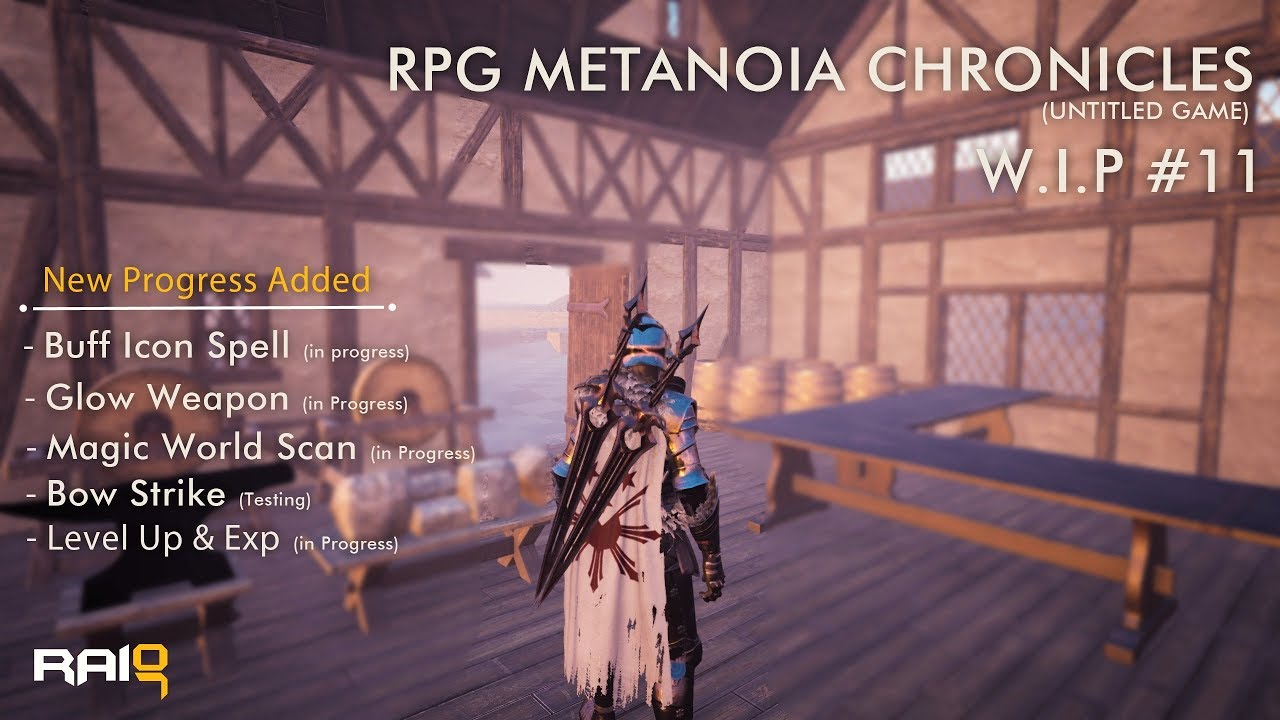
I'm planning to release my Metanoia Skill Tree system for FREE here when it's Done in the community. I need to add Connect Line of each Skill and Level Requirement. it has one component, two widget and 6 Macro that Control all over the Skill tree System.I will include the Widg...
Like this guy, super cool man these are the skills I wanted to make
plush yew
can i make ue4 render less foliage if they are in distance?
ue4 renders them by default lol
last dove
yes
plush yew
200m away and still renders grass lol
last dove
on your player camera you need to adjust the view distance
or do you mean in the editor?
last dove
in the editor idk where the option is, I don't have UE4 open but in your playercamera you can change the value
tender flume
Meanwhile my aim has always been 30FPS lol.
It's much easier to work with 30 on Mobile
plush yew
game should run on 60fps for any gpu
last dove
your mobile game is 10+ gb???
last dove
that's pretty big for a mobile game
tender flume
No plans to make it public as well
 night bridge
guys
plush yew
Any assets from the market place which are free you can use them in your project?
Even if they were free for this month only?
tender flume
It just features a city map with several additions to it to make it lively.
night bridge
how do you fix the "Texture streaming pool over numbers budget?
tender flume
For me to play basically
plush yew
@last dove You are sure yea?
 nimble moat
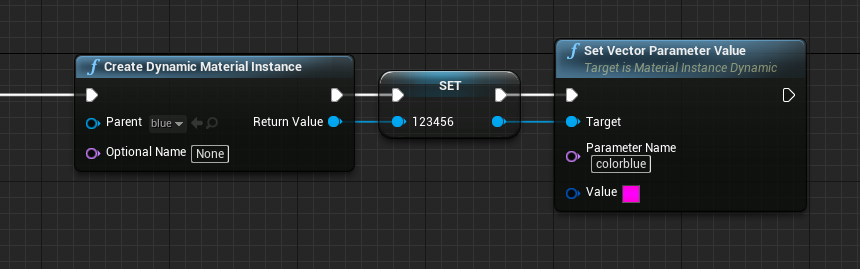
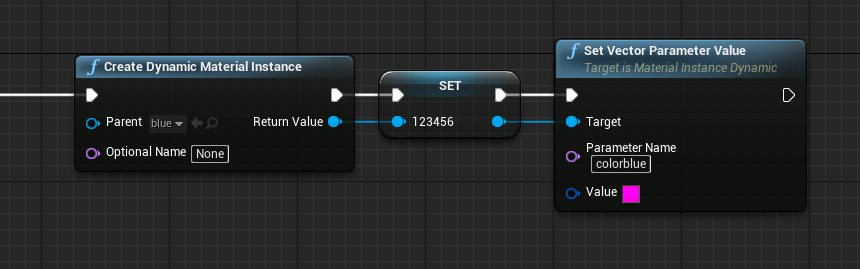
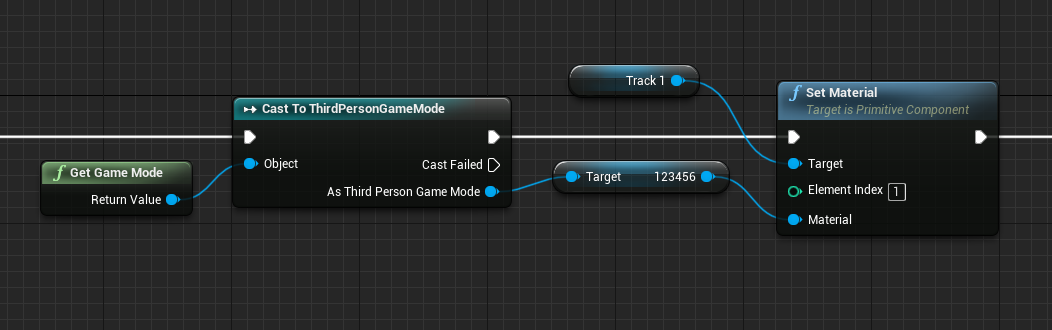
Can anyone help me with this? Im trying to set a material color (in gamemode) then spawn an item with said material color but it's just not working
https://i.gyazo.com/6658ffddc756eaf421df26899e5f85f9.png
https://i.gyazo.com/a2afd769a86834df8612b7a619ad91a7.png
 last dove
@night bridge check this article (found it in a quick google search) https://forums.unrealengine.com/development-discussion/content-creation/94843-texture-streaming-pool-over
Unreal Engine Forums
Talk about Level Design, Static Meshes, Physics, and more.
@nimble moat try asking in #blueprint give a guy named Gallonmate an @ 😉
tender flume
Is it optimal to respawn NPCs at one go?
last dove
like all of them at once?
tender flume
Yep.
last dove
heck no
nimble moat
I think i might have solved it, as is always the case when you ask for help lol
tender flume
Thats what I did but I had some cheap solution implemented as well lol
Whenever the player is further away from the NPC distance. Despawn it
last dove
yeah a distance to the player based system is good for your type of game
tender flume
When they reach around the minimum area where they are able to see the NPCs. Respawn quickly
But doesnt this consume more memory?
The constant spawning and despawning
last dove
I guess yeah, but instantly spawning all npcs on the whole map will put a massive load on the cpu
I'd play around with a few different methods
last dove
idk think of some xD
tender flume
My goal is currently optimizing assets to the minimum where it looks acceptable with lods
Not too much fidelity reduced. Not too potatoey
last dove
maybe section off your city into groups where if the player is in that section, spawn all the npcs (in that area) at once, then once the player leaves the section despawn them after like 20 seconds
then it's a middle ground between dynamic spawning/killing and spawning them all at once
tender flume
But is it possible to spawn all of them?
If I can optimize the poly counts around the entire map itself
last dove
depends on if the phone can handle spawning all of them
tender flume
Would that mean lesser load on the GPU/CPU for NPCs?
last dove
possibly
tender flume
It's an exynos so optimization has been a priority always hah
last dove
you could also spawn all the npcs at the start of the game then do an LOD to where at a certain distance they become invisible
tender flume
Smart!
last dove
that way they spawn at the loading screen and don't create any big lag spikes when the game starts
fierce tulip
having them all loaded, even with lod's will be a massive kick to the teeth memory wise
last dove
what about the dynamic spawning?
 sonic gust
any clue what could cause this when building from source?
getting it for multiple ue4 dlls
abstract relic
You have nulls triggering
sonic gust
it's the first build with the code directly from the repo so I didn't modify anything
I'm guessing I missed a step or something :-?
I'm trying to rebuild the entire solution - see if that works
abstract relic
Did you install visual studio components
sonic gust
will check after the rebuild but I'm pretty sure I did
plush yew
evening all! I've recently started learning Unreal (blueprints first and foremost). I have some issues understanding the different replication methods on events. I'm doing this on a Character blueprint, but the actor is only hidden server side, not on the clients. Is there anyone here who understands this and wants to explain it to me? Much obliged 🙂
left arrow
Guys I need help with my U4 camera. How can I look through my camera? So i can see what the camera sees?
last dove
@plush yew ask in #multiplayer
plush yew
ok
last dove
@left arrow do you mean while you're playing the game or in the editor
plush yew
thanks
left arrow
@last dove In the editor
last dove
I believe if you click on the camera in the level it brings up a window with the view of the camera
last dove
I'm not sure you can make it fullscreen afaik
sonic gust
you can take control of the camera :-?
last dove
unless you play the level and possess the camera
left arrow
🥺
abstract relic
Windows >>> viewports >>> viewport 2 >>> click on the new viewpoint to make it the active viewport >>> select your camera >>> pilot camera
left arrow
Thanks! @abstract relic
plush yew
no give me a patched version of the settings application with a uifi menu thats a separate menu
last dove
lol what
sonic gust
@abstract relic question tho: Do I have to build the entire solution or only Engine/UE4?
before trying to debug
plush yew
damn give me a patched custom modded version of the settings application for windows
fucking just give me one
plz give me one
last dove
???
plush yew
troll
last dove
lol sorry I was so confused
plush yew
I dont wanna become a minimod but I won't hate you
OK so the latest testing version of unreal engine 4 just likes to crash on me
 worldly axle
Hello, how can i change the position of an object (Exponential heigght fog) with nodes ?
plush yew
no I was not talking about that
hello guys I have problem
I can't start my project
I can't open it
how to fix it?
I pulled update from source tree and pushed other and now I can't open it
if you can help me please tag me
I was damn not talking about that
 mighty hearth
Not sure where to ask this but is there any way to create custom shaped boxes that I could use to zone out areas. if not what would be the best way to create something like that?
 glacial pecan
Unlit view mode is not enough for me, since I do weird shit in my material that has to do with camera distance... how can I override that in the editor so I can see the stuff in my level properly?
fierce tulip
global material parameter thingy? that way you can disable/tweak values of all shaders using it? else, no idea
tiny sonnet
can u put a component inside a component
sonic gust
@abstract relic I tried rebuilding everything, same dlls errors
glacial pecan
@fierce tulip hmm... a global material parameter and an editor utility blueprint to toggle it I guess... ugly, but could work, thanks!
sonic gust
looks like I'm missing a ton of dlls , any clue what redistributable or toolkit I need installed?
 manic pawn
there's nothing wrong there
tiny sonnet
thats not a error taigi, errors are red. idk wut the problem is
sonic gust
ah I think I might be missing some vs components :-?
manic pawn
you can theoretically get the symbols for those by enabling the microsoft symbol server as a source but that will make launching the debugger real slow so don't
sonic gust
I was missing nuget package manager from vscode but not sure that's what caused the issues
will get it, try to clean rebuild the entire solution and see if anything else changes
@manic pawn well... shouldn't it be able to find and load the dlls properly?
manic pawn
read the message properly
this is just a notice that a dll was loaded by the process being watched by the debugger, but no debug symbols are available for it
sonic gust
ah ok, thanks ^_^ did not know what PDB files are
and how'd you go about debbuging such dlls errors?
sonic gust
I mean this
i'm getting those when I try to run ue4 for pretty much any UE4Editor-*.dll
 junior solstice
How do I get my Ai to come from other directions
manic pawn
did you accidentally select win32 target platform instead of win64?
sonic gust
nope
I'm doing a clean rebuild of the engine only rn
are all projects from the solution required to run it? Or is the engine enough (I'd guess so) ?
sonic gust
ok, I only did build Engine/UE4 atm
manic pawn
building UE4 (or a project target) is enough to make the editor work
sonic gust
so the others aren't required, thanks for the info ^_^
manic pawn
you'll also need UnrealPak to package and UnrealLightmass to build lights
sonic gust
I want to work on some core UE4 stuff
nothing to do with lighting
just their HTTP module mostly
wanna try and implement a feature
manic pawn
UnrealInsights is also useful
sonic gust
thanks for the tip ^_^
 novel summit
Does anyone here work with vr?
sonic gust
ask in #virtual-reality
novel summit
oh lol didn't see that, sorry
last dove
what's the code for the gameServer.Target.cs file for UE4.23.1?
nvm I had a syntax error
 gilded lichen
Hello, how do I make xp orbs follow the player similar to Minecraft?
I cant figure a way for the orbs to follow the player
plush yew
Trigger Volume and increase Speed over time ?
._.
That'd be too easy so forget that answer
gilded lichen
what do you mean by increase speed over time? as I've made the trigger volume and allowing them to be picked up by the player
plush yew
The points don'tget faster ? Played that game a while ago .
Well they would move towards the Player If the Player entered a certain Radius and then you could Check for a collision and Player Tag or Name I guess
gilded lichen
yep, that I've already done. Its just the movement towards the player
plush yew
I suppose there's a sort of Look at player (who entered Radius First) function 🤷♂️
Long story short , I don't know . Thought you were missing a concept
 misty creek
Get the orbs location and the players location then use a lerp to move them to the player
@gilded lichen
plush yew
Goodgood
Could anyone recommend a tutorial series that goes over Minecraft game features including the fathomless topic of saving worlds ?
left arrow
Hey guys, should I build my light once when i finish the scene/game or often during I work on my scene/game?
abstract relic
How ever many times you need to
left arrow
I started it 10 min ago and still 0%
plush yew
When you finish the scene imo
abstract relic
How ever long it take
plush yew
... I don't know . Saw professionals Not using Static lighting so it might be better to avoid that
abstract relic
Everything is project dependent
normal burrow
nah you want to use static when you can
left arrow
I dont even know what a static is
I work on my first project
I have grass and a sun
normal burrow
nothing more?
abstract relic
If there’s a key word you are unfamiliar with. Go here

Complete resources for learning to use Unreal Engine 4
plush yew
nah you want to use static when you can
@normal burrow 🧐
Tested the Performance difference between dynamic and Static... almost nothing ._.
normal burrow
did you build lighting for static awesomeness?
left arrow
@abstract relic Thanks!
normal burrow
if you didn't, it just uses dynamic lighting
plush yew
Tested both
abstract relic
You want static whenever you can get away with it. If performance is the goal
normal burrow
it also looks much better with bounces and such
plush yew
did you build lighting for static awesomeness?
@normal burrow Yup
normal burrow
i don't have an explaination for your test results then awesomeness
abstract relic
Low scene detail is my guess
normal burrow
well, i'd think removing shadows from rendering entirely would be worth it alone
but yeah low scene detail would make the difference smaller
plush yew
Tested that a while ago but I used megascans
normal burrow
if your talking about comparing 600fps to 500fps
so you've just got lots of landscape being lightmapped @left arrow ?
That could take awhile, you just gotta wait for it. sometimes it gets stuck on 0% and other times 99%
abstract relic
Usually it happens when you have a ridiculous amount of foliage instances with no culling and have shadows enabled
normal burrow
yeah, having too high of lightmap resolution will cause the 99 percent hiccup i think
 lament star
I've been hearing for a while about this "network prediction plugin" being developed, does anyone know what's it all about?
 spare steeple
has anyone had the typical Swarm failed to kick off. Compile Unreal Lightmass. error but didnt resolve it by rebuilding unreal lightmass?
 weary void
Hi there! I am currently writing a water shader with ray tracing and I'm struggling to get the opacity effect. It looks like I can't have my material blending with anything, it's just completely solid
Does anyone know if translucency is working with ray tracing?
I'm using 4.24
spare steeple
4.24
normal burrow
github right?
normal burrow
open up ue4 sln
at the top Build->Solution
make sure editor is closed
that should build everything
 midnight bolt
@fierce tulip i've got reply from unreal devs, they will look into reported bug
thats a followup from few days ago
plush yew
hey guys
is mannequin skeleton alright to be used for final production or you think its too poor of a design for that?
spare steeple
the skeleton or the mesh?
plush yew
skeleton
spare steeple
yeah that skeleton is fine
junior solstice
how to rotate ai around player ? i can find it
spare steeple
has all the bones you would need for a human character
plush yew
do you retarget?
spare steeple
also helps because most marketplace animations are made for that skeleton
retarget yes
as long as the other skeleton is rigged properly
 strange night
Describes how retargeted animations can be used with multiple Skeletal Meshes, allowing you to share animations.
Might be useful info in there
plush yew
so i guess the Advanced locomotion is using same sceleton right?
spare steeple
yes
plush yew
alright
cuz i've only had headaches with mixamo
Animations there are nice but there's a lack of too
rough hound
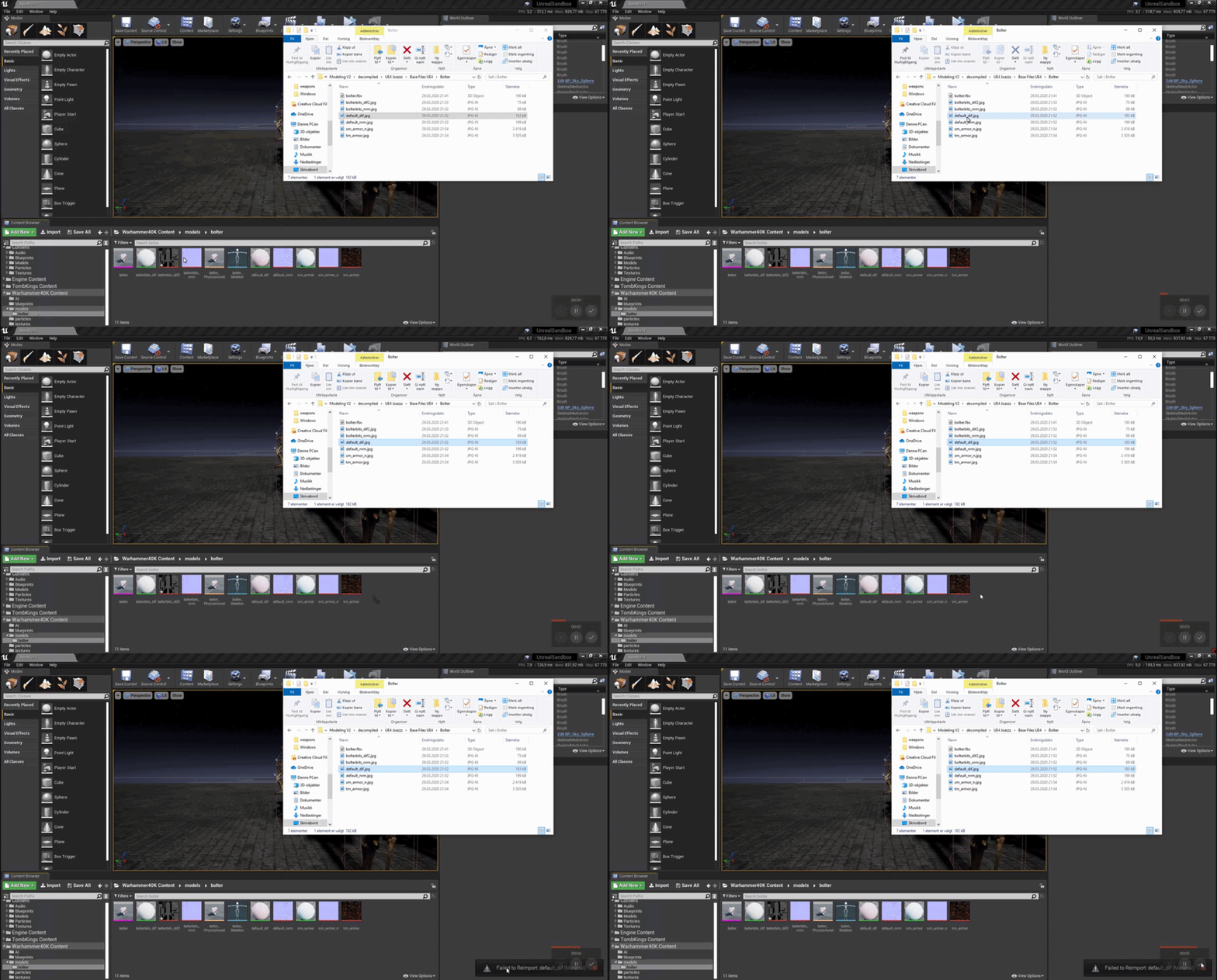
Why can't i import my texture?
normal burrow
does it not exist?
normal burrow
likely fails silently
rough hound
Is it because it's trying to reimport
normal burrow
look at the source file path, in texture viewer
abstract relic
Blame /intermediate
rough hound
I had it in .tga but the files got corrupted or something
normal burrow
k well you need to update the path to jpg
rough hound
But i don't have a texture file for them
normal burrow
then reimport will work
rough hound
I'm just drag dropping
normal burrow
whats the point of reimporting then?
rough hound
Idk
normal burrow
you could export to reimport for no reason
normal burrow
if you want to replace what was a tga to a jpg you have to change that source path, then reimport
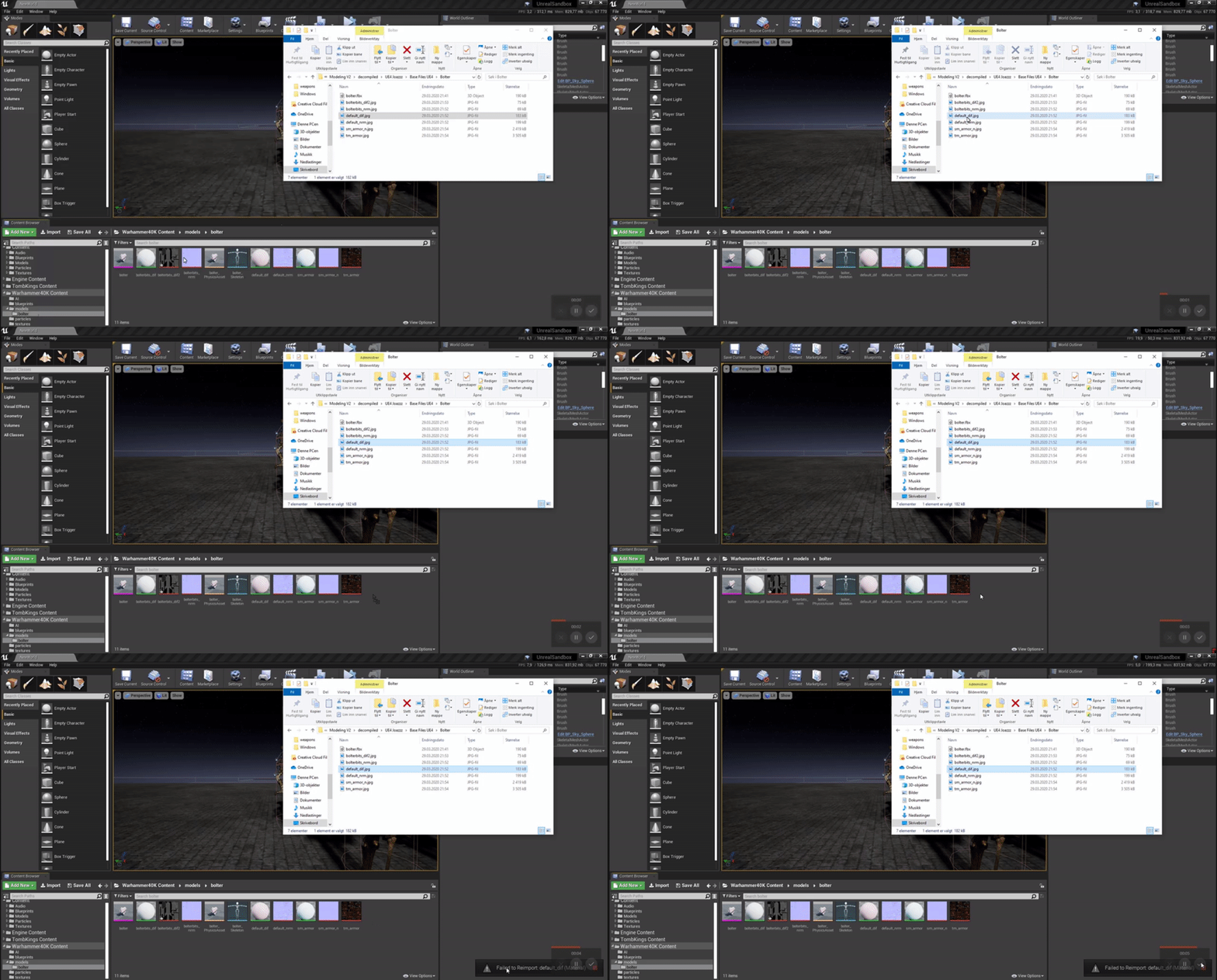 normal burrow
it likely is because there is already a file with that name
normal burrow
it removes the extension, adds a .uasset
 pine siren
When my character is moving fast (super ultra fast) it turns into this blurry mess, even though the camera is moving just as fast, and it should look like nothing is happening. How can I disable this blurry feature?
normal burrow
define super ultra fast
pine siren
several kilometers per second
manic pawn
ah yes. have to make sure we don't just enable the stencil, but enable the stencil with stencil
normal burrow
its a stupid name but yeah enabled only enables the custom depth
abstract relic
That burned me too Zeb
normal burrow
and stiian i imagine your doing something more to stay at that rate of travel? acceleration will show up this way, so idk how far you'd be able to travel to notice it leveling
abstract relic
Then you gotta enable it in the mat if it isn’t a post process mat. 12 step for a damn stencil 😜
normal burrow
Yeah, And they don't really make it super obvious that you need to enable anything in the first place. It'd be nice if the stencil view for example, said that they were disabled lol
the velocity calculation for blur is based on position changes @pine siren so if you are teleporting the camera in place it'd reset that value i think. hard to say why it'd be doing that consistently though
rough hound
I removed my static mesh component and replaced it with skeletal mesh and now it seems i can't refer to self anymore in the bp?
pine siren
@normal burrow Oh right. I'm using SetActorLocation per tick when moving, that's probably a bad idea I guess. The plan is to move over to addInputVector or something when I finish creating a decent movement component.
normal burrow
if you uncheck teleport it should be fine
teleport option basically resets motion blur and physics sims
pine siren
I'm using c++, so I can't "uncheck" anything. but it seems the default parameter for teleport is ETeleportType::None, so I guess I'm not doing that..
normal burrow
its hard to say that wouldn't cause issues as well. is it a ACharacter?
spare steeple
just updating my issue with Swarm failed to kick off. Compile Unreal Lightmass. in case anyone searches this discord for the issue:
rebuilding the engine (and unreal lightmass) did nothing, turns out embree.dll was missing from my Binaries/Win64 folder so i copied it in from a launcher build and now it works
not sure how it was missing or what happened to it, but that was the issue
normal burrow
building solution didn't move that file there?
spare steeple
nope
normal burrow
wild
spare steeple
i had embree.2.14.0.dll in there though
normal burrow
ubb and all that as well?
glad you got it regardless
Believe that 3.1 is the current minimum support
why?
your using a fork or something right?
lots of edits?
idk, might be easier to upgrade than your thinking with github fork, could look into porting just that part of it down
your fork should be a clear means of seeing what you did and what needs to be redone but i've got no idea of the scale of edits
🤷 can't really complain about not being able to upgrade then
maybe project settings has a min hardware level or something. idk tbh i've not touched mobile stuff with a ten foot pole by choice.
But on the store your selling on, you should be able to limit hardware this way
google store for example will let you choose and pick specific devices to support or not
sounds like you need to edit the engine further then lol
there is likely a way to not package the lower hardware support levels but i am well out of my comfort level suggesting this
 wintry forge
is there a difference between these 2?
normal burrow
yep
wintry forge
im completely inexperienced with vectors, could you gimme a short explanation or is it a long explanation by default on the differences between the 2
normal burrow
each are comparing X and Y of the 2D Vector after subtracting the end from the start. top one takes an absolute value before comparing which means it changes a -1 to a +1
normal burrow
mathematically yeah that is the difference
wintry forge
i dunno why the guide went through all those steps
why use lots math when 1 click do trick?
thanks again
last dove
is there a way to build a linux dedicated server file from the UnrealFrontend app from the UE4 source engine? every time I try building the game.snl as a Linux Development Server, it fails and says that it was an "Invalid x64" even though I'm building for Linux. I can confirm that I have the correct Clang version for cross compiling
wintry forge
Why waste time say lot word when few word do trick? @normal burrow
normal burrow
They are doing different things there, idk if your talking about node count or what but i'm not seeing a 1 click opertunity
wintry forge
ah ic, i meant right clicking the vector variable, instead he used the vector - vector and break vector nodes
normal burrow
well right clicking the variable and splitting it in place is no better than having a break node. generally performance benefits exist to having fewer nodes ran in a pure statement. its not true for everything of course though. the top has 6 nodes the bottom has 5 with two split parameters in it.
you'd have to profile to see which is smarter, but wouldn't avoid being generous with the clicks
wintry forge
:p yea and in the end his worked and mine didnt lel
proly not that code in particular tho
normal burrow
peice of code just seems to check if your drag of finger is more wide than tall
without that abs, it'd only work one direction
wintry forge
ye
normal burrow
glad you got it
 teal tulip
Lol
normal burrow
lol
teal tulip
#wontfix
normal burrow
wildcards are messed up too
teal tulip
Only at 4.24 or them all?
I have to do a patrol over github tomorrow to give a check to pull requests
There is usually gold
last dove
can anyone help me with cross compiling in the source version of UE4? I'm trying to make a dedicated server but whenever I build my game to Linux, it says the platform/configuration is invalid. here's a pic of the log screen when I try to build:
 sacred sluice
Hallo! I have a question. Why my root motion animation make my character small?
When i root motion off, my animation is ok. But i need root motiob anim
 hoary silo
Whenever I try to launch my game the launch fails and I get this message. Does anyone know how to fix this?
 fossil socket
that's odd, you're definitely on a 64-bit OS right? i suppose you would be if you packaged the game
hoary silo
Yeah
fossil socket
could be a corrupt file, the path seems to have got mangled even though you covered it up
 old kite
can someone shoot me in the correct direction on how to "pin" or "constrain" a cloth on two independent movable points? i have a plane with cloth physics working, but wanna pin the top two corners.
worldly axle
Hello, how could i change the position of an exponential heigt fog via the nodes ? There is no add blueprint button
 unreal comet
A friend of mine sent me this image and said his nav mesh isn't working on his stairs. What should I tell him? https://cdn.discordapp.com/attachments/615255116618006632/693957209813418118/Annotation_2020-03-29_235757.png


Is there a setting in the nav mesh to fix this?
 grim ore
normally the max step height
rotund scroll
make the collision of the stairs a ramp
you really don't want stairs ever to have step collision
last dove
hey @rotund scroll do you know anything about cross compiling a dedicated server to linux from the UE4 source engine (vs2017)?
rotund scroll
have I ever given off the idea that I do?
last dove
Idk
rotund scroll
I have no clue about server stuff
last dove
😭
rotund scroll
I don't know that randomly tagging people is going to help you either
grim ore
does compiling the linux server on linux not work?
last dove
I'm sure it does, but I have windows 10 not linux
rotund scroll
try answerhub
plush yew
Hey uhh, is this the chatroom to ask for general questions about Unreal?
rotund scroll
it's likely one of those things that very few people know about
so you might have to wait a while
yes sir @plush yew
last dove
there is one guy here that knows about all of the dedicated server crap but he hasn't spoken in quite a while
PrintStringFTW
grim ore
if you plan on running it on linux why not compile it on linux?
last dove
because my actual server OS is linux
much cheaper than buying another copy of windows or windows server
old kite
how do you constrain the corner of cloth to a moveable point?
plush yew
I need help I am searching for a result for Hours! Heres the Command thingy LogPlayLevel: Error: ERROR: System.ComponentModel.Win32Exception (0x80004005): Der Dateiname oder die Erweiterung ist zu lang
SORRI FOR POPPING IN 😛
grim ore
when do you get that error will help
plush yew
Okay cool cool. I actually had a question myself, I just started Unreal two days ago and I've started my first project, which is in third-person and I'm working on my first mesh, which is my main character. This is kinda difficult to say but my main goal is to make a 2D sprite move around in a 3D map. I've made a bunch of flipbooks and mapped them all to my mesh. So what I'm working on now is my event graph, to which I can provide for some better insight, and I'm trying to make my character have a few properties. I have him moving left and right well, however when, I'm making it to where if he moves upwards or downwards, he still walks and depends on which direction (left or right) that he'll continue the animation on. So say if my character moves right, then goes into his idle flipbook, when he presses up he'll continue to look as if he is going up, and go back into the right idle frame once his velocity is 0.
 sinful osprey
What's the config file that saves your content browser favorites? Mine won't save for some reason and I'm assuming it's not checked out of P4?
plush yew
reeeeeeeeeeeeeeeeeeeeeeeeeeeee
I have each one of my sides as a boolean, however whenever I make the animation depend on whether if right or left is activated, the animation is just stuck on a still frame.
Actually scratch that, lemme send a high res version. It's kinda blurry
 keen moss
I'm working on a drivable car blueprint, following some tutorials I've found online. Everyone is working ok except the tires start to blue and pixelate once the car gets up to a certain speed. Any advice?
Blur*
rotund scroll
disable motion blur?
keen moss
It's already disabled, the effect only occurs near the tires
rotund scroll
no idea then
normal burrow
as far as i know
 rancid lynx
if i attach a rock actor to a wall actor, how can i "get attached parent" on the rock, to find the attach parent ?
get attached parent returns the actors self root, not the other actor that it was attached too
another way to ask, "how do i find what actor an item is attached too, if the primative component was attached to a new actor
normal burrow
Technically thats how it is supposed to work
i think get parent actor is what you want
how many levels of parenting do you have?
tiny sonnet
is there an easy way to destroy all components in an actor except 2?
like is there an except node?
rancid lynx
ty. get parent actor returns self actor's scene. not other parent. just 1 layer. 1 actor attached to another actor. when i use get parent actor, it returns the rocks scene, not the walls scene
 fallen wing
I know I'm asking a LOT. I'm just going to write a couple blocks of what I need if that's ok. ❤️ :)
1. How would I make it possible, to look somewhere, press shift, and deploy a portal? (I already have the particles) then, press it again and deploy another? and when stepped into that portal the screen fades and fades back in, and you are at the new portal? i know i'm asking alot and i apologise. thankyou. (Once used this it will delay for about 3 minutes, and how would i add a bar to show you how far it is into becoming usable again?) thank you! 😄
 hard quarry
What is the maximum X or Z coordinate in unreal engine?
 flat idol
32bit floats
normal burrow
@hard quarry basically numbers get fuzzy the further you get from zero
340282346600000000000000000000000000000
that is the largest float value you can have.
lament saddle
@tiny sonnet Not really. Maybe you can get creative with component tags but you're pretty much stick looping through every component and destroying / not destroying them based on some criteria.
hard quarry
Yes, everything is extremely fuzzy. I dont know if that is a problem tho
normal burrow
340282346600000000000000000000000000000-1 = 340282350000000000000000000000000000000
that is how fuzzy it gets
what scale are you shooting for?
tiny sonnet
i promoted the damage causer to a variable, to use that. but its still not working? its not casting the damage variable over
flat idol
Put the collision shape into bp sword and move the code too. There you wont need to cast to anything, it's already the sword so just use the value. The causer can be bp sword's owner or self if you need that too.
tiny sonnet
that wont work. i have to have a seperate actor for my purposes
the cast isnt working for some reason. i put the variable inside my player character, and the cast work. makes no sense
 fallen marten
You'll have to get all actors of class, and get the closest BP sword from it to plug into your reference @tiny sonnet
Idk where that top code is, but I'm assuming it's not the character or the sword
 wooden leaf
I need to download and install 4.22, how ever my epic launcher doesn't give me that option. anyone have any ideas
tiny sonnet
dropdown beside play button i think
no
@wooden leaf next to engine version at top there is a +, click that
wooden leaf
I tried that, it's grayed out.
wooden leaf
Modding requires it.
normal burrow
you press the button that says install
wooden leaf
I don't that option for 4.22, I see 4.21, 4.24 and 4.25
wooden leaf
this is what I see
wooden leaf
Oh, ok, thanks
normal burrow
Creative UI strikes again
normal burrow
as in axes?
it will mess up animations yes

do that with your right hand, then with your left hand
if you think of middle finger as Y, index as X, a left handed coordinate system has a Y that points right
tiny sonnet
gameinstances are global variables right?
normal burrow
Y is usually the axis that gets flipped in conversion
unless your houdini, and you just swap z and x
animations in ue4 are not relative to any ref pose yeah.
so if you move the bone, your not changing the animations
is it a humanoid?
you could potentially retarget then
idk, it depends on how the program exports it
blender is Z up like unreal but its right handed. so from there (with default export settings) it just negates Y heading
X remains to be X and Z is still Z from blender even though X is generally left in blender and Y is meant to be forward (as per all the constraints rely on, and how the bones are drawn)
So it'll matter what program your exporting from anyways. just have to test it
looks like from max, it just negates Y
which is what blender does as well
what are you doing?
you don't convert between left hand and right hand, the engine does this for you when you import. what matters is that the animations and the meshes that use them are oriented the same way as the skin weights / bind pose
are you trying to mirror the animation?
if you look at those two pictures, the Y is on the same axis, its just pointing different directions
Yeah
animations from max as well?
@tiny sonnet the game instance represents the game basically
tiny sonnet
is there a way to get global variables
normal burrow
so it goes between levels yeah
tiny sonnet
a variable i can use in all my blueprints
normal burrow
you want X to be forward there sukebi?
GameInstance is basically what you want BIVZe, but anything world related does not belong on it.
tiny sonnet
but gameinstance saves previous data, i dont want that
normal burrow
you've got to be careful that you don't hold reference to something in a world that is removed because it'll keep lots of things from garbage collecting until its reset
Take a look at mannequin
The templates have him -90 around Z
Y axis for forward is standard
it does mean you need that extra rotation
but yeah its the only way the labels for the orthographic views make sense too 🤷
 fervent nacelle
@normal burrow couldn't he use a soft refetence to circumvent the issue with gc when unloading levels?
tiny sonnet
can i change the value of a gameinstance variable with an input forexample?
fervent nacelle
@tiny sonnet you could also use the your controller class to store persistent logic and variables
normal burrow
soft references are paths
tiny sonnet
kk
normal burrow
so you'd only be able to use a soft reference with an asset that is in your content brwoser
weak ptr would be fine yeah
fervent nacelle
@normal burrow oh is it just a global variable, I skimmed through a bit too quickly I guess
normal burrow
but might mean you need to write those weak pointers in c++. i can't recall if those are exposed to blueprints for adding variables. I know that they show up as regular references though when exposed from c++
Yeah I just meant the references you want to be careful of holding inside a game instance would be those that ive and are spawned inside a level. not references to things in a file on disk as much
as those spawned things hold a reaching reference out to the spawned world they live in
but yeah weak ref / weakobjectptr these would be okay but there is overhead in resolving these
tiny sonnet
@fervent nacelle i feel stupid now lmao
fervent nacelle
@normal burrow yeah, memory usage can get out of control if in-level instances aren't handled properly
@tiny sonnet no worries, man, I forgot plenty of stuff, for whatever reason, just this tends to be really easy for me to recall, and I couldn't even tell you why XD
normal burrow
@plush yew you'd be better just applying a -90 on your skeletal mesh component
but yeah you would do that if you really really wanted to avoid it
fervent nacelle
Yeah, I usually have a lot more success with manual level streaming in chunks, so I cant say I've spent a whole lot of time with soft references, as I just really havent needed to. It does seem like a specialized use-case variable type
wooden leaf
I have a project in the unreal engine 4.21. how can I update them to 4.22
 sturdy apex
In the epic launcher you should be able to right click it
wooden leaf
This is a project using Wwise for modding for an unreal engine game. if I said this right. That doesn't give any options like that
sturdy apex
hmm, let me take a look. I had just done this recently, my memory must be off.
wooden leaf
It wantes to update every thing and can't
fervent nacelle
@wooden leaf pretty sure there was a code refactor engine side between 4.21 and 4.22
I had to fix a raymarching shader because of it
sturdy apex
@wooden leaf I think I found it, you launch your newer UE4, then when it asks to open a project choose MORE at the bottom right. Then when you select your project that is for an older version it should give you an option to create a copy that will work on the new one
plush yew
dxr gpu baker looking good 🙂
sturdy apex
Can someone point me in the direction or provide a keyword that will help me find how to create an inventory menu that can loop around infinitely? I've been looking at widgets and ListView, but I can not seem to identify how I could make a list loop back around if I were to have a list of inventory items (strings) and keep pressing joystick down. Closest I have seen is to put a struct inside a struct, but I have heard that is a bad idea. Googling for looping inventory didnt work at all also.
I am assuming I am phrasing it wrong
wooden leaf
I can't use unreal engine to start the mod project, I have to use Wwise for modding for the game I want to mod in.
sturdy apex
Sorry, I don't know anything about Wwise myself. Hopefully someone else here will know something.
wooden leaf
It's telling me to manual do it, and I have no idea what to do
normal burrow
Like a list that repeats itself?
wooden leaf
sturdy apex
@normal burrow yeah, I thought it would be easy peasy, but I haven't found anything on it
normal burrow
Not real standard of a function
Idk UMG well enough but timers and stuff on phones do this
sturdy apex
timers you say? I'll try searching for mobile game examples and see what I find.
normal burrow
So maybe search around for something like that term wise
fervent nacelle
@sturdy apex you might be able to get away with manipulating an inventory slot array with a for loop with break to see if it's reached the same cell that is defined as the end cell and then reset the current index once it reaches that, effectively restarting the list, if that makes sense
sturdy apex
@plush yew It does not, but I am going to reread that sentence 20 more times until it does. I also need to look more into breaks and end cells, and see how to reset index. Sounds very promising, thank you
woops, @fervent nacelle
fervent nacelle
okay so if you now how many slots you want until it repeats, you can assign that to a variable and create an array that house the inventory item data and by using a for loop with break node, with each new cell/entry evaluated you can run a boolean gate to see if the current entry has the same value (+/- 1, it's late), if it is you'd reset the current array value to 0
wintry forge
hey guys, i made a simple android game and im trying to export it. I am following the guide on the site but cant drop the memory below 450 mb(!!!) and i only added about 4 static meshes/textures, but also using the default 3rdpersoncharacter
i made it only export the 2 maps, compressed/cooked packages, and tried to specify the 4 directories I used (thirdperson bp, thirdperson, mannequin, and the game files)
fervent nacelle
@wintry forge memory can be taken for many different things beyond meshes and their corresponding textures. I'd disable any unnecessary engine featureike distance fields if you don't need them
sturdy apex
@fervent nacelle thank you, I'll see if I can take it from here. Much appreciated
sturdy apex
it may be a while, I am slow as hell, but sure will
plush yew
How to fix broken lighting
its night here and this plane mesh is glowing
like dafuq
wintry forge
@plush yew how would I do that? this is my first game, im just trying to test out the thing i made from a tutorial
fervent nacelle
@wintry forge most of such options would be in project settings under the edit tab of the editor
@plush yew are any others glowing or just that one mesh?
wintry forge
is there an option to exclude maps? or should this cover it pretty cleanly
fervent nacelle
Try seeing if anything is plugged into the emissive input on that mesh's material, emissive materials don't give off light but light themselves
plush yew
@fervent nacelle its semi dark at day
but gets like that when night comes
this is what day looks like
fervent nacelle
@wintry forge oh sorry, then you'll want the render setting tab, and then I'd just go through the list reading what each one does and disable/enable accordingly
 exotic cave
Check your material for an emissive hookup, please, @plush yew , just like @fervent nacelle said
exotic cave
It does
fervent nacelle
yeah, it just doesn't look like because of the luminosity difference
fervent nacelle
oh, can't send a screenshot of the material editor with the main node selected?
sturdy apex
@plush yew That PS1 style looks cool
fervent nacelle
can you send *
there's some extra contextual options there I need some info about to help you a bit better
oh wait
do you have a skylight?
fervent nacelle
is it static, Stationary or movable?
fervent nacelle
is there baked lighting, either from the default level or a lot bake prior to now?
Light bake
wintry forge
man, i wish i could just play the game and it would detect what is needed for the package
obviously not possible for bigger games but would really help my noobie self right now
plush yew
where is baked lighting @fervent nacelle
can you explain what you said earier
this has never happened before
mesh lighting is broken
i have to fix it but how
fervent nacelle
Yeah so there's the tiny widgets at the top of your in-game viewport with one of them labeled "Show". click it and a drop down will appear, there'll be a checkbox in one of the sub drop downs that says volumetric lightmap, if it's unchecked, then check it, and tell me if anything new shows up in your level
fervent nacelle
if you see a bunch of spheres pop up, go to the world settings tab and find the checkbix for "force no precomputed lightmaps" and rebuild your lighting
plush yew
not at lighting
wintry forge
with these settings, it says "map specified on the commandline.... mainmenu could not be found. exiting"
what could be the problem?
plush yew
didnt help
bruh, i have to fix meshes lighting
not worlds
there is no lighting problems with other things
wintry forge
i also have "cook everything in the project content directory" checked, but also the map is in the main project directory
fervent nacelle
The thing is it's all interdependent, problems like this are easier solved going by macro to micro solutions to the problem. I'm not quite sure exactly what's going on with your mesh, but it's 3am here and I gotta get some sleep, sorry man, hope you find a solution
@wintry forge sorry, I know nothing about packaging, I'm just a middleman
wintry forge
np gl man
plush yew
pls someone help me with glowing plane mesh problem
and if i make it long
it becomes black
wtdf
normal burrow
Why does your editor look like Atari?
plush yew
because there is post process
please help with my problem
well i propably know problem but i dont know to fix it
so i feel like that lightmap of this mesh is at wrong side
its at backside
and when sun goes down it makes it glow because it uses lightmap that is at bottom
and at day it is dark because it uses bottom ligth map
how the fuck do i fix this
exotic cave
First, you stop swearing and have some patience.
Every single one of us has bugs with UE. Many of us are trying to fix and polish our own projects right now.
Second, I'd advise actually looking at the lightmap UV's in your mesh in the Static Mesh Editor.
UE in general will override your mesh's lightmap UV's on import, and will put them into UV1
plush yew
Why cant i swear, its complementing my words
and why cant i say please help me. It doesnt mean that i dont have patience
exotic cave
You can do whatever you like, but the mods will eventually cite you for language if you don't keep it in check.
plush yew
fucki weirdo
normal burrow
You should turn off that post process at get a look at what’s happening with that off as well. I feel like trying to understand the issue with that is extra difficult. Reenable
<@&213101288538374145>
exotic cave
shrug Go have a look at what's actually happening with your lightmap import.
plush yew
But i have to put it back when i want to play
its very complex then
My lightmap here
i dont see a problem
i have to flip it
 weary basalt
@plush yew Please read the #old-rules thanks. Act professionally and respectful when engaging other members of this community thanks.
 unique kraken
hey can someone simply confirm something for me really quick?
is it possible to use multible vertex color grps in ue4?
exotic cave
It doesn't look like what UE does to automatically generate a lightmap.
Check the Build Settings for your UV import settings
exotic cave
I'll show you. Hold on.
That is on the Details tab in the Static Mesh Editor.
Should be underneath your UV button, or thereabouts. Right side of the screen.
exotic cave
UE's own lightmap generation produces pretty clear UV islands, like this:
exotic cave
So that's why I want to know that you're sure that you're looking at UV1 instead of just UV0
Your UV's look like Blender's packing algorithm to me, not UE's
normal burrow
Are you using static or stationary lights alter?
plush yew
moving because there is day and night going
normal burrow
Then lightmaps aren’t in use
unique kraken
pls could someone tell me if its possible to use multible vertex color groups?
exotic cave
@plush yew : Please check your Light Map Coordinate Index setting
plush yew
exotic cave
In General Settings
normal burrow
Idk what vertex color groups are
exotic cave
plush yew
its 1
unique kraken
well vertex color, one grp contains the colors for the mesh
and a second grp contains different colors
exotic cave
Try setting it to 0 to see what happens. It's supposed to be 1, but your UV's in UV0 don't appear to overlap there
normal burrow
You can have vertex color per vertex. Up to 8 uv channels as well
unique kraken
how is that connected to the uvs?
exotic cave
That way, at least we'll know if there's an issue with the mesh flipping your normals or whatnot
plush yew
didmt help
exotic cave
Did you hit "Apply Changes"?
normal burrow
You can pack anything in uvs. Such as a second vet ex color over two of them. I dunno what a group is but you can have one vertex color per vertex
exotic cave
Try it with "Recompute Normals" checked.
Set the lightmap index back to 1, as well.
I mean, it honestly doesn't look like your mesh is well-formed
unique kraken
i basically trying to have 2 colors per vertex
unique kraken
bcs i dont need textures basically, vertex colors are enough for me but i would need multible per vertex
exotic cave
Whatever you're doing in Blender is baking your normals upside-down, then
 ashen brook
@unique kraken no, only one set of vertex colors in unreal
unique kraken
ARG
ashen brook
if you need more per vertex data, consider encoding it in UVs
ashen brook
what 3d apps are you using?
unique kraken
im useing blender
ashen brook
you can use a script to write whatever data to those channels
normal burrow
Think of vertex colors as 4 texture coordinates uv0.x .y, uv1.x, .y == .r,.g,.b,.a
ashen brook
the pivot painter does this to encode pivot positions into UVs
unique kraken
okeyy
so basically i need a script that writes me that data into my uvs
wich isnt going to happen
so
screw this
i guess
normal burrow
Try googling it
ashen brook
you could always just bake out your second color set to a texture and use that
normal burrow
Not that uncommon of a thing
unique kraken
yea probably what im going to do, a 8x8 texture will do it
vertex colors would have just been easier
normal burrow
Yeah you can treat top left as green
unique kraken
lets say i squeez my uv in one pixel in the top left
ashen brook
first channel is red, and goes along the horizontal axis from 0 to 100%
second channel is green, and goes along the vertical axis from... usually from 0 to 100%, but between 3D programs sometimes this is inverted, as it is here
unique kraken
what do u mean by channels
like the uv number 0,1,2?
so lets say i used my 4. uv for this and i place red bottom right, my greens top left.
in ue4 i would need to grab the uv channel 4 and seperat rgb? am i following this correct?
normal burrow
Ye basically
Just plug uv into make color using x and y of it
For red and green
Then another uv for blue and alpha
normal burrow
Vector append
ashen brook
each UV channel consists of two float values
unique kraken
yes
ashen brook
that's what I meant by channel above, sorry for the confusion
unique kraken
ah
okey
so basically my 2. vertex colors are just supposed to be values for my materials,
if i wanted a value of red .5 it would be here
normal burrow
Yea
unique kraken
i think i get it, maybe i find a way of painting and the placing it or so
thanks very much
 upbeat lake
Is there a way to swap shading models (forward vs deferred) at runtime? I know I can alter this var to set it at the game instance level but i'm hoping to be able to switch between the two modes depending on the persistent map loaded... so on open level
r.ForwardShading=False
manic pawn
no, because depending on this variable different shaders will be cooked, so a packaged build can only support one at a time
 wind night
Hi! Is it possible to print something into console?
I have UFUNCTION(Exec) function and I want to display something as output. How can I do it?
FString Version();``` fathom grove
where do i self promo?
 junior vessel
@wind night Not sure but don't you need any function parameters?
wind night
I dont need 😉
I think I found solution. I dont have to display in console my output
I can display on screen by GEngine->AddOnScreenDebugMessage
 errant lintel
@wind night iirc you can use Exec UFUNCTION specifier only in some place like ACheatManager or APlayerController
wind night
also in GameMode 😉
ashen brook
@fathom grove you can post work in the Share Your Work category below, according to the guidelines
fathom grove
yep TY
ashen brook
Does anyone know if you can switch the Collections view back to the old style, or undock it somehow?
post 4.24
 brave shard
guys please do you how to make animations for lika a chainsaw? I only know how to do animations for character moving (rotating bones etc). Should i do this on an external program?
ashen brook
for a chainsaw, the way I would do it is with a panning texture
ashen brook
Yeah. UV the blade as a linear strip, and then control pan speed through a scalar parameter of the material.
easiest way and good enough for 99% of cases
 high nebula
Hey fellow awesome people I am having a build issue with my project. Everything works perfect within the editor 4.24.3 but when I try to cook for Windows 64bit I get the following error. I cant for the life of me work out the cause.
ashen brook
give the blade its own material slot - the material there would be a simple panning texture, speed controlled by a parameter. Note that it'll look weird if you rev it slowly, but abrupt drastic speed changes should look fine.
high nebula
UATHelper: Packaging (Windows (64-bit)): LogWindows: Error: Assertion failed: 0 [File:D:\Build++UE4\Sync\Engine\Source\Runtime\RHI\Public\RHIDefinitions.h] [Line: 1340]
UATHelper: Packaging (Windows (64-bit)): LogWindows: Error: Unknown FeatureLevel 2
UATHelper: Packaging (Windows (64-bit)): LogWindows: Error: [Callstack] 0x00007ffc3a9c3e49 KERNELBASE.dll!UnknownFunction []
UATHelper: Packaging (Windows (64-bit)): LogWindows: Error: [Callstack] 0x00007ffc3cfdcf31 ntdll.dll!UnknownFunction []
UATHelper: Packaging (Windows (64-bit)): LogWindows: Error: end: stack for UAT
brave shard
thank you so much