#ue4-general
1 messages · Page 688 of 1
 rancid lynx
 lavish glacier
@wintry forge advantage of c++ code is often in writing math and nested logic which can get really messy in bp
 wintry forge
I guess ill cross that bridge when I come to it- am I able to do partial code partial blueprint? just use code when I need it?
feel like that would also be pretty messy
 abstract relic
Do what you need. It’s merely a tool.
lavish glacier
@wintry forge yes ue4 is very friendly in exposing c++ UFUNCTIONs to BP
maybe the best way to wet your feet is to make a function library
 plush yew
is anyone here good with C++? I was able to import a Dll however when I call GetDllExport to get my method, it fails
Unreal Engine Forums
Hello,
I am trying to import a function in my .dll file located in myProject/Plugins directory.
My importDLL function is returning TRUE indicating it obtained the DLL file.
However, GetDllExport highlighted in red below is failing! (IE. returning false)
I followed this tutori...
 bitter iris
what should an ideal target to stay under be for total tri drawn?
lavish glacier
@tough marsh i've made a basic test rig (same process as the previous skeletal mesh) and it also has the same problem.
its coming from cinema4d
lavish glacier
paragon assets are also the same (missing number of lods and Regenerate buttons)
 tough marsh
then it may just be a bug
lavish glacier
thx again @tough marsh , it was indeed a 4.22 bug
 glacial belfry
Hey guys, has anyone tried to do something like this with an vive tracker instead?
https://www.youtube.com/watch?v=Jd3-eiid-Uw

Using the infrared camera in the Wii remote and a head mounted sensor bar (two IR LEDs), you can accurately track the location of your head and render view dependent images on the screen. This effectively transforms your display into a portal to a virtual environment. The dis...
It's easy to get a tracked camera up and running, however I'm running into the problem on how get the "perspective distorted" image out onto my screen that matches the real-world cameras perspective
 frail sail
4.25 p4 released. so next release is full release?
 uneven fractal
so I've been looking into automatic landscape materials
Is there a way to do "volume" detection like how you can have slope detection?
 grim ore
@frail sail no, they can have as many as they want for previews
frail sail

 slate anchor
I am probably being paranoid here but something strange is happening when I am trying to log in to unrealengine.com
 rough hound
What's the best way to setup a "ragdoll" for dead AI?
slate anchor
it is making me do captcha 10 times which is arguably a lot of times
then it sends a confirmation code to my email and the IP from which the login was requested isn't mine
but I can log in to epicgames.com just fine with just 1 captcha and the correct IP in the confirmation email
 flat axle
Does anyone know how to do an on hover drop down menu for buttons?
slate anchor
I think you can use tool tip for that, not sure
I think there is a way to use a custom widget as a tool tip
 fleet cedar
@rough hound If you simulate physics on the mesh that should work, https://www.youtube.com/watch?v=1OcGAGT2opU
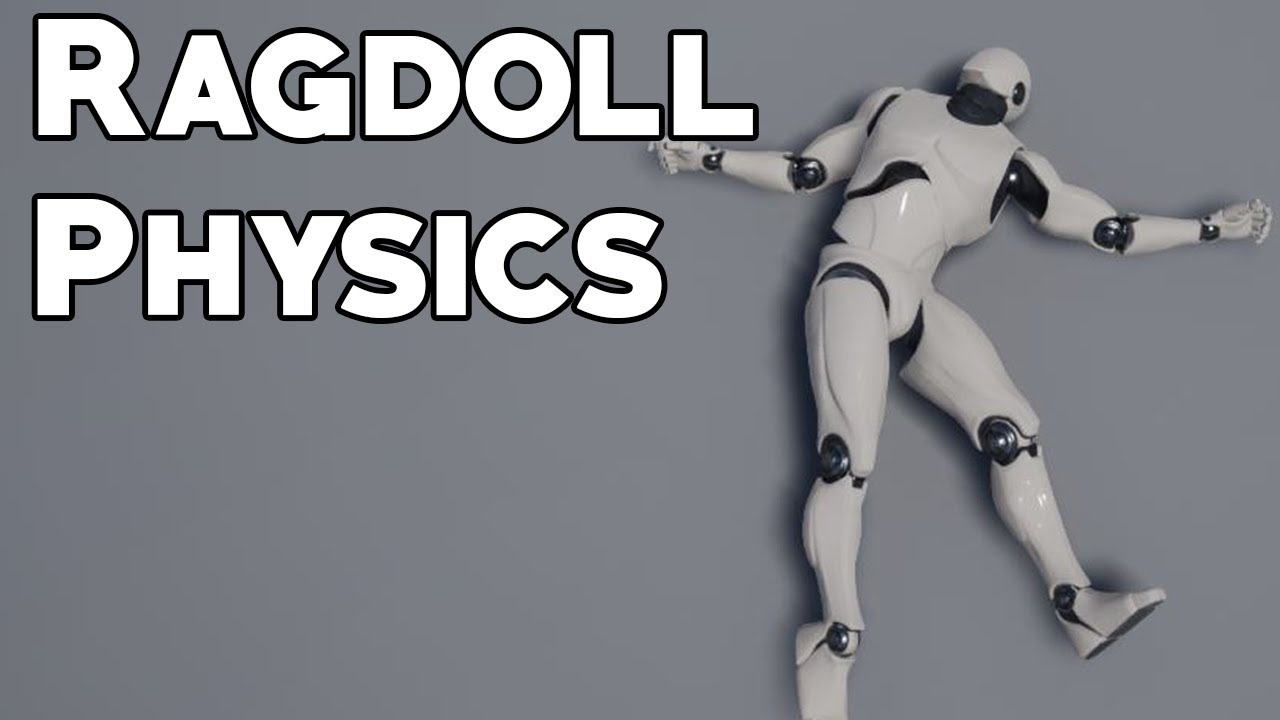
Learn how to make a simple ragdoll physics system in Unreal Engine 4, useful in first and third person shooters. Topics covered: Blueprint scripting, physics simulation, line tracing, collision.
LINKS:
Underscore Tutorial Asset Pack - https://gumroad.com/products/BLpGP
SUPP...
 blissful trail
anyone know why i have to load 5000 shaders
(i have almost no content just the main menu ui)
 supple rover
Hi, i'm very new to Unreal, I'm watching some tutorials, and I have come to a issue. I'm supossed to use Matinee (tutorial for opening doors), but I can't find the funcion. It isn't in Cinematics, and when I create a Matinee from the Place Mode, the I can't find the buttom to open the editor. Can someone help me with what I did wrong? 🙂
abstract relic
Matinee has been removed
abstract relic
it's been on the chopping block for years
grim ore
you can force matinee back on but it's not recommended, find one using sequencer or use something other than animation for opening a door
abstract relic
for doors, look into timeline node
supple rover
Awesome, thanks!
rough hound
When handling death for AI, How do i make it stop using the behaviour tree? Essentially i want to just ragdoll the whole AI but i get errors when i unpossess it.
grim ore
you need to stop the brain
look at the Stop Logic Node targetting the brain in the AI controller
rough hound
Seems to work but i can't seem to play any animations on it after.
it was because i checked if the ai was dead every tick and the death event was played every tick
 placid arrow
r.SSGI.Enable=True
r.GenerateMeshDistanceFields=True
r.LightPropagationVolume=True```
are some of these settings secretly experimental?i made these four changes all at once, ue4 rebuilds every shader in my project then crashes with a device lost assertion
worst case scenario i can put some of them back, but my intent was to turn off static lighting
the others i was kind of playing 🙂
 summer loom
I've kind of had some stuff not refresh/update when I compile with the Editor's Compile button. Although it works with Live code. Does everyone use this? It seems kind of weird to press a 3 button combo to compile
grim ore
If the code you pasted is correct it looks like your ifdef might have been incorrect. the correct one has two __ before it, your code shows 1
 rotund scroll
with chaos being introduced, does this mean physical materials are getting an overhaul as well?
 ember notch
Is it allowed to do a software with UE4 where people can create their own game?
 half turtle
what can i do if i need a point light to have a really gigantic volume it can illuminate but that is an extremely simple volume
(essentially empty space with some spheres floating in that space)
ember notch
If you mean a'game editor' I don't see why not
I mean a game creator software where people can export it but can they sell this game?
 midnight root
Thats a whole other issue I'm not qualified to answer
ember notch
Thats a whole other issue I'm not qualified to answer
Do you maybe know where I can ask? 😄
So my users need to send a release info to EpicGames right?
https://epicgames.formstack.com/forms/release_form
Formstack Form - Release Form
ember notch
A game creator tool
I saw somebody that made a game engine with Unity and his game engine don't exist anymore
Because it was against the Untiy license
Well, with UE4 it's possible to make apps with UE4 and movies, architecture and much more things.
No
I understand the question wrong
I want to make a game creator where people can create easy their games and if they want to publish it they can send it to https://epicgames.formstack.com/forms/release_form 😄
Formstack Form - Release Form
No i had a idea for a mobile game creator tool
For mobile users
abstract relic
why would they pay for a neutered game engine when said source engine is free?
ember notch
no
abstract relic
Because you said it's not? 😛
ember notch
I am interested in Game engine development
abstract relic
then make a game engine or make a plug in for an existing game engine
but do not slap a label and call it your own
 next badger
@abstract relic but you can't distribute the editor's code...that's against Eula
i.e. you can't build custom ue4 and sell it
abstract relic
Wrong ping Sed
next badger
not wrong...i was commenting
why would they pay for a neutered game engine when said source engine is free?
 normal burrow
Agree with HighTide, why would you do this?
rotund scroll
$$$
normal burrow
I kind of get what you mean avitas in making something for people to just pick up without thought but it's a bit naive to think its possible to make it any easier without completely bogging down features and or keep it from ballooning as every single engine does over time
@next badger if its a game framework of sorts, you wouldn't need the editor
rotund scroll
making an engine is hard work
next badger
@normal burrow well, agree...but you can't use classed from editor, and w/o those (like FBX import) custom engine may be a useless creation
normal burrow
dumbing down unreal for the purpose of ease of use is what i'd also call neutering it. not a lot of reason for someone to lazily pick up something any more than they wouldn't on other things
 marsh swallow
How can you pass variables to Menu Anchors?
normal burrow
yeah s-ed
but the runtime is free for use. You would have to pay 5% of sales of whatever.. and there is likely something preventing you from reselling the engine for engine use
abstract relic
normal burrow
"I pay 5% royalty of my sales of unreal engine but people using the my unreal engine aren't subject" lol
yeah
abstract relic
If you want to go the plugin route through marketplace
https://www.unrealengine.com/en-US/marketplace-faq

Outside of marketplace. Best to poke phy. I'm sure he can point to some legal sections to look into
 keen moss
i need help with a vehicle rig/blueprint can anyone help me?
grim ore
@marsh swallow you should be able to talk to it like anything else. It's a widget so as long as you can get to it you can talk to it. How you get it depends on how your UMG is set up
ember notch
Well, I think game engine development is not worth
next badger
Any public Distribution (i.e., intended for Engine Licensees generally) which includes Engine Tools (including as modified by you under the License) must take place either through the Marketplace (e.g., for distributing a Product’s modding tool or editor to end users) or through a fork of Epic’s GitHub UnrealEngine Network (e.g., for distributing source code).
marsh swallow
Those are the variables i need to pass. From what I understand (from your video) is that the Open is what spawns the Widget BP. Correct?
grim ore
so you are trying to pass something to the item that is managed by the menu anchor?
normal burrow
@ember notch you may end up wasting peoples time trying to get them to settle for less. imo you'd be better off lookin into ways to improve the engine rather than hijack it
marsh swallow
yes the menu anchor widget has 4 buttons, depending on the item selected, it controls what is shown
normal burrow
@next badger that is interesting
but yeah i imagine what avitas is talking about is akin to roblox
ember notch
I know
 ancient lotus
my assumption is lack of development experience to understand the amount of work that would go into it (absurd amount)
rotund scroll
not to mention the technical debt
for someone inexperienced
it'd likely be unviable as soon as it released
ember notch
Thank you i will check that out 🙂
grim ore
@marsh swallow More than likely you need to override the "On Get Menu Content" event on the menu anchor. I can't see another way for it to give back the widget that is being held by the menu anchor
marsh swallow
grim ore
@marsh swallow here I am using the On Get Menu Content event to change the image that is being shown on the widget that is being created by the menu anchor
marsh swallow
You mean this? @grim ore
rotund scroll
I have a deep seated respect for people who can pull off doing stuff like that continuously without giving up
making a game engine requires so much persistence
grim ore
so yes that is the right spot, you now need to manually create the widget like I did then modify it like you want and return your modified widget as the one to show. If it's just passing info to it you would just pass the info to it after creating it then return that one
ancient lotus
anyone else currently watching handmade hero now lol
plush yew
Can i ask questions in this channel?
marsh swallow
Okay. So even though you set a class on the Menu Anchor to spawn (which i dont actually seeing it spawning anything when i click and it fires open) you still have to manually create it
grim ore
if you are overriding, it ignores that class (you can set it to null
plush yew
but when i import it, the whole assets gets broken up into pieces of the person
asset*
grim ore
click the combine option on the import popup?
plush yew
Not sure whats wrong
theres a combine option?
There is no combine option that I can see
Nvm
there is
ah thank you
that fixed it
 coarse wigeon
Welcome @median wigeon 🙂
 severe lintel
I'm trying to make a bullet blueprint for a shooter game. How do I disable collisions for the bullet and make it a trigger? I want to do this to prevent it from stopping moving players when they are hit.
grim ore
yeah its hidden in the advanced drop down, super annoying
 median wigeon
@coarse wigeon Thanks!
grim ore
@severe lintel https://docs.unrealengine.com/en-US/Engine/Physics/Collision/index.html you would change to overlap instead of block on any channel you are using for the bullet on any collider it is using
next badger
I see we have new orange face here 🙂
keen moss
I need help with a vehicle blueprint, i followed a youtube tutorial on how to create a car like the one in the vehicle template, and was able to drive it around perfectly in that scene. i then migrated the car and all other info to my project scene and when i try and play it, the car flys off into space and spins like a top..... please help
grim ore
collision
next badger
somethin either was not migrated, or...maybe there were some special settings in the project... try #legacy-physics
i've seen car physics went havok just cause of internal constraints
grim ore
pick up the car a few feet off the ground so it drops down to the ground when it starts. See if it drops or immediately flies off. You can adjust it to like 20 feet just to make sure its dropping or flying. If its flying then it could be something colliding with it from the start like a bad sky sphere BP.
severe lintel
@grim ore thank you
keen moss
@grim ore ok i will try that now
grim ore
and @next badger has a good idea since that would be the correct channel for more problems if that doesnt work but it's a collision thingy for sure
keen moss
@grim ore deleting the skysphere worked, whats wrong with the sphere?
grim ore
nothing except the default one in some projects has yep the collision enabled on it
dunno why, ask Epic lol
rotund scroll
likely a fluke
grim ore
enough of a fluke that I got it right first guess 😛
rotund scroll
I meant the fact that collision was left enabled on, presumably, a template
keen moss
i turned off collisions and its works now, thanks guys
rotund scroll
oh I didn't do anything
next badger
on sky sphere?
keen moss
yea
rotund scroll
it was all MathewW
next badger
but how it can collide with it?
rotund scroll
on some projects collision is left on, as per the conversation we just had
keen moss
its a static mesh from unreal called sphere_inversenormals, it had collisions on by default
now that i have a driveable car in my scene, is there a way to record keyframes of me driving the car down the road
grim ore
yeah the BP_Skysphere has a custom sphere mesh it uses for the material for your sky
grim ore
and if you have collision on you are inside of it and it goes nuts (tossing you out)
rotund scroll
which to be fair is expected behavior
keen moss
it is
next badger
unexpected is collision that is not inverted
rotund scroll
I mean collision on sky should be turned off really
next badger
@grim ore As of Unreal Engine 4.24, we recommend using Take Recorder instead of Sequence Recorder.
rotund scroll
so I'd attribute it to it being a fluke
from Epic's side
(as per the previous conversation)
keen moss
unreal can be really weird sometimes, im going to get a tattoo one day that just says "fucking unreal"
median wigeon
@next badger , Yep I am a new orange face. Been an admin on the UE4 Developers community and a few other UE4 groups on Facebook for a handful of years.
grim ore
man... Epic is weird. Take Recorder is intended for stuff like motion capture but they just flat out say "use it for all your in game recording now" lol
grim ore
ugh
median wigeon
^ yeah it’s odd
keen moss
the recorded should work great, thanks again
 worldly dust
a week or so ago epic showcased a 4 part youtube series about network replication I heard was great, but I can't find it anywhere, it had a red thumbnail lol, does anyone happen to have that link?
next badger


Creating a networked multiplayer game isn't easy, but Unreal Engine's gameplay framework is designed to set you up for success. On this episode of Inside Unreal, Technical Writer Michael Prinke will cover fundamentals such as the server-client model, various features of replic...
that was 3 weeks ago...not one tho
worldly dust
thank you i'll check it out but that's not the one, it was a 4 part youtube series that was not a live training
ah it was this link, https://youtu.be/16BvKb-OPOg

🎮 Unreal Engine Replication Series - Part 1: What is Replication?
👋 Welcome to the Replication Series! This beginner tutorial series dives deep into how Unreal Engine handles Replication. Understand more than just the "how" and explore the "why" behind important concepts tha...
grim ore
yep it was showcased on the 3/5/20 stream https://www.youtube.com/watch?v=2kTHz_pzpuk
 stable robin
I have a Bluefish Epoch capture card in my computer. I saw an announcement dated last April that Bluefish was gonna be supported in Unreal, but does anybody know if it is? I was unable to find a plugin for it like Blackmagic and AJA have.
stable robin

Tom Lithgow (Product Manager) discusses the new features to Bluefish444‘s IngeSTore as well as their Video Input and Output support for Epic Games’ Unreal Engine 3D.
 glad karma
Somebody know where can I find, or know some video with particles of water droping on screen?
 icy narwhal
I am getting this error while trying to delete a skeleton and replacing it's references, anybody knows a solution for this?
Assertion failed: (Index >= 0) & (Index < ArrayNum) [File:D:\Build\++UE4\Sync\Engine\Source\Runtime\Core\Public\Containers/Array.h] [Line: 614] Array index out of bounds: 199 from an array of size 68
plush yew
how would i fix the car from floating in the air?
 royal dragon
Amazing assets for FREE https://www.unrealengine.com/marketplace/en-US/profile/Project+Nature

Unreal Engine
Now available to download for free, the Project Nature environment collection helps you create lush landscapes and interactive plant life with ease.
plush yew
;/
normal burrow
@icy narwhal what version
icy narwhal
4.24.3
normal burrow
Find one skeletal mesh that uses the old skeleton
Right click it and assign skeleton
Choose the new skeleton
Then lemme know if that worked for the one thing
If it didn’t, then you can’t kill and replace
icy narwhal
Ah okay.
normal burrow
They have to be similarly named and hierarchy (bones)
icy narwhal
That might be the issue, I was replacing Paragon one with default Mannequinn
plush yew
hello guys, I have no enough space for vs 2019 but I need to install it, I have not things what to deinstall so is there a way to can install it on other disk?
normal burrow
May be able to assign mannequin to paragon tho
icy narwhal
Hmm.
normal burrow
< not familiar with paragon assets
plush yew
someone?
normal burrow
Would move things around
That aren’t visual studio
Programmers are lazy and they will assume it’s where it is
plush yew
I can't move the other things to disk C
normal burrow
from?
 gray merlin
hello, i suppose you all are unreal developers
there are some local guy who said, who releasing his game which made on unreal
i want make sure how much he actually done on it, for judge his ability

Mixer
Apollo01 is on Mixer! Apollo01 Gaming
Hello, welcome to my gaming channel. I'm a starving Masters's degree student in Budapest.
this is his demo, can you tell me, how much stuffs his done here? or its just some demo from others?
hi @normal burrow
glad karma
Its possible make something like this in particle system? Somebody has got mayhe tutorial or something?

Texture Link : https://goo.gl/aHkiqj
Hello Everyone in today's tutorial I will show you how to make this rain drops coming down from the screen effect using a post process material. We also add some random motions to our rain drops using a normal map.You can control speed , ...
 midnight gate
anybody got some advice on getting a good looking hud?
 lost niche
Would it be possible to read/write same SaveGame object (using same variables I mean) from 2 different project?
midnight gate
i dont think anything is posible to copy from 2 difrent projects
you just have to mirgarte them to merge them
lost niche
Well, apparently I can
I don't think that you get the question. I'm not copying anything between projects. I created a SaveGame object on 2 different projects with same kind of variables in them. I created and filled a .sav file from one, copied that .sav file under the other projects SaveGames folder and was able to read the content correctly
 ruby folio
So. I was looking at the Online Learning for my niece. Redeemed a marketplace code for a simple water course. But I have no idea what the item is called and cannot find it under the launcher
 obsidian nimbus
in editor viewport alt+drag duplicates an object, any way to turn that option off?
dont see it in editor pref hotkeys
placid arrow
hah, i just learned where the lizard/dinosaur sprite comes from attached to a pawn in ue4
it goes all the way back to unreal editor 1.0
He was supposed to draw an icon for a pawn, so he created a chess piece. I was like "no no no", and he said "OK, so tell me what a pawn is". So I said "It's like a monster, like really bad-ass thing" so he drew the head, which nobody is really sure what it is, some people think it's a dinosaur, a lizard, or something... but those have been our icons for a decade.```😄
 regal mulch
Does anyone have an example of how Structs are saved in ini files? As in what format?
 royal crest
is it possible to move in viewport just like in blender?
im used to blender and new to ue4
obsidian nimbus
its possible, but im waiting for some1 else to do it :p
 fiery mortar
Guys how can I possible make this actor spawn where camera facing instead of always forward?
this is the current blueprint and it always spawns directly
fiery mortar
@obsidian nimbus you mean like this 😄
fiery mortar
@obsidian nimbus oh okay the thing is it's basically fps magic so I tried to make it spawn from character's right hand
obsidian nimbus
get socket location than
drag the skel mesh ref in bp and get socket location
and pick hand
fiery mortar
@obsidian nimbus when I do that it spawns out of hand but it doesn't work when I look up and down that's the problem
obsidian nimbus
well other ppl have had this kind of problem and i bet its documented 😛
better find a post of other ppl fixing it 😛
 winged notch
highwaywarrior not the same as Blender 2.80 but it is similar
hover over the window menu
fiery mortar
@obsidian nimbus OH ITS THE ROTATION thanks for the help man
obsidian nimbus
np 🙂
winged notch
And select the window that u need open
 wild ginkgo
anyone knows how I can find my username? I can login with my email just fine, but neither with the display name nor forum name.
plush yew
left under to settings

How to find your user id on discord 2018. This quick and easy tutorial will show you the method of discord user id finding. Drop a LIKE and nice little COMMENT if this helped! :)
To get your discord user ID you need to turn on developer mode. Turning on developer mode to get ...
blissful trail
uhm
plush yew
google""is ur frind...
blissful trail
Unhandled Exception: EXCEPTION_ACCESS_VIOLATION reading address 0x00000000
VCRUNTIME140
UE4Editor_CoreUObject
UE4Editor_CoreUObject
UE4Editor_CoreUObject
UE4Editor_CoreUObject
UE4Editor_CoreUObject
UE4Editor_CoreUObject
UE4Editor_CoreUObject
UE4Editor_CoreUObject
UE4Editor_PropertyEditor
UE4Editor_PropertyEditor
UE4Editor_PropertyEditor
UE4Editor_PropertyEditor
UE4Editor_PropertyEditor
UE4Editor_Slate
UE4Editor_Slate
UE4Editor_Slate
UE4Editor_SlateCore
UE4Editor_SlateCore
UE4Editor_SlateCore
UE4Editor_SlateCore
UE4Editor_SlateCore
UE4Editor_SlateCore
UE4Editor_SlateCore
UE4Editor_SlateCore
UE4Editor_SlateCore
UE4Editor_SlateCore
UE4Editor_SlateCore
UE4Editor_SlateCore
UE4Editor_SlateCore
UE4Editor_SlateCore
UE4Editor_SlateCore
UE4Editor_SlateCore
UE4Editor_SlateCore
UE4Editor_SlateCore
UE4Editor_SlateCore
UE4Editor_SlateCore
UE4Editor_SlateCore
UE4Editor_SlateCore
UE4Editor_SlateCore
UE4Editor_SlateCore
UE4Editor_SlateCore
UE4Editor_SlateCore
UE4Editor_SlateCore
UE4Editor_SlateCore
UE4Editor_SlateCore
UE4Editor_SlateCore
UE4Editor_SlateCore
UE4Editor_SlateCore
UE4Editor_SlateCore
UE4Editor_SlateCore
UE4Editor_SlateCore
UE4Editor_SlateCore
UE4Editor_SlateCore
UE4Editor_SlateCore
UE4Editor_SlateCore
UE4Editor_SlateCore
UE4Editor_SlateCore
UE4Editor_SlateCore
UE4Editor_SlateCore
UE4Editor_SlateCore
UE4Editor_SlateCore
UE4Editor_SlateCore
UE4Editor_Slate
UE4Editor_Slate
UE4Editor_Slate
UE4Editor_Slate
UE4Editor_Slate
UE4Editor_Slate
UE4Editor
UE4Editor
UE4Editor
UE4Editor
UE4Editor
kernel32
ntdll
what does this mean ??
plush yew
kernel problem?
blissful trail
xd
plush yew
though could be hardware or driver related u should ask in 333networks channel here they know alot
having too many collision on a scene
that will make it lag?
or it wont effect it that much?
wild ginkgo
Talking about the epic games user name, not discord. To ask again since it got lost above - How can I find my epic games username. I can login to launcher or website just fine with my email, but neither with the display name nor forum name.
plush yew
well than ask epic forum
wild ginkgo
this basically is the epic forum silly ^^
plush yew
but logically thought if u dont know ur name their?whoes account u wanna crack? lol...
okay
blissful trail
wanna vc vas ?
plush yew
vc? whats that
summer loom
Cannot you ask for it on the login screen?
blissful trail
voicechat
wild ginkgo
as I said, my user name and forum name both don't work, not that I don't know them
blissful trail
ok
plush yew
aha oke and did u delete old cookies etc? and than try again login?
did u mix up names or login if u got two names
than only one works for login i guess
if not than u need to contact them
am going to eat later!
 pine siren
What's the difference / relationship between normals in a mesh (per vertex/face) and normals in a material? Will material-normals override mesh-normals?
 heady moon
how do you design a map and import it into your project?
is there something i need to learn?
or should i just edit the landscape in the engine
 glacial totem
Anyone ever had simliar problem where restarting engine just deletes all components from blueprints classes if those blueprints are used anywhere?
heady moon
that happened to me when my engine crashed
glacial totem
LogLoad: (Engine Initialization) Total time: 8.34 seconds
LogLoad: (Engine Initialization) Total Blueprint compile time: 0.00 seconds
LoadErrors: Warning: CreateExport: Failed to load Outer for resource 'BodySetup_0': ProceduralMeshComponent /Game/Blueprints/testataankokopaskaahajaakoprocmesh.testataankokopaskaahajaakoprocmesh_C:ProceduralMesh_GEN_VARIABLE
LogAssetRegistry: Asset discovery search completed in 5.4406 seconds
LogBlueprintAssist: Loaded blueprint assist node size cache: ../../../Engine/Plugins/Marketplace/BlueprintAssist/NodeSizeCache/0402D6844C59AB2B197057BB9C4E3C40.json
LogCollectionManager: Fixed up redirectors for 0 collections in 0.000006 seconds (updated 0 objects)```Hey! I've asked this before but is there a way to turn object references into actor object references in blueprint? (I know the reference is an actor but because of how you get blackboard values it's giving me the wrong "type" and i can't connect it to nodes that need actor object references.)
glacial totem
just seems to happen with procedural mesh component, reinstalled engine already
 tacit onyx
@rough hound You should be able to cast it to actor if the object being referenced is of actor or a child/grandchild class of actor.
rough hound
What does casting actually do? I'm still not sure when to use it.
I've just heard its a bit expensive to use a lot.
 whole quarry
Casting sets a object reference that is spawned in the world
its not that expensive if done properly
tacit onyx
Think of it like a dressing room. You get references to actors, but they're meant to play specific roles, but all you know is that they're actors. You need to send them to the dressing room to turn them into the role you need. The complexity of explaining comes when you have to point out that you can't cast to any class other than that object's actual class, or any of that class' parents.
rough hound
Right.
whole quarry
If the world is a train and the passenger is an object, you can cast to specific passengers to get them do stuff/manipulate them
tacit onyx
And it's really not that expensive at all. Most projects won't notice the hit.
rough hound
Before i started toying with UE4 i only dealt with objects that didn't really need to "be dressed up". You just checked if it was valid and if it was of the type you wanted.
So casting is a bit of a foreign concept to me.
whole quarry
You could see casting as a phone call to a specific actor in the world 😛
rough hound
like say you had the equivalent of an actor, you'd do IsPlayer or IsNPC or something similar.
Which would just return a true or false value and you'd know if the object you had was of the type you wanted.
So i have my actor, do i have to do another cast if i want to get the mesh?
whole quarry
If you have a casted reference, you can take all components from that reference
tacit onyx
Depends on how your classes are set up. You should only need one cast depending on your use case.
rough hound
Well i'm only using actor atm cause i want it to be future proof and work with all possible targets
So casting to a certain AI or Player class would just make me have to backtrack later.
tacit onyx
You're in inheritance territory. You need a mother class for anything you want to reference globally like that, then that mother class has the variables, your child class inherits and sets them as they need, and your cast to the mother class allows you to reference them from just one cast.
rough hound
My Player and AI classes inherit from the character class atm.
Could i just use that then?
tacit onyx
A great example is, I have a store project. I have a mother class named ItemBase, this item base has a few variables but mostly say Price as a float. I have two other classes Potion and Boots. Potion and Boots inherit the Price variable from ItemBase as they're children of it. Potion sets it's price at 5, boots is at 25. If I get an actor reference to a a potion and cast it to itembase and ask it to print price, it'll print 5, if I do the same with boots, it'll print 25, despite that I'm casting to ItemBase which never set a number for that variable.
It does if they inherited those specific things from character.
rough hound
I just need the mesh component
tacit onyx
If it's the inherited mesh component from the Character, you can cast to Character.
whole quarry
Remember when using parent-child classes: These are the worst parents ever as they dont even know the children exist :d
rough hound
I can get the mesh position but i can't find the function for actually getting the mesh itself
Ah no. I just need the mesh.
I'm trying to attach a particle effect to a mesh.
of my targetr.
tacit onyx
rough hound
What did you type in to get thje target - mesh node
tacit onyx
Just type Mesh, and scroll to the bottom, should be there.
whole quarry
Usually its easier to just add the particle component to the actor and have it Deactivated by default, then from the casted reference you could activate the particle OR you could make a custom event in the actor to activate the particle effect and then call this custom event from the casted reference
rough hound
Ah
Found it
there's a bazillion stuff to scroll through.
Well, it's a particle effect that comes from an AI attack. The AI isn't necessarily always spawned in and it might never target x actor.
So wouldn't adding a particle component to every potential target be more work than just adding the component when it's targeted?
whole quarry
true, in that case I would make a blueprint function (in the blueprint function library) to spawn an emitter on the hit location
then you can just call that function from any actor that hits something, using traceline you get a hit vector location
rough hound
This is what i have atm
Just need to figure out what to do with Attach Point name.
want it to be universal so that it should work on most meshes.
Character Meshes anyway.
Be it a dog or a human if you get me.
Wait
actually
whole quarry
there is another Spawn Emitter
rough hound
how do i get the bonding box
Bounding Box*
I could just get that and spawn like a little effect above the box instead.
whole quarry
why not use "GetActorLocation" instead?
rough hound
I'd want it to follow.
Imagine it being like a bleed effect i guess
Or like
If you wanted to spawn a raincloud above someones head. Thats more like what i want.
tacit onyx
@rough hound What you have should work for any child class of Character. Should spawn and follow the actor.
rough hound
Yeah it's just that i can't use a socket name or a bone name because that can wildly vary depending on the mesh used.
tacit onyx
Just leave it blank. Spawn it based on the character's Mesh and offset it relatively with the Location Vector if you need.
rough hound
Yeah that's what i want now. I just need to figure out how i can get the "height" of the mesh so that i can spawn it proportionally. I figured using a bounding box origin and then using the Up Vector could maybe give me the results i want. I've managed to figure out the Bounding Box.
Doing an offset on say 100 on the z axis would spawn it above the small AIs head but would end up somewhere inside the big AI.
tacit onyx
Fair. You could map it based on Bounds, but a socket with the same name in your meshes might be best. Your other option would be to make a child of character, reparent your other child characters to it, and in that new mother class of your other characters, make an inherited scenecomponent and use it's location. Sockets are probably easier, but it's all preference.
rough hound
If i had control of all the meshes this might be used on then doing sockets would be best sure. But i don't so i think bounding box is my best option.
 dire fjord
is it possible to move the derived data cache? I'm sure I did that like a year ago, but I just found it in my appdata/local sucking up 28 GB...
rough hound
@plush yew Yeah but you have to use a named socket which are tied to the skeleton of the mesh, so different skeletons wouldn't have the same sockets.
rough hound
Cause i don't have control of every skeleton that's going to be used in the game.
whole quarry
you can manually add sockets to skeletons in ue4
some manual labor will always be required 🙂
rough hound
Ok you don't get my problem. Say a mod, if someone mods in some AI with special skeletons there's no way for me to add a socket at the right spot real time, or is there?
whole quarry
modding is a final station to look at
if someone wants, by then, add a custom skeleton, he/she will have to add those sockets as well to properly mod the game
else you will need to retarget skeletons to a template skeleton
though I highly recommend to learn UE4/game development before going to the advanced world of making your game modable
rough hound
It's just better if i find a universal solution so that i don't have to back track to fix my stuff.
whole quarry
Also, there are naming conventions templates available online to ensure stuff are properly/same named
whole quarry
I would call it "Compatibility issues"
rough hound
What i can do instead
I can use the root bone instead of a named socket.
And then offset it to fit with the height of the mesh.
whole quarry
using naming convention, you can use the same names aswell troughout the project
then you would just use a (i.e.) bleeding PFX to a bone.name like head
instead of sockets
 sour granite
i found a work from home job that requires unity,if i already know basic unreal,how long will it take to learn basic unity.
thanks
rough hound
https://i.gyazo.com/e8ea55d08250bcd124210c6b36528fcc.gif So i just noticed i have this bug. I didn't have it before 🤔

 ornate vessel
DOES ANYONE HAVE LightWave 3D??
whole quarry
MAYBE SOMEONE, BUT WHY SHOUTING?
 gilded sierra
Hello everyone, is there a way to change a setting from a texture which depends a substance graph ? I mean everything is lock due of dependencies and i would like to be able flipping green normal map chanel for tessellation. I can't even export it as png
winged notch

The third tutorial in our Lost Boys Dev Smarts series for the Unreal Engine 4 we'll dive into how to export a texture file from within your project out to an editable original format.
See more about Specter U.M on our website: http://www.specterumgame.com/
To check out or ...
Does this help
 fierce forge
how i can resolve this , this is the blueprint for character to be in this rotation
 fierce tulip
gilded sierra
fierce tulip
gilded sierra
https://www.youtube.com/watch?v=zaVWHRJfzMM
@winged notch nope it doesn't i really can't export except as ue file
The third tutorial in our Lost Boys Dev Smarts series for the Unreal Engine 4 we'll dive into how to export a texture file from within your project out to an editable original format.
See more about Specter U.M on our website: http://www.specterumgame.com/
To check out or ...
winged notch

This tutorial shows how to export image files generated by a Substance Designer material that was imported into UE4. This is helpful for when you've lost the Substance source file (the *.sbs), or otherwise want to export these images created by the Substance Material.
Subs...
How about this
ember notch
Hey guys, I am back and now I will continue my game "Pixel Defenders" 😄
gilded sierra
@winged notch thanks didn't find it, works perfectly
heady moon
how do you design a map and import it into your project?
is there something i need to learn?
or should i just edit the landscape in the engine
winged notch
Editing the landscape in UE4 is fast but if u have A development workflow in a offline program that is working just keep moveing
 austere scroll
😭 please help my beutiful tree used to look like this
i built lighting and now it looks like this 🤮
please help
same for grass
grim ore
Does your grass and tree support baked lighting, does it have a proper lightmap UV setup?
winged notch
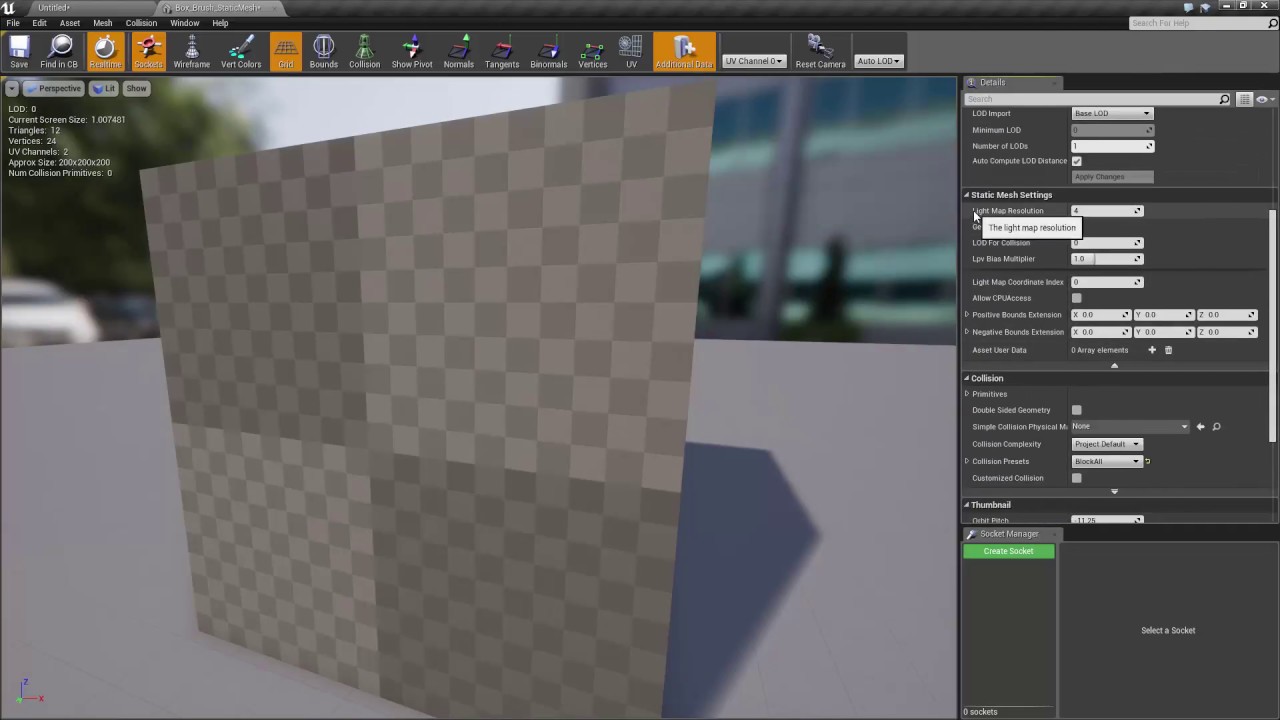
Learn how to fix your converted Static Mesh that turned black once you rebuilt the lighting!
Learn Unreal Engine 4
https://learnunrealengine.com/
For a limited time, use the cheat code SUPERSECRET to get a HUGE discount on Unreal Engine 4: The Complete Beginner's Course
http...

Thanks for watching. Don't forget to like comment and subscribe.
-~--~--~--~
Please watch: "How to reveal hidden WiFi !"
https://www.youtube.com/watch?v=0uZPquKkspE
-~---~-
midnight root
Speaking of shadows, how does one fix the shadow if it is one, that followers player around terrain, circle shape I think, not just on play but flyby
 zealous cloak
now i shall learn Unity in my company 😄 so goodbey for some time :/
grim ore
Nothing wrong with using Unity and Unreal 🙂
rough hound
I have this projectile, what would be the best way to add a "travel" sound? I've figured out how to do impact but not quite sure how i'd do a travel sound, cause i need to end it if it hits something aswell as i don't want to repeatedly run it if the sound isn't finished.
Never mind i figured it out 😅 was way easier than expected.
 slender nebula
Hi guys!
Perhaps someone here can help me.
I wanted to use High Resolution Screenshot for grabbing this scene, but as you can see, it somehow messes up the background mountains ( ??? )
I first thought it was related to resolution, as it can also change DOF etc, but as you can see, even on 1x, it still creates this problem, and the problem is exaclty the same up to 3x.
Any ideas what this can be?
slender nebula
They are a mix. I think 2-3 are landscapes, the others are a deform plane.
Actually, thats a good point. Only some of those change, not all.
Perhaps this is a good starting point 🙂
Ah, that was it! If I hide the landscapes, and only the staticmeshes remain, they look as expected.
Thanks a lot, Pat! Is it a LOD issue? But I dont understand why it would only trigger when doing a screenshot
normal burrow
I was shooting in the dark there. LOD came to mind yeah
I wonder if it doesn’t just use LOD0 for any res
 wary birch
What is the conventional prefix char for utils blueprint callable classes?
slender nebula
@normal burrow That was it. Changing LOD0 screensize and I can see the effect. Thanks a lot, P@t! That was some damn fast help 🙂
normal burrow
BP_
wary birch
Thanks
normal burrow
It gives you good game ideas
rough hound
What would i use if i wanted to ignore collisions with another object?
grim ore
remove the collision object?
rough hound
But i only want it to ignore collisions with specific actors.
grim ore
change the collision settings to ignore that collision channel?
if its something specific then you might need to make your own collision channels https://docs.unrealengine.com/en-US/Engine/Physics/Collision/index.html
rough hound
To add to context. I'm spawning multiple projectiles that usually end up colliding with themselves at some point before they reach their target.
grim ore
yep make a new collision object/channel just for the bullets and have them ignore that object/channel and then collide/overlap with whatever else you want then assign that collsion to the bullet
rough hound
There's no simple check i can do when it hits an object to see if it's the same type of object and if it is then continue as before?
tough marsh
begin overlap?
grim ore
if you are using collisions, no because it will block it physically. if you are just using overlaps then yes
rough hound
I'm using collisions.
grim ore
the "simple check" you are asking for is changing the setting in the collision options for it
but if you don't have it being unique, like say bullet as its own collision channel/object, you would have to set it to ignore something else generic like all movable static meshes or the character or pawns or etc..
so the correct answer is to make it's own collision type and assign it and done
 queen raptor
hi guys.. Anyone know of any good tutorials for adding the ability to climb on ladders to the ALS? I just finished merging the ALS with character interaction and would love to be able to climb ladders.
abstract relic
Tried with a fresh project?
 limber tiger
Hi everyone
has anyone has a problem with a mouse snapping back
i am trying to move in viewport and its snapping right back
preventing me from moothing around smoothly
 twin orchid
Hey, friends! How can i import animated camera from houdini to unreal?
It looks like pain in a$*
 forest tree
Does anyone know how it's possible that my GPU scene frame time doesn't match with the sum total of the individual parts of the scene?
 little warren
Hey I have a problem I am not sure how to approach. I am working on a project where the user can spawn a huge amount of meshes, think of it as something like minecraft with 10 different block meshes and 10 different colors/textures. I know the best way to have a lot of meshes is to use ISMs, but in this case there would be 10x10 = 100 different ISMs, so I'm wondering if there's a better way to approach this?
Or can I change a dynamic material on a single instance?
queen raptor
after updating the nvidia driver today I'm now capped at 30 fps I was getting 60fps in the viewport yesterday and I always have the smooth frames checked in the project settings. Anyone eles stuck at 30fps cap? never had this happen before today
 rapid vortex
Also updated, but not experiencing any issues with fps ? can't help you there I'm afraid.
queen raptor
yea its very strange its locked to 30fps even in empty scene
 violet goblet
unreal material:
can i use the normal map to "mask" out a roughness map?
like the typically denim-stripes (from normal map) i want to make the "peaks" of the stripes less rough then the "valley"
 serene quiver
Anyone know why my geometry seemingly randomly disappears?
grim ore
we wouldnt know without any more info. perhaps LOD? Culling? a random BP deleteing it? is this a landscape or using static meshes?
serene quiver
Static meshes I believe, I'm using the geometry tool and sometimes it will just sometimes almost randomly just delete pieces of the other geometry
Like this (Sometimes its way more drastic)
And its not a thing with the geomtery's angles either, these ones connect to the platform
grim ore
are these just geometry brushes with the default material?
 tiny sonnet
very new to the idea of replication. Why doesnt something simple like this work on the client? It only works on the server
serene quiver
Yes
grim ore
hmm.. unless you are somehow moving them since they are brushes and can be edited they shouldnt reandomly disappear. IS this parts of it just missing now or does it come back when you move near it?
perhaps they are facing the other way, the faces, if you go from the other side (under it and look up) do they show back up?
 orchid seal
serene quiver
orchid seal
serene quiver
This happens a lot 😩
queen raptor
@rapid vortex I tried t.MaxFPS 60 but it didn't change. I'll try to forums as well.
orchid seal
it's a texture from megascans
grim ore
@serene quiver You might want to try converting those to static meshes at some point and see if it still happens. Geometry brushes are meant for prototyping then being replaced later
serene quiver
Yeah, I'm trying to get a basic map out of the world and then replace it when I have the proper meshes
grim ore
it's realy hard to tell whats happening but that shouldnt happen if they are both set to additive. You can also try moving the one that is disappearing to be drawn later
serene quiver
Very strange....
grim ore
serene quiver
Hey, that actually fixed it! (I actually cant believe I didn't think of that lmao)
grim ore
it shouldnt have mattered if they are all additive but who knows those things are weird
serene quiver
I think this one is long gone lmao
 left arrow
Hello guys, I need help with my flowers. I want to add these flowers I made in Maya to a U4 project. But I dont know how I should export them. Should I just Uv map them, make a texture in Photoshop and load everything in U4? Or should I render them and export it into U4 as a picture with an alpha(Like I did with my grass)? I want to use them really much on my grass like 300 or more. What would be the best?
keen moss
depends on how close you will get to them
left arrow
Not really close, normal third person camera close 🙂
But I dont want them to look bad or low poly , its more an stylized environment
tiny sonnet
very new to the idea of replication. Why doesnt something simple like this work on the client? It only works on the server
grim ore
so when you right click what happens?
 wanton wadi
Hey, this might be a very stupid question: I need to get the current camera location. I'm using GetPlayerController -> GetViewTarget -> GetActorLocation but this doesn't work when I "detach" in the editor.
(I'm trying to get my flashlight lens flare to work nicely but its hard to test when I can't detach :/)
tiny sonnet
@grim ore hey there, it simply creates a debug decrementing the health by 20. except it only does it in the server, not the client. the client always stays at a 100
@wanton wadi get camera location
also lens flares might be better with the post proccess
wanton wadi
its a custom billboard sprite that shows up when the light of the weapon is facing the player ^_^
grim ore
@tiny sonnet If you mouse over the Apply Damage you will notice the icon in the top right and the note on the tool tip of server only
tiny sonnet
so how do the make the server do damage to the client when the client right clicks
grim ore
and it should be done on server anyways else you are letting a client control damage which is a no no in a MP environment
tiny sonnet
i realize that
grim ore
you would make sure your health is a replicated variable so any changes on the server is updated to all clients
tiny sonnet
i did
grim ore
then you would call a server event from the client to run on the server to do the damage
tiny sonnet
health is repnotify
grim ore
then the server would apply the damage to the server copy and it would replicate to all clients
tiny sonnet
i did
@grim ore i did do that, but then only the server could right click, the client right clicks did nothing
wanton wadi
@tiny sonnet this is currently working, but only when I'm in first person view in my editor. The resulting dot product is basically 1 when i'm looking directly in the flashlight and 0 when I'm not. Instead of "get player -> view target -> get actor location" i basically need "get current camera -> get location"
grim ore
the biggest issue is your getting the player character which is not going to be what you want probably on the server
grim ore
it depends on what you are trying to do and where this code is at
tiny sonnet
im just trying to learn
how you could damage yourself
with an input
@wanton wadi there is a node called "get camera location
rough hound
Is there a way i can "assemble" these meshes? I have about 5 variations of legs, heads and torsos and want to create a combined object that can switch between all of them.
grim ore
so here is code inside the third person character to damage itself in a multiplayer environment
wanton wadi
@tiny sonnet there is, but its not returning the right camera location if I detach in the editor.
Attached to player
grim ore
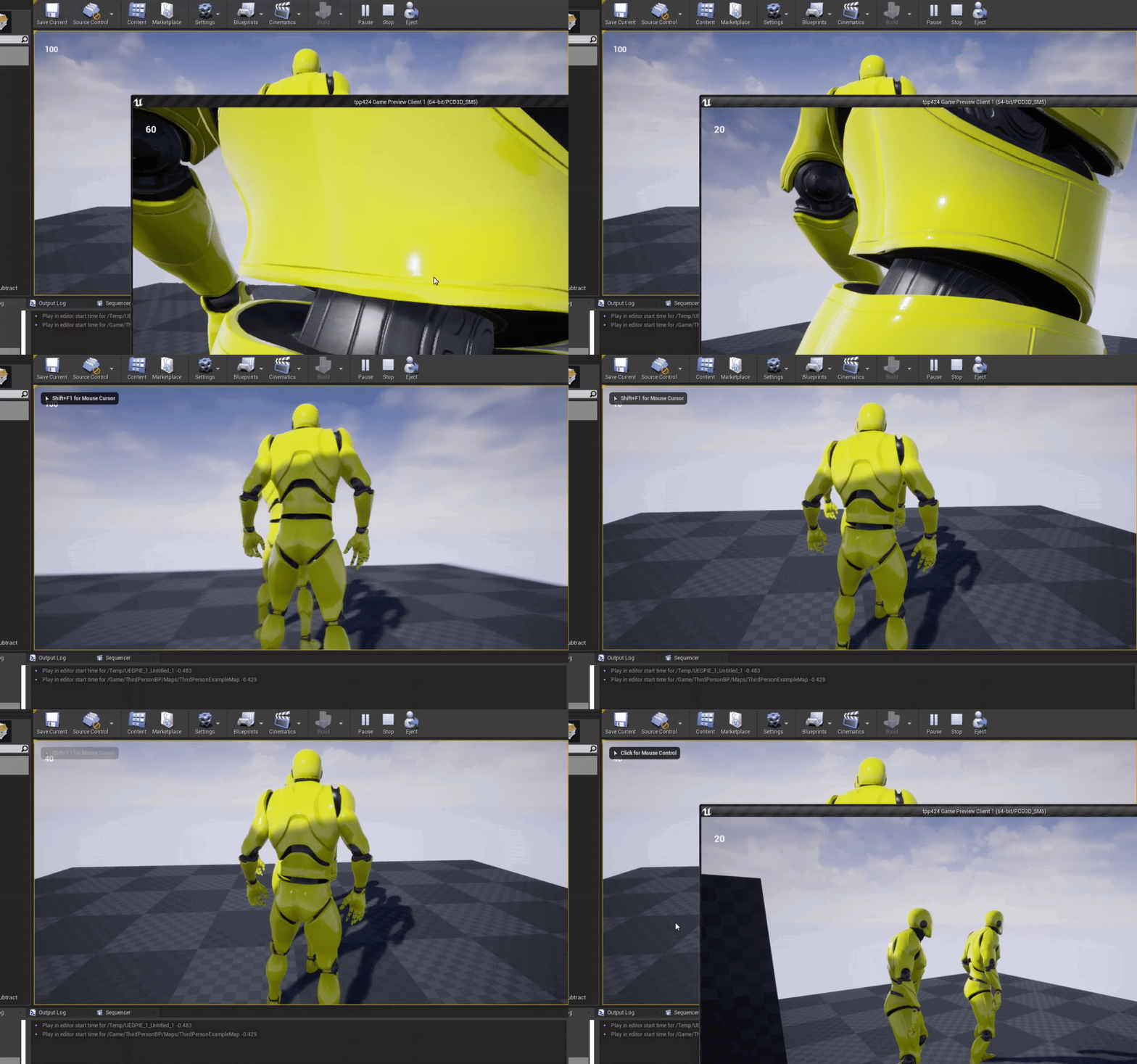
and here is the result, you can see each player is reporting its health going down when you right click on that characters screen.
tiny sonnet
thats only decrementing the servers health tho
i want to decrement the clients health as well
grim ore
replicated means when the value changes on the server it replicates it to all clients
wanton wadi
ejected (both the flares are still being calculated as if the camera is in the player)
tiny sonnet
@grim ore so i shouldnt replicate the health? im confused
oh wait im dumb i see now
shit, im stupid. I thought it would say client1:.....
grim ore
it would if you printed on the client, but we run that code on the server
im using a widget to print out the health of the local client character and you can see it working here https://i.gyazo.com/4da48322a696b0dc052d89345e61baeb.gif
 tiny sonnet
i see thank u
grim ore
networking is a pain to understand fully so don't worry if it takes a bit
like.... a long bit even is not a worry lol
tiny sonnet
lmao, even harder on unity, You have to set up RPCs and everything.
grim ore
yep
 exotic cave
So, quick question:
If I have a camera flythrough Level Sequence that starts off my stage, does the SpeedTree Wind node get activated?
wanton wadi
I'm just over here with my Game Maker knowledge writing my own protocol and packets 😅
tiny sonnet
GameMaker, havent heard that in a while lmao
i made my first game in 1st grade using gamemaker lmao
wanton wadi
which is a bit easier IMHO 🤔 at least i know 100% whats going over the line, but its a lot of custom manual labour if i'd have to make UE4 work with a custom protocol
exotic cave
I tried GameMaker for awhile, but goodness, it aged so fast compared to the speed of content creation
wanton wadi
I've been using Game Maker for about 15 years now. I'm really f*ing mad at myself for not starting with UE4 earlier... Just started 2 weeks ago lol
tiny sonnet
@grim ore one more question, when replicating an asset, do i have tto change anything in the animgraph?
plush yew
Anyone can tell why?
exotic cave
Join the club, I should have been on UE the last three years instead of the "other U"
wanton wadi
@plush yew I think because there's no valid path for the AI to follow if you're in the air?
tiny sonnet
i think the path is linear as well
plush yew
Duke what do you suggest?
wanton wadi
i mean 0 experience with AI stuff in UE... but yeah from a pathfinding perspective
cast a ray
to the floor
and thats the position the AI should walk to
 cerulean harness
I hope they reinvent the Ui for Unreal to look more professional in time though
tiny sonnet
are you using a behavior tree?
cerulean harness
Kinda what blender did
exotic cave
wonders if his wind is actually active and that it's just hard to see with the camera flying around
plush yew
@tiny sonnet yes
tiny sonnet
what node specifically>
plush yew
Still basic sec i will show you
wanton wadi
@exotic cave can't you watch a debug value? 🤔
 tiny sonnet
just "movedirectlytoward"
plush yew
Look BlVZe
tiny sonnet
use movedirectlytoward
wanton wadi
holy fuck are those behaviour trees that you can manage from the UI?
plush yew
@tiny sonnet can you explain the diffrence?
grim ore
@tiny sonnet it just depends on how you are using it. the anim graph is driven by stuff locally for the most part so as long as whatever data it needs is accurate you should be fine. One thing to keep in mind is if you want stuff to just play locally or not (non important stuff like maybe particles or some animations) as there is no reason to have all clients perfectly matches if it doesnt have to be. Normally for anim its more of let the graph run like normal updating the variables as needed and the clients will "sync"
 grim ore
I normally write my own move to task using the ai move to nodes internally just so I can have early outs or triggers
plush yew
Accpetable range
 worldly axle
Hello, how can i enable collision to certain meshes of the foliage tool ?
plush yew
what is it for?
grim ore
the built in one is wonky heh
plush yew
MathewW this is from your video
grim ore
its how far from the target you stop
plush yew
thanks for explanning it
grim ore
so for example if your character is 50 units around from the center and your target is 50 units from its center if you try and stop at 0 units you will try to be on top of it. if you aim for a radius of say 50 you would end up being right next to them.
tiny sonnet
matthew, best way to handle melee damage, should i use an animnotify? spawn an actor on the sword when swinging? detect collision using a collision when swinging? what do you say
little warren
Hey guys got a question, I'm facing a dilemma. I can have 1000 actors with a box collision each or 1 actor with 1000 box collisions. Would the performance cost between the methods be large?
grim ore
no right answer, all work and I have tried them all
plush yew
BLVZe
grim ore
the action RPG example that Epic has uses notifies for example
plush yew
DOnt use movedirectly is missed up ;d
tiny sonnet
i previously used animnotify but i have no clue how to replicate
tiny sonnet
wait wut
tiny sonnet
use moveTo then, something ue4 jsut decides to work
plush yew
@grim ore Is there a way i can keep the ai moving even if i jump high?
BlZE no mate thanks for the help
Just thought you might have another tip
grim ore
the AI moving to the player if the player is out of range?
grim ore
I mean if that's the case the issue will be the nav mesh wouldnt be valid anymore for them to get to you
yep it cant get to you anymore your not in a valid spot
tiny sonnet
maybe the navemesh is too low
grim ore
so it would be better to move to the players position and not the player itself, like find the players position, trace down to the ground, and move to that location
tiny sonnet
or you have something on the character obstructing the path
plush yew
Is there such a thing in the Ai behavir tree?
grim ore
you make it pretty much
I mean there might be an option in the default move nodes but I cant recall one. The issue is there is no valid path on the nav mesh to get to your position anymore assuming you are moving to player
wanton wadi
okay so maybe I can rephrase my question:
How can I get the camera location when I detach in the in-editor simulation (play button)?
plush yew
Humm MoveDirectly was working as i jump humm
grim ore
its possible move directly just grabs the location once and moves, it never re evaluates
wanton wadi
qBersp try casting a line to the floor and let the AI follow that resulting location :+)
grim ore
@wanton wadi once you eject I dont think you can get the viewport camera
wanton wadi
🤔 that makes camera specific BP's a bit hard to screenshot then
plush yew
Just found someone talking about it in google hopefully find the answer but thanks for the tips
flat axle
Does anyone know how to set the # equal to the 10 in the top right inside the event graph? Both are using the text widget inside the UMG.
top left*
plush yew
They are talking about Default Query Extent which is found in Navigation System in project settings
which i think am blind for not finding it
grim ore
@flat axle so you want the bottom right to match the top left?
flat axle
yes, without having to type it
grim ore
you should be able to just get the variable for the top left, get the text value from it, and then set the bottom right to it
flat axle
what node can I use to set text. Noob questions but I haven't been able to find the answer online yet.
grim ore
the set text node
flat axle
When I tried Set text, It says the variable is not compatible
grim ore
show your code? you might need to just use a convert node if its string
flat axle
@grim ore I was using the wrong set text node, Have to use the "SetText (Text)" node. Thank you 🙂
grim ore
ah yea probably tried to set the widget. its weird
grim ore
drag off of it and get text from the 10text
flat axle
@grim ore ❤️ it worked. I feel so dumb XD
 atomic forge
Hello, quick question guys:
is this task (in purple) supposed to run constantly, or only until it succeeds?
grim ore
it will start at the root, then it will select something in the selector, that something is the task, the task will run and when it finishes execute the selector will now check for something else, nothing is left so it finishes and goes back to the root then the root starts and....
atomic forge
@grim ore I see, and are the tasks value's reinitialized or are they the same since it was last used?
grim ore
they start over, its a new run
atomic forge
Ah I see, many thanks!
tiny sonnet
i have 3 projects open, 2 of them compiling shaders, and im running modern warfare warzone. My PC is legit a jet engine rn
 surreal tundra
hey yall, anyone know is its possible to chroma key with composure and then put the video on a video plane?
bc the keying settings in composure are so good, but i dont want to work with that comp layering thing it has
just want to put it on a video plane
exotic cave
@wanton wadi : I just paused the camera for a bit. Wind works. Camera's just fast.
And yes, you are seeing Blueprints, which are really great and let you do simple logic much more easily than code.
wanton wadi
its much harder than code TBH 😛
exotic cave
I disagree
There are things it's harder than code for, but then linking them to the rest of your game's logic is easier, I find.
wanton wadi
i have 15 years of programming experience and I'm still finding it hard to wrap my head around a bunch of spaghetti and not being able to use just my keyboard
exotic cave
Code spaghettifies easily, at least with Blueprints, Materials, and node editors the spaghetti is visible
Plus, you know, you can also write code any old time you want 🙂
wanton wadi
i have no idea how to put some code inside a block somewhere 🤔
plus its probably going to have to compile every time and take a lot of time
 pseudo swift
hey guys whats the difference between the mf chromakeyer and the regular keyer node?
also what am I missing to mask this greenscreen out?
exotic cave
@pseudo swift : https://www.unrealengine.com/en-US/tech-blog/setting-up-a-chroma-key-material-in-ue4

Unreal Engine
With AR and mixed reality content creation on the rise, Epic Games’ Principal Technical Artist Ryan Brucks breaks down the process of crafting a basic chroma key function in UE4.
pseudo swift
they are using a different one
than the MF chromakey node
im trying to find information about the MF-chroma key node
plush yew
where to post a steam related question?
 deft raven
hi, i have a question about unreal engine demos
on the marketplace i found a unreal demo with this description "Licensed for use with the Unreal Engine only"
 radiant haven
#engine-source #editor-scripting #gameplay-ability-system I would say @plush yew
You need to look
deft raven
what this mean? the unreal engine demo and the assets on this demos can be used commercially only on unreal engine?
grim ore
yes
exotic cave
It means you can't use the assets in any other engine, legally.
(And, you probably won't be able to anyway, as most are provided in .uasset form that other engines can't read.)
pseudo swift
no one has experience of the mf chroma key?
exotic cave
But, assuming you figured out how to reverse engineer any of them, it would still be against the law to use those assets in Unity, Lumberyard, Godot, your own home brew engine etc.
deft raven
ok, not a problem, i plan to use unreal anyway, to be 100%, so i can use this assets for COMMERCIAL? is a lot of free aseets 😆 https://www.unrealengine.com/marketplace/en-US/product/infiltrator-demo

High-end demonstration of rendering and cinematic capabilities
grim ore
the key difference is Epic produced stuff, stuff they made, is normally 100% only for use in Unreal Engine while other stuff you might buy from the marketplace can be used in other places
exotic cave
There are teams working with the Paragon assets on a commercial level. I don't see why Infiltrator (which is much older) would be any different.
exotic cave
Epic is very much pro-developer, at least in my eyes. They are very much encouraging a "play with it" kind of culture I really respect, very true to the old modder days and ways.
ancient lotus
question, lets say i have a uproperty float thats set in the constructor to be 100 that i want to alter in engine, then i have another float that i want to set to equal that first UPROPERTY float value. the constructor is to soon to set the second float to equal the first one, postinitproperties seems to quick as well. is there another initialization function that i could use for this that fires before begin play? im not sure when the UPROPERTY is actually set by the value set in the editor
i know there is a page that lists the order/flow but i cant find it
exotic cave
@rain lintel : Your model has some normals declared that are not actually tangent lines but running parallel to the face of the polygon. What is causing it, however, I don't know.
What did you model it in?
deft raven
i dont know, i'm pretty new to unreal, and i I'm not used to having assets of AAA quality for free, is crazy for me hahahah
exotic cave
@deft raven : You should see what some hobby teams are doing with old free assets
My absolute favorite "UE is mindblowing" video to date, though I don't know what the legal status of the project is as far as linking it here.

Here we go again! I'm back again and I'm in this game for good! It's good to see some of the feedback you guys put down in the last video I made. So I decided to turn one of Unreal Engine 4's fabulous free assets into a fully decked out Sonic level that is somewhat boost-frien...
Those are old Infinity Blade assets
I personally agree with the people saying this project is better than anything Sonic Team has released in the last decade and that they should just pick it up 😄
 rain lintel
Also what did you mean by not acutally tangent and parallel?
flat axle
What node can I use to set scale box size?
grim ore
assuming you wanted to change the size of the child in it, if you want to change the size of the size box itself you need to get access to it's parent and change it there which is the way all widgets work
flat axle
@grim ore It says they are not compatible
rain lintel
I know what a normal is
grim ore
what are you dragging off of to try and set the scale box size? which widget.
exotic cave
Okay. So you know that a normal should not actually be parallel to the slope of the surface of the polygon whose face it represents?
A normal should generally speaking point "out" from the face of the surface
plush yew
Anyone ever done steam achievements? cant set the statistics type in steamworks and the ue plugin uses float from 0 to 100
exotic cave
Normals can be overriden for custom effects, but I assume UE still throws a fit if they're exactly parallel to the face of the polygon as it might cause a divide by zero somewhere
grim ore
If you are actually trying to resize a widget the parent controls how it is sized/layed out, in this case my Size Box widget has a parent of a Canvas Panel so I would do this to change the settings for the Size Box
flat axle
 digital anchor
that also happens with floating or duplicate vertices
flat axle
Do I need to replace with size box, or can I set the scale box
grim ore
oh sorry didnt see it was scale box, if its a scale box the parent would control it's size
plush yew
grim ore
so you would do that second one I showed based on your parent
are you trying to change this part of the Scale Box ?
rain lintel
I did not know that acutally
flat axle
yeah, size on scale box, But I have 13 different scale boxes
So I want to change all of them at once
exotic cave

In geometry, a normal is an object such as a line, ray, or vector that is perpendicular to a given object. For example, in two dimensions, the normal line to a curve at a given point is the line perpendicular to the tangent line to the curve at the point.
A normal vector may h...
grim ore
you will need to loop thru them all probably and you also need to know what the parent is to change it. You can see here my scale box has a parent of a canvas panel so I get the scale box, use the slot as canvas slot to get it's parent, and then I can set the size
for UMG widgets the PARENT controls the layout of the CHILD so you have to talk to the parent to change those values
flat axle
Thank you again! @grim ore !
grim ore
for reference something like this might be an easy way to loop thru all your scale boxes and size them if needed as this gets the main canvas panel that holds them all, loops thru them, checks to see if its a scale box, and if so does whatever with it
grim ore
yep its just finding the repeating code, in your case getting a scale box, slotting it, and sizing it, and finding a way to reduce it 🙂
grim ore
no the Get all Children appears to only get immediate children, not children of
you would have to look and see if those children have any children and recurse to get all lol
flat axle
Do you recommend any good tutorials for all of this?
grim ore
the general documentation but beyond that it's just figuring out what you want to learn and going from there
there are some general tutorials on the UE4 site at https://www.unrealengine.com/en-US/onlinelearning-courses
tiny sonnet
wait there is a disable movement node, but no enable movement node wtf
grim ore
Set movement node, read the text on the disable movement node for what it does
plush yew

Am trying to play the animation as the Ai "Move to"
Humm i think am doing it wrong
any thoughts?
grim ore
the sequence node will go in sequence as items are finished the next will fire off if it can until something fails. So you will move and when done moving the play animation will run
so you would look at doing stuff in parallel or doing this in a custom task
 grim ore
I beleive so yes, its been a bit since I used that one
but the normal stuff, sequence and selector, and intended to be in order one at a time
plush yew
Ok thanks mate
grim ore
yep https://docs.unrealengine.com/en-US/Engine/ArtificialIntelligence/BehaviorTrees/BehaviorTreesOverview/index.html#simpleparallelnodes "Think of the Simple Parallel node as "While doing A, do B as well." For example, "While attacking the enemy, move toward the enemy." Basically, A is a primary task, and B is a secondary or filler task while waiting for A to complete." so should work maybe lol?
 cosmic matrix
Hello,
If i want To create a custom matchmacking service in PHP but i want To know if doing it with rest api is a good way?
Do anyone know how fortnite process?
keen moss
@grim ore hey mathew yesterday you told me about the sequence recorder for recording a car driving down the road, the main recording is working but during the playback the tires are not spinning, any ideas?
keen moss
Nevermind i figured it out
 trim dawn
allright, what genius tought it was a good idea to make Z the up / down axis
 upper heart
Unreal Engine Forums
General discussion about the game industry and the Unreal Engine community.
@trim dawn ^
plush yew

I did blend it to go from idle to Run
Anyone know how i can blend it when it turn left and right?
I do have the animation for it when it run right and left
i think i need to use Blend Space not Blend space 1D for that
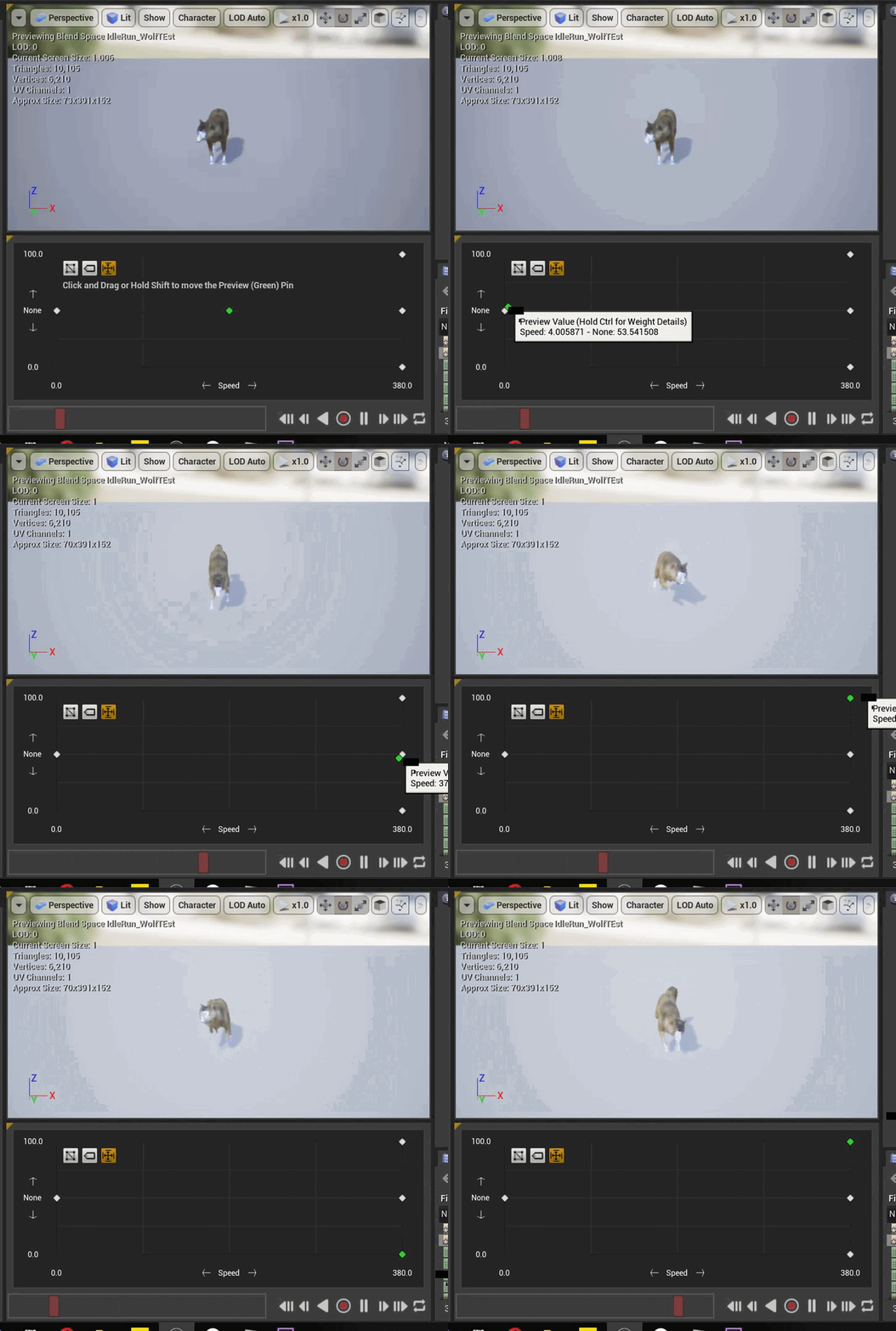
Humm how i can get the values up and down so i can use it in the Animation BP?
 paper scroll
Hey guys
 steep spire
return of the mac
paper scroll
Can anyone here help me ?
next badger
@paper scroll you need to ask actual question
paper scroll
Ok so basically during this whole lockdown thing going on I wanna eh creative, when I start school again in September my main work is going to be using unreal engine and I have no idea how any of it works, I’ve used hammer editor in the past to make csgo maps for me and my friends but never anything on the scale of unreal engine, does anyone have any websites or YouTube videos I can watch to teach me the basics?
next badger
plush yew
@next badger Any node can give me a random of 3 choices?
Like as the game start i want it to choose from 3 stuff only access one of them
any thoughts?
next badger
select iirc
plush yew
iirc? 😄
plush yew
Oh
Thanks mate i will test it out now

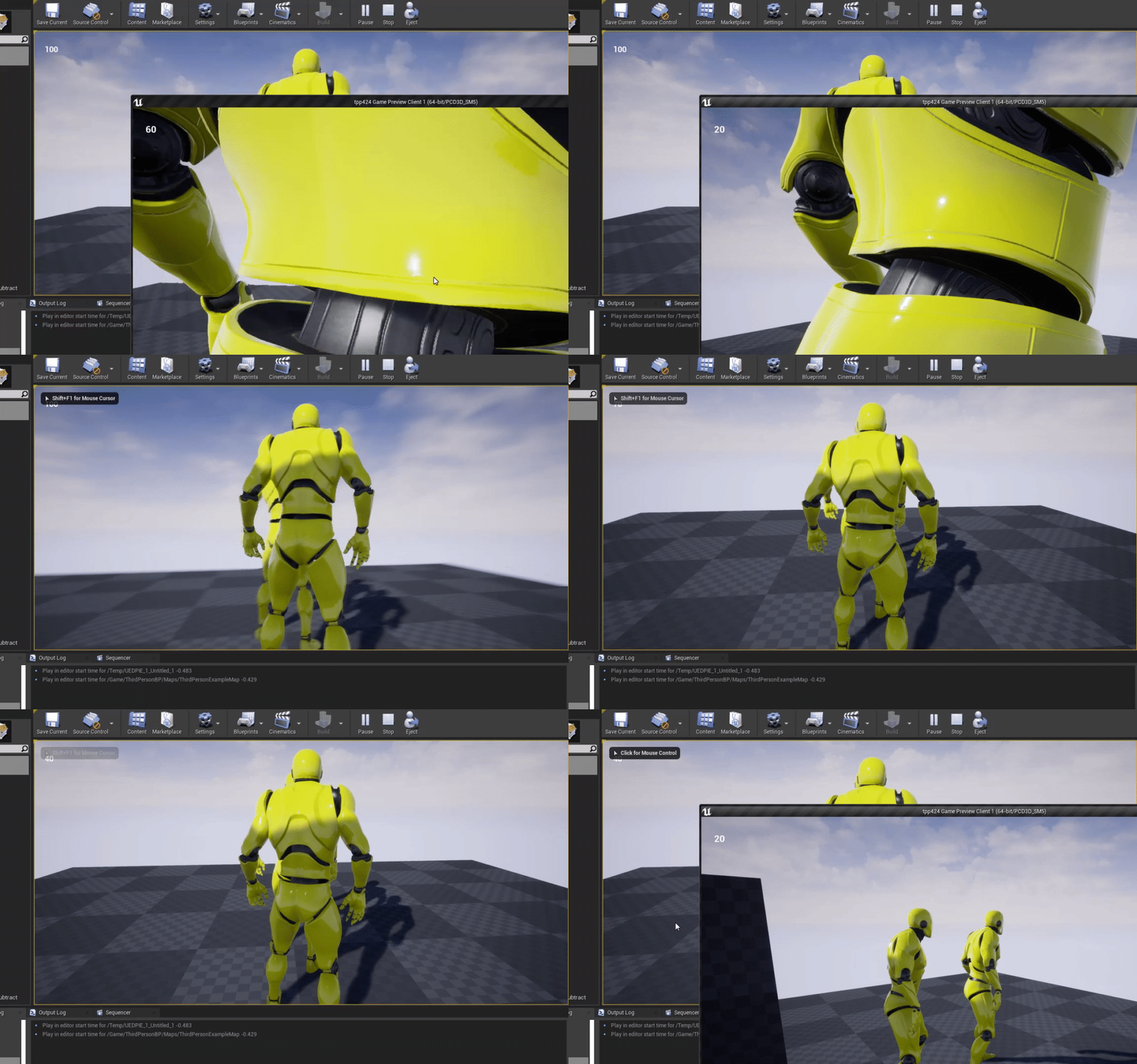
Am trying to put a random material for it
i dont think select will work hummm
plush yew
So I am very new to UE4, (and UE in general) I am working in the terrain editor, and I applied the BasicAsset01 material, which seems to be a solid red, but I have streak lines eminating in all 4 directions from the center of the terrain. When I tried to build the lighting, the entire map went black.
@next badger To what did you promot it?
exotic cave
@plush yew : Landscape materials usually have to be developed as landscape materials from the start
next badger
exotic cave
I'm trying to find you a decent tutorial on it
plush yew
am I allowed to livestream my UE from general?
exotic cave
I've just spent the last three months training myself every day in making an automatic landscape material 😄
But, hard to teach in just a few minutes
 weary basalt
@plush yew Livestreams are restricted to Moderators unfortunately.
plush yew
ok well I have to go afk rn, @exotic cave, but I will be back soon.
weary basalt
Use the #share-your-stream channel to post your link to your UE4 Stream.
exotic cave
Some of the free packs should have a landscape material
@plush yew : Look up some of Epic's and maybe Quixel's stuff on the Marketplace, lots of free packs, some will include a readymade landscape material for you.
I suggest looking at working examples of materials before diving in and building your own.
I did it, but it's taken three months to get it right and I've been working in shaders for ten years before this 😄
I'm probably logging off soon, but feel free to ping me here or privately when you're back and I'll give you a basic landscape-materials primer.
next badger
landscape materials are overcomplicated imo -_-
exotic cave
No
What is overcomplicated is trying to do anything worth doing in at least one of UE's competitors that lacks all the advanced features 😄
"Oh wait, I have to reprogram the ENTIRE SHADOWING ENGINE FROM SCRATCH or die on the rocks of shadow flickering" --me, using an unnamed UE competitor
UE's landscapes are 😍
next badger
overcomplicated means they are more complicated they should be...
if you ever tried to remove a slot, you probably should know what i'm talking about
exotic cave
A slot of which? A layer?
plush yew
honestly my computer could barely start UE, so I went to install Unity, but it would download the hub thingy, then when I tried to install it, it would make its way to 100% downloaded, then it would dissapear. I did it 3 times in a row, then I gave up and went bacck to UE
exotic cave
UE is better
I've wasted years of my life in Unity. They're fine for a lot of things, but not the AAA graphical experiences I want to make
plush yew
IK, but I have been able to use Unity on super-low end hardware, and UE was struggling, but it doesnt matter bc I cant install it anyway. I am hoping to get a better computer soon.
I have a 4th gen mobile i3
exotic cave
UE does prefer a big ol' hog of a machine to unlock its full potential, it's true
Yeah
That sounds like a recipe for pain 😦
Game dev these days on under an i7 is ☠️
@next badger : Go try to override Unity's default grass shader and then speak to me of needless complexity 😄
plush yew
I wish I could afford an i7
normal burrow
cali coast replay is right
plush yew
I am about to get a nitro 5, with an i5 and a 1050ti
exotic cave
The innate one is absolutely unsuitable for anything over a midrange mobile game and overriding it is literally undocumented and probably not officially supported
 limber mesa
If anyone is available can they help me with a menu play button issue that I’m having
exotic cave
1000 series graphics card or above will always help with UE 😄
next badger
@exotic cave sorry, not familiar with it
plush yew
its been doing this for the past 5 minutes
exotic cave
@plush yew : I was part of an award-nominated team doing a Unity plugin that got raves last year. This year they've made HDRP support a priority and OH THE PAIN.
limber mesa
@next badger are you familiar with a ue4 main menu
plush yew
of what?
exotic cave
One of the reasons I'm here is that HDRP, much like Unity's shadows, just doesn't work a good honking lot of the time
I will not complain further. But, UE just feels like it's for grownups in this space.
next badger
@limber mesa toolbar? or main menu?
exotic cave
@plush yew : They finally added a shader editor...which only works for HDRP/LWRP
/URP/BURP/indigestion
next badger
yeah, assets provided for free on marketplace are really cool
exotic cave
Because none of those things work really well in Unity 😄
The only reliable rendering pipeline is the old standard one, and so everyone buys Amplify
I digress. I am not here to be unprofessional or bad-mouth Epic's competitors.
But, ❤️ UE so far in just about every way
@plush yew : I love C# and always will but no matter how hard I tried within it I found myself badly missing C++
I did a brilliant C# framework that got absolutely stymied by the lack of multiple inheritance
next badger
i made that during a week game jam, so making a realistic looking scenery is quite simple in ue4
exotic cave
As I've heard it said, "You barely ever need MI, but when you need it you really need it."
limber mesa
@next badger a main menu
next badger
@limber mesa so, what's the issue?
plush yew
so I think I broke smth, bc my water plane is also black
exotic cave
@plush yew : UE on an i3 is going to be REALLY rough 😦
next badger
proabbly just black
limber mesa
@next badger this is the problem
next badger
how's that an ue4 main menu? it's just an UMG widget
exotic cave
@plush yew : Does it work in preview?
limber mesa
I like to think of it like a menu lol
exotic cave
Did it break after you rebuilt?
Lots and lots of things can cause black material syndrome
plush yew
is there a way to export a plane and its properties so I can move it to a new project?
uhhh
limber mesa
But @next badger it’s a widget
plush yew
next badger
that is umg widget, and if it does not work as intended, make sure events are properly triggering and they do stuff...add breakpoints on nodes
limber mesa
I did but I can’t find anything, @next badger idk what I did wrong
plush yew
@exotic cave is there a way to export a plane to move to another project?
exotic cave
@plush yew : Not a good one I know of for water, yet 😄
That doesn't mean there isn't a way, just that I don't know a great one
plush yew
ok then IG I will start from scratch 
exotic cave
You can often reimport the .uassets corresponding to your textures, your mesh and your material
I believe
But don't throw things at me if it does not work
next badger
@limber mesa i think you need to hide/destroy the widget after level is loaded
exotic cave
Make a folder with all the .uassets from your water stuff 😄
Try to copy it into another project, see what happens
next badger
would be a bad idea
exotic cave
Would it?
limber mesa
Where would I put that @next badger. Sorry for all of the questions. I’m kinda new and I just am trying to see how everything works
exotic cave
Then how does stuff like Marketplace export for packs work?
next badger
uassets are referenced by absolute paths (within ue4 project)
exotic cave
hurms
plush yew
ill just start fresh, everything I have done so far has taken less then an hour
exotic cave
Then what's best practices for polishing up files for export to other projects?
next badger
you need to use migrate option
plush yew
limber mesa
Tried to destroy it but it wouldn’t work
plush yew
hmm, would it be a bad idea to try to use UE to make music videos?
plush yew
cool
exotic cave
Because UE has native flythrough/movie rendering on cameras that lots of competitors don't
plush yew
most of my ideas are pretty stupid
exotic cave
I am staggeringly in love with the Matinee successors in UE
Verrah easeh to render your video once it's staged
plush yew
yeah that is why I originally got it, bc I am trying to make a movie, not a game, although when my movie is done, I will probably make some 3d platformers.
exotic cave
It's a great idea 🙂
limber mesa
Nice
exotic cave
UE will have bonzo cinematic uses in the next decade, really already does
Lotta stuff done in After Effects as of 2020 will arguably be done in UE by 2030 if Epic stewards the software as well as they have been lately
limber mesa
Hey Cali or ender. If one of you don’t mind. Could you help me out real quick
exotic cave
I can try
Is this your widgeting/menu stuff?
That's one area of UE I'm not trained in enough myself yet to do Q/A, sorry 😦
plush yew
whats your problem?
exotic cave
I'm exhausted or I'd make an attempt
plush yew
lmao
exotic cave
But I think tonight I will not be able to learn it all that fast
limber mesa
This is the problem
plush yew
am I allowed to send discord invites anywhere?
next badger
@limber mesa
limber mesa
Where do I put that at Mak?
exotic cave
wildly throws a random menuing tutorial for UE at @limber mesa

This is episode 51 of my unreal engine 4 beginner tutorial series, in today's episode we look at the first step of creating a main menu for use inside of unreal engine 4. We show you how you can create a menu widget, get it displayed on the screen, create a new menu game mode....
next badger
after level is load Fluster
limber mesa
Watched that one
exotic cave
And your Blueprints etc. look exactly like theirs?
limber mesa
I’m do brain dead rn would it be this one
next badger
next badger
lightscreen
limber mesa
Ok I’ll retake
next badger
i wish it could make videos like gyazo ;_;
next badger
so, it does not removing the widget?
plush yew
lmaooo my computer can barrely handle me opening the marketplace
plush yew
oh wait