#ue4-general
1 messages · Page 679 of 1
 surreal glen
yeah
it's less so irritation at having to fix things and moreso irritation that the tooling surrounding it is a pain in the ass
open level -> it crashes -> now I have to build the game in visual studio, look through the logs, hope the file it points to is the right broken one, remake the entire file from scratch because unreal crashes if I try to even open it etc
 normal burrow
Yeah
if you try and see the reference map of the level before loading it does it still crash?
surreal glen
I can't even right click on the level in the content editor X_X
normal burrow
you mean without a crash?
surreal glen
yeah
surreal glen
luckily it's just a testing type level and I can recreate it easily but man if this was something real
normal burrow
it doesn't sound like a common issue though
did you forcibly remove a redirector in your life ever?
 next jetty
yeah, sometimes, shit happens for no reason...
source control to the rescue!
surreal glen
I don't remember doing something like that
next jetty
perhaps the editor was quit / crashed while the level file was being written to?
check your Autosaves folder, maybe you can recover a slightly earlier version
 rain pumice
hello hello unreal peeps
pat i found out how to get the tribes movement without having to do anythign to crazy
vr marco pointed me in the right direction
 plush yew
Hey guys
is there anyway i can hide the tools when i go full screen inside the editor?
TaskBar*
 fading vector
Does anyone here have any experience with TAA or FXAA?
 dire fjord
Why does the engine just randomly freeze up when you go to drag some files around to reorganize or something like that.
I grabbed like 6 materials and one directory (holding 1-2 of those materials) to drag them into a different folder, and the editor has been frozen for over 5 minutes.
 abstract relic
It’s a know bugs as of .24 (maybe.23, haven’t tested it). Moving files take a god awful long time.
normal burrow
Wait for it
dire fjord
obviously, but I've had times where it never recovered. 20 minutes in 4.23 once and I ended up just forcing the engine closed.
fading vector
So I am trying to create a progress bar per each level. All my levels are the exact same in length, however I can't think of a way to get around the fact that the player starts at -17000 on x and the end is 18000.
If it was say 0 to 35000 I could create a progress bar pretty easily, just divide by 35000 and bind it to the bar
Any suggestions for how I can work around this?
 scarlet birch
map range -x : +x to 0 to 1
scarlet birch
yep
scarlet birch
I'd take a few minutes and look over all the math nodes.
next jetty
@plush yew use Shift + F11
 surreal hamlet
where can i find trees and vegetation for free...i have already downloaded garden and lush plant from unreal
 odd lantern
Hi everyone, does anyone here encounter this issue like I describe below ?
So I got encounter this issue from 4.22, until now on 4.23 it's still happens.
Basically I have a landscape with road created by using landscape spline. But when I try to resample my landscape
This is the result after resampling. The spline get offset totally from the landscape and no matter how I tried, I cannot get it back to the right position.
I've posted a thread on forum with more screenshot describing this.
https://forums.unrealengine.com/community/general-discussion/1731846-need-help-landscape-spline-landscape-spline-mesh-get-offset-after-resampling-landscape
Unreal Engine Forums
Hi everyone,
So I got encounter this issue from 4.22, until now on 4.23 it's still happens.
Basically I have a landscape with road created by using landscape spline. It look like this
But when I try to resample my landscape
This is the result after resampling. The spli...
plush yew
hi all. I want to add an impulse to a player; but I want to add the impulse from parallel to the ground (instead of from where the player is looking which is what is currently happening). Any idea how I can set up the vector calculations on this? It's hurting my brain. Thanks!
got it through PM, thanks!
 south kernel
Hey i was wondering using Culling on everything would be bad right cause of Visibilty command that run so often?
But what is best to cull like better to do small assets or just bigger ones ?
 heady moon
hi guys, me and my friends are working on a game with UE4, we decided to share our files with OneDrive. anyways when sharing the files with onedrive and building them on my PC I got a black screen when testing the project
they all have the latest version of ue4 installed
i do too
 zealous cloak
what is a good way to include output and error messages in mails?
 glass flare
Hello! I have questions about text colors in output window. Do somebody know method to change text color with blueprints only? I know its easy in c++ and UE_Log but i want to know (if exist) solution in blueprint. Thanks.
 inland shuttle
Hey Guys. I have small problem with executing test from command line. Running more that one tests does not work.
This is working: -ExecCmds="Automation RunTests FTEST_1"
This is not working: -ExecCmds="Automation RunTests FTEST_1 FTEST_2"
Have someone faced this problem?
Message in log says:*** Found 0 Automation Tests based on FTEST_1 FTEST_2***
 rotund scroll
maybe it needs a separator?
inland shuttle
I found that article: https://blog.squareys.de/ue4-automation-tool/

This guy uses spaces.
I other article i saw <FTEST_1>+<FTEST_2>, does not work too.
heady moon
hi guys, where are the documentations of character movement?
 twin orchid
@normal burrow Hey, mate! Thanx for the reply to my houdini question. It's more clear now but not really. So i have two giant landscapes. Each one comes from houdini scene. Each one in separate hda asset. The sizes in meters are: 1) 20000 m x 20000m 2) 2500 m x 5000 m . When i import them in unreal i see this in scales parameter: 1) 4000 x 4000 x 2012 2) 493 x 493 x 542 . What are these values? I mean what is it. ? And why.
rotund scroll
@inland shuttle I got nothing. Brute force separators until you find it?
inland shuttle
@rotund scroll yeah, doing it right now, googlin also
plush yew
In the 2D Side scroller example can I make the character jump by applying some force in the x and y direction rather than calling the "Jump" event?
 smoky sonnet
when will epic gamed make a livestream where they show the new functions of 4.25
plush yew
guys I got idea for my saving system but I have question: for now it saves the location of the player, but I have these 2 buttons of the menu
the first "new game" button starts from the beginning and when you click "J" it saves your location of the player, now I want to do it, when you close the game and when you click on continue game to load the last location of the player, if you didn't save anything to write you no data and to select you the button new game, I did this with the print string to write you that there is no data but idk how to make to show the player to pulse the button "New Game" or something to can see the user that he needs to click there, you know it like the tutorials
zealous cloak
i cant find any input settings for joystick in input settings :/
got it raw input mode was not activated
plush yew
this bp is for the continue game button
^
it basically print the things but didn't load the last location of the player, it loads from the begining when you start the game
idk why
someone to help?
plush yew
guys, is it possible to have a landscape layer that doesn't affect basecolor but does affect lets say roughness?
 spark niche
@plush yew are you able to show the code where you are saving your data? Because I suspect you aren't saving the players location properly. Because that continue button doesn't seem wrong to me.
 vale silo
Oculus wants my project for testing (bugs), but they want it to be lean (only assets that are in the level, not entire content folder). Is there any way to automatically zip project with only level and the assets that are referenced on the level?
 mossy nymph
whats preventing you from just cooking?
 gleaming lotus
Where is the location of the log when a packaged game crashes?
vale silo
@mossy nymph because they need source, so to speak?
abstract relic
Depends on whether you enabled debugging
abstract relic
No. But it does take actors though
Don’t use skeletal mesh, especially for grass. You’re going to experience a performance hit the likes you’ve never seen
 austere scroll
@abstract relic i just changed the import settings and it turned into a skeletal mesh
but its LAGGY af
and my pc is pretty good
 woven cliff
I cleared up my dervied cache folders and I am no longer able to package even after compiling shaders
inland shuttle
@rotund scroll FTEST_1+FTEST_2 is working 🙂
rotund scroll
what was wrong?
 digital anchor
@ancient otter try using forward translucency
plush yew
which code you want to see exactly? @spark niche
 midnight root
hi just wondering a little apprehensive aBout using megascans although I understand epic bought them so naturaly a project using them should have free access and get anything without required funds, but I got this verify from someone who works at megascans and the wording is odd , just looking for clarification from someone who KNOWS possibly, " The Unreal Unlimited plan does not offer "Free assets". ?
abstract relic
Basically you can’t use it outside of your unreal project

Quixel Forum
Join the Quixel community. Connect, discuss, and get help from fellow Quixel users.
If you want to get verification through a credible source, I would suggest emailing them directly.
midnight root
Thats the funny thing the response I got was from a company exec, its just ODD she would refer to assets as ,'none are 'free',,,
but ya, long as its only used in ue4
in the context of she knows I'm signed in as ue4 user
I think she just used poor wording
anyway
abstract relic
No, that is correct
midnight root
ya but to use 'free' is confusing
so its either free USING ue4 or itsnot
especially given epic now owns it , right?
or is that a rumor
plush yew
can i have some help?
 craggy flax
Just ask your question and if someone can they will
 elder moat
So I kinda need help with a horror game I am making, pretty much I want to start off simple before making the jumpscare. How do I make it so that if the monster touches you, you die
elder moat
I think your computer may still be loading it in, it's probably a bit slow.
 hoary locust
that's the magic number, just wait
elder moat
does the map have like a ton of stuff
hoary locust
either it will crash (not enough RAM) or it will load eventually
plush yew
my pc is bad then?
 spare sun
who knows, we dont know which map ur opening nor ur pc specs nor ur engine version nor how long u been waiting nor if its the first time you open
plush yew
i have amd ryzen 5 1600 af with 12 gigs of ram
first time
gtx 1650 super that much bad? for ue?
spare sun
ssd?
hoary locust
doesnt really matter for opening a map
plush yew
i though 12 gigs of ram will be enough
hoary locust
12gb ram is on the low side
plush yew
yes I have ssd
spare sun
its prolly still loading if its the first time you open
afterwards its gonna compile shaders for a while
hoary locust
how could we possibly know
spare sun
prolly around 5-15 minutes
hoary locust
i always open a few assets (double click on the static mesh), open the landscape material and stuff before i open the main map when it's something from the marketplace or a project i havent opened before
spare sun
first time unreal opens it caches alot
plush yew
it takes forever 😦
hoary locust
yeah but 75% is always where it stalls
 ancient otter
Hi guys
what do i do if ue4 is stuck at 39%?
its because its compiling shaders right? if i remember correctly
 empty smelt
Hello Everyone
I keep on getting this error
PackagingResults:Error: Error Missing UE4Game binary.You may have to build the UE4 project with your IDE. Alternatively, build using UnrealBuildTool with the commandline:UE4Game <Platform> <Configuration>
please help
what should I do?
this problem didn't exist before!
hoary locust
it literally says what you should do?
craggy flax
It’s amazing to me how people see error codes and it’s like their eyes and brain go blank on it. As if it’s just a generic red flag they don’t know the meaning of.
I know I myself was guilty of it when starting
“Ah crap words. Why are there words?!”
 rancid lynx
VR Question. Whats a wise way to keep the player pawns collision capsule under a HMD camera ? I got it working by moving the collision capsule (Player location) to the cameras location, which causes a movement loop, so i offset the loop. but thats like alot of hack math, surely there is a smarter or simple way.
i want to keep body collision in the same general area as the camera. or at least test the option some more.
empty smelt
1cgToday at 7:19 PM
it literally says what you should do?
I have no background of coding or what so ever
im using unreal engine as an Archviz artist
should type in the log UE4Game <Platform> <Configuration>?
rancid lynx
you guys are assuming hes a native english speaker.
even if he was, "build" isnt a term everyone understands. nor is IDE. sure, those are great google keywords but. its obvious, but its also notso obvious to people who dont know computers too well.
empty smelt
RobCardIV Thank you!
rancid lynx
amer, i think "building" with an "IDE" might mean, installing a compiler, and building with that, im not sure. ill check google.
as an english computer nerd, they were right though X_x
empty smelt
Rob I tried copying the message and going to Window, Log and trying to paste it there, it would give me the line in green but i have no idea what does it represent
rancid lynx
the message said "May" have too
empty smelt
as an english computer nerd, they were right though X_x
Tell me what would you do here
honestly im like a blind cat in the jungle man! 😛
rancid lynx
copy and paste - Missing UE4Game binary.You may have to build the UE4 project with your IDE - into google. im not sure. but it might be easy to find
ill check a little also
empty smelt
I dont know what does a compiler mean to associate it with IDE
what is a compiler and what does IDE stand for
empty smelt
you all I know you are all busy and you could be way more advanced to the stuff im asking but we all were in my place one day and needed help
rancid lynx
rancid lynx
i copy and pasted - Error Missing UE4Game binary.You may have to build the UE4 project with your IDE. - in google.
empty smelt
im building for windows desktop
fading vector
Does anyone have experience with spacescape and dds files? I'm trying to create a space skybox, but everytime it is cut off by the box. I've been watching tutorials but they don't happen there.
rancid lynx
i accidently deleted some files from my unreal engine "unreal content" folder when i was new, i had to reinstall unreal engine.
im not sure if thats your solution though. idk what to do . other than google
empty smelt
RobCardIV yeah I will try to delete the Android thing and reinstall it
spare sun
I had the same problem once but cant remember how I fixed it, sorry. Prolly something along the lines of reinstalling ue, recompiling the project or regenerating vs files
empty smelt
you see the way I see things here are absolute I don't know what does it have to do with android but I will follow the steps anyways
spare sun
id try recompiling first if I was you
empty smelt
Red what do you mean recompiling
spare sun
says at the top of ur screen in the editor - Compile
empty smelt
how do I do that?
spare sun
just press the button
empty smelt
but i believe everything is compiled
empty smelt
Im trying to package an empty VR template, because the VR is not working on play mode its working on preview mode, and I think not playing on play mode is a problem, so i thought maybe if I package it would be working you know? so not much has been done to recompile
but I will check this compile thing cause I've never done it before
You see I don't have this compiling option on my toolbar
spare sun
oh its a bp project?
empty smelt
Yes
I deleted the Android platform from the EpicGames launcher under Libraries
I will try to reinstall it and see what happens
empty smelt
Yeah I know
rancid lynx
you make sure to click VR Preview right ?
i set my shortcut hotkey to Alt D = VR Prieview, because i spam it all day
empty smelt
Yes the VR works with all the interactions when I do preview mode, and the Play Mode used to work for me I'm sure! but now it's not working, it only works on VR Prievew mode
and the Packaging is not working for some reason
do you recommend I uninstall 4.22 and reinstall it?
spare sun
there should be lines above that error
could you print out where it actually goes wrong
elder moat
So I need some help on something: I want to make it so that when the NPC touches the character he plays an animation which I have. Though, when it does touch the player this animation is not played, does anybody know what to do?
empty smelt
HMD Doesn't work on VR Play Mode
Red Sure Im on it
this is the output log I didn't want to post it and spam discord
 fierce tulip
teen angst
 sweet relic
Your cubemap is not set up correctly
sweet relic
I think you need to edit the cubemap texture so the edges are seamless
fading vector
Well I'm getting it from spacescape, its a dds file and it looks fine in there.
normal burrow
why custom normal there?
fading vector
I followed a tutorial
In spacescape^
Completely seamless
I export for unreal into a dds file
Ohh, I guess I have to export source and not unreal
 novel agate
Any one around who can help with a screen resolution problem? I am using 4.23 with VivePro
midnight root
the thing is they are changing their whole lighting/exposure system< is that why lighting , white washing is troubling me in 4.24.3
wash out lighting only in some areas,,perfect in others depending where directional light is focused
via sun&sky
heady moon
are there any specific docs for flying games?
midnight root
If memory serves, there is project template for tht
that
I think
https://www.youtube.com/watch?v=uDJBaeR9-CE 2018 but verifie it I guess

I made some changes to the #UE4 C++ FlyingTemplate in order to perform left/right rolls and back/front loops. I found it is widely asked question in the internet by beginners in #UE4 (like me), so I decided to do some digging in order to reach a solution in C++ because all wor...
verifies
rancid lynx
is tthere any CPU GPU difference between using 100 different materials and 100 different material instances? same cpu demand right ? just faster editor option editing right?
midnight root
@heady moon HM well its a start
fierce tulip
depends mostly on how they are utilized @rancid lynx
heady moon
well, i want to import a custom character and make it have the same controls
in the flying template
midnight root
Never having used such template Im unable to aid you 😭
rancid lynx
so in general , i shuold just use all instances? no materials ?
fierce tulip
in general make the material that fits best for specific things. like walls, and then create instances. same for other surfaces
and create instances from that
heady moon
are there any movement-specific tutorials for unreal engine (C++)
empty smelt
@heady moon check CGPeers
 runic fern
Hey Guys How can i make a character close to Human Fall Flat one ? i've tried the physics animation but still not close
In youtube tutorials they are using the pelvis bone when i use that even the legs will be effected
 rich reef
As of today (after a automatic Windows 10 Pro update I believe) I keep getting this error when trying to boot UE4
Used to be running UE4 2.24.1, tried updating to 2.24.3 and verifying the files just to make sure nothing is corrupted, also tried removing the file that is mentioned in the crash report.
UE4 2.23 still works fine.
https://pastebin.com/6vX1vJVh - my log file
Please ping me on reply ❤️
 fierce tulip
i am using my moderator powers to tell people to join the voice chat!
fading vector
So I have a sem-working skybox. However when playing my game which is in a vertical orientation for android. The skybox seems to get distorted.
I'm thinking it might have to do with the LOD, but im not sure. any ideas?
 brisk urchin
I converted a box brush into a static mesh but the lighting is coming up weird after building it. I need some help/advice on how i can fix this. Thanks.
 grim ore
brisk urchin
grim ore
brisk urchin
I'll check it out. Thank you
ancient otter
Quick question: Is there a way to make volumetric fog not affect a bp_sky spehere color?
fading vector
Does anyone know how I can make a Parameter cube stop scaling to the size of the screen?
This is the best example I can provide.
woven cliff
Any idea what's causing that?
 primal plank
Red color font maybe🤔 have you tried white ?
fading vector
Messing around with scroll boxes, I want the users to be able to scroll without the bar. Is there a way to have the user/player scroll by holding on a button and moving left or right?
 proper hatch
Quick question: I can do "On Input Touch Begin" events from outside a giant sphere mesh, but can't make it work when I'm inside that sphere mesh. Any idea how to make it work from within the mesh?
gleaming lotus
Quick question: I can do "On Input Touch Begin" events from outside a giant sphere mesh, but can't make it work when I'm inside that sphere mesh. Any idea how to make it work from within the mesh?
@proper hatch You want to use complex collision for this
It works as you'd like afaik
Question: When I package my project and send to people, everyone seems to start on the 'high' graphical quality, not 'ultra' (which everyone can handle). Any idea how to change this?
proper hatch
@gleaming lotus Thanks. I'm gonna try that
normal burrow
i think its a project setting
gleaming lotus
I tried looking for it there, couldnt find anything
 mighty oak
Hello, has anyone played around with the new Virtual Texture feature?
I've been adding it to my game, and I like it, seems nice to be able to bake in road and decal mesh textures into one texture,
but I'm using it in world composition context, and I'm wondering if there are any caveats or suggestions as to how to use it in that scenario
Do I have to have a separate Runtime Virtual Texture asset for each streamed level and landscape chunk?
Or can I use one of those RVT assets and have multiple Runtime Virtual Texture Volume somehow stream the correct texture when I enter it's bounds?
I'm a bit confused on how to scale it beyond one landscape asset
 obsidian veldt
Yo, how long has there been a support VC channel?
I literally had no idea it existed,
until like,
10 seconds ago. XD
 coarse wigeon
A while 🙂
obsidian veldt
That's pretty neat. How often is it used?
coarse wigeon
Not often IIRC but we have allot of people in here right now
 oblique sorrel
I have a few room levels that I stream into a persistent level, multiple instances of each. How should I handle baking static lighting on those rooms?
They're separated by small airlocks, so lighting looking odd on connection points is not a concern.
 quiet token
is it possible to put runtime spawned actors into folder?
Id like the 3 billion projectiles spawned by my actors to go in its own folder, is possible ?
 next current
how could i remove a widget from view after doing input mode ui only? i cant seem to get it so when t is pressed again the menu closes, it goes to game and ui and mouse is re-captured.
can i do keyboard events in a widget blueprint?
i cant find them at all
 cold bramble
This is probably an incredibly basic question, but how can I merge cubes and objects into one object, if possible? (I imagine it is)
ie. merging these
 ornate hamlet
I just found something real strange. Disabling an actors collision using "Set Actor enable Collision" will remove all references to a variable storing that actor after 50 seconds
cold bramble
Using that it says that there are Insufficient mesh components found for merging, though
ornate hamlet
most likely because a brush is not the same datatype as a mesh
cold bramble
Doesn't actually give me the option to convert to static mesh
cold bramble
I'm sorry, I see it! I was trying to convert the actor by mistake.
 quick goblet
so guys how can cast to a non inherited class?
 south ridge
quick goblet
south ridge
quick goblet
@south ridge so i have a animBP and i want to cast from third person character
but it gives me an warning back
fading vector
Is there anyway to add a glow to say a button or text in a widget?
mighty oak
Figured out my RVT problems: each landscape had to have a reference to its own separate instance material -- which references the RVT asset, also separate RVT volume and RVT asset per streamed level. (posting for posterity)
 errant venture
Hey, I'm super new to this
When I'm trying to drag objects in
I feel like they snap to a different grid.
And then when I'm moving objects around they snap to the right grid.
also what are unbuilt objects?
 swift spindle
this means they are expecting lightmaps to be baked for them
errant venture
Do I have to do anything about it?
swift spindle
you can always build your lighting
@errant venture I'd follow one of these courses https://www.unrealengine.com/en-US/onlinelearning-courses

Unreal Online Learning is a gamified learning platform that offers free, hands-on video courses and guided learning paths.
fading vector
Does anyone know how to rotate a parameter cube? I have a dds file I used with a paramcube to create a skybox, and I would like to have it rotate slowly over time.
swift spindle
@plush yew I wish I was
fading vector
I've tried rotating the staticmesh SM_skysphere itself but it doesn't move at all
swift spindle
🍺
fading vector
Alas, it seems no one knows the answer to this question. I've been asking a lot of people lol
possibly
plush yew
hi guys
fading vector
Back to google 😛
plush yew
any idea why my gamemode is pending kill?!
Blueprint Runtime Error: "Attempted to access FINPVPGameMode_C_0 via property K2Node_DynamicCast_AsFINPVPGame_Mode, but FINPVPGameMode_C_0 is pending kill". O_o
plush yew
I know not where is best to ask this, but is there a good place I can look for freelance or contract work for game development, preferably Unreal Engine related? Warehouse contract scene is faltering, especially since the COVID-19 crisis and I am jobless once more. I've been for 2 months now.
The jobs on the server seems scarce and the clients barely respond to my messages after I send them my portfolio, or they claim they found someone already.
normal burrow
if your looking for sites and such maybe ask in #career-chat (I don't know of any)
fading vector
Does anyone know how to rotate a parameter cube? I have a dds file I used with a paramcube to create a skybox, and I would like to have it rotate slowly over time.
rancid lynx
RADIAL Impulse effects "BLOCKALL" collision types, but not custom collisions? even if the custom collision is set to block on every channel ?
why ? wtf ?
clearly im missing something
why do physics bodies recieve radial impulse, but custom collision meshes with BLOCK ALL, do not ?
oh. i found an array drop down menu inside the blueprints addradialforce details. thats a new one X_x
for me.
they didnt teach me that at pizza hut
 spare dust
Is there a way to prevent light from adopting the color of the skysphere?
plush yew

I been testing emitters in the scene by pressing reset on Detach and it shows it
but now its not working
i cant see what the emitter do
any1 had this problem b4?
 glass raft
hi guys, so i need program in 3d scene with equirectangular output at real time is there's anyway to do that in unreal?, or maybe any alternative way?, thanks...
austere scroll
how do u get a "mesh" the one with the pink tag from a static mesh ?
fading vector
Any ideas as to why the bottom of my ball is dark at the start and end of the level but lights up entirely when in the middle?
austere scroll
@fading vector im no exprt but in the first picture the wall behind it , seems like its not giving light
fading vector
It's not the wall, good thought tho. It's something to do with lighting, just not sure what
I can see the shadow literally disappear
clean off around 1/3 into the level
spare dust
Are hidden meshes "free" in terms of performance?
 obsidian nimbus
yea pretty much
spare dust
Sick, thanks
obsidian nimbus
might wunna go huge scale to test for urself
spare dust
Will-do
I just didnt wanna put all the work into making the system I had in mind if it wasnt gonna work conceptually, haha
obsidian nimbus
spawn invisible meshes on tick in a random location in range
put a counter and u see how many u can handle
spare dust
Any idea how to get rid of these fuzzy black borders around my texture?
It's relatively high resolution, so idk why it's doing this
plush yew
Epic Games shameful company, took and threw copyright to my game, you will encounter this too when your game will be hype, good luck boys.
@plush yew what happened?
spare dust
So Ive got something working
kinda
The system im working on is chunk terrain generation
When the player exceeds a certain distance from a chunk, I want to set it's visibility to hidden
And then when the player comes back into the render distance, I'd like it to be shown again
As of right now, leaving the render distance causes the chunks to be caught in some kind of loop
Being hidden and shown multiple times a frame
plush yew
@plush yew DMCA In Steam
obsidian nimbus
what game?
plush yew
@plush yew what did you use of ue4 stuff?
i dont understand
What i do know
if you used Unreal packs or assets
its 100% legal
unless you took them to another engine
You did that?
no
obsidian nimbus
it does have unreal in the name
 obsidian nimbus
i think unreal is trademark but im no lawyer
you also have to ask if you want their logo in a splash screen
obsidian nimbus
no
and again im no lawyer
but some games were allowed to sell but had to remove the logo
i think hatred was one
looks a lil wonky but an allright sandbox i think
well u didnt use their logo, not quite sure what goin on
fading vector
Does anyone know how I can make this reflection less bright on this specific piece?
obsidian nimbus
there is engine stuff you are not supposed to use in a game but thats not goin on here i think
unless you used the landscape tool to deform the ground
if u did that, damn good job tho
fading vector
Nah, this is just a geometry piece
obsidian nimbus
you could up the roughness?
obsidian nimbus
this is not reflection but light bounce right?
obsidian nimbus
less directional light and more skylight?
fading vector
I could try
obsidian nimbus
im totally not the person to advice u here tho
like i see screenshots of 2 cubes in a lvl with a spotlight and it looks better than all my levels combined 😛
fading vector
haha, all good
It took a lot of time
but tbh in the long run it wasn't too hard
It's just the learning process
obsidian nimbus
@plush yew i would contact em and ask whats up
obsidian nimbus
you change the color of the material
fading vector
mhm
obsidian nimbus
@fading vector also i never been in outerspace 😛
fading vector
negative geometry
Im gonna roll with this
@obsidian nimbus You dont happen to know how to rotate a parameter cube do you?
I have this material and I want it to slowly rotate but haven't figured it out yet
obsidian nimbus
rotator node
surreal hamlet
How/where to find mesh id or the name of mesh in HTML5 exported webfiles
austere scroll
Does anyone know where to find the best grass foliage ??
 pulsar kite
"best" is subjective
as or changing the colour, the vest material is cream, so the vest itself is cream. Just drag a pink texture onto it and it should work
austere scroll
like how do people put good looking grass in their game ?/
i found a megascan
but its too heavy on the foliage tool and makes the engine crash
pulsar kite
They.. make it? or just use billboards, using pictures they took themselves as the sprites
pulsar kite
Like, 2d images that change angle depending on what angle your looking at them
For example, Doom 2's enemies usually look like their standing up straight, but if you turn freelook on and jump above them, they look like their lying down. might be wrong about it though
plush yew
Where can i get animated weapons except for ironbelly?
plush yew
is there a way to disable one input only?
 wet sphinx
hi, is it possible to import data from text file or csv file into the data asset file ?
 proper stump
Hey, using the 3rd person platform, i need to make my character (default mannequin) who is holding a rifle to be able to aim up (45 degrees) or down - so basicly it has 3 aiming modes, 0 degress - straigt forward, 45 degrees - upward, -45 degrees - downward. where do i start with that? could use any pointers you can offer, new to unreal.
plush yew

this is a ground
only the top of it has colors
why?
i did put mat on it its only taking the upper side
Can someone help me with the 2DSidescroller example?
 radiant haven
How can I restrict area of TocuhInput
 worldly axle
Hello, i followed a video and in the desc there is written Material Pastebin: https://pastebin.com/vdxBbUUs
But i dont know how could i import this thing in ue4, if its the purpose of the pastebin
 scenic stirrup
Hi Guys, How can I cast to a character from within my GameInstance.
What is the object of this character? It is an AI controller Character.
 solid gazelle
You need a pointer to the object you wish to cast
scenic stirrup
how does that work?
solid gazelle
Game Instance is a management class, it doesn't have anything to do with any players, so it needs to find which player you care about somehow
your event "Possess This Player" could pass along which player to possess, but it doesnt. What calls that function?
 glad karma
hey, somebody can check #blueprint ? Thanks
 exotic cave
@austere scroll : Turn on double-sided rendering in the Material Editor
If that's water, though, don't be surprised if it doesn't fix all your issues. Good water is very hard. I recommend one of the many fine water plugins on the Marketplace for new users' water solutions.
 mortal quarry
When I create a Film project, it gets stuck at 39% initializing 4.24.3 - does it just take really long? or whats up ?
austere scroll
@exotic cave i dont HAVE the marketplace
its a long story
and the problem is from my pc
exotic cave
Well, then, good luck with your water 😄
austere scroll
thx 👍
exotic cave
Oh, I remember what I came in here for now!
Anyone know why UE might continue updating an editor rendering window automatically even though Realtime is turned off?
...and the second I say it, UE stops rendering automatically 😄
Works for me!
austere scroll
yes,yes
 trim dawn
is there a way to revert an uproject to the previous compile? as ive removed some code and now it crashes on startup
 honest vale
that's why you use a version control system
rich reef
Unreal engine 4.24 and 4.25 crashing on startup (used to be working fine, cant access my project now)
https://answers.unrealengine.com/questions/949838/unreal-engine-424-and-425-crashing-on-startup.html
Would appreciate a hint in the right direction, I still dont know whats causing the crash
 languid aurora
So everyone I have an odd issue. Just following a simple tutorial and when I go to pickup an item I have to press the assigned pickup key twice in order to pickup the item. It works but I have to press the key twice for it to work. Does anyone have any ideas?
 thick herald
sounds like it's trying to pick up an item it hasn't added into a variable or something so the second time the variable is already set.
languid aurora
Well I did a simple print string, it recognizes that I'm overlapping a valid object each time, so how would find out if it's doing what you're suggesting?
 wanton wadi
anyone familiar with materials on geometry? Initially no texture showed up, so I checked and unchecked "crack free displacement", now a texture does show up, but only partially.. Why isn't it all around the cube? 🤔 I've tried checking "double sided" but that didn't help
-_-
quiet token
thats not a cube its surface bsp
wanton wadi
there's multiple surfaces
wanton wadi
by bad
hahaha
what the shit, i thought I used a "box brush" but yeah this makes sense
thanks @quiet token 😄
 ember notch
Is there a plugin that give support for Rust?
wet sphinx
so i guess there is no way how to autofill (create) udataasset file from some other file (text, csv), will i have to do all work one by one ?
honest vale
@ember notch no as far as I know
 regal mulch
@wet sphinx Well DataTables are for csv files.
wet sphinx
And i can import datatables into the dataasset?
regal mulch
You can just use the DataTable directly
But yeah, if you want to, you can also add a reference to the DataTable in your DataAsset.
Either just to the DT, or via DataTableRowHandle or whatever it was called to just one selected row of it.
trim dawn
Does anyone know how to get rid of the box in the bottom right corner? its not clickable and really annoying
regal mulch
It should be clickable, otherwise -> Restart.
trim dawn
its never clickable for me
and allways there
obscures the compile messages aswell
restarting changes nothing
@regal mulch could it be a KDE issue?
regal mulch
Honestly not sure. I can usually click it :<
trim dawn
in that case, can i remove/disable the whole popup-box thing?
im not getting any use from it as it is now anyway
quiet token
there must be a way to set "dont show again" in some editor .ini file
@trim dawn some promising settings when i searched for import in Editor Preferences
 foggy raft
Has anyone had an issue with a cooked build having a black screen in 4.24?
trim dawn
@quiet token that works for now ty
 little warren
Any one know of a way to batch/instance meshes on actors? Say I have 2000 actor cubes at the same time, if I do it the regular instanced mesh way I'd have 2000 draw calls, I'm trying to reduce that.
But I need the functionality on the actors to remain, so if every actor has a collision volume it would remain, so that's why I'm thinking I can't use instanced meshes
mossy nymph
instanced meshes can have collisions
the index on hit result would be the index of instance hit
 signal jetty
What Keys I Use to open this
little warren
instanced meshes can have collisions
@mossy nymph But they can't have tick functionality or functions for every one of them right?
mossy nymph
there is just one actor, so no
 graceful sky
I'm abit confused over the build exclusions for Server/Clients. Why would WidgetBlueprints be excluded from clients by default?
signal jetty
Umm
mossy nymph
but going with 2000 actors, draw calls are the least of your concerns performance wise
little warren
@mossy nymph they are all idle and not doing anything except 1 at a given time
mossy nymph
then replace the ISM with an actor when you need to
little warren
and they all have very simple meshes like just a cube, so I'm thinking my biggest problem is draw calls
good idea
I know all ISM have the same material instance, but can I change the material properties on one of them?
like lets say all are colored white, but I want only 10 to be colored red, can I do that with ISM or do I need to have 2 separate ISMs
graceful sky
very limited by default.
2 ISMs would be the way
there are some node "perInstanceRandom" , but its.. random
little warren
I see, I'll read more on it and see if I can use it with my project
 bitter iris
could anyone help me with ue4 visual studio real quick, says the build.bat failed with code 5 with 0 sufficient rights
elder moat
So I recently created a main menu and whenever I click "Play" on the main menu to open the level. The AI which I set up does not move at all and this message appears, please help my game has become unplayable because of this
normal burrow
You can hide the message if you'd like tableprinterdoor
but it will hide screen logs as well
elder moat
No the thing is it broke my AI
normal burrow
ah
elder moat
Oh
My AI is working again
I just clicked "Build" at the top right and poof it fixed
normal burrow
neat
elder moat
Is there a way of making it so that you dont have to click that everytime
regal mulch
You shouldn't need to do that every time :<
elder moat
How do I change it to dynamic on the navmesh, I heard that fixes it
little warren
the index on hit result would be the index of instance hit
@mossy nymph What do you mean by this? Is it the OtherBodyIndex in the overlap signatures or is it something else?
regal mulch
@elder moat On the RecastNavMesh or so. You have the Volume you put into the scene and then that spawns another actor into the scene that allows you to change settings.
Can't remember the name.
mossy nymph
its the HitResult.Item
elder moat
Ok
mossy nymph
don't know for overlaps off the top of my head, its easy enough to test tho
little warren
but hit result is for raycasts right?
mossy nymph
it can do a sweep
mossy nymph
with a shape component
little warren
alright thanks a lot
elder moat
I fixed it, thanks for you both's help @regal mulch @normal burrow
runic fern
Hey Guys What is the Easiest way to switch between GameModes when the player Overlap Box Collision ?
Like Make New Level Change the Widgets etc.
 vestal lion
Is anyone here to give tips on where to start with this C++?
DM if you got tips please thank you
abstract relic
Horde the tips. No sharing 😉
normal burrow
@vestal lion have you started with blueprints?
normal burrow
I would highly recommend it
the C++ you'd be writing in unreal would be likely all talking to blueprints
abstract relic
Do you have programming experience in general
normal burrow
so getting idea of the direct there, its good
abstract relic
Foundational concepts
vestal lion
No HighTide I wanted to learn to work with my brother
abstract relic
Then I’d recommend learning some basic python first.
Typically an easy language to learn the fundamentals
normal burrow

 serene quiver
How do I change the camera angle? I want it to be farther away, how would I do that?
vestal lion
Idk man youtube said C++ is good as a starting language.
abstract relic
We’re talking print “hello world” basic Pat. Chill 😜
grim ore
if YouTube is saying C++ is good as a starting language we need to burn it to the ground
vestal lion
Oh.
normal burrow
Lol 😂 just surprised
Eh idk, proper understanding of any language is good. python is a good one because of the console though
abstract relic
looks at all the fake life hacks videos on YouTube
vestal lion
no I did C++ Visual studio totorial
normal burrow
javascript is another one you might want to consider snipe
abstract relic
Then keep watching YouTube. You’ve already got started
vestal lion
I cant find the correct version on youtube of the Visual Studio
normal burrow
it wont matter
abstract relic
Doesn’t matter
normal burrow
use 2019 community
normal burrow
well, if you've got one, no reason to change
unless these videos are teaching you c++20 stuff and your using vs2010
vestal lion
Do you know a good youtube totourial?
normal burrow

http://CppCon.org
—
Discussion & Comments: https://www.reddit.com/r/cpp/
—
Presentation Slides, PDFs, Source Code and other presenter materials are available at: https://github.com/CppCon/CppCon2019
—
C++ developers are famously bad at naming: our idioms, guidelines, and lore ...
vestal lion
what?
grim ore
vestal lion
...
grim ore
Hey all they asked for was a YT tutorial
normal burrow
Snipe
vestal lion
?
grim ore
people are annoying with the answers because you don't seem to be asking any focused questions. "I want learn game dev" is too broad
vestal lion
See that guy ponkkis sent is using Code Blocks
vestal lion
So whatever they are using its good?
vestal lion
Aight
abstract relic
Then find another video
grim ore
figure out what you want to do, figure out how to do that, figure out how that is done then figure out how to do that, keep breaking it down till you are like "ah hah I need to learn XXX" then learn X
normal burrow
trust information questioning tomatoes.
grim ore
if you listen to any of the crap we spouted atleast listen to trying to not jump into UE4 by learning C++
normal burrow
What are you and your brother doing snipe?
vestal lion
My brother is more into arts
normal burrow
So making a game?
vestal lion
still learning for now.
normal burrow
well i learned stuff i know from mostly trial by fire in being thrown directly into a mod sdk. You could do something like that by starting with a ShooterGame project.
vestal lion
This keeps coming up tho
 manic pawn
world's most advanced shader in progress
normal burrow
what version of windows is this snipe?
vestal lion
10
normal burrow
avoid unity if you can, it'll teach you everything wrong
roblox would be a better learning experience
vestal lion
isnt roblox a seperate language?
vestal lion
yeah lua and a bit different
normal burrow
C# is completely different too
normal burrow
quick: how many interfaces does int fill?

Represents a 32-bit signed integer.
public struct Int32 : IComparable, IComparable<int>, IConvertible, IEquatable<int>, IFormattable
vestal lion
what is wrong with this?
vestal lion
this is the one i found lmao
rotund scroll
this isn't a general programming discord though
normal burrow
can't give you an invite but look around for "The Programmer's Hangout"
rotund scroll
the cpp used here is UE4's cpp
vestal lion
hm
rotund scroll
which I'm told isn't the way to say it, but I don't know how to say it otherwise
normal burrow
if its got int main() in it it's likely not ue4
abstract relic

Discord Me
We are a discord server for receiving and giving help on C and C++, feel free to stick around and join in a programming
vestal lion
thanks
normal burrow
that sounds very friendly yeah
fading vector
Hey high tide
may you know the trick to this
How can I rotate a parameter cube in a material
I have a dds file plugged into the paramcube, but I want it to rotate slowly. It's the skybox for my game
rotators dont work
abstract relic
Did you try what we suggested last time?
fading vector
Um? we?
Have I talked to you about this before.....
Oh wait you sent a link to a forum question
Yeah, I tried messing with that. No luck
and no one really seems to no an answer
fading vector
lol
normal burrow
are you sure that 0,0,0 is supposed to be a thing?
fading vector
According to the tutorial
normal burrow
would you try disconnecting it?
normal burrow
k cause that seems like nonsense to me and was preventing my mind from going anywhere
are you trying to rotate it 90 degrees or something?
normal burrow
k holdup
fading vector
To make a smooth looking rotation of the galaxy
A panner
I've heard od that
of*
I dont understand how its much different from a rotator tho
Which I get this error if I plug the rotator into the cube
same error with the Panner
and this is the skybox btw:
normal burrow
because you have a reflection reflection
normal burrow
normal burrow
have got no clue
if its the same person telling you to plug 0,0,0 into custom world normal though ignore it
normal burrow
up to you
fading vector
Well what would make the cube warp so much?
normal burrow
you don't want to add though
idk crypto, all mine does is rotate xy
it shouldn't warp anything
that axis rotation function should be identical in theory
unless it produces an offset or something?
pretty sure it does not though
normal burrow
fading vector
I like to consider myself good at math and all but none of this makes much sense
normal burrow
i basically just used cpvrotate there
rotation vector r.x,r.y = v1.x * v2.x - v1.y * v2.y, v1.x * v2.y + v1.y * v2.x
fading vector
hmmm
so instead of 0, 0, 1
Iset it to 111
and its not warping the same
It rotates normally for a few moments and then it looks like it implodes and all the particles get sucked inand spat back out in an instant
 abstract plank
why would changing the color change the behavior of the material?
fading vector
Well from what I understand that represents more than color
It represents a set of numbers
which are plugged into NormalizedRotationAxis
abstract relic
rbg <=> xyz
abstract plank
then if that node is not used to change the color, but is instead used to provide a float input, why not just use a float input for more consistency since the color spectrum fluctuates?
or is the randomness the desired outcome?
abstract plank
and i get that is is an axis, that much is easy to see
fading vector
Still not sure why its warping like crazy tho
abstract plank
i was trying to figure out the reason why you would use a non static x,y,z (one that changes) instead of a constant x,y,z
but i think i understand now
abstract plank
lol ain't they all
fading vector
Haha, I see that for sure
abstract plank
undocumented solved problem = secretive game trade secret
fading vector
Well does anyone know the rest of the secret so my skybox stops looking like its being flushed down a toilet
 polar hawk
write a blog post and post a material function on github once you solve it
normal burrow
polar hawk
so others don't have to suffer
when you solve an undocumented solve problem, be a nice person and document it
normal burrow
if you missed it, i solved this. we're just trying to find the less node version or something?
normal burrow
ye, was to crypto too. idk why we're still talking about it
but yeah its blog worthy
normal burrow
changing the rotation axis argument wont get it to not warp
what is that off-screen multiply for?
abstract plank
oh, yea p@ts solution makes a lot more sense mathematically
normal burrow

What is the Material: Rotate About Axis Node in Unreal Engine 4
Source Files: https://github.com/MWadstein/wtf-hdi-files
have to add back the position that rotation around axis is for world position offset
@plush yew 's referenced advice was correct
fading vector
Ohhh
normal burrow
But would compare shader instructions between versions.
fading vector
Well I was using yours
normal burrow
that seems like it could potentially be doing more than my version
fading vector
While it works mostly alright, I see very small warps
normal burrow
but maybe not
 warm pelican
Anyone got a link to the GitHub for unreal? The links on the wiki don't work and the chaos destruction says it needs to use the GitHub version
normal burrow
you need an account and to agree to epic
then those links will work (unless they don't lol)
warm pelican
Ahh... Kinda wished GitHub actually said so instead of pretending it doesn't exist
normal burrow
believe they don't say it because then people would mine for private repos this way
fading vector
Works pretty good
Okay @normal burrow
I have a related question
How come the skysphere is warping to my screen size
normal burrow
idk what that means
normal burrow
how?
fading vector
Actually, I think the warping isn't related. However it zooms in a crazy amount if I change the screen size
regardless of the skysphere size
normal burrow
lol warping 🤷
fading vector
plush yew
Hello everybody, i hope you are well.
I have a question; I am trying to make a interactive music video, where the "player/viewer" moves through 3D space at a certain tempo and in a set path. The viewer/player should be able to look around, but not move on its own.
How do i define this in my search? Lock player to Spline? I cant find information about this.
fading vector
Getting some weird warping issues like this once I load the level, but not on the material its self
normal burrow
idk crypto. I'm not familiar with that rotate node
normal burrow
wouldn't expect any warping unless its using a fast version of sin cos or something
fading vector
Thats the only place its warping
normal burrow
sounds like you just want to parent the camera component to something that is moving with the spline IX.FX
next current
how could i make a inventory menu properly? i cant get it to close after i open it and have the mouse not move the view at the same time.
after it hits input mode ui only it refuses to close no matter what i do
abstract plank
there are numerous youtube tutorials over that walter, a simple search could solve your problem
 tame stag
why is the spectator pawn movement not replicated?
abstract plank
Otherwise it would be hard to give you an answer without being able to see all your code for the ui
manic pawn
input mode ui only completely stops routing inputs to the game
this includes your player controller, and "listen for input action" nodes in umg widgets
next current
this is what i have rn, iil look up a tutorial rn
 fathom whale
Hello, quick question. I'm having an issue with an existing project which crashes when I try to open any widget or level, but without giving me any kind of error message or output log. Which channel would be best for me to ask about this? Havnt been able to find anything online.
 serene nest
I was just watching that video for something completely unrelated...
plush yew
@normal burrow Do you think a Film, Television and Live Events template would be better for something like this?
serene nest
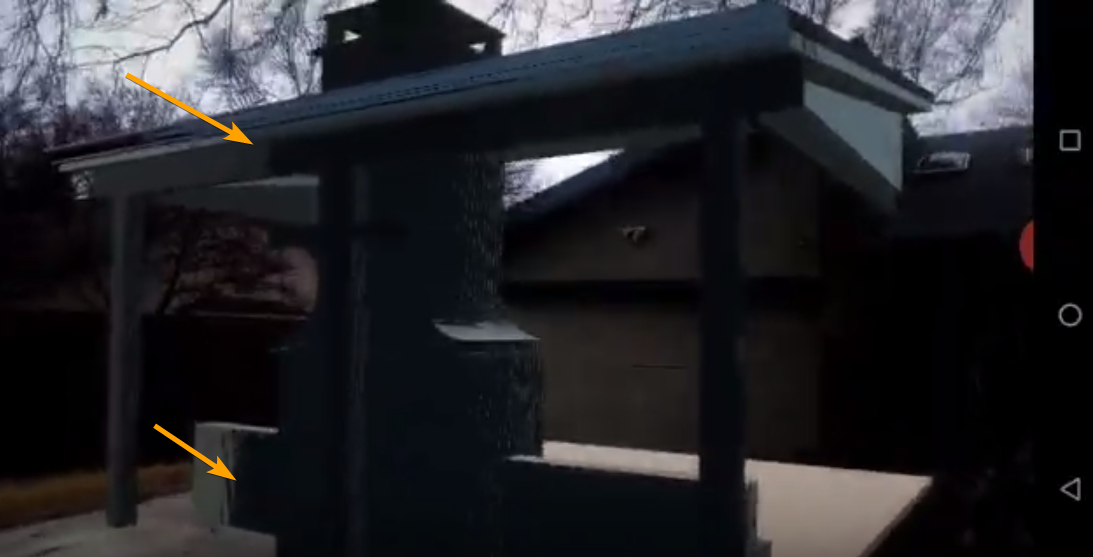
I have an AR project, and I have some z-axis fighting on my materials when I'm close to the object. Anyone have any thoughts on why my blueprint is displaying like this: https://i.imgur.com/yTjx8f3.png
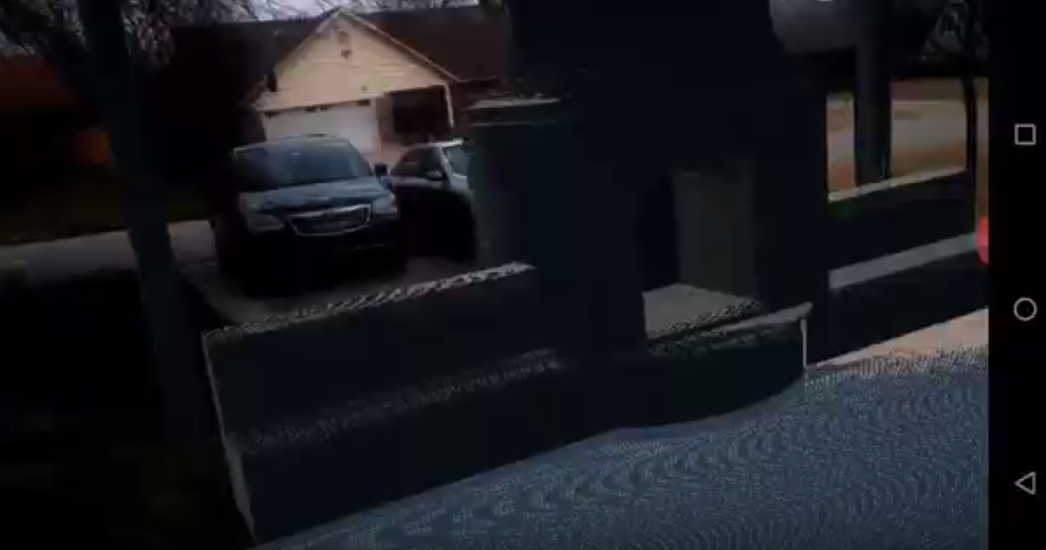
When I move further away it looks like it clears up: https://i.imgur.com/UPSw9zM.png
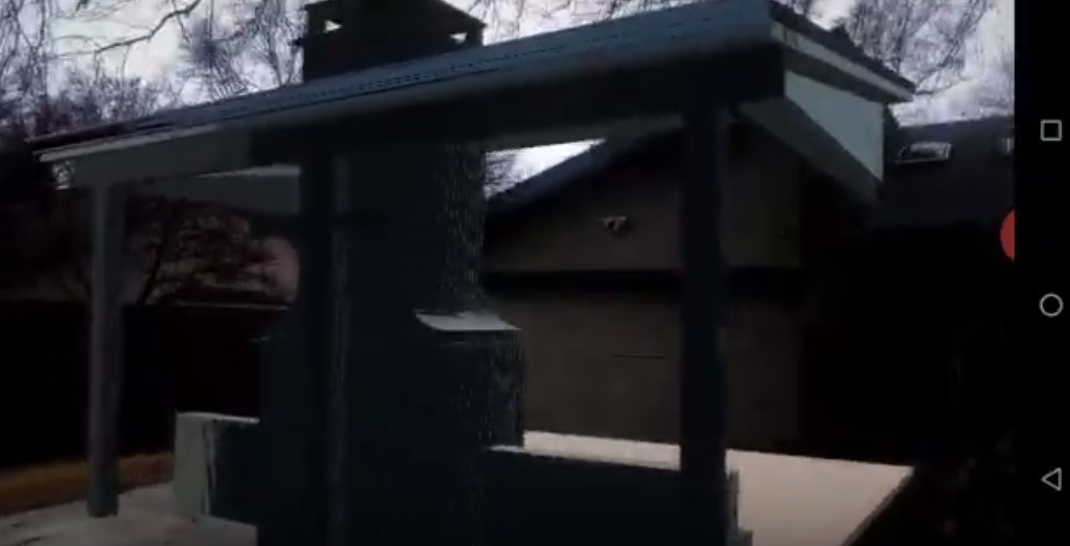
sorry for the potato quality, it's from a screen recording
it's almost like there's a render depth issue going on: https://i.imgur.com/WSRmIUL.png


 abstract plank
@next current https://www.youtube.com/watch?v=yxqSkFNAzE0
here is a fairly up to date video that does a good job at breaking things down and explaining them at an intro level. If it is not exactly what you need, you may need to dig deeper

In this new series I go through a method of creating an inventory system, similar to a survival game. In this first part I introduce the system and go through the process of setting up some key assets that we will need going forward.
There are unlimited ways to create a tutor...
elder moat
I keep getting an issue saying there is no variable called "can see player" when there is...
next current
@abstract plank thanks :D
elder moat
Anybody know why?
Nevermind, found it, I had spaces in the variable when the code had none
I dun goofed
fading vector
Any idea why this would be warping from this material?
It doesn't warp if I dont attempt to rotate it
 misty creek
Any idea why launching on a device would produce different results than actually building the project?
fierce tulip
is there is a way to make an actor in editor undeletable?
I keep fricking deleting my camera's for some reason :p
fierce tulip
lol
 next badger
@fierce tulip so...make a sublevel, place camera there, lock it
next badger
you will be able to posess camera from dropdown
fading vector
Does anyone have any suggestions or ideas as to why I'm getting that warp ^?
next badger
fierce tulip
@next badger yea, thats how I always select it
next badger
@fading vector it's UV distortion near edge
next badger
i doubt it has one
fading vector
rotating Parameter cubes is a pain
next badger
but it's there cause UV interpolated in a triangle, and you have 2 of them
 fallen elbow
so i have like big issue, whenever i create second texture sample parameter and change its grouping to existing one, engine crashes in 4.25.2
every time
i created new material
and all
ill try in empty project
now
anyone else witht this issue?
next badger
@fading vector yes...gimme a sec
fading vector
Whenever you get a chance, I appreciate the help
normal burrow
would still recommend trying the other approach to rotation crypto
elder moat
is there a way of getting another one of these- whenever I duplicate it it comes up as "custom event" with a warning
next badger
@fading vector are you projecting it to a sphere?
spare sun
@fallen elbow well I kinda had similar crashes with textures on 4.25 when trying to apply textures to a landscape layer blend in material editor. So I rolled back to 4.24 for the time being.
fallen elbow
im doing same thing, i am unable to create a second parameter in same Category. Even if its None @spare sun
engine insta crashes
issue appeared in 4.25.2
4.25.0 didnt have that issue
fading vector
@next badger Any ideas on it?
fierce tulip
iirc yes, but always best to rightclick on the main content folder (in content browser) > clean up redirectors
 fresh oasis
here's what I've got https://www.youtube.com/watch?v=5OVf6eWG6CQ
 normal burrow
that goes to #work-in-progress
proper hatch
I have this black line on Android 6.0. It's a 2k texture, not actual meshes.
Anyone knows the problem?
I suspect it's antialiasing but not sure how to remove it.
next badger
@fading vector You need to make more dense sky sphere i guess...or orient it along rotation axis
@fading vector also check this in reflection vector
next badger
when not normalized also look cool
https://i.gyazo.com/a6dc2c8e60f865f3c9cf3f8755b95fdd.mp4
fading vector
Oh jeez
proper hatch
@fading vector do you have an idea about my question above?
fading vector
you can check the project settings for any of those sorts of settings
it'll be under rendering
next badger
@proper hatch is that an edge of the texture?
proper hatch
No it's not an edge
next badger
just a random line?
fading vector
Hmm, so the material its self looks fine but in the preview of the level I'm still getting distortion. Not sure why, I'm gonna mess with it more.
proper hatch
I checked "none" under "Anti-Aliasing method" still the same problem.
yes.. at the rendering level. In viewport it looks fine
Some other textures look fine too
next badger
@fading vector probably the mesh UV's...i had some distortions on default sphere too
fading vector
Yeah, not sure why its so difficult to get a working skybox xD
next badger
@fading vector try this
fading vector
Sadly not working.
next badger
@proper hatch wait, is that a rendertarget?
fading vector
Im gonna mess with the numbers some
next badger
@proper hatch what you mean by
at the rendering level
proper hatch
@next badger oh, I meant on mobile when I launch the app
@next badger I think it's the edge of the texture that's giving me the black. Just noticed
I'm using a sphere much like a skybox with a rendered 360 image
fading vector
@next badger What if Instead of rotating the material I could rotate the sphere itself, I've tried a couple things like rotating movement which did not work but there might be a way.
next badger
what's the image original file format?
proper hatch
png 2048x1024
next badger
@fading vector rotating material is cheaper, just in case
@proper hatch is it set to clamp or wrap?
proper hatch
wrap
obsidian nimbus
i would rip my rift off in 3 sec
next badger
@proper hatch and you can't see it in the viewport?
proper hatch
@next badger No. In the viewport on pc it's look fine.
Does it have to do with the Sphere I'm using, maybe? It's actually a shelled sphere
obsidian nimbus
ow damn thats not so many nodes