#ue4-general
1 messages · Page 670 of 1
 midnight root
no errors installing any of the needed plugins ?
 grim ore
is the project running
 signal jetty
Yeah
grim ore
and when you hit export what shows up in the top right of bridge?
signal jetty
No errors
grim ore
and when you go back into the project nothing?
signal jetty
Huh 🤔
grim ore
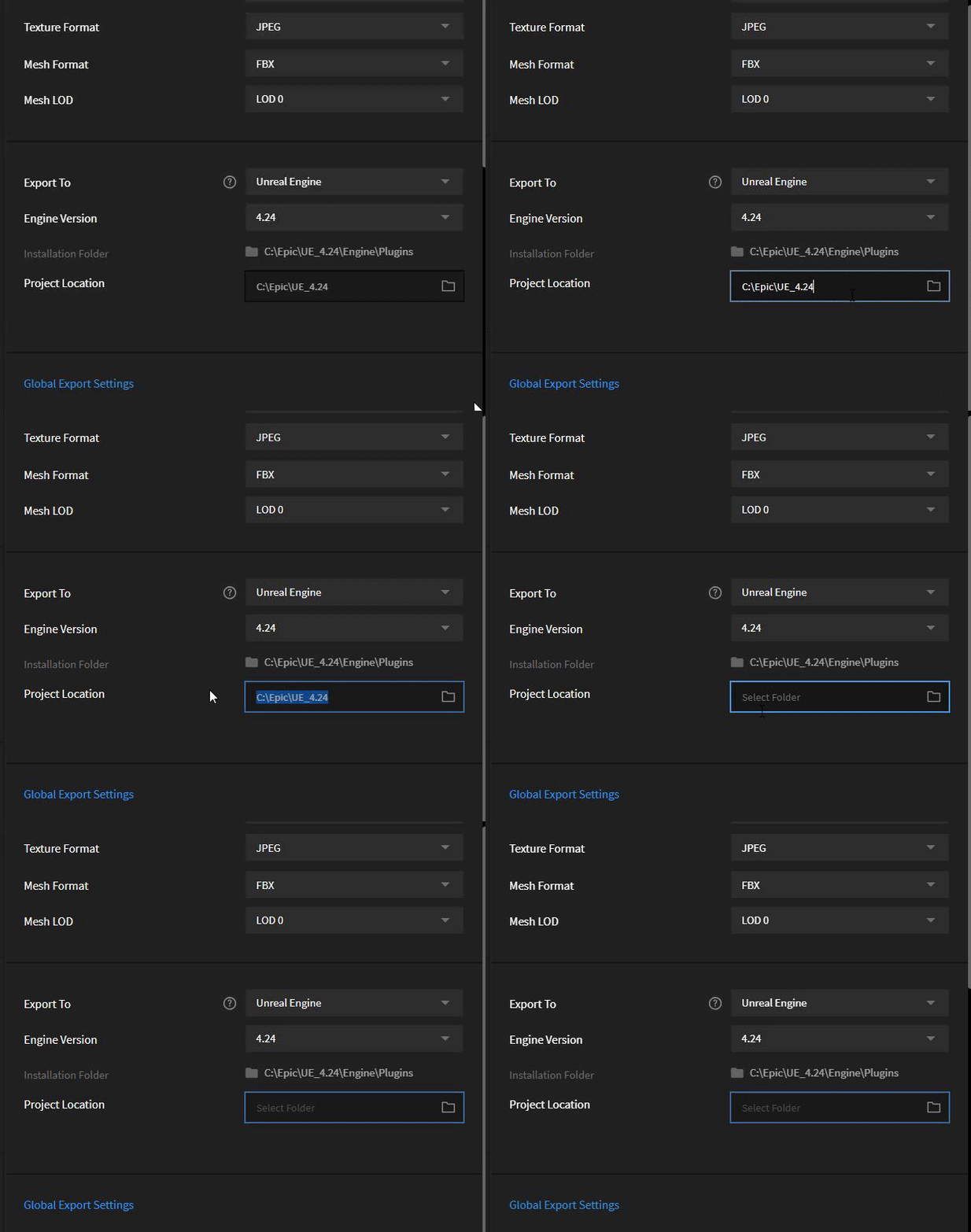
if you are using the plugin and bridge you shouldnt need a project location, it should be blank
signal jetty
The project name is 1
grim ore
just the engine location needs to be correct, which it looks like it is
 honest rune
the path is to the engine install. that shouldn't be correct no?
signal jetty
Should I change it to project1
signal jetty
U gotta Mac
grim ore
I do?
signal jetty
Is it windows?
grim ore
it is and it shouldnt matter
erase what you have in your project location and try again
honest rune
he's a rebel. doesn't use program files 😉
grim ore
the plugin is a running server between the bridge software and your open project
signal jetty
honest rune
you're trying to export into the engine?
signal jetty
honest rune
blank this out
grim ore
time to reinstall windows its broke https://i.gyazo.com/c229418bc96d6188edbeebab6c4a8412.gif
 signal jetty
I’m can’t
midnight root
As often as all seems correct , it can't hurt to be sure by verify your steps https://help.quixel.com/hc/en-us/articles/360002127457-Official-documentation-of-the-Megascans-Plugin-for-Unreal-Engine-4 , just in case-otherwise pls ignore l;0-

Quixel
Installing the Megascans Plugin for UE4
This installation manual is geared towards Windows OS. For Mac users, please visit this article.
Before proceeding with plugin installation, make sure that U...
Btw @grim ore https://help.quixel.com/hc/en-us/articles/360002127457-Official-documentation-of-the-Megascans-Plugin-for-Unreal-Engine-4 ,mine is on the list supporting cuda
Quixel
Installing the Megascans Plugin for UE4
This installation manual is geared towards Windows OS. For Mac users, please visit this article.
Before proceeding with plugin installation, make sure that U...
sigh
ignore that
finding right ONE
Btw @grim ore https://www.geforce.com/hardware/technology/cuda/supported-gpus?field_gpu_type_value=All&page=1
Compare GeForce graphics processors that support your PC gaming system, including GPU performance and technical specifications.
signal jetty
Which one
midnight root
so sorry I doubled posted by accident
yours is above
@signal jetty this https://help.quixel.com/hc/en-us/articles/360002127457-Official-documentation-of-the-Megascans-Plugin-for-Unreal-Engine-4
Quixel
Installing the Megascans Plugin for UE4
This installation manual is geared towards Windows OS. For Mac users, please visit this article.
Before proceeding with plugin installation, make sure that U...
Just in case...
 gilded plinth
oh my, need a quick tip. So I took a vid on my iphone. It's you know... the phone was vertically oriented. When import into media player asset it's rotated 90 degrees to fill up the whole preview and i can't find a way to rotate it
grim ore
@midnight root yes cuda might be supported but it doesnt mean task manager can see that as it's driver related.
gilded plinth
is it not possible?
midnight root
project file out of date ?
signal jetty
Yes still can’t Export it
midnight root
windows 10 all updates or...
signal jetty
Something is wrong I can’t figure it out
midnight root
Mine isn't installed, all I could offer is to check your steps, regarless that megascans is shown on ue4 UI
dunno
midnight root
always
 rancid lynx
how do i make particles unlock from the spawn location/? if i wave the torch around, i dont want the old flames to glue lock locaction. i cant remember
ohm, i think "required - use local space - uncheck. boy that wasnt super intuitive, just enough to guess it X_x
 kind dew
Does anyone know why if i place a character in the world before I PIE the AI will move properly, but if i spawn the same character at run time, the AI will not move? I am using the built-in Move To task in the behavior tree.
Also, if the Actor i am spawning is a pawn, it will work both when placed in the world, and when spawned at runtime. But once I reparented it to a character, it stopped working.
 calm portal
I think you might need to assign an AI controller to it when it's spawned
kind dew
why would it work fine as a pawn though

the move to node is definitely there and firing it's just not doing anything. It has to be something that a Character class has that a pawn class does not that would affect this
 midnight bolt
does anyone know if there are some assets, free or paid for background vista war effects?
calm portal
@kind dew Pawn is automatically controlled by an AI if there is no player controller I think
 errant burrow
I can't get command line arguments for game to work, does anybody have any ideas?
calm portal
Just try what i said?
 manic pawn
you can't pass a map on the command line to a shipping game that isn't a dedicated server
set a project startup map instead
errant burrow
you can't even pass an IP address?
that's what i'm trying to do ultimately
that's not working either
manic pawn
I don't think so no
errant burrow
that's super weird
manic pawn
it's because that would let players open random maps with no control
load a startup map and then manually travel somewhere
errant burrow
I have a separate launcher application that handles the matchmaking and I want to launch the unreal game to connect to a specific game server
manic pawn
or you might be able to enable it somehow
kind dew
@calm portal but clearly the behavior tree is running in that picture so the AI controller is definitely assigned
calm portal
Ah I see what you mean. Hmm maybe something to do with the character movement component?
Are you testing on a simple map? Characters already have CharacterMovementComponent with physics and stuff
kind dew
yes super simple map. Yea but i cant find anything in the component that would change behavior wether or not the character was spawned or not
calm portal
Hmm well the only thing that makes sense to me is the default parameters when you create it in editor are different to those when you spawn it. Can I see how you are spawning it?
kind dew
the spawn node actually hasn't changed at all. It worked when it was a pawn, after re parent it doesn't work. I'm going to call it a night for now ill see if i can pick it up tomorrow. Thanks for the help
 zealous spear
Hello, I want to make a alpha survey for my game and people to say what they think about the game and all that kind of stuff, I heard that I could do that using Google Analytics, how?
Do I need a plugin?
manic pawn
if you mean like a survey in browser that's called google forms not analytics
 surreal hamlet
Question- how do i copy content from one project to a different project....i tried copying everything from the world outliner then pasting it to the world outliner of a different project....but there are no meshes...only lights are shown
 abstract relic
Select the asset >>> asset action>>> migrate
surreal hamlet
Kindly focus on the problem...i don't want another...
 normal burrow
lol
abstract relic
Low effort work will get you low effort result
normal burrow
i thought that was a desktop image they really like their snacks
 polar hawk
surreal hamlet
polar hawk
surreal hamlet
Don't bother giving me a result then...there few more thousands here who will be more willing to help
normal burrow
Shift+windows key+S was what i was gonna write
polar hawk
It’s literally always been of a desk top
normal burrow
oh wow
 scarlet birch
da bump , hiss something
normal burrow
i was right all along, whoa
abstract relic
What conspiracy is this
surreal hamlet
This group has to be more useful!
surreal hamlet
Doesn't seems like though
abstract relic
polar hawk
This group has no obligation to you, but if you select stuff in the level you export, if you select stuff in the content browser you migrate
scarlet birch
I had an answer typed and just as my finger moved towards enter , I saw that a few thousand others were going to help. I want to see what they say.
But you can't migrate from the world outliner.
normal burrow
 surreal hamlet
Like wise @polar hawk so unless you want to help..you should jump in between with nothing helpful to say
Shouldn't*
normal burrow
I literally have a hard time seeing the problem there
surreal hamlet
@scarlet birch yes..few more thousands genuine people who won't bully or make fun of someone with a little less knowledge than who " supposedly" have
abstract relic
That’s why I gave you a helpful link
normal burrow
nah vivek, not making fun its just really difficult to help with those screens
you likely need to just right click on Content folder inside Content Browser and migrate
abstract relic
I literally could not see your problem. So screenshot would of been most helpful
scarlet birch
You got answers from two people. I think it's extremely rude to the people offering help to not feel it's worth the effort to take a better screenshot whether you're using your phone or not.
normal burrow
Shift+Windows+S, draw a box
surreal hamlet
@normal burrow ..😅😅 comeon... i was being made fun...anyways.. I'll try searching at a different place as I'm seriously out of time....
Thanks everyone
scarlet birch
You got the answer, twice over
surreal hamlet
Ohhh sorry...i may have missed in between the comments where i was being kindnof humiliated
Lol
I'm sorry again
normal burrow
even though i said it was a desktop first yes, i agree
scarlet birch
I'm usually the first to say let it go, but when you start to include the whole room and your snacks that's a little extreme
surreal hamlet
Man...there is a problem here
normal burrow
bring your problems here and we'll help, just clarity helps us help you
surreal hamlet
I agree that was not a good picture to address my problem but the way the comments poured in after were equally uncalled for... anyone who couldn't find that I was practically being made fun for that has some problem which he should deal with
normal burrow
Wasn’t the intention
polar hawk
Just checking out your desktop
polar hawk
So much I saved a screenshot
surreal hamlet
I'm grateful
polar hawk
You too could have your own screenshots
abstract relic
I am merely happy you are using dark theme
normal burrow
Eye strain begone
polar hawk
I like my eyes like I like my coffee
normal burrow
Dark themed
scarlet birch
Pushed through a mesh with high pressure steam?
polar hawk
Sure
surreal hamlet
this is the project which worked on earlier. Now i want all the contents, basically everything from this project to a new project.
this is the project where i want the contents to be pasted or migrated or transferred.
scarlet birch
Migrate assets from the content browser, or export the level or migrate the level from the content browser. Not from the world outliner.
 calm sphinx
🧇
surreal hamlet
so I'll havce to select them all and then migrate
normal burrow
The button will present you a tree view of folders where content is the trunk
You just right click on the the folder named content and migrate
Then choose the other content folder in following dialog
surreal hamlet
The contents have been migrated but now i have to drop the Datasmith of my project to world and do all the lighting settings and dropping every asset like sofa bed etc to world....the reason i wanted to migrate the project to a different project is because i have done coding in a new project for third person( mouse programing and character animation) and in level blueprint( in level blueprint im getting to change the colour amd material (like wallpaper or texture) of the floor and walls
normal burrow
May want to try #datasmith
surreal hamlet
It's basically an archivz project where i wanted to add functionalities like the user will be able to toggle between different furnitures and their colour. And also change the colour and texture...open doors, operate the elevator and etc
can anyone tell me here that why does this happens? some of the components are burnt after the light build and when i move them slightly they become alright
zealous spear
if you mean like a survey in browser that's called google forms not analytics
@manic pawn
No is actually like taking all the answers from the widget and putting them in my google analytics account
abstract relic
Only google analytic integration plugin I know of is gameDNA’s.
There’s Flurry if you want free alternatives
Flurry is a mobile app analytics platform that empowers product, development and growth experts to build better apps that users love.
 upbeat trench
thats just the stock one too no the macro lense 😛
abstract relic
Shoot. You cropped it strangely. Point to that. Missing snacks though. Nor fingerprints!
upbeat trench
hey I have plenty of desk scunge I could show hehe
normal burrow
I dunno how to take a phone pic of my phone
abstract relic
Mirror
upbeat trench
one of these is not like the other
normal burrow
Denim does that
upbeat trench
that used to be a clear case
upbeat trench
Im gonna need a new one, the phone can fall out of this one
upbeat trench
Phones are getting kinda silly now though, I got a new one mainly for the battery lol
normal burrow
I don’t use a case anymore, They’re pretty sturdy
upbeat trench
I use one cause I cant hold the edge display with my fat fingers
and the S10+ is the first one Ive scratched 😦
 late lake
Hey guys, has anyone else also experienced the problem where Visual Studio 2019 doesn't recognize header files when creating C++ class in UE4 4.24.3?
 thin tendon
Does anyone know what this error is about? Its not giving me a file name to check
FRayTracingDynamicGeometryConverterCS unknown by landscape thumbnail material, please add to either AllowedShaderTypes or ExcludedShaderTypes
 open root
Hello Everyone, can someone please help me with "NULL static mesh property" when I have custom UVs?
 austere scroll
Guys , how do i make a material that changes with a button press /?????????????
thin tendon
@austere scroll Create 2 different materials. Then use the button to swap the material belonging to the mesh you want
calm sphinx
@upbeat trench
 honest vale
ban
 fiery mortar
hello lads
upbeat trench
Greetings
 placid arrow
are uassets produced in 4.24.3 compatible with uassets produced in 4.24.2?
im working in 4.24.2, from source and someone else is working in the one from the launcher just to make maps.
 fierce tulip
should work
placid arrow
good to hear, thanks
i'll let everyone know if there are any issues and what i had to do to work around them
theres no way to get 4.24.2 from the launcher, btw, is there?
it only presents the latest hotfix of each version
fierce tulip
correct
manic pawn
you could just upgrade your version
working with different engine versions is highly sketchy even if it "should" work
fierce tulip
have to agree with zeb for sure
 red crane
how the fuck do i save
 tawdry storm
press the save button
fierce tulip
wording
tawdry storm
press the fu....
oohhh him 🤔
 lapis vine
just f
manic pawn
press the f key?
tawdry storm
to pay respect, yes
fierce tulip
I heard the universal ctrl + s also works
manic pawn
respectfully save
tawdry storm
crtl + shift + s + f
alt + f4 also works
because it'll prompt a save all dialog 😄
lapis vine
Nah, :w
lapis vine
There is some serialization topics on UE, as well few plugins on the Marketplace. Likely and video tutorials.
 pale ferry
Hi, whenever I try to fade out particles inside Cascade it wont take effect and I'm currently struggling with this issue. I've watched plenty of tutorials but no solution seems to help
I tried Scale over Life with Alpha color and also Color over Life with Alpha Color
fierce tulip
and a material that has particle color
fierce tulip
because that doesnt affect the material
Expressions used for creating materials to be applied to emitters in Particle Systems.
this be your bible for today
study it well
pale ferry
Understood, thank you
fierce tulip
good luck! and if something is not clear, ask
2nd subject on that page is particle color btw
pale ferry
ye i start from top now to get involved with everything
 manic vine
**HELP PLS: ** How can I cast a Variable from ThirdPersonCharacter to a WidgetBlueprint? Thanks 🙂
tawdry storm
https://www.youtube.com/watch?v=6IOgkWv1lEY @manic vine maybe this helps

What is Blueprint to Blueprint Communication, or how do I call functions or get variables from other Blueprints, in Unreal Engine 4?
Source Files: https://github.com/MWadstein/wtf-hdi-files
manic vine
Thaanks!
tawdry storm
people should really learn to read the rules 😦
 brazen hull
UE4 4.24.3 crashes when I try to delete a content folder
or in general crashes when delete something
cant move folders or anything either just crashes
 brave salmon
is there a way to cluster widgets for GC?
upbeat trench
you could try recycling them rather than destroy if thats an option
brave salmon
I don't destroy them at all
I just have a lot of shit existed. Most of it are widgets
and it takes 200ms to go through all of that in GC
upbeat trench
GC only gets done for objects that are dereferenced, Im suggesting keeping some of em around instead of letting them get to GC
UI stuff some of it will be relevant every time someone opens a menu or has a hud up so its fairly persistent
youre probably wasting more resources clearing memory than the memory youre saving by doing a GC on em
 wet robin
Where can I enable the Matinee sequence?
I'm trying to do a simple door and everyone on YouTube appears to just have it on the top tool bar but that's just not the case for me pls help.
 half turtle
so i have been looking all around and i think, there is no way for the AI to handle true flight in a 3d space or a 3d nav mesh right?
if my game requires those, would it be better to create a "fake AI" by using a component in the flying actors?
 brittle gulch
Hi guys, can somwone tell me how to reduce the time of SlateDrawWindowsCommand?
Note that it was very fluid at the beginning of the game, then after one minute or something, this started to grow up and eat all the ms
Does this have something to do with widgets? 🤔
 plush yew
hey guys - I want to use the character classes' movement capabilities, but not use the default mesh that gets included as I have blueprints (with meshes) that use it as a parent class. Any idea the best way to set this up?
 inland epoch
Hey guys I have a quick question: Is UE4 (mainly blueprint) able to tap into an API of a discord bot so the client and the bot can communicate with eachother?
plush yew
Danjio - not Blueprint but if you make a C++ class you can. Then you can use that class in a blueprint (if you set it up properly)
inland epoch
is there maybe an existing blueprint library floating around for this kind of stuff or does it need to be handmade and taylored to that specific case?
plush yew

Show your Discord friends what you're playing with two Blueprint nodes!
might not do what you want but could be good to start and extend on
and you'll need to register your own developer app within discord
inland epoch
ah i see ok i will see if i can find a magician that can do this thx for the help :)
 delicate needle
I have several instances of the same class, each all contain, obviously the same code, and same variable names, just unique names within the level. I also have an UI, with BP code, that would like to access one of those unique named instances. Casting only seems to show the parent/master/class, not any of the named instances within the level. What method of communication should I use? I have read up on all the methods, and It's still not clear, so maybe a point in the right direction would help.
placid arrow
https://docs.unrealengine.com/en-US/BlueprintAPI/Appearance/GetDynamicMaterial/index.html theres no real docs on this. when can it return null please?
Get Dynamic Material
it works fine for me, but on someone elses system it generates a ton of errors because the return is null
 deep stump
I thought free assets come today?
 bright basin
What assets?
deep stump
unreal
bright basin
Ahh
deep stump
Free assets of the month
bright basin
Are they usually beginning of the month?
 opaque nexus
@wild kestrel Hey, I'm messaging you because you're online :)
I've tried messaging forum moderators before (via DM on the forum), but haven't gotten a response in many months yet. Please get back to me via DM here on Discord!
bright basin
Ah ok
deep stump
which is today.. lol
 foggy jetty
Hey!
My packaging process is stuck on "LogMaterial: Display: Missing cached shader map for material M_MickeTestShader, compiling."
I've googled for a solution, but haven't found any. Does anyone know? I'm on 4.24
fierce tulip
@opaque nexus better dm him instead, shadow is very good at not noticing messages
opaque nexus
Alright! 😄
brazen hull
UE4 4.24.3 crashes when I try to delete a content folder
or in general crashes when delete something
cant move folders or anything either just crashes. It did not happen in 4.22 but had to swtich to 4.24
grim ore
do you have the debugging symbols installed so you can see the full crash stack? deleting a single thing shouldnt cause that especially if you are in a blank scene
upbeat trench
Ive had it crash when the files havent been saved and Ive tried deleting them, its possible the packages need to be resaved with the new version or somethin
 midnight gate
are you proud of me guys
brittle gulch
Hi somebody can help me on my SlateDrawWindowsCommand problem please? I don't know where that's comming from :/
placid arrow
so i have a conundrum but not sure of the best way to solve it. it seems that players using a gamepad in my game may have a slight advantage.
its a game where the player character is 'driven', so the A and D keys, or gamepad left stick left/right are used to set the position of the wheels
the problem being that keyboard can only represent an axis value of 0 or 1, so A = -1 and D = 1, no keys = 0, where a gamepad can represent an analog float value between 0 and 1 inclusive
which means a keyboard user can only steer full lock left or right, or straight ahead
midnight gate
DOES ANYBODY KNOW HOW? can i set up my chracter to punch something and then that thing breaks?
placid arrow
this to me means an advantage for gamepad users, is there a good way to give that same flexibility to a keyboard player?
midnight gate
no keyboards and mouse sucks gamepad is superior every gamer should invest
placid arrow
@midnight gate very complicted answer, what particular part are you stuck with?
midnight gate
how do i start
do i put a collision box on his hand? and hope it hits the actor collision?
how do i program simple punching and interacting with punch
m stuck on this part cuz idk how to continue
placid arrow
you could do that
but generally you can simplify
depends on how accurate you want the collision to be
in my last game i cheated and just did a line trace if they are within range of a melee attack
midnight gate
OH I HAVE AN IDE
idea
walks up to window? checks if charcater is there? checks is character punching? all checks yes OK GOOD WINDOW DIES
like for example look at window and punch
like shooting a gun at it in fps games
that would work right?
so the player has to walk to the window look at it and then punch
 hoary locust
@placid arrow If you look at the input data, the value goes through every value between 0 and 1 when you hold down a keyboard key, mimicking analog input in a way. But yes, driving games are the only games where a controller is better than a keyboard and mouse. If you look at the "pro" scene of any driving game, you can see that the debate is whether wheel/pedals or controller is the best.
placid arrow
hmm, thats true re controller being better
in ue4, an axis bound to a keyboard key jumps straight from 0 to 1/-1, iirc
from zero to the maximum axis value
im thinking its not worth dealing with, people who are serious about playing will just go get a gamepad, right?
i mean theyre not expensive
hoary locust
I don't you're correct, I'm pretty sure it doesn't just jump to 1
Yeah, driving gamers all have controllers or wheels
midnight gate
yea that plan worked
placid arrow
i had it dumping to the display with a print node and only ever saw two values, 0 and 1
so unless it changes to max so fast that i dont get chance to see the other values...
midnight gate
well that was easier than i expected
hoary locust
are you sure it was an axis value and not action? I've done the same thing and I've printed many different values
 thorn vector
this month free content is out
oops

Unreal Engine
Maximize your time with new character abilities and helpful systems, including Android features, animations, and more—now free on the Unreal Engine Marketplace.
tawdry storm
lol I was wondering why it was all the same stuff 😄
thorn vector
haha sorry
tawdry storm
hm did the animation content really need this many screenshots? 🤔
half turtle
math time, i need to get the difference angle between 2 vectors, in values from -180 0 to 180?
which would be the best way to go about it?
 mossy spear
how do you manage large scenes in UE4
 swift spindle
Level separation mostly and prefabs via extra tools or blueprint construction. Along with HLOD and other things like that
mossy spear
scene is an archiviz scene
swift spindle
You can also look Varient manager
 copper flicker
why why why......... how should I ask this, when it makes no sense..... ok. question.
why a trace by channel, looking for Visibility, shooting a ray into an object that blocks visibility trace channel....
and it doesn't see it
O o
I mean, why can it possibly fail
 long comet
hey, how can you know how much RAM use your own game?
copper flicker
I shoot rays into object 1, it blocks Vis, trace by channel sees it, and works.
I shoot rays into object 2, a different one.... that also blocks Vis, trace by channel completely ignores it
I tried blocking with meshes and with collisions
both fail
and btw, makes no sense why a mesh and a collision box would not behave in the exact same way, if having the same collision settings
but for some reason.. they do
O o
I'm going nuts with these collisions, there's so much stuff that doesn't make sense
tawdry storm
@copper flicker are you sure the mesh has a collision shape?
copper flicker
uhm.. my meshes are planes
can this be the reason
?
hmm... I tried with simple cubes, that normally work. they don't work on my problem object
so that's visibility collision
what is this purple?..
and why is it not all blue
ok I tried with a regular mesh, one imported from fbx, and collisions work
tawdry storm
I'm not sure what the colors stand for, but maybe that's why it's behaving weird
copper flicker
I don't undersatnd why they don't work on unreal cubes and planes
no, the new mesh is also purple
and cuz it has a collisional, it works
tawdry storm
the default plane of UE4 should work though
copper flicker
yeah, and the blue sht is a default unreal cube
and that works too
it jsut doesn't work in my OTHER obejct
tawdry storm
well do your other objects have collisions? can you check?
brave salmon

reddit
2 votes and 2 comments so far on Reddit
tawdry storm
@copper flicker so after checking with my scene I guess purple means it's movable and blue means it's static
copper flicker
ok, thanks!
I imported a cube
works
fuck Unreal's cube, basically
😄
makes no sense tho.... the blue obj in my image is also a cube
which works
tawdry storm
just set the unreal cube to movable, does that work as well?
I switched the colors earlier... edited it to be correct
I'm confused... but if it works then whatever, I guess
copper flicker
ok it might have been my fault... sorry Unreal.. I hate your cube for no reason
I was checking for collision before the object spawned in the world
tawdry storm
🤦♂️
copper flicker
yea
midnight gate
help
how do i make it disapear when clicked
is the issue that my game is set to gamemode only?
i still can use e to click rigtj?
grim ore
you are trying to click on something and make it be destroyed?
grim ore
the something has to accept clicks, your player controller has to be set up to allow clicks
and of course you need a mouse cursor visible for clicking
midnight gate
ok what about keyboard instead?
how can it be destroyed when i click e on it?
thinka bout fallout loot collecting
grim ore
that is alot more complicated
midnight gate
you look at the object press e and it collects and actor is destoryes
grim ore
and there are various tutorials out there to handle it
look up interacting with items since that is what you want to do
midnight gate
alrithy
 nimble viper
hey is it possible to just fill this empty space with like an inifinte color or texture? should i use a big plane ? (its the outside of my landscape)
 worldly mural
Do I have to join all my models into one object with Blender before i export it to fbx file?
When i import it to UE4, it shows me everything separated, so I have to place everything manually and lose all effort made on Blender to put all things together..
@plush yew thanks !
 lime gull
Okay I have a "Get random Integer in range node", but every time I test it, it gives me the same numbers
I tested it out once, I got 9, then 27, and it does this consistnetly every time
 earnest cape

Feature Request for UE4: Physics Asset Shapes that either snap to the bone they're assigned to on spawn, OR, intelligently align themselves mid-point between that bone and the child bone in the chain, and scale themselves accordingly.
Atm it spawns in a shape in random posit...

 Twitter
Calling attention to this because I agree
 remote fulcrum
yo does anyone know what causes this to happen
there is no bone controlling the main root bone but for some reason it's connected to something invisbile and it messes with the pivot point and i want it gone
honest vale
4.25 preview out
grim ore
shut up it is not, you lie!
 maiden swift
Several folks cannot download it, so I'm holding off on the announcement.
scarlet birch
ah,
lapis vine
Bugs incoming 😱
 misty creek
Yeah, it isn't letting me download it...
maiden swift
It's a preview build. Of course there will be bugs. 😄
scarlet birch
I see the option to download it but it didn't give the usual pop up or icon when a new version is out. Seems about right though the last 3 times it's been only a few days after I finally switched to the previous version that a new one is out.
 crude vessel
Anything interesting in 4.25?
 dark depot
nice i cant wait i messed around with the git version there is alot to unpack in it
maiden swift
Yeah, looks like a big release.
grim ore
What do you mean several people, I am not that fat that I count as several people! how rude 😆
dark depot
material updates/translucently and more/ mesh editor got alot of features/ physical material masks and countless other things
maiden swift
Lots of audio goodies, too. 😍
grim ore
imagine all the neato stuff we would have seen and heard about in 2 weeks at GDC 😦
maiden swift
Nope, still no clue.
scarlet birch
One of the cards on trello says "this change will break backwards compatibility for projects using 4.24 and prior (however there is an upgrade path in place), but the auto exposure will be less complex and much more user friendly than before."
dark depot
and everyone is still getting their presentations ready so imagine it wont be too long till we see them
normal burrow
i still think 4.24.3 is a result of wanting to have an awesome release of 4.25 for gdc
maiden swift
Yeah. I imagine Epic will still present all their goodies, just online. Unless they decide to wait until summer when GDC presumably takes place.
normal burrow
"these awesome features are available... now"
presumably no more zombie fear yeah, summer time
maiden swift
The new auto exposure system looks promising.
dark depot
hope not because we also lost unrealfest and i need awesome videos again hahaha
maiden swift
Yeah, I hope they still announce everything this month. 🙂
normal burrow
fact that niagara is enabled by default on main is enough hype for me
maiden swift
Maybe they'll do a special episode of Inside Unreal blowing it all out, then upload direct-to-YouTube presentations.
 jade crypt
hello
normal burrow
they've also been saying 4.25 is the one where niagara out performs cascade
maiden swift
Audio Data Interface. The Audio Oscilloscope and Audio Spectrum data interface modules give you the tools to create audio visualizations using Niagara in UE4.
Yesssss.
scarlet birch
4.24.3 fixed whatever was making it crash relentlessly for me. 4.24.2 and .1 were unusable here from crashes.
normal burrow
its surpisingly difficult to match audio to display, so thats quite cool
hm i am on .1 and experience some crashes, but not many
dark depot
https://forums.unrealengine.com/unreal-engine/announcements-and-releases/1728453-unreal-engine-4-25-preview forum post is up
Unreal Engine Forums
PREVIEW!
Preview 1 of the upcoming 4.25 release is available now on the Launcher and GitHub. We are making this Preview available so that our developer community can try our new features and help us catch issues before the final release. As fixes are implemented, we will rele...
maiden swift
I've been working on some visualization stuff. This new data interface sounds like it'll be much easier.
maiden swift
Like I said, not posting until people can actually install it.
dark depot
oh yeah just to read while we wait hahaha
grim ore
oh thats trippy
normal burrow
pat is late to the party sorry
maiden swift
😄
grim ore
it was .25 preview 1, now its .25.0 for me. still cant install
scarlet birch
Oh nice, the rework of animation curves makes them much more useful
normal burrow
i hope that montage ui makes it
scarlet birch
if it means they can be used in montages now
grim ore
the new animation stuff is soooo sexy, montages are 100% easier to understand now
normal burrow
i bet they've renamed every animation node api function again for the hell of it
maiden swift
I hope Timelines get that modern Sequencer UI someday, too.
normal burrow
thats the price of fancy animation updates, renaming of apis
dark depot
imagine its the hope pfist but might take a bit
scarlet birch
I saw a stream the other day where they were using sequence like editors in montages and I was blown away,
I had no idea you could do that
crude vessel
Is convert to blueprint a new feature?
dark depot
like when having something selected in editor
if so no you could do that for a long time
maiden swift
It's not a new feature, but it sounds like in 4.25 you can now select multiple actors and create a single Blueprint from them. That's new.
maiden swift
Pre-4.25, you can only convert a single actor I believe.
So with this, you could arrange a bunch of actors in the level, then easily convert that to a Blueprint.
dark depot
yeah reading it this does even more
maiden swift
Great example would be your lighting/sky setup.
dark depot
yeah and have child bps nested
scarlet birch
Yeah, I could see that being nice. Right now I make a base level most of the time and just copy it. Having a BP to drag and drop that I could add some parameters and settings to would be nice.
 warm flicker
how stable is 4.24.3?
scarlet birch
I mean it's doable now, but setting it up in the level and just selecting everything and hitting make BP is much easier
I've found 4.24.3 stable with Nvidia studio drivers, before switching to those though I was crashing often
dark depot
@warm flicker depends on what features your wanting to use but like most builds pretty stable you can look up the list of bugs it has if needed
scarlet birch
I switched my current project to it last week and have found I like a bunch of the changes.
normal burrow
did they fix the move asset slowness?
placid arrow
why does opening a blueprint just to look at it modify the file on disk?
normal burrow
did you save it in a previous version of the engine?
warm flicker
4.25 p1 is out, wonder how buggy it is, the volumetric clouds are nice
normal burrow
its weird that with how long volumetric clouds have been around by now, that they are still expensive?
 mint raptor
What is the proper way to handle materials used by lots of assets when enabling chunks?
I have a chunk of assets that use materials outside of its chunk and I can't seem to build without error
 grave nebula
Volumetric clouds are still half a century away from running at full resolution, physically correct and at decent sampling density, unfortunately.
fierce tulip
remembers back in early 2000's a gpu manufacturer was already attempting to do rtx
and its still not proper
manic pawn
so we can all be old men yelling at clouds by the time those work?
 tawdry sierra
Hey everyone i need quick help! My android isnt showing up in devices. It used to show up before i configured the SDKConfig paths and converted my project to a mobile project in the project settings
i can see my android device in cmd adb devices
it used to show up which is driving me crazy
 elder moat
i got a mesh that doesnt have all the parts of the basic mannequin skeleton (which I want to add to it). I get this message
"The Skeleton UE4_Mannequin_Skeleton, is missing bones that SkeletalMesh SK_Mannequin needs. They will be added now. Please save the Skeleton!"
I save the skeleton but the bones never get added. Any way to fix?
tawdry sierra
Guyss!
 serene birch
Improved Convert-to-Blueprint. When creating a Blueprint from multiple selected Actors in the Level Editor, you can now make a Blueprint with a single master Actor that has one Child Actor Component for each of the Actors you selected. This means that you can now save groups of Actors to a single Blueprint and place those Actors around your Level, or in other Levels, by dropping in (or spawning) just one Blueprint.
better support for prefab like content 🙂
nimble viper
hey do you know how to add the volumetric cloud plugin to my project ? https://gumroad.com/debugart ty 🙂
 serene birch
"Anisotropic" \o/ at last
 mighty oak
Hello, I'm trying to resize component (all of them) of a landscape that is split up into tiles/sub-levels in World Composition, and the editor crashes every time I try to do this: Assertion failed: OldLandscape != nullptr [File:D:/Build/++UE4/Sync/Engine/Source/Editor/LandscapeEditor/Private/LandscapeEdMode.cpp] [Line: 4018]
mighty oak
Any tips on how I can resize the landscape?
serene birch
select the landscape actor and change it's scale?
 frail sail
oof i thought it will came at next month
mighty oak
No, I mean resize the data of the landscape using component resize option in Landscape Manager
 next badger
Um...who downloaded 4.25?
 rotund scroll
I did
serene birch
still downloading, a Fortnite update wanted to install (and I never launch Fortnite, why do I have it installed already XD)
rotund scroll
can't be true, I don't even have that much on my UE drive
next badger
grim ore
grim ore
nothing special for me, no platforms no debugging symbols
maiden swift
It's still only 16GB for me. No platforms, no debugging, no engine source.
Same size as 4.24 with that config.
grim ore
its always ticked, super annoying
normal burrow
tivo really?
grim ore
TVOS
grim ore
aka apple tv
normal burrow
ah right the not-ios for tv, like the not-ios for ipad
grim ore
thats weird it had options here
next badger
i have for other engines
rotund scroll
do once won't work if it's a level restart
you need a branch
and you need your game instance class
ah man
look up a tutorial
you need a bool in your game instance that you set when you start the game from menu
then check on every time before you hit the menu
 tame delta
TraceEnd is the end point (regardless of collision) and ImpactPoint is the point of impact only if there was an impact yeah? Any straightforward way to get TraceStart + TraceNormal*distance ?
next badger
@grim ore restarted the launcher...options emerged
tame delta
As in, something that returns TraceEnd if there was no hit, the impact point otherwise?
rotund scroll
@plush yew I gave you all the info, google each part individually and read pls
 devout locust
That feeling when you bug test your new stuff and it crash .7 seconds in
rotund scroll
@tame delta yes, if you want to detect if there was a hit there's a bool for that
tame delta
@rotund scroll No no I just want the point of where the trace "ended up"
It might be TraceEnd or ImpactPoint, but the doc is insufficient
rotund scroll
usually you input that for your trace?
grim ore
trace end would be the end point no?
tame delta
@rotund scroll No no I mean if there was a collision, I want that point, otherwise I want the end
 humble stirrup
Two questions
tame delta
I've no idea man to be honest
grim ore
and like they said if there was a collision its the impact point
tame delta
I did at some point
I was just wondering if this point was already part of the trace outputs
grim ore
break the hit result and look at all the options
tame delta
Again, it might be TraceEnd or ImpactPoint that does it
rotund scroll
@tame delta I mean you need the end of a trace from the beginning?
tame delta
Yeah I've done that, the explanation doesn't say 🤷♂️
rotund scroll
impact point only works if you hit something
tame delta
I'll ask it like that: Does "ImpactPoint" return TraceEnd in the case of no collision?
rotund scroll
nope
tame delta
Ok.
rotund scroll
nothing will return if there's no trace
tame delta
So does TraceEnd return the input variable (as you said) or does it return the impact point in case of an impact?
tame delta
Can FVectors be undefined/NaN?
grim ore
uh... you know you could just test it right?
tame delta
Oh it just nulls it out
brittle gulch
Hi again, can someone help me reduce the SlateDrawWindowsCommand event? I can't figure out what is doing that.
I'm profiling in a development build, not in editor, weird thing, I don't have any problem like that in editor.
tame delta
Yeah I know
grim ore
print string out the results on a hit and on a no hit
rotund scroll
collision is a bit of a pos to work with though ngl
tame delta
Just wanted a reason to chat with you wonderful people
rotund scroll
surely you're joking
rotund scroll
that's only the second best compliment I've received today, next after being called a rock
tame delta
I'll do better next time
rotund scroll
I'm ok, I don't need praise to function
tame delta
I do, I have a very fragile ego
grim ore
poop, the default lighting in .25 is much brighter than .24 😦 I thought it was just a master branch issue but nope
 thick herald
Wonderful granite peoples of UE4
normal burrow
ahh how are the ss reflections?
grim ore
SSR seems fine, cant test DXR here. It's all the sameish just... like ... brighter
tame delta
Someone turned down the brightness on the graphics dev team's monitors
thick herald
yeah tis quite a bit brighter
normal burrow
is hdr a thing yet?
frail sail
anyone tried GPUlightmass with 4.25 preview? and meshes can change lightmap coordinate index (bugfix)?
lastly question. now its open restore previous tab ?
tame delta
@grim ore Even without eye adaptation? (I assume that's the first thing you tried but never know 😛 )
normal burrow
wow that ssr looks more powerful
rotund scroll
I'll say
thick herald
are gizmos kinda wobbling about for anyone else?
rotund scroll
bravo
game instance class
how to create a variable
we really need a @grim ore bot
grim ore
I had a bot but it got mad it was being used 24/7 without pay or break 😛
rotund scroll
bit early for robots to go sentient just yet

How do I use the GameInstance Object in Unreal Engine 4?
Source Files: https://github.com/MWadstein/wtf-hdi-files
grim ore
man there is like a major change to this rendering stuff in .25
frail sail
@grim ore can u look at my questions while testing .25? https://discordapp.com/channels/187217643009212416/225448446956404738/684490407207370764
these 2 thing was bugged at .24 and important for me
normal burrow
/tomato is point in box
 worn sparrow
anyone in 4.25 able to find volumetric cloud examples, or are they not in yet?
grim ore
@frail sail I cant test gpu lightmass on this machine and what was the bug? I never had an issue changing lightmap indexes
frail sail
i have 2 uv lightmap when 2nd generated from engine. when i trying to change lightmap index 1 from 0 its back to 0 again.
and sometimes it crashing
normal burrow
issues in .25 should be reported
frail sail
now all meshes have 0 index so all meshes have overlapped %99999
yeah thats why need to know its fixed on .25
normal burrow
you backed up right?
oh, i suck at reading sorry. yeah thought you were saying its a .25 bug
grim ore
I dont really know it might be your mesh related? I just made a mesh and changed it's lightmap coordinate index to 1 and saved. no issue on save or reload
rotund scroll
whats a backup
frail sail
leme make gif
normal burrow
We ran into a similar issue without a crash noira on 4.24.1
it wouldn't generate and assign a lightmapping uv. not sure how it was ultimately fixed
grim ore
now im curious on how gpu lightmass would integrate with the engine if it's part of it
abstract relic
It wasn’t
thick herald
Anyone seeing this with .25? https://youtu.be/P9Yo3ktgHq8
 normal burrow
oh
abstract relic
I imported the mesh as a separate asset and deleted the old one
grim ore
@thick herald if I am far enough away and the outline is large enough it looks like its redrawing super fast
 humble stirrup
So, Iam back. I need help with how to make a datatable to reference a said croup of images in row and coluns
 dense magnet
Really frustrating bug whenever I try to alt-drag to duplicate an object, it quickly / briefly pops up with a commit to source control change and cancels the Alt-drag. This is slowing down my workflow a lot. Hasn't ever happened to me in years of using the engine.
humble stirrup
With each row being a said card
normal burrow
thats a vertex boil if i've ever seen one
tame delta
@grim ore Even without TAA?
@normal burrow Oh is vertex boil the name of the PS1 effect?
grim ore
nope its the AA causing it
normal burrow
nah thats vertex lava (on ps1)
tame delta
Guess they use the TAA jittering transform but don't actually contribute properly
@normal burrow Wait how many version of it are there
grim ore
yep only TAA is causing the issue, good call
next badger
thye are using TAA mask, that's why you see jittering
frail sail
it was crashed 2-3 times when i trying change this 
normal burrow
theres jitter, boiling, lava, shaking, precision issues, wobbling, waving, dancing
frail sail
nvm uploading video
tame delta
@normal burrow Haha no way are you making that up
frail sail
next badger
@normal burrow you know you can override selection effect?
normal burrow
it depends on the motion of the vertices
tame delta
But is most of it caused by vertex snapping to the pixel grid?
grim ore
yep that is annoying the TAA change is in .25, not in .24, that causes the jitter. So many weird ass changes not in the notes
normal burrow
is niagara enabled by default?
next badger
hmm...i have 4.26 and no issues there...still downloading 4.25
normal burrow
it can be caused by lots of things cafe, as noted this seems to be aa related. but using unity with a really near plane on projection will do this at about 1km out (they used 4x4 matrices internally so the precision loss is stacked)
rotund scroll
btw if anyone's not noticed, there's a free plugin called linter that seems to be focused on style refactoring for projects
next badger
Allar should know
rotund scroll
seems he's involved yeah
tame delta
@normal burrow Well this effect in 4.25 I understand, the PS1 too, when you mean waving to mean weird patterns in Z-clipping? Unclear to me how depth precision caused by too low of a near plane causes the vertices to move in screen space
thick herald
unless he forgot.. old age and all that
grim ore
@frail sail yep thats a weird one but no problems here in .24 or .25 with doing that
rotund scroll
@plush yew don't spam. I gave you the tools. why aren't you fixing it?
grim ore
well I can only be as sure as I tried
normal burrow
that doesn't seem like z fighting to me
grim ore
dunno what else to try lol
frail sail
well at .25 have no problem then its fine. that wanted to know anyway
rotund scroll
@plush yew then why don't you ask about that instead
go into your game instance class
grim ore
well I have no problem making uv maps, removing them, changing them, setting them in .24 or .25 for my sample mesh
grim ore
the only way I can get it to not use lightmap 1 is if lightmap 1 doesnt exist but once I add it I can select it fine.
normal burrow
thats how its intended to work
you set the generated uv to the size of non-generated uvs
rotund scroll
like where you had your previous logic
grim ore
I know that, just letting Noira know I have no issues. They seem to not be able to select 1 even tho 1 looks like it exists
frail sail
but there have uv channel 1? how doesnt exist
normal burrow
yea was also speaking to noira
HighTide said a fresh import did not result in the broken thing
normal burrow
so maybe import to new file then delete old with replace
grim ore
now I will admit in my case I cannot select UV1 and remove it like you can so something is off
rotund scroll
did you create a boolean variable in your game instance class?
normal burrow
4.24 had some serious fbx issues, wouldn't be surprised if it carried on to existing assets some how
rotund scroll
now where you had your branch
frail sail
but i didnt imported this mesh at .24. maybe upgrade bug from 4.20
normal burrow
that was our case too noira afaik
rotund scroll
use the node Get Game Instance and use the Cast to node to cast it to the <name of your game instance class>
whatever you named the game instance class
frail sail
well thank you for correcting about that, i will try reimport it after done my job about blueprints
rotund scroll
if you type in the name of your game instance class in the context menu
it should pop up
you... don't know about the context menu?
the right click thing?
try searching for cast to menu
or name your game instance class something else
now get the bool variable
that you set inside the game instance
well yeah
drag the bool value into the branch
you might want to drag out a line from the bool before the branch and type ! in the context menu
the pick the NOT node
then use the true part of your branch to execute
your logic
just NOT
drag that into the branch
show me your logic
what you've just done so far
and where you've done it
 fast magnet
anyone tried the preview yet?
rotund scroll
@plush yew in which blueprint is taht
you need to put it into your other logic
yes
so that one
need to use the bool you have
no
use the cast node
before the branch
then from the cast node
you need to drag it out
and get the bool value you named in the instance
you're still not using the cast node
you need the pin from the cast node
and select the boolean THERE
after the event
 fringe totem
I need some help Im using an ai which is from last months free pack and when I spawn my chickens in they are green. I have changed the material and I don't know how to fix it
worn sparrow
volumetric cloud examples in 4.25 yet? cant find em'
rotund scroll
@plush yew cast before branch
an from the pin in your cast node, drag it out so it becomes a line
then let go of the mouse
grim ore
@worn sparrow Where do you see them mentioned?
rotund scroll
connect to the cast node? why did you unhook it
jesus
look man if you're gonna do this you'll have to put a lot more thought into this
read what I said previously
about what to do with teh cast node
explain
tame delta
Get I get a bleep for live coding?
rotund scroll
why did you move everything into the game instance?
tame delta
Once compilation is done?
 brave gate
only actors contained in the level (level blueprint is part of special level actor) can reference actors from this level
Game Instance is object spawned in runtime, can't have any reference to the world things
abstract relic
You can hear Cranz giving up
brave gate
level blueprint is OK for starters
open UI should be a part of Player Controller or your custom UI Manager
depends on game, design, your systems
fringe totem
ugh
normal burrow
death throes of attempts haha
fringe totem

worn sparrow
@grim ore hi, volumetric clouds done for 4.25 on their trello
sheit, maybe it's a plug-in we need to enable?
normal burrow
that would make sense
grim ore
it is a plugin and there are sample maps but they dont work
but just because its on trello doesnt mean its working or in the live preview is why I was checking, hell we might not even get an example
normal burrow
like 4.24 water
normal burrow
you have to be deathrey to know the constants meanings
grim ore
enable volumetrics plugin, open the plugin content and there are 2 maps but the material for the volumetric seems broken right now it wont compile
normal burrow
which deathrey gladly shared knowledge of course
 normal burrow
which go?
grim ore
yep which go? max speed, initial velocity, etc?


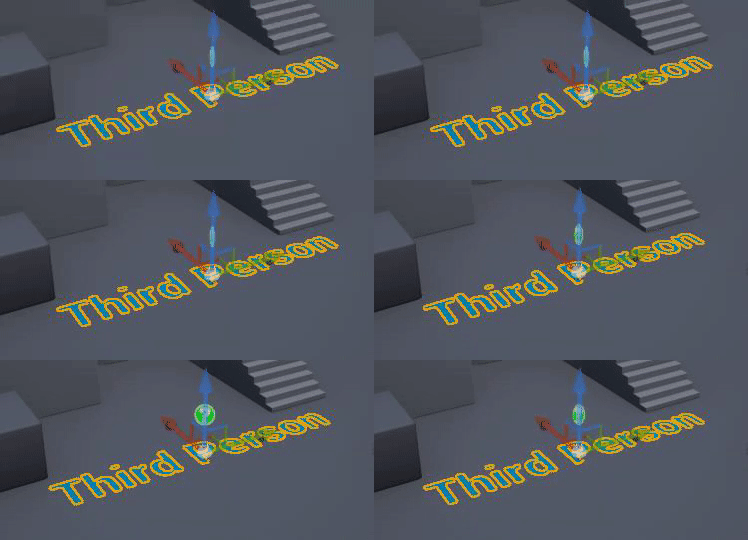
 grim ore
@zenith flower did you see the notes in the patch notes? FProperty Refactor. UProperty are refactored to be FProperty, which means that UProperty is no longer a UObject after this release. Note that this is an API update, and the refactor should go unnoticed by end-users who don't work with the source code. so you should know if you need to know
normal burrow
holy crap
 zenith flower
I'm at work, I was asked about that screenshot
And it doesn't answer anything the first screenshot didn't imply
normal burrow
that is going to break so much stuff haha, its awesome though.
Its a good thing FPropertyModification is a thing
maybe not a lot of manual UProperty* code needs changing
zenith flower
If it's just a name change in code whatever. But if there is more work involved something should be said
normal burrow
Ah if you think of classes as a bunch of scaffolding tidiii
uproperties are objects that exist for each property on the scaffold
zenith flower
Or you could just call them variables xD
normal burrow
eh UProperty objects aren't the same as uproperty variables
brave gate
they UProperty not that UPROPERTY() macro
normal burrow
i'm glad i'm not alone in arguing as such lol
brave gate
it's still good old UPROPERTY() in your code
normal burrow
cause it makes not a lot of sense when said
zenith flower
Oh, well hell. I'll be fine
 worn granite
Yeah UProperty being addressed as a variable is kinda... nah
normal burrow
ye, caps matter
worn granite
It's really more like alignment and offset and size and stuff
brave gate
UObject is just lot heavier to instantiate and operated on
normal burrow
also, the UPROPERTY part isn't really the variable either. its all kind of like a nametag or license plat on the region of memory they cover
yeah what lambda said
worn granite
description of how to muck with it from a void*
worn granite
the change to FProperty is invisible unless you are dynamically instantiating a UClass
Or are refactor renaming
brave gate
kinda of yes, every variable you see in editor/blueepint is UProperty or now FProperty
normal burrow
they really should llvm parse for macros instead of naive reading, source engine has been doing this for some time now
well what about property modification lambda?
i think some of those editor only functions take a UProperty*
maybe they are all hidden behind something like FPropertyModification but i can't recall
brave gate
probably changed to FProperty, like already 😉
normal burrow
yeah, but thats a common thing to edit for a cpp developer
respond to property changes made in details panel etc
brave gate
checking now 😄
normal burrow
I mean I assume UProperty doesn't exist anymore, maybe its a typedef?
 kindred viper
@brave gate not every variable. I have a plugin that lets you have detail panel vars without UProperties. Not that it should be done, but it can be ;p
brave gate
was it difficult to do?
I mean now I'm looking into creating user variables in custom tool, but for now trying to use FBlueprintEditorUtils to create properties in editor
worn granite
Yeah that's what I meant by renaming
lime gull
So Im trying to do some saving but it doesnt always work as intended
Is there a way I can save and load only a few variables at a time
kindred viper
yeah somewhat. When I did it there were maybe 2 pages on the entire internet with valid info
I wouldn't do it again though
lime gull
It seems if I dont save every variable it just resets it
kindred viper
@brave gate a suggestion would be to create the UProperties and their respective PropertyHandles manually. Not sure if BPEditorUtils will have what you need. But maybe it will. What is the specifics you are attempting?
brave gate
custom editor where user can add properties just of few basic types (also some USTRUCT)
similar to the Control Rig - custom nodes and few available property types
kindred viper
ah
brave gate
although Control Rig uses UBlueprint, so I got inspired by that
for sure I want a custom UI, customizations, nodes in graph editor
kindred viper
yeah you can create and write directly into a custom made blueprint if you like
brave gate
ok 🙂
kindred viper
I've never made a custom graph but I know its fairly simple. Checking out the two dialog systems I have helped with that
brave gate
the reasoning to use blueprint utils was: use proven solution for all possible operations like renaming and "compiling" references, not to reinvent the wheel
not to spend month on my own amazing solution 😄
but that assumption could be changed, once I got custom UI/editor stuff...
yep, I was also surprised how easy is to write custom editors
much easier to comprehend than networking 😉
EdGraph API is clean and intuitive one
 pulsar badge
hey, does anyone know how to increase my FPS when im working on a big open world map?
when i edit the map im lagging lol
but when i click play and walk around i dont lag
fierce tulip
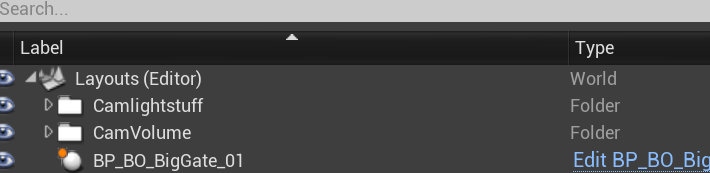
@pulsar badge group sections and hide them
*place them in folders per section and hide em. grabs screenshot
world outliner
https://i.gyazo.com/7521b6c0f2dff15cd262f707c90cc862.png
 elder moat
Anybody got a fix for this? I got the free animation pack that epic has and then changed the world settings to apply to the character- but for some reason it still shows me the default third person one
fierce tulip
you can select groups, or whatever you want, and use the eye in front to hide em
pulsar badge
@fierce tulip Oh great idea Thank you!
its mostly my trees and folliage though which i placed down using folliage tool
late lake
Can anyone help me with Visual Studio and UE4?
next badger
@late lake be specific
pulsar badge
lol
late lake
I'm having a problem where when I create C++ class in UE4, but in separate folders (e.g. /Public/test.h and /Private/test.cpp), the header file is not recognized
grim ore
@elder moat the default TPP template has a character IN the world by default and a player start, you would need to delete the default character to use the one in your world settings/player start
fierce tulip
 late lake
This is only temporarily resolved when I add the .h to Include Directories through configuration
But then when I restart VS, the include directories are wiped out
@next badger Is that better?
next badger
when you're making new class in ue4 ue4 adds it to project and regenerates the solution
you don't add files to project manually
well, you can, but as long as they are in the proper folders
late lake
I'm not adding the files manually. I'm adding header files to config manually so that they can be discovered
next badger
"config" ?
late lake
Since if I don't do that, MyActor.h cannot be discovered by MyActor.cpp if they are in different folders
So when whatever file you have included cannot be located
You want to add that file to the PATH right?
next badger
no
late lake
no?
next badger
you have your Source folder, all files there are structurized
late lake
yes
grim ore
When you create the C++ class there are public and private buttons next to the NAME field you can click on and it will do this for you
late lake
@grim ore Yes, that's what I've been doing
grim ore
and it doesnt remember them?
late lake
I don't have that large a sample size
But it starts freaking out if I go one level deeper
kindred viper
@brave gate that is some great advice with "not to reinvent the wheel". Because that would be the moral of my story with that plugin. Due to a lack of info and understanding early on, I marched on regardless and went a seperate way, only to learn later than the systems in place can be used in other ways to do what I needed. And they were structurally more cohesive with the current ones. And that is important if you are ever going to try keep up with the engine builds. If you stick to one engine forever, its not a problem tho. Anything goes.
late lake
So /Public/Characters/Character.h /Private/Characters/Character.cpp
elder moat
For some reason I see a capsule around my character when i start the game up, how do I get rid of this
late lake
That would freak the Engine or VS (whichever of the two) out
next badger
that's structure is incorrect...
late lake
@next badger Why is that so?
brave gate
@kindred viper I appreciate the reply 🙂
kindred viper
yeah its a bit late. im in 10 places at once 😄
next badger
@late lake ue4 adds every public folder to path's list...so when you write the cpp you have to write:
#include "Characters/Character.h"
if that's your goal - okay
late lake
Hmm I see your point
Though it hadn't posed a problem before - in fact, my game had been compiling more than happily even if I just did #include "Character.h"
Regardless, why isn't UE4 doing that on its own when I make the c++ class then? Even when I am using the public/private button to make the class?
 opal lark
Hello
I want my enemy to patrol so i need to give them cord. is there a way i can get cord in map
next badger
@late lake close vs, close ue4...open project's folder
right click .uproject -> generate Visual Studio Project Files
open the solution, and check if files can see the includes
buttons like "private" and "public" are only setting the folders...nothing else
@opal lark generic AI has a patrol module, it can navigate by using markers (target points)
#gameplay-ai may be better help
late lake
@next badger Including the path under Public (e.g. /Characters/MyCharacter.h) seems to work. Any thoughts as to why UE4 can't compile upon creating the C++ class right away?
late lake
When you create a C++ class, UE4 recompiles
next badger
to compile you have to add the class to the game and use the compile button on the top
late lake
Hm? When I create a C++ class from the Editor, it automatically tries to compile
Is that not how it's supposed to be?
brave gate
basically would the best to just ignore editor class creator
it's just uses this crappy class template
late lake
Oh
brave gate
and doesn't work well as you see
you can simply create .h and .cpp files manually, or copy any existing class + cleaning it up it's faster than using this creator
late lake
ah
brave gate
also editor creator tries to add useless entries to .uproject - I don't know why 😄