#ue4-general
1 messages · Page 669 of 1
 rotund scroll
 plush yew
What should i fell in optional name?
 tropic pilot
@rotund scroll can i rotate the "static mesh" itself or are you thinking about in a BP?
rotund scroll
in a BP
tropic pilot
well that is annoying tho!
tropic pilot
it's annoying looking at the green arrow (Y) facing "x" just by rotating it
would be awsome to import the assets the right way
 smoky sonnet
@grim ore hey do you know why my audio component and level sequence is synchroned on my pc but not on my phone?
rotund scroll
you can ask whoever you bought them off for source files maybe and re export?
 candid hornet
Hey guys.
Just managed to launch my project on my android phone (pong like game with destructibles). But when playing the game on my phone, the ball goes thru walls, this doesn't happen when I'm testing the game in the editor.
I wonder if the problem could be; When clicking launch to android phone in the editor, my game is launching on the phone before UE4 tells me launch complete. Can this lead to some files not being loaded/installed cuz the game is launched before every file is transfered? Sry for bad explanation, I'm new to this.
 scarlet birch
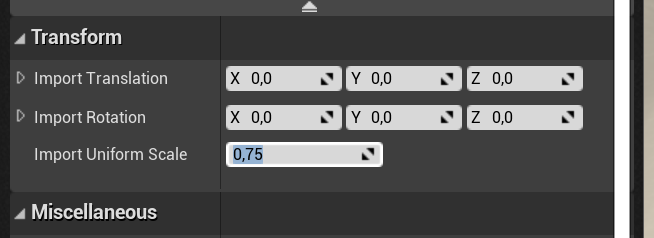
@tropic pilot in the details panel there is an import settings, you can add an offset there and reimport
It's under transform
tropic pilot
oh realy? 😮
scarlet birch
tropic pilot
found it! and then i just press "reimport base mesh"?
 scarlet birch
yeah
plush yew
i bet am missing osmething here?
smoky sonnet
hey anyone know why my audio component that i start at event begin play with my level sequence is synchrone on my pc but not on my phone=
?
scarlet birch
Did you read the doc? and apply it to the mesh?
tropic pilot
@scarlet birch it's asking for "Source File"? where do i find that?
scarlet birch
You said you wanted to import the mesh with the right settings, so I assumed you were using a mesh you imported. If that's not the case you'd have to export it and then reimport from that.
unless there's a way to do it in editor now
tropic pilot
it's assets i bought from the marketplace in Epic store :S so i dont have "source files"
scarlet birch
You might look at the mesh editor plugin and see if it will let you do it.
 short echo
@candid hornet it's possible your polling rate for collisions is too low
I don't remember the exact setting name but you should be able to Google it
plush yew

Something like this
Lets say i have from it around 100
Event tick wont work and it wont make a load on the game right?
Unless it true
scarlet birch
I have no idea what you're trying to do there, but it's not a good approach. There's no reason to keep checking for it to return true. Use a timer and turn it on when it becomes true and off when it's false.
plush yew
Is there a way ican check if the player has landed?
Without using Is Falling
As he touch the ground
scarlet birch
onLanded
There's events for when movement mode changes, onJump, OnLanded and others.
 hallow badge
Hi, I'd like to make a "reduced" copy of my project to send to a friend, what would be the best way to go about it?
 storm burrow
Package it
or zip it
or migrate to a blank project with the levels you need selected
 silk sleet
anyone know anything about this, trying to deploy to Win64
HOTRELOADED has inappropriate outermost...
rotund scroll
don't use hot reload
hallow badge
I wanted to migrate it, but I don't think it would carry over all my project settings
rotund scroll
those are ini files that can be copied over
hallow badge
I don't want to package it because I'd like him to be able to check it out
hes trying to learn how to use wwise
ah ok
 abstract relic
Source control with an audio branch? 😜
hallow badge
we are too n00b for that, but maybe you are right probably worth learning that first
re: ini files, wouldn't they also contain asset references which might be missing, if I've only migrated some stuff?
rotund scroll
well not if you just pick the project settings one
and ini files don't contain asset references
hallow badge
coool ok im gonna try it!
smoky sonnet
is it possible to create a level editor for the users of your game
and if so are there tutorials out there
abstract relic
Break down the problem. That’s like asking how to make an fps. There’s many components to it
 barren lake
 novel vine
is there a way to fake clone an object and have it follow the originals movements and stuff just maybe like not render shadows or something?
the main thing is making it big and having it follow the originals movements
novel vine
maybe lerp?
plush yew


ican only do it once why?
i want it when i press 2 it gose to that postion
and when i press 1 it gose back
novel vine
@plush yew well ive never used timelines and i believe lerps normally have a lerp time and you just set the objects pos?
novel vine
@plush yew yeah sure just make a loop that every 0.2 seconds or so changes the fov on the camera to lower(zoomed in) or higher(zoomed out) when zoom button is pressed
scarlet birch
Use one timeline, use the reverse to go back
plush yew
Mike
Yup
But i have another problem
lets say i jumped or moved it wont go at the exact postion
novel vine
whats it?
plush yew
I think am using the wrong camera location offset?
novel vine
why are you moving your camera in the first place?
scarlet birch
Idk, I've never done it the way you're doing it. I blend between two camera views or interp the camera settings between two sets of settings.
scarlet birch
Yeah, if that is good enough I'd do that.
plush yew
@scarlet birch
@novel vine
This is what am trying to do
but its complety missed up
novel vine
ahh i see
plush yew
is there a way i can make like this?
novel vine
so maybe set an arrow or smthg in the exact place of the camera and have it lerp back to that
that way it always has the original pos
scarlet birch
If you're using a spring arm I would add to the socket offset rather than the method you are using
 hot grotto
how can i stop a sequencer from repeating itself all the time when you enter the level? i have a sequencer playing at the start when you open the level however i want it to play only once and not repeat itself every time u enter the specific level. if i re-enter the level it will play the sequencer again and i dont want that
 bitter iris
could anyone help me with this?
plush yew
I havent had any success in parenting the boom arm to a socket
How would you clamp the minimum and maximum Pitch of the camera. Ive tried many tutorials with no luck
@plush yew Setup a new camera way forward of your location attached to another spring arm. When you press the zoom button, switch to the new camera.
novel vine
@plush yew i believe he wants it to move smoothly so his best bet is to just move it to pre set positions
plush yew
sounds good
 rancid lynx
is it possible to throw a landscape material onto a static mesh ?
i tried, its totally black. is it possible ?
oh maybe if i just remove the layerblend node
 unique kraken
anyone knows how to change a vector to point towards the camera?
lets say the surface normal
is there a way to like get the suface normal and make it point to the camera?
abstract relic
Look into vinterp
 normal burrow
you could use the convert vector node to get it to camera space then point it towards z
and convert out if you need world space
unique kraken
what is the converter node?
normal burrow
my editor is currently stuck doing houdini things
i think its named convert vector, may be transform vector
unique kraken
i only know this node
normal burrow
that would work yeah, then back to tangent after you've interpolated
unique kraken
wdym by "point towards z"
normal burrow
in camera space 0,0,-1 or -1,0,0 is at the camera
i'm not sure tbh which, theres camera space and view space
unique kraken
?
unique kraken
i cant follow how you imagine this to work out
normal burrow
WS means world space, so from world space is what you want, gotta go to sleep
unique kraken
ah yea, thx anyway
 jolly steppe
plush yew
jolly steppe
plush yew
Why is it after a while I can no longer hookup bindings. I can no longer cast to anything but the Player controller. Nothing is magically compatable anymore? Frustrated. I put down Unreal a year ago because of this.
 thick minnow
Hello, I have a problem. I have a fbx file from blender( a Room) imported to ue. I use complex collision on the room. My player move, how he should but if I add light to the Room my Player doesnt move anymore. There is nothing that collide with the playstart box. any ideas pls. very important. thx
 solar dirge
Hi, we're making a first person game in which the player has an astronaut helmet. The thing is, the latter's a child mesh component to the camera, but the Camera Shakes from UE4 only move the camera view and not the camera transform (so the helmet stays in place, which is really weird for any motion such as headbobbing).
Is there a way to bypass this issue ? I really don't want to make my own camera shake system from scratch
 thin tendon
I'm having an issue with packaged games not closing down properly when calling Quit. It doesn't happen every time but sometimes the packaged game will stop responding once quit is called
 regal hollow
is there a technical talk channel or can i post my query here ?
 rugged sparrow
why is this not workinggg??
 pastel raven
Hey Guys , i have an issue , if anyone knows how this should be resolved , please help.
I have created a template class , which constructs characters on some data that i provide.
What i am doing is, I am creating a duplicate of this Blueprint using asset tools and saving this as new asset. which creates a copy of that class. problem is i cannot update default values of the variables of this newly created class.
So it has null values , as the class from which it has been duplicated , has null values.
Is there any way with which i can change the default values of the duplicated class. Thank you.
regal hollow
Ok so anyway, My question is, Can i create a landscape material that references materials for the layer blend instead of adding all of the textures for that material?
rugged sparrow


Project Files : https://www.patreon.com/CodeLikeMe/posts?tag=source code
Support my work on Patreon : https://www.patreon.com/CodeLikeMe
In this episode, how to create an automatic landscape material with ground slope based material layer blending and how to override and pai...
 dawn gull
Hey, so how can I make a box collision but in my own custom shapes?
(Is that even possible?)
Also if you have an answer please ping me because I'm about to go to school
 half turtle
how often is input queried in unreal? is it each frame?
 zealous bay
Hey, which channel can get help in?
solar dirge
@tender flume you should aim for 60 fps
@zealous bay here, in theory
depends on your problem, some specific channels might be more helpful (ex : #umg for UI)
 tender flume
Sounds difficult to aim for 60.
zealous bay
Well I not so long ago began ue4 programming and im trying to use orient rotation to movement but when i play it wont work it just snaps and does weird stuff. This is movement code:
 midnight gate
how do i make unreal engine go back to the default setting of "on startup open projcet libary" instead of last opened project
thick minnow
how can i start playing a song ingame when i have e key for interactions. Is this easy as it sounds ?
tender flume
E > Play audio with do once.
I'm sure you can do 2 things on the same key
Will it be buggy? Probably.
thick minnow
i want to use it like a start radio stop radio function u know?
 manic vine
HELP PLS: How can I remove all lights in my level? I have some light in ambient that I cant find
tender flume
Not sure what you meant by that
manic vine
I want to remove all and have only one light that it's in the player
midnight gate
how do i make unreal engine go back to the default setting of "on startup open projcet libary" instead of last opened project
 upbeat trench
Hi Im new to Unreal Engine haaalp!
Seriously though, hello to so many new faces, we can barely keep up with all the help requests
upbeat trench
Begging isnt a solution
Lets apply a systematic approach to fault finding, if that fails we use our research skills, failing all of that we can ask others
 thick herald
Why bother with all that when we can be lazy and beg for help
midnight gate
how do i make unreal engine go back to the default setting of "on startup open projcet libary" instead of last opened project
upbeat trench
@dawn gull Custom collisions can be exported using the UCX_ prefix in FBX, https://docs.unrealengine.com/en-US/Engine/Content/Importing/FBX/StaticMeshes/#collision
Setting up, exporting, and importing Static Meshes using the FBX content pipeline.
 fierce tulip
@midnight gate didnt even know that was a thing
tender flume
You will only find a solution when you figure it out by yourself.
Your issue is within the engine so search around the engine
upbeat trench
@manic vine You can search in the world outliner for things named light and delete them all. You may have BPs with lights in them though or emissive materials
midnight gate
well it is and i cant fix it
manic vine
If i hide them in the outliner works aswell?
midnight gate
i serched the whol eneing
upbeat trench
No I dont think hiding them all works since some lighting is static by default
If you want a fully dynamic lighting pipeline you'll have to change all the lights to dynamic
 tawdry storm
@midnight gate do I understand this correclty?
when you open the epic games launcher and select your favorite engine version and you press the launch button on it, it just opens with whatever project you opened last?
midnight gate
i open the ue4 thought my desktop but it opens the project i used last instead of project libary
yes youre correct
tawdry storm
can you check what the file on your desktop is linked to?
midnight gate
its linked to the engine
tawdry storm
hm yeah this is super weird, as I don't know where this even could be changed.. does this happen with all verions?
 sage hinge
What is the difference between building de production and preview ue4?
 honest vale
you talking about building lighting?
sage hinge
there are the options .. and I would like to know what differences there are .. I use the preview ...
honest vale
it says there
precomputed lighting quality
preview takes less time to compute but isn't that accurate
while production takes most time and will look more accurate than the rest
sage hinge
and which one should i use? Which one would you recommend
fierce tulip
preview until you are near finalizing
sage hinge
@honest vale @fierce tulip thank you very much for the answers ... I didn't know that part very clearly ... now I get it ... thank you very much 🙌 🙌
tender flume
Preview lighting looks really good
So there's not much difference or maybe i'm using a potato.
 brave salmon
guys how do you handle GC hitches? I'm experiencing 120-200ms just for checks.
 heady summit
it was quite some time since i had to fight GC
but you can restrict objects GC will work on
this is something i figured out by doing various test and it may not be ideal approach
brave salmon
MaxObjectsNotConsideredByGC ?
heady summit
yeah, MaxObjectsNotConsideredByGC and MaxObjectsInGame
brave salmon
isn't this parameter works only for shipping?
heady summit
it works for cooked builds
 manic pawn
how many objects are you processing that it takes this long? 
brave salmon
HUGE I suppose
manic pawn
in console put log loggarbage verbose and wait for it to run gc again
should print some numbers
heady summit
by the way what do you have set for MaxObjectsNotConsideredByGC ?
brave salmon
10k atm I tried 5k it didn't change anything at all
heady summit
i had 112k 
manic pawn
doesn't setting that var just break the gc?
brave salmon
maybe in the build
heady summit
iirc it did wonders for me
i started my cooked build, got o main menu and checked number of uobjects
and used that
manic pawn
it stops it from processing the first n objects
heady summit
yeah
manic pawn
so you're literally disabling gc if you use that
heady summit
those were only objects loaded in the initial game load and menu
and we had a lot of RAM to spare, so disabling GC for 112k was perfectly valid solution
brave salmon
65k objects hmm
manic pawn
guess the intended use is that you set it to the number of objects created from loading your native cdos and their references
brave salmon
manic pawn
did you turn off parallel gc in project settings or something? this should be way faster
manic pawn
this isn't a recent engine version right
brave salmon
the last
manic pawn
wtf
manic pawn
it's supposed to stop after 2ms and spread that over multiple frames
brave salmon
I'd report this but I think it won't help us in a short terms
verbose command was very helpful tho. I tried to find smth like this
at least I know the numbers
and 65k in barely populated walking sim level seems very high
manic pawn
you have these checked right
brave salmon
checking it again now
I guess I should increase the MaxObjectsNotConsideredByGC
from 10k to 100k
 honest rune
Is the following still required when creating additional gameplay or editor modules?
https://docs.unrealengine.com/en-US/Programming/Modules/Gameplay/index.html#inifilesetup
Collections of gameplay classes belonging to a game project compiled into DLLs.
Everything works without doing the ini setup steps so is this outdated or is it required for packaging?
heady summit
#include "Engine.h" 
honest rune
couple paragraphs down
honest rune
I know lol I use coreminimal and list the engine dependency in the uproject file section for the module
heady summit
just making sure
honest rune
just concerned about that ini setup they mention
 jagged locust
Help this is not working
3 days same thing
This is how every tutorial does it exactly i used a new clean project as well any help Vastly appreciated!!
upbeat trench
Thats one really slow GC
honest rune
is there a documentation page specifically about .uproject files?
most of the file is pretty self-explanatory but there are features supported that aren't brutally obvious I'd like to read up on. Like "AdditionalDependencies" listed for modules. This didn't even exist before and I'm not sure how the engine determines which dependencies should be listed here, and which shouldn't
as an example, default new project adds this:
"Modules": [
        {
            "Name": "MyExampleGame",
            "Type": "Runtime",
            "LoadingPhase": "Default",
            "AdditionalDependencies": [
                "Engine",
                "UMG",
                "CoreUObject"
            ]
        }
There are more dependencies (both public and private) listed in the .build file by default but only these 3 are listed in the module descriptor. Why do these 3 and only these 3 need to be added here lol This voodoo warrants some explanation :p
 spark sonnet
What is not working with it @jagged locust ?
spark sonnet
What do you mean? Isnt that painting material based on height?
jagged locust
the land in the editor window is just all green
spark sonnet
Have you made all the layerinfos?
jagged locust
in the terrain area right yes assinged 3 layers and it saved them
spark sonnet
Is this supposed to set the materials based on the landscape height?
jagged locust
well based on color
do i need to do a wieght based instead?
all the walk throughs watched used height blend
spark sonnet
Are you going to paint it yourself or is it supposed to paint the colors based on some inputs?
jagged locust
based on imputs
smoky sonnet
hey i exported a mesh from ue4 vr content and it says fbx smoothing error why is this so , pls help cant find any help on google
jagged locust
is the problem that i made layers in Landscape editor?
Can i paint it as well
after it has been assigned by imputs
spark sonnet
I dont know how to make it based on height but its very easy to make it if you paint it yourself
jagged locust
maps are too complex for that came over from world machine
need to blend by RGB channels .
smoky sonnet
anyone know how to fix my problem?
 crude vessel
Wait if you're talking about terrain blending, why are all your samples solid colors?
spark sonnet
Try this @smoky sonnet https://www.youtube.com/watch?v=pm9c4DYz6UQ

When exporting .fbx go to the geometries tab and change smoothing from Normals to Faces.
smoky sonnet
its a ue4 mesh
not mine
so i dont have it in blender
i just want to export the mesh that is already in vr editor starter content
but it says fbx error
i already watched the video
spark sonnet
Exported to what?
jagged locust
my samples are RGB for testing
smoky sonnet
to my content browser
jagged locust
that is just for debugging
spark sonnet
Export from what?
smoky sonnet
engine content/vreditor/basic meshes
jagged locust
later will put in some megascan textures
spark sonnet
How did you export it @smoky sonnet ? And which mesh is it?
smoky sonnet
right click asset actions
export
i want this mesh
but everytime i get fbx errors for smoothing group
 grim ore
they are not errors, they are warnings. You can ignore them or enable smoothing when you export
not all assets included with the engine are "perfect" soo... not unusual lol
smoky sonnet
yeah but how can i enable iot
because it looks completely different
the color isnt at the edges
it fills out the complete mesh
idk how to solve this
grim ore
open the mesh and look at the material slots
smoky sonnet
222222 is the one i exported
incorrect one :
correct one
i dont get it :/
why it isnt working
grim ore
so when you open up 222 it only shows 1 material and its all pink?
grim ore
it looks like the original mesh has vertex colors
and they might be getting lost when you move it over
open up the mesh that is good, click on the vert colors at the top, and what does it look like? mine is green in the middle with a black border
then do the same on your broken one and what does it look like
smoky sonnet
cringe
it worked
at the import settings i found a option called replace or ignore vertex colors
omg
kms
thx
xD
got it now
grim ore
yep that would do it, weird how its set to ignore
like... that's a weird default lol
but any reason why you would need to migrate it out and back in? you can just copy it out of the engine folder where it lives into your project
 mossy spear
would scene scale affect how the static lights react?
 serene birch
that might influence the available memory for lightmap textures
tawdry storm
between a few seconds and maybe an hour?
it depends on your scene and your hardware
usually at that point the shader compiler kicks in
is your CPU at 100%?
10 of what?
smoky sonnet
@grim ore are you here?
 proper crane
Does anyone think that 3D (well, UE4) has a place in comics?
mossy spear
what is the lighting scenario toggle in the levels section used for
tawdry storm
@mossy spear https://docs.unrealengine.com/en-US/Engine/Rendering/LightingAndShadows/PrecomputedLightingScenarios/index.html literally the first link on google
This page provides an overview of Precomputed Lighting Scenarios in UE4.
mossy spear
oh boy.....thats just annoying, cause only objects in the light scenario level would build light map
good feature but annoying workflow
@tawdry storm thanks
midnight gate
so im trying to learn how to master the anim blueprint
and i have no diea how this happends
but when i crouch for around 5 seconds i stop possesing the player? wich is weird cuz then he just walks off and i have to click posses to come back and control him
this is not suposted to happen
i just wanna crouch
tender flume
Question.
What's the next version of UE?
Considering that its 2020, wouldnt it be UE 5 or something like that in the future?
tawdry storm
@midnight gate just curioius. in the editor preferences, what's your keybinding for this and which buttons are you pressing?
tender flume
Or maybe they have been already working on UE5 hm.
tawdry storm
why would 2020 make it UE5?
midnight gate
my keybinding for crouch is left alt
tawdry storm
basically you're somehow triggering the eject, question is how 😄
midnight gate
silly shortcut
tawdry storm
well who crouches on alt? 😄
it's either C or ctrl 😛
short answer: no
there is a way using physics handles
yeah look up physics handles
they basically allow for multiple anchor points, but they can be really finicky
midnight gate
idk i have weird keybard ill add c and ctrl as well
also i have a running jump animation
how do i set it up
so it only plays when the character is at 600 speed and in air
and then i have a normal jump on the other side
also how do i fix this?
tawdry storm
I'm not good with animation blueprints, but what do the warnings say?
midnight gate
unsafe call
midnight gate
but i need the variable
rotund scroll
really you should do as little as possible inside transition logic
well then figure out another way of getting it there
scarlet birch
You need to do this stuff in the update of the event graph and set variables there to use in the transitions
rotund scroll
the best way of doing state machines is to do it with enum and blend per pose
and not have any transitions or as few transitions as absolutely possible
is your blendspace 2d?
because you just need speed
which is a 1d value
rotund scroll
@midnight gate have you tried googling it?
 umbral trout
Get velocity and check the Z value
scarlet birch
Set a variable for speed and one for isFalling in the update. In the transition check if speed>600 and isfalling is true. I ussually track the jump count too and if it's increased from last update use that to allow transition to my jumps. If the count it higher than 1 it's an in air jump otherwise jump from landed.
rotund scroll
https://docs.unrealengine.com/en-US/BlueprintAPI/Math/Boolean/index.html this came up as the second result
Boolean
midnight gate
thank you ill try that
scarlet birch
Almost everything you need can be obtained from the movement component if you look at the events you can get from it.
Oh, be aware that falling from a ledge or whatever will also increase the jump count.
Setting notify apex to true in the character bp using the onJumped event is helpful
smoky sonnet
hey i followed a tutorial for blur effect but i think the code i got is outdated
anyone watched the same video and solved it?

How to make a radial blur post-process material in Unreal Engine 4 (version 4.20.3) using a custom HLSL node and a radial gradient. Topics covered: HLSL, custom nodes, post-processing, material graphs. Thanks to Joubert van Zyl for the request, and special thanks to Tomura for...
const float2 ScreenMult = View.ViewSizeAndInvSize.xy * View.BufferSizeAndInvSize.zw;

const int TexIndex = 14;
const float Samples[11] = {-0.08,-0.05,-0.03,-0.02,-0.01,0,0.01,0.02,0.03,0.05,0.08};

float2 dir = float2(0.5,0.5) - ScreenUV;
float4 sum = float4(0.0, 0.0, 0.0, 0.0);
for(int i = 0; i<11; i++)
{
    float2 pos = ScreenUV + dir * Samples[i] * BlurDist;
    pos = clamp(pos, float2(0.0,0.0), float2(1.0, 1.0));
    sum += SceneTextureLookup(pos * ScreenMult, TexIndex, false);
}

return sum / 11.0;
its because of this code
but im just using blueprints so i have no clue what is wrong with it
rotund scroll
what's the issue
smoky sonnet
it looks like that
it said there is a problem with it but i can continue
without the radial blur code it works
but not good
i can see nothing its white
the code should prevent that
but i think its outdated
rotund scroll
if it looks like that it means the shader didn't compile properly
are you writing it inside a custom node?
smoky sonnet
yes
rotund scroll
then yeah I'd say you probably f'd the setup
to write anything more than a function you need to do a hack
grim ore
Just did it, no problems here
rotund scroll
so watch the tutorial again closely and if he does the hack (usually it comes up as return 1; })
midnight gate
and WHY WONT IT ENTEER
grim ore
midnight gate
rotund scroll
yes
but memory references don't matter if you're deleting
just don't undo anything or you'll crash the editor
grim ore
heh I didnt even watch it i just jumped to the end when it was finished and copied it. no issues. If the code wont compile show the compile error
rotund scroll
even better
grim ore
or if its the custom node show us the custom node in a screenshot like this
scarlet birch
@midnight gate That's bad. There is no guarantee you will ever see exactly 600. You need to use things like > or =, and ranges with floats.
midnight gate
oh right thank you
tawdry storm
@midnight gate check if there's a "nearly equal" node that works better for floats and let's you set a tolerance
rotund scroll
nearly equal probably isn't going to work well in that respect 😅
scarlet birch
Not in this case, he wants 'greater than or equal' or just greater than. But yeah in general use nearly equal with floats
grim ore
yeah its android issue
tawdry storm
oh I thought they wanted to check for it to be equal.... derp
grim ore
but hit continue and see what errors it throws
smoky sonnet
there arent one
fierce tulip
you can enable mobile stats
smoky sonnet
if i hit continue nth happens
fierce tulip
though iirc, for newer ue4 versions need some api installed to run em
unlike 4.16-ish range
smoky sonnet
do you mean me?
fierce tulip
yuz
smoky sonnet
what do i need to install?
fierce tulip
iunno, I gave up trying when I noticed I had to download some apple api metal bs thingy
though, thats all for very old shading models
i doubt you'll be targeting 5-ish year old phones
grim ore
well it definitely does not like gl 3.1
smoky sonnet
mhh i cant find any tutorials for androids and every blurr effect tutorial is super old
smoky sonnet
yea
 delicate lichen
hello, could anyone point me in the right direction to roll back change made to some of my blueprints in the last 24 hours? through UE, not all in a source control integration. I understand there's some automatic backup system but I have yet to need it
until now, perhaps
scarlet birch
Sorry, you can't
rotund scroll
you may have been misinformed
smoky sonnet
@grim ore i have a question to you do you know how i can synchronize 2 things in my game because i have a level sequence and a audio component which i run at the same time (the audio isnt in the level sequence because of some bugs with changing speed...) if i run it on my pc its synchrone but on my phone the audio component is a little bit too late
scarlet birch
You can restore autosaves, sometimes, with mixed results and occasional pain
but I doubt you have one far enough back
delicate lichen
ah, good to know @rotund scroll . I have my stuff in a repo, but in the last 24-36h I made one function work and another break in the same BP so... just gonna commit this version, roll back to the last and see if I can somehow cherrypick the differences from binary files 😢
rotund scroll
@delicate lichen there is a bp diff tool
delicate lichen
wait what
rotund scroll
yes sir
 rotund scroll
I can't remember on the top of my head what it's called but it's there
no it's free with the engine
it's really solid and it works in any source control as well
scarlet birch
You just select two bps in the editor and right click,
rotund scroll
well not the source code
just inside your ue4 installation somewhere
@scarlet birch the tool I'm talking about is external
delicate lichen
but now you're making things complex again..
it's the same BP at 2 different time points
so I can't select them both
rotund scroll
yes you can
you can diff between the server and your version
and see what the differences are
delicate lichen
it's a local repo
rotund scroll
then between your local repo and your version
source control doesn't care where you files are, as long as they are not in the same directory 😉
delicate lichen
the repo is of the content directory
so yeah, there is only 1 version in existence at any time
scarlet birch
hold on I know you can still do it in editor with source control
delicate lichen
multiple versions exist in my external git install
scarlet birch
ugh...
rotund scroll
so it's not the same directory then
scarlet birch

Here's a tutorial designed to explain the Blueprint diff tool. As a refresher, "diffing" is where two files get compared side by side. The differences between the two files are highlighted for you, making them easy to spot. Without diffing, tracking down bugs and dissecting fe...
rotund scroll
it's a backup directory
scarlet birch
That shows how to do it between your project and the one in the depot
rotund scroll
yeah so that tool is external as well @scarlet birch it doesn't need the editor to boot
scarlet birch
, Yeah I'm just not familiar
rotund scroll
is it called BPdiff.exe or BPmerge.exe or something? idk
scarlet birch
You could make one too I'd assume since the source is all there
delicate lichen
my repo exists at E:/Projectname . That's also where my UnrealProject exists, there are no 2 locations.
my project is in the repo.
rotund scroll
@delicate lichen if you don't have a separate backup location, you have no source control
rotund scroll
again so what's the point of having source control
if you don't source it to at least a backup folder
I mean
delicate lichen
to version shit
rotund scroll
how?
delicate lichen
every release is a commit
rotund scroll
you're not versioning anything if you don't have a backup
delicate lichen
yeah... I was not going to upload 50GB to the cloud
for a modding project, but thanks for your time.
delicate lichen
so I'm curious, if you don't have your project inside the repo, are you copying upwards of 50GB over to your local backup every time you want to see a diff?
rotund scroll
no you're just doing that once
afterwards you only commit the files you change
really simple honestly
scarlet birch
You can even have it setup so that the local repo backs up periodically to another repo somewhere else
delicate lichen
hmm. Never worked with only a local repo so... used to my local repo being just a working copy and group project on SC server coupled to CI build server
so, yeah... guess I should set up a backup dir at some point
but for now I guess I'll copy current source files of interest to elsewhere, checkout previous version, external diff
delicate lichen
it's there for me to know what I broke when things stop working 🙂
things would have been done differently if this wasn't a hobby modding project and had a budget and planning ^^
rotund scroll
I don't have any of that for my own projects, but I do still have source control
it's just risk mitigation
delicate lichen
time to set up another cron rsync and whatnot
what can I say except, I have yet to be the first person working on a project. You live and you learn 
grim ore
@smoky sonnet holy crap that took a while to figure out. Your issue is the SceneTextureLookup() does not work in mobile. You have to replace it with the MobileSceneTextureLookup() instead. IF you find the line that starts with sum += SceneTextureLookup.... and replace it with sum += MobileSceneTextureLookup(Parameters, TexIndex, pos * ScreenMult); you will find it works now
rotund scroll
above and beyond @grim ore, solid find
delicate lichen
anyway thanks for your time and the tool suggestion @rotund scroll @scarlet birch
grim ore
that code is not 100% correct btw
smoky sonnet
mathew i know its an asshole move by me to ask this because you already solved my problem with the blur that took a while to solve but do you have any ideas for my other problem i posted above (i will post it again mom)
@grim ore i have a question to you do you know how i can synchronize 2 things in my game because i have a level sequence and a audio component which i run at the same time (the audio isnt in the level sequence because of some bugs with changing speed...) if i run it on my pc its synchrone but on my phone the audio component is a little bit too late
@smoky sonnet
scarlet birch
It's a mobile issue, search for audio latency mobile.
grim ore
@smoky sonnet and I solved it by searching, I found the thread that video came from originally
rotund scroll
@smoky sonnet it helps to do the research yourself
not saying every issue is solvable alone but it's rare that people can solve all your problems for you
grim ore
@smoky sonnet I dont think there is much I can do to help with that one, I don't use sequencer much. I cant even think of anything off the top of my head as that is what sequencer was designed to do and without the audio as part of it 😦
smoky sonnet
okay thanks anyway i will try to solve it on my own
grim ore
if you get the playback time from each you could sync them somehow but even then I dont know if you can. if you have an event in the sequencer to start the audio that is my only other thought
 tiny sonnet
Can u use Adobe fuse with ue4
grim ore
yep
 wanton wadi
Quick questione - I seem kind of handicapped when reading these values, but I'd love to be able to change the format, is that possible? My head reads 2,659 KB as 2MB yet it actually is 2659 bytes. American and Dutch notation (, and . being swapped) doesn't help my broken head either. I'd love to see it as rounded megabytes (upper being 10MB for example, or 10,89 MB). This is in the static mesh statistics window
fierce tulip
hehe, glad I am not the only one who has issues with the notations
wanton wadi
initially in some debug level I thought the reason my lighting builds took 20 hours were because of the lightmaps being 620 GB
625.593,29 KB doesn't really read nicely :+)
 gilded plinth
Friends, I'm looking at recording video i'm streaming to a render target. Is this possible? This Epic guide shows how to store a render target to a texture asset but it's only for a static image https://docs.unrealengine.com/en-US/Engine/Rendering/RenderTargets/BlueprintRenderTargets/HowTo/CreatingTextures/index.html
A demonstration of how to use Blueprints and Render Targets to create Textures in UE4.
 pulsar furnace
@fast finch Hello, my fellow UE4 brother. x)
 fast finch
 crude vessel

scarlet birch
I have to redo my moving platforms so that they can be toggled on and off and reset. This means getting rid of the delays I'm using. I'm thinking of replacing them with timers and using clear timer by handle when I need to reset them or toggle them off. Anyone have a better suggestion?
 signal jetty
Can some one help me I’m Having issues with Exporting and plugin
What is that now
And where is that
@light lintel
 rustic python
Is there a way to stop a specific part of a mesh casting a shadow? I've got a seperate texture for that part of the mesh but was just seeing if this was at all possible?
grim ore
@plush yew no you should wait it will do it again if you reset it
signal jetty
There
@light lintel ??
@light lintel Edit where
Ok
Then
Then
I’m lost
I can’t open UE4
tawdry storm
either you install the plugin correctly or you disable it
you can just kick it from the .uproject file
signal jetty
How do I install it properly
tawdry storm
I don't know, you're the one that wants to use the plugin, isn't there an instruction on how to install it properly?
tawdry storm
I can give you a quick rundown on how to disable it, but if you want to use it then I can't help you
signal jetty
Ok how do u Disable it
tawdry storm
edit the .uproject file in a text editor of your choice and delete the plugin from the list
grim ore
quixel bridge installs it as part of the plugin, its a ue4 plugin
grim ore
yes its possible the actual install is messed up but it is installed as part of the bridge plugin
signal jetty
There
grim ore
its not asking for normal python install
 polar hawk
these are impressive screenshots
grim ore
if you dont know what you are doing, dont do that
go into your uproject file and remove the part about the megascans plugin
signal jetty
Ok I’ll Delete Bridge
grim ore
or turn Enabled: true into Enabled: false
tawdry storm
Riverview Country Club 👀
polar hawk
dispatch crime
abstract relic
Yeah, quixel uses and old and buggy version of python
No idea why it’s so hard coded into it
polar hawk
wait
are yall talking pre 4.24
because 4.24 megascans is soooo much better
pre 4.24 megascans integration is terrible
abstract relic
.24 itself is buggy mess
tawdry storm
yes
abstract relic
We found some foundational bugs. Like null material would crash the project if you specifically imported a skeletal mesh (hotfix addressed that), same for xgen asset (no idea what the status on that), it has a weird source control bug in which checking out an asset wouldn’t check out asset.
Yes
tawdry storm
I was just answering to allar's question.
polar hawk
ah yeah we had to go from .1 to .2 due to shenanigans
tawdry storm
and before that I don't know what the goal was, but just wanted to help him start UE4 again for now
abstract relic
Uh huh Darinius 😜
 marsh swallow
hahahaha. what? er wait what was that other one we found the other day?
it was so minor tho. i cant remember
but it crashes UE4 engine, its a fairly common bug.
 somber quail
D3D errors can be caused by many things
marsh swallow
indeed
but they are mkre common in 4.24
my guys never had em before
now a few of them crash consistently as well as a few other peopl i know.
marsh swallow
its all after the 4.24 upgrade
rotund scroll
yes
rotund scroll
no clue
marsh swallow
sure i do it all the time. but be prepared to reload all shaders
unless u moved your DDC folder already
plush yew
55 gigs is stupidly big
grim ore
same code, different result? sounds like.....
marsh swallow
hes dancing!!
 delicate needle
Help! I'm stuck trying to figure out BP Communication! Seems like video examples are never what I am dealing with,or I am not getting it.
I have a BP class called "Mesh_Switcher", that has instanced children that contains objects in an array. For example, one will contain only ovens, while the other child will contain cabinets. I need these two children to communicate with each other/and know each others status. It's the communication part that still fouls me up. What methodology is best suited to do this type of communication.
If anyone can just point me in the correct direction, that would be helpful.
grim ore
the animations
abstract relic
No. You literally have two different animations.
 kindred viper
@delicate needle Interfaces deal with that kind of thing. If every BP class you are using, that needs to output their array entry, implements an interface function to return it (as a standard actor class which you then cast or use the source to determine the actor class) then you can have many objects returning many array entries from different kinds and all be able to call each other's version of the function and talk to each other.
delicate needle
@kindred viper The BP's I am using were purchased. They are complicated, but I get the gist, kinda. The parent of these BP's, is where I figure I would be doing all the modified BP work. I need to target a specific instance child BP, and say "hey BP_MeshSwitcher-Ovens" I need to know your current status for variable "mesh ID", what is it?
Now, maybe I can do this in the level BP, but I think it might be best to keep all the code in the parent, wont be pretty, for sure.
kindred viper
yeah interfaces have a generalised way of getting access to things. Like a check to see if Actor Implements Interface.
if the interface was on the BP no, but it could fail silently if nothing relied on the results of the IFunction
I mean, you could technically get access to it, but its not a blueprint job.
and I kind of agree, Interfaces dont give you access to anything, it's more like a Party Call on a phone line. But if you know they are on the line, you can ask them a question and get an answer.
and with that confusing analogy #89923 in the UE library of "what do you mean?", I shall begone !
plush yew
https://cdn.discordapp.com/attachments/486577301568487424/684149657051463682/unknown.png Im getting this error every time I alt+tab out of the game while streaming levels

Can anyone help?
rotund scroll
hotline miami: interfaces doesn't have the same ring to it though
looks like time remaining
plush yew
the error?
polar hawk
the node
rotund scroll
well it depends how you are using it
I don't see your setup so I can't tell you why it would be that time remaining has anything to do with jump
I still don't know how you've set it up
like I have no context for your setup
abstract relic
You could of forgotten to turn off loop, didn’t adjust blend, almost anything.
rotund scroll
what is default?
like I don't know what you're talking about
which project?
like there's like 10 different templates
okay
I still don't know what the default setup is for that
in the time you've tried to explain this to me you could just as well have popped up a screenshot
again, I don't know what you're talking about
wanton wadi
@rotund scroll i thought I was typing stuff for a second
rotund scroll
take a screenshot and we can talk
wanton wadi
😂
rotund scroll
lol
okay where is your transition
ok and it doesn't rtransition?
is there a details panel pop up when you click on the time remaining node?
 brazen hull
can you scale epicgames bones ? without them being destroyed and keeping anims
rotund scroll
what was the error then?
 bright basin
Anyone has experience with wwise and UE4? I created new sound events, and these new sounds work fine, except when an enemy AI uses those weapons, the sounds leak to where I am standing, as if I was shooting
 unreal comet
Anybody ever had a project not save anymore? I have a friend who's project crashed and now when he opens it up it wont save any blueprint he edits.
fierce tulip
only thing I can think of (if there is no version control in play) is that the blueprint or project suddenly went "read only"
bright basin
Sound attunation is that in WWise?
unreal comet
He said his project crashed and now when he opens up any blueprint and edits it it won't save. It says :
Cancel: Stop saving all assets and return to the editor.
Retry: Attempt to save the asset again.
Continue: Skip saving this asset only.```double check there's not a rogue UE4 process in the background
fierce tulip
also happens if a file is readonly
unreal comet
Ahhh ok that makes sense since his project did crash
somber quail
sometimes when UE4 crashes you can end up with a process in the background that doesn't close unless you force it through task manager
unreal comet
Gotcha. Thanks guys for the speedy response
smoky sonnet
hey does anyone know how i can change the parameters of my material instance in a bp that is already used?
without the node create dynamic material
somber quail
set scalar/vector/texture parameter nodes
smoky sonnet
yea but how i get an reference to my material instance
somber quail
oh, you do need to use a dynamic material instance
These nodes exist but I've never used them
The other option is a material parameter collection but that will effect any material that references it
you could also utilise custom primitive data
smoky sonnet
i cant get a reference to my material instance im inside of my widget and want to change it
my button has an image of my material instance and if he clicks on the button the value of this material instance should change
somber quail
so you're trying to make it reference a different material instance?
delicate needle
When you drag and drop a BP from the content browser, into the level, is that BP considered an instance, or a child?
smoky sonnet
im not so good in english lol dont know what you try to say... im basically having a button with the material instance as a image and want to change the value of this material instance (the image should update with the new value)
somber quail
@delicate needle Instance. The term child refers to the class hierarchy
delicate needle
Okay, so can I convert an instance into a child?
somber quail
Well you can reparent an actor to a different parent class
delicate needle
So, in content browser, make a child from a parent, and reparent the instance from the level to that?
somber quail
@smoky sonnet Hard to judge exactly what you are trying to do. Are you trying to update a texture parameter in the material instance to change the image displayed in the button?
@delicate needle What are you trying to do?
smoky sonnet
thats my button with the image(material)
if he clicks on that button i want to change the parameter
but i dont have a target
and dont know how to get it
unreal comet
@somber quail That was it. He had a ue4 editor running in his task manager that he didn't know about. Now it lets him save. Thanks 🙂
delicate needle
I have to leave the office to get kiddo from daycare, but quickly, LONG story short. There is a Class that has many instances in my level. Two of those instances need to communicate to each other, maybe requiring custom code for just those two. So, in my level, I have BP_Ted, BP_Ted2. BP_Ted3, BP_Ted4. I want Ted2 and Ted4 to see each others var's. Gotta head out, hope to read your response later! Thanks!
somber quail
@smoky sonnet Seen as you're specifically changing a button you have to go about it in a different way
smoky sonnet
im not changing the button im just changing my material instance if i change it manually (clicking on the material instance and changing the value it changes the button automatically)
but i want to do that with bp in my widget
but i cant get the material instance in my widget bp (a reference or smth) to do that
somber quail
You're changing the button's style though, it's not the same.
you will have to create a dynamic material instance and put that into the Image slot
smoky sonnet
ok i changed the style but i didnt changed the value of my material that i assigned again because i cant get a reference to it :/
@somber quail
somber quail
you need to create a dynamic material instance
smoky sonnet
ok but what goes into target
somber quail
Seems like you're jumping in too deep, this is a very basic thing you're trying to do
smoky sonnet
im literally retarded i cant do it it sounds so simple but it wont work
even with tutorials of forums ...
somber quail
fierce tulip
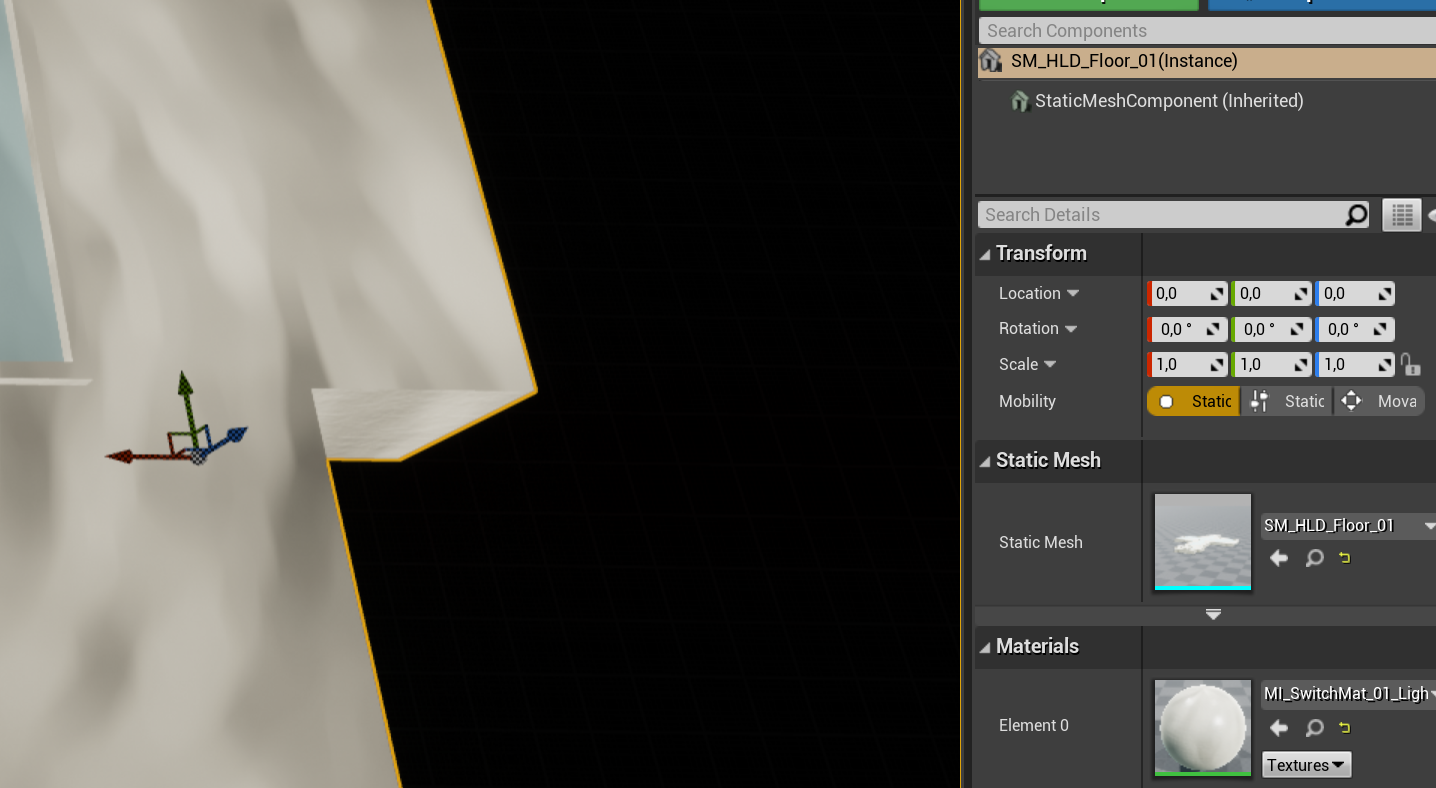
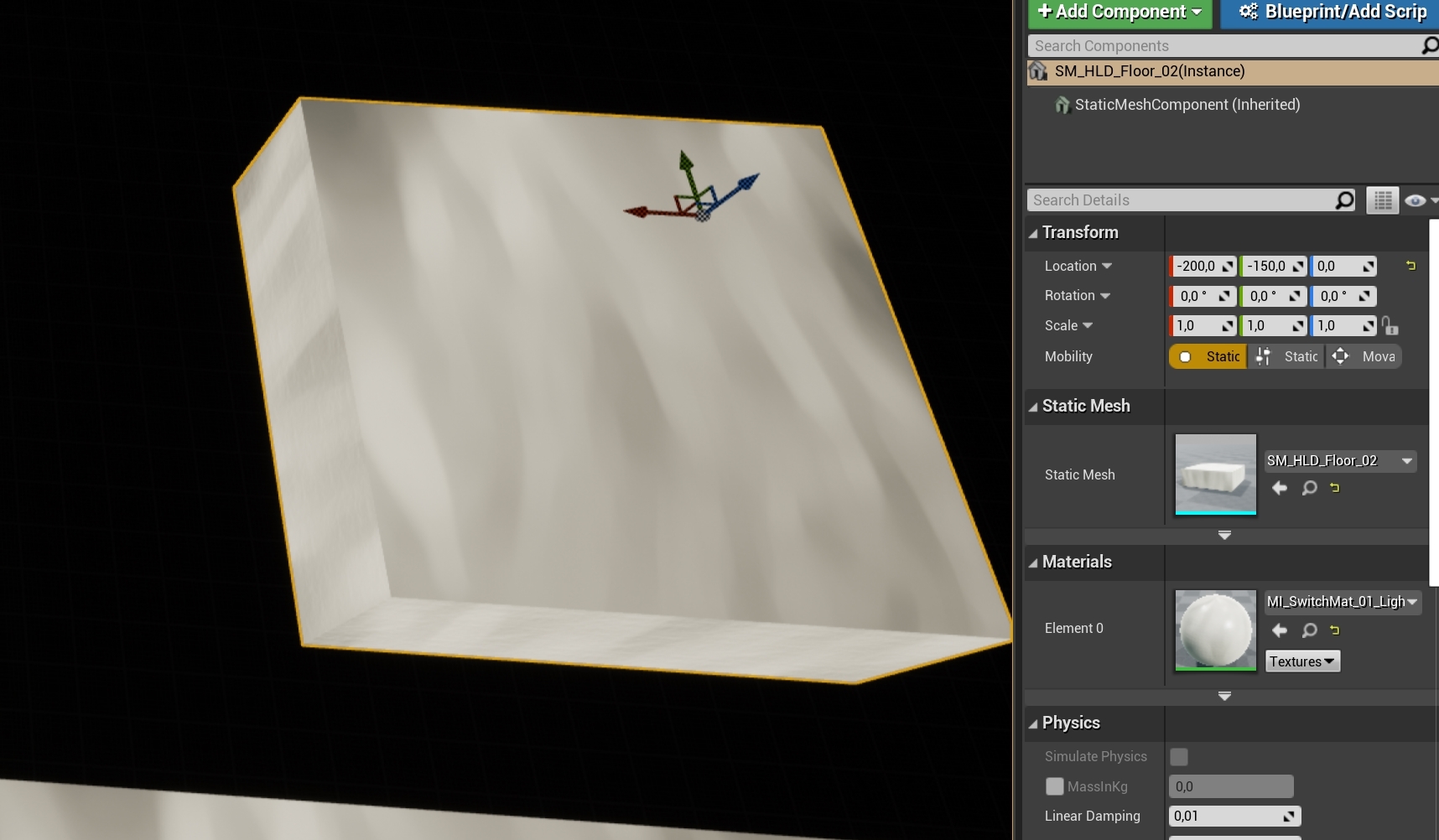
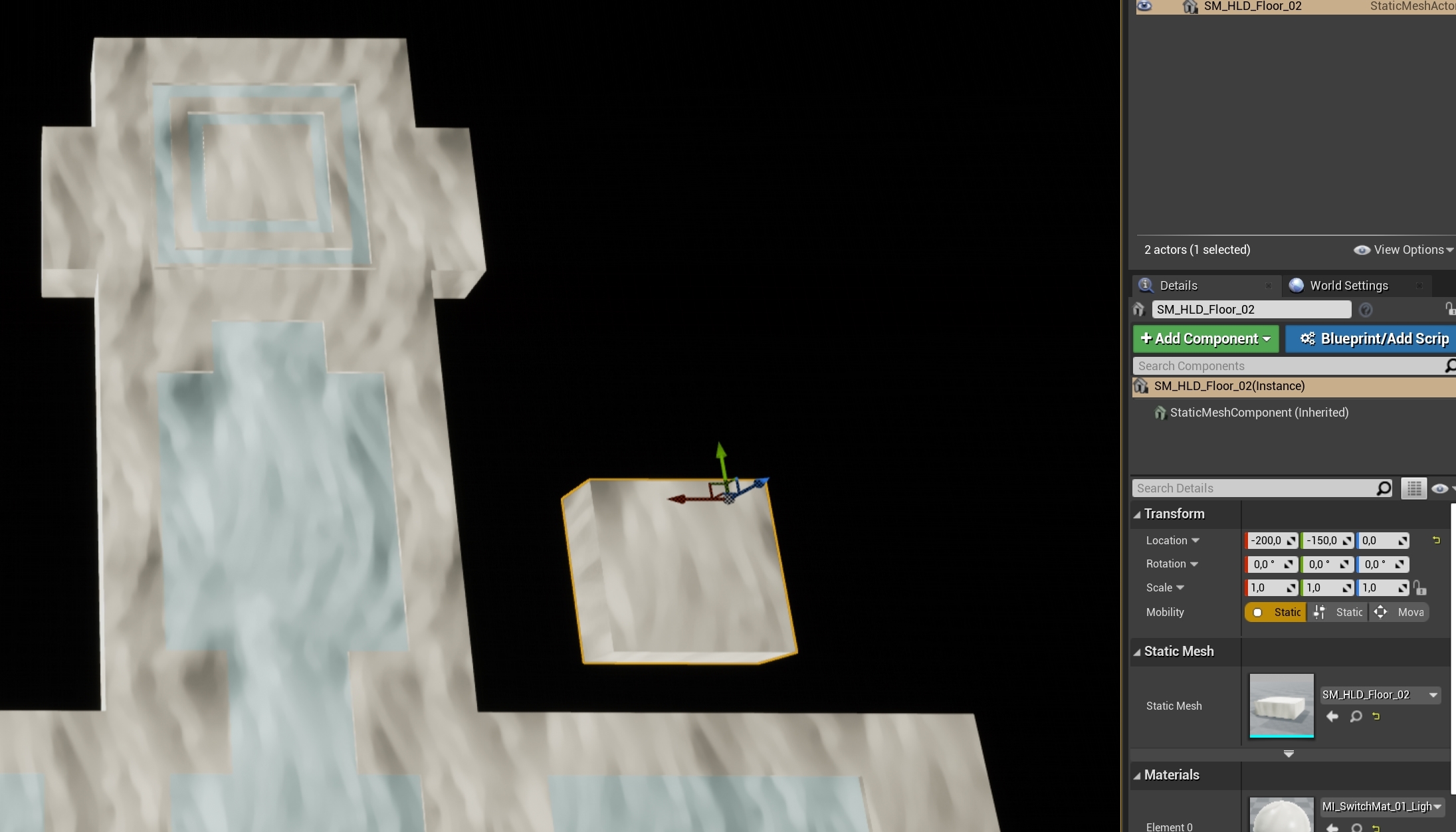
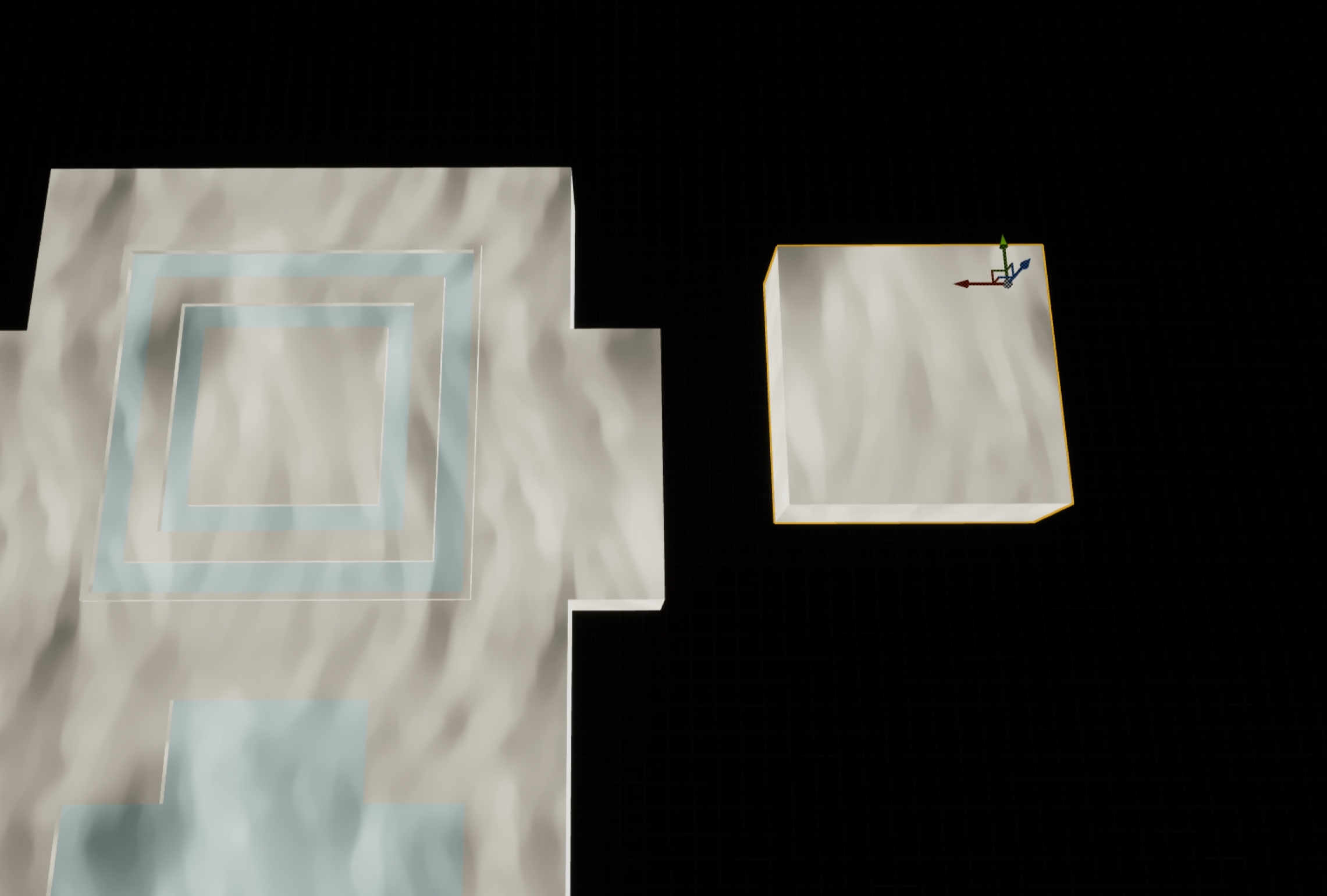
very odd. I bet its 3dsmax acting up again, but I have two meshes that align perfectly on grid in max, along with their pivots. yet, in ue4 they are so far off that I am just baffled
somber quail
Did you move them to 0 in the world in 3ds Max first?
Pivot's are discarded remember
fierce tulip
obviously
somber quail
hmm
smoky sonnet
@somber quail do i need to create the dynamic material instance once or every one after i changed the parameter
somber quail
We all have moments, just checking. Got a screenshot?
@smoky sonnet Once, 2 secs just encoding a gif
somber quail
because your variable type isn't set correctly. Just set it to material or material interface (the parent class of all materials)
 cinder basin
um
smoky sonnet
i can find it if the variable is just a material instance and not an dynamic one but with the material instance i cant edit the parameters
cinder basin
am I an idiot or is this guy right
fierce tulip
he is right, you cant import em into contentbrowser
cinder basin
but you can put them in the content directory right
cinder basin
I know
fierce tulip
ok, 4 images incoming
https://i.gyazo.com/ea8af1f3a139a44c2ff6f0e545b8519e.png
https://i.gyazo.com/0b650e26dafd2ac70b0b34930f9c39d0.png
https://i.gyazo.com/19d30173329a49c9c153c1d103c34a98.png
https://i.gyazo.com/3d37a46eddb50520a07fb8744a036c89.jpg

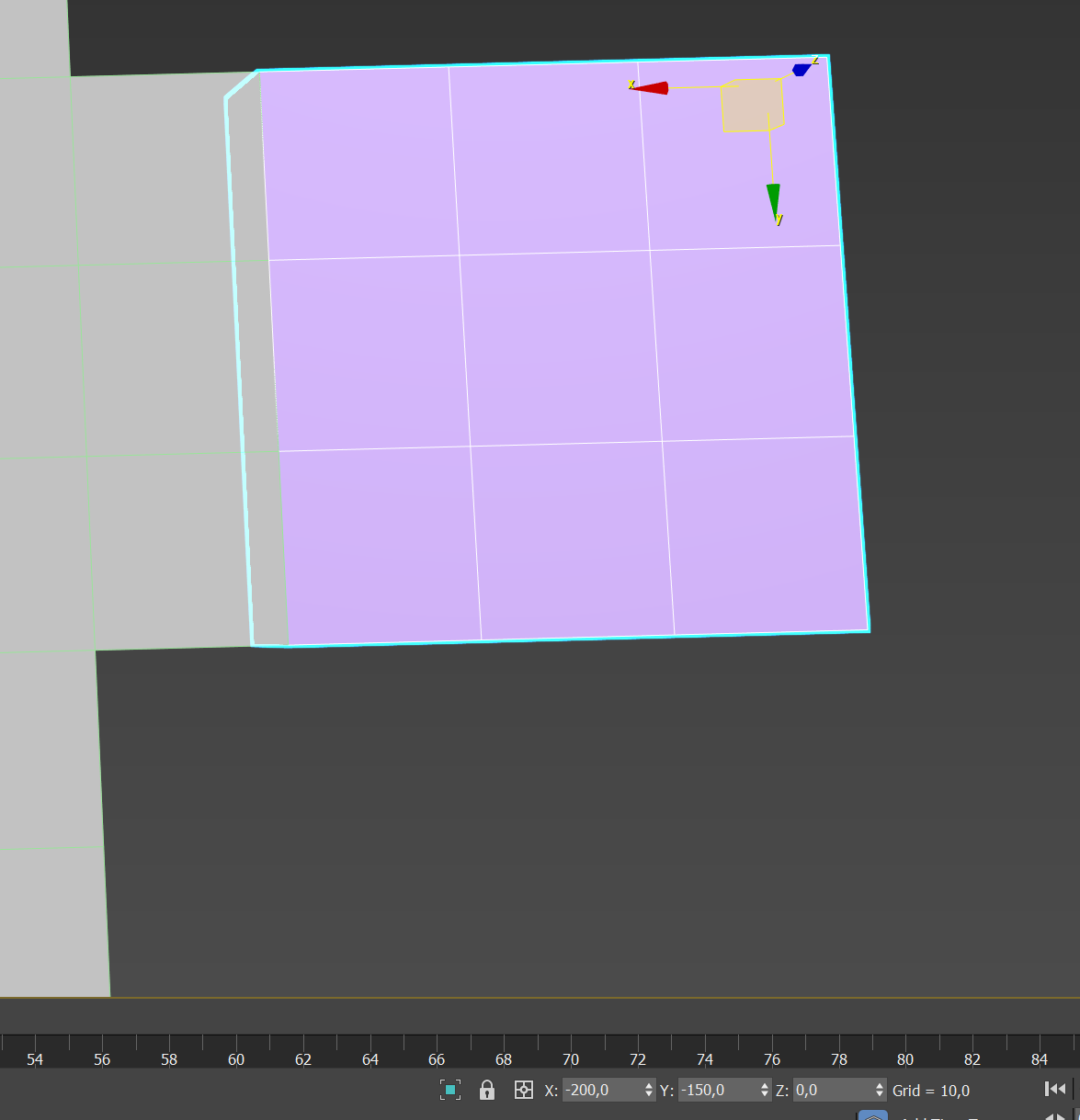


check coordnates
 somber quail
🤔
fierce tulip
-200/-150 should be aligned with that edge thingy top right
first time ive seen this happen in ever
somber quail
I mean it looks fine and I don't imaging resetting xform in max would help fix it
fierce tulip
tried that
somber quail
y axis is flipped however so put 150 instead of -150?
fierce tulip
its not
somber quail
where does it sit if you do put 150 in Y though?
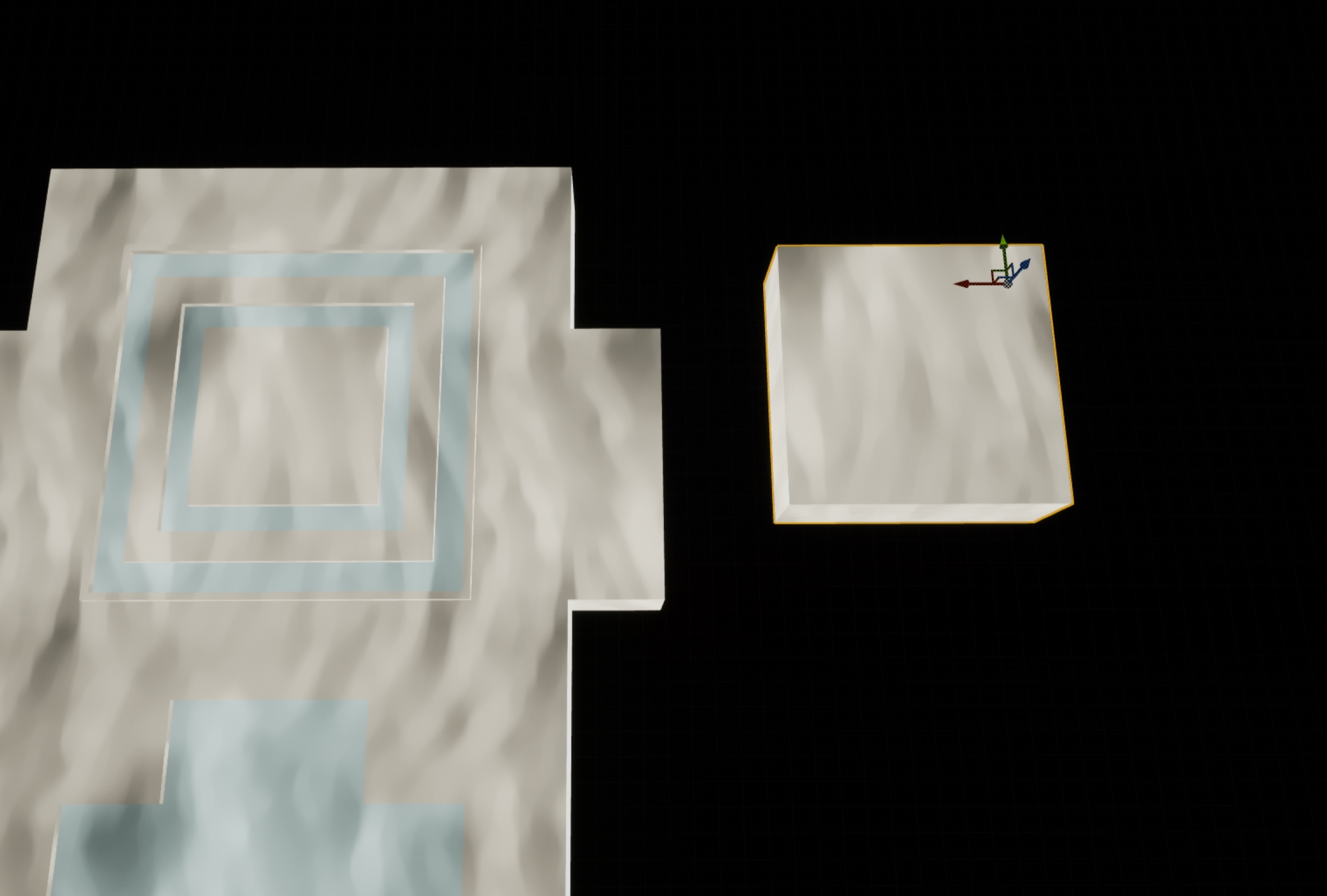

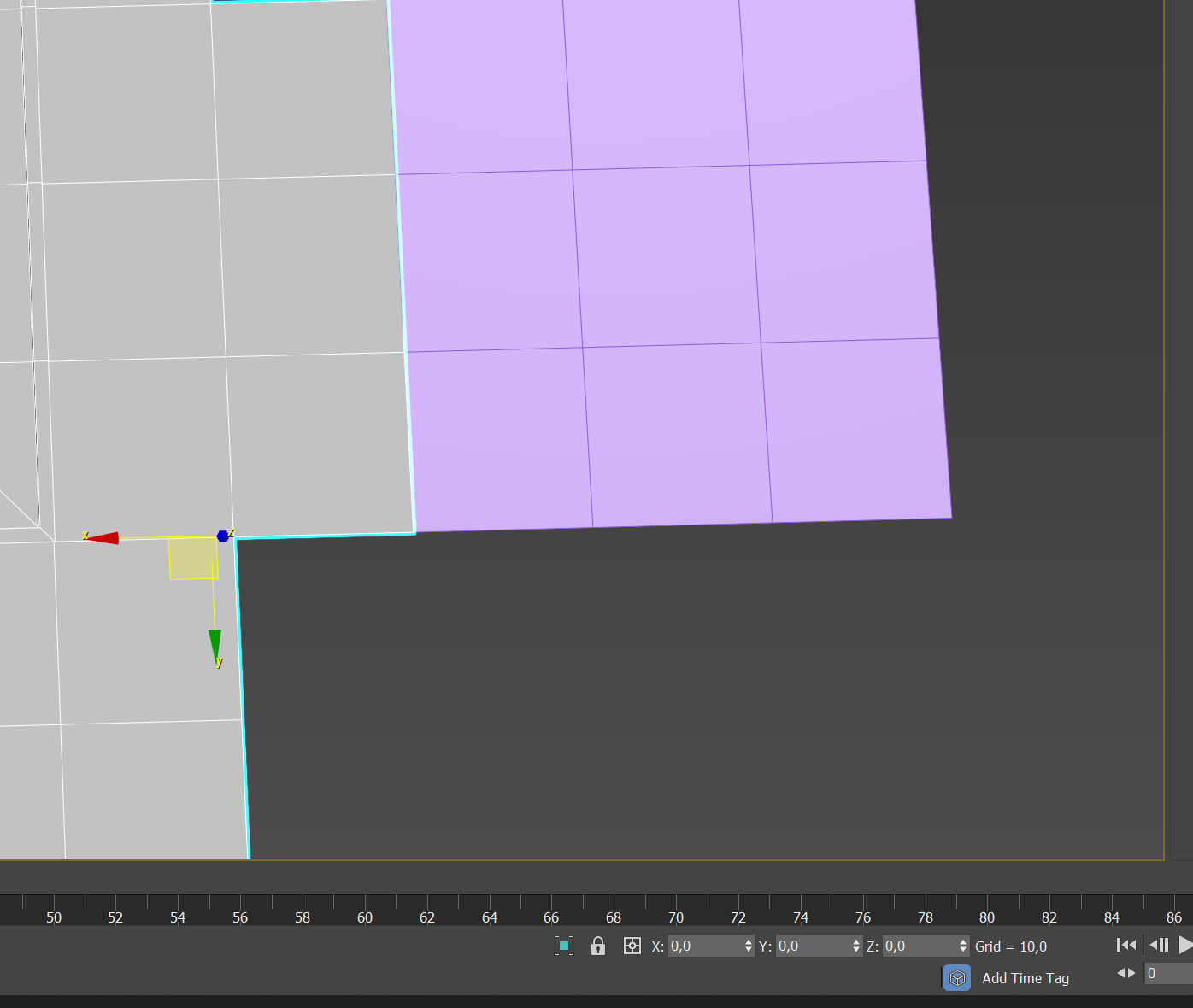
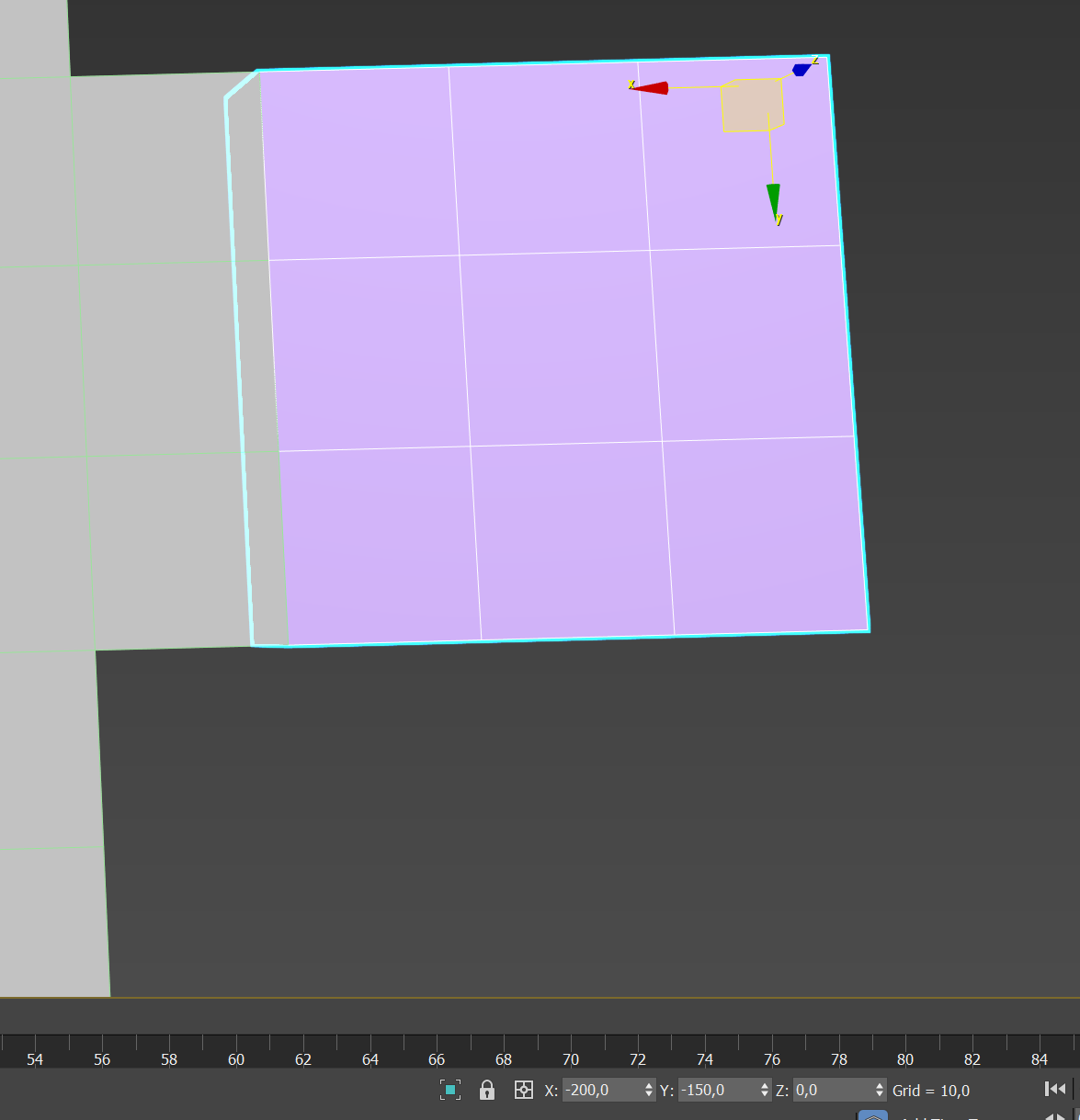
 fierce tulip
ill be afk for a bit, ill send it later
somber quail
I'll be in bed within the next 2 hours but I can check it out at work tomorrow if you've still not fixed it
Curious as to what's going on here
 teal tulip
I'm lost its a problem with the uv? Why don't use some world aligned?
fierce tulip
coordinates get messed up on export or import
 forest totem
how can i avoid updating the health/healtbar of multiple trace hits from an attack?
ty
from one single attack
tawdry storm
just don't update it? it's really hard to tell whithout knowing what your setup looks like
 celest creek
Hey.. so I have this project that all of a sudden doesn't quite work (3 different classes, some things are depending on other classes having fired first). So then I go into, let's say classX and disconnect a node, then connect it back exactly the same way. I compile, then it works..??
So my question is.. how does this make sense?
 loud valve
Hey guys question: I'm using the LEVEL SEQUENCER and have done that times before but now the only thing I want is it to play at begin play.. but it just won't switch to the camera of the sequencer.. Can someone help? I've been stuck on this for 2 hours.. 😦
can't be any easier.. and it plays I see the fades but just not the screen itself.. just the player standing there..
grim ore
have you tried turning on auto play in the details panel of the level sequence actor in the viewport? just to see if it still doesnt swap cameras
also.. does it have a camera?
loud valve
Thank you for you answer. Yes it has a cinematic camera and it is set to play automaticaly. On several ocations even.. tried also in the settings menu.
So weird I have used this several times and before the matinee player.. never happened to me but now it just won't work.. It should just switch to that camera when triggered right?
@grim ore
grim ore
it should switch to the active camera in the sequencer yep as far as I know unless you take it back somehow
have you tried dropping the cinematic into a new blank level and seeing if it works correctly
loud valve
how do I drop it in another? I jsut tried redoing a simple version in a different level and it works.. fuck
fierce tulip
re: weird max.ue4 mesh pivot issue
<_< its always something fricking stupid you totes miss
grim ore
the level sequence is an object in your content browser, you should be able to just drag and drop it into the viewport and have it becomes a level sequence actor
loud valve
@rich moth okay it seems like the camera gets spawned when it starts and that is the problem, when I add one to the world and control in in the seq. it works.. But how can I make the spawned camera a normal camera? Because now I get other issues with possesion..
grim ore
thats odd for sure, so you have a camera track inside the sequence and it's failing to use it?
but it works fine in another level
loud valve
yeah this is really strange, I now disabled the auto play and jsut want to posses the player and cant anymore
grim ore
it should work fine using the camera created in the sequencer, yep it spawns it in when you run it or have it open but that shouldnt be an issue
loud valve
no right?
grim ore
it doesnt happen to be below the kill z level does it?
yeah no issue here with killz either, just tested at -10k
loud valve
no its not
grim ore
Im not really sure what it could be, something in your level is killing the camera or everriding the current camera which is odd
and it shouldnt be the sequence since it works in another level
loud valve
yes correct.. now the whole game is broken 😦 never had this before.. it could be so freeaking easy.. very frustrating.. I dont wanna start all over again..
grim ore
and yes your code to play the sequencer in begin play was correct so super weird
loud valve
should I use the camera cuts? no right?
grim ore
you should, atleast as far as I know. not 100% up to spec with them. you should be able to select the camera in the level then scrub thru the sequence and see it work and thats what should happen
disable camera cuts is not enabled is what you are asking right?
have you tried deleting the level sequence actor in your scene, the one that doesnt work
then dragging the one from the content browser that you know works, the one you tested in the other level, back into that level
delete old sequence, drag in sequence from browser, hit play and it should work... if not... uh... its not the sequence or the actor lol
I assume your camera cuts track is colored in, not muted (dark color)
like literally trying everything now lol
loud valve
ill try but it wont play that one becvause the camera is not in this level.. I used a physical camera I added myself in the world in the test level
 glacial arch
Hey there guys, I'm coming back after a very long hiatus, and I just wanted to share something with you.
A few months back I had commissioned a wonderful programmer to help me with an issue I had with UE4 - which was the ability to use the GPU for non-graphical computations, which is done via compute shaders. It wasn't really documented anywhere, and compared to Unity it was woefully unsupported (as far as I'm aware it's because the Unreal Engine dev team are still working on it a lot!) but I wanted to access it anyway because my game needs it badly.
As a result, I've now got a very comprehensive tutorial that details the process of doing so. Compute shaders are a very powerful tool, and they allow us to take parallel computation speeds into the orbit! :D
I never shared this here, and I hope that it serves you guys well.
http://www.valentinkraft.de/compute-shader-in-unreal-tutorial/
 midnight root
what do you,or just is considered NON graphical computations ?
glacial arch
Well, say you gotta pathfind right?
There are A* applications that can be parallelized heavily
loud valve
@grim ore Well it works now.. I did a "Set view target with blend" to the new cinematic cam and it switches and controls are back to. But now for some reason the animations are shit (choppy) and cam is blurry but I can fix that. Thansk allot for your help man!
glacial arch
@midnight root *implementations
I personally use compute shaders for interactions with voxels
I think when I say non-graphical what I really mean is non-pixel or vert shaders
midnight root
ah ic maybe this would literally go over my head then
not using them, too pricey atm nor am I a good enough programmer to delve INTO them;)))
ic
Iguess I was hoping this was a journey into using GPU for light buiding ;0-
given GPUlightmass doesnt cut it here
one can hope ;))
glacial arch
Well compute shaders can use any kinda GPU to function
and a light propagation shader would be considered a compute shader I believe
also Niagara particle system is built on compute shaders
midnight root
nice toknow, if atm it stil goes over my head
glacial arch
GPUs are just a different kind of processor, and compute shaders are programs written for them
glacial arch
@midnight root don't worry about it, I'm sure you'll get there soon!
midnight root
Yes,i have to
glacial arch
god knows I'm a slow learner, and I learned it anyway
midnight root
I"mat the stage where sculpting theterrain is no longer current phase ;))
I so get that
Maybe so,but I bet ONCE you get it, you use it really well
LOL I recall that from my High schooldays,,kids 'talking about who was smarter than the other ROFL
THE THINGS we remember o_0
letme refphrase that
didn't mean it to come outthat way, if itdid
the smart kids, as it were, were discussing
agirl in physics,,,
she wasn't the smarteset, BUT once she got it, she usedit realllly well
et voila
anyway so much for HS ;))
HM speaking of things GPU,,so you know by chance, why 'cuda'doesn't , or might not, showing up under task manager graphs when clicking down arrow ? Wondering if its why GPUlightmass doesnt seem to work for me
grim ore
@loud valve yeah that is weird, that should work if something else is grabbing the camera which I would love to know what was causing that
@midnight root which GPU?
midnight root
hm I have the GTX 950 whopping 2gam of ram , frown,,,,want to upgrade soon BUT basically overall,very happy its holding its own currenetly
giving what I'm putting it through with world comp world ;))
Given
latest driver
also
I asked of this on microsoft answers forum
someone,a dev i think, similar OS to me, specs, said he also hadno cuda sowingup under graph dropdown
sorry keyboard replaement coming NOT soonenough ))
never membrane again unless its very expensive ;))
similar GPU as well
I know it supports cuda, I looked into it early on in discussion
midnight root
ok onesec
midnight root
checking
 potent solar
hey guys this is not the place fo talk about it but can someone help me fix a game how the dev suck at fixing it?
grim ore
I will say that a 1050ti with the latest Nvidia drivers does show Cuda as one of the gpu options for monitoring in the task manager
polar hawk
oh, now it works, weird, ignore me
midnight root
hehe its fine, we have those days
grim ore
@potent solar WE have no idea what you are asking but if it's related to Unreal Engine then you can ask in here, if not try #lounge
 wide girder
what the hell i'm running Obduction (UE4 game) on a server and it keeps crushing turns out it's because the CPU has too many cores
signal jetty
I’m bored
midnight root
@grim ore I dunno I've yet to find an answer as to why mine and dev in M$ answers forum don't, but I suspect asking nvidia on their forums may or may not give me one
TY for 1050i info tho I'm not sure what it means for me
odd, my gpu what only slighter older does show cudu as supported
grim ore
its possible that the drivers for the 900 series, the maxwell stuff, do not report CUDA to windows
signal jetty
Get a nvidia quadro rtx 8000
midnight root
ya ive seen that as very common indeed
i mean2080
Without one as yours,one won't get the new lighting
so its just best to wait
signal jetty
Well I fixed My UE4
midnight root
I mean for the lower income threshold ;00-0
signal jetty
But I still I can’t Export shit from Bridge
midnight root
wow surprising
signal jetty
Even Tho my Live link is correct
midnight root
I was just about to starting using it
signal jetty
There is so many cool assets